#aec-visualization
1 messages · Page 6 of 1
 glossy creek
 dusty gyro
never done some blueprint coding before @glossy creek ?
glossy creek
I've just started. I went down to the Unreal Academy last week, and began my education. The concepts are not alien to me, I have some history in programming, etc.
But yeah, I'm a newbie!
dusty gyro
basically when you create a new variable, ou have a little button next to the type
you can click on it and change the storage
as shown in the link you've sent me
glossy creek
Is that something that would be created in the level blueprint, or a new class?
glossy creek
Is there a quick way to add all my static meshes to an array, instead of clicking the "+" and typing in the number of the mesh?
dusty gyro
you can place a Get All Actors with Tag node
and tag your objects with something like "group1"
glossy creek
Thats pretty cool!
Okay, so what does the "Out Actors" feed into? Add items to array?
dusty gyro
you can add your actors to the array with a forloop
or just play copy the out array into your array
with a set node
glossy creek
Sigh, still stuck. Sorry for all the questions. I understand the concepts, just the execution is all new to me.
So I understand what I am doing better, this get all actors with tag, what exactly is it outputting? Is it an auto index array of each actor nodes ID?
And I'm going to avoid forLoops for now, so I would rather go with the "set node" route.
Maybe this can do it - https://answers.unrealengine.com/questions/52091/how-to-add-selected-actors-to-an-array.html
 vivid moss
You need to make one array variable that references Static mesh actors. After the GetAllActorsWithTag put a ForEachLoop. Connect the newly generated array variable you created to the Add node and the result from the ForEachLoop to the singe input of the array.
Oh now I read that you want to avoid for loops...
You are outputing the actors that has the tag.
I dont know what you are trying to do...
dusty gyro
well if you want to avoid loops... you can use map arrays I guess ? And use the find by key node
vivid moss
But why not using for loops? You will only execute this once at BeginPlay.
@glossy creek
And btw you tagged the actors on the wrong place. Make sure you make the tag on ActorTag not ComponentTag.
 bitter pine
hey, i am using 3ds max with turbosmooth and mesh smooth but when i export to ue4 it becomes low poly
anyone @ me if they know how to slove it

 royal osprey
If you want to keep the base geometry as is in max you could use tesselation in Unreal, not sure if it will smooth it or just subdivide it, I haven't played with tesselation much. The other alternative is to freeze your geometry in max, I am not familiar with max but in other software you can "apply" the modifier so it's no longer a modifier and it alters the geometry itself.
bitter pine
i cant see an option called apply modifier
royal osprey
it's called collapse in max I'm told by a co-worker
right click on modifier and select collaps
bitter pine
ok
 gentle osprey
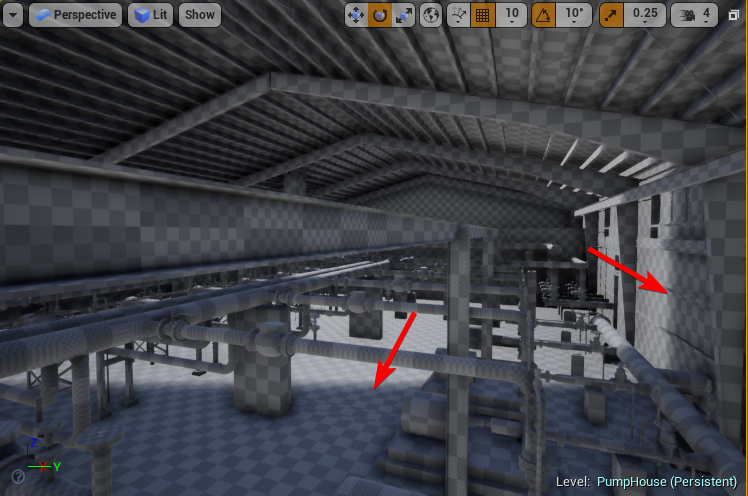
What am I missing to not figure out why my shadows are ending. Almost like a shadow clipping plane is not set right or something: https://i.imgur.com/WsoFOUB.png
 bitter pine
@gentle osprey what do you mean?
dusty gyro
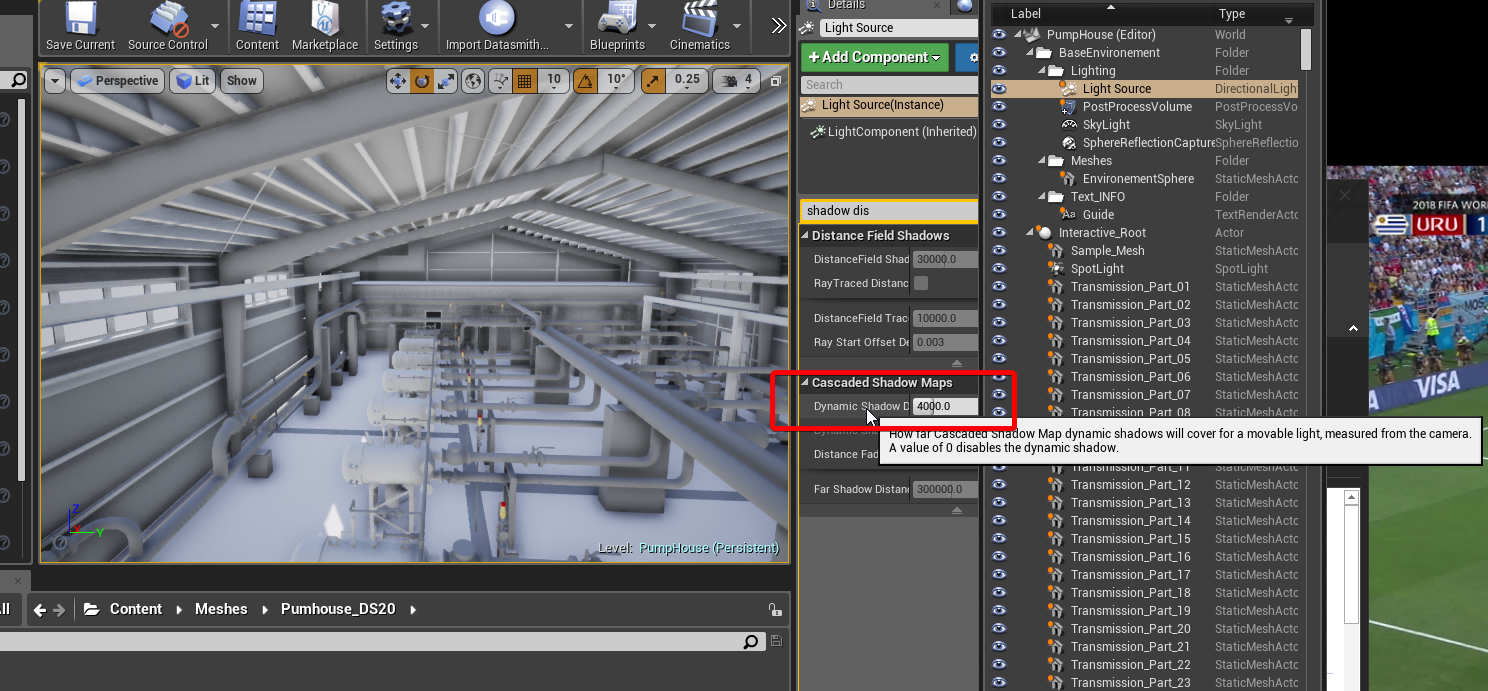
@gentle osprey shadow distance in the directional light settings
I KNEW IT
I'm not crazy, the python examples on 4.20 were not setup right on epic's end 😂
ah also check your Studio exporters for max and sketchup, its been updated
gentle osprey
@decode we're inside in this picture but it looks like the build is open halfway through.
@dusty gyro , thanks I'll check that!
dusty gyro
@gentle osprey check the solution I posted on the thread
gentle osprey
Will do. Working in it of the house this morning (actually prepping for DMing my DnD session tonight >_>. Don't tell my boss)
dusty gyro
😂
glossy creek
How do I stop unreal from taking my mouse away once I click it in game. I'm trying to do a menu only interface.
Nervermind, its done via a custom PCC! Figured it out! Sorry for dumping simple questions, boss wants to see stuff pronto fasto.
gentle osprey
be sure you charge pronto fasto rates if you're getting it done ;]
gentle osprey
that was it by the way, @dusty gyro ; the shadows that is: https://i.imgur.com/DBzHQr7.png
 random totem
We have added VR support for Scene Fusion for Unreal (which is going into alpha shortly): https://www.youtube.com/watch?v=cyC_hk51ecA

Scene Fusion for Unreal will support Unreal's VR system! Sign up to get updates here: https://www.kinematicsoup.com/scene-fusion/unreal-engine-signup Learn m...
gentle osprey
man, I need to figure out how to make pallete interfaces like that!
dusty gyro
@random totem very interested by your plugin 😃
random totem
@dusty gyro I'm in the process of contacting everyone who signed up, so if you are interested I have a sign-up form here: https://www.kinematicsoup.com/scene-fusion/unreal-engine-signup

KinematicSoup Technologies Inc.
dusty gyro
I already signed up with my pro email today 😉 @random totem
random totem
Awesome!
 pure sinew
Hello everyone! I was wondering if anyone has looked into building lighting from several levels in one go? I.e. queuing up the workload on network Swarm. Thanks in advance 🌞
dusty gyro
@pure sinew try to look into sublevels 😉
if you have a main level, and multiple sublevels, you can bake all the sublevels by baking the main one
pure sinew
hm.. that might be a solution, but we already have loads of levels with sub-levels, I think we did it that way originally because of some issues with packaging the project. Might be worth looking into more though, thanks 😃
any idea if a queue system works for Swarm agent?
dusty gyro
no idea :/
I know you can bake levels with a console command
but never really looked into it
pure sinew
ok, thanks anyway though 😃
 deft oasis
Are there any limitations to using sublevels?
 native perch
Just Trying to make stack game 😃
how can i rid of flickering?
simply every block of this static meshes have 10x100x100 dimensions
every next block placed just +10 by Z axis
and some kinda weird flickering appears
deft oasis
^might be overlapping meshes
Try adding each new block by 10.1?
native perch
yep
no difference
if i pick 10.5 its gone away, but distance between meshes already visible
i googled , some say to change bound scale in Rendering tab, but no difference
deft oasis
If you're using the UE4 cubes then I might suggest trying to make the cubes in blender to fit UE4's scale, via this tutorial
https://youtu.be/3TqQH1fZAtM
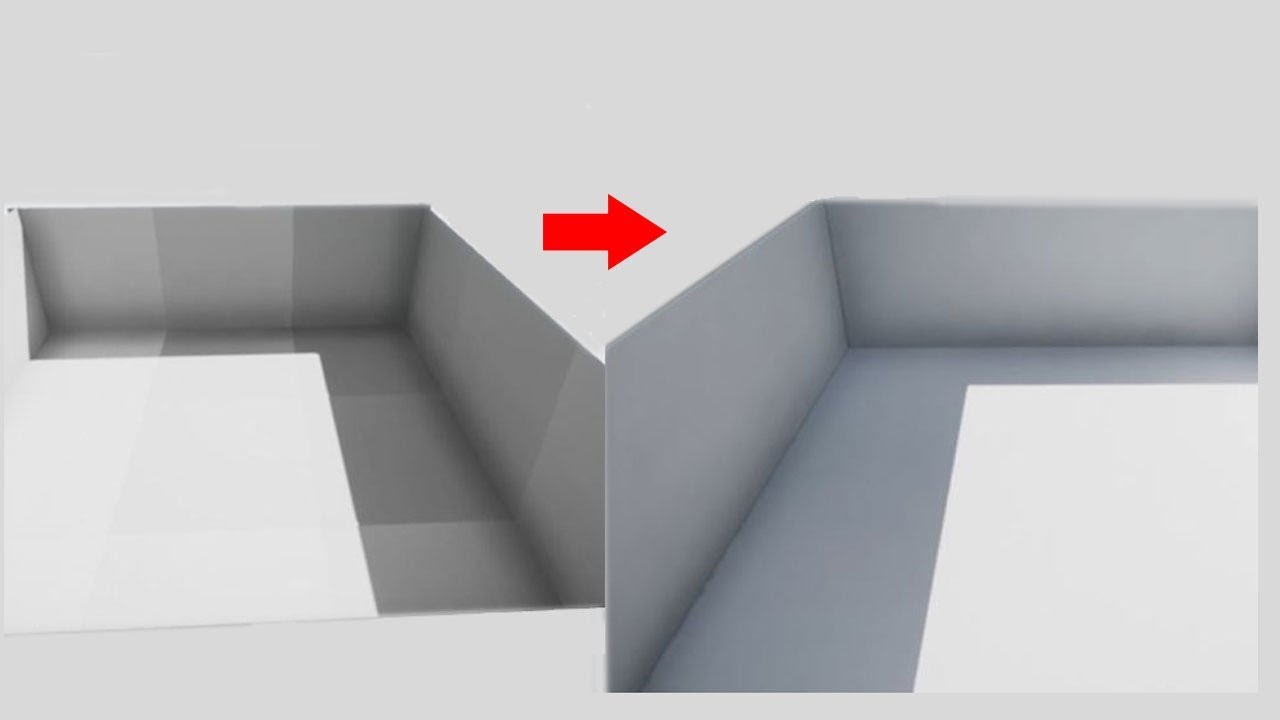
Grid spacing/snapping, best practices for materials and UVs, exports and imports, basic lighting setup, and post processing - get rid of those ugly seams bet...
native perch
i created Cube in blender , but after watching this video , im not sure about lightmap i created
Thanks , @deft oasis for video
can you please check lightmap and uv unwrapping, am i done it correctly?
deft oasis
Unfortunately I can't check it for you as I don't have an internet connection at home right now
If you did it as they did it in the video then it should be fine
native perch
ok , thanks anyways @deft oasis
bitter pine
hey anyone know how do i make a high quality 3d character without 3ds modelling and which is free?
 cinder remnant
^ How do I make magic without using magic?
 cyan ether
anyone know how to get granular bp access to archviz character? i've been struggling with this for a long time, i love its smooth movement, but it has some settings i want access to to change, such as walk movement slowing down when camera pitch reach peak + or -
 sharp sorrel
Re-lighting of a scene by epic games + added shield and other stuff to make scene my own. Unreal Engine. Thoughts?
 solemn hawk
@cyan ether you can access the movement component of the pawn
cyan ether
yes can access the entries to change things, but seeminly not any bp level control
i'd be happy to scrap it if i knew how to replicate the smoothed out controls
solemn hawk
I know they're exposed on the first person pawn, not sure about archviz pawn though
cyan ether
ya, i think i'll persist with trying to mod the first person pawn over time
to get dampened rotation and movement
its less compromised and most tutorials and documentation assume you're using that
 feral cradle
Hey guys im interested in making some artviz models to sell what do you guys need or want most?
solemn hawk
so I imported an fbx scene into unreal because I need my items named in the content browser (not just numbers from datasmith) but I also want those assets placed directly in the level instead of in a blueprint.
However, you can't just copy items in a blueprint and paste them in a level. Anyone know of a workaround for this?
gentle osprey
Are the items nested below the BP in the hierarchy?
Also, did you mention this in the datasmith forum? That's a good idea for future development.
It seems too that you may be able to use the datasmith information to work with the asset metadata for identification instead of the import value if that is something valuable to your workflow.
dusty gyro
@solemn hawk have you updated to 4.20 studio/datasmith ? You can now dragndrop your imports and it places them directly in the level with the proper hierarchy. Also it uses mesh actors attached to dummies, and no blueprints.
solemn hawk
Omg that’s so cool!
solemn hawk
Is substance source crashing anyone's engine right now? when I try to open the substance source browser it's crashing my projects
 half knot
Hopefully a simple fix but does anyone know why these object appear light when they shouldn't?
i would think they would look like the object im pointing to in blue
they all have the same material
Any suggestions?
dusty gyro
do you have a proper reflection capture in your scene @half knot ?
gentle osprey
I like that stone and marble material
sharp sorrel
Thoughts and feelings? Lighting done in Unreal. Not Arch viz but im sure you people have something to say about it.
 tribal sluice
Get rid of those leaves, at first I thought my moniter was failing or something
Otherwise, I think it's looking great.
sharp sorrel
Some attempt at changing it up. Lighting in Unreal. Thoughts? Feedback? Feelings? Opinions? Critique?
@tribal sluice thanks
sharp sorrel
@tribal sluice Thanks. I am still changing it up.
Some more changes. Thoughts? Lighting in Unreal Engine.
 hard oar
@sharp sorrel well congrats! what i think is that you need to give your image a better shadow play. watching the second image you sent, shadows are way too light in some points (as in the columns on the left side). saying this cause you could give your image more effect and meaning by giving importance to the light beam and the "altar"
sharp sorrel
@hard oar Thank you, will see if I know how to do that technically speaking
hard oar
in short words. i would give a "light importance" to the light beam and altar and a "dark importance" to the rocks. this does not mean that rocks have to be black, but bit darker, just to give a good line to the image
sharp sorrel
Some more tweaks, and hopefully improvements. Lighting in Unreal still.
@hard oar something like this?
dusty gyro
@sharp sorrel This is really neat and all but... Is it really archviz ? 🙄
sharp sorrel
@dusty gyro not per say, but in arch viz there is a lot of lighting, thus relevant to get opinion and feedback.
dusty gyro
hmmm
 dark oriole
That's really stretching it
dusty gyro
feels a bit weird to see fantasy stuff in a channel where we mostly talk about architecture
dark oriole
#work-in-progress would be the most appropriate unless there was a specific technical question, just getting feedback should stay in #work-in-progress
sharp sorrel
@dusty gyro Maybe, I will post my lighting for arch viz then if it has to be specifically real 3d model of interior and such. The process is still the same.
 still adder
Hi peeps! This seems the most relevant place to ask. I've barely used stationary or static lights so far due to the nature of the scenes and projects I've been working on. However now that I do have to use them, I'm running into an issue. I've got a Scene with a nice reflective polished floor, and I have a few cabinets that have glass surfaces. These cabinets are scattered across the place. I've placed one big sphere reflection capture. It catches the reflections on the ground really nicely, but on the cabinets, the sky is reflected in a way that it's incredibly bright, we cannot see through the glass anymore.
Any ideas to work around this issue?
royal osprey
I came across a video explaning reflection capture spheres and they recommend using one with a large influence radius for the whole scene, and smaller ones for different rooms of your level. if you want more realistic reflections on flat surfaces you can use a planar reflection (and enable it in prferences) This is very resource hungry, so for a realtime application it has to be used sparingly.
still adder
The one big reflection capture provides just fine for the mentioned parts, it's only screwing up the glass cabinets. Planar reflections are pretty much out of the question, since they render the whole frame twice. We are working for VR and due to the density of objects and the required visual quality, we cannot afford that.
royal osprey
One trick I have used in a similar situation was to use geometry outside of my room to reflect that instead of the sky, won't work if you are also stepping out. To get better glass materials it's a good idea to use a fresnel node to control the reflection. so it's more reflective at a steeper angle and less reflective looking at it straight ahead.
still adder
Thank you, I'll delve more into the material then 😃
royal osprey
also, for panes of glass don't use refraction
in real life it's hardly noticeable on flat glass and it causes all kinds of headaches in Unreal.
royal osprey
all right just making sure
still adder
Placing small reflection captures around the cabinets does make them better, however there are still some strong reflections from certain objects, and the only thing I could do to make it better is to exclude said objects from being captured by reflection at all
royal osprey
Reflections is the biggest hurdle right now for me in Unreal, multiple reflective surfaces like in a fancy bathroom, are a challenge.
 modest bough
I made a material customizer system for Realistic Renders, opinions?
 glacial dock
👌 👌 👌
hard oar
@modest bough wonderful! will you sell it on the marketplace?
modest bough
@hard oar Oh i never thought about it, i havent sold anything on the marketplace before, do you think there would be interest?
hard oar
Oh depends which features there will included. I'm studying to create one on my own and it's not easy :p very good job for now @modest bough
 lone shale
tribal sluice
lone shale
tribal sluice
Alright, I'm going to architectural design classes this fall and I want to have some cad expirience before hand, you guys know some good (and free) cad programs that will work well with ue4?
royal osprey
Epic came out with a tool called DataSmith that is geared towards getting CAD data into Unreal, but I'm unsure if it works with any free packages. We have a time tested workflow that was stablished way before DataSmith came out. We use Draftsight (free) to convert the 2d CAD drawings that we get from clients to .dxf Then we take the dxf to our 3d software of choice and extude the walls up and prepare it for Unreal. Our 3d software is not free, but you can use Blender, wich is great and free.
gentle osprey
So conceptual Arch-Viz is not discussed here? Good to know.
 simple pebble
looking to improve my material workflow in the early blockmesh stages
what is the easiest way to assign materials and colors in maya. IE not making like 15 shaders of 15 colors and assigning them to selections
looking for something close to a tool we use at Naughty Dog where you can select a group of faces then either assign a color from a picker of pallet
dusty gyro
heads up for archviz people, 4.20 Studio update adds a looot of new tools to dataprep and improve your models ! https://forums.unrealengine.com/unreal-engine/unreal-studio/1503018-unreal-studio-beta-4-20-release
Unreal Engine Forums
Studio420announce.png
Unreal Studio 4.20 brings several major new features that are available exclusively to Unreal Studio subscribers, including workflow
 frosty gull
Hi, I have big problems rendering sequences with media texture videos in it, it's totaly unsynched. Any suggestions ?
dusty gyro
whats this @hidden star ?
 hidden star
Villa I modelled out
it floats because I haven't got round to doing the terrain yet 😄
dusty gyro
:p
 green pulsar
Anybody have any idea whats going on here? I bought a pack of these in the marketplace. On the editor it looks great. It's already baked. But when I'm inside the game (in this case on VR) it looks like sh*
.. Now I closed UE and opened it again, and now it looks like this on the editor too
nevermmind.. It started simulating for some reason. Which means that it only happens when the viz is being played
 small spruce
@green pulsar What material is on your lightswitch?
And are there any runtime parameters on it?
I have an Arch-Viz scene in .MAX format (containing meshes and textures) that I need converted to FBX. I suspect at least one of you awesome Arch-viz chat peeps has a license for a fairly recent version of Max. If anyone would be willing to help me out please message me on discord. I'd be willing to throw a bit of cash your way for the trouble.
dusty gyro
@small spruce pm me and we'll see how we can help you
 hearty rock
can anyone clarify what datasmith is is it a way of taking an architects 2d auto cad or Revit plans directly into ue4 or something else I'm trying to score a job at an architects and looking for a simple solution to transfer their work into ue4 cheers guys
dusty gyro
@hearty rock so far you have to get your Revit model through 3dsMax then export it to datasmith to get it in unreal (or go FBX, by that's a lot more work)
at some point they will release a native Revit addin to send it directly to unreal 😃
about 2D plans, this is not supported
I'm not sure how they would do it, and why you would want to import 2D stuff in a 3D rendering engine 🤔
hearty rock
i can see that i can take a model from Revit to unreal as a fbx which puts all the separate walls etc. into unreal at the right scale and as a full building and also a 2d model from revit can be put into 3ds max for further manipulation so I'm not really sure what data smith is for
dusty gyro
datasmith is a workflow tool
that allows you to import meta data, customize how your import your models, etc...
- lots of substance materials for archviz
- custom support
python scripting
hearty rock
ahh ok thank you quick question i have a b.a. in games design but i am leaning more towards architecture how difficult would it be to do my masters in architecture would it be impossible at the mo I'm just getting used to Revit but i know nothing about load bearing /engineering etc.. i have always worked with 3ds max for modelling so Revit seems bit easier but I'm just playing with Revit at the mo
 lucid orbit
so what 4.20 actually helped for archviz besides dof/studio?
gentle osprey
@hearty rock TO GET YOUR MASTERS IN Architecture you would need to take structures classes, history classes, design theory classes all specific to architecture. I would be highly suspect of any architecture schools which would transfer your game design credits in for architectural studio credits.
feel free to DM me with any questions about arch school, as I don't think that would be part of #aec-visualization scope.
dusty gyro
@lucid orbit afaik they improved performance for translucency with VR ? 🤔 Havent tested it yet though, still deep in the new Studio stuff.
hard oar
Anyone know if the solved the Lumen issue on 4.20?
dusty gyro
@hard oar what kind of problem was it ?
hard oar
Lumens intensity was out of control in 4.19. I mean that it wasn't corresponding to real Lumen intensity
royal osprey
For me the best addition to 4.20 is the area light, and fixing the camera rotation bug when working with cinematics. (that was technically fixed in 4.19 but I skipped it)
hard oar
I am designing a cloth shop and I need many spotlights.so I need precision and can't work with area lights into that
dusty gyro
can you give me some values @hard oar ?
I'll do some screenshots for you if you want
just noticed I had some nasty rendering artifacts when moving around lights with IES O_o
@dark oriole had this kind of stuff already ?
dark oriole
Yes, confirmed fix for 4.21
dusty gyro
ah nice
dark oriole
And nobody noticed it, somehow, until I randomly decided to turn on forward rendering and spawn a single light
Somehow I suspect forward is not the most popular feature
dusty gyro
:/
hard oar
I have 50 static spotlights in my shop and in real life the are all between 14-20 W. So it will be around 1300-1900lumens each. If I set my spots with real Lumen intensity, I got a whole white build
Now I am scaling them down checking for the right intensity
dark oriole
The difficulty with using real world values for lights right now is you also need to decrypt the nightmare of exposure settings
dusty gyro
exposure in UE is such a hit and miss
dark oriole
And got a total redesign in 4.19
So all we knew to be true is up in the air now
Daedelus made an hour long rant video about how hard it was to use properly
hard oar
I am trying again scaling lights by 0,01
hard oar
Ok so with 50 spotlights, set them to 20lumens (instead of real 2000) looks good
I didn't touch Exposure for now
dusty gyro
best would be to change the exposure values in your PP volume to 1min 1 max
do your lighting tests, then tweak exposure
god I already miss GPU lightmass on 4.20
@hard oar https://i.imgur.com/yo0rzUe.png
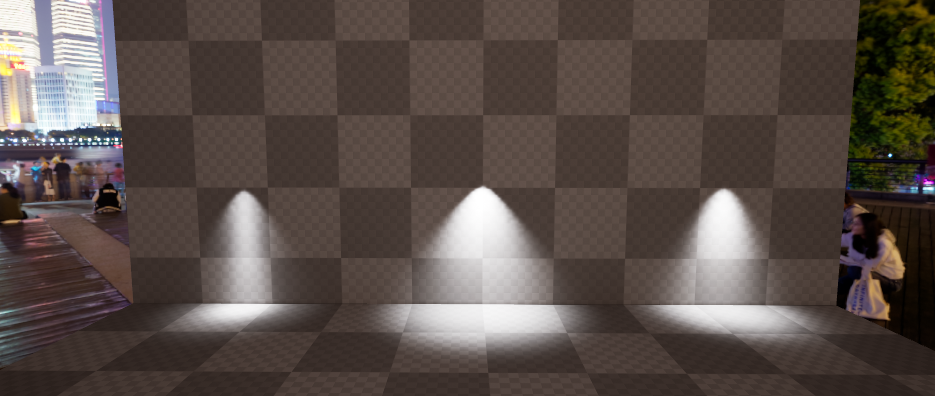
this is the result with baked lights
I used different IES on each, but the intensity is set as 1300 lumens on all of them
attenuation radius is 500, lights are placed 300 units (3meters) above ground
hard oar
It looks too bright to me
dusty gyro
values still fucked then
do you have any IES profiles ?
you could use the intensity of these instead
although it might still not work 😅
dusty gyro
yeah static works
but well, you cant power them off after the bake, gotta use lighting scenarios
wait you use stationaries with that much lights ?
how about overlapping ? O_o
hard oar
Nope I use stationary on other scenes. Not in this kind of archviz
dusty gyro
ah right
shame IES wont work on movable lights
you can still use stuff like light functions to fake IES profiles I guess
hard oar
Looks decent now
dusty gyro
woo looks overbright as fuck
hard oar
Can't take screenshots sorry. Just pick from camera cause it's not my pc
dusty gyro
rofl
hard oar
I can work with exposure now I guess
dusty gyro
exposure makes a lot of difference
I've had better results going for lower light intensity then tweaking it with exposure though
rather that going from too bright lights
you loose a lot of shadows
hard oar
Well in there is all white except for the floor. I still have to import materials
dusty gyro
keep in mind if your walls arent white your lights will bounce differently
hard oar
Aye true. I'll try to lower intensity down a bit too
 hard oar
Ye but still waiting for the material list from the client 😂
dusty gyro
😅
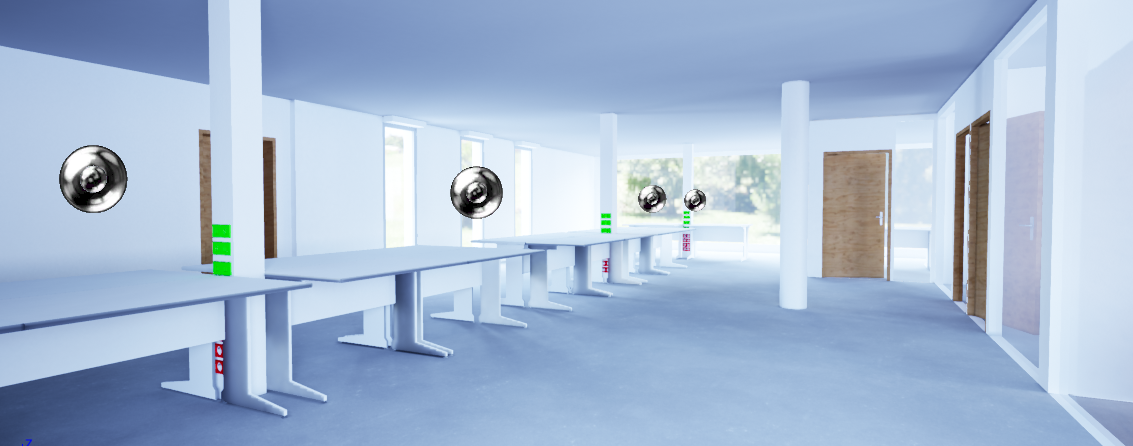
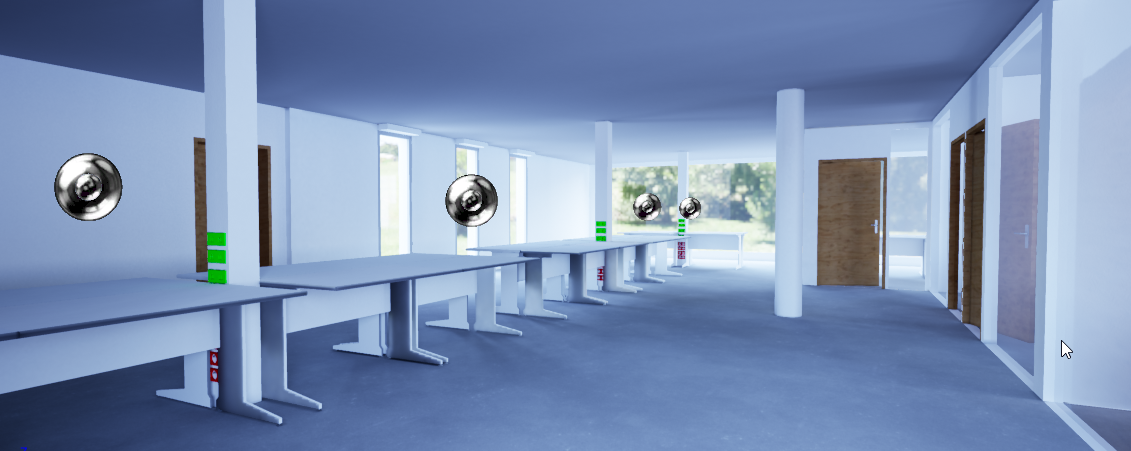
exposure compensation at 2 on the first screen, 1 on the second
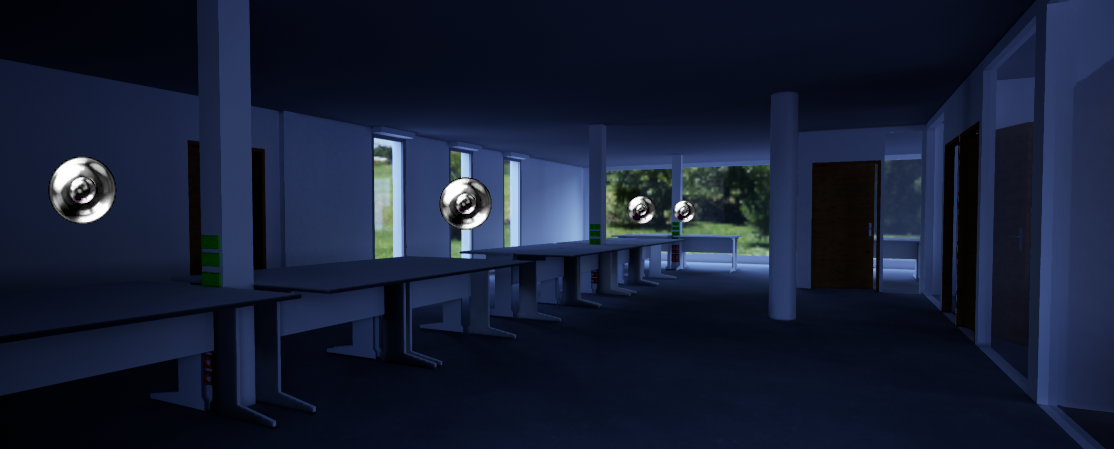
min/max brightness of the exposure at 1 instead of .1 and 2
makes a world of difference
this scene has no light other than the skylight HDRI btw
 nova seal
Hello, I need a little help. I'm working on a archviz exterior design. I've modeled the house in AutoCad Architecture and imported to 3Ds max for some mesh editing. When I import the "roof" model in Unreal I get this meesage...
I do the UVW unwrap by hand but still the same error appears and the texture that I apply doesn't appear in Unreal.
The roof should look like the wall.
lucid orbit
datasmith exporter plugin doesnt work with sketchup make?
dusty gyro
@lucid orbit they are in discussion with the sketchup team to see if it can be done, but for now yeah, Make isnt compatible
 faint phoenix
Anyone made a good dirty glass material?
 green pond
That looks like an absolute mess 😫 I can't follow some wires XD
Nice end product though
but sheeesh
dusty gyro
cant you do something similar... with a lot less nodes ?
 weary saffron
Even if not, you still can copy them and paste into .txt file and then drop right here 😃
or even a whole .uasset (maybe its not to big)?
 plush frost
 turbid lotus
Unable to build lighting due to some unknown reasons. Need advise
turbid lotus

this is the log
please share me what could be possibly wrong ? I just created a new level and build the lighting
weary saffron
"LogStaticLightingSystem: Warning: Failed to build lighting!!! Lighting build failed. Swarm failed to kick off. "
I would focus on the last one: "Compile Unreal Lightmass."
hard oar
In 4.20 by default, mesh were indexed on UV channel 0 so you need to change it to the right channel
In 4.20.1 this looks to be solved, at least for me
 strong yoke
dusty gyro
strong yoke
dusty gyro
@strong yoke no blender support for now
but you can still use the FBX workflow, which is standard ? ¯_(ツ)_/¯
royal osprey
https://www.blender3darchitect.com/unreal-engine/datasmith-will-speed-up-archiviz-using-the-unreal-engine/ this article from agust of last year hints of a beta of datasmith for blender. But I don't know what became of it.

Architectural visualization artists using various software to show their projects knows that getting data from one place to another is a synonym to rework. On best case scenarios, you will only have to make minor adjustments to materials or textures. But, in reality, you will...
hard oar
Aye I would love to use datasmith with cinema 4d
hard oar
Thanks @dusty gyro ❤️
 sage sail
How could I do vr arch project in unreal use c++. Only
I need to create Walk-through and interaction for more than One Asset.
Interaction should have [Texture change,Object Change/ Lights On Off Toggle .Unreal engine use only c++
Texture means door and wall
 hot totem
Anyone know why my glass seems to not be reflecting from the right direction? Reflection capture actors seem to have no influence.
dusty gyro
@hot totem your refraction value is through the roof here 😐
cinder remnant
Refraction should be from 1 - 1.490 depending on the angle you are looking on it.
also check Specular/Roughness/Metallic
 glass saffron
what do you guys suggest , should i decrease or increase the vignette intensity for photorealism ?
dusty gyro
🤔
@hot totem https://i.imgur.com/stvlYQH.png
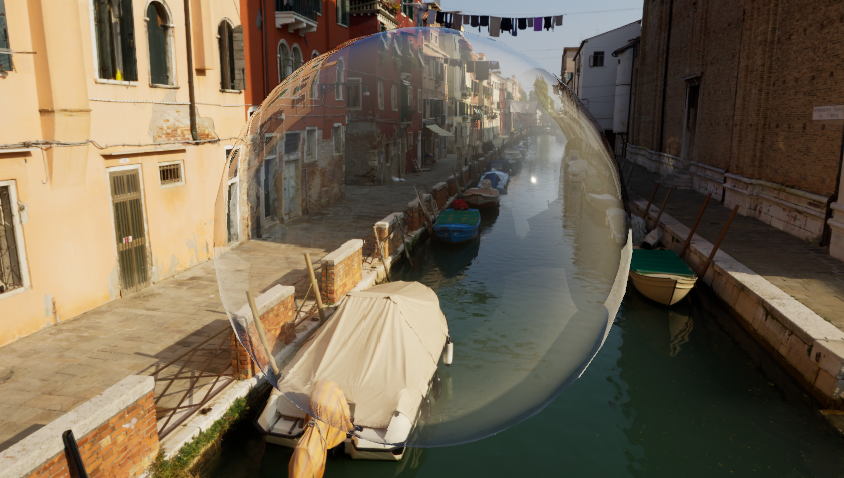
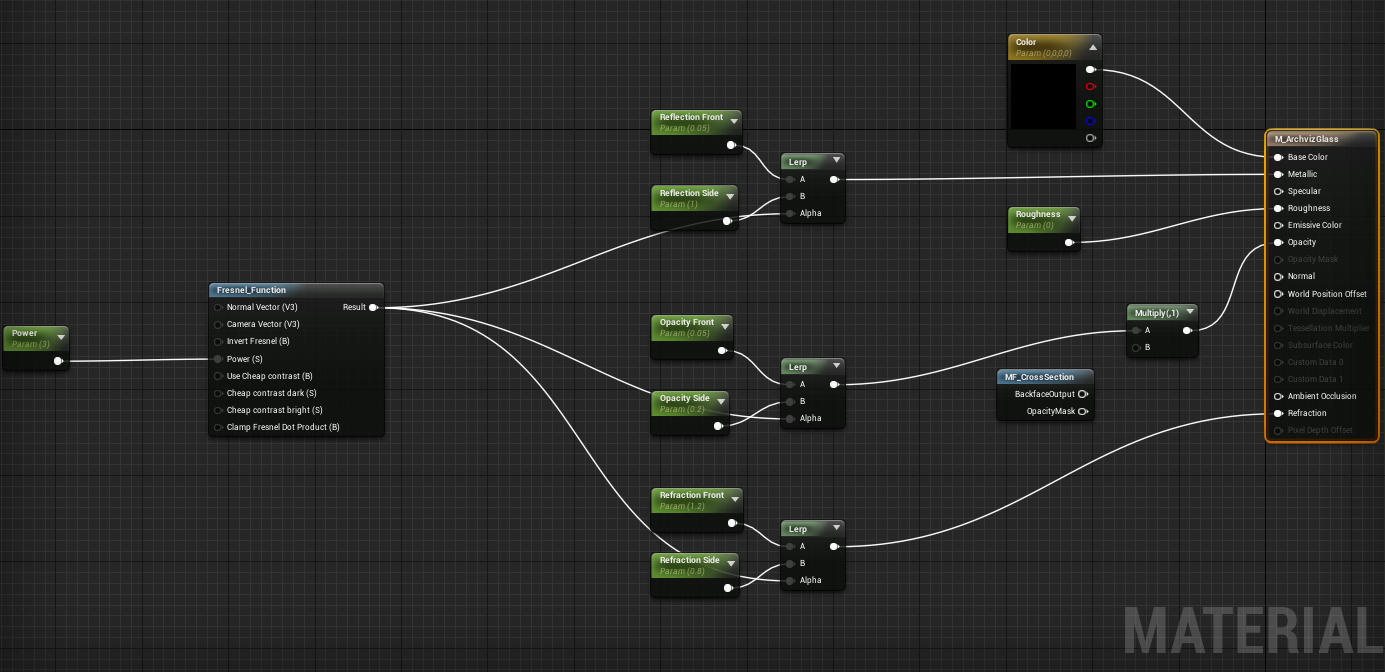
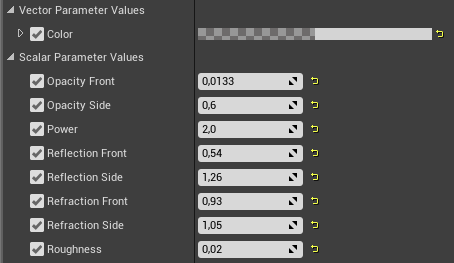
material blend mode to translucent, lighting mode to surface translucency volume
try with that
you can even make it double sided for funsies
glass saffron
how do i prevent these?
dusty gyro
by disabling static lighting on your foliage
glass saffron
from the mesh editor?
how do i do it?
@dusty gyro
do you mean turning off static shadows?
dusty gyro
somewhere in your foliage painting parameters
yeah
either use dynamic lighting for your foliage
or straight up don't use shadows
dense foliage is hard to do
glass saffron
so i should use this?
glass saffron
but won't it remove all the shadows casted by the objects?
how the hell does it not seem to make any difference in the look?
hot totem
@dusty gyro Thank you so much! I was actually following that very setup but you're right, my refraction was way off
dusty gyro
:)
glass saffron
as a sculpting beginner
is it okay to use 3rd party brushes , or should i be starting with the default brushes available in blender ?
royal osprey
Nvidia with their RTX tech will make Arch Viz in Unreal so much better.. I better start saving for a new card.
 gilded pulsar
Hey ppl. I have imorted a scene with datasmith from 3ds max. I got about 800 material ID's in max. But in unreal when I look at an object it gives me the "original imported material name" which seem to be the ID from max but only with a 2 digit number -1 so 722 becomes 21 and 357 becomes 56 and 473 becomes 72. Can I only have 99 materials in unreal? is there any way to get the correct ID number from unreal so I can find the correct counterpart.
gilded pulsar
dusty gyro
@royal osprey already geeking out at the idea of getting a geforce RTX at home and quadro RTX for work
@gilded pulsar I think its actually a limit of max
wait no
it could be a limit of unreal
either way its a really bad practice in realtime to have that much materials on a single mesh
gilded pulsar
It is very good for Archicad -> Max use to have that many materials. We have a good workflow, and have had it for years. But Unreal have some problems with it. Was hoping to just throw it directly into Unreal without too much work and be part of our 3D package for our customers. Doing a few hundred shops a year, could be nice to offer VR too if it could be done without too much work.
dusty gyro
What I'm doing is splitting per material. You could then fuse them by material type or something
Also it looks like some materials didn't even get through the conversion (the "WorldGridMaterial" slots)
But then most of our projects don't have more than 4/5 materials per object (since it's mostly structural stuff)
small spruce
Oh wow... @gilded pulsar am I understanding that right? Did you import a mesh with >99 materials? That's super interesting to me. I've never seen that before. Although I'm relatively new to ArchViz
In the course of gamedev I've never had a need to push that. I'd be interested to know for sure if that is a hard limit of the engine.
But...on a different note. I came here because I had a question for you guys here.... Does this bedding look WAYY too glossy to anyone else?
 left flare
Looks pretty glossy.. maybe even inverted roughness?
You could try slapping a one minus between the roughness texture sample and the input on the material node
small spruce
Well see...
That's what I thought... but. That doesn't seem to help much either... The roughness is derived from a Gloss Map -> (1-X)
left flare
What's the gloss map made by? There's some older specularity related maps like that that don't translate well to PBR
left flare
That looks really wierd
small spruce
This is basically what my material looks like. This is a direct import from Datasmith
left flare
The multiply by 1 -x is interesting
small spruce
I'm trying out datasmith and it looks like Datasmith's material conversion does not like my source scenes
left flare
makes me wonder what the gloss map actually is
Try using the G channel plugged directly into roughness
small spruce
In my roughness thing, (circled yellow) I'm wondering why on earth datasmith squares this value
left flare
assuming the texture isn't HDR, that's gonna effectively sharpen the texture
WHich is also wierd
small spruce
doesn't appear to, but honestly I'm learning ATM. So, why did you suggest using just green channel?
left flare
Looking at the texture, it's primarily yellwo, which is red + green
just assumed that since roughness would be near 1 on the bedding, that the g channel was the most likely channel
it's either that or red, but that had some AO looking artifacts on it
so maybe plug red into AO?
small spruce
Red into AO doesn't appear to have any noticable impact
small spruce
lol. So it appears I have a diffuse, gloss, normal, and reflection map for each of my materials like this
I assume that the insane glossiness has something to do with a combination of that crazy complicated specular path, and the fact that the roughness gets squared.
But honestly, I have no idea what's going on. Imma have to open this in max and look at it. I didn't make these meshes, textures or mats. So I'm not sure what's going on. All I know is that datasmith did a lot of UE4 Mat work to try to mimic the Vray textures.
Silly me. Thought things would work perfect out of box. 😆
dusty gyro
Datasmith material conversion is a bit hit and miss 😅
We have our own material library made directly in unreal (but then we use Revit materials, which are 🤢 )
royal osprey
We have made an ever evolving collection of master materials that we use on all projects here. The idea is to make material instances of those and teak them instead of making new materials for everything. The masters are crystal, glossy, masked, metal, gold, wood, mirror, cloth, rug, velvet, water and emisive. There are always special materials that need to be made but for the most part that coves it.
 olive pebble
@small spruce when I have glossinees map and I need roughness I do not multiply, just 1 - themap, for the pow 2/power .5 it's just a gamma thing IMHO: linear workflow/gamma 2.2 sort of thing it's to gain more controle in the near 0 values
also roughness is (in my workflow) NEVER close to 1
barely never above .5
I use diffuse if I need more than 0.5
small spruce
Yea guys. Thanks for the tips. That all makes a lot of sense.
I definitely come from the game side of things, but and really trying to get better with ArchVIz. Really appreciate the input.
royal osprey
I'd like to now if we'll need to upgrade to an RTX GPU or will raytracing be available (even if it's not realtime) without them.
dark oriole
They had performance numbers during the presentation indicating that it did run on pascal cards, but around 10x slower. So we may see it as an option without RTX GPUs in Unreal, but too soon to tell until we actually just have it.
dusty gyro
Yeah it's just gonna be much slower
But still available for older cards
For archviz videos or rendering purposes it might be alright
For real-time or vr though
 agile star
Hey guys, I've just started using datasmith & unreal studio and i'm having issues with my light intensity being crazy high when imported with datasmith to unreal
I can't figure out what's causing this and can't find any people with the same issue but it is happening with multiple imported scenes
I've been dividing the light intensity in max by 5000 before datasmith import & export but it doesn't seem like a very reliable solution
Could there be a setting unreal doesn't like that's converting incorrectly?
This is the best help i've found so far but is it still the recommended solution?
https://forums.unrealengine.com/unreal-engine/unreal-studio/1456695-3dsmax-vray-to-ue4-via-datasmith-lights-too-bright
Unreal Engine Forums
Starting to dabble with UE4 since they announced Datasmith. First main problem is that it comes into UE4 way too bright. Anyone know why? Can do a
if anyone can help please @ me so I don't miss it, cheers 😃
 pale prairie
royal osprey
pale prairie
royal osprey
it depends.. there are many surfaces that don't need much definition in the lightmap (reflective woods, stones, glass, chorome, colorful rugs and drapes etc etc) But white walls will need a ton of resolution to look right. To avoid long rendertimes start low rez and improve on the things that you see need it.
 agile reef
@royal osprey Yes, it is for white walls
What I don't understand is, if the uv lightmap created inside the 3d software (Blender in my case) has anything to do with the Lightmap resolution inside Unreal
royal osprey
@agile reef it does to some extent. The larger your piece is in the UV the more pixels it will receive in the lightmap image. But the total resolution of the lightmap is defined in Unreal.
gilded pulsar
Hey all, im having problems with blurry/low setting textures in my editor viewport. And the engine scaleability settings seem to have no effect. Anyone who can help?
If i open a single actor in static mesh and exit the window, it updates to full resolution textures on that specific object, but thats alot of work to do on every single object every single time I open up the project.
royal osprey
sounds like a "texture streaming" issue, you can turn it off, but your performance might degrade (if it even fits in your graphics memory)
gilded pulsar
thank you I will look into that possibility 😃
gilded pulsar
where do I set my texture streaming`?
royal osprey
project settings
gilded pulsar
Late answer, but... That was the solution, thank you!!
 acoustic fog
I too have a shadow issue but its Low poly self shadowing... is this fixable other than just increasing poly counts?
dusty gyro
@acoustic fog this looks a lot like a bad unwrap to me
for the lightmap UV that is
all these triangles are separated islands right ?
acoustic fog
all the models do come out of sketchup, and for the most part the unreal lightmapper does a decent job but for this, it cant work it out...
dusty gyro
urf
yeah that's defo an UV problem
see your model has a lot of "islands" that are separated faces
problem is, your lightmap has a limited number of pixels in your UV space
if you dont attach these small faces together to form a common island
you'll have half pixels on your faces
resulting in these weird bakes
you're using datasmith right ?
you can try to tweak the lightmap UV settings in the object properties
acoustic fog
uh no, whats datasmith?
dusty gyro
oh
datasmith is a workflow suite for CAD and AEC
basically a bridge between softwares and Unreal

Create stunning real-time visuals for architecture, product design and manufacturing. Unreal Studio drastically reduces iteration time through efficient transfer of CAD and 3ds Max data into Unreal Engine.
could be worth trying their sketchup pro exporter (if you have sketchup pro)
acoustic fog
yeah i use pro, just having a look now
dusty gyro
can you share that chair model ?
I can have a look at how to fix it in unreal, or in max/datasmith
but that UV is 100% the problem here
acoustic fog
dusty gyro
right lets have a look
acoustic fog
yeah its just a simple chair and table set... the untextured section did used to have a material on it, but it was still an issue, hence why atm there is nothing on it
acoustic fog
yeah the downside of a simple editing program is its full of bad practices...
dusty gyro
what file version is that chair on ?
acoustic fog
2018
acoustic fog
acoustic fog
haha yeah although what we have accomplished so far has all come from sketchup so its not all bad... just in places it can be very annoying
dusty gyro
sketchup tends to do a lot of weird stuff that doesn't bode well with unreal
like separating each face from eachother
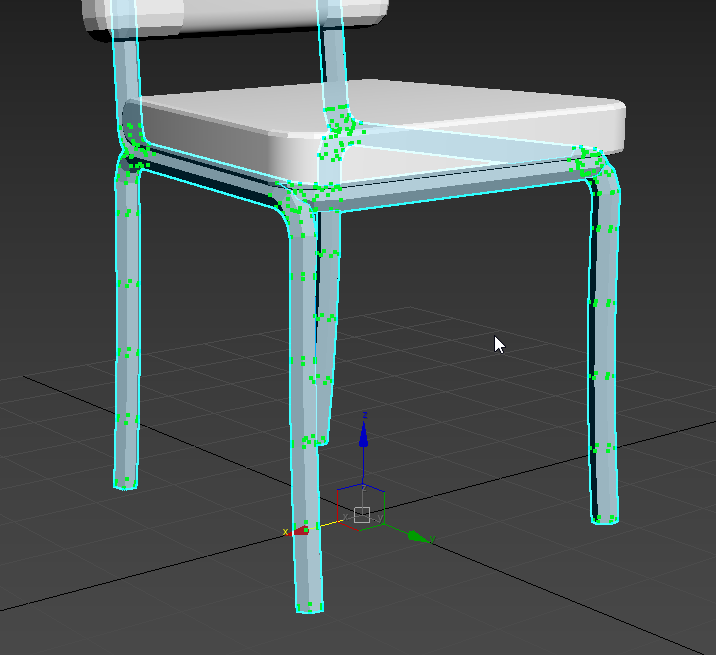 acoustic fog
woops
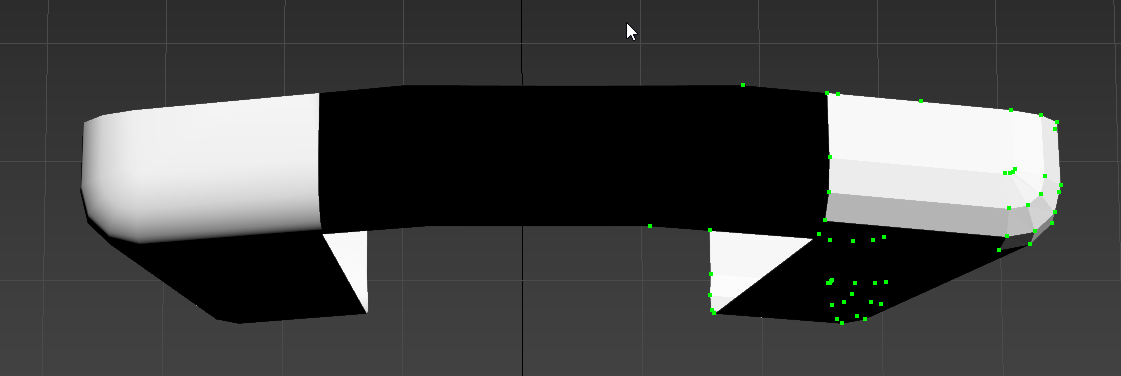 dusty gyro
:p
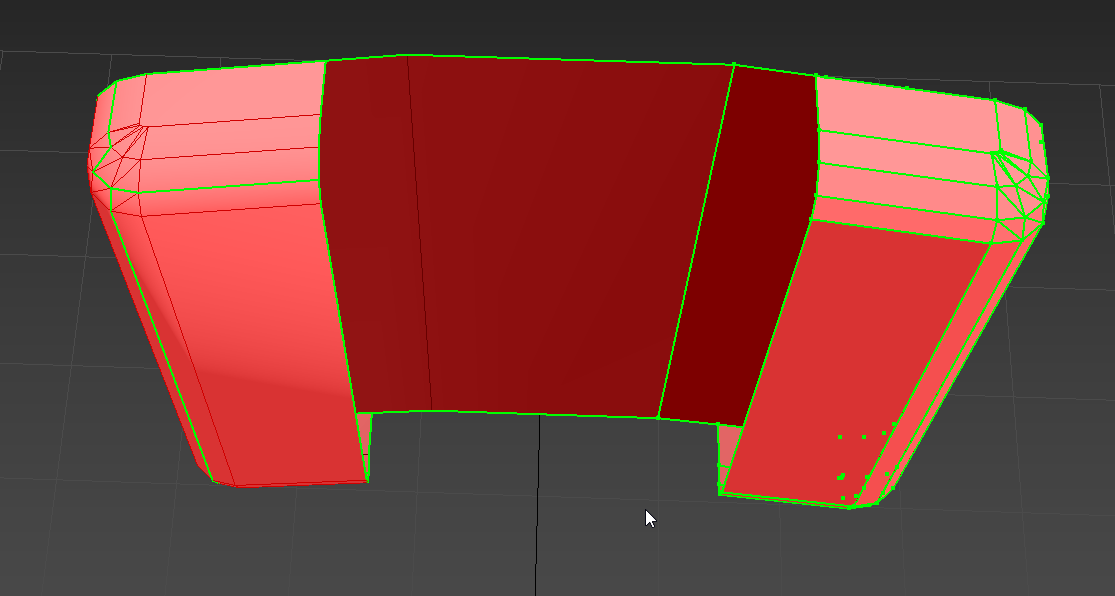
left is after the edge merges
looks a lot better
right gotta grub, bbl, I'll show you how it looks like in engine
acoustic fog
be careful not to show me something that looks awsum, otherwise ill end up needing everything going over so far... and there is a lot of stuff hah
but thanks for doing at least this bit 😃
dusty gyro
Haha well making stuff look awesome is kinda my job, can't really stop me now !
acoustic fog
oh and iv set up all of datasmith into the project too,
incase that solves other issues later
dusty gyro
You should be able to install the exporter plugin for SketchUp then
acoustic fog
already have done
acoustic fog
it might help other uv stuff later, im sure theres plenty that can be redone
dusty gyro
:)
dusty gyro
right back on it
dusty gyro
@acoustic fog https://i.imgur.com/q4vMYjZ.png
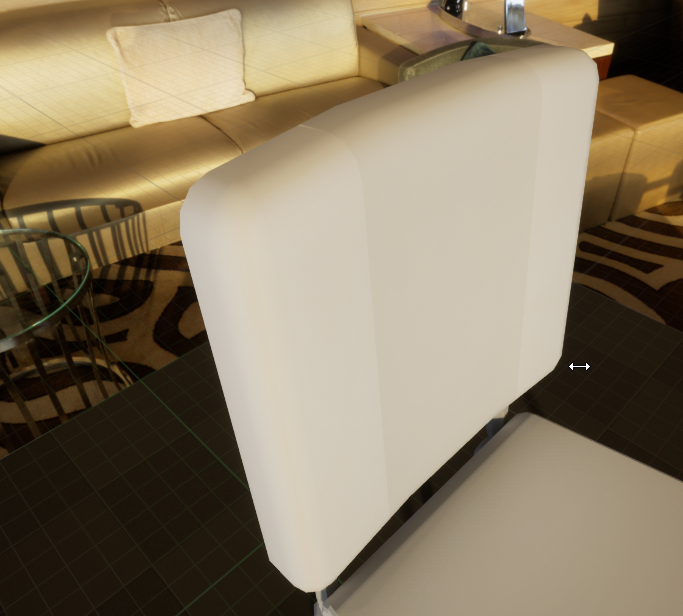
corrected smoothing groops, corrected UVs
each part of the chair has its own UV/mesh here though : the backrest is composed of two parts
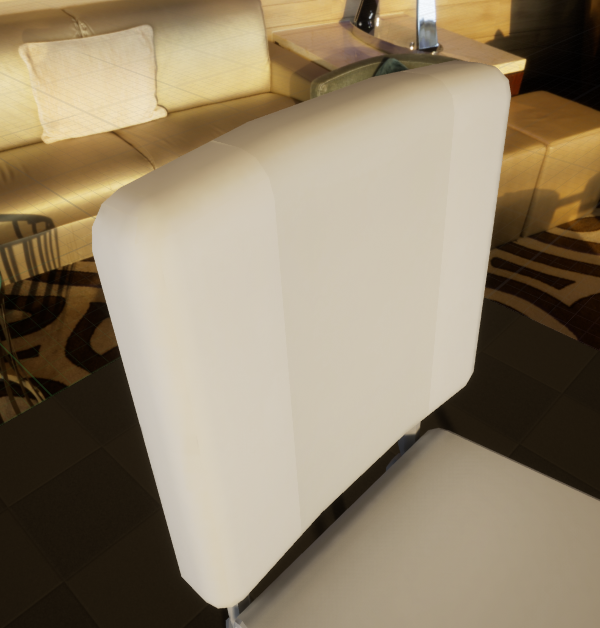
with 128x128 lightmaps
acoustic fog
oooo
nice
yeah the inner part is the striped white leather, then the rest is red leather and chrome legs, white trim... but that looks good
dusty gyro
I'm finishing the first welding pass on the rest of the chair and I'll send it to you
acoustic fog
thanks for that, its certainly one of the more jarring errors
 hazy cove
Sup
 lost island
hey, general modeling questions:
i'm working on a small house scene with multiple rooms
do i want each and every wall, floor and ceiling to be it's own mesh so i can give it it's own lightmap?
currently i have grouped the walls in each room as a single mesh
dusty gyro
yeah you want them to be separated
unless your scene is very big it won't cause much performance/culling problems, and your lightmaps will benefit from it @lost island
lost island
awesome, thanks
other 2 questions i had: my room geometry is all made of planes, that shouldn't matter should it?
as opposed to boxes or something with a thickness to it
finally, i modeled the rooms in sketchup, in feet on a quarter foot grid. when i export it and convert it to centimeters, it definitely doesn't line up with the grid in Unreal. will that pose any issues?
modest bough
Hey, so I'm looking for advice on how to make this look better. I'm using Luoshuang's GPULightmass, customized to NumPrimaryGISamples=128 and NumSecondaryGISamples=32. I'm also using the new Rect Lights on the windows.
Right now, the only parts I know need work are the chair's quality (looks very jagged) and the floor (it looks wet).
 quasi kernel
the dark wood to the left blends in too much with the chair. you need a rim light to show the outline of it a little. Your trees also need to reflect onto the floor tiles. from what i can tell, that looks like a photo wallpaper for like a desktop or something similar (if its not, then you're doing damn good)
rug texture too low, and you're gonna want to shape the rug so you can see some AOC below it. that way it looks like its resting on top of the floor, instead of clipping through it.
aside from that, your mattress looks damn real, the cushions on the chair are real nice looking, while the side table is basic, i think its neat. everything looks real nice, man. composition's pretty damn clean.
dusty gyro
@lost island it wont pose an issue unless you want to use a VR headset (in that case the scale will be off). For the planes, if you bake your lights it should not cause any problem, but don't be surprised if you see some small leaks.
@modest bough I'd put a little higher roughness on the floor, its a bit too reflective here, looks like someone sprayed water all over it 😃
lost island
@dusty gyro yeah my initial concerns were some leaks where the walls/ceilings meet
are there other solutions to that besides not using planes?
dusty gyro
you can use GPU lightmass @lost island
since it bruteforces rays your chances of leaks will be minimal
lost island
oh, i haven't even heard of that possibility
where can i learn more about setting that up?
Unreal Engine Forums
Click image for larger version Name: image_138398.jpg Views: 1 Size: 82.0 KB ID: 1478783
Disclaimer:
This is a very simple and early version of my GPU lightmap
is that it? there is no official epic support for that yet?
dusty gyro
yup !
luoshuang joined epic a few months ago 😃
this is a temporary solution, but next year we'll probably see it in engine
lost island
wow that's awesome, thanks!
modest bough
Alright, I took some advice and improved my scene, here she is:
Any additional advice is super appreciated 😄
 lime iron
@modest bough you make me cri
dusty gyro
@modest bough looks a lot better !
 tame sage
holy shet how do i get my scene like tylers

 scenic whale
 cinder arrow
@scenic whale you've got Armature twice - once in the object, and once in the bone.
rename one of them
mine looks like this
scenic whale
@cinder arrow thank
dark oriole
Not sure this is an archviz question
scenic whale
sry aboutthat
dark oriole
Check #animation
scenic whale
i'm new here
dark oriole
Also might want to read the rules, you're not supposed to ask questions in multiple channels @scenic whale
scenic whale
@dark oriole ok i got it
solemn hawk
has anyone else had an issue with datasmith deleting maps in their original locations?
gentle osprey
anyone else getting lighting build fails on datasmith imports?
 oblique cargo
My camera seems stutter during the gameplay in editor and package game. Any idea what could be the problem? I check stat fps is 50-60 and stat unit are around 15-16.
dusty gyro
@gentle osprey what kind of fails ?
gentle osprey
ID:107 fails. You helped me through them this weekend. Thanks again
Although, I'm still not entirely sure why the build was failing from a previously fine project.
hearty rock
Can anyone explain why epic are making unreal studio an annual fee rather than monthly it seems like they will be cutting out a market of people who can’t find cash up front and how is this any different from just straight up importing also it seems an odd move to go for sketch up pro native rather than revit 🙄
dusty gyro
@hearty rock revit support is coming at some point
this year, early next year, no idea though
hearty rock
Ahh ok thanks for the reply
dusty gyro
oh, just saw that on the forums
"I've seen the Revit plug-in demo'd, so it should be in 4.21"
Sooo, very soon then ?
 latent orbit
Hey everyone. I recently got commissioned to create a 3D render of a set of modern flats in a fairly standard arch-viz style and one interior scene. Its a first for me and I'm having a hard time coming up with a price estimate. Anyone got any advice on the price range of these kinda jobs?
dusty gyro
@gentle osprey might have an idea ? 😃
dusty gyro
that's more of a #cinematics question no ? :p
 chrome knoll
is there a way to build lighting fast! I got 14979 unbuild lighting hahaha
 lethal vigil
dealing with foliage
olive pebble
@latent orbit I count my days of work and multiply by my rate. It's the only good way I know
latent orbit
@olive pebble Yeah thats what I was thinking, the client just wants a price estimate up front and I really have no idea how long its going to take
olive pebble
hum ...
does he want picture or VR or movie ?
if it's pictures forget unreal if you are not really confident and fast with it
how defined is the briefing .....
how many time he will ask you to change the sofa ?
latent orbit
He just wants some renders, and he said maybe a small amount of movement. Its basically a set location that needs to be reconstructed. Fairly simple modern flats with some surrounding foliage.
I think its the first time hes commissioned something like this so its also prob quite new to him.
I'd feel a lot more confident working in Ue4 than rhino or maya or something haha. I think I might just have to treat this one as a trial by fire if I get it
 barren crest
@latent orbit just so you know, measure your time that you can do it. I charge per hour. I do an entire project based on that hourly rate. I also add another 15% to the hourly for improvisions, and all the other things I would need for taxes.
olive pebble
@latent orbit to give you a rought estimage
1 day for each view( lot of change bestween v1 and V4 : http://real3d.fr/album/boutique-marc-le-bihan/
8 days for 8 view , no changes or modifications : http://real3d.fr/album/courte-paille/
no budget, 2 days some modifications : http://real3d.fr/album/appartement-opus/
half a day : http://real3d.fr/album/hlm-engasser/
I charge 500/600 € a day before u ask 😃
latent orbit
@barren crest @olive pebble Thankyou guys this is really really helpful!
 tribal gyro
Any general rule of thumb things todo before taking screenshots / render in ue4?
olive pebble
activate rtx :p
dusty gyro
ladies and gents of archviz
get hyped
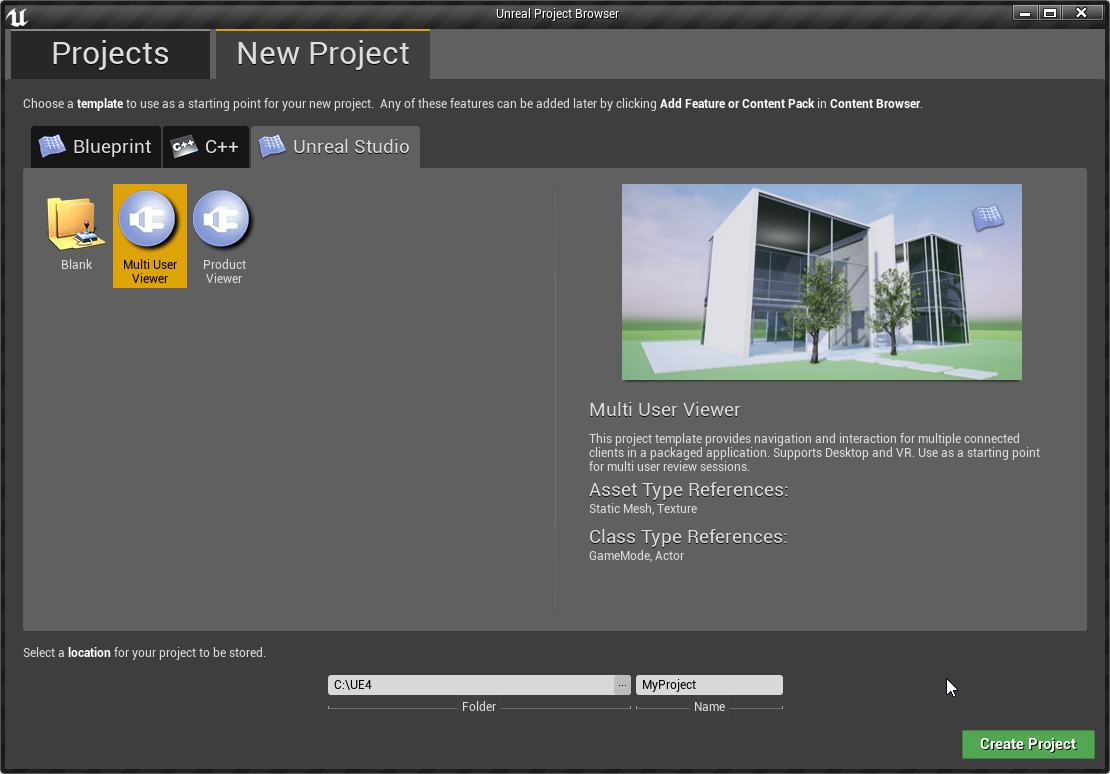
we've got our own template now ! https://i.imgur.com/Nbl4XK6.png
 signal narwhal
Hello Guys , My shadows are coming pixelated after building the light in production settings. Lightmass resolution is "Green" 512-1024. I tried that "Static Lighting level Scale" to lowest which is 0.01. But nothing working . Also the lights are static . How can i make my shadows more sharper without increasing the resolution that much.
Thanks
dusty gyro
@signal narwhal you can disable compression of the lightmaps, improve your lightmap UVs, augment further the resolution to orange/red debug color
green is a bit too low for archviz
hard oar
Anyone tested the new lighting physics on 4.21?
dusty gyro
@hard oar got the editor open right now, what do you want to know ?
hard oar
I'm setting a spot light to 1300lumens like real life ones but it looks way too powerful in ue
I don't get how to set it up correctly
hard oar
Ye I don't understand why they don't make them with correct parameters
Or it's me missing something
dusty gyro
also, be sure to disable eye adaptation
/auto exposure
do you have a ref pic of your 1300 lm lamp ?
hard oar
NOt renderend tho
dusty gyro
seems very bright for sure
dusty gyro
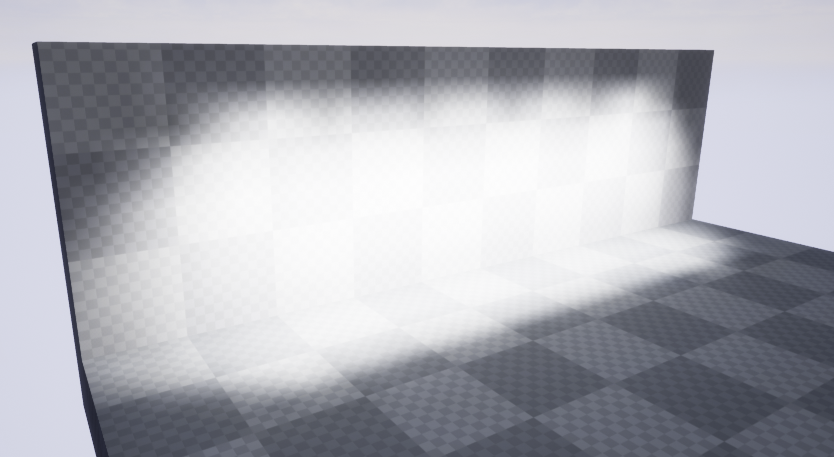
getting the same results when baked, way too bright
try 130 instead @hard oar
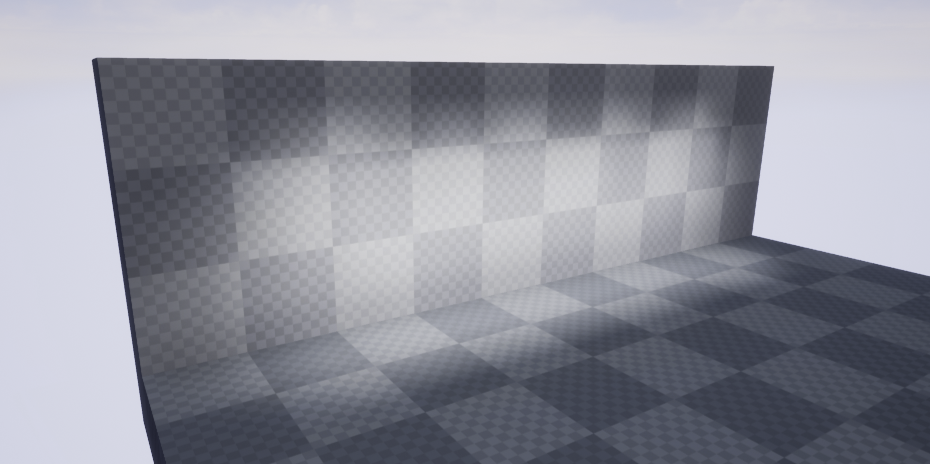
looks a lot better
hard oar
Still too much. Testing now with 65
dusty gyro
😮
hard oar
Lol sun is by defaul at 2.75 lumens
hard oar
I'm confused 😂
dusty gyro
😂
 feral field
Does unreal studio have the same lightmass settings as unreal ?
dusty gyro
@feral field yep, Studio has the same tools than UE4 + The Datasmith Workflow, more templates and a bunch of nice tools like free Substance Materials, a dedicated support and a whole lot of tutorials on how to integrate AEC and CAD data to unreal
feral field
Thanks for the answer!
dusty gyro
https://academy.unrealengine.com/ for the tutorials
feral field
WIP
dusty gyro
Relevant to all Datasmith users who struggle with drawcalls and optimization of your scenes ! https://theia.io/optim/
basically an Interface to make rules (like python scripting in UE), but with a User Interface
 potent lily
this looks like what i need
having trouble with datasmith flexibility
with it not quite putting powerful enough lightmap res into each mesh stuff like that
dusty gyro
Yeah it looks like a good prep/manager for datasmith stuff
 ancient pasture
does anyone have problems with using datasmith from max to unreal? it feels as if the scene in unreal is huge cause I can barely zoom on any object
cyan ether
cause of viewport clipping?
cant say i've had problems, scale wise it gets things right and does conversion, ensure your max scene is built to correct scales
dusty gyro
@ancient pasture place a mannequin or a player start entity in your scene to compare :)
Or a default cube, which is 1m*1m
ancient pasture
Oh ty! :)
dusty gyro
If the scale is off in unreal, it probably is too in max :p
 torn vine
Had a scale problem before and really wished there was a way to scale multiple objects together in Unreal while keeping the relative distance the same.
 strange stream
hi there... I am about to kill myself ...how can I get the real size world material to match my asset ?!
to make myself clear ... if I have a cube 1 11 m and add a material with texture 20 cm it should tiles 5 times in each side ... am I right or what ?
 gritty summit
set tiling to match the size in material options
 dusty gyro
@strange stream can you show us your UV ?
you might have a slight offset in your unwrap
dusty gyro
what is your material setup ?
 dusty gyro
hmm yeah
and you say it is perfect in max ?
can you screenshot the UV in unreal ? in your mesh properties
strange stream
 dusty gyro
well
your UV is fucked 😉
UV0 is your texture UV
UV1 is your lightmap UV
UV0 should look like this (roughly) https://i.imgur.com/rkatYBB.png
 strange stream
this is a texture uv it is not important to be inside the uvs square
I know that I have to arrange a light map channel but I am taking about texturing now
dusty gyro
oh I see what you mean
you used a box UV or a face UV
not an actual Unwrap
can you upload your mesh here ?
strange stream
it is an actual unwrap but it is non normalized to take the world size of it
 dusty gyro
don't know what to say then 😦
are you using datasmith ?
have you checked the other UV channels in unreal ?
strange stream
I am not using datasmith ... to tell the truth I still think that datasmith needs to be more developed < I love its idea but I doubt if they can export things the way it should be < I mean it is not about the datasmith it is about the way you create your mesh inside max
dusty gyro
there's always gonna be a data loss of some sort for sure
when you import your mesh, what settings do you use in your import window in unreal ?
also, do check other UV channels in unreal
your good UV might be here, but maybe unreal moved it to another channel
lucid orbit
hey guys, two quick questions, is gpu lightmass implemented and is sketchup datasmith plugin extended to free version of sketchup?
dusty gyro
@lucid orbit if you mean implemented in the main branch, nope and nope for the free version of sketchup, you need sketchup pro
lucid orbit
oh well, thanks
dusty gyro
no probs 😬
lucid orbit
but does it mean that gpu lightmass is on non-live branch or? I know luoshang got hired some time ago to work on native gpu lightmass @dusty gyro
dusty gyro
@lucid orbit means you have to update it on your own, and its not gonna be available directly with each new major UE4 revision
yep luoshuang is now working on the lightmass 2.0 project
along with a very strong team of talented raytracing devs
lucid orbit
and this 2.0 is going to be implemented in ue4?
dusty gyro
yeah at some point
sometime early next year I think
we've been speculating for months about the features of the new lightmass
but I'm pretty sure it will be progressive GPU baking using techs like RTX when available
and a strong realtime GI too
lucid orbit
ouch, i really hope they can pull out production ready gpu baker for non-rtx gpus
dusty gyro
surely it'll fall back to CPU (and be slower)
lucid orbit
I would be sad to hear my 1080 is useless 😦
dusty gyro
I'm sure we'll have fallback a GPU lightmapper for all type of GPUs, not exclusively RTX or Nvidia
RTX lightmapping is going to be a bonus feature
gilded pulsar
Hey all, I am using Datasmith to my 3ds max scenes. My scenes has materials above ID 99. I can clean up my multisub material and have less than 60 materials but the ID tags remain as 212, 377, 583, etc. If I change theese to ID 1,2,3,4,5,etc... it will not fit my scene. Do you guys know a way to handle this?
dusty gyro
@gilded pulsar first off wtf why is your multimaterial fitted with that much stuff
Secundo, try to split it in smaller multimaterials :)
Very bad practice to have so much material slots in one mesh in real-time engines
gilded pulsar
That my friend is a very good question :)
You see, the architechts in my company is using ArchiCad. In fact all the brands in the company is using the same template in Archicad so the materials ends up in the same multisub material. It works wonders in 3ds max for visualisation purpose. But now I try to take the projects into the new century with Unreal where I run into problems.
I am trying to find a pretty fast and automated solution because with some luck I can implement this into our daily 3d solutions, it could help both architects and customers alot.
dusty gyro
@gilded pulsar there could be a way to split your meshes by material(s) with a maxscript 🤔
or tell your guys to move to Revit 😄
gilded pulsar
Right, I will move 50 architects to revit 😉
gilded pulsar
true
dusty gyro
btw, we did on our end 😂
gilded pulsar
Well, Unreal is not really a thing yet in this company
dusty gyro
full service of engineering went from 2D autocad to revit
gilded pulsar
Archicad works great here, so no need to talk about that
gilded pulsar
been there
gilded pulsar
cant find anything that works, and have posted on the forum
gilded pulsar
hehe perhaps, but im not much of a programmer 😃
Was hoping to find one who were more clever than me 😃
dusty gyro
you arent the first lad with this problem though
I remember seeing someone with the exact same problem
so much material slots that it was breaking UE
dusty gyro
performance wise though its not the best :/
gilded pulsar
not the best, but it works...
got 60+ fps
got 6 million polys in one shop
60 matersials
dusty gyro
going for VR or plain 2D ?
gentle osprey
Meh, ArchiCad, Revit, Excel, it's all the same tool. Comes down to who is using it mostly. :]
cyan ether
nice
i really like the latest mat instance developments with datasmith
but man i have no idea what's going on with area lights, ue4 standalone now has area lights, albeit invisible, datasmith's blueprint lights come with emitter materials that at some stage become locked out, don't instance the mat or the light, and most confusingly the bp light has 2 intensity values, one candela one noname units
 flint phoenix
Hey is Light Building really 60 percent faster in UE 4.21 or is it a myth ??
 onyx shard
@dusty gyro datasmith plugin in revit?
dusty gyro
Yes @onyx shard
 onyx shard
its USA habitation?
 opal mason
Hey mates. Newbie in arch-vis here. Wanted to ask some simple beginner questions.
Got a personal project about a new type of Architecture I want to try (houses parolles, shops etc) It will be something like a seaside city part in UE4, possibly no light baking just a real time env. light.. It will no doubt take a long time so I wanted to ask you about beforehand.
Should I just do all the models in 3ds max with UVUnwrap, textures ready (like characters, assets etc) and import it to Ue4 or is it actually better to use basic cube,plane, sphere of UE4 in engine to create the models and then create suitable materials to them ? Will this cause light leaks etc ?
Thanks for reading. Also have an operator-cutie for payment 😉
dusty gyro
@onyx shard EU standards, that's a French project (like most of the projects we do 😉 )
@opal mason operate fully in max for your models and UVs (lightmap UVs can be done in either max or ue4 with auto generation)
you dont really want to model in max, unless you do very early blocking of your levels 😃
dusty gyro
Another import, done rather quick, with Unreal Datasmith for Revit
1H prep work, half an hour bake with preview settings slightly tweaked
opal mason
@dusty gyro So basically I just better use a 3d modelling program all the time ?
Thanks.
 sleek cove
Hi guys! Is there any free architect models that can be used freely?
Like small house or part of the house or office
 hidden osprey
@sleek cove try ue4arch
sleek cove
Thanks
dusty gyro
@dusky marsh hey there ! Is that your post on the forums about high CPU usage when importing datasmith stuff ?
feral field
Can you package a game with Lous Gpu Lightmass ?
 dusky marsh
@dusty gyro yes it probably is
4.21 freezes up and takes a very long time with 100% cpu anytime I reimport datasmith now
even on not so complex stuff
dusty gyro
@feral field yup, no problem since GPULM is an editor tool 😃
@dusky marsh what software are your models coming from ? Max ?
also, Luoshuang just released GPULM 421 ! Rejoice datasmith users 😄
feral field
@dusty gyro Awsome! Thanks for the answer 😄
dusty gyro
GPULM is a substitute for the default CPULM : the end result for your project is the same, some nice looking lightmaps for your scenes 😃
dusky marsh
@dusty gyro yes, Max
feral field
at GPULM 421 is IES profiles still not supported ?
dusty gyro
@feral field hang on lemme have a quick look at it
hmm
cant even make em work before the bake
something's fishy
dusty gyro
😬
feral field
Better to live without em, instead of waiting 1 hour for a bake
 feral field
Yeah kind ooof 😮
Gonna try on my scene now after gpu driver update
Drivers to old for GPULM 4.21 haha
 dusty gyro
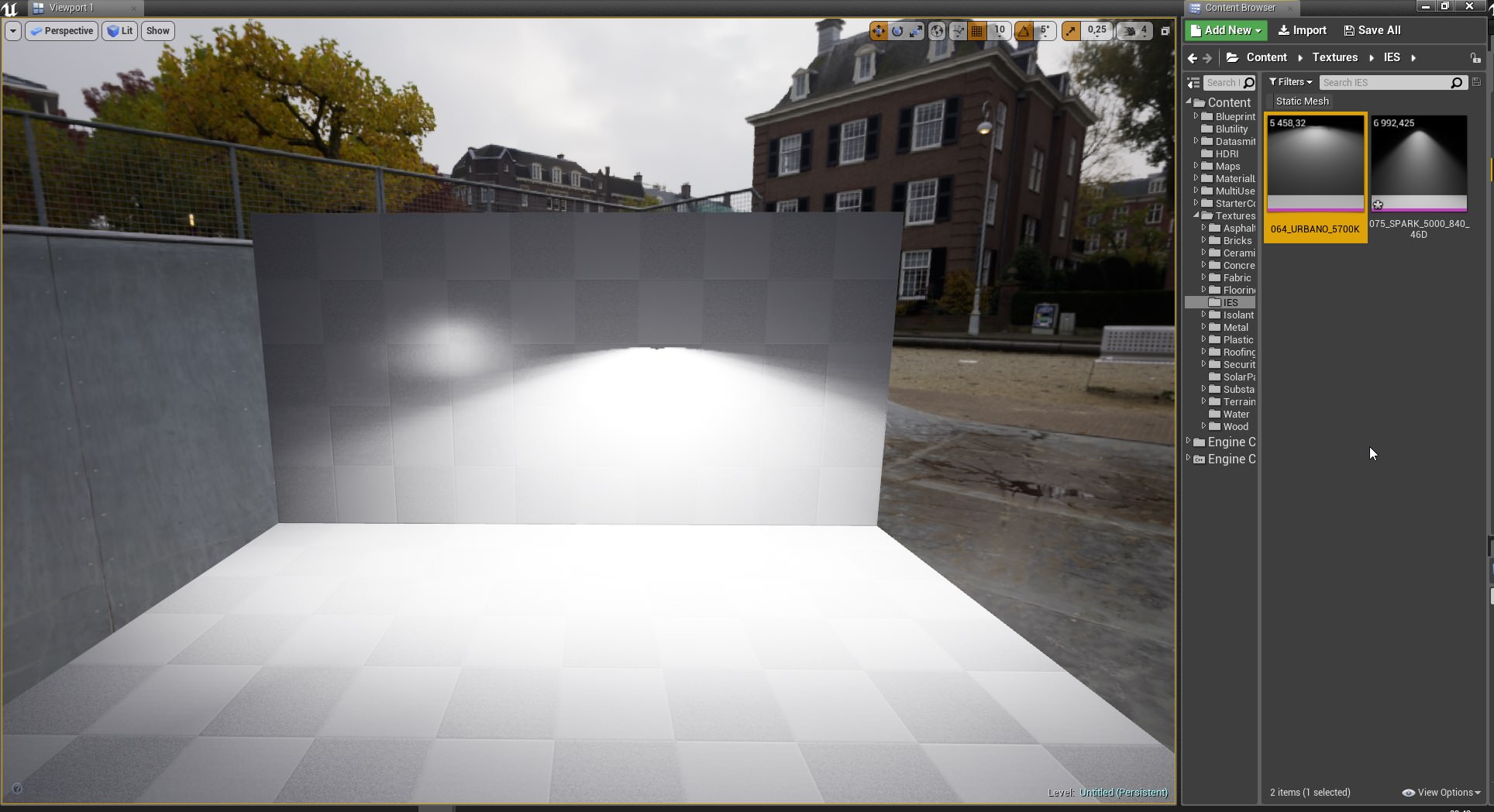
these profiles are sooo bright though
after the build
looks like crap if you dont build it 😄
feral field
Ahh I see!
dusty gyro
feral field
Haha watch out before you get blind
dusty gyro
😅
another one
and an occlusion test, just to be sure its working properly https://i.imgur.com/jeRPnPK.png
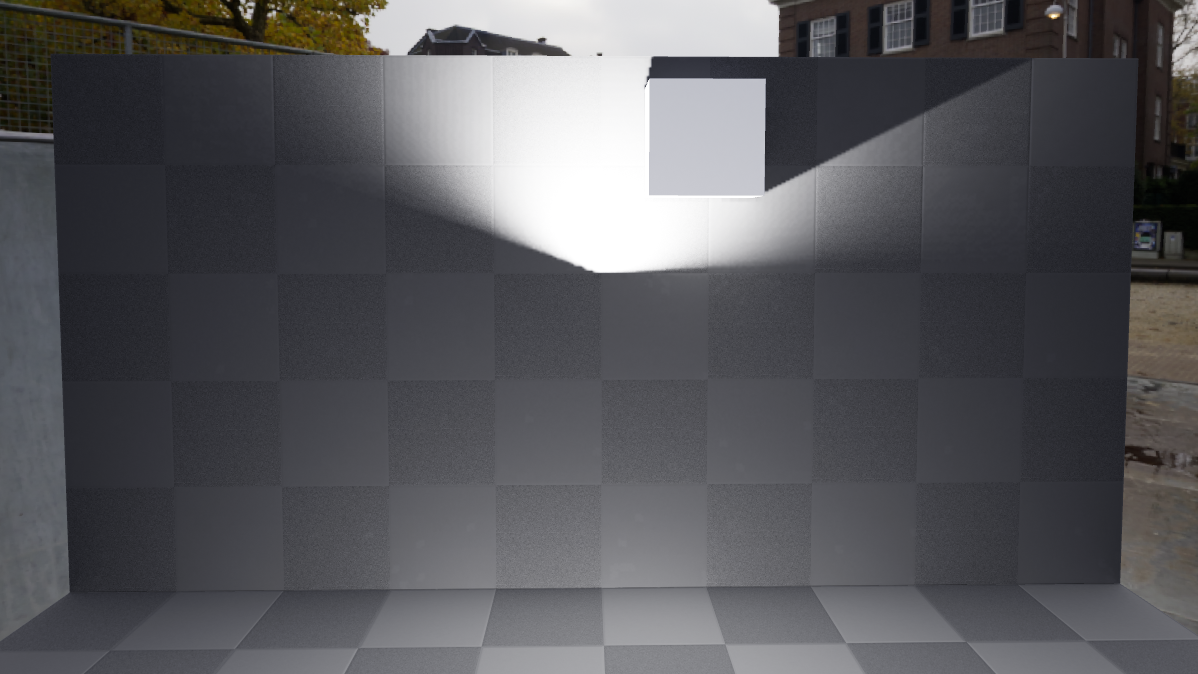
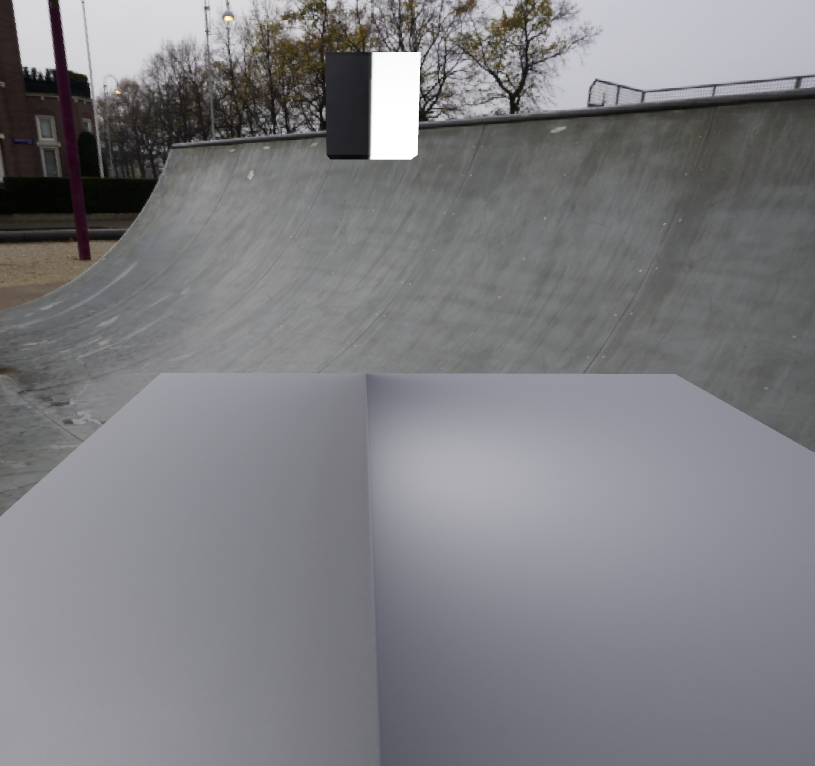
light bounces 👌
the light bounces from the cube
feral field
Im back after gpu driver update black out, seems to work well!
dusty gyro
oh actually its not
feral field
The last one ?
dusty gyro
looks like its from the IES
yeah
hmm
not sure I still have that IES viewer installed
dusty gyro
using the IES intensity ?
feral field
Nope
dusty gyro
looks like you have the right shape
dusty gyro
how much time did it take for that scene with CPULM ?
feral field
1 hour
dusty gyro
😂
feral field
and some minutes over
haha yeah!
I feel so unafraid now to drag up lightmass density
dusty gyro
production quality level
this is my goto settings
lightmap density between green and red

 dusty gyro
only 2 bounces for your indirect lighting ? :p
feral field
Hahha as said I had a 1 hour build time
with 10 on indirect it just got 20 seconds longer omg
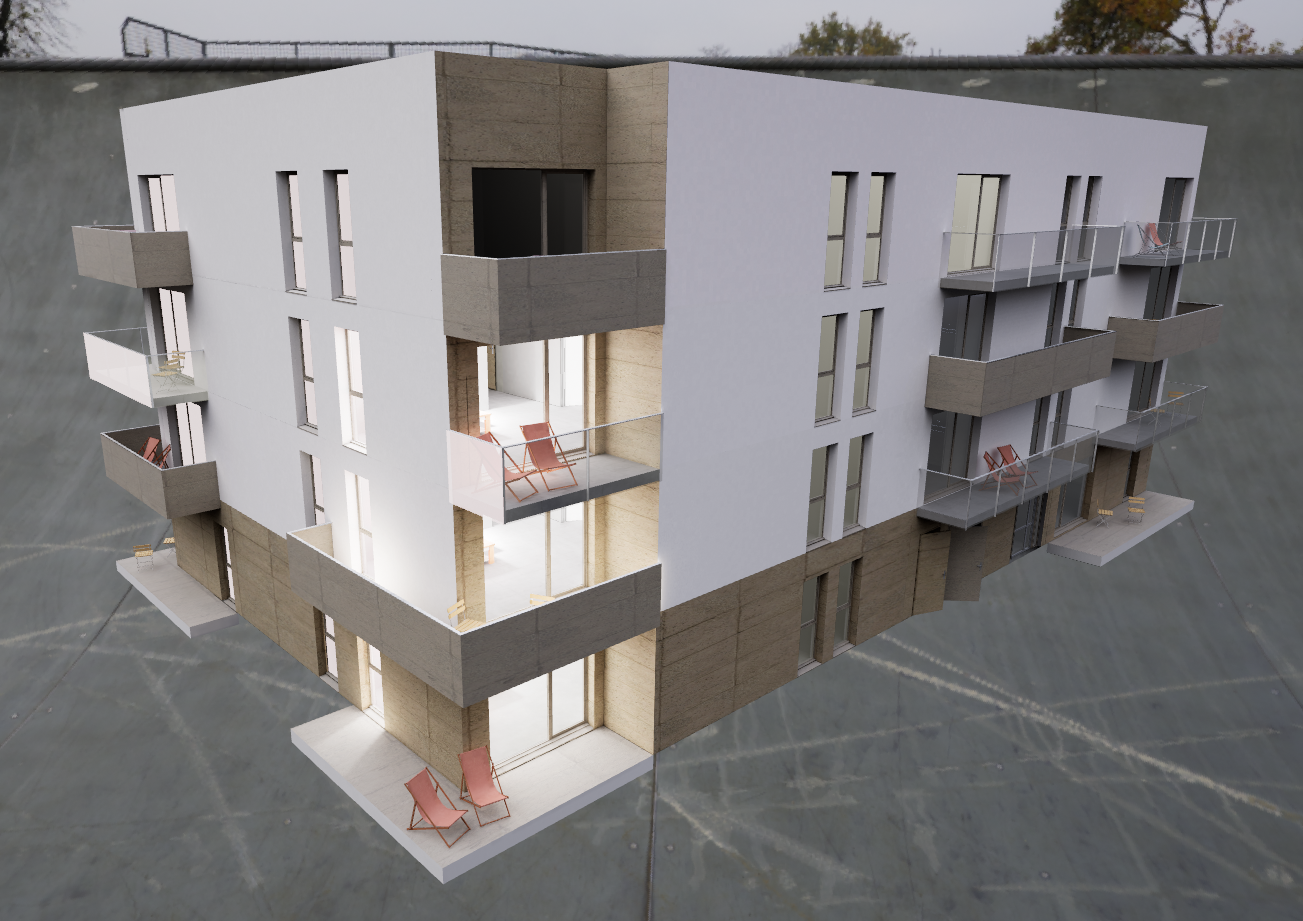 feral field
Looks great!
dusty gyro
bit too bright even at 0.5 IES intensity 😅
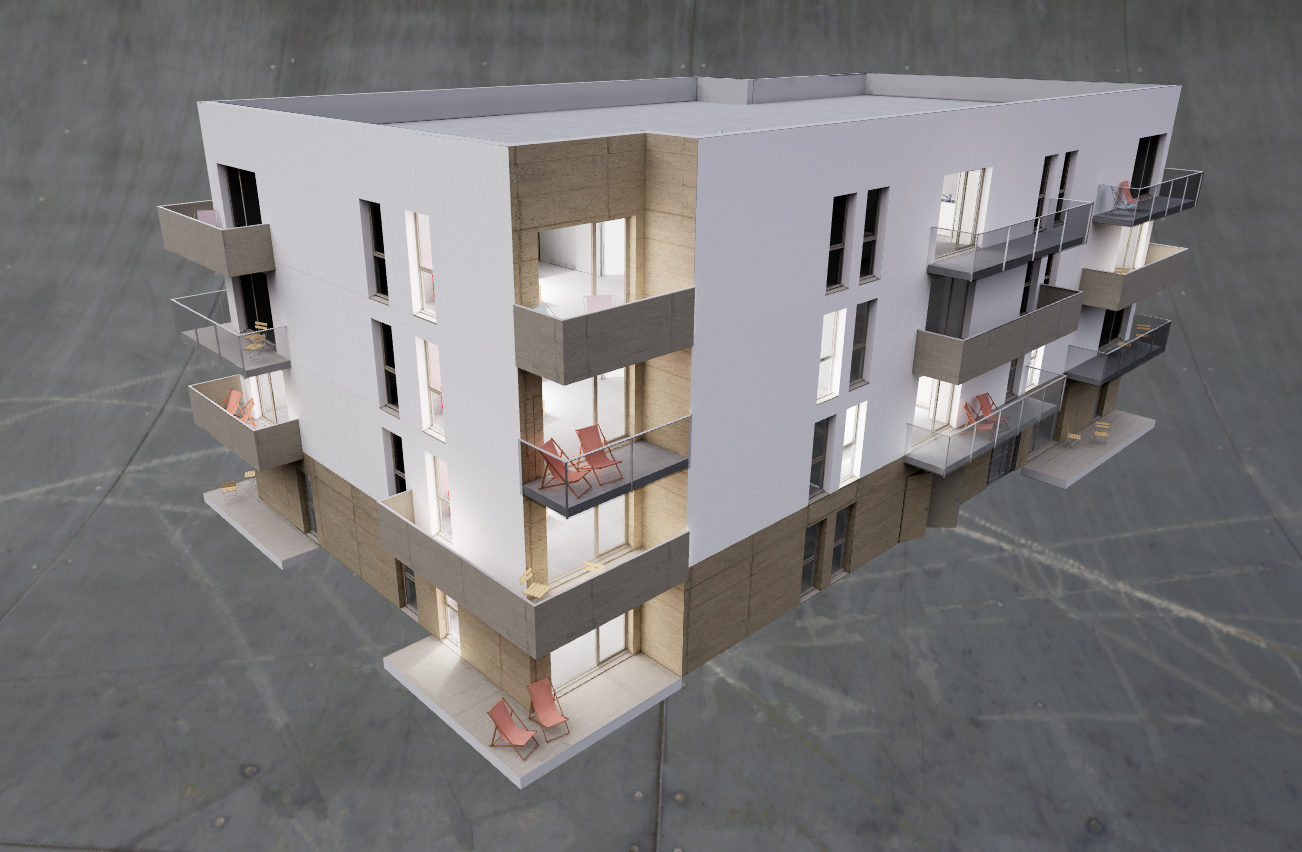
love this
120seconds to bake
two goddamn minutes
feral field
Looks good! GPULM is amazing
feral field
Yeah!
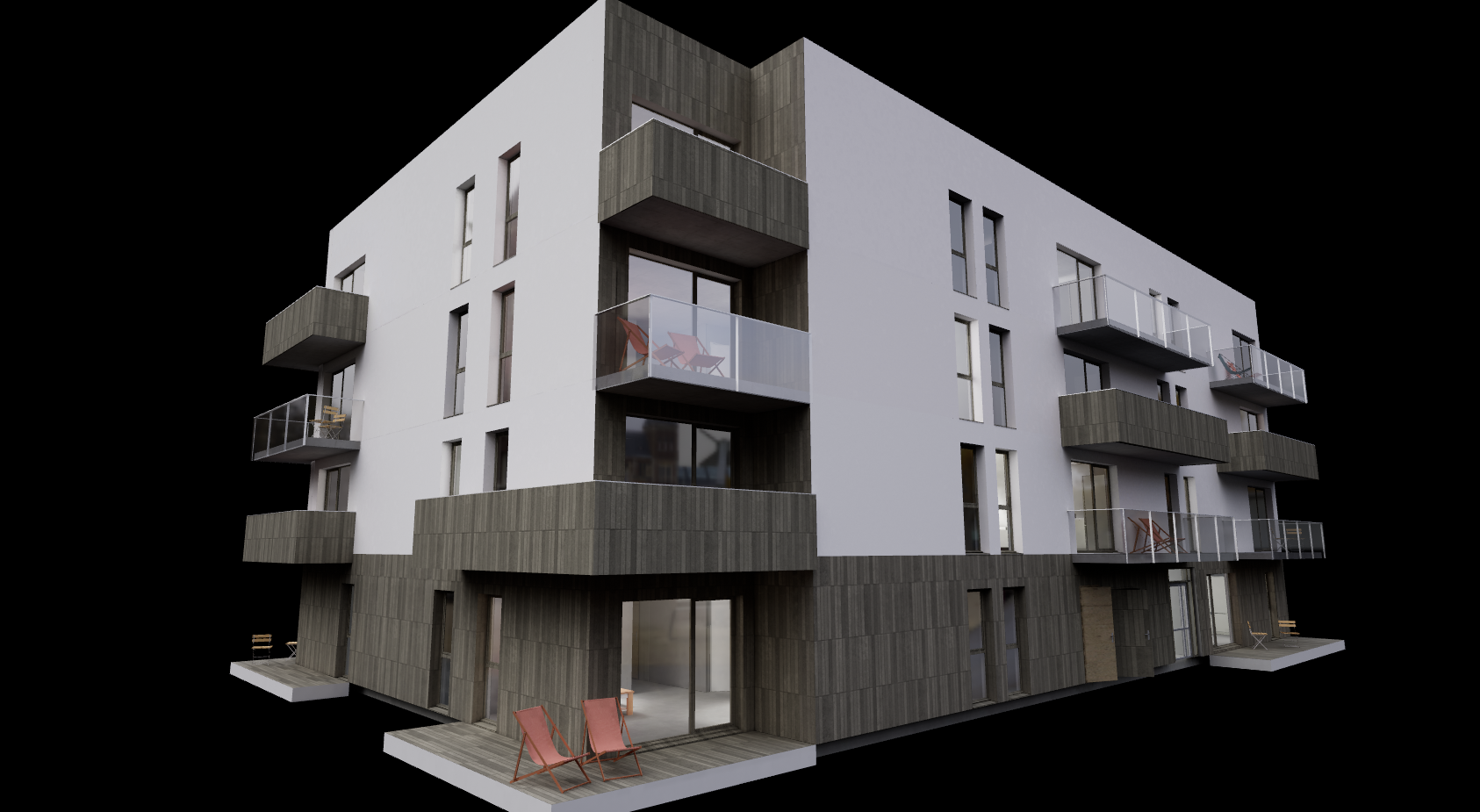 feral field
Much better!
 signal oar
Hello all. Why i have this sharp edges after light bake. Lightmap res 2048, textures res 4096. (left before bake, right - after bake). Here i use directional light + spot light
solemn hawk
@signal oar try increasing your indirect light quality under world settings, also make sure that you’re on production quality bake instead of preview
signal oar
I changed lighting quality at 6 and doesnt work well again.
 potent forge
Has anyone tested v-ray lightbake?
feral field
This is not a archviz project, but I guess right channel to ask about lighting for.. https://gyazo.com/27802f7c7d7a2eeab9c0309a90a570c4 What is causing this light leaks on the edges here ?


 feral field
I pumped up the lightmass a bit, and it fixed it, follow up question, does pumping up lightmass res a bit affect gameplay, beside build times ?
dusty gyro
@feral field unless you use very high resolution lightmaps, nah it only affects light build times, not gameplay performance
and by very high I mean 2048 and up
its an heresy to go over 1024 most of the time
feral field
@dusty gyro Thanks man! Luckily it was just a little jump from 64 to 128
dusty gyro
all fine then 😉
feral field
So I have my personal game on UE 4.21 with GPULightmass, aswell my Archviz projects, is gpulightmass not recommended when making games, will affect how to the game plays out when packaged ?
dusty gyro
@feral field GPU lightmass doesnt impact performance at all compared to the OG lightmass
think of it as a drawing
CPULM is an okay ish artist, but very slow to finish his work
GPULM is a very good artist, and finishes drawings really fast
they use the same kind of paper, and the same kind of pencils
just that it looks better in the end with GPULM
feral field
Thanks again man! But what about an AMD user that is going to play a packaged version ?
dusty gyro
doesnt matter either
once its baked its baked
textures work on all kind of hardware
only the dev will require an Nvidia GPU
feral field
@dusty gyro You are a life saver ❤
dusty gyro
no probs 😉
dusty gyro
datasmith got an update fellow arch people !
Unreal Engine Forums
Unreal Studio 4.21 brings several major new features that are available exclusively to Unreal Studio subscribers, including workflow improvements that come directly
The 4.21E1 Hotfix is now available for Unreal Studio!

Install the plugin update from the Epic Games Launcher.
Download updated Exporter Plugins from the Unreal Studio Downloads page.
We also recommend the Unreal Engine 4.21 is updated to the latest engine hotfix.

Fixed in 4.21E1
UE-66533    Datasmith SDK doesn't export LODs without UVs
UE-67019    New Product Viewer projects are unable to be packaged without Visual Studio
UE-66985    Fails to export a project from Revit 2019 - Cannot export the active 3D view: Object reference not set to an instance of an object
UE-66938    Cannot export 3D View: Object reference not set to an instance of an object.
UE-67077    Railing entities all use the same mesh asset
UE-66325    Revit 2019 (new) physical materials crash the exporter
UE-66328    Datasmith for Revit should support Linked Files.
UE-65312    Revit Perspective View Changes after exporting to Datasmith
UE-66332    [REGRESSION] Export has missing entities, randomly.
UE-66381    Revit Export aborts or is incomplete when clicking MMB during export.
Additional fixes and improvements, especially for the Revit workflow, will be coming soon.
Revit love 😃
feral field
So is archviz visual artist jobs not sure if there is somewhat a offical name for it, mostly for architects ?
dusty gyro
@feral field architects are supposed to do that job but
feral field
Ahh I see, I should jump back to more game envoirments, even though I enjoy visualizing in interiors in UE4 😅
dusty gyro
its kinda of a tight spot
I've been searchin for that kind of job too for the last couple years
feral field
Yeah I personally never looked for a job in it, but its a enjoyable thing to do regardless as a side thing
 peak pewter
@feral field A fair amount of ArchViz work doesn't come directly from architects, but also property developers or agencies who want to use it for planning permission or marketing materials
dusky marsh
anyone here done enterprise arch viz work for Vive? has any of the feedback been that the scale seemed slightly off?
like, when the building/room was built in reality, it seemed larger than in VR?
dusty gyro
@dusky marsh not really
it all depends on how you configure the vive
and the users's IPD too
with the same IPD settings, your users might have different experiences with scale
dusky marsh
mhm. ok... well, time to get a headset that automatically adjusts for IPD then
dusty gyro
good luck finding one 😂
dusky marsh
there is at least one. but I think NDA might prevent me from saying more
feral field
Hey I am making Archviz for vive not quite enterprise, but a issue I had with my vive, was not really through unreal, but make sure the vive is on the right height setup through the steam vr
@dusky marsh It silly, but that was my problem for a while haha
dusky marsh
we use this for floor height adjustment: https://github.com/Xavr0k/ChaperoneTweak/releases

GitHub
An in-VR chaperone editor. Contribute to Xavr0k/ChaperoneTweak development by creating an account on GitHub.
dusty gyro
@dusky marsh for your question about instances on the forum
its a hierarchy thing as far as I remember
whats your mesh hierarchy in max ?
dusky marsh
flat
dusty gyro
check this out
something's up with that mesh if your hierarchy is flat then
custom pivots might be the problem
dusky marsh
hmm... forest pack must generate custom pivots... ugh
dusky marsh
oh, they don't. I must instanciate before I export
dusty gyro
yeah
dusky marsh
but the instances look completely fine in max... but somehow, datasmith doesn't like them apparently
dusty gyro
couple replace/instance scripts in max and it should be fine
yeah 😅
as mentioned in the studiohelp page, its a workaround to preserve custom pivots
dusky marsh
I'm beginning to like Unity more and more for every day with Unreal 😛
dusty gyro
heh, thats the other way for me 😅
do report this on https://unrealstudiohelp.epicgames.com though
dusky marsh
yes, because I just discovered that my other set of forest pack objects don't have this stupid white ball
and they're created in the same way
dusky marsh
updated the thread with that we found
dusty gyro
👌
 ionic river
Explore all of the powerful real-time workflows available in Unreal Studio for importing and visualizing Revit data in this value-packed webinar. Learn more ...
 mellow crater
Anyone knows why my pc crash when i try play my project? after build lights?
ionic river
@mellow crater the OS crashes or the application crashes?
ionic river
@mellow crater thats pretty crazy!
 buoyant hedge
Hello, can a scene built with Box Brushes be photorealistic in Unreal? Because my scene built with Box Brushes seem cartoonish, i can't figure how to make it photorealistic
ionic river
Do you mean like using the box brush then converting it to a static mesh or leaving it as a box brush?
buoyant hedge
converting it to static mesh
not leaving it as box brush anymore
Hello, I have this scene which look like this. From here, I make some changes, deleting the skylight, deleting the Directional Light, and then rebuilding the lighting, however everything remains the same! Where is the lighting coming from?
Self illumination? Can someone help me solve this puzzle?
OHHHH i found it. its the post process volume
 inland echo
I'm trying to use a HDRI to light up a scene but for some reason It's not allowing me..
I thought unreal allowed .exr. I need to convert to .hdr?
feral field
Will Lous Gpulm 4.21 work on 4.21.1 ?
feral field
Great! I updated to 4.21.1 and for some reason gpulm was gone
dusty gyro
yeah the 4.21.1 update replaced it with the OG lightmass
 mystic lynx
anyone know if you can use datasmith with a custom UE4 source version?