#aec-visualization

1 messages · Page 1 of 1 (latest)

gentle sandal
#

Is there a way to move procedural foliage to its own level in UE5?

I am spawning across several sublevels, and the procedural foliage are default split amongst those sublevels according to the actors they were spawned on.

However I want to move them into its own level for the purpose of easily toggling visibility in sequencer with a level visibility track.

I tried going into Foliage mode, and using the move tool there, but it did nothing. I also tried selecting the foliage and right-click in levels panel to use “move selected foliage to level” but the option is greyed out.

seems to me procedural foliage behaves differently from regular foliage … is there a different way I could move them?

plush marsh
#

HI Guys, anyone have or an idea where to get this glass material or even make it?

plush marsh
#

i try to get a winebootle material smh

waxen mango
#

Has anyone figured out HUGE RAM usage when using Path Tracing in Unreal 5? It seems that 4k image with number of samples 1024 is eating 32GB of RAM very easily.
This only happens when using Movie Render Queue though

normal sage
pastel summit
#

Hey everyone!

I have a new tutorial online where you will learn how to render a photorealistic archviz image using the path tracer inside Unreal Engine 5!

https://www.youtube.com/watch?v=gm76lvL7aMw&lc=UgxRsv2kB3iC1kjvHs14AaABAg

In todays video you will learn how to render an archviz image using the path tracer inside unreal engine 5.

Feel free to leave any suggestion in the commands for future tutorials!

----- LEARNING ----
Become a Realtime Artist Today!: https://realtime-viz.com/
ArtStation Learning: https://www.artstation.com/wessel/learning

----- SOCIALS ----...

▶ Play video
plush marsh
#

Hi, i het very dark images out of the renderque with Pathtracer… anyone an idea?

#

In render preview i get the preview first in right exposure then after 10% it gets black totally until it’s finished

white quiver
#

Anyone else having issues with the Still Render Setup Automation widget in UE5(.1)?

#

It keeps ignoring my Camera when trying to render using MRQ no matter what I seem to try and do!!! 😦

sacred phoenix
white quiver
#

It’s kinda sad- I switched to 5.1 because the glass was all messed up when trying to use Ray Traced reflections- only to not get control over the scenes at the end of it

sacred phoenix
#

That still gives you a still shot.

sacred phoenix
fallen wolf
#

whats the difference between aec and a normal "game" project?

ruby sinew
#

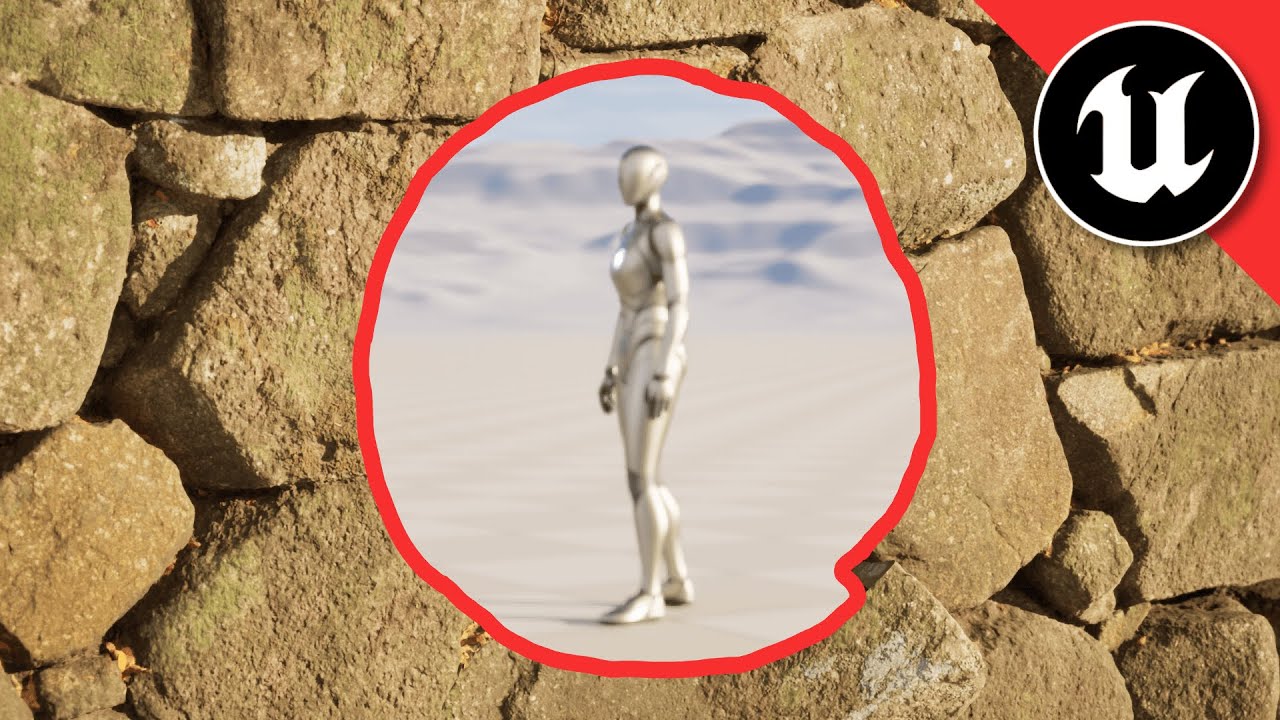
Hi all, can someone recommend points to be aware of or strategies when dealing with large distances?

This year I have made a lot of large scale fly-throughs across landscapes, I'm starting another one which is about 54km long.

I will mostly be at least 100m away from my focus point, a few times I'll get close enough to fill the screen with a 10m tall object.

An example is that I often need to enable 'High Precision UVs' so that the uv coords aren't being rounded and creating artefacts.

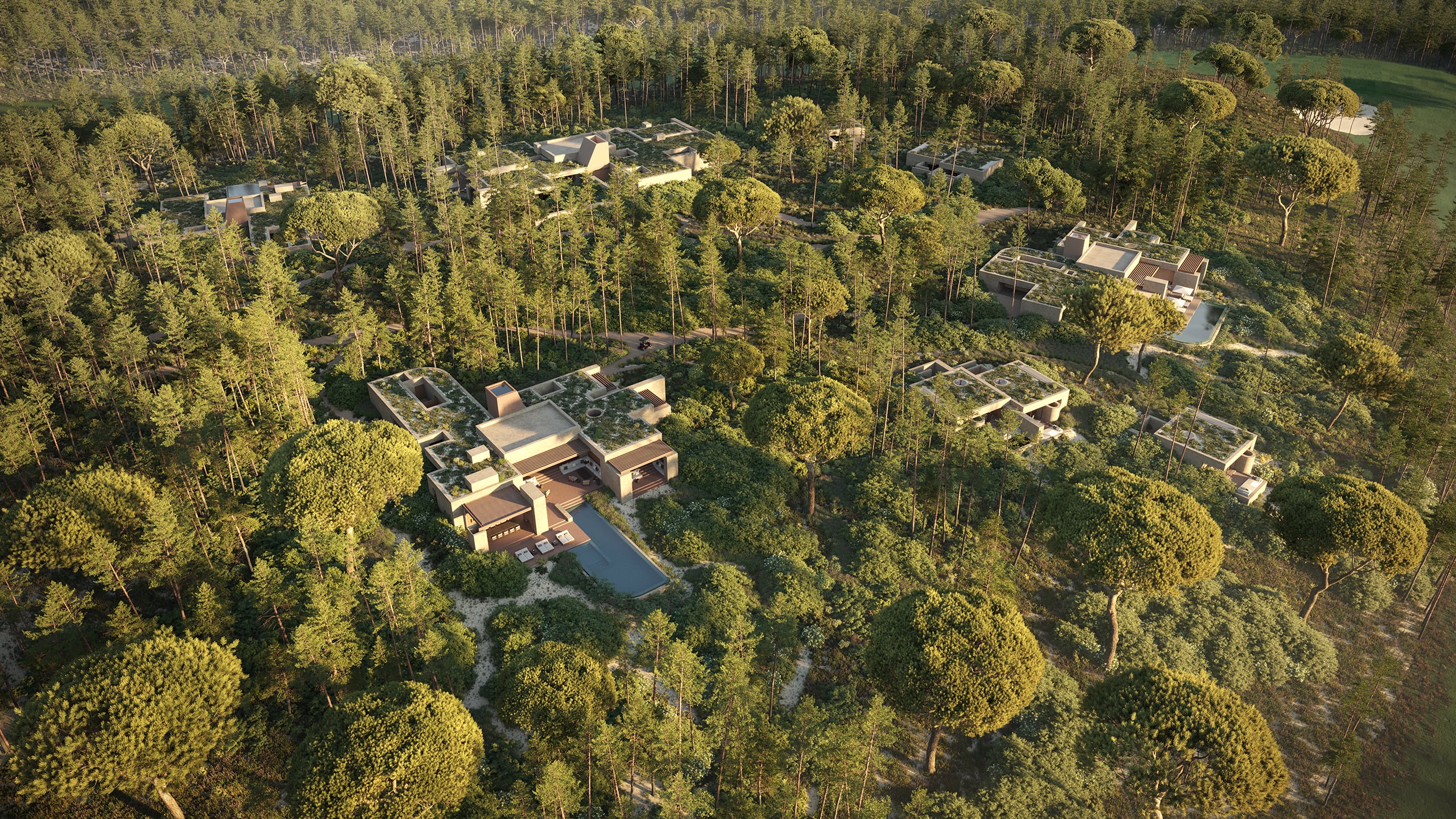
(Image is an example of similar scope, not my work.)

halcyon spoke
#

Does anyone know if there's a way to use a CineCameraActor instead of a normal camera, but still be able to have it auto activate on play? (or is there a way to do autofocus to object on a normal camera?) thanks

plush marsh
#

HI, i cant open the level anymore.. i get the out of gpu memory error. any workaround? Virtual Texture is enabled

lunar stag
white quiver
#

Anyone here familiar with Datasmith Dataprep?

honest temple
#

Would anyone have any suggestions to what type of architecture that would be best for beach villas on a island like this? Mediterranean environment...
Since i don't have time even to spend creating houses in Revit or ArciCad or even any 3d software, i have found a bunch of nice modern villas on free 3d model pages.
But the problem is to find enough that matches typical houses on such a island. Would be awesome if someone had some tips on were to get some different villas in the Mediterranean architect style 😄

paper rain
#

Seems your camera moves around a bit. First shot made me think yacht configurator

#

so probably hdri won't suit you

honest temple
#

I want to add many more villas. They have a game purpose

south lichen
# honest temple I want to add many more villas. They have a game purpose

Mediterranean houses are low-rise, straight and white in color. The roof can be a sloping tile roof or a flat terrace. Depending on the distance, modeling them would be very fast since not much detail is needed. I don't know of any sites with models to download. I am an architect and from Barcelona (I make 3d photorealistic scenes of architecture) ...if you have questions here I am.

honest temple
waxen mango
#

Does anyone have issues with Movie Render Queue? I assume people here render their shots via MRQ.
It seems like MRQ in 5.0 is eating a ton of memory and there is no solution. Throwing more RAM does not help. That is not really possible to render a 10-20 frames Path Tracer-based movie, it will crash long before the finish

royal osprey
#

@waxen mango You are not rendering to a video file, are you? you should always render to an image sequence then compile the frames in a separate app. I don't use MRQ. It if I set it up to get the same quality as the old system, it takes a very long time to export. I know I can get even more quality than the old system with the right settings but we tend to have many revisions, corrections, and changes to the rendered video so the export speed is very important for us. Path tracing is out of the equation for the same reason.

scenic ingot
#

Hi everyone, I have this problem with LOD, if you look at the plants inte foreground, the should be showns as first image, but if you backup a little they almost desapear, and if you get futherer they pop up again but they look differet, I know this is is LOD but I thoguh I could disable the LOD within the plant or by a command such 'r.forceLOD 0' but this issue still happens. These plants are from mega scan, I am trying to do a video out of this scene.

waxen mango
waxen mango
#

I'm looking forward to hack some stuff to release whether I can manually release MRQ resources each frames but I think it won't be easy

royal osprey
#

@scenic ingot are you using the foliage tool to instance those plants? If so, before you paint them you can define the LOD distance there, that way you can mix the distances. It's quite useful to get some instances disappear in the distance but not others so you get some performance benefit but don't get a bare spots.

scenic ingot
#

@royal osprey Thank you, actually I am doing something crazy thing, I was exporting references from 3D max using Forrest pro. But the issue was mip maps. I was locking the LOD to 0 but they keep desapearing. The workflow with instance tool sound good to adjust when they change LOD. thanks

hushed marten
#

Hi guys! I'm starting to learn UE5 by watching all of the awesome content I'm able to find online.
I'm starting to develop a personal workflow and start using best practices but I'm stumped in determining how to model the scene before importing into Unreal.
I was made aware that having separate meshes for walls is recommended for light baking and Lumen calculation.
So I have a couple of questions: for wall modeling, what would be the best way to go about doing this? Is Datasmith better than importing the model normally?
Is using a Revit model useful? Or will it be better to model everything in 3dsMax to have a better control modeling walls?
If 3dsMax is better, is it viable to start modeling walls using separate boxes instead of extruding faces of object to achieve a single mesh?
There are soo many ways to achieve wall modeling. Just want to know your guys' experience to see what's the best workflow.
I appreciate the advise 😀

#

The model is considering both interior and exterior on a single level/scene

gentle sandal
#

How do you convert painted foliage to static mesh?

graceful furnace
# hushed marten Hi guys! I'm starting to learn UE5 by watching all of the awesome content I'm ab...

Hey, I'm pretty much in the same situation you are. Till now I was using sketchup for modeling houses and other hard surfaces. But I'm considering using the unreal engine 5 modeling tools. For walls there are 2 tools I find quite useful. One is the path extrude if I'm not wrong. Another is using the cube grid.
For the first one you simply draw a line on top of the house blueprint, then define the width and height.
With the cubegrid you can work with different grid sizes and adjust it to the thickness you need.

But I'm not quite sure about how to work with arrays, instances / complements.

But for modeling vehicles I'm not sure which workflow take

hushed marten
#

I also quickly found out that modeling in UE5 is considerably slower. And in architecture, time is of the essence

graceful furnace
#

Well you can adjust UVs in UE. And at least in Sketchup the textures suck so I use UE-Quixel textures

graceful furnace
hushed marten
#

But I haven't put it to the test just yet

graceful furnace
#

I might give Blender a go. But for Arch I think Sketchup is way faster and precise

hushed marten
#

Please let me know how that works out. I'm open to adopting new workflows

scenic ingot
#

Hello everyone, I am working with Data prep and I need to create a rule to change a imported material to one that I already have, but the issue is that the imported materials is not consistent for example, it is calles spandrel but ehn is calles spandrel pannel then spandrel box and so on, I can't make a rule to choose the word spandrel and apply to all of them, any ideas?

patent island
#

Hello, I'm trying to create a Sumo wrestling game. Based like your in Japan and and an actual Japanese wrestler. With different hair styles and some tattoos. Background Menus, Dohyos, Training Dohyos, etc. Any help?

karmic heron
#

@scenic ingot , maybe check out this -https://youtu.be/FQxriR4_akM?t=583.. sometimes i think console commands don't take effect immediately ... correct me if I am wrong

Today I am going to share some rendering optimization tips. For this I am going to use the New york city asset that I have been used for the pedestrian system. Initially this scene/map had 40-50 fps range and through some optimization techniques such as mesh instancing, using LOD (Level of detail) and building/baking lights..etc I was able to...

▶ Play video
hushed marten
wide elk
#

Hello guys, i got this problem i'm taking an animation with ue5 and im using city crowd sample and they are moving so fast in the animation how can i fix this ?

molten dawn
#

anyone needs gfx?

mental pawn
#
sudden notch
#

Is ue5 better than ue4 for baked lighting?

stable breach
#

Yeah GPU lightmass is getting notable updates

#

5.1 should have some really big improvements

sudden notch
#

OK great, so I'm still learning and not actually doing any jobs in ue as not great in it at the mo. Do you think its a good idea to practise in ue5 or just use ue4 until 5.1 comes out?

#

I'm currently just looking st baking stuff

sudden notch
#

What sort of fps are people getting with lumens and an interior scene?

royal osprey
#

@sudden notch It varies a lot from scene to scene. it mostly depends on the number of lights

sudden notch
royal osprey
#

on a 3080 it chugs slowly, runs out of memory often and crashes a lot when I am near the light limit of available lumen/raytraced lights (256)

#

This is in a complex scene, but Lumen runs smooth like butter if I disable most of the lights.

sudden notch
#

Brill thanks 🙂

sudden notch
#

Does anyone use datasmith with 3ds max?

unborn nexus
sudden notch
#

Oh Brill, do you know why when exporting 3ds max to ue4 using datasmith, why ue4 sets the default lightmap channel to 0 even if I have uv channel 1 and 2 in 3ds max

solemn prawn
#

Question - In the project "City Park Environment Collection" on the marketplace. All the static mesh actors are actually just "Actor"s and they all are "Hierachical Instanced Static Mesh", but they are NOT blueprints. How do I convert selected meshes in my scene into a single actor that's a "HierachicalInstancedStaticMesh" ?

fluid nebula
solemn prawn
#

But that's not how they did it in the City Park example. They do not have any blueprints in the project. How did they do it without making a new actor BP?

solemn prawn
# fluid nebula I think it's from the merge window, there's a tab to merge as (H)ISM. In UE5 may...

This doesn't appear to be the method they used in the City Park example. The "Merge" option will combine the selected static mesh into a new static mesh that needs to be saved. In the City Park example, no new static mesh is created to be saved. It's as if the "Actor" only exist in the world automatically combined the same static mesh scattered throughout the world as a single actor that uses a HierachicalInstancedStaticMesh component.

solemn prawn
fluid nebula
solemn prawn
solemn prawn
fluid nebula
solemn prawn
#

You're right. It's a sub option off right-click -> "Level"

fluid nebula
#

I really like Packed Level Instance Blueprint (PLIB?), it's so much easier to make reusable stuff. Kind of like prefabs. Though I also think Epic has some kind of "Prefab" in the works. Also, I'd still like to know what happened to MegaAssemblies (MASS) that were mentioned in the initial UE5 reveal, as they were very similar to this.

solemn prawn
#

MASS is new to me. But it sounds cool. I'll have to look into it and see what happened to it.

fluid nebula
#

Well the thing is that the name "Mass" itself got reused for another feature in UE5 (basically ECS, see #mass). MegaAssemblies just went completely off the radar. Maybe they'll be back with the new Prefabs plugin once it's release (see #engine-source message)

solemn prawn
#

Yes, Im familiar with the ECS version of Mass. The MegaAssemblies is new to me. But I just tested "Packed Level Instance Blueprint" and it's pretty cool. Now Im trying to decide how I can use it in conjunction with my DataPrep/Datasmith scenes.

solemn prawn
hardy palm
#

Is there a way to get UE5 pathtracer to render why the editor isn't on screen? If I switch to another app like Blender for example, the pathtracer stops rendering.

paper rain
#

Disable thst

hardy palm
lofty sequoia
#

Hi can someone help I am trying to add a transparency material to a object but it doesn’t seem to have any effect but when I apply it to other objects like a cube it does

drifting drift
#

Hey guys, question about workflow.
Last time in 3ds max, I basically made the structure to scale so I just imported it into unreal without much adjustment.
But problem is, large structures mean many things are far away from the origin in 3ds max, which messes with accuracy (the whole floating point shenanigans). So the question is,
is there a way to avoid it by making things smaller than they should be, but proportional and scaled down, which then will be brought to full scale once everything is done? E.g. instead of creating a 5m wall and entering 5m in 3ds max in the scale numbers, should I just do 5cm or 5mm instead and at the end I just scale it up? Or does the problem come back as I go back to the scale

#

I ask because my new project will have an even bigger structure and I want to avoid as many of these alignment problems as possible.

timber sentinel
#

Hi! I'm currently working on a 180°/Hemisphere projection, and I'm look on which way is the best way of capturing the dome. Panoramic Capture doesn't seem to be the right tool for this (unless I'm not setting it up properly), it seems to work for 360° only. Then I thought about on setting the FOV of a normal camera to 180° and place it looking up, but that also doesn't seem to work, it distorts the Hemisphere/Dome a lot. What other options I have?

paper rain
#

You can use a scene capture cube, set a Texture Target, and then you can save that as a a texture or export it

#

It should give you a latlong image

timber sentinel
#

Movie, and the output must be a circular fisheye-style image.

timber sentinel
paper rain
#

full 360. It's very similar to how it captures the reflection environment

#

You should be able to ditch what you don't want at the projection stage

timber sentinel
#

Thanks! I’ll give it a try

cloud juniper
#

solidworks — unreal pipeline 😀

short yew
timber sentinel
#

No, I had to turn in the proof of concept to the client so I ended up buy a plug-in (works really well) so we didn't spent more time on it. Although I'm still open to suggestions 🤷🏻‍♂️

rough scarab
#

Data Prep crashing UE 5.0.3. I have Revit 2022, Datasmith exported to that version. I have exported Autodesk's racbasicsampleproject.rvt in datasmith format. Creating new Data Prep asset in existing project, adding file to import and finally import of file works ok for very short time. It displays the model but when I scroll thru the list of actions it crashes UE. I had the same with other Revit models too. Any advice what could be causing this?

EDIT: it seems my project could be corrupted. New project does not crash Data Prep

vague wind
#

Hi guys, i'm using unreal engine 5 to make architecture visualization, when comes to camera flythrough animation i'm using camera_rigrail to create trajectory for my camera, and check the "lock in orientation to rail". in some point the camera turn to sudden create this unsmooth rotation, anyone know how to make the rotation smoother?

tropic vessel
#

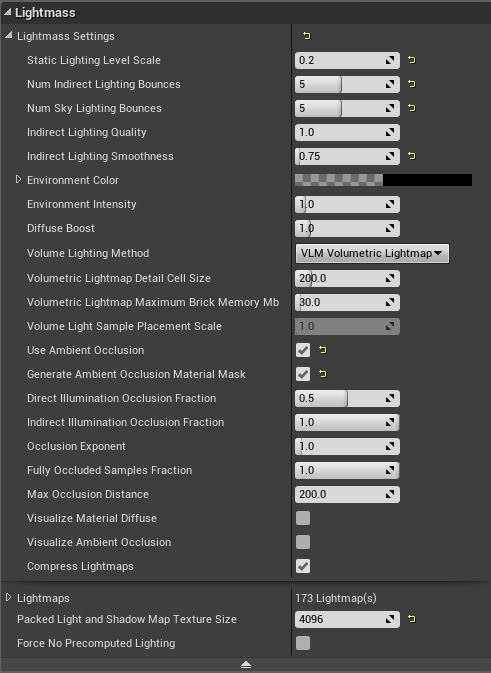
Hi anyone with experience baking big Archviz projects using GPU lightmass ?

I have this big project, is a house with several rooms with interior and exterior areas. My plan is to bake some areas at a time using levels to save memory and time on the bakes, but I am having some issues.

if anyone has done something like the image (not the actual project but similar) I am willing to pay for some tutoring on how is the best approach to bake this thing.

plush marsh
#

HI is it normal to use Lumen with gpu lightbaking? Got a 3 Minute Video which takes ages to render.

stable breach
#

No, lumen and baked lighting don't mix well, it's not a supported use of lumen

royal osprey
#

When a project takes too long to render use the old render movie system (movie scene capture), it is much, much faster, so you can render at 4k and shrink it down to HD to get better antialias.

plush marsh
royal osprey
plush marsh
#

thanks

plush marsh
plush marsh
#

trying it with Pathtracer but yea now i have no idea how long it takes. is it the right way? theni just sit it out

royal osprey
#

you won't see a performance increase by using movie scene capture with the path tracer.

#

not much anyway

plush marsh
#

ok ihave it now running without Pathtracer, it takes now since 20 mins time and there is not one PNG in the Folder.. i set it to Png Sequenze 4k

#

maybe it export the pngs on the end?

#

just curious to see one png to see the quality

#

this was now the outout after 25 mins.. not even one screen. is there anything i can check?

#

its idling onyl at one place when i choose the lowest resulotion .. it doesnt follwo the sequenz.. dang and the warm up 0,5 min? thats to long isnt it?

royal osprey
#

Not sure why it's not saving the images. also before exporting make sure you click on the camera icon. Other than that, you have a half minute delay between each frame, I just use a warm out frame count of 20 then don't use frame delay.

#

Exporting the old way is usually quite a bit faster but the quality is not the same. The antialias specially is much better with Movie Render Queue if you set it up correctly. your sequence is very long, for tests use a lower end-frame.

plush marsh
#

using lumen with reflectiosn 5.1 but it makes this grey overlay on reflections on this mesh
raytracing is enabled

plush marsh
royal osprey
#

when I said to shrink the images I meant in post production, not In Unreal. as for antialias I was talking about the new system.

sharp void
#

Hi guys, not sure if this is the right place to ask this but I am trying to figure out how to create a floor in the same shape as my floorplan, im a beginner at UE5 so im not really sure what to google for help heh

spare shore
verbal pebble
#

Anyone know if Luoshang’s GPU lightmass works fine in UE5?

analog sparrow
#

I have an ArcViz project that I'm doing in UE 5.1. The landscape is based on a heightmap and I'm using world partition.

I want to show phases of the project in real-time. The first phase would be grading the landscape to make it smooth, so there are two challenges here. First is the runtime deformation of the landscape (though it would be pre-defined, not done by the user or anything). But the other challenge is changing the paint layer in real time from grass to construction mud.

As the phases progress, so would the landscape until ultimately the project would show complete.

Can you swap out specific proxy meshes in real time? Or would I need a smaller landscape to replace areas? Has anyone done something like this?

Thanks.

#

I should say I'm not trying to animate the difference in phases, but just have the different landscapes "appear" when the user chooses a new phase by a button click.

fringe burrow
#

I'm trying to recreate real rooms with measurements to do virtual storyboards for film shoots.
I've seen

#

Sketchup mentioned as a starting place but it seems quite slow, clunky, and doesn't have a furniture library

#

Does ArchCad software typically have robust and easy to drop in furniture library or should I use UE to add furniture?

#
  1. In terms of drawing rooms quickly and accurately is SketchUp a quick and easy way to do this or should I invest time in learning something like Revit or ArchiCad
ripe mist
#

@fringe burrow Archicad is what I use, it's good software. The furniture library is not good. You're better off placing furniture in Unreal onto a base model, like from Archicad. The furniture in Archicad is pretty low poly.

plush marsh
#

Hi, so hdri is not the best for Pathtracing. How it goes with a SunSky?

stone path
#

Hi, do you know how we can achieve two point perspective or vertical tilt camera?

paper rain
#

actually i just googled, this seems to be what you want

stone path
#

Yess its like that

#

Its very important for archviz

hushed marten
#

How critical is it to chamfer edges for walls, doors, windows and other fixed elements in 3dsmax?
Not sure if it's worth the extra time

paper rain
hushed marten
ripe mist
white nova
#

Has anyone had luck making a sink with running water in Unreal?

royal osprey
#

Yes, the water was just a tube with a glass shader and a normal map that moved along the UV with s panner node

white nova
#

Does anyone know of any clever running shower solutions in Unreal?

stable breach
#

I probably wouldn't want to use something like that for an essential art tool for a larger project but I could see it saving a few hours of work on a boxy concrete and brutalist looking environment

iron raptor
#

Does anyone face blurriness in their screen when fire/ play the game? I have disabled motion blur, but still get some sort of blurry stuffs when the character fires. Does lumen need to be disabled? But people use it without an blurriness on their screen

paper rain
#

You can try changing your AA method to FXAA or disabling AA entirely to test. If it is antialiasing, there are cvars you can tweak to reduce it

#

also, yes, could be lumen too since it has a temporal component

iron raptor
iron raptor
paper rain
#

in console you can type r.antialiasingmethod 0 which will disable AA entirely, or 1 which will force FXAA. Defaults to 4 (Temporal super res)

#

that will rule out the temporal anti aliasing methods

#

r.motionblur.amount 0 will disable motion blur

#

and lumen you can disable through post process volume or project settings

#

disable all, see if it's still there. IF it's not, you can enable one at a time and see what reintroduces it

#

if it's still there, make sure that's not a reflective surface in the background and try again

iron raptor
weary pagoda
#

Hey guys, I have a little problem with texture tab in mesh paint section, It's disable and I don't know why. I search epic forums and youtube too , no luck.

#

If I post this question in a wrong channel just tell me where can I post it. thank you in advance

plush marsh
#

Hi Guys, got this blur around this object (its a monitor) Its Pathtraced and 5000 Samples, denoiser is off as i know

chilly vine
#

Hey guys, im creating one scene here for ArchViz, and wanted to use 1 planar reflection on a mirror..
But my planar reflection is acting weird with my VR headset..
Someone already got this trouble?

vapid knoll
#

dont laugh

misty flower
#

Any idea about how to fix DFAO ghosting? This kind of things: https://youtu.be/KwUDExNzVcs / https://youtu.be/JYk1x883pAI

r.AOUseHistory 0 removes ghosting but adds flickering. With 1 flickering is removed, but adds ghosting...

Is there any fix to this?

Culprit appears to mainly be r.AOUseHistory, set to 0 in your Engine.ini to reduce this glitch.

[/script/engine.renderersettings]
r.AOUseHistory=0

You can also remove ambient occlusion entirely if you want to fully get rid of it at the cost of flatter visuals.

[/script/engine.renderersettings]
r.AOUseHistory=0
r.AmbientOcclusionLevels=0

▶ Play video
lofty timber
#

Hello. do u guys know what is the best way to get simple animated people to scenes? for archviz?

fickle musk
#

Im interested too

oblique rivet
lofty timber
# oblique rivet I would guess using mixamo for the animations. i believe their rig is compatible...

mixamo is nice, but the models are very limited, i didnt try mix it with any rigged modells. Maybe metahuman? Im looking for the best possible way avaible.

Anima axyz is cool, but this 4 second limit it a stupid thing. 4 second not even enugh for the warming up frames, so i dont even have a chance to see whats happening, + after this 4 sec the character freeze. I was thinking about buying their software but i dont want to mess with it if its this like this in the first time.

Fbx animated character is working like a charm but i only found one.
https://free3d.com/3d-model/sophia-animated-001-idling-130876.html
This. I cannot find other.

Twinmotion have dozens, but this is the same story again..... That lame twinmotion users got a GOLD with the 100+ animated character pack, and becouse its not 100% back compatible, we only have the trouble with UE try getting the same result. Im kind of angry with this honestly. Unreal made avaible only the posed twinmotion characters.

Any other way i have no idea. I would even buy an asset pack or plugin for this from the marketplace, but i cannot find such a thing.

Difficult for us

oblique rivet
lofty timber
#

This autorigging feature is cool, but lot of models i have are not in T-position

#

but made very good zombies 😄

grave timber
#

I placed my car inside a BP but I tend to (at least for a beginner) see only disadvantages of organizing it like this. For example when I select a material and choose "Select Actors using this Asset" it doesn´t work, it would probably work if I had my asset directly in a folder or something.
Also selecting a specific component of my car BP , requires me to first select the details panel (see image). Automotive professionals , how do you organize your structure? What would be an advantage/disadvantage of having my Car inside a BP?

fluid nebula
grave timber
grim plinth
#

I keep getting these flickering dark cubes in my movie render queue renders

livid zenith
#

@fluid nebula Does your OpenDRIVE plugin allow you to create and edit road networks in-engine? And if it does, is that functionality exposed to blueprint?

fluid nebula
# livid zenith <@688049086112333839> Does your OpenDRIVE plugin allow you to create and edit ro...

In C++ it should be available I think. The plugin is just a wrapper around esmini's RoadManager, which I think has all the methods and classes to edit road networks (it should since it can read OpenDRIVE files). But since there's a ton of them, I haven't interfaced them to Blueprint.

Editing networks (and associated meshes) in-engine would indeed be really useful, but it's a huge amount of work to get there, and since I'm using RoadRunner, I don't really have much incentive to get that work done myself.

livid zenith
#

I asked because I'm wanting to make an in-editor tool to create the geometry for a road network intended for driving games using UE5's Geometry Script. I want it to make roads as realistic as possible, so when I came across the OpenDRIVE standard in my searches I figured it could help facilitate that. However, I only know blueprint when it comes to coding, so I'm limited to plugins others have made for things like this.

fluid nebula
# livid zenith I asked because I'm wanting to make an in-editor tool to create the geometry for...

I don't think OpenDRIVE would be really helpful in that case. The standard is more suited for the automotive domain, not really for games. For the later, I think ZoneGraph might be more interesting.
My 2 cents: focus on the geometry part, because that could be useful for a lot of people. Once you get that done, maybe then you could explore a way to add a "logical description" of the road network alongside its geometry. In any case, I'm interested in what you come up with, so feel free to keep me updated!

stuck edge
#

Hi,
I'm new to this discord channel but want to ask if anyone here is seeing examples of models of communities in UE5 being used to prototype real communities in the physical world as linked digital twins? I ask because we fabricate wooden buildings in Oregon and are exploring digital twins for our buildings and communities.

stuck edge
#

We have literally hundreds of models of innovative buildings and are looking at UE5 on Nvidia's omniverse.

livid zenith
grim plinth
#

I'm trying to get panoramic render with movie render queue but when I try to render my memory usage just goes to 99% and unreal freezes

#

using 5.1.1

hardy palm
#

Are you using an RTX card?

grim plinth
#

@hardy palm Yes , 3070

grim plinth
#

Anyone know why I lose one or morematerial slots when I export to 3ds max then reimport back to UE?

distant condor
#

hey Guys,
having some issue,Can Anyone help me out.
I have created mirror material but its not reflecting the world map as seen in image_02

hardy palm
# grim plinth <@866436780995903558> Yes , 3070

I am using an RTX 2080, someone here had to revert to 5.0 and the paranomic rendering works. I am still not sure if its indeed my gpu memory running out or there is a bug with paranomic rendering in 5.1.1.

waxen mango
ripe mist
#

In my experience, plugins always save the day.

ashen badger
#

What would be achievable when creating a hologram, as a developer within a 6 months timeframe? Any help/advice is appreciated, how many teams will be needed ( design, animation, and programming )? what is the best chat to ask this?

cyan ether
#

hey all, often in interior viz projects i'll set up lights as below.
when syncing my 3dsmax scene with datasmith and ue5.1, what's imported is a rectangular light effect, but the illuminated surface of the visible light that was visible in vray isn't accounted for in ue5.1
i'm not sure why datasmith creates a 'DatasmithAreaLight' when ue5 has rect lights that are doing the same, a light push from an invisible source.
has anyone found a workflow for this?

ripe mist
#

@cyan ether the DatasmithAreaLights are practically busted in 5.1. The functionality needs some serious work at this point.

Perhaps dataprep could be used to replace the light with a rect light.

cyan ether
#

thank you, i figured its always dodgy, now its moreso. it would be nice if it relaced with a surface these days with emissive planes, instead of some difficult to manage and gpu expensive light objects

ripe mist
cyan ether
#

*Or a combination of emissive plane geometry and the rect light underneath. currently its so complicated

ripe mist
#

Well, from Archicad to 5.0 using Datasmith, this is what it looks like. My datasmith area light is giving off light and looks like an emissive plane.

cyan ether
#

i have some max objects that have multimaterials set up fine on them, but direct link datasmith imports them with the first material only.

#

its hit and miss but its happening to objects that are xref objects in the max scene

scenic ingot
#

I purchased this rigged cars with a blueprint that you can drive, I used take recorder to make sequences of the car driving on my site. now when I put that recording on my sequence it won't show my camera but the camera of the car. I already try disabling the camera from auto posses, even deleted the camera, but when I click play sequencer will show the car point of view, not my other camera. I am totally lost.

lofty timber
#

Is there any way to get the twinmotion animated people to unreal? I cannot find an easy way to put animated people like this, only with AXYZ what is pricey.
Twinmotion give a huge advantage for noobs with this free stuff, and huge disadvantage for UE developers. (archviz)

cursive sky
grave timber
jolly eagle
#

Hello guys, I have a movie render queue setup from one camera for a still image render, using a preset like the architecture sample still_ultra

#

Which I modified to add some console commands for lights visibility and culling 0 and nanite mode for path tracer

#

So far so good, in editor preview if I render with the same settings everything looks cool and ok

#

In ppv I set path tracer sample number and it works just as expected

#

But If I try to use the movie render queue, samples set in ppv are ignored, even If I add console command to force samples and bounces for path tracer

#

And the result in movie render queue is very smushy like it's 256 or less sample

#

What I am doing wrong? Should be a straightforward setup

jolly eagle
#

Nevermind it is probably antialiasing settings under movie render queue

inland mason
#

Guys anyone has an idea how to make the trees paint straight regardless of the landscape?

shell shore
#

Hmm it did technically generate straight as the floor is not level, but I get what you mean, if you get it squared be sure to come share, I'm sure I'll be stuck there at some point

shell shore
#

I'll have to give that a try as well you da best MS

hardy thorn
# inland mason Guys anyone has an idea how to make the trees paint straight regardless of the l...

In this UE5 Tutorial, We'll learn all about Procedural Foliage & Manual Foliage in Unreal Engine 5.
We can create foliage procedurally with foliage spawner, manual paint it or tweak the procedural placed foliage manually. With this tutorial, we'll do a in-depth discussion on several foliage settings, properties and learn a few techniques to get ...

▶ Play video
balmy kayak
#

Anyone use the TSTools UE4 FBX exporter script successfully with UE5? When pasting the transforms it crashes to UE5 editor

jolly fulcrum
#

Anyone here a Vectorworks user? I'm curious if others have used the VW --> UE5 Datasmith workflow & made any dataprep files to help? I find VW nests so many actor children it's made hard to use.

paper thistle
#

Anyone managed to set up the Georeferencing plugin to reflect Google Maps / Open Street Map coordinates?

#

I keep getting nonsense coordinate conversions

#

into UE world

paper thistle
#

I get latitude and longitude greater than maximum in the debug widget

cyan ether
shy sleet
#

Gentleman, is there any way to achieve Cabinet projection in UE?

paper rain
#

You can enable ortho projection, but i believe there are a few lighting issues. Alternatively you can place the camera REALLY far away with a very tight FOV to try and get the best of both worlds

shy sleet
# paper rain from a quick google, this sounds like orthographic projection

I know that ortho exists. But I couldn't find out anything about how to manipulate it to get a Cabinet projection. In cabinet projection, the object is projected onto the plane at an angle of 45 degrees to the horizontal axis, with the depth projected at half that angle (22.5 degrees) to give the appearance of depth. It's basically a ortho with other angle stuff. I could achieve it in Blender but have no idea how to do it in UE.

sullen matrix
#

Hi,
I'm working on an architecture scene, I exported the scene from Revit to Unreal with Datasmith, I'm finding the scene very heavy.
I'm guessing its because of the draw call, is there anyway to replace the static mesh inside the engine with instanced mesh? I don't want to take this inside a DCC software because then I'll lose the BIM data.

empty breach
# sullen matrix Hi, I'm working on an architecture scene, I exported the scene from Revit to Unr...
  1. I would look at the doc here on how to structure the revit file to maximise instancing when importing in UE https://docs.unrealengine.com/5.1/en-US/using-datasmith-with-revit-in-unreal-engine/ That is important to prevent converting identical mesh in Revit into several static mesh in UE
  2. if the static mesh actors are instances: they are separate actors but they use the same static meshes then you can use the Tools>Merge Actors with the "Batch" method to convert several actors into actors with instance static mesh components

Describes special considerations that apply only when you use Datasmith to bring scenes from Autodesk Revit into the Unreal Editor.

river flint
#

Hi guys. Im getting an eror whenever i try and render using Movie render queue. I've brought in a landscape and its foliage actor from ue4 into ue5 using migrate function. I think this is what's causing it.

#

LoginId:28969ad545c480c1727df0a731475ad9
EpicAccountId:ee919f0694114ab7b48e32333e19093f

Unhandled Exception: EXCEPTION_ACCESS_VIOLATION reading address 0x0000095908000000

ucrtbase
ucrtbase
ucrtbase
ucrtbase
UnrealEditor_Core
UnrealEditor_Core
UnrealEditor_RenderCore
UnrealEditor_Renderer
UnrealEditor_Core
UnrealEditor_Core
UnrealEditor_RenderCore
UnrealEditor_Core
UnrealEditor_Core
kernel32
ntdll

analog sparrow
#

I have a UX/design question. I have an archviz environment which shows the area before and after the building is built. The user is free to walk around the "pre-built" area. However, if they are standing where the building goes and choose to see the building, it will appear around them, trapping them inside the building (and worse, giving them an ugly "inside-out" look at the building where they can see through the walls!).

From a UX point of view, I am hesitant to simply move the user to a new location if they are standing in an undesired place. That can always be a little jarring. However, informing them that they are standing in the construction area would make them have to walk out of the way, and I would need to somehow designate a "safe" zone for them to stand in which also seems undesirable.

What is the best user experience way to handle this situation?

glacial storm
#

does anyone know a good tutorial on how to add people walking in your scene with unreal 5.1 ?

hot lintel
#

Hello everyone, i'm working on a arch project and i'm using a directional light which behind window blinds. But i have this kinda light-noise issue. Does anyone knows how to fix these?

stuck edge
#

Anyone joining me for this event by Epic on Thursday?
https://www.linkedin.com/events/discoverthehillsidesampleprojec7064540544932159489/comments/
Here is a more info on the project.
https://www.unrealengine.com/en-US/hillside?utm_source=social&utm_medium=ue_linkedin&utm_campaign=ue_hillside_pixel_stream
This is project is focused on the Habitat 67 project from the 1960s. We intend to build a model in UE5 of mass timber buildings we fabricate in Oregon using robotics to show the linkage between digital twin models in Unreal and robotically fabricated wooden buildings that we manufacture in our factory - using robotics. Here are a few of the buildings we have already fabricated bit.ly/cutmytimber and we are adding more CNC machines and industrial robots to our new factory in Oregon.

Unreal Engine

The Hillside Sample Project is a virtual recreation of Moshe Safdie’s original vision for Habitat 67, made with Unreal Engine and RealityCapture. Explore it via walkthroughs, UE files, and more.

unborn jetty
#

anyone's used ue5's epic's panorama plugin? im getting really weird outputted colors, even using EXR's

vernal pecan
#

@stuck edge I'll be in the chat of the livestream to answer questions about the project, so ask away 🙂

ripe mist
#

Very cool projects! I definitely appreciate being able to download the Hillside sample and explore everything in UE.

#

We were lectured quite a bit about Habitat 67 in architecture at university, so it is quite something to see it come to life in this way.

stuck edge
#

Hi @ripe mist and @vernal pecan I was only able to watch part of today's presentation but I did confirm, as expected, that most of the focus was on the modeling in UE and that it is a very big project. That's all great but it doesn't address the challenges and opportunities in linking models of building in unreal with faster, better ways of fabricating and building those same buildings., which, to me, is missing the real opportunity.

Here is an example of a digital twin factory for BMW on Nvidia's Omniverse. The article gives a good introductory explanation of the value of digital twin virtual factories and the limitations of modeling in Unreal and Omniverse.
https://www.fastcompany.com/90867625/bmws-new-factory-doesnt-exist-in-real-life-but-it-will-still-change-the-car-industry

#

Here is a direct link to the video of the virtual factory on Youtube. Note how in the video in mentions $3.4 trillion being invested in digitalization and keep in mind that the building industry is a $14 trillion market annually (globally) and is the world's largest asset class.

#

Most of what I am seeing in archviz using UE is focused on fidelity like this example
https://davidbaylis.artstation.com/projects/nQZ3Ke?album_id=164828
It is a great project and I followed up with the artist, David Baylis, years ago and in chats with Epic about that project as an example, David connected with Epic and now works there. Still so much remains to be done in the AEC realm.
Epic partnered with Autodesk https://www.epicgames.com/site/en-US/news/epic-games-teams-up-with-autodesk-to-accelerate-real-time-immersive-design-capabilities-across-industries but Autodesk doesn't manufacture nor build, so much remains to be done/built.

My latest archviz project using Unreal Engine.
Full breakdown & interview : https://80.lv/articles/003qxl-winter-cabin-archviz-in-ue4/

Epic and Autodesk team up to bring open and connected workflows between their tools, starting with Revit subscribers getting Twinmotion for free.

ripe mist
#

Look, I'm happy if they just fix up the datasmith area light bug

stuck edge
#

@ripe mist Indeed.

outer rock
#

hey guys, anyone with experience fixing collisions w Revit (2024) stuff imported with datasmith into UE 5.1 (please don't tell me to use fbx instead 🙂 )

fallow eagle
#

hello guys im rendering a video in UE5 using lvl sequencer but im getting a black screen in video capture what could be the error

royal osprey
twilit veldt
#

Hi there has anyone had issues with directx12 just in the architecture template?

fallow eagle
#

this one is solved pretty much but there is another issues is popping up is quality of images is very low output is more grainy or noisy

twilit veldt
#

where are the archvis files in ue5 folder?

opaque chasm
verbal wren
#

@karmic heron Hey, your video seems to not be answering a specific question asked here. It is debatable whether this would better suit #1054845249945616404. Otherwise it comes across as self-promo. Could you move it there?

karmic heron
#

this is not self-promo at all, I can remove it if you want but i notice that the previous videos before mine dont seem to answer any specific question and so i took it that i could share as well since Remo asked about the sequencer and stuff..

verbal wren
#

Ah, @fallow eagle

karmic heron
#

yeah

pulsar jasper
#

Your message did not clearly answer the question or mention the user who had the problem. Please share your video in #1054845249945616404 where it would be appropriate and read the #rules. Thank you for understanding.

#

Hi Aidan, I removed your post. The project looks great but please post it in the Community Creations channel.

#

Hi Xtricado, I'm cleaning up the channel to keep it on topic and removed your post. Please share your project in the Community Creations channel. There is a #1054845120236757103 section where you can ask for critique.

#

Friendly reminder to keep self promotion in the Community Creations section. We're peers, not customers.

#

Read above.

brisk plank
#

Hi, what formats are supported by Unreal for importing models at runtime?

steep bear
# brisk plank Hi, what formats are supported by Unreal for importing models at runtime?

Hi. I know and used Datasmith Runtime with IFC and I think also GLB/GLTF, you can check it in the official documentation. For GLB/GLTF however I would use the runtime importing plugin.
Documentation: https://docs.unrealengine.com/4.27/en-US/WorkingWithContent/Importing/Datasmith/Overview/UsingDatasmithAtRuntime/
Supported formats: https://docs.unrealengine.com/4.27/en-US/WorkingWithContent/Importing/Datasmith/SupportedSoftwareAndFileTypes/

smoky maple
#

If someone wants to send me a 3ds Max file, what is the best way to do so without affecting materials?

faint creek
clear oar
#

Hi
I do archviz in unreal
And I need to buy bulbs for actual space
The problem that lumens units in spot lights aren't realistic
Compared to the attached photo
I use small numbers for spot lights and they give me sufficient lighting
And if I use numbers like in the photo
They become very bright and not suitable
So how make the lightning in unreal physically accurate ???

stable breach
#

The default values for the skylight and sunlight aren't physically accurate, and you'll need to adjust the exposure afterwards, the effective brightness of lights are also largely affected by the ies profile

tropic vessel
#

hello.

I have 100s of actors with the same mesh, I want to convert them to HISM but each mesh have 17 material IDs.

will the HISM performance gains be applied to the materials too? or I will have 1700 calls for each 100 actors?

empty breach
steep bear
nocturne turtle
#

Hello all, I am new the UE5. I ran into an issue that some materials not showing up in the viewport. But sometimes after reopen the project they will show up......

pliant monolith
#

Ah, I am at 5.21, wondering if I should try 5.3

tropic vessel
#

hello, any advise to populate large areas with grass for an archviz interactive exterior project?

#

I´ve seen some project with extensive areas with grass than run smoothly but when I try to add gras on my project everything is very sluggish. so not sure what I am doing wrong, or how it should be managed.

ripe mist
simple gulch
# tropic vessel I´ve seen some project with extensive areas with grass than run smoothly but whe...

As @MS says - turning off shadows can help a great deal. You can add fake shadows to the grass pretty cheaply which doesn't look too bad, almost at the bottom of the linked page is a image comparison of grass with and without fake shading: https://recourse.nz/index.php/rdMeshTools-tutorial-4/

rdMeshTools Tutorial 4 – Spatial UVs Last Edited: 26th July 2023 Spatial UVs are extra UV maps added to your StaticMeshes, arranged in a way that their UV values are actually their spatial position within the mesh, between 0.0 and 1.0. These can be very handy for extremely fast, per pixel local location information from […]

tropic vessel
#

cool, thanks both of you @ripe mist @simple gulch

wraith mulch
#

No idea where to ask this, but thought this might be the best channel. Does anyone know how to get Metadata from USD files to import into Unreal as like ActorTags or asset metadata or something?

paper rain
nocturne turtle
#

Hello I have question about saving the level. My project was directly imported from Revit with Datasmith and I found that it takes like 5 mins to save the level. I had to switch autosave off or everytime it was trigger I have to just sit for 5 mins. Is there anyway to boost the performance or is it simply I have too many actors in the scene?
I cannot really tell how many as Datasmith import the whole Architectual and Structure into one actor, but them in the detail window it has at least 30k of components, and Electrical and Plumbing combined has 24k actors

#

And is there a way to "unpack" an actor, I really want to unpack that Architectural actor that contains 30k components to Outliner so I can search (or is there a way to search for components?)
Thanks so much!!

ripe mist
steep bear
iron viper
#

hey guys i a animated slice im doing in houdini and tryin to export usd to UE5 but i keep getting an error
a static mesh works fine but seem like a mesh with animation on it isnt working on import

leaden axle
agile lark
#

Hey I'm trying to figure out the best way to bring some archiviz from blender into unreal. I was going to do an fbx export with the plugin but started looking into gltf & usd. Both seem to have more advantages than I realised. I was wondering if someone wanted to chime in which one to try first - I'm leaning towards USD as I can update the mesh in blender and it comes through.. is this right?

signal gust
#

Hello, Can anyone tell me what I need to search or look up to learn how to "Group" foliage. Like if I have a group of pine trees I really like using and want to put them into a folder or make them grouped so I can grab all of them easily without clicking one by one. How do I do this?

Hope its okay to post this here. I don't see a channel for foliage.

empty breach
# agile lark Hey I'm trying to figure out the best way to bring some archiviz from blender in...

I would recommend USD more. glTF is good but it is a publishing format: good to bundle a model to be used on the web or transfer a model between two applications. USD is a scene description format, it will be usefull if you want to keep editing your scene between different applications, or keep iterating on your scene, trying out variants scene organisation etc.
As long as you iterate on your model in blender i would use the USD stage actor in UE. It keeps assets and scene in a transient state and allow fast iteration: you can refresh everytime you updated the model in blender and exported to USD.

ripe mist
#

Got the new orthographic camera working for path tracer. Pretty cool!

ripe mist
#

Indeed!

normal basin
empty breach
normal basin
normal basin
#

Did you create the waterfalls using a plugin? You have a great showreel.

hearty sand
normal basin
lucid orbit
#

is there someone who uses blender + UE and relies on USD format to move assets around? Does current blender's USD support collection visibility when exporting to UE? (year ago or so it used to respect only whether collection was enabled or disabled, but didn't respect visibility - which was problematic for me, e.g. I hide collection of booleaning meshes, but can't disable collecton, because it would disable booleaning)

royal osprey
#

I just started experimenting with USD and Unreal I bricked 4 different projects un two different machines, with an error pointing to the USD mesh.. So I'm putting thaty workflow on hold for now.

lucid orbit
#

oh 😦 I'm still looking for sort of one-click export from blender to UE5

hexed meadow
royal osprey
#

@hexed meadow I do but I wasn't using it. I was just using the USD pluggin in Unreal and exporting the scenes as USD from Blender.

royal osprey
#

@lucid orbit This is what I currently use. it works with booleans too. it exports the selected layers, if you don't select the cutting geometry it applies the boolean and only exports the resulting geometry. https://polycosm.gumroad.com/l/BatchExporterAddon?layout=profile I use the "export separate" button, that way each mesh piece is it's own fbx, that way adjustments are way faster.

Gumroad

Batch Exporter add-on for Blender created by the brilliant Unreal Sensei.Video tutorial coming out tomorrow!POLYCOSM YouTube: https://www.youtube.com/channel/UCT98seofU9jMfj7PFACRJQQUnreal Sensei YouTube: https://www.youtube.com/channel/UCue7TFlrt9FxXarpsl872DgUnreal Sensei Masterclass: https://www.unrealsenseiacademy.com/a/2147493523/3d9qno9S

fresh light
#

My levels have a lot of parts (mostly cubes though but plenty of high poly models) and a high visibility range for player. I try to optimize it, and while it's ok but I do observe a lot of objects being loaded in on my side bar.

What do you think, is it a good idea if I start combining some of the objects using unreal's modeling tool into one object (say long complex railing out of 10 pieces into single fense), will engine loading less objects reduce the memory load of my game or improve something else? (8 month xp newb here)

royal osprey
#

joining models could actually have detrimental effect on performance as it can't cull them individually

scenic ingot
#

Well, nobody will knock your door asking you to work with them, like any other proffesion you have to follow the companies that you are interested to work with, also being remote is a disvantage on this field because most companies rather have artist in House, for many reasons. Also depending the people you relate they can Help you to pass your resume around, participating in Forums, being in Business related conventions or Fairs also gives you opportunity to talk with people, rather than just send a resume or making cold calls. During my time freelancing 90% of my business came from referal or people that I approched asking for business only one time someone found me online.

clever kayak
#

Hello everybody, are we allowed to post our projects here for feedback if it’s in the aec field?

plush fossil
#

any IRL example of UE5 or twinmotion used for architecture or construction ?

normal mural
#

Hey guys, Im unsure if there is a seperate channel for ue 5 problems?

clever kayak
#

@plush fossil my project is an irl example of UE5 in construction

proven nymph
#

I created a lamp in blender and importet it to UE5. There I placed a PointLight on the lamp.
Is there a way to group these 2 objects and out them into my content browser? I want to access this lamp easiliy since I am going to use it a lot in the future
EDIT:
Fixed it with Blueprint Class Actors

timber ore
#

Hi all 👋 does anyone here have experience with selling architecture content on the unreal engine marketplace?

frozen plaza
#

How to export an unreal context file baked with cesium textures? to an FBX or someother format?

earnest seal
#

I have a quick question especially for you Archizers 😄 , I already kind of went over it but I really want to clarify it before continuing.

So I'm looking to do a bit of sidework from my RL gig, I wanted to start working on an Industrial warehouse Pack
Plasterboard, Pallets, Plaster bags, Insulation, C Section etc.

However I'm using real world metrics and the plasterboard doesn't look right, the pallet and the plasterboard looks smaller
so i've scaled it up by 200MM so instead of it being 2400x1200 MM it's actually 2600x1400 MM
My question is, would this be a big killer for selling? If i add in the description everything was upscaled by 20% to make for the fact that most games are third person and the scale didn't sit right?

The image with the smaller pallet is the accurate amount of plasteboard on a pallet as well as the accurate size
The Image with the stacked plasterboard is scaled up by 20%

Would love someones opinion on this? would it deter you from buying this pack?

timber sentinel
#

Hi, to the Arch Viz Artist that UE5 and know of Twinmotion. Does anybody know if there's something similar to the Section Cube in UE5? It's a realtime boolean volume, super useful to section out part of a build. But I can't seem to find something similar in UE5 or the marketplace.

mellow crater
timber sentinel
#

Perfect! I’ll check it out, thanks

pale flower
timber sentinel
#

Thanks, I’ll check them out!

tardy flume
#

@formal laurel Please read the #rules , that'd be appreciated. This would fall under crossposting.

wooden sundial
#

large projects

uncut oak
# tropic vessel Hi anyone with experience baking big Archviz projects using GPU lightmass ? I h...

what issues are you having? For the house itself, I don't see why you can't bake it in one go. Key thing is to ensure your meshes have the lightmap resolutions setup well, lightmap uvs you can most likely jsut have Unreal create automatically. Is there a reason you are not using Lumen? This seems like a perfect case for Lumen. I am baking 50,000 meshes+ with 10smillions of triangles. On a 3080 it's about 40 minute bake time. That's for several different areas with many rooms and buildings.

tropic vessel
uncut oak
#

gpu light baking supports all lights. It uses the same renderer as the raytrace/pathetracer. In this way it's more accurate than the CPU baked. If you aren't seeing any bounce light there's an issue with your scene. Do you have a lightmass importance volume?

steep ridge
#

I want a good UE5 archvis interior scene to study. The small apartment and the big living/dining room scenes don't seem to be updated. Even the archvis template gives a warning about not using the current UV mapping when I bake interior_lightmass.

pale flower
#

@steep ridge I would suggest learning how to remap UV channels or how to generate your own scenes, its much better and satisfying than expecting these to be provided. If you are studying light baking then any scene will do, you can regenerate UV's within UE or external with modelling software, just remember to use the second channel for UV shadow maps.

glossy rock
#

Hi everyone, quick question. I am facing a problem with rendering in Path Tracing method. The image is always not too as sharp as the viewport. Even though I raised the output resolution to higher numbers but the images are still blurry. On the other hand, the Lumen method usually provides much more clear result with the same setting for PPV and camera. Thank you!

white nova
glossy rock
#

Thank you!

ripe mist
pine shadow
clever kayak
#

Hello, I've been building an interactive model (as well as rendered videos) as part of a large highway construction project and I am looking for any and all feedback on it. The link for the interactive model is here https://preview.pureweb.io/6921c3dbbae527cb2f0c4590c6a9114299f380c6987f110739616b34b9a6e517/35i956? . Loading times may vary for this model since its all being pixel streamed.

I can also share a 'how to' video that I made to go along with the interactive model if needed. Thank you in advance!

clever kayak
sour stirrup
clever kayak
rich surge
#

Hey all, i'm having a USD and UDIM problem in Unreal.

#

The object that is my blender file, has all the textures, and they are fine

#

but when the USD Stage is import/refreshed, it has the wrong UDIM tile. I think this might be the model having overlaying UVs

rich surge
#

lmao i figured it out

#

dont export the textures in the USD and just set them up manually in Unreal

shell shore
#

Takes notes*

chilly stratus
#

hello everyone! how can i get better performance out of the HDRI in the background, looks very out of place (this is an HDRI backdrop)

stable breach
#

Have to layer details, having some grass, trees, even billboards, goes a long way

chilly stratus
#

ah yeah @stable breach was thinking of that

dense summit
#

Hi, how do you have edges of a building vertically aligned on the camera as you usually have in architecture visualization? in Twinmotion it is "Parallelism"

#

vertical tilt for unreal engine 5 is what im looking for

ripe mist
dense summit
midnight nimbus
#

Hello everyone. I am an aec visualizer. is there any way in which you can chamfer the edges of geometry in the shader?? like one does in v-ray for example where one can use vray edge tex map in the bump slot of the material to get chamfered or smooth edges of items to increase realism without giving the actual geometry chamfers and saving modeling time and perhaps render time as well?

mellow crater
#

Hi, I am makeing a magazine, with 3 pages. When you push the left mouse button it flips forward and right mouse button backwards. I made 2 forward animations already in Blender and two backwards animations. But it does not seem to work well with my setup. I am a total beginner when it comes to Unreal engine and Blueprints, so hope someone can help me how to do it correctly?

dark shoal
#

Hi, does anyone know is there a way, when import fbx file from Houdini to UE5, do not be one piece(on mesh). To be a separated meshes. When import from Maya they are always separated and not combined to one single piece.

pliant monolith
#

Hi all, I am trying to optimize the revit file I imported into UE5, it created one actor with 20k components in it. Is there a way to extract these components or to merge them? I see people using Actor -> merge but it seems to only work if they are separated actors, not for components within an actor. Thanks!!

ripe mist
pliant monolith
# ripe mist Not easily no. You could try going through Navisworks Datasmith which has a me...

Thanks for the reply, so I did some digging and found that I can still merge them through Tool -> merge actors, and it will give me a list of all components for me to merge, but the tricky part is there is no unselect all so I will have to unchecked a few thousand checkboxs. I ended up duplicating the actor and delete what I don't need and then do a merge, and repeat for all components that I want to merge, it was a pain but sort of work......

paper thistle
#

Wow, you just dug out my message from a year ago 😄

#

@mellow crater Are you the rightful owner of this by any chance?

#

Thanks for the suggestion though 🙂

mellow crater
paper thistle
#

Figuring this out in that time made me to sell my soul to the devil and it still didn't work. So I ended up traveling through neither hell or heaven, but void dimensions in search of the true destiny of my afterlife. And eventually I coded the calculation/projection from scratch with somewhat suitable precision.

mellow crater
cedar otter
cursive sky
cedar otter
cursive sky
#

yea

cursive sky
# cedar otter Yeah, I watched a video on it and every road that thing goes over.. The road has...

https://www.youtube.com/watch?app=desktop&v=Iz2NouJ_gWg

thats something similar but constructed to remove asphalt and renew roads

⬇️⬇️⬇️ CLICK FOR MORE ⬇️❌⬇️❌⬇️ MEHR INFOS ⬇️⬇️⬇️
🎥 STRASSENBAU ▶ https://www.youtube.com/watch?v=Iz2NouJ_gWg&list=PLI6pirukPKe3SFh6T100YF1AKx0fvKIGg
Heavy machines at work! Cranes, excavators, trucks, dozers, loaders, Liebherr, Caterpillar, Komatsu, Mercedes, Scania ■ Construction vehicles #WIRTGEN #BAUSTELLE #BAGGER #Radlader #construction #exc...

▶ Play video
velvet sage
#

I'm currently working on an Archviz Project and aiming to implement a feature that allows for the rotation of the directional light, similar to the editor view, while in game mode. Could someone provide guidance on how to achieve this, or share a video tutorial that explains the process? I'm encountering an issue where other facing rooms appear dark, and I believe rotating the directional light could help resolve it.

vestal pulsar
#

where does everybody get their assets from?

white nova
patent hill
# white nova https://discord.com/channels/187217643009212416/846520322642411570/1213213223025...

Have a look at this video https://dev.epicgames.com/documentation/en-us/twinmotion/twinmotion-to-unreal-engine-workflow
The very last step shows you to recreate a twin motion landscape in UE. You could use that workflow to create any landscape, not just ones created in TM.

You will need a height map, but that should be pretty straight forward to obtain for your GIS provider. For example, I would use DEM data if I was to look at a large area. Here’s an example for where I live: https://data.linz.govt.nz/layer/105690-bay-of-plenty-lidar-1m-dem-2019-2022/

For smaller areas, where finer resolution might be needed, say 0.5m, you might have to convert a survey to a height field. Tools like QGIS (https://qgis.org/site/index.html) will help you achieve what you need.

Epic Developer Community

How to bring your Twinmotion scenes into Unreal Engine with Datasmith.

This layer contains the DEM for LiDAR data in the Bay of Plenty region, covering Tauranga, Rotorua, Whakatāne, Te Puke and Whakaari/White Island, captured...

white nova
patent hill
# white nova This is what I think is the best current solution as well. Thank you!
midnight hound
#

Hello, I have a question, currently working on a large exterior architecture scene that got lots of high poly trees scattered around, scene was imported with the use of datasmith plug-in and trees were probably already part of it. They are assembled into one Instanced static mesh actor with lots of various Instances in it including grass and plants for various meshes. Trees are converted into nanite, if I read it correctly there is no culling happening when instance is being used as they are all loaded at once, is that true? Is that the right way of doing it? I'm trying to dig into the hillside sample to get a better understanding and I also noticed that trees there are displayed differently in the lumen scene view and it doesn't look like distance field, is it because they are converted into a foliage mesh? Thanks.

white nova
#

Even though all your assets are one Static Mesh, since it’s Nanite, UE sees it as a big soup of polygons and only renders the ones in the frustum of your camera (I think this is how it works, but I could be wrong). Either way, your workflow is probably not the “right” way, but the right way is whatever works for you.

The way I would do it personally is to create Individual Static Meshes instead of one, for various reasons, but mainly for Lumen SDFs/best practices and also for quality of life. I would look into Dataprep to go with Datasmith. Import and get your foliage actors to set them up in UE, and then, using Dataprep, substitute the ones from your DCC to the UE ones that are set up perfectly.

Send a screenshot of your project. Depending on how complex it is, there are various ways I would do it.

keen cloud
#

Hello everyone!

I am faced with a misunderstanding of one point and can’t come to a solution.
I have a project with a total of about 2.7 million triangles for all meshes. I optimized this number manually for each mesh and I got about 600 thousand triangles in project. I decided to check how the rendering speed would change for a video with baked lighting. As a result, it turned out that the rendering speed decreased and I began to record the same video longer.
I would be glad for any help and hints as to what could have gone wrong.
Thank you!

P.S: I use MovieRenderQueue plugin

royal osprey
#

If you are experiencing long render times, it might just be that your vram is fragmented, restart your PC open only Unreal, disable secondary monitors and render again. Sometimes I get speed ups of 20x on exports after doing that @keen cloud

wispy blade
stable breach
#

Lumen reflections? SSR? reflection probes?

azure epoch
#

If u have problems with reflections translucency AO or whatever it is usually in post process volume.
Otherwise also check camera settings
Check project settings too if neither from above work

#

Can't remember which overrides which but should be in the documentation

solemn nebula
#

Is having several actors in the scene using the same “Stencil 1” custom depth, the same performance as have just one actor?

dim edge
#

bit of problem with HDRI lighting I have it setup to light a main area seen in sphere HDRI lighting area but I have a room setup to side of world that should not be lit and should only use the inside lighting but but the inside of room is lighted like it not inside a sealed box room with meshes that should be blocking the outside light, was up until 3 am last night trying to figure this out, what is wrong how can I setup an inside area so it will use its own lighting source seperate from HDRIbackdrop

radiant tendon
#

Good Day AEC afficianados! I am having a problem where I have a lot of noise even with my final gather setting being pretty high in my opinion. does anyone have any tips for me? pathtracer has it's own host of problems and I am a noob.

torn pond
#

Have just put a job in #freelance-jobs if anyone wants to take a gander 😄

lofty timber
#

which traffic system do you use for putting cars in your scene?

radiant tendon
daring tiger
#

Hello, I have a problem, I will be very grateful if you tell me how to solve it!) I do visualization (aerial and interior), and the most important thing in my visualization is a physical correct light source. Let's say I have a building, I need to light it, and I'll light it. And thanks to my data (lights are turned off and lamps are open), real creations from the real world are created. But I ran into a problem that the light intensity value and light levels in ue5 (I measure in lumens) are not consistent with the physical world. That is, if I take a lamp with an intensity of 5000 lumens, and expose it from the wall 5 meters, then I will get a current level of illumination that will not be the same as if I exposed the lamp to the first world with the same persistent conditions (5 meters, 5000 lumens) That is, I will have the picture in the enril and the picture in the observation of life, but I need them to be at least closely similar. Please give me an answer on what I should do in this case, you are my last hope))

steady rampart
#

help,How can I use Chinese fonts in my UI menu?

round thorn
#

im having a real hard time with making landscapes from real world geometric data. Does anyone have a good workflow for this?

lucid orbit
#

is it possible to break instanced collections from blender into separate meshes in ue5 through usd importer?

#

basically in archviz project in blender, i have 3 collections (basement, ground floor, attic) laid separate for easiness of overview/iterating, then I'm also using instanced collection to slap those 3 collections together into 1 full house. When I tried exporting those instanced collection to ue5 through usd importer, ue5 insists on keeping those 3 collections as merged meshes (so each level doesn't have separate walls, furnitures etc.)

#

probs should have just show screenshot

#

in usd stage, it lists all meshes, but in viewport/outliner, it's just merged and I'm not sure how to force split

#

so far the only thing that works for getting split meshes is selecting meshes inside one of collections in blender and then exporting them without /root, but this approach would give me hurdle with assembling all 3 collections together into house inside ue5, isn't not convenient for iterations

royal osprey
#

What surprises me is that you are getting USD to work, keeps crashing on me.

wraith thistle
#

I wonder if the visualization projects you're doing will be useless? 90% of visualization projects in our country are used for inspections. After the inspection, the project was basically ignored and no one asked

twin dragon
#

hi. I have a massive architectural project exported from revit by material. There are many objects that have hundreds, sometimes thousands of the same geometry as sub-objects (for example light fittings). Is it better for performance to leave the asset as it is, or to separate out those sub objects and then instance them all?

cerulean charm
distant cairn
#

Hi Guys, I have a problem!!
I am rendering a simple bedroom in pathtracer using Unreal Engine 5.3.2. But, my unreal is getting crashed (out of VRAM) at higher samples, I can't able to render it above 1536 samples at any resolution. I tried this on various GPUs like "3090 24GB RAM, 4090 24GB RAM". I am able to render it up to 8K with low samples (1536) in PT but not even 4k with high samples (2048). which is strange, kindly help
These are the settings I am able to render and it's grainy with black dots.
Also, I can't use denoiser because its ruining the texture details.

torpid folio
fading frost
#

Hey all, I don' suppose anyone knows how I can improve on the alpha quality when it comes to semi-transparent layers? I've got this one particular house which allows you to see through all the way to the back and out of that window, however the alpha is treating it as 100% transparent. So when I put anything in the background it looks too harsh. I've tried setting the glass to before and After DOF in case that made any difference (It doesn't)

fading frost
#

FYI changing material blend mode on the glass to 'additive' seems to have done the trick..

pastel summit
#

In this course we will focus on creating high quality deliverables using Atlux. Atlux is an essential visualization plugin for Unreal Engine. A digital twin photo studio, a simplified render interface, a 1-click render button, lighting presets, camera motion and cinematic presets, an AI studio randomizer and much more!

I'm not sponsered by Atl...

▶ Play video
frozen bronze
#

Hi, someone can help me with this, plis?

dim lichen
radiant tendon
# daring tiger Hello, I have a problem, I will be very grateful if you tell me how to solve it!...

I don't think unreal engine can accurately render lumen values as seen in ies, photometric values provided by lighting companies. the attenuation radius is similar to an ies section, you can try to match the scallop of light when it interacts with walls and objects in your model by increasing or decreasing the size of the radius. in lighting profiles you can use a specific ies profile that you have within the point light. you can also use the colour temperature to alternate between cool and warm lighting. I think if you use an HDRI backdrop, a skylight and a directional light you can control the amount of sunlight a lot easier than to use sun position system.

quaint shuttleBOT
fiery thicket
#

Didn't mean to do that

sacred anvil
#

Hi. I just made a hole following this tutorial (https://youtu.be/q57DJCJNsK8?si=zbHh8Rz4ASbGapzw) and it works great. Only problem is, the hole still has collisions on it and I can't pass through. I'm just trying to make a door. How do I fix?

Support me on Patreon: https://www.patreon.com/KibibyteCompany

Make sure to join my Discord: https://discord.gg/UfYfuFAVae

Don't forget to check out my Unreal Engine marketplace products: https://www.unrealengine.com/marketplace/en-US/profile/Kibibyte

#unrealengine5 #ue5 #ue5tutorial

In this beginner friendly video I will show you how you ca...

▶ Play video
royal osprey
#

you could remove the collision from that object and make a custom collision based on it.

keen vector
#

Curious if anyone can help me fix this thorn that's been in my side for months... I've been trying to modify Quixel's megascans surfaces to utilize the Absolute World Position node because tiling was crazy on our models. I've managed to get it partially working but I can't figure out what's causing the hangup on the Z axis? I'm pretty new to Unreal and a one-man ship when it comes to materials, so please be kind if this is a shit show setup lol. 3rd photo is an aerial view of the model I'm currently working on. The left side is Quixel/Megascans Rough Asphalt straight out of the box, and the right side is with my updated parent material. Thoughts? I've gotten around this SO FAR by creating my own materials using World Aligned Textures, but I'm hoping there's a fix that just involves adjusting the single Megascans parent material so I don't have to manually recreate every single material we want to use within a model.

tropic thistle
#

Found something that increas it a little
In post process increasing Lumen scene view Distance seems to work a little but still not infinite,

#

It increases its maximum exactly at 40000 and before or after that there is no change

#

It's a jump to max distance at 40000 exactly

#

Oddly enough, if I increase the bound scale of the mesh to 40 the AO goes away, 39.99 is okay, 40 it vanishes

frank topaz
fierce kayak
#

hello good evening, I want to ask how to deal with texture stretching in RVT Blending, please enlighten me, thank you🙏

spare echo
#

*Help with floorplan unit conversion into UE units ?? ** * The project I am working on gave a floor plan to make it in 3D, I knew UE5 is not a modeling tool. But my question is to get a rough realistic floor idea about the Floor size, which is given in SQ feet side wall (69SQFEET) and front (43 SQ FEET), a total 2,990 sqft. when I calculated the sqft to CM my plan became gigantic. Please help me with right approach to build my project. Thankyou

tight sapphire
# keen vector Curious if anyone can help me fix this thorn that's been in my side for months.....

I'm guessing it's because you're using a channel mask node right after your absolute world position. You are masking out the Blue channel which is your Z coordinate, so it's only taking into consideration each vertex's plan-view position. I've been working a little bit on world-aligned stuff recently and I found this video very helpful. I think it has what you need to understand proper 3D tiling:
https://youtu.be/E6Srr-HaicI?si=s-chjKurxO7SvUUH

In this beginner tutorial, we go over the various spaces available in computer graphics - view space, world space, object space, & tangent space. I go over what they are and show several examples of how to convert between spaces and what they can be used for.

Here's last week's video - Input Vectors:
https://youtu.be/lrc-j7ub28U

And here's the...

▶ Play video
solar tapir
#

what is technique that when the "Tree" far from our view that turn to 2D image when near back to normal 3d

maiden mica
radiant tendon
inner iris
#

Hello everyone. So I try to use path tracing to render my simple bedroom visualization. I noticed that the result of my render using path tracer, I missed some details of my scene compared to rendering using deferred renderer, here is the result of my path tracer render :

#

And here is the result when using deferred rendering:

#

you can take a look to the black square pillow in the right side of the bed (based on bed facing direction) , you can see in the deferred rendering result I got more creases, compared to the path tracing result, the surface of the pillow is more smudge.

I already take a look about this issue, and found something that saying it is because of the denoiser that Unreal uses. When I disable the denoiser, like what you can guess, there is full noise on the path tracer render result:

#

if denoiser is the culprit, how to remove the noise of the end result of the render? I'm really sorry for my long post and quite newbie in this area

royal osprey
#

I haven't used path tracer much but my gues would be that more samples would make the denoiser work less and thus keep more detail, but it will take a lot longer.

swift cloak
#

But yeah in general the denoiser is very agressive

stable breach
#

Could you swap it with a textured plane at distance? Or just fade it out?

umbral timber
#

anyone has full body rig for ue5 mani in blender? dm me i really want it

ruby sinew
#

Movie Render Queue settings.
Hi all, I have a 'bad habit' that works for me, if I have time, I simply double my resolution FHD → 4K. Then downsize the sequence in post.
It looks better but I wondered what settings would create an image of equal quality at the original FHD? I think that the quality looks better than simply uping the anti aliasing...
If I can get the same quality in less time - I'd obviously do that instead!
Posting the simple settings, UE5.1, Thanks.

royal osprey
#

I did some tests a while back with different AA settings and resolution settings, and the best quality I could achieve was doing what you do. Complex scenes with many lights sometimes refuse to render at that res, so my backup is to use 3k rez (2880x1620) with up to 20 spatial sample counts if there is a lot of tiny/shimmering detail. @ruby sinew

torn pond
#

I also did lots of tests previously, trying to balance visual quality to rendering complex scenes with lots of emissives & light sources. I tend to render 1080p, with MSAA, 6 spatial, 1 temporal.

#

Usually works well for me.

still plank
#

hi there i'm a begginer unreal engine student, i was making dmx live show in unreal and i was wondering if i can use multply sequence so i can use in one sequence 1 setup light and ecc with other sequencer, but when i press play when i'm working on one sequence the other sequencer they not playing, i saperate difference set up on difference sequencer can i play all of them at the same time when gonna render ?

torn pond
#

Try dragging 1 sequence into the other. As a heads up there are some issues that come via this with updates that can be issues for applications like DMX lights. The best way to do these is to timecode your whole show, record that into take recorder, then playback the whole thing.

If you need multiple lights following the same track, you can set them to the same address.

cedar field
#

I have a very big school, with tons of objects. I have trouble understanding which folder structure would be best. This is for a larger game, so the school is just one of the "areas".

My current folder structure is
Content
| Architecture
|- School

And then I thought different parts of the school: entrance, stairs, classrooms, windows ect are under the school folder.

BUT.

For the materials I am a bit lost. I don't know if I should have the Materials folder in the same as Content, or if it should be in a different folder?
Note: I've tried my best to make shared materials for all the architecture school assets, so they all share a ton of textures/materials.

The picture attached is just to give an example of some of the entrance of the school, of which there are a LOT of objects. Does anyone have suggestions/pointers to similar projects?

waxen mango
#

Is there a tool (maybe even AI one) to quickly redecorate archviz interior according to what I want (i.e. I want walls to looks like X, countertop to look like Y, floor to look like Z, where X,Y,Z are all texures)

#

?

royal osprey
#

Ai can help you find the look you want, but not make an unreal scene.

solemn prawn
#

Does anyone have a solution of using Datasmith exporter from Blender?

#

The only one I found hasn't been updated in 4 years.

graceful ferry
#

@solemn prawn Yeah, I ran into that issue, but unfortunately didn't find a solution. You could potentially export from Blender to 3dsMax and use datasmith from there, but I'm not really sure how much information would transfer over correctly.

peak garnet
#

are there any solution to reduce noisy reflection on high detail texture object ?

royal osprey
#

@peak garnet if a texture is not a power of 2 it will flicker because the mip-maps will not be created. other than that render at twice the resolution and size it down.

peak garnet
royal osprey
#

correct, if you reimport it you have to go into the texture settings to force the creation of mipmaps, i can't remember the seting off the top o my head

#

I think it's setting the compression settings to dxt1

dense turtle
#

Envoronment

gleaming jungle
graceful ferry
gleaming jungle
#

no too much

#

i'm having too much problems going on with laptop do you think reseting it would hepl ?

graceful ferry
#

Like a factory reset?

gleaming jungle
#

yes

graceful ferry
#

I would start there before going in and factory resetting your whole laptop

coarse sonnet
#

Hi i was planing to buy a laptop with rtx 4060 8gb vram. those anyon have the same? if yes how is the performance? is it ok with doing exterior renders?

torn pond
deft shuttle
deft shuttle
rich sluice
#

Hello everyone,I'm Uday Tople, co-founder of Archvox, a proptech startup that's still in its early stages. As we dive deeper into AI and technology, it's clear that we don’t have all the experience or knowledge we need just yet. But that’s what makes this journey so exciting. We’re eager to learn, grow, and evolve into something bigger, and that’s why I’m reaching out to invite you all to an expert session on lighting and cinematics. Your insights and experience will help guide us on how to approach this in better and more efficient ways. It’s more than just improving our skills—it’s about shaping the future of our startup. Your support means the world to us, and together, we can build something amazing.Looking forward to learning from you all!

arctic needle
#

hi how can i do this ?

torn pond
torn pond
#

There's also a #datasmith channel which you can search for some info

arctic needle
#

thanks a lot

midnight nimbus
#

Hello!

#

Can anyone answer my question please. I want to know what is the best way to replicate a complex vray material in unreal engine 5 just one master material. Coming from 3ds max. My scene has around 220 materials and 880 instances. Thats too much i think. I would like to reduce that number to enhance performance

pale flower
# midnight nimbus Can anyone answer my question please. I want to know what is the best way to rep...

Materials are better done in Unreal, you cannot bring complex Vray shaders into UE. Make your materials standard and try to replicate your Vray material within Unreals material editor. Read-up on material creation, combining textures, texture sizes (max & power of 2) etc, you will need to optimise a Vray scenes, the materials, shaders, instances to get the best performance in a real-time engine like UE.

midnight nimbus
hexed meadow
spring dragon
#

Hey all! My company often works in AutoCAD to create their 2D layouts, and I would love to be able to pull these into Unreal 5.X for use as an Underlay. What's the best way to go about this? The default Datasmith importer fails to pull in all but a few singular objects from the layout.

pale flower
# spring dragon Hey all! My company often works in AutoCAD to create their 2D layouts, and I wou...

Hmmm I think only 3D element import from AutoCAD so its not strightforward to get Autocad 2D DWGs into UE. You need something to change the 2D autocad lines into UE splines, or you need to just use an image of the 2D plan as a texture to map onto a flat plane in UE. Or you need to convert your 2D Autocad Lines to 3D solids. Maybe using Blender plugin 'Trace Master' on the Blender Market, or use closed polylines for your walls in Autocad to make 3D solids (you might need to add a thickness), or maybe this marketplace asset can help to bring lines in from Blender https://www.unrealengine.com/marketplace/en-US/product/f45e414f78dc4be8a4ade1e5b0c301d5 (this might not still be available, but check their website), you can easily import Autocad DXF into Blender. I tend to build everything in 3D outside of Unreal so maybe there is a better solution that I'm not aware of.

Unreal Engine

Imports Blender Bezier Curves as Unreal Engine USplineComponents

hushed briar
hushed briar
hushed briar
tropic vessel
#

do you think it would be a bad idea to start a new commercial project (medium/large size urban project) in the 5.5 preview version ? or should I stick with the latest stable version and maybe upgrade later?

mortal phoenix
#

Hello

tropic vessel
tropic vessel
deft shuttle
tropic vessel
royal osprey
#

I used a beta when lumen came out. That project does not open with any other version of Unreal except that Beta version. So yeah don't use betas for production.

rapid furnace
#

Hello, does anyone know why the Sun Position Calculator plugin is causing issues when packaging the project? When I disable the plugin, the project packages without any problems.

twilit venture
#

Hey, has anyone tried to produce a Tron-like aerial overlay of the Matrix City Sample, like this example seen here?

waxen mango
#

Hey guys,
Where can I buy a bunch of ArchViz ready 3d scenes for Unreal? I am doing some plugin R&D and I need a ton of 3d environments to test out my logic.

lucid orbit
#

does anyone know what I can do to avoid UE5 creating two-sided materials after importing from blender into UE through gltf and usd exports?

#

I'm literally making boxes/cones etc., make solid color materials, import into UE5 and it creates two-sided materials for no reason. Can't find solution on blender/ue forums/reddit, Epic didn't reply to my bug report and I'm getting super frustrated

hexed meadow
#

If your mesh is kind of looking inside-out then you need to look at your normals in Blender.

lucid orbit
#

@hexed meadow this kind of test import, not normal flipped issue - two sided isn't optimal for ue5 because it wastes performance to render material twice on face (unless it's different now?) and Lumen scene goes haywire with two-sided material on manifold meshes (in Lumen scene, mesh goes full artifacty look/grid like instead os somewhat smooth blob that represents mesh shape). I've somehow found out culprit and it was anticlimatic, it's just blender that disables Backface culling by default and apparently it's hardcoded/considered by unreal engine as being two-sided material, so during import two-sided materials are generated. To avoid it, I had to enable Backface culling before exporting in blender, in Material -> Viewport settings -> Backface culling -> Camera, but since it's setting per material and if you have large scene, it can get super annoying to set them all/itarete, so for now I'm using this script to toggle this setting for all materials in scene: import bpy for material in bpy.data.materials: material.use_backface_culling = True

#

that way I imported full house with all walls, furnitures etc. into Lumen project and it was working everything - materials single-sided, textures/uvs correct, all meshes are separate and with own origins, so I'm super happy I've solved last of 3 biggest issues I had for workflow between blender and ue5 🙂

pale flower
waxen mango
pale flower
hexed meadow
waxen mango
pale flower
#

I really want to buy a library structure plugin for UE like Unreal Bucket, one where you can add your own asset libraries and then simply drag them into the scene. If anyone knows of one? I have tried Dash but not happy with the expensive monthly subscription and also want to add my own assets. I have used 'UAsset Browser' plugin which is very good to add assets from other projects (basically replaces the need to migrate) but again its not ideal.

hexed meadow
pale flower
waxen mango
iron trail
#

Hello,
I have some question about the Blender to Unreal Workflow for Archviz.
I would like to practise myself with the archivz explorer with a building model (ArthurYosefov .skp model) and i don't know which workflow is best suited for this project.
To avoid any issue with lumen reflection and lighting i know that all walls and windows meshes need to be separated.
Is it better to export (.fbx) all my meshes inside collection (all window's meshes separated/walls/etc) and make folder inside UE
Or keep going with Usd Stage?
As i said my goal is to use the ArchvizExplorer Blueprint (Set Section of the building+ Visit and overwiew of the available parcels, POI via CADMapper, Roads/CameraSequence)
Thanks you for reading,
Looking forward suggestions

royal osprey
#

Last time I tried using USD it kept crashing on me, This was a couple of point releases ago. So I went back to using FBX. But maybe it's stable now.

iron trail
dawn forum
#

Hi !
I'm investigating using UE5 for Volumetric data visualization.
One way of doing it is to use VDB files, as we have 3D textures.
It works Ok for small volumes, however when trying to import a big volume (2340x2340x177), it crashes with the following message
SVT streaming data overflowed the uint32 range
from SparseVolumeTexture.cpp, line 766 (in UE 5.4.4).
Is there a way to overcome this limitation ?
Is there something planned in the future (5.5 ?) ?

scenic ingot
#

I am working with the arch viz template and the lines that show the streets are generating a strong shadows. If I open the original project it doesn't cast shadows.

graceful ferry
round thorn
#

Good workflow for getting real life landscape into UE? Best case via Rhino

#

I've tried as meshes/nurbs and as heightmaps, but i feel these are uneffcient

scenic ingot
scenic ingot
scenic ingot
iron trail
#

Hello, I Encounter some issue with ArchvizExplorer and i don't find any relevant information about the current error i get when playing the game.

Following the instruction, i added a trigger volume called the same as in Demo level SectionView_Initial_Volume. I added it into the BP_Explorer_Pawn.
But once i start playing the game i have the String Message from BP_Explorer_PC when Trigger Volume is not valid "Please assign a Section View Initial Volume to your Main Explorer Pawn"

Also For my POI Filters they aren't displayed in the unit search PrintString "Select POI Filter"
Data Sheet raw is correct and trigger volume too. All my material have the MF_SectionMask added to them.

I don't understand why this happen, i made sur to check in the demo level provided in the ArchvizExplorer everything works as intended but not in my level. By the way all the settings needed are set for my current level work

Looking forwrd any suggestions/solutions for my problem
Thank you

winged knot
#

Sorry for an unauthorise message
I noticed that we're in the same server and decide to inform you about my job

I'm a 3d generalist looking for hiring if required.
I specialized in creating

2D and 3D character
Game map
Game UI/UX design
Game Props And VFX Design
3D Environment And Level Design
3D Game Trailer And Animation
3D Printable Models

Apologies if my approach seemed blunt; my intention is to assist.

iron trail
#

After a lot of struggle i manage to make it work.
Unfortunately my POI aren't visible in game unless.
They are here as you can see with the screen capture but seems like the mesh isn't correctly displayed
I have checked the opacity/the material emissive and opacity but still isn't visible.
Any suggestions please?

#

I have checked also from the Main Archviz Explorer p^roject and when i search for the MaterialInstanceDynamic in the folder it redirects me to Maps>Level

grave timber
#

Unreal 5.5 Sequencer sometimes creates these splotchy camera cuts thumbnails, any idea why? The images came out fine thought.

faint creek
deft shuttle
#

A dumb thing I found that might be most relevant to the folks here:
The HDRIBackdrop plugin uses 192mb VRAM even if you're not actually using it

leaden axle
#

Excited to share my latest personal project.

https://youtu.be/htxXxx08a_U?si=6t_bnUlPymWrRtUN

Reimagining Severance in Unreal Engine 5.4

What started out small (as it always does), grew in a multi environment cinematic exploration. This was over a years work with the expected highs and lows, but Unreal Engine 5.4 was a dream to work in. Modeled in 3ds max and edited using Davinci Resolve.

For even more content, including some interactive 360 panoramas, head over to my personal website.

www.GregRogers3d.com

Let me know what you think! If you want to discuss anything, please don’t hesitate to message me.

leaden axle
#

Thanks! Will change when I can.

midnight nimbus
#

Hello everyone. I was having an issue with the lighting in my unreal engine archviz scene. Can anyone please help me out? I put a light inside a glass cabinet but the light was bleeding out of the box. I searched online but there was mostly guidance on using a thick blocker mesh i.e. a box for instance, to block the light from leaking to the other side but the problem is the light is leaking out of the glass that i put in the door of the cabinet and I need to see the light through the glass so can’t put a blocker mesh in front of it. Any thoughts??? Any help will be much appreciated. A link to a guide documentation on that matter or any other resources would be lovely. 🙋🏻🙋🏻🙋🏻

graceful ferry
midnight nimbus
midnight nimbus
graceful ferry
#

Are the cabinets two sided? If they are a single plane, Unreal Engine will treat that surface as one-sided and can cause light to just cast straight through an object.

#

I can't say I have ever had an issue that looks like this. Usually, Unreal Engine does a good job at calculating lighting like this right out of the box.

midnight nimbus
#

The cabinets are two sided. There is a light inside the cabinet

fallow fox
#

Guys I can't pacakage the project it shows unknown error and I tried various things from youtube and nothing worked. Everytime new or modified warnings and errors and that leads to Unknown Error. Kindly help e guys. This is my first time using Unreal while learning it.

graceful ferry
pulsar moth
#

Please remove from here and post it under Community Creations. We want to keep the tech channels clear from advertisements.

fallow fox
#

Guys my mirror reflection is looking very bad with black spots in geometry and my metahuman first person character is totally blacked out in the reflections. Can anyone help me?

graceful ferry
tribal nebula
#

Hello everyone. I am using Esri's ArcGIS Maps SDK for a visualization project and I am having some trouble and was hoping to receive some help. I am visualizing a set of buildings which all have a NAME attribute defined in the data's fieldInfo JSON and would like to retrieve an array of all the building names in the scene. So far I have looked through the documentation and sample code and how I would accomplish this task isn't really clicking for me.

If anyone has any experience with the ArcGIS Maps SDK, your advice is highly appreciated. Thanks!

pure rain
#

Anybody here using a VRED -> unreal workflow?

heady mantle
rich sluice
#

Hello everyone,
Can anyone help me with the packaging of the project?

After i package the archviz explorer and run on my laptop it reduces the quality and looks pixelated...

mellow crater
#

dont click that

#

fishing

red raptor
#

i've had this issue where the built exe looks worse than in engine, this fixes it, havent cared to search for a reason to why it defaults to that

pure rain
weak dove
#

Yes

dry prawn
iron trail
coarse cedar
#

anyone know how to move this arrows to the center of my object?

faint creek
pure rain
#

So i’ve been using the dataprep plugin a ton and has saved my life. Does anyone know if it’s possible within the dataprep editor to filter objects based on the original material they come in with and then add a tag to those objects?

I can search by material name and replace that material with new materials, but i can’t figure out how to select and modify the objects whose material was replaced.

torn pond
#

Wondering if anyone here has ever found a way to add a clipping plane which is not perpendicular to the active camera? I want to clip a scene in 1 axis whilst the camera is off axis.

graceful ferry
torn pond
#

Thought I'd share this lil technique- I couldn't be bothered to make this curvy slotted architecture, so I used a decal which is just black in the right shape. Has worked surprisingly well.

graceful ferry
#

Nice! I like to use decals to get nice seam lines for where tiled walls meet. Cool to see other uses!

plush marsh
#

Hi 📖 anyone can help to get a 4k Rendering up to 100 DPI and 8Meter with? Its for a 🚌 Bus Sticker

hallow sphinx
#

Hello friends
I'm still a beginner in UE5 but with the intention of rendering videos focused more on Archviz, one of the things I like to do is an environment with vegetation, forests and so on. I'm trying to render a relatively dense forest in the renders using different settings and the movie render queue method. The result is the same, where the vegetation blinks and in the video the pixel is shaky, something like that you must have seen.
I've been looking for a solution to this problem for a few days now. So far I believe it's because of ninite or lumen.
Could someone guide me on what to do?
For vegetation, I'm using FAB and EuropeanBeech.

hallow sphinx
graceful ferry
#

@hallow sphinx I have a feeling that is Lumen related. You might have better luck posting about it on the #lumen channel.

torn pond
# hallow sphinx

Does the issue still happen if the camera is still? If no, then I think it's anti-ailiasing you want to tweak. If yes, then I agree it's probably Lumen related OR the leaves are moving due to wind and it's anti-ailiasing again.

royal osprey
#

non power of 2 textures can also cause shimmering

waxen moth
# hallow sphinx

https://www.youtube.com/watch?v=Ar3vvygirLU Try with this guide from William Faucher for Foliage, if its not working then try asking in the Lumen channel. I think its a mix between foliage and lumen shadows

Learn how to fix foliage issues in Unreal! The first 1,000 people to use this link will get a 1 month free trial of Skillshare: https://skl.sh/williamfaucher11211

In this video we cover how to fix a variety of common foliage issues in Unreal Engine. It's a rather frustrating process to diagnose when these problems rear their ugly head, fortunat...

▶ Play video
torn pond
#

I often see people say all UE renders look the same because of default post-processing. I usually tweak exposure, lens flare, and bloom per camera/scene—but not much more.

I get recurring feedback that text, especially on emissive surfaces like LED walls, looks too blurry. I render with only temporal samples (no spatial, no camera movement) to mitigate this, but the blur and bloom complaints persist.

Should I be adjusting the exposure curve to bring things more into the midrange?

Curious what tools or settings others use for color grading and exposure control in post—any recommendations?

next crag
#

Hey everyone! Here is my contribution for Flinch's Farm demo game project made at New3dge during 5 months! The second part is available on my artstation! We're also running for The Rookies contest, dont hesitate to check it out if you like it!

https://www.artstation.com/artwork/V2QbVZ

ArtStation

A selection of artworks showcasing my contribution in the Flinch's Farm Game demo project.
It was made during 5 months under the supervision of New3dge.
I was responsible for the final scene of the game, with the making of the big nest, and approximately all the props except the vehicles, and a few props.
A big thank to my teammates that worked ...

open vigil
#

Hello everyone!! I want to change the positions of the buttons so that i can use it for the portrait view mode. Is there a way to do that. The template i used for my project is the ProductConfig template that show up in the startup window of UE5.

torn pond
urban zephyr
#

Hey everyone! I just finished another project in Unreal Engine 5.
Check it out: https://www.artstation.com/artwork/OvZ3kw

ArtStation

In this project, I used Gaea to sculpt the entire landscape, then imported and customized Unreal fab assets to assemble a cohesive environment as close as possible to the Old West. My main goal was to study scene and environment lighting and composition, balancing highlights and shadows to create a realistic, cinematic atmosphere, while adding d...

lofty glacier
thick shale
waxen moth
#

There we go, hope everyone is having a nice day, I want to share some still renders of my Kitchen project for Archviz, using Path Tracer in UE 5.5 hope you like it and if you want to give me feedback Im all ears

long nacelle
#

Hey! I'm new to Unreal Engine and working on a short promo-style animation set in a real-world location, and I’d like to use Google Earth data as the base for the scene. The project needs to include:

  • Accurate terrain and city elements for both the background and foreground
  • High-quality replacements for roads, vegetation, and existing buildings that don’t hold up at close range in the Google Earth data
  • New custom designs (buildings/stages) that will be added to the real-world location as part of the project

What’s the best workflow to achieve this? Especially when modeling in Blender/3ds Max/SketchUp and bringing everything into Unreal.

Any advice would be super helpful!

ripe barn
#

Hey! Just started sharing a new scene of a fantasy temple inspired by Elden Ring and Dark souls, with some Baldur's Gate vibes (especially the temple of Bhaal)

I'll be posting more from this project soon. Hope you enjoy! 😋
https://www.artstation.com/artwork/6LokKN

ArtStation

First part of a temple environment inspired by Baldur’s Gate 3 and Dark Fantasy worlds.

I focused on lighting and composition to guide player movement and set the emotional tone for the rest of the location.


Created in Unreal Engine 5 with fully dynamic lighting and real-time rendering. The scene explo...

supple turtle
#

hi n

fallow viper
#

hi guys. I am using a dithered shadow method based on a texture (not the node). there is a radius around the camera where the shadow gets bad instantly after like 5 meters. I would like to increase this radius a bit. anyone knows what CVAR i should look for? i tried most shadow related distances and radii, but no success so far.

autumn tangle
# fallow viper hi guys. I am using a dithered shadow method based on a texture (not the node). ...

yo, had the same prob a while back — shadows just dying off after a few meters, super annoying 😅
i messed with a few CVARs and what actually helped was:

r.Shadow.RadiusThreshold – try lowering it, made a big diff for me

r.Shadow.DistanceScale – this one kinda pushes the shadow range out

r.Shadow.FadeResolution – helped a bit with the fade thing

if you’re doing custom dither (not the node), probs gotta handle some stuff in the material too. i used a distance-to-camera setup to control the fade manually, worked way better than messing with defaults tbh.

fallow viper
# autumn tangle yo, had the same prob a while back — shadows just dying off after a few meters, ...

Thank you for the response! The Shadow Radius Threshold was promising at first. Unfortunately it didnt change anything in the end. increasing the value makes it disappear completely. decreasing it does not change the behaviour. the others also dont have any influence on the dithered shadow. it only cares about object size in relation to pixel size on screen as far as I understand it. The issue also only seems to be in game, not in editor viewport as i notice rn....but that might be related to the camera being static. everything is hard in UE

autumn tangle
# fallow viper Thank you for the response! The Shadow Radius Threshold was promising at first. ...

ah yeah that makes sense. if it only happens in-game, it’s probably just unreal doing some runtime shadow optimizations or whatever. editor usualy runs stuff at higher quality by default.
maybe check if the camera settings are different (like FOV or near clip), or if the game is using lower shadow quality settings — you can try r.ShadowQuality 5 to force max

also worth making sure your mesh bounds aren’t too tight. sometimes shdows disappear early because of that
since you are doing custom dither, might be best to just handle the fade manually in the material using distance to camera or something — feels like that gives way more control anyway.

unreal loves making shadows a pain lol 😅

#

Good Luck !

fallow viper
honest quartz
#

Good day. I have a project that I created under UE 5.4 from the Archviz template and have upgraded to UE 5.5 and then UE 5.6 (one version at a time). Everything is working fine, but each time I start the project I get an error from validation of the asset staging table mesh in the Advanced Lighting demo map:

/Game/StarterContent/Architecture/SM_AssetPlatform Warnings logged while validating asset UpdateValidators request made before RegisterBlueprintValidators. Blueprint validators may be missing!

I tried reimporting the asset, which seemed to fix the problem through the next editor restart, but then it came back. I'm not even working with that map, so I could just delete it, but I wonder if anyone else has seen this problem and has a known solution. This is a permanent "sandbox" for tooling development, so there will never be a shipping build, so if I have to just delete a nonessential mesh and call it a day, I can.

torn pond
fallow viper
# torn pond Looks really nice (where it's working!) Out of interest, how do you do that?

I found this technique by someone doing archiviz curtains. i cant find his video anymore, unfortunately. in general you use some fine grain noise (like pixel level fine) in the shadow-caster objects opacity mask. either a custom texture or you can use the "ditherTemporalAA"-Node which is basically a pixel perfect procedural noise (but it has a small repeating pattern). if you cover big areas (like me) it is pretty bad because most samples get blocked and then the sample-crawling starts. good for curtains, terrible for covering up larger areas. you can use a seperate invisible shadow caster object that casts shadow when hidden, but cleaner is to use the shadow pass node in the objects material. it gives you control over the shadow of the object with this material on it. I found this video by polysphere who shows the shadow pass method here https://www.youtube.com/watch?v=Oq62C226lY8

This video shows a clever trick to get more realistic translucent shadows in Unreal Engine with Lumen + VSM. Since Lumen doesn’t support proper translucent shadow colors, the usual method, using "Cast Dynamic Shadow as Masked", makes shadows look too solid and unnatural.

In this tutorial you'll find out how to fake the translucent shadow/caus...

▶ Play video
fallow viper
# torn pond Looks really nice (where it's working!) Out of interest, how do you do that?

its not the one I saw orignally but Wessel Huizenga does the same from what i can tell. He does not use the shadow pass method but a more manual one. its basically the same but differen 🙂 https://www.youtube.com/watch?v=Sbvrj3BNINw

Today we cover a much requested topic: How to create photorealistic curtains inside unreal engine 5! This setup will work perfectly with Lumen, RTX, Path traced and Baked lighting.

Get the floor layout here: https://www.artstation.com/wessel/store

Feel free to leave any suggestion in the commands for future tutorials!

----- LEARNING ----
Be...

▶ Play video
jagged jungle
radiant tendon
waxen moth
radiant tendon
#

damn that's actually not as hectic as I thought it was going to be for the quality lol, amazing stuff!

waxen moth
mellow crater
karmic oxide
#

anyone know why my grass looks like crap from a distance? The shadows are missing and it looks a lot patchier than it should be. Also weird squares. In th second image Ive noticed a shadow radius

plush dragon
graceful ferry
white mulch
#

did anyone knows about this weird dark shadows inside the tree , what could be the cause for it?

plush dragon
graceful lava
#

Hello guys I'm new to unreal engine,I installed unreal engine 4.27 version because of my laptop spec.my job is cinematography,I want to learn unreal engine for mainly previsualisation & lighting possibilities I can try out with as much as realistic as possible without crashing my laptop.so my doute is how can I learn it, please don't say see yt ue4 tutorial because they are saying to many things which are complex for me, I dont want to create too much detail things like texture, reflection like that I just simply able to change objects if a object is non reflective then change it to reflective kind of.mainly why I need is I want to see how reflections & spill works also what are contains I may face that why I ask so please guide me how can I learn it

graceful ferry
# graceful lava Hello guys I'm new to unreal engine,I installed unreal engine 4.27 version becau...

At the end of the day, Unreal Engine is a complicated program. That's the benefit. You can pretty much do whatever you want, but you have to learn how to do it.

If you are only really wanting to learn how to edit the properties of an object's material, you could probably watch a video on the basics of materials. It's either that or reading through the Unreal Engine documentation. There's no easy way to go about learning the program. You're going to have to watch some videos or read about things.

graceful lava
#

@graceful ferry 👍

orchid narwhal
#

Hey, i’m just new to ue5. How to learn envo design

stable breach
#

Find an environment you want to make, and try to make it?

plush dragon
turbid panther
#

hey guys, I don't know if this is the right channel to post this!
quick question — i’ve run into an issue with UE5 😅

my instanced foliage completely disappears in path tracing, but i really need to keep nanite on since my gpu vram is super limited.

if i uncheck “evaluate world position offset”, the foliage shows up again, but then the shadows look really off / ugly.

anyone know a fix or workaround for this? like how to get instanced foliage to show in path tracing while keeping nanite + proper shadows? (Been trying everything for more than 15 hours!)

ripe mist
plush dragon
graceful ferry
# ripe mist Have you tried r.RayTracing.Nanite.Mode 1?

This could also be a culling issue maybe. I have had issues where my nanite foliage is missing, but the distance from the camera is further than what you're showing here. In my case, this console command has fixed my problem.

r.RayTracing.Geometry.InstancedStaticMeshes.Culling 0

ember willow
#

this is made in blender, i made most of the assets from scratch, mic equipment included

tropic vessel
#

hey does anyone have experience exporting forestpack with datasmith? I am following this tutorial: https://www.itoosoft.com/tutorials/how-to-export-forest-pack-to-unreal

And it works fine, but my problem is when I try to make changes to the forest in 3dsmax, everything goes to hell when I try to update on unreal, and I need to do everything from the beggining each time, whet I am trying to do is just update instance transformation without removing the already specified plant asset. not sure if that makes sense, but it is hell doing it for around 20-30 plants each time there is a very small change on the forestpack object. the main issue is it deletes all my plant assets on reimport and replace them with the bounding box object, so I need to copy and replace them each time.

is there any less painful way to iterate changes?

ITOOSOFT

How to export Forest Pack (and RailClone) to Unreal using Datasmith

harsh thunder
#

Any tips on improving the standalone build for windows?
The biggest issue is it seems to not be in 4K even I have 100% manual screen percentage set on a 4k monitor.
I have a full nanite scene with HWRT and VSM enabled.
Looks great in the editor but the build looks very degraded and shadows aren't rendering as far etc..
Overall a bit disappointed with the initial results.

hexed meadow
clever jetty
# harsh thunder Any tips on improving the standalone build for windows? The biggest issue is it ...

That usually happens because the standalone build doesn’t always inherit editor settings perfectly. Make sure your r.DefaultFeature.AutoExposure and r.ScreenPercentage are set in the DefaultEngine.ini for the build. Also check your Lumen, Nanite, and shadow distance settings under scalability sometimes they’re lowered automatically in packaged builds. Packaging with ‘Full’ quality preset and double checking post process settings usually fixes most of the degradation.

clever jetty
# tropic vessel hey does anyone have experience exporting forestpack with datasmith? I am follo...

Yes, that’s a known Datasmith + ForestPack limitation. On reimport, Datasmith treats ForestPack as new geometry, so it resets instances and replaces them with bounding boxes. Unfortunately, there’s no clean way to update only transforms while keeping assigned plant assets. Most workflows either finalize ForestPack before export, or use ForestPack → Alembic/UE native scattering instead. Iteration is sadly pretty painful with Datasmith right now.

tropic vessel
clever jetty
#

Hey everyone! I’m a game developer working on gameplay systems, AI, and optimization. I specialize in bug fixing and problem solving. If you’re stuck on an issue, I can help fix it or teach you how to overcome it yourself. Just DM me with your problem.

neon flint
#

It's made up of level blocking for now, as it's a concept, as are my other designs.

#

Here's a guard tower.

#

and a rooftop hangout

#

A dance club entrance.

#

These 2 are visually finished, but aren't game ready yet.

neon flint
#

That qualifies under "engineering", I believe.

graceful ferry
#

That is from light actors that are set to static

#

Lumen requires light actors to be set to moveable

quartz wind
plush dragon
little jolt
#

Are there any good tutorials on how to make book assets to populate bookshelves? Preferably one that is not a paid add-on?

royal osprey
little jolt
#

Or do I have to manually find and add each texture?

royal osprey
#

I'm pretty sure you can randomize the materials. I haven't played with it, I just saw it on a video

little jolt
#

Ok, I'll look into it. Thank you

safe remnant
#

Hi, I'm working on a large-scale Unreal Engine 5 archviz project (full city scale — Kolkata, India) and facing a persistent shading/rendering issue with our main building. I'd really appreciate your help.

The Problem:
When the camera is close to the building, everything looks perfect — correct colors, materials, shading. But as the camera moves far away (around 1km+), the building becomes washed out, overly bright, and loses all material detail — almost like an emissive glow effect.

Setup:

  • UE5 with Lumen (Hardware Ray Tracing enabled)
  • Ultra Dynamic Sky plugin (no separate Sky Light actor)
  • Virtual Shadow Maps
  • World Partition / large open world
  • Nanite enabled at project level
  • Generate Mesh Distance Fields: ON
  • The building mesh itself has Nanite disabled at mesh level

What we've already tried:

  • Adjusting Sky Light intensity
  • Lumen PPV settings (Scene Quality, Detail, Far Field Range)
  • Texture streaming console commands
  • Enabling Nanite on the mesh
  • Checked for HLOD actors — none exist

None of these fixed the issue.

A downloaded reference scene with similar setup works perfectly at all distances — the main difference we noticed is that scene has Nanite enabled per mesh, but enabling it on our mesh didn't help either.

Could you help identify what might be causing this? Happy to share screenshots or do a screen share if needed. Thank you!

shadow fern
#

You could try these different commands:

r.raytracing.culling.angle 0.5 (or lower)
r.raytracing.culling.radius 100000

And also r.raytracing.culling 0 if the ones above do not work

jolly fulcrum
#

Has anyone tried experimenting or building on a process that adds ComfyUI onto the end of MRQ stills?

I do arch-viz like renders and a new part of my workflow is taking my photorealistic renders and using ComfyUI to increase the realism of the render. I keep the AI changes super light, it effectively adds just a little visual noise and variation across the image, which massively improves the realistic look of my renders, whilst still allowing me to control the look of the render in a detailed way.

graceful ferry
#

I'm unsure what that might look like in practice. I guess you could identify a export folder location and then write some sort of script to run a preset ComfyUI workflow on any image in said export folder.

tranquil nova
#

my heightmap at some space seem to have overlaping vertives how to fix

rose mist
radiant tendon
#

AEC Afficianados! has anyone ever tried simulating or know of tutorials on how to create a rimflow? (infinite pool edge)

graceful ferry
#

Looking for a realtime solution or for still renderings?

radiant tendon
#

I would love a realtime solution, but at this point I'll take anything! @graceful ferry

graceful ferry
#

@radiant tendon I think the realtime solution would be material based. You could build in functionality so that the texture is constantly moving along an axis to simulate water flowing over the edge. This video covers the concept: https://www.youtube.com/watch?v=klGT7l6xVPI

Hey Guys!
In this tutorial, we're going to learn how to make a Moving Texture in Unreal Engine 5.6. This Tutorial is Beginner Friendly and covers some essential techniques for making dynamic and optimized Materials.

➡️ Whole Series: -

► 👇 𝐒𝐮𝐩𝐩𝐨𝐫𝐭 𝐓𝐡𝐞 𝐂𝐡𝐚𝐧𝐧𝐞𝐥 // 𝐁𝐞𝐜𝐨𝐦...

▶ Play video
radiant tendon
#

Awww thank you So much @graceful ferry I'll give it a go!!!

oak vapor
#

I'm having a issue where the "Use Custom Depth as Mask" feature of the high-res screenshot tool is not working for me. In the editor I can see the mesh against a Green BG but then the actual screenshot it takes is fully transparent and blank with no mesh. Searching around I have already tried all the common solutions

-Ensuring depth with stencil is on in project settings
-Ensuring use custom depth setting on mesh is checked
-Editing the custom depth engine function to increase the render distance

None of them work and I still get blank screenshots and I feel pretty stuck

graceful ferry
oak vapor
graceful ferry
# oak vapor I might try that, I disabled Nanite at project level but while getting help debu...

Something else that comes to mind is the Screenshot Size Multiplier slider, within the tool. If you change that from the default value of "1", Unreal starts to divide the image into tiles to render it. The tiling process could be breaking the Custom Depth Mask. If you are looking for higher resolution, you are better off using the Screen Percentage CVAR and then changing it back after you render.

oak vapor
oak vapor
graceful ferry
# oak vapor Nope, tested with Nanite not enabled at mesh level and still nothing

Is this a video you've been referencing? Seems like the process should be really straight forward. CLASSIC Unreal... a simple task is inexplicably complicated. https://www.youtube.com/watch?v=7vExw6STwFU

Support the channel on Patreon:
https://www.patreon.com/CobraCode

Learn how to take awesome high resolution screenshots in Unreal Engine 5. We'll check out the ins and outs of the HighRes Screenshot panel and I'll share some tips on how you can get the best screenshots in UE5.
We'll also cover how to take pictures with transparent backgrounds ...

▶ Play video
oak vapor
oak vapor
# graceful ferry Not exactly your issue, but I would check this forums post too: https://forums.u...

High Res Screenshot With Custom Depth Mask Not Working - Development / Rendering - Epic Developer Community Forums https://share.google/k5LYAXT9O28wdXtP7

#

This person has closest issue to me

#

Regular screenshot works fine

#

But with custom depth on totally blank

#

Unfortunately their solution that worked for them didnt work for me

oak vapor
#

for anyone curious, I had to downgrade to UE versions below 5.6 to get it to work. UE 5.5 is the best one to use as ortho rendering is fixed in that version

paper sand
#

hey, does anyone know why AVG pop up might happen for my game? one of the people who are playtesting our game has this happen. The game is on steam, and is downloaded through steam, any clue about this? maybe one of the plugins I use or something?

royal osprey
bitter urchin
dusk pelican
#

yay

cyan ether
#

wew, hi bois

mellow crater
#

What’s this channel for?

#

Architecture visualization

#

I guess mainly how to build lighting so it looks realistic

brisk oracle
#

hey guys

dusk pelican
#

i can get nice lighting, i'd just like it without waiting forever for it to bake

mellow crater
#

we would need to make use of the graphic cards immence calculation power to get the light build quick.

warm sentinel
#

with some tweaking VXGI does offer pretty nice lighting. Assuming for arch-viz performance isn't crucial as for game-dev.

brisk oracle
#

The new changes in 4.18 for movable objects regarding lightning (Volumetric Lightmaps) may be a way to go more into movable lightning, but haven't tried how it looks, yet.

#

Also you would still have to bake some lightning.

dusk pelican
#

gpu baking would be nice

warm sentinel
#

the VLM are not for dynamic lights tho IIRC

#

they store precalculated lighting infos in a 3d map

brisk oracle
#

It's for blending movable objects into the baked lightning.

#

As far as i understood. As it's a replacement for the indirect lightning cache

warm sentinel
#

yup

brisk oracle
#

I'm not sure how much time one could safe if one sets most of the assets like chairs, tables, etc. to movable, bake the light for the rest. Probably just not worth it.

cyan ether
#

v nice

unkempt lion
#

How can you make the lightmass bounce more than once to a scene

dusk pelican
#

use 4.18 and add bounces ,its one of the fixes

cyan ether
#

in the world settings tab ^

cyan ether
#

when gpu lightmass comes

royal osprey
#

It should be doable, I baked a whole scene using Octane inside Unity a few weeks ago. (paid job, but the method used was just to learn something new).

unkempt lion
#

Do you need a skylight to bounce indirect light to your scene ?

cyan ether
#

yes, i recommend 5 skylight bounces atleast in world settings, requires 4.18

#

all other lights by default also have bounces, you set how many in the world settings

onyx shard
unkempt lion
#

Can you bounce light on bsp or is it only on static mesh ?

grizzled nest
#

Geometry brushes (a.k.a. BSP) will bounce light.

cinder oriole
#

its just skylight n directional atm how do u pump more light , with bounces?

dusk pelican
#

you seem to have a very wide AO

#

yes add bounces and quality, all adds to render time

cinder oriole
#

havent move anything related to AO is it in directional light?

cinder oriole
#

got that party ty btw, but what about the light, its because of the material? or do i need to put some fake lights there

cyan ether
#

the material looks quite dark

#

low energy preservance

#

as a workaround you could stick the white mtl on the cabinets, run lightbuild, then swap the dark ones back

#

that can narrow things down

cinder oriole
#

thanks yeah the "wood" its dark actually i dont hate it looks dark what i dont know if its a "normal" or "real" behavior dont know whats real anymore

clear stag
#

Black doesn't reflect light. I'd get that color a little bit further away from from your black and make it more brownish

royal osprey
#

Wood is quite difficult to replicate to a realistic level, the varnish does some strange things to how the colors react to light. In VRay I got good results using a carpaint shader. but it was difficult still.

cyan ether
royal osprey
#

Looks like Unreal Arch Viz for dummies. I wonder if they let you dwell under the hood or if you are limited by the supplied buttons.

royal osprey
#

$1650 ouch

#

I like it, for a typical architectural studio it takes the complexity out of making nice and fast renders. And it has a nice library. It's just too expensive IMHO

cyan ether
#

also, says it has insta gi

#

but, we all know that you need light baking for good realism

#

none of their interior visuals were that striking

#

which makes me think they dont have baking

royal osprey
#

yeah, interiors will not be the strong suit of this.

cinder oriole
cyan ether
#

i have trouble understanding why that's there too

#

on the one hand you define your lightmap texture sizes for objects in other places, and expect them to stick. the lightmass calcs certainly take effect, where objects with 4k lightmaps take ages.. but then there is this setting, which i understand as taking lightmap baked above 1024 and reducing it down to 1024. which is pointless and trolling

#

so i set mine to 4096

#

it's a max value, it wont affect others, i understand it'll just keep from adversely adjusting others

dusk pelican
#

isn't the object lightmap size set in texels or something? the packed lightmap size is the actual bitmap

royal osprey
#

It's my undestanding that that is the default lightmap resolution, but you can override that per object

mystic marsh
#

HI , anyone know the reasons of white circles after light baking, like this ?

brisk oracle
#

You are baking on production quality and have high enough lightmap res on those objects?

cyan ether
#

^ thats p much the answer, blotches appear in corners unless you're using high to production settings

#

faked my own wrinkles with downloaded ps brushes 😄

mystic marsh
#

Torlenor, preview, but tried on other- had the same, lightmaps 1024, tried 256-512-1024, that circles dissapears after reducing skylight intensity to 2-3 and lover, but i need 15+ for bright day light(

cyan ether
#

i'm getting by with these world settings, not perfected yet

#

my sun is at 20 moveable, skylight 5 static

mystic marsh
#

sun 10. skylight 15. When skylight 3+ - have that white cicrle actifacts

cyan ether
#

lightmass isn't that reliable for consistent bakes in my experience

#

diffuse boost 0.1?

#

also looks like you're on 4.<18

#

try get 4.18 if you can, skylight has bounces in that

#

much improved

brisk oracle
#

I imagine diffuse boost 0.1 makes the scene way darker. Maybe up that again and turn down the lights.

mystic marsh
#

just had to rework other project) ty both

cinder oriole
#

To light this, what would be the best solution usin spot or point? or using the emissive as static ?

brisk oracle
#

I would say spots, you could also use light profiles then.

cinder oriole
#

mmm good call ill try that , ty !

royal osprey
#

add portal lights to your windows too

brisk oracle
#

and use 4.18 + the settings from johnline above as a starting point

vast wadi
#

I typically use a static spot light for the main lighting, then I'll often use a very small (Like 20cm) dynamic point light with no shadows to light up the can and provide some specular to the light

#

@cyan ether "on the one hand you define your lightmap texture sizes for objects in other places, and expect them to stick. the lightmass calcs certainly take effect, where objects with 4k lightmaps take ages.. but then there is this setting, which i understand as taking lightmap baked above 1024 and reducing it down to 1024. which is pointless and trolling"
This setting does not clamp the Lightmass texture sizes, rather if there are lightmaps rendered at a lower resolution, UE will try to pack those into a larger texture, obstensibly reducing the number of texture reads. Setting it higher won't have any effect on the quality of the lightmaps, only the number of total lightmaps produced. This can have some effect with Texture streaming, forcing more the the textures to be streamed in at higher MIP levels, but that's all a bit of black magic so YMMV

cyan ether
#

wew, thanks ts_tools. that makes a bit more sense

#

perhaps 1024 is a decent setting in that respect

cinder oriole
#

those rectangle shaped shadows

royal osprey
#

Looks like the lightmap resolution is too low, you don't see it on the ouside because the light is more even.

cinder oriole
#

the lightmap of that mesh? or the general that one is 1440

royal osprey
#

Try to use power of two sizes for everything game engine related, and the resolution number in itself is meaningless if the portion of the lightmap that that piece uses is too small. To visualize the Lightmap resolution use Alt - 0 (alt 4 to get back to lit) I usually use a base resolution of 512, then go alt-0 and choose the ones that are blue and up the resolution on those.

fossil dove
#

hey guys, is there a 4.18 vxgi branch?

vast wadi
#

looks like a cascaded shadow issue

#

you might either have unbuilt lighting or your dynamic shadow distance is set too far or with too faw cascades

dusk pelican
#

look at the UVs, see if theyre on top of each other

cinder oriole
#

several days later i still have that issue =/ these are the uvs

brisk oracle
#

Is all of this one mesh?

cinder oriole
#

all the "house" walls flor n so

#

but those staris are separated

cinder oriole
#

this is a cube scaled that behaivor its normal? with dynamic light source?

royal osprey
#

I think I know what it is. It's the tiling of the bump map

#

err.. normal map. (old habbits die hard)

#

But it could also be the roughness or specular map that is tiling like that.

cinder oriole
#

haha ikr @royal osprey i got excited for a min but then added the base mats with color and roughness and still the same u.u

royal osprey
#

that is weird for sure

#

definjitely looks like a shader, not ligthing issue from that image.

#

because it's breaking the specularity up

cinder oriole
royal osprey
#

remove all textures and see how it looks

#

(from just one wall I mean)

cinder oriole
royal osprey
#

that is so weird

#

tomshannon mentioned the cascades, look for that setting in the properties of your directional light "dynamic shadow cascades" I think it's called. and up that number, also check if it looks that way changing your light from dynamic to static or movable.

cinder oriole
#

im dead x.x ive been struglin witht his for days haha dont know i should just forget about dynamic light or create another project

#

i set that value as low as 0.01 and up to 100k

royal osprey
#

it's a cool trick to have your scene change time of day.. but the quality is never the same as with static lighting.

cinder oriole
#

its not even that xD its because of some damn doors that have light comin tru

#

unless there is another way to do that besides dynamic light

royal osprey
#

Can't think of any.. what you could do is move the light so it's on an angle that doesn't disturb the shading, add textures and decals to mask the problem and just ignore it 😃

cinder oriole
#

hahah i mean yes i could do that but there has to be a way to do that kind of stuff or im just askin too much?

royal osprey
#

I have learned to live with a few glitch here and there, I had some show stopper problems that took me hours to figure out, but some stuff I just have to let it go.

vast wadi
#

Dynamic lights are a bit tricky. Shadows have very limited resolution and are bitmap based. Those lines you are seeing are literally the edges of the shadowmap's pixels. You can reduce this effect by lowering the bias (the percent of the pixel width the shadow is offset by) but you will get less accurate contact shadows (like under the door above)

#

You can alos increase the shadow resolution on spot and point lights in the Details using the Shadow Resolution Scale(?) or by reducing the radius and max angle of the light (The shadowmap resolution stays the same as you increase the two, but it has to cover more area, looking lower res)

#

you can also try using pcss by setting r.Shadow.FilterMethod to 1

cinder oriole
#

im so confused rn, ill try to play with those values to see if it goes away, but hey u have any idea, why when i select the dynamic inset shadow

#

the glass goes crazy?

#

or those lines are always goin to b there ive read the wiki and the slides about cascade but nothing

cinder oriole
#

(changed from movable to stationary) aparently solved my problem =/

#

partially baked, cast shadow from movable objects.

dusty gyro
#

oh wow an archviz channel, this is neat 😮

#

hi everyone !

royal osprey
#

👋

cyan ether
#

yep, i think the ideal setting for sun is stationary

#

and ideal for skylight is static

dusty gyro
#

@cinder oriole @cyan ether depending on the complexity of the scene, I had pretty good results combining stationary skylight and movable directional lighting

#

with a full TOD setup it works quite well if you don't really need GI from the sun

vast wadi
#

That's a setup that I've always wanted to try but the skylight quality was always too poor

vast wadi
#

I think a lot of people are confused by the differences between a stationary and a static skylights nd when to use 'em

#

What I've found is that you want to use Static unless you want to change the angle, brightness or cubemap the skylight is using

cinder oriole
#

@dusty gyro @vast wadi hello again! heheh ive tried i keep gethig those artifacts, just with some angles ill try to upload a gif

prime summit
cyan ether
#

testing new wrinkles norms

cyan ether
dusty gyro
#

@cinder oriole hmm I'm not sure you'll get better than that... Maybe if you tweak the shadow bias and cascades a bit ?

left lion
#

Does anyone know why I am getting these dark patches in the geometry after baking? Is this a UV issue?

royal osprey
#

UV or dupilcated geometry

sharp pecan
#

Concepting some easy-to-implement UIs for a personal project, I'm wondering if there's a market for things like this?

mellow crater
#

I think I've already seen a color picker in the marketplace

#

But if you have more stuff to go with it, I'm sure someone will need it

dusk pelican
#

if that's for vr test it wothj someone with glasses

#

I keep using vr apps that have text too close to be readable

cinder oriole
royal osprey
#

@cinder oriole hard to tell without knowing how you have your materials and reflections set up.

cinder oriole
#

hey man i literally just duplicate the M_Glass and changed the color

royal osprey
#

do you have reflection spheres around?

#

reflection capture spheres I mean

#

M_Glass is a master material, you should not have copied it, but made an instance.

#

defeats the purpose of using master materials if you just clone them

cinder oriole
#

i do have spheres dont think im using them right but yes i do have them

royal osprey
#

then your glass has nothing to reflect

#

and It migh be reflecting the backdrop or something like that

cinder oriole
#

i have like 10 of those layin around, a reflection box and some planars workin fine it just that

royal osprey
#

oh ok

cinder oriole
#

tbh it started when i checked dynamic inset shadow

#

but i applied the m_glass and its workin fine

royal osprey
#

you mean it you solved it by replacing the shader again

#

it might have some setting in the shader or object that is stoping it from receiving dynamic shadows. Just a guess

cinder oriole
#

weird stuff happands usually this time in the night

#

yo u happend to know any plugin or smething to create background/landscape?

royal osprey
#

I'd download one of the saple scenes and incorporate it. Like the "open world Demo collection" after you download that from the storr click on append to project.

#

it comes with mountans and vegatation you can place on your scene

#

or the Epic Zen Garden, but you can't append it to your scene, you'd have to migrate the assets from that project.

cinder oriole
#

never saw the mountains tho ha! ill check it again

#

thank uu ill do some bakin hopefully it fixes some issues im havin if u dont mind me askin what program u use to model?

#

modeling team is currently using sketchup and its driving me crazy xD

royal osprey
#

I'm kind of an odd ball, I use Lightwave

#

I have so much muscle memory and so many tricks up my sleeve from using it for 20 years it's really hard to change now.

#

hm you are right, there are no landscapes in "open World Demo Collection" I usually create my own tho

cinder oriole
#

ohh!! okok! damn never use it but modelin should be neat with all that exp.

#

im really loving this ue4 enviorement so far

#

even after lumion and vray its something completely diferent and somehow fun

royal osprey
#

Yeah Unreal is pretty good, amazing really. It still frustrates me with it's little quirks very often, but it has become a feasable render engine.

cinder oriole
#

i know heheh i justhate when there is lightbleed really triggers me having to guess where is the source x.x

cyan ether
#

i want a divorce

#

im walking out the door

clear stag
#

Did you just walk in on your wife cheating on you with her stepson? (Your son) Sorry. Looks like a standard porn set

mystic marsh
#

how make lens flares work only from sun, not from spotlights?
and how can be refraction from point lights disabled in low-rough materials, glass, etc

cinder oriole
#

anyone using a farm? need some intel about performance scale

royal osprey
#

you mean using swarm?

cinder oriole
#

@royal osprey yes

royal osprey
#

I couln't get it to work

#

couldn't

#

shit I can't type today

cinder oriole
#

XD

#

what went wrong??

royal osprey
#

the server doesn't see the clients

#

I think I have an overzealous firewall

cinder oriole
#

did u create the firewall rules? for the app and the port?

royal osprey
#

I did, on my antivirus firewall, (bitdefender) still it didn't work

#

It is on my "to investigate later" list

cinder oriole
#

mmm weird mine wasnt connecting to clients, it said aviable not assigned but once i add the port rules to the firewall was all good

#

u happend to know if it benefits from core/cache or clockspeed?

royal osprey
#

cpu render power

#

and a healthy network

cinder oriole
#

so u mean clockspeed?

royal osprey
#

I mean raw render power, cpu+core count

cinder oriole
#

4ghz quadcore > 2.7 8core?

royal osprey
#

it is multy core rendering, so 4 cores at 4ghz is slower than 16 cores at 3ghz

cinder oriole
#

ohh k thats what i wanted to know since i may be able to get my hands on a dual xeon for a gudprice

royal osprey
#

I have 16 slow cores on this machine and it's twice as fast as the 6 cores with faster ghz in the office

cinder oriole
#

16? dafuq

royal osprey
#

dual 8 core xeon

cinder oriole
#

mmm thats what im about to get

#

not current gen

royal osprey
#

it's like 6 years old, and there is still no single chip pentium chip that is faster for rendering.

cinder oriole
#

but i think they are dual 4core with hyper

#

ohhh ic so its totally worth

royal osprey
#

I find that dissapointing really.. moore's law is failing

cinder oriole
#

Intel® Xeon® X5500

#

thats the one u have?

royal osprey
#

let me see

#

e5 2670

cinder oriole
#

its a quadcore with hyperthread

royal osprey
#

it's actually 2.6 ghz

#

but 16 cores at 2.6ghz. Stil faster than the latest pentium (for pure rendering power)

cinder oriole
#

damn im so gething a couple of those

#

atm i have 31cores and i feel like its taking ages to bake

royal osprey
#

I had to stop Unreal today, it was taking too long

#

revise some lightmap resolutions and settings, and it was fine after that.

#

if 10 mintues go by and It's still at 0% I abort.

cinder oriole
#

with foilage and trees?

royal osprey
#

thankfully no

#

it's on a 40th floor, so just a panorama on the outside 😃

cinder oriole
#

lucky u

royal osprey
#

Have you taken a look at the zen garden scene?

cinder oriole
#

dude its a big diference between 1024 and 2044 in light buildin time

#

actually is it on the learning tab?

royal osprey
#

yeah it's a downloadable asset

cinder oriole
#

240 USD

#

u think its worth?

royal osprey
#

take a look at that scene to see how to optimize vegetation. they did a great job at making it look good with very little geometry.

cinder oriole
#

i will someone once told me dynamic shadow or baked dont remember on grass/leafs its a nono unless u have like a bigass farm

dusty gyro
#

@cinder oriole @royal osprey chiming in from your swarm conversation, I got it to work on two computers with a coordinator here

#

I'm supposed to have 4 machines ready to be slaved, but yeah, work firewall/network setup makes them visible but swarm ain't sending anything somehow

royal osprey
#

I hate all ativirus with a passion. Such a horrible necessary evil. They are the only ones benefiting from the existence of virus, you do the math.

cinder oriole
#

@dusty gyro o/ ! did u create the port rule in the firewall? for 8009

#

i created one for in and out allowing that port dont know if its necesary to add both but after that i got mine workin

dusty gyro
#

Nope, can't do much since our it handles everything network related :(

#

I do know however that if the slave computers have access to the binary folder of ue through the windows network it has a higher chance of working ( since they both see eachother)

cinder oriole
#

i copied the dotnet folder to a flashdrive pasted it in the pcs and created the firewall thingy that comes as default in windows

#

then in the coordinator pc created the rules for in and out for the port allowing it

#

and ggwp

cyan ether
#

feels like they really need to revamp the swarm agent and lightbuilder if they wanna go primetime with corporate ue4 use

#

get it running on cuda etc

cinder oriole
#

at least add a decent documentation

#

i couldnt find any that solved my issue just putting pieces together from some articles and some videos

brisk oracle
#

They also have to bring swarm for Linux to make it useful for clusters. Not sure how it is in 3d/rendering but usually you don't have Windows clusters for HPC stuff.

#
  • cuda, yeah.