#source-control
1 messages · Page 59 of 1
 woven sluice
 stuck cape
ok cheers
 dusky sphinx
hello i have a probleme a person of the team leave it and he has check out some files and i would like to stop the checkout of the other user is it possible ?
stuck cape
Can anyone help me please? Me and my team are having some serious Source Control issues and really need them fixing ASAP.
 regal grotto
dusky sphinx
hello i have a probleme a person of the team leave it and he has check out some ...
regal grotto
dusky sphinx
hello i have a probleme a person of the team leave it and he has check out some ...
Sure.
a. Use a more adequate VCS that doesn't have such issues at all.
b. Contact tech support of the VCS you use. This channel is dedicated to unreal engine-related source control discussion. And no, the fact that you used unreal engine during the time when that person left your team doesn't make it related.
c. Use google and click the first link that gives the solution: https://stackoverflow.com/a/19362059

Stack Overflow
I have a file that is locked/checked out exclusively by a user who is no longer with the company. I need to make changes and want to know how to "steal the lock".
dusky sphinx
regal grotto
Sure.
a. Use a more adequate VCS that doesn't have such issues at all.
b. Contac...
Thanks for your answer
woven sluice
stuck cape
Can anyone help me please? Me and my team are having some serious Source Control...
stuck cape
woven sluice
<https://dontasktoask.com/>
?
woven sluice
are you still dealing with Moldy having that file checked out?
stuck cape
No, we thought that was the issue, it wasnt. For some reason he cant save anything he has edited
woven sluice
you realize this isn't a whole lot of info for anyone to go off of...
stuck cape
Sorry
So every time he edits a file on his version of the build it works fine, but when he goes to checkout and submit it. It gives him an error saying "failed to save file" the same error you usually get when you have two Ue4 editors open. He does not have any open other than that of the project. We saw online that if we untick the Read Only option in File>Preferences in Windows Explorer, that this fixes the issue. When we do this, we can save it but we have no options to check out or submit it. The only way we can save, check out and submit something is by keeping the Read Only ticked, but then we get the failed to save error
woven sluice
failed to save in UE? in something else (visual studio)? have they actually connected UE to your perforce server?
stuck cape
Unreal, and yes its connected to SC.
woven sluice
have they tried rebooting just in case there actually is a shadow instance of UE running in the background?
stuck cape
yep
I can tell you, right now its extremely frustrating, it just does not want to work
But its only him
I can do whatever in UE4 and its fine with SC
woven sluice
I would (almost) bet money that it's just a misunderstanding/lack of knowledge issue though. if they "manually" check out the uasset files in P4V then can they work as expected inside UE and then submit a changelist in P4V?
stuck cape
For it to show in P4V they have to check out and submit in engine. right?
woven sluice
no?
stuck cape
Oh... so you can save the project without it needing to be connected to SC and just check out stuff through P4V?
woven sluice
yes, technically you can use unreal and perforce without doing anything perforce-related in Unreal... but it would be a terrible and annoying process. the built-in perforce handling in the editor is there only to make everything nicer
stuck cape
Yeh thats what I thought. I just dont understand why this is so messed up
woven sluice
too much broken telephone game tbh. my guess is with a few screenshots from them showing their files in UE and in P4V, and of any/all error messages they're getting and a description of when, and this would probably be solvable in a minute
stuck cape
I messed up all the project files earlier. How do I reset the Depot with the correct files using a revision?
For example. In Revision 16 all the files were fine but in revision 30 they broke. How do I revert the depot to R16?
woven sluice
right click on a file, files, or folder, and choose "Undo Changes" ... i've only ever used it like once, you'll have to study how to use it
stuck cape
Ok cheers. I will get back to you when the errors pop back up, right now I have to revert the depot back to a stable build. Once done, tomorrow when my coworker returns I will send over any errors
 alpine sorrel
I thought maybe someone is interessted:
https://gist.github.com/Panakotta00/c90d1017b89b4853e8b97d13501b2e62

Gist
This small guide explains how you can setup your git environment in a way so you can use the Unreal Editor as external diff-tool or even merge-tool. - Unreal Engine - Diff-Tool Setup.adoc
 humble wadi
Hello all, Im connecting my personal project to perforce and Im curious if I need to make a new User and/or Workspace for my project
I already have a User and Workspace set up for the studio I work for. Though thats the only project ive ever connected to it
 simple lodge
If you are running a different server, yes you need a new user
if you are on company server then you can make new depot + workspace and give your user perms
 timber eagle
Is there a trick to getting Perforce to work properly with adding Plugins to the project?
simple lodge
As long as they arent getting hit by an ignore rule you should be fine
timber eagle
Awesome, thanks!
 ornate willow
alpine sorrel
I thought maybe someone is interessted:
https://gist.github.com/Panakotta00/c90d...
ornate willow
alpine sorrel
I thought maybe someone is interessted:
https://gist.github.com/Panakotta00/c90d...
with the in-editor solution being unusable since it's so slow, (haven't tried it in a while though), you are saying you have used unreal only for diffing and merging via git successfully to the point you used it on a major project? Was there any major drawback?
stuck cape
So I got annoyed with perforce constantly messing up. I am using DigitalOcean for the Droplet. What SC can I use with it that is free and good? and how do I set it up? I have searched all afternoon for a decent tutorial and I still dunno what to do.
simple lodge
stuck cape
So I got annoyed with perforce constantly messing up. I am using DigitalOcean fo...
perforce is the best (assumign you are <5 ppl or have no budget constraint) , git with lfs is very usable and somewhat free tho
stuck cape
What software do you use with GIT? all I get is a console command menu and thats it. how do I see an interface likeperforce
@simple lodge Do you know how to set it all up? Please I am desperate at this stage, I dont wanna shut down my project.
simple lodge
Sourcetree is free and usable
or you can use tortoise/gitkraken or a 100 others
Git UI choice is a personal thing, members can use whatever they prefer
simple lodge
stuck cape
<@!176553347841523713> Do you know how to set it all up? Please I am desperate a...
Yes
What problem are you having with perforce tho, perforce is the least technical for artists
Git has a relatively steep learning curve
stuck cape
I just wanna know how to host Git on a DigitalOcean Server so I dont get the 1GB limit barrier
stuck cape
gitlab needs to be paid for though right?
simple lodge
but if you have issues using perforce, you are likely to have a lot more issues using git
CE is free
stuck cape
I wanna use perforce but its not being friendly with my members
simple lodge
define friendly?
If they are struggling with perforce, they will probably struggle more with git tbh
simple lodge
that sounds like a workspace setup issue on his end
stuck cape
but he cant
simple lodge
or a permissions issue on the admin end
@woven sluice Knows waay more about perforce than I do tho
simple lodge
But for git, install Gitlab-CE make a repo, add ignore and profit
Id say git is arguably less simple to use tho
stuck cape
Ok back to perforce I go then
simple lodge
(I love git, I use it primarily for UE4 work)
I just realise it has caveats
its a bit less artist friendly
I mean, maybe you should spin up another DO droplet
try out git
see if it works for you
its free, and all it takes is a couple hrs
alpine sorrel
ornate willow
with the in-editor solution being unusable since it's so slow, (haven't tried it...
Nah I'm not making games by trait as a hobbyist... but I still work a big with it...
my development environment makes the built-in sourcecontrol useless... but i still wanted to be able to merge/diff assets properly and now use this setup ^^
simple lodge
alpine sorrel
I thought maybe someone is interessted:
https://gist.github.com/Panakotta00/c90d...
useful, I have something similar
stuck cape
@simple lodge Have you used perforce or at least know how to use it?
@simple lodge @woven sluice Could I get one of you guys in a call once the depot is set up so If the problems we were having before arise again, we can fix them together?
It will be a couple of hours yet until its ready but I will ping you, I would really appreciate the help, I am so stressed out right now.
simple lodge
stuck cape
<@!176553347841523713> Have you used perforce or at least know how to use it?
Ive used it a while ago, but I am far from an expert
I'm pretty rusty as ive been working with pretty much soley git since 2016
 karmic meadow
My friend and I are using PlasticSCM. I have set up the ignore file and pushed it to our repo. However, whenever they add their changes, it is also including the Intermediate folder, as well as his Saved folder. Same with DerivedDataCache and some folders that were excluded in our Plugins folder. Does anyone have any idea what could be causing this?
I followed this guide from UE as a reference
 simple lodge
sounds like the ignore isnt properly setup, but no idea what it should look like
karmic meadow
That's what I thought as well - but I triple checked it. I don't believe they are just adding it manually either.
 hot moat
Oh thank god there's a Source control channel here.
I'm using Perforce and trying to get the state of my repo at a particular revision. I've tried "Get Version..." but it seems to be ignoring file renames (e.g. I renamed A.cpp to B.cpp in revision #5, but if I get revision #1, the file is still named B.cpp)
Does anyone know what I can do to cleanly get the state of the repo at a revision?
 merry verge
I believe you can do so by syncing the whole workspace (or subdirectory, or whatever) to a specific changelist
something like p4 sync @12345
there should be a way to do it in p4v though...
Get revision with a changelist specified should work like that.
 strange helm
Am I missing something obvious to do merges with git? I was told UE had a uasset merge tool for blueprints?
But the editor seems to just skip loading it and I see nothing in the content browser
Git made me this in the filesystem, but guessing UE4 wants it provided a certain way?
version https://git-lfs.github.com/spec/v1
<<<<<<< HEAD
oid sha256:c0ad7c91b20f0edfbed3bc251350c41a5243f6e674023dd70b21a63c969a277a
size 884137
=======
oid sha256:5f54f1161c7e49da347939ef2e5d7b68ec775eb3e851a4146d677407c199a1dc
size 778194
>>>>>>> remotes/origin/GitTesting
Seems like that command line version actually does something! Thank you so much!
 bitter glacier
Hi everyone! I would like to ask you for a piece of advice. I have 2 Unreal artists working from home in different parts of the world. Not sure how to solve project access for them. I want it to be secure and avoid keeping whole project data on their workstation, considered maybe setting up could storage like Amazon S3 so they can mount it as a drive.
Or maybe it's better to go with a solution like Plastic SCM? As far as I understand there is an option to keep the project in the cloud without cloning it locally?
woven sluice
Are they unreal artists, or just artists? If you want your project to remain secure, the answer is simple: don't give it to them
bitter glacier
They are unreal artists who need to do work in unreal. It becomes a big issue when they start to need to do some level/environment work. Looks like they need to have access to the whole project.
merry verge
There is no option where they cannot download the project. Trying to mount a remote drive would be so incredibly slow as to make their work painful, and they could just copy the entire thing locally if they wanted to steal it anyway.
The most you can do is restrict what files and folders they have access to, but you'll still be limited in what you can restrict without entirely breaking things for them.
Either they don't need access to Unreal at all and therefore don't need access to the project, or they do need access to Unreal and they will be able to download all the files they have access to.
woven sluice
Legal forms are your "protection" here. That and/or possibly your project having enough proprietary stuff in it that it wouldn't be worth the effort for anyone to steal it
 iron bronze
Yep, you could also prevent them from getting source code by supplying custom binaries for your project. Setting up UGS would be the easiest way to do so
bitter glacier
Thanks, guys for all suggestions, there isn't a perfect solution. I also thought about a virtual workstation with Unreal installed on it, the user could just log in do their work and that's it. But that becomes super expensive e.g: https://console.cloud.google.com/marketplace/product/nvidia/nvidia-gaming-windows-server-2016
GCP Marketplace offers more than 160 popular development stacks, solutions, and services optimized to run on GCP via one click deployment.
seems like there are some cheaper solutions like https://shadow.tech/specs I've never used service like that, wonder if that could work
simple lodge
strange helm
Git made me this in the filesystem, but guessing UE4 wants it provided a certain...
its an LFS pointer
Assuming you want the latest change it would be
version https://git-lfs.github.com/spec/v1
oid sha256:c0ad7c91b20f0edfbed3bc251350c41a5243f6e674023dd70b21a63c969a277a
size 884137
Yes, but for the editor to compare them and show me the differences? e.g. for a file that is not conflicted in content browser I can go source control -> history and for each BP function etc,. it can show me something like this:

But for a merge would be 3-way I guess, the thing on the current branch, the thing on the branch I am merging, and the thing I am making in the working copy
oh.. apparently I am blind trying to read the plugins documentation (which doesn't seem to have a merge guide?)... "#47 Git LFS conflict resolution not working". I'll go try make a test repo without LFS later see if something different happens
simple lodge
Well you cant really one click merge binary assets
you can diff them, then copy pasta the changes in
strange helm
simple lodge
Well you cant really one click merge binary assets
No, sure I want to diff them with a UI like that one for history (or the 3-way merge ui a lot of git clients have for text). But the editor just displays nothing
(like this text one from the tortoise manual)
 simple lodge
You can diff in editor against depot with the lfs2 plugin
but the inbuilt basic non lfs one doesnt have that iirc
strange helm
but maybe in the fine print the plugin is saying LFS doesn't work, so ill try a repo that isnt LFS enabled
stuck cape
@woven sluice @simple lodge Either of you guys available at the moment to help me and my team member sort out perforce real quick?
stuck cape
1st thing, does my colleague need to "get Latest" or "Clone" the Depot files?
stuck cape
 brisk patio
anyone here uses helix core?
brisk patio
anyone here uses helix core?
Perforce - Helix Core, yes
brisk patio
me and my friend are gonna be trying to use helix core to collab with
stuck cape
but I ain't no expert
brisk patio
thats fine cause we tried subversion but couldn't find the downloads or to find a way to get it to work since we watched an unreal engine youtube video on version control fundamentals
and we were just straight up confused so we googled and found helix core and just wanted to try it out since we don't have any other ideas
stuck cape
brisk patio
and we were just straight up confused so we googled and found helix core and jus...
I use DigitalOcean to host the server of perforce on. Perforce is far more friendlier compared to others. But recently we encountered an issue that stopped my friend working on assets. They failed to save and were locked for some reason.
brisk patio
is digital ocean free unless i want more stuff @stuck cape
stuck cape
You can get a $100 sign up bonus to use for 60 days. Its only $5 a month unless you want more space. I pay $10 a month for up to 50GB space
brisk patio
damn i don't even have a job to keep paying for all of that
even if its 5 a month
but i will have it bookmarked
stuck cape
yeh the only downside for this is the server hosting. You can do github but it has a 1gb limit,
stuck cape
Can anyone help me and my colleague sort out our Perforce server for our UE4 project please?
woven sluice
Again: https://dontasktoask.com/
brisk patio
My friend is having problems with not being able to delete these files to continue this tutorial for helix core that we are doing and we can't figure out how to make a new workspace to get rid of all this

makes sure to @ me
woven sluice
I'm guessing you guys have done something super messed up, but I don't have any idea what. I think those are perforce server files. Like the only way I can imagine getting this would be if you created a perforce server, and then created another perforce server inside of the first one and added the entire second perforce server into a depot of the first one... ???
@brisk patio
brisk patio
it doesn't seem like it cause i followed the video to a T but my friend somehow made a mistake somewhere and it just showed like a bunch of this and he has no way to delete the files and im trying to find a way to add him to my server but i don't know how to make a server of my own do you have any ideas or videos? @woven sluice
woven sluice
the super basic/simplified process is supposed to be like:
- someone installs the perforce server onto a machine and makes it run, they are the server administrator and should create the admin user
- the server administrator creates user logins for other people
- other people log in to the server and use it (create one or more workspaces, and actually work on things)
IDK, if you search this channel for videos you'll get a few more video links I think?
brisk patio
anyone able to help me with this problem cause im just downright confused and im currently looking at the pins but i've already setup the server but still don't know how to add a friend to my server and having problems with unreal engine not allowing source control to work
i need hands on help instead of written cause im just confusing myself on something i don
don't know how to do*
simple lodge
Open the administration tab in p4v, then create a user and set permissions
 neat stag
so looks like according to p4v that one my friends checkedout the .uproject. And it's complaining saying: "couldn't set association with project, check if project is writeable" when i try to open the .uproject
Is this happening cause it's checked out by him?
and is there a way for me to open the project even if its checked out by him? What's srange is that I can still checkout the file though
and open it that way, but will that cause any conflicts?
brisk patio
i already made a user for my friend and just set the permissions for him but how can i get him to be able to join the server itself @simple lodge
simple lodge
port forward, open firewall and give him the ip?
brisk patio
how do i port forward and open firewall and am i suppose to give him my ip cause i don't know what kind of ip i can use
anyone really knowledgable about perforce (helix Core) than can invite me to a call to show me how to give access to a friend words can't help me im slow T_T
how do i respond to a request to access my server @simple lodge
simple lodge
no idea - are you using the inbuilt one or something on perforce windows?
way ive always done it is setup server, open requisite ports and provide the ip
Im also far from a perforce expert these days
If you are using inbuilt I can only guess this might help: https://community.perforce.com/s/article/13219
 wind gazelle
@icy jungle you can install GitForWindows,
right click on your project and "Create Git Repository here".
add git ignore from some ue4 template
do initial commit
enjoy local source control
for nice GUI use TortoiseGIT or something similar
simple lodge
git central in editor is surprisingly good
regal grotto
but will you get fork source?
also, your "everywhere" doesn't include linux for some reason.
simple lodge
its 100 bucks for everyone in the company, really not that bad
I never use it, I use command line all the way
But it makes my art peeps very happy
devops is about removing obstacles, if my art folks say that ST is an obstacle to them then I look for ways to remove that obstacle
I want developers (including artists) developing, not fighting with tools
brisk patio
so me and my friend are just lost on perforce so we were thinking about trying out github or subversion cause we can't figure out how to use perforce anyone have anything to help us with these two things
we also would love to have an expert on these to help us through the whole thing instead of links
woven sluice
are you using a classic depot or streams depot?
classic depots are kind of retarded with how the mapping works and it's easy to get it "wrong" and put your files in the "wrong" spot and then this happens. I used to manually edit the workspace mapping. IIRC you can remove an extra subfolder from the text mapping
simple lodge
That said, if people struggle with perforce, git is likely to be a whole heap of pain
Getting git to run really well, with a good workflow, is a non trivial task
brisk patio
than me and my friend would like hands on help to know how perforce works cause i can't get him to join my server
simple lodge
As I said, check firewalls and port forwarding especially if its on you local network
if its on DO, its likely a configuration or user problem
brisk patio
do you got any sites i can look at about firewalls and port forwarding on how to for perforce?
@simple lodge
 analog lodge
Heya,
Quick question about Perforce typemap, also posted on the perforce forum, but maybe someone here knows as well...
We´re working on a huge Unreal job with tons of big assets, so in order to safe on serverspace, I added the following line in my p4 typemap:
binary+S3 //....uasset
Unfortunately I didn´t realize that there are some types of .uassets where we want more revisions, like for example the level sequence.
This isn´t a file, so keeping many revisions doesn´t matter much regarding server space.
But it also can have way more changes than lets say an 8k texture .uasset.
the question now is:
Are there other options telling perforce to only keep X number of revisions for binary files other than fileending (in this case ".uasset"?
Could we have a typemap with
A) "only keep 3 revisions of files larger than 500mb"
or
B ) "only keep 3 revisions of .uassets, UNLESS they start with the prefix "S_"?
Oh, and another question.
I don´t quite get how the typemap works on the server.
If I log in as User a, open cmd and type "p4 typemap", I get one typemap.
If I log in as User b, open cmd and type "p4 typemap", I get a different typemap.
Is this how its supposed to be?
Do I need to add the typemap somewhere else (preferrably in the visual p4admin tool...)?
woven sluice
- you can specify paths as part of each entry. if your project is organized such that a specific set of special files only exist beneath certain subfolders, you can use different typemaps for the filetypes under some parent folders (the typemap is processed top to bottom so add "overrides" like this below any general entries
- likewise you may (??) be able to specify a more explicit file pattern (may be possible to do something like
//.../S_....uasset??) otherwise I don't think there's any other options... just guessing, if you're very good at scripting you might be able to set up a commit trigger that would somehow trigger on submission of any certain file type, and then manually check the file and commit a new change to its filetype immediately after. I'm not sure if I'd want to try all that myself but it might be doable - p4 typemap should always be applicable for the server (doesn't matter if you run it as an admin user locally, or run it on the remote box via ssh, etc), not sure why you would see different ones unless you're actually connecting to a different server (did you accidentally install a local "personal" server on another machine and could be accidentally connecting to that with the alternate user?)
analog lodge
Ok, lets say I save all levels in a "map" folder and want them to have infinite revisions.
How would that look like?
And is that overridden by the general rule of
binary+S3 //....uasset
?
I´m sure I connected to the right server on the other computer though.
woven sluice
it says it in the docs, the typemap is processed top to bottom so add "overrides" below any general entries
Probably want binary+l //Map/....uasset
analog lodge
and binary+1 tells it to not limit revisions, right?
simple lodge
I do think you should be careful with arbitrary discarding of files tho
analog lodge
What do you mean?
Also I get an error with binary+l //Map/....uasset
"Invalid filetype modifier"
Okay, I changed the line to
binary+S512 //...Maps...
Now any asset in a folder named "Maps" should have 512 revisions
woven sluice
sorry, that's not a 1, it's a lowercase L
english ¯_(ツ)_/¯
to set exclusive file locking
analog lodge
Ah, okay. But my method should work nonetheless...?
woven sluice
yeah, S512 should keep 512 revisions ( 😄 )
note that the typemap is only read and applied when you commit new files. existing files need to be changed manually (or there might be some way to process the depot and batch apply it to existing files, I'm not sure)
analog lodge
Oh no...I don´t know how to change that for files manually...:(

Guess thats how...
simple lodge
analog lodge
What do you mean?
The idea of deleting stuff from souce control fills me with horror :p
woven sluice
lol. it just bears the obvious result: one day you will have some bug and want to go back in time to figure out when it started, and you might find that the last "working" copy is gone. I've been keeping a very short history during early alpha dev, and am about to lengthen it as our project grows more mature and complex
simple lodge
and realistically that stuff only has to be stored on the server with p4
so its only one set of drives
regal grotto
simple lodge
The idea of deleting stuff from souce control fills me with horror :p
That's why we don'use p4 😛
regal grotto
simple lodge
and realistically that stuff only has to be stored on the server with p4
And that's where horror number 2 happens. Because you didn't do backups and one day find out that while your old version of file pretends to be there, it is actually corrupt
I saw one game that used svn (and was not doing backups). And they once tried to upgrade server to newer version (upgrade process required conversion of all servdr info). And then discovered that they can't because couple of internal server files gone away. And now it is 2021 outside, but their server is still on svn 1.7 from somewhere around 2011-2012 and they're stuck with it forever.
simple lodge
regal grotto
That's why we don'use p4 😛
I mean you can kinda do that with git
but the concept is just uhhhhhhhh
simple lodge
regal grotto
I saw one game that used svn (and was not doing backups). And they once tried to...
Im sure its fixable
if they have someone capable
regal grotto
simple lodge
Im sure its fixable
well, the file cannot be recovered from anywhere. they can edit the history to wipe away info that this file ever existed back in those old broken revisions. or wipe away history up to the moment where file is no longer corrupt.
simple lodge
it can be rebuilt
regal grotto
Okay, here you are some crazy stuff: https://github.com/bozaro/git-as-svn
It sits on top on Git repository (either raw or GitLab or Gitea) and pretends to be SVN server so that non-tech content guys can keep sanity by using their normal "update, edit, commit, repeat" workflow, while others still have all the power that Git can offer.
The project is almost 7 years old (holy crap, am I getting old too?) and is extensively used in several game studios.
Note: apt-get repo is currently broken (bintray, I'm looking at you), so you would need to download deb files from GitHub Releases.
GitHub
Subversion frontend server for git repository (java) - GitHub - bozaro/git-as-svn: Subversion frontend server for git repository (java)
simple lodge
regal grotto
Okay, here you are some crazy stuff: https://github.com/bozaro/git-as-svn
It sit...
yup, I know about that one
Im using it for one thing
well "using"
I used its code as a framework to build my own thing
 naive thistle
So I use git for many other non-gamedev projects and so far have just been using Git with Git LFS for my UE4 projects. It seems to be working out fine but I just wanted to research my options. I'm looking at Perforce - are there any real major benefits to switching to Perforce as a solo developer?
simple lodge
If you are comfortable with git, not really. its a bit easier for non code folks (perforce), and has some other bits which help in teams
but beyond that its a bit of a wash
sub 5 users is free for perforce tho, so you could try it out
neat stag
How are u guys going about storing your assets?
in the source control itself or separate?
 rotund bobcat
with git we had normal git for code and stuff, git lfs for umap and uasset stuff and an svn for raw assets
now with perforce there's just 1 repo but split in 2 for all engine content and one for raw art
neat stag
yeah cause we’re noticing a big lag when trying to push changes from editor when using perforce, wasnt sure if anyone else experienced that or had a work around when pushing assets
neat stag
rotund bobcat
with git we had normal git for code and stuff, git lfs for umap and uasset stuff...
Wouldn’t u have to map the material to the mesh though manually if this was the case when u pull down the new stuff? (We’re using perforce)
rotund bobcat
what no
cause the things you use in engine are already transformed to .uasset files
neat stag
oh ok, sorry lol new to unreal still haha
simple lodge
neat stag
yeah cause we’re noticing a big lag when trying to push changes from editor when...
sounds like a config problem, unless you are making massive pushes
neat stag
simple lodge
sounds like a config problem, unless you are making massive pushes
well we're pushing texutres and assets and etc to perforce
so im not sure if this is just expected, or if what we're doing with our assets is best practice as in if we should be pushing them somewhere else
like google drive or something for our assets
simple lodge
source control is the right choice
but maybe you store raw assets in a diff repo and push with p4v
the in editor one is likely to be slow due to how UE4 handles file syncs
 tranquil walrus
I didn't used to have trouble, but lately whenever I diff a blueprint using the 'diff against previous version' option, ue4 locks up and eventually crashes. I'm not sure why, happens with all blueprints. Any ideas what might be causing that to suddenly happen?
simple lodge
size or you added/rmoved a plugin?
 dusky badger
Hey guys, myself and a friend just set up a Git repository today (he set up the master file and granted me access) when i go to clone it (using a URL through the git desktop app) it promptly displays the above error message. I've been through all the troubleshooting bar ssh. can anyone help or have any idea what could have been missed? disclaimer i'm evidently new to git repositories
 simple lodge
dusky badger
Hey guys, myself and a friend just set up a Git repository today (he set up the ...
simple lodge
dusky badger
Hey guys, myself and a friend just set up a Git repository today (he set up the ...
if its lfs, clone over https
You might need to use an access token
dusky badger
simple lodge
You might need to use an access token
yeah its is, i'll look into that. thanks.
ornate willow
i've never touched SSH with git+LFS, https so so much easier. check out sourcetree for an easy GUI git client, and use Azure DevOps for free unlimited LFS storage on your git repos
simple lodge
You shouldnt use SSH for lfs
regal grotto
simple lodge
You shouldnt use SSH for lfs
*you can't
**but things will change in the nearest future: https://github.com/git-lfs/git-lfs/pull/4446

GitHub
This is an implementation of a pure SSH-based protocol. It uses the proposal outlined in the docs/proposals directory, with a few changes, which are added to the documentation.
The implementation ...
simple lodge
regal grotto
*you can't
**but things will change in the nearest future: https://github.com/gi...
You Can, but right now it re-auths on each file (with Most implementations)
which makes it slow
regal grotto
simple lodge
You *Can*, but right now it re-auths on each file (with Most implementations)
git config --global lfs.cachecredentials true
also, don't set password to your ssh key to reduce the pain.
also, consider using persistent ssh connections (afaik, they don't work on windows, but so many things also do not work on it...)
And no, lfs files are only transferred over http currently. git-lfs only uses ssh to obtain auth token via git-lfs-authenticate.
simple lodge
I was talking about on windows 🙂
it triggers a re-auth, then transfers over http for each file
meaning its sooooooo slow
regal grotto
simple lodge
it triggers a re-auth, then transfers over http for each file
git-lfs learned to do batch transfers several years ago: https://github.com/git-lfs/git-lfs/blob/main/docs/api/batch.md
GitHub
Git extension for versioning large files. Contribute to git-lfs/git-lfs development by creating an account on GitHub.
simple lodge
lfs might but gitalys implementation didnt as of last? year when I checked it
regal grotto
but we were not talking about gitaly!
simple lodge
I said most implementations
I havent gone back and re-tested something as its not really important to me given https works fine
I think gitaly is still the most widely used git backend (outside of GitHub)
There was another one I tested that had the same issue (was a new implementation written in go)
regal grotto
wait, gitalys? what's that? i know github, gitlab, gerrit, gogs and gitea.
simple lodge
Gitaly is the backend thats used by Gitlab
and a few other things
but you could also run standalone if you want
regal grotto
okay. gitlab supports batch lfs.
simple lodge
over ssh? (where it auths)
fair enough, honestly I haven't paid that much attention to something that doesnt work for my use case
From gitlab:
Credentials are always required when pushing an object
With 8.12 GitLab added LFS support to SSH. The Git LFS communication still goes over HTTP, but now the SSH client passes the correct credentials to the Git LFS client. No action is required by the user.
Git LFS authenticates the user with HTTP Basic Authentication on every push for every object, so user HTTPS credentials are required.
hence my comment about re-authing each file
regal grotto
Really, try git config --global lfs.cachecredentials true.
We're using that in a game studio of ~200 people for several years and are pretty happy with lfs performance.
simple lodge
last time I tested it was significantly slower than just cloning over https with an access token
would have been sometime in late gitlab 12 I think
regal grotto
You need just a single ssh connection per git push/pull to obtain auth token. That token is then used for all lfs talk during the operation. Even on the slowest OS in the world (windows) that takes about 0.3s.
simple lodge
Yup, im familar with the concept
It was ok on linux, but horrible on windows when I tested
I'll test it at some point again, but im still unlikely to tell people to switch
Maybe with 3.0 and native support it will be interesting
regal grotto
Things were worse. In older days, there wasn't batch api, so git-lfs made a http request per file. There wasn't credential caching, so git-lfs did ssh connection per file. There wasn't git filter api, so there was a new git-lfs process per file. But we're in 2021, where all of this stuff is implemented and working.
simple lodge
If you want to recommend people go use LFS with ssh feel free...
I'm going to be conservative for the meantime
regal grotto
I want to say that "neither ssh not http connection per lfs file is not true as of today". And that's it.
simple lodge
I think you should put not true in some cases
but if you need to make sweeping statements...
regal grotto
And I don't recommend people to use Windows :)
simple lodge
Well cold hard truth is most development for games in most studios is on windows
It might well work brilliantly on Linux as of n time ago, but as I said, when I last tested on windows it decidedly didnt and im not going to mandate/recommend something that might be ok, or is likely much worse - at best its going to be similar to HTTPS, but with more steps to trip up art teams
tranquil walrus
simple lodge
size or you added/rmoved a plugin?
was that a reply to me? No. I haven't added or changed any plugins. Size.. are you talking about the project or the blueprint? Even small blueprints which haven't had many changes cause the lock up.
analog lodge
Hey there, just coming back to my previous topic about level streaming/perforce.
Working on some linear content project using perforce for source control.
Small team, trying to split up our levels into geo/light/cinematic, so we can work on it parallel.
All sublevels of the persistent level are set to "always load".
I´m still a bit uncertain about the workflow.
- Someone working on the "geo" level would just check that out.
- Then open the persistent level, so light/cinematics are streamed in.
- Then make the geo level the current level and work in that.
Question 01:
When changing the "locked" status of the other levels (to avoid accidentally moving stuff around etc)...does that trigger a change in the persistent level?
I´ve been asked a few times to check out the persistent level, when testing this workflow and I´m not sure what triggered it.
And if so...can that be safely ignored?
Question 02:
Right now I only have the global postprocessing volume (where stuff like lumen is set up) in the persistent level.
Does that make sense?
Or should I also add other stuff like the level sequence into it?
analog lodge
Yeah, we love danger...:)
Well, we just figured for linear content we should be fine...
I don´t quite get what OFPA does...
Does that mean I now have to check out every referenced actor in a level, if I work on that level?
Lets say I move just one tree around, does that mean I only need to check out that tree, not the whole level?
I want as little manual checkin in and out as possible, so I´d rather lock the whole geo level by checking it out, instead of single actors in it.
rotund bobcat
there's a part about source control https://docs.unrealengine.com/5.0/en-US/WorldFeatures/OneFilePerActor/

An introduction to the One File Per Actor System and how it can be used in your projects
analog lodge
Yeah, I read that.
Still don´t quite get what it does, I´d need an example.
Lets say I have a tree stump in LevelA.
I wanna assign a new material in that level.
Without OFPA it would mean I´d need to check out the whole level to do that, with OFPA it would mean I´d only need to check out the treestump referenced in the level?
Or is it the other way around?
I mean, if I got user A working on the geo level and User B working on the light level...I just want each of them to only have to check out their respective level, I don´t care about single actors in it.
But again, I´m not sure I get it yet.
woven sluice
Oooo. Has anyone actually used this in 426? Is it feature complete enough / actually useful?
analog lodge
Hm, but I´d still have different sublevels?
It kinda makes sense, that the lighter could lock all the geo, so he wouldn´t accidentally move something for example.
regal grotto
WaterPlugin doesn't cook properly with OFPA in 4.26, so we have to still keep landscape and water in a single sublevel.
Though that was the single issue we hit.
Yeah... And it also ensure's when the level is loaded in non-editor mode. It was fixed only in 4.27/5.0EA: https://github.com/EpicGames/UnrealEngine/commit/1d932b87b9a447c04d8eecc3af9829c669544a92
We actually had so many issues with WaterPlugin that it isn't funny.
For the record, symptoms of the bug: cooker cooks forever, saying it has 1-3 assets to cook left. Debugging shows that it gets stuck on UTexture created by WaterPlugin. Workaround: do not use OFPA for landscape+water and put them into a sublevel. All the rest level stuff can continue to use OFPA.
simple lodge
tranquil walrus
was that a reply to me? No. I haven't added or changed any plugins. Size.. are y...
ye it was, its not one Ive run into - was just an idea on offchance
woven sluice
Thanks!
 mortal hamlet
Heyo! I'm running into some issues using Virtual Textures (UDIM textures for a character). We use Perforce for source control and Other users can't view the virtual textures properly, they end up glitchy like they aren't loading the proper tile sets even though they are fine on the authoring artists machine. Does anyone else have this issue? We had some that worked initially but now all VT's are broken when someone pulls from Perforce.


 queen mulch
@simple lodge coming from #packaging
I currently have a 26gb ue4 project on a free private repo on github; commit size limit is around 4gb; without LFS, can't have files >100mb on server, otherwise it's fine, so no it's not a 1gb limit
you might get contacted by github telling you reduce size / purchase a thingy
but I've never seen an instance of that happening in projects that I've participated on [that used git]
and as mentioned, the repo hard limit [from official docs] is 100gb
simple lodge
Fair, ive never used it - and afaik Azure devops had no limit on space, just users
I prefer to run my own instances of stuff - they are better than public ones
queen mulch
~ah... that. Yeah
simple lodge
Also using git non lfs is a brave choice for a larger project
rotund bobcat
for any project really
simple lodge
We managed to completely break git in a weekend
(gamejam)
With lfs Ive done >5k commits (for a game project) and repo is still going strong
 river tinsel
analog lodge
Hm, but I´d still have different sublevels?
river tinsel
analog lodge
Hm, but I´d still have different sublevels?
There is no such thing as Sublevels with World Partition
 inland sapphire
I guess you can have data layers or whatever
but yeah with world partition the levels window is just blank
 lyric root
Hey all, looking for a bit of clarification
Working in UE4, using perforce. Working well, mostly.
But when I make a change to a .cpp file or .h file on my end, after compiling and whatnot, those changes are applied to my game. So I submit my changes.
My artist friend on the other side receives the updated .cpp and .h files - all the changes I've made, he now has, but his actual game doesn't apply those changes.
Is he really required to re-compile the game on his end when I make changes to c++ files?
What are we doing wrong I wonder?
rotund bobcat
you need to sync your binaries to your artists if you want them to run up to date without having to compile themselves
one way to do this is with UGS https://docs.unrealengine.com/4.26/en-US/ProductionPipelines/DeployingTheEngine/UnrealGameSync/
An overview of UnrealGameSync (UGS), an internal tool used by developers to sync their Workspace with a project's stream.
lyric root
Thank you!!
regal grotto
lyric root
Hey all, looking for a bit of clarification
Working in UE4, using perforce. Wor...
If you add the following to Config/DefaultEditorPerProjectUserSettings.ini, their editor will automatically recompile C++ on startup whenever it is needed.
[/Script/UnrealEd.EditorLoadingSavingSettings]
bForceCompilationAtStartup=True
Thanks!
queen mulch
regal grotto
If you add the following to `Config/DefaultEditorPerProjectUserSettings.ini`, th...
Quick question: does that setting compile it before startup, or does it hot reload it?
ornate willow
queen mulch
Quick question: does that setting compile it before startup, or does it hot relo...
compile before startup
woven sluice
a world without more hot reload is a world i don't want to live in
regal grotto
woven sluice
a world without more hot reload is a world i don't want to live in
Why artists would need hot reload? They don't write C++. They just need binaries that are up-to-date with assets.
 quiet grotto
I started working as a game developer this year. My new gig uses Plastic SCM and for some reason we are using a single branch for the whole project. I'm used to having my own branch, or making a branch per task, or a branch per feature. And then merge through pull requests to the main branch. It's really uncomfortable having a single branch, there's unreasonable expectations (that seem really arbitrary) when it comes to using Plastic. It seems really arbitrary whenever Plastic won't let you push (or check in), and the workarounds to be able to push seem just as arbitrary (like removing all your changes and do them yet again when you have the latest push to the one-and-only branch). I want to think this is because we're using a single branch between multiple individuals, and that using different branches would help us solve this nonsense. I could try to convince my boss, I'm pretty sure this is not how Version Control is supposed to be used. But I figured I'd ask more experienced people before I talk to him about the current mess we're working with. Any input is appreciated, thanks for your time.
 silver token
@quiet grotto While I don't know anything about Plastic, I will say that sounds the same as the Perforce workflow I've always had to use. The only time my teams have branched is for deliverables (occasionally feature teams like MP). Is there no merge support? That's the Perforce solution to trying to check-in when you don't have latest. You don't have to redo anything, just sync to latest and resolve any conflicting changes. The merge utility is actually pretty good of combining non-conflicting changes. Files that can't be merged tend to be exclusive checkout to prevent you from getting into the situation in the first place.
How long have you been at this new job? Maybe it's not a mess and you just need to ask someone about how to use Plastic and other best practices. Of course it could also be a mess, but everyone working out of a single branch is not necessarily a problem. Though Perforce doesn't really make branches exactly easy to use either so there is that.
I recently read an article that talked about a big difference between a pull-request workflow versus single branch: trust. It makes sense to force a review step of any change some rando wants to make to your code base. But frankly it can feel a little insulting to do to co-workers you've (in theory) vetted in some way to forcibly review every change they're going to make.
quiet grotto
silver token
<@!537450420352581635> While I don't know anything about Plastic, I will say tha...
Well, maybe Plastic is just bad, the lead developer tells us to have the latests push always, but it seems rather arbitrary, why would I need the latest push if I want to push my changes? And whenever Plastic acts up I'm just told "you didn't have the latest push so this happened" 🤷
I guess it doesn't have merge support because things get messy if I don't have the latest push and I try to push my changes
silver token
Yeah, that sounds awful. I'm sorry to hear that. You've peaked my interest though so I may have to look into Plastic.
"have the latest push always" doesn't seem like a tenable situation. I've made plenty of large changes where in the time it takes to sync/merge/build there have been new commits that require a merge! But again, Perforce makes that relatively painless.
Gosh, the very first feature listed on Plastic's own page is literally "Branching & Merging". I find it hard to believe they'd only support merges between branch changes. Maybe someone else will come along here that know more about the details of working with it than I do.
 chrome rain
Hi I am thinking if somehow we can host version using p2p based vcs.
basically i have my beefy computer ... which can be seeder.. and we have two guys working on a project
all of us working in separate files
I dont want to afford huge git repo yet.. project is now 12GB
woven sluice
@quiet grotto unreal uses binary asset files, so... approximately 100% of the project content cannot be merged
Make a git, perforce, svn, plastic, "something else" server... @chrome rain you can use whatever you like?
merry verge
git is pretty much the closest to p2p you can get with commonly used version control
"decentralized" isn't really the same but it's the closest you can get, something truly p2p doesn't really make sense.
simple lodge
quiet grotto
I started working as a game developer this year. My new gig uses Plastic SCM and...
The primary reason everyone (art) works in one branch is merging binary assets is a pain. You can do merge pipeline for code (and some of my clients do), but its also a time sink. Latest push is generally solid advice as you are less likely to have weird intermediary broken stuff (which is why we enforce a pull before push)
@chrome rain You can host perforce/git whaetver on your computer and do port forwarding and all that jazz. I dont really recommend it but its should work just fine.... Or you can get <5 users free on Azure devops/run your own p4 instance for sub 5 users on a cheapo cloud vps.
 muted gulch
@jolly fog I got system git installed 😄 64-bit because embedded 32-bit is wtf
But yeah I think I need to setup SSH.. all my troubles from there
Ah yeah got that installed too
Need to use PuttyGen first right?
Oh it's gone forever 😄
It's the public one you paste into Git right?
Oh wait
doh
@jolly fog Hmm...
FATAL ERROR: Couldn't agree a key exchange algorithm
(when trying fetch)
F
Oh that's annoying, I figured it would use the installed ones
Yep.. that was it
simple lodge
I am going to try and retest ssh vs https this week
muted gulch
@jolly fog I don't think it's working... was sat for like an hour
ran git fetch origin through terminal and it moans
fatal: Could not read from remote repository.```Yeah. Okay this was odd, I edited the repository remotes because they looked like invalid URLS
Went to fetch again, this time I had to login via browser
But it's working now
Ah kk
This is what my URL's looked like: git@github.com:EpicGames/UnrealEngine
Putting the actual web address of the repo in fixed it
hmm
Ah yeah sorry, that was there too
Strange
Think my repo is just screwed. Says I'm already up-to-date even though I'm definitely not
muted gulch
I just nuked my fork, I've busted so many merges at this point it's a necessary evil 😄
Also made the mistake of making my changes in my own forked release branch, instead of a subbranch
Hard to really know the best way to make engine changes, both for PR purposes and then pulling them into local branches. I feel like a better way to do it is branch off of "master", do the change in that branch. Base my "working" branch off of "release", then cherry-pick commits from the feature branch built off of master.
but IDK
 dusty wedge
Anyone can point me to the right direction to be able to share and work with two other coworkers on a project that is 200gb big?
Im looking for a straightforward solution like github, but that would allow for huge repos and pushes above 2gb but dont need to setup our own server. I tried using googledrive for this and, even though I was able to sync my local repo to the google drive, the other members cant sync it to their machines. The best solution for us would be to google to allow syncing from the cloud to several users (if anyone knows how to do that, please help). Any help is apreciated.
muted gulch
Perforce always my goto. Free for up to 5 users, just need somewhere to host it.
Anybody able to educate me on this "shallow" copy concept of Git?
I've clone the engine to my local drive, the .git folder is >10GB
I don't want full history on my drive, I only want that online.
Is that what shallow clone is for?
An is there a way you can force it to always use shallow ops?
TL;DR I only want the data I'm using on my drive, as with how perforce does it - and just treat GitHub like the server.
muted gulch
kk and that allows me to just keep only the latest state of my current branch on the local machine?
That's all I want essentially
right right kk
So would that be preferable instead of using the GUI in source tree and just setting depth to 1?
Kk and do I have to do anything special during fetch/pull/push etc to avoid it DLing all of that?
I noticed GitHub has a "fetch upstream" feature directly on the website now which is great
Should make keeping my fork up-to-date that much easier
To clone from command line is it CD x:/directory first then run clone?
Trying to work out the exact command.. something like this @jolly fog ?
git clone --filter=blob:none <https://github.com/blahblah/UnrealEngine/>
ah no <>
Right, basically just trying to avoid having the full history. Eats so much space
blob:none looks like all it avoids it binary objects?
rgr
ah kk
Ahh cool. What's the syntax for SSH?
just ssh://githhub/blah?
Nice.. 2.5GB total, I'll take that 😄
muted gulch
My genius plan of copying my old fork files into this new repository was not so genius though
80,000 files modified. Oops
Although they're all showing as unmodified, which is odd.
Should be 50 or so files showing up as changed
wah
@jolly fog is there a command I can run that will discard "unmodified" files
It's showing all the files I copied in as modified, but you click on one, and it says unmodified
I guess it's the timestamps throwing it off.
Wonder if I can force it to do a text-based comparison instead
Ah wait.. "show clean" I think might be it
nope
Ah nice. If I stage them, it does it. oof
mortal hamlet
If I'm using Perforce over a VPN is it expected to take more than a minute to do an action in the content browser? Say like creating, duplicating, or renaming a material.
 nocturne yacht
Hi all, I'm trying to get my plugin sharing to work on two different machines. I've migrated all my plugins to the main game root and am getting no more errors... but now I'm getting an error saying that it can't find the actual module of the engine or built w/ a different engine version. My engine versions are the same, has anyone run into this issue before? Trying to see if I missed a module somewhere
I'm using perforce if that helps
And I have the .build.cs file in source on the other computer, but that computer doesn't have visual studio currently installed
 thorn ibex
Considering the file sizes UE5 imposes when using high detail nanite meshes, what are some good alternatives to github that are good for big file size projects for teams? (paid is ok)
Normally id use gitlab and the like but since sizes are so big now, I don't really know what to use now.
the storage limit is too low
 maiden charm
I've been wondering the same, I've been trying to just commit my project to a github repo but it's too big.
thorn ibex
There is an infinite one? Ive looked at the pricing and it doesnt mention sizes, but ive seen 5gb-10gb per repo
I get what you're saying, you're suggesting us to use gitlab but with our own self hosted server, as opposed to what they provide as it is too expensive, yes?
thorn ibex
Alright so, what self hosting sites are worth checking out?
but we work within different countries, it'd be too slow.
 maiden arch
we also are all over the world, we have no such problem
thorn ibex
Alright then how do i learn to make something like this?
maiden arch
if you are serious about your game/company you will have to get a dedicated server at some point rather than host it at home
thorn ibex
Ill give them a look, a lot of this will be setup and gone to the programmer of my team, so Ill be giving this info to him. Is there anything else I should know?
thorn ibex
maiden arch
if you are serious about your game/company you will have to get a dedicated serv...
Makes sense, that may be the case much later in development
maiden arch
I had a really bad experience trying to get gitlab to run on a dedicated server, it took ages and broke at some point
that's how I saw it as well
thorn ibex
We don't use one currently, tried to use github, wondering why he wasnt getting my project, to find their project sizes are much smaller than what we need..
Ok
Thanks for all the help, very useful
maiden arch
We used gogs for another project and it did the job, simple to install but not quite feature complete
gitea turned out to be less of a pain than gogs and decently featured
thorn ibex
What sorta features were/would you be looking for?
maiden arch
It really depends how much you expect the software to do for you
if you're looking for source control with issues, milestones and pull requests, gitea will do that
thorn ibex
I guess I just want it to update projects between us two well and work as a backup as well. Though I am not usually the one who set ups gits in projects, so I am not quite sure what features are often needed besides those.
maiden arch
if you want crazy ci/cd workflows you'll probably have to go for something more feature complete like gitlab
thorn ibex
Hmm okay, ill see then
thorn ibex
We're on completely different sides of the world, transfering a couple gbs per project update, usually local servers are pretty slow, how is this different?
Hopefully, alright
I see

 barren otter
 polar bane
Exactly as it states. Are you working on a shared project?
If you are, you need to check it out from the project server. E.g perforce.
polar bane
the project isa git repo currently working on it myself
barren otter
I don't have much experience with git source control. But that message usually comes up if the file isn't checked out.
What I suggest you do is connect to source control. You should find the icon on the tool bar of the main editor window.
I don't know the process for git but it should be easy to follow the instructions. If you are successfully connected, right-click on that particular file, navigate to the bottom of the list and select check out
polar bane
Thanks I have tried that and it "successfully" did according to editor messages however still did not work. I am going to try to commit my changes manually and reboot the project to see if that worked
regal grotto
Git doesn't have the concept of "checking out" the file. This terminology comes from Perforce that disallows file editing until you explicitly tell the server "hey, I want to edit this".
polar bane
then how would i disable this feature within the editor
i tunred off source control and it is still happening
 north silo
Sorry if this sounds like a dumb question. I've just setup git support for my project and now my project name is a yellow colour in the explorer in rider. Ik it goes different colours depending on if there are issues with git or not but does the yellow mean anything or is it just the game directory?
 burnt creek
north silo
Sorry if this sounds like a dumb question. I've just setup git support for my pr...
burnt creek
north silo
Sorry if this sounds like a dumb question. I've just setup git support for my pr...
Rider uses VCS support from IDEA, so this documentation applies:
https://www.jetbrains.com/help/idea/file-status-highlights.html#:~:text=If you want to change the default line status colors,and clear the necessary checkboxes.

IntelliJ IDEA Help
idk what's your color scheme, but I suspect it means {game_name}. vcxproj file is ignored, because it's generated by UE, hence it's colored yellow
north silo
ah ok that makes sense
i just lost a bunch of stuff from other projects so im just being careful 🙂
simple lodge
its entirely fine, but you need to know the quirks and how to design around its limitations
You can do nearly everything thats featured in teamcity in gitlab, but it requires a bit more skill at designing pipelines
Thats sort of true
Unity is what we use to torture our devs
Its a "cruel and unusual punishment"
thorn ibex
How do you sync paritioned worlds? It just appears as a black world on their screen
no matter how i check in
 quaint obsidian

GitHub
Unreal Engine 4 Git LFS 2 Source Control Plugin (beta) - GitHub - ProjectBorealis/UE4GitPlugin: Unreal Engine 4 Git LFS 2 Source Control Plugin (beta)
Just finished my rework of the UE4GitPlugin!
Made for LFS workflows
should be much, much faster than the main plugin
and also a lot more reliable
it also has usability and UX improvements
simple lodge
Will deffo have a look at that
quaint obsidian
upcoming, I want to add
- offline support
- support for more centralized workflows (remote state tracking). i.e, we can push without pulling, sync changes from individual files, etc, and track those within the plugin, on top of git
- better UX for conflict resolution, on top of the already available Unreal Engine merge tools
- history rollback (might be working already, need to confirm)
- Git LFS cache pruning
- Workspace checkout (using Git LFS pull filters), with dependency scanning
also open to any other suggestions or ideas
I am going to to try to include partial clone/sparse checkout support too (may forgo pull filters in that case), but this is only one piece of the puzzle where Git LFS solves the other part (the load of large files on Git's resolution algorithms)
 open lynx
Hi! Does anybody use gitlab here?
I've accidentally pushed some heavy files, which got me close to 10gb repository limit.. Now i'm not able to push anything.. I've removed those files using Web IDE, but gitlab still thinks I have 10gb.
Is there anything I can do to make our team able to push again?
woven sluice
I don't use git or gitlab so I can't really guide you but usually in git deleting files doesn't delete anything. This seems like something there should be lots of info on Google for though
quaint obsidian
open lynx
Hi! Does anybody use gitlab here?
I've accidentally pushed some heavy files, whi...
You have to clear those files from history, not just remove them as a change. Then after that, run housekeeping on the repo to force it to do the clean up operation if it hasn't already.
You have to do this by force pushing. Read tutorials on how to undo a commit in git, and there should be a guide for you
north silo
Sorry for a basic question. Im new to using github and source control. I've pushed my source folders with my new character classes but i've also made some blueprints and maps. When using Submit to Source Control through the engine everything seems good except i cant see that commit anywhere on my github repository. Is this being put somewhere else or is something messed up?
quaint obsidian
something is messed, try checking the output log for details
simple lodge
open lynx
Hi! Does anybody use gitlab here?
I've accidentally pushed some heavy files, whi...
git rm --cached is probably your friend
check how to remove files from full history
option b is force push to n-1 commits, then add your files - This is potentially dangerous though. In general I dont recommend re-writing history
regal grotto
north silo
Sorry for a basic question. Im new to using github and source control. I've push...
does ue actually push commit? or it just commits it locally?
north silo
quaint obsidian
something is messed, try checking the output log for details
I've just had a look and im getting this. rceControl: fatal: C:/Program Files/Epic Games/UE_4.26/Engine/Content: 'C:/Program Files/Epic Games/UE_4.26/Engine/Content' is outside repository at 'G:/Game Development/Unreal Projects/Project Files/DiscWar' its a similar message for many things mainly to do with packages. Don't know if thats got anything to do with my issue or not
Before the map that i made had the red symbol but now it doesnt have anything unless i move something and save it again.
then when i try to push again after making new changes i get this LogSourceControl: commit successful: [master ceb2c94] maps SourceControl: [master ceb2c94] maps SourceControl: 2 files changed, 0 insertions(+), 0 deletions(-) SourceControl: Commited [master ceb2c94] maps. AssetCheck: New page: Asset Save: multiple assets LogContentValidation: Display: Validating MapBuildDataRegistry /Game/Maps/TestingGrounds_BuiltData.TestingGrounds_BuiltData LogContentValidation: Display: Validating World /Game/Maps/TestingGrounds.TestingGrounds though still no change on github
quaint obsidian
north silo
then when i try to push again after making new changes i get this ```LogSourceCo...
Oh! I see the problem. The default plugin UE4 for Git does not push. You have to push separately through a Git client. The beta version which is external, does have this feature
north silo
aaah i see
So for the code i should be ok pushing through rider but for blueprints and the like I should download the github desktop app and push through that instead?
north silo
quaint obsidian
Oh! I see the problem. The default plugin UE4 for Git does not push. You have to...
how do i set it up through the desktop app if i already setup source control through the engine?
quaint obsidian
north silo
how do i set it up through the desktop app if i already setup source control thr...
you can push with rider still
its all git
 river orchid
anyone uses Plastic SCM with Azure?
north silo
quaint obsidian
you can push with rider still
yeah but how can i push my maps and blueprints with that then because i cant see my content folder from there
quaint obsidian
north silo
yeah but how can i push my maps and blueprints with that then because i cant see...
just press push, it's already a commit
north silo
quaint obsidian
just press push, it's already a commit
it will only submit modified maps. when i made the blueprint it looked like this, but checking the commit to source control it said there was nothing to commit. Saving the blueprint didnt change anything in ue4 and neither rider or the github desktop app say there are any blueprints to commit even though there is one there
 quaint obsidian
north silo
it will only submit modified maps. when i made the blueprint it looked like this...
quaint obsidian
north silo
it will only submit modified maps. when i made the blueprint it looked like this...
you probably need to mark for add, right click > source control > mark for add
north silo
quaint obsidian
you probably need to mark for add, right click > source control > mark for add
still saying no assets
maybe unreal just wants me to lose all my stuff again idk
north silo
nvm manage to get it working. Thanks for the help though!
 warm minnow
Is the perforce p4 application somewhere in the UE4 install? I'm trying to connect to an SSL enabled p4 server and the connection dialog in UE tells me I need to use 'p4 trust' to allow the connection
(obviously I did try it in command prompt but p4 is not available there)
woven sluice
Perforce is a stand-alone program just like visual studio or anything else, are you just getting started with it?
 carmine inlet
If I have 250gb worth of a game to source control, what’s the best route over the cloud?
Git, perforce, etc
simple lodge
warm minnow
Is the perforce p4 application somewhere in the UE4 install? I'm trying to conne...
downlaod p4v, connect to server, click the trust checkbox, bottom left of popup
warm minnow
thanks :)
 runic summit
Shaders keep compiling even if I cleanly shutdown the editor - I'm wondering if I somehow got something added to source control - can someone advise?
 covert kayak
Trying to setup source control on ue4. It'll say that it connected to source control but when I try to add thing's to the repository it say's that it was added but no changes are showing in github desktop or in the actual repository
simple lodge
covert kayak
Trying to setup source control on ue4. It'll say that it connected to source con...
You need to push/submit those changes
simple lodge
runic summit
Shaders keep compiling even if I cleanly shutdown the editor - I'm wondering if ...
check the log?
covert kayak
it's fine now was just setup wrong
 crystal estuary
Is there a way to submit to Depot only content that's been placed in the level? I don't want all content browser junk to be uploaded.
rotund bobcat
not unless you actually remove the junk afaik
regal grotto
rotund bobcat
not unless you actually remove the junk afaik
There's a simpler way: just don't create junk!
crystal estuary
regal grotto
There's a simpler way: just don't create junk!
Smartass. When you import a pack from marketplace and only use a few assets. How do you not create junk then?
crystal estuary
people do that?
rotund bobcat
if you really want to clean up yeah
crystal estuary
k thanks
 ancient oxide
Does the main branch include UE5 source, or just the UE5 branch?
 lament goblet
hey i keep getting this error with git lfs:
remote: fatal: pack exceeds maximum allowed size
I've added 50gb bandwidth and storage to git lfs, here is my ~.gitattributes.~
can anyone lend a hand?
regal grotto
You're trying to push too big pack file. That doesn't include lfs, only pure git pack.
 wooden pelican
can someone hop into a call with me to explain what i do after I published my project to the GitHub website?
quaint obsidian
lament goblet
hey i keep getting this error with git lfs:
`remote: fatal: pack exceeds maxim...
seems like you combined gitattributes with gitignore. also, did you add lfs after you started your project? if so, some files are not going to be using git lfs
lament goblet
quaint obsidian
seems like you combined gitattributes with gitignore. also, did you add lfs afte...
thanks for spotting that, i've updated the gitattributes now.
I managed to get it to upload by creating a new repo from the command line and pushing it to origin from a new copy pasted project
 devout walrus
Is it just me or does moving files with source control enabled crash anyone elses engines with a out of vram message?
 jolly fog
Hello, I'm new with Unreal Engine and am looking for a way to upload my project on Github. Can anyone assist me?
 simple remnant
jolly fog
Hello, I'm new with Unreal Engine and am looking for a way to upload my project ...
simple remnant
jolly fog
Hello, I'm new with Unreal Engine and am looking for a way to upload my project ...
Basically push your project to GitHub along with the .gitignore template.
jolly fog
I have a github account and stuff, but I forgot what were the steps/commands lmao
simple remnant
jolly fog
I have a github account and stuff, but I forgot what were the steps/commands lma...
Not to be harsh, but if you're just getting started, use GUI software like SourceTree, and/or practice Git commands on dummy projects.
jolly fog
... Never mind
simple remnant
jolly fog
... Never mind
I mean, you won't get the answer you need if you don't specify the issue you're facing to begin with
That's just a rule of thumb of asking for assistance in typed chats, in general.
jolly fog
before I commit, should I add a .gitignore or is there one already set up with the project?
simple remnant
jolly fog
before I commit, should I add a .gitignore or is there one already set up with t...
You should add one yourself.
 can search a gist of the .gitignore
jolly fog
Is this a good template?
@simple remnant Why not just upload the project without .gitignore? i know it isn't good practice for large projects, but it's 120mb
rotund bobcat
it isn't good practice full stop
simple remnant
jolly fog
<@!325627930484932608> Why not just upload the project without .gitignore? i kno...
Do you feel it's necessary to include the generated build and binary files?
rotund bobcat
you're pushing unnecessary garbage to your repo if you don't have an ignore
simple remnant
I'm not going to judge if it's necessary for you.
jolly fog
the only reason im pushing it to github is to just have it stored after i reinstall my pc, then i will delete the repo
simple remnant
jolly fog
the only reason im pushing it to github is to just have it stored after i reinst...
Then you can use external drives if you hate using source control (even though it's a requirement to learn in software development)
jolly fog
I can't upload empty files in them...
It just ignores them
actually let me try in another one
alright. guess this works
thanks anyways
simple remnant
On a semi related note:
Is there any clear documentation on GitHub's repo size limit? (NOT individual file size limit)
What I mean by repo size limit is theoretically when the repo reaches certain size that GitHub as the remote origin stops accepting commit pushes that increases the repo size beyond that limit.
rotund bobcat
GitHub tries to provide abundant storage for all Git repositories, although there are hard limits for file and repository sizes.
recommended <1GB if you're over 5GB they will kindly ask you to not
simple remnant
My repo hits 24 GB and no warning sent my way so far, commits still go through per usual.
Thus I'm having difficulties believing the docs you linked.
rotund bobcat
well they just say they might contact you if you have an impact on their operations
idk
the doc is literally from github so idk what kind of source you want
simple remnant
I want an existing report of someone else tested through the GitHub's repo size limit, the hard way.
The docs itself is too vague to my readings, and contradicts what happened to my own repo.
rotund bobcat
old docs say hard limit 100GB https://web.archive.org/web/20200521202931/https://help.github.com/en/github/managing-large-files/what-is-my-disk-quota
GitHub tries to provide abundant storage for all Git repositories, although there are hard limits for file and repository sizes.
ornate willow
Why in perforce am I able to open the project from the depot, WHILE the initial file transfer to my workspace is still at 4%? Am I somehow launching the project from the server?
woven sluice
Why wouldn't you be able to "open" it? If you copy a program between folders and it moves the exe first, obviously you can still run the exe even though the rest of files are still copying. Nothing will work, but the exe file would be there. For such a situation the user should be intelligent enough to know they need to wait until it's done, and the same logic applies for perforce. There's no special "live streaming" or anything.
ornate willow
I was added to a p4 server with a project size of ~80gb. Within 2 minutes of connecting to the server for the very first time, I was able to launch the project in full by clicking the uproject from the depo, not workspace. The entire scene was visible and working correctly. I just don't understand how thats possible
woven sluice
My guess is some kind of misunderstanding going on then ¯\_(ツ)_/¯
ornate willow
(after a decent compile time, but I find it hard to believe the files came through that fast)
I was instructed this is normal perforce behavior and should always work. Just curious how that is
woven sluice
if they have it set up on a super fast server, it will be super fast... Mine transfers at a modest 100 Mbps
About 1 gigabyte per minute. High end setups should be faster I guess
 glossy sluice
Hey guys, before I start making any changes to the engine code, should I create a new branch and then copy over my project?
 lyric palm
Hey i kinda fucked up a bit of my project using GitHub Desktop. It gave me an error for the commit being too large so I tried to reverse commit so I can split it into smaller parts.... But deleted the files from my computer instead.. Any way to recover this?
quaint obsidian
@lyric palm depends on how you deleted the files, but usually you can use git reflog to restore the repo state back to when you committed.
find the commit in the reflog
then do git reset --hard commit-you-found-here
 halcyon pulsar
Hello guys, I have a question regarding perforce branching and one regarding download speed. Whenever I move branches it looks like it's downloading all the fucking files in the repo again. And it's at a extreme low speed, like if there's some configuration limiting my download speed.
 sage adder
Hello, do you use perforce?Or do you have experiences migrating from github to perforce? do you suggest?
 nimble escarp
Hello. We're using Subversion (via CollabNet). Set up a repo on the server desktop and linked it to CollabNet. So I can get an updated copy of the files from the server via CollabNet to my UE4 Project.
However, getting Unreal to change the source control settings to link to that repo folder on the server desktop (so I can upload an updated copy via CollabNet to the server) doesn't work. It just says 'Failed to connect to source control' every time. I don't understand why, as the folder path is definitely correct (I'm copy pasting it).
Does anyone have any ideas? : /
simple lodge
you need the address no?
nimble escarp
yeah, you add in the url (ignore my typo) in the repo section and it should connect. But it doesn't.
simple lodge
cloen it manually first, so the credentials are cached in wincred
 teal sigil
I wanted to ask what is the best way to share files on ue4 to other programmers. Me and someone else are working on the same project, and github i guess has run out of space (5 gb). What are other ways to do it?
quaint obsidian
azure devops
rotund bobcat
github and az devops are both just hosts. You can use any VCS you want, git, svn, perforce, plasticSCM. The best integrated with unreal is probably perforce, but it is only free up to 5 users and gets quite expensive after that. If you're just a small hobby project Git is probably the right choice. Which you can host on Github or Azure, you should use git LFS as well though to not clog up your repo, e.g. beyond the 5gb of github. But you should be able to go above 5GB even on github, it is just recommended to keep it below that. Azure is also unlimited up to 5 users I think, but still, definitely use git LFS if you use git
simple lodge
For unreal/unity: Git scales pretty well upto 20 users and even a bit beyond IF you have the knowledge to configure it right. Above 25-30 just get perforce. At ~40 users atm and its fine but the workflow is a bit sub optimal
rotund bobcat
git scales pretty well up to a lot more, just not with binary assets that much 😄 which happens to be a lot of files when working with unreal
simple lodge
Well yes, I meant in relation to unreal
regal grotto
uses Git for UE4 project of almost 100 people without any issues
P4 has so many design flaws that we wouldn't use it even if it was absolutely free.
simple lodge
The problem (for me) is Git workflow for artists isnt the easiest
While I am very happy digging around on the commandline/in a git gui. I cannot say the same for artists
muted gulch
Also most of it is only officially accessible via CLI which in 2021 is a joke
GIT's biggest flaw is it's barrier to entry
muted gulch
Would rather than than sourcetree though 😄
simple lodge
Eh I think I prefer sourcetree
because at least I have viable alternatives
I mean I wrote a P4 client using p4python and its better than P4V for artists
has 5 buttons, they cant mess it up 🙂
muted gulch
The other main issue I have with GIT, aside from it's overall complexity - is there's probably 10 ways to do the same job - and according to stack overflow they're all the wrong way of doing it.
simple lodge
nah not really
More the people telling people are generally not open to suggestions
and most alternative methods exist because of some advantage/disadvantage
Git with rebase workflow is actually pretty solid and doesnt cause too much issues
but its got its drawbacks
muted gulch
That's what it boils down to I guess. 10 ways of achieving a goal, but each has pros and cons. Whereas I find in P4 there's a fixed workflow, and you stick to that. But I guess that doesn't work for everyone, or if you want more control.
simple lodge
If I want to do anything in p4, I usually ended up having to go fiind the CLI docs because there wasnt a sane method via the gui
muted gulch
Something I do like about GIT is that each copy of a repository can act as the "server" in P4's sense, there's no one fixed source.
Yeah but that's what I mean, I've never really had that issue - but it's probably because we're just happy with the base workflow.
But if you want to do something more advanced, CLI it is
But at least you get a GUI for the basic users. It's straight from the 00's, but it's good enough.
simple lodge
I dont love P4 for many reasons (The insane pricing, p4v is just horrible, centralisation as a point of failure, administration is a pita, their general attitude to name but a few) but I cant deny its got really great underlying tech for larger teams
muted gulch
It's just more approachable I think, GIT is undeniably powerful but the entry curve is pretty steep
simple lodge
To be honest, git with GitCentral in editor is a huge leap forward
In terms of artists getting their head around it
muted gulch
I may check that out tbh
 olive lagoon
anyone use perforce?
regal grotto
simple lodge
While I am very happy digging around on the commandline/in a git gui. I cannot s...
cli/gui is absolutely orthogonal to vcs.
But no gui will fix the fact that you must teach each and every tool you use for development to do p4 checkout . If you don't, you have to p4 reconcile that is slow like hell because it reads each and every file in working copy.
Also, no fancy Perforce gui will fix inability to answer trivial "what files are modified in my working copy" without a network connection to p4 server.
simple lodge
regal grotto
cli/gui is absolutely orthogonal to vcs.
But no gui will fix the fact that you ...
Making a tool do x/y/z is dooable, teaching humans to do the same things is less easy 🙂
As I said, I don't exactly love perforce, but if it makes my artists lives easier i'll work with it.
regal grotto
simple lodge
Making a tool do x/y/z is dooable, teaching humans to do the same things is less...
unless that tool is closed-source
do you have p4 support for photoshop, 3dsmax, maya, blender, wwise, NOTEPAD.exe maybe?)
merry verge
aside from notepad, yes
edit to say - photoshop, 3ds max, and maya all have official plugins from perforce (P4GT). Wwise has native support built in (as does fmod). I couldn't find a Blender plugin in 10 seconds of searching but I'm sure you could make one pretty easily.
Perforce is better supported in DCC tools than Git LFS locking, it's kind of a silly argument to make.
Locking workflows require tool support (or external applications) regardless of whether you're using perforce or LFS locks. The difference is that perforce is industry-standard, and already well supported in common tools either through the tools themselves or through plugins.
For code perforce is a mild inconvenience, but still well supported by most editors either natively or via plugins. Notepad aside.
I agree that the centralized aspect of perforce can be annoying if there's a server outage or something, but if you're dealing with LFS you're centralized for all LFS-tracked assets anyway. It's not really a big benefit on the side of git.
simple lodge
Git does have the advantage of being able to diff/branch etc without a server connection, but for gamedev thats fairly minimal
merry verge
Agreed. And perforce does have some degree of local support though I haven't used it personally (and it seems like less common workflow overall).
simple lodge
I do use git, but it takes a fair amount of work to get your stack in a good place that its fairly accessible for artists
For example, run into one this week thats a bug with locks and merges, thats pretty damn annoying
 warped perch
only if git had file locking mechanism, perforce would be rendered useless in my view.
merry verge
...it does. Git LFS has locking support
It just isn't super well supported (talking about third party tools), and has some odd design decisions that puts it at odds with perforce.
warped perch
I tried some plugin that claimed it supported Git LFS, but editor always crashed when I used it.
merry verge
Sounds like an issue with that plugin, not git lfs.
 worldly sun
If someone can help me out ?
I set up an SVN Server on my PC, i installed TortoiseSVN and VisualSVN and it is all good and working for me but how can i share it with another person in another country ? It is my first time setting up SVN Server or any kind of Server 😛
i have been googling for 3 days and cant find anything that would help me as a noob
rotund bobcat
they also needs some svn client like tortoiseSVN, and they need to be able to access the server, so if it's on your pc you need to open some ports or something, and then they connect to your svn server and can pull in all the content
worldly sun
they have instaled both tortoise and visualsvn. is that simple just open the port that is using the repo ?
worldly sun
i also dont know what to tell him to do so he can connect to my repo
 cyan jay
you'll also need to configure your router to forward the port to your machine
simple lodge
@rotund bobcat can I message you about some OFPA stuff
rotund bobcat
I don't really know that much about OFPA
simple lodge
Fair, run into a weird one where occasionally it decides it wants to checkout hundreds of actors
worldly sun
i did forward the http port 80
cyan jay
worldly sun
i did forward the http port 80
I doubt it's port 80. Default SVN port is 3690 apparently.
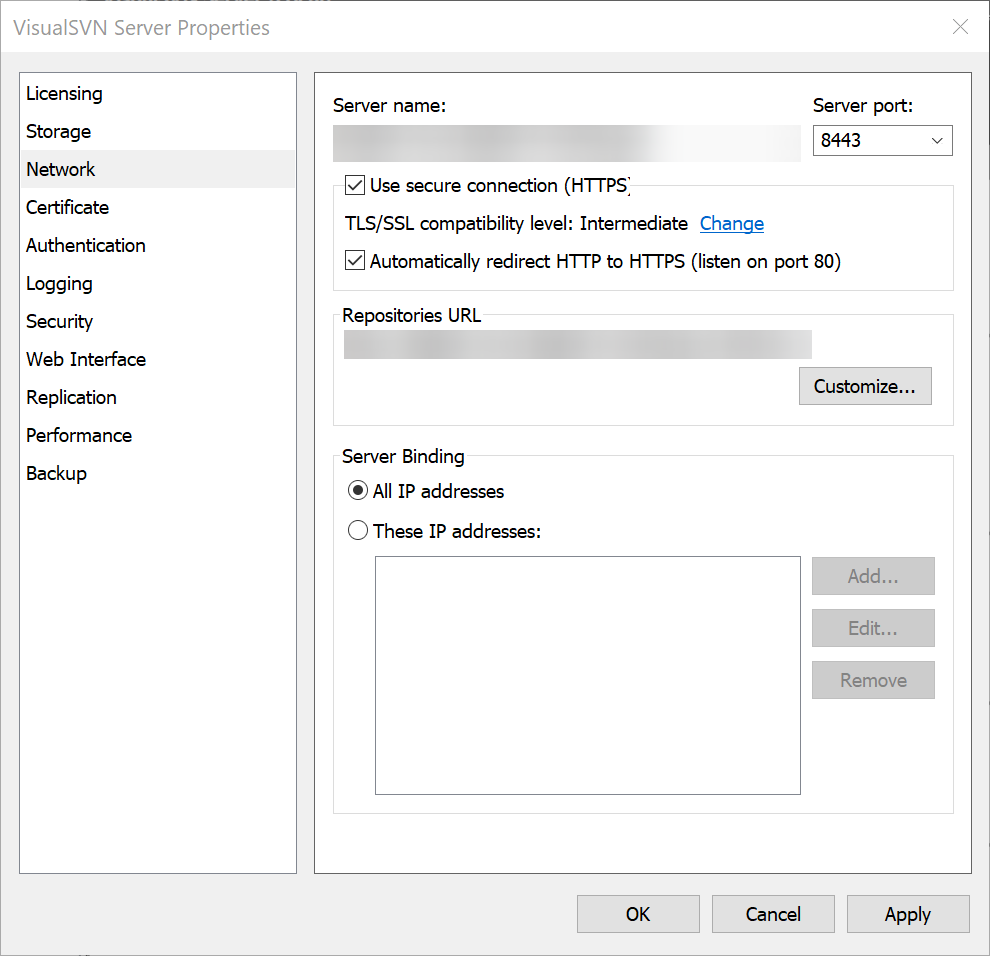 cyan jay
If those settings work for you, then yes it's that port
worldly sun
i dont know how to check if it works and what to tell my friend to do so he can connect to my repo
cyan jay
I've never setup SVN so I don't know how much help I can be.
But essentially you have SVN server running on your local machine. This is listening for connections on a specific port, lets call it 8443 (whatever you set it to or whatever the default was).
When you connect to SVN using TortoiseSVN you connect to localhost and the port specified above.
You must setup port forwarding on your router so that when your friend connects to your-public-ip:xxxx (where xxxx is a random port you specify in the port forwarding rule), it forwards the connection to your local PC and port 8443.
worldly sun
thx for the explanation on how it works i appreciate that but i need pointers to what to do a step by step gide so i can tell how my friend to connect to my repo with tortoise svn
On my side everything works and i can go to the web browser and it opens it with asking the user and pass i have set, but all that is locally, the port is kinda easy i will try to open all the port i see
i never worked with networks or programming, so this is all new to me
cyan jay
what address do you use to connect locally?
if it is http then yeah you could try forwarding 80 -> 80 on your router
Then you need to find your public IP address, and your friend should be able to connect: http://82.8.99.10/svn/xxx or whatever your IP / path is
worldly sun
yeah i m waiting my friend to be available so i can try that
i tried the adress on my phone and it dosent find the page but on my pc it opens it in the browser
cyan jay
that's not a good sign if your phone won't connect
worldly sun
i dont feel safe to share it here, i would have pasted so others would try
cyan jay
you tried connecting via your public ip address on your phone?
worldly sun
i think this is my public ip i m trying
cyan jay
ok idk then, sounds like you've done all the right things. Check your router logs for incoming connection attempts perhaps?
if your phone is on the same WiFi as your PC then you could try connecting via the local IP instead (e.g. 192.168.x.x)
that would eliminate port forwarding as the problem
worldly sun
does this should be enabled ?
https://i.imgur.com/VXl41dy.png
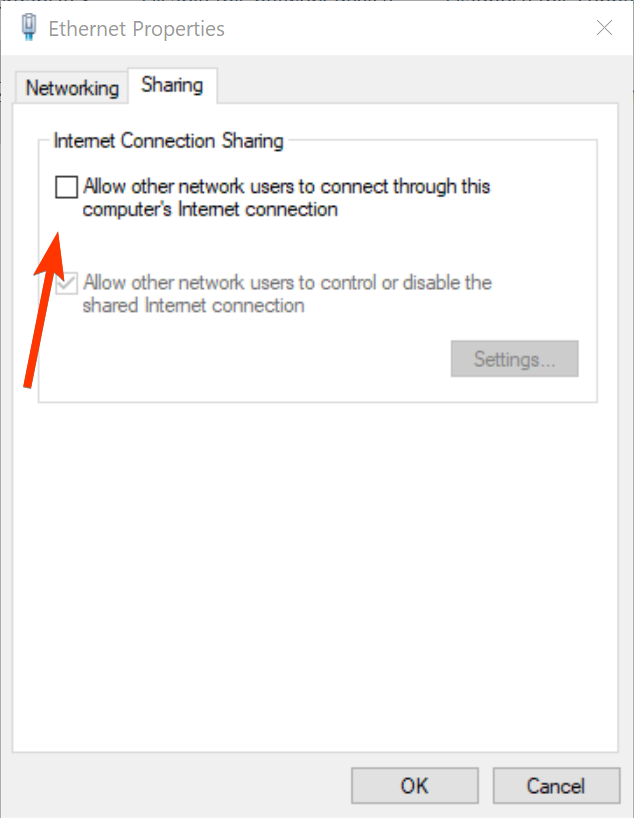 cyan jay
No
cyan jay
no that's your local IP
worldly sun
uhh ok
cyan jay
your public IP can be found by searching google for "What is my IP"
cyan jay
that would imply port forwarding is not setup correctly
worldly sun
ok so i guess that is the problem 🙂
I will tinker more with the ports and see if i can manage to have it open with my public ip thx a lot @cyan jay
@cyan jay i don't how to thank you my friend i got it working, it opens even on my phone 👌🏾
cyan jay
well done 👍
worldly sun
and my phone wifi is disconected, so it is not on the same network and it opens 🙂
 neat grotto
quaint obsidian
https://github.com/ProjectBorealis/UE4GitPlugin
neat grotto
quaint obsidian
https://github.com/ProjectBorealis/UE4GitPlugin
This looks awesome! Is it compiled for 4.26? I'm getting the "this was built with a different version" prompt when I add it to a 4.26 project.
quaint obsidian
neat grotto
This looks awesome! Is it compiled for 4.26? I'm getting the "this was built wit...
I didn't provide binaries afaik
neat grotto
quaint obsidian
I didn't provide binaries afaik
Oh OK. So I need to build it myself. That explains the prompt.
I'll need to learn how to do that before I can use it, but thanks a lot for sharing your efforts with the community. The changelog looks very good.
quaint obsidian
There's still a few weeks left for us to really test it in production, but it should be pretty stable
 long hull
quaint obsidian
Just finished my rework of the UE4GitPlugin!
long hull
quaint obsidian
Just finished my rework of the UE4GitPlugin!
Awesome! I didn't have time to test it yet but thanks so much for contributing. Did you by any chance add support for submodules? I know there's a few of us who'd like that (ongoing issue on upstream).
worldly sun
My friend is getting very slow speed when checking files. The SVN server is on my pc and i have Visual SVN and TortoiseSVN setup he is in a different country.
Any pointers why is this and how i can improve that.
My pc is Samsung 970 EVO 2TB, 32GB RAM, Ryzen 1800X and optic fiber conection 150/150 Mbps
He waited more than an hour for 500Mb his speeds are 16 Download with 11 Upload
I made an exclusion on my antivirus for the repo folder also
quaint obsidian
long hull
Awesome! I didn't have time to test it yet but thanks so much for contributing. ...
No, we haven't found a need for that so it's not implemented
long hull
quaint obsidian
No, we haven't found a need for that so it's not implemented
FYI here's the issue in upstream: https://github.com/SRombauts/UE4GitPlugin/issues/44
I'll try to implement this if I find time and it doesn't require too much work
quaint obsidian
long hull
FYI here's the issue in upstream: https://github.com/SRombauts/UE4GitPlugin/issu...
What's the use case for this?
long hull
quaint obsidian
What's the use case for this?
My personal use case is that everything I get from the Marketplace has its own submodule. So if I make changes to it or something, I can get those changes across multiple projects which include the submodule.
Another user in the issue mentions his use case:
As there is no way to make Blueprint libraries, the best way I found to share blueprints between projects is with git submodules.
Overall, submodules are a great way to make content/plugin cross-projects. Also helps encapsulating things that don't need to know each other (e.g. MP products).
quaint obsidian
long hull
My personal use case is that everything I get from the Marketplace has its own s...
You may want to look into subtrees instead, but submodules are definitely helpful when you mentioned!
Atlassian
Git subtree lets you nest one repository inside another as a sub-directory. It is one of several ways Git projects can manage project dependencies. Learn h
long hull
quaint obsidian
You may want to look into subtrees instead, but submodules are definitely helpfu...
Sadly I can't use subtree with GitLab free tier (repo size would be well over the 10GB limit).
simple lodge
long hull
Sadly I can't use subtree with GitLab free tier (repo size would be well over th...
you might be able to with some creative symlinking
 orchid harbor
A fundamental question:
Let's assume team CoolDevs has 2 level designers and 1 programmer.
Now, level designer 1 adds an asset from the Marketplace to the project (12 GB). The programmer is not interested in the asset. The only thing he'll need much later is the finished map (.umap) file and the associated assets to create builds for playtesting. Level designer 2 however wants to work with the assets too to build the level.
I thought I could just **remove **the Content/Developer directory from version control and just use that. Though this makes it so that **the programmer doesn't have to download the 12 GB **worth of data, the second level designer won't have access to the assets available to level designer 1. How do you solve this? Do you just do what I did and require both level designers to manually coordinate which assets they're using and have them separately put the assets into their respective developer folder?
merry verge
If you're using perforce, you can setup virtual streams which only include specific paths in your workspace (if you're using a classic depot, you can manually configure workspace views for this instead of making a reusable virtual stream). You can have a "programmer" virtual stream that only includes some minimal content if that's what you want, and a separate "artist" virtual stream that includes the whole content directory but no code. Or however else you want to divvy it up - it's based on filepaths so you can do pretty much whatever you want.
Just know that if a programmer needs to load a level that includes something that isn't in their workspace, they'll have to switch to a different stream that does include that file.
orchid harbor
@merry verge is there a good alternative available if you're using git-based version control?
merry verge
Partial clones were added to git at some point, but I don't know how complete of a solution it is or if there's good tooling support.
That's what you'd want to search for in relation to git, though.
orchid harbor
appreciated
jolly fog
Hey I want to make a perforce server where I will store all my projects . I want around 5 people to work from perforce . Should I buy a host server from hetzner or Amazon ? How can I make the server
Also can I work from home if I setup the server ?
cyan jay
Yes you can all work from home or anywhere if you setup the server in the cloud. You can host it anywhere really. I use Vultr to host mine but it really doesn't matter. I think this guide is quite good: https://www.youtube.com/watch?v=GsdS71tdGj8
Perforce is free for upto 5 users.
jolly fog
Can I host it from my local network?
For example if I make one laptop server and create perforce in laptop in office , can I work from home with perforce?
cyan jay
yes
that's less ideal for other team members of course, as your laptop must remain on and connected to the network for them to be able to work.
and it's slightly more annoying, as you need to forward ports from your router, maintain a static IP address, you're at the mercy of domestic ISP, etc
cyan jay
Best to rent a cloud server. Depends how much storage you need, CPU and ram specs can be quite low, main concern is having enough diskspace.
I use Vultr.com but DigitalOcean have a good reputation too
rotund bobcat
There's also assembla, which does everything in the cloud without having to set it up yourself pretty much
but there's a price tag
cyan jay
I would think so, yes
jolly fog
Ok for now I will try it locally but I need to call my isp provider
And ask for a static ip right?
Also to open port 1666
cyan jay
tbh, looking at the price of hetzner you should just setup cloud. hosting on local network is hassle you don't want.
they are incredibly cheap
cyan jay
Wow
jolly fog
I will setup about 3-4 projects
Ok for now I will check local perforce
But when I make the workspace
In server
cyan jay
in that case I'd suggest having a base instance and adding block storage. according to hetzner website, 500GB storage would be + €23.80 a month
jolly fog
Should I download it in client?
cyan jay
please watch the video I linked it explains it all.
cyan jay
linux requirement is minimal, and in my experience setting up perforce server on windows is more difficult
jolly fog
Okkk
cyan jay
If you want to try it out I'd suggest installing VirtualBox and setting up an Ubuntu image in that, then you can follow all the video steps without a cloud host
long hull
quaint obsidian
No, we haven't found a need for that so it's not implemented
FYI I just threw together some very basic code to have History and Diffs working on submodules: https://github.com/brifsttar/UE4GitPlugin/commit/e7666a4c8d709674a507abf95f79267a6e055643
It's obviously not pretty since I'm just getting into this codebase.
quaint obsidian
orchid harbor
<@!189777486161117184> is there a good alternative available if you're using git...
sparse checkout too (cone mode)
simple lodge
orchid harbor
appreciated
partial clone + submodule/subtrees - but its not going to be trivial to setup
 finite bronze
what do people use for backups of large files ? currently using git with git lfs running, is it worth backing up data to a cloud service or an external ? learning C++ and UE and still trying to get used to the many avenues of git and backups for code and other things
 hushed spoke
Hey
I am using perforce and I got this error whe I try to login
The filesystem 'P4LOG' has only 187.6M free, but the server configuration requires at least 250M available.
regal grotto
finite bronze
what do people use for backups of large files ? currently using git with git lfs...
We're using system administrators for that.
regal grotto
hushed spoke
I am using perforce and I got this error whe I try to login
Do you expect this chat to free up your server disk space or what?
hushed spoke
that is not the issue
I got 40GB free space
but the log file has limited space
and I don't appreciate your sarcasm
@regal grotto
simple lodge
finite bronze
what do people use for backups of large files ? currently using git with git lfs...
depending how your object are stored, you can backup to S3 or similar, or just backup over ssh -> assuming you arent using LFS purely locally then you have 2 copies local and server), you may then want to backup/snpshot the server hto
P4 log is probably set to a path with limited free space? @hushed spoke
finite bronze
simple lodge
depending how your object are stored, you can backup to S3 or similar, or just b...
my current work flow is to use sourcetree and push to github but my last project was just pure C++ and no huge files, i know theres perforce out there but for learning and small projects i dont know if perforce would be the better option.
regal grotto
hushed spoke
I got 40GB free space
Google tells me that your error message means what it means. You're out of disk space: https://confluence.atlassian.com/fishkb/repository-paused-with-the-filesystem-p4log-has-only-0mb-free-but-the-server-configuration-requires-at-least-10mb-available-726106388.html
Cause
By default, the Perforce Server rejects commands when free space on the filesystems housing the P4ROOT, P4JOURNAL, P4LOG, or TEMP falls below 10 megabytes.Solution
Use the p4 diskspace command to monitor the disk space, this will display the amount of free space, diskspace used, and total capacity of any filesystem used by Perforce.
warped perch
hushed spoke
The filesystem 'P4LOG' has only 187.6M free, but the server configuration requir...
have you tried removing orphaned files?
p4 storage -d -D 60 //depot/path/...
warped perch
warped perch
`p4 storage -d -D 60 //depot/path/...`
this is just to see what would be deleted. run with -y to actually delete them.
-D 60 means 60 seconds for expiry time. if age of storage record is more than 60 seconds it would be deleted. default is 86400 seconds (24 hours).
orphaned files can accumulate specially when you have had many unsuccessful submits before.
simple lodge
finite bronze
my current work flow is to use sourcetree and push to github but my last project...
Depends how big your team is, You can scale git but it requires some work to make the workflow easier for artists. My personal line is around 25-30 users for a UE4 project perforce just becomes the correct choice
Though currently I am working on projects nearing 50 with git, but its deffo a little less than optimal.
hushed spoke
Thank you @warped perch I decided I oblitarate previous revisions but when I type commands in console it doesn't work
I am using console for the first time in my life so probably there is something obvious I missed
 warped perch
well it's full
hushed spoke
yep
warped perch
what happens when you type
p4 storage -d //depot/...
hushed spoke
 warped perch
can you connect with putty to the server? I don't want to mess with your server because I'm not expert at this
hushed spoke
what do you mean by putty?
hushed spoke
I will try taht, but I need to go now, Thank you for your help 🙂 @warped perch
nimble escarp
We have a github repo set up (currently empty). I have an unreal project on my pc with the same name that I want to push to the github repo using gitbash/lfs so other people in the team can work on it. However none of the tutorials I've tried are working. I'm getting a bunch of different error messages each time.
I'm in the project folder and have done 'git bash here'. It should just be a case of 'git remote add origin (link to the github repo I want it to go to)', then 'git branch -M main', then 'git push -u origin main', right?
nimble escarp
It says 'error: remote origin already exists' when I do the first bit (I'm guessing because I've tried this before). It accepts the 'git branch' bit. Then on the 'git push' command it compresses the files ok, then on writing the files it gives a bunch of warnings/errors ending in ! [remote rejected] error: failed to push some refs to...
regal grotto
nimble escarp
It says 'error: remote origin already exists' when I do the first bit (I'm guess...
Read the full error message. There is a reason why git push was rejected and it was printed to you.
quaint obsidian
PBSync is getting closer to production ready!
We've battle tested it in both our own studio, and another's now!
simple lodge
nimble escarp
We have a github repo set up (currently empty). I have an unreal project on my p...
if the project has a remote repo with stuff in, ill tell you the super easy (non commandline way), rename your existing project folder, pull down the remote repo (if its empty, just add a readme file or something in there on github interface etc before pulling down). Then copy across everything you want that isnt the .git folder and work with git as normal.
quaint obsidian
nimble escarp
We have a github repo set up (currently empty). I have an unreal project on my p...
do git push -fu origin main instead
 timid anchor
Anyone knows why files that someone checked out and locked not showing as such on others clients in plastic?

I cant check them out, it then shows an error, but I'd like some kind of visual icon as well so I dont have to manually check them all
 cyan echo
Hi fellas! Just a quick question: how am I supposed to be using the source-control? I'm using git. Should I use an external client (cli/gui) to manage that?
Cause there's only a "Submit to source control" button and that's it
simple lodge
cyan echo
Hi fellas! Just a quick question: how am I supposed to be using the source-contr...
Generally yes, pick your choice but sourcetree is a decent starting point - for in editor I’d have a look above for either the open source one that got rewritten or git central
The in editor one has some limits and will be mega slow for huge checkouts
 junior thicket
Noob question: Should I use source control if working alone?
 cerulean hamlet
Which source control is most ideal for a team of 3-5?
Perforce or Github?
I am trying to get setup but i'm having issues. If someone would be nice and help me out that would be awesome
simple lodge
cerulean hamlet
Which source control is most ideal for a team of 3-5?
Perforce or Github?
I am...
If you are always going to be under 5 or have much $$ , perforce is easier for artists, if you are likely to pop over 5 and dont have budget then git every time
cerulean hamlet
simple lodge
If you are always going to be under 5 or have much $$ , perforce is easier for a...
thank you, i will get to it then, i appretiate your advice
cyan echo
simple lodge
Generally yes, pick your choice but sourcetree is a decent starting point - for ...
I got you, thanks
 ionic dock
UATHelper: Packaging (Windows (64-bit)): LogWindows: Error: begin: stack for UAT
UATHelper: Packaging (Windows (64-bit)): LogWindows: Error: === Critical error: ===
UATHelper: Packaging (Windows (64-bit)): LogWindows: Error:
UATHelper: Packaging (Windows (64-bit)): LogWindows: Error: Assertion failed: IsValid() [File:D:\UnrealEngine-4.26\UnrealEngine-4.26\Engine\Source\Runtime\Core\Public\Templates/SharedPointer.h] [Line: 890]
UATHelper: Packaging (Windows (64-bit)): LogWindows: Error:
UATHelper: Packaging (Windows (64-bit)): LogWindows: Error:
UATHelper: Packaging (Windows (64-bit)): LogWindows: Error:
UATHelper: Packaging (Windows (64-bit)): LogWindows: Error:
UATHelper: Packaging (Windows (64-bit)): LogWindows: Error: end: stack for UAT
PackagingResults: Error: begin: stack for UAT
PackagingResults: Error: === Critical error: ===
PackagingResults: Error: Assertion failed: IsValid() [File:D:\UnrealEngine-4.26\UnrealEngine-4.26\Engine\Source\Runtime\Core\Public\Templates/SharedPointer.h] [Line: 890]
PackagingResults: Error: end: stack for UAT
UATHelper: Packaging (Windows (64-bit)): Took 124,6038222s to run UE4Editor-Cmd.exe, ExitCode=3
UATHelper: Packaging (Windows (64-bit)): ERROR: Cook failed.
UATHelper: Packaging (Windows (64-bit)): (see D:\UnrealEngine-4.26\UnrealEngine-4.26\Engine\Programs\AutomationTool\Saved\Logs\Log.txt for full exception trace)
PackagingResults: Error: Cook failed.
UATHelper: Packaging (Windows (64-bit)): AutomationTool exiting with ExitCode=25 (Error_UnknownCookFailure)
UATHelper: Packaging (Windows (64-bit)): BUILD FAILED
PackagingResults: Error: Unknown Cook Failure
hi how can i fix it

 rotund bobcat
have you tried fetching first
to see if that enables the pull
otherwise open a command prompt in your solution and type git pull
 swift oriole
How do I specify the path on the command line to the .git file and where is it located?
swift oriole
rotund bobcat
you don't have to
do not quite understand
rotund bobcat
you go to the folder where your project is stored
you click in the bar on top of windows explorer where it shows the path
you type cmd
in the black box you type git pull
swift oriole
rotund bobcat
in the black box you type `git pull`
 rotund bobcat
git branch --set-upstream-to=origin/master master
swift oriole
rotund bobcat
`git branch --set-upstream-to=origin/master master`
for some reason does not put the branch
 swift oriole
 rotund bobcat
is your remote repo empty?
I have a feeling you started you thing locally and remotely seperately and now trying to link them
swift oriole
I do not quite understand how to get it locally and remotely? I tried deleting the repository and deleting the project, but the error still occurs
tried to fix it, but still the error occurs
 rotund bobcat
well now you have a conflict
you edited readme.md both in remote and locally
so now you need to fix it locally
then commit that file
and then you can push
swift oriole
 rotund bobcat
if you don't care about what's on the remote right now, you can also do git push --force-with-lease
but beware cause that can overwrite some stuff
so only use it when you're absolutely sure that your local version is the correct one for everything that you're about to push
swift oriole
Tell me how to fix it locally?
rotund bobcat
open the readme.md file
you might have some <<<<<<<<< and >>>>>>>>>> in the file
make it so that it looks as you want it and has no such markers
then commit that file
and push


 swift oriole
seems to have fixed it, only now you need to delete the local branch so that it does not interfere
 rotund bobcat
what
you always go commit > pull > fix conflicts > push
why would you delete your local branch
swift oriole
rotund bobcat
that's a great diffing tool
there is Visual Studio Code, but I do not know how to use this development environment with Unreal Engine
rotund bobcat
I know, don't use it for full development
swift oriole
Now, as I understand it, my repositories are configured correctly, and if there are any changes in the code, can I push the changes to github?
rotund bobcat
but if you have a merge conflict in a text based file, you can open it in VSCode for easy fixing
if you make local changes you can commit them and push them
but if there are remote changes that you don't have locally yet, you can't push until you pull first
swift oriole
rotund bobcat
I know, don't use it for full development
Do you mean not to use Visual Studio Code for full development?
rotund bobcat
yes
swift oriole
rotund bobcat
yes
Got it, thank you for your answers, you are a great helper in understanding errors in Visual Studio👍
swift oriole
rotund bobcat
yes
Still tell me how to understand remotely and locally? The file is being edited locally on the computer, but how is it remotely?
rotund bobcat
if you push your changes to the remote
then they are updated on the remote
if there's changes on the remote, and you pull, you get those changes locally
 storm sleet
good morning 🙂
is it a good idea for packaged games for QA and testing to cook assets as individual assets (not a pak) and put everything in a (separate) source control repo?
The idea is that when cooking individual assets I only need to upload changed packages and the binaries to the SC, and team members always have a stable version. I could reset the whole repository when it's becoming very large since it's only build files.
What do you think? good idea, bad idea?
does this even work? (when re-cooking packages that didn't change, do the cooked files change?)
simple lodge
storm sleet
good morning 🙂
is it a good idea for packaged games for QA and testing to cook ...
source control is not the correct choice for distributing built games, zip and upload the binary to S3 or a web server and have something to fetch builds
storm sleet
sure, but uploading 10GB takes a lot of time
I'd never store it in the same repository as the actual source files, just use an existing system for distribution
(distribution among team members)
swift oriole
rotund bobcat
then they are updated on the remote
if there's changes on the remote, and you pull, you get those changes locally, does it mean remotely through the Visual Studio editor?
rotund bobcat
what?
simple lodge
storm sleet
I'd _never_ store it in the same repository as the actual source files, just use...
I mean if you want to, you do you. Its still not really the correct tool for the job. It will work tho.
storm sleet
it would also likely be just a temporary solution until we have a proper build server that manages builds
swift oriole
rotund bobcat
what?
I didn't quite understand what it means remotely.
rotund bobcat
remote = on github
local = on your computer
storm sleet
when re-cooking packages that didn't change, do the cooked files change?
(does this better fit in #packaging ?)
swift oriole
It is not possible to create a branch, the Unreal Engine files are deleted, the file with the launch of the project, for some reason after pushing the branch, although no new files have been created.

prevents you from creating version control
 rotund bobcat
well pushing does not remove files
so you must've done something weird to get rid of the uproject
swift oriole
Why does Visual Studio delete the UE project file?
swift oriole
I have already created a project and for some reason the branch is created in Visual Studio by Main, although in github I have indicated that the branch should be named by default as Master
rotund bobcat
well you can have multiple branches
github doesn't know about vs and the other way around
if you create a branch master on github
then you clone your repo
and check out master
please read some github getting started tutorial cause I think you're not grasping it
Learn how to start building, shipping, and maintaining software with GitHub. Explore our products, sign up for an account, and connect with the world's largest development community.
swift oriole
Then it turns out that it is impossible to create the Master branch and transfer everything in the branch by default.
rotund bobcat
what?
swift oriole
rotund bobcat
what?
how to convert a mine branch into a master, by simply renaming, the main project launch file Unreal.uproject is deleted, if I create a master branch and delete the main branch, then some project files are also deleted.
how to make it so that by default there is a master branch, and not main in Visual Studio?
rotund bobcat
well normally you create the remote and clone it and start from that
idk wtf you did
really please read some of the git basics
swift oriole
rotund bobcat
really please read some of the git basics
I read the basics of the document, but the branch is only renamed, and the files are deleted
How to make the repository in the branch, I tried to clone with the command git clone url


But there are no project files in the master branch, how can you copy the files to the master branch?
nimble escarp
Noob question, but the Github tutorials I've looked at over the last week are really confusing me and I'm at that stage where I'm questioning everything now!
I'm trying to push my unreal project folder and all it's files to a currently empty Github repo. I was getting error messages about files being too big, so I added a gitignore and lfs and deleted the two files it was complaining about.
However now I'm getting the following:
error: RPC failed; curl 18 transfer closed with outstanding read data remaining
send-pack: unexpected disconnect while reading sideband packet
Writing objects: 100% (916/916), 951.34 MiB | 1.29 MiB/s, done.
Total 916 (delta 134), reused 0 (delta 0), pack-reused 0
fatal: the remote end hung up unexpectedly
Everything up-to-date
nimble escarp
I retried it and now I'm getting the original error messages, saying the files (the ones I've deleted) are too big and I should try using Git Large File Storage (which I already have).
rotund bobcat
if you pushedthe files before adding lfs
the files are still being tracked in git
you need to rewrite your history if you want to get completely rid of them and only keep them in lfs
nimble escarp
how do i do that? Is that the git rebase command?
"git rebase -i HEAD"
this is to remove them entirely (lfs too)
simple lodge
If you dont care about history, you can nuke the remote repo and the .git folder locally, then add a new origin and push.
if you want to rewrite history otherwise, git rm --cached or other methods are your options
nimble escarp
yeah, I want to remove the remote repo and start over with a clean up to date copy of my unreal project
but not sure how to do that
like git delete history or something
"git remote remove origin" is the closest thing I can find so far
rotund bobcat
just literally remove the repo on github and make a new one is the easiest
just remove your .git folder from the local project
and reinit with the new remote
nimble escarp
ok, I deleted those, did git init again, added a new repo on Github, added lfs, did remote add origin (url), git branch -M main, git push -u origin main.
Error: failed to push some refs to (url)
rotund bobcat
try a pull before your push first
nimble escarp
even though it's an empty repo?
rotund bobcat
otherwise a git push --force-with-lease would also do the trick
since you don't care about what's remote right now
rotund bobcat
if that doesn't work show you full errors
nimble escarp
$ git push --force-with-lease
fatal: The current branch main has no upstream branch.
To push the current branch and set the remote as upstream, use
git push --set-upstream origin main
either add the remote OR make a file on github web, do a pull into a fresh folder and move everything aside from the .git folder into it
swift oriole
swift oriole
Guys, please tell me why there is a Main branch in the repository and a Main branch in Visual Studio, but there are no files deleted?


For some reason, there are no files in github itself


tell me how to initialize files in github?
nimble escarp
@simple lodge @rotund bobcat
Ok, so I followed the instructions, made a file on github web, pulled into a new folder, then added the other project files in there (minus the git folder). I then added all the new files to be committed, did git remote add origin again, then git push.
Got:
$ git push -u origin master
Total 0 (delta 0), reused 0 (delta 0), pack-reused 0
remote:
remote: Create a pull request for 'master' on GitHub by visiting:
remote: (url)
remote:
To (url)
- [new branch] master -> master
Branch 'master' set up to track remote branch 'master' from 'origin'.
but on the create pull request screen it says there isn't anything to compare
rotund bobcat
are your files on github?
nimble escarp
no, my github repo is still empty bar a readme file. All the files are stored on my pc in the unreal project folder
 stuck cargo
Is there an optimized gitattributes for git lfs for ue5?
and how can i assign "check in" to a keyboard shortcut in ue5...
simple lodge
nimble escarp
no, my github repo is still empty bar a readme file. All the files are stored on...
pull it into a fresh repo, then move everything in,. EXCEPT the .git folder
nimble escarp
I just did that before doing the above
Tried a third time. Same result.
Says the branches are identical, which isn't true.
storm sleet
stuck cargo
and how can i assign "check in" to a keyboard shortcut in ue5...
source control for UE5 is limited and only works perfectly with perforce. I know plastic plugin works without the changelist and checkin functionality (only checkout and see state icons), I assume git support is similar.
but you can maybe find an updated version of the git plugin for UE5
quaint obsidian
storm sleet
sure, but uploading 10GB takes a lot of time
use a game service. like itch, Discord, or Steam. All have private testing functionality and all have differential uploads.
quaint obsidian
@stuck cargo @storm sleet I've got an updated version of the Git plugin for UE5 here: https://github.com/projectborealis/ue4gitplugin/tree/pb-changes-ue5
GitHub
Unreal Engine 4 Git LFS 2 Source Control Plugin (beta) - GitHub - ProjectBorealis/UE4GitPlugin at pb-changes-ue5
quaint obsidian
Let me know if anyone here uses Git in a studio/team or is interested in using it! I'd love to help set you up with our workflow for it, with a rewritten editor plugin, and custom sync tool
simple lodge
@quaint obsidian whats the sync tool out of interest?
GitHub
ue4versionator is a tool to download custom UE4 engine builds, extract and register them for use. - GitHub - ProjectBorealis/ueversionator: ue4versionator is a tool to download custom UE4 engine bu...
quaint obsidian
simple lodge
<@!115180582845153282> whats the sync tool out of interest?
GitHub
System for syncing Unreal Engine 4 project git repositories - GitHub - ProjectBorealis/PBSync: System for syncing Unreal Engine 4 project git repositories
simple lodge
quaint obsidian
https://github.com/ProjectBorealis/pbsync
Will take a look at it, it syncs pre-built binaries for artists?
quaint obsidian
It does a lot! But yes that's one thing it does
simple lodge
is there a documented featurelist?
quaint obsidian
Not yet! But will be doing one soon
 lyric pilot
hi, I want to setup perforce with assembla for the game jam, I have downloaded and installed p4d and p4v.
the tutorials on how to use perforce are kinda confusing
is there any resource or tutorial on set up perforce with assembla?
and should I install puTTY in this case?
simple lodge
its fully managed, so should just be connect, setup depots etc
 buoyant gust
Does anyone know if it's possible to separate changelists between depots on perforce, as well as prevent certain users from seeing certain workspaces?
ornate willow
lyric pilot
hi, I want to setup perforce with assembla for the game jam, I have downloaded a...
hey, did you follow this guide? https://epicgames.ent.box.com/s/b7mh19k2b5jh0k8qvdgr1cc4ijt3abv8
ornate willow
buoyant gust
Does anyone know if it's possible to separate changelists between depots on perf...
yes all this is possible
buoyant gust
ornate willow
yes all this is possible
I'm having so much trouble finding out how to do so, do you have any links to documentation by chance?