#ue4-general
1 messages · Page 1176 of 1
 dry lion
 oak patio
Here we dont tend to just give out the code, as that doesnt help ya learn
 plush basin
dry lion
You want the model or the functionality?
plush basin
dry lion
You want the model or the functionality?
functionality
plush basin
oak patio
Here we dont tend to just give out the code, as that doesnt help ya learn
I am learning from the code and tried to learn how to do it and did not find
oak patio
What do you mean by airplane staircraft
If you send some images or explainations i may be able to help more
plush basin
oak patio
What do you mean by airplane staircraft
i mean like the battle bus in fortnite
or the airplane in pubg
oak patio
Ahh
plush basin
like that
 oak patio
For those its only going to be a mesh moving from point a to b
plush basin
i have the mesh but how i do this movimg?
oak patio
Your point a and b being points on a large circle maybe
Could lerp the location over time
plush basin
ok i try this now thanks for the help
oak patio
No problem
 neon grove
how can you do material layer blend with procedural mesh?
 fallow jackal
what are level blueprints generally used for?
 plush bluff
how fix this error?
 oak patio
fallow jackal
what are level blueprints generally used for?
oak patio
fallow jackal
what are level blueprints generally used for?
Level specific one time actions generally
If it needs to happen frequently, or across levels, use an actor
 untold plank
nice one epic

 cosmic matrix
Hello,
I'm trying to understand and work with additive animations but don't really understand the difference between
local and mesh space additive.
I understand that local additive animation are calculate between a reference pose and a target pose which give us a delta to go from a base to a target pose.
So, if you have a base pose with a bone rotation of 10 and a target with a rotation of 30 the delta is 20 so if you apply this delta to an animation the bone will rotate by 20 is it true?
But what is the difference with mesh space additive?
 bronze saddle
I need help with eyefocus in UE4. I can make Blender eyefocus bones, but they do not work in UE4, I want the eyes to move (rotate) in the direction the eyefocus bones go to.
Not just YAW rotation, I want the character also look up and down with face up and down if object is above or below or if character is higher or shorter they interact with
I know that the Eyefocus must be in an actor blueprint, the rest I have no clue
I assume I may need to do some editing in the Animgraph and make perhaps 1D animation offset or I could be wrong. All I know that the eyefocus bone works for the eye bones to follow in Blender, but these bone constraints are not saved for UE4, as if it does not exist
 narrow hornet
fallow jackal
what are level blueprints generally used for?
narrow hornet
fallow jackal
what are level blueprints generally used for?
One thing that can be useful in level BPs is that you can directly get references of actors placed in the level (just drag them from the level outliner into the BP graph)
bronze saddle
What must I do to make eyefocus work in UE4 as how it works in Blender?

What must I add to the Actor Blueprint?
 hollow crescent
how do you guys get your 3Dconnexion spacemouse working with UE4?
I've seen that it's supposed to work out of the box now, on this page, but it kinda isn't
https://github.com/microdee/UE4-SpaceMouse
 fierce tulip
@ashen brook is the only person I know who sometimes uses it, perhaps he has time to explain
 ashen brook
There's a plugin for it on the marketplace, but I haven't used it in UE so far
hollow crescent
ok thanks
How do i set lighting so that I see light on all sides with no shadows?
ashen brook
Turn off shadow casting for the light
 ashen brook
The light is still only going to illuminate the faces the are oriented towards it
If you want omnidirectional light that's something else
hollow crescent
yeah, that's what i'm looking for 🙂
ashen brook
Either use ambient lighting if using baked static light (world settings -> lightmass properties -> environment intensity)... Or a skylight
Needs an environment to reflect though, or a custom cube map
hollow crescent
alright i'll get googling
i guess i'll need a custom map to build my models with
hollow crescent
found this, not sure if it's outdated or not. seems like a long vid to achieve omni-directional lighting
Unreal Engine Forums
James has a nice video here which also includes an example of how to set up a material parameter collection as light vector: Unreal Engine - [Live Stream] Demystifying The Dot - YouTube In the video he sets the directional light’s position for the vector parameter via the planet’s BP, but in your case you can set that value in level blueprint a...
 signal flower
hey guys
does anybody know why objects may move glitchy? every cube on this screenshot has same settings but this one is kinda "special". every time different amount of different cubes look like this...

another screenshot of this issue

 real heath
Looks like motion blur
try turning off motion blur and if it is still there, then you can look elsewhere
If it disappears, you can teleport the object so it doesn't blur like that i think
signal flower
real heath
If it disappears, you can teleport the object so it doesn't blur like that i thi...
the problem is that this mesh is attached to a player so I cant teleport it
real heath
so it's moving with the players position and rotation or just position?
and do all cubes move at once, or what?
signal flower
- rotation
 real heath
ok
signal flower
real heath
and do all cubes move at once, or what?
all these cubes are meshes of 1 actor
real heath
yep, so you did you try fully turning off motion blur to confirm thats the source?
in console type r.motionblur.amount 0
that will disable it
to re-enable say r.motionblur.amount -1
signal flower
real heath
yep, so you did you try fully turning off motion blur to confirm thats the sourc...
it helps, yeah
but I dont want to remove it completely...
 real heath
signal flower
but I dont want to remove it completely...
real heath
signal flower
but I dont want to remove it completely...
ofcourse, i'm just trying to confirm the source
the amount will reduce the length and strength of the trails
the per object size will stop smaller objects from rendering motion blur at all as far as i know
playing with those you might get the results you want
signal flower
real heath
you can try playing with those in your post process
I have never used post process before so...
- isnt it very resource consuming?
- how do I do what you said? 😄 I dont even know how to turn on post process
real heath
post process is on by default, as you can see by your motion blur
a post process volume merely gives you control over it
you just place a post process volume in your level, set it to unbound or infinite extent
and then you browse through rendering features, specifically motion blur
signal flower
real heath
and then you browse through rendering features, specifically motion blur
but... it will remove motion blur for all objects in this post process volume as I can see 🤔
real heath
those options allow more than on and off though
signal flower
I dont know how to use it properly ;_;
real heath
Well you now know the source of the problem atleast. Theres heaps of tutorials on post process on learn.unrealengine.com and YT
signal flower
real heath
Well you now know the source of the problem atleast. Theres heaps of tutorials o...
I hope I'll find the solution, yeah
now I gotta go sleep, its 5 am over here 😅
gn chat
 plush yew
Does anybody know if there’s a way to point the launcher to see a UE installation from another drive? I installed a new OS on a different drive and I really don’t want to have to reinstall the entire engine again
hollow crescent
plush yew
Does anybody know if there’s a way to point the launcher to see a UE installatio...
I can't remember, sorry. I do that so often...
 manic sequoia
plush yew
Does anybody know if there’s a way to point the launcher to see a UE installatio...
manic sequoia
plush yew
Does anybody know if there’s a way to point the launcher to see a UE installatio...
have you tried opening the executable from the folder? for the engine version
fallow jackal
What is skeletal mesh? When i import a rigged model does it become skeletal mesh?
skeleton = rig?
 summer marsh
after opening ue4 project screen turn out black. any one face this issue?
 icy hearth
Hi guys , i wonder how can i make my tablet run my main Ui and controls my game while its running on my PC ,something like i control my game with my tablet

MC designers concept idea model
www.mcdesigners.net
icy hearth
icy hearth
https://www.youtube.com/watch?v=l9-Dbr1JrY0
something like mentioned here
real heath
icy hearth
something like mentioned here
There's something built into the engine for this for virtual production. Released in 4.25 or 4.26 I think. Only works with editor afaik
It's a web interface
Otherwise a custom app made with unreal and message bus would do it

Work with your Unreal Engine Project from a remote client.
Might work outside of the editor too apparently
icy hearth
that helps actually , thx so much
 fierce agate
Bruhh
Every mesh I import had white textures!
Do anyone know how to fix this?
I really need help
I been dealing this a lot of times
 drowsy snow
White texture or white materials?
drowsy snow
fierce agate
White materials
Then you better get used to manually editing the materials.
fierce agate
OH GOSH
Nvm
THANKS GOD GUIDE ME
I FINALLY FIXED IT

I just deleted the material inside the folder
fierce tulip
you can disable importing/creation of materials in the import options.
fierce agate
fierce tulip
you can disable importing/creation of materials in the import options.
Omg ily so much no homo
 tough bear
Odd question but does anyone know about modding games that run with ue4 like creating mods
 sacred moth
is there a way to move an object to the current viewport camera position in the editor?
 small vault
Does anyone know if there's a texture memory or other performance difference between importing 8K texture and setting max res to 1/2K or just importing a 2K texture?
drowsy snow
tough bear
Odd question but does anyone know about modding games that run with ue4 like cre...
Look for the official informations on mod kit for said games. Some UE4 games distribute the editor through Epic Games Store (e.g. ARK, Mech Warrior 5) or through UGC plugins (e.g. Pavlov)
fierce tulip
small vault
Does anyone know if there's a texture memory or other performance difference bet...
only in editor. and filesize
 tardy birch
Is there any way to open a play-new-editor-window without the frame rate dropping when I focus on another window from another application?
drowsy snow
tardy birch
Is there any way to open a play-new-editor-window without the frame rate droppin...
Disable Use Less CPU in Background in the Editor Preferencea
tardy birch
drowsy snow
Disable Use Less CPU in Background in the Editor Preferencea
Thank you so much!
 minor plover
I made level sequence that animates a cinematic camera. It works I can see it move. But the level when played doesn't animate?
 vestal wyvern
Hello I need help I want to make a 2 D character in a 3 D game but I can't find any videos can someone help me.
 glossy oracle
Hello. How i can solve the problem when every time i open the project shaders starting compiling
 little falcon
hey guys, when i am trying to export material to another UE project, i found some of the nodes were disconnected
Especially when i am using megascan materials,
and since another proj is in Linux, i cannot get megascan to download material on linux.
whats the best way to export material asset to another project?
little falcon
i was using migrate...
fierce tulip
always migrate towards the CONTENT folder of the targeted project.
little falcon
its actually a blueprint tool i make which include a megascan material
real heath
Well that’s the best way. If that’s not working, is the target the same or newer engine version?
little falcon
i was using migrate though, when i open it in linux, some of the nodes were disconnected.
yes, from UE4.26 to UE 4.26
real heath
Was there anything in the log when you loaded the project or asset about missing ref or anything at all?
little falcon
seems not..
real heath
No idea then. Whenever something has gone wrong for me it’s either an engine mismatch or there’s something in log
Is it the material or blueprint broken?
Is the target project closed when you did the migrate?
Bit hacky but you could migrate so all assets come across, the open the material in target and source, delete the contents in target and the copy/paste the nodes
 spiral burrow
I'm trying to find a way to stream the gameplay to Twitch/Youtube. Pixel streaming would have worked but this is on mobile (Quest 2). Anyone know of a plugin to read the backbuffer and send it as a video source? I woudl really rather not have to create that from scratch. Surely there's a stream to Twitch plugin out there?
little falcon
real heath
Is the target project closed when you did the migrate?
wdym
real heath
Was an editor instance of the target project open when you pressed migrate
little falcon
nope.. do i need to open every single material?
 static viper
no
you just need to migrate to the content folder
and then after import you save
that should be it
little falcon
i was migrating to Desktop and zip it
little falcon
then using flash drive copy and paste to Linux
static viper
thats exporting
little falcon
Hmmm
static viper
migrating only works from project to project
little falcon
lemme check again
static viper
it will give you a warning when it doesnt find a content folder,
little falcon
but i need to send my bp to another device
i have to migrate and export it to desktop i guess
then on another device put it into content folder
static viper
you can try to just copy it directly from the project folder
by hand
and then implement it in the other project at the exact same spot
but migrating would be best.
little falcon

so i need send the BP_T_RoadLine to another device, right click and migrate


seems everything included, and then do i have to put it in content folder?
static viper
yes
little falcon
why? i dont need it open in current device?
i just need to zip it and send it to another device..
 cedar bane
Wrong one oops
 pulsar ruin
Hello guys when I tried open template my C partition is reduced size! I setup unreal on partition D and template to on partition D
 gray pelican
hey guys, can anyone help with advice? I packed the demo version of the game, but first map (menu) even if mouse cursor is showing up, it is not reacting on pushing buttons, while everything is fine in play mode before the game is build. Any suggestions what it can be?
glossy oracle
What good alternative mechanic i can use instead of spline movement?
 distant totem
How can I 100% ensure that a level is opened IN EDITOR from a specific viewpoint for other people? Like how the city sample opens to the hardware requirements notes in a blank level? Does that get saved to the saved or intermediate folder? For some reason, pressing CTRL+1 to set a camera bookmark isn't doing it
 limber mesa
quick question. Im trying to import some pngs into ue4 but when i do they turn white
why is that
 granite orbit
Has anyone tried generating synthetic data for computer vision
 remote ingot
i am trying to make a sonic like loop using ninja character plugin but i cant create any outputs
can anyone help?

even if i do it without pasting it
there still isnt any outputs
 analog jacinth
have you tried a function instead of a construct?
btw, if anyone can help, I'm having some troubles with a 3d menu I'm working on
when I play it on the editor it runs perfectly, but when I try it out on a full build doesn't work
any thoughts?
limber mesa
@analog jacinth what's not working about it. did you make this in c++?
analog jacinth
no, it's blueprints, the thing is i don't know why it isn't working
on the editor works like charm
but when i build it
i don't know if it doesn't recognize the input
 brave kelp
Any tips or suggestions on substitutes for event tick? I’m trying to learn watching tutorials and few of them have blueprints relying on event tick so I am trying to figure out how to use all the blueprints in one project and circumvent that issue
drowsy snow
brave kelp
Any tips or suggestions on substitutes for event tick? I’m trying to learn watch...
You don't substitute event tick entirely, you just have to use it sparingly.
Sure, event ticks can be messy pretty quick and can take a toll on performance, but only if you're reckless with it.
brave kelp
I was under the impression you could only open one event tuck inside the event graph lol I’ll take a look again when I get back to the computer
I’m really just learning and trying to implement basic stuff so I’m not that worried about it being messy necessarily
 rough knoll
timers are nice
drowsy snow
Using looping timers with low duration doesn't make things better, if not worse, it's not for substituting tick events
rough knoll
i've always been told that generally if you need to run something often timers are better than event tick. still, there are a lot of things that some people put in event tick that really don't need to be called every single tick
drowsy snow
Setting timers with 0.00001 durations is worse than abusing event tick.
rough knoll
0.00001 is never necessary
for constant checks i tend to check every half a second or second
brave kelp
I’ll have to check out some info on timers and see if that’ll work for me
Still really new so it honestly all kinda has me spinning but I’ll keep at it and keep reading into it! Thanks for your help
drowsy snow
The key here is to use event tick sparingly.
brave kelp
I’m just a little confused because within the event graph when i try to open a event tick it takes me to the existing one on a separate string
 stoic ridge
when I import the rokoko animation into the mixamo character this happens

 pure mesa
brave kelp
I’m just a little confused because within the event graph when i try to open a e...
pure mesa
brave kelp
I’m just a little confused because within the event graph when i try to open a e...
You can't have the same event in one graph multiple times. You use flow control nodes like Branch and Sequence in conjunction with logic operators to control the flow of execution ("string" as you call it). Tell us what you're trying to achieve and we'll try to explain how. Maybe. 🙂
brave kelp
pure mesa
You can't have the same event in one graph multiple times. You use flow control ...
I am very inexperienced as you can see haha
I have been following along with some YouTube tutorials showing how to set up basic functions like a sprint with stamina bar, a melee combat system and wall running specifically. All taking place in the same third person BP with event ticks in the blueprint. I am just trying to figure out how to implement them all into one project
pure mesa
brave kelp
I am very inexperienced as you can see haha
I have been following along with so...
Yea, that'll be a bit of a challenge. Tutorials are notorious for showing you how to do something cool in isolation and never how to fit that into a larger whole. Afraid you have some figuring out to do. 
neon grove
brave kelp
I am very inexperienced as you can see haha
I have been following along with so...
generally you want to avoid event ticks as much as possible, trust me i learned it the hard way when my game was stuck at 15 fps haha
pure mesa
neon grove
generally you want to avoid event ticks as much as possible, trust me i learned ...
Well, yes, you do want to reduce the number of actors that Tick every frame by making them as (non-Tick) event-driven as possible. But don't make it a dogma about avoiding Tick at all cost and using solutions that are even worse for performance. There are actors that need to Tick every frame and that's fine. It's more important to be aware that running code is not free and measuring before you optimize. 🙂
 round salmon
Big progress today boys B)
Big progress B)))
Now to just figure out how to do a dialogue system
drowsy snow
round salmon
Now to just figure out how to do a dialogue system
Well, good luck. It really going to depend on your game, so you better have the design doc prepped
round salmon
yay
brave kelp
congrats
well i managed to figure out a work around using a sequence after the event tick, although i feel thats probably a less than preferred method. oh well plenty to keep learning. Thanks for the help and guidance everyone

 plush yew
Hello, I have registered custom URL scheme in Info.plist for macOS, how do I get the URL that has been used to open the app in UE?
 steep timber
Hey, does anyone know how to make the spawner of a projectile unable to collide with the projectile? For example, my gun in first person collides with the projectile that is being spawned, and i dont want that.
plush yew
no one replying there
fierce tulip
which means a) not many people online that use macos. b) not many people using macos. c) it might take a while before someone might answer. please be patient :)
drowsy snow
At least those that do have some form of incentinve, aka iOS
Not with #linux
Hell, you can cross compile for Linux from the comfort of Windows but not the other way around
(That being said, I'd choose Linux over Windows once I have better rig)
 hybrid kite
Any comprehensive tutorial series for beginners in UE4?
fierce tulip
check the pinned messages :)
 peak hare
Is UE 4.27 out and is that a thing?
 quartz ore
peak hare
Is UE 4.27 out and is that a thing?
quartz ore
peak hare
Is UE 4.27 out and is that a thing?
It's been out for almost a year.
 lapis ore
When a player fires at a wall it leaves a mark, using a sphere mask to place it. This is fine unless the player fires near the edge of a wall, then the weapon's mark is cut off. Can I use a different collision geo for a weapon hit than we use for players walking through walls?
 last topaz
Hi, does anyone know how to fix the issue where you can't launch the editor through for example a desktop shortcut? I can only launch it from the Epic Launcher now but it used to work fine before. Nothing happens when I try to use my shortcut...
lapis ore
last topaz
Hi, does anyone know how to fix the issue where you can't launch the editor thro...
Have you tried recreating the shortcut? Maybe it got messed up somehow
last topaz
Yes I have, both from the project root and from the launcher
Its a recurring issue for me, somtimes it works sometimes it breaks
But now its been broken for a while and I still don't know the cause or a fix
plush yew
Any tips for using the Mesh Lod Coloration with foliage meshes? They tend to be too fine to actually show up with distance colors and look black, kind of defeating the view mode's purpose.
Besides switching every single mesh to opaque, I mean.
 lavish shoal
does anyone know how to stop keyboard input lag in unreal engine games?
its only on the keyboard
pulsar ruin
https://blueprintue.com/blueprint/e9-uv7lm/
what is the problem in false code here?

No description provided
drowsy snow
lavish shoal
its only on the keyboard
Usually that's more Windows thing than Unreal's thing
fallow jackal
how to reduce cpu cost from light sources? (i have many lamps)
drowsy snow
fallow jackal
how to reduce cpu cost from light sources? (i have many lamps)
Either bake them or deal with it
Lighting (particularly dynamic ones) can be prohibitively expensive on performance if you're not careful
 atomic arch
i posted something on the ue5 chat but it also applies to ue4 so if anyone has a solution it would be appreciated
 tall sorrel
how do I fix isometric tilemap z fighting?
edit: when putting it normal, it doesnt do this
this is what it looks like editing the tilemap, its just messing up in the viewport
 real heath
fallow jackal
how to reduce cpu cost from light sources? (i have many lamps)
real heath
fallow jackal
how to reduce cpu cost from light sources? (i have many lamps)
Turn off dynamic shadow casting on as many lights as you can stand
 warm lotus
Hi how can I visualize rays in ue4 pie?
warm lotus
TYVM!
 abstract sundial
hey does anyone know why this is happening
simulation works fine in ue but ingame its messed up
i realized this flickering happening at the messed up areas
 bold spade
Hi everyone,
Is it possible to convert a big scene from 3Ds Max to unreal? A 1:1 scale of a city kind of scene
 ripe gull
ok, can someone help me with live coding pls?
everytime i try to run i get this message
Unable to start live coding session. Missing executable 'D:/Program Files/GameDev/UE_5.0/Engine/Binaries/Win64/LiveCodingConsole.exe'. Use the LiveCoding.ConsolePath console variable to modify.
real heath
Verify engine through launcher
drowsy snow
Also #ue5-general
 real heath
is it translucent? could be a depth sorting issue for translucenct materials
 fallen wing
I've been working with Spring Arms for a while now, but I still have an unresolved issue with them:
Whenever I walk with Camera Lag enabled, camera starts to lag behind the player- giving the appearance of the camera moving further from the mesh
I've parented the Spring Arm to the Neck bone of my mesh, and I just want a movement that bobs with the animation- with no lagging behind the mesh, or on the X-axis
Is there a way to clamp it on the X-axis, so that it can only move on the Z and Y?
real heath
I don't think so without delving into c++ and doing it yourself. But it sounds like you just want a subtle movement, maybe setting a max lag distance will give you the up and down movement you want without lagging too far behind the player, softening the perceived movement away from the mesh.
plush yew
hello guys

iam getting this type of error when iam tried to take HTML5 build in ue 4.23
can any one help me what is the mean?
i tried with new default 3rd person project that is working fine i am getting output from it and i can run but this after adding all the assets iam not getting html can
any one help me?
 mental shale
does anyone know why our project wont package?

 coarse jetty
hi in unreal 4.27 dropdowns and full UI bugs very often, everyone have the same issue? is there any solution?
 ashen agate
Hi guys, is it possible to load a level without making it visible in one BP and then toggle it visible in another?
real heath
mental shale
does anyone know why our project wont package?
It's right there in the log. It can't write over that PDB file. Probably locked by your source control
plush yew
plush yew
hello guys
guys can an one help me with this?
drowsy snow
coarse jetty
hi in unreal 4.27 dropdowns and full UI bugs very often, everyone have the same ...
NVIDIA?
coarse jetty
drowsy snow
NVIDIA?
NVIDIA GeForce RTX 3070
drowsy snow
coarse jetty
NVIDIA GeForce RTX 3070
See pinned message
 pulsar mountain
Hellooo, does anyone have a video or something on how to use Atlas materials?

decals atlases can be dragged onto the scene but these plants wouldnt idk how to set them up
fierce tulip
or other way around, you create meshes that use the altasses
drowsy snow
Though be careful of the quad overdraw risks
pulsar mountain
I need to create the plant? thought it would be simpler
drowsy snow
Yes. It's rather simple but can be easy to get into quad overdraw pitfalls.
Also that is Megascans atlas.
coarse jetty
hello someone can help me with this? im trying to make a draggable ui. I'm searching the relation between this tho values, any idea?

 cloud patrol
Unreal 4.27 keeps crashing with this message:
Assertion failed: PipelineState.FrameState.predictedDisplayTime [File:D:/Build/++UE4/Sync/Engine/Plugins/Runtime/OpenXR/Source/OpenXRHMD/Private/OpenXRHMD.cpp] [Line: 2514]
UE4Editor_Core
UE4Editor_Core
UE4Editor_OpenXRHMD
UE4Editor_OpenXRHMD
UE4Editor_HeadMountedDisplay
UE4Editor_Renderer
UE4Editor_Renderer
UE4Editor_Renderer
UE4Editor_Core
UE4Editor_Core
UE4Editor_RenderCore
UE4Editor_RenderCore
UE4Editor_Core
UE4Editor_Core
kernel32
ntdll
Any ideas?
Hmm ok, is symbols a plugin?
Ah awesome, downloading now, I'll post the new results when it crashes next 👍
Cheers, I'll do that
drowsy snow
Atlases (not Mega Assemblies) in Quixel don't have meshes included
pulsar mountain
ill look more into the atlas thing thanks guys
 timber scroll
is it possible to limit a max MIP level of a texture so that it is not sampled if its above a level?
by not sampled i mean return 0
fallow jackal
What is the UE4 equivalent to Unity's playerprefs?
can i save variables easily?
waits its not blueprints?
 buoyant fossil
Hi, everyone. I am new to ue4. I am struggling of how to add animations for fps template(with only arms), when you sprint, the arms should shake etc? Could anyone help? I really appreciate it!
drowsy snow
buoyant fossil
Hi, everyone. I am new to ue4. I am struggling of how to add animations for fps ...
Do you want it to be procedural, or completely authored?
lapis ore
Is it possible to have different collision geo for different things on a static mesh? Like one collision mesh for navigation and another for trace hits?
I'm trying two collision boxes, one set to Query Only and one set to Physics Only.
rough knoll
buoyant fossil
Hi, everyone. I am new to ue4. I am struggling of how to add animations for fps ...
you can implement view bobbing with camera shakes
 dense edge
Virtual Texture question for UDIMs; is it possible to add custom parameters to the individual UDIM coordinate. So say I want to add a mask to change the colour tint using a custom parameter over the top of a texture. Say I add a mask to colour tint UDIM 1001 in red but also want to add another mask to colour tint UDIM 1002 in blue. What would be the best way to go about this? Is it possible to separate out the UDIM coordinates? Would it be possible to attach a separate colour parameter slider to each UDIM coordinate 1001, 1002, 1003 etc?
buoyant fossil
rough knoll
you can implement view bobbing with camera shakes
Is this the usual way to do with this template? Because I saw some animations with the arms already there when you start a new project. But thanks, I will look up at this way!
buoyant fossil
buoyant fossil
Is this the usual way to do with this template? Because I saw some animations wi...
My character is holding a gun.
 burnt sparrow
Unrelated question: does anybody here use UE on linux? I would like to ditch windows (high time for that) and I'm looking into possible hurdles along the way. Anybody has some tips? I know I would have to build unreal myself, that's ok with me. Any downsides to running it on linux?
burnt sparrow
Oh thanks. Didn't even notice there's a channel for this
 wraith axle
Hey i got strange problem in ue4 and 5 , i have 120fps normally (70 on video) and its skipping idk why???? https://youtu.be/Aoa61bebETw

 astral heart
is there a way to create multiple materials from textures but keep the same name? like in a different folder so theres no conflict? i need my materials to have same name as texture so when i import it loads the materials correctly
i always get a suffix like 01 at the end
 heady notch
hello
 frosty wedge
I am making a maze game and am filling the field with corn husks. I currently have 15K meshes used via the foliage mode. I've reduced LOD to a fraction of the original and set the LOD group to foliage. Is this the most optimized way to have this many meshes on a map? Or should I do this differently? I'm bouncing betweeen 40-50 fps
neon grove
anyone remembers those fan projects where people would drop characters in the unreal engine 4 kite demo?
apparently a game company decided to make it an actual game 🤣
 hybrid mountain
!many help
fierce tulip
Take a look back at Matt Oztalay's series of talks on how he and the team at Quixel optimized the Medieval Game Environment.
https://dev.epicgames.com/community/learning/talks-and-demos/585Y/optimizing-the-medieval-game-environment

Epic Developer Community
Take a look back at Matt Oztalay's series of talks on how he and the team at Quixel optimized the Medieval Game Environment.
fierce tulip
fierce tulip
Take a look back at Matt Oztalay's series of talks on how he and the team at Qui...
round salmon
Okay, it took quite literally the entire day
But the dialogue system is finally done
drowsy snow
round salmon
But the dialogue system is finally done
Have you battle test it?
round salmon
drowsy snow
Have you battle test it?
What do you mean?
 onyx bough
I am looking at a tutorial rn and it is interesting that all the blueprints connections are "straightened up" somehow

is this implemented via a setting or a plugin?
 azure flicker
hey guys, is there a section of this discord where i can ask a question? i want to send an example of an ingame system and ask how it could be made within UE
onyx bough
It makes me feel like I am playing shenzhen.io haha
drowsy snow
round salmon
What do you mean?
Test your own system to its limits
drowsy snow
onyx bough
is this implemented via a setting or a plugin?
Plugin, specifically Electric Nodes
round salmon
drowsy snow
Test your own system to its limits
Isnt much to test so far haha
 near zephyr
Have a good day everyone. Do you guys leave links to Unreal + Houdini courses? Thanks in advance.
 spice ruin
 graceful forge
Hi all, does anyone know why my blueprint's components are not showing up in the details panel? Only some of them are there, but not all of them. Everything is compiled and saved, so not sure why they're all not showing up....?

 night oar
Hi, guys hope every one is good. Well I have asked this question before but I am still stuck on it that I got a 3d model from turbosquid which has the animations the rigs and every thing and is made in 3dsmax. But when I import it to unreal 1) Its in pieces 2) I cant find the skeleton or any animation with it so I want to know how can I either import it to ue5 or how can I fix it in another software as I am not good with animations
 flint dagger
Generally models you'll find on turbosquid are made for general animations and not specifically game engines / unreal. You're just going to have to learn to prepare rigs and models for UE.
I'd recommend just looking up tutorials on exporting animations etc from Max to Unreal.
 tight crystal
Does anyone know why only one ai can move when I spawn 2 or more
drowsy snow
night oar
Hi, guys hope every one is good. Well I have asked this question before but I am...
It's difficult to bring animations across from external sources, as they aren't made for Unreal Engine in mind, rectifying some quirks with UE
 sleek fable
Hello guys does anybody know how to prevent the edge formation on this sphere

This is the UV Channel also
 fierce tulip
sleek fable
Hello guys does anybody know how to prevent the edge formation on this sphere
fierce tulip
sleek fable
Hello guys does anybody know how to prevent the edge formation on this sphere
would be easier if it was unwrapped top-down. else you need to make sure that any texture in the material is not only partially tiling (only whole values in the uv-coordinates).
sleek fable
fierce tulip
would be easier if it was unwrapped top-down. else you need to make sure that an...
Thx for tip much appreciated
night oar
drowsy snow
It's difficult to bring animations across from external sources, as they aren't ...
any suggestions on how can i achieve animations in ue5 as i cant find any skeleton mesh for the model in ue5
drowsy snow
night oar
any suggestions on how can i achieve animations in ue5 as i cant find any skelet...
Well, process and animate it yourself, or pay someone to do it.
Also this is #ue4-general
 wise knot
Are there any good Unreal devlogs or dev YT channels? Seems like all I can find is for U*ity.
drowsy snow
wise knot
Are there any good Unreal devlogs or dev YT channels? Seems like all I can find ...
Unfortunately not much
Unreal Engine is a serious engine for serious people
(at least that is the stigma)
wise knot
I'll admit I questioned myself not once or twice about is it a good decision to use Unreal for a relatively simple platformer game considering that the compiled version weights a gigabyte, of which the actual game assets are 200mb at most... But blueprints are too dang lifesaving for me.
drowsy snow
wise knot
I'll admit I questioned myself not once or twice about is it a good decision to ...
See tiny category for Epic MegaJam
The restriction is that build size musn't exceed 150 MB
drowsy snow
wise knot
My game utilizes pixelart aesthetic to the boot. XD
How to reduce the size of your packaged game.
frosty wedge
fierce tulip
Take a look back at Matt Oztalay's series of talks on how he and the team at Qui...
Thanks for this link and resource!!
 fleet sparrow
how much actors can a mobile device handle in average?
 wary lagoon
Hey guys, got a noob question 🙂
I want to make high resolution screenshot but cannot find it in my Viewport Options 🤔
 static viper
that is only possible in the main window
not any sub window.
and i can clearly see that you dont have the main window open
but a character window
probably a skeletal mesh
wary lagoon
Exactly 🙂
Need to make a screenshots of characters poses
Soo... how to make that happen than ?
wary lagoon
Yeah but with high quality screenshot tool I have option to make them without backgrounds
And I need these poses that way
static viper
why not just
wary lagoon
I can ofc simply make print screens and delete background in the photoshop - but I want to make it more professional way
static viper
drag the character into an empty scene
wary lagoon
Thank you 🙂 Sorry for silly questions. I'm totally new to the UE
static viper
totally ok
peak hare
I remember being able to visualise the file size of different aspects of my game, displayed in a kind of grid of squares whose size varied - one square for static meshes, another square for blueprints and so on. I forgot the option that allowed me to view this, can anyone enlighten me?
spice ruin
Yeah, you have to do the thing. Then the other thing. It fixes everything.
 split wagon
?
spice ruin
It's about as descriptive as what you said.
 stray tundra
is there any way to corrupt a save file for testing?
i tried editing the hex but still loaded fine (not the content of it but hte save file itself)
spice ruin
stray tundra
i tried editing the hex but still loaded fine (not the content of it but hte sav...
Try deleting the entire contents and replacing it with "fu unreal"
Pretty sure it'd have trouble loading that.
That's an epic portmanteau.
peak hare
Running into a frustrating wall. I can't really test my game properly without massively optimising first, but very hard to stay motivated without visible progress occuring 😦
 autumn flame
Well, if there's such a big blocker optimization wise, you better profile and see what's shredding your performance the most and optimize that
peak hare
its multiplayer and has potentially hundreds of units on screen at a time so I need to massively reduce their poly count/ai complexity when they are far away
but anyway this space is better for people to ask questions in rather than just talk about themselves
In fact I have one now if anyone would be willing to help XD
Does 'do collision test' need the meshes in question to have some thickness to them to come into effect? It's working on solid meshes but not on hollow ones for me.
I would also like to know how to change the 'do collision test' option at runtime, does it need to be executed in player controller to work?
 full quarry
hello, i cant find a way to get a correct reflection in a indoor scene....could anyone give me some suggestion......
even thought using reflection capture, it just reflect the sky but not my indoor environment.....
 spring pine
Hey can some one help me fix this. First time in ue4 trying something out, but the borders seem to appear black even though in maya it has proper texture applied to it.


 icy mulch
I need some help I'm trying to make the camera shake when the ai is chasing you how would I do that
 true wasp
Hello. Guys, I encountered this error when exporting models and textures using Ue viewer, is there a solution?

 mellow wedge
Yo, any clue as to why my game is launching in VR? Never set any VR settings up, and "Launch in VR" is disabled in settings.
Aye, that seemd to work. Thanks!
 polar owl
e
 supple lynx
anyone got time to help a noob out? no matter what I do in my project it crashes.
Fatal error: [File:D:/Build/++UE4/Sync/Engine/Source/Runtime/Engine/Private/BlueprintGeneratedClass.cpp] [Line: 197] UBlueprintGeneratedClass::GetAuthoritativeClass: ClassGeneratedBy is null. class '/Game/stuffs/ThirdPersonBP/Blueprints/ThirdPersonCharacter.ThirdPersonCharacter_C'
drowsy snow
peak hare
I remember being able to visualise the file size of different aspects of my game...
Size Map
true wasp
autumn flame
Why are you exporting them with UE Viewer
Can you tell me what is the best way to export?
fierce tulip
just open the editor and export?
if you are trying to get content out of an unreal engine game, we do not support that on this server.
hi

 autumn flame
It's the thing you open stuff with when you wanna do the little spy
autumn flame
true wasp
Can you tell me what is the best way to export?
Open the project and export
As easy and basic as that 😎
If the first step is an issue, then there may be a problem
round salmon
So, odd situation I have here. Well, not a situation. If anyone remembers me talking about that weird screen flickering effect that would happen after a while in UE4, well, for some odd reason, that no longer seems to occur.
drowsy snow
nobody reads the damn EULA 😉
minor plover
How to get the model transform/matrix in the material editor?
drowsy snow
minor plover
How to get the model transform/matrix in the material editor?
ObjectOrientation, ObjectPositionWS, ObjectScale
minor plover
thank you. For the preview sphere in the material editor, is it a unit sphere with radius 1? Or does it have radius 100? I have a problem where the material looks right in the material editor under the sphere. But when I apply it to a unit sphere in the scene view, looks wrong
 ripe quiver
Hope this isn't too newbie of a question :/
I know I'm just starting, but how do you guys sort out topics to look into when you all first started learning unreal?
Been going through a lot of tutorials, and learning the interface etc, but the amount of content just feel really overwhelming.
some background: no coding exp, have done a few mini-paper models of stuff, but nothing serious.
goal: trying to be able to use blueprint to turn my paper model games into some small functional mvp in unreal. trying to make a small pong clone of sorts as first learning prj
Thanks!
 pale oar
...yo, when did DevAddict delete their youtube channel?
drowsy snow
pale oar
...yo, when did DevAddict delete their youtube channel?
For a long time.
pale oar
huh...
minor plover
Does the material editor allow me to multiply/transform vertices directly? I only see worldpositionoffset
What I want to do is multiply a matrix to each vertex, before that vertex gets transformed by the modelViewProjection
oak patio
ripe quiver
Hope this isn't too newbie of a question :/
I know I'm just starting, but how d...
well ti all depends on what im trying ot do, for first learning i dont really worry about the looks, or learnign how to make models, as you can get the same functionality with the primitives, so i focus on learning the programming. Then i once i got that down for some testing projects, i might have a look into making some environments, then maybe combining the two. From there you can add on things like making sounds for a few more serious projects
like a pong clone doesnt really need sounds or models if you are just learning
maybe do some basic sfx for hitting the ball
but then maybe give yourself a challenge for an environment
make a small room in a house, or something to play around with modelling and texturing, and lighting
for me its all about iteration
learn the basics, then set reasonable challenges
not being afraid to look for help when stuck
ripe quiver
I think I just get too caught up in trying to envision how every part of whatever the tutorial is teaching is going to end up in the final bit, then realizing there's a ton more stuff that I need to know in between.
I'll tinker around first and get used to linking stuff together before tackling the pong clone probably. anyways, thank you!
 blissful trail
whats the correct way of doing this im basically trying to create a disconnect/shutdown server button
 blissful trail
nvm i think i figured it out
 trail crater
Hi are there any tutorials for neural networking in unreal engine
spice ruin
I'm not sure that it'd be much different from neural networking anywhere else.
 remote lynx
Hey guys. I have a question about blueprint. So, I have a BP class with some functionality, for example, when the player enters the collider, the actor rotates 90 degress. So, my question is, how I extract the rotates blueprint nodes from this BP and use it in another BP?
I am a programmer and what I am trying to do is something like that: I have a class A that has a function called Rotate. In another Class B, I instantiate Class A and calls Rotate from Class B. Is there a way to do this with blueprints?
 real copper
remote lynx
Hey guys. I have a question about blueprint. So, I have a BP class with some fun...
real copper
remote lynx
Hey guys. I have a question about blueprint. So, I have a BP class with some fun...
as in you want to make a child blueprint? so the child inherits all the functions of the parent blueprint?
 manic sluice
I have a section of the landscape which has a visibility mask on it (masked material, section cut out). When I try to build with GPU Lightmass the geo underneath the landscape hole goes black. (UE 4.27) Is there any way to fix this? It seems like GPU Lightmass is considering the landscape as solid in this location and so its casting a shadow even though it's not supposed to be there at all..
Is GPU Lightmass actually usable in 4.27?

this seems bad
 marsh glacier
Hello guys just a quick question, is there any possibility that you can make a sequencer in for example level 1 and play that sequencer you created in level 2.
plush yew
marsh glacier
Hello guys just a quick question, is there any possibility that you can make a s...
Yeah you should be able to use that sequence if its in your content folder. you can filter by Level sequences if you have trouble finding it:
marsh glacier
ohh thats not what I meant
The question is that I created a sequence in an level and can I use that sequence in another level
manic sluice
What happens with GPULM if you go over this limit of 256 lights?
Also why is there no lighting channel? 🤣
plush yew
marsh glacier
ohh thats not what I meant
Ah gotya, my bad. I think so yes, you have to relink the actors in that scene, and i think they also have to be placed in the new level somewhere.
In your sequence rightclick the red actor > Assign Actor
 jolly jungle
If I have a scenecapture2d and a render target, and I have a material that crops a small section of the render target into it's texture, is the scenecapture2d still rendering everything or only what actually gets seen on the material
full quarry
is it possible to move one level(all component) to the other level?
I'm making aVR scene but i didnt use the defult VRTemplate....now, can i transfer all assest like light, meshes..etc to the VRTemplate ?
 novel pine
Is the official documentation ever validated or actively monitored by employees of Epic? What is the likelyhood of an error being corrected? Or extra information being added? It is highly inconsistent and seems to ignore the fact that people reading the tutorials generally know nothing about the engine or editor, while catering exclusively to that demographic. I get that the relevant information for them is inside the other parts of the documentation but I dont know enough to find them without reading all of it like a book, and I dont remember things like that.
for instance, get hud reference doesnt exist. But it says in the official docs right before this pic Off the As First Person Character, use Get HUD Reference then Remove from Parent as shown below.
and using google just leads to stuff I am not ready to do, or even understand, as I am new to using this software stack

wait so I have to create that blueprint?
is that variable added by default when I create it or do I have to do that also? This is supposed to be a new project, with two previous tutorials that never had that covered, getting started with UMG and making a main menu. the tutorial series has not covered characters yet
novel pine
its from the official documentation on the official webite, so not really random. "random" would be something third party and not endorsed by Epic, would it help if I stated its a brand new FPS with starter content and cpp project checked when creating? All I have done is add widget blueprints and make a main menu and am now working on a pause menu, with no extra stuff that doesnt involve those.
Being brand new to UE4/UE5 I figured I would start with the simplest stuff first, so UI elements and a menu for starting/saving/loading the game. Then I could go wild with the cpp once I have the in-editor blueprints done and can focus on actual code. I saw that UI would be best to do with BP's as the overhead is more suited to things of that nature.
novel pine
I said I am making a menu for those things, not implementing them
your suggestion is literally the next items on my list
manic sluice
I guess I found a bug with GPU Lightmass. Landscape visbility mask holes go full-black opaque when you build with GPULM in 4.27. 😱
Yeah, I was just hoping
I'm not sure if the version in UE5 will be much better. I think most of their attention has been on Lumen, not the static pipeline
The 4.27 version is better than 4.26 but only a little bit
GPULM in 5.0 according to the documentation removes the max # of lights... but you still need enough desktop memory to hold all the lightmaps in memory at one time
 keen shell
i'm improving slowly but getting there somehow. that's new
 kind dew
so in a packaged build stat memory is showing 4 gigs of memory, but windows task manager is showing 7 gigs. Why are they different?
 quasi jetty
is any one here willing to join my development team for my game (if u are dm me)
 ruby robin
Does anybody know why SceneCaptureCube is so slow? No matter what resolution I set I always get same results. Like no performance difference for 8 or 4096 resolution. Even on very simple scene with some cubes I get like ~8 ms drop.
Even if I set 4 simple render targets I get less performance drop and it depends on resolution.
spice ruin
quasi jetty
is any one here willing to join my development team for my game (if u are dm me)
I'm not sure this is the best strategy.
quasi jetty
spice ruin
I'm not sure this is the best strategy.
im pretty desperate lmao
because i have hardly anyone on my team
spice ruin
Maybe put up a proper advert in the recruitment section here?
And you aren't going to get anyone serious without a) experience and proof of competency or b) money
 fast hazel
does anyone know why generating collision on a procedural mesh doesnt seem to do anything? making a new plain box mesh is the only thing that seems to have collision, the slice function is supposed to generate collision but it doesnt work, add collision convex mesh doesnt do anything either even when inputting a simple box
 glossy wagon
is there any way to enable max distance draw/culling distance in the editor? I get 120+ FPS in game but then 20-40 in the editor 😦
spice ruin
You can change the "quality"
Think it's in the view menu of the viewport? Something like that
 torpid hinge
Hi there
i need some books which is dealing with the internal architecture of unreal engine
book which talking about reflection system, object architecture , reandering engine and all staff in the engine
not a book talks about how to build a game
 modest trench
torpid hinge
Hi there
i need some books which is dealing with the internal architecture of...
modest trench
torpid hinge
Hi there
i need some books which is dealing with the internal architecture of...
This is more gameplay code related but it's there https://youtu.be/IaU2Hue-ApI
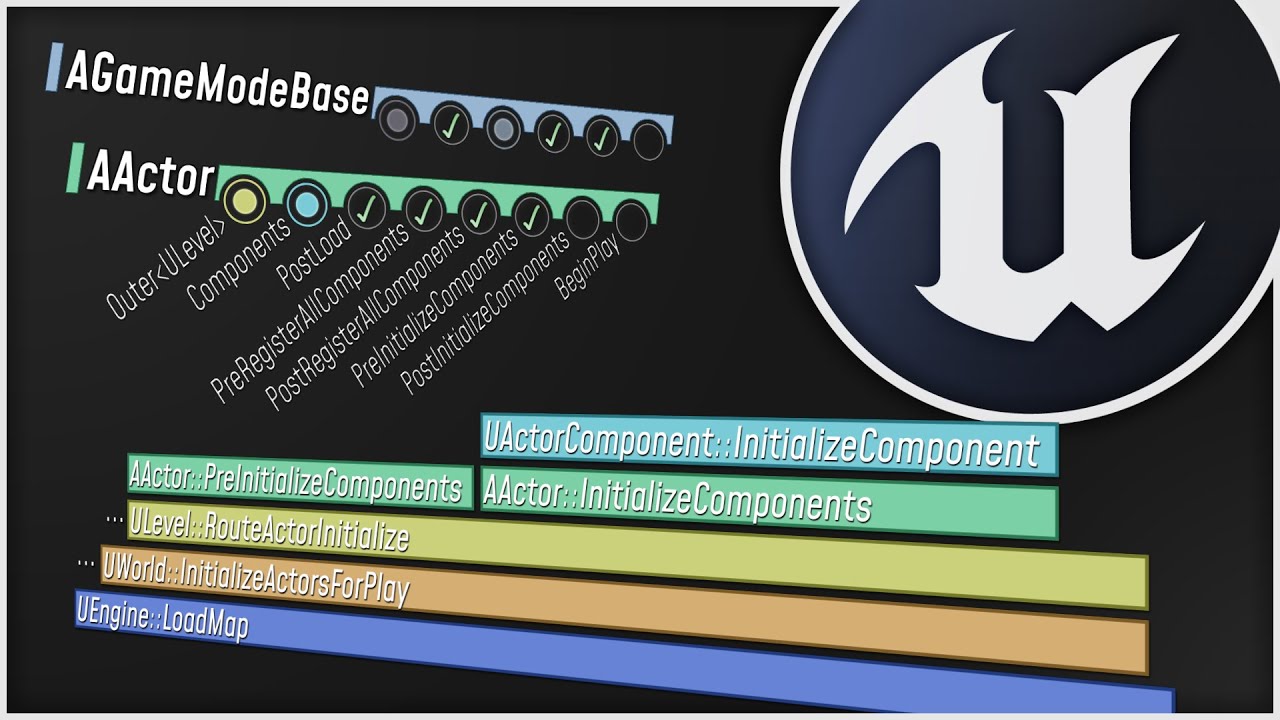
What happens when you start up your Unreal Engine game? This video is a guided tour of the Engine's initialization process: along the way, we'll glimpse the high-level structure of the Engine (modules, game instances, local players, and viewports) and we'll see how all the different parts of the Game Framework (game modes, game states, player co...
torpid hinge
excellent that exactly what i need
i saw this channel before
but it has limited content
i wish there was abook describe engine like those videos
modest trench
Unfortunately in depth ue4 knowledge is kind of spread out all over the internet
Ive even read Chinese blogs
The only real single place is to read the source
torpid hinge
its very bad thing
real copper
one 4000
drowsy snow
torpid hinge
unreal engine 3 has a very good book
Also UE4 and UE5 is updated more often. The moment you get a print, things inside it could be outdated already
Four of 2048x2048
Depends on the context really
modest trench
Powers of 2!
drowsy snow
Depends on context
modest trench
Yeah, if less drawcalls edges it out less is more
drowsy snow
Characters can be 1024x1024 or 2048x2048
The latter can be mipmapped too
Personally I never have character textures go beyond 2048x2048.
real copper
one big texture is better than many small ones though
drowsy snow
real copper
one big texture is better than many small ones though
For environments, yes
Characters tend to have more textures anyway
drowsy snow
real copper
one big texture is better than many small ones though
Having über pseudo UDIM 4096x4096 texture for character attributes is just moving the goal post, if not worse than having small 2048x2048 textures
cloud patrol
I have a time rewind effect working in unreal 4.27 VR, but I notice it chews up my framerate. I am currently saving the transform, linear and angular velocity of the actors I want to rewind and I iterate through the saved arrays when I rewind. Any ideas how I can improve the performance? I'm still learning unreal and I'm using blueprints.
I'm using event tick for all of this btw
drowsy snow
> iterate through the saved arrays
> using blueprints
> using event tick
> VR
That's a recipe for disaster
Not entirely sure how, but I feel like replication might be able to come into play
 pearl hornet
"It appears that Visual Studio is not installed"

even tho I have it installed, so the error makes no sense
drowsy snow
Isn't that a tutorial box 🤔
drowsy snow
Personally I'd open it straight in the VS solution
Personally I'd open it straight in the VS solution
I found that opening C++ classes from Unreal Editor can freeze it even after VS is loaded
drowsy snow
Project name says it's OpenTournament, so has to be something related to Unreal Tournament project
pearl hornet
Unreal Engine version?
 digital blade
does anyone know what this crash means?
!Id:399e9a3bd76e1bdf23892ed0c325aa80
No minidump found for this crash.
 drowsy snow
digital blade
does anyone know what this crash means?
!Id:399e9a3bd76e1bdf23892ed0c325aa80
...
drowsy snow
digital blade
does anyone know what this crash means?
!Id:399e9a3bd76e1bdf23892ed0c325aa80
...
What UE4 version is this?
digital blade
drowsy snow
What UE4 version is this?
4.2.2
digital blade
how
drowsy snow
digital blade
4.2.2
Any reason to not use at least 4.26?
digital blade
4.2.2 is when the project was made, and the assets in it
if i use a different version i can’t use the assets
drowsy snow
Waking up from long time hiatus, eh?
digital blade
huh
drowsy snow
You're finally awake. It's been 7 years since you last woke up.
Jokes aside, what engine version you can get the furthest?
4.11?
digital blade
the only way i can load the assets is if i use the correct version the project was made in
but i can’t load the project WITH 4.2.2 because of the crash
and i don’t know why it’s crashing
but
i can open the project with 4.22
but
the assets don’t load
 hasty crest
I dont know why, but i have an object ( a plane with a water material) that isnt affected by Focus Distance. Any ideas why it isnt blur?
 drowsy snow
hasty crest
I dont know why, but i have an object ( a plane with a water material) that isnt...
drowsy snow
hasty crest
I dont know why, but i have an object ( a plane with a water material) that isnt...
Most likely translucent materials
hasty crest
drowsy snow
Most likely translucent materials
so it isnt an error? cant i set it to be affected by focus distance? because it looks super bad
drowsy snow
hasty crest
so it isnt an error? cant i set it to be affected by focus distance? because it ...
That's on the material itself, disable Render After DOF, which is usually enabled for translucent materials
hasty crest
drowsy snow
That's on the material itself, disable Render After DOF, which is usually enable...
okay, im going to try it! thx!
hasty crest
drowsy snow
That's on the material itself, disable Render After DOF, which is usually enable...
THX! that solved it!!! love u!
 jaunty wadi
Does anyone know a good solution if working on a laptop with limited storage, while I have a computer in another country with 100 TB of storage?
It would be nice to use that storage and save all my projects there while working on the laptop
drowsy snow
jaunty wadi
It would be nice to use that storage and save all my projects there while workin...
You might be able to set that computer up as your source control server, and clone the repo into your laptop.
real heath
jaunty wadi
It would be nice to use that storage and save all my projects there while workin...
If it has a graphics card and the country isn't too far away you could give parsec a try. Low latency desktop streaming designed for real-time applications
Or yeah, source control server
jaunty wadi
@real heath it has an incredible graphic card so that sounds interesting, thank you!
 twilit ridge
Not sure where the right place is to ask this question, my team is having an issue with the foliage system. All the individual pieces show up in foliage mode but in other modes they all appear as one model and load in when the player is far away and other models aren’t loading. How can we fix this? We have one large map and don’t want all the foliage being rendered all the time
 bitter pulsar
Would the new 4.26 water features be a good foundation for a game that would hypothetically take place entirely on a boat?
drowsy snow
bitter pulsar
Would the new 4.26 water features be a good foundation for a game that would hyp...
No.
Built in water is broken in UE4.
Borderline unusable, I say.
bitter pulsar
I see
bitter pulsar
alright thanks
static viper
there are some good articles for water on the MP
look into the details.
what you mean
drowsy snow
If you're looking just for the free one, then yeah...
Well, UIWS was free for a month a long while ago, but I ditched it with my custom water solution
static viper
and tbf
UIWS is very very performance heavy
its great looking
but very very inefficient
i wanna try fluid flux at some time
it has some promise
drowsy snow
I think UIWS boils down to more naive approach of iterating render targets, and doesn't go lower level than that.
||heh, subconscious puns strikes again||
Perhaps it would be nice to do the fluid simulation in compute shader level
static viper
lets wait tho
fluid flux could export some more static versions
then we could scale them
 austere kernel
why does my point light turn white after i build it?
 hallow walrus
https://youtu.be/bMYB13jfHX4 cool german Unreal Tutorial

((INTRO))
00:00 Intro
00:31 Project Setup
02:02 Engine Basics (Fast)
03:41 Bewegungsmechaniken bearbeiten
05:07 Neue Objekte einfügen (Auch Text)
((MATERIALIEN))
06:03 Materialien (Basics)
09:36 Portal-Material
25:41 Wasser-Material
((BLUEPRINTS))
37:05 Spieler sterben lassen
49:30 Bewegende Plattform
01:06:57 Schießender Turm
01:39:38 Telepor...
 dusk nebula
does anyone know why this cast would be failing? It's the correct class and I believe I've used the green node in this exact way before

 amber dune
been putting off installing windows 11 for a while now.....
but its installed now and i actually kinda like it
@dusk nebula how do you know its failing?
oh wait
you damage number widget is a reference to a widget asset right
dusk nebula
I did figure it out, actually
amber dune
dont you have to instantiate the widget first before you can actually get it?
dusk nebula
I moved it to begin play and it works
amber dune
yeah i guess its not instantiated in the constructor
drowsy snow
amber dune
been putting off installing windows 11 for a while now.....
Windows 11 is practically yet another update to Windows 10
amber dune
yeah i see it as just a windows 10 update too
but then again, ue5 was just an update to ue4
with some new tech of course
but technically, ue5 could still be called ue4
but anyway, win 11 just feels cleaner, icons seem more saturated at least for system wide icons, better wider spacing between elements stuff like that
i see changing the "view" is still only local to the folder you changed it
:S
drowsy snow
Eh, after like a year of using Windows 11, felt more mixed as time goes on.
amber dune
oh, well its been just over a day for me so
maybe ill find some niggles
what did you find you didnt like over time?
my first niggle actually, is i still want the start button on the far left......even though i like the centered task bar
drowsy snow
If I could, I would've used Linux (archvile)
Unfortunately UE dev with Linux is more cumbersome
amber dune
if i didnt require so many windows only apps, id be an only linux user myself
drowsy snow
amber dune
what did you find you didnt like over time?
Maybe it's just my particular installation (because I do bypass install restrictions), but I felt like many things are broken with Windows 11
amber dune
i used to dual boot windows an ubuntu, ubuntu for dev and windows for entertainment
but in the end, i just got sick of package managment when for what i need i can just grab an exe in windows
drowsy snow
Eh, pacman (or apt in Ubuntu) isn't that bad
drowsy snow
But still, kinda wish UE development on linux didn't suck
amber dune
i only did web development on linux
whats your main reason for wanting to use linux over windows?
i mean, when i used it i had this sense of "sticking it to the man" and "freedom" but i cant say i ever actually found it a a better place to work
it gave me less options and convoluted my workflows
and mous emovement felt all wierd
drowsy snow
amber dune
whats your main reason for wanting to use linux over windows?
Free, more customisable (the one I missed from earlier Windows versions), security, emulation, and gaming on Linux also improving over time
amber dune
free, sure
drowsy snow
I'm inclined to think programming wise it's not that different, just the compatibility in the way
amber dune
i couldnt really see any of the other things as a positive, since all of those things are done better on windows (security might be questionable though)
but thats all about, do you trust a massive corporation, rather than the effectiveness of the security
for emulation id choose windows 99% of the time, emulation just runs better for the most part
although, i actually do technically play my emulated games on linux
on an rg351p
its my bedside table entertainment device, taking me back to my childhood years
drowsy snow
Anyway it's out of the scope of this channel
untold plank
yo uhh, anyone know how to work with a team in ue4?
drowsy snow
untold plank
yo uhh, anyone know how to work with a team in ue4?
Source control.
untold plank
any good guides on it?
drowsy snow
untold plank
any good guides on it?
See pinned message on #source-control
 sick crane
So I am trying to put a asset pack into ue4.27 and it keeps saying unknown Extension UAsset
I have used the same asset pack in the past but now idk
Any help would be good
drowsy snow
sick crane
So I am trying to put a asset pack into ue4.27 and it keeps saying unknown Exten...
From Unreal Marketplace?
real heath
sick crane
So I am trying to put a asset pack into ue4.27 and it keeps saying unknown Exten...
Are you trying to drag this file into the content browser? Uassets need to be placed in the appropriate spot in the content folder through windows or Mac. Uassets can't be brought in through the content browser afaik
sick crane
real heath
Are you trying to drag this file into the content browser? Uassets need to be pl...
I download the pack
Transfer to non ZIP
Then I go to Content browser and I import it through there
That's how right?
Well feel free to ping I'm headed to bed...
PEACE
 chilly geyser
When my character respawns I can control it, but the player camera manager never switches to the new character? Any idea why?
real heath
sick crane
Then I go to Content browser and I import it through there
No. Uassets are native unreal assets. They don't get imported. You need to copy it to the right spot in windows
Or Macos or whatever you use
If it's in content/models, it has to go in content/models. You can't move it to somewhere else. That needs to be done in editor
chilly geyser
chilly geyser
When my character respawns I can control it, but the player camera manager never...
Nevermind! I was not updating the View Target in the Player Camera Controller when the pawn changed!
 sacred yacht
Hey there, for some reason my find sessions command doesn't work? I can create sessions, join them but when I try to find sessions it returns 0
Could anyone tell me what am I doing wrong please?
 dusky flower
hello, can someone help me to install bridge on ue4 ?
 cold harbor
Hello Everyone. So My Problem Is when I open unreal engine 4.26 and try to load the game I made. It says that failed to load map level 1 and when I klik Ok. As you can see at this picture that My Level1 became black and I missing some of the actor and pawn. I already tried to open it unreal engine 5 but its does not work. This problem occured when I'm accidently compile the wrong blueprint node and it crashed so when I tried to Open it again. It looks like this. Can you guys help me?

 cold harbor
static viper
So what happened to this map file
cold harbor
static viper
So what happened to this map file
No
static viper
your map
should be in the backup folder
of the project
under saved
autosaves
you should be able to find your map there
just need to rename it
and then put it into the maps folder
 static viper
no
 glacial oak
Hey peeps,
Is anyone here able to tell me why I got 170 emails this morning from GitHub from something called [EpicGames/Signup] Good Looking (PR #24) (156)? I hovered over the email to check the email address and compared it to an email I know is legit from GitHub and the email matches perfectly so just wondering if anyone has had this before / had this happen to them today?
glacial oak
I'm assuming they made some kind of mistake on their end and accidentally ended up mass spamming emails?
glacial oak
Wow that is really bad. Thank you for your help 🙂
pure mesa
I had the good luck of getting a goatse.
pure mesa
glacial oak
I'm assuming they made some kind of mistake on their end and accidentally ended ...
It seemed intentional, not accidental.
real heath
pure mesa
It seemed intentional, not accidental.
I'm not sure that user knew they were pinging 400k people
It was absolutely intentional to rush through an insignificant change to pad their resume though
static viper
he apologized on tweeter
drowsy snow
It's Hacktoberfest Shitstorm 2: Electric Boogaloo
drowsy snow
real heath
It was absolutely intentional to rush through an insignificant change to pad the...
I'd rather see "sparse" contribution to repos but actually meaningful ones, over crowded contrib graph that means nothing (aka spoof resume).
Quality over quantity, goddamnit!
sacred moth
Hi everyone, Is it possible to key the post process material parameter in the sequencer do I have to use the material param collection?
drowsy snow
sacred moth
Hi everyone, Is it possible to key the post process material parameter in the se...
Yes, it's possible, just make sure the post process blendable uses the dynamic material instance in the code. This is useful if you want to have the change not apply to every single materials using the MPC
sacred moth
So I have to use blueprint instead of just keying the param right?
drowsy snow
sacred moth
So I have to use blueprint instead of just keying the param right?
Yes, if you want to go MID route.
sacred moth
I only use this post process mat for one scene so I don't think it's necessary, so is there a way to key the specific param of the material, not just the 0-1 amount?
 idle valve
Hello people
plush yew
hi
 bright field
When I try to rebuild automationtool, I get such an error, what could be the reason?
 peak hare
How would I go about creating custom LOD transition logic? Rather than simply screen size, creating my own conditions (in this case whether first or third person in multiplayer)
astral heart
Is it possible to migrate material instance from one project to another?
drowsy snow
astral heart
Is it possible to migrate material instance from one project to another?
Yes, and it'll include the master material.
astral heart
drowsy snow
Yes, and it'll include the master material.
Cool. I’m trying now. I tried exporting as an fbx and reimporting in new project but every model came with just the master material on it
 vast fulcrum
Hi peeps, is anyone else having issues using the UE water plugin in version 4.27, e.g., not experiencing any buoyancy?
drowsy snow
I personally don't use the built in water system at all
static viper
metoo
vast fulcrum
you guys use the EnvironmentPlugin I suppose?
 feral grotto
Hey, guys. Did anyone pass these courses about vfx? https://www.aboutcg.org/courseDetails/156/introduce
https://www.realtime.xyz I find them pretty interesting, but it's fully Chinese as I can see( Can anyone give recommend any courses like these?
本课程由Silence&Moon老师为您从基础讲解虚幻引擎的渲染知识,通过这些知识创造高度针对性的材质,结合粒子编辑器和蓝图编程创造真实华丽的特效效果,评估性能,并通过小案例的知识点积累完成大型综合案例的制作。
Realtime.XYZ
astral heart
drowsy snow
Yes, if you want to go MID route.
do you know if its possible to migrate the lighting in a level?
hollow crescent
hello, I've placed a model into my level and manually changed its position. my camera is VERY far from everything. What's the hotkey to zoom in and focus on my model?
 digital anchor
F
hollow crescent
digital anchor
F
tried that before but it didn't work. I guess i just need to be careful. thanks
 daring wedge
I am looking for someone who knows how to work well with unreal engine, for the completion of a project.
all the essentials for the job will be offered by me and clearly the job is well paid
pearl hornet
What do you mean with that? How do I'd that?
oak patio
daring wedge
I am looking for someone who knows how to work well with unreal engine, for the ...
Post to the job board with perhaps a little more detail
 sweet bough
Is there a way to tell the editor to load a specific level when I open the project in the editor?
oak patio
sweet bough
Is there a way to tell the editor to load a specific level when I open the proje...
project settings > Editor startup level
pearl hornet
I try to package my project and get fatal error LNK1181 UE4-Core.lib & UE4-HTTP.lib. What does that indicate?
 lunar scaffold
Hey what is the best Template to buy for a TPS / FPS Template with capture the flag and other Gamemode.
oak patio
lunar scaffold
Hey what is the best Template to buy for a TPS / FPS Template with capture the f...
i mean thats something you have to make
i generally dont trust too many plugins for that stuff, as often theyre poorly made
lunar scaffold
oak patio
i mean thats something you have to make
is this a good one


or this

250 5 stars
is good i think
oak patio
i have no idea
the 100% blueprints bit scares me
i dont own all of these how can i comment on their quality
you are much better off not gambling your money and making them yourselves
those sorts of gamemodes arent incredibly to complex, although multiplayer does make things harder
lunar scaffold
its better meby to rent a Game dev to teach me how to make it
oak patio
or use this free resource full of people that can help
lunar scaffold
oak patio
or use this free resource full of people that can help
what free resource
oak patio
this entire discord server
drowsy snow
lunar scaffold
Hey what is the best Template to buy for a TPS / FPS Template with capture the f...
ShooterGame template, and work your way from it.
lunar scaffold
drowsy snow
ShooterGame template, and work your way from it.
i didnt find it on Marketplace
 drowsy snow
 acoustic frost
anyone know why my assets are importing without color?
acoustic frost
anyone know why my assets are importing without color?
Make the materials for it.
acoustic frost
oh i thought the asset came with the materials when i downloaded it from online
fierce tulip
while uncommon, its fine if people are posting non-unreal engine jobs.
but thanks for reporting :)
plush yew
fierce tulip
while uncommon, its fine if people are posting non-unreal engine jobs.
Thx someone that understands please take care of this snitch
Ya ya whatever i have seen alot of people like you
I don't want to argue with you and lose braincells
And?
 median wigeon
Both of you move on from the conversation or I'll be handing out strikes.
plush yew
median wigeon
Both of you move on from the conversation or I'll be handing out strikes.
I didn't want to be part of this he dmd me first trying to look like a cool ass guy but I respect you and I'm leaving this conversation
sacred moth
Hey everyone, I have this issue that cause the exponential height fog to not update it's color correctly when I keyframe it with the sequencer. But when I hide and unhide the exponential height fog layer then the color change back into the color it was intended to be. Is there anyway to fix this?
 thorn lichen
Is there a way to auto-screenshot all my cameras with a command? Can't for the life of me figure out how to do it.

 craggy sierra
@grand scarab @mossy valley @opaque salmon @frank python
hey guys, has anyone of you resolved your problem with "A FRenderResource was deleted without being released first!"?
we are getting this while map traveling (only client side) and only on Radeon graphic cards PCs. Maybe if you found a resolve for your problems it will help us somehow. Please share anything you found out
pulsar ruin
I have a question bp nodes still behind c ++ I know how to see behind by clicking on every node but what about syntax can read syntax i write with bp with c++ ?
spice ruin
What do you mean by syntax?
 pallid olive
where can i find documantions for a clan/guild system were players can partipate in clan wars?
spice ruin
pallid olive
where can i find documantions for a clan/guild system were players can partipate...
There isn't any.
It means the serializenum value is below 0 and that's not allowed.
digital blade
spice ruin
It means the serializenum value is below 0 and that's not allowed.
what should i change the value to?
 ionic smelt
Does anyone here know a good tutorial to explain well how to communicate between BPs? Like BPActor -> BPActor, Widget -> BPActor, no only char and other BP...
pallid olive
spice ruin
There isn't any.
do you know some existing videos that demostrate clan system?
spice ruin
pallid olive
do you know some existing videos that demostrate clan system?
Nope. Do you want a clan system on a persistent world that doesn't exist outside of that world? (Like a survival game) Or something like CoD?
spice ruin
digital blade
what should i change the value to?
It's a serialisation thing, I expect. What are you doing when that happens?
digital blade
spice ruin
It's a serialisation thing, I expect. What are you doing when that happens?
im just opening my uproject
spice ruin
I see.
digital blade
can i dm you?
digital blade
ah ok
pallid olive
spice ruin
Nope. Do you want a clan system on a persistent world that doesn't exist outside...
the clan should persist even after closing the game. wanted to have 25 player cap where teammates can challange each other and do other stuff
digital blade
do you know how to fix this?
spice ruin
pallid olive
the clan should persist even after closing the game. wanted to have 25 player ca...
So a CoD-like system where clans are not bound to a server instance?
digital blade
@spice ruin could i pay you to help me get the uproject fixed when you're not busy?
 true spindle
how does one go about building a plugin in unreal engine, more so the compiling aspect/
?
spice ruin
digital blade
<@163374417634656257> could i pay you to help me get the uproject fixed when you...
I have an actual job, so no thanks.
pallid olive
spice ruin
So a CoD-like system where clans are not bound to a server instance?
i dont know daekesh didnt play cod for a while but when player opens the game it could do clan activitie when desired. its more like a clash of clans type of game for mobile
spice ruin
That c++ class is missing. I think /script/ is c++ classes anyway
spice ruin
pallid olive
i dont know daekesh didnt play cod for a while but when player opens the game it...
Then the majority of your clan system won't even be inside UE, that will just be a UI for it. You'll need a separate backend, some sort of web server I expect.
spice ruin
There's an http server/client built into UE.
However, your backend should not be UE.
That will be up to you to figure out!
 buoyant graniteBOT
:warning: Failed to send a DM. User will not be notified.
:triangular_flag_on_post: Trojan#0953 received strike 1. As a result, they were muted for 10 minutes.
astral heart
there any good recommended plugins to help with optimization? something to that might suggest what actors to merge etc?
having a hard time optimizing for mobile games and reducing my draw calls
 violet yoke
Hi, what's a good way to learn how to write blueprint systems? Systems such as an inventory system, a mission system, weapon system and so on?
Cause right now I don't really even understand the nodes. I can only cast to the player character xd
sick crane
Does anyone have a good video suggestion for Vehicle Physics/Driveability
true spindle
i keep getting this "Platform Android is not a valid platform to build. Check that the SDK is installed properly." but im not even trying to build anything with android
 fringe drift
Okay, so, I am a total newbie to using UE4, so forgive me if the answer isn't obvious:
Is there any downside to changing the unreal unit size so that 1 UU = 1 kilometer?
...You know, in case I wanted to design a space shooter or something, and have maps that are a few light-seconds across?
fringe drift
Ah, so 1 km resolution would only be practical if the ships are moving & accelerating at hundreds of km/sec.
pulsar ruin
@spice ruin how i can read c++ code behind my bp code?
pulsar ruin
spice ruin
I think if you right click the node you can go to the source?
I need read full code not just a node
spice ruin
Then no.
 rapid wyvern
Where's the best place to ask questions about the Houdini Engine (HDA) workflow?
oak patio
if you're asking for a 1:1 equivalent of a bp event graph to a c++ file then that doesnt exist, the two are different things and arent directly translated like that.
sweet bough
Ive been messing around with the SkySphere that comes with starting a new project in the editor. Ive noticed that when in the editor viewing the sun on the sky sphere it's edges have a nice glow to them, but when I play stand alone to test, the sun's edges are sharp with no glow at all. Does anyone know what could cause this/ what I have to do the fix it?
 sharp crest
sweet bough
Ive been messing around with the SkySphere that comes with starting a new projec...
sharp crest
sweet bough
Ive been messing around with the SkySphere that comes with starting a new projec...
Help yourself and post screenshots
How dare you dislike my comment, my feelings are hurt
drowsy snow
sweet bough
Ive been messing around with the SkySphere that comes with starting a new projec...
Noticed any jagged edges on the image as well?
sweet bough
sharp crest
Help yourself and post screenshots
How dare you dislike my comment, my feelings ...
I put together this image. I dunno if there are any size limits. I hope its not too big. On the left is the sun as seen in the editor's viewport. Set to 50 brightness and 500 brightness for more stark comparison. On the right is how the sun appears as seen when playing Stand Alone PIE.
 sharp crest
You know you could have just sent the 2 screenshots without all the text
Add a post process to your level
And mess with the bloom and lens flare settings
That'll fix ur problem
drowsy snow
sweet bough
I put together this image. I dunno if there are any size limits. I hope its not ...
Likely the standalone have the post process settings scaled down
sharp crest
Maybe there is some editor override for it when you don't have a post process overriding it
¯_(ツ)_/¯
sweet bough
🤦♂️ Oh wow. This is a case of me forgetting my default settings. I had bloom turned off while testing a previous task and forgot to turn it back on. Thanks for the help.
 stark cedar
Hey guys , i got an idea for a game and wrote a lot of mechanics and other stuff to my phone . And its really messed up , i heard there is an app to make this stuff organised , does someone know name of that app ?
modest trench
stark cedar
Hey guys , i got an idea for a game and wrote a lot of mechanics and other stuf...
Notion isn't a bad start
not really ue4 related though
 surreal eagle
hello everyone
what's a good way to give abilities to a charachter
as an example i have a mp charachter
and i wish to give them abilities in three slots
 fallow scroll
Is there a way to get the total area of a navmesh?
Or is there another way to get the size of the playable area?
 sage bane
How do I start off the game making thing
I'm already a 3d artist
Ofcourse going to use ue4
So far I only know how to import stuff
surreal eagle
sage bane
So far I only know how to import stuff
have you tried dragging n dropping or just putting it inside the game files
sharp crest
sage bane
That's exactly what I do smh
Hi
sharp crest
sage bane
How do I start off the game making thing
Might want to be more specific
sage bane
@sharp crest I mean how to start with stuff like do I make a game for practice first? Or head on to making a realy nice game
sharp crest
sage bane
<@98431296350461952> I mean how to start with stuff like do I make a game for pr...
think of a small game idea and make that
spice ruin
Or just steal a game idea and make it for practice.
It really doesn't matter if you're not going to sell it.
Remake flappy bird or whatever.
sage bane
Sure
drowsy snow
My project was started off as hack and slashy Final Fantasy ripoff lol
I learned a lot of new stuff and engine techniques along the way
 vast fjord
Does anyone still get black screen flickering and drop menu issues/ After like 10 minutes of using UE4 it glitches and does this but only on my 1440p screen
on my 720p screen it looks fine
 waxen heart
vast fjord
Does anyone still get black screen flickering and drop menu issues/ After like 1...
vast fjord
waxen heart
vast fjord
Does anyone still get black screen flickering and drop menu issues/ After like 1...
vast fjord
ahh thanks, just used that reg file
will disabling MPO overlay do anything else? affect anything else?
waxen heart
i saw no difference
vast fjord
This still didn't fix it
Again, if I move it to my second 720p screen it looks fine
oh maybe I shoguld reboot
 vale silo
I have a BP Actor with bunch of static meshes inside. Some meshes are duplicates. I'd like to select those and turn them into Instanced Static Mesh component. How can I do that?
If not possible, how do I extract meshes from BP actor and have them in the level exactly how they are inside BP actor?
spice ruin
Go to the blueprint of your bp actor and add an ISM component. Set the mesh and replaces the SM component instances.
vale silo
How do I keep transforms though?
BP actor is a house made of 4 window meshes, a door, walls, etc.
If I simply add ISM with the mesh and add instances, they won't be exactly where original meshes are. Even if I manually copy transforms from mesh to an instance, it's going to be slightly off for somw reason (tried it last night)
sage bane
do i simply just rig a tank for unreal like normal rigs
or does it need like an overly complicated rig even for a low poly tonk
drowsy snow
sage bane
do i simply just rig a tank for unreal like normal rigs
Either rig the entire tank as skeletal mesh, or assemble it with static meshes.
drowsy snow
sage bane
wont i need to assemble it manualy in the editor
You can assemble it in BP.
spice ruin
vale silo
If I simply add ISM with the mesh and add instances, they won't be exactly where...
Copy and paste?
Transform to transform.
drowsy snow
sage bane
can i maybe dm you for help? begginer here
No.
sage bane
drowsy snow
No.
sorry
drowsy snow
It's better to just ask beginner questions here.
vale silo
spice ruin
Transform to transform.
Yep, that's what I did. Final (pasted) transforms for instances end up being slightly off comparing to original transforms from meshes.
spice ruin
So correct it!
vale silo
lol, the reason I am asking is that I want to avoid this fiddly mess of manually adjusting everything. There is a plugin that combined selected meshes into ISM/HISM, but it only works with meshes on the level, not inside BP actor. So perhaps the best way to go about solving this issue is by extracting meshes as is, with transforms, from BP actor, then merging them using plugin into ISM (whatever meshes can be put into ISM) and then making BP actor from the result. The question is how to I decompose, so to speak, BP actor into mesh components preserving transforms and then making a new BP actor out of selected meshes/ISMs ? @spice ruin
spice ruin
Shrug
It seems like a lot of effort to do that instead of just fixing a few alignment issues.
vale silo
well, I have like 50 meshes inside BP.. So manually adding them to ISM and the adjusting transforms manually is a lot more work then the other method
sage bane
 vast fjord
Anyone know how i'd want to reset after an attack animation plays? This is my current setup, but i'm not sure what to do after the animation
 drowsy snow
vast fjord
Anyone know how i'd want to reset after an attack animation plays? This is my cu...
drowsy snow
vast fjord
Anyone know how i'd want to reset after an attack animation plays? This is my cu...
Use montages instead.
vast fjord
drowsy snow
Use montages instead.
I tried but when I put my animation in a montage, it didn't work
drowsy snow
vast fjord
I tried but when I put my animation in a montage, it didn't work
Make sure your anim BP make use of whatever slot the montage uses.
vast fjord
I'm not sure what that means
looking it up now
how would I also change an idle animation depending on weapon?
my anim montages still aren't working tho


oh nvm i got it
forgot to set the right name for the root
vast fjord
Whenever I try to set a blueprint interface, it says it's "not marked as blueprint callable and cannot be used in the graph"
how do I fix this
I'm trying to have one boolean affect another, so I can use blending poses by bool
daring wedge
hi, I am looking for a PVP project.
for any information do not hesitate to contact me privately!
 mellow turret
using RutUAT.bat BuildServer how do I specify I want a rebuild, like VS lets you either build or rebuild
oak patio
daring wedge
hi, I am looking for a PVP project.
for any information do not hesitate to conta...
What do you mean?
Are you looking to be hired?
daring wedge
oak patio
Are you looking to be hired?
no, I'm looking for someone to sell a ready-made pvp template
oak patio
You can check the marketplace or post in the job board
daring wedge
oak patio
You can check the marketplace or post in the job board
I have already taken a template from the marketplace, but I don't like them, I'm looking for something more complete (maybe with some skins and a minimum of real weapons)
daring wedge
oak patio
So post to the job board
in which channel?
oak patio
Look at #instructions
daring wedge
oak patio
Make it yourself
I prefer to have it done by an expert who has been working in this sector for yearsà
oak patio
Thats going to be very pricey then
daring wedge
oak patio
Thats going to be very pricey then
i know
oak patio
But again post into the job board, its likely going to be soemthing you will have to have custom made by a contractor, as that is quite specific
But also remember the point of a template isnt to be complete
A template isnt something to slap an environment in and call it a game, its something you build off, with the basics already made
daring wedge
👍
oak patio
In terms of what channel you should post to, id say contract jobs is your best bet
daring wedge
yes but the manny bot doesn't work
drowsy snow
daring wedge
yes but the manny bot doesn't work
Okay, so atm the bot did die
 granite lion
Horror Engine 🙂
 oak patio
i was about to say i dont get why so many newbies use horror engine
then looked at it on marketplace
and well
i can see why now
 static viper
its basicly a very clunky full game setup
oak patio
yeah
oak patio
good for generic template game
bit concerned it doesnt have any pdf documentation at all
ig people flock to it cause it does a lot fo stuff and its the whole "make a game without having to learn code" thing
drowsy snow
Everything you need to make the next kids horror game
vast fjord
can someone help me with setting up a boolean interface? i want to swap between idle animations
brave kelp
After adding aim offset my characters hands/gun will periodically twitch upwards. I’m assuming something to do with the blend spaces and/or the blueprint get/set pitch/yaw. But I was curious if anyone had any experience or input on where to start
 light thunder
did they get rid of the spawn actor from class inside of editor utility scripts? I used to be able to spawn actors procedurally in a level but now I can't
granite lion
is screen space lighting a good idea for a game engine?
 uneven bear
where to write when i get crash everytime i launch game to android?
drowsy snow
granite lion
is screen space lighting a good idea for a game engine?
For supplementing existing lighting solution? Yes, SSGI is a thing since 4.23 (if not 4.24)
 analog kestrel
hi I am closing my first Unreal project, and I saved every script and scene, but still this window pops up when I try to quit Unreal, can somebody explain what is happening?
 quasi jetty
analog kestrel
hi I am closing my first Unreal project, and I saved every script and scene, but...
quasi jetty
analog kestrel
hi I am closing my first Unreal project, and I saved every script and scene, but...
It is the save selection screen, when you close Unreal with unsaved things the window shows up. So just click "Save Selected"
 sage bane
analog kestrel
hi I am closing my first Unreal project, and I saved every script and scene, but...
sage bane
analog kestrel
hi I am closing my first Unreal project, and I saved every script and scene, but...
then save it smh
someone help me
 hardy yoke
sage bane
hardy yoke
sage bane
In the options menu with the filter icon, there should be an option to show them. By default, the filter is set up so only colliders are visible
hardy yoke
In the left upper corner
sage bane
thanks alot :DDDD
hardy yoke
np!
dusk nebula
can somebody give me a hint on how to fix 3rd person character controls? I want the character to be able to move in the input direction, but when I set it to use the forward/right vector of the 3P camera, movement speed is dependent on the camera height. Looking down or up makes the forward movement equal zero, basically
granite lion
dusk nebula
can somebody give me a hint on how to fix 3rd person character controls? I want ...
disable bInheritYaw
dusk nebula
granite lion
disable bInheritYaw
I don't think that relates to my issue
so the problem is that if I'm looking downwards, the character doesn't move forward

 granite lion
Then it is not camera height
dusk nebula
It's the camera pitch
I know what the issue is, but I haven't found a solution that isn't jankier
Rather, it's just that the forward vector of the camera is in a direction that doesn't move the pawn anywhere, because of either gravity or the floor, depending on the direction
I use the camera's vector because I want to be able to rotate the character independently
manic sequoia
dusk nebula
I use the camera's vector because I want to be able to rotate the character inde...
in the your character blueprints details panel.. search for "Use Control Rotation"
dusk nebula
manic sequoia
in the your character blueprints details panel.. search for "Use Control Rotatio...
I want the camera to be able to rotate around the character, so I'm not having the character use control rotation

I just need to take this and normalize it to a plane, basically
 sweet bough
dusk nebula
I just need to take this and normalize it to a plane, basically
sweet bough
dusk nebula
I just need to take this and normalize it to a plane, basically
Would this work?
 dusk nebula
sweet bough
Would this work?
dusk nebula
sweet bough
Would this work?
I have a very poor understanding of vector math, so I'd just have to try it rq haha
dusk nebula
sweet bough
Would this work?
Yes, that works perfectly. Mind explaining what normalizing it does in this case?
sweet bough
My understanding is, normalizing any vector(2d or 3d) basically changes the components of the vector to be the percentage of the sum of all their components. So x=300, y=200, z=500 would be x=0.3, y=0.2, z=0.5
This basically changes a "velocity" into a "direction". In your case you want to ignore the z component(up and down directions) so you 2d normalize only the x and y (left right, and forward back). So the previous example would be: x=300, y=200, z=0 would be x=0.6, y=0.4, z=0.0
dusk nebula
sweet bough
My understanding is, normalizing any vector(2d or 3d) basically changes the comp...
Thanks for the explanation
sage bane

what do i do with dimensions

Visit https://continuebreak.com/articles/how-rig-vehicle-blender-28-ue4/ for more detailed guide.
Buy me a tea: https://www.buymeacoffee.com/continuebreak
Patreon: https://www.patreon.com/continuebreak
Get $100 on DigitalOcean by using this link: https://m.do.co/c/2ebd3a69bfff
Showing how to rig simple vehicle in blender 2.8 for UE4.
=======...
following this
sage bane
uhm,can someone help me maybe?
cold harbor
Hello Guys I want to ask do you guys know how to saved your current unreal engine progress in github and when it crash you can just revert it back to the last session?
sage bane
cold harbor
Hello Guys I want to ask do you guys know how to saved your current unreal engin...
i think you can do it manualy
manualy is the only way i know
sage bane
cold harbor
How
using the files
in like
whichever directory you put it
or creating a duplicate
cold harbor
sage bane
using the files
owh ok, thanks
is anyone else know how to save it in github? I would be very thankful
 void iron
anyone know how i can set it so the condition is when a blueprint is usedit plays a sound if not it plays another sound
real copper
cold harbor
is anyone else know how to save it in github? I would be very thankful

In this short tutorial I will be covering the setup process for project collaboration utilizing the GitHub integration within the unreal engine. I made an effort to convey the necessary information as fast as I possibly could while still covering everything needed to properly get started. If you have any suggestions for other tutorials concernin...