#ue4-general
1 messages · Page 1174 of 1
 clever marsh
 tranquil apex
its fbx i cant import it..
 quick heath
why does paragon characters have this texture issue in clothing
 clever marsh
tranquil apex
its fbx i cant import it..
clever marsh
tranquil apex
its fbx i cant import it..
then idk, Idk how to use fbx heightmaps
clever marsh
quick heath
why does paragon characters have this texture issue in clothing
is it still compiling shaders?
tranquil apex
clever marsh
then idk, Idk how to use fbx heightmaps
don't i have to convert it somehow?
quick heath
u might need png heightmaps
quick heath
clever marsh
is it still compiling shaders?
no
its same with other paragon characters too
tranquil apex
how can i make my fbx to png heightmap?
clever marsh
quick heath
no
have you tried reimporting it
quick heath
 quick heath
clever marsh
have you tried reimporting it
quick heath
clever marsh
have you tried reimporting it
yes
quick heath
tranquil apex
how can i make my fbx to png heightmap?
how did you get that fbx?
clever marsh

Unreal Engine Forums
Hi, I downloaded the minions from paragon from the ue4 marketplace. I added the files to the project from the epic games launcher. It worked everything fine, but today when I opened my project the materials are not loading! Just the M_Red_Buff_LavaDrip it works fine. I didn’t change anything, I check the texture there are all in the materials c...
try this'
quick heath
theres no solution there
clever marsh
yes there is

Unreal Engine Forums
I figured out that most of the problems with the shaders were coming from the MaterialFunction MF_CharacterEffects. It is one of the last node in most materials. You can just bypass them if you don’t need some of the effects (I think there are some Rimlight effects and despawn stylization done there). I will inspect further more the issue and ...
tranquil apex
quick heath
how did you get that fbx?

This isNaruto 3D Map
To create this map, I used World Creator, Gaea Quadsinner, Krita and Blender.
You can support me by buying a optimization STL file for 3D printing, order me to make a 3D map based on your design, or you can also buy a ready-made 3D printed map here
You can use this 3D file in any of your projects, modify it and sell it, as ...
quick heath
clever marsh
that is literally a physical map
yes exactly , you can use it as an asset not as a landmass
clever marsh
yeah
quick heath
clever marsh
yes there is
even if i do that, materials still wont load
clever marsh
 clever marsh
quick heath
even if i do that, materials still wont load
clever marsh
quick heath
even if i do that, materials still wont load
then idk
clever marsh
quick heath
even if i do that, materials still wont load
are the textures assigned?
quick heath
clever marsh
are the textures assigned?
yes
clever marsh
dang then yeah idk
tranquil apex
sadly
 timid umbra
Why would the play button be greyed out and un-usable?

 gaunt spoke
I wanna know this too
 balmy marsh
Anyone use substance painter + blender to make UE assets? Got a question
 real heath
gaunt spoke
I wanna know this too
real heath
gaunt spoke
I wanna know this too
I think you just create a Content Plugin.
 heady dirge
real heath
I think you just create a Content Plugin.
heady dirge
real heath
I think you just create a Content Plugin.
If it's a blueprint library that you want to use the bps later yeah content plugin does the job but in terms of creating like nodes and other stuff idk I think that's CPP only
And tagged the wrong person sry boris
real heath
heady dirge
If it's a blueprint library that you want to use the bps later yeah content plug...
Can't you just create a Blueprint Function Library?
heady dirge
😂
heady dirge
real heath
Can't you just create a Blueprint Function Library?
Not tried it tbh cuz I always had problems creating new plugins in BP mode
.
I wish they would add that in so you could make new tabs or editor plugins with just nodes but I also get why they wouldn't since it would add more nodes and much more complexity
 drowsy snow
Create a content only plugin and put your BPs in the plugin folder
real heath
that's a pain even in c++, i think a fair bit of work is needed to get it to the level to make it easy to create those in BP
drowsy snow
heady dirge
I wish they would add that in so you could make new tabs or editor plugins with ...
I mean, if Editor Utility BPs aren't enough, well
heady dirge
drowsy snow
Create a content only plugin and put your BPs in the plugin folder
No we said that we get the point for awnsering it 😂
 lost fractal
that looks like a spooky ghost image D:
 agile heart
Anyone know why my project is acting up? I loaded it fine before. Fast and easy. Now I loaded it back up and when I click on the level to load it up it says 100% forever. And takes up like 7 gbs of space and never loads
drowsy snow
Just the plugin folder
But selling BP-only plugin is rather pointless IMO
 earnest drift
how do i create splash screen (intro screen) before my game starts in unreal engine 4.16.3
drowsy snow
Because marketplace plugins have to contain C++ code. If it's just BP code then it falls under asset pack.
drowsy snow
earnest drift
how do i create splash screen (intro screen) before my game starts in unreal eng...
Why 4.16.3?
You can change the splash screen or startup movies in project settings.
earnest drift
drowsy snow
Why 4.16.3?
You can change the splash screen or startup movies in project setti...
4.16.3 because i am following a youtube tutorial and it's easier for me to use the same version he is using
drowsy snow
earnest drift
4.16.3 because i am following a youtube tutorial and it's easier for me to use t...
Not a good reason, but eh, you do you.
 obtuse kindle
Hello, Does anyone know how to or have any good recommendation for camera tutorials that show how to make an in- game camera follow an object that isn't controlled directly by the player?
 novel narwhal
Does anyone know how to have an object orbit around another, then have that set orbit end when interacted with (Pushed, grabbed etc)?
novel narwhal
Ive got a physics constraint so a sphere can orbit another sphere.
problem is it keeps rotating and thats messing with the physics, making it speed up and whatnot
if I lock the rotation it refuses to move at all now
how do I fix it?
If I only lock some of the rotations it still spins and causes issues
if I lock the others it refuses to move at all
 stone edge
its so risky doing anything in ue4 lately for some reason... anything can crash or freeze the program

i had to remove quixel bridge plugin and delete megascans library because i started getting black material bug at home now too, worked fine after reinstalling then my UE crashed, restarted, now all MS materials are black again
 karmic jacinth
What is this light and how do i dim it down?
 stone edge
increase the roughness on your ground material
 wild breach
The Unreal project I am on is using static mesh terrain.
Does the editor have an object-painting feature to quickly lay down detail objects on a static mesh, in the way you can paint landscape objects on regular terrain?

 devout mason
Is it possible to export video files with "Movie Render Queue"? Or only images
 native badger
Hi ! I'm quite new to unreal, sorry if that question is dumb.
i'm trying to make a simple "goalkeeper". When the player shoots a ball towards the goal, i want the goalkeeper to intercept the ball by changing his location and going in it's path. I'm kinda stuck on what directions i should take. Could anyone give me ideas ?
This is what i imagine :

Thanks !
Sorry if its not the right channel
 tough stream
I would get a reference to the ball, then using Find Look At Rotation of your keeper's location and your ball's location you could use the Z (yaw) from that to alter the location's X or Y (depending on what plane you're using) of the goalkeeper on tick or in a timeline.
native badger
So like, lets say the rotation of the keeper is 30 to look at the ball, i'd move the keeper's location so that the rotation is 0 ?
tough stream
yeah
native badger
Yeah, that could definitely work. I'll try that rn. Thanks for the idea
tough stream
good luck 👍
native badger
thanks for the reply 👍
 errant blade
what in the world is going on

i cant find a solution anywhere
I get this when cooking
ue4.27
earnest drift
stone edge
its so risky doing anything in ue4 lately for some reason... anything can crash ...
nah, it's probably just your pc can't run it
i dont have any problems with ue4
earnest drift
 cosmic cove
Just started a new ue4 fps project. And I'm pumped.
cosmic cove
Just started a new ue4 fps project. And I'm pumped.
yeah same
drowsy snow
<@&213101288538374145> crosspost
 buoyant graniteBOT
:triangular_flag_on_post: FrustumVirtual#1613 received strike 1. As a result, they were muted for 10 minutes.
 alpine sleet
Can someone tell me how to fix my UE4? It starts flickering sometimes and menus disappear too when I click them, like for example if I right click something the menu appears and suddenly disappears
Also my SteamVR opens automatically for no reason when I launch UE4
 dire crescent
Is there anyway to "copy to clipboard" in blueprints?
 sand whale
Hi
 oak patio
alpine sleet
Can someone tell me how to fix my UE4? It starts flickering sometimes and menus ...
oak patio
alpine sleet
Can someone tell me how to fix my UE4? It starts flickering sometimes and menus ...
Nvidia card?
alpine sleet
oak patio
Nvidia card?
RTX 3060
oak patio
See pins for flickering fix
The steamvr thing is a bug and i dont remember the fix tnh
alpine sleet
Damn
oak patio
thats not reeealy ue4 related
earnest drift
ok i am sorry
 true ridge
Is there any way to turn a static mesh into a blocking volume?
 rain badger
Has anyone here used clevercloud before?
 tacit wagon
Hi guys!
I have a problem... After building the game, my sequences with Time Dilation track go crazy! All sequences with it do not have time dilation. What am I doing wrong? Everything worked fine in the editor. Please help me 😦
 sacred bough
Did this actually work for u though? Didnt work for me. I only flicker in UE4, UE5 the issue seems fixed.
 neon bough
i never tested it, but i know that it works for some people
i'm not in the group of affected users
sacred bough
Ah ok
Really annoying bug lol
Happens randomly and often, cant use any kind of right click menu or normal menu haha so dumb
 static meadow
Hello my friends i tryed migrate my project from ue4 to ue5 fixed the plugin problem that wouldnt let project open and now it just crashes whenever i try to play in editor anybody might know how to fix it?
 ashen delta
@autumn flame & @real heath or anyone.. I had this issue just over a week ago after a Windows 11 update. UE4 2.27.2 just crashes trying to open up any and ALL of my projects. I was prompted to do the latest Windows update last night and so I backed up EVERYTHING. Anyway., this morning, after the nights update, I've tried to open up my projects and they are all crashing again! How is Windows 11 corrupting all my projects!! Last time it corrupted a single image that caused the project to crash but it also removed my NPCS, some not all, materials from some props.. the river system was also gone and so much more. Is anyone else reporting this issue with Windows 11 updates and is there anything I can do to stop these crashes.. I can't afford to spend another 10 days fixing all this missing and corrupt files after every Windows update. Clearly UE4.27 and Windows 11 are not compatible. Please advise.
@modern root has anyone reported Windows 11 updates corrupting ALL Ue4.27 projects? This happened about 10 days ago with the last update. Had to update again last night and AGAIN I can't open up any of my projects, It just crashes. I spent the last 10 days fixing all the issues before.
Please help
Unhandled Exception: EXCEPTION_ACCESS_VIOLATION reading address 0x0000002000000001
UE4Editor_Engine!UTexture2D::GetAssetRegistryTags() [D:\Build++UE4\Sync\Engine\Source\Runtime\Engine\Private\Texture2D.cpp:401]
UE4Editor_CoreUObject!UObject::GetAssetRegistryTags() [D:\Build++UE4\Sync\Engine\Source\Runtime\CoreUObject\Private\UObject\Obj.cpp:1894]
UE4Editor_CoreUObject!FAssetData::FAssetData() [D:\Build++UE4\Sync\Engine\Source\Runtime\CoreUObject\Private\AssetRegistry\AssetData.cpp:105]
UE4Editor_ContentBrowserAssetDataSource!UContentBrowserAssetDataSource::OnAssetLoaded() [D:\Build++UE4\Sync\Engine\Plugins\Editor\ContentBrowser\ContentBrowserAssetDataSource\Source\ContentBrowserAssetDataSource\Private\ContentBrowserAssetDataSource.cpp:1556]
UE4Editor_ContentBrowserAssetDataSource!TBaseUObjectMethodDelegateInstance<0,UContentBrowserAssetDataSource,void __cdecl(UObject *),FDefaultDelegateUserPolicy>::ExecuteIfSafe() [D:\Build++UE4\Sync\Engine\Source\Runtime\Core\Public\Delegates\DelegateInstancesImpl.h:611]
UE4Editor_CoreUObject!EndLoad() [D:\Build++UE4\Sync\Engine\Source\Runtime\CoreUObject\Private\UObject\UObjectGlobals.cpp:1788]
UE4Editor_CoreUObject!<lambda_fc6dac93f63b3d981a3bc8e7f817eeef>::operator()() [D:\Build++UE4\Sync\Engine\Source\Runtime\CoreUObject\Private\UObject\UObjectGlobals.cpp:1268]
UE4Editor_CoreUObject!LoadPackageInternal() [D:\Build++UE4\Sync\Engine\Source\Runtime\CoreUObject\Private\UObject\UObjectGlobals.cpp:1374]
UE4Editor_CoreUObject!LoadPackage() [D:\Build++UE4\Sync\Engine\Source\Runtime\CoreUObject\Private\UObject\UObjectGlobals.cpp:1469]
UE4Editor_CoreUObject!ResolveName() [D:\Build++UE4\Sync\Engine\Source\Runtime\CoreUObject\Private\UObject\UObjectGlobals.cpp:791]
UE4Editor_CoreUObject!StaticLoadObjectInternal() [D:\Build++UE4\Sync\Engine\Source\Runtime\CoreUObject\Private\UObject\UObjectGlobals.cpp:853]
UE4Editor_CoreUObject!StaticLoadObject() [D:\Build++UE4\Sync\Engine\Source\Runtime\CoreUObject\Private\UObject\UObjectGlobals.cpp:928]
UE4Editor_ContentBrowserAssetDataSource!ContentBrowserAssetData::EditOrPreviewAssetFileItems() [D:\Build++UE4\Sync\Engine\Plugins\Editor\ContentBrowser\ContentBrowserAssetDataSource\Source\ContentBrowserAssetDataSource\Private\ContentBrowserAssetDataCore.cpp:287]
UE4Editor_ContentBrowserAssetDataSource!ContentBrowserAssetData::EditOrPreviewItems() [D:\Build++UE4\Sync\Engine\Plugins\Editor\ContentBrowser\ContentBrowserAssetDataSource\Source\ContentBrowserAssetDataSource\Private\ContentBrowserAssetDataCore.cpp:318]
UE4Editor_ContentBrowserAssetDataSource!UContentBrowserAssetDataSource::BulkEditItems() [D:\Build++UE4\Sync\Engine\Plugins\Editor\ContentBrowser\ContentBrowserAssetDataSource\Source\ContentBrowserAssetDataSource\Private\ContentBrowserAssetDataSource.cpp:1030]
UE4Editor_ContentBrowser!SContentBrowser::OnItemsActivated() [D:\Build++UE4\Sync\Engine\Source\Editor\ContentBrowser\Private\SContentBrowser.cpp:2281]
UE4Editor_ContentBrowser!TBaseSPMethodDelegateInstance<0,SContentBrowser,0,void __cdecl(TArrayView<FContentBrowserItem const ,int>,enum EAssetTypeActivationMethod::Type),FDefaultDelegateUserPolicy>::Execute() [D:\Build++UE4\Sync\Engine\Source\Runtime\Core\Public\Delegates\DelegateInstancesImpl.h:290]
UE4Editor_ContentBrowser!SAssetView::OnListMouseButtonDoubleClick() [D:\Build++UE4\Sync\Engine\Source\Editor\ContentBrowser\Private\SAssetView.cpp:3548]
UE4Editor_ContentBrowser!TBaseSPMethodDelegateInstance<0,SAssetView,0,void __cdecl(TSharedPtr<FAssetViewItem,0>),FDefaultDelegateUserPolicy>::ExecuteIfSafe() [D:\Build++UE4\Sync\Engine\Source\Runtime\Core\Public\Delegates\DelegateInstancesImpl.h:307]
UE4Editor_ContentBrowser!TDelegate<void __cdecl(TSharedPtr<FAssetViewItem,0>),FDefaultDelegateUserPolicy>::ExecuteIfBound<void,0>() [D:\Build++UE4\Sync\Engine\Source\Runtime\Core\Public\Delegates\DelegateSignatureImpl.inl:599]
UE4Editor_ContentBrowser!SListView<TSharedPtr<FAssetViewItem,0> >::Private_OnItemDoubleClicked() [D:\Build++UE4\Sync\Engine\Source\Runtime\Slate\Public\Widgets\Views\SListView.h:1074]
UE4Editor_ContentBrowser!STableRow<TSharedPtr<FAssetViewItem,0> >::OnMouseButtonDoubleClick() [D:\Build++UE4\Sync\Engine\Source\Runtime\Slate\Public\Widgets\Views\STableRow.h:461]
UE4Editor_Slate!FEventRouter::Route<FReply,FEventRouter::FBubblePolicy,FPointerEvent,<lambda_2b5148752c2a272000c47b69ff14a42e> >() [D:\Build++UE4\Sync\Engine\Source\Runtime\Slate\Private\Framework\Application\SlateApplication.cpp:378]
UE4Editor_Slate!FSlateApplication::RoutePointerDoubleClickEvent() [D:\Build++UE4\Sync\Engine\Source\Runtime\Slate\Private\Framework\Application\SlateApplication.cpp:5297]
UE4Editor_Slate!FSlateApplication::ProcessMouseButtonDoubleClickEvent() [D:\Build++UE4\Sync\Engine\Source\Runtime\Slate\Private\Framework\Application\SlateApplication.cpp:5284]
UE4Editor_Slate!FSlateApplication::OnMouseDoubleClick() [D:\Build++UE4\Sync\Engine\Source\Runtime\Slate\Private\Framework\Application\SlateApplication.cpp:5247]
UE4Editor_ApplicationCore!FWindowsApplication::ProcessDeferredMessage() [D:\Build++UE4\Sync\Engine\Source\Runtime\ApplicationCore\Private\Windows\WindowsApplication.cpp:2209]
UE4Editor_ApplicationCore!FWindowsApplication::DeferMessage() [D:\Build++UE4\Sync\Engine\Source\Runtime\ApplicationCore\Private\Windows\WindowsApplication.cpp:2698]
UE4Editor_ApplicationCore!FWindowsApplication::ProcessMessage() [D:\Build++UE4\Sync\Engine\Source\Runtime\ApplicationCore\Private\Windows\WindowsApplication.cpp:1881]
UE4Editor_ApplicationCore!FWindowsApplication::AppWndProc() [D:\Build++UE4\Sync\Engine\Source\Runtime\ApplicationCore\Private\Windows\WindowsApplication.cpp:905]
user32
user32
UE4Editor_ApplicationCore!FWindowsPlatformApplicationMisc::PumpMessages() [D:\Build++UE4\Sync\Engine\Source\Runtime\ApplicationCore\Private\Windows\WindowsPlatformApplicationMisc.cpp:125]
UE4Editor!FEngineLoop::Tick() [D:\Build++UE4\Sync\Engine\Source\Runtime\Launch\Private\LaunchEngineLoop.cpp:4850]
UE4Editor!GuardedMain() [D:\Build++UE4\Sync\Engine\Source\Runtime\Launch\Private\Launch.cpp:178]
UE4Editor!GuardedMainWrapper() [D:\Build++UE4\Sync\Engine\Source\Runtime\Launch\Private\Windows\LaunchWindows.cpp:137]
UE4Editor!LaunchWindowsStartup() [D:\Build++UE4\Sync\Engine\Source\Runtime\Launch\Private\Windows\LaunchWindows.cpp:273]
UE4Editor!WinMain() [D:\Build++UE4\Sync\Engine\Source\Runtime\Launch\Private\Windows\LaunchWindows.cpp:320]
UE4Editor!__scrt_common_main_seh() [d:\agent_work\5\s\src\vctools\crt\vcstartup\src\startup\exe_common.inl:288]
kernel32
ntdll
 chilly geyser
Is it not possible to have AI use AnimNotifies? I have a replicated animation system but it wont work for AI?

 fierce tulip
ashen delta
Unhandled Exception: EXCEPTION_ACCESS_VIOLATION reading address 0x00000020000000...
fierce tulip
ashen delta
Unhandled Exception: EXCEPTION_ACCESS_VIOLATION reading address 0x00000020000000...
while I understand the frustration, using pastebin to not fill the whole channel with crash-errors would be appreciated.
and if its this severe, better post it on the forums, so people working at epic have eyes on it as well.
real heath
Also don't tag people cos they helped you out a few days ago. Either you aren't closing your project properly and it's not saving everything correctly or you have memory/RAM problems in your computer. It's not windows 11 corrupting those files.
If you are backing up to an external HDD, make sure you eject it, don't just pull the USB cord
better yet, use version control as myself and someone else said the other day
ashen delta
My backups are crashing. none of them will open up.
chilly geyser
ashen delta
My backups are crashing. none of them will open up.
delete your Saved, Intermediate, Script, *DataCache, and Binaries folders
ashen delta
chilly geyser
delete your Saved, Intermediate, Script, *DataCache, and Binaries folders
thank you for your reply.
novel narwhal
I cant get a specific actor to trigger an overlap/actor hit event thing
Ive checked the 'generates overlap events' box
and it still isnt doing it
what could I be doing wrong?
novel narwhal
okay now the actor destroys itself as soon as the game starts
and not when its actually overlapping
Im so incredibly stumped
ashen delta
real heath
Also don't tag people cos they helped you out a few days ago. Either you aren't ...
Hi Boris, I only reached out to you both as you did help me out with this issue where's I hadn't had any reply from anywhere else. I have 32GB of DDR5. I don't unplug my external HDD. I save and close my projects like I have always done. Its Windows 11. Its the only thing that links the same issue I'm getting this morning and on the 5th. On both those occasions I had done a windows update on closing windows for the day. I don't know how many projects you have on your launcher but I have loads going back to 4.24 and NONE of them can open. They are all crashing again on launch. I'm currently following the steps you both advised before. I can't be the only one reporting this issue..
 novel narwhal
Ok so now Ive just found out its not destroying itself
its just vanishing because it feels like it I guess
why is UE4 such a buggy piece of crap for me
drowsy snow
ashen delta
Hi Boris, I only reached out to you both as you did help me out with this issue ...
Is verifying/reinstalling the engine not an option?
Assuming that error happens just trying to launch the editor without any project
ashen delta
drowsy snow
Is verifying/reinstalling the engine not an option?
I've verified the engines. and have just deleted the DerivedDataCache but have a different error this time...
Assertion failed: CookedMesh != 0 [File:D:/Build/++UE4/Sync/Engine/Source/Runtime/Engine/Private/PhysicsEngine/PhysXSupport.cpp] [Line: 563]
ashen delta
drowsy snow
Assuming that error happens just trying to launch the editor without any project
I just thought I'd try opening it and creating a new project but UE4 just crashes so its not my projects
drowsy snow
ashen delta
I just thought I'd try opening it and creating a new project but UE4 just crashe...
Try complete reinstall of the engine. That means getting rid of current engine installations and download the engine all over again.
ashen delta
drowsy snow
Try complete reinstall of the engine. That means getting rid of current engine i...
thank you for your reply's. I'll do that now.
UE5 opens up but I haven't moved any of my projects over to this yet.. just interesting to know it hasn't affected this..
ashen delta
drowsy snow
Try complete reinstall of the engine. That means getting rid of current engine i...
I've just finished reinstalling 4.27 and tried to launch it, here is the crash, any ideas?
Assertion failed: CookedMesh != 0 [File:D:/Build/++UE4/Sync/Engine/Source/Runtime/Engine/Private/PhysicsEngine/PhysXSupport.cpp] [Line: 563]
UE4Editor_Core
UE4Editor_Core
UE4Editor_Engine
UE4Editor_Engine
UE4Editor_Engine
UE4Editor_Engine
UE4Editor_Engine
UE4Editor_CoreUObject
UE4Editor_Engine
UE4Editor_CoreUObject
UE4Editor_CoreUObject
UE4Editor_CoreUObject
UE4Editor_CoreUObject
UE4Editor_CoreUObject
UE4Editor_CoreUObject
UE4Editor_CoreUObject
UE4Editor_CoreUObject
UE4Editor_ComponentVisualizers
UE4Editor_ComponentVisualizers
UE4Editor_CoreUObject
UE4Editor_CoreUObject
UE4Editor_CoreUObject
UE4Editor_CoreUObject
UE4Editor_Core
UE4Editor_Core
UE4Editor_Core
UE4Editor_UMG
UE4Editor_Core
UE4Editor_Core
UE4Editor
UE4Editor
UE4Editor
UE4Editor
UE4Editor
UE4Editor
UE4Editor
kernel32
ntdll
ah.. all my icons have gone.. looks like I'll have to download that again hmm
 spice ruin
Install the debug symbols.
ashen delta
yep.. lost them when I uninstalled it. Sorry
spice ruin
Are you opening a blank project?
ashen delta
yes
spice ruin
Weird that that'd cause a physx crash.
ashen delta
trying to create a new project. Can't use UE4 after Windows 11 update
drowsy snow
When was the last W11 update? Last month?
I think I had restart-obligatory update for W11 last month, none of my Unreal Editor stuff break
ashen delta
I did one last night when I shut my PC down. I also had an update earlier this month and the following day, just like today I couldn't open up any of my projects...
I've reinstalled and its crashing... I'm just installing the symbols
these two have messed things up... no idea how and why it would affect ue4?!

Just to clear things up a bit. My project crashed on the first attempt to open. I tried again without doing anything and it opened. Went to open the project level and then it crashed again. Tried to open it again and it continued to crash and now it wont open UE4 at all. Only files I've changed was deleting the DerivedDataCache and this has created the last error message.
ashen delta
spice ruin
Weird that that'd cause a physx crash.
Assertion failed: CookedMesh != 0 [File:D:/Build/++UE4/Sync/Engine/Source/Runtime/Engine/Private/PhysicsEngine/PhysXSupport.cpp] [Line: 563]
spice ruin
Weird.
ashen delta
spice ruin
Weird.
do you have any idea what the crash report is trying to say?
this report was created by trying to create a new project. It just crashes after pressing launch.
drowsy snow
Even after complete reinstall of the engine?
ashen delta
I don't understand that. I tried to verify and that didn't work. I uninstalled and reinstalled UE4 and then installed the symbols.. other than deleting the DerivedDataCache I've done nothing else. It come up with the above error @drowsy snow
spice ruin
When you created your project, what settings did you use?
ashen delta
I can't create a project. Or open up existing ones.
I'm wondering if it has anything to do with Windows 11 game mode...
drowsy snow
Try rollback the W11 update I guess
ashen delta
spice ruin
When you created your project, what settings did you use?
I've noticed that the newly installed UE4.27 is creating a DerivedDataCache in drive D. I had moved it to there before as it was filling up my C drive. I didn't expect it to still be doing that. Thought it'd go back into app data folder and so on. I guess the uninstall hasn't uninstalled everything. It's kept the old setting.
 solemn spade

So I am trying to create a coin doubler. However it is doubling my total coins instead of the coins I collect. Could someone help please.
 raw oak
I mean you're using x2
drowsy snow
Gah, I can't read anything from display photo
ashen delta
Sorry to ask but I couldn't find a clear answer with a Google search. Is UE4 a .NET Framework 3.5 app?
 drowsy snow
ashen delta
Sorry to ask but I couldn't find a clear answer with a Google search. Is UE4 a ....
drowsy snow
ashen delta
Sorry to ask but I couldn't find a clear answer with a Google search. Is UE4 a ....
It's rather .NET Framework 4.6
Don't worry, .NET version numbering can be confusing quick.
ashen delta
drowsy snow
It's rather .NET Framework 4.6
Don't worry, .NET version numbering can be confu...
thank you, was seeing what the known issues of the update had. It appears a second uninstall and total deletion of Unreal Engine with the launcher and UE5 and then reinstall has done the trick. Nothing to do with my projects. It appears Windows 11 updates upset something somewhere. I guess I'll be back here again after the next update but I'll make sure not to tag anyone in it. Thanks again for your help. take care
 stable needle
Does anyone know why this bug was never fixed? Am I missing some obvious workaround, or is the only solution to change collision settings at BeginPlay?
https://issues.unrealengine.com/issue/UE-85449
 astral heart
how can i unloack my viewport not sure what i did to do this
 fierce tulip
or drag another menu/viewport, should also solve it.
sand whale
Is there a way to turn off baked lighting? I’d like to add new items without having to wait for the lighting to bake again
 quartz ore
sand whale
Is there a way to turn off baked lighting? I’d like to add new items without hav...
quartz ore
sand whale
Is there a way to turn off baked lighting? I’d like to add new items without hav...
As far as I know, that would require basically everything to be movable lighting which isn't advisable. You don't really have to bake that often, though, preview lighting does the job, right?
sand whale
Well whenever I add anything it bakes the lighting in and I don’t have a great pc so it takes a while I was just wondering if there’s like a dynamic lighting or something like unity has
quartz ore
sand whale
Well whenever I add anything it bakes the lighting in and I don’t have a great p...
What, you mean it bakes the lighting of its own accord whenever you drop something into the world?
Dynamic lights will be more expensive and make the engine run slower, that's definitely not what you want haha
sand whale
Yeah like if I put a cube in it pops up in the corner with a prompt saying something along the lines of baking lighting(40) and the texture is nonexistent until it is done
Maybe it’s because I switched to the forward renderer? That’s the only major setting I’ve changed
quartz ore
sand whale
Maybe it’s because I switched to the forward renderer? That’s the only major set...
Possibly? I've never used forward rendering before. Are you sure it's not compiling shaders?
sand whale
Oh yeah
It’s compiling shaders
Is there a way for it to not take ages every time I try to put anything in my project or is my pc just hot garbage
quartz ore
That's not due to lighting, it has to do with materials. Basically, the engine is taking time to ensure the materials are displayed correctly. So you might want to look into optimizing your materials. That said, you can get a nice performance boost with toolbar > settings > scalability settings > Low.
 potent belfry
Guys, it might be dumb question, don't mind me but I literally don't know. Why is it impossible to move Volumetric Clouds along Z-axe? 😅
 muted iron
Anyone know of any online libraries of animated pngs/gifs that can be used in unreal? Im looking for a simple 2d animated steam to use in a kitchen scene. Thanks!
 smoky hull

 fallow jackal
is 4.27 the last version of UE4 ever?
raw oak
Yeah, I doubt epic would continue development of an older engine
 dire sentinel
https://cdn.discordapp.com/attachments/864511860651851806/976204343348961320/unknown.png
https://cdn.discordapp.com/attachments/864511860651851806/976204393370243113/unknown.png
https://cdn.discordapp.com/attachments/864511860651851806/976204727245230181/unknown.png
https://cdn.discordapp.com/attachments/864511860651851806/976204800037367929/unknown.png
anyone know why when I play the game plays from network player start instead where my character is? I was attempting to switch from third person to first person project by adding in first person template and deleting my third person character controller.
followed this tutorial.
https://www.youtube.com/watch?v=XEad8JFNetk


Unreal Engine Tutorial 12 - How to Add Third Person Character to Unreal Blank Project
======================================
Follow the link for next video:
Unreal Engine Tutorial 13 - What is a Level ? | How to Create, Open & Save a Level in Unreal Engine
https://youtu.be/n35x13_gXfg
Follow the link for previous video:
https://youtu.be/hdHeY...
 tight crystal
is there a way to swap the third person character with a static mesh?and if so how
 warm valve
You will find a static mesh component in the component tab @tight crystal
 tight crystal
warm valve
You will find a static mesh component in the component tab <@912437812371009606>
tight crystal
warm valve
You will find a static mesh component in the component tab <@912437812371009606>
i know but i cant delete the third person character
warm valve
tight crystal
i know but i cant delete the third person character
can you send me a screenshot of the component tab and also static mesh property
Does anyone know how to get a proper pivot point when importing stuff in ue?
 tight crystal
warm valve
can you send me a screenshot of the component tab and also static mesh property
tight crystal
warm valve
can you send me a screenshot of the component tab and also static mesh property
from blender?
warm valve
maya
tight crystal
ooo idk if from blender click the mesh and do ctrl a with it selected and click all
warm valve
tight crystal
ooo idk if from blender click the mesh and do ctrl a with it selected and click ...
nah man not like that
When you import something in unreal engine
it screws up the pivot point
let it be any software
. It will use the world origin (0,0,0) for it’s pivot
spice ruin
No.
 ruby bridge
Question: I have finished adjusting the light and shadow of a level, I copy this level, and then open this new level, its light and shadow are different. The performance is as follows: the backlight side is very dark, and the shadow is also very dark. What is the reason for this and how to solve it?
spice ruin
Did you rebuild the lighting?
drowsy snow
 small pewter
Is there a way to convert a game made in unreal to be playable into a webbrowser...
small pewter
Is there a way to convert a game made in unreal to be playable into a webbrowser...
No.
ruby bridge
yes but still like this
chilly geyser
Hey weird question but can AI use Anim Notifies to for example set a Boolean variable in the owning Actor (AI character)? I can’t seem to make it work for AI, but it works and replicates for players.
 forest light
hello, is it possible to add different collision response to different parts of static mesh (foliage) by material or something? like leaves should overlap traces so ai can have blocked view partially but trunk should have block, same shooting should be blocked on trunk but overlapped on leaves
sand whale
hi, I'm extremely new to unreal and I've imported a model I made in blender into my project, and I'm assuming it created a collider for it, but when I try to place my character on the model, the character slides off of it diagonally like that's how the collider was generated. I have a couple predictions as to why this is happening but I was just wondering how I can edit the collider if there's an easy way to do that?
 empty umbra
hum, I don't know if it's that, honestly I'm new to UE too, but you can adjust your mesh axis X, Y and Z
 cyan yacht
Random question, is there any way to make a web build with 4.27? Everything I'm seeing is that it ended with 4.24. Is this true or is there a way around that? I appreciate all the help
oak patio
sand whale
hi, I'm extremely new to unreal and I've imported a model I made in blender into...
You can make custom collisions in blender by blockung out yiur collisions and calling them UCX_[WhateverUrMeshNameIs]_XX
Where XX is the number of the collision
And replace the brackets with the name of ur mesh
 gloomy gull
Would anyone say that Jetbrains Rider is worth it?
I've been using Visual Assist for a while but those loading times are insane
real heath
I just migrated to rider this month. I tried it Early in the early access program and was unimpressed. Tried it again last month, and fell in love. Ditched vax within a day
gloomy gull
Ooh I used it in early access and I was also pretty unimpressed. Thank you for your input!
real heath
Yeah I didn't get the fuss during early access
It now checks references in blueprints, auto manages core redirects
Its intellisense is good and fast
It's much better
gloomy gull
Oh dang that sounds great
Yeah back in the beginning stages it was pretty slow and hard to navigate
real heath
At it's worst, it's no slower than vax and vs. but most of the time it's much faster
real heath
It's a little over the top with recommending changes for const correctness, but it mostly gets it right
gloomy gull
Oh yeah I also remember it kept saying I had errors that I didn't haha
real heath
Yeah naa indexing is done in what feels like 2 minutes, but I haven't timed it
If it's still indexing after then, it's not in the way anyway
gloomy gull
Awesome! Thank you 🙂
 glad knot
hey is there a chat for help with the engine?
real heath
glad knot
hey is there a chat for help with the engine?
That's a little vague. In general you can ask here or #ue5-general , if it's a bit more specific you might be redirected to the appropriate area
At which point just copy your message there and delete the original
glad knot
otay! So quick thing here, I created a pawn and enabled input on it, but it's still not receiving any input. any advice?
this is what I did to enable input

block input is also turned off in the details menu
real heath
Is it being possessed by the player controller?
glad knot
not sure how to tell
real heath
Possess is either a function on the pawn or controller, can't remember, but either way you call it and pass the other object
The controller needs to possess the pawn you intend to control
glad knot
mhmm
real heath
You can either do it through blueprints or auto possess property on the pawn in the world browser details
gloomy gull
@glad knot You can set that up in your GameMode
gloomy gull
real heath
You can either do it through blueprints or auto possess property on the pawn in ...
And also here
glad knot
So this was done in the first person character controller template. the key inputs are mainly for debugging the animations, is there a better way to achieve what I am trying to do?
Happy Wednesday by the way! :)
gloomy gull
glad knot
So this was done in the first person character controller template. the key inpu...
I'm still a little unclear about the issue, mind elaborating?
glad knot
for sure. I tried turning on auto possess player, but that moves my camera directly into the pawn. I still want to control the first person character, but when I hit a key, the pawn I'm working on should do something
does that clear it up? sorry I'm bad at explaining
glad knot
yep!
gloomy gull
Is your character being spawned from a player start or is it just dragged in?
Try playing the game and clicking F8, then navigate to the character and go the camera and reattach the coordinates
That's a temporary solution
 gloomy gull
I'm pretty sure spawning the player from a playerstart is the way to go tho
Yeah try using the PlayerStart
glad knot
oh! okay
gloomy gull
and set the character in the GameMode (it should be set already if ur using the template)
glad knot
so I added a player start and my camera still goes inside the pawn
ill look at the gamemode
gloomy gull
Did you delete the FirstPersonCharacter?
If you didn't it'll keep auto possessing it
glad knot
I didn't my bad
gloomy gull
Everyone makes mistakes! That's how you learn
glad knot
no dice though! :O
I deleted the firstpersoncharacter and the camera continues to go into the pawn
glad knot
wat is dat
glad knot
gloomy gull
Try playing the game and clicking F8, then navigate to the character and go the ...
oh this?
gloomy gull
Yup
 candid lion
Hi. I've read that ActorComponent comes with a pretty heavy overhead so I used to stay away from it.
For a multiplayer game I'd like some actors (possibly up to a hundred rendered) to be Interactable or/and Destructible. Some edge cases may prevent me from going for two interfaces, so I'm considering adding these as two components. Would only be <5 methods / properties.
How "bad" are actor components compared to interface? Like cpu/ram/network wise?
real heath
that depends. but interfaces and components don't really solve the same problems
interface guarantees an API available on a class. Component will add functionality or behaviour
an interface doesn't provide any functionality itself
When you say actor component, do you mean a child actor, or component added to an actor?
i feel you may have heard info about child actor components and have extrapolated that to mean all components
candid lion
Really interesting answer! Indeed there's a good chance I've misunderstood some of it.
I actually need the most basic component I can attach to an actor since I only need to have a few properties and methods. No mesh, nothing fancy. My objects are created based on an items datatable so components d be great (I think) since I can attach it to a spawned object depending on item properties. I'm just worried it could impact performance negatively
real heath
Actor components are lighter than scene components. Everything has some overhead ofcourse, but that doesn't mean it's significant. If it's not ticking and not affecting object bounds I doubt it would have any measurable impact even on 100 actors
candid lion
Thank you, let's work on implementation and profiling then 🙂
 dense axle
I have an issue in unreal I was hoping someone could help me with
I have created a plexus effect in niagara and it looks fine in the default view, but when I go into cinematic mode the effect gets distorted
default view

cinematic view

I imagine the issue is due to the particles going back and forth at a very fast speed, but I don't know how to disable this cinematic effect
drowsy snow
I recall there's an option to disable motion blur on per particle basis, though I might misremember it
dense axle
drowsy snow
I recall there's an option to disable motion blur on per particle basis, though ...
thanks
😽
I needed to check the motion blur, and set it to zero

I could make a post prossesing volume to have it only effect the plexus effects
 manic urchin
evening guys, i would like to ask, wich one is better step? make a main menu first or character selection first?
drowsy snow
dense axle
I needed to check the motion blur, and set it to zero
Not that one, but okay
drowsy snow
manic urchin
evening guys, i would like to ask, wich one is better step? make a main menu fir...
I'd start with main menu first
manic urchin
drowsy snow
I'd start with main menu first
ahhh okay, anyway do you have a good tutorials video for that and for character selection? my bookmarked video already privated by the owner
drowsy snow
manic urchin
ahhh okay, anyway do you have a good tutorials video for that and for character ...
No, typically I don't recommend much YT tutorials, and at its core, main menu is a bunch of buttons
 echo star
can anybody help me please? I've got no option to Launch game when right clicking Uprojects, I'm trying to use the UnrealVersionSelector to verify the install folder but it's saying the folder has no engine installation?
I'm having really odd issues with my build that no-one else is having with the build also
 manic urchin
drowsy snow
No, typically I don't recommend much YT tutorials, and at its core, main menu is...
manic urchin
drowsy snow
No, typically I don't recommend much YT tutorials, and at its core, main menu is...
then where i can learn about menu and character selections?
drowsy snow
echo star
can anybody help me please? I've got no option to Launch game when right clickin...
Verify the engine installation or do a complete reinstall
drowsy snow
manic urchin
then where i can learn about menu and character selections?
If you're able to make pause menu, you can easily improvise it for both.
echo star
drowsy snow
Verify the engine installation or do a complete reinstall
verified it but still no launch or change version option so got to reinstall I guess
manic urchin
drowsy snow
If you're able to make pause menu, you can easily improvise it for both.
what is that? like when u press esc?
devout mason
Does anybody have a fix for Depth of Field and Glass Material in Unreal Engine 4? It doesn't seem to work at all...
drowsy snow
devout mason
Does anybody have a fix for Depth of Field and Glass Material in Unreal Engine 4...
Make sure the material is not Render After DOF
devout mason
drowsy snow
Make sure the material is not Render After DOF
It's turned of :/
Also "Output Velocity" does seem to make it a bit better, but it's still kinda broken
Could it be that the "Automotive Materials" are setup kinda shit?
ashen delta
drowsy snow
Make sure the material is not Render After DOF
same solution to translucent materials like water.
devout mason
ashen delta
same solution to translucent materials like water.
My problem is not the material not getting blurred - it's actually the material being more blurry than the rest on the focus plane 😄
real heath
William faucher did a video on something with foliage having poor dof
Something to do with upsampling

DISCLAIMER: This video is obsolete as of Unreal Engine 4.27 and higher. Epic seems to have resolved the issue.
Welcome back everyone! Today we'll be taking a look at how to fix the terrible Depth of Field that comes by default in UE4. With a simple console command we can improve the quality of our renders as well. Enjoy!
NEW INSTAGRAM: https:/...
devout mason
real heath
https://youtu.be/osHpBZ47ZfU
Oh I know that video yeah. That's pretty good in order to have good DOF for cinematics. But the issue I am having revolves around translucent materials
real heath
Ahh. I haven't watched it recently, thought it was around translucent materials and foliage. Sorry then no other suggestion
devout mason
real heath
Ahh. I haven't watched it recently, thought it was around translucent materials ...
I think it's about weird compression artifacts in low quality DoF - but thanks anyways!
 strong stump
Hi sorry to interrupt - can someone pleeease help me. I've been trying to put a an opacity gradient on a sphere but I'm completely new to unreal and can't get it to work. Here's a pick of what I mean in cinema 4d. Radial gradient has got me the closest but it's still a weird shaped gradient
 drowsy snow
strong stump
Hi sorry to interrupt - can someone pleeease help me. I've been trying to put a ...
drowsy snow
strong stump
Hi sorry to interrupt - can someone pleeease help me. I've been trying to put a ...
So basically forming hemisphere?
strong stump
yeah, that fades into transparent
I have some assets I made in c4d that are spherical but I only want the top visible in my final outcome
drowsy snow
strong stump
yeah, that fades into transparent
Have you looked into object space linear gradients?
strong stump
I don't think so
I just tried it and it looks like its working, thank you SO MUCH
0.5
lol wrong screen ignore that
 midnight estuary
Does anybody have a decent 3-point VR full body IK system? It's for free roaming VR, so no locomotion tricks
drowsy snow
midnight estuary
Does anybody have a decent 3-point VR full body IK system? It's for free roaming...
i recall Power IK have that kind of thing (though you need to have 4.26 installed as it's not updated to 4.27)
Otherwise you could setup some Control Rig to have your own three point full body IK
midnight estuary
drowsy snow
i recall Power IK have that kind of thing (though you need to have 4.26 installe...
Yeah, I found some of that, but 4.27 is a pretty important update for VR. I thought of porting it to Control Rig
midnight estuary
drowsy snow
Otherwise you could setup some Control Rig to have your own three point full bod...
yeah that's what I was thinking
drowsy snow
Yes, in UE5 the full body IK node is functional, but the full body IK node in 4.27 is crap (i think it's the same as the one present in 4.26)
 autumn latch
dust, water, etc. for rutting and wheel. do you know of any particles
drowsy snow
autumn latch
dust, water, etc. for rutting and wheel. do you know of any particles
Don't crosspost btw
fierce tulip
^
 worthy plaza
Hello, anyone know a tutorial/course (free) for FPS replicated? tried to google it but either is TPS or dead series
drowsy snow
worthy plaza
Hello, anyone know a tutorial/course (free) for FPS replicated? tried to google ...
Well, you could look at ShooterGame example and dissect on the workings of it. It's kind of similar to Unreal Tournament (rest in fortnite).
Though majority of the code is C++ so it may take a while to study if you're not used to it
 quaint halo
Looking for game testers for Our upcoming Open World Third Person Action RPG, please message me outside of this chat
 narrow badger
Not sure if this is the right channel but how do i fix this problem. Whenever i start my game editor/packaged i need to click always once to get my mouse in there
 hollow cairn
I am trying to put a packaged game on github but it's too big, what do I do?
I am trying to use git lfs but it still says its more than 100mb so i can't?
 flint dagger
Why would you want a packaged game on GitHub?
GitHub is for code. Put it on Google Drive, Dropbox or host it.
flint dagger
Can we get a rule about DMing? XD
Weekly posts from Slackers roll over into my DMs without anyone asking. It's super weird and intrusive.
 little rock
flint dagger
Can we get a rule about DMing? XD
little rock
flint dagger
Can we get a rule about DMing? XD
you can uncheck this
 flint dagger
Thank you.
little rock
flint dagger
Thank you.
you are welcome
 foggy shuttle
hello, does anyone knows if BC7 is rendered slower ? I prefer to have a BC7 texture that is 1k/1k compared to a BC1 2k/2k . I get better results in some cases and it's half the size (1.33 mb vs 2.66 for BC1). But I'm not sure if it's actually rendered slower because of decompression.
 vocal sorrel
Does anyone know of a good print string to text file marketplace plugin? Basically trying to have only my print strings outputted to a nice readable document
fierce tulip
flint dagger
Can we get a rule about DMing? XD
we already have a rule about this, in case someone colds dm you and you are bothered by it, let us know and we'll strike, or in bad cases ban.
 plush yew
I have a crazy idea for a game
idk how to share it
might need a team or something to make it
drowsy snow
hollow cairn
I am trying to put a packaged game on github but it's too big, what do I do?
Use releases.
Individual file is limited to 2 GB but you can upload as many as you want.
drowsy snow
plush yew
actually ima dm you
Is it really NDA?
plush yew
naa
drowsy snow
Sounds like Lost
plush yew
lol
drowsy snow
Hah, deleted the message
drowsy snow
It's not completely original so I don't think you need to NDA that high level of idea
Also Far Cry
Fine, I respect your NDA then
plush yew
😂
 thin tendon
In the world outliner window. Stuff is always opened like this by default. Or when I select an actor it will open them. How do I make it so that they are closed by default instead of open? Its really annoying constantly scrolling through sooo much content to find stuff.

 lethal root
Hi, could anyone give me a hand here? when i save a cache pose here it doesn't seem to work, like it didn't exist, it only work when i connect it directly to the outpot pose, wich isn't the point :c

 tribal turret
I'm trying to make my on screen enemy health bar widgets (set to screen space) occluded by the world environment so you can NOT see the floating widgets behind walls/objects if they are hidden from view. Quick tips?
 surreal eagle
is it possible to have a mesh use multiple physics assets as set by blueprints
 wild hawk
Hi, i have a dump question but cant find the answer. Is it possible to get custom depth stencil buffer from sceen capture cube.😭
 radiant river
Nothing fancy but I made this and am proud of it :)
Basically, interactive items that act as "clues". If you interact with it, it'll hide it and add the clue to your Journal.

 spark lion
I've a problem with 4.26. There's a level that has sky atmosphere that goes black any time something is on the camera way, even small things like haracter head or a tree branch. I dont have that issue on any other levels in the game and cant figgure out why this happening
same effect happens if i tunr sky atmosphere invisible, so it's culling i suppose
anyone had such a problem?
 fresh pulsar
In severe need of help
Idk how to make something go in the same speed but in any direction with the projectile component because all I can find is setting velocity
And idk how to math an angle vector into the velocity to get it to move at a certain angle
spark lion
get vector lengh and multiply by direction?
vector length * normalized vector should work
fresh pulsar
Oh it turns out I have rotations as a float @spark lion
Although it's rotating in 3d space for some reason regardless of how I set it up
Which is not good
drowsy snow
tribal turret
I'm trying to make my on screen enemy health bar widgets (set to screen space) o...
Hide the widget entirely when the enemy is partially obscured.
drowsy snow
tribal turret
I'm trying to make my on screen enemy health bar widgets (set to screen space) o...
Don't even think about having the health bar partially obscured by world geometry, that's just bad UI.
devout mason
What was the command line thingy for RTXGI and reflection roughness?
 proven mauve
Hello, I think there is not any support channel for this topic, so I will ask here:
Does anyone know whether Plugins can easily be localized using the Localization Dashboard?
Like I would wish that all of my localization files are located and managed within the plugin. So target should be defined in the ini of the plugin, and the contents of the localization gather should also be placed in the plugin.
I know it works if you copy/paste the loc files out of your uproject into the plugin, but that's seriously inconvenient.
thin tendon
@tribal turret You could use a recently rendered node on your actor to set the visibility of the widget using a binding.
drowsy snow
Or a non-replicated per player camera box trace to call the events of showing/hiding the widget
devout mason
Hm, maybe a better question: How do I get the jitter / grain out of Ray Tracing Reflections?
 night oar
Guys need some help Well the issue is that the GetWorld()->GetTimerManager() is Returning an exception where as GetWorldTimerManager() undefined i can find a way to add a delay timer can anyone help

 bleak spade
Is there a way to view the polycount of a metahuman? (different LODs)
 idle needle
Hey there! I'm having an issue with Unreal Insights. At the moment I got no response 😦 Any idea? https://forums.unrealengine.com/t/unreal-insights-not-displaying-any-track/558647

Unreal Engine Forums
Hi everyone! I’m new to Unreal Insights tools and we need it for a project. The problem we are having is that there are no tracks (gameplay thread +) that are not getting displayed on the tool. I’ve tried the game on standalone mode and also on windows build. This is how my Unreal Insights looks like: I’m currently using UE4.25. When I run ...
spark lion
fresh pulsar
Oh it turns out I have rotations as a float <@213191623302053889>
1 axis? I cant see how it works from what you say . You can always change it too
 noble ember
can you make a lerp node "adjustable" in the instance?
fresh pulsar
spark lion
1 axis? I cant see how it works from what you say . You can always change it too
all 3 axes are part of the rotation pin
although for some reason regardless of which ones I connect and which I don't it still doesn't rotate properly
plush yew
Hi! Does anyone know why my geometry looks stripy and weird like this? How can I get rid of it? Thanks!
 noble ember
maybe check model smooth or UV's?
spice ruin
It does have a sort of cool balsa wood effect from a distance, though
noble ember
perfect for whittling! 😆
plush yew
Thanks! How do I check model smooth?:))))
noble ember
sorry not sure how to do that in unreal...if possible take fbx into modeling program and smooth from there/resave fbx/reimport
tribal turret
drowsy snow
Don't even think about having the health bar partially obscured by world geometr...
It’s actually not for the enemy health bar, that was just to explain what I need in terms that make sense. Regardless of UI aesthetics, doing this mechanically would solve my issue
 normal breach
hey y'all, I got this weird error message popping up when I try to build navmeshes via commandlet:
   Error: === Critical error: ===

   Error:

   Error: Assertion failed: (!ModuleInfo->bWasUnloadedAtShutdown) [File:D:/projects/epic/4.25_OculusVR_deploy/Engine/Source/Runtime/Core/Private/Modules/ModuleManager.cpp] [Line: 416]

   Error: Attempted to load module 'HTTP' that was already unloaded at shutdown.  FModuleManager::LoadModule() was called to load a module that was previously loaded, and was unloaded at shutdown time.  If this assert goes off, your trying to load a module during the shutdown phase that was already cleaned up.  The easiest way to fix this is to change your code to query for an already-loaded module instead of trying to load it directly.

   Error:

   Error:

   Error:  0x00007ffd0aa54fd9 KERNELBASE.dll!UnknownFunction

   Error:  0x00007ffcb71dd0b6 UE4Editor-Core.dll!ReportAssert() [D:\projects\epic\4.25_OculusVR_deploy\Engine\Source\Runtime\Core\Private\Windows\WindowsPlatformCrashContext.cpp:1644]

   Error:  0x00007ffcb71e1138 UE4Editor-Core.dll!FWindowsErrorOutputDevice::Serialize() [D:\projects\epic\4.25_OculusVR_deploy\Engine\Source\Runtime\Core\Private\Windows\WindowsErrorOutputDevice.cpp:78]

   Error:  0x00007ffcb6f0180d UE4Editor-Core.dll!FOutputDevice::LogfImpl() [D:\projects\epic\4.25_OculusVR_deploy\Engine\Source\Runtime\Core\Private\Misc\OutputDevice.cpp:61]

   Error:  0x00007ffcb6e55dd5 UE4Editor-Core.dll!AssertFailedImplV() [D:\projects\epic\4.25_OculusVR_deploy\Engine\Source\Runtime\Core\Private\Misc\AssertionMacros.cpp:104]```
   Error:  0x00007ffcb7510c39 UE4Editor-Core.dll!DispatchCheckVerify<void,<lambda_08b4ad1f13adb916940565d64cbba9e8> >() [D:\projects\epic\4.25_OculusVR_deploy\Engine\Source\Runtime\Core\Public\Misc\AssertionMacros.h:164]

   Error:  0x00007ffcb6f603f8 UE4Editor-Core.dll!FModuleManager::LoadModuleWithFailureReason() [D:\projects\epic\4.25_OculusVR_deploy\Engine\Source\Runtime\Core\Private\Modules\ModuleManager.cpp:416]

   Error:  0x00007ffcb6f5fc79 UE4Editor-Core.dll!FModuleManager::LoadModuleChecked() [D:\projects\epic\4.25_OculusVR_deploy\Engine\Source\Runtime\Core\Private\Modules\ModuleManager.cpp:359]

   Error:  0x00007ffc98dd506c UE4Editor-HTTP.dll!FHttpModule::Get() [D:\projects\epic\4.25_OculusVR_deploy\Engine\Source\Runtime\Online\HTTP\Private\HttpModule.cpp:208]

   Error:  0x00007ffc98dcc71d UE4Editor-HTTP.dll!FCurlHttpRequest::CancelRequest() [D:\projects\epic\4.25_OculusVR_deploy\Engine\Source\Runtime\Online\HTTP\Private\Curl\CurlHttp.cpp:1095]

   Error:  0x00007ffc93a3bfd9 UE4Editor-SNDBSController.dll!FSNDBSAPIManager::ResetServerData()

   Error:  0x00007ffc93a4cd85 UE4Editor-SNDBSController.dll!FSNDBSAPIManager::StopServer()

   Error:  0x00007ffc93a4c0c3 UE4Editor-SNDBSController.dll!FSNDBSControllerModule::ShutdownModule()

   Error:  0x00007ffcb6f78c25 UE4Editor-Core.dll!FModuleManager::UnloadModulesAtShutdown() [D:\projects\epic\4.25_OculusVR_deploy\Engine\Source\Runtime\Core\Private\Modules\ModuleManager.cpp:731]

Error: 0x00007ff713d50546 UE4Editor.exe!FEngineLoop::Exit() [D:\projects\epic\4.25_OculusVR_deploy\Engine\Source\Runtime\Launch\Private\LaunchEngineLoop.cpp:4299]``` Error: 0x00007ff713d51093 UE4Editor.exe!GuardedMain() [D:\projects\epic\4.25_OculusVR_deploy\Engine\Source\Runtime\Launch\Private\Launch.cpp:192]
Error: 0x00007ff713d510ea UE4Editor.exe!GuardedMainWrapper() [D:\projects\epic\4.25_OculusVR_deploy\Engine\Source\Runtime\Launch\Private\Windows\LaunchWindows.cpp:137]
Error: 0x00007ff713d5410d UE4Editor.exe!LaunchWindowsStartup() [D:\projects\epic\4.25_OculusVR_deploy\Engine\Source\Runtime\Launch\Private\Windows\LaunchWindows.cpp:273]
Error: 0x00007ff713d654b4 UE4Editor.exe!WinMain() [D:\projects\epic\4.25_OculusVR_deploy\Engine\Source\Runtime\Launch\Private\Windows\LaunchWindows.cpp:320]
Error: 0x00007ff713d68046 UE4Editor.exe!__scrt_common_main_seh() [d:\a01\_work\2\s\src\vctools\crt\vcstartup\src\startup\exe_common.inl:288]
Error: 0x00007ffd0c4f7034 KERNEL32.DLL!UnknownFunction
Error: 0x00007ffd0d202651 ntdll.dll!UnknownFunction ```
It only happens on my build-monkey, not on my own pc, does anyone know what it could be?I also get this warning right before
  [2022.05.19-15.09.58:391][  0]LogHttp: Display: Http module shutting down, but needs to wait on 3 outstanding Http requests:
17:09:58
  [2022.05.19-15.09.58:391][  0]LogHttp: Display:   verb=[POST] url=[http://localhost:54152/projects/0/jobs] refs=[1] status=Processing
17:09:58
  [2022.05.19-15.09.58:391][  0]LogHttp: Display:   verb=[GET] url=[http://localhost:54152/projects/0/events/0..] refs=[1] status=Processing
17:09:58
  [2022.05.19-15.09.58:391][  0]LogHttp: Display:   verb=[GET] url=[http://localhost:54159/projects/0/events/0..] refs=[2] status=Processing
I'd say that whatever those 3 requests are, you need to stop that happening.
normal breach
spice ruin
I'd say that whatever those 3 requests are, you need to stop that happening.
I wish I knew what that was :S
 spice ruin
Looks at channel and facepalms
normal breach
mate, I still do appreciate the effort! at least you are taking care to answer. Thank you for that. 🙂
normal breach
yeah, I guessed
wtf
I opened the editor on the monkey, tried a manual run, closed it, reverted everything, then launched the build procedure again... and no error
 cloud pagoda
Hello, is anyone good with RVTs and could please help me fix an issue I really don't understand how to fix? I have a landscape and painted on it using the landscape brush and the RVT material. I have RVT color and height assigned to the landscape but only height works. The paint doesn't reflect on RVTs (it stays a black square) so RVT colors don't work and apply to other meshes. Any help would be appreciated if anyone's familiar with virtual textures
plush yew
https://files.catbox.moe/14ngsf.mp4 whats going on with my normal maps, they arent flipped and it seems fine with one directional light but they start to look weird with more than two lights, is this a game engine limitation or something im not aware of. the problem is most noticeable just before the wrist and on the clothes
plush yew
how can the order of blueprints execution be changed?
 cyan cargo
How can you check when a sequence has finished playing? I have tried binding an event to OnStop and OnFinish but no luck?
I don't use bound events often but does it need to be on tick or just called once to bind?
 merry plaza
Is anyone aware of any fix for objects lagging/freezing with high velocity?
with CCD on ofc because without that it'll just clip through everything, I'm forced to use it.
on the other hand, it looks really ugly 😬
 woeful haven
guys I'm trying to build a app for my garage, i can't find a way to save clients credentials like car make ect for further use down the road. how do i go about saving the credentials, and find them later when i need them?
raw oak
cloud pagoda
Hello, is anyone good with RVTs and could please help me fix an issue I really d...
Did you set up the rvt volumes?
 limpid forge
Can I talk here to help me with a problem I have?
limpid forge
Might be a better channel for it depending on the issue

When exporting my game I get an error, which is the following
I deleted that folder and it doesn't fix it.
raw oak
Package issues are normally hard to pin point the problem. I wish I could be more help with that.
limpid forge
do not worry thanks
fierce tulip
cloud pagoda
raw oak
Did you set up the rvt volumes?
Yes I followed every step
I can't figure out what I'm doing wrong
fallow jackal
do unused assets from the content browser but not added into any level use hard disk space when game is published?
raw oak
cloud pagoda
Yes I followed every step
It's been awhile, but I believe there is something in the project settings that needs enabled as well. Have you done that?
cloud pagoda
raw oak
It's been awhile, but I believe there is something in the project settings that ...
Yes
Unless I have to enable that for every map?
Rvts were working on a map and i duplicated it
raw oak
No. Would you mind showing me screenshots of your landscape rvt section and the volumes themselves real quick?
cloud pagoda
Sure. Want me to DM you or send here?
raw oak
You can send them here
cloud pagoda
Alright let me open UE real quick
So what exactly do you want me to screenshot?
Sorry I'm relatively new to rvts. What are the volumes
raw oak
The rvt section of the landscape where you assign the textures and the same for the rvt volumes
cloud pagoda
And when you say landscape RVT you just wanna see the viewport?
Oh so like the paint menu?
raw oak
No I mean the details section of the landscape
cloud pagoda
Where the rvts are assigned?
raw oak
Yes
cloud pagoda
Gotcha
raw oak
And the virtual texture volumes you'll need two one for height and one for the other one and you'll need to set them to scale to the landscape and assign the textures there as well
plush yew
I have not enough information to continue my UE4 project and not enough information to continue my C++ command line program 😦
cloud pagoda

 oak patio
plush yew
I have not enough information to continue my UE4 project and not enough informat...
oak patio
plush yew
I have not enough information to continue my UE4 project and not enough informat...
If you ask some questions you may get some answers
drowsy snow
plush yew
I have not enough information to continue my UE4 project and not enough informat...
Okay.
oak patio
The information will be there
raw oak
cloud pagoda
Sweet okay can you show me the virtual texture volumes as well?
cloud pagoda
So their area of effect in the viewport?
raw oak
No, the details section of the volumes as well.
cloud pagoda
 woeful haven
guys can't find info on building apps [not games] with unreal, some told me its possible, but it seems that no one have the info out there, is it really possible?
raw oak
cloud pagoda
I'm assuming you also have one for height as well?
cloud pagoda
Yep, but I don't have any height data on my landscape
When I do paint some height this one does work though
Only color doesn't
I can show you height too if you want
 raw oak
No from what it looks like I believed you'd se that one up correctly as well...
That's odd. Are you certain the volumes are aligning with the landscape? If you said it works in another level, then the material is set up fine. I'm not too sure what else needs changed. I havent done rvts in a while.
cloud pagoda
Would I be able to screenshare somehow? They are aligned but I had to manually move them because when I set bounds it didn't snap to the entire landscape
Basically what happened was that
I set everything up on a map and it worked but then I thought the landscape and everything else was way too small for the scene I'm doing so I duplicated the map and deleted the landscape then created a bigger one and applied everything back to the new landscape
raw oak
I'm not too sure. My best bet from here would be trying to reset the position and scale of the landscape and volumes. Then re snapping the volumes back to the landscape using set bounds and trying again. I can't think of much else to try here. Everything seems correct.
raw oak
I believe so. Like I said it's been awhile, but I remember having issues with them as well
As long ad the x, z, and y is covering the landscape, it should be working
cloud pagoda
And does their height matter
raw oak
The height should cover the landscape. So make sure it's a little bit bigger
cloud pagoda
Wth it just worked now because I unchecked snap to landscape
Idk how that makes any sense but thanks for all your help and taking the time haha
raw oak
Lmao np that's odd
cloud pagoda
As long as it works I guess, I swear some things cannot be explained lmao
raw oak
I normally don't select that, but it doesn't make sense why it wouldnt work
 astral walrus
does uninstalling unreal engine delete projects? I just want to install unreal engine again to my ssd
oak patio
astral walrus
does uninstalling unreal engine delete projects? I just want to install unreal e...
dont crosspost please
astral walrus
oak patio
dont crosspost please
my bad
 main berry
New unreal engine user here. Is it possible to add one map to another?
plush yew
main berry
New unreal engine user here. Is it possible to add one map to another?
Unreal Engine Forums
I used box mesh to create a park level, the file name is level1 and create another level named level2, it is a city now I want to import the park set to level2. How can I do that? thank you
main berry
@plush yew Thank you. That worked beautifully.
drowsy snow
main berry
New unreal engine user here. Is it possible to add one map to another?
Look into sublevels.
Do note that you can't have nested sublevels.
plush yew
Hi does any body know how to make multiple Patches that are based on the previews version. So for example 1.0.0 is the base version and 1.0.1 is the first patch and than 1.0.2 based on 1.0.1 as the second patch?
 plush yew
URGENT HELP
we are having issues doing the build of our game
Its only building the lighting !!!!!!!!!!!!!
URGENT HELP
thin tendon
@austere forum A user interface canvas item caused the error. Need to check your user interfaces and widgets.
 austere forum
thanks!
 granite lion
A bug dating back to 2014
 spice ruin
I mean, the workaround is surely to normalise your rotation.
granite lion
How do you do that? Can you show me please? 🙂
spice ruin
MyNewRotation = GetRotation() + MyRotationDelta;
Check each axis for being < 180 or > 180
SetRotation(MyNewRotation);
Pitch is probably limited some other way if it's limiting to +/- 67
Probably to stop gimbal locks
And by check, I mean, if rotation < 180, add 360 to it.
And minus 360 if it's over 180.
 split valley
I enabled "Use Complex Collision as Simple" on my Pawn and now none of its colliders are getting Overlap events. How do I fix it?
granite lion
spice ruin
MyNewRotation = GetRotation() + MyRotationDelta;
thanks. I think we have a similar sol
 spice ruin
I mean that isn't checking the rotation at all, so it's skipping that step, but sure.
limpid forge
Hello, does anyone know why it does not appear to select the sky? It is that I want to eliminate the one that comes by default to add another
I mean it doesn't show up Sky Sphere
 limpid forge
😦
thin tendon
even if it doesn't appear in your outliner. You should be able to click on it in the viewport. To remove it and then just drag a new one in
 woeful wadi
hey i have a quick question
I'm working on a networked game and I'm trying to get crouching to work, but when i hit my crouch key the other player crouches instead of me
I'm very new to UE4 and Replication so I'm not really sure where I went wrong
plush yew
woeful wadi
I'm very new to UE4 and Replication so I'm not really sure where I went wrong
You probably not checking weather you have control over the character in question or not
woeful wadi
plush yew
You probably not checking weather you have control over the character in questio...
i tried checking it in both spots but im not really sure where i need to put it
this is with no checks


top is in an animation blueprint and bottom is the player blueprint
plush yew
Hmmm I don't know enough about unreal to say what's going on but I can say that this sounds like a network issue if they the same blueprints on both
Have you thought about how this is going to work over the network at all?? I'm just curious. Networking is a kind of another ball game. You going to think about how things are going to appear on the other clients and how they're going to be controlled and all that stuff
I'm currently doing some stuff with unity in multiplayer
 modest trench
woeful wadi
this is with no checks
modest trench
woeful wadi
this is with no checks
Get player character is getting a local player character
It's not the current player character of this particular call
So player character 0 is not what you want here
plush yew
how can i parent physics objects
Unreal Engine Forums
Hello, Sorry if this is super simple, but I’m pretty new to UE4 and trying to stumble my way through things. I’ve been working with VR and parenting objects to the players hand so they can grab and release certain objects in the world. I’m basically trying to mimic Unreal’s BP_PickupCube functionality, but via C++ instead of blue prints. What ...
tribal turret
looking for some help. I have an actorBP with 2 collisions (2 components) on it. A small Box collision that triggers an event (BLUE) and a larger Sphere collision that toggles the actorBP visibility when the player is close enough and hides the ActorBP when the player leaves the sphere. I'm using many instances of the actorBP, so I have the visibility toggle toggle set up on the actorBP and the Event trigger on the Level Blueprint. But I want to trigger the event from the level blueprint only when the player crosses the box(BLUE) collision. Currently, the event and visibility toggle are happending at the same time because the Level blueprint is set of OnActorBeginOverlap, which doesn't specifically call for the small BOX overlap. Tips on calling the component overlap from the ActorBP in the level BP?

 dry marlin

Here is an overview of the unreal engine philosophy in order to have some happy coding! : D... Sorry if it lacks conent but it is not so hard to understand that the main classes or the ones i believe are.
Controller
PawnCharacter
GameMode
 eternal orchid
any idea how to upgrade UE4.25 PAK to UE4.27 PAK. Because when we tried to open the old PAK in newer version of app, it doesn't respond properly
real heath
eternal orchid
any idea how to upgrade UE4.25 PAK to UE4.27 PAK. Because when we tried to open ...
You can use unrealpak.exe on the commandline to extract and recreate the pak file. It's included with unreal
But my guess is at that point cooked uassets will cause more problems than the pakfile itself
But, give it a try, see how you go
 versed lion
How can I fix the rotation of the mesh? it doesn't rotate according to the editor live preview. It only moves around X|Y|Z and scales by X|Y|Z but isn't rotating along the axis, any advice?
 woeful wadi
modest trench
So player character 0 is not what you want here
woeful wadi
modest trench
So player character 0 is not what you want here
What do I put instead?
fresh pulsar
Okay so I'm back again for help with making projectiles rotate properly in 2d
fresh pulsar
hello? lul
drowsy snow
eternal orchid
any idea how to upgrade UE4.25 PAK to UE4.27 PAK. Because when we tried to open ...
Do you have the backup of your project files?
drowsy snow
eternal orchid
any idea how to upgrade UE4.25 PAK to UE4.27 PAK. Because when we tried to open ...
Not packaged PAK file, but uncooked project files you can conveniently open in the editor.
Do you have any backups of those?
 timber scroll
 summer marsh
Hi everyone! I am new to this channel. can anyone please guide me is this is the right place to post my problems regarding game development in unreal?
drowsy snow
summer marsh
Hi everyone! I am new to this channel. can anyone please guide me is this is the...
Yes, if you're using UE4.
Otherwise if you're using UE5, #ue5-general
summer marsh
drowsy snow
Yes, if you're using UE4.
Otherwise if you're using UE5, <#846520322642411570>
yes on ue4.
 unborn hound
hey, how are you?
I'm having a problem where the stationary lights are performing really badly, even worse than the same lights but movables, in both, editor and build
Has this happened to anyone? In theory, moving lights are the least performant.
quartz ore
unborn hound
hey, how are you?
I'm having a problem where the stationary lights are performin...
Are those stationary lights overlapping? If they are, they should have red a 'X' on them.
unborn hound
quartz ore
Are those stationary lights overlapping? If they are, they should have red a 'X'...
thanks for reply,! no, no overlapping stationary lights
quartz ore
unborn hound
thanks for reply,! no, no overlapping stationary lights
Hmm. If they aren't overlapping and your lighting is built I'm not sure why this would occur. I'm not really familiar with the profile tools and how to use them, but are you using one to determine this performance difference?
unborn hound
quartz ore
Hmm. If they aren't overlapping and your lighting is built I'm not sure why this...
The performance difference is noticeable even without the use of profiling tools, around 40 fps difference due to increased GPU frame time.
I'm also not familiar with using the profiling tool for this kind of thing, but I'll try to get some more information with it.
quartz ore
unborn hound
The performance difference is noticeable even without the use of profiling tools...
Yea, I'd recommend running your game with and without those lights using a profiler and seeing what's going on, there may be some other process happening that you wouldn't normally see. Obviously something is wrong lol.
merry plaza
Is anyone aware of any fix for objects lagging/freezing with high velocity?
with CCD on ofc because without that it'll just clip through everything, I'm forced to use it.
on the other hand, it looks really ugly 🥲
This was an issue in Fortnite too, epic fixed it
but it is still in an issue in all of my ue projects
drowsy snow
merry plaza
Is anyone aware of any fix for objects lagging/freezing with high velocity?
with...
PhysX?
merry plaza
Hmm?
drowsy snow
merry plaza
Is anyone aware of any fix for objects lagging/freezing with high velocity?
with...
Are you using PhysX or Chaos?
merry plaza
PhysX
drowsy snow
merry plaza
PhysX
I'm sure Epic fixed it with Chaos, but that's only getting more usable in UE5...
merry plaza
Oh alright, guess I can't do anything for now
Sometimes the freezing is horrible with ccd, I wonder if it has something to do with my my cpu.
timid umbra
spooky amogus
 merry plaza
timid umbra
spooky amogus
merry plaza
timid umbra
spooky amogus
😂 👌
 untold plank
sorry lmfao
 lucid egret
I watched a tutorial where this guy had these options in the material instance editor view. However when I open it there isn't anything like that

this is my view:

Both screenshots are from UE 4.21 by the way
versed lion
@lucid egret can you send the tutorial?
By the way it looks you need to promote your stuff into parameters
lucid egret
It's for modding a game, so it might be confusing without any context
 versed lion
umm you wanna go to the nodes
right click and press convert to parameters
after you did at every node, click apply
go to the material instance
and it should update
modest trench
I need to directly edit a BP without loading the editor. Possible or what?
I swore you could edit their files directly somehow
lucid egret
versed lion
and it should update
Thank you so much! Now it works.
versed lion
the files are .uasset don't think you can edit them without ue4 or maybe you can using c++ but i don't know anything about that related
versed lion
lucid egret
Thank you so much! Now it works.
np 🙂
eternal orchid
drowsy snow
Not packaged PAK file, but uncooked project files you can conveniently open in t...
Yes I have, but there is 20,000+ PAK files. (Loading depends on user choice) That's why finding some alternative to upgrade the PAK instead of rebuild all again.
oak patio
eternal orchid
Yes I have, but there is 20,000+ PAK files. (Loading depends on user choice) Tha...
Is there any reason you are upgrading, for a project as far through as this it makes more sense to stay in the current version imo
 gray matrix
in UE4 is there a way to bake only AO? I am using the GPU lightmass but need the precomputed AO which it does not support
 sharp brook
Hello everyone can someone guide me to a channel where i can ask some questions about game optimization?
fierce tulip
since all channels are question-based ones, pick the one related to the thing you want to optimize/tried optimizing
sharp brook
hmm im trying to optimize movement of multiple actors (a lot of actors)
drowsy snow
gray matrix
in UE4 is there a way to bake only AO? I am using the GPU lightmass but need the...
Are you referring to the rarely used "Ambient Occlusion" attribute in the material?
gray matrix
drowsy snow
Are you referring to the rarely used "Ambient Occlusion" attribute in the materi...
yes
but gpu lightmass doesnt support it
cloud pagoda
Hello, I had a quick question about packaging. When I package my project, the game has a lot of low res textures for assets that are far away from the playable character. It is a 2D stage so not everything is at the same spot but its split into layers in the world. Is there a setting to still render those out at regular resolution? Like increase the render distance
drowsy snow
cloud pagoda
Hello, I had a quick question about packaging. When I package my project, the ga...
Disable mip-mapping on the texture group.
cloud pagoda
drowsy snow
Disable mip-mapping on the texture group.
What/Where is that? I've never heard of it sorry I'm relatively new
fierce tulip
you can also set the mip-bias of a texture yourself.

this setup is for when you get further away/closer to the object, else you can forego the lerp and use a static value. all depends on needs
but yea, if you are never getting close, disabling mipmapping also works.
(in the texture settings window, just double click on a texture in the content browser)
cloud pagoda
Yeah I never get close. It's 2D so that layer is closer to the camera than the playable layer
fierce tulip
in that case you could decide to disable mipmaps
cloud pagoda
I have 1 material that has a lot of instances. Can I just disable it on the material itself?
And it'll disable for all the instances
fierce tulip
you could, but 1. make sure you profile to find out of it actually helps performance, and 2. it will still load the mipmaps, resulting in using more memory
 desert swan
Does anyone know how to make a C++ function accesible in the Anim Graph too? I've got "UFUNCTION(BlueprintCallable)" on it and it works in the Anim BP in the Event Graph but is there a way to make it visible to call in the Anim Graph too?
cloud pagoda
fierce tulip
you could, but 1. make sure you profile to find out of it actually helps perform...
Alright, well if I do it for individual material instances you said it was somewhere in settings?
I shall never find out. Great Mystery
drowsy snow
desert swan
Does anyone know how to make a C++ function accesible in the Anim Graph too? I'v...
Pls don't crosspost unless you're redirected
desert swan
oh i'm sorry, i thought that it was better suited there 😅
didn't know that channel exists and i found out seconds after posting it here too
drowsy snow
<rant>
I have been confused many times over people crossposting and answering to crossposted questions
</rant>
fierce tulip
cloud pagoda
Alright, well if I do it for individual material instances you said it was somew...
material wise, you'd have to set up the texture sample and a variable, kinda like the image I showed you.
If you dont know how, You'll have to go trough the official documentation about material texture samples.
cloud pagoda
fierce tulip
material wise, you'd have to set up the texture sample and a variable, kinda lik...
If the asset that's blurry in game has 4 maps connected to it in the material, I have to disable bitmap on the individual texture maps?
And all 4 maps or just basecolor
fierce tulip
select the texture files you want to disable mips from (yes, not only the albedo) and rightclick > asset actions > batch edit. in this menu you can set a variety of settings for all the selected assets at once.
cloud pagoda
Ok I'll try that thanks
 lilac apex
When packaging a windows build for steam upload, it works on my machine but on other machines gives the following error.
- Why would a packaged build require the
uprojectfile? - And if it's required, why does the packaging not put the
uprojectfile along with the built package? - If it's not required, has anyone come across this error and knows a solution?
There are quite a few posts on forums about this, however it seems that there no real solution to this problem. Also, most posts are about deploying to Android and not Windows.
 real heath
Sounds like you've missed a file during upload or it's corrupt somehow. The uproject gets thrown in your pak file automatically
And yes it's required. But most people never see it as they don't inspect the pak file
lilac apex
thanks, you're right - the Paks folder was empty
I'll try another packaged build to see what happened
earnest drift
hey, can someone help me add an obj file format gun into unreal engine?
pls
i can't find any obj file format gun
 glacial arch
Hey guys, does getting the bounding box of an actor apply the rotation of the actor to the box?
or are the bounds always aligned with the global axis?
spice ruin
Which function are you calling?
glacial arch
GetActorBounds()
 hot anchor
 glacial arch
oh lord I thought this was the cpp chat my bad
lemme take my business down there lol
 lime gull
I cant quite think of the word but theres a way I can take a string and split it up right? Like if I have something like
AttackBuff[50] I can get the numerical value separately from the rest of the string
I feel like theres a node for that but I dont remember it
( I think I can use the Splite node if I do AttackBuff|50 )
spice ruin
glacial arch
GetActorBounds()
I believe that sums up the local bounds of all its components. Beware, rotated and scaled components will fuck you.
 vapid hornet
I have a mesh with its regular texture and an emission texture, how can I apply both?
nevermind, it was automatically done when i imported it
 fiery nexus
I am new to Unreal Engine, I have tried googling it, but am unsure how to find the best solution for this.
The goal is to spawn multiple different static meshes, but to make sure they are instanced to help with performance. They positions will be generated at runtime, so I can't pre-define locations. Is there an easy way to make an actor contain all models as assets, but not in the scene so that I can place them and instance them during runtime?
eternal orchid
oak patio
Is there any reason you are upgrading, for a project as far through as this it m...
Because 4.25 doesn't support XCode 13. 😅 Now in 4.27, we able to build in XCode 13, but the PAKs are not compatible.
 blissful trail
how would i possibly get this to work in multiplayer

he no move in multiplayer
https://gyazo.com/ed29d69a54a6756c39e4b588db49c55c
 drowsy snow
eternal orchid
Because 4.25 doesn't support XCode 13. 😅 Now in 4.27, we able to build in XCod...
drowsy snow
eternal orchid
Because 4.25 doesn't support XCode 13. 😅 Now in 4.27, we able to build in XCod...
Ah, mac things
glacial arch
blissful trail
how would i possibly get this to work in multiplayer
That's called Replication, look it up. Fairly painless in Unreal
blissful trail
ok so it seams when loading from a different level the ai stops working
fresh pulsar
in desperate need of help lol, this is supposed to be a perfect circle, I can't get it to work properly
 summer marsh
Hi Guys. I am new to unreal working on project game vr experience. when I move project from one pc to other and click on vr preview button everything falls down dont know what the issue. everything goes smooth in original pc file.
fresh pulsar
Halp meh
drowsy snow
[context needed]
summer marsh
drowsy snow
[context needed]
its a vr game experience an actor walk around in environment pick the weapons and fight with other actor everything works perfectly but when I moved whole project from one pc to other and click on vr preview button it not work perfectly. all the scene goes down feel like over camera moving in up side.
drowsy snow
summer marsh
its a vr game experience an actor walk around in environment pick the weapons an...
Sorry, not you.
I have no experience on XR stuff
fierce tulip
we cant help you because the information you gave is very very limited.
also, please refrain from going "pl0x" and "desperate" to bump a question. Generally its better to explain what you have tried in the meantime.
 summer bear
Hey, for me the content browser is showing all the files in my current directory, and all the files in subdirectories, but not the actual folders. I found the option: content browser → View Options → Show Folders, and it was already checked. I unchecked, rechecked it, nothing. Restarting the engine seems to fix it but it will randomly come back, any permanent solutions?
fierce tulip
did you enable filters or write in the search box?
summer bear
no filters on
fierce tulip
could you send a screenshot of the content browser when the issue happens
 frail nimbus
One of our team members has a late model Apple Macbook and can't launch our UE4 *4.27 project without getting an error of a need to build / compile manually. We've enabled Mac in the project settings but it makes no diff. Anyone out there have experience with this and a solution?
summer bear
fierce tulip
could you send a screenshot of the content browser when the issue happens
sorry for the late reply, i can't send it right now as the issue is like i said on my previous comment fixed after a restart, if it ever happens again (which it probably will) i'll be sure to send you one
fierce tulip
aaight
versed lion
Hey guys, every time that i try to open ue4 it crashes and gives me this message:
Assertion failed: NumBytes == Strings.Num() [File:D:/Build/++UE4/Sync/Engine/Source/Runtime/Core/Private/UObject/UnrealNames.cpp] [Line: 3336]
UE4Editor_Core
UE4Editor_Core
UE4Editor_Core
UE4Editor_Core
UE4Editor_Core
UE4Editor_AssetRegistry
UE4Editor_AssetRegistry
UE4Editor_Core
UE4Editor_Core
kernel32
ntdll
what can i do to fix it?
real heath
Download engine symbols, and also don't just read the crash window, read the log and see what was happening before that crash
versed lion
Thanks
 cerulean oriole
Hello,
I tried to build a demo(including very very small size of cloth simulation) and played in oculus quest2(stand alone),
but cloth simulation did not work, actually it showed just a mesh without any cloth simulation.
However, Played Correctly in Unreal Editor's VR Mode.
So I was wondering if I did wrong with the unreal engine setting for oculus quest,
Are there some specific unreal settings that I should do for using cloth simulation? How should I do for it?
Thanks for advices, have a nice day
versed lion
Still doesn't bootup @real heath
I captured whats happening right before the crash it seems its crashing cause of S_LightPointMove.uasset, a different error appears in the crash message tho
real heath
versed lion
Still doesn't bootup <@122968710087442432>
I captured whats happening right bef...
It won't help booting up, but the symbols will make that crashdump actually useful
Right, that's a good start. Move that uasset out and see if it boots up
 versed lion
real heath
Right, that's a good start. Move that uasset out and see if it boots up
versed lion
real heath
Right, that's a good start. Move that uasset out and see if it boots up
Its doesn't exist in the project files
real heath
Ok, so what's the crashdump say now you have the symbols? And what's immediately before that in the log?
versed lion
Crash Dump:
Assertion failed: NumBytes == Strings.Num() [File:D:/Build/++UE4/Sync/Engine/Source/Runtime/Core/Private/UObject/UnrealNames.cpp] [Line: 3336]
UE4Editor_Core!AssertFailedImplV() [D:\Build++UE4\Sync\Engine\Source\Runtime\Core\Private\Misc\AssertionMacros.cpp:104]
UE4Editor_Core!FDebug::CheckVerifyFailedImpl() [D:\Build++UE4\Sync\Engine\Source\Runtime\Core\Private\Misc\AssertionMacros.cpp:461]
UE4Editor_Core!LoadSeparatedNameBatchInShardOrder() [D:\Build++UE4\Sync\Engine\Source\Runtime\Core\Private\UObject\UnrealNames.cpp:3336]
UE4Editor_Core!FNameBatchLoader::Load() [D:\Build++UE4\Sync\Engine\Source\Runtime\Core\Private\UObject\UnrealNames.cpp:3472]
UE4Editor_Core!LoadNameBatch() [D:\Build++UE4\Sync\Engine\Source\Runtime\Core\Private\UObject\UnrealNames.cpp:3481]
UE4Editor_AssetRegistry!FAssetRegistryReader::FAssetRegistryReader() [D:\Build++UE4\Sync\Engine\Source\Runtime\AssetRegistry\Private\AssetRegistryArchive.cpp:140]
UE4Editor_AssetRegistry!FAssetDataGatherer::Run() [D:\Build++UE4\Sync\Engine\Source\Runtime\AssetRegistry\Private\AssetDataGatherer.cpp:524]
UE4Editor_Core!FRunnableThreadWin::Run() [D:\Build++UE4\Sync\Engine\Source\Runtime\Core\Private\Windows\WindowsRunnableThread.cpp:86]
before:
Loading package '/Engine/EditorResources/S_LevelSequence
Btw I moved the S_LightPointMove, it was on the engine not the project file,
Trying a different fix, will update
blissful trail
blissful trail
so ive been having this issue for a while now
nvm i fixed it (for some reason of the structures was brokey)
real heath
Ok, try moving out that s_levelsequence
versed lion
in that case i will end up with engine empty of files
real heath
The crashdump unfortunately is just saying it's a problem loading an asset, but no more details
Is s_levelsewuence engine not project? Then try a verify on your engine
Can do it through the launcher
real heath
Give 10 lins above the crashdump
Not just 1 line
Need more context for these sorts of things
versed lion
that's all it gave me mate
real heath
Your log file consisted of that 1 line and the crashdump only?
versed lion
Yes it was something like 2 lines of consistent numbers which indicate user registry i think then that:
Assertion failed: NumBytes == Strings.Num() [File:D:/Build/++UE4/Sync/Engine/Source/Runtime/Core/Private/UObject/UnrealNames.cpp] [Line: 3336]
afterwards the other lines
versed lion
Fixed
I fixed the issue by deleting this file:
@real heath Ty for all the assistance ❤️ much love and thanks
 versed lion
try playing out with the settings of the light and use post processing to adjust it as well
narrow badger
alright
fresh pulsar
fierce tulip
we cant help you because the information you gave is very very limited.
also, pl...
Well, idk what you want me to show you to be honest this is kinda the problem

Don't want it to rotate like that, it's a 2d game
regardless of how I plug in the rotations it seems to always do this
fresh pulsar
fierce tulip
we cant help you because the information you gave is very very limited.
also, pl...
also I mean I totally am cuz like I'm closing in at the end of a project and I need to get this to at least a prototype state before the end ofi t
 sacred moth
Sorry if this question get asked to death before I'm new to using unreal. So I have this animation in Maya, but for whatever the reason when I import into unreal it would look off like picture( compare the same frame of the same animation). It seem one of the bone won't rotate/move to the correct position in unreal. Is there a way to correct this? 😰

 vocal flume
Does anyone know where the icon information are saved? It’s not in the defaultengine.ini
Like the icons for iOS and android
oak patio
fresh pulsar
regardless of how I plug in the rotations it seems to always do this
This still doesnt give much info, maybe show ehat you would like it to do, and what code you have
 real copper
sacred moth
Sorry if this question get asked to death before I'm new to using unreal. So I h...
real copper
sacred moth
Sorry if this question get asked to death before I'm new to using unreal. So I h...
I believe its because youre missing a root bone in your skeleton
all unreal engine animations have a root bone that stays in the bottom centre of the animation
 fierce tulip
fresh pulsar
Well, idk what you want me to show you to be honest this is kinda the problem
fierce tulip
fresh pulsar
Well, idk what you want me to show you to be honest this is kinda the problem
but you arent telling us what you used to generate these spheres, iow: what are you using in unreal engine, what is your current setup, etc.
If I show an image of a tree and just go "this is wrong, please help" it would be anybody's guess on why im posting a tree, and why I think its wrong :p
drowsy snow
fresh pulsar
Well, idk what you want me to show you to be honest this is kinda the problem
[context needed]
It can be anything really, mesh components, particles, etc.
Hence why we said your question lacking further context
 cyan rose
Does anyone knows why I get this error when I try to open UE5?

 wicked jolt
hello, is there a "help" chat ?
sacred moth
real copper
I believe its because youre missing a root bone in your skeleton
Here is my bone hierachy. Would the "Skeleton"root bone causes problem because it's actually a group in Maya?

 real copper
sacred moth
Here is my bone hierachy. Would the "Skeleton"root bone causes problem because i...
real copper
sacred moth
Here is my bone hierachy. Would the "Skeleton"root bone causes problem because i...
does the skeleton bone move when your animation is playing?
sacred moth
I think it does because its under a controller...
real copper
sacred moth
I think it does because its under a controller...
in maya youll have to add a bone called 'root' above 'Skeleton' and set it to where skeleton currently is but through the entire animation
with a grain of salt though because i know nothing
wicked jolt
drowsy snow
Pretty much every channel except <#221796616653373441>, <#225448516376461313>, a...
perfect thanks
so I will ask my question once the discussion here is over 🙂
drowsy snow
wicked jolt
so I will ask my question once the discussion here is over 🙂
Just ask away
wicked jolt
okay
sacred moth
real copper
in maya youll have to add a bone called 'root' above 'Skeleton' and set it to wh...
😭 Thank you so much, took me a while to figure it out which kind of root bone would work until I realize I have to switch from parent to parent constraint. But now it work perfectly. You're a life saver.
wicked jolt
I'm completely new to unreal engine, however I have a lot of experience with blender (so I'm familiar with 3D). I had a project to make a basic animation, which tells the story of a young man,... But when I discovered the possibilities to make a game on the web with the ev.io game, I thought that making my story in a kind of very simple narrative game (again I have some knowledge in 3D but not in game dev). Since my knowledge doesn't allow me to have this kind of info, I come here to ask you these questions:
- I saw that unreal includes an option to "unreal to html5" is this option good?
- Is "unreal to html5" a way to make scenarios/go from scene to scene and launch dialogues?
- if so, will this format be supported by most computers (I'm not talking about 2010 macs but a relatively new range)
thanks a lot to those who will take the trouble to answer me 🙂
Translated with www.DeepL.com/Translator (free version)
real copper
sacred moth
😭 Thank you so much, took me a while to figure it out which kind of root bone w...
good to hear mate
fresh pulsar
oak patio
This still doesnt give much info, maybe show ehat you would like it to do, and w...
I would like it to like stay a circle so like not rotatin weirdly
I'll show the code a bit later can't rn
blissful trail
so i made game but it brokey
would i be able to send the editor to someone to fix ?
oak patio
fresh pulsar
I would like it to like stay a circle so like not rotatin weirdly
again whats rotating, why is it weird, wdym stay like a circle, when you look at a circle as its rotating, the shape defoms
oak patio
blissful trail
so i made game but it brokey
would i be able to send the editor to someone to fi...
if you want to hire someone to fix ur game then look at #instructions
oak patio
wicked jolt
I'm completely new to unreal engine, however I have a lot of experience with ble...
unreal to html5 is no longer supported, if you wanna make web games i would honestly go for unity
unreal to html 5 was just a way to package games, it would be reliant on your actual code for switching scenes etc
wicked jolt
oak patio
unreal to html5 is no longer supported, if you wanna make web games i would hone...
okay cool so unity is a better option. But can I too make scene transition with unity ?
oak patio
yes
plush yew
anyone know if I can run ue4 on a computer and keep my project on a fast usb-c external ssd? anyone tried it?
sharp brook
Hey everyone can someone tell me where i should put issues related to movement and its performance?
 static pasture
Anyone know of a plugin or editor utility that automatically takes every blueprint actor in a project and lays them out into a neat grid in a level? (solved, figured out how to do it myself with a simple editor utility script)
Probably also static meshes
oak patio
plush yew
anyone know if I can run ue4 on a computer and keep my project on a fast usb-c e...
you can but i wouldnt reccomend it
it will take forever to do stuff
usb is very slow comparatively
autumn latch
How can i download image to HDD or SSD
 uneven tundra
When baking lights, what is the best way to light up a big room with tons of lights? I cant add an individual lamp for ever light right? That would make it like 100+ lights for one room.
I can do that?
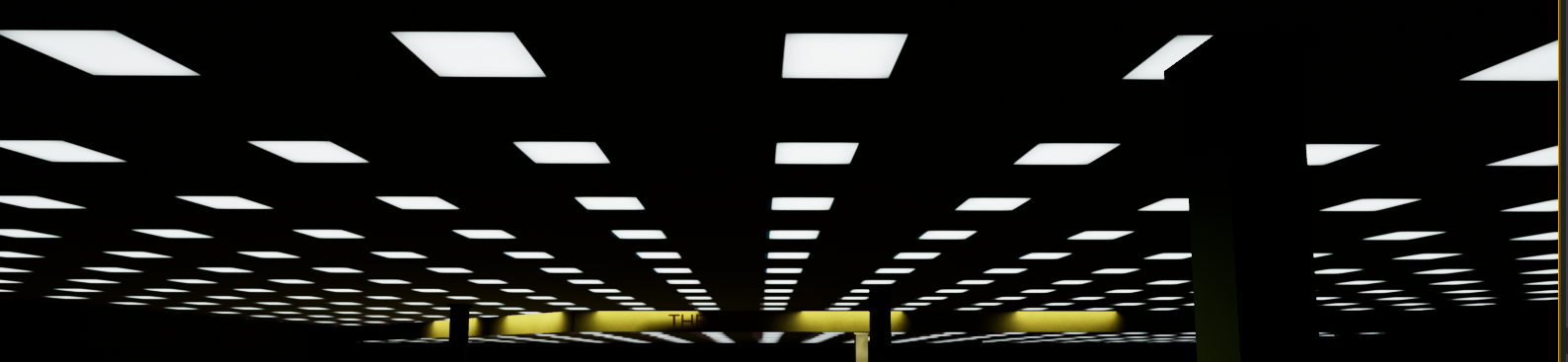
I didnt know it was an option, someone told me to get it lit with those bounces
 plush basin
anyone know how to fix this i'm trying to make a dedicated server and when i build in development server this errors apper

 azure shore
yeah basically go crazy with lights as much as you want as long as theres no shadows on them
drowsy snow
plush basin
anyone know how to fix this i'm trying to make a dedicated server and when i bui...
You have to build from source code to build dedicated server, not using vanilla launcher builds.
And by building from source code, I mean building the engine from the source code.
autumn latch
How to convert Texture 2D Dynamic to Texture 2D
 crisp warren
Hey, I'm new to using unreal and I'm making a game with blueprints
How do I use delta Time in unreal(blueprint)? I've used event tick and realised its dependent on framerate which I don't want.
drowsy snow
crisp warren
Hey, I'm new to using unreal and I'm making a game with blueprints
How do I use ...
The event tick has delta seconds input pin that gives the delta seconds OR use Get World Delta Seconds (which is affected by time dilation)
crisp warren
drowsy snow
The event tick has delta seconds input pin that gives the delta seconds OR use G...
Does the event tick give the delta seconds which I can use? I think that's what is happening
drowsy snow
crisp warren
Does the event tick give the delta seconds which I can use? I think that's what ...
Yes.
crisp warren
drowsy snow
Yes.
Alright, thanks a lot
drowsy snow
 fresh pulsar
oak patio
again whats rotating, why is it weird, wdym stay like a circle, when you look at...
fresh pulsar
oak patio
again whats rotating, why is it weird, wdym stay like a circle, when you look at...
Why it's weird is cuz it's a 2d game so if its only rotating in a 2d plane the shape shouldn't deform like that but it does anyway regardless of what rotation settings I plug into it from the look at rotation between the player and the mouse cursor that I am getting
And said circle is rotating as is shown in the image I sent
drowsy snow
fresh pulsar
Why it's weird is cuz it's a 2d game so if its only rotating in a 2d plane the s...
Is it a particle?
glacial arch
Hey guys, do you know if custom HLSL nodes in UE4's materials work when compiling for Android and iOS? It'd be surprising if not but better safe than sorry
fresh pulsar
drowsy snow
Is it a particle?
Well it's just a regular blueprint that I'm spawning when the player presses a button
drowsy snow
fresh pulsar
Well it's just a regular blueprint that I'm spawning when the player presses a b...
Finally, a context
Show the mesh material.
Though I think the billboard effect would be way easier with particles
fresh pulsar
drowsy snow
Though I think the billboard effect would be way easier with particles
Well.. depending on the context idk if I'm really trying to create a particle, the thing is a bullet
fresh pulsar
drowsy snow
Finally, *a context*
Show the mesh material.
kay 1 min

this is the code (atm I've broken the spawn rotation connections)
 drowsy snow
fresh pulsar
Well.. depending on the context idk if I'm really trying to create a particle, t...
drowsy snow
fresh pulsar
Well.. depending on the context idk if I'm really trying to create a particle, t...
Well, you could have a particle system with just 1 sprite renderer, and put it in a BP with proper collision
fresh pulsar
For the record, at the moment I'm using the projectile movement component, I'm just pre-rotating it so that "forward" for the projectile is in the right direction
with the connections connected, well, I can do that, goes in any direction as it should, only problem is it also tends to rotate in 3d space instead of just 2d, seemingly regardless of how I set up the rotation connections, which is odd
You would think only plugging the 2 axes of the 2d game into the spawn rotation wouldn't rotate it in a 3d way right? yet it does
@drowsy snow
very weird problem that I'm dealing with
this is such a weird and specific problem that I'm not sure I could find a tutorial or video that could help me
 coarse wind
Hey people, I'd love to get helpful videos about the Unreal framework / Structs / DataTables / Enums
real copper
coarse wind
Hey people, I'd love to get helpful videos about the Unreal framework / Structs ...

Today we have a look at some of the more advanced data management tools available to us in Blueprints: Enums, Structs and Data Tables.
If you have any questions about Game Art VFX or the Unreal Engine then email me: tharlevfx@gmail.com
Or you can find more tutorials on my website: http://www.tharlevfx.com
or check out my work on the Unreal Ma...
the whole shabang
coarse wind
real copper
https://www.youtube.com/watch?v=z_dCa-xSDiQ
yeah I found that and I'll watch it soon thanks 😁 if someone have anything else let me know !
cyan rose
They there, I’m developing UI in UE and I don’t need the viewport. Is there a way to completely disable the viewport/rendering to save resources?
 high bolt
cyan rose
They there, I’m developing UI in UE and I don’t need the viewport. Is there a wa...
high bolt
cyan rose
They there, I’m developing UI in UE and I don’t need the viewport. Is there a wa...
Create a new level with nothing in it. Then open that level. Now work on your UI.
The level can be called MainMenu.
Or whatever.
cyan rose
high bolt
The level can be called MainMenu.
It still will be a viewport running
oak patio
The cost is negligable
cyan rose
Ok. Thanks.
 coral saffron
I have a problem with the mouse when packaging out to for Pixel Streaming. I can see the mouse, but it goes crazy when you you try and move through the browser client (jumps all over the screen).
Anyone experienced this? Fought with it for hours now, and can't see to find anything on the internet about it.
 solemn hedge
Just wanted to share one weird trick that fixed my nvidia gpu crashes. If i underclock my gpu it happens a lot less. It seems to happen only in dx12 games, and very consistenly when it does it, so it's definitely some driver issue.
I also have not found a driver version that helps :/
 late badge
Hi, I have a question!
I'm working on a game but I'm struggling allot (I'm very new to this).
I was trying to get grass into my game but I understand how to do this. I have a github where there is a pre-made grass texture and more, but i don't even know how to start.
Can someone help me?
plush yew
late badge
**Hi, I have a question!**
I'm working on a game but I'm struggling allot (I'm v...
if you get the content examples project, theres some really good grass you can copy from there: https://www.unrealengine.com/marketplace/en-US/product/content-examples?sessionInvalidated=true

Unreal Engine
This museum-style project has a collection of maps with stands that demonstrate specific features!
Could anyone know why this cast is failing?
 spice ruin
It's either null or not a player controller.
Add a breakpoint and see.
Also don't cross-post.
plush yew
sorry
Im trying to make a pack multiplayer replicated, but having a lot of issues
for instance, only the server plays animations
you cant see your own anims as a client
plush yew
spice ruin
It's either null or not a player controller.
this is what print string got:

 chilly glade
hey all I'm working on a legacy project using v4.23.1. Are there any major differences / missing features that I should know about compared to 4.27?
 low vale
im not sure if im posting in the right place
Hello, I am a noob-beginner in Unreal. It is my dream to make a fighting game. I have working with Nocte's fighting game template for awhile now. I can get my characters imported i need help fine tuning some things. If you could help me out please DM me, I can provide more details.
oak patio
low vale
im not sure if im posting in the right place
Hello, I am a noob-beginner in Unre...
if you want to hire someone post to the job board read #instructions n
 stuck garnet
Hi all, is it possible to paint and sculpt on tiled landscapes (using World Composition in 4.27)? When I enter Landscape Mode it says that the landscape actor is not loaded. Does anyone know what is causing this?
low vale
oak patio
if you want to hire someone post to the job board read <#780559951663857724> n
not looking to hire someone, just someone to tutor me. im working on the game myself but im having issues
oak patio
low vale
not looking to hire someone, just someone to tutor me. im working on the game my...
then youre looking to hire someone see above message
low vale
oak patio
then youre looking to hire someone see above message
ok, posted in channel, thanks
 haughty hound
Hi. Sometimes i do backups of projects (ctrl c ctrl v of the whole folder) then somethng goes wrong with the current one, when so i launch backup pie and what was wrong in the current shows in the pie backup, how can i fix that? How can i see pie backup as it was?
oak patio
dont crosspost
 twin prism
Hi if anyone has Unreal Engine 4.27 or maybe even 4.26 can you go to C:\Program Files\UnrealEngine\UE_4.27\Engine\Build\BatchFiles and send me the RunUAT.bat file? Mine corrupted and I don't want to reinstall the whole engine.
 twin prism
please someone here must have unreal engine 4
fierce tulip
if you open the launcher > unreal engine > library, you can see a tiny downwards arrow next to "launch" if you click on it you get a drop-down menu, and one of the options is "verify"
if you havent done any editor-modifications its a great way to retrieve deleted engine files. @twin prism
 plush yew
canvas panel

 thin python
Agreed
autumn latch
Keep pawn crouched when possessing
idk why this is happen
I use delay but it can't solve it completely
twin prism
fierce tulip
if you open the launcher > unreal engine > library, you can see a tiny downwards...
thanks~!
 devout current
Hello! I'm new. Where would be a good place to ask about entering/exiting vehicles?
 brisk pollen
anybody have experience with EnhancedInputComponent? i have a Pressed input action that results in me pushing a new input mapping context. the new context has a different, higher priority Pressed input action on the same key. when i add the context, that input is immediately triggered in the new context as well -- a double trigger
the action is marked to consume the input but it doesn't prevent it from triggering in both contexts
it almost seems like adding a new input context resets the input state
brisk pollen
okay, this was fixed a few months ago on the ue5 branch 🙂 https://github.com/EpicGames/UnrealEngine/commit/35c3a22eccf5f15f351fd4f66e257c1e286b9971
 still breach
Hey guys, can someone please help me understand why I'm experiencing very sharp textures on a map in one project and very nice and soft texture quality on the same map in a different project?
is there a setting variable I have enabled in one project that I dont in the other?
rough/sharp textures quality

soft texture quality:

 pallid olive
hi got a question about players health. should this be a Bp component added to playercharacter or in gamemode? also for players level mostly increase in health should this be added in the component or added to gamemode or seperate component?
 covert kayak
does anyone know how to reduce lag when a Big army of npcs are moving
karmic jacinth
anyone else have issues with small model objects missing faces on them when exporting them from blender to UE??
 ember geode
How does unreal engine determine a random number? Like example does it use fan speed or voltage? I'm just curious on how it gets a random number.
oak patio
The same way in c++ i imagine, through random seed. I imagine without specifying a seed it uses the time as one, as is quite common for srand
drowsy snow
pallid olive
hi got a question about players health. should this be a Bp component added to ...
Personally I have it in a custom base actor class, so it can applied on anything
granite lion
How do you increase the distance before the shadow is downgraded to lower resolution?
 charred hemlock
Hey guys, I'm looking recommendations on CD/CD tools for unreal projects. Is there a "standard solution" that most UE developers use?
I have a project that we use for developing an Unreal Plugin and would like to automate build processes as much as possible.
eternal orchid
drowsy snow
Ah, mac things
4.25 can't build on XCode 13. 😅
eternal orchid
real heath
You can use unrealpak.exe on the commandline to extract and recreate the pak fil...
Thanks @real heath I'll give it a try using unrealpak.exe.
 buoyant musk
Guys, can anyone help me with setting up bow and arrow system in my game pls... DM me
 neon laurel
Right, told to ask here, sorry for bugging you
drowsy snow
eternal orchid
4.25 can't build on XCode 13. 😅
Yeah whatever, I use Windows and Linux
neon laurel
How the hell do I move this stuff

to this stuff, sorry I posted it in the wrong chat
 drowsy snow
neon laurel
How the hell do I move this stuff
drowsy snow
neon laurel
How the hell do I move this stuff
What do you want to move? The physics body?
AFAIK there's no way to copy them across directly
modest trench
My first try would be to copy the graph nodes by selecting them all and copying
modest trench
But it would probably be more simple to just remake them by hand one by one... 😦
neon laurel
So I can't just grab all the leg bits and push them into another?
modest trench
I believe you already have a physics body though
your job now is to hook it all up by just comparing the two
neon laurel
damn
modest trench
That's just what I would do though, I'm no expert
drowsy snow
I think you can copy the transforms, can't remember after I reworked my workflows
modest trench
My guess is you need to make the individual bodies yourself
It's pretty simple though, you should be able to get it going
Just make sure it lines up with wtf their setup is
naming conventions etc
drowsy snow
Try 5+ years
modest trench
yeah unfortunately this is kinda tough to just jump in to
perhaps someone from the mwo community has some guides somewhere
er, mw5
you are gonna need to read some basic docs on how to set this up like I linked earlier
drowsy snow
Typically physics isn't the first thing one picked up when started with development
And I may be hypocrite because I was (and still is) a modder, but at least in many cases, physics are the least thing to worry about
modest trench
also shouldn't you be 6 years into unreal? did you take a quick Godot sabbatical?
in mechwarrior the mech hitbox is super important
drowsy snow
modest trench
also shouldn't you be 6 years into unreal? did you take a quick Godot sabbatical...
Nah, I'm not immediately jump into Unreal full time
modest trench
haha, same here
I've been looking at it since 2014 but only really got serious for 4 years randomly spread around
drowsy snow
I had a brief period of web dev hell
modest trench
;__;
neon laurel
So there's not even like an import button that I could use? Damn.
drowsy snow
That kinda makes me thinking, I would really have to supply customised version of UE4.27 to have proper modding support
Lua has the custom scripting covered, but not the custom assets
drowsy snow
But at the same time I know underground modders will have to go through the exact same hoops to get the vanilla editor anyway
modest trench
FWIW I personally think a third party scripting lang tied to a 3rd party is 100% terrifying
if they uh, disappear your project is now dead
drowsy snow
modest trench
<https://www.crushdepthstudios.com/code-orchestra-blog/code-orchestra-overview-c...
I think I remember this server had drama with this 🤔
modest trench
I think they just posted in a random channel
modest trench
something about promoting the plugin iirc, I dunno
still a very cool project though
I sure would enjoy not waiting around for C++
can I PM you something real quick? not help related
drowsy snow
modest trench
can I PM you something real quick? not help related
Sure
neon laurel
right, I got an idea
what if I use C++ to copy/paste all the details bullshit from one to the other? Is that viable?
And what exactly do I need to do to not bug it out?
It looks viable, and I have used C++ for some robot legs not MW5
But I want to know - if I copy and paste all of this over, what happened? What do I copy paste?
Also I can’t get over some mod has a fucking only fans link lmao
@drowsy snow (sorry to ping you
drowsy snow
neon laurel
It looks viable, and I have used C++ for some robot legs not MW5
Probably not C++
I doubt the mod kit can be used to make new C++ class
neon laurel
fudge


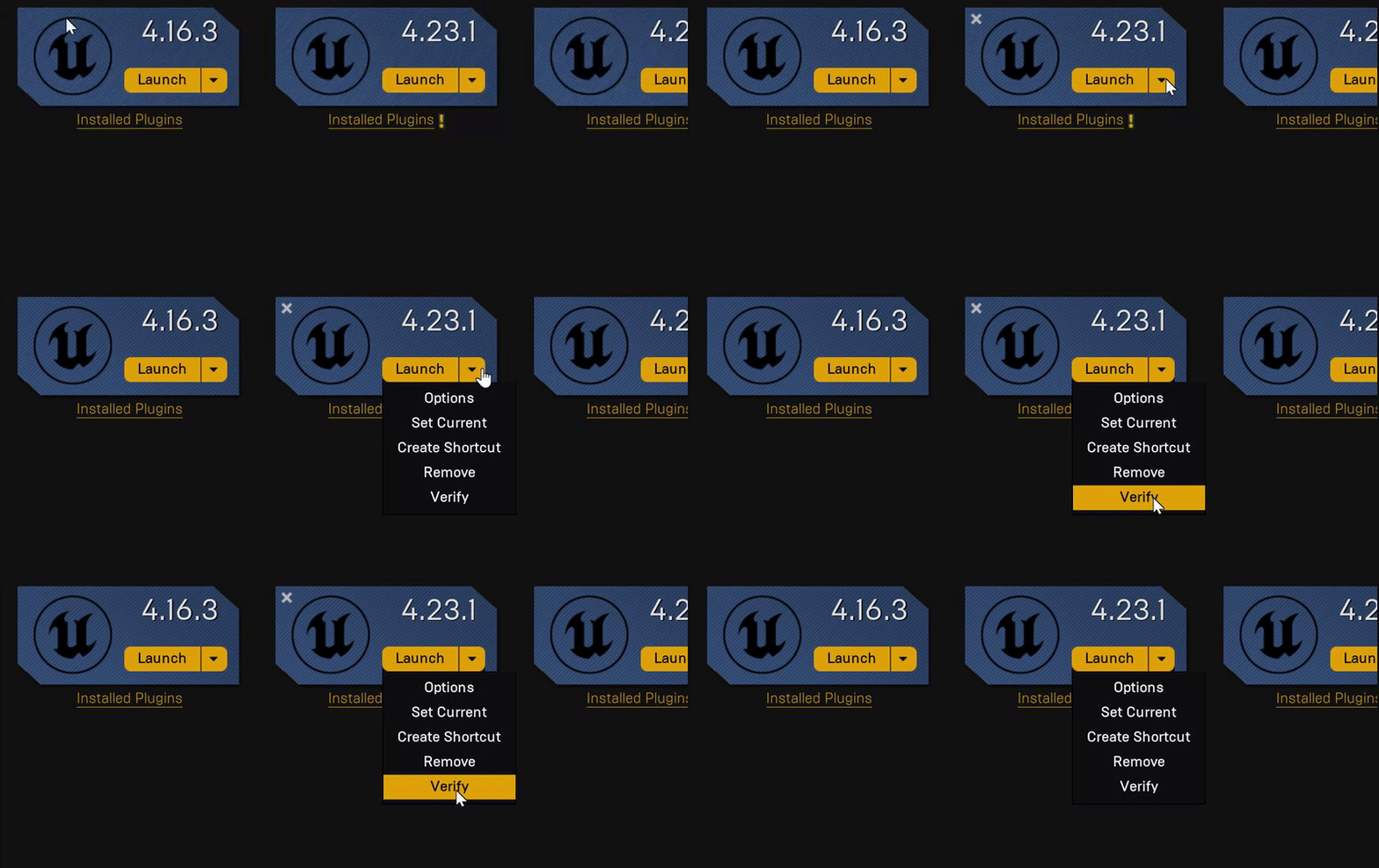 thin tendon

UPDATED TO 4.25 - https://youtu.be/koWhYESJLiE
Creating cloth simulations has become very easy in Unreal Engine 4. In this video, I show you how to set up a cloth simulation for a simple flag. Topics covered: Exporting assets from Maya, cloth painting, simple wind.
LINKS:
Assets Download - http://www.mediafire.com/file/wa2dpoqu0oqmzay/ClothF...
 atomic crypt
Hi sorry to double post, anyone has some good starter guides on pixel streaming where the stream is per user rather than a bunch of users or is there another way to do this, like I understand streaming is a one to many operation but this user wants it to be per user per stream
summer marsh
thin tendon
<@937370758378823690> https://www.youtube.com/watch?v=kjOq8OB_3AQ&t=362s&ab_chan...
not work for me. error while drag and drop cloth to new material.
drowsy snow
atomic crypt
Hi sorry to double post, anyone has some good starter guides on pixel streaming ...
Pixel streaming is essentially cloud gaming but you provide your own servers
atomic crypt
drowsy snow
Pixel streaming is essentially cloud gaming but you provide your own servers
Ah okay makes sense, but these people are using it for some sort of unique interaction system, like a car showroom or something, but they want it to be per user, which makes no sense to me
Like the user comes to the webpage, gets an interactive video, but they want this to be a single stream per user, and I'm a infra person but from what I gathered it's just a server that listens on a port, so I'm not sure how much can one server handle in terms of GPU and testing this out on my end is either expensive or not possible since I don't have a good enough GPU.
fresh pulsar
fresh pulsar
For the record, at the moment I'm using the projectile movement component, I'm j...
back again
a day later
still in need of help
 hasty crest
Any idea what could this be or how to fix it? i cant open my project

[File:D:/Build/++UE4/Sync/Engine/Source/Runtime/Core/Private/Serialization/Archive.cpp] [Line: 724]
BulkData compressed header read error. This package may be corrupt!
night oar
Hi, Guys hope all of you are good. Well i wanted to ask is how can we make callback functions
 weary breach
Hey everyone, can someone tell me if there is possibility to enable ncloth simulation on mobile in 4.27?
worthy plaza
hi, probably this is a stupid question but u can use the "Swat" character from mixamo for a commercial project?
drowsy snow
weary breach
Hey everyone, can someone tell me if there is possibility to enable ncloth simul...
Highly doubt that will ever be supported for mobile
 spring totem
How fix engine flickering, after ~15 all popups blinks and disappear
real heath
There's a fix in the pins for that on Nvidia GPUs
 small vault
any reason why I'm not getting any buffer visualization output on anything but scenedepth? Is this a limitation of forward rendering?
 fierce tulip
if I recall correctly, yes. but not 100% sure
real heath
small vault
any reason why I'm not getting any buffer visualization output on anything but s...
It's the key difference between forward and deferred rendering. Deferred rendering renders to those buffers and then does a pass for lighting using those buffers. Forward shading does it all in one step. It's why lighting with tons of lights is so much cheaper in deferred shading
It's also the reason for the upfront cost of deferred shading. More memory and memory bandwidth required
small vault
real heath
It's the key difference between forward and deferred rendering. Deferred renderi...
Thank you for the explanation, I figured that was the case but was hoping for something 😉 Happy that it's cleared up anyway
spring totem
real heath
There's a fix in the pins for that on Nvidia GPUs
Where i can find that fix ?
drowsy snow
spring totem
Where i can find that fix ?
📌
real heath
Pinned messages at the top of the window
spring totem
Thanks
fallow jackal
how do you enable vsync for a project?
real heath
Console command r.vsync 1
spring totem
How get image of static mesh, like it displays in content browser ?
fallow jackal
how to apply game user settings for all levels before they are loaded?
drowsy snow
fallow jackal
how to apply game user settings for all levels before they are loaded?
Uh... Game User Settings aren't bound to one level
fallow jackal
drowsy snow
Uh... Game User Settings aren't bound to one level
i want to set graphic settings and then have it on all levels
Where do i change the default game user settings?
drowsy snow
fallow jackal
Where do i change the default game user settings?
Game User Settings typically set by the .ini file, though doing things with GUS involves a lot of C++ so it's not super straightforward.
fallow jackal
How do i wait for everything to load before popping me in? the foliage appears a good second after i spawn
thin tendon
If you know the level you want to spawn in you preload it.
drowsy snow
fallow jackal
How do i wait for everything to load before popping me in? the foliage appears ...
Level streaming, or level travel (Open Level)?
fallow jackal
drowsy snow
Level streaming, or level travel (Open Level)?
open
drowsy snow
fallow jackal
open
You could cheat a bit by having a cross fade from solid colour after changing level (unless it's Half Life style of loading map)
 peak hare
So I naively thought I could change camera setting boolean 'do collision test' in game, what is the correct way to do this? Doesn't seem to work as intended
coral saffron
Is there any documentation on Launch arguments for UE games? (Eg -vr etc)