
#ue4-general
1 messages · Page 1168 of 1
 rose sleet
 oak patio
If no target shows up then that means the variable belongs to that bp
 drowsy snow
There IS Sequencer API?
 exotic thicket
Well I mean the blueprints api for the sequence player
rose sleet
oak patio
If no target shows up then that means the variable belongs to that bp
But it should have target so im not sure why it's not showing up
oak patio
well it shouldnt, because it clearly belongs to that bp
rose sleet
oak patio
well it shouldnt, because it clearly belongs to that bp
Im trying to copy the Notice function from HorrorEngine and even on there it doesn't come up with the target so im not sure how they managed to get it to show up
oak patio
i have no idea what the notice function from horror engine is
and if it doesnt appear there either that means the variable belongs to the bp
rose sleet
Basically when you pick up something it makes a message pop up and say you picked up "The Item"
how did they get target to show up on there then?
rose sleet
This is the Notice Function
 exotic thicket
The node that's in the screenshot is just a regular set variable node. The target pin appears on it when you set variables from outside the BP that owns the variable. That's it.
If you don't get the target pin, then the variable you're setting is in the same BP as the graph you're editing
oak patio
^
exactly what i said
those variables are being set outside of the notice widget
so they do have a target
rose sleet
Right im just trying to figure out how i could get them outside of the widget then
oak patio
why don't you show your recreated code
exotic thicket
If you have a reference to a blueprint such as a widget as in the screenshot, then you can pull from the pin for it and use "set whatever"
oak patio
and i mean the full window
exotic thicket
where "whatever" is the name of the variable you want to set
oak patio
not just a snip of the nodes
cause it sounds like you have made that text variable in whatever is spawning the widget, not in the widget itself
rose sleet

well this is the function
that's for my recreated one

and my Widget
I have removed one of the texts (Message) because i didnt need it
oak patio
go into the designer for me
check if there are any binds on the messages
because that way of doing it wouldnt work with the text
you are constructing it, setting the ui text to nothing, then setting the texting the text variable
rose sleet
 oak patio
not actually updating the ui to the text
rose sleet
Is that the bind you want to see?
oak patio
well you got an issue somewhere in that function

ye i read the error msg wrong ignore me
but still that setup wont work
if you wanna change those variables, drag off of the return value of the create widget
and type the variable name
rose sleet
I have been told that the way Horror Engine is coded is weird and wrong so im not sure if i should carry on trying to copy it or just find a video
 oak patio
seems like they used binding for their text which is funky
rose sleet
all i had to do was drag off the return value and type in front message text
oak patio
thats what i said, yes
if you wanna make it work properly, go into the widget and check expose on spawn for those variables
then recompile
they should appear as pins on the create widget
then hook the text into there and things should work
not without permission
rose sleet
oak patio
then hook the text into there and things should work
Ok it works!
rose sleet
Don't suppose you know how to make it so if 2 texts go at the same time it doesnt stop the other 1 to make the other 1 appear?
so basically it shows both the texts on screen at once
oak patio
you would need 2 pieces of text
 oak patio
no in the ui designer

 dawn gull
When I teleport my player the actor itself is removed, any ideas why?
rose sleet
Ok so i have 2 options, I can either make the text appear bold or not bold. In my game the more important things will be bold, for example if you pick up some stone it wont be bold, but if you begin to get thirsty it will appear in bold saying you're thirsty but if i try and make it so both the texts are one the screen at the same time it doesn't work
it get's rid of the very last text to show the newest one
oak patio
well thats because you clear every text prior to making a new one
rose sleet
how would i make it so it doesnt clear the text?
well it does clear the text after say 5s but it lets me show both the texts on screen
oak patio
remove the bit that does that, however it would draw them on top of each other
you would need a container to hold them
and add the widgets to that
rose sleet
What bit does that?
Sorry if im asking alot of beginner questions, it's my first time doing anything like this
oak patio
the get all actors of class -> remove from parent
that destroys the widget that is drawn
so you would need to remove that, and add the widgets to a scroll or list view whenever a new one pops up
rose sleet
oak patio
so you would need to remove that, and add the widgets to a scroll or list view w...
Ah it's working!

 raw crag
Anyone know how to fix assets failing to save? (No the project isn't open twice)
However the engine files were recently moved and the launcher lost track of everything if that matters
 plush yew
what link
 green light
plush yew
what link
green light
plush yew
what link
to your project
plush yew
green light
to your project
oh opened or pakaged
green light
plush yew
oh opened or pakaged
working when ever you finish
 jovial wolf
I am using DataSmith plugin to export out my Revit scene to Unreal but it changes my entire Revit scene hierarchy after import. Is there a way to prevent Datasmith from changing the scene hierarchy?
plush yew
Anyone has experience with leap motion in Unreal engine?
Need some help , trying to set an action if one of the hand collide with a sphere
oak patio
you are best off asking on the forum as someone said yesterday
plush yew
what forum
oak patio

Ultraleap (Leap Motion) Community Forums
Ultraleap's (Leap Motion) community forum for users and developers
plush yew
thanks
oak patio
np
oak patio
jovial wolf
I am using DataSmith plugin to export out my Revit scene to Unreal but it change...
jovial wolf
oak patio
<#623955534361395201>
I have a similar problem when exporting out from Navisworks using Datasmith.
oak patio
Ok so ask in the channel for it
jovial wolf
oh sorry didn't know there was a channel for it, mb
 blissful trail
whats the correct way for adding text buttons ?
drowsy snow
blissful trail
whats the correct way for adding text buttons ?
Put a text box widget inside a button widget.
 fervent kernel
Is it possible to view the previous map that was loaded or if it's possible to tell the game just loaded?
drowsy snow
fervent kernel
Is it possible to view the previous map that was loaded or if it's possible to t...
If you use sublevel streaming, yes.
fervent kernel
I'm not, the game loads a splash screen level on first load then if in game in a different map and the player gets booted by the server they get sent back to the splash screen map (because it's the default map). Want to only play splash video once on init load then if server boots player want to not show the video again in the splash level.
drowsy snow
fervent kernel
I'm not, the game loads a splash screen level on first load then if in game in a...
Well, #multiplayer
fervent kernel
I asked there, there's gotta be an easy way to check if the game just loaded or if there was a previous map
drowsy snow
fervent kernel
I asked there, there's gotta be an easy way to check if the game just loaded or ...
I just don't know when multiplayer got involved.
Multiplayer specific stuff is not my forte.
fervent kernel
It's not really mp specific it occurs in offline environment, basically if load default map check if game just initted or not.
I think append to command line after splash finishes first time
yeah, that might work
Added in KismetSystemLibrary.cpp
{
    FCommandLine::Set(*InString);
}```Yupe, worked great problem solved
 coral patio
Hey guys! Does anybody know how to clean up those (what I assume to be) sorting issues with twosided transparency shaders? I've been wondering this for a while and haven't really been able to find a good way to do this so far :<
 drowsy snow
coral patio
Hey guys! Does anybody know how to clean up those (what I assume to be) sorting ...
drowsy snow
coral patio
Hey guys! Does anybody know how to clean up those (what I assume to be) sorting ...
What is the in-game context of this thing?
coral patio
drowsy snow
What is the in-game context of this thing?
So, I'm trying to create an ethereal mantle for an angelic unit (with stars panning over it, with a slight bump offset). It's not supposed to be as ethereal as setting it to Additive would make it look, though - it should still look like it has some substance to it. I'm not planning on giving it actual width in the geometry, so I'm planning to make it twosided. However, whenever parts of the twosided mesh overlap I get these artefacts.
How is that being handled in most games?
drowsy snow
coral patio
So, I'm trying to create an ethereal mantle for an angelic unit (with stars pann...
Basically almost translucent mantle...
If you use Temporal AA, you can have it a masked material, and put dithered opacity mask. TAA will smudge out the dither noise. Most of the time games go for that route.
coral patio
Ohh, that sounds interesting! Thank you, I'll try it out! :]
coral patio
Hmmm, that's what I got so far. However, the dither is quite visible. Basically, I'd need to activate TAA for the project as Antialiasing for this to work properly, right?


 storm parcel
Help please: I have normal Unreal Engine that can build an Android apk just fine. But when I built Unreal Engine from source and try to build an android apk it fails.
I can post errors but I was wondering if I need to build anything specific in the Visual Studio solution to enable Android builds. Thanks.
drowsy snow
coral patio
Hmmm, that's what I got so far. However, the dither is quite visible. Basically,...
Yes, TAA can smudge the noise out
 chrome harness
UE 4.27.2 - I have save games in the Content folder that don't appear in the Content Browser. Is there a way to display them? Displaying anything is better than an empty folder
drowsy snow
chrome harness
UE 4.27.2 - I have save games in the Content folder that don't appear in the Con...
Save game data are not asset files.
chrome harness
To rephrase: "Can I display non-uasset files in the content browser?"
 graceful cargo
Does graphical fidelity /level complexity affect network bandwidth in a multiplayer setting?
chrome harness
Alright, thanks
drowsy snow
graceful cargo
Does graphical fidelity /level complexity affect network bandwidth in a multipla...
No.
Those are not replicated.
 royal basin
any one know how to fix this problem

 spice ruin
I'd say it failed to compile or download properly.
drowsy snow
royal basin
any one know how to fix this problem
Would be funny if this is made with Unreal Engine 1, considering it complains about it being 16-bit.
Though corrupt exe, which mostly cause segfault, usually don't complain about it being 16-bit and just like nothing happened
royal basin
drowsy snow
Would be funny if this is made with Unreal Engine 1, considering it complains ab...
is there a way to fix it cause i already tried deleting and re downloading it
blissful trail
drowsy snow
Put a text box widget inside a button widget.
i mean buttons that are invisible with text in them that gets brighter when you hover them
drowsy snow
blissful trail
i mean buttons that are invisible with text in them that gets brighter when you ...
Still the same.
Just put the button's texture brush alpha to 0, then play animation for the text on focus or hover
blissful trail
wouldn't i have to do that for every single button tho ?
drowsy snow
blissful trail
wouldn't i have to do that for every single button tho ?
You can make a new user widget with just button, text, the animation, and the focus event. Update the text with an editable text variable on construct (and pre construct if necessary).
It'll be the template for the new button.
blissful trail
how would i detect button presses inside the menu then
blissful trail
i figured it out nvm
 red prairie
I have issue with landscape foliage painting: https://i.imgur.com/5ZST6cM.png
On this image we have the tool working. This is in new project.
In other project foliage painting tool brush is gone. And painting is not working.
Anyone has any ideas what this might be?
I was not manage to find any solution - still looking.
 wanton terrace
How can I make this cylinder hollow? I'm trying to make it a blueprint so it can be reused.
 drowsy snow
wanton terrace
How can I make this cylinder hollow? I'm trying to make it a blueprint so it can...
drowsy snow
wanton terrace
How can I make this cylinder hollow? I'm trying to make it a blueprint so it can...
Make the hollow cylinder mesh youself in Blender
drowsy snow
Also once you import it, you can use it everywhere.
drowsy snow
wanton terrace
I don't have any blender experience.. Is it a simple job?
Easy peasy lemon squeezy. Make a cylinder mesh, go to edit mode, and delete the faces (not vertices)
wanton terrace
Cheers, thanks for the help
 wet briar
For some reason, when importing an fbx model from blender, the collision seems to be all wrong?

See how the cube is "floating"
It seems like it's taking all the empty space as solid for some reason?
drowsy snow
wet briar
It seems like it's taking all the empty space as solid for some reason?
Unit scale's good?
wet briar
What do you mean by that?
When I try to edit the model, the complex collision seems to be correct...

How do I make it use complex and not simple?
Oh wait nevermind, I figured it out!
Sorry!
My bad
I had to select it here

 fierce tulip
complex as simple = per poly collison = more expensive.
might be better to just have one of those walls, with pivot in the center of the ring, then duplicate it, rotate it around.
 bleak zodiac
advice, use simplied box as collision or use UCX
or learn.unrealengine 🙂
 tawny shard
Are there any property to Clamp value in TMap ?
or ClampMin/Max working with it
And can i specify length after point
 formal sail
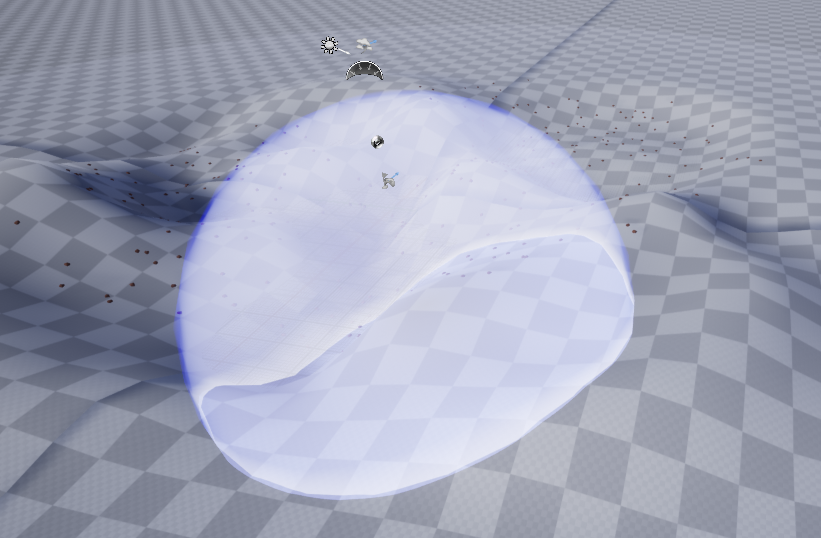
is there a way to get fresnel or other solutions working in UE4 to produce something like this?
Currently using the fresnel node with a rainbow gradient map to drive an emissive but it's messy. was trying to use clear coat and the roughness value to be this rainbow effect but it doesn't seem to work as intended

 woeful haven
hello guys, i can't find a custom even than implement pressed state, any thought?
fierce tulip
formal sail
is there a way to get fresnel or other solutions working in UE4 to produce somet...
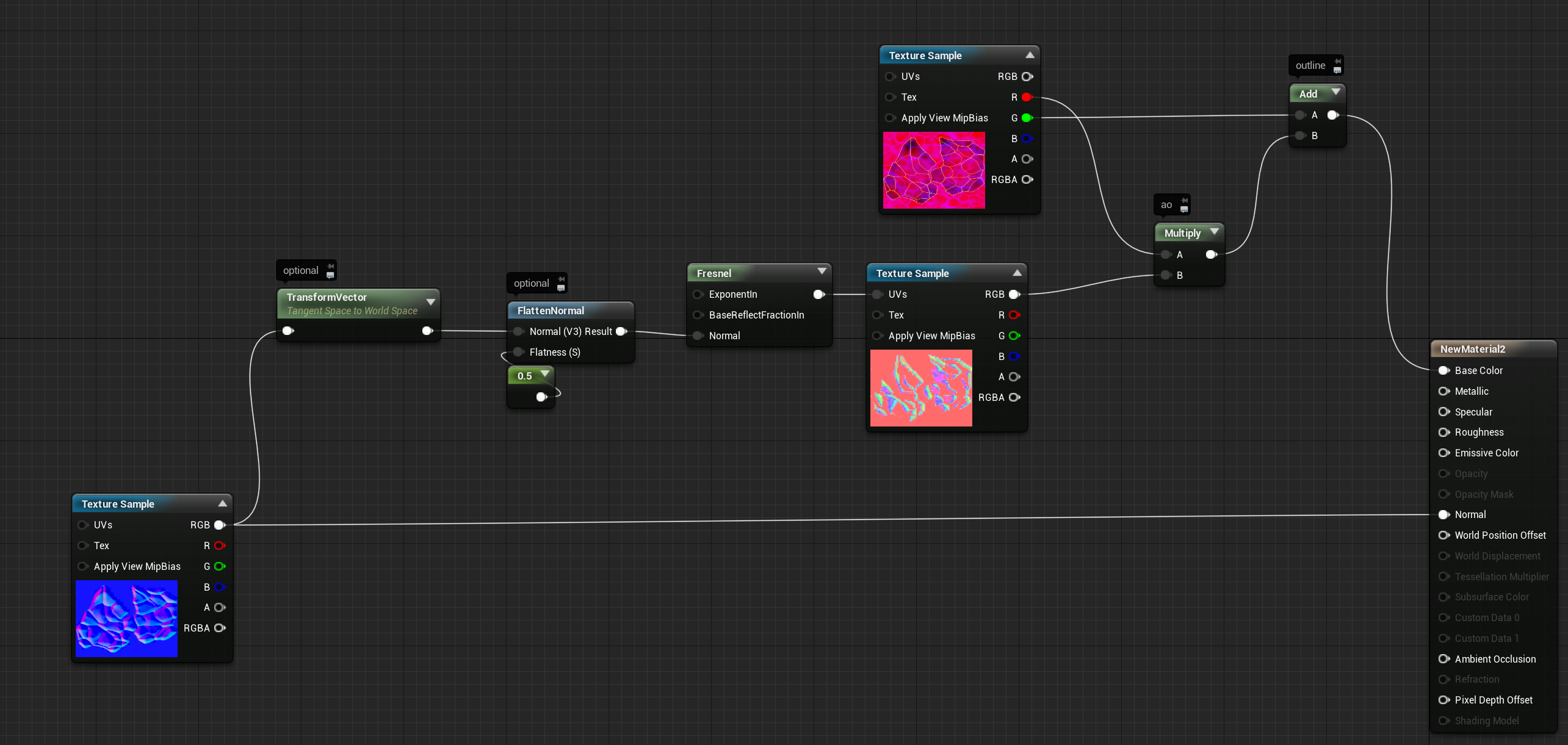
you can apply the normal map into the fresnel, that can help.
blissful trail
so im having this issue in multiplayer with my noclip system
it works perfectly on the host but feels laggy for clients unless they are inside of the ground
formal sail
no such luck. I can get the fresnel effect with a lerp with 3 colors but it's messy and not as a clear coat more as a color assigned to different parts of the mesh. but a rainbow gradient map doesn't work at all
wondering if I have went about this the wrong way.
In max it's as simple as mapping a gradient to a fresnel into the material roughness
 wanton terrace
Does anybody know why I can't scale my imported FBX file in the blueprint editor?
It won't allow me to select any of the tools
 fierce tulip
@formal sail iunno, looks pretty fine to me
https://i.gyazo.com/c3dda2f4fbba15403b57f5b40e559cb9.mp4
 woeful haven
guys im kinda stuck, how i go about incrementing my speed equally as the phone joystick?
fierce tulip
@formal sail can also try this
https://i.gyazo.com/29298dee52011dc9016e27e01fa53938.png
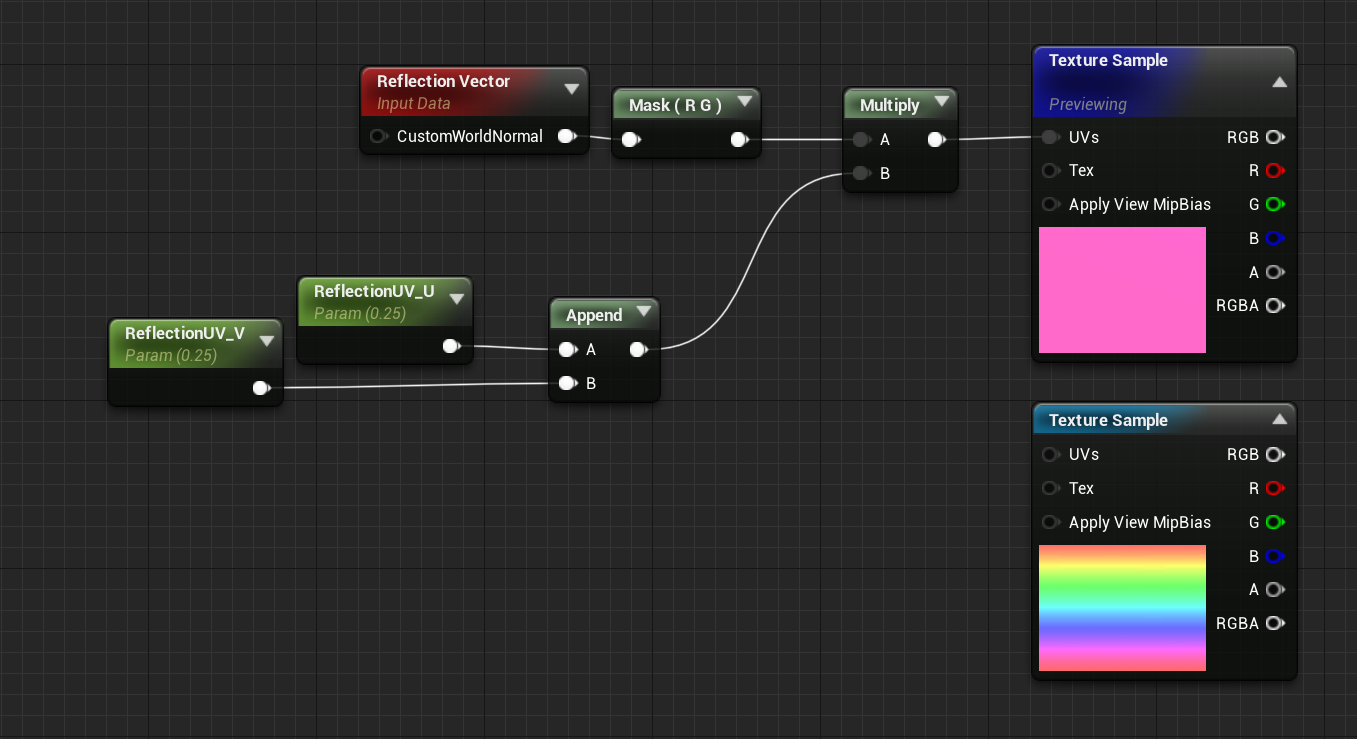
or combine both and get https://i.gyazo.com/ed8fd73d9388bf45ff0f1ec1d9cd5d2d.mp4 :p
 fast lion
Hello.
bleak zodiac
Hola
woeful haven
my default joystick setting disappeared how to bring them back?

 humble rivet
Anyone know how I can have the second destruction animation by default ? these are destructible meshes created with Apex Destruction.
 steel leaf
Hi, I use UE4.27.2. My editor crashes when I try to edit scalability settings in the editor or when I try getting scalability setting's values from game user settings in blueprints. I used 4.27.2 before and it did not crash. When exporting or launching the game it works, it only crashes in the editor. I've tried verifying files using the epic games launcher and it still doesn't work. I searched it up and I'm not the only one, but still, I can't find any fix. Thanks for your help!
drowsy snow
steel leaf
Hi, I use UE4.27.2. My editor crashes when I try to edit scalability settings in...
Post the crash callstack in question (or part of the crash log where the crash happen)
steel leaf
The engine usually gets stuck instead of crashing but if I wait a little bit it will eventually, I'll send the crash log as soon as I can.
steel leaf
drowsy snow
Post the crash callstack in question (or part of the crash log where the crash h...
I'm not sure what log you mean...
Maybe this one ?
Maybe this : Fatal error: [File:D:/Build/++UE4/Sync/Engine/Source/Runtime/Core/Private/GenericPlatform/GenericPlatformMemory.cpp] [Line: 197] Ran out of memory allocating 34359738368 bytes with alignment 0 ?
 mystic fossil
Can't get direct answer from google, is it possible to increase the resolution of an already set landscape? Or does one have to create a new one and resculpt it for that to be possible
oak patio
Pretty sure you have to make a new one
 unborn dew
can you make anims in unreal so when a button is pressed something spins
oak patio
Not sure really
But typically what you would do is after you have interacted have a timeline from 0-360 that loops, and use that for your actor rotation
unborn dew
alr thanks
fast lion
I've just completed my first UE4 project.
unborn dew
fast lion
I've just completed my first UE4 project.
good job
how do i acces the anim tab
plush yew
how do i set the default third person as the playable character when I click play
 plush yew
ya I did that but I cant move

 unborn dew
u got the network player start
plush yew
?
 unborn dew
plush yew
?
unborn dew
plush yew
?
can we just go on call cause im stuck with something as well
 oak patio
plush yew
ya I did that but I cant move
oak patio
plush yew
ya I did that but I cant move
Have you got the player to be set to autoposess to player 0?
 oak patio
 toxic lily
Also rather than doing a get all actors of class, why not get player character and cast to the class
toxic lily
i followed a tutorial for a homing projectile, and thats what it called for, would calling player character be more efficient?
oak patio
Cause you dont need to get all actors of class for referencing your player
oak patio
toxic lily
i followed a tutorial for a homing projectile, and thats what it called for, wou...
Yes
This is why we dont directly follow tutorials
A lot of em include bad practices
 oak patio
No
Get player character > cast to Main Character
Dont cast to the class cast to the object
 toxic lily
perfect thank you so much
 supple shale
Unreal question about my death ray.
War of the Worlds - Steampunk Edition.
I have successfully inported an alembic animated death ray tentacle from CInema 4D. It undulates like a tentacle should. But now I am trying to figure out a way to get a Niagara particle effect to follow the death ray at the end of the tentacle. I made the particle asset a child of the alembic tentacle thinking it would follow its movement. But I think because the tentacle animation is baked into the alembic, the particle beam is not staying attached to the death ray as you can see in the screen grabs.
Anyone have any ideas about how I can get it to follow it correctly?

 plush yew
supple shale
Unreal question about my death ray.
War of the Worlds - Steampunk Edition.
I ha...
plush yew
supple shale
Unreal question about my death ray.
War of the Worlds - Steampunk Edition.
I ha...
wow is that the alien from War of the Worlds?
plush yew
awsome! Wish I could help
 turbid pumice
I'm just getting started (just installed it) I hope that I will understand it at least a little bit lmao
 thick island
hihi all.
I get crash after importing alembic 800 frames as Skeletal Mesh.
If 100~ frames, import without problems.
How can this problem be solved?
`LoginId:7d
EpicAccountId:4428eaa5e
Assertion failed: (Index >= 0) & (Index < ArrayNum) [File:D:\Build++UE4\Sync\Engine\Source\Runtime\Core\Public\Containers/Array.h] [Line: 703] Array index out of bounds: 988073600 from an array of size 988073600
UE4Editor_Core
UE4Editor_Core
UE4Editor_AlembicLibrary
UE4Editor_AlembicLibrary
UE4Editor_AlembicLibrary
UE4Editor_AlembicLibrary
UE4Editor_AlembicLibrary
UE4Editor_AlembicLibrary
UE4Editor_AlembicLibrary
UE4Editor_Core
UE4Editor_Core
UE4Editor_Core
UE4Editor_Core
UE4Editor_Core
kernel32
ntdll`
 light thunder
is there some type of editor bug where if you don't put a break on a blueprint node, it doesn't get executed - that's the only pattern I can find when trying to figure out why my changes aren't happening - I put a break to see where the execution is failing, and it executes fine, (and then actually works)
 glass coyote
In games like god of war counter attacks I have seen the camera tilted to the side, can anyone tell me how to do that?
 thick herald
just lean over a bit
light thunder
glass coyote
In games like god of war counter attacks I have seen the camera tilted to the si...
You'd get the camera and set it's rotation, probably on roll, to what you want
 teal matrix
like which direction the total velocity is facing
spice ruin
velocity.Rotator() or something?
teal matrix
imagine a cube that slides along the x axis
spice ruin
Why you need it might help
teal matrix
the velocity will be well x axis something
spice ruin
Right.
teal matrix
yeah so i wanted to make a car game and check how much the car is rotated away from its velocity
spice ruin
I'm sure there's a "get rotator to" or something function
Use the car's forward vector and compare it to the velocity
teal matrix
can you do everything with blueprints which you could do with code?
spice ruin
Not everything. Quite a lot of things.
teal matrix
alright
honestly i havent succesfully made any UE games yet so this is gonna be a painful journey lol
spice ruin
Hehe.
If I recall correctly, if you take the dot product of the normalised forward vector and velocity, you will get a value between 1 and -1.
1 being perfectly inline, -1 being opposite
teal matrix
so far i have no idea what it all means but hopefully ill start figuring it out soon
brb
thick herald
teal matrix
so far i have no idea what it all means but hopefully ill start figuring it out ...
Get yourself into Mr Wadsteins videos. The 1st two should help you out. https://www.youtube.com/c/MathewWadsteinTutorials/search?query=vector

YouTube
This channel is dedicated to exploring Unreal Engine 4 and the Blueprint programming language that it uses. You can think of it as a companion to the API documentation as I try to cover the how and why for what things are used for when using the Blueprint system.
The master project for these tutorials can be found at https://github.com/MWadste...
teal matrix
i found a tutorial now, ill try to make some use of it
thick herald
teal matrix
i found a tutorial now, ill try to make some use of it
If it's not one of Mathew's, I'd still highly [oh ever so highly] recommend you delve into his. Virtually every node is explained and demonstrated. Forgive me if you knew this already 🙂
 queen escarp
Anyone know what could be causing the "Developer" sub-menu in Blueprint Graphs to just be gone suddenly? I was using it last time I used this project lol
In particular I am trying to save the intermediate build product, which works fine by adding a keybind for it but the menu being gone is weird to me
 toxic lily
is it possible to load a UEproject into another one?
ive got AI from one project i want to move to another
drowsy snow
toxic lily
is it possible to load a UEproject into another one?
Use the Migrate feature.
toxic lily
superb thanks
 ancient lotus
question. how do games like modern warfare and insurgency handle magnified optics? like how do they keep the scope model from not looking bad? heres what i have currently in the first image with the scope scaled at 0.01 on the Y axis. the inside of the tube is visible. then in the second image i removed the inside of the tube so you should see through it all but it has issues where other stuff clips like the magnification dial and turrets due to them being smaller in diameter than the areas of the lenses.

 thick herald
teal matrix
seems specific tho, for now im learning the basics
thick herald
teal matrix
seems specific tho, for now im learning the basics
In case you didn't know of this already, Epics own site has a ton of tutorials aimed at the beginner. https://dev.epicgames.com/community/learning

Epic Developer Community
Epic Developer Community Learning offers tutorials, courses, demos, and more created by Epic Games and the developer community.Learn UE and start creating today.
drowsy snow
teal matrix
can i connect objects physically? like connecting wheels to a car body
Not in the real physical sense
 leaden shore
Hi, i have a question. Can i use Unreal Engine with a notebook with:
Windows 11 64 bytes
Cpu: AMD Athlon Silver 3050U con Radeon graphics(gpu AMD Radeon RX Vega 2
Ram: 8 gb
I would thank if someone knows
 regal mulch
Hm, maybe. Not sure about the CPU, probably pretty low end.
And 8GB RAM is usually not enough, should at least have 16 if not 32.
drowsy snow
leaden shore
Hi, i have a question. Can i use Unreal Engine with a notebook with:
Windows 11 ...
Yes, but you likely have more time waiting on the load times
regal mulch
Doesn't sound like it would run very nicely
drowsy snow
Also getting scalability settings on medium range
rose sleet
Hey has anyone used Horror Engine before?
If so i have copied the Notice function (Where it gives a text saying what you have picked up) but when 2 different texts appear they overlap, does anyone know how to make it so they dont overlap?
 junior solstice
I want to make a little demo game playable while a different map is loading in the background but freezes, and I don't know when the other map is loaded
oak patio
junior solstice
I want to make a little demo game playable while a different map is loading in t...
so whats the issue
this is c++ territory it seems
look into transition levels
rose sleet
oak patio
so whats the issue
Hey don't suppose you could help me out again aha
oak patio
with what?
rose sleet
When 2 texts appear they overlap
oak patio
ok so look into what i suggested yesterday
add them to a container instead of the screen
rose sleet
what do you mean by add them to a container?
oak patio

if you keep adding the widgets to something like a list view, then they just get tacked onto the bottom
rose sleet
ah i make changed the canvas to a scroll
oak patio
your inivisble container would get drawn along with the rest of your hud, and then instead of adding the notices to viewport you add them as a child of the container
rose sleet
would the container be a canvas panel?
oak patio
no
your widget to add, would be just be some text or something
and then you spawn it into something like a list view
so you have your hud which might be
- Canvas Panel
- Health
- Notice Container
and then you spawn the notice widgets as children of that container
rose sleet
How would i make it so it spawns it as children to the container?
rose sleet
ahhh
oak patio
with the parent being the container
rose sleet
when i type add child nothing shows up
oak patio
well thats because your context is probably wrong
drag off of the reference to your container and type add child
also it sounds like you have this scroll box and the text in the same widget
which won't work
 oak patio
i understand what youve done
and it wont work
you need to be adding just a blank message to a separate widget
like i said
have the container with the rest of your hud or whatever
 oak patio
so add your container for your notices in there
and then spawn your blank notices into that container
rose sleet
should i delete these?
 oak patio
it depends on your need
its worth looking into precedural ui creation
this isnt really something i can step you through
without knowing your entire needs for it
rose sleet
ok
 crude mesa
Not really sure where to ask this but if I wanted to make an FPS with custom movement should I start from a blank project and build it up, or take the FPS preset and modify it?
I am new so taking the preset seems tempting but I feel like it would be more effort trying to change that than just making one from scratch
mainly I want bhopping with momentum and strafing, and the FPS preset player character doesn't have strafing built in nor increased momentum etc
plush yew
crude mesa
Not really sure where to ask this but if I wanted to make an FPS with custom mov...
you can make a blank project, use the third person template or the FPS template
any of these 3 options is valid
crude mesa
hrm, I prefer working from an empty project so I will probs create a blank one and look up tutorials for all the different things I need like making a character, items etc
plush yew
and i honestly think that making a blank project is much easier.
crude mesa
I am coming from Unity and for making simple maps in that I would just use the in-editor shapes. Can I do that in UE or should I import models to use for my map? I just want blank cubes/slopes
plush yew
you can use bsp brushes instead of in-editor shapes
unless you're going to divide your scene in blueprints
crude mesa
im looking at a video for bsp brushes and it seems like exactly what I was looking for. What do you mean by your second comment?
plush yew
unreal engine uses blueprints for almost everything
and you can also use them to make small parts for your scene, so you can combine them and reuse them easily
crude mesa
Yeah I get that, but why would that come into play when I am making just a map?
drowsy snow
plush yew
unreal engine uses blueprints for almost everything
*actors for everything placeable on the map/level
crude mesa
so they mean like a staircase would be an actor and I could place that preset actor around to have my staircase in multiple places
oak patio
yes
plush yew
crude mesa
Yeah I get that, but why would that come into play when I am making just a map?
cuz you can by example make a building and reuse it over and over again.
oak patio
an actor is the same as a prefab essentially
and like a prefab you can still attatch code and components to it if you wish
crude mesa
so I don't need to use blender to make models and import them, I can just use the brush if I just want simple terrain
oak patio
an actor with a static mesh component, is the same as a prefab with a mesh renderer
i wouldnt reccomend bsps
theyre fine for greyboxing
but not actual assets
plush yew
oak patio
it uses actors for everything, not blueprints
yeah, you're right, but i'm talking about blueprint classes in general (actors, pawns, etc.)
oak patio
plush yew
yeah, you're right, but i'm talking about blueprint classes in general (actors, ...
all of those are still actors
plush yew
oak patio
but not actual assets
exactly
oak patio
bleuprints are the code
and you also don't use bsps for terrain, you would use a landscape actor
plush yew
oak patio
all of those are still actors
make sense
crude mesa
so what would you recommend for making a simple map? Like generic shapes and lowpoly, flat smooth surfaces etc. Should I just make the separate parts in blender and import them
ah maybe I worded that wrong, by terrain I meant just like an arena map, similar to Quake but probably even simpler than that
plush yew
bsp brushes for prototyping, static meshes inside actors for final scene
oak patio
for prototyping and greyboxing, use blender, when you want to import your final assets make them in blender
crude mesa
I see, so I would prototype the map using the brush tool and when it comes to making the final map I make each "section" of the map in blender and then import. Such as a bridge being its own asset, staircases, doors, door frames etc
plush yew
another thing i recommend is downloading quixel bridge for ue4
plush yew
crude mesa
I see, so I would prototype the map using the brush tool and when it comes to ma...
yes
crude mesa
this is the wrong chat bu I am actually using UE5 and I think it has quixel bridge already installed?
plush yew
then you don't need to download quixel bridge manually
oak patio
crude mesa
I see, so I would prototype the map using the brush tool and when it comes to ma...
yes
i mean quixel bridge is only useful if you need quixel
lowpoly-esque games dont need quixel
plush yew
you can still use megascans anyway
oak patio
yes but they look out of place
if your game looks like this

and then you have hyper real photoscan tree
and a photoscan brick road
doesn't work
oak patio
yeah megascans can be useful, but generally for photorealistic games
crude mesa
is it a bad idea to make my entire map in blender as a single asset, excluding stuff that needs scripts like doors/pickups?
oak patio
generally yes
plush yew
plush yew
megascans is there
and there's already a lot of low-poly games, so why not just use megascans to make something amazing
oak patio
you would have to make custom collisions
oak patio
plush yew
and there's already a lot of low-poly games, so why not just use megascans to ma...
because theres a lot of photorealistic games too
its about your personal style
no one said low poly graphics cant look amazing
and megascans assets are huge
not everyone has half a terabyte for their project
i got a tree once that was 2GB
crude mesa
I see, I am sure it comes with experience but I am just not sure when making a map what parts need to be grouped together. For example on that lowpoly island image you sent which parts would be their own actors.
oak patio
thats massice
plush yew
oak patio
its about your personal style
i get it, the thing is that new-gen has just started, so why not try it
oak patio
because again, maybe they dont want to
they wanna make a lowpoly game
it seems
so reccomending high fidelity photorealistic assets is sueless
plush yew
oak patio
you would have to make custom collisions
actually you can just set your mesh to use complex collision
oak patio
crude mesa
I see, I am sure it comes with experience but I am just not sure when making a m...
so rocks would be made individually and placed to look like theyre clumps, the terrain may be sculpted via landscape actor, the trees placed via floiage brush, and each building would be it's own actor, with custom collision, unless you wanted variations, in which case you would use modular assets
oak patio
plush yew
actually you can just set your mesh to use complex collision
thats terrible advice for a final level
having per poly collision on a finished map is terrible
horrendously unoptimized
crude mesa
I see, so that blue-esq building to the left in that image would be it's own full actor/asset as opposed to having the pillars, roof, floor, stairs being all separate assets
oak patio
complex collision as simple on greybox levels, is fine
plush yew
oak patio
having per poly collision on a finished map is terrible
that's why you make an low-poly lod and use it as collision
oak patio
not on final passes
oak patio
plush yew
that's why you make an low-poly lod and use it as collision
(thats the same as custom collision in blender, but the latter is more optimized
oak patio
crude mesa
I see, so that blue-esq building to the left in that image would be it's own ful...
it depends, if you planned on reusing the pillars and stairs in separate buildings you might consider making them separate
and then assempling
crude mesa
I see
oak patio
or you may choose to assemble houses in editor and then import
but if you have something like an entire house in blender, that you want to import and go inside, you will need to add collision shapes
plush yew
crude mesa
I see, I am sure it comes with experience but I am just not sure when making a m...
if you wanna easily make a lot of diverse maps, then you make separate assets
modular assets are also useful if you are going to use distance fields
oak patio
because unreal's collision generation will either take the outermost points and generate a bounding shape, or you can make it use every poly as collision, which can be bad, because say your assembled house may be 3000 polys, it will use all of them as collsiion, where you could make a series of collision meshes that total maybe 100
yeah modular assets can be good for optimisation
you can run into minor lighting issues with them however
plush yew
light leaking
oak patio
however if you just need a bunch of non interactable houses, then i would advise just having complete houses to dot around
plush yew
what does banding means (sorry i'm not a native speaker)
oak patio
stuff like that
 plush yew
oh ok
oak patio
where you can clearly see where the two assets join
plush yew
yeah
oak patio
and don't apologise for not being a native speaker
learning a second language is hard
and for what it's worth i couldn't tell you werent, your english is amazing
plush yew
thanks
i have never actually studied for english, i'm brazilian, don't even know how my english is so good
plush yew
oak patio
stuff like that
but that's a really simple mesh tho
oak patio
oh yeah, ti tends to be most noticable on walls, because you have lots joined together
plush yew
and i think that only happens with static lighting
plush yew
i only use dynamic lighting
oak patio
personally i am using dynamic though, im having way too many issues with static atm
i will see if the dynamic lighting cause me many performance issues down the line, but if it doesnt imma stick with it
plush yew
it does not
oak patio
so far the only lighting i have in a scene is 1 directional light so shouldnt be too expensive
but ill need to test it on some vms to try and figure out minimum specs
plush yew
i have a low-spec pc and i'm using a lot of high-quality lighting features
getting around 40-45 FPS
unreal 4.27 with ryzen 5 2400g (no graphics card)
oak patio
thats not bad tbh
as long as i can get 60fps on relatively low spec hardware
that would be great
plush yew
i'm using a directional light with lpv and mesh distance fields, all two-sided and with scale of 2
i'm also using a sky atmosphere and a sky light
oak patio
i imagine with that your levels are fairly large as well?
plush yew
cinematic scalability setting, my fps only drops when i get close to a mesh
plush yew
oak patio
is it like open world? or something smaller
open world
oak patio
thought so
plush yew
but i'm currently using a small scene just for lighting tests
oak patio
i should definitely be fine then
plush yew
yeah
oak patio
because all of my levels are small and indoors
plush yew
nice
even more by considering that people will mostly use high scalability setting instead of epic or cinematic
oak patio
yeah
thats gonna be the real test, if it can run a stable 60 on lower settings on really old hardware, i will be happy
plush yew
it'll mostly run at 30 FPS or higher
minimum is 25 FPS and maximum is 45 FPS
but that if in my hardware
oak patio
not like 90's harware mind, but if i can get my game comfortably playing on maybe early gen intel, with maybe 4GB RAM ill be happy
plush yew
yo
this
my old laptop had a i3 with 4GB RAM and it was running the same project with 30 FPS on low
oak patio
might see if i can scavenge some really low end hardware, to put together a testing rig
see if anyone has a spare amd athlon, or like an i3 2nd gen
oak patio
plush yew
my old laptop had a i3 with 4GB RAM and it was running the same project with 30 ...
damnnn
plush yew
but i live in brazil so our economy is poor, and since USA economy is better, most people will have a good pc
oak patio
ye but thats exactly why i wanna make sure things run as smooth as possible
not everyone has great gaming rigs
i wanna make sure it can be comfortable played on pretty much anything
drowsy snow
Even more so with prices rising up as pandemic seem to never end
plush yew
try to make at least 30 FPS on epic or cinematic
oak patio
that too
plush yew
if not possible, 30 FPS on high
oak patio
idk i just wanna break the reputation of unreal devs making poorly optimised games
plush yew
any hardware that makes 30 FPS on low may not be target-hardware
oak patio
i lie optmization
plush yew
xd
only way to get 60 FPS on i3 with 4GB RAM is using mobile renderers
but then you can't get the visuals you want
oak patio
idk i think it's possible, lowpoly game with small levels
plush yew
that too
the thing is that it depends on what game you're making
my game needs a good lighting otherwise the entire point of it will be lost
 tall sorrel
where is the blueprint call stack in 4.26.2?
I cant find it for the life of me
crude mesa
on the topic earlier of making stuff into actors for re-usability. What about my maps lighting/fog/atmosphere? Can I group all of those separate components into a single actor which I can drag into each of my levels so I don't need to recreate them every time?
oak patio
plush yew
my game needs a good lighting otherwise the entire point of it will be lost
ye i dont need amazing lighting, just passable
oak patio
crude mesa
on the topic earlier of making stuff into actors for re-usability. What about my...
i wouldn't do that
as you may find levels need different lighting
for example the atmosphere and lighting of a subway station is extremely different to the lighting of a house
crude mesa
I see
oak patio
there is some stuff youwill want to redo
however you can do certain things, for example in one sample project i had shootable lightbulbs, and lightswitches, so to make sure the code would work, i had my lightbulb mesh with an attached light
that i could place around and it would work with the shooting/lightswitch code on all of them
stuff like that it's ifne for lighting
but for the most part i'd manually place the lights
as they do need some tweaks
crude mesa
ye im just looking at a video for setting up the atmosphere and stuff in my level and there are a bunch of things. I figured it would be as simple as adding a light and a skybox lol
oak patio
oooh no
post processing, lights, atmosphere, 2 types of fog cause why not, several types of light cause why not
plush yew
crude mesa
on the topic earlier of making stuff into actors for re-usability. What about my...
inside an actor, you can put almost everything. so yes; you can make lighting in an actor.
also
my house was in "going dark" mode lol
that's why i didn't answered before
royal basin
i made a 9by9 light puzzle and want to add a win screen to it once all 9 tiles are glowing the same colour can someone walk me through it
oak patio
well i can explain what you would generally do, but not exactly
royal basin
ok
oak patio
basically, check the colour of the tiles
i imagine they are set colours?
so green on each tile would all be (0,255,0)
 oak patio
ah ok
so basically you already have a var for is on
so make a puzzle manager
that holds a reference to all the tiles
then just loop over em and check if they all are on
if they are
congrats puzzle solved
royal basin
thank you
oak patio
np
 grim violet
UE4 crashes whenever I use Take Recorder on an actor that has live link on the head and body, any suggestions? Trying to record both face and body animations from mocap at the same time inside of UE
grim violet
Uncheck these boxes under the Live Link source inside of the Take Recorder;
Start at Current Timecode
Record Timecode```
for anyone who ever has the same issue! Spent a while trying to fix it while recording for mocap so hopefully it helps someone else unique kraken
anyone can help with "set master pose" it behaves really weird.
to be clear, i made 100% sure the weights are correct.
even imported as one skeletal mesh but without merged mesh.
fact is that, for some reason, set master pose component doesnt work correctly
 tall sorrel
On github, when you do a pull request on a blueprint (yes I know, there are better repos for unreal, but our entire team knows GitHub) why does it say like -68% when all you did was delete one node, or vise versa? I think it may have something to do with GitHub struggling to comprehend the binary file, but I’m not sure.
Edit: I say “team” but it’s not a studio or anything, it’s a class project, and there are some really really dumb people, it’s just a big mess, but I was just curious on that.
spice ruin
Checks this
tall sorrel
Then why can’t github read them?
spice ruin
Yeah, forget everything I said. They're binary files 😦
tall sorrel
Ok, I think I may have figured it out, but this is a shot in the dark, and probably 99% not factual.
However, GitHub determines the percentage of what was changed by the lines (I think, from what I read), however binary files could have stuff scattered, all on one line, or whatever (not too sure what they actually look like, besides 1’s and 0’s), so when you delete 1 node or something, it could change the entire structure of the file, and the new ordering could be significantly less lines. … maybe?
Edit: it’s not really a big deal at all, I just wonder why it frequently does that.
 twilit ridge
For some reason, even though my project settings have my character as the default pawn, if I put one in the map instead of using that one it makes a new one wherever the camera in the editor is, can someone help me fix this?
 modest trench
tall sorrel
On github, when you do a pull request on a blueprint (yes I know, there are bett...
modest trench
tall sorrel
On github, when you do a pull request on a blueprint (yes I know, there are bett...
you might want git lfs for anything unreal
but uh... maybe not now because it might confuse everyone even more
but yeah blueprint version control is suffering
shit stinks
there is technically a diff checker but it's not really useful
trying to keep stuff separated is all you can do sometimes
humble rivet
Which channel would be suited to ask a question about Apex destruction ?
humble rivet
drowsy snow
<#221799426820276226>
ty asked my question there 🙂
 dry lion
Hi! I'm working on a game for my portfolio. It's supposed to be a 3d space shooter. I'm at the modelling assets phase and I was wondering what should I consider before exporting the model from blender to UE. Will i need to rebuild textures and materials? I know it's better to do simulations in UE, but can I do it in blender and import it in UE (to be paired with the model and working as a PNG of sorts)? Should I put these questions anywhere else?
 still quest
Does someone know why my dedicated server get ip 0.0.0.0
I wanted to be my public ip so friends can join
 real heath
When a server is listening on 0.0.0.0 it means it's listening on all interfaces. If you had 2 network connections, both networks can connect to it. If you were listening on 192.168.0.10 for instance, then only that network interface would allow connections
In other words, 0.0.0.0 is probably what you want, and your friends still connect via your public IP, presuming you have forwarded your ports correctly
@still quest ^
 snow lichen
hi guys
I am new to unreal and in desperate need of help!
I am developing a game for my masters thesis , and as a part of its function, I want to be able to read a postgres table (which has geometries stored in it) and render those assets in runtime.
Next I want to be able to select one of the assets and drag and drop it on top of the world (like how we do it in minecraft).
Any help or resources would be highly appreciated
Thanks!
oak patio
whats this got anything to do with ue4, or unreal engine in general
<@&213101288538374145> its nto unreal related, and hes spammed it across channels
 bright knot
oak patio
<@&213101288538374145> its nto unreal related, and hes spammed it across channel...
bright knot
oak patio
<@&213101288538374145> its nto unreal related, and hes spammed it across channel...
only in 2 channels
oak patio
still completely unrelated
still quest
@real heath it is not working u did portforwarding but i can’t connect to the server can you dm me and help me
oak patio
and still breaking the rules lmao
fierce tulip
@eternal zenith please adhere to the #rules, that would be appreciated. thanks.
Especially when you just joined.
bright knot
hmm
oak patio
id understand if they were a longer term user maybe asking for friendlies in lounge or smthn, but thats just lazy
still quest
@real heath can you dm me
real heath
Sorry, You might be able to get some more help in #multiplayer
 lament sonnet
some can explain me when we export character what does t0 character at reference pose what does it do
drowsy snow
lament sonnet
some can explain me when we export character what does t0 character at reference...
Basically use first frame (if not the unapplied pose) as the reference pose (usually for retargetting)
Though you're going to have rare need to enable it, if not not using it at all
lament sonnet
but when i enable it went the character to ground 90degree angle
and the rotation 90 degree doesn't effect to make changes
drowsy snow
lament sonnet
but when i enable it went the character to ground 90degree angle
What DCC tool are you using?
 blissful shuttle
How do you guys feel about 4.27? I've been using 4.26 and haven't updated because I heard 4.26 was more stable.
drowsy snow
blissful shuttle
How do you guys feel about 4.27? I've been using 4.26 and haven't updated becaus...
4.27 is fine.
teal matrix
how do i connect wheels with a car body?
 lime musk
My friend sent me a group project so i can work on the code part of it but whenever i open it, it crashes my pc. The game works perfectly for him but just not for me. Other people also tried to open the game but it crashed for them too. is there any fix to this?
 teal tulip
Someone noticed a huge baking times increase from 4.26 to 4.27 GPU baker ?
Now takes more than the actual CPU one
 dawn jungle
Hey guys I am having trouble with my character animation. When importing my character the eyes are below the head but in maya the eyes are perfectly in place
teal tulip
We are getting like 35min bakes for scenes that took 10
lament sonnet
is it possible to duplicate socket with similar name i want to call same time two weapon duplication at left and right
blissful shuttle
drowsy snow
4.27 is fine.
That's good to hear.
 tepid haven
Does anyone have experience making enemy AI with blueprints only rather than using behaviour trees and if so did you notice any significant performance differences?
 fickle epoch
Can you kindly guide a beginner how to understand why my movement controls don't work? It is my first UE4 project.
I tried to create flight controls to my ship following different beginner guides and docs but even the basic WASD keyboard controls don't move my ship.
What I have and what have I tried so far:
- Project Settings - Inputs have the keyboard keys WASD configured. For example forward movement W (1.0) and S (-1.0).
- I created a BP_pawn with components BodyMesh and Camera. The BodyMesh is a static mesh with my ship fbx model.
- In the BP_pawn event graph I created movement for all directions, but currently focusing only on the forward movement in this help question here.
- For debugging the forward movement I "watch" the axis value of the InputAxisEvent node, but if I press W on keyboard, the value remains 0.
- I also created BP_game where I set Default Pawn Class to my BP_pawn.
- In the game scene I added my ship pawn to the scene and in Details set the Auto Possess Player to Player0.
- When I hit Play button and press W (or any other configured key) the ship doesn't move.
I am stuck for a while repeating some steps and reading docs. I hope someone here can help me to get it to work.


 grim ore
When you press play, tab back to your pawn blueprint and see if the nodes are firing (showing red)
fickle epoch
grim ore
When you press play, tab back to your pawn blueprint and see if the nodes are fi...
You mean this:
 grim ore
yes
so that mans the blueprint is atleast running,and that event is firing
and your screen right now just shows a ton of 0 being printed?
fickle epoch
yes
 grim ore
yep, and you assume W is forward and if you press it, it should show 1.0. When you press and hold W nothing changes for the #?
fickle epoch
yes, exactly
grim ore
ok so project settings -> input, show your settings for that axis. the SpectatorMoveForward
fickle epoch
yes
 grim ore
do any other inputs have those keys as well?
fickle epoch
nope
grim ore
ok try something stupid, change the W to something that could not be bound such as the 9 key
grim ore
even if it does, their input isnt coming in. When they presses the W key it just shows 0 still instead of the axis value
oak patio
Oh damn
fickle epoch
grim ore
ok try something stupid, change the W to something that could not be bound such ...
I just tried, same result. Nothing comes through, just 0 all the time
grim ore
so are you sure there is only one of these objects in the world then?
make a new blank level, drop the blueprint into the level, set it to auto possess, and try the keys
fickle epoch
oak patio
Doesnt add force need physics enabled
Where do I check this physics enabled?
fickle epoch
grim ore
so are you sure there is only one of these objects in the world then?
yes, only one.
I will try with this blank level (but it takes time, I am too beginner)
oak patio
You dont have it as the default player in your game mode do you
Check your world settings
If gamemode default character is the ship then there are 2
fickle epoch
oak patio
In the details of your bp
From here I see that it is enabled.. or?
 oak patio
No simulate physics is off
You want that on
But gravity off
Cause otherwise you ship just drops
But also check your gamemode
In project settings > maps and modes
And in the workd settings
If that character is there, then it will be spawning that one instead
fickle epoch
oak patio
You dont have it as the default player in your game mode do you
I am checking game mode world settings here? Only one ship. Correct?
 oak patio
Whats 6DOF pawn
As long as its overriden there then only there
If 6dof is the ship
Remove default pawn class
Just set it to none
fickle epoch
Ok the ship pawn world settings and project settings show different things. It is VR pawn as default in the project settings:
 oak patio
Ye they will do
fickle epoch
oak patio
Remove default pawn class
Removed default pawn class. Result is still the same.
fickle epoch
oak patio
Which have you removed it in
in the project settings
oak patio
Do it in the world settimgs too
The one in proj settings says automatically assume this one unless they specify otherwise
Which you have by overriding it
fickle epoch
So like this it is wrong?
 oak patio
Yes
Cauee that makes two
You have 1 plaved
But that gamemode is also spawning one
The things in the gamemode get automatically spanwed
So it uses that instead of your current one
fickle epoch
Sorry I'm a bit lost now, where do I need to remove one of my ship pawns exactly?
oak patio
You don5
When you click play
Everything in that game mode gets spawned
Which means it spawns a ship
As well as the one you akready have
So remove that default pawn class
And it wont do that
fickle epoch
oak patio
So remove that default pawn class
- Where do I find the default pawn class and where do I remove it?
- In the project settings I already set the default pawn class to none, so it was not enough, correct?
oak patio
The thing you circled in the picture
Set it to none
The project settings is the defaukt game mode, you have set a different one in the level
Si you need to change that one
fickle epoch
Changed it to None, still nothing moves

 kind sky
Sorry if I interrupt, but does anyone know what causes this weird light baking error? The quality is set to high and it looked just fine before baking
 fickle epoch
oak patio
Show me the details of the ship in the world please
fickle epoch
oak patio
Show me the details of the ship in the world please
Details of the ship in the world - here correct?
 fickle epoch
grim ore
make a new blank level, drop the blueprint into the level, set it to auto posses...
fickle epoch
grim ore
make a new blank level, drop the blueprint into the level, set it to auto posses...
I tried this. Made a new blank level, put the BP-s there, configured the W key in project settings inputs, still no movement. I put the mesh as a simple cube this time. Input does not come through.. What else I could try?
grim ore
new blank level, open the level blueprint, add in your input event for the axis printing out the value
this literally means nothing can get in the way of your key input, if this still doesnt work your input is bad somehow
right now its less about getting movement working, and more about getting input working
fickle epoch
grim ore
new blank level, open the level blueprint, add in your input event for the axis ...
Opened the level BP, added just my input event node, set it to print out the value and nothing.. my input does not come through. But how is that possible?

 grim ore
the code you are showing me is not a blank level
fickle epoch
hmm, I made a blank project and it gave me this..
grim ore
the empty level with nothing in it
file -> new level
no pawns, nothing in the world at all
fickle epoch
Ok I will try more carefully now..
grim ore
 teal matrix
how can i make a car? for now i just wanna know how to connect wheels with a car body
fickle epoch
grim ore
Yes, I did this too. But I am stupid! I didn't know until now that after hitting Play, I need to click somewhere in the scene window with the mouse! I did it by accident and it works, in the original project as well! I am so sorry for wasting your time. Thank you for all the help still. At least I know how to debug my simple thing. Sorry...
grim ore
that was actually going to be the next check if this didnt work, making sure your actually in the viewport giving it input
fickle epoch
grim ore
that was actually going to be the next check if this didnt work, making sure you...
Beginner basics, learned the hard way...
grim ore
yeah it all depends on the project and template as well as some of them give focus to the viewport automatically
problem solved for now tho 🙂
still quest
How to install asset pack from marcketplace to source build
 random summit
When I import my mesh the UV's seem to being somewhat distorted and I have no idea why

heres how it looks in the modelling software

 supple geyser
still quest
How to install asset pack from marcketplace to source build
supple geyser
still quest
How to install asset pack from marcketplace to source build
just copying or mirgrating ontent folder from regulary project to sourcebuild project wont work??
drowsy snow
random summit
heres how it looks in the modelling software
What DCC tool are you using?
random summit
what does DCC stand for sorry?
drowsy snow
still quest
How to install asset pack from marcketplace to source build
Just install the same way you would with project made with vanilla launcher builds, just make sure to disable the engine version filter
drowsy snow
random summit
what does DCC stand for sorry?
Your blenders, your mayas, your zbrushes, your 3ds maxes, and whatnot
teal matrix
how to add sheels to a car body?
 fluid cave

 azure shore
jesus christ why does my pc sound likes its gonna literally blow up just from me touching a single node in material editor
oak patio
are you running unreal on a bomb by any chance
cause that may have something to do with it
real heath
random summit
heres how it looks in the modelling software
Are your uv's repeating? You can get that with large uv numbers. Go into your static mesh asset in unreal, and on the right panel you should find an option called full precision uv. Tick that. You might have to click build mesh. Can't remember. That should solve your problem.
random summit
real heath
Are your uv's repeating? You can get that with large uv numbers. Go into your st...
Awesome, thanks that worked great 😃
teal matrix
teal matrix
how to add sheels to a car body?
okay i figured it out
so now how do i rotate something in blueprints when a button is pressed?
 latent sentinel
Hey guys,is there a way how to lower the quality of the map? Because my pc is slow and when i play the game it gives me 30-40 fps. But the map im using is really heavy to render i quess.Or change the lod of the models to lower ones.
oak patio
look into scalability settings
oak patio
latent sentinel
Hey guys,is there a way how to lower the quality of the map? Because my pc is sl...
what hardware you running?
latent sentinel
oak patio
what hardware you running?
I3 4th gen,8gb ram gtx 1050ti
oak patio
ah yeah, look into the scalability settings
that will help
only reason i asked is cause if you were on like top of the range hardware, it would be more of a case of optimising the m,,ap
latent sentinel
oak patio
only reason i asked is cause if you were on like top of the range hardware, it w...
Thanks,my harware is crap but that problem will be solved at least at the end of this year(im gonna buy a new pc)
oak patio
ooh have fun, but yeah, you can force an lod in editor i think, but scalbility settings do that anyway
latent sentinel
oak patio
ooh have fun, but yeah, you can force an lod in editor i think, but scalbility s...
I wil give it a try,thanks a lot
oak patio
no problem :)
 upbeat night
idk where else to ask this so i will just put it here, i'm using "UE Viewer" to view and export files from Chivalry, it's working fine, but the files that i export end up sort of "blocky" for some reason
export as .psk, import into blender, blocky, export as fbx, and it's blocky in both unity and blender
both before and after exporting as an fbx
drowsy snow
upbeat night
idk where else to ask this so i will just put it here, i'm using "UE Viewer" to ...
Basically ripping asset, which is NOT supported in this server.
upbeat night
drowsy snow
Basically ripping asset, which is NOT supported in this server.
maybe add that to the rules then
 drowsy snow
It's already on <#809148428922781737> no. 5
drowsy snow
drowsy snow
It's already on <#809148428922781737> no. 5
Oh well, he's already out
woeful haven
guys big problem! i packaged my game for develop mode, then i messed my project by mistake,, is there a way to load the packaged version back in unreal??
azure shore
why is collision on a skeletal mesh so inconsistent? (for context I found a nice way to make the water waves effect by using a skeletal mesh, the spheres are its bones collisions) and it literally is just the most inconsistent collision

they all have the same settings, doesnt matter which one I hit, its literally random
oak patio
woeful haven
guys big problem! i packaged my game for develop mode, then i messed my projec...
nope
azure shore
I also dont know why theyre different colours
drowsy snow
woeful haven
guys big problem! i packaged my game for develop mode, then i messed my projec...
Nope.
You have been spanked to use source control and make backups.
oak patio
you have learned the source control lesson like the rest of us, the hard way
azure shore
thanks for the reminder to make a backup
drowsy snow
oak patio
you have learned the source control lesson like the rest of us, the hard way
I learned it the soft way lol
Just teached of using source control when doing web dev gig, and it's basically habit from there
woeful haven
ive been using source control!! how can i load a version from thr source control?
im new to source control
woeful haven
i will check it out thanks
azure shore
azure shore
why is collision on a skeletal mesh so inconsistent? (for context I found a nice...
didnt really wanna interrupt the conversation in blueprints channel so
woeful haven
guysssssss, you can go into your game folder>saved>autosaved, and restore specific actors this is crazy!!!
drowsy snow
woeful haven
guysssssss, you can go into your game folder>saved>autosaved, and restore spe...

The problem with UE's Autosave is that automatic restore would require the project editor to have source control enabled to work
woeful haven
yep im not scared anymore!

 cyan cargo
is there a way to check what position a entry is on an enum list? Like 3rd item on an enum list will output an integer of 3
drowsy snow
cyan cargo
is there a way to check what position a entry is on an enum list? Like 3rd item ...
Isn't enum basically named unsigned integers?
I hope you're not confusing it with arrays
cyan cargo
yeah I was wondering what's the most strightforward way to convert
not arrays
just need to get the position in the enum so I can pull something from an array
is it just ToInt (byte)?
cyan cargo
alright thanks just wanted to make sure I was doing this right
normally i'd use an array but I'm using a sequence to switch between states easier
switching the enum will then pick from the array
oak patio
ye just cause you survive a car crash once with no seatbelt doesnt mean you will the next time
source control is your seatbelt
fluid cave
woeful haven
yep im not scared anymore!
Wdym?
woeful haven
@fluid cave im not scared knowing i can undo a couple of hours of code so easy, before i had to delete that blueprint, and start fresh
fluid cave
I Would Be Scared Because Idk Code.
 surreal eagle
cyan cargo
is there a way to check what position a entry is on an enum list? Like 3rd item ...
surreal eagle
cyan cargo
is there a way to check what position a entry is on an enum list? Like 3rd item ...
yeah get the item to dind i'ts index
oak patio
surreal eagle
what jobs are most needed for working with unrealengine?
what do you mean
depends what field surely
surreal eagle
oak patio
depends what field surely
like for the average gamedev
what is needed most
oak patio
are you talking in terms of making a game solo
surreal eagle
oak patio
are you talking in terms of making a game solo
i mean i need a job so
and i can do almost any code stuff
oak patio
typically game dev jobs are hard to get
not like emergency job things
and would you be looking for an indie studio or professional
surreal eagle
honestly if they pay me i'll do what they want me to to their project
no preference
oak patio
surreal eagle
honestly if they pay me i'll do what they want me to to their project
no i mean typically theyre hard for you to get the job
indie devs may be more forgiving though
buit may require you to be more of a generalist than a specialist
surreal eagle
maybe if i say i work cheap
surreal eagle
oak patio
buit may require you to be more of a generalist than a specialist
mhm
oak patio
AAA will require specialties
surreal eagle
i'm an indie dev
my specialty unironically turned out to be movement jank stuff
but i'm good at almost anything
oak patio
if your speciality is "jank" then i wouldn't expect to be hired into gamedev
surreal eagle
oak patio
if your speciality is "jank" then i wouldn't expect to be hired into gamedev
it's not known as jank really
oak patio
but you can try and apply for indie dev roles
oak patio
in terms of most needed every aspect is as important as the other
surreal eagle
i've done a variety of things
oak patio
but in terms of most souight after, i've heard good programmers are highly sought
surreal eagle
need to learn ai programming
surreal eagle
oak patio
but in terms of most souight after, i've heard good programmers are highly sough...
what's an indicator of being a good programer
oak patio
good problem solving, clean code, efficient solutions
surreal eagle
define clean code
in your opinion
mine is "does it look tidy and can i read it wasy"
oak patio
well documented/commented, unused bits cleaned up, good names for variables and functions
if you were to give it to a non programmer could they understand what it does basically
surreal eagle
i try to explain some stuff to my freinds with no background in this and they seem to understand after a breif explination
oak patio
but you also need some evidence of your skills
ah but i mean if they read your code could they understand what it does
surreal eagle
i could show off some code then i guess
oak patio
like they may not understand
if (x < y) {
  foo.bar();
}
```but something like
```c++
if (playerVelocity >= desiredVelocity) {
  player.doWarpSpeed();                      // Sets the player into warp speed, provided they exceed the limit
}
```is a lot better and clearer to non programmersyes,i find function labeling to be important
the time when i didn't i had to redo a lot
💀
oak patio
displaying your skills is best done by creating a portfolio of projects that you have worked on and saying what you have done. If you have not completed any major projects, then displaying mechanics you have made should work too
like a video of some gameplay in a game, and you would say "i extended the movement to support dashing and dodgin" or "I made the pathfinding system for flying enemies"
surreal eagle
oak patio
like a video of some gameplay in a game, and you would say "i extended the movem...
i have a demo for the game i'm working on
would that be enough?
oak patio
you would need more than one example
you need to show a range of things you can do
so maybe work on a couple of systems and display them too
surreal eagle
maybe i should bring some of my stuff onto the marketplace
drowsy snow
fluid cave
I Would Be Scared Because Idk Code.
👻
 oak patio
int lol;
 modern furnace
Hello, I am making a multiplayer map and when I merge meshes using harvest geometry from selected actors and merge them into multiple instanced mesh components sometimes I get really weird lighting effects and can not figure out how to fix it.

 drowsy snow
modern furnace
Hello, I am making a multiplayer map and when I merge meshes using harvest geome...
drowsy snow
modern furnace
Hello, I am making a multiplayer map and when I merge meshes using harvest geome...
Are you using baked lighting?
modern furnace
Thank you for repsonding 🙂 Yes I am. Its for VR
drowsy snow
Aha, figured. I'm sure the lightmap UV is a total mess
modern furnace
drowsy snow
Aha, figured. I'm sure the lightmap UV is a total mess
I though so to but I can not seem to edit the UVs as a group. if that makes sense.
 silent wadi
Hey guys , I was wondering, probably a dumb question, but do the laws of motion in physics, actually work in ue4? Or there are some work arounds.?
drowsy snow
silent wadi
Hey guys , I was wondering, probably a dumb question, but do the laws of motio...
PhysX isn't mathematically accurate, but makes enough sense for gameplay.
If you want mathematically accurate physics, you have to roll out your own.
silent wadi
Oh get you, Thanks
 royal kernel
I’m having problems opening this project I got from another dev - I’m new to UE

Should I try convert in place?
Or open copy?
drowsy snow
royal kernel
Or open copy?
Open a copy would be the safer option
 drowsy snow
royal kernel
drowsy snow
royal kernel
Well, Mac is kind of a different beast...
 true wolf
Mighta came to the wrong place
drowsy snow
true wolf
*Mighta came to the wrong place*
What problem are you facing anyway?
(also https://www.dontasktoask.com/ etiquette - ask about the issue directly)
 true wolf
Idk wut I am doing, and I am trying to view exact character stats of characters from a playtest I can no longer access through a ripped ue4 data table I cant read 
I am kind of an idiot if you cannot tell
drowsy snow
true wolf
Idk wut I am doing, and I am trying to view exact character stats of characters ...
ripped ue4 data table
Well, this server does not support ripping, so you're on your own for this.
true wolf
Ah, rip
drowsy snow
🥁
true wolf

drowsy snow
FWIW, might as well try directly asking the developer on the character stats
true wolf
Well uh... The publisher is bandi namki-
Honstly I was just trying to make a spreadsheet of character damages, hp, ability cd, etc. for competitive info
drowsy snow
true wolf
Well uh... The publisher is bandi namki-
What game?
true wolf
Gundam Evolution
 drowsy snow
true wolf
I missed my chance during the playtest
drowsy snow
true wolf
I missed my chance during the playtest
That's a lesson obtained the hard way. Write down the data you need while you have the chance.
Though I thought you're writing them down for your own UE game project, for reference...
drowsy snow
Well, considering Bandai Namco games don't have official modding kit, that's out of this server's scope then.
drowsy snow
true wolf
So I was like- I shud try this place
Well, this server is mainly for developers making game with UE4/UE5.
drowsy snow
We have no idea about the underground modding tools nor do we condone it, per #rules no. 5 as well.
Though I can imagine the feels, I'm a modder by heart too (modding single player games).
 peak bane
I used Movie Render Queue in UE4.27. The hair physics simulation does not work.
Anyone else have this same issue and know a fix?
I think the problem is in the setting of the Anti-aliasing.
Thanks any help would be greatly apreacited!
This is my setting:
 spice ruin
drowsy snow
If you want mathematically accurate physics, you have to roll out your own.
spice ruin
drowsy snow
If you want mathematically accurate physics, you have to roll out your own.
Is it even possible? I mean, the universe isn't discrete... to a level we can emulate.
See: n-body problem
drowsy snow
spice ruin
Is it even possible? I mean, the universe isn't discrete... to a level we can em...
Possible, at the expense of computational speed, of course.
Though to be fair I think even 2D realtime physics sim made by academia like Algodoo isn't super accurate, but made good stats on the maths
spice ruin
Totally not possible.
 stone stump
hey guys if i want to make a leaf falling down in a cinematic way what are the first steps can i take to achieve that? any good videos to start?
camera following the leaf falling down. tag me
drowsy snow
stone stump
hey guys if i want to make a leaf falling down in a cinematic way what are the f...
Have a static mesh of the leaf piece, and in Sequencer, animate it like the falling leaf particle that you may have.
This way you have something to consistently focus on.
stone stump
is there a tutorial that focuses in animating static meshes? btw i get what you are saying.
drowsy snow
stone stump
is there a tutorial that focuses in animating static meshes? btw i get what you ...

Epic Developer Community
In this tutorial we go over everything you need to know in UE5 / UE4 in order to produce cinematics in sequencer!
(Did Epic removed some UOL courses in the new site?)
stone stump
iam new to this i didnt check them out can you guide me there
stone stump
ty so much
wanton terrace
I'm a bit confused about the logic. How can I get Reverse Input and Multiply to only have one output?

 jade swallow
Anyone knows why some parts of my mesh becomes tiny after i bake an animation and imported from Maya?
 maiden shadow
I have a question about UMG and input system: I'm creating an action menu with time slow in my ARPG and need to show an UMG widget on button press. I'm doing a widget vis/notvis fine, but I have a problem with input. I want to disable my camera/character mouse input and show the mouse cursor while I have my key (alt) pressed and then hide it and enable back when the key is released.
The UMG part works fine, but the input always bugs out one way or the other: either the mouse cursor get stuck or I need to click back to be able to resume input or the mouse clicking doesn't actually work at all as long as I don't click again... Not sure if I'm doing it the right way, especially since the API has two ways: input resets and input mode selection...
Any ideas or hints, please?
wanton terrace
wanton terrace
I'm a bit confused about the logic. How can I get Reverse Input and Multiply to ...
Nevermind I think I found a solution, I think it should work...
 drowsy snow
jade swallow
Anyone knows why some parts of my mesh becomes tiny after i bake an animation an...
drowsy snow
jade swallow
Anyone knows why some parts of my mesh becomes tiny after i bake an animation an...
If it's blender, it would be Unit Scaling
Dunno about maya tho
jade swallow
Ahh
Yea for maya i did the uniform scale but it didnt work

Anyone knows how to fix this? :(
 zealous plover
Hi, I have a question regarding Unreal Engine Online learning. Can I share it here?
drowsy snow
zealous plover
Hi, I have a question regarding Unreal Engine Online learning. Can I share it he...
Yes.
zealous plover
So I followed the Clinton Crumplers Becoming Environment artist course and I am not sure which is the second series of that particular tutor.

nvm I figured it out, thanks
 wooden apex
hey whats this? 2.27.2
 woeful haven
guys, something happened now when i open basic Windows the properties are not there, how to bring them back?

 sharp crest
woeful haven
guys, something happened now when i open basic Windows the properties are not th...
sharp crest
woeful haven
guys, something happened now when i open basic Windows the properties are not th...
Press window
sharp crest
wooden apex
hey whats this? 2.27.2
Presd shift for more information
 woven star
Hi there, I'm trying to get a post process material that makes heat distortions , but I only want it to be applied further away , so I need to use the scene depth , how can I do this?
 bleak zodiac
zealous plover
So I followed the Clinton Crumplers Becoming Environment artist course and I am ...
bleak zodiac
zealous plover
So I followed the Clinton Crumplers Becoming Environment artist course and I am ...
Learn.unreal I like 👍
zealous plover
bleak zodiac
Learn.unreal I like 👍
💯
drowsy snow
woven star
Hi there, I'm trying to get a post process material that makes heat distortions ...
Why not using particles and refraction?
You can still get distance to camera in non-post process material
fierce tulip
woven star
look into pixel depth. i think there is a camera-depth, invert that and the further away the more hazy it gets. but.. might look a bit odd.
drowsy snow
fierce tulip
look into pixel depth. i think there is a camera-depth, invert that and the furt...
*scene depth
But yeah, post process would have no idea about the height, or without clamping the depth so that sky won't get affected
Felt like particles with refraction would be more sensible approach
fierce tulip
either that, or just a cylinder around the player thats quite far away and rather high, depthfade node + refraction.
its lazy but works XD
woven star
hmm let me try it with the camera or pixel depth
woeful haven
@sharp crestyou know,...... sometimes is difficult to see people like you, because you guys don't wear capes
sharp crest

fluid cave
drowsy snow
👻
😐
 half nexus
Hello
I have a Character(Enemy) in my Game and all ist working fine, it has animation, can attack and so on.
I want to implement that when i hit the Enemy with my Sword an make him Damage, i want to give him an Impulse, so he gets knocked back a little.
For this to work i need to enable Simulate Physics, but when i enable it on the Mesh, the Enemy Mesh just falls to the ground and detach from the MainCapsule.
The MainCapsule just works fine, is running around, attacks, i also can apply Damage, but the Mesh is just lying on the Ground.
What do i make false? Thank You 😄
sharp crest
half nexus
Hello
I have a Character(Enemy) in my Game and all ist working fine, it has ani...
u don't need to simulate physics for characters
keep it disabled
then just use the launch character node
half nexus
@sharp crest ok i will try it, thank you 🙂
 river sedge
Can someone sell me on C++ coming from Java and C#?
From where I'm sitting it feels like the workflow of header files and actual code files is just busy work that a halfway decent compiler could do for you from a single code file
It's fine if the answer is just "C++ is old and therefore somewhat annoying to work with"
Every time I look into C++ it makes me go "Oh wow that looks terrible" and I go do something else
drowsy snow
river sedge
Can someone sell me on C++ coming from Java and C#?
Ask in #cpp, they'll give you some insightful reasonings
river sedge
God I hope so
 harsh aspen
Did they change the website for the Unreal Engine tutorials?
 onyx garnet


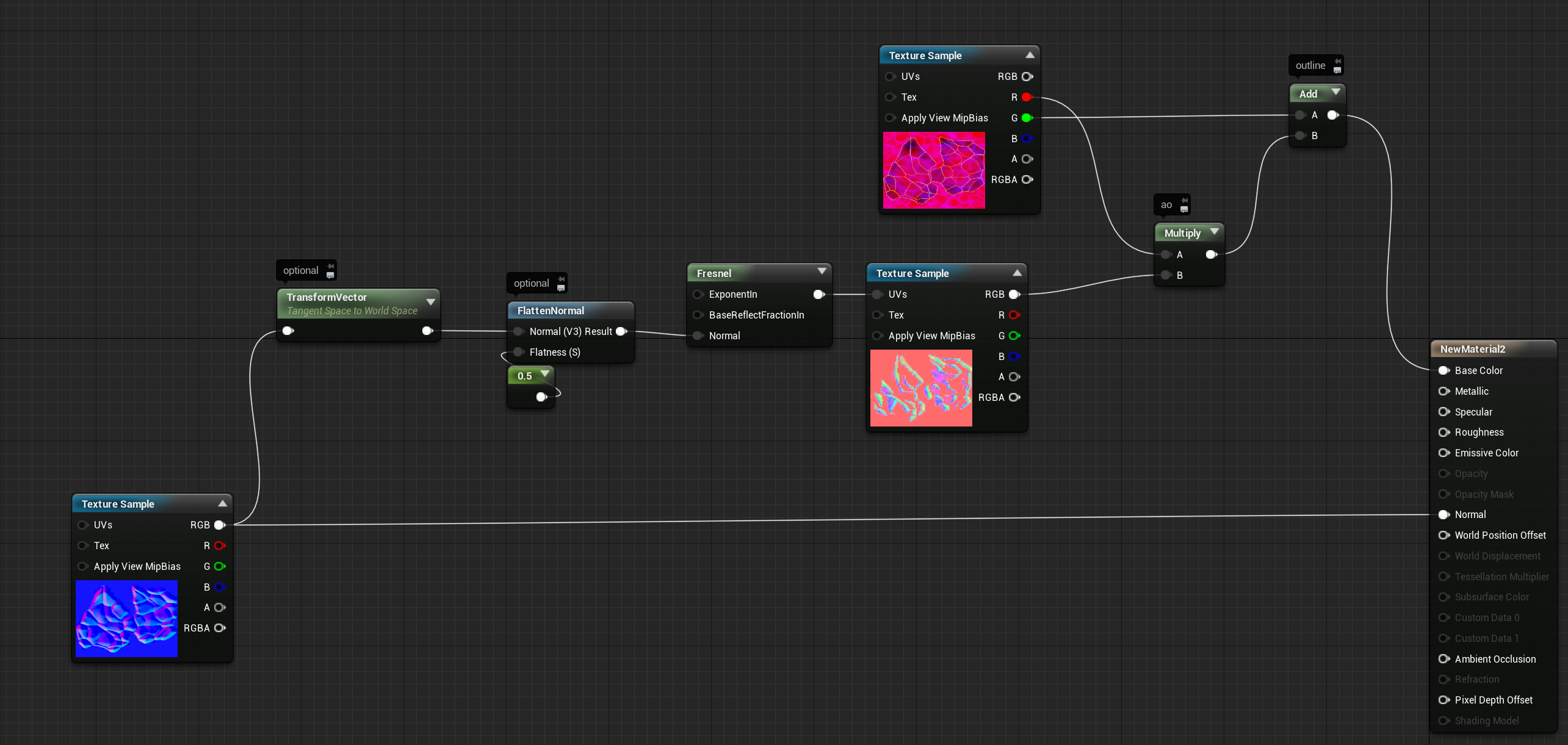
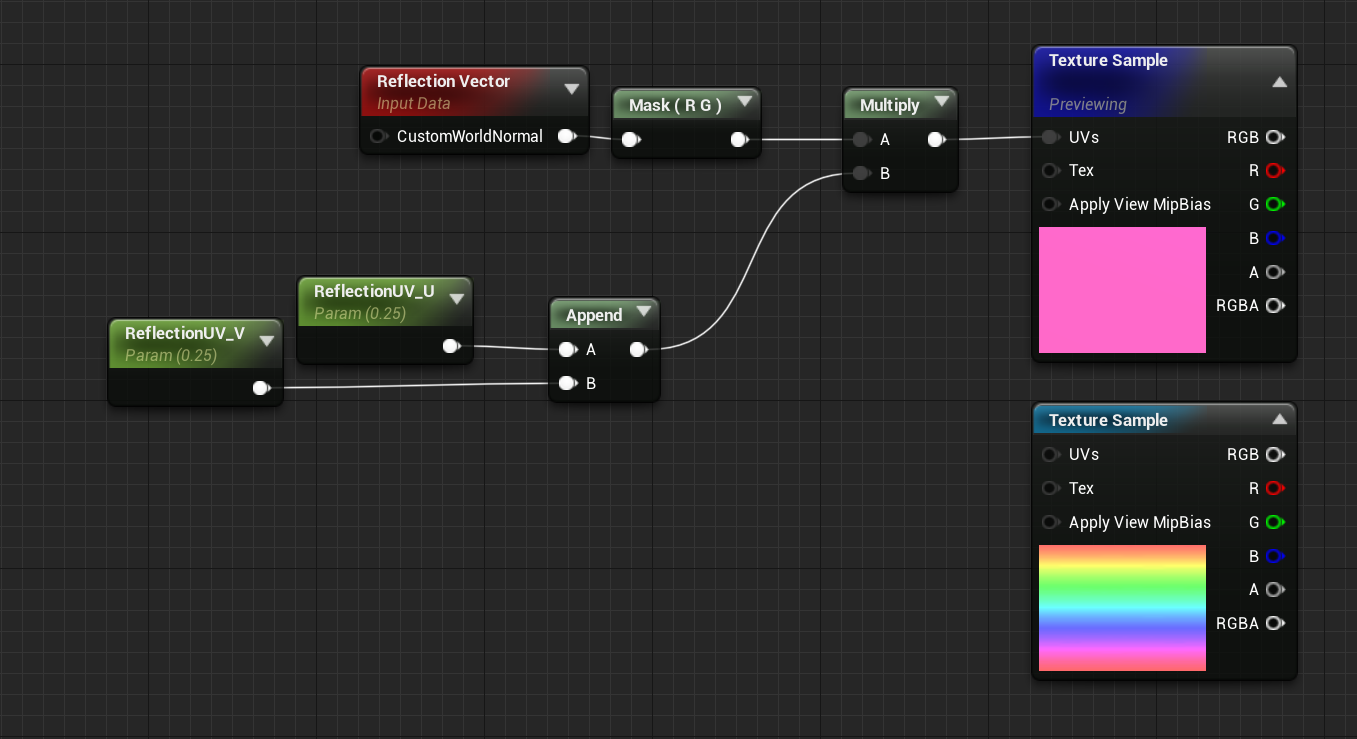 drowsy snow
harsh aspen
Did they change the website for the Unreal Engine tutorials?
drowsy snow
harsh aspen
Did they change the website for the Unreal Engine tutorials?
Yes.
And some courses are frustratingly missing
harsh aspen
I was kind of just starting UE4, then I was away from it for a few weeks because of college work, and came back after UE5 launched, and the courses I was doing were gone.
 arctic bone
Does anyone know how I can fix this error?
 oak patio
arctic bone
Does anyone know how I can fix this error?
oak patio
arctic bone
Does anyone know how I can fix this error?
i mean it's quite clear if you read it
your trying to hook up your third person CHARACTER to you third person GAMEMODE
also its a lot easier if yuo're on a computer to just use window key + shift + s for taking snips rather than a phone
arctic bone
oak patio
i mean it's quite clear if you read it
your trying to hook up your third person...
sorry, I am still new to UE4. How would I fix this?
and I will take note of windows, shift and s thank you
oak patio
no problem :)
where is that collectibles variable sotred
because that depends on what cast you use
the game mode is a class that is responsible for spawning various default classes, and is useful in multiplayer as welll, whereas your character is, your character
depending on where that variable is made
i assume character
you would cast to the character
@arctic bone
arctic bone
@oak patio this is where the variables are made

 manic sequoia
[Help] Hey everyone, I'm on a project that's for some job training kinda stuff.. I need to recreate like a ratchet strap and I'm not exactly sure what to use for the strap.. a spline mesh with physics on it? orr... idk.. I don't have any 3D modelling experience so I know I won't be using a skeletal mesh with animations
oak patio
manic sequoia
[Help] Hey everyone, I'm on a project that's for some job training kinda stuff.....
Please dont crosspost for no reason
manic sequoia
what do you mean for no reason? I posted in the ones that seemed most relevant where people would know the answer
surreal eagle
how to get physical material of skeleton physics asset when i hit the colision capsule (tag if you know how)
stone stump
Hey guys i am making an isometric game the player would be using a helicopter in it, i created my model made it game ready is there a good guide that demonstrate how to add helicopters and make the rotor move stuff like that?