#ue4-general
1 messages · Page 1156 of 1
 drowsy snow
 rose sleet
thanks
 red condor
is it possible to get print strings to show on the screen from an editor utility blueprint?
drowsy snow
red condor
is it possible to get print strings to show on the screen from an editor utility...
I don't think so, but maybe you can get a line from output log?
 mortal canopy
hand tracking now very functional 😔 at long last
now just gotta set up live link in the blueprint but that's not a big issue since that actually works as intended 
red condor
drowsy snow
I don't think so, but maybe you can get a line from output log?
yes! nice ty
I need to cut off the number from the end of a string that could be 'word12387' for example (the word and number can be any length) - can I do this with a delimiter, do I need to loop through every character or is there a smarter way?
drowsy snow
red condor
I need to cut off the number from the end of a string that could be 'word12387' ...
I recall there's a node to omit numbers from a string, but I might be mistaken it from a BP function library plugin
red condor
drowsy snow
I recall there's a node to omit numbers from a string, but I might be mistaken i...
Hm, I can't seem to find it. Actually thinking about it, I might be able to ensure there's a special character there to use as a delimiter. Will try that now.
 runic needle
potentially everything is possible in unreal engine, but I'm thinking that how hard it would be. I guess i will try it. If it seems to hard and complicated, then I'll give up on this idea, it's hard for me to be the only one
 toxic pecan
how come sometimes i suddenly am unable to do anything ( for example: when i right click the menu just keeps dissapearing)
drowsy snow
toxic pecan
how come sometimes i suddenly am unable to do anything ( for example: when i rig...
Are you an NVIDIA user?
 ebon marlin
Is there a global gamma or brightness setting that can be exposed to users, that also affects UMGs?
 autumn flame
There's some sort of fix pinned
 vivid rune
hi, im new to using unreal engine. when i save project and try to open back project it just loads a blank. any suggestions ?
vivid rune
yes a blank level.
 dusk nebula
toxic pecan
So only fix is to restart?
dusk nebula
toxic pecan
So only fix is to restart?
Pretty sure it's in the pins, but there's something you should download and then run that disables whatever thing in the Nvidia driver causes that bug
 slate matrix
anyone need any low poly assets i can make for them for free?
 latent dock
does anyone know what a good amount of actors per level is before it starts becoming incredibly laggy
 reef lotus
does anyone have experience with anti-cheat programs for use with online games with UE4?
red condor
Using 'get assets by path' in an editor utility blueprint, I want to get all the assets in the folder Content/blender/ I've tried everything logical I can think of in the 'package path' field but checking the resulting array length always returns 0. What should I type there?

you're right!! I'm so sure I tried it... I must have had something else wrong at the time though. Thank you 👍
it could well have been that, yep
awww yeahh it works, I just saved future me 1000000 mouse clicks 🥳
 chrome bronze
yo quick question is there like an and gate for exc pins
like both states needed to be true to proceed
ok thanks I think for later use I will make a marco
what do you mean by pulling twords it
 wispy hollow
does anyone know how i can add my metahumans face to a mesh and rig a skeleton to it
chrome bronze
oh so it does not have artifacts? but is not outside of the wall
for that you need to uncheck the grid for movement
and then move it so it just barely sits outside
well you could like add .01 or something to the details panel
but other then that im not sure there is a fix
unless you actually cut a hole
yeah im not sure
good luck
red condor
@austere whale if the wall happens to be at a 90 degree angle and the asset has the origin point at the right place, it'll snap to the surface with correct rotation when you drag it from the content browser. It'll snap regardless of angle in fact, so if you know the wall normal angle you could rotate the mesh to match
but then afterwards if you move it won't have the snapping behaviour anymore
Moving stuff around is easier in Blender tho, so I tend to design my level and position everything there and then use an addon to bring the positions over to unreal.
 winged lava
Hey guys! Basically I am using main menu pro with my game and when I click new game and enter the first level, I can't control my player but when I load the first level from the editor it works no problem. Can someone please shed some light on what I am doing wrong? Thx! 🙂
can anyone help me with the question above? Thx very much in advance!
 final moth
All the vertex coloured agents turned black after baking the light and I can't make it work. It has to do with baking lights, how do I make it work? Do I really need to have UV's on my characters?
wispy hollow
does anyone know how i can add my metahumans face to a mesh and rig a skeleton to it
 soft tree
winged lava
Hey guys! Basically I am using main menu pro with my game and when I click new g...
soft tree
winged lava
Hey guys! Basically I am using main menu pro with my game and when I click new g...
I've not used that plugin, but unreal has a node you can use that might help

try using it after clicking on whatever your new game button
 molten delta
Guys is it possible to do a hit trace on a staticmesh placed by a Procedural Foliage Volume (UE 4.27)?
doing a hit trace always return the Procedural Foliage Volume name but not the actual SM
@minor grove I think you had similar thing happen? Did you resolve?
final moth
unlit

lit

why?
anyone?
it doesn't make sense
is anyone here found the same problem? losing the color data on the vertex material?
in the lit mode?
yes
I guess
let's say, I don't want to bake lights, what do I do? The scene is lit with emission material
is that even possible without baking?
and if the lightmap uv messed up, how do I un-mess them?
is there something I can do here?
 plush yew
im new and going into uni soon, im wondering why my uni chose to work with UE4 and not UE5? surely its better? 🤔
final moth
static lights = baking. If the light maps are fucking things up, then lightmaps are the problem, which I don't understand how to solve.
I read the documentation but it doesn't offer anything specific for this situation
and the problem exists only with the vertex material, when I use material with the other type of base color, no problem
Ok I managed to make it work. The trick was, to make the object which I use as a light static object and then it would light vertex material properly. But I am surprised why there is no possibility of dynamic lighting with the emission material
maybe that's what lumen is for 🙂
I could try to experiment with raytrace gi
final moth
raytrace gi is super nice. I will keep that.
 fleet perch
Does anyone have an idea for a high level method of recording user input for a character and then having a bot repeat that input to perform the same movements at a later time? I've tried using the build in DemoNet replay engine (seems to interrupt game completely when replay is played back from what I can figure out) and storing a lite of transforms and re-applying them (doesn't capture animations at all)
soft tree
fleet perch
Does anyone have an idea for a high level method of recording user input for a c...
Ah, this is a pretty typical use case of the Command pattern
here's an excerpt
 plush yew
can you use C# with UE4?
 silent pecan
plush yew
im new and going into uni soon, im wondering why my uni chose to work with UE4 a...
silent pecan
plush yew
im new and going into uni soon, im wondering why my uni chose to work with UE4 a...
UE5 is not production ready. It's only recommended for use by teams or studios with extensive UE4 experience e.g. lots of troubleshooting. Epic's recommendation for UE5 based game releases for example, is for title planned for very late 2022, or afterwards.
silent pecan
plush yew
can you use C# with UE4?
C++ is the natively supported language. There are tools in the works for C#. https://www.youtube.com/watch?v=t8nP0IEWLZU
I am not a programmer but most info I read (and recommendations) is to go for C++, or use blueprints if you are not a coder.

Want to use Unreal Engine but prefer the C# programming language? Well thankfully this project is exactly what you are looking for. UnrealCLR exposes dotnet core to Unreal Engine and exposes UE classes to C#. In a nutshell, you can write your game logic using C# or F# in Unreal Engine!
Learn more in the step by step guide:
https://gamefromsc...
 winter marsh
If anyone is new to Unreal Engine and would like to learn, feel free to DM me.
plush yew
@silent pecan would u say UE4 is better and more convenient to learn than unity to get into games industry?
plush yew
how do i decrease the vertices withought making the model look all ugly and blocky
plush yew
plush yew
how do i decrease the vertices withought making the model look all ugly and bloc...
is it possible?
idk i was asking 0_0
 naive quarry
Preprocess every possible viewing angle and lighting possibility, cache them, then remove from cache what you need and overlay it on the screen 😎
 shut nova
Why does my lightmap res show as too large when I have it set to 8 for my grass foliage???
 trim belfry
whats the point of the Player Start Tag in APlayerStart? i noticed its referred to as Portal through some of the function calls
 foggy berry
guyz i Have a qustin
can i edit a blueprint somehow without opening it
coz i managed to make a blueprint that instantly crashes da editor
and I dont want to delete it because I have a couple of hours of development in that blueprint
drowsy snow
plush yew
<@!229082407888748544> would u say UE4 is better and more convenient to learn th...
Depends on what position are you looking for
drowsy snow
foggy berry
can i edit a blueprint somehow without opening it
No.
drowsy snow
foggy berry
and can i somehow not run the blueprint?
Just delete it from file explorer.
foggy berry
damn
drowsy snow
You're not completely fucked if you still have the autosaves or source control to roll back into
foggy berry
hm
any tips where do I find the autosaves of unreal?
thank god i Found it
thanks for the tip.
I mean the autosave thing, it saved me this time
 coarse wind
🙏🏽 Hey everyone, I have a question about the Traffic AI System plugin. Can I run it in Unreal Engine 5 ?
or migrate the blueprint from UE4 to UE5 ?
 barren plank

 tender ember
hello. I'm new to UE and I'm looking for great and detailed beginner tutorials on landscape materials and tiling fixing. I found some by Ben Cloward and unreal sensei but they are not beginner friendly at all.
maybe you also know some affordable courses on this? like on Udemy or something
 opal crane
Good morning, I have this problem in UE4 4.27 where whenever i right click on content browser (mostly on images), Unreal will freeze and crash out. This seems to be a random event as it doesn't happen all the time but maybe 70% of the times? Needless to say this essentially makes UE4 impossible and frustrating to work with. Does anyone have this sort of problem? Many thanks!!!
 wise trail
Script folder is garbage right? I dont recall it being a thing before.
opal crane
thanks for that, i'll have to investigate how to turn off on Nvidia panel and give it a try! 👍
opal crane
tbh i have change the performance mode on Nvidia settingsand not a single crash yet! This must have been the reason why Unreal was often crashing when Painter was on as well. I'll keep on monitoring but thanks anyway!
 minor karma
anyone with cascade particle system experience? pls dm me i just need to ask some questions
 tropic pilot
where can i post about UI Widget stuff?
plush yew
help??

 real heath
1 Workaround is to launch the engine directly and then it'll prompt you which project to load
Rather than launching project through the epic launcher
plush yew
@real heathI didn't understand anything
real heath
Where it says 4.26.2, click launch
It will then ask to load an existing project or create a new one
Select your existing project
 stable remnant
I have a structure like this, and the body has physics and velocity and stuff applied to it, but the GetActorLocation() doesn't move with the body

what is the solution to this such that I can have my pawn input logic and whatnot in c++ but can still edit my pawn body & such in the BP editor?
to my understanding you cant apply impulses to the actor directly, so I ended up finding the body mesh in cpp and applying the forces to that but I guess thats not the way
how can I do that? the body is from BP_PlayerPawn and the current root component is inherited from the cpp class PlayerPawn
if I set a static mesh root component in cpp, I can no longer edit it in the subclass bp
Can i do that on RootComponent? I don't define it myself, it is inherited from AActor
I just set it
red condor
hey all, I'm having an issue with world comp where my camera appears to skip a couple of frames when a tile loads (even if the tile is just a small landscape with no other actors, and my pc is powerful). This happens when the camera is on a springarm or if I remove the springarm and just lerp the camera to its intended position, but not if the camera is simply attached to the character's mesh. Issue exists in editor and packaged game. I might be searching badly, but I can only find one other person who's asked about this: https://www.reddit.com/r/unrealengine/comments/9r9x7g/camera_jumps_during_recenteringrezeroing_caused/ I seem to have found a setup that works, but if anyone was preparing a reply I'm still interested in furthering my understanding 👍
This definitely sounds like my issue. A solution is suggested but not detailed, and I'm looking for help understanding how to achieve it:
"You can make a child class of it and when the target world changes greater than an amount such as your tile width and teleport the camera to the new transform. Not at my computer but you can override the function that sets the target world transform. There’s no need to rewrite it for small additions. If you are blueprint only you can still probably override that function if it is marked as virtual"
For clarification - "child class of it" - does 'it' mean springarm component? "you can override the function that sets the target world transform." - how do I do this? To be honest, I'm also not quite sure how to do the math, but I guess it's just subtracting one location from the other and then adding that difference back on? Any help/advice would be much appreciated :)
reddit
1 vote and 1 comment so far on Reddit
stable remnant
the solution is to not set a rootcomponent in cpp, I didn't know that was allowed 😛
 tardy tulip
Hi there ive a question is incredibuild works with blueprint projects and is it really accelerate the shader compiler
stable remnant
What does it mean when a collision box is red? (I typed show COLLISION). Either way my pawn is going right trough my collision sphere

the pawn does collide with the starter tables and such.
the collision sphere is created as root component in cpp by doing CreateDefaultSubobject<USphereComponent>(TEXT("SphereComp")); sphere.InitSphereRadius(radius);, what Am I missing here?
 grizzled fox
Hey guys!
I am working on a new project and I am running into an issue, or rather, I don't know how to go about this
In the terrain I made created some foliage and added wind to it etc.
I have a model that is going to move through the foliage, can I somehow make the foliage interact with that model, as in, not to clip through it?
red condor
grizzled fox
Hey guys!
I am working on a new project and I am running into an issue, or rathe...
try searching youtube for interactive grass or interactive foliage, you'll find a few examples 👍
grizzled fox
Will do!
stable remnant
do you need SetSimulatePhysics for collision?
 gleaming lotus
Quick question: What do you think is the best method for having a collision test for a build system so the piece being built in question (highlighted orange) doesn't collide through other meshes?
My first thought was use a spring arm component, but that doesn't inherit the attached item's collision. Just looking for the quickest prototype implementation 🤔
Second idea is to just set the actor location and sweep, but that seems a bit hacky

 oak patio
Id say test if its overlapping anything, if it is, turn it red, and only allpw placement when it isnt overlapping
gleaming lotus
oak patio
Id say test if its overlapping anything, if it is, turn it red, and only allpw p...
That is one method, but it'll make it reaaally hard to precisely place something down. Just trying to place a box on the floor would be difficult as the trace would go through the floor and you'd have to scroll the distance back/walk around to try and place it on the ground and for it to not be floating... if you get me? 😄
plush yew
Should i use unreal engine 4 or 5 to make a serious project? I'm already experimented in ue
 hallow compass
Guys is it possible to add multiple videos into one single scene? I am trying to add 4 video files into a scene but the materials end up turning black and I don't know why
 calm cedar
Hello everyone. I am facing some shadow related issue in ue4.27 can anyone help please
gleaming lotus
plush yew
Should i use unreal engine 4 or 5 to make a serious project? I'm already experim...
UE4 for sure - UE5 isn't production ready and you'll run into more issues imo
unless you explicitly need something thats in UE5
gleaming lotus
calm cedar
increase the max cascaded shadow distance in your directional light in the scene.
tropic pilot
any norwegians in here? 🙂
 paper cradle
Hi myself flextor , i am dealing with the issue from week i am hoping people will help me here :)), so my issue here is the wheels of this car are not balanced and when i press w to move it ain't moving and its just the wheels move even they moving weird ...and i tried everything such as ....setting primitive settings in view port to single convex hull and also regenerated bodies inside physics assests .
btw this model was taken from sketchfab and from there to blender then to .fbx in ue 4.21
so any help would be greatly appreciated ❤️
sorry not that its this clip .. 🙂
oak patio
gleaming lotus
That is one method, but it'll make it reaaally hard to precisely place something...
you could always combine it with a snapping mechanic like most other games that have building
you free place the first thing, but then the rest snap together
gleaming lotus
Yeah thats actually what I do in my other project, this one I want to have free-placement
I've come up with a somewhat reliable system just moving the object and scanning for collisions.. although it does have some issues I'm trying to iron out like items getting caught on a corner and then not snapping back when they clearly have space 🤔
red condor
I want to set up source control for my 4.27 project, single user. Is perforce my best option? And can anyone recommend a tried-and-true tutorial for setting it up and using it properly?
 mental solar
I made a blueprint class from actor + light but the light is gone. Do I have to bake it?
And if yes, how?
 cloud aurora
g
shut nova
shut nova
Why does my lightmap res show as too large when I have it set to 8 for my grass ...
Anyone?
calm cedar
gleaming lotus
increase the max cascaded shadow distance in your directional light in the scene...
Great , it helped! Thank you
paper cradle
paper cradle
can anyone help me too...i am dealing this from 1 week now :c
thank you
 leaden violet
paper cradle
can anyone help me too...i am dealing this from 1 week now :c
leaden violet
paper cradle
can anyone help me too...i am dealing this from 1 week now :c
First problem i see there is that your vehicle wheels aren't rigged properly. There are some tutorials on YT that shows how to rig a vehicle properly in Blender for EU. The second problem is that your wheels might be set up wrong. Make sure to input correct values in the wheels blueprints and adjust "Additional offset" in your vehicle blueprint in "vehicle movement component".
paper cradle
leaden violet
First problem i see there is that your vehicle wheels aren't rigged properly. Th...
but i separated the wheel tho...
paper cradle
leaden violet
First problem i see there is that your vehicle wheels aren't rigged properly. Th...


i even used rigging plugin
leaden violet
Are bones in the centre of the wheels?
red condor
shut nova
Anyone?
Have you read through this thread? Depending on what you're doing you might not want to used baked lighting at all, but if you do there's some advice in there: https://forums.unrealengine.com/t/lightmap-too-large-warnings/28745

Unreal Engine Forums
Greetings, I just recently started with UE4, so I apologize if my question is something of common knowledge. Every single time I start painting foliage on landscape I’m getting these errors when building lightmaps: Warning InstancedFoliageActor_0 The total lightmap size for this InstancedStaticMeshComponent is large, consider reducing the com...
paper cradle
leaden violet
Are bones in the centre of the wheels?
ignore missing texture ik how to fix that but...check this
 leaden violet
paper cradle
ignore missing texture ik how to fix that but...check this
leaden violet
paper cradle
ignore missing texture ik how to fix that but...check this
Well, I've never used that plugin and I don't know how it works
I was rigging vehicle manually about 2 months ago
red condor
only if it works xD
leaden violet
I've set it up like this and it works
 paper cradle

everything is seperate
actually i am trying to port this into a game ..and i have succeeded once
but now nope
shut nova
red condor
Have you read through this thread? Depending on what you're doing you might not ...
Changing the light map res didn’t do anything, so I’m going to try messing with the lods again or reducing the triangles.
 pallid plover
Hey guys, I'm trying Metahumans and I can't change the length of the beard.
Changing it from "Groom Groups Desc" does change it but then it snaps back to the default level, and changing it from within the groom asset doesn't update it in the viewport for some reason.
Any help would be appreciated.
 hollow cairn
why can i not set ai peripheral vision to more than 90 degrees?
 drowsy snow
No, but it shouldn't be big deal anyway, unless the asset below vanishes as well
 tawdry python
it doesn't, it's just very mildly annoying to look at but it's not a big deal
red condor
tawdry python
it doesn't, it's just very mildly annoying to look at but it's not a big deal
you can click 'view options' at the bottom right and change to list view, don't know if that's less annoying tho :)
column view is probably long enough too and gives you more info
tawdry python
it's a little bit too cramped I got used to recognizing assets by their thumbnail
but changing the scale fixed it!
I forgot that view options also had settings to change the visuals of the viewport
thanks!
 dull dew
 vernal thicket
Is there an area here to recruit game testers or is that not for this disc?
red condor
editor blueprint utility question - is it possible to get a reference to the world composition sub-level a selected actor is in?
(I'll be using the utility in the persistent level)
 vernal cobalt
vernal thicket
Is there an area here to recruit game testers or is that not for this disc?
vernal cobalt
vernal thicket
Is there an area here to recruit game testers or is that not for this disc?
feel free to ask me anytime haha
 hollow flax
Anyone here using Linux and willing to help me with an issue when compiling.
When I try to do ./generateProjectFiles i get an error popping up saying that Linux is not supported and that i should check the sdk
vernal thicket
vernal cobalt
feel free to ask me anytime haha
It would require an NDA, and it's horror. If interested feel free to PM me 👍
vernal cobalt
vernal thicket
It would require an NDA, and it's horror. If interested feel free to PM me 👍
What is and NDA?
vernal thicket
Non disclosure agreement
vernal cobalt
Oh yeah makes sense
 chrome mason
Anyone here familiar with Assertion issues witih UE4? i am looking for assistance and trying to troubleshoot this issue. I do not see a "troubleshooting" chat./
Sure thing, Assertion failed: GD3D11RHI->GetQueryData(Query->Resource, &Query->Result, sizeof(Query->Result), Query->QueryType, true, false) [File:D:/Build/++UE4/Sync/Engine/Source/Runtime/Windows/D3D11RHI/Private/D3D11Query.cpp] [Line: 45].
I have the whole of the text files if you need them too
Specs are a Ryzen 3800x, 32GB of DDR 4 ram, RTX 3090,
it also produces a log with this
[2022.03.13-17.47.57:984][743]LogD3D11RHI: Timed out while waiting for GPU to catch up. (30.0 s) (ErrorCode 00000001) (00000000)
[2022.03.13-17.47.57:985][743]LogD3D11RHI: GPU has hung or crashed, checking status.
[2022.03.13-17.47.57:985][743]LogWindows: Windows GetLastError: The operation completed successfully. (0)
I have tried the TDR settings in my registry with no success
lastly LogD3D11RHI: GetQueryData is taking a very long time (5.0 s) (00000000)
Any UDK video game, like ark, does not crash or have issues.
I could do that
let me try swapping to DX12
 hidden oar
This should be the simplest thing but I feel stupid here... How do you call/execute a function from a blueprint where the function is part of an attached/called actor that is connected to a socket?
Hmm... so basically I have a flight sim i'm working on....
Pressing "R" reloads missiles (which are attached to the outside on sockets). Each missile is a blueprint with it's own "launch" function.
Then, I have "Spacebar" attached to a function for firing the missile.
In the "Fire missile" Function, I tried looping through children components, which works when I print the "name" of each array..
But I can't seem to call the function (ie, using set timer by function name)

This is the "Fire" function. If I print the array elements, it does list the missiles that are attached

So if I print the array, the missiles show up, and they are attached correctly.
sorry, the components are actors themselves (with attached particle systems and methods). I honestly am such a newb with this, the basic terminology escapes me. Thanks for your reply though 🙂 - It seems like it should be such a simple thing to do, but it feels wierdly difficult
plush yew
So i exported my model with an animation and i wanted to ask how do i fix the issue of some body parts are not in the correct place?
 hidden oar
plush yew
So i exported my model with an animation and i wanted to ask how do i fix the is...
hidden oar
plush yew
So i exported my model with an animation and i wanted to ask how do i fix the is...
When this happens to me, it usually has to do with origins being incorrect, or objects being rotated or moved prior to export.
 clear stirrup
hello I'm new to unreal and I wanted to now how can I make an enemy ai to attack the player but not with like a sword or fist but with magic I've look everywhere on YouTube and cant find anything do you guys know how to help the model it a fish i want him to shoot water out him mouth and make the water splash is there a YouTube video or anything that can help me do this
plush yew
hidden oar
When this happens to me, it usually has to do with origins being incorrect, or o...
How do i fix the origin points?
hidden oar
Is there a better way to load actors dynamically and attach them to sockets?
It works this way, up until I try to call a method on them.
chrome mason
So far looks like DX12 did the trick.
 dense knoll
How would you get the Sky Athmosphere to work with a night setting?
when setting the sun below the horizon theres just no stars in the sky no moon or any ambient light in the sky
 floral girder
I hope this is the right channel but do any Macbook Pro users have a problem with mouse lag in UE4?
It only happens when I use a bluetooth or wire mouse, the trackpad doesnt ever have issues
When I load a Standalone Game the mouse problems go away.
Anyone know how to fix this?
toxic pecan
whats the shortcut to increase camera speed again?
i thought it was that but doesnt seem to work for me
 inland jewel
Hey guys! Quick Q...
If you use triggers to continuously spawn platforms in an endless runner, can I use triggers to stop them too and also to create a 'goal' 'end of race/level'? I also am trying to think of how to add multiple, separated platforms to an 'endless runner' that you can jump from one to the next instead of just having 1 platform the whole level.
appreciate any advice
red condor
inland jewel
Hey guys! Quick Q...
If you use triggers to continuously spawn platforms in an...
heyo, endless runners can be tricky. Generally there are two approaches, simple: fake the effect by moving everything past the player, or complex (it's not super complex, but you need to learn more engine features): stream levels and use world position offset. There are some tutorials on Youtube, at least for the first method 👍
final moth
problem with sequencer visibility trigger, messing up the lights. When I watch the sequence in the editor mode, everything is fine. However, when I watch the sequencer in the game simulator, for some reason the scene looks much lighter, like it took the HDRIBackdrop from the previous scene, even though it should be unloaded. How to prevent this?
inland jewel
red condor
heyo, endless runners can be tricky. Generally there are two approaches, simple:...
yeah so i started using the ER base type but im not really making an endless runner. Just making a forward running game that has multiple platforms but has an end point for each level. Wondered whether it was just easier to make the level myself and manually create each platform. Idk how to code it so that platforms no longer in the fov can be deleted though
final moth
screengrab of the problem
as you can see, when I scrub the playhead, the level loads normally and the lighting is ok, but when I go to the play mode, the lighting is messed up
red condor
inland jewel
yeah so i started using the ER base type but im not really making an endless run...
In that case check out world composition, should be perfect for that
final moth
why is this happening, can anyone help, please?
red condor
inland jewel
yeah so i started using the ER base type but im not really making an endless run...
World composition is like the second option, except the world can't be endless
You'll want to set up your 'levels' going in a single direction instead of a grid, add as many as you need for the stage, you can just keep building til you find a good end point for your stage, then move on to the next world. World comp handles loading and unloading levels and removes the map size limit for you so it's nice and easy 👍

This video was voted for by my Patrons and youtube Members. If you want to cast your vote in the next poll, sign up to be a Patron at Patreon.com/ryanlaley
In this video we go through the world composition tool and why you would use it, and how.
Support me on Patreon and get access to videos early, join our developer community on Discord, get ...
This is the video I used to get started, it's clear and to the point
inland jewel
so each 'level' would essentially be a new world.
red condor
level in your terminology yes
in unreals terminology each little bit of your level is a 'level' within a 'world'
so you should try calling them stages to make it less confusing
xD
inland jewel
haha yeah ok ill keep that in mind. Can you code / blueprint it in Unreal so that plaforms no longer in fov are removed? to help with performance
red condor
if you use world comp it'll happen anyway
inland jewel
oh dope
red condor
and they won't have a render cost if they're behind you anyway
(I'm simplifying a little)
they will actually be unloaded a 'tile' (level) at a time
but that's better for performance anyway than loading/unloading constantly apparently
check out that vid, I think it shows how they load and unload as you play in editor. You can see it happen in the side bar
one thing about world comp is each tile will have a landscape, which you might not need in your game - but I don't think you can get rid of it. You can, however, set it to invisible and no collision, so it doesn't affect gameplay.
and finally if you do use landscapes and decide to sculpt them, always add the next landscape rather than sculpting at a seam and trying to fix it afterwards. Much easier. And I think that's all the advice I have 😁
@inland jewel funnily enough I'm basically doing the exact same thing, here's my test level world, see I did it too, in progress :)

yep keep that in mind ^
but if you're starting out I think ue4 is the way to go, more tutorials and less issues (for now)
inland jewel
that's super helpful. I was sitting here scratching my head trying to figure out the best way to do it.
i've done a bit with ue5 but figured this game I'm making is so basic it doesnt need to be done in ue5 so i went back to ue4
red condor
since your game isn't endless and sounds similar to mine, I'm confident world comp is sufficient, but doesn't mean it's best of course - I haven't tried ue5 at all yet
final moth
does someone know why is lighting different in the game mode than in editor mode when I scrub my sequencer, like I demonstrated in #ue4-general message
is this a bug, should I report a bug?
inland jewel
yeah i assume it's more about simplified processes than a brand new engine
red condor
for me personally it's just dependence on a few plugins that aren't updated yet
as a new user you don't have that issue
that sounds really good tbh
you described world comp as a cheap trick, and that's very apt
it's absolutely fine for my game, but if I was doing open world for real I wouldn't hesitate to jump on ue5
I haven't actually done anything myself with shift origin yet
just let world comp handle it
yep
but not in packaged game (now)
oh yeah 100%
turned out it did work in the first place though, the problem was I didn't try to package xD
also I don't think that issue would be noticeable if I was using a human character running at normal speeds
but you are still right
lol xD
inland jewel
how do you do this? this is essentially what i was originally thinking to do. I just dk how to do it,
red condor
using the two methods I mentioned before discussing world comp
inland jewel
aaight. ima watch this video and go from there
red condor
there are caveats of course, like your world can't be too complex
inland jewel
yeah that's fine
red condor
well you got a bunch of answers xD good luck choosing the best one for you :)
inland jewel
yeah i appreciate the advice guys. Def gives me a direction to follow
red condor
@plush yew right now, my whole world design process just doesn't work with ue5 due to a plugin that isn't updated, it's the only thing stopping me jumping ship. But since ue5 is more newcomer friendly now I'll be sure to mention world partition as an option from now on, it sounds much much better
inland jewel
red condor
<@456226577798135808> right now, my whole world design process just doesn't work...
funny you say that because i've read so many times from people saying for newbies to stay away from ue5. Personally i found it easier to use
red condor
i think the main reason was bugs tho, and apparently they're mostly ironed out
if you run into a bug that no-one's fixed yet as a new user, you're screwed :)
but the new release is much more stable so it's a good time to try world partition, if you don't want to fake it
plush yew
plush yew
So i exported my model with an animation and i wanted to ask how do i fix the is...
so its been an hour or two and i still cant find out how to fix this issue
inland jewel
Early Access crashed a lot on me. Is that still happening?
red condor
hm, i suppose if 5 is kind of a 4.28 my plugin might just work despite not being updated..
its a blender plugin, but all it does is put stuff on the clipboard to paste actors into a level
so unless they've changed fundamental editor stuff I might be good
well, might as well give it a try 😅
final moth
#ue4-general message I solved it. If anyone cares to know, the problem was with the postprocessvolume. So, when I added the postprocessingvolume in the sequence, from the both streamed levels, In the gaming mode lights stay consistent. This is something which should be documented, I guess?
EDIT - nope! it still fucks up the lights in the rendered version. It must be a bug, otherwise I don't understand
red condor
'do not use this release for the active development of projects' lolll
this is on you Lorash
drowsy snow
watches as a UE4 baby boomer
red condor
lolll
drowsy snow
UE5 is still in uncharted territory when it comes to low end viability. I know I can still push UE4's 3D rendering to the low end limit without too much sacrificing quality and consistency.
red condor
Do you mean for targeting lower spec devices/platforms?
drowsy snow
red condor
Do you mean for targeting lower spec devices/platforms?
Yes.
I'm still aiming for base PS4 / Nintendo Switch and weaker hardware
red condor
it shouldn't take me long to recreate what I have, I'll a/b them on my cheap laptop and see what happens, my goal is to get it working on that :)
that's the other thing I guess that's stopped me jumping - I don't need any of the new features. But hopefully if I can disable them I can benefit from partition and get similar performance
drowsy snow
The goal is I have two versions:
- The base version, which serve as the ground truth version and supporting low end hardware with UE4
- The "Deluxe" edition, which is the high end version of the game, using UE5's fancy rendering features
 cedar wave
Sounds like a maintenance nightmare
red condor
my blender - unreal world design workflow with world comp has had me creating editor utility blueprints which might not be needed based on my understanding of partition, and even with them the workflow is still semi-awkward
drowsy snow
cedar wave
Sounds like a maintenance nightmare
TBH the "Deluxe" version will be way after the game has been finished
 devout silo
So can some1 take a look for my message in #cpp with apex destruction problem that i describe and maybe can help😅
cedar wave
drowsy snow
TBH the "Deluxe" version will be way after the game has been finished
Still sounds like a maintenance nightmare.
red condor
drowsy snow
TBH the "Deluxe" version will be way after the game has been finished
Director's Cut
interview with Makoto saying he never wanted it called that
drowsy snow
cedar wave
Still sounds like a maintenance nightmare.
I'm sure you don't say the same with "Director's Cut" or "Complete Edition"
cedar wave
Wait - so you want to release game, wait like 3 years, then release it again but in UE5?
If so, then sure, w/e.
drowsy snow
Exactly
red condor
seems like a sensible goal, lets you just focus on the new technologies with the groundwork already done
final moth
something is messed up here. Pay attention when I scrub the timeline, in editor and play mode. I even removed all the exposure settings.
it is not consistent.
It behaves once in one way, other time in another way. There is no logic here.
red condor
my game on the otherhand is lofi as hell so hopefully ue5 doesn't try and fight me on that one
drowsy snow
red condor
seems like a sensible goal, lets you just focus on the new technologies with the...
Also I think it could give some player agency, those who can't afford the higher end hardware can stick with the regular UE4 version, and those who can could get the upgrade to Deluxe UE5 version (which I plan it to be free upgrade)
red condor
have you tried upgrading the project to ue5, to test how it performs vs 4 if you don't use the new features?
drowsy snow
red condor
have you tried upgrading the project to ue5, to test how it performs vs 4 if you...
Well, I use modified 4.27, so I would have to port my changes over to UE5 (which at the moment I'm hesitant to do due to how it's still actively developed)
red condor
drowsy snow
Well, I use modified 4.27, so I would have to port my changes over to UE5 (which...
aha, gotcha. I'm just on a standard build, so hopefully if my addons work I'll be able to 1:1 but with partition instead of comp. Not much to go on since our engines/games are probably quite different, but I'll let you know how it compares
 tall kite
Anyone else having an issue with bridge (specifically metahuman) where it gives an error message asking to install the plugin... even though its already installed

 wispy tinsel
 clever marsh
does anyone know why this is happening
my character pushes all the npc away when I walk to them
theoretically it should stop the player from moving not push the npc
floral girder
I hope this is the right channel but do any Macbook Pro users have a problem with mouse lag in UE4?
It only happens when I use a bluetooth or wire mouse, the trackpad doesnt ever have issues
When I load a Standalone Game the mouse problems go away.
Anyone know how to fix this?
Unreal Engine Forums
I have a Corsair M55 RGB PRO mouse connected with a USB cable converter into the MacBook Pro USB port. Sometimes it lags quite a bit on the movement, which takes place even after I stop moving the mouse. This does not happen with the trackpad. Any ideas on what might be causing this? Haven’t had any issues in other program so far.
This is the only thing I could find on the subject
stable remnant
install windows
 broken stream
Any one know what this is ?

i am traying to update my project from 4.26 to 4.27 then i get this error
devout silo
When i shoot to the center of the rock it didnt distruct(1)
Otherwise when i shoot at the upper side it breaks ez(2)
Just cant understand how is it possible, lol

 floral girder
stable remnant
~~install windows~~
floral girder
stable remnant
~~install windows~~
I have windows but I need to develop a version for MacOS and I can't fix those bugs if I can barely use the engine
 grim violet
Hey anyone with experience using the Perception Neuron suit + Axis Studio please DM me!! Having a weird issue and PN support takes forever to reply. It's related to retargeting the PNRobot to my character. It always has shoulder issues, if anyone knows how to fix this or can maybe help, please let me know, thanks!!
floral girder
Also getting camera lag when I package the project, more so than in the actual editor. The game itself it's not lagging, but the mouse input it.
 wise pagoda
How do you solve the heavy compiling time?
Does it really need rebuild the whole solution for even a simple modification?
shut nova
wise pagoda
Does it really need rebuild the whole solution for even a simple modification?
Yeah, I haven’t found a workaround for that.
Does anyone know why my grass foliage lightmap size keeps saying too large even though I have culling, 3 LODs, 8 lightmap resolution, and no shadows casted?
 young stream
devout silo
When i shoot to the center of the rock it didnt distruct(1)
Otherwise when i sho...
young stream
devout silo
When i shoot to the center of the rock it didnt distruct(1)
Otherwise when i sho...
Is this chaos? It had a tracing bug for a while, prob not fixed in 4.27
hidden oar
Is there a way to check if variable (of type actor) is true/false?
devout silo
young stream
Is this chaos? It had a tracing bug for a while, prob not fixed in 4.27
Apex, 4.23
 inland hollow
hello
anyone available to help?
error MSB3073: The command ""C:\Program Files\Epic Games\UE_5.0\Engine\Build\BatchFiles\Build.bat" MyProjectEditor Win64 Development -Project="C:\Users\ghazi\Documents\Unreal Projects\MyProject\MyProject.uproject" -WaitMutex -FromMsBuild" exited with code 6.
while trying to build the project
 wispy heart
inland hollow
error MSB3073: The command ""C:\Program Files\Epic Games\UE_5.0\Engine\Build\Bat...
wispy heart
inland hollow
error MSB3073: The command ""C:\Program Files\Epic Games\UE_5.0\Engine\Build\Bat...
Unreal Engine Forums
I’m trying to build the latest release branch and I’m getting this error: 3> Creating library D:\UE4\UnrealEngine\Engine\Plugins\Importers\USDImporter\Intermediate\Build\Win64\UE4Editor\Development\UnrealUSDWrapper\UE4Editor-UnrealUSDWrapper.lib and object D:\UE4\UnrealEngine\Engine\Plugins\Importers\USDImporter\Intermediate\Build\Win64\UE4Ed...
Try the solution in that
 pine siren
The SkyLight stops working properly once the player moves far away from where it's placed in the level. Do I have to continuously teleport it to follow the player?
 wet oak
Hello I'm looking for pole swing Prince of persia/Uncharted style in BP tutorial
https://www.youtube.com/watch?v=9VKSIo6Akxk

Just hold the blind fire button (R2/R1) while in between jumps to replicate.
 lucid grove
Hi!
I have a little problem finding the right value of the character rotation relative to its forward vector.
The task is generally simple:
There is an AI that looks in front of itself and there is a player.
I need to find the value of how much AI should turn to face player in float.
Like if player behind AI it something about: minus 180.
If in the front is 180 (or 0).
The forward vector of the player does not matter.
“Find look at rotation” shows the value between two actors, but does not take into account the ForwardVector of the AI actor.
pine siren
Any way to make ExponentialHeightFog support a spherical world? It seems to only use Z-direction..
 calm crow
 wise olive
Have you had any success with this yet?
wise olive
Have you had any success with this yet?
No, i always change the viewport settings using the advanced settings under play. It's boring repetitive, but i havn't found blueprint solution...
 raw stone
Hi, have anyone tried to pack chunk using Primary Data Asset? Currently I can't find a way to organize the Chunk ID as there are many .pak files I need to cook, each chunk goes with its own ID. Can someone show me a way. Thanks for reading

 modest trench
 topaz berry
where is everything?
topaz berry
where is everything?
click the window toolbar
try loading the default layout
 drowsy snow
topaz berry
drowsy snow
topaz berry
Open Full Blueprint Editor.
topaz berry
how?
drowsy snow
Look closely on the upper part.

 serene birch
bitfield notation
means the value will be stored in a single bit and packed with the next values (if they are also in bitfield)
wise pagoda
😄
 bleak zodiac
topaz berry
let me try
bleak zodiac
topaz berry
let me try

Unreal Engine
Unreal Engine offers well over 100 hours of free video tutorials so you can learn the skills to succeed in game development, architecture, film, automotive, and other exciting industries.
 pearl minnow
any idea why start match switches my player's camera?
 plush yew
Pressed something by accident now i cant get rid of all these colored limes on all in-game objects. Makes project unplayable due to fps problem caused by it
 pearl minnow
press F2 F3 F4 etc. @plush yew
plush yew
pearl minnow
press F2 F3 F4 etc. <@456226577798135808>
tried didnt work
pearl minnow
you'll find it somewhere in the UI keep looking / googling. Did you try restarting?
plush yew
not that either
 fierce tulip
else in the console: show collision
 tame marsh
Is there a way to say, select a level and delete all assets UNRELATED to that level?
Or should I approach it by migrating that level to a new prjoect
tame marsh
That's possible, I got In Use By Level, Used In Any Level and Not Used In Any Level
tame marsh
Ahh, dank u wel in ieder geval! Time for some grunt work
 edgy quest
Hi! I would love to say hello to community
plush yew
Well none of that worked so the issue still remains
 exotic cave
What are people here using as character creation solutions for UE?
I've been having some great success writing skin, clothing, etc., shaders for UE with Fuse models, but Adobe kind of murdered Fuse's future as most people are probably aware
 tame marsh
Ahh, dank u wel in ieder geval! Time for some grunt work
tame marsh
tame marsh
Ahh, dank u wel in ieder geval! Time for some grunt work
Following up on this, is there an easy way to migrate InputAxis/InputAction events between projects?
edit: found this: https://forums.unrealengine.com/t/how-to-migrate-config-input-to-another-project/396579/3
Unreal Engine Forums
Hey, it is so easy, that no one want to answer i gues… This way: Go to the Project u want to export your inputs from. Settings / Project Settings / Input Export Open the new Project u want to import the input Settings / Project Settings / Input Import the saved file done! bests Sam
drowsy snow
exotic cave
What are people here using as character creation solutions for UE?

Unreal Engine
Create photorealistic digital humans, fully rigged and complete with hair and clothing, in minutes.
exotic cave
Yes, I know about Metahumans. Do we feel like the tech is secure enough/out of beta enough for production games at this point?
drowsy snow
exotic cave
Yes, I know about Metahumans. Do we feel like the tech is secure enough/out of ...
If The Matrix Awakens demo is of any proof.
exotic cave
That's not an answer for my studio's needs, though. 🙂
tame marsh
What are your studio's requirements?
exotic cave
"Someone else did a cool demo" != "The tech is mature and ready for production games that can reasonably run without a higher-end machine"
drowsy snow
exotic cave
That's not an answer for my studio's needs, though. 🙂
What's your studio requirements?
exotic cave
Metahumans look great. I'm worried they're a li'l computationally expensive and still early access for what I want
exotic cave
drowsy snow
What's your studio requirements?
The TLDR is that I would prefer whatever I make to not require a high-end graphics card.
tame marsh
Honestly, you'll have to dive into it yourself and make that assessment yourself
exotic cave
I'm open to hearing others' experiences.
 crystal locust
Hello, im having issue with the spheretrace. When the projectile hit the giant cube, i want to get the hit location however the hit location which is the debug sphere is on the right instead at the collision contact. Does anyone know what's going on?
 tame marsh
crystal locust
Hello, im having issue with the spheretrace. When the projectile hit the giant c...
tame marsh
crystal locust
Hello, im having issue with the spheretrace. When the projectile hit the giant c...
Some World Space vs Object Space shenanigans going on?
drowsy snow
exotic cave
The TLDR is that I would prefer whatever I make to not require a high-end graphi...
MetaHuman runs even on Intel iGPU w/ following modification:
- 1K / 2K textures
- LOD 0 starts at 2.0 screen size, and LOD 1 at 1.0
- All groom hair asset uses cards, except Fuzz hairs
I have a potato myself, and a true potato, runs MetaHuman in 4.27
exotic cave
I guess it's worth looking into.
 radiant river
Hey, can anybody suggest a quick way to get a simple 'controls' display in my viewport w/ blueprints? I just want to show WASD - Move | E - Use | Ctrl+X - Exit in the corner
drowsy snow
I don't have dedicated GPU because it kicked the bucket and Intel iGPU is the only saving grace I have
crystal locust
tame marsh
Some World Space vs Object Space shenanigans going on?
it shouldn't be object space shenanigans if im pulling it from the hit result tho
exotic cave
drowsy snow
I don't have dedicated GPU because it kicked the bucket and Intel iGPU is the on...
I mean, my 2080 died last year too 🙂
But that's part of why I'm not so eager to commit to Metahumans/Megascans on every single foliage or character object in my games, either
Modern fancy high-poly tech is high-poly, and makes machines run hot
drowsy snow
Though to be honest, my project don't use MetaHumans, at least as is.
I only use it for Control Rig and material references, and considering my game is anime styled
fierce tulip
polycount is peanuts for most current/last gen gpu's (and a few gpu gens back)
its drawcalls, overdraw, and non-baked lighting (to name a few) thats heavy on a gpu.
polygons are breakfast
tame marsh
crystal locust
it shouldn't be object space shenanigans if im pulling it from the hit result th...
And how are you spawning the debug sphere?
exotic cave
fierce tulip
polycount is peanuts for most current/last gen gpu's (and a few gpu gens back)
i...
Yes, "high-poly" was probably not descriptive enough
crystal locust
tame marsh
And how are you spawning the debug sphere?
thru the actor's location
 lucid grove
Hey fellas. When i use rotate actor and them AI move to - its rotating on the left for a half second and then continue moving
exotic cave
fierce tulip
polycount is peanuts for most current/last gen gpu's (and a few gpu gens back)
i...
UE will absolutely run a scene with 5m small polys with minimal overdraw faster than a scene with 1m moderate-sized polys and fat transparency areas, I found that out on my foliage pack
Still, I wince at getting above 5m generally as my experience is that even my good rigs have crashed when trying to regularly handle 10m+ poly scenes
drowsy snow
It would be nice to see my anime styled character in photorealistic digital human form, but I won't be using it for my project
tame marsh
A drawback of high poly assets is that UE4 needs to build cached data for them
And generate LODs if enabled
Which takes AGES
drowsy snow
At least VRoid models are 20K tris average, and still look good in UE4, even in upclose angle
exotic cave
drowsy snow
At least VRoid models are 20K tris average, and still look good in UE4, even in ...
Fuse too. Fuse models are only 30-40k tris at LOD0 and look really good with the right shaders.
I think I will never forgive Adobe for killing Fuse just to poach that team
drowsy snow
exotic cave
I think I will never forgive Adobe for killing Fuse just to poach that team
Adobe essentially abandon Mixamo, and killing support for UE4 because "it's not a popular engine"
tame marsh
Adobe is horrible for that
exotic cave
drowsy snow
Adobe essentially abandon Mixamo, and killing support for UE4 because "it's not ...
That's gonna bite them in the ass
...sorry for language
tame marsh
Everything Adobe has bought has seemingly wilted
drowsy snow
And I lost count how many times I cringe on people still using Mixamo to this day, and call it "perfectly fine"
exotic cave
I have sampled a lot of the modern game creation engines, and UE still feels like the most "for grownups" out of anything by far
Ask anyone who wants to do a project in the main "U" competitor to rename a major directory in that engine and try not to catastrophically destroy an entire project 😄
Everything has its pluses and minuses, and there are things I wish UE did better (mostly complicated file/load/serialization stuffs), but overall this is the only engine that doesn't drive me absolutely screaming in frustration and insanity to do anything genuinely cool in
exotic cave
tame marsh
Everything Adobe has bought has seemingly wilted
Unfortunately, this seems to happen with corporate buyouts of promising startups, and I hope there are lessons for Epic to learn there re Bandcamp and other recent purchases
The main thing the users of any startup app want is for the functionality that got them there to remain usable and unchanged
tame marsh
Quixel seems to have thrived after being bought by Epic, but that might have been helped with Allegorithmic being bought by Adobe
fierce tulip
afaik they been handling their acquired businesses with care. quixel for example is thriving.
drowsy snow
Adobe and Unity (to almost same extent) has getting less than stellar track record of handling acquisition
exotic cave
I just logged into Comixology today to find that Amazon has wrecked part of it, so I'm always a little skittish 😄
Apparently they now redirect inquiries into comic titles you don't own directly to Amazon listings of the comic, instead of the old Comixology interface
tame marsh
It's not all sunshine and rainbows, Psyonix' acquisition had a rocky reception. Though that's more gamign rather than technical
 visual valley
Guys, I have a problem, I created LODs for my characters, setup screen size and everything and when I press play and go to viewmode LODColoration I can see environments changing LODs but characters are still LOD0, they are skeletal meshes, can someone help? Do I need to activate it somewhere?
drowsy snow
radiant river
Hey, can anybody suggest a quick way to get a simple 'controls' display in my vi...
Add a text widget and anchor it to the corner of a canvas panel
drowsy snow
visual valley
Guys, I have a problem, I created LODs for my characters, setup screen size and ...
Do the skelmeshes have LODs to begin with?
visual valley
Skeletal meshes have 4 LODs I just generated in UE
tame marsh
Do LODs work in the Asset Editor?
visual valley
Yes, they do.
And I fixed it.

Sync Attach Parent LOD needs to be unchecked.
Since my parrent dont have LODs only his parts.
 bright tulip
jesus christ is there power save option inside unreall?
unreal doesnt follow bios setting which i set as 1.425v
everytime i open unreal, it force to drop cpu voltage to 1.335v
any1 know fix tthis? im dying reeeeeeeeeeeeeeeeeeeeeeee
exotic cave
I always wondered how deep UE really goes in terms of optimizing my hardware, and the answer appears to be "very"
bright tulip
ummm then am i not supposed to overxlock my rig when unreal??
fierce tulip
i highly doubt unreal has access to those settings/configs, so another piece of software/drivers must be kicking in.
 modern holly
I am new to unreal, I am really struggling trying to get metahumans to work with live link app. The issue is that it is morphing facial expressions that the live link is sending over. I followed many tutorials on youtube and no one seems to have this problem. Any ideas
bright tulip
fierce tulip
i highly doubt unreal has access to those settings/configs, so another piece of ...
thats bad news, then i gotta find another SW for it
 gaunt abyss
Yeah there is no possible way UE is changing your cpu voltage
The load it puts on the cpu could indirectly affect it but that's true for any software or game
floral girder
I hope this is the right channel but do any Macbook Pro users have a problem with mouse lag in UE4?
It only happens when I use a bluetooth or wire mouse, the trackpad doesnt ever have issues
When I load a Standalone Game the mouse problems go away.
Anyone know how to fix this?
Unreal Engine Forums
I have a Corsair M55 RGB PRO mouse connected with a USB cable converter into the MacBook Pro USB port. Sometimes it lags quite a bit on the movement, which takes place even after I stop moving the mouse. This does not happen with the trackpad. Any ideas on what might be causing this? Haven’t had any issues in other program so far.
The mouse input lag also happens when I package the project.
 surreal rose
hi, is there a channel to post my error log as i am always getting crashes with unreal. it isn't any action in specific but ill notice i hear my pc start to whir up and heat up loudly before crashing. I've got a high end pc with rtx 2060 and plenty of ram (16gb) i've never had any performance issues with unity, so i'd like some help as to figuring out the cause, does anyone know which channel i can ppost this in?
drowsy snow
surreal rose
hi, is there a channel to post my error log as i am always getting crashes with ...
This channel should suffice
(though if it's UE5, then #ue5-general )
plush yew
Hi people, any ideas how I might diagnose very high startup lag specific to a particular level? I have 4 levels in my game all with the same game mode/ game state/ game settings, I'm guessing it may have something to do with my poly count, shader complexity, light complexity or something like that (but not sure hence didn't go to #graphics ). The level takes about 10 seconds to load in (basically all the screens freeze as it loads in (multiplayer)) but once loaded in runs quite smoothly. My other levels take about 1-3 seconds to load in. It's hard to diagnose because I'm only interested in what's stressing my cpu/gpu during loadup, during which my displays are frozen.
tender ember
hello. I'm new to UE and I'm trying to figure out landscape materials and detiling. So I watched a great tutorial on how to add macro variation but now I wanna rotate the tiles or something to break up the tiling even more. How would I go about this?

btw are there any node wizards who would like to VC? I consumed so many tutorials and all approaches are different so I'm just trying to comprehend nodes on a basic level at least. would really appreciate any help💛
plush yew
tender ember
hello. I'm new to UE and I'm trying to figure out landscape materials and detili...
why 🇺🇦🏳️🌈?
drowsy snow
tender ember
hello. I'm new to UE and I'm trying to figure out landscape materials and detili...
You mean texture bombing?
surreal rose
um hey guys i seem to have a problem
for some reason the option to import the animations is greyed out and i've tried individual animations but its still greyed out?
 drowsy snow
surreal rose
um hey guys i seem to have a problem
for some reason the option to import the a...
drowsy snow
surreal rose
um hey guys i seem to have a problem
for some reason the option to import the a...
You aren't assigning it to any skeleton.
tender ember
drowsy snow
You mean texture bombing?
idk what is this tbh haha. is it like something I described?
bleak zodiac
tender ember
hello. I'm new to UE and I'm trying to figure out landscape materials and detili...
drowsy snow
tender ember
idk what is this tbh haha. is it like something I described?
Yes, basically scrambling the texture tiling, but it's quite expensive to do in real time.
I'd recommend implementing it on just High/Epic scalability.
tender ember
bleak zodiac
https://learn.unrealengine.com/
yeah I watched these thanks)
tender ember
drowsy snow
Yes, basically scrambling the texture tiling, but it's quite expensive to do in ...
sorry Idk what are those. I just thought it's possible with a few nodes and I wanted to know which ones
I'm an environment artist and I work mostly in blender. I wanna expand my skills to UE as well
surreal rose
hi guys i keep recieving this error it is honestly quite grating as i can't even do any productive work for more than 20 minutes
LoginId:367e66994fc242b4886991a7b18fd2af
EpicAccountId:d8295501f6cf48ada4398c1a0830963f
Fatal error: [File:D:/Build/++UE4/Sync/Engine/Source/Runtime/Windows/D3D11RHI/Private/D3D11Util.cpp] [Line: 198] Unreal Engine is exiting due to D3D device being lost. (Error: 0x887A0020 - 'INTERNAL_ERROR')
UE4Editor_D3D11RHI
UE4Editor_D3D11RHI
UE4Editor_D3D11RHI
UE4Editor_D3D11RHI
UE4Editor_D3D11RHI
UE4Editor_RHI
UE4Editor_RHI
UE4Editor_RHI
UE4Editor_RHI
UE4Editor_RHI
UE4Editor_SlateRHIRenderer
UE4Editor_SlateRHIRenderer
UE4Editor_SlateRHIRenderer
UE4Editor_Core
UE4Editor_Core
UE4Editor_RenderCore
UE4Editor_RenderCore
UE4Editor_Core
UE4Editor_Core
kernel32
ntdll
drowsy snow
surreal rose
hi guys i keep recieving this error it is honestly quite grating as i can't even...
Ouch, D3D device lost errors...
surreal rose
i've tried common fixes for the d3d device is lost but none have helped
all my things are updated, drivers good etc, im on a pc so no secondary gpu shenanigans...
this was one of the reasons i switched to unity but wanting to come back to ue4 is quite annoying and grating because of this
drowsy snow
surreal rose
this was one of the reasons i switched to unity but wanting to come back to ue4 ...
Nobody's going to stop you from switching to Unity anyways.
But that error really is dependant on the hardware/driver. Some might caused by faulty driver (particularly NVIDIA's are dodgy these days), some might caused by the GPU being overclocked or underpowered.
drowsy snow
tender ember
sorry Idk what are those. I just thought it's possible with a few nodes and I wa...


There's a really nice Texture Variation node in UE4 4.26 that cheaply mixes up the UVs to remove texture tiling. https://t.co/eIno6N8xwV
Likes
719
Retweets
126
 Twitter
·
Twitter
·
The more you know
I didn't aware of this before
surreal rose
drowsy snow
Nobody's going to stop you from switching to Unity anyways.
But that error real...
Yeah i like unity but ive been advised that ue in general has more demand for it etc etc and its more modern so i thought maybe its best to learn that instead
Umm for the second question i haven't overclocked it and its a prebuilt so i don't think i got it underpowered but i could be wrong, im using Nvidia rtx 2060 Super so maybe its just like you said with nvidia bein a bit dodgy regardless
tender ember
drowsy snow
https://twitter.com/highlyspammable/status/1316966719437606913?lang=en
hey unfortunately I can't see the names of the nodes coz of low quality:(
red condor
surreal rose
Yeah i like unity but ive been advised that ue in general has more demand for it...
pretty sure unity is far more widely used
bleak zodiac
surreal rose
Yeah i like unity but ive been advised that ue in general has more demand for it...
yes, UE can be demanding, both memory and performance
drowsy snow
surreal rose
Yeah i like unity but ive been advised that ue in general has more demand for it...
Don't force yourself. If you have more comfort with Unity then stick with it.
Unity is also still the go to in mobile game industry.
surreal rose
is it ok if i post my specs, and get your opinion on whether they should be sufficient? the only thing i usually have running would be a yt vid on edge
drowsy snow
tender ember
hey unfortunately I can't see the names of the nodes coz of low quality:(
See the replies.
surreal rose
drowsy snow
Don't force yourself. If you have more comfort with Unity then stick with it.
Un...
yeah true i dont want to be uncomfortable in what im learnin, for reference im looking to get into making pc games etc and am in love with rpg style games and the lot
tender ember
drowsy snow
See the replies.
ok I'll try to put it in my existing tree thank you💛
drowsy snow
surreal rose
yeah true i dont want to be uncomfortable in what im learnin, for reference im l...
That's still doable with Unity. It's just that some things that are available out of the box with Unreal have to be made from the ground up in Unity, and that's mostly goes down to rendering and optimisation tools.
bleak zodiac
i have not work with unity for sometime now
surreal rose
fair enough, i think for now ill stick with unity just cuz i don't get any crashes from them
drowsy snow
さよなら
bleak zodiac
じゃね
tender ember
does anyone know how to get those DDX and DDy inputs? I don't have them on my texture sample
 bleak zodiac
surreal rose
fair enough, i think for now ill stick with unity just cuz i don't get any crash...
bleak zodiac
surreal rose
fair enough, i think for now ill stick with unity just cuz i don't get any crash...
btw what badges do you have?
surreal rose
badge?
 steep meadow
i increased the csm, didnt fix it. how to i change the specular like you were talking about
drowsy snow
surreal rose
badge?
Unreal Online Learning badges, perhaps
surreal rose
uh no i watched a few tutorials of brackeys i guess
im quite new
im tryna make chess
just to practise my coding
drowsy snow
At what ELO?
surreal rose
im lik 1500
drowsy snow
surreal rose
uh no i watched a few tutorials of brackeys i guess
Brackeys is entirely Unity, so you don't take any UOL courses.
surreal rose
are they recommended?
drowsy snow
Unreal Online Learning? For those starting out with UE, absolutely.
drowsy snow
Oh, I don't know, I stopped using Unity for 5 years now.
I've been using Unreal Engine full time ever since.
drowsy snow
surreal rose
seeing as ue just keeps crashing
I'd blame your hardware/driver, but maybe it's just me.
surreal rose
ah lemme pull up my specs
drowsy snow
Particularly NVIDIA doesn't seem to have good outlook these days compared to AMD.
surreal rose
yeah true
anywys specs are
Ryzen 7 3700X 8 core 4.05ghz
rtx 2060 super
16gb ram
ive got ue4 installed in my hdd which has got like half a terabyte free still i think (it was recently defragged)
 thick herald
decent rig, maybe a little low on RAM
drowsy snow
Just what I thought. Considering it's D3D device lost errors, I'd blame on the drivers or any possible settings that underpower it.
Though RTX2060S shouldn't be too old to fail by itself (as I'd like to call it "VRAM rot").
thick herald
I'd stay clear of raytracing though
drowsy snow
Ironic that NVIDIA GPUs, being team green, become red herring with most Unreal Editor's problems.
bleak zodiac
thick herald
I'd stay clear of raytracing though
i agree, i had it set by accuident once and take longer to set up O____o
drowsy snow
Also to be clear, this isn't AMD propaganda, many others have been reporting similar issues with recent NVIDIA stuff here.
thick herald
Nvidia has CUDA, AMD doesn't. Makes a huge difference in may programs.
bleak zodiac
drowsy snow
Also to be clear, this isn't AMD propaganda, many others have been reporting sim...
me included, had to roll back a few times O___o
surreal rose
ah fairs, i haven't really got money to replace the drivers, but on the bright side im goin to uni soon and the ones im seein have all the facilities for high spec pcs
drowsy snow
Um... Drivers are free downloads...
bleak zodiac
yes, can get them form Nvidia site "anytime"
drowsy snow
Usual solution is to actually downgrade to certain versions (I'm sure RTX2060S is old enough to get it)
surreal rose
wut no my drivers are up to date
 coarse crane
Can I ask something My ai stopped working in a spesific map how I can fix it
red condor
coarse crane
Can I ask something My ai stopped working in a spesific map how I can fix it
does the map have a navmesh?
 late forum
steep meadow
i increased the csm, didnt fix it. how to i change the specular like you were ta...
late forum
steep meadow
i increased the csm, didnt fix it. how to i change the specular like you were ta...
That’s fine through your highest LOD’s material. Simply plug a “0” value into the “specular” input for the material!
drowsy snow
surreal rose
wut no my drivers are up to date
And guess what
||Newer NVIDIA drivers have been reported to fail with Unreal Editor - it's so common of an issue, some posts on it got pinned in this very channel||
coarse crane
red condor
does the map have a navmesh?
Where can I look for it
 oak patio
A navmesh is something AI need in order to generate a path to a location
red condor
P to visualise navmesh - if your AI relies on one (and it doesn't exist) then you'll need add one to the map
coarse crane
red condor
P to visualise navmesh - if your AI relies on one (and it doesn't exist) then yo...
How can I add one
surreal rose
ah okay ill try a downgrade
coarse crane
Is it a path or something like that
oak patio
drowsy snow
spread the word
> nvidia pls fix
Its the real reason they hacked nvidia, they just wanted ue to stop crashing
surreal rose
worth mentionin that this has happened before on older drivers in the past but i guess those may have been faulty too
oak patio
coarse crane
Is it a path or something like that
Its a volume you can drag in from the volumes panel
red condor
^, + there are a ton of tutorials on youtube, easier than guiding you step by step
oak patio
Size it to whereever you wqnt your ai to work and boom
drowsy snow
I still doubt RTX 2060 Super is that old to suffer from VRAM rot, if going by very early batches.
oak patio
Also the basic ai tutorial on unreal engine ai kicjstart is very useful
Teaches you about navmesh, ai controllers and behaviour tree tasks
coarse crane
Okey I looked I have one but it didnt working the strange thing is it is working until yesterday
@red condor @oak patio
red condor
P to visualise, send a screenshot with the green navmesh showing
coarse crane
 red condor
simple stuff but much easier to watch someone do it than explain by typing
coarse crane
red condor
simple stuff but much easier to watch someone do it than explain by typing
Okey thanks veryyyy much
I just delete and create one
red condor
coarse crane
Okey thanks veryyyy much
nice! glad you got it sorted 😁
 eager bluff
Is it possible to achieve Dof with 2.5D. I've been trying but leads to nowhere.
drowsy snow
eager bluff
Is it possible to achieve Dof with 2.5D. I've been trying but leads to nowhere.
Yes, the same way you apply depth of field in 3D.
eager bluff
It doesn't seem to work. I'm currently working with the default camera
Not cinematic one
drowsy snow
eager bluff
It doesn't seem to work. I'm currently working with the default camera
Adjust the focal length and adjust the aperture/f-stop to control the intensity
eager bluff
I'll try this out
 scarlet gale
Hello everyone, why is my gizmo so small? It's hard to use. Is there any way to turn it up? I use Unreal on the Mac.thanks!
 plush yew
Does anyone know how to get rid of the float precision? I have a float I turn into a string, but when printed on umg it shows up with .0 added to the number, how would one go about getting rid of the .0 so it is just a whole number?
drowsy snow
plush yew
Does anyone know how to get rid of the float precision? I have a float I turn in...
Truncate
plush yew
drowsy snow
Truncate
Wow thanks a lot exactly what I was looking for.
 cobalt sonnet
finaly i finished my first game https://www.youtube.com/watch?v=IlX29vUGkXE&t=1s
i am an india game maker
and this is my first game i made this game in 2 months
its coming soon if you want to get it subscribe
my website xyzgames1.wixsite.com/website
drowsy snow
cobalt sonnet
finaly i finished my first game https://www.youtube.com/watch?v=IlX29vUGkXE&t=1...
Post it on #work-in-progress since there's no downloadable link
cobalt sonnet
ok
plush yew
Its better world composition or world partition? I want to do a big procedural survival so i don't know if use ue4 or ue5
drowsy snow
plush yew
Its better world composition or world partition? I want to do a big procedural s...
Depends if you want to stay in UE4 for the remainder of your project (I do), or start production with UE5 right away.
UE5 is still unstable so you have to take the risk with it until then
lucid grove
Hey fellas! Im using simple inplace anim montage. Rotation goes great, but when character starts to move it turns a little at the beginning of the movement. Why is this happening? This only happens if im using set actor rotation.
steep meadow
late forum
That’s fine through your highest LOD’s material. Simply plug a “0” value into th...
plugged in the 0 ad sill having the same issue

 plush yew
drowsy snow
UE5 is still unstable so you have to take the risk with it until then
plush yew
drowsy snow
UE5 is still unstable so you have to take the risk with it until then
What do you mean?
late forum
steep meadow
Cool monitor! Do you have some kind of simple fog in the scene that’s kicking in at that point?
drowsy snow
plush yew
What do you mean?
I said what I said.
red condor
plush yew
Its better world composition or world partition? I want to do a big procedural s...
If I understand correctly maximum map size in World Partition is 10km x 10km. So if you want it to be really big, world comp is the only option currently since the size can be theoretically infinite. However, multiplayer is a huge issue in world comp.
drowsy snow
red condor
If I understand correctly maximum map size in World Partition is 10km x 10km. So...
Wasn't it the other way around?
World Comp is limited to 20km x 20km
Well I guess that's a good thing I stayed at 4.27
Even then 5.0 doesn't seem as promising as it would in 5.1 onwards
bleak zodiac
Yes, I'm still at 4.26 😊
 dusky gate
so i'm made this door in maya and have imported it into unreal but when i add a material to it the material is all broken what do i do
 red condor
do you know if there's been any official mention of lifting the limit? Right now WP is looking great for my level design process, but I'd have to make everything small to fit my levels in the map without breaking the limit
tender ember
hey. why my plant meshes have no textures? is it supposed to be this way? or is it an export bug?
 drowsy snow
bleak zodiac
Yes, I'm still at 4.26 😊
drowsy snow
bleak zodiac
Yes, I'm still at 4.26 😊
Kinda wish backporting Oodle to 4.26 is trivial
Or at the very least have the free licence retroactively apply to 4.26
red condor
so there was some kind of origin shifting, but that was removed to make the release possible?
If I understand correctly (I don't follow the git haha)
drowsy snow
The only reason I move to 4.27 was because I give up trying to backport Oodle to 4.26. The changes to related code is much deeper than I anticipated
red condor
I can't imagine origin shifting won't be back in eventually, since 10km by 10km is tiny for open world, even if you're not a spaceship
making everything smaller can also have physics issues I hear
so perhaps world comp is best - for this game - after all
for now
tender ember
I checked the texture but the mesh stills has no material to it
 drowsy snow
Good thing my world is 6km x 6km, since I don't have much ideas to fill the land with quests
cedar wave
10km x 10km is definitely NOT "tiny" for an open world.
drowsy snow
red condor
making everything smaller can also have physics issues I hear
It could, because imprecision also getting spotty with small numbers further from the center
bleak zodiac
drowsy snow
The only reason I move to 4.27 was because I give up trying to backport Oodle to...
Is understandable , I was also thinking moving some of my previous uassets to 4.27 sometime before
red condor
cedar wave
10km x 10km is definitely NOT "tiny" for an open world.
I meant in context of what I think of as a AAA open world, I did a little checking before making the statement xD
drowsy snow
red condor
I meant in context of what I think of as a AAA open world, I did a little checki...
Well, CSGO's Dangerzone is one tiny "open world" map
But that's just because Source can't do proper open world
red condor
I think most people hear world partition and think oo I can do Skyrim
you'd need 23.3 sq km
cedar wave
Skyrim is like 4x4 or something like that.
red condor
here's a list of big ones, many much bigger than skyrim: https://howchoo.com/gaming/biggest-video-game-maps

Howchoo
Open-world sandbox-style maps in video games create a completely unique gaming experience. Here are the largest maps on the market!
90 square miles comes up a lot
thats big xD
in fact I think skyrims the smallest on that list, oblivion was bigger
drowsy snow
I remember Final Fantasy XV touted to have large map, but only portion of it was practically explorable
And I still like that game
red condor
oh you don't need more than 10km to make a wonderful game
probably none of my favourite games are that big
fierce tulip
imho do more with less. I rather have a dense map with loads to do, than a massive open world one where I need to travel minutes/longer just to find something.
cedar wave
Same. Big empty worlds are incredibly boring.
fierce tulip
also saves time, costs less
red condor
In my game you are a ship travelling incredibly fast though
drowsy snow
Yakuza series is like exemplar of small map dense content
And then Dynasty Warriors 9 with the exact opposite
red condor
well not always super fast, but much much faster than a person. And you go in a straight line, not exploring freely.
(strafe movement instead of rotation)
 swift vortex
Hi everyone, I'm very new to unreal engine, but have been trying to make a three-planet system with a sun. I've been following tutorials and most things have been going well, but when I try to add the second planet, I found that UE4 doesn't support multiple SkyAtmospheres. Does anyone know what the best way to do a similar effect (that's also somewhat easy)?
drowsy snow
swift vortex
Hi everyone, I'm very new to unreal engine, but have been trying to make a three...
Fake the atmospheres.
red condor
I'm using procedural techniques to create the stages, otherwise I'd never get any of it done. But for a game about a ship going fast in a straight line, it has to be big or its over in 2 minutes (for pretty much any other kind of game I agree with all of the above btw)
drowsy snow
I hope that question didn't creep into Elite clone lol
swift vortex
drowsy snow
Fake the atmospheres.
How would I do that? Ideally I want to be able to see from the grounds of the planets up.
drowsy snow
swift vortex
How would I do that? Ideally I want to be able to see from the grounds of the p...
Fake the planets and the ground.
By that, I mean you have to create an illusion with transitioning from space view into playable flat planet.
Of course this implies you're going to make Elite clone and not those tiny planet games a la Super Mario Galaxy and alike
swift vortex
I was trying to use Unreal so that I could see what the sky would look when looking up at the other planets along their orbits. If it helps at all, I'm not actually trying to make this playable, more as a reference for myself.
 nocturne bough
Hi everyone! How do I use VS2022 with older UE4 versions?
I built UE4.23.1 with VS2022, I can open and build my C++ projects, but even running UE4 in debug mode inside VS2022, the engine still complain it can't find VS.
Thanks, I will try.
I though I could change the UE4 source code to locate VS folder/registry to vs2022 instead 2019/2017.
drowsy snow
It is the case with 4.27
But making installed build (which I'm sure sswires already turn that into meme) will going to be a hassle w/ VS2022
 plucky reef
not sure if this is the right channel to ask or in the animation (will post this too there since its related to animation I guess?)
I added bones in my character using maya and skin painted it, its working great it maya and unity using mixamo animation (I use the bone structure from mixamo) but when I uploaded it in unreal, the bones are exploding. I am retargeting the animation with default animation in unreal engine.
I also tried using the humanoid unreal engine character so I grab his bone and skin weighted my character to it but once I imported it to unreal, the problem persist. Is there any way I should take in mind while editing the bone from unreal engine default humanoid character? maybe like dont resize them just move and rotate?
drowsy snow
plucky reef
not sure if this is the right channel to ask or in the animation (will post this...
I don't use Maya and Unity, but I'm not sure what do you mean by "bone exploding"
plucky reef
The clavicle is way way off than it should be, I mean imagine +10 in every axis
sometimes the shoulder are to close (almost in the neck bone)
drowsy snow
plucky reef
sometimes the shoulder are to close (almost in the neck bone)
Any screenshot for context?
steep meadow
late forum
Cool monitor! Do you have some kind of simple fog in the scene that’s kicking in...
not to my knowledge, it would be affecting other things like the trunks of the trees, but only leaves become transparent
when i remove the opacity mask, and have them just be planes, they work fine, so something with the opacity mask is causing it to happen
 pallid olive
does anyone know how to make a destroyable tilemap for 2d games
plucky reef
drowsy snow
Any screenshot for context?
In maya it looks like this, perfectly align, but once I imported it on unreal engine and retarget the default animation and tried playing it, it becomes like this. I must be doing something wrong but dont know in what part.... hmm

 drowsy snow
plucky reef
In maya it looks like this, perfectly align, but once I imported it on unreal en...
drowsy snow
plucky reef
In maya it looks like this, perfectly align, but once I imported it on unreal en...
I'm a Blender user, and never encounter that kind of issue before, hard to pinpoint what would theoretically be the cause of that.
plucky reef
I can send you the file. (I just exported the mesh from unreal engine then imported it to maya then export it and import it back to unreal and did the retargeting)
I didnt changed anything so this is quite weird
drowsy snow
I won't be able to check it, as I'm on the bed with a phone.
But I don't see anything fishy with the Manny in Maya
plucky reef
this is very visible here, I got the same problem with my character. hopefully someone who solved this can shed some light, been searching for hours but no avail
 drowsy snow
Though since you mentioned Mixamo rig, is the Manny processed through Mixamo first?
The unapplied materials doesn't seem like the usual Manny skelmesh
plucky reef
yes, I tried multiple variation.
1 with auto rig from mixamo.
1 with manual rig from maya using mixamo bones.
1 with custom bones and manual rig.
1 with Manny default bones.
still not working
tried importing it to blender and exporting it, didnt fixed it too hmmm
drowsy snow
If anything I'd expect an entirely different issue with exporting from Blender to UE
plucky reef
I guess its not from exporting, exporting it from maya and blender to UE produce the same results
is that in import settings? or in retargeting?
floral girder
I hope this is the right channel but do any Macbook Pro users have a problem with mouse lag in UE4?
It only happens when I use a bluetooth or wire mouse, the trackpad doesnt ever have issues
When I load a Standalone Game the mouse problems go away.
Anyone know how to fix this?
https://forums.unrealengine.com/t/usb-mouse-input-lag-on-macos/484809
This is the only forum post I’ve found. This issue is even worse when playing a packaged project.
Unreal Engine Forums
I have a Corsair M55 RGB PRO mouse connected with a USB cable converter into the MacBook Pro USB port. Sometimes it lags quite a bit on the movement, which takes place even after I stop moving the mouse. This does not happen with the trackpad. Any ideas on what might be causing this? Haven’t had any issues in other program so far.
Will try there 😅
nocturne bough
@plush yew @drowsy snow
Just learned the answer to my question, is super simple:
Engine\Plugins\Developer\VisualStudioSourceCodeAccess\Source\VisualStudioSourceCodeAccess\Private\VisualStudioSourceCodeAccessor.cpp
Line 1227, replace:
if (true) //(FCString::Strncmp(InstallationVersion, VersionPrefix, VersionPrefixLen) == 0)
This way UE4 "ask" VS Setup API and figure out the VS path and version.
 exotic geyser
why does my assault rifle audio start being choppy after I shoot it a couple of times? The fire rate is 10 rounds/s and thats when the same audio gets played. After around 30 shots it starts to sound really bad and choppy.
 past basin
I don't usually work with rigs and asking just because I am curious. What is the purpose of the horizontal bone that goes from one hand to other in the default rig?
autumn flame
exotic geyser
why does my assault rifle audio start being choppy after I shoot it a couple of ...
You sure you're not actually creating a new sound every shot so it overwhelms the sound card?
I mean, it adds a new sound every shot
exotic geyser
autumn flame
You sure you're not actually creating a new sound every shot so it overwhelms th...

i did it like this
autumn flame
Well, thing is, if the sound duration is longer than the shot fire rate, sounds will accumulate as it goes
So yeah
exotic geyser
autumn flame
Well, thing is, if the sound duration is longer than the shot fire rate, sounds ...
how can i make it delete the oldest sounds so it doesnt accumulate?
autumn flame
That would interrupt the sound and make it all weird if there's any reverb or really anything that should persist, suggest mostly looking into the sound itself to fit what you're doing
Doubt in games where the gun shoot reaaaaally fast they actually play the sounds like hundreds of times a second, take for example a minigun
I think they create the sound prior and for fire rate you can use the pitch and other things too
To make it "different"
exotic geyser
so i would need a looping sound and adapt it?
autumn flame
Well, if the shot itself is very noisy, calling it lots of times a second won't work
plush yew
what's going on? 😂
 wind laurel
Does anyone know if you can zip up UE5 files to send off to another person?
from this menu. No files seem to be showing up in my designated folder
 hidden oar
When you spend all day messing with physics and vectors and rotations... and then your missile scores it's first hit.
damn.
 harsh pulsar
Hi all - does anyone know how to add a new material element slot to a static mesh?
thick herald
Take into your fav DCC and add it there
harsh pulsar
Thanks, got an in-engine solution?
fierce tulip
get a mask texture and use that as a lerp between two sets of textures.
harsh pulsar
Good work around thanks. I'm still wondering if there's a way to say.. select a few polys of the static mesh, and from that selection create a new material slot.
ok if anyone's interested here's the solution i was looking for. cheers

 sinful osprey
I recently had to rebuild my PC and my launcher no longer has all my projects listed in My Projects. Opening some will add them, but others do not get added. How can I update this list manually? Is there an .ini file or something somewhere?
UE5 projects seem to not be picked up, is that a known issue?
serene birch
open them manually first to populate the list I guess?
you can double click on a uproject file to open it
all in all, I feel like opening them manually like that works better than through the launcher anyway 😮
 proven aspen
How do people usually deal with character collision on a quadruped or a human in a prone position?
I'm tempted to think the front limbs are the "main" capsule and the rear limbs kind of follow along? But that seems like it would make an undesirable rotation pivot.
sinful osprey
serene birch
all in all, I feel like opening them manually like that works better than throug...
That's what I've been doing and the UE5 projects don't populate. UE4.27 does though. Just wish there was an easier way to populate that list
wind laurel
Anybody know why MacOS isnt listed in packaging for support platforms
im using windows, but need to package files for macos machine
drowsy snow
wind laurel
im using windows, but need to package files for macos machine
Yeah, that's the problem.
wind laurel
is the apple and epic legal issue the cause?
wind laurel
drowsy snow
Yeah, that's the problem.
ah so, i'll need to be doing it on a mac to package for mac?
drowsy snow
wind laurel
is the apple and epic legal issue the cause?
Nope.
It's just how Mac OS app deployment works.
drowsy snow
wind laurel
ah so, i'll need to be doing it on a mac to package for mac?
And yes, you have to package it in mac.
Same goes for iOS target.
Apple v. Epic has no relation to this whatsoever.
wind laurel
drowsy snow
And yes, you have to package it in mac.
okay thanks! So in that case, would I be able to send a zip file of the UE project to a mac user and still have them be able to open the file?
drowsy snow
wind laurel
okay thanks! So in that case, would I be able to send a zip file of the UE proje...
Theoretically it could work. You don't need to include these folders: "Binaries", "Build" (if any), "Intermediate", "Saved"
It might be more complicated with C++ projects though
wind laurel
drowsy snow
It might be more complicated with C++ projects though
ahh thats right. because mac doesnt use visual studios right
wind laurel
drowsy snow
Theoretically it could work. You don't need to include these folders: "Binaries"...
thanks for directing me on those! really helpful 🙂 you're the best
 scenic lance
do i have to do something special to build a playable game version without assets not included, but in the content folder?
drowsy snow
scenic lance
do i have to do something special to build a playable game version without asset...
Cooking is part of the packaging, and essentially only include used assets
(I might be misremembering the docs tho)
 rancid warren
Hey Guys, https://youtu.be/h6UC8e-IHRo?t=58 How can I make the road building tool here? I think spline component is not used ?

In this video, Quixel artist Wiktor Öhman shows you how to quickly create an urban street environment using only Megascans assets. Learn how to rapidly lay the groundwork, how to detail it with decals, scatter and vegetation assets and how to completely transform it to a middle eastern theme as well as a wet, night-time scene using some UE4 scri...
autumn flame
Looks like a HISM
 tribal trail
When moving a large folder, the engine will inform you when it starts copying but then - for a long time - becomes unresponsive. Is there a plug in or anything that indicates what's going on or gives an ETA of the background processes?
 neon bough
it copies everything to memory for some reason
tribal trail
Would more memory in my computer help? It looks like I have a message log up - but I can't access it. The window preview is blank and clicking on it via alt-tab never brings up the window.
Nah. I've got 32 gb. It says not responding. I don't want to end task.
 rain ingot
 tribal trail
Does anyone have problems moving large folders around? I made a project with the ParagonGreystone character, I want to move it into a subfolder of my project but can't. It is locking up usually, sometimes copying rather than moving.
 limpid isle
Hey ! I'd like to make a menu like on firewatch : https://www.youtube.com/watch?v=cSz7MUFbstU

Do you recommend having some kind of video loop ? Or simply a 3D scene ?
 grim ore
either one works, the 3d scene would have higher quality
tribal trail
I want to move one folder into a subfolder. I was able to move everything (one folder at a time) but when I fixed up redirectors, I got this error. The read-only files copied over... but what happens if I delete the originals (they are still there, even though they copied)?
 grim ore
why not go in, set them to normal instead of read only, and fix them back up again
raw stone
Hi, have anyone tried to pack chunk using Primary Data Asset? Currently I can't find a way to organize the Chunk ID as there are many .pak files I need to cook, each chunk goes with its own ID. Can someone show me a way. Thanks for reading
 surreal eagle
wind laurel
Does anyone know if you can zip up UE5 files to send off to another person?
surreal eagle
wind laurel
Does anyone know if you can zip up UE5 files to send off to another person?
go to where the file is on disc (in ur project file browser) and zip that
plush yew
How do you add a material attribute layer parameters?
 zealous galleon
tribal trail
I want to move one folder into a subfolder. I was able to move everything (one f...
zealous galleon
tribal trail
I want to move one folder into a subfolder. I was able to move everything (one f...
That's painful
I had a similar problem when I renamed a folder containing a lot of stuff and fixed redirectories and everything was broken and nothing was working
Thank God for backups
autumn flame
And that's the reason my Third_Party folder still has the underscore
tribal trail
I am just wiping it. It was a very rough prototype, I am starting from scratch again. I wish I could see what was going on, like active processes: what file is being fixed, what it is generally doing, rather than just locking up. :(
 ancient lotus
question, how can i setup using material nodes to check if the camera is looking at the actor/material? for example as i look away i want to get a value closer to 0, as i look at the actor/material i want the value to be nearing 1 for use with an opacity mask
hidden oar
Can someone help me understand what the x, y, and z values are in a torque vector?
The docs say:
Torque to apply. Direction is axis of rotation and magnitude is strength of torque.
But that doesn't really help me understand what corresponds to what... is x/y the axis of rotation and the magnitude is z?
or is it ... X is rotation axis, and the magnitude of the value is the magnitude of torque around X?
 humble crow
ancient lotus
question, how can i setup using material nodes to check if the camera is looking...
humble crow
ancient lotus
question, how can i setup using material nodes to check if the camera is looking...
you're going to need to play around with it to get what you want, but this should get you something like -0.7 to 0.7 depending on your camera lens I believe. so abs on there if you want it all positive
 ancient lotus
humble crow
you're going to need to play around with it to get what you want, but this shoul...
ancient lotus
humble crow
you're going to need to play around with it to get what you want, but this shoul...
that partially works and is similar to what i had. thats in regards to if the camera is directly infront of the material. what im struggling to figure out is how to make it so when i look away from the material it fades


 mental knoll
hey guys super noob question probably but I'm not really sure what to search to find the answer: In VS community I type #Include but the Classes folder doesn't show up like it does in this tutorial I'm following
I know its an include folder issue and it works when I use the full file path but how do I fix it? Shouldn't it already include that folder?
ancient lotus
mental knoll
I know its an include folder issue and it works when I use the full file path bu...
assuming you have everything needed (such as your build.cs dependencies) it might just be intellisense being intellisense which has its problems with unreal and is often very slow
mental knoll

seems like everything in the list is from the ThirdParty Folder
I made a new c++ project on UE5 preview 2 and just made a new c++ class, so everything should be set up
grim ore
@ancient lotusthe content examples in the math hall has a material that changes color based on if you are looking at it or not, you can use that as a base. If you want it to fade away just set its opacity to nothing as you look away. you can use something like an if or map range for that if you want
humble crow
ancient lotus
that partially works and is similar to what i had. thats in regards to if the ca...

 ancient lotus
humble crow
ancient lotus
humble crow
yep had a plane setup and was trying to pivot around which didnt work well. testing out in real use it works quite well. thank you!
grim ore
@mental knollperhaps the tutorial you are watching is using a plugin to help with that issue. Also if this is 5.0, physx is deprecated and shouldnt be used
humble crow
ancient lotus
yep had a plane setup and was trying to pivot around which didnt work well. test...
this gets it to work really well

the power forces the fade
mental knoll
grim ore
<@!247492403609600001>perhaps the tutorial you are watching is using a plugin to...
I'm trying to include "Classes\Components\CapsuleComponent.h" but it can't find it
grim ore
it should be just "#include "Components/CapsuleComponent.h"
grim ore
is it just a red squiggly, or is it an actual issue
mental knoll
it won't build unless I include with the full path
drive letter and everything
unreal isn't generating the include paths in vs
grim ore
maybe rebuild the solution file
nuke it from orbit with the project and VS closed right click the .uproject and generate it again, then open it back up
mental knoll
no dice

fatal error C1083: Cannot open include file: 'Classes\Components\CapsuleComponent.h': No such file or directory
ancient lotus
humble crow
this gets it to work really well
thanks to your help i now atleast have a start
 amber shuttle
spawning something considered as hard reference?
 agile moat
Does blender can make ue game level and character animation?
i want to create little horror game , but I'm really newbie
amber shuttle
you can make character animations
plush yew
Does anyone know if there is a node in blueprints to get an array elem by the number the item is in the array (using an integer for instance)
agile moat
amber shuttle
you can make character animations
Ah thanks
amber shuttle
plush yew
Does anyone know if there is a node in blueprints to get an array elem by the nu...
get
😄
plush yew
wow, lmao I totally forgot about that, I have been using for each loops for the last week for a lot of scripts this is embarrassing.
plush yew

Welcome to my ASVarma Dev
If you have any questions regarding this video you can ask in comments or follow me on
Instagram - https://www.instagram.com/asvarma561/
Discord - https://discord.gg/RzRMEBAf
Thanks for watching And Don't forget to like the video :] .
 opaque cobalt
Hello. When I'm importing my fbx file to Unreal Engine it looses it's shape keys (morph targets). How can I fix this?
First screenshot shows that I can see shape keys if I open file in Blender.
Second screenshot - my unreal engine fbx import settings (importing morph targets is enabled).
Third screenshot shows the absense of the shape key after import.
Below is the example file i'm using.


Example file:
 misty laurel
anyone able to help me out here ?
currently looking through this SW3 dump
what i need to find is following>
1.the value that will allow me to make corpses permanent
- the value that allows me to disable item drops
- the value that will allow me to disable highlighting on interactive objects ...like traps , vines and rings
appreciated
 mortal quarry
Hi all, I have a newbie question. Just started with blueprints and really enjoying it so far. I've set something up and it works great in editor, but on package, it runs much faster and it seems the timeline causes my "animation" to not only move quicker, but to be in the incorrect location when completed. - I believe this has something to do with tick/delta time/seconds, but I'm unsure how to stop using tick and to just use time, could anyone assist?
Thanks in advance.
 plush yew
what's going on? 😂
plush yew
plush yew
what's going on? 😂
bump
foliage is painted pretty messy and you can walk through the the foliage - tree's and cross meshes
red condor
plush yew
foliage is painted pretty messy and you can walk through the the foliage - tree'...
foliage cull distance affects how far away they are loaded/unloaded, and like collision can be set per foliage type. Both done in foliage mode, not at my pc to screenshot but if you search those terms you'll find how to do it
red condor
mortal quarry
Hi all, I have a newbie question. Just started with blueprints and really enjoyi...
glad you're enjoying it! delta time is what you need, and it can be used on tick. Basically you multiply your values by delta time, for example: (you can also just drag off from delta seconds, but this shows how you can get the value without that pin)
 plush yew
red condor
foliage cull distance affects how far away they are loaded/unloaded, and like co...
plush yew
red condor
foliage cull distance affects how far away they are loaded/unloaded, and like co...
i set it to max but still having same issue
it's like there's that stripe of fog that affects everything
red condor
to me it just looks like culling distance, meshes and shadows popping in and out
can you post a new vid with better culling?
plush yew
do i need to rebuild lights before it takes effect?
red condor
opaque cobalt
Hello. When I'm importing my fbx file to Unreal Engine it looses it's shape keys...
fbx eport settings in blender are also important, can't recall for certain but it might be to do with whether bake animation is checked
red condor
plush yew
do i need to rebuild lights before it takes effect?
culling? no.
plush yew
like nothing changes when I change culling
red condor
plush yew
like nothing changes when I change culling
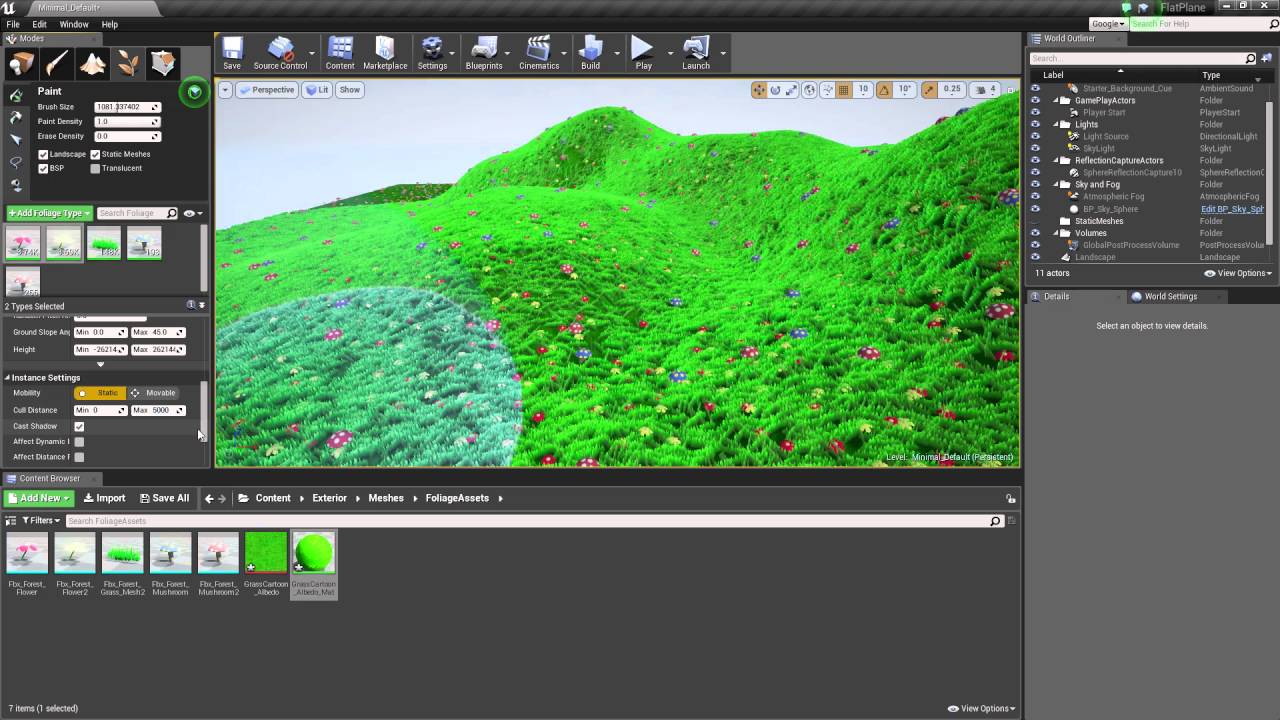
Patreon: https://www.patreon.com/StevesTutorials Tutorial showing you how to cull your foliage. Culling is very important and will make your projects run faster.
opaque cobalt
red condor
fbx eport settings in blender are also important, can't recall for certain but i...
if I reimport it to blender it still has shape keys. So I guess blender export settings is not the issue
red condor
opaque cobalt
if I reimport it to blender it still has shape keys. So I guess blender export s...
I wouldn't rule it out, it is a bit tricky to get everything sending over correctly. Make sure apply modifiers isn't ticked in export settings
plush yew
One question, how can i do to add plugins in ue5? When i try for example adding voxel plugin in the folder it says that the project doesn't have C++
opaque cobalt
red condor
I wouldn't rule it out, it is a bit tricky to get everything sending over correc...
checked
plush yew
red condor
https://www.youtube.com/watch?v=SNDfopeyek4
this is how it looks unlit, maybe those tree's are just low quality
red condor
plush yew
this is how it looks unlit, maybe those tree's are just low quality
is each tree a single foliage instance?
it looks like they're in two parts, and the leafier part has culling set wrong
drowsy snow
opaque cobalt
Hello. When I'm importing my fbx file to Unreal Engine it looses it's shape keys...
UE omits blank morph targets.
tame marsh
What unit is InitialPosition here? I think it's seconds but I want to confirm that

Tooltip is simply "Default setting for position of SequenceToPlay to play"
plush yew
red condor
is each tree a single foliage instance?
it was lod problem, removed it and now it's fine
edgy quest
Hi. How can I improve fps during gameplay preview ?
I have temporarily disabled the shadows and fps raised, but still it's a challenge 4 my laptop I work with
the lightning is fully built
opaque cobalt
drowsy snow
UE omits blank morph targets.
is there way to avoid it? I store some animation in shape keys
drowsy snow
edgy quest
Hi. How can I improve fps during gameplay preview ?
- Test in standalone process
- Use the
statcommands and profiler
drowsy snow
opaque cobalt
is there way to avoid it? I store some animation in shape keys
If the shape keys move 0 vertices, then it's going to be omitted.
opaque cobalt
drowsy snow
If the shape keys move 0 vertices, then it's going to be omitted.
hmm, then I guess I could move 1 vertex in each shape key by a little bit to make it valid for unreal engine
drowsy snow
opaque cobalt
hmm, then I guess I could move 1 vertex in each shape key by a little bit to mak...
Also if you want to deal with skelmesh, you gotta adjust the unit scaling.
opaque cobalt
drowsy snow
Also if you want to deal with skelmesh, you gotta adjust the unit scaling.
okay, thank you!
 spiral flint
 plush yew
Can someone smart lay out the skeleton limitations to me
It seems to me like I can have as many bones as Id like as long as the hierarchy and names are right
Ive added tails, ears, wings, unmentionables and it all works great
But most skeletons I see for unreal that arent my own seem so simple, am I missing something?
like is there a bone limit, what kind of issues could I possibly run into
red condor
default max bones is 255, some good info in this thread: https://forums.unrealengine.com/t/number-of-bones-and-performance/288291/2
Unreal Engine Forums
Hi siebencorgie, Please take a look at the post below. They talk about the bone count as well as bone weights per vertex. https://answers.unrealengine.com/questions/8117/bone-limitations.html I hope it helps. Thanks, TJ
@plush yew this part is key: "anything over 4 bone weights per vertex will cost more performance wise."
As with any optimisation it all depends on your target platform of course :)
pearl minnow
I'm adding "RGB lights" to my keys in my keyboard game. What're your thoughts on optimising this process? Here's a version with RectLights on each key. It has a 5-6ms frame performance hit, not very noticeable so far.

visually it looks like a good starting point. I wonder if i should use some sort of postprocessing instead of lights tho
 tame marsh
I tried to create a child of a SkeletalMeshActor and I'm getting this error

 forest patrol
Ensure condition failed: !FPackageName::IsShortPackageName(Path) [File:D:/Build/++UE4/Sync/Engine/Source/Runtime/CoreUObject/Private/UObject/SoftObjectPath.cpp] [Line: 79]
I get this when i try to package
tender ember
Hello:) My plants from megascans are like this. I checked the material and everything seems fine. also when I move away from the grass mesh it turns into those polygons

 wild aspen
Given some objects in scene that reference each other (A references B, B references C), is there a way to duplicate them so that they reference the respective copies instead of the older ones? (Acpy>Bcpy, Bcpy>Ccpy instead of Acpy>B, Bcpy>C)
thick herald
tender ember
Hello:) My plants from megascans are like this. I checked the material and every...
You may consider filing a support request with Quixel : https://help.quixel.com/hc/en-us/requests/new
steep meadow
late forum
Cool monitor! Do you have some kind of simple fog in the scene that’s kicking in...
no, the only thing affected is the leaves, the trunks dont become transparent, its somthing with the opacity mask
 drifting elbow
good afternoon, are there some good tools/whatever to download latest compiled binaries for a game project, like Unreal game sync but for non-perforce users?
plush yew
how can you make plane invisible, walkable through?
fierce tulip
if its invisble and you can walk trough it.. why place it at all?
thick herald
if it's invisible and you can walk through it, is it really there at all?
wind laurel
has UE5 caused high GPU memory spikes for any of you guys? I have an RTX 3070ti and my shadow depths are still sitting around 25ms. GPU at 40 - 60ms
bleak zodiac
if it's invisible and you can walk through it, should it even really exist at all?
fierce tulip
just disable the collision trough blueprint? same with the mask translucency
plush yew
you can't just click something in details panel of plane?
 queen pagoda
heyoo anyone here, who has an idea, how I can lock the 3rd person Camera in a certain distance to my Character, the moment my character climbs my ladder? I want to have a static camera behind the Character, when he climbs the Ladder up or down, and the only movement the camera shall do, is up or down, matching to the player movement?


 marble otter
I'm so proud of creating something for the first time. I've accomplished a goal and I feel the need to share my dopamine, but it's so simple to developers most likely, and friends who aren't into dev don't understand at all.
How do you guys deal with that feeling? Are you just proud of yourself and move on?
drowsy snow
marble otter
I'm so proud of creating something for the first time. I've accomplished a goal ...
Personally I would just end up showing that off anyway and learn on what can be improved even more.
mental solar
Everything can be explained to anyone, it just takes time.
 mental solar
I made a blueprint class from actor + light but the light source is gone. How do I fix that?
marble otter
It counts "airjumps" rather than total jumps
So when you fall and jump, it'll remove a jump basically
So "AirJumpCount" stays consistent
It all resets on land of course
I'm just really proud of it lol
drowsy snow
marble otter
So when you fall and jump, it'll remove a jump basically
Basically mid air jump?
drowsy snow
mental solar
I made a blueprint class from actor + light but the light source is gone. How do...
As in the component entirely gone?
mental solar
drowsy snow
As in the component entirely gone?
yes, as if I had never selected it when creating the bp actor
marble otter
drowsy snow
Basically mid air jump?
Yeah, but usually the issue with a mid air jump is that it's just a "DoN" and it counts to whatever you want the jumpcount to be. Although if you do that, it makes it so if you fall of a ledge, then start jumping... it'll still jump the same jumpcount. Meaning you get an extra "airjump"
mental solar
I selected a few meshes and a few lights, that's how I did it, is that wrong?
marble otter
I just realized... I could put a Do N after a double jump check instead of before...
jesus christ.
Eh it works my way
lmfao
mental solar
@drowsy snow I am really new to this btw
mental solar
its been 3 days now. I spent 4 hours researching about this. Pls anyone, how to do this?
 misty lynx
Is there a way to quickly visualise meshes/HLOD clusters in the same way lod view mode does?

I'd like every mesh to be a different colour
 vale silo
is there something like landscape grass, but for static meshes ? (besides procedural foliage)
misty lynx
all of the static meshes
just need to quickly visualise the boundaries of a mesh
so like paint every mesh in a random colour
 rocky epoch
ah, sorry I replied to @vale silo
vale silo
rocky epoch
do you want to "paint" meshes?
I have a terrain made of static mesh, with lerp masks and whatnot. I'd like to have grass "planted" on it and I don't want to do it manually. I could use huge procedural foliage volumes, but I'd rather do something similar to what grass material node does on Landscape terrain.
rocky epoch
vale silo
I have a terrain made of static mesh, with lerp masks and whatnot. I'd like to h...
sounds tricky, I do not know any easy method for that
I can imagine writing a editor tool that check the material, and procedurally instancing grass on the surface, but that can be a rabbithole
vale silo
np, I don't think one exists, but I figured I'd ask anyway 🙂
I guess I can just randomly place procedural foliage volumes and have patchy grass
still beats planting it by hand
rocky epoch
you can tinker with the proc foliage tool to spawn patchy grass by itself, so you can get away with a bigger volume as well
oak patio
You can have landscape materials auto place grass but idk if thats ehat you mean
rocky epoch
oak patio
You can have landscape materials auto place grass but idk if thats ehat you mean
"I have a terrain made of static mesh"
s/he is using static meshes instead of landscape for the terrain
Honestly I have yet to try that, but I think you have to paint a layer that have grass attached in the material. Can we even paint on a static mesh (I have never tried it, but I do not think so)?
oak patio
Ah
There is apparantly a procedural foliage actor that works with static meshes
Look qt the documentation for it
Not sure if thats what you are looking for
rocky epoch
Yeah, it can paint on a static mesh. There is a tickbox for it if I remember right.
oak patio
No its like a spawner, but they apparantly want to avoid that
Not sure why, cause its the same thing as the landscape version
You dont have to paint it can just distrubute i think
vale silo
proc foliage works over static mesh 100% - I've done it before, but on smaller terrains
my current terrain is like 50km^2 and I am not sure if proc foliage volume of that size will not choke when spawning grass 😅
rocky epoch
it will probably melt your pc during generating :D
 gleaming axle
How do I quickly turn on and off the orange selection highlight in the editor? This seems like such a simple thing but I can't find anything for this anywhere
It makes previewing vfx in the editor weird if I need to drag them around
 ruby wyvern
Not sure where to ask this, as I'm not really sure the best way to go about it, but basically - I have a project, where wearing a pair of glasses makes things visible in the level.
I can do this pretty simply using level streaming, but the problem becomes how to do the transition where the glasses are being put on / taken off. If I was doing this as an effect in like... after effects or photoshop, I'd do it with layers and masking over where the lenses are (so as the lenses come up in front of the camera you can 'see' what's 'behind' them. But ... no idea how I'd do this in unreal ha
 shell surge
Why I keep having missing nodes wtf
im trying to find this and I don't have it ?

Any ideas?
ruby wyvern
Do you happen to have any tips on what to look for, tutorial wise? I know there's an occlusion material tutorial thing out there for making objects disappear when your character is behind them but I wasn't able to figure out how to ... make that work via/through a set of glasses
pine siren
I just changed my Character a lot, and whenever I look at a certain angle now, all actors disappear. What could cause this? Can I fuck up the camera so much it culls in the wrong direction or something?
hidden oar
Can you simulate physics/gravity on a skeletal mesh? Or do you have to have a static mesh on the root node?
I have a skeletal mesh as my root node, and with physics/gravity turned on, nothing happens, it just floats in the air and I can't apply force

hmm... that might explain my vehicle floating and flipping around the second it contacts the landscape...
pine siren
pine siren
I just changed my Character a lot, and whenever I look at a certain angle now, a...
Actually, never mind. I updated to UE5.0 P2 right before I started working. Apparently there were some changes to LWC. I just had to enable WorldSettings->EnableLargeWorlds and all is well 🤷♂️
surreal eagle
marble otter
I just realized... I could put a Do N after a double jump check instead of befor...
If you're trying to make Titanfall parkoor or the like I can help
 neat ether
is it possible to retrieve how long a given state in the abp has been active for?
 calm widget
Is this normal behavior?

Everything works as it should. I'm just setting the actor rotation to the control rotation smoothly.
But they don't match notice the coordinates top left. After actor rotation hits 180 degrees it starts going backwards. Problem occurs when i want to check if they are nearly equal and do something else
pine siren
Kinda looks like ControlRot has a range of 0-360 while ActorRot has (-180)-(+180), but there's no sign when it flips.. 🤷♂️
calm widget
Hm, yeah. I have no idea how to deal with this thing.
 zinc flume
Guys how hard is to make realistic game in unreal
I mean to get into it
Starting and stuff
calm widget
Realistic.. how?
calm widget
Graphically realistic?
zinc flume
Yes