#ue4-general
1 messages · Page 1137 of 1
 grim ore
 loud garnet
Fingers crossed
 kind dew
is there any info on when martketplace assetswill be supported in ue5
grim ore
when UE5 is released?
 fierce tulip
when ue5 gets released :p
fierce tulip
besides a few dedicated sellers that are allowed to test during EA, we cant update packs to ue5 yet.
grim ore
UE5 is supposed to release this year
 cedar wave
I can assure you that it will release sometime after today.
 drowsy snow
https://www.unrealengine.com/en-US/onlinelearning-courses
Also protip: Forget everything specific to Unity when using Unreal Engine.

Unreal Engine
Unreal Online Learning is a free learning platform that offers hands-on video courses and guided learning paths.
drowsy snow
grim ore
UE5 is supposed to release this year
Heard they delayed it to spring this year :thinking:
grim ore
as far as I know it was early 2022 and still early 2022. who knows when that is besides 2022 lol
oh maybe they forgot a word in there, its possible
we can hope its in the near future based on github tho. lots of stuff getting bows put on it and we have that neato new project
 silk lintel
Hello. I'm trying to do something I initially thought was simple, but I'm having trouble. I want to have full, automatic first-person rotation without needing to click or hold lmb to capture. At the same time, I also want full interaction with UI (hovering over and clicking buttons). The more I look into this, the more tricky it seems. I think I might have to make an input manager, but I'm not really sure how to do this.
grim ore
what is first person rotation?
silk lintel
Btw I know it's weird and kind of an edge-case, but it's for a diegetic game idea.
grim ore
well you say full automatic, does that mean movement happens without user input?
silk lintel
No. So the closest I've been able to get is that you can interact with on-screen UI, but you have to click and hold in the game area to capture in the player and look around. I want to have the mouse input move the cursor on screen (which is interacting with ui) and affect player rotation at the same time, without needing to click.
Does that make sense?
drowsy snow
silk lintel
No. So the closest I've been able to get is that you can interact with on-screen...
As in point and click games?
silk lintel
drowsy snow
As in point and click games?
I suppose. I don't really play that genre, are there often point-and-click games where mouse input interacts with ui and also controls camera rotation?
I think the fact that the mouse input is needed for two different actors is the issue
drowsy snow
silk lintel
I suppose. I don't really play that genre, are there often point-and-click games...
I'm not playing much of the genre either, but I can picture how one can have the camera centers to the object and zooms in to it
 tawdry python
@drowsy snow this is the error I was having btw #ue4-general message
I didn't get it today I think
it might have been related to how many windows of unreal I had open
how many BPs
grim ore
@silk lintelso the game needs input for the mouse to be read, the UI needs input in order for the UI to take input. Your issue is going to be how do you handle mouse rotating the character and your mouse cursor moving on the screen at the same time?
tawdry python
btw I'm a fan of your videos @grim ore
silk lintel
tawdry python
btw I'm a fan of your videos <@!218779540359479297>
same
grim ore
you can do what you want, but your going to end up rotating the mouse to move the player and the mouse ends up moving around the screen at the same time
silk lintel
grim ore
you *can* do what you want, but your going to end up rotating the mouse to move ...
that's exactly what I want
I know it's kind of a weird thing to do, but that's what I want to do
 bronze vault
I don't think I ever ran into this issue. What are you doing when your camera "locks"? Is the whole editor locking up? Are you using Sequencer? Mouse or Keyboard need to charge?
 humble zenith
bronze vault
I don't think I ever ran into this issue. What are you doing when your camera "l...
humble zenith
bronze vault
I don't think I ever ran into this issue. What are you doing when your camera "l...
Often, it's just making a change in the World Outliner or adding assets. The whole viewport disabled my WASD function unless if I hold Right Mouse Button (which sometimes doesn't work either)
My Keyboard/Mouse are wired,

This is all I'm doing right now, and it's locked unless I hold RMB
silk lintel
grim ore
you *can* do what you want, but your going to end up rotating the mouse to move ...
I'm not exactly sure what you mean by the first part, I'm not sure what to do. As I said, I think I might have to make an input manager but I really don't know how to do that in unreal and I haven't found any tutorials on that.
bronze vault
humble zenith
This is all I'm doing right now, and it's locked unless I hold RMB
I think that's normal, at least that is how I have always done it.
silk lintel
yeah, that's how it is for me
humble zenith
Odd, whenever the program starts I can just casually use WASD until a certain point
silk lintel
maybe you were accidentally in play mode and you didn't have a pawn selected in your gamemode so it used the spectator? idk, that's the only thing I can think of
bronze vault
humble zenith
Odd, whenever the program starts I can just casually use WASD until a certain po...
interesting. I don't get that at all.
humble zenith
Ehh, I don't know I'm just gonna live with it I guess 😦
 pearl sonnet
any way to get the scalability selector back?
i'm stuck on 'epic' mode and my GPU does not like it lol
 humble zenith
Click settings,
silk lintel
settings > engine scalability
silk lintel
no, the settings button all the way on the right on that same header
bronze vault
I cant check, but i think they moved it to the top right
silk lintel

 sharp crest
 pearl sonnet
ah there we go, thanks guys
silk lintel
np
sharp crest
@drowsy snow @dull hatch https://docs.unrealengine.com/4.27/en-US/Basics/UnrealEngineForUnityDevs/

Translate your Unity knowledge into UE4 so you can get up to speed quickly.
 silk lintel
curse you, hot reload
drowsy snow
This is misleading at best for those who don't know jackshit about Hot Reload setbacks
sharp crest
tbh the hot reload is the buggiest shit in this engine
drowsy snow
But to be fair, that is relevant when it was the year 2014-2015, back when Unity still reign supreme in indie space
 nimble rock
hello :D
 untold cipher
Does anyone know why my main map isn't loading in my packaged game through the open level by name bp node? The map is included in the project settings>packaging>list of maps to include in a packaged build. The level opens fine in editor, but doesn't in the packaged game. Also, if I use console commands, I can open the map, so it's not an issue of it not being cooked
 upbeat tendon
Data table question, I have some text, character descriptions etc, is it sensible to store that info in a Data table?
I am using a headless cms and can load the data from there
silk lintel
@grim ore (I hope you don't mind me @ing you) This is what I want, except without the need to hold down the mouse button to rotate. I want the mouse input to be absorbed and used by the player controller, but at the same time I want the mouse to be visible and interacting with UI. https://www.youtube.com/watch?v=rP0T-pjzyvs&t=929s 12:40

What are the Controller: Set Input Mode Nodes in Unreal Engine 4
Source Files: https://github.com/MWadstein/wtf-hdi-files
 kindred crag
Does anyone know how to import a .r16/.r34 files to UE4? Or does UE4 straight up not support them? IIRC UDK did
drowsy snow
kindred crag
Does anyone know how to import a .r16/.r34 files to UE4? Or does UE4 straight up...
.r34 might be too juicy for UE4 to handle, but it can take r.16 for landscape heightmap.
 haughty slate
The content tab in my blueprint editor has vanished and I cannot select it from the window dropdown list. The internet tells me a "open blueprint in full editor" button should solve it but I can't see it. I know where it is usually when opening the level blueprint, but it isn't showing itself here. Help please?
I had just reparented a blueprint. I backed up a copy of it first because it warned of data loss, presumably for that blueprint alone. But this has affected other blueprints too. Surely the data loss didn't mean for the project at large?
 devout whale
Any Visual studio code users using cpp to write their code? is it worth using it over visual studio?
drowsy snow
devout whale
Any Visual studio code users using cpp to write their code? is it worth using it...
Depends on which one you have comfort the most, but I personally stick with VS2022.
devout whale
yes thank you, same here i use vs2022 too. just got intrigued since lots of people use it on YouTube.
 cobalt nimbus
So i've found myself into a problem and basically i need multiple "cameras" that each do a post process and display it on that cameras screen.( IR camera, Thermal Camera) when i use the capture component 2D i get a huge drop in fps. I was thinking of maybe capturing my main camera or some how sending a post process component to a render texture. im not sure how to do it.
 real patrol
where is are the editor's folder colors stored?
drowsy snow
real patrol
where is are the editor's folder colors stored?
I believe it's in the Saved -> Config folder
Maybe PerUserProjectSettings.ini
silk lintel
I figured out a workaround for my input issue. I still can't figure out how to have UI-interactive mouse input while absorbing mouse input in the pawn, but I used GetMousePosition() from player controller and made my camera rotation based on distance from screen center, kind of like a controller. I think it works for the game I'm making, but I still would've liked to solve the issue instead of bypassing it.
I changed my mind, I don't like it lol
 surreal prism
I have this really weird issue, I'm trying to use this asset in my level.
https://www.unrealengine.com/marketplace/en-US/product/photoreal-background-mountains
They are just a few static meshes that you drop around your landscape.
The problem is as soon as I drop those SM in the world when I start the game the camera goes crazy, the standard 3rd person camera moves like inside the character, and I can't move it anymore.
This is weird as fuck, why would it cause this behavior?

I would love to hear some ideas
silk lintel
surreal prism
I have this really weird issue, I'm trying to use this asset in my level.
https:...
I'm not familiar with the asset, but it's possible the mesh has a collider on it and you're spawning inside said collider
kind dew
wellllllllllll shit is it not possible to down grade from ue5 to ue4? Tried copying the project and rightclick-> switch unreal engine versionto 4.27 but all my BPs are gone
silk lintel
kind dew
wellllllllllll shit is it not possible to down grade from ue5 to ue4? Tried copy...
just get a time machine and impress upon your past self the importance of using source control
surreal prism
silk lintel
I'm not familiar with the asset, but it's possible the mesh has a collider on it...
But the meshes are surrounding the landscape, the character spawn just in the middle.
kind dew
silk lintel
just get a time machine and impress upon your past self the importance of using ...
dammmmmmm im really bout a create a perforce server for every little test project aren't I
silk lintel
lmao
drowsy snow
kind dew
wellllllllllll shit is it not possible to down grade from ue5 to ue4? Tried copy...
No.
kind dew
i understand the maps not transferring over but i was surprised the blueprint .uassets aren't able to downgrade
silk lintel
surreal prism
But the meshes are surrounding the landscape, the character spawn just in the mi...
As I said, I'm not familiar with the asset. You're saying if you delete the mesh you spawn in fine and you have no issues with the camera, but everything goes crazy when you have them in the level? Collision is the only thing I can think of. Try setting collision to no collision and/or removing collision in the mesh editor, if applicable.
drowsy snow
kind dew
wellllllllllll shit is it not possible to down grade from ue5 to ue4? Tried copy...
Also UE5 Early Access builds (which is most likely what you're using) are not forward compatible with 4.27
UE5 Early Access is based on 4.26, and it's already hugely outdated compared to the 5.0 branch on GitHub.
kind dew
drowsy snow
UE5 Early Access is based on 4.26, and it's already hugely outdated compared to ...
ah okay good to know. I'm assuming switching to 4.26 wouldn't work either
 worldly spear
how do i import my object so its pivot point stays where its supposed to?
drowsy snow
worldly spear
how do i import my object so its pivot point stays where its supposed to?
What DCC tool are you using?
worldly spear
Maya
drowsy snow
I mainly use Blender, but maybe center the object to 0,0,0 before exporting.
 dull hatch
drowsy snow
https://www.unrealengine.com/en-US/onlinelearning-courses
Also protip: Forget e...
dull hatch
drowsy snow
https://www.unrealengine.com/en-US/onlinelearning-courses
Also protip: Forget e...
Thanks for the tip! I was under the impression I wouldn't use much of Unity knowledge. However, I have come to learn from several articles that learning different Engines is a good way at developing the skill of adapting to different engines since some if not most dev studios use proprietary engines.
silk lintel
drowsy snow
I mainly use Blender, but maybe center the object to 0,0,0 before exporting.
I could be wrong, but I think when you import a mesh the pivot is based on world origin rather than mesh pivot. I've noticed that importing from blender, at least.
worldly spear
thats fair, but that defeats the purpose of the object animating the way it should
silk lintel
I will say I know nothing about animation, so take that with a grain of salt. Could be different for animations.
worldly spear
I read online that you can just: You just have to either use "Import Into Level" from the file menu or UNCHECK the "Transform Vertex to Absolute" checkbox in the import window.
but i dont see that in the import options anywhere
i tried importing to level and its still wonky
drowsy snow
dull hatch
Thanks for the tip! I was under the impression I wouldn't use much of Unity know...
Well, many propietary in-house AAA engines were closer to Unreal's more than Unity's, as most of them were developed with C++, and many Unreal developers I've seen landed jobs on studios using in-house engines
dull hatch
drowsy snow
Well, many propietary in-house AAA engines were closer to Unreal's more than Uni...
Oh interesting! I listened to a podcast of a guy stating that the particular proprietary engine they use was based off Unreal. However, I didn't consider that would be the most likely scenario. I originally started with Unity because of an idea I had for a 2d game and after research suggested Unity to the better option.
Nevertheless, if I'm looking to join a studio It would be of my benefit to be more diverse.
Hmm, would you suggest to learn C++ as best I can vs Blueprints?
drowsy snow
dull hatch
Oh interesting! I listened to a podcast of a guy stating that the particular pro...
It is in your best interest to learn both.
In Unreal, BP and C++ go hand in hand (but BP is on top of C++)
 worthy drum
I seem to take that unity users who compare it to unreal are the type who never worked on any structure except base games their entire life.
Most of them even say themselves that unity is meant for lower things than unreal.
Going as far as to state that "nobody cares about ultra realism"
I don't exactly see unity being used by traditional japanese companies who have been developing games for years
Or ever seen a unity game become the spotlight for more than a few months
drowsy snow
worthy drum
I don't exactly see unity being used by traditional japanese companies who have ...
Except I know Bandai Namco used Unity to develop mobile games.
But I guess the notion "mobile games don't count at all" applies here
As horrible as gachas are, mobile games are still video games, as much as people hate to admit it.
sharp crest
I'm bored
my project is packaging
what shoudl we do
I don't even know why I packagd
I have a habit to package so often for no reason
ooofz
 valid sparrow
been getting some trouble with a model I am attempting to use. I have it as a static addon for a weapon. The textures and mesh look alright so why is it that the item it is connected to not loading in game? Also it is from sketchfab if that might be a indicator as this is the second one from there that is doing this.
valid sparrow
I happens when the weapon is equipped so spawned in, sorry abit confused myself.
sharp crest
did u check if the actor even spawned?
just debug it bro
we can't debug it for u
u can press f8 and look for the actor in the world outliner
if it's there then click the component mesh and see why it's not showing
etc
 plain crypt
My "if" node requires my multiply output be a float, how can I convert it to a float?
 valid sparrow
Have tried numerous times to debug, the mesh seems to be the thing breaking it. I am more wondering if this has happen to anyone else? Also this is the error it comes with. But when checked it should be fine, it is only with sketchfab meshes.
 sharp crest
plain crypt
My "if" node requires my multiply output be a float, how can I convert it to a f...
sharp crest
plain crypt
My "if" node requires my multiply output be a float, how can I convert it to a f...
it's literally a vector bro
oh wait

I'm confused too
but I don't think they have this float/int thing in material
sharp crest
valid sparrow
Have tried numerous times to debug, the mesh seems to be the thing breaking it. ...
ue4 has no bugs bro
you are getting a runtime blueprint error, not a mesh error, so it's not related to the actual model
sharp crest
plain crypt
My "if" node requires my multiply output be a float, how can I convert it to a f...
can u show the error u r getting
plain crypt
 valid sparrow
hmm odd since if the mesh is removed from the main item it spawns and functions perfectly fine. Eh may go wing it and hope for the best then.
sharp crest
did u try round node?
 spark cobalt
Hello all! Me and some friends are looking for game jams, preferably large-ish ones and preferably judged ones to participate in! Does anyone know of any cool jams like that? I already know the Github Game Off and the Global Game Jam!
sharp crest
valid sparrow
hmm odd since if the mesh is removed from the main item it spawns and functions ...
u can try selecting any different mesh liek an editor cube or something
plain crypt
sharp crest
did u try round node?
I used a mask node and it worked
I'm trying to get the screenspace of the object
sharp crest
okay nice
plain crypt
sharp crest
okay nice
Didn't know it was a vector
sharp crest
I don't think it's a vector
lol
maybe mask rounds it too
🤷♂️
maybe it was Idk
oh this seems to be a vector yea

 plain crypt
The input is the first value to be compared, then the nodes params are the second value, what are the other slots for?
sharp crest
it's for what to output depending on if A or B are equal or more than the other etc
the last 3 are what to output depending on the first 2
plain crypt
sharp crest
it's for what to output depending on if A or B are equal or more than the other ...
what's the b slot for?
 plain crypt
Gotcha, that makes sense
sharp crest

What is the Material: If Node in Unreal Engine 4
Source Files: https://github.com/MWadstein/wtf-hdi-files
plain crypt
So the "a > b" slot and the "a < b" slot are questions?
supplying a one is yes, and a zero no?
sharp crest
sorry I'm done with material math check the video
 kind hazel
help i have no idea what this is
sharp crest
math kills my brain 😭
sharp crest
kind hazel
help i have no idea what this is
this is literally a 27 seconds video showing you using the editor
so you'd have to be a bit more specific than that lol
 bright sigil
kind hazel
help i have no idea what this is
bright sigil
kind hazel
help i have no idea what this is
Its hot
kind hazel
the editer has a glith
sharp crest
okay tell us about the glitch then
but tbh
ue4 has no glitches
unless you ever tried editing a blueprint struct...
but we don't talk about bruno.. or that..
kind hazel
what? wtf it does not show up in a video
sharp crest
lmfao
maybe ur monitor is broken
thbrow a rock at it try to see if it fixes the issue
kind hazel
I don't know but the menu was flickering when I tried to open it and I couldn't see it
sharp crest
which menu?
kind hazel
The menu that comes up when you try to right click on something it just flickers and then sometimes it doesn't even show up at all
sharp crest
omg I once had the worst flickering issue with the ue4 menus
I don't think it was these menustho
Idk
kind hazel
It happens like every 15 minutes after opening the editor
sharp crest
r u using a nvidia card?
kind hazel
yes wait let me guess graphics card update
sharp crest
I will send u a fix
let me find it
@kind hazel https://nvidia.custhelp.com/app/answers/detail/a_id/5157
download this
I think u might have to restart ur pc to make it work
it once fixed a flickering issue I had with the editor
don't think it was quite like urs but maybe itll solve it
kind hazel
OK I'll try it thank you so much man it's nice to have people ask questions
sharp crest
but if it doesn't work you are on your own 
kind hazel
ok
pearl sonnet
i narrowed down that the largest impact of the 'Scalability' option is 'Effects'
can someone tell me where i can actually configure the 'effects' that are applied?
 sharp crest
maybe post process
but there is like a thing
to check the rendering optimization
I forget how to bring that up
watch htis

This in-depth presentation from Unreal Indie Dev Days 2019 outlines CPU and GPU-related overheads, identifying bottlenecks, and how to plan optimization strategies and pipelines early and as a team. Learn the tools and how to employ them to identify key performance problems as well as engine features that can help you improve performance in your...
pearl sonnet
maybe that will shed some light
 tender pecan
pearl sonnet
i narrowed down that the largest impact of the 'Scalability' option is 'Effects'...
tender pecan
pearl sonnet
i narrowed down that the largest impact of the 'Scalability' option is 'Effects'...
Scalibility setting for Effects largely control particles and their associated biases, for that you should look into what optimizations you can do on each of your particles effects, check ensure minimize overdraw, check shader complexity, gpu load from spawned gpu particles, ensure LOD all that kind of stuff.
pearl sonnet
my level is very empty, a hand full of cubes with a basic white material,
a floor which is just a stretched cube with a simple material
and a relatively low quality character XD
sharp crest
in that case I wouldn't worry about optimizations, lol
tender pecan
🤣
pearl sonnet
lol got it
switching Lumen off and now its very fast 😮

Project Settings -> Engine -> Rendering
 coarse vine
hello guys can i ask something?
so me n my friends are making a racing game and we decided to go over to ue5 thus we setup one of the tracks in ue5 wp i painted some trees in background i marked em as a single foliage instance and it kept giving warnings so i decided to remove the instances but i cant find where they are so as u see in above pic the instance is still being told but i cant find it

 shell ibex

how to put the 6 tga file cubemap in the good sens
i tried 2 solution but its never the good sens
for the skybox
sharp crest
pearl sonnet
switching Lumen off and now its very fast 😮
it's in the post process too
 sharp crest
coarse vine
so me n my friends are making a racing game and we decided to go over to ue5 thu...
sharp crest
coarse vine
so me n my friends are making a racing game and we decided to go over to ue5 thu...
not sure what the issue is but I can tell you that you should probably not be using ue5 to make a game yet
does anyone know how much 1 kilometer is in UE4 units? (answer: 1000)
coarse vine
sharp crest
not sure what the issue is but I can tell you that you should *probably* not be ...
ue4 vehicle system isnt working anymore so had to switch and this game wont be out anytime soon
sharp crest
ue4 vehicle system works great tbh
coarse vine
it was glitching out for us continuously
sharp crest
even if it was, I doubt UE5 fixed any of that
coarse vine
ue5 choas is slightly unstable
sharp crest
chaos is unrelated to vehicle tho
 neat thunder
guys you don't have any experience?
sharp crest
coarse vine
it is the new system in ue5
I really doubt this is for vehicles
sharp crest
neat thunder
guys you don't have any experience?
your issue isn't clear. make a vid or reexplain or both
drowsy snow
neat thunder
guys you don't have any experience?
That's kind of insulting way to put it...
coarse vine
u need more research then
sharp crest
drowsy snow
That's kind of insulting way to put it...
lol
sharp crest
neat thunder
https://answers.unrealengine.com/questions/326577/collision-of-attached-actor-do...
if it's the same issue, how come you can't use that same solution? lol
 tribal leaf
I was about to type the same thing 🙂
sharp crest
😅
coarse vine
i have both versions of our project but ue4 version is bugged in vehicles that is and it also lacks key features that ue5 system comes with out of the box
if i recall correctly my team mates wre complaining that wheeled vehicle bp wasnt working at all properly with cars thus we decided to upgrade
 shell juniper
So I have a physics handle, but whenever I grab objects with it, it clips through walls, and spins freely no matter how much dampening I put on it. Any solutions? Please ping me if so.
coarse vine
dug up the errors that we had in ue4 version of the project

 verbal jasper
has anyone had a bug where, when you open a contextual menu (right click menu, file/edit/help...), it instantly closes ?
thanks !
shell ibex
why i cant make spawn node in blueprint editor with keyboard please
 dusk nebula
I'm wondering if there's an existing way to convert an integer into the literal word form of it in a string
dusk nebula
shell ibex
please
? Like you're not able to use your keyboard to put the node in your BP, or a keyboard event isn't triggering the node that's already there?
 knotty summit
Hey people. I have an 3d inventory system and I'm using instance mesh component for hover effects. Each time the cursor hovers a new inventory actor, I spawn Instance Static Mesh Component in that actor. When it's unhovered, I destroy the component. But I noticed that each spawned component has a bigger value in here, even though I destroy it. Should I worry about it? I'm mostly worrying that destroying/spawning might cause more harm then benefits.
 shell ibex
dusk nebula
? Like you're not able to use your keyboard to put the node in your BP, or a key...
shell ibex
dusk nebula
? Like you're not able to use your keyboard to put the node in your BP, or a key...
idk in the setting i bind the keys
for the blueprint editor
for spawn specific node
and its dont work
ooohhh ok its work its because of my keyboard
software racist against french keyboard i forget that
coarse vine
coarse vine
dug up the errors that we had in ue4 version of the project
anyone even looked at this?
 terse ice
Shared DDC question.. I know different engine versions cannot read each other's derived data, but does that mean I should create totally separate folders for each engine version? The engine could easily keep different engine versions of DDC data apart within the shared DDC itself.
I'll check the source code if there are no ready answers, but I prefer being laay-zaay
 knotty fern
can i make online multiplayers game and port to website and let them play on website?
drowsy snow
knotty fern
can i make online multiplayers game and port to website and let them play on web...
Not in native HTML5, no.
You'd have to setup Pixel Streaming, which is basically setting up your "cloud gaming" solution.
 south shore
Can anyone point me to a resource describing how to use SSBO's in unreal, can't find anything in the documentation..
drowsy snow
south shore
Can anyone point me to a resource describing how to use SSBO's in unreal, can't ...
Low level graphics API stuff is already taken care of Unreal's RHI abstraction layer, and now there's also Rendering Dependency Graph.
So if you want to write compute shaders, you'd really have to go through RDG
south shore
drowsy snow
Low level graphics API stuff is already taken care of Unreal's RHI abstraction l...
Thanks, I'll look into that. I'm really new to Unreal so I'm not that familiar with what level of control I have access to. E.g. can I force a rendering shader to use data stored in a gpu buffer (switching read/write buffers for rendering/compute) ?
If you don't know and that I should figure it out myself is an acceptable answer..
 tardy skiff
hi all. anyone knows if it is possible to give height to a snow material for example ? like to have thickness without extra geometry (like solidify in blender mesh) ?
 kindred depot
tardy skiff
hi all. anyone knows if it is possible to give height to a snow material for exa...
kindred depot
tardy skiff
hi all. anyone knows if it is possible to give height to a snow material for exa...
simple tut on this, not best practice tho
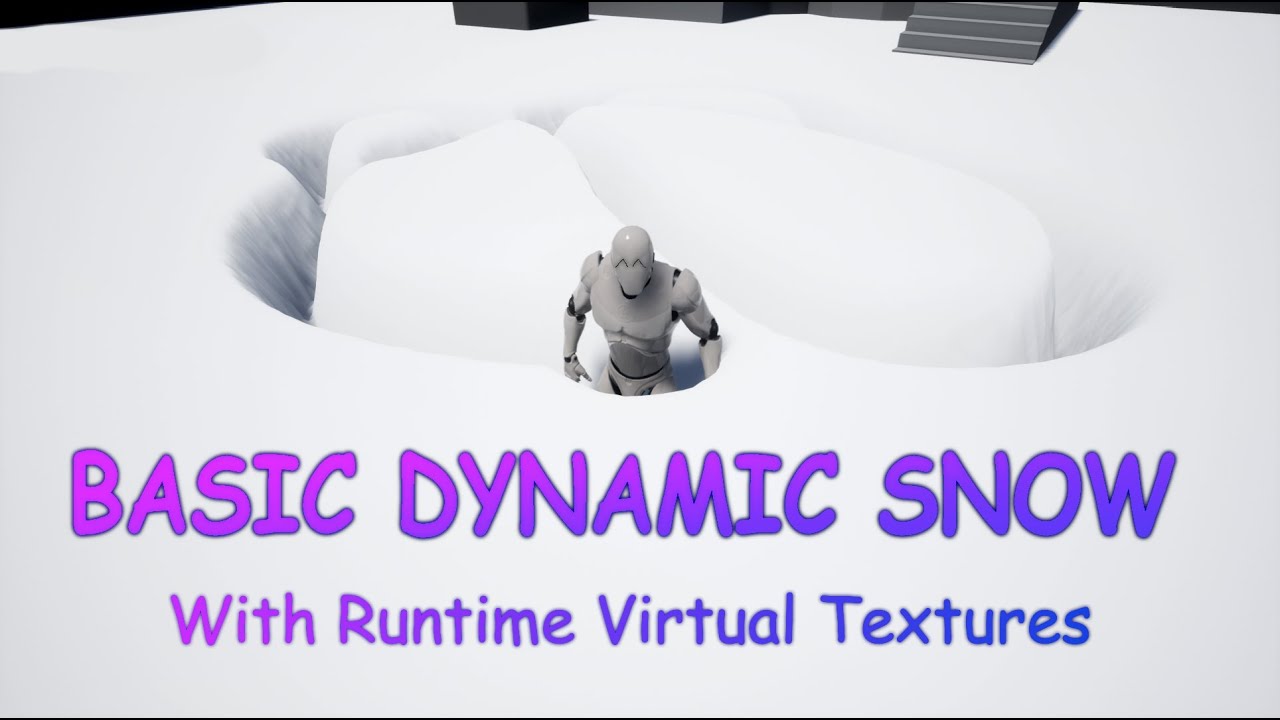
In this video I describe how to use runtimer virtual textures in UE4 to creaty a dynamic snow effect.
The Basic idea is by RP Monkey:
https://www.youtube.com/watch?v=jdi_37r1zcE
I wanted to make this Video 5 minutes long, but I decited to explain what I am doing so thats why it turned out a little longer :\
For Questions or suggerstions Just...
kindred depot
Best would be buying infinity weather 😛 (but its 120 usd)
tardy skiff
eh i think it is difficult to make ti work for stylized too
ill check the tut anyways ty
kindred depot
and?
tardy skiff
and i have an issue i do not know how to solve maybe cause of my resolution but i tried different ways and still doenst work
 kindred depot
100% a resolution issue.
 tardy skiff
i did
i am playing on a different level
with settings
so i have my initial level untouched
my problem is that on resample, i loose all the layers
while in specifications it doesnt say that
so ill have to do them again it seems 😦 did you expeerienced same or didnt play with it ?
ill try a resample again
and see if at least this triangle problem dissapear
what is trange is that they say u can use brushes on different landscapes or so i read ...
and it seems u cannot just port a brush on another landscape

 real heath
Scalar parameter
shell ibex
thank you
real heath
No problem
tardy skiff

even with x2 resolution i see the square has same size
it is just making the new landscape bigger

this would be the new one
and this si the old one


i can do whatever here and the square is not smalller
hence me thinking is not resolution but is something with the material or settings
kindred depot
tardy skiff
so ill have to do them again it seems 😦 did you expeerienced same or didnt play...
I dont use landscapes 🙂 i make meshes and paint them. and build on top to them (nanite landscaping lol)
tardy skiff
please bare with me a moment more
i am just looking to be like stylized and low poliish
can i do same technique ?
kindred depot
as mine? naw this requires 3rd party tools.
tardy skiff
but i knwo how to work with blender
kindred depot
but whats the issue with your landscape tho?
kindred depot
is the height of your landscape the problem? if the resolution higher than the og heightmap?
tardy skiff
it is landscape + BP brushes landmass
with layers
and the one i use is material one
that gives iregularities
kindred depot
I have no idea my friend what the issue could be. How to fix your issue tho, start google searching issues like what you are having. export and reimport your heightmap.
In this guide you will learn everything you need to know about landscape heightmaps in UE4.
look up guides on the material issue.
tardy skiff
there is no height map
i only use landscape unreal + brushes blueprint
but i have this issue
kindred depot
If you are using a landscape, it is a heightmap. that's how its made.
 kindred depot
When generating a landscape you are creating a heightmap. lol
tardy skiff
yes u are right
kindred depot
i know 🙂
tardy skiff
just didnt think to export to see it
i can ssee it with advanced mes though and see the triangles
i am thinking more and more to go your way
and do height map in external programs
and import it
and just paint on it
and sculpt when needed
kindred depot
a very simple heightmap maker let me find it
drowsy snow
south shore
Thanks, I'll look into that. I'm really new to Unreal so I'm not that familiar w...
Yes, but again, you have to talk with RDG to store and get hold of texture buffer reference.
tardy skiff
just i thought and hope i can use unreal power
 static lily
882858115236761620
kindred depot
WorldPainter is an interactive graphical map generator for the game Minecraft. It offers tools similar to those of a normal paint program to shape and mould the terrain, paint materials, trees, snow and ice, etc. on top of it and much more.
use the minecraft one
works well.
only works for heightmap tho
kindred depot
i forgot where i seen the tutorial but it gives you real world edits too and not blocky.
 plush yew
!stream
tardy skiff
ty man
 thick herald
!no stream for you
tardy skiff
if i am not able to solve this is unreal ill go to other tools
kindred depot
tardy skiff
if i am not able to solve this is unreal ill go to other tools
IMO start fresh, watch some youtube videos on how to accomplish a good terrain. Joe garth had a bunch
tardy skiff
i did a bunch a bit
kindred depot
does anyone have this issue with advanced coping as well? I have been siting here for 30 minutes.....It's been just hanging there at 100%
 tardy skiff
oh wow
thick herald
How much are you trying to copy?
kindred depot
3.5 gb but it never takes this long.
and its still responding
My pc should be able to do this in like 1 minute. lol
thick herald
maybe it's just have a bad day
thick herald
Nope.
kindred depot
I cant stand when stuff is everywhere or all in the base Content folder. lol
thick herald
I generally have a project that I put all my assets into, then move them in that project before attempting to migrate to the project I need them in.
That way I have an existing folder hierarchy to use.
kindred depot
Content\ _Assets\Maps\Assets\Meshes
how i do mine
stuff like that
so we are the same 🙂
thick herald
can't have too many assets 😄
 ebon geode
Oh hell... This reminds me of downloading the infiltrator demo multiple times because I just need 1 mesh or 1 texture or something 😅 😅
kindred depot
I had to do it this way. The map folder has all the maping stuff like a post process folder, sounds, materials, decals, vfx. and inside the the _assets folder is Characters, Maps, Mainmenu, Core logic
this is truth
I just want to be able to find something than searching in 900 areas of my content folder lol
thick herald
filters are a thing ya know 😄
kindred depot
thick herald
filters are a thing ya know 😄
I know they are 🙂 hah
I am assuming this advanced copy is dead.
thick herald
I'm assuming you fixed all your redirects first? That's the only thing I can think of that might be confusing it
kindred depot
Well, i do the advanced migrate in a separate project, do the fix ups, let the shaders compile create the folders and drag and drop. but i have no idea. I guess ill give it another 30.
LOL
The only reason i do it; to remove it from content folder
I'll wait then. i forgot most of these mats are 4k
tawdry python

lhlkqhflsdkh
I have automatic swap size and it was up to 40gb before the crash (but I still have 4GB empty)
and as always it happens while I'm doing nothing special, I only had a couple bps open, I had just made an enum and was looking at some animations
I also had a map loaded with like 3 textured skeletal mesh assets and literally no textured static mesh
kindred depot
4 gigs of video memory is not going to get you far in game dev.
I think he thinks it stacks. Ram and gpu lol
VRAM and RAM are not one of the same.
tawdry python
kindred depot
I think he thinks it stacks. Ram and gpu lol
ah yes, rude comments, you're so helpful
I know it doesn't stack
as I said my RAM has 40GB of swap and 4 more that was unused
I know 16GB is shit but I can't get more atm
kindred depot
What I am saying that crash is from your Vram. which is 4 gigs. not 40.
tawdry python
and as you can see in my screen VRAM usage is at 50%
kindred depot
Yes this happens
It maxed out when loading what ever you loaded and overloaded it.
tawdry python
kindred depot
What I am saying that crash is from your Vram. which is 4 gigs. not 40.
that crash isn't always from VRAM usage
I didn't load anything
again if you read the messages instead of trying to play smart while being rude
you'd have known
unreal falls back to RAM when it's out of VRAM which it wasn't
so it's a bug from having a hard time handling high ram usage? @plush yew
well I guess probably not really a bug
fierce tulip
can we all just calm down and respond in a more professional manner. thanks.
tawdry python
I already maxed out this laptop, god I hate laptops so much
but then there's also no way to get desktop parts
ah life
it also seems to only be happening when I have rider open
I assume it's probably because rider uses a ton of ram
yeah it's sitting at 3.5gb according to the task manager
kindred depot
The only solution i can think of is increasing page file or using virtual ram ( IF you can not upgrade)
tawdry python
back to what I initially said, I had 40GB of pagefile used and still 4GB free
it also resizes automatically
and the crash happened when I switched back to a window that was already open (the anim one)
I'm really confused why it'd need more than 4GB of VRAM or RAM to show something already loaded
kindred depot
Question tho, is your cpu a gpu+cpu combo? and you have a gpu as well in your laptop?
You are running 2 gpus, according to task mgr
tawdry python
it's a gtx 1650 (mobile) (that's also on task manager :p)
kindred depot
You should try to force it to the GPU and not having the cpu using both combos
tawdry python
that's how it is now, I think igpu is only handling the window rendering
kindred depot
Ahh alright
tawdry python
I can't disable the igpu as my laptop's screen is only connected to it
(same for any port of the laptop)
 gilded patrol
How can i learn unreal Engine
 frank belfry
Can anyone explain why my sprites look like this??
 tawdry python
welp I guess I'll cry
yeah that's what I've been doing but I'm working on AI right now which means I need both open
I think I should also consider closing my 1412312312 browser tabs
that's the thing I wasn't on the map, there were at the very max 2 textured static mesh materials
maybe I should just run unreal in potato mode with my igpu
2 fps 480p
 finite bear
Noob here. can you use a auto material and procedural foliage spawner at the same time? Since the auto material is one layer i cannot seem to assign certain foliage to my layers. Not sure if there is a way around this. Thanks
 devout mason
Does anyone here know why RTXGI stops working above a certain amount of Lux for the DirectionalLight/Sun? Really struggeling here..
 waxen crypt
Hello guys
i've been using Blueprint Nativization for ue4 but i was looking at ue5 recently and just discovered that its under the things that will be depreciated so i was wondering is it for UE5EA or UE5 in general?
cuz when i did my research some said its UE5EA and others said it will be in UE5
if anyone knows hmu and thanks
cedar wave
Nativization is going the way of the dodo.
waxen crypt
yeah guessed so but i still wonder why tho?
knotty fern
drowsy snow
Not in native HTML5, no.
You'd have to setup Pixel Streaming, which is basically...
https://www.youtube.com/watch?v=lDkjb4X6IUA how about this video? sir.

I tried running Unreal Engine 4 on web browser just for fun. And the result is amazing! Check this video on how I package the project in HTML5 and how it performs on Firefox.
********* Follow us on *********
Facebook: https://www.facebook.com/theRedStapler
Website: http://redstapler.co/
Twitter: https://twitter.com/redStapler_twit
********* Stud...
plain crypt
I have a bunch of grass in my scene, and for the lowest lod i have is two planes with an alpha map on them.. is this the best way to go about that?
plush yew
Is anyone familiar with plastic scm? I have a few question :P
 neon bough
knotty fern
https://www.youtube.com/watch?v=lDkjb4X6IUA how about this video? sir.
neon bough
knotty fern
https://www.youtube.com/watch?v=lDkjb4X6IUA how about this video? sir.
that was removed in 4.25 or something
like the whole OpenGL support was removed in 4.26(?) so i guess thats a dead end with recent engine versions
not to mention that there's no real benefit of running a browser app instead of a "dedicated" one (at least for games)
knotty fern
neon bough
not to mention that there's no real benefit of running a browser app instead of ...
if i would like to make online multiplayer game and play on web. Do you know about method?
neon bough
no
unless you want to settle with an years old engine
the real question is why you would want to do that in the first place
the whole HTML5 thing is nice if you are a company which wants to sell cars online and provide an online 3D configurator
but not for games
devout mason
@neon bough That's exactly what I've been looking for, but then we settled to not do the configurator in UE
neon bough
really depends on the requirements, i did something similar just with Three.JS 😄
knotty fern
neon bough
the real question is why you would want to do that in the first place
i want to have my game. i have idea to make fun game and i would like people play my game on website. don't want them to download to their computer. but i don't know hot to do it.
devout mason
Meaning you think not using UE for the online configurator was the right idea? 😛
@knotty fern for your purpose you should probably stick to Unity or PlayCanvas to be honest
neon bough
my project wasn't serious and more hobby but you can do a lot with Three.js already, and UE adds it's own "overhead"
which could potentially frustrate customers (when the loading times are too long)
devout mason
yea absolutely
needs to run on shit hardware too haha
would you be able to make a web configurator?
neon bough
well hardware requirements are another thing, i think unreal isn't thaaat bad in those terms, but haven't really compared to other solutions
devout mason
i mean UE is pretty scalable yeah.. i got a whole store and warehouse environment running natively on Quest 2 and the performance is so good lol
neon bough
devout mason
would you be able to make a web configurator?
that really depends on the requirements and what is involved (e.g. what 3D data is available, general feature requirements, etc.)
and i'm not aware of all the solutions out there, uni cough ty also has some web packaging stuff for example
devout mason
neon bough
that really depends on the requirements and what is involved (e.g. what 3D data ...
Baaasically every part is available as .fbx 🙂
If you're looking for work you can DM me - that Three.js stuff looks pretty sweet bh
*tbh
neon bough
it also runs pretty decent on mobile devices, i tested that ~2014 with a nexus android tablet and it was usable, and my car model wasn't even really optimized for that purpose
devout mason
neon bough
it also runs pretty decent on mobile devices, i tested that ~2014 with a nexus a...
Yeah, i mean the Quest 2 is essentially just a shitty phone isn't it? 😛
neon bough
yea, but on recent devices it would probably run waaay better
devout mason
@neon bough just slid into your DMs
 idle garden
Any news about the swag bag, from the Blueprint Ninja Challenge?
 meager frigate
anyone know of a good way to mirror animations besides the unreal marketplace?
 flat axle
How do I combine these instead of override?
 meager frigate
And i only have blender
 stone sandal
Did they kill the answerhub?
everything seems to redirect to the new forum. So years of documentation are gone now or what?
neat thunder
sharp crest
if it's the same issue, how come you can't use that same solution? lol
because the Solution It's not Solution. it's just discussed about Engine Limitations .
I Uploading Video and I Showing My Problem .
as you see trash bin Collision presets is Block All.
But When I Attaching the trash bin to My Character Collision ( trash bin Collision ) is Not Working.
neat thunder
neat thunder
because the Solution It's not Solution. it's just discussed about Engine Limitat...
Hi
how Can I Fix attached actor collision not working ?
When My Character Wants to Push Objects I Attaching Object to my Character but attached actor Collision Is Not Working ...
tardy skiff
can the river direction be reversed in the water system ?
plush yew
what is the pc specs recommended for unreal 4 to run with its full functionality
 tardy hedge
if only the server can add items to the inventory why does the inventory itself have to be replicated
cedar wave
So the player knows what they have in their inventory.
tardy hedge
server adds item and widget get created showing the new item. i move the widget around to various windows . The server does not have to be aware what window the widget is in it just needs to add item to widget
 sudden timber
Happy to be pointed in the right direction, but is there a "complete" guide on how to setup the best collab environment for unreal dev?
 sinful tendon
is it just me or do particles kill gameplay in ue4???
I wend from 200fps to 5fps adding fire to a scene.
 whole hazel
yesterday I asked a question about me screwing up my project, clicking play literally doesn't play first person but gives me free camera roaming, what did I do to mess that up and how can I fix it? 😭
thick herald
whole hazel
yesterday I asked a question about me screwing up my project, clicking play lite...
Check your project settings - maps and modes. It should be set to first person if that's the template you are using
whole hazel
thick herald
Check your project settings - maps and modes. It should be set to first person i...
doing that right now
thick herald
@sudden timber Look into source control
whole hazel
@thick herald

it's FirstPersonGameMode but it still gives me camera free roaming 😦
fixed it by clicking this little icon somehow

it literally let me play as a 1st person character again, thanks again for the effort ❤️
how can I check what's causing FPS/performance drop
like which resource is killing the whole game performance
is it from the Lit menu?
 grizzled sonnet
how do i install ue5 not the early acess but the ue5 from source code?
thick herald
Invoke Cthulhu
grizzled sonnet
ok thx
whole hazel
is that a general setting I'm supposed to find somewhere?
@plush yew you're amazing, thank you, now if I only had the knowledge to figure out what all these commands say as the given information haha, it'll take a while I guess
definitely the CPU, I recently got the RTX 3090 but what bothers me which I commented yesterday, if I get constant FPS drops from 60 to 40 with cinematic graphics, that means a low-end PC will be never able to enjoy the amazing graphics I've added/made :/
I just want to optimize the game so it doesn't lag even on a low-end budget PC
I guess it's time to get rid of 4K assets and replace them with 512 one or one below 2K
cedar wave
That's why games offer graphical options.
whole hazel
that's correct but sadly I'm not that good with UE5 and those graphical options you have in the developer mode is for the dev only, not users
 snow lance
Hi does anyone know why my waterfall falls slowly from the top of my cliff when i capture the sequence 🥸
Using a particle I made 😐
whole hazel
snow lance
Hi does anyone know why my waterfall falls slowly from the top of my cliff when ...
I'm not an expert, still pretty new myself but I believe you can control animations from the details panel, no?
snow lance
Thanx george . I did control it but still when i capture the scene it falls slowyyyyy from the top
whole hazel
no idea mate, you're better off waiting for someone experienced to help you, sorry :c
 light condor
That meme 😂
 whole hazel
@plush yew could you add me as a friend please? I tried DMing you and adding you as a friend but it's your privacy settings that prevent me to :c
 brittle plume
Hi, How to package my game for HTML5?
Sincerely, I await replies.
whole hazel
can you even do that? package a game to HTML5?
whole hazel
brittle plume
Hi, How to package my game for HTML5?
Sincerely, I await replies.
look what I found

reddit
3 votes and 8 comments so far on Reddit
light condor
brittle plume
Hi, How to package my game for HTML5?
Sincerely, I await replies.
There's a lot of stuff online about that topic https://www.youtube.com/results?search_query=unreal+html+5
brittle plume
whole hazel
https://www.reddit.com/r/unrealengine/comments/rgdc0q/can_i_package_game_for_htm...
a...
In other words, do I have to go to the Stone Age version to pack a game?
brittle plume
light condor
There's a lot of stuff online about that topic https://www.youtube.com/results?s...
Yes, I asked here why I can't spend my life reading 30% of the internet 😂
whole hazel
got you, I dm'd you firstly with apology for the disturbance in DM and secondly since you helped me, I wanted to ask you if it's possible to change the draw distance in a project so the game can render not everything at once (which causes massive FPS performance issue) but only very few meters for example and the more you walk, the more it renders, thank you
 pastel aurora
Hey does anyone know from where can I download free animated things, like: birds flying, functional water from fountain and such… any website that offers free animated things that i can import to my UE proj without the marketplace? Thanks everyone for help

 thick herald
what does that do?
get rotation x vector perhaps
the power of google 😄
Mathews videos are the first results I see, so figured it might be the right one
 pure dagger
Can you recomend any program for story/plot decisions? Something to make a tree of connections.
pure dagger
Is that works with ue5?
 peak falcon
any thoughts on where I could ask questions about working with FBX files?
 fossil nexus
How do i keep the texture from squeezzing and keep its scale?
I built a blueprint with a rectangular cube in it. Then i made a material of stars.
Then in the events, when i make it scale down, the stars squeeze instead of keeping its size.
Is it possible to scale down the cube and its texture remains intact? Like cutting the texture.
In the image you see 6 stars in the side, and 2 stars at the top. When scaling down i want to the cube to remain only with 3 stars on the side and 1 star on the top. How can i do this? So basically i want the texture to be cropped as i reduce the size of the cube.
 thick herald
look in to World Aligned Textures.
 grave pollen
something called Canvas Draw Tile is too high when I did a profile test on my game, what does this come from? I tried hiding the meshes in my game but it didnt do anything
cant find much on it in google, its averaging 20 ms lol big problem
peak falcon
does anyone know if there's any community anywhere that could talk about how ue imports fbx files?
like a mailing list or something
I'm trying to discard three of four meshes in an FBX file
I can't get it to work through blender
I can't get the autodesk python sdk to work
i don't even really want to use blender!
but is that the route to go?
cedar wave
Lorash is the biggest fan of Blender. Absolutely loves it. 🤣
peak falcon
following the "export from blender to ue4" guides i find on the web, i always lose my skeleton..
so i'd be reeally up for an alternative
cedar wave
I haven't really had any issues with the fbx export process from Blender -> UE luckily
peak falcon
ok .. just to confirm i guess, ue4 can not handle discarding meshes?!
like i definitely have to get rid of these in something before I import
cedar wave
Oh, I mean at all. Has seemed to work fine for my team thus far.
We use it for skeletal stuff as well.
I wish
peak falcon
is there a better format to import from?
cedar wave
If the industry could just leave fbx behind, that'd be great.
fossil nexus
thick herald
look in to World Aligned Textures.
@thick herald Thank you. I looked into it, it solved the issue but created another.
Now when i scale down the rectangle the stars are cropped which is what i wanted.
But when my rectangle moves around, the texture is also moving. How can i solve this one?
 kindred rampart
Hey how would I go about hiding a texture on a model, but only if the camera is looking at it?
The idea I'm working on is multiplayer, so it needs to not change the look for the other players
Wait I think I figured it out
Do it like a flashlight
peak falcon
a good first step is figuring out what object you're looking at, then getting the material
so what's the ideal way to package a model with several LOD meshes? a different .fbx for each mesh?
plush yew
If I am just beginning making games should I start with unity or unreal?
 autumn latch
I know the blueprint, are there any resources you recommend to start learning c++? have a nice day.
plush yew
Ok thanks
How did you start learning how to use unreal?
Ok I will look into it
should I start with blueprints?
Ok thanks
thick herald
Just the one.
cedar wave
Perfection
 gray tundra
Hello. Quick question about view options.
Is there a way to view static mesh collision in a blueprint editor's viewport?
Any advice would be appreciated. Cheers.
 sterile lichen
gray tundra
Hello. Quick question about view options.
Is there a way to view static mesh co...
sterile lichen
gray tundra
Hello. Quick question about view options.
Is there a way to view static mesh co...
there is a collision debugger, but you can simply visualize it with shape components or smth else
plush yew
is there a way to view old threads from the answerhub? I found a thread I want to read cached on google but it just loads to the new forums
 severe hound
anyone know why decals would render for one developer on one machine and not for another developer? friend put decals in a level but for me they are just the bright green
sterile lichen
plush yew
is there a way to view old threads from the answerhub? I found a thread I want ...
better re-ask the question. more efficient 😄
 amber shuttle
check if you have all the files
 covert ivy

Do the assets come from a marketplace's pack ? What is your impression ? It's so beautiful... 😍
plush yew
sterile lichen
better re-ask the question. more efficient 😄
https://answers.unrealengine.com/questions/873272/player-camera-ignore-base-rotation.html how to view
 sterile lichen
plush yew
https://answers.unrealengine.com/questions/873272/player-camera-ignore-base-rota...
sterile lichen
plush yew
https://answers.unrealengine.com/questions/873272/player-camera-ignore-base-rota...
there is (Cached) button to browse cached page. can read answers or just ask in #blueprint
 fossil meteor
I need help for my game, LOTS OF HELP, please contact md/dm
thick herald
@plush yew there is an issue with the AH, Epic are aware and trying to fix
plush yew
sterile lichen
there is (Cached) button to browse cached page. can read answers or just ask in...
there was no cached option on the google page for it but i think i know what youer talkinga bout. it doesnt always give that option on google to view cached though ]:
 fervent lichen
Just getting started with UE4, why does it take soo long to compile? Takes like ten times longer than Unity. Is there a solution to this?
thick herald
@fervent lichen download the Epic Games Launcher, and use that to install Unreal.
fervent lichen
thick herald
<@!108905284021256192> download the Epic Games Launcher, and use that to install...
I'm working in UE4 right now lol. When I click compile from the UE4 editor on a fairly empty project it takes like 10-20 seconds.
I'll look into this, I have no idea what epic builds are
Yes I've done that, I'm working from UE4, a version I installed from the launcher
drowsy snow
fervent lichen
I'm working in UE4 right now lol. When I click compile from the UE4 editor on a ...
Hot Reload??
drowsy snow
knotty fern
https://www.youtube.com/watch?v=lDkjb4X6IUA how about this video? sir.
I can assume it's hugely outdated.
fervent lichen
Ah thanks, I'll enable Live Coding then. If the article is correct and can cause data corruption, strange that there's no warning about it in the editor.
drowsy snow
fervent lichen
Ah thanks, I'll enable Live Coding then. If the article is correct and can cause...
Also defenestrate anything you know specific on Unity.
Welcome to C++.
fervent lichen
haha cant wait to uncover what other quirks there are 🤪
Yeah i realise there's a lot to relearn. I know the basics of C++, just not in the UE4 environment
Kind of wished game objects had constructors and destructors, would be a bit cleaner code imo
AH nice thanks for the link. ive been using this tutorial to get started: https://www.youtube.com/watch?v=LsNW4FPHuZE
That link seems to have to do with blueprints though, im trying to learn everything via C++
drowsy snow
fervent lichen
AH nice thanks for the link. ive been using this tutorial to get started: https:...
Unreal Engine
Unreal Online Learning is a free learning platform that offers hands-on video courses and guided learning paths.
drowsy snow
fervent lichen
That link seems to have to do with blueprints though, im trying to learn everyt...
Protip:
You have to do BP in any shape or form
fervent lichen
Yeah I realised that you use BP to interact with the scene environment
fervent lichen
drowsy snow
https://www.unrealengine.com/en-US/onlinelearning-courses
Thanks for the link!
drowsy snow
I know, I know, it's not as Hackerman-y as typing typed code 24/7, but in Unreal Engine, BP and C++ go hand in hand, and AAA studios who use UE use BP in their projects
fervent lichen
UE4 gets a bad rep for not having a lot video tutorials or expansive documentation, but I feel like that is not the case at all
Hm yeah but thats the case with unity tutorials as well.
Ill keep that in mind though
Thanks for the help
 broken shadow
Personal experience is that the official documentation is still very underwhelming.
Community documentation helps fill in the gaps, but I also very quickly figured out what to search for.
If "knowing what to search for" doesn't click for you quickly, I could see how someone would just get lost with Unreal.
fervent lichen
Im assuming UOL is the learn.unrealengine.com link i received earlier?
Yep exactly
 potent bridge
Does anyone know why my text wont align to center here? It's in a horizontal box mind you
 drowsy snow
fervent lichen
Im assuming UOL is the learn.unrealengine.com link i received earlier?
drowsy snow
fervent lichen
Im assuming UOL is the learn.unrealengine.com link i received earlier?
Correct.
potent bridge
And using fill does this weird thing
 drowsy snow
Unreal Online Learning, it's free, actually curated, and also have tutors who are expert in their fields
drowsy snow
potent bridge
And using fill does this weird thing
 fading tartan
Guys, I am trying to create a character that can swing from building to building like in the spiderman games, but instead of using a rope or a web I want to make the character stretch his arm towards the building


 cedar wave
drowsy snow
Unreal Online Learning, it's free, actually curated, and also have tutors who ar...
cedar wave
drowsy snow
Unreal Online Learning, it's free, actually curated, and also have tutors who ar...
Too bad the course browser is super bad
fading tartan
Sort of like this
 iron field
Reminds me of prototype
fading tartan
How should I go about it?
fading tartan
iron field
Reminds me of prototype
Kinda what I want to achieve lol
Like a spiderman x mr fantastic character
drowsy snow
fading tartan
How should I go about it?
It can be as simple as transforming bone to a world position in animBP.
fading tartan
I am kinda new to UE, could you please explain how it would work?
 tiny valley
left clicking with mouse causes left shift to release prematurely any fix
fading tartan
Currently I am thinking that I can stretch a bone from a character but it will loom janky
drowsy snow
fading tartan
I am kinda new to UE, could you please explain how it would work?
Animation Kickstart course
https://learn.unrealengine.com/course/3537714
fading tartan
Oh, thx
 quartz owl
What are the benefits of ue compared to unity
iron field
From what I've seen there are more UE jobs
drowsy snow
quartz owl
What are the benefits of ue compared to unity
Cool graphics out of the box
Optimisation tools out of the box, no marketplace dependant
Blueprints and C++
Free Quixel Megascans assets
Niagara effects
Battle tested with Fortnite
Depending on where you live, getting proficient at Unreal can land you on more jobs
Just to name a few.
 vital fox
Why does UE hang and even sometimes crash when you try and delete from your content browser folders? I tried to delete something I had literally just made and I know it wasn't referenced anywhere but the editor crashed...
drowsy snow
Unity kids: "B-b-but, Ziva Dynamics"
drowsy snow
vital fox
Why does UE hang and even sometimes crash when you try and delete from your cont...
What's the crash reporter says about it?
vital fox
It didn't. The editor just hard crashed and went away
Seems like UE is very slow in general when you try to delete anything. Make's me think twice about trying to clean up messy folders because it takes forever.
quartz owl
lol
UE people and Unity people would fight for days
people in unity discord says the opposite
iron field
I've never tried unity properly
but UE feels really intuitive
I didn't get that when I tried unity
 lucid grove
Hey fellas, is there a way to use sequencer with local camera coordinates? Im trying to make finisher camera, but sequencer only gives me world coordinates.
 ashen sky
iron field
I've never tried unity properly
ashen sky
iron field
I've never tried unity properly
If I could code. I'd be using unity as of now
 lone ferry
Hello!
I'm new on Unreal Engine, I just got a great idea but I don't know how to do that
I'm pretty sure that could work in the world of videogames
iron field
@ashen sky how ome?
ashen sky
lone ferry
I'm new on Unreal Engine, I just got a great idea but I don't know how to do tha...
Hmmm?
drowsy snow
vital fox
It didn't. The editor just hard crashed and went away
Impossible, if you use vanilla launcher build, the Crash Reporter should kick in
ashen sky
iron field
<@!439227880539553822> how ome?
Wut
lone ferry
If I explain my idea, that might be stolen
drowsy snow
quartz owl
people in unity discord says the opposite
Here's the thing:
It depends on your project specifications
lone ferry
Unity is mostly made for Phone games
quartz owl
unity is way more simplistic and easy to understand then ue
lone ferry
Unreal is better for network, for PC/Console
ashen sky
iron field
why would unity be better for a programmer?
I don't know. I'm just saying that so unity has a chance in my eyes
Lol
drowsy snow
lone ferry
I'm new on Unreal Engine, I just got a great idea but I don't know how to do tha...
Plan the idea first. How the idea is translated into gameplay.
quartz owl
lone ferry
Unity is mostly made for Phone games
This is a list of notable games using a version of the Unity engine. The main article on the Unity engine gives further details on the engine itself and its versions.
All games listed here have an article linked to them.
ashen sky
quartz owl
https://en.m.wikipedia.org/wiki/List_of_Unity_games
Right off my tongue
ashen sky
The 3 unreal games I know are
drowsy snow
iron field
why would unity be better for a programmer?
Because no Blueprints, duh
(Even though Unity tries to fight Kismet with Bolt)
lone ferry
You can select anything you want, make survival/creative
ashen sky
A hat in time
FNAF security breach
Pubg
iron field
as a programmer I still like blueprints
lone ferry
It's like MC in Top-Down mode where you can do anything you want, host
drowsy snow
ashen sky
The 3 unreal games I know are
This is a list of notable games using a version of the Unreal Engine.
lone ferry
If anyone knows Habbo game
iron field
You can use blueprints and rapidly prototype things, and you can extend blueprint functionality with C++
they work nicely together
lone ferry
Wanna do that in Minecraft mode, a bit different since of the property rights
drowsy snow
lone ferry
But you can create your own world
How long have you been using UE?
lone ferry
Honnestly, let me explain you
iron field
to me blueprints is still programming,
lone ferry
I made multiple attempts at the time I wanted to do some Battle Royale (made with a GT and a shitty processor), but I never had a GTX to run Unreal Engine
So concerning the experience, I don't have anything rn
I just got a GTX 970
Processor i5-6400 so I can start to work
lone ferry
In low details I suppose
it takes 3h to load something, it still works but it is really laggy
drowsy snow
lone ferry
I made multiple attempts at the time I wanted to do some Battle Royale (made wit...
Start with taking beginner courses on Unreal Online Learning
https://www.unrealengine.com/en-US/onlinelearning-courses
Your First Hour in Unreal Engine 4 https://learn.unrealengine.com/course/3756115
Animation Kickstart https://learn.unrealengine.com/course/3537714
Blueprint Kickstart https://learn.unrealengine.com/course/3537777
Character Kickstart https://learn.unrealengine.com/course/3537798
Engine Structure Kickstart https://learn.unrealengine.com/course/3537730
Materials Kickstart https://learn.unrealengine.com/course/3537805
Programming Kickstart https://learn.unrealengine.com/course/3537752
Rendering Kickstart https://learn.unrealengine.com/course/3537481
World Building Kickstart https://learn.unrealengine.com/course/3537476
Unreal Engine
Unreal Online Learning is a free learning platform that offers hands-on video courses and guided learning paths.
lone ferry
Ah goddamn
ashen sky
drowsy snow
Start with taking beginner courses on Unreal Online Learning
https://www.unreale...
Luk
The funny thing is
lone ferry
T-T
ashen sky
I'm starting unreal without a single tutorial
Besides blueprints
And soon to come. Physics
drowsy snow
ashen sky
The funny thing is
I don't start with survival MMORPG, yes.
ashen sky
And interacting with stuff
iron field
There was a subsystem that was ideal for making rpg games
trying to remember it's name
ashen sky
drowsy snow
I don't start with survival MMORPG, yes.
Ahhh. Makes me think of certain devs
ashen sky
iron field
There was a subsystem that was ideal for making rpg games
Game maker? Lul
drowsy snow
iron field
There was a subsystem that was ideal for making rpg games
Gameplay Ability System
The learning curve is quite steep tho
drowsy snow
It does require Unreal C++ knowledge, and I have yet to wrap my head around GAS
severe hound
Does packaging a game involve building th elighting or do you have to do this separately before you package?
iron field
once you have the basic C++ code setup though you can do a lot through the editor
drowsy snow
severe hound
Does packaging a game involve building th elighting or do you have to do this se...
AFAIK, no, you have to build the lighting on all levels you need first before packaging
severe hound
drowsy snow
AFAIK, no, you have to build the lighting on all levels you need first before pa...
damn thanks for that, so pretty much you have to build production lighting if u want before u package each level, nice to know thanks
drowsy snow
lone ferry
Ah goddamn
No!! Not the goddamn generalised courses!!
Even though it's free and the knowledge can be applied to any genre
lone ferry
Well, I'm French 🇫🇷
And generally those type of videos doesn't help me to understand
I learn but weirdly...
I learn by practicing, you can give me any video I won't remember anything
drowsy snow
I swear to God, I've seen so many people have some distastes on more generalised knowledge courses on gamedevs, and liking charlatan YouTubers trying to teach on making specific game genre instead, with questionable practices.
drowsy snow
iron field
I don't think anyone can learn unreal ust by watching videos
No.
Even myself also learn from lots of self experimenting
iron field
my current unreal project is a bit different to most, since it's not a game
I'm visualising a fluid simulation I've written
lone ferry
The worst point on making a Video game
is the assets
if you're not good at this, you'll either have to learn or pay a lot
If you don't have them, you don't have any view of the render or any inspiration
iron field
shaders
lone ferry
yes but no
iron field
I didn't unreal, just C++ and OpenGL
drowsy snow
lone ferry
If you don't have them, you don't have any view of the render or any inspiration
That's why marketplace exist, and there are many good free stuff in there
lone ferry
The main problems from mobile games:
- Control
- Performances
lone ferry
drowsy snow
That's why marketplace exist, and there are many good free stuff in there
Well yes but it is difficult to do something with them
You get what I mean?
For example Paragon Assets, you'd like to use them in your game? That could look like a copy paste or a weird game, and later how you can add new characters if you don't have the knowledge?
iron field
quixel meegascan assets are good for games
iron field
some basic blender skills can make a good game
iron field
you can make some great games with some really simple assets and creative shaders
lone ferry
My knowledge on making something is limited to Voxel type
and even...
I also planned to remaking some closed games, an example: Facebook games
But first you need knowledge, and some data from the game itself. And probably the right to use them
iron field
facebook basketball would be a pretty easy game to make
lone ferry
Ah, not talking about this type x)
Something a bit harder
Do you know those games: Car Town, Ravenwood Fair etc...
iron field
ahh never heard of those
lone ferry

Game like this
it was fire 🔥

There are tons of beautiful games closed from Facebook, used on Flash Player
So yeah, sometimes I get the motivation to remake/open it on a new version

Plants VS Zombies adventures 😄
that was fire too
Looks like an actual game
 keen haven
The IDE that I was using [RIDER] Was (Apparently, not an expert) being denied the access to compile a project that I set up in ProjectFiles.... So the solution was to either Run the IDE as admin or Move the project into a diferent directory
iron field
does anyone know what the best way to render a bunch of particles from position data in unreal would be? I was thinking of either creating a custom shader like I have in OpenGL and using pointsprites, or using niagara
ashen sky
lone ferry
So yeah, sometimes I get the motivation to remake/open it on a new version
wait wait you say remake it!?
lone ferry
yes @ashen sky
There are so much users waiting for Facebook games remake
It can work pretty much, I know lot of games from there that closed and slapped my childhood
Firstly I need most of the assets that are hard to find
or swfs

Monsterworld was also one of my favorite games
that closed around 2012
Looks like a kid game
 dawn gull
Can someone explain the "Key" output pin on timeline nodes and how you add them to a timeline node?
ashen sky
lone ferry
yes <@!439227880539553822>
ooooh. will it be a exact copy orrr
lone ferry
ashen sky
ooooh. will it be a exact copy orrr
It should
But first I need SWF/Assets
I can find solutions to work on it after I get those datas
Plants vs. Zombies Adventures Part -1
PvZ Road Trip 2020 - Fangame Teaser Trailer -Plants vs Zombies Adventures
https://youtu.be/IOF52w8gFxs
The Flintstones vs Plants vs Zombies Fusion - Animation
https://youtu.be/Uky0Nk3kvfU
ashen sky
lone ferry
It should
ahh thank god. for a second there if you were gonna replace stuff i would be uninterested
lone ferry
That wasn't a bad game at all... It just didn't gave enough money to the guys
lone ferry
ashen sky
ahh thank god. for a second there if you were gonna replace stuff i would be uni...
Do you know Empire & Allies?
Not the new one, the old that closed
 ashen sky
lone ferry
Do you know Empire & Allies?
ashen sky
lone ferry
Do you know Empire & Allies?
nope
lone ferry
The game that closed on Facebook reopened
It was also one of the best ever seen on Facebook
Popular as CityVille

The makers of FarmVille are upping the ante in the new strategy game Empires & Allies. See the new Zynga combat focused Facebook game.
IGN's YouTube is just a taste of our content. Get more:
http://www.ign.com
Want this week's top videos? Sign up:
http://go.ign.com/VideoRound-up
ashen sky
lone ferry
It was also one of the best ever seen on Facebook
ahh. i never played facebook games
lone ferry
You missed something then x)
plush yew
Is there a way to “embed” a post processing volume and particle into a mesh?
So that whenever the mesh is spawned, the post processing volume and the particles are spawned alongside in the correct position
ashen sky
lone ferry
You missed something then x)
nahhhh. i would maybe use my real name at that time
ashen sky
plush yew
Is there a way to “embed” a post processing volume and particle into a mesh?
So...
hmmm...
i dont know
but i have been thinking if there even was a way to add a full on web browser to a vr unreal engine game
 twilit hill
does anyone know a good ocean material for massive scales without visible tiling? ive tried about 5 now, all horrible, just need it for prototyping
plush yew
ashen sky
i dont know
Maybe if I convert the static mesh into a blueprint? I think that I can add multiple components there and spawn them altogether
ashen sky
plush yew
Maybe if I convert the static mesh into a blueprint? I think that I can add mult...
that should work! blueprint from what i know can do anything
 halcyon glen
does any one know how to make a grappling hook that would pull an enemy or a diff actor
ive been trying for the last like week
and i can get it
ashen sky
i would always think you could find a random line and- yeah nevermind.
grave pollen
so it ended up being niagara emitters just absolutely destroying my performance. Are there any tuts on making Niagara more performant? At the point where Im just deleting them just 8 ongoing emitters accounted for about 10 FPS lol
drowsy snow
grave pollen
so it ended up being niagara emitters just absolutely destroying my performance....
#niagara experts sure will know something about it
 ashen sky
errr anyone have experience in vr game making with unreal engine?
 ashen sky
just install unity
 clever marsh
go into library
ashen sky
may be hard for you to even use any engine
drowsy snow
 steady spear
Go to the Library tab, and install from there
steady spear
thx
drowsy snow
ashen sky
may be hard for you to even use any engine
No need to be hostile
ashen sky
drowsy snow
Go to the Library tab, and install from there
i had to press the unreal engine to do that
ashen sky
drowsy snow
No need to be hostile
awwwww
fierce tulip
please dont curse, or go too offtopic in #ue4-general, use #lounge for the latter, and be kind to one and another in general.
steady spear
ill be back in 10 years
 drowsy snow
lone ferry
I got two SWFs
drowsy snow
lone ferry
I got two SWFs
SWF is a Shockwave Flash file format, you can only play it.
steady spear
u can play some swf games
clever marsh
steady spear
ill be back in 10 years
thats okay lol only gonna take like 20-30m
steady spear
with just the swf
but sometimes the swf file has just the sprites
or some other stuff
lone ferry
drowsy snow
SWF is a Shockwave Flash file format, you can only play it.
Yeah ik
It doesn't contain any asset/data?
steady spear
lone ferry
Yeah ik
the swf u got appears to only be an image
lone ferry
ah shit
I'd like to find datas of closed game
Tried Wayback Machine, and archives.org but nothing showed
steady spear
what game?
lone ferry
I also checked on github
Lot of them
Frontier Ville, Plants vs Zombies Adventure
Car Town, Zombie Lane
drowsy snow
lone ferry
I'd like to find datas of closed game
If you're going to make money with it, that's a legal rabbit hole.
lone ferry
Monster World and others
lone ferry
drowsy snow
If you're going to make money with it, that's a legal rabbit hole.
Wdym
My priority is not about getting money
drowsy snow
Closed online game doesn't mean nobody holding its intellectual properties.
ashen sky
drowsy snow
Closed online game doesn't mean nobody holding its intellectual properties.
chill
lone ferry
That's why I already talked about rights
drowsy snow
ashen sky
chill
no u
ashen sky
people like recreating stuff in new engines
lone ferry
Lot of games reopen without any problem
ashen sky
for free
lone ferry
Yeah
Exactly
Do you know Need for speed World ?
It reopened on something called: SoapBoxRace World
drowsy snow
I'm just being considerate, some companies are against fangames so hard.
 ashen sky
drowsy snow
I'm just being considerate, some companies are against fangames so hard.
ashen sky
drowsy snow
I'm just being considerate, some companies are against fangames so hard.
only nintendo.
lone ferry
Do you know Empire & Allies?
It was remade called: Raise The Empires
drowsy snow
drowsy snow
I'm just being considerate, some companies are against fangames so hard.
Especially if you use their copyrighted content
But who am I to say, just a stranger on the internet
ashen sky
arent we all
steady spear
unreal is cool and all
but is it good for starters?
like someone who dosent know how 2 code
ashen sky
it is good for starters
steady spear
bro what
ashen sky
i said its good for starters
steady spear
thats great
lone ferry
No sorry
drowsy snow
steady spear
but is it good for starters?
I'd say yes, especially with Blueprint giving more visual approach.
steady spear
hmm cool
drowsy snow
ashen sky
does anyone know how to make handles in unreal engine?
As in what?
ashen sky
drowsy snow
As in what?
a mircrowave handle
drowsy snow
steady spear
hmm cool
Also see pinned messages of this channel for links to learning resources.
drowsy snow
ashen sky
a mircrowave handle
How do you implement the microwave door?
ashen sky
drowsy snow
How do you implement the microwave door?
idk. its just a premade model off sketchfab that has a opening animation
drowsy snow
ashen sky
idk. its just a premade model off sketchfab that has a opening animation
Opening animation, so it has to be a skeletal mesh then
ashen sky
drowsy snow
Opening animation, so it has to be a skeletal mesh then
i believe it is. so yes
i can open unreal as of now and check
orrr. get you to give me directions
and finally be done with the hardest part of my game
drowsy snow
ashen sky
and finally be done with the hardest part of my game
Can relate with how doors in general is the hardest part in gamedev.
ashen sky
drowsy snow
Can relate with how doors in general is the hardest part in gamedev.
well i have yet to see since the game is not based on what you may consider
drowsy snow
And yeah, it's basically door problem, but you don't enter it to go to another room
ashen sky
drowsy snow
And yeah, it's basically door problem, but you don't enter it to go to another r...
ahh
arent there premade doors though?
ashen sky
covert ivy
It's the exact same graphic style than Fortnite, isn't it ?
nahh. but i love how it looks
better not be zenith
drowsy snow
ashen sky
arent there premade doors though?
Yes, and I can think your microwave being one of them, with the hinge ready to be animated.
Since collisions don't seem to matter, you can use state machine and anim sequences to open/close the door, or use poseable mesh component (though super finicky to setup)
ashen sky
drowsy snow
Yes, and I can think your microwave being one of them, with the hinge ready to b...
could you hop in a vc with me and guide me just in case..
drowsy snow
covert ivy
It's the exact same graphic style than Fortnite, isn't it ?
No, it's just stylised graphics
drowsy snow
ashen sky
could you hop in a vc with me and guide me just in case..
No, I can't enter VC at this time
ashen sky
drowsy snow
No, I can't enter VC at this time
god damn it. what about friday. well 2 hours later on friday
drowsy snow
Depends on time zone, because I'm still off for work on fridays.
ashen sky
drowsy snow
Depends on time zone, because I'm still off for work on fridays.
ahh. i am in eastern standard time
drowsy snow
ashen sky
ahh. i am in eastern standard time
Not actually on the eastern (positive GMT offset), right?
I'm not familiar with American time zones.
ashen sky
drowsy snow
Not actually on the eastern (positive GMT offset), right?
ahh. well so i dont have to say further more. i live in north Carolina
drowsy snow
That's way far from where I live then
ashen sky
yep lol
covert ivy
Mh, both look identical to me 😆 : https://img.20mn.fr/LFXhNsEPR7Ow9sJ3zVZrSg/830x532_fortnite-lance-sa-formule-payante.jpg https://roadtovrlive-5ea0.kxcdn.com/wp-content/uploads/2021/03/zenith-vrmmo-1.jpg


 ashen sky
what game is the bottom photo.
covert ivy
Zenith. Isn't the game you've just said ? (I don't know this game ^^)
ashen sky
covert ivy
Zenith. Isn't the game you've just said ? (I don't know this game ^^)
ahh. why yes
i know about it cause it was everything i dont want in a game
drowsy snow
covert ivy
Mh, both look identical to me 😆 : https://img.20mn.fr/LFXhNsEPR7Ow9sJ3zVZrSg/83...
Do you have problems on implementing it in your project?
ashen sky
or. the game i dont want
covert ivy
Hahaha
it's funny because I never liked this fortnitish graphics... But then I've just run into the video I showed you first (the gif) and I was like... OMG 😍
drowsy snow
Usually that style boils down to the textures and the mesh shape (modelling) more than technical side of things
covert ivy
so I don't know... It seems that we all are confusing these 3 graphics styles and yet, find the first gif I posted way more beautiful... Weird 🤔
drowsy snow
covert ivy
so I don't know... It seems that we all are confusing these 3 graphics styles an...
I don't.
covert ivy
This artwork of Zenith is beautiful, though 🙂 : https://www.goha.ru/s/f/Be/l2/4kDFJJTYyv.jpg

 ashen sky
covert ivy
This artwork of Zenith is beautiful, though 🙂 : https://www.goha.ru/s/f/Be/l2/4...
ashen sky
covert ivy
This artwork of Zenith is beautiful, though 🙂 : https://www.goha.ru/s/f/Be/l2/4...
not the game though
covert ivy
Yep, ingame, I can barely make the difference with Fortnite
ashen sky
i was talking about the gameplay
covert ivy
ah ok (I can't tell since I didn't play this game 🙂 )
This is an ingame video : https://www.youtube.com/watch?v=VMRnns1Qzjs Do you guys think it looks more than Fortnite or Zenith ? Or something other maybe ? 🤔

Advanced Climbing System made in Unreal Engine for my indie game JIRO.
It's still a work in progress but I hope you like it.
If you want more info and updates about the game join the JIRO's official discord:
https://discord.gg/raq8R38Kgr
ashen sky
covert ivy
This is an ingame video : https://www.youtube.com/watch?v=VMRnns1Qzjs Do you guy...
neither fortnite or zenith.
covert ivy
drowsy snow
Do you have problems on implementing it in your project?
No, simply I liked theses videos and it inspired me
Actually, I really prefer this style than the Fortnite or Zenith style... Yet I can't make the difference... So weird... 😆
steady spear
drowsy snow
Also see pinned messages of this channel for links to learning resources.
which one
 topaz ore
Hi, I am using the third person template and I am creating a pause menu system but when I move by pressing more than one button the button that opens that pause menu does not work until only one button is held down. any solutions?
ashen sky
topaz ore
Hi, I am using the third person template and I am creating a pause menu system b...
(include a video while we're here)
 lapis ore
If I wanted to have a weapon leave a continuous mark everywhere it hits, what's the best way to do it?