#ue4-general
1 messages · Page 1130 of 1
 bright sigil
I think half of that will be taken up by your OS at some point
 exotic sinew
bright sigil
I think half of that will be taken up by your OS at some point
exotic sinew
bright sigil
I think half of that will be taken up by your OS at some point
ye
i dont mind it
bright sigil
Sorry Luos, we did get off track
 fierce tulip
no worries
exotic sinew
srry
exotic sinew
fierce tulip
no worries
shall i speedrun to ban?
fierce tulip
rather not, hehe
exotic sinew
lol
bright sigil
exotic sinew
shall i speedrun to ban?
Anyways, hope you can get some nice grass going
fierce tulip
im already at my banning quotum today, and I prefer it if people are nice to eachother :)
exotic sinew
bright sigil
Anyways, hope you can get some nice grass going
ye idk if i did it right cuz last time i did my plane wasent good and was flickering when going close to it or it was to high off the ground
bright sigil
exotic sinew
ye idk if i did it right cuz last time i did my plane wasent good and was flicke...
Picture would help. But maybe also ask in #graphics


 dry wharf
how can i add character customization to my game?
 grim ore
#graphics - Meshes, materials, lighting, etc.
@dry wharf100's of ways, all depends on what you are doing and want.
material instances and parameters to change textures, modular skeletal mesh to change out parts
 merry pilot
Im working on this level. After deleting all the lights, directional light, skylight and everything else, and after building lighting, the map is still lit, im not sure why its doing this.
 bright sigil
merry pilot
Im working on this level. After deleting all the lights, directional light, skyl...
bright sigil
merry pilot
Im working on this level. After deleting all the lights, directional light, skyl...
Are you viewing in unlit mode? Did you turn off precomputed light and then build?
merry pilot
Im viewing in lit mode, how do i turn off precomputed lighting @bright sigil
bright sigil
merry pilot
Im viewing in lit mode, how do i turn off precomputed lighting <@!56883994497017...
World settings > lightmass
merry pilot
bright sigil
World settings > lightmass

 dull flower
How do you see what is taking up what % of rendering time
bright sigil
merry pilot
Very bottom checkbox - force no precomputed
That will dump your 500 lightmaps when you build again, or should
merry pilot
ok thanks, ill see if that works
 rigid bridge
how do i set an object reference to a bp. ive looked at unreal engine docs but all it says to do is expose it to spawn but i cant since it isnt in level by default.
( i want to be able to pull values from said BP into my Character bp but cant since it says its reading null becuz the object reference i made to the bp has no value)
bit of a stupid question tho. im just confused since unreal docs doesnt cover this
grim ore
if the item is not in the level by default, where is the item?
rigid bridge
grim ore
if the item is not in the level by default, where is the item?
vibing
it gets spawned in when i pull it from inventory
grim ore
so you use the spawn actor from class node?
rigid bridge
ya
grim ore
that node has a return pin which is the spawned actor
you would save a reference to that to use it later, so if you have a variable just set it to that return value
grim ore
purple is class, blue is object. Your spawning an object into the world so it would be blue and it would be a reference to that spawned actor in the world
rigid bridge
yes but mine is returning a class ref not an object
grim ore
is it?
i mean... if your using the spawn actor node its returning an object
maybe show your code
rigid bridge
 grim ore
and yes, there are no easily findable docs on this (there is but the project s broken) , this is a good video to watch https://www.youtube.com/watch?v=EM_HYqQdToE
thats not spawning the object tho
your trying to talk to the item that is spawned right?
rigid bridge
grim ore
your trying to talk to the item that is spawned right?
yes i want its bp
cuz it has an event i need
grim ore
so where is the code that spawns in the item then?
maybe we are missing something in the middle of this. Your trying to communicate with an actual object in the world right?
 grim ore
yep you did lol
rigid bridge
thx matthew
grim ore
🙂
 twin beacon
Hey MathewW, thanks for the tutorials
dull flower
How do you change the resolution of the game? Can you not do that in UE unless you build it? Or is there a setting to change it somewhere
 twin beacon
Yeah, really good resource when you need to see an example to go along with the documentation for certain functions
 unborn stone
Hi, im currently working on my horror game and im working on the animations but i cant seep to get it to play the crouch walking/idle animation. can anyone help please?
 grim ore
when you are looking at that screen and check the Active Value in the preview editor in the bottom right, what does it do?
unborn stone
Which one sorry?
 grim ore
the one that says Active Value, its the one you are using in your blueprint above
unborn stone
still hasnt worked for me
grim ore
what happens when you check the box?
unborn stone
i have checked it but it didnt change anything, most of the scripts are done its just when i go to crouch it doesnt crouch
i think ive already said that sorry
grim ore
the check should change it between the two, does the preview look different? it should show its running from the top
unborn stone
yeah its showing the crouching
grim ore
the animation in the top left, or just the code itself?
unborn stone
the animation
grim ore
ok so then this part of the code is good. If you check and uncheck that box and the code in the top left "looks right" then the issue is not here
if that is the case, then your not setting your "Active Value" boolean correctly.
unborn stone
ok its constantly crouching
 grim ore
where are you changing the "Active Value" boolean in your character? and how is this animation blueprint detecting the change?

 grim ore
so no where in that first code is it doing it
your setting "Is Crouching" not "Active Value"
you need to change your check for the Blend to use Is Crouching
unborn stone
how do i do that?
 runic fern
hi guys how can i make the widget block the linetrace
prevent the line trace go through it
as i remember something was channel of widget but i forgot how
grim ore
@unborn stone your blueptrint that has the "Active Value" boolean, the red node, going into the blend pose by bool. delete that, then drag in the Is Crouching from the bottom left and replace it
unborn stone
unborn stone
that should be easier to read
for this script?
unborn stone
unborn stone
nevermind its this script
grim ore

 marble leaf
anyone have advice on how to build a better dynamic third person camera? i'd like for mine to be less jerky when an object comes between the player and camera
 dense tartan
Hi. Any way to enhance the edges of this green screen material in UE ?
 marble leaf
also just wanna say Hi Mathew, love your tutorials. they've helped me a lot
sorry meant to say i'm trying to build a better camera system, not a better character
unborn stone
ah it works thank you so much for your help Mathew 😃
quick question how do I disable that 🙂
 grim ore
disable what?
runic fern
unborn stone
quick question how do I disable that 🙂
go to Capsule look for " Hidden In Game " Tick that box
 unborn stone
runic fern
unborn stone
runic fern
thank you
runic fern
runic fern
hi guys how can i make the widget block the linetrace
 Someone ?
runic fern
unborn stone
thank you
Welcome
unborn stone
wait its still showing
grim ore
when is it showing? in game or in the editor?
 potent bridge
OK, weird thing here. Not sure if this is an issue with my model or my lighting.
 unborn stone
 runic fern
unborn stone
runic fern
unborn stone
Tick it
You can see the Yellow Small Curved arrow click it will reset default value which is " Hidden "
unborn stone
runic fern
hi guys how can i make the widget block the linetrace
i got a yt video i used for line tracing if you want to look
runic fern
I'm using Mouse Trace so if i'm over widget it will keep tracing behind the Widget
runic fern
unborn stone
sorry i cant help 🙂
no worry thanks
grim ore
which node are you using for the mouse trace?
and is this widget in the world or normal UI in the viewport?
runic fern
grim ore
which node are you using for the mouse trace?
Hello MathewW this is my ultimate trace macro

and its Viewport widget
im using Trace when i click so when i click on widget its tracing behind the widget
grim ore
well thats just getting the mouse position, how are you tracing for hits?
 grim ore
yep that happens in the world, its going to ignore the ui
runic fern
Can i block the visiblity channel on widget ?
grim ore
your trying to get the widget to not allow the mouse click to go to other places right?
 violet goblet
heya, is there a way to move a projectile along to the center of the camera?
what i got is that:
https://i.gyazo.com/2ea6bee35cbff807328194a7b5de15f6.gif

 grim ore
then you need to handle the widget letting stuff go to other things
you can override the way the mouse handles input on it, such as the mouse down like you can see here
 violet goblet
i actually dont know how i can change the direction/rotation for the bullet/laser
grim ore
by default it bubbles up to other actors, if you do this and set it to handled then it stops here
violet goblet
 runic fern
grim ore
you can override the way the mouse handles input on it, such as the mouse down l...
runic fern
grim ore
you can override the way the mouse handles input on it, such as the mouse down l...
thanks mathew i will try it
grim ore
you probably need to override the double click as well since this just handles single click
runic fern
grim ore
you probably need to override the double click as well since this just handles s...
Yes im using Hold to Select now but i will try double click
 opaque seal
sombody can help me , i have problem with packaging my game
 grim ore
@violet goblet whats the issue?
violet goblet
in words "my bullet does not travel along the camera center" 😄
grim ore
@opaque sealit tells you the issue, you cant use Switch in the folder name ( it is now allowed ) and i tells you the ones to change
violet goblet
but i think i found something

MY FB PAGE https://www.facebook.com/groups/UnrealMastersAcademy/
Hi Guys in this Tutorial we are goint to setup Projectile which spawn from the tip of gun and travel exact centre of crosshair location Hope u like it and please like and share subscrobe my channel
opaque seal
grim ore
<@!603578719650578445>it tells you the issue, you cant use Switch in the folder ...
ok bro tnx
grim ore
@violet gobletif that spawn point is not centered in the camera.... then yes, if this is third person, then yes your going to have to math it out to get it to hit the target
violet goblet
oh...cant i actually place the arrow centered to the cam?
grim ore
you can, you dont have it centered right now
and then if you do the camera location is somewhere else since your third person
the question is what are you trying to do?
do you want it to go from the player to wherever the camera is looking?
violet goblet
when i "shoot" the bullet it actually should travel from the player mesh, along to the "center" of the cam (but in world position)
i actually dont know if i use the correct words... sorry ^^
like, recreating a third person shooter
grim ore
well most of them fake it
but you need to do some math then and figure out the start point, the end point, then the rotation to rotate the item
the end point will be difficult(ish) as its based on whats in the way
also in that gif, your character is WAY farther away than a normal third person over the shoulder would be
grim ore
there is a find look at rotation node that you can use that takes in two locations that you can use for a rotation, start with your player and find the end point then use that node. To find the end point you might trace from your camera forward and whatever it hits is your end point. this will atleast let it end where you might expect it to go
potent bridge
So, heres another issue I have. on my character hair, it seems to become fuzzy when I move around, anyone know whats up with that?
potent bridge
Yeah that works. Wonder if I can make it work for a specific object though
grim ore
sortof, I know you can modify things to not be affected but i dont know how specific you can make it
potent bridge
also, one more question because I'm an idiot who doesn't remember the basics for some reason. I know how to change the gamemode to change the player character but how do I make it so the spawn position changes when I put down that actor bp?
grim ore
? the player start actor is used when you want a default pawn to spawn in, otherwise you can put in your specific actor and force it to be possessed
potent bridge
Now I'm even more confused. Basically in the thirdpersonexample the character is placed directly into the scene and I can control that.
Thing is I want to change that actor.
grim ore
yes, its set to auto possess
potent bridge
I see
grim ore
its an option on the actor.
so you can either delete it, put in your actor, and set it to auto possess
grim ore
or you can delete it, add in a player start, and let the game mode handle it
potent bridge
How did I forget about that...
grim ore
auto possess is not the same as auto input
potent bridge
either way it still worked 🤷
exotic sinew
bruh my pc messed up fr

it cant run UE good but rl on max yes
its on max grphics tho
 plush yew
How can i import an animation and level into another project, from an old project
 trim haven
Excuse me, new here. Which sub should i go to concerning skeleton issues with blender models?
exotic sinew
i should prob go
trim haven
I appreciate it, ill pop over there. I'm using the unreal skeleton into blender, weighting, then going back to unreal and somehow its not jibbing. ill head over there thank you!
 neon grove
how can i change the scaling of foliage that has already been painted?
trim haven
they are not
 candid stream
Hello, I played a game, which is made with Unreal Engine (Sea of Thieves) and they connected XBox to the Game.
Is there something like a "XBox Plugin" or anything else, which allows me to get sth like the XBox Player Tag in Unreal Engine?
okay thanks. I just want to do some basic stuff like getting the Gamertag and some other things
violet goblet
uhm..in blueprint...what is that "dot" called? so we can have better visualization?
potent bridge
reroute node?
violet goblet
yeas...that was it called 😄 thanks
 drowsy snow
violet goblet
uhm..in blueprint...what is that "dot" called? so we can have better visualizati...
drowsy snow
violet goblet
uhm..in blueprint...what is that "dot" called? so we can have better visualizati...
Reroute node.
Double click on a path to create one.
violet goblet
HA! genius 😄 thanks folks
 plush yew
guys, I accidently hid the "Details" tab when an actor is selected... how do I put it back? lol
 bright sigil
plush yew
guys, I accidently hid the "Details" tab when an actor is selected... how do I p...
bright sigil
plush yew
guys, I accidently hid the "Details" tab when an actor is selected... how do I p...
Press f4
plush yew
bright sigil
Press f4
🤔 🤔 🤔
plush yew
ahahah
drowsy snow
F4 got a bad rep for exit troll lmao
violet goblet
recently i asked something about "shooting" along the center of the cam to the hit-result of world location --> the result:
https://i.gyazo.com/2a947e0e81cb074a4dc8456288042176.gif
 bright sigil
drowsy snow
F4 got a bad rep for exit troll lmao
bright sigil
drowsy snow
F4 got a bad rep for exit troll lmao
How abouy ctrl+w to duplicate? 😆
violet goblet
it got an "error" in the Blueprin, when i aim to the sky it wont "hit" anything so i cant calculate the rotation of the bullet
plush yew
f4 does nothing to me, trying to find the option on the window menu
bright sigil
plush yew
f4 does nothing to me, trying to find the option on the window menu
Really? It should pop up the details window for the thing you have selected
drowsy snow
plush yew
guys, I accidently hid the "Details" tab when an actor is selected... how do I p...
Window -> Details
bright sigil
Maybe its still there but hiding amongst tabs
drowsy snow
Unless they somehow change it in #ue5-general
dull flower
Ugggh I tried switching to forward rendering to maybe try and get some slightly better performance and after waiting around an hour for the shaders to compile I load into the editor and it crashes after a couple of seconds saying the d3d service was lost then after loading back in again it has to compile over 10,000 shaders... Again
I think I'm sticking with godot for now lmao
drowsy snow
dull flower
Ugggh I tried switching to forward rendering to maybe try and get some slightly ...
If you want to get slightly better performance on deferred, do the elimination process through stat gpu and check for shader complexity.
But I guess it doesn't matter since you're already opening Godot editor by now, oh well.
dull flower
drowsy snow
If you want to get slightly better performance on deferred, do the elimination p...
Well I don't have it open right now :p
 olive orchid
TIA
 icy axle
Hi guys, I don't know if this is the right channel but I'll ask here. Does anyone know of any tutorial to create artificial intelligence for dinosaurs?
 zenith wadi
Yo, i've installed LFS for github, so that I can store larger files and push them to github repository, but it won't work

What steps do I have to take? The tutorial in the official wiki seems confusing, and it's not for me
I have github pro
 split jasper
icy axle
Hi guys, I don't know if this is the right channel but I'll ask here. Does anyon...
split jasper
icy axle
Hi guys, I don't know if this is the right channel but I'll ask here. Does anyon...
I mean, first figure out how to create artificial intelligence for just... NPCs. The fact that they're dinosaurs doesn't really affect the AI much
Also #gameplay-ai
 knotty stump
Any cues on the best place to get high resolution realworld height map?
 thorn hazel
I have a question. I am placing a static object along each of the segments of a cable component. (which I am able to do so far). Next I want the static objects thus placed, to move relatively to the cable component when I move it. This is the node setup I have so far (its pretty basic). However for some reason only the last object placed is moving relatively to the update location of cable component.


I'm using UE5
drowsy snow
zenith wadi
Yo, i've installed LFS for github, so that I can store larger files and push the...
icy axle
split jasper
I mean, first figure out how to create artificial intelligence for just... NPCs....
Okay
 pliant igloo
Hello everyone, I want to change my viewport and camera 1080x1920 for mobile, widgets as well. However I could not figure out how, anyone have any idea ?
 drowsy snow
pliant igloo
Hello everyone, I want to change my viewport and camera 1080x1920 for mobile, wi...
drowsy snow
pliant igloo
Hello everyone, I want to change my viewport and camera 1080x1920 for mobile, wi...
Pick the mobile display from the upper right viewport buttons.
I forgot which one tho
pliant igloo
drowsy snow
Pick the mobile display from the upper right viewport buttons.
I forgot which on...
Yes this helps

however in game it is look like this
 drowsy snow
pliant igloo
however in game it is look like this
drowsy snow
pliant igloo
however in game it is look like this
Play in new window, not in the same viewport.
pliant igloo
it is doing the same thing

I also change the design screen size nothing changed @drowsy snow
 olive orchid
Hi, I’ve been learning & building a map in UE4.27 & after moving some landscape, I wanted to move the mannequin to a better location , but it keep opening up another window with the mannequin. Anybody know how to stop that, so I can move it around the map?. All the other things I can move.
It wasn’t doing this before & idk why it started
 cobalt nimbus
im getting an error about not kicking off the swarm and it says to compile the Unreal lightmass. how do i do that when I used the launcher to get the engine?
drowsy snow
cobalt nimbus
im getting an error about not kicking off the swarm and it says to compile the U...
Have you tried verifying the engine installation?
Also do you happen to have third party antivirus installed?
drowsy snow
olive orchid
Hi, I’ve been learning & building a map in UE4.27 & after moving some landscape,...
WDYM by "another window"?
olive orchid
When I click on the mannequin instead of just highlighting it & showing the vector arrows a separate window opens up on top of the default viewport.. idk what else to call it.. Not sure what it’s for but it shows the mannequin from the TP camera view
drowsy snow
Actually nevermind, I get it.
drowsy snow
olive orchid
When I click on the mannequin instead of just highlighting it & showing the vect...
In Editor Preferences, under Level Editor - Viewports - Look and Feel, find for Preview Selected Cameras and disable it.
olive orchid
Ok, I’ll look into that.. I was thinking maybe it’s happening cuz I started a TP game mode, instead of the default.. Thanks
cobalt nimbus
drowsy snow
Have you tried verifying the engine installation?
Also do you happen to have thi...
I tried verifying and reinstalled the engine. no third party antivirus
cobalt nimbus
drowsy snow
Have you tried verifying the engine installation?
Also do you happen to have thi...
Is there a file i probably need to delete in my project? since i uninstalled UE4 and Reinstalled it
pliant igloo
My lights are not showing up on the mobile preview anyone have any idea ?

 marble leaf
anyone have any idea for why my character would be walking at a slight angle after i moved the camera boom to the side a bit?
my movement input is not dependent on my camera angle
or at least i don't think so (using un altered movement input for third person character
 ornate ice
Hey can anyone give me a hand, I'm trying to make a projectile hit a wall (Regular Cube from the Basic Actors) but it just passes through the begin overlap component doesn't detect it
I don't understand what I'm doing wrong
 cloud latch
I'd like to be able to make multiple build variants of my Unreal project, but, ideally, without having to make a branch for each one. I see I could use gameplay modules for splitting out logic into various modules, so some aren't used. This also appears like I could deal with plugins that are only required for some variants by only linking in those modules build.cs, but I can't really find anything about what I'd do as far as defining the configuration for the variants etc and hooking it up to the build system. To give a better idea, I want to make a version designed for streaming (i.e. twitch integration with audience participation) where there'd be new gamemodes etc that wouldn't go in the standard client etc etc. Anyone happen to know what terms I should be searching? Not having any luck narrowing this down past where I've gotten. I see the configuration files include launch settings for modules, but it doesn't appear like there's anything that facilitates variants, just multiple platforms.
cobalt nimbus
How do I get to the UE4 solution if i downloaded from the launcher?
 rancid lynx
I want to save 10 instances on an instancedStaticMeshComponent. with the SaveGame and Loadgame nodes ( i know how to save and load ). do I have to manually Get , save and load each transform of each instance ? or is there a way to save the instancedStaticMeshComponent and its instances data as one reference ? I tried to Save and Load the ISMComponent itself, but it didnt populate any instances on load. I have done it manually before, saving each transform in an array. but surely the ISMC holds all the data and can be stored without manually extracting and inserting every transform on a save and load.

Is it possible to Save the InstancedStaticMeshComponent with Savegame and loadgame ? or do I manually have to grab all the transforms and save and load those ?
 cloud aurora
yo i am trying to import this and it is telling me it is installed on my engine already, if so how do i add it?

 soft tree
cloud aurora
yo i am trying to import this and it is telling me it is installed on my engine...
soft tree
cloud aurora
yo i am trying to import this and it is telling me it is installed on my engine...
it's telling you that it's installed in all compatible engines. This could also be the default error if there are no compatible engines installed
Are you sure the plugin is compatible for the engine version you are truing to use?
 boreal hornet
why is the sun bleeding through my objects
drowsy snow
boreal hornet
why is the sun bleeding through my objects
Adjust the contact shadows on the directional light.
boreal hornet
how, i am new lol
dull flower
Sooooo is there a way to disable shader permutations until you actually might need it like when you do a final build of the game
drowsy snow
dull flower
Sooooo is there a way to disable shader permutations until you actually might ne...
No.
dull flower
Hm ok well how would one go about limiting them as much as possible then, is there some setting in the material for it
Cause obviously I don't need like 100 different versions of a shader that all have to be compiled separately if I'm only going to use it in a specific place or circumstance 😐
drowsy snow
For starters, materials won't be compiled in editor unless you open it or have a visible mesh using it.
dull flower
drowsy snow
For starters, materials won't be compiled in editor unless you open it or have a...
You say that but I changed the resolution scale in the project settings and it recompiled 364 shaders which in UE terms seems like not that much but still :p
cloud aurora
today i managed to add a double damage "perk" aswell as overflow pretty proud about it, think im gonna limit my time to 2 hours a day because the others i have spent 10 and only had about 2 hours of productivity then i would waste the other 8
plush yew
I posted in ue5 because i believe it is only a ue5 issue but maybe its an issue with with both, anyone know why this simple material is throwing me all these errors
 bright sigil
plush yew
I posted in ue5 because i believe it is only a ue5 issue but maybe its an issue ...
bright sigil
plush yew
I posted in ue5 because i believe it is only a ue5 issue but maybe its an issue ...
never used the node, is it ouputing a scalar?
plush yew
oh thats weird lol
bright sigil
or is it that beige/brown node?
plush yew
so
i recompiled it
and it fixed all the errors
but the material is still blank
so it fixed the errors but not the material lmao
bright sigil
i redact my thumbs up
plush yew
lol
bright sigil
well then i guess i return to the notion of not using the node before
bright sigil
well i hope they have documentation 😄
 prime willow
any idea why morphs applied do this https://gyazo.com/42f5ba9844d198e0345a0def2469448b
but only morphs that change the bodies shape to make her smaller
if you guys cant help could you at least point me in the right directioni cant seem to find a proper answer for this
bright sigil
prime willow
any idea why morphs applied do this https://gyazo.com/42f5ba9844d198e0345a0def24...
as lost as you are, nice hair though
prime willow
thank ❤️
drowsy snow
Is it just my view, or is it really that some newcomers to the engine felt disdain for taking Unreal Online Learning courses or general tutorials/courses for that matter?
I feel like some of them just want tutorials very specific to their dream game's specifications, not the general courses that applicable to pretty much any kind of games.
bright sigil
drowsy snow
Is it just my view, or is it really that some newcomers to the engine felt disda...
i think thats impatience mixed with the expectation that everything is instance nowadays
prime willow
drowsy snow
Is it just my view, or is it really that some newcomers to the engine felt disda...
well yes
When i first started unreal i completely skipped any tuorials or classes outside of what i wanted to make
learned really fast how stupid that is
its like trying to drive a car but you cant even walk
because youre still crawling
or like those gamers who wanna do "cool combos" but dont even learn the tutorial and button layout Zzzz
dull flower
drowsy snow
Is it just my view, or is it really that some newcomers to the engine felt disda...
Well I've been looking for some UE4 tutorials but more specifically I've been looking for stuff where people start from a blank template and actually write the underlying systems for stuff like character controllers and materials and what not to see how things should actually be done in the engine but haven't come up with much in that regard so far...
drowsy snow
bright sigil
i think thats impatience mixed with the expectation that everything is instance ...
I've seen some instance of it happening in this server over past few months.
"It's my first day with UE, and I want to make a bloody MMORPG, and I want a tutorial that specifically covers on making MMORPGs from start to finish!"
prime willow
my main issue with the tutorials isnt that they werent built for my game but that i didnt want to sit on youtube and copying each step they do for 1 hour to 4
i just wanted to start hitting buttons and learn why the heck the button does what it does
like when you read documentation their not walking you through a clear system but just showing you its name term and what it does
bright sigil
i dont think anyone wants to be told they have to spend a long time, like a few years, to learn something before they can do the thing they want - then again, its games we're talking about, not science or engineering
prime willow
yeah exactly
dull flower
Godot is way better in that regard imo, the docs have a tutorial that goes step by step through making a basic game from a blank starting project
prime willow
people kept telling me not to make my game for the next 5+ years
just learn unreal until than
bright sigil
i was also born with my unreal engine knowledge, so i never had to learn anything, i just was already good 😆
prime willow
and that was just silly to me and still feels silly
dull flower
It shows you how to do movement, spawning of objects, scoring etc
prime willow
i know the merits of a trillion test bites before the real thing but i just wanted to make something than fine tune it for 5 years, not not make the game and than make it on year 6 until year 10
thats like a decade to finally make a game xD
bright sigil
drowsy snow
I've seen some instance of it happening in this server over past few months.
"I...
its because a new one pops up everyday, and they're awful - therefore, how hard could it be?
i think regardless of the engine or whatever, its the scope of someone's idea
prime willow
and i guess i wouldnt mind 10 years to make a game but ive seen solo devs make solid games in a few years for sizeable scope and such
so i guess im a little unpatient too lol
bright sigil
to learn how to make a game, you should find something fun with a minimal amount of systems, rather than needing all of them before it gets good
prime willow
granted ive done the tutorials and lessons in the tabs and downloaded their market stuff
that too conrad
i just wanted to make this part oof my game and expand on it for a while
 drowsy snow
prime willow
thats like a decade to finally make a game xD
drowsy snow
prime willow
thats like a decade to finally make a game xD
Well, for comparison sake, Square took 10+ single player installments from Final Fantasy alone, and almost 15 years to finally do MMORPG.
prime willow
i know i know
but i dont even wanna make an mmorpg yet
i just wanna make phantasy star 1 but with decent pvp combat
or naruto clash of ninja 1 even lol
but with online pvp
and hopefully not playstation 1 grahpics lmao
bright sigil
i doubt most ~~people ~~newbies could recreate the early era games, though there is a lot to learn by doing so
 grizzled oasis
My UI looks like this
 prime willow
if possible add some pve stuff and cool movement
bright sigil
prime willow
i just wanna make a fighting game like pretty much anything before 2015
yeah but thats still the issue, scope
grizzled oasis
how can i make like this
 drowsy snow
bright sigil
i doubt most ~~people ~~newbies could recreate the early era games, though there...
drowsy snow
bright sigil
i doubt most ~~people ~~newbies could recreate the early era games, though there...
Newbies could but felt disdain from "boring old games"
bright sigil
prime willow
if possible add some pve stuff and cool movement
however, im not aware of what you've made prior
prime willow
my scope is insanely huuuuuuge but ive cut it down violently
it was 1000+ pages of finely tuned documented stuff to make one by one
drowsy snow
grizzled oasis
how can i make like this
Buy a bigger monitor.
prime willow
but when making it piece by piece i realized even if i could make it because bik brain
bright sigil
grizzled oasis
how can i make like this
im not sure whats really different.... more folders? select an object to have it show up in the details
prime willow
i wont be done for an actual decade
bright sigil
drowsy snow
Buy a bigger monitor.
or yeah, that
grizzled oasis
i dont remember how i reduce size last time
grizzled oasis
bright sigil
im not sure whats really different.... more folders? select an object to have it...
.
prime willow
so ive scalled it back to pretty much any arena fighter from any era, with a lobby like phantasy star online 1
eeverything else will be added on from there if i have time
bright sigil
grizzled oasis
.
so its the size of the icons then? you know that wasnt clear to me
grizzled oasis
not icon whole resolution i think
bright sigil
prime willow
so ive scalled it back to pretty much any arena fighter from any era, with a lob...
i would stick with a mentality of getting the fighting working, then ship it
prime willow
bright sigil
i would stick with a mentality of getting the fighting working, then ship it
thats the goal
grizzled oasis
icon reduce size hide text
bright sigil
prime willow
thats the goal
M.V.P.
prime willow
bright sigil
M.V.P.

however
if i finish my game before the timeline of when i want to release
imma feature creep the floss out of it
xD
bright sigil
prime willow
if i finish my game before the timeline of when i want to release
yea... if 🙂
prime willow
thats the key word loool
drowsy snow
grizzled oasis
icon reduce size hide text
Seems like editor DPI 🤔
bright sigil
there's a comic out there where two game devs are talking about being ahead of schedule... and that's the punchline
prime willow

drowsy snow
grizzled oasis
icon reduce size hide text
Okay, so that is actually your Windows's DPI settings.
The taskbar texts seem to be larger than Segoe UI at 9pt
prime willow
prime willow
any idea why morphs applied do this https://gyazo.com/42f5ba9844d198e0345a0def24...
^
grizzled oasis
drowsy snow
Okay, so that is actually your Windows's DPI settings.
i tried dpi to low it increase more size
is there setting where i can put value to change dpi
prime willow
i was told it might be a dual quadtrici skinning issue D:
drowsy snow
prime willow
^
Why is it becoming spaghett lol
prime willow
idk
its like the skeleton doesnt change
but the meshes body does
and the animation is following the skeelton instead of the body
C:
drowsy snow
grizzled oasis
i tried dpi to low it increase more size

How to Change DPI Scaling Level for Displays in Windows 10
drowsy snow
prime willow
but the meshes body does
Oh yeah...
Scale down the entire skelmesh instead.
drowsy snow
prime willow
can a morph do that?
Nope.
I'm talking about scaling down the skelmesh component, and you would have morph target to accomodate some body parts for the scaling (e.g. head size)
prime willow
o.o
bright sigil
prime willow
can a morph do that?
on the topic of scope.... what's the point of morph targets for your game?
drowsy snow
bright sigil
on the topic of scope.... what's the point of morph targets for your game?
||character customisation||
grizzled oasis
drowsy snow
https://www.tenforums.com/tutorials/5990-change-dpi-scaling-level-displays-windo...
oooh forget window dpi , thanks
prime willow
drowsy snow
Nope.
I'm talking about scaling down the skelmesh component, and you would have...
scald the mesh its just as broken at the similiar size for the morph
bright sigil
prime willow
player exprression in gameplay and visuals is important to me :3
what if a told you it wasnt... 😏
drowsy snow
prime willow
scald the mesh its just as broken at the similiar size for the morph
Well, I had my Idolmaster machinima project various character height, and all I did was scaling down the skelmesh component for short characters.
bright sigil
smart assy-ness aside, with all this trouble, just make each character model yourself 😛
its not like they take up much memory
 bright sigil
prime willow
sculpt anatomy perfect humans and a billion variations
bright sigil
prime willow
sculpt anatomy perfect humans and a billion variations
gunna doubt a billion is even worth it for any fighting game
people like it for unique character designs, i.e. personality and attitude
prime willow
i know ive had this conversation
bright sigil
a short or taller version of the same things aint that engaging
prime willow
with 6 professionals
they said your idea is horse radish
make street fgihter 7
and i disagree and will not xD
bright sigil
so maybe scrap the morph target idea
drowsy snow
bright sigil
people like it for unique character designs, i.e. personality and attitude
Customisable clothes are difficult to get right, let alone customisable body a la Saints Row
drowsy snow
Or MMORPGs for that matter
bright sigil
prime willow
it integral to core gameplay design and such
i doubt it
prime willow
i can build onto it as intended
without character customization i might as well make a completely different game
same for the style of movement lol
which i have successfuly done!
bright sigil
prime willow
without character customization i might as well make a completely different game
then i ask: aside from character customization, what else is there to do for your game?
drowsy snow
prime willow
it integral to core gameplay design and such
I don't want to be judgemental, but what was the last fighting game that has customisable character?
Jump Force story mode?
prime willow
bright sigil
then i ask: aside from character customization, what else is there to do for you...
if i have to cut out things i cant do its more or less akin to dragon ball xenoverse
maybe minus the pve missions and such
bright sigil
oof....
prime willow
but if i can get it all setup proper by launch moreso like dragon ball xenoverse
or shinobi striker
my goal atm is movement, combat, character setup; and we'll go from there
movement is near done just need to finish zip lining which i cant start into basic combat works
bright sigil
maybe come back to morph targets later then
its not a good use of time to spend on the same feature with no progress
prime willow
yeah i know but everytime i realize the mesh has that issue with morphs i tinker and look a bit further to what can be done
than walk away again xD
so youre right unfortunatelyyyyy

 rough knoll
why won't my actor generate overlap events with static meshes, and only other actors
bright sigil
rough knoll
why won't my actor generate overlap events with static meshes, and only other ac...
i would guess collision channels?
rough knoll
bright sigil
i would guess collision channels?
i don't see why that would be an issue. Doesn't work if i have block all dynamic on the static mesh, or overlap all dynamic
my projectile actor is obviously on overlap all dynamic
dunno if it has something to do w/ the fact that it's a projectile
dull flower
How do you set up a render texture? I want to render my game at a specific resolution without it being effected by the window size and without AA so I figure a render texture would be the best for that
bright sigil
rough knoll
i don't see why that would be an issue. Doesn't work if i have block all dynamic...
well you should understand that the short sentence of the issue you described is not much to go off of... the fact that its a projectile (using projectile movement component?) changes what I would assume
rough knoll
bright sigil
well you should understand that the short sentence of the issue you described is...
it is projectile movement component
bright sigil
great, please explain as much as you can about the issue
rough knoll
well, i spawn the actor when a button is pressed. it's supposed to travel until it overlaps with something, and when it overlaps it'll trigger an event. The issue is is that no static mesh will trigger it, and only other actors do
it can overlap with itself, and it can overlap with a character actor. It will not overlap with an editor cube mesh for example
bright sigil
rough knoll
it can overlap with itself, and it can overlap with a character actor. It will n...
im not completely certain, but i think both entities need to have overlap events enabled, are they?
rough knoll
bright sigil
im not completely certain, but i think both entities need to have overlap events...
ye
bright sigil
rough knoll
ye
hmm, not sure then, im checking my setup and i have my projectile with overlap as well as my static meshes, all works
 clear badger
pain
 bright sigil
clear badger
pain
bright sigil
clear badger
pain
thats not that bad 😉 it shouldnt take long
clear badger
this is happening after waiting for about 13000 shaders to compile, 13000 compiled at 45% and started loading up the project, and now this.
bright sigil
clear badger
this is happening after waiting for about 13000 shaders to compile, 13000 compil...
that is pretty bad... loading lots of stuff?
 bright sigil
clear badger
look what they did to my boy
bright sigil
clear badger
look what they did to my boy
its not often that all the P's get used 🙂 sounds like there are lots of materials
this city from marketplace?
clear badger
no, actually I made a city in Blender with the help of a plugin called SceneCity. When I placed it yesterday, and applied materials and all that stuff, ue4 didn't give any major performance issues, but today its not favouring me, thanks to my old friend ShaderCompiler
bright sigil
clear badger
no, actually I made a city in Blender with the help of a plugin called SceneCity...
oh... hmm, so it was brought in and didnt compile but now it is? was there a lot of materials that came in? Because it sounds like each one is a material with whatever funky stuff. I tend to make my materials within unreal and not import them because I usually make a master and then instance out from there, plus materials dont always import 1 to 1
clear badger
It compiled it faster yesterday, but after closing the project and opening it again today, its taking more time and resources, it could be related to me cleaning the temp files on my PC.
 haughty dock
which one do i need to use if i wanna use the material that i made in blender
 bright sigil
haughty dock
which one do i need to use if i wanna use the material that i made in blender
bright sigil
haughty dock
which one do i need to use if i wanna use the material that i made in blender
as i was telling Windows2K6, materials from other software may not always come in correctly
haughty dock
bright sigil
as i was telling Windows2K6, materials from other software may not always come i...
ohh but which one do i use to at least import the material and texture
bright sigil
haughty dock
ohh but which one do i use to at least import the material and texture
i think the default is Local which should work fine, if not i would guess All Assets
bright sigil
haughty dock
idk how to make materials in unreal so yeah
right click and there is a Material choice, but from there you might need to watch some stuff on how to hook up textures or whatever you're trying to do
bright sigil
haughty dock
nope it doesn't
that's kinda weird, are you sure you're exporting from whatever software to include materials? I guess fbx would by default
haughty dock
yes i am exporting it as fbx from blender
bright sigil
haughty dock
yes i am exporting it as fbx from blender
what about material Import Method?
haughty dock
how's that
bright sigil
haughty dock
how's that
i think you need this
 bright sigil
create new material should bring in the materials hence it searches from the local folder, but as i said, might not be the exact same material setup, hope it is though
haughty dock
bright sigil
create new material should bring in the materials hence it searches from the loc...
It worked! not the exact same but i can deal with it.
bright sigil
haughty dock
It worked! not the exact same but i can deal with it.
awesome, yeah, most likely will need to remake whatever fancy math that your other software is doing or to whatever ability you can
haughty dock
yeah
bright sigil
well there's a material kickstart in the pinned channel, otherwise, the internet 😛
dull flower
So I guess in UE you really want to avoid using separate materials for things and should prefer to use texture atlases/mega textures/etc for everything since it cuts down on compile times from having less materials meaning less shaders? I mean aside form the obvious advantages of less draw calls from having less materials which applies to any engine
haughty dock
bright sigil
well there's a material kickstart in the pinned channel, otherwise, the internet...
💀
bright sigil
dull flower
So I guess in UE you really want to avoid using separate materials for things an...
materials and material instances have the same overhead, they're not too different, just convenience of not remaking the same kind of material setup
textures are the drawcalls regardless
but if you make a master, you can import models and set the material import method to derive from your master which hopefully streamlines some of the importing - mainly its just the textures being plugged in for you
if you use atlases then you do get less draw calls, but only if you have multiple assets using the same atlas, however it's harder to tile atlases
dull flower
Hm ok I was thinking I was going to use a vertex color texture blending shader to texture my levels efficiently lol
bright sigil
for example, you could have 5 material instances that all reference the same textures but are modified in scale and color or some other params
those textures are loaded once, but they will give some different appearances pretty cheaply
bright sigil
dull flower
Hm ok I was thinking I was going to use a vertex color texture blending shader t...
you could, but vertex colors are kind of a pain to manage - you can paint in engine which is nice, but it's per asset in the level (although i think you can save them to the asset, but it would be the same for each at that point)
i think another user on here also had some issues with retaining the same vertex colors when the LODed their models since that does change vertex order/count
go with macro masks instead
you could even channel pack them, and that way you can reuse them for other materials and/or looks since they are usually abstract grunges
some of the start content materials do this if you're curious 🙂
 neon bough
also i think nanite doesn't support vertex colors (yet?)
bright sigil
neon bough
~~also i think nanite doesn't support vertex colors (yet?)~~
honestly, i thought nanite meshes were all vertex color
neon bough
yea i was wrong
bright sigil
oh is it vc?
i only watched the launch video way back when ue5 was announced, thats what i recall
that's pretty dope for zbrush workflow 🙂
but now Maxon owns Zbrush.... 😢
haughty dock
how do i remove this from the light source
 bright sigil
haughty dock
how do i remove this from the light source
bright sigil
haughty dock
how do i remove this from the light source
build your lighting
haughty dock
bright sigil
build your lighting
this?
 bright sigil
yep, click the arrow for specific options
candid stream
I downloaded and installed it, but i don't know where i have to sign an NDA with Microsoft
 sick patio
where is this in the engine? this png i downloaded from google looks awful and it shows the sprite next to it, and it shows it moving.
 bright sigil
sick patio
where is this in the engine? this png i downloaded from google looks awful and i...
bright sigil
sick patio
where is this in the engine? this png i downloaded from google looks awful and i...
yo, whats shakin Skakaama. also wut? that's a texture that comes with unreal?
its a sprite sheet btw, you've used them before?
sick patio
yes, according to a tutorial it's already in the engine and he didn't say how to get it
drowsy snow
sick patio
yes, according to a tutorial it's already in the engine and he didn't say how to...
Starter Content.
bright sigil
sick patio
yes, according to a tutorial it's already in the engine and he didn't say how to...
what a bastard
sick patio
i made one before, but this is supposed to be already in the engine, but his png i downloaded shows it moving left and right as it goes to the next sprite
bright sigil
sick patio
i made one before, but this is supposed to be already in the engine, but his png...
shows it moving? in editor right?
bright sigil
drowsy snow
Starter Content.
@sick patio also
sick patio
SCOOOOOOOOOOOOOOOOOOOOOOOOOOOOORE @drowsy snow
now that is perfect
i feel dumb
why wouldn't it pop up when i did a search
i feel stupiderer ever day
i searched for explosion
bright sigil
sick patio
i feel stupiderer ever day
sounds like you're learning
sick patio
domo arigato gozai masu Makoto sama
lol
sounds like i'm banging my head on the wall?
bright sigil
sick patio
sounds like i'm banging my head on the wall?
bang louder, i cant hear it yet
bright sigil
sick patio
i did a sprite sheet? of blood splattering from a person
sounds tough
sick patio
conrad where are your tutorials? i know you're an excellent teacher
bright sigil
sick patio
conrad where are your tutorials? i know you're an excellent teacher
behind a paywall called college
eventually ill make some though, just no time
sick patio
sheeeeeeeesh i have to go to MIT to get learnin from you? omg
bright sigil
ill add myself to the growing list of yt devs who show you bad practices and shortcut hacks for the sake of making a game 😈
maybe ill wear a leather jack and have heavy shades to show how baddass i am
bright sigil
sick patio
sheeeeeeeesh i have to go to MIT to get learnin from you? omg
I wish, im not that smart
sick patio
if they would just get it out of their head that they need to make a "youtube" video "for the views" and instead actually teach, everything would be great. if everyone was like that Mat guy
 fringe rivet
Hello, friends.
bright sigil
fringe rivet
Hello, friends.
Howdy, stranger.
sick patio
ok back to my sprite mega FX stuff (that's a technical term)
bright sigil
sick patio
if they would just get it out of their head that they need to make a "youtube" v...
i just like to help but also keep enough distance that i can absolve any responsibility, there's somethin freeing about it
fringe rivet
bright sigil
Howdy, stranger.
You are my friend.
My best friend.
Conrad is my comrade.
bright sigil
sick patio
ok back to my sprite mega FX stuff (that's a technical term)
yeah... blood spray? with a sprite sheet? why? i mean, why not particles?
bright sigil
fringe rivet
Conrad is my comrade.
hah! oh, im rofl, thats a good one, so original 😛
fringe rivet
I may not be original, but I am also not aboriginal.
sick patio
no no i'm doing the explosion. the blood spray was before. and it felt to the ground and created ... what's the DEXTER term for it... blood "splatter"
bright sigil
both of you got my smart ass going and now this channel has become lounge
sick patio
no i'm leaving
bright sigil
sick patio
no no i'm doing the explosion. the blood spray was before. and it felt to the gr...
oh like a blood splot on the ground
sick patio
yes
bright sigil
i was thinking of spray i guess
sick patio
and it disappeared after awhile
bright sigil
so the explosion
sick patio
it wasn't bad, i guess
bright sigil
fringe rivet
I may not be original, but I am also not aboriginal.
pretty sure we've given them laptops at least
bright sigil
sick patio
it wasn't bad, i guess
great, glad we sorted that
fringe rivet
I need help.
sick patio
ttfn
fringe rivet
I do not know how to integrate C++ into my project.
bright sigil
sick patio
ttfn
until the next time, where nothing will be accomplished either
bright sigil
fringe rivet
I do not know how to integrate C++ into my project.
neither do i, never touched cpp
fringe rivet
What I mean by this is that I have knowledge of C++ but have zero idea how to make a cube spin using said knowledge.
fringe rivet
bright sigil
neither do i, never touched cpp
Come talk to me when you have reached your full potential.
bright sigil
fringe rivet
Come talk to me when you have reached your full potential.
leaves
drowsy snow
fringe rivet
I do not know how to integrate C++ into my project.
Just add a new C++ class from the editor. Make sure to disable automatic Hot Reload first.
If what you need is a spinning cube on tick, make an Actor class.
fringe rivet
drowsy snow
Just add a new C++ class from the editor. Make sure to disable automatic Hot Rel...
If you could write out the code needed to do something as basic as making a cube spin using a rotating movement component, I may be able to use this knowledge for more.
(I don’t actually need a cube to spin)
drowsy snow
RMC huh 🤔
Never really dealt with it in C++, and I doubt the marble example has C++ version
drowsy snow
fringe rivet
If you could write out the code needed to do something as basic as making a cube...
I don't know much about URotatingMovementComponent implementation in C++ (I mainly deal with CMC), so #cpp is your better bet
Also some links
https://docs.unrealengine.com/4.27/en-US/API/Runtime/Engine/GameFramework/URotatingMovementComponent/
https://unrealcpp.com/rotating-actor/
Performs continuous rotation of a component at a specific rotation rate.
fringe rivet
Thank you.
dull flower
bright sigil
maybe ill wear a leather jack and have heavy shades to show how baddass i am
Don't forget to keep reminding everyone about how your game is the 69420th most wishlidted game on steam 😏
 fiery sluice
Lol
plush yew
any idea as to why having even just 1 camera in a scene lowers my fps dramatically
dull flower
plush yew
any idea as to why having even just 1 camera in a scene lowers my fps dramatical...
That's why I'm trying to figure out how to set up a render texture for my camera so I can run the game at a low resolution in fullscreen so I can maybe get at least somewhat decent FPS since my laptop has a crap gpu (it's in intel uhd so yeah... 😐 )
 primal tendon
is there any alternative to Open World Demo Collection?
sick patio
conrad you have any tips on how to stay focused for hours and hours?
bright sigil
sick patio
conrad you have any tips on how to stay focused for hours and hours?
keep your window full screen, only music
wear good headphones if there are people around
otherwise, plan out the work to be done for those hours
sick patio
set a goal each time?
bright sigil
sick patio
set a goal each time?
I dont really mean to have a strict time plan. Just think about the work you are going to be doing and set an amount of time it should be done in. Its okay if you go over, but its about setting a time to finish it, its good practice but its a bit hard to explain why.
sick patio
Thank you Conrad you are much appreciated.
 rose sleet
Has anyone used Horror Engine?
sick patio
I fired it up and went through it's tutorial
started making an environment with it
a level I mean
 bleak zodiac
sick patio
conrad you have any tips on how to stay focused for hours and hours?
bleak zodiac
sick patio
conrad you have any tips on how to stay focused for hours and hours?
just keep making things

 rocky epoch
sick patio
conrad you have any tips on how to stay focused for hours and hours?
rocky epoch
sick patio
conrad you have any tips on how to stay focused for hours and hours?
Pomodoro technique works for some people : https://en.wikipedia.org/wiki/Pomodoro_Technique

The Pomodoro Technique is a time management method developed by Francesco Cirillo in the late 1980s. It uses a timer to break work into intervals, traditionally 25 minutes in length, separated by short breaks. Each interval is known as a pomodoro, from the Italian word for tomato, after the tomato-shaped kitchen timer Cirillo used as a universit...
sick patio
rocky epoch
Pomodoro technique works for some people : https://en.wikipedia.org/wiki/Pomodor...
I've heard of this before. thank you
rocky epoch
But that heavily depends on the person and the project.
It is great for many, smaller tasks, but maybe not for longer stuffs, where we can lost our flow because of that short pause.
 strong schooner
It's nice binge watching Mathew Wadstein's Unreal Playlist (>600 videos) haha. Even if most videos are more than 3-5 years. The different category really helps, he is a great teacher.
rocky epoch
But worth to try, I did it for a while and for my work it worked, but I am not sure I would use it myself for coding.
sick patio
about 25 minutes is my max anyway. this gives me something to look forward to go to on the break, and something to look forward to coming off the break.
rose sleet
sick patio
started making an environment with it
To make my own game from it do i need to like add a map and create it from there?
rocky epoch
sick patio
about 25 minutes is my max anyway. this gives me something to look forward to go...
Then there is a good chance that would work for you.
There are many apps for that fortunately.
sick patio
rose sleet
To make my own game from it do i need to like add a map and create it from there...
yes you make, probably as many levels as you need for the game, and he gives you not only level design stuff, but props and blueprinted props, like doors and items you pick up and inspect and levers
drowsy snow
primal tendon
is there any alternative to Open World Demo Collection?
Quixel Megascans.
Check your e-mail for invite confirmation from GitHub
 lusty kite
Is someone willing to teach me how to make a game for mobile?
At least the basics of it
 hollow briar
did some issues with download servers? im need to download debug symbols and there no connections -_-
 timid meteor
hi i bought a packet and want to change the colors in another program and put it back in to the editor, can i get some help with that or tips ?
drowsy snow
timid meteor
hi i bought a packet and want to change the colors in another program and put it...
Depends on the material and texture.
 haughty hound
Hi, do u guys know if a game purchased in the epic launcher can be intalled on multiple computers?
drowsy snow
haughty hound
Hi, do u guys know if a game purchased in the epic launcher can be intalled on m...
...what's the relation with Unreal Engine development?
haughty hound
drowsy snow
...what's the relation with Unreal Engine development?
No, i apologize if this is not an appropiate channel to ask this, i thought maybe i could ask this here😞
drowsy snow
Nah, this is mainly for dealing with UE4, and with Epic Launcher, specifically on the Unreal Engine hub side of things.
haughty hound
Ok
 night oar
Hi guys need some help we the case is this that a user can upload an avatar image for his profile at run time I cant find any method to help me with this in blueprints any one has a clue on how to do this
dull flower
Bruh I compiled the blank project template as a standalone game to see what that process is like and it crapped out a 103MB exe file and a 70MB .pak file in the "content" folder??? Where did all that come from
I certainly didn't have 70mb of stuff in the project since i chose to not even add starter assets to it so idk that stuff came from 😂 Unless it's engine related assets I guess
 warm salmon
hey guys i wanna start game development in unreal engine ....... how do u guys think i shud start out?
fierce tulip
@warm salmon hey hey! check the pinned messages in this channel for some getting started content.
warm salmon
sure lemme check
dull flower
So when you change something in your game do you have to rebuild the whole thing
Or is it like a normal c++ project
Where only the changed stuff gets recompiled
drowsy snow
dull flower
I certainly didn't have 70mb of stuff in the project since i chose to not even a...
Exclude editor content in the project settings
drowsy snow
dull flower
Where only the changed stuff gets recompiled
Only the changed stuff gets recompiled, starting from the topmost in the class hierarchy
warm salmon
fierce tulip
<@!882858883448721438> hey hey! check the pinned messages in this channel for so...
so u say i learn from learn.unrealengine.com?
drowsy snow
warm salmon
so u say i learn from learn.unrealengine.com?
Correct.
And what's not to pass? Free quality courses for UE at your disposal, not to mention cool badges.
warm salmon
ah thx
bleak zodiac
warm salmon
so u say i learn from learn.unrealengine.com?
better for go there, will give some idea on how to use editor and doing blueprints to make your own game, hope that help
 dull flower
Hm so I read that the dev console isn't enabled in release builds by default but what if you're making something like a single player game and you're fine with people messing around in the console (especially if you want to allow mods and custom content) is there some way to enable it
Like in quake or half life for example
drowsy snow
dull flower
Hm so I read that the dev console isn't enabled in release builds by default but...
Package it in Development configuration, but in long term, you'd better end up making your own console command interface.
dull flower
drowsy snow
Package it in Development configuration, but in long term, you'd better end up m...
Yeah I would definitely not prefer to do that since it would probably be super unoptimized for one thing :p
 vocal herald
How can I get a soft object reference for a Map(Level)? I can't set my variable type as a map
dull flower
(that being compile in dev mode)
 neon saffron
nvm im dumb
plush yew
vocal herald
How can I get a soft object reference for a Map(Level)? I can't set my variable ...
Is there a level reference type? If not can you not just set it as an object reference to the name of your map?

 lusty carbon
Lost the viewmodes
 opaque seal
I'm using fullscreen in my game, but when I change the graphics, it exits from fullscreen. help me
https://cdn.discordapp.com/attachments/915658037384081438/932985497406541854/bandicam_2022-01-18_16-39-13-213.mp4
drowsy snow
Idents, and there's not much BtS on it, other than observing a lot of them for inspiration.
plush yew
drowsy snow
Idents, and there's not much BtS on it, other than observing a lot of them for i...
Isn't and Ident just the logo?. I think it's Title Sequence now i did some more research. And there is definitly some theory behind it
I got it in aschool but i forgot so much
lusty carbon
HELP! Lost these flags


What's going on?
Thank you!!!
Thank god for discord, this is the kind of problems I can lose myself all day into
 autumn latch
how can i fix world settings 1 maps need lighting rebuilt?
 tiny zodiac
How do i rotate an arm using Two Bone IK? I rotate it but the hand stays pointing down. I need the arm and the hand to rotate upwards.

pls help
 ancient ivy
autumn latch
how can i fix world settings 1 maps need lighting rebuilt?
ancient ivy
autumn latch
how can i fix world settings 1 maps need lighting rebuilt?
if the issue is that the lighting for static objects is not built... build it! Go to the build tab on top and select lighting
plush yew
Can I still adjust my Project Name afterwards? This was the final test that worked after 8 hours of trying so i got a bit frustraded with the names
primal tendon
So supposedly you have multiple of same type animation how do you randomize it in animation bp? Like I have animation idle_1, idle_2 and idle_3, how to make it randomly chose any one everytime it goes to that state?
ancient ivy
plush yew
Can I still adjust my Project Name afterwards? This was the final test that work...
have you checked the project settings?
ancient ivy
plush yew
Can I still adjust my Project Name afterwards? This was the final test that work...
Unreal Engine 4 tutorial on how to rename your project to another name and have Unreal Engine Launcher recognize it and find it.
plush yew
ancient ivy
have you checked the project settings?
yeah its not in there
i found it, renaming the .uproject file and the .ini
plush yew
yeah thaks
ancient ivy
no problem
tiny zodiac
tiny zodiac
How do i rotate an arm using Two Bone IK? I rotate it but the hand stays pointin...
@ancient ivy can you help me pls?
rough knoll
i've spent a while trying to fix this bug and can't seem to do it... why is it when i change the mesh of the robe, the animations lag behind my character mesh?
you can see how they're out of sync, at the start they are in sync because nothing was changed
and you can see the issue after the first swap
no matter where i look i can't seem to find the problem... this also occurs if i hold down the move key when swapping between ability animations (animbp issue?)
 small pewter
Is it possible to make a game with player hosting (games are hosted by players) but add cosmetics and those cosmetics are server sided so people can't cheat and have free cosmetics without paying them ?
on what ?
Like can you not do like an anti-cheat checking for the skin of the player when the game starts and compare it to his purchased skins and if he has one not being purchased he gets kicked of the game ?
grim ore
you can do whatever you want, the question is does this matter? cheaters gonna cheat, you won't stop them. is it worth your efforts to try and fight this game with them or make more content or work on the game more?
small pewter
True but I just wanted to see if it's possible
grim ore
sure its possible, its your game
small pewter
really ?
that's kinda weird
besides the game not being famous enough to get cheaters attention other than that I don't see why there are no cheaters on those games
rough knoll
rough knoll
i've spent a while trying to fix this bug and can't seem to do it... why is it w...
this shit is hella annoying... i can't seem to find the problem. could it be an engine limitation or something?
small pewter
rocket league has the easy-anti cheat if I'm not mistaken
rough knoll
small pewter
rocket league has the easy-anti cheat if I'm not mistaken
it does. i think most epic-owned games do
rocket league doesn't really need a cheat though
im not sure what you could cheat at
rough knoll
i doubt it. that'd be server sided
small pewter
yeah that's server sided
rough knoll
rough knoll
i've spent a while trying to fix this bug and can't seem to do it... why is it w...
partially fixed
i was able to fix the pictured bug by unchecking "reinit pose" on "set skeletal mesh"
rough knoll
rough knoll
partially fixed
completely fixed, had to turn on root motion for everything
awesome
 thorny river
Hello
i have a problem with the water plugin

it's doesent do the island thing can someone help me pls
rough knoll
thorny river
it's doesent do the island thing can someone help me pls
turn on edit layers
that issue is why i don't use the water plugin, i dislike it
 thorny river
The bug is still there 😦
thorny river
Okay okay
ancient ivy
tiny zodiac
<@!469053527482826753> can you help me pls?
i never used IK's, but i can check online if you prefer
 winged lava
I have made a level select screen at the beginning of the my game yet wanted to know how I set it so once you've completed level it becomes inaccessible until the next time you start a whole new game? Would this be best done in the game instance? THX! 🙂
rough knoll
thorny river
it's doesent do the island thing can someone help me pls
question.. is your landscape deforming?
grim ore
@winged lavaif it needs to persist between game sessions, as in you shut the game off and turn it back on, you need to store that info in the save game object
rough knoll
mk. i managed to get the landscape to deform still working on why the textures don't load
winged lava
@grim ore Thx 4 the reply Matthew. Sadly I don't know too much about that. Could you please point me to a tutorial on it. Thx!
thorny river
rough knoll
mk. i managed to get the landscape to deform still working on why the textures d...
How did you managed to get it deforming ?
rough knoll
thorny river
How did you managed to get it deforming ?
for that, go to your landscape manage tab and right click on layer, hover over add, then press water brush manager
the textures seem to load just fine for ocean, but not island.
unborn stone
why dont i have this in my ue4

 light thunder
That component shouldn't be visible. I've compiled the BP. After runtime, sure, anything could happen, but it shouldn't be visible now. Is the parent somehow overriding it, even in the editor?

I know you can propagate vis to children, but I didn't realize in editor...
grim ore
@unborn stonedid you add that animation notify to an animation that is used on the skeleton for that animation blueprint?
light thunder
Is there a trick to the 3D text in terms of visibility?
unborn stone
i added the animation notifies to the run and walk
grim ore
and the run and walk animations are used in that blueprint?
twin beacon
Hello, I was looking for a good website or program to manage project development and workflow in general. Any recommendations?
light thunder
twin beacon
Hello, I was looking for a good website or program to manage project development...
Notion is fucking sick
seriously - so contextual, you can get a free credit for the other features (takes a few days)
I will say you will have to take a deep dive - it's not hard to use at all, but building it just to your liking - it's not made just to be game dev stuff
twin beacon
That sounds just what I was looking for, will take a look at it thanks!
light thunder
I should look into getting a notion sales thing or something, I recommend them all the time I ought to see a piece of that action 🙂
twin beacon
maybe you can work out a ref code / link. Win-Win situation for all parties
light thunder
oh shit they actually do - i was joking but sure, if it works for you
Frank Thomas is a youtuber, he does a bunch of setup stuff
timid meteor
iep !
euhm i decided to make my game free with micro transaction ❤️
only i think i am to dumb to do that
 bronze oyster
Hey, have a query regarding exporting a project in Unreal Engine. I'm trying to integrate a game created within my existing Android app, so I don't want to export the Unreal game as APK, but I do want that projected to be exported so that I can use it as an external library in Android code. Is this possible, and if yes, how so?
twin beacon
light thunder
oh shit they actually do - i was joking but sure, if it works for you
If you manage to get a ref code, feel free to send it to me in a DM. I'll get feedback from our team and if we decide to use the tool, we'll use your code.
marble leaf
Can I get some advice on making it so my character walks forward in the direction that is relative to them instead of the camera? I'm using the third person character code but moving the spring arm to over the shoulder started causing me to walk sideways
 bright sigil
marble leaf
Can I get some advice on making it so my character walks forward in the directio...
bright sigil
marble leaf
Can I get some advice on making it so my character walks forward in the directio...
so you dont want the player to move forward with W or Up while being steered with the mouse/camera?
marble leaf
I do want them to move forward when I press W but rn it moves slightly angled towards the crosshair
I don't see where the camera is being referenced in this code so it's making me confused why the camera position plays a part in the walking direction
bright sigil
i mean it shouldnt, buts it the controller that i assume is doing this
grim ore
if this is a character, there are controls built into it as a pawn to orient to the camera and rotation of the controller
like on the pawn itself

and then on the spring arm and camera
 grim ore
Character movement has some as well, these are the big ones
 marble leaf
oo i see
grim ore
you might have to experiment to figure out which ones you need to adjust
grim ore
you want it to move forward regardless of the camera?
marble leaf
yup wanted to try that out
 solid quest
Hi, How to sync a single blackboard with two behaviourtrees?
grim ore
@marble leafone easy way that might work, is to leave the properties alone and change the code to add the movement based on the actor itself, and not the controller (which is handling the camera)
 primal tendon
Hey so for function names and variable names in blueprint do people use spaces in general?
grim ore
some people do, some people don't. Traditional programmers probably don't as they are not allowed in traditional programming languages.
 fossil basalt
hey guys, what are derived blueprints?
 grim ore
if you use PascalCase then it will convert it to using spaces whenever you use it in a graph
primal tendon
Yeah that's exactly what I think too (no spaces), it's just unreal default behavior, if I do promote to variable IsRunning from a different class becomes Is Running.
grim ore
is it doing that, or is it just changing the display of it due to PascalCasing
primal tendon
 grim ore
gotcha, yeah promoting it probably keeps the display version of it
in the end I dont think it matters, I've seen epic content mix and matching
You do you, keep it consistent 🙂
primal tendon
Ok thank you
grim ore
hell I think a better question is, is it ok to use the other characters like ? in variable names... Epic does... heh
twin beacon
primal tendon
Yeah that's exactly what I think too (no spaces), it's just unreal default behav...
Since you're probably about to develop certain habits, I think it's good to stick to common programming practices in case you ever work with other people or on other software. (i.e. sticking to variable name conventions)
Edit: this might be useful to skim through: https://en.wikipedia.org/wiki/Naming_convention_(programming)
marble leaf
I tried all of those camera rotation options and all of them were wonky in their own unique way lol- so this is the issue I'm having, character walks towards the center of the screen when I want the character to move forward in direction they are facing
grim ore
try the suggestion I pasted above, leave the character controls alone and change it to add input from the actors rotation and not the controller rotation
marble leaf
that sort of works but for left and right the controls get weird
it works well for the forward and back
would it be a different issue for the left and right movement? (A and D)
if I hold those rn my character walks in a circle
unborn stone
grim ore
<@!419170851104227328>did you add that animation notify to an animation that is ...
i fixed it
marble leaf
i'm thinking maybe my issue is rooted in poor camera understanding and not really knowing how a camera should work in third person platforming type of game that also has a crosshair
i really appreciate you helping 🙂
sick patio
OPINION QUESTION: horror should be 1st person or 3rd person?
 cedar wave
Depends on the game. There is no hard set rule.
unborn stone
sick patio
OPINION QUESTION: horror should be 1st person or 3rd person?
1st
sick patio
yeah i got pushback saying horror should only be 1st, for immersion?
 wind crow
From where i can get 3d cars models for free?
sick patio
wind crow
From where i can get 3d cars models for free?
sketchfab
sick patio
yes
wind crow
a touareg 2020 is 129$ a good model
sick patio
you may need to adjust them for your game though, but that's literally just like a 30 minute process
wind crow
oh
sick patio
cedar wave
Depends on the game. There is no hard set rule.
3rd person isn't "less immersive" than 1st?
wait, silent hill is 3rd person, right?
cedar wave
That's a weird reply to my comment. I said nothing about immersion
sick patio
no not you, but others told me don't do 3rd person because it's "not immersive"
i wasn't accusing you of anything 😦
twin beacon
how about first person and VR for full immersion? 🙂
sick patio
i was just thinking about that, but i don't have vr, i need that to make a vr?
bright sigil
sick patio
no not you, but others told me don't do 3rd person because it's "not immersive"
the general trend of horror games has been 1st person, but it depends on the kind of horror. Camera becomes an element of its design. Horror game for most people translates to a walking sim + simple mechanics + creepy stuff. First person view removes a lot of art needs since the character can just be hands (and in some games its not even that)
ive not played them much, but the resident evil games use a 3rd person camera (specifically a close OTS camera) and I've seen this design for most of the series - done right, it can create the right kind of anxiety since there are places, like hallways, that limit how far back the camera can go, adding to the claustrophobic feeling (as well as camera obscura) - some people hate it, some people are fine with it, though there are other aspects of the game as well that add to tension. I am arguing that not all horror games are 1st person. It's about atmosphere and camera work.
rose sleet
Hello! Does anyone has any horror assets and props that they wouldn’t mind letting me use for my game?
 kindred depot
does anyone know what kind of concrete is used underneath the linoleum inside scrappers?
split jasper
rose sleet
Hello! Does anyone has any horror assets and props that they wouldn’t mind letti...
I'd look on the marketplace, I've seen a ton of free or very cheap horror asset packs on there
rose sleet
On epic games marketplace?
split jasper
rose sleet
On epic games marketplace?
Oh yeah man, if you're not using this pretty frequently you should be, there's like monthly deals and free content drops too https://www.unrealengine.com/marketplace/en-US/store

Unreal Engine
Visit the Marketplace for free and paid assets for your next project.
rose sleet
Ohhh ok, I’ll have a look. Thank you!
 simple python
sick patio
OPINION QUESTION: horror should be 1st person or 3rd person?
simple python
sick patio
OPINION QUESTION: horror should be 1st person or 3rd person?
vr
split jasper
sick patio
OPINION QUESTION: horror should be 1st person or 3rd person?
You can find good examples of horror games that are either way. I think more horror games are 1st person, but I mean, Dead Space was 3rd person, as is RE.
rose sleet
split jasper
Oh yeah man, if you're not using this pretty frequently you should be, there's l...
Along with this, i can't actually find any good free horror assets
Is there any materials or like house props that are free that i could use like paintings, signs, lights, chairs, radiators etc
bright sigil
rose sleet
Along with this, i can't actually find any good free horror assets
i would argue that horror has to do with lighting more than specifically designed assets
in other words, the atmosphere you establish
rose sleet
Yeah i do agree with this but i would like to add the little props to make the rooms stand out
also the textures or materials i need for the walls etc
bright sigil
well, figure out what you're going to make, roughly, and find the bits and pieces out there
sorry that there isnt a pre-made package just for you
rose sleet
Yeah i get that
 open seal
Hi guys, totally new here. Nice to meet you all. Quick question since tutorial says someting but its not working for me. How do I get an object that is hovering to snap to the ground?
grim ore
END key assuming there is collision below it and it has collision
 limber mesa
What do you guys use to copyright your games?
 vocal flume
Hi guys! I have an image that is a child of a button.. like Button --> canvas panel --> Image.. Im setting the opacity of the button background to 0.3 when disabled.. It is working correctly. However, the image inside the canvas panel looks grayed out on disabling the button. I dont want them to get grayed out. I want it to look transparent. Is there a way to adjust this?
 trail wedge
How do I get permission to stream into the Unreal Hangout voice chat lounge? It says I don't have permission.
Just wondering how to stream my screen while working on something
 boreal bluff
hey,
has anyone used rtx gi in unreal 4.27? I can't seem to get it to work.
I turned on raytracing in the project settings, turned on directx 12
put in the 2 commands in the prompt and added the ddgi volume, but it doesn't seem to work
 novel rover
this error literally came out of no where
unhandled exception: exception_access_violation reading address 0x0000000000000008
I have no idea what's happening
i make new level new gamemode
it works
old level new gamemode it breaks
new level old game mode it breaks
new level, new gamemode, with the third person character
it breaks
and playing the game in the editor works fine
and this occurs when I open a new level
anyone know a fix?
ok
I'll get the editor symbols when I have the chance to
soft tree
novel rover
this error literally came out of no where
unhandled exception: exception_access_...
do you have two instances of the editor open?
 subtle sequoia
Hey All, I'm new to unreal and I'm having a issue with my level. I have 0 lights in it yet I'm getting this weird glow/bleed of light coming from the edges and corners of my walls. Does anyone know how to fix this issue?

 obtuse pivot
what is a good way to learn unreal engine?
drowsy snow
obtuse pivot
what is a good way to learn unreal engine?

Unreal Engine
Unreal Online Learning is a free learning platform that offers hands-on video courses and guided learning paths.
 misty crescent
 drowsy snow
Oh no
Anyway
 hearty tinsel
Got a question: I'm currently importing landscape data from a game that splits the landscape textures into tiles like this:

but the issue is is that the landscape has visible seems it caused by the default tiling mode being set to Wrap

is there a way to some how set all of these textures to use tiling method = 'Clamp'
and not by manually setting each one
drowsy snow
hearty tinsel
is there a way to some how set all of these textures to use tiling method = 'Cla...
Select all texture asset -> right click -> Asset Action -> Bulk Edit Via Property Matrix
 daring cedar
how do I import fbx model with its animation? When I import it doesn't import the animation with it
hearty tinsel
drowsy snow
Select all texture asset -> right click -> Asset Action -> Bulk Edit Via Propert...
you son of a gun 💯
drowsy snow
daring cedar
how do I import fbx model with its animation? When I import it doesn't import th...
Make sure the FBX actually has anims, and make sure it is a skeletal mesh with Import Animation in the import window enabled.
daring cedar
drowsy snow
Make sure the FBX actually has anims, and make sure it is a skeletal mesh with I...
I imported it as skeletal mesh but why the animation asset is static?
I made the animation in maya but it doesn't move in unreal
drowsy snow
Probably somewhere in your export settings or whatever. I mainly use Blender.
limber mesa
question. trying to add a death widget. have everything set to go but its not reacting to input
could anyone advise
im sure its something basic that im missing out on
novel rover
soft tree
do you have two instances of the editor open?
no
I believe it started happening once we started using the hud bp
the one set in the gamemode bp
novel rover
drowsy snow
Probably somewhere in your export settings or whatever. I mainly use Blender.
make sure it was exported and imported properly
there are probably many tutorials out there regarding thus topic
drowsy snow
novel rover
make sure it was exported and imported properly
there are probably many tutorial...
I already done thousands of export/import from Blender to UE4, and vice versa, but okay
I don't use Maya either
daring cedar
novel rover
make sure it was exported and imported properly
there are probably many tutorial...
I followed a tutorial about export settings but for some reason it doesn't move in unreal
novel rover
drowsy snow
I already done thousands of export/import from Blender to UE4, and vice versa, b...
oh my bad
wrong person
lmao
novel rover
daring cedar
I followed a tutorial about export settings but for some reason it doesn't move ...
when you imported the animation
did you have a skeleton for it to go with in the engine?
daring cedar
novel rover
when you imported the animation
did you have a skeleton for it to go with in the...
the model doesn't have a skeleton but I import it as skeletal mesh
Do I have to add a skeleton in maya?
Because It's just a text animation
 plush yew
Why is Lumen not working? 🤔

it looks like the light is still static
even though I've set it to movable and set the PostPorcessor volume global illumination to lumen
drowsy snow
plush yew
Why is Lumen not working? 🤔
limber mesa
could anyone help me out with a widget issue that im experiencing?
I try to click on a button attached to a widget and no response
when i clearly have logic there
 maiden flint
Does anyone know how the engine handles instanced static mesh references? I've been searching around and I cannot find the answer. If I create an instanced static mesh of mesh A in blueprint A, and an instanced static mesh of mesh A in blueprint B, are these entirely separate instances that are drawn separately, or does the engine know these are instances of the same mesh and draw them at the same time?
grim ore
 torpid stone
how can I install 4.27.1
torpid stone
how can I install 4.27.1
You don't you install 4.27.2. If you need that one specifically you will have to compile it from the source code
torpid stone
I do have compiled 4.27.1, now I'm running into trouble of compiling plugin 4.27 to 4.27.1. For example the DLSS from nvidia works for my epic 4.27.2 but not my 4.27.1. How do I compile plugins? I tried UAT cmd command but it's always failed. Sorry I'm new to UE
I do have VS2019 with all C++ installed
novel rover
daring cedar
the model doesn't have a skeleton but I import it as skeletal mesh
Im not too sure
Unhandled Exception: EXCEPTION_ACCESS_VIOLATION reading address 0x0000000000000008
MPGame!FCompressedAnimSequence::SerializeCompressedData()
MPGame!UAnimSequence::Serialize()
MPGame!FAsyncPackage::EventDrivenSerializeExport()
MPGame!FAsyncPackage::ProcessImportsAndExports_Event()
MPGame!<lambda_80bc01979e59b0f40eccc8afa7a49fda>::operator()()
MPGame!FAsyncLoadingThread::ProcessAsyncLoading()
MPGame!FAsyncLoadingThread::TickAsyncThread()
MPGame!FAsyncLoadingThread::TickAsyncLoading()
MPGame!FAsyncLoadingThread::FlushLoading()
MPGame!FlushAsyncLoading()
MPGame!LoadPackageInternal()
MPGame!LoadPackage()
MPGame!UEngine::LoadMap()
MPGame!UEngine::Browse()
MPGame!UEngine::TickWorldTravel()
MPGame!UGameEngine::Tick()
MPGame!FEngineLoop::Tick()
MPGame!GuardedMain()
MPGame!GuardedMainWrapper()
MPGame!LaunchWindowsStartup()
MPGame!WinMain()
MPGame!__scrt_common_main_seh() [d:\a01_work\6\s\src\vctools\crt\vcstartup\src\startup\exe_common.inl:288]
kernel32
ntdll
This is everything that comes from the crash reporter
 shut nova
I transferred my material from substance designer to unreal 4 as an SBR file but the tessellation and displacement isn’t showing up. How do I fix this?


 vale canopy
can i get some help i have this .gitignore file
https://github.com/github/gitignore/blob/main/UnrealEngine.gitignore

GitHub
A collection of useful .gitignore templates. Contribute to github/gitignore development by creating an account on GitHub.
it get's rid of all Binaries and dll files but need it to ignore the one closed source dll from the DLSS plugin that i can't regenerate
this is the file nvngx_dlss.dll
drowsy snow
vale canopy
it get's rid of all Binaries and dll files but need it to ignore the one closed ...
You should instruct your collaborators to install the plugin themselves from NVIDIA in their local repos.
 soft fiber
Anyone here using Auto Rig Pro by chance?
drowsy snow
soft fiber
Anyone here using Auto Rig Pro by chance?
Yeah, but this is UE channel, so no question exclusive to just Blender.
shut nova
shut nova
I transferred my material from substance designer to unreal 4 as an SBR file but...
Does anyone know the solution to this?
soft fiber
Hardly seems exclusive to Blender.
drowsy snow
soft fiber
Hardly seems exclusive to Blender.
 torpid stone

how can I compile DLSS plugin for a compiled 4.27.1 UE
got DLSS 4.27 from nvidia website, and I'm using UE github branch from oculus
drowsy snow
torpid stone
got DLSS 4.27 from nvidia website, and I'm using UE github branch from oculus
Compile through Visual Studio or Build.bat
torpid stone
I've tried and got build error
sick patio
QUESTION: is there a city pathing system where the NPCs can walk on the sidewalk and into buildings, but like 0.001% of the time, they might wander in front of a car and maybe either 1. get almost run over, but jump back 2. cause the driving NPCs to cause and accident 3. get run over, which then calls the police, and ambulance?
torpid stone
I did install all VS SDK
soft fiber
drowsy snow
https://www.dontasktoask.com
Your example makes no sense. The whole point of Auto Rig Pro is to get models into Unreal.
drowsy snow
soft fiber
Your example makes no sense. The whole point of Auto Rig Pro is to get models i...
That's not the whole point of ARP lmao
But I digress
drowsy snow
torpid stone
I've tried and got build error
What's the error?
You said you use the engine compiled from source, so I can assume it's less to do with missing VS component
torpid stone
drowsy snow
What's the error?
You said you use the engine compiled from source, so I can as...
Took 30.0513931s to run UnrealBuildTool.exe, ExitCode=6
UnrealBuildTool failed. See log for more details. (C:\2022.01\UnrealEngine\Engine\Programs\AutomationTool\Saved\Logs\UBT-UE4Editor-Win64-Development.txt)
AutomationTool exiting with ExitCode=6 (6)
BUILD FAILED
drowsy snow
torpid stone
Took 30.0513931s to run UnrealBuildTool.exe, ExitCode=6
UnrealBuildTool failed. ...
AutomationTool
Are you making installed builds? 🤔
torpid stone
I used RunUAT.bat BuildPlugin -
drowsy snow
torpid stone
Took 30.0513931s to run UnrealBuildTool.exe, ExitCode=6
UnrealBuildTool failed. ...
Okay, that error alone is not descriptive enough.
torpid stone
also tried putting it in Plugins folder of UE and of the project, also doesn't work
also I'm new to UE
drowsy snow
What's the error messages before it?
Heck, post the log file here if you can't spot one.
torpid stone
here you go
from what I understand, I downloaded DLSS from nvidia, it was for 4.27.0, and now I need to do something to make it work with 4.27.1. Apparently, when I followed nvidia manual and placed in it UE 4.27.2 comes with Epic launchers, everything work flawlessly, but when I do the same thing to my 4.27.1 project running on UE 4.27.1 github oculus version, it wont load
drowsy snow
torpid stone
from what I understand, I downloaded DLSS from nvidia, it was for 4.27.0, and no...
What in the world is this? Unreal to Unity? 🤔 🤔 🤔
 torpid stone
it's another plugin
drowsy snow
🤔
torpid stone
also failed that one
drowsy snow
The errors has nothing to do with the DLSS plugin
 torpid stone
yeah this one, but both same problem
I don't really know how to compile plugin separately
sick patio
Makoto sama can you answer my question?
drowsy snow
torpid stone
I don't really know how to compile plugin separately
Remove that "Unreal to Unity" plugin.
Both UHT and UBT were complaining about it
Or if you insist on keeping it, edit the UPROPERTY on the offending headers to have category specifier, something like this
UPROPERTY(EditAnywhere, BlueprintReadWrite, Category = "Some Variable")
float SomeVariable;
What question?
sick patio

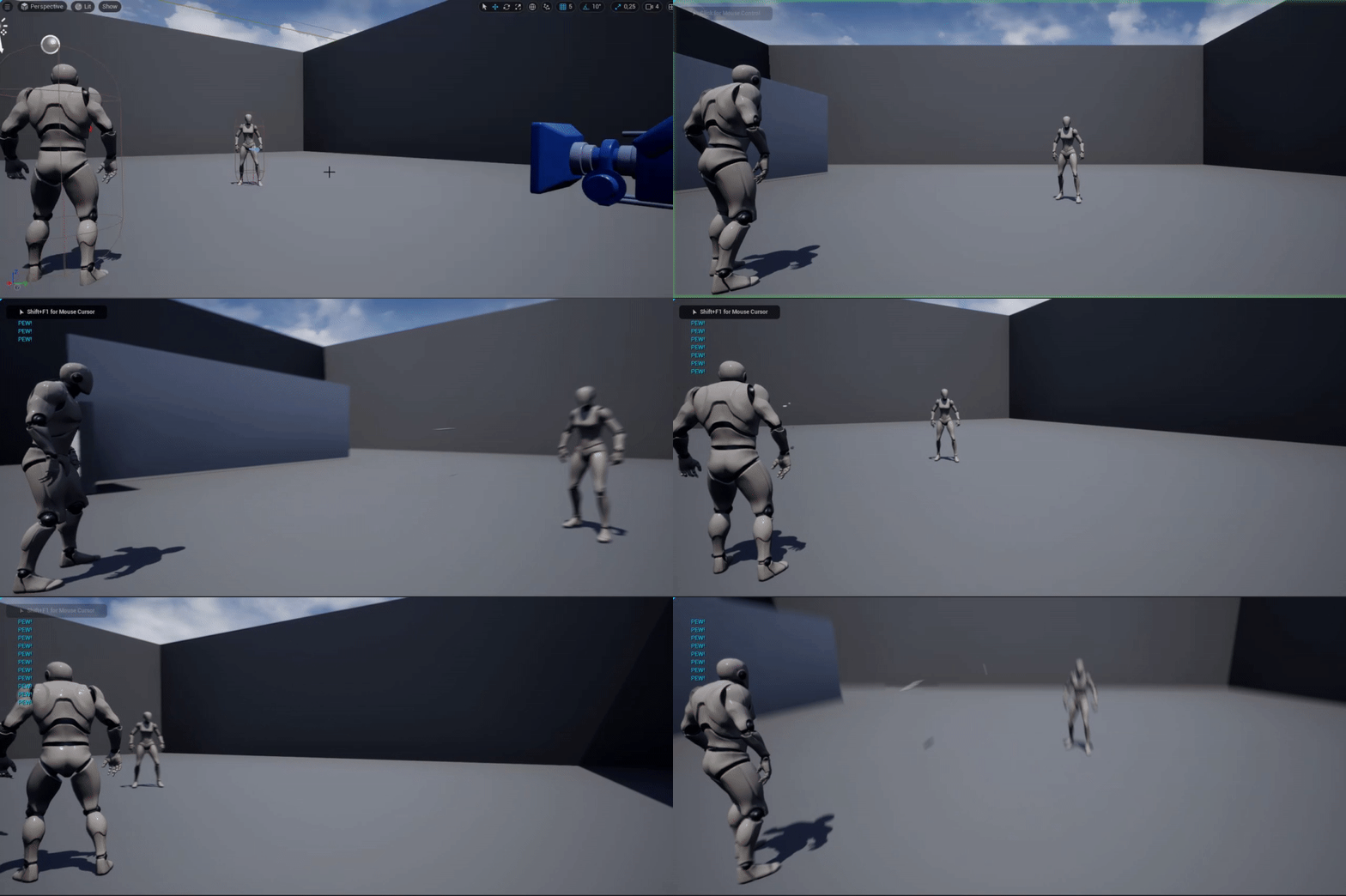
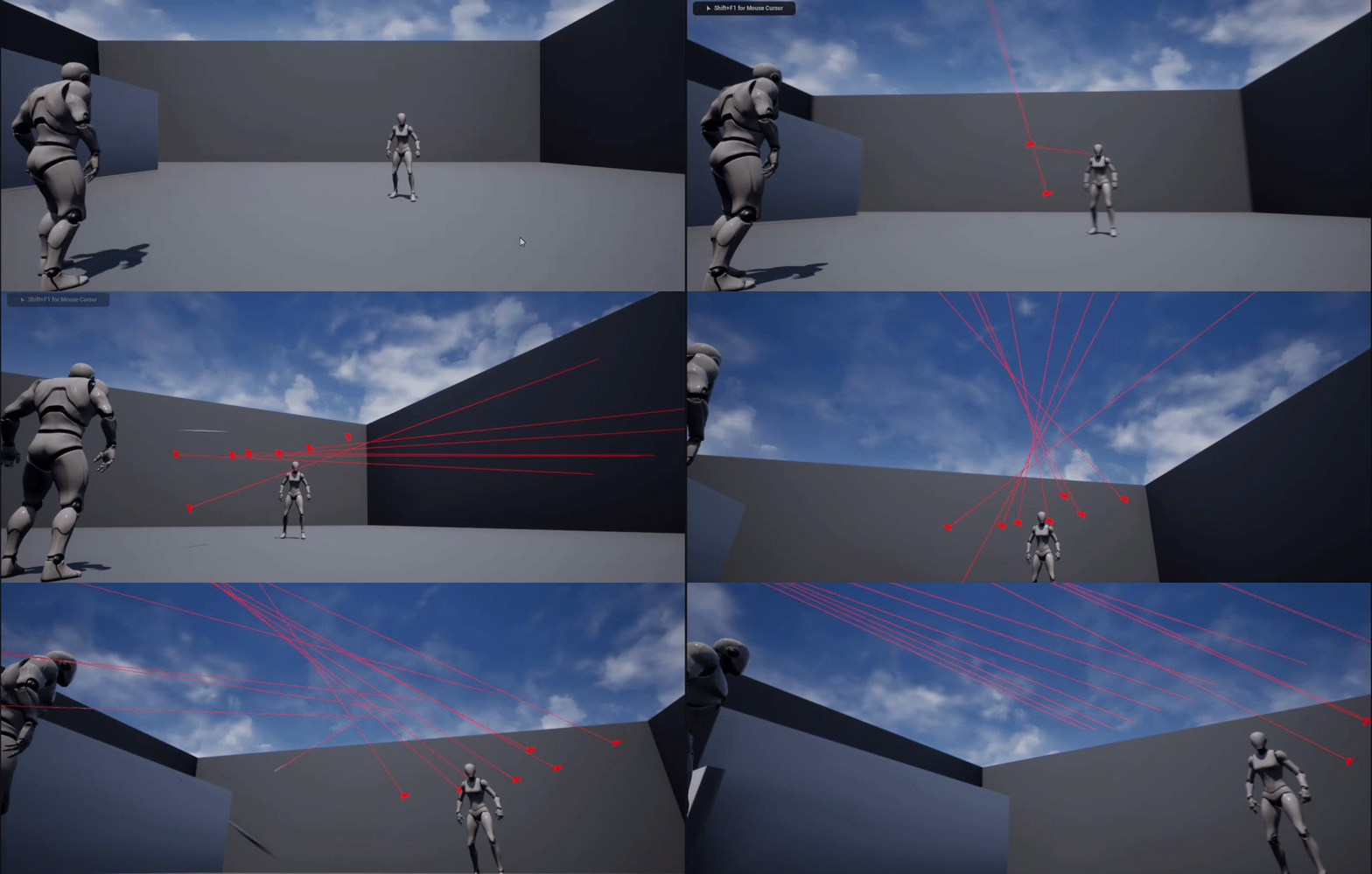

QUESTION: is there a city pathing system where the NPCs can walk on the sidewalk and into buildings, but like 0.001% of the time, they might wander in front of a car and maybe either 1. get almost run over, but jump back 2. cause the driving NPCs to cause and accident 3. get run over, which then calls the police, and ambulance?
 dense wren
hello would anyone give me a hand/push/set of tips and advises to create a template/structure on a game exactly like clash royale?
drowsy snow
sick patio
QUESTION: is there a city pathing system where the NPCs can walk on the sidewalk...
Yes, but either you wrote one, look for one on marketplace, or if you're using bleeding edge build from 5.0 branch, use the Mass AI framework
sick patio
um, i don't know what my google profile is or who they think I am, but i just got a page full of .gov links for mass ai framework?
shut nova
shut nova
I transferred my material from substance designer to unreal 4 as an SBR file but...
Can someone help me
sick patio
surely that's not what you were directing me to?
drowsy snow
sick patio
um, i don't know what my google profile is or who they think I am, but i just g...
Mass AI framework is fresh new UE5 feature (not present in Early Access builds), and no, Epic haven't wrote proper docs for it yet
drowsy snow
Not a built in ready to use one, no.
sick patio
you said i can write one?
surely you don't mean code
because
i'm an artiste
me no code
me blueprint officionado
drowsy snow
You could still use the built in AI system to assemble some kind of duct taped crowd manager
drowsy snow
sick patio
i'm an artiste
And that's why you'd hire a gameplay programmer.
drowsy snow
Getting some open world AI interaction with quality matching that of Rockstar Games is not an easy feat.
dense wren
hello would anyone give me a hand/push/set of tips and advises to create a template/structure on a game exactly like clash royale?
drowsy snow
sick patio
we talking fiverr?
No, not fiverr commission, but actually hiring an experienced developer
sick patio
dense wren
hello would anyone give me a hand/push/set of tips and advises to create a templ...
let me push you over to unity first of all
dense wren
why?
drowsy snow
dense wren
hello would anyone give me a hand/push/set of tips and advises to create a templ...
I don't play trash mobile games, so I have no idea.
sick patio
it's more suited for it
sick patio
2d is its strength homie
drowsy snow
sick patio
2d is its strength homie
Except Battle Breakers is a UE4 game, and developed by Epic too.
sick patio
experienced developer sounds like "taking out a mortgage" type of money
dense wren
are you sure i have nochance of making it in ue4?
drowsy snow
dense wren
are you sure i have nochance of making it in ue4?
You have a chance making it in UE4, but your question has to be more descriptive than that.
sick patio
you can make it in ue4, but with a simple switch you would have a much easier time in unity, plus a billion people would help you
drowsy snow
I, for one, not playing Clash Royale, or casual mobile games for that matter.
drowsy snow
sick patio
you can make it in ue4, but with a simple switch you would have a much easier ti...
Kinda doubt it but whatever you said.