 unique kraken

#ue4-general
1 messages · Page 1113 of 1
 coarse wind
it seems that your internet connection is not great, or somehow in the Epic launcher it's just very slow. have you tried restating your computer?
 idle mantle
a friend told me that c++ in UE was not programming but rather scripting
in unity c# is programming, is that true?
because UE force him to work in certain ways, (he don't code like he want like in Unity he is more free, less contraints)
(im not a programmer)
 drowsy snow
If he wants lower level, you should suggest him work with Assembly 
idle mantle
ahaha ok don't joke too much I believed you im not a programmer lol
 plain anvil
coarse wind
it seems that your internet connection is not great, or somehow in the Epic laun...
plain anvil
coarse wind
it seems that your internet connection is not great, or somehow in the Epic laun...
i did restart my computer, but this works for me idk y. At first, i thought maybe it happend because of slow internet connection, it's raining here. Then i remember a trick that i've tried in the past, it's similar problem, i try downloading using wifi teathering from my phone, then after 100mb downloaded, i switch over to wifi router, it's downloading now
 drowsy snow
If you want to bypass the launcher, you can build from source code, cloned from GitHub, but depending on your CPU and disk drive I/O speed, it can take from few dozen minutes up to a day. And just the source build alone can take up to 150 GB (which is expected for big software source build - Android source build reportedly go up to 100 GB)
idle mantle
my friend told me that but not with blueprint but coding
drowsy snow
And I know some purists are allergic to visual scripting languages, because it's more of cable management than typing constantly
idle mantle
drowsy snow
And I know some purists are allergic to visual scripting languages, because it's...
it's more difficult to read your code after a while maybe, more spagettis
drowsy snow
UE5's still uses C++11/14 right?
And UE4's still sticking with 14?
no big deal, just a bit curious about it
drowsy snow

Unreal Engine
In this course, you’ll learn how to use Unreal Engine’s Terrain tools to create outdoor environments.
 toxic hound
I have a custom landscape which imported and wanted to use
 rough siren
Guys please help!!
Is something wrong with the charecter mesh?
It works fine with normal aninations, but with physics enabled!!!

 timber trellis
has anyone tried a UE5 game/demo on GTX1650 here?
Fortnite on UE5 reportedly runs well
but how will other UE5 games fare?
digression: will NIS ever come to optimus devices (laptop)
timber trellis
runs how well? as in "doesn't crash" or "60fps"?
I saw the valley of ancients demo (on youtube, someone else's benchmark) and that ran horrible
what does lumen do
ok like that
can you turn off lumen
on any scene
I mean a compiled scene
oh i'm a consumer
oh
 next tangle
gives here german developers? 🙂
 rose tiger
does someone know where to find some physics assets for motorcycle and car?
 proven lake
Guys can anyone please tell mw how can I create a header file in unreal
 lofty parrot
Has someone idea, why when i import the models into hammuer like in this vid in 5:44 https://www.youtube.com/watch?v=8bfcbBReyHQ&t=755s always crashes ? any ideas ? where i should delete this files because ive imported it some times so my memory is acctually dead (ive imported it to my d drive i saw that my c drive has less memory . Please help !

This video is a complete and detailed guide to importing maps, models, and demos from CSGO to Unreal Engine. All links to used add-ons and materials you can find in my discord channel. This video doesn't contain any sound, so feel free to play your music. If you want to support my work and get an advanced version of materials, used in the tutori...
 kindred depot
hammuer is not a supported plugin by the marketplace. You are migrating assets from one game engine to another which is illegal if used in a redistributed game. We can not help you with this plugin in this discord sorry bud 🙂
 lime sail
Guys I have the opportunity to buy an RTX 3080 ti or a 3090 video card, I would like to know what you advise me and which one to go for. I have seen comparisons of the two and the 3080 ti, it is very on par with the 3090, the only difference I see is the 24Gb of the 3090. Which one do you recommend buying?
kindred depot
If it is a 16 gig 3080 buy it.
if its the 8 - 12 gig, then its not worth it compared to the 3090.. The 3090 is literally doubling your vram making game dev an easy workflow (depending on your cpu as well)
lime sail
I was thinking of a 12gb 3080 ti, but if a 24gb 3090 is better I'll go for that one. I just want to buy something that works for me for Unreal Engine 4 focused on Architecture. And do not spend money unnecessarily.
 distant siren
I have done all the block volumes on the island, the only problem when I drive my vehicle the vehicle is damaged because it collides with it .. solution?
kindred depot
If you are going to be using a LOT of high quality textures 4k, 8k, 16k 3090 would be recommended.
kindred depot
You wont find this any where. Either use free animations or paid.
 whole turtle
hey everyone! Are there any sort of known issues/incompatibilities between the Landmass and Layers system for Landscapes with the LOD Distribution settings? I'm resampling my terrain to higher resolution and then applying stronger LOD settings but the terrain freaks out, the areas closer to the camera simply shoot to the 'sky' in height and severely glitching out. any suggestions on what could be the issue?
drowsy snow
No, you're not going to be a pro ||with just one tutorial||
Deal with it.
Doesn't even matter.
Ssshh...
One tutorial ALONE isn't going to cut it.
Still one tutorial.
I don't care if you disagree. Those 50 eps is still part of one tutorial.
I'm not mean, just saying the truth with the learning process.
drowsy snow
whole turtle
hey everyone! Are there any sort of known issues/incompatibilities between the L...
At current state, Landmass seem to hate every other world building feature.
drowsy snow
distant siren
I have done all the block volumes on the island, the only problem when I drive m...
Make an exception with the blocking volume with collision channels.
kindred depot
drowsy snow
Still one tutorial.
I don't care if you disagree. Those 50 eps is still part of...
I watched one tutorial 40 times over xD
distant siren
drowsy snow
Make an exception with the blocking volume with collision channels.
and with that exception, will I then have the vehicle that ends up in the water?
 latent sonnet
I’ve been working on this rail grinding system from a bunch of stuff I found online. It works but it could be better, does anyone have any suggestions? https://drive.google.com/drive/mobile/folders/1YplujlfiM5JXD2_TwHa4q4ecjsqFYeTZ?usp=sharing
kindred depot
latent sonnet
I’ve been working on this rail grinding system from a bunch of stuff I found onl...
It would help if debug was off
lol
latent sonnet
How would that change anything?
drowsy snow
distant siren
and with that exception, will I then have the vehicle that ends up in the water?
At least with the custom collision channels, you can have it ignore damage event for that one channel used by the invisible walls.
kindred depot
latent sonnet
How would that change anything?
We cant see a thing in the video. Except the debug circle..
 latent sonnet
kindred depot
We cant see a thing in the video. Except the debug circle..
latent sonnet
kindred depot
We cant see a thing in the video. Except the debug circle..
Sorry I’ll try to re-record it a bit later. But do you have any suggestions on what I can improve?
drowsy snow
 bold gulch
Anyone got any clue why bridge isnt updating???
bold gulch
Anyone got any clue why bridge isnt updating???
I have no clue why it's called "Early Access" and not stable, proper 5.0.0. Who knows.
bold gulch
drowsy snow
I have no clue why it's called "Early Access" and not stable, proper 5.0.0. Who ...
Idk..
im getting really pissed
i just wnana work on my scene
kindred depot
I just made the switch from 4 months of dev on EA to 5.0.
 drowsy snow
bold gulch
I wanna add megascans now
drowsy snow
bold gulch
I wanna add megascans now
It's not like Quixel Bridge is integrated into UE5 anyway.
Or is it?
bold gulch
drowsy snow
It's not like Quixel Bridge is integrated into UE5 anyway.
Or is it?
it is
😭
 drowsy snow
And there's your path to Megascans.
bold gulch
doesnt work
it takes me to megascans
which requires a plugin update
which doesnt work
drowsy snow
Might as well ask it in #ue5-general
bold gulch
true eyah
drowsy snow
Other channels outside UE5 Early Access category are still pretty much using UE4 in mind

 grave pollen
u can literally use megascans with either ue4 or ue5 right now
nanite is ue5 only ofcourse
 lucid jetty
Greetings ya all.
My project got no problem working with some gamepads
but people stating playstation ones are etc not working
How do you guys take care of "not all gamepads are working" issue in general?
Thanks in advance!
whole turtle
I'm not sure that's a problem you can solve with the engine/game...that's a deal taht has to do with the drivers and the OS, if I'm not wrong
I think on windows only a couple specific brands work properly, unless the user uses some sort of emulator
lucid jetty
whole turtle
I'm not sure that's a problem you can solve with the engine/game...that's a deal...
I see...
Gotcha. ^-^
It's just that I am making a fighting game and people got.. TONS of gamepad types xD
I slightly felt down when someone said "his controller is not responding".
while another is "its all well"
and then someone said his controller only working when another one is not plıugged in
I am like
"oh dear"
whole turtle
yeah, it's a mess honestly, but I'd fault it on the deals between apple/microsoft and certain interface accessories manufactures
kindred depot
this is why they introduced enhanced input in 4.27 - 5.0

Using the Enhanced Input Plugin to read and interpret user input
whole turtle
it's dumb that these types of things aren't just open standards that are done to work as plug&play regardless, this day and age...
ohh I wasn't aware of that! Epic to the resque again heh? xD
lucid jetty
kindred depot
https://docs.unrealengine.com/4.26/en-US/InteractiveExperiences/Input/EnhancedIn...
O_O !
whole turtle
yeah, I bet this is another tool to be 'released' with ue5? or at least some sort of more stable version
whole turtle
daamn UE5's release will be an atomic bomb within the computer graphis realm, and it's not just the core project, it's all the extra amazing quality of life tools they've been working on to be coupled with that release
yeah, but I'm referring to a more stable thing
not weird, they've said that since ue4.26 the focus is ue5, with some cross-updates for testing etc
kindred depot
if ANYONE HERE is trying to introduce enhanced input into you game PLEASE look at Windwalker echo and see how it is used before you try it out. The blueprint is in here, working.

Unreal Engine
Windwalker Echo, fresh off her starring roles in Lumen in the Land of Nanite, Valley of the Ancient, and Slay is now available as a standalone character asset for both Unreal Engine 4 and 5.
whole turtle
at some point there were more of those tools avilable in 4.26 or 4.27 than in ue5, I think they've just used those last 2versions to test things out in the wild before ue5
oh nice!
lucid jetty
kindred depot
if ANYONE HERE is trying to introduce enhanced input into you game PLEASE look a...
I appreciate the information. I am just curious how this input system recognizes a value from "any gamepad connected".
Raw input does it (in a really bad and non consistent way) but I wonder how this new one do it 🤔
kindred depot
lucid jetty
I appreciate the information. I am just curious how this input system recognizes...
You set the values yourself for what it is right inside the input. Deadzones... etc.
 ruby quarry
Is there any way to set things so that when I'm moving around in the viewport editing things, holding shift makes my camera move faster rather than stop dead?
whole turtle
Shift is for precise movement
you can control speed on the top right of the viewport, as well as a multiplyer with scrolling the mouse
 lucid jetty
kindred depot
You set the values yourself for what it is right inside the input. Deadzones... ...
lucid jetty
kindred depot
You set the values yourself for what it is right inside the input. Deadzones... ...
Yeah but apologizes if the question is silly but I understand we can set all input properties now. But how do we assign a PS Controller button to a specific button we set up?
ruby quarry
whole turtle
Shift is for precise movement
Holding Shift completely stops my movement. Doesn't slow it down. Just stops it dead. And I don't want to have to keep changing the slider for different camera speeds all day long. Nearly every game I've played in the last 20 years uses shift to let me move faster, that's what I want.
kindred depot
lucid jetty
Yeah but apologizes if the question is silly but I understand we can set all inp...
Your question is something I can not answer my friend, I am building a PC shooter that will not support gamepads. So i have not set up game pads. I know you can tho, i seen some videos and tuts on how to do this tho.
 plush yew
Is this the official Unreal Engine discord server?
drowsy snow
plush yew
Is this the official Unreal Engine discord server?
No, it's a community run server
ruby quarry
plush yew
Is this the official Unreal Engine discord server?
It's as official as it gets. But it isn't run by them...
plush yew
drowsy snow
No, it's a community run server
Do you know how can I find original?
lucid jetty
kindred depot
Your question is something I can not answer my friend, I am building a PC shoote...
Thank you for your time and info. One last question. Does the Windwalker Demo actually DOES what I am asking it to do? Have you ever checked its input properties? ^-^
ruby quarry
plush yew
Do you know how can I find original?
There isn't one. This is where they would send if you ask them
drowsy snow
plush yew
Do you know how can I find original?
There's none.
kindred depot
lucid jetty
Thank you for your time and info. One last question. Does the Windwalker Demo ac...
Yes Ill SS for you 😄
drowsy snow
While some Epic employee do hang around here, by no means official support is guaranteed.
drowsy snow
plush yew
I mean unity has one
It's the same exact story there.
And yes, I do spy on the neighbour's lair.
plush yew
XD
ruby quarry
plush yew
I mean unity has one
No point in Unreal making their own when a perfectly good, highly popular one, already exists.
plush yew
drowsy snow
And yes, I do spy on the neighbour's lair.
is it a pain to make multiplayer in unreal?
lucid jetty
kindred depot
Yes Ill SS for you 😄
My man I really appreciate your time. ❤️
 split jasper
plush yew
is it a pain to make multiplayer in unreal?
split jasper
plush yew
is it a pain to make multiplayer in unreal?
It's a pain to make shit work on the internet, full stop lol
drowsy snow
plush yew
is it a pain to make multiplayer in unreal?
Depends on your game requirement.
split jasper
Wait are you talking online MP or local?
plush yew
ah
ok guys, me and colleague here just came upon one very interesting question we can't quite answer: why should we pack UV's? one theory i've heard was that it was good for game optimization, but let's take this projected asset for example - even if UV's are outside of bounds, they will still tile into one and the same trimsheet which is 2048x2048, so it's not like as if texture will increase in size, so why packing is a thing? unreal specific answer would be appreciated.
 drowsy snow
plush yew
ok guys, me and colleague here just came upon one very interesting question we c...
drowsy snow
plush yew
ok guys, me and colleague here just came upon one very interesting question we c...
In Unreal, having the island too far from the center could cause messy texture mapping.
plush yew
drowsy snow
In Unreal, having the island too far from the center could cause messy texture m...
it looks perfect in unreal. tested packed VS unpacked, no difference in light or anything else.
only one difference i've found is object size increases from 14.6kb to 14.7kb when unpacked.
drowsy snow
plush yew
it looks perfect in unreal. tested packed VS unpacked, no difference in light or...
For larger vertices faces like that, it might not be an issue, but it's going to be more apparent with more dense islands.
 fierce tulip
the further away from 0-1. the bigger errors due to floating point precision will appear.
plush yew
i see, interesting. I've been packing UV's for a while and never stopped to think why. so packing whenever's possible is still the way to go.
fierce tulip
pack where needed, dont pack where needed.
whole turtle
ruby quarry
Holding Shift completely stops my movement. Doesn't slow it down. Just stops it ...
You're right, it's used to stop to avoid changing the camera angle while using the editor. The tools are quite intuitive, you set the general value (4 to five if you're working with landscape/terrain scales, 3 to 4 if you're working with meshes - houses, big rocks, etc), 2 to 3 if you're working on details - sheet of paper or coup of coffe on top of a table). Within that you just scroll the mouse up or down as a multiplier within the range. That's how it is as far as I know, and unless I'm missing something major, that's what you get, but you can always build your own tools. UE is source available.
drowsy snow
 plush yew
Holy visual studio got more thic
 primal lagoon
i nned a little only
plush yew
 primal lagoon
i request aprooval fro xbox delevop por nintendo]
plush yew
primal lagoon
i request aprooval fro xbox delevop por nintendo]
Uh pls improve your English
primal lagoon
im requesting approval to xbox
or the other
so i need the blueprints for a boss
and changing area
and text
i have more problems with canging area and gameover retrurning menu
im not hiring it s only a little help
im stuck
sm me
dm me
 neon bough
you won't get help like this
neon bough
describe your problem or keep trying to find someone who likes to offer personal coaching for free
primal lagoon
my problem is i cannot link a menu to game
telporting
and showing numbers
i have project uplaoded
i have link
and displaying a custom text
i ts not much
im stuck with optimiztion
well i upload in contract
how i teleport a charchter to other map
other scene and link it
plush yew
He means he cannot connect something XD idk
 runic fern
Does anyone know why Wheeled Vehicle 4W Component Steering just first 4 Wheels ?
if i have more than 12 wheels how can i steer them 😄
 wary wave
...what do you think "4W" stands for?
runic fern
4Wheels But i changed it to 12 Wheels xD
// Initialize WheelSetups array with 12 wheels
    WheelSetups.SetNum(12);
It Was 4W
 fading wolf
Anyone got a tutorial on how to update player stats? like hp mana etc? atm ive been trying to use structures and using Set members in ST but it's not really working as intended and I'm stumped
I think I was using a component initially but it was failing to update the stats.
If not using structs how else would you store the stats of an item or class?
I don't know any c++ so thats not really a direction
thanks for the reply 🙂
 maiden swift
At least Set Members lets you control the pins now. It was way worse to work with before that.
Now you can just check the parameters you want to modify and those will be the only pins.
fading wolf
for exmaple this is what I have, but it doesnt seem to grabs the stats/data from the structure at all

Or it is but the data is not actually there
... im confused, how am I supposed to grab the stats from something then?
I'm really not that experienced with UE4, the only things I know are from tutorials so I zero idea how to implement what youre suggesting
 verbal ridge
qustion for some one. anyuone knows what grasshopper is for rhino`?
fading wolf
OOhhh I think i get what youre saying.
so I actually do have a component for my stats already

and that structure inside that
i didnt realise that's what I was doing. I just no idea how get the stat information
cause it's hard to google what I want and hard to explain as well 😅
so if I have my main/starting stats in my component how am I supposed to grab 'new'/pre-existing stats ?
Oh so all my stats need to be their own variable in my component?
oh I see and then have a bunch of functions for each class so then when activated it just Sets all the stats to what I want?

okay im watching this nowhttps://www.youtube.com/watch?v=ZbwEMnSrgWY

What is the Get Class Defaults Node in Unreal Engine 4
Source Files: https://github.com/MWadstein/wtf-hdi-files
ah okay, im reading this then https://docs.unrealengine.com/4.27/en-US/ProgrammingAndScripting/Blueprints/Editor/Modes/Defaults/DefaultsTab/

An overview of the Blueprints Class Defaults tab
kindred depot
fading wolf
okay im watching this nowhttps://www.youtube.com/watch?v=ZbwEMnSrgWY
Watch them all! lay in bed before you sleep DREAM ABOUT THEM LOL
nothing puts me to sleep better than matt xD
fading wolf
okay well Im not 100% sure what changed but now it works correctly, thank you

Yep! its now correctly updating my widget (which gets the stats live)
one thing I dont understand is why everything keeps resetting to 0

 atomic moon
has anyone ever encountered an error like this?
This is for a development packaged build. It causes a crash whenever I close the build.
On other computers it crashes on startup.
Unhandled Exception: EXCEPTION_ACCESS_VIOLATION reading address 0xffffffffffffffff
plush yew
Can someone tell me how to make a particle system to stop constant particle generating, rather create some?
I've been analysing two particle systems (one which has it, one which not) but couldn't find any differences that would make that happen
 bright sigil
plush yew
Can someone tell me how to make a particle system to stop constant particle gene...
bright sigil
plush yew
Can someone tell me how to make a particle system to stop constant particle gene...
so just a short burst of particles?
plush yew
bright sigil
so just a short *burst* of particles?
I guess yeah, in the meantime I found this:
bright sigil
plush yew
I guess yeah, in the meantime I found this:
yep, you gotit
 brazen coyote
can somebody help me when i make a new project in ue5 with ray tracing enabled this pops up

right away
i have a rtx 3070 and its just a default blank project
it crashes right away
when i show my gpu usage in task manager everything seems normal its super cool and is only using about 5% power when it crashes
 warm tulip
 unborn nimbus
When I save my map. Does anyone know what "Processing Exports" means? It takes up to 40 seconds on my machine to do this stage.

 ancient lotus
question, any reason why a chaos actor using a transluent material such as glass causes this result? its discolored. the left is one that is not fractured by chaos, this only occurs once fracturing has been applied

 burnt ether
Hey everyone :o not sure which channel to take...
I'm currently doing a model that has a cape with hood and I want it to be somewhat animated :o What's a good way of doing that? ^-^ Cloth sim ?
unborn nimbus
this is a pretty good video explaining that.

In this tutorial you will learn how to make character cloth in blender and then setup the cloth physics in unreal engine 4.
This is a step by step tutorial on how to make dynamic character cloth in unreal engine 4.
Instagram ►https://www.instagram.com/pinkpockettv/
Patreon ►https://www.patreon.com/pinkpockettv/
Timestamps ►
00:00 Introduction...
unborn nimbus
burnt ether
Hey everyone :o not sure which channel to take...
I'm currently doing a model th...
bright sigil
burnt ether
Hey everyone :o not sure which channel to take...
I'm currently doing a model th...
#legacy-physics for more help
bright sigil
unborn nimbus
When I save my map. Does anyone know what "Processing Exports" means? It takes...
My guess is exporting the lightmaps from swarm to unreal, its a guess tho
bright sigil
ancient lotus
question, any reason why a chaos actor using a transluent material such as glass...
I dont know chaos too well, but is the left glass just a plane? As in 1 sided? Have you tried your glass shader on other objects - such as a cube?
ancient lotus
bright sigil
I dont know chaos too well, but is the left glass just a plane? As in 1 sided? H...
neither are planes, and yes the glass shader looks correct on others, looks correct on the same mesh, once its fractured it changes to the above
bright sigil
ancient lotus
neither are planes, and yes the glass shader looks correct on others, looks corr...
Dang not sure then. Maybe some checkbox in the material? Not sure if there is a chaos specific one but i know there ones for like sk and sm and stuff
 eternal lotus
unreal has crashed on me several times in the last few minutes while working on an animation in the sequencer... is there something I can do about that? or should I just save often and keep hacking away
 normal burrow
unborn nimbus
When I save my map. Does anyone know what "Processing Exports" means? It takes...
normal burrow
unborn nimbus
When I save my map. Does anyone know what "Processing Exports" means? It takes...
Are you using RVT?
plush yew
I've got a question and hi guys. New to the discord but yeah. I love how flawless Unreal Engine 5 is but why does it load so slow when i download unreal engine 4.27.3 etc? Also, do i need to download all of them? or just the most recent and UE5?
bright sigil
just whichever engine version you'd like to use afaik
 rain sequoia
is this an okay channel to ask about savegame issues?
bright sigil
yeah sure
plush yew
If i use UE5, i see some things don't work.
why is UE 4 slower than UE5?
i have a 3060Ti i7 etc. thought it'd be faster
sorry what i mean is UE4 loading is slower than UE5. when i launch UE4, it compiles the shaders and it took almost an hour but UE5 pops up right away
rain sequoia
Okay, tried to get all my functions in a single image. When I load from save, i get an error saying that the item in the array is None. I am using the same save method as every other variable in my savegame. I am getting a ref to a saver subclass, setting a variable in it, and saving that to slot.

I have about 20 other variables that are loadable from savegame, except this 'new saved boats'
i tried using just an actor array, and this specific actor type array
i tried loading manually wayyyyy after event begin play finished
i tried to set the array to a single actor (get first actor) and save/load that way
all of them tell me the object is in there, (array length = 1) but then its like a ghost nothing else in there
oh, i also tried to load the savegame as a variable on the BP, then access that BP way after initializtion to see if it was a competing timing issue. The same thing happens. the variable on the BP has a length 1 but thats it no other info in there
This is a super simple thing but I am very stumped. Been trying to get it to work for 3ish hours
i have confirmed that the saving works because I check the savegame variable after putting it into the savegame, and it tells me true that it saved. I have it saving boat every 1sec

i am availbe for voice if anyone wants to help tackle this
rain sequoia
If I save the array to the slot, then immediately after load from the slot and print the information, it works
but for some reason it wont remember after closing application and restarting it
unborn nimbus
normal burrow
Are you using RVT?
nope, I disabled RVT as someone suggested it might have bean the cause. It still slow to save with RVT on/off 😦
I figured it out though.. apparently one of my blueprints was causing the slowness
normal burrow
unborn nimbus
I figured it out though.. apparently one of my blueprints was causing the slowne...
Was it something with constructor script?
unborn nimbus
normal burrow
Was it something with constructor script?
havent figured it out yet.. im still looking at my blueprint.. ill let you know what caused it
rain sequoia
I created a brand new savegame object, new savegame slot with just boats, and it still doesnt load anything from that slot. it says it has a length of 1 but its just None wtf
saveboats function is on a timer, every 1second

i spawn a boat, wait for a few seconds close game
this is the EBP on the character:
 plush yew
is it ok if my project stuck at 45% - compiling shades, I mean is it suppose to take a long time?
it's a 2d project
rain sequoia
it would appear that if I manually place in the boats as opposed to spawn them in while the game is running, they are saved properly. not sure why that is
 trim mesa
hi
i was creating a door, when we have key, then only the door will open
but it needs matinee
animation
and its not available in cinematics
 real heath
Matinee has been replaced by sequencer
trim mesa
real heath
Matinee has been replaced by sequencer
but i am following a guys tutorial, and he's using matinee, and there are many different things in level sequencer
like theres a thing he's doing in matinee
and its not in level sequencer
real heath
Is it an old tutorial?
trim mesa
real heath
Is it an old tutorial?
ya
runic fern
Tutorial old or he is using old version
real heath
Matinee was hidden in 4.24, and they intended to remove completely in 4.25
trim mesa
runic fern
Tutorial old or he is using old version
idk, maybe old version, he is Dev Addict
real heath
Look for a newer tutorial
trim mesa
so can i do the same thing with level sequencer
runic fern
You are watching 2018 tutorial i think
trim mesa
as what he is doing in matinee?
runic fern
Yes
real heath
Yep. Sequencer does everything matinee did and more. And more reliably
trim mesa
ok, let me see
trim mesa
runic fern
You are watching 2018 tutorial i think
17 bro
trim mesa
runic fern
You are watching 2018 tutorial i think
how can i add a empty group
in level sequencer?
as its availble in matinee
not in sequencer
trim mesa
real heath
Yep. Sequencer does everything matinee did and more. And more reliably
hey, can you respond to my question
real heath
I think you misunderstood. Sequencer is different, but it can be used to do the same things. Buttons and actions are in different spots. It works a bit differently. Following an old tutorial will be hard unless you already know sequencer and can adapt the tutorial yourself.
Unreal online learning has some great courses on sequencer
Or Look for a tutorial on using sequencer for doors
 halcyon anvil
Hi guys,is there any way to fix the UI anti_aliasing, I found even the high quality imagine to create UI ,It's still like that
real heath
halcyon anvil
Hi guys,is there any way to fix the UI anti_aliasing, I found even the high qua...
Make sure your textures are power of 2, (128, 256, 512, 1024 etc). I don't know if power of 2 texture sizes are needed for UI, but it scales better for me when I still respect that rule.
and set the texture group to UI
halcyon anvil
real heath
and set the texture group to UI
Okay,man.Really thanks ,I will try.Peace✌️
real heath
halcyon anvil
Okay,man.Really thanks ,I will try.Peace✌️
https://benui.ca/unreal/ui-texture-size/ this seems to be a decent reference on the settings
 halcyon anvil
Got it,Man.Really thanks👍
distant siren
drowsy snow
At least with the custom collision channels, you can have it ignore damage event...
all volume blocks are set to invisible wall, but my vehicle crashes into them and gets damaged..what am I wrong?
drowsy snow
distant siren
all volume blocks are set to invisible wall, but my vehicle crashes into them an...
How To add a custom physics object channel to Unreal Engine 4.
 raw harbor
Hi, im currently attempting to make a car sim game that is open world, im seriously struggling with rigging cars from blender to unreal engine, i watched all videos that are related to this on youtube and stilll cant do it, if anyone is willing to help please message me, thank you
raw harbor
Sorry for being the stupid one but I’m new to 3d and ue, Could you please maybe tell me how to do it or send me a video?
wary wave
unless you're using UE5, that comment would be totally useless to you
raw harbor
wary wave
unless you're using UE5, that comment would be totally useless to you
I’m using ue4 rn
wary wave
I assumed as much, hehe
drowsy snow
raw harbor
Hi, im currently attempting to make a car sim game that is open world, im seriou...
In most part, it's about binary weighting rigid parts that are moveable (e.g. doors, windshields, car hood)
raw harbor
well, i dont need any of this, all i need is a moving car with a body
i have veichle variaty pack which comes with pre working cars, i want to maybe replace the body of it with another body i downloaded, idk if that is possible or not
problem is with blender when i try to rig, is i cant find a good car, some come with wheels i cant show each one seperatly, others are placed in werid places, etc
drowsy snow
raw harbor
problem is with blender when i try to rig, is i cant find a good car, some come ...
That's more of the problem with the mesh you downloaded, not Blender's.
drowsy snow
raw harbor
well, there isnt a good free on that exists
Ah, yeah, of course "good" and "free" is mutually exclusive in most cases. Modelling cars are hard.
raw harbor
drowsy snow
Ah, yeah, of course "good" and "free" is mutually exclusive in most cases. Model...
yeah i get it not to expect good things with "free" stuff, but as a statup and new to all of this, i dont want to pay money for something i wont be able to use properly
drowsy snow
raw harbor
yeah i get it not to expect good things with "free" stuff, but as a statup and n...
You could hire someone who model cars and specify that it's for game use, but oh well.
coarse wind
Hey, I have a question about exporting in SpeedTree to Unreal Engine. I know it's for UE4 only for the moment, but Can I export it as a FBX file and not with the plugin? will it work that way? (with animation)
raw harbor
How do i move the project files from doccuments to somewhere else?
drowsy snow
raw harbor
How do i move the project files from doccuments to somewhere else?
Just move the project's folder.
raw harbor
oh 😐 well ok ty
drowsy snow
Yeah, no joke, it's that simple. Once it's done, simply open up the .uproject file in the new location.
Unreal should remember the project again, along with its new location.
 forest tree
I just want you to know, that you are, in fact, a fabulous individual for adding the solution to your question. Solved my problem, much appreciated 👏
 fringe jacinth
hi guys
I have a question
how can I save my game's variables local on computer
so when I close the game it don't reset
 serene nimbus
hello
Is there any free assets about 3D models with the complete rigged movements?
drowsy snow
serene nimbus
Is there any free assets about 3D models with the complete rigged movements?
Mixamo, if you can bear the unorthodox rig. It's pretty much abandoned by Adobe.
MetaHuman, can only be used for Unreal Engine prods, but it's fully rigged, have compatibility with UE Mannequin.
The Unreal Marketplace might have few free or cheapo ones.
serene nimbus
drowsy snow
Mixamo, if you can bear the unorthodox rig. It's pretty much abandoned by Adobe....
Oh, is metahuman is ready 3D assets?
Where can i find it?
drowsy snow
serene nimbus
Oh, is metahuman is ready 3D assets?
Right here.
https://metahuman.unrealengine.com/
serene nimbus
Okay, i will check it, thank you so much for your help!
plush yew
Is there an overall opacity setting for a Particle System?
serene nimbus
drowsy snow
Mixamo, if you can bear the unorthodox rig. It's pretty much abandoned by Adobe....
which one is unreal engine 5 use?
 drowsy snow
serene nimbus
which one is unreal engine 5 use?
drowsy snow
serene nimbus
which one is unreal engine 5 use?
There's no specialised FBX for UE. Mixamo already have long removed support for UE4.
However, UE4 can accept almost any kind of FBX
Which is why I specifically warn you about the unorthodox rig
serene nimbus
Alright!
plush yew
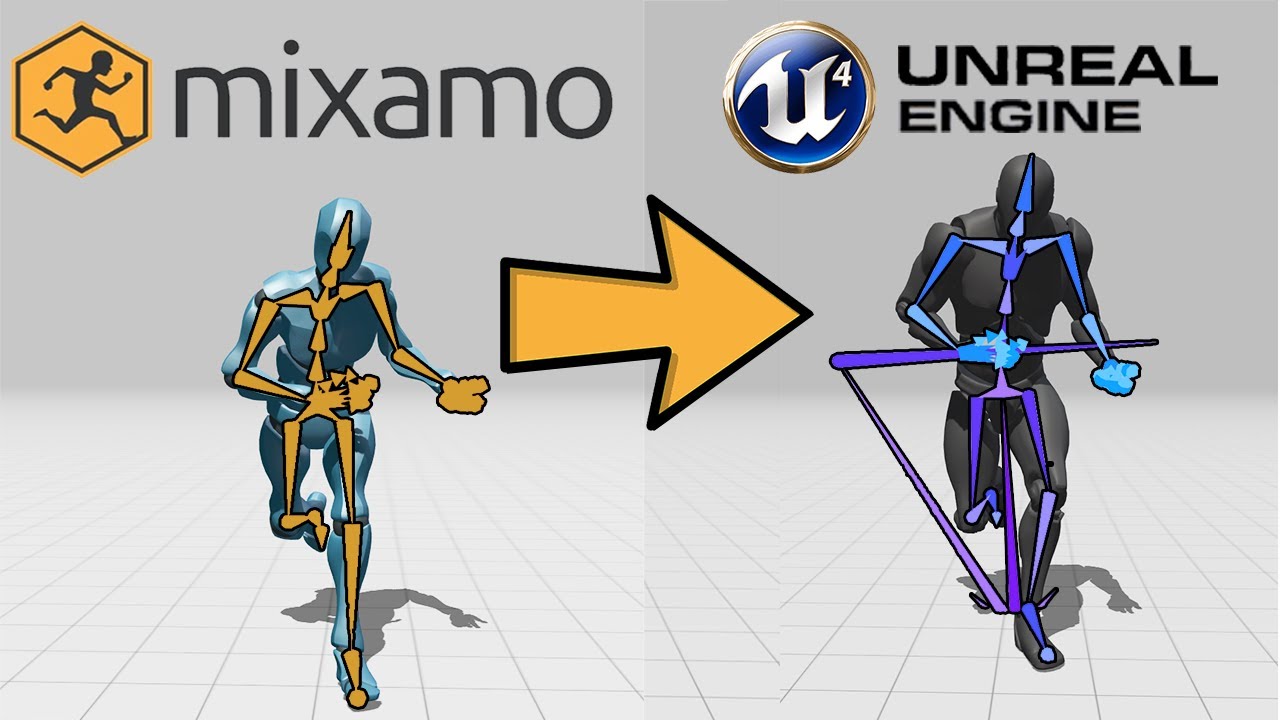
Hey there guys! This video goes over how to retarget any animation in Mixamo to the UE4 Mannequin using the glorious Mixamo converter made by Terriblis Studios.
Mixamo Website: https://www.mixamo.com/
Mixamo Converter: http://terribilisstudio.fr/?section=MC
Timestamps:
00:00 Intro
00:13 Mixamo Converter
01:02 Mixamo Animations
02:23 Converting...
I followed this tutorial and had no issues with mixamo anims
very easy
 lunar depot
does anyone know what gpu scene means in unreal engine ?? are all the meshes stored in gpu and drawn with one draw call??
and is frustum culling being done on gpu using gpu scene ??
 stiff star
Hey people, I'm searching for a gift for a friend of mine that's studying unreal engine, I thought I might get him a book on it, Is there a generally considered defacto 'must have' book on the subject that might work?
Thanks kindly.
drowsy snow
stiff star
Hey people, I'm searching for a gift for a friend of mine that's studying unreal...
Due to faster evolving and broader nature of Unreal Engine, there's not really a book recommendation that's specifically on it. But you can gift him books about C++ programming, as it can be applicable when dealing with C++ programming in Unreal Engine.
stiff star
I see, I had my eye on this one which seemed to hit the mark, any thoughts?

Unreal Engine C++ the Ultimate Developer's Handbook: Learn C++ and Unreal Engine by Creating a Complete Action Game
Fair comment, perhaps better to stick to one of the C++ books then
drowsy snow
Basically don't stick with just Unreal Engine stuff.
Meanwhile UE gets updated every few months or so, and certain major 4.x versions had some major changes to its C++ API.
stiff star
I think he's mainly been learning based on the nodes system so far, so something lasting as a reference guide would be good
drowsy snow
stiff star
I think he's mainly been learning based on the nodes system so far, so something...
If you really keen with UE specific, for whatever reason, this link is one of the good gift:
https://www.unrealengine.com/en-US/onlinelearning-courses
Otherwise, more general C++ books are the way to go.

Unreal Engine
Unreal Online Learning is a free learning platform that offers hands-on video courses and guided learning paths.
stiff star
Appreciate the input chaps 👍 I think I'll go with one of the C++ books for him, many thanks!
 spiral sleet
beginner here, i have already compiled ue5 and started a blank project and start compile from command line , why is it again compiling 1197 files taking time for banlk project
nvm command line i've put projectName instead of projectNameEditor
coarse wind
I have a problem with the opacity of the leaves for ivy object 🤔 Top left - the resault in UE, underneath it is the materiel. in the right side, is the material in 3dsMax ( I tried to make it the simplest )
Can anyone help ?
 fierce tulip
can you just show a close-up image of the material?
coarse wind
yeah sure
 fierce tulip
@coarse wind that material is a mess, why are you using refraction on a leaf?
unhook that.
your material should be 2 sided foliage + masked, not translucent.
no need for that desaturation node after that mask texture, i would just invert it in photoshop or whatever, but if you dont wanna, just grab the red output and put it (after the one-minus) into opacity mask.
coarse wind
fierce tulip
<@!917320760836653096> that material is a mess, why are you using refraction on ...
yeah that's makes sense, I imported it fom 3dsmax via Datasmith and that's what happened
coarse wind
fierce tulip
<@!917320760836653096> that material is a mess, why are you using refraction on ...
Is it better now? still learning the shading in UE
 coarse wind
I get the "ThinTranslucent materials must be translucent." error
fierce tulip
dont use thin translucent.
coarse wind
and if I delete all the Thin Translucent nodes, I says "ThinTranslucent materials requires the use of ThinTranslucentMaterial output node"
 coarse wind
Thanks! I don't get the errors now, but the leafs are still not masked though
sorry for all the questions btw 🙏🏽
fierce tulip
np, re-read what I said before :)
dont use the opacity input, but the opacity mask one
coarse wind
oh I fixed it !
coarse wind
fierce tulip
np, re-read what I said before :)
dont use the opacity input, but the opacity ma...
yeah, that's what I did
thank you man! saved me here
fierce tulip
np, I would def spend some time with the material editor if I where you, just to get the basic hang of it.
the documents have a material compendium that explains most of what you can do.
even after many years, I till fall back to it from time to time.
coarse wind
yeah, I know only the basics of the basics now, I'm on it
fierce tulip
take your time, rome wasnt build in a day either :)
coarse wind
Definitely, too bad I don't have endless time to study in the studio 🥲
 icy plaza
Hey guys, I got this weird problem. Last week my audio worked perfectly fine. I could play the editor and the audio would just do it's thing. Now all of a sudden ue4 decided to not give me any more audio. Does someone have any clue what could have gone wrong. The whole project doesn't give audio anymore. A new project does give audio so it's something in the project. But I have no clue what that could be
So if someone knows this issue can you please give me a hand?
kindred depot

check out your projects audio settings
and if you want real time audio, click settings at the top and check the real time sound volume. change from off to something more.
drowsy snow
Before removing from parent, create the second widget and add it to viewport beforehand
 bleak zodiac
fierce tulip
np, I would def spend some time with the material editor if I where you, just to...
bleak zodiac
fierce tulip
np, I would def spend some time with the material editor if I where you, just to...
i agree with Yoeri here, i'm still searching ureal online learning for stuff on material editor
drowsy snow
Yeah, that's not how you do it. I mean you do the setup in the first widget, not the second widget.
Alright, so here's my workflow (action RPG but still have some shooty bang bang)
-
Main HUD widgets (character stats, command menu, crosshairs) are made out of multiple widget BPs, contained in one widget BP.
-
To call the pause menu, I create the pause menu widget, add it to viewport, and then remove the main HUD widget from parent.
-
To go back to the game, I create the main HUD widget again from pause menu, add it to viewport, and then remove the pause menu widget from parent.
The former.
drowsy snow
 vagrant atlas
the latter is the second option
vagrant atlas
the latter is the second option
*latter
I have a custom event for "On Menu Exit", basically creating the main HUD widget back before removing from parent.
You can easily create one in the widget's BP, and execute the event when "Continue" is pressed or pressing the back button
bleak zodiac
i would go to mathew wadstein at unreal online learning, there have tutorial on making really basic UMG widgets
 charred blade
with a top down project how can I cull everything outside the camera, The camera looks straight down so ideally absolutely decimating everything outside this view would be ideal
drowsy snow
charred blade
with a top down project how can I cull everything outside the camera, The camera...
The engine already doing the View Frustum Culling for you, by default.
https://docs.unrealengine.com/4.26/en-US/RenderingAndGraphics/VisibilityCulling/
An overview of Visibility and Occlusion Culling methods in Unreal Engine 4.
Also Brush Wireframe view ignores this culling, so it's not entirely representative of the scene, and the reason why in some cases Brush Wireframe view is actually heavier than Lit view
 sudden cosmos
hello, can anyone explain to me what whitelisting or blacklisting of INI files do? I am getting this warning, but not sure what the suggested actions would result into (searching the webs did not lead to any good info):
WARNING: The config file 'YourApp/Config/YourConfig.ini' will be staged, but is not whitelisted or blacklisted. Add +WhitelistConfigFiles=YourApp/Config/YourConfig.ini or +BlacklistConfigFiles=YourApp/Config/YourConfig.ini to the [Staging] section of DefaultGame.ini
 west junco
just kind of a general game dev question, but why after 3 months of working on my game, does it feel as if i haven’t made much progress, like looking back at the first build vs where i am now, there’s a huge difference, but it just feels like i should be further along
vagrant atlas
Your first project you worked on for a long time?
west junco
vagrant atlas
Your first project you worked on for a long time?
no, i’ve been in game dev for a long while even tho im pretty young, and i’ve published a game of my own before
plush yew
Hello, I have problem.. when I crouch there are 2 characters 🙂 So I see now.. there are always 2 chars in one.. eather if I sprint or do other anims
 vagrant atlas
@west junco Do you have ideas for what you want to add? Or do you sometimes come up with ideas for your game (like in bed, or on a walk)?
west junco
vagrant atlas
<@!704757875590955141> Do you have ideas for what you want to add? Or do you som...
i do, and usually what i do is a write them down in the notes app on my phone to look at later, most of the ideas are pretty ambitious though, especially for a solo dev
 thorny juniper
Hey can anyone help me out, I have a Damage Received system, and I want the player to only receive 70% of the damage he's supposed to take rather than 100%, I tried it like this but did not work. I suck at math - The regular dmg taken system is just without the *0.7
 vagrant atlas
@west junco Well, one way to manage ambitious ideas is to make a to-do list with them. When you get time for the game, instead of going directly to work on the game, look at your ideas, sort them to what fit best, and, for each idea, make a to do list.
neon bough
you want to multiply what you substract from the player health before by 0.7
currently you are subtracting the full damage, and also take down another 30% from the players health
this will be a wild game if you struggle with this 😄
 distant flower
hey have a question
im trying to play some UE4 games and it always shows me this messege --> LowLevelFatalError [File: Unknown] [Line: 198]
Unreal Engine is exiting due to D3D device being lost. (Error: 0x887A0006 - 'HUNG')
so how can i fix this
kindred depot
Most people solve this by upgrading there gpu.
distant flower
yeah too poor for that
kindred depot
The i would suggest taking your textures and making them worse quality.
distant flower
and how can i do that
kindred depot
D3D device being lost, means you might be hitting your gpus cap for vram causing a crash.
lets start with this,
drowsy snow
 kindred depot
what is your GPU?
distant flower
its an old Hd 5450
drowsy snow
distant flower
its an old Hd 5450
Yeah, that won't be able to go far.
kindred depot
ooofff.
kindred depot
You COULD always take the egine and degrade down the Direct x version
but i do not think it supports below 11?
distant flower
yeah the think is idk how to do all of that
drowsy snow
distant flower
so basically i cant dot nothing to fix ti
Except buying a better hardware, yeah.
However, I have experience lesser D3D Device Crashing with Intel CPU from 2015 onwards.
Chances are the game you're trying to play is already in DX11
distant flower
i would if i knew how to do that
drowsy snow
distant flower
i would if i knew how to do that
If you have it on Steam, you can add command line -dx11 in the launch options
Though again, most UE4 games that don't tout on raytracing is most likely already using DX11
distant flower
and how can i do that
kindred depot
i thought this was a UE engine project related issue 😆
drowsy snow
I'm feeling generous right now tbh
kindred depot
Let me dust off steam
distant flower
drowsy snow
If you have it on Steam, you can add command line `-dx11` in the launch options
sooo how can i add that command exaclty
kindred depot
right click on game
 distant flower
oh that
drowsy snow
Right click on the game and choose Properties
(and yes, I have three copies of GTA V 😛 but I digress)
distant flower
i have 1 and i only play offline
anyways im re-installing the game bc i got mad gimmie 3 mins and ill update u
drowsy snow
Twice?
How's your current BP setup?
I think you should do it elsewhere, like in Player Controller. That's a bad idea to do in level BP.
I think I spotted it
Do it before you pause the game.
I mean, do the removing before Set Game Paused
Yeah, seem to be invalid reference.
distant flower
yeah so nothing changed
 harsh citrus
Hello, I am using the twin stick default project I can't seem to find how to stop the camera from following the ship
distant flower
drowsy snow
Right click on the game and choose Properties
but some games like Rocket league work normaly
drowsy snow
distant flower
but some games like Rocket league work normaly
Rocket League is a UE3 game.
distant flower
guess i cant do nothing to fix
drowsy snow
distant flower
yeah but know UE5 or not yet
Not to be confused with Fortnite.
drowsy snow
distant flower
but rocket league plans to change on UE5
You're not mixing up with the spinoff, right?
distant flower
Idk
 stuck quarry
Hi, I was wondering if it was possible to add the current levelname to a screenshot (via pressing F9 in a level), so the output file has the level name baked in
distant flower
drowsy snow
You're not mixing up with the spinoff, right?

 safe osprey
I have these .tbmat materials, is there any way to import them into UE?
drowsy snow
safe osprey
I have these .tbmat materials, is there any way to import them into UE?
Most likely no. Marmoset's and Unreal's material system has different working.
 forest bramble
what do you guys consider as best beginner tutorial for unreal on youtube for someone that has never touched the software?
 safe osprey
drowsy snow
Most likely no. Marmoset's and Unreal's material system has different working.
safe osprey
drowsy snow
Most likely no. Marmoset's and Unreal's material system has different working.
ok thanks
trim mesa
so i was creating a door
drowsy snow
forest bramble
what do you guys consider as best beginner tutorial for unreal on youtube for so...
Unreal Engine
Unreal Online Learning is a free learning platform that offers hands-on video courses and guided learning paths.
drowsy snow
forest bramble
what do you guys consider as best beginner tutorial for unreal on youtube for so...
I can't recommend YouTube tutorials as there are a lot of quack tutorial series (like Devsquad's), so Unreal Online Learning is your safer bet.
trim mesa
trim mesa
and whenever we have a key with us, we enter the door, but its still entering the door when we dont have key (Game Actor), i mean its not playing the animation when we dont have the key, but still we can pass through it
i have even set my collision to block all
any solution to it
forest bramble
drowsy snow
I can't recommend YouTube tutorials as there are a lot of quack tutorial series ...
for me i find it easier to learn when im following like a brackey's tutorial
trim mesa
@drowsy snow
drowsy snow
forest bramble
for me i find it easier to learn when im following like a brackey's tutorial
There's not much reliable stuff when it comes to UE, so
https://www.unrealengine.com/en-US/onlinelearning-courses
Unreal Engine
Unreal Online Learning is a free learning platform that offers hands-on video courses and guided learning paths.
drowsy snow
forest bramble
for me i find it easier to learn when im following like a brackey's tutorial
The official courses are more curated than YT tutorials, so go with the official ones - it has a lot of courses for beginner
Also:
#ue4-general message
forest bramble
drowsy snow
The official courses are more curated than YT tutorials, so go with the official...
oh ok thank you so much
raw harbor
any idea where i can get the 3 engine sounds i need for custom car sounds?
videos on youtube arent best, they are on camera and now raw
drowsy snow
raw harbor
any idea where i can get the 3 engine sounds i need for custom car sounds?

Seasonal Holidays 2021 #GoogleDoodle
raw harbor
do i go maybe in a game and record?
raw harbor
drowsy snow
https://www.google.com/
yeah no sht, i cant find any
drowsy snow
raw harbor
do i go maybe in a game and record?
I won't risk any copyright issues if I were you.
raw harbor
if you know a site tell me, bec i cant find any
neon bough
he already mentioned an endless source of informations
neon bough
it's weird because i can find some on google
kindred depot
 neon bough
do you live in a country which censores royalty free stuff?
drowsy snow
I was going to suggest to synthesise it with a car sound (and make use of UE4's granular synth), but his startup seem to require utmost realism
Oh well
raw harbor
kindred depot
found endless amounts.
yeah but i want the real sounds, how it actually sounds
neon bough
buy a car and record some
drowsy snow
raw harbor
yeah but i want the real sounds, how it actually sounds
Make your own recording of your car (or your relatives).
kindred depot
Then you wont be able to find anything for free.
raw harbor
where the hell am i gonna get a mclaren
neon bough
mercedes
raw harbor
lmao
kindred depot

Unreal Engine
Search over 9,000 packs in the Unreal Engine Marketplace.
5 bucks for some decent ones.
 buoyant graniteBOT
:no_entry_sign: Karnazz#3356 was banned.
fierce tulip

 drowsy snow
raw harbor
where the hell am i gonna get a mclaren
drowsy snow
raw harbor
where the hell am i gonna get a mclaren
By contacting McLaren directly.
"Oy mate, gimme some McLaren sound of yours"
In most cases, racing games with RL car manufacturers were brought on board to lend the cars for recording and some performance benchmarks
If you're going for gratis resources, don't expect that amount of accuracy.
raw harbor
ever since i joined cant find someone giving me something usefull honeslly
jus tell me you dont know any specific sites man
drowsy snow
raw harbor
jus tell me you dont know any specific sites man
With the public free resources, defenestrate your expectation of utmost accuracy.
raw harbor
idk what half of this sentenace means but ok
drowsy snow
You gotta live with the inaccuracies, or just synthesise the sound from unrelated cars.
drowsy snow
raw harbor
idk what half of this sentenace means but ok
TL;DR: Don't expect accurate sound from free public resources.
drowsy snow
And don't steal sounds from other games either.
raw harbor
i want atleast smth close that fills the gap, i cant put a normal sounding car sound on a mclaren, is there something else i can use?
fierce tulip
doubt you have the rights to use a mclaren car.
generally use placeholders and move on with your work until its time to replace them because your proof of concept is worth it to spend more time on --until that moment-- futile details like the perfect sound.
drowsy snow
In other words: lower your expectations in the meantime, and get the damn system working first. Can save you a lot of time later on, as opposed to waiting for money to bribe or direct sponsor from McLaren directly
I'm sorry if that's not what you want to read, but that's just how it goes with interactive media development.
raw harbor
its fine, atleast i manged to get a car working in ue4, it was a struggle for me
i found a video that helps, idk if i can send links or not
the idea is to get sounds from dyno test, and he show me where to slice audio
lunar depot
does anyone know what gpu scene means in unreal engine ?? are all the meshes stored in gpu and drawn with one draw call??
and is frustum culling being done on gpu using gpu scene ??
drowsy snow
raw harbor
the idea is to get sounds from dyno test, and he show me where to slice audio
Also you should look into UE4's granular synth, used properly could help alleviate the car engine sound design.
https://www.youtube.com/watch?v=jIOKRfNGlx0

The Granular Synth is so sexy. I built one, may be not the best but it helped me a lot to understand what's going on and it's doing a good job so far. :)
0:00 - Overview
12:12 - Blueprint Time!
21:17 Moar Tweaking of Examples
Timestamps:
I hope this helps someone. :)
Get in touch wtih me in Discord! 😀
https://discord.gg/RPV4Fjf
 robust marten
Why is my interior so dark? It's really bright outside and I turned on Global Illumination?
 drowsy snow
robust marten
Why is my interior so dark? It's really bright outside and I turned on Global Il...
drowsy snow
robust marten
Why is my interior so dark? It's really bright outside and I turned on Global Il...
Are you using realtime raytracing?
robust marten
drowsy snow
Are you using realtime raytracing?
No
drowsy snow
Okay, easier for me to give some help then.
drowsy snow
robust marten
Why is my interior so dark? It's really bright outside and I turned on Global Il...
Assuming it's open world, by the clock widget, do you use the new Sky Atmosphere component? (4.24+)
robust marten
drowsy snow
Assuming it's open world, by the clock widget, do you use the new Sky Atmosphere...
Yes, I am on 4.26
raw harbor
does someone know how to modify the car speed, i changed max rpm to 7500, gear max ration to 7, and torqu i made it very high but still its not fast enough any idea?
robust marten
raw harbor
does someone know how to modify the car speed, i changed max rpm to 7500, gear m...
Check the Movement Component and check the Max Walk Speed there?
drowsy snow
robust marten
Yes, I am on 4.26
Coolio. If you have Sky Atmo, you can have the sky light to use real time capture to help with GI a bit.
drowsy snow
raw harbor
does someone know how to modify the car speed, i changed max rpm to 7500, gear m...
raw harbor
robust marten
Check the Movement Component and check the Max Walk Speed there?
its a car, idk if its there
raw harbor
drowsy snow
<#221799426820276226>
sorry
robust marten
drowsy snow
Coolio. If you have Sky Atmo, you can have the sky light to use real time captur...
It does already use real time capture
Could it have to do with Auto Exposure settings? It seems to work for Interiors in the day time but then Nights are as bright as day time
drowsy snow
robust marten
Could it have to do with Auto Exposure settings? It seems to work for Interiors ...
Yeah, that might be the issue. The default auto exposure value is very extreme.
robust marten
drowsy snow
Yeah, that might be the issue. The default auto exposure value is very extreme.
Yeah but if I change the Minimum Exposure to be brighter, then night times are too bright
drowsy snow
And that leaves us with your room. TBH your room don't really have much way for light to enter. I know it's still possible for inside a house to be very dark with just small window and nothing else.
Otherwise you could get some mileage with faking some GI with time based light probes.
robust marten
drowsy snow
And that leaves us with your room. TBH your room don't really have much way for ...
My room IRL only has 1 small window and in the day time it lights up the entire room lol
robust marten
drowsy snow
Otherwise you could get some mileage with faking some GI with time based light p...
I really thought about that but wanted to save on the performance and work xD
drowsy snow
robust marten
I really thought about that but wanted to save on the performance and work xD
Non shadow casting lights are pretty cheap. The heavier part is mainly on shadow casting.
robust marten
drowsy snow
Non shadow casting lights are pretty cheap. The heavier part is mainly on shadow...
Thanks for the help, I'll have to just keep adjusting Auto Exposure and the brightness/darkness of the day/night cycle to find a balance I suppose
 limber junco
Hey guys! I tried making a listview for a dialogue system, but after connecting it to the entry widget class the listview gets a black background. How do I remove it so only the text remains? (I'm using blueprints, not c++)(UE5)
 plush yew
is it possible to create a camera directly where you are in the viewport. That is takes your place so to say?
robust marten
limber junco
Hey guys! I tried making a listview for a dialogue system, but after connecting ...
Could be the Border settings if you're using it, or if it's a button background
limber junco
robust marten
Could be the Border settings if you're using it, or if it's a button background
No, I tried fiddling with that already. I think it's from the listview itself. I found an old post on the forums(about 5 months) talking about this same problem but the only solution given is using c++. Whenever I try to add a c++ class to my project and recompile it, it doesn't open anymore for some reason so that's definitely not an option.
drowsy snow
limber junco
Hey guys! I tried making a listview for a dialogue system, but after connecting ...
I personally go with Vertical Box and procedurally filling it with button user widgets
limber junco
drowsy snow
I personally go with Vertical Box and procedurally filling it with button user w...
Seems like that might be the best solution until I find out a way to get rid of this background. Thank you!
drowsy snow
TBH I never used ListView widgets lol
 vocal sorrel
Hey guys, does anyone know why my sequence plays when I simulate but when I play the scene it doesn't? In this case its just a basic camera moving from right to left
plush yew
Any way to disable groom collision? My groom asset is set to no collision, its parent also, still my hair makes collision effects with it why is that?
kindred depot
You could always call inside the characters blueprint the selected groom. Drag it in and set it to no collision on begin play
or it MIGHT be colliding with the player capsule.
plush yew
I don1t have player capsule, it collides with the skeletal mesh' physic asset
I need a way to disable that
 cedar wave
plush yew
is it possible to create a camera directly where you are in the viewport. That i...
cedar wave
plush yew
is it possible to create a camera directly where you are in the viewport. That i...
I believe in one of the top left menus in the viewport, there is one called like "Create Camera" or somethin' like that
plush yew
and I don't use playmode
cedar wave
Create Camera from View is the actual name I believe.
 brittle tundra
damn I reinstalled it... still no LLDBFRONTend
 cedar wave
But yeah, it's in one of the dropdown menus in the top left. (Creating a camera based on your viewport)
eternal lotus
Hey I have some meshes I've imported from Blender... when I build lighting they turn black. I asked about this the other day and got this response:
your lightmap UV's are probably bad for that mesh
.... this feels right to me, but I can't figure out how to resolve the issue. I guess i'm googling the wrong thing. Anyone have any hints?
i've seen that page, but I'm not sure what to do with that information 🙈
 grim ore
do you know what a UV is?
eternal lotus
yeah more or less, but it's a very rudimentary knowledge.
I suspect that the issue has to do with the way that I'm doing the UV/texturing in blender.... i'm doing what this guy does https://youtu.be/BlxiCd0Upg4?t=109
grim ore
double click your mesh inside of UE to open the static mesh editor, then on the top click on UV and how many does it show?
 eternal lotus
2... I watched a video about this, and that guy had a bunch of UV data in the greyed out box in the lower-left, but mine has none.
I assume this is part of hte problem lol
 grim ore
change to uv channel 1, what does it show?
eternal lotus
yeah 😬
 grim ore
yep, you either have to stick with realtime lighting or generate a proper UV map in blender

and if doing the UV map in blender, thats a blender thing
eternal lotus
right on.. that's helpful
grim ore
you dont even need to worry about the lightmap part of this, this mesh is literally missing any UV mapping for texturing
so your going to want to look into unwrapping, or projection mapping, or any of the other ways to create a good UV map for texturing
eternal lotus
OK I think that gets me where I need to go. thanks
grim ore
I want to say you can do this in the new modeling tools as well (in UE) but, it would be smarter in blender lol
eternal lotus
yeah I'm fine doing it in blender.. I actually think I know which steps I missed here.
it hasn't mattered too much until now since this is all super simple lowpoly stuff,
stick with realtime lighting
... this is a jam game and I'd like to get it out the door. is there a setting somewhere to tell UE I don't want to futz around with building lighting, or should I just never click that button
grim ore
change your lights to movable
eternal lotus
that was my guess... was kind of hoping there was a button I could click somewhere lol
grim ore
then you dont have static lighting
grim ore
the modeling tools are not horrible BTW, this was that same rock using the auto UV Unwrap in UE

 tidal jewel
So, this might be a stupid or overly vague question, and I'm not sure if another channel would be more appropriate, so feel free to direct me elsewhere is that's the case. I'm wondering about the impact of storing certain variables for each character in an open world game. For instance, if you were wanting to log a simple boolean dictating if character "X" has met characters "Y, Z, etc."). Currently, I've got it set up so that each character has an "InMemory" variable (of type Set) which holds characters they've interacted with. I can then check the set when an interaction arises and if the target character is in there, go down a different dialogue path. I'm wondering:
-
Would this kind of an approach have difficulties scaling up (e.g., would it be better from a memory standpoint to just associate a unique character ID in the form of a string and log that in a Set rather than the character as a whole, especially if I'm planning to save this information for characters that aren't loaded/on -screen)?
-
What kind of an impact would moving to a map rather than a set have (either using the character themselves or the unique character ID).
I know it's a bit difficult to say without me defining what "scaling up" is specifically referring to, or the amount of information held in each character, but I'm just trying to get a general perspective. Thanks!
 tardy parcel
Hey there! Just wanted to ask, how do you restrict character movement to only the x and z axis? im quite new to unreal engine, so im just going off tutorials, and this one showed how to make character movement with paper 2d sprites, but I wanted to try and restrict the movement to a kind of grid. Any idea on how to do it?
 dusky inlet
tidal jewel
So, this might be a stupid or overly vague question, and I'm not sure if another...
dusky inlet
tidal jewel
So, this might be a stupid or overly vague question, and I'm not sure if another...
You can do some simple math to get an overview about memory requirements. How many characters do you suppose are going to be there, and how much information are you planning to store per character? I can see some data separation into different assets be of use. I.e. one asset that keeps track of all characters for a certain zone or level. Depending on needs you only need to keep that asset in memory at a time, or you can work on other memory assets only when it is needed
If you are thinking of 50 characters across the world with a couple kilobytes worth of memory each then there is no point thinking about it, the memory doesn't matter too much here. Unless you have to optimize for weak hardware with very low ram.
tidal jewel
dusky inlet
You can do some simple math to get an overview about memory requirements. How ma...
Fair enough, and thanks for the response, you're right in that I should look into getting a sense of the size of information stored per character and then multiply that by the number that will be "in-play" in a given instance. Thanks!
 whole swift
Wooooooo
I am new here
Can you tell me why you chose Unreal engine instead of Unity pls?
And is C++ harder than C#?
ping me pls if you answer
kindred depot
 cedar wave
Epic > Unity. Easy.
 fleet marten
I'm so frustrated right now trying to get a simple platform to move. No matter what I try it doesn't spawn or move relative to where I personally dragged it in the world. Any tips on what I'm doing wrong

sorry for interrupting but after hours of just trying all these things, I've given up lol
"Set InitialBlockLocation was pruned because its Exec pin is not connected, the connected value is not available and will instead be read as default"
-- ^ I get this when I try to even drag the pin from the set initial location to the A value in the Lerp. Which I feel I shouldn't have to do regardless considering in the tutorial level it's taking its relative world position for the A value even when set to the default 0, 0, 0. I've just tried everything outside of manually typing in the coordinates for A, and nothing spawns it where it's placed
 tiny valley
Are fornite walls square
 warm mortar
does anyone have a Unreal Engine 2.5 SDK or source code?
fleet marten
@plush yew oh my gosh! Thank you so much for pointing that out. I knew it had to be something stupid simple I was missing
Yeah that warning and those set location nodes were just me trying to experiment to see what I could do to get it to grab the world relative location. Is there any easy way to change the actor class to add the root component now? Or do I need to recreate the blueprint from scratch
 proven aspen
whole swift
And is C++ harder than C#?
proven aspen
whole swift
And is C++ harder than C#?
Just starting with C++ and it's kicking my butt compared to C#. But a lot of that is probably just growing pains.
fleet marten
Got it, thank you very much for the assistance! This little problem was driving me mad since last night, kinda put the rest of my learning on a frustrating hold lol
 gleaming lotus
Any idea why this is happening with my landscape material? Just for this landscape grid its darker 🤔
 kindred depot
not what i intended... but i mean if i set this up with physical materials, this could be golden! LOL (yes 2 bullets are flying >_< need to fix this )
robust marten
Is there a way to simulate physics in the editor for an object to precisely place it, similar to the Creation Kit? I want to place a bowl of apples the player can knock over and the bowl and apples have physics enabled but if I try to place them in manually they explode everywhere when the game begins lol
 round light
anyone free to assist on a camera problem?
trying to switch between a number of cameras in my character bp
 kindred depot
thats a LOT of camera 😮
drowsy snow
robust marten
Is there a way to simulate physics in the editor for an object to precisely plac...
There's Physical Layout Tool on the marketplace that does exactly that.
https://www.unrealengine.com/marketplace/en-US/product/349bf2d4b1a945fa8f31db80fabf8058

Unreal Engine
Decorate your environment with physics enabled
gleaming lotus
robust marten
Is there a way to simulate physics in the editor for an object to precisely plac...
enable physics on the actors, then 'simulate' from the editor window and they'll drop to the floor. then right click them and theres a 'freeze location' option or something
kindred depot
i had that for months, it precisely does that? i had no idea lol
gleaming lotus
cant remember exactly but I did it a couple months back in 4.26
 tardy hedge
What are the dimensions of a fortnite block I thought they were square but they seem like rectangle
 thorn river
if a static or skeletal mesh is 'hidden' does the gpu still render it or whatever? does it have less of an impact on performance basically
 digital anchor
it does not render
no gpu cost
if you are talking about hidden in game or visible checkboxes
bright sigil
thorn river
if a static or skeletal mesh is 'hidden' does the gpu still render it or whateve...
iirc, its still in memory but destroying an actor goes to garbage collection, so if you are destroying/spawning the same thing often, its better to hide it. Hiding an actor does not disable its collision either
if anyone knows a better solution, the one that I have read to do is make an invisible material
thorn river
oh? how is it superior to just hiding it in game?
 woven marlin
I'm still confused why all my animations can't be previewed inside UE4?

even if i zoom in
is it the size from blender animation?
neon bough
possible
bright sigil
thorn river
oh? how is it superior to just hiding it in game?
because i cant set the visibility of a mesh off in the way i am using it
 neon bough
yes, export with correct scale, and check bone scale of your rig
 hot ruin
Yall i got a questio
neon bough
should all be 1
 prime willow
Ben
hot ruin
I wanna load a game into UE4 and MOOD it
prime willow
I wish to pester you for a moment
hot ruin
HOW DO
prime willow
@neon bough should i be concerned given this person user name ^
I have only seen bad things from usernames like this in any online setting granted id hope this isnt the case here..
@hot ruin Modding legal paid for games is not only sort of illegal but its banable in this discord last i checked to talk about it
however there are tools online for doing such
hot ruin
prime willow
<@!153718115644080128> Modding legal paid for games is not only sort of illegal ...
Square enix is friendly to modders
wary wave
there's nothing wrong with modding games, but people won't tell you how to reverse engineer things here
wary wave
if there's no official SDK, you won't get any help
prime willow
oh
hot ruin
and fix that damn game
prime willow
i can guide you in the right direction
hot ruin
here i will tell you the end goal
woven marlin
neon bough
should all be 1
Ok but the scale is actually 1 for all
 hot ruin
sure did not see anything in the rules bout it, appreciate the help navigating the unkonwn mate 🙂
prime willow
if you arent trying to be a nueiannce i dont mind pointing you in the right direction but yeah talking about moddiing company games here is banable lol
anyways lemme pm you
drowsy snow
woven marlin
Ok but the scale is actually 1 for all
Unit scaling is already on 0.01?
woven marlin
drowsy snow
Unit scaling is already on 0.01?
how do i check for that?
i think it is 0.01
drowsy snow
That long username makes scrolling fucking sucks.
woven marlin
ikr
drowsy snow
woven marlin
how do i check for that?


 bright sigil
thorn river
oh? how is it superior to just hiding it in game?
bright sigil
thorn river
oh? how is it superior to just hiding it in game?
looking at it, i dont think it is, hiding seems better but i did not look at stats, just seeing an increase frames. I think im going to swap to hiding instead of invisible mesh 😆
 lament creek
What the dog doin?
 noble marsh
Hello, I am new to learning unreal and working with some code where I add UPROPERTY, but when I compile I get the error: "unterminated character constant" like it is expecting a semicolon but the UPROPERTY is not supposed to have a semicolon?
prime willow
@drowsy snow i have the serious questions
@neon bough if you know pls point me in the right direction
so i really really really have a distain for large empty games
i want bustling npcs cities monsters etc
i want the world to feel alive and systematic
is there a reason most modern games have empty asf maps with close to nothing happening besides core functions
when older games were filled to the brim with stuff just happening
is there some new limitation on how in depth your game world can be when building it or are they just lazy and dont care about creating a breathing living world that immerses the player in countless things possibly happening at once?
thorn river
@bright sigil oh thanks for testing it out lol
noble marsh
noble marsh
Hello, I am new to learning unreal and working with some code where I add UPROPE...
 bright sigil
thorn river
<@!568839944970174501> oh thanks for testing it out lol
bright sigil
thorn river
<@!568839944970174501> oh thanks for testing it out lol
it wasnt a good test
drowsy snow
woven marlin
or i have to re-animate everything <:voxeldeath:487613578246094858>
You have to scale everything up to 100x to compensate for the new unit scaling, so you might have to reanimate everything
 drowsy snow
noble marsh
drowsy snow
noble marsh
UPROPERTY(EditAnywhere, Category = "Weapon")
float WeaponRange = 1000.0f;
Not sure why you're not doing that.
Is your pattern a C# thing?
noble marsh
drowsy snow
```cpp
UPROPERTY(EditAnywhere, Category = "Weapon")
float WeaponRange = 1000.0f;...
do you mean why there is not 1000.0f instead of 1000?
drowsy snow
prime willow
when older games were filled to the brim with stuff just happening
Unpopular opinion: Ye olde games actually don't have much going on as far with the peds, except expectations back then weren't as high as today.
prime willow
drowsy snow
Unpopular opinion: Ye olde games actually don't have much going on as far with t...
pokemon blue had NPCs roaming around, cities in groups of items and other shaniagans just laid around
shining forces for the sega genesis had bustling villages randomly laid upon the map
gotcha force had multiple missions and other parts of the content that randomly pop up and around knowing you can only choose 1 of the many options before they poof for new stuff
drowsy snow
noble marsh
do you mean why there is not 1000.0f instead of 1000?
The whole pattern looks alien to me, at least not in C++ way.
prime willow
SAO hollow realization had npcs who randomly fight travel buy from shops and so much were recruitable and helped in random boss fights in every map of the game
im wondering why thats become replaced with empty maps with key main story pulls and maybe 2 side quests along the way
drowsy snow
prime willow
pokemon blue had NPCs roaming around, cities in groups of items and other shania...
That's still not much going on.
You know what people will compare against the most? GTA.
drowsy snow
prime willow
i havent played gta ;-;
GTA games, particularly GTA V, raise the bar for NPC interactions so high.
prime willow
drowsy snow
GTA games, particularly GTA V, raise the bar for NPC interactions so high.
would it be a good case study?
for world interactions
noble marsh
drowsy snow
The whole pattern looks alien to me, at least not in C++ way.
well there are many ways to do things in c++, the way i declared and initialized weaponRange is just one way, and putting f after a float is not necessary in c++. Either way of writing the code still gives the compiler error.
drowsy snow
prime willow
would it be a good case study?
Yeah, but it's easy to getting overwhelmed by it. And don't even attempt to cater to Rockstar fanboys who are doing the comparisons in bad will.
prime willow
drowsy snow
Yeah, but it's easy to getting overwhelmed by it. And don't even attempt to cate...
i just want something like SAO hollow realizations, have you played it?
drowsy snow
prime willow
i just want something like SAO hollow realizations, have you played it?
Not yet.
prime willow
i just want something like that with a few more random player like enemies and npcs and random villages lmao
with maybe super nintendo zelda dungoens hidden around every now and than
drowsy snow
prime willow
i just want something like that with a few more random player like enemies and n...
RPGs don't have much going on as far as NPC goes, so don't go nuts with it, as in trying to replicate GTA.
prime willow
so theres not really a limitation its just an absence of trying i suppose?
ill look into gta V and see how deep theirs goes xD
drowsy snow
prime willow
so theres not really a limitation its just an absence of trying i suppose?
Limitation of manpower and game design.
prime willow
o.o
ah okie!
makes sense~
probably time contraints too
since we dont work on a deadline but they do
drowsy snow
It's not like you can commit civilian crime in something like Final Fantasy
prime willow
yush
noble marsh
Thank you! 😀
drowsy snow
Does C# use apostrophe for anything text?
At least from what I can recall, camel Case and wrapping texts in apostrophe is C# Unity thing
distant siren
How do I have pickups not spawn on begin play if they have already been picked up by the player
prime willow
can running two projects at once cause issues?
drowsy snow
prime willow
can running two projects at once cause issues?
Other than aforementioned mental issues from juggling, no.
prime willow
o-o
this makes me content
blah i might build my second game at the same time than lmao
i always thought it would be problematic process or mechanically for two projects to play at once xD
idk maybe cause weird glitches
drowsy snow
prime willow
blah i might build my second game at the same time than lmao
I mean, having more than one project is affecting on resources more than technical side of things.
Especially if you're planning to run two MMO projects at the same time.
prime willow
no no im not even touching mmos at least until my first game is successful finaically
i heard its rabbit hole without good expereince
drowsy snow
Even with single player it's a daunting thing, thus my second game isn't even going anywhere from just being a draft
prime willow
im trying to make something more like pso1 from the dreamcast
bright sigil
prime willow
can running two projects at once cause issues?
you have two editors open, so performance may not be accurate
prime willow
where you can co-op online or offline by just plugging into another players game
idk what its called but i dont think i need deticated servers for it..
prime willow
bright sigil
you have two editors open, so performance may not be accurate
no no thats fine i can always close one game to make sure performance isnt tanking because im dumb
drowsy snow
I really wanted to work on something more sci-fi, but I also really had to hold that urge
prime willow
im making something between sci fi and fantasy >:3
drowsy snow
bright sigil
you have two editors open, so performance may not be accurate
Eh, it's not like having more than one instance of UnrealEd open is uncommon
prime willow
ogh
that reminds me!
Hoodie!
i have something to show you
i thought i did already lma
pls pls dont give up on your projects
from earlier conversations your game sounds super interesting ❤️
woven marlin
why there's a hole in ue4 meanwhile its not present in blender? (black is in-game)

 drowsy snow
prime willow
i have something to show you
drowsy snow
prime willow
i have something to show you
I'm all eyes. 👀
prime willow
already sent~
 prime willow
well you could and i may be wrong but
you could make a trace channel
for the targets you want to only be selected
or use an existing one and than target only those specific parts on the channel type
using a sphere trace for channel instead of shpere trace for object
bright sigil
 autumn latch
how can i make this trace can hit only to self?
autumn latch
how can i make this trace can hit only to self?
it should so long as the self actor is Pawn
bright sigil
autumn latch
how can i make this trace can hit only to self?
doesnt make much sense to trace for self only though
prime willow
he could make a channel for particularly the one thing he wants to trace than use that in the slot
👀
autumn latch
first thanks to all
prime willow
❤️
autumn latch
slot?
prime willow
so instead of using the node shperetraceforobject
use the one with channel at the end
than pick the trace you want to trace for
and in project setting sunder collsion you can make the trace for the thing you want to particularly trace for
autumn latch
like this channels
 prime willow


you can also edit presets below the channel area
so itll either ignore block or engage with traces
autumn latch
yes i can do this but that trace hit all blong trace channels
sorry for my bad english
prime willow
your picture uses a spheretraceforobject
the one in my picture is practically somewhat the same
autumn latch
yes i know i can change object to channel
prime willow
if you create a trace in the first picture attach said trace to what you want under collison presets or the object in particular
you can pick what has that new trace and what doesnt
and your trace by channel will tag anything with it on block or the other option
use ignore on things you dont want to be traced by your new trace channel
autumn latch
that way it will hit anything that is a channel block I created
prime willow
so you can single out the 1 thing you want traced or many
block will hit trace
ignore will bypass trace
so put ignore on anything you want ignored
woven marlin
is there any way to fix that?
autumn latch
yes, this is a very good method, but again, it's not just a special method for self.
I'm doing this for a character and that character will be on the map more than once. That's why other characters will be hits for that trace.
autumn latch
prime willow
or just 1 of them
this
prime willow
will this actor be planted around the map over and over as children of the main actor?
autumn latch
i want to trace can hit self actor
autumn latch
prime willow
will this actor be planted around the map over and over as children of the main ...
yes
prime willow
you can duplicated the 1 actor call it a different name
like main actor
than change his presets
in the blueprint under collsion preset
and than have the copied spawns all share a different set of collisions
^ that to

 slate vessel
can anybody remember the command that controls the frame update frequency for volumetric effects? i know there is a trade off but for fast camera movement or object movement the artifacts are terrible when there's lots of volumetric fog
plush yew
Hello.when i click on my project .uproject file it is stuck at 75%.I opened it perfectly before.I compiled the project for dedicated server in vscode under config "development server win64".After that my project editor stuck at 75%.Here are the logs.
drowsy snow
There's 5.0.1 already??
woven marlin
Yeah but how🤨
plush yew
drowsy snow
There's 5.0.1 already??
There is. You can download it from GitHub.
drowsy snow
plush yew
There is. You can download it from GitHub.
I mean, ue5-master is already on 5.1.0, and 5.0.0 wasn't fully released yet, but having first hotfix version ahead of release already?

 dense knoll
Wondering how to enable raytracing... My gpu is a Radeon RX 5500 XT
 brazen elbow
 dusty bison
or did they change it?
dusty bison
or did they change it?
I think it's "QualifiedFrameTime To Seconds" now
 sinful tendon
I want to make an endless trench terrain that only goes in one direction. what is the best way to do that. let me know if I need to be more descriptive. i can make rendering examples.
 light thunder
wtf Epic

I think at one point I had that plugin as a project plugin but then moved it out to an engine plugin - how do I remove this 'required plugins"? 1>Creating makefile for MyProjectEditor (no existing makefile)
UnrealBuildTool : error : Unable to find plugin 'UnrealWebServer' (referenced via LiveSimulator.uproject). Install it and try again, or remove it from the required plugin list
 coarse gale
Did I set something up wrong? Nothing happens when I left click. If I set it to "Event Tick" then it just does the rotation immediately and forever.

Setting it to any other input also doesn't work
fleet marten
I'm a huge noob, but I imagine you have to enable input on the actor first
In my tutorial level opening a door would act the same way you described if I had it set to event tick, then nothing would happen without it until I enabled input from the player controller like this
 trim mesa

hi
i was creating a door, which will unlock when we have key
so animation and all is working fine
but the problem is that, even if we dont have the key, i can enter the door
i even set the collision to "block all"
still not working
any solution?
@drowsy snow
fleet marten
 trim mesa
or if anybody else knows, so can reply witht he solution
fleet marten
when you're editing the prop itself make sure to add a collision from this tab at the top
trim mesa
fleet marten
when you're editing the prop itself make sure to add a collision from this tab a...
let me check
trim mesa
fleet marten
when you're editing the prop itself make sure to add a collision from this tab a...

from where should i add
fleet marten
you have to right click on your door prop in your content manager and edit it there, not from the blueprint of the door

like this
trim mesa
 trim mesa
fleet marten
like this
trim mesa
fleet marten
like this
this
fleet marten
lemme open up ue4 to see what it looks like really quick
trim mesa
fleet marten
lemme open up ue4 to see what it looks like really quick
ok, and after that, it says "simple collision", and "complex collision", which one should i choose?
fleet marten

yeah it should still be up there in UE4. But use simple
complex is basically never used, a 10dop should be fine for the door
trim mesa
fleet marten
should i add 10dp, and choose simple?
trim mesa
fleet marten
complex is basically never used, a 10dop should be fine for the door
y, z or which axis?
it says 3 axis
fleet marten
10DOP-X/Y most likely is the best for that. You can see an outline of what it will look like in the viewport there and see if it works for what you need. And I'm not a pro but from what I thought I learned complex is very harsh on performance usage and nearly never used
you can stack them, so in theory you could add a 10dop x and y and z, but in reality you only need one really
trim mesa
fleet marten
you can stack them, so in theory you could add a 10dop x and y and z, but in rea...
thanks, it helped
its working
fleet marten
No prob! Glad it worked 😄
trim mesa
fleet marten
No prob! Glad it worked 😄
what should i set the collision in blueprints?
lke "block all" or what
fleet marten
To be honest I'm not quite entirely sure on how the blueprint of the objects collision works just yet. I have a door similar to yours and it's set to block all dynamic, but no matter what I've set it to it still takes the primary prop collision when I was experimenting
trim mesa
fleet marten
No prob! Glad it worked 😄
can you stay online for 10-15 mins, something unusual is happening with my door, i will just send you the video, can take upto 10 mins so pls cooperate
coarse gale
fleet marten
In my tutorial level opening a door would act the same way you described if I ha...
Thanks! The rotation works now, but it stops after I click once. I hold it down and nothing happens beyond the first click.
trim mesa
fleet marten
To be honest I'm not quite entirely sure on how the blueprint of the objects col...
ok, so you too have set the collision on block all
fleet marten
@trim mesa I can try to help but I'm still learning UE myself so not sure how much benefit I can be for everything lol
And @coarse gale awesome! Glad at least the first part is resolved. And are you trying to have it be a repeating action with each click? Continue through holding it down? Or how exactly
coarse gale
fleet marten
And <@!193091961773621248> awesome! Glad at least the first part is resolved. An...
So, I want it to spin as long as the left mouse button is held down. When I let go, I want it to stop
trim mesa
trim mesa
can you stay online for 10-15 mins, something unusual is happening with my door,...
i am sending in 5 mins, then pls let me know what is happening
 worthy elbow
coarse gale
So, I want it to spin as long as the left mouse button is held down. When I let ...
worthy elbow
coarse gale
So, I want it to spin as long as the left mouse button is held down. When I let ...
Add +1 rotation per tick on mouse button hold then stop on mouse button release
trim mesa
fleet marten
<@!896085663961710613> I can try to help but I'm still learning UE myself so not...
ok
but still i am sending
maybe you know and you can help me
fleet marten
It doesn't hurt, I know I learn more by trying to understand other people's problems and solutions too
coarse gale
worthy elbow
Add +1 rotation per tick on mouse button hold then stop on mouse button release
How do I do that? Very new to UE so I'm pretty clueless
worthy elbow
On mouse click, add value on actor rotation with "++" then clamp it to a certain point
coarse gale
worthy elbow
On mouse click, add value on actor rotation with "++" then clamp it to a certain...
I still don't understand
worthy elbow
I'm sorry if I can't be much help, I'm still at work but try checking this one out

Hey guys, in today's video, I'm going to be showing you how to create an on screen prompt, or tutorial, to tell the player how to interact with objects, items or doors in your game. It will appear and disappear based on your distance from it, and we can change it's colour for when you do interact with it.
#Ue4 #UnrealEngine4 #Ue4Tutorial
______...
You can just then customize his blueprint to make it work like how you want to
replace the rotate actor with rotate but just add +int on certain direction
coarse gale
He didn't say anything about rotation in that video

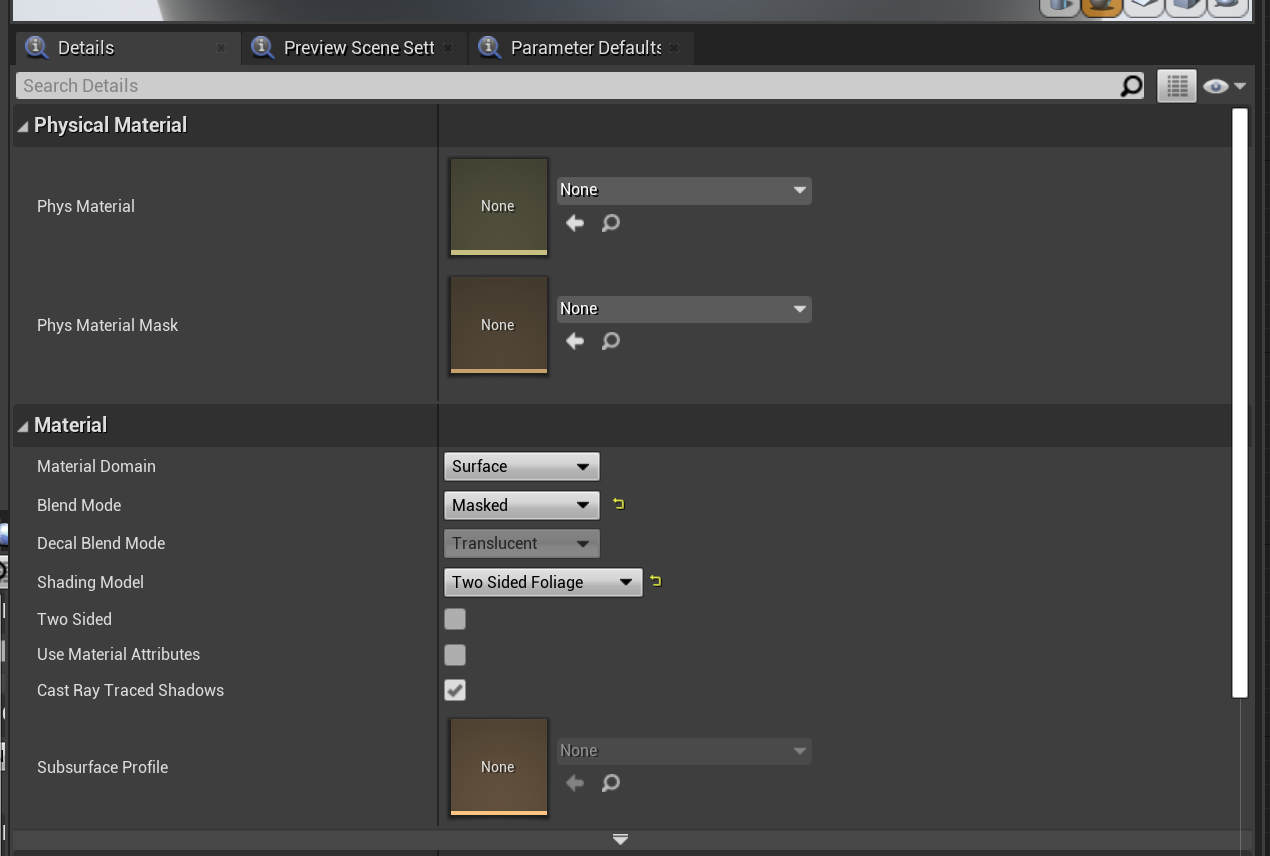 trim mesa
i mean getting through the door is perfect
but the door acts unusual when i exit from it
it doesnt let me exit from the door
bright sigil
coarse gale
He didn't say anything about rotation in that video
and this is being called from the actor right? or is it from the player?
coarse gale
bright sigil
and this is being called from the actor right? or is it from the player?
The player I think? So, the player holds left click and the blades on the front of the weapon spin.
trim mesa
trim mesa
i mean getting through the door is perfect
but @fleet marten or if anyone can help me with this
bright sigil
coarse gale
The player I think? So, the player holds left click and the blades on the front ...
okay, should be fine then
trim mesa
bright sigil
okay, should be fine then
can you help
bright sigil
trim mesa
can you help
whats the problem?
bright sigil
it has bad framerate, i dont understand
trim mesa
bright sigil
it has bad framerate, i dont understand
what can i do, just read the problem
maybe you can understand
bright sigil
im not sure what to read through up there, link?
trim mesa
the door, closes, and opens, and closes and opens when i try to exit from it, and it doesnt let me exit, its like in real ife the door is punching you on your face and not letting you exit
trim mesa
trim mesa
i mean getting through the door is perfect
read from here
coarse gale
bright sigil
I don't understand what this is going to accomplish at all. I'm just confused by it
trim mesa
trim mesa
the door, closes, and opens, and closes and opens when i try to exit from it, an...
conrad
bright sigil
coarse gale
I don't understand what this is going to accomplish at all. I'm just confused by...
Left Click (as well as other inputs) do not fire constantly, just once. In order to know that it is held down, I'm suggesting a looping timer to fire constantly. When Left Click is released the timer is cleared. While the Timer is running, it calls the Custom Event: HeldDown which makes the object psin
bright sigil
trim mesa
conrad
let me see if i understand.... you have a door and the player can open it, but it does not close properly?
fleet marten
@trim mesa I'd make it so the door can only open once and stay open afterwards
I'm sure there's a better solution though lol
trim mesa
bright sigil
let me see if i understand.... you have a door and the player can open it, but i...
no
bright sigil
trim mesa
no
then please explain
trim mesa
fleet marten
<@!896085663961710613> I'd make it so the door can only open once and stay open ...
ig
fleet marten
Make sure your timeline isn't looping for the door opening