#ue4-general
1 messages · Page 1109 of 1
 normal burrow
 gleaming lotus
Nope, I need the trace on the right to be fitted to the shape like the one on the left
normal burrow
Then you wouldn’t use actor bounds
gleaming lotus
What would be your suggestion for an alternative?
normal burrow
See if the static mesh on the static mesh component has a bounds variable on it
That will get you an unrotated box
gleaming lotus
This is what we've got in that department
 normal burrow
Okay and world z is still the desired sweeping direction?
gleaming lotus
It doesn't have to sweep in z direction nope
 thick rover
Hello, who knows if it is possible to make such a system in ue4. The character has a camera, and when he pressed a key, this camera took a picture of the object it was aiming at? And who knows, maybe there are some lessons on this topic. I searched and did not find it. I'm sorry I don't know English very well.
normal burrow
gleaming lotus
This is what we've got in that department
Well you’ll have to decide how it sweeps but you’ll want to get the component transform off the component, transform location against the Get Bounds origin pin and that will be the end that you’ll put into the box trace. Break the transform structure apart then additionally and plug the rotation into rotation and multiply scale against extent then plug it into half size
 patent cobalt
thick rover
Hello, who knows if it is possible to make such a system in ue4. The character h...
patent cobalt
thick rover
Hello, who knows if it is possible to make such a system in ue4. The character h...
You are looking for the Scene Capture 2D component

An overview of the Reflections example level, example 1.7: Scene Capture 2D
 tepid vector
How do I increase the tire friction? When I turn at high speeds, the entire car does 360s and drifts out of control
patent cobalt
tepid vector
How do I increase the tire friction? When I turn at high speeds, the entire car ...
Which vehicle? PhysX or Chaos?
tepid vector
Chaos
patent cobalt
You need to increase the lateral friction multiplier inside the wheel BP
And if it rolls too much lower the center of mass
tepid vector
patent cobalt
You need to increase the lateral friction multiplier inside the wheel BP
what do I click from here?
 patent cobalt
The wheel BP are separate
Check in the setup of the vehicle movement component
They are referenced there
tepid vector
i dont understand...
patent cobalt
tepid vector
i dont understand...
You should watch my tutorial on Chaos vehicles
tepid vector
patent cobalt
You should watch my tutorial on Chaos vehicles
send
 plush yew
I need you guys to channel some autistic energy for me
patent cobalt
tepid vector
send

UPDATE 15 Sep 2021: !!! IMPORTANT !!! If your car is stuck in the air and doesn't drive, make sure you are using the special 4.26-chaos/4.27-chaos/UE5 EA versions, all available from the Epic Launcher and NOT the "regular" 4.26/4.27 versions which still uses PhysX and not Chaos Physics. Chaos Vehicles need Chaos Physics and will NOT work with th...
tepid vector
patent cobalt
https://youtu.be/GcsVkmlpVTw
what time do u talk about friction
cause ive watched ur vid
patent cobalt
tepid vector
cause ive watched ur vid
When I setup the wheel BP. It’s in it.
plush yew
I like the idea of my scenery in game to be rural japan, japan is the most peaceful country but crowded and busy and that ruins it aesthetic wise for me, I need something in the background of my map but I dont want it to ruin the flatty vibe it has going already

What can I put out there to make it feel like more is going on but not make it less flat or minimally flat
patent cobalt
patent cobalt
When I setup the wheel BP. It’s in it.
At 13:42 you see the lateral friction force multiplier
patent cobalt
@tepid vector
 kindred depot
Is there anyone way to change the skel and mesh of a control rig, and how to do so if you can
plush yew
well I think birds fly very differently to planes though
the problem is i cant really get any references for what im making
except birds in real life
tepid vector
patent cobalt
At 13:42 you see the lateral friction force multiplier
u showed nothing...
patent cobalt
tepid vector
u showed nothing...
Well birds are more advanced than airplanes but the principles are the same
tepid vector
 patent cobalt
tepid vector
u showed nothing...
patent cobalt
tepid vector
u showed nothing...
I am pointing you to the setting you need to tweak
patent cobalt
Called Lateral Friction Force Multiplier
 plush yew
this is sort of what im going for
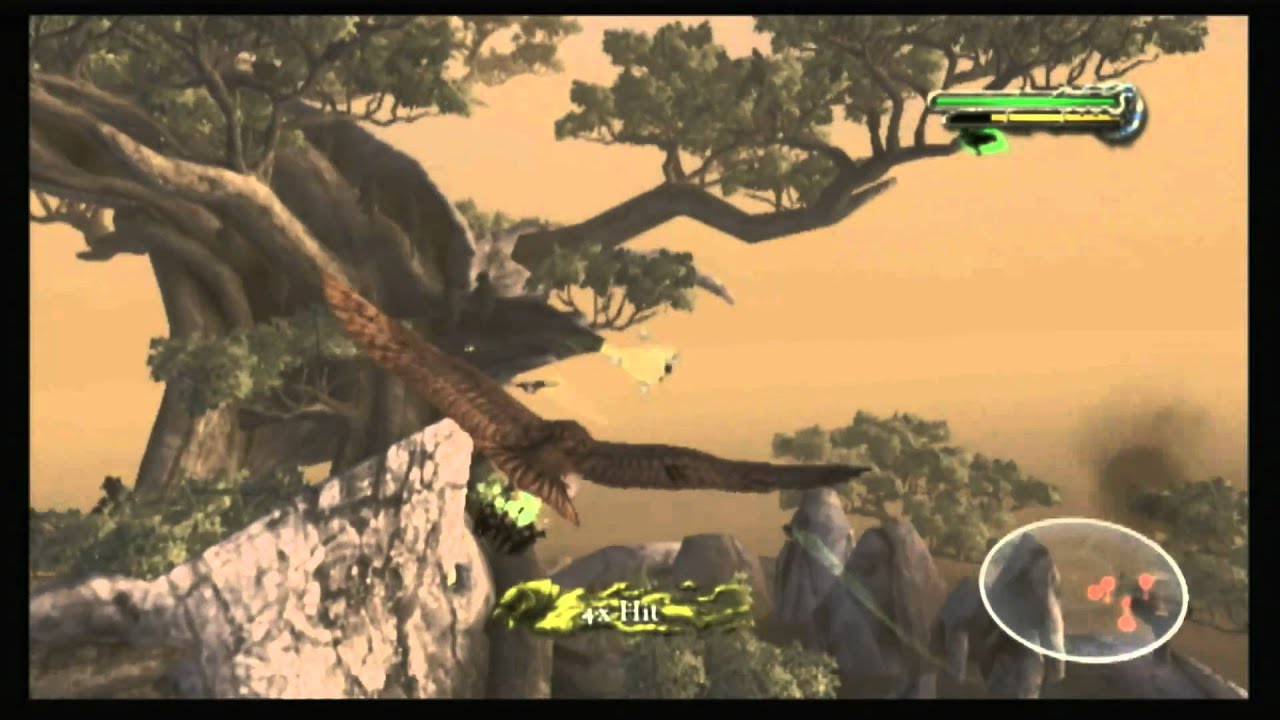
Classic Game Room presents a CGR Undertow review of Legend of the Guardians: The Owls of Ga'Hoole from Krome Studios and Warner Bros. Interactive for the Nintendo Wii. Fans of Nintendo's talking-animal franchise and games like X-Wing and Rogue Squadron should be comfortable behind the...talons...of Legend of the Guardians. You play with the Wii ...
but I know this isnt done with physics
patent cobalt
tepid vector
this is UE5
It’s the same vehicle code
kindred depot
download the ark dev kit and see how they did it lol
tepid vector
patent cobalt
It’s the same vehicle code
thats the right pannel though
normal burrow
patent cobalt
tepid vector
thats the right pannel though
It’s in the wheel BP under Details like shown in the video.
plush yew
pretty much all of the flying examples feel like ur just floating on a X Y Z plane
tepid vector
patent cobalt
It’s in the wheel BP under Details like shown in the video.
can u send a SS with it highlited?
patent cobalt
tepid vector
can u send a SS with it highlited?
 patent cobalt
Yes
tepid vector
and for both front and back?
patent cobalt
Only rear first
tepid vector
kk
normal burrow
Lol
patent cobalt
Because your vehicle seems to be oversteering
tepid vector
patent cobalt
Because your vehicle seems to be oversteering
i put it at 6 for rear and its barley truning
lemme change
patent cobalt
6 it’s a lot
patent cobalt
tepid vector
what will happend if I put 2.5 for front as well?
Try it
Traces act on the channels or objects you tell them to detect
tepid vector
patent cobalt
Try it
ig ill only change back cause front at 2.5 with back 2.5 = drift
patent cobalt
Then check if your actors are blocking the visibility channel
@rare sparrow
ByChannel should also work, I am sure there is reason if it doesn’t seem to work
Do you have debug on?
Weird
Can you show some code?
 split jasper
BTW is there a better way to organize input bindings? This shit is getting unsustainable and I'm not even half done
patent cobalt
t.maxfps = 0
split jasper
Is there any way to add subcategories to them? I'd love to separate menu bindings from in game bindings, for example
 dawn grove
patent cobalt
t.maxfps = 0
dawn grove
patent cobalt
t.maxfps = 0
999 worked
split jasper
COMPLETELY unrelated question: Do people not use UMG?
Everything else I do in unreal, it feels so well-supported, both in terms of the engine functionality and the community around it. But whenever I have a UMG issue, it's like... crickets. And when I do find the solution, it really feels like I'm reinventing basic functionality to make it work
 thick herald
People use UMG.
 grim ore
some people use other solutions like coherent, just depends on your goals and experience
split jasper
What's Coherent?
grim ore
split jasper
They're just running a fuckin HTML5 page for the UI within UE? That's actually brilliant
 bright sigil
I was expecting it
split jasper
I mean, shit, I'd way rather be working in like React than UMG anyways. Thanks for the tip, I'll have to look into this more
grim ore
theres are other options than coherent, thats just he one I see fairly often in credits
Noesis is another one
bright sigil
None is also an option and instead keep all interface within the 3d world
split jasper
bright sigil
None is also an option and instead keep all interface within the 3d world
Howso?
 late quartz
is it possible to remove the 'hovered' and 'pressed' events from button in the interface?
grim ore
the look or just the actual clicking? and interface as in the editor or UMG widgets?
bright sigil
Yeah you can override the events to do nothing
dawn grove
is it possible to optimize ue5 to run at ~360 fps?
im talking about a small room, almost empty
bright sigil
Sounds more reliant on the hw that runs it
late quartz
is that im already changing the color of the button through the blueprint and i didnt want the events of the button itself to interfere with that
bright sigil
Its a bit more convient to use the built in brush definitions for hovered and such, and you could have your bp talk to that
patent cobalt
dawn grove
is it possible to optimize ue5 to run at ~360 fps?
Why would you need that? Not the gaming thread in general but the physics yes.
late quartz
bright sigil
Its a bit more convient to use the built in brush definitions for hovered and su...
hmm makes sense, i had an idea to change all the brush colors using the bp too, i think it would solve
bright sigil
It would be through accessing the brush which is a bit confusing but cleaner overall
tepid vector
when I search engine audio in UE4 i see this

but this when i search engine in UE5

is it called something else in UE5
grim ore
my guess is you are seeing the physx vehicle in UE4 and the Chaos vechile in UE5
tepid vector
grim ore
my guess is you are seeing the physx vehicle in UE4 and the Chaos vechile in UE5
what is this called in UE5
I cant find any tutorial on how to add engine sounds in UE5
 vestal turret
Does anyone have this issue with ALS 4.0 and Physical Object ?
grim ore
@tepid vectorits still in progress, and it looks like those components dont exist
I also dont see those in my stock UE4 engine, maybe that is another plugin?
vestal turret
tepid vector
I cant find any tutorial on how to add engine sounds in UE5
Do you mean MetaSound ? https://www.youtube.com/watch?v=3230-FwCts0

Unreal Engine 5's MetaSounds represent a complete redesign of audio inside Unreal Engine and presents an amazing opportunity for all creators. Imagine thinking of audio in the same way as surface materials! Developers can leverage MetaSounds to add complexity and variation to their audio or even generate completely procedural systems with sample...
grim ore
yes @tepid vector it looks like those are part of the advanced vehicle sytem and not the included UE4 system
patent cobalt
These are definitely not standard vehicle components
@tepid vector for a simple vehicle engine sound you can check the advanced vehicle template which ships with Unreal
tepid vector
vestal turret
Do you mean MetaSound ? https://www.youtube.com/watch?v=3230-FwCts0
this is not for vehicle engine...
this completley different
tepid vector
patent cobalt
<@596075885702938649> for a simple vehicle engine sound you can check the advanc...
i did and i put it in
i have sound now
patent cobalt
Good
tepid vector
but only for when car moved
moves*
I want a sound for when the car is idle as well
patent cobalt
The engine sound is usually based on engine RPM
I have another tutorial showing how to get the engine RPM for a Chaos vehicle
With that you can make your sound play based on the engine RPM
patent cobalt

UPDATE 17 Dec 2020: As announced, Epic has just released a 4.26-Chaos Preview version available directly from the Launcher, so it is no longer necessary to compile from source to enable Chaos. If you still want to compile from source, please check my video here: https://youtu.be/gbgBcvHVyq8
This is a follow-up to my previous video tutorial abou...
 oak shale
Hi I was wondering how to create grid based building systems like in TerraTech, Avorion, Epyrion, Space Engineers, Crossout etc. (NOT Minecraft) where you can build your stations/cars/spaceships etc. Grid based and it holds together and can move around seperate from other grids. My questions are: How do I achive making this grids? Is there any special expression I should search for tutorials?
oak shale
grim ore
ue4 grid system?
looked at procedural mesh first as someone mentioned that but trying to find the best method which combined into one once built
tepid vector
@patent cobalt howd u enable this

 dawn gull
How can I toggle a spot light programmatically?
grim ore
set intensity to 0? set the actor to disabled? set the visibility to disabled?
dawn gull
grim ore
set intensity to 0? set the actor to disabled? set the visibility to disabled?
Thank you!
patent cobalt
tepid vector
<@!399916238098137098> howd u enable this
Are you following my tut?
tepid vector
patent cobalt
Are you following my tut?
yup
patent cobalt
It’s all shown in it. How to get those values.
tepid vector
patent cobalt
It’s all shown in it. How to get those values.
im not moving but RPM is 1200
 patent cobalt
tepid vector
im not moving but RPM is 1200
patent cobalt
tepid vector
im not moving but RPM is 1200
The tuning of Chaos vehicles isn’t straightforward. Check your gear ratios.
Better if you copy some settings from my previous tutorial or from the advanced vehicle template.
patent cobalt
Vehicle physics is complicated so don’t feel bad.
You don’t necessarily have to use physics though. Depending on which game you want to make there are alternatives.
tepid vector
I want to make a drifitng game
something life Forza Horizon, beamNG or asseta corsa
patent cobalt
Ok then you really need to learn vehicle physics
These are three of my favorite games so I know them pretty well
tepid vector
patent cobalt
Ok then you really need to learn vehicle physics
is there a series of tutirals where it goes from A => Z about how to create a car (sounds, physciscs everything included)
patent cobalt
Yes but in Russian
patent cobalt
Ivan has English subs in general
tepid vector
patent cobalt
Yes but in Russian
do you know a lot about this stuff?
patent cobalt
I am making tutorials on vehicle physics so I may know a bit
 worthy estuary
HI I have a problem i made a simple movement code that make the player move but when i press the key W it goes backward and S goes forward and D goes left and a goes right so can anyone help me plz?
 tepid vector
@patent cobalt could u send the Russian vid series?
late quartz
is there any way to remove this gradient effect from button?
 patent cobalt
tepid vector
<@!399916238098137098> could u send the Russian vid series?
patent cobalt
tepid vector
<@!399916238098137098> could u send the Russian vid series?
Had to search for it

YouTube
Enjoy!
worthy estuary
worthy estuary
HI I have a problem i made a simple movement code that make the player move but ...
can anyone help please?
patent cobalt
worthy estuary
can anyone help please?
Don’t use the controller rotation but directly the actor forward and right vectors.
The forward axis is the red one
Right axis is the green one
Check inside the actor blueprint
Make sure the front of the actor is oriented along the red X axis
worthy estuary
Thanks
tepid vector
patent cobalt
https://youtube.com/channel/UC2iKJPXiC7vFyBsynfd_XNg
UE4...
 patent cobalt
tepid vector
UE4...
patent cobalt
tepid vector
UE4...
Doesn’t matter, the way he does it works also in UE5
tepid vector
he uses chaos?
patent cobalt
If you want the foundation for a raycast vehicle in UE5 watch my latest hover vehicle tut
He doesn’t use Chaos Vehicles. He builds the physics from scratch as we all do. 😉
tepid vector
patent cobalt
If you want the foundation for a raycast vehicle in UE5 watch my latest hover ve...
what is raycast vehicle? is this one?
 patent cobalt
A raycast vehicle is a vehicle where the suspension force is calculated by firing one ray per wheel and calculating the distance from the ground, from which you calculate the spring and the damper force.
tepid vector
 tepid vector
patent cobalt
A raycast vehicle is a vehicle where the suspension force is calculated by firin...
tepid vector
patent cobalt
A raycast vehicle is a vehicle where the suspension force is calculated by firin...
ok can u send ur tut?
patent cobalt
tepid vector
ok can u send ur tut?
The link to my channel is in my profile
tepid vector
patent cobalt
The link to my channel is in my profile
?
 tepid vector
@patent cobalt is the ss i sent the right tut?
tepid vector
patent cobalt
Look for Hover Vehicle 2022
from 2 weeks ago?
patent cobalt
Yes
You can learn how to make a raycast suspension system from that one. From there to a car is just adding a visual wheel.
tepid vector
ok
tepid vector
patent cobalt
You can learn how to make a raycast suspension system from that one. From there ...
was that model made in blender?
patent cobalt
For the hover vehicle? Yes
tepid vector
and when I add wheels, do I add them in blender? and then rig them in blender
or make it in UE5
patent cobalt
Make it in Blender
tepid vector
aight
patent cobalt
If you want to learn to animate a car check my tut on the kinematic vehicle
The one with a kind of F1 car
tepid vector
patent cobalt
If you want to learn to animate a car check my tut on the kinematic vehicle
ik how to animate in blender
but I just want car
patent cobalt
Yes but you don’t animate the car in Blender, you animate it in Unreal using an Animation Blueprint
I strongly suggest you to take some of the intro courses on learn.unrealengine.com
I think your development will speed up after that
tepid vector
@patent cobalt is this it? or do i need to add the bones facing postive Y
or are bones only neccesarry for Chaos plugin
 patent cobalt
@tepid vectorbones are necessary if you want to animate your vehicle regardless
tepid vector
ok
patent cobalt
I am signing off for today, have fun learning!
By the way the best channel to ask about vehicles is #legacy-physics
vestal turret
Is there a way to turn OFF the "Climbable" trace for an object ? I want to avoid my character to climb it
you mean Actor to Ignore ?
 bright sigil
vestal turret
you mean Actor to Ignore ?
bright sigil
vestal turret
you mean Actor to Ignore ?
i think you want to specify, on the object that can be climbed, to ignore it's Trace Channel
vestal turret
Ok, it works at the TraceByChannel using "Actors to Ignore", but I feel it will make more sense to be in the collision setting of the actor itself. I try to "Can Character Step up On" == "No" but no effect. Any other suggestion or I should stay with the "Actor To Ignore" solution ?
OMG, feel so dump!! was right into my face! I guess need to take a break 😆 thanks !
tepid vector
@patent cobalt in ur tut, u show how to add the car as the static mesh, but when I try, it does not show me my car


even though my car is there

oh ok
So do I add it like this?

or like this
 normal burrow
I think you just choose to import it as static mesh on the import window
 burnt tinsel
do i still need to build from source if i want to build dedicated server in ue 4.27?
plush yew
I just updated my unreal engine to 4.27.2 and I can't open any projects or even open the project launcher without it crashing... I get this... Anyone know what to do?

 real heath
In the epic launcher hit the dropdown in the engine and hit verify
plush yew
Hey guys, I'm new to unreal, is it a good idea to learn v4 or v5
plush yew
real heath
In the epic launcher hit the dropdown in the engine and hit verify
Ok, I just tried that, now I'm trying to re-install the entire engine 🤞
plush yew
plush yew
Hey guys, I'm new to unreal, is it a good idea to learn v4 or v5
UE5 imo
bright sigil
plush yew
Hey guys, I'm new to unreal, is it a good idea to learn v4 or v5
probably 4, i hear ue5 has some bugs
plush yew
is ue5 similar to ue4 just UI changes?
bright sigil
well there's nanite and lumen...
plush yew
except that
bright sigil
cant really think of any
 rocky radish
yes, but it's not recommended to use it in early access
bright sigil
plush yew
right, so I'll use ue4
you could always upgrade later 🙂 either way, there will be errors 💩
 smoky kettle
im new to the dc is this a good common place to start talking?
bright sigil
smoky kettle
im new to the dc is this a good common place to start talking?
depends 😏
 restive fulcrum
plush yew
except that
restive fulcrum
plush yew
except that
I know the sound system was overhauled, and native chaos support I think
bright sigil
oh and i think i heard recently that its a different physics system (havok?)
not sure how accurate that is though, dont use ue5 and only overhead this
restive fulcrum
Yeah me neither, planning to make the switch when the full release comes, is that still supposed to be in the next couple months?
smoky kettle
bright sigil
depends 😏
this is probably reallly common but i try and try to get srated on unreal but w everytime i start it doesnt feel like i leanr anyhthing how did you start or anybody else here?
bright sigil
I'm planning when i finish this game 😜 so maybe a another year
bright sigil
smoky kettle
this is probably reallly common but i try and try to get srated on unreal but w ...
im sure plenty can lend you advice
 fierce tulip
@smoky kettle check the pinned messages in this channel for getting started content.
bright sigil
smoky kettle
this is probably reallly common but i try and try to get srated on unreal but w ...
ive said this many times, your not the first to feel this way, i guess i should starting writing this in a notepad for others - but start small with a project idea
from there it is problem solving and learning
restive fulcrum
smoky kettle
this is probably reallly common but i try and try to get srated on unreal but w ...
Just put time in and don’t give up. Look lots of things up try to build something, supplement any knowledge with Google and YouTube
bright sigil
dont expect homeruns anytime soon and be happy with what you make; dont compare
 bleak zodiac
smoky kettle
this is probably reallly common but i try and try to get srated on unreal but w ...
bleak zodiac
smoky kettle
this is probably reallly common but i try and try to get srated on unreal but w ...
unreal online learning is also fine
 cedar bolt
Anyone know how to export rigid bodys from houdini to ue5
bright sigil
smoky kettle
this is probably reallly common but i try and try to get srated on unreal but w ...
be sure to also read the #more-resources and #rules
 nova kernel
What does Epic/Unreal call their more devout community folks collectively? Is there a special term they tend to call everyone as a whole? (Or is it just Customers?)
 little quail
Well?
fierce tulip
just community/friends.
costumers is more for those who pay a license fee.
nova kernel
there is no special term twisted with the engine or company name?
like for example, Amazon workers are Amazonians,
fierce tulip
not that I noticed at least.
 wheat tundra
when unreal compile shaders it uses my cpu, is there a way to make it use my gpu?
wheat tundra
aight
nova kernel
not all Amazon workers, I'm not a slave haha
fierce tulip
but no, generally they approach us more as fellow devs, iow, "friends" and such.
nova kernel
Okay, thanks, 🙂
wheat tundra

Unreal Engine
FPS Multiplayer Template with 6 game modes and AI bots, fully replicated with all the important features for a FPS or TPS multiplayer project and is made 100% in Blueprints.
If i buy this can I replace the subsystem? (because it uses steam)
and i wanted to use either null or EOS
because i don't want to post it on steam
 rancid lagoon
i am trying to make a game that has features similar to Fortnite creative mode. it is where the player can make a world, where thye palce rooms down, place spwans for enimies, and play it with thier friends. how can i do this?
 drowsy snow
rancid lagoon
i am trying to make a game that has features similar to Fortnite creative mode. ...
drowsy snow
rancid lagoon
i am trying to make a game that has features similar to Fortnite creative mode. ...
Look up tutorials on in-game map editors
 stoic hawk
Question: Why do meshes turned into blueprint classes turn black when I bake lights? Any help is MUCH appreciated! Thank you!
bright sigil
stoic hawk
Question: Why do meshes turned into blueprint classes turn black when I bake lig...
so they baked fine as meshes and then now they are turning black because they are a bp?
kindred depot
drowsy snow
Look up tutorials on in-game map editors
have you ever heard of this?

GitHub
KawaiiPhysics : Simple fake Physics for UnrealEngine4 - GitHub - pafuhana1213/KawaiiPhysics: KawaiiPhysics : Simple fake Physics for UnrealEngine4
thought you would be interested 🙂
 grave pollen
so i came across this in regards to my simple move to node and the movement issue "Simple Move to location is not multiplayer supported. Its only good for single player games. To do that in multiplayer you would need to come up with your own solution."
since its the only 'move to' node that doesnt require an AI controller and since I'm actually controlling the pawn and its not an AI wat do I do here. I obviously tried running on client and server but my char wont rotate to the direction, it only works flawlessly on listen server not dedicated server
stoic hawk
bright sigil
so they baked fine as meshes and then now they are turning black because they ar...
Yes, exactly
bright sigil
stoic hawk
Yes, exactly
its not an area i work in too much, could be some setting changing from the bp. Black meshes, even after rebuilding lighting seems related to lightmap uvs or lightmap resolution, maybe different between the mesh and bp.
 devout edge
Is there anyway i can create a mesh from vertices,surface,normals?
bright sigil
devout edge
Is there anyway i can create a mesh from vertices,surface,normals?
procedural mesh?
stoic hawk
bright sigil
its not an area i work in too much, could be some setting changing from the bp. ...
Yeah I was thinking it might be the default lightmap resolution was different, but it’s set to 64.
bright sigil
stoic hawk
Yeah I was thinking it might be the default lightmap resolution was different, b...
you checked this and other lightmass settings on the bp?
devout edge
bright sigil
procedural mesh?
wouldn't that be a single bp for every single mesh?
bright sigil
devout edge
Is there anyway i can create a mesh from vertices,surface,normals?
what kind of mesh creation are you trying to accomplish?
bright sigil
stoic hawk
Yeah
ue 4?
stoic hawk
bright sigil
ue 4?
Yes, it’s UE4. I found this tutorial that seems like it should be the solution, but for some reason it doesn’t work for me. https://youtu.be/WYzTaX-rHdA

My Apps: https://sites.google.com/view/bradapplist/home
Tools: Unreal Engine Version 4.23.0
Asset Packs: Third Person Blueprint Project
Recording: OBS Studio
Editing: Microsoft Photos
Background Music:
Creepin by MK2
https://www.youtube.com/audiolibrary
bright sigil
well i guess thats a fix for bsp to sm, but your doing sm to bp
devout edge
bright sigil
what kind of mesh creation are you trying to accomplish?
im trying to recreate a map i have everything i need but how to do that in unreal

creating a mesh that is
bright sigil
most likely modelling in some specific software like Blender
drowsy snow
kindred depot
thought you would be interested 🙂
Already used it for a while now lol
kindred depot
drowsy snow
Already used it for a while now lol
just found it, absolute shell shocker! This should come default with ue.
drowsy snow
In fact, I had cheeky contribution to the repo, I think it was resolving compiler error in 4.24
kindred depot
lol
drowsy snow
I'm looking on fixing issues with slo mo, as of now Kawaii Physics behave weirdly with slo mo
Probably make it less "frame rate dependant" and more on time dilation dependant
kindred depot
thats good to know
i cant wait to test it 😄
just watched the video on how to set it up
 trim mesa

Hi, i was creating blueprint for minutes, and got this error

@drowsy snow
can you help me with this?
bright sigil
Get Game Mode into your Cast
 golden notch
trim mesa
golden notch
trim mesa
the Cast To SideScrollerGameMode needs an input on the object pin on the left
 worthy elbow
Hello! any idea how to make a layer dominant than another layer when painting landscape?
So my whole land scape is grass layer then when I paint road layer I want to make it a pure road layer instead of blending grass layer and road layer creating a texture of two mixed layer.

I can't achieve a PURE Road layer unless I manually remove Grass layer
bright sigil
maybe the landscape material is not right, but the typical behavior allows other layers to paint over the base (base is grass?). The mix looks strange, thats for sure
 golden notch
I'm a total scrub but looking at that seems like that material is designed to blend?
worthy elbow
Yeah the layer blend might be the problem, but how do I allow multiple material without using layer blend Dx
bright sigil
what are the settings on the LayerBlend node

 bright sigil
not a clue, im checking my own landscape but this all looks the same as mine
worthy elbow
Thanks for doing that ! ❤️
bright sigil
worthy elbow
Thanks for doing that ! ❤️
This stuff right? I assume so otherwise how are you painting 😛 I am curious how you "erased" the base layer
 worthy elbow
I hold shift then paint to erase layers
But the base material of my landscape seems to be just black

 bright sigil
weird that you can paint to black, should only erase to base
worthy elbow
 bright sigil
worthy elbow
But the base material of my landscape seems to be just black
bright sigil
worthy elbow
But the base material of my landscape seems to be just black
those layers do say no weight-blend
worthy elbow
It turns black if I erase the Road layer and Grass layer
OHH
Thanks!
I turned off "No weight-blend"
bright sigil
hope thats the fix
worthy elbow
that fixed the problem
bright sigil
oh okay great!
worthy elbow
Thanksss!
 thorny pewter
any one knows how to make 1 of some amount actors to spawn randomly on one level ? for example i have 10 bosses on level and i want to spawn only 1 of them how can i do that ?
bright sigil
so you wanna choose on of the ten?
worthy elbow
Not sure if its the best way but
try Random integer in range then switch on int
thorny pewter
where to put that to affect actor spawn ?
i want exacly that but i could not find where to put that im really new in UE

 worthy elbow
bright sigil
worthy elbow
bright sigil
This more efficient
thorny pewter
should i put it in Event Graph or Construction script ? they dont need to be connected to something ?
bright sigil
they do
that's based on when you want them to spawn
such as, by trigger
or after using something
this is a snippet on how to spawn a class randomly from an array and then remove it so it doesnt spawn again
customize and integrate to your needs
thorny pewter
i want something on level load if its possible or something like that
bright sigil
for testing, use a print string
worthy elbow
thorny pewter
i want something on level load if its possible or something like that
Open level blueprint then "Event beginplay"
@bright sigil can I add you as a friend? ;-;
worthy elbow
Okay npnp
thorny pewter
i did this in level blueprint Event Graph but when i press play both table and chair is spawning

even if i disconnect lines on switch on int or when i set random integer from 0 to 0
even if i put it in for xample RandomTable Event Graph and connect to Event BeginPlay with random integer it still always spawns
bright sigil
nothing happened...
 proud patio
no the spam message
bright sigil
spam? no spam here, no never
proud patio
hmm
drowsy snow
Unless you're one of those gullible Steam elitists, nothing to worry about.
proud patio
me?
 glossy lynx
is there any attempts of turning UE4 into ECS architecture?
 idle phoenix
Any one know how to rename the Single Property View in UMG?
 compact marsh
underwater post processing effect doesn't work with custom water body. Is there any way to fix it?
bright sigil
Im about to go to bed
Would say it is regularly active during my daytime
And maybe in a couple hours when the otherside of the world wakes up
plush yew
if i ask question how long usually will i get respond?
bright sigil
Minute to an hour to a day
plush yew
xD
 gaunt abyss
If someone knows the answer probably within minutes
bright sigil
Theres a lot of channels too, some ppl hang around them
plush yew
oh ok
bright sigil
Yeah you can sorta see the activity just by scrolling ip in channels
 raven estuary
Is quixel mixer just bad? Im new and it seems like everyone is using substance and no one is using mixer but obviously the price is a huge draw to mixer and the fact i go from blender to unreal it seems like a good texturing program is it worth just using substance?
This also ma not be the channel for this but it didnt seem to really fit in anywhere else
drowsy snow
raven estuary
Is quixel mixer just bad? Im new and it seems like everyone is using substance a...
Quixel Mixer is okay, but maybe not as intuitive to use as Substance or baking from Blender.
bright sigil
Substance is even more appetizing being under adobe and sold for cheap through cc
drowsy snow
bright sigil
Substance is even more appetizing being under adobe and sold for cheap through c...
Isn't it subscription?
bright sigil
Yeah
raven estuary
bright sigil
Substance is even more appetizing being under adobe and sold for cheap through c...
For me its even less appealing because its adobe i really hate adobe
bright sigil
Sorry, thats what i meant by sold cheap
drowsy snow
Perpetual licence might appeal more.
raven estuary
drowsy snow
Perpetual licence might appeal more.
Even if you get preputial its only for the year you buy it is my understanding you dont get updates
bright sigil
But ive also been using ps for 15 years, though adobe managed to make it worse over the recent years
raven estuary
Yeah thats what im seeing theres only like 3 products out there
drowsy snow
Anyway, Quixel Mixer.
Results can be okay, I used them few times, but I find myself rather baking textures from Blender more than doing it in Mixer.
drowsy snow
bright sigil
Or GIMP
lmao no
raven estuary
drowsy snow
Anyway, Quixel Mixer.
Results can be okay, I used them few times, but I find my...
Sorry im still quite new whats the downside to to baking in blender vs in mixer
drowsy snow
GIMP is just extra counter intuitive
bright sigil
Could also bake with xnormal like the old school days
raven estuary
Why would i use gimp vs an actual texturing software?
bright sigil
Lol 😄
raven estuary
Im so confused
drowsy snow
raven estuary
Sorry im still quite new whats the downside to to baking in blender vs in mixer
Intuitiveness.
Mixer is kind of more confusing to use, compared to baking in Blender.
bright sigil
Sounded like it was free only maybe there are better
drowsy snow
GIMP is a fuckin' joke.
bright sigil
I just love how quick gimp gets slammed
drowsy snow
But I guess blessing for Linuxians
raven estuary
bright sigil
Sounded like it was free only maybe there are better
But mixer is free too?
drowsy snow
raven estuary
But mixer is free too?
Mixer is free, but it kinda tie in to Megascans a bit too much
Also Mixer is a Unity app, and what's more romantic than Unity and memory hog.
raven estuary
drowsy snow
Mixer is free, but it kinda tie in to Megascans a bit too much
Whats wrong with it being super tied in to megascans. Sorry if these are dumb questions
bright sigil
Yeah i know nothing of quixel except megascans
drowsy snow
raven estuary
Whats wrong with it being super tied in to megascans. Sorry if these are dumb qu...
If you're going to use Megascans outside UE, you have to use the non-UE licence
raven estuary
drowsy snow
If you're going to use Megascans outside UE, you have to use the non-UE licence
Ohhh thats fair i dont really plan to use it outside UE
drowsy snow
If you're going to use it in UE, then no additional charge for them. You can still make edits to them in sculpting software and alike tho
raven estuary
My planned workflow model hero object in blender texture in mixer then cinematic in unreal is my kinda planned workflow
raven estuary
drowsy snow
If you're going to use it in UE, then no additional charge for them. You can sti...
Ok so i can still use it in blender i just cant like export it out as art from blender?
drowsy snow
raven estuary
Ok so i can still use it in blender i just cant like export it out as art from b...
You can't make final renders of them in Blender, under UE licence.
I know several Blender users leeching off of this licence.
raven estuary
Ok final render has to come from unreal thats fine
Is there a license to use the it in the final render say i wanted to do a portfolio piece of like a mech that was textured in mixer?
I can look that up you dont have to answer haha i can not be lazy and look that up myself
drowsy snow
raven estuary
Is there a license to use the it in the final render say i wanted to do a portfo...
If you don't use Megascans stuff in it, then Mixer is free for everyone.
raven estuary
Ohhhh ok so its purely if i use megascans within it?
drowsy snow
Yes
raven estuary
All the smart materials that are there are megascans yeah?
I guess are all the textures in the texture library megascans?
 sour tide
So... timelines and curves.
Let's say that I have a timeline curve that represents an impulse. What if I want my output to be a sum of timelines all triggered at different times? I feel like... some event must cause the creation of a new timeline, which is then added to an array of timelines, which is then summed together to the output.
But that is starting to sound like the kind of thing that should probably be C++.
If what I was trying to model mapped to some kind of physical system, then using the physics engine instead would probably be easier.
 prime willow
is there a way to make functions or types of functions that have 2 outward execution pins? @grim ore ;-;

the end part
can i possibly create a dual outward pin as executions and or what type of system would i have to create to have a function with 2 of these?
 drifting elbow
in blueprint? you can only control the number of executions using macros
eg, return a boolean value and, inside a macro, call the function and make a branch
in C++ you can use an enum as output, or write your own blueprint nodes entirely
 tiny valley
In a blank scene turning on unlit mode gos from 300fps to 1000 fps. What is chewing through half my resources with nothing to render
 paper palm
Guys I have a big problem where my computer lost power while it was asleep and SOMEHOW deleted an entire level. I looked in explorer and the .umap is still there and when opened in a text editor still has data, but it doesn't show up in the content browser. I think it might have gotten corrupted a bit so UE4 doesn't recognize or load it anymore. However, it appears the data is still there.
I'm wondering if there's a way to recover or splice the data back into a new level or something. I already checked Saved->Autosaves and it's not in there. I'm also dumb and only do backups on major changes and so this level had not been backed up yet but still had a TON of work put into it. Lesson learned. Is there any way to get this level back!?
EDIT: I figured this out! Yippee! in "%appdata%\Local\UnrealEngine[Version]\Saved\Autosaves\Game" I found it. I thought it would be in the autosaves folder of the actual engine itself but it was in appdata.
 neon bough
https://www.unrealengine.com/marketplace/en-US/product/autolightmapuer anyone used this, or does know of some alternative?
also wonder how well it ports to UE5
also the reviews aren't very promising :/
 clever axle
Hey guys!
I want to package my project. When I click on windows it opens https://docs.unrealengine.com/4.27/en-US/Tutorial/Installation/InstallingVisualStudioTutorial.InstallingVisualStudioTutorial
I have Visual Studio installed. What do?
sour tide
This is from my Controller. It's attached to a Character Pawn (unmodified). I can confirm that this rotation, which the controller is applying to itself, is actually rotating the pawn

Does the pawn have something special in it to inherit rotation from the controller?
 pastel aurora
Hey guys any idea on why my apk won’t start in full vr mode?
Although (Start in VR) is checked ☑️
 scenic fox
Does anybody know how i can make aim down sights animation in a true first person style? Would i have to use IK and if so how it would be done in the anim graph?
 jolly mason

i did it
i turned this https://media.discordapp.net/attachments/546374393841057794/920272052433326080/unknown.png?width=1004&height=671

into this
 kindred depot
I'm looking for a good strafe animation. does anyone know a pack that sells one that does not look... weird? Just purchased my 3rd anim pack looking for just strafing lol
 obsidian nimbus
paragon characters
obsidian nimbus
shootergame also has strafe its a bit basic but allright
obsidian nimbus
yea i think all chars have their own personal strafe
kindred depot
these are nice damn i wish i would of known about these before buying stuff...
thanks
 rain badger
So... A bit of a frustrating speed bump lol. I followed a tutorial for making a cinematic camera movement which had me make a few changes to things like making a new camera (unnecessarily I think) And now for some reason all of my casts to the character are failing. BUT they only fail when previewing from another tab that opens a preview window. If I preview it from the main view port it works no problem.
I'm trying to go back through an older copy now to see if I can get it to work properly. Fingers crossed. I'm just super confused as to why my current copy works fine through the main viewport and isn't casting properly to the player character. Does anyone know why this is?
patent cobalt
rain badger
So... A bit of a frustrating speed bump lol. I followed a tutorial for making a ...
You may have deleted the player pawn or character associated to your level and what you are seeing is the default one which the engine uses when there is nothing else available.
Difficult to tell from your description. Also by “preview” I guess you mean Play In Editor
rain badger
patent cobalt
You may have deleted the player pawn or character associated to your level and w...
Hey, thanks for the reply.
🤦♂️ ... Oh man... I ended up deleting the PlayerStart. I have it set up where the players view is just the camera and does everything through that. So that still worked, just couldn't get anything that needed info from the character itself. But yeah, re-adding a player start worked.
And yeah, Play in Editor. I actually still don't understand why it worked on the main tab but not any other (if that makes sense, if not I can show with pictures what I mean by that)
 stable path
sour tide
Does the pawn have something special in it to inherit rotation from the controll...
stable path
sour tide
Does the pawn have something special in it to inherit rotation from the controll...
Yes. If you look at the 'Class Defaults' on the Pawn, there are options for using Rotation of the controller
'Use Control Rotation Pitch' , Yaw, Roll
tiny valley
In a blank scene turning on unlit mode gos from 300fps to 1000 fps. What is chewing through half my resources with nothing to render
drowsy snow
tiny valley
In a blank scene turning on unlit mode gos from 300fps to 1000 fps. What is che...
Basically all the rendering features
 digital anchor
the difference from 300 to 1000 fps is 0.2ms, i wouldnt call that 'chewing' your resources
drowsy snow
Unlit mode skips lighting, all post process, and several rendering passes
drowsy snow
digital anchor
the difference from 300 to 1000 fps is 0.2ms, i wouldnt call that 'chewing' your...
The numbers are exponential, and I know how some people mistook the difference as if it's linear.
drowsy snow
tiny valley
In a blank scene turning on unlit mode gos from 300fps to 1000 fps. What is che...
For comparison, the frame time curve from 0 FPS to 60 FPS
 fierce tulip
^ makes it abundantly clear why some devs target 30 fps over 60
drowsy snow
tiny valley
In a blank scene turning on unlit mode gos from 300fps to 1000 fps. What is che...
And the difference between 300 to 1000 FPS

And for difference from 0 to 1000 FPS.
 tiny valley
How can i mask a uv channel so I can pan seperately similarly to this https://youtu.be/e843VnBp_KE?t=477

Also how may I set up my project to emulate those settings evry bit of optimization helps, ie tuning off unused passes etc
 sly coyote
This might seem kind of like a dumb question, but is there a way to merge a modular skeletal mesh into a single mesh, like from modular characters in marketplace. I want to design it and bake it out as a single mesh for an actor instead of having it in so many components.
Also i mean in editor time, im aware of the runtime merger. I was wondering if there was something that actually creates a new asset the way you can with static "merge mesh"
Ty ty, ill give it a try tonight and report back if it does what we think its supposed to 😊
fierce tulip
@sly coyote if you have some money to burn, there is a mesh-merge tool on the marketplace that can merge skelmeshes and their anims. (called MeshBake)
sly coyote
Ohhh that sounds even better... Was reading through the thread and was seeing that I was going to have issues to deal with with the above thing... But a new plugin is always welcome in my tool kit
 proper fable
Someone knows if there's a node that allows me play a sound when I pass through a button in MainMenu?
here in this part
 drowsy snow
- Learn on how to make controllable vehicle pawns in UE4.
- Learn on how to make custom vehicles for vehicle physics.
- Learn on how to modify the vehicle physics for bikes
- Learn on how to make modular vehicles.
- Learn on how to make customisation system (almost the same with characters)
- Learn on how to make responsive vehicle sounds with UE4's audio tools
drowsy snow
proper fable
Someone knows if there's a node that allows me play a sound when I pass through ...
Event On Hovered?
proper fable
Yes
sly coyote
@fierce tulip thank you for the suggestion, after watching that guy's demo videos that is exactly what I'm trying to do
thick herald
Now you know what to search
 quaint fox
Anyone else noticed if UE4.27.2 changed the default GPU preference to be integrated?
drowsy snow
quaint fox
Anyone else noticed if UE4.27.2 changed the default GPU preference to be integra...
That's up to your OS settings, might be applying UE4Editor.exe in power saving mode
quaint fox
Ah I don't mean editor but packaged build
My testers are claiming this new version prefers the integrated over dedicated
drowsy snow
Still your OS might not knowing if it's a game or not
I think usually on PCs, the video out is directly from dedicated GPU as opposed to going through the motherboard's video out (which in turn going through CPU first)
 azure wharf
Maybe this is a too generic or stupid question. But how do you usually handle localization in project with large amounts of dialogues?
Basically in my previous projects, we were making a custom ID for every dialogue text and it was exported to excel by automation pipeline, which in turn was later imported back with translations based on the IDs. In the new project, people want to stop using custom IDs and just use the unreal generated ones.
What gets me worried about that, is that this gives a lot of room for mistakes, or rather mismatches between excel/engine, especially if it's edited by non-technical people that don't care about localization (unless I am not understanding something or overanylizing...):
- Replacing current FText value with other text will leave the current ID, so new text has old translations. Can happen if they are copying name/text from GDD or somewhere else
- Clearing the entire FText value resets the ID, so if you simply rewrite the text of fix spelling mistakes and you clear the entire box, the old translation is lost and not transferred, as it was assigned to old ID (unless it's saved somewhere else)
Any tips?
clever axle
Can someone tell me how source control is supposed to work?
I tried creating and checking in a new project. I set my git variables and hit submit. I'm getting this:
fatal: C:/Program Files/Epic Games/UE_4.27/Engine/Content: 'C:/Program Files/Epic Games/UE_4.27/Engine/Content' is outside repository at 'D:/games/Zero'
should I just use an external tool for this?
 wary wave
you can't commit files that are outside of your repository directory to the depot
but also, you wouldn't be committing engine files anyway
clever axle
for sure. But why does Unreal suggest these files then?
wary wave
presumably because you modified them
clever axle
nah
completely fresh project with first person template and starter content
I think it's the starter vontent
wary wave
starter content in new projects gets installed to your own project directory, not the engine content directory
grim ore
did you initialize the directory correctly?
clever axle
I don't know what happened but it seems it aligned itself now as expected
I committed the Readme and the .uproject files and then tried it again
now it's not trying to commit engine content anymore
@grim ore not sure. I only hit connect to source control
 fleet marten
Can someone help me figure out why I can't record the viewport when I 'play' the game with OBS? The screen just stays static once I hit play, then after hitting stop you can see it again. It seems like an HDCP thing I'd run into if I tried to record like netflix or something
Here's an example. You can see how the recorded screen just freezes when I click play, then resumes once I stop
grim ore
does your computer have more than 1 gpu?
fleet marten
No just the one, and no on-board graphics for the motherboard either
drowsy snow
I can't remember exactly which ones, but if I recall, there's few settings in regards to capturing game windows in OBS.
fleet marten
Oh that's a good idea actually, I am just using a default monitor capture. I'll try game capturing using the unreal editor as the source really quickly
🙂 worked instantly! Thank you!
 bitter bridge
Hey guys, I desperately need help, Unreal Crashes practically at random 9 times out of 10 when I try to export the cinematics. :c
drowsy snow
bitter bridge
Hey guys, I desperately need help, Unreal Crashes practically at random 9 times ...
Crash about being "out of video memory"? Or about D3D device crashing?
bitter bridge
In which channel can I ask for help?
D3D device crashing
I tried different solution, sometimes one render goes through but the next render just crashes, lol. It works at random, I tried with Raytracing on and off, I tried with really small resolutions
drowsy snow
bitter bridge
I tried different solution, sometimes one render goes through but the next rende...
Okay, you mentioned raytracing, so it has to be DX12's fault.
bitter bridge
I also tried with DX11
drowsy snow
DX11 lacks raytracing, but it's less prone to errors
normal burrow
By export cinematics do you mean rendering movies?
bitter bridge
I also set the TdrDelay in the registry editor to 60
drowsy snow
bitter bridge
I also set the TdrDelay in the registry editor to 60
Unfortunately this does nothing, in the context of UE.
bitter bridge
It looks like totally random. I have 2 RTX2070
bitter bridge
normal burrow
By export cinematics do you mean rendering movies?
Yepp
drowsy snow
If the GPU stalls, it stops doing anything further.
normal burrow
Are you rendering without compression?
normal burrow
Your using compression?
Well would recommend without compression
If you have a lot of space
Then disconnect one of your gpus
drowsy snow
Isn't Unreal capable of SLI? At least few times Epic did tech demos (in particular UE3 Samaritan and UE4 Star Wars lift one), they used chained GPUs
bitter bridge
Those are not in SLI though
normal burrow
Even if it was it’s a thing I doubt gets tested
Id troubleshoot it still. Disconnect one
bitter bridge
I just disconnected one of the RTXs from the control panel
normal burrow
Still crashing?
 bitter bridge
@normal burrow Oh gosh you single handedly solved my issue and saved my Unreal journey ❤
normal burrow
Hurray
bitter bridge
Thanks for all the feedback guys 🙏
bitter bridge
I still appreciate your help @normal burrow, but in the end it was totally random ahahahah, the rendering is not working again
It worked 2 times and now it just takes longer to crash
drowsy snow
It would be funny if the issue boils down to newer driver versions.
normal burrow
I hear the latest nvidia drivers are ass yeah
bitter bridge
Switching from NVIDIA game ready to studio
drowsy snow
I don't think using studio drivers would help.
I'm sure downgrading the driver wasn't in your list of possible solutions.
bitter bridge
drowsy snow
I don't think using studio drivers would help.
In fact it did not
normal burrow
The thing about rendering in sequencer is it doesn’t cull or LOD at all
So it could literally be running out of resources if you have tons and tons of light mapped Folliage or something
bitter bridge
I don't have foliage at all
bitter bridge
The scene is not optimized at all for sure, I downloaded Unreal only a couple of weeks ago
bitter bridge
I went back to 30.0.14.9709 drivers, but nothing changed
Yeah I have the logs of the crash open on Visual Studio, but I don't understand 💩
I'm just going to screenrecord the viewport.
bitter bridge
Worked like a charm 😂
normal burrow
Yay
 compact cloud
Hello, Im hoping this is easy. I have a plant on a rock that I want to have rotate (like its suspended in air). Id think I could group and animate the transform, but I cant. What is the easiest way to rotate 2 objects on one pivot?
bright sigil
compact cloud
Hello, Im hoping this is easy. I have a plant on a rock that I want to have rota...
can you adjust that part of the mesh in the software it was made in?
kindred depot
Does anyone have any info on Blending an aimoffset?
I really dont wanna make like 12 of them
lol
bright sigil
kindred depot
Does anyone have any info on Blending an aimoffset?
blending how? interp or lerp no work?
kindred depot
bright sigil
blending how? interp or lerp no work?
interp or lerp in an aimgraph?
compact cloud
bright sigil
can you adjust that part of the mesh in the software it was made in?
I brought the assets from megascan. I can combine mesh, but then I lose the blowing of the tree leaves. So Im trying to figure another way to have them move together
 hybrid zenith
why is the model transparent in my render?
 bright sigil
kindred depot
interp or lerp in an aimgraph?
bright sigil
kindred depot
interp or lerp in an aimgraph?
oh sorry, now i getcha, i dont think so since the anims are all unique
there are some from the anim start pack though
bright sigil
compact cloud
I brought the assets from megascan. I can combine mesh, but then I lose the blow...
not sure why you lose the blowing effect, wouldnt that effect be based on material?
kindred depot
bright sigil
oh sorry, now i getcha, i dont think so since the anims are all unique
I got it tho, just duped the AO, and changed the additive layer. Bam way easier than making 12 of them.
 solar jay
Hello everyone I am using ue5 and I blended the materials but the displacement option is missing. Is there anyway to enable it ?
compact cloud
bright sigil
not sure why you lose the blowing effect, wouldnt that effect be based on materi...
Id think so, Im using the Wind actor in the scene. Not sure if that has something to do with it
bright sigil
hmm
compact cloud
bright sigil
hmm
so with the rock and plant (which wind actor is affecting), I select 'convert to static mesh'. This works well with controlling both, but i lose the wind blowing.
bright sigil
i think i undestand, and it sounds like it has to be separate to be affected then
and your trying to move part or all of the foliage mesh?
compact cloud
bright sigil
i think i undestand, and it sounds like it has to be separate to be affected the...
Right, seperately, the wind works. If the tree is on the floating rock, Id like it to move together. Ive seen some thing on blue print and parenting, but its a little complicated for my newbie mindset
bright sigil
ah ok, then i wont suggest it 😜
you could child it though
i think thats simply dragging it onto the parent in the outliner
solar jay
Cant you group or attach them together ? @compact cloud
compact cloud
bright sigil
ah ok, then i wont suggest it 😜
Oh this worked! Dragging it to parent. and I can control one transform!
compact cloud
solar jay
Cant you group or attach them together ? <@!715629629209313393>
Grouping didnt work because in the sequencer, it doesnt give me the ability to control the transform. Parenting it did
solar jay
Im new to unreal ive been attaching things to 1 thing to move them with one move
compact cloud
solar jay
Im new to unreal ive been attaching things to 1 thing to move them with one move
How did you 'attach'?
bright sigil
compact cloud
How did you 'attach'?
i think its an option from the right click menu
solar jay
if you right click on a object on the bottom there is a Attach to option
solar jay
do you guys know how to enable displacement on blend materials ?
bright sigil
blend materials?
solar jay
I am watching this video I did everything as he did but its missing the displacement option
https://youtu.be/j_3_lYyydgA?t=332

In this video, Josh Powers shows you how to set-up and use the completely revamped Vertex Blend Material within the Megascans Unreal Plugin. You can leverage this material to add a tremendous amount of detail to your static objects with just a few clicks. So, be sure to download Bridge and take advantage of this free, and incredibly easy-to-use ...
its a way to paint different surfaces to a mesh like the landscape material
drowsy snow
"C++ or Blueprint?" Why not both C++ AND Blueprint? Unreal Engine works great when you combine the best of both worlds - the ease of iteration from BP, and the high performance of C++.
Having an ego over one or the other will do you no favour, because even in AAA capacity using Unreal Engine, Blueprints are involved in one way or the other.
Also for those afraid using Event Tick in BP, you can use them, but make sure not to abuse them. Use them with utmost care.
 solar jay
I was wondering what you were typing haha
bright sigil
solar jay
I am watching this video I did everything as he did but its missing the displace...
not sure, looks like ue5 as well, havent used it
thick herald
solar jay
Hello everyone I am using ue5 and I blended the materials but the displacement o...
UE5 does not have displacement.
 eternal veldt
hi guys, just joined here. I'm wondering if someone can direct me to a proper channel if this concern should not be here. I wanted to show my webcam video to other players in a multi-player game so that everyone can see my local webcam feed. I already tried opening a URL using a MediaPlayer object but it keeps on playing only local video of each player. I wanted to stream my webcam video to all players and probably attach it as a material in a cube mesh. I heard I should have a media server. Is this the way to go? Any free options for this? I was in the direction of using umediaserver (umediaserver.net) but it was limited and had to pay for the extended usage. **sorry to butt in...newbie..
drowsy snow
solar jay
I am watching this video I did everything as he did but its missing the displace...
UE5 does not support tessellation, and you might as well use Nanite.
bright sigil
ah he does say for ue4
solar jay
off topic but do any of you play destiny 2 ?
drowsy snow
solar jay
so there is no way to displace surface in ue5 ?
No. Better use #nanite, and have the details already in geometry than making one on the spot.

 thick herald
solar jay
so there is no way to displace surface in ue5 ?
thick herald
solar jay
so there is no way to displace surface in ue5 ?
Virtual Heightfield Mesh
 still atlas
anyone know how to get the mouse position on the screen relative to the actual screen size in BP? for some reason neither Get Mouse Position On Viewport nor Get Mouse Position Scaled By DPI seem to work
when i go full screen with a resolution of 1920x1080, going all the way to the right gives me an X position of 2040 on the mouse
sorry, guess maybe this is the wrong channel for that
 rough ember
someone knows why this error pop up everytime I open my project?, everything then works fine
 drowsy snow
solar jay
drowsy snow
solar jay
Once you're done with your blockouts, replace those with more proper static meshes, custom made and/or kitbashing with the megascans library
 autumn latch
i am trying change movement mode to swimming but not working

 real moth

how can I get this material more faded? Like, I've turned down the alpha on the material instance but it doesn't do anything here?
 neon bough
real moth
neon bough
real moth
the material has to be translucent, and it has to take the alpha channel of the color as opacity into account
real moth
neon bough
the material has to be translucent, and it has to take the alpha channel of the ...
thanks!
 urban dirge
Hi all. When I put msaa with raytracing on, it crashes and stops starting with a constant error:
texcreate_uav is not allowed on msaa texture raytracingprimaryrays
What can it be? At the same time, if I change back to, say, txaa r.DefaultFeature.AntiAliasing=2 in the config, the project runs. When I change it back to msaa again, the problem repeats.
urban dirge
Forward Render is used. because the project is designed for vr. I only use ray tracing to quickly bake light.
 regal valve
Hey there! I just came here! I plan to use Unreal Engine for a shot at making a racing game, once it gets out. I don’t know how to script, but it should be fine with blueprints. I found tutorials for a lot of things… But not about car decal managing! Anyone can help with resources regarding that?
urban dirge
The solution is simple. In general, if you make for VR (Forward Shading+MSAA gives an increase of about 22-45%) but want to quickly bake light on RTX, write in DefaultEngine.ini:
r.RayTracing.ForceAllRayTracingEffects=0
Otherwise it will crash with error "texcreate_uav is not allowed on msaa texture raytracingprimaryrays".
 trim pike
ue4 has recently started to take a long time to start
im not sure why
im on version 4.25.3
what could I do to find out why this is?
right now it took almost 10 minutes to start
it used to be a few seconds
grim ore
check task manager, what percent is it using. did you install anything weird lately?
bright sigil
not sure if its out yet, but it will be at some point
 worn flame
heys bros how can i do to get an key in a secondary level and the same key open a door but in the main level? thank you so much.
 pearl minnow
i really love the lighting on the trees before building the light 😄 Is there some way to preserve the light on top the top of the trees? I have tried with/out lightmass importance volumes
 drowsy snow
Make the trees moveable?
pearl minnow
after building light is dull like this 😦
 pearl minnow
drowsy snow
Make the trees moveable?
pearl minnow
drowsy snow
Make the trees moveable?
🤯 wat
oh does that just flag them as "dont bake your shitty lighting on me cuz i move"
regal valve
Excuse me, I’ve been asking about how to handle decal placing in car customization…
I’m a complete newbie, but that’s super obvious by now.
drowsy snow
pearl minnow
oh does that just flag them as "dont bake your shitty lighting on me cuz i move"
Yes.

 heavy flicker
Anyone got any idea why RVT is flickering ?
 pearl minnow
is it z-fighting or LOD-fighting or something?
heavy flicker
Its a landscape actor
pearl minnow
is there a single one? it looks like the material can't make its mind up - maybe check the LOD settings?
heavy flicker
pearl minnow
is there a single one? it looks like the material can't make its mind up - maybe...
aye, LOD settings havent been touched
bright sigil
regal valve
Excuse me, I’ve been asking about how to handle decal placing in car customizati...
its not that anyone is ignoring you, its most likely no one is on who knows the answer or its a loaded question
pearl minnow
is it on every single spot of the landscape? or one area? is it after zooming in? does it happen after restarting editor?
heavy flicker
its pretty much in random patches across the entire terrain. Happens even after a restart.
Sometimes it goes away but comes back
pearl minnow
in case you haven't already guessed i dont know much about UE, im just guessing 😄
could be a memory/cache issue then if its not constant
does it happen in a build of the game?
thick herald
Are you sampling just the landscape or other things as well?
bright sigil
heavy flicker
its pretty much in random patches across the entire terrain. Happens even after ...
maybe graphics driver? i never used RVT
heavy flicker
I dont know but im not intending to build the game. If I go in PIE its fine but this is intended for the marketplace.
heavy flicker
thick herald
Are you sampling just the landscape or other things as well?
Well landscape plus mesh actor scattered via landscape grass output
but its only on the landscape the flickering
heavy flicker
bright sigil
maybe graphics driver? i never used RVT
na its been an issue I had for months.
cant seem to even find someone else online or forums with this issue
pearl minnow
im outa ideas sorry - would be interesting to see what happens on diff machines and in a build though, to see what factors affect it
increase.. max memory something in unreal?
heavy flicker
I have a small suspicion RVT doesnt like using landscape grass meshes scattered as opposed to static mesh actors. But thats a wild guess
It even happens on assets using the procedural scatter volume
regal valve
bright sigil
its not that anyone is ignoring you, its most likely no one is on who knows the ...
A loaded question? Pardon my ignorance, but what does that mean?
pearl minnow
if you can ask a specific question that's a good place to start @regal valve
thick herald
heavy flicker
Well landscape plus mesh actor scattered via landscape grass output
It may be a bug. I've saw people mention that when just sampling the landscape it's fine but if they sample anything else as well it bugs out.
heavy flicker
thick herald
It may be a bug. I've saw people mention that when just sampling the landscape ...
maybe but isnt the whole point of RVT that you sample the landscape to blend assets in?
thick herald
yup. That's why I said it may be a bug 🙂
bright sigil
regal valve
A loaded question? Pardon my ignorance, but what does that mean?
one that needs a loaded answer; something large in scope or needs deeper understanding. I did not say you have asked a loaded question however
grim ore
@worn flameyou need to save somewhere that you picked it up. GameInstance stays around between levels, it might be a place to start
thick herald
well.. ya kinda did
its a loaded question
😄
heavy flicker
balls I was hoping someone knew an answer
bright sigil
thick herald
well.. ya kinda did
> its a loaded question
😄
was it? oh, didn't seem loaded, i just dont know about doing car decals
no really, i feel like an ass now, just trying to explain that no one is ignoring questions, i cant speak for everyone, but if i can provide an answer i will
drowsy snow
regal valve
Hey there! I just came here! I plan to use Unreal Engine for a shot at making a ...
Typically that's doable with mesh decals. Though I'm not sure how to set that up properly
thick herald
I understood what you meant, but English can be a funny thing and often doesn't translate well via text 🙂
thick herald
Lots of different countries etc English may not be their 1st language
bright sigil
its not like i read everything with the same degree of attention either 😂
 ruby sand
regal valve
Hey there! I just came here! I plan to use Unreal Engine for a shot at making a ...
ruby sand
regal valve
Hey there! I just came here! I plan to use Unreal Engine for a shot at making a ...
Hi! I hope this tutorial is some help to you. I don’t know what DCC you are using, but this method can be applied to most DCCs
https://www.youtube.com/watch?v=YJGZXRAldfk
This is just a start.
On top of this you need a proper material setup which is in its core just a decal material, but there’s plenty of those tutorials online. I have no idea which of them suits best for your purposes.

Method 1 of putting the decals on your 3d object (in 3ds Max) before bringing the model into a game engine
 next tangle
Do I need the source code to make a multiplayer game with unreal engine 5? And can i use epic online services
drowsy snow
next tangle
Do I need the source code to make a multiplayer game with unreal engine 5? And c...
drowsy snow
next tangle
Do I need the source code to make a multiplayer game with unreal engine 5? And c...
But I'd say at this point you're too early to concern about it
next tangle
okay but for ue4, the epic online services i need a source or?
drowsy snow
If you're on 4.27, EOS is built in.
next tangle
ok
kindred depot
if a skeleton does not have IK can you set up Virtual bones to simulate the same thing IK would?
drowsy snow
kindred depot
if a skeleton does not have IK can you set up Virtual bones to simulate the same...
I don't think VB's are inherently necessary for IKs, particularly with Control Rigs.
kindred depot
drowsy snow
I don't think VB's are inherently necessary for IKs, particularly with Control R...
i need to do it for the stride warping node
if you go to plugins type animation warping there is a plugin that gives this option, this requires a skel with IK set up on it.
wheat tundra
Unreal Engine
FPS Multiplayer Template with 6 game modes and AI bots, fully replicated with all the important features for a FPS or TPS multiplayer project and is made 100% in Blueprints.
would this be good to learn fps multiplayer
 orchid compass
Hey i got a question
ok so basically i set a timer in milliseconds but when i play it goes down at same speed but like dont show every number for example 250 millisecond will just show 25 until it hits 100 milliseconds then itll be precise and show each one of them is there any way i can make them all precise
grim ore
@wheat tundrano, thats a template and unless you know what you are doing (your asking this question so we assume not) your not going to learn from a template
@orchid compasswhat do you mean show?
orchid compass
its like a countdown from 10 to 0
wheat tundra
grim ore
<@!327521357762134026>no, thats a template and unless you know what you are doin...
i kind of know what im doing
orchid compass
precise till 2 number after ,
grim ore
yes but what do you mean show
orchid compass
it does not show the second number after ,
grim ore
@wheat tundrawell you can try, but its not going to teach you anything about multiplayer
grim ore
are you using print string, are you using slate, a UMG widget? how are you showing this
orchid compass
UMG i think
 terse zealot
wheat tundra
would this be good to learn fps multiplayer
terse zealot
wheat tundra
would this be good to learn fps multiplayer
The ShooterGame demo would be a valuable project to learn from.
wheat tundra
terse zealot
The ShooterGame demo would be a valuable project to learn from.
i already saw it
orchid compass
grim ore
are you using print string, are you using slate, a UMG widget? how are you show...
WBG
wigdget blue pritn
grim ore
ok , so are you using a text widget then? maybe show your code. chances are your conversion is truncating the number
 potent bridge
So, question with the flying movement type, how would I make it less floaty? I have a flying enemy I want to follow the player but it misses if I keep moving
 grim ore
ok and your code to show the text?
orchid compass
 grim ore
ok your to text is going to be causing the issue

 kindred depot
terse zealot
The ShooterGame demo would be a valuable project to learn from.
kindred depot
terse zealot
The ShooterGame demo would be a valuable project to learn from.
not really. This is a c++ project. this is only if you are doing a c++ game.
orchid compass
grim ore
ok your to text is going to be causing the issue
how so
grim ore
you want to try and convert your float to a usable number, there is a node for that (ToText), then you can use a format text to put that with your Time: similar to this

your to text has a drop down to set how many before the , and after the , numbers you want
then you can use a format text with something like "Time: {in}" and it would give you something like what I have
theres other ways using math, but this might be the easiest
 quartz sable
Does anyone know of a good youtube series for learning how to make an FPS in Unreal? I'm a COMPLETE beginner and want to know how to take something you've made in blender and make that the arms, shoot projectiles, make enemies, etc... and I'm pretty lost.
 pallid talon
Quick Source Control Question:
When checking out a C++ project to share, should I checkout the *.sln file as well? Or should each user have their own generated sln file?
 fervent stag
Hello everyone, I'm running into an issue. We're running UE 4.25.4 and my engine just started crashing as it begins to open a project. I've run verify on my engine checked the integrity of my disk drive, performed a memory test, updated my nVidia software, I even pulled back all of my plugin's. No matter what I do the engine crashes. I've submitted the crash files to UE support a few days ago but so far have heard nothing. This is starting to get in the way of productivity. If reinstalling UE 4.25.4 to a different drive isn't helping, and its not, I'm at a loss to figure out what will.
Anyone has any ideas?
terse zealot
fervent stag
Hello everyone, I'm running into an issue. We're running UE 4.25.4 and my engine...
Occasionally, I have to nuke my Intermediate directory and generate, build. Usually happens after an engine upgrade or change. I'd suggest giving that a go 🤞
pallid talon
fervent stag
Hello everyone, I'm running into an issue. We're running UE 4.25.4 and my engine...
Also consider using source control. Easy to step back if a certain file was the cause of the crash.
fervent stag
Thanks, it can't hurt. Naturally I'll rename the folder and move it.
@pallid talon We do, Perforce, and unfortunately it hasn't helped. Weird.
terse zealot
pallid talon
Quick Source Control Question:
When checking out a C++ project to share, should ...
Usually each have their own sln, since that's generated
pallid talon
terse zealot
Usually each have their own sln, since that's generated
Thank you, I was just considering it's probably not included in the source control. Thanks for confirming!
terse zealot
pallid talon
Thank you, I was just considering it's probably not included in the source contr...
I double-checked to see if we check it in for our project and we don't 🙂
grim ore
@pallid talonue4 has a gitignore that you can use for reference, as well as git has a ue4 gitignore you can reference for what they think is needed
pallid talon
terse zealot
I double-checked to see if we check it in for our project and we don't 🙂
Oh ok. But you do check out the "Source" folder, is that accurate? Basically, Im planning to source control the folders...
Config
Content
Source
ProjectName.uproject
Is that accurate?
wheat tundra
is visual studio code 2022 supported in unreal?
terse zealot
pallid talon
Oh ok. But you do check out the "Source" folder, is that accurate? Basically,...
I check out files under Source, yes. @grim ore had a great suggestion to use the .gitignore that's recommended. That should get you in a good starting position.
grim ore
@wheat tundrayes* depending on the version of UE4/5 and how much work you want to put into it. VS2022 came out after 4.27 but is fully supported in 5.0 current branch
wheat tundra
grim ore
<@!327521357762134026>yes* depending on the version of UE4/5 and how much work y...
4.27
grim ore
you can make it work, but its not recommended
wheat tundra
okay I will stick with 2019
grim ore
wheat tundra
so what's your point?
should I use UE5 to be able to use it?
rn im just making small games to practice C++ so they won't get released
grim ore
if you read it, it shows you how to make 4.27 work with it
pallid talon
wheat tundra
so what's your point?
If you want an awesome IDE for the Unreal Engine. Look into Jetbrains "Rider". It is build for UE4 and has amazing connections and tools. Intellisense works without issues, you can launch your game directly from the IDE, and if you have errors it really easy to identify why and how to fix it. Here's a link - https://www.jetbrains.com/lp/rider-unreal/

JetBrains: Developer Tools for Professionals and Teams
Smart C++ and Blueprints support to craft the best games with Unreal Engine
potent bridge
by the way, is it possible to get a PS5 controller working with UE4?
wheat tundra
pallid talon
If you want an awesome IDE for the Unreal Engine. Look into Jetbrains "Rider". ...
is it free?
pallid talon
It's free for 30 days.
wheat tundra
pallid talon
It's free for 30 days.
dang I prefer to use a free for life kind of software
but ty for suggestion
fervent stag
unfortunately, removing the content of intermediate didn't help. I'm tempted to try to update to a newer engine but it may seriously piss off my BP'er
pallid talon
If you're serious about becoming a game developer, it's easily worth it.
wheat tundra
pallid talon
If you're serious about becoming a game developer, it's easily worth it.
how much does it cost?
and is it a subscription?
pallid talon
I can't remember what I spent, I had a discount.
I also had early access.
It may still be early access available.
wheat tundra
nice
pallid talon
I'd recommend trying the 30 day trial, if you're not impressed, just install and go back to Visual Studio's nightmares 😄
grim ore
Rider is a subscription yes. with that said it seems to get high praises from anyone who actually uses it and time is money friend
pallid talon
Exactly.
wheat tundra
grim ore
Rider is a subscription yes. with that said it seems to get high praises from a...
dang if it was a one time payment thing I would have got it
as I have no income subscriptions are kind of hard to pay
grim ore
there is but its no updates
you pay for 12 months, you get a license for that exact version on that date, and you can use it forever
pallid talon
Looking into my history, the subscription gets cheaper the more years you use it.
grim ore
kinda... sucks for something like this as constant engine updates might require updates to the IDE lol
wheat tundra
yeah
grim ore
yep its not horrible in the end, but VS community is free and "good enough" to learn with 🙂
theres also VAssistX as an alternative
wheat tundra
im only 15 and i have no job so I can really just buy things with one time payment
pallid talon
If you're just learning and not sure if you're going to do this as as career, just use VS. But if you get serious, Rider is the way to go.
wheat tundra
I should normally stay in school for 6 more years
so by then if I really like it and I have a job
wheat tundra
im still gonna use it
it's free
the school is awesome to get free stuff
I also got adobe apps for free
just because I signed up for a photoshop class and dropped out
and they forgot to remove my access
 unique kraken
hm anything to ue5 release? im just asking in context of the ue5 matrix demo
drowsy snow
unique kraken
hm anything to ue5 release? im just asking in context of the ue5 matrix demo
Might still sometime next year.
unique kraken
hmm i see. just wondered if there were some new infos i missed
 thick loom
Depends on the question
 sage bane
yeah uh
how do i delete objects
._.
i just started
i thought Unreal was easier than Unity and it probably is
thick loom
Unreal is more technically involved than Unity
sage bane
thick loom
Unreal is more technically involved than Unity
so how do i delete
bright sigil
select the object, press delete key on keyboard
thick loom
sage bane
thanks
I think this will be helpful: https://learn.unrealengine.com/course/3756115
There are a lot of good free courses in the pinned section of this channel
sage bane
i already have a course downloaded thank you tho
4
@thick loomi might have alot of questions so where is the appropriate channel for help
thick loom
Almost all the channels are for questions
thick loom
sage bane
<@!443636088355946497>i might have alot of questions so where is the appropriate...
Most general questions are good here
sage bane
last time i got muted for asking a question ._.
how do i move objects tho,the axis thing isnt visible.Or is there a shortcut for move scale and rotate like in blender?
somehow this thing is uh...transparent

@thick loom....sorry for pinging
bright sigil
sage bane
somehow this thing is uh...transparent
are you currently playing?
bright sigil
sage bane
so how do i delete
i answered this question
thick loom
I'm not sure why the widget would be hidden
sage bane
anyways tho...unreal kinda complicated
bright sigil
well, its not normal, thats for sure
thick loom
I spend more of my time in c++ with ue
bright sigil
sage bane
how do i move objects tho,the axis thing isnt visible.Or is there a shortcut for...
can you open the scene again?
sage bane
i should probably just use this instead
 sage bane
bright sigil
can you open the scene again?
sage bane
bright sigil
can you open the scene again?
how
bright sigil
File > Open Level
bright sigil
icons are good?
sage bane
yeah icons are good
bright sigil
File > Save Level As
sage bane
ok
eternal veldt
hi, anyone here was able to stream a player's webcam in a multi-player game where all players can see that webcam video of 1 player? need a guide...
gaunt abyss
sage bane
last time i got muted for asking a question ._.
Not true, 15 days ago you got striked not for asking a question but for posting the same question in multiple channels
bleak zodiac
are you in game mode?
drowsy snow
eternal veldt
hi, anyone here was able to stream a player's webcam in a multi-player game wher...
Yeah, that's uh, going to have some privacy implications.
eternal veldt
drowsy snow
Yeah, that's uh, going to have some privacy implications.
yeah of course, the player can turn it on or off if he wants to. Its just an educational game where the teacher can broadcast his/her webcam video to all her students...
drowsy snow
I don't know much about online classrooms, but if you're going to use it in educational space, you might better have whatever classroom application they use to broadcast the webcam and have the teacher broadcast the app just like broadcasting a presentation.
eternal veldt
I just can't complete the puzzle where unreal will get a webcam feed to a media server, converts it into an rtmp/rtsp then feed that back to the game as a broadcasted video for everyone to see...
sage bane
gaunt abyss
Not true, 15 days ago you got striked not for asking a question but for posting ...
oh riht
eternal veldt
drowsy snow
I don't know much about online classrooms, but if you're going to use it in educ...
yes we have those platforms already but web-based...i wanted to play the video in-game...
its like the multiplayer game allows players to enter classrooms inside a school. then each classroom has broadcasted videos from teachers working from home..
eternal veldt
hmmm.... what is virtual production...so sorry for my ignorance..
(also googling/youtubing virtual production in unreal) 🙂
drowsy snow
I know in VPs and composure projects you can have live video input as a texture
eternal veldt
yes i was able to add a MediaPlayer or Streaming Media texture already in my objects and can already play a local webcam...but in a multiplayer, playing a webcam from lets say player1, but it doesnt reflect on player 2's object with that texture, vice-versa... Then I entered an rtsp/rtmp URL source, it was able to broadcast that video to all players...
 little mantle
Is there anyone around that has worked out the pixel streaming with 4.27? I'm trying to make a client walkthrough available for them to interact and I can't seem to get it to run outside of localhost. I set up the STUN server I think, but it seems it won't work
eternal veldt
Is there a plugin where unreal captures local webcam video, sends it to a media server, then responds with an RTMP/RTSP url, then i play that in the world as a texture?
little mantle
I'm new to the discord, sorry if my question is supposed to go in another channel
unique kraken
heya anyone can tell me if its possible to bake in ue4 respecting a uv.
im aware of the render target setup but it seems to simply bake to a plane.
plush yew
unique kraken
heya anyone can tell me if its possible to bake in ue4 respecting a uv.
im aware...
why would u bake in UE4, theoretically it's possible but... duh
unique kraken
bcs in the long run its easier
plush yew
no it's not, it's just stupid. sorry to tell u the harsh truth. it's like asking: hey guys, can i create music in photoshop?!
plush yew
just use blender or toolbag for bakes man.
 wicked portal
can someone kinda tutor me
plush yew
wicked portal
can someone kinda tutor me
whatcha mean?
unique kraken
well im a experience blender user. i can bake easy. but since the material editor is literally the same to me, i would save myself exporting importing each time i make a new texture
wicked portal
like teach me the basics of unreal engine
unique kraken
not to mention i also plan changing to ue4 for texture painting
plush yew
unique kraken
well im a experience blender user. i can bake easy. but since the material edito...
basically u need to replicate blenders behaviour via unreal blueprints so, it's like reinventing bicycle and sure, if u're into that, it's totally possible.
unique kraken
i mean, the base baking isnt really hard to do
looked at the setups
but im wonder bcs id use a dummy mesh with multible uvs for extra control
plush yew
wicked portal
like teach me the basics of unreal engine
well can give u few pointers from where to start based on what u know, drop me a dm.
unique kraken
and then bake it down to the base uv and use it on a mesh with a single uv
plush yew
unique kraken
but im wonder bcs id use a dummy mesh with multible uvs for extra control
there's lots of crappy things happening with UE4 baking, like corners pixelating etc which wouldn't happen in toolbag, so they need resolutions.
it's not meant for baking out of the box.
bright sigil
wicked portal
like teach me the basics of unreal engine
Check the pins
unique kraken
would be a giant timesaver in the long run argh
bright sigil
Xnormal is a stand alone baker for free
unique kraken
i dont have a problem baking my textures, not at all. but i want to optimize my workflow, and beeing able to do it in ue4 would be much faster for me
bcs if i now make some node setups in blender or ue4, is no difference to me
or texture painting
bright sigil
I would like to animate and rig in ue4
unique kraken
its just if i can bake it together
unique kraken
bright sigil
I would like to animate and rig in ue4
wich you can
and i will do too
bright sigil
unique kraken
wich you can
No not like that a better way
unique kraken
u cant weight paint but ctrl rig is the best thing in existence?
plush yew
unique kraken
bcs if i now make some node setups in blender or ue4, is no difference to me
difference is crappy renderer for bakes though. blender is lighyears ahead of ue4 in terms of baking and toolbox is lightyears ahead of blender. i'm talking about little, millimeter mistakes of shadowmap and coordinate map calculations.
bright sigil
unique kraken
u cant weight paint but ctrl rig is the best thing in existence?
Ctrl rig is awful
drowsy snow
unique kraken
u cant weight paint but ctrl rig is the best thing in existence?
I'm a fan of animating in engine with Control Rig and sequencer butt I hit its limits pretty quickly
unique kraken
no normals or anything