#ue4-general
1 messages · Page 1108 of 1
 bright sigil
bright sigil
bright sigil
alright, well join the club
 limber mesa
havent done it before
bright sigil
i dont do cpp but thats what it sounds like
limber mesa
ok thanks ima try to figure it out
 grim ore
well the first question is what is this project?
 cold phoenix
Does anyone know where I can find the option to disable the gameplay debug menu in builds?
 cold phoenix
bright sigil
not sure why its on by default though
cold phoenix
bright sigil
not sure why its on by default though
Yeah, one of my playtesters found it by accident. I didn't even know this menu existed, let alone appeared in builds.
I understand that there is a console command to bring this up, but how can I remove the hotkey?
 copper canyon
Can I run Unreal Engine 5 on my laptop?
 sour tide
Sure, but your build times might be very long if you're trying to make anything that looks really nice
bright sigil
cold phoenix
Yeah, one of my playtesters found it by accident. I didn't even know this menu e...
well, the hotkey wont occur in an actual build if thats the concern
cold phoenix
bright sigil
well, the hotkey wont occur in an actual build if thats the concern
Well, it did in this case
The playtester was playing on a Windows build
bright sigil
lmao, oh wow,
Project Settings > Gameplay Debugger
it doesnt show up when i build.... did you build as shipping or development?
cold phoenix
bright sigil
Project Settings > Gameplay Debugger
Ah this?
 cold phoenix
bright sigil
it doesnt show up when i build.... did you build as shipping or development?
cold phoenix
bright sigil
it doesnt show up when i build.... did you build as shipping or development?
Ah, that might be it.
 gaunt abyss
cold phoenix
Well, it did in this case
gaunt abyss
cold phoenix
Well, it did in this case
It won't in shipping builds
cold phoenix
gaunt abyss
It won't in shipping builds
That was my issue then, set to shipping build.
I never even knew the menu existed before, but now I do, I can use it in testing for myself.
gaunt abyss
Yeah it's pretty useful sometimes
 bright sigil
cold phoenix
Ah this?
bright sigil
cold phoenix
Ah this?
nope
bright sigil
cold phoenix
Ah this?
this
 bright sigil
 hot beacon
anyone know how to fix transparent things appearing over another
hot beacon
anyone know how to fix transparent things appearing over another
its a common problem, but no i dont - on a different note, those look like you could get away with masked instead of transparent, which is a way to solve the issue
bright sigil
great
cold phoenix
bright sigil
this
Ah, thank you
sour tide
I feel like it should be totally possible to turn a blueprint into actual, compilable code (programmatically). So, why are blueprints on their own not-so-fast scripting layer?
bright sigil
sour tide
I feel like it should be totally possible to turn a blueprint into actual, compi...
thats not really something i believe is true
blueprint is code, it has to be converted to cpp and that conversion is not always optimal
sour tide
That's how I heard it referred to, I think in a video by Zak? Yesterday?
bright sigil
im sure from a purely numbers viewpoint there would be a difference
as a contrarian, not all of use are trying to make the most performant, optimized, superbly clean design - some people are more concerned over framerate, and its important to focus on performance for that reason. This widens up to what kind of hardware it could run on, and ideally its as wide as possible, so thorough optimization is obviously beneficial
optimization is important, dont get me wrong, and knowing cpp is a great skill to have - but you dont need them to make a game that is fun (and runs well)
sour tide

This practical discussion led by Senior Dev Rel Tech Artist Zak Parrish presents an overview of common issues that arise during a studio’s first six months on a UE4 project, focusing on solutions. Topics include general best practices, optimization guidelines, and how to avoid common pitfalls of game development.
Learn more at http://www.unreal...
sorry wrong time
bright sigil
yeah, his lecture is sound, i agree with it
sour tide
I'm certainly not poo-pooing the existence of blueprints. I haven't gotten around to relearning C++ yet in all this. Assuming that I keep going with this, 90% of my game's functionality will probably be driven by blueprints because they're good for rapid development. I'm just wondering why it is categorically slower than native C++
bright sigil
in a generic sense, higher level code will always be slower than low level
a key thing he says about bp is in being aware of performance, which most wont be when using bp
sour tide
I mean, yeah, there'll be a gap between carefully-designed machine code and something high level, but Python code can call numpy/pandas libraries and be essentially as fast as compiled C. Because it's just a wrapper for actual C code.
bright sigil
that's where i believe bp are totally fine to use, but utilization is the same strict rigor as being a programmer in cpp
 rancid lagoon
does anyone know some good tutorials on how to make a map that a player can customize? So like there are templates, and they can choose one, then place a spawner for a specific thing? i.e. the player places down a spawner and chooses for a troll to spawn. When played and they reach that area, the troll spawns. Also i want it be able to be online, so people can play with thier friends
bright sigil
well, also remember that all of bp is visual, so there is a large amount of extra code to process, which by automation does not optimize as well as if it were made by a programmer in cpp
bright sigil
rancid lagoon
does anyone know some good tutorials on how to make a map that a player can cust...
im afriad i do not, though it sounds like several large features to attempt
 opal cedar
Invalid Simulate Options: Body (ThirdPersonCharacter_C_0.CharacterMesh0 SK_Mannequin) is set to simulate physics but Collision Enabled is incompatible
Where exactly is this "Collision enable" setting in the mannequin details?
bright sigil
it is not a good idea to have physics enable on the collider of your character
causes more problems than allows
Collision Enabled is in the collision settings for this mesh
certain settings can conflict with its capusle collider
opal cedar
Will physics enabled change anything particular during the gameplay? Like will it make the gameplay more "realistic"?
bright sigil
i dont know what you mean by that
again, the player has a "physics" about it, hence why you can jump then fall, but it is not using the physics checkbox
setting an entire skeleton mesh to physics, afaik just makes it ragdoll
 fading wolf
I have a button that increases your speed but it doesnt update unless I press W again in other words it doesnt update the speed when the character is currently moving.
I already have a sprint button, which does increase the speed 'live' I'm not sure why my other increase doesnt affect the character while they are moving
 vocal flume
I have this setup to disable input. Im doing this from a BP and it does not work. In @grim ore 's video it works.. I even tried disconnecting the player controller input so it'll block all player controllers but it doesn't work..
 sour tide
Can you confirm that that block is actually firing, with say a print statement?
sour tide
Running into new terminology. What is a sublevel, and what is it for? Streaming is somehow involved?
bright sigil
sour tide
Running into new terminology. What is a sublevel, and what is it for? Streaming ...
sour tide
....ok, yes, that is certainly a page that is communicating information without actually explaining any of the concepts of what they are and what they do
bright sigil
well...
sour tide
OK, I see a page that does explain that sublevels let multiple people work on different parts on the same level at the same time. That helps a lot
Is that the... main use?
bright sigil
level streaming also
 drowsy snow
sour tide
OK, I see a page that does explain that sublevels let multiple people work on di...
drowsy snow
sour tide
OK, I see a page that does explain that sublevels let multiple people work on di...
I think that's more intended use of One File Per Actor
 plush yew
how long it takes to pack a project to exe?
sour tide
depends on the project and the available computing?
 plush yew
Small black room, with box type meshes and planes with images on them and spotlights. 32gb, ryzen 5060 and rtx 3060. It's a walking simulator type, with no gameplay just visual experience.
drowsy snow
 trim mesa
but when i play the game, its not there
trim mesa
but when i play the game, its not there
How do you set up the widget? Where do you do the create widget functions?
trim mesa
drowsy snow
How do you set up the widget? Where do you do the create widget functions?
set up the widget?
means
?
drowsy snow
Gotta go ELI5 mode I guess
drowsy snow
trim mesa
set up the widget?
How do you make the health bar widget?
trim mesa
drowsy snow
How do you make the health bar widget?
by right clicking, going to user interface, and clicking on widget blueprint
drowsy snow
trim mesa
by right clicking, going to user interface, and clicking on widget blueprint
Then?
trim mesa
then, i created it
drowsy snow
trim mesa
i dont understand what do you mean?
After you make the widget BP asset, what do you do next?
trim mesa
drowsy snow
After you make the widget BP *asset*, what do you do next?
then i just took 2 pics from google, of health bar, created a image, then progress bar, and added those both
then in progress bar, i coded it
like losing the health if enemy hits for eg
drowsy snow
trim mesa
then i just took 2 pics from google, of health bar, created a image, then progre...
How does it look like in the widget editor?
 trim mesa
drowsy snow
How does it look like in the widget editor?
trim mesa
drowsy snow
How does it look like in the widget editor?
here you go
 crimson oar
anybody have an advanced battle royale asset? only one i can find is around £70 and im not willinh to pay that for one asset
drowsy snow
trim mesa
Not going to concern about the functionality yet, but is that at the bottom?
trim mesa
drowsy snow
Not going to concern about the functionality yet, but is that at the bottom?
at the end of the screen, at the very end as you can see the line under it
(under the health bar)
drowsy snow
trim mesa
at the end of the screen, at the very end as you can see the line under it
Have you set the anchors for the widget?
trim mesa
drowsy snow
Have you set the anchors for the widget?
ancors?
drowsy snow
Anchors, the flowery thing that appears when you select one particular widget.
trim mesa
drowsy snow
Anchors, the flowery thing that appears when you select one particular widget.
thanks
i didnt set that
i forgot to set that
now its coming
drowsy snow
Yep, that's one issue ironed out 👍
trim mesa
@drowsy snow one more issue

this is the guy, which tutorial i am following
and when he plays the game, so theres this green health bar thing appearing on his screen

and this is mine
sour tide
....what's the ordering of your elements?
trim mesa
without that green thingy, but i added it
trim mesa
sour tide
....what's the ordering of your elements?
??
sour tide
Like. Visual elements have a draw order of layers, right?
drowsy snow
trim mesa
Is the progress bar actually functioning?
Try temporarily hiding the frame image widget
 drowsy snow
Okay, that means the progress bar isn't working.
trim mesa
drowsy snow
Is the progress bar actually functioning?
yeah, have added blueprints for functioning
drowsy snow
Or maybe it is, but not as intended
drowsy snow
Good grief, forgot to mention about it
I think you better end up wrapping both in another canvas panel, but I digress.
 thorny pewter
so in the end blueprints run like normal programming things right ? i mean if i will have 100k nodes in one blueprint but will use only 5 per game or per level or smth like that performance will not be affected greatly right ? if some one knows
sour tide
if you have 100,000 nodes in one blueprint you should be arrested
drowsy snow
thorny pewter
so in the end blueprints run like normal programming things right ? i mean if i ...
Why even 100K nodes
🤦♂️
thorny pewter
@drowsy snow i was going to write 1m but then thought that would be too much soo went for 100k 😄
i mean too much for writing here not for blueprint 🙂
drowsy snow
That's too high of an exaggeration even in typed programming
It's like saying having 1 million functions in one cpp file for no reason at all
thorny pewter
@drowsy snowbut will it affect performance noticeable or not ? if you do it in cpp or smth like that im pretty sure you will not notice anything
drowsy snow
thorny pewter
<@!325627930484932608>but will it affect performance noticeable or not ? if you ...
It's just blueprint abuse with that amount of nodes.
thorny pewter
@drowsy snowi just want to know if there are some reasonable reachable limits because i dont want to spend 57 years on building something and then realise that i have to redo 56 years of work 🙂 only for this reason
drowsy snow
thorny pewter
<@!325627930484932608>i just want to know if there are some reasonable reachable...
No offence, but you might want to question yourself first if that's the amount of extremes you're reaching.
sour tide
I mean, basically, I can't think of a reason why you'd want to have so many nodes in one blueprint
You should be abstracting things away, splitting things up
thorny pewter
@drowsy snowthats my point i dont want to find out that after i reach it i want to know it before
sour tide
Just for needs of being able to manage the information
thorny pewter
@sour tide i understand but when i was starting to learn programming i thought i would never reach thousands of lines of code but when i actuall built something few thousands was pretty fast to reach and it was not affecting any performance but i was lucky because i would have to do so many things differently back then and i want to know in the end if unreal engine blueprints will work same way or i should do smth differently right now if there will be some performance costs bacause i may not get lucky this time 🙂
sour tide
100k, or even 60 million lines of code is normal application. 100k nodes in one blueprint is well outside what it was likely designed for
I would expect it to be quite untested.
But.
With the magic of macros you could test it today
thorny pewter
@sour tideoh what are macros im pretty new in UE like really new
drowsy snow
Even if you're having only 5 of them actually used, unmanaged, it's going to look like a filthy room full of trash, and you sleep inside it.
sour tide
You highlight some nodes and right click and say "convert to macro"
thorny pewter
@sour tide thank you i found documentations will try to figure them out thank you
sour tide
And it makes it into a little manageable chunk for the blueprint. If you wanted that chunk accessible to other blueprints, you'd make it a function instead
So if you made nested macros you could hit 100k nodes easy
thorny pewter
@sour tide oh at first thoughts that sounds amazing 🙂 will try to figure them out now Thank you Very Much
sour tide
However, I must reiterate: I still can't think of any game structure where you'd want so, so much functionality in just the one BP. It's the God Object situation from OOP. Those turn up in most OOP languages because it's hard to manage information flow between objects, so you keep it all in one object to avoid dealing with the problem
But UE gives you three ways of managing how BPs link up and it feels natural and neat
So you should be able to avoid the situation no matter what
(I actually hate OOP approaches to most programming problems, but it's usually the right one for video games)
 lusty vigil
does a culling volume not work on instanced static meshes?
 clever axle
Hey guys.. I have a bit of a complicated situation: I have a level that consists of sublevels. I want to use this itself as a sublevel. Is that possible? Because when I add it as a sublevel, it only shows parts of the level (the persistent part I think)
drowsy snow
clever axle
Hey guys.. I have a bit of a complicated situation: I have a level that consists...
It's not possible to have nested sublevels, no.
clever axle
I see. Then what's the easiest way for me to merge all of the sublevels into the persistent?
 sterile fjord
what can i do if ue is detecting my sprite as a texture?
drowsy snow
sterile fjord
what can i do if ue is detecting my sprite as a texture?
Convert it to Sprite.
Sprites are Paper2D thing.
sterile fjord
drowsy snow
Convert it to Sprite.
Sprites are Paper2D thing.
thank you
drowsy snow
clever axle
I see. Then what's the easiest way for me to merge all of the sublevels into the...
I guess just put all the sublevels into one persistent level.
 light thunder
when colloborating on a project (using source control) - what's the correct workflow for managing plugins? is it simply a matter of checking to make sure the plugins are downloaded from the marketplace? is there another way to 'sync' this up?
clever axle
drowsy snow
I guess just put all the sublevels into one persistent level.
How so? I already have a level with all the sublevels in it. I wonder how to pull everything over to the persistent
drowsy snow
Put them all again but without the nesting
drowsy snow
light thunder
when colloborating on a project (using source control) - what's the correct work...
Code Plugins from Marketplace is an exception to the EULA that licensing has to be individual. That's why it got installed per engine installation and not per project.
That's pretty much the common way, yea.
thorny pewter
@sour tide thank you very much i was just interested for not real reason and now i have figured out many things thank you and thx to every one
 feral sierra
Hi, wondering if it's a good idea to look for backface culling for third person controlled character
also I don't find anything on the net about it, is there a very simple solution to it?
 real heath
feral sierra
Hi, wondering if it's a good idea to look for backface culling for third person ...
real heath
feral sierra
Hi, wondering if it's a good idea to look for backface culling for third person ...
Easiest way is to make a 2 sided test material that is blue when correct and red when viewed from the reverse side
 runic fern
Hello Guys If i took a Staticmesh from marketplace and i modify it however i need does it affect copyrights or license or something ?
 fierce tulip
only if you wanna resell it, you can do whatever you want with it for your game/movie
runic fern
No not resell it but i will use it in my game
fierce tulip
then its fine
runic fern
thanks
sour tide
How can I change the direction of the sun e.g. if I wanted a smoothly changing, or randomly chosen, time of day? Do I change the directional light into a blueprint to begin?
drowsy snow
sour tide
How can I change the direction of the sun e.g. if I wanted a smoothly changing, ...
In my case, I use "world seconds" to control the rotation of the sun.
And because I used sky atmosphere, it's just a couple of directional lights.
That world seconds added up on tick and wraps around from 1 week back to 0 seconds
sour tide
I'm definitely missing pieces. You need a blueprint for the directional light itself, right? Otherwise, I'm not sure how you can affect it
drowsy snow
Yeah, I did put them all together in BP.
 coarse wind
Hey, anyone knows guides/videos about Unreal shading ? I'm coming from 3dsmax+vray, and I know the basics but wold love to know more. 👋🏽
sour tide
The reference to the directional light is "editor only" which is worrying, but I can also only seem to get nodes to Get the directional light information, not set it
 drowsy snow
coarse wind
Hey, anyone knows guides/videos about Unreal shading ? I'm coming from 3dsmax+vr...
drowsy snow
coarse wind
Hey, anyone knows guides/videos about Unreal shading ? I'm coming from 3dsmax+vr...
Old video but still applicable to this very day
https://youtube.com/playlist?list=PLZlv_N0_O1gbQjgY0nDwZNYe_N8IcYWS-

YouTube
Video Tutorial Series Categories: Materials
coarse wind
drowsy snow
Old video but still applicable to this very day
https://youtube.com/playlist?lis...
Thanks! I'll watch it
sour tide
(going to bed. I'm clearly going to need to find a worked example for this one)
 charred blade
Ive been lighting my models with just hdri, should I be using light actors or am I doing something incorrectly, Im guessing programs like marmoset use just hdri etc
plush yew
I have 2.6ghz processor, 8gb 3200mhz ram, 4gb nvidia 3050ti(laptop) gpu, is it enough for unreal engine 4?
 bleak zodiac
i still go thourh those tutorial
coarse wind
plush yew
I have 2.6ghz processor, 8gb 3200mhz ram, 4gb nvidia 3050ti(laptop) gpu, is it e...
why just 8GB ram?
plush yew
coarse wind
why just 8GB ram?
Bc i couldnt afford more when i bought it
coarse wind
I think the minimum for a good performance is 32GB but I'm not sure
plush yew
Yes thats why i am asking
I tried core it was a litle bit laggy
But unity works well
charred blade
Is there a way to do reverse clipping in umg, ie have a backround only appear when objects are in front of it
Or how can I mask a umg element with another element
 icy bolt
Hello everyone, can anyone plz tell me, how to teleport player in vr using ui?
plush yew
icy bolt
Hello everyone, can anyone plz tell me, how to teleport player in vr using ui?

if you enjoy the videos remember to like and subscribe and a comment is always appreciated
 neon bough
is there a GUI to get all objects in memory and their size?
theres obj list command, but that seems to combine all objects of one type
 pearl minnow
with steamAdvancedSessions is it possible to change the max allowed number of connections, or to toggle the public setting after the Create Advanced Session node has been called?
im trying to set up the scenario where the lobby is created, people can join and then decide exactly which settings to go with before starting the match
plush yew
Is there a way to adjust pawn sensing, in this case to add an extra frustrum for sight (I want a large frustrum to check for enemies and begin chasing, and a smaller frustrum to tell my pawn to start attacking)? I know I could just add a collision cone myself but I'm trying to be efficient and already have many collision components.
 obsidian nimbus
well it only needs collision when A is allready true
if you want to optimize AI you need to set tickrate to only what is needed on em and use the IsRecentlyRendered node a lot
you can often stop a lot of logic once its not on screen
 dull girder
why my unreal source build progress bar stuck as same from the begining. the logs age getting more, but the bar is still same
 tawdry sedge
Hey there, i hope someone can help me. I created outlines with post process in unreal. Its working well in the first picture but when i import the example scene from unreal and do all the settings the colours get dark. I cant fix this i used e different post process volume i deleted every component in the scene but nothing fixed the problem. I also created a new blank scene and its working there as well. Maybe someone have clue? Thanks in advance!

 feral sierra
real heath
Easiest way is to make a 2 sided test material that is blue when correct and red...
feral sierra
real heath
Easiest way is to make a 2 sided test material that is blue when correct and red...
thanks I'll look into it
pearl minnow
pearl minnow
im trying to set up the scenario where the lobby is created, people can join and...
oh.. there's an update session node 😅
 prime willow
triple A companies and everyone i know around me and youtubers are all using unreal engine 5
their even showing games for unreal engine 5
blahhhhhhh should i still be waiting for full release to use it if my game is going to release 2 years later from now most likely asdfghjgf
@drowsy snow ;-; should i stay in 4.26 or move over now ish?
drowsy snow
prime willow
<@!325627930484932608> ;-; should i stay in 4.26 or move over now ish?
I stayed in 4.27.
prime willow
is 5 that terrible for pre production / prototyping?
drowsy snow
I still don't have faith on it being okay for low spec gaming.
And my game had to be low spec friendly
If you want to jump to 5.0 when it finally come out stable, then by all means.
prime willow
yeah my game wont be lowspecs unless i remove so much stuff or do super optimizations blahhh
so i should still keep waiting? until full release
drowsy snow
Why not, if you feel like your project can benefit from it later on.
prime willow
@drowsy snow well i want to do a few things that seem possible at lower specs on unreal 5 compared to if i do it on unreal 4 :/
neon bough
like?
fierce tulip
lol
drowsy snow
Ray tracing is consolidated into Lumen in UE5
prime willow
alot of grass and bio stuff alongside mehses buildings and bustling npc cities
i cant remember the rest i havent slept in 2 days and thansome .-.
i know level destruction is a no go allegedly even now last i checked blahh
drowsy snow
Level Destructions can be precached with alembic or PhysX (though the latter can took a while to setup the networking)
Gears 5 is a UE4 game and had decent destruction stuff
Foliages barely get new tech in 5.0 (so far) considering Nanite can't do WPO
prime willow
sorry im back
wait what if i wanted cities and buildings that were fleshed out and interactive with opening doors and windows etc
and npcs littering the streets
drowsy snow
UE4 could do that, just that you have to have your own solution for the crowd management (I don't think there's any substantial docs on UE4's built in Crowd manager)
prime willow
i wnted to craft maps like the references i have in my folders


but i heard volumetric stuff is more taxing on 4 than 5
same for tons of npcs and meshes on screen in close promixitiy
i also heard morph target limits arent as heavy in unreal 5
i cant remember the other reasons but there was quite a few xD
drowsy snow
prime willow
but i heard volumetric stuff is more taxing on 4 than 5
Eh, I'm inclined to think it's the same on both
prime willow
oh o-o
drowsy snow
prime willow
same for tons of npcs and meshes on screen in close promixitiy
That's more of LOD problem. Nanite can't be applied on skelmeshes
drowsy snow
I'm sure it would be the same story with UE4 in next gen hardware
sterile fjord
how do i move the character camera? i try moving it but the view is locked from one perspective?
 little breach
is there a component which can be set to skeletal mesh or a static mesh?
I have items which uses either one or the other and I dont want to create 2 components for the same purpose
drowsy snow
sterile fjord
how do i move the character camera? i try moving it but the view is locked from ...
In your Spring Arm component, make sure it can take rotation controls
I forgot exactly what the bool's called
drowsy snow
little breach
I have items which uses either one or the other and I dont want to create 2 comp...
That's how you should do it.
sterile fjord
drowsy snow
In your Spring Arm component, make sure it can take rotation controls
i can move the camera up, down, left, right, but if i move it forward or backwards the view doesnt change.
drowsy snow
sterile fjord
i can move the camera up, down, left, right, but if i move it forward or backwar...
Okay, that's a different setup.
sterile fjord
drowsy snow
Okay, that's a different setup.
wdym?
 glass idol
ayo, im pretty damn new to unreal and animation but i found this ai and animation blueprint and i wanna import it to my project so i can simply use it. doesnt the bariables not get transfered or how can i do it?
 dense knoll
Assertion failed: CurrentWorld [File:D:\PHSQBuild\UE\Engine\Source\Runtime\Engine\Public\EngineUtils.h] [Line: 192]
Error happens anytime i do anything
Full error
dense knoll
Ok, weird thing causing this, having the actor selected with its camera causes this to happen
 grave pollen
anyone have any idea as to why char wont rotate, orient rotation to movement is on and animbp should be ok. I want char to rotate towards the simple move to location
when I use WASD keys it rotates fine without any jittering, but when I use RMB w/ simple move to node it does the above. So weird...
 proper fable
Hii
someone have an idea how can I connect two audios at a same event

In this case this is with a flashlight
plush yew
grave pollen
when I use WASD keys it rotates fine without any jittering, but when I use RMB w...
Nobody can possibly help you if you don't show code
 plush plinth
can i use nanite with metahuman?
grave pollen
I don't view this as a scenario where showing code is relevant. It's a simple move to node... has nothing to do with BP code. It could be the animBP, it could be the character movement, it could be the player char itself, it could be the node itself which automaticlaly puts me into walking anims instead of jog anims which is obviously based on speed. There's too many variables here to "show code". I post it here in case someone else has used the simple move to node and has already ran into this issue.
plush plinth
?
grave pollen
nanite can be used w/ static meshes only iirc, it's not meant for characters in the typical sense, although there's a work around where u can essentially attach a ton of static meshes to a skeletal mesh kind of like they did in the UE5 Demo
grave pollen
they did it on the big robot thing, take a look at it or look at tutorials im sure there's a few (nanite on ue5 characters)
plush plinth
i wanted to test nanite with grooms
plush plinth
proper fable
no one?
see #blueprint
proper fable
oh ok
glass idol
why cant you import materials?? as soon as you open them they become blank
proper fable
What’s this channel for?
 buoyant graniteBOT
**#unreal-engine**
Type
Text
ID
225448446956404738
Category
General
Topic
General discussion about Unreal Engine that doesn't fit in other channels.
Created
September 14, 2016, 2:51 AM UTC
Last Activity
December 12, 2021, 5:06 PM UTC
 delicate tiger
Any advice on adding a distance fog that's centered in one location outside of a sphere/volume?
So the player within can only see so far in an area around them, and if they venture out it gets dark, sort of thing
 tacit onyx
Wondering if anyone here as used GetMoviePlayer()->PlayMovie() to play game thread blocking cinematics without level loading? Currently I'm getting nothing but a black screen with multiple movie files of differing types. Media files are fine.
limber mesa
question my montage is failing to save multiple times, what should i do?
grim ore
make sure its not open in more than one project
limber mesa
@grim ore it is not, come to find out everything cant save
grim ore
😦
normally thats due to the project being open twice
but perhaps your drive filled up or disconnected
grim ore
uh oh
limber mesa
what?
My pc turned white
It’s back and it’s responding now
I have 129gb free
@grim ore why did it stop responding, virus?
Ok everything saves
grim ore
could just be windows doing a scan, or your drive starting to fail
the non saving was windows probably blocking everything
grim ore
check the event log, windows event viewer, it should show an event

 grim ore
its possible, thats just a place to try and find obvious stuff. windows does weird stuff when it has drive issues or access issues
limber mesa
so you think it was my ssd?
grim ore
it could be that, it could be windows scanning files and finding some weird stuff and locking drive access till it was done, it could be UE4 locking it up for some reason (less likely)
it could be your machine trying to access network resources and this pc locking up drive access
 tiny valley
Can i use the infiltrator assets for a marketplace project
grim ore
best guess from the guidelines? https://www.unrealengine.com/en-US/marketplace-guidelines ```2.1.e Sample content from Epic Games must not be an integral part of your product, but used for display or example purposes only.
2.1.f Substantial portions of source code, Blueprints, and/or Material Blueprints from Epic Games must be used for example purposes only.```
so yes if using them as part of an example, but not for resale
limber mesa
ok thanks Mat
light thunder
How would HLOD's be handled across teammates using something like perforce?
 frank fern
Hey guys
I wanna start learning UE5
I know web development, 3d designing and some other stuffs
Wanna explore the feild of game development
I learnt unity a bit, but then thought of going with unreal
Can you guys tell me from where should I start?
Please ping in case you reply
bright sigil
frank fern
Can you guys tell me from where should I start?
learn the interface, learn basics (working with assets, lights, play test), then dive into preferable areas (BP or cpp, mesh import pipeline, physics, audio and vfx), keep any idea small and simple, learn how to build out your project earlier than you think (and often), avoid mp (unless thats a familiar concept to you already)
be aware that UE5 is not stable
bright sigil
internet, preferably from epic games live training videos
frank fern
bright sigil
internet, preferably from epic games live training videos
Can you share if you don't mind?
grim ore
check the pinned messages in here, top right pin icon
frank fern
grim ore
check the pinned messages in here, top right pin icon
thanks man!
 red prairie
Anyone here using Houdini with UE4.27 or UE5?
Mine crashes if I add Houdini Asset as Component in Actor Blueprint.
UE 4.26 does not crash.
Can someone test this as well just to confirm?
I am now doing further testing.
Using 19.0.465 daily.
light thunder
Is there a way to make the editor compile the shaders for every asset in the project? I want to load up a new project that has many assets and just have them all compile overnight - (it's an asset browsing project)
bright sigil
plush yew
hey best way to get a game ready hair?
hair cards, from zbrush, fibermesh, from max.... a plugin?
plush yew
Not sure the appropriate channel to ask this. Any UI designers that I can bounce some questions off of regarding some UI elements?
bright sigil
plush yew
Not sure the appropriate channel to ask this. Any UI designers that I can bounce...
plush yew
Well it's not really either system more of an idea/best practice
bright sigil
continue
plush yew
I am working on a first person horror game, and it has quite a bit of controls. The very first level is an intro level that walks you through the different controls. I was thinking of making collision boxes that render 3d text above the item you can interact with explaining how it works, but not sure if that's easier or if just having some ui text is better for user experience
It eill only ever be in this one level so nothing complex but not sure how best to proceed
bright sigil
you can place text in world space if thats the question
you'd have to see try both to determine which feels better though, not all cases work for all cases
plush yew
Yeah I was just looking to see which was more user friendly
bright sigil
ive seen both, both can work well and not so much
you said horror, so as an example, if they have a flashlight and its otherwise dark, probably best to have the text in camera space so they dont miss it
once again, testing both will determine the effectiveness, there is a lot to consider as each game has its own designs
plush yew
It's tricky because it's not being used anywhere else in the game. The game has on screen ui elements but I don't want them to confuse them with the one time help stuff.
I may just do a Help container and make it look different than the rest of the UI
bright sigil
part of training the player, from the sound of it, would be about the UI as well, so go with UI and not world text
helpful info is always going to appear in the top right.... and such
 raw beacon
I have a question relating to physics assets, im not sure if this is the right channel to ask, or if there is a better one? My problem is getting all my bones to show. It shows my total of 6 bones in my skeletal mesh, but physics asset is only showing 4.
bright sigil
raw beacon
I have a question relating to physics assets, im not sure if this is the right c...
#legacy-physics probably. But if I understand, you're importing a mesh with 6 bones, but only four are recognized on import? Do all 6 have some degree of weight on the mesh?
raw beacon
yes, they have all been weight painted and tested to show they do in fact each move a different part of the mesh
bright sigil
what do you mean by "show"
raw beacon
that they are movable bones within a pose mode
ah! I think I just found my answer! if I create a physics asset manually by right clicking the mesh and creating it, I am getting more options as opposed to importing the mesh and letting it generate the physics that way. I am now seeing there is a minimum bone size option, and I just lowered that way down and now my bones are showing! whoo! 🙂
bright sigil
ahh ok
raw beacon
my other question I had was not being able to shrink the area of effect in the physics asset, I can only scale down so much, but some parts of my model would be nice to shrink down whats being affected anymore. Do you have any idea about that?
bright sigil
raw beacon
my other question I had was not being able to shrink the area of effect in the p...
shrink what?
the collider?
raw beacon
the physics body
bright sigil
gunna need a picture
raw beacon

these orbs that you can choose to be capsule/box//etc.. which constrols what area is affectintg the physics
bright sigil
select it and use scale tool
raw beacon
It only lets me scale so far, then no more scaling allowed 😦
bright sigil
remove the superfluous then, if its that minor, phat probably does want to work with tiny colliders
these colliders are physics solvers, if you want more accuracy you'd be using per-poly calc for phsyics and i dont know how reliable that all is
raw beacon
I have not seen/heard of superfluous, is that an option within phat?
raw beacon
oh ok 😛
bright sigil
simplify* the colliders in other words
 steep bobcat
Hello guys. I am having some trouble understanding the c++ workflow in UE. I am a Unity senior dev, just starting to get into UE.
My question is this: Do I need to have the source code version of UE, I mean compiled UE, when I want to develop stuff in UE's C++?
Or is it okay to work with the binary version, like I would in Unity, and use C++ classes without needing to use the compiled version of UE?
bright sigil
its best you get the source code for cpp work
being a programmer, you'll find plenty of answers and info in the #cpp channel
steep bobcat
asked there, nobody answered
bright sigil
The lazy slackers
 shadow ravine
Does anyone know how I can export my cinematic camera to a gif?
grim ore
export it out as normal, it makes separate image files the combine them into your gif
 scarlet birch
Anyone know why using high res screenshot in PIE is rendering nav volumes (4.26.2)? or a work around? As a last resort I could disable the volumes or maybe make the volumes big enough so they won't show in screenshots but I'd like to avoid that.
drowsy snow
steep bobcat
Hello guys. I am having some trouble understanding the c++ workflow in UE. I am ...
Building the engine from source code is not mandatory, but it's there if you want to tap into the power
But for C++ Unreal projects, when installing vanilla launcher builds, enabling the source code files are mandatory to get them to compile at all.
bright sigil
drowsy snow
Building the engine from source code is not mandatory, but it's there if you wan...
thats my bad
delicate tiger
Any ideas on this?

 pastel aurora
How can i rename the file and remove the spaces, without affecting my projects and the whole engine version? I want to get rid of the spaces
 bright sigil
delicate tiger
Any ideas on this?
bright sigil
delicate tiger
Any ideas on this?
i dont really understand it
drowsy snow
pastel aurora
How can i rename the file and remove the spaces, without affecting my projects a...
So it becomes "UNREALENGINELATEST4.26"?
Just rename it. It shouldn't affect the engine and the projects, aside from forgetting where the projects used to be.
delicate tiger
bright sigil
i dont really understand it
As if there were a point light, but without the light... and a volume of some sort, instead. So a sphere of no fog in the centre, and as that sphere 'decays', it turns to pitch black.
drowsy snow
delicate tiger
As if there were a point light, but without the light... and a volume of some so...
If you want to go oldskool, make a post process material to have depth based fog.
delicate tiger
I don't want it to follow the player though, I want the 'clear' area only in a fixed position
You know how you can create localised fog? I want the opposite of that. Come to think of it, maybe it's the same practice but kinda in reverse? 😄
drowsy snow
Yes.
bright sigil
Yeah ppv and ppm
 pure void
The text in the editor is a bit blurry for me in ue4.27 but its fine in ue4:20... weird


Any ideas on how to fix this?
 pure void
Doesnt seem to be a problem with the font since its the same one on both
Could it have something to do with the DPI setting? I disabled it to get rid of a flickering menu bug
drowsy snow
pure void
Could it have something to do with the DPI setting? I disabled it to get rid of ...
Are you NVIDIA GPU user?
pure void
Yes
drowsy snow
Of course...
pure void
But I updated the drivers yesterday
drowsy snow
That's the problem
People have reporting issues with newer NVIDIA drivers, and somehow rolling back to older versions solve the problem.
pure void
Hmm I went back to the driverrecommended in the pinned messages

Lets see if it works anyways
 potent bridge
So, general question. How could I reliably attach my player to an actor? I can get it to attach but it seems to be miles away from the socket I want it to be at. (Riding an entity for example)

 narrow igloo
potent bridge
So, general question. How could I reliably attach my player to an actor? I can g...
narrow igloo
potent bridge
So, general question. How could I reliably attach my player to an actor? I can g...
change Location Rule to Snap to Target.
potent bridge
Nope
 narrow igloo
??? where is RidePoint then
snap to target should put you right on the location of the socket
 narrow igloo
maybe try AttachActorToComponent instead.
just in case moving around the root is the issue
 narrow igloo
hmm. looks kinda like screwy collision. disable all collision on your thirdpersoncharacter so there is no clipping
potent bridge
then i'll fall right though the level
narrow igloo
*once you attach i mean
scarlet birch
disable movement input, disable movement, disable collision, attach
potent bridge
right, what component do I disable collision for?
scarlet birch
The only thing that should have it would be the capsule.
potent bridge
whats the node called? never used it before
narrow igloo
 potent bridge
perfect, just some general tweaks now
thanks! thats opened up a lot more things for me
narrow igloo
you might wanna do what mike said and diable input as well, so you cannot walk off your dragon
potent bridge
good point.
I do plan on that.
Also, if I rotate my socket, does that rotate the character when attached? Making sure I understand this correctly
narrow igloo
yes, it should
the entire transform should be inherited
location rotation and scale
potent bridge
Yeah, just tested. Awesome! Thanks so much
narrow igloo
and when you dismount, remember to re-enable everything you disable, or you are right in that you'll fall through the floor :)
potent bridge
noted 🙂
Speaaking of dismounting, do I need to set my players transform when I dismount or is that handled automatically?
scarlet birch
If it was me I'd probably just hide the player character, put a duplicate mesh on the dragon, and change the camera. Reverse for dismount, animate the dismount, destroy the mesh, set the character to its transform, unhide, change the camera back.
potent bridge
camera hell.
new issue, the capsule component isn't following my animation even though the animation has rootmotion enabled
plush yew
Hello btw how can i post in #volunteer-projects , thank youu
bright sigil
limber mesa
i have a simple is valid

this is in a weapon anim bp
trying to set and make the main character ref valid but the cast fails
what should i put in as the object
 kindred depot

why are you adding the character to the cast failed?
the cast should never fail in a animbp
limber mesa
because for the first time it will
this is a weapon bp
what im trying to do it make a clip reloading animation
kindred depot
this is all wrong. Use slots.
limber mesa
im using both
kindred depot
you're making your code to confusing bud
limber mesa

let me explain because its not confusing
i am making a shooting game
the gun that im shooting with has a clip as apart of its mesh
i want to move that clip based on the hand scene component
kindred depot
where does this method come from if you dont mind me asking?
limber mesa
shooter games


see the mag
its apart of the mesh
plan is to attach it to the hand scene component
so the clip moves
kindred depot
TBH, you should just be using a montage in your characters blueprint. from here you should be creating a slot called reloading slot. then the character can use the slot reloading slot instead of doing this complicated animbp.
limber mesa
but my main character ref isnt working
kindred depot
You don't have an actual reloading animation for the mag to come out the clip?
kindred depot
just create a function called casted character.
kindred depot
what did you do?
limber mesa
 kindred depot
Yeah but the point being, this is the same way with slots. your character removes the clip the same exact way with out doing all the extra coding.
limber mesa
slots in montages correct?
kindred depot
Open montage, go to default slot, create slot called reload
limber mesa
I did
limber mesa
Your forgetting what I said
limber mesa
kindred depot
bam
kindred depot
yeah that sucks.
i get it
if you just open it in blender and seperate the mag
😛 this could be an easier solution.
 hidden knoll
What's the difference between GameStateBase and GameState?
 heady quartz
When do you guys recommend using HLOD?
 worn flame
somebody know in Horror Engine how to move with the right thumbstick in gamepad the paper note and shake the photo? not only with the mouse thank you so much.
 harsh depot
Hi
 ebon stirrup
kindred depot
yeah that sucks.
ebon stirrup
kindred depot
yeah that sucks.
https://www.youtube.com/watch?v=d-Ytq2FaRfo
maybe this might help
Rus: Скачать оружия вы можете на официальном сайте https://www.unrealengine.com/marketplace/en-US/fps-weapon-bundle бесплатно.
Eng: You can download weapons on the official website https://www.unrealengine.com/marketplace/en-US/fps-weapon-bundle for free.
WebMoney:
Z288993677959
R583155777585
E367345285298
kindred depot
ebon stirrup
https://www.youtube.com/watch?v=d-Ytq2FaRfo
maybe this might help
TBH this is not needed with slots. your reload animation will remove the clip with ease.
ebon stirrup
kindred depot
TBH this is not needed with slots. your reload animation will remove the clip wi...
¯_(ツ)_/¯
kindred depot
lol
plush yew
I got a question for the big brains here, matrix awakens, why is the skybox nanite what the actual heck
I cannot think of a single reason lol
Hey guys, I'm thinking of making a multiplayer fps game, should I use unreal engine 4 or 5
 heavy zinc
are you new to unreal?
plush yew
Yes
 left citrus
I've noticed that the Groom plugin doesn't say experimental any more, does this mean it's considered production ready? If so - is there any roadmap for it, there are still a swathe of bugs with it not playing well with DoF (see example edge of hairline with weird artifacts).

 trim mesa
so i imported two assets, one is health pickup and secondis fuel pickup, but when i imported them, it divided both the assets into two pieces
left citrus
Expand the mesh section, you can "combine meshes"
it's a check box
on the import window
trim mesa
left citrus
Expand the mesh section, you can "combine meshes"
let me check
 trim mesa
Thanks
left citrus
np
trim mesa
it worked
neon bough
or make them one object in your 3D app
left citrus
anybody got any insight into the Groom Question? I really don't want to have to work out what my UDN password is 😅
plush yew
im usin line trace for hitscan guns in my game and for some reason they are ignoring my player character
any ideas?
nvm i got it
 polar verge
Having a super weird issue. Just started to happen out of nowhere. "Spawn Actor from Object" no longer exists. It's part of the "Asset Action Utility". This just happened out of nowhere. I haven't changed anything.
 coarse wind
@drowsy snow Thanks again for the link, awesome videos. Highly recommend for everyone new to watch :
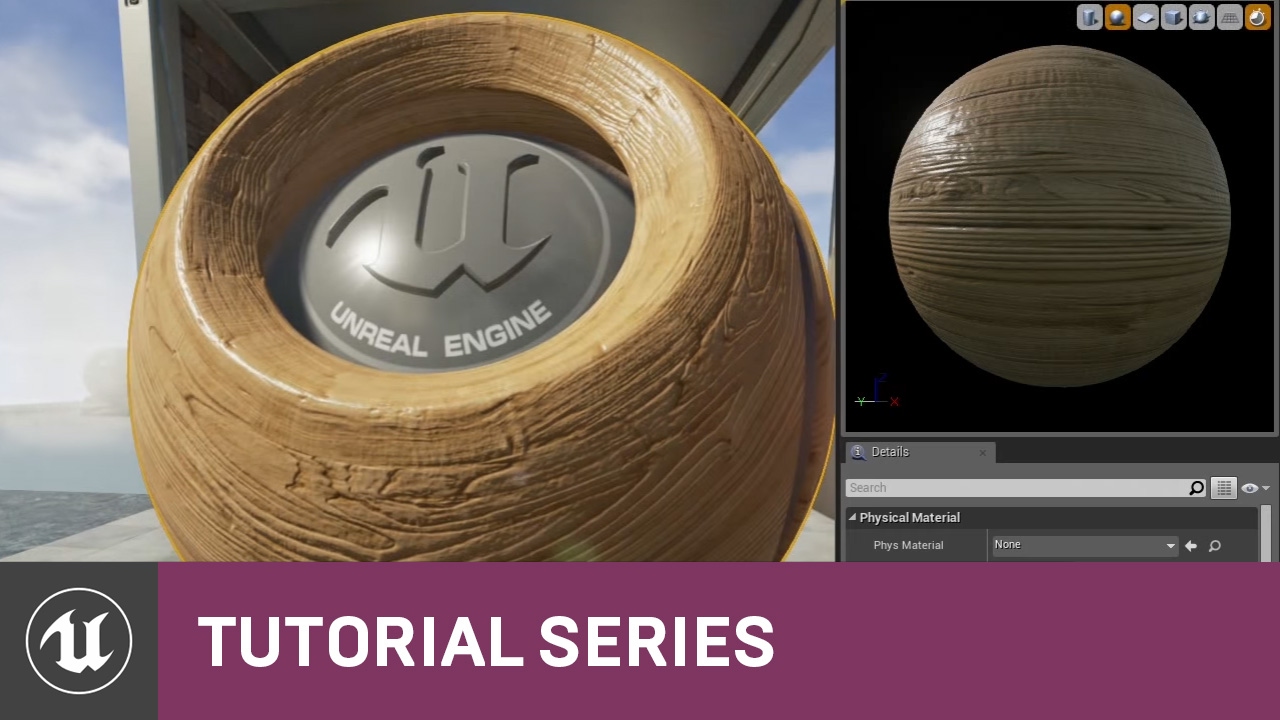
For the full tutorial playlist:
https://www.youtube.com/playlist?list=PLZlv_N0_O1gbQjgY0nDwZNYe_N8IcYWS-
(00:05) - Introduction and Materials in UE3
(04:14) - Materials in UE4
(08:56) - How Color Works Inside a Material
This high-level overview takes you through the concepts of Materials and our physically-based approach to surfaces in UE4.
A ...
 sinful jolt
I just Updated my unreal, but it didn't update my multi user server and will no longer allow me to join saying: Invalid version for 'Patch Engine Version' (expected '1', got '2')
How do I update the server?
drowsy snow
sinful jolt
I just Updated my unreal, but it didn't update my multi user server and will no ...
Is your server using vanilla launcher build?
drowsy snow
Then update it per usual. Make sure all editor instances are closed beforehand
 half nebula
ugh... trying to learn blueprint has been massively frustrating. the amount of effort required just to do super basic stuff feels staggering
 patent cobalt
@half nebulaBlueprints are a really programming language, yet visual. Which part do you find most difficult to grasp?
half nebula
patent cobalt
<@!137991873187938304>Blueprints are a really programming language, yet visual. ...
the biggest hurdle so far has been learning all the unreal-specific language. like, earlier today i hit a snag where all i wanted to do was raycast from the camera and return the first object hit, but it took like a half hour of flipping through tutorials to find out that unreal calls it a "line trace" and that i needed to use "break hit result" to get anything relevant out of it
patent cobalt
@half nebulaok so it is not much about the programming language but more about how to do certain things. That can only be learned from experience or by following a comprehensive course. Flipping from tutorial to tutorial is not going to help much. Did you follow any of the courses on learn.unrealengine.com?
You can also ask under #blueprint or here, usually you will get an answer rather quickly.
In general a Line Trace belongs to the family of functions called Scene Queries, supported by the physics engine.
 regal mulch
Is there anything I missed during the last few years on how to improve this awful search?

Pressing Enter adds the freaking End Ability State node...
patent cobalt
@regal mulchCannot think of anything else than adding EndAbility to your favourite nodes and picking it from there
half nebula
are there any good tutorials you can recommend that are better for someone who already has a solid grasp on programming concepts?
patent cobalt
@half nebulaif you are already familiar with programming concepts but just want to grasp better how Unreal Engine works, you should pick something close to your objective, so your motivation stays high enough. Are you trying to make a specific type of game?
half nebula
right now i'm trying to recreate an upgraded first person controller i made in unity a few years ago
patent cobalt
@half nebulaok so you should probably focus on FPS related tutorials or courses. That may be close enough to what you are looking for.
The First Person template which ships with the engine could be a good starting point to study and familiarize with.
On learn.unrealengine.com there is a course called "Creating a First-Person Aim Trainer"
half nebula
i'll look into it, thanks!
patent cobalt
Seems to be close to your needs
 marble furnace
Anyone that would like to join me in a first person space exploration game in UE4? Payment: Revenue split
 wary wave
use the job boards
 tender pecan
marble furnace
Anyone that would like to join me in a first person space exploration game in UE...
marble furnace
tender pecan
marble furnace
Anyone that would like to join me in a first person space exploration game in UE...
marble furnace
How do i send a message there?
tender pecan
marble furnace
How do i send a message there?
just follow the #instructions
 lament oar
Guys ,i am having an issue with GPU Lightmass
its not clear after baking (Grains Everywhere on screen)
wary wave
I don't see how an overlapping UVs video helps an issue with GPU lightmass causing grainy output
patent cobalt
@wary wavemy bad, I just realized he was asking about GPU lightmass which is UE5 specifc
wary wave
it's UE4
patent cobalt
but still experimental afaik
I should stop multi-tasking over multiple channels 😉
Point taken
 misty latch
Hello all. Is is better to start off with UE4 or UE5 as a beginner with UE in general, coming from unity? Its strictly for learning initially no game to be released yet. From some UE5 video tutorials I have to admit that I do like the UI better. Thank you.
wary wave
given that UE5 is currently very early and very unreliable, I wouldn't use it for learning purposes
misty latch
Aha excellent
I want to seriously pace myself anyway because my day job does not allow me lots of time unfortunately
patent cobalt
@misty latchthere is a specific course on learn.unrealengine.com you may like "Making the Switch from Unity to Unreal Engine"
misty latch
@patent cobalt thank you I will check it out.
Was making games with Unity 10 years ago for a company which eventually dropped the whole thing therefore I had to go towards Front-End
My current company saw that I have a game dev bg and said "hey we got some eu project dealing with AR and you are the only one that knows anything" 😄
I did a research to look where I left off all these years and decided to use unreal
patent cobalt
@misty latchsounds like a new career path for you. In case of issues with AR you can ask in the #virtual-reality channel.
 indigo harbor
Does anyone know how to fix it ?
Every time I start play mode in firstPersonGameMode, the character would start at a weird angle, and I can't do anything like move or shoot, it looks character is stuck at ground....
 misty latch
For now blueprints are probably my best bet
patent cobalt
@misty latchIt's never too late. Make sure you check the Learn Tab in the Epic Launcher and the project templates which ship with the engine.
misty latch
@patent cobalt thank you for all the help 🙂
patent cobalt
@indigo harborHow is your character handled in the level? Spawned by the Game Mode or directly placed in it?
indigo harbor
patent cobalt
<@!447084323041050634>How is your character handled in the level? Spawned by the...
Just drag it on the ground
patent cobalt
@indigo harborwith the capsule touching the ground? Are you possessing it by setting Auto Posses Player 0?
indigo harbor
I think it not touch ground, and a BAD size text with it don't know why
 indigo harbor
patent cobalt
<@!447084323041050634>with the capsule touching the ground? Are you possessing i...
indigo harbor
patent cobalt
<@!447084323041050634>with the capsule touching the ground? Are you possessing i...
nope, I deleted the original one cuz it had same problem
patent cobalt
@indigo harborbest way to position it properly is to raise it well above the ground then press the End key on your keyboard
That will slide it down until it touches the ground
Then select the player actor and on the right, under details, make sure Auto Possess is set to Player 0
patent cobalt
@burnt tinseldon't need to ask for permission, just explain your problem
indigo harbor
patent cobalt
<@!447084323041050634>best way to position it properly is to raise it well above...
can't find Auto Posses option, am I doing something wrong 0....0
 patent cobalt
@indigo harborthat's not your player, that is just the Player Start
One thing to understand. When you Play the Player Start is replaced on the fly by your Pawn (player).
 burnt tinsel
my team recently migrated to source version of UE4.27.2, but our individual engine builds have different engineassociation GUIDs, so we have to rebuild everytime a change is made.
how do we fix this
indigo harbor
patent cobalt
<@!447084323041050634>that's not your player, that is just the Player Start
ok what?! Do I need a real character to start?
patent cobalt
@indigo harboryou need to check your game mode. That tells the system which class to use for your Pawn and replace the Player Start with it.
It is likely that your Game Mode is not set properly, so the default pawn is being used.
Can you find your GameMode?
indigo harbor
patent cobalt
<@!447084323041050634>you need to check your game mode. That tells the system wh...
I think it is
 patent cobalt
@indigo harborwhen you click Play and check the level content on the top right can you see your FirstPersonCharacter in the level?
drowsy snow
burnt tinsel
how do we fix this
Make installed builds of your custom fork for your team to use.
burnt tinsel
drowsy snow
Make installed builds of your custom fork for your team to use.
wdym\
patent cobalt

This page describes the Installed Build process, including an overview of how to write Installed Build scripts.
^^^^ This
drowsy snow
Familiar with "rocket builds"?
burnt tinsel
nope
drowsy snow
There's a tool to automate the build process
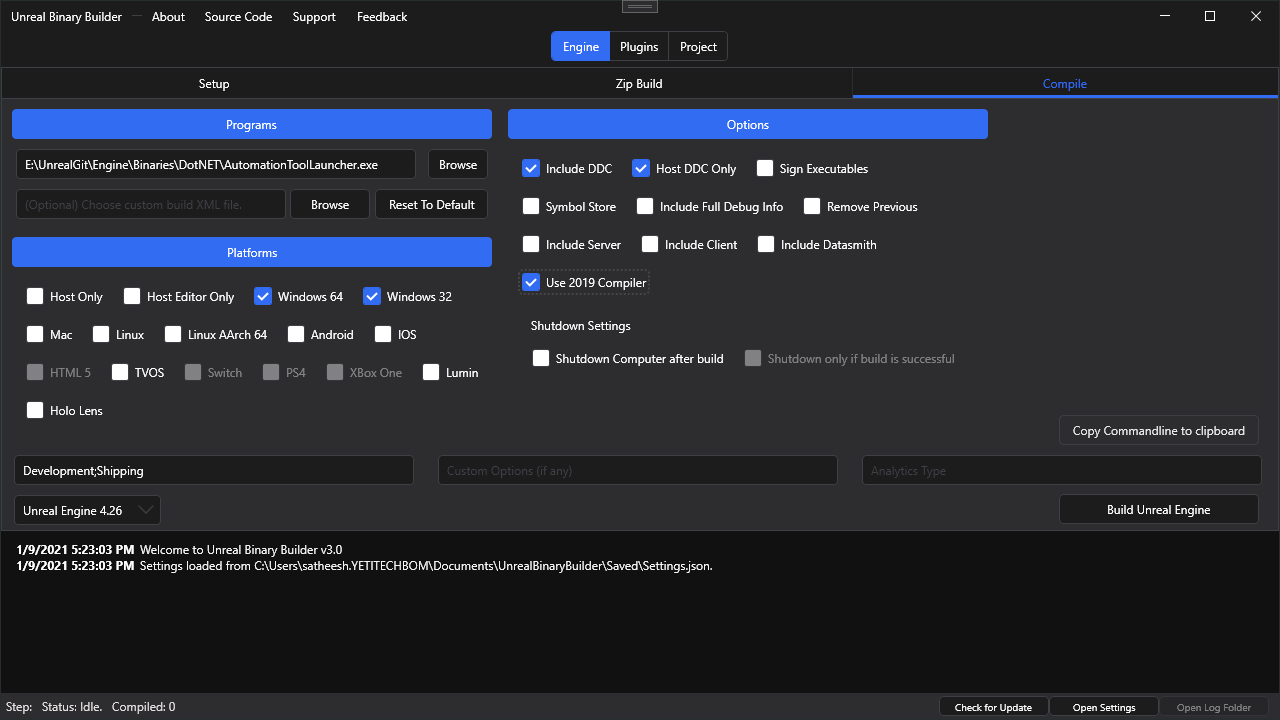
https://github.com/ryanjon2040/Unreal-Binary-Builder/releases
GitHub
An application designed to create installed Unreal Engine builds (aka Rocket builds) from Unreal Engine GitHub source. - ryanjon2040/Unreal-Binary-Builder
indigo harbor
patent cobalt
<@!447084323041050634>when you click Play and check the level content on the top...
eh.. nope
drowsy snow
Also for some reason, downloading iOS dependencies is mandatory to build UE4's AutomationTool program
burnt tinsel
is there a tutorial for this?
burnt tinsel
drowsy snow
There's a tool to automate the build process
https://github.com/ryanjon2040/Unre...
this
drowsy snow
burnt tinsel
this
The README.md has the guide.
burnt tinsel
it works with 4.27?
drowsy snow
Even 5.0
burnt tinsel
what do i do once its compiled
indigo harbor
patent cobalt
<@!447084323041050634>delete the Player Start from the level and re-add it
I deleted it , and find that, if game mode is "None", it works fine, but when I switch it to FirstPersonMode it will go to the weird position
 low mica
Does anyone know how to fix this problem.
When glass reflects in glass it turns black...


 patent cobalt
@indigo harboryou may have some custom code in your GameMode changing the way the pawn is spawned. Check inside of it.
drowsy snow
burnt tinsel
what do i do once its compiled
Before compiling, you should have the option to zip the build in the tool.
Once it's done, associate your project with the custom binary build and share the zipped build to your team.
burnt tinsel
ok thanks ill try
burnt tinsel
drowsy snow
Before compiling, you should have the option to zip the build in the tool.
Once...

how do i know what options to use
include server? include client?
im using it for dedicated server
drowsy snow
I don't know about dedicated server stuff, I'm not building MP games.
 drifting elbow
good afternoon, where/how would you save input settings? in a save file?
drowsy snow
drifting elbow
good afternoon, where/how would you save input settings? in a save file?
Game User Settings.
drifting elbow
sounds legit... does it work with enhanced input?
patent cobalt
@low micaI would ask in #graphics, you are more likely to find this level of expertise there
drowsy snow
drifting elbow
sounds legit... does it work with enhanced input?
Never used enhanced input.
low mica
Thx Marco
drifting elbow
it's pretty easy to put it into a save game slot, having it in some game user settings would be cleaner...
charred blade
I have a scene 1000 billboards, I ve noticed switching the scene to unlit mode increases fps from 200+ to 600+. Why are billboards affectected by light and what alternative do I have for a unlit billboard
Also would viewmode unlit work in a packaged game?
 pseudo pecan
Hello everyone! Since my project updated from 4.26 to 4.27 there are virtual texture flickering appears. The static mesh plane works as a stamp and updates every tick. Who knows what could cause the problem?
 warped parrot
does anyone know how i can make an object hover? ive made it rotate, but i wanna add i little z movement, have it move up and down slightly
patent cobalt
@warped parrotthrough animation you can use a simple timeline to set its Z offset from the resting position
warped parrot
patent cobalt
<@!415946677468528652>through animation you can use a simple timeline to set its...
got it. wanted to use that as a last resort. find it funny that theres a rotation component but not a hovering one lmao
patent cobalt
@warped parrotyou can easily make your own "hover" component. I have a tut showing how to do it for a physics simulating actor, but in your case it is much simpler.
If you don't want to use a timeline you can use a sin or cos function to affect the relative location of your visual component. Plenty of possibilities.
lament oar
Hi Guys Does anyone knows how to bake Gpu lightmass Using Swarm Agent , I saw a tutorial where the guy was using Swarm Agent for Gpu Lightmass

 worthy elbow
Hello guys can anyone help me?
I'm designing a landscape paint, the problem is when I use (Road layer) on (Grass layer) they they just blend, Any idea how to make (Road layer) dominant to (Grass layer) so they wont overlap?
 worthy elbow
I think its the collision, check the mesh and the capsule's collision
Try having only one component that block other object
 rapid sleet
worthy elbow
Try having only one component that block other object
rapid sleet
worthy elbow
Try having only one component that block other object
what does that mean (i am new)
worthy elbow
Most of the time(in my cases) this happens when the collision of mesh(or other component) is the same with the capsule(or other component) causing multiple collision event
warped parrot
how would i move a variable from one blueprint to another? ive set it to public and i know its something to do with cast but i dont understand it
worthy elbow
warped parrot
how would i move a variable from one blueprint to another? ive set it to public ...
You mean change a variable from another blueprint? cast would do, also game instance (im not a pro tho but I want to help xd)
warped parrot
worthy elbow
You mean change a variable from another blueprint? cast would do, also game inst...
well what i want to happen is when a key is collected the variable bool key collected is set to true. and then on my chest interaction blueprint. in order for the chest to open. i want to player to press E, and have the key collected variable bool be true

this is what i have for my key
and its not done. but thats sorta what i wanna do for my chest
 worthy elbow
Try having a branch (Key collected) on action "Press E" set the true to execute then false to no action
drowsy snow
worthy elbow
Hello guys can anyone help me?
I'm designing a landscape paint, the problem is ...
Are you talking about material layer, or adding spline mesh?
Also what kind of road are you talking about?
worthy elbow

If I paint the grass layer with road layer they're just blending together creating a greenish road
I want the road layer not to blend with the grass layer to create a pure road texture
 steel crypt
hello all i just wanna know a solution of problem
my problem
i wanna Check When My Character Overlap With Object If Object Matrial And Character Material Are Same THen leave If Diff than Call Death Function
worthy elbow
steel crypt
hello all i just wanna know a solution of problem
my problem
i wanna Check Whe...
Try using branch then
variable1 == variable 2
if false then execute death function
steel crypt
worthy elbow
Try using branch then
variable1 == variable 2
**if false** then execute death f...
but how can check matrial
worthy elbow
steel crypt
but how can check matrial
I'm not exactly sure sorry, but what you can do is create a variable for each character xd
 primal tendon
does iPhone XR support Live Face/True Depth?
plush yew
is there a plugin that will detect unused materials? I have about 140gb of materials in my project of which im only using 40gb or so
removing these manually is a pain
fierce tulip
I use this:
https://www.unrealengine.com/marketplace/en-US/product/not-yet-unused-assets-filter
but you could use this as well:
https://github.com/ashe23/ProjectCleaner

Unreal Engine
Adds a filter to the content browser so that is shows unused assets. Useful for project asset cleanup!

GitHub
UE4 plugin for managing all unused assets and empty folders in project. - GitHub - ashe23/ProjectCleaner: UE4 plugin for managing all unused assets and empty folders in project.
 blazing cedar
hey! anyone here making a p2e on blockchain?
pearl minnow
Hi there, in my game so far i've been making fairly uniform keyboards, with only 1-2 different meshes per board, so i could easily import the meshes and add them to arrays, then generate the keyboards in a loop (right keyboard in the image). I'm getting into making more organic keyboards now though (left keyboard in the image), where each key cap is a unique mesh. I will be making potentially hundreds of these (eg. lots of unique minigolf courses) , so could you recommend a way of importing all the meshes fairly automatedly / with repeating some process 40 times per keyboard? thanks 😄
 drowsy snow
pearl minnow
Hi there, in my game so far i've been making fairly uniform keyboards, with only...
drowsy snow
pearl minnow
Hi there, in my game so far i've been making fairly uniform keyboards, with only...
I don't think keycaps are that unique IRL shape wise (in one keyboard), but the elevations and arrangement do help.
Also the little bump on F and J key.
pearl minnow
my question was regarding a keyboard that IS made of unique meshes. In short how would you import a folder full of unique meshes, potentially hundreds of times without manually touching each mesh or arrayifying it mesh by mesh yourself?
buoyant graniteBOT
:no_entry_sign: Jean-Pierre#4616 was banned.
tender pecan
pearl minnow
my question was regarding a keyboard that *IS* made of unique meshes. In short h...
Whats wrong with multi import? You can literally drag and drop any amount of selected meshes into the editor ( drag n drop ), and only hit the import button once?
Or are you referring to dragging them into the editor, and positioning them?
pearl minnow
good point i need to think harder / just try it 😄
i can certainly drag them in like this, but if im switching between 100 different unique groups of meshes

I could maybe set them up as sub levels for streaming, make some logic to grab all the new meshes after sub level is streamed and reassign any variables i need to to the new meshes hmmm 🤔 ok thanks i think i got it 😄
drifting elbow
hello all, I'm currently reading about releasing Unreal games to steam. Most documentation is about integrating steam services in Unreal to use their achievements and other online things. However - for now - we only need the ability to upload games to steam (for testing). I watched a video about uploading (and also read about that in the steamworks docs). Do I need to do all this dll copying or can I just upload a standard Unreal game to steam using their upload software?
If I should better ask questions about this topic in another channel, where should I ask?
drowsy snow
drifting elbow
hello all, I'm currently reading about releasing Unreal games to steam. Most doc...
Certainly not in this server, who knows what NDA from Steam you're signing on.
drifting elbow
drowsy snow
Certainly not in this server, who knows what NDA from Steam you're signing on.
well, this is a very general question about pure technical stuff, so it's possible someone here knows
I mean, there's plenty of games on steam without any kind of steam integration at all
pearl minnow
what's your question?
drowsy snow
I'm going to guess it's HTML5 export
tender pecan
pearl minnow
i can certainly drag them in like this, but if im switching between 100 differen...
This also feels like it could be a good candidate for a blutility, once you have the meshes in, use some kind of naming convention, or something to relatively easily build up the keyboard using a blutility.
drowsy snow
Which is no longer possible for native HTML5 export as of 4.26
That's out of topic for this server.
pearl minnow
i usually charge €500 a day, pm me if still interested 😁
- yeh go ask in a web dev server 😄
fierce tulip
job offers are only allowed in the dedicated channels. points at #instructions
pearl minnow
tender pecan
This also feels like it could be a good candidate for a blutility, once you have...
ill check blutility out 😮 i just got to the point where i have 40 staticMeshActors that i need to convert into BP_Keys 😄 maybe that'll help
drowsy snow
If all you need is a site, go use YouTube sponsors like Squarespace or Wix, or Wordpress. Should get your site up in no time
Otherwise, it's not Unreal Engine related and out of topic for this server.
pearl minnow
ohh blutility sounds awesome
drifting elbow
blutility is great, but sometimes/often a pure construction script and/or "Call in Editor" functions are enough
potent bridge
So I have a problem. the capsule component of my enemy wont follow the root motion of my animation. Even though I have rootmotion enabled and made sure the root bone is set.
wait
 mint raptor
How difficult of a project was The Matrix Awakens for Epic staff? Did they put a huge team on it? Excluding dev time for the tech involved.
drowsy snow
mint raptor
How difficult of a project was The Matrix Awakens for Epic staff? Did they put a...
Heard they had 60+ people working on it
But they also wrote the engine
potent bridge
so, thats weird, the root bone wont move.
drowsy snow
So for individuals, maybe you can get some mileage with Unreal 5 and Houdini work
potent bridge
anyone know what might be up with that?
drowsy snow
potent bridge
anyone know what might be up with that?
I don't work with root motion that often, so no clue
potent bridge
fair game
 obsidian mist
anyone know when unreal editor will run on m1 natively?
 stray drift
obsidian mist
anyone know when unreal editor will run on m1 natively?
stray drift
obsidian mist
anyone know when unreal editor will run on m1 natively?
No, probably not anytime soon though
obsidian mist
so now only game build should support it as of 4.27 ?
stray drift
Natively? That would be the case yeah. They explicitly mentioned that editor and runtime support were arriving at different times.
UE5 has Lumen and Nanite not working on M1, so we're a ways off, as per EA at least
obsidian mist
 stray drift
Targets though, IE what platform you are building for
sterile fjord
does anyone know how to fix this issue? (camera not changing view when moving forward or backwards)
drowsy snow
obsidian mist
anyone know when unreal editor will run on m1 natively?
Considering M1 is an ARM chip, not in a short amount of time. The engine is a huge x86 code base.
You might get some mileage shipping to iOS
worthy elbow
worthy elbow
Still need halp ;-;
potent bridge
Is it possible to change which bone counts as the root anyway? this is starting to annoy me

it just wont move
shadow ravine
Anyone know where this glare might be coming from on the Sci Fi Robot I'm using. It appears on all types of cameras including the default viewport. No idea where it's coming from. Anyone got any ideas?
 drowsy snow
potent bridge
Is it possible to change which bone counts as the root anyway? this is starting ...
drowsy snow
potent bridge
Is it possible to change which bone counts as the root anyway? this is starting ...
No.
potent bridge
drowsy snow
No.
so do you have any suggestions on how I could fix this?
drowsy snow
shadow ravine
Anyone know where this glare might be coming from on the Sci Fi Robot I'm using....
Looks like its blinking red light thing
drowsy snow
potent bridge
so do you have any suggestions on how I could fix this?
Aside from fixing it in DCC tool, no.
shadow ravine
drowsy snow
Looks like its blinking red light thing
Yeah I think its an emissive material
grim ore
That looks like lens flare if you dont want that weird ray effect
potent bridge
drowsy snow
Aside from fixing it in DCC tool, no.
whats a DCC tool? Also, can I not edit where the rootbone is in UE4?
drowsy snow
The stock lens flare do look boring 😛
shadow ravine
grim ore
That looks like lens flare if you dont want that weird ray effect
I mean I like the material I just don't want the lens flare from it 😂
obsidian mist
drowsy snow
Considering M1 is an ARM chip, not in a short amount of time. The engine is a hu...
in what part of unreal toolset is that x86 codebase, ordinary code is usually portable between platforms, what may be real problem is hardware related stuff
drowsy snow
potent bridge
whats a DCC tool? Also, can I not edit where the rootbone is in UE4?
Blender, Metasequoia, Maya, 3ds Max, that kind of tools.
And no, you can't just delete the root bone in editor.
grim ore
use a post process volume then and disable your lens flare / bloom
drowsy snow
obsidian mist
in what part of unreal toolset is that x86 codebase, ordinary code is usually po...
If you want to compile the source code in M1 chip, be my guest.
potent bridge
drowsy snow
Blender, Metasequoia, Maya, 3ds Max, that kind of tools.
And no, you can't just ...
didn't say delete, but could I move it.
 drowsy snow
potent bridge
didn't say delete, but could I move it.
drowsy snow
potent bridge
didn't say delete, but could I move it.
Root bone ALWAYS be the highest bone in the hierarchy, parent of all the other bones.
potent bridge
move position, not in hierarchy, but sure.
shadow ravine
grim ore
use a post process volume then and disable your lens flare / bloom
Thanks that resolved it 🙌
potent bridge
welp, time to figure out how rootbones work in Maya I guess
drowsy snow
potent bridge
move position, not in hierarchy, but sure.
I believe I misunderstood your comment, but moving the root bone procedurally to follow its child bones could cause recursive transform
drowsy snow
sits in the corner with Blender
potent bridge
same case with blender
like, theres multiple animations in this fbx file, need to edit specific ones
kindred depot

is there any way to move the capsule above the red line?
or does this not matter.
rapid sleet
what does this mean
 obsidian mist
stray drift
Targets though, IE what platform you are building for
obsidian mist
stray drift
Targets though, IE what platform you are building for
so this refers to compiling game?
 normal burrow
obsidian mist
so this refers to compiling game?
normal burrow
obsidian mist
so this refers to compiling game?
The editor and all the plugins use like a hundred or more third party libraries that just aren’t needed to compile games on arm platforms.
Getting the editor to compile for arm, It probably would take a long time to try to attempt on your own
obsidian mist
so even that there is preleminary support for arm64, currently there is no editor natively an i cannot compile game for native architecture yes?
shadow ravine
I'm looking into building a AR real world game and planned to use a resource such as Google Maps API. Obviously this an issue as it's mainly targeted to Unity 🤢 I've spent so much time with unreal I really don't want to swap. Does anyone know of anything that could help me with this, I know of a couple other applications but they just don't hold up to Google's APIs
obsidian mist
so i can do that only by myself by tinkering with source code of unreal engine
normal burrow
AFAIK the demand for arm based editor isn’t there
grim ore
@rapid sleetit is saying what it says, that variable you want to set (Overlapped Actor) does not exist in that blueprint. If you added it to that bluepring but never saved/compiled the blueprint, that is the issue.
obsidian mist
i do not know unity has native editor but it for sure allows already to make silicon binaries
normal burrow
You can package games for arm but there is a superset of dependencies for the editor
Your best bet would be a x86 emulator tbh
obsidian mist
normal burrow
You can package games for arm but there is a superset of dependencies for the ed...
i would like to know how to do it, because when i used ordinary package project from menu, i got only x86_64 binary, so not arm64 and not universal
normal burrow
Let’s go to #packaging
obsidian mist
ok
plush yew

my work in progress blueprint
btw this was passing as proof of concept for unreal xbox middleware, but i gave up on xbox
pearl minnow
i have a bunch of meshes that are not evenly spaced - some are bigger than others. I preserve their world offsets from blender to position them in unreal, as like i said their positioning isn't predictable. I unfortunately can't get / work out what that offset is once in unreal ( for placing labels on the meshes etc ). Their relative and absolute locations read as 0,0,0

any ideas?
 thick herald
Bring them in separately. Add sockets to them [use empties and rename them SOCKET_whatevernamehere] use the sockets to place things. Other than that, no idea.
pearl minnow
i gotta do it en masse somehow, im gonna have literally thousands of unique meshes with unique placements 😄
i could script-write to file their offsets before applying the transform in blender then read again from file? 🤔
 oak shale
Hi I was wondering how to create grid based building systems like in TerraTech, Avorion, Epyrion, Space Engineers, Crossout etc. (NOT Minecraft) where you can build your stations/cars/spaceships etc. Grid based and it holds together and can move around seperate from other grids. My questions are: How do I achive making this grids? Is there any special expression I should search for tutorials?
bright sigil
pearl minnow
i gotta do it en masse somehow, im gonna have literally thousands of unique mesh...
As MOA suggests seems easy enough to create the "sockets" in software then have unreal convert them
 foggy isle
this might be one of the worst newbie questions asked here, trying to learn it obviously, but anyway here goes.
Any idea what happened to my scene here? it was fine until I saved it the last time. Tried opening it now and everything is too bright.
 pearl minnow
bright sigil
As MOA suggests seems easy enough to create the "sockets" in software then have ...
pearl minnow
bright sigil
As MOA suggests seems easy enough to create the "sockets" in software then have ...
hhhhhmmmmm oh yeh
thick herald
The sockets thing won't help with the offset issue, which is either down to the way you are exporting from Blender, or your import settings. Fairly sure you should be able to bulk import multiple actors, - that is of course presuming that all the keys are separate and not joined/parented?
 glad lotus
Can anyone help me figure out why the parameter with reference has a "Data" output but not input, while the without reference has it as an input?
 grim ore
@foggy isledid you adjust anything? what does a File -> New Level -> the basic level with just the floor look like?
@pearl minnowso are all of those unique meshes in the scene, or one blueprint with multiple meshes?
foggy isle
grim ore
<@!188527938944237588>did you adjust anything? what does a File -> New Level -...
Like this. it was kinda bright too when I opened it and automatically toned down and gave me a screen like this. Thanks for helping btw ❤️
 grim ore
so that looks fine, Im guessing you might not have any good lighting in that other map and your auto exposure is kicking in
uncheck this in the other map, see what happens
 rapid sleet
grim ore
<@!796260642675359764>it is saying what it says, that variable you want to set (...
rapid sleet
grim ore
<@!796260642675359764>it is saying what it says, that variable you want to set (...
thx man it works
pearl minnow
thick herald
The sockets thing won't help with the offset issue, which is either down to the ...
each keyboard is comprised of 40 key meshes, which are modeled in blender, then exported via a script, maintaining their offset from 0,0,0. So when i import them, they're "at the right position already" sitting at 0,0,0. So while they're preserving their location im also losing practical access the location information
foggy isle
grim ore
uncheck this in the other map, see what happens
screen brightned up more and the auto contrast thingy toned it down a bit again. Btw, that new scene which I created, just poked around a bit and found out brightness goes crazy high when I add "SunSky". Same is is preset in my messed up screen
pearl minnow
so maybe i should reset their offsets before export and just take note of that original offset, then re-apply the location offset in unreal
grim ore
it does sound like your maintaining their pivots from your DCC program when you import it (they all show 0,0,0 when selected?)
@foggy islemaybe you changed something somewhere in a default engine item. Your default level should look like this, if it doesnt then one of your defaults changed.
 neon bough
what format are lightmaps stored as? 8Bit sRGB?
shadow ravine
I'm having an issue getting my camera to focus on the character and blur the background, at the minute it's kind of either blurring everything or focusing everything.

Anyone got any suggestions?
 grim ore
@foggy islebut yes if you have "poor" lighting, then your eye adaptation/auto exposure will kick in and try to brighten up the scene and make items appear brighter. You can fix this by using more accurate lighting or disabling that in your project settings
pearl minnow
grim ore
it does sound like your maintaining their pivots from your DCC program when you ...
that's right! which initially i thought was advantageous, i didnt have to place anything, just spawn them all. But yeh the lack of explicit transform info means i cant place labels near the actual meshes
grim ore
@shadow ravinecheck the draw debug focus plane
oak shale
I'll come back another time
foggy isle
grim ore
<@!188527938944237588>but yes if you have "poor" lighting, then your eye adaptat...
I checked it again and the whole thing flares up when I add the "sun sky". Any idea I can turn them back to default?
grim ore
what is the sun sky?
thick herald
SunSky actor methinks, from the plugin
grim ore
oh yeah from the calculation thingy, that has a bug lol
 grim ore
yeah its not on by default, click on your instance in the world then click on the Direction Light in the Component List, then change the Intensity to something normal like 10 or less

the default one that comes with the plugin is broken
 golden notch
Sorry to be a pain and butt in, but i'm having some issues packaging my very first project and was wondering which channel would be the correct one to put the output log and ask for help?
grim ore
depends on the error? but #packaging might be a good start, if not in here
golden notch
grim ore
depends on the error? but <#402958499660955658> might be a good start, if not i...
Thank you, ive popped a post in there 🙂
potent bridge
So, how would I edit my animation so that the animation has rootmotion? (Either within UE4 or a modelling program)
foggy isle
grim ore
yeah its not on by default, click on your instance in the world then click on t...
Thanks alot my guy!! 🥳 That totally solved my issue. The lux value was around 75000.00.
potent bridge
I've been at this all day but I'm clueless on how to fix it
kindred depot
potent bridge
So, how would I edit my animation so that the animation has rootmotion? (Either ...
in details type root motion
 potent bridge
hate to say this. but I do have that ticked
still doesn't move

big capsule is meant to follow the dragon here
 vital cosmos
anyone else have this weird bug where hovering over the engine scalability option in ue4 literally crashes the entire editor in 4.27
bright sigil
thick herald
The sockets thing won't help with the offset issue, which is either down to the ...
@pearl minnow i guess i misunderstand, but it if there is a socket placed exactly where you want it to be from blender, that gives the exact location to use in unreal. If each object is exported individually there's kinda two results: 1. all of them share the same location being at 0,0,0, so they can all get placed with the correct offset (though their locations are all 0,0,0) or 2. each of them is offset in the engine but their pivots are at the mesh's center (essentially what the sockets would handle).
And from what i am familiar with about this game, each object needs to be its own mesh, so that leads me to thinking sockets made in blender for unreal to convert (as unreal is a little more tedious to make that many sockets). iirc there are some problems with sockets coming into unreal (one i think of is unreal possibly making a duplicate set of sockets every time the mesh gets reimported - could be wrong tough).
To an alternate idea, maybe it's better to record the vector locations of each object noted in blender and reference that in unreal (maybe you can output a log of all vectors or something).
EDIT: a QoL that Unity has is hierarchy with importing - literally solves the problem, but unreal handles that aspect differently
thorny pewter
any one knows if it is possible to have control on to spawn or not to spawn blueprint actor on level ? or i should destroy it right away if i dont want to spawn it ?
thick herald
Currently while using empties as sockets, when in Unreal, you only get the positional data and not rotational. That may or may not affect you [it's a PITA imo but hey ho] As for the meshes ending up with a shared pivot point, this is down to your export or import [95% sure of that 😄 ]
grim ore
One thing to consider as well @pearl minnow is to look at the "Import into Level" option from the file menu
plush yew
erm, why is my directional light not casting any shadows whatsoever?
its set to movable
????
drowsy snow
Do you have shadow scalability settings set to low, by chance?
Low shadows effectively disable dynamic shadow maps
plush yew
drowsy snow
Do you have shadow scalability settings set to low, by chance?
Low shadows effec...
no? 👀
everything is set to high
resolution scale 75
!?!?
bright sigil
and cast shadows is on right? 😏
plush yew
bright sigil
and cast shadows is on right? 😏
yes on and off and on and off
nothing happens
bright sigil
delete it and buy new one, maybe it burned out
plush yew
replaced light and still no shadows
dafq lelelel whats happening
im trying to use dynamic lighting
nice, my project now crashed
gg
wp
bright sigil
unreal figured out it wasnt working
 cerulean zenith
hey guys i'm in need of some help with an issue. I am making an fps and whenever i move the camera the gun gets really shaky. Here is an example of it happening : https://youtu.be/Uz6BNcBhQbw?t=6 . Any idea what that could be ? Thanks !

Solys is a free-to-play competitve FPS with planets and base-building. Build your base around your Monument and destroy the other teams to win.
Available on Steam : https://store.steampowered.com/app/1537920/Solys/
Follow us on Twitter : https://twitter.com/SolysGame
Instagram : https://instagram.com/SolysGame
kindred depot
i mean if you can get that far into dev, im pretty sure you can figure this out. not trying to sound sassy. lol
cerulean zenith
now that's a useful response 💩
kindred depot
if you set up IK hands that could be an issue
kind of looks like you are teleporting
grim ore
I've got to admit, I didnt see any glaring issues lol. maybe a time code for an actual issue
bright sigil
grim ore
I've got to admit, I didnt see any glaring issues lol. maybe a time code for an...
lol, the gun jitters a bit mainly in iron sights
kindred depot
thats what i was thinking. something with networking maybe?
does it do this in editor?
cerulean zenith
at around 6 seconds you see me aiming and when i move the mouse it shakes quite a bit
grim ore
well I guess it does but... is it not supposed to do that?
cerulean zenith
kindred depot
does it do this in editor?
thought about that but it still works in editor
bright sigil
id assume its how it is being attached
kindred depot
If it works in editor, then its 100% netowrking issue or replication issue.
cerulean zenith
i mean the problem works haha
kindred depot
oh
 junior sedge
I am getting this error for quite some time


 broken socket
hey so i have an issue, i have an inventory system and i want to change the animations of players based of what their holding. i already have a way of detecting what type of weapon is in their hand, and i know how to change the anim bp. But my issue is i dont know what type of variable to use. so basicly im detecting what the player is holding in their hand and i want to set a variable for example, if its a 1handed item, then set Somthing to true. but i dont know what Somthing i should use, like idk if i should use booleans for each weapon type or like an array.
cerulean zenith
i have 2 seperate guns as i'm not making a true first person
grim ore
@junior sedgeand you get this error compiling source, compiling a project, when?
kindred depot
cerulean zenith
If your whole code is written in c++ you should take a look at the shooter templete for a reference
junior sedge
compiling source
bright sigil
junior sedge
I am getting this error for quite some time
non-unity?
grim ore
@junior sedgecompiling the source of your project it looks like. Is the engine running?
cerulean zenith
kindred depot
If your whole code is written in c++ you should take a look at the shooter templ...
good idea i'll check
junior sedge
bright sigil
non-unity?
I didn't understand
bright sigil
neither do i lol
junior sedge
grim ore
<@!732639695141339247>compiling the source of your project it looks like. Is th...
unreal is running
grim ore
and that is why you have the error, it says that
its using live coding. so close the editor and compile, or use the live coding recompile in editor
junior sedge
grim ore
its using live coding. so close the editor and compile, or use the live coding r...
Yeah it is using this thing
It compiled
grim ore
@broken socketif its a simple "if this from a list, do that" look at using an enum for your item type
shadow ravine
grim ore
<@!717384006466797568>check the draw debug focus plane
This is the results of the debug focus plane
 grim ore
in your viewport you should be able to see the plane, you can adjust it from there to get the look you want
that is just an easy way to see where the actual focus is at. alternately maybe try setting the auto focus to the target?
shadow ravine
grim ore
that is just an easy way to see where the actual focus is at. alternately maybe...
My camera is attached to an actor for a smooth transition so I don't think it's showing in the viewport. Might be best to try the auto focus, how can I go about setting that up?
 still atlas
i'm working on a game that's essentially 2d/side scrolling, but i'm just doing it in normal 3d.. i've got units i'm moving with "Simple Move To Location", clamping the Y(horizontal) value, but they aren't accurately going where i click on the screen because it's still fetching coordinates in 3d space. does anyone have any suggestions for a best practice on how to handle this? i've spent the morning messing around with the mouse on screen coordinates, conversion to world space etc. and i'm not having any luck
grim ore
@shadow ravineits in the settings, the focus method. Then you can adjust the offset if needed. Your apertature on the bottom has alot to do with how much the back item is out of focus as well


the square cube is the focus tracking target on the mesh in the front, then a lower aperature blurs the background mroe
if you did the manual with the focus plane on you see this, and it lets you see where the focus distance is at visually (the purple plane)

you could always drop a camera into the world and set it up there, then duplicate those values to your actor
shadow ravine
grim ore
you could always drop a camera into the world and set it up there, then duplicat...
Okay great thanks, that's given me plenty to work with!
 gleaming lotus
'BoxTraceByChannel' at the location that you want to exit to
Speaking of box traces, I'm having an issue here I cant seem to solve. I'm trying to do a box trace of a mesh, which is working fine, but I'd like the trace to have an orientation similar to the mesh. Any ideas how it can be done? Here's what I've got so far, just need to plug something into the orientation

The mesh itself is a diagonal piece, which is why I'm having issues, and why I cannot use GetWorldRotation
plush yew
Excuse me guys, I have been away from unreal development for years now, is there still no flight controller that simulates bird flight?
I was working on this before I left.
patent cobalt
plush yew
Excuse me guys, I have been away from unreal development for years now, is there...
As in you want your player pawn to fly like a bird or to make birds in general?
To fly around you can use the flying pawn movement component.
plush yew
patent cobalt
As in you want your player pawn to fly like a bird or to make birds in general?
Yep
I'm finding it really hard to translate what I mean, but I have a video.
https://www.youtube.com/watch?v=mKyzth08cO0 @patent cobalt
sry for the FPS my machine is dying.
public free release coming soon, doing this for the community.
patent cobalt
plush yew
I'm finding it really hard to translate what I mean, but I have a video.
Part if this is animation of course by the flying movement is basically the same as a space ship or airplane
The flying pawn movement component can simulate that. Now to make loops etc. you will need to tweak a bit the standard implementation.
plush yew
I wanted to make this like
as close to bird physics as i could
but i stopped working on it before i could factor in wind and stuff
normal burrow
gleaming lotus
Speaking of box traces, I'm having an issue here I cant seem to solve. I'm tryin...
Use 0,0,0 for rotation. The bounds are going to be aligned to that
patent cobalt
plush yew
but i stopped working on it before i could factor in wind and stuff
I would implement a basic lift and drag flying simulation then superimpose the bird to it
gleaming lotus
normal burrow
Use 0,0,0 for rotation. The bounds are going to be aligned to that
Not if the mesh is naturally at an angle
normal burrow
Bounds are axis aligned
gleaming lotus
normal burrow
Use 0,0,0 for rotation. The bounds are going to be aligned to that
Here is an example of what would happen if I did that
