#ue4-general
1 messages · Page 1077 of 1
 prime willow
um
ill draw on it to make it obvious xD
i know its alot
but unreal is a steep hill
its straight upwards
than smoothe sailing past the tip
just takes extreme detication or a team to cover what youre too lazy to learn
 lusty jungle
Yeah it feels like basic things are so much harder to get done here
but i guess the modularity will be better off for it
prime willow
lusty jungle
Yeah it feels like basic things are so much harder to get done here
ok so i split the pictur einto pieces
Red is the variables and nodes that wil lcontact the player character or whatever your system is calling
you plug them into valids
or the blueprints asking for variables related to said system
the purple is to explode the thing im done with be it enemy npc items star tmenus etc
green circled stuff is nodes to make sure the proper player is being contacted via the variables
the rest of it is the start menu
lusty jungle
Ahaha and here i thought it'd be obvious
prime willow
well mine is a bit chunky
lusty jungle
I just don't think im capable of understanding that yet
prime willow
because its advance stuff
its far more uneccesary than need be
but i wanted a particular system in my game
lusty jungle
I do get your description of the colors though
prime willow
my setup is condeldued and silly and probably not the best way to setup blueprints obviously
but it gets the job done until i learn how to write better code
but it lets me do this
prime willow
lusty jungle
I do get your description of the colors though
this is what i meant when i said youre going to have to stop relying on tutorials and eventually write your own code
to make your game unique and literlaly youre own
this is how my game will handle UI systems
so that chunky soup of code was to make this possible
prime willow
yeah i saw it in super old games for the nintendo 64 and gamecube and wante dit in my game
i had to learn 5 differing systems and why they work and piece together what i liked from them and than write a bunch of jank custom stuff to makeit literally a aprt of the game xD
and its still missing special effects and matching animations
etc etc
this is why learning the basics is important it gives you foundations to move into your own creative designs
lusty jungle
Yeah im just so scared of feature creeping my way through this all
I mean i'd love to implement so many things
a good combat system for one
but that is hell to code
prime willow
well try not to feature scope
i wrote over 800 paged detailed documents in microsoft
but i wont be able to do even half of it unless i burn many years
or get a team
start small
make simple concepts practice and learn from tutorials and eventually explore until youre comfortable
once you can start troubleshooting your own code or issues and fixing them let alone others youre pretty far from making a real banger of a game and thats ok
as long as you do it properly in time you could be the next iwata
game dev is a long game venture if youre in it to make a metal gear solid or game of the year in a year or less it probably isnt for you xD
its possible but youre gonna ride through hell to make it happen
lusty jungle
Oh yeah its one day at a time
One issue at a time like this problem im having now which i cant wrap my head around still
But itll most likely be always like that
Like this is it. This is game deving xD
prime willow
yeah
literally
its getting smarter to realize youre not smart enough to fix your new problems
until eventuallly youre a wizard and have no idea how or when that happened
xD
honestly just watch a few hours of tutorials a day or do learning tab stuff on the launcher and explore
google everything you can and dont be afraid to experiemnt worst case scenario you backup your game and try again in 20 minutes
 tender mountain
Hey I have to reboot my router to enable a Nat forwarding port, correct?
 storm portal
speaking of tutorials. trying to go thru some on unreal's page
and some of them dont have content on the tutorials
but aside from megascans, wheres a good place to get assets from without breaking my wallet
 mental solar
Hello guys, in the last 4 MONTHS I have been trying to import my blender scene to unreal, never managed to get it done as I wanted to, unreal always fucks up the shading, the checker texture is totally correct in blender, but not in unreal. I have done research, looked on unreals website, scrolled trough hundreds of tutorials and still have no damn idea whats causing the issue.
Also getting these error messages which many say is nothing to worry about

My question: What do I have to do? No one helps me, nowhere. Either no one knows how to, or no one has the time to help. Where can I hire someone professional? Do I really have to pay for such a simple looking thing? Its starting to get ridiculous... 😭
(pls ping me)
 drowsy snow
mental solar
My question: What do I have to do? No one helps me, nowhere. Either no one knows...
drowsy snow
mental solar
My question: What do I have to do? No one helps me, nowhere. Either no one knows...
My question: How does it look like in UE?
mental solar
1 sec


also the courtains look weird when building the lighting, but thats the smaller problem
 drowsy snow
mental solar
drowsy snow
mental solar
Do you have the entire level geometry as one mesh?
mental solar
Yes, every wall, ceiling and floor. Exept the courtains, the chair and the room-divider in the middle of the second image
drowsy snow
mental solar
Yes, every wall, ceiling and floor. Exept the courtains, the chair and the room-...
That could be the problem.
Assuming you're using Smart UV Unwrap on the whole geometry, that would result in small UV islands, and screw up texture alignments. Also, I recommend you to split them into their own individual mesh, and their own UV maps.
drowsy snow
mental solar
Split what? every singe face?
Every single plane/blocks. Splitting them could also benefit some performance gain.
drowsy snow
mental solar
and just use the simple unwrap at them?
Smart UV unwrap could still work, though you may need some adjustments to them.
mental solar
is there no way to do it so it surely works? It sounds like it really sucks to create models for unreal in blender
I mean how do you model rooms?
drowsy snow
mental solar
I mean how do you model rooms?
By having the floors, walls, and ceilings separate pieces, then assembled together in UE.
drowsy snow
mental solar
I mean how do you model rooms?
You should check out archviz examples that are done in UE, see how they're put together.
 untold merlin
Hello everyone. Can anyone point me to where I can ask or hire live help?
I can't figure out why this is happening.
mental solar
drowsy snow
You should check out archviz examples that are done in UE, see how they're put t...
may you send me a link to those please?
drowsy snow
mental solar
may you send me a link to those please?
There are couple of them in the launcher's Learn tab.
mental solar
drowsy snow
There are couple of them in the launcher's Learn tab.
alright thank you.
 scarlet birch
Anyone know why as soon as I add any element to this array compiling the BP results in the editor locking up and continuing to consume memory until there is none left?


 modest trench
scarlet birch
Anyone know why as soon as I add any element to this array compiling the BP resu...
modest trench
scarlet birch
Anyone know why as soon as I add any element to this array compiling the BP resu...
where is this loop being called? I can't reproduce the bug
scarlet birch
On destroyed, same logic, same nodes is working in another BP.
modest trench
on 27.1 here
scarlet birch
I've tried everything I can think of to clear it
modest trench
I wonder if the BP is corrupt
I have some wild guesses based on nothing: does V4Stone do anything weird in referencing other bps?
scarlet birch
There's few other things I can try. No it's a fairly typical BP.
not much to it, a few static meshes, particles
scarlet birch
I'm going to just let it go until it runs out of memory and see what happens, probably lock up the machine
modest trench
at this point I would maybe make an answerhub post because this is hard to figure out
I'll upvote your post if you link it
scarlet birch
Thanks. I'm not ready to give up yet though.
modest trench
what happens if you add to the array from another BP?
scarlet birch
haven't tried that. I could make a duplicate array and just copy it on the constructor to that one , see if that lets it compile at least
idk, going to wait and see. It's gone from 3GB of RAM to 20GB, going to let it get to ~64, if it still doesn't finish will try that.
 plush yew
I'm developing a school sports themed japanese girl school video game, for translation to an english audience I am having all characters 18+ and having the location take place at a university. There is no nudity in my game (even made an effort to not put any pubic or pectoral textures in my characters) and none of the outfits are transparent and all are modeled after actual university swimsuits in marvelous designer with 1:1 dimensions. My question is, is this too much nsfw to post content of it here or is the subject matter able to be handled in a mature fashion on this discord
scarlet birch
This works, for now. @modest trench 🤷

 autumn elbow
anyone know how to change to viewport controls so that I can zoom with ALT+ MMB ?
modest trench
scarlet birch
This works, for now. <@!92824241472307200> 🤷
god knows what the BP vm was doing
scarlet birch
I'm chalking it up to Cthulhu and the dark abyss.
drowsy snow
plush yew
I'm developing a school sports themed japanese girl school video game, for trans...
You should post it somewhere else, just to be safe.
plush yew
yikes lol
drowsy snow
autumn elbow
anyone know how to change to viewport controls so that I can zoom with ALT+ MMB ...
Maybe it's one of the option in Editor Preferences.
drowsy snow
plush yew
yikes lol
I rarely post my UE4 anime renders here, so yeah.
autumn elbow
it's not there

 scarlet birch
autumn elbow
it's not there
scarlet birch
autumn elbow
it's not there
Yes it is.
Viewport Navigation
Not sure you can use modifiers for it though.
autumn elbow
that's not it
that's for wasd
kinda like a ingame fly around thing
I'm looking for the mouse controls
like the ALT + RMB stuff
modest trench
a lot of the mouse controls appear hardcoded
unless I am wrong
inside EditorViewportClient.cpp
scarlet birch
You can tweak them a little under Editor Preferences > Level Editor > Viewports
scarlet birch
Ugh, That fix I posted didn't work. I forgot to set the array to anything, as soon as I did same issue.
storm portal
can someone point me in the direction of a tutorial on making something like this? i just finished the intro unreal classes and i honestly am so lost on where to go next. i know this was made in blender but was thinking its also possible to make in unreal

TikTok
Did a visual for a @Mo Falk track! I like the way it came out! #edm #melodic #edmtiktok #edmtok
scarlet birch
I ended up binding a custom event to respond to the destruction event and it compiled. I think the issue was where it was being called but I'm not going to spend any time working out the why.
modest trench
storm portal
can someone point me in the direction of a tutorial on making something like thi...
the rest is all just regular 3d art but I think you will like this https://youtu.be/UETAS5g-q4M

Fix 4.26 : Scale Mesh Size modules
- Open up the Niagara system
- Go to 'Particle Spawn'
- Under Initialize Particle find the parameter 'Mesh Scale Mode'
- Set 'Mesh Scale Mode' to 'Uniform'
(thanks hopelandgame)
Fix 4.26 : Curl noise force parameters changed
The curl noise force parameters changed in UE 4.26, the frequency value...
 quasi shell
any know how i can call the Landscape Spline Mesh from a blueprint?
 patent cobalt
storm portal
can someone point me in the direction of a tutorial on making something like thi...
patent cobalt
storm portal
can someone point me in the direction of a tutorial on making something like thi...
There isn’t much going on in it. I see camera movements, which you can do with Sequencer. I see dynamic materials, with emitting properties you can also animate in Sequencer. I see some particles effects, which means Niagara.
I see rolling textures that you can do with a couple of nodes within a material.
patent cobalt
quasi shell
hey whats guys im new here
👋
storm portal
modest trench
the rest is all just regular 3d art but I think you will like this https://youtu...
thanks! im only 3 days in to learning unreal and its a bit overwhelming on where to go with so much to learn
modest trench
storm portal
thanks! im only 3 days in to learning unreal and its a bit overwhelming on where...
this should provide some more structure https://www.unrealengine.com/en-US/onlinelearning-courses

Unreal Engine
Unreal Online Learning is a free learning platform that offers hands-on video courses and guided learning paths.
storm portal
unfortunately the sequencer portion of the tutorials is broken haha
 vapid cradle
What's a good programm to design characters or objects?
drowsy snow
vapid cradle
What's a good programm to design characters or objects?
Blender.
vapid cradle
ok thank u
 long nimbus
Does anyone have TezFiles premium?
drowsy snow
vapid cradle
do u know any different ones where i can make 3d stuff?
ok thx then
hm ok i will see
ok thx then
nvm just found out how to rotate stuff usw
plush yew
I started with whatever version came on cd with this book https://images-na.ssl-images-amazon.com/images/I/51eOeZspz4L._SX366_BO1,204,203,200_.jpg

it was before cycles iirc
 modern sinew
Anyone know any good tutorial series for setting up a multiplayer game with a dedicated server? The multiplayer tutorial on the official channel is user-hosted
 smoky hull
Are there no shadows because they dont use lumen?
 patent cobalt
No idea why there are no shadows. They may have set the train not to produce shadows because it was too expensive to performance.
 stone surge
how do i flip normals on a mesh?

btw in blender its ok

ok fixed it

i exported it from blender with some empty objects and it messed something up
 thin tendon
Anyone able to help out? For some reason suddenly I have this issue. Its only on versions of my project already packaged to run outside of Ue4 editor. But I changed the project versions on Steam to older builds before the issue. And no matter what I keep getting this error. It always happens after pressing the button in the main menu to close the game down.

 steady storm
I'm thinking about making a subway surfer like game and was wondering if anyone had any tutorials to suggest
 ivory locust
Can anyone tell me please, how should the normal map and tangent map look like to get anisotropy effect? I want to create these textures in substance designer.

it seams like it works this way but I'm not sure

 full lodge
Is Inverse Filmic Tonemap Operator in UE4?
ivory locust
full lodge
Is Inverse Filmic Tonemap Operator in UE4?
do you mean this one? https://docs.unrealengine.com/4.26/en-US/RenderingAndGraphics/PostProcessEffects/ColorGrading/

Tonemapping and color correction effects for adjusting scene colors.
full lodge
yes
it is a tonemap operato
operator
but I need to find, inverse operator (detonemap)
vec3 i_Tonemap_ACES(vec3 x) {
    // Narkowicz 2015, "ACES Filmic Tone Mapping Curve"
    const float a = 2.51;
    const float b = 0.03;
    const float c = 2.43;
    const float d = 0.59;
    const float e = 0.14;
     return min(vec3(1.0), max(vec3(0.0), ((x / (a / x - b)) * max(x / (c / x - d) - e, vec3(0.001)))));
}
vec3 inv_Tonemap_ACES(vec3 x) {
    // Narkowicz 2015, "ACES Filmic Tone Mapping Curve"
    const float a = 2.51;
    const float b = 0.03;
    const float c = 2.43;
    const float d = 0.59;
    const float e = 0.14;
   return (-0.59 * x + 0.03 - sqrt(-1.0127 * x*x + 1.3702 * x + 0.0009)) / (2.0 * (2.43*x - 2.51));
}
like for ACES (it is approximated versio, but exists)
HDR -> LDR: this one you shared @ivory locust
LDR -> HDR: this one I am looking for
 still cargo
if I want to achieve a system like: ItemBase --> WeaponBase --> HitScan / ProjectileScan --> Weapon
should I then make everything into Actor blueprints? or is there a better way to do it since ItemBase, WeaponBase and Hitscan / ProjectileScan aren't physical objects
drowsy snow
full lodge
but I need to find, inverse operator (detonemap)
You could write a USF shader if you want to.
 tranquil roost
Hello. If we have a bunch of assets we'd like to distribute to UE devs working remotely, what would your preferred method be? The assets are static meshes with PBR materials. Huge plus if some of them can be imported as grouped objects (blueprints).
drowsy snow
tranquil roost
Hello. If we have a bunch of assets we'd like to distribute to UE devs working r...
Usual assortment of source control (Git, Perforce, Plastic, or Subversion)
tranquil roost
I see! We're already using plastic as a general backup solution. This might be a dumb question, but would we export our assets as .uasset files from editor?
drowsy snow
tranquil roost
I see! We're already using plastic as a general backup solution. This might be a...
Not sure what you're talking about. Files shown in content browser are already .uasset files.
tranquil roost
So, to be specific, this relates to archviz. Say we have the following assets we'd like to distribute:
-
A couch. It's a static mesh with a set of material elements, these materials have PBR textures associated with them. Ideally, this should be a single asset file.
-
A whole wardrobe comprised of static elements but collected in a Blueprint. In this case, the best-case scenario would be to have a single file that containts the BP, all assets, and materials
-
A Door BP, which contains BP logic for i.e. opening when approached by the user
full lodge
drowsy snow
You could write a USF shader if you want to.
Okay good, but I need a implementation of inverse Filmic Tonemapping (used in UE4)
ivory locust
How to equally add a number for the R and G channels from the B channel? I want to make changes in my UV even when I move an object in Z axis.

This way 🙂
 smoky hull
stone surge
smoky hull
stone surge
You can go into the materials and select double sided material. But i would recommend flipping them in Blender for better performance
smoky hull
patent cobalt
No idea why there are no shadows. They may have set the train not to produce sha...
On day time its working 🤔
Maybe they didnt bake lights
 boreal sun
Does anyone have experience with groom in 4.26 and know if it's performance makes it worth going that route over hair cards?
Specifically for fur
 ember vortex
... After running ue4 for 10 minutes i get a blackscreen in the material editor

and i just realized that screenshots dont capture that
boreal sun
ember vortex
... After running ue4 for 10 minutes i get a blackscreen in the material editor
does ue4 crash?
ember vortex
no
still running
i can close that window
and do stuff in viewport
but things like rightclick menus dont work either
boreal sun
definitely above my paygrade but I would guess that it's not a strictly ue4 issue
ember vortex
... WoW would not guess that
i would like to guess how to fix it tough ^^
restarting engine every 10 minutes is nasty
boreal sun
is it just this material that you get the issue in?
boreal sun
you just started using ue4?
ember vortex
i am using it a while now
found a post which told me to install NVIDIA Studio drivers to fix it
boreal sun
yeah it sounds like something graphics card related. That would make sense\
ember vortex
ohh thank you @plush yew
 surreal spear
hey anyone able to help me with blueprint to blueprint communication i just can't get it to work
 idle jewel
i want to make a reference to an actors location in my third person character but for some reason you cant make references in the player blueprint does anyone know how i can make one
 stiff bane
idle jewel
i want to make a reference to an actors location in my third person character bu...
stiff bane
idle jewel
i want to make a reference to an actors location in my third person character bu...
Can't you just store in in a vector variable
 slender marsh
Hey does anyone know why I can't access the tutorials?
I am clicking on them but they won't open

 pallid carbon
When using multi editor plugin, can both parties edit terrain at the same time? My friend is connected to me and when he edits terrain, i can't see it on mine, but when i edit it and save it, it shows on his?
 digital anchor
The Multi-User Editing system does not immediately synchronize most types of Assets in your Unreal Engine Project each time you make a change. This includes Asset types like Materials and Material Instances, Static Mesh Assets, Blueprint classes, and so on. In these cases, when you make changes to these Asset, you are the only one who sees the changes take effect in your environment immediately. When you save your changes, the Multi-User Editing system sends the transaction around to all other users in the session.```if he saves, it should sync then
 cyan bronze
How do I import models i found from the internet to unreal with color and textures? Like if i want to import this. https://www.cgtrader.com/free-3d-models/plant/conifer/2021-ja19-tsuga-diversifolia-c40562f6-637e-480c-8311-5f09c423cfb3 It has blender file and OBJ file. But when I import the OBJ file to unreal it looks like this.

Meaby i need to get it from blender which looks like this
 shadow ravine
Hey guys, I'm trying to build my BPs for my vehicle mechanics but I'm having an issue getting the camera working correctly. It works fine while the vehicle is in the air, but the second it collides with the floor the camera immediately gets stuck underneath. I've attached it with a spring arm, and simply wired the arm to rotate the using the mouse X and Y. Which seems to work when in the air so I don't think it's that. Must be something I'm missing elsewhere. Anyone have any ideas? This is an example: https://youtu.be/BBU9eVEtGOY
 cyan bronze
 digital anchor
shadow ravine
Hey guys, I'm trying to build my BPs for my vehicle mechanics but I'm having an ...
digital anchor
shadow ravine
Hey guys, I'm trying to build my BPs for my vehicle mechanics but I'm having an ...
try disabling do collision test in the spring arm, does it work then?
cyan bronze
How do i do that
shadow ravine
digital anchor
try disabling do collision test in the spring arm, does it work then?
That has resolved it, but of course now the camera can go through the floor 😂
digital anchor
yeah, which means theres something colliding with the probe channel, make sure the spring arm doesnt touch anything, play with the channel and probe size and reenable collision test
also make sure your car doesnt have anything that blocks camera
shadow ravine
digital anchor
yeah, which means theres something colliding with the probe channel, make sure t...
Absolute hero! Few trail and errors adjusting these and sure enough problem solved! 🙌
cyan bronze
Yes ofc i know how to make materials but do i bake them in blender and then import that. I have only dealt with weapon textures and baking them
oh yea didnt see that
cyan bronze
@plush yew Last question if you have time. How do I make the leafs not look like that
vapid cradle
I wantet to ask how can i make like a menu where players can decide their character?


 broken socket
So i modeled a character and rigged it with auto rig pro, all the bones are the right names everything is correct but this happens
 tame marsh
broken socket
So i modeled a character and rigged it with auto rig pro, all the bones are the ...
tame marsh
broken socket
So i modeled a character and rigged it with auto rig pro, all the bones are the ...
How does it look like when you preview an animation the Skeletal Mesh Editor
It's in the tab Preview Scene Settings
Second question, when exporting from Blender, you're using Auto Rig Pro's export button with the following settings right?
 broken socket
tame marsh
Second question, when exporting from Blender, you're using Auto Rig Pro's export...
broken socket
tame marsh
Second question, when exporting from Blender, you're using Auto Rig Pro's export...
yes i did all this
broken socket
tame marsh
How does it look like when you preview an animation the Skeletal Mesh Editor
and gimme a sec
plush yew
are you able to fork unreal engine to create your own??
 exotic thicket
you are allowed to modify UE's source code for your own projects yes
it's worth looking at the info on their licensing pages, it explains what you can and can not do
plush yew
but fork it?
exotic thicket
what do you mean "fork it"?
plush yew
exotic thicket
it's worth looking at the info on their licensing pages, it explains what you ca...
where is that
plush yew
exotic thicket
what do you mean "fork it"?
like modify it to make it your own custom engine
and perhaps market that??
but probably not
exotic thicket
Hmm I don't think you're allowed to distribute the engine
https://www.unrealengine.com/en-US/faq this has the faq's on some of these licensing questions
plush yew
thankds
exotic thicket
I think if you verify that the people you give your modified engine version to are licensed to use UE, then it would be ok. But you can't give it away without doing so
plush yew
great, thanks
exotic thicket
Of course if you make a game using the modified engine, you can distribute the packaged game :)
plush yew
i feel like making a game engine from scratch is overkill
 void sierra
I set a mesh in my blueprint to static and it ended up moving all those meshes to a random location in the level. Im not sure why that happens, but its really annoying because I have to manually move those meshes back to their original spot.
plush yew
so it does seem like i could make my own game engine from unreal engine
Yes. Access to full C++ source code for UE4 is included from the moment you create an account and install the engine. You can download source code from GitHub, and you will continue to receive regular updates, including access to live source code changes. Even if you don’t plan to modify the source, it’s super-useful to have it available to understand and debug interactions between your C++ code and the engine’s C++ code!
Yeah, check the "what kind of products I can release" bit too. That explains what you can do with the code a bit better
plush yew
wait.....
You can release any product that is allowed by law. You can release games, demos, VR projects, architectural showcases, trailers, films, and more.

The only parts of the Unreal Engine you can’t release to the general public are the source code and tools or modifications to them; these components may only be distributed to other licensees with access to the same version of the Unreal Engine.

Read the Unreal Engine EULA for Publishing and the Unreal Engine EULA for Creators for full details.
i see, so it does have to do with liscenses
 ornate hamlet
perfect timing with the license question because I also have one.
What license do uplugins fall under if I want to share one to github? I presume they fall under the engine license and therefore should just not have a license file at all?
 pure galleon
hi guys, can anyone tells me abt to make a blind effect to the viewport? like blinding grenade
 narrow mauve
Fairly elementary math problem here. I draw a mask to a render target within a given domain size of my world. This changes the position of the mask not its scale. How can I change the scale of the mask while retaining its position. By modifying the texture uv scale I thought I would have to divide the subtracted position by that amount but it is not corect

 candid shale
I really don't know where to ask this, so I suppose this is the best place. I'm quite new to unreal, so please go easy on the terminology. Whilst brush editing I get this weird flicker. I don't know what's causing it. Maybe thought of some weird lighting issue, but building the lighting did nothing. Does anyone know what might be causing this?
narrow mauve
I solved my own problem
 neon bough
plush yew
```
Yes. Access to full C++ source code for UE4 is included from the moment you ...
neon bough
plush yew
```
Yes. Access to full C++ source code for UE4 is included from the moment you ...
i can't answer your question as i'm not a lawyer, but https://www.coregames.com/ exists, which is a "engine" build on unreal
 verbal citrus
Get Actors In Selection Rectangle seems broken - I'm getting actors selected way off the visual rectangle.
Is there an alternative method for an RTS selection? Or a fix for that?
neon bough
are you sure that it's broken and you don't misuse it?
verbal citrus
Yea, positive
neon bough
anything within the actor can contribute to it's bounds
also check if you use the correct area by drawing debug
verbal citrus
Also found many who asked about it in the past but no actual solutions =\
neon bough
somehow can't believe that such a simple feature should be broken
verbal citrus
Yea, that's what I thought 3 days ago :|
neon bough
well, you could make your own with get box overlapping actors, if that isn't broken, too 😄
not sure if thats the correct node name, tho
verbal citrus
Yea, a bit messy but I guess I have to
scarlet birch
verbal citrus
Yea, a bit messy but I guess I have to
You sure it's not something you can't see that's being overlapped?
 thorny pewter
well i can use and alter any free content i get from marketplace in my projects ?
or any one can direct me where to read about it ? could not find answer with simple google search or in FAQs
scarlet birch
It's all covered in the EULA and FAQ linked on the website.
 dawn gull
If I had like 100 actors with meshes and it was super laggy from them and then I made the models not visible that would get rid of the lag right?
 jovial zenith
 verbal citrus
scarlet birch
You sure it's not something you can't see that's being overlapped?
verbal citrus
scarlet birch
You sure it's not something you can't see that's being overlapped?
Aye. Tested all around. Results are very weird so it seems like a math problem. I'm still gonna try a few more things to make sure though
Don't even know what it is :|
dawn gull
can you guys stop fucking shitposting in the chat thats meant to help people?
dawn gull
What do you need help with?
 wary wave
<@&213101288538374145>
dawn gull
Wow. Didn't know a bunch of 8 year olds were on this server now
 buoyant graniteBOT
:no_entry_sign: Current#3492 was banned.
 spare kernel
Idiot.
thorny pewter
can any one tell me in which section FAQ should i find about free content ? and if i can use and alter them if i want ?
buoyant graniteBOT
:no_entry_sign: uni#9000 was banned.
wary wave
thorny pewter
can any one tell me in which section FAQ should i find about free content ? and ...
it's not in the FAQ, but it is in the engine license / EULA
buoyant graniteBOT
:no_entry_sign: huggo#1347 was banned.
wary wave
generally speaking you're free to use and modify free content you obtained from the marketplace unless something says otherwise
thorny pewter
@wary wavewell i just brieftly scrolled EULA but could not find if can you guide me where exacly to look ?
 honest vale
the ban list reads like a multi kill from UT
scarlet birch
verbal citrus
Aye. Tested all around. Results are very weird so it seems like a math problem. ...
I had a similar issue before and I thought it was caused by collision boxes that weren't visible or something similiar.
honest vale
waiting for the M M M M MONSTER KILL
spare kernel
Did I miss anyone ?
 uneven cobalt
Hello.
I was looking for a help channel and didn't find any can I ask a question in here?
wary wave
thorny pewter
<@!99264143659401216>well i just brieftly scrolled EULA but could not find if ca...
it's kinda the whole point of the publishing EULA, so you want to read the whole thing
buoyant graniteBOT
:no_entry_sign: Kyiro#7884 was banned.
buoyant graniteBOT
Something went wrong. Check the logs for details.
verbal citrus
scarlet birch
I had a similar issue before and I thought it was caused by collision boxes that...
Yea, I checked all my components and none had ray collision except the mesh
buoyant graniteBOT
Something went wrong. Check the logs for details.
wary wave
it's another troll, just ignore it
spare kernel
Because they want help hacking the game. And we don't allow that here.
uneven cobalt
it seems you guys are busy i come back later. have a nice night
spare kernel
Ywr have had them here before. This is not the first time. @uneven cobalt ask your question
buoyant graniteBOT
:no_entry_sign: Spyler00#6592 was banned.
uneven cobalt
ok so i'm still picking the engine for my game and a tutorial i was following said i have to compile unreal code to release on xbox and ps but didnt say anything else about it.
i wonder can i develop my game on normal version and compile unreal to release on it after finishing it or i should start developing on compiled version from start.
wary wave
uneven cobalt
ok so i'm still picking the engine for my game and a tutorial i was following sa...
if you want to make console games you'll need a license from the platform holder (Sony for Playstation 4/5 etc) - the information you need to do that will only be provided once you have that license
plush yew
did someone say something bad about fortnite?
uneven cobalt
wary wave
if you want to make console games you'll need a license from the platform holder...
thanks for answering
wary wave
in any case, you'd usually want to develop your game on all target platforms simultaneously
scarlet birch
You can just develop for pc and make a build for console, provided you do everything so it's mostly platform agnostic it doesn't have to be too hard.
wary wave
it helps you address things like ensuring the entire game meets the hardware requirements of the lowest common denominator, not using features not supported by a given platform, etc
spare kernel
He left. I'll set an auto ban up for him thanks @earnest cape
uneven cobalt
so i have to first get the license and then start developing.
you guys really help
thanks
buoyant graniteBOT
:no_entry_sign: Fischsalat#1808 was banned.
Something went wrong. Check the logs for details.
:no_entry_sign: ozne#3303 was banned.
spare kernel
@hearty cove just ask your question.
 hybrid mortar
@hearty cove is trolling
buoyant graniteBOT
Something went wrong. Check the logs for details.
hybrid mortar
oh that’s a simple fix
buoyant graniteBOT
Something went wrong. Check the logs for details.
hybrid mortar
try and find object jake instead
 gaunt abyss
Why?
 calm pike
Simple question: I am using UE4's experimental water plugin which is built on the landscaping system. How can I hide the 'ocean floor' (the terrain)?
 spare kernel
Alright. I'll be around keeping an eye anyway. Let's get this channel back on topic.
buoyant graniteBOT
:no_entry_sign: marxis#1600 was banned.
plush yew
I am importing several different assets I got from an online store and for some reason UE changes them into light pink, light green, white, etc. material and the materials its supposed to bring dont load. Any idea whats going on?
scarlet birch
You'll probably need to redo the materials.
plush yew
scarlet birch
You'll probably need to redo the materials.
Thanks. Is there any way to tell which assets will have this problem? I used some from Unreal Marketplace that worked as intended but then some from a third party site keeps having this issue. Any insight whats the actual issue? I'd love to understand.
scarlet birch
Materials are not typically useable in other apps.
Unless you use a universal format or an importer/pipeline tool etc...
 fierce tulip
another reason could be that it doesnt use an identical folder structure to the original
that will break connections between assets
neon bough
how did you bring the assets in? they sometimes refer to a specific path structure
so it most likely just can't find some references like textures
buoyant graniteBOT
:no_entry_sign: Fischsalat alt no trolling#9325 was banned.
plush yew
neon bough
how did you bring the assets in? they sometimes refer to a specific path structu...
Just dragged it in the same folder structure that it came in the zip file. it came with instructions about connecting the materials so I'm assuming he knew in advance it would end up not working out of the box. It's interesting that some assets on the Unreal Marketplace do work out of the box though.
fierce tulip
some? I might hope all XD
 outer phoenix
hey, did anyone notice that since 4.27, playing videos on the media player shows a black screen?
 ocean halo
I cant seem to spot the issue... Might aswell remake in Unity.
 left epoch
dude you literallyposted trolling code
you had it stringed together for trolling people -_-
buoyant graniteBOT
:no_entry_sign: JonRealWorld#8009 was banned.
 glacial pecan
How do people keep instances of items in a game apart, if you store them as structs (for save games)? ie, what separates one torch from another, for example?
wary wave
you don't - why do you need to differentiate them?
spare kernel
if they are the exact same item, you just keep a count of that item
i use FGuid's for items
plush yew
Would anyone play a doctor strange game kinda like theres a spider man game
plush yew
I just want opinions to see if its worth making
plush yew
Ok sorry
glacial pecan
spare kernel
i use FGuid's for items
Is that available in blueprints?
glacial pecan
wary wave
you don't - why do you need to differentiate them?
in my example, one torch may have 50% left and the other might have 25% left... but I guess, their location differentiates them... now I just need to figure out how to reference locations in a save game, because you can't use actor object references, I think...
buoyant graniteBOT
:no_entry_sign: dghdgfh#4125 was banned.
fierce tulip
i accidentally @ ban hehe
spare kernel
😛
 trim bough
Anyone received a swag box already or will epic start shipping the boxes after the end of the event?
wary wave
Epic have a tendency to take a very, very long time to send stuff out
you could be waiting as much as a year
spare kernel
should contact Epic support and ask. But they do take a while.
 sleek solar
Are there any C++ VR templates for UE4? The one in UE4Editor is BP only...
trim bough
wary wave
you could be waiting as much as a year
Uugh
But hey we receiving free stuff
 kind mulch
sleek solar
Are there any C++ VR templates for UE4? The one in UE4Editor is BP only...
kind mulch
sleek solar
Are there any C++ VR templates for UE4? The one in UE4Editor is BP only...
I believe not by default, there may be some on github etc. But the BP concepts still apply a lot of the time to C++. It’s just not the implementation.
trim bough
I guess there will be something like this in the swag pack https://youtu.be/PXhSeVWG3vw

We received Unreal Engine 4 Swag Bag from Epic Games and you can see how it looks like!
trim bough
trim bough
I guess there will be something like this in the swag pack https://youtu.be/PXhS...
But thats from 2017
narrow mauve
without*(
trim bough
narrow mauve
word
 safe crown
Hello everyone, I am having an issue with a ball being able to jump up a wall, i have no idea how it started happening, my ball blueprint looks just like the ball rolling template yet that project doesnt have the ball being able to jump when touching a wall, but on my own project it is.
glacial pecan
spare kernel
i use FGuid's for items
omg... could it be this simple? 😅
 spare kernel
i only create a FGuid for a unique item. Items with durability are unique
if they dont take durability, then i stack the in the same item (if they are the same item)
but yeah any items with unique stuff, have there own FGuid
glacial pecan
great! wonder if I should put a guid in each of my tiles as well to identify them for placing items after I load a game...
(I feel like I could go guid overkill easily... no, tiles could be unique by their level and location, no need for guid)
urr... now I need to battle editor scripts again with the horrible workarounds to figure out what level an actor is in... 👺
 winter blaze
Hey all, hows it going?
shadow ravine
Anyone ever had this issue where their vehicle's tiers aren't colliding with the floor correctly. My vehicle looks like it's sunk in the ground 😂 Works fine... but looks odd. Anyone got any ideas?


 hot ridge
Hi all! Possibly a silly question: in UE5, I am trying to run Pathtracer and, anything that is not an emissivity material is black. I have DX12 and hardware ray tracing support enabled and it doesn't seem to matter how many samples per pixel I choose. Any ideas?
 real heath
shadow ravine
real heath
shadow ravine
Check tyre radius in your wheel data assets
prime willow
i sleep for 10 hours and you guys ban 10+ people xD
thanks mods for keeping this server so well oiled
i know you can see this really appreicate you guys ❤️
 halcyon prawn
Would I have to animate an object to get it to rotate on a arrow key press?
Not sure how to set this up
 trim mantle
pallid carbon
trim mantle
pallid carbon
Has anyone managed to get world composition and the ocean body feature to work together ? On a single level it works fine, but after adding a couple more levels, it seems to mess up at the origin
 celest hull
Hello everyone. Can someone please give me a valid explanation of 'remove redundant keys' option during FBX import? I have a humanoid with morph targets. I have joined this with teeth that have same named morph targets. Will checking or unchecking this affect the propogation of the slider control of the morph targets?
and yes, i did check the docs. It says essentially that the remove redundant keys setting removes redundant keys :/
@strong fossil Does it have anything to do with the projectile dropping over distance due to gravity/drag?
If not, perhaps you need to offset either the scope or projectile for the height difference between the two
 strong fossil
nope it shoots fine but because the scope is higher than the barrel of where it comes out of then where it hits is lower where you see
my cousin said to tilt the scope down but if i done that then the scope would be noticeably off angle and you would see it off the rail it's funny this simple thing now that i try and do it or think about it i don't know how people done it
celest hull
you may want to share your BP in the BluePrint room and ask there. You will most likely get better information than in this generalized room
celest hull
No worries, good luck!
drowsy snow
pallid carbon
Has anyone managed to get world composition and the ocean body feature to work t...
You can't. Landmass hates World Composition.
pallid carbon
drowsy snow
You can't. Landmass hates World Composition.
Ah. Is there any work around, for creating a large open world with an ocean?
drowsy snow
pallid carbon
Ah. Is there any work around, for creating a large open world with an ocean?
Use another ocean solution, preferrably something like UIWS.
prime willow
drowsy snow
Use another ocean solution, preferrably something like UIWS.
gimme link for UIWs pls
drowsy snow
prime willow
gimme link for UIWs pls
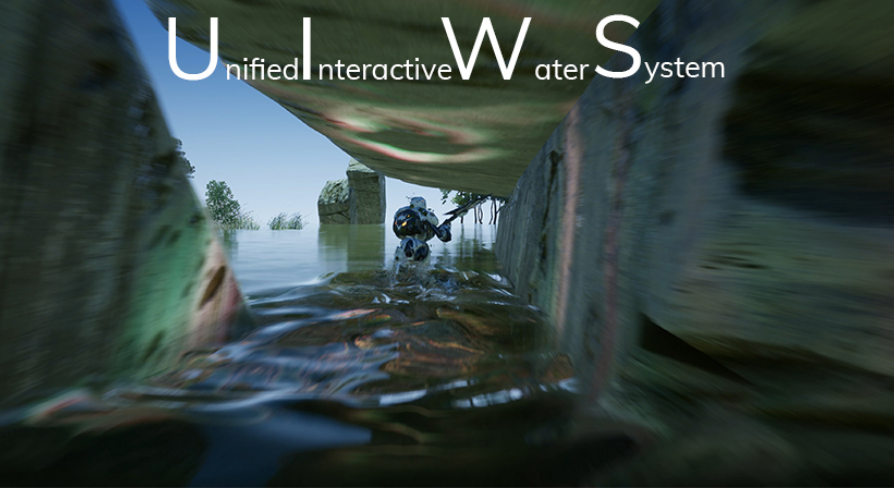
Unreal Engine
Drag and drop Interactive water bodies that simulate interactive ripples and interactive caustics. Waves interact with foliage. Works with any material.
 dusk nebula
So I shouldn't use "event receive draw Hud", right?
plush yew
if anyones free to respond this is a pretty quick straight to the point question that mainly just relys on your opinion. If you were to play a open world "Ninja" game would you rather have the animations play in a set combo EX: 1 2 3 4 then reset, or would it be more interesting if it were like EX: 4 2 1 3 then 2 4 3 1, and each animation is completely randomized in sequence
I have no idea
I just use a structure to keep track of weapon animations... probably gonna be change but idk

I can barely get those montages to work LOL
thin tendon
Anyone able to help out? For some reason suddenly I get fatal error when using quit game blueprint node in a packaged game. Its only on versions of my project already packaged. I changed the project versions on Steam to older builds before the issue. And no matter what I keep getting this error. It always happens after pressing the button in the main menu to close the game down. But what is weird is I hadn't changed or updated anything when the crash started happening.
 cerulean geyser
anyone has a good way to calculate sudden drop in velocity? I am trying to get a bool to true so i can do an animation of the character skidding (if running forward and suddenly i change the direction to go backwards) i was trying this but didnt work out
 stone surge
Hi, I work on a game which features lots of lights. The ones on the snakes head are set to movable and the lamps are set to stationary, so that they can change their intensity. I cannot bake the lighting, because maps are generated at runtime. Is there a way to increase performance apart from decreasing light's influence radius and disabling shadows? https://media.discordapp.net/attachments/225448516376461313/899272457465237555/2021-10-17_14-18-51.mp4
something like light resolution?
thin tendon
Unhandled Exception: EXCEPTION_ACCESS_VIOLATION reading address 0x0000000000000000
msctf
msctf
msctf
msctf
msctf
msctf
msctf
imm32
imm32
msctf
msctf
msctf
imm32
imm32
Outback_Win64_Shipping
Outback_Win64_Shipping
Outback_Win64_Shipping
Outback_Win64_Shipping
Outback_Win64_Shipping
Outback_Win64_Shipping
Outback_Win64_Shipping
Outback_Win64_Shipping
Outback_Win64_Shipping
kernel32
ntdll
Thats the error I am getting
plush yew
stone surge
something like light resolution?
well you can play with scalability settings found at top of viewport
you should bake your materials
prime willow
drowsy snow
https://www.unrealengine.com/marketplace/en-US/product/uiws-unified-interactive-...
 it this better than oceanlogoy?
drowsy snow
prime willow
<:Kheart:408181449326329856> it this better than oceanlogoy?
Never tried Oceanology tbh
All I know is that it's never been part of monthly free promos, or freely available.
prime willow
ah i see
 late verge
how do i go about making meshes i add to my world a part of a level?
modest trench
you need to use a 3d modelling tool (like Blender) and export the model as an .fbx file
then import that into unreal
the model can then be dragged and dropped into the level/blueprints etc
late verge
oh alright. i'm using Sequencer at the moment and noticed there was a "level visibility" track. rather than make everything spawnable in my Sequencer i thought i could make good use of the level visibility track instead for the purpose of my current workflow.
plush yew
you can use create static mesh node to spawn those and delete them after
modest trench
oh, your question makes more sense now
late verge
didnt know i had to go through a separate program, oh well
modest trench
you can technically make simple 3d models inside of unreal
but almost nobody can rely on those for anything remotely detailed
the modelling tools are getting better in the future but I still don't think they are preferable over a real modelling tool
steady storm
how would i add a gun to a 3rd person character
modest trench
steady storm
how would i add a gun to a 3rd person character
try having a mesh as a child of the skeletal mesh
and then mounting it to a bone
plush yew

Locators that can be added to SkeletalMeshes to use as attachment points for weapons, effects, and more.
steady storm
im trying to make a 3rd person shooter in which user is in a room and little bats fly around trying to kill you that u have to kill with a gun
 thick roost
@hollow wyvern
plush yew
why do you wanna shoot bats in 3rd person idk find a template that your interested in
steady storm
where would i look
plush yew

Unreal Engine
Search over 9,000 packs in the Unreal Engine Marketplace.
steady storm
dont have moneys
plush yew
Ah try this link then
Just look up HorrorEngine jRPGtemplate, the free action rpg in the engine tab itself
probably a few more if you look around with free
 rustic jackal
Hello everyone! I recently installed UE4 (4.27.1) and clicked "Leave a shortcut on the desktop" during installation, after 2 hours there is no shortcut. Where can I find him?
celest hull
@plush yew Depends on if the moves matter. Such as 1 causes 50 damage and 2 cause 30 damage 3 causes 70 damage, etc. In the case where the moves are part of an employed strategy, keep them ordered. If the order has no legitimate effect, keep it random so it is less boring.
patent cobalt
@rustic jackalyou should see the Epic Games Launcher among your programs anyway
 crystal echo
Hello, I would to confirm so information I got here and after some quick search, about BSP:
- If I understand, BSP is the old way (as in GoldSRC, Source or old UE engine) to create geometry and also final level
- Nowadays, BSP is mainly used to create the "wireframe" and geometry of your level. Once it's done, you replace it with static mesh. BSP are only used to quickly prototype a level
- Static mesh is way more optimised than BSP and they are created mostly in other software as Blender, so it's important to play around with Blender too beside UE4' BSP and import them inside
Is this correct ?
Also, bonus question: Is it possible to export (and is it a good idea) the BSP you made into UE4 and re-work them as Static Mesh into Blender and then, import them back into UE4 ?
plush yew
Yeah right click and convert to mesh id imagine
crystal echo
So that doesn't ask too much work on Blender as redo from scratch the BSP as static mesh into blender ?
If my question mean even something.
plush yew
I guess it wouldnt be too demanding if you can even export the geometry brush
your talking about these?
 crystal echo
Is it a BSP cube in UE ?
plush yew

Unreal Engine 4: Level Design For Beginners
➡Chapter 1: Introduction to Geometry Tools (BSP Brushes)
➡Converting Geometry (BSP Brush) to Static mesh
🔔 GET NOTIFIED: SUB! https://www.youtube.com/channel/UCxI1PdSHCtBPVFqdKg9aKnQ/featured?sub_confirmation=1
🎞️ Level Design For Beginners: Playlist! https://www.youtube.com/playlist?list=PLDoam5BC8M...
looks like you wouldnt have any problems doing what you want
crystal echo
Thanks.
I would still need to have confirmation on these point:
- If I understand, BSP is the old way (as in GoldSRC, Source or old UE engine) to create geometry and also final level
- Nowadays, BSP is mainly used to create the "wireframe" and geometry of your level. Once it's done, you replace it with static mesh. BSP are only used to quickly prototype a level
- Static mesh is way more optimised than BSP and they are created mostly in other software as Blender, so it's important to play around with Blender too beside UE4' BSP and import them inside
 finite ocean
Does anyone know if there's a tutorial on steam dedicated servers?
dusk nebula
is the "out hit distance" pin on the line trace node just broken or something? It just doesn't seem to output the correct value sometimes
prime willow
or at least like more than 4 angles line trace wise?
crystal echo
finite ocean
Does anyone know if there's a tutorial on steam dedicated servers?
Yes of course, you want to host a server ? Just google "host steam game server" or "host <your game> server steam"
 regal mulch
I don't think it's about hosting the server
Probably more about proper integration of Steam to actually make the Server show up in the Server List
regal mulch
finite ocean
Does anyone know if there's a tutorial on steam dedicated servers?
Go to #online-subsystems. There is usually peeps that can help.
crystal echo
If that's so, it's 1/ Opening your firewall dedicated (hardware if that's at home and software on the actual server) port and 2/ Open a config file if the game is doing that. I think.
crystal echo
So far as I remember it's something like that but I maybe didn't get the question well then.
prime willow
Exi is there a term or possibility for a more complex line trace
crystal echo
"make the Server show up in the Server List" you seems to confirm it's about hosting or I really miss something here.
regal mulch
There is config, target.cs and generally code to create the session needed to even get the server to do what you want
prime willow
like a line trace that covers 360 degrees or more than just 4 angles at most
crystal echo
but maybe I'm not watching properly the question, again.
regal mulch
prime willow
like a line trace that covers 360 degrees or more than just 4 angles at most
You have Line and Shape Traces, where Shape Traces can be Sphere, Box and Capsule
That's it
dusk nebula
a sphere, because that's a 3D shape
regal mulch
No, ShapeTraces literally move a Sphere, Capsule, Box along the path from start to end
 regal mulch
That's a sphere
 radiant beacon
Hi.
Is there an option to automatically create folders when importing FBX files?
I have a lot of FBX and I want to manage the mesh/materials/textures belonging to an object in one folder.
I'm creating and naming all folders manually and drag & drop FBX files one by one. I need a better way.
regal mulch
You should maybe state what you want to do
plush yew

In this tutorial, we are going to make an Ice shader.
- We support English and Korean subtitles.
MARKETPLACE:
Our Projects: https://www.unrealengine.com/marketplace/en-US/profile/Coreb+Games?count=20&sortBy=effectiveDate&sortDir=DESC&start=0
FOLLOW US EVERYWHERE:
Facebook: https://www.facebook.com/Coreb-Games-104135205047796
Twitter: https://...
regal mulch
Then we can give you guidance on how
dusk nebula
I'm assuming they just wanna do the anime gif thing
prime willow
okie lemme just make a gif of it
i feel that would explian it better than i can put into words be right back
glacial pecan
wtf... child actors in Unreal are apparently buggy and people recommend to not use them, yet you can't detach or attach actor components? so basically, any hierarchy in Unreal is completely screwed?
prime willow
regal mulch
Then we can give you guidance on how
So my intended goal is to make certain systems that automatically change in animation and blueprint function depending on what is nearby the target of interest
So for example the same exact dash button will double as a dodge when an attack is within range of the player hence this example

Shikadai as for my example purposes dashes backwards but pressing it again when an attack is in range will make him do another aerial dash but itll animate like a dodge since the attack is coming from a uppercut like angle
regal mulch
glacial pecan
wtf... child actors in Unreal are apparently buggy and people recommend to not u...
Well, you shouldn't use them cause they can cause issues, yeah. Not sure about your hierarchy statement
regal mulch
prime willow
Shikadai as for my example purposes dashes backwards but pressing it again when ...
Hmm
 merry valley
hlo
sir/mam, i m a beginner game developer and want to release a game but but facing a problem with new google pad system where obb is released via different delivery mode .plz help
thanks.
some information that u might need-
unreal engine 4.27
game size 350 mb
uploading to google play console
plz check image
i have gone through documentation of unreal about google play asset delivery reference.
thanks again for ur time.
prime willow
my issue is i think i can mke this possible easily
if i can find a way to trace something in full 360
regal mulch
Well theoretically you have two options
merry valley
 prime willow
because from there i can use overlap boxes based on which box is closest to the traced object entering said trace
than use the desired animations
regal mulch
Either you put a sphere on your character and you register overlaps to keep track of things in range.
prime willow
yes
regal mulch
Or you perform a SphereTrace with start and end being NEARLY (not exactly!) at the same location when pressing your key
dusk nebula
move a sphere a little bit
prime willow
ah
regal mulch
Start and End of that can't be in the same location
But you can slightly change one axis value
prime willow
hmm
prime willow
ok
sort of dumb example hopefully this might be a good example
of if it is possible
regal mulch
I don't know how your game plays, but based on the video from Boruto, this might be something where you just need to know what your enemy is doing
prime willow
well true
 noble barn
Question regarding Instanced Static Meshes - I know I could test this easily myself, but hey, you surely know this:
If I make a static mesh in my level, which is placed ~200 times, into a ISM, but only 5-12 of those are visible at any given time; Do I still save anything there, or does that force all 200 being rendered when any are visible?
prime willow
i could also make it so animations have animation notifies
regal mulch
E.g. a beat'n'up game, you could just check "does my opponent perform an uppercut?"
prime willow
and make other animations react with the proper animation reaction to said animation
yeah like your upper cut example
you know what im stupid
regal mulch
noble barn
Question regarding Instanced Static Meshes - I know I could test this easily mys...
Iirc UE4 already combines meshes into ISM for you by now
prime willow
animation notify could cover the way the animation reacts and the user performs it
regal mulch
Yeah we make heavy use of AnimNotifyStates for all sorts of attack ,parry, block windows of attacks
noble barn
@regal mulch Yeah, but I read that then those will still each have their own draw-call. I am currently trying to reduce draw calls. Might have to just actor merge some in close proximity perhaps
regal mulch
Even for moving the Attacking Player TOWARDS their Target
noble barn
Optimizing a PC-VR game for Oculus Quest is fun 😄
regal mulch
Idk how the culling works with ISM
I think the idea is that it remains 1 draw call with ISM, so not sure it matters if you have the others render?
But I would assume they cull away
prime willow
can i use a sphere trace to locate the angle of entry even if its behind the persons upper spine than the sphere trace targets the closest box collision at the sphere's entry trace location, followed by making them use the correct animation notify for the reaction animation of the identited trace
or for a visual example
regal mulch
You can whatever you heart desires
It's hard to answer that
You can always calculate angles from directions
DotProduct and acosDegree are your friends here
glacial pecan
regal mulch
Well, you shouldn't use them cause they can cause issues, yeah. Not sure about y...
I guess I need to check the Epic Action RPG example, because right now I can't understand how to do items that can be moved between the ground, the player and monster in Unreal since the features that first seem to come to mind are buggy/nonexistant... 😅
prime willow
tbh i feel like even tho sphere trace would work
that its probably a weird and sort of over estimated workflow for the same result
https://gyazo.com/9e7d0365970223e0a5ecd78b07cb1790 but this would be the intended goal essetionally for the sphere traces

being able to make butter smoothe reactions to animations procedually
so players can do stuff even i didnt think was possible
granted i know il have to still make tons of animations lol
plush yew
i use ai perception for something like that
if he isnt facing it then its a back attack
prime willow
i feel like possibly box collson and overlaps followed by set in place animation notifies might actually work better
i wouldnt have to technically trace
merry valley
Can anyone tell me where can I get help I have a query
prime willow
if attack enters certain box than all of the listed notifies will play based on which result occurs
 dusk nebula
 anime
anime
 patent cobalt
@merry valleyjust ask
merry valley
Ok sir
merry valley
merry valley
hlo
sir/mam, i m a beginner game developer and want to release a game but but fa...
Here
 obtuse egret

 patent cobalt
merry valley
Here
patent cobalt
merry valley
Here
there is an extensive documentation covering that. Which part is unclear or doesn't work for you? https://docs.unrealengine.com/4.27/en-US/SharingAndReleasing/Mobile/Android/ShippingWithAndroid/
Getting your UE4 powered game setup on the Google Play store.
 vagrant hornet
How do i make it so that if an object is rotated on the green axis, it will continually rotate on the red axis, depending on how much it is rotated on the green determines how fast it rotates on the red

In ue bluprints?
patent cobalt
@vagrant hornetis that a physics actor or are you rotating it kinematically?
patent cobalt
you need to take the roll angle and apply it as rate of rotation around the world's vertical axis
that will make your plane turn. Of course there is a also a dependency on the forward speed and angle of attack (which ultimately determine the lift/drag of your wings).
noble barn
Another question regarding Optimization:
Is there any such optimization viewmodel (or similar) where you can see triangle density? In Wireframe, it is almost impossible to accurately get a measure of which objects may be too high tri count
There is Mesh-UV density, though I don't know if that really is what I mean
patent cobalt
@noble barnQuad Overdraw view mode
noble barn
@patent cobalt That only shows the number of quad overdraws (not trying to be sarcastic - but thats something different, no?)
It kinda can be used for it, yes, and its the best I've found so far. There's a correlation between overdraw and too high polycount, but its not really what I am looking for. If theres high poly meshes w/o overdraw, this mode is no use
well, on a second look. It may be good enough of a representation, most of the time
so, thanks
patent cobalt
@noble barnthere is nothing like an absolute triangle density. It depends on how far your mesh is, which LOD it is using, how the shaders behave on it, is there tessellation taking place etc.
What matters to optimization is that there aren't too many overdrawn pixels. The other metric you want to look at is the number of draw calls. And the shader complexity.
merry valley
patent cobalt
there is an extensive documentation covering that. Which part is unclear or does...
API reference and implementation guidelines for the Google PAD API
pallid carbon
Hey guys. Without using world composition. What’s roughly the largest level you can create? Is it possible to create, let’s say a 15x15km map without using world composition. Or would that have serious lag issues
Trying to think of a work around for the new water feature hating world composition
patent cobalt
@merry valleysure, but you didn't answer my question. Which part is unclear or doesn't work for you?
merry valley
Everything worked the pak file and all but when compiled fast-follow extension is in error... I don't know exactly what it is sry for that
Here this pic of error might help (I think gradle problem)
patent cobalt
@merry valleywell it is impossible to help you without seeing the error
merry valley

I just need an explanation for this part

I made these files but I think that was mistake but now I can't delete them they keep spawning after compiling
Is there any video how to store pak file in this extension and then set up gradle ...it can help me a lot
 vivid patrol
I was doing png render sequence of a scene but the texture of grass and some other foliage are not rendering. It is just a mesh with no texture.
Can anyone please help me out?
 icy plaza
does someone know if it is possible to give instanced meshes from a hda a collision? I tried already a lot but my npc's keep going through the walls
vivid patrol
icy plaza
does someone know if it is possible to give instanced meshes from a hda a collis...
I think you can create collision for the mesh and instance the meshes that will have the collision in it. Im not sure if that is what you asked!
icy plaza
vivid patrol
I think you can create collision for the mesh and instance the meshes that will ...
it kinda is! But how do you make the collision for that object? I gave it the function "use simple collision as complex" and in the preset I set block all
vivid patrol
icy plaza
it kinda is! But how do you make the collision for that object? I gave it the fu...
This might help you!
merry valley
wary wave
seems a lot of people have problems with gradle
Is there any video for unreal regarding this??
wary wave
I wouldn't know.
drowsy snow
merry valley
Is there any video for unreal regarding this??
You have yet to even ask on #mobile.


 late osprey
Hi guys. Does anyone have some good tutorial links to unreal multiplayer for mobile? Thanks
exotic thicket
 rigid comet
I keep getting this error while starting a new project?
rigid comet
I keep getting this error while starting a new project?
It seems to me that it states the problem quite clearly?
modest trench
You need an older sdk it seems
You get to Google how to get that because I have no clue how Mac os sdks work
merry valley
drowsy snow
You have yet to even ask on <#221799368884355072>.
Ok I m sry
late osprey
Hi guys. Does anyone have some good tutorial links to unreal multiplayer for mobile? Thanks
 elder locust
Hey guys does anyone have any experience with an endless runner. I am trying to generate the obstacles procedurally but even tho i have allotted them with percentages some of them spawn on each other. Do you guys know how i could make my spawning system any better?
wary wave
spawn them at regular fixed intervals, based on those % chances
 spice blaze
Does unreal have a character creation tool, excluding metahumans?
exotic thicket
If you mean something similar to MetaHuman, no
thin tendon
In the plugins section is there anyway I can get a list of all the plugins (supplied by default with the engine) that a project uses?
exotic thicket
Doesn't it have a setting in there somewhere which lists only enabled ones?
iirc they're in the .uproject file in any case
thin tendon
Thanks mate. I couldn't find a text file listing them. But you where right. In the top right of the plugins screen was a search filter for enabled.
 violet lake
can u send it to mee?
 rotund juniper
Hey I'm trying to do a weapon equip but it won't work
It won't equip


That's all my blueprints
 left mulch
Anyone had any experience with control rig in UE? Maybe know someone who did and I can ask them? Thinking about retargeting existing rig to my characters opposite to creating new rig from scratch, is it possible?
 worthy plaza
what i've to do?
 vapid cradle
Is it good to install the 4.20.3 updatee on ue4?
 autumn flame
rotund juniper
Hey I'm trying to do a weapon equip but it won't work
autumn flame
rotund juniper
Hey I'm trying to do a weapon equip but it won't work

How to take a screenshot on your smartphone, tablet, notebook or desktop computer
vapid cradle
nah i was just looking and i coudln't add a bunch of things from the marketplace cause the version was to low, im just gonna update it
honest vale
yea, you can port them to a newer version 99.999% of the time
vapid cradle
ok but i think like the 4.13.2 that was preinstalled was to old
xD
I mean (my english is not the best) it was there when i startet it
ok then imma do that
im just sometimes pretty dumb
honest vale
don't worry, It would be worse if you didn't feel dumb at all ever
 pliant junco
Does anyone know a good ledge climbing video????
The one im following(Marco Medal) Is becomming to difficult
plush yew
o/
Intermediates - is there like general guideline/common knowledge/recommendations about ** when to just delete intermedaites?**
POV: multiple times while coding in c++, my code behaved correctly (non optimised debugging had correct results), but in editor stuff did not work (false results).
edit: and ofc after deleting Intermediates folder and rebuilding - everything just worked fine -.-
anyone ?
 lavish violet
Hey y'all, i have a small commission for artists who works inside of unreal engine. I have an artwork done inside of C4D and i want to get it over to Unreal Engine. I can export all assets so you can import the whole scene into Unreal. Its paid work ofc. If someone is interested please dm me
autumn flame
plush yew
o/
**Intermediates** - is there like general guideline/common knowledge/recommen...
When you having build issues
 toxic haven
i have a questiong about monitoring with stat commands guys

which one of these are the draw calls?
(ignore the 3 fps, it got like that when i alt tabbed to use snipping tool)
documentation says for android i should aim for 700 draw calls
but i'm not sure which one of these two are telling the draw calls (i highlighted them with red circle)
honest vale
I'm guessing mesh draw calls is just that, only meshes
you also get draw calls from realtime shadows
not sure if you have those on tho
toxic haven
hmm
so i use "stat scenerendering" (the one on the left) instead of "stat unit" (the one on right)
thanks for that
funny thing is the scene is almost entirely empty and i still only get 30 fps on my huawei phone
mobile optimization is so hard, i'm really struggling :(
and i'm doing mobile VR game so all optimization budgets are cut in half because i have two screens for two eyes basically
it's painful
i tried messing around with project settings to disable movable lights and stuff but it made UE glitch out so i rolled back the config file
if anyone can help me out with any online resource that would help with mobile optimization or give any advise at all, i would greatly appreciate it
🙃
that shows drawn triangles aswell, awesome! thank you so much
 heady lake
Failed to open map file. This is most likely because the map was saved with a newer version of the engine.
have this issue
i made a copy from 4.27 to 5
any solutions?
 grim ore
you cannot go from 4.27 to 5 early access
so no solution, unless you compile and use the source build of ue5
heady lake
grim ore
so no solution, unless you compile and use the source build of ue5
how can this be done
grim ore
the same way you compile ue4, you just choose the ue5-main branch
heady lake
is there any video or tutorial for this
i am new to this so i have no idea how to compie ue4
@grim ore
grim ore
yes there is, did you look? https://docs.unrealengine.com/4.27/en-US/ProductionPipelines/DevelopmentSetup/BuildingUnrealEngine/
heady lake
grim ore
yes there is, did you look? <https://docs.unrealengine.com/4.27/en-US/Production...
i did look but didnt understand
the documentation will help me figure it out Thanks !!
 sour hazel
can anyone help me with this one. when i ctrl+W to duplicate the object snaps to the old position and creates a duplicat. and when i try to save the new scene layout it all disaperes..?
 velvet pawn
So I have a question, being a beginner at this thought I would ask the pros.
I'm trying to make a menu using an actor (instead of a UI) so that the menu is a sphere that moves and options are selected. The Question: How do I go about mapping the texture to make sure all the pieces are in the right place (and how do I add a clickable button on each option in the actor)?
 hidden apex
Probs have the most noob basic question xD how do i add a PNG to my content browser? It doesn't let me drag and drop :/
grim ore
@hidden apexmake sure its a png and you are dropping it into a folder in the content browser
hidden apex
grim ore
<@!291247322975961089>make sure its a png and you are dropping it into a folder ...
got it to work 🙂
grim ore
@velvet pawnthe first part is art related, mayb try #graphics ? its about how you design it. The second part is harder you might want to consider making it in pieces so each "piece" could be a mesh you click on individually and you can track it from there
grim ore
weird
hidden apex
grim ore
weird
¯_(ツ)_/¯ got it in so I'm not complaining xD
 vocal herald
Im throwing a bunch of the same objects on the floor but some of them keep going through it. What can I do so nothing goes through the floor? CCD is turned on, floor and objects set to BlockAll, tried to make custom simple collision but nothing changed. Tried to create box collision inside of a plane mesh, now some objects penetrate inside the box and keep wobbling inside.
 pale steppe
Beginner here please, I can't figure out how to solve this problem, can someone please help?
 grim ore
well it's a warning, you can ignore if if you are having no issues. Are you using static lighting?
and you would fix it by making a manual lightmap, but for 1.6% you are probably ok
pale steppe
@grim ore Thanks a lot. What's a manual lighmap? I made a two uv's from my DCC but I don't see any overlap there also. Yes Static light.
grim ore
if you made the UV, that is the manual lightmap. IT would be a UV set made just for lightmappnig
I actually dont know what you used when you imported, you either told it to use your UV1 channel for it or you told it to make it's own
pale steppe
Thanks @grim ore
grim ore
if you open the mesh and look for the lightmap channel it will tell you. 1.6% overlap tho seems very minor and unless you see an issue after building lighting I would assume its just how it needs to be for a mesh like this
 cedar wave
Does it make much sense to use a DataTable for your ItemDatabase if you're also using DataAssets? Reason behind the question is that I've seen people relate a DA to a singular row of a DT. Every time I'm trying to design my inventory/crafting/looting - I end up circling back to using both, but that would mean if I want to add something, I need to add a new row to the DT and create a new DA.
 drifting iron
Would anyone be so kind to please walk me through building through IDE so that i may use my plugins in 4.27? I've done my research and downloaded visual studio as well as made a github, however it just goes over my head
do you mean the "clone" option from the epic launcher library?
sorry i looked into what you said, apparently my project has no source code in C ++
i just want the plugin to work
it wasnt made for 2.47
lol sorry 4.27
i swear im smart, but im slow so laymans terms go a long way. could you explain how id get those plugin binaries?
grim ore
do you have the source code for the plugins that you are trying to update? that the first question
drifting iron
i believe so, yes
i hate to be annoying but im confused what is the source folder, the source as in my project? one of the plugins has a github page so im assuming thats what you meant by having the source code
even on github it says they have version 4.27
but it just doesnt work
https://davidvodhanel.com/daz-to-unreal-manually-updating/ this should explain my predicament fairly well
i also have character creator 3 but idk if i have any source code
so i can just put the daz to runtime folder in my plugins?
 tribal marsh
silly question but why is it that every time i open UE4 it puts some of the tabs into a 2nd window
thanks
 winged lark
hello
drifting iron
Thank you so much Lorash! Seemed like that was the trick, to add the source folders ❤️
now if i can find the same for character creator 3
i have a folder that id like to include in new projects, where should i place said folder?
 graceful sentinel
hows unreal engine doing in a macbook pro?
thorny pewter
any one knows what internet protocol unreal engine uses for multiplier games ? or where to find that info ?
 tiny trout
I am trying to simulate FP Camera on TP mesh (C++) method:
This is pretty straightforward on BP but i cant get it to work on C++
    FollowCamera = CreateDefaultSubobject<UCameraComponent>(TEXT("FollowCamera"));
    FollowCamera->SetupAttachment(GetMesh(), FName("headSocket"));
    FollowCamera->SetRelativeLocation(FVector(0.0f, 0.0f, 0.f));
    FollowCamera->bUsePawnControlRotation = true;
When i just attach to head socket it just stays static at that point and doesn't aligns with character's head movement for example when character is breathing or running the head pops out which should't happen.?
https://youtu.be/0mgm16ki8zM?t=254 this is how it is right now

In today's episode we take a look at how we can setup the true first person camera by converting the third person camera to first person, giving us a realistic look and feel to our FPS game.
We also take a look at setting up our project and adding the animation starter pack to it!
► Resources: https://www.devsquadacademy.com/resources
Unreal ...
In today's episode we take a look at how we can setup the true first person camera by converting the third person camera to first person, giving us a realistic look and feel to our FPS game.
We also take a look at setting up our project and adding the animation starter pack to it!
► Resources: https://www.devsquadacademy.com/resources
Unreal ...
this is what i want to replicate on C++ side
 placid pagoda
Hey all, is anyone familiar with w/ rendering out dome-format videos from Unreal using the PanoCapture plugin? I can only get out equirectangulars, but it would be great for our pipeline if we could render out dome format videos directly from Unreal
 quaint warren
What is the best channel for questions related to Engine Editor programming? I have a question about how to make sure that when a user selects new blueprint and they choose my custom C++ class as the base, that it is able to create the blueprint with the right Blueprint base.. Right now doing that bypasses my factory and creates a UBlueprint rather than a UMyClassBlueprint.
cedar wave
What is the general approach to saving inventory state? Do ya'll typically use a save slot for it or somethin'?
I'm just curious. That's all. I'm still workin' on reworking my system and I was thinking about that.
drowsy snow
cedar wave
What is the general approach to saving inventory state? Do ya'll typically use a...
Game Instance and Save Slot.
cedar wave
Hmm - maybe I'm not being clear. I'm talking about when you use a weapon for example. It loses some of its durability, then you swap out to a new weapon.
Storing that used weapon's state in the current running game - that's what I mean.
Not like, actually saving the game as a checkpoint
noble barn
Yet another question regarding optimization; With DetailMode, we can choose to show certain meshes based on a graphics setting. Though, the statically cast shadow remains. Say there was a flower pot we only want to render on high settings. On low settings, it'd be kinda awkward if the shadow remained. Is there any way to combat this? Doesn't sound likely to me, to be honest, but hey
cedar wave
So when I swap back to the old weapon, in the same running game, it has its used durability.
Well, my current approach is for my inventory a struct of classes and quantity (stackable inventory). So when I retrieve the item from my inventory, I spawn the class. Currently using DA's for the initial item stats.
I use a component for the inventory itself, so I can slap on anything and it has an inventory
 hollow lake
Hello! I've got a bit of an issue. I downloaded a model from Epic Games Store then imported it into blender animated and tried to import it back into Unreal and it got all messed up
 drowsy snow
hollow lake
Hello! I've got a bit of an issue. I downloaded a model from Epic Games Store th...
drowsy snow
hollow lake
Hello! I've got a bit of an issue. I downloaded a model from Epic Games Store th...
What are you trying to do with it?
hollow lake
Blender
drowsy snow
What are you trying to do with the model?
hollow lake
Use it as a player controller
drowsy snow
You know what, let me rephrase it.
Why are you exporting the model to Blender, and importing it back to Unreal in the first place?
hollow lake
Because this specific model I'd really like to use
and animating in unreal is a pain in the ass
drowsy snow
hollow lake
and animating in unreal is a pain in the ass
Control Rig is fairly easy, but I digress.
Anyway, consider that most humanoid models from Unreal Markerplace (not to be confused with Epic Games Store) adhere to UE skeleton standard, you can use the default mannequin (using Mr Mannequin Tools) to make the animations, and then retarget them in Unreal.
hollow lake
eli5
hollow lake
drowsy snow
Control Rig is fairly easy, but I digress.
Anyway, consider that most humanoid ...
How much does Mr Mannequin cost?
drowsy snow
hollow lake
How much does Mr Mannequin cost?
Free open source.
hollow lake

Blender Market
Sublime character rigging, intuitive Blender imports and easy Unreal exports!
nvm
Ill check it out thanks!
 harsh crest
Here is my profiling session
 dusky bobcat
Can you show the full window?
harsh crest
Full Window
I think I may need to click somewhere specifically to see the right methods used at the right time
dusky bobcat
Okay, scroll down that list of red thread names until you get to GameThread.
Then click on the arrow next to "GameThread" to expand it.
Now "FrameTime".
You'll want to expand the first few headers until you get to something you recognize.
hollow lake
drowsy snow
Control Rig is fairly easy, but I digress.
Anyway, consider that most humanoid ...
Thank you so much I didnt even think of that, super quick to use lol
modest trench
Other engines call their character movement Character Controller a fair bit. That's probably part of it
dusky bobcat
Expand the first few headers under "FTickFunctionTask" too while you're at it.
harsh crest
I think it found it
dusky bobcat
That's one thing, yes. The problem here is that a lot of what is eating up your frame time is in native code (under "Self"), so to profile it you'll have to use custom profiling groups.
Wait a sec.
What you do is you define custom stats groups, that way instead of "Self" you will see the code being executed in those groups.
Target code that you think might be particularly expensive and narrow it down.
You might be surprised.
plush yew
drowsy snow
Control Rig is fairly easy, but I digress.
Anyway, consider that most humanoid ...
Control Rig is on beta on UE4.27; does it worth making montages with it?
harsh crest
dusky bobcat
Target code that you think might be particularly expensive and narrow it down.
Thanks for all your help Thomas. I will mess around with it.
drowsy snow
plush yew
Control Rig is on beta on UE4.27; does it worth making montages with it?
Yes, it's very usable.
dusky bobcat
harsh crest
Thanks for all your help Thomas. I will mess around with it.
Hope it does indeed help! Good luck. 🙂
plush yew
drowsy snow
Yes, it's very usable.
even if I pretend to update my animations to Unreal 5 later on?
yeah, the usability is what attracts me, since I do not build my scenes on Blender
pallid carbon
Hi, does anyone know what setting i need to change to be able to edit the terrain right up to the water line? Currently im having like a barrier which is stopping me from sculpting anywhere near

 blazing pewter
make a new layer above the water and paint on that
pallid carbon
Thank you
dusky bobcat
harsh crest
Thanks for all your help Thomas. I will mess around with it.
Oh btw, use the Wiki tutorial rather than Looman's ... Looman dives into too much detail too quickly in this case.
harsh crest
dusky bobcat
Oh btw, use the Wiki tutorial rather than Looman's ... Looman dives into too muc...
Ok, I will 🙂
blazing pewter
also why is my river to ocean transition not seamless? using the built in plugin
 plush yew
yeah, the usability is what attracts me, since I do not build my scenes on Blend...
plush yew
plush yew
yeah, the usability is what attracts me, since I do not build my scenes on Blend...
hm, maybe exporting the built scene into Blender and do the animations there!
 merry pilot
Im trying to build lighting in my scene, and its not completing, and is giving an error, out of memory, i have 32GB of ram, not sure why its doing this. There also isnt much that needs built in the seen.
pallid carbon
Is there anyway for me to pause or toggle off the unreal 4 water plugin while im terraforming terrain so it doesn't lag my game as much?
 gilded plinth
umm, can sequencers image sequence/movie render feature render UMG widgets? : /
so far i can't get it to
 south edge
Has anyone experienced very slow internet connection when running ue4? Running software is fine, but browsing the web suddenly becomes a tedious task, close down ue4 and it's fine again.
This occurs on different networks, so its not just my home net
drowsy snow
south edge
Has anyone experienced very slow internet connection when running ue4? Running s...
Try disabling Usage Data reports on Editor Preferences.
south edge
drowsy snow
Try disabling Usage Data reports on Editor Preferences.
Will try, thank you!
found several threads but none give a solution, just the usual "yeah same"
 pulsar badge
Is there away to figure out how big a asset is for cull distancing?
wary wave
bounds, probably
pulsar badge
wary wave
bounds, probably
Ya, How do you know how big your bounds is?
wary wave
it's basically a property of the bounds?
pulsar badge
I'm new to this, So wym lol
wary wave
bounds is just a set of extents / coordinates, so it is more or less literally contains the size of the object
dusk nebula
should I avoid using "Draw HUD" in the HUD BP? It's in the template, but I know that there are some things in there that aren't good practice for something on a larger scale
or maybe I could just turn the tick interval down a bunch?
 pure egret
Can anyone in here do fur photo realistically?
dusk nebula
Also, a separate question: Doom Eternal does a thing where you don't consume your first jump for a short time after walking off a ledge, meaning that the "wasted my double jump and fell to my death" thing doesn't happen at all, really. Does anyone know how to implement that into UE?
fierce tulip
thats called coyote time, might help looking up tutorials using that word.
dusk nebula
thanks, didn't even know what to call it
pure egret
I'm looking for someone who can give some pointers on fur.
fierce tulip
@pulsar badge @pure egret please do not ask the same question in multiple channels. Please read the #rules thanks.
pure egret
sorry
pulsar badge
fierce tulip
<@!187237339142029313> <@!899180620746481724> please do not ask the same questio...
Oh sorry
rotund juniper
autumn flame
http://www.take-a-screenshot.org/
When I do that will you be able to help me
autumn flame
Perhaps
hollow lake
drowsy snow
Control Rig is fairly easy, but I digress.
Anyway, consider that most humanoid ...
Hey, I'm having a bit of an issue where the arms are getting way to pushed together and I just cant fix it
 plush yew
after getting the .uasset, can I delete the .FBX file?
I did but I do not know if I will face future problems.
lol safe and sound, I thought that when importing it dragged the fbx file too, so that is why I always exported the file into the project folder
drifting iron
im so frustrated. ever since i started working with my 4.27 plugins for character creator 3, something is wrong with the shaders. every character i try to import has either black or missing hair textures
fierce tulip
its better to keep the fbx. while there is a copy of it in the uasset, if you want to edit the fbx some more its easier to keep it (or the source file) around.
plush yew
fierce tulip
its better to keep the fbx. while there is a copy of it in the uasset, if you wa...
yeah... I will kept those but not in the project folder anymore
It would be cool if we got an option to use .blend files 🙂
hm
drowsy snow
plush yew
It would be cool if we got an option to use .blend files 🙂
Unity has it, but it's rather an abstraction.
 unreal lynx
Not sure where to post... we got into this contest. Throw us your vote if you want to help out a UE indie dev 🥳
https://thegdwc.com/pages/game.php?game_guid=04d279b6-b26e-462c-8b63-044df443fdb0
drowsy snow
unreal lynx
Not sure where to post... we got into this contest. Throw us your vote if you wa...
#work-in-progress or #released
plush yew
drowsy snow
Unity has it, but it's rather an abstraction.
I do not think that it worth the change 😄
drowsy snow
plush yew
I do not think that it worth the change 😄
I know many people thought that alone worth the change 🙈 🙈 🙈 🙈 🙈
plush yew

I am learning how to save stuff. So far, the best solution is to save variables in 'Save Game' node, then pass it to 'Game Instance' and then distribute to my characters / levels... right?
I will have player transiting between levels a bit
drowsy snow
Basically you treat Game Instance as your game's volatile memory.
plush yew
the best way is to save states when a new level is being loaded?
drowsy snow
plush yew
the best way is to save states when a new level is being loaded?
Best way IMO would be to save whatever value Game Instance variables have, either by your autosave system or manual save slot.
drowsy snow
plush yew
every new value modified?
I mean, every value the Game Instance store.
I suggest you look up save game editors (particularly JRPGs) to roughly see how it works.
 humble sparrow
Good morning, Is there a way can change a widget(window) size individually?
I knew Window>DeveloperTool>Widget Reflector, but it change all the window.
I found those button in the toolbar and place actor is over large which is annoying.
plush yew
is there a proper bridge for materials for any of the autodesk programs? I use both max and maya and have checked on the forums for the unreal engine tools and they only bring in material slots with simple colors, is there anything that will bring in normals+heightmaps+ss and all that? Can be for vray Corona or Arnold
I just dont like unreals shader editor and would like to avoid touching it if I can
dusk nebula
does stopping a timeline call the "finished" node?
 blissful wharf
anybody else getting an Assertion failed (array index out of bounds) error when exporting from quixel bridge into unreal engine?
plush yew
GitHub
Blender Python - Instantly Recreate Blender Shader Node Trees as Unreal Materials - GitHub - SpectralVectors/TransMat: Blender Python - Instantly Recreate Blender Shader Node Trees as Unreal Materials
this seems to be cool but its for blender
where can i get tree packs for ue?
modest trench
actually, I should at least mention there's an easier way to search the UE asset store

look for trees in there
blissful wharf
plush yew
where can i get tree packs for ue?
 hoary merlin
I'm a Unity dev trying to get into Unreal. Should I use Unreal 5? I've heard some people saying to use 4.27, but can someone explain the advantages and disadvantages of them? Because I don't want to start learning Unreal 4 if Unreal 5 is going to come out soon, and then I'll have to relearn it.
modest trench
hoary merlin
I'm a Unity dev trying to get into Unreal. Should I use Unreal 5? I've heard som...
They are 95% identical and you won't need to relearn anything. UE5 isn't finished so it's a bit better to learn on a stable version.
unless you are very serious about using Lumen/Nanite or another new feature don't bother with 5 yet
hoary merlin
Lumen is that new lighting feature right?
hoary merlin
gotcha, thanks. is it possible to easily switch from 4 to 5 if I need to?
modest trench
hoary merlin
gotcha, thanks. is it possible to easily switch from 4 to 5 if I need to?

Learn what to expect from the UE5 Early Access program.
yeah but don't expect things to work well if you do something unintended (going back versions, etc)
 modest trench
depends on if you need to use early access or not
most simple projects should Just Work either way but some specific assets might break
hoary merlin
i see. i'll just use 4.27 then since I'm new, and I can always just create a new project in 4.26 or early access if I need to
thank you, I appreciate it.
plush yew
I think you would want it as a separated mesh from your trunk, then you set it.
in Blender I would select the faces I want to separate and then press P and click on 'Selection' then I would export it again to Unreal Engine and it will be divided in 2 different meshes if I did not select to merge all meshes in one when importing
inside I have no idea
 surreal eagle
How do I make the animation play only on the left arm
I have a anim I need to play on the left arm only
And a separate one I need to play on the right hand only
 chilly geyser
Hey does anyone think its possible to Stretch, Bend, Twist Actors along a Spline like Static Meshes?
 west junco
chilly geyser
Hey does anyone think its possible to Stretch, Bend, Twist **Actors** along a Sp...
west junco
chilly geyser
Hey does anyone think its possible to Stretch, Bend, Twist **Actors** along a Sp...
try a spline mesh component, i can send a video tutorial on how to use it if you'd like

We continue to look at splines and their many uses in this episode. Spline meshes allow you to procedurally create meshes such as pipes, wires, and roads easily in engine. We look at two types here: ones with a flexible section length, and ones with fixed length sections.
Support me on my Patreon and see episodes 2 weeks early: https://www.patr...
there's that if it helps
plush yew
I noticed that after some time, with UE4 open, my computer start to stutter / lagging
like after an hour or more
if I restart it gets fine again
 limber cradle
guys does anyone know a good tutorial about speech bubbles? anything that works like this
https://www.youtube.com/watch?v=UKFQivwGNiM

UE-Marketplace link: https://www.unrealengine.com/marketplace/speech-bubbles
Sorry for low fps, i have really weak hardware
I would really appreciate a good recommendation, tag me if you can help me, thanks in advance
chilly geyser
west junco
try a spline mesh component, i can send a video tutorial on how to use it if you...
Hey thank you! I'm not sure this will work however. Im hoping to be able to use actual Actor BPs (ie a Road segment BP, which is a mesh, with variables for which decals to show)
 thorny warren
Anyone have any clue how to fix this?

 swift tartan
Hey I was wondering if anyone here has experience with WMR, windows mixed reality. I am using a samsung odyssey, and I am having issues with basic locomotion via thumbsticks. I've got the WMR plugin and steamvr plugin.... not quite sure what the issue is. Any advice is greatly appreciated!
thorny warren
it's like the shadows are culling, but i can't turn it off
 ornate bobcat
Hey guys, about the Blueprint Ninja Challenge. Do epic send you anything to let you know when your -swag- is coming? Or do they just send it without warning?
dusk nebula
pt. 1

can someone tell me why this slide I found in a guide is weirdly height dependent? Aside from just being from a lazy tutorial, I guess

it launches drastically farther if used from a higher Z elevation
drowsy snow
limber cradle
guys does anyone know a good tutorial about speech bubbles? anything that works ...
Basically you want the bubble widget to either follow the actor in screen space or stay in one place.
Vagrant Story did the latter at all times, and it's practically just like other JRPG text window at the time.
As for the bubble pointer, you could make it a separate image and move it around the border.
 short willow
is there a get cvar value with wild card command?
say if I want to get all the r.HLOD.* values
thorny pewter
any one knows what internet protocol unreal engine uses for multiplier ? or where i can find that info ?
crystal echo
Hi. Since I didn't find it into #unreal-faq, can someone recommend me a YT channel OR textual courses to start from scratch to UE4 (or maybe for last one, UE4 doc is doing the tricks) please ?
English or french
 tropic knoll
I have this animated VAT guy from Houdini that's working great on it's own but when I put it in Niagara it goes crazy. Does anyone have experience with sort of thing?

 golden niche
ornate bobcat
Hey guys, about the Blueprint Ninja Challenge. Do epic send you anything to let ...
golden niche
ornate bobcat
Hey guys, about the Blueprint Ninja Challenge. Do epic send you anything to let ...
We have no clue, I completed it and all went silent
tropic knoll
Looks like this in Niagara
 modest trench
thorny pewter
any one knows what internet protocol unreal engine uses for multiplier ? or wher...
modest trench
thorny pewter
any one knows what internet protocol unreal engine uses for multiplier ? or wher...
check the pins in #multiplayer
 hollow magnet
reeee after intense ten days of work my gpu got fried lmao
prime willow
hollow magnet
reeee after intense ten days of work my gpu got fried lmao
sounds like your goose is cooked >~>
hollow magnet
sad day
welp cant dev the amazing revolutionary groundbreaking box office hit app.. well i guess its more of a problem for people who will not get it 😛 😛
jk
dusk nebula
can someone help me with this? This print string is functioning, but Owner No See is not


I can see the floating health bar I've created while in first person, even though it's a part of the character and the character is the owner of the object
drowsy snow
crystal echo
Hi. Since I didn't find it into <#846520470807117915>, can someone recommend me ...
See pinned messages.
Also #unreal-faq is under UE5 Early Access.
plush yew
how would i intergrate facial expressions, like how do i controll the facial bones once i import my character
drowsy snow
plush yew
how would i intergrate facial expressions, like how do i controll the facial bon...
plush yew
you dont have to redirect everyone
drowsy snow
plush yew
you dont have to redirect everyone
Some people who are more expert and might know the solution only hanging around on certain channels.
 scenic fox
@drowsy snow i bet you if he put that question there nobody would answer him, if you can answer him answer him in the place he asked
plush yew
thank you
scenic fox
plush yew
thank you
are you thanking me or?
plush yew
scenic fox
are you thanking me or?
you most certainly
scenic fox
Can't tell if you are being sarcastic or not but you are welcome
plush yew
i sound sarcastic, im not
scenic fox
Yeah you are very welcome then
drowsy snow
scenic fox
Yeah you are very welcome then
Many people got the answer after redirected to more specialised channel, but I digress.
scenic fox
drowsy snow
Many people got the answer after redirected to more specialised channel, but I d...
But generally speaking, if you can't answer him just don't respond to him redirecting him to another channel is of no help towards him i recommend you tell him that he should've asked in the right channel however what is done is done if you can't answer simply do not respond.
drowsy snow
scenic fox
But generally speaking, if you can't answer him just don't respond to him redire...
If you find redirecting to other specialised channel offensive, no matter the intention, then I apologise.
scenic fox
drowsy snow
If you find redirecting to other specialised channel offensive, no matter the in...
Not offensive but most certainly not going to help anybody seriously if you can't help someone with a proper answer the simple thing to do is to not respond, even if there are professionals in #animation you will not get a response that is to be expected since everyone in this server is having some or the other problem and are in a rush to find an answer, it's not practical to ask there as half of the time people are inactive more people are active in this channel.
 unique kraken
anyone figured out how to use the twist bones node in ctrl rig?
drowsy snow
unique kraken
anyone figured out how to use the twist bones node in ctrl rig?
I think it's hooked to Backward Solve (create one if you don't have it in the graph).
unique kraken
how would it help me in backwards solve? i need it in the forwards solve
as i want a partial rotation on the twist bone from the hand
but as far as i can tell, the twist bone node legit does nothing
drowsy snow
Forward Solve would make it rotating at all times, at least based on other bone to bone transformation.
Though yeah, TBH I personally used Distrtibute Rotation (or something along that line) for the twist bone, as opposed to Twist Bone node.