#ue4-general
1 messages · Page 1076 of 1
 tender mountain
 fierce tulip
I had to unwrap a multi-million polygon mountain range by hand in 3dsmax 5
fierce tulip
I had to unwrap a multi-million polygon mountain range by hand in 3dsmax 5
Woah!!! That would have been crazy
fierce tulip
took me almost a month, and had quite some RSI-like pain afterwards <_<
not worth it
 drowsy snow
And I was just started using 3ds Max 6, making asteroid rock go booooooom
That was mid 2000s when I was a little boy.
tender mountain
fierce tulip
took me almost a month, and had quite some RSI-like pain afterwards <_<
Woah!!! That's even more impressive!
fierce tulip
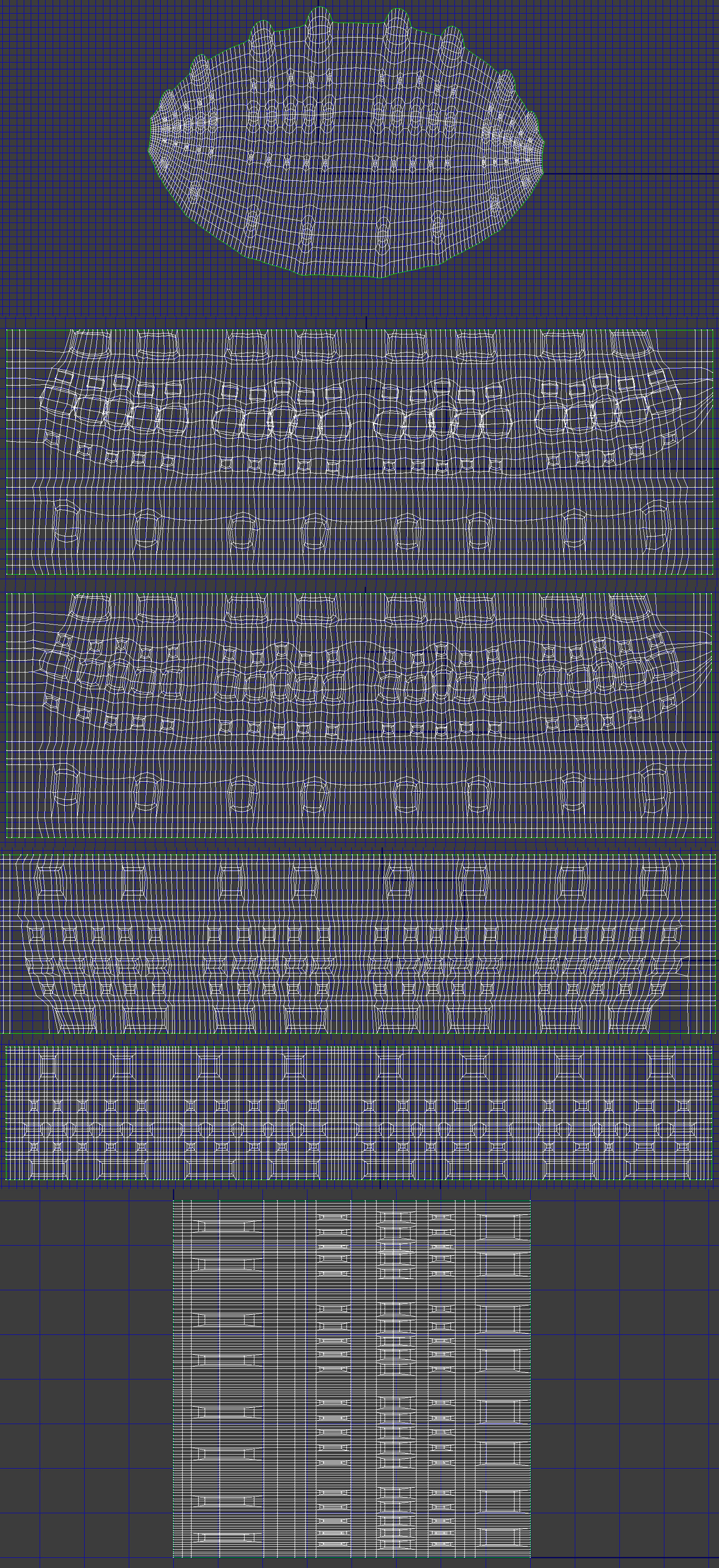
this is a good other example I did back in the day
https://i.imgur.com/x35CrnB.jpg
all by hand XD
 lavish shoal
does anyone here know how to have a set strength for a physics handle? like, make it weaker for heavier objects
sorry to butt in
tender mountain
So 3DS 5 was like 20 years ago?
fierce tulip
close to
drowsy snow
lavish shoal
does anyone here know how to have a set strength for a physics handle? like, mak...
Maybe get the mass and adjust the impulse? Though mass value in Unreal doesn't make much sense...
lavish shoal
thank you for a answer, im really new to ue4, ive only been programming my sandbox rpg for about 6 months
tender mountain
fierce tulip
close to
That's mad! I was screwing around with like 200 polygons back then LOL
drowsy snow
lavish shoal
thank you for a answer, im really new to ue4, ive only been programming my sandb...
So it's like a Gmod clone?
lavish shoal
its more like fallout new vegas mixed with kenshi
its gonna be post apocalyptic with soulslike combat and a bunch of variable endings based on where you side
im learning how to use mixamo for animations now, we dont have a fulltime animator but i know how to use blender so i could figure it out
drowsy snow
lavish shoal
im learning how to use mixamo for animations now, we dont have a fulltime animat...
Well, just be careful when using Mixamo, due to its rig incompatibilities with UE4 standard.
lavish shoal
the way i do it is I get the base animations i want, then blend them in ue4 using a blendspace2d and input vectors
 modest trench
You can animate in engine as well with control rig and sequencer
lavish shoal
i was thinking of using a kinect and special software to do full body tracking, it doesnt have to be that accurate since im doing a low poly ps1 type game
drowsy snow
drowsy snow
Well, just be careful when using Mixamo, due to its rig incompatibilities with U...
Granted, it could be worse...
cough MMD standard
drowsy snow
modest trench
You can animate in engine as well with control rig and sequencer
This
Though be warned that it may crash for a prolonged time (at least in 4.27, it still does on me)
modest trench
Works on my machine 😎
drowsy snow
Yeah, when it works, it gets overpowered.
lavish shoal
i'll look up how to do that, i like animating using blender due to having reference images
modest trench
Didn't test on 27 though
drowsy snow
lavish shoal
i'll look up how to do that, i like animating using blender due to having refere...
Animating in Blender isn't bad, though I recommend animating with Mr Mannequin Tools to use the UE standard skeleton and avoiding the frustratingly unmaintained POS that is Rigify.
modest trench
You could probably import reference images to UE as well but it would probably be less convenient than blender
drowsy snow
modest trench
You could probably import reference images to UE as well but it would probably b...
It could work, still, with Editor Utility Widget showing the reference image that matches the Sequencer.
lavish shoal
i use rigify for everything, i make the player models using a wireframe and the skin modifier.
can i upload a picture of my model in this server?
drowsy snow
lavish shoal
can i upload a picture of my model in this server?
As long as you don't break any NDA (and safe for work), sure.
lavish shoal
its gonna take a minute to do so, i have to install 4.2.7 on my laptop
can i show you a shotgun i made?

i was trying to base it off of goldeneye 64's gun models
drowsy snow
lavish shoal
i was trying to base it off of goldeneye 64's gun models
Right, should you want more authentic look, I recommend this plugin
https://github.com/DaveFace/UnrealRetroShaders
I used this in my supposedly game jam project that fell through due to constant power failure, also sporting PS1 style graphics (akin to Vagrant Story)
GitHub
Retro PS1 Post Processing for Unreal Engine 4. Contribute to DaveFace/UnrealRetroShaders development by creating an account on GitHub.
lavish shoal
does it simulate floating point accuracy?
modest trench
Sheesh, do you need stuff to jitter around?
drowsy snow
lavish shoal
does it simulate floating point accuracy?
Yes, floating point inaccuracy (or lack of FPU) included.
lavish shoal
ok, perfect. im a fan of that look. im basing the game's graphics after a combo of goldeneye 007 and tony hawk's pro skater
drowsy snow
modest trench
Does it just world position offset?
Among other UV level tricks, IIRC
The edge vertex wobble might be WPO as well
lavish shoal
thats cool, im really happy and i plan on releasing the demo level of my game in december, its called saxturai
drowsy snow
lavish shoal
thats cool, im really happy and i plan on releasing the demo level of my game in...
Saxturai? Does it have jazz music? XD
 placid dragon
This server is absolutely massive
lavish shoal
honestly, my old teammate came up with the name and i really dont know what else to call it
drowsy snow
lavish shoal
honestly, my old teammate came up with the name and i really dont know what else...
Well, Sax -> Saxophone = Jazz
Probably the RPG set in some urban environment
placid dragon
Quick question, is it possible to program an emulator within the engine
drowsy snow
placid dragon
Quick question, is it possible to program an emulator within the engine
Yes, if you know C++.
placid dragon
👍
lavish shoal
it takes place 300 years in the future, basically the really rich people took all the fuel and left on generational spaceships, when you start the game earth has desended into tribalism and the rich people come back to take over what's your ancestor's land.
placid dragon
Do you think the engine could handle a ps3 emulator for android?
drowsy snow
lavish shoal
it takes place 300 years in the future, basically the really rich people took al...
So it's like Horizon Zero Dawn and a bit of Policenauts thrown in.
lavish shoal
i'm thinking there's some the outer worlds in there too
drowsy snow
placid dragon
Do you think the engine could handle a ps3 emulator for android?
Not even close. PS3 emulators still require high PC specs.
placid dragon
If it even works at all
drowsy snow
placid dragon
Do you think the engine could handle a ps3 emulator for android?
If it's along the line of retro console and arcade (preferrably before 3D), then it's doable in a puny average smartphone
drowsy snow
lavish shoal
i'm thinking there's some the outer worlds in there too
Haven't played Outer Worlds yet.
lavish shoal
basically, the outer worlds is indentured servitude under capitalism, and we're gonna make everything operated by paid workers under the bad guys in my game, but they get brainwashed into never wanting to leave the company
drowsy snow
placid dragon
The graphics quality is at ps3 level however
The problem is that you don't even need UE to serve as the emulator frontend - it's too bloated for that IMO. Retroarch do this kind of hard work, and I'm certain RPCS3 has libretro port anyway.
placid dragon
Rpcs3 cant even run gran turismo 5
But if there is a will there is a way
Ill look into making one from scratch
drowsy snow
placid dragon
But if there is a will there is a way
And that way is contribute to RPCS3.
drowsy snow
lavish shoal
basically, the outer worlds is indentured servitude under capitalism, and we're ...
Interesting 👀
placid dragon
I forgot, its open source right?
drowsy snow
placid dragon
I forgot, its open source right?
Yep. Just give the project your helping hand.
lavish shoal
basically im going the programming in the project with my bf, and i have two of my other friends doing the story and worldbuilding and such.
drowsy snow
lavish shoal
basically im going the programming in the project with my bf, and i have two of ...
BTW what art style you're looking to achieve?
lavish shoal
oen sec, i think i might have footage of the game but idk
drowsy snow
Not necessarily the rendering style, but the artwork style in general.
lavish shoal
im opening the project now, itll be a minute
drowsy snow
lavish shoal
im opening the project now, itll be a minute
While we're at it, you should redirect the showcase to #work-in-progress channel.
 hollow yoke
I want to be able to send a dialogue system's data to the game mode so it can handle UI, choices, etc. I expect to use it across multiple game modes, though, so I'd like for the system to do stuff without worrying about which game mode is currently being used. Are components attached to a game mode the best approach for that?
Because I cannot find anything on the notion of using components with game mode
drowsy snow
hollow yoke
I want to be able to send a dialogue system's data to the game mode so it can ha...
If it's a single player game, Game Mode doesn't do anything special and you could go wild with it, but I won't put that kind of stuff to Game Mode.
I'd rather have it on a persistent object / singleton that handle quest logics.
tender mountain
Well VS just crashed at about 50% done 😦
drowsy snow
hollow yoke
Because I cannot find _anything_ on the notion of using components with game mod...
While I'm at it, I recommend this plugin that can do just that
https://github.com/MothCocoon/FlowGraph
https://youtu.be/BAqhccgKx_k
(The creator was part of Witcher 3 quest development)
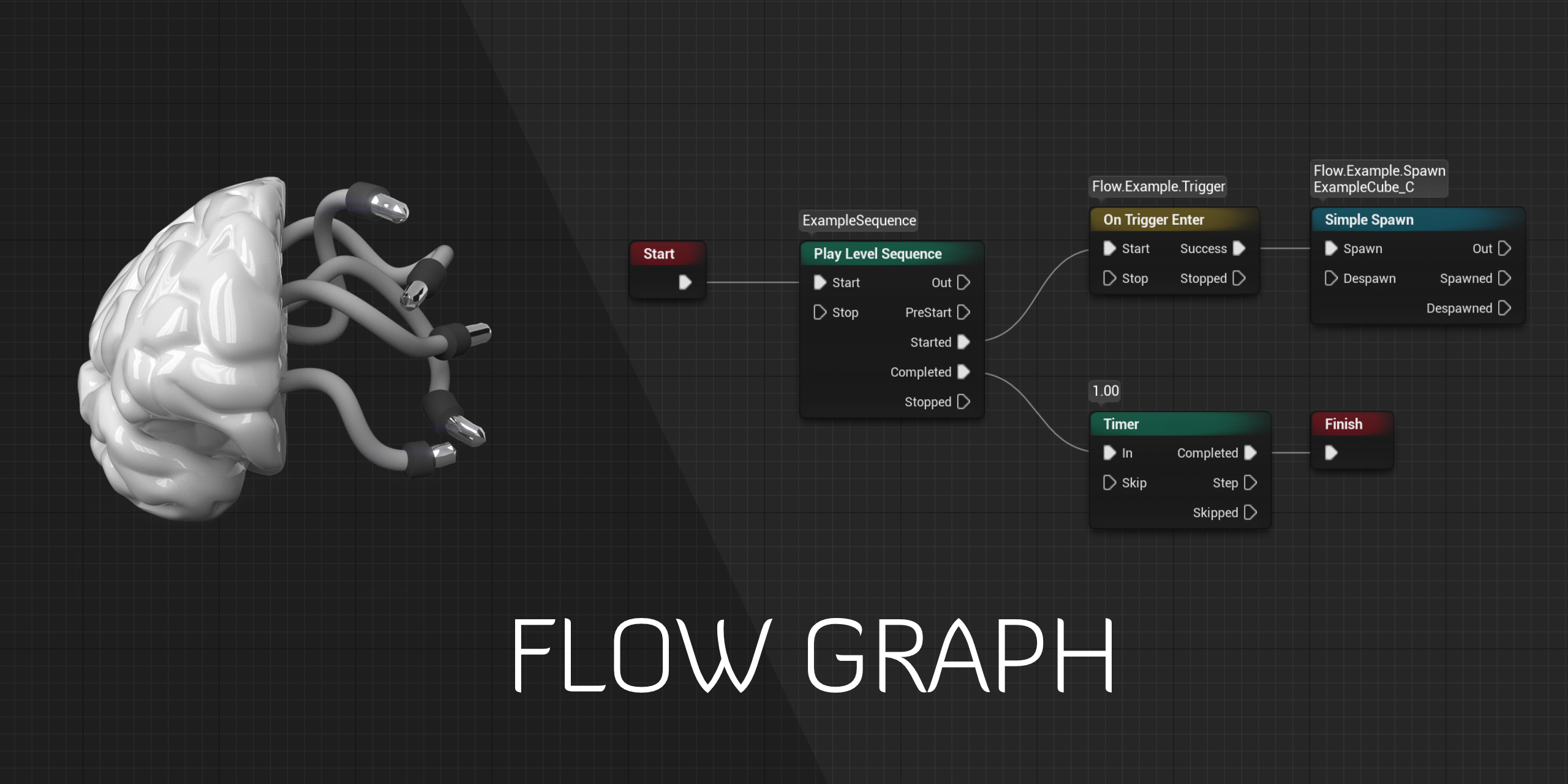
GitHub
Design-agnostic node system for scripting game’s flow in Unreal Engine - GitHub - MothCocoon/FlowGraph: Design-agnostic node system for scripting game’s flow in Unreal Engine

Flow plug-in on GitHub
https://github.com/MothCocoon/FlowGraph/
Thanks to Reikon Games who gave me the ability to share this work as open-source on GitHub.
Discuss things related to the plugin on the dedicated Discord server.
https://discord.gg/zMtMQ2vUUa
Timestamps
00:00 Introduction
01:01 Flow Subsystem
01:33 Flow Nodes
02:49 Flow Graph...
tender mountain
I'm about to quit the idea of multiplayer and just make my game single player
drowsy snow
tender mountain
I'm about to quit the idea of multiplayer and just make my game single player
Singleplayer games are much easier to make. You don't have to worry about client-server and network replication crap.
tender mountain
drowsy snow
Singleplayer games are much easier to make. You don't have to worry about client...
Problem is it's an Esports game. LOL Single player Esports game?
drowsy snow
tender mountain
Problem is it's an Esports game. LOL Single player Esports game?
Yes, with bots.
And I play CS(GO) with bots more than actually in matchmaking.
tender mountain
drowsy snow
Yes, with bots.
That utterly destroys the entire core of my game concept
hollow yoke
I'm actually using Logic Driver Pro, in fact, lmao
tender mountain
Man maybe the crash was just a freak glitch. Maybe it will work now. Hope so
 plush yew
hollow yoke
I'm actually using Logic Driver Pro, in fact, lmao
plush yew
hollow yoke
I'm actually using Logic Driver Pro, in fact, lmao
Is it as good as others say?
Morning hoodie o/
tender mountain
Maybe I can make people compile their own servers? 😄
drowsy snow
plush yew
Morning hoodie o/
Good evening to you. :3
 drowsy snow
tender mountain
Maybe I can make people compile their own servers? 😄
drowsy snow
tender mountain
Maybe I can make people compile their own servers? 😄
I mean, you could make people run their own community servers.
hollow yoke
plush yew
Is it as good as others say?
It is pretty damn cool so far, it's documented pretty well too
tender mountain
Another crash
plush yew
thats good to know o.o
drowsy snow
Though I prefer to stick with the free stuff :P
hollow yoke
drowsy snow
If it's a single player game, Game Mode doesn't do anything special and you coul...
Any suggestions on how to do a singleton/persistent object, then?
I was able to get LDP on sale, fortunately, I didn't know about FlowGraph lmao
drowsy snow
hollow yoke
Any suggestions on how to do a singleton/persistent object, then?
Perhaps going with C++, or taking advantage of GameInstance to store variables/flags.
GameInstance is created upon starting the game application, survives through map change, and destroyed upon quit.
tender mountain
That sucks. Maybe I can make a listen server into a dedicated server by removing all the lighting?
drowsy snow
drowsy snow
GameInstance is created upon starting the game application, survives through map...
I also used GameInstance to serve as memory for save/load functionality.
 vapid cradle
Hello, whats the best way to learn to work with unreal?
hollow yoke
I'll probably go with GameInstance then
tender mountain
vapid cradle
Hello, whats the best way to learn to work with unreal?

Complete resources for learning to use Unreal Engine 4
vapid cradle
tender mountain
https://docs.unrealengine.com/4.27/en-US/
Thanks Mate
 vapid cradle
thanks i appreciate
vapid cradle
Which would u say arent?
tender mountain
Others are like 2 minutes long
Just go through and watch any that you don't know about, or that are something you need to learn
drowsy snow
vapid cradle
Hello, whats the best way to learn to work with unreal?

Unreal Engine
Unreal Online Learning is a free learning platform that offers hands-on video courses and guided learning paths.
vapid cradle
Thx mate i appreciate it
drowsy snow
Can't post that link often enough
Always learnt something new with the official courses.
vapid cradle
Thx mate
 thorny pewter
can any one help me with this error ? trying to fix it 5 days already or smth 😦

i get it when i package anything for android
i reinstalled windows 5 times already or smth and watched lots of videos but none fixed my error 😦
or can any one tell me what other thing i need to install beside unreal engine ? and i will reinstall windows again
drowsy snow
thorny pewter
or can any one tell me what other thing i need to install beside unreal engine ?...
Try asking on #mobile
thorny pewter
oh thx sry if im in wrong place 🙂 will go there
drowsy snow
The channel is dedicated for mobile porting, so they should know better about it.
 still atlas
anyone have any idea what might cause a character's velocity to get messed up if it touches another moving actor while jumping? i still can't figure out if this is a physics issue or something wrong with my actor/mesh or what
 nocturne tangle
mmmh
Im having a rather odd issue
I cant seem to duplicate an animation track in the sequencer
when I hit ctrl-d the animation track just disappears
nvm
 dusty cypress
Man i love the engine, i wish some day a random mysterious person will drop a high end dev pc with atleast one rtx3090 at my door without a reason, so I can start real time rendering stuff
vapid cradle
xD i wish same xD
dusty cypress
😄
vapid cradle
but yeah first need to learn all things with unreal 😁
dusty cypress
true, i guess we will never stop learning lol
vapid cradle
the thing is im completely new to it all
nocturne tangle
mmh

how come it says its been saved yesterday
when I just saved it just now lol
dusty cypress
vapid cradle
the thing is im completely new to it all
well dont give up, the beginning is the hardest time, but after some months u can do so much stuff alreday (in case u dont stop learning)
vapid cradle
dusty cypress
well dont give up, the beginning is the hardest time, but after some months u ca...
what was ur first porjekt?
projekt*
dusty cypress
a level
dusty cypress
nocturne tangle
how come it says its been saved yesterday
the .umap? well i guess it had no need to change itself, just open with a text editor and u will see there is not much info inside which could change on a save
it will change for example if u activate plugins for the project
nocturne tangle
ahh
well whats also weird is that im not getting auto save confirmation messages
and i just crashed 5 minutes ago...
vapid cradle
if i start on unreal can i just make a phone game too with it?
 velvet haven
Hi so I’m wanting to buy these character models on unreal engine but it doesn’t show if I put steam vr support on but I thought that wouldn’t matter since you have to code it to your wanted movements if it was in vr can anyone please help me out don’t really wanna risk buying if it doesn’t work for vr
 drowsy snow
vapid cradle
if i start on unreal can i just make a phone game too with it?
drowsy snow
vapid cradle
if i start on unreal can i just make a phone game too with it?
Yes.
There's already quite a few Unreal Engine 4 mobile games out there, including Fortnite.
vapid cradle
drowsy snow
Yes.
There's already quite a few Unreal Engine 4 mobile games out there, includi...
But is it good to start with smth like that or is it better to start with an pc game?
dusty cypress
but i would start with a pc game so u can easier learn basic stuff like packaging
vapid cradle
packaging?
drowsy snow
vapid cradle
But is it good to start with smth like that or is it better to start with an pc ...
PC game first, so you don't have to worry about mobile limitations yet.
dusty cypress
nocturne tangle
well whats also weird is that im not getting auto save confirmation messages
have u checked if autosave is on Editor Preferences / General / Loading & Saving
vapid cradle
drowsy snow
PC game first, so you don't have to worry about mobile limitations yet.
Whats that 😅
dusty cypress
vapid cradle
packaging?
yes, simple that means compiling the game and packaging it together so u can give it to a friend (without him having to install the Editor)
vapid cradle
ohhh
and on pc i dont have to do that?
rn im just looking at the finished templates unreal gives me to get an idea how i do what and what type of game i wanna make
dusty cypress
sure u have to do that on every platform, but as TheHoodieGuy_CtrlRig already mentioned there is a lot more to think of when you release a game for mobile, so that would be a harder way to start
 warm hornet
I need to install Unreal at a location where I will not have internet. Is this even possible? Is it possible to simply copy an existing Windows install from my Programs folder? Or are there other dependencies needed?
drowsy snow
warm hornet
I need to install Unreal at a location where I will not have internet. Is this e...
You could copy the entire engine folder, and run UE4Editor.exe (or UnrealEditor.exe for UE5)
dusty cypress
warm hornet
I need to install Unreal at a location where I will not have internet. Is this e...
yes, with the source code it should work without a problem, with the normal Engine Version it will be harder, check out here: https://chowdera.com/2020/12/20201222144933175o.html
> Be careful : Offline installation means that you don't have to go t
vapid cradle
How do i delete a project?
nvm got it
So on blender i can make designs for a game right? Do i need to look on aynthing special?
 exotic thicket
the UE plugin for it is helpful but not required
vapid cradle
How can i make smth like light?
dusty cypress
Using Lighting and shadowing geometry, using Global Illumination, and setting up reflections.
i would suggest u to do a tutorial, which covers all the basics
drowsy snow
vapid cradle
How can i make smth like light?
Not meant to be rude, but I think you should take the time to check out on the course I linked above (or in the pinned message)
vapid cradle
ok thx
drowsy snow
Look for the basics on working with the editor and how to put things in the map.

 brittle plume
Hey folks I made a listen server, now I would like to know the procedure to enter from distant computers... between me and me it works, via IP
dusty cypress
nocturne tangle
its enabled for 1 minute. If it doesnt autosave then there has probably nothing changed
nocturne tangle
ahhhhhhhhhh
 lusty jungle
Hey everyone! Absolutely new to unreal engine so i joined this to learn!
Hope ya'll are having a good day 😄
dusty cypress
brittle plume
Hey folks I made a listen server, now I would like to know the procedure to ente...
listen server, what u want is probably a dedicated server: https://docs.unrealengine.com/4.27/en-US/InteractiveExperiences/Networking/HowTo/DedicatedServers/
How to set up and package a dedicated server for your project.
dusty cypress
lusty jungle
Hey everyone! Absolutely new to unreal engine so i joined this to learn!
Hope ya...
welcome
lusty jungle
dusty cypress
welcome
Thanks! 😄
brittle plume
dusty cypress
listen server, what u want is probably a dedicated server: https://docs.unrealen...
I know what I want and the dedicated servers are external and paid for, unless I have to open the ports of my modem, so I was thinking something with Hamachi or other software
dusty cypress
brittle plume
I know what I want and the dedicated servers are external and paid for, unless I...
well setting up a server at home is harder with port forwarding and some provider even block that, but it could be easier with private VPNs like hamachi, only every client has to install it.
 pure sorrel
Whats is some process programmers go through to inplement a game mechanic.
brittle plume
dusty cypress
well setting up a server at home is harder with port forwarding and some provide...
I know it's not a problem, but now I'm trying with a person who has hamachi and is inside my network ... but it doesn't work.
dusty cypress
brittle plume
I know it's not a problem, but now I'm trying with a person who has hamachi and ...
have u searched google already for it
 cyan jolt
Hi guys! I have a little issue with the new ChaosCacheManager, maybe it's a general issue, I'm not sure... I try to drag and drop a component to the "component ref" in the ChaosCacheManager:

This also does not work for me in UE4 so I think it's a general issue... please help?
drowsy snow
cyan jolt
Hi guys! I have a little issue with the new ChaosCacheManager, maybe it's a gene...
Try asking in #legacy-physics, someone might use Chaos in there.
To be fair, Chaos is still not production ready at the moment.
cyan jolt
drowsy snow
Try asking in <#221799426820276226>, someone might use Chaos in there.
To be fa...
Thanks for the reply, I think it's a more general issue I have, because I don't know how to drag and drop a component to the parent actor without changing the detail tab. There is no lock symbol for this... did anyone tried this before?
 split delta
@plush yew Would you be able to add me or open your DM? You’ve messaged me and it won’t let me message you back 😅
cyan jolt
drowsy snow
Try asking in <#221799426820276226>, someone might use Chaos in there.
To be fa...
Somehow the UE team managed to drag and drop this in the "ValleyOfTheAcient" and I like to know how... maybe this is just too simple so I can't figure it out 😉
 dusty cypress
@nocturne tanglewdym
nocturne tangle
last save was 2 hours ago
even tho auto save settings were on....
but i remember i clicked postponed once to the auto save message
oh wait
tf
the mesage just appeared
😕
dusty cypress
nocturne tangle
last save was 2 hours ago
dont just wait for the autosave, if u did something important u can just do a CTRL+Shift+S which is the same as if u click the Save all Button in the Content Browser
Also u see what changes are to the previous version which is sometimes useful
 normal forge
Is there channel on this server where I can see things made by comminity? (Show of your stuff)
nocturne tangle
anybody know how i can loop this
both characters and animations have root bones
 flat jacinth
I’m making titanfall 3 on a budget cause respawn won’t lol
vapid cradle
xD
dusty cypress
I'm making Halo Infinite because my Windows 7 cant run it.
 toxic lily
does anyone know what causes this? when i assign this mesh the UE4 skeleton which i made sure is lined up and correctly named and has all the proper bones and bone placement, the character doesn't adhere to it as it should,


shows fine in the viewer
dusty cypress
i guess on the top image an animation/pose is active and below its just the bind pose of the mesh itself
dusty cypress
what happens if u open the animation directly with the mesh as preview
is the mesh correctly animated
toxic lily

issue seems to be when i assigned it the ue4 skeleton
the skeleton i made with it seems to retarget just fine to the animations
dusty cypress
is it build on the ue4 skeleton
if it comes with an own skeleton u need to retarget
dusty cypress
did u also retargeted the animations
 hidden oxide
Hey uh, so I updated to Windows 11 and now the Megascans plugin isn't detected anymore. Quixel bridge thinks it's still installed, and I can't tell it that it's not (I deleted the plugin).
dusty cypress
good point @toxic lily this is how i have set it

 dusty cypress
have u retargeted the animations aswell
toxic lily
i did, however taht causes a seperate issue, when i retarget the blendspaces and such, in game it appears skewed
like this


dont know if it helps but using the TPTR marketplace asset
which has its own blend spaes and such set up
 woven elk
Noob question. Can UE4 be render as good looking as UE5 Lumen? The global illumination and real reflection?
cyan jolt
drowsy snow
Try asking in <#221799426820276226>, someone might use Chaos in there.
To be fa...
Hi, I solved my problem, I looked at the copy paste text from the example scene, rewrote it for my scene and it worked! 🙂
 woven widget
When I sculpt my landscape it freezes about 5 min per click. I've tried unclicking Generate Mesh Distance Fields and Generate Landscape Real-Time GI Data. Also turned off Draw Nav Mesh Edges and Nav Mesh Auto Generation. I've been looking everywhere online and was wondering if anyone knows how to fix it?
 rancid lagoon
woven widget
When I sculpt my landscape it freezes about 5 min per click. I've tried unclicki...
rancid lagoon
woven widget
When I sculpt my landscape it freezes about 5 min per click. I've tried unclicki...
might just be your computer. idk try restarting????
 cerulean geyser
I've set up my skeletal mesh and actor bp to be replicated, but the ragdoll still isn't being replicated in multiplayer (basically the BP is just that a ragdoll). Any ideas what I'm missing?
 wintry hemlock
Hello all. I'm having issues getting "AI MoveTo" to work but "Simple Move to Location" works fine. I want to access an event after movement, which Simple does not have. I would prefer to use AI MoveTo but it isn't working for me after many tries. Nav mesh is there when I press P. Here is image of my nodes. For output i'm seeing "Execute - Success" but no movement. Any ideas???

 trim mantle
wintry hemlock
Hello all. I'm having issues getting "AI MoveTo" to work but "Simple Move to Loc...
trim mantle
wintry hemlock
Hello all. I'm having issues getting "AI MoveTo" to work but "Simple Move to Loc...
Does you pawn have AI controller assigned?
wintry hemlock
I'm getting location from "Break Hit Result" node which worked fine for Simple Move to Locaation
And yes it has an AI controller
I have tried both the default and using my own
I should mention it is a character and not a pawn
trim mantle
Are the characters spawned or placed in level?
wintry hemlock
I have tried both and changed "Auto Possess AI" to "Placed in World or Spawned"
 grim ore
have you verified your destination is a valid location to move to?
wintry hemlock
Well it works for Simple Move to Location. How do you suggest to validate?
I actually followed your tutorial for this haha
grim ore
print out the location that you pass in to see if its good, or drop a cube in the world or something else that you know is a good spot to get to and go to that as the target actor
grim ore
yeah but your code seems fine, as long as this is in your AI pawn
wintry hemlock
It is, but i should mention it is a character class. Does that matter?
grim ore
characters are pawns, so they are fine
wintry hemlock
Cool
 ocean mauve
For some reason, the UI keeps disappearing, it makes no sense (sorry for shitty recording, if I record with OBS it appears while in my screen it doesn't) any fix or something? Or am I just fucked?
grim ore
the default third person works out of the box with your code, just the AI Move To and the default classes, so yours should be good
wintry hemlock
Haha I tried that while following your tutorial..no luck in that project either
I'm in Unreal 5 as well
grim ore
check the pinned messages and look for the nvidia flickering @ocean mauve
ocean mauve
grim ore
check the pinned messages and look for the nvidia flickering <@39593191257486131...
thank you <3
wintry hemlock
@grim ore I haven't done move to actor yet because I'm still figuring out how to reference the cube from the player controller easily. However, I noticed when I place that the nav mesh disappears around it. Could this be happening to placed characters and they are stuck on an island?

They didn't move to target cube either...
grim ore
welp 5 shouldnt be the issue, new TPP template in 5, copied the TPP character and its begin play is just AI move to 0,0,0 and it worked fine after I added a nav mesh
it could be but you would see the island around them when you place them
wintry hemlock
Ok interesting I will try anther sample project. Ok yea possible I see that when placed but not when spawned.
grim ore
and the fact that the simple move works means your nav mesh should be good
is this an issue with a spawned one or a placed one?
grim ore
yep but the fact simple works...
my only thought was it cant get to that location you are passing in, perhaps passing in a bad location, but if you swap for a simple move in that same code and it works... 😦
wintry hemlock
Yea i thought it could be a bad location too. I even tried adjusting the vector z up and down a bit. The location is the hit target on the floor from click. It works for Simple as we said but not for AI MoveTo at the moment.
grim ore
yep heres my code in the template and it works for whichever I have plugged in

and the only thing I can think of regarding the sudden success is normally when it cant find a location or it immediately finds one and its there, but that cant be the case if simple move moves it
drowsy snow
woven elk
Noob question. Can UE4 be render as good looking as UE5 Lumen? The global illu...
Yes. SSGI and Light Propagation Volume.
 dense knoll
UE4 isnt allowing me to create any C++ classes
 smoky hull
why is the performance worse in 4.26?
grim ore
@dense knollhit it? we cant give any suggestions we dont know what error you are getting
smoky hull
ive read this
dense knoll
If the "New C++ class" Option does not show up in the add/import button then just go to file and create new C++ Class
smoky hull
so bizarre
dense knoll
that fixs this
grim ore
yes it was a change recently, you can only add C++ in the C++ portion of the content browser now, or in the top menus
 potent bridge
So I'm having an issue here, I'm trying to use an animation montage for one of my attacks, but it seems to completely ignore the animation root motion. (Even though I have it ticked.) Anyone know what might be up with that?


(No, I have not fixed this 2 minutes after posting this time, been at it for a while.)
fixed it, but danm that took some tinkering with the animation itself.
 carmine portal
what's better (performance wise) for something that constantly checks for interactables? a multi sphere trace on tick or a capsule collision component?
modest trench
almost certainly trace on tick
carmine portal
good to know, thank you
woven widget
rancid lagoon
might just be your computer. idk try restarting????
I figured it out. If you ever run into the same issue here is a link to the solution: https://forums.unrealengine.com/t/4-25-landscape-scultping-is-broken/145099/2

Unreal Engine Forums
When I say it’s lagging I mean only the landscape tool is lagging when ever I do any action. My frame rate is above 120 solid and ms around 8.
rancid lagoon
woven widget
I figured it out. If you ever run into the same issue here is a link to the solu...
good to know
 wintry temple
I have a problem with the flat base for floor check. It's not working, when the character is crouch-jumping onto something. Is that normal?
placid dragon
@coral shoal nice pic dude
split delta
How can I make my BP project a C++ project?
 wary wave
add a C++ class from the editor file menu
 radiant fable
if i create a scene component blueprint how do i drag and drop it into my level?
plush yew
Huh
Try typing it in the upper left hand corner
if not then either your not using the right tool for what you want
 sharp crest
I NEED SOMEONE TO MAKE A PLUGIN TO FIND ALL CONNECTED PRINT STRING NODES PLEASE
my game is filled with debug print logs everywhere, and only like 10% of them are connected, it would take forever to go over all to find the connected ones
wary wave
I always put bools in the game mode, so you can easily toggle whole sets of print strings on/off
plush yew
fierce tulip
iirc there is a search function in blueprints showing nodes used.
you atually have to click on the magnify glass
do timelines after a for each loop work? or am I being stupid?
 agile heart
anyone know how to add a muzzle flash to this character? the gun doesn't have it's own blueprint and that confuses me
 plush yew
just add a particle emitter to the firing animation
 prime willow
can you make an instance of a skeleton mesh
the same way you make an instant of a material shader?
plush yew
you can have another mesh copy animation instance though a blueprint node but a temporary instance of a skeleton
lusty jungle
So im playing around with splines and a road generator tool, however whenever i paint a spline line once i let go off the mouse button the arrows for that line turn around? Super hard to explain, anyone knows what this could be about?
Basically it's like im not making a longer spline but its reconnecting with the beginning of it?
 burnt tinsel

Unreal Engine Forums
Hi, I’m trying to display my character model on my inventory UI. I am using ShowOnly Actor Components. However, the clouds seem to be rendered in the rendertarget. I have tried disabling the Amosphere show flag within the scenecapture2d component, it removes the clouds from rendertarget but doing that affects the main viewport as well.
help please
 sick patio
If I want a doorman to "see" the player and turn to him and wave, and say his name. I do that with AI or jus trigger boxes?
plush yew
you can do that with a blend space taking character height into the equation too


 zinc shore
how can i get a characters velocity in e certain direction so if my player is moving sideways how can i get the velocity of its local side direction
zinc shore
it gets the velocity but its global so if my charater is rotated 45 degrees and moves sideways it wont be the sideways velocity to the caharater
tender mountain
zinc shore
it gets the velocity but its global so if my charater is rotated 45 degrees and ...
I think you have to De-rotate the velocity by the pawn's rotation. That's what forums seem to be saying. Could be wrong though
Can't find a BP example
sick patio
plush yew
you can do that with a blend space taking character height into the equation too
you talking to me?
zinc shore
tender mountain
I think you have to De-rotate the velocity by the pawn's rotation. That's what f...
ok looks like this is what i need https://answers.unrealengine.com/questions/32333/view.html
yep the method used worked
tender mountain
zinc shore
yep the method used worked
Cool 😄
zinc shore
how could i go about tilting the camera based on how fast the player rotates like how it dose in quake
plush yew
sick patio
you talking to me?
Ya like if you get the capsule half height of an actor character which they all have you can add that to the verticle part of your blend space and then use whatever for the horizontal staring ( i would use get look at rotation )
 stark gyro
hey guys im not sure where to ask this but i have a very basic plan for a game that im wanting to create. I am looking for 1 other person to help create it with me. preferablly someone with 3d experience but it doesnt really matter just shoot me a dm
sharp crest
fierce tulip
iirc there is a search function in blueprints showing nodes used.
ahh how where?

Getting the most out of searching in Blueprints, from indexing all Blueprints to advanced search syntax
cant find it here
maybe IsReference filter?
either I cant figure out how to use that or it's not it
 narrow loom
tender mountain
narrow loom
tender mountain
I saw this: https://youtu.be/A8gTWv3QjQ4

This is the first part in a tutorial series for creating the Flight Animation Blueprint. By the end of this tutorial you will have a character who will fly with 2 speed types and 8 directional movement. This is a good launching point to start adding your own options, however the creation of the full Blueprint is not finished.
Later episodes wi...
 storm portal
since theres a ton of versions for unreal. is there any benefit on using 4.27 being new to this?
or should i use something like 4.25/26?
tender mountain
Benefit = being up to date on everything that's new. Not missing out on options. Downside may be some incompatibilities with older tutorials. I'm trying to use the latest at all times
storm portal
Yeah im following unrealsensei's beginner tutorial right now and missing some things but it dosnt seem like its that big of a deal right now
Any other resources you would recommend looking in to for someone starting out?
tender mountain
Question: Visual Studio, Startup Projects dropdown menu. Select Unreal Build Tool?
tender mountain
storm portal
Yeah im following unrealsensei's beginner tutorial right now and missing some th...
Unreal Engine
Unreal Online Learning is a free learning platform that offers hands-on video courses and guided learning paths.
drowsy snow
tender mountain
Question: Visual Studio, Startup Projects dropdown menu. Select Unreal Build Too...
Doesn't really matter. You should select one project from the Solution Explorer.
tender mountain
drowsy snow
Doesn't really matter. You should select one project from the Solution Explorer.
So I could have GitDependancies selected next to "Win64" and it will still work?
drowsy snow
tender mountain
So I could have GitDependancies selected next to "Win64" and it will still work?
You don't even use the top bar, aside from setting the build config. You would build UE4 project in the Solution Explorer and right click on it.
tender mountain
drowsy snow
You don't even use the top bar, aside from setting the build config. You would b...
I have anxiety LOL
Like "Oh God what if I screw something up? Should I check for the 10th time? Just click it. CLICK IT!!! But.... CLICK IT!!!"
Alright time to bite the bullet again. Hopefully it won't explode again. I think I'll shut down everything just in case. Discord and browser windows.
Cross my fingers.
Throw salt over my shoulder.
LOL
Alright last chance.
 dreamy sleet
Hey what kind of game should I make
 stone edge
I'm going through "Materials for design viz" course on Learning Portal and I can't get same results in creating material, and why are my textures red and instructor's white

when he selects the UE4 Logo texture it's sampler type is Color for him but I get linear color and when I try to change to Color I get error
vapid cradle
Who else is just a beginner and still completely confused, and doing the tutorials?
 eager prairie
Has anyone got the confirmation email for completing all of the courses in the ninja event? I've only got two so far but on the platform I have every badge.
 worthy bronze
If anyone has experience, how hard is it to rename a project?
it's currently called OldGameName.uproject and I want to rename it to NewGameName.uproject
I've found an old tutorial but I don't think it's still up to date
and I don't know what gotchas to expect
drowsy snow
worthy bronze
If anyone has experience, how hard is it to rename a project?
If it's a BP only project, it's as easy as renaming the .uproject file.
C++ project is a lot more involving.
worthy bronze
drowsy snow
If it's a BP only project, it's as easy as renaming the .uproject file.
C++ pro...
it is a C++ project I'm afraid
drowsy snow
worthy bronze
it is a C++ project I'm afraid

Renaming a project seems like it should be a simple thing, but the process is fraught with pitfalls. Learn how to rename your project without corrupting your data.
worthy bronze
drowsy snow
https://unrealistic.dev/posts/rename-your-project-including-code
Thanks, I'll use that and hope for the best. Worst case scenario, I still have git to cover me
 crystal echo
I just started UE4, I only had some little experience on GoldSRC / Source with JACK and Hammer++, I feel really dumb
I read documentation but still feel really really bad :D. I guess I'll need to relearn a lot of stuff
vapid cradle
same as me
 vapid cradle
 drowsy snow
crystal echo
I just started UE4, I only had some little experience on GoldSRC / Source with J...
drowsy snow
crystal echo
I just started UE4, I only had some little experience on GoldSRC / Source with J...
UE4 discourages using BSP brushes to make actual, final levels.
crystal echo
UE4 prefer stuff as Blender...?
Seems to be good advice: https://www.epicgames.com/unrealtournament/forums/unreal-tournament-development/ut-development-level-design/learning-level-design/8604-how-to-clip-a-brush?p=176011#post176011
Unreal Tournament Forums
I guess that's what you were meaning @drowsy snow
drowsy snow
crystal echo
UE4 prefer stuff as Blender...?
Yes, static meshes are arguably more easy on performance than BSP brushes.
crystal echo
Why life is a painful journey of learning ?
drowsy snow
Source 1 engine was so ancient and not updated much since 2004, that BSP, counterintuitively, more performant than static meshes.
Last time Unreal get away with BSP is with UE2.
vapid cradle
What exaclty is BSP?
crystal echo
Yeah, sure. GoldSRC/Source are simplier (and so easier) on some things. But UE4 brings so much new and awesome stuff
the viewport allowing you to see your light in real time and such is nice for example.
drowsy snow
vapid cradle
What exaclty is BSP?
Binary Space Partitioning. Basically ye olde way of rendering level planes.
vapid cradle
thx
drowsy snow
Boomer shooter mappers are no stranger to whole BSP to build map, going as far back as Doom (1993) where the technique was first developed, out of necessity.
drowsy snow
Back then 3D accelerators were rarity, and CPUs at the time are terrible for actually displaying polygonal 3D stuff for game purposes.
Thus, BSP was used to render 3D level geometries, which are faster to render on PC CPUs.
crystal echo
Stupid question then...
drowsy snow
I used to make (shitty) Doom maps as a kid, so it's kind of familiar to me lol.
crystal echo
If I want to cut a wall brush, in 3. In editing mod, what would be the best way to achieve it ? I only manage to rescale or move it around, but the few options below editing mode button allow me select, cut the geometry into two pieces (which doesn't seems to do what I want ?), create new geometry etc. I'm kind of very confuse.
Shoud I create a new brush according to the size I need ?
the link I posted below, I just don't understand what I'm supposed to do.
(I guess I've quickly reached the point where I don't understand how to do stuff and need to watch some videos)
drowsy snow
prime willow
can you make an instance of a skeleton mesh
Is this even a thing?
 honest vale
why would you want to do that @plush yew?
and no, you can't
the operating system opens executables
plush yew
honest vale
why would you want to do that <@456226577798135808>?
i want to have a 'main screen' like a desktop with icons that opens apps
honest vale
do that in UMG
plush yew
also i know i can do that by coding stuff but i dont want to learn how to ccode
honest vale
then you can't make a game if you don't want to learn how to code
honest vale
either way you need to create the fake desktop with icons yourself somehow in game
one option is with UMG
plush yew
i might just make each software individually in ue and then find a way to string them together
or is there a way i can intergrate eg. netflix into code with just python
 fluid lance
is there any console command to list (or check, or get) valid actors?
drowsy snow
<@&213101288538374145>
honest vale
lol
drowsy snow
plush yew
or is there a way i can intergrate eg. netflix into code with just python
You have a fancy dream, I give you that. But the naive unknowing gives you no advantages whatsoever.
First off, Python is too slow for game scripting. Unreal Engine only use Python for editor scripting, not for runtime purposes.
Second, to run another app from UE, you need to use a C++ function that has lower level access, including calling the OS to run another process. Blueprint can only go high level.
Third, since C++ is required for that kind of stuff, might as well configure your project build to just use Core and Slate modules. I'm sure you don't need any viewport capabilities. Or just go for pure C++ and Win32 API.
plush yew
drowsy snow
You have a fancy dream, I give you that. But the naive unknowing gives you no ad...
probably just as naive but, c++? i heard that you can integrate c++ into ue
drowsy snow
plush yew
probably just as naive but, c++? i heard that you can integrate c++ into ue
Well, duh, Unreal Engine is built with C++ (pedantically there are C# bits, but it's just for .NET Framework and Build Tool stuff)
Google-fu'd, said it was last public in 2014
stone edge
anyone else get right click and drop down menu bug after awhile the editor is running
drowsy snow
stone edge
anyone else get right click and drop down menu bug after awhile the editor is ru...
Downgrade the driver, if you're using NVIDIA GPU.
 stiff gazelle
Which unreal engine version Would you recommend to me 5/4.27/ 4.26 or 4.25
drowsy snow
stiff gazelle
Which unreal engine version Would you recommend to me 5/4.27/ 4.26 or 4.25
4.27
stone edge
I cant get any blueprint stuff to work no matter how many times I watch the tutorial video and do it from scratch
 patent cobalt
@stone edgewhich "stuff"?
stiff gazelle
Thanks for your Responses @plush yew and @drowsy snow
But Why exactly this version
patent cobalt
In general because it is the latest stable release. The others are old or not yet released.
pure sorrel
why this letters are white UE_LOG(LogTemp, Warning, TEXT("This is an warning!"));
logtemp
and warnin
stone edge
This is Creating PBR Materials course on UE learning portal, section on dynamic material instances


The Object doesnt change color on click, but does change the texture on play
patent cobalt
@stone edgedo you know how to debug Blueprints?
stone edge
no idea
patent cobalt
ok, so if I look at your top screenshot
there are two events, the red nodes on the left
one is Begin Play, that event is triggered by the engine when you press the Play button in the editor and your game starts to play
the other one called ChangeColor_Event is triggered somewhere else
since that event controls the change in color, either it is not triggered, so it never executes or it does execute but there is something wrong either with the Color out of it or with the way you set the Color for the dynamic material instance
so step 1. you need to check that the ChangeColor_Event is actually being triggered
how do you do it? You place a Print String after it and write in it "ChangeColor_Event Triggered!"
if that event is actually triggered, that message will appear in the viewport in its top left angle
stone edge
yeah that works
patent cobalt
ok, so the ChangeColor_Event is being triggered, which means the problem is either with the Color or with the Set Vector Parameter Value
stone edge
ahh
stone edge
Yeah, in the material instance itself was a switch for color which was not on
I didnt remember about it , and the instructor never referred to it again
patent cobalt
ok good, so that was the problem
but now you know a bit better how to debug the code logic
stone edge
thank you a ton sir
patent cobalt
you are welcome
I suggest you also take the basic course about Blueprints, which is also on learn.unrealengine.com
pure sorrel
Somebody know why iam nothing getting extra hightlight in the ide for specific words
the code executes but it still would be usefull
pure sorrel
visual studio 2019
patent cobalt
Visual Studio doesn't fully understand the Unreal reflection system, so sometimes parts of the code may look weird
Was it about the UE_LOG?
patent cobalt
screenshot?
This is how it looks for me

Keep in mind that if you are working on your own game module the syntax highlighting may look weird until you compile and UHT/UBT are run on your code.
pure sorrel
 tender mountain
With it being so much of a nightmare to create a dedicated server for a low requirement game, is it better to just run a listen server as a dedicated server instead? Players could run maybe 5 copies of the game without a performance hit so why use a dedicated server?
patent cobalt
@pure sorrelit may be that the source code scanner is still running in the background

Looks like this ^^^^ for me
@tender mountain a dedicated server is by definition a headless machine and has no client side running on it. A listen server is a combined server/client.
Which way to go depends on what you are trying to achieve. If it is just a proof of concept or a commercial application.
tender mountain
patent cobalt
<@!797342042242023454> a dedicated server is by definition a headless machine an...
Yeah I'm just thinking, even if it's a commercial version. Say I use like Amazon Servers or whatever and chuck a listen server on there. Who's gonna know the difference? They still join it via an IP like a dedicated server.
patent cobalt
You will still have all the overhead of the client side and you will have to handle the fact that this client is a fake one
It doesn’t take much effort to compile a dedicated server, but up to you
tender mountain
patent cobalt
You will still have all the overhead of the client side and you will have to han...
It's just holding up my entire game development process. Compiling a server each time takes ages. I've lost a week of development time already because of it.
 vagrant charm
Is there any way to add a custom viewing mode to the viewport e.g. suppose there wasn't already a grid option in the viewport - would there be a way to implement that myself and then add it the 'Show Flags' menu in a plugin?
I can't find anything by googling, but I'm not sure I'm typing the right thing in. I'd appreciate if someone could point me to some documentation.
tender mountain
vagrant charm
Is there any way to add a custom viewing mode to the viewport e.g. suppose ther...
Runtime or editor?
vagrant charm
Just the editor
tender mountain
vagrant charm
Just the editor
You can create stuff for the editor. I remember seeing them do something like that. It was like a function for the editor where they then used it to make things. Like making a foliage brush. Or like a spline thing.
Tom Shannon, Technical Artist at Epic Games, will explore the systems available in Unreal Engine to create in-editor tools that automate and improve workflows, reduce errors, and even extend the Editor, unlocking new functionality.
Using Blueprints—the native visual scripting language in Unreal Engine—Tom will demonstrate how to create robust t...
You can make plugins too
vagrant charm
Thanks, I'll take a look!
tender mountain
But they may be a bit overkill
pure sorrel
how do i change the ide again in unreal
patent cobalt
Editor preferences —> search for Source Code Editor
tender mountain
Man it's gonna take like days to compile my dedicated server when it comes to that time. Maybe I should do a listen server and then when it comes to shipping, convert it over to dedicated. That should be super easy right?
tender mountain
Should I prototype with listen server and then when it comes to shipping, convert it over to dedicated? That should be super easy to convert right?
pure sorrel
c++ so syntax dirty
pointers i already get confused as f*ck
what does the %s in text("%s") means
patent cobalt
pure sorrel
what does the %s in text("%s") means
It’s a string placeholder. It will be replaced by the string variable which follows in the arguments. See the printf() syntax.
C++ is not the easiest language but it is extremely logical. Despite having been around for 35+ years is still going strong. I may be biased because I grew up with it. 😉
prime willow
drowsy snow
Is this even a thing?
that's exactly why i ask it would be a game changer :3
 tacit onyx
Google is failing hard on me today. How do I add languages for preview in editor settings? Displays empty with nothing selectable.
 drowsy snow
prime willow
that's exactly why i ask it would be a game changer :3
drowsy snow
prime willow
that's exactly why i ask it would be a game changer :3
I can't even think of the purpose for instanced skelmesh assets...
prime willow
so i can have a absolute crud ton of morph options
but only deal with the loading of one mesh
which means 120fps easy >O>
drowsy snow
tacit onyx
Google is failing hard on me today. How do I add languages for preview in editor...
IIRC it was in the Localisation Dashboard.
tacit onyx
I have cultures added there. It's not showing up in the dropdowns though.
drowsy snow
prime willow
but only deal with the loading of one mesh
You could make your skelmesh share the same morph target names, and if they're under the same skeleton, you should be able to control them in one anim BP / Control Rig asset.
drowsy snow
tacit onyx
I have cultures added there. It's not showing up in the dropdowns though.
Not sure how I got mine working. Maybe restarting the editor?
tacit onyx
Have a few times.
drowsy snow
Had to check on my project later then, see what I did to make it work.
tacit onyx
I love how there's a doc on this. "Oh, and you can change the preview language here using this dropdown!"
Even in the doc, it's empty, set to none. 😄
 stark raptor
hi guys, I wanted to make a phone app, which consists of crossover. there are three cars, you decide the starting order .. 1, 2, 3 click on start and the cars start; if the order is right the machines pass without problems, if the order is wrong the machines collide and restart the level .. do you have any idea which engine or what language I should use? and if you can give me a code example from which I can take inspiration
prime willow
@drowsy snow what should i do if trying to delete a group of folders which used to take a few moments
now takes nearly 10+ minutes and it just keeps stalling until crashed
granted my new SSd is twice as fast as the one in just installed
so it should technically be even faster than a few moments ._.
drowsy snow
prime willow
<@!325627930484932608> what should i do if trying to delete a group of folders w...
Well, you could nuke the folders as a last resort.
prime willow
true
i tried uninstalling my security software
im hoping thatll make a huge change in how this is being handled
the thing is deleting 1 folder still takes a mere moment
but group deleting slows down and im concerned this could have further implecations
I think it was my security
nocturne tangle

anyone know how i can get rid of the camera preview
i know you can but everytime i click on the camera it comes back
 pallid carbon
Hi guys, im wondering if you could help me. Myself and a friend are trying to create and edit a project at the same time. I've seen a lot about this multi user editing, however there's no really clear tutorial on how to set this up. I've read that i need to use git hub, and from what ive gathered of it, we both need to have a copy of the same project on each computer? If someone knows how to work this and could walk me through it, i'd really appreciate it 🙂
eager prairie
@ashen brook someone trying to scam
wary wave
<@&213101288538374145>
tacit onyx
@drowsy snow Never mind on the localization issue. Didn't realize I needed to compile them first before they would show there. Assumed I was missing a flag setting somewhere. Literally went and read source code to figure that out. Have to love Epic Docs.
drowsy snow
pallid carbon
Hi guys, im wondering if you could help me. Myself and a friend are trying to cr...
Use source control, thanks.
pallid carbon
drowsy snow
Use source control, thanks.
Yea sadly that doesn't really help me at all
wary wave
I'm not sure GitHub has anything to do with multi-user editing at all?
GitHub is a site offering version control control repositories
drowsy snow
wary wave
I'm not sure GitHub has anything to do with multi-user editing at all?
So contribution and collab work is now not a thing anymore in source control? Got it.
wary wave
multi-user editing is an editor feature
it is not related to version control
@pallid carbon: the official docs seem to have a pretty comprehensive guide?
https://docs.unrealengine.com/4.27/en-US/ProductionPipelines/MultiUserEditing/QuickStart/
Provides step-by-step instructions that will get you up and running using Multi-User Editing for your Project.
 full estuary
Hi 🙂 new here just getting in to Unreal Engine 5, quick question if that's ok, I am making my first scene, I used the 3rd person blueprint to start with, can someone point me to a tutorial or something to show me how to get the mannequin to walk rather than run when I press the play button to move around my scene? thanks for any help
drowsy snow
full estuary
Hi 🙂 new here just getting in to Unreal Engine 5, quick question if that's ok, ...
Reduce the max walking speed in yout third person BP.
pallid carbon
wary wave
<@281212250822541313>: the official docs seem to have a pretty comprehensive gui...
This is what i was looking at, and referring to with the git hub
 cedar wave
for some reason
Because they're human?
 buoyant graniteBOT
:no_entry_sign: Casually_worrying#5194 was banned.
wary wave
@pallid carbon - basically all you have to do is enable the plugin, make sure everyone has the same copy of the project (which is where version control would come in very useful, then follow the rest of the instructions
cedar wave
Uhhh - no, they're all volunteers.
 regal mulch
For some reason??? Dude it's weekend. I have better things to do than banning bots. That goes for everyone here.
My goodness
pallid carbon
wary wave
<@!281212250822541313> - basically all you have to do is enable the plugin, mak...
Yea, it's just the setting up the version control that's confusing me a little. It's all still very foreign to me
full estuary
drowsy snow
Reduce the max walking speed in yout third person BP.
that's where I am falling down I have no idea what to do when I open the BP
 wary wave
pallid carbon
Yea, it's just the setting up the version control that's confusing me a little. ...
wary wave
pallid carbon
Yea, it's just the setting up the version control that's confusing me a little. ...
setting up version control is a whole other thing - I would recommend Perforce personally, but other options are popular including SVN (with Tortoise) client, or Git
cedar wave
Please don't use UE5 if you don't know what you're doing in Unreal. UE4 is perfectly fine.
wary wave
#source-control folks in this channel can help you with source control questions
cedar wave
Concepts will transfer and you'll be able to follow tutorials more easily
wary wave
but source control is not strictly required for multi-user editing
drowsy snow
full estuary
that's where I am falling down I have no idea what to do when I open the BP
Start with the Class Defaults first, and search for Max Walk Speed.
I don't know if they change the damn var name in UE5, but it shouldn't.
pallid carbon
wary wave
but source control is not strictly required for multi-user editing
Right okay. So just to clarify, both parties need to have a copy of the same project, before they can start editing together. And after every session, it needs to be saved and the both parties need to make sure they have the same up to date copy of the project again?
wary wave
yup
pallid carbon
Okay, thank you. That's cleared it up a little bit for me 🙂
wary wave
I would still definitely set up source control - it's the only practical way of making sure everyone has their projects in synch and up to date
pallid carbon
Now time to figure out how to setup source control efficiently
pure sorrel
@patent cobalt my understanding between * pointers and ->pointers is that* is pointing towards variables within the class and the other one more globally outside of classes?
full estuary
cedar wave
Concepts will transfer and you'll be able to follow tutorials more easily
The Course I am doing uses UE5, it doesn't tell you how to make it walk because it's not about animation and it's not a problem i just wondered if there was an easy way to stop the mannequin running cos I'd prefer it to walk
drowsy snow
drowsy snow
Start with the Class Defaults first, and search for Max Walk Speed.
I don't kno...
@full estuary Have you looked for this?
full estuary
drowsy snow
<@761745333125382165> Have you looked for this?
yeah when I type Max Walk speed there's nothing in the search, it's ok i didn't want to bother you guys just thought there might be an easy way but i will learn it later i guess
updating 4 to see if my project will open
patent cobalt
@pure sorrel pointer->member is short for (*pointer).member and it is used to access the members of the instance of the class the pointer points to
I suggest you get on YouTube and follow one of the many intros to C++ for Unreal Engine
pure sorrel
Actually iam right now
drowsy snow
full estuary
yeah when I type Max Walk speed there's nothing in the search, it's ok i didn't ...
I don't really mind you using UE5, you take your own risk. But few of us here and frankly many other tutorials out there still sticking with UE4 and there's yet to be a comprehensive list of more minor differences to UE5.
plush yew
full estuary
yeah when I type Max Walk speed there's nothing in the search, it's ok i didn't ...
walk speed would have to be pulled off your character movement component which is attached to a character actor
full estuary
drowsy snow
I don't really mind you using UE5, you take your own risk. But few of us here an...
as I said it's only because the course I bought specifically uses UE5 I will get to the animation part lol UE5 will probably be released by the time I get to Character animation, I understand UE5 is in development i come from the Blender Discords and am always telling people to stay away from Blender 3 and if the course wasn't UE5 specific i would have started with UE4
drowsy snow
full estuary
as I said it's only because the course I bought specifically uses UE5 I will get...
Let me guess, Udemy?
full estuary
drowsy snow
Let me guess, Udemy?
lol yes the Wild West Scene
drowsy snow
I already have suspicions on Udemy. They got bad rep lately, for rather questionable courses.
I think not even the official Unreal Online Learning courses (which is free) tackle UE5 stuff just yet.
Aside from that one course about migrating UE4 project to UE5, that's as far as UE5 course goes in the official one.
full estuary
as i say I'm just dipping my toe in to see how thing go and I've done a lot of Udemy Blender Courses over the years and learned a lot from them
drowsy snow
full estuary
as i say I'm just dipping my toe in to see how thing go and I've done a lot of ...
Also, check the pinned messages - I already post the link to the official Unreal Online Learning courses. It's free, and quite comprehensive. There's always something new to learn there.
full estuary
drowsy snow
Also, check the pinned messages - I already post the link to the official Unreal...
Thanks for your help 🙂 I shall look through them 🙂
drowsy snow
But then we have yet to make more comprehensive list of more minute changes in UE5, specifically on the editor's navigations, that newcomers having hard time to improvise from already established UE4 tuts.
 sinful grail
Hey, im going to start working with Unreal more and more now (still at the very beginning), and wanted to ask if someone can recommend a good Tutorial for creating Landscapes in Unreal 4 ? I need to do a Landscape for an Arabian Oriental City, and would like to do at as good as possible 🙂 Any help is appreciated!
(I hope its ok to post this in here? :D)
drowsy snow
sinful grail
Hey, im going to start working with Unreal more and more now (still at the very ...
Try looking for a course in Unreal Online Learning (see pinned message for the link)
sinful grail
drowsy snow
Try looking for a course in Unreal Online Learning (see pinned message for the l...
Oh Thanks! That looks really nice. I will give it a look!
 plush yew
add a planar reflection node

 drowsy snow
 stone surge
This kinda reminds me of luxury bathroom decors in rich people convention centres.
Maybe you could improvise it as a prop in whatever other levels you're working on in the future. A happy accident, to say the least.
potent bridge
Right, so, what would be the logic to determine if the player is moving forward relative to the camera?
stone surge
potent bridge
Right, so, what would be the logic to determine if the player is moving forward ...
dot product between player speed and camera look direction?
potent bridge
probably
@stone surge So I can get player speed but how do you get the cameras look direction?
plush yew
i think your looking for get forward vector
my unreal isnt open so i couldnt tell you really
potent bridge
seems to work out
potent bridge
alright, I got it working.
 sweet kettle
I'm new to this discord and have an issue cooking assets I'm hoping to get help with. What is the appropriate channel? It's textures I'm having issues with.
drowsy snow
sweet kettle
I'm new to this discord and have an issue cooking assets I'm hoping to get help ...
Should be #packaging
sweet kettle
Thank you.
pure sorrel
'''union student* emp = NULL;''' why here the * is put behind student instead of infront when you maoe an pointer
 neon bough
it's a unreal c++ thing to put them behind the datatype 😄
patent cobalt
@pure sorrel makes no difference to the compiler, you will see both. I prefer the form PointerClass* PointerVariable;
pure sorrel
Oke understand now *p = &value example
patent cobalt
Also Unreal style guides use the same.
drowsy snow
pure sorrel
'''union student* emp = NULL;''' why here the * is put behind student instead of...
I think Intellisense see pointers in the right end.
sick patio
(send me to the right place to ask this) I'm making a horror game, and I want you to save some characters, by picking them up and carrying them. I can't even find an example of this animation, and someone tried right a bit of code, to even allow one pawn to carry another pawn, and it didn't work. Any ideas?
the code was on unreal stack exchange, and the answers didn't help the guy
drowsy snow
sick patio
(send me to the right place to ask this) I'm making a horror game, and I want yo...
This channel could work.
Anyway, the theory is that you attach the survivor's skelmesh to the hero's skelmesh. If the survivor is Character and not just Actor with capsule collision (class wise), you would disable his/her character movement and collision, before attaching him/her to the hero Character, and play matching animation montages on both in sync.
pure sorrel
Now I kind of have a base understanding of pointers, arrow operater, struct, union.
sick patio
one of the unreal stack exchange people said something about disabling gravity on the victim?
drowsy snow
sick patio
one of the unreal stack exchange people said something about disabling gravity o...
Yes, that'll make sure the victim won't fall through the ground.
sick patio
ok thank you . (lol now to put that in blueprint.... as the japanese say.... saaaaaaa)
plush yew
what lol
 honest sigil
Hey, I've hit a bit of a snag when trying to rotate an actor that is using an aim offset. Currently I have it setup so that I have a an aim offset covering the entire 180 degree arc in front of the player, and when I notice the player aiming more than 90 degrees to either side, I rotate the actor 90 degrees in that direction. While this works great, there's a visual issue where the gun does not stay in the same location, it rotates with the actor and then gets interpolated back to the correct location, resulting in a little visual weirdness.
It's a top down project where the character aims towards the cursor.
 long nimbus
Does anyone have TezFiles premium?
 next badger
I need your wisdom UE brothers and sisters.
There is an annoying issue:
If some actors A were attached to another ones - B. And that B actor will be modified in a way the Root is replaced. Actor A will be detached from it in all the levels.
Any way to solve it?
 fiery granite
does this engine work with grounded
 unique kraken
hey guys, there recently was a lifestream with someguy showing stuff from his multiplyer game
i want to see that stream again but i cant find it
anyone got that stream somewhere?
next badger
@unique krakenEpic Games stream?
unique kraken
im pretty sure yes
unique kraken
had it running in the background thinking ill come back to it later now i cant find it anymore
@fiery granite yes grounded uses ue4
if that is your question
fiery granite
I downloaded 4.27.1 in epic games
btw it's 13 or more giga-bytes, it's pretty scary
next badger
@fiery granite source build of ue4 is 100+
next badger
@unique kraken all the past streams are here: https://www.youtube.com/c/UnrealEngine

YouTube
Welcome to the official Unreal Engine channel!
Unreal Engine 4 is a complete suite of real-time 3D tools made by developers, for developers. Create and take your content anywhere, from PC, console, mobile and VR games to cinematic experiences, visualizations and training applications. With Unreal Engine you get everything you need to start, shi...
next badger
hope it was not the GameJam stream =)))
unique kraken
might have been?! idk. that guy was talking about sequencer, in a scifi setting with a giant humanoid
some of the info was valuable to me
@fiery granite ue4 can have multiplayer
fiery granite
good
next badger
@fiery granite why you keep asking about grounded?
unique kraken
^^
fiery granite
because I paly grounded lol
or what do you think
I don't know other games that work with ue4
only grounded
next badger
well, grounded does not have Mod Kit afaik.
fiery granite
I really only need it to make me not hungry and thirsty
so
yeah
Idrc about other stuff
wary wave
if it doesn't have a mod kit, you cannot easily mod it.
fiery granite
oh
sad
so how can I mod it?
I need to waste like 2 hr on it or something?
can't I just download it, install it to the engine and then use the cheats?
 acoustic plover
How can I change the black void/bottom half of the level to be the same color as the atmosphere?


 dawn gull
how could I get a reference to a new line in a string? I'm trying to create a new line in a variable and then set it back into a multi-lined text box
neon bough
shift + enter?
prime willow
what would i do to make an animation
vapid cradle
Hey, just a question if i want to make something like a day-night cycle, is there any points in the Unreal Tutorial where this is spoken abt or how do i do that?
prime willow
stay in the phyiscal line up
with the actor capsule
my mantle climbs too high on use
plush yew
Hey would this be a good course to learn cpp and unreal? https://www.udemy.com/course/unrealcourse/
 full lodge
Is Inverse Filmic Tonemapping exist in UE4?
 dusk crystal
ayyo does anyone in here know anything ab character movement in unreal engine source?
dusk crystal
nocturne tangle
unity or unreal
ue4
 fervent stag
Hello, Using p4 for collaboration, we've begun experiencing these errors from UE 4.25. I'm followed the link and attempted what it said but the error still shows up. I'm not above thinking I misunderstood something on that link. Even so, the error is still happening and needs to be fixed. Can someone tell me exactly how to remove this error?

 late verge
besides changing an exponential height fog’s inscattering color, is there anything else that influences the color of fog?
patent cobalt
@fervent stagit's not an error, just a recommendation. To enhance performance you can have a Shared Data Cache sitting on a network drive so everyone can use it in place of a local one.
 narrow mauve
Where on bloody earth are the marketplace assets downloaded before they get added to a project
I was downloading this asset to take a look its over 12gb and decided nah so canceled it ..now its eaten up a bunch of space and idk where tf it is
patent cobalt
@narrow mauve typically in the Vault, which by default is here: C:/Program Files (x86)/Epic Games/Launcher/VaultCache/
Plugins are under the respective engine versions though. But at 12gb I doubt it is a plugin.
narrow mauve
ah ya there it is
fervent stag
@patent cobalt Thanks. How can I go about correcting the performance issue?
patent cobalt
@fervent stag all info here: https://docs.unrealengine.com/4.26/en-US/ProductionPipelines/DerivedDataCache/
Overview of the Derived Data Cache and the storage of assets in formats used by UE4 and its target platforms
Check under Shared DDC
acoustic plover
is there any way to permanently horizontally expand the "modes" dropdown? https://docs.unrealengine.com/4.27/en-US/BuildingWorlds/LevelEditor/Modes/
An overview of the set of tools used to control the current the Level Editor mode
fervent stag
patent cobalt
<@!365956792229822476> all info here: https://docs.unrealengine.com/4.26/en-US/P...
thanks!
plush yew
anyone here understand what they're looking at and can explain to me why my opacity mask does not work

the nets appear opaque even when shading model is set to sub surface
and i have the opacity mask texture set to alpha as sampler type
idk if unreal does this different but this seems to make sense to me but its not working
wary wave
you have four channels plugged in for some reason
 acoustic plover
are opacity masks greyscale?
then you should probably use one of the color channels, like R
wary wave
opacity masks should be single channel, yes
warm hornet
Hi guys. Having a problem getting InputAction Events from Keyboard to work.
I've defined 2 custom keyboard Action Mappings in my Project Settings. Option + E and Option + F.
And then in an Actor Blueprint EventGraph added a Input >ActionEvents > <My Custom Action Mapping> with a Print String (see attached)
But in PIE mode not getting any output.
Is there some other setting to get Keyboard input to work?

 pure sorrel
Why I get this LogTemp: Warning: Sphere_2 location is: s LogTemp: Warning: Cube_5 location is: s
I do something wrong? const FString ObjectPosition = GetOwner() -> GetActorLocation().ToString();
 digital anchor
pure sorrel
I do something wrong? ```const FString ObjectPosition = GetOwner() -> GetActorLo...
digital anchor
pure sorrel
I do something wrong? ```const FString ObjectPosition = GetOwner() -> GetActorLo...
and the log code?
pure sorrel
I shared above
digital anchor
where
pure sorrel
pure sorrel
Why I get this ```LogTemp: Warning: Sphere_2 location is: s
LogTemp: Warning: Cu...
👆🏾
getting the name of the object
but doesnt print the location
digital anchor
ok but i asked to take a look at the log code
pure sorrel
i dont see anything weird in there
digital anchor
neither do i, as i cant see
digital anchor
im confused, thats still not code, dont you have C++ code calling that log?
like a UE_LOG call
pure sorrel
void UWorldPosition::BeginPlay()
{
    Super::BeginPlay();

    // const FString Log = TEXT("Peter!");
    // const FString* LogText = &Log;

    const FString Name = GetOwner() -> GetName();

    const FString ObjectPosition = GetOwner() -> GetActorLocation().ToString();

    // UE_LOG(LogTemp, Warning, TEXT("Hallo this is: %s"), **LogText);
    // UE_LOG(LogTemp, Warning, TEXT("This is an name of an object: %s"), *Name);

    UE_LOG(LogTemp, Warning, TEXT("%s location is: s%"), *Name, *ObjectPosition);

}```oh i seeit already
reverse the format specifeir
prime willow
any idea where i may of gone wrong to make it so my mantle flies above the ground floor when in use as well as staying in said state
until i change input or forcefully leave states https://gyazo.com/1854aac55d32deddb6d41291addaaedd
 lusty jungle
Hey everyone!
So this should be pretty simple but i've no idea about the correct syntax yet
Basically i want to check if a button is being pressed when my collision box is colliding with another actor, i do that using a branch right?
What would the target be?
The right node is "Is Input Key down" right?
Or how would i go about making that efficient and proper?
 prime willow
maybe
lusty jungle
The other parts work fine, i just want to have a button press check before-hand
What would i put as target?
lusty jungle
Well its for keyboard and i think i set that up right
prime willow
it should have a sort of red boolen
lusty jungle
but it wants a target
prime willow
well is key pressed might work too
lusty jungle
Whats that note called, key pressed?
Cause i cant find that
plush yew
prime willow
until i change input or forcefully leave states https://gyazo.com/1854aac55d32de...
RootMotion?? idk
plush yew
uhhhhh
prime willow
so if the animation moves so does the root
plush yew
if you werent using root motion and viewed your character
prime willow
what if the animation is planted?
lusty jungle
Well the target would be me but i can't put self as target for "Is input key down"
So what would i put there?
plush yew
he would travel outside his capsule
plush yew
so its not root motion
prime willow
lusty jungle
Well the target would be me but i can't put self as target for "Is input key dow...
there should be a gamepad sort of key
than you can check for the direct input
i cant show you atm im importing an animation
but i will after it finishes
lusty jungle
Oh thats not the issue though, i know the function "Iskeypressed down"
but it doesnt seem to actually keep going with the next logic
so i set it up wrong
lusty jungle
 prime willow
used as a save for whatever variable youre recalling
lusty jungle
How would i sequence it properly?
lusty jungle
Yeah and apart from the branch to check if the key is pressed it works fine
prime willow
to make him know this controlling player
is causing the dialog
oh
than whats the issue?
lusty jungle
Im not sure it doesnt execute
prime willow
show blueprint
and whats the system failing to function
the dialog
the trigger of system
or?
 prime willow
so the dialog doesnt start?
lusty jungle
yeah
lusty jungle
Yeah well i wanted the overlap to lead into the branch
prime willow
wait
lusty jungle
So when im overlapping i need to press a key
prime willow
whats key?
 lusty jungle
Still nothing
prime willow
show me the H setup
lusty jungle
Theres no setup now i just switched it to a simple key like this
lusty jungle
 lusty jungle
It seems like were missing something super obvious here but i cant see it xD
prime willow
try this
 real dirge
Would I be interrupting if I asked for help right now? xd
lusty jungle
No go ahead 😄
prime willow
ask for help
lusty jungle
if valid?
prime willow
ill assist or someone else will if icant help eventually if they can or want to
so
saladass
try
Input H > if Valid > plug in Key variable as condition leave the rest as follows
real dirge
I don't know if this uber confusing or anything but, I want to know how to get my project to run on a console, specifically the Xbox One
prime willow
so i think thats either design wise stuff or packaging im not a expert in that field
but we have a channel that may be useful for that
they should know what you need for console releasing moreso than here
and its aturday
only the stupid
or deticated are online working on their projects
lol
wait
@lusty jungle none of those are the input setup
those are component overlap setups
lusty jungle
Yeah i just saw haha
prime willow
xD
real dirge
Ohh, thank you, I probably shouldn't bother with this right now anyways since I'm still in the prototype stage. It would just be really cool to see something I created running on console
prime willow
input of choice which is keyboard or mapped in project settings
than make a variable to reference what youve made or the function esstionally
setup function as normal
make sure to use made variable as save reference everything should connect when input occurs
lusty jungle
So i make a variable to press H? Or do i make it press my interact key?
prime willow
lemme see if i noted the proper setup for that
lusty jungle
WEll what do i start with though, do i set a branch after the on component begin overlap?
prime willow
ok cant find it
but
in simple words
think of the variable used for the dialog setup as the save point right
so if you do something like branch > into dialog variable > get component > etc etc etc
remember the dialog variable
so that when you start a function or setup you can do a is valid and check for the dialog variable
lemme see if i can write up a quick setup for what i mean
prime willow
lusty jungle
like 3 days or so
so ive been doing this for nearly 2 years
and im still severely confused
unreal is large complex but not the end of the world to manage and learn from
honestly start with learn unreal page on the launcher or check out their youtube channel tutorials or youtube tutorials start with the bread and butter of blueprints

 prime willow
i kid you not if youre confused now on this stuff youre going to go through hell once you start writing custom code for your actual game
prime willow
but my unreal is up so lemme see if i can show you what i mean
lusty jungle
and yeah ikr this is torture sometimes xD
prime willow
granted pls pls pls
unreal is as painful as youre unwillingness to learn from 1+ tutorials
i kid you not
its like brick walling into a plate of glass and garlic
lusty jungle
yeah ive been consuming guides like crazy
prime willow
but a simple tutorial changes everything understanding wise
xD
ok lemme pull up some jank code
its not the best but gets the job done
so this right here is my weird start menu
you see that variable called spawned start menu
thats the technical save point
in gamer terms
which means before my button on the controller is called
itll check isvalid partically that spawned stmenu varable
if it is valid
lusty jungle
holy shit
prime willow
itll connect function to start menu
lusty jungle
Thatll all come before?
prime willow
than start menu flows as normal
yes
so
function needs a variable
that is its save point
this is super beginner stuff
that blueprint tutorials will teach
lusty jungle
But after the on component begin overlap still right?