#ue4-general
1 messages · Page 1070 of 1
 light dove
 plush yew
light dove
it does
plush yew
light dove
it does
did you compile the interface?
light dove
i did
plush yew
light dove
i did
I'd try remaking the blueprint then, otherwise no idea!
light dove
i tried remaking it twice... no dice there either
lmao
shucks
might try just restarting unreal
nope
plush yew
light dove
nope
Are you sure that you made a blueprint interface? That's my only other guess, there are literally no other steps to making and adding an interface 🤷♂️
 sudden cove
hello can someone help me with a c++ thing?
light dove
i made a blueprint interface, created a new function in the blueprint interface named EnterPlayerRadius, compiled and saved, then went back to my actor blueprint, went to class settings, typed in the name of the interface, in this case, BPI_Interactions, added that, compiled and saved, and am now unable to see the interfaces tab...
idk what i'm doing wrong
even if i make a new actor, follow the same steps, and refresh all nodes, it still won't appear
 strong schooner
Hi. is the pause completely fixed in 4.27?
 bronze vault
light dove
i made a blueprint interface, created a new function in the blueprint interface ...
bronze vault
light dove
i made a blueprint interface, created a new function in the blueprint interface ...
You may need to click Class Settings.
 light dove
I did...
light dove
Nah the interfaces tab just doesn't show up
 cold bridge
check in the blue one
 weak nymph
cold bridge
check in the blue one
weak nymph
cold bridge
check in the blue one
the third person char bp?
cold bridge
yes check inside there the character mesh if it's set to visible
 dusk nebula
can I call multiple functions at once with a BPI?
like if I have the same event in multiple places, will that do anything?
light dove
nvm i'm just gonna start over
 hallow cradle
guys, what was the extend program or smth to ue where it has a lot of assets and stuff for free, as long as you use it for ue only called?
@ me
 drowsy snow
hallow cradle
guys, what was the extend program or smth to ue where it has a lot of assets and...
drowsy snow
hallow cradle
guys, what was the extend program or smth to ue where it has a lot of assets and...
Quixel Megascans.
 prime willow
plush yew
yo guys
prime willow
plush yew
yo guys
refer to learn at unreal engine.com or pick up youtube tutorials
learn the very basics
move into blueprints
and explore from there
its a steep learning curve but afterwards its as easy as doing a hadouken in street fighter 2
you'll stumble a bit along the way but its a very good program with tons of support for any endevoar
the hardest part is the literal beginning good luck darling~
drowsy snow
prime willow
refer to learn at unreal engine.com or pick up youtube tutorials
Eh, you're awake 👀
prime willow
drowsy snow
Eh, you're awake 👀
I barely sleep >:3
I made my first animation by the way
need to do 8 way walk, jog, sprint, and jumps, than i can finally go to vaulting
and make the vault mechanic at the same time xD
on the bright side my game will finally have smexy personality alll the way through
drowsy snow
prime willow
need to do 8 way walk, jog, sprint, and jumps, than i can finally go to vaulting
Let me see it >:3
drowsy snow
prime willow
jump into feedback
Well, it stuck on RTC Connecting :<
I'm downloading some Marketplace assets for my shiny 4.27 atm
prime willow
o.o
hallow cradle
drowsy snow
Quixel Megascans.
Thx
cold bridge
trying again to see if anyone has an idea for a solution that might be fitting:
https://answers.unrealengine.com/questions/708994/interp-to-movement-component-only-works-on-initial.html
This old issue is still happening on 4.26, and essentially I wanted to have a trigger platform that starts an elevator, but if I go away from the platform I want the elevator to go back down. Doing it w/ InterpToMovement doesn't really work because 1. using activate/deactivate doesn't really work after the first activate, and second, it doesn't offer the returning back portion. Does anyone have an idea how to implement with BPs?
 spare smelt
Hi, third person action open world; with what should I start first? creating the environment, then the AI? what is the best order?
 wooden bison
cold bridge
trying again to see if anyone has an idea for a solution that might be fitting: ...
wooden bison
cold bridge
trying again to see if anyone has an idea for a solution that might be fitting: ...
Can you paste the code here?
https://blueprintue.com

blueprintUE is a tool for sharing, rendering and rating blueprints for Unreal Engine 4. UE4 is a game engine which use visual scripting called blueprint.
cold bridge
wooden bison
Can you paste the code here?
https://blueprintue.com
What code? The blueprint? It's just as mentioned in the question I sent.

And it doesn't matter, my bottom line was asking for a suggestion for handling the movement instead of this...
 urban dust
hey,
how come i can package the game while packaging a plugin gives me this error:
UATHelper: Package Plugin Task (Windows): ERROR: Visual Studio 2017 must be installed in order to build this target.
Version: 4.27.0-17155196+++UE4+Release-4.27
cold bridge
uh do you have visual studio 2017 installed?
cold bridge
Did you include the necessary C++ components?
urban dust
 cold bridge
there's a component for game development.
urban dust
yes
cold bridge
restart your pc
urban dust
vs installed
all components selected,
cold bridge
if you haven't tried that
if you just installed and it wont work
maybe some registry keys aren't showing yet for unreal
so try restarting.
urban dust
cold bridge
if you just installed and it wont work
installed previously
however i can package the game
 mystic robin
Both modlues base and obbassets contain asset entry assets/main.obb.png
I get this error when I upload on play store
 junior rock
hi guys, i have a udemy course on c++ for unreal, and guy says ' if you are serious about unreal engine you have to customize unreal instead of using stock engine'. Is it really necessary, what do you thing about that?
 fierce tulip
if you are just getting started its more than fine to use stock.
customizing it can always be done at a later date to help optimizing your game or adding new features.
junior rock
fierce tulip
if you are just getting started its more than fine to use stock.
customizing it ...
oh well thanks, I'm familiar with engine but i'm an environment artist, just want to learn c++ and blueprints.
fierce tulip
nothing wrong with learning that on stock
wooden bison
I realized the driver problems may affect your project files. So if you facing flickering problems in editor double check it on every step with a new project. I moved to a new project and reinstalled drivers. Problem solved
 warped crypt
Am I right in thinking there should be an image here with a blueprint/graph? I'm finding a lot of these on the new forum layout - is it just me or are others experiencing this?
 fierce tulip
i think you can report those to amanda or other people inolved with the board
warped crypt
So I'm not going mad - it is a bug?
warped crypt
👍
fierce tulip
unless the link no longer worked and got removed when they changed forums. iunno
warped crypt
Either way there's no point updating the forums if the important info goes missing lol
fierce tulip
stuff breaks, it happens. generally if its fixable after reporting it gets fixed pretty fast.
warped crypt
Where would I report this? - its not an engine bug - can you point me?
fierce tulip
uhm, I generally report to amanda directly. if you can give me the url to the page I'll forward it. no clue otherwise XD
 wary wave
the post is 6 years old - the image was from the old forum
it doesn't exist any more, sadly
warped crypt
I keep finding them tho' and after so long and so many it finally got to me and I decided to investigate - I can't start forwarding every page I find to you lol
fierce tulip
@wary wave iirc they have a backup for these kinda cases.
warped crypt
Yer - it is usually old posts - the ones that are most useful to noobs 😄
wary wave
honestly posts that old are more likely to not be helpful, because the engine has changed a lot in six years
so you get a lot of disinformation
I would be wary of the information contained in any post that is > 2 years old or so
fierce tulip
true
ive asked them what the right way to report these kind of things is, and if situations like this should be reported at all
warped crypt
@wary wave well that may be true but it gives one somewhere to start I feel
Maybe they should have a big red stamp across where the image should be reading 'OUT OF DATE' ?
So can you manipulate a part of your mesh via a tag?
 autumn latch
i can't cast my character, anybody know this?
 wary wave
I'm willing to bet 'GetControlledPawn' is returning none
 opaque bronze
because at this stage your Controller doesn't possess anything
if you want to know when your Controller has started possessing something you have a Possess event in it
 harsh tiger
Does anyone here happen to know how to allow access to videos stored on a quest 2 headset?
I added this to the manifest override
 fierce tulip
so... how to install a plugin when the launcher thinks its already installed to an engine version, but its def not?
 opal coral
Any suggestions for what to do with VR hands, when you need two hands that have the same logic but are mirrored? I've tried scaling one of the hands -1 on one axis, which visually looks correct, but the physics system has tons of issues when doing it that way.
 light wigeon
Hi
 quaint musk
Hi all. Are there anyone familiar with chunk downloader plugin from unreal engine? If so i need help with size miss match.
light wigeon
I just created a fire animation fuction
Its have to looks like that

But it looks like that

How can i fix that ? 🙂
harsh tiger
light wigeon
How can i fix that ? 🙂
Select your func and then check "pure" under details panel
 light wigeon
harsh tiger
Select your func and then check "pure" under details panel
light wigeon
harsh tiger
Select your func and then check "pure" under details panel
Thanks 🙂
 tough pagoda
Is good VS Code for UE? I have used Rider for Unreal Engine before, but performance... uh, this is so...
Bad in my case.
 maiden sundial
tough pagoda
Is good VS Code for UE? I have used Rider for Unreal Engine before, but performa...
maiden sundial
tough pagoda
Is good VS Code for UE? I have used Rider for Unreal Engine before, but performa...
It can only get worse when you drop Rider for UE for something else IMO
tough pagoda
maiden sundial
It can only get worse when you drop `Rider for UE` for something else *IMO*
Well, yeah, I know that Rider is so good, I'm using him half year. But performance.
VS Code performance is so incredible.
maiden sundial
That's cuz VSC is just a fancy text editor and not an IDE xD
You'll likely have huge problems with auto-complete, highlighting and similar in VSC
tough pagoda
maiden sundial
That's cuz VSC is just a fancy text editor and not an IDE xD
Believe me, you are not using even half functionality that gives Rider.
Maybe I'm not right.
 tough pagoda
 autumn grail
Hello, Behavior tree have to run only server side or both?
autumn grail
Hello, Behavior tree have to run only server side or both?
Server side of course.
autumn grail
ty
tough pagoda
Imagine that you are playing in CS:GO.
autumn grail
but i can't see him executing in the editor , because its separate server
tough pagoda
You have bad ping, but bots not.
tough pagoda
autumn grail
but i can't see him executing in the editor , because its separate server
Task Manager.
I mean.
To see that he's executing.
But to see how it's works in BP.
tough pagoda
autumn grail
but i can't see him executing in the editor , because its separate server
Did you chose the right one instance?
When debugging the code.
tough pagoda
Hm, strange.
autumn grail
I use Run in one process + separate server
tough pagoda
Well, better to ask here #multiplayer.
 white cloud
Hello to all.
Today in my ToDo I have to find a solution to be able to launch remote Updates. When the users play the game, I would like an automatic update to be launched.
How do I do it? Do you have any documents or videos that show how to do this? (Even with Udemy) Thanks in advance for your help.
light wigeon
Hi
Im just trying to make a reload system from a tutorial
And reload animation is bugging
 thick herald
fierce tulip
so... how to install a plugin when the launcher thinks its already installed to ...
thick herald
fierce tulip
so... how to install a plugin when the launcher thinks its already installed to ...
Have you tried turning it off and back on again..... 😄 😄
fierce tulip
had to remove it from the "installed plugins" list, no clue why it was there XD
thick herald
Phantom plugin installer confirmed
 dull egret
Does anyone know the reason for the following behaviour?: In the editor "BeginPlay" is first called on the GameMode and after that on the PlayerPawn and if the project is packaged, "BeginPlay" is first called on the PlayerPawn and after that on the GameMode?
wary wave
most people use both.
 autumn flame
Both yeah
opal coral
I have a "right hand" animation blueprint that works well, and I want to use the same blueprint for a "left hand". Is there a way to mirror things without using negative scale?
opal coral
But I feel that way I'll end up with duplicate animation logic for everything the hands do
Also not sure if the skeleton is different, whether I can use the same animation blueprint for both
thick herald
opal coral
I have a "right hand" animation blueprint that works well, and I want to use the...
Maybe have a look at this? https://twitter.com/games_inu/status/1284838286058553345

How to mirror animation in #ue4: a tutorial!
- Install plugin https://t.co/ofMvUP1Ftj
- Create post process animbp
- Save anim with post process applied.
#ue4study #gamedev

 Twitter
·
Twitter
·
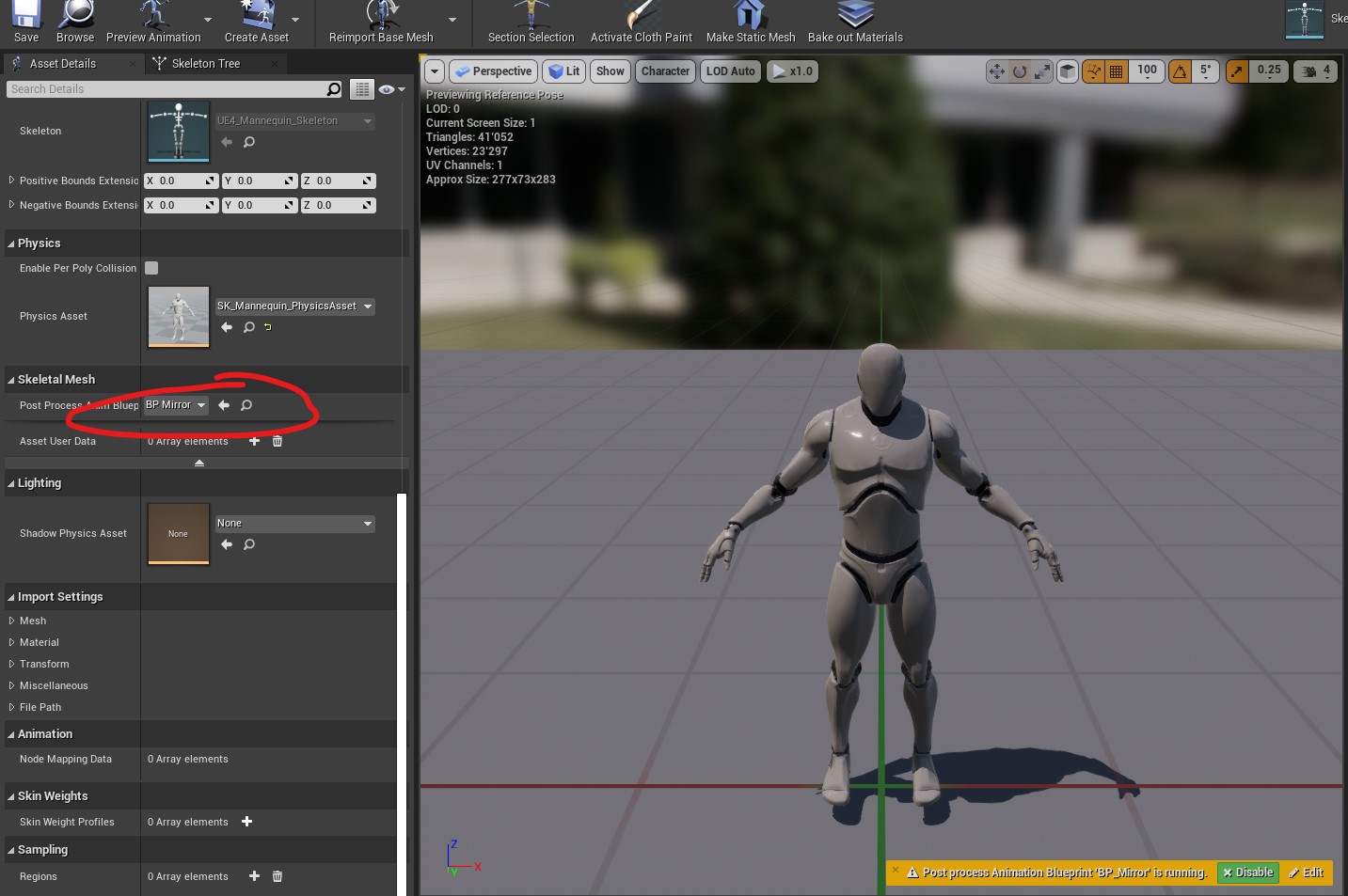

yes
That's why they use both.. 😄
wary wave
it's kind of challenging not to use both in a game
autumn flame
Use whatever is better for the situation you're in
 grim ore
It's almost like Epic knows this and encourages it.... https://www.unrealengine.com/en-US/onlinelearning-courses/balancing-blueprint-and-c-in-game-development
autumn flame

Unreal Engine
This course teaches you how to convert a Blueprint project to C++, explaining the core concepts of using C++ in Unreal Engine. Learn how to create an AI agent that senses, reacts to, and navigates the world around them.
plush yew
making a game myself I thought would be easy but I realize now I have no direction
I can make whatever I want and i keep scrapping levels and 100s of gb of projects because i cant decide
i know I want to make a sandbox game but do I want animal crossing or sims
or should I try and do both like roblox did

what will make me the money
opal coral
thick herald
Maybe have a look at this? https://twitter.com/games_inu/status/1284838286058553...
Thanks, will check that out!
Also thanks!
 chilly dawn
Hii! Im working on a project in Unreal Engine and Im facing a little rendering issue. Im working on a green screen footage and for some reason Im getting the fast-forwarded footage as an output. I tried every possible solution. It would be really nice if someone help me out :)
 cloud mountain
Hello everyone! I am creating a base class for ranged weapons and I really need the ability to throw them into the world. But when I drop it, it just floats. I think this is due to the "Simulate Physics" item, because it is not clickable. How can I enable it?
 plush yew
I'll be moving into a new condo today. Power is turned on and it will be like tomorrow or the next day till I get my internet box. Which means ill have two days with super slow internet. Suggest me a good video class I can purchase or a good YouTube series on Unreal Engine I can download to kill time
How can I create dynamic material instance for volumetric cloud? I'm trying but it looks it's not supporting that
I can't pin it to target

 sterile lichen
plush yew
I can't pin it to target
sterile lichen
plush yew
I can't pin it to target
what type is "VolumetricCloud" property?
if it is a VolumetricCloudComponent it is a SceneComponent and not a PrimitiveComponent.
 royal magnet
Can someone please help me with this? First time I am experimenting such a problem. This dark spots for some reason

regardless of the material or in scene or editor

alright I figured it out, looks like my settings with distance field ambient occ. wasn't adjusted properly
so anyone having an issue like this, just check, your occlusion in skylight
plush yew
sterile lichen
if it is a VolumetricCloudComponent it is a SceneComponent and not a PrimitiveCo...
How to make it primiviteComponent?
plush yew
sterile lichen
what are you trying to do?
Edit volumetric cloud material via blueprints.
That's what I want to do
sterile lichen
access material via Material property
 spark leaf
Hi all, wondered if anyone may be able to help me with the following....
I'm looking to create a core mechanic like PowerWash Simulator, where the player cleans things... but I'm running into some challenges and I'm not sure of the best approach to resolve them.
I looked at a tutorial for RealTime Render Target Painting which was kinda in the right direction, but it still leaves a few unsolved issues. In that tutorial you'd effectively be painting a "clean" texture over the "dirty" texture - that could work, but I would need to know "how much" of the "dirt" was still left on the object in order to know when the object was cleaned fully.
I wondered whether having a "clean" texture exposed gradually by changing the opacity of a "dirt" texture over the top might work, but I'd only want the areas that were "hit" to be cleaned, so I dont think that approach would work.
In all scenarios, knowing how much is left is important.
Not sure if anyone has done anything similar, or could give me a point in the right direction, perhaps there's a certain approach that I just need some keywords for so I can get better results from Google etc...
I should add... I did consider vertex painting, which may give me a handle on how much is still left to clean (e.g. total number of vertices and then look at which ones have been changed), but, that will then require us to have much higher density 3D models to look any good.
Any thoughts/suggestions/ideas would be really welcomed - so thank you in advance 🙂
I think that might be what the tutorial was doing, but I was really just following along, not 100% sure of exactly what it was all doing - new ground etc...
It was this one:
https://www.youtube.com/watch?v=3FY0lboNv9w

Sorry the menus don't appear in engine, video recorder was only capturing the window. I'll correct this next time.
DOWNLOAD TO 4.19 EXAMPLE: https://drive.google.com/file/d/1q3SAV2dftXSQn2damP78ykV6aV9SAKxc/view?usp=drivesdk
Follow me on:
Facebook: https://www.facebook.com/adDefaultSound
Twitter: https://twitter.com/Defaultsound
Artstation: ...
royal magnet
Hi guys, I am having issue with distance field ao. It gives terrible results close up specially, Adjusting dfao settings on skylight not cutting it anyone have any idea to get better result and get rid of this weird black spots?

 wooden jacinth
hello, I need help. Every time I try to export my heightmap that happens. What do I do?


 compact holly
Anyone know how to stop this weird face shadows thing?

Its not the wireframe as its set to smooth in maya
 royal magnet
LordVader checkout your skylight and ao settings
 mighty badge
@compact holly normals on model is wrong ?
mighty badge
is smooth shaded
royal magnet
Adjust your skylight that should probably fix
mighty badge
@compact holly enable smooth shading is looks like is flat shaded
mighty badge
yes
rend is a normal

that's what i meant as i was asking if normals on model is wrong 🙂
 compact holly
Smoothing mesh is different to Smoothing edges. Smoothing mesh makes the Topology (wireframe) different. Smoothing edges makes the edges look different.
 mortal zealot
Anyone know if there is a twitch stream today? https://www.twitch.tv/unrealengine Usually starts at 11am PDT

 hidden fossil
For some reason if i have InputDisabled ( using the DisableInput() built-in function) at begin play the PlayerPawn that gets spawned doesnt respect the Vector from player start location. WTF does disabling input from controller have to do with that is beyond me. Have seartched for hours cant find anything
 echo citrus
@gleaming narwhal no stream today? 👀
royal magnet
royal magnet
Hi guys, I am having issue with distance field ao. It gives terrible results clo...
can anyone help me with my DFAO problem or offer any work-around to this issue, I can really use some help
 digital anchor
royal magnet
can anyone help me with my DFAO problem or offer any work-around to this issue, ...
digital anchor
royal magnet
can anyone help me with my DFAO problem or offer any work-around to this issue, ...
try increasing generation resolution and two sided generation in the mesh settings and click apply
royal magnet
digital anchor
try increasing generation resolution and two sided generation in the mesh settin...
Man, Cant thank you enough, I am doing this scene for an art test, and you actually helped me with my chances for this job, Thank you soo much, I hope someone will do the same for you if/when you need help.
 weak urchin
Anyone know how to split a skeletal mesh into parts (hands, feet, head, etc)? I am trying to use the hands and feet from one mesh with a different mesh (same skeleton though). I have tried looking it up but can’t really find anything helpful.
 topaz monolith
How are people lighting their scenes these days in UE, I started to learn it then left it for a while. Are we still unwrapping everything or has that done out the window now? Or is this only for good GPUs?
 gleaming narwhal
echo citrus
<@!531923466799284244> no stream today? 👀
gleaming narwhal
echo citrus
<@!531923466799284244> no stream today? 👀
Unfortunately not, but I'm also no longer hosting them
grim ore
@weak urchinyou would have to do that from an external program more than likely, such as blender. The SKM is one piece in the engine, and any animations would be tied to weighting on the skeleton itself. Unless it was designed to be modular its not an easy task
 stuck linden
is there anyway i can take out everything before the anim part

rename batch or sumn
 royal shadow
howdy everyone. i have a sub level being loaded in and out of my map, but when its unloaded the assets in the level remain in the level. shouldn't they get removed? is there something im missing?
stuck linden
yea i have one that looks like this right now is there anyway to do like as soon as it gets a word it deletes everything before it

this happens because things i export from blender come with the blender .fbx name before
 stray smelt
How exactly is this supposed to be used? If I print "get number of spline points" after this loop it's always 0?
 grim ore
perhaps it doesnt update the spline for a frame or two, and your completed runs in the same frame before its updated?

 warm hornet
Any BP_SkySphere experts? Simply trying to attach a Directional Light Actor but unable to.
My BP_Sky_Sphere is in the root level and my DIrectional Light is in a sub level.
Do I need to first move the BP_SkySphere to the same sublevel as my Directional Light?
 vocal flume
I've created a sceneCapture2D component (inside a BP) and a rendertarget and a material. I'm showing the rendertarget material in my UI.. problem is I did not place this BP in the level but it is showing up in the UI
How to access this BP that is not placed in the level?
royal shadow
grim ore
perhaps it doesnt update the spline for a frame or two, and your completed runs ...
hey if you are the same mathew W as on youtube thank you for the videos they are very helpful. i just used one of them to answer my own question in this thread a few minutes ago
sharing -> released thread
 grand rune
How would I scale the camera with the player?
 stable cave
@grand rune what do you mean by scaling the camera ? Maybe your camera is just not at the right spot/angle
grand rune
stable cave
<@!353656695131471882> what do you mean by scaling the camera ? Maybe your camer...
I want to change the size of a camera is all. I have no trouble changing the size of a character. It's just the camera I'm having problems with. I want to make it so that the world looks smaller
thick herald
camera settings probably.
grand rune
grand rune
I want to change the size of a camera is all. I have no trouble changing the siz...
when the character shrinks
thick herald
focal length all that stuff
drowsy snow
grand rune
I want to change the size of a camera is all. I have no trouble changing the siz...
Change the field of view and adjust the depth of field settings.
No other DCC tools do anything when scaling camera objects.
drowsy snow
grand rune
I want to change the size of a camera is all. I have no trouble changing the siz...
See, the blue camera mesh is not what used to draw an entire 3D scene.
Cameras in all 3D CGI is practically just a single point in a 3D space.
grand rune
I'll look into these. Thanks 🙂
white cloud
Hello to all.
Today in my ToDo I have to find a solution to be able to launch remote Updates. When the users play the game, I would like an automatic update to be launched.
How do I do it? Do you have any documents or videos that show how to do this? (Even with Udemy) Thanks in advance for your help.
stuck linden
Is there anyway to create folders in blueprint?
stray smelt
whats the proper way to use a beam particle along a spline? it seems all examples are just looping the number of spline points then spawning a new emitter for every point and set source+target for every run.
so instead of being one singular beam that stretches along the entire spline, it's one particle/beam per point
it's the same end result but it just strikes me as unoptimized? although i suppose there's a reason every single example i've seen does this
not mine, but it demonstrates what i mean: https://answers.unrealengine.com/storage/temp/22179-splinebp.jpg
 light wigeon
Hi
 flint dagger
white cloud
Hello to all.
Today in my ToDo I have to find a solution to be able to launch re...
flint dagger
white cloud
Hello to all.
Today in my ToDo I have to find a solution to be able to launch re...
As far as my highly limited knowledge on this goes - if you release on a platform like Steam, and push an update it will be distributed to users. There are for sure things you can do in Unreal to minimize the sizes of those updates, but afaik it's just about pushing a build to those respective platforms.
flint dagger
stuck linden
Is there anyway to create folders in blueprint?
There aren't folders in a Blueprint, but there are a number of ways to organize things. You can group variables, and subcategorize them e.g:
"Character" and "Character | My Cool thing" which will nest them.
As for components, you're probably better off looking into classing and subclassing.
white cloud
flint dagger
There aren't folders in a Blueprint, but there are a number of ways to organize ...
Can itch.io do this?
flint dagger
white cloud
Can itch.io do this?
I think maybe itch can, but only in like.. a hella simple way. You just remove the current build upload the latest, but it is kinda up to you to push that update to others and inform them. There isn't like an Itch launcher that downloads the latest update.
light wigeon
I need some help, i was making a fire system from a tutorial and its have a animation. I did everything and call fire event in my shoot system but animation is not coming just my character is swinging
white cloud
flint dagger
I think maybe itch can, but only in like.. a hella simple way. You just remove t...
Ah pity...
Thank you for your answer.
light wigeon
Can somebody help me pls ? 🙂
flint dagger
Xarly, you need to tell us what you need help with dear.
 flint dagger
Oh right, I'm sorry.
light wigeon
Its okay
flint dagger
@light wigeon Can't help you, you need to be more specific regarding the particle, how you've set it up - but it looks like you've not put it in the correct space? e.g: local/world/object etc?
Also, I'd advise not listening to me too much, I'm not a VFX girl.
Maybe ask in #visual-fx or #blueprint depending if you think it's a VFX system issue or how you have setup the blueprint to fire it.
light wigeon
Okay thanks
 hollow dove
can you install unreal engine 4 on Linux? I tried following this https://docs.unrealengine.com/4.27/en-US/SharingAndReleasing/Linux/BeginnerLinuxDeveloper/SettingUpAnUnrealWorkflow/
But the UE4Editor executible isnt there, only something called version select
Learn how to download, build, and run UE4 on Linux.
drowsy snow
hollow dove
can you install unreal engine 4 on Linux? I tried following this https://docs.un...
Yes, but the steps isn't straightforward as building the source code from Linux, as the editor code sort of heavily expecting Visual Studio build tools.
Either stick to Windows, or use a kernel VM running windows and build the engine in it.
hollow dove
I have it on a windows dual boot but its buggy af so I wanted to try linux
drowsy snow
hollow dove
I have it on a windows dual boot but its buggy af so I wanted to try linux
The hacky solution is all yours.
Linux isn't exactly user friendly in many regards, chief among them is UE development.
There is, however, a dedicated channel in this server for anything #linux, so be their guest.
hollow dove
cool thx
warm hornet
Can any lighting experts tell me how you might enable light settings to be saved with specific levles?
I have 2 levels but I need Exponential HeightFog and Directional Light values to be different for each. But when I change them in one level, the settings seem to be applied in the other level as well.
stuck linden
Does anyone know how to Move a asset to another directory in editor scripting blueprint?
 robust agate
stuck linden
Does anyone know how to Move a asset to another directory in editor scripting bl...
robust agate
stuck linden
Does anyone know how to Move a asset to another directory in editor scripting bl...
I think renaming them to the new path counts as moving.
drowsy snow
warm hornet
Can any lighting experts tell me how you might enable light settings to be saved...
Unless you're loading both maps into one persistent level at the same time, that's not the intended behaviour.
robust agate
So use 'Rename Asset'.
stuck linden
robust agate
So use 'Rename Asset'.
Thank you it worked 😄
robust agate
👍
stray smelt
anyone used the volumetric content and know why the maps are black? can't see any errors and tried to re-compile the materials for skybox etc
drowsy snow
stray smelt
anyone used the volumetric content and know why the maps are black? can't see an...
As in the Volumetrics sample plugins? The maps weren't even working in 4.26.
drowsy snow
stray smelt
yeah. aww that's too bad
Nevermind, I was confusing it with Niagara Simulation Stages. Sorry.
stray smelt
ok then maybe i can get it to work
stray smelt
seems i had simply forgotten to import it to content-folder. i had opened it in the plugin/engine content folder 😬
 wise plover
I know y’all probably have gotten this same question a million times: But what are some youtube tutorials people here recommend?
Ideally I’d like something for the top-down interface since two of my favorite genres usually focus on that (city-builders and strategy games) but any tutorial y’all suggest would be nice.
drowsy snow
wise plover
I know y’all probably have gotten this same question a million times: But what a...
See the pinned messages.
 winter rain
This may be a pretty nooby question, but what causes the Event BeginPlay to trigger on a PlayerController blueprint?
plush yew
winter rain
This may be a pretty nooby question, but what causes the Event BeginPlay to trig...
I think Event BeginPlay will always be called... so if you are loading the blueprint and it has the node, it will activate
winter rain
In order to load a PlayerController blueprint, what has to happen? A player taking over a pawn?
plush yew
For ai you can change it anytime by setting its ai controller class
looks like player controller is stuck with whatever your game mode is
 plain token
Is there any way to convert ue4.27 file to ue4.26 or get the assets
grim ore
no real easy way. depending on the asset you might be able to export to a source format then import it in
 neon magnet
Is it possible to have an object inspection implementation using static meshes? My models are all static meshes (mostly) and I thought about inspection mode very recently (i.e. unplanned move). So is it possible for a static mesh to be picked up, rotated around and put back down where it was originally? Or must the static mesh belong to a blueprint, in which case I'd have to manually replace each mesh with a blueprint?
grim ore
you can do that, you can either manipulate the item in the world or hide it and spawn in a copy and manipulate it
might be a bit more difficult if they are all SM's tho to determine what is "inspectable" and what is just a normal mesh like say a wall
neon magnet
The tutorials I've watched thus far have spawned a copy and manipulated it. I was hoping to not have to do that, just because it looks a bit jank lol.
are there any property tags I can add to the static meshes I want inspectable? There seems to be one available and used in the tutorials with the blueprint implementation.
grim ore
there are actor and component tags you could check against, yeah
you can get the actor tags from an item you hit with a trace and compare against that
neon magnet
yeah however what about static meshes that aren't actors as I was hoping? No chance?
any jank way I can add a property to the static mesh to compare against?
maybe even in the name?
like a suffix or something lol
grim ore
well static meshes (in the world) have to be actors
everything in the world is an actor
neon magnet
okay I'm a bit unused to the inner workings of the engine so I just went by what is listed as "actor" versus "static mesh component". Some of my meshes are imported as actors by the engine rather than static meshes (due to datasmith's treatment of grouped elements)
this is a 'static mesh' I'm referring to. I searched for tags and it seems to have some properties. Can these be used?
 grim ore
when its in the content browser, your raw asset, its a static mesh. Once you put that into the world it becomes and actor and the engine is smart enough to know what you want so it adds a static mesh component to that actor and assigns the mesh to the static mesh slot on that static mesh component
look in the top right, in the world outliner, and look at the type
StaticMeshActor
then look in the details panel, at the top, you have the component list where your parent is an Actor with a Static Mesh Component as its first child
if you click on the parent name, you will find your Actor Tags section. You can use component tags, they would work as well
the issue there is you need to get the component to check against rather than just the actual actor. You would only really need to check against a component if the actor in the world had say multiple static mesh components
 grim ore
yes those would be the tags on the actor itself
grim ore
you can, the hit result has the hit actor and hit component
you can get the tags from either one and check
neon magnet
excellent, thank you sir
btw regarding terminology, what exactly does the 'static' in staticmesh indicate? No animation/bones setup?
oh and would i need to set these to movable? By default they are set to static. But am I worrying about something that has nothing to do with this and is about lighting instead.
grim ore
yes, not skinned basically so no bones or weights and no skeletal animation
there is a movable setting and yes that has to do with both physics and lighting, but depending on how you "move" the item you might be fine with keeping it static
try it at static and it will complain if it needs to be movable lol
 stark wharf
I've been looking into the best way to force all shaders to be compiled for a project with many different maps. Any suggestions? I think I found a command line option to try, but would prefer something in-engine
plush yew
This is an Unreal Engine Tutorial for all level of users and I want to hear from you it is helpful or will there be anything to be improved https://www.youtube.com/watch?v=tuHu9cPjTo0&t=305s
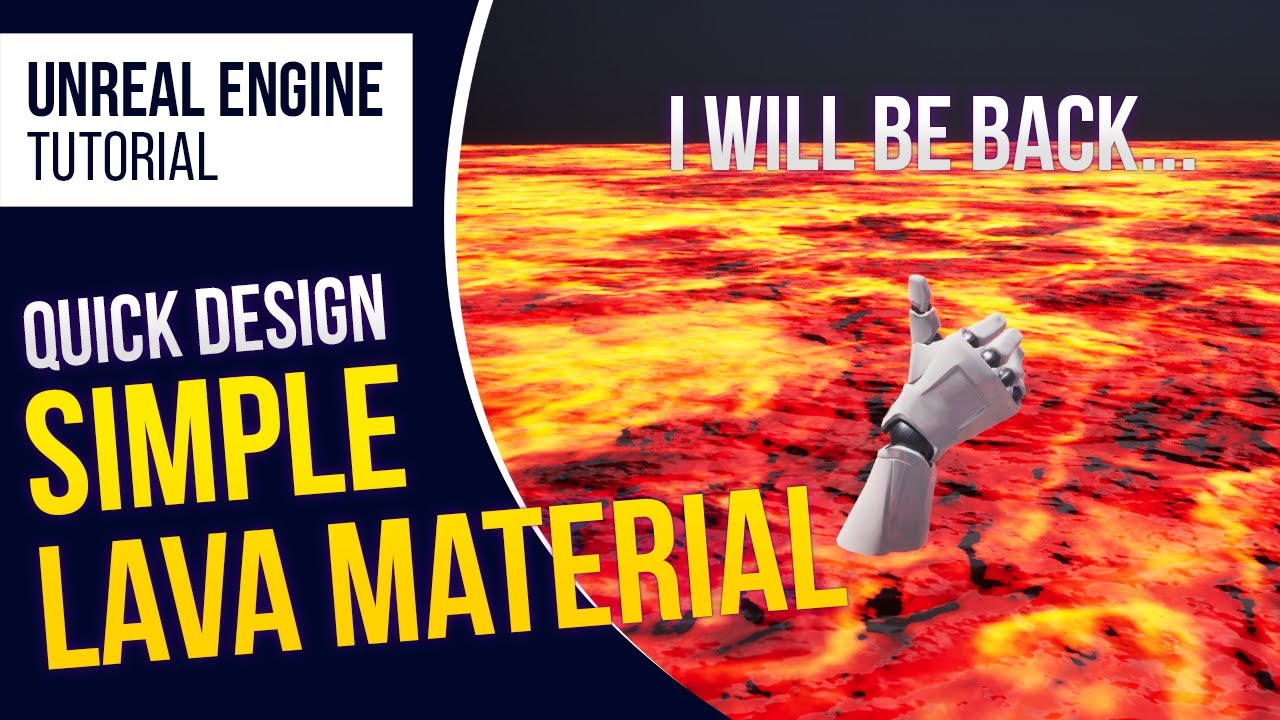
In this tutorial, we are going to create a Lava Material.
- We support English and Korean subtitles
MARKETPLACE:
Our Projects: https://www.unrealengine.com/marketplace/en-US/profile/Coreb+Games?count=20&sortBy=effectiveDate&sortDir=DESC&start=0
FOLLOW US EVERYWHERE:
Facebook: https://www.facebook.com/Coreb-Games-104135205047796
Twitter: https:...
 finite charm
Hey! So im thinking about creating a livestream through the unreal engine like code miko. Does anyone have some experience with that?
drowsy snow
finite charm
Hey! So im thinking about creating a livestream through the unreal engine like c...
I don't have the experience, but essentially it comes down to virtual production, but live. That includes facial motion capture, body mocap.
Also anime VTubers sells more nowadays than CodeMiko, so go for the anime style.
opal coral
Let's say I have a right hand skeletal mesh, and then I create a seperate left hand skeletal mesh that's just mirrored. When I try to play the same animation on them, the mirrored one uses the exact world space rotations of the right hand (so kind of twisting in a monster-like fashion). Instead I want to just take the local rotations of the right hand animations, and apply them to the left hand, so that they do the same, but mirrored. Is that possible somehow?
plush yew
Hello i have a question, if i make assets, should it be 1 object = 1 material for example building? except for vegetations which have 2 because of the wind for leaves?
wary wave
<@&213101288538374145>
 buoyant graniteBOT
:no_entry_sign: ProLevel69#0567 was banned.
 ashen brook
ty
wary wave
thanks!
 drifting elbow
the stock Teleport console command, how does it work?
I found almost no documentation
 dusky bobcat
Is there a way to stop the Editor and the Live Coding window from coming to the foreground when loading up?
drowsy snow
dusky bobcat
Is there a way to stop the Editor and the Live Coding window from coming to the ...
Editor Settings > Live Coding > Startup: "Start automatically but hide console until summoned"
dusky bobcat
drowsy snow
Editor Settings > Live Coding > Startup: "Start automatically but hide console u...
Thank you!
 undone gazelle
I find water tool very laggy in this current state. Does it happen to anyone?
I'm using it for a project.
drowsy snow
undone gazelle
I'm using it for a project.
It's still experimental and not yet production ready, after all.
undone gazelle
drowsy snow
It's still experimental and not yet production ready, after all.
Because once i made a river, the near meshes started to shape weirdly.
drowsy snow
undone gazelle
Because once i made a river, the near meshes started to shape weirdly.
If you don't want to wait for it to be production ready (and seems like it won't be for a long while), consider using alternatives from the marketplace.
UIWS has fully functional river that blends with its water surface, but it's in a high price.
https://youtu.be/ofmMdnL_xgI
https://youtu.be/1xlG0prSIKQ

UIWS is the leading solution for dynamic interactive water bodies in Unreal Engine 4. Beautiful unified interactive fluid, interactive caustic lighting, collision and damage handling and more! The plugin is super easy to use with almost no setup required; Simply drag, drop, scale, and play!
Available now! https://egray.io/UIWS
You might also li...

The River update is Live!
UIWS 1.7 is now available across all platforms bringing fixes and the much requested support for rivers and custom water meshes (beta)!
Patch Notes: https://egray.io/uiwsdocs/#ReleaseNotes
Get it on the marketplace: https://www.unrealengine.com/marketplace/en-US/uiws-unified-interactive-water-system
undone gazelle
drowsy snow
UIWS has fully functional river that blends with its water surface, but it's in ...
Looks better. I thankfully will pay it to show my support to coders. One of the rare good things sold in marketplace.
 worthy plaza
Anyone can help me? can't find the c++ toolchain into the VS19 installer
 drowsy snow
worthy plaza
Anyone can help me? can't find the c++ toolchain into the VS19 installer
drowsy snow
worthy plaza
Anyone can help me? can't find the c++ toolchain into the VS19 installer
Make sure Desktop development with C++ and Game Development with C++ components are installed.
worthy plaza
both installed
 unkempt sandal
Hi guys! Is it really inadvisable to start developing a game in UE5? The game i want to make is heavily physics and particle system based and i want to take advantage of the new systems.
fierce tulip
both are available in ue4, and chaos still isnt as performant as one would like it to be.
drowsy snow
unkempt sandal
Hi guys! Is it really inadvisable to start developing a game in UE5? The game i ...
Niagara is both in UE4 and UE5, and PhysX still not replaced by Chaos even in UE5
Epic underestimated their own Chaos goals.
unkempt sandal
Okay, thanks guys! Gonna go with 4 and see how things go!
warm hornet
Any lighting experts able to tell me if its ok to combine both RayTracing AO and DFAO? Or is it one or the other?
Exterior forest scene, medium shot, performance is not an issue.
worthy plaza
already done
stuck linden
is there anyway i can get the backward vector or something

 brittle plume
Greetings! I have a problem! Basically I have a variable in the character, and then the character's speed is taken from that variable's Float! The variable I need only to block the character at the beginning, and then clicked the button they can move, only it is a Listen Server, the host manages to move while the connected client does not!


 gleaming lotus
Anyone know a good solution to spawning or setting a mesh on the construction script for dev purposes from an exposed class variable?
For items in the game's stores they spawn in based on the selected class, however the scene component location I'm using needs to be moved for every single store item.. I kinda need a good way to be able to move that scene component with a visual representation of the size of the object that is for sale
Since its construction script I cannot spawn item, thinking about trying to set a visual test mesh from the class
My trouble is how do I get the mesh component from the class ref?

Probably easier to understand from that 😄
Yeah but can it get components from there? I didnt think it could
GetClassDefaults can only get variables and these actor vars

Yeah but how would I get the mesh from the class variable? 😄
Trying to avoid having unnecessary variables like that 😛
yeah figured as much, thanks for your help anyway
stray smelt
how do I disable this:

Zzz
this is a group project, so this specific error is being worked on - by someone else. What I'm asking is how to disable the notification.
autumn flame
Click Dismiss
If you can't see it, it doesn't exist
 sturdy trench
Anyone knows how this weapon being rendered with UIs?

What would be the ideal approach to achieve same thing in UE?
sturdy trench
sturdy trench
What would be the ideal approach to achieve same thing in UE?
i.e. how can I display a static mesh like this along my inventory UI
Ah right, there was an example in the horror engine
Thanks
 broken socket
soome one please help, i was adjusting the code of my characterBP and now i cant see any of the assets in the viewport or in game- il send screen shots

nothing is visible
idk what is happening

i dont exactly know what i did to break it but i was making is a child of another character BP and now its all screwed up, ive restarted the engine multiple times but idk whats happening
grim ore
do other blueprints show up fine?
broken socket
yes
i undid whatever adjustments i made before this happend and it still is glitched
im on 4.27.0
grim ore
might need to remake the blueprint then at this point, copy the code out into a new one
broken socket
ok i will do that then
 hexed flume
Hey guys, I'm trying to make simple game levels to practice sound design in, and since my dev knowledge is limited, I don't know what I'm currently looking for in my questions, but here goes.
I downloaded an empty level in the marketplace (Sun Temple), and populated it with two Paragon characters: Gideon (which I want to use as the PC) and Sevarog (which I want to be the enemy).
1.) I've gotten Gideon to move and have a simple left-click attack, but how do I use his other abilities that came with the download? Does each ability need to be programmed in, or is there a preset control that does more than move and punch?
2.) How can I get Sevarog to attack using his abilities? At the moment all he can do is stand idle.
I'm sure these are very simple questions, I'm just trying to build just enough to look like a "real" game but be unique enough that I'm not downloading complete game demos from the marketplace like everyone else does. Even pointing me to what I need to search for, or even some good tutorial videos would be of immense help!
Thanks!
wise plover
I think I accidentally pressed something and now all my bounding boxes are hidden.
dusk nebula
This isn't a major issue by any means, but when I run my preview for the first time and kill another character, the preview lags massively and then continues normally. Only happens once each time I launch unreal. Do I need to worry about that issue being present in the packaged game, or is that just an editor thing?
plush yew
Would making a ps1 like game in the engine be a bad idea?
fierce tulip
i dont see any problems. there are even some tools that can create the weird vert-stutter and such on the marketplace.
plush yew
Yeah I was just wondering if ue was overkill for it
I don't really want to use Unity or godot
fierce tulip
few buddies of mine made Amid Evil in ue4, once you have everything set up properly and you can disable anything you dont need, you can get crazy fps
think it can run at 600fps on average machines.
plush yew
Wow
Looks good ngl
Has that ps1/older style feel
But with those modern day improvements
dusk nebula
Well I'm using BP so should I just read the output log to compare?
 late spruce
hi, i cant make sense of the docs. am i supposed to initialize an ingame gui with AHud or in APlayerController?
in a multiplayer setting of course
grim ore
HUD is client only, player controller exists on both. with that said, you do it wherever you want it, but understand that UI doesnt exist on the server
you can look at the multiplayer shooter to see how hey did it, there is also a multiplayer shootout example on the learn tab that you can look at
in the end you can put it wherever you want to manage it, as its client only
late spruce
grim ore
HUD is client only, player controller exists on both. with that said, you do it...
HUD is client only
im testing it right now and with PIE it seems that i get ahud from the listen server player on clients
im doing GetOwningPawn()->IsLocallyControlled() in AHUD and it returns true on client for the player controlled by server
unless im doing something very wrong
i want to just initialize PlayerController or AHUD to initialize and add to viewport my UMG widget
except im doing exactly that (but in C++) and i get my first player's hud on all player screens
unless play in editor is broken because it seems to work fine in standalone build
im testing the game like that

 dapper stream
hello guys, i would need help on how to work with cesium and view it on small tiles.
 forest kettle
any easy way to find the value of time for a particular value in a float curve?
 narrow igloo
forest kettle
any easy way to find the value of time for a particular value in a float curve?
narrow igloo
forest kettle
any easy way to find the value of time for a particular value in a float curve?
Not that I know of. That's litterally the opposite of how they work. For one thing the same value may appear in multiple times.
Make a inverted curve that maps its time and values the opposite of the other so each can be used to look up the time of the other. Only hack solution I can think of.
plush yew
I know that I WANT to make a video game
I have the money and resources to do it
I just have no idea what kind of game Id want to make and I feel like if I start ill end up scraping everything
Hello guys, I'm kinda new to Unreal and I was wondering if there was any kinda feature like the mesh reload in 3ds max in the unreal engine. I'd find it really cool to have it in ue since i'd be really useful in a workflow that involves rhinoceros. Thank you in advance
forest kettle
narrow igloo
Not that I know of. That's litterally the opposite of how they work. For one thi...
this is true, i was thinking of this only from the perspective of a function that maps one x to one y. i'm currently dealing with an exponential curve that i had to adjust some of the cubic tangent points, so inversing that isn't exactly easy without doing a really rough approximation
drowsy snow
plush yew
Hello guys, I'm kinda new to Unreal and I was wondering if there was any kinda f...
As in reimporting, or what? I never used 3ds max for a decade.
 iron hinge
NOt sure where this should go so..waterr in e5 , a lake say, works fine, but in 4.26 I get nothing, but spline, is this a known 4.26 issue fixed in 4.27 ?
plush yew
drowsy snow
As in reimporting, or what? I never used 3ds max for a decade.
it works something like, your building an house in rhinoceros, you do some tweaks on the model and then you just simply click a button named reload and automatically max re-imports the updated mesh in 3ds max
drowsy snow
plush yew
it works something like, your building an house in rhinoceros, you do some tweak...
Sounds like Live Link to me.
Not sure if 3ds Max has one though. I know Maya has it, but I think 3ds Max still has to go through either exporting as FBX and reimport the mesh in UE, or going through Datasmith which isn't for games.
If I remember correctly, for Blender, Epic made a semi-official plugin that can do almost Live Link modelling, but I didn't use it.
That too, but I'm afraid he's looking for more direct reloading, without exporting to FBX. Though I have completely lost memories with 3ds Max.
plush yew
drowsy snow
Sounds like Live Link to me.
Not sure if 3ds Max has one though. I know Maya has...
yeah this is mostly used for archiviz not games
fierce tulip
think max will get that option in the near future, but not atm me thinks
drowsy snow
Though it requires specific Collections to work, and because I used to have my own collections, it breaks my workflow, and I hate it.
Not even Blender Foundation cares about rigify lol
The false deform flag bug that existed since 2.7x days (or maybe even earlier) haven't resolved to this very day
Don't forget control rig
 gentle plume
Hi, quick question, in the invite for the October Sale have they just got there dates wrong and it normally last just a few days? The Unreal Engine Marketplace team would like to invite you to participate in the October Sale! The sale will take place from Tuesday, October 19 at 10:00 AM EDT through Sunday, September 24 at 11:59 PM EDT.
drowsy snow
gentle plume
Hi, quick question, in the invite for the October Sale have they just got there ...
The sale only applicable if you have Delorean time machine xD
I do drafted several parts of written tutorial on it, though it's mostly for MMD machinimas.
 stiff sphinx
Hey, where would i go for hud widget issues?
autumn grail
Hello , i have a TextRender which is the name of my character , how can i disable click events on it?
stiff sphinx
Thanks
weak nymph
cold bridge
yes check inside there the character mesh if it's set to visible

visible is true
idk why the character doesnt appear
 rain hatch
Is there any guide or something of what project settings to tweak to get 150+ fps? e.g. just a simple map, with low quality shadows and no anti-aliasing. I'm struggling to get more than 80-90 fps
autumn grail
There is no way to ignore click e vents on a component?
grim ore
set it to have no collision?
 autumn elbow
Can someone test something for me, please? I found that, in the third person template, if I set the velocity to zero on tick, there is still some ghost movement when pressing the move forward key. Can someone confirm, please?
 short willow
is there a way to get "stat ...." to return a string of those instead display on viewport?
for one frame
ie stat unit gives me the string like Frame=11ms, game=2ms, .....
 heavy pivot
Is there really that much of a performance difference between generating a Minecraft world made out of procedural meshes vs cube meshes that are not rendered if the camera cannot see them?
dusk nebula
So I made floating health bars for each character in an fps, but I need them to become invisible when behind a wall or too far away. Am I on the right track if I want to line trace from the player to each health bar's position, check collision, and then set the visibility appropriately every tick, or is that too much to do constantly?
I have little frame of reference for how demanding these things can be
heavy pivot
@dusk nebula I wouldnt do it every tick
something like that you could do every 5 to 10 ticks
dusk nebula
So how would I delay it like that?
heavy pivot
@dusk nebula look up Looping Timers
and use one for that
that way when you are running lots of processes at once yo don't sacrifice any more performance from delaying the tick
1if you do a delay in a tick it will halt the process in the tick and can cause issues down the road when you start doing stuff that needs to happen even if that hasn't kicked off yet
 light thunder
dusk nebula
So I made floating health bars for each character in an fps, but I need them to ...
light thunder
dusk nebula
So I made floating health bars for each character in an fps, but I need them to ...
There's a way to do this with occlusion/culling, check #graphics , I think you could access that functionality and do it on your widget as well -
heavy pivot
@light thunder good catch I totally forgot about that
light thunder
but you're basically going to do the same thing that it does when it fades out the view of the player's head when you go to a tree, or fades the tree out so you can still see your head (so the branches aren't blocking everything - you're trying to hook into that system but instead of it making the tree branches fade out, you do it to your healthbar I think "camera distance" is the driving force
heavy pivot
Yea it is camera distance
light thunder
heavy pivot
<@!273265779175194624> good catch I totally forgot about that
if you REALLY knew Unreal, you could tell me about this widget scale box and instantly diagnose the issue...of course Iknow the answer but I am just testing you to see if YOU know

I'm trying to get it to shrink down to fit all the text, but not quite - when I do it contracts the scale box
heavy pivot
I have had similar issues, I am only 8 months into unreal and just finally have my bearings
Its a super complex engine but totally worth the learning curve
 muted imp

I can't move in the editor and stuck with these lines on my screen. how do i remove it?
 weary verge
Hello everyone, I’m new here!! Wondering if anyone here knows how to animate a material instance in sequencer within UE?
I am aware of Material Parameter Collection but the issue is I have a material function within my material, and it won’t translate through the track in sequencer
Any feedback is greatly appreciated, because frankly I’m stuck lol
autumn grail
Hello , my drag and drop operation don't want to finish ( setting the widget dragged to the final position)
here is the drop function

here is the drag function

everything but the "set position in viewport" works
it was working when i removed the dragged widget from parent but i had bugs with it
so i don't remove it from parent
plush yew
Hello, is 90k tris for my main character bad or it's good enough? I'm trying to make characters like anime / genshin impact style.
 cyan bronze
Does anyone have experience with creating NFT/blockchain game with UE is it realistic to do? I heard about Enjin working with C++ now but not sure what to use
 frail badge
I need to run my game on max fps but I got a massive fps drop in it. how can i fix this?
 inland sleet
 heavy pivot
Ok so performance question. If I am creating a cubed based world is there really any difference in performance that I can gain using a procedural mesh process vs using static mesh cubes and not render blocks that are not in the view of the camera?
 dark briar
my ue4 has been crashing like crazy for months extremely easily, how can i figure out the problem?
heavy pivot
what does the error say
The crash reporter should have the dump in the window and a few lines down into the dump should tell you where the issue started
heavy pivot
@plush yew yes
Minecraft number of cubes
we will limit world sizes but they will be large
 nimble delta
Does anyone know how i can work on a project with my friend together
because at some point we cant send all the assets etc because it would be too much work
fierce tulip
version control is used for that
drowsy snow
weary verge
Hello everyone, I’m new here!! Wondering if anyone here knows how to animate a m...
Create a Material Instance Dynamic inside the blueprint and assign the params into variables flagged as Exposed to Cinematics.
 verbal citrus
Is there a way to project a decal shape to the ground that's agnostic to the parent's Z location?
drowsy snow
verbal citrus
Is there a way to project a decal shape to the ground that's agnostic to the par...
Maybe set the world rotation of the decal on spawn?
verbal citrus
Rotation? You mean the 90 degrees to align it? That's already done, but the bounding box of the decal is still limited, if the parent jumps high in the air the decal vanishes
drowsy snow
verbal citrus
Rotation? You mean the 90 degrees to align it? That's already done, but the boun...
I'm sure Use Attach Parent Bound is disabled by default 🤔
verbal citrus
It is, and I can set the decal to be bigger, which helps but it's a strange workaround. I'm looking for a more native way to just leave the selection indicator on the ground at all times
heavy pivot
Yea there is but not quite what it seems at least the more expensive one. We have the cheaper one and trying to utilize it.
wooden jacinth
Hi, I was trying to make tiled landscape but when I load my level I have that space between my tiles. What do I do to fix that?
 autumn flame
If you made it in an external software, there are export settings for that
wooden jacinth
autumn flame
If you made it in an external software, there are export settings for that
1009x1009, everything is fine except of that connectors
 honest vale
could it be that the tiles were wrongly labelled?
like X and Y coordinates got somehow switched?
dark briar
my ue4 crashes like crazy due to this, anyone know what this is? Fatal error: [File:D:/Build/++UE4/Sync/Engine/Source/Runtime/Windows/D3D11RHI/Private/D3D11Util.cpp] [Line: 198] Unreal Engine is exiting due to D3D device being lost. (Error: 0x887A0020 - 'INTERNAL_ERROR')
Maybe this file can help?
fierce tulip
@dark briar check the pinned message. there should be a link to some info there.
besides that, no clue.
 vivid copper
hello, im trying to make a fire particle with 0.125 second lifetime and 3 stage of color.
however, i have to set the "in val" of the colors larger than 0.125 seconds to make it work.
can somebody explain this to me? if the in val is larger than 0.125 wont that make the particle disappear before changing colors? thanks
plush yew
where can i chat about materials?
 bold holly
Yo, I was organizing my files in unreal and now my project is missing half its assets including cinematics, Blueprints, Sounds, Some textures and etc... How can I fix this?
 unique kraken
did u fix redirectory when reorganazing?
bold holly
How can I do that?
unique kraken
well dont worry, you will never forget doing that again

on the folder above, or just the content folder
unique kraken
in simple words
moving things around in ue4 doesnt move things in windows
pressing that will fix the windows folders
 austere whale
if i make an animated material in blender using keyframes and shaders how do i get this animated material into unreal?
vivid copper
should i click that everytime i move anything?
unique kraken
@austere whale u dont
plush yew
you cant
unique kraken
you can use the logic to manually by hand, recreat the logic in ue4
unique kraken
manually
unique kraken
materials do not, at all transfere
unique kraken
and especially not keyframes for materials
there are datasmith exporter wich let you export some nodes
austere whale
if the material in blender is static it can be turned to uv maps and applied in unreal. but if its an animated texture it needa to be done in unreal
austere whale
like texture maps
austere whale
idk the term but u can jus like snapshot the material into a texture map
plush yew
unique kraken
a material into uv´s?
i think he meant baking textures
unique kraken
you can bake the color into a texture
^^
but that is then a texture
and a texture goes INSIDE a material
it is NOT a material, but a part of it
unique kraken
well you can animate textures
but since the nodes are essentially the same in ue4 and blender
why not simply creat mats from now on in ue4
austere whale
idk how to do anythin in ue4 my binds are all custom in blender
i replaced all m3 with m5s in blender
and play is m4
plush yew
wdym binds?
unique kraken
well 2 options.
- you just do it and start learning
- you get ahead of yourself and shouldnt mess with game engines yet
unique kraken
i personally reccomend that even less
austere whale
unique kraken
well you can animate textures
like in unreal? not port an animated texture into unreal?
plush yew
you can
unique kraken
as unity is (from a blenderers perspective ) even less unfriendly
plush yew
but not animated materials
unique kraken
you can bake a texture in blender. its just a image, then creat a material in ue4, and animate it in ue4
it would help showing your material and explaining what u want to do
austere whale
the texture is animated by the shaders in blender so that wont work cus itll be baked in ue
bold holly
unique kraken
moving things around in ue4 doesnt move things in windows
What if I moved the folders In windows first? I tried moving them back to the original location but my project is still missing half its assets
austere whale
i want moving stripes on this marble
fierce tulip
bold holly
What if I moved the folders In windows first? I tried moving them back to the or...
dont. just dont. hehe.
unique kraken
@@bold holly thats why i said
unique kraken
unique kraken
well dont worry, you will never forget doing that again
this
austere whale
 bold holly
ahh lmao
austere whale
these stripes moving
unique kraken
 plush yew
do you have the nodes of that material?
fierce tulip
you should show the material, not the end result
plush yew
if you do, you can recreate its logic in unreal engine
unique kraken
unique kraken
well 2 options.
1. you just do it and start learning
2. you get ahead of yoursel...
@austere whale
creating materials in blender is ONLY usefull if you have a easier time creating the logic there
austere whale
i used this

Today, we create a very quick and easy stripe material using only 2 nodes !
IMPORTANT LINKS:
Blender https://www.blender.org/
ABOUT TUTSBYKAI:
My name's Kai and I create short, sweet tutorials to help anyone and everyone on the search for how to create their own art. If I helped you in any way... please subscribe - so you never miss another t...
unique kraken
but your goal is to creat materials in ue4, blender can be used to creat texture helping you
since textures are images that can be loaded in any programm
austere whale
sucks theres no way to port animated texture
unique kraken
not rly
it makes no sense doing that
in blender
since ue4 works entierly different
unique kraken
this is actually pretty easy to do
austere whale
game engines have gif texture possibilities whats wrong wit
animated texture file thats better quality
plush yew
oh god no not .gif
unique kraken
you just use a noise texture or a sine wave, distort it a bit, mix some lerps done
unique kraken
never will, since ue4 works a bit different with its noise textures
plush yew
thats the best you can do actually
unique kraken
but so what, procedual stuff
it might not have the same exact pixels, but still will look just as good
austere whale
well i guess if im making an animated texture i gota learn unreal
everythin else ill jus bake and send over
unique kraken
yes, you seem to lack some base knowledge about materials anyway. no offense
like the math side of things
austere whale
all i do is animation overwatch fortnite porn
yeah nodes are stupid lot of numbers and text really boring stucf
unique kraken
thats a info i didnt need
fierce tulip
+1
unique kraken
once you understand how to add and multiply your life gets a lot easier
austere whale
nodes r good for procedural stuff but if u want to make somethin organic u need a draw pad and pen
plush yew
i think we're getting a little sidetracked here
austere whale
coding is better than nodes you can make more efficient systems
unique kraken
well thats a texture, you can also creat procedual stuff from those drawn textures
fierce tulip
can we keep this opinions aside?
austere whale
i want a cream orange name
unique kraken
yea, done anyway. my food got cold
you can tag me when you ask yoursel "where is the color ramp"
autumn grail
Hello , i 'm definitely searching for a way to disable sound and Screen befor all begin play finish execute at game start, to not see this ugly 0.0.0 and some sounds playing. Anybody have a solution?
 marsh swallow
yeah setup your level BP or controller or something to make a widget for the screen to be black
then fade it away after a few seconds
Music, thats up to you. Trigger it via the controller at the end of all other setup
autumn grail
I have already tried , with the game instance , we however see the 0.0.0
marsh swallow
of if its like what i am making with an audio controller using MetaSounds just delay its start by like 1.0-2.0 seconds
autumn grail
black UMG comes after we see it
marsh swallow
then your widget fade in isnt working
😄
its being called too late
I said level BP not game instance.
unique kraken
well tbh my solution would be finding out where that sound comes from
marsh swallow
ours starts at the very beginning of the level load
sound comes 1.0 sec after controller is finished loadind
autumn grail
ok i 'll try again with a black umg at beginplay of Level BP
 knotty heron
How do you create this type of camera movement where the cam moves to certain places depending on your position? if that makes any sense
plush yew
in that case, you dont want to tie the camera to your character, but maybe place some sort of trigger on a region that moves the camera to that spot
idk how to do that in blueprints tho lol
 sick patio
Anyone happene to know what's the background city pack in this tutorial? https://www.youtube.com/watch?v=IDNi0plxIXE&t=3051s
In this inspirational video, Matthew Doyle demonstrates how to use animation tools in Unreal Engine to tell a story and add life to your projects. Learn how to use the Atoms Crowd framework to populate city streets with animated crowds and use the engine’s core tools to add effects to people, birds, vehicles, and environmental objects.
Time cod...
unique kraken
rly? i would have still bound it but at begin play write its relative loc?
knotty heron
I've thought of that but when you move back without leaving the trigger the cam wouldnt move ig
plush yew
yea i really dont know much about blueprints 😅
knotty heron
unless i put tons of triggers lol
unique kraken
i would just at begin play write its relative loc to the char (if thats even needed)
and interpolate it to the target.
regardless you need SOME sort of trigger
a collision or a interaction or a button press
sick patio
did i ask my question in the wrong place?
fierce tulip
nah, but if nobody can answer it/knows the answer, they prolly wont reply
autumn grail
@marsh swallow i 'have tried again , the black screen is addes to viewport 0.8 seconds after we see the 0.0.0
Bacause the "open lvl 127.0.0.1" does not work like normal beginplay
sick patio
you guys know everything tho @fierce tulip
fierce tulip
I wish XD
 dense knoll
Cant edit these tints
 unique kraken
check the checkbox?
 unique kraken
recompile, save reopen the project?
dense knoll
this happens with any version of unreal, even if i recompile
unique kraken
then its your code
sick patio
QUESTION: scene - camera pans down on a city, people are walking about, walking in the park, having light conversation. camera pulls back and player now has control, as he starts walking the AI all stop and stare at him... after 90 seconds they start saying something. This is done with trigger boxes or AI blackboards?
unique kraken
or a faulty material
dense knoll
This happens in any project and engine
unique kraken
created a new mat and manually recreated the mat without copying?
unique kraken
still a mat
iron hinge
I can't get water body lake to show up OR deform in anything but a new terrain in ue5, not in 4.27 or .26, on further review, the 'body of water' is floating wwwwway up high above the spline, here in .27, what on earth is going on here :)))
weary verge
drowsy snow
Create a Material Instance Dynamic inside the blueprint and assign the params in...
First off thank you for the reply, I’ve been at it for hours with no success!! I don’t currently have a blueprint. I just have the material so if I create go ahead and create the blueprint I just need the Material Instance Dynamic node and to create the individual variables for parameters but how do we flag as “Exposed to Cinematics”?
iron hinge
as seen 'water' is wway up above lake spline.
 weary verge
unique kraken
<@!252223221875736576> u would need to pass a variable from a bp into the materi...
weary verge
unique kraken
<@!252223221875736576> u would need to pass a variable from a bp into the materi...
Thank you for your response!! I’m attempting the bp now 🎉🎉
 lunar shore
is there a way for me to have the editor differently coloured when in play mode?
is it normal that i can barely see my cursor in the scene window?
 frozen pond
niagara question: i want to spawn particles on mesh A then make them fly to mesh B, but i don't see move module or something like this?
marsh swallow
autumn grail
<@!156553664352354304> i 'have tried again , the black screen is addes to viewpo...
is this Multiplayer with level streaming?
marsh swallow
then i have no idea why your having the issue.
we have never had it, so something your doing is different that just Load Level X
or Open Level or whatever it is
autumn grail
maybec "console command : open 127.0.0.1" is not the OP way?
vocal flume
I have multiple animations in my umg widget. Problem is when I click on an animation the previous animation resets in the editor. How do I keep the final state of the first animation while playing second animation? This is not in game. In the editor.
 tired reef
Any good weapon system/shooter game guide?
 tawny vapor
Where do i get help
royal magnet
Can anyone help me with my DFAO issue, terrain giving weird black spots

its very annoying, when I change one mesh to stationary and back to static some disappear some comeback later, any work around to this?
 dusk nebula
Is the best way to get a linear distance between actors, even through walls, a line trace of some type?
Basically I'd just wanna make each of my player starts get its distance from each player on the enemy team and then I could go from there
There's just a function for that, neat
Thanks
dusk nebula
Is a doom-esque system to record inputs and make replays outside of the scope of unreal without extensive work spent on it?
fierce tulip
unreal has a replay system
autumn flame
You just gotta add some CPP lines
 near breach
Anyone here good with AI
Im legit trying to not use the manniquin and the mesh im using is just walking in the idle animation
i looked in youtube tutorials and still im trash
autumn flame
 plucky wing
i need help can some one please take out 5 mins please?

facing this issue while using particle system can some one please help ?
fierce tulip
did you move the files after installing them?
frozen pond
fast question about horses: should i make horse character and then posses it or to some attachment stuff/
 peak bloom
anyone else get this glitch where you right click on something in the contents folder but the menu is way up high on the viewport and you can't click anything at the top?
drowsy snow
peak bloom
anyone else get this glitch where you right click on something in the contents f...
Do you have Enable Window Animations enabled in Editor Preferences?
peak bloom
no, should I tick it?
edit, yeah that worked. xD Thank you very much! :)
grim ore
<https://docs.unrealengine.com/4.27/en-US/SharingAndReleasing/Mobile/Lighting/ the docs, @dry birch
Setting up lighting for mobile games.
its related to the android preview you are using, if the lights are movable then shadows are disabled.
you need to use static lighting and build for mobile
so you were using dynamic lighting on mobile?
just odd if shadows were working, I dont think they have changed recently
fierce tulip
since this question has been asked in multiple channels, and has ongoing answers in both, please move to #graphics to continue there.
 queen siren
dusk nebula
queen siren
dusk nebula
My version of unreal still does the thing after ~30 minutes where all context menus will flicker and then become invisible until I reopen. I have a 1440p monitor and have seen the issue being "fixed" for people running it in 1080p, but literally nothing has worked for me so far
I've tried changing UE's dpi setting, turning off anti-aliasing, etc. But the issue still persists, 10 months and several gpu updates later

 neon bough
you finally bought a table?
plush yew
yeah
after being released from county they make you attend this program to re enter society and once you get a job and a apartment they let you go. I was let go from the program a week ago and because of the inane rent in my town I had to sleep and work on the floor for like 2 weeks
just today I finally got a bed and a desk and i know it sounds small but it makes me incredibly happy
 nocturne tangle
hey guys anybody here that worked with Mixamo and Unreal , I have an issue I posted in the animation channel , would appreciate any help , thank you.
dusk nebula
Hi, I have this exact issue, same gpu, 1440p, windows pro. I have found no solution other than rolling back drivers, but I hear about this problem so rarely that I don't think many others are having it. What can I try to fix it?
reddit
12 votes and 35 comments so far on Reddit
drowsy snow
plush yew
just today I finally got a bed and a desk and i know it sounds small but it make...
I thought this was #lounge for a moment
prime willow
plush yew
just today I finally got a bed and a desk and i know it sounds small but it make...
Im really proud of you, its all about tiny steps; before you know it youll be living a skyscaper loft with a waterfall balcony wondering how it all happened
however that next gen air conditioner slot at floor height needs to come over seas to the US
thats more advanced that UE7 ;>~>
 errant blade
I need help with something.
My game works fine in the editor but after I build it, it has some weird yellow flashing
here's the bugged build (only like 100mb so small download)
Google Docs
This also doesn't happen on my PC when i run the build, it only happens when i send it to others
dusk nebula
I didn't try the game or anything, but that's not because the thruster or whatever it might be is firing onto the camera?
Or the issue could be specific to some gpu driver or hardware for whatever reason
errant blade
dusk nebula
I didn't try the game or anything, but that's not because the thruster or whatev...
It shouldn't be, the thruster is just a light (three lights to be exact) and it's not a coded feature + doesn't happen to me
Also idk if it could be about drivers but 3/3 people i've sent it to so far suffered the issue
Also it could be linked to the thruster lights cause it seems it doesn't happen with the engines off but i still don't know how to fix it :(
Also if you look closely it doesn't happen more when the thruster is aiming directly at the camera
so idk :c
errant blade
dusk nebula
Does it happen in the editor?
not in editor, it doesn't happen to me at all, only when i send the build to others
also i just removed the lights to test and it was gone so its deffo smth with the lights
no idea what tho
plush yew
Can I store some of my project files on multiple drives
my game is approaching 115gb
i need to split it up, can unreal engine read more than one drive
drowsy snow
plush yew
Can I store some of my project files on multiple drives
No, you can't.
I don't think symlinking would help either.
grim ore
symlinking would work fine for a project, it's just not recommended is all
but beyond that, unfortunately clean up the project or get more space 😦
drowsy snow
I deleted CSGO just to make room for building 2 source code build of UE4 and UE5.
Not that it matters because I don't have prime lmao
 faint meadow
Hi everyone, I’ve been in the habit of making a copy of my project every time I edit it and put it in a backup folder. Should I switch to source control? Is it difficult to use? The tutorials look confusing on it and I don’t wanna screw up my. Project
neon bough
drowsy snow
I deleted CSGO just to make room for building 2 source code build of UE4 and UE5...
did the same to Ark 😄 (priorities...)
neon bough
faint meadow
Hi everyone, I’ve been in the habit of making a copy of my project every time I ...
may depend on what kind of source control you settle with, guess you'll find most informations about git
and to not screw up, make a backup first, like you use to do (and keep in mind that source control doesn't replace regular backups)
drowsy snow
faint meadow
Hi everyone, I’ve been in the habit of making a copy of my project every time I ...
Yes, you should have source control. Git is by far the easiest to use and publicly available.
Also, for cloud solution, GitHub is an okay solution, as it gives you (theoretically) unlimited open or private repos for free.
neon bough
if im not wrong they have a limit for binary files, which you'll hit soon with unreal assets
and there's git-lfs, specially for binary stuff
drowsy snow
neon bough
and there's git-lfs, specially for binary stuff
Even then Epic used gitdeps and store the binary files in their own CDN.
Though back in the very early days, they stored the binary files in release tags instead, and split into 2 zip files.
 drowsy snow
light dove
need help with a button on my widget. it's not clicking
drowsy snow
light dove
need help with a button on my widget. it's not clicking
Does anything else on the widget responds to clicks at all?
dense knoll
Does fidelity FX work with UE4.27 yet?
drowsy snow
dense knoll
Does fidelity FX work with UE4.27 yet?
Not yet.
But I think the built in temporal upsampling did a better job anyway, and considering Temporal Super Resolution is already available since 4.26
dense knoll
drowsy snow
Not yet.
But I think the built in temporal upsampling did a better job anyway, ...
The built in temporal sampling has issues when it comes to DOF
instead of this
 drowsy snow
dense knoll
The built in temporal sampling has issues when it comes to DOF
drowsy snow
dense knoll
The built in temporal sampling has issues when it comes to DOF
Not sure what kind of issues, as I did test renders in 50% 4K and DOF works fine.
It may kind of fall short in 100% 800x600, but at that resolution, many other post FX kind of fails.
dense knoll
ypu get this
 dense knoll
drowsy snow
Not sure what kind of issues, as I did test renders in 50% 4K and DOF works fine...
dense knoll
drowsy snow
Not sure what kind of issues, as I did test renders in 50% 4K and DOF works fine...
ah
light dove
drowsy snow
Does anything else on the widget responds to clicks at all?
Well it seems like when I click, the button depresses but it doesn't reset the game
grim ore
check your output log then
light dove
Well I tried to check to see what it was doing while it was running but nothing happened when I clicked the button
LogSlate: FSceneViewport::OnFocusLost() reason 0
LogPlayerController: Error: InputMode:UIOnly - Attempting to focus Non-Focusable widget SObjectWidget [Widget.cpp(710)]!
ok it works now
 runic zephyr
im not really sure where to go for help!!! im trying to set up a basic lap system that just ends the race after third lap!! there's no documentation any where on this can someone please help me in the right direction!!! ill even pay for the time!!
i was told this community helps developers?
grim ore
they help anyone. what part are you stuck on?
runic zephyr
ive watched a tutorial about setting up 3 check points and a widget that shows the count but i cant figure out how to make the race end after the third lap!! there's no documentation
grim ore
do you keep track of the laps?
runic zephyr
my count just goes up into infinity every time i pass
grim ore
and there wont be documentation for stuff like this, its not a documentation thing
runic zephyr
just seems like something that should be easily explained and no one has a clear answer
grim ore
it is easily explained, break it down into the parts
you arent going to have everything A-B-C when designing, you have to do the parts
runic zephyr
can i pay you to help me implement this functionality in my game!!
grim ore
nope
runic zephyr
you seem to understand what i need
grim ore
are you keeping track of the laps?
runic zephyr
yes i have cp 1 cp 2 cp 3 and after i hit teh third checkpoint it adds a 1 to my widget
so its keeping track
but it goes for infinity
grim ore
there is also a fully working example on the launcher in the learn tab for something like this
so how is it adding 1 to the widget?
that the part that should be keeping track of the # of laps then doing something when greater or equal to 3
runic zephyr
hmm i just copied a tutorial i saw!! and they never finished how to end the laps mabey i have to start over
but im just a mapper
grim ore
might need to find another tutorial then if your trying to just follow instructions
dark briar
im learning unreal and i made a simple loop in BP. BeginPlay -> Randomize Charactert -> cmd HighresShot 1 -> Repeat. How would I go about setting my material instance to be random colors? or a % chance to be certain colors? - attempting to change the material color IN the blueprint
runic zephyr
i just dont understand u seem knowledgeable but wont actually help!!! its like someone with a superpower that wont teach you how to fly they just say u better learn in peace by peace
were in a galaxy!! and everyone is keeping knowledge for them self or offering inverted help
it makes no sense
grim ore
Your not asking for help. Your asking for someone to do it for you.
grim ore
dark briar
im learning unreal and i made a simple loop in BP. BeginPlay -> Randomize Charac...
Did you look at the materials docs? You would get th mesh then set the parameter on the material that is set to your color node in the material.
runic zephyr
if i knew how to do it i would compose a mp4 and send it to the human and say give me 300 bucks and were good plain and simple
dark briar
grim ore
Did you look at the materials docs? You would get th mesh then set the paramete...
im actually going about it a horrible way i believe but it's working. I made 5 different materials that are different color, and a randomIntGen, basically if it rolls from 1-20, it selects that color, and follows the loop, if the number output is 21-40, select material2 for example
i am able to execute it but probably not in the proper way 🤣 , i'll check the material docs
grim ore
Hierarchical material relationships that allow modification of properties to alter behavior and appearance of child materials without shader recompilation.
 chilly geyser
Any Idea how one might implement Apply Radial Damage for only a Half Circle (ie a Claymore Mine?) Would I need to make a custom Damage C++ function?
dark briar
grim ore
https://docs.unrealengine.com/4.27/en-US/RenderingAndGraphics/Materials/Material...
oh wow the answer of how i should be going about it is literally right there. thank u so much lmao
runic zephyr
once again i am ignored!! i started to think no one really knows what they are doing when it comes to raceing games!!! then im insulted by u saying i want someone to do it for me!! when did i ever say that? every coder i meet is very mean!!
dosent money talk anymore?
or is everybody loaded already and just helping for fun
i offer 1000 bucks to who ever ca help me figure this out
every time i talk real talk im meet with silence in the galaxy!!!!!
cowards
im out
dusk nebula
dumb question, but does the "add to array" node actually update the variable?
neon bough
it updates the array obviously
dusk nebula
basically what I have is something that's supposed to add a player to an array when they join, and then I also have a for loop run later that, in this case, puts something on that player's screen
it currently only happens for the host player and I don't really know why, unless it's because I put everything I mentioned in my game mode
actually it might be a racing issue because I'm running all of these things on different beginplays to test
gonna make a bunch of delays and come back if I have more problems
grim ore
Perhaps this? The Game Mode is not replicated to any remote clients that join in a multiplayer game; it exists only on the server, so local clients can see the stock Game Mode class (or Blueprint) that was used, but cannot access the actual instance and check its variables to see what has changed as the game progresses. I
neon bough
put a print string after you add the player to the array, so you know at least if it also adds the clients
then you can go on with debugging
dusk nebula
I more or less already debugged that by printing their name when they join
neon bough
ok, im not familiar enough with unreal multiplayer to make any further guess 😄
dusk nebula
you and me both lol
can I not get a reference to a player's hud from a blueprint that does not replicate or something?
urban dust
can someone tell me that anim montages are not broken in 4.27?
neon bough
anim montages are not broken in 4.27!
urban dust
👍
dusk nebula
okay, so #1 shouldn't be happening immediately because #2 should happen first, but only for the host is it happening right away and then it doesn't do anything for the clients

nothing else fires the custom event that follows #1, which is stored in my HUD
urban dust
game mode only exists on server! so the logic happens only on server.
grim ore
grim ore
Perhaps this? The Game Mode is not replicated to any remote clients that join i...
^^
dusk nebula
Oh so you can't fire events from the game mode
Also why doesn't the delay work in this case?
grim ore
You can fire events on the server.
dusk nebula
Yeah but how would I translate that to something that can interact with all players?
grim ore
You tell the player to do something on their side. Client rpc code from the server. Pass it data if you need to.
The AHUD class is client only as an aside. The server shouldn't be having one.
dusk nebula
the server player has a hud, and I just assumed that the game mode would be able to call an event in each player's HUD
how exactly does an rpc work if it isn't just a custom event?
grim ore

Unreal Engine Forums
Oh holy **** for some reason I CANNOT get an interface to work correctly from player controller to player state. I simply do not know what tiny detail I am missing right now but this fairly simple concept seems to have become a total nightmare. What is going on? Nevermind, I figured it out and its not so bad at all. I was just missing the prop...
Server player if it's a listen player is a client as well is why it has a hud
If it's a dedicated server. No hud
And yes it's a custom event. You just need to call it on th clients where it can, not in the game mode for reasons above. So for example your game mode can talk to all connected player controllers and tell the clients to do a custom event on the client side if you want.
plush yew

I wish cinema4d or houdini had an active discord server, its intergration with unreal engine is top notch
dusk nebula
grim ore
And yes it's a custom event. You just need to call it on th clients where it ca...
so pink instead of blue?

and fps controller runs the function to the hud?
dusk nebula
dusk nebula
okay, so #1 shouldn't be happening immediately because #2 should happen first, b...
I'm also still having the issue where the host player starts with their score ui active, meaning that the delay is ignored and that other event seemingly happens immediately and I don't know why
fixed it lol
the one I was just talking about I mean
grim ore
As it's server and client. Make sure it's not running both bits of code
dusk nebula
so now it functions as it should
if my match hasn't started and players are spectators, what would good practice be in order to not get some of these "accessed none" errors?

that might be because I use character references for several things initially, actually
grim ore
Is valid checks before doing any code like that.
dusk nebula
no character = no reference available
say I need a reference to stuff like my player state, should I get those in the beginplay of my character, then?
this is as an alternative to casting dozens of times while casting once and making a reference seems lighter
grim ore
You should do the 2nd. If you plan on reusing something alot then store a reference to it instead and use that instead of getting and casting each time.
dusk nebula
this is in my character, any reason why attempts to call that variable would say "none," instead? this is after having my game mode set to not start immediately, meaning that characters aren't spawned


this is once the player spawns, but I feel like I'm just missing something about how this works
grim ore
Delay 1 second after begin play and see what happens.
As it's multiplayer and the server is doing the spawning chances are the player state is not replicated yet.
 burnt tinsel
Hi, I have a simple problem with my inteaction system, can anyone help me?
dusk nebula
same deal
 burnt tinsel
I have a screen space ui in the world like this

but i cant make it detect on click
it only detects clicks in the ui widget, but i want it to detect clicks in the actor itself, not the widget
so i can duplicate it and setup different logics for diff buttons
grim ore
Well in that example you haven't set th variable yet, your setting it that frame,. What's the output from the get player state earlier in that code. @dusk nebula
 grim ore
You'd have to execute that set then you can see what it holds. A print string after normally works.
And 1.0 delay is just for safety sakes,. You can get away with less.
dusk nebula
the error was happening when you shoot something because it tries to update a damage stat at that point
grim ore
burnt tinsel
it only detects clicks in the ui widget, but i want it to detect clicks in the a...
Does the actor have collision? And how are you trying to detect clicks?
burnt tinsel
grim ore
Does the actor have collision? And how are you trying to detect clicks?
in the actor bp, i use the widget component's onclick event
but the event doesn't fire
ill send a screenshot

like this
 burnt tinsel
grim ore
Does the actor have collision? And how are you trying to detect clicks?
burnt tinsel
grim ore
Does the actor have collision? And how are you trying to detect clicks?
do i need tosetup collision?
grim ore
Widget interaction is not the same as actor. Nothing in that actor can take a mouse click check.
You would need to set up actor collision and use something like detecting a mouse click on the actor itself or checking for actors under the mouse cursor
burnt tinsel
ok ill trythat thanks
 stray tangle
Hi, does anyone know why procedural foliage boxes are affecting projectiles direction?
 umbral idol
Hey everyone, can anyone help me understand why a mirror reflects in normal view but turns black when I start my game that has isometric view?
 drowsy snow
umbral idol
Hey everyone, can anyone help me understand why a mirror reflects in normal view...
drowsy snow
umbral idol
Hey everyone, can anyone help me understand why a mirror reflects in normal view...
Do you have planar reflection actor covered the entire mirror surface?
umbral idol
drowsy snow
Do you have planar reflection actor covered the entire mirror surface?
Yeah, seems so to me
 drowsy snow
umbral idol
Yeah, seems so to me
drowsy snow
umbral idol
Yeah, seems so to me
Consider placing a planar actor on the map, not as a component in your BP.
umbral idol
drowsy snow
Consider placing a planar actor on the map, not as a component in your BP.
You mean like this? If so, it still doesn't work
 drowsy snow
umbral idol
You mean like this? If so, it still doesn't work
drowsy snow
umbral idol
You mean like this? If so, it still doesn't work
Delete the planar reflection component from the actor, and cover the plane with planar reflection actor.
plush yew
when I import something to unreal from cinema4d everything works except for my reflections (they come out totally different, different roughness and specular) I am using GGX reflection should I be using a different kind of reflection mat?
beckmand looks similar should I try that
or phong
umbral idol
drowsy snow
Delete the planar reflection component from the actor, and cover the plane with ...
Yeah, I've deleted it from the BP. I've covered the plane like this but still see it in black
 autumn grail
Hi , How to get the player controller of a player character ?

this get/cast doen't work
umbral idol
umbral idol
Yeah, I've deleted it from the BP. I've covered the plane like this but still se...
Can anybody else help me? I can also stream my screen to show what I'm doing
plush yew
is there a way to trigger a custom c script with an event?
i want to trigger a pin on a raspberry pi


 pastel laurel
@buoyant granite !stream
plush yew
long story short you can setup cinema 4d and unreal engine as your live preview, so when you make changes to a mesh or material it will update in unreal engine in realtime. You can build entire maps in cinema4d and never have to position anything in unreal or mess with placing the meshes

i still dont know how to model in c4d lol im using blender
but it makes me want to learn
plush yew
how is you'll
 regal totem
i have a small question that might sound stupid
so i have a material and the wind and the player offeset needs to go both in the world offset , how do i make them have the same node but not affect eachother
lerp? multiply? add?
 rapid sand
Hey ! I'm kinda new to the UE4 C++, and while using VS Community, it's really slow or never propose completion to what I write
Is it me that setup wrong the environment (actual i did nothing), or is there a better tool for coding in C++ with UE4 ?
Thx :)
rapid sand
Ok nice, thx !
I'm still a student so there should be no problem to get any of those :3
plush yew
i have lots of buildings
using tiny meshes
made of blueprints
basically my windows and roofs and walls are all part of a blueprint and without nanite they perform significantly better
buoyant graniteBOT
:triangular_flag_on_post: KGR#8870 received strike 1. As a result, they were muted for 10 minutes.
stray smelt
how would you go about having a black&white/desaturated scene, but with only select objects having color? (think hitman's vision mode with targets appearing as red)
afaik objects cant be excluded from the PP as it's applied last? so which options do I have rather than having literally everything use some instanced material I modify?
plush yew
I would make an unbound pp and then add a component to each static or skeletal mesh u want to have color with its own pp
you can color the pp volume individually
or if you just have a few colors you want showing then make one big pp and adjust the hue to remove the colors you dont want
its simpler
drowsy snow
plush yew
I would make an unbound pp and then add a component to each static or skeletal m...
Custom stencils would be more efficient than that.