#ue4-general
1 messages · Page 1052 of 1
 glacial pecan
 plush yew
will 4.27 work on my 4.26 project and plugins or naw
 bleak zealot
@plush yew what are u doing here ? XD
bleak zealot
XDD
 hazy lake
glacial pecan
I'm saying it was made for Unreal. It's, like... in the name.
hazy lake
glacial pecan
I'm saying it was made for Unreal. It's, like... in the name.
It was... in like Unreal 2, it's obviously evolved a lot since then and it's utility extends beyond the the Multiplayer FPS space
Lots of games have game and player states
same with game modes
 pliant junco
You could say that the new ue4 update is unreal 
 steady owl
In general how are people finding the upgrade to 4.27 for their projects? Any glaring issues or bugs present?
plush yew
i relaunched epic launcher and it says i've got the 4.27 engine. which means they simply marked the latest beta version as stable?
they didn't even patch anything?
or is it a launcher bug?
 grim ore
launcher bug, if you wait it will eventually update to show update. or you can uninstall it and just install the 4.27.0 release
 dusky inlet
it's pretty cool having your features in the official changelog of an unreal engine release 😄
 timid pilot
Hello, where can I get new container size feature ?
 cyan bronze
Me bullet riding my bugs and calling them features 🙂
I think that the size i kinda a problem and the firing position
?

 neat ether
is it normal for physics to go crazy if I mouseover the viewport while simulating?
 glossy jacinth
Hi.sorry for this late time can someone help me I just build the ue4 26.2 with visual studio and when I opens the editor it's stocks for some moment on 75% and then closes it self completely. What I must do for fixing it?
grim ore
read the logs in the saved/logs folder and see what happens
 daring wadi
I've noticed an oddity in my launcher, in regards to versions. I can only see x.x.0 versions, and nothing higher than 4.25.0 (I have 4.26.2 installed though). I have restarted the launcher and my computer to no avail. Anyone encounter a similar oddity?
glossy jacinth
grim ore
read the logs in the saved/logs folder and see what happens
should i build it again?
 grim ore
are you just launching the editor or opening a project?
glossy jacinth
the editor
grim ore
definitely weird, its crashing in something that shouldnt be an issue
try running in a few more times, see if those shaders left to compile go down maybe you can get past it
glossy jacinth
and if i didnt?
grim ore
assuming you donwloaded the 26.2 tag it should compile and open without issue
@daring wadiwhen the launcher gets overloaded it might take some time for it to update the "valid" versions to download. Since .27 came out today its one of those times.
glossy jacinth
grim ore
assuming you donwloaded the 26.2 tag it should compile and open without issue
thanks for help
neat ether
is there someone who knows unreal's physics that could help me figure out why my physics asset keeps freaking out?
 dim merlin
hhm, 4.27 is out, but where ? not in my install list
grim ore
restart your launcher/PC and try again
 grim ore
yep have to wait for the launcher to finish updating itself and getting all the updated data
dim merlin
aha yeah i thought so
grim ore
its bad on launch days 😦
 native wave
Guys, how would one check why an AI is not moving?
grim ore
nope the version stuff is all on the back end and you never even know whats going on
dim merlin
aha right
native wave
Like I have a navmesh (which is black) and patrol logic is done correctly since its taken from another project where it works,
grim ore
black seems weird
native wave
wanna see a picture?
grim ore
I saw the earlier one
native wave
Its in the Quixcel Medieval Village

you can easily check it out for yourself
its insanely weird
I´ve never seen anything like it - the color is set to a regular one in the settings
grim ore
if you add a nav mesh volume to the default new level, does it turn green?
native wave
no
if you make a new map in the medieval village project
the navmesh....is still...black
- you wanna hear the weirdest part?
The navmesh is there for no reason at all
if you remove it, you can walk aroudn the level inside the pawn Quixcel did just fine
Its mindboggling
daring wadi
grim ore
<@!210151374778925056>when the launcher gets overloaded it might take some time ...
I suspected that was the case, but found it odd I couldn't see other versions as well I would have expected the launcher to know about. I'll just wait and see if it sorts itself out this evening. I appreciate your reply.
native wave
grim ore
if you add a nav mesh volume to the default new level, does it turn green?
Im actually so intrigued by it that I´d be willing to pay to see whats going on there....just to find out of curiosity
But here´s the thing - nobody knows. I asked so many people already
even inside Quixcel....they dont know 😄
 thick herald
Well, as they said, they are art guys not programmers
native wave
thick herald
Well, as they said, they are art guys not programmers
but somebody inside Quixcel
had to programme it right?
grim ore
maybe not, it could have been outsourced
 distant totem
wait so 4.27 preview 4 was the official release of 4.27 the whole time? I just turned on my PC and my launcher is just showing 4.27, theres no way it updated in 30 seconds
or did it maybe auto update last night while my PC was on?
grim ore
neither
its a bug, restart the launcher and wait and it should give an option to update or uninstall 4.27p;4 and install the 4.27.0
distant totem
ahh your right, just restarted, hit plus, there is the 4.27 in question lol, I'll just remove the other one. Thank you so much for that, who knows if I would have caught that. if mods are watching it may be worth it to update the unreal news post
 native wave
So what would you do if your code is all right for patrolling, ai controller is set right, your navmesh is black, and the AI doesnt move to point A or point B?
How would you debug it?
grim ore
make a new project with the same engine version to see if its an issue with the project
if it works in the new one, destroy the navigation settions in the broken project so they are back to default and see if that helps
all else fails, migrate out the content I need from the broken project to the working one and use the working one
native wave
grim ore
make a new project with the same engine version to see if its an issue with the ...
I did that
its defo an issue with the project
how do you destroy the nav settings?
grim ore
no real idea, I havent looked at the project itself but nuking the config and saved folders might be a start
 tame dust
looks like bridge isnt updated for 4.27 yet
grim ore
@native waveI can say that that project in 4.26 works fine so its a ue5 issue
ok correction, its black in the sample map but green in the new level but you said it was black in the new level
native wave
grim ore
ok correction, its black in the sample map but green in the new level but you sa...
yea, its black in the new level
on UE5
grim ore
Its green for me in the new level
native wave
interesting

I got a basic patrol logic in there
works in a different project
doesnt work on the sample map
I wonder whats the proper way to debug it
because the AI seems like it wants to follow the patrol points, but is not able to walk on the navmesh
grim ore
well the movement result might give some info
but testing in a known environment is a goal as well, a new project like you tried, or a new map
native wave
well
I tried the logic in the new project as you said
it works absolutely fine 😄
but in the sample project - not so much
 brittle gulch
Does the Buoyancy component only work with the built-in water system? Or can it work with a custom water plane?
 wide cloak
Hi all, I am trying to use a scroll box to house some images to scroll through on a phone, but unfortunately I am having some issues with the scroll bar not scrolling to the bottom. It seems the bar is too big and restricting how far it can scroll as a result. Is there a way to shrink the bar to allow it to scroll farther down or another way to fix this issue?
 icy quest
how can i fix "texture streaming pool over 5.347MiB budget"
FIXED --> added this console command r.Streaming.PoolSize = "800"
when i get near certain models
 noble magnet
Anyone here familiar with playfab? We're getting an unknown error when trying to connect and aren't having any luck finding documentation on it.
 glossy mica
How do i remove UI from viewport or atleast hide it
 mental helm
F11?
glossy mica
mental helm
F11?
for gameplay purposes
thick herald
G
 robust coral
Hey!
Has anybody tried downgrading the project to older version? I know it's a long way,
but I'd like to do that with 4.26 and convert down to 4.23. I've already tried migrating assets and also hard copy/pasting assets, but unfortunately I get only blank folder structure. Also tried validating assets command on Content Browser with no luck. Any hints or workarounds? Glad to be here btw 🙃
grim ore
you cant do it easily, you would have to use source builds and modify the code to allow it
robust coral
grim ore
you cant do it easily, you would have to use source builds and modify the code t...
not really for my head I think. What happened is that silly me didn't know that 4.26 is no longer supporting html5 packaging and I have half of my small game finished on version that doesn't support it. . I've read that there is a community implementation on git hub but is waay outdated..
grim ore
yep. each .uasset has version info in it so you would have to remove that check in source and hope the structure didnt change and it can downgrade
robust coral
@grim ore it's funny though that you actually can change the engine version up and those .uassets get upgraded but you can't do it in reversed manner. For BP's and all engine related stuff I can understand that is a problem but for binary stuff like textures it's kinda weird.
Anyways, I'd better start rewriting stuff :p Not such a big project and also second time is always faster 🙂 Thanks @grim ore for your suggestions!
 tidal estuary
Anyone encountered this bug before where the character is always moving.. But not moving? It doesn't make any sense. I know I had this bug a few months back but I can't remember how I fixed it. I know that it wasn't anything anyone had changed within the project before though. Idk why it happens. Anyone any ideas?

 somber stump
Anyone having performance issues since moving to 4.27? I copied my map into the new version and I'm getting around 45fps max when I would usually be hovering atleast between 60 and 100#-sh
100~ish
tidal estuary
Forgot to mention, The player can move forward and backwards but cannot move left or right
 somber stump
I upgraded from 4.26
lol
seems like it
just gonna check drawcalls now and see if it's just really bad optimisation
my map is tiny..
anyone know what a decent stat would be? I'll show a screenshot of what I'm getting, I just don't really know what to be aiming for if that's a thing

35-40fps atm
I got 2k res maps on everything except smaller models which are using 512 and 256. I have a heavily optimised raytrace on. My setup is using an rtx 2060, i7-10700k, 64GB ram
 sterile lichen
do you need a special access to report bugs on issues.unrealengine.com? got easy reproducible crash with niagara that wrecks any usage of it
sterile lichen
simplest way to reproduce on 4.27 is a
const static ConstructorHelpers::FObjectFinder<UObject> SystemFinder(TEXT("/Game/NiagaraAsset"));
crashes due to this change https://github.com/EpicGames/UnrealEngine/commit/408ab28482696c3efc65b7e487ba208ed4eb1110

 rancid lagoon
is it possible to have a piece of a map downloaded on demand. i.e i push a button and a map from google drive downloads and add its self to the existing map. but for free using cod or blueprints?
 buoyant graniteBOT
:triangular_flag_on_post: HideousThoughts#0867 received strike 1. As a result, they were muted for 10 minutes.
 prime willow

 light thunder
@fierce tulip so no crashes like before after swapping out a 450w power supply for a 700 one (I have a SFF build so it wasn't just an easy thing) -
IT runs but I'm trying to play with the various OC utilities to get some stability - when I go up 200mhz it crashes the packaged build immediately - I'm sending plenty of voltage and the card is sitting at a nice 60degree C
hey happy news all around
Not sure about this EVGA precision thing
 fierce tulip
light thunder
<@!220596777034711040> so no crashes like before after swapping out a 450w power...
fierce tulip
light thunder
<@!220596777034711040> so no crashes like before after swapping out a 450w power...
450 seems like super low, so that might have been a smart move.
I'd try resetting/updating bios as well for voltages
light thunder
even though it locks up, I know that's normal for OC that much and introducing glitching
oh shit good idea
didn't think about updating bios or resetting voltages
plush yew
how can i change pivot/origin of a mesh
plush yew
dcc ?
idk whats it
oh got it
but i heard that
i can do it in unreal engine too
?
plush yew
kay thnks
light thunder
fierce tulip
450 seems like super low, so that might have been a smart move.
I'd try resettin...
Other than updating the BIOS how would I reset my voltage? Do you mean like CMOS stuff?
fierce tulip
think there is just a reset option in bios
plush yew
There a channel for a ask for help in this server?
light thunder
God I love modern bios - I can literally flash an update in the bios by downloading it directly while in the bios
fierce tulip
ikr
fierce tulip
plush yew
There a channel for a ask for help in this server?
just pick the channel thats more related to your question and ask there. (one channel only)
plush yew
Alr
light thunder
Ah last updated March 2017 hmm
plush yew
Programming category?
prime willow
i know this isnt technically technical help but
light thunder
plush yew
Programming category?
Blueprint or c++ whichever applies for you
plush yew
Alr thanks for the help
prime willow
if i was starting with mechanics first on game design should i start with core stuff like HP, stamina, class system etc; or the basic controller input stuff like, run jump, punch/combo, block etc o-o
 sterile garnet
Guys, I need just a little help with animbp, can I ask question here?
prime willow
sterile garnet
Guys, I need just a little help with animbp, can I ask question here?
try in animation
light thunder
prime willow
if i was starting with mechanics first on game design should i start with core s...
I'd recommend going through an entire course on udemy or skillshare or unreal engine itself has some excellent courses
prime willow
their better suited for that stuff
 maiden iris
prime willow
if i was starting with mechanics first on game design should i start with core s...
maiden iris
prime willow
if i was starting with mechanics first on game design should i start with core s...
Would start with controller stuff 😄
light thunder
sterile garnet
Guys, I need just a little help with animbp, can I ask question here?
Just ask real quick in here I know animation is not as active
sterile garnet
I've got an issue.. when my character exits Blend Pose and after some time enters it again, it's not played from the beginning, instead from the moment where it left for the first time
how do I fix that?
prime willow
ah okie x-x
ive done tutorials from youtube and unreal on and off and ive found myself spinning around learning a bunch of stuff from different areas which is helpful but confusing lol
ah so play with both at the same time o-o
maiden iris
yeah stamina would go hand in hand with it for example
sterile garnet
 light thunder
sterile garnet
I've got an issue.. when my character exits Blend Pose and after some time enter...
light thunder
sterile garnet
I've got an issue.. when my character exits Blend Pose and after some time enter...
How is your animation blueprint exiting the state machine change? If it's exiting cleanly it should restart cleanly
sterile garnet
I tried checking every checkbox, changing values on animation, nothing works...
light thunder
Play around with the third person controller animation blueprint
sterile garnet
light thunder
Play around with the third person controller animation blueprint
i didn't try that, maybe there are some magic values responsible for this
light thunder
I'm mobile right now so I can't see how your animation blueprint is set up and I'm super slammed so I can't help you through it but you need to see how these and I'm notifies are being fired and received
sterile garnet
I implemented that countless times in Unity and in unreal it just doesn't work lol
light thunder
Animation blueprint is pretty awesome once you figure it out but it is very quirky in that it only works one way it seems
I got the furthest when I just basically edited a third person animation since it has so many different types like jumping or running to walking, and I just swapped out my animations with
 vestal turret
My project keep crashing when I try to open it, any suggestion on how to clean some file to fix that ?
 sterile garnet
did you make any changes recently?
 thorny thunder
Make a backup before you do anything i would suggest
vestal turret
thorny thunder
Make a backup before you do anything i would suggest
yep, good point
vestal turret
sterile garnet
did you make any changes recently?
I delete the asset, still crashing, is there a file or something can be reset as well ?
prime willow
How would i reference a component from my third player character in controller class blueprint x-x
vestal turret
vestal turret
My project keep crashing when I try to open it, any suggestion on how to clean s...
I fix it by deleting saved and intermediate folder
vestal turret
prime willow
How would i reference a component from my third player character in controller c...
Do you mean you want to have access to your Third player character class ?
prime willow
well i have an arrow setup particularly for spawning the start menu in runtime ingame instead of on screen
i want my spawned actor to spawn on said arrow variable
but idk if i can just use start menu arrow variable in player controller to spawn the arrow xD
vestal turret
can you share a print screen of your blueprint where this arrow is created ?
prime willow
o.o for the player controller or third person blueprint
vestal turret
you can do a "-> Cast to arrow" in your controller as a variable

What is Blueprint to Blueprint Communication, or how do I call functions or get variables from other Blueprints, in Unreal Engine 4?
Source Files: https://github.com/MWadstein/wtf-hdi-files
prime willow
okie ill try that
 last dune
Hi i have some problems exporting my game to macOS
This is the error
Missing precompiled manifest for 'Launch'. This module was most likely not flagged for being included in a precompiled build - set 'PrecompileForTargets = PrecompileTargetsType.Any;' in Launch.build.cs to override.
sterile garnet
do you have a mac?
last dune
sterile garnet
do you have a mac?
Yea i have a mac mini with m1 chip
prime willow
if anyone here is really used to or comfortable with functions and blueprints
should i do something like code the entire start menu process
or would it be smarter to make the start menu process a function
and call that up when used for whatever reason
 winter gate
prime willow
or would it be smarter to make the start menu process a function
winter gate
prime willow
or would it be smarter to make the start menu process a function
Well the main menu probably needs to only happen once, but something like an options menu that's bound to the escape key might be better off with a custom event.
prime willow
i see
 stoic sentinel
Can dragon ball fighterz use custom skeletons?
prime willow
winter gate
Well the main menu probably needs to only happen once, but something like an opt...
what about something like a basic rpg start menu that goes into other menus
should i do that under a custom event or function o.o
winter gate
Custom event
A custom event is pretty much like a "function" if you're coming from any other programming language. It just sits there idle until you specifically call it.
prime willow
ah so lets say i had a controller button deticated to specifically that start menu button
should i still use a custom event and/or that button input to cause the said function
last dune
last dune
Hi i have some problems exporting my game to macOS
This is the error
Missing p...
someone can help me pls :C
winter gate
Up to you, you can make it so the button input does the code which shows the menu, or it can simply call a custom event
winter gate
Then place all the code that does the showing / hiding of the menu inside the custom event
prime willow
ah
last dune
last dune
Hi i have some problems exporting my game to macOS
This is the error
Missing p...
.
prime willow
sterile garnet
Hey guys, can I ask for some help?
My animations in state machine are looping even after I exit them
example
- I enter an animation - length 100 frames
- I exit it at frame 52
- When i enter it again it starts playing back from frame 52 instead of frame 0
 coarse apex
if anyone here is a 3d csgo editor please message me, i need help with the first person aspect of it where its stuck looking like this: (yes i havent textured anything yet)

 neon magnet
What can I use to list all assets, sort them by triangle count?
 royal crest
occasionally my Unreal Engine will just start displaying all black screens when i mousesover things
i was told not not use 5 and use 4.26 to avoid bugs, yet here i am
distant totem
royal crest
i was told not not use 5 and use 4.26 to avoid bugs, yet here i am
your using nvidia drivers?
royal crest
i might be, unsure of how to change that
distant totem
the truth of the matter is there is a horrible UI bug with some hardware/driver combinations. the best you can do is make sure your on the latest drivers, download geforce experience and update or re-install the driver from there
if you have a second monitor, move unreal to that monitor and it will temporarily solve the issue. if it does, you know you are experiencing the issue i'm talking about.
I'm on nvidias latest drivers, I haven't experienced that issue in a long time
royal crest
i updated driver a few weeks ago
but, i see there are some new one now, so we'll try
distant totem
if you don't know if your gpu driver is nvidia, that is most likely the case
download geforce experience and let it do the rest
distant totem
neon magnet
What can I use to list all assets, sort them by triangle count?
https://docs.unrealengine.com/4.26/en-US/Basics/ContentBrowser/AdvancedSearchSyntax/
Type==StaticMesh && Triangles>=10500
 hard escarp
If a replicated actor is destroyed on the server, you would expect it to destroy on all relevant clients wouldnt you?
distant totem
try asking in #multiplayer
neon magnet
distant totem
https://docs.unrealengine.com/4.26/en-US/Basics/ContentBrowser/AdvancedSearchSyn...
Thank you very much (about:blank is my favourite page in a browser as well, nice and clean).
meanwhile, is there a way to show number of triangles being rendered in the viewport? I know there is a stat command, but it's right smack in the middle and you can't see anything else. I'm asking for something similar to how stat fps shows, something out of the way and concise.
 thorn lichen
Anyone know if there's a black-and-white viewmode like this? I often wanna check the values of a scene without having to screenshot into photoshop
 plush yew
How do I post on unpaid gigs?
 twin folio
can someone help me with this? I'm trying to make a night time scene, I have exponential fog added in but it seems way too bright in my night scene. And when I hide the fog I'm left with an awful pitch black background, I tried adding a sky light to fix it but its not working

my scene with the fog hidden
 rancid lagoon
twin folio
can someone help me with this? I'm trying to make a night time scene, I have exp...
rancid lagoon
twin folio
can someone help me with this? I'm trying to make a night time scene, I have exp...
you can lower the settings in the light settings in the fog detail panel
 grand oyster
im a new as in started yesterday new and how would i set a key to change the max walk speed so that when i press a key the character goes faster
rancid lagoon
grand oyster
im a new as in started yesterday new and how would i set a key to change the max...
click on your character (if you are using the template person provided) and scroll down then change the walking speed. Easy!
grand oyster
rancid lagoon
click on your character (if you are using the template person provided) and scro...
no i mean so like if i press the e key while playing the speed goes up by lets say 500
last dune
Hi i have some problems exporting my game to macOS
This is the error
Missing precompiled manifest for 'Launch'. This module was most likely not flagged for being included in a precompiled build - set 'PrecompileForTargets = PrecompileTargetsType.Any;' in Launch.build.cs to override.
Plsss i need help
twin folio
@rancid lagoon hey there, thanks for the tip! I tried lowering my fog density to an extremely low amount (0.0001) which seems to give me this result. My horizon now seems to be decently lit but I'm still left with a pitch black sky and pitch black shadows

nevermind, I think I figured it out. I just disabled my skydome mesh and now I'm able to see my night sky
glossy jacinth
hi. how i can fix this?
 static crystal
Hello! I'm new to UE4. I created a pawn with blueprints and some movement. Now it moves but it doesn't hit something. It just goes through walls and slopes. How can I make it climb slopes and being blocked by walls?
twin folio
Okay, I'm slowly getting the result I imagined for my night scene. Is there anything about the lighting that looks wrong or off?
 glossy jacinth
twin folio
Okay, I'm slowly getting the result I imagined for my night scene. Is there anyt...
glossy jacinth
twin folio
Okay, I'm slowly getting the result I imagined for my night scene. Is there anyt...
im just say but night is not this much dark
twin folio
@glossy jacinth yeah, you're right. I'm just having some issues figuring out how to get some good lighting without having pitch black shadows
glossy jacinth
twin folio
<@!801022609570791454> yeah, you're right. I'm just having some issues figuring ...
try something like fog of war so that make the long distance dark and then just play with the skybox light and other things soo you get the result you whant but this whats i think.
last dune
last dune
Hi i have some problems exporting my game to macOS
This is the error
Missing p...
Can someone help me plssss
:C
twin folio
glossy jacinth
try something like fog of war so that make the long distance dark and then just ...
Okay, so I messed around with my skysphere and I increased my clouds opacity to make them more visible and along with increasing the star's brightness to 2, which seems to help my background be a good place for the eyes to rest. However, whenever I adjusted the exposure in my post-processing it just made the scene waaaay too bright and didn't fill out any shadows

perhaps this could explain why its so dark? I checked the lightmap density and its pretty low rn. I know you need to have high lightmaps for good archviz scenes but I'm not sure if the same is needed for environment work

 paper cobalt
anyone have an idea why my raytraced reflections are being strange?
my glass shaders are showing through my metal shader?
 glossy jacinth
twin folio
perhaps this could explain why its so dark? I checked the lightmap density and i...
glossy jacinth
twin folio
perhaps this could explain why its so dark? I checked the lightmap density and i...
hmm thats one of problem.whitch affect more on performans yes is inportent but is not the main problem

 twin folio
bleak zealot
twin folio
bleak zealot
is your gamemode set to thirdperson in world settings?
twin folio
@bleak zealot in the top left corner where it says window, click on world settings. Unreal engine by default doesn't have world settings in its UI but its supposed to. There scroll down to where it says game mode and under game mode override set it to third person then hit play
twin folio
@fringe pewter np! Just be sure to enable world settings in your future projects as well 🙂
distant totem
neon magnet
Thank you very much (about:blank is my favourite page in a browser as well, nice...
haha cheers 😄 and thank you, about:blank is a fantastic browser page, it deserves more credit then is given! 😛
in regards to having more of a live triangle count, you can fly around the editor with the quad overdraw view, Lit button > optimization viewmodes > quad overdraw. Or you could press Window > Statistics and sort the window by tris. or try stat engine and pay attention to the static mesh tris section as you fly around
 paper cobalt
anyone have an idea why my raytraced reflections are being strange?
my glass sh...
paper cobalt
paper cobalt
anyone have an idea why my raytraced reflections are being strange?
my glass sh...
i was dumb. post process volume has a setting with "include translucent objects"
neon magnet
distant totem
haha cheers 😄 and thank you, about:blank is a fantastic browser page, it deserv...
Sankss. Yeah stat engine is the one I was talking about how it covers the whole damn screen lol.
I got OD in the "4" box with quad overdraw. Is that bad? What does it mean? It's the "yellow" box but I'm coloudblind. Brightest box nonetheless.
on some occasion it would go to the orange one "5" box
Why does it say 17 million triangles in the counter when the entire scene is under 1 million? What exactly is it conveying?
glossy jacinth
someone. please help me.
twin folio
Alright, I think I've solved my case. I checked on my skylight and changed the lower hemisphere color's value to 1 (max brightness) and gave it a blueish tint to mimick the nightsky. Still not the best look but it's waaay better than having awful pitch black shadows in your scene. I should be good from here on, huge thanks to everyone who helped me with this!
 plush yew
Has anyone ever seen this error before? Fatal error: [File:D:/Build/++UE4/Sync/Engine/Source/Runtime/Core/Private/Windows/WindowsPlatformMisc.cpp] [Line: 475] Pure virtual function being called
My game crashes and this is all i get. i might think its my computer causing it rather than the code it self but do anyone have an idea how to debug this?
pliant junco
try merging by distance
u know how to right?
ok so basically
click the mesh, go to edit mode, select all the vertices, click m and click by distance
that should do it i think
🙂 i know my fair share of blender lol
ha
plush yew
Guys i want to learn more about third person melee fighting games (ones like dark souls or DMC), if anyone can point me to the right direction, i would be very grateful. Even if it's paid tutorial course, i'd be okay with it. I just finished Devaddict's soulslike course and i want more but can't find any.
plush yew
@plush yewproblem is i'm not sure which of them is good so i'd rather have someone reccommend me series they already bough and are content with, since skillshare and udemy are known for allowing tutorials that are bad either in teaching manner on inelligibility of narrators speech.
I purchased devaddicts course from his own site since i was long time follower of his youtube channel.
no problem
oh wow, that would be great. anything with 3rd person melee combat will be great help.
i'm trying to make combat as good as possible.
glossy jacinth
plush yew
oh wow, that would be great. anything with 3rd person melee combat will be great...
hmm. hi i dont know any course but i know a verry good asset for it
whanna?
 hidden bloom
Testing Materials
 plush yew
@glossy jacinthu mean project asset that i can dissect and learn from?
glossy jacinth
yeah
plush yew
@plush yew Thank you, i'll give it a watch. I think there will be quite a few things i can learn from it.
glossy jacinth
its verry similar and complite. like your goal
plush yew
glossy jacinth
its verry similar and complite. like your goal
sure, i'll give it a look, anything will help.

 plush yew
not right now but i'll bookmark it for later in case i might need. currently i'm working on releasing early alpha of my game with very smooth combat system ( with all of those sweet slash FX and such and tight hitboxes) core loop of the game so to say, then hoping to raise funding to afford hiring, since it's quite big project and i think i'll need to hire helping hand.
 regal totem
is not about grass is the texture of the landscape that is not loading
i retsrated is not working i painted is not working
glossy jacinth
plush yew
sure, i'll give it a look, anything will help.
there you go mate. https://youtu.be/Zk-7zrNc8vU
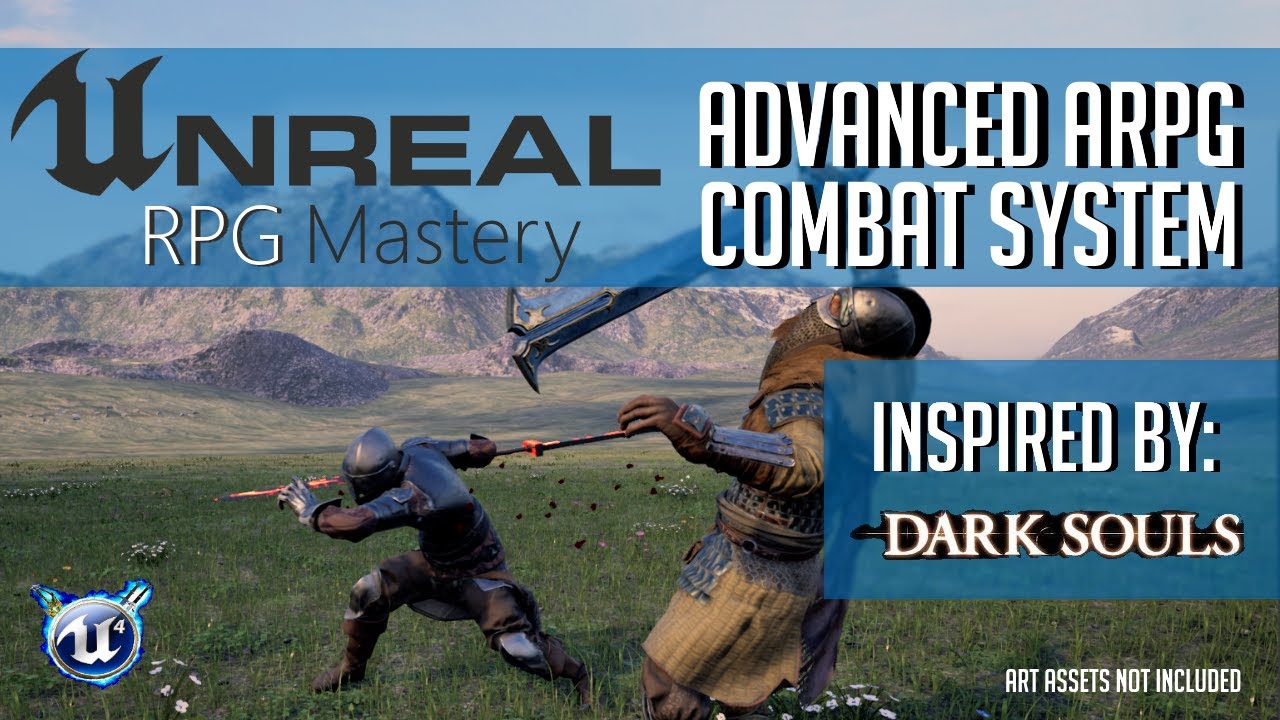
Advanced Action RPG Combat is a melee combat system template designed to be powerful and easy to customize. This system was inspired by Dark Souls & Sekiro combat systems. This system is designed to give developers a template for Action RPG combat. Made 100% using Blueprints.
Marketplace link: https://www.unrealengine.com/marketplace/en-US/pro...
is the best one i know
plush yew
@glossy jacinth this looks sick, it's very close to what i was looking for. Thank you!
it's almost as cool as this one and i was hoping to find anything close to this: https://www.youtube.com/watch?v=EJ0czOU1h5M&list=PLtLcyP-QCFnJyuvUE7iq5YRt3GRKo_F3J

 rugged bolt
Can anyone give me some game ideas?
plush yew
have shitloads of em whatcha need
rugged bolt
Anything hahaha I just need some inspiration
plush yew
well i can share how i come up with ideas instead of giving u ideas if that's what u prefer
rugged bolt
I do have a few ideas but it's not a full idea
plush yew
can i dm u so we don't spam here?
rugged bolt
Yeah sure bud
glossy jacinth
rugged bolt
I do have a few ideas but it's not a full idea
thats is verry good its mean you have or you can heve a base of what is at the end
 regal mulch
Does anyone know which file holds Editor Preference changes?
The Setting is supposed to be in "EditorSettings" config
But I can't find where the hell it saved my changes. No in Project, nor in Engine
It's the Local Derived Data Cache path
plush yew
there's actually several EditorSettings.cfg , it should be one of them
regal mulch
I can find it in EditorPerProjectUserSettings.ini under [Directories2]
GenericImport=B:/UE4/DDC/4_26
But that's not what it fills the variable with
Ah found it
EditorSettings.ini in the Saved/Config/Windows folder of the engine version in AppData/Local/UnrealEngine
SURE WHY NOT :D
 iron frigate
hi guys, i wanna upload my project to sidequest but i dont know how to change my package name in my ue project? whenever i do, it wont build
regal mulch
Anyone here having worked with the DerivedDataCache settings?
Wondering how I can get the Local Path to be Project relative
Tried putting waht the Docs said into the DefaultEngine.ini of the project, but seems to have 0 effect
It always throws stuff into AppData\Local\UnrealEngine\Common\DerivedDataCache
I can change it via EditorPrefs but then its for all Projects of that Editor, which is also not what I want.
Ah
Needs InstalledDerivedDataBackendGraph not just DerivedDataBackendGraph
steady owl
sterile lichen
do you need a special access to report bugs on issues.unrealengine.com? got easy...
Does this bug only occur when using ConstructorHelpers with Niagara assets?
sterile lichen
steady owl
Does this bug only occur when using ConstructorHelpers with Niagara assets?
just any attempt to load niagara asset from CDO constructor, triggers postinit and accesses uninitialized subsystem
steady owl
I had a similar one in 4.26 when loading an animation in constructor helpers that had a niagara anim notify would cause a crash
Made me just move all my stuff out of constructor helpers for now 😄
Which actually was better practice in my case
sterile lichen
my sample is minimized, in actual project it is much more complex (Actor -> Data table -> Niagara asset)
steady owl
Ah even something like this would crash it?
ASomething* MyActor = SomeTSubClassOf.GetDefaultObject();
if (MyActor)
{
  UNiagaraSystem* System = MyActor->GetSomeSystem();
}
So yes it would crash it as it's being accessed by the CDO here?
sterile lichen
CDO constructor, clarified
steady owl
Ah sorry didn't see the edit
So would be fine in that case but not in constructor got it
plush yew
Hi guys, I'm having real trouble with HLOD generation for trees (procedural foliage) in UE5. I've tried with and without world partition, data layers. Nothing happening. Would be great if someone could point me in the right direction.
 cerulean mural
has anyone worked with HTML5/webGL recently? i know that Epic dropped the support for it, do you know if there is some third party or hacky way to make it work still?
regal mulch
Did you run into any issues following tutorials and documentation?
Because otherwise I would say try tutorials and documentation
regal mulch
regal mulch
Anyone here having worked with the DerivedDataCache settings?
Oh my goodness. So now that I have Project Based DDC Settings, if you have the Local Path set in the Editor Preferences, it uses that. In what world is overriding Project Settings with Global Settings a good idea....
And you can't make the Global Path relative to project, cause even if you use %GAMEDIR%, once you open any project, it will override the ini entry with a relative path to exactly that path instead of keeping it per project -_-
 royal temple
Hi,
Wanted to know if there are anything that I should be aware of, if I start using UE in a company?
regal mulch
That's a very general question
 granite spire
@royal temple If you earn over 1million then you pay them money
regal mulch
But that's no specific to using it as a company
plush yew
i think type of product doesn't matter as much as u using it in company
regal mulch
Unreal Engine End User License Agreement for Creators: This license is free to use and 100% royalty-free; you can use it to create internal or free projects, or to develop linear content or custom projects for clients, but not for publishing off-the-shelf interactive offerings.
plush yew
i think that could be the problem
regal mulch
Unreal Engine End User License Agreement for Publishing: This license is free to use; a 5% royalty is due only when you monetize your game or other interactive off-the-shelf product and your gross revenues from that product exceed $1,000,000 USD. In other words, the first $50k of royalties that you would have otherwise owed are on us! You can find out more about royalties in the Releasing products section of this FAQ.
Sounds like as soon as you earn money by publishing it to the masses, you have to pay (when reachin 1mil)
But you should ask Epic directly
We aren't Epic and we can't answer that
granite spire
royal temple
Even if its not a game?
You need to go and read all of the TOS then look through and ask them, we can only regurgitate what's in that TOS as we aren't epic
plush yew
The question is then, is it published if its an application developed for a specific client only... Yeah you would need Epic to determine what category they would place the application under
 charred leaf
Is there a good place for me to post a screen shot and ask for help? Or would it be better to stream and possibly vc with someone?
fierce tulip
pick the channel closest related to the problem and ask for help :)
granite spire
@charred leaf what do you need help with?
helping people makes good content for my stream
charred leaf
@granite spire Do you want me to PM you and we can vc or something? I don't know how complicated the problem really is but it would probably be better to talk it out.
granite spire
i'm in stream at the moment, just type it out
charred leaf
I've got three levels: Main Menu, Character_Creation, ThirdPersonExampleMap. I have a Menu Widget BP being called by the Main Menu. The widget has a widget switcher that switches to different Canvas Panels via buttons. I have the Play button Opening my Character Creation Level which has two planes, a Camera Actor and a Character. Whenever I hit Play it loads that level but also loads the ThirdPersonExampleMap character and Third Person Camera.

If you need more screenshots let me know. I didn't want to clog up the chat.
granite spire
do you have a player in the level itself? do you have a "network start" or "player start"?
charred leaf
no
granite spire
also if you're manually spawning a pawn and have on your gamemode for a pawn to possess it will create that pawn so 2 are being made
the correct workflow would be to remove the pawn possession from the game mode and setup a type of spawning system
charred leaf
Alright, thank you. I'll work on that.
granite spire

you will want to set this to none
because if you manually spawn, and use this, the game will load this gamemode because it's a slave and does what it's told
I hope that answers your questions, I kind of went off on an assumption
charred leaf
It did thank you. I ended up doing it a little differently but made the change I needed to.
granite spire
sweet
 tight vapor
Is uploading a game to steam profitable?
charred leaf
It is if you drive sales. No one will buy your product if they don't know it exists no matter what it is.
granite spire
there's loads of products I see on indie sites and i'm like "well that's a new one, why's the kickstarter so low?"
then I ask them and they get bent out of shape for my curiosity
tight vapor
But i see games on there first day make profit
granite spire
"We're making an FPS! 10000% funded!" - Find out they asked for $100 and it's at $12k
royal temple
granite spire
You need to go and read all of the TOS then look through and ask them, we can on...
Tried to, but they are too "legally" for my taste 😄
charred leaf
Cyberpunk 2077 made profit on day 1.
granite spire
royal temple
Tried to, but they are too "legally" for my taste 😄
welcome to contract work
i'm probably the worst kind of developer though (Making an MMO-RTS-FPS-Multi genre)
but i'm experienced so it's ok
royal temple
@regal mulch great, thanks! Will try to get in touch with someone from Epic. I taught there were few reps here from Epic.
charred leaf
I realize Cyberpunk had a big name behind it but they also put a lot of work into marketing and creating hype. If they didn't do that they wouldn't have made so much bank.
 long gyro
Guy somebody knows a workaround to get proper static lighting with Virtual Height field?
granite spire
pretty much marketing everything, market early but not too early, release when no body does
charred leaf
^^^
royal temple
granite spire
i'm probably the worst kind of developer though (Making an MMO-RTS-FPS-Multi gen...
omg 😁
Hope it goes well!
I need to try the OSS that came out recently, will try to do it over the weekend
granite spire
@royal temple we are a good 5 years into development, we have done so much basework it's insane, our 'tech' is really nice
not only that, all mechs are modular
royal temple
plush yew
The question is then, is it published if its an application developed for a spec...
Hmmm true. All our applications are for clients, wont be giving it away for free, ofcourse 😅
granite spire
we converted the big performance hogging stuff to C++ now I'm here on stream fixing all of this broken UI, end me pls 
basically we modulated everything about the game, there's a ridiculous up front time investment, but it's got a huge payoff
it's a huge passion project, while doing contract work on the side that takes priority
but if anyone want to experience hell, convert your single player game into a multiplayer one with replication
royal temple
granite spire
<@!453267161335463946> we are a good 5 years into development, we have done so m...
damnn.. thats nice. Was 5 years what you had initially planned for, or did the features kept popping as you prototyped?
granite spire
well we planned this for a year
we had a crypto idea also that would be nice
worked a year on database alone so we could throw anything at it
royal temple
granite spire
but if anyone want to experience hell, convert your single player game into a mu...
done that. Its nightmare. Its better to start off as a multiplayer game/app instead of adding "multiplayer" as a feature later on.
granite spire
then we had typical indie teething issues with people so we basically just coded people's jobs out, fixed up the design so it's feature creep free, which took another year, then multiplayer and C++ code conversion for a few years
granite spire
royal temple
done that. Its nightmare. Its better to start off as a multiplayer game/app inst...
yeah we had it setup but we didn't realize how modular our game design was so we went with the tough choice to do all of the hard work now rather than having a player base and doing it later
once I get this mech constructor working this weekend, next week the physics go back in, and i'll be able to playtest it again, then we have to fix the RTS-FPS hybrid mode up
royal temple
granite spire
yeah we had it setup but we didn't realize how modular our game design was so we...
true, thats one drawback. You completely implement multiplayer and then if there are not enough players, it might end up dead. Even interested players wont be able to enjoy it.
May be its better to release it as a DLC, so the game has single player and multiplayer both. 🤨
granite spire
@royal temple well the way we're doing it, makes everything easy, so the thing is you have a main commander, which opened the door for other game modes, the problem is keeping the focus on the core gameplay
so with our tech this is what's possible

each of those mechs have AI and are modular
we capped UE4's GPU bandwidth lol
but instancing is amazing, hard to do for possessing each unit but you can control each of those in FPS mode and what not
anyway, enough about me I just realize i'm rambling
charred leaf
@granite spire If you don't mind helping me again I'd like help with the problem i'm facing. You could probably tell that I want my character creation screen to be a menu that looks at a character with a menu of options on the right side of the screen. Would I be better off creating a widget with a video background of what I want shown or is there a different/better way to do it. Not sure if creating a spawning system like you mentioned is critical to solving this problem.
royal temple
granite spire
<@!453267161335463946> well the way we're doing it, makes everything easy, so th...
😄 thats a unique problem you got.
granite spire
charred leaf
<@!220130799486369792> If you don't mind helping me again I'd like help with the...
you need a "character selection" blueprint that's a pawn with a camera, then spawn a UI and then just have a central mesh that you change, you won't be able to control them because you have possessed a different blueprint
then when you want to enter game, get selected pawn reference and create it/spawn it in and possess that
if you wanted things animating use the inbuilt sequencer, it's simple
hope that makes sense
charred leaf
Famous last words right there lol. Okay, thanks i'll give it my best shot. I should ditch the level I created and just try making a BP class with those things right?
granite spire
you'll still need a level
you can remove everything from it so it's black, or make a nice scenery

that's another small project i messed around with
but that uses the same thing
charred leaf
hmm, okay. Forgive me if I'm asking a dumb question. But I should be using the level BP for this or do I need to make a new BP class, or am I just using the BP for the pawn?
granite spire

that should give you an idea, you want to possess this selection, and then run a mesh that rotates
then how you store the cars or players is up to you
I had a live video of me creating this but I think twich removed it
oh wait no they didn't

it's 9 hours long so, that might help you out
charred leaf
Alright, thank you so much.
granite spire
i spent a good few hours dealing with the UE4 buggy car, I found out that the car they used actually has massive issues for no reason
trying not to promote my stream here though
charred leaf
I asked for help, so hopefully no one gives you smoke.
granite spire
nah it's ok
i help quite a lot here i should have some merit (I hope )
my stream just consist of me in agony with this UI, lmao
charred leaf
@granite spire Where should the possess funciton reside? Having trouble finding it.

 granite spire
charred leaf
granite spire
charred leaf
the white spaghetti you can't possess off you have to pull out the blue spaghetti, then untick context sensitive
possess is hidden away for some reason but it's just a thing i guess
charred leaf
Alright, got it thanks for the pro tip.
granite spire
no worries, I hope the saved stream is helpful
it's very long though i'll have to trim it perhaps
charred leaf
It is. twitch UI sucks and yes it would help if you trimmed it up a bit. You could probably do a Youtube Series of commonly asked questions on stuff people like to do or just do a mini series to start people on different genres or something. Not like a whole game tech but like, "Hey if you want to start making this type of game get started by making these three things!" or something like that.
granite spire
yeah
I have an idea what I want to do for that type of thing
i'm thinking it'll need to be in HTML5 so it's shareable
once I got some free time i'm going to whip up a WIP I think
basically it works like a talent tree in games, but your specialization is what path you take, but you couldn't say learn about animation then try to do level design because you wouldn't meet the perquisite
then each of those you learn from a video, with lots of related material so that you are leveling up yourself, so it's like a game, which the main project you should be able to build on
so say you wanted, you could learn animation then level design and you wanted to add ai in then you would have to follow the ai path to be able to add in basic ai
if that makes sense, something like that would be awesome
I think after this projects done in years to come i'll be able to use myself as a base for it, then have references to loads of up to date tutorials
charred leaf
Yeah it sounds cool. Also sounds like you'll need to get a dev team on board with it to really make it something feasible.
granite spire
I think so, I'll need loads of things
a small team will be really good, it would be better if I had a game dev company and each person specialized in something to do those tutorials
but it's something that won't make money and I don't want to charge for it, maybe through some minor ads or something to keep the site alive, but all of this should be free
it's something I'll end up doing in a few years if things have taken off for myself well enough
charred leaf
Yeah. There's no shame in doing something much smaller scale that you can bang out relatively quickly like this shooty car game stream you did but in a half hour video instead of a 9 hour stream! Stuff like that will attract people.
granite spire
yeah I'm thinking something like that might be ok, but there's already loads of tutorials I keep telling myself, but people enjoy listening to me, and I can teach fairly well, though I think my coding style is a little unorthodox but it's easy to follow
charred leaf
If it's easy to follow that's what matters most. There's lots of people teaching people how to subnet but a lot of them make it so hard to follow it would make people want to just give up. Networking Doctors makes it simple and easy, no math just writing it out quickly.
granite spire
yeah i hear you
it's something I'll get to eventually
maybe have it as "10 min tutorials"
"10m:01s tutorials"
 misty raven
I'm trying to give different textures or colors to instance meshes and i think it is impossible on paper but i find some guys doing something like I want to do.
I think find the solution of this, but my knowledge of UE isn't enough to understand that. Could you guys translate that to something like a noob can understand too? I will be very appreciated.
The Topic: https://answers.unrealengine.com/questions/469664/material-local-space-and-instanced-static-meshes.html
His solution:

 granite spire
Ahh instanced meshes
the coordinatedUV i don't have a whole lot of experience with, sorry, but I know it allows you to kind of run code, in a way
It looks like you're trying to grab the texture that is in 0,0,0 local space which is the object the textures on, and translate that for use in UV1
that's what it sounds like to me
 unborn ocean
hey! does anyone know about the problem in ue4 while working with BP editor sometimes it's get buggy like blinking screen! quickly also affect youtube video running in background! any fix?
charred leaf
@granite spire Thanks for the help. I'm off for now. Cya later
granite spire
charred leaf
<@!220130799486369792> Thanks for the help. I'm off for now. Cya later
No worries
granite spire
unborn ocean
hey! does anyone know about the problem in ue4 while working with BP editor some...
sounds like an issue with your GPU, mine glitches every so often
i'll right click and can see through the menus .etc
Exhibit A:
 unborn ocean
so there is no perma solution for that?
granite spire
if you take a normal screen shot it doesn't show, it doesn't show up on stream
if you find a solution, tag me
misty raven
granite spire
if you find a solution, tag me
I have similar problem and I have stupid but easy solution for that. When this happen to me I just open Geforce Exprerience->Instant Replay and ta-da! maybe that's can work for you?
granite spire
I think it might be the new nvidia drivers
I don't have the geforce experience installed
i'm also running a 3090
what GPU are you guys running?
i wonder if it's a common thing?
unborn ocean
i have rtx 2060!
misty raven
granite spire
I don't have the geforce experience installed
a guy with 3090 but doesnt use geforce experience 🤔 btw sometimes i close all of programs running background program and it solves but every of them
misty raven
granite spire
what GPU are you guys running?
RTX 2060Super
granite spire
wonder if it's RT specific
misty raven
maybe, i didnt have this problem with my gtx 1060 when i start use RTX 2060S it started
granite spire
I use the wall paper engine program but that doesn't appear to help when I close it
unborn ocean
so manybe rtx on on project needed?
granite spire
misty raven
a guy with 3090 but doesnt use geforce experience 🤔 btw sometimes i close all o...
I can't stand the geforce experience
I don't want it to manage my games, I don't want to be nagged by my GPU driver I'm a tad OCD with notifications, I don't have any really on my phone and minimal on my PC
the flashing notify of things triggers me, I can't deal with it
misty raven
mah maybe radeon is a better solution for us
misty raven
RX 6900XT has 16 GB VRAM, are you working with 5K textures or something like that?
granite spire
it's also not really great for RT
nah I just want the best of the best, I have a 5950x too
i figure, I spend most of my life on a PC, it's an investment
dogecoin paid for it anyway
misty raven
granite spire
It looks like you're trying to grab the texture that is in 0,0,0 local space whi...
btw i have to ask again, i dont understand anything and i dont know almost anything about UE4 material system so sorry. How Custom UV channels can help to me to change textures or color of specific instanced meshes and what i'm gonna do with TexCoord?
misty raven
granite spire
i figure, I spend most of my life on a PC, it's an investment
yep, that's true for me too
misty raven
granite spire
dogecoin paid for it anyway <:DogeSmile:855692987249721355>
bruh i lost my 150 USD on dogecoin :(
granite spire
misty raven
btw i have to ask again, i dont understand anything and i dont know almost anyth...
I am not too sure, I haven't had to play around with it, I will soon enough though because we use instancing for this mmo game
granite spire
misty raven
bruh i lost my 150 USD on dogecoin :(
you had paper hands didn't you
mate, I have diamond hands, I held all through this dip
misty raven
granite spire
you had paper hands didn't you
yep :(
granite spire
I'm annoyed though I had 1.2m doge, and could've got more way back when I was mining it, I didn't think of buying crypto, lmao
but that's ok
it's only funny money
I will take dogecoin with me to my grave
I annoy everyone cause they all want me to dump it, I'm like "nup, elon + memes bruh, plus funny yellow dog"
anyway this should be in cafe chat
misty raven
granite spire
I am not too sure, I haven't had to play around with it, I will soon enough thou...
anyways thanks for replies, if you can figure out how to change textures of specific instanced meshes and if you tell me the solution (offcourse if you dont forget me) i will be very but very much appreciated
misty raven
granite spire
I will take dogecoin with me to my grave
yeah same with eth overhere, but i'm loosing so much many money on shitcoins like doge
granite spire
don't sell, never lose
misty raven
don't sell, never win
misty raven
oww I forget we are in ue chat, I'm sorry for that moderators
granite spire
yeah me too but noone is using it but I don't want to be banned lol
 rose wasp
So I'm getting confused by the rotation system in UE4 I've read that it follows a left handed system but when I rotate something about the X and Y their respective axis counterclockwise is considered positive for both. What gives?
grand oyster
I just started using unreal and im confused as to how to make it so while im playing the game i want to make it so when i press the e key i want to make the max walk speed to go up by 500
 lapis tulip
FunctionInvoker.h(10): [C2143] syntax error: missing ';' before '<class-head>'
on this line
DECLARE_DYNAMIC_DELEGATE_OneParam(FCallback , FString , Content);
any idea?
did i missing include
 dire coral
quick question ue5 on hdd or to a ssd (install location and project location both on hdd or ssd)
 severe hound
anyone know how to tell if a niagara particle is in player view port?
severe hound
dire coral
quick question ue5 on hdd or to a ssd (install location and project location bot...
i would both to a ssd, very least probably the engine on ssd
dire coral
severe hound
i would both to a ssd, very least probably the engine on ssd
thx just one more question kinda not a UE one but will a ssd make the assets in games load faster(example in cod zombies i load into a game and have to wait for the assets to load up the best lod's) will a ssd make that problem go away somewhat
still on a hdd
severe hound
i mean like any time your loading files SSD will always be better than an HDD same thing with writing files too,
you will notice things load faster/save faster on an SSD
lapis tulip
any one have any idea how we can send function callback from blueprintFunction library class to native c++ class
 flat trail
Having issues when moving folders, was not possible in the same project without loosing references when loading up the level again.
Made a new project where i migrated, and succesfully moved it into a new folder, but some folders stay behind, empty... There apparently contains references to the new folder, because when i delete these empty folders, the level looses all references
flat trail
Im doing it from editor
 wary wave
the folders that 'stay behind' are likely not empty?
flat trail
They are
wary wave
they contain redirectors
 gray ruin
Does anyone know if ue4 rvt shaders will work in ue5 or did they change the implementation?
flat trail
ooh
@wary wave
They are apparently empty, i checked the filter "show redirectories" but theres nothing there
lapis tulip
any idea how can get function pointer from delegate
so i can pass it to native c++ class function ?
lapis tulip
actually i want to get it from UE delegate
i have to write wrapper to call native c++ class function which take a call back
how can send callback from UE class to native c++
vestal turret
Wow, neither the Epic Launcher or Unreal Engine 4.26 want to start on my Windows PC, anyone had face that issue ?

 woeful blaze
Did you restart your PC and tried after that ?
 oblique drift
im trying to create a quadtree and use it for dynamic LOD on my procedural mesh but i dont know how to do it... i know what a quadtree is and that it creates 4 children and for them also 4 children if needed... but i dont know how to approach that and how to implement that with my mesh and the documentation i found was not helpful or not understandable for me...
(im currently using blueprints...)
vestal turret
woeful blaze
Did you restart your PC and tried after that ?
I did restart my PC and now is fine, I suspect my Nvidia RTX 3070 to be unstable, it make Unreal crash a lot...
woeful blaze
try updating the drivers ?
 uneven hearth
When you sit down to get ready to do some work and then UE5 hits you with an Autosave

I guess its my fault since i have 6 16k textures active in this level concurrently.
 plush yew
Hi everyone. Hope your ready for a fun weekend. I need some help. I want to press an update button to take the text from a text box to update their username. Anyone have the blueprint logic to do this. So it would be something like update saved game username
Pulling from text box and saving it to slot. Someone have a screenshot of the blueprint logic for this
daring wadi
My launcher can't seem to get any version other than 4.x.0 of each patch, and wont list anything beyond 4.25.0 at all. I have other machines on the network that get the proper version list normally, and have downloaded 4.26.2 and 4.27.0 both. Yesterday I assumed my issue was probably the slew of people trying to download 4.27.0, but I'm still having trouble today, and have been retrying (and restarting, both launcher and PC) periodically every few hours. Has anyone experienced something similar? I'm about to try reinstalling the launcher, but wanted to avoid it because I'm not sure what it will do to my current engine install.
On a side note, anyone excited for the new/updated features for VR? I'm looking forward to getting to test the OpenXR support changes.
 knotty summit
So did anyone used Modular Gameplay Features in UE4 4.27?


 prime willow
aww i appreicate you too buddy
 scenic fox
am kidding please forgive my soul
prime willow
uneven hearth
When you sit down to get ready to do some work and then UE5 hits you with an Aut...
go to editor preferences and you can adjust the auto save by whatever minutes you want, i have mines at 60minutes
hidden bloom
@vestal turret I had that same problem a few days ago it was annoying as hell dunno what caused it but I cleared my browser cache and theres a article on it on unreal dont remember where but clear the unreal cache etc as well and reboot computer. I had to do it a couple times but so far dont have a problem
uneven hearth
prime willow
go to editor preferences and you can adjust the auto save by whatever minutes yo...
i have it 85 mins
uneven hearth
Tried moving the project to an SSD, didnt realy speed up the save.
prime willow
;-;
 tiny perch
Can i ask a quick question? Beginner here. If you want to make your own objects (caracters, buildings, vehicles) do you use blender of UE's own moddeling tool?
grim ore
you would generally use a third party DCC like Blender yes. the built in tools are still in progress and intended more for editing and not from scratch. With that said basic stuff can be done with the built in tools without much effort.
prime willow
tiny perch
Can i ask a quick question? Beginner here. If you want to make your own objects ...
if youre new to blender go to youtube and follow the donut guru tutorial itll teach you just about everything you need to make any shape object and or idea you have the imagination for
tiny perch
Thank you, follow up question. If you use blender to make a building. Can you still use it to make the building crumble when hit?
prime willow
also you have the options to use other peoples models if you dont trust your own modelling skills however itll come at the cost of creativity and other aspects like money lol
 clever chasm
Is anyone aware of solutions for importing GIS lines such as SVG or SHP files and setting them up as splines? I'm looking at the Terraform Pro plugin, but wondered if there's another way.
tiny perch
I made a small game with other people's (free) models. However I want it to be truely my own
dire coral
install ue4 from source or from epic games launcher??
prime willow
tiny perch
I made a small game with other people's (free) models. However I want it to be t...
that's the right idea ❤️
tiny perch
I use epics game launcher
plush yew
Basic save is not working on my project. Won’t create a save file😒
prime willow
dire coral
install ue4 from source or from epic games launcher??
typically you want to use the launcher however if their are versions via github or some source you want to utitlize than you can always go down that route
dire coral
im planning on doing Multiplayer stuff and server so for that i need the source version so kinda wana do that one right away
prime willow
well replication and multiplayer is pretty compllicated so start with that first*
there are tons of tutorials on unreal and youtube and forums to get you started on multiplayer
its important to start there since the blueprints are setup differently if you are going the multiplayer route source or launcher install wise
tiny perch
I want to make a Multiplayer to. However first finishing the game seems pretty important
prime willow
if multiplayer is in the game youre trying to finish you need to start with understanding multiplayer first
or youll end up coding your whole game from scratch again to have multiplayer function at all
thats what im going through :3
tiny perch
Oh **** well there goos my weekend.
tiny perch
Thank you snowie. I first try to make some stuff in blender
prime willow
good boy~
i wish your project the best of luck feel free to return here if you need any assistance and i'll try my best to help you through it ^^
tiny perch
Cheers!
 reef cove
Hey!
prime willow
hai
 manic flicker
anyone have any idea how to fix this?
 prime willow
manic flicker
anyone have any idea how to fix this?
prime willow
manic flicker
anyone have any idea how to fix this?
does any of the nodes being used for this function have a details layout on the sides of the screen
grim ore
click on the error, its not on that screen
 prime willow
im still new to unreal but my opinion about the situation might be that node doesnt have writable of some sort checked
manic flicker
its not "blueprint writable"
prime willow
in the details section but im new to this so my take may be wrong x3
grim ore
what is SV GAME STATE in that blueprint?
plush yew
Save not working. What would cause this. No save file being created
grim ore
@plush yewyou arent doing it right?
plush yew
@grim ore followed two tutorials to the letter and no luck
 grim ore
how are you verifying it isnt saving?
plush yew
I have made a couple 2d side scrollers and know how to save but magical saved stoped working not plugins enabled
grim ore
that doesnt help, what type of variable is SV GAME STATE in that blueprint? what does the details panel show?
prime willow
manic flicker
if this helps with anything i zoomed in xD
can you click on the errored node and share the details pane
plush yew
@grim ore looking in the project folder for an output file
grim ore
your using a plugin and not the built in save system? if so you need to go to the author for help on that
plush yew
@grim ore built in save system
manic flicker
prime willow
can you click on the errored node and share the details pane
im even more new than you xD how do i get to the details pane?
plush yew
So strange 😞
 prime willow
manic flicker
im even more new than you xD how do i get to the details pane?
prime willow
manic flicker
im even more new than you xD how do i get to the details pane?
click on the node with the error
yes
prime willow
might be read only
grim ore
I WONDER
prime willow
xD
prime willow
so i was right!
manic flicker
ty ty xD
prime willow
yay im getting smarter at unreal c:
prime willow
no no thank you for the opportunity to learn~
i'm glad we could be of assistance to you sir ^^
grim ore
@plush yewperhaps your folder is read only for some reason, when you run save game to slot it has a boolean with a return value you can check that
manic flicker
wait wat the error is still there
prime willow
whats it say now?
 prime willow
ok im not all that good at accessing none errors
plush yew
Nope @grim ore not that
grim ore
its means you accessed None, not what you wanted. you need to make sure its what you wanted
manic flicker
dont see any errors in the file tho
prime willow
no the code works thats why theres no error but its failed to reach the intended goal or input
so figure out which node is failed to reach said intended goal
winter gate
Help! My character is stuck in T-pose when I run in Standalone Game mode, but works fine in New Editor Window (as standalone, or client).
prime willow
and use a different set of nodes to reach said goal o-o
grim ore
you dont you click the error
it tells you exactly where the error is and the problem
the branch node at the end of that error is where its failing, before that it tells you that trying to read the "sv game state" variable is bad since you never set it properly/it has nothing in it
prime willow
o.o
grim ore
you need to make sure that the sv game state is valid, its got actual data in it and it points to what you want.
grim ore
it has nothing in it when you start the program, you never filled it up
 prime willow
its ok
manic flicker
pain
prime willow
this is a learning process
manic flicker
lmao
prime willow
the better you get at this the better you can manage your game before and after launch
grim ore
even if its empty it might not be that, your not giving your "sv game state" variable anything. Your not pointing it to your actual game state
prime willow
^
prime willow
winter gate
Help! My character is stuck in T-pose when I run in Standalone Game mode, but wo...
wait so it works in editor play test but not stand alone?
grim ore
like from that first screenshot, if your Get Saved Data node doesnt return the actual data for the Set SV Game State that it is plugged into, then your sv game state is still empty
winter gate
That's what I said... yes.
manic flicker
if snowie doesnt know ask mathew if mathew doesnt know ur screwed
grim ore
when you launch in standalone it makes a log for it in your logs folder, look for errors in there
prime willow
nuuu im no where as good at mathew at this but i appreciate the compliment nonetheless x-x
grim ore
we dont know how you are playing your animation so its hard to just try and guess at a fix, look for errors or weird warnings or anything at the point it starts playing your level and the animation is bad.
for all we know your doing it all by hand and your order of operations is different in standalone compared to PIE and a variable is not set at the right time
prime willow
wait what o.o
grim ore
which part heh?
prime willow
grim ore
for all we know your doing it all by hand and your order of operations is differ...
what term would i need to search to learn about this part in particular
grim ore
uh... nothing really. startup sequence maybe? or uh..
prime willow
o-o
grim ore
its the fact that the order stuff is initialized is not guarantee to be in any particular order for some things
sure your game mode and game state and such are fired off in an order normally, but say you have 200 actors in the world you have no idea which one is created first
grim ore
so if say one actor relied on another to be started first it might be in that order when testing in the editor, and then the next play in standalone its not
grim ore
it would be nice for a way to force an order like Unity does but thats not part of UE yet
prime willow
thats what i was thinking
grim ore
generally this is why people create stuff like managers, or spawn in stuff in the order they want
prime willow
like there has to be some way to pick who starts and doesnt x-x
grim ore
or you just dont create hard bindings but do stuff like event dispatchers
prime willow
would begin event play node be a hard bind
grim ore
it is but you dont know when that particular objects begin play will fire compared to others
grim ore
theres a picture thingy I am trying to find
yeah in here, the game flow https://docs.unrealengine.com/4.26/en-US/InteractiveExperiences/Framework/GameFlow/
 grim ore
it actually calls out that "In Editor mode, which is used by Play In Editor and Simulate In Editor, a different flow is used."
grim ore
some things should always start first, like the game mode which is why its a good place to put initialization logic and stuff
 neon bough
UI overlay stuff goes to userhud class
grim ore
not necessarily but setting up the game could go in game mode since you know its before other stuff
grim ore
it also means in general actors in the world can count on the game mode being valid so they can ask it for stuff, like I dunno level name or # of bad guys to spawn or whatever its being used for
grim ore
its normally not a big deal but once you start getting stuff connected to other stuff figuring out how to not bind them together comes in handy
prime willow
most definitely
grim ore
its why stuff like interfaces, event dispatchers, and the is valid node is handy
prime willow
i learned about interfacing 2 months ago >:3
 cedar wave
grim ore
it would be nice for a way to force an order like Unity does but thats not part ...
cedar wave
grim ore
it would be nice for a way to force an order like Unity does but thats not part ...
Last I checked - Unity doesn't guarantee initialization order either.
grim ore
they have Script Execution order
prime willow
thanksies for the lesson matheww this is really eye opening ill keep this conversation in mind for a later date ❤️
grim ore
so I mean its not the identical concept but they atleast have something
cedar wave
I don't recall that being a thing last I used Unity. Neato.
I know Godot guarantees order though.
grim ore
it would be a nice thing for any engine honestly
eventually you run into "this item needs this to be started, but that thing needs this to be started which relies on the thing I am in now and... omg its a circle and its on fire now"
cedar wave
It was honestly something I took for granted in Godot-land, lol. Ran into some issues with it in UE-land and it just made me appreciate it that much more.
 desert kettle
hey guys is it possible to reinstall unreal engine 4.26
grim ore
.26.0? or 4.26.2 ?
desert kettle
.2
grim ore
then yes, its on the launcher you should be able to add it like any other engine version. the orange + button

 tiny sonnet
I having a weird problem where if I try to reference this specific variable from the game instance after a level change, it simply shows up as empty


both the game instances are the same, its multiplayer
top is the server game instance, and the bottom is the gamemode, I have no clue why it isnt working because I have done this multiple times before
severe hound
anyone know how to tell if a niagara particle is in player view port?
 runic fern
Hello Guys ..
Does it Effect the Performance if i Called An API Every 5 Seconds to keep the Data Updated ?
 manic flicker
i thought i had fixed everything but theres this one error at the end anyone know what might be causing them not to be compatible?

 sterile helm
ay b0ss
so im trying to make a visual novel game with point and click elements, anyone have a clue how to do that?
winter gate
By using UMG
 inland gyro
Could someone help me with this error?? in unreal4's water plugin
 charred leaf
I'm trying to set up a button that changes the Mesh and Material from UE4_Man to UE4_Woman and I'm having a hard time figuring out how to change the material elements to match the Female Mesh. This is what I have:
 sterile helm
inland gyro
Could someone help me with this error?? in unreal4's water plugin
sterile helm
inland gyro
Could someone help me with this error?? in unreal4's water plugin
it turned into chess board
charred leaf
 inland gyro
sterile helm
it turned into chess board
inland gyro
sterile helm
it turned into chess board
and how to solve?
sterile helm
sterile helm
it turned into chess board
that means the water is now Nintendo Mii Maker dimension
sterile helm
inland gyro
and how to solve?
you can’t, the Miis have spoken
sorry about your luck : (
my best guess would be to try moving the water up higher on the y axis, but idk because i’ve never used the water plugin
sterile helm
^
prime willow
idk lol but maybe its up side down
sterile helm
that sounds like a good idea
prime willow
xD
sterile helm
do that @inland gyro
inland gyro
I'll try, I closed the project by accident
sterile helm
00F.exe
inland gyro
dont worked :(
 manic flicker
could any1 help me with this

i have no idea why its not compatible
and if it becomes compatible all my problems are fixed ;-;
manic flicker
this is all to save the game when u sleep
so im tryna drag the sv ch_properties into the character properties so it updates all the characters health etc
manic flicker
it is
prime willow
ah
manic flicker
but i followed everything he did and it didnt work ;-;
do u know what variable type it would have to be to go in there?
prime willow
you may be missing something in particular
or
maybe theres a node you need before you can just string that stuff together xD
winter gate
Does the variable type on the interface match the variable type you are feeding into it?
manic flicker
idk ;-;
prime willow
i'm honestly new to unreal engine even after a year and some change so i dont know what exactly youd need to connect the two but theres a disconnect in the node types for sure
winter gate
Check the input type of the BPI, ch_properties is it a SV Characterpr... something?
manic flicker
 regal mulch
It clearly says what's wrong in the error
Also make sure to compile your blueprints
In case you changed the type
regal mulch
We can't help like this
You need to check the type of the variable and the type of the pin
And make sure they are equal
That's all we can say
The pin is in the interface blueprint function
prime willow
manic flicker
just did that
tbh thats why i dont not use peoples assets atm even though some of them are so infinitely coooooooool
because when youre lost or confused youre fucked until you learn the stuff they didnt explian well
or they hand feed you
which stunts your games progress towards completion
manic flicker
yeah i guess
im just so uncreative i cant think of game ideas i want to make xD
so i just followed his for inspiration and learning
but it kinda screwed me when i run into a problem
prime willow
manic flicker
yeah i guess
think about it like this, would you want to buy a sandwich i made because idek what is a good or bad sandwich let alone what the heck you guys would want to eat so i just throw together some stuff that someone says tastes good and im confused on each step of the process but hey if i somehow slap it this together you guys will totes buy it
^ now imagine the games quality when thats the philosophy behind every step towards the game youre making
manic flicker
mmmmmm sandwich
prime willow
Take some time
google a whole bunch of stuff relative to the kind of games you enjoy
what experience do you want the players to feel or go through
whats your mission with this product
what kind of world or characters or mechanics do the players use to navigate your world
it doesnt have to be a story game or a lore-less fighting game
just figure out what you want to express and create and what mechanics in gaming or ones you completely make up will express that sort of ideals or concept
once you do that make a short list with the key pillars and stuff necessary beyond paramount to the game experience you wanna create and figure out how to suppliment those systems with other mechanics and or art assets that bring out the best of what youre trying to make
the road ahead is alot less confusing when youre following a map :3
prime willow
youre welcome~
like my map is 800+ pages long in microsoft words detailed inch for inch second for second gameplay wise and thansome
and i still get confused
imagine not even having one lmao
 craggy parcel

I named my user account after my cats and didnt realize that UE4 would have an issue with the ampersand character... Does anyone know an easy fix for this other than creating an entirely new account on my computer and transfering my files from this account to that one?
 fierce tulip
move your projects to a location that does have your user acc as a folder name.
fierce tulip
also, awesome cat-names. I approve
craggy parcel
Yes!!! that worked! thank you!
also thank you, their real names are Eggs Benny and Elliott 🙂
fierce tulip
guessing Elliott farts a lot XD
wary wave
Smelliott
craggy parcel
hes a stimky boye
plush yew
In Unreal, is the following possible? A giant vessel, with many players inside of said vessel. Said vessel is moving.
fierce tulip
if the fortnite bus is anything to go by, yup
plush yew
bigger, as in, each player could have their own room and go do some mundane things. Bit of a sim. Then there's a pilot crew on the bridge
fierce tulip
it is possible. i personally dont know how, but yea that should be doable with the right knowledge
plush yew
Sounds good
plush yew
Hello just wondering if someone could help me, when I press the button to play my attack animation the camera stays in place and you can see the character do the animation, bare in mind this is a first person game so obviously I don't want that
 weak cradle
what do you mean by stays in place
Like the camera does not move with the character had?
head*
weak cradle
how do you have your camera setup
plush yew
Should I send a screenshow
weak cradle
sure
weak cradle
Send a pic like this of your player BP
 weak cradle
select your player mesh
i want to see the screen on the right and left
the middle is not important as much
actually want to just get in a call?
itll be way easier
weak cradle
im trying to figure out how to call u
 wraith flume
How do I port an old arcade game (I have the Rom) into ue4?

 torn dragon
Hi folks! Has any used ue4 (or 5) with only dynamic lighting yet? Making a game where everything is player built, like minecraft, and wondering if this would even work well, without precomputing lighting ?
 wintry torrent
Would this be the right channel for questions?
fierce tulip
almost all channels are for questions, just pick the one thats most related to your question :)
when in doubt, you can ask here :)
weak cradle
 rotund yew
what is the command to increase poolsize
wintry torrent
rotund yew
what is the command to increase poolsize
wintry torrent
(bare in mine I am very new to this lol) I have a .dae file with mesh + joints and I wanted to use to for unreal engine. I used blender to change it to fbx. It worked but I can't use default animations (Stays t pose). Question is should I make animations or is there anyway I could match the skeleton to default character.
fierce tulip
you might wanna check https://docs.unrealengine.com/4.26/en-US/AnimatingObjects/SkeletalMeshAnimation/AnimationRetargeting/

Describes how retargeted animations can be used with multiple Skeletal Meshes, allowing you to share animations.
or find a video showing how to do so.
wintry torrent
Oh wow pretty much what I need. I am using unreal 5. Is this recommended or no?
fierce tulip
i'd suggest using ue4, but it should work in ue5.
wintry torrent
Thx ❤️
fierce tulip
good luck!
wintry torrent
@plush yew I am just starting to learn. I have jumped down a deep rabbit hole. I have to learn unreal engine and blender. So far, videos suck for making skeletons lol.