
#ue4-general
1 messages · Page 1050 of 1
 whole glacier
 lucid grove
Yeah
whole glacier
Actually i noticed Fraps seems to show a higher FPS with screen maximized , but editor FPS still seems same. Maybe it is just Fraps reading it incorrect and is still at around 30
 grim ore
@hidden daggerif you are using navigation you can get a random point in a radius around the location and use that
lucid grove
console command
lucid grove
whole glacier
Actually i noticed Fraps seems to show a higher FPS with screen maximized , but ...
on both editor and stand alone
Just to be sure
whole glacier
ok let me see
@lucid grove Yea , thats weird , looking at fraps in the upper left , and stat unit , there is a big discrepancy . 🙂
 lucid grove
whole glacier
<@!667566391444111380> Yea , thats weird , looking at fraps in the upper left , ...
lucid grove
whole glacier
<@!667566391444111380> Yea , thats weird , looking at fraps in the upper left , ...
That happen from time to time. Better use in-engine utility and not inside editor to get proper results.
whole glacier
@lucid grove Is there anything in the stat screens that would point to what may be holding me down fps wise?
 grim ore
you should not be using a FPS overlay while in the editor, I would shut down FRAPS for sure
the second issue, if your getting weird FPS in editor, is look and see if you have GSYNC or FREESYNC enabled on your video card/monitor
easiest way to see if this might be an issue is to open a new map, the default one with the floor, and see what it shows for FPS. See if it feels "capped". type in 't.maxfps 200' into the console to remove any artificial editor limit as well
 native tulip
im sorry for spamming this question, but im trying to get an answer 😅
how can i rotate the camera around my player (up vector) because the camera rotates around the worlds yaw? any solutions?
grim ore
have you looked at how the third person template handles their camera?
generally adding rotation would be relative to the parent, so the camera would be parented to the item you want to rotate around
grim ore
yes but how is the camera set up relative to the item it rotates around? and how is it set up for you?
native tulip
ah you mean this?
 grim ore
yes? the component list also shows the exact hierarchy
native tulip
\
 grim ore
yep, how does it look for you?
native tulip
it should be around the capsule
grim ore
that is around the capsule
native tulip
grim ore
yep, how does it look for you?
yep thats mine
grim ore
the camera is attached to the arm, the arm is attached to the capsule
native tulip
which means the arm is rotating the camera by rotating around the capsule
but its not rotating around the capsule
its rotating around the worlds yaw
grim ore
what does it do for you? you would have to show us
native tulip
lemme quickly get an example my bad
(im disabling the pitch just so you know its just the yaw were using here)
 grim ore
yep but that doesnt show us what its doing
and it doesnt show us how your hierarchy is set up
native tulip
here its working fine, (btw thats a linetrace not the springarm)
 whole glacier
@grim ore Yea just me (character on that plain default level is say , 50 to 60 fps , when i would think it should be 120 at least.
native tulip
grim ore
yep but that doesnt show us what its doing
im getting to the point 😅
grim ore
@whole glacierdid you disable the max fps?
whole glacier
@grim ore yes i did.
native tulip
and now while wall running its going around the world yaw
 grim ore
maybe look at see what you have set up for the free or g syncs on your monitor and card? that sounds pretty low
whole glacier
@lucid grovei have one of these recorded but there is a ton of stuff in there
native tulip
also just saying the capsule is rotated as well

im sorry if it doesnt explain but im trying my best 😅
lucid grove
whole glacier
<@!667566391444111380>i have one of these recorded but there is a ton of stuff i...
Sort them from highest to lowest
grim ore
is this the default third person character or did you make your own or change it?
native tulip
i made my own
whole glacier
@grim oreHow do i check the Gsync ?
grim ore
ok you might want to compare to the default third person, you might have some of the controller options changed. like these on the character as well as the ones on the cameras and arm

@whole glacierits in your nvidia control panel if you are using an nvidia card

the editor hates gsync
beyond that, maybe take a few minutes to make a new first person project, then just disable the maxfps and hit play and see what it shows. See if it still shows low FPS (maybe you changed something in your other project)
like maybe you have Raytracing on, or some other weird thing that saps fps
native tulip
grim ore
ok you might want to compare to the default third person, you might have some of...
ive changed these to the following


 whole glacier
@grim ore strange i dont have that option in Nvidia cp.
 grim ore
maybe its just some of your other settings then, or how you add movement or rotate your character. If your hierarchy is the same as the third person then adding controller input should just rotate the camera around the thing as its set up
@whole glacierthen you dont have a monitor that supports it, so no issue there
native tulip
ill be checking the third person character in a sec
oooh interesting
oh wait nvm its the same
grim ore
I would eliminate the project as the issue, it might be, by starting up a new FPS project just to get a baseline of what a new project does
native tulip
:(
grim ore
I can say just unhooking the LookUp input on the third person doesnt seem to do anything weird, the camera always stays where it should be when rotating
only times I ever see the camera go weird is when you rotate the capsule itself
native tulip
im doing just that
grim ore
so your rotating the actor directly and using controller rotation?
native tulip
yup
grim ore
yeah thats gonna be an issue then
grim ore
you might need to disable the controllers control of the pawns rotation/camera rotation when you are manually rotating it. but even then, your controller might not be synced to the pawn at some point
native tulip
how would i manually rotate it?
grim ore
well I dont know how or what you are doing now
native tulip
just manually rotate the spring arm?
native tulip
grim ore
well I dont know how or what you are doing now
using add pitch control/ add yaw control
whole glacier
@grim ore Yea so i'm wondering if it isn't something on my character or game mode or something. In a fresh project its at 200 fps , even in the original project on that plain default level , with no game mode selected and just default mannequin , it is at almost 200 fps. But as soon as i select my game mode with my character , it drops to 50 to 60 fps.
grim ore
you said your manually rotating it?
native tulip
sorry mustve been an accident, im not
grim ore
@whole glacier so blank level, character in level ,200fps. change game mode in that same level, 60fps?
 buoyant graniteBOT
:no_entry_sign: GrayMatter02#6097 was banned.
 fierce tulip
some people are weird
whole glacier
@grim ore Yes
grim ore
@native tulipmight need to record a clip then so we can see what is happening, your saying its the same as the third person which is weird
native tulip
ahhh sorry my bad will do that
 unborn ocean
hello! guys
grim ore
@whole glacier 200fps is with the manny right? 60fps is with your character? try just the default level, not your game mode, drop your character into the level and see if it tanks. Its either your game mode or the character at this point
whole glacier
@grim oreRight , let me try just drop him in there with no game mode selected.
grim ore
it might spawn in the manny as well which shouldnt matter, if it want it to matter delete the player start, drop in your character, and set it to auto possess controller 0 in its details
in theory it should be controllable lol
whole glacier
@grim ore It just seemed to spawn my character , and with no game mode selected , it is at 60 fps.
 stuck hound
Sorry for interrupting but Im having an issue with Cinematics. Everything is fine in viewport but when rendering camera moves but not rotating. Any ideas why?
grim ore
@whole glacier so this is gonna be weird but... with it playing at 60fps with your character, shift-f1 to escape from the viewport then go to the world outliner and delete the character in the world (hit yes for the linked stuff when it asks), see what happens
native tulip
here is the clip
grim ore
@stuck hound#cinematics might be more help
stuck hound
thanks
grim ore
yep so
at some point your rotating the character/capsule ?
theres no way its going to just stick to that wall
native tulip
grim ore
at some point your rotating the character/capsule ?
yup
whole glacier
@grim ore Ok so doing that , it actually drops to like 40 fps , but there is no character to control. Also a bunch of errors come up involving the character
grim ore
yep your not supposed to manually rotate it, thats going to get things out of sync, your supposed to add control rotation but even then the capsule is designed to stay upright
 grim ore
@whole glacier so it sounds like other code is running as well other than just the character, like do you have any UI? or anything that the character spawns in
native tulip
here is the extension of these lines btw
 whole glacier
@grim ore Complete rpg with ALS is the base of this character , so i think yes, probably .🙂 but only a mini map , compass and health bars are on screen
grim ore
perhaps its the UI stuff then
whole glacier
@grim ore When i go to delete him , even though no game mode , this is what is referenced.
 grim ore
yep that means the player probaby spawns those in
soo...
some of that code is just not very efficient is going to be a problem
you could try opening the player and finding where it creates that code, probably in begin play, and just unhook the code right after begin play, to see if it all spawns and see what the FPS is
whole glacier
@grim ore Ok i will try and see if he will spawn
grim ore
@native tulip was duplicating that code, and no issues rotating here when its sticking to the surface but with the default code the character doesnt rotate when you move so what did you change to get it to rotate? just setting the rotation without the capsule rotation taken into account isnt going to rotate it correctly
 unborn ocean
does anyone know how to make night scean?
grim ore
yep at this point your causing issues since your not using control rotation (but the camera is).
 cyan bronze
I think im just stupid but how do i get this boolean "IsReloading" value from PlayerCharacter C++ class to my gun actors Animation Blueprint

 native tulip
grim ore
yep at this point your causing issues since your not using control rotation (but...
native tulip
grim ore
yep at this point your causing issues since your not using control rotation (but...
ok thanks, what are the other options btw ? 😅
grim ore
@native tulipmaybe check otu this video https://youtu.be/jEoXMl-eK_s , I think it has to do with how your doing your Z
lucid grove
grim ore
<@!336785086064099328> was duplicating that code, and no issues rotating here w...
Hey MathewW i have general question regarding world partition. Im in middle of creating open-world without big dimensions. Its something more like Gothic-2 size map - not big at all. World partition giving noticeable glitches when moving from location to location. Is there some recommended sizes for using it?
grim ore
where is that variable at, what is holding it?
native tulip
grim ore
<@!336785086064099328>maybe check otu this video <https://youtu.be/jEoXMl-eK_s> ...
ive seen it, followed along, but his implementation is absolutely terrible, he has some custom character and he doesnt explain it thoroughly
 grim ore
@native tulipmaybe just look at the parts where he gets the Z for his rotation, Im pretty sure thats the issue as when I muck with the Z it causes issues
@cyan bronzeyep thats not where. what class? is this class a blueprint in the world somewhere?
whole glacier
@grim oreYea when i unhooked begin play , the bp actually compiled without error , and when i hit play the character is there , (though i cannot move him) , but it still is at 60 fps
grim ore
@lucid groveI have not used world comp enough to know that answer 😦
cyan bronze
grim ore
<@!802596752447766569>yep thats not where. what class? is this class a bluepri...
The boolean is inside my Players class and im trying to use the value of it inside my Gun (which is an actor) animation blueprint
grim ore
@whole glacierand when you delete it, does it still link to other weird stuff?
grim ore
@whole glacierbut the ui and such is not on the screen anymore right?
cyan bronze
I will try
whole glacier
@grim ore Same thing if i disconnect tick , yes the compass , minimap , and healthbars are still on screen
native tulip
@grim ore i looked around the use pawn control rotation and stuff, and i realised that there is no way to just remove one axis for the pawn control rotation, how would i achieve similar results
cyan bronze
@plush yew I think i didnt understood
 grim ore
@whole glacierugh.. so what.. ugh. Im guessing those might be components then? I have a feeling its that stuff causing the lower FPS.
grim ore
soo.... this goes back to me asking where this was at.
variables are just stuff as you know, you need to point stuff to stuff for stuff to be good
how does this anim bp know about your exact character?
the one in the world that you are checking for this variable
whole glacier
@grim oreYea , this could be complicated , maybe there is begin play elsewhere as well
grim ore
@whole glacierlook in the component list on the player
cyan bronze
 whole glacier
@grim ore yep i will check
grim ore
@cyan bronzeyes... correct. your just setting it to nothing, not something. You have a character in the world you want to talk to right?
cyan bronze
grim ore
<@!802596752447766569>yes... correct. your just setting it to nothing, not some...
yees..?
grim ore
is this the anim bp on the character, or somewhere else?
cyan bronze
grim ore
is this the anim bp on the character, or somewhere else?
On my gun. So somewhere else
grim ore
ok then thats going to be an issue. soo... then the question is why does the anim bp need to check for this variable?
this is to transition to the reloading animation I assume? if so why does it need to check every frame
cyan bronze
grim ore
ok then thats going to be an issue. soo... then the question is why does the an...
Because it needs to play the reload animation
cyan bronze
grim ore
this is to transition to the reloading animation I assume? if so why does it ne...
What do you mean by every frame
I mean yes i know what it means
grim ore
doing it the normal way, having your anim bp update itself and its variables, might be bad in this case
so then pushing that data to the anim bp might be smarter, where is this gun at in the world? is it part of the player (an attached actor?) or somewhere else
cyan bronze
grim ore
so then pushing that data to the anim bp might be smarter, where is this gun at ...
Its ENUM pickup item that goes into player socket
Currently its always in the world
grim ore
but this gun exists as a spawned actor in the world somewhere right?
 grim ore
ok so your player when it wants to reload, is going to have to talk to the gun, get its anim instance, cast it to the correct class, then set the "IsReloading" variable on that anim bp (you would create this variable)
the issue here is if you have other weapons, you cant cast correctly so you would probably want an interface to do it instead
so say you had this in the player

this would set that variable you want to use in your transition in the anim bp (you would use the gun mesh and not the player in your case, this is just an example)
the issue is if you have 6 guns, you would have to cast 6 times assuming you use 6 anim bps (you might, if you dont then your good)
if you do have to set the variable into multiple anim bp's, look into blueprint interfaces for generically telling it to reload
cyan bronze
I will try to get it to work to 1 gun for now
grim ore
then what I have above would work, you just have to get the mesh that the anim bp is playing on and adjust the code for that
if your socketing it to the player, or picking it up somehow, you can store a reference to that actor to use later when reloading
theres lots of ways of doing this, its just what works for your design
cyan bronze
ok ty for help
grim ore
@native tulipI wish I had an actual answer other than pointing out the issue. Theres a few different ways of doing it but how your doing the math i think is the issue.
whole glacier
@grim ore Yea this is a big circus knot in the project . Some of it is related to the bp's in the component list , if i disconnect the minimap bp , then when i go to delete the character ,it no longer references the minimap handler , but , the minimap is still on screen. I guess i'm gonna have to dig through this , or maybe even consider hiring someone that knows more than me
grim ore
@whole glacierI think you atleast might be figuring out a path, it seems like the systems just take up a good chunk of resources when in use
whole glacier
Yes , i appreciate your help so far , thanks , Love the WTF series by the way🙂
@grim oreAt least it does give me a direction / path
native tulip
grim ore
<@!336785086064099328>I wish I had an actual answer other than pointing out the ...
ill be taking a look into it
grim ore
yeah watching that video he never moves the actual player capsule and I could see that being an issue. I think the main reason his works is he is faking it
native tulip
how would he be faking it tho?
oh well i dont think it matter, im going to try my best to find a solution
grim ore
well if you look at the video the capsule of the player always stays upright
native tulip
yup ive noticed
whole glacier
@grim ore One thing i noticed is if i run my character on that blank default level in 4.25 , i get like 80 fps , when i run him on that same blank level in 4.26 , i get 50 to 60 fps.
grim ore
weird but no where near the 200 😦
whole glacier
@grim ore Yea something on the character draggin things down. I know a lot of people mentioned about a 20 fps loss in 4.26 , but no one figured out what happened yet.
 frigid bear
hi guys i need some help so i want to make a leaderboard where people can input their name at the start and when they die or complete the game they can see other peoples score..
grim ore
so what did you need help with?
native tulip
well for starters you need some ui thats created at the start, and that sets each players name, and your next step is to put it all in an array, thats how id go about it
frigid bear
grim ore
so what did you need help with?
so i have created an integer that basicall adds 1 when my player finishes a level
 rough kraken
Kinda general question - is there something i need to do to get the GameMode to take effect when i change it?
frigid bear
native tulip
well for starters you need some ui thats created at the start, and that sets eac...
so how do i do that? sorry im very intermediate with ui's
rough kraken
I managed to get it to use the basic GameMode as default, and then i went to my level and tried to set the override to ThirdPersonMP
it did "set"
but i've hit the play button, after saving AND hitting "rebuild level"
native tulip
frigid bear
so how do i do that? sorry im very intermediate with ui's
also i just noticed we have the same name lol
rough kraken
and its still acting like the regular GameMode
frigid bear
native tulip
also i just noticed we have the same name lol
but im also a pro at being intermediate in the world
rough kraken
wait, i am a dumb dumb. my game is connecting to a server which still had the old game mode set. I get it now...
frigid bear
frigid bear
so i have created an integer that basicall adds 1 when my player finishes a leve...
so that should be shown by their name, and highest is at the top
grim ore
@frigid bearso it sounds like you have no information on how to do it or what to do, there are some tutorials out there on leaderboards. It also depends on if its local or network, and if it should save between closing the game and starting it again
frigid bear
grim ore
<@!581885592607129624>so it sounds like you have no information on how to do it ...
it should save on the network but when i started the tutorial it didnt have the plugin for ue 5.0 which is what im using
grim ore
what your asking for is pretty complicated, you wont find a step by step in here. If this is over the network you need to find a place to store that information
frigid bear
locally is fine too but we should show it at the end only
grim ore
break it down to what you need then. A way to input name (UMG UI), a place to store that name (the player? the game mode? the game instance?), a place to store the leaderboard data (an array or list somewhere?) another UI for the leaderboard (UMG UI), and then a simple sorting method to sort that list or array
frigid bear
and it shouldnt be multiplayer
its single player but many player can play it and whoever does it the fastes and crosses the most levels is at the top
grim ore
yes, all of what I wrote above is what you need
you might want to look at tutorials for "high scores" since its local
frigid bear
ok super thnx
cyan bronze
grim ore
theres lots of ways of doing this, its just what works for your design
Didnt rly get it to work with your method but this works


 grim ore
it does yes, thats the other way of doing it
and you can use a NOT operator instead of the == for the last screenshot
doing in that way it talks to the player every frame to see if the reloading variable is set instead of just checking the local one
 grim ore
that might be from before the player is valid
cyan bronze
ok so i will just ignore it for now and move on
grim ore
if it only does it a few times then stops, thats probably it
but its also why the other way is better
cyan bronze
grim ore
and you can use a NOT operator instead of the == for the last screenshot
You mean this?
 grim ore
yes that is the equivalent of "if this is not true then do this"
cyan bronze
grim ore
so say you had this in the player
This has the problem that i dont thing that the gun mesh in my player BP has nothing to do with the actual gun. I did a different shooting method before and i thing that is just a old mesh

Also the Set IsReloading doesnt have the targer blue "dot" thing to connect from "cast to animBp"
grim ore
I think your just a little confused on how this is all supposed to work
if the other way works, you can use it for now. You nee to do more research or break down how your parts are put together to use the other way
 grave pollen
Has anyone messed with spectators in ue4? I noticed a spectator pawn as a default setting in the engine but haven’t seen any tutorials on allowing ppl to spectate games
grim ore
@plush yewyes, the character is not set up correctly. Have you compared it to the default third person character?
also keep in mind, "rotating is bugging" is not a good description of the issue or what you are expecting
and there is no other input in there?
what was the issue?
 zealous magnet
I see some people in tutorials somehow summon a floating window (similar to IntelliJ's double shift) where they can quickly enter any asset's name and hit enter and it'll open that
Is that a plugin? Any1 knows what that is?
Nevermind, it's Ctrl+P!
 hidden dagger
grim ore
<@!710925488901587016>if you are using navigation you can get a random point in ...
hidden dagger
grim ore
<@!710925488901587016>if you are using navigation you can get a random point in ...
yeah but its very buggy and it deosnt always works for some reason
 idle needle
Hi everyone, we are getting this error when we try to build our game: Targets cannot be built in the Debug configuration with this engine distribution. Any idea how can we solve it?
rough kraken
hey, dummy question. How do i get UE to spawn a client AND server when I hit the play button? right now it does not seem to be spawning a server (i say this, because i can launch a server serperately, and my client works. If I don't do that, my client fails to connect to a server)
 tiny sonnet
grim ore
what was the issue?
tiny sonnet
grim ore
what was the issue?
do you know the use of the preconstruct node in UMGs
grim ore
so the ui in the editor has data that you might want it to have
anything in there runs in the editor
maybe its a button that should have some words on it, and those words are from a variable somewhere else. Pre Construct could get that data and put the words on the button
grim ore
its both

 trim bough
I had too much time and i wrote an rhi override script for the project at startup, the instructions are in the file
tiny sonnet
so where would u use this and not the construct node, do u have an example?
 plush yew
someone knows how can i use a video like a texture?
grim ore
widgets in widgets is an example, setting up a ui at design time that uses variables. a custom button for example might have an exposed variable for its image and text and that pre construct puts it on the button
tiny sonnet
ah ok
trim bough
trim bough
I had too much time and i wrote an rhi override script for the project at startu...
sorry wrong version
plush yew
is distance field shadows worth to use?
 runic owl
can someone help me by referring to information i can find on legalities of doing projects with people from other countries, say in terms of royalties and taxes, self incorporation
fierce tulip
^
 hidden sparrow
Hey I have two actors (same blueprint) im my world. I made them make a sound when interacted, but I want the sound to be played from both actors, not just that one that I interacted with. How can I do it?
 grim ore
so that is the code on the item you interact with?
hidden sparrow
yes
grim ore
and if you interact with 1, the other one should call this code as well?
hidden sparrow
Thats what I want, but only the one I interact responds
grim ore
well that code is on begin play, I assume you have other code? or why is this being called when you interact with it
hidden sparrow
The way of interaction doesnt really matter I think. Lets say everytime i click on it it plays a sound. I want both to play a sound but only one does
it is the same blueprint but i just put two in the same world
grim ore
if both are in the world at design time, you can just have them keep a reference to the other one then call the play sound code on it (thats why I as asking about how its playing the sound)
you make a variable of this classes type on the blueprint, and click the eye (make it instance editable)
then in the editor you can click on one of them, and set that variable to the other one like this

#2 here is selected in the world, and its variable is pointing to #1
now in my code I would just simply call the code to play the sound like normal, then also tell it to play the code on that variable
this in theory would play your sound on the one you interact with, then tell the other one you are saving a reference to to then play its sounds as well
and since each one keeps a reference to the other one, it wont matter which one you interact with
hidden sparrow
Oh okay
grim ore
the... smarter way if you wanted to expand this would be to at runtime get all the actors of this type and store it in an array, find yourself (since finding them all would find yourself as well), remove yourself so now your array is everything but yourself, and now you have an array of everyone else that you could call play sounds on. The downside to this is now all of them know about all the others and it uses more memory.
 indigo totem
So im working on optimizations for my level. Honestly there isnt much in this level besides the clouds that should be causing such a frame drop. Can anyone gimme some hints ot help me out?
 grim ore
the other smarter way is one thing keeps track of them all and you tell it to play the sound and it plays it on all of them whenever you interact with any of them
@indigo totemyour going to have to run a profile on it and see what it says if you want the real cost of each frame
hidden sparrow
Ok but I use get actor location node, how does it know to use lets say 3 different locations and play sound there?
 grim ore
@hidden sparrow something like this

you call play all the sounds, it plays the sound locally on the one you called it on, then talks to the other one and tells it to play just its sounds.
the other one calls play my sounds and well... plays its sounds locally to itself
indigo totem
 grim ore
this code will run on whatever you tell it to run on
@indigo totemif you go into #graphics with that they might be able to help you tell what it causing what
it does seem like your clouds are taking 5ms tho so you are right on that one
hidden sparrow
@grim ore Sorry Im still missing something, could you please explain that in steps? How do i make a variable and attach other actor to it?
grim ore
make a variable in your blueprint
make sure its of the class that this code is in, whatever you are interacting with, then click the little eyeball to the right of it (or the details panel, check instance editable). This will allow it to be set in the world
then go into your editor, click on one of the 2 blueprints you are working with, and set its variable that should now show up to the other one. repeat with the other one pointing to this first one.
 grim ore
this is what you see in the editor (in the viewport) or in the blueprint?
hidden sparrow
in blueprint
grim ore
that is fine. blueprints dont existin the world, when you put it into the world it becomes and instance of that blueprint
your blueprint has no idea about the world since it doesnt exist in it, so you cant set a variable in the blueprint editor. You set it in the world

this instance of your blueprint in the world, knows about everything else in the world so you can then choose the other instance that exists in your world (you have 2)
hidden sparrow
oh so Weird actor1 points to werid actor2 and 2 to 1 right?
Tbh I dont know if I messed something up

The variable type is correct
grim ore
yes 1 points to 2 and 2 points to 1
you want to drag off the variable, then call the event
its trying to call the event from inside itself, which is not the one you want
assuming your trying to call it on the other actor (the one your variable points to)
hidden sparrow
When i drag off the Aktor it creates an event but doesnt connect
grim ore
based on this tho.. your saying this item is called "Test Tablet", the class name this code is in
but your variable is not of type "Test Tablet"
grim ore

the class this code is in is "MyWeirdActor", and the variable inside of it is of type "MyWeirdActor" since I have 2 of them and each will point to the other one
I assumed your 2 items are the same class
hidden sparrow
Yes, I got it Thank you so much! Tomatoes?
grim ore
yay it worked?
hidden sparrow
Yes!
 exotic plover
hey there good people, my unreal project keeps crashing when i start adding/taking/connecting blueprint nodes in my Player Pawn. Not just the project, but most of the time i get a blue screen, and when i doesn't bluescreen it comes up with a D3D debug message, please help, what can i do?
 neon bough
you could try to set your project to use vulkan instead of directx
 plush crane
bro my ue4 project opened to a blank level and made me shit my pants lmaooo
whole glacier
Quick general question. Do volumes like post process or blocking or others affect performance?
 oak berry
I wanted to ask what is the best way to share files on ue4 to other programmers. Me and someone else are working on the same project, and github i guess has run out of space (5 gb). What are other ways to do it?
lucid grove
Can somebody suggest some technique to create fake mountain clouds? I want to place them at some high places in landscape where player cant reach them or get too close.
 plush crane
https://media.discordapp.net/attachments/127723854171734016/876966754809684048/unknown.png anyone know how an effect like this would be created? (color is moving through hexagons) complete noob to anything like that so not even sure what programs to use or anything

trying to make my ue4 hud :k
lucid grove
Maybe?... Dont really know much about materials)
 slate crystal
Hey there, someone know about hair shader? I imported just a group of haircards to unreal, just to test, but when I apply alphas and textures, they look like this, but in Maya my UV os working good, someoe could help me?
I assuming it's a UV problem, but i don't really know, i'm newbie in unreal. xD
 whole glacier
@oak berryGoogle drive seems to be pretty popular
@lucid grovethere is a fog plugin asset i think is called " Ground fog" , it paints the fog on in the foliage mode , just like foliage, i ve used it on some flatter areas, not sure how it would work in mountains though.
plush yew
slate crystal
Hey there, someone know about hair shader? I imported just a group of haircards ...
looks like your missing the rgb texture
 unkempt python
So I'm making a cave tunnel to import into unreal engine. Is there a better way or honestly just a faster way to make proper collision for a tunnel-esq import than splitting every different angle into its own object?

 latent hull
How would I go about world generation? I'm trying to make Minecraft-ish world gen for fun, but can't figure out how, if I make each block an actor the game starts lagging very quickly
whole glacier
Did i change something with my lighting? when i play in editor now it takes a few seconds for the exposure to equalize. Also when i am deleting some i get a message briefly saying " computing references" . Also my lighting seems much brighter oddly. Any ideas? thanks
 chrome beacon
Hello everybody. I'm so pissed off for real about an always recurring issue with the switch to the female mannequin that's always missing her own skeleton, with the consequence of having a damn box instead of the mannequin mesh. Why does that happen and, most importantly, why the engine doesn't search the whole project contents. Sorry if I'm addressing this issue so badly but I feel very upset and lost at this point but I'm sure I'm not the only one struggling with that issue so I'm sure you all know what I'm talking about. Any hint to finally solve this once and for all would be really appreciated a lot! Thanks in advance.
plush yew
just curious but can i export a text from a 3d software to unreal? i know its probably a stupid question but i want to try it out and see if it works for the game im working on i know i can turn the text into a object but i just want the text itself
 oblique drift
does anyone know a good yt tutorial series to get into UE? I used Unity in the past so i thought i could just start my Project and look thinks up if i need to but i realized that i miss basic knowledge in UE...
 dusky inlet
oblique drift
does anyone know a good yt tutorial series to get into UE? I used Unity in the p...
dusky inlet
oblique drift
does anyone know a good yt tutorial series to get into UE? I used Unity in the p...
Have you looked at this? https://docs.unrealengine.com/4.26/en-US/Basics/UnrealEngineForUnityDevs/

Translate your Unity knowledge into UE4 so you can get up to speed quickly.
oblique drift
dusky inlet
Have you looked at this? https://docs.unrealengine.com/4.26/en-US/Basics/UnrealE...
no, thank you that look usefull
plush yew
plush yew
just curious but can i export a text from a 3d software to unreal? i know its pr...
When you say text what do you mean, is a 3d model of letters or is it something written on something in a 3d model.
 winter wedge
lol uh is there a way to save during this

when i save it will first complete compiling and then save
i wanna save right away
 drowsy snow
winter wedge
i wanna save right away
drowsy snow
winter wedge
i wanna save right away
Be patient.
UE4 locks itself up when attempting to save and compiling shaders at the same time.
winter wedge
its been 3 hours
drowsy snow
winter wedge
its been 3 hours
Increase the Shader Compile Worker process priorities, and take a drink or eat some meal or watch some videos while it does its job.
winter wedge
sounds nice
plush yew
That's a lot of shaders, what did you do import a whole city?
winter wedge
unfortunately, only a part of a city
drowsy snow
plush yew
That's a lot of shaders, what did you do import a whole city?
That's not really much
winter wedge
is that so
plush yew
It is for my laptop, I should replace it before I burn the house down.
drowsy snow
plush yew
It is for my laptop, I should replace it before I burn the house down.
Try 40K+
plush yew
Also you are the person who helped me with my mesh

Look it is almost finished
Colours not indicative of finished product.
winter wedge
plush yew
It is for my laptop, I should replace it before I burn the house down.
same
nice mesh
but what are those boots
plush yew
Those boots are an abomination born from the mind of a madman
They will be hid behind the robes most of the time
 blissful trail
https://gyazo.com/eb9588127ee2634b01d2ad93b21f6a50?token=af69d06d65ef0322fea10937a62faa21
any idea why this could be happening?
 plush yew
The black square? How exactly does it occur, in loading a save or something?
blissful trail
i put the black square there so its easier to see when it gets unaligned
it happens when walking sometimes it just unaligns
plush yew
What gets unaligned?
blissful trail
the player
plush yew
Ah it is supposed to move in a gridlike manner?
blissful trail
yes
nvm i think i fixed it i just disabled the players ability to move while moving to another square
plush yew
Great work
 limpid pier
Eros?
 wary wave
something is overlapping with the pickup that is not a "RobopCharacter", so "GameController" is invalid
but also please don't spam a load of photographs into the chat
 vale panther

hey guys. Bit of an odd one... exported plane and sphere from blender with same settings. Displacement shader created in unreal blows gaps into my sphere but the plane remains intact.. what gives?
drowsy snow
limpid pier
Eros?
Also please use direct screenshot from the editor and not taking photos of your laptop screen. It's hard to read a single thing from them.
blissful trail
https://gyazo.com/e0e3c81fef588401fcaf1180f103a6c1?token=772f7768e628953aac1f0dfe03b51f21
so i have a new problem when moving in one direction and then trying to go another direction it just stops moving
limpid pier
Okey thanks
drowsy snow
vale panther
hey guys. Bit of an odd one... exported plane and sphere from blender with same ...
Because UV mapping, I assume?
 regal mulch
blissful trail
https://gyazo.com/e0e3c81fef588401fcaf1180f103a6c1?token=772f7768e628953aac1f0df...
regal mulch
blissful trail
https://gyazo.com/e0e3c81fef588401fcaf1180f103a6c1?token=772f7768e628953aac1f0df...
I suggest you write down what should happen and think about what your code doesn#t do there
I made that exact system a few years ago out of fun
The problem you have is most likely that you only care about the button being pressed while not moving
If you are already moving and the player presses and holds a different button, it has to finish the previous move and then check if any key is still down
plush yew
Use axis values maybe?
regal mulch
The base idea of this sort of pokemon like movement is:
- On Button Press -> Move fixed distance in direction
- During Move -> Don't allow any other button press to change the move
- After Move -> Check if the Player is still holding a key and use the latest one to perform next movement or stand still
blissful trail
i see i think that fixed it
vale panther
drowsy snow
Because UV mapping, I assume?
doesnt seem to be...
i tried different uv map exports
same result each time
 iron zealot
Help needed, i have 4 bones for each tire in blender
Assigned to vertex groups
Here it comes fine
But in physics tab
drowsy snow
vale panther
i tried different uv map exports
Any reason not to bake in the displacements?
iron zealot
Only 3 bones come
vale panther
drowsy snow
Any reason not to bake in the displacements?
they're animated
regal mulch
Can you all please learn how to use simple screenshot programs, or even the snippet tool from windows?
My goodness
drowsy snow
Also please use direct screenshot from the editor and not taking photos of your laptop screen. It's hard to read a single thing from them.
iron zealot
Sorry
regal mulch
WINDOWS+SHIFT+S should already be a good start ;_;
plush yew
Do ya have that line as a macro Hoodie XD
drowsy snow
I have pledged to not bother with people who took photo of their screens as opposed to giving direct screenshots.
Discord is free to download (and even the web app is fine) and Windows has built in screenshot tool, so there's no excuse to use photos of the screen.
iron zealot
Should i send it again using the snippet tool
regal mulch
Yes please.
plush yew
prtsc ftw
regal mulch
Not if you have 3 screens
drowsy snow
plush yew
prtsc ftw
Not if your Prnt Scrn key broke

 plush yew
Jam a screwdriver into the keyhole
iron zealot
Im new and im trying to follow a tut to create a free roam car game. rigged and assigned vertex groups for individual tires and body. 5 bones come in skeleton tab but in physics one a bone is missing
plush yew
Those are not bones those are primitives I think
drowsy snow
iron zealot
Im new and im trying to follow a tut to create a free roam car game. rigged and ...
I think you could add one yourselves and assign it to the correct bones. You don't have to rely on the generated bodies.
regal mulch
Hm, yeah I think these are primitives assigned to the bones
drowsy snow
By the looks of it, looks like they're using the generated ones. Tires should have spherical primitives and not capsules facing front.
It would be wacky because it's implied as a capsule wheeled car.
plush yew
I have never really worked with physics assets yet
Also also my mesh is finally done making after like 2 weeks
regal mulch
That's not for this channel please
plush yew
Is it possible to change the default project path location? I moved some of my projects to another drive because i dont have a lot space left on my C drive but those moved projects are not shown in the project browser only the ones from C:\Users\<USERNAME>\Documents\Unreal Projects
regal mulch
Yeah mean in the Launcher?
plush yew
it doesnt show in both epic games interface and in the launcher
would like to move all my projects to D:\UnrealProjects instead of having them on the C drive
regal mulch
Hm, what happens if you open the project manually?
 opal cedar
Guys, is it possible to convert a 4.26 project to 4.25?
opal cedar
regal mulch
Hm, what happens if you open the project manually?
Go to your unreal files
opal cedar
regal mulch
You can't downgrade afaik
Right thanks
plush yew
i opened the project manually and from the launcher but still doesnt show only the ones from the default location.
I also tried this solution from the forums
https://forums.unrealengine.com/t/ue5-projects-not-showing/231521/14
but every time i start epic games removes the launcher entry from the configuration

Unreal Engine Forums
Here’s the solution, UE4/5 projects show in launcher and in add content menu.
regal mulch
Oh this is about UE5?
plush yew
tbh opening the project manually or from the browser is not an issue for me the bigger problem here is that i cant add any assets if the projects aren't indexed by the epic games launcher/UE launcher
Version shouldnt matter i guess?
But yes i use UE5
regal mulch
Idk, UE5 is not ready for production and idk how it is tied to the launcher
I have no issue having projects all over the place (multiple harddrives) but they are all UE4
plush yew
Oh rip then i thought the epic games launcher fails to index the projects from the other drive
regal mulch
Yeah idk. I just double checked and I have projects on C and B
And I didn't have to do anything for that
plush yew
I guess im gonna just let it stay on the default location and move it to another drive when i prepared all the assets etc.
Thanks for the help 👍
 pure sorrel
why i have this in visual code

 carmine saddle
Hi, guys!
What is the best tool for planning and drawing all architecture of your project? for example - For example connections between actors or event dispatchers or variable and etc.
 regal path
Hello does anyone has already use Yeti for groom inside Unreal
My groom is imported correctly but can't bind it to the mesh correctly
plush yew
is it just trial and error matching movement speed with walk/run animation
it looks slidy af
i know root motion exists but meh
opal cedar
Hello, got a questions again here
 steep basin
 why is this happening lol
 opal cedar
In terms of in-game maps, what applications/ways are great for those?
steep basin
opal cedar
In terms of in-game maps, what applications/ways are great for those?
theirs quite a few depending on what you want to accomplish
are you doing open world- generating a tile map set? Are you trying to do by level?
drowsy snow
steep basin
<:voxeldeath:487613578246094858> why is this happening lol
Likely something's wrong with your GPU.
steep basin
drowsy snow
Likely something's wrong with your GPU.
prob something i changed before honestly. Just makes me want to jump off a cliff. We have a crash error. What is the issue?
A needle in a needle stack sir.
oblique drift
hello guys, im trying to spawn landscapes around a big sphere (to create a planet) how would i aproach that?
blissful trail
i dont exatcly know what happened but i tried fixing my 2d grid based movement system and accidently broke it and unreal wont let me undo
https://gyazo.com/f0628562f7cbc4866ed5135919cc972d
is there a decent tutorial series on pokemon styled movement for ue5 ?
 steep basin
how do you open video on here?
 fiery timber
hi everyone, ive a random problem.... i recently imported starter content bundle, took out some particles and materials to a seperate folder, and whatever was left behind. after, i opened up my level and everything got messed up to no return... everything in teh front seems to be drawn behind the back objects

and my editor icons are sideways...

in lit mode, all my static objects seem to have disappeared as well...
 drowsy snow
fiery timber
and my editor icons are sideways...
drowsy snow
fiery timber
and my editor icons are sideways...
Seems like issue with your GPU
Does it occurs on other projects (if not other games)?
fiery timber
ive not tested other projects
worried it might affect them as well
ive not tried games either
is my project ok tho?
should i just restart my pc...
drowsy snow
Do some sanity check, make sure it's not on your hardware.
plush yew
Hello, be prepared for a maybe silly question. I'm using the sunsky in 4.26 and it is of course bright (as intended), however this brightness tends to drown out the luminescence of many particle effects, is there any way to fix this? So that I can actually see the particle effects?
fiery timber
plush yew
Hello, be prepared for a maybe silly question. I'm using the sunsky in 4.26 and ...
maybe increase the intensity of your particle effects? if somethign is bright, in an even brighter envirohnment, it wont appear as bright anymore i suppose
fiery timber
drowsy snow
Do some sanity check, make sure it's not on your hardware.
opened a new project and everything looks fine... tho it has super lag spikes when i turn on fullscreen or move around too much
 opal cedar
steep basin
are you doing open world- generating a tile map set? Are you trying to do by lev...
opal cedar
steep basin
are you doing open world- generating a tile map set? Are you trying to do by lev...
I would say do it by level
pure sorrel
Can someone clear it up, if I'm right. In the header file you have an class and then an public section for variables and an public section for public functions, same for private, protected.
 steep timber
hi this turret normaly aims on my character and shoot rockets but if i put the turret any closer to the floor than in this picture it doesnt work anymore. the floor is a simple static mesh without any blueprint. Someone a idea whats the problem ?
 wary wave
pure sorrel
Can someone clear it up, if I'm right. In the header file you have an class and ...
wary wave
pure sorrel
Can someone clear it up, if I'm right. In the header file you have an class and ...
you have whatever you want, it's just standard C++ - if any of this confuses you, you may want to spend some time doing basic C++ tutorials before coming back to Unreal
 cyan cargo
Is there a standalone non-epic launcher version of the engine I can download? Wondering for use in a classroom
Preferring to not have to compile a version on my own :/
 hollow palm
I'm adding custom auto completes in project settings

but I can't add descriptions

while other commands do
despite the fact both have "2 members"
 worn granite
pure sorrel
Can someone clear it up, if I'm right. In the header file you have an class and ...
worn granite
pure sorrel
Can someone clear it up, if I'm right. In the header file you have an class and ...
Some folks have a standard format for this.
Public Variables
Public Functions
Protected (same order), then Private (same order).
The ordering can be different, you could even have private variables at the top and immediately followed by public functions.
The reasoning for public stuff first is because as a consumer of the API you are most concerned with how you can interact with the types. So, you come across a class FWhizBang and are curious if it will let you whiz your particular bangs. Well, you know in order to whiz a bang you need to foo the bar. So having public: void FooTheBars(); at the top helps you to decide that the type is functional for your use case.
even stuff like
private:
    // Variables, then functions go here
vs
private: // Variables
    // ...
private: // Functions
    // ...
is largely "style"
worn granite
cyan cargo
Is there a standalone non-epic launcher version of the engine I can download? Wo...
Closest thing AFAIK is to compile an installed build on your own and distribute that. At least you won't be compiling for every machine.
cyan cargo
worn granite
Closest thing AFAIK is to compile an installed build on your own and distribute ...
Thanks, I will look into going with what you suggest
 gilded forge
Has anyone here worked with Unreal's motion controls? I know how to get the tilt, gravity, rotationrate, etc. But I am having a hard time getting the game orientation to match the real world orientation.
 cedar wave
<@&213101288538374145> 👆 scammer (mods deleted post I was referring to)
plush yew
someone using substance painter please?
 main pewter
can I use a cinecamera to automatically fit its zoom (focal length) to fit a target actor? eg I have a character and want to be sure it's visible in complete height+width
@cyan cargo I guess it is not - for a good reason and I think you are not allowed to deploy it this way (EULA). But I'm not 100% sure. I've played around with a "dockered" UE - works ok, but also I'm not sure if its EULA conform 😉
plush yew
anyone know the proper way to get a custom mesh on the ue4 mannequin
retarget requires a proper skeletal mesh
but I cant find anything about it
 clever harbor
Hi I want to learn unreal engine, should I use blueprint first or C++ ?
grim ore
learn how the editor works, then learn some about how the engine works, then if you want to learn to like do some logic learn a bit about blueprints, then if you want or need to learn C++, learn how to convert that blueprints to c++. If you do not know C++ at all.... just... please dont try and learn C++ in UE4.
 warm knot
Hi,
Was just wondering if anyone knows how to stop this from happening.
https://gyazo.com/322ba781e8bc3fe88f9086b0bdd961a5
I want to be able to see it from further away not just up-close, any help would be awesome. Cheers!
 grim ore
@cyan cargothis was suggested before for what you want, but simply building the engine and deploying it is very similar https://docs.unrealengine.com/4.26/en-US/ProductionPipelines/DeployingTheEngine/UsinganInstalledBuild/
@warm knot#graphics would know for sure, but.. what is "it". how "it" was made would help give a good answer
warm knot
grim ore
<@!313761529180979200><#221799195806400512> would know for sure, but.. what is "...
Cheers, I'll post it on Graphics 🙂 and its just a standard plane with a simple shader with an alpha mask and some emissive 🙂
clever harbor
grim ore
learn how the editor works, then learn some about how the engine works, then if ...
Alright thanks sir
blissful trail
https://gyazo.com/e71fa42cfca3c90549f0bb70c945b0f9 whats the best way to do 2d collision in unreal im currently drawing a line and if it hits not allowing the player to move that direction but if you press another key while holding the forward key it moves through a the wall in front of the player
 plush crane
can anyone tell me what im doing wrong here? No matter what I change its always starting me in SPP. Im trying to make it go FPP, SPP, TPP
 grim ore
put the code on another screen and watch it run in realtime when you press the button, doesnt have to be another screen just have it visible while testing it
pure sorrel
grim ore
learn how the editor works, then learn some about how the engine works, then if ...
Motivation killed
Was about to jumpnstraight to learn c++ 😅
grim ore
you can. no one can stop you. but people with experience might suggest you don't do that as there are other ways with less friction when learning
pure sorrel
Only have little experience with c# unity
 exotic thicket
I think it depends on what aspect you're interested in specifically
If you're very programming focused, and that's your primary interest on a sort of language level, C++ is probably fine - might be tricky but yeah
if you're more interested in game dev in general and making games, then BP's are an entirely fine approach too
(of course even if you are code-focused you can still do BP's, that's what I did)
grim ore
yep learn to use both in the end if you have the time and skills
 dusky slate
How do i orientate my Particles to my Mesh?

lol nvm, i can rotate my particle effect
 brave lark
I've got some data I'm pulling in that has where vertex points should be and where walls should be drawn between them. I'm currently using draw debug line to view this.
I want to turn this into a spline. Is this possible or is a spline only able to be one closed loop?
 pure sorrel
exotic thicket
If you're very programming focused, and that's your primary interest on a sort o...
pure sorrel
exotic thicket
If you're very programming focused, and that's your primary interest on a sort o...
In the industry c++ is popular for gameplay programming thats why i taught learning it, i find building something completly alone ishard.
grim ore
well I mean its certainly one language, but at this point there are many many of them out there being used
 hushed cedar
does anybody know when 4.27 is out of preview?
grim ore
today? tomorrow? next thursday? in 2 months?
anyone who does know can't say, and anyone saying doesn't know 😛
hushed cedar
thanks that's reassuring😂
grim ore
considering we had the inside unreal preview for it last week, I would think soon*
hushed cedar
im kinda of 2 versions behind and i want to start a project with 2.47 but i'm not really sure if it's the best move to start with a preview version
grim ore
usually no, its not. any reason you need .27? any special features in it or anything? if not no reason to start with it or wait
plush yew
lol
hushed cedar
grim ore
usually no, its not. any reason you need .27? any special features in it or a...
no reason really, i was just thinking if 4.27 release date is near why not just download the latest you know
rough kraken
Question - what would be the best recommended way to test out virtual clients connecting to my server?
So the goal would be a way to test server performance and stability when 100+ clients are connected. I clearly can't just open 100 clients on my pc, it would slow to a crawl. Is there a way to have like... a graphic-less client that i could scrip connecting to server? then have a handful of real clients connect and check behavior
grim ore
yep makes sense, but nope we wont know until Epic lets us know 😦
pure sorrel
grim ore
well I mean its certainly one language, but at this point there are many many of...
Basically yeah.
 glacial pecan
So is anyone of these the gameinstance? I'd like to expose some variables in it to be able to monitor them during play, but seems I have to "port" them to another class in order to see them? I mean, I can't be assed to put a watch every time I press play...
 grim ore
open your project settings and see what its using for the game instance
glacial pecan
CRPGGameInstance... but it's like the only class I don't see in that list above, which is a bummer 😦
grim ore
i dont beleive its instantiated into the world, there shouldnt really be a need for it
glacial pecan
Typical... every other crap that I don't use, like GameSession, GameStateBase is instanced, but not that one 😛
grim ore
you should be able to look at the variables with the BP open during play as it will show up in the debug filter
but yeah its not going to show up in the details panel if that is what you want
glacial pecan
grim ore
you should be able to look at the variables with the BP open during play as it w...
but then I have to set up watches, right? or is there a view that shows the current values of all variables in play? the details panel of the class doesn't seem to update during play
grim ore
in the BP the details panel would just be the defaults so that wont work, nope. You would haved to set up watches on running events or breakpoints. or uh.. yeah like you suggested something else can watch it
its annoying for sure
glacial pecan
grim ore
in the BP the details panel would just be the defaults so that wont work, nope. ...
Thanks. Oh, well... guess I'll move the variable to the player controller instead and make it visible... I'll just have to figure out it's proper value at the start of every level from now on
grim ore
its definitely not the eaiest way but setting up getter and setter functions for anything in there and having those functions print out the value as they are get/set would be a weird way to get around this
glacial pecan
grim ore
its definitely not the eaiest way but setting up getter and setter functions for...
Oh, believe me when I say that I have enough of those already! 😅
 grim ore
hey atleast they are color coded
glacial pecan
Hah, yeah... Debugging like this feels like I'm back in the 1980s... which is appropriate since I'm making a retro game 🙂
grim ore
this seems like one of those times where making an OSD for debugging might make sense
extendable UMG class where you can add and remove debug output as needed
glacial pecan
grim ore
extendable UMG class where you can add and remove debug output as needed
Good idea! I'll keep it in mind, thanks.
 upbeat onyx
hello, im very new to this whole thing and my character is for some reason disappearing into what seems the floor when I move. Can someone help
fixed it all good
 steel leaf
Hi, I think there's a way to make these notifications disappear after a short period of time, but I don't remember how, can anyone help me ?
 oblique drift
how can i reference the player that you play If you put a PlayerStart Actor in an empty scene? (I want to get the distance between an object and the player (spawned by the PlayerStart) and referencing the PlayerStart dosen't work...)
plush yew
I got this weird delay to Launch Character not really sure why
 manic flicker
can anyone tell me how to randomly spawn trees on my island and if possible how to make it thicker in some places such as a mini forest
plush yew
i would just use the level blueprint to spawn them around places you would want trees
you can specify locations if you dont want it in the rivers and stuff
grim ore
Get Player Character is a reference to the player character at the given controller, you would use that @oblique drift
manic flicker
plush yew
i would just use the level blueprint to spawn them around places you would want ...
sorry im quite new to ue4 how would i do that?
 next badger
How to bring up the color correction droplet?
"color calibrator"
oh..it's backslash
plush yew
manic flicker
sorry im quite new to ue4 how would i do that?
something along these lines figure it out

lots of ways to do it
add a timer so your pc doesnt go brrry
brrrt
oh you would wanna invalidate it based on a loop depending on how many trees youd want too
👍
manic flicker
you life saver tysm
plush yew
np lol
oblique drift
grim ore
Get Player Character is a reference to the player character at the given control...
ty but it doesent recognize it maybe because there is no Player character in the outliner even if i start the game... maybe i have to set something up first becuase i just have a blank szene with a player start (i can fly around when i start the game (so it dosent use a normal first person player template...))
grim ore
a player start is used with the game mode to spawn in the default pawn (set in the game mode)
it sounds like your game mode is not set up
oblique drift
its probably not im just in a test project, but i got it to work using the Player Camera Manager, thx again
manic flicker
i feel really stupid asking this but how do you getactorlocation because when i search it up i cannot find it
grim ore
it should show up, how are you looking for it? and in what blueprint?
plush yew
manic flicker
i feel really stupid asking this but how do you getactorlocation because when i ...
If you wanna do that youd have to uncheck that box in the top right corner
 manic flicker
ohhhh tysm again
 harsh tiger
any idea on how to increase this limit?
 plush yew
oh incase anyone was wondering i fixed it stupid montage changes speed if you screw with it
manic flicker
plush yew
something along these lines figure it out
ive got all that set up how do i add the tree textures to this? so it starts spawning in trees
 clever vault
how to make ue4 open always in the full blueprint editor ??
plush yew
manic flicker
ive got all that set up how do i add the tree textures to this? so it starts spa...
youd have to make the tree an actor and add a construction script, and add the mesh node and use set material but you want it in the right slot
thats where it gets tricky depends on your set up
or a material instance
plush crane
is there a way to see what is being executed in a blueprint in real time while im in game? Im trying to figure out why my blueprint is doing something unforseen and havent been able to figure it out
plush yew
pick your poison lol
manic flicker
0_0
grim ore
@plush craneopen the blueprint, choose the one you want to watch as the debug target in the debug filter in the top (the drop down), and then watch it
plush crane
tysm
manic flicker
im trying to install the open world demo collection so i can use the free tree samples but when i try and download it i get this error anyone know how to fix?

and the one texture which is a supposed rock is just the void
 grim ore
if you have the project open and are trying to add assets to it, you might get that error
also the open world demo collection might be a bit heavy and has issues for normal people use
plush crane
how can i set my default camera? Currently my default is my over-the-shoulder and im trying to change it so that so that when someone spawns in its fpp defualt instead
grim ore
the camera on the controlled pawn is what will be used. Change it on the character, or change to a new character. You can import the first person package and use that one if its easier
plush crane
i have 3 different perspectives that people can cycle through, i fixed it tho thanks
 burnt marsh
I started more or less 2 weeks ago and did most of the courses, including the jam, and I am feeling ready to do small projects. What types of games would you recommend for a beginner to fiddle with?
grim ore
well... we could suggest a VN but if you dont like them, that wouldnt help... sooo what do you want to work on?
burnt marsh
Not sure, in 2D engines I used to start with pong and Tetris to get familiar, but 3D is a bit different I suppose.
And opens up a whole new area
grim ore
well you could do pong and tetris in 3D, or just do it in 3D minus 1D
both are good starting projects if you are used to that type
burnt marsh
I guess the puzzle template would be a start with fixed top camera
grim ore
yep, or blank and figure it all out 🙂
burnt marsh
Or just do it all from scratch yeah, might be even better
grim ore
might not be better, but if your willing to deal with learning it all then its more learning for sure
burnt marsh
Yeah, it's better to know things rather then just relying on templates as a start. Camera is always important to deal with I suppose. Can't hurt
manic flicker
could anyone explain how to do this make the tree an actor and add a construction script, and add the mesh node and use set material but you want it in the right slot in newbie terms xD
grim ore
once you understand what the templates are doing then no issues using them, no reason to reinvent the wheel once you know how the wheel works 🙂
harsh tiger
I have 360 videos that you can play inside the app whilst in VR. But I can't package due to a 4GB limit with the OBB. Does anyone know of any fixes?
 burnt marsh
Also, I am coming from a coding background, I found blueprints very intuitive and would actually prefer them over code for the first time ever 😅.. I am aware of certain caveats, but I also learned by watching the courses that using blueprints only can also reduce the hassle when packaging for iOS if you don't have a Mac
If I write C++ code, as far as I understood, I need to run it through xCode?
grim ore
for the most part yes, but even then you still kinda need macOS somewhere to make the final product for iOS
blueprints just reduces the amount of annoying crap to deal with
burnt marsh
Yeah, that was my takeaway
 sinful yarrow
LogRendererCore: Ray tracing is disabled. Reason: not supported by current RHI.
Cmd: r.RHI.Name
Running on the D3D12 RHI
I don't understand this? DirextX12 is meant to be the right RHI to be using for ray tracing?
grim ore
what video card are you using?
steel leaf
Hi, I think there's a way to make these notifications disappear after a short period of time, but I don't remember how, can anyone help me ?
 sinful yarrow
grim ore
what video card are you using?
sinful yarrow
grim ore
what video card are you using?
RTX 3090
manic flicker
its been stuck like this for 5mins do i leave it for a bit longer or how can i fix this (this is my 2nd time trying to load it up)
 grim ore
go to your output log and filter for ray itself, what else does it show for RT support? @sinful yarrow
@manic flickerI did mention "has issues for normal people use", this is the issues. you wait for hours, or you remove the asset that is bad
sinful yarrow
grim ore
go to your output log and filter for ray itself, what else does it show for RT s...
 grim ore
go into your file explorer and find the folder for "HillTree_02" and remove it from the project. that asset in there is broken
its technically 1 asset, but removing the entire folder is easier lol
grim ore
@sinful yarrowall I can think of is turn your windows default RHI back to 11, then restart, then back to 12, then restart and see if it helps
@manic flickerif that file is removed, it will eventually load. And its a VERY heavy set of assets, depending on your machine it could take some time to open it (they are not intended for normal people use)
manic flicker
will it be due to hardware or internet?
grim ore
hardware
manic flicker
im guessing its more cpu intensive than gpu?
grim ore
yep
manic flicker
if only i could trade my gpu for a good cpu D:
grim ore
if you just want some basic trees, the content examples project in the learn tab has some you can migrate out. the blueprints learn has some as well.
burnt marsh
If I get my first game up and running before the jam starts I might consider participating just for fun 😅 not that I would stand a chance against the pros using UE4 daily for years.
Thanks for you input, Mathew, appreciated
grim ore
you never know, I won a jam after not too long. I just kept trying and eventually none of the good teams participated and I got a pity win 😛
I will say my first jam entry was freaking spectacular in all ways but it worked which was my goal lol
burnt marsh
Yeah, I think jams help you pushing your limits. That's what counts.
manic flicker
oooh it loaded i thought it would take alot longer
burnt marsh
A win is a great feat tho, congrats!
manic flicker
burnt marsh
If I get my first game up and running before the jam starts I might consider par...
I believe in you :D You can win you got this!
burnt marsh
manic flicker
I believe in you :D You can win you got this!
Haha, thanks, let's wait for the theme
rough kraken
@grim ore Btw - https://forums.unrealengine.com/t/how-to-package-the-game-with-server-target-setting/232377/10
If I don't follow the info in that link i lose my abilty to package up a dedicated server. I removed it because you had said it wasn't necessary, but then it built a weird "windows" folder instead of "windowsserver" folder when i package up a developement server (note, i tried running the exe in that folder and it appears to just be a client)
Unreal Engine Forums
I am also having the same issue. I tried doing this step: “In TurnkeySupportModule.cpp at row 479 i added this following: BuildCookRunParams += TEXT(” -dedicatedserver");" But to no avail even after recompiling the engine. Does it require a full rebuild of the engine?
manic flicker
Now comes the hard part to try and randomely place these trees around my map
rough kraken
(runnin UE5 alpha )
manic flicker
which even tho i i got help from zerel i still have no idea what im doing xD
does this count as the tree being an actor?
 burnt marsh
manic flicker
Now comes the hard part to try and randomely place these trees around my map
burnt marsh
manic flicker
Now comes the hard part to try and randomely place these trees around my map
Sets of 3 usually have a harmonic look to it, but still, yeah, you need to break it up here and there and vary composition
manic flicker
Alright thanks ill keep that in mind if i can figure out how to place them xD
burnt marsh
I am glad I had 3D software training in the past.. it comes in handy now dealing with UE
I am a bit rusty with blender, but I hope it all comes back in a jiffy
manic flicker
how do i add a construction script?
burnt marsh
Are you planning on procedural map generation?
manic flicker
If possible
burnt marsh
As I am new, I have no solid idea how to go about this, but I'd probably fiddle in the level blueprint if I recall correctly from the courses.
I still have a ton to learn about best practices
 timid quail
hey Engineer or IT guys, so I recently switch to a Quadro RTX 6000 is wierd how a packaged build the FPS drops to 5fps when in regular GeForce is running at 60fps I'm using Quadro drivers is there anything i should tweak or keep in mind when using Quadro?
 burnt marsh
It's gonna be very complex I suppose, and mathematical, if you want random believable terrain first to place the trees on, not just a flat pane
Marching cubes?
fierce tulip
@timid quail I dont know the ins-and-outs, but quadro's generally dont work too well with game engines
sinful yarrow
grim ore
<@!148211527713947648>all I can think of is turn your windows default RHI back t...
Still didn't work :/ not sure what left there is to try
manic flicker
I'd be happy with something that just adds a little forest onto my island so its possible to chop down trees and gather wood
timid quail
fierce tulip
<@!619228817428447232> I dont know the ins-and-outs, but quadro's generally dont...
then why Game Studios use Quadro for content creation?
fierce tulip
¯_(ツ)_/¯
timid quail
fierce tulip
¯\_(ツ)_/¯
are you a artists or engineer?
fierce tulip
artist
timid quail
fierce tulip
artist
so my question is not meant for you thanks ethierway
fierce tulip
well, that is offensive
you asked in general, anyone can answer
you did not specify you wanted an engineer to reply
timid quail
fierce tulip
you did not specify you wanted an engineer to reply
fixed
fierce tulip
as for quadro usage, its generally better used for dcc's like cad, max, maya, think even zbrush works better on it. but ue4/5 not so much.
aforementioned tools are used by artists, not engineers.
 kindred musk
Hey, does anyone know why I would be getting this error? It pops up when I try to join my server from an Entry room. It loads the other level and as soon as it gets to "Creating online subsystems for instance: Context_1" it crashes with this message.
 timid quail
fierce tulip
as for quadro usage, its generally better used for dcc's like cad, max, maya, th...
timid quail
fierce tulip
as for quadro usage, its generally better used for dcc's like cad, max, maya, th...
understand what you saying but Nvidia promotes the Nvidia Studio for UE4 Virtual Production too which Nvidia Studio OEM workstations use Quadro
timid quail
fierce tulip
as for quadro usage, its generally better used for dcc's like cad, max, maya, th...
Im also seeing a lot of youtube videos using Quadro super smooth
timid quail
fierce tulip
try <#821821368017485885> the people there might know whats up :)
thanks and sorry if i came of offensive
fierce tulip
@timid quail np, water under the bridge as they say
manic flicker
Could anyone help me how to randomly generate trees on my island?
Or does anyone know how to get a free version of Tropical Jungle Pack
plush yew
I would but setting up a trace to line up the trees to the ground would take me longer then i wish

idk how fast you expect to make a game and sell it but sure i guess
some dude came up to me and asked for my doodles once
give him 3 of those
🤭
 void siren
I am running out of ideas. I could use some assistance.
When I open Materials, Material Instances, or Meshes All Unreal does is Crash
Fatal error: [File:D:/Build/++UE4/Sync/Engine/Source/Runtime/Windows/D3D11RHI/Private/D3D11Util.cpp] [Line: 258] Direct3DDevice->CreateShaderResourceView(Texture->GetResource(), &SRVDesc, (ID3D11ShaderResourceView**)ShaderResourceView.GetInitReference()) failed at D:/Build/++UE4/Sync/Engine/Source/Runtime/Windows/D3D11RHI/Private/D3D11Texture.cpp:1494 with error E_INVALIDARG
tiny sonnet
this is pretty dumb but i cannot figure out what i messed up, this code is suppose to randomize the order of one array into another
 void siren
Verified the instalation of unreal, checked drivers, Tried making a new material as i had upgraded the project and the new blank material crashed unreal
void siren
tiny sonnet
this is pretty dumb but i cannot figure out what i messed up, this code is suppo...
I would attach the get to the print string, so it will print out the order of numbers.
void siren
tiny sonnet
this is pretty dumb but i cannot figure out what i messed up, this code is suppo...
I think it may only generating the random number once, so if the possible numbers are 0-9 in order. if it pulls index 5 it will repeatedly take the number at index 5 and remove it, eventually causing an error once index 5 is no longer a valid index.
tiny sonnet
void siren
I would attach the get to the print string, so it will print out the order of nu...
i did
tiny sonnet
void siren
I think it may only generating the random number once, so if the possible number...
the array automatically shrinks afterwards and the void is filled. index 6 becomes index 5
oh shit really?
fuck me, i wasted so much tim
yup the shuffle node works lmao
im dumb
 obtuse sequoia
Hello
void siren
hi
obtuse sequoia
I’m very very new to this
First day in fact
I was a modeler on Roblox for 5 years and I have recently decided to switch to a much better platform
 plush salmon
Is there a way to do drag select inside the level editor?
 tender pecan
plush salmon
Is there a way to do drag select inside the level editor?
tender pecan
plush salmon
Is there a way to do drag select inside the level editor?
CTL + ALT + mouse drag I think
 marsh shore
I'm not sure where to put it, but I think the general channel will be fine... I made a thing. Not sure if a good thing, but a blog post thing. About my confusion and how I was trying to cope with it: https://zompidev.blogspot.com/2021/08/visibility-vs-camera-trace-channels-in.html
When you perform a collision test in UE4 e.g. via line trace or sphere overlap there are two built in trace channels: Visibility and Camera...
plush yew
tiny sonnet
this is pretty dumb but i cannot figure out what i messed up, this code is suppo...
ah well in my experiance you need to set the random integer then use that var , try a local variable
tiny sonnet
plush yew
ah well in my experiance you need to set the random integer then use that var , ...
i used the shuffle node, i aldry fixed it but thanks tho
 marsh glacier
Can anyone help with this error? https://pastebin.com/ip3dLM4R
It is asking a password the password is: Fix
Pastebin
Pastebin.com is the number one paste tool since 2002. Pastebin is a website where you can store text online for a set period of time.
 primal tendon
any way to switch project type from game to movie?
 prime willow
@drowsy snow Do you see how monster hunter worlds lobbies work
how its an offline setup but people can join in randomly or leave in mid mission or lobby and you can play offline or host an open lobby for a certain amount of people to play in
would that be deticated servers or listen in or whatever its called ;-;
timid quail
fierce tulip
as for quadro usage, its generally better used for dcc's like cad, max, maya, th...
so I just saw it run on a Quadro at 300fps on my coworkers workstation UE4 does work well with Quadros is just the installation of the drivers that seem to be tricky
steel leaf
Hi, I think there's a way to make these notifications disappear after a short period of time, but I don't remember how, can anyone help me ?

 clever axle
Hi! Anyone got experience with unreal. Js? How's the performance?
plush yew
i just use 2 instances of the trace node
but cant you do what you want with a single trace
 real prism
Quick question, I am making a basic flat shading material, but I don't want to have to create a new one for each color variant. Is there a way that I can just expose the base color properties to the editor?
plush yew
Ya attach a basetexture node or use vector4/3 node
real prism
ok thanks
real prism
Wait, I mean, how can I expose properties to here? I tried with a parameter but it doesn't show up here.
 plush yew
well if you mean penetrating its the normal impact and the trace keeps going as far as you want then that is location or something i have no clue
but
make sure your blueprints are working properly
 plush yew
real prism
Wait, I mean, how can I expose properties to here? I tried with a parameter but ...
plush yew
real prism
Wait, I mean, how can I expose properties to here? I tried with a parameter but ...
Try making a material instance of it just right click it in the content browser then you can edit it in real time from the child
real prism
plush yew
Try making a material instance of it just right click it in the content browser ...
Ok thanks let me try that
plush yew

but they need to have param nodes
you need to change them with right click in material editor zz
real prism
Ok I see, thank you, let me try that
plush yew
 real prism
Ok, thank you, that works kinda, I just can only change the material color from the material instance window, is it possible to have them just show as properties or would I have to go into the material editor everytime to change the color for the instance?
 glad ibex
I'm working on my first game that I actually plan on releasing and I was wondering, what is the best way to find the minimum system requirements for your game?
real prism
oh nvm, googled a bit more and found it out
 humble sentinel
Anyone know how i could make a point light's radius larger?
I tried the attenuation thing but the light doesn't spread out much and i've tried setting that value to like 9999999
Increasing the intensity increases the radius but i don't want the light to be intense at all
I'm using the point light in my player's blueprint for the player to be able to see the nearby walls in the darkness and i need the light to not be that bright
plush yew
real prism
Ok, thank you, that works kinda, I just can only change the material color from ...
Welll you can use constants and switch them to params but you got it
tbh the material editor is a bit wonky cause it only builds once
glad ibex
humble sentinel
I'm using the point light in my player's blueprint for the player to be able to ...
extend the settings below light in the details and uncheck use inverse squared and then change the light falloff exponent and attenuation radius and see if thats what you are wanting
drowsy snow
humble sentinel
Anyone know how i could make a point light's radius larger?
Disable Inverse Square Root Falloff.
humble sentinel
Not sure how but it works
The light flashes when my player moves tho
disabling cast shadows solved it but i'm not sure what there caused shadows since my player doesn't have a model
humble sentinel
also only some things appear to be lit up

 brittle gulch
Do you know if it's possible to do a stormy sea with the built-in water sytem in 4.26? I want to create Something like what we see in this video, I have been playing around with the material parameters and all but I can't have a good result. Mostly because of these things :
- I can't get sharp waves, and smaller waves within bigger waves,
- I can't find a way to have foam
- The distance of which the displacement is creating the waves is very small, so in the distance the sea is completely calm.
Today was the first time I tried the water system so I will dig more, but I'd like to have your input on that if possible 😉
https://www.youtube.com/watch?v=yilIjrGG9sY
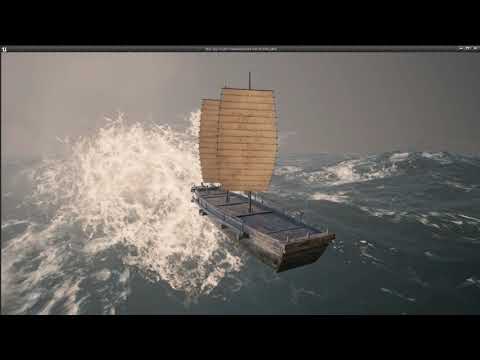 plush yew
humble sentinel
also only some things appear to be lit up
plush yew
humble sentinel
also only some things appear to be lit up
pretty sure thats ambient occulsion
humble sentinel
Parts of the floor are still dark and only the floor right under the player is lit up
Not sure if it's ao or not
drowsy snow
drowsy snow
Disable Inverse Square Root Falloff.
Have you tried this? @humble sentinel
plush yew
try setting up a gentle sky light or something
humble sentinel
It is, i think the light being inside the collider made it flicker randomly
plush yew
Imagine
humble sentinel
plush yew
try setting up a gentle sky light or something
Not sure how sky lights work, i've tried adding in a directional light but it's very picky with the intensity (it's either too bright or too dark no matter to what i try setting it to)
plush yew
my skylights are set to 0.01 lol
drowsy snow
humble sentinel
But parts of the room are still dark
Use some global illumination then.
drowsy snow
humble sentinel
Not sure how sky lights work, i've tried adding in a directional light but it's ...
Sky Lights are basically environment lighting in Blender
 candid root
Does anyone know a way of showing all textures "Displayed" texture size? - My issue is i have a load of 4k textures in the project i've changed the maximum size of a bunch of them to 2048 but i want to be able to filter in the content browser via In Use By Level, but also the displayed texture size. I can filter by In Use By level and Dimensions, but Dimensions shows me the original imported texture size not the current displayed size. Thanks!
plush yew
just use a structure? idk
humble sentinel
humble sentinel
Not sure how sky lights work, i've tried adding in a directional light but it's ...
Sky light worked, thanks!
I have a different issue however
I've modeled my map using box brushes because the shadows in Unreal somehow break when importing in my own model from Blender and the map was too big compared to my player so i converted it to a static mesh
Then i realized i didn't add any windows in the house
and by that point it was already too late to spam ctrl+z
plush yew
candid root
Does anyone know a way of showing all textures "Displayed" texture size? - My is...
I guess you could change the preview thumbnail to something you could tell them from each other
how can i remove a widget with using a blueprint
No clue
drowsy snow
humble sentinel
I've modeled my map using box brushes because the shadows in Unreal somehow brea...
Make the pieces modular, and have them proper separate lightmap UV (if you use static lighting)
plush yew
like a create widget node
drowsy snow
plush yew
how can i remove a widget with using a blueprint
Remove From Parent
plush yew
 manic flicker
how do i change the default robot to a character i bought on the epic store with animations
cus atm he just lookin like this
 drowsy snow
manic flicker
how do i change the default robot to a character i bought on the epic store with...
drowsy snow
manic flicker
how do i change the default robot to a character i bought on the epic store with...
https://docs.unrealengine.com/4.26/en-US/AnimatingObjects/SkeletalMeshAnimation/AnimationRetargeting
Describes how retargeted animations can be used with multiple Skeletal Meshes, allowing you to share animations.
buoyant graniteBOT
:triangular_flag_on_post: daniel.rck#7009 received strike 1. As a result, they were muted for 10 minutes.
fierce tulip
<_<
 pearl gorge
Where would I go to ask questions about UE4?
fierce tulip
almost all channels are focused on asking questions, just try to pick the one most related to your question :)
pearl gorge
Well, I am trying to get this Actor to move between two Arrow Components as placeholders for where they are suppose to oscillate to. I am trying to find a way to move these two Arrow Components in the main map so I have better control where I want them to go
Anyone know if it is possible to access any child components of an Actor from the map?
never mind, I had to search the component in the Details
 fallow remnant
Hello
All other version are working fine but I am not able to start my 4.27, install and uninstall 3 times till now, same error it crash after launch and crashes at exactly 86% below is the error. Please help.

 faint trail
Any tricks to getting the GitHub org email working so I can access the source code? I've already linked my account.
drowsy snow
fallow remnant
Something something Module Manager 
Does it spew different error message on other tries by chance?
drowsy snow
faint trail
Any tricks to getting the GitHub org email working so I can access the source co...
No special super secret trick involved. You can try again if you don't receive any email for confirmation.
faint trail
I've unlinked and relinked about 4 times now, with no luck 😛
fallow remnant
I can copy the first line, its the same error everytime at 86%
Assertion failed: ModuleManager.IsModuleLoaded(ModuleName) [File:D:\Build++UE4\Sync\Engine\Source\Runtime\Core\Public\Modules/ModuleManager.h] [Line: 277] Tried to get module interface for unloaded module: 'CUDA'
drowsy snow
fallow remnant
Assertion failed: ModuleManager.IsModuleLoaded(ModuleName) [File:D:\Build\++UE4\...
CUDA
Dangit. Is your GPU NVIDIA?
fallow remnant
yes
drowsy snow
Try the magic bullet: downgrading the driver
Seems like regression on NVDIA's part to me
fallow remnant
cool I can check that out and let you know. Thanks
drowsy snow
faint trail
I've unlinked and relinked about 4 times now, with no luck 😛
No e-mails whatsoever?
faint trail
Nope, not even in spam.
manic flicker
I've just bought a character from the epic store which has animations with it could someone explain to me how I could make my character stop t posing and add these animations as all the tutorials on websites are quite confusing so could someone dumb it down for me xD ty
drowsy snow
manic flicker
I've just bought a character from the epic store which has animations with it co...
I'm not sure if you're blocking me and did not see the docs I linked above.
pearl gorge
Is there an easier way in UE4 to see all the other components in an Actor through the map?
drowsy snow
manic flicker
I did but as i said they are quite confusing xD
By logic, the docs have the correct terms, use that to search more about it on the web.
Spice up your google-fu skills.
manic flicker
so pretty much i have to set up an animation bp and a character mesh?
;-; rlly sorry ponkkis i geninually didnt see your message
ill have a look now
pearl gorge
any way at all?
drowsy snow
pearl gorge
any way at all?
Elaborate "see all other components"
pearl gorge
I made this Actor with two arrow components. I added them to a map and I wanted to move the arrows within the map


@drowsy snow
plush yew
Hello does anyone know how I can make it so my player camera doesn't clip through walls when I play my animations?
For example
when my player does the attack animation by a wall the camera clips through
and the player can see the outside or whats behind the wall
drowsy snow
plush yew
Hello does anyone know how I can make it so my player camera doesn't clip throug...
Make sure your spring arm component checks for collision.
pearl gorge
Namely, I wanted to just move the Arrow Components from the map
plush yew
drowsy snow
Make sure your spring arm component checks for collision.
I don't have a spring arm
Only camera boom and follow camera
prime willow
@drowsy snow i cant find anything on having HP for body limbs
where and or how can i find that ._.
what term should i be using to figure out how to setup an hp bar for each limb of the body as well as targetting for each limb of the body
pearl gorge
So, anyway to move the Arrow Components?
 severe hound
has anyone emailed their community email and never gotten a response?
why no section for #chaos?
they encourage people to use it but provide no documentation and say so little, the documentation is out of date, kind of a disgrace
pearl gorge
So only the detail panel search bar? I guess UE5 got it better.
Still reluctant to try it
severe hound
what chaos? IT works, I have a lot of parts working, I even have cached chaos physics working
but you literally have to guess where to look/prod at things, their documentation is dog water
literally out of date lol and asked their team on live stream and no response on it
pearl gorge
I just have a history of using newer softwares crashing on me
severe hound
Chaos works
Seems to be like never anyone willing to comment on that subject lol , I wonder why is Apex deprecated so Chaos would be used for destructibles now? but the documentation isnt even correct and its a beta
prime willow
tbh
i need to do chaos stuff eventually
but unreal pulled it from production last minute
said theres issues and kinks their sorting out
so i havent touched it yet
but i plan to
severe hound
for over a year lol, it's still in beta idk what you mean by pulled from production
prime willow
i need fully destructable maps :3333
severe hound
they've had it released for a while now
prime willow
unreal said it wouldnt be beta before the update
itd be standard add on
that never happened it stayed beta as they pulled it right before
for unlisted reasons
severe hound
Yeah so they've released the beta and its stayed like that for over a year
with no updates on anything
prime willow
yup
severe hound
lol all i want to know is how to trigger a chaos cache play event
prime willow
youre best looking at youtube videos for how to run or work chaos
their documents wont help you ._.
severe hound
Nah you're talking about like 2 youtube videos that go over the basics
prime willow
LOL yup
severe hound
I'm talking about what you'll be doing in an actual game,
prime willow
yeah thats literally it
severe hound
im beyond the youtube lol
prime willow
even i dont know where to direct you at that point
severe hound
even the youtube is out of date man, its so confusing
you right click a cache object now, and have to create a cache manager manually
prime willow
im not even past youtube tbh
severe hound
before it was part of the geometry collection
refer to what i said if you ever get to chaos cache, thank me later lol
prime willow
so theres this guy who messes with it way more than me or anyone i know
oh i dont remember his name
hes in this discord
@kindred viper This guy <-
prime willow
severe hound
I'm talking about what you'll be doing in an actual game,
He's the only one i know who gets chaos so far that ive met but idk if hed be willing to help you
prime willow
document it and put on youtube :3
severe hound
ONly other thing I feel community would like is Speech to Text, unity has it flawlessly, but UE idk why they dont integrate microsoft sdk? I could try but thats a lot of c++ library referencing research lol for something that should be in game engine 2021
nothing im talking about is remotely close to being available on youtube lol
i wish doe
 willow raven
Heya, really simple questions but anyone had trouble with using CTRL+L to move their directional lights? when I input the mouse movement it moves the camera around instead of moving the light
 tranquil pagoda
What channel should I ask questions relating to importing data tables?
Trying to import this table but I run into errors for importing the vectors

Though this is how the vectors do appear when making a table with vectors via the editor

The specific error I'm getting is ```
Problem assigning string '{"X":0.000, "Y":0, "Z":0}' to property 'position' on row 'Key0': ImportText (...): Missing opening parenthesis: {"X":0.000, "Y":0, "Z":0}
And changing the parenthesis gives the error on the closing parenthesis :/ ```
Problem assigning string '("X":0.000, "Y":0, "Z":0)' to property 'position' on row 'Key0': ImportText (...): Missing closing parenthesis: ("X":0.000, "Y":0, "Z":0)
Well, how about individual HP vars? Kinda like how Front Mission games do it.
Though you have to have some check if one limb is compromised to give negative effect, decapitate, or outright kill the character.
tranquil pagoda
tranquil pagoda
And changing the parenthesis gives the error on the closing parenthesis \:/ ```
...
Alright, did some more thorough research and (X=0.000, Y=0, Z=0) should be used rather than {"X":0.000, "Y":0, "Z":0}
prime willow
drowsy snow
Well, how about individual HP vars? Kinda like how Front Mission games do it.
thats exactly what i want to do different systems based on hp of each limb
the issue is i have no idea what the term is for setting up hp for each limb in particular
drowsy snow
prime willow
thats exactly what i want to do different systems based on hp of each limb
Theoretically, it's started by attaching collision primitives into each limb, and deal damage if projectile or melee collision hit one or more of them.
prime willow
oh
so just more HP bars
than attach hp to collsion
add collisions to each limb code the hp to it as normal
than create linked blueprints for each effect for each limb?
prime willow
drowsy snow
Theoretically, it's started by attaching collision primitives into each limb, an...
thank you ; 3;

 prime willow
i was going nuts searching and finding nothing for hours
and if i understand this right
i can allow locking on to said limbs via said collusions to reticules
prime willow
drowsy snow
Yep, no probsies
i have 1 more question if ya dont mind
ill send via pms
plush yew
can you do it in the matrix editor
id take a pic but its assest actions > matrix something i believe
 muted imp
will there be a marketplace discount happening on the 24th?
 brisk mirage
Any one know how to fix?
 plush yew
is that c++ project
Hello, I have a problem, and it is that when I move away my vegetation disappears, is there something I can do? because this is tiring me
brisk mirage
plush yew
is that c++ project
Not sure but found the like on youtube and followed it and got it on github just not sure what to do?
plush yew
@everyone hello every one,sorry if i bothered because i quoted everyone,i want just a little help,I have only one file in PAK Format and i want to convert it to any open 3D Format (Like OBJ; 3DS.......)
plush yew
brisk mirage
Not sure but found the like on youtube and followed it and got it on github just...
Yea then and youll have to rebbuild the sln file through microsoft visual studio... i dont actually have one to show you but just google compiling unreal engine
better yet
Compiling individual game projects using Visual Studio on Windows, or Xcode on Mac.
brisk mirage
All this for a plugin that only for a cover system wow wonder if its even worth my time to do it don't get me wrong love to give it a try just never seen this much work for a ue4 plugin.
winter wedge
plush yew
id take a pic but its assest actions > matrix something i believe
ok ill try thx in advance
i went in there and i don't think there's an option to do that
 brave breach
Hello!
 granite spire
And i'm back again baby!
brave breach
Sooo i'm new in all this, and i have a question that is bothering me...
In what program do you make things like buildings, grass etc? Still in UE5?
granite spire
brave breach
In what program do you make things like buildings, grass etc? Still in UE5?
blender/3ds max then export as FBX
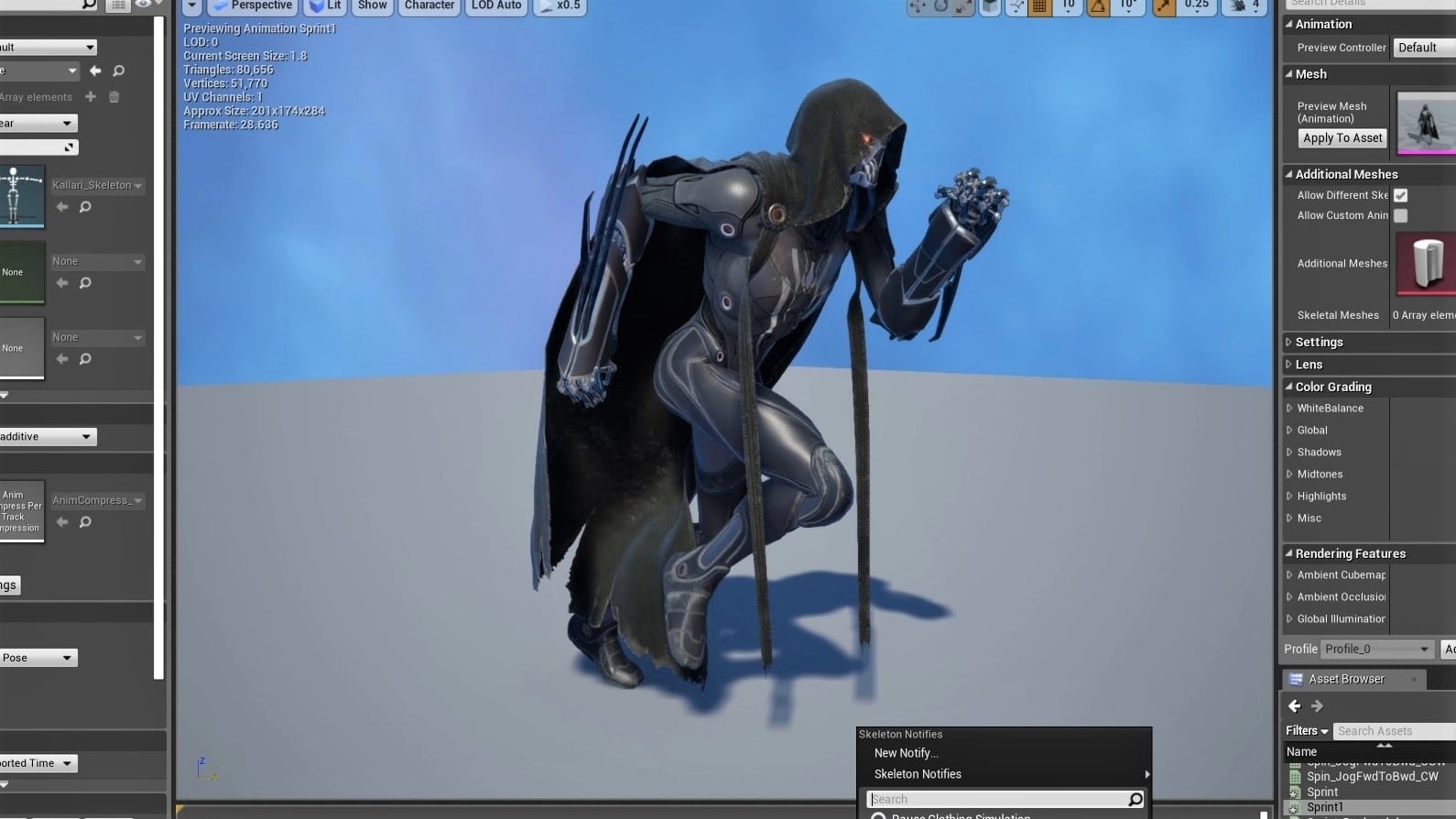
All3DP
Up the look of your game by using Blender models in Unreal Engine. Learn how with this simple importing guide.
you also need the correct sizing but that should start you off
UE4 and UE5 is the same