#ue4-general
1 messages · Page 1034 of 1
 frigid bear
 drowsy snow
In my case, I'm having more than one persistent levels, and Game Mode doesn't carry through across level travels.
Thus, using Game Instance, because it persists across levels, and only destroyed if the game is closed.
 cedar wave
Check your project settings. Maps & Modes -> Bottom of that list.
frigid bear
can you please help with other questions too?(lol im bad)
drowsy snow
You have to create your Game Instance class though, because default Game Instance class practically stores nothing.
 frigid bear
i have made one
drowsy snow
Now add the variables you want to keep track of, like the time records (which can be done by simple float array)
drowsy snow
If the time record is just a single entry, then a single float variable is enough.
drowsy snow
frigid bear
saved the instance and the variable
Expanding from earlier high score check, store the validated record to Game Instance.
 frigid bear
im gonna put this in the gamemode
before the branch should i put another branch for is paused?
drowsy snow
frigid bear
before the branch should i put another branch for is paused?
Doesn't have to. You'd typically do the time record stuff after the timer is paused and the finish goal has met.
drowsy snow
frigid bear
ok done next step?
Next step would be make save game object (if you haven't yet)
frigid bear
ok making it
frigid bear
drowsy snow
you'ld put this in the gamemode or player blueprint
in the savegame should i make another variable?
drowsy snow
frigid bear
you'ld put this in the gamemode or player blueprint
Either are fine if you don't have multiplayer.
drowsy snow
frigid bear
in the savegame should i make another variable?
Yes, the same as the Game Instance.
frigid bear
drowsy snow
Either are fine if you don't have multiplayer.
k
ok i have set it up
next
?
im very dumb and new to this so sorry
drowsy snow
frigid bear
next
Extending from the Game Instance storing earlier, save it to the save game data.
 frigid bear
k
drowsy snow
That's pretty much it, for time record.
However, I mentioned about displaying the seconds as timestamp struct.
frigid bear
will try thnx
drowsy snow
frigid bear
will try thnx
As for the timestamp struct, create a new struct asset, and give it these three int value.
Making struct asset is much cleaner and allows for more consistency.
 frigid bear
done now in the widget should i create binding to a text box or something
is this a enumerator or something
drowsy snow
It's a Struct.
frigid bear
drowsy snow
As for the timestamp struct, create a new struct asset, and give it these three ...
why would i need this if i have made a single variable in timesec?
drowsy snow
frigid bear
why would i need this if i have made a single variable in timesec?
This is actually for your widget to interpret the time second variable as timestamp.
Example: Showing 260.69 as 4:20.69
frigid bear
oh ok and should i put the values as floats?
drowsy snow
Well, the widget simply gets the seconds float var and interpret it into the timestamp struct.
The widget doesn't write anything for other BPs.
 delicate ravine
in the context of making a road, how can i split a spline to have branching paths?
drowsy snow
delicate ravine
in the context of making a road, how can i split a spline to have branching path...
Typically road branches are its own static meshes.
delicate ravine
i'm trying to make a road starting from an undirected graph and i'm not sure what to do in case a node has multiple neighbours since it seems that splines can only have 2 max
drowsy snow
frigid bear
oh ok so its ok if i put them as ints
Convert the seconds float into timestamp struct on widget's side
 drowsy snow
frigid bear
oh ok so its ok if i put them as ints
drowsy snow
frigid bear
oh ok so its ok if i put them as ints
And then format the struct as text.
 frigid bear
this is in the gamemode only right?
drowsy snow
frigid bear
this is in the gamemode only right?
It's on widget BP.
frigid bear
the first one?
drowsy snow
Game Mode or other BPs should not care about this timestamp struct.
frigid bear
in the first one youre continueing from where? the set anytime stamp
drowsy snow
frigid bear
in the first one youre continueing from where? the set anytime stamp
If it's player seconds, it's on the widget's event tick. If it's the time record, you can call it in Event Construct or somewhere else.
frigid bear
while getting the player seconds i should cast to the game mode and then ger the player seconds?
drowsy snow
frigid bear
while getting the player seconds i should cast to the game mode and then ger the...
That's okay. Though the casting shouldn't be done on Event Tick.
frigid bear
im using the event construct
drowsy snow
frigid bear
im using the event construct
Alright, that's good.
drowsy snow
delicate ravine
i'm trying to make a road starting from an undirected graph and i'm not sure wha...
If you want to make branching splines, you could make multiple splines starting from the main spline's end point.
Though given that it's a road, there could be overlapping issue, which is why road splits often just static meshes.
delicate ravine
so just overlap the start points with an end point?
frigid bear
drowsy snow
Convert the seconds float into timestamp struct on widget's side
did you promote to variable?
drowsy snow
frigid bear
did you promote to variable?
Which one?
frigid bear
make timespan
drowsy snow
delicate ravine
so just overlap the start points with an end point?
Yes, but in case of road meshes, it's not going to properly split the road.
drowsy snow
frigid bear
make timespan
It's just a make node for struct variables.
frigid bear
after that
drowsy snow
drowsy snow
And then format the struct as text.
This, using the text widget's bind function.
That's pretty much it for the basics of the time record tracking function.
From here onward, feel free to mess around and experiment with it, and adjust it to your needs.
frigid bear
ok super thnx very much
drowsy snow
 frosty osprey
my car turns too fast, how do I slow it down?
frosty osprey
my car turns too fast, how do I slow it down?
Maybe #legacy-physics know better.
frosty osprey
ok
frigid bear
its showing in the win scene as 00 : 00: 000
now its showing my lowent time as 84 and 46
its going haywire
 drowsy snow
frigid bear
drowsy snow
frigid bear
How's your implementation in your widget BP?

 drowsy snow
frigid bear
drowsy snow
frigid bear
I think "always sign" should be disabled.
 drowsy snow
frigid bear
drowsy snow
frigid bear
I see.
The order was wrong
frigid bear
oh..
drowsy snow
Struct order was wrong.
For beginner's sake, it should be Miliseconds, Seconds, Minute
frigid bear
ok

thank you so much dude i have been trying this sincce a week and it just doesnt work but now it does, thanks!!!
drowsy snow
How many FPS do you got?
drowsy snow
frigid bear
thank you so much dude i have been trying this sincce a week and it just doesnt ...
No probsies!

< 30 could be blurry, depending on the wind 
drowsy snow
 sick parcel
anyone knows how to zoom faster?
sick parcel
anyone knows how to zoom faster?

 flat pewter
Right click + mouse wheel for the shortcut
sick parcel
nice, thanks
btw, why 2 different parameters?
speed and scalar
they seem to do the same
drowsy snow
sick parcel
speed and scalar
The latter is for multiplier, useful if your world is so large or travelling to space level.
sick parcel
interesting
drowsy snow
This has been discussed for quite a while...
https://forums.unrealengine.com/t/foliage-wpo-velocity-for-taa-smearing/148166/12

Unreal Engine Forums
Any news about this? There’s still no velocity output unless setting meshes to moveable (which can’t even be done for landscape grass type) Yes, gen5 TAA still require velocities for WPO motion not looking blurry
flat pewter
Does anyone one know the best way to render ONLY something that's very close to the camera? I tried looking for a far clipping plane, but no luck. Is custom depth buffer the best way to go about this?
 torpid shadow
So I am working on the credits to my first game and I am wondering how it works when its MOSTLY one person. Like do I just list all the jobs and put myself each time? Also curious about crediting the packs from the epic store, I want to give them credit too.
drowsy snow
torpid shadow
So I am working on the credits to my first game and I am wondering how it works ...
Just list your name in the parts you've worked on per usual.
drowsy snow
sick parcel
interesting
I think high speed multiplier is primarily to get view like this with sky atmosphere 
 torpid shadow
Alright, thats what I figured but just wasnt sure, thanks!
drowsy snow
drowsy snow
I think high speed multiplier is primarily to get view like this with sky atmosp...
Though by no means this is a practical view in game situations, this is merely showing how Sky Atmo and the new VC is actually based on physical equations and not some rough emulations a la older Atmospheric Fog.
frigid bear
when i was play testing i realised that even though i clearly took more time to complete it it still showed lowest time as my time
 next pebble
I have been looking everywhere online and I can't seem to find a really good water splash tutorial. Most of them online are just packs or small splashes. How can I make a big physics splash? I saw some in the Nvidia Flex showcase on unreal but that was 3 years ago and can't find it now.
frigid bear
maybe you can make an on actor begin overlap or smth
 harsh pebble
Can any one tell fix for ..
" Landscape Actor Not Loaded . It is needed to do Layer editing "
frigid bear
frigid bear
when i was play testing i realised that even though i clearly took more time to ...
plz help
 gray light
why is it when I right click and create a blueprint class the object that I put in the scene has the little white sphere on it... but when I create a c++ and then convert to a blueprint and drag into the scene the object does not have a white sphere?

 icy egret
hey someone plz help me
my game has often hitches in Play in Editor
I think it is caused by blueprints, but I don't know where is the root of issue
how to find them??
gray light
ohhhh
drowsy snow
icy egret
hey someone plz help me
my game has often hitches in Play in Editor
I think it i...
Try playing it in Standalone (doesn't have to be packaged)
gray light
that root component is handy. without it it is hard to click on the object becaue it does not have a static mesh
hmm that's annoying
frigid bear
frigid bear
plz help
what do i do
 obsidian mist
is it possible to make new animation sequences or just adjust existing ones?
icy egret
drowsy snow
Try playing it in Standalone (doesn't have to be packaged)
I think it will take too long time to play only for debug, won't it?
gray light
@plush yew make what a root component?
drowsy snow
obsidian mist
is it possible to make new animation sequences or just adjust existing ones?
Yes, using Control Rig
obsidian mist
ok i see that it is plugin, not enabled by default
drowsy snow
icy egret
I think it will take too long time to play only for debug, won't it?
Not really. It doesn't package the entire project, but having the process not tied to Editor.
obsidian mist
is it recommended for beginner to use control rig or other animation software
frigid bear
when i was play testing i realised that even though i clearly took more time to complete it it still showed lowest time as my time
drowsy snow
obsidian mist
is it recommended for beginner to use control rig or other animation software
Depends on which one's comfortable to you.
I personally used Control Rig for making UE4 animations.
drowsy snow
frigid bear
when i was play testing i realised that even though i clearly took more time to ...
Make sure you're debugging through the values.
obsidian mist
drowsy snow
Depends on which one's comfortable to you.
I personally used Control Rig for mak...
i dont know yet, so yeah im asking about personal prefernce, what i should better focus on to not waste time learning for example two animation editors when i will use only one
frigid bear
drowsy snow
Make sure you're debugging through the values.
dunno how im supposed to do that, i mean i know to use print sring but where?
obsidian mist
i see that this plugin is tagged with beta tag, so there is no other plugin like this, that may also be stable?
drowsy snow
obsidian mist
i dont know yet, so yeah im asking about personal prefernce, what i should bette...
If you learn on control rig, you could benefit a lot of animation modifications.
drowsy snow
obsidian mist
i see that this plugin is tagged with beta tag, so there is no other plugin like...
It's beta, but trust me, it's quite usable for production.
icy egret
drowsy snow
Not really. It doesn't package the entire project, but having the process not ti...
okay so I'm launching as standalone
after launch, what should I do next to find the root of problem?
drowsy snow
icy egret
okay so I'm launching as standalone
after launch, what should I do next to find ...
Try STAT Unit or STAT UnitGraph and see if you yield better framerate in standalone
flat pewter
flat pewter
Does anyone one know the best way to render ONLY something that's very close to ...
any take on this?
drowsy snow
flat pewter
any take on this?
Is this not what you're looking for?
 frigid bear
drowsy snow
Make sure you're debugging through the values.
frigid bear
drowsy snow
Make sure you're debugging through the values.
i guess in the place where we wrote the code for checking whether time sec is bigger than record time we have to make a false statement too....
 arctic path
drowsy snow
Convert the seconds float into timestamp struct on widget's side
arctic path
drowsy snow
Convert the seconds float into timestamp struct on widget's side
i have electric nodes, but what plugin is that its beautiful 🙂
flat pewter
Oh right, I've also looked into that, but can you use it on a player? @drowsy snow I can't find it in the components
drowsy snow
arctic path
i have electric nodes, but what plugin is that its beautiful 🙂
I don't use Electric Nodes at all, just modding the graph Slate textures and changing the fonts
frigid bear
frigid bear
i guess in the place where we wrote the code for checking whether time sec is bi...
right?
arctic path
drowsy snow
I don't use Electric Nodes at all, just modding the graph Slate textures and cha...
bro i had no freaking idea you can do this lmfao Looks so prettttttttyyyyyy!
drowsy snow
flat pewter
Oh right, I've also looked into that, but can you use it on a player? <@!3256279...
It's not a component, but perhaps you could move it around the active camera or something.
arctic path
where do i edit the font for editor? under editor pref?
flat pewter
drowsy snow
It's not a component, but perhaps you could move it around the active camera or ...
That's a good point, will give that a try
drowsy snow
arctic path
where do i edit the font for editor? under editor pref?
It's actually in the Engine folder.
arctic path
want to show me how you did this madness real quick?
C:\Program Files\Epic Games\UE_5.0EA\Engine\Content\EngineFonts?
drowsy snow
arctic path
where do i edit the font for editor? under editor pref?
The main trick here is fooling the Editor Slate into loading other fonts as its expected Roboto files.
Under /Engine/Content/Slate/Fonts replace the Roboto font files with other font files. The file names have to be match with the original Roboto font file names.
 arctic path
awesome 🙂
drowsy snow
(the .bak files are just backups of the original files)
drowsy snow
arctic path
C:\Program Files\Epic Games\UE_5.0EA\Engine\Content\EngineFonts?
And yes, that hack also works with UE5.
 main sequoia
Hey there UEslackers!
Me and 2 of my friends are having an issue in a project where when we try to sculpt terrain - the editor crashes. Looking around, it's exactly the same issue as these three threads:
#ue4-general message
#level-design message
https://answers.unrealengine.com/questions/962518/landscape-sculpt-crash.html
- We are working on 4.26 - and I'm downloading debugging symbols as I'm writing this.
- The specs of all three of us are quite good, i'm myself running rtx 3080 with ryzen 3600 and 32gb of RAM.
- We deleted the Saved And Intermediate folders - doesn't solve the issue either.
- The logs don't show anything interesting except for the last line of Windows saying "operation succeeded" or something of that sort.
- It happens on a blank level too
Given that this happens to all three of us, it seems like it's not computer specific - probably specific. Because opening a new project works wonderfully.
Interestingly it only happens if you drag the cursor with the terrain tool - but if you click it (discreetly) it doesn't happen.
Edit (SOLVED):
If you have this error with the terrain tool when you drag and it throws the exception InTexture->IsAsyncCacheComplete(). Check if you have any of these lines in your defaultEngine.ini, deleting them solved our issue:
[/Script/UnrealEd.CookerSettings]
bIterativeCookingForLaunchOn=True
bIterativeCookingForFileCookContent=True
bEnableBuildDDCInBackground=True
lol awesome.
 drowsy snow
main sequoia
Hey there UEslackers!
Me and 2 of my friends are having an issue in a project w...
drowsy snow
main sequoia
Hey there UEslackers!
Me and 2 of my friends are having an issue in a project w...
From what I can tell, you folks seem to use NVIDIA GPU. Maybe consider downgrading the driver, because there's no report of this being a regression from what I can find.
arctic path
main sequoia
Hey there UEslackers!
Me and 2 of my friends are having an issue in a project w...
Start a new project, create a new landscape and edit it. if it does not happen here then something corrupted in your project.. You can just make a new project with a similar name, and paste the content into the content folder and move on from there.
drowsy snow
main sequoia
Hey there UEslackers!
Me and 2 of my friends are having an issue in a project w...
Newer NVIDIA drivers are oddballs and have been reportedly causing crap ton of problems with UE editor. None of the same reports came from AMD or Intel iGPU users.
arctic path
UE5 crashes all the time without -d3ddebug added to the exe (damn DX12)
icy egret
drowsy snow
Try `STAT Unit` or `STAT UnitGraph` and see if you yield better framerate in sta...
okay so I did standalone
when hitches are happened, client will be completely freeze
in PIE, hitches cause freeze but it will work soon
this is the difference between PIE and standalone mode
then.... where is issue????
I don't think I can find the root of hitches issue in your way
 south oar
hey how do i import a png pic to my game
arctic path
south oar
hey how do i import a png pic to my game
drag and drop.
south oar
or my content browser
drowsy snow
icy egret
okay so I did standalone
when hitches are happened, client will be completely fr...
Try diagnosing it with Unreal Insights
https://docs.unrealengine.com/4.26/en-US/TestingAndOptimization/PerformanceAndProfiling/UnrealInsights/
Profile application performance with Unreal Insights
south oar
arctic path
drag and drop.
i tired that it didnt work
drowsy snow
south oar
or my content browser
Just drag and drop the PNG file to the editor's Content Browser
south oar
drowsy snow
Just drag and drop the PNG file to the editor's Content Browser
i tried that and all it gives me is a circle with a line through the middle
drowsy snow
south oar
i tried that and all it gives me is a circle with a line through the middle
What?
Does it appear in the Content Browser at all?
south oar
drowsy snow
What?
Does it appear in the Content Browser *at all*?
no it wont even drop it into the content browser
drowsy snow
Was that a spam bot?
south oar
what
drowsy snow
south oar
no it wont even drop it into the content browser
I don't know if your cursor is a crosshair.
Or maybe I was thinking something else, and you're referring to this
🚫
south oar
yup
drowsy snow
Wait for the editor to be responsive, and actually drop it in the Content Browser panel.
south oar
ok i had to copy it into my pictures. idk why
 past pilot
Hi guys. I set up a MP3 Player in my project and it made me think. MP3s should save a bunch of hdd space if i used MP3s for all music rather than import it and have it converted to wave. Does this sound feasable? Or does UE4 compress the audio for packaging and save me nothing?
drowsy snow
past pilot
Hi guys. I set up a MP3 Player in my project and it made me think. MP3s should s...
It's the latter. I'm sure #audio agrees with it.
Not to mention the up and coming Bink Audio and Oodle integrated into the engine, which could compress even more without losing much quality.
 dusky slate
Does anyone have experience with Depth of Field? i want to achieve the Miniature look, so everything that is far away should blur out
past pilot
drowsy snow
It's the latter. I'm sure <#221798819753361408> agrees with it.
Thank you.
 plush yew
hi people, so I'm having this weird problem where instead of UE4 crashing, a certain action (that worked perfectly before, notably a kind of pawn possession swap in my game, it stopped working today without me having changed anything) is just causing my level to crash and the level to reset to the default map, how can I debug this? Also any ideas on why it might be happening. There are no error logs
dusky slate
does anyone know how i can achieve this kind of depth of field? mine isn't really blurry in the distance


 inner cloak
Hi everyone, is it possible to script a landscape? What i mean is, would it be possible to get the all of a landscape points into an array and to save this array into a file. Then i would want to replace the water to use 4.26 version, and then set all the point back to the new landscape ?
thanks, i will try that ! Appreciate the help a lot !
Actually, when adding the 4.26 water, i feel like i'm forced to use a spline thing, can this be avoided ?
oh ? Thanks i will try that ! Again thank you very much
 stiff hawk
Is there a place to share a small gist guide on this server?
obsidian mist
how to debug the collision that comes with this static mesh, imo it shouldnt look like that but be shaped like tree
 inner cloak
@plush yew i dont see how to convert landscape to heightmap !
oh ! silly me
Thanks
 orchid lodge

Ok how da heck do I change my cursor with mouse over events
Im already using mouse events for clicking the object and such
I was just using those custom events to the player controlling incase i had to get a refrence there
My cursor events n that are enabled
I just ned to know how to change on overlapping with these objects
AS its not as easy and with widgets
Its asking for a mouse name
Can I break the player controller or turn it nito that?
 proud thorn
hello
does anybody know how to do a code block in a window of time of the montage animation?
like between two notify or something
wait those are notify state
i don't really know how to do that tho 😦
so do I add code in a new Notify State actor or is it just a whole constructor?
how would you call the custom notify in the anim blueprint?
plush yew
anyone here switched to windows 11? if yes - does unreal run fine on it?
drowsy snow
plush yew
anyone here switched to windows 11? if yes - does unreal run fine on it?
Yes, Unreal Engine is business as usual in W11.
 drowsy widget
Anyone know how do you use the sequencer or take recorder to capture objects that spawn around the player pawn in real time?
I am trying to record a first person perspective gameplay of fish that swim away from the player pawn whenever it is near. Everytime I try to record myself moving towards the fish and showing them swim away and then I render it, the outputted video does not show the fish. What happens is that the fish are programmed to swim randomly to any place. So rendering my recorded scene, the fish respawns and so my rendered video does not show the fish since they are probably swimming somewhere else.
So the recorded gameplay should be showing me following the school of fish but instead it shows me following nothing because they respawned.
drowsy snow
drowsy widget
Anyone know how do you use the sequencer or take recorder to capture objects tha...
Take Recorder is rather dodgy for recording gameplay, as it's geared more towards virtual production than actually recording gameplay.
There is an option to set up a demo rec, which is more reliable, but harder to do. Alternatively you could record the play session with screen recorder like Shadowplay or Windows 10/11's built in Xbox DXR.
drowsy widget
I see. Does the sequence recorder provide the same issue? I used both and no luck. I have no idea how I’m supposed to record right when they respawn as it is rendering. Because no matter what I record, the only way the fish is captured is if it decides to swim in the direction that my player pawn is moving to
drowsy snow
drowsy widget
I see. Does the sequence recorder provide the same issue? I used both and no luc...
Sequence Recorder might have the same issue.
If your PC isn't good for gameplay capturing, you can ask a friend with more powerful PC to record the gameplay for you.
drowsy widget
Oh I have a gaming laptop. It works just fine. It seems like I’m not understanding how the recorder fully works. I just want to record the fish swimming away from me.
 north shadow
Hry guys do you know how to paint with landmass plugin? Cause i can't
drowsy snow
north shadow
Hry guys do you know how to paint with landmass plugin? Cause i can't
You have to have Enable Edit Layers enabled.

 light thunder
What's causing this, if I am spawning?

I'm using something to basically act as a ragdoll
I read something about freeing the hip bone but I don't want to mess with the skeletal (UE4 manniquin)
The answer is you have to use "wake all rigid bodies" as well, if you are using simulate physics
arctic path
wow these premade huds from the store are actually amazing and well documented.
kind of glad i dont have to do UMG lol
arctic path

 winter gate
Wow game dev is so much fun! Some bugs I've encountered are just so hilarious. Just now I was shooting my hitscan weapon at a respawn location and suddenly copies of myself started rapidly spawning out of there over and over again.
arctic path
oh yeah it is bud, next time you play a game you will see all the crap they hid and never fixed for release. Then real life starts to feel fake, like a simulation because you can create a world within a game that feels real.
winter gate
I've always noticed those kind of things but its the major game breaking bugs (cyberpunk) that really make me laugh out loud
arctic path
never played, will never play it. I HATE cash grab games.
Those people should be sued, and jailed.
 winter gate
Hover over it for a explanation
 elder shoal
I can't it's in a picture
arctic path
What is Blue and What is Yellow? why are they connecting? 😉
winter gate
Those kind of (dot) nodes just convert things automatically for you so it just works without you having to fumble over data types that won't play nice together.
winter gate
For example if you take a transform and then drag it into a print string, it will be automatically converted for you.
drowsy snow
elder shoal
Vector 2D -> Vector
elder shoal
Thank you 😄
drowsy snow
Vector 2D didn't have separate colour from struct ;)
 drowsy snow
Vector is basically struct. There's a reason why the C++ variable is FVector 😉


 fierce tulip
you need the opposite one
elder shoal
yea i'm looking now for vector(vector2d)
arctic path
you mods are always lurking 😄
 fierce tulip
i dont blueprint much, but generally if you hook up that blue wire into a yellow slot, it automatically adds that converter
we always lurk :p
arctic path
i mean, they do just hover over it
elder shoal
I know but I mean if you find a picture of a blueprint
arctic path
or just google it in ue documents
elder shoal
I looked for "dot" but did not find much
winter gate
Whenever I've used one of those nodes they just appear automatically on their own when I'm dragging between two nodes that I've already created. I've never right clicked then typed something in to get a "dot" node.
Dot isn't the name its just what I decided to call it just now lol
 winter gate
Drag the blue wire into the yellow slot of the other node and it should appear for you.
elder shoal
Just had to dig a little more
arctic path

What are the Conversion Nodes in Unreal Engine 4 Blueprints?
Source Files: https://github.com/MWadstein/wtf-hdi-files
tbh watch ALL of these videos.
i did like a 12 hour binge once with those lol got hammered af, but oh well
 elder viper
Hi All! I am trying to import some decals from Megascans bridge but they are coming in completely transparent. I download the decal from the bridge and it brings in the material and the textures, when I drag and drop the material into the viewport, its completely transparent. How do I solve this?
 celest blaze
arctic path
https://www.youtube.com/watch?v=vAQVmqcXfXc&t=2s&ab_channel=MathewWadstein
celest blaze
arctic path
https://www.youtube.com/watch?v=vAQVmqcXfXc&t=2s&ab_channel=MathewWadstein
Those WTF and HTF videos are an amazing thing. Some one should throw gobs of money at him.
 covert summit
you can if you want, he's here in the discord
celest blaze
If I had money I would lol
 winter rain
Quick question: would Does Implement Interface node trigger true to 'Inherited Interfaces'? Or just 'Implemented Interfaces'?
covert summit
winter rain
Quick question: would Does Implement Interface node trigger true to 'Inherited I...
thats kind of hard to parse, maybe you can rephrase?
winter rain
For example if I have a Does Implement Interface node with the Class being 'Interaction Interface Inventory'. Would this screenshot blueprint be implemented?

Or does the class have to be in the Implemented Interfaces section? (i.e. Interaction Interface Equip Pistol)
arctic path
So you want to create a INT, and call it to the class hud on the blueprint of the character?
your wording is not working well with my american english.
lol
covert summit
winter rain
Or does the class have to be in the Implemented Interfaces section? (i.e. Intera...
yes interfaces that are inherited from the base class are still implemented on the subclass, if i understand correctly
winter rain
Okay that was my question thank you. I was just confirming
arctic path
Its kind of sad that UE4 and 5 engines are better than AAA game studio Engines.
drowsy snow
arctic path
Its kind of sad that UE4 and 5 engines are better than AAA game studio Engines.
Not necessarily.
Unreal Engine seems to be eyeballing on RAGE as of late.
Though Nanite is one pioneer to properly execute "micro polygon" in game engine setting.
arctic path
all thanks to fortnite. if people did not play that game, UE would still be on ue 4.25 ( billions in revenue)
plush yew
is 5 hours normal for compiling unreal engine development editor for the first time? (4.26)
the engine itself

 grim ore
that cpu should take about 45m to compile
plush yew
ah it shows it in the top right
wow
45 minutes....
that's not good then
any ideas what i need to look into to fix this?
 grim ore
well your using rider so no idea
normal VS for just the editor is ~45m
also you should disable windows defender monitoring when compiling, it slows down the compiling (you can see it using cpu)
plush yew
ah okay where can i disable that
I can switch to visual studio and compile it on that
just to eliminate rider as a potential issue
grim ore
I would assume rider would be similar if its using most of your cpu, maybe you are compiling more than you should (like the entire solution)
plush yew
hmm, I'd like to talk this out with you if you are willing... and in which case I feel like moving to visual studio would help...
for now: i believe im just compiling the development editor

i had this selected in the rider UI
grim ore
I have no idea how rider works, I just know in VS you select just the UE4 project from the solution explorer and build just it
extra stuff is not compiled
plush yew
I'll switch to visual studio. also im on 16g ram would that affect it?
grim ore
16 should be fine
when its compiling, I assume there is an ouput log, does it show how many things it has to compile or what it is doing
plush yew
ah, I canceled the build but it had a prompt
[530/4987] build stuff something something
[531/4987] build stuff something something
[532/4987] build stuff something something
grim ore
that # seems about right
6 core 12 thread should be about 45m
even my slow 4 core laptop could do it under 2
 rugged heron
If I disable animations from updating the mesh on the server, will the server’s authoritative collisions not be different from the clients? I assume the animations will affect the collision shapes of a character for example
grim ore
well the character uses the capsule as the root and for collision if you are tracing against that
plush yew
grim ore
even my slow 4 core laptop could do it under 2
so just to make sure I have this right with Visual studio

BenchmarkTool looks wrong
drowsy snow
plush yew
is 5 hours normal for compiling unreal engine development editor for the first t...
Expect 12 hours of build time.
grim ore
that top part is for running
plush yew
is it okay to leave as is?
grim ore
on the right in the solution explorer are the projects, you right click the UE4 project and build it directly
 rugged heron
grim ore
well the character uses the capsule as the root and for collision if you are tra...
rugged heron
grim ore
well the character uses the capsule as the root and for collision if you are tra...
But if we’re talking about a projectile hitting the character, we run collisions against the mesh which is affected by the anim. A nade will bounce off the mesh instead of the capsule ideally.
grim ore
@rugged heronthen yep it wont be in sync
rugged heron
But sync’d anims would kill server performance if there’s lots of characters right, what’s the compromise?
Lower frequency?
 rancid lagoon
Hi All, i have some an old game i made. It is a flash game, and i have been asked to bring it back to life in UE4, but i cant get it to open the actual game. I have been able to open it to the login screen but after that i cant get it to load. What can i do about it?
plush yew
grim ore
on the right in the solution explorer are the projects, you right click the UE4 ...
interesting thing is it has a different number of build tasks 3,439 instead of 4,8XX I must've been doing something differently or weirdly like you said
grim ore
yeah it makes me curious if it was building all projects in the solution which is the default
@rancid lagoonif you made it you should have all the assets then you can remake it. Are you saying the flash game doesnt work anymore? we cant help you with that
covert summit
yeah perhaps there is a flash discord somewhere out there (but probably not)
plush yew
grim ore
yeah it makes me curious if it was building all projects in the solution which i...
I appreciate the help btw, it is indeed building faster!
rancid lagoon
grim ore
<@!572079810411757568>if you made it you should have all the assets then you can...
i no longer have the assets
i just need to be able to play the game so i can recode it
grim ore
well did it need online or something?
 wintry silo
how do I keep the player's face lighted while they are running without the light moving all over the place. As I need to add a point light as player's face in game is too dark.
rancid lagoon
grim ore
well did it need online or something?
yes
covert summit
wintry silo
how do I keep the player's face lighted while they are running without the light...
you can attach a light component in the player character blueprint if youd like
but it will light other stuff too
and that is likely to be weird
wintry silo
I'm using a head socket instead , yes if other players come near the player's, their lights are likely to overlap if I put the lights on the player's faces.
drowsy snow
rancid lagoon
yes
Online play is going to be a different beast.
wintry silo
i put the point light on there because their faces were a little too dark in the game.
covert summit
wintry silo
i put the point light on there because their faces were a little too dark in the...
you might want to instead explore the other lighting and post processing options available to you
for instance, there is Auto Exposure (also called Exposure Compensation) which can change the brightness of the scene automatically based on parameters
and there is Sky Light which provides ambient lighting for the entire scene
 stuck spade
What is the best resource to learn unreal engine in C++? I have prior experience with C++, and unity, but I can't for the life of me seem to find any good documentation to do certain things
rancid lagoon
drowsy snow
Online play is going to be a different beast.
how do i do it?
drowsy snow
rancid lagoon
how do i do it?
#multiplayer (also see pinned messages on that channel)
rancid lagoon
drowsy snow
<#221799385611239424> (also see pinned messages on that channel)
not exactly what i was looking for but thanks
covert summit
rancid lagoon
not exactly what i was looking for but thanks
nah, if you have a multiplayer flash game that you need to play and the servers it connects to are gone and you cant stand them up in order to play the game so you can replicate it in UE4, i dont think #multiplayer will be that helpful
its kind of outside the scope of what we're here for to help you solve that problem
but we're here for you once you are building it in UE4 😄
 magic phoenix
Hello, is there any way to get the transform of foliage autogenerated in landscape?
 marsh gull
starting back up on my project after over 5 months of break... wish me luck lmao this is gonna suck
plush yew
I just want a simple static mesh that plays a certain noise when E is clicked
inner cloak
should not be that hard .. there are nodes for playing sounds
 robust zodiac
Hi! I have a little problem but ı should stream for showinbg you can you guys help me please? 🙂
covert summit
robust zodiac
Hi! I have a little problem but ı should stream for showinbg you can you guys he...
don't ask to ask, just ask. And what are you trying to do?
robust zodiac
covert summit
don't ask to ask, just ask. And what are you trying to do?
okay
frosty osprey
Can I do this with splines? they r overlapping cuz there r 2 ways.
 frigid bear
hey @drowsy snow I made the highscore timer but i have ran into an issue.... even if it took me more time to complete the level it still updates it....
 raven estuary
Hello! I'm a blender user just getting into unreal do you guys think it's worth tweaking my shortcuts to make it more similar since they are vastly different it seems and to me a lot more of the controls make sense in blender where they don't in unreal
celest blaze
raven estuary
Hello! I'm a blender user just getting into unreal do you guys think it's worth ...
I use Blender, Ureal, and Maya. I just run with them all as they are... except Blender I am not a right click select kind of person. I usually recommend people use the default configurations bc that's what most all tutorials will assume/expect.... except Blender where left click select is widely accepted now.
I also recommend using default configuration/ controls to anyone new as well for the same tutorial reason.
For any software.
raven estuary
celest blaze
I use Blender, Ureal, and Maya. I just run with them all as they are... except B...
Left click select is default now
celest blaze
raven estuary
Left click select is default now
Not for some lol
raven estuary
Oh no sorry I'm dumb and didn't get it
frosty osprey
frosty osprey
Can I do this with splines? they r overlapping cuz there r 2 ways.
._.
frosty osprey
raven estuary
Hello! I'm a blender user just getting into unreal do you guys think it's worth ...
I have used blender, But I am very bad at it.
celest blaze
@raven estuary As a tip using WASD/flythrough style navigation in the Unreal editor makes thing much easier to deal with.
I love Blender it may not have some of the fancy stuff that Maya does, but I never have to fight with it like I do with Maya.
 sudden cove
ey guys, does anyone have any idea on how to use vive trackpad as dpad in unreal engine and map inputs
 woven osprey
hi where can i ask about changing the pivot point of a static mesh? im not sure which channel to ask that in
drowsy snow
woven osprey
hi where can i ask about changing the pivot point of a static mesh? im not sure ...
Are you referring to this? Or actually shifting the origin point of a static mesh?
 woven osprey
drowsy snow
Are you referring to this? Or actually shifting the origin point of a static mes...
woven osprey
drowsy snow
Are you referring to this? Or actually shifting the origin point of a static mes...
Shifting the origin point
I have a problem with my tower as it doesn't "look at" my enemy right because of it

leading to this situation where the bullet hole isn't properly looking forward at the enemy

If anyone has the same problem, I fixed it by opening up the static mesh and changing the import settings to this

just reimport it then its okay already hehe
drowsy snow
woven osprey
If anyone has the same problem, I fixed it by opening up the static mesh and cha...
This is kinda hacky though, and you should remember to reset this back to 0 as not to affect other meshes with properly centered origin.
frigid bear
hey @drowsy snow 真 I made the highscore timer but i have ran into an issue.... even if it took me more time to complete the level it still updates it....
 shell compass
I'm not sure how to explain this but Is there any way to have a BP create a curve on the spot when I want a curve variable, or do I have to always create the curve before-hand as an asset and the pick it as the variable?
So instead of this:
https://i.imgur.com/hNHB65w.png

I want this:
https://i.imgur.com/Jam9Qkv.png
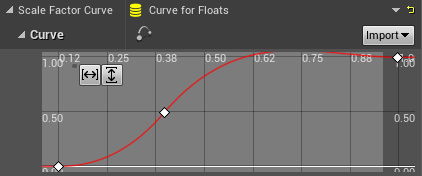
Nevermind, I found the solution! I had to use RuntimeFloatCurve instead of CurveFloat*
 hard escarp
Does anyone know why my 3d preview window in the editor is making everything super bright?
shell compass
@hard escarp you probably have some auto exposure going on doing that
Check the drop down button in the upper left corner
hard escarp
@shell compass Exposure is set to auto as far as I can see
if I switch it to lighting only than it looks normal
but when I switch to lit it makes it bright
thats lighting only

thats lit

hard to tell really in that example but it washes out color in most things
shell compass
Yeah, disable auto and see if it helps
With that one it might be the subsurface scattering that spooks as well
frigid bear
frigid bear
hey <@!325627930484932608> 真 I made the highscore timer but i have ran into an i...
please help
i did use a branch to see it
so from the false node i should take something out right?
one sec lemme show a screenshot


any mistake?
new game instance
oh yea one sec

oh i have to do that? how?
how do i do that?
thnx
oh yea
 arctic monolith
When UE generates lightmaps, does it do this independently, or based on the UV's of channel 0 ?
frigid bear
its still updating it


mistake here?
can you please tell me how to fix it?
im very dumb sorry , can you simplify it a bit more please?
ok ill try
he doesnt show how to use the savegame for only the first time
i used a do once node
its still not working
its still updating it

 dim seal
Hi all, can savegame files be exploited and one player's used by others too, if copied?
 young quartz
Added displacement.. still its not showing on the plane! any reason?
 frigid bear
dim seal
Hi all, can savegame files be exploited and one player's used by others too, if ...
frigid bear
dim seal
Hi all, can savegame files be exploited and one player's used by others too, if ...
hi dude even im struggling at that part
dim seal
frigid bear
hi dude even im struggling at that part
I couldn't find proper info on this via Google
fierce tulip
young quartz
Added displacement.. still its not showing on the plane! any reason?
depends on how you set it up, but generally for displacement you need bleeeeeeploads of vertices on your mesh that can move up/down
young quartz
@fierce tulip done that
 fierce tulip
dim seal
Hi all, can savegame files be exploited and one player's used by others too, if ...
fierce tulip
dim seal
Hi all, can savegame files be exploited and one player's used by others too, if ...
generally yes, save editors exist, and unless they have some account-bound code in them (which is also crackable) everyone can use em.
fierce tulip
young quartz
<@!220596777034711040> done that
thats not nearly enough for such a big surface, and you might need to multiply the displacement with a high value. but again, that also depends on how you set it up.

In this video we will be exploring how to make proper use of displacement textures with Unreal Engine 4's tessellation feature.
Join Poliigon today: https://www.poliigon.com?utm_campaign=ue4-161018&utm_source=youtube.com&utm_medium=video&utm_content=poliigon-docs-unrealengine4-displacement
frigid bear
frigid bear
@plush yew its still not working
young quartz
@fierce tulip okay.. Actually I am very new to unreal.. and being working with megascans for over a month now. Every tutorial I see and try to do it, ends up messing it more. Had watched this poliigon displacement video. I will still give it a try and replicate it before moving to another textures. Thank you.
fierce tulip
^ though, it can be daunting for people new to unreal.
and to be really honest, both setups are not that often used in games, and might be somewhat redundant in ue5. (though that can still change)
drowsy snow
frigid bear
canfind any problems should i send my screenshots?
You should be practicing on debugging BP on your own.
drowsy snow
Problem solving is the most fundamental in scripting, so you should practice debugging on your own, and learn things along the way.
frigid bear
there is no problem in the widget so im sure that there is a problem the lesser than place, i think i have to add some code in the flase node too....
drowsy snow
I give you the building blocks (arguably a bit more than that), now it's up to you on how to go from there and do the researches (sometimes referred to Google-fu)
fierce tulip
even googling "ue4 how to debug blueprint" can help
frigid bear
ok will try thnx
 frigid bear
 young quartz
where is content examples?
dim seal
What is the User Index for?

I'm developing for Oculus Quest, which has account switching feature. Would it help with it?
I tried saving with different indexes now but only one slot is saved
Is it a good idea to store User ID in my save slots and then only load from them if the current user ID matches with the one in the slot?
or are they easily editable?
drowsy snow
I think you should make the Slot Name formatted, by appending strings.
So the slot names would be save01, save02, save03, etc.
dim seal
drowsy snow
So the slot names would be `save01`, `save02`, `save03`, etc.
you mean for each user?
drowsy snow
dim seal
you mean for each user?
For each slot, which players can use to separate users. Something akin to JRPG titles with multiple save slots.
dim seal
drowsy snow
For each slot, which players can use to separate users. Something akin to JRPG t...
I have 3 different save slots at the moment for different data. Currently its setup for only one user, but I want to make it compatible for account switching
proud thorn
Hellow, is there a way to have projectiles travel toward the mouse direction?
drowsy snow
dim seal
I have 3 different save slots at the moment for different data. Currently its se...
In that case, maybe you could format the slot names to have the User ID (or something else for security reasons) as the slot name. Probably something like save_######_datatype
obsidian mist
dim seal
Hi all, can savegame files be exploited and one player's used by others too, if ...
are you aiming for multiplayer experience?
frigid bear
No problems in the widget but in the gamemode where i have my main code the breakpoints arent working at all
dim seal
drowsy snow
In that case, maybe you could format the slot names to have the User ID (or some...
That can work. Do you have an idea on max length of save game name? User ID is 16 digits and ~15 more for the name
 orchid pewter
can someone help me in vc?
im trying to follow a tut
and i kind find the tint settings for a post processed volume
 modest trench
proud thorn
Hellow, is there a way to have projectiles travel toward the mouse direction?
modest trench
proud thorn
Hellow, is there a way to have projectiles travel toward the mouse direction?
Start by looking into getting the mouse position on the screen then using deproject screen to world
drowsy snow
dim seal
That can work. Do you have an idea on max length of save game name? User ID is 1...
As long as Windows file name system can handle, though I won't combine both of them.
frigid bear
these breakpoints arent running
 dim seal
drowsy snow
As long as Windows file name system can handle, though I won't combine both of t...
dim seal
drowsy snow
As long as Windows file name system can handle, though I won't combine both of t...
porting to both windows and Android
drowsy snow
dim seal
That can work. Do you have an idea on max length of save game name? User ID is 1...
Unique ID should be enough to differentiate between profiles.
dim seal
drowsy snow
Unique ID should be enough to differentiate between profiles.
yeah that unique ID is 16 digits
proud thorn
modest trench
Start by looking into getting the mouse position on the screen then using deproj...
i am moving to the blueprint channel if you can help me!
frigid bear
even these
 drowsy snow
dim seal
porting to both windows and Android
drowsy snow
dim seal
porting to both windows and Android
Not sure about Linux file name handling though 🤔
frigid bear
have i made a dumb mistake?
 cursive fractal
I have a problem with cable component.

I want it to follow the bkue line (by being constrained slightly to come out of my socket meshes or something) but i dont know how
and i canr find anything on it
 wary wave
make the cable shorter
it doesn't follow the blue line because the cable is longer than the blue line
though also the blue line isn't a simple curve, so that's kinda an issue too
cursive fractal
wary wave
though also the blue line isn't a simple curve, so that's kinda an issue too
i painted rhe line above the cable foe clarity haha, length doesnt matter right now. just need it to do neae the sockets what the blue line does. is that impossible?
wary wave
it's impossible to have it make an omega shape, yes
cursive fractal
ah :/ so only way to get that is to make my own mesh with bones and apply physics to that in ue4?
real shame, makes use of it very limited..
 civic mauve
Am i the only one where this compile button compiles 10x faster than the main one?

So i should use the normal compile button?
so there is the modules compile button, the normal compile button and the normal compile button with the live coding option
and all seem bad?
drowsy snow
civic mauve
So i should use the normal compile button?
Don't use Hot Reload in any shape or form.
Epic is generous enough to integrate Live++ not without a reason.
obsidian mist
you guys say, that default way of compiling blueprints is broken?
 main tapir
Hello, I would like to ask some questions.
drowsy snow
obsidian mist
you guys say, that default way of compiling blueprints is broken?
C++ compilation, not BP.
 plush yew
Will overflow the uv out of the texture cause errors such as overlap?
 drowsy snow
plush yew
Will overflow the uv out of the texture cause errors such as overlap?
drowsy snow
plush yew
Will overflow the uv out of the texture cause errors such as overlap?
Yes, it'll screw up lightmaps if you don't have it arranged, especially if you don't have separate UV mapping for the lightmap.
drowsy snow
plush yew
Will overflow the uv out of the texture cause errors such as overlap?
Also, having the UV island too far from centre could mess with the texture mapping
drowsy snow
plush yew
But, I need to expend it a little bit
Better make them overlap within the texture, and make separate UV map specific for the lightmap
You can have more than one UV maps per mesh.
plush yew
For my mesh unreal engine automatically generated a uv map for the lightmap but still had a lousy shadow image
It uses the fixed uv map which is generated automaticly
But it doesn't help to lightmaps at all
drowsy snow
plush yew
For my mesh unreal engine automatically generated a uv map for the lightmap but ...
You can make your own lightmap UV. Just add another UV map in your mesh and assign the index in engine.
plush yew
plush yew
Will overflow the uv out of the texture cause errors such as overlap?
I'm not going to do this thing anymore so I hope I don't run into this error
plush yew
drowsy snow
You can make your own lightmap UV. Just add another UV map in your mesh and assi...
Got it
Thanks
 bleak vault
Cant move objects, idk why
bleak vault
bleak vault
Cant move objects, idk why
Everything was fine in past
sick parcel
too broad of a question, might need to add more details, as in, what exactly you can't move
sick parcel
setting new coordinates by hand, also doesn't work?
bleak vault
sick parcel
setting new coordinates by hand, also doesn't work?
Works
But it do slow down whole process for me by a lot
Yesterday everything was okay
sick parcel
so, you mean click and drag using the arrows
bleak vault
Exactly
sick parcel
probably you are not clicking what you think you are clicking
thats my guess
or, you have the wrong mode
check here:

that is on moving
bleak vault
Yeah, i know that 😅 all objects are even set to movable
sick parcel
it's hard to tell without taking a look 🙂
place a brand new object, a mesh or something, and try to move it
if it works, its something related to your previously placed objects
then narrow it down, etc.
bleak vault
It doesn't work
 echo zealot
 bleak vault
sick parcel
it's hard to tell without taking a look 🙂
bleak vault
sick parcel
it's hard to tell without taking a look 🙂
Oh, hell.. can i show you in voice chat?
sick parcel
sorry buddy, I'm at work 😛
bleak vault
Its fine
sick parcel
some people here might know more than me might help you out without more details
bleak vault
Thank you for your time though 🙂
Deleted config folder from my project
Now everything is fine
LOL
arctic path
I am having a weird issue, does anyone else here have any HUD packs from here?
for some reason when doing an advanced Copy (with dependencies) to my own root folder, the files are still dependent on the base structure in the content folder... this is DRIVING ME MAD!
 gilded root
bleak vault
Deleted config folder from my project
gilded root
bleak vault
Deleted config folder from my project
once happened to me... could not move objects. Later found that its the grid snapping setting. The grid was set too big, so when dragged, the object always snaps back to the original location.
bleak vault
gilded root
once happened to me... could not move objects. Later found that its the grid sna...
😮
sadly i cant check that now
i reseted config
but i def save this
❤️
 fallow hornet
is there a way to always display the locator for a light?
as an example the yellow plane for the rectangle lights.
plush yew
I made a 2d character in adobe ani now do I have to export all the body part into sprite or
 astral phoenix
Hey im trying to get ''Easy Building System v8'' to work with ''Generic Radial Menus v2.0 - Selection Wheels and Pie Menus'' does any1 knows how to combine them together? i cant seem to get it to work :/
 sturdy smelt
U need knowledge for that how Blueprints are working.
Basically u just need replace Widgets and the Events
 glacial mesa
Hey! New here, sorry if I'm posting in the wrong place. (please direct me if so)
I've been trying to figure out Unreal Engine licensing for the past week or so to figure out what it allows for, reading the EULAs and interpretations of it etc. and I just found this page: https://www.unrealengine.com/en-US/download/publishing
It seems like Epic's own interpretation of their EULA is that you are not allowed to distribute a game you made in UE for free. I wanted to get some more thoughts on this and figured this might be a good place to ask, is this really the case?
 astral phoenix
sturdy smelt
Basically u just need replace Widgets and the Events
astral phoenix
sturdy smelt
Basically u just need replace Widgets and the Events
im sorry im kinda new to Unreal, what do u mean?
 past rain
Guys, does anyone know why my grass material is super washed out?
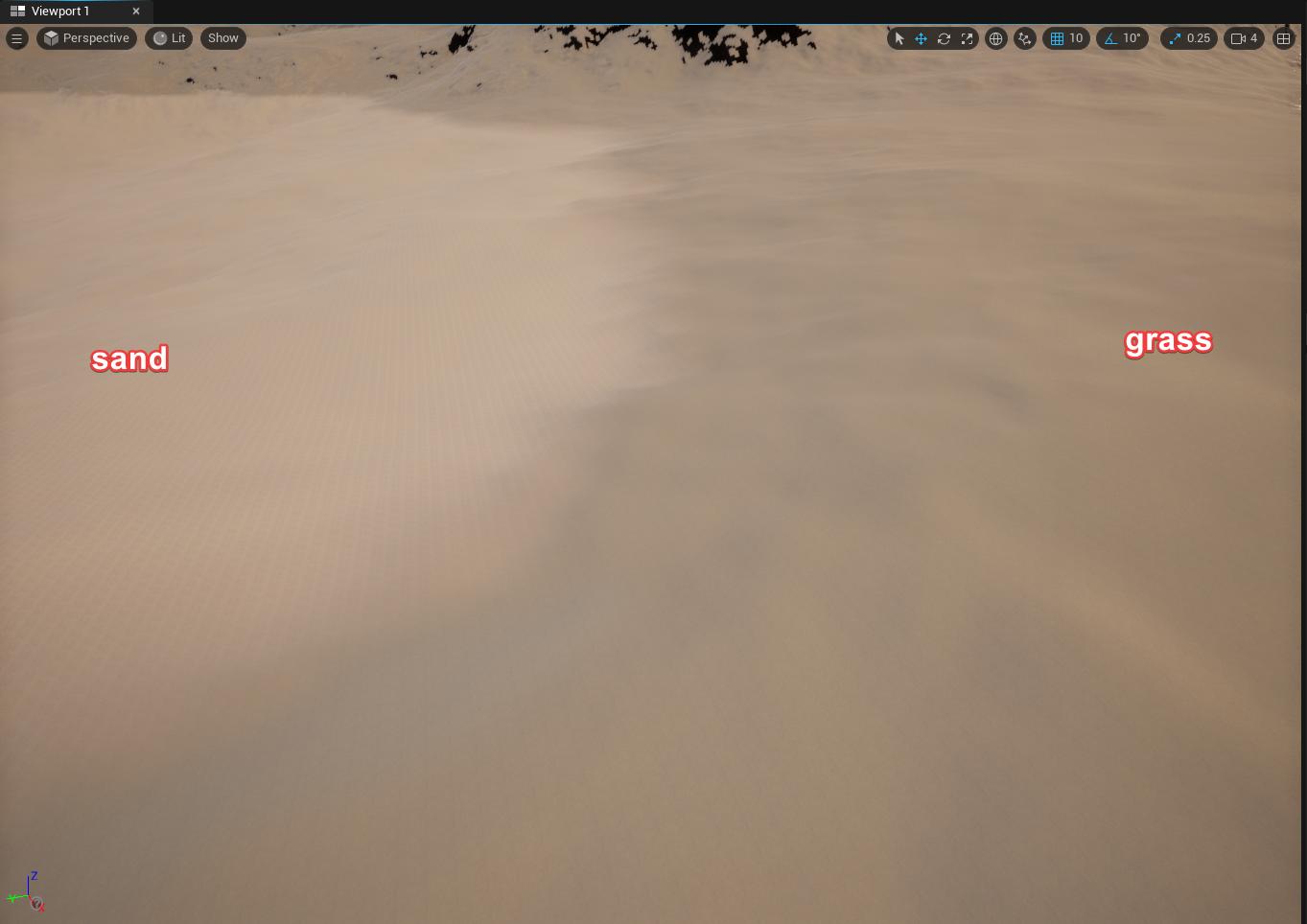
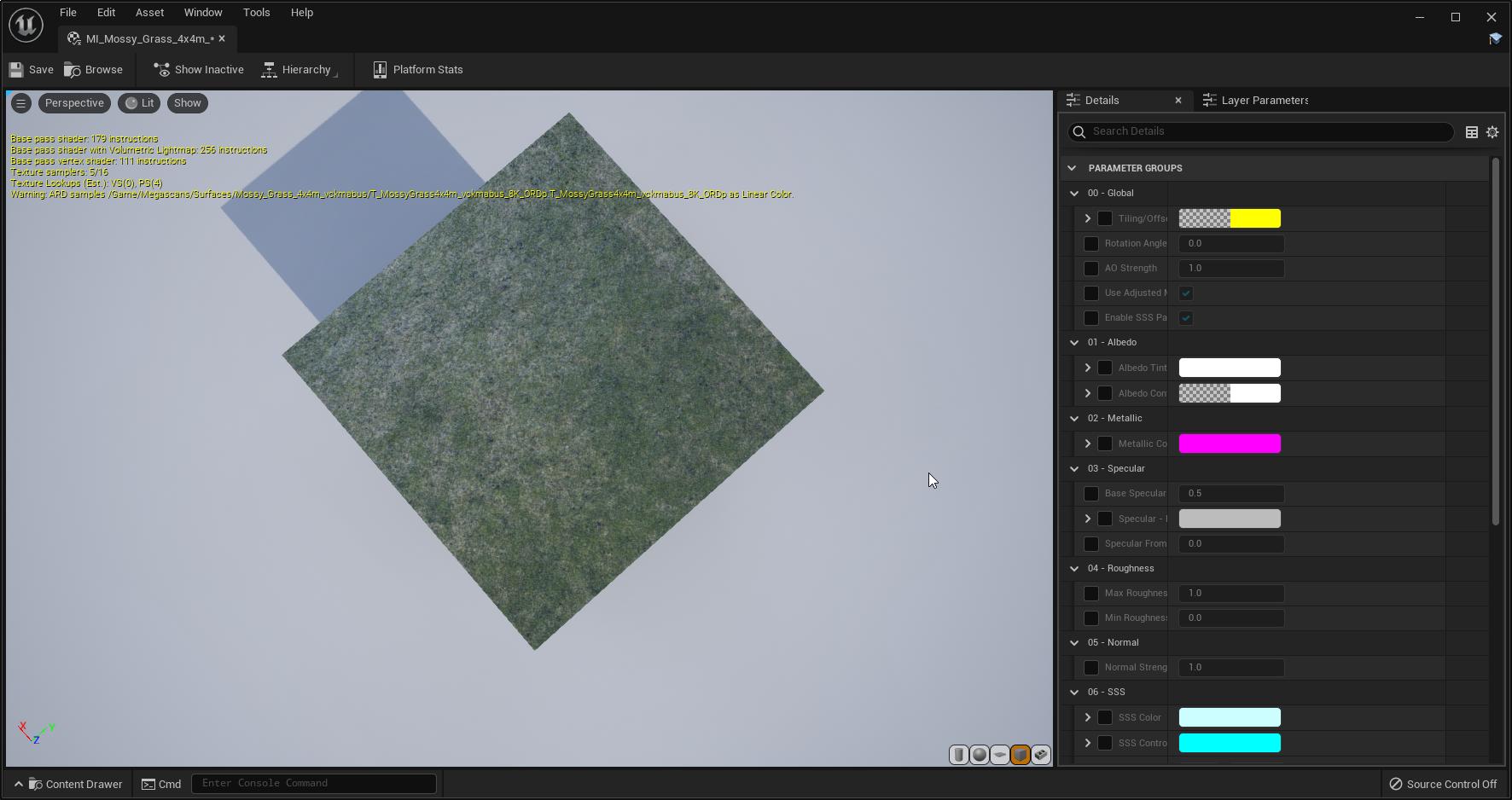
the actual material is no way near as washed out as that
(the material comes from quixel megascans and i'm using blend layers for the terrain)
the heatmap for the grass

 dark flax
Can you share what you did to fix this problem? I'm currently encountering it too
astral phoenix
astral phoenix
Hey im trying to get ''*Easy Building System v8*'' to work with ''*Generic Radia...
Any1 know what i can do? 🙂
astral phoenix
They where both free so there is high chance that some1 was playing around with them, like me so i was just thinking that some1 know something that can help 😛
grim ore
unless you find someone with that exact same question and the answer, which is not a high chance, your going to have to learn how unreal engine works so you can combine them. Alternately ask the developers for help who made them with the specific issues you have? just "cant get them to work" isnt much help to resolve the issue
astral phoenix
grim ore
unless you find someone with that exact same question and the answer, which is n...
if u just take 2 sec to look at the 2 packs im talking about, then u know exactly what i mean with ''Cant get them to work'' its so obvious xD
grim ore
so you want someone else to do all the work and tell you how to fix it so you can get stuck again later and have someone else do all the work and tell you how to fix it so you can get stuck again later and ...
astral phoenix
grim ore
so you want someone else to do all the work and tell you how to fix it so you ca...
i never said that?
what u mean? it was a friendly question?
@grim ore And i did not ask you to make it for me i asked if some1 knew how/if it was possible
grim ore
so I created a project with both assets and I have no issues so...
its not obvious to me

 distant totem
sick parcel
documentation all broken 😛
distant totem
sick parcel
documentation all broken 😛
what extensions do you have? this happens every so often to me as well but a refresh usually fixes it
whats the link ill give it a try
astral phoenix
grim ore
so I created a project with both assets and I have no issues so...
so u are telling me that u got the building part from ''Easy building'' into the ''Generic menu'' that was the obvious part i was talking about, i and i never said that you need to make a project, but only look at the 2 packs in the shop then you could see where i was going with obvious
grim ore
well you have to make a project to use the easy builder, its a project asset
astral phoenix
grim ore
well you have to make a project to use the easy builder, its a project asset
yeah thats correct, i think that we misunderstood each other
what i meant with ''obvious'' was that if you look at the 2 packs (in marketplace) you kinda know what im trying to make
But im new to Unreal so i still have alot to learn so im doing what everyone else would do, ask for help, just a guiding hand to take me in the right way 🙂
plush yew
wooow this server includes soooo much
grim ore
So if you mean something like this? then yes it can be done. https://i.gyazo.com/0550a034a2d7e3d6bdc06a75b776f522.gif
 astral phoenix
grim ore
So if you mean something like this? then yes it can be done. https://i.gyazo.c...
astral phoenix
grim ore
So if you mean something like this? then yes it can be done. https://i.gyazo.c...
yeah something like that!
grim ore
so then yes to your question, it can be done
as to how to do it, move the code for building from the sample player in the menu project into the sample player from the builder project. then hook up the correct events so when you click on something in the menu project it calls the correct builder hotkeys
with that said... 90% of that is hard coded which is poor programming practices so good luck
like literally everything is done by hand, nothing programatically, for what you build. I know its just a sample but your going to need to actually modify it for your project you cant just go "hey work"
astral phoenix
grim ore
with that said... 90% of that is hard coded which is poor programming practices ...
ohh :/
grim ore
the 3 key is literally bound to a command to build a wall so I just took that code and added it to the part on the menu, that is hardish coded to print out a generic string, to just build the wall
astral phoenix
grim ore
the 3 key is literally bound to a command to build a wall so I just took that co...
yeah i saw that aswell, but thats not going to work for me, i like to add more walls in the future :/
grim ore
you can, not an issue
its just you either hard code it like they did, or rework it to be more programatic and it sets itself up
its all there, its all usable, its all doable. just need to make it work based on skill level
 soft tree
astral phoenix
yeah i saw that aswell, but thats not going to work for me, i like to add more w...
soft tree
astral phoenix
yeah i saw that aswell, but thats not going to work for me, i like to add more w...
That's meant as an example for you to change however you'd like
That's how most tutorials/plugins will also be. You can't count on anything being ready to go out of the box
astral phoenix
grim ore
you can, not an issue
maybe not a issue for u but for me, a newbie to unreal thats a big issue xD
soft tree
then you shouldn't be tackling that
astral phoenix
soft tree
That's meant as an example for you to change however you'd like
That's how most ...
i see xD
soft tree
you should be learning the basics. otherwise you're going to get frustrated and give up
astral phoenix
soft tree
then you shouldn't be tackling that
its only for fun and hey maybe i learn something 😛
soft tree
It would take an experienced programmer hours to mix the systems together into something that is functional, and meets the requirements for the project
Which means that
A) no one is really going to be able to help you because it'd be a highly dependent on your projects architecture, and would take way too much of anyone's time
B) you don't know how to break up the tasks yet into smaller manageable chunks that can be generalized
 zinc shore
dose unreal have any sort of ECS system ive seen how unity and godot have been getting ecs plugins / modules but i haven't seen anything for UE
astral phoenix
soft tree
It would take an experienced programmer hours to mix the systems together into s...
the requirements? im only doing this for fun and maybe i can learn something new later in this project, i never said i was aiming for no bugs, i dont care about that because im not going to release it anyway, so the small bugs can stay, the big issue is just that i want so connect the 2 packs together
sick parcel
distant totem
what extensions do you have? this happens every so often to me as well but a ref...
oh, you are right, refreshing "fixes" it. Weird.
soft tree
I don't think you understand.
What I assume your requirements actually are:
1: Have radial menu and the build system installed on same problem without crashing
2: setup meshes with categories somehow in the build plugin
3: Setup radial menu so it dynamically creates entries for however many categories, and meshes you have
4: Get radial menu plugin setup so that it knows what categories to look for, along with adding menus for selecting categories
5: Get radial menu to show previews of the mesh you intend to place
6: Get radial menu to spawn selected actor
7: Give build system the selected actor from the radial menu
8: have build system place actor
soft tree
astral phoenix
the requirements? im only doing this for fun and maybe i can learn something new...
Also, this probably answers your question, as to how you can get them to work together
 still breach
Hey guys quick question: does anyone know how I can change a static meshes collision presets via blueprint? I need to change collisons from block all to block all dynamic. Anyone know how I can do this?
 astral phoenix
soft tree
I don't think you understand.
What I assume your requirements actually are:
1: H...
astral phoenix
soft tree
I don't think you understand.
What I assume your requirements actually are:
1: H...
most of that is all ready there in the packs as far as i know
soft tree
nope. i can guarantee you're going to have to learn that all yourself.
the functionality may be there for you do so some of it, but you still have to learn how to do it.
astral phoenix
soft tree
I don't think you understand.
What I assume your requirements actually are:
1: H...
1 and 6 is not there and thats what i have problems with, i cant get the actor from the ''Easy build'' into the ''Generic Menu''
 brisk spire
Hey guys, what's the word for when on-foot controls are super like... floaty and slow and clunky?
it's on the tip of my tongue and you guys are the only people I'd know to ask, lmao
soft tree
astral phoenix
1 and 6 is not there and thats what i have problems with, i cant get the actor f...
okay you're not understanding. good luck
 harsh copper
any kind soul out there willing to help me in private with root motion? I have an issue where the capsule will not move with animation no matter what ive tried every google solution so far
 fathom sierra
Super Fighter M 2 anyone?
dark flax
My app launches on the phone - I see the unreal logo, then it minimizes and returns to the home screen. So I try to find out what happened. Looking over my phone (pixel 3) I can only find the folder in "Pixel 3 XL\Internal shared storage\Android\data\com.RuptureGames.EightBitAreaCode" but it's empty. There aren't any files there? So I try using adb "adb logcat -d > my_device_log.txt" and the command runs without error but nothing happens. Where is the log file?
astral phoenix
soft tree
okay you're not understanding. good luck
then tell me in other way so i can understand
dark flax
I see a post that says the game logs will be \MyProjectName\MyProjectName\Saved\Logs but I cannot find this location on my phone
soft tree
astral phoenix
then tell me in other way so i can understand
I can't. because it would take too much of my time, and then you'd get stuck on another problem instantly when you realize you want to dynamically populate the menu, which would also take too much of my, or someone else's time. The cycle would repeat every time you realize that you have new requirements, and don't know how to work them.
What you think is a simple checkbox, or blueprint node to solve your problem, is actually a much harder complex set of processes.
You're currently trying to walk but don't yet know how to crawl. Highly recommend taking a step back and taking the beginner unreal courses
astral phoenix
soft tree
I can't. because it would take too much of my time, and then you'd get stuck on ...
maybe i understand if u try to explain? it never hurts to try, why not give it a chance, no matter what i still get something out of it, i get 1 step closer to what i want, and you tried the best you could and thats nice of you! 😄
 winged lava
I keep getting this error whenever i hit play

 hazy lake
It looks like you've an issue in your C++ class GameHUD.cpp
Sounds like a question you'd wand to take to #cpp
 whole quarry
dark flax
Can you share what you did to fix this problem? I'm currently encountering it t...
whole quarry
dark flax
Can you share what you did to fix this problem? I'm currently encountering it t...
1 year later so no
 heady quartz
Hi, my meshes are culled/occluded but they still make draw calls when i look at their direction. i did freezerendering and made sure they are not rendered. they still cause massive draw call increase 1.5k draw calls when looking even though they're culled and ~100 when not looking
 stray smelt
how do you guys send info/analytics from players to yourself, if you do? e.g. if you have a hexgrid-based game I'd like to log where players are moving to use for feedback on level design. I'm not as worried about representing the data somehow, but how do you send the data from the player to yourself? Does steam have some inbuilt features for this? anything I can use in unreal?
also trying to find some unreal wiki article on sending of crash reports/game.log
cedar wave
grim ore
with that said... 90% of that is hard coded which is poor programming practices ...
Yeah - I think they did this for simplicity though to be honest. I haven't combed over the entire asset, but it certainly works as advertised. I think the idea is that it is easy enough for people to setup their own input mapping.
whole quarry
dark flax
You have crap memory
At least i had it working 👍
cedar wave
zinc shore
dose unreal have any sort of ECS system ive seen how unity and godot have been g...
Most I've heard from people is integrating entt https://github.com/skypjack/entt - not sure how though.
dark flax
whole quarry
At least i had it working 👍
I already fixed that part - I was using launch in the editor which just tranfers that level over. By packaging and installing the apk with the packaged scripts it runs. But I'm super happy you got it working a year ago
 brisk pollen
unreal editor on steamdeck?
whole quarry
why so salty @dark flax , nothing else better todo?
 twin geyser
for some reason i have downloaded multiplayer shootout and i have downloade 4.20
and the project wont open
but its not working
 vale grove
Is it possible to run unreal engine on servers?
I want to run a few simulations on unreal engine. To make the simulations fast, I'd like to run it on my lab server (which can only be accessed through terminal). Therefore, there won't be any display.
 brave lark
how did you get alpha hold out to work? I have a translucent material and an object that has alpha hold out set to 0 but the translucent still renders


 fading vector
I'm new to Unreal and I want to create an inGame tutorial for my first game. Like the tutorial from subway surfers for example, but I can't find a video explaining how to do this. Does anyone know a video about it or have an idea how to make this?
 blissful gorge
Ok so this applies to Unreal, but also a general question about models for games. Why are game models so big in programs like Blender and Maya? Iv noticed that when porting models myself to Unreal, and even watching animation reels. The models have to be huge to be the right size in engine.
In my head I'm thinking that making a model, porting it without messing with the scale, and it coming in the right scale in Engine would seem to make more sense.
distant totem
if you use blender to unreal tools, you don't need to mess with the anything because the scale will be automatically converted, so blender to ue will be the exact same scale and appear so in both viewports, were you to make your scene in blender and export it to unreal
blissful gorge
Ah ok.
 wide lance
Currently when trying to add Animation Starter Pack by Epic to a 4.26.2 project , it will crush the Epic launcher, other packages work fine. Anyone has the similar issues?
obsidian mist
I want to remap animation blueprint but no skeletons available. What is the possible cause of this problem?
 blissful gorge
distant totem
if you use blender to unreal tools, you don't need to mess with the anything bec...
blissful gorge
distant totem
if you use blender to unreal tools, you don't need to mess with the anything bec...
Does the addon support Unreal 5? Or only Unreal 4 currently?
 wide lance
Ok, then it belongs to weird problems nobody else has category. Thanks for the reply.
arctic path
blissful gorge
Does the addon support Unreal 5? Or only Unreal 4 currently?
if the plugin is not supported, do this instead; open the model with ue4 and migrate to your project in ue5. 😉
blissful gorge
arctic path
if the plugin is not supported, do this instead; open the model with ue4 and mig...

arctic path
I do this a lot, because of UE5 not allowing complete support for marketplace yet 😦 (yes i know we are on preview)
if you ever need to recompile a plugin too its very simple, you delete the intermediate folder and binary Open CMD as admin and CD batch files, then find the uplugin and create an output folder and switch this to your game engine version UE_4.27 example. ```cd C:\Program Files\Epic Games\UE_4.27\Engine\Build\BatchFiles
RunUAT.bat BuildPlugin -plugin="C:\Users\user\Desktop\plugin\plugin.uplugin" -package="C:\Users\user\Desktop\pluginue5"```
if it does not compile, the author needs to make changes to the code
i know 😛
 next badger
brave lark
how did you get alpha hold out to work? I have a translucent material and an obj...
next badger
brave lark
how did you get alpha hold out to work? I have a translucent material and an obj...
should be 1 to Cutout
distant totem
blissful gorge
Does the addon support Unreal 5? Or only Unreal 4 currently?
I haven't tested it but it should work for 5, follow the quickstart with ue5 and it should be working https://www.youtube.com/watch?v=apa9EXI2KZA
brave lark
next badger
should be 1 to Cutout
hmmm
 plush salmon
when playing from PIE, what command can I use to only close 1 of the active players?
As Esc just yeets all of them
vale grove
Is it possible to run Unreal files made using Windows on Linux
If not, is there a way to convert it?
brave lark
next badger
yes, I want to use the alpha hold on it own mesh to cause the translucent material behind it to not render. IE: A mask to make sure water doesn't show in a boat hull
however, those don't work on ES3_1
next badger
well, probably cause in es3 you have no translucency pass
brave lark
currently doing it with mesh distance fields
https://cdn.discordapp.com/attachments/532607649875886081/865342507768479744/unknown.png
 brave lark
next badger
well, probably cause in es3 you have no translucency pass
brave lark
next badger
well, probably cause in es3 you have no translucency pass
right, but mobile vulkan does and even that is saying it can't do it
past rain
past rain
https://i.imgur.com/lFDLFAA.jpg
Anyone have any idea about this?
 zinc flume
Something for pixel stuff
I wanna create game like bro force but better
I will work for years but yeah ik
fierce tulip
you can work around paper-2d and still have a 2d game.
often gives less headaches as well
 junior nimbus
Is it possible to force a projectile to follow a lateral arc, like side to side from its spawn point to the target location? Like, the projectile spawns and goes out to the right and back left before hitting its target?
Or is that simply not possible
next badger
If the target is Broforce - i'd try to avoid UE4 and use pure 2d engine. Probably GMS.
 sage silo
anyone knows when 4.27 will be out? so far I see subversion preview2
 unique kraken
rly? isnt the next thing simply ue5?
 glad ibex
im having an issue where when I try to load my project that the editor just gets stuck at 80% or 83% and will never load up. Anybody had an issue like this?? Not sure if this is the right place to ask
unique kraken
same have a "bug" too.
i have a bp, with physics on
i turn off physics, attach it to my character,
detach it, turn of physics,
from that point AFTER detaching it from my character,
the children of the bp will get offsets.
anyone knows why?
sage silo
thats very vague but I guess more precise date is not known at this moment. thanks
unique kraken
unique kraken
same have a "bug" too.
i have a bp, with physics on
i turn off physics, attach i...

 drowsy snow
sage silo
anyone knows when 4.27 will be out? so far I see subversion `preview2`
drowsy snow
sage silo
anyone knows when 4.27 will be out? so far I see subversion `preview2`
Probably this fall, considering Preview versions usually goes up to 6 or 7.
 late verge
where would i find good dirty lens textures to use for my post process volume?
drowsy snow
late verge
where would i find good dirty lens textures to use for my post process volume?
I think there's one forum post about it sometime ago
late verge
i've looked all over the forums for recommendations 😕 i'll take another look
drowsy snow
late verge
where would i find good dirty lens textures to use for my post process volume?
Unreal Engine Forums
RELEASED: http://www.mojuze.com/uploads/DirtyBloom.zip (5MB) So I was mucking around with the “Dirt” part of Bloom in Post-Process Volumes. Thought I’d look through the nice and pretty bokeh stuff on Flickr and see how they’d work in various contexts. Photos and my processing are Creative Commons Attribution, so it will be free and ready for co...
drowsy snow
late verge
unfortunate, oh well
Welp, you can search from VFX resources.
Gotta repurpose them filmmaking stuff 
With the fancy Unreal Engine things, it's never been a better time to repurpose filmmaking resources into game engine.
north shadow
Guys what is the node to make the movements of our character impossible?
drowsy snow
north shadow
Guys what is the node to make the movements of our character impossible?
Disable input?
late verge
drowsy snow
Welp, you can search from VFX resources.
is VFX resources in here or on the forums?
drowsy snow
late verge
is VFX resources in here or on the forums?
It's on other websites.
drowsy snow
north shadow
I don't remember the others
Is this what you're referring to?

 stark gyro
Hi I’m new, is there any channels where I can look for help
drowsy snow
stark gyro
Hi I’m new, is there any channels where I can look for help
This channel or other relevant ones in the side.
rugged heron
what's the best way for designers to configure a certain structure where there's groups that can hold groups or elements, basically a tree of structs
data tables get very messy, each group node would mean another data table, or you'd list everything in one data table and have references to rows within it but it would be a mess...
stark gyro
I have never done anything to do with this. I have no clue where to start
north shadow
drowsy snow
Is this what you're referring to?
thanks you a god
 celest viper
Anyone know why a healthbar would only work properly when you are at 100% hp
or 0%
it will be full. and then completely empty once i hit 0
but nothing in between
drowsy snow
celest viper
or 0%
The percentage range is between 0.0 and 1.0, not 0 to 100.
You have to do the math yourself.
celest viper
so I should just change the integer that is my health to 1?
drowsy snow
celest viper
so I should just change the integer that is my health to 1?
It's a float value.
drowsy snow
celest viper
i need to change my hp to floats then
And divide by 100
celest viper
tyytytryty
i changed all to floats. the whole ssystem still works
but taht health bar still only shows 0 or 100%
no matter what the health is it
at*
north shadow
drowsy snow
Is this what you're referring to?
How can i make the movement possible when i put this node ?
(i'm new sry)
 clever marsh
does anyone here have experience with advanced locomotion? I have the system but I need to speed up my characters sprinting. Nothing from my knowledge works.
north shadow
You want to set your character's speed ?
clever marsh
yes, max walk speed doesnt work with advanced locomotion though.]
I cant find the one for sprinting. I'm looking for it now and dont even know where it would be
didnt work for me
nvm fixed it. Thanks!
 buoyant graniteBOT
:triangular_flag_on_post: PSI_ARC#6288 received strike 1. As a result, they were muted for 10 minutes.
north shadow
I need to add a third person component in an ither blueprint someone know how to do that '
?
 bright meteor
Hey, is there no text component for the material graph?
Like, a font layer for dynamic text on a material?
drowsy snow
bright meteor
Hey, is there no text component for the material graph?
Like, a font layer for ...
Nope. You have to look for text atlases and whatnot.
bright meteor
I'll try looking that up. Was prototyping dynamically generated playing cards, where being able to use a font would be handy.
Could always just use a clipboard, but i wanted to limit the amount of individual texture assets needed for each playing card.
drowsy snow
bright meteor
I'll try looking that up. Was prototyping dynamically generated playing cards, w...
You could leverage Unreal widgets and render targets instead.
clever marsh
do you know how i would wire this to change the sprint speed with a button?
bright meteor
drowsy snow
You could leverage Unreal widgets and render targets instead.
Like, to project it onto the card? Haven't explored this yet. XD
 unkempt echo
Is texture scaling un ue5 similar to ue4?
 livid hull
Hey guys, I'm new here after looking for an answer to my problem, without finding much information online.
I'm trying to blend two different materials I got from Megascans. I exported them to Unreal 4.26 and then created a Blend Material using the Megascan tool within Unreal.
Now, there used to be 2 different settings I cannot find anymore, either in 4.26 or even when I backtracked to 4.25. " World Aligned Blend " seem not to exist anymore. Was it replaced by something else ?
Furthermore, I want to drive my blending by an Height map. Under Input Textures, there used to be an input for " Blend Mask " in which I would plug my height map. Where have all these settings gone ?
I'm a bit confused by how the entire Material tab has been revamped. I thought it was a 4.26 thing since I just installed it, but even going back in 4.25, everything changed. 
north shadow
I wanna set the camera of my third person character but in another blueprint :/ is it possible ?
For exemple when i press my e key in a box collision of a certain place :)
junior nimbus
@north shadow yes, its common to need to do things like this. Use a "cast to" character function, or, better yet, use an Interface
cedar wave
The Third Person Template - you have the default player start in the Map, but you also have the ThirdPersonExample BP placed as well. When you press play, you take control of the ThirdPersonExample BP and not the one that should get spawned at the Player start. How do you achieve this same effect?
past rain
past rain
https://i.imgur.com/lFDLFAA.jpg
Any ideas guys?
The actual export from worldcreator looks much better: https://i.imgur.com/fE1uR5I.jpg
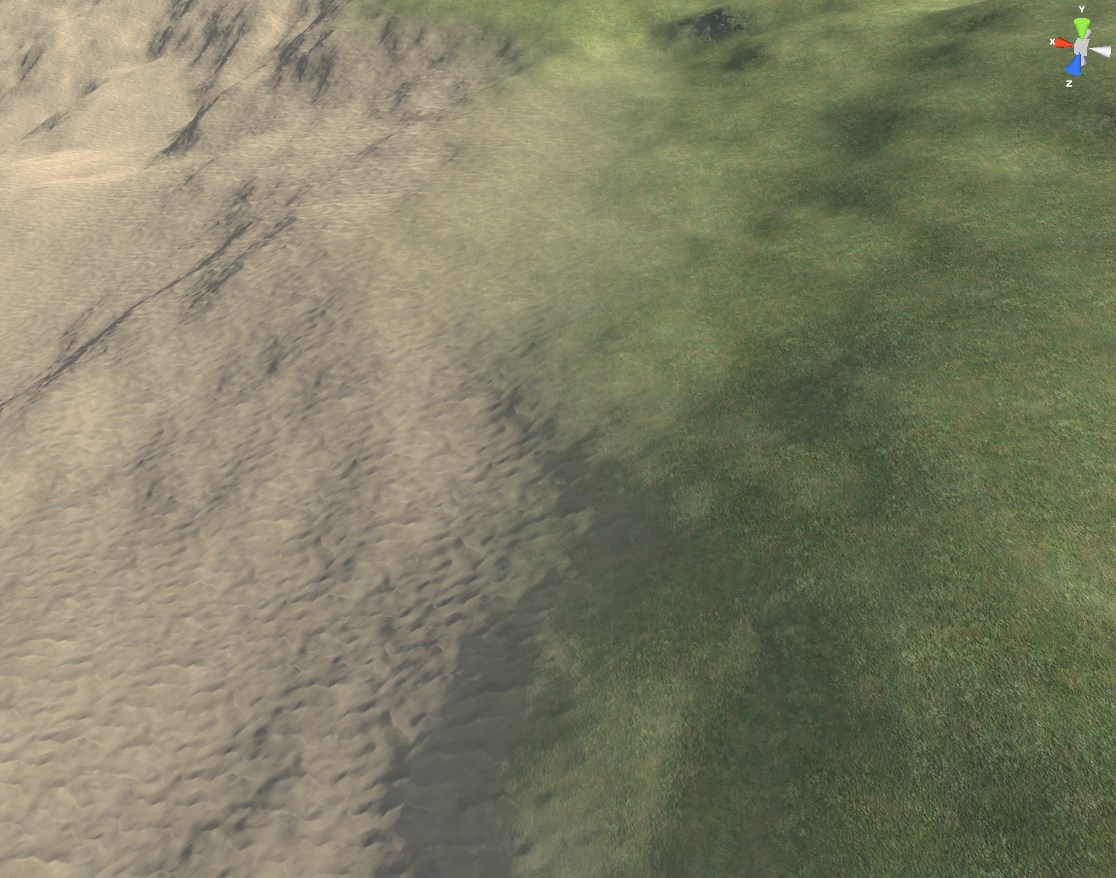 stark gyro
How do I make it where if I fall off the world border, it respawns you. It kills me at -1500 but it just freezes and doesnt respawn
 halcyon flame
hey guys, I'm having an issue with loading savegames in a packaged game, both in Development and Shipping builds. I can see that the savegames exist, but for some reason loading them fails (loaded object is invalid/null).
does anyone know why this might be?
a couple of details: this is for an update function, a lot of old record savegames are being consolidated into one master record savegame, so it is saving and loading them in succession.
two: I have been pasting the saves over and over again from a backup trying to get the update functionality to work correctly
proud thorn
hello!
Can I ask for help real quick
why does AI character does not work anymore when I open a new level
like I press play on my main menu level to open the main level
and the ai did not work
halcyon flame
every actor and object other than GameInstance is destroyed on travel
young quartz
quick question.. I have a object with less vertices and triangles.. How can I edit/add more vertices or triangles to it?
halcyon flame
@young quartz sounds like you want to work in your modeling program (like Blender or whatever)—subdivide
 iron hinge
all objects are in game but there are no materials on anything,,what file should I be looking for in project to fix ? ( yes copied from one project into another so clearly something is broke)
yes what dingoman said
young quartz
my mirrors are not willing to reflect! I downloaded car configurator and did the exact same settings and still they dont look same. I added more vertices and triangles to the mirror object.. still it doesnt reflect.
 halcyon flame
are you using screen space reflection?
you might want to use a scene capture component and make a new material that is the texture output by the scene capture component @young quartz
young quartz
I am using mirror material that's what car configurator has used in their project.
this is from car configurator
 halcyon flame
yeah, I am 95% sure that's just using screenspace reflections
his mirror is probably more angled towards his car
 dreamy zenith
is it better to make a fire function in the character or in the base gun so it applies to all other guns?
halcyon flame
as we can seemingly see the corner of your car in your mirror
@dreamy zenith knee-jerk says gun base class
you answered your own question lol
I'm gonna sign off for now, good luck rAze
dreamy zenith
i just thought it did the same thing
young quartz
thank you..
dreamy zenith
halcyon flame
what if you want a turret to be able to use a gun too?
fair enough
thanks
 shadow tinsel
unreal engine cringe
this post was made by unity gang
covert summit
shadow tinsel
unreal engine cringe
*this post was made by unity gang*
what is this "unity". Pretty sure there's just unreal
everyone happy in this here general channel?
if you're still stuck, @ me
shadow tinsel
covert summit
what is this "unity". Pretty sure there's just unreal
well you see. Unity is a cross-platform game engine developed by Unity Technologies, first announced and released in June 2005 at Apple Inc.'s Worldwide Developers Conference as a Mac OS X-exclusive game engine. The engine has since been gradually extended to support a variety of desktop, mobile, console and virtual reality platforms. It is particularly popular for iOS and Android mobile game development and used for games such as Pokémon Go, Monument Valley, Call of Duty: Mobile, Beat Saber and Cuphead. It is cited to be easy to use for beginner developers and is popular for Indie game development.
The engine can be used to create three-dimensional (3D) and two-dimensional (2D) games, as well as interactive simulations and other experiences. The engine has been adopted by industries outside video gaming, such as film, automotive, architecture, engineering and construction.
covert summit
shadow tinsel
well you see. Unity is a cross-platform game engine developed by Unity Technolog...
oh I hadn't heard of that, nor have I wasted time trying to build my project in it before switching to unreal and forever thanking myself for the decision!
shadow tinsel
covert summit
GL
starts making out with you
takes shirt off
runs hand down your chest
covert summit
shadow tinsel
*starts making out with you*
gets uncomfortable as there are minors watching
shadow tinsel
"you got some real abs honey"
covert summit
funny, but legit a mod will not appreciate the joke
 hollow trench
So, as AMD's Super Resolution is out now for a day, did anyone got it to work or even make it into a plugin or whatever it is?

GPUOpen
Develop for Unreal Engine on AMD hardware with our performance and feature patches, including FidelityFX support.
I have literally no idea how or where to apply this patch file. Some coders may laugh but thought I could even add and test it on UE5.
covert summit
hollow trench
I have literally no idea how or where to apply this patch file. Some coders may ...
yeah I will laugh at that.
UE5 is substantially different from 4.26
hollow trench
Fun. Well I guess I need to have a 4.26.1 "fork" on my own Git and then cloning it and then kinda..apply this through that command. Well, thought since they made the big blabla about partnering with Epic that it would be a little bit more convenient.
covert summit
hollow trench
Fun. Well I guess I need to have a 4.26.1 "fork" on my own Git and then cloning ...
yeah apply it to 4.26.x
if it's not clear why applying it to ue5 would be nontrivial, you should be working on ue4
nothing wrong with that
hollow trench
I may ask Merlin or Gandalf later the day. What I am working on and why I may want to test it on UE5 might have reasons.
covert summit
it might, sure, it just won't be trivial :-)
celest blaze
FSR is neat, but I Just don't care about it. I'm sure I'm fairly alone on that, but thats just me. I feel the same way about DLSS.
covert summit
I just got a card where dlss is relevant and I sure want to support it in my project but yeah. this stuff is complicated
especially when 3-4 months down the road it'll just be in engine for you
celest blaze
For sure
hollow trench
Actually, I just thought it would be a nice day one addition for my current vertical slice as a "see, having latest techbubble magicf* inside, especially by having a meeting next week. And still developing on a non DLSS compatible card, having in mind to support older GPU's as well. (minimum is a GTX 1070 for that project)
But yeah, maybe it will be part of upcoming UE versions later this year.
The Temporal Super Resolution already is a nice gimmick, while it looks a bit washy when a character is in motion.
celest blaze
I wouldn't be surprised if it shows up sooner than later. Esp. with FSR being open. As well it's made some decent waves in all the tech/gaming pub circle. Felt like that's all anyone was talking about for a solid two weeks. Probably one of the reasons I feel the way I do lol.
hollow trench
They actually made me excited about. Giving the players some extra juice for more performance out of the box. Nine of like ten users in my little community don't have an RTX card or can afford it at the moment. Of course a lot of dev's already surfing on their 3090 boards, drinking from their 128gb ram cocktail pots - but this is where that wet raytrace dreams clash against the real user base cliffs.
celest blaze
lol.
I wish I could have a couple of 3090's. I saw the GPU crisis lingering and when 2070's dropped to 380 I jumped on one before everything when to hell. Didn't really want too, but My GTX970 was starting to show its age and I knew things were about to get worse.
hollow trench
I am telling my GTX 1080 that she is a nice good old lady, every day!
celest blaze
1080 is a good card.
hollow trench
And actually I think its fine to work on that card because it shows me where my own performance caps are on both, my main 4K 60hz working monitor and a 1080p 144hz gaming monitor right next to it. So far and even on UE5 tests with Lumen, I get a nearly stable 45-50fps with TSR on the 4k and around 65 fps on the 1080p without TSR. Could be worse.
covert summit
celest blaze
I wish I could have a couple of 3090's. I saw the GPU crisis lingering and when ...
this was a good call
covert summit
hollow trench
I am telling my GTX 1080 that she is a nice good old lady, every day!
rocked 1080ti until 3 weeks ago and it's entirely a great card to use right now
covert summit
hollow trench
And actually I think its fine to work on that card because it shows me where my ...
yes actually software path for lumen is faster than hardware with RT cores
it's just quality that is lost
but the thing is so good that it's debatable that it's "worth it", it's more like hey additional quality for the RT cores, makes sense
it flips the equation when it comes to lighting, where you either have crazy lighting build times for a good result on raster cards or a great high quality result at runtime on RT cards at the expense of raster cards, saying let's actually have a good realtime result via screen space for software path and progressively enhance to a high quality path for cards with RT
but this is all early access and anyone reading this who is new should not be jumping into ue5 yet
if you are new it will take longer to finish your game than it takes for ue5 to hit GA anyway
modest trench
most everything is super simple to migrate
but the world partition stuff requires an external batch file thing though
drowsy snow
Also not really sure on turning World Composition level into World Partition one.
modest trench
no idea how they compare
young quartz
i havent been using ue5.. bt is that easy to migrate to ue5? Will UE4.26 assets from market place work i.e materials or other stuffs
celest blaze
covert summit
this was a good call
Yeah, I knew things were gonna get bad but I didn't expect it to get as bad as it did.
hollow trench
covert summit
but this is all early access and anyone reading this who is new should not be ju...
This is true, people should not use it for current productions if they are slated to being produced in full scale before the first release of UE5.
frigid bear
i have a 1050Ti . I am god
hollow trench
young quartz
i havent been using ue5.. bt is that easy to migrate to ue5? Will UE4.26 assets ...
So far, a lot of plugins like AGR, VRM4U or Ultra Dynamic Sky compile and work fine in UE5. The plugin developers also have their Discord channels for support and an active community testing it on current UE5 Early Access versions. There are some things to avoid and take care of. Some features, especially when it comes to landscape may not work anymore or need workarounds. Things can break, things that worked yesterday may not work tomorrow - that's important to keep in mind.
There was a bigger discussion and I was clearly on the side of: Don't use UE5 yet. But it also raised the question when actually is the best time to switch..or at least getting warm with it. If you're not doing deadline crucial productions with many people involved and just doing fancy weekend pics of your old VRay Architecture scenes, UE5 EA2 is a good way to get warm with the new UI and certain other things. I think its also safe for pre-production when real production is slated for next year.
I made a copy of my current vertical slice project and so far it appears to be pretty stable. As stable as UE 4.26.2 and the performance is nice.
Since the project is in pre-production and I am not doing bigger "dangerous" coding tasks on it, as long as it builds an .exe by end of the day, it is totally fine for me to stick with it. Lumen and Nanite are worth playing russian roulette at this point.
--
But as said, this is a special case. If somebody wants to build a full game right now, stick with UE 4.26.2 if you want to release it this year or early next year, before UE5 release.
frigid bear
It was very easy for me to migrate cus if you want to use assets from ue4 you can just move the content from the content folder of your ue4 project to the content folder of your ue5 project from the file explorer or smh
young quartz
I think I am gonna scrap my project and restart in ue5. I was working in ue4.26 just because the automotive materials were supporting it. But if the drag and drop is working then why not!
celest blaze
young quartz
I think I am gonna scrap my project and restart in ue5. I was working in ue4.26 ...
At the very least it's trying can't hurt anything. It's what it's there for. But I would definitely not build anything that strays too far from experiment/learning on it.... outside of edge case stuff like @hollow trench said.
modest trench
young quartz
I think I am gonna scrap my project and restart in ue5. I was working in ue4.26 ...
keep in mind backporting is not a thing. keep a backup of the old version around if you really want to try it
I have a dowsing rod if you need a release date
drowsy snow
Because EA stands for Early Access, not Electronic Arts
plush yew
Hi , Does anyone know a good tutorial on making Battle Royale game with unreal engine?
plush yew
plush yew
Hi , Does anyone know a good tutorial on making Battle Royale game with unreal e...
on Youtube ?
 minor karma
Hey guys noob question here. Is it possible to copy physics properties from one physics asset to another?
drowsy snow
plush yew
Hi , Does anyone know a good tutorial on making Battle Royale game with unreal e...
No, there is none.
Just accept the fact that Battle Royale game is not easy to make and expensive to prepare.
plush yew
drowsy snow
No, there is none.
Just accept the fact that Battle Royale game is not easy to m...
i know
young quartz
I am just opening car configurator in UE5 and it keeps crashing. Weird
modest trench
I think you would have a decent start with Tom Looman's survival game course
it's not free though
drowsy snow
Examples like The Culling took massive L.
modest trench
I like The Culling ;__;
definitely no joke to make a massively multiplayer shooter though
plush yew
drowsy snow
No, there is none.
Just accept the fact that Battle Royale game is not easy to m...
I have trouble building a lobby for Battle Royale
I was looking for a tutorial on building a lobby
drowsy snow
I mean, to be fair, The Culling was one of the BR game pioneers. But then it loses to the competition, and the devs now resorted to petty arcade type of business model.
modest trench
yeah it was weird how desperate they got
game had some fun ideas but was not solid enough for people to play
plush yew
plush yew
I have trouble building a lobby for Battle Royale
I was looking for a tutorial ...
Is there a resource for learning this?
modest trench
here's a random youtube tutorial: https://youtu.be/bRYywlTd9EU

Hello everyone and welcome,
This time we work on a server side travel and on the lobby we need for this !
At the moment I develop this series and upload it as fast as i can so don't expect it to be completely bug free.
Do you have any Questions, wishes or anything else?
Just put it u...
plush yew
modest trench
here's a random youtube tutorial: https://youtu.be/bRYywlTd9EU
Fake Title , I saw the last video, no lobby was created as a result
drowsy snow
plush yew
Fake Title , I saw the last video, no lobby was created as a result
IIRC Shooter Game example has some sort of lobby logics, might be misremembering tho 
plush yew
drowsy snow
IIRC Shooter Game example has some sort of lobby logics, might be misremembering...
Now there is no training to build another lobby?
icy egret
hey, please help me
my game often cause hitches so I search how to find the root of problem and now I'm using Unreal Insights
And I can get logs now, but I don't know what should I do next
I think it might be Tick problem, but I don't know where or what blueprint causes
please help
 modest trench
icy egret
hey, please help me
my game often cause hitches so I search how to find the root...
modest trench
icy egret
hey, please help me
my game often cause hitches so I search how to find the root...
are you logging all of the insights categories?
what are your startup params?
icy egret
modest trench
are you logging all of the insights categories?
cpuprofile and loadprofile
should I use other parameters?
modest trench
-statnamedevents -trace=cpu,frame,gpu,log,bookmark,loadTime,file,net
icy egret
what means?
 icy egret
yeah
I mean, what the parameters will show?
modest trench
more stuff! ¯_(ツ)_/¯
it doesn't leave anything that gets tracked by insights out
so maybe the mysterious gaps will show calls to functions
I doubt you need loadTime,file,net though
young quartz
is it normal for ue5 compiling shaders(10k) for new project? or every single time we open the project?
modest trench
turns out switching engine versions mean you recompile every shader
wary wave
new project only - also #ue5-general
drowsy snow
modest trench
turns out switching engine versions mean you recompile every shader
Kinda weird because UE5 EA was based on 4.26, and mine wasn't even recompiling every shaders until switching to Vulkan.
modest trench
there are a bunch of things that could cause all shaders to recompile
I wonder if your conversion didn't change any of the project rendering settings that would invalidate them all 🤔
wary wave
I expect that it would, just on account of being a different engine version
I'd expect a shader recompile moving from 4.25 -> 4.26, so it stands to reason you'd get it moving to UE5EA
young quartz
its a new project.. nothing as been added to it yet. At the same time 4.26 opens within seconds doesnt compile anything and we are ready to go
icy egret
modest trench
turns out switching engine versions mean you recompile every shader
okay so I run insights and my project again and where can I find the root of problem?
 modest trench
looks like FMsg::Logf_InternalImpl is taking a super long time
are you logging/printing anything?
my guess is a widget blueprint is going nuts spamming the log?
anything on the other threads?
plush yew
i made a little stamina system, i want to make it wait 5 seconds before regenerating stamina, can anyone help?
 icy egret
modest trench
my guess is a widget blueprint is going nuts spamming the log?
icy egret
modest trench
my guess is a widget blueprint is going nuts spamming the log?
ummm...
I think my UI isn't too heavy, but log says it is so I should check...
wary wave
plush yew
i made a little stamina system, i want to make it wait 5 seconds before regenera...
For one, don't put a delay in tick, it's kinda pointless. You're not using delta time in your stamina calculation, which is integer, either so it's frame rate dependent in a bad way.
Remove tick, use events to trigger state changes, and use a 5 second Timer.
wary wave
subtract 5 stamina in the jump event ¯_(ツ)_/¯
I feel like you might want to do some blueprint tutorials?
wary wave
so yeah, you want to learn to use events and delta time (also called delta seconds)


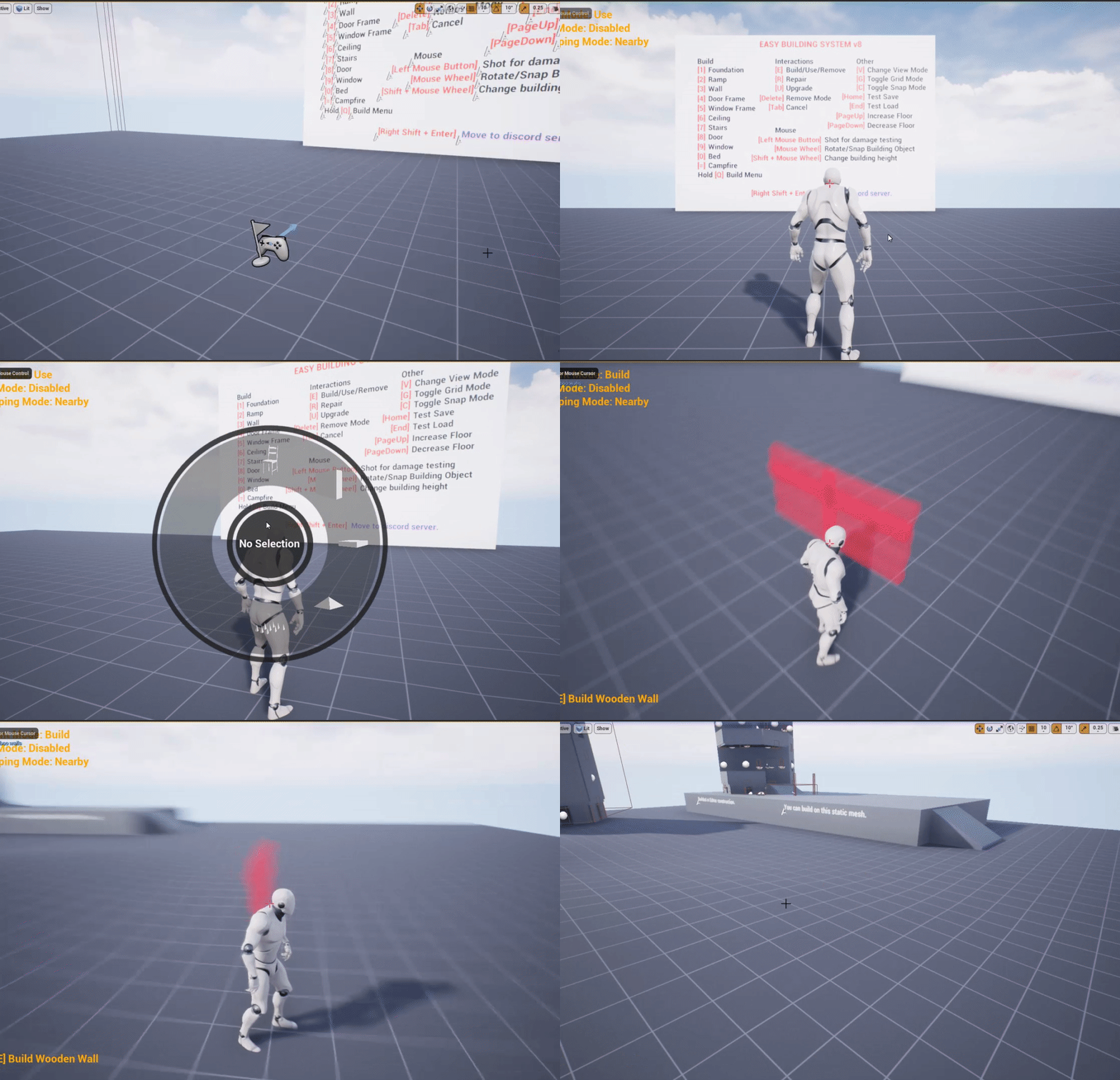

 wary wave
Yes - but the mistake is really obvious. Please spend some time doing basic tutorials, because otherwise you're just wasting people's time here
plush yew
ok sorry
wary wave
I prefer the 'get a really big hard drive and forget about it' approach
 flat forum
Hey
I can’t get the engine
I don’t know why

Nn
Nvm*
Now it’s flashing 2.5 to 3.0
But it says 11%
drowsy snow
wary wave
I prefer the 'get a really big hard drive and forget about it' approach
TBF it's rather generous in a 240 GB partition/drive, though I dumped all of my tools and games on another partition
drowsy snow
plush yew
ya des personnes qui parle croissant?
フランス語は話せません。