#ue4-general
1 messages · Page 1019 of 1
 sharp crest
I just opened the editor and it decided to not spawn on server today, lol
it used to work for quite a long time..
 plush yew
I just saw in some obscure post in a facebook group that there is a UE 4.27 version coming.. Why? Wasnt the 4.26 supposed to be the last version before the UE5? Are there any relevant features planned that make a switch to 4.27 worthwhile?
 lusty jay
im pretty sure the last version is going to be 4.28
 worthy axle
Hello everyone, I am looking for the discord server for UE Fast Track program, I am an university student willing to do that program however the discord link in the course is invalid.

Unreal Engine
Learn Unreal Engine in small remote student teams over a course of five workshops
 slate thicket
does anyone know how to fix this

i imported a custom offline font but it's just giving me these random blocks when using the text renderer
works fine in the font preview

 clever axle
https://i.imgur.com/yUPaMgZ.png Anyone else? 😄
 jade surge
40 minutes of trying to figure out why something isn't working. Realize A pin wasn't connected... Who says blueprints isn't as toxic as c++
lol
 untold dirge
This character is the Skeletal Mesh, as I understand. And has no actual 'clothes' or materials equipped. I can make a whole game before I tinker with the 'clothes' in the 'Material' slots right?
 clever axle
@untold dirge there are materials assigned to this skeletal mesh
it's even there in your screenshot
If you don't want the Manny to look different then yes, you could make a game only with him if you want to
 dry crane
Hi. Does anyone know, how to create a intro video with a skip button in unreal? I am making a mobile game in unreal and I have a video as a separate file which I want to be played at the start of the game and it should also have a skip button at the bottom so that the player can skip the video and go to the main menu. How can I do that? Can anyone help me?
dry crane
dry crane
Hi. Does anyone know, how to create a intro video with a skip button in unreal? ...
The main problem is the skip button
 old nimbus
@dry crane Rajdrip
 novel rose
Does anyone know why UV channels do not update when you re-import meshes?
 hearty vine
old nimbus
I'm totally De-Motivated to learn anymore.
hearty vine
old nimbus
I'm totally De-Motivated to learn anymore.
What’s your end goal with learning Unreal?
 potent cypress
@plush yew Bro I found the solution of my problem, thanks alot for spending your time for me 😁
 cloud igloo
Does anyone know what can be done to put text into the widget graph so that I can hide it once a button is pressed? It doesnt seem to be showing up in the variables tab
 tight prawn
is there a way to block paths in a navmesh ?
I'm looking to designate areas as "unwalkable" without using heights
old nimbus
hearty vine
What’s your end goal with learning Unreal?
Production
tight prawn
for example I want the AI to move only on sidewalks without going through the road
 median sandal
anyone knows why this happens?

 lime quail
Hi.I noticed,what when I hold mouse button then IsHovered/OnHovered doesn't work.How can I get around this?
 light thunder
What is the current charactermovement mode/speed set to? I'm trying to modify the default value so they aren't moving as fast - I see MAX default walking speed, but what is the current one ?
lime quail
light thunder
What is the current charactermovement mode/speed set to? I'm trying to modify th...
You trying get current character movement speed?It's easy
 light thunder
I guess I was confused about what the max had to do with it - my assumption is that it will just accellerate to the max speed of whatever movement type you set - so the max speed is the 'current' speed once it gets moving (that's what i need to set) this is for npc movement
 safe osprey
I always mix this up, but does ue4 support tga or no?
 tame patrol
Will our UE4 projects work in UE5 or am i wasting time
 rocky epoch
if you are not using some niche or exotic plugins it should
according to epic the conversion should be painless
tame patrol
Could you give an example of exotic plugins? Ive got a few ranging from Advanced Vehicle System and LE Extended Standard Library to the Voxel Plugin
rocky epoch
I can't sadly, but if the creator is updating his/her plugins often, it should be fine.
also i you have space just grab the early access and convert your project
tame patrol
I probably should do that sooner than later, thank you!
rocky epoch
it will make a copy anyway so it won't broke your original project
and if the early access can convert your project then you are golden :D
 fallow hornet
Yep
 frail sail
guess no ones uses Fullscreen mode in ue4 lol
 spare sun
well I do but I don't get the problem
frail sail
spare sun
well I do but I don't get the problem
#ue4-general message
it get too old since no one answered so original topic was here:
slate thicket
nvm fixed it lol
 winter zenith
spare sun
winter zenith
spare sun
ye I saw that but I meant I literally dont freeze like this. I used to in some games but it wasn't ue-specific. Tabbing in and out/updating drivers/going dx12 usually fixed the problem. Similar issue happens with skyrim if you dont focus the window during an open console when it loads a level I think. Or at least it used to do that, didnt check on the special edition. @frail sail
winter zenith
Getting this error whenever I save my map, or try to play it. But I can package the game and play it, only the error happens when I play in the editor
frail sail
spare sun
ye I saw that but I meant I literally dont freeze like this. I used to in some g...
oh btw it doesnt work on DX11?
frail sail
rest is updated latest already, just only thing i didnt forced DX12
 humble hinge
I created a new level, but it's all black?

oh I found it
yeah, tried, still new to ue but didnt seem to work, but when I went to file -> new level, then selected default
alright thx
also, I heard ue had a giant asset library
where can I find it?
oo ye
so epic, that'll make creating an open-world rpg way easier, since I am never satisfied with the textures I make
im on quixel.com, do I create an account or how do I get the megascans?
frail sail
spare sun
dx12 fullscreen is quite different from dx11 fullscreen
well yes, now i set default rhi dx12 from dx11, fullscreenmode is work, but quite lot losing performance
humble hinge
yeah I'm using ue4 rn, ue5 is epic, tried to run the VotA demo but my gpu literally crashed
yeah, im sticking to ue4 until ue5 is game-ready
yeah, I'll get that program after my 2fa code arrives in my email
epic games is weird
my 2fa code never arrives or takes ages to arrive, so I decided to change the email to my gmail, the verification of that arrived INSTANTLY
 buoyant compass
How can I view Physics Constraint Components at runtime?
humble hinge
I have bridge rn, are the assets the same as on megascans?
 humble hinge
alright, thanks a ton!
light thunder
How do I set the play rate of an animation when I'm using a blend-space - getting the mesh and setting playrate manually doesn't work (I'm assuming it's immediatley overwritten by the blendspace )
The problem is they look like they are "sliding"
You mean in t
there?

based on the video, do you think that is my issue? I'm happy with the actual movement speed but the animation looks like shit, even though I'm using the default third person and those meshes are obviously targeted to it
I guess that's something to do with the issue - this looks better but still like shit - good thing these are distance/background actors
I can edit the blend samples on that blend space or keep the settings on the Anim BP - which is a better place to start?
and is setting the rate scale on that animation basically the same thing? (in which case, probably better to just edit on the Anim_BP and leave the Blendspace asset alone?
wait - the max walking speed I thought was for idle to full on running?
and the blend space changes which animation is dpeending
ah


granted, when I start the game I assign a value between like 70 and 110 so their speeds are not all the same
the play rate in the anim BP seemed to work okay
still looks shitty but whatever
gotta adjust their meshes relative to their collision capsule I think and offset them depending on the model being used
Is this what I want to use to adjust the mesh relative to the collision capsule? (capsule is root)

different question - how do I trigger an overlap event like a volume where objects that come into it get burned - will the overlap event fire repeatedly? for each item?
like, just making sure here, that the overlap event will keep firing on new items coming into that volume
 kindred viper
no but you can set a timer when they enter the overlap and then stop it when you like.
plush yew
is there a option for real time shadows? the shadows stay in the same spot even when the object has moved but it goes away once i build the lighting, i dont exactly export things into unreal a lot unless its characters etc so im a little bit new with meshes, am i doing something wrong? or is unreal nor getting the shadows right or whatever
 prime willow
@plush yew Where in the animation blueprint grahp am i suppose to put the powerik solver?
 austere vessel
plush yew
austere vessel
plush yew
@plush yew thank you, not gonna lie i had no idea that was even a thing i mean ive seen it but never touched it
@prime willow im not sure ive never used that before
prime willow
;-;
prime willow
would i place it between the state machine and output pose?

what if i wanted to expand it later on, with wall running etc do i keep it there or move it from that place to another? o.o
ah
so a case by case basis
ok that makes alot more sense than these tutorials x3
thanksies ❤️
 vernal dock
anyone wanna make a quick 10 bucks to help me compile my xcode project
prime willow
So when i apply Ik's to my mesh
the ik's work
but the character stretches viciously
https://gyazo.com/80c5eb397708cc465700b25848165f64 @drowsy snow ;-;
 cold bridge
Hey guys, newbie UE dev here.. I want to have an object spawn whenever my projectile hits the water, but I can't generate any collision effect for the surface of the water. Do I have to add a custom collision box to my lake/ocean for this to be possible? Is there another way?
just to clarify, my goal is to have a weapon shoot the water and wherever it hits - an ice platform is to be spawned, letting my character walk on water. Thanks in advance ❤️
 lavish garden
i would like to make a galaxy, with pixels to represent planets, stars, etc, what would be a good way to do that??
 hybrid sky
lavish garden
i would like to make a galaxy, with pixels to represent planets, stars, etc, wha...
hybrid sky
lavish garden
i would like to make a galaxy, with pixels to represent planets, stars, etc, wha...
would you like to make the galaxy as a background?
(no interaction)
lavish garden
no
hybrid sky
what do you want then
lavish garden
or maybe at first to learn how to do it as something more in depth.
i want to simulate a galaxy on a small scale.. not trying to fly through it, but i want to be able to get data from it.. like after it is generated, what each pixel would represent
ie colored pixels for what they are, or whatever.
the closest way i can describe it would be to use something like https://en.wikipedia.org/wiki/Barnes–Hut_simulation, (an octree or in this case TOctree/TOctree2).
plush yew
Hello again! Okay i've been trying for a couple of days not to find the best way to do a First Person attack animation. I'm trying to do sequence similar to the death/attack animations in Alien Isolation. Here's a clip: https://www.youtube.com/watch?v=qZB-EbAhTYw
YouTube
edepot
Alien Isolation: All Alien Death Animations
Any suggestions? I tried creating a level sequence with the enemy attack animation and then moving the level sequence to the player location when in attack range (the level sequence has it's Instance Data overridden and attached to an Empty Actor that is move to the correct location when attacked).
For testing, right now I'm just trying to trigger it like this:
The Empty Actor moves to position but none if it's assets do - they just play at their origin. However in edit, I can grab the Empty Actor and reposition and animations play at the new position - it's just not doing so when playing...
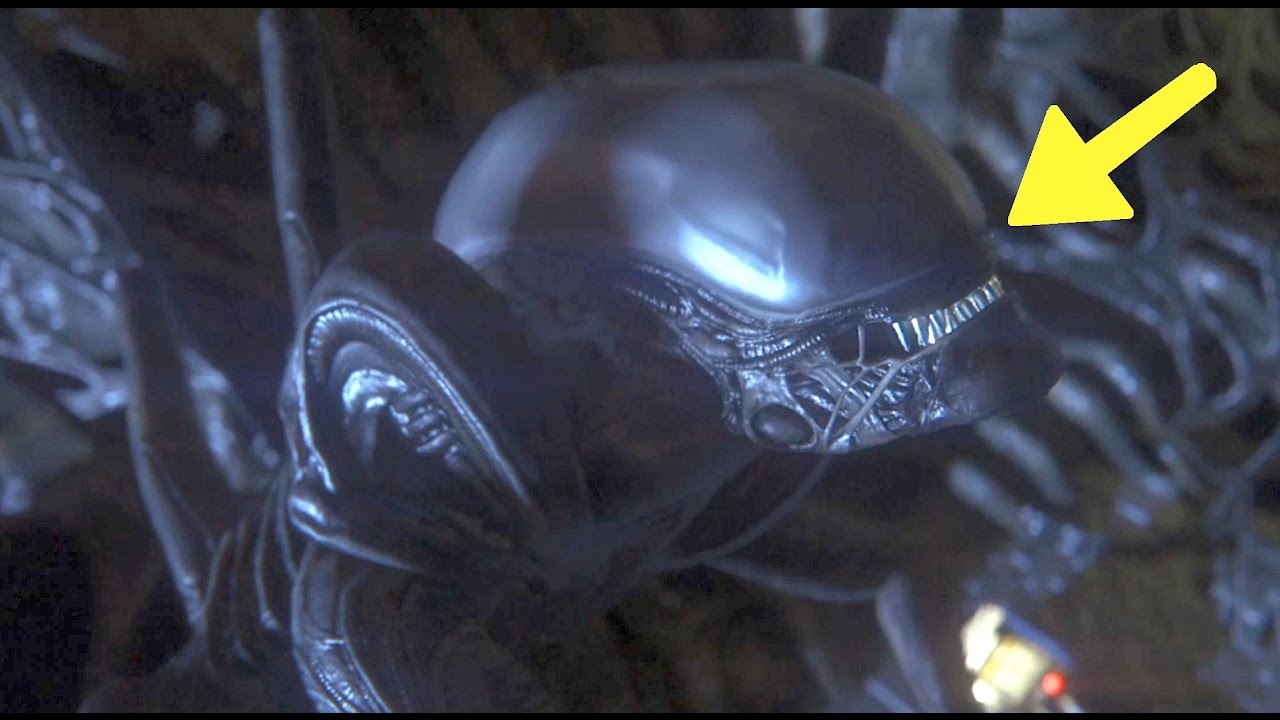
See the top ways to die in Alien Isolation and the associated animation (cutscene). There are many ways you can be killed by the Xenomorph in Alien Isolation. Video shows all the possible secret ways the the Alien attacks you, and the death animation. Included are knockdowns and kills by fire and Working Joes (robot). Gameplay on the PlayStation...
anyone know what to do if this setting is causing huge fps drop? the LOD on the animating static meshes are even set to 8 RN i thought that would help but no

will ue4 have adaptive trigger support?
or does it
 quiet token
plush yew
Hello again! Okay i've been trying for a couple of days not to find the best way...
quiet token
plush yew
Hello again! Okay i've been trying for a couple of days not to find the best way...
why dont u just have the 2 actors play an animation when its time ???????
 drowsy snow
prime willow
https://gyazo.com/80c5eb397708cc465700b25848165f64 <@!325627930484932608> ;-;
drowsy snow
prime willow
https://gyazo.com/80c5eb397708cc465700b25848165f64 <@!325627930484932608> ;-;
Try tweaking the IK point in the anim BP
drowsy snow
plush yew
will ue4 have adaptive trigger support?
As in PS5's adaptive triggers?
prime willow
and it stopped the stretching, but than the upper body would glitch in reverse
plush yew
drowsy snow
As in PS5's adaptive triggers?
yes
drowsy snow
plush yew
yes
If you have PS5 dev kit and SDK, UE4 supports it no problem.
plush yew
drowsy snow
If you have PS5 dev kit and SDK, UE4 supports it no problem.
will it also work on pc?
drowsy snow
plush yew
will it also work on pc?
Of course not.
plush yew
😦
drowsy snow
prime willow
and it stopped the stretching, but than the upper body would glitch in reverse
Probably moving it to root wasn't a good idea 
 ember geode
quiet token
why dont u just have the 2 actors play an animation when its time ???????
ember geode
quiet token
why dont u just have the 2 actors play an animation when its time ???????
@plush yew This is what I did. Well its actually fps, so I just made an animation that kills the camera.
prime willow
same would happen to the hip but at least the body didnt break terribly via stretch ._.
drowsy snow
prime willow
same would happen to the hip but at least the body didnt break terribly via stre...
Can you show me your anim BP, specifically the IK part?
prime willow
okie o.o
plush yew
is it possible to make a multi-color text string?
drowsy snow
plush yew
is it possible to make a multi-color text string?
Look for Rich Text Block widgets, and how to implement it.
cold bridge
cold bridge
Hey guys, newbie UE dev here.. I want to have an object spawn whenever my projec...
would appreciate any tip you guys might have. 🙂
ember geode
cold bridge
would appreciate any tip you guys might have. 🙂
I haven't played with water in ue4 but why would there be no collision?
cold bridge
it doesn't generate any hit events when the projectile touches it...
ember geode
Did you try all channels?
cold bridge
what does it mean?
ember geode
Does your water have generate on overlap events or something like that?
lavish garden
is there any channel that might have a better chance at helping me find out how to simulate a galaxy in unreal engine?
cold bridge
ember geode
Does your water have generate on overlap events or something like that?
the water mesh actor has generate overlap events
ember geode
lavish garden
is there any channel that might have a better chance at helping me find out how ...
Thats a big one, a galaxy would be pretty much all channels.
lavish garden
poop.
ember geode
lavish garden
poop.
Just try and make it and when you get stuck on something ask the right channel.
lavish garden
i really want to find out how to do it.. i don't mind putting in the time and the work, i just need to know how to get there
i don't know how to try and make it.. thats why i am here. 8D
ember geode
Well I'd start with gettings the meshes. Planets, stars, sun, background, etc.
lavish garden
i might could do a physics sim, or an FX particle sim.. prolly like 200 other ways i don't even know of.
ember geode
Put it in your scene than from there figure out what you want.
lavish garden
i can do that. 3d modeling, making an open world map, etc. that's not what i need..
lavish garden
i do too.
i can make maps. that's a wonderful journy in it's self, but i can do that.
ember geode
Thats when you could think of what you want to make that scene do.
lavish garden
GitHub
A n-body simulation created in UE4 with C++. Contribute to profdambledore/UE4-N_Body_Simulation development by creating an account on GitHub.
i found that, but i have NO IDEA how to use it
ember geode
I guess what I'm trying to say is just start somewhere and let the ideas flow as you go along.
It looks like a project file. Not sure what version of ue4 though

 drowsy snow
prime willow
<@!325627930484932608> https://gyazo.com/77f5d91c9e361b1df4281d62f4b600b2
drowsy snow
prime willow
<@!325627930484932608> https://gyazo.com/77f5d91c9e361b1df4281d62f4b600b2
Huh, I haven't looked into Power IK
I thought you're going for ALS anim BP.
I have Power IK, but never touched it 😅
prime willow
Well ALS is giving me lots of trouble ._.
its ok i might try a different method
maybe idk this is really annoying to just setup Ik's xD
drowsy snow
Considering that ALS isn't exactly beginner friendly, yeah... 
IK can be a bit difficult to setup in general TBH
prime willow
yeah ._.
idk why the mesh stretches or snaps
cant seem to find anything on how to fix it
drowsy snow
Wait, can you enable debug view of some sort from the solver?
prime willow
i think theirs a debug option
 broken heath
If i have lod0 (original) and lod 1 ( I made ) , do i save this mesh has 2 lods or 1 lod
Or 2 levels of lods
 drowsy snow
I might actually need to take a deeper look on Power IK myself
drowsy snow
prime willow
https://gyazo.com/8077750212b4bbfac2e2ca23c81b4915
I don't think this is it...
prime willow
hmm
prime willow
drowsy snow
I don't think this is it...
No dice this isnt working at all :3
its either spine snapping in reverse or stretchy boi lmao
drowsy snow
prime willow
its either spine snapping in reverse or stretchy boi lmao
I order you to improvise it to be elasti-boi 
drowsy snow
Your ALS attempt is so close to being ready tbh
prime willow
everything worked though tbh o.o
the face rig was just fluffed sideways
like the face and bones moved like jello lol
so the annoying als method might be best at this point x3
 prime willow
apparently because i copied the animas to the bones instead of copy the bones to als
everything broke :3
if all else fails i can always export and use your auto rigger D:
ember geode
I want auto rigger!
 cyan atlas
so I was considering switching from Unity to Unreal Engine for my project. Short and sweet I have a 3D game that needs really good graphics and Unity's best option is HDRP which is still quite buggy so I think I'm out of luck there
Obviously I'm in a UE server but if I could get honest opinions, should I switch to Unreal Engine for this project.
Also can I choose between C++ or visual coding? (I prefer C++ if I have the choice, I like scripting more)
 grim ore
spend a day or 2 making a prototype in UE4, only you will know if it fits your project
ember geode
Ya, you could use c++ or blueprints(visual scripting). I don't know much about Unity but I do use it to upload VRCHAT avatars and tbh I hate using it. Maybe I'm biased but you'll need to ask someone that uses both.
grim ore
your basically saying "I am doing something and you have no info on what it is, make a decision for me"
cyan atlas
yeah unity is quite buggy and weird. I think it's more meant for lower end hardware and simpler games like 2D and simple 3D
 stray ruin
use unreal
cyan atlas
well let me rephrase it
is Unreal Engine biased towards making good looking 3D games and more optimized towards that goal?
grim ore
nope
cyan atlas
well then what makes unreal engine good
stray ruin
the only way is try it for urself
grim ore
its got a ton of tools to let you make what you want
cyan atlas
yeah I guess I have to try it out
stray ruin
no harm in trying
cyan atlas
I feel like I don't have a choice. I mean Unity and HDRP just isn't working as well as I'd like too
feels wayyy to glitchy
cameras are doing all weird rendering things
so yeah
ember geode
Ya anyone could make a game but not anyone knows how to optimize it.
grim ore
and C++ is not scripting so... lets just get past that
cyan atlas
what is the C++ in unreal for then?
grim ore
well do you know C++?
cyan atlas
well I was planning on learning it.
I know C# but I know they are much different
I used to mess with C++
but nothing towards what was actually useful
grim ore
then dont plan on using C++ to learn UE4, stick with blueprints to learn the engine
cyan atlas
Ok. Should I read the UE4/UE5 documentation?
grim ore
your asking if you should read the instructions on how to use a product?
cyan atlas
alright ill take that as a yes
grim ore
I mean, no you dont have to
ember geode
Watch youtube.
grim ore
but if your asking...
we dont know what your learning style is, your skill level, your goals, etc..
cyan atlas
like I meant it more as in is it better to like watch a course or read the docs
yeah i suppose
grim ore
so anything we tell you without 157% more information will be not very accurate
ember geode
In my experience theres a lot of good ue4 tutorial from unreal engine themselves.
grim ore
I would suggest looking at the pinned messages in here and looking at the learning material in there. Epic has learning content (Video and written) as well as sample projects to pick apart based on your learning methods
ember geode

YouTube
Welcome to the official Unreal Engine channel!
Unreal Engine 4 is a complete suite of real-time 3D tools made by developers, for developers. Create and take your content anywhere, from PC, console, mobile and VR games to cinematic experiences, visualizations and training applications. With Unreal Engine you get everything you need to start, shi...
grim ore
and theres a metric crapton of stuff on Youtube/udemy/pluralsight/etc
cyan atlas
I thought people said Unity had a much larger community than Unreal
is it more even now?
grim ore
it does
doesnt meant its better or worse
Unity is a larger company with more time in the field for being used as a general access engine
cyan atlas
well if Unity is a general access engine, what do you classify Unreal as?
ember geode
I actually started when UE4 was a subscription.
grim ore
more time in the field...
cyan atlas
I always started with Unity because that's what popped up when I looked up how to make games 😄
grim ore
Unreal was only general access from 4.0 on, Unity has been general since 1.0
so a good decade or more of people using Unity in the public
cyan atlas
should I use Unreal Engine 5 because they completely changed all the UI and everything and it's the latest?
for experimenting
grim ore
sure, use an alpha version of the engine for learning
do you use the alpha versions of Unity for learning?
cyan atlas
I'd be lucky if I got Unity 2017 LTS to work
again, I don't know how Unreal operates 😄
ok so that means try UE4
grim ore
Unreal Engine 5 is in Early Access, its an alpha. Its to be looked at and played with
if you want to actually evaluate Unreal Engine for your project, download the latest stable version (4.26) and start with the Getting Started Learning Path https://www.unrealengine.com/en-US/onlinelearning-courses/getting-started-in-unreal-engine or jump into the docs if you prefer to read
cyan atlas
ok sounds good. Thank you
grim ore
https://docs.unrealengine.com/4.26/en-US/Basics/ there are also docs for Unity -> UE4 if you know enough Unity for that to work
theres a Unity -> Unreal video course as well, but if your not experienced with Unity it won't really help https://www.unrealengine.com/en-US/onlinelearning-courses/making-the-switch-from-unity-to-unreal-engine
 summer scaffold
Hey there looking for some advice how to fix my issue with widget, i am trying to make a simple deathscreen display after player enter the collision box and cannot find out how to remove that single window when level restarts

its simple university project soo not trying to create big magic just something simple allowing me to not affect another widget for quest HUD which is already shown at screen
 wise trail
Who can you contact if an epic games asset on the market place doesnt work?
I cant seem to be able to review it or ask any questions on the asset.
grim ore
from the launcher or from the web page?
grim ore
@summer scaffoldwell.. your not removing any widget in that screenshot are you?
@wise trailclick on the settings and there is a support link in there
summer scaffold
Mathew idea is simply to spawn widget for 5 sec when player enter the box and then remove it when level restart (case falling off map and start over)
archived that by Remove all Widget node
but it also removed the objectives
grim ore
yep, and your trying to do that but your remove from parent node has nothing connected to it
ember geode
Nothing is connected?
 tranquil hare
@summer scaffold make variable, when u create widget , and just connect that variable to Remove From Parent Node
summer scaffold
trying to figure out not gonna hide fact i am still fresh to UE4 thats why comes such dumb question
grim ore
when you create the widget, you get a return value. That value is a reference you can use as the target for the remove from parent
ember geode
If it makes you feel better took me 4 hours to learn how to make a door rotate when I first started.
That was 6 years ago...
 grim ore
that is one way that should work due to the way your code is set up, yep
if you get to a point where you need to learn more, there is a UMG course on the official UE4 learn site
summer scaffold
thank you guys! such a simple thing is problematic for me when the heat blazing outside
Mathew will check it out ty for pointing
 latent sonnet
https://youtu.be/dozpy2Qmvss Does anyone know what causes the collision to act wierd and how I can fix it?

 tranquil hare
@latent sonnet can you show collision of that mesh? in static mesh editor
latent sonnet
tranquil hare
<@!588009705692069913> can you show collision of that mesh? in static mesh edito...

Works fine for the others
ember geode
Replace it?
latent sonnet
Is it something with the "Set Collision Enabled?
ember geode
I wonder if it just corrupt
latent sonnet
No it works fine normally
latent sonnet
Oh
 latent sonnet
ember geode
I mean replace it in the scene
latent sonnet
ember geode
I mean replace it in the scene
Tried that... not working
 tepid urchin
Hello! I am new to Unreal Engine and Discord groups.. where am I able to ask questions? (is this channel fine?) I am an animation student working on a short animation in Unreal. I'm just having troubles rendering.. I would like to render with a burn in but my issues are: if outputting with png it will only render 1/10th of the master sequence... when I try exr it renders all frames but without the burn in (even tho I have it enabled). Does anyone know what could be happening? I'm just trying to render so that I can work on an animatic in Davinci Resolve.
latent sonnet
tranquil hare
Not working...
ember geode
latent sonnet
Tried that... not working
Is it flipped? -X
latent sonnet
wdym?
ember geode
Set simple as complex?
latent sonnet
It's complex as simple
ember geode
flipped as in scaled -x but I doubt thats the issue.
tranquil hare
@latent sonnet Can you try to increase Max Step Height value, in your character blueprint?
see if its affecting
latent sonnet
tranquil hare
<@!588009705692069913> Can you try to increase Max Step Height value, in your ch...
Make it higher or lower?
tranquil hare
higher
safe osprey
I'm a bit confused, I have a mesh that has a RMA texture however when i render just an still images of my scene that metallic reflection doesn't apply at all even though it looks good in the viewport
latent sonnet
tranquil hare
higher
Nothing...
tepid urchin
tepid urchin
Hello! I am new to Unreal Engine and Discord groups.. where am I able to ask que...
oh sorry using movie render queue
 bronze vault
@tepid urchin I don't have an answer for your issue, but, #ue5-general is an ok place to ask questions, but your milage may very. For your question you may have better luck in #cinematics
tepid urchin
ok thank you @bronze vault !! Much appreciated
latent sonnet
tranquil hare
problem is only with that mesh?
No it happens with any mesh that I use set collision enabled with
latent sonnet
ember geode
Did that mesh work earlier? or on another project?
No
ember geode
What I don't get is how it runs up one side and the other doesn't.
Those are the same mesh right?
tranquil hare
can you send screen with PlayerCollision mode enabled?
ember geode
Just rotated?
latent sonnet
ember geode
Those are the same mesh right?
Yep
latent sonnet
tranquil hare
can you send screen with PlayerCollision mode enabled?
How do I do this?
latent sonnet
ember geode
What I don't get is how it runs up one side and the other doesn't.
I think it has to do with the "SetCollisionEnabled"
tranquil hare
 tranquil hare
try visibility collision
latent sonnet
 tranquil hare
it kinda missing collision in bottom part on left side...
tranquil hare
yea, i understand, but its not a problem of activating or deactivating collision
collision box is wrong kinda
latent sonnet
How so?
tranquil hare
i would suggest try to regenerate in engine, if it wont fix, you can try add collision mannually in blender, or your 3d package software
here some tutorial

You will NEED a 3D modelling package for this one! But here's how to set up custom collisions in UE4 (not complex to simple, ugh).
Document: https://docs.unrealengine.com/latest/INT/Engine/Content/FBX/StaticMeshes/#collision
File: https://drive.google.com/open?id=0B4babORM1Vv4RGRFWEhuQW9mUVE
Twitter: https://twitter.com/Play_Ruff
Patreon: htt...
 finite nest
Is Ue4 good for racing games?
 regal mulch
Hard to say if good or bad
You can make them
Assetto Corsa Competizione was done in ue4
drowsy snow
regal mulch
Assetto Corsa Competizione was done in ue4
MotoGP games are also made with UE4
regal mulch
Rocket League is UE3 on PC or?
drowsy snow
regal mulch
Rocket League is UE3 on PC or?
UE3 on all platforms AFAIK
finite nest
Thanks for the advice
regal mulch
drowsy snow
UE3 on all platforms AFAIK
I remember them moving it for switch
 dusk tartan
Hello everyone and i hope you all are having a great day.
I come to you today with an ue4 issue which is this line in my water asset. the line is always at the exact spot when i move my camera near the water. is it natural or it's a bug or it's something else ? i can't find a fix for it
 drowsy snow
dusk tartan
Hello everyone and i hope you all are having a great day.
I come to you today wi...
drowsy snow
dusk tartan
Hello everyone and i hope you all are having a great day.
I come to you today wi...
Are you using the built in (but super broken and experimental) Water system?
humble hinge
anyone know which node this is?
 drowsy snow
humble hinge
anyone know which node this is?
drowsy snow
humble hinge
anyone know which node this is?
It's just a set node for a variable.
humble hinge
ohh alright thx
 lime maple
Hello! In UE4/5 is there a possibility of using a really in-depth rig, where there is a precise skeleton, realistic muscles and skin on top - all together deforming anatomically correct?
drowsy snow
lime maple
Hello! In UE4/5 is there a possibility of using a really in-depth rig, where the...
You can definitely do it, using either anim BP as post process anim, or the new Control Rig system.
Though don't expect retargeting animations to be as easy as one click away.
 pure dagger
Do you have any suggestions for a beginner? Any must-have must-know? I don't have team. What should i do first, what is important?
drowsy snow
pure dagger
Do you have any suggestions for a beginner? Any must-have must-know? I don't hav...
Learn how to use the editor, how Blueprint works, and the discipline in making something with UE4.
lime maple
drowsy snow
You can definitely do it, using either anim BP as post process anim, or the new ...
I dont mean just rigging and animating inside Unreal, I meant to ask if Unreal can calculate the soft-body-physics between these muscle groups and deform them accurately?
pure dagger
@drowsy snowI know basic functions and it's a time to start with something. What is the best to learn? Or start with world building or sth other?
drowsy snow
lime maple
I dont mean just rigging and animating inside Unreal, I meant to ask if Unreal c...
It's not out of the box, but doable with anim BP as post process animation. Of course you have to come up with your own calculations for the additional bone movements, and if you're dissatisfied with anim BP, C++ coding is as low level as you can get.
drowsy snow
pure dagger
<@!325627930484932608>I know basic functions and it's a time to start with somet...
Make small games or prototype, or try recreating something simple from your favourite games.
pure dagger
@drowsy snowMy favourite games are too difficult to remake 😄
drowsy snow
pure dagger
<@!325627930484932608>My favourite games are too difficult to remake 😄
I'm sure you have the simplest game that you enjoy, even in the slightest.
pure dagger
@drowsy snowDo you know any step-by-step tutorial of simple game?
With all important game functions?
drowsy snow
pure dagger
<@!325627930484932608>Do you know any step-by-step tutorial of simple game?
Google (or DuckDuckGo) is your friend.
I'm not a search engine.
humble hinge
can anyone help me? What do I need to plug into the object?

 forest tree
Has anyone seen this absolute log spam before, in the editor?

Game isn't running
Also this
 drowsy snow
humble hinge
can anyone help me? What do I need to plug into the object?
drowsy snow
humble hinge
can anyone help me? What do I need to plug into the object?
Does your SimpleAI class has that Actor Destroyed variable, and compiled beforehand? (Which I remind you, to rename it to IsActorDestroyed instead. Get used to the naming conventions)
humble hinge
Just compiled, might have forgotten, also renamed
still error tho

ignore the target error, found that one
drowsy snow
humble hinge
Oh right, your cast node doesn't have anything connected on.
humble hinge
Yeah, but I'm not sure what to connect
plush yew
hey do you know why game engines called game "engines"??
drowsy snow
humble hinge
Yeah, but I'm not sure what to connect
How are you not even sure what object you need to cast with?
humble hinge
drowsy snow
How are you not even sure what object you need to cast with?
since I'm quite new to ue
drowsy snow
humble hinge
since I'm quite new to ue
Are you following a tutorial right now?
humble hinge
I am
drowsy snow
humble hinge
I am
Try scroll back or rewind the part where the tutor explains about that cast node.
humble hinge
this isn't part of the tutorial though
it's some code I'm doing myself to prevent a deletion error
just the cast node is new to me, since I come from unity
drowsy snow
I don't know how Unity having cast thing for "deletion error" makes sense, but Unreal Engine's cast node is definitely not for undesired actor destroying.
humble hinge
no I know, it's just that I am deleting a projectile in 2 different scripts, so the variable is to check wether the projectile has been deleted in the first script (on collision), so it doesn't try to delete again in the second
drowsy snow
humble hinge
no I know, it's just that I am deleting a projectile in 2 different scripts, so ...
You could check for that projectile instead, if it's a valid reference.
humble hinge
oh how can I do that?
drowsy snow
humble hinge
oh how can I do that?
Once you spawn the projectile object, store the reference as an object reference variable of that projectile class.
 fickle vigil
Hey everyone
So i tried to give my Metahumen some animations (from the manequin) and it kinda works. But the torse/shirt doesn't animate at all. The hands, Head, Leggs, Feets al are working properly but the shirt/torso realy doesn do anything. Does someone knows a fix?
 tired moth
Don't know if this is the correct section to ask but data is stored in dedicated servers afaik. Can editing the data like for example universal in game currencies be done from within unreal engine by virtue of special developers accounts or is editing the data solely done by heading into the dedicated server and modifying it there?
humble hinge
drowsy snow
Once you spawn the projectile object, store the reference as an object reference...
sorry but what??? As far as I can understand, I gotta store the object in a variable?
drowsy snow
humble hinge
sorry but what??? As far as I can understand, I gotta store the object in a vari...
Store the object reference
I suggest you take a look on the workings of UE variables first.
humble hinge
alright thank you
drowsy snow
tired moth
Don't know if this is the correct section to ask but data is stored in dedicated...
If said currency has it's own conversion rate per player (and probably experiencing inflation/deflation if you really want to), the information would be stored in server, so that it affect anyone else. Though this is not a good game design for character based games (MMORPG), if you ask me.
 ivory hearth
is there a way to reduce the ragdoll intensity, sometimes my AI travels long distance
pure dagger
Which plugins are neccecary?
dusk tartan
@drowsy snow no i'm not using the super broken and experimental water system xD
( sorry for the late reply, sorry )

 fresh shuttle
hi guys my game res is in 1920 times 1080,and in this resolution,when i try to set the game to windowed mode it doesn't work,but when i try to set it to windowed mode in another resolution,it works fine.Do anyone know whats up?
drowsy snow
dusk tartan
Probably something to do with the refraction.
plush yew
Hello, I want to share my music available for use in projects, where is the place to do this?
drowsy snow
plush yew
Hello, I want to share my music available for use in projects, where is the plac...
As in selling the music for other UE4 users?
plush yew
either selling or sharing
drowsy snow
The marketplace is one way to go.
plush yew
ok i will try that thanks
dusk tartan
@drowsy snow it was indeed the refraction but since i need it in my scene to make it beautiful, i might need to come up with a new idea
thank you very much for your help as always, you the best
@drowsy snow fixed it and here's how
i changed the refraction mode from index of refraction to Pixel Normal Offset


thanks again for your help
 trail kernel
Does anyonw know if epic said anything about adding some flex like softbody physics in upcoming years??
I saw Nvidia's physx 5 but no information if those features will be added with unreal or not
drowsy snow
trail kernel
Does anyonw know if epic said anything about adding some flex like softbody phys...
Not without having third party stuff that aren't GPU agnostic, no.
 maiden vector
who do i need to speak to for epic to add a 'Needs Updating' tab to the filter of my vault?
 cold bridge
hey guys asking again, any way to generate a custom collision box to my lake/ocean/river water bodies? not able to find anything online..
 coarse turtle
Is there a setting to increase the cores usage during compiling the project? I'm trying to make things go faster during compilation.
drowsy snow
coarse turtle
Is there a setting to increase the cores usage during compiling the project? I'm...
Download more cores 
AFAIK, Visual Studio build tools already tried to create compiler processes as much as your CPU's thread count.
 shy aspen
why cant i download the plugin for unreal on bridge, i can download all of the others but its just not working (4.26)
 elder crest
so.... about this mod pack

Marketplace: https://www.unrealengine.com/marketplace/en-US/slug/f6cae1c157ac483b8ef06bd3e061b7bb
Playable demo link: https://drive.google.com/open?id=1gnG_Fc-vW6QxGOifsBXdkJrf0G53ZpGH
BIG UPDATE (12.03.2021):
- Added multiplayer support
- Improved stability of the movement system
- Improved "wheels" interaction with simulated objects
- Many m...
sorry not mod pack. i meant free asset.
im still learning how to do all this so... is there a way to get the guns to work?
like how complicated would it be?
coarse turtle
What's wrong? https://gyazo.com/603c232743e7b7a240c955a350646664

 wary wave
it tells you exactly what is wrong - that file is not there
plush yew
why are particles not getting effected by light from far away?
coarse turtle
wary wave
it tells you exactly what is wrong - that file is not there
How do I fix it?
coarse turtle
If found this solution but I don't see that option. "To fix the issue, you have to right click the game solution from your solution explorer and select the option "Set as StartUp Project" "
plush yew
ember geode
<@456226577798135808> This is what I did. Well its actually fps, so I just made...
Well I want to create one attack animation (Level Sequence), but be able to play it at any location. So as the enemy comes within range, the attack animation plays at that location. I tied the level sequence to an empty actor. The Actor moves to the correct location but the rest of the stuff in the level sequence does not.
elder crest
so i get there is alot of tutorials to go off of. but is there anyone i could talk to, to help me understand some basics?
elder crest
how helpful >.>
plush yew
XD poor thing :<
where do i download unreal engine?
finally some questions that i can answer
from epic launcher
unless ur on linux, then its a bit more complicated
but they have a download option on the web tho
wary wave
they do not
plush yew
i can see it with my eyes tho
it must be an illusion
ok soo first i get epic games launcher
what version will i be able to download?
 merry bison
I have a moving platform, when I stand on it I sort of roll off from it, even if I stand still... Have no clue why it does that.
plush yew
plush yew
ye, dont release any games with it
what do you mean?
i usually have no idea what i'm doing when i open visual studio , can i do stuff in unreal?
plush yew
merry bison
I have a moving platform, when I stand on it I sort of roll off from it, even if...
i assume no one will answer you and i dont know, so gl searching xD
https://www.youtube.com/results?search_query=unreal+engine+player+movement++platform
plush yew
plush yew
i usually have no idea what i'm doing when i open visual studio , can i do stuff...
ye, blueprints are op
hmm
what about cpp tho>
?*
what about it?
how do i use it? is there a turorial on youtube?
u want to use cpp?
yea
dont want to connect floating blocks?
what do you mean
ohh
but i have visual studio soo why not use cpp
you can, but for me floating blocks are much more fun D:
anyways, gl searching for tutorials
hmm
@plush yew What's the latest avaible version?
5
i meant the ones that aren't early access
4.7
i got epic games launcher
but mine shows 4.26
good, 4.7 is in preview too, so 4.26 is good :V
tho i personally would just start learning 5, cuz by the time you will learn how to use it, it will be out of early access xD
soo should i download 5?
idk, ur choice, i must go back to watching anim.... i mean working
so see ya
cya
 blissful valve
Hi
When I try to migrate a level everything gets copied to target folder, but I can't access level asset on ue4
 vale bone
Anyone know why Attenuation Occlusion works if placed as a sound in a level, but not if spawned through a 'Play Sound at Location' blueprint node?
 latent sonnet
How can I change the size of a bone that stays consistant through all the animations?
Like if I wanted to make a head bigger
drowsy snow
plush yew
what is it about tho?
Basically make the crash logs readable.
plush yew
is it needed for someone new to unreal?
drowsy snow
plush yew
is it needed for someone new to unreal?
You can have it included in case of an engine crash during development and asking other people to diagnose through the crash log.
(or sometimes when testing C++ code, due to how low level it is)
plush yew
But it takes too much space
drowsy snow
But it can help you pinpoint the cause of the crash. Only omit it if you're know what you're doing and/or using UE4 for non development purposes.
drowsy snow
Feel free to omit them if you don't need it
(Though don't say out loud about omitting Linux, else you might trigger certain people  )
)
 tardy heart
Ok, slight question, is there a way for me to attach a sphere to a hand?
drowsy snow
tardy heart
Ok, slight question, is there a way for me to attach a sphere to a hand?
In BP, there's a node to attach a component into one other, and you can type the bone name as the socket.
tardy heart
Basically, I'm summoning this "sphere" and want it to be attached to the hand up until a certain point to let go.
hmm
this one, right?
 drowsy snow
tardy heart
this one, right?
drowsy snow
tardy heart
this one, right?
Yes, this one.
tardy heart
Hmm well is it fine to leave the first one empty then?
and how would I actually get the parent
drowsy snow
Though IIRC there's another for a singular component instead of the entire actor.
plush yew
@drowsy snow Btw when i uncheck the options i don't need , but end up having to want them can i download them later?
drowsy snow
plush yew
<@!325627930484932608> Btw when i uncheck the options i don't need , but end up ...
Yes, you can.
plush yew
ohh ok soo that's chill
tardy heart
drowsy snow
Though IIRC there's another for a singular component instead of the entire actor...
Hmm?
drowsy snow
tardy heart
Hmm?
Hmm.
tardy heart
Like, how would I get the player mesh?
"get player character", doesn't seem to be working for me.
drowsy snow
tardy heart
Like, how would I get the player mesh?
Get Player Character -> Cast To whatever your player character class is -> get the skeletal mesh from the As class output
tardy heart
hmm
tardy heart
drowsy snow
Get Player Character -> Cast To `whatever your player character class is` -> get...
"get the skeletal mesh from the As class output", what do you mean with this?
drowsy snow
tardy heart
"get the skeletal mesh from the As class output", what do you mean with this?
You'll know once you have a cast node.
I'm away from my computer so I can't show you visual example.

 worn granite
plush yew
<@!325627930484932608> Btw when i uncheck the options i don't need , but end up ...
worn granite
plush yew
<@!325627930484932608> Btw when i uncheck the options i don't need , but end up ...
If you can only just spare the space, you can do without symbols.
If you get a persistent crash, or are working in C++, I'd suggest installing the symbols again. If you don't have engine symbols and need help with a crash, nobody will be able to assist (unless it is an assert and they're familiar with it)
Just keep in mind you may need symbols (again, if you're doing C++,) especially if you're doing really fancy things or playing with new tech
 candid ginkgo
I'm getting weird shimmering lighting in the ceiling of my house. Adjusting the specular and roughness doesn't affect it much, and it has thickness with overlaps so no light can come from outside, so I'm not sure what is causing it.
 untold dirge
AddLocalRotation is to add rotation, but whats the code for like.. straight movements.. like a piano falling for example
plush yew
worn granite
If you can only _just_ spare the space, you can do without symbols.
If you get...
what are engine symbols?
i'm completly new to unreal soo i don't know
worn granite
plush yew
Do i need to check "Editor symbols for debugging"?
the checkbox here
ember geode
plush yew
Well I want to create one attack animation (Level Sequence), but be able to play...
Yes, that can be done easily with just animation. No need of level sequence.
plush yew
worn granite
Debugging symbols
sarcasm?
 next dome
hey guys, so im having an issue with movie render queue, the same scene with the same settings, sometimes the sub-samples renders really quick, but sometimes it renders really slow, anyone else had that issue?
here are the examples:
really slow sub-samples
and this one is quite fast, considering i have not changed anything, except just stop the render and click render again
 red herald
does anyone else expierience massive lag spikes despite having a good pc ? well i do and it bugges me off a lot
next dome
like 2-3 fps even when in unlit mode right? @red herald
red herald
yeah
next dome
yep
people said on the forums to downgrade your nvidia drivers to some old one and that fixed it for them
it kinda fixed for me aswell on my 2060 super
red herald
how do i downgrade my nvidia drivers ?
next dome
but i just got rtx 3080 ti 2 days ago and that old driver was not supported anymore so yeah im still having those fps drops
red herald
i have a 1070
next dome
you have to download DDU ( Display Driver Uninstaller ) and after that download the ndivia driver version 457.09 i believe
red herald
ok
 trim trail
hey, are all shader compilations done by CPU? I'm researching for major PC upgrade and was wondering which components/how much are impacting compiling times
red herald
@next dome how do i instal back another driver now ?
plush yew
well i assume all compiling is done by cpu
but you should probably check your cpu/gpu usage
to know what to upgrade
trim trail
hm, yeah, watching process monitor is good idea
 frozen pond
hi, some designer question: how should i handle changes in world during gameplay? i mean same map for act 1/2/3 etc. but some stuff may change like wall is damage, gate is open etc.
frozen pond
not sure should i create copy of my map and mod it or create some blueprints and change it state?
 marsh sparrow
depends on what you want to do
if you copy the maps.. you have to double up on everything
i.e. fix a bug here.. remember to fix it there
frozen pond
that may be problem
marsh sparrow
in the end i think you'd just use the same actors with state anyway
frozen pond
maybe use level streaming on some parts?
frozen pond
TPS roleplay
 uneven hemlock
I'm not sure which channel to put my question so I put it in #legacy-physics can someone pls help
 pliant copper
would main menu being its own map, and then the map the player is in be another one? or just show and hide the ui?
frozen pond
pliant copper
would main menu being its own map, and then the map the player is in be another ...
main menu = empty level/some level with widget
player menu = widget
pliant copper
player menu = widget in the main map, with the player? so like when you press escape for settings in game
thanks
next dome
@red herald after uninstalling the drivers with DDU in safe mode, just open the nvidia driver that you downloaded and it will install it for you
red herald
right, thank you
now seems like even my pc is faster than before
@next dome god you helped me a lot, i'd kiss ya if you weren't behind a screen -no homo tho
next dome
Haha no problem, glad it helped!
 kind dew
I have a really weird bug. I have this mango that just randomly gets huge for no reason. The scale isn't being increased or anything. Is there some sort of ue4 bug that this happens to?
 sturdy trail
Hey guys, can someone tell me some common reasons why my player Pawn isn't starting at the player start Actor? Also, when I press play I can see the actors like GameMode and others, but I can't see them when I'm not playing...I thought it was supposed to be the other way around but not sure
untold dirge
some tutorials from ~2015 has 'Vector+Vector' thingy in blueprints... is this repalced by Lerp(Vector) now? I cant find vector+vector
kind dew
no vector + vector is there. Lerp is a different thing all together
kind dew
untold dirge
some tutorials from ~2015 has 'Vector+Vector' thingy in blueprints... is this re...
 untold dirge
Damn well I dont have it, Im on UE5
 quasi ivy
Hello! Just asking since I want to know, what programming languages should I learn, and could any of you guys point me to a good course or way to efficiently learn it?
ember geode
If I want vector * float. Have to press * enter. Than the bottom pin drag it out. Type tofloat....
So annoying.
untold dirge
awesome thanks guys
 royal stirrup
guys, does anyone knows why post process may cause this? I have very simple post process fog, which uses scene depth, but all meshes with translucent material looks like this. No matter that opacity value it uses. Meshes on screenshot is fully opaque, but I can still see though it...
 plush yew
anyone knows a discord server for cpp programing?
 digital anchor
royal stirrup
guys, does anyone knows why post process may cause this? I have very simple post...
digital anchor
royal stirrup
guys, does anyone knows why post process may cause this? I have very simple post...
translucent materials dont write to scene depth
theres settings to apply pp before translucency
royal stirrup
oh.. so how can I make it work?
yeah... I know, but I have translucent smoke particles, and if postprocess will be BEFORE translucency they will look out off place
so there's no way to make it work?
digital anchor
maybe have it work on custom depth, when enabled
frozen pond
i need really really big screen shot from viewport - for map design, any idea how to ?
plush yew
frozen pond
i need really really big screen shot from viewport - for map design, any idea ho...
u mean this?
 frozen pond
plush yew
u mean this?
frozen pond
plush yew
u mean this?
yeah 5k is fine thanks
median sandal
this seems like a really stupid question but how do I change aspect ratio, since I want to keep it to 21:9 and there is no preset or a way to change the sensor aspect ratio, since it's greyed out

aight nvm, I figured it out
 vernal thicket
hey guys - me and my friend been working on a game for coming up to a year now and we're trying to get things finished so we can publish - however on one of the maps we get a terrible FPS, we've tried deleting individual 'groups', for instance we deleted all lights, made not much difference, deleted all foliage, little to no difference and so on - is there anything we can do in particular to try locate the source of the poor FPS?
 rigid bridge

i cant seem to fix the issue
continually re install the plugin to no avail
im using a source build of the engine btw
 indigo totem
can someone help me with a bit of optimization, I have this scene for a game we are working on, however im not getting the best frames even if i cull a bunch of things and mess with shadows and trees.
im getting bad fps the same as JoshMM for some reason and im attempting to locate it
 stoic rover
@vernal thicket https://docs.unrealengine.com/4.26/en-US/TestingAndOptimization/PerformanceAndProfiling/GPU/ https://docs.unrealengine.com/4.26/en-US/TestingAndOptimization/PerformanceAndProfiling/CPU/
How to optimize the GPU demands of your game.
How to optimize the CPU demands of your game.
untold dirge
I tried something in UE4 works, did everything 100% the same way in UE5 and doesnt work
guess I should be using UE4 then
or maybe im still fucking up the vector * vector thing...
wait i need vector + vector not * lol
how do i do that in ue5?
 shell compass
@kind dew the only thing I can think of is that your mesh has different sizes for different LODs
Which.. I don't know how one would make that mistake 😛
 azure ridge
Does anyone have any documentation, articles, or videos to share on how to handle git merge conflicts in unreal blueprints and stuff? Tried doing some google searches, but didn't get any results i understood.
 deft zealot
general q: My streaming pool settings, is that per project or a global setting? is that a client sided preview or does it dedicate that ram allocation for a packaged build as well?
kind dew
shell compass
<@!157791651434201088> the only thing I can think of is that your mesh has diffe...
this was it! Haha i don't know where they got the model. Thanks!
kind dew
prime willow
how would i reset a plugin from scratch?
delete it and re install it
ember geode
prime willow
how would i reset a plugin from scratch?
I'd try to disable it and re enable it
Also depends if it's project based or engine based.
prime willow
its engine based :3
 severe glen
hey there. I m making a building system. I've implelent some logic to spawn on world. But I m facing with a problem.
When I spawn an object, I want to snap another object if theres any object is exist


like this
how can I achieve it?
grim ore
you need to figure out how it will find an edge or another item to snap to
what if it was in another location? will it snap to another part of the other one? are there set points on each one where snaps can happen? is it random?
once you decide how that works, you can do things like a sphere overlap check from one point to another to see if one is near, and if so you an adjust it based on that
severe glen
actually I think about to find the near one, but I thought maybe there's easiest way or something like GridSnap will handle rest 🙂
ok I will try implement with find the near one thanks for the idea @grim ore
grim ore
gridsnap could work assuming you are working on a grid, you basically just only let them exist on the grid so if they re near another one they would "snap" to it
severe glen
yeah, probably I did something wrong with the magic numbers. once I make with the hard way, I believe that it will help me to understand complex things.
 worthy widget
hey sorry for interuption but where Can I ask a question like...why do niagara emitters/meshemitters have no shadow?
 prime willow
wait is this the marvel master? o.o
worthy widget
jeah lol
worthy widget
nice to hear that thx^^
prime willow

prime willow
i wish i could help but im still learnng the basics
worthy widget
never realy used niagara but need it now
prime willow
i think we have a niagara place in the channels to the side
im sure someone there would love to help you
worthy widget
indeed thx gonna try there
prime willow
good luck!
severe glen
you may have disabled casting shadow for your mesh?
grim ore
CPU or GPU particles?

 worthy widget
jeah thx have noticed that the setting isnt set in the niagara system itself but by the emitter spawned-.- so in world you can tick that checkbox but spawned I now accessed it this way^^


thx for help it worked lol
severe glen
but if you think everything is fine, the problem might be related to the emitter material btw
worthy widget
why the material it works now but shadows are disabled for all niagara out of the box
severe glen
I think you misunderstand me :). I tried to said, If you think that you did everything right(like enable cast shadow) and if it still doesnt work, you can check materials. Because materials also affect to the lighting system.
but as you said that it works so there is nothing wrong with the materials
worthy widget
ok
 gray kindle
"Fatal error: [File:D:/build/++UE5/Sync/Engine/Source/Runtime/RHICore/Private/RHICoreShader.cpp] [Line: 40] Shader requested a global uniform buffer of type 'SceneTexturesStruct' at static slot '[Name: SceneTextures, Slot: 2]', but it was null. The uniform buffer should be bound using RHICmdList.SetStaticUniformBuffers() or passed into an RDG pass using SHADER_PARAMETER_STRUCT_REF() or SHADER_PARAMETER_RDG_UNIFORM_BUFFER()." happens whenever i try to go into material instance properties, anyone knows what could go wrong?
i can get inside the master material, just not the instance
other then that everything works fine
 candid brook
guys am I blind or did they remove the developer/modules window from UE5?
 dry latch
anyone has this ?

Unreal Engine
This framework provides a full visual novel system with choices, conditional branching, a layered character system, and much more.
candid brook
I see the Class Viewer and the Struct Viewer but no Modules
 proven aspen
Anyone work with grooms? I am just starting and am trying to export a basic groom (just a curve) in alembic from max to unreal. sans plugins.
Alembic doesn't seem to recognize SplineShape or Line classes when I export. Is it just not possible without a plugin like ornatrix?
proven aspen
e: Think I'm getting closer. I guess it wants NURBS.
Now importing a simple NURBS curve from alembic crashes unreal (but it crashes it with Groom related errors, so I guess that's good.)
 distant totem
proven aspen
e: Think I'm getting closer. I guess it wants NURBS.
Now importing a simple NUR...
distant totem
proven aspen
e: Think I'm getting closer. I guess it wants NURBS.
Now importing a simple NUR...
yeah you want nurbs, check out the xgen plugin
drowsy snow
Meanwhile Blender's hair system just worked with UE groom...
 tired moth
drowsy snow
If said currency has it's own conversion rate per player (and probably experienc...
tired moth
drowsy snow
If said currency has it's own conversion rate per player (and probably experienc...
I'm not making an MMORPG and sorry but my question isn't still fully answered. Can the editing be done from within UE4 in the form of blueprints or must it be done editing in the server's databanks?
drowsy snow
tired moth
I'm not making an MMORPG and sorry but my question isn't still fully answered. C...
It's preferrably the former.
tired moth
Oh, hmmmmm, so I'd probably have to set up password locked functions then and modify functions like searching for players to edit and change their data.
Are there tutorials with similar things?
 potent goblet
Guess this is what I get for working with experimental plugins. Had this working before but now after saving and closing the island water can't find the landscape.

🙃
Oh nevermind, I had the wrong level loaded
😅
uneven hemlock

how do i make this mesh
use just this collision

cause rn it uses the whole thing
ember geode
uneven hemlock
cause rn it uses the whole thing
Look up on making custom collision for your mesh.
 stuck coyote
im trying to get normalmaps to work on my character and they are showing up odd like this - they look fine in front but towards the back they get this glossy? look with a hard stop at the UV seams
anyone seen anything like this before and could point me in a direction of help would be greatly appreciated! (been stuck here for 2 days!)

some additional context: i am attempting to port skyrim character models into unreal (so i can learn to rig a different skeleton) and im using textures and normalmaps from that game. i think they store specular data in the alpha of normalmaps but i tried masking that out with no luck
 sage coral
Had a question does any one know how I would go about / where I should start when creating a cooking system. like your simple add raw food, start cooking, wait so long for it to cook, and than pick up your than cooked food?
pliant copper
how can i check if my player character is on the floor/not
sage coral
@pliant copper Id use the node that checks your player state like if they are walking/swimming/flying/falling
player movement state
pliant copper
ok, im trying to stop my player from doing jump animation in the air
sage coral
are you trying to remove the jumping or checking to see if they are/arnt jumping?
@pliant copper
pliant copper
when i jump, and then jump again in the air, it plays the jump animation
and i dont want that :(
sage coral
Ohhhhhh ok I see know, Id check out your animation Blueprints and or look into them if you havent and make a jump - end loop in the animation BP so it will auto check everytime you jump
@pliant copper
pliant copper
i was making the jump animation in my character bp so i guess thats wrong, ill look into adding jump to my anim bp thanks
sage coral
It will prob need to be in mild connection between both your character and animation BP
pliant copper
im not sure how tho, seen as im currently using a blendspace for idle walk and run anims
all the examples use anim tree or what ever its called
sage coral
you can make a state machine that tells your player when to enter what animation
pliant copper
and would i set the state in the character and set animations in the anim bp?
sage coral
Yes that is correct 😄 theres plenty of youtube videos out there that can help you out and teach you more than I can but id recommend playing around with youtube tutorials so you can figure out whats best to impliment into your game. Iv been having to slowly do this myself to learn bit by bit but the more I go the better i seem to get @pliant copper
pliant copper
ok thanks
 crimson rampart
Hi
sage coral
just search for things like
ue4 crafting system for example
@pliant copper As long as you put ue4 Youtube will filiter your search to it hope this help 🙂
pliant copper
ok
crimson rampart
I just got into Unreal Engine, a company gave me a test to create 30 seconds car animation, how do I start?
proven aspen
Can't change material on imported groom. It just sticks to the default hair mat.
sage coral
@crimson rampart Depends do you need a detailed animation like wheels and fine details or just have the vehicle move forward?
If you just need it to move forward Id have a static object set to movable and than propel it on the X axis at the speed you set in a timeline
crimson rampart
moving forward, turning left & right should be enough, they gave me the test because they wanted me to learn Unreal before hands since it's the main software.
most tutorial I've found are all about creating drivable car, not creating animation.
sage coral
Id look into making the 3rd person character the car itself
this will give you a window to have 4 to 8 way movement
Id also recommend using blender to turn the car model in the directions you turn as a static model them self so 8 models facing in 8 different ways kinda like a 360 circle than combine all of these together in a animation BP and bind this to your 3rd person player than you have control of both the movement and now your car can move in a 360 with WASD
crimson rampart
Thanks
sage coral
Yw
proven aspen
Got it. Gotta check "used with hair strands" in the material details
Pink hair, here we come, baby
pliant copper
so i have this thing, idle/walk/run works fine, but when i jump i replays the jump animation for as long as im in the air, the "Can transition" boolean between idle and jump is true when ever im in the air so it makes sense but idk how to make it only run jump anim once

 desert verge
did anyone watch the intro to blueprints on the unreal page?
what did you think of it?
the narrator sounds like omni man (J.K simmions)
sage coral
maybe try turing on root animation in your jump animation @pliant copper
 warm horizon
anyone want to wade in and give some insight into why the bricks are doing this... thanks
pliant copper
sage coral
maybe try turing on root animation in your jump animation <@!433989108474314753>
i tried that doesnt change anything, its the fact that my animation is repeating its self while in the air, i know why (because the boolean that lets it run jump anim is true when im in the air) but idk what to make the boolean so that it only jumps once
nvm there is a bLoopAnimation in it
 frail portal
not really a discussion but im sure you guys will get a kick out of this screenshot in a shipped double a title

 idle sail
How to enable the rotation thing where you can click an it will rotate based on camera
I dont know how to phrase this question to google

Like my rotation control in the editor window only has the 3 axis I cant click inside it to rotate freely
pliant copper
i lost my level, i had it in my maps folder, then i opened another level and then went back to open it again and its not there, i tried to recreate it with the same name and it says the level with that name exists, i do file->open level->content and searched for it and it didnt show up :(
what do i do?
 final moat
warm horizon
anyone want to wade in and give some insight into why the bricks are doing this....
final moat
warm horizon
anyone want to wade in and give some insight into why the bricks are doing this....
at least for me, so take this with a grain of salt, it appears that you have some sort of system to optimize whatever is not being seen/is hidden, and the charachtor counts as an object blocking the path
pliant copper
LogWorld: UWorld::CleanupWorld for MyWorld, bSessionEnded=true, bCleanupResources=true is this bad?
das the world that disappeared
oh it came back when i restarted lol
warm horizon
final moat
at least for me, so take this with a grain of salt, it appears that you have som...
its standard 3rd person map and i just dumped in a building to test. i guess there is something like that too. i turned off motion blur hoping it was that. otherwise not sure what im looking for there.. il have a look for some culling thing
 elfin pelican
It's my first time trying to make a game so i don't know anything about unreal engine and I would like to know how to make the character and the camera rotate with the mouse.
ember geode
elfin pelican
It's my first time trying to make a game so i don't know anything about unreal e...
Get the full UE4 course:
https://bit.ly/36lJS3S
Unreal C++ Beginner Tutorial:
https://youtu.be/1dl91ORwmy8
In this video you are going to learn how to build a very simple game using Unreal Engine and Blueprint.
The goal of this lesson is to get you aquainted with the absolute basics of:
- The Unreal Editor
- Simple AI
- Events in Blueprint
-...
warm horizon
final moat
at least for me, so take this with a grain of salt, it appears that you have som...
turned it off its gone now. it took my frames with it
 final moat
thats a rip
final moat
warm horizon
turned it off its gone now. it took my frames with it
what are your specs?
pliant copper
how can i adjust the collision box of a static mesh?
its a tiny bit off what i want
warm horizon
pliant copper
how can i adjust the collision box of a static mesh?
double click there
 warm horizon
 pliant copper
which is best?
warm horizon
will show the box
simple is forced if your using physics if not you can override and use complex as the hit box.
pliant copper
how can i adjust it?
warm horizon
complex tight wraps. simple causes nightmares XD in the top menu you will see collisions drop down you can select different presets or generate a new mesh for simple till it fits well but i dont think theres away to edit those
 pliant copper
it looks good now
warm horizon
i think thats the only way messing with these

or selecting one that works from the drop down
 strong python
Hi, not sure where to ask this. I've recently upgraded my system, with a new mobo, cpu, and 32GB of DDR4 RAM (I used to have 16GB of DDR3). However, I seem to have a problem: I can't run any packaged 64 bit games now, only 32 bit ones
even if I just create a new project from the first person template, and then package that, same thing. Try to run the 64 bit windows package, blue circle for a bit and then nothing
32 bit package runs fine
I have no idea what I broke & haven't been able to google a fix for hours
running UE4 4.21.2
ember geode
You have windows 64?
pliant copper
whats the thing called where you add small physics sims to character to make them interact with stuff, like if you got slapped in the head it would wobble the players head
strong python
ember geode
You have windows 64?
Yes
everything runs fine in the editor, and if I use the project launcher the project runs fine, it's just that It does nothing when I click on the exe after
pliant copper
how can i update the scale of an fbx i imported? it is waYYY to small because unreal uses cm instead of m
it has skeleton and animations so im afraid of breaking something
desert verge
if i generate a click button event on a mesh then resize that object, do i need to generate that button event again?
desert verge
i did, the thing is i couldn't even click on the object at all. i ended up just created another object and putting the logic on it to change material
shell compass
@pliant copper There's a scale setting in the import settings window that pops up when you drag the mesh into Unreal
kind dew
if i have a boat pawn, whats the best way to "constrain" it to water? I don't want it to just fly around the landscape
shell compass
@kind dew depends on how intricate you want the boat simulation. I don't think there's any floating physics out of the box in UE4, but you can create your own in many different ways, or if the water is pretty much flat and you need the simplest solution, just have a simulating physics boat at the waterlevel that has a constraint so it doesn't move in the Z axis
And there's plenty of premade solutions on the MP that are far better than what I could make personally
kind dew
shell compass
<@!157791651434201088> depends on how intricate you want the boat simulation. I ...
i already have the boat movement made. It's nothing fancy, there's no physics, and it's working perfectly for what i need. I just want to "disable it" if i'm not on a water plane.
My first idea was to shoot a ray out and see if there's land and do some force to push it away or something but I was just wondering if there was a better or standard way of handling that
shell compass
Characters have swimming movement built in and so handles that stuff well, but not pawns afaik
kind dew
yea i was thinking about that too
drowsy snow
These two cpp files are confusing me again and again, due to how similarly named both of them are.

 solemn schooner
Hey guys in terms of UI. I have been using WBP, but don't really like the system they have. I was wondering if its possible to do HTML/CSS for ingame UI? I have seen things like BLUI, but is it possible to get the same level of functionality? Follow on question, how do they do UI at professional studios in UE4? is it with WBP?
drowsy snow
solemn schooner
Hey guys in terms of UI. I have been using WBP, but don't really like the system...
Professional UE4 games largely uses either UMG or coming up with their own, based on Slate (or in super rare cases, Scaleform - it's no longer active though).
The main concern with using HTML based UI stems from the CEF overhead.
drowsy snow
solemn schooner
Hey guys in terms of UI. I have been using WBP, but don't really like the system...
Also, in regards to "same level of BLUI functionality", I'm sure you can achieve almost the same thing with Slate, though you'd need to have C++ knowledge and not relying on dirty HTML5 hacks.
solemn schooner
I was under the impression that Slate was no longer really the thing to use?
drowsy snow
You're under the wrong impression.
UMG is inherited from Slate, it's just that assembling a Slate UI requires C++ coding and not as visual as UMG when it comes to editing it.
Slate is, in fact, still a thing to actively use, though admittedly using C++ to assemble a UI will turn down many people.
 vestal anchor
Does anyone have any advice on speeding up the renaming and reorganizing large projects process? The constant waiting time is killing me
drowsy snow
vestal anchor
Does anyone have any advice on speeding up the renaming and reorganizing large p...
Renaming UE project is quite involving, especially in the case of C++ UE projects. Though I'm not sure what do you mean by "constant waiting time"
vestal anchor
like the reimporting assets, renaming assets, building mesh distance fields. I'm not moving any C++ files yet
drowsy snow
vestal anchor
like the reimporting assets, renaming assets, building mesh distance fields. I'm...
Did you just create a new project with new name and trying to migrate the assets?
vestal anchor
drowsy snow
Did you just create a new project with new name and trying to migrate the assets...
No this is a project that is pretty far into development, the organization has just been completely fucked, this isn't a problem for most folders but there's a few folders with hundreds of assets that are the problem
drowsy snow
vestal anchor
No this is a project that is pretty far into development, the organization has j...
If you're renaming a project, there's a simpler way:
https://unrealistic.dev/posts/rename-your-project-including-code

Renaming a project seems like it should be a simple thing, but the process is fraught with pitfalls. Learn how to rename your project without corrupting your data.
vestal anchor
drowsy snow
If you're renaming a project, there's a simpler way:
https://unrealistic.dev/pos...
It's not about renaming the project itself, it's the folders inside the project
but thank you, I'll be using that in the future.
drowsy snow
vestal anchor
It's not about renaming the project itself, it's the folders inside the project
As for folder renaming, well, you have to rename it in editor. Otherwise, you'll screw up references to the assets.
humble hinge
Can anyone help me with the landmass plugin?
I cant see painted layers, trying to create rocks for a mountain

(expanding the layers has no result either)
 feral sierra
Hi, I'm creating a volumetric cloud material following few tutorials, and I have a problem with a 3D noise texture returning an error

both on the 2 tutorials I'm following don't get this error, could it be because I'm using UE5 instead?
finite nest
i need help. I bought several models on epic games store on website, and vault isnt displaying it.
nvm im dumb, i didnt downloaded it
 misty raven
I want to make a C++ cast like Blueprint's cast but i can't find something like I want to do. Can someone help about that or tell me how to I can use K2Nodes?
 vestal anchor
misty raven
I want to make a C++ cast like Blueprint's cast but i can't find something like ...
vestal anchor
misty raven
I want to make a C++ cast like Blueprint's cast but i can't find something like ...
If you plan on making a medium-sized project, don't use casts, use interface events. I'd recommend using interface events anyways
 hoary warren
Hi all, I am porting this pack to the unreal marketplace https://assetstore.unity.com/packages/3d/props/guns/cb-sci-fi-gun-pack-complete-162527, the triggers, magazines and scopes are separated for better customization but I don't really know how to set them up correctly in unreal (blueprints?). Can someone point me to a tutorial for this? or should I just put the models with no setup?
finite nest
anyone could help me?
When io co on this mesh, my car just hovers

 drowsy gull
Hey bros Do you have any idea on HOW to convert a JPG to an equirectangular HDR ?
 versed lion
@drowsy gull https://convertio.co/png-hdr/ will this help
Best way to convert your PNG to HDR file in seconds. 100% free, secure and easy to use! Convertio — advanced online tool that solving any problems with any files.
?
i think it will work with jpg as well
drowsy gull
No I don't mean that
It should be equirectangular
Not just a hdr file

So that when importing it into ue it would not be twisted
for example , if I import this picture into ue directly , there will be two point where all pixels gather together
 drowsy snow
drowsy gull
It should be equirectangular
drowsy snow
drowsy gull
It should be equirectangular
Try using Hugin
drowsy gull
Sorry for my late reply. Thanks , I will try it
 misty raven
vestal anchor
If you plan on making a medium-sized project, don't use casts, use interface eve...
misty raven
vestal anchor
If you plan on making a medium-sized project, don't use casts, use interface eve...
Could you show me some example about how I can use interface something like casting in c++? Btw I want to cast some specific object(s), can I do this with interface?
vestal anchor
misty raven
Could you show me some example about how I can use interface something like cast...
I haven't used interfaces much in C++, and yes you can communicate perfectly fine with interfaces, just needs a bit more work. Watch some tutorials about interfaces. The only reason casts are used are for prototyping, it's why lots of tutorials use casting, because they don't have the time to setup a interface.
Casts are bad because they need to create a hard reference to the object you are casting to, and it might have to validate EVERYTHING that the object is referencing, and this can quickly crash your whole game, because the engine now needs to load a ton of things into memory. I dunno but I think the engine also has to hold all those things in memory until the cast is done validating.
Interfaces completely go around this issue.
humble hinge
anyone please?
misty raven
vestal anchor
I haven't used interfaces much in C++, and yes you can communicate perfectly fin...
So i think i will create a c++ interface then add this a blueprint to which one is i want to cast, then i will do something like this: https://www.programmersought.com/article/67245992237/
Then i will be available for change a variable from c++ to blueprint actor right?
Anyways thank you so much for your help, time to read some tutorial about interface!
UE4's interface and blueprint, Programmer Sought, the best programmer technical posts sharing site.
vestal anchor
misty raven
So i think i will create a c++ interface then add this a blueprint to which one ...
I dunno how designer friendly it is to change a variable from c++ to blueprint and I don't know if that'll really work, the general rule is that blueprints can know about c++ code, but c++ can't know anything about blueprints. I heard Rider IDE can know about blueprints but it's in preview atm.
drowsy snow
humble hinge
How can I give my mountain a different material?
Use material layers.
humble hinge

Each tutorial uses it there
but for me there are no layers at all
been struggling with this for hours
drowsy snow
humble hinge
Not in height layers, but the material layers.
humble hinge
where are those?
 magic lantern
I am sending a multi trace and I want to get hit objects, which blocks my custom collision channel. and if my trace hits more than 1 object with my custom collision channel I want to get first of them (index 0). How can I do this
drowsy snow
humble hinge
where are those?

 drowsy snow
That means your material isn't set up correctly for material layer blend.
 drowsy snow
humble hinge
im using a megascans material
drowsy snow
humble hinge
im using a megascans material
You have to create your own landscape material (but still using Megascans textures), and add this very node.
 humble hinge
Oooh, thank you so much, I didn't know I had to create my own material, thanks a ton for the help
I'll get to work with this and auto-materials soon
drowsy gull
drowsy gull
The aforementioned is what I got the second time. For the first time I get this
 deft zealot
How can i rotate this pivot offset so its easier to move?
 drowsy snow
deft zealot
How can i rotate this pivot offset so its easier to move?
drowsy snow
deft zealot
How can i rotate this pivot offset so its easier to move?
Are you looking for this?


 plush yew
(your crash ir probably different, but i get crashes too when i have msi afterburner on)
afterburner is off
my gpu driver is up to date
drowsy snow
plush yew
(your crash ir probably different, but i get crashes too when i have msi afterbu...
MSI Afterburner crash has different message IIRC
drowsy snow
plush yew
my gpu driver is up to date
I said changing GPU driver versions, not necessarily update to latest.
drowsy snow
plush yew
what is the recommended ram for unreal?
At least 8 GB of RAM.
plush yew
i have 8gb 2100hz
 shadow knot
I’m having some kind of gamma/brightness issue with the Editor ui. When I opened the left project for the first time on this machine, it looked as expected. After starting it the second time, the whole window is way to bright. Other projects work fine as you can see on the right. Help please 😅
 drowsy snow
plush yew
what is the recommended ram for unreal?
drowsy snow
plush yew
what is the recommended ram for unreal?
Though frankly RAM doesn't cause D3D Device Crash - it's an issue blamed solely on your GPU.
plush yew
shadow knot
I’m having some kind of gamma/brightness issue with the Editor ui. When I opened...
have you tried restarting pc? xD
i'll try using an older driver
shadow knot
plush yew
have you tried restarting pc? xD
Of course 😄
plush yew
well im out of ideas then xd
drowsy snow
shadow knot
I’m having some kind of gamma/brightness issue with the Editor ui. When I opened...
Does it affect new projects?
shadow knot
drowsy snow
Does it affect new projects?
Let me check
plush yew
@drowsy snowwhat about reisntalling the drivers?
also there is nvidia studio drivers
i'm using the game ready drivers
drowsy snow
plush yew
<@!325627930484932608>what about reisntalling the drivers?
Switching to older version should help. I have seen many NVIDIA users having problems with newer drivers.
Also don't bother using Studio Drivers as it's not meant for game engines.
plush yew
ok
shadow knot
drowsy snow
Does it affect new projects?
Doesn’t look like it. Only projects I created on my other machine and copied over.
drowsy snow
shadow knot
Doesn’t look like it. Only projects I created on my other machine and copied ove...
Looks like something's changed in your project's Editor Preferences.
plush yew
How could I export variable struct as some kind of file and then be able to import it back to get those variables out again?
drowsy snow
plush yew
How could I export variable struct as some kind of file and then be able to impo...
Data Tables?
plush yew
@drowsy snow You can't edit data tables later on.
Also it needs to done ingame, not in the editor.
drowsy snow
plush yew
Also it needs to done ingame, not in the editor.
You could come up with your own interpreter system, if you want to. Hack together functions to read text from file, and parse the variables based on string separators or something.
plush yew
@drowsy snow Ye, but how do I export the variable struct as for example .txt file in the first place
drowsy snow
plush yew
<@!325627930484932608> Ye, but how do I export the variable struct as for exampl...
IIRC the Victory BP Function Library plugin has that function to save strings to text file.
Victory BP Function Library is a must have for those who want more sophisticated functions.
plush yew
Okay I will try it out, thanks
magic lantern
magic lantern
I am sending a multi trace and I want to get hit objects, which blocks my custom...
Pls. Help
 worn peak
its possible to lower the graphics settings when I package my project ?
like have this to the package
 royal stirrup
Heya, guys! Does anyone encounter this problem by any chance? On some point height fog in the editor and in the game started to look very different and I can't figure out that causing this problem.
 plush yew
@drowsy snow How about just using those save files that UE4 supports? Could they be exported and imported
royal stirrup
And it seems like only volumetric fog is affected
drowsy snow
plush yew
<@!325627930484932608> How about just using those save files that UE4 supports? ...
.sav files are not editable through text editor, though.
royal stirrup
ha... Strange thing. By a some reason "Extinction Scale" parameter is totally ignored in the game
shadow knot
drowsy snow
Looks like something's changed in your project's Editor Preferences.
I tracked it down to r.DefaultBackBufferPixelFormat=3
In my DefaultEngine.ini
Setting it again via project settings fixed it for now. Let’s hope it stays this way
plush yew
@drowsy snow Oh the file itself doesn't need to be editable. It just needs to contain variables that I can later on access. And file needs to be something that can be imported elsewhere too
I'm doing this kind of planet editor and I just need a way to save these scenes so that they can be downloaded too
 humble hinge
@drowsy snow about the materials for landmass, do I Just create a new unreal engine material?
 finite dew
I'm a bit confused. I refunded an asset but when I opened my project everything is still in
So I got my assets free lol
drowsy snow
humble hinge
<@!325627930484932608> about the materials for landmass, do I Just create a new ...
No, Landmass doesn't require special material system - it deals with heightmap more than anything else.
 knotty slate
plush yew
I'm doing this kind of planet editor and I just need a way to save these scenes ...
knotty slate
plush yew
I'm doing this kind of planet editor and I just need a way to save these scenes ...
looks sick 👍
drowsy snow
finite dew
So I got my assets free lol
Good luck getting future updates and actually publishing your project with that assets, though. And potentially getting yourself in scrutiny because of losing your own licence.
finite dew
Well im happy I got the models and the blueprint class for free 😅
drowsy snow
finite dew
Well im happy I got the models and the blueprint class for free 😅
Just remember that internet can spot it, and sooner or later, you'll get yourself screwed up for the lack of licence. Better be honest, just saying.
finite dew
I mean I didn't know this would happen. I wont do it again but ima keep this tho
drowsy snow
finite dew
I mean I didn't know this would happen. I wont do it again but ima keep this tho
Better bought it again if you're going to actually use it in your project. Otherwise, dispose it out of your project.
finite dew
I'll probably will delete it have I save this blueprint class
drowsy snow
I just want you to be ethical with those assets, because refund scumming can be considered as piracy.
plush yew
Anyone know the execute console command system well? Is it possible to use ghost/walk while networked?
sharp crest
@plush yew yes add a custom event in ur map to create commands
plush yew
knotty slate
looks sick 👍
Thanks c:
finite dew
I was wondering why I cannot import my landscape map from my files to ue4?
 finite dew
When I drag the file to ue4 nothing happens