#ue4-general
1 messages · Page 1009 of 1
 median nest
 grim ore
you shouldnt have had to change any of your swipe code, this would go at the end of it where your add movement input was. then your add movement input would be on the tick
median nest
grim ore
you shouldnt have had to change any of your swipe code, this would go at the end...
the thing is i didnt
grim ore
shrug it did work, now it doesnt. something changed
median nest
nothing did though
it doesnt print now
or read
fixed
it was a custom event
not event tick
still doesnt move
i hooked it up right
 wise trail
Random question anyone else ever have issues with a rtx card not being able to run ray tracing on unreal engine 4 or 5?
Drivers are updated, os updated, literally nothing is out of date.
grim ore
start debugging. what part is not working
median nest
grim ore
start debugging. what part is not working
the actual move code
the touch works
thats the point of the string
 timid frost
how can i remove that light i can see through walls i made wall bigger didnot work what can i do ?
 median nest
@grim ore still not working
after setting true when swipe
debugging
movement code works
where its setting
im debugging again
grim ore
so what does your tick code look like right now then for the add movement input?
 grim ore
@timid frostdoes the wall go thru the floor? so its not an edge between 2 meshes?
what is the world direction, and what is the scale?
timid frost
grim ore
<@!611241064635826206>does the wall go thru the floor? so its not an edge betwee...
yeah it go through the floor
grim ore
yes what are the values set to
grim ore
you didnt set the world direction
timid frost
grim ore
<@!611241064635826206>might have to ask in <#221799195806400512> 😦
what can be the problem
median nest
set the movement direction still doesnt work
timid frost
with that thing ]\
grim ore
@timid frostI have no idea, if your two walls go thru eachother then there should be no edge so there should be no light
@median nestthen try this, unhook the 2 variables. Set the add movement input to be 1,0,0 on the World Direction and 1 on the Scale Value and it should move on its own to the right
and it should print haha every tick
I am assuming you have this animation event hooked up to your tick of course
median nest
grim ore
I am assuming you have this animation event hooked up to your tick of course
yes
wait
i cant split my event tick
grim ore
why would you want to split your event tick
grim ore
ok, so you just add to the event tick any code you need. Your animation event you just showed is supposed to be running on the event tick, is it not?
median nest
grim ore
ok, so you just add to the event tick any code you need. Your animation event y...
wdym i cant add mutiple
grim ore
its a line, it starts at the event tick and goes until there is no more code. you just add your code after whatever code is there
where is your animation event hooked up to now?
median nest
grim ore
where is your animation event hooked up to now?
a custom event
dont hate on me
median nest
grim ore
its a custom event yes, where is it hooked up to
nothing calls it
sorry ill add it
grim ore
thats why movement is not working then
grim ore
yay progress
 celest sable
alright my turn now, my cars wheels spins and turns ok but car wont move (im begginer)
any idea why is that?
grim ore
is the car off the ground?
celest sable
yes
grim ore
no I mean like, is it off the ground where it cant move. run the project and then open the console and type pxvis collision 1
it should show you the collision while running, see if it all looks right
celest sable
its kinda that

ok ill try

thats bad right?
hmm it doesnt touch the ground at all maybe thats why?
 plush yew
I'm sick of seeing this error, it's like the tenth time it happened. I made my character from makehuman and transferred it to ue4, everything was going well. but then i made animation from blender and linked it with its model but it gave this error, how do i solve it? How should I go about not getting this error?

 drowsy snow
median nest
hello i have a question!
can i have a ai auto generate my maps?
drowsy snow
median nest
hello i have a question!
can i have a ai auto generate my maps?
If you actually mean AI generated levels:
Not with Unreal's built in AI. It's just a standard game AI, not a deep learning algorithm.
You need to supply your own machine learning libraries to generate maps for you and train it to create playable one.
If you mean rogue like random levels:
You can assemble level generation script, adjusting to your gameplay needs. Blueprint is fine, but thread carefully.
grim ore
@celest sablethat was my thought, its not touching the ground due to collision or something else stopping the wheels
median nest
drowsy snow
**If you actually mean AI generated levels:**
Not with Unreal's built in AI. It'...
How can i do a rouge random level?
I just want a easy way to make 100 levels 🤣
grim ore
well first you need to figure out which shade of Rouge you want
median nest
grim ore
well first you need to figure out which shade of Rouge you want
i mean where it has easy - hard
by the end
celest sable
now changed track collision type and now its in the ground :/
 drowsy snow
median nest
How can i do a rouge random level?
drowsy snow
median nest
How can i do a rouge random level?
If the levels aren't generated in runtime, and simply want a lazy way to make levels, generate yourself some Doom levels, and port it to UE.
Otherwise, assemble randomisation script for it in UE. I'm not going into the details of how exactly you should do it.
median nest
drowsy snow
If the levels aren't generated in runtime, and simply want a lazy way to make le...
Is there a video?
median nest
drowsy snow
If the levels aren't generated in runtime, and simply want a lazy way to make le...
how would i generate doom levels
drowsy snow
median nest
how would i generate doom levels
Just look for "doom oblige" on Google. The generator will make 32 levels each WAD, and copy the map layout to UE. Generate another 32 levels if you want.
I assume you're able to look on Google on how to use Doom source ports and map editors.
drowsy snow
Top down, right?
grim ore
creating "random levels" is not easy, you are going to have to figure out how each part should work. there is a reason why levels are hand crafted and even "Random" dungeons are less random than you think
median nest
grim ore
creating "random levels" is not easy, you are going to have to figure out how ea...
Ok
i just dont want to waste 30 years making 100 levels
if i had all the assets i wish there was ai to place it and know whats hard and easy
drowsy snow
Level randomisation still had to be "cherry picked" to make it playable.
median nest
drowsy snow
Level randomisation still had to be "cherry picked" to make it playable.
ik
its called a sidescroller 2d
btw
drowsy snow
100 sidescrolling level doesn't took you 30 years to make anyway.
Unless you have inhuman procrastination time.
median nest
Ok
it would be better if you wanted to make 200+
but i still would want something like that
grim ore
most people wont want to play 100 levels of crap btw
 inland flicker
Noob question, how can I make it so a mesh plays a sound effect when it falls/hits something via simulated physics?
drowsy snow
inland flicker
Noob question, how can I make it so a mesh plays a sound effect when it falls/hi...
On Component Hit event
median nest
grim ore
most people wont want to play 100 levels of crap btw
thats rude.
drowsy snow
median nest
thats rude.
That's true.
grim ore
its not rude, if you want to make 100 random levels they will be crap
inland flicker
drowsy snow
On Component Hit event
oh, derp, I'm guessing this is done inside a bp and not a mesh itself
grim ore
if you want people to invest their time in your work, your work needs you to invest your time in it
@inland flickercorrect
drowsy snow
For reference, Super Mario games have around 32 maps average, all of them are hand crafted.
median nest
drowsy snow
For reference, Super Mario games have around 32 maps average, all of them are ha...
ill make 25
hand crafted
celest sable
grim ore
if you want people to invest their time in your work, your work needs you to inv...
exactly lets invest time why my crap wont move
grim ore
drop your vehicle in a new level with just the floor, does it move?
drowsy snow
median nest
ill make 25
Quality Over Quantity
celest sable
grim ore
drop your vehicle in a new level with just the floor, does it move?
no same thing
grim ore
so what does it look like from the side? here is the default vehicle see how only the wheels are on the ground


 inland flicker
is that ... the Subnautica Terraformer?
 dawn gull
yes, placeholder
inland flicker
aha awesome
median nest
ok one last question, what do you recommend which is a free music source?
for a game
dawn gull
median nest
ok one last question, what do you recommend which is a free music source?
Honestly, youtube has some good copyright free music
celest sable
 inland flicker
@dawn gull I think this might have something to do with Auto Exposure btw
median nest
dawn gull
Honestly, youtube has some good copyright free music
any websites?
dawn gull
Download Royalty Free Music for free and use it in your project: Videos(youtube,...), Websites, films,...
lmao
grim ore
@celest sablewhat does it look like with the collision view enabled, the pxvis? your wheels are definitely not colliding correctly
dawn gull
inland flicker
<@!307936066546040842> I think this might have something to do with Auto Exposur...
I havent messed around with camera stuff that much, is there a way to disable it?
median nest
dawn gull
https://www.bensound.com/
thx and sorry one more thing
inland flicker
dm'd lol
median nest
how can i have the music keep playing when i switch levels? or on the same time
celest sable
 grim ore
are the wheels set up right? like here in game if I eject and move towards the wheel you can see the purple physics collider and the black wheel setup
 celest sable
when i simulate it in physics it goes nicely tho
 grim ore
I was curious how your physics were set up, this isnt a skeletal mesh is it?
median nest
median nest
how can i have the music keep playing when i switch levels? or on the same time
?
celest sable
it is
median nest
uninterrupted
drowsy snow
celest sable
when i simulate it in physics it goes nicely tho
Seems like you're using complex collision, which isn't what you want to use.
grim ore
yoru collision just looks so weird compared to the default vehicle

yeah its not using basic primitives for your wheels
grim ore
it shouldnt matter tho, just tested. more of are your wheels working properly collision wise? like in my picture in game you can see the wheeled component what does yours look like
I dont do website stuff in general but I can try and let people know maybe
celest sable
hmm wheeled component?
dawn gull
"How to get 70 fps in UE5 only 1 step!"
 grim ore
so I pulled out all of the physics bodies on the wheel but you can see the stuff its using around the tire to simulate the wheel

thats what it generates from your wheel setups on your vehicle movement component in your blueprint
so when its running you should see something like that around your tires
 thorn crown
Is answers.unrealengine.com down? I always get an internal error
grim ore
I would try this with your vehicle, see if the skeleton is set up right. go into your physics asset and delete all bodies so nothing but bones are left on the left

then generate new bodies using SPHERES

so it gets the wheels right
this will make your main body look weird so then just select it in the viewport, go back to the tools panel, change it to box, then generate again and it should just replace the body with a box
this should give you 4 round wheels and a box body hopefully
@thorn crownI was just able to log into it, from the United States
celest sable
i tried spheres too..
thorn crown
It seems there is a problem when I visit the answers pages when logged in, I can visit it fine when in incognito mode
grim ore
well you want spheres on the wheels, and a box for the body just for testing purposes. Mainly you want the box so it has physics working as the vehicle movement component should take care of the wheels
but you need to check to see if the wheels show up when running, the black outlined wheel
celest sable
ok so seems like wheels doesnt collide at all, i made a box for body and lifted it up abit so car was going through ground until it reached that body colider
grim ore
the fact the wheels are going into the ground makes me feel like the wheels are not working right in the vehicle component
did you set up the wheels in the blueprint?
celest sable
well yeah
 prime willow
grim ore
effort in is effort out
prime willow
grim ore
effort in is effort out
those are words to die by ❤️
celest sable
 grim ore
pull the cart up into the sky so its high up with nothing below it, hit play then immediately pause and eject out to look and see if you can find where its placing the wheels
you should see those 4 wheels somewhere
ugh... you cant see thecollision when its paused....
celest sable
well wen i go to physics and try to simulate it really goes nicely, but in game for some reason it doesnt
grim ore
ahah... its weird but I went in and just disabled physics when it was running to stop it in mid air
yeah you cant use the physics tab
wheeled component is creating its own "wheels" at runtime that it uses. that is the black "wheel" you see around the wheel when playing. You need to find where yours are
you can see it around each of the meshes used for the wheels here

it will only show up at runtime so if you dont see them around your tires that is your issue, they should be somewhere
celest sable
i dont see mine at all i think
barely see anything at all at this pont, 13 hours now passed bich still doesnt move
grim ore
yep if you dont see them, they arent going to work. They might all be under the car in the middle for example if the bones are weird. Vehicles are a pain to set up when learning and using a custom mesh
 fallow hornet
So I have a project that I am working on and I'm a little stumped. I have mirrors and I'm using Raytracing, if I have realtime capture turned on the mirror reflects the non existent lower hemisphere, If I switch to manual capture it reflects my environment which is what I want. Now here is the conundrum the only way that I could run with that is if I wasn't doing level streaming and switching to a completely different level with a different sky light
Any ideas how I could combat these mirror reflections
 buoyant graniteBOT
:no_entry_sign: alexstlouis44#2115 was banned.
grim ore
aww I was still reading that
dawn gull
I'm using this code to try and set the screen resolution of my game, but it does nothing. why is this?

 fierce tulip
@grim ore sorry to remove your reading pleasure, Matthew XD
grim ore
@dawn gullare you applying the non resolution settings and hoping it will apply the resolution change?
dawn gull
grim ore
<@!307936066546040842>are you applying the non resolution settings and hoping it...
oh
grim ore
also make sure you re testing in standalone
dawn gull
alright
grim ore
you dont have to get the game users settings twice, just drag off the first one
 dawn gull
ok, i did all of those and i dont see any noticeable resolution decreases. and my performance is going down, i was expecting it to go up
i also removed the dynamic screen resolution node
grim ore
i dont think dynamic works on PC so that makes sense
this also only works in window unless you are setting it in fullscreen as well
are you tryin to use a lower fullscreen resolution?
 grim ore
fullscreen and fullscreen are not the same heh
default is windowed fullscreen
you are probably expecting this result
 dawn gull
ah, ok
grim ore

yep windowed fullscreen is not fullscreen but its taking up the full screen... its... games
dawn gull
alright, yeah that worked for me! thank you!
grim ore
🙂
median nest
How do I remove this?
dawn gull
is there a way to decrease resolution but make it stay the same size in the editor window? bit of a stretch but just curious
grim ore
@dawn gullin the editor you can decrease the scale in the scalability settings
dawn gull
grim ore
<@!307936066546040842>in the editor you can decrease the scale in the scalabilit...
Ok, thank you!
The best modern technology has to offer
 buoyant graniteBOT
:triangular_flag_on_post: Willtheham#3525 received strike 1. As a result, they were muted for 10 minutes.
grim ore
@honest mulchdid you check out the free collections on the marketplace?
dawn gull
Aw shucks, I cant use 8x4 screen resolution
 honest mulch
grim ore
<@!561350781018570753>did you check out the free collections on the marketplace?
honest mulch
grim ore
<@!561350781018570753>did you check out the free collections on the marketplace?
Just bought a huge vfx pack for 10$ lol. Comes with all the stuff I need for this project so im good
 acoustic crag
Hey guys, if our emssive material isnt visible at a certain distance, what can we do to make it visible?
dawn gull
the send to viewport node seems to be gone in UE5, whats the alternative?
median nest
Hey guys im not going to spam. How can i remove this?
 dawn gull
oh im just dumb, it was add to viewport
dawn gull
median nest
Hey guys im not going to spam. How can i remove this?
you need to tell us what you want to remove
fierce tulip
@median nest you are posting the same thing within an hour, that's spam according to the rules.
and what rat band is saying.
 late stag
my simulate physics are not working
median nest
fierce tulip
<@!399219288260608001> you are posting the same thing within an hour, that's spa...
Oh ok. Sorry.
median nest
dawn gull
you need to tell us *what* you want to remove
i sent a photo
plush yew
late stag
my simulate physics are not working
Make sure it's movable
median nest
its the circle
dawn gull
yeah you sent the photo, but that tells us literally nothing about your problem.
median nest
I would like to remove the circle (joystick) off of my screen.
dawn gull
median nest
its the circle
Ok, so do you know what code is generating the circle?
Oh
Dude you didnt even tell us youre on mobile
late stag
plush yew
Make sure it's movable
its not showing that it is or no
median nest
well im making a mobile game
plush yew
dawn gull
Oh
Nice pfp lol
late stag
 median nest
Sorry
dawn gull

Quick tutorial on how to swap or remove virtual joysticks in your game during gameplay.
Support me on Patreon: https://www.patreon.com/pabooklas
dawn gull
plush yew
Nice pfp lol
thanks
median nest
Thank you
plush yew
dawn gull
https://www.youtube.com/watch?v=9hpqapx1Fnk
Wait your pabooklas?
dawn gull
plush yew
Wait your pabooklas?
no
plush yew
Oh lol
dawn gull
i just googled "how to remove UE4 joysticks"
plush yew
any clue why this ishappening

its like making some weird shadows
when I get up close its not there
Is contact shadows on?
im using gpu lightmass for this btw
Hm
where are contact shadows exactly
Ok then try to turn up shadow bias
In post process volume
maybe dumb question but does anyone have any clue why my texture in blender turns out fine but when imported to ue5 or 4 turns flat

You need a normal map

?
I don't see anything wrong
 vocal sorrel
Hey guys I'm not too sure if this is the right place to ask but I'm having some problems creating basic ripple physics using the "Water" plugin for ue4. I have an ocean and lake working with no problem and apparently all I need to get a basic ripple is to drag in a BP_FluidSim_01 and a BP_Fluid_Impulse_Repeating. I didnt change any settings on these two BP's but when I click simulate I dont get any result. Is there a setting that I'm missing?
plush yew
plush yew
You need a normal map
no like i applied the same texture and it goes white
in blender it works but in ue5 and 4 it doesn't most of the faces create a flat texture
 uncut drum
hi guys
 fading berry
How do you guys do version control with UE? At work we use git but we're all programmers. I'm trying to set up a workflow for a game jam with artists involved, do you guys have any tips?
plush yew
@plush yew theres no shadow bias inside post process volume
Weird
Type shadows manually
Is it ue5?
Or 4?
4
Ok yeay
It should be there

??
Oh your using lightmass
My mistake
yeah
 sudden olive
Any idea why my enemies stopped moving?
 silent narwhal
Hi.
I went back UE 4.21 in hope to find this LOD Generation feature that got deprecated. But it's not doing anything in 4.21. Has it been disabled? Does it work for anyone else?
I tried it on a tesselated plane, hoping to conserve my plane silhouette and reduce triangles in it, not around it.
 sudden olive
yesterday was everything working now i turn project on they are stuck in 1 place
tried to make new enemy but is not chasing me either

should be working but its not
 fierce tulip
thats a sphere reflection playing with a skylight in their bedroom
 late badge
anyone using the water system plugin? Seems like every time I restart unreal the water disappears. Seen similar things where the landmass brushes stop working as well. What the heck is going on?
fierce tulip
yes, yes it was
that wall is one long mesh going past the adjacent wall, the lightmap is probably not up to snuff.
plush yew
what should I do then?
drowsy snow
plush yew
Is this from Marketplace?
Oh wait, that's the HQ Residential House map, isn't it.
drowsy snow
If you made the wall mesh yourself, you should set up the UV map for the lightmap.
plush yew
drowsy snow
Is this from Marketplace?
No its the hell hole from montero

if i get up close
it dissapears
im so confused
maybe its a shadow setting issue?
drowsy snow
plush yew
its a project for a client
Also, don't forget to set the build lighting quality to Production if you haven't already
 plush yew
im pretty sure it is
but im going to rebuild either way
any other ideas?
also im using lightmass
drowsy snow
plush yew
any other ideas?
Probably the contact shadow 🤔
plush yew
Already said that
drowsy snow
I'm no longer using prebaked lighting and forgot the specifics of it, so I might be wrong.
plush yew
contact shadow is if ur not using lightmass right?
Welcome to R E A L T I M E
also whats the difference between using lightmass and building with regular build
drowsy snow
plush yew
contact shadow is if ur not using lightmass right?
Contact shadows if you're using Stationary or Movable lights.
plush yew
do u still have to rebuild even when building lightmass?
drowsy snow
In other words, Contact Shadows applies to dynamic shadows.
drowsy snow
plush yew
nothing is dynamic on this scene
Doesn't matter. As long as your lights aren't set to Static, but Stationary, it's still casting dynamic shadows along with the light map.
 indigo totem
can anybody tell me the best way to optimize a forest?
drowsy snow
plush yew
do u still have to rebuild even when building lightmass?
Probably. Again, I never deal with lightmass - it's too time consuming for me, and not suiting my needs :3
indigo totem
LODS are down, just gotta figure out culling i suppose thx
vocal sorrel
If anyone has any experience with creating ripples using the new Water plugin please let me know. I have a few basic questions, thanks!
drowsy snow
indigo totem
can anybody tell me the best way to optimize a forest?
Try not to rely too much on translucency.
indigo totem
also with the new water, Why does it disappear when i load into a standalone?
drowsy snow
Many translucency in one frame is bad. In some cases, it's even worse than high poly count.
I didn't use the new water system, still too experimental - I used UIWS in lieu of that.
plush yew
I just use niagra
indigo totem
Can you explain a bit what you mean by relying on translucency???
plush yew
👀
drowsy snow
indigo totem
Can you explain a bit what you mean by relying on translucency???
You likely using translucency to make the leaves on the tree. That's bad for performance, due to rendering merits of translucent objects.
fierce tulip
In some cases, it's even worse than high poly count.
in most cases :p
and you should use masked for leaves, not translucency
drowsy snow
Masked opacity is either visible or invisible, so the renderer won't have to think about sorting them out and considering the interaction with other objects every frame (unlike translucent opacity), thus giving better performance.
indigo totem
The tree's are assets i bought, would i go into the material for the leaves and change them?
fierce tulip
i bet in 99% of the cases they'd set up their leaves to be masked.
drowsy snow
Otherwise the reviews will complain about how unoptimised the materials are.
indigo totem
yes masked two sided foliage
drowsy snow
indigo totem
yes masked two sided foliage
That's good to go.
indigo totem
guess just gotta do culling and what not
 crystal kestrel
Hello, does anyone know where I should look to solve this problem: my blueprints are showing in PIE or standalone extremely fuzzy. I must have done something but I have no idea what.
 drowsy snow
indigo totem
guess just gotta do culling and what not
drowsy snow
indigo totem
guess just gotta do culling and what not
You really just have to worry about finetuning the LOD screen size and the view distance at this point.
indigo totem
hmm alright thank you
 candid ginkgo
Long time coder and 3D modeller finally digging into Unreal proper to get into VR archviz.
I've got a handle on most things (done a handful of quickstart courses, etc) but what I really need is something that explains how you handle composite objects (e.g. a house, with doors and windows, with moving door handles, etc).
Any sweet guides or links?
crystal kestrel
crystal kestrel
Hello, does anyone know where I should look to solve this problem: my blueprints...
And this is the "real" thing
 drowsy snow
crystal kestrel
Hello, does anyone know where I should look to solve this problem: my blueprints...
drowsy snow
crystal kestrel
Hello, does anyone know where I should look to solve this problem: my blueprints...
What's your screen percentage? Do you have temporal upsampling enabled, if it's < 100%?
crystal kestrel
drowsy snow
What's your screen percentage? Do you have temporal upsampling enabled, if it's ...
What do you mean by screen percentage?
drowsy snow
In the Engine Scalability settings, check how much the percentage of the resolution scale (aka screen percentage)
 crystal kestrel
100% epic
drowsy snow
That would mean it's the Depth of Field's doing.
It doesn't seem to be texture pop in, as the edges of the mesh is also blurred.
crystal kestrel
I never touched the postprocess volume. That's really weird
Depth of field in the post process is the default 1km for 50%
drowsy snow
No, the focal distance is what you should look for.
crystal kestrel
It's the default 0
drowsy snow
What about your camera?
plush yew
hey i just downloaded unreal engine and i want to make a fps type game were should i start
drowsy snow
Cameras can have their own post FX settings overrides.
drowsy snow
plush yew
hey i just downloaded unreal engine and i want to make a fps type game were shou...

Unreal Engine
Unreal Online Learning is a free learning platform that offers hands-on video courses and guided learning paths.
crystal kestrel
I haven't done a thing to the camera since this started a couple of hours ago. Haven't touched it in weeks
plush yew
k thx
drowsy snow
crystal kestrel
It's the default 0
Okay, try cranking up the aperture, see if it's not blurry anymore.
crystal kestrel
If I crank it up, it removes the blurriness but of course reduces the light overall.
plush yew
if I build lighting with lightmass do i still need to build lighting with the regular building mode?
drowsy snow
crystal kestrel
If I crank it up, it removes the blurriness but of course reduces the light over...
Aha. The DOF is definitely the culprit.
indigo totem
Can someone explain a way i could possibly keep this from happening with my water?

Help Support the channel, as well as the development of my game!: https://www.paypal.com/donate?hosted_...
Friends:
https://www.twitch.tv/hobbit2
https://www.twitch.tv/JoesHoesToes
{}{}{...
it looks like cubemap reflection or something. But im not too sure whats going on lol.
is there like a setting im missing or something lmao im using screenspace reflections and im sure thats the reason but there has to be a way to stop that from happening
crystal kestrel
drowsy snow
Aha. The DOF is definitely the culprit.
Thanks for your help! Is there anywhere DoF is being set? Because in the PP it's not touched
 mortal cedar
Bought a new cpu, tried rebuilding game. It finished. Realised I hadn't tested it on the old cpu. sat there wondering if it even made a different lmao
 rigid bridge
false its nine levels squared
does anyone know what that translates to in KM
just default
plush yew
i need help

and when i press install


anyone knowif theres a way to tone down reflection dependingon light?
doesnt really make sense to have stuff shining like this if its in the dark
crystal kestrel
Do you have emissive on it?
acoustic crag
if our emssive material isnt visible at a certain distance, what can we do to make it visible?
 scenic prawn
Can people view the #cpp channel right now?
For some reason I am getting "message failed to load"
 quiet token
vram memory leak? vram not cleared when opening a new map
2 maps of vram are kept, the current map and then the next map
how to disable this behavior ?
median nest
how can i make my audio not restart if i switch or reboot the level?
plush yew
how can i stop luncher from hiding and showing as i open or close unreal editor ?
 dusk nebula
could somebody explain why this doesn't work?

 sharp crest
dusk nebula
could somebody explain why this doesn't work?
sharp crest
dusk nebula
could somebody explain why this doesn't work?
You need to cast
(or you can have it automatically cast, enable in Edit -> Editor Preferences -> Appearance -> Auto Cast Object Connections)
 viral lagoon
Can Events in the EventGraph be private? (i.e. an event used for binded events that are not meant to be called by anyone else)
 pale verge
Anyone know why when I jump next to a static mesh object it jumps with me?
 proud orchid
Hmm
median nest
dawn gull
https://www.bensound.com/
Thank you
one question, Can i put the music credits in a credits section
not in the main game area?

is that permitted
for music credits
 bitter valve
Hello, I noticed on the answer hub that I cant mark some answers as the answer for that post? Am I missing something?
 latent sonnet
I need to create a timer that can save time time after respawning from a checkpoint and save the best time when the level ends. How can I do this?
 ancient lotus
question in regards to performance. the mesh in question is a simple popup target that goes down when you shoot it. is there much of a performance difference between having an animation blueprint that simply uses a blend space to control the target vs PlayAnimation? i would like to use the animation blueprint for this as i could get finer control with things like force to control how the impact looks and such but i would end up having 100% of these targets in the level which makes me question if animation blueprints are going to hog resources
@plush yew Mesh->Mobility returns EComponentMobility which lists Static/Stationary/Movable
yes
wait
no it does not thats a different option
Mesh->GetCollisionObjectType()
dawn gull
median nest
for music credits
If nobody answered your question, yeah
median nest
dawn gull
If nobody answered your question, yeah
So i can put it in a other section?
dawn gull
You can put them in the credits page, but if you really want to I guess you could make a separate credits page for music
plush yew
hey this might sound wierd but why i here noise from my pc only when ue vieport is used ,
?
 sharp crest
 toxic lily
need some help
toxic lily
need some help
same
toxic lily
trying to set a child actor, watching a tutorial on how to do it
the one he selects is not showing up for me and not sure where to find it,
screen grab is from the video

nothing comes up?
bot fo us are using a clean version of ALS v4
nevermind found the issue
dusk nebula
I seem to have an issue with the remove from viewport node only working if there is just one enemy spawned to begin with. The variable changes correctly either way, and the widget removes itself fine when there's just one enemy. Also, the last remaining enemy still dies, which leads me to believe that is simply ignores the remove from parent node
 plush yew
ah i guess i have gpu coil whine when i use ue4 viewport 😦
the noise disappear as soon as i switch to browser.
dusk nebula
figured my thing out nvm
plush yew
does anyone know if when using lightmass one has to build lights the regular way as well as building them in with lightmass? Like do I have to build both?
plush yew
is there a game using unreal engine 4 thats open to modding
i know session and thats the only game ik of you can easily mod with it
im too lazy to make a game, i just want a place to dump all my models
garrysmod was fun but im really digging substance painter and the live plugin in ue
 frail berry
Does anyone know how to make like an account system were you create your account, and when your in-game it shows your name you chose when you signed up, something like battle net or epic games
drowsy snow
frail berry
Does anyone know how to make like an account system were you create your account...
Epic Online Services should get that covered.
 austere vessel
is there a way to undo camera movement?
or lock a camera's view so i dont accidentally move it?
 austere vessel
ooooo ty
plush yew
does anyone know how to get rid of these

I already baked my lighting with GPU Lightmass, but i still get these artifacts when flying around
plush yew
??
plush yew
are BSPs gone in ue5?
toxic lily
quick question trying to implement a fire and reload animation in ALSv4, i retargeted everything and got it to work but every time i fire it stops my character from moving for a half second
not sure whats causing teh issue or where to even look
almost like when i fie it pauses any other action i perform
fire i mean
okay i foudn whats causing the issue but not sure how to fix it

Layering override head seems to be the culprit but nto sure how to fix
 half turtle
hey everyone, just a fast question... i am having issues with the viewport controls on the editor not working? i mean the keys work but the mouse goes through the buttons for things like perspective, lit, etc
plush yew
i find it funny that
the ucg plugin is out forever now
and not a single game uses it
half turtle
ucg?
plush yew
its a plugin that adds mod support for games
they came out with it like 2 years ago
but no games have used it

We've released a new sample project to help Unreal developers bring mod support to their games. Based on the work done for Robo Recall, the UGC Example Project and SimpleUGC plugin aim to make it easier than ever to bring your community into the creative process. Join us as Senior Technical Product Designer Chance Ivey walks through many aspects...
half turtle
well the games that are mod friendly usually just use a full editor
conan or ark come to mind
or mechwarrior
 paper ginkgo
so ive just started learning UE, when im trying to move around the level using wasd, sometimes it moves around at a good speed but other times it moves really slow. why?
 lean swift
hye everyone.. I'm new to world of UE ..I'm currently working on idea of AR mobile game..
Do anyone have suggestion or advice for me as a beginners..
Or is there any tutor out there that I can Watch and study ..
 jade surge
https://gyazo.com/3dc896b20b28fc869ec392a58001fad9
Is this a common issue with aim offset??

 barren flume
 hybrid cradle
is this issue on my end, lighting changes everytime i move
hybrid cradle
is this issue on my end, lighting changes everytime i move
Might be the auto exposure


 surreal eagle
plush yew
??
surreal eagle
plush yew
??
it's a real pic right?
 topaz slate
Not sure if this is even possible but how do i use the complex collision mesh instead of the simple one? Im trying to make a hollow cylinder but the collision mesh is by default the simplified one which is just a cube around the shape.
 modest trench
You are looking for "use complex collision as simple"
Set it to that in "collision complexity"
 cinder dock
guys is there anyway by which i can set the pivot position with respect to the object instead of world ?
topaz slate
modest trench
Set it to that in "collision complexity"
Thank you
 muted crater
Yo is there a way to make objects you're dragging from place actors to snap to the grid as you're placin' em? clearly once they're in they snap, but i can ge tthem to snap before i initially let go and place?
like it feels like there should be but no idea
topaz slate
modest trench
Set it to that in "collision complexity"
Now im getting a warning saying static mesh component should be movable if you want it to move
and trying to simulate physics but it has complexassimple collision
modest trench
If you need to simulate this object

This shows you how to make custom collision meshes in 3DsMax for Unreal 4. This is ideal for making concave collision (surfaces that turn inwards)
You might need to make your own collision
topaz slate
Ok
 granite spire
I have arrived back from work ready to stream in 30
Gonna do some answering there of questions around here too while I make a bird fly
 wise tide
whats the fix for windows 10 users i have to put on high contrast and its annoying me now
granite spire
should be on personal setting
wise tide
granite spire
should be on personal setting
im new sorry what am i looking for
granite spire
@wise tide Jump in my stream I'll help ya out visually
wise tide
granite spire
<@!275473364418560001> Jump in my stream I'll help ya out visually
thanks two secs
which channel
wise tide
granite spire
noone's watching anyway
this is real messy discord not easy to read/follow
found it
in
yeah i know how to turn it on and off but surely there is a fix for this so i dont have to keep turning it on
 granite spire
Yeah
wise tide
but surely ue4 or someone has come up witha fix
my dropdown dont work
not logged into twitch to comment
granite spire
@severe warren click the link and show me what you've done
drowsy snow
 severe warren
Can you screenshot the node that it meant?
I never encountered that error before.
severe warren

i have a grid actor and i want to debug it so i've choosen for the grid to be printed in terms of pixels on a render target
but i can't customise the size of the canvas render target
the error is coming from the macro which is the weirdest part(cause i didn't write the macro)
granite spire
@severe warren well there's no render target after the error for starters
wise tide
gridmap?
severe warren
yeah i set it
wise tide
no idea what im looking at really so ignore me haha
severe warren
but resolve the error? 😅
 frozen pond
its there a way to force recalculation for landscape collision?
granite spire
@severe warren what is that enum there?
severe warren
¯_(ツ)_/¯
wise tide
lol
severe warren
that's a inbuilt enum to tell the type of render target i presume
granite spire
@frozen pond why recaclculate? I did find this https://docs.unrealengine.com/4.26/en-US/BuildingWorlds/Landscape/TechnicalGuide/ but I'm not sure it's what you want
Technical Settings for Landscape.
severe warren
i was searching in engine for a node to set the size of render target
this is the closest thing to it
frozen pond
granite spire
<@!236559497718398977> why recaclculate? I did find this https://docs.unrealengi...
somehow unreal thinks that collision is in air
 severe warren
there's one creating one dynamically but then again idk how to delete and set it cause it is construction script code and i don't want million render targets to be saved onto my hdd
granite spire
@frozen pond can you set the mes collision to complex?
wise tide
@granite spire in vc?
frozen pond
granite spire
<@!236559497718398977> can you set the mes collision to complex?
theres no mesh it's just a landscape
frozen pond
ignore road, effect is everywhere
granite spire
oh
frozen pond
 granite spire
can you render and MP4 for me?
frozen pond
uploading
granite spire
👌
frozen pond
granite spire
👌
 granite spire
hmm
frozen pond
like visual aspect of landscape dont fit to collision
granite spire
your destroy on hit must be bugged
try recreating the landscape smaller
cause I know large maps have weird physic issues
frozen pond
its 128x128 so nothing big
granite spire
try remaking the landscape
wise tide
who wants to be my friend for awhile haha im new to ue4 flowing a tutorial to learn some stuff but any one have some guides to understand more about blueprints.
As im adding alot of stuff im not even sure about what it does
granite spire
you can also export your map to another project to test it, but it looks me that it's your hit calculations
@wise tide I'm doing a animation in stream, gonna get this bird working
frozen pond
same stuff
wise tide
whats casting
granite spire
is your bullet on life set to low?
I would compare your projectile to the first person project and see the difference @frozen pond
frozen pond
granite spire
I would compare your projectile to the first person project and see the differen...
i found it lol
WaterBodyOcean XD
granite spire
@frozen pond Had a feeling it was something like that
granite spire
the waterbody's waves I guess are high, or his collision for them is massive
so self wouldn't work
because projectile collision's ignore self would be ignore the waves for it to work properly
wise tide
nah talking about something im doing 😛
granite spire
ah
wise tide
 granite spire
@wise tide I can run you through stuff on twitch if you like, it makes for good content
 leaden talon
Hello! I need some help about exporting with mtl textures. If someone can help me, i'm in the Support voice chat 🙂
Thanks in advance !
wise tide
what ever is free
granite spire
@leaden talon why are you using mtl textures?
leaden talon
granite spire
<@!100227684906340352> why are you using mtl textures?
Well that's the only way i found to export my mesh with textures, when i tried using fbx, i didn't have any textures when importing to an other 3D software :/
drowsy snow
leaden talon
Well that's the only way i found to export my mesh with textures, when i tried u...
Truth is, you need to bring along your texture files with the FBX file.
leaden talon
drowsy snow
Truth is, you need to bring along your texture files with the FBX file.
Well the issue i'm having right now is, when i export using obj, it do create an mtl file and a folder with textures, but all those textures are little red dot :/
drowsy snow
leaden talon
Well the issue i'm having right now is, when i export using obj, it do create an...
What DCC software you're using anyway?
 drowsy snow
Is it Blender? Maya? 3ds Max? ZBrush? or something else?
leaden talon
Just EU4, i'm trying to export from EU4 to use it on 3ds max ^^'
drowsy snow
leaden talon
Just EU4, i'm trying to export from EU4 to use it on 3ds max ^^'
By EU4, do you mean UE4? Or Europa Universalis 4?
leaden talon
On the project, all my textures are here,
And yes UE4 sorry ^^'
 drowsy snow
Okay, so you export the mesh as FBX.
Then after you export the mesh, export the textures as TGA files.
Although the material slot might not be carried over in the FBX, so YMMV.
leaden talon
drowsy snow
Okay, so you export the mesh as FBX.
Then after you export the mesh, export the ...
Okay so by doing that, when i import it to 3ds max it should place all textures correclty ?
drowsy snow
leaden talon
Okay so by doing that, when i import it to 3ds max it should place all textures ...
Yes, UV maps should intact, but texture assigning is not automatically applied.
In my experience using Blender, the material slot didn't detected, so it might be a different story on 3ds Max.
leaden talon
drowsy snow
Yes, UV maps should intact, but texture assigning is not automatically applied.
...
Oh ... So i would have to re add all textures ? I have 600+ on them

drowsy snow
leaden talon
Oh ... So i would have to re add all textures ? I have 600+ on them
Impossible.
There is 16 hard limit on texture samplers, you might only at most 16 of them.

 drowsy snow
leaden talon
<a:think:395164074981326858>
drowsy snow
leaden talon
<a:think:395164074981326858>
You searched for all textures you have in your project, not necessarily used by one mesh.
leaden talon
Yes yes those are the one used in the project ^^'
drowsy snow
leaden talon
Yes yes those are the one used in the project ^^'
Then the ones used in the mesh should be sampled in the material asset.
All the texture listed in used Texture Sampler nodes in the mesh's material is all you need to export.
leaden talon
I'm not sure to understand ^^'
 crimson basin
Hi everyone, i am using blender to unreal. Exporting objects works but the local version of the object is stored in C:\Users\USER\AppData\Local\Temp\send2ue. Is there any way to save the exported files to the correct location on disk? Rather than use this weird app data location?
granite spire

This is the first episode going over how we can create a survival horror game using Unreal Engine 4 from scratch. We'll be going over how to create various mechanics built around the game.
In today's episode we look at an introduction to the series and how we can begin setting up the hunger system using Blueprints!
► Horror Game Assets: https:...
 grave lark
Hey, im super new an i have a question about world instancing / composition.
So as far as i understood composition replaces world origin so there isn't truly a limit to world size ?_?
Does this work with instancing as well? i want to make big things and i ran into float number problems in unity.
 old nimbus
happy mode
toxic lily
need some help

cantfigure out whats causing this reload animation to do this
when running and reloading it works fine just when stationary
granite spire
@grave lark World composition is bad
grave lark
grave lark
Hey, im super new an i have a question about world instancing / composition.
So ...
I ment partition not instanting
grave lark
granite spire
<@!135113903045738497> World composition is bad
Well okay, i didnt use it just bouncing on options for something large
granite spire
depends the purpose of the large map
grave lark
Well fly from planet to planet, so i would fit into a 64bit coordinate system with that idea but engines use 32bit coordinates
granite spire
@plush yew It's pretty bad to use, it's clunky and annoying and often more trouble that it's wroth
grave lark
Okay noted, any alternatives?
granite spire
eh not really
had to end me stream early I kept falling asleep
got me bird flying around though
 flint cosmos
Has anyone faced this error when trying to download UE5? It's been showing up all day. I've updated the launcher, cleared cache.
 granite spire
@flint cosmos Is it a VPN problem?
granite spire
mmm not sure
flint cosmos
Well dang, it was my ISP. I switched to another ISP and it's showing up now. Didn't really think of the internet being an issue since it was working fine overall. Maybe I should open some ports...
plush yew
hey whats the latest version of luncher ?
grave lark
So does this partition has distance limits? I dont exactly understand how it works
 drowsy path
Hey, I just made a new Epic Games Launcher installation and want to make new default installations for the engines.. 4.26 works fine, but for UE_5.0EA I got the error message:
'IS-PL01 - Maximum path length exceeded. Please specify a shorter install location.'
Is the only solution to chose a shorter path?
I'm using the default path: "C:\Program Files (x86)\Epic Games\UE_5.0EA
okay.. will install them all to C:\Unreal\ 😑
 reef mortar
Hey guys. I'm using the built-in CEF, but Unreal brings Chrome 59 which is quite old (2017).
Do you know how could I upgrade the Embedded Chrome's version of the engine?
 light mauve
Guess who just got 
 today
today
 honest vale
without version control? Maybe from the saved folder
there should be autosaves of something
 wary wave
if it's an entire project, no
maybe sometimes with an individual file you get lucky with autosaves
wary wave
what is longer, a piece of string, or several pieces of string?
it's going to depend on your use case
if you're not streaming, you probably don't gain much from splitting the landscape up
 mossy nymph
not really
median nest
dawn gull
You can put them in the credits page, but if you really want to I guess you coul...
sorry just confirming, I dont want to get dmca'd. This is correct? https://gyazo.com/8460ee9f31fc90e7fef4d8bf9499ffb1
 dawn gull
Yeah that looks right
 tacit knoll
Hey, I'm wondering if anyone could help me? We're attempting to migrate our project from 4.23 to 4.26 and while we've gone through most of the teething problems, the packaged game doesn't seem to be loading. It'll display the opening titles but almost immediately it'll show a window that just says "Fatal Error" and the game won't load further.
This is the crash log, if anyone has any suggestions I'd be very grateful.
mossy nymph
@tacit knoll package the game with source built editor, run it from VS in DebugGame mode, see which UAnimSequence asset is responsible for the crash and replace it
tacit knoll
Ah okay, so you think it's a broken animation sequence then?
mossy nymph
you do have a callstack at the bottom
and the crash is deep in engine code
so odds are one of the assets got fucked
tacit knoll
Excellent, thanks for the advice, I'll get that all checked out now.
mossy nymph
side note it also looks like someone did some Syncronous loading while async loading was running
which is rarely a good idea
tacit knoll
That's the UIWS stuff right?
mossy nymph
not sure about that, don't know the engine loading code that well
it might had been a ConstructorHelper
if so, there is no excusable reason to use those
tacit knoll
Alright, thanks
mossy nymph
packaging with source built editor and running from visual studio gives you ability to debug the engine code in a packaged build
 vagrant hornet
probs need 8gb ram but other parts are fine
tacit knoll
mossy nymph
packaging with source built editor and running from visual studio gives you abil...
Do you know if there are any good video tutorials for setting this up?
 rare cipher
Hi everyone! My metahuman has a bit of a blue line below his eyes. How can I get rid of it?
 plush yew
any clue how to fix this
those black spots on the wall moving, i want them gone
Im using GPU Lightmass
vagrant hornet
how do i move the camera higher and play as him?
 tacit knoll
vagrant hornet
how do i move the camera higher and play as him?
tacit knoll
vagrant hornet
how do i move the camera higher and play as him?
The camera is a component in the ThirdPersonCharacter blueprint. You'll want to open that and play with the settings of the camera boom to raise it.
vagrant hornet
thanks
tacit knoll
Actually I think it's called SpringArm or something to that effect.
 nimble sand
guys I'm having trouble choosing between Unity and Unreal. My friends say that Unreal is way harder than Unity, but has very good graphics. How hard IS it?
grave lark
Im bouncing in between the two for a few days now, still did not decide what it will be.
i think try both
sharp crest
nimble sand
guys I'm having trouble choosing between Unity and Unreal. My friends say that U...
just try both and see what u r more comfortable with..
nimble sand
ok.
vagrant hornet
nimble sand
guys I'm having trouble choosing between Unity and Unreal. My friends say that U...
depends what you want to make
nimble sand
3D games
just 3d
also I heard unreal has native support for multiplayer
which is another upside
and that graphics in unreal is always better
so I jsut wanted to ask
how tough is c++ in unreal
(not the visual scripting)
how tough did you find it
 elder pumice
Hi guys, I have a question related to Unreal : when using the Sphere Reflection how does it works? I found a video where someone put 2 big Sphere Reflections encompassing the entire room and then adding some small sphere reflections for the reflective materials. Why is it like this?
 modern kite
btw is the water system plugin in 4.26 broken?
it doesnt even work for me thats why 😦
modern kite
its pretty frustrating when it works for everyone else except you
huh
now it works
i just switched the level
it works on every level except the one i intended it
 neon bough
does anyone know how to disable the asset version check of UE? I'm trying to open 4.27 stuff in 5.0-EA and apparently 4.27 is considered to be newer
 olive topaz
Hi. I have a question. As seen in the video, there is no collision in the wheels. Can you help?

 vocal marlin
does anyone knows what could cause an actor to jerk when playing an specific animation?
 light thunder
Someone help me figure out this math for time units - (what's the simplest way ) i have a stopwatch component that tracks time in minutes, seconds, and milliseconds, to output a string timestamp - it also can get the float values however they are reset at interval (59 seconds becomes 1 minute, 0 seconds) (i'm assuming 999 ms becomes 1 second as well)
I'm trying to do the math to get the time difference between the two units (using a struct) because I know it will be likely that at some point, I'll be subtracting MORE from one of these items, so what is the simplest way to account for this

So if I had a time or 13 m 20 s 675 ms, and needed to get the difference in that, against 9 m, 56 s, 900 ms - would the simplest way to be just convert everything down to MS and then subtract, then convert back?
neon bough
is there no way to work around that "issue"?
 left arrow
Can someone please help me here. Why does my light looks so strange? https://gyazo.com/6f888830b45a997cd33f3350210b0d04
 neon bough
yea thats kinda my plan now, looking for where that version number is defined
light thunder
left arrow
Can someone please help me here. Why does my light looks so strange? https://gya...
There's a video that came out like 2 weeks ago a guy put about the skylight, I'd check that out
neon bough
hoped it would just be some config flag, but apparently it's somewhere in the source 😭
olive topaz
olive topaz
Hi. I have a question. As seen in the video, there is no collision in the wheels...
Can you help?
 limpid relic
Does anyone know any good courses to take for complete beginners with no back round in 3d software or coding
 dense knoll
is there a way to add fake bloom via retainer boxs?
limpid relic
okay then, thanks!
left arrow
Is there a way I can blur this grass? The only things I know dont work when u hit "play"

 thick herald
plush yew
any clues on this
thick herald
plush yew
any clues on this
Only one. It's a video.
plush yew
how do I get rid of those spots
 wide beacon
Does anybody know how i can implement ADS without totally re working my code
light thunder
How do I use use modulo to convert these milliseconds back to 3 different time units?

 merry bison
Someone told me once, that I should have a Game Mode for every level. Is that good practice?
wide beacon
ik the gun isnt in his hand properly i will fix that, do i have to cast a camera to this to make it ads?
 wide beacon
merry bison
Someone told me once, that I should have a Game Mode for every level. Is that go...
wide beacon
merry bison
Someone told me once, that I should have a Game Mode for every level. Is that go...
thats what i have and it works fine
merry bison
wide beacon
thats what i have and it works fine
cool, ty.
modern kite
merry bison
Someone told me once, that I should have a Game Mode for every level. Is that go...
definitly not
merry bison
modern kite
definitly not
Hm.
wide beacon
just depends on how you want to do it
merry bison
wide beacon
just depends on how you want to do it
Well, logically thinking - I'm like, it sounds stupid and inefficient.
wide beacon
you using comps?
merry bison
wide beacon
you using comps?
what are comps?
wide beacon
components?
 versed burrow
wide beacon
ik the gun isnt in his hand properly i will fix that, do i have to cast a camera...
versed burrow
wide beacon
ik the gun isnt in his hand properly i will fix that, do i have to cast a camera...
I like that bro🙂
merry bison
wide beacon
components?
uh, I'm new to the engine... dunno what components are... or do I? Dunno
wide beacon
versed burrow
I like that bro🙂
thank you, i do want to make it ads though ive hit a wall with that
wide beacon
merry bison
uh, I'm new to the engine... dunno what components are... or do I? Dunno
i can show you in just a moment
toxic lily
i wanna replace the model for this M9 with a custom one i had made, the M9 has a skeletal mesh and everything my pistol is just a static model, is there i way i can just change the model?

 wide beacon
ill show you
toxic lily
👀
wide beacon
if you would like to hop into a voice chat ill show you how
vocal marlin
Is there a lerp var in ABP?
 fringe thistle
Hello, please help! Where is COLLISION tool in Unreal Engine 5?!
 glass jasper
Does anyone know why my mesh disappears in the distance? It happens with foliage but also with the raw FBX. The material is a basic solid color surface. Any help?
I tried "cull distance" in the foliage settings but that had no effect
 arctic path
 plush yew
Hi all, I imported an alembic file into my scene. But is there any way I can chose when to trigger the animation ?
Have it static for a while, then play the animation whenever I decide ? For instance at a certain frame
plush yew
glass jasper
Does anyone know why my mesh disappears in the distance? It happens with foliage...
There might be other ways to solve your problem, but the only way I know is to type in the console command: foliage.LODDistanceScale 10 (or any number higher than 1). But be careful because depending on your PC specs this will dramatically decrease performance
glass jasper
plush yew
There might be other ways to solve your problem, but the only way I know is to t...
Thanks for the tip---as a complete noob at console commands my question is then, if I don't like the results of this command can undo it somehow?
plush yew
yes of course. If you don't like just retype the command with a different number
the default is always 1. So that's what you can go back to if you want
 narrow mauve
Would it be a good idea to use virtual textures for foliage
 runic fern
Hello guys ..
Can i Use Pixel Streaming for webapp instead of HTML5
and launch more than one instance on same device ?
Because when i try to launch more than one page its streaming same instance i want to connect each page with specific instance
 limber badge
Hello. Someone new how make something like "Press any Button to start"?
grim ore
@limber badgewhich part of that do you not know how to do?
limber badge
The all inputs we can change in project settings->inputs. When we make press any Button we need to add really much button in settings for action. Can i optimization this problems?
grim ore
there is an any key button you can use
limber badge
Ou.
Its real. Sorry. Thank you!
 steady hull
is there a tutorial on how to get github set up to collab in unreal? I found a tutorial online but i dunno if it's outdated
steady hull
ok so it's prob not outdated it's from 2018 dunno if there was something new
 restive zinc
Well i don't really understand you AO but @grim ore on the point of building an efficient health system for ai and characters to use, do i use a component with an interface or what are your suggestions.
grim ore
.git as a product has not changed much, git-lfs was added at some point but i think it was before 2018
 worn granite
restive zinc
Well i don't really understand you AO but <@!218779540359479297> on the point of...
worn granite
restive zinc
Well i don't really understand you AO but <@!218779540359479297> on the point of...
you'd wanna use a component and then to offset the overhead of a comp you can do more than just health as part of the component.
Look at what all the Ability System Component does, for instance. That lets you add attribute sets and track active effects and whatnot.
So, really, just learn GAS unless you wanna go full on ECS
If you're looking to make your own and keep it simple, component is just fine and you shouldn't need an interface
restive zinc
i just wanted a health component for characters and ai no necessarily abilities
i guess a modular health component
worn granite
Well, efficiency and all
restive zinc
in a component BP, the Event any damage cannot be called that's why i was thinking of using an interface
worn granite
Hardly anybody does the built in damage stuff
You can do a function library that wraps a GetComponwntByClass and Is valid and then calls the function on the component
 worn granite
There's already a function you call on an Actor
Actor->FindComponentByClass (or GetComponentByClass)
It's going to be typecast if it is valid
Actor->FindComponentByClass ()->Your function(params);
restive zinc
why would i need to check if the component is valid
wise tide
Can someone explain references to me
worn granite
restive zinc
why would i need to check if the component is valid
arbitrary actors might not have a comp
this pushes the safety checks into one place so you don't have to do it everywhere - you wanna just call a "DoDamage" node and eventually handle "DamageDone"?
Best way to do this BP only is a component + function library.
you can do comp+interface but doing so means anything that can take damage needs to implement the interface
but if you aren't super interested then I won't push the method
 granite sinew
Hi guys! Sorry to interrupt you! I have a probably silly and noob question. I'm making a map, I have trees house etc, every time I open this map I have the same amount of shader compiling. Every single time. Now I'm starting to remove asset to debug the mesh that have the infaust material. Do you have any advice? (I'm using some marketplace assets FYI).
Thank you very much! 🙂
 cloud sluice
anyone feel like helping me w simple animation bug on new char? been stuck on it for a few hrs but its so simple. let me know and i can share my screen
wise tide
why cant i?

nothing is worth the money currently
us supporting the current prices keeps them high after this bullsh#t
wise tide

Based on 253,342 user benchmarks for the Nvidia RTX 3070 and the RTX 3090, we rank them both on effective speed and value for money against the best 663 GPUs.
modest trench
no problem!!
 light wigeon
anybody know how can use the multi user?
 solar mulch
light wigeon
anybody know how can use the multi user?
solar mulch
light wigeon
anybody know how can use the multi user?
I'm trying to make a game with @light wigeon and we can't solve this problem because we are not in the same internet
 restive eagle
use something like hamachi
but you should just use source control
multi user is not that flexible and mainly you can just move actors around the level
solar mulch
restive eagle
but you should just use source control
we need help with source control too
restive eagle
it's better if you limit 1 user at a time that works on the level, once he's done he can submit it to your source control
restive eagle
either rent a vps or host it on your local machine
source control is a smart decision even for a one person team
i wouldnt recommend using the multi-user editing, its mainly for editing the level but it has too many problems
solar mulch
restive eagle
multi user is not that flexible and mainly you can just move actors around the l...
is there is a thing we can work on blueprints or anything togetger?
I think the only way is source control
I don't know
restive eagle
maybe it's the only but its the best one
you dont need to work on the same blueprint at the same time
one person does an edit, he submits it. other person downloads it and continues working
source control will check the file out (lock it) until it gets submitted
solar mulch
ok thank you 🙂
light wigeon
restive eagle
one person does an edit, he submits it. other person downloads it and continues ...
Thanks for information
restive eagle
look for tutorials on youtube: ue4 perforce
if you are planning to host it on your local machine, you will have to open ports so other team members could access it
inland flicker
Complete gamedev noob here, just curious
At what point does an NDA become commonplace/expected between team members or freelancers? Is this even common practice amongst hobbyists?
wise tide

 finite ocean
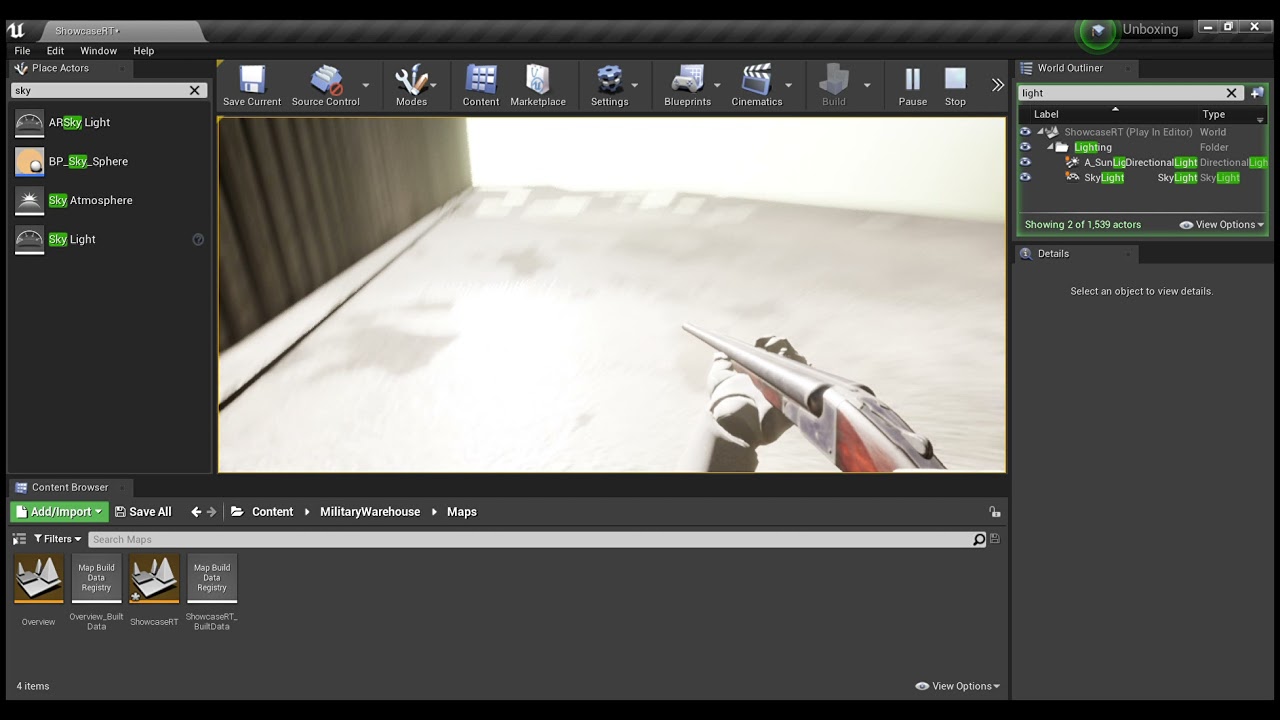
If anyone could tell me why this is happening. It would be greatly appreciated. :)
Getting this weird lighting effect... Any help would be appreciated.
quiet token
there was this blog post about ue4 and how everygame looked the same and how to fix it.. case study pubg vs any vid u find here, including the one above
does anyone have that link or tips on how to get rid of that grey ue4 look
quiet token
the issue at hand was color grading
toxic lily
does anyone know how to create a HUD for ASLV4? been at it all day and cant get it right
grim ore
@wise tidewhats the issue beyond not understanding the error?
wise tide
grim ore
<@!275473364418560001>whats the issue beyond not understanding the error?
i loaded ue4 2 days ago i dont understand and im trying to figure it out
grim ore
you should probably watch some learning tutorials on blueprints then.
your trying to call an event in a blueprint and for some reason hook a variable up to it
wise tide
i asked for some yesterday but didnt get much response
grim ore
asking for help becase you dont know how the systems work isnt really going to get much help
your construct building is an event on your ui widget
your trying for some reason to call that event on another blueprint
grim ore
you have an event called Construct Building inside your Main UI HUD Blueprint
wise tide
yeah
grim ore
you have a variable called Pawn Controller Ref
that variable is of type Camera Pawn Controlla
your trying to for some reason go "Hey Camera Pawn Controlla, call the Construct Bulding event that is inside of you"
grim ore
go to learn.unrealengine.com and watch the intro to blueprints videos and first hour and such
wise tide
sweet thanks for the help
grim ore
theres also good docs
wise tide
i googled searched all that came up was full tutorials which didnt really help as it wasnt explaining what i needed to know
grim ore
yep
your not going to find "hey you have this problem, here is how to fix it" when the problem is not learning the basics
the explanation to what you need to know is learn the basics
wise tide
like i said i googled and i also asked if anyone had any recommended beginner information
thanks though
that website is what i needed by the looks cheers
steady hull
to use git lfs do i need to run the git bash install command on the directory where my project is?
 soft tree
@wise tide did you select a class first?
 soft tree
try selecting the class first?
wise tide
tried no go
soft tree
It's VERY difficult to figure out what problems like this are if you're a total beginner because you often don't know what you don't know.
Hence, you can't google the right terms, don't know what the actual problem is, etc
wise tide
yeah im just confused why alot of it is reference after reference
and i always gotta reference something
but that link old mate gave is a good start im looking at it now
grim ore
a reference is something that says something is something
soft tree
well.. say you have like 20 people standing in front of you.
You want one to jump.
So you send out an instruction to jump
but without referencing which person should jump, no one knows, and thus no one does anything
grim ore
^^^
soft tree
computers are pretty stupid. they need to be explicitly told what to do
wise tide
yeah makes more sense
grim ore
if your in the same blueprint as the event, SELF means this blueprint so you are fine
if you need that specific person to be told, you need that REFERENCE to the person
soft tree
We're not anywhere near the point where AI can predict what you actually want them to do.
So you have to be very explicit in their instructions
wise tide
i have done ue4 before only done html, css,php and lua this whole visual thing is different
grim ore
its the same thing
wise tide
makes sense why i used self so many times haha
grim ore
if your doing code in one script and need to talk to another, you need a reference heh
wise tide
makes more sense now
soft tree
But def take Mathew's advice. learn the basics with the courses, so that you can have a much better understanding.
wise tide
yeah what im doing now
soft tree
Once you do, and if you have problems, you'll be much better able to explain what your problems are, and people will be better able to assist you
wise tide
thanks
soft tree
as for your problem, you're not giving it the correct TYPE reference
 dusk steppe
not sure what category this fits under, but does anyone know how to dynamically show/hide fields based on selections like this?
 soft tree
It's like if you want one person to jump, but instead of pointing at a person to do it, you pointed at a tree
 rich kayak
Hey guys I just got a SSD to work better with unreal. Should I move the Unreal Engine + project + my compiler there or only the project?
soft tree
rich kayak
Hey guys I just got a SSD to work better with unreal. Should I move the Unreal E...
if your SSD is big enough, install your OS and unreal on it, along with your project
rich kayak
soft tree
if your SSD is big enough, install your OS and unreal on it, along with your pro...
only 110gbs
rich kayak
soft tree
if your SSD is big enough, install your OS and unreal on it, along with your pro...
In that case if I move the engine + project will help on compile vs stuff idk if only the project will make a difference. Or the compiler. I use Raider
soft tree
🤷♂️ maybe someone else can chime in. I have all on an SSD so I don't know what the impact of each one is separately
wise tide
soft tree
🤷♂️ maybe someone else can chime in. I have all on an SSD so I don't know what...
if all your content for project is stored inside the project folder it will be a improvement in performance though if it is else where its only as quick as the slowest point
rich kayak
wise tide
if all your content for project is stored inside the project folder it will be a...
I will try to move my project, engine and compiler to check the impact
wise tide
makes sense to move the lot
soft tree
yes, but if OS can't access and process it fast enough, I wonder if that itself will bottleneck
grim ore
the project isnt a big deal unless you are compiling, loading is generally a one off when your in the project. C++ compiling can really stress the hdd with access times. Shaders can as well but again usually only once. Window itself being on an SSD is a big "feels faster". The Engine? eh
the correct answer is to get a bigger SSD and put it all on it... lol
toxic lily
does anyone know what node i would use to set it up in such a way where you can only shoot WHILE aiming?
 soft tree
toxic lily
does anyone know what node i would use to set it up in such a way where you can ...
soft tree
toxic lily
does anyone know what node i would use to set it up in such a way where you can ...
only shoot WHILE aiming?
sounds like a simple branch with a boolean 'IsAmining' check
vocal sorrel
Does anyone know how to put 2 of the blue "Actor" variables into 1 input? Every time I try to put the second one it it replaces the first one
grim ore
you can only do that on nodes that allow it
so it either works or it doesnt, usually its on nodes that toggle stuff
vocal sorrel
Oh I see. yeah Im trying to get 2 static mesh variables into 1 input. Each static mesh triggers a ripple but I cant seem to get both into the desired target
Do you know of a possible work around for this? Im probably not explaining it very well
grim ore
yep you would just have to duplicate the node you want to use and run it twice
 spice talon
Is there a quick/automatic way to copy all source files (ie. textures, models) that are referenced outside of your project folders, to inside your Content folder?
vocal sorrel
See I duplicated the blueprint but I dont think Im allowed to duplicate the "Event Tick" and "Event Begin Play" am I? Cause when I run it nothing activates on the duplicated part
grim ore
you shouldnt need to duplicate that
you have your mesh , your trying to plug your mesh into a node
so now you have your mesh, you plug it into a node, then after than node runs you plug the other mesh into a copy of that node
vocal sorrel
Okay Ill try it and get back to you. One sec!
grim ore
your running the node twice, once for each mesh
rich kayak
grim ore
the project isnt a big deal unless you are compiling, loading is generally a one...
I got this one as gift, cant afford a big one right now. Just wanted to speed up the c++ compiling.
grim ore
depending on what your trying to do there might be a more elegant soltution, but we cant see what your doing heh
@rich kayakthen yes put your windows and source code on the SSD, the issue is going to be... visual studio on the SSD as well is going to eat up space 😦
128gb SSD for doing coding work is a pain in the butt
if you ever watch visual studio it uses its drive for temporary files while compiling, same with the drive where the project is at
narrow mauve
Are there any major complications moving a project into a source build of the engine
grim ore
only if you re using launcher plugins really
well and hopefully not trying to go backwards lol, or a custom custom branch
rich kayak
grim ore
depending on what your trying to do there might be a more elegant soltution, but...
I will check here what I can do, thank you
vocal sorrel
@grim ore is it okay if I send you a screenshot so maybe you get a better understanding? Its not much code at all I just dont know exactly where to dupliacte the part
narrow mauve
Mathew you are so active on here helping people..cray cray
spice talon
I'll give more context to my question about moving source asset files to Content - I'm trying to set up Git+GitHub for the first time and work with a collaborator. He has pulled the project down and is getting errors on opening that seem like the project is trying to reference assets that don't exist, which would make sense if some of my source asset files are stored in Content and some are elsewhere on my end. How do people typically deal with that?
vocal sorrel
Okay here is the entire blueprint. I put three arrows to where I am trying to have the "ForceMesh1" go into the same place as "ForceMesh". Let me know if you need more info
 grim ore
yes so you would just duplicate that code and the nodes and replace forcemesh with forcemesh1
so tick -> set relative location -> set relative location
and the begin play would end with Register Dynamic Force -> Register Dynamic Force
drowsy snow
spice talon
I'll give more context to my question about moving source asset files to Content...
All .uasset should belong in the content folder.
As for the source art file, have it in a separate folder in the Project folder.
grim ore
the "Cleaner" way of doing it would be to have all your meshes in an array, then you just loop thru the array and that code would be ran for each loop in the loop
but for 2 items.... copy/pasting the nodes and replacing ForceMesh with ForceMesh1 is like 15 seconds
vocal sorrel
Id be really interested to learn how to make a proper array. And yeah so i copied and pasted all the code except the Event Tick and Begin Play and replaced ForceMesh with ForceMesh01 but it didnt work
spice talon
@drowsy snowis there a quick or automatic way to copy all source files into a folder inside the Project folder? Actually not even sure how to properly do it with a single file and keep the references straight.
 vocal sorrel
I think i got what you mean for the duplication and it worked!
grim ore
literally copy all the info you need, paste it and hook it up after the one that works
vocal sorrel
Yeah exactly, thanks! Sorry for not getting what you meant
grim ore
yep yep. if you did this in an array it would be tick -> For Each Loop -> Set Relative Location
and the for each loop would have an array plugged in that had your static meshes, it would run that code twice, each time with one of the meshes
vocal sorrel
Thanks! Im going to try that because basically each of these ForceMesh is a water ripple effect and Im doing a massive ship so Ill need quite a few. Thanks again!
drowsy snow
spice talon
<@!325627930484932608>is there a quick or automatic way to copy all source files...
Not automatically that I'm aware of.
grim ore
then yep if its a bunch look into using loops, the nice thing is the array is dyamic so you just add/remove from the array and the code wont care how many times it has to run
drowsy snow
spice talon
<@!325627930484932608>is there a quick or automatic way to copy all source files...
The best thing you can do is not storing source assets in the Content folder in the first place.