#ue4-general
1 messages · Page 1007 of 1
 wintry bobcat
 vestal raptor
Hmm, sounds like it could work, I'm gonna try to figure out how to set it up and see @granite spire
 granite spire
@wintry bobcat what do you need the parameter for?
wintry bobcat
i'd want to set it up for the chrome ball
granite spire
@vestal raptor let me know how that crazy idea goes
@wintry bobcat i'm not fully understanding you sorry
 gleaming thicket
@granite spire how costly is the line tracing idea?
An introductory document on UE4 Materials and how they work.
granite spire
@gleaming thicket Line tracing from what I know is fairly light, 20 of them might be good for a test you can generate linetrace spheres on contact too so that could reduce what you need, and allow it to hit under things, though it wouldn't be perfect
gleaming thicket
@wintry bobcat you might want to look at some tutorials if you haven't already
wintry bobcat
gleaming thicket
<@!206349517136592896> you might want to look at some tutorials if you haven't a...
okay here's the timestamp of the video
This weeks tutorial livestream concerns the much-requested topic about Exterior Lighting! We will be taking a look at both raytracing / raytraced lighting, but also non- RTX based lighting. For those of you who don't have Nvidia's RTX graphics cards, worry not! You don't need a 3090 to light exteriors nicely. We will be dissecting/reverse engine...
vestal raptor
@wintry bobcat If you just want to create it, hold "s" and left click anywhere in the material
wintry bobcat
vestal raptor
<@!206349517136592896> If you just want to create it, hold "s" and left click an...
thanks bro!
vestal raptor
@granite spire Not sure if I will finish it today because I'm out in like 45 minutes but if it succeds when I do it I will let you know
granite spire
@wintry bobcat UE4 has an inbuilt example in 4.26 that has the light direction already sync'd, btw
gleaming thicket
@granite spire so the issue with Kelt's problem is the player vision can see through walls right? But the AI perception shouldnt from what I know. Is it possible to somehow "extend" that class to player?
probably not with BP
vestal raptor
@gleaming thicket this method that I tried "sees" throug the wall, ai perception wont go through the wall
 granite spire
@gleaming thicket that's what I was mentioning, but he wants what you described in reverse
gleaming thicket
@vestal raptor and ai perception looks at the middle of the mesh right?
vestal raptor
Yes, and only at the middle, so if you see the head of an AI it wont register
to change it you need C++
wintry bobcat
granite spire
<@!206349517136592896> UE4 has an inbuilt example in 4.26 that has the light dir...
yeah but i'd stick to this one in the mean time
granite spire
@vestal raptor wonder if you could check for an AI, get the height then hit it with a bunch of line traces?
if it's getting the middle of a player, then you already know where it is, so you might want to size it up, but what I think you need is a AI_Perception but for the player
gleaming thicket
granite spire
if it's getting the middle of a player, then you already know where it is, so yo...
yeah this is what i mean
granite spire
Apparently you can add the ai perception to a player
 gleaming thicket
but you dont want to use it because it doesnt detect the head
 timber robin
Hi, im having an issue with physics, i have a pole and when i try to scale it the Z axis it just gets bigger radius, dont undertand why i cannot just scale it up, anyone having the same issue?hope someone can help.

 gleaming thicket
we are running in circles lmao
granite spire
lol
vestal raptor
@granite spire Actually that line trace from the player to the ai + https://gyazo.com/c92f31ef644d209ef1a185d2a9d763b0 have some sense
gleaming thicket
@vestal raptor try having an invisible sphere in the ai's head area and check for that with ai_perception
granite spire
it's a bit of a complex problem, because nothing i've seen does it, so I can't imagine a work around, generally I can look at something and know how it's done but I don't see any examples of this
gleaming thicket
timber robin
Hi, im having an issue with physics, i have a pole and when i try to scale it th...
meaning other axis get bigger too?
granite spire
@timber robin that's just how cylinders work
@timber robin Thought that being said I just made what you want by draggin 1 axis
 gleaming thicket
maybe there is like some proportion lock so it increases all the axis together
granite spire
the perception should be blocked by walls though
granite spire
might be the type of capsule
timber robin
I tried UE4.26 and 4.25 and even UE5 jeje but same result, im sure is just one clic away 😅
vestal raptor
@granite spire 3 line traces to the head/ capsule component/ root + this https://gyazo.com/c92f31ef644d209ef1a185d2a9d763b0 did the job thanks for all the help, also @gleaming thicket thank you for your input
gleaming thicket
@vestal raptor nice
gleaming thicket
@vestal raptor when is the paper coming out mate
I hope to have my name in there
granite spire
@timber robin Try looking for a padlock option, if it's only doing 3 directions your sizing is locked
 old nimbus
How do I make Face out of vertices in Brush Editing tool?
vestal raptor
@gleaming thicket when it's ready 
old nimbus
old nimbus
How do I make Face out of vertices in Brush Editing tool?
pls help
granite spire
@old nimbus what do you mean by make a face?
old nimbus
I have 4 vertices
But they don't make a face
I want to make a face out of 4 vertices
granite spire
so you want to add polys to make a face (eyes/nose/mouth)?
old nimbus
no
gleaming thicket
i think they mean like a face
old nimbus
A face
gleaming thicket
3d face
old nimbus
which comprises of 3-many vertices
gleaming thicket
like cube has 6 faces kinda deal
granite spire
do you have a reference picture of what you're trying to do?
granite spire
you mean a single poly-face?
old nimbus
This is the default stair found in Geometry, but I deleted the face in the back, and now I want to remake it.
 gleaming thicket
so a plane then
granite spire
@old nimbus you might want to not use that tool as it's only for quick workflow, it's better to make your stuff in blender and import it
granite spire
I just don't bother with that tool
old nimbus
And I have made a whole House by using only that tool
granite spire
yeah
but it's unoptimized, and to change anything or replace that with polished assets ends up being a nightmare
granite spire
@old nimbus You have to remake the stairs it seams, which is why that tool is bad
gleaming thicket
best way might be to just bring a cube and delete the rest

 old nimbus
shit
granite spire
I remember using it way back, before swapping back to 3Ds max
I feel like a boomer using 3ds max now
gleaming thicket
whats the cool stuff kids use nowadays
granite spire
all you young hipsters and your cool blender
gleaming thicket
granite spire
all you young hipsters and your cool blender
yeah we cant afford the licensce
but maya do provide a license for students
old nimbus
us Gen-Z hasn't got any money to fund paid softwares
old nimbus
I just wanna make a plane T.T
gleaming thicket
yeah its not good idea to use the default stuff they provide
granite spire
@old nimbus use a box and thin it out
gleaming thicket
set an axis to 0
old nimbus
But how do I attach it to the stair?
gleaming thicket
just drag it
granite spire
just group it
old nimbus
well
granite spire
it's not like you're going for performance here
old nimbus
alright
granite spire
or pretty
old nimbus
I mean
old nimbus
This basically the first thing I have made on my own
 gleaming thicket
boomers wont understand
old nimbus
What's prototyping
granite spire
o boi
old nimbus
like
granite spire
one sec let me get you some reading material
gleaming thicket
you use the default poop stairs made by ue4 to see how it fits with the environment
old nimbus
I basically started UE4 a month ago
gleaming thicket
then you go to blender and make a good one
old nimbus
gleaming thicket
you use the default poop stairs made by ue4 to see how it fits with the environm...
I am using them, but I wanted to modify them according to my needs
granite spire
Overview of the samples provided in the Level Design Content Example.
oh goody a clean slate
gleaming thicket
@old nimbus but they are for prototyping so they are not flexible
granite spire
we can mold this boy
old nimbus
Yeah, I just made a whole house out of them
gleaming thicket
@old nimbus you can if you want to.
think it like this, you can bang your table to make a sick beat but that beat would probably sound better in a drumkit
old nimbus
My logic behind doing so, was to keep everything as much Minecrafty as possible
gleaming thicket
there is probably a minecraft pack somewhere
granite spire
@old nimbus Build it out of these, you can actually make that static mesh and import to blender to redo easily
 gleaming thicket
with real assets
old nimbus
I see
granite spire
Merge then create static mesh

that would be more acceptable
then it's a proper mesh
old nimbus
The solution to my problem I can think of right now, is, I'll just have to rescale the whole stair to fit in my environment.
gleaming thicket
or thin out a cube and group
old nimbus
Alright
granite spire
@old nimbushttps://www.unrealengine.com/marketplace/en-US/product/polygon-prototype-pack I highly recommend this pack, it's $2.49au

Unreal Engine
Synty Studios Presents - A low poly Prototype asset pack of props, Icons, Characters, Static Character poses and environment assets to create a Prototype or Grey box for your next game.
infact i'm going to put it in my world now
just realized i probably should
old nimbus
Yeah, I don't have $2.49
old nimbus
I mean, it'll be alright if I made assets in Blender, i'm just trying to learn World-Building in Unreal engine.
This is what i made from what I learnt

A stair which fits in my world
However, i think I can still do better
But I am having a problem
I am having problems with group all this boxes
when i group them, the green box which appears outside the group seems to be bigger than my world
granite spire
Yeah its just going to get worse as things get more complex @old nimbus
Make things in blender then import them are tools, imo
I dont know level designers that bother with that ue4 tool
old nimbus
Looks like I had group Sky-Sphere with the stairs
tada

Yeah, the stairs took me too much time.
49 minutes
I'll keep all of your advices in my mind next time
granite spire
Let me see how long it takes in max
 flint rover
I would go with blender
old nimbus
I don't think it would take much time
in 3ds max
But what I wanted to achieve was, stairs which were 100 units broad, and 100 units tall
basically, 1 block of minecraft is 100*100 units in gere
so I am keeping the snapping to 100, and sometimes 50 to make peculiar blocks like wooden slab.
granite spire
well that's where you would use a snapping tool
old nimbus
yes
The BoxBrush tool seemed to be pretty handy tool for this to be honest
Because I wouldn't be using a single block and texture it and scale it, because it would stretch the textures
Plus I wouldn't want to have a thousand blocks in my scene
To my knowledge, this tool seemed to be the best
granite spire
 granite spire
idk fam, the time spent trying to make something like that, is time spent learning something in blender
old nimbus
yeah
granite spire
you won't be able to even texture it well
old nimbus
I thought it would be better to avoid the hassle of importing meshes
granite spire
there's no hassle though?
granite spire
how so?
granite spire
you literally can save the correct exporting method then importing meshes you setup once
and that's a few buttons
old nimbus
ok so, Let's abandon the stairs I made in 50 minutes, and learn how to Import
lesss goo
Brb
gotta watch some tuts
 surreal eagle
i dont even know what to do next for my game. tell me what to work on
granite spire
@surreal eagle what are your skills?
surreal eagle
granite spire
<@!708094727588937799> what are your skills?
idk i do like everything
granite spire
@old nimbus you have to eventually learn how to import, there's no way around it, though it's not hard to click a few buttons
surreal eagle
i ran out of weapon ideas
granite spire
surreal eagle
idk i do like everything
what was your previous thing?
old nimbus
alr
surreal eagle
weapons modeling
granite spire
surreal eagle
i ran out of weapon ideas
oh boy you're in luck, do I have a video for you!
surreal eagle
granite spire
oh boy you're in luck, do I have a video for you!
show me!
oh i remembered i need to make grenades
surreal eagle
granite spire
oh boy you're in luck, do I have a video for you!
game set in 2055
granite spire
@surreal eagle https://www.youtube.com/watch?v=BsPkM0Rvbck
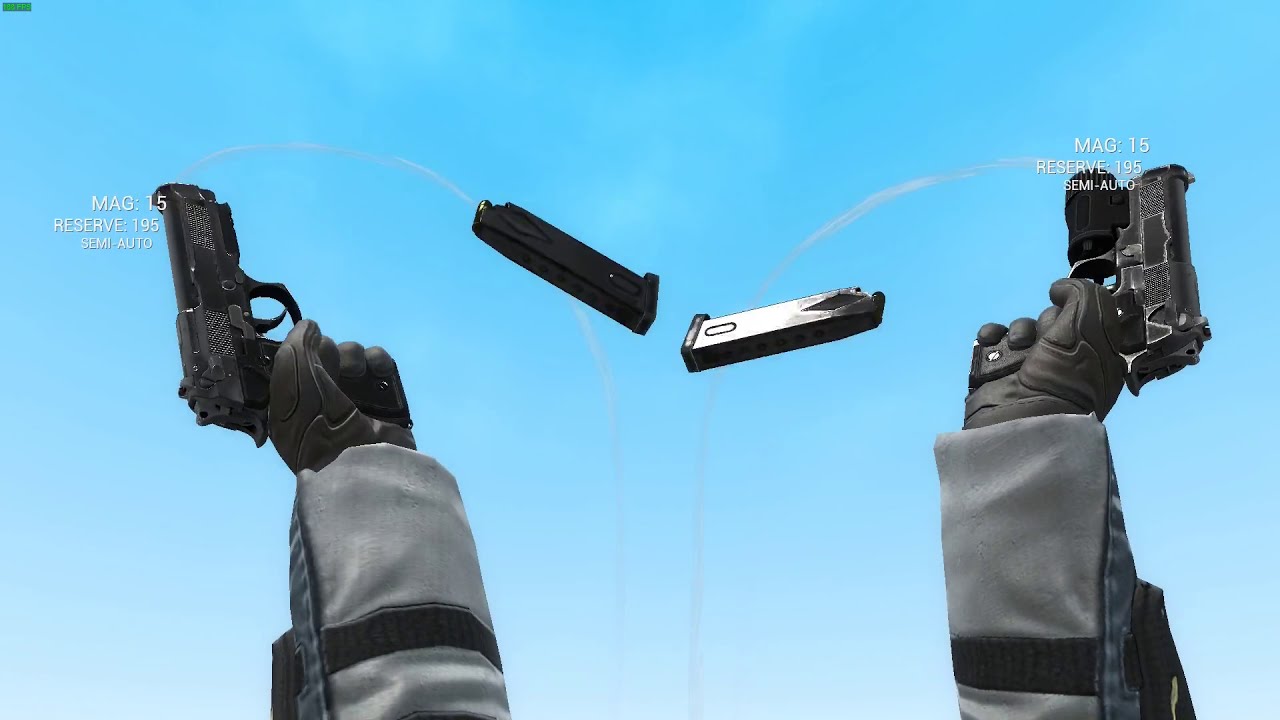
@surreal eagle https://www.youtube.com/watch?v=puzuqS1D2Lc&list=PLPjqp8O5Qe9kF9eprzmw7UkhzJSSJ9Sf5 here it is

Exclusive animation from You see, Ivan: The videogame
Model - SAM61
Sounds - New World Interactive
surreal eagle
granite spire
<@!708094727588937799> https://www.youtube.com/watch?v=BsPkM0Rvbck
because the game is set in 2055 they have some energy weapons
you can litterally make anythig up
idc
hell,even send a picture
granite spire
Look at all of them reloads
surreal eagle
beautifull
old nimbus
 surreal eagle
granite spire
Look at all of them reloads
surreal eagle
granite spire
Look at all of them reloads
👍
granite spire
@surreal eagle I want more epic reload animations
old nimbus
This is easier than I thought
surreal eagle
granite spire
<@!708094727588937799> I want more epic reload animations
i'll keep in mind
i
i'll make the mc flip the gun
flint rover
How can I animate the sun in the sequencer? 😄
Like I want to set a position with the CTRL+L method, move it to another point on the timeline and move the sun by CTRL+L again
granite spire
https://www.youtube.com/watch?v=Uiwhg6bHaYs this just makes me want to make some animations lol

I left a bunch of nectarines out and now they all have flat bottoms. Like, they're still good, but it looks like in those old cartoons like Tom and Jerry, where Jerry hits Toms face with a frying pan and flattens it. Yeah, sort of like that.
Rig - Irrational Games
Sounds - midierror, and defiantly not, but maybe rehashed sounds from my gameboy
...
@flint rover you might have to add the sun as a sequencer actor
surreal eagle
...
granite spire
@old nimbus set the collisions properly
flint rover
Yeah it worked by adding it to the sequencer, but have to animate it via the transform options insterad
granite spire
@flint rover Yeah you would have to do that, though I though the CTRL+L would do that

@old nimbus In the mesh, but you might want to enable it in the project settings
 surreal eagle
gets sued by nintendo
 plush yew
sued doesn't work like that
granite spire
plush yew
did any1 know unreal is used by nintendo?
In what way? they sure as heck wouldn't build a UI out of it
 fresh bay
Hey guys, is there a way to create a mesh or procedural mesh using blueprints or C++?
plush yew
apparently its used for some of their games
surreal eagle
plush yew
*sued doesn't work like that*
nintendo doesn't care
plush yew
and they used unity for super mario run
flint rover
granite spire
<@!214339835819851786> Yeah you would have to do that, though I though the CTRL+...
Couldnt get to place any keyframes that way, but this will be fine 😄 just experimenting a little bit and learning as I go
plush yew
surreal eagle
nintendo doesn't care
u cant get sued for knowing a game engine?
lol
You're under arrest you can count to 1
surreal eagle
plush yew
u cant get sued for knowing a game engine?
the joke is nintendo loves to sue
surreal eagle
remind me to pirate nintendo products
plush yew
go ahead.
old nimbus
granite spire
<@!715617446916259881> In the mesh, but you might want to enable it in the proje...
Fixed. ✅ Thanks A Lot!
plush yew
people have pirated MANY and they dont care about it, they dont really have a way to sue people who pirate them, or nintendo would need to sue millions of people
granite spire
@fresh bay Procedural in what way?
surreal eagle
plush yew
people have pirated MANY and they dont care about it, they dont really have a wa...
i dont really like their stuff actually
plush yew
ok?
surreal eagle
i mean mario is ok
plush yew

Wired
The class action lawsuit alleges that the video game company hasn't done enough to address a known problem with its controllers.
guess people can sue too lol
surreal eagle
but i cant figure out mariokart for the life of me
plush yew
surreal eagle
but i cant figure out mariokart for the life of me
you ride a car?
granite spire
@plush yew well, their old stuff that's emulated was caught using an emulator, so it doesn't surprise me lol
surreal eagle
plush yew
you ride a car?
it's easier to drift a 4 wheeler irl than a mariokart
plush yew
lol
 inland flicker
I'm more interested in the notion that Unreal Engine 5 is "coming" to Switch
granite spire
@fresh bay How do you mean procedural mesh?
plush yew
it cannot even run 1080p
surreal eagle
plush yew
lol
i shit you not, i did it once by accedent in deep snoe
surreal eagle
plush yew
it cannot even run 1080p
haha you should see the prosessor in the watch i'm gonna make.
its litterally the power of a 1980s low end pc
plush yew
Nice
inland flicker
Well, theoretically, the currently high recommended system specs are for the Unreal Engine 5 demo project --- not actually to use the engine itself --- so that's a common misconception I think
inland flicker
but yeah I giggle at anything mentioning consoles outputting anything at 4K/60 or any sort of Switchmongering like this
surreal eagle
i bet the watch would shit itself doing 0.02k and 10 fps in color
granite spire
speaking of nintendo, they're not sue happy, they're cease and desist happy.
https://www.youtube.com/watch?v=Je89wXwiNhI No idea how this has stayed up as long as it has though but cryZENx has been afk for 10 months

First of all Thank you so much for all that supported me over Patreon for all these months! Im so sorry i cant upload alot of content... im working hard to keep the project forward.... WE ALMOST REACHED 500 Patreons
The best community EVER!
Also lets Celebrate that im partnered and working together with RAZER!
► Patreon Support See the Deve...
surreal eagle
samw difference?
inland flicker
Ugh another cryzen fan lol
old nimbus
I wanna be a talonted World-Builder One day
granite spire
@inland flicker I wouldn't say fan, I don't believe what he's done is OMFG EPIC because I see loads of flaws, but I can appreciate what he's trying to do
inland flicker
I don't really get why you or anyone else would 'appreciate' it tbh
It's copyright infringement of a pre-existing IP developed by someone else 🤷
granite spire
@inland flicker asset importing, and throwing lighting around but cleaning up the meshes and levels and sowing them together? that's appreciative grunt work there that can be taken away in an instant
it's like working hard on something only to have no backups, lol
fresh bay
granite spire
<@!245586528548421633> Procedural in what way?
I don't know how to explain it too well, but i want some cube marching and i don't know how i could create the planes/mesh in bp on cpp. Or if i want to make a sphere and then add noise to the vertices to warp it around
inland flicker
I think game development is cool but a lot of the frontier is ruined by cryzen types with no passion. And you're using another example of the behavior I'm referring to, not disproving my point about him
 drowsy snow
granite spire
speaking of nintendo, they're not sue happy, they're cease and desist happy.
ht...
drowsy snow
granite spire
speaking of nintendo, they're not sue happy, they're cease and desist happy.
ht...
He's probably got either super C&D'd or hired by a game studio and under strict NDA.
surreal eagle
what is a cryzen
granite spire
@fresh bay You're probably going to have to start with this https://www.youtube.com/watch?v=WXJw1pswLRM

Free demo: https://drive.google.com/open?id=1yxLrsU_uAD3bpmO307Yl0-m1tEiORiIQ
You can read more about it here: https://forums.unrealengine.com/showthread.php?113803-UnrealVoxel-blocky-Minecraft-like-infinite-world-download&p=546626#post546626
2nd part: https://www.youtube.com/watch?v=3pcqIdAK-oY
Sellfy: https://sellfy.com/p/Ho2F/
Marketplace: ...
drowsy snow
It would be cool though to see his OoT project got UE5's Nanite/Lumen treatment 👀
inland flicker
It's not personal or anything I just find it hard to rally behind someone who thinks it should be okay to profit off others, wasn't meaning to be rude or derail I was js basically
old nimbus
My house looks great
I am just waiting when it gets ready and I start applying materials
granite spire
inland flicker
I think game development is cool but a lot of the frontier is ruined by cryzen t...
I know what you're saying but grunt work can still be appreciated.
If an thief spends 2 years perfecting how to rob a bank, and does it, you can still appreciate his work
inland flicker
I just wish we had better examples of what Unreal Engine is capable of than some fanboy's monthly ripoff vlog inevitably waiting to disappear from existence, making you wonder what the whole point even was ... and then you realize it was monetization, and profit, and clout ... and yea Youtube's a cesspool really lmao
I think you're mistaking work for dedication
surreal eagle
granite spire
I know what you're saying but grunt work can still be appreciated.
If an thief ...
any help i get is help that makes me happy
fresh bay
granite spire
<@!245586528548421633> You're probably going to have to start with this https://...
Thanks, mucho appreciated
inland flicker
I can appreciate the amount of dedication he put into a failure project, knowing it would be a failure ... but no, there's nothing I appreciate about someone failing to accomplish something they could've but chose not to for whatever reason
surreal eagle
i just want to make a game
granite spire
inland flicker
I can appreciate the amount of dedication he put into a failure project, knowing...
I think there's a lot more it's kind of asset flipping
surreal eagle
because i have no idea what i'm doing!
granite spire
👀 Speaking of asset flips I shouldn't talk
 surreal eagle
granite spire
👀 Speaking of asset flips I shouldn't talk
surreal eagle
granite spire
👀 Speaking of asset flips I shouldn't talk
wheeeeeeeeeezeeeeeee
inland flicker
What CryZen does is asset flipping, yea. I'm not claiming it isn't. Nor is his use of it any 'better' or 'worse' than anyone else's. I'm just musing that it's a shame he is the most popular example when he doesn't have any unique work at all.
granite spire
though I'm just dumping a bunch of stuff in while I wait for artist for this contract work
drowsy snow
inland flicker
What CryZen does is asset flipping, yea. I'm not claiming it isn't. Nor is his u...
Is he though? I don't think he's the most popular example.
 fathom locust
can anyone tell me why this simple line trace is failing to well... trace?
 granite spire
@inland flicker I can see your point, I do agree
drowsy snow
FFS, you get Fat Dino and alike nowadays anyway.
inland flicker
@drowsy snow I could be at the mercy of lacking information here, but to my knowledge anyway yes
granite spire
@drowsy snow Fat dino is an inspiration to my asset flipper
drowsy snow
inland flicker
<@!325627930484932608> I could be at the mercy of lacking information here, but ...
I don't think you ever heard of Fat Dino.
inland flicker
It's interesting actually, I was not aware he was MIA until @granite spire mentioned it though
surreal eagle
fathom locust
can anyone tell me why this simple line trace is failing to well... trace?
set debug type to persistant
inland flicker
I have not @ heard of Fat Dino
old nimbus
Hey anyone has any idea why my gameplay in editor is blurry, when I have Screen Percentage set to 100?
inland flicker
time to hit the goog
old nimbus
old nimbus
Hey anyone has any idea why my gameplay in editor is blurry, when I have Screen ...
it bcomes normal when I set it to 200
fathom locust
surreal eagle
set debug type to persistant
its on an event tick, so it should trace for each frame, even so, it still wouldn't trace, and when I try and see if it hits something, it returns false
drowsy snow
Fat Dino's cool though. He "remakes" games for memes.
https://www.youtube.com/watch?v=1EHNDoBj8u8&t=465s

Check out Core platform - http://bit.ly/Core_FatDino
----------------------------------------Links----------------------------------------
My Second YT Channel: https://www.youtube.com/channel/UCKmFtF8DaNyscUEyUZnd8XQ
Follow me on Twitter: https://twitter.com/fat_dino_games/
Join my Discord server: https://discord.gg/yN4KTac
My Patreon: https://...
inland flicker
Oh fuck one of those "I remade x game" folks yeah
granite spire
I don't mind him
inland flicker
Nothing that was ever done for memes was worth it imo
surreal eagle
fathom locust
its on an event tick, so it should trace for each frame, even so, it still would...
are you sure you are triggering the function right? happens all the time 4 me
drowsy snow
Nah, I'm different than you guys 😛
inland flicker
idk maybe it's just me
granite spire
he's probably not an artist but more coder, which there's still an effort
fathom locust
surreal eagle
are you sure you are triggering the function right? happens all the time 4 me
I think? But for some reason, its not tracing
 old nimbus
Hey anyone has any idea why my gameplay in editor is blurry, when I have Screen ...
old nimbus
old nimbus
Hey anyone has any idea why my gameplay in editor is blurry, when I have Screen ...
someone help me here lol
inland flicker
but like if Kojima came out tomorrow and was like "lol jk guys I made Death Stranding for the memes" ... I'd still think it sucks
surreal eagle
granite spire
he's probably not an artist but more coder, which there's still an effort
i'm just a confused 17 year old who want to make a fun game
drowsy snow
I come from those so-called "shady" side of the game development, so I like Fat Dino and similar creators.
granite spire
@old nimbus It's one thing to call something bad, but you gotta explain yourself or your opinion is just a fart in the wind
 loud knoll
@old nimbus do you have motion blur on?
surreal eagle
i come from non game dev world
granite spire
@surreal eagle you don't need assets to make a fun game, that's all mechanics
inland flicker
i come from my mother tbh
drowsy snow
Probably my modding background biased me so much.
drowsy snow
inland flicker
i come from my mother tbh
You disingenuous dense MF.
surreal eagle
granite spire
<@!708094727588937799> you don't need assets to make a fun game, that's all mech...
think i need some buildings lol, but i met a guy who was gonna help that
granite spire
@surreal eagle Open up blender, make a cube with a hole in the side, there u go
inland flicker
@drowsy snow Funny you say this, I got my start in gamedev after getting tired of trying to mod Skyrim into a playable product for 2 years
loud knoll
@fathom locust what are you trying to do?
inland flicker
I'm probably not the only one either, actually lol
old nimbus
loud knoll
<@!715617446916259881> do you have motion blur on?
I dont' know
But it doesn't seem like I have it on
surreal eagle
granite spire
<@!708094727588937799> Open up blender, make a cube with a hole in the side, the...
lol it's supposed to at least have 2015 quality graphics
drowsy snow
inland flicker
<@!325627930484932608> Funny you say this, I got my start in gamedev after getti...
I know that modding Doom since 2007 isn't something to brag about.
loud knoll
You guys are better off talking the lounge some folks need help
inland flicker
yoooo that Ashes 2063 tho
granite spire
@old nimbus check your AA settings
drowsy snow
surreal eagle
think i need some buildings lol, but i met a guy who was gonna help that
Prototype it with BSP geometries.
inland flicker
I still play some Doom total conversions to this day in GZD lol
fathom locust
loud knoll
<@558467934993776643> what are you trying to do?
Well, I'm trying to trace from the the camera to a point in the world which would run every frame, and then I would get the impact location of the trace, and then spawn an actor in from of it
surreal eagle
drowsy snow
Prototype it with BSP geometries.
lol nie
old nimbus
Ok so, what are AA settings, and what tweakings do I have to make in it?
Sorry if i Sound dumb
drowsy snow
old nimbus
Ok so, what are AA settings, and what tweakings do I have to make in it?
Anti aliasing is basically soften jagged pixely edges on screen.
drowsy snow
Temporal AA is the best non-RTX method of anti-aliasing, but since it uses previous frame for smoothing edges, it's infamous for having ghosting artifacts.
old nimbus
By AA, we mean Anti-Aliasing
fathom locust
loud knoll
<@!558467934993776643> I can show in live I will be in the feedback and support ...
oh wait, nvm I'm dumb, I had the reach controlled by a variable, which I forgot to change its default value
old nimbus
Hol up
drowsy snow
@loud knoll Can I stream just for lolsies?
Though I might stream in different channel.
surreal eagle
i'm just here bc its 2 am and i'm lonely
granite spire
fathom locust
oh wait, nvm I'm dumb, I had the reach controlled by a variable, which I forgot ...
Sorry I was gonna mention that, and forgot
I would stream but I have to make an animation and go over a crash course on how to set it up again
if that's something that interests someone i'll stream it, i'm currently looking for a based indian guy to teach me

project files : https://www.patreon.com/posts/42366983
Today I am going to implement a custom AI controller for the deer character we have worked on. The deer character has 3 states as free roaming, eating/grazing and resting. The character will randomly do one activity for some time and then it will randomly change to another activity. This i...
drowsy snow
granite spire
https://www.youtube.com/watch?v=8C9Y3gfeHww excellent
I know this channel 👀
IMO his presentation is bad though, his video isn't much edited and a lot of "dead air" sections going on.
granite spire
haha he's got what I want though
drowsy snow
I'd prefer videos that concise but planned straight to the point.
granite spire
nice he has a patron
yeah all of the animation ones are like 20mins long
2* speed lets gooo
oh boy he's still dragging on lol
drowsy snow
Also completely unrelated question:
Is there a way to rotate multiple Control Rig controls in one pivot, akin to Blender's Transform Pivot Point? I'm struggling to make weapon poses because of the rotation is using individual pivots and not median point pivot.
granite spire
I think I might just do it myself
@drowsy snow import the weapon using unreals thing
old nimbus
@loud knoll I won't be able to join VC lol
loud knoll
ok
good luck man sounds like you should read up on what the rendering settings do at the project level before changing them but you got a temp fix for now.
old nimbus
ok, I'll try
drowsy snow
granite spire
<@!325627930484932608> import the weapon using unreals thing
For context, I'm animating entirely in Control Rig. Weapon's fine, but I'm having hard time rotating both the socket bone and the hand IK bone in one pivot.
 toxic cliff
Hi, not sure if this is the right channel to ask but does the sky light require a sky atmosphere and a directional light to work? Getting some unpredictable results and just trying to understand how exactly it works
drowsy snow
toxic cliff
Hi, not sure if this is the right channel to ask but does the sky light require ...
No. Sky light is basically cubemap lighting applied to the entire scene.
granite spire
@drowsy snow Can't you just select both those bones?
inland flicker
granite spire
<@!325627930484932608> import the weapon using unreals thing
that's what she said
drowsy snow
granite spire
<@!325627930484932608> Can't you just select both those bones?
I did select both controls, but they're rotating in their individual pivot, not somewhere in between both of them.
Do you have idea about the problem here?
toxic cliff
drowsy snow
No. Sky light is basically cubemap lighting applied to the entire scene.
@drowsy snow ok thanks! it's weird because it seems to just not do anything when I delete the directional light or sky atmosphere🤔 it is set to moveable
granite spire
@drowsy snow where are you rotating them?
drowsy snow
granite spire
<@!325627930484932608> where are you rotating them?
In viewport.
Again, context: animating with Control Rig + Sequencer
granite spire
ahhh
yeah i'm not too sure, that's a youtube question I think, I haven't used UE4 control rig
drowsy snow
toxic cliff
<@!325627930484932608> ok thanks! it's weird because it seems to just not do an...
The sky light didn't recapture every time, so you need to recapture to update the skylight cubemap. Though in 4.26+, there's an option to do real time sky light capturing, in conjunction with Sky Atmo.
drowsy snow
granite spire
yeah i'm not too sure, that's a youtube question I think, I haven't used UE4 con...
Well, I already scour through the internet. YouTube still have yet to go that far, and Google searches only results for rotating actors in code, not Control Rig controls in viewport.
granite spire
I wish I was of more use, but it may not be possible
toxic cliff
drowsy snow
The sky light didn't recapture every time, so you need to recapture to update th...
weird because I did have the real time capture enabled too🤔 but I will test again. Thanks for your help
drowsy snow
granite spire
I wish I was of more use, but it may not be possible
No worries. I'm probably touching Control Rig limits here anyway.
drowsy snow
toxic cliff
weird because I did have the real time capture enabled too🤔 but I will test ag...
Oh yeah, depending on your GPU power, Realtime Capture took around 2 to 4 second to update, though performance cost is very minimal. It's best for slower day/night cycle, and not good for super fast timelapse or sudden changes to Sky Atmo light.
granite spire
i'm putting together a bear animation, would it be worth to stream I wonder
old nimbus
The only solution I found is Screen Percentage
drowsy snow
old nimbus
The only solution I found is Screen Percentage
Do you mind reposting the issue you're having?
 pulsar ruin
I want to write if the character collides with an actor that destroys the character, but here I wrote if he collides with anything, it destroys the character, how can I determine the thing that collided with it only destroys the character?
 old nimbus
drowsy snow
Do you mind reposting the issue you're having?
old nimbus
drowsy snow
Do you mind reposting the issue you're having?
wait, I'll repost it with images
This is of the editor, when I am not playing, everything is in High Resolution.

This is when I play the Game, and everything becomes blurry, even when I am not moving.
 drowsy snow
old nimbus
This is when I play the Game, and everything becomes blurry, even when I am not ...
drowsy snow
old nimbus
This is when I play the Game, and everything becomes blurry, even when I am not ...
Okay, try enabling Temporal Upsampling.
granite spire
@old nimbus looks like a post process effect
old nimbus
old nimbus
This is when I play the Game, and everything becomes blurry, even when I am not ...
for some reaason, this does not look blurry in the image
old nimbus
drowsy snow
Okay, try enabling Temporal Upsampling.
how?
old nimbus
granite spire
<@!715617446916259881> looks like a post process effect
and what effect is this?
drowsy snow
old nimbus
how?
It's in the Project Settings.
Find for "Temporal Upsampling" with the search bar.
old nimbus
ok
It did work a bit, but didn't fix the issue
How about I delete the Post Process Volume
Since the only thing I am using it for is Keeping the exposure stable
drowsy snow
Do you override the Focal Length variable?
old nimbus
no
drowsy snow
Just to make sure, check what's the value of Focal Length in the Post FX volume
wintry bobcat
why is my sun so bright af. i tried to lower the sky light to .3
 surreal eagle
hi
 surreal eagle
wintry bobcat
why is my sun so bright af. i tried to lower the sky light to .3
surreal eagle
wintry bobcat
why is my sun so bright af. i tried to lower the sky light to .3
holy shit it cant look that real!
amazing!
drowsy snow
wintry bobcat
why is my sun so bright af. i tried to lower the sky light to .3
Try putting a Post FX volume, set it to Unbound, and adjust the exposure.
old nimbus
Yeah, it has to be Project settings for my problem
wintry bobcat
drowsy snow
Try putting a Post FX volume, set it to Unbound, and adjust the exposure.
got it. thanks
surreal eagle
night
old nimbus
Help
 coarse turtle
So in the editor when I select the Foliage, it won't let me place FT in my map.
any idea why
I don't see the highlight effect
old nimbus
My problem got FIXED!! @loud knoll
 topaz slate
Quick question...why is this happening?Shouldnt the hollow cylinders stay on the bigger ones??Theyre made in blender and exported as .fbx files
old nimbus
old nimbus
My problem got FIXED!! <@!207638324368637952>
Resolution scale in my Engine Scalability was at 25%
loud knoll
@old nimbus yeah thats great that's what I told ya, you had a setting that lowered it then the Post Proc was upscaling
so you were getting back to normal res
old nimbus
Yes
loud knoll
good job finding it
 runic fern
Goodday guys are they anyway to run more than instance on same device while using pixel streaming
Like when someone load a website it will launch instance for each webpage
old nimbus
Last Night I was making Landscape by Unreal Sensei and I put too much foliage in there, and my frame rate dropped below 10, so UE4 suggested me some settings, which messed up with the Scalability
drowsy snow
That's too low tbh
old nimbus
loud knoll
good job finding it
Thank You!
drowsy snow
Also disable editor's auto monitoring.
old nimbus
the foliage was too much
loud knoll
no worries this is the stuff you remember and everyone makes mistakes like this.
old nimbus
alr thanks to everyone who helped me
surreal eagle
......................................................................................................................................................
drowsy snow
@old nimbus Monitor Editor Performance? shouldn't be checked.
 surreal eagle
i do that to reverse engineer
old nimbus
Unchecked. ✅
drowsy snow
Also feel free to mess around the screen percentage in the editor viewport menu. it goes as low as 50, and TAA upsampling still handle 50% just fine.
This one only affects in editor viewport and not in-game.
 wintry bobcat
guys can you suggest me some source for free 3D stuff for my scene?
drowsy snow
wintry bobcat
guys can you suggest me some source for free 3D stuff for my scene?
Quixel Megascans has some 3D mesh goodies. Model Haven isn't too shabby either.
old nimbus
Quixel is best
 vocal herald
Any idea how to fix this or what causing it?
 drowsy snow
old nimbus
Quixel is best
drowsy snow
old nimbus
Quixel is best
The man made objects isn't so best though.
Quixel stuff is best on the natural objects and materials.
old nimbus
vocal herald
Any idea how to fix this or what causing it?
waht is happening here??
vocal herald
I spawned a lot of foliage and this happened
drowsy snow
I can't load GIFs for some reason :/
old nimbus
I spawned a lot of foliage lastnight, and my editor went blurry
It just got fixed a few minutes ago
heheheh
drowsy snow
vocal herald
Any idea how to fix this or what causing it?
I heard mass foliage are having hard times with UE5, maybe go to #ue5-general
old nimbus
UE5 is going to be Epic as soon as it's release comes out.
drowsy snow
old nimbus
UE5 is going to be Epic as soon as it's release comes out.
Sure, but I won't immediately change to UE5 though.
drowsy snow
UE5 as it is, is still questionable for PS4 gen hardware.
old nimbus
Hey, what's your hardware specs?
drowsy snow
old nimbus
Because I have just started out, and don't know much of UE4
You can start out with UE4 though.
Many things in UE4 carry over to UE5, so you're not losing anything. It's not like back when migrating UDK/UE3 to UE4.
drowsy snow
old nimbus
Hey, what's your hardware specs?
Just say it's a potato laptop, with dead dGPU.
old nimbus
Until UE4 releases, I am going to be learning those many things which will pass onto the legacy
old nimbus
drowsy snow
Just say it's a potato laptop, with dead dGPU.
How bad can it be?
What's the GPU?
drowsy snow
old nimbus
How bad can it be?
So far in loading and compile times.
drowsy snow
old nimbus
What's the GPU?
Radeon R5
drowsy snow
It's been 4 years of service, it met its death earlier this year.
old nimbus
A few months ago, I used to run Blender 2.79 which has Cycles only, and the PC has only 2 cores, 2 threads and no GPU
a 10 year old PC
The scene which this laptop can render in 20 minutes, that PC took a whole day.
I had patience man
Making something for whole day, and waiting another day to render it
Plus the test render I made were very low quality and not as many as I do now
I do like 10 test renders now, but previously I would do only 2 or 3
 subtle marten
LogLinker: Error: Bad name index -1/67Question, I suddenly got this error regarding one of my textures imported, I literally did nothing to it the last few times I was cooking it and it worked fine. But now I have this error. Anyone knows how to fix it?
 azure ridge
so I'm wanting to make it so that my characters "attack", but don't physically affect each other
how can I do this? I'm not sure i'm understanding the collisions correctly. I'm using the top down template if that matters
This is what happens currently
drowsy snow
azure ridge
how can I do this? I'm not sure i'm understanding the collisions correctly. I'm ...
You'd use the collision as triggers and not a blocking collision. With that collision cast frontward, you'd check for any enemy actors that overlap with it to be applied with damage (depends on your implementation)
old nimbus
Basic Design of my House is Ready Yay!!
azure ridge
drowsy snow
You'd use the collision as triggers and not a blocking collision. With that coll...
would that affect navmesh navigation as well as ensuring they don't fall through floors?
drowsy snow
azure ridge
would that affect navmesh navigation as well as ensuring they don't fall through...
No, navmesh only affected by blocking collisions, not trigger collisions.
azure ridge
i don't see trigger collisions on the capsule, am i looking in the wrong place?
i fixed it. turns out it was the mesh of the sword that was colliding, which was of type "worlddynamic", which wasn't being ignored
 zinc mist
im planning on making a simple platformer for a game jam and wondering if its better to write my own third person controller or use the out of the box one?
drowsy snow
zinc mist
im planning on making a simple platformer for a game jam and wondering if its be...
Repurposing the template isn't a bad option. Plus saves you a bit of time.
zinc mist
drowsy snow
Repurposing the template isn't a bad option. Plus saves you a bit of time.
so like dont rewrite it all myself -just extend off it.
drowsy snow
After all it's a game dev speedrun, time saves that's viable are matters.
 celest sable
guys why myy vertex groups wont show up in unreal, I have a car with seperated 4 wheels but when i go to physics only body will show up in skeleton tree?
 zenith creek
Does the latest version of UE4 uses vulkan by default for desktop? windows
drowsy snow
zenith creek
Does the latest version of UE4 uses vulkan by default for desktop? windows
Actually, no, UE4 (and UE5) on Windows uses DX11 by default.
But you have the option to use Vulkan in Windows/Linux. OpenGL is no longer supported on desktop.
zenith creek
Oh. How do you switch to vulkan?
zenith creek
drowsy snow
Actually, no, UE4 (and UE5) on Windows uses DX11 by default.
i know a long time ago you had to download the engine from source to use vulkan. Not sure how to switch now though.
drowsy snow
zenith creek
Oh. How do you switch to vulkan?
It's as simple as setting the default RHI in Project Settings.

 limpid pier
Hi
 versed lion
Hey
 hidden pendant

can someone explain to me how to get these into my project?
Im not familiar with using install to engine
Is it just applied to all projects automatically with these types of addons ?
or do i still need to migrate it somehow to my project ?
 covert hedge
anyone would know why sometimes the properties window of the editor stays black in fullscreen, and gets glitchy if not maximized, as in, if i click any thing that will result in a dropdown select it shows the editor that stay in background? 
 median island
Someone said UE has difficulties working with 3D platformers, I was wondering what could they be?
https://www.reddit.com/r/gamedev/comments/npofdz/unreal_engine_5_for_2d_developers_is_this_a_good/

reddit
2 votes and 3 comments so far on Reddit
granite spire
@median island UE4 paper 2D was an abomination when I used it 4 years ago
compared to monogame/xna which was like butter to work with
median island
Definitely not 2D, but he mentioned 3D platformers
granite spire
3D might be hard to get the feel down
since you may not want realistic physics or something I guess
that's only me guessing though
 weak heath
hey guys, I have a huge terrain with a lot of foliage and the terrain surface changed and the foliage are floating or under ground. Is there a tool or option to reapply foliage to the terrain and/or meshes?
 stray tangle
weak heath
hey guys, I have a huge terrain with a lot of foliage and the terrain surface ch...
stray tangle
weak heath
hey guys, I have a huge terrain with a lot of foliage and the terrain surface ch...
Just delete the foliage and replace it
weak heath
stray tangle
Just delete the foliage and replace it
thanks, but no
stray tangle
Does anyone knows how to change bone position with IK like when I grab an item and play the grab animation sometimes the actor I want to grab is not in the right place to were the animation is moving so is it possible to change were the hand is getting to each time I grab an item to the item location?
drowsy snow
median island
Definitely not 2D, but he mentioned 3D platformers
For one thing, you can limit the movement into 2 axis, and practically make 2.5D platformer.
drowsy snow
granite spire
since you may not want realistic physics or something I guess
Character collisions in UE is capsule approximation by default, and don't "slide" by default. You can revamp the movement component or make one from scratch, suiting your needs.
median island
drowsy snow
For one thing, you can limit the movement into 2 axis, and practically make 2.5D...
What are some downsides for using UE in making 3D platformers?
drowsy snow
median island
What are some downsides for using UE in making 3D platformers?
Short version:
Nothing, really.
Long version:
The downsides are pretty minor and shouldn't be huge deal breakers.
For one thing, the character movement component, used as is, may not met your specific needs. You can always expand this with BPs, however. You may also encounter difficulties if using Paper2D elements.
Other than that, no major downsides in using UE for making 3D platformers.
The minor downsides are pretty technical, you shouldn't be worried much about them.
 midnight wren
What is the main difference when making a single player fps vs a multiplayer fps?
 earnest violet
I left my game in working order and when I return to making it after two weeks away from it the bullets are now NOT shooting out of the player's gun. I know this is a bit ambiguous but has anyone got any ideas what's causing this plz? 🙂
drowsy snow
midnight wren
What is the main difference when making a single player fps vs a multiplayer fps...
In multiplayer FPS, you need a local first person view for the player character, and the server side third person view for other players to see. You also need to make sure the local view isn't visible on other clients in the session.
You can pretty much ignore this in single player FPS.
 kindred viper
@earnest violet maybe the gun rusted? I mean,.... throw us a bone so we can help at least 😄
midnight wren
So basically I give everyone their own instance of a local view
drowsy snow
Think of this way - in MP FPS, you see a pair of arms holding a gun, representing your view. Other players should see you as a character instead of a pair of floating arms, but you don't see the character model of yourself. The character model you use that the other players see should also responds to your movement, shooting, reloading, and other actions.
earnest violet
@kindred viper I don't know what to say as I left it working fine and now there is this problem. The collision of everything looks fine and there are no compile issues on the projectile
kindred viper
I would also state the main difference between them is the events/functions/settings that are server broadcast or server only. You don't write logic for the local client usually. It's for the server to broadcast to the local clients and update remotely. The entire architecture changes according to required replication
hidden pendant
hidden pendant
can i get some help here 😅
how can i access this addon in my project exaclty when they are labeled "isntall to engine"
Im only familiar with "add to project"
drowsy snow
If you don't put your project to source control, you can just install it into the engine, and enable it in your project.
hidden pendant
drowsy snow
If you don't put your project to source control, you can just install it into th...
Okay thanks! how can i enable it in my project exactly?
would it be like a plugin?
drowsy snow
hidden pendant
would it be like a plugin?
Well, it is a plugin.
drowsy snow
hidden pendant
But I went to the plugins and its not showing up
Try search for the plugin name.
hidden pendant
Yeah I did /;
hidden pendant
drowsy snow
If you don't put your project to source control, you can just install it into th...
maybe its on source control ? but i have no clue what that is
drowsy snow
hidden pendant
maybe its on source control ? but i have no clue what that is
No, it's in the Engine folder.
hidden pendant
I eman my project
vocal herald
If there are too much foliage on a screen it just disappears. Any idea how to fix it?
drowsy snow
Plugins installed from launcher goes to the engine's plugin folder, not per project.
hidden pendant
drowsy snow
Plugins installed from launcher goes to the engine's plugin folder, not per proj...
please read what i said ....
lol
hidden pendant
drowsy snow
If you don't put your project to source control, you can just install it into th...
Im respoding to this
Idk ifmy project is on "source control"
drowsy snow
hidden pendant
Idk ifmy project is on "source control"
Do you even use GitHub? Perforce? Subversion?
drowsy snow
Chances are you don't even use source control, so that's out of the way.
hidden pendant
Okay
I'll try opening and closing my project
I installed it to thge engine when it was open
:I
that was it lmao
thanks mon @drowsy snow
granite spire
@vocal herald Probably an LOD thing I'd say.
it maybe also your settings for how many actors get displayed
vocal herald
do u know where can I change this "how many actors" setting?
drowsy snow
vocal herald
do u know where can I change this "how many actors" setting?
View Distance, I guess. That's more tailored for instanced foliage meshes tho
 leaden dust
What does 5 users on the perforce free plan mean exactly. It will only let 5 people log on to the server?
drowsy snow
leaden dust
What does 5 users on the perforce free plan mean exactly. It will only let 5 peo...
You can still use Git though, albeit with large file size limit. If you're working with 8K textures, it'll be an issue.
pulsar ruin
what i must be do?
 drowsy snow
pulsar ruin
what i must be do?
drowsy snow
pulsar ruin
what i must be do?
Do you have Visual Studio installed? (Not just the Visual C++ Runtime)
leaden dust
@drowsy snow what's the file locking support like on git
i really don't want to deal with BP merge conflicts
drowsy snow
leaden dust
<@!325627930484932608> what's the file locking support like on git
Never had conflicting tasks, but I accidentally tripped file locking, and it worked well IMO.
leaden dust
@drowsy snow how do you manage to avoid not changing a bp someone else is working on?
drowsy snow
leaden dust
<@!325627930484932608> how do you manage to avoid not changing a bp someone else...
By communicating it before hand, and applying strict sandboxing policy? Granted, I'm not with large team, so my way might not applicable on yours, but me and my contributors worked and tested BPs in sandbox Developers folder before being staged for use by me.
 tough needle
Don't know if this is the right channel for this but i guess its a Funfact about Unreal Engine so.. yeah.. i didn't knew that this was possible:D
 drowsy snow
tough needle
Don't know if this is the right channel for this but i guess its a Funfact about...
drowsy snow
tough needle
Don't know if this is the right channel for this but i guess its a Funfact about...
Actually the hotkey is Ctrl+Alt.
tough needle
drowsy snow
Actually the hotkey is Ctrl+Alt.
you are the first one who knew that this is actually possible lmao
message bombed every dev i know and so far no one knew
drowsy snow
tough needle
you are the first one who knew that this is actually possible lmao
The ones before me might already know about it, but decided not to make it a Eureka discovery.
 fierce tulip
^ hehe
pulsar ruin
drowsy snow
Do you have Visual Studio installed? (Not just the Visual C++ Runtime)
vs 2017
drowsy snow
tough needle
Don't know if this is the right channel for this but i guess its a Funfact about...
Also, another fun editor stuff:
Some experimental asset type have dragon inside it.
🐲
tough needle
drowsy snow
Also, another fun editor stuff:
Some experimental asset type have dragon inside ...
rly? which one f.e.? 😄
drowsy snow
pulsar ruin
vs 2017
Can't recall about VS2017, but in VS2019, these are the configuration that works for me
 drowsy snow
tough needle
rly? which one f.e.? 😄
drowsy snow
tough needle
rly? which one f.e.? 😄
Ah crap, I forgot which class has that experimental flag...
 oblique tangle
Hi all! Super random, but I've recently been attempting to add in a pole swing mechanic to a personal project of mine, I've mucked around with said mechanic before but integrated it in completely off of physics/add forces - I'm looking to make it completely animation driven now, but I'm a bit stuck with trying to get the overall smoothness of attaching to the pole and detaching feeling nice, I'll link some vids of what I'm trying to achieve - If anyone has mucked around with moving from animations to movement (& vice versa), I'd love some help with how you guys tried to make it as smooth as possible! Any responses would be greatly appreciated, cheers! 😄
https://i.gyazo.com/bb334e03c76ec668d1f55939f7a3e826.mp4
https://i.gyazo.com/46ef32a9315bbf4225e91bbc211869f3.mp4
tough needle
ahhh yes... the gold old spiderman 2... loved it... but actually i have no clue how you would achieve this.. sorry my friend 😄
zinc mist
how do u convert a blueprint project to cpp project to allow for cpp in project?
 potent thistle
is it worth buying ram with 3600mhz instead of 3200? Does it make unreal faster?
zinc mist
i swear in ue4 there was a button for that
 robust oar
guys
 wary wave
if UE4, you can add a C++ class from file menu or content browser
one or the other is probably still present
robust oar
I'm unable to generate project files as it says the project is built with different engine version
what should I do?
zinc mist
wary wave
one or the other is probably still present
does not seem to be there anymore
 wary wave
robust oar
what should I do?
wary wave
robust oar
what should I do?
switch engine version or install the correct version
wary wave
zinc mist
does not seem to be there anymore
is it not in the main file menu?
robust oar
there must be another solution
zinc mist
wary wave
is it not in the main file menu?
nope
 wary wave
huh
zinc mist
ye ikr
wary wave
robust oar
there must be another solution
you need a correct engine version - you should ideally be using the version the file was saved in

 drowsy snow
zinc mist
nope
drowsy snow
zinc mist
nope
IIRC it's in Tools
I'm actually loading up my UE5 so can't have immediate cross-check
zinc mist
drowsy snow
IIRC it's in Tools
thanks 🙂
wary wave
plush yew
can anyone explain this
it's exactly what it says it is, the audio component is being destroyed when you're trying to use it
zinc mist
wierd they moved it haha
 vagrant hornet
why does unreal sensei's auto landscape not work
like i cant change his textures
this is his material


why use a brick texture for the texture?
but then it shows as a rocky texture?
pulsar ruin
why i can't add player position to view port ?https://ttprivatenew.s3.amazonaws.com/pulse/gohawise-gmail/attachments/17061514/TinyTake01-06-2021-03-13-01.mp4
 regal mulch
These are GameModes
GameModes are spawned by UE4 itself, internally, and can either be hardcoded to a Level/Project or set runtime via GameModeShortcodes (or whatever they are called)
So in other words, you don't drag and drop those into the level.
fierce tulip
@vagrant hornet because that material is connected to a material instance where everything is tweaked
vagrant hornet
fierce tulip
<@!320877172220887053> because that material is connected to a material instance...
 thanks
pulsar ruin
regal mulch
GameModes are spawned by UE4 itself, internally, and can either be hardcoded to ...
so what if i delete it!
regal mulch
Not sure what you mean
pulsar ruin
regal mulch
Not sure what you mean
i delete game mode from level
what i must be do to add it in the same level again?
regal mulch
At the top of your Editor, there are few bigger buttons, one of them says "Blueprints" on it. If you click it you get a dropdown menu.
At the bottom this you can see "World Override GameMode". You can select your GameMode there (for that specific level).
You can also select it Project-wise with the option above the World Override in the same dropdown menu.
vagrant hornet
how do i find the material instance?


 rapid river
Hey everyone, I'm interested in just generally familiarizing myself with unreal engine and getting comfy inside it. I don't plan to develop anything but I just want to learn how to import models and set up animations/blueprints. For example, I have a gun I want to demonstrate working in UE4, I have animations set up in blender but im not sure how to get it to work like an FPS shooter (such as left click to shoot, different firing modes bound to a key on the keyboard, ect..)
zinc mist
hey why is this property not showing up in my Actor in details. (its a component)
private:
    UPROPERTY(EditAnywhere, Category="PlatformMover")
    float movementSpeed = 10.f;
ue5 is legit so fucked for me
cpp is compiling but not working
and to delete cpp classes or components ineed to close ue5, delete the files then delete binary folder
and even then it cant rebuild project files
says i need to build from source
which gives me even more errors
hhahaah wtf...
drowsy snow
It's in Early Access after all ¯_(ツ)_/¯
zinc mist

it basically fucks me off and means i cant continue with the project
i have a feeling its bc its a blueprint project
now im getting this random shit

yea
well i jsut deleted the project
tried creating a new cpp project
didnt even get past creating it
 wary wave
ask somewhere else, because that kind of activity isn't supported on this Discord
 lament lodge
how long it will take to clean up unreal while installing
 onyx nest
wary wave
ask somewhere else, because that kind of activity isn't supported on this Discor...
onyx nest
wary wave
ask somewhere else, because that kind of activity isn't supported on this Discor...
where else...
wary wave
I wouldn't know
 worn peak
sorry to ask here in not the ue5 chat but
any1 with previous versions tried to package it with the ue5 ?
 small grail
worn peak
sorry to ask here in not the ue5 chat but
small grail
worn peak
sorry to ask here in not the ue5 chat but
yeah i had trouble with UE5 not recognizing my windows SDK. i reinstalled but still had same trouble. I chalked it up to early access problems
 timber plinth
Im a beginner what is the best version for unreal engine 4
 celest creek
People! I'm trying to figure out how to enhance the UE camera rig... is there any good examples out there? Struggling to find any.
@timber plinth The latest 🙂
celest creek
Yup
So what I'm looking for is a constraint system (look at, up vector etc) inside a nested hierarchy camera rig example.. if anyone knows of any
worn peak
@small grail that exactly my problem, do u remember if u made more them just reintall windows sdk or what version u installed
small grail
yeah i just reinstalled the latest SDK but it didnt solve the issue
worn peak
oh
pulsar ruin
@regal mulch why my mesh component not hide when i trigger with the charterer https://ttprivatenew.s3.amazonaws.com/pulse/gohawise-gmail/attachments/17063004/TinyTake01-06-2021-04-56-54.mp4
onyx nest
Anyone?
worn peak
so it wasnt possible to package with ue5 ?
 reef mortar
Hey guys! How do you go about 'Spriting' in your game? I'm working on a FPS game, and by pressing 'shift', my character runs faster. All I'm doing here is changing the Play Rate of the animation to give the user proper feedback, but I feel that's not enough - I just want to get rid of this 'dull' feeling of the way sprint works on my game.
Perhaps a subtle camera shake on every step?
Do you have any techniques to make 'sprinting' more fun?
 fervent owl
hey guys sorry to bother any one here that can help with post processing volume
im trying to make darker room
 worldly aspen
Does anyone know of a way to break apart blueprint into static meshes like prefabs in other engines?
 warm hornet
Anyone encounter Out of Video Memory trying to allocate a texture? (followed by crash) Googled but so far can't seem to find an answer. I've increased my paging file size (Windows) but this is realted to GPU memory I believe, not system RAM.
regal mulch
I assume the meshes are retrieved through legal ways, so discussing such things is not allowed on this server.
regal mulch
worldly aspen
Does anyone know of a way to break apart blueprint into static meshes like prefa...
UE4 doesn't have a Prefab System like Unity.
worldly aspen
I know, thats why I wonder if there a way to break blueprints apart in the editor
regal mulch
Components if at all
worldly aspen
can you elaborate?
pulsar ruin
pulsar ruin
<@!94211915902889984> why my mesh component not hide when i trigger with the cha...
@regal mulch
regal mulch
Stop pinging me for help Mohamed. I'm not your personal assistant. This is against the rules.
 prime willow
But i want someone to build my game for me
worldly aspen
we can already combine meshes into blueprints, just wondering if there's a process for doing the reverse
 prime willow
what am i suppose to do learn this myself :/
regal mulch
So cutting one Mesh into multiple Blueprints?
Or having one Blueprint with multiple meshes?
prime willow
oh that's actually interesting o.o
regal mulch
Generally speaking, one Blueprint (may it be an Actor), can have multiple Components attached to it.
E.g. Multiple StaticMeshComponents
Or even a ChildActorComponent
I would not try to mimic Unity's Prefab system in UE4. It's a different way of coding/thinking
worldly aspen
Yes. what I'm asking is if there is a straightfoward way to turn that blueprint with actors in it, into its individual actors placed in the level where the blueprint was
prime willow
ok i actually have a weird question
regal mulch
worldly aspen
Yes. what I'm asking is if there is a straightfoward way to turn that blueprint ...
Maybe via EditorUtilities, but not natively
worldly aspen
if this isnt default behaviour, if you know of a plugin or workaround
EditorUtilities?
regal mulch
I assume you have a keyboard, so please utilize it and google for that a bit.
EditorUtilities can help automating some stuff that otherwise would be done by hand.
prime willow
if i have a generic system like walking jumping attacking the basics of a actors movement and combat system, but than theres a whole bunch of complex parts like racial based differences between like the robot race or the demon race or the human race,
would it be better to set them up as blueprints and have a child to parent based blueprints attached to said human to demon or whatever race to make those subtle or not so subtle differences or should that all be done in the blueprint for the selectable races o-o
i know ive been told you can go either or but performance wise which would be wiser
worldly aspen
alright
regal mulch
Usually you have a BaseClass for your common code and then child classes to override/extend/replace the base code
onyx nest
regal mulch
I assume the meshes are retrieved through legal ways, so discussing such things ...
How does one make a armature for ue?
regal mulch
onyx nest
How does one make a armature for ue?
No idea, I'm not a 3D Artist. Press random buttons in Blender I guess.
Ripping assets from other games is not allowed to be discussed here, so make sure to not mention that part of your project anymore. Other mods might just remove you instantly.
onyx nest
Ok
prime willow
^ yeah typically you dont discuss illegal portions of your ideas outloud
you find more clever ways of subtling mentioning the goal without the intent
onyx nest
I mean I’m not going to make money off of it
regal mulch
Doesn't matter
prime willow
however i do not condone such so please dont take my advice :3
onyx nest
Sure
regal mulch
If you want to stay clean, craft your own world and your own ip
prime willow
^^^^^^^^^^^^^^
infinitely better than another persons limitations
if you arent creative enough to have your own ideals
just slap together other peoples ideas
marios jump with sonics snark and maybe megamans combat with clothing from pokemon
 grim ore
I am just going to take coca cola and remake it, but I will just give it away so it's ok
prime willow
its better than nothing lol
onyx nest
prime willow
marios jump with sonics snark and maybe megamans combat with clothing from pokem...
Oh I got my Ideas
prime willow
than theres no need to rip off others 😮
onyx nest
Just not the know-how
onyx nest
To make armatures
prime willow
grim ore
I am just going to take coca cola and remake it, but I will just give it away so...
you cant do that because i did it first you can have pepsi though
onyx nest
👍
grim ore
well what is an armature?
vagrant hornet
how do i create a meterial instance for a terrain
regal mulch
They mean a Skeleton/Rig
onyx nest
To move the mesh
grim ore
I know that.. im trying to walk them thru figuring it out
granite spire
for artists..
prime willow
vagrant hornet
how do i create a meterial instance for a terrain
right click the material desired and than press the material instance button than rename it
grim ore
do you have the models already that need armatures?
prime willow
onyx nest
To move the mesh
you can always use blender and find a 30 second tutorial on youtube
grim ore
was trying to lead them to this lol https://docs.blender.org/manual/en/latest/animation/armatures/index.html
granite spire
@onyx nest Just bask in the asset flips, like i'm doing
 prime willow
im too poor for asset flips or i would buy all of the marketplace assets ;O;
granite spire
then get carried away and want to make little spots for your seagull to land
 halcyon canopy
any 1 know how to spawn sprite in random location?
prime willow
ok back to work for me!
love you guys take care and good luck on your projects, i know you can do it ❤️
 granite spire
@halcyon canopy Something like this, that's your tip

that's part of my vegitation spawner
aka blueprint dumper
onyx nest
Does anyone have a good tutorial on how to make rigs?
halcyon canopy
hmm cant find bp master
grim ore
rigs for what?
onyx nest
humanoids
onyx nest
grim ore
and are the models already created
jep
celest creek
This section is gone if I place the cineCamera inside a BP..
Does anyone know why that is?
 onyx nest
grim ore
ok and rigging it in what program?
onyx nest
grim ore
ok and rigging it in what program?
Blender? or somethng that is free to use
grim ore
use #animation and read the pinned messages in there
 high violet
is this a good chat for getting help regarding ue4 issues with a mesh not having animations, when it used to
high violet
or is there a different channel
celest creek
grim ore
also I dunno.... read the blender docs like we linked for it lol
high violet
thanks
granite spire
@halcyon canopy BP master is my own BP, read what it does
halcyon canopy
@granite spire yeah ik. But is there any spawn sprite?
grim ore
well sprite sprite or an actor?
you generally spawn actors and yes you just spawn actor
grim ore
so you dont want to spawn an actor lol?
granite spire
@halcyon canopy well the spawn actor does the spawning, of actors
grim ore
so you dont have a blueprint created for it?
grim ore
then your going to have to spawn a generic sprite actor and set it, or create an actor blueprint with your sprite set up
granite spire
well you gotta make an actor class for what you want to spawn, or you can't spawn it, if you wanted to spawn a mesh then that's not going to work really
halcyon canopy
actor component ore scene component
halcyon canopy
kinda much but still far way to go
granite spire
Top one
 grim ore
well you might want to do some more of the engine architecture stuff, understanding how components and actors work, before you move on
granite spire
that's good advice
grim ore
in theory this would spawn a sprite actor you could set the sprite on, but generally you want to use blueprints
 vocal herald
Why when I add too much foliage it just disappears?
granite spire
@vocal herald Probably your graphic settings
vocal herald
where can I change them?
grim ore
under your settings -> scalability. see if its set to max for the foliage
 lime quail
Hi guys.Now i'm create main menu in my game.And i place new camera in the scene and set my pawn.But on start game something create other camera.He don't interfere me,but how delete this?
grim ore
are you using a game mode that has a default pawn?
lime quail
No.I create my game mode and set new pawn
 left stream
I am trying to create a dynamic material instance for a spline mesh yet it stais default grey material, what am I missing?
 lime quail
It's my pawn.And he place in the world
 granite spire
@lime quail From memory, it's just a bug and something UE4 does
@left stream change the name of the parameter from "none"
lime quail
granite spire
<@!393831141238374412> From memory, it's just a bug and something UE4 does
This camera take resources my computer?
left stream
granite spire
<@!354295936744423434> change the name of the parameter from "none"
does not help?
grim ore
@lime quailwhat do you mean you create your game mode?
 main torrent
guys I have a question
granite spire
@lime quail That camera is just something that spawns, I don't believe it's taking resources, as it's just a random actor
main torrent
is there a way to add fur efficiently in unreal engine?
lime quail
Sorry,if I badly written in English.I bad know English))
 grim ore
ok and when the level runs you can see its using that game mode? what is the name of the other camera that spawns
lime quail
grim ore
ok and when the level runs you can see its using that game mode? what is the na...
Just "CameraActor"
 cloud stone
Is there a hotkey which allows me to pan across my editor?
lime quail
And this my camera
 grim ore
@lime quailah yeah, I think this is something that is spawned in and was/is used for matinee and such. should not be an issue
granite spire
@left stream
 vocal herald
@grim ore I set it to cinematic
granite spire
@main torrent I'm not sure you might have to check one of the artist channels for help
lime quail
grim ore
<@!393831141238374412>ah yeah, I think this is something that is spawned in and ...
what is meaning "matinee"?
grim ore
old cinematic system
granite spire
@cloud stone To pan across it? what do you mean?
left stream
granite spire
<@!354295936744423434>
What should I depract from this image? 🙂
grim ore
you can ignore the CameraActor, or you can try and delete it. I beleive its just a editor thing for when you eject for example
lime quail
grim ore
you can ignore the CameraActor, or you can try and delete it. I beleive its jus...
Thank you
granite spire
@left stream well that's how you use that parameter, now, where's that result plugging into?
@cloud stone hold right click and WASDQE is your camera controls in editor
cloud stone
Thanks!
left stream
granite spire
<@!354295936744423434> well that's how you use that parameter, now, where's that...
on that node you just give a name to the material, its not for setting vector parameter 🙂
vocal herald
is there a limit of how much foliage can be on screen at once? Cause when I look at places with a lot of foliage it just disappears completely. All scalability settings are set to cinematic
 steep steeple
Does anyone know why my mesh isn't appearing in the viewport? Apparently I need a hierachical instanced static mesh for actor foliage culling...
 granite spire
@left stream
 left stream
granite spire
<@!354295936744423434>
left stream
granite spire
<@!354295936744423434>
 left stream
granite spire
<@!354295936744423434>
left stream
granite spire
<@!354295936744423434>
it even removes the white material
left stream
granite spire
<@!354295936744423434>
 granite spire
so it looks like spline works
prime willow
oh
granite spire
@left stream it's gotta be that player colour then, those linear colours by default have 0 alpha so no colour you have to set the A to 1
prime willow
hmm
left stream
granite spire
so it looks like spline works
yes but it should be the same color as the dots
vocal herald
@plush yew when I look at some places nothing culls even far far away. But when I look at a place with much more foliage it culls everything even close to me
granite spire
I don't know why they have an alpha of 0
left stream
granite spire
I don't know why they have an alpha of 0
I use the same workflow for the dots its not the alpha
grim ore
the internest says instanced foliage has an issue with too many instances and it culling it all, might need to reduce your counts
prime willow
nvm ill look into a bit more before asking for help xD
granite spire
@left stream It should be, because even if you set it, it's always 0, this is a new linear colour, it's some dumb thing it does by default

Let me take a look at that linear colour
timber plinth
I’m having a problem whenever I click launch it cancels it after a few seconds
What to do
left stream
granite spire
<@!354295936744423434> It should be, because even if you set it, it's always 0, ...
 grim ore
@timber plinthcheck the logs? restart the pc? keep trying?
timber plinth
I just downloaded it maybe I forgot something
left stream
granite spire
<@!354295936744423434> It should be, because even if you set it, it's always 0, ...
there is not even a material on it
vocal herald
@grim ore yeah, I red that post. But I need billions of foliage, to just take 1 render shot.
grim ore
you might not be able to get that
granite spire
@left stream Oh I see, what even is that thing? if it's the spline itself being a thick boi then I think you have to get the object on it, 1 sec
left stream
granite spire
<@!354295936744423434> Oh I see, what even is that thing? if it's the spline its...
its not the spline.... 🙂
granite spire
@left stream are you using a spline mesh?
 granite spire
@left stream well for starters, you're not getting the meshcomponent

when you go to do something like this you're adding the spline, then you have to pull off the return value then go into the components themselves, the list to the left is a return values children
Which further explains how I'm able to access all of this

which you're setting the colour to the component itself, which does nothing
left stream
granite spire
Which further explains how I'm able to access all of this
i dont think you are rigth here, but thank you for you effort
grim ore
did you try what they are suggesting?
vocal herald
@plush yew don't know how to count it. But it's not only because of number of foliage.
granite spire
@left stream well you have to get a mesh some how, or you're setting nothing, from what I see
the parent of the spline doesn't know what a mesh is, it doesn't exist
it'll be what I said it is
grim ore
just as a heads up, in recent versions of the engine you do not have to actually create the dynamic material instance, just set the parameter for example this works
 left stream
granite spire
<@!354295936744423434> well you have to get a mesh some how, or you're setting n...
left stream
granite spire
<@!354295936744423434> well you have to get a mesh some how, or you're setting n...
the mesh is set directly on the node, can u send an image of the correct node order?
granite spire
I don't have references at the moment and I have to bed very soon as it's 2:22am for me
grim ore

 wise trail
Just curious does anyone here prefer perforce over something like github for project hosting?
I've had nothing but issues with github

 wise trail
Nani?
 harsh tree
This is my first post here, I hope this is the right place also for rookie questions, otherwise please prompt me elsewhere. I'm going through tutorials but I am hampered by sth. that comes up in every project. Every new landscape has a weird grid-like shading error. Also, my whole scene/landscape starts in a far off position (-12400,-12400,-12400). A lot of tools don't work like in the tutorials for inverting landscape of foliage brushes, their effect can't be inverted. It seems like a fundamental error to me.
grim ore
@wise trailif you are working with Binaries then perforce is recommended
harsh tree
 wise trail
Right now its just source, but it seems github corrupts it when I try to re-pull my work :/
Shits annoying me
grim ore
@harsh treethe red error in the top left? that is causing your "grid lines"
wise trail
I even had git lfs so idk
grim ore
I've personally never had an issue with github
wise trail
I'll probably go learn perforce.
I havnt either till I worked with unreal engine
I've used github fine before for things like java etc
But never large files
 light thunder
What's the trick to getting sequencer to record the audio of a scene? I thought it would do it automatically but obviously I missed something
granite spire
@harsh tree
 grim ore
@harsh treeand as for the location, there is nothing wrong with that. that is based on the size of your starting components
the Location you see is the corner of your landscape, that is why it is showing such a large number
harsh tree
grim ore
the Location you see is the corner of your landscape, that is why it is showing ...
Ah, that makes sense - I re-built the lighting, however the lines persist. It's just good to know that there's no fundamental error, thanks!
grim ore
well the lines are due to unbuilt lighting, perhaps you built it then moved something and it needs to be rebuilt. If you dont want them for now, change your lighting to movable
harsh tree
grim ore
well the lines are due to unbuilt lighting, perhaps you built it then moved some...
I'll do that, that's less jarring during the block-out-phase.
grim ore
@light thunder if using sequencer render movie settings, enable audio output
 light thunder
grim ore
<@!273265779175194624> if using sequencer render movie settings, enable audio ou...
light thunder
grim ore
<@!273265779175194624> if using sequencer render movie settings, enable audio ou...
Thanks - how is that tied to the game code - meaning, it will just act as if you hit begin play, so if you want to control what you hear in that video capture, you need to make sure those unwanted sounds are not executed in your blueprints?
 mental shale
Yo, can I have a list of all the free resources that epic has made free for unreal engine? like quixel and other stuff
light thunder
mental shale
Yo, can I have a list of all the free resources that epic has made free for unre...
Go to the permanently free collection
grim ore
@light thunderpretty much yes, anything that goes thru the default submix should get captured
light thunder
ah
 blissful atlas
Hi! I have some question about media bundle. I input my blackmagic camera as media bundle and im trying to color correction this camera in UE. Is it possible? Someone have a blueprint or tutorial for me?
please
runic fern
Hey guys is anyone using HTML5 Copy i have this error when packaging ..
PackagingResults: Error: Unhandled exception: System.IO.FileNotFoundException: Could not find file 'I:\UE4.24 SourceHTML\Engine\Intermediate\Build\HTML5\.emscripten'.
I have no error when building the engine and tools
granite spire
@blissful atlas it's probably a post process effect
blissful atlas
granite spire
<@!265810897488838656> it's probably a post process effect
But is possible to post process only my media bundle?
grim ore
@runic ferndont use spaces or . in the project or folder names
granite spire
well I found a bug with the animation blueprint this doesn't even work "was visible but ignored" thanks UE4 very specific

oh nvm
it apparently was picking up this other thing
I thought disconnecting an animation branch ignores compiling
runic fern
grim ore
<@!288693281544732674>dont use spaces or . in the project or folder names
ok Mr Matheww i will try thanks
granite spire
still that rotation doesn't even work, RIP
 dawn gull
Can anybody send that little devil icon inside the UE4 files?
light thunder
Why does the sequencer take what appears to be a very long time to render even a small (3 second) clip - 5 minutes seems pretty long - Premiere will render that out in a few seconds - I know sequencer isn't a full-fledge video render like Premiere, but am I missing something?
runic fern
ERROR: Unhandled exception: System.IO.FileNotFoundException: Could not find file 'I:\UE424SourceHTML\Engine\Intermediate\Build\HTML5\.emscripten'.
Same i removed all the spaces and . still have error
@grim ore
granite spire
Huzzah I finally figured it out, apparently there was a glitch with the animation BP
 grim ore
@runic fernany other errors above that?
runic fern
nope this is first error shows but now i run HTML5Setup.sh After Renaming folders its installed alot of stuff
granite spire
You apparently can't break the node or it upsets the transform bone, you have to instead make a rotator/vector, which is strange, now I can finally rest.
 runic fern
maybe it wasn't installing all the files because the name
pulsar ruin
why i still can't control of the character after move to other map? i wrote codes above in level bp of levels main menu map why the other map have same orders? https://ttprivatenew.s3.amazonaws.com/pulse/gohawise-gmail/attachments/17064201/TinyTake01-06-2021-06-35-32.mp4
 light thunder
pulsar ruin
why i still can't control of the character after move to other map? i wrote cod...
light thunder
pulsar ruin
why i still can't control of the character after move to other map? i wrote cod...
First, go to the blueprint where the actual controls (binds) are used, like X button to jump, and make sure they are firing on that new map - either your reference was lost upon level load to your pawn most likely
 grim ore
@runic fernwhy are you using the project launcher for this?