
#ue4-general
1 messages · Page 979 of 1
 hearty walrus
 crimson lake
LMAO
hearty walrus
apparently the atmosphere object LITERALLY CREATES PLANETS
crimson lake
Google Docs
hearty walrus

 static arch
Thanks Jad
hearty walrus
this is so fucking cool to play with
hearty walrus
wait so

there's an atmosphere inside of another atmosphere
nvm
BP_SkySphere > Atmosphere
crimson lake
static arch
Thanks Jad
no worries man, thank you a bunch
 drowsy snow
You typically don't want to use sky sphere if you want to use sky atmo
Also no atmospheric fog allowed
The sky atmo itself is the atmospheric fog but more physically based
hearty walrus
drowsy snow
The sky atmo itself is *the* atmospheric fog but more physically based
SkySphere has time
because this is a night scene
 compact river
I've never heard of any of these things
I'm new to game development, I got a decent amount of experience with java. Should I use unity or unreal engine
and why
 inner vine
Megascans = highly detailed scans of real-world objects
crimson lake
I mean I use megascans with unity all the time lel
drowsy snow
hearty walrus
SkySphere has time
You want day night cycle? Just drive the directional light that already tagged for the atmosphere
 idle dragon
@compact river Unity is easier out of the box in terms of coding due to C#, but it's also hilariously limited compared to UE4
idle dragon
For instance, open world games are much harder due to floating point limitations on Unity
crimson lake
Unity is generally a lot more buggy and works like a being built project
drowsy snow
idle dragon
<@!343696787778830356> Unity is easier out of the box in terms of coding due to ...
Alao, optimisation is Unity is ass to work with
crimson lake
rather than ue4 as a finished ish project
hearty walrus
uhhhh
 crimson lake
like the new input system that's ass and shat on the world
hearty walrus
also unity's watermarked
compact river
watermarked?
hearty walrus
so you just have "Made With Unity" on the game start
crimson lake
unity they start charging you at 100k , ue4 starts at 1 mill
hearty walrus
and with the rep that unity has? Horrible idea
I use unreal for 3D, and godot for 2D
idle dragon
Unity - way more documentation, tutorials and generally easier from a coding standpoint. Unreal - more polished, more powerful, more futureproof @compact river
drowsy snow
Which is why most Unity games suffer from poor performance. Even games like Oddworld Soulstorm that uses Unity had to bring in a whopping 7+ studios
crimson lake
idle dragon
Unity - way more documentation, tutorials and generally easier from a coding sta...
this ^^
compact river
Is UE a lot more difficult to learn?
crimson lake
ue likes you to do things it's own way
hearty walrus
but there's blueperints
drowsy snow
compact river
Is UE a lot more difficult to learn?
Kinda, but once you master it, it can bend to your will.
hearty walrus
which are essentially, iirc, a visual layer on C++
compact river
blueprints? What are those
drowsy snow
compact river
blueprints? What are those
Visual scripting
compact river
Ahhh
hearty walrus
 compact river
So UE is better but more difficult to learn
idle dragon
UE will probably give you the most returns for the future
compact river
hearty walrus
so you won't be blinding yourself when working at 11pm
Unity got that though
hearty walrus
isn't it pro only
compact river
nope
compact river
Mine started with dark mode on
idle dragon
I've tried making a flight sim in Unity is it's disgustingly limited compared to UE4
drowsy snow
Unreal has dark mode by default since 2014 and not even light theme as an option
compact river
I havn't really used Unity yet though
hearty walrus
there is a plugin for customising ue4 on the marketplace
compact river
I installed it and then started to wonder if I should use UE instead
idle dragon
@compact river Use both
hearty walrus
but I don't use it at all
drowsy snow
Oh right
hearty walrus
I'd recommend godot and unreal
drowsy snow
Unreal Engine is very customisable
idle dragon
Use both Unity and UE4 initially and decide what you need
hearty walrus
godot has limited visual scripting, but GDScript is really similar to python
idle dragon
We're all obviously gonna say UE4 but Unity does have some strengths
compact river
idle dragon
Use both Unity and UE4 initially and decide what you need
But they are very different, two different languages to learn
crimson lake
I personally use Unity for quick prototyping and ue for actual work
drowsy snow
Thanks to its source code being available for all licencees
compact river
idle dragon
We're all obviously gonna say UE4 but Unity does have some strengths
Like the fact it's easier to learn?
hearty walrus
unity uses C# and a pro only visual scripting system
idle dragon
stuff I've learned in Unity carried into UE4 in a vague sense
hearty walrus
unreal uses C++ and Blueprints
drowsy snow
crimson lake
I personally use Unity for quick prototyping and ue for actual work
Nah, I use Doom for prototyping 
compact river
idle dragon
stuff I've learned in Unity carried into UE4 in a vague sense
So, I start with Unity then go over to UE?
idle dragon
@compact river I started with both technically, some days I learned UE4, some days I learned Unity
crimson lake
then come to ue
compact river
crimson lake
you'll hate it
how come?
crimson lake
one huge example is
compact river
idle dragon
<@!343696787778830356> I started with both technically, some days I learned UE4,...
What made you decide between them?
Bugs?
hearty walrus
unity's less complicated, but is a lot more limited
hearty walrus
crimson lake
will make your project fucky
unreal also does that
crimson lake
hearty walrus
unity's less complicated, but is a lot more limited
^^ this
hearty walrus
speaking of: how do I rename a project
idle dragon
@idle dragon UE4 is more powerful and I found I needed to put in way more work in Unity to get what I needed
drowsy snow
compact river
What made you decide between them?
Mine would be optimisation and being more limited.
crimson lake
I mean, if you change any folder, it creates the redirector asap
idle dragon
UE4 makes things easier in the long run
 rigid belfry

Game Torrahod
I have been wanting to be able to objectively compare feature parity between different engines for sometimes. Most devs I encountered are…
compact river
Why not just start with UE then?
drowsy snow
hearty walrus
speaking of: how do I rename a project
Rename the uproject if your project is BP only
compact river
Hmmm, what's more difficult, to learn a first programming language or learning UE? Lol
idle dragon
I'm just encouraging you to get a... larger view of the force. Good and evil are a point of view, anakin
compact river
I've learned java which took me quite some time
rigid belfry
compact river
Hmmm, what's more difficult, to learn a first programming language or learning U...
this discussion is totally pointless, as people will of course be biased. make your own research and come to your own decision
idle dragon
Yeah, that's why I'm saying he should try starting with both
compact river
rigid belfry
this discussion is totally pointless, as people will of course be biased. make y...
I've also been discussing this in the unity discord
They say the same things
rigid belfry
and people recommended unity
 echo phoenix
Hellooo All I have a problem all little lign are flickering im using 4.26 with Rtx3090 if someone can help me to fix it will be really coool !! thanks
hearty walrus
also I have a strong, undeserved hatred for java
rigid belfry
color me surprised
 prime lintel
hi can anyone help me with a sequencer function?
drowsy snow
echo phoenix
Hellooo All I have a problem all little lign are flickering im using 4.26 with R...
Please upload in MP4
idle dragon
@compact river Just curious, do you have a game in mind you wanna make?
hearty walrus
 compact river
They say that Unity is easier to learn but UE is more efficient and has less limits basically
compact river
idle dragon
<@!343696787778830356> Just curious, do you have a game in mind you wanna make?
No, I just want to learn
hearty walrus
also I just wanna say
compact river
And then go from there
idle dragon
Learn both then!
hearty walrus
please don't use paper2d
please don't use paper2d
please don't use paper2d
idle dragon
I did it and zero regrets
hearty walrus
it's like using a chainsaw to cut a cake
compact river
idle dragon
I did it and zero regrets
At the same time though? Or first unity then UE
rigid belfry
hearty walrus
**please don't use paper2d**
**please don't use paper2d**
**please don't use pap...
#work-in-progress message
hearty walrus
where you start small and build up, and don't have settings that make games look realistic on by default
idle dragon
@compact river I did UE first, found it too hard, went to Unity for a few months, found it easier but also more annoying, then went back to UE and now I'm sticking with it.
But occasionally I'll jump back to Unity for the science
compact river
Hmmm, I'll try out Unity, ig it also helps understanding the concepts of game development
compact river
I have kinda worked with game development before but that was addons so not quite the same
idle dragon
C# is more intuitive than C++
drowsy snow
compact river
At the same time though? Or first unity then UE
Hopefully this will be your final clue:
I used Unity to learn making 2D games and understand the basics, after modding Doom for years. And then my need arises, so after doing Unity for a year, I shifted to UE4, after I understand the basics.
compact river
ig you have to save and load first?
idle dragon
drowsy snow
Hopefully this will be your final clue:
I used Unity to learn making 2D games a...
That's a good blueprint for learning stuff
compact river
oh what, that's weird
compact river
drowsy snow
Hopefully this will be your final clue:
I used Unity to learn making 2D games a...
Thanks a lot, I'll go try Unity until I feel it's limits and then go over to UE
drowsy snow
compact river
Thanks a lot, I'll go try Unity until I feel it's limits and then go over to UE
That's the way to go 👍
compact river
Lmao
drowsy snow
Because Unreal games are far more optimised than Unity
compact river
kk, I've found an official unity guide so I'll just go from there
idle dragon
If you want a good intro to Unity and are interested in animations, watch this https://www.youtube.com/watch?v=vApG8aYD5aI
Learn the fundamentals of animating characters with Unity's animation system, and understand how & why it all works!
This beginner-friendly tutorial is a thorough break down of the Animator component in Unity 3D and explains how to use the component's five properties: controller, avatar, root motion, update mode and culling mode. By the end o...
I started there and it was pretty fun
compact river
idle dragon
If you want a good intro to Unity and are interested in animations, watch this h...
But I need to learn the basics first right?
hearty walrus
and not literally nuke any pc playing the game
idle dragon
@compact river Not really, you are introduced to coding in that tutorial
echo phoenix
Hi all I have a big problem with the flickering in ue4 I try temporal AA issue but it doesn't fix it if someone can help me can be really coool
compact river
ahhh so it's not just this one video
drowsy snow
Small rant:
Genshin Impact is a Unity game, but the game struggles to render 5+ NPCs on screen, in base PS4. Compared to FF7 Remake, which is a UE4 game, able to render living 10+ NPCs no problem im the same hardware.
compact river
But there's some very popular games made in Unity, how come they didnt use UE instead? ig they have the knowledge?
hearty walrus
UE's designed for photorealistic games
idle dragon
@compact river Oh sorry I linked the wrong video. Here's the whole playlist from start to end. https://www.youtube.com/watch?v=-FhvQDqmgmU&list=PLwyUzJb_FNeS8s7OQKeNIr3NMHBIbhFeC

Learn how to properly export characters and animations from Adobe's free Mixamo platform and import them to Unity 3D. You'll also learn some beginner-friendly animation knowledge!
CHECK OUT THE NEXT VIDEO HERE: https://youtu.be/vApG8aYD5aI
This is the first video in a series dedicated to learning Unity's animation system! We'll be exploring ke...
drowsy snow
compact river
But there's some very popular games made in Unity, how come they didnt use UE in...
Depends on the game and hardware target
idle dragon
only watch if your interested, though
echo phoenix
@plush yew I totally disable it and it's still here 😦 Maybe i have to disable it in the Engine ini ?
idle dragon
there are other tutorials too
compact river
hearty walrus
UE's designed for photorealistic games
NPR?
hearty walrus
updated
rigid belfry
compact river
But I need to learn the basics first right?

Unity Learn
Free tutorials, courses, and guided pathways for mastering real-time 3D development skills to make video games, VR, AR, and more.
hearty walrus
I meant to say "N-
compact river
idle dragon
only watch if your interested, though
Thanks a lot, I'll watch em
hearty walrus
thanks
echo phoenix
@plush yew thanks for your help
drowsy snow
hearty walrus
UE's designed for photorealistic games
And yet I'm able to make rendering like this
 drowsy snow
Actually UE4 is capable of NPR rendering
I mean, a lot of anime games use UE4 nowadays
drowsy snow
hearty walrus
Look like RWBY
It's from Idolmaster Million Live
hearty walrus
well today I learned then
drowsy snow
I make machinimas of that game to battle test my materials and codes. Also researching stuff along the way
compact river
Anyways thanks everyone for the honesty and help!
static arch
crimson lake
I mean, if you change any folder, it creates the redirector asap
Sorry for asking so late - which engine version are you using? 4.26.2?
crimson lake
correct
static arch
And it was never opened with another version?
drowsy snow
Meanwhile me stuck with 4.26.0 and live with whatever bugs in Control Rig lol
crimson lake
static arch
And it was never opened with another version?
oh
uh
I think it originally was 4.25
but that was a while
back
drowsy snow
Rebuilding the engine tooks way too long 🤣
static arch
Might be version locked for me because of that
Or because of the Houdini plugin (not using Houdini rn)
crimson lake
houdini plugin shouldn't force close it
though
huge kudos and thanks for trying to help man ❤️
 slim idol
Am I the only one who suddenly started getting this error inside Unreal Engine? It was never an issue now it happens all the time =/ Anyone found a solution?
 static arch
Luckily doesn't, but when it's (version) locked, it won't show up
static arch
Unreal playing checkers in that case, unfortunately
hearty walrus
wait question
drowsy snow
drowsy snow
I make machinimas of that game to battle test my materials and codes. Also resea...
I admit, my debugging methods is rather unorthodox, but hey, it works while waiting my artist to get his work done.
hearty walrus
Click to interact or [KEY] to interact
hearty walrus
I might go with both, where you're given the option to user either E or Click an object to interact with it
static arch
I'm not sure how far you were but at this point it might be more efficient to rebuild it
crimson lake
yep, I'm rebuilding the stuff for tomorrow first
drowsy snow
slim idol
Am I the only one who suddenly started getting this error inside Unreal Engine? ...
Maybe your driver's freaking out.
GPU drivers are weird, lemme tell ya.
static arch
Sounds good!
crimson lake
then going to make some maya plugins for tuesdays'
thanks a bunch man I hecka appreciate it ❤️
static arch
PLEASE use source control for those projects
crimson lake
I set it right damn now
static arch
No worries! Was time for me to give something back to the community after such a long time
slim idol
drowsy snow
Maybe your driver's freaking out.
GPU drivers are weird, lemme tell ya.
my 2080 rtx is up to date tho 😦 i even reinstalled all drivers
crimson lake
if you ever need some quick 3d work, shaders, houdini or some sleezy tech shit, don't hesitate to hmu ❤️
drowsy snow
slim idol
my 2080 rtx is up to date tho 😦 i even reinstalled all drivers
Sometimes updated drivers can cause issues. Maybe rollback the driver?
static arch
Watch out, I might fall back to that ;D
crimson lake
Highkey, I'd love to give back ❤️
static arch
Good luck for the interviews tho! You'll do it
hearty walrus
static arch
**PLEASE** use source control for those projects
I use source control but it doesn't seem to do anything at all
crimson lake
static arch
Good luck for the interviews tho! You'll do it
Thanks man, I'm tryingggg
echo phoenix
@plush yew Im sorry i try to disable the TAA and it doesn't work 😦 do you know how i can totally disable it
slim idol
drowsy snow
Sometimes updated drivers can cause issues. Maybe rollback the driver?
humm will have to rollback 2 versions x( will do, thanks for the idea
echo phoenix
thanks
drowsy snow
hearty walrus
I use source control but it doesn't seem to do anything at all
I use GitHub all the time, even for my most miscellaneous projects.
Never know what hit them files.
hearty walrus

github would probably have an aneurysm if I uploaded all this to them
so I do plan on making a local git instance
drowsy snow
echo phoenix
<@456226577798135808> Im sorry i try to disable the TAA and it doesn't work 😦 d...
In Project Settings, find the option for antialiasing
hearty walrus
and syncing all my unreal projects to it
drowsy snow
You can switch to FXAA and see if it solves the problem
hearty walrus
also new question
drowsy snow
slim idol
humm will have to rollback 2 versions x( will do, thanks for the idea
In case it still didn't work, try clean reinstall, by downloading the last version that works, use DDU to uninstall the current driver, and install the driver you downloaded from clean slate.
hearty walrus
how would I go making a notification-esque system
like if you go to open a door and it's locked
drowsy snow
hearty walrus
how would I go making a notification-esque system
My method for this would be Event Dispatcher
 drowsy snow
Either use Event Dispatcher and assign the events, or use Blueprint Interface and call message on the event
echo phoenix
@drowsy snow I still have the same problem 😦
drowsy snow
I personally used the former for specific case scenarios, and use the latter for more "one for all" case scenarios
Event Dispatcher requires you to specifically reference the object that have the ED, while Blueprint Interface just depends on which BP class has that Interface installed.
rigid belfry
what i really like about interfaces is that you can just send messages to anything and if they implement the interface, good! otherwise nothing happens
no need for fancy checks or anything
 pastel ginkgo
This is absolutely incredible. https://www.unrealengine.com/marketplace/en-US/product/ultra-dynamic-sky

Unreal Engine
A flexible dynamic sky system with natural cloud motion, plus customizable sun, moon and stars.
prime lintel
is there a way to enable RotatingMovement function in the sequencer?
it works in play mode, but it doesn't in the sequencer
drowsy snow
pastel ginkgo
This is absolutely incredible. https://www.unrealengine.com/marketplace/en-US/pr...
I still creating my own sky system 
drowsy snow
echo phoenix
<@!325627930484932608> I still have the same problem 😦
Sorry, I can't spot it from my phone.
I'll check it again once my PC is done compiling stuff
echo phoenix
@drowsy snow Thanks for your help I try many methode and nothing work great thanks a lot !!
hearty walrus
ok wait so
I was looking through the metahumans page

why the fuck does that guy look similar to Morgan Yu

 calm sedge
He doesn't?
drowsy snow
hearty walrus
I was looking through the metahumans page
Try changing Taro's hairstyle in the MetaHuman Creator
There is one hairstyle very close to that
 viral fractal
what is it about this engine that causes random features to just stop working completely when absolutely nothing was changed ?
 still schooner
do you guys think days gone developers using latest versions of ue4? :D
viral fractal
when was that game released originally ?
still schooner
april 26 2019
viral fractal
prob. even pre 4.20 but backported some features
hearty walrus
why does the door get locked in one position?

I can't move the door by moving the root, only through selecting it directly
 still schooner
so we'll see the weirdd ue4 anti aliasing again..
drowsy snow
viral fractal
prob. even pre 4.20 but backported some features
Gears 5 is a frankenstein of 4.11
idle dragon
So I just ran into a weird problem. The flaps on my aircraft used to be aligned perfectly with the aircraft, but now are not. In-game they dont apply the rotation I set in the Blueprint class.


Any ideas?
 spare kernel
@hearty walrus get the debug symbols and crash again, that error is useless to debug
pastel ginkgo
drowsy snow
I still creating my own sky system <:kappa:230139910307315712>
Send it when you’re done
rigid belfry
are there any console commands to set the game as borderless?
 upbeat tendon
Am I right in thinking the hud isn't initialised in spectator mode?
drowsy snow
pastel ginkgo
Send it when you’re done
It's closed source tho
rigid belfry
launching the game as standalone and the game doesnt feel like its borderless. the audio does not play in the background while alt tabbed for example
 calm sedge
Is developing in blueprints just faster?
I bought the C++ course on udemy, just wondering if I should have gotten the BP one.
rigid belfry
calm sedge
I bought the C++ course on udemy, just wondering if I should have gotten the BP ...
what course?
drowsy snow
calm sedge
Is developing in blueprints just faster?
Well... BP has faster in-editor compile time, and you'd typically fine without C++, unless you need to create specific stuff or going down the optimisation rabbit hole.
calm sedge
The one made by gamedev.tv and epic

Udemy
Created in collaboration with Epic Games. Learn C++ from basics while making your first 4 video games in Unreal
drowsy snow
Most UE4 devs I know prototyping stuff with Blueprints first, then translate it to C++ when they think the BP does what they want to achieve.
hearty walrus
How would I get the First Person HUD?
 calm sedge
Oh okay that makes sense.
 sage dove
guys, most of my materials turned to default gray checker, even though the materials are still applied, and textures all in place
rigid belfry
hearty walrus
How would I get the First Person HUD?
ignoring the fact that if you need to cast to a widget, then your logic is flawed, this is how you cast to a widget
 sage dove
also switching into another scene and coming back crashes the engine, what could this be?
rigid belfry
why would a character not move only on a standalone game?
also, why would this return 0,0?


 rigid belfry
hearty walrus
rigid belfry
hearty walrus
you dont need casting for stuff you spawn
you already have the reference
whats going on here?
hearty walrus
wait @rigid belfry
I'm trying to change the image on the Widget
by calling a custom function
rigid belfry
this is my movement logic. could the deltatime be causing this problem? but how?

what
its working now? but why? i didnt change anything
no wait, it seems to be a problem related to a float movespeed var
speechless. anybody has an idea?
i'll try not using deltatime
god. even just typing that, i feel the cringe running in my veins
crimson lake
guys, apologies again, any clue what this error is ? : 0] It is only valid to set BatchElement.NumPrimitives == 0 when a IndirectArgsBuffer is used
rigid belfry
actually, i think i know where the problem is

 simple meadow
Hover Car!
crimson lake
simple meadow
Hover Car!
lmao you're going to hell
 warped wasp
uh i dont have houdini ;_;
i was using blender to rig
i'll show u how i rigged
one sec
 crimson lake
That's a straight Blender problem then I suggest going to blender discord
warped wasp
this should work, right?
crimson lake
(unless someone here is amagician pls help)
warped wasp
fr
crimson lake
from the look of this I think you haven't rigged before correct?
crimson lake
the joins are
warped wasp
i've only done modeling/texturing
crimson lake
everywhere~
simple meadow
Blender has some specific export requirements on the FBX, did you make sure to check those? It particularly effects armatures/skelatal mesh
crimson lake

In this video, we're going to talk about a quick, easy way to rig a car so that the wheels turn automatically when we change the car location in Blender!
Like what I'm doing on this channel? Consider supporting me on Patreon!
http://www.patreon.com/thecgessentials
Model Credit - (Free) 1972 Datsun 240k GT
Download Link - https://sketchfab.com/...
I got u
this should work straight out of the box
warped wasp
simple meadow
Blender has some specific export requirements on the FBX, did you make sure to c...
i was watching a tutorial, so yeah i'd hope so
alright im gonna watch
crimson lake
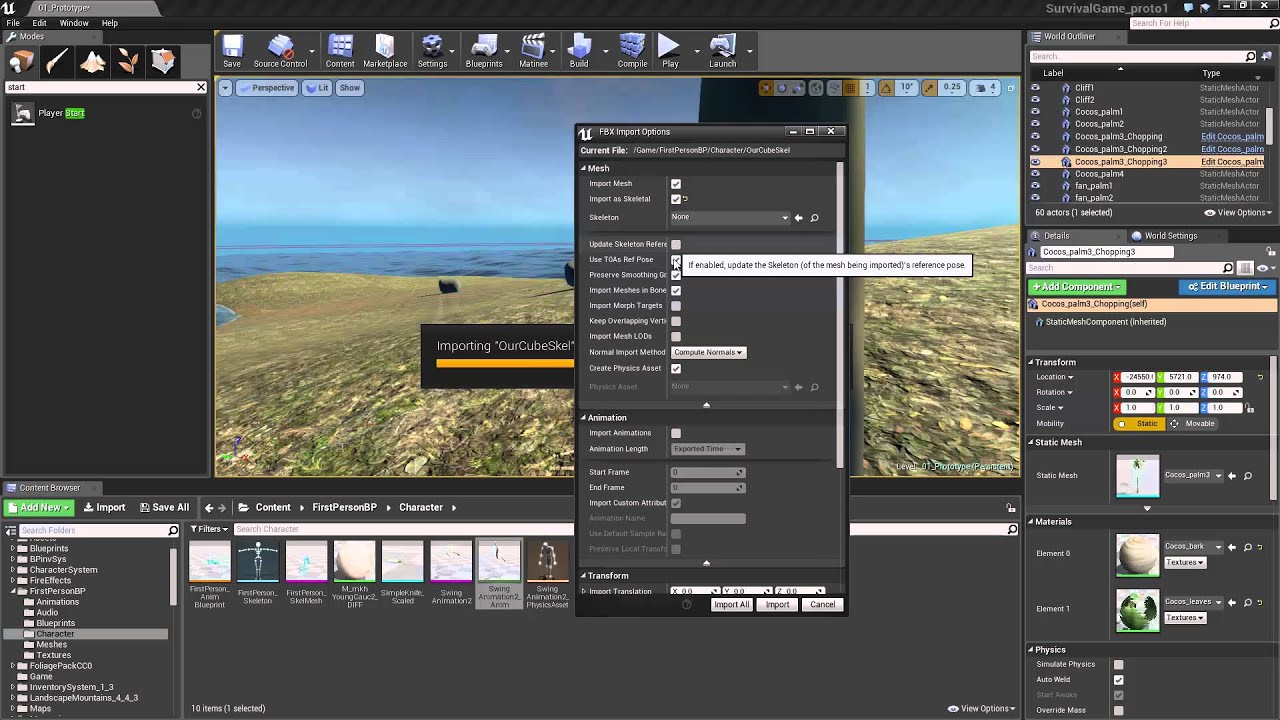
Today, in 10 minutes, I show you how to export rigs (armatures... skeletal meshes) and then animations of that rig to Unreal Engine 4.7.6 from Blender 2.74
We are always adding royalty free models, textures, scripts, music & sounds, and other assets http://www.blendertek.com
Follow us on Twitter @Blender_Tek www.twitter.com/Blender_Tek
Facebo...
this later to make sure all the settings
 shell zephyr
hello, how could i make a character lose health if an enemy reaches a specific point on the map? any ideas?
crimson lake
are the same
warped wasp
crimson lake
this later to make sure all the settings
aight, thanks
crimson lake
shell zephyr
hello, how could i make a character lose health if an enemy reaches a specific p...
Make a volume
if the character hits the volume
you send a message
to harm the character
simple meadow
Blender to UE4 for armature and rigging has lots of bad info in tutorials, so don't take what you hear in even reputable ones as correct
shell zephyr
crimson lake
to harm the character
thank you
simple meadow
wondering if anyone knows the best way to approach dampening collision between two physics objects, specifically when you are carrying two boxes - with a simple setup depending on how you pick up the bottom box in the stack it makes the rest of the boxes 'jump' and fall off (walking around does the same thing). Changing the mass has no effect, and I don't want to change the gravity (a gravity of ~3500 gives good carrying results but breaks everything else).
I'm thinking of having a box collider around the objects being carried so that they know if they are on top of one another or something but I'm not exactly sure how to approach it, any advice?
crimson lake

Announce Post: https://forums.unrealengine.com/showthread.php?101051
This Training Stream takes a look at Blueprint Communication. We find that Unreal Developers of all levels can sometimes struggle through the concepts behind moving data between objects. So in this video we'll take a look at the different ways to make Blueprints talk to one an...
this will make you a wizard
shell zephyr
yeah im still learning thank you very much
crimson lake
watch every second trust me it's gold
calm sedge
My kb shortcuts in editor arne't working for some reason
When I hit f it doesn't focus
crimson lake
simple meadow
wondering if anyone knows the best way to approach dampening collision between t...
Anything that has to deal with physics directly are screwy
crimson lake
calm sedge
My kb shortcuts in editor arne't working for some reason
check your keyboard language
calm sedge
English united states
simple meadow
100%, I'm expecting it to be either a hacky solution but was wondering if their was a convention
crimson lake
simple meadow
100%, I'm expecting it to be either a hacky solution but was wondering if their ...

In todays video we shall talk about some collisions and physics. We shall also learn how to make our own collisions for meshes.
Join our discord: https://discord.gg/Gr9sPP2
Free assets: https://itsmebro.net
Patreon: https://www.patreon.com/ItsMeBro
this is gold
it saved my life a while back
then there's friction and lotta shet
calm sedge
I can type in other apps.
crimson lake
calm sedge
I can type in other apps.
shortcuts?
calm sedge
yup
calm sedge
Okay good call, that workeed
crimson lake
got u ❤️
calm sedge
Should I finish the raywenderlich unreal tutorials, watch that two hour vid on bp or just start trying to build something.
crimson lake
what are you trying to achieve
(i have to go in a second so add me if you want me to answer something specific ❤️ )
 worldly leaf
Can someone teach me how to make a certain UI?
hearty walrus
How do I change an image widget?

I'm trying to change the brush
here's the code
 calm sedge
@crimson lake the simplest clone of the arcade game gauntlet that I can.
I want to make action rpgs but I know something like zelda is years away and too huge so I want to try to make gauntlet.
But with one type of enemy and one class to start with.
warped wasp
crimson lake
https://www.youtube.com/watch?v=RM9LMcvfOX8
hey jad uhh i think i have aquestion
is it possible to perhaps connect the wheels and tje body?

like
i got the hitboxses and stuff
but it still falls
 tawdry sable
Did you ever figure this out?
hearty walrus
okay new question
I don't know what on earth is going on and I'm so frustrated
This part of the code works

but, only when I use a delayed On Construct event
the custom event that the door is MEANT to fire doesn't work

 misty creek
tawdry sable
Did you ever figure this out?
misty creek
tawdry sable
Did you ever figure this out?
Unfortunately no, I never managed to get that working. I used a workaround with a static mesh and line traces. But I'm not sure if that would be helpful with what you are trying to do
tawdry sable
I just have a (very large) map, and I'm trying to scatter instanced on it in certain areas only
I'm unsure if that feature is working at all. All it's ever done for me is output (0,0) or hang the editor
I'm kind of amazed that they'd go to the trouble of adding this as a feature, then barely bothering to document it at all
misty creek
Well, it's not exactly procedural but I'd take a look at procedural foliage spawners
Then you can use an invisible material layer to only have it spawn the instances in certain areas
But that should be pretty performant and relatively simple
tawdry sable
This is all totally new to me, so thanks for the tip
This has to be done at run time
Or when the game starts. If that makes any difference
misty creek
Well, if the map changes at run time then I'm not sure if my idea will work
Does your map change?
rigid belfry
hearty walrus
okay new question
are you changing the crosshair when you can interact with an object?
what are you trying to do
hearty walrus
rigid belfry
are you changing the crosshair when you can interact with an object?
yeah
rigid belfry
then thats the wrong way of doing it
tawdry sable
misty creek
Does your map change?
No, it's a replay
hearty walrus
what
tawdry sable
So the map is fixed
rigid belfry
you should be using linetraces and blueprint interfaces
hearty walrus
wait wait wait
linetraces

I'm only checking if the player is in the bounding box
misty creek
So the instances aren't always suppose to show?
You might be able to put a procedural spawner in a blueprint and control it through that
 rigid belfry
hearty walrus
rigid belfry
hearty walrus
create a new blueprint interface, create 2 functions


 rigid belfry
hearty walrus
rigid belfry
hearty walrus
note:you should have an Actor Object Reference input
 hearty walrus
okay done
rigid belfry
hearty walrus
okay done
on your UsableActor, on begin overlap send a BeginInteract Message to the actor overlapping

 plush yew
hi anyone know the game champions online? i link a video here: https://www.youtube.com/watch?v=U-ToUWwBtvk i was thinking if is possible create a character creator like this in unreal engine (not for implement in a game) i want to make this as a tool, to create your characters

Let's take a look at the Champions Online character creator. This is just to show you all the possibilites, I didn't try to make anything decent.
For more Champions Online videos, infos, documentations and tutorials about the game, just visit our channel!
btw i was thinking if unreal engine have limitations for this things (?) maybe unity is a best option? idk
rigid belfry
hearty walrus
okay done
edit: actually, this was false. you dont need an "other actor" input. also, first image is wrong. off the "OtherActor" pin, simply tipe "beginInteract"(your function name) and send a message. note: you could still have other inputs, and send different data based on whats triggering the function
 hearty walrus

 fallow hornet
anyone know a way to only get the camera components from the audi configurator to work?
rigid belfry
hearty walrus
inside your character, add the interface, implement the function(right click->implement) and do your logic
 fallow hornet
I just want the camera no linking to the Camera level variant set
hearty walrus
rigid belfry
inside your character, add the interface, implement the function(right click->im...
Would the character be the Crosshair UI
rigid belfry
now we have a reliable way of talking between blueprints. all thats left is reliably sending data
i need to know how your crosshair logic is currently set up
 fierce tulip
plush yew
hi anyone know the game champions online? i link a video here: https://www.youtu...
fierce tulip
plush yew
hi anyone know the game champions online? i link a video here: https://www.youtu...
i see no reason why you cant make this in ue4 (or unity)
All you need is experience, put in effort, and some luck.
hearty walrus
 hearty walrus
rigid belfry
i need to know how your crosshair logic is currently set up
hearty walrus
rigid belfry
i need to know how your crosshair logic is currently set up

There's no logic
unless you're not talking about the widget
rigid belfry
what do you want to happen?
plush yew
fierce tulip
i see no reason why you cant make this in ue4 (or unity)
All you need is experie...
so is doable, i was thinking hire a small studio btw, i don't think someone without the right experience can make something good, to big
rigid belfry
plush yew
so is doable, i was thinking hire a small studio btw, i don't think someone with...
how much 💸 you've got
hearty walrus
rigid belfry
what do you want to happen?
Whenever the player is in range of the door, the crosshair changes to indicate that the door is interactable
rigid belfry
hearty walrus
Whenever the player is in range of the door, the crosshair changes to indicate t...
and whats happening right now?
hearty walrus
nothing
in an older version of the code, the debug message is said and nothing else
plush yew
rigid belfry
how much 💸 you've got
is not only me, the budget now is 70k, i was searching a site for ask studios about how much can cost a project, you know "a idea" but nothing
rigid belfry
plush yew
is not only me, the budget now is 70k, i was searching a site for ask studios ab...
assuming thats dollars, thats a yearly salary for a programmer 😄
plush yew
rigid belfry
assuming thats dollars, thats a yearly salary for a programmer 😄
eur, yep but you aren't making a full game man, i mean this is a 2009 game and the company was small the time the game was developed, i doubt the budget for the game was millions
and how i say is only a stand alone tool, i not counting all the 3D models etc etc, only the "fuctions" the coding part
rigid belfry
hearty walrus
and I'm standing here like
depending on what kinda crosshair we're talking about, maybe you'd want a draw texture node
hearty walrus
it's an image set
 warped wasp
This is wack
hearty walrus
uhhhhh
fierce tulip
@warped wasp please read the #rules
You have been asking this multiple times, and without much time between it, and in many (unrelated) channels.
 narrow mauve
I am using a scenecapture 2d component to capture the volumetric clouds to create a mask..its drawn a render target and the RT is read and spawns my rain effects at those locations..however it is very slow and hitches when it updates. Does anyone here know of an efficient method to produce this result
warped wasp
fierce tulip
<@!315611214929592320> please read the <#809148428922781737>
You have been aski...
My bad
echo phoenix
Hi all I already post something about this but I still have the same problem about Antialiasing effect I try to disable temporall AA and nothing repair this artefact if someone can explain me it can really help me THANKS
calm sedge
Do you attach scripts to objects in unreal like unity?
crimson lake
warped wasp
is it possible to perhaps connect the wheels and tje body?
yep
Bones don't have to be connected in any specific way
but you usually use the bones
'skeletal bones'
the way you need them to work
warped wasp
crimson lake
the way you need them to work
I see, that's cool
warped wasp
Ya, I think that's what I did
with the rig
basically I made one root bone as the body
Extruded the root bone
Seperate it and made the extruded bone a wheel bone
By moving it to the wheel
And doing the same thing for the 3 other wheels
no luck though
The bones show up though so that's alright, ig
warped wasp

This would work in theory, right?
I also saw a tutorial of this guy doing the same thing
 next badger
@warped wasp you need to properly export skeletal mesh from blender, and import one to ue4
crimson lake
warped wasp
I also saw a tutorial of this guy doing the same thing
show me the skeleton in ue4
not in blender
 eternal rain
If I break a Rotator into 3 floats then check the Yaw for its value, will I need to do OR condition for it to work right? IE: If I want to do the action if Yaw is between 88 and 92, will I also need to check for Yaw between -268 and -272 for the action to work right?
 potent bridge
Are packaged games any smaller than the development environment? My project file is currently 3.66GB.
crimson lake
potent bridge
Are packaged games any smaller than the development environment? My project file...
Depends on what you're doing
and what you're using
if you have a bunch of megascan assets
you should easily expect 1 tb worth
make sure you delete all the assets not being used
fierce tulip
you can just make sure any unused asset is not part of the packaged build <_<
crimson lake
fierce tulip
you can just make sure any unused asset is not part of the packaged build <_<
dis^
fierce tulip
(though yea, keep projects clean. a clean project is a clean mind)
crimson lake
potent bridge
<@!220596777034711040> Wait theres an option for that? Awesome.
yess
there's also a plugin that deletes all unused assets if I remember correctly
 dark depot
might help to just ask what you want to ask about it then if someone knows they can help for the most part the megagrant site covers most stuff. But most the time if you just ask its easier to know you will get an answer here @drowsy violet
 drowsy violet
Sorry for too many post.
 dry latch
hey I have this particular error when building my wame. Any ideas ? I have no clue
UATHelper: Packaging (Windows (64-bit)): LogSavePackage: Error: Attempting to save a map package '/Game/Bunker/Maps/demonstration_BUNKER' that does not contain a map object.
PackagingResults: Error: Attempting to save a map package '/Game/Bunker/Maps/demonstration_BUNKER' that does not contain a map object.
 prime willow
so my groom wont stick to where its suppose to settle
idk what i did wrong i followed the tutorial step for step lol

Marvel Master's Video: https://www.youtube.com/watch?v=o5mrMIXhxSQ
This export method only works with Blender 2.9+
Twitter: https://twitter.com/ryanscottdev
Get my game assets: https://gumroad.com/ryanscottdev
0:00 - Start
0:07 - New Project
0:13 - Enable Groom Plugins
0:21 - Export Mannequin (UE4)
0:31 - Import Mannequin ...
plush yew
is there a better way of getting the bigger of two floats?
 narrow mauve
If one isnt greater than by default the other is greater
 gleaming creek
Use the Max function?
plush yew
is that what the max function does
narrow mauve
I never did it comparing two floats but you can get the max of array
plush yew
damn max really does do the thing
narrow mauve
yeeeeeeup
echo phoenix
Hi all I turn Dlss on on UE4.26 and i have some issue with gjosting
ghosting
do you know how i can disable ghosting effect ?
Thanks
 restive shadow
Anyone know what the units are for max chunk size?
plush yew
probably cm
restive shadow
It’s a file size. So I assume bytes or Mib
 buoyant stratus
When compiling the engine from source, how would I add a custom define to build with?
I'm trying to define CAD_INTERFACE since it's needed to import CAD models w/ Datasmith
(before you do what one of my friends did and recommend I just download it from the Epic launcher, I'm doing this for a small work project and we can't install the launcher on work machines)
drowsy snow
I'm gonna bring it here from #cinematics
The problem with control rigs is that it doesn't treat rotators as actual rotator struct in sequencer and just 3 float, so the option that was available in static meshes aren't available here.
Is there any way to somehow use quaternion interpolation for control rig controls? Manually adjusting the axis beyond (-)180° in sequencer can be tedious and inaccurate.

 sly coyote
quick question, is there a way to refresh all the placed actors in a level, Ive noticed if i make changes to child actor classes sometimes the actors that are already placed act as though theyre the older version of themselves...this is most easily recreated by over riding a parent function after placing an actor....so am im forced to have to manually replace all the actors or is there a hidden little "refresh all" hotkey somewhere i dont know about?
drowsy snow
drowsy snow
I'm gonna bring it here from <#375020247335567360>
The problem with control rig...
Okay, I figured this out
Turns out you have to use Euler Transform so that it won't have the gimbal lock issue
 buoyant stratus
I'm trying to define `CAD_INTERFACE` since it's needed to import CAD models w/ D...
buoyant stratus
buoyant stratus
I'm trying to define `CAD_INTERFACE` since it's needed to import CAD models w/ D...
figured out you can't use datasmith on engine builds you build yourself bc of something missing
 neat current
Hi all! I'm trying to export the groom and it's LOD from Unreal. What's the way of doing it? I'd really appreciate help
plush yew
neat current
Hi all! I'm trying to export the groom and it's LOD from Unreal. What's the way ...
Marvel Master's Video: https://www.youtube.com/watch?v=o5mrMIXhxSQ
This export method only works with Blender 2.9+
Twitter: https://twitter.com/ryanscottdev
Get my game assets: https://gumroad.com/ryanscottdev
0:00 - Start
0:07 - New Project
0:13 - Enable Groom Plugins
0:21 - Export Mannequin (UE4)
0:31 - Import Mannequin ...
That should solve all of your issues
Google parts you dont understand
neat current
I just checked it. Great tutorial, but it didn't cover how to export it from Unreal. I already finished the hair in Unreal, but the client wants all the LODs in the project, and I exported all, the groom is just left.
plush yew
I made the hair in blender seems easier and take 10 minutes I cant help you with making hairs in unreal as I didn't even know you could do that..
Id say search forums github
Or the unreal forums someone always has an answer in those areas
I apologize for wasting your time x,.,x
neat current
I did the hair in XGen, imported in UE4. I guess the easiest way now is doing the LOD manually in the XGen project and export as another alembic file to the LOD folder
You're totally good man. Thank you!🙏
plush yew
Aww thx good luck on your journey! I hope that method works 😚
plush yew
Do you know how I can lower the specular of many objects at the same time?
 hearty idol
I see the master branch of ue4 shows the engine version of 4.28? What is this? That sounds exciting. Is that ue5 alpha?
 regal temple
Anyone know a good youtube tutorial on creating skill trees?
plush yew
i dont know
 toxic owl
My editor appears to be stuck on load (more than 20 minutes). From the look of the process manager it is spinning a single thread and gradually allocating more and memory. Beyond doing a clean build and tossing out the derived data cache (both of which I already tried), is there anything else I could possibly do to get it out of this state?
 past nebula
how can I reset the map view of I get out of it and screen now is black
kinda my first hour learning unreal so sry for noob question
 atomic forge
I love ue4 n' all, but why does blueprint viewport controls have to be different than regular blueprint view controls....
drowsy snow
toxic owl
My editor appears to be stuck on load (more than 20 minutes). From the look of t...
I presume it's good ol' shader compiling
toxic owl
drowsy snow
I presume it's good ol' shader compiling
Usually when it does that I see multiple processes running. I tried attaching the debugger to see what it was doing and superficially it seemed like it was stuck loading a uasset file in the Paper2D plugin. I could detach, wait a while, and re-attach and it would still be loading that file. I'm not very familiar with the process of discovering and loading the asset files, so maybe this is normal. I'm just going to try uninstall/reinstall. 🤷
drowsy snow
hearty idol
I see the master branch of ue4 shows the engine version of 4.28? What is this? T...
No, it's Unreal Engine 4.28
Like, I get it that upcoming UE5 features are exciting and all, but most of the features listed are already available in UE4 as we speak. As much as exciting Nanite and Lumen sounds like, I think traditional LOD thing is still more practical, and LPV (and the new realtime sky light algo) still do the job well for dynamic GI due to the similarities with SVOGI (despite what Godot leds you to believe, SDFGI is still brittle)
Again, it's not like the situation where UE3 stuff is incompatible right away with UE4 (which is the reason Mass Effect remaster still uses UE3), so there's no reason to wait for UE5 instead of just jump in to UE4.
 karmic radish
Hey guys! I have a question. Currently I'm trying to work with Lenovo Thinkpad T440p and it's horrible. https://deals.dell.com/de-de/productdetail/8aow Do you know if that configuration would allow me to work comfortably with the UE4 3D projects (without RTX of course)?
39,6 cm (15")-Gaming-Laptop mit dynamischer Game Shift-Technologie, separater NVIDIA GeForce Grafikkarte und Intel i7 Prozessoren bis zur 10. Generation.
 astral ravine
Would anyone want to test steam multiplayer on a test build with me?
Small packed project around 300mb. It's just the starter map with a basic server browser.
DM me for link
pastel ginkgo
How to I get my lighting to not look like garbage? I'm trying to bounce some light into this room but it looks grainy. How do I get it to look clean? I'm using a basic white material with a roughness of 0.5. Is there anything else I can try? Maybe adjust the material? I already have ray tracing on.
 sage dove
Half of my materials display the default gray texture, even though when you open up the material, it looks fine in its own window, how is this possible?
 feral sierra
drowsy snow
Like, I get it that upcoming UE5 features are exciting and all, but most of the ...
feral sierra
drowsy snow
Like, I get it that upcoming UE5 features are exciting and all, but most of the ...
why do you think LOD is more practical than Nanite if you haven't tested it yet?
sage dove
Can you force a shader recompile?
sage dove
sage dove
Half of my materials display the default gray texture, even though when you open...
even the same material shows up correctly on one mesh and is default gray texture on another mesh, this is really weird
 uneven mica
Hello, how can i make that when i place trees in foliage that they arent like that

They should be straight

 royal stirrup
hey, guys! can you give me a hand here please? I started to use sublevels and encounter some problem with lighting. I have two sublevels - City and Hangar. If turn city visibility off the lighting becomes a lot brighter by a some reason. I through maybe it's post process in city sublevel, but look like it's not the case. If I turn visibility of all object of City sublevel from outliner lighting doesn't changes. Only if I turn off the sublevel. Where should I look for issue source? https://www.youtube.com/watch?v=YXYnFvc_dCo - here's video to illustrate the problem.

 cobalt shadow
I guess it's your post process, make sure all of your post process exposure are set to infinite bound and Metering Mode to Manual

or if you have multiple post process, make sure the one with the correct exposure has the highest priority
royal stirrup
@cobalt shadow yea.. it was it. I just moved global post process to persistent level and now it's fine. Thanks.
cobalt shadow
happy to help ! 🙂
 wide swift
do anyone know how to do a stun effect like this , what shld i do for that effect
 shell zephyr
how can i make my character walk through another character?
 restive yarrow
shell zephyr
how can i make my character walk through another character?
restive yarrow
shell zephyr
how can i make my character walk through another character?
by disabling their collision
shell zephyr
the collision of the capsule or the actual character?
 serene fog
hey guys, i'm a beginner and need help
 honest vale
@shell zephyr it's the capsule that collides
set the collision response for pawn type to ignore
shell zephyr
does both character have to be setted to pawn? or do i just need to set to pawn the one i want to walk through?
serene fog
So i'm following a tutorial as a complete beginner and i'm left confused. Why do you have to keep linking everything to Array Element? I don't understand the importance? Why is linking everything with the white lines not enough?

 glacial dawn
@serene fog if your tutorial doesn't explain that you should follow another tutorial. The white lines are the process flow, and the blue lines, in your picture, are the actual array element you're working with in your loop. Try to start with the unreal courses, the first hour of code it's great for that.
serene fog
what would happen if i were to only connect the white lines and no blue ones?
drowsy snow
serene fog
what would happen if i were to only connect the white lines and no blue ones?
You have no data to feed into the node.
Think of it this way:
Having the target as empty is like your boss giving you orders, but ambiguous as to which things you have to work on.
serene fog
i see
but the box after the Branch is connected to a white line so it should already do the thing right?
drowsy snow
Well, no.
Again, going to the boss' orders analogy, you still have no idea for what to do with that one other order. For all you know, his order can be applied to any other stuff.
Computer programs are like that but "dumber"
serene fog
man, it's hard to think like a computer when you already know the plan
drowsy snow
Which is why good planning based on game design basics understanding is required.
serene fog
i see
i'm still in high school and i'm going to go to college next year to learn programming
drowsy snow
Godspeed on your college ✋
serene fog
thank you
 distant acorn
is there a help channel?
fierce tulip
almost every channel is a help channel. just pick the one most adjacent to your topic
distant acorn
any1 good with blender?
drowsy snow
distant acorn
any1 good with blender?
I use Blender on daily basis.
(and some people mock me for it lmao)
serene fog
so i'm still trying to understand (this is the same blueprint as the last picture), with Get All Actors Of Class, you basically put all Actor of a class (elevators) in an Array, and then un the next box you tell it to use everything you've put into that Array (so Items/Elements?)?
 distant acorn
drowsy snow
I use Blender on daily basis.
distant acorn
drowsy snow
I use Blender on daily basis.
you maybe see the problem already...

 rocky epoch
serene fog
so i'm still trying to understand (this is the same blueprint as the last pictur...
rocky epoch
serene fog
so i'm still trying to understand (this is the same blueprint as the last pictur...
Yeah, first node collects all the items from the class, put it in an array, and the For Each Loop get all the elements from the array, but** one by one**. It gets the first, and do something with it, then the second, etc.
I just wanted to clarify it won't use everything from the array in the same time.
serene fog
an item and an element is the same thing no?
 robust owl
ue3 - is there a way to set the default resolution for when you go to build > play level so that instead of 800x600, it's 1920x1080 for example?
 modest trench
I have to say this is the first time I have seen a UE3 question on here
plush yew
Hi, I am new to unreal engine. Can I check if I want to learn to use the engine well, should I focus on learning C++ coding first or blueprints?
pastel ginkgo
Is it possible to add triangles to smooth out these edges?
 plush yew
hello guys I folow tutorial for inventory esries
but i have problem with this node

idk what is and how I can get access to it
aha
thank you
distant acorn
@drowsy snow HELP EMEMEMEMEME REEEEEE XD
plush yew
lmao
distant acorn
heheh
drowsy snow
distant acorn
<@!325627930484932608> HELP EMEMEMEMEME REEEEEE XD
Chill out mate
I'm doing important household chores right now
 buoyant graniteBOT
:triangular_flag_on_post: Jellybeer__#9417 received strike 1. As a result, they were muted for 10 minutes.
serene fog
rip
 willow trellis
How can I see the actual command line of compiler invocation, that UnrealBuildTool is doing eventually? How can I add extra flags to the end compiler? I am developing on Windows for Android and compiling with clang
rocky epoch
serene fog
an item and an element is the same thing no?
Yes, there is many names for the same things usually :)
serene fog
i see
 sharp willow
Hey there!
Concerning the StartTime parameter on all PlaySound nodes/functions:
- Is the value normalized/percentage, or is it raw time?
serene fog
thank you Hoodie and Tzupi, i think i understand Arrays now :)
 unique kraken
hey anyone can tell me how to properly import marketplace aniamtions without having to retarget?
to th default 3. person template?
glacial dawn
@unique kraken You can assign your mesh the skeleton of the animations but sooner or later you'll have to learn how properly to retarget animations. The assign skeleton it's problematic with many marketplace meshes.
unique kraken
oh, i know how to retarget
but its annoing to do when stuff is LITERALLY the same
what i do now is delete one skeleton and replace it with the other one
seems to work nicely
glacial dawn
It's the same that assign it but it'll give you problems with no standard skeleton meshes.
unique kraken
yea well aware of that
i know my ways around skeletons, just didnt find right away how to merge exactly the same stuff.
but deleting one skeleton is just fine for that, not much work
 mild phoenix
Hello for everyone Who know why when I exit from vehicle my mesh,camera and spring arm going to default?
And who know how can I change weight of vehicle
?
 light bone
What keyboard keys do you guys think are useful to work with a WASD movement setup?
For example, the left shift key
fierce tulip
@neat vigil unpacking a game that is not yours is rather illegal, so we do not allow mention of such things here.
 neat vigil
i have an allow from developer
fierce tulip
if that was true, you wouldnt need to unpack
neat vigil
they can't share the original files, but they let me repack it myself
light bone
I think and I could be wrong here, that could just be alt - tabbing the game
serene fog
i have a new problem
light bone
Could be wrong 🙂
serene fog
i have changed the Player Control Class and the Default Pawn Class to my own, not the default ones, but when i play, i still spawn with the default Control Class and the default Pawn
light bone
but the engine defiantly does that, sleep on purpose when your tabbed out,
@serene fog Should probably ask this in #blueprint
serene fog
alr

 green snow
Hello, please my UE cannot play webm files? I tried even mkv and m4v, I use Linux.
 serene fog
yeah that's what i edited
drowsy snow
I still don't know why it's necessary to have Magic Leap plugins on by default
 astral seal
Okay, so, I recently switched from VS to VS Code for a course, now I need to build a new project from source. However, it's generating VS Code project files (aka the workspace), and I would much prefer to build using Visual Studio instead. Does anybody know how to switch it back? I tried to do it from another project, but that did not work. Another thing that might have caused it is an extension I added to VS Code to fix the issues with it not linking properly and it causing header inclusion to appear as errors within the VS Code Editor.
 flint trench
What do you do when you get a crash like this really deep in the engine code and the callstack doesn't really have anything to point you in the right direction?```
[Inline Frame] UE4Editor-Core.dll!TBaseDelegate<bool,float>::operator=(TBaseDelegate<bool,float> &&) Line 379 C++
[Inline Frame] UE4Editor-Core.dll!TBaseDelegate<bool,float>::{ctor}(TBaseDelegate<bool,float> && Other) Line 352 C++
[Inline Frame] UE4Editor-Core.dll!TArray<FTicker::FElement,TInlineAllocator<1,TSizedDefaultAllocator<32>>>::Pop(bool) Line 744 C++
UE4Editor-Core.dll!FTicker::Tick(float DeltaTime) Line 88 C++
UE4Editor.exe!FEngineLoop::Tick() Line 5051 C++
[Inline Frame] UE4Editor.exe!EngineTick() Line 62 C++
UE4Editor.exe!GuardedMain(const wchar_t * CmdLine) Line 169 C++
UE4Editor.exe!WinMain(HINSTANCE__ * hInInstance, HINSTANCE__ * hPrevInstance, char * __formal, int nCmdShow) Line 257 C++
 drowsy snow
astral seal
Okay, so, I recently switched from VS to VS Code for a course, now I need to bui...
drowsy snow
astral seal
Okay, so, I recently switched from VS to VS Code for a course, now I need to bui...
What's the difference in terms of functionality? VS Code is another run of the mill text editors - it don't have its own IDE, unlike Visual Studio.
Anyhow, I never even attempt such crazy mess, but maybe get rid of VS Code in the meantime.
astral seal
VS Code allows you to develop and compile for any language supported by its packages, and it's technically less heavy than VS itself.
drowsy snow
flint trench
What do you do when you get a crash like this really deep in the engine code and...
Cross check your code in your project.
Compiler error can be misleading at times.
flint trench
drowsy snow
Cross check your code in your project.
Compiler error can be misleading at times...
wdym "cross check"
astral seal
This is my first time using something other than VS for development other than shader programming.
drowsy snow
flint trench
wdym "cross check"
Cross check your own code in your project.
flint trench
yeah but my codebase is huge and it could litterally be anything, that crash is super vague
other than it looks to be something to do with a delegate
where do I even start
drowsy snow
What was the last edit you made before the crash happen?
 primal tendon
how to hide the random box lines of components which I have not selected

 modest rock
Guys are there any other advanced locomotion solutions for UE4, except of ALSv4 ?
flint trench
drowsy snow
What was the last edit you made before the crash happen?
dunno it's been around for a bit and I had to focus on other things
cobalt shadow
primal tendon
how to hide the random box lines of components which I have not selected
press g
or you can show > volumes
in the viewport
primal tendon
That I do know.... g = game view, but what I meant was, was those box lines always there or was it in the recent updates, Bcoz I remember the box lines appear only when I have selected that component
well whatever, thank you...
astral seal
Is there any channel I could use to talk and ask about Pixel Streaming?
 nova kernel
anyone here work with Exporting Tiled maps for world Comp? And able to do a small task for me?
 shy aspen
having a problem with Master Materials. only one input is being read...
anyone free for two seconds
hearty idol
@drowsy snow im not delaying anything. I am still working on my game in ue4, but ue5 does sound exciting
 robust marten
I am trying to import a single FBX file but when I try to import it it imports like 800 times. I think it's trying to individually import every face of the mesh. Anyone know why?
drowsy snow
modest rock
Guys are there any other advanced locomotion solutions for UE4, except of ALSv4 ...
There are other stuff like ALS but paid.
shy aspen
 drowsy snow
ALSv4 itself used to be paid in v3, before the creator went on to make v4 free, and then he went noticed by Epic and worked for UE5.
shy aspen
what isa wrong with my auto mat? only one texture appears.
drowsy snow
primal tendon
That I do know.... g = game view, but what I meant was, was those box lines alwa...
Those volumes are always there.
shy aspen
could i get a hand by anyone for my automaterial/master material???
plush yew
is anyone able to access nvidia's rtx build of unreal? https://github.com/NvRTX/UnrealEngine
I've linked my github and epic account, and even have access to the branch.
but I just saw this
 shy aspen
@modest rock could i get a hand with an auto mat?>
modest rock
drowsy snow
There are other stuff like ALS but paid.
What paid solutions for locomotion are there ? I didn't find anything on marketplace except ALS
buoyant graniteBOT
:triangular_flag_on_post: JustWallaceMate#3303 received strike 1. As a result, they were muted for 10 minutes.
drowsy snow
modest rock
What paid solutions for locomotion are there ? I didn't find anything on marketp...
Guess ALS is one of its kind then 
If you really despise ALS, you can create your own locomotion solutions, making use of the new Control Rig and PowerIK. Or, you know, find with another synonymous keywords.
modest trench
I swore there was another locomotion plugin
static arch
plush yew
is anyone able to access nvidia's rtx build of unreal? https://github.com/NvRTX/...
On the repo? That's somewhere else, I can't find that text in the README.md of the repo
modest trench
Yeah, "MoveIt"
modest rock
drowsy snow
Guess ALS is one of its kind then <:kappaross:230139932314828800>
If you reall...
Making my own will take too much time. I need something ready-made.
drowsy snow
modest trench
Yeah, "MoveIt"
This
modest trench

Unreal Engine
MoveIt! is a semi-procedural locomotion system for Unreal Engine 4 featuring full network replication and easy integration
modest rock
This is for multiplayer but i need just locomotion system
static arch
robust marten
I am trying to import a single FBX file but when I try to import it it imports l...
Where do you have that mesh from? Sounds like multiple objects instead of one inside the model
drowsy snow
modest rock
This is for multiplayer but i need just locomotion system
Just ignore the multiplayer stuff.
 knotty heron
My timeline doesnt work when called from a custom event?
it works on begin play
also if i turn on autoplay
drowsy snow
It doesn't hurt to have "multiplayer" replication stuff in a single player game anyway. If anything, it's bullet proofing your project shall the need arises, even as mundane as replay system rely on replication.
static arch
knotty heron
My timeline doesnt work when called from a custom event?
Would you be able to provide screenshots?
Genuinely curious by the way, in case I need one in the future as well - what's wrong with ALS4?
robust marten
static arch
Where do you have that mesh from? Sounds like multiple objects instead of one in...
Just had to press Control + J to combine them in blender lol
drowsy snow
static arch
Genuinely curious by the way, in case I need one in the future as well - what's ...
I presume the lack of manual like documentation? They didn't want multiplayer, so perhaps nothing to do with the lack of proper MP replication either
modest rock
drowsy snow
It doesn't hurt to have "multiplayer" replication stuff in a single player game ...
Thanks for info guys! Are there anything else besides ALS and MoveIt ?
modest rock
static arch
Genuinely curious by the way, in case I need one in the future as well - what's ...
Lack of documentation and usupport. Its almost impossible to add even simple features or even figure out how everything works
static arch
OK ;(
drowsy snow
Not to mention it's kinda difficult to retarget, and didn't put quadrupeds into account, so I had to hack my way in
knotty heron
Its only getting called once at a time
mild phoenix
Hello for everyone Who know why when I exit from vehicle my mesh,camera and spring arm going to default?
And who know how can I change weight of vehicle
It's too low
drowsy snow
I assume it's for RPG like health system?
I never do Timeline to drive health value to begin with. Usually I just straight up subtract the health, and do the "climbing down" number effect in widget.
Is there a specific reason to use Timeline to drive health value?
knotty heron
I'm trying to get the health to climb down from 100 to 0 while being stunned, but also want the value to be saved where it is as soon as he recovers
drowsy snow
mild phoenix
Hello for everyone Who know why when I exit from vehicle my mesh,camera and spri...
Are you "destroying" your character class upon enter and "respawn" it upon exiting?
I can't see this case happens without somehow respawning the vehicle actor.
knotty heron
Just wondering why it works on beginplay but i could also try that
drowsy snow
knotty heron
I'm trying to get the health to climb down from 100 to 0 while being stunned, bu...
Ever consider using Delay, or Set Timer by Event?
Delay will pause a node flow until the timer runs out, while Event timers allows an event to be executed after a period of time.
Also you may consider doing a hack with "break"-able loops, and subtract the value with World Delta Seconds inside the loop.
If the character is dead, break the loop by using Branch (or even making use of While loop), checking either its status (KO or not) or HP.
knotty heron
Yeah that also sounds promising, I guess Ill be using that instead
astral seal
Okay, so, I need to (in the future) integrate a Video Chat feature (via plugin) with Pixel Streaming. My thoughts on this are that if I do it lazily by first doing Video Chat integration and then implementing Pixel Streaming, the signal will be have the twice the roundabout time (once to the Pixel Streaming server, and then once more to the Agora servers, and back twice). My idea is to create some native app that is the host for the Pixel Streaming itself and the host for the Video Call where the Call itself is not implemented in the Unreal Engine application to avoid the double bounce problem. Is this feasible or a good idea? Any general concerns?
I'd ask in #web and/or #plugin-dev but they don't seem active, plus I didn't ask a real question there, just wanted to check for experts, so I'm asking properly here now, and hoping for a response.
 thick herald
drowsy snow
Guess ALS is one of its kind then <:kappaross:230139932314828800>
If you reall...
thick herald
drowsy snow
Guess ALS is one of its kind then <:kappaross:230139932314828800>
If you reall...
There are several locomotion options on the marketplace. Simply search the marketplace with "locomotion"
plush yew
I have a line of roof tiles that are all instances, but importing them into unreal makes them all individual meshes. I cant see any import options to preserve instances
fierce tulip
unless weird explaining, you'd want your rooftiles merged and not instances
thick herald
Naa.. individual tiles for added realism 😄
plush yew
static arch
On the repo? That's somewhere else, I can't find that text in the README.md of t...
https://github.com/NVIDIAGameWorks/RTXGI it says it here
 twin geyser
i cant seem to drag a 3d model into my content browser. is this because i am using 3d veiwer
shell zephyr
how can i make that if the healthbar reaches 0 the character does something (like deleting it self or whatever)
spare kernel
healthbar has no correlation to a character doing something when it reaches 0
if your health is all done inside a widget, you have a bad design flaw
buoyant graniteBOT
:triangular_flag_on_post: breadloafandcool#5235 received strike 1. As a result, they were muted for 10 minutes.
 earnest wigeon
very new to ue4 and game making in general. i notice a lot of people make things work like guns, cars, that type of thing before making a world
is it a bad thing if i start on the world before anything else
 verbal plaza
I need help on how to import this file, so I can open it in unreal editor

 rose tiger
hi, i'm new here and in ue4 but does someone know how to import a map from sketchfab to ue4?
 short pasture
guys how can i fix this

 mossy nymph
click Show Output Log
then go through errors 1 by 1 until there are none left
then try packaging again
short pasture
mossy nymph
click Show Output Log
in there it said that
 rose tiger
hi, i'm new here and in ue4 but does someone know how to import a map from sketc...
rose tiger
rose tiger
hi, i'm new here and in ue4 but does someone know how to import a map from sketc...
hi?
short pasture
the community one?

 twin geyser
i cant seem to drag a 3d model into my content browser. is this because i am using 3d veiwer
i need help
short pasture
twin geyser
i cant seem to drag a 3d model into my content browser. is this because i am usi...
3d viewer not 3d veiwer
 grim ore
@twin geyser you would have to drag in the source files from your file explorer if that is what you are trying to do?
short pasture
now what?
 twin geyser
grim ore
<@!561922256624943115> you would have to drag in the source files from your file...
twin geyser
grim ore
<@!561922256624943115> you would have to drag in the source files from your file...
ok
i m trying to drag this

but it wont let me drag it into the content browser
plush yew
Hi, I am wondering if the code in UE4 would be simple or complex to write in C#
Things like AI and stuff
rigid belfry
depends what ai we're talking about
the ai in my 2d spaceshooter doesnt even have an ai controller(well technically any pawn not currently possessed does) for example
short pasture
is it to get so long?

 hollow star
depends on a lot of factors, like hardware for example
grim ore
@twin geyser what happens when you try and drag it in? also what file format is that file in (we cant see the extension)
twin geyser
it shows the circle sign thing
short pasture
hollow star
depends on a lot of factors, like hardware for example
ok so it will get so long idk
grim ore
yep we need to know what type of file it is then, open the properties to get the extension or turn extensions on. If its showing the red circle its not compatible
grim ore
fbx is compatible, so that should work
rigid belfry
twin geyser
i think it is a fbx
right click on the file and click show properties
 granite holly
hey guys, can someone help me figure-out a bit on material "opacity mask" ? I'm below for vocal or text here 🙂
rigid belfry
granite holly
hey guys, can someone help me figure-out a bit on material "opacity mask" ? I'm ...
ask your question
granite holly
The last thing that needs to be done is to simply open your desired material and apply this material function for the “opacity mask” node. You will need to set the shader type to “masked” if you haven’t already for this to take effect.
here is what I'm trying to understand
grim ore
which part of that are you trying to understand?
earnest wigeon
anybody know why unreal might not load for me. i was running 1.24 when suddenly it crashed and wouldnt open up again. installed 1.26 and it wouldnt even load up the first time
grim ore
which part? the material function or the masking part? we dont know what you have done. Is this a text tutorial, image, video?
I mean if you just want to know where the opacity mask node is, its here
 granite holly
I've made the material, but I don't get how to add-it in an other random material (in opacity mask entry) to make his effect works
 grim ore
well it says to apply this material function to the mask input, i would assume before this was creating the function
or it tells you which function to use
twin geyser
rigid belfry
right click on the file and click show properties
what do i do after
 granite holly
ah ok nvm, I found how to make it ... xD
 granite holly
god bless this discord x)
twin geyser
i mean the type of file is a 3d object?
grim ore
oh your in a zip file arent you?
twin geyser
yes
grim ore
yes so those files dont exist then
twin geyser
oof
grim ore
you have to unzip/extract the file first then you can add it
rose tiger
rose tiger
hi, i'm new here and in ue4 but does someone know how to import a map from sketc...
hi?
grim ore
can sketchfab export the file in .fbx or .obj?
twin geyser
there is actually a plugin i think
rose tiger
grim ore
can sketchfab export the file in .fbx or .obj?
no i have a map in gltfbut i can't find anything for convert it.
grim ore
I would assume Blender could import it, then you could pop it out to fbx
 indigo escarp
how to i disable context sensivity
 steel leaf
Hello, I was wondering, if I only use the "paper 2d content" for 2 files, should I copy those 2 in my content and then delete the paper 2d content?
I think when I export my game unused files are packaged
 steel leaf
indigo escarp
how to i disable context sensivity
steel leaf
indigo escarp
how to i disable context sensivity
here
 grim ore
@steel leaf if you just want to use those 2 materials, you can copy them into your project then disable that plugin
steel leaf
Okay thanks you, I'll try that
steel leaf
grim ore
<@!659846132482048021> if you just want to use those 2 materials, you can copy t...
but if I want to use sprites, flipbooks... aren't they in the paper2d plugin ?
grim ore
yes. The content wont get packaged if you dont use it, if you are worried just copy the ones you want so you arent touching that folder or assets at all
if you delete that folder its deleting it from the engine, not your project
steel leaf
Okay thanks!
rose tiger
grim ore
I would assume Blender could import it, then you could pop it out to fbx
blender didn't see it
grim ore
I dunno why then, it says it supports GLTF https://docs.blender.org/manual/en/latest/addons/import_export/scene_gltf2.html
are you sure its the same crosshair?
I dunno, maybe? I dont know how you are hiding the older hud
removing it doesnt destroy it so thats one issue
if you plan on re using it, remove it then just add it back
or dont even remove it, just set the visibility of the widget to hidden
 broken heath
Why some people say if you dont have lods , dont use hism
knotty heron
grim ore
removing it doesnt destroy it so thats one issue
Wait how do you destroy it then
grim ore
sorry I should have clarified, if you remove it and nothing refers to it, it will get cleaned up
I always store reference so I can re use them later so if you do that you have to clear out the reference as well
knotty heron
Oh alright good to know
broken heath
Sorry its not about unreal , Can i increase the text and icon size on mac os without downscaling the resolution @grim ore
 late stag
Guys im creating a super realsitc big MMO game like escape from tarvok and rust
but idk what game engine to use
im pretty familar with unity and unreal
grim ore
@late stag use both, double your chances of success
@ebon linden it shouldnt matter, put it where it make sense to keep track of it? both seems valid
late stag
grim ore
<@!497181242169491466> use both, double your chances of success
really?
twin geyser
i cannot find the calculate direction node that they say in this tutorial
In today's video we check out how we can finish up our animation blueprint, setting up the conditioning and logic to determine the player's speed and direction and then feed it into our animation blendspace.
By the end of this video we'll have a completely custom character set up for our FPS game inside Unreal Engine 4.
► Resources: https://ww...
4:42
spare kernel
Calculate Direction is part of the AnimInstance
grim ore
@twin geyser from the video... the first 2 comments... on the video you were just watching... in the comments....
 grim ore
yes... in the comments... of the video you were watching....
spare kernel
its the first node that pops up in an animbp.. http://www.thegames.dev/snaps/UE4Editor-Win64-DebugGame_8zlFBpiH65.png
 buoyant graniteBOT
:triangular_flag_on_post: mrprogames#0602 received strike 3. As a result, they were banned.
rose tiger
grim ore
I dunno why then, it says it supports GLTF <https://docs.blender.org/manual/en/l...
i've done it but when i'm in ue4 i see it like an object not a map and i can't use it
grim ore
well its going to come in as a static mesh, what do you mean by a map?
rose tiger
a level
rigid belfry
is there a way to not make a sound wave auto play on start up?
grim ore
uncheck auto play?
rigid belfry
cant find the bool
grim ore
how is this sound existing in your world?
rigid belfry
theres only auto activate
rigid belfry
grim ore
how is this sound existing in your world?
simple audio component on an actor
grim ore
yes yes disable auto activate
 solemn siren
UE4 not recognizing python modules(using natsort), setting up env variables doesn't help. How to fix it?
rigid belfry
grim ore
yes yes disable auto activate
so i should call activate instead of playing sound? since that will always play the sound once when set to true
rigid belfry
you've made a "map" which you exported as a 3d object. the static mesh is that
also it seems like the settings were not properly set up for unreal and the scale is way off
how?
full sentences please
grim ore
@rigid belfry the first time seems like it yes, its set to auto play. alternately you could just have no sound loaded and load the sound the first time its played
@rose tiger your scale might be wrong and this "map" is very small
open up the "map" by double clicking it and see what it shows for the size in the top left
rigid belfry
grim ore
<@!386223315146244097> the first time seems like it yes, its set to auto play. ...
like this? feels very macgyver-ish

 wispy knoll
really weird issue here, running in VR on an Oculus Quest, getting horrendous performance when tabbed into the game (like 3 fps) but when I tab out it goes back to normal.
Also just getting unexpectedly shitty performance (20-30 fps) in a basic scene with a few trees and some grass
grim ore
@rigid belfry @rigid belfry maybe more like this if going that route, so it doesnt have to load the sound every time it needs it only the first time

 ocean grove
@wispy knoll check if steam vr home is running
grim ore
@rose tiger yes that is tiny, very very very small
rose tiger
29/0,5/8
grim ore
you probably want to import and scale it up on import, or export it out at a larger scale.
wispy knoll
ocean grove
<@!132237398653272065> check if steam vr home is running
it's not
ocean grove
Hmmm that would have been an easy fix.
grim ore
this is in cm so yours is very small
 ocean grove
@wispy knoll when your tabbed in, what do you mean by that? Also do all your processes look normal, like GPU usage, CPU usage, RAM ect?
wispy knoll
GPU usage goes to shit when i click on the window
i hit windows key, goes up to 80%
but if i focus the window it doesn't work
works the same in preview and standalone
ocean grove
Is the tree really complex?
I know best practice suggests LODing and baking everything you can to keep fps high.
wispy knoll
2060S
grim ore
do you have anything overlaying stuff. like msi afterburner or nvidia shadowwhatever will overlay on a 3D viewport FPS and other crap and that can totally cause issues in the editor
upbeat tendon
am i right in thinking that i need to write code to handle transitioning from spectator mode to playing? maybe from the player controller i would call RestartPlayer ?
ocean grove
There might be something that doesn't seem like it's an overlay but is, I would pop open task manager and see what's eating up performance
wispy knoll
nothing is, it's just not performing when it's tabbed in
ocean grove
Maybe try closing everything down and restarting.
wispy knoll
been doing this since yesterday
plush yew
i need this effect, how can i make it?
 rigid belfry
upbeat tendon
am i right in thinking that i need to write code to handle transitioning from sp...
rigid belfry
upbeat tendon
am i right in thinking that i need to write code to handle transitioning from sp...
i think theres actually a specator controller class
cobalt shadow
plush yew
i need this effect, how can i make it?
With 4 simple particle systems attached to your plane.
You'll need a cloudsheet texture, it's actually really easy to do
plush yew
any tutorial to teach it?
 dusky cypress
where can I ask for help?
 wraith moss
can somebody help? i started making a 2d platform game but the animations are somewhat broken

sometimes its getting smaller the animations dont change when i move
dusky cypress
sorry i do 3d
 candid falcon
what is the quickest easiest way to get the ground location under a point?
 mossy nymph
lintrace
candid falcon
mossy nymph
lintrace
this one here?
 mossy nymph
that one is fine, as long as your ground blocks visibility
you might hit something else along the way, then you might need to experiment a little

