
#ue4-general
1 messages · Page 958 of 1
 tiny imp
 grim ore
ah if its in the character you cant do anything about it, drop one in temporarily and use it @shell totem
are you on the latest nvidia driver? if so it might be that @tiny imp
tiny imp
grim ore
are you on the latest nvidia driver? if so it might be that <@!1615535626969415...
Yes I am using latest NVIDIA Studio Driver.
grim ore
menu flickering is menu animations but thats different from this one, this one pops up in this channel if you search and seems to be related to drivers and multi displays
tiny imp
It was working fine with the regular driver
Yeah I am using multiple monitors and I checked Control Panel as well
grim ore
I can say I am on 460.79 game ready without any issue
grim ore
I know epic has started to blacklist some recent drivers due to bugs so 😦
tiny imp
I figured Studio Driver could be better for UE4 but oh well
grim ore
it could be, I think its just the more recent ones
tiny imp
grim ore
I can say I am on 460.79 game ready without any issue
Thanks for this
 rancid bramble
Would be cool to be able to set that preview frame to full screen. Never thought about it
@shell totem If it's any help:

 shell totem
rancid bramble
<@!158595803609300992> If it's any help:
shell totem
rancid bramble
<@!158595803609300992> If it's any help:
thank you
 fluid lance
posted in bps too, but it bothers me that I don't understand:
This is the code for some floating rock SMs. Why do all instances of the bp synchronize movement?
 grim ore
@rancid bramble stupid preferences, I was looking under project not editor lol. good find 🙂
tiny imp
grim ore
I can say I am on 460.79 game ready without any issue
Installed Game Ready 461.72 but problem persists, very interesting
I didn't have such an issue before
 abstract scaffold
I am using a Widget Component for a health bar in my multiplayer top-down game. Everything about it is working great, except when the characters move, the widget doesn't seem to keep up, and it jitters quite a bit. The character movement itself is nice and smooth in multiplayer, but the widget is jittery. Any ideas? It's set to screen btw, not world.
 weak cradle
How do I reference my player camera in the level blueprint?
grim ore
you dont, you nuke the level blueprint from orbit hopefully
but if you have to, and you should never do it, you should be able to get the player character (its your character right?) and then cast it to the class of that player, and then get any of it components by name
rancid bramble
grim ore
<@!259635405362692098> stupid preferences, I was looking under project not edito...
Yeah! 😄 Working on only one project I wish it was all in the project settings. So many places to look for. And let's not forget the World settings! Clutter. Just clutter all over.
grim ore
ugh World Settings... what a great name for something referring to levels that are also maps....
I literally forget about it 100% of the time
rancid bramble
Me teaching some workflows to my team mate: In Blender you export the shape keys and then import them as morph targets in UE. Confused yet? Open the level now... Or is it map? I don't know! Just google it. Then you place the blueprint... Or actor? To the level... I mean map.
grim ore
well actor is fine, its consistent. Level/World/Map is just ugh
rancid bramble
Yeah
grim ore
I mean you literally create a new level, and it says the asset type is map on it and you adjust it's settings in world settings... its all on the same screen
then you adjust its settings in MAPS and modes and when you package its include MAPS
but when you want to go to a new MAP you use OPEN LEVEL
its a frigging LEVELS tab for working on the MAPS in your WORLD....
thats why when I teach that I just use all 3 at the same time and let them know its interchangable
rancid bramble
I think level is best term, because a small area in the game is a level. World implies the whole space in the game. Map is just stupid. You can have map of the world. Map of the level. Map implies that each level file needs to be a Counter Strike map. That's good way of going about it to mention them all 👍
 robust marten
Hello guys. I'm hoping someone might be able to tell me why my hand remains open in my animation? I used keys to set the hand to be closed in all my animations but in the blendspace my hand remains open for some reason. Anyone have any idea why?
 grim ore
yep no argument except you have to deal with map as part of the engine concept so they just have to learn one way or another lol
 bright terrace
Would someone mind screensharing with me to help with something? Im just trying to spawn a muzzle flash and its spawning in the wrong place
Im sure its a simple fix I just cant see it
 robust marten
bright terrace
Would someone mind screensharing with me to help with something? Im just trying ...
robust marten
bright terrace
Would someone mind screensharing with me to help with something? Im just trying ...
You have it set to spawn from a point on your gun but its not spawning?
bright terrace
yes exactly
grim ore
what does your code look like
bright terrace
like this 😄
 grim ore
ok so
socket location, is that in world or relative space?
when spawning the emitter are you spawning it in world or relative space? (hint its world)
 inner crescent
@grim ore Heyyy...you're Mathew! 😄
bright terrace
world!
inner crescent
via YouTube
bright terrace
I think its just not getting my gun socket location for some reason
grim ore
then do a print string for the location of that socket and see what it says
also
you might be right, what is root component on the swap_bp?
im guessing you want your skeletal mesh component
bright terrace
teaching me to debug as well I see
haha one sec
uhh yea I want the skeletal mesh of my gun
grim ore
welp get that instead of the root and problem solved?
bright terrace
swat_bp is my character mesh. I made my firing system in the event graph of my characterbp
grim ore
yep so the gun is part of the swat_bp? your character
bright terrace
My gun has its own bp
grim ore
ah so who owns the gun
bright terrace
my character
grim ore
or does it exist on its own in the world
ok so then you get your character, which you are doing, now you need to get the gun from it not the root component
bright terrace
ok quick question. Where it says root component, is it getting the root component of my gun or my character?
grim ore
the top most component on the item you are talking to, in that case your swat_bp

in this example the capsule component is the root
bright terrace
ok so im searching for my gun (coming out of the As SWAT BP node on the Cast to SWAT_BP)
grim ore
so pretty much what does your hierarchy look like for the swat_bp and how does the gun exist in relation to it? Child actor, attached actor, just a random spawned item, etc.
 ocean pumice
hi !
i understand i need to find the parent of this BP but i can't find what that is.. anyone ?

don't know what to put as object..
grim ore
there is no context to that
you do know what you need to put as object, what are you trying to talk to
ocean pumice
to the clock i want the text to show
grim ore
ok so where is this clock in your world, how does it exist, who knows about it, hell what is "the clock" in terms of an object
ocean pumice
ah
grim ore
I would assume a umg widget that something spawns in, so when it spawns in save a reference to it (the return value) and then now you can talk to it
ocean pumice
it's an actor but this cast to time keeper node is inside the clock component..
grim ore
so there is an actor in the world, that has a clock component?
is that a widget component?
ocean pumice
no it's a proper clock
bright terrace
I honestly just think I meed screenshare support xD cant figure it out. Im willing to pay $5 for a solution
grim ore
paste a screenshot of your swat_bp component list from the top left @bright terrace
grim ore
@ocean pumice ok so if this is an actor in the world, you could technicaly "get actor of class" to get that blueprint that exists in the world (assuming there is one) and talk to it
but doing that every tick is.... bad practice. You would get it once on begin play then talk to it every tick. But uh. why cant the clock set it's own time?
ocean pumice
ok and where would i get actor of class
bright terrace
 ocean pumice
i just want to display the text i get from my time keeper to the text inside the clock
grim ore
so then is this code in the clock?
@bright terrace ok so no weapon in there, how is the weapon created and stored?
bright terrace
It is its own blueprint
grim ore
yep but it has to exist some how
bright terrace
I made a variable to access it
grim ore
like do you "spawn actor of class" or ?
grim ore
yep, how does it come into existing?
 grim ore
@ocean pumice yep is that code above, the tick, inside of your clock with that text?
ocean pumice
7
 bright terrace
idk how to answer that rlly. Its an actor bp. And I kinda just drag it into my level. When my character overlaps it, I can pick it up
grim ore
@ocean pumice if that code works, then you can keep it. Its not going to kill anything its just not efficient
@bright terrace ok, so how do you pick it up?
ocean pumice
this works fine the problem is that i need to stop time at some point
grim ore
@ocean pumice if the time keeper in your player stops the time wont it stop on the text as well?
ocean pumice
and the problem is that my stop time is linked to this

so when i sit down on the chair it stops the display of time
bright terrace
I have an interaction system. When I collide with the capsule component surrounding my gun, I can interact with it. I set the key to the F key on my keyboard or the top face button on a contorller
ocean pumice
lol i'm sorry i'ts pretty specific and complictaed
so i guess it's ok it's just stops the display but the time keeps moving
grim ore
@bright terrace yep at some point tho your character (swat_bp) knows about the weapon and can use it right?
bright terrace
correct
grim ore
in doing so you mentioned a variable before, is that a reference to that weapon? if so that is what you would get after casting to swat_bp since it holds your weapon. Then with that variable (the reference to the weapon blueprint) you can get the skeletal mesh for the gun out of it and that should have your socket
robust marten
Real quick can soeone tell me if you can only use so many Keys to edit an animation?
grim ore
so swat_bp -> weapon i am holding variable -> skeletal mesh -> get socket
bright terrace
would the skeletal mesh go into the object portion of "Cast to Swat_Bp?"
ocean pumice
i think i just messed it up @grim ore the stop time function doesn' actually stops the time it just stops it's display
grim ore
@bright terrace you have the structure above and your basic blueprint was close. Get Player Character -> Cast to Swat_BP -> get your weapon variable -> get the skeletal mesh for the weapon by its variable name -> get the socket location/rotation
in reverse order you want the socket on the weapon skeletal mesh. the weapon blueprint holds that mesh. your variable in your character refers to that weapon blueprint. your character is of type swat_Bp. you can get the character by using the get player character node
 wooden leaf
I don't see a support channel. is there a support channel for ue4 in BP
bright terrace
yeaaa im just not seeing it @grim ore
grim ore
right now you have get player character -> cast to swat -> get root component right?
replace get root component with get "VARIABLE NAME FOR YOUR WEAPON"
then from that get, do a "GET VARIABLE NAME FOR YOUR WEAPONS SKELETAL MESH"
then from that you should now have the skeletal mesh that is your weapon and has the socket on it
bright terrace
Ok so I did do that. And it says that gun object reference is not compatible with my swat_bp object reference
Cast to Swat_bp -> Get M4
the variable it gives me is just floating and doesn't connect to anything. If I try to connect it directly to get socket location it automatically gives me the root component
grim ore
what is the name of the variable that holds the gun in your swat_bp?
wait a sec, where do you spawn this emitter at? what blueprint
 worn copper
My Vehicle Tyre Collision not Working Properly in Vehicle Blueprint. But Working Perfectly in Vehicle Asset you Can See. here
- I have tried almost 10times from Yesterday.
bright terrace
it was just called "skeletal mesh" but I just renamed it to "M4Custom"
emmiter is being spawn within the firing system of my swat_bp
bright terrace
I am not sure tbh xD I could say yes but that doesn't mean I truly understand
grim ore
at some point you pick up your weapon blueprint from the world and your swat_bp keeps track of it. what is the name of that variable?
worn copper
worn copper
Why my Tyres not Working... Whats the Problem
bright terrace
"M4Custom" that is my weapon variable name
grim ore
ok so inside of the blueprint for your weapon, what is the name of your skeletal mesh?
bright terrace
M4Custom_X
 misty cargo
Mathew have u done anything on
This variable I just discovered it recently and online isnt telling me much about it

It hold frame, frame rate, and subframe
grim ore
so inside of that blueprint you should be able to go from the line trace to the spawn emitter without using a cast (you are already in the swat, no reason to get it). You should be able to inside of there right click and "Get M4Custom" then drag off of it and "Get M4Custom_X" then drag off of that and "Get Socket Rotation" and do the same for the location @bright terrace
 lyric timber
can someone help me understand actor and gameplay tags?
grim ore
@misty cargo based on this I would assume its part of the external syncing system for stuff like live link or external video production hardware
 misty cargo
Ahh can I use it to hold like a sub data variable in a array?
I'm still new to this stuff
grim ore
its a variable, you can probably use it for whatever you want if you just want to store data but all it is is a custom struct
grim ore
you can yep, its under blueprints
grim ore
I assume I do lol, its just a container for holding multiple variables
grim ore
probably lol
misty cargo
Ehh u can make a structure pin setup with the thing u make a data table is that what u talking about?
grim ore
data tables use structures yes
misty cargo
I thought there was something inside the blueprints that u make a set of variables into one thing and u just bring up the name in a search function slot like a map but it wasnt its own variable
grim ore
remove the widget if its valid when you leave the second sphere?
seems like the easiest solution
the other option would be to lower your trace range on the line trace so you have to be near it to hit but still inside the outer, that way if you were facing it and backed away towards the exit you would get out of trace range before leaving the outer area
both might be good as well 🙂
 plush yew
hi
misty cargo
Omg custom structure is amazing now that u enlighten me that u can put structures in structures
Thank u Mathew

much more neat
grim ore
you are pretty much doing that anyways, vectors/intpoint/rotators/etc are basically structures
plush yew
i'm using apex destruction plugin but i want to make my mesh more study
what can i make for this
it's just get destruct when it takes a little bit damage
misty cargo
i figured if u can call a cutsom structure on its own then u can put it in a structure
which makes things less messy
 ocean grove
Hey any idea why the text in my widget keeps reverting to white after I set it using the ink dropper?
misty cargo
Now I can do a grid of items way better
grim ore
@plush yew I beleive there is a Damage Threshold setting in the destructible mesh
plush yew
grim ore
<@456226577798135808> I beleive there is a Damage Threshold setting in the destr...
yeah i used it and it's hard to destruct mesh for character
but when mesh fall to land it destruct easly
ocean grove
Not doing it anymore.
 feral moon
Hey, I have a problem...I sucessfully created a stencil mask to make the particles of a material to be visible only when the particles are inside a mesh, the material used for the particle is Surface/Translucent...However, I need to step this up by making the material a Volume/Post process...but when I apply the custom stencil in the material instead of it to be masked like with the other shader, this simply dissappear completely...the stencil on the first shader is applied on the opacity, on the second in the extinction parameter, any idea?
plush yew
@grim ore
grim ore
@plush yew #legacy-physics might have more help, thats all I could suggest for that
plush yew
The mesh is shattered at the smallest damage for some reason
When I do not receive a certain size of damage
I don't want it to break up
misty cargo
Cool beans
worn copper
worn copper
Can anyone help me with this Vehicle Tyre Problem...
 willow eagle
does anyone know how to post a request or box in the #volunteer-projects section?
or do I have to plug in a website or something
 fierce tulip
there is an instructions channel in that subsection
plush yew
 past wing
I am trying to use Unreal's UCameraComponent, however I am bit confused on to why it doesn't have any way to support near & far plane in perspective mode, anyone got ideas on it?
past wing
@digital anchor so there is no way to control these programmatically (through C++ code)
 timber mesa
Is unreal engine just REALLY slow when opening up for the first time?
grim ore
no, your machine is just slow
grim ore
the engine opening is relative to your CPU speed
check your CPU use in task manager, if its near 100% you just wait
timber mesa
Its been 100% for like 30 mins now.
I have an i7 8th gen. DIdnt think it would take this long.
grim ore
yup now you just wait
 marsh basalt
Hello everyone, just joined the discord. Trying to learn the engine since its been like 6 years that I had last used it.
timber mesa
Hello.
shell totem
Is it possible to disable anti-aliasing for sprites only and leave it for everything else?
past wing
@timber mesa - Try Unity and see how long it takes to load
 dry latch
Does anyone have "Sci-Fi Modular Hangars Location" on Epic marketplace and tell me if it is any good for kitbashing ? :p
timber mesa
past wing
<@!733322007478796390> - Try Unity and see how long it takes to load
It eventually loaded, so my average time would be 30 mins.

 fringe rivet
shlilugi
grim ore
@ocean pumice you have a timer handle, you would call clear and invalidate on that timer handle and it would stop the timer from happening anymore
ocean pumice
thanks a lot ! and that would be the best method to do a stop and resume ?
grim ore
thats how you stop it, to resume you would start it again
You can use Set Timer by Function instead of event and then call the name of it instead of it being wired directly. this would let you call it again later from anywhere
ocean pumice
i feel like the timer handle is not really the timer because when i try this, it doesn't stop the time and the events related to it from happening..
 grim ore
because you wired it poorly
ocean pumice
grim ore
You can use Set Timer by Function instead of event and then call the name of it ...
great, then i would need to set timer by function where exactly ?
grim ore
the pause timer node should be hooked up to your variable itself
ocean pumice
grim ore
because you wired it poorly
ah damn.. yeah my approach of ue4 rn is sadly a bit poor 🙂

is taht better ? because the sound tick keeps happening but the figures on the clock are frozen..
grim ore
your sound is not part of your timer, so why would it stop?
ocean pumice
oh smart
but the events are still hapenning though

i guess i would need to do something here as well..
@grim ore
grim ore
well thats setting a timer so it would make sense
but that just calls it the next frame for the most part and only once
so whatever calls that should be stopped
 rotund elbow
how do i get the bone/socket name from a sub mesh into notify tick
 frail sail
Anyone tried to import NVIDIA DLSS 4.26 plugin on 4.24 ?
does it work or gonna broke with lot errors?
 celest blaze
hi, any leaks about ue5 alpha eta? 🙂
fierce tulip
no
celest blaze
fine, thanks 😄
misty cargo
thanks again mathew this is way better now having structures in structures and using enum its the best combo
enum switches what values i need while structures in structure makes the ultimate grid of values
 trim silo
After packaging a game is there a way to prevent people from extracting assets etc?
 river stag
I would not bother, meshes, textures etc can always be retrieved by hooking the graphics api
misty cargo
Plus if people can read the projects cooked content they can re-enginer and asset retriever
So no matter how u cook it it's still going to eventually get it's assets retrieved
trim silo
Yeah i was wondering if there are different levels of settings or encryption or something
misty cargo
I believe so but u just need it to cook it to where the game can't just be completely ripped apart and hacked to look exactly like the game but have a virus inside it
Which I believe default settings would work on that
fierce tulip
yea, lets not discuss this. thanks :)
misty cargo
Sorry about that
fierce tulip
np
trim silo
hmm is security a bad thing?
 azure field
Hello, good afternoon. I was wondering, do we need to upgrade our projects to Unreal 4.26 in order to import them into Unreal 5 when it is released? Our current project is in Unreal 4.24. We are trying to minimize how often we need to rebuild materials and we would like to wait if it is possible.
misty cargo
From what I'm aware of is unreal 5 is supposed to be compatible at that version but I'm not sure xD
 gaunt abyss
UE5 is suppose to be like a transition between a few major engine versions (4.22 to 4.26 for example) so first going to 4.26 I think is advisable since it will reduce the number of possible API changes
azure field
@gaunt abyss @misty cargo thank you both for your help. i will take this under advisement. Do you guys anticipate a 4.27 before UE5 is released?
misty cargo
I just remember from the last personwho said something about ue5
gaunt abyss
I think 4.27 will release before UE5 (final version not preview) but I have no clue when UE5 will release so that's just a guess
misty cargo
Ue5 a lot of people say it will be released near the beginning of next year
gaunt abyss
preview I think should be in the coming months
azure field
ok that really helps
 exotic thicket
Rider added preliminary UE5 support in their recent update so yeah seems they'd probably release a preview or something 🤔
gaunt abyss
^ yeah
azure field
i can wait for 4.27 before 5 then. that golden rule of 'never upgrade in the middle of a project' matters
 dim ermine
What can I do to prevent an event or function from executing?
My scenario: I'm spawning a an object class on begin overlap.
I only want this to occur once, each time I overlap. However, it triggers multiple times when I overlap just once, even when using the do once node.
I tried branches and gates to no avail.
I also want to disable the function from running after I have spawned just or 1 or perhaps say 5 objects. How can I do so?
Can I also just disable the overlap from occurring? I tried using the set collisionenabled function but that didn't work.


 open sigil
Hi people. I'm currently working on automated rendering pipelines using editor scripting. I'm looking for a way to trigger a play-in-editor or launch via blueprint or console command but I can't find any of these. Could someone please help me ?
 stark ledge
open sigil
Hi people. I'm currently working on automated rendering pipelines using editor s...
stark ledge
open sigil
Hi people. I'm currently working on automated rendering pipelines using editor s...
Check the pinned messages in #automation I'm sure there was something in there with an example or GitHub link that launched PIE from c++
open sigil
ok @stark ledge thx
 late stump
Hi, im trying to export an animated material from substance designer to unreal but not too sure how to make the material "alive" in the engine.
fierce tulip
that really depends on the settings, we have some substance users in #graphics try asking there.
you might want to explain in more detail whats animated about it though.
late stump
alright ill do that thanks !
grim ore
@dim ermine I dont know if you found an answer but you might want to do a bit more debugging to see what is causing the overlap event itself. Figure out what is triggering it using debugging (prints or breakpoints) and go from there. Based on what you have there it should only overlap once for the player since you are checking for that but you say its not
abstract scaffold
Having an issue with mutliplayer widget components (Health Bars) looking fairly choppy when the other characters are moving. The characters themselves are moving really smoothly. Any ideas on how to smooth that out?
 fringe abyss
has anyone distributed a project on furioos or some other pixel streaming solution before? I´m looking for a way to host multiple instances of a unreal project on the web. Any help would be appreciated 🙂
 hoary lodge
Having a massive issue with SetSmartLinkEnabled. It doesn't seem to work in runtime. My Unreal version is 4.21.
dim ermine
grim ore
<@!71826927555452928> I dont know if you found an answer but you might want to d...
Tbh i'm rather stuck. Would appreciate any help or pointers on where I could be looking. I suspect there's other issues too.
Since it seems another one spawns at the world 0,0,0 coordinates and the one I overlap with get displaced
 timber nymph
can I group bindings in the input settings?
I'm binding F1..10 and 1..0 and it's a lot of noise lol
 hushed tangle
Hey, so i'm applying for a program at a college for this summer; what should I call the blueprint system in UE? Like what's the general name?
 marble delta
@hushed tangle It's just called Blueprints.
hushed tangle
marble delta
<@422844793270435842> It's just called Blueprints.
But like Scratch for example is considered "Block Code". Is there a similar thing for the Bps?
marble delta
No, not really. You either implement things in Blueprint or C++.
hushed tangle
Okay, thank you!
 narrow mauve
Does anyone know how I could 'sample' from a texture to drive some scalar value to multiply a variable by.
plush yew
When I untoggle sprint on my character, he snaps back into his walking position. How can I stop this?
narrow mauve
say if I could sample from a noise texture..and the black/white would be my 0-1 value I could use to multiply a variable by...but not for a material..for a variable in code
 wraith cypress
hushed tangle
But like Scratch for example is considered "Block Code". Is there a similar thin...
wraith cypress
hushed tangle
But like Scratch for example is considered "Block Code". Is there a similar thin...
I heard it called specifically "Node based scripting language" or "visual scripting language"
hushed tangle
wraith cypress
I heard it called specifically "Node based scripting language" or "visual script...
AHhhh that's a good one, thank you 🙂
 pulsar ruin
is there any lowend pc unreal user here?
robust marten
plush yew
When I untoggle sprint on my character, he snaps back into his walking position....
Change the blend time to 1
plush yew
narrow mauve
say if I could sample from a noise texture..and the black/white would be my 0-1 ...
You can use a noise function, it's what produces the texture.
I don't know if you can pull from UE for that, but I've used 3rd party perlin noise functions for a few projects — for exactly the use case you described.
robust marten
Is there a way to "hide" array items temporarily? I want to create a way to sort my inventory by category(Enumeration) but I don't see a way how I could hide an array item instead of deleting it. I was looking to do something like this way?
 narrow mauve
plush yew
You can use a noise function, it's what produces the texture.
narrow mauve
plush yew
You can use a noise function, it's what produces the texture.
Okkay thank you
timber nymph
hushed tangle
But like Scratch for example is considered "Block Code". Is there a similar thin...
blueprints are called a Visual Scripting System by Epic; generally they're a Visual Programming Language (VPL)
or more properly I think it's the Blueprint Visual Scripting system
so BVS
hushed tangle
ok, thanks!
 worn granite
timber nymph
blueprints are called a Visual Scripting System by Epic; generally they're a Vis...
worn granite
timber nymph
blueprints are called a Visual Scripting System by Epic; generally they're a Vis...
worth noting, scratch is also a VPL by this definition @hushed tangle
narrow mauve
plush yew
You can use a noise function, it's what produces the texture.
I was thinking I could use 'noise' and use the resulting 0-1 values to change the temperature accross the landsacpe
hushed tangle
worn granite
worth noting, scratch is also a VPL by this definition <@422844793270435842>
right
narrow mauve
that way I dont need to use a grid and do advection math
timber nymph
@hushed tangle the way you described scratch as "block," blueprint would be called "nodal"
worn granite
Noodle Coding
hushed tangle
timber nymph
<@!422844793270435842> the way you described scratch as "block," blueprint would...
ahhh i see
timber nymph
lol
hushed tangle
haha
timber nymph
literal spaghetti coding
worn granite
only if you want
 floral heart
With the right font, all languages are spaghetti languages.
Just looked at scratch for the first time
 ebon wave
is there a way to add a delay between console commands? e.g. command 1 | delay_here | command 2
 shell totem
is it normal that I have such a horrible looking AA using FXAA?
 plush yew
narrow mauve
I was thinking I could use 'noise' and use the resulting 0-1 values to change th...
plush yew
narrow mauve
I was thinking I could use 'noise' and use the resulting 0-1 values to change th...
That sounds cool!
Using noise functions as a way to introduce natural variation is a great technique. Depending on implementation, noise functions seem to output 0 to 1 or -1 to 1 — either way you can remap that to whatever you want. For example, I map the output to degrees, and have used noise as a way to smoothly randomize velocity (unit patrols, particle movement, etc.)
 hybrid cedar
hybrid cedar
hybrid cedar
help 😔
plush yew
hybrid cedar
help 😔
I think Shift + F1 restores mouse control if you're running the game. Is that what you mean?
hybrid cedar
no , I wad editing the object
was *
but I don’t know what I’ve pressed
it unlocked
I can’t move in the world
or choose any object in the map by the mouse
plush yew
Terrifying.
anybody use Rider for UE4 code. is the IDE supposed to index unreal engine source files every single time you open the program?
azure field
Would anyone happen to know if WaterBodyLake can have animated splines?
we have this lake that we would like to animate to connect to an ocean.... like a timelapse
plush yew
robust marten
Change the blend time to 1
Right ty
 pliant rose


 nimble warren
So i tried Generating visual studio project and got this error "CompilerResultsLog: ERROR: Could not find definition for module 'APEX', (referenced via Target -> Launch.Build.cs -> Engine.Build.cs -> RenderCore.Build.cs -> RHI.Build.cs -> VulkanRHI.Build.cs -> HeadMountedDisplay.Build.cs -> AugmentedReality.build.cs -> MRMesh.build.cs -> PhysicsCore.Build.cs)", anyone know how to fix?
 limpid otter
In a production Unreal game, how do people store their key tuning data (ie: monster health, weapon data, etc.) usually? Is it: a) data tables, b) blueprint values, c) ini values d) something else
worn copper
How to enable Collision mode?
 latent pier
guys
how do you
nvm
can someone help me with unreal engine plz. My friends and i decided to make a game rather than wasting time playing them. But we kind of dont have any idea how to start or start up the stuff.
 runic fern
Check youtube tutorials or Epic Online Learning@latent pier
 mellow apex
hey guys, i've experimenting and learning with the new volumetric cloud system but for some reason I can't get rid of the grainy/pixelated look. I've been troubleshooting this for a while but still haven't found the solution. any ideas?
 winter gale
https://twitter.com/RyanJon2040/status/1369169830654275585?s=19
https://twitter.com/RyanJon2040/status/1369532218750607363?s=19

Quick #UE4 Tip number 123.
Disaster Recovery plugin to restore session after crash.
https://t.co/dAwhIJx1ZN
#unrealtips #unrealdev #indiegamedev #gamedev #indiedev #screenshotsaturday #UnrealEngine

 Twitter
·
Twitter
·
Quick #UE4 Tip number 124.
Instantly remove unused material nodes.
https://t.co/mMYx4koT5h
#unrealtips #unrealdev #indiegamedev #gamedev #indiedev #screenshotsaturday #UnrealEngine
 Twitter
·
Twitter
·
 wanton tide
I hope we'll hear more about UE5 at the MS Game Stack Live even in late April 🙂 they will have announcements on "next gen graphics" and more importantly MS Direct Storage which is going to be a cornerstone for some of the next-gen streaming features in UE5.
https://developer.microsoft.com/en-us/games/events/game-stack-live/

Game Stack
Join us April 20-21 for this event on all things game development.
timber nymph
how does showdebug abilitysystem work exactly? when I get the attributes from the actors they have the right values, but the debug values are wrong
oh nvm it just doesn't follow the selected actor
 mortal cedar
is there a way to change the order of this bar? I'm finding my addons are hiding the play button

 wet elm
how do i make my material stretch to a plane rather than texture?
fierce tulip
@mortal cedar dont think you can, but in the editor settings you can set icons to small, which should give you more space for that play button
(though I do think its worth reporting, as that play button is important)
@wet elm you arent making much sense, could you try explaining in an other way/with visual aid
wet elm
ok so basically
you know how a texture tiles over an object
like a texture should
i basically want to make my image the entire plane
rather than tiling
fierce tulip
a texture does not have to tile over an object, that depends on texture coordinates
wet elm
i'm new to unreal what the hell does that mean lmfao
fierce tulip
depending on the uv map of your object (mesh), you only assign a piece of a texture to the object (mesh) its surface, or tile it multiple times.
fierce tulip
either change the texture coordinate tiling with a texture coordinate node in the material editor, or edit the uv's of a mesh in a 3d modeling application (dcc)
wet elm
where do i put the node
fierce tulip
you plug it into the uv of a texture sample.
though, you might wanna go over some getting started guides (like the ones pinned in this channel) to get you going
shell totem
I can't find any info on how to blur near and far objects in game, but leave the character area sharp. Is that simply not possible anymore after they removed a bunch of DOF features for no reason? Please, anyone, is there a way?
fierce tulip
im not a fan of the current dof-stuff.
in fact, i have come to hate it
shell totem
So no hope for me?
fierce tulip
there is, you might wanna follow along this video (and its 2nd part)
https://www.youtube.com/watch?v=hcOZ4tvrgUg

WATCH PART 2 HERE: https://youtu.be/sCIYFOBGu0Q
Here is the much-awaited Anamorphic Depth of Field tutorial that you have all been asking me about. I apologize in advance for the long introduction, but I really had to clarify a few things beforehand.
Hope this helps you out!
Timestamps:
00:00 - Intro
03:14 - The Fantastic Perspective Plugin
...
plush yew
why do my subtractive boxes not work on my basic boxes?
fierce tulip
generally you wont want to use bsp for level design. simple blockout maybe, but its better to block out with meshes and start using meshes asap.
plush yew
how do i create an opening for doors/windows if i cant use subtractive boxes?
fierce tulip
meshes
plush yew
could u link a tutorial?
fierce tulip
pinned messages in this channel should get you started.
plush yew
alright thanks my friend
shell totem
I really start to think I have to downgrade the version of my project
Just to have functioning DOF
fierce tulip
for my own game im considering paying a coder to get the old stuff back
 half yoke
hello, is it just me or in 4.26.1, on a new project, Gizmos (translate...) are not visible until shaders are not compiled? I've got the ~5000 shaders of new project + starter content, and cannot see the gizmos (and won't until the next 20mn haha).
I don't remember having this behavior on previous versions
 honest vale
plush yew
why do my subtractive boxes not work on my basic boxes?
honest vale
plush yew
why do my subtractive boxes not work on my basic boxes?
isn't the basic box a mesh and not BSP? 🤔
if yes, that's why. They're two different methods of doing geometry
 teal lava
Does anyone know if LiveLink for Metahumans will work on a samsung s9?
 midnight knoll
Hejj :) does anyone know how to freeze some of the bones in an armature so that some moves and some doesnt?
 gritty locust
how do I get my project showing up in "my projects" in epic games launcher. it works when I open the editor
 sharp cloud
Is there any way to keep bloomish object over distance? I know it depends on screenspace, but maybe there is a way?
plush yew
how can i give weight to a destructible mesh ?
 wintry mango
Hi guys just decided to download UE4 now. It's my first time coding anything and I'm excited to give it a go!
fierce tulip
good luck!
 vocal herald
I have vectors A and B with an angle between them N. I have vector C and want to create vector D with an angle between them also equal to N. All 4 vectors are coplanar.
How can I create vector D?
 wide cloak
Hi everyone. So I had worked on a project in unity around 2 years ago and my teammate made animations for our characters. I am now trying to remake that project in UE4 and was wondering if I would be able to pull the animations from the old unity project? I'm not really an artistic guy, more of a developer, and I have lost contact with the animator so I cannot get the raw blender animation files from him so I am hoping to be able to pull them from the unity project. I pulled the FBX from file explorer but it's all one FBX and there's like 40+ animations so I'd really prefer not to scrub through it and trim it 40+ times. Is there a way to pull the animations individually? Would anyone be able to instruct me on how to do this?
wintry mango
Thanks Luos!
 fading berry
@vocal herald You wanna draw a picture or something?
fading berry
that's not what you just said though
rotating a vector by some angle is easy
but the way you phrased that initially is impossible
like asking to draw seven orthogonal lines in 3D or something
to get the angle between vectors you can use cosine (if your vectors aren't normal you also need to account for their lengths)
 frank oar
After watching the live stream for Blender to Unreal I have begun to test it.
In the live stream they said that if you set Blenders scale to .01 it will be 1 to 1 with unreal.
so why is 1 equivilent to Unreals 2 ?
(notice it says 200 in the cubes brush settings in unreal, I have always assumed thats centmeters right ?)
 vocal herald
angle just gives me a float. How can I tell to vector C in which plane it has to rotate?
fading berry
then you can rotate your C by that angle by just scaling its components correctly (there's a formula for it, I think it's x_new = cos(theta)x_old - sin(theta)y_old, y_new = sin(theta)x_old + cos(theta)y_old, but don't quote me on that)
ah, right if your vectors are in 3D you have to do a bit of extra work
since we're talking UE4 here, presumably, you should be able to do something like:
- normalize A, B
- get dot product between A, B
- get cross between A, B
- rotate your vector C with FVector::RotateAngleAxis, give it the cross product as your axis and your angle in degrees will be acos of your dot product, times 2*pi
or something close to that, anyway, if I made a mistake
@frank oar If that's your default cube, its radius is 2 meters
it extends from (-1, -1, -1) to (1, 1, 1)
the "scale" you see in the properties panel is just the transform applied to your model, not its extents
as in, you haven't scaled your model in object mode if that field is at 1, 1, 1
(you can test this out by spawning a default plane, hitting tab, s, 10, clicking, and hitting tab again -- your scale in object mode will be unchanged even though the plane is 10x10 meters whatever units you have blender set to now)
frank oar
I just this moment noticed the scale is 1.000 but the Dimensions (just below it) in blender says 2M
tyvm @fading berry
fading berry
huh, I wonder how long blender's listed dimensions as well ... I'm still getting used to 2.8 myself
Does anyone know where UE stores its library/vault stuff? if I've downloaded something but haven't "added to project"
well, I guess the easiest would be to migrate or whatever in my case...
 robust oar
anyone knows why visual effects are not compiling?
I have ryzen 2700x and I'm using 4.26 chaos

it stays like this forever
fierce tulip
not enough info to give an answer
robust oar
I don't know the enough info to give a question really lol
It just don't compile..for no reason
 light thunder
How would you set up a key shortcut/ macro to open up a particular blueprint? (Or if anyone knows of how to set that up with a third-party program I would love to hear about it)
 dense knoll

How do i make this texture have a glow like affecy
it gets slightly brighter and glowy
light thunder
dense knoll
How do i make this texture have a glow like affecy
you want to make a dynamic material instance and then increase / decrease the color or texture you have going into the emissive channel during the game
 digital anchor
robust oar
It just don't compile..for no reason
digital anchor
robust oar
It just don't compile..for no reason
make sure your material has used with particles enabled
 stiff bane
can someone help me get shooting in my game? ive tryed a lot of videos but i cant get it to work.. dm me
 obsidian nimbus
A/C and multyply D by that?
 patent eagle
Hello all, is there a common way of replicating dynamically generated textures?
stiff bane
dense knoll
i think add a emission node
stiff bane
guess right click and search for emmesion
 neon bough
when you import a 30MB fbx and unreal decides to take up 30gb of memory...
dense knoll
theres no node with that name
stiff bane
hmm
i ony know that in blender it works like that

In this tutorial I show you how to create an emissive material with unreal engine 4 (ue 4.15). I also explain how to use material instances of a material.
A fellow artist (3dEx) has a great course an project in which he shows how to setup lighting in UE4, you can find it here:
The course can be downloaded here: https://gumroad.com/a/768980083/T...
watch this
its old but works i think
 slim badger
Hello i need some help about a bug so i have a media player inside ue4 project and when i build it i can see the video play as media texture but when i give the game to my friend and when he launches he cannot see the video playing and the screen stays as white how can i fix it ty :)
 raw crag
@stiff bane @dense knoll
Emission is a slot on the material output node. In the middle.
stiff bane
ah
 fierce summit
Hi there. I really dont know where to go with this. I have a character that goes really fast. But when he flies fast, he begins to "stutter" . It only does it when running the game standalone or when i package it, not when running in editor. Can someone point me in a direction please?
The video here shows the problem
 dire crescent
When you squeeze thru a gap normally some boulders in a mountain or something, does this mechanic have a name?
fierce tulip
load bearing
 rich mango
Good morning slackers. Does anyone out there have any experience with the Web Remote Control? Specifically in a packaged project...
dire crescent
Thanks
slim badger
slim badger
Hello i need some help about a bug so i have a media player inside ue4 project a...
any ideas?
slim badger
fierce tulip
<@!373178387373621259> you might wanna read the <#809148428922781737> a little
yea sure
you mean about 2 right?
fierce tulip
yes, it would be appreciated :)
fierce summit
slim badger
Hello i need some help about a bug so i have a media player inside ue4 project a...
I'm going to ask a stupid question but does your friend have the source file too?
slim badger
fierce summit
I'm going to ask a stupid question but does your friend have the source file too...
no, he only have the build
fierce summit
Well i mean the source file of the video
slim badger
fierce summit
Well i mean the source file of the video
i dont think so
like idk why but when it is building it isnt placeing inside the build folder
fierce summit
is it imported in your project?
slim badger
fierce summit
is it imported in your project?
at my project it works at my pc it works but at him, nope
fierce summit
Yeah but if you imported it like in c++ and not in ue4, it would not include the video file in your project when packaging it
can you see the video in your file explorer in your project?
in the editor
slim badger
fierce summit
can you see the video in your file explorer in your project?
i can see it at the content
but yesterday i disabled cook every material
except in the scene
but as far as i know the video is inside the scene too
so why isnt it cooking?
grim ore
Is your movie in the /Content/Movies/ folder? If not, it won't get packaged.
slim badger
grim ore
```Is your movie in the /Content/Movies/ folder? If not, it won't get packaged.`...
it is not at the Movies folder but it isnt a move too it is just an mp4 file that i added to content/videos
after created a media player with texture after made it mat and used bp to enable open source
grim ore
so if its not a movie but its an mp4, what is it?
slim badger
grim ore
so if its not a movie but its an mp4, what is it?

In this tutorial we look at playing your very own movies or videos inside of the widget umg in unreal engine 4. Creating media players and starting them off with blueprints.
Overclockers UK is the number one online gaming computer hardware and system retailer, providing the highest quality parts, full gaming systems and service to gamers for a ...
i used this tutorial
but except placeing into movies folder
i added it to another folder
grim ore
yep
so you followed the tutorial but didnt follow it and now are confused why its not working
slim badger
grim ore
so you followed the tutorial but didnt follow it and now are confused why its no...
it is working but only at my pc
thats the problem xD
grim ore
from the documentation

and again I point out, you followed the tutorial but didnt follow it and are now confused why it is not working
slim badger
grim ore
from the documentation
owh
slim badger
grim ore
and again I point out, you followed the tutorial but didnt follow it and are now...
yes, sorry :(
grim ore
make sure its in the right folder, and any links to it in the media players are relative , so like /Content/Movies/Moviefile.whatever or /Movies/Moviefile.whatever and not c:/locadrive/location/of/files/content/movies/whatever
 sharp crest
which of these do I need for UE4.26
 slim badger
grim ore
make sure its in the right folder, and any links to it in the media players are ...
slim badger
grim ore
make sure its in the right folder, and any links to it in the media players are ...
owh, aight ty :)
grim ore
to do what?
sharp crest
for a game to run
grim ore
it should package it in the packaged folder for you unless you disabled it
sharp crest
but I need the names still
slim badger
grim ore
it should package it in the packaged folder for you unless you disabled it
i dont think that i disabled but how can i check that i did or not?
sharp crest
grim ore
it should package it in the packaged folder for you unless you disabled it
where would that be
sharp crest
4.19 too old
if I dont check it then they will tell me my steam page isnt fine and then send me a list of the ones I need to enable
grim ore
 sharp crest
but then I need to wait a few days again for evrification so
I know
but then it atkes longer to veirfy
grim ore
ok so I dont know if this helps but this is the pre req file log for 4.26
 dense knoll
Unreal Project Browser needs to compile shaders...
 sharp crest
Idk how to read thatlol
@dense knoll yea thats a thing. wait until u install a github version lol
grim ore
@dense knoll yes the engine uses slate for its ui which uses shaders
sharp crest
that sounds pretty good yea.
there is no proper way for these kind of stuff, all depends on how is best for your game @ebon linden
dense knoll
Wait so the engine uses itself to render itself
To render other things
using itself
??????
dense knoll
How is that not a paradox
The engine uses itself to render itself to render other things using itself wich renderes itself rendering that other thing
sharp crest
can I use emissive materials like a point light? to light the area.
 candid grail
When i open the statistics panel, unreal crashes and i get this error... Why?
UE4Editor_RenderCore
UE4Editor_Engine
UE4Editor_Engine
UE4Editor_CoreUObject
UE4Editor_CoreUObject
UE4Editor_StatsViewer
UE4Editor_StatsViewer
UE4Editor_StatsViewer
UE4Editor_SlateCore
UE4Editor_SlateCore
UE4Editor_Slate
UE4Editor_SlateCore
UE4Editor_SlateCore
UE4Editor_SlateCore
UE4Editor_SlateCore
UE4Editor_SlateCore
UE4Editor_SlateCore
UE4Editor_SlateCore
UE4Editor_SlateCore
UE4Editor_SlateCore
UE4Editor_Slate
UE4Editor_SlateCore
UE4Editor_SlateCore
UE4Editor_SlateCore
UE4Editor_SlateCore
UE4Editor_SlateCore
UE4Editor_SlateCore
UE4Editor_SlateCore
UE4Editor_SlateCore
UE4Editor_SlateCore
UE4Editor_SlateCore
UE4Editor_SlateCore
UE4Editor_SlateCore
UE4Editor_SlateCore
UE4Editor_SlateCore
UE4Editor_SlateCore
UE4Editor_SlateCore
UE4Editor_SlateCore
UE4Editor_SlateCore
UE4Editor_Slate
UE4Editor_Slate
UE4Editor_Slate
UE4Editor_Slate
UE4Editor_Slate
UE4Editor
UE4Editor
UE4Editor
UE4Editor
UE4Editor
kernel32
ntdll``` barren mason
Hi, so I want to get into game dev and after hard researching unity and unreal I went for unreal. I downloaded the engine, chosen the FPS template, turned everything to max and it's compiling, first it got stuck at 39%, rebooted, now it's stuck at 96%, is this normal ? will I always have to wait a lot of time to open projects or only the first time ? Or is there a problem with my installation ?
fierce summit
barren mason
Hi, so I want to get into game dev and after hard researching unity and unreal I...
happend to me too, but i dont remember how i fixed it sorry...
dense knoll
barren mason
Hi, so I want to get into game dev and after hard researching unity and unreal I...
FIrst time thing
 fathom bone
I'm trying to make a simple game with a ball. I can't find the right answer for my problem. I'm trying to make my ball die when it touches the landscape. I've tried to make a box collusion for the ground ,but is not what I want. I want my ball to die from landscape's collision like the floor is lava
barren mason
dense knoll
FIrst time thing
I don't know if it's frozen or not, my PC is good enough for sure...
dense knoll
It takes time sometimes
barren mason
in task manager, the process CPU is 0% or 0.1%
dense knoll
especially if you changed a major setting\
barren mason
ram is at 1.2GB
barren mason
it didn't crash, I'll just try a pc reboot real quick
nothing worthy in the logs as well
ok it created a new project in a few seconds this time
fierce summit
fierce summit
Hi there. I really dont know where to go with this. I have a character that goes...
Anyone for this please?
sharp crest
try googling it
and try to replicate the character from scratch and see when the issue appears
 simple meadow
@fierce summit Project Settings -> General Settings ->Framerate
Check the smooth frame rate settings to see if this is effecting it, if it's a client/server thing it's probably something to do with replication? You could just have a bug where you are updating movement more than once per frame, hard to say outright
grim ore
@candid grail you will need to install the debug symbols from the launcher for your engine and crash it again so we can see why its crashing
 edgy mica
hey guys i use the movie render queue but it won render my FX, Particles and emissiv light-.- can you help me pls
it won`t**
fierce summit
simple meadow
<@!170225806117699585> Project Settings -> General Settings ->Framerate
Check t...
thanks, checking the "smooth framerate" option did the trick. I wonder why, i'm going to try and dig a little more. thanks a lot anyway
 vagrant coral
@fierce summit typically, simulations can get a little wonky when you're dealing with things moving really really fast
misty cargo
grim ore
<@!257928132240211969> you will need to install the debug symbols from the launc...
I have made code running off one variables made from a custom structure right now it can add 3 different items

The bottom part is the minusing
I have to cut this into multiple functions now
It's too big lmao
vagrant coral
For example, avoiding physics collisions completely / having an object pass through another object when it shouldn't be able to, because it's moving so fast. I don't know why you're getting the stuttering issue exactly or why smooth framerate fixes it, but I would suspect it has something to do with a delta between the physics simulation and the rendering caused by things moving so quickly
rotund elbow
how do i apply physices forces in blueprint nodes?
vagrant coral
@rotund elbow You can try "Add Impulse". Probably you want "Velocity Change" checked to True
rotund elbow
ah, so add impulse at location could apply impulses that derive from a hit
vagrant coral
theoretically, but then you're kinda repeating work that the engine could do for you
there's an entire physics system (of which I am no expert) in the unreal engine. it's really good already at things hitting each other
rotund elbow
I understand. I wanted to try to apply the weapon direction and so on, on the enemy after i turn it into a ragdoll
vagrant coral
I think I remember some kind of tick box for colliders called something like "Apply force on damage" or some such
vagrant coral
but yes, for your situation you could also "fake" it by getting the location and direction of the hit which killed the character and either calling "Add Impulse" or "Add Force"
there might be a more "native" way of doing it. I would ask in #legacy-physics probably
rotund elbow
Ok, thanks! I got enough to explore it at the least.
 fallen widget
hello, im having an issue with a trigger in my scene involving the player pressing "spaceba"r and a second camera is now the main camera, to see a particular thing in my scene. I bought and downloaded an already made player controller and i dont know where to look to find it's main game object when i press play, can anyone help me please?
 rose loom
Hi there,
I want to make a short animation of an origami crane that flies and then lands and unfolds completely. I believe that this kind of 3D animation is possible with Unreal Engine. I don't have any skills in this field, I've never tried this kind of software and only have a gaming laptop at about $800 . Is it possible according to you to obtain a satisfying result by training with tutorials found on the internet in one week ?
If yes, which free tutorials / courses do you advise me to start ?
vagrant coral
@fallen widget If I understand you correctly, try "getPlayerController" blue print node
fallen widget
@vagrant coral is there any way i can call you to show you?
@vagrant coral im not the best at explaining this kind of stuff sorry
vagrant coral
not right now unfortunately. but if you haven't figured it out by tomorrow hit me up
fallen widget
awesome, well let me try first the solution you gave me and ill brb in like 5 mins
vagrant coral
@fallen widget Once you have the player controller you can call "Get Component By Class" with whatever the component is that you're looking for
Example

A more full but random usage
 plush yew
I have serious questions
fallen widget
@vagrant coral this is my issue, im trying to find the player in my scene to plug it in my trigger so that when the player walks in the trigger, but unfortunately i can do it anywhere i havent been able to make it so its only in the trigger

the get player controller unfortunately doesnt work :/
plush yew
Does my mesh have to have bones like the unreal mannequins to use assets based on unreal mannequins or can I just be extra smorts and retarget it to work as supposed to using big Brian tactics
vagrant coral
@fallen widget your cast isn't hooked up to anything. it will never get called
plush yew
Lol
fallen widget
@vagrant coral my what sorry?
plush yew
The node in the middle
vagrant coral
Your "Cast to SDotCharacterV2" node
plush yew
^
vagrant coral
instead of comparing the player controller to the Other Actor, call "Get Component by Class" and provide the Component Class argument "SDotCharacterV2", and plug that into the equality check
fallen widget
wow you're going a little too fast for me sorry
so i delete the ==, the get player controller
plush yew
Take your time bud
vagrant coral
Unfortunately I need to go right now but hopefully someone else can help you out. or like I said I can help you out tomorrow if you can't figure it out (but please try in earnest 😄 )
fallen widget
fuuuck thank you for your help i'll try to look into it, ill try to decipher what you said up top lmao
vagrant coral
You want the ==
You just want to plug in the SDotCharacterV2 that you get from the player controller instead of plugging in the player controller itself
fallen widget
ohhhh like this?
 vagrant coral
also your Set View Target with Blend is broken too. Needs a new view target. I would take that out and just use a Print String call to see if your logic is hooked up right
Nope. Sorry. But can't stick around right now
good luck!
fallen widget
fuuuuck hahaha
vagrant coral
look at my screnshot I sent you
fallen widget
ok thank you so much!
 woven field
Hayırlı kandiller herkese
plush yew
Sincerely does anyone know if you can use unreal marketplace assets designed for the mannequins bones setup with a similiar mesh with different bones names or hierachries via retargetting or such
or must my mesh have identical bones before being able to use said assets and there is no one to bend said assets to work with something like daz or blender meshes via some technical know how ;-;
 broken heath
Can unreal make a smooth photo viewer experience? Zoom in , out smoothty with pinching?
@plush yew im confused
plush yew
well most unreal assets are based on mannequin bone setup
im wondering if you have to change your bones to be akin to unreal mannequin setup
or can i just bend the asset to work with my own meshes that dont have the unreal mannequin like bones ;-;
like a set of animations for example
or a block and attack system
can you jsut retarget it to work with your own meshes or does it have to have mannequin like setups to be used
sorry if thats even more confusing i havent slept iin 27 hours working on my project >.<
simple meadow
@fallen widget You need to make sure nodes like this are connected to something, otherwise they are never called by anything
 obsidian nimbus
@plush yew its cheaper to have it than too create it
so u stuff it where no1 can see it
fallen widget
@simple meadow my blueprint looks like this now, trying to implement the things mystical told me about and its not any better... this is so difficult idk what to do

its still changing cameras when im anywhere in the scene and not in the trigger
 ruby robin
Does anybody know, how to launch packaged build with rendering window? Just a console. I've done this before, but I forgot the command-line attribute
misty cargo

 mint raptor
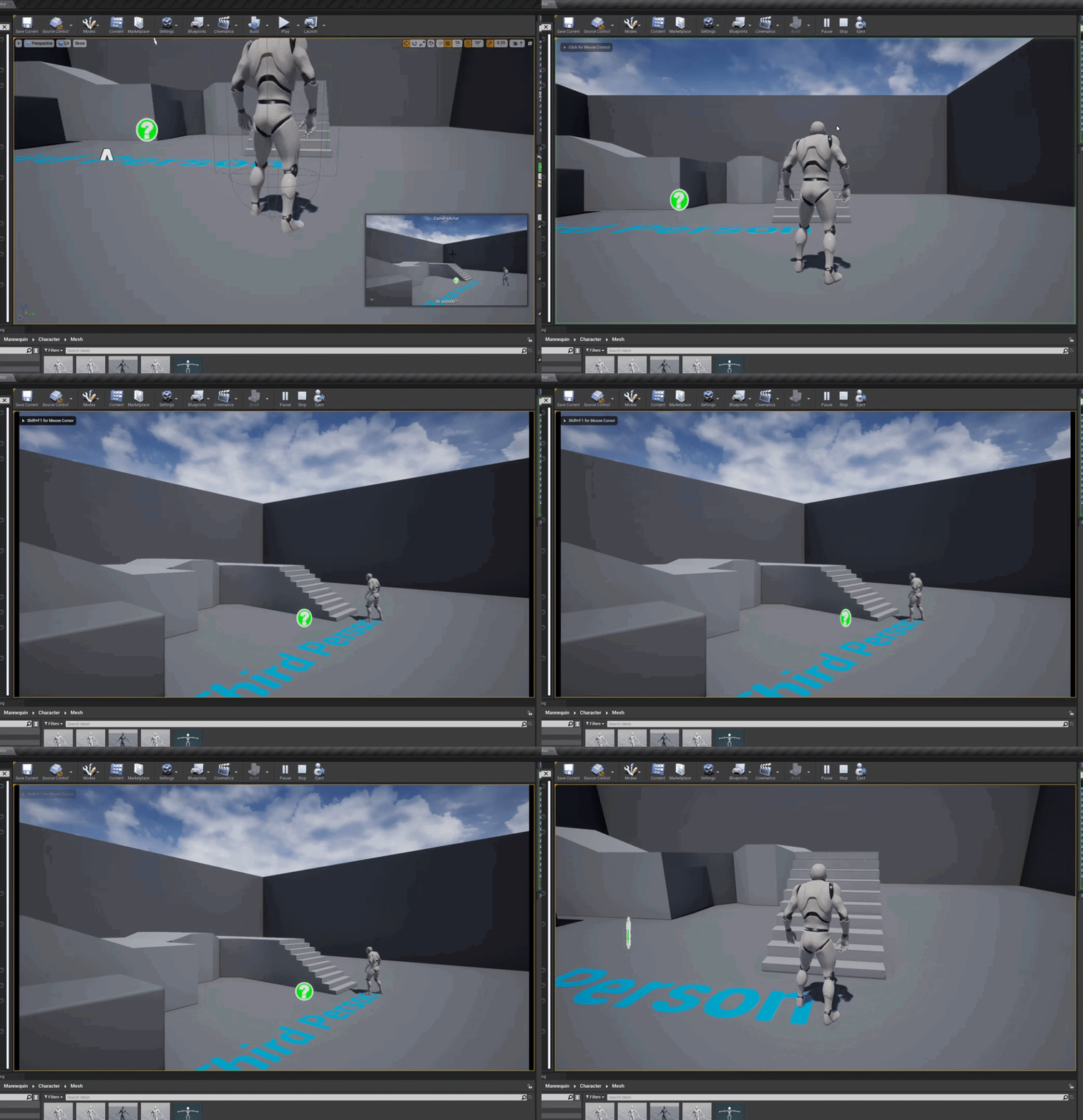
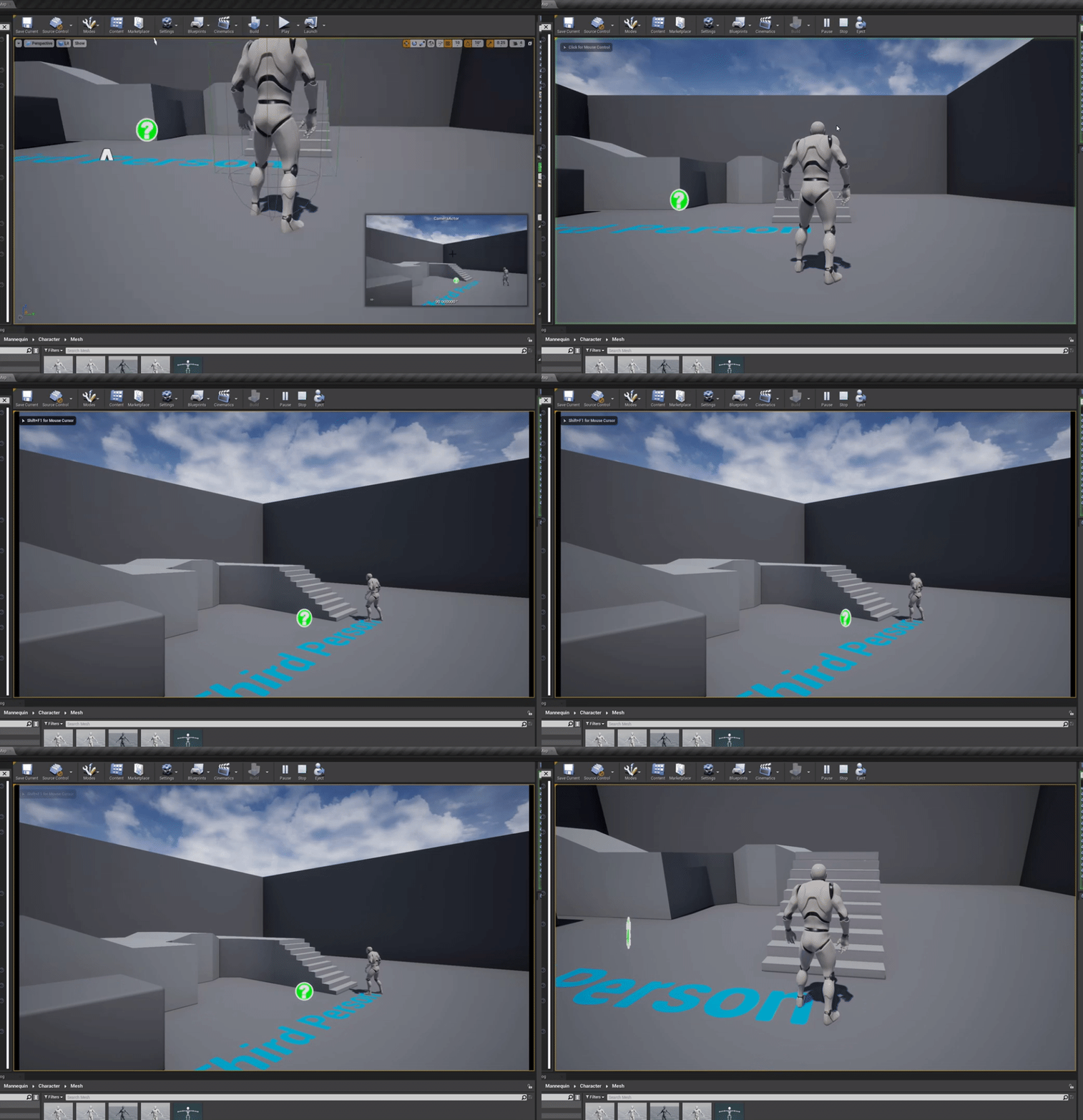
All of a sudden my editor be doing this to me...
 obsidian nimbus
@plush yew the storing of vars elsewhere is also a lot too handle
fallen widget
@simple meadow do you see anything in my code that is wrong that could be the issue in my blueprint?
obsidian nimbus
u store it and u place it back on spawn, u can just store the actor somewhere
just teleport it somewhere instead of destroy
grim ore
@mint raptor doing what? more details
 upbeat tendon
I am thinking how possible/easy it might be to integrate my game with some external services. Other than a raw socket, are there any protocols that ue4 supports?
obsidian nimbus
collision is the only thing u need to turn off to make em nearly free
mayB disable tick
mint raptor
grim ore
<@!142361971264716802> doing what? more details
When I start the editor, it seems to freeze all component sprite Icons and cause this ghosting effect when I move the camera in the viewport.
grim ore
@fallen widget your code is weird just to start with, how much actual learning have you done to this point?
@mint raptor did you adjust your near clipping plane?
broken heath
@hidden pagoda i think #animation room will have experts answer u but generally there are work arounds to get your mesh adjusted with unreal hierarchy, i used to upload my meshes to mixamo to rig them then use blender 3d addon that changes bone naming to unreal ones
fallen widget
@grim ore i use primarily unity but recently switched to unreal for work, im still very new to everything related to blueprints
grim ore
@fallen widget that actual code is bad, and you have other stuff going to it which is probably causing your issue
mint raptor
grim ore
<@!142361971264716802> did you adjust your near clipping plane?
No and I just checked the Engine setting for it, it is set to 10.0
grim ore
@mint raptor damn that was my only guess 😦
mint raptor
It is every sprite icon for all components in the scene
just happened out of the blue
fallen widget
@grim ore idk i found a tutorial online to make trigger boxes in unreal, followed it, and now im having issue finding the character object in my scene, since it's a controller that was bought, not made by us from scratch
mint raptor
4.25
grim ore
@fallen widget you might need to step back and take a basic tutorial or course or read the docs on blueprints in general
@fallen widget and no your character is not a controller in the scene, that is one issue you are having.
a player controller is not the same as the player pawn or the player character, they are all different types
fallen widget
ok so what should i do?
i know i dont have the knowledge of coding that you guys have, it's not my job it's not what i studied in, thats why im here in the first place, to get help
rotund elbow
Is it possible to make combat like chivalry/mordhau but make it fully physics based? Like all attack collision resolve are handled by the physics engine. Is it worth investigating?
grim ore
yeah but your not really asking for help your tossing stuff at a screen and hoping it works then asking why it doesnt without knowing what you are doing
knowing what you are doing and running into an issue and asking for help is different

this is the basics of what you need for what you are trying.
missing parts is the cast is to your actual character class you are using.
and the new view target is a reference to the new camera/actor with camera you are tryting to switch to (I have no idea what that is)
just simply trying to get player controller and then trying to compare and actor to a component shows a basic non understanding of how the engine works 😦
obsidian nimbus
hmm i never went back too a map 😛
fallen widget
the bottom of the blueprint is this, it all works fine, the issue im having is that its triggering everywhere not in the box where im trying to set the player into
 obsidian nimbus
if u open a new map i think its gone
grim ore
yes the bottom part says "WHENEVER i press space do this" that is what you asked it to do
obsidian nimbus
i never opened a map and went back to the previous 😛
rotund elbow
i took my question to physics
grim ore
should it only do that when you press space AND are in the overlap?
rotund elbow
😄
grim ore
because that code now also says when I release the button, do nothing
obsidian nimbus
prolly not of u use sublevels or level streaming
fallen widget
no when i release it brings back to the first camera
but since its not in the "if", it makes sense that whenever i press spacebar, it brings me to that cam
the whole top part is basically useless because the "spacebar" portion just overrides it
right?
i need to put it in my "if" condition for it to work
grim ore
no, the top still runs when it triggers (on the overlap). its separate from the bottom
define what the actual goal is
fallen widget
i go in box trigger
i press spacebar
it changes camera
i let go of spacebar, it brings back to first camera
that simple
grim ore
so you need your spacebar check to see if you are in that trigger area
also.. you should not be doing this in the level blueprint but thats a future problem lol
fallen widget
well tell that to the 15+ tutorials on youtube telling to put it in the level blueprint lmao
anyways, ima try to put the spacebar into the condition, idk how but ill start with that i guess, i dont have any better leads rn to solve my issue
grim ore
this is a very very very bad way to do what you want
 rotund elbow
Dude i just spent a full workday failing at following a tutorial, It was my fault all the time 🙂
grim ore
VERY VERY VERY bad way but it should give the basics if you put in the right view targets
fallen widget
well i mean lemme try it
grim ore
the level blueprint is fine if you need to test something, or are crazy and want to make poor design decisions. something like this shoudl be a blueprint actor all of its own
fallen widget
Well design wise there is no design to be made, but im not gonna go into details. Anyways lemme try it and see if it works
obsidian nimbus
lvl bp is super easy to get a ref of something in the lvl tho
grim ore
this course actually has a module where you make something that is self contained, determines if you are in the area, and lets you do input when in that area https://www.unrealengine.com/en-US/onlinelearning-courses/blueprints-and-gameplay-for-game-designers
obsidian nimbus
also for level logic its good
grim ore
level... blueprint... bad
fallen widget
i appreciate it but im not a game designer haha
rotund elbow
is there limb separating oob ? I wanna cut stuff
grim ore
your final code should probably be more like this with the actual proper view target references (setting the release one to nothing only works because of the way its set up, its not actually correct)
 plush yew
@grim ore I dont mean to be a bother but i keep hearing you need unreal mannequin bone setup and names to use marketplace content, but im wondering with proper knowledge cani re-target mannequin bone setup based content and assets to work with a mesh of similiar body and proportions if their bones are similiar but named differently via retarget or rebuilding the content to adapt to the models new bone setup ;-;
grim ore
the issue with this is you have to copy paste it if you want to use it in other levels, and that spacebar is always active even outside of that area (even if it does nothing). you are also hard coding so say you wanted to change the camera later you have to change it in here and possibly other places if you duplicated this code in the level blueprint
stick that all in a self contained actor bp and it removes those issues
plush yew
ill look into how just wanna know if thats a thing lol
grim ore
@plush yew retargetting lets you go "this neck bone is actually called spine_01 in this other skeleton" so when the animation is being copied it just swaps bones like that
so as long as the skeletons are similar you are good, its when things are missing or in the wrong order
like if you retargetted a skeleton without fingers to one with fingers, that is fine since the fingers would just get ignored in the end since you never used them in the original
plush yew
o.o
grim ore
but if say your old one had 5 bones in the arms and the new one has 2... you might end up with issues
plush yew
well im using a human model
from daz which is dangeriously close to the mannequin
just named differently
grim ore
you are probably fine, and I am sure there is a daz -> ue4 retargetting video out there lol
plush yew
so im wondering if i reassign the bones to those akin to the mannequin it should be fine
yes many :>
obsidian nimbus
R mouse the manny skelleton, not skel mesh and press create rig
grim ore
naming differences are fine its what the retarget manager is for
plush yew
im just asking for wonky content that i got for free in the marketplace C:
ah okie
so just retarget and i should be fine
obsidian nimbus
that wil create a retarget rig
plush yew
yay ;D
grim ore
if its structually the same yep, its weird stuff like missing root bones
obsidian nimbus
i wouldnt mess with the whole humanoid retarget rig
obsidian nimbus
most tuts do that but create a rig out of the original skeleton
plush yew
ah i see
obsidian nimbus
R mouse the manny skelleton, not skel mesh
this way u can also retarget the eyes and stuff from paragon to ur new skel
fallen widget
@grim ore nope doesnt seem to work, anyways thank you ill try to look further into it to find a solution, thank you for trying though
plush yew
ah i get it :>
grim ore
@fallen widget welp I can say it works for me, I tested the code before pasting it
mint raptor
FYI seems to be a preview bug when previewing in Android Shader Model 3.1
 mint raptor
Toggling it or switching away from it solves the sprite ghosting issue
grim ore
oof.. I didnt think about you using a different preview model
mint raptor
ha didn't think that would do something like that lol
 oak root
I'm hoping someone can direct me to a good resource for doing this..
I have a function to spawn an actor class in game.
I've got a widget that I want to use to get a list of all those actors, and display their stats.
grim ore
you can use the get class defaults node to get the class defaults and then magic?
frank oar
Hey all,
Is it possible to make a button which normally has one action, perform another while in a box or trigger volume ?
Basically as a test I want to make my mannequin do the salute animation I have when a button is pressed and he is close to the object he is to salute.
I would like to avoid losing the buttons from my control scheme full time as this is the only time I would want this action to take place.
grim ore
@frank oar so context sensitive actions? a few ways but it might depends on how you have it set up now and how you want it to work in the end.
like if its just a few ways for that button to work, you could have it adjust based on external influences (your trigger volume tells the player to do X for this action now)
but if it needs to be more robust, like when you get into that area it has to be unique to that area, you could have that area take in actions directly rather than the player
frank oar
I just watched your trigger volume explanation @grim ore can it be used as part of a BP to copy/paste in locations or does it need to live in the level BP ?
grim ore
well trigger volumes are part of the level so they tend to live in the level bp, you can use normal collision volumes in a BP (and should)
I would not use a trigger volume but a custom actor BP that does what you want
 formal cedar
I tried to add a ue asset that is in my old project and deleted in my new project, but I get unknown extention error when I try to import, I watched a video that said to copy the file the project folder it didn't give any errors but unreal can't see any of the files
grim ore
you cant import .uasset files, those are assets already imported.
you can put it in the correct folder in your new project if that file is older or the same version as your project
if its created in a newer version or in the wrong place it might not show up in your content browser (check the output log it might tell you why)
frank oar
@grim ore Is collision volume the term I would want to search for ?
 deep viper
I have an issue with Light source inside the Actor BP.
When I place a Light in the level directly it lights the scene correctly.
But when I place the actor with a light nested inside the actor, the actor's light does not render/light the scene (I've already reloaded the level).
This screenshot has 4 identical corridor segments in a straight line, only the segments near the manually placed light are lit.
 grim ore
@frank oar w
 frank oar
tyvm @grim ore
formal cedar
Anyone knows what could be the problem? ?
plush yew
is it possible to ssetup a peer to peer like connection for settings multiplayer function testing and than just change it out later for server based multiplayer or would that cause a crazy ammount of issues
grim ore
what version of the engine was the asset created it? what was the folder it was created in? does it have any other requirements (meshes, materials, linked assets) ?
all of that has to match @formal cedar
 ebon linden
formal cedar
Anyone knows what could be the problem? ?
ebon linden
formal cedar
Anyone knows what could be the problem? ?
Did you migrate the files from inside unreal or manually in File Explorer?
grim ore
@plush yew I dont think ue4 supports actual P2P multiplayer right now, something has to be a server (listen server setup). You can test using listen and swap to dedicated as long as you test properly
plush yew
o.o
formal cedar
It was on 4.25 I think I have 4.25 that is updated
grim ore
@deep viper no issues here. how is your blueprint set up? Is the light in the blueprint set to movable or static? stuff like that
@formal cedar welp again if the stuff is right it will work. Same version or older, same folder setup, all connected assets available.
@deep viper its also silly but are you sure the lights actually on
plush yew
i mean if im going to have to use a server for the game's multiplayer i might as well setup a lobby system and all of that jazz
^ good question
i also wonder if i setup a server for multiplayer cant i still make my game offline based with co-op on couch and online
grim ore
dedicated server is a special build of your project
plush yew
i dont want to make server based multiplayer and lose the ability to play completely offline if i want
grim ore
so you would build out a dedicated server, and run it and you have a dedicated server people can connect to. then the clients all have the client version of the project
you could build whatever you want, its all coding lol
plush yew
oh so i can have multiplayer via server and still have a completely offline game if i want
grim ore
if you do it right I dont see why not. just start your game without multiplayer and account for that while playing. it will be more work for sure
plush yew
i dont mind more work if i can make a proper quality built game
grim ore
most of the games that do that kinda are just a listen server setup with just you playing
your basically running on a local server
plush yew
o.o well i want a small lobby system with no more than 100 players at a given time
but still want to be able to play offline or with just a 3 person co-op via lobbies you can make and join in on
using your offline saved data
kind of like dragon ball xenoverse 2
or old phantasy star for the dreamcast
grim ore
you can do that sure, its just more coding. Its why some games have seperate MP and SP clients as well
plush yew
ah okie
grim ore
to make a DEDICATED server yes, you need to compile your project using a source version of the engine
this gives you a special headless .exe file for your project that you run
you can then compile a client version of the project
grim ore
same project yes
your code just takes into account when doing stuff if the server is doing it or a client
plush yew
so i just need to set this up whilst working on the project to test stuff with a friend as i go :3
grim ore
if you dont start a project with multiplayer from the start you might very much have a very much hard of a very much time
trying not to make it sound like you will but.... uh....
multiplayer from the start is much smarter than not
replication is handled however you want
blueprint is just an extension of the c++ code
nothing needs to be on CPP if you dont need anything on CPP
I mean I could take the third person template, make a server and client for it, and have 2 people running around doing nothing special in multiplayer without any special code
ocean pumice
Hi! Good evening, what's the best option for working with 2-3 people on the same project and remotely?
grim ore
it just takes a few extra steps to build out the dedicated server
yep
i mean thats what replication is, replicating stuff
making some stuff go from one place to another for some reason
@ocean pumice it depends on what working is. realtime or just working with the same project files separately
single player pushing a button to open a door. pushing the button plays the animation. the door opens. done
multiplayer? who sees the animation of the button, who sees the door open. how is the door opening
plush yew
wait i should start with a multiplayer server setup before making the game
or jerryrigging it will be hell? o-o
grim ore
what if someone is out of range of the door when it opens what happens when they come back
depends on what you want and how the button is implemented
well lets say opening the door. Is the door itself replicated as an actor or is it client only
depending on that determines what you do lol
best case scenario? the player tells the server to open the door. The server runs a multicast event to tell everyone else to open their door and then opens it on the server as well.
and opening the door just does something like a timeline
but now lets say that door was spawned in by the player and didnt exist on the server... whole new problem
ownership of "stuff" becomes the issue in multiplayer, in SP you always own it
ocean pumice
grim ore
<@!171751358347739136> it depends on what working is. realtime or just working ...
Same project file separately :)
plush yew
o.o
grim ore
@ocean pumice look in #source-control but common ones are perforce, or git.
ocean pumice
Ok thanks a lot.. isnt there anything more begginner friendly ? My friends I'm working with are not really at ease with such systems..
formal cedar
thanks matheww, i think understand now, one of the ue assets worked after your suggestion
grim ore
I beleive it is @light lintel , at the worst there are plugins for it for sure. out of the box I was 99% sure apple store and google play store are supported natively
plush yew
@grim ore so i want multiplayer in my game like that youd see in monster hunter world, phantasy star online for dreamcast, or even games like dragon ball xenoverse 1/2 where you can play the whole game offline but go online and do the exact same stuff online but with players and have a few player based functions like trading friendly fire etc
grim ore
@ocean pumice technically you could use dropbox or onedrive but its not meant for this stuff
plush yew
should i start out with a multiplayer based setup sooner than later or should i keep at it as i am o-o
grim ore
@light lintel https://docs.unrealengine.com/en-US/SharingAndReleasing/Mobile/iOS/InAppPurchases/index.html directly says if you have a BP project you are good to go and shows examples
ocean pumice
grim ore
<@!171751358347739136> technically you could use dropbox or onedrive but its not...
Yeah like sending the project back and forth?
plush yew
well i want to create a lobby system in my sort of open world game where players can interact with the world as if their playing solo but with other players with a lobby where players can just sit around and hang or beat each other up
grim ore
you could set up the project folder as part of it and it would sync up as you do stuff, just working on the same files are an issue and it tends to be overkill with temporary writing but it works for just sharing @ocean pumice
plush yew
i wouldnt need a server for that? o-o
grim ore
something somewhere has to hold data if you want people to share data
always keep that in mind
^^ a listen server in that case which is common
ocean pumice
Thanks :) its just that it's kind of heavy to install perforce on all their computers and stuff but I'll look into it then thankds a lot
plush yew
not really a mmo but more like a lobby based system where you can make lobbies and people can join said lobby kind of how dragon ball xenoverse 2 but imagine the players can open these up or clans / factions can open them up lock them etc
and the players can run around in a open world like genshin impact for example xD
grim ore
a lobby could be a web database thats holds who has started a listen server and their info, people connect to that web database in game and it then shows on their screen that info. when they find someone to play with they then get connected to that listen server who is hosting the game
if you actually need people to play with eachother, someone or something has to host that
plush yew
yup same ^
grim ore
for you case, say a lobby with chat? web server no problem.
plush yew
definitely want a chat system
grim ore
actually being in game, dedicated or listen server
grim ore
you want someone to go "hey i am going to host a lobby", listen server. I want to just go play a game with people in a random space, dedicated
the multiplayer tutorial series is scheduled to be replaced, trust me Epic knows it is out dated 😦
dire crescent
hi, a quick problem i got Mobility of /Game/ThirdPersonBP/Maps/UEDPIE_0_ThirdPersonExampleMap.ThirdPersonExampleMap:PersistentLevel.ThirdPersonCharacter_167 : CollisionCylinder has to be 'Movable' if you'd like to move it with CharacterMovementComponent. My collison cylinder is movable
grim ore
its just you know... epic keeps updating the networking stuff lol
@dire crescent

change your capsule that it mentions to movable
dire crescent
Its does already
grim ore
not according to the log it doesnt
its not the capsule component, its the custom colisioncylinder you added @dire crescent
so take a look at the release notes over the last few years and look at the networking stuff
plush yew
sooo.. with a dedicated server, i would be able to setup multiplayer player based lobbies like in mhw or pso2/pso1 chat systems and free roaming in the games map as well as being able for the characters to access the games functions as if offline play is occuring but with players right, including matchmaking for PVP @light lintel o-o
grim ore
from replacing some of the network subsystems, to adding in replication graph, its been constant progress
and no one wants to make a tutorial in the middle of progress
frank oar
Would you use a state machine to drive character actions like crouching and going prone ?
plush yew
like how final fantasy xiv lobbies and maps work
something like that but still able to play offline if i want o-o
or just co-op with frenz
grim ore
oh yeah I know its just they arent updating it because.... progress lol
dire crescent
@grim ore No doesnt seem like i have one, i will try restarting
grim ore
I want to replace it for sure, even with just a newbie one lol
I want to say tom looman did a more updated one but I think it might be C++ and paid lol
@plush yew you are going to have to decide exactly what you want and then probably cut part of that out to be realistic. There is a reason most games are not everything
plush yew
well i know i know but i have lots of unending time and a vicious drive so ill make cuts or figure a way through if need be xD
grim ore
one of the games I play for example, farm together, has local and mutliplayer modes (same save data, listen server) and they were going to have dedicated servers but dropped it just due to how difficult it was to support it in the end
plush yew
i just dont want to go warp my project terribly and realize i fluffed up and wasted months x-x
grim ore
even if you dont want a dedicated server, do you want to allow people to cheat? lol
plush yew
well i dont want persistent mmo like game as weird as that sounds i just want to be able to have the games entire world be populated with players in the battle areas or basic city if a player hosts said lobbies and allow offline play as well if you just wanna play off like o-o
i honestly dont think you can stop cheating
its gonna happen no matter what if people are bent lol
grim ore
you cant stop cheating no, but having your data on the client is an invitation to cheat
plush yew
true true xD
grim ore
so just moving all data to a dedicated server curbs that
for the most part tho if you want someone to be able to do stuff with someone else at anytime at random then dedicated it is
there is no way to answer that
what you need for your project, where its hosted, how its hosted, are all costs
technically you could get away with a free amazon ECS tier machine if you just needed a basic lobby without much loaded for example (free tier is like 512MB ram)
plush yew
o.o
grim ore
aww nice, it was just a nano tier when I last used it
floral heart
Payday style
It can, but most of the time it's p2p. (Payday 2, haven't examined 1.) Most players' bandwidths are not suited to host high-action FPS games though.
grim ore
well easy anti cheat is owned by epic now and part of/becoming part of the EOS stuff so... maybe?
well im sure for third parties not using EOS it will still be paid
grim ore
but all that matters in the end is does cheating really matter, if not dont worry about it
plush yew
lets say i wanna go full offline but have the game flowing and working with all of it online via lobbies or co-op play
deticated server setups
i would presume
i know cheating will go rampant lol
but i want the game to not have to be online all of the time to play ;-;
grim ore
dedicated server limit the amount of cheating if that matters
but then if you allow local saves then that doesnt matter if you use those in dedicated
plush yew
can a dedicated server still be used in offline play >.<
oh
so i can allow offline with deticated servers
just means cheating cant be stopped x3
grim ore
cheating cant be stopped, thats a known factor
how much you care about it and want to limit it is the cost
plush yew
but it would limit it is seems
well i just dont want cheating in pvp
because obvious reasons
plush yew
dang
grim ore
whats to stop me from modifying my local save game to have a billion stuffs and then going online with it?
plush yew
hmm
is there no way to make local and online match
before online play is possible
like a check for altering or whatever
grim ore
if the player EVER has access to their stuff, they can modify it
grim ore
sure you can check but nothing stops them from getting to the max right?
assuming you dont want everyone to have max whatever you allow
plush yew
so even hard limits like only 1 potion in battle for example
cant stop cheating if local is possible
floral heart
Depending on the game you can do sanity checks to verify that what the client says they did is possible, but then you have to solve what happens if the check fails.
grim ore
sure since that would be used on the server I would assume, that would be fine
plush yew
like for example you have atk def and hp and a total of 500 stats to split between them
if you allow local saves
grim ore
but if there is any sort of progress to be made. stuff to unlock, caps to be hit, people could modify them
grim ore
they could yes, but your check online would fix it or not allow them to play
but if you had a progression system or loot system it would be useless
plush yew
so i can put a check system in place to make limitations are still intact
looool
i would definitely do that
lmao
im saving that for reference ❤️
floral heart
However there are edge cases where you can get a false positive
grim ore
this is also all napkin dev, for all we know you can have a perfect community and no one cheats
grim ore
just worst case scenario to know about
floral heart
And it really really depends on the game. Idle clickers are going to be different from Chess or roguelikes.
plush yew
like i want progression systems and classes and weapons and skills with levels etc
and i personally dont care if people hack and break that
i get it you know
i just dont want people flying around the map insta killing people in pvp or pve
floral heart
Idle clickers barely need to be server-side. The only thing you can cheat is how many times you click.
plush yew
because i plan on creating a leaderboards and giving seasonal monehs to players who rank high as a thank you for playing my game xD
floral heart
You can throw that idea in the trash right now, Snow. 😛
plush yew
and i want a completely offline experience which is better if you lobby up in the world with players to increase the fun
ihope i dont have to can that D:
id love to give back to my community
ikr
i have
infinity sadness
xD
floral heart
I mean, you can if you want to, but it will never go to a legit player after the first week.
plush yew
yup XD
i even thought about a crazy high detailed statsistc system
so i can look into every ranking player and compare it to their average over the course of their entire play
to weed out cheaters who try to slightly cheat for monehs
but people make it hard to have nice things :C
floral heart
My favorite cheat is the hack that reverse-engineered the pseudorandom number generation in TF2 and then micromanaged the timestamp for each click so that every shot would become a critical hit.
plush yew
hmmm
ok
i have a question
lets say i make the game completely online so i can have nice things and give back to players
can i eventually make it so the game is completely playable offline and the online saves are given to the accounts locally
in case i cant keep supporting the game so players can play offline for however long they want
i really dont wanna be like most games where oh server ded guess your work and effort ded :C
good job wasting 10 years for nuffin
id feel terrible..
bright terrace
@grim ore Hey I finally ended up figuring it out xDDD thanks for all your help yesterday
plush yew
matheww is definitely best boi x3