#ue4-general
1 messages · Page 949 of 1
 obtuse siren
 ebon geode
yeah, so your question is what exactly? what nodes to use? x)
obtuse siren
yea hehe, I'm really new. I came from Unity but I wanna try Unreal
its so much more daunting 😩
ebon geode

this will increase your gametime float by delta time every tick
you can also use the node "get world delta seconds" 😉
obtuse siren
omg thank you!!
ebon geode
sure, I hope it helps you understand Blueprints better 🙂
obtuse siren
I appreciate the help, I'm very new and I need to learn Blueprint asap
yeaaaa I understood branches and other little things - seems similar to c++ and C# but I need to learn alot of the other stuff 🙂
Yeaaaa it helps alot! 🙂 🙂 Thanks again
 distant totem
No matter what project I work on, 4.25, 4.26, I keep getting this UI problem. When doing screen capture, this problem doesn't show up. Migrating to a new project only temporarily solves the issue. I have to restart my editor about every 30-60 minutes. I've can't find a solution online, am I the only one experiencing this issue? Happens in new projects also. I am genuinely getting so sick of this, is there anyone who can point me in the right direction? Can't submit the bug when the repro steps are "open a new project and click around for an hour until it happens." All drivers are updated and have been re-installed.
 plush yew
Doubt it's harder, just different, id be daunted having to learn to do everything in C#
distant totem
okay now suddenly chrome is flickering as well.. which I think has happened before, must be a problem outside of unreal, but it only occurs when unreal is open
does unreal overrite windows DPI settings or something?
obtuse siren
plush yew
Doubt it's harder, just different, id be daunted having to learn to do everythin...
Yeaaaa very true, something new can always be a little daunting nonetheless
I'm sorry @ebon geode, do you mind telling me what these two are called

And perhaps what they do if you have a little extra time
distant totem
gametime is a float type variable, looks like if false, you are adding another variable to gametime variable
obtuse siren
Okay thank you! 🙂
ebon geode
you can create a new variable and drag it into the graph. you can either get or set it.
ebon geode
you will notice every variable type has a different color... booleans are red, floats are green, strings are pink...
obtuse siren
yeaaa 🙂
ebon geode
you can just drag out the variable and you will see a line on your graph. you can let go of the mouse and search for a operation like + - * / sin, whatever.. it depends on the variable ^-^
distant totem
if you have the time, you should go over those 2 courses, and the content examples, extremely valuable stuff to learn, and fun stuff to play with
https://learn.unrealengine.com/home/LearningPath/90587?r=False&ts=637496945207723435
explore unreal engine content examples level (epic games launcher > unreal > learn > scroll to content examples)
https://docs.unrealengine.com/en-US/Resources/ContentExamples/Blueprints/index.html
https://learn.unrealengine.com/home/LearningPath/113226?r=False&ts=637496945207723435
Overview of the samples provided in the Blueprint Content Examples.
 dusty heath
Hi folks, I'm new here, got an object reference puzzle that will likely be an easy one, but I've googled for hours without finding anything illuminating. Is this the right time / place to get some help?
ebon geode
an object reference puzzle? sounds interesting ^^
dusty heath
So I have some actors in my level, and I want to affect them with the triggers on the valve index motion controllers. If I put events on the actors, they don't seem to get them (I might have done this wrong), so instead I put the events on the player pawn, and that seems to work (I can print strings out when clicking the triggers). Next I tried making variables on the playerpawn referring to the actors I want to modify, so far so good, but then when setting the default value I am told 'Editing this value in a Class Default Object is not allowed'. I feel like I'm going about this completely the wrong way!
Searching for that class default thing brings up lots of threads from an engine upgrade that changed the behavior, so heaps of stuff about how to convert an existing project over, but nothing that gives any hints to someone like me bumbling around and doing things in the wrong order...
ebon geode
okay... so first things first: Your player controller possesses the character, this is why your other actors will not receive input events.
You added an array of actor references or some class references to the player pawn? How do they refer to any actors? Is the character placed in a level and you create those references by hand?
dusty heath
That's just it, I want to refer to these other actors but I'm not sure how to go about it. I want an input event to affect some property of a specific pre-existing actor, by whatever means is considered best practise
ebon geode
So it comes down to Blueprint communication in the end.. how to tell a stone that it's grabbed with the motion controller for example?
Well, it depends. I'm sure you can fit all the logic inside the playerpawn. Because it should know what stone to pick up by a trace, collision check, whatever and can just use actor stuff like setActorLocation.
The better way is to build an Interface. There are multiple ways to do this, a direct way and a more complicated modular way that is probably hard to explain >_<
 bitter iris
installing perforce, just wondering how does my friend connect via mine?
ebon geode
but you should look for Blueprint Interfaces. This is a nice way to share stuff between objects 🙂
dusty heath
OK so the playerpawn can lookup the relevant actor at runtime by trace/collision, what if I want to essentially hard code which actor to use? The other actor is a fixed cannon that I want to trigger with the controller, and that's the only interaction I need for this project
ebon geode
If you want it essential, you can give each actor a Tag, or some ID or something like this and use that to switch between them 🙂
you can do a "get all actors (of class) with tag" at the start of the game for example.
if the pawn is in the level editor you can use a direct reference to another actor.
just create a editable variable of class "Cannon" in your pawn (or an array), put the cannon(s) and your pawn into the level and just fill the references.
That doesn't work of course if the cannons don't exist and are spawned later.
The most elegant way to do it would be creating an interface where cannons subscribe themselfes to the pawns cannon system. This system then controls all subscribers.
dusty heath
I think it's the other way round, the cannons exist but the player pawn isn't in the editor? The blueprint in question is the BP_DefaultCharacter one that is there by default in a blank project that lets you fly around
I think I get as far as making a cannon variable, and then it won't let me fill the references since the default character blueprint only spawns in at the start of the game?
Anyway, going to try this and see if I get any further:
 ebon geode
a reference is just a pointer to something. There cannot be a default value for any actor or object reference.
you can do this the easy way with direct references if you just place a pawn inside the level and use

instead of spawning a pawn when the game starts.
this pawn now exists in the level editor and you can put direct references to it. However you cannot create a default value for a actor reference, because actors literally don't exist before the game starts. and the class exists outside the game first.. if that makes sense <_<
dusty heath
OK, so direct reference needs the player pawn to be placed in the editor. Is it as simple as dropping one in, or do I need to tell it not to spawn one but to use the one I placed? Other alternative is to look up the cannons once on start and set some variables on the player pawn at runtime, then use those variables when responding to events?
 halcyon flame
can anyone remind me of the engine/project settings which highlights the focused UMG element in little white/black marching ants? want to turn this off. [Edit: this is the Render Focus Rule in Project Settings]
 cerulean geyser
a bit of a rendering question - Outline using inverted hull method. I got everything working fine, except once my character starts moving. My skeletal mesh and my duplicate are the same(aside from the shaderS) and are using the same animationblueprint, yet my anmation btween the two is heavily unsyncronized. .Anyone run into this problem? Or know a way to fix it?
dusty heath
Thankyou Tankbuster, I've got enough to go on now!
 rigid belfry
why is unreal not recognising the function?

 leaden garnet
youre binding an axis event to an action, they are not the same
You need to use BindAxis with the relevant parameters
an action is usually a keypress, an axis is more like analog input, it has a range of values, think of the sticks as axis input, and a button as an action input
@rigid belfry read above, use the function BindAxis instead of BindAction
rigid belfry
thanks, i realized after opening up the screenshot
leaden garnet
all good, i'm happy you solved that problem!
rigid belfry
its almost 1 am right now where i live and i simply copypasted the code from above without really thinking
i think i'll call it a day for now
leaden garnet
sleep well :)
 true ridge
Is there a setting for multiplayer viewport frame limits? It seems like only the viewport I have focused runs at full speed.
 dawn gull
how do I get 2d perlin noise? I only see 1d noise
or is there some math that lets me use the 1d noise node to get 2d noise
leaden garnet
editor setting, somewhere in performance, it's called "Use less CPU and Memory when not in focus" @true ridge
toggle this off
 true ridge
leaden garnet
editor setting, somewhere in performance, it's called "Use less CPU and Memory w...
true ridge
leaden garnet
editor setting, somewhere in performance, it's called "Use less CPU and Memory w...
That did the trick, thanks.
leaden garnet
you're welcome, have fun developing
 broken heath
I am trying to export my png pics why unreal wants to export it as TGA
plush yew
So asking this in the proper channel now; working on a project with animated hospital beds, moving into positions to show off certain features. Animating in houdini. Would unreal be able to handle this well?
Switching between different animations etc, importing as alembics?
Also, would it be wise to animate the camera in houdini and export it to unreal, or just do it in unreal straight away? Workflow wise
 sick patio
lighting build fail
said it doesn't have a volume
added a ligh mass volume
lighting build failed again for the 20th time
 raw elk
Does anyone have any experience with parallax occlusion mapping with a landscape material that uses RVT? I'm running into a bit of a problem, when POM is on, it stretches pretty badly

 fringe drift
Reposted from earlier:
I am having a problem with one of my HUD elements. I am using an image (with an alpha layer), which has parts of varying opacity. It's a shield icon, and the edges of the shield are less opaque than the inside.
This image shows up correctly on my HUD widget.
However, when playing, the HUD widget starts at the correct opacity, but then quickly turns 100% opaque everywhere on the image. It appears as if the image is being redrawn again and again with every tick, and an infinite number of the images are being stacked on top of one another.
Does anyone have tips on how to resolve this issue?
raw elk
Do you have any bindings on that element?
for example, does the shield icon have a binding for say, opacity
also, check wherever you are creating the HUD
check that it's not creating HUDs over and over
fringe drift
I am pretty sure it is doing it over and over. I'm just not sure how to go about setting it to delete & replace on every tick (or if there is a much more efficient way of setting it to draw only one)
raw elk
Why would you want it to delete and redraw every tick?
You only need to create the element once, and from there you can use bindings or an animation to control it
fringe drift
I have an "Event Receive Draw HUD", which executes "Draw Texture" (both of those are from the first person template). I stuck my own custom transparent reticule in there, and it does not have redraw problems.
I added "Create New Widget Blueprint) which executes after "Draw Texture". Then "Add to Viewport".
The shield icon is part of that widget, along with some text and a recharging fuel bar (both of which work properly)
I am pretty sure I either set the widget up to execute incorrectly, or I need to do something special when I add an "Image" to a widget, which has an alpha layer and is meant to be transparent.
raw elk
hm, so you are adding a small shield to the HUD, correct?
fringe drift
Yes.
raw elk
Have you considered creating a separate widget for your element, and adding it as a child to the hud itself?
fringe drift
I am using a get color & opacity function, to change the color (and at very low shield levels, the opacity) of the icon.
I...have not.
raw elk
I usually don't use receive draw hud, whenver I add an element, I create a child widget. I can then call from somewhere else to either add or show the child widget.
halcyon flame
changing build .exe name
for a long time my .uproject was named the project name, but since deciding on an actual name for my game, I want the .exe file to reflect the name of the game. I changed the name of my .uproject file, but the build version still has the old name... anyone have an idea why this would be?
could it have something to do with the contrived files?
fringe drift
I'm quite new to UE4, so I'm somewhat unfamiliar with working with parent and child blueprints. How would I go about designating a widget blueprint as a child of the FirstPersonHUD actor?
halcyon flame
@raw elk no I didn't, I guess that's the key place?
raw elk

I'm not 100% on it allowing spaces, never tried. Just threw that in over my project name as an example
 delicate estuary
so does anyone know how to fix roughness being to glossy with pbr materials in unreal engine
raw elk
I guess try without spaces 😛
halcyon flame
yeah that was my first go-to. that didn't work either for some reason
raw elk
hm
halcyon flame
what are the derived folders again?
raw elk
@fringe drift I'll explain in a sec
halcyon flame
the ones I can delete before rebuilding
raw elk
oh
fringe drift
raw elk
<@!284168270423130113> I'll explain in a sec
Thanks! I'm not in a hurry, you're awesome!
raw elk
you can delete build & intermediate
and binaries
unless
build contains an icon or something
DerivedDataCache can safely be deleted as well if the engine isn't running, though the engine will recompile some stuff on startup
halcyon flame
do you know what folder contains editor settings?
raw elk
Config
halcyon flame
I've accidentally deleted those before (like folder colors) and it's really annoying
leaden garnet
i think usually it's Engine/Saved/Config ?
halcyon flame
thanks dudes
raw elk
yeah colors and stuff might go in saved
editor colors and layout - /ProjectDir/Saved/Config/Windows
other editor & engine related config - both /ProjectDir/Config & /ProjectDir/Saved/Config/Windows
@fringe drift ok, so there are a few ways of going about it. First thing you want to do is create a new widget for your element. This widget should contain ONLY the element. No canvas panel or anything (if you want to scale it in the parent that is)
Adding it to the parent has a few methods, if you want to add it at runtime, you can in BP either cast to your HUD, and create the widget as a child, you can create it outside (not part of the HUD) or you can add it to the HUD by just dragging it in from the Palette in the widget designer
If you do the latter, dragging it in, simply set the visibility using a binding.
fringe drift
Ooooh, you mean go into FirstPersonHud, and drag it in as a child of DefaultSceneRoot?
I've done stuff like that in the component window, for the first person character blueprint!
Nvm that didn't work, XD
raw elk
alright once you have your widget made, open the hud
the palette thing on the left, where all the buttons, border etc are
scroll down
you'll see a dropdown called 'User Created'
under that is every widget in your project
find your newly created element widget and drag it into the designer viewport
 fringe drift
I'm guessing that VRED Animation Sample UI would be the animated status bar, so I need VRED Variant Sample UI?
raw elk
Hm, I'm not sure. You'd have to check by opening that widget
once you drag it in like this, on the right under details, scroll down to 'Visibility'


When you find visibility, click 'Bind' and create binding
should then look something like this. From here you set up the logic of when to show or hide this element.

A nice easy way would be to create a boolean variable in your widget. Call it something like 'ShowArmorElement'
once that's created, drag out from that return value in this graph and type 'Select'

connect the bool to the select index, and set your true and false

like so
now, this will check... every other frame, so you really don't want to go around using bindings like this on literally everything. Sort of like event tick, try to use it sparingly
fringe drift
I'm currently stuck on the first step, trying to find 'container'
Also UE4 crashed and now I'm trying to get my original widget functional again.
I think I need to make a new widget from scratch.
raw elk
Yeah
that'd be the best thing
I gotta go take care of something, DM me and I can walk you through it when I get back
 coral robin
How do I make new levels?
 onyx folio
has anyone completed the unreal engine tutorial from 2015 the 3rd person game. If so could you send me your files for it because I am completely stuck I have no idea what is wrong with my punching montage. It isn't starting the punching montage on my left mouse click.


 junior wind
Is there any way to enable the little Hot Reload chirp sound with Live Coding? It was really useful to know when it finally finished compiling since it takes so long.
 open eagle
is there a way to scale and manipulate a texture after the fact
like
do it after the UVs
 weak wharf
just scale the UV instead?
open eagle
what if I don't want to
if I have a texture that I just want to scale, without touching the UVs
weak wharf
take a texture coordinate node and multiply it
open eagle
then what
what If I don't have access to the thing's UV coordinates input node
just the RGBA itself
weak wharf
then you cry
more realistically it sounds like you need to refactor some stuff or ask whoever made what you're using to provide the info
open eagle
😫
I do really need to refactor some stuff tho
I have a confession
I'm trying to take the lazy way around a problem
 kindred viper
why wouldn't your mesh have a UV if its got a texture?
kindred viper
ahh
 lusty canyon
Anyone have a proper first person camera video they could link me too?
open eagle
so
Im currently doing this

the texturecoordinate's UV's are scaled in a certain way
to make this oval shape
however
I want to scale this oval
without loosing any proportion
I just wanna zoom it in a bit
with a scalar parameter
and that little 2Vector connected to the CenterPosition is half of the texCoord's UVs I set
kindred viper
hmm beyond my skillset there. not sure what you are trying to achieve and nor do I know enough about materials to figure it out 😄
kindred viper
you can use another UV though if you want to separate things. Perhaps even a udim
what is the end goal if I may ask?
open eagle
To make the oval you see bigger
kindred viper
yeah I mean after that
open eagle
this is part of a cartoon eyeball shader
kindred viper
ahh now it makes sense
open eagle

I just want to make the pupil bigger and smaller
with a scalar paremeter
btw that whole thing is complete math
not a single texture referenced
obviously it's not optimized at all
it's just for renders and stuff
not in-game at all
if it was in-game I'd bake it out
kindred viper
yeah awesome. I saw a crazy hand written shader a while back. A whole 3d character on shadertoy by the guy who created it.
kindred viper
yeah this is pure math. https://www.shadertoy.com/view/WsSBzh . It takes a while to load first time but holy moly it's worth it. There is a making of video too.
kindred viper
yep. Ill post the making of video link in general chat
 stark wharf
Has anyone come across an asset for UE that lets you manipulate and select parts of meshes to cut/copy/paste? For example, if you have a complicated mesh in an asset pack that is already joined together, and want to select a piece of it to be manipulated.
I had a tool that did this in Unity, but have yet to find an equivalent in UE. https://assetstore.unity.com/packages/tools/modeling/mesh-cutter-37173#description

Get the Mesh Cutter package from Alan Baylis and speed up your game development process. Find this & other Modeling options on the Unity Asset Store.
weak wharf
stark wharf
Has anyone come across an asset for UE that lets you manipulate and select parts...
maybe not a useful answer, but have you considered importing the model into Blender and splitting it there instead?
 abstract scaffold
Hi. If I have two vectors (my character location and the location of my mouse pointer), and I want to find a vector that is 1000 length away from my character but on that same line... how would I accomplish that. I hope that makes sense the way I explained it lol..
Hopefully picture provides clarity.
 weak wharf
Anybody know why marking a material as translucent would make it render as pure white and buggy like this?
 cerulean geyser
anyone know a way to soften the shadows that come out from the dot product of an ambientlightvector with the vertex normals?
stark wharf
weak wharf
maybe not a useful answer, but have you considered importing the model into Blen...
Yeah, worse case I will do, but I'm not very fluent with Blender/Maya, so working in UE will be much faster than exporting meshes from UE for me.
weak wharf
abstract scaffold
Hi. If I have two vectors (my character location and the location of my mouse po...
just get the vector difference between the two, normalize the result and then multiply by 1000?
cerulean geyser
sorry, how can i get the vector difference?
weak wharf
just subtract
abstract scaffold
So subtract the two, get the vector length and then normalize and multiply by 1000?
i'll give that a try
cerulean geyser
oh sorry, i thought that was for my question lol
abstract scaffold
Doesn't seem like that's working unless i'm doing something wrong. Sorry I haven't really wrapped my head around vector math yet
@weak wharf Like this? or am I doing it wrong?

 rancid lynx
Is it possible to get the index int from an array of instancedStaticMeshComponents with a 'OnBeginOverlap' event node? I know how to do it manually with lineTrace and break hit, but I dont know how to get the index number from a bagin overlap.

 patent pelican
Hey all, I’ve followed a tutorial on YouTube to make a VR game but I can’t play a VR Preview. I’ve got my quest 2 connected to my laptop so I’m not sure why.
stark wharf
weak wharf
maybe not a useful answer, but have you considered importing the model into Blen...
I looked into export the model into Blender more. I've done that with basic geometry with no materials, but I see exporting the materials is not so simple, and requires a number of steps to get it working properly. Is there possibly an easier way I'm missing? https://www.youtube.com/watch?v=1k12Ax-4HbI&feature=youtu.be&ab_channel=Gamefromscratch
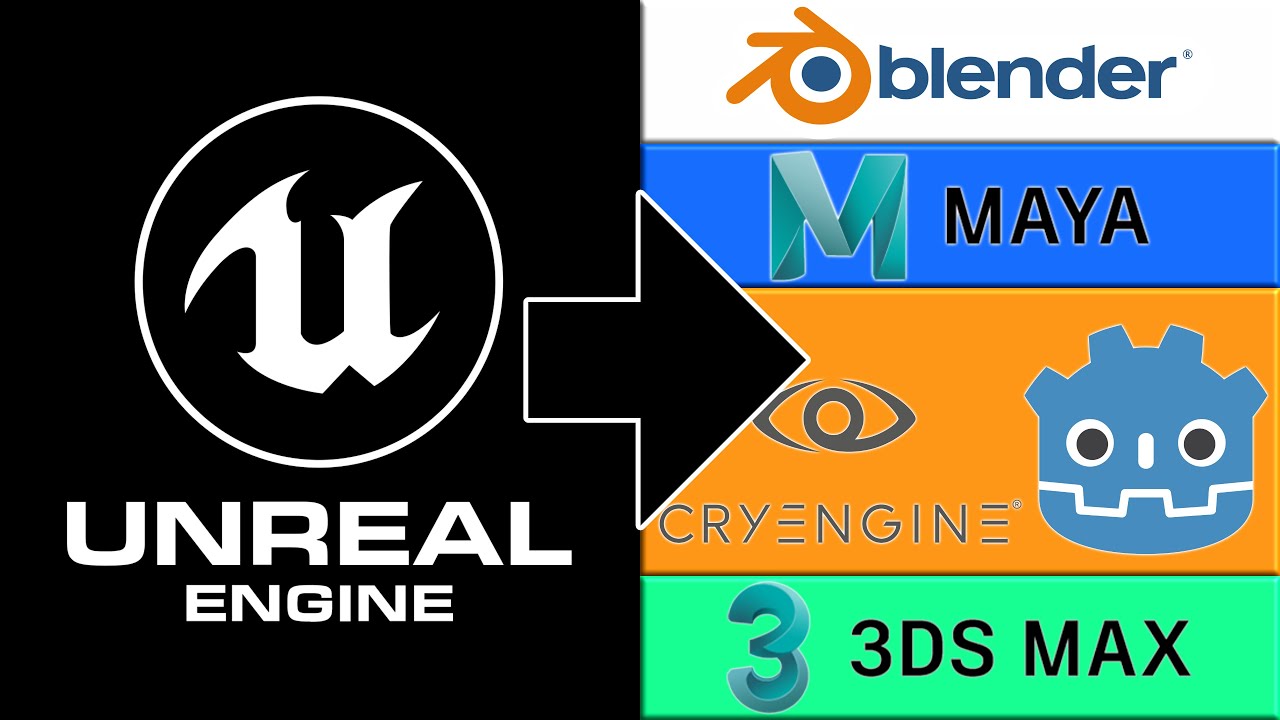
With all of the free giveaways, the question of how to get stuff out of Unreal Engine to use in other engines such as Godot, Unity or CryEngine, or into a DCC like Blender, Max or Maya. That is what this step by step tutorial will show... how to get a textured 3D model from Unreal to Blender in this example.
Please note, this isn't saying it...
 light thunder
I've got an actor I'm having simple timeline movements to move components of the actor around - how can I make an event that will reset those, so I can switch to the timelines at any time???
raw elk
@coral robin ask Tyler, I hear he's a legend at that sort of thing
coral robin
Ehh, only in the upside down maybe
plush yew
the code is so big, I tried to do it on the way that it worked for hgihest score
I set in the first branch the total coins, then in other the collected coins which is equal but in different component
distant totem
light thunder
I've got an actor I'm having simple timeline movements to move components of the...
hope this is kind of what you mean
 light thunder
distant totem
hope this is kind of what you mean
light thunder
distant totem
hope this is kind of what you mean
jesus you are my hero I am so tired and need to go to bed, this is perfect I knew it would be simple
distant totem
light thunder
jesus you are my hero I am so tired and need to go to bed, this is perfect I kne...
haha hey man don't stress we all been there!
cheers !
light thunder
how would you chain that if you had multiples, it would still fire
 sly wagon
Im feeling so unmotivated lately : (
distant totem
if you wanted to reset multiples?
sly wagon
I wanna make a multiplayer MOBA/Shooter but
light thunder
i have multiple timelines
sly wagon
I feel like with just blueprints its not possible
light thunder
like sequences almost
sly wagon
unless it is possible? idk
distant totem
light thunder
i have multiple timelines
if you want to reset multiple timelines you would pretty much need to do that reset timeline event to all of them, if you have it inside of a sequence you can call the sequencer in blueprint
but then every time you call that reset timeline event somewhere, it will reset them all at that time
 light lagoon
I keep seeing conflicting information on this: does Unreal automatically strip out assets that aren't referenced anywhere when making builds, or not?
light thunder
I'm just trying to update this I don't know why it's not working the demo display text from content examples - the reference is valid so I'm not sure what the problem is

do I have to refresh this?
distant totem
light thunder
I'm just trying to update this I don't know why it's not working the demo displ...
the demo display text from the content examples will override that because the construction script is setting the text to whatever that variable is, which is set from the details panel when selecting a actor dragged into a world
distant totem
try setting the text in the details panel in the world, if it changes when setting it there, then yeah override the construction script
if you want to change it in game though the construction script wont let you since it will set it and keep it when the game starts
 amber harness
Hello folks, I'm just getting started with UE4 by following official learning material. The video I follow shows how to drag a light source from light section under mode panel, but on my UE4's interface there is no light section, only landscape, foliage, brush, mesh section. What did I miss here?
 static folio
amber harness
Hello folks, I'm just getting started with UE4 by following official learning ma...
static folio
amber harness
Hello folks, I'm just getting started with UE4 by following official learning ma...
Window > Place Actors. Modes should be Select. Then pick lights from the place actors menu.
weak wharf
stark wharf
I looked into export the model into Blender more. I've done that with basic geom...
no I always just redo the materials in Unreal Engine. I don't think there is any other way but maybe there are some community plugins that help somehow (never looked)
kindred viper
No you have to remake them. UE uses HLSL and Blender uses OSL. So the materials will come over as the basic colour if exported, but none of the node work
 novel mauve
Hello Everyone ... I'm wondering if there is any way to make a loop function that waits for a latent function to finish and then does the loop ??
 unreal mulch
not an expirienced eu4, but i think you could do a variable check, so once the function is done it, checks it done, then the loop can detect that the variable is now true, and run it?
novel mauve
the latent function I'm trying to use is "Download Image" which is a latent node
novel mauve
unreal mulch
not an expirienced eu4, but i think you could do a variable check, so once the f...
yeah i think this might be a problem solver ... didn't think much about it that way really ... thank you for giving me that idea. I will try it and let you know if it really worked for me ... Thanks a ton. 🙂
unreal mulch
np!
im inexperienced with the actual blueprints, but i do know how game logic works for stuff like this
glad i can help
novel mauve
that was really a helpful tip really ... sometimes my brain stuck in a small problem like this one ... and glad having different minds in this great community.. thanks man
unreal mulch
yeah, alot of things can be fixed with a variable lol
novel mauve
what i'm really trying to do .. is that i get a json response from an API .. and that response got a url of an icon to be applied to each button created associated with name from that same json response .. as objects ... the problem is that when i run the for each loop for each object the "download image" is latent .. so it just takes time so that the loop is done while the image is not applied to each button index respectively....
so I think a valid check might be a brilliant Idea ... i'm not that much an expert either .. obviously
unreal mulch
ok, yeah the specifics of that i dont understand.
i def need to practice more blueprints lol
novel mauve
as long as you know what exactly to be done ... blueprints are just piece of cake lol
i wish I had that answer long ago,, I was literally stuck ... thanks man
unreal mulch
np!
 inland sail
Hey Guys! Does it make sense to learn UE4? After all, announced UE5
inland sail
ok i understood
 urban iris

 winter gale

Quick #UE4 Tip number 110.
Preview mesh(es) in Editor Viewport.
https://t.co/IGOaM3KAwN
#unrealtips #unrealdev #indiegamedev #gamedev #indiedev #screenshotsaturday #UnrealEngine

 Twitter
·
unreal mulch
Twitter
·
unreal mulch
ooh cool
Question time:
Ok so for what i want for my game is a few things: itll be a text based game which i know how to make the basics of, plus the options using a csv file from docs. what im wanting is for events to be randomly chosen after another is done. im sure each event and subsequent text line is handled in one csv (so like one for a combat encounter would be one file, and one of an argument is another). Another thing is that there will be a switch between a random encounter event and a home base environment that you come back to so it will update based on your current stuff. With events and stuff, the text should change based on ur stats / current status, obv variables are the basis of a stat but im not sure how to do it with text.
 icy egret
Hi
does someone know good tutorial for shooter AI?
I really need that but there is no good series
sick patio
sorry for the dumb question how do i start swarm agent in the new version of the engine ue4?
novel mauve
sick patio
sorry for the dumb question how do i start swarm agent in the new version of the...
If you build the lights ,, it should start automatically
if you want to start it manually you can navigate to this path whenever your engine is installed "\UE_4.26\Engine\Binaries\DotNET"
you will find the SwarmAgent.exe File ... run it.
 pure cliff
... Uhh, isn't there supposed to be a list here where I can choose between games, film/tv/live events, architecture/engineering/construction, or automotive/product design/manufacturing?

.. Weird. Went to options and somehow the templates must've gotten de-selected
sick patio
novel mauve
if you want to start it manually you can navigate to this path whenever your eng...
is that supposed to be in documents? i haven't changed or customized the location of where ever it installs ue4
no matter i do, build lighting, adding light mass importance volume, 4.26, build lighting only, does not work for me. i've searched everything, tried many many MANY times
 onyx mango
How do I make the World Outliner not expand all the time?
pure cliff
:/
Nothing I can find online is relevant/helpful, they're all about slightly different issues. I tried running the Epic Launcher as admin, the only thing I can think of is running the engine itself as admin

Ah. Apparently the directory creator had a brainfart
novel mauve
sick patio
is that supposed to be in documents? i haven't changed or customized the locatio...
This is the default location of the swarm agent inside the installed engine folder
novel mauve
pure cliff
... Uhh, isn't there supposed to be a list here where I can choose between games...
you need to download the engine feature packs in order for those to appear.. you can do so by opening the Epic game launcher .. and from the version you want to use select "Options" and make sure to check the "Templates and Feature Packs" and also the "Starter Content"
this way the launcher will download the templates and feature packs and add it to the installed Engine version you selected.
pure cliff
Yeah, I did that. Initially the templates were downloaded.
sick patio
novel mauve
This is the default location of the swarm agent inside the installed engine fold...
can you help me with my lighting? it won't build at all.
pure cliff
Hence me saying " Weird. Went to options and somehow the templates must've gotten de-selected"
novel mauve
pure cliff
Hence me saying " Weird. Went to options and somehow the templates must've gotte...
sorry didn't notice this comment below the image.. It is really weird though .. did you try to download them again ?
pure cliff
As soon as I turned the checkmarks on in options, it worked as it was supposed to
Not sure why it got disabled in the first place though
sick patio
i found the swarm agent file
novel mauve
sick patio
can you help me with my lighting? it won't build at all.
yeah sure ... I think you might have ticked that mark .. that's maybe the reason it won't start the swarm agent ?
 novel mauve
pure cliff
Not sure why it got disabled in the first place though
novel mauve
pure cliff
Not sure why it got disabled in the first place though
strange .. but sometimes when i download a new version I forget to add those .. did you use them before on the same engine version ?
pure cliff
Yes, the templates worked fine multiple times before this happened
And uggggh, now when I try to import the assets from the old project into the new (long story short, I'm treating it like the old project got corrupted so I created a new one to put the assets into and try to keep working on it) it says that some of the assets can't save
 sick patio
when i click it, "lighting needs to be rebuilt (64 unbuilt objects need to be rebuilt) is in white, but when it is unticked, that message is in red and the grass reverts back to being tiled all over the map
novel mauve
that's weird .. never faced something like that honestly.
pure cliff
Everything to do with the old project is just cursed I stg
novel mauve
I tend to get this message when I accidentally open two instances of the same project.
pure cliff
Ugh. Now I see the "insufficient permission to save" popup.
Nevermind me running UE4 as admin...
ebon geode
check if folder is read only? check if git is not interferring with anything....
pure cliff
The old project is cursed I stg
I never used git in the old project
Source control and I have never gotten along
novel mauve
sick patio
when i click it, "lighting needs to be rebuilt (64 unbuilt objects need to be re...
yeah the message with the red one means you need to rebuild the lighting with the swarm agent.. and you should keep the option i mentioned "Unticked"
pure cliff
Every attempt at doing source control leads to "yeah sorry but you need to pay me to let you upload such big files", and as a uni student that's not really an option
And no, UE4 wasn't opened twice
novel mauve
pure cliff
Source control and I have never gotten along
yeah me too... but recently after a while I tried to use "Perforce" and it does really well with UE4 really
pure cliff
Isn't Perforce also a paid service?
I think I looked into it once when I was trying to do source control for a project
 wary wave
free for 5 users or less
sick patio
but if i untick it, it reverts to not building the lighting. maybe there's something else ticked that shouldn't be?
ebon geode
huh, pay to upload large files? 🤔
hm... I vagely remember having seen this and it was somehow related to git <_> probably me messing up some stuff there and manually deleting stuff 😄
pure cliff
Yeah, github doesn't like large files if you're a free user
And git... git just confuses the crap out of me
novel mauve
It is free for small projects.. up to 5 concurrent users on the same project I think ... but as long as you use it as personal or for small team .. it's free
ebon geode
you can use git lfs I think... and this should be free ô.O
pure cliff
Yeah, I tried using git
Github's desktop app too
Desktop app went "nope files are too big"
Git on its own was way too confusing
I am not a programmer
wary wave
I found git to be a royal PITA using it with Unreal
it's really not designed to work with frequently changing binaries
pure cliff
In any case... why in the hell is UE suddenly claiming I have insufficient permissions to save
novel mauve
I really recommend you to try Perforce ... It's a little bit confusing at the beginning but it saved me a couple of times really
pure cliff
When I looked into Perforce I didn't see anything about it being free
ebon geode
I used perforce, git and tortoise and some other stuff I don't remember, and I always manage to screw something up 😄
pure cliff
And I'm not looking for source control right now. Right now I'm just trying to smack UE into behaving
And it turns out, because I opened UE as admin when it finally started behaving, I now have to open it as admin every time I open the engine in order to be able to save
Yaaaaay.
novel mauve
sick patio
but if i untick it, it reverts to not building the lighting. maybe there's somet...
I really couldn't tell .. I'm not really an expert .. but I remembered having several bugs with the swarm agent to start building the lights ... when it does that ... I restart my PC 😄
pure cliff
My head, meet this brick wall -_-
I swear I should apply to be tester for Epic Games
"Hey I found this bug"
"... How??"
"idk man, I tried doing something that worked 5 minutes ago and the engine yelled at me"
novel mauve
apparently .. this seems to be a permissions issue.. did you switch the user or changed some UAC protocols ?
pure cliff
Goddamnit. And now this project is having memory leak issues
No, I didn't switch user, and I have no idea what UAC protocols are so that should answer that question
 serene birch
pure cliff
And I'm not looking for source control right now. Right now I'm just trying to s...
serene birch
pure cliff
And I'm not looking for source control right now. Right now I'm just trying to s...
that's why you never open apps as admin
as in, never
there's never a good reason to do that
apps that really need admin priviledge will ask for it at launch
pure cliff
Saw it as a suggestion to fix an issue I was having.
serene birch
suggestion was wrong
pure cliff
You don't say.
serene birch
anyway, the issue with opening apps with admin privileges is that you tend to create files that require admin privileges 😛
pure cliff
And I'm assuming there isn't a way to undo it.
novel mauve
Did you install the engine on the C: drive ?
 pure cliff
Honestly I have no clue
novel mauve
I think there might have been some changes on that drive access privilege
pure cliff
Ahh, right. The laptop comes with the ability to enable Bitlocker. But I've never enabled it because my dad (a man who knows significantly more about computers than I) said Bitlocker is a pain in the ass.
ebon geode
omg, this would give me the creeps 😄
novel mauve
yeah ,, yet so powerful and extremely dangerous at the same time
ebon geode
a lock that looks like my HDD was encrypted by one of those viruses that want to get paid in paysafecards or bitcoin 😄
novel mauve
ransomware
pure cliff
Yeah, he said if you mess up the Bitlocker login it nukes all your files
Suuper dangerous for something like C:
So yeah, I guess it's always looked like that. I've never once touched Bitlocker, so nothing should be affected by it
novel mauve
@pure cliff try to copy or create a new folder in that partition ...
novel mauve
yeah ... If it has some restrictions it should popup a message saying something.... permission related i guess
again, I am no expert.. just trying to diagnose with my little knowledge
pure cliff
It shouldn't, I've created folders a bunch of times
ebon geode
maybe you should ask your dad how to resolve this issue. ^_^
 ebon geode
maybe it's not a bitlocker problem if it's not activated...
pure cliff
Yeah.
Soon as he told me that Bitlocker nukes your files if you mess up the login, I never even touched it.
novel mauve
good advice
pure cliff
I like having my files intact.
Now that it's been confirmed this isn't a Bitlocker problem.. why does UE4 crap itself and crash reporting a memory leak when I open a level in the editor?
novel mauve
I really wish if I could do any help., but with this issue I really have no idea how to fix
pure cliff
It's also extra stressful for me because this started happening with a project for college
Which was due last Tuesday
novel mauve
ohhhhh
pure cliff
Thank heavens my professor is understanding, but jesus christ is it frustrating to have the engine crap itself whenever I try to do something that should be simple
ebon geode
it started happening... so it worked before?
pure cliff
Yes.
And then out of nowhere, trying to open a level in the editor (not in gameplay, it works fine then) makes the engine crash and report a memory leak
I don't know why it started, I've tried everything I can think of, I've tried Googling it a thousand times
ebon geode
that's strange...
novel mauve
recently I got my engine corrupted on my PC as well... and there was no fix with my situation so far too... I think I'm gonna re-install windows just to fix the issue I'm facing ... shit happens my friend.
ebon geode
but this means something has changed during that time and now. any windows updates or anything else? x_x
if it breaks there must always be a reason ^_^
ebon geode
have you tried reinstalling UE? or is it a source build?
pure cliff
If I uninstall and reinstall a version of the editor, project files are still intact right?
ebon geode
sure.
unless you have a custom build engine with some important plugins and stuff....
 lucid grove
Heya, is there a way to change settings of foliage at runtime? Like enable\disable grass shadow at runtime.
pure cliff
I don't know how to do a "custom build engine"
leaden garnet
what specifically happens with the engine crash? does it also freeze windows and make the system unresponsive?
how much RAM do you have?
pure cliff
Nope, doesn't freeze windows.
UE pauses for a second, then -poof- the editor window closes and I get an error popup talking about memory leak
Doesn't even take enough time for the task manager to register any difference in memory use
As for how much RAM,

Which should be more than enough for UE, surely
leaden garnet
what is the level like? an open world? what about sizes of your textures?
texture sizes have a massive impact on UE's editor performance
pure cliff
Not an open world, no. 2D assets, but sizewise I don't know
leaden garnet
2d shouldnt be a problem... hmmm, have you been able to find a crash log or so?
leaden garnet
yes please, i could peek and see if theres an issue
pure cliff
Whole file, or just the part where it starts reporting errors/where it crashes?
leaden garnet
whole file is fine, it should just be a text file and gives the full picture
pure cliff
I'll DM the file to you, then. One second
leaden garnet
ok
pure cliff
Ah. You have friends-only on
 fierce tulip
hey @sharp crest can you please change your custom message?
 stone scaffold
hi guys, I'm having an issue with unreal engine 26.1
its crashing when i click on play
Fatal error: [File:D:/Build/++UE4/Sync/Engine/Source/Runtime/Windows/D3D11RHI/Private/D3D11Util.cpp] [Line: 198] Unreal Engine is exiting due to D3D device being lost. (Error: 0x0 - 'S_OK')

UE4Editor_D3D11RHI
UE4Editor_D3D11RHI
UE4Editor_D3D11RHI
UE4Editor_D3D11RHI
UE4Editor_D3D11RHI
UE4Editor_RHI
UE4Editor_RHI
UE4Editor_RHI
UE4Editor_RHI
UE4Editor_RHI
UE4Editor_SlateRHIRenderer
UE4Editor_SlateRHIRenderer
UE4Editor_SlateRHIRenderer
UE4Editor_Core
UE4Editor_Core
UE4Editor_RenderCore
UE4Editor_RenderCore
UE4Editor_Core
UE4Editor_Core
kernel32
ntdll
this is the log message
I tried finding the solution
but didn't make any progress
static folio
Error is telling you everything. It’s not UE.
 spare kernel
Your graphics driver crashed or your card fell to sleep
wary wave
Most common cause would be windows switching GPU whilst the application is running
but this has been a very long term problem with UE4 with no actual fix
spare kernel
I get it occasionally
fierce tulip
if it happens again, you might want to try msi afterburner and downclock your gpu by 10% while doing ue4 stuff.
(worked for me on my previous computer)
 azure reef
Hi guys! I have some problems with my app for mobiles. If I use targetSDK 29 the game crashes when I change the level but with 30 it's not crashing at all. What can cause this? I need to use 29, because I have a plugin which is not working only when I'm using target sdk 29.
pure cliff
Damn. Uninstalling and resintalling 4.26.1 didn't fix the memory leak issue.
... Huh?

It's still throwing hissy fits about not letting me save changes, but the box isn't checked
 tough pagoda
Me: Nuh, I have so much TODOs
TODO List of Unreal Engine 4:

 leaden dust
@tough pagoda uh oh
inland sail
Guys! Does UE hard to learn? Can you share with learning experience?
tough pagoda
leaden dust
<@!282513929920446465> uh oh

 dim oyster
hi guys, I have combined a bunch of assets in a blueprint, how do I convert that back into a static mesh?
plush yew
Hello guys I have problem with saving the coins that I collected

the code is in third person bp
I want to update them in the user widget
for example I run and collect 2 coins and I die, I want to be saved these 2 coins and then in future I will want to upgrade stuff
#career-chat @worthy plaza
 worthy plaza
plush yew
worthy plaza
plush yew
cool
 jaunty cliff
I am having problems exporting blender models and using them in UE4. I am having 2 problems.
- Some faces of the Orange ring are invisible (already tryed recalculating normals)
- The Materials importet to UE4 just mach the Materials in blender with there base Color (the ring is not shiny)
The 3D model is just 1 cm small. Thankful for any help I can get.
Screenshot from UE4:

Screenshot from Blender:

 dry latch
hey, I messed around with landscape for optimisation and it's not showing anymore in game, can anyone help ? :p
It's showing in editor but not in game
 digital anchor
@jaunty cliff
1 - check the normal orientation view on blender, if its red use Flip normals, if its correct check the import settings on UE4, change from Calculate normals to Import normals
2- materials arent really imported, you have to rebuild them in ue4
3- thats a common issue google for blender to ue4 scale
jaunty cliff
digital anchor
<@!322464192596541450>
1 - check the normal orientation view on blender, if its...
thx
jaunty cliff
digital anchor
<@!322464192596541450>
1 - check the normal orientation view on blender, if its...
UE4 already was set to "Import normals" (problem 1 still exists). 3- was not a problem it is supposed to be 1 cm big just thought it might cause the problem
jaunty cliff
i used a screw modifier on a circle and bend it
 honest vale
by default the engine culls the backfaces of triangles
jaunty cliff
so it is 3d if you ment that
honest vale
I have no idea what a screw modifier is
but anyway, try enabling the two sided setting on the material in UE 4
jaunty cliff
honest vale
but anyway, try enabling the two sided setting on the material in UE 4
dit not realy solve the problem but it locks different
 honest vale
that does look odd, I guess the problem is something else then 😄
I'd check the vertex and face normals and where they're pointing at
digital anchor
jaunty cliff
UE4 already was set to "Import normals" (problem 1 still exists). 3- was not a p...
remove degenerate triangles import option will remove any small triangles if your object is too small
jaunty cliff
where can i turn that off? (or whould it be better to import a big model and scale it down in UE4). Thanks for solving the mystery 🙂
nevermind found it
plush yew
Hey, in the log next to timestamp the given value is thread or process id? I mean [603] in my log: [2021.02.24-11.43.42:106][603]Log
wary wave
might be worth tracking it down in code and seeing for yourself
notably in my logs, it's always [0]
so it is probably not thread
ah wait, I lie, there's a [340]
[2021.02.24-13.08.43:164][ 33]LogTelemetry: Log: Submit succeeded
[2021.02.24-13.11.53:275][603]LogOnline: Log: OSS: [EOS_SDK]: [LogEOS]: Updating Product SDK Config, Time: 316.221680
[2021.02.24-13.11.53:946][605]LogOnline: Log: OSS: [EOS_SDK]: [LogEOS]: SDK Config Product Update Request Completed - No Change
[2021.02.24-13.11.53:947][605]LogOnline: Log: OSS: [EOS_SDK]: [LogEOS]: ScheduleNextSDKConfigDataUpdate - Time: 316.667633, Update Interval: 347.152924
[2021.02.24-13.16.45:571][140]LogSlate: Log: Took 0.001180 seconds to synchronously load lazily loaded font '../../../Engine/Content/Slate/Fonts/Roboto-Light.ttf' (167K)
[2021.02.24-13.17.14:651][189]LogSourceControl: Log: Attempting 'p4 fstat -Or
looks like it may well be threads
plush yew
hmm 🤔 so it's thread?
plush yew
actorlocation is on sceneroot I suppose?
wary wave
yes
plush yew
hello everyone i need some help m stuck with intellisense problem in visual studio 2019 with unreal engine 4 all things open properly but when i started coding in vs .. intellisense not working and giving error that no specify for func????? anybody plss help me out from thisss
 grim ore
@plush yew I mentioned what I thought was the issue last night. in your game mode you have "Coins" , in the updated widget BP you are not getting Coins to display but Total Coins.
plush yew
the coins are the current coins you have collected
grim ore
@plush yew it's intellisense and the code base. You have to wait a long long time, do some random stuff to help it, or install something like visual assist
plush yew
and you need to store them in total coins
total coins wil b current coins plus the new
grim ore
do you ever update Total Coins in the game mode?
 grim ore
when do you call that?
plush yew
grim ore
<@456226577798135808> it's intellisense and the code base. You have to wait a l...
can u plss guide me how to install vs for unreal and how much time i have to wait plss ......
grim ore
install what for unreal? you have VS 2019 installed is what you said
plush yew
grim ore
when do you call that?
I tried withcalling but doesn't work
the thing is that I have coins and collected coins in both of the places- game mode and save game, and idk where which to be to work
grim ore
yes you have it it both, you need to think about it and decide where you want it and how you want it to work. I've give you the reason why it doesnt right now
plush yew
grim ore
install what for unreal? you have VS 2019 installed is what you said
yaa install for unreal
coz i want to learn unreal with c++
plush yew
grim ore
yes you have it it both, you need to think about it and decide where you want it...
let's use save game, cus it is for saving the stuff?
grim ore
you just install VS 2019 and it shold work. If working with the source code it will tell you what else you need.
if you want intellisense to work you just have to suffer with it half working or install something like visual assist
 coral folio
hey i'm trying to export with path trace rendering using the movie render queue but i cannot seem to be able to override the sample per pixels .... i've tried in so many different ways but no luck sofar
anyone can point me to the right direction ?
plush yew
can we actully use visual asisst with unreal for c++
grim ore
@plush yew that is completely up to you, you just need to be consistent and set it up. If you want to load and save the save game every time you work with the coins, you can do that it's just not efficient. Its like standing at the store in line and checking your wallet every second to make sure you have the money instead of when you need it or once before and remembering it
plush yew
or should i go with blueprint first and then used c++ ??
I want to store all my collected coins and in future I will add upgrading system
grim ore
@plush yew if you go to the #cpp and read the pinned messages it mentions intellisense and visual assist for example.
plush yew
ohh thanks srry i didnt see that
grim ore
Storing the coins is fine, "I have died, store the saved coins in the wallet (save game) and keep a copy of that info in my mind (game mode). I want to spend coins, how many do I have? Get the info from my mind since its current and use that. I spent money buying something, update my memory (game mode) and then update the wallet so it matches (save game). I want to start the game and I have never looked in the wallet (game mode is empty/default), I should check the wallet (load save game) and remember what I have (save it i game mode)"
plush yew
plush yew
or should i go with blueprint first and then used c++ ??
plss tell me should i go with blueprint now coz m just starting unreal its my first step to game dev
grim ore
you could skip the memory part and always write to save game if you want, but that would be silly since you are collecting coins during gameplay and they have to exist somewhere (game mode right now)
@plush yew do you know C++ right now?
plush yew
grim ore
Storing the coins is fine, "I have died, store the saved coins in the wallet (...
okay
plush yew
grim ore
you could skip the memory part and always write to save game if you want, but th...
yep
yaa ik c++
so if you know start with it
lol
grim ore
you know it well enough to write a command line program?
plush yew
yuppp
good
so what I need to change into my code to make it work? Cus I did function and tried to use it but still doesn't work
grim ore
then you can start with C++ (but I wouldnt). You dont know the engine so I would learn how the editor and engine works
and the easiest way is to learn blueprints while learning then engine and apply that info to C++ when you need it. Every blueprint is just C++ on the backend
plush yew
oohhhkk
I think the function should be like this cus I need to collect everytime the old coins plus the new ones

now i understood
thanks buddy
grim ore
even if its watching 2 or 3 courses, or reading a bit, knowing how the framwork works and the engine functions is needed before you try and learn the wacky C++ that Epic has mangled
plush yew
okkk so m just starting it with blueprints further i change to c++
grim ore
@plush yew that should be done at some point yes, updating your saved coins with the current collected coins.
the naming of it is weird since you are not getting, your setting a new value
plush yew
when i well known with unreal wht actully is
plush yew
grim ore
the naming of it is weird since you are not getting, your setting a new value
okay, done the renaming, lol
do I need to have function or code in my save game?
grim ore
you dont need it unless you need it. if its just storing variables then it just stores variables.
plush yew
okay
I have this code in third person bp

the good question is where do I need exactly the function
I check for the highest value (it works and it is separate)
grim ore
like victor mentioned yesterday you have a ton of code in one place that probably shouldnt be there. but for now you can probably call that set current coins into total before you start saving, then take that new value and put it in the save. right now your just getting the current coins and saving it and not the total coins which I assume you want
plush yew
yeah okay
wil try to do it

this place is the correct one?
like before saving?
or at the end of the code where it saves to the slot?
grim ore
you need to do it no matter what right? you want to update your total coins with the current collected coins so it should be called before checking for the save game probably since you want it done no matter what
plush yew
yeah okay
so it is on the correct place-right?
😄
ops
I think it should be here

same, doesn't work
bruuuuuh
why this simple function doesn't work
I will rage quit soon
grim ore
so the one that updates the coins is in the game mode right?
grim ore
so you need to breakpoint on that set to make sure its called and see what the 2 values are, the coins and total coins
same thing done yesterday to make sure the game mode was correct and the coins was 0
plush yew
any reason why move to actor location defaults to like... the left of the actor? 😛
plush yew
grim ore
same thing done yesterday to make sure the game mode was correct and the coins w...
okay

it stopped
but I can't check the variables

they all wanna go to the same spot...
grim ore
you can put the stop inside of there, on the set node at the end. or you click "step into" at the top of the screen to go into that node
 grim ore
yes so what is coins and total coins if you mouse over them on the left?
 grim ore
the output wont show an output until after it runs, which is after the set node runs (and you are paused before it runs)
you could put a print string after the Set Total coins at the end and print out the new value if you want to check, or pause on the print string and check the output
 grim ore
ok so then total coins should be 3. I assume you should be saving total coins to your save game then as the coins variable or somewhere in your save game since you want to keep track of the total coins ?
so if you want this new value to be saved to your save game, it should be getting the total coins from the game mode now that it is correct and saving it to your variable in your save game (call it whatever you want, as long as you know what it does and is for)
 split ice
Hmm ... the mesh becomes translucent How to fix this? plzhelp
 plush yew
grim ore
so if you want this new value to be saved to your save game, it should be gettin...
plush yew
grim ore
so if you want this new value to be saved to your save game, it should be gettin...
aha okay
grim ore
but if your total coins is correct in the game mode (which you say it is) then your upgrades screen should be able to get the total coins from the game mode and it should show that now
plush yew
I tried but when I collect 2 it shows me 2
and when i collect 3, it shows me 3
not 5
where I need to make this with the saving the collected coins into the new variable in save game?
before saving it to slot?
plush yew
grim ore
what is showing you 2 or 3? the upgrade screen?
first time 2
then second time 3
bt on second time should be 5
grim ore
so on the upgrade screen?
grim ore
where does it show the 2 and the 3
plush yew
this is what I made
 plush yew
grim ore
where does it show the 2 and the 3
plush yew
grim ore
where does it show the 2 and the 3
upgrade screen, yeah
grim ore
ok so what variable does the upgrade screen use
 grim ore
that doesnt say total coins does it?
plush yew
yeah maybe
grim ore
your also setting the total coins again to the collected coins
if this is just getting the total coins from the game mode, it should just get the total coins from the game mode
this is where keeping naming consistency is needed
plush yew
collected coins are in game mode, total coins is in save game
grim ore
your updating your total coins in the game mode. then you are saving that value in your save game. Those are all before this. This screen is asking the game mode for thr total coins since that is what you want.
your upgrade screen should not need to touch the save game until you buy something since your save game and the game mode should have the same number (you just did this when the player died)
 grim ore
see
plush yew
grim ore
your upgrade screen should not need to touch the save game until you buy somethi...
I don't think it touch it, cast to game mode, not to save game?
grim ore
your upgrade screen should be get game mode -> get collected coins -> return
since that is what you want this to do, its getting your total coins (collected coins) from the game mode and putting it on the screen
omg
plush yew
grim ore
your upgrade screen should be get game mode -> get collected coins -> return
it does the same thing
lol
grim ore
yeah you need to just make sure you are using the same names for the same stuff across all the systems
plush yew
 grim ore
in your game mode, what are the names of the variables that hold all of the different types of coins
plush yew
 grim ore
ok. in your save game what are the name(s) of your coins variable
plush yew
 grim ore
so....
fix one of them
this is an issue, you have Total Coins, Collected Coins, and Coins
I assume you only have 2 things you are tracking

 grim ore
buy why
again
What is Coins, what should Coins hold?
I assume the current collected coins during that game session (before dieng, while playing)
plush yew
coins is the current that player gets during the game
so you want to tyell me that I need only 1 variable for current coins?
grim ore
no you want 2, 2 is fine. but you want 2
so for example "CollectedCoins" and "TotalCoins"
Collected Coins being the current coins collected during the current game session
and Total Coins being the total amount of coins you have over all play sessions
You can name these whatever you want but they should be the SAME names across everything that refers to this info
 light meteor
Please, can u help me?? My vignette intensity increase at each loss of stamina points but with that 'timeline function' i can't loss just 10 points, contrary my goal... I think the update output is the problem, can u explain me more about this output, thanks so !
 plush yew
okay
grim ore
also your save game probably never needs the amount of coins you are collecting I assume. only your total coins that you want to spend
plush yew
so the name of total coins should be total coins in the both places-game mode and save game?
grim ore
yes the name should be the same if its the same thing
plush yew
okay
grim ore
right now half of this confusion is naming not being consistent
plush yew
okay
okay so in save game I will remove the cucrrent points
okay, so now the 2 variables are named collected coins
still doesn't work, bruh
grim ore
thats fine you are in the process of fixing it. so now you have 1 coins in the save game and 2 in the game mode?
grim ore
so in your game mode, the set the current coins into total node looks like what now?
 grim ore
im trying to check your names, so your variables are called Coins Game and Collected Coins now?
 grim ore
and it is CollectedCoins in the save game?
 grim ore
ok so in your death function, your calling that Set The Current Coins into Total at some point before you start saving. When you save which variable do you put into your save game? Is it the Collected Coins from the Game Mode going into the Collected Coins on the Save Game?

 grim ore
it looks a little messy and your doing math in there (which I dont think you need to do? your function earlier that you call does that for you now)
but it looks like your collected coins should be saved correctly
plush yew
yeah
it sets the collected coins which are from save game
I think I need to set collected coins from game mode not from save?
grim ore
and in your upgrade screen what it is using to show the current coins? is it the collected coins?
plush yew
 grim ore
yep so your issue is what you just said
your loading your save game, getting the saved collected coins, and then saving them back into the save game
you should be getting the collected coins from the game mode, then save it into the save game
grim ore
yeah look over that code and thats probably what you are doing and explains why it never updated
 grim ore
that should atleast update the save game, but if your upgrade is still not correct you might be resetting one of the values at one point
grim ore
so how are you resetting your game between deaths?
plush yew
??
try again button
which opens my level again
and it starts running again
with 0 score and 0 coins
 gleaming creek
What is the best place to put game engine initialisation?
Specific example, I wanted to load a setting for volume and apply it on startup. That's reasonable enough, Set Sound Mix Class Overrides... so I thought I'd put that in the GameInstance Init function, reasoning that it applies to the whole game.
Except - it doesn't work there, I guess that's "too early".
Then I tried putting it on the PlayerController's OnBeginPlay, but that leads to a very noticeable moment where the audio plays at default volume before it notices and adjusts it.
So where is the "right" place to put things like this?
grim ore
ok, so when do you load up your save game to make your collected coins equal to what was in the save game?
opening the level clears the game mode, which means your Coins_Game and CollectedCoins are now 0
grim ore
@gleaming creek maybe the game mode? or instance? But as an alternative what if your default mix that you use is muted and then you apply a sound mix based on the settings
gleaming creek
Haha I like that, sneaky!
grim ore
@plush yew so at what point do you load up your save game with the saved CollectedCoins? if you are never doing that, then your CollectedCoins in your game mode will always start at nothing. When the game mode starts up for that level you can do that
@gleaming creek it's a good question on where would be the right place, I would have assumed the instance but it might come up way before the actual level which makes sense
gleaming creek
Yeah, I'd have thought that since I'm only adjusting the sound mix, that would be okay to do before the level has loaded
But apparently not
plush yew
grim ore
<@456226577798135808> so at what point do you load up your save game with the sa...
I am not sure when save game is loading
the game starts you run and make a score and collecting coins
grim ore
yep so you need to fix that issue
plush yew
it saves it in your save game how many coins you collected
gleaming creek
GameMode also has that slight moment of full-volume... oh well, I guess start it 0.0 volume is the way to go!
grim ore
on your game mode begin play you can load the save game if it exists and set the collectedcoins in the game mode to the value in your save game
@gleaming creek i mean the alternative is you delay your other sounds until it initializes but I think starting muted is smarter
plush yew
okay
I have this in event begin play in my game mode

this is for spawning the lines where the character runs 😄
grim ore
so before that do your load game stuff
plush yew
okay
gleaming creek
Heh, there's a bug about not being able to set it in the gameinstance... won't fix
grim ore
welp there ya go lol
gleaming creek
Also wait I'm dumb
Embarrassingly dumb 😄
The reason there's a slight delay before the sound volume kicks in... is because the set override node has a fade time of half a second
Set that to 0 -> volume applies instantly
grim ore
not dumb, learning about hidden features 😛
that would explain what it did for me the other day as well so I didnt realize that as well
plush yew
 gleaming creek
Dumb because I saw that and changed it from 1.0 to 0.5, thinking 0 might sound too abrupt when changing the same setting via the menu
But didn't think that of course it also applies if I'm calling the same code on startup
 grim ore
@plush yew basically but it should be similar to when the player dies. check to see if it exists, load or create the save game so you have the saved coins or the default coins. Get the collected coins from the save game and store it in the collected coins in the game mode.
and if your in the game mode already, no need to get the game mode.. the variable for collected coins is already there
 surreal prism
Performance wise, is it ok to load a landscape this big at once ?
 grim ore
and that code above just gets the game mode and sets the coins from the game mode into the game mode... so... its all wrong lol
grim ore
look at your code in your death function. doesnt it do what you want up to the saving part?
grim ore
does save exist? if it does load it. if it doesnt create a new one. Take that save game and get the collected coins from it and set the collected coins in the game mode to this value
that line right there is what you do
 grim ore
is this code in the game mode?
plush yew
yep
grim ore
then why are you getting the game mode?
grim ore
it would just be setting the CollectedCoins directly since your already in the game mode
 plush yew
grim ore
it would just be setting the CollectedCoins directly since your already in the g...
plush yew
grim ore
it would just be setting the CollectedCoins directly since your already in the g...
didn't realize it
grim ore
yes now wire up the bottom as well to set the collected coins from the save game
so the end should look the same
plush yew
 grim ore
you have no reason to save it
 ebon geode
yeah, this is the load function 🙂
grim ore
yes but now both of those wires should hook up to what was there before so it can do your looping stuff
ebon geode
the cast on the bottom is not necassary btw 😉
grim ore
it is because his save game variable is a generic save game object
its not right.. but it is what it is and progress lol
ebon geode
since you create a savegame object of the selected class, the cast is unnecassary* 😉
plush yew
so now will it work finally or not ?
grim ore
we dont know, you need to try it lol
ebon geode
it will work, sure
ebon geode
but you need another function to save the values as well... you just do the opposite thing...
grim ore
so breakpoint on your for loop after this, see what your collected coins is after the load
grim ore
ok so mouse over the output of the Set Collected Coins node and what does it show?
plush yew
 grim ore
the set node to the left, it should show a value
 grim ore
well the code is right, are we sure the save game stuff is saving?
grim ore
breakpoint on the save game node in the death function and go backwards and make sure the collected coins has a good number its saving
 grim ore
the issue for all of this is your code is very scattered and you just did stuff to make stuff work without engineering it well
plush yew
I did this what you told me, lol, I made function, edited the varibales
which is not good?
grim ore
no we want the part in the death where it saves it, at the end. at that part everything before it has ran and you can see the collected coins value you are saving
 grim ore
yep and when it stops what does it show for collected coins before that
grim ore
well thats an issue then, does the one below it stop? breakpoint both of those saves
grim ore
yep so go back and make sure all the code is hooked up
plush yew
if we check if they are valid, wil it help?
grim ore
if they never stop, the white wires are not getting to that point
so go backwards or open it up and see what happens
plush yew
all is hooked up
grim ore
if the blueprint is open and you run the game the blueprint will show wires running
or breakpoint earlier, its your code walk thru it
grim ore
breakpoint on the branch, after the does save game exist and see if it stops
 grim ore
if you click step over at the top it should go to the next part and see if it does
grim ore
then your branch probably fails right there, so what is that branch
and if you read that you will see what happens
Are my current points higher than the one in my save game? if so lets save the game. if its not (and its not, look at your saved points), we do nothing..
plush yew
it is for the highest result
grim ore
doing nothing? doesnt seem correct. I assume your if its higher then just update the highest score variable and then go on, if its false, it should still go on (update collected coins and save)
plush yew

it checks the current score that you did if it is higher than the previous, it saves the new one
grim ore
yes but if its not it does NOTHING
grim ore
and your saved value is super high right now
grim ore
your true should just set the highest score variable in the save game then go to saving collected coins and saving game. the false should go to saving collected coins and saving the game
your branch is fine it just needs to be wired correctly
 grim ore

similar to this
you just go around the one set node if its false but both still run the other set and save
plush yew
ahga okay
grim ore
true or false you still have to do the other 2 parts
 grim ore
no
if its true, you never save the collected coins
look how mine is wired
true -> save high score and coins. false -> save coins
plush yew
 grim ore
look at mine, look at yours
read yours
true -> set highest value then do nothing
false -> set collected coins then save game
 grim ore
read your code like I was writing it
grim ore
True -> Set High Score -> Set Collected Coins -> do nothing
False -> Set Collected Coins -> Save Game
one of those does not save the game
grim ore
look at mine, I used 4 nodes
I also connected them as needed
your Set Collected Coins at the top (True) should be connected to the Save Game node
plush yew
 split ice
grim ore
<@!683281978014957588> the legs on the player?
split ice
grim ore
<@!683281978014957588> the legs on the player?
ya
grim ore
delete the bottom node (set collected coins). connect the false output to your Set Collected Coins input on top
so you only have 1 set collected coins node (false connects right to it)
 grim ore
@grim ore that looks like a normal issues (normal on the model being backwards)
@plush yew yes if you look at yours the 4 nodes are wired like mine
grim ore
ugh
but you never hooked up the wire for your SEt Collected Coins node (the input is 0, not hooked up to getting it from the game node)
 grim ore
that looks better yes
I would still break on the save game nodes to make sure they fire
 hidden folio
hey what is a good way to make an animated material that infinitely zooms in? for example, a cloud texture that grows (probably using scale UVs by center) but then as the 1st one approaches the camera, it fades to become replaced by a 2nd one behind it, which is a duplicate
and then that one also fades so it just repeats and while stationary looks like you are going through each one
grim ore
@plush yew you still have a problem in your begin play, you never hooked up the does save game exist (false) to your loop node from what I saw
 plush yew
grim ore
<@456226577798135808> you still have a problem in your begin play, you never hoo...
plush yew
grim ore
<@456226577798135808> you still have a problem in your begin play, you never hoo...
it is hooked?
wary wave
hidden folio
hey what is a good way to make an animated material that infinitely zooms in? fo...
panner + UV manipulation will probably get you started
grim ore
the end of the bottom section, did you hook it up to the for loop?
 grim ore
yeah that bottom part, when you have no save game, will never start the game it should be plugged into the For Loop like the one above it
just an FYI
hidden folio
thanks so I've got one working but it sort of zooms too quickly at first, and then too slowly each time. It's almost like as it approaches full zoom, it needs to actually speed up relative to how fast it started zooming. kinda hard to explain. I think it's some geometric property of zooming images where if the speed is constant, it will appear to slow down
plush yew
grim ore
yeah that bottom part, when you have no save game, will never start the game it ...
so I need to copy it and paste it on the false part too?
grim ore
no just run the white wire up
grim ore
out of the Set Collected Coins up to the For Loop
plush yew
yep
done
now I need to fix the problems when packaging
cus I can't play it on other PC-s 😦
How I can send you the output file? Cus I forgot where it look for it
grim ore
there is a #packaging channel but otherwise you can put an error on pastebin or just read it and fix the issue
 dense knoll
Why does deleting anything in ue4 and replacing refs crash the engine?
grim ore
it shouldnt. read the crash log and find out why?
plush yew
grim ore
there is a <#402958499660955658> channel but otherwise you can put an error on p...
okay yeah but idk what it means
plush yew
grim ore
there is a <#402958499660955658> channel but otherwise you can put an error on p...
How I can send you the output file? Cus I forgot where it look for it
 vagrant pagoda
With Texture Editor is there a way of setting the default of Maximum Texture Size instead of 0 to what I want 1024
grim ore
the output log would be in the saved folder, or in the output log window you can copy/paste it to pastebin

