#ue4-general
1 messages · Page 944 of 1
 sly wagon
sly wagon
sly wagon
did I really just trip over a simple thing just as this
yes yes I did
this is why you cant run your brain cells on just coffee
sly wagon
also i printed my current health each time I press Q and it really helps
forgot I could do that
 jaunty zinc
print is really helpful for debugging, i always use it
you could also print every time you take damage or something, instead of pressing a button mannually, but its your preference
jaunty zinc
ahh i see alright
jaunty zinc
good luck lol
sly wagon
thanks! I'm still very new to unreal, so this is fun but also challenging
jaunty zinc
of course dude, if you want it youll surely get it eventually!
 jaunty zinc
great
sly wagon
now I need to get that black hole thing in the back to deal damage over time
if I enter its collision box aka its hitbox
🤔
jaunty zinc
you could add a triggerbox component for it
jaunty zinc
alright so go to the graph, and the event youre looking for is "ActorBeginOverlap"
jaunty zinc
ye
sly wagon
how do I get it to loop
sly wagon
I thought it was only called once per overlap
 plush yew
@cursive dirge I'm glad somebody bring up flex topic on AMD. Do this also supported on IntelHD Graphic? Also I want to use It in 2D project. Should I invest to make It in 2D or maybe try something else?
jaunty zinc
sly wagon
I thought it was only called once per overlap
if it is, what you can do is create a boolean of checking if the actor is overlapping or not, you set it to true in the ActorBeginOverlap event, and then set it to false in the ActorEndOverlap event.
then, if the variable is true, you take damage
sly wagon
oo
hold on, I need to test if this even does damage first
🤣
then I can try to loop it
jaunty zinc
but yeah you should use Damage nodes
sly wagon
i pressed play and my orb went poof
jaunty zinc
the black hole?
sly wagon
i couldnt even test the damage on my floating meatball LMAO
yeah the black hole
its a playable thing
sly wagon
yep
its there
it has pathetic health, so its actually getting one shot before I can even load it in
but the problem is, I dont want it to damage itself 🤣
jaunty zinc
so it damages itself?
sly wagon
yep
jaunty zinc
yeah alright so heres what you do
drag out overlapped component, and add an "equal to" node
then check if its equal to your player
create a branch, if its true, damage
also in the apply damage, you should damage the player so drag Overlapped Component and add a damage node (delete the current one because its damaging itself)
jaunty zinc
you could just select it from the drop down menu (click on the arrow)
select the player bp
sly wagon
the player bp is actually a null health system I tried using but didnt wanna use
it has HP next to it
unless you're talking about something else
jaunty zinc
when you click play, you possess your character right? that meatball
sly wagon
one thing I've noticed is I dont have a player class parent
also I want it to damage all players
since I want this to apply to multiple people, I dont plan on doing single player things ;.;
jaunty zinc
okay you could use NOT equal and then choose that BP_Eye_Void
 waxen harbor
how do you make unreal engine use fewer CPU cores for compiling shaders in editor? I don't want it to freeze my PC
 robust marten
Don't suppose anyone would know why the visibility of the torch light never goes away? It's like what ever is after the delay never happens.
 leaden dust
@robust marten try setting the delay to like 1 secs first and see if it works
If it is still not working theres some problem in the code
also what type of component is 'Torch Light(Player)'
robust marten
leaden dust
<@!150691836560801794> try setting the delay to like 1 secs first and see if it ...
damnit, i'm still unlearning things from RPG Maker, I was thinking 60 as in ticks, not seconds. Huge brainfart. It's 3am and im half asleep lol thank you
sly wagon
oh Fear.. I just had to attach the damage causer to the owner of an object so it ignores applying damage to anything using that object
however I fear now if I spawn another void, they ignore each other's damage
gonna need to test that
leaden dust
@sly wagon if they are 2 different objects the owner isn't the same
 still cargo
what is the best way to compile / build your C++ code? cause as of right now visual studio opens a new instance of the editor everytime I test some code changes
 cursive dirge
@plush yew I feel it is overkill for 2D
leaden dust
@still cargo thats how cpp works
you can hot reload if you don't wnat that
but hot reload doesn't work if you include new files or make changes in header
still cargo
o ok thanks
leaden dust
@still cargo bigger studios usually use multiple machines or server farms to compile code fast
plush yew
cursive dirge
<@456226577798135808> I feel it is overkill for 2D
yeah but It is the only way i found easy to implement. Making manually liquid without any metaballs or plugin for 2d is way beyond my abilities (or maybe I don't have good idea to implement It).
cursive dirge
Do it via metaballs then?
Flex fluid shader is basically that afaik
But yeah, flex should run on any compute capable gpu on windows
So intels should be fine, havent tested if they are up to it perf wise..
Flex can be quite demanding
jaunty zinc
@sly wagon that's why you should check if it's the same exact object
I don't really understand your solution
plush yew
@cursive dirge Okey thanks for answering me. Making water in 2D in UE4 making me a little bit frustrating, because of no strict possibility. But I'll try what you've said.
cursive dirge
I'd look around if someone already did that
There are definitely some technical talks and articles about it
(About 2D fluid sim I mean, you might not find direct hits on ue4 specifically)
plush yew
okey thank you
 wicked fjord
I want to integrate .net assemblies with blueprint, is it possible to have blueprint node coded in VB/C#?
 earnest cape
How do I expose these variables in a widget?
leaden dust
what source control would you all recommend for unreal?
 wary wave
Perforce
plush yew
I'm optimizing and every time I open my level, it takes ages and it seems LOD's are generated again?
I don't have this issue when preparing my LOD's beforehand instead of in editor.
I don't remember this being the case, maybe because I'm using Perforce?
I'm on 4.24
Thanks
 vague spire
thanks
 flat silo
Hey Slackers - hope you're all having a good week!
I had a quick question on dynamic (movable) lights in Unreal, specifically how they work? Do dynamic lights cast rays (similar to ray-tracing)?
 hot beacon
hey i really need someones help i have tried SO MUCH AND NOTHING IS WORKING how do i fix this
the problem is that shadows dosnt smoothly move from 1 mesh to another even if it is one mesh
see the line there how it goes from light grey to a darker
they both have the same material
this is why i dont make map parts in blender it always breaks like this
flat silo
@hot beacon are each of those squares separate meshes, or just 1 mesh?
hot beacon
i have tryed unrwraping them every way i can think off
one mesh does the same
unrwap
does the same
make it so nothing is overlaping in the unrawp
flat silo
Are you generating lightmaps for these as well as unwrapping them?
 fierce tulip
Techniques and guidelines for properly setting up UVs for static meshes.
flat silo
Unwrapping is fine, but Unreal will use a 2nd UV channel for the lightmap. If your asset already has a 2nd UV channel, you may find that Unreal is defaulting to that
hot beacon
there are 5 parts in total then i use them to make areas
ight i save the link ight i gtg bye and thank you
i hope it works
 fleet iris
Hey all me again
So the other day I came across this error when I was trying to launch my packaged project exe
I’m still unsure as to why it has been caused and searching online it seems a couple of people have come across this error but with no fixes offered
Another weird but unsure if unrelated issue is my game mode blueprint has become just a grey box and I can’t access the viewport or event graph on it
Can anyone help with this issue?
If you could that would be fantastic
 patent bridge
Hello everyone! I'm a student creating an underwater game as part of my design masters, I've started using the water system in U4 (amazing) but I can see that it's still experimental. I need to build the game by the end of April, do you think I should use a more stable alternative for the sea? Or is it expected to get stabilised soon?
I have also made planes with water materials to use as surface and post processing underneath in an effort to making something more manageable avoiding the sea body, but I don't know if that is what I should be doing.
Also any advice about working with sea surfaces/water in U4 either here or dm is welcome, thanks!
 ebon steeple
can i change the sounds for compile complete/failed?
 lament niche
no
ebon steeple
do you have experience with another game engine?
lament niche
rpgmaker
fleet iris
I wouldn’t say easily but
lament niche
:,(
fleet iris
Unreal engine blueprints are simple to pick up with a bit of practice
ebon steeple
buying a course is probably your best option
lament niche
👋
fierce tulip
just start with the information thats pinned in this channel, take your time, have patience, and most importantly have fun
fleet iris
May as well ask again but
I have encountered two issues that I’m unsure if they are connected
So when I try to run my packaged game I get this error
fleet iris
But yeah unreal engine can be a really finicky engine when it wants to be
 tame marsh
I've moved my DerivedDataCache to a different location. Should I point each engine version's DDC to a different folder or to the same one
Also where are generated static mesh LODs stored?
 kindred viper
if you were to move the DCC folder (presumably by symbolic link) then you would still want one per engine. There may be file conflicts otherwise. Might be already accounted for but I wouldn't risk it. I would guess the generated LODS would be within the UASSET file itself but you can test this by migrating a static mesh with gen lods and no materials.
I put DCC and I obviously meant DDC. Acronym hell...
tame marsh
In Editor Preferences there's a setting to point the DDC to a different location
kindred viper
ahh thats good. I would use symbolic links but personal preference
tame marsh
By default all engine versions point to the same folder which is why I'm wondering
And that's a good test, I'll try that out
 fresh plover
whats the problem?
 glad karma
Hey guys, somebody work with XPS model and know how send converted model fbx/obj to mixamo with texture? I tried a lot of things and doesn't work, by mixamo is always Grey :/
 dense girder
Anyone know how to fix D3D error?
fleet iris
does anyone know why the game mode blueprint becomes un editable once you exit the project after creating it
as i just created a brand new game mode
exited then reentered my project and its now just a grey screen with no access to my viewport or event graph
jaunty zinc
can you show a picture
plush yew
how can i change this in runtime?
 sharp frigate
Heyo
sharp frigate
plush yew
how can i change this in runtime?
make function set steer angle
sharp frigate
Btw anyone know how to tweak the character movement physics , i want to be able to push objects "slowly" without glitching out and stuff
 gloomy ginkgo
how do I check if my car is drifting or not?
plush yew
gloomy ginkgo
how do I check if my car is drifting or not?
lmao i'm doing a drift game too xd
plush yew
mhh try to get the steer angle of your wheels
if > than for x seconds then is drifting
i guess?
plush yew
yup
i did that and it's working
my only problem is that i need to change the rear wheels steer angle during runtime but it looks like i can only get that float value
 thorn topaz
are there some versions of vs2019 that don't work with source built engine?
 serene birch
thorn topaz
are there some versions of vs2019 that don't work with source built engine?
serene birch
thorn topaz
are there some versions of vs2019 that don't work with source built engine?
that's such an odd question oO
thorn topaz
well I was having a build issue an the only thing i could find is that certain versions just don't work lol
 dark briar
hey guys, in UE4's tutorial: https://youtu.be/GwJiN8LLnQI?t=507
The sand material looks amazing, i was wondering if this is on the ue4 marketplace or anything? I want it

The Landmass plugin is a new, Blueprint-driven way to procedurally and non-destructively edit a landscape in Unreal Engine. This feature, along with the recently introduced Landscape Layers, makes editing game worlds much easier, and allows developers to build and iterate quicker. In this presentation by Epic's Arran Langmead, we explain how the...
 vagrant pagoda
WIth Ue4 editor is there a way of having the connector lines coloured to show what colour channel they are connected to . eg like in blue print you get integer green, and actor blue. So Red channel line would be red, Blue would be blue and Green, you get the idea. Or is there a plugin. Cheers
serene birch
probably with some editor plugin but not by default that I know
right now the colors tell you more about the type of the value passed than it's semantic usage
vagrant pagoda
Just thought might be nice
Is there a way in material node to click on the channel of an image and see a preview in the sample node?
 worn wadi
Hey, anyone know if your allowed to use the UE4 source code for your own game engine? Sorry if this is the wrong channel, i'm new here.
fierce tulip
no thats not allowed
worn wadi
Ok, thanks for the info
plush yew
can someone help me with some logic
my brain
its just
im trying to gather rocks twice THEN have them drop it off
so I got a left hand right hand thing, if both are true my hands are full
i dont just understand the blackboard logic at all
its so confusing
youd think itd be
if handsfull is is set, abort self
it would you know, not play that sequence and go to the next sequence no?
Unreal engine needs to stop self destructing
I would appreciate it 
 delicate veldt
Hello all! I need some help figuring out why standalone game looks so different to viewport
standalone version
viewport version
the lightmaps are much lower quality, exposure is way off, post processing has left the UE
Autoexposure is off in project settings and in post processing it is set to a constant (no variation). What could be the cause???
fresh plover
this weekend i realized ue4 is more of a problem than doing the coding and blueprinting
crashing , weird bugs
plush yew
What is the best way to back up some of my projects, (not talking about hard drives on OneDrive), more, just copying and zipping the project folders. Would that be best? And is there a way of synching, so the projects stay up to date?
Is there a way to remove all the unplaced meshes from my engine autmoatically?
 ancient fiber
does anyone know of possibe reasons why my controller is no longer being detected by unreal? it was working last week - i cant think of anything that would have changed besides a windows update
fierce tulip
sometimes windows updates disable devices. it disabled my controllers, wacom, microphone, etc after some updates. could be it, could not be it
 harsh tiger
https://gyazo.com/4f3d1b7634a7f7fdaf2be79ec8bd4b22 does anyone know why my clamp output is returning 2 but the max is 0?
 wary wave
harsh tiger
https://gyazo.com/4f3d1b7634a7f7fdaf2be79ec8bd4b22 does anyone know why my clamp...
wary wave
harsh tiger
https://gyazo.com/4f3d1b7634a7f7fdaf2be79ec8bd4b22 does anyone know why my clamp...
print string it, the debug values shown may be wrong
 spare kernel
@plush yew like with colors?
plush yew
spare kernel
<@456226577798135808> like with colors?
Yeah
spare kernel
plush yew
thank you
 hoary lodge
I'm having an issue with enabling and disabling my NavLink BP. I try using SetSmartLinkEnabled but it literally doesn't do anything. My AI still ends up using it. I only want it to be enabled under a certain condition (done via a boolean, of course).
 dawn gull
Is there a way to do multiplayer voice chat without steam?
gloomy ginkgo
how can I get the material that my character is standing on?
oo nvm
i don;t need that anymore
plush yew
I got a probably very basic question but I can't fix it, been trying to solve it for hours.
My materials which are somewhat transparent always have super bright spots in some angles, both in-game, in-engine and in the Editor.
Even when I delete AtmosphericFog, DirectionalLight, SkyLight and PostProcessVolume from my scene it's still visible.
Does someone know how to solve it? Sorry if this isn't the right channel, I am not too sure in what channel I was supposed to ask it.
Thanks in advance ❤️
I have a PointLight left to that spot but even when I delete that I can see that the issue remains
hoary lodge
try building the lighting
plush yew
Will try that 🙂
plush yew
hoary lodge
try building the lighting
Didn't fix it unfortunately 😦
plush yew
Ouch 😦 alright
fresh plover
do somebody have any idea what i can use to stop my character from running when it doesn.t have anymore stamina?
i use c++
 novel rover
plush yew
What is the best way to back up some of my projects, (not talking about hard dri...
novel rover
plush yew
What is the best way to back up some of my projects, (not talking about hard dri...
use git hub
plush yew
is ue5 hype?
 steady zodiac
Is it normal that it takes over 5 minutes every time I try to launch a game targeting a mobile device? This just makes debugging so painful.
plush yew
novel rover
use git hub
Github seems good for syncing, but I kinda just wanna get some files off my PC, and when I need them again, in say a year, I can re-download them.
 grim ore
What was wrongn with one drive then
plush yew
@grim ore Nothing is wrong with it, it is really good, just others are recommending Github, so just curious about it.
grim ore
Well that is for source control when using the project. If you just want a backup then hard store it on like Google drive or one drive.
steady zodiac
on github you can just download your whole project as a zip file whenever you want
plush yew
grim ore
Well that is for source control when using the project. If you just want a backu...
Is it easy to sync the files, so projects I am currently working on are constently up to date?
grim ore
If using source control? Yes that’s what it’s for
 grave radish
Does anyone have experience using plastic SCM? Having an issue with it, looking for some help
steady zodiac
GetClass
I'm not sure if I understood your question correctly, but you can use GetClass from a variable and then compare to another class
or use typeof() if you use C++
plush yew
its just an actor variable
 light thunder
why can't I change the material of this particle ?
plush yew
jaunty zinc
also you can check it's name lol, kinda dirty but it works
jaunty zinc
ok now im even more confused
jaunty zinc
uhh should be, create a branch node and in the condition drag of objectlefthand and type "=="
plush yew
ah thats it? thanks 😛
jaunty zinc
yeah lol very helpful node
light thunder
No matter what I do, this particle emitter WILL NOT let me change it to a certain material
why is that?
hoary lodge
can anyone help me with my issue?
#ue4-general message
 sterile tulip
Since UE5 will have bounced lighting, will it be like cycles? Visually
 stiff verge
is there a way to parent or group together objects? maybe to create nulls?
fierce tulip
as in ctrl + g? or in a different way?
stiff verge
ohh ctrl +G is kind of cool but that's not what I meant
actually
it does the job I guess
fierce tulip
iirc ctrl+shift+g is ungroup
stiff verge
thanks
so I can ctrl shift g.. move some stuff around.. and ctrl g again to reactivate it
actually.. shift g destroys the group... ctrl shift g toggles the behavior
 worthy plaza
Let's say i download a thing from marketplace. if i create the project for it, i've the assets and materials in any othe project too?
stiff verge
you have to 'add to project'
stiff verge
I have a black and white matte thing for my material, how do I edit it with nodes? likle just invert it
i can do one minus on an image?
I found a way actually.. not sure if it's the best
 inner vine
Not on the image, but as soon as you take a sample of it you just get a single colour vector, and you can do one minus on that.
 muted wigeon
Does Epic Games have a merch store?, the UE5 showcase had employees with UE t-shirt, wouldn't mind grabbing one
stiff verge
I created a sequence. How can I make it loop all the time?
gloomy ginkgo
guys from where can I download the free unreal templates?
like the first person shooter one?
gloomy ginkgo
no the multiplayer one
 weary hull
anyone know if you can mine crypto at 50% gpu and then use ue4 editor at same time?
gloomy ginkgo
haha
stiff verge
@weary hull in theory all you gotta do is use unreal editor.. your mining performance will drop but it will work
muted wigeon
Does Epic Games have a merch store?, the UE5 showcase had employees with UE t-shirt, wouldn't mind grabbing one
stiff verge
be careful with your temps and gpu load.. you might want to underclock your card
weary hull
it defaults to not going over 72c, which less than half the hash rate it's capable of
fierce tulip
@muted wigeon please dont repeat the same question, admins dont like that.
as for the answer, the merch-store they have seems rather unused atm but from what ive heard they are looking into updating it in the near future.
weary hull
last time i tried it was doge in 2012
gloomy ginkgo
where?
muted wigeon
fierce tulip
<@!318555716342513664> please dont repeat the same question, admins dont like th...
My apologies for repeating then. I'll keep that in mind moving forward. Ah I see, can't wait to see the updated store.
 autumn latch
sound decreases with increasing distance
how can I do that?
gloomy ginkgo
use sound attenuation
autumn latch
thanks
gloomy ginkgo
👍
sly wagon
@jaunty zinc Hey I just wanted to thank you for helping me last night, it meant a lot to me ❤️
jaunty zinc
sly wagon
<@!586425838107361294> Hey I just wanted to thank you for helping me last night,...
yo dude no problem, anytime. thanks for the heartwarming message hehe :)
sly wagon
; D np
 sage silo
tfw game engine bug (crash). reproducible in new project. writing bug report now...
fierce tulip
people posting reproducible bug reports are the real mvp
jaunty zinc
hell yeah it is!
plush yew
nice!
jaunty zinc
gorillaz ftw :)
plush yew
theyr pretty good 😛
jaunty zinc
i agree
sage silo
ugh, one downside of blueprints is that they are pain in ass to describe. will just do screenshots, functions are fortunately small
fierce tulip
there is a new free plugin on the mp that can export high rest blueprint/material screenshots @sage silo
sage silo
linky?
fierce tulip
trying to findy
https://www.unrealengine.com/marketplace/en-US/product/blueprint-graph-screenshot think its this one

Unreal Engine
Take screenshots for the selected Blueprint Graph Nodes, regardless of your screen size. Any BlueprintGraph(Such as Normal BlueprintGraph, MaterialGraph, AnimationBlueprintGraph, BehaviorTreeGraph, PhysicalAssetGraph...).
sage silo
fierce tulip
https://www.unrealengine.com/marketplace/en-US/product/blueprint-graph-screensho...
thanks!
 calm pollen
is there a way to change the dimensions of the editor viewport? My game runs in portrait for a mobile game, so the widgets look squished together when i test it on the editor
 latent mango
whats the proper way to close unreal engine so everything gets saved?
fierce tulip
save all in content browser > close > save stuff it missed > close
latent mango
save current?
fierce tulip
"save all in content browser "
 simple meadow
Hey everyone, for stuff like cooldowns between abilities is it always better to use a timer over a boolean?
 forest tree
Is there a logical reason why the axis value coming of MoveRight is "delayed" when holding the alt key? That is to say, when I hold the key, and then start moving, it takes a second before it actually starts moving (the axis value reads as 0 meanwhile)
 pallid talon
Does anyone know the solution to SphereReflectionCaptures causing flickering??
When using "World Composition", right clicking on a level does not show an option to Stream the level via Blueprints or force it on or off. How do I disable a level from playing when I click, "Play"? It always seems to want to load....
 sweet axle
Can you use characters you make in daz in unreal for your game and not have any copyright problems?
grim ore
@forest tree it could be your keyboard and not the engine, no issues here with that. alternately could it be your animation blueprint at all? Assuming without alt its instant?
forest tree
grim ore
<@!232215194984644611> it could be your keyboard and not the engine, no issues ...
Assuming without alt its instant?
Exactly.
I've checked in a different project, no issue. So I went and reduced any other variables by trying totally a different PlayerController, Pawn, GameMode, HUD/Widgets. Same issue.
Bonkers
stiff verge
what is this catastrophe? my baked light seems all weird
grim ore
thats is weird
stiff verge
lol
grim ore
are your uv maps set up correctly for your light maps?
stiff verge
my uv is alright but I'm tiling it
not sure what has to be done for lights.. what are light maps?
grim ore
generally Ue4 will create a uv channel for a lightmap when you import it so issues like this do not happen
but at that point it has to guess, so depending on the size of this item and your mesh and other things it might still be bad
stiff verge
weird part is that when I imported this model in 4.19 it was fine
only difference is that I imported it using the blender addon this time
 amber ibex
Hello, does someone know why the lightning on this floor is so weird? Theyre on the same height, its the same mesh (two instances tho ig) and the material is the same aswell.
plush yew
So my blue eye iris feels like it might of be placed under the other part of the eye not sure what I should be googling or the term I need to look up to fix this it looks fine however when in the daz 3d software until imported
grim ore
@amber ibex is that seam where the edge of the 2 meshes are?
amber ibex
amber ibex
Hello, does someone know why the lightning on this floor is so weird? Theyre on ...
One room gets more light but still, why is there such a hard ,,border"?
grim ore
baked lighting? if so thats an issue with baked lighting. There are articles on 80.lvl about it, but basically try and make it 1 mesh if you can
plush yew

pallid talon
@grim ore Do you know why my "World Composition" always loads ALL levels when I click "Play", even if a level is not loaded in the editor? I do not have an option to switch to level streaming
amber ibex
grim ore
baked lighting? if so thats an issue with baked lighting. There are articles o...
Its baked, thanks for the advice. Another question because I had similar lightning problems with walls (theyre mostly gone now bc I adjusted some settings, mostly was light bleeding), would it be better to maybe make walls just one single mesh aswell or keep them modular?
plush yew

grim ore
@amber ibex baked lighting + modular = lighting issues. There is not much you can do to get it around it (maybe GPU lightmass?). If possible one mesh if its smart but keep in mind it cant be culled out of its a large single mesh.
amber ibex
grim ore
<@!264107489128087553> baked lighting + modular = lighting issues. There is not...
Alright, thank you!
grim ore
@pallid talon I dont use world comp much but as far as I know its not the same as level streaming, its based more on distance to the player and automatic
pallid talon
@grim ore Thanks for the feedback. I think Im making progress 👍
stiff verge
@grim ore i got overlapping UVs.. I didn't know that could be an issue
grim ore
it is if you are using baked lighting
stiff verge
yeah makes sense
i don't mind having the same texture there.. but it doesn't mean the lighting will be the same
anyone has experience with the blender to unreal addon here?
my skeleton keyframes won't go through
pallid talon
@grim ore Question. I know you don't use world comp, but you might have a work-around... I used "World Compition" to import a series of tiled landscapes. Now that they are in place, can I disable "World Composition" and they will remain where they are? Because I need to manually disable and enable other maps, but they are always loading due to Wold Comp.
grim ore
Not that I know of but #level-design might?
pallid talon
Ok, I'll check. Thanks!
stiff verge
what the hell?
plush yew

forest tree
grim ore
<@!232215194984644611> it could be your keyboard and not the engine, no issues ...
For posterity:
Pumped over configs to test project, no problem. Pumped over plugins, boom, same issue.
At the end of my rabbit hole, I found that the plugin NodeGraphAssistant has a bunch of hotkeys assigned to alt (found in editor preferences), that use the Alt key.
Beats me why on earth that would run during gameplay
But hey
Here we are.
grim ore
oh thats weird, was it trying to fire a hotkey or just it was intercepting them at runtime?
forest tree
I didn't debug further to be honest, just cleared the hotkeys
But the fact that it would have the audacity to do that during runtime...
Bold.
grim ore
thats good to know, I dont use any 3rd party plugins so I never have these issues but I always forget to include them in debugging steps
I know quite a few people are starting to use stuff like those nodes with the lines and the UI changing one
forest tree
That'd be @cinder minnow's ElectronicNodes and DarkerNodes I bet
They're the bee's knees
grim ore
yeah those 2
I cant assume anyone will use them so I keep my environment clean for training purposes
forest tree
A sacrifice for the greater good
stiff verge
my light looks literally better before its baked what the fuck
grim ore
before you bake the light its dynamic, it wont use the UV mapping
stiff verge
yeah
i just imported the model I was using in 4.19
and it has the same issue
it was fine in 4.19
I also just cleaned my UVs on a new model and it looks like crap
I'll create a new project.. maybe I changed a setting somewhere by mistake idk
good thing my content is all elsewhere and most of the job in unreal is integrating it haha
 steel shell
is is possible to change the variable of an uasset out of unreal engine?
because the editor crashes when i change the texture tiling method
i need to set it to clamp
 vagrant hornet
whats this
grim ore
lightmass is a networked app, you want to allow it or else it will not work on your machine
networked does not mean internet, it is used for connecting to your machine to build lights as well as other machines on your network to help out
steel shell
is it possible to control the location of a landscape via a blueprint?
 drifting nest
ummmm wow!

Baby Yoda spoof music video - Elle King song (Baby Outlaw) - made by 1 dude in 3 weeks in my bedroom using the Unreal game engine & motion capture tech. *Rendered in realtime
Unofficial Spaghetti Western Starring Grogu (aka Baby Yoda), The Mandalorian, a gangster Blurrg and a handful of poor Stormtroopers who must suffer... as they always do.
...
 deft raven

BP Construction
https://blueprintue.com/blueprint/yp0j0y8o/
BP Crowd_EventGraph
https://blueprintue.com/blueprint/pjosq37h/
Anyone can help me to import this in a project?
 idle merlin
Good evening guys, I'm relatively new to UE, (Come from a professional background in Unity), and I'm fascinated with the Chaos system, and the in-engine mesh fracturing. I plan to do a source build tomorrow to start messing with it. Could someone point me in the right direction? I'm wondering if it's feasible (and if possible, how, roughly) to add blueprints to each fractured piece of a geometry collection?
I'd like to have a geometry collection with a blueprint that has an int/float variable, then distribute that value to sub blueprints on the fractured pieces based on mass.
I'm more just asking here, how would I go about getting blueprints onto each fragment dynamically in a performant way?
idle merlin
idle merlin
Good evening guys, I'm relatively new to UE, (Come from a professional backgroun...
@idle merlin just tagging myself so I can find this in the morning 😂 i need to catch some sleep. Stay awesome guys!
 frozen pond
hi, if i would like to have small character should i get character or just set mesh scale to .7 or something ?
grim ore
@deft raven what part didnt work for you, I just tested it and got it to copy/paste without much issue
deft raven
grim ore
<@!342295440462577665> what part didnt work for you, I just tested it and got it...
I use unreal for vfx so probably I make something very stupid, I explain what I make, I create a blueprint actor, copy paste the blueprint in “construction” and “event graph” then I compile and create the missing variables, after I try to put the blueprint in the scene and follow the video, but In “details” i miss the “default tab” where he add the mesh of the model
grim ore
you have to expose them to the instance
the eyeball makes them public/instance editable so they show up in the editor on the instance
its an interesting script to be sure
deft raven
Ok, success 👌🏻 very thanks 🙂 yeah is a very cool script, especially for animation and filmmaking can be a beautiful tool @grim ore
 barren flume
I'm using ue4 4.26 and I noticed that in the editor moving the camera around if I try to move the camera it will not move for a few seconds after I start moving it somewhere and I just lose control of the camera and in blueprints it also takes a long time to type thing's like what nodes I'm trying to create and parameter names
sly wagon
unreal is eating my 1tb hard drive like it's nothing wtf
💁♂️ Guess I'll just live inside a box
light thunder
is there a simple way, in pre-4.26 version, to make a body of water that something floats in....?
I have a mesh that's a cube, is it just a matter of messing with physics material?
grim ore
the physics volume has a water setting, but it pretty much just turns on swimming for a character and stuff like "floats" in there
 knotty heron
after casting to an animation BP, how can i get the normal Character movement component again?
grim ore
@knotty heron the CMC is part of the character, so you need to get the character. Where are you trying to do this from?
 grim ore
you are in the character? you have a variable for it already on the left
knotty heron
do i need to cast back somehow
grim ore
its already there in that screenshot, thats the reference to the character movement component in that blueprint
knotty heron
Oh yeah I'm using it but the screenshot doesnt work
It works if i connect Pressed to the branch directly but not like this
grim ore
which part doesnt work, the == swimming or the cast to the anim bp?
knotty heron
Yes the branch doesnt turn to true
light thunder
So, I guess block wasn't the right setting for this person lol
 knotty heron
unless i skip the Cast
light thunder
 grim ore
then your anim bp cast is bad
whats the animation instance that is set on this character
knotty heron
Oooohh
light thunder
Just want to basically have here float at the top of the water
knotty heron
Right because when I start swimming I switch out the ABP
grim ore
nothing is really designed for buoyancy out of the box before .26, the water volume just kinda makes things not have gravity and move different if its a character
light thunder
is there a 'fast hack' for doing something that mimic buoyancy? probably not out of the box
This water texture has an output for it's world position - if I could access that I could offset her real world position the same way, just on the surface
 split vigil
are there any known issues with importing an animation as an alembic/geometry cache and skin shaders ? whenever I place my skin shader on the geometry it just goes transparent
stiff verge
I'm getting there.. but those edges are weird
light thunder
Here's a new error - why would I have TWO level blueprints existing during runtime? @grim ore
 plush yew
what kind of project are you working on blake?
light thunder
VR Training for First Responders
right now, incident command - think Kobiyashi Maru from Star Trek, but in public safety
plush yew
thats cool!
light thunder
when it works, it's great
plush yew
youre a firefighter?
light thunder
much better firefighter than I am developer that's for sure
light thunder
If you are lazy WTH are you in a discord server for learning game development, that shit is much more work
plush yew
haha
fair enough
nah dude firefighting is one of the most badass job there is 😛
running INTO a burning building like they dont care
light thunder
Sooner you put it out, the sooner that room won't flash on your ass
plush yew
lol
grim ore
@light thunder my only thought is one was loaded, then you switched to another one or the same one and the old one is still in memory not cleaed up yet. It happens with widgets I could see it happening with level BP
light thunder
Hmm... I am using a debug level skip, maybe the way it's implemented is hacky
 robust palm
Hey everyone I need help, I packaged my project and now anytime it’s downloaded I get “Cannot createprocess () 2” how do I fix this?
grim ore
downloading it? running it? extracting it?
robust palm
Running it after downloaded, I can play the original extracted version.
robust palm
I have no idea, after I open the original extraction everything works fine.
Then after I download it and trying opening the downloaded version via google drive that happens
 sterile pumice
Howdy, has anyone ever messed with softbody physics/materials in newer versions? im on 4.25. There are lots of older tutorials about it, but a lot of their methods seem to be depreciated
grim ore
so you compressed it, then extracted it, and it runs. you compreseed it, upload it, download it, extract it and it doesnt run?
robust palm
Precisely yes
grim ore
you could try packagiung in development and then when it crashes check out the log. Otherwise, perhaps the .exe doesnt have permission to run since you downloaded it (windows does that because its stupid)
robust palm
I tried to package is under developer and got and I quote "unknown error"
grim ore
right click the .exe(s) both of them and check out the properties. see if it mentions its unsafe or not allowed
robust palm
where would I find "unsafe"?
autumn latch
@grim ore hi sir i need a help please, I subtract 0.1 from 3.5 and the result should be 3.4.
But I get the result 3.400001.
 grim ore
trying to find it but it would be right there. Alternately do you use any virus software? it could be conflicting
robust palm
I do not
grim ore
@autumn latch look up floating point inaccuracy
usually create process 2 is if it cant run the actual engine .exe in the binaries folder 😦
robust palm
can I send you the google docs to see if you can run it?
idc if I can run it or not because I have the original download
grim ore
you can share it here if you want sure
robust palm
Google Drive is a free way to keep your files backed up and easy to reach from any phone, tablet, or computer. Start with 15GB of Google storage – free.
autumn latch
grim ore
<@!421779420307783701> look up floating point inaccuracy
I did not understand what to do
grim ore
this was what I was looking for https://www.windowscentral.com/how-fix-app-has-been-blocked-your-protection-windows-10
light thunder
autumn latch
I did not understand what to do
literally, google "what is floating point innaccuracy"
autumn latch
light thunder
literally, google "what is floating point innaccuracy"
okey
grim ore
^^ you cant do anything, that is what is expected
plush yew
if i wanted completely seperate animations for a teenage character mesh/actor and another set for adults that also change when animating against teen or adult models will i need seperate meshes imported of the adult and teen or would i be able to use the same model and just use morph targets for that
grim ore
@robust palm your file is not public
plush yew
also i fixed the eye issue holy crap it was annoying but i figured it out
light thunder
Why can't I set these materials on my emitter as the required material? it doesn't give me an error, it just clears it the moment I try
 plush yew
where would i post solutions to possible problems on this discord o-o
robust palm
Google Drive is a free way to keep your files backed up and easy to reach from any phone, tablet, or computer. Start with 15GB of Google storage – free.
better?
plush yew
id like to share my solution in case anyone is having issues with daz 3d model eyes not being like it should after import
plush yew
_>
robust palm
hmm so it is probably an uploading failure on my part
grim ore
@plush yew we dont have one as far as I know, just find the appropriate channel
plush yew
oh oki o.o
robust palm
just I just slap the whole file in there?
grim ore
@robust palm yes, you need the entire folder
you should zip/rar up the entire folder, that is your packaged project
usually its the WindowsNoEditor folder once you package
autumn latch
grim ore
<@!421779420307783701> look up floating point inaccuracy
thanks I'm searching
autumn latch
light thunder
literally, google "what is floating point innaccuracy"
I'm searching thanks
robust palm
I am zipping it up as we speak
light thunder
Seems like a really basic thing, but I know for a fact I'm not setting the visibility of this item, so why can I see it during game?
 grim ore
are you in the game now?
grim ore
ah
autumn latch
@grim ore i searched "floating point inaccuracy" but i can't understand How can I get rid of this problem?
grim ore
you cant, its part of math
if you are comparing you can use a "nearly equal" node to see a float is nearly the same as the other to help with this
otherwise you can truncase, or ceil, or floor numbers to get them to how you want them to look or format them to look the way you want. or if you need perfect numbers you can use an int for each number and then combine them
autumn latch
I'm making a price system for item
grim ore
thats why most games set it up in solid numbers
or for example in american currency its not fractional, its 1 dollar and 5 cents
your going to just have to make custom code or adjust your systems if you want to do something about it. You can make custom macros or functions to handle your issue
autumn latch
thanks for infos
plush yew
Hey, anyone have a rec on a simple way to record gameplay with audio? I want to show some friends a prototype, and my usual gif screen capture tool won't work since I want to show off the audio.
What y'all using to record in-game video?
 south burrow
Hey guys, can someone help me with any questions? i1m using the 2d paper template and would like my character to hit the wall, reverse the X axis.
someone know how to do that?
plush yew
like bounce back?
 plush yew
cant you just reverse the rotation then?
not really familiar with 2d but I guess its not very diff
south burrow
this is what i'm trying, but i dont find any point that can make my character reverse
 lucid grove
hey guys, i just started to use Megascans and have a small question regarding workflow
for example i have this cool looking rock formation

basically i just put it on the ground and thats it
but the texture on the bottom of it doesn't match my rock texture and it looks kinda weird
so whats the workflow here?
plush yew
thats a cool looking rock
sly wagon
you need to find matching textures, I guess xd
lucid grove
well thats the first thing i was think about, but even at the collection textures doesn't match
sly wagon
are you sure the megascan asset didnt bring a matching ground texture for that rock? o. o
huh, well
lucid grove
So i have cool rock and dont have matching rock material for it
stiff verge
create it!
I know it's possible to blend materials within unreal?
in blender you could have more control too
lucid grove
it is
but i thought there is some other option
since on all of their videos they just place it and bang
all looks fabulous
stiff verge
yeah I know haha
sly wagon
videos are forged owo
stiff verge
I know it's not what you're doing but there's an addon for blender that let you blend objects together automatically it's kind of cool
sly wagon
you dont see the hours behind it
lucid grove
So im not missing anything right? Wanna have smooth transition - make or find matching landscape texture for it
stiff verge
very fun addon: it could help you if you don't mind using blender https://www.youtube.com/watch?v=SjtItfeyHII

Full dynamic one-click solution for material blending of objects in Blender 2.83+ (2.90, 2.91, 2.92)
Easily create blends and manage intersecting objects without clipping.
Download Link: https://gumroad.com/remesher
Forum Link: https://blenderartists.org/t/blendit-full-dynamic-material-blending-of-objects/1253712
#blender #addon #procedural
 woven granite
is it the whole texture that is completely off or just the colour that is off?
 digital anchor
@lucid grove there are plenty of ways of blending
Pixel depth offset blending is the easiest
RVT blending is the better one
lucid grove
digital anchor
<@!667566391444111380> there are plenty of ways of blending
Is that something i should setup in master material?
lucid grove
woven granite
is it the whole texture that is completely off or just the colour that is off?
the texture yes, overall colour is kinda easier for me to fix with material itself
woven granite
right i see but yeah I think what Takain said would be good although Ive never used that either 😦
lucid grove
Just point me in right direction - i set this RVT blending inside MM and this helps mesh to blend in?
digital anchor
about pixel depth offset, yeah could be master material, or only on stuff you want to blend into other things
lucid grove
aha
Thank you @digital anchor and @woven granite really appreciate it.
Gonna see how it works
digital anchor
RVT needs a bit more work than just a material setup
but it blends perfectly and is very flexible
digital anchor
go with PDO then, pretty simple setup
plush yew
@plush yew @south burrow Thanks. I'm using an Nvidia card, I was trying Bandicam which works well but has a huge watermark 😛
I'll take a look at OBS and Discord ShareX
stiff verge
sharex is super cool!
not the best if you're going for quality but it's a handy tool
grim ore
I just plain use OBS and Youtube. super simple and easy to record your desktop with audio then upload it to youtube as unlisted for your friends to view
plush yew
I had OBS installed but never really used it. I just gave it a go, seems legit.
I set F12 as the hotkey to start/stop recording, configured the FPS and resolution… wham bam!
stiff verge
those recordings will always be compressed however. Depending on your needs that it might be worth it eventually to get something else
plush yew
Yeah it's spitting out a really tiny .mkv
plush yew
Hmm, BandiCam seems like a better tool for what I'm trying to do — might have to register
stiff verge
the absolute best solutions (suppose budget isn't an issue...) would be an external ssd recorder or a capture card in a 2nd pc.. a capture card in the same PC works too, not sure which capture software would offer an uncompressed codec however
touchDesigner is surprisingly good at screen capture and can output to file, in real time, in codecs such as HAPQ
I wonder how high of a bitrate you can get away with.. does OBS let you encode in h265?
h265 looks much better than h264 at the same bitrate
plush yew
I'm definitely noobing OBS cause I don't see anything about codec yet
I do have a CamLink and a 2nd computer, which could capture HDMI… but my PC is display port
I may explore getting that going in the future, not really planning on streaming much yet
Anyway maybe this is more #lounge now, but I appreciate the recs
stiff verge
OBS is so impressive
in the output tab.. if you pick mp4 as container you can encode in hevc which is h265

for 1920x1080.. at 20000 kbps you'd get pretty good results
but it might not be smooth
that's still compressed.. and afaik, it's 8 bit
yeah it's 8bit.. but it works really well.. hevc with a high bitrate should be what gives you the best results
plush yew
So I'm retargetting the Skelton

Will this be an issue down the line
That the pictures don't match up even though the retargetting works as should?
 delicate steeple
Hey guys, I come from the Godot Engine. I've been learning C++, and Godot is a bit of a hassle to use C++ with. I have a few questions. Will unity run on a PC with a bad graphics card? I have decent CPU specs but rather pathetic Graphics-related things. Secondly, how difficult would migrating engines be? Is there a steep learning curve?
 gleaming creek
Seems a bit strange to ask what graphics card you need for Unity in an Unreal Engine server
delicate steeple
did I actually go to an unreal engine server?!
I suppose I confuse the two. Holy shit. Sorry.
Well, adios. Off to Unity land.
gleaming creek
Or switch to UE4 🙂
plush yew
what term should i be searching to figure out how to setup multiple racial characters
plush yew
stiff verge
in the output tab.. if you pick mp4 as container you can encode in hevc which is...
Thanks, I'll check that out.
 digital steeple
Can anyone explain why this does not move my ball after I release it from the handle/ can someone help explain how’s it’d be done ? I did set a vel just not in pic

 humble yacht
does anyone know why i get a fatal error, saying
Invalid object in GC .. ReferencingObject: SimpleConstructionScript .. ReferencingObjectClass: Class /Script/Engine.SimpleConstructionScript, Property Name: DefaultSceneRootNode, Offset: 52, TokenIndex: 4
the actor is a static scene actor manually placed in world
 timid spade


why wont this montage play
its located in my weapon blueprint
andi have it set up to work
or at least it should
 dire ravine
hi can i use the unreal engine editor and build my scene offline?
plush yew
dire ravine
hi can i use the unreal engine editor and build my scene offline?
I mean you can use UE4 without internet if that is what you want to know.
dire ravine
yes i tried this and when i press build the engine stucks
i dont know where to set UE to offline mode
plush yew
UE doesn't need to be set into offline mode
dire ravine
ok
plush yew
Is there an error message?
dire ravine
no it says starting up swam connection (100%) and freezes
plush yew
How much ram do ya have?
dire ravine
32GB
 plush yew
dire ravine
32GB
plush yew
dire ravine
32GB
Try cleaning your swarm cache, although it will increase your next lighting build times.
dire ravine
because of the cleaning or because of the offline mode?
plush yew
Due to the cleaning.
dire ravine
only the cache folder or the whole swarm folder?

i have to end UE with the task manager, its not responding
plush yew
I just tried building lighting while offline and it worked
Delete your cache
Only the cache.
dire ravine
ok i deleted the cache but same result
plush yew
Open up your swarm agent
plush yew
when you click on the build lighting an icon for the swarm agent appears on the taskbar click on it
plush yew
double click with lmb
 plush yew
click on settings
dire ravine
 plush yew
We have the same settings mate, I don't think I have any idea to resolve this now.
dire ravine
thanks for trying
 kindred sapphire
lucid grove
so whats the workflow here?
kindred sapphire
lucid grove
so whats the workflow here?

How to use dithering and pixel depth offset and/or vertex colors to blend static meshes with landscapes (or other meshes) in Unreal Engine 4.
This video uses assets from the Epic Landscape Mountains demo.
Twitch: https://www.twitch.tv/mrtripie
Twitter: https://twitter.com/MrTriPie
 daring flare
Guys i'm struggling with unreal engine does anyone have advice here to get started??
dire ravine
i think i fouund the answer when UE is blocked by a firewall it knows that internet is on but just blocked, then it freezes when the Internetcord is removed from PC but firewall is off then UE renders the light localy, so the question is how to let me decide if i want onlinebulilding and not my internetprovider 😉
daring flare
no it depends on ur firewall
plush yew
How to I create a splash screen?
How would I get a forward vector relative to the camera
plush yew
plush yew
How would I get a forward vector relative to the camera
Put the camera
or add
add the spring arm
connect the camera to the spring arm
go to your blueprints
actually exit
go to your settings and go to input
Say if the camera is behind the player and he’s facing toward the camera his forward vector would be x -1
No
Its 1
Backwards is -1
Here let me show me my BPs
Ok

For W, It has to be 1
For S, -1

Nah that’s not what I meant haha
then what?
If I’m wall running or something to run up the wall you’d have to hold in the same forward direction as the character but relative to the camera
Oh
Im building a tps solving adventure game
I guess you wouldn’t need to know how to do what I’m saying then?

Part 1 of my UE4 parkour series.
Source Code: https://github.com/DavieTi/ParkourProject/tree/WallRunningTutorial
Live now: https://www.twitch.tv/DavieTi
Join the Discord! https://discord.com/invite/4dRyJmm
Second channel: https://www.youtube.com/channel/UChvKv1CiVjDkaxLqztIFRkQ?
Part 2: https://youtu.be/24EjtQ2xdww
Part 3: https://youtu.be/QRi...
Mine is tps
Titanfall is fps and you can’t run up a wall
I know
But it’s still the same
My wall running is close to spider man or kingdom hearts 3
My Bp for my TPS can also be FPS
Aight I’ll check it out the.
*then
 inner cloak
Is it possible to set a "marker" a bit like sockets on skeletal meshes ?

Then snap to marker
 pure cliff
I'm not entirely sure which channel to ask this in, since it's something that keeps happening when I try to open a new level in the editor (not changing to the level during gameplay - that works just fine)
Basically, when I try to open a level to edit it in the editor, UE crashes. No crash/error window, just "loading.." then -poof- editor closes. It does generate files like for a crash, just doesn't show anything on-screen. The log file points to a memory leak problem, but everything I've found online is for fixing that when the crash happens for changing maps during gameplay (which, again, works just fine)
It also happens when I try to "open" the level that's already open. The only one that doesn't (always) cause a crash is a near-empty level that I only use for the title screen.
 slate shard
Hi, have anyone experienced that viewport scale in editor on 4.26.1 does nothing performance wise? Visual change is there, but not in ms. Maybe ~1ms max.
....
@pure cliff is it possible that u are running out of vram? That was the most common cause of crash during level switching in editor we have experienced. Just open performance in task manager and observe if there are any spikes for a moment.
plush yew
Ive just tested my game and my fps is at average at 25 (used fraps to do fps stat)
Is there any easy way to locate whats the issue. if its mesh, texture particles or programming issues?
Its a VR project if that effects anything in how to get the stats
 vocal herald
 rocky epoch
plush yew
Ive just tested my game and my fps is at average at 25 (used fraps to do fps sta...
rocky epoch
plush yew
Ive just tested my game and my fps is at average at 25 (used fraps to do fps sta...
There is no really easy way.
Check stat gpu,stat game for quick results. Also use stat fps and stat unit instead of fraps.
And check profiling.
I will search for a good video for you about optimisation and profiling.
forest tree
Here's a few handy commands you can try to find the performance issue:

The session frontend is also very handy
rocky epoch
That is a long one but I learned a ton from that:
https://youtu.be/ZRaeiVAM4LI
That is a massive info dump but again, useful:
https://youtu.be/hcxetY8g_fs
Edit: also a week ago they released the project of the first video to the marketplace as a free download, it worth to check out for the perf profiler blueprint. And they made a video series about it, although I have yet to see it: https://youtube.com/playlist?list=PL5uQePynMSiJbPyxo1ZC6jWnXEg4D3snk

Join us as we dive into a work-in-progress Quixel sample scene and learn tips and tricks to improve your environment's performance. We’ll cover how to diagnose performance problems affecting your environment, how to resolve them, and how to ensure your environment is staying as performant as possible throughout production.
TIMESTAMPS
00:00 Ne...

This session by Sr. Dev Rel Tech Artist Zak Parrish explores performance concerns for shipping games, focusing on how to track down problem areas on both the CPU and GPU. Learn how to set up a test environment and how to employ the necessary tools to identify key performance problems as well as some guidelines on how to address these concerns on...

YouTube
Immerse yourself in this playable experience as you explore a beautiful and eerie medieval village that showcases the newest features in Unreal Engine 4.26 a...
 teal tulip
@slate shard actually the whole engine window is a pre viewport rendering, so if you got items in the collection rendering etc will get affected, but overall the main 3d viewport should have a bigger impact
still cargo
https://i.imgur.com/ITsM0Zn.png
https://i.imgur.com/mjA6dQv.png
nooby question, but can anyone explain why this happens?
I have to make x location 150 to make it work as intended, even though it appears on the ground in the editor then
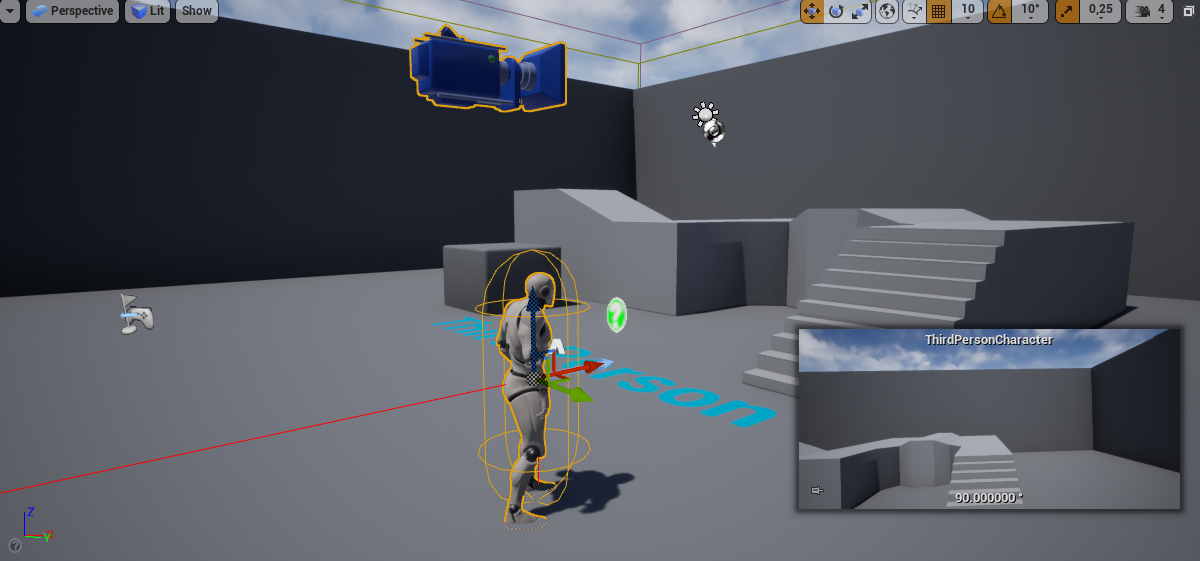 pure cliff
@slate shard I tried that a couple times, the editor closed before task manager registered any changes from just having the editor open in general.
I ended up closing Chrome (normally with this laptop I have more than enough RAM/vRAM to have both open, not sure why it's complaining this time) and that stopped the crashing
 fringe drift
Ok, so, newbie to UE4 here, with a quick question:
I heard (on a youtube tutorial) that using Event Tick for stuff can slow a game down, and that it is generally not a good idea to use it a lot.
Is there a good way to make stuff 'recharge' (or more precisely, a good way to increase the values of integer variables) over time, without using Event Tick?
...Or is this something trivial that Event Tick could handle with zero consequences & I'm worried about nothing?
 mental shale
yo, I opened my project in the newest version of UE today, and now, whenever I launch a window of my game, this console opens up EVERY time now
Is this happening for everyone else now?

how can I make this console stop showing up?
it pops up on top of my game and gets in the way
here's what the console looks like when it first opens

 trim sail
Hey guys, I have trouble rendering out a sequence - unreal simply opens a new window and records a new file live from the vitural camera vive rig in stead of rendering out the sequence... what to do? https://www.youtube.com/watch?v=YY-YnGzBnTU
 plush yew
Is it stupid to make a UE project inside of OneDrive, so whenever I save, the files are constantly backed up? Or would it take 10 years to save?
 wanton lotus
plush yew
Is it stupid to make a UE project inside of OneDrive, so whenever I save, the fi...
wanton lotus
plush yew
Is it stupid to make a UE project inside of OneDrive, so whenever I save, the fi...
Does OneDrive give you a way to ignore certain folders and files? If so, I'd imagine it would be like using any other source control at that point, except that file backup would happen automatically.
Main reason you want to ignore files is because you won't want to backup generated files. I've had log files reach multiple gigs before while prototyping something just because it threw warnings from an animation blueprint (so tons of warnings and on tick, lol). Something like a huge log file you would not want to backup.
plush yew
@wanton lotus But then I can just work straight out of OneDrive, I don't want two separate versions of the projects file, just straight working out of OneDrive.
wanton lotus
plush yew
<@!291620720243376129> But then I can just work straight out of OneDrive, I don'...
I'm sure it will work, just seeing if there is a way to make it more efficient for you if you do end up going that route.
Test it out with a copy of your project first. Make a few edits to a large level or something. Save multiple times, even while it is trying to backup to OneDrive. Test if anything gets corrupted along the way.
plush yew
Thats what I am gonna do. Thank you.
wary wave
it is not
it actually says that right at the beginning of the server rules, which I am assuming you have not read :p
plush yew
just a question so in my editor right when i click play it loads into my level but when i packaged the game and i click the button it just reloads the menu level instead of going into the main level anyone know a fix?
 south shore
(Newbie trying to learn..) I have a bunch of render targets created dynamically within a class, with the desired effects drawn to them, but how do I actually display them live? Since they're being created within the class I can't figure out a good way to reference them.. Sorry for the cryptic description, any help would be appreciated.
lucid grove
When i culling particle with culling render (and bends) do they still do math or they freeze and not taking resources?
 bold ginkgo
Hi everyone. Need help how to continue to next level even when character dies? someone please help me.
 exotic thicket
it depends on how you're handling the character dying
for example, if you change its health to 0 or something, you can just check for that and then do some logic like switching level
 glacial dawn
One question, I'm using UE4 for 4 months approximately but in last month when I'm about 30 minutes with the application open the contextual menu starts blinking and next time doesn't appear at all. Closing and opening again fix it but the question it's, why???
fierce tulip
i remember someone making a visual health bar for their character and found it odd that the character didnt die when it hit zero.
oh, to be a yound developer again.
 surreal cloak
@everyone, I said that I was going to start making games with unreal engine by myself, and my brother might join in every once in a while. When I said this, it seemed to turn heads (and not in a good way). They seemed to think it was odd that Game Development as a whole would be my hobby. Is my idea of making games by myself or with little help too difficult and ambiguous?
bold ginkgo
exotic thicket
it depends on how you're handling the character dying
alright thanks
 buoyant graniteBOT
:triangular_flag_on_post: ArtfulWalnut7#6883 received strike 1. As a result, they were muted for 10 minutes.
exotic thicket
surreal cloak
@everyone, I said that I was going to start making games with unreal engine by m...
I dunno I've dabbled in making games for a while, I never really released anything particularly impressive but nothing says you can't if you're willing to put in the time and effort
Oh right and they're muted because of using everyone :D
bold ginkgo
one more question. can u put a video which u made like through some video editor or something n then play the video in unreal engine in full screen format when the first level end and then video plays and second level start?
exotic thicket
Yeah I think there's a media player thing you can use
bold ginkgo
got any link or something. i m new to engine..
exotic thicket
I haven't used it myself, just google for "ue4 media player" or "ue4 play video" and I'm sure you'll find a bunch of info :)
bold ginkgo
alright i try thanks again
gloomy ginkgo
Guys, I have created this ribbon particle that follows my car's rear tires but I don't want it to always follow, I want it to follow when I am driving on grass or mud so I was wondering how can I stop it from following using blueprints?
 fresh plover
any idea why it.s like this?
 leaden dust
@gloomy ginkgo just set it to hidden when you don't want it seen
 still vector
hiya whats a good tutorial for starting with blueprintsssssss
gloomy ginkgo
unreal engine's official youtube chanelllllllllllllll
gloomy ginkgo
gloomy ginkgo
Guys, I have created this ribbon particle that follows my car's rear tires but I...
No need for help, I figured it out!
fresh plover
?
gloomy ginkgo
?
fresh plover
fresh plover
any idea why it.s like this?
this
gloomy ginkgo
well, its not clear enough
fresh plover
it.s in c++
the weapon is on the a socket
tried to spawn it on begin play
and it.s not in the hand
see?

should be like this
 atomic crown
hey im rendering my first movie in ue and it looks fine in viewport: https://i.gyazo.com/d8a0faff7b6d540c34788c0f6c467471.mp4
but when I render it looks like this https://i.gyazo.com/1727e093c0427480193fc7aaf6819575.mp4
like it doesnt have the camera movement at all just falls through everything
anyone know a fix?
nvm I had to click this then it worked

 sonic cliff
Hi, how to get the further distance of shadows, foliage and everything in a cinematic with best quality possible? Shadows disappear at some point with distance field shadows at max
 novel mauve
Hello Everyone ... After using UE4 for a while now .. I guess the worst nightmare ever is "Compiling Shaders" .. which takes huge time and CPU juice .. So I heard about FASTbuild .. where you can distribute the compiling shaders process through the home network computers ...
I've already tried Incredebuild with their trial license for 30 days ... but after that it was blocked .. and they are costy too 😄
So has anyone got a clue how to use the FASTBuild with unreal engine to distribute the work on the network computers .. ??? Thanks a lot.
sonic cliff
And foliage is disappearing when i do a movie render queue..no in sequencer
 dire ravine
hi who knows how to work with unreal engine behind a firewall? when UE is blocked by a firewall and it tries to connect to the swarm it freezes, how can i disable Swarmbuilding so no connection is made and UE does not freeze?
 ocean maple
When I import a sword, should I tick the "Generate Missing Collision" and "Skeletal Mesh" ?
fierce tulip
unless your sword is animated, no need for it to be a skeletal mesh
ocean maple
Okay thank you bro xD XD
And Collision?
😂
xD XD Sorry x)
@fierce tulip
Sorry x) x(
fierce tulip
depends on some variables, but generally yes, unless you'll make your own collision volume for it, or if its just a visual thing he swings around and collision/damage is controlled elsewhere/different ways.
 light thunder
Is there a way to get all nearby sounds of a given location?
 dense knoll
How do you fix the engine not spawning actors in, In my own project this makes the game unplayable, The player spawn doesent spawn the player resulting in a imidiate Mission Failure, anyone know how to fix this?
ocean maple
Project settings?
robust marten
Sorry for the noobish question, but, I just started working with materials. How would I rename the layers? I can't seem to figure out where to do that.

I tried doing it in the LayerInfo but it won't let me
rocky epoch
You can rename them in the landscape material
You will find a layer blend node somewhere with all the layer names
I believe you can rename them there
robust marten
I tried that but it created an entirely new layer from that
rocky epoch
Hm, then export the layer info to a png (right click on the + in the layer list), make a new one, with the new name , delete the old one, and import the layer info to the new layer.
That could be a workaround
I never tried to rename them , so that was new for me it will create a new layer instead of renaming
robust marten
Yeah see renaming the layer blend node just adds a new one which is weird lol

I'm going to try your method
rocky epoch
I do not know if the layerinfo contains any crucial info, but we successfully moved complete layer paints from a map to another, without caring about it
We just imported the .png files and everything was fine
Of course that is only necessary if you painted with them already
Otherwise you would get a full black png anyway
And that is a great way to see if you left some paintings here and there. A single pixel painting will cause extra shader complexity and issues if you are using many layers
sonic cliff
How to prevent foliage dissapear in movie render? In editor look good then when rendering in movie render queue leaves of foliage disappear, there are just the trunk of the tree
 sharp python
Me after coding my first game all day

 pseudo solstice
Man UE is really driving me nuts
sharp python
Same
pseudo solstice
Couple questions for you folks..
1.) How do I get UE to recognise global shaders? The page describing it does a horrific job at explaining where the cpp/h files go, and I have no idea how to check if the shader is compiling properly
2.) how do I import cpp code into the project? Do I have to create new files inside UE and then copy the code manually? Seems a little ridiculous
Even then, the class I created in UE4 doesn't show up in C++ Classes anywhere
idle merlin
idle merlin
Good evening guys, I'm relatively new to UE, (Come from a professional backgroun...
Someone mind having a look at this? 😁
pseudo solstice
This discord generally seems pretty dead - at least compared to Unity's
Bit of a shame
fierce tulip
people in the US waking up (ish), people in europe are getting ready for dinner. what would you expect.
additionally, you are asking it here and not #cpp
pseudo solstice
I dunno, doesn't seem like a programming problem - just an engine problem
I've had a lot of trouble figuring out how to do things in UE4, the interface is a little... unintuitive
If you think it'd be a better crowd in #cpp I'll take your word on it
¯_(ツ)_/¯
wary wave
I would have assumed #legacy-physics was a better bet tbh
fierce tulip
i dont think its really a #graphics thing, but what you are asking is not something a lot of people here handle so odds are you wont be getting an answer soon unless the right person sees the question. in some of those cases it might be better to use answerhub/forums
wary wave
but Chaos isn't widely adopted
pseudo solstice
I was honestly very shocked that blueprint is so ubiquitous in use within UE4 and C++ seems to be a minority
wary wave
There's only one game that's shipped with it, and most games in development are likely not using it
fierce tulip
@wary wave different users :p
wary wave
oh right
it was so much easier to follow stuff before they got rid of the quote reply feature :/
pseudo solstice
Blueprint seems to be a powerful tool, admittedly, but it's also inherently visually clunky
pseudo solstice
wary wave
it was so much easier to follow stuff before they got rid of the quote reply fea...
You can still do it though
fierce tulip
thats just because you dont have experience with it to the point where its visually not clunky
until you get down the workflow and how to lay things out, it does feel like its a mess
pseudo solstice
I disagree Luos. The amount of information you can fit legibly on a screen is tiny compared to code
pseudo solstice
Oh, I'm not saying it's inherently messy, the blocks are just very large for what they do ( by necessity)
fierce tulip
you can have one block that contains 10 pages of cpp
fierce tulip
you can make functions in which you have more nodes
though when you get so complex yea, i'd ask someone to move it to cpp
wary wave
I have some pretty hefty BP nodes in my project
pseudo solstice
Aye, but C++ has functions too. It makes blueprint much more legible, but still isn't as easily visible as C++ imo. Though I do come from a programming background
So code is intuitive to read already
wary wave
potato, tomato, one is a programming language, one is a scripting language
when you've been working with it for a while, blueprint iteration speed is fast
pseudo solstice
Could say the same about C++, but I'd concede that it takes much longer to become effective.
I don't think blueprint is a bad tool, I think it's incredibly powerful for what it is. I simply stated I was surprised blueprint was so heavily pushed and so much easier to actually use in the editor
My experience could be based on bugs though, to be fair.
 steady stream
When I code I constantly feel guilt that I'm not using patterns or coupling or not exploiting cohesion. I could code much faster before I did OO design at uni I can tell you that!
pseudo solstice
I have no clue what coupling or cohesion are :V
Joys of being self-taught...
I probably use them already too which is the funny part
 worldly valve
any tutorials available for ue4 android game voice command ?
steady stream
I suppose that stuff is designed for large projects at a sausage factory. Code and be damned lol
Or at least be aware that you can 'refactor' it after so it ticks all the 'good design' checkboxes
I was using object factories before i knew they were called that for sure
pseudo solstice
I still don't really understand that pattern
I assume it falls under patterns
Is it a collection of boilerplate values for objects, like presets? Otherwise why use a factory and not just... create it?
 dusky bison
wary wave
dusky bison
wary wave
I think that really depends on what "jitter movement" is
plush yew
yall gotta stop being so vague asking questions here lol
sonic cliff
How to prevent foliage dissapear in movie render? In editor look good then when rendering in movie render queue leaves of foliage disappear, there are just the trunk of the tree. Thanks
 pulsar oak
hey guys, I have an issue, I have a rigged character and a groom asset and when I try to assign the bind asset to the slot in the groom, it doesn't let me assign it
 gilded lichen
ok, brilliant. Thank you. As I just found a 100MB log in the saved folder!
spare kernel
maybe consider buying a bigger drive, UE4 dev requires a fair size, our work project is around 100GB
gilded lichen
I was trying to upload it to GitHub
spare kernel
you dont commit Saved to github
only stuff you commit to Github is: Config, Content, Source and your .uproject
gilded lichen
oh, ok. Thank you
spare kernel
you should not commit Binaries, Saved, Intermediate and DerivedDataCache
obvs Binaries and Source is if you use C++
grim ore
google for ue4 .gitignore
wary wave
spare kernel
maybe consider buying a bigger drive, UE4 dev requires a fair size, our work pro...
that's actually pretty small 😄
grim ore
might need to tweak it a bit tho depending on your project, it assumes you will rebuild your project so builtdata is ignored
spare kernel
@wary wave we don't run 4k textures
 spare kernel
😄
4k+ textures == RIP disk space
i saw on UDN, they added a new class to GameplayTags, called FNativeGameplayTag
going to be a game changer with how GameplayTags are used in C++
 * Useful for making a dedicated groups of native tags that are registered
 * and unregistered as a block.  You define it as follows,
 *
 *    struct FMyTagsForThings : public FNativeGameplayTagSource
 *    {
 *        DECLARE_NATIVE_GAMEPLAY_TAG_SOURCE(FMyTagsForThings)
 *
 *        FGameplayTag TagForThing1 = Add(TEXT("Thing.One"));
 *         FGameplayTag TagForThing2 = Add(TEXT("Thing.Two"));
 *        // Add more tags here...
 *    };
 *
 * During your module startup you can register them together in your startup by
 * calling FMyTagsForThings::Get()->Register(), and Unregister on module shutdown.
*/```I have literally never used them
spare kernel
they are brilliant, i would shoot myself if they never existed now. We use them extensively to the point we have around 2K tags in our project
calm pollen
i keep getting this error message, will it actually effect the gameplay when my game is released?
 spare kernel
could you not fix the constraint?
its saying both of them are static
and your trying to make a joint, which can not work, cause one of them has to be movable
wait, that is coming from the AnimationPreviewEditor..
calm pollen
yeah i think its the animations bound to the mesh. The model and skeleton itself hasnt had any problems till i added the animations


 calm pollen
did you add it in unreal yet?
sterile tulip
No I just downloaded it from Nvidia gameworks
calm pollen
you have to go into the engine to enable it
sterile tulip
I just put it in my D drive
calm pollen
what is it?
sterile tulip
the download files
sterile tulip
Its Nvidia Flex for Unreal Engine
But its not saying how to put it in my engine, it just showing how to download it
it doesnt even have a setup file
in the video the guy has a setup file
I dont understand
calm pollen
is there more you have to download? maybe you only got one part
wary wave
I would have assumed Flex would require a specific engine branch, not be a random thing you can download and install
sterile tulip
what do you mean specific engine branch? @wary wave
Im new and I just want to integrate Flex to my UE4.26
grim ore
so we know you downloaded it but was there not instructions on how to install it and use it?
sterile tulip
NVIDIA Developer
FleX is a particle based simulation technique for real-time visual effects.Traditionally, visual effects are made using a combination of elements created using specialized solvers for rigid bodies, fluids, clothing, etc. Because FleX uses a unified particle representation for all object types, it enables new effects where different simulated sub...
I downlaoded it from here
wary wave
either that or the Unity plugin
grim ore
and like it was mentioned by @wary wave there are specific branches, or versions of UE4, that integrate that stuff
sterile tulip
You mean a different Unreal Engine version? I need to install another Unreal Engine?