#ue4-general
1 messages · Page 932 of 1
 grim ore
quit the game?
 blazing pumice
yes
grim ore
quit game
 midnight root
hm ok thx MathewW I'll look into that ;00
 late thistle
does anyone think they can help me with something? It may not be possible but im trying
grim ore
well literally the first google result from "ue4 how do i quit game" was the answer
 meager stag
Maybe a basic question, but if you enable ray-tracing and use ray-traced shadows, amd cards wont be able to support it and you need a plan b for cooked game, right?
grim ore
don't need a plan B, it will fall back if they aren't supported
 blazing pumice
Yeah I was googling "End play" because the starting event is "beginplay"
figured it made sense
 distant bane
What is the best way for dynamic lighting for interiors ?
SSGI is causing me light leaks
grim ore
@blazing pumice that makes sense but begin play is for that actor, not for the engine
distant bane
SSGI works great here
where i have windows
but when i transition underground
i get these leaks
and i really need dynamic light
grim ore
are your walls thick enough and far enough away from the edges to block or are you lining up edges?
grim ore
if you have edges you will end up with leaks 😦
blazing pumice
Could be bad developing but does putting another ceiling below them help? 😂
oh wait you mean around the edges
yeah as far as level design goes you should be clipping stuff into eachother slightly I think
blazing pumice
ayooooo there ya go
distant bane
and also the roof is 2 planes
with 1cm distance
from eachother
thhank you alot guys ❤️
much love
distant bane
thank you jamsheed
its the agency forourgame
it has -12 floors
it is a VR game we are making
so i need fully dynamic light i plan everything to be moveable
@plush yew i know what youtalking about sec i will try
didnt worked
only thing it worked was getting the thickwalls
and adding them as roofs
 misty cargo
One thing I question is why are u even aloud to have a 0 thickness item..... When u can't compile it
(No this isn't asking for help
distant bane
it worked with static light nicely
but i have to change my whole workflow now using fully dinamyc
still getting used to it
btw yes it was plane
still trying to figure out lighting interiors dynamic
cant wait for lumin
 stark marsh
is using displacement for walls and floors intense
misty cargo
If in a function and use a for each loop with break...... The only ways that I know of is using a branch to use it as a loop
And a sequence to make it do it a certain amount of times then break
stark marsh
like tesselation? does it take up tons of power
becuase it looks really nice but idk if it is intensive or not
misty cargo
Are there more ways than that?
stark marsh
idk if i should have a brick texture like this
or physically have bricks in the world
 sterile tulip
Does world origin shifting work in multiplayer?
 regal shard
do trace channel collisions not work with instanced foliage meshes?
 plush yew
How can I export my unity project to unreal engine project?
 spare kernel
Unity and Unreal are not the same, you can't just export from one to the other
if you can grab your assets out and reimport them, that could work, but they have to be in a format unreal can understand
 south dagger
there is an implementation that mimics the SHIFT key smooth movement when moving things like blender?
I mean, if you are altering something and you hold shift, it goes slower
the velocity that you move things inside the viewport are very quick
 calm pollen
does anyone know how you could make a main menu kind of like this, where the player swipes and it displays one screen at a time
plush yew
Kinda a long shot but if anyone is familiar with kingdom hearts 3 and its wall running, does anyone know if Soras rotation changed to ensure he lines up standing atop the walls or if the tilt for his wall run animation is baked into his model?
 rancid lynx
what kills a TIMER ? isnt this a potential memory leak ? how can i overwrite old timers? setting a return value to a variable isnt overwriting the spawn timer function, its just overwriting the variable pointer
plush yew
spare kernel
if you can grab your assets out and reimport them, that could work, but they hav...
Good thing I still have my 39 assets.
rancid lynx
perhaps the function name acts as the reference to the timer. creating a second set timer by func, seems to reset the info. idk
 limber cargo
I've got a really basic question that's been driving me up the walls all day ...
For the last several months I was working with UE4.24 and not having this issue, but I recently installed UE4.25 to test out a plugin asset and ever since all of my FBX imports are only plain white materials.
rancid lynx
i was wrong. didnt reset the timer.
limber cargo
My computer chugs away to compile those material shaders but in the end it's just a bunch of blank white nothing.
Anyone else having this problem? I've been editing my meshes in Blender and using pretty much every technique I can think of importing them into Unreal but the materials always get stripped to nothing.
 thorny sedge
@rancid lynx Try "Clear Timer"
rancid lynx
geezus so simple X_x thanks X_x
thorny sedge
@rancid lynx lol it's hard to know everything just be patient haha
rancid lynx
hehe. i thought i searched the timer options , but i guess i didnt see that good one
 humble yacht
is there a console command to view the current resolution
 warm swallow
Does anyone ever have an issue with Components just becoming NULL randomly
I have a health component that just becomes null after i recompile code. But none of my code had anything dealing with the health component?
 simple saddle
does Unreal support Voxel natively?
limber cargo
I know there are free plugins for Voxel support.
limber cargo
I remember it being in an Epic tech demo a few years back but I don't think I've seen any native support.
simple saddle
hmm... i see...
limber cargo
There are people who have built their own cubic voxels and shared their in Unreal and shared their source code, but I don't think that's what you're looking for.
simple saddle
Yeah, why not, do you mind sharing it?
limber cargo
I don't think I have the links anymore, but I'll look in my YouTube library and see if I saved anything on that.
Oh wow. It really feels like Voxel Plugin has cornered the market. They're the entire first page of Google and YT now.
They do share the source for their free plugin, though.
Obviously they're keeping something compiled and locked away for the $300 version.
warm swallow
Can someone please explain Why a Components created in a base class becomes null in the child. I keep having weird issues with things randomly becoming Null after i open something.
Also how can i get this damn error of "Are you using package/cookedbuilds" to stop showing up that results in just a restart of my editor
limber cargo
simple saddle
Yeah, why not, do you mind sharing it?
Here's the github repo of one of the projects I remember seeing:
https://github.com/bw2012/UE4VoxelTerrain

GitHub
[WIP] Unreal Engine 4: Smooth voxel terrian example - bw2012/UE4VoxelTerrain
It's 4 years old so who knows how well it works with the current version of UE.
limber cargo
No problem. Glad I could be of some help after all.
 prisma mist
hi, anyone have a good video of how to add animations to a model?
 royal stirrup
guys, is that possible to use decals on animated meshes in unreal?
I'm trying to add decal to animated mesh in blue print, but it's not following animation
despite it's parented
limber cargo
Oh, you just answered my question before I could ask it.
royal stirrup
it's moving with the mesh, but not the animation
limber cargo
Yeah, I remember it's important to make it the child of the object it's attached to.
It's probably a child of your collider.
Are you using just a simple capsule?
Or a full physics asset?
shrugs I've only ever done static decals so I'm just guessing here.
royal stirrup
physics asset
and object also simulating physics
I also have that problem with regular meshes. I mean even if I attach something to socket it's follow the object change of location, but not the animation
https://www.youtube.com/watch?v=I8HcY2sDL_Q here's how it looks with decals

it's not follow in air idle animation
same thing happens if I trying to attach the cockpit mesh to this
 gaunt abyss
@tidal pebble here doesn't work for a reason, also why are you asking that in #ue4-general channel in an unreal engine server?
Read the #old-rules
Off topic stuff can go in #lounge
 drowsy cape
Hi, can anyone explain to me why I can't get a hit event to trigger if the on-hit component is not the root of the actor? Using a scene component as root so that I can position the box collider. (Or do u use something else as an "empty" root in unreal? Unity I would use an empty game object.)
On overlap does work. Simulation Generates Hit Events does not do anything either. While I am at it, Howe come that basic hit events (collider root) trigger hit events without "Simulation generates hit events" checked?
A link to some place that explains this would be great as well.
 formal quiver
Is there a way to force a reimport of a texture file? I'm finding that the reimport tool is not updating my texture file unless I go into the texture and set the file path to the source file manually - even if the path is the same
 broken heath
I wanted to vertify files and my unreal said , (update) what update is it ?
And if i update will i need to vertify files again or its a clean new version
 proper marten
I have a problem where i have drag and dropped my TPCharacter but when i click play it spawns in a new actor. Anyone know how to fix this?
 still tangle
Why is it coming like this?
 velvet magnet
Probably is just your viewport camera rotated a bit
 runic fern
Are there any API or plugin to communicate between game and discord server ??
Varest maybe ?
I want to assign role for players according to his team ingame
 wary wave
once upon a time Discord were working on such a thing, but they just stopped for some reason
velvet magnet
That’s a good question
Well, you could do it manually with a server
Use a discord bot, create an API where server data goes into your bot and then translate that data to a role
Could be an interesting project
 coarse turtle
When I try to load a tiled 8k map, I get out of memory message after loading some tiles.
velvet magnet
Sounds like you’re out of memory
stark marsh
if i bake a curvature map in blender how would i put it onto my material in ue4
like how would i overlay it over the base color
it would basically be white lines that show the edges / highlighted parts of the texture
 honest vale
multiply it with the base? Not sure how curvature maps look
broken heath
Do you guys use Specific mouses ? Like mx master or another? anyone have a suggestion for a productive mouse
plush yew
Is there a super quick way (console command) to hide all UI objects?
broken heath
Isn’t there remove all widgets node?
plush yew
It's in an old build - I'm trying to hide the HUD so I can take a screenshot.
broken heath
Idk what is a console command
plush yew
Blueprint command is supposed to be ShowHUD 0 but that isn't working.
stark marsh
i think i'd just multiply it idk
it would literally look like a black background but with white lines to show the edges
 strong vortex
stark marsh
if i bake a curvature map in blender how would i put it onto my material in ue4
strong vortex
stark marsh
if i bake a curvature map in blender how would i put it onto my material in ue4
You use it as a mask to add certain effects like wear or dirt, etc. Curvature maps can be put together as a single channel or in two channels. From the sound of it, you're dealing with the single channel type so you'll have to isolate the concavity and convexity information.
 uneven mica
So i sculptet my mountain but it got to max height how can i change max height ?
wary wave
you can't, you reached the maximum height on the heightmap
your only option is to scale the landscape
uneven mica
wary wave
you can't, you reached the maximum height on the heightmap
Damn ok thx
 smoky sonnet
may someone know why this is a thing? because here is everything ok
but if i convert them to parameter it doesnt work
wary wave
multiply by zero is just making everything black and adding zero adds nothing
I assume you're just copying something without understanding it?
also, it tells you why that error is there
 minor tree
Hello, I have a question on player name plates in multiplayer on a dedicated server, I'm using blueprints. I can get them working if not in a dedicated server and also working once in awhile on a dedicated server. I was wondering if anyone had a good way to get the player name plates to show on a dedicated server when players join in at different times. I used RepNotify but It's not always working. What's the best place to do this, Player character BP, PlayerState, GameState etc? Thanks
smoky sonnet
wary wave
also, it tells you why that error is there
yea because i am trying to work with a vector3 and 4 but they are both 4
and if i didnt convert them to parameter they are still vector4
smoky sonnet
but why doesnt it throw an error before converting to parameter
wary wave
actually it might be a vector 4 and your other inputs are using just RGB
smoky sonnet
because they were still vector4 or not?
strong vortex
The white circle of the parameters is RGB, so vector 3
wary wave
in any case you need to append or truncate one of those vectors to solve the problem
wary wave
strong vortex
The white circle of the parameters is RGB, so vector 3
cheers, that'll be it
 crude jasper
Hi guys!
I have a question that im sure is short to answer and the ue4 answerhub seems to be down... so here it goes.
Im entering the WN Dev Contest for Unreal Engine Developers, but im not sure the assets im using for the projet are licensed as free for any use...
I dont plan to release the game using this assets, they are purely for the appearance, as it helps to see what im making
Could this be a problem?
oh and what if the asset is copy righted? would that be a problem too?
spare kernel
if you don't own the rights to something and your sharing it (regardless if you are publishing/releasing) is still a problem. I am no lawyer, but i would see that as sharing copyrighted material.
 fierce forge
is there a way to get it just with the item name, and not with the global price and the item name ?
 tender pecan
@fierce forge not for contains, you will have to loop and match on name I think.
 distant acorn
when i click start, the third person character just tp to the earth
thorny sedge
so confuse! - in old versions, i could spawn actor from class, input a select node of classes and then say "possess" but I just switched to 4.25 and it doesn't seem to work anymore. Does anyone know about this?
it won't allow me to possess out of the return value of a spawn actor node when I'm inputting a series of classes
but tbh, i think it's more optimized. There is one other thing about the spawn actor node that made no sense to me before that I believe they have fixed, perhaps this is the result of that fix
@distant acorn that link is invalid for me
@distant acorn yup its a dl got it
@distant acorn do you have an actor spawn placement? you need to go into the world outliner in the top right and make sure you have a spawn actor placed. Let me know if you do
@tender pecan I'm guessing you recommend engine version 4.21. Can you check to see if you can possess an actor from a select node of classes?
@minor tree Playerstate has specific functions for naming the player.
@plush yew It's good practice in my opinion to create a container widget, where you separately create all your widgets, then create a container widget, go into "user created" and all the widgets separately. Then you can add the container widget to the screen and you will be able to turn your entire visible UI off by disabling your container widget. Look into it
@runic fern Look into the Discord plugins on the UE Marketplace. Try typing in "Discord" into the search bar. There are three right now.
@proper marten It's probably because you're just dragging and dropping your player into the world. If you have created a new character, go into your Game Mode and assign the player class that you have created. Make sure you have a spawn point created in the world outliner. Make sure you have only one character that is spawning. I'm fairly certain that if you have a spawn point and you drag a player of the same class into the world, it chooses one of those to spawn from and I think it's the spawn point as you say, not the character you drag in. Although, I believe if you have no spawn point but you drag in the correct player class, it will allow you to take control of that character pawn but don't quote me on that.
@drowsy cape Your terms are mixed with Unity terms I believe but I would suggest clicking on the box collision and going into the event overrides and selecting a "event on overlap" event. If you just select the item and scroll through the details until you see the green check boxes, those are what you want to mess with to learn more about collisions. Look into that is what I can gather would be necessary for you.
@warm swallow what engine version are you using? Maybe look into your version. I'm not familiar with that problem though so don't waste your time on me. It sounds like maybe a small oversight or a versioning issue.
@radiant haven you know, if you select nodes and right click, you can collapse things to macros and functions
 radiant haven
sery wrong chat lma0o
radiant haven
thorny sedge
<@!550426115458596884> you know, if you select nodes and right click, you can co...
ye i know this was hrrifiying
thorny sedge
@radiant haven it would have been less letters to just spell horrifying
radiant haven
🤷♂️
distant acorn
@thorny sedge i have placed a PlayerStart right now but it still happeds
thorny sedge
@distant acorn is the player class that you are trying to spawn the one that is selected in the game mode?
@distant acorn Are you using the correct game mode? player controller? check all that in the game mode and check in the world details if you have the game mode set, or go to your options and go into "maps and modes" and select the correct game mode if you think this could be the problem
@distant acorn Drag your player start where you want to spawn the character, it's probably best not to just drag the character into the world
@distant acorn after you do that, delete the character pawn that you have dragged into the world
distant acorn
i think i know what we problem is why i tp back to the earth
cause the lightsource, skysphere,atmos fog and skylight are like 1.5 miljion meters away
 tribal oak
I tried this on a dedicated server but it doesn't work, someone has an idea why?
I set these variables in the configs
DefaultEngine.ini
[Voice]
bEnabled=true
[OnlineSubsystem]
bHasVoiceEnabled=true
In DefaultGame.ini
[/Script/Engine.GameSession]
bRequiresPushToTalk=false
thorny sedge
@distant acorn I hope you figure it out
plush yew
Should I create an Infite Matrix or A FPS shooter for my first project??
 supple totem
hi all, has anyone had trouble with game losing window focus when player is rapidly turning with mouse? my cursor is hidden, but its like the cursor can leave the window and focus snaps to my windows start menu
 exotic thicket
plush yew
Should I create an Infite Matrix or A FPS shooter for my first project??
exotic thicket
plush yew
Should I create an Infite Matrix or A FPS shooter for my first project??
Why are you asking us? Make what you wanna make lol
thorny sedge
@supple totem try "set input mode game only" and choose the capture options you want
supple totem
thanks, this is what I
'm doing now UWidgetBlueprintLibrary::SetInputMode_GameOnly(GetWorld()->GetFirstPlayerController()); GetWorld()->GetFirstPlayerController()->bShowMouseCursor = false; UWidgetBlueprintLibrary::SetFocusToGameViewport();
thorny sedge
@supple totem check to see if you can say when to capture the mouse. These are the settings that change whether or not you have to click to start moving, or if the game starts and it already has your mouse captured.
supple totem
cool, I'll check it out, thanks!
thorny sedge
@supple totem yaya have fun
can anyone recommend a solid engine version this early?
plush yew
exotic thicket
Why are you asking us? Make what you wanna make lol
I am making the infinite matrix lol
 lament star
I'm having a weird issue were every time I open up a project the physics settings get changed back to default, I even tried modifying the Engine.ini file too but it doesn't seems to change this behaviour
has anyone experienced this/know a fix? This would help a lot
runic fern
thorny sedge
<@!288693281544732674> Look into the Discord plugins on the UE Marketplace. Try ...
Cool thanks mate
 dark briar
when using the ramp tool in landscapes, how do i chain it to made a road/path?
 near pine
ive been having struggle with this
how would i go about making a henry stickman type game
 agile nova
hi, i got question
Execute Command (slomo 0.1) in blueprint are affect on Camera Shake
but when if write in " original ~ console " it doesnt
Wth ?
 small vault
Can anyone tell me why I'm getting these harsh shadows when baking light? I've messed with source soft angle but it doesn't seem to make a difference at all
plush yew
small vault
Can anyone tell me why I'm getting these harsh shadows when baking light? I've m...
Did you delete something?
small vault
What do you mean?
Lightmass settings are all tweaked to be high quality and I've improved landscape lightmap resolution as well as the rockwall itself
 cursive coral
Anyone have any ideas why water textures are not appearing with the 4.26 plugin. They water is in my level and deforming the landscape but no water is actually appearing. Enable edit layers is on, I am using an imported landscape? Any help is greatly appreciated.
 willow tinsel
Guys I need help, do you know what the best way to learn Unreal Engine is? Also can you guys tell me how you learned Unreal Engine. I just started and want to know where to start. Thanks
plush yew
small vault
Lightmass settings are all tweaked to be high quality and I've improved landscap...
Try "cast shadow: false"
from details
then turn it on again
 ocean grove
@willow tinsel I'd get a book or take a course if I had the opportunity. I have been slogging through code and it's been a struggle.
plush yew
Or make it true
cursive coral
willow tinsel
Guys I need help, do you know what the best way to learn Unreal Engine is? Also ...
for me, I just dived straight in and learnt myself. I made a bunch of levels and just tried different things. Whenever I meet an issue I put it in here and learn from it for future!
small vault
plush yew
Try "cast shadow: false"
that just forces a rebuild for me, the preview shadows are softer though but i'm pretty sure those are just dynamic
rebuilding now but i've tried rebuilding before
cursive coral
cursive coral
Anyone have any ideas why water textures are not appearing with the 4.26 plugin....
Not to push the question but I am assuming no one knows as of yet? haha
ocean grove
Haven't tried.
small vault
cursive coral
Not to push the question but I am assuming no one knows as of yet? haha
I've had a bunch of issues with the water stuff. Definitely a lot more complicated to use with an imported landscape. Does it work if you just create a new landscape?
willow tinsel
@ocean grove @cursive coral Thanks so much. Now I have an idea on what to do.
cursive coral
Let me try, I am currently resetting all the water parameters to default as it appears to keep them across multiple projects. Could do with resetting the plugin to default. Shall have a look now for you and get back
small vault
yeah be careful messing with the content of the plugin as its not saved per project but in engine
cursive coral
willow tinsel
<@!775443242258792468> <@!729073263191392358> Thanks so much. Now I have an ide...
no worries. I recommend you start by learning level design and environment creation as its a good motivation boost. There is a plethora of tutorials out there for it on youtube and google. They are a nice introduction to it. Welcome to unreal engine
ocean grove
Is anyone familiar with audio capture? I am struggling to get it to work correctly.
cursive coral
small vault
yeah be careful messing with the content of the plugin as its not saved per proj...
I am assuming you cant reset it?
small vault
uhh not totally sure, maybe verifying or repairing the engine could reset it?
cursive coral
yeah, its annoying it carries across projects as I messed it up a while back where I could not change the albedo no matter what colour I set it to. Now it makes sense that it carries
Its annoying how there is not many tutorials yet
The underwater post processing works just the surface texture is not there
(Currently compiling shaders after resetting all to default values)
small vault
if you want to mess with the color you should adjust the absorption
or atleast that was the way I was able to adjust it, changing the albedo didn't do anything
cursive coral
Yep, its because its new and the purpose of each slider isn't really that clear.
small vault
This might just be a hack for now so don't take it as gospel
cursive coral
I ended up with black water on my last project haha
cursive coral
cursive coral
I ended up with black water on my last project haha
forever
This is what is happening as resetting to default didn't do much
or anything for that matter
small vault
i'd probably verify the engine or reinstall completely as you don't want to mess up the water content
cursive coral
yeah, I shall see what I can do
.......and once more another issue lol. Its the joys of game development
 dawn gull
So, I have a model made in Blender but the material is complicated, how can I export the model and the material?
cursive coral
small vault
i'd probably verify the engine or reinstall completely as you don't want to mess...
either that or give up on having a pretty river
small vault
I mean its also pretty great if you just need it for the basic implementation, I'm mostly frustrated with the lack of foam / fluid sim etc being explained
cursive coral
Validating will not remove my project will it?
small vault
the entire thing is literally filled with unconnected nodes, missing references and other stuff. I'm so looking forward to using it but it looks messier than my own projects
small vault
dawn gull
So, I have a model made in Blender but the material is complicated, how can I ex...
There's some video's out there and i believe there's a plugin for UE4 now that's experimental maybe look into that
cursive coral
small vault
I mean its also pretty great if you just need it for the basic implementation, I...
I agree, they should make sure what they advertise is explained and functioning if not then it ends up with loads of issues. Although the tutorial exists with the 1.5 hour lesson etc, it doesn't specifically cover it and most the setup is already done.
small vault
cursive coral
I agree, they should make sure what they advertise is explained and functioning ...
At the same time its pretty awesome how advanced the system is. I just want to see some content examples that bring it all together a little more. I know they're still working on it and I'm happy we have access to it now even if it is a little busted
cursive coral
small vault
At the same time its pretty awesome how advanced the system is. I just want to s...
Yeah, it is nice to have an easy way to integrate water without having to pay for it as well. It is versatile enough its just a bit unclear at the moment. Maybe some example levels as you said and help documentation
Ive just tested water in an example level and it works fine
it must be an issue with the imported landscape
small vault
you definitely HAVE to have edit layers enabled before importing the landscape, you can't do it later because it won't work
cursive coral
small vault
you definitely HAVE to have edit layers enabled before importing the landscape,...
Yep I deleted the landscape and recreated it with them enabled before
 median hound
plush yew
Should I release this game in itch.io?
median hound
plush yew
Should I release this game in itch.io?
make a point system and i think it would be an ok post
cursive coral
small vault
you definitely HAVE to have edit layers enabled before importing the landscape,...
and it works on a new landscape
shall try again if not I shall post here again
small vault
oh i just remembered something else, check out sjoerd de jong's video on the water stuff
might be a little more accessible
cursive coral
You dont happen to know how to build buildings into games do you as well? Its something I want to do but dont have a clue how to lol
^As in the best way to do this
cursive coral
small vault
oh i just remembered something else, check out sjoerd de jong's video on the wat...
Shall check it out. Thanks greatly 🙂
cursive coral
small vault
you definitely HAVE to have edit layers enabled before importing the landscape,...
yep still does not work despite trying this again 😦
cursive coral
small vault
and watch that video!
Will do. Thanks for the help
If I have issues after trying everything is it ok to DM to avoid blocking up this chat and causing peoples questions to be lost?
small vault
yeah we're spamming it up a bit so sure
 versed forge
hey guys! im currently making a e to toggle light with a little ui showing when you get in to the box collition. i know how to enable the ui to show on the players screen but not how to accually disable it when the player has left the box collition. can somebody explain how to do it cuz im really new to ue4
 hidden sparrow
Hey, im looking for a way to memorise what UI Widgets are active, so that when i click a button they disappear and when i release it the same widgets appear.
 clever axle
is it possible to enable server side animation? my effects are off because they're on a different position on the server
grim ore
@versed forge on the overlap, after creating the widget and before adding it to the viewport save it to a variable. When you want to remove it, use that variable to remove from parent and then null the variable
@hidden sparrow when you click on the button how do you know what widget to disappear?
hidden sparrow
Yea I want all lets say 7 widgets to disappear even if only 3 are active and then get the same 3 back
versed forge
grim ore
<@!750255631419703356> on the overlap, after creating the widget and before addi...
i am pretty much new so i don't know what your saying xD
oooh i see
grim ore
@hidden sparrow yes. are you currently tracking them when you click or is the issue you have no idea how to do any of this?
@plush yew yes. wait.
ocean grove
When I make audio capture it's own blueprint and then add component to actor via the level blueprint I can record mic input, but I can't seem to get it to get it to work in any configuration in my vrpawns bp.
grim ore
you need to track the widget you are making visible, add them to an array
hidden sparrow
It is actually called is in viewport now
clever axle
https://i.imgur.com/tNvErzg.gif
the fx on the gun is off when I'm a bit away from the character. This doesn't happen when I'm close up. Is there some kind of LoD involved?
 grim ore
nothing visible, make visible, add to array. hide the visible ones, loop thru the array and hide them, make them visibile, loop thru the array and make them visible. hiding one widget, hide it and remove from array
ocean grove
This gives me the right timing info trial by trial but the audio file is blank.
This gives me the right audio but I'm so terrible at casting data properly I can't figure out how to pass trial info into the game instance and spit it out as a file name as I did with the other nodes.
BlueprintUE
versed forge
grim ore
<@!750255631419703356> on the overlap, after creating the widget and before addi...
Hey @grim ore i don't really understand what you mean
grim ore
which part?
"on the overlap, after creating the widget and before adding it to the viewport save it to a variable. When you want to remove it, use that variable to remove from parent and then null the variable" you have an overlap, you create a widget, after that save the widget to a variable. you have an stop overlap, at that point use that variable and remove from parent. After you remove it set the variable to null/nothing
 viscid bough
Hoping someone can point me in the right direction here. I'm running into an issue running out of memory while moving uassets within my project. This time it was 50 or so material/material instances from one folder to another.
Out of video memory trying to allocate a rendering resource```
I have never had an issue moving files in the project until a couple months ago. I have since changed out my graphics card from a gtx770 to a r9 290 (I know, still old, but twice the memory) Same issue. I can move assets if I do it one at a time, but will run into the same issue attempting to fix up redirectors after. vocal python
Hello! Someone faced a problem when when you pull updates from the Git and the mesh arrives with incorrect ID materials ? UE4 4.20
versed forge
grim ore
"on the overlap, after creating the widget and before adding it to the viewport ...
the varieble and the null thing @grim ore
versed forge
i know what it is, it is a true or false value
grim ore
nope
grim ore
that would be a boolean variable, you want a user widget or your specific class variable
versed forge
ok well lets just forget my question cus i don't get anything xD
spare kernel
@versed forge see after you create the widget
you need to store a variable to that newly create widget.
then in your EndOverlap, you use that variable and call Remove From Viewport
versed forge
spare kernel
you need to store a variable to that newly create widget.
ok how do i do that
spare kernel
how you would save any variable
versed forge
im new
grim ore
we know but your refusing to learn lol
spare kernel
https://learn.unrealengine.com follow a course
it will 100% be more beneficial than us holding your hand
spare kernel
but you need to learn the very very basics on Blueprint. Which you are lacking.
spare kernel
versed forge
i know like a little bit but the guy on the tutorial series haven't gotten to variables yet
spare kernel
i take a lot of youtube tutorials with a pinch of salt. A lot of them are made by people who are also new.
spare kernel
yeah i also take some of them with a pinch of salt 😄
spare kernel
lets say, i have seen some questionable things 😉
grim ore
in their own tutorial are you doing the same stuff or are you trying to do something else?
versed forge
what do you mean
grim ore
are you are the same step as they are?
versed forge
i am
grim ore
so no you cant expect them to cover your deviation which means you need to learn how to do it which is why we are telling you how to do it but you are expecting someone to tell you what to do
versed forge
no
plz
thats not what im saying
im just a guy that is following these tutorials and followed them, but now i want to use a widget instead
but just forget it
i will try learn
grim ore
yes
spare kernel
i told you what to do though
versed forge
i know
grim ore
I am following this tutorial but i dont want to do what he is doing so now I am lost
but I am following the tutorial so why is it not working
....
spare kernel
what tutorial?
versed forge
i have alredy done what he is doing
grim ore
and yes both of us have told you literally what you need to do but not HOW to do it. that is part of learning. Take a few minutes to find out what a variable in UE4 is and then go from there
spare kernel
Give a man a fish, he will eat for a day, Teach a man to fish, he will eat for a lifetime.
calm pollen
anyone have any idea how to change the resolution of a mobile game for a smaller phone screen. I think ive asked before but i still dont quite understand
calm pollen
oh true thanks
 fringe lynx
has anyone here already done voice chat with pixel streaming?
 ancient bone
Hi, if anyone has see this issue please let me know, I have tried a whole bunch of things and it happens from time to time. can anyone help?
grim ore
@calm pollen look under window -> developer -> device profiles. this is generally where the automatic profiles are set up and the resolution settings are designed however you kinda need to adjust your game to the resolution depending on what you need. Also UI is separate and in project settings under DPI scaling
calm pollen
grim ore
<@!682289272518213632> look under window -> developer -> device profiles. this ...
ok im in the device profiles, is there a way to know how to change the screen to fit whatever device is on screen? Im seeing a bunch of editable options, but im not exactly sure what they mean
grim ore
so when you mean screen do you mean UI or what?
calm pollen
mostly ui, it looks like my game's actual gameplay is fine no matter what the screen size is
grim ore
yep thats what I was thinking. so for ui you need to use good anchoring and DPI scaling which would be in the project settings -> UI section
anchoring being the biggest issue with keeping stuff on screen and dpi scaling is what is used to make it "fit"
clever axle
I have a niagara system attached to a skeletal mesh socket. it seems when I get too far from the character, that location isn't properly updated (the system stays in place when an animation is moving the socket)
any idea how to fix that?
grim ore
yes that says "hey this image is this size and this resolution and if the resolution is smaller or larger scale it up or down" so this helps you fit the image size wise. Anchoring in the widget is what says "hey always be in the bottom right"
a common issue is you design your UI just dropping stuff to where it looks good on a canvas panel which makes it in in a location so if your at say 1000 on the X and your device only has 900 across it will still try and make it off screen at 1000
calm pollen
grim ore
yes that says "hey this image is this size and this resolution and if the resolu...
ok and would i end up adding any more points, it looks like there are only like 4 and theres a lot of different sizes that have to be used
grim ore
well by default its probably fine with the scaling, I would make sure your anchoring on the widget itself is set up first
calm pollen
alright will do, thank you 👍
clever axle
clever axle
I have a niagara system attached to a skeletal mesh socket. it seems when I get ...
this is what it looks like:
https://i.imgur.com/IswK5mC.gif
 calm pollen
grim ore
well by default its probably fine with the scaling, I would make sure your ancho...
calm pollen
grim ore
well by default its probably fine with the scaling, I would make sure your ancho...
one more thing, is it possible to preview the game with smaller resolutions from the editor or do i have to try and connect my phone to the engine somehow
grim ore
in the play button click on the settings at the bottom
you can also adjust the UI widget preview in the top right of the widget window if you want to see what it looks like
but in general you want to preview on device as well when you can because its more accurate
 tired escarp
clever axle
clever axle
this is what it looks like:
https://i.imgur.com/IswK5mC.gif
tired escarp
clever axle
clever axle
this is what it looks like:
https://i.imgur.com/IswK5mC.gif
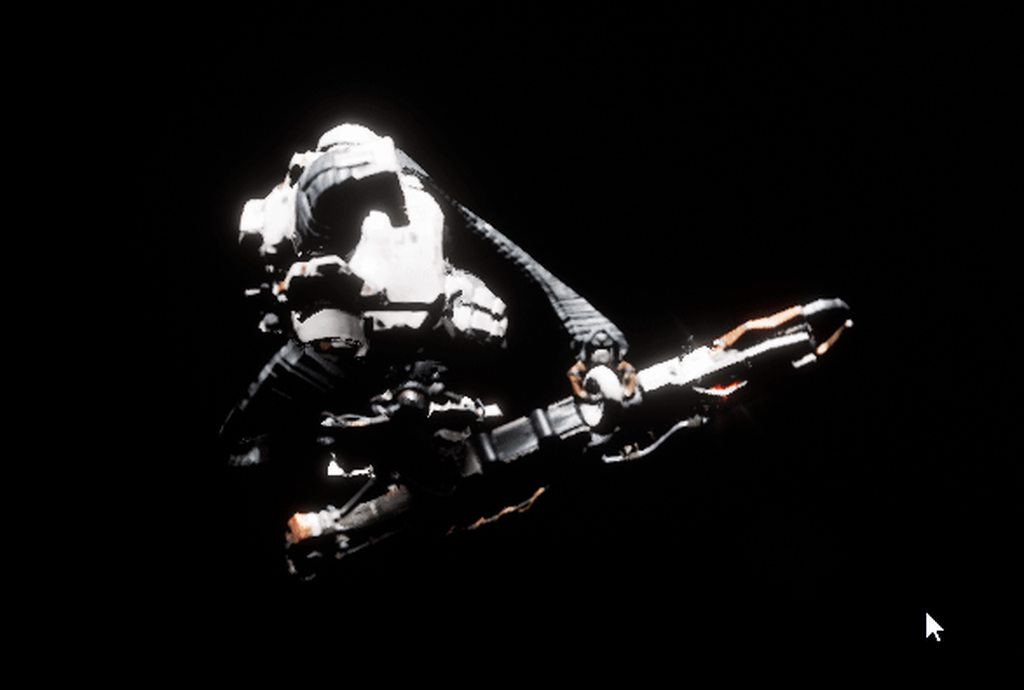
it's working close up:
https://i.imgur.com/jdeTqeR.gif
 versed forge
clever axle
it's working close up:
https://i.imgur.com/jdeTqeR.gif
versed forge
clever axle
it's working close up:
https://i.imgur.com/jdeTqeR.gif
what is it
it looks cool
clever axle
clever axle
this is what it looks like:
https://i.imgur.com/IswK5mC.gif
see this
versed forge
what are you animating
clever axle
I have a niagara system attached to a skeletal mesh socket. it seems when I get too far from the character, that location isn't properly updated (the system stays in place when an animation is moving the socket)
any idea how to fix that?
that's the problem I'm having
versed forge
oh i don't accually know
clever axle
well, there's the shooting animation and when I'm close to the character, everything is fine but when I get too far (not that far actually) the position of the niagara system is off
versed forge
wierd
clever axle
calm pollen
grim ore
but in general you want to preview on device as well when you can because its mo...
is there a way to connect android to the engine without android studio, ive been trying to download it for weeks now and its just not working?
 vast pawn
Is there a way to export your own mesh volumes as an overlap component instead of box, sphere and capsule?
calm pollen
vast pawn
Is there a way to export your own mesh volumes as an overlap component instead o...
do you mean like have the normal functions for a box on the mesh itself?
 dense knoll
There a fix for the D3D bug?
I still cant load my project
it just hangs the GPU nad then crashe
vast pawn
there's a volume so that when the ball hits it that volume pushes it away
Currently I'm using capsule volume for the ball to bounce off from it
calm pollen
is the capsule not working?
vast pawn
it is somewhat
calm pollen
dm me a screenshot and ill try to help you
dense knoll
[2021.01.31-19.54.48:485][ 0]LogD3D11RHI: Error: SwapChain->ResizeBuffers(0, SizeX, SizeY, RenderTargetFormat, SwapChainFlags) failed
at D:/Build/++UE4/Sync/Engine/Source/Runtime/Windows/D3D11RHI/Private/D3D11Viewport.cpp:290
with error DXGI_ERROR_DEVICE_REMOVED,
Size=1928x1088 Format=DXGI_FORMAT_R10G10B10A2_UNORM(0x00000018)
[2021.01.31-19.54.48:485][ 0]LogD3D11RHI: [Aftermath] GDynamicRHI=0000022BF8B1E0C0, GDX11NVAfterMathEnabled=0, Result=0xFFFFFFFF, bDeviceActive=0
[2021.01.31-19.54.48:485][ 0]LogOutputDevice: Warning:
 visual hare
anyone know a place to find more assets? i want isometric stuff and the marketplace is pretty lacking
grim ore
@calm pollen if you know what you are doing yes. It just needs the right NDK and SDKs setup. but in the latest version of UE4 they switched to android studio to make it easier.
calm pollen
grim ore
<@!682289272518213632> if you know what you are doing yes. It just needs the ri...
ok i dont kow what im doing, whenever i try to download any version of android studio it says "Installer integreity check has failed. Common causes include incomplete download and damaged media. Contact the installer's author to obtain a new copy."
 potent bridge
Is anyone here good with materials? I'm having a bit of an annoying problem.
grim ore
@calm pollen have you tried the archive then instead of the installer?
calm pollen
@grim ore yeah ive downloaded like 5 differernt versions with the same error message
grim ore
well you dont need multiple versions, its one version
calm pollen
ik, i just went in the archive and tried multiple to see just in case one of them was corrupted
grim ore
the zip files there are the bottom should not need the installer which you are saying is the issue
if the installers are failing your windows might be fubared
calm pollen
im gonna try the zip files now, i think i tried earlier this week and still got an error message, i dont think the android studio likes me lol
@grim ore is there any other way for me to download this studio or at least something that does the same job?
grim ore
@calm pollen the .zip is the entire studio install ready to install. perhaps its your winzip or your drive or a virus scanner
calm pollen
grim ore
<@!682289272518213632> the .zip is the entire studio install ready to install. ...
ok im gonna try disabling my antivirus stuff again, maybe itll work this time im so confused of why its not working
grim ore
yep its definitely something on your machine and not the file
 flint arrow
does anybody know whether there's a good option for cross-platform (android/ios/windows/osx) secure local secret storage? I have e.g. a login endpoint that gives me back a JWT and a refresh token and I want to store them on a player's device. it looks like EOS does this but they haven't open sourced it as far as I can tell
 fallow oxide
@flint arrow This mostly platform specific implementation.
flint arrow
yeah 🙂 I'm trying to be lazy and see if somebody already built a library
if I am forced to not be lazy that's ok lol
fallow oxide
i think UE4 must be having something for Windows/Linux/OSX, you may want to implement for mobile
grim ore
@calm pollen I also just tested and you really have to use the installer or its going to be a pain in the ass to fix the setup files. so you want to get that installer working
calm pollen
wait theres a different installer 😆
could that be the problem, its downloading with nothing to actually read it
grim ore
well the installer is the first files on that page, you said it didnt work for you
I just tried setting up UE4 with the .zip version and no go since it reads the registry entry when the installer.exe is ran 😦
calm pollen
oh ok im downloading the first thing you see when searching "download android studio" im assuming thats the installer
grim ore
well its the first thing on that list under installers on the official android page that epic directs you to that I screenshotted above
I mean techinically if you cant get that to work you could use an older version of UE4 that didnt use android studio but if that file wont install theres something else wrong in your PC that should be fixed
 true ridge
Can anyone direct me to a tutorial on how to export FBX files to and from Blender?
I'm trying to do it myself and the bones look weird in Blender.
visual hare
im having trouble creating tilesets/tilemaps, can anyone help with that?
calm pollen
grim ore
I mean techinically if you cant get that to work you could use an older version ...
so is android studio the only way to see it on a phone, i have an iphone here as well but i think that costs money to use
grim ore
you would need to have a macos device to put it on an iphone
and no android studio is not, you just need the SDK and NDK files and put them in the correct spot
android studio just does the basic setup of the installers then the androidsetup file that epic provides downloads and installs those parts
calm pollen
ok ill keep trying with the downloads, i genuinely dont know what else i gotta do lol, i uninstalled my anitvirus and turned of windows security and still nothing
grim ore
yep its weird both files fail from that site
 abstract cradle
Hey question. I'm new to Unreal. But how does someone go about making an RTS with 100's-even 500 units all pathfinding around the map without massive lag?
Like for example making a game like Warcraft 3. I assume you can't use the built in pathfind system that Unreal provides?
Anyone know some stuff about this or where I should look into.
true ridge
You're gonna want to read up on multi-agent pathfinding. I would start with something dumb and inefficient that makes the units move like you want then optimize from there.
sterile tulip
I imported my texture (speedometer) as a texture sample, but its stretched
Can we not upload an A4 as a texture? Must it be a 1:1 ratio texture to work?
 rigid marsh
I'm pretty sure you can rescale the texture in the material, i forgot what the node is called ...
tender pecan
I think that is just your preview size, the image will scale depending on how your UMG or slate widget scales/stretches it.
grim ore
^^
your source texture is not a 1:1 ratio from the looks of it so its going to stretch it
tender pecan
adjust your preview size in the material editor view to match A4, and it will be fine. Once you use this material on a UMG component, it will scale according to the UMG component setting
the image is not scaled it is just your preview size that is set to 250x250, but your image is A4
so of course it will look scaled. and its for UI, so it does not have to be 1:1
 winged crypt
If I hit play and then Eject from the character, and then select the character in the level, UE becomes unresponsive. It doesn't happen with smaller characters so it's probably just taking a long time to load it or something, any way around this?
grim ore
@tribal kayak try running a verify on it

 tribal kayak
you need a static ip @grave radish
distant acorn
thorny sedge
<@!156006819364470784> I hope you figure it out
i found the solution!!
tribal kayak
I'm in the process of getting one
 grave radish
Static ip? Like internet protocol?
tribal kayak
yes
you need a business internet provider
or a private VPN
Sony will not let you near their SDK or dev kits until you have one
winged crypt
- Partner with Sony
- Have a static IP (VPN is fine like Prazon said)
- Buy a devkit from their portal
grave radish
Good to know, where do I get started? Do you call sony after you have that?
grave radish
Ok cool
winged crypt
Start here: https://partners.playstation.net/
You don't have to call them, they have a "shop" essentially for dev/test kits in their portal once you're partnered and have a login.
sterile tulip
What if you live outside EU or US. Do they send it?
winged crypt
I live in Canada and was fine, pretty sure they ship international
tribal kayak
yeah same here
not sure of cost yet though as I'm still working on an upcoming move so I've asked sony to wait until I've completed my move to get a static ip
sterile tulip
what about the customs duty
tribal kayak
xbox dev kit was free though cough
sterile tulip
I dont even think you need a dev kit for xbox
winged crypt
It's not cheap if you're a solo dev doing it in your spare time
sterile tulip
I saw a video where you can just upgrade your xbox to a ,,devkit,,
Why can sony not do that
tribal kayak
yeah but the really nice devkit has a 1tb ssd and 1tb hdd
tender pecan
but to get it published is another thing altogether though
velvet magnet
it's usually not designed for solo devs, it's designed for teams
sterile tulip
Do you need a sony devkit to release on Playstation store or can you just do it like xbox where you do it inside the base console?
winged crypt
Converting consumer consoles to devkits has security risks, Sony is just a lot more uptight
tribal kayak
sony doesn't have the best relationship with security risks
winged crypt
You definitely need a devkit to release on the PlayStation store, you can't test or debug your own games any other way
sterile tulip
well, then hope that the devkit lands home and doesnt get stuck on some customs
tribal kayak
it would unlikely get stuck in customs
winged crypt
Should be okay, what country are you in?
sterile tulip
Im in Asia
grave radish
I want one, I just will have to get all that in order. I'm in the us
What vpns can you use?
winged crypt
I use NordVPN
grim ore
@sterile tulip you cant just upgrade a retail xbox to a dev kit. they are not the same.
winged crypt
I used PureVPN before and that worked, too
Any static IP will do
As long as you're the only one with access
sterile tulip
what do you need a vpn for?
winged crypt
The only way to gain access to 99% of things on Sony's end is if you have a static IP that is whitelisted and trusted
It's just a security measure
grave radish
I hate to ask, but how much is a dev kit?
winged crypt
I don't think I can legally say, but I googled it and found this: Various online sources suggest each PlayStation 4 dev kit costs around $2,500, this price increasing with add-ons and different configuration options.

 modest trench
I didn't see anything...
grave radish
That seems alright, just gotta eat some ramen for a month or two
tribal kayak
@grim ore that is incorrect
you can use any retail xbox as a devkit
I have 2 devkits and a retail unit
all 3 are in devkit mode
tribal kayak
Sony has had many exploits in the past
winged crypt
it's probably harder to get a consumer PS5 than a devkit right now 😂
sterile tulip
I remember when I had a PS3
They got hacked
And I couldnt play online for months or something
I dont exactly remember how long it was
tribal kayak
I remember that too
sterile tulip
And then they gave 2 games for free
I picked little big planet
And another one which I dont remember
tribal kayak
it was that and an assassins creed I think
sterile tulip
can you get a static ip with a free vpn or does it only work in a paid vpn service
winged crypt
I don't think there are any that do static for free
But it's common to find deals for a 2-year membership for relatively cheap
sterile tulip
its asking for a email adress which is not gmail, hotmail etc.
What does that mean? What type of mail do we need?
winged crypt
Do you have a website? GoDaddy for example will give you an email like yourname@yourwebsite.com
winged crypt
- Website with a custom email handle (yourname@yourwebsite.com for example) that is provided by the host (like GoDaddy). You access it via Outlook / Office 365
- Static IP via VPN service (NordVPN / PureVPN both work, but I had bandwidth issues with PureVPN)
- Partner with Sony, you'll need to submit a game design document outlining what you're going to be working on first for the platform
- Buy a devkit at some point, preferably not near release, some time in the middle of your dev cycle is fine
- Adhere to all of Sony's TRC
- Publish
grim ore
you need a domain for the most part, even if it's not tied to an active website you can still use it for email. They really want you to be commited to this and be a real entity not just random person
winged crypt
This is assuming you've registered as a business. I don't know if Sony allows independent developers / sole proprietors on their platform, but it's always good to limit your liabilities as a company
plush yew
you have to pay for a ps5 devkit? o-o
winged crypt
Publishing on console is a long stretch and there are a lot of hurdles to overcome -- the platforms expect you to take it seriously and be committed, like Mathew said, and if you are, then the payoff is worth it
grim ore
or join a game company that puts out shovelware. that works as well lol
winged crypt
plush yew
you have to pay for a ps5 devkit? o-o
Yes but the cost is insignificant for the studios that usually publish on consoles
sterile tulip
yea you need a business anyway to pay taxes I think right?
winged crypt
You can do it as a sole proprietor which is usually cheaper to register as, and this is fine for Steam, but not sure about consoles
sterile tulip
I dont think you can pay taxes as independent if you have no business
but there could be minor differences in every country
plush yew
as a solo dev is purchasing a devkit pretty expensive? ;-;
grim ore
depends on the solo dev
winged crypt
How much is expensive?
plush yew
;-;
sterile tulip
Why does it cost so much?
grim ore
for the most part if you are serious about consoles as a release target, you should be able to get this done properly. You would know to talk to a lawyer or other business entity to get yourself set up properly and your product would be ready to show
dev kits are investments into your property is why
winged crypt
It's usually bigger studios that partner with consoles, for them it's inexpensive and they can afford to buy many devkits too
grim ore
yep you could find a publisher if you want and they could handle all of this for you
sterile tulip
why do they buy more than one
grim ore
more than one dev working on a project
winged crypt
internal QA consisting of more than one person, or multiplayer testing
plush yew
guess im releasing on pc first than console ;D
grim ore
releasing on consoles is not open, its not an open platform and its a giant pain to even start let alone publish. publishing is when it gets hard with QA and testing
sterile tulip
also activate your bank account @plush yew
grim ore
this is why there are companies that specialize in that part and they take your money for it
sterile tulip
so they can take their taxes
winged crypt
Support and documentation can be a nightmare and often non-existent for niche problems
But still definitely worth the trouble
sterile tulip
if you dont activate your bank account and they dont take taxes, you will have to pay alot of penalty
can you not release on playstation without a company?
winged crypt
No, I don't think you can release on any platform without a business of some sort. A sole proprietorship is a non-corporate business so it still counts (for Steam, at least. Not sure about consoles, they may expect more)
sterile tulip
I think on steam you should be able to release without a business
grave radish
Is a start up good in sony/ms eyes tho? Like if you make games in your spare time in an apartment with you and a few other people; does that count as "a studio" to them; even with an LLC?
sterile tulip
You just check that you are a private person on steam I think
winged crypt
If you are a one-person company, choose Sole Proprietorship for the Company Form and enter the address where you or your company is registered.```If you're a solo person, they still expect you to be a sole proprietorship (which is a registered business)
sterile tulip
is this for steam or console?
winged crypt
@grave radish Sony doesn't know or care about how many people are in your studio, as long as you follow the rules and regulations and you partner with them as a company, and you're committed to making games that pass their QA testing, it's all good
winged crypt
sterile tulip
is this for steam or console?
Steam
grave radish
Ok whew.... I was worrried bout that
winged crypt
The first few games we released, we did as a team of 3, but I was the only one on the dev side
Sony never questioned it hahah
grave radish
That is what it is going to be in my case most likely
sterile tulip
In my country, you pay each month when you have a business registered, is that the same in your country?
@winged crypt
grave radish
each month? that seems a bit extreme compared to US
grim ore
depends on if its the same over time as here
sterile tulip
no monthly or yearly payments to keep the corporate active?
grave radish
Not for LLC's no
sterile tulip
damn thats nice XD
winged crypt
No, but there's an initial $360 fee + some other fees if you do it online through a third-party, etc
grave radish
Time to go to America lol
plush yew
;-;
grave radish
Yeah legal zoom will get you
winged crypt
That's for a corp though
sterile tulip
some also let a 3. person do handle the business and pay this person or a tax manager each month
winged crypt
Yeah it can get pretty wild but assuming you're releasing games, on console etc. and you're generating revenue, shouldn't be an issue hiring someone to handle all of the legal / business things for you
sterile tulip
yep but it asks for a corporation beforehand, so you wont have an income at the early stage right
 drowsy oriole
how do I update an UE4 build? Can I just git pull and re run the setup/project files generation again, or do I need to do something else?
sterile tulip
drowsy oriole
I'm on linux, no launcher here
plus there used to be some problems with launcher builds, most of the studios do their own builds anyway
grim ore
you would basically pull down the branch or tag you want, regenerate your solution file if you have one, then rebuild yep
drowsy oriole
thanks 🙂
grim ore
you probably dont need to re run setup unless its between major releases
 limber cradle
guys i have just created a new blueprint class and when i try to add a component, a static mesh, the statich mesh option does not appear
anyone know why?
grim ore
which blueprint class did you choose for the parent
limber cradle
actor
grim ore
show us your add component drop down?
grim ore
yup thats weird....
limber cradle
oh fuck
grim ore
have you tried restarting it?
grim ore
same project or any project?
limber cradle
same project
grim ore
try it in a new project, that would atleast tell us if its the project or the engine
limber cradle
okay
grim ore
that would only happen if the static mesh class is like missing in the engine which would be weird
limber cradle
yep it didnt appear when i tried in other project
some parts of my engine are in portuguese, because im brazillian, but the static mesh option is not appearing and yeah, dont know why
limber cradle
grim ore
that would only happen if the static mesh class is like missing in the engine wh...
do you know any solution or what the problem is?
 kindred viper
@limber cradle try pressing the add component button and without typing anything into it, scroll down to the Rendering section and see if it's there
limber cradle
ok
kindred viper
it might be a localisation error with the search or something
kindred viper
ahh cool at least it's solvable then
limber cradle
is here i guess
grim ore
I would not have expected that considering the other ones are not translated lol
limber cradle
wtf dude
this portuguese version is shit
the worst part of it is the fact that i dont know the names in portuguese, because i ve learned to use the engine in english
grim ore
and its using windows localization ?
limber cradle
i guess so
i didnt find a way to chance the language
maybe using vpn and downloading again
but yeah
thank you so much guys
grim ore
i kno
limber cradle
grim ore
i kno
where is this located in the engine?
grim ore
but i dont think it does what we think it does. I know using localization preview you can change it. Editor Preferences
grim ore
yeah try changing the editor language to English and restart
limber cradle
kindred viper
ahh cool at least it's solvable then
and thanks marc
kindred viper
no worries
limber cradle
grim ore
yeah try changing the editor language to English and restart
i will try it
grim ore
I honestly would not have expected the same word to not be translated but there we are
im wondering if they are all just separate strings in the localization file and thats why
 ivory stag
Anybody know why you dont spawn at the location where the player start is on ue 4.26.0
grim ore
is your play set to current camera location? do you not have a default pawn? is that player start bad? did you override the game mode?
ivory stag
ok thanks
hidden sparrow
Hey I made a material from render target and wanted to use it in my widget but this shows up.
when i click it the material changes to all black
grim ore
did you fix the material so its plugged back into the output?
hidden sparrow
Do you mean this?
grim ore
well once you changed it, the output would be disconncted and different
hidden sparrow
Sorry I dont understand. What should I do?
grim ore
what does your material look like after you changed the domain?
hidden sparrow
grim ore
the material itself, its graph
hidden sparrow
grim ore
now are you sure you have the material in your image and not the render target?
grim ore
well one of these things is wrong
the last picture with the material graph is NOT the material you are using in that image
the domain is wrong
a user interface domain material has way less properties
runic fern
Hello Guys ..
How Can I replicate the Skeletal Mesh Switching because its just switch on client
i've tried to replicate it many times it wont
grim ore
so trying to swap out the skeletal mesh in multiplayer?
potent bridge
Is there a node to set all of the texture maps before inputting it into the layer blend?
(found it, MakeMaterialAttributes)
grim ore
@runic fern based on what I know for MP this is what you can do for that. I dont think the SKM component replicates that property so you cant just tell it to replicate. this does work tho as expected.
the client tells the server it wants to swap the mesh
runic fern
hmm multicast maybe work i will try it
grim ore
the server says ok i am the server, let me call the multicast event to tell everyone to do this
the multicast event tells everyone to do that event, including the server which is calling it
runic fern
Yes its work with Multicast i've setted multicast and owningclient ? xD
thanks Mathew have a goodday sir ❤️
hidden sparrow
I got it working thx Mathew
grim ore
yay
 narrow mauve
My orthographic view is totally blank (grey)..been like this a few days..any idea what is the cause?
dawn gull
Is there a way to have my triplanar mapped material also moved to the world position of the object so the material stays the same? I guess it would also need to be adjusted for rotations
royal stirrup
hey, guys! Am I doing something wrong here? I'm trying to add skeletal mesh to my main mesh, but it's just not in the game after I hit play
thorny sedge
@narrow mauve is it blocked by a wall or something? It's a simple problem but you might want to mess with the field of view? Have you done that?
 kind dew
I am running "open BlueMap" via the execute console command node. This works when I PIE but it reloads the same map when I am playing in a packaged version of the game. Any Ideas?
grim ore
is the blue map being packaged? if you are not referencing it (you arent if using a console command) then the packager might not see you are using it and might not package it. this is why using the node and not the command is better. Go into your project settings and packaging section and make sure its forced added
 knotty heron
Why do my previewed shadows look so different and much better before I build them?
grim ore
your preview shadows are real time and dynamic, your built are static and probably lower resolution.
knotty heron
but Why does the whole shape of the shadow change?
kind dew
grim ore
is the blue map being packaged? if you are not referencing it (you arent if usi...
this is what I'm doing. And the maps are included in the package settings
grim ore
why not use the normal nodes and not the console commands?
@knotty heron lower resolution, lower quality.
kind dew
grim ore
why not use the normal nodes and not the console commands?
because I am going to replace the map names with server ip addresses at some point. I am doing a test for pixel streaming and server shards.
grim ore
best bet is to run it in logged mode then and see what error when its trying to open it
kind dew
Actually @grim ore you may know the answer to my question I'm trying to figure out via testing. If i have multiple servers. If I am using pixel streaming, so controlling my character using the browser. If I were to run something like "open serverIpAddress" with a keyboard event or something similar, will the client seamlessly connect?
grim ore
thats a good question, I dont honestly know I never tried map migration with pixel streaming on.
I would assume it would, your basically just streaming your machine to the remote client in the web and the network connection is separate
kind dew
that's what I'm thinking too. okay, I'll keep testing. Thanks!
grim ore
its a really good question tho, what is the use case?
kind dew
grim ore
its a really good question tho, what is the use case?
Want to have multiple players connecting. In my specific example, we might have 10,000 players, but since it takes some leg work for ue4 to handle that many players, we shard our servers so that there can be more than 1 of the same level, running on multiple servers to break up the load of players. So there will only be 50 players on "BlueMap" but there will be like 10 different BlueMaps running at a time.
grim ore
so just using pixel streaming to allow web play in a MP game basically?
kind dew
yup!
grim ore
welp thats a good question and if i had a remote server to test with I would try and find out lol
plush yew
Ok so I just wanna know i guess the term i should be looking for
grim ore
im assuming you could test locally as well hmm
kind dew
yea I'm trying to find a way to test locally
plush yew
I'm trying to figure out how one would be able to setup preset characters to be customized by the character creation system
grim ore
morph targets? character customization? swapping meshes?
few different ways
ah blend shape
I knew there was another one
morph targets are probably what you think of when thinking of "sliders" when doing customization
plush yew
Well i have models with many morph targets imported them no problemo, I bought a creator system I plan on tearing into pieces to make it just right but I'm asking like what I would be looking for term wise to creator a system where preset races or reset meshes with morph targets applied can be setup
grim ore
swapping out meshes would be stuff like different parts like say maybe a robot arm
plush yew
Excuse me
o.o
I have a question about Unreal
Do I need a level in order to start coding in Unreal or can I already start creating pre-existing code?
Like how a game will have a screen where it shows 3 races and you can select which one you want before going into the edit race / character model option if that makes any sense xD
Idk what term id be looking for to figure out how to setup that part in particular
grim ore
those would be different meshes completely
thats just changing out a skeletal mesh is all
plush yew
So I'd need to setup different meshes which makes sense
grim ore
@plush yew what kind of code?
plush yew
C++
grim ore
I mean like, the code is going to do what.
you can have a blank project and just start coding away sure
plush yew
o.o
grim ore
you do need a level in order to actually start doing stuff in engine tho since it has to have somewhere to run
plush yew
Like yeah let's pretend the above is different races notice how their morhps for example change their appearance and it stays that way in engine thats what I'm looking for xD
Idk the term so I can go learn how to keep the morphs on the meshes the way it is until changes by the wodget
grim ore
well the body on all of those is the same
plush yew
True but pretending they were different lol xD
grim ore
oh theres a live stream and plenty of docs on morph targets on the unreal docs pages
plush yew
So far when I change morphs in my meshes edited options they don't stay stagnant and on the mesh after leaving the morph area
@grim ore a blank level though is what I am asking
Oh so I just need to look up morph.target stuff?
like could I use a blank default level and then start coding?
grim ore
morph targets and blend shapes yes. Also look at the animation demo level in the content examples as they are in there as well
plush yew
o.o
grim ore
@plush yew yes you can
plush yew
oh thats awesome
Okie l look into that thankies so much <3
ty man
Oh one last nuisance if you guys don't mind
plush yew
Can I use assets only for 4.25 on a project made in 4.26 via migration?
grim ore
depends on the asset, usually you can go forward yes
plush yew
Oh okie thanksies thankskes :>
 light thunder
texture asset has a thing called "displacement" where in the material does that go?
grim ore
so either world displacement or world position offset depending on how the texture was authored and your goal
kind dew
is it a pathing thing for my maps? Do I have to put a path to the directory in to run the open command? Cause the maps are not in the standard Content/Maps/. Their next to the ThirdPersonExample map in Content/ThirdPersonExampleCPP/Maps
light thunder
weird....it's just a concrete texture @grim ore
spare kernel
@kind dew that is fine in ThirdPersonExamplesCPP/Maps
when you call openlevel, you just put the name, no path.
kind dew
I'm calling open the console command
spare kernel
why not the open level function?
grim ore
heh
spare kernel
hmm
grim ore
yep who knows, there is supposed to be a universal language for art like this but over the years its changed and who knows what an artist will do in the end lol
spare kernel
i use OpenLevel when switching map, then open "ip" if i want to connect to an ip
why can you not do the same @kind dew ?
grim ore
the change to PBR really caused an issue with older textures and newer ones and different models and then art exploded
spare kernel
show me your console command
kind dew
spare kernel
why can you not do the same <@!157791651434201088> ?
so I have 2 test maps. BlueMap, and RedMap. Their literally just thirdpersn example maps in different colors. How would I say "RedMap belongs to ip address X and BlueMap Belongs to ipaddress Y"
spare kernel
that is now how it works though
not*
if (InIP == OneIP) { map == red } else { map == blue } in psuedo code, but why would you do that?
kind dew
copy pasting from my earlier post:
Want to have multiple players connecting. In my specific example, we might have 10,000 players, but since it takes some leg work for ue4 to handle that many players, we shard our servers so that there can be more than 1 of the same level, running on multiple servers to break up the load of players. So there will only be 50 players on "BlueMap" but there will be like 10 different BlueMaps running at a time.
spare kernel
how did you get multiple worlds on the same server?
oh
you mean you load balancing? hmm
 lone fable
hi i saw that epic games start with publishing deals last year, does anyone have experience with it ? is there a link for application like epic megagrants or different contact?
light thunder
I'm trying to make some wreckage in blender - using the same texture but it's not sizing up correctly as you can see here - where in the material instance would I find the settings? or is it more likely the person who made the asset just scaled the UV's down manually on the mesh when they made it?
I applied the same instance there, so that rules out that it has to be the actual UV's right?
grim ore
@plush yew either would work, you can easily separate your items from the array at runtime for each switcher if you want just looping thru and checking if the category matches the tab
light thunder
Ugh, this is becoming more of a blender issue obviously -
south dagger
All textures should have dimensions that are powers of two (32, 64, 1024, 2048).
If I create a Blender model with a texture without being a power of two, does it correct for me?
OK! did a small test with a texture of 3x3 pixels with a cube and did not got any errors
however, what then exactly this do?
what is the difference when setting none to "pad to power of two"?
and can someone tells me if there is a option somewhere to change the interpolation of textures set to the nearest by default?
strong vortex
south dagger
what is the difference when setting none to "pad to power of two"?
Setting it to Pad to Power of Two will pad your texture to the closest power of two (e.g. 1000x500 will be padded to 1024x512). Pad to Square Power of Two will make that to 1024x1024.
As for the last part, you can change the Filter setting to Nearest
or change the Texture Group that already has that kind of filter
south dagger
if I did not received any error message, I still need to pad to power of two every time for good practices purposes?
strong vortex
If you want texture optmizations, you need it to be a power of two
Power of two allows mipmapping, etc
south dagger
changing the Texture Group (how can you highlight words?) you mean selecting a bunch of textures and setting the filter?
strong vortex
Wrap words with `
south dagger
isn't possible to change it by default or when i change the filter settings it becomes the default when importing new textures?
i am planning to to a entire low poly, pixel size texture game
aha! thanks for the tips
strong vortex
Afaik, the texture group it defaults to is World when importing but I think you can batch bulk edit that?
south dagger
strong vortex
Afaik, the texture group it defaults to is `World` when importing but I think yo...
ok.. not a big deal! hm, padding to power of two can build odd placements of the uv?
south dagger
strong vortex
Afaik, the texture group it defaults to is `World` when importing but I think yo...
I think it is time to create a huge all possible colors texture with the 25 per 16 pixels that I did one day, thinking about performance of loading one texture file 😄
anyway someone typed me that it has to load for every model so it is not noticeable...
dense knoll
I think i figured out why my PC hates me and is crashing UE4 because of some D3D issue
south dagger
and i am so nautical miles away from messing with the engine source code to do such a thing
😛
dense knoll
My GPU shouldnt be able to run DX12
but it somehow has DX12
thats whats worrying me
It litrally shouldnt be able to
south dagger
strong vortex
Afaik, the texture group it defaults to is `World` when importing but I think yo...
yes, bulk editing textures to the nearest interpolation is a thing! :D
 mellow turret
Is it safe to gitignore this file?
 wanton lotus
mellow turret
```remote: error: File Demise/Intermediate/Build/Win64/BRoyaleTemplateEditor/Deb...
wanton lotus
mellow turret
```remote: error: File Demise/Intermediate/Build/Win64/BRoyaleTemplateEditor/Deb...
You usually ignore the entire intermediate folder.
mellow turret
thanks
limber cradle
guys is it normal to add a static mesh in a new blueprint class and the static mesh not be in the same place as the default scene root? check this out please
grim ore
@dense knoll that is the version of DX that is installed, its not your GPU stats
dense knoll
How do i manually set the editor RHI to DX12?
grim ore
and if you want to change the default RHI you do it in the editor under project preferences, windows
grim ore
it is but there is no reason to do that
grim ore
it defaults to DX11, if you cant run it on DX11 it wont run on DX12
dense knoll
under [/Script/WindowsTargetPlatform.WindowsTargetSettings]
DefaultGraphicsRHI=
it worked before, but then i changed it back forgeting what hd happened before
grim ore
are you changing it in the engine settings or your project settings?
grim ore
there are different .ini files in different places is why i was asking. [/Script/WindowsTargetPlatform.WindowsTargetSettings] DefaultGraphicsRHI=DefaultGraphicsRHI_DX12 is what it will show if its using DX12
dense knoll
thx
grim ore
and deleting it will default to default
grim ore
@limber cradle the pivot/root/origin of a mesh is based on where it was exported out at so yes that is perfectly normal if the origin is not where you expect it
for ue4 the 0,0,0 (world origin) inside of your DCC (blender, max, etc.) is where the origin/pivot will be when you export it out and into UE4
if you have the original mesh you can also change it in the mesh settings (in ue4) and reimport it
limber cradle
huuum got it
grim ore
you can also change it in .25 and above with the new mesh tools in editor as well but I dont like them, they are voodoo
limber cradle
if it is inside the blueprint class, is there any easy way to change the location or naaah?
grim ore
yep just move it as long as it's under something that has a transform (like your root right now)
https://www.youtube.com/watch?v=GWJbNuWXgrY the googles 😛
limber cradle
dude
you are this mathew? no way!
hahahahaha i never realized, your videos are awesome!
 winged cypress
Alright so I have an issue where when ever I package my game it breaks all my lighting, if I switch levels it breaks my lighting, or if I save and reopen the project my lighting gets broken. I checked dumpunbuilt and its basically the whole level
 marsh swallow
Sooo.... has anyone else noticed that Delays are retriggering?
that are NOT retriggerable delays? in 4.26.1
spare kernel
i have not noticed that
marsh swallow
sterile tulip
Im getting white lines which are not present in the image texture
Im getting white lines which are not present in the image texture
spare kernel
i don't see the delay triggering tho?
sterile tulip
This is a png with a alpha background


 spare kernel
but..
i need to see more to see if that is desired behaviour
cause retriggrable delay should not fire if its reset
marsh swallow
Normally a delay will fire and any new incoming execution will be ignored until the delay finishes
spare kernel
non re-retriggable delay should fire with previous value, iirc
let me test real quick
marsh swallow
but in this instance, your right in that its not even accepting the first value as there is a little timer missing in the upper right corner of it.
okay.... yeah. wtf?
i tried a few scenarios
spare kernel
that should fire after 50 seconds
i saw it get called
i do advise against using Delay on tick tho
marsh swallow
yes it gets called
but its missing the count down timer
you know what i mean?
and yeah i know. I will make it event driven later on for cleanup
thats why i added the do once for testing to just to see if Tick was causing the issues
we just upgraded to 4.26 last week, so idk all the nuances of it yet
the project started with 4.16 so, we have our fair share of weird stuff when we hop engines
see, remember the count down clock
plush yew
@grim ore it worked!
i got it to stay whilst in play mode and such
even learned how to use timelines to make it regulate on a set interval
thanksies so much ❤️
grim ore
oh yay
grim ore
finish game? profit!
plush yew
but now i just gotta make the level you teleport to when you enter character creation button via the start menu widget :>