#ue4-general
1 messages · Page 916 of 1
 midnight gate
yea no matter what i do its always valid
so that means it does not set the material
wtf
how else can i set it?
oh
i was setting mesh
and i have a plane
huh
im litteraly crying over my retardedness
i may be now exiled from this planet for my low iq
 dusky inlet
Awww don't cry
 fierce tulip
should be possible
 shrewd mica
does anybody had tried?
 exotic thicket
a trackpad is basically a mouse so I'm not sure why you wouldn't be able to
 vagrant hornet
When will ue5 be out
exotic thicket
it might be a bit awkward to use but I think it should work
 brittle sundial
How does one get nodes for vector is less than 0? for instance -1.0X 2.0Y 3.0X Vector < 0.0X, ending in a conditional that i can plug into a branch?
 rough knoll
I have this sphere bubble I want to use as a shield. How can I make it so nothing can get in or out, but the character can still be inside of it without automatically getting teleported out? I was thinking a hollow sphere somehow, but i don't know how to go about that.
 plush yew
what do you mean
do you mean only the character can pass through the walls? I assume it's single player
plush yew
in any case looks like you need to use collision channels to tell the sphere what kind of things you want it to collide with
plush yew
what about props and things?
rough knoll
but i do believe i can just repeatedly update the location rather than just attaching it to let objects inside
i don't want things to be able to walk into it
but if the player happens to walk up to it it can be allowed inside
plush yew
you need to look into collision channels
 sturdy trench
What are Unreal Evangelists are for?
fierce tulip
they showcase the content at colleges, schools, companies, and promote the content
plush yew
each object in the world has a tag called an object type and you can specify what object types you want to collide with, which you want to overlap (allowing you to trigger events) and which you want to ignore
fierce tulip
they know a great deal about the engine, how to network and talk to/for big crowds, and in a way that promotes positivism and excitement.
sturdy trench
I see, I remember an Unreal Evangelist came to my country and made a great meeting with developers, I wasnt invited tho.. Now I learned what they do. Thanks for the answer
 glacial pecan
What am I missing here?
I'm not allowed to append another array to an empty array?
I can't cast an entire array it seems...
 wary wave
can't append to nothing
 dawn gull
So, I have a space ship actor and whenever I possess it and leave it i spawn to the side, super far away, how can I make it so I spawn a little bit above of it?
 crimson lake
Bois, quick question:
So I have a spritesheet that hold all the direction my character can walk in in one texture.
Is It more efficient to put every walking direction in one spritesheet, or to hold them all in one?
midnight gate
Blueprint Runtime Error: "Accessed None trying to read property CallFunc_CreateDynamicMaterialInstance_ReturnValue". Blueprint: 2DSideScrollerCharacter Function: Execute Ubergraph 2DSide Scroller Character Graph: EventGraph Node: Set Texture Parameter Value
HELP
turns out the name of the parameter was wrong
plush yew
how can i add footstep sounds in first person?
 lime girder
Noobie question time
You can only Assign custom event dispatches if you cast right? there's no other way to assign to an event dispatch that's custom made?
lime girder
plush yew
how can i add footstep sounds in first person?
Do you mean play sound at location? or play sound 2d?
or do you mean in the animation, you can add a play sound event to the actual animations
 crude tulip
One message removed from a suspended account.
One message removed from a suspended account.
One message removed from a suspended account.
One message removed from a suspended account.
One message removed from a suspended account.
 tough pagoda
Hello, guys. I need your help.
My AI don't sense damage.
Any damage. I dunno why.
Please, mention me. I can be AFK.
 hearty walrus
question
is it possible to "Emulate" a VR headset?
I plan on trying VR development, but I lack any HMDs
 tranquil isle
@hearty walrus no
tranquil isle
hearty walrus
is there any way to adapt VR content to a display?
Yes, don't use VR?
I've only worked on a couple of VR projects but my humble opinion is that if you don't have a harset don't bother
hearty walrus
I'll probably adapt it to mouse movement or something
since, I'm guessing, a LOT of this project can be done without a hmd
with non VR support, but designed for VR
since it's essentially a homescreen
tranquil isle
sounds messy
 cursive coral
Does anyone know how to change the colour of the water with the water plugin? Thanks
Figured it out now
tranquil isle
Can someone help me run this project please? https://drive.google.com/file/d/1N6NZBdEv3pV3OUrbwKWUnOhmE9E2fJFS/view?usp=sharing I'm getting an error no matter what Blueprint I try to open or right click on. It's a simple game I've made for a company. I had to work on a mac book over the holidays and now I'm stuck opening it on windows again. Delivery is in like 10 day lol. Please can someone have a look?
Google Docs
it's a BP only project
plush yew
@lime girder 2D
 jolly mason
i built a turret that i want to move just like a phalanx. meaning theres one part that only turns and another parts that only rotates up/down.
what would be better, making it a skeletal mesh and controlling it using animation blueprint
or to make it seperate components
and simply set their rotation
 knotty zephyr
How can I see stat.fps if I play in a new editor window?
plush yew
Why is my material using different compression settings than my png?
 hidden sparrow
Hey, I have a button that changes a Variable to True when used. Then I have a door that can be opened only if the variable is True. But I dont know how to get that variable in a branch when someone tries to open the door. Can someone help me?
plush yew
try Casting
 proper quiver
Has Epic ever actually contacted anyone? Does sending this ever make a difference?
 cyan nacelle
dependig on the crash, that may help them prevent it in the future
they most likly wont contact you though
wary wave
without having debug symbols installed, a crash report is pretty worthless
 frank pumice
I have a problem with my own created "Coin couting" system, do I just send my blueprints in here by screenshotting or is there another way?
Counting*
 azure shore
jolly mason
i built a turret that i want to move just like a phalanx. meaning theres one par...
azure shore
jolly mason
i built a turret that i want to move just like a phalanx. meaning theres one par...
honestly I guess it just depends on what you prefer, I think both ways can end up with pretty much the same result but Id just do whatever Id find easiest in this case
epic mesh btw lol
 timber minnow
hi everybody
does anybody knows why my tree gos dark when i activate two sided
jolly mason
thats shadow, the faces werent rendered previously and therefore couldnt get a shadow.
@azure shore thanks man, i went with the skeletal mesh approach, but no matter what i tick the rotation just wont work right.
in theory its easy, get the look at rotation to a target and set the bone rotation to that, add a interp node for delay etc. but in practice i already fail at this part
the rigs resting position is this one, i dont know why it suddenly bends over
 real bane
Old school mappers here these are some nice hidden tutorials for Unreal Engine 2.0 (Rainbow Six 3, SWAT4, Unreal Tournament 2k4 etc) about movers and making an elevator! I still make Rainbow Six 3 maps.
elevator https://web.archive.org/web/20151210162437/https://lodev.org/unrealed/movers/elevator.html
movers https://lodev.org/unrealed/movers/movers.html
azure shore
yeah aim offset and look at rotation stuff can be pretty annoying to set up to be fair, but theres a way
lime girder
proper quiver
Has Epic ever actually contacted anyone? Does sending this ever make a differenc...
I get this every single time because I turne don the python stuff for the blender tools
I've gotten used to it jsut crashing 😭
cursive coral
Does anyone know how to make it so water has collision with rocks with a splash effect to create the effect of rapids in my river? Thanks help is appreciated
 sleek karma
 raw olive
Im trying to setup my HDRI in unreal and get this error on my texture. Any help?
proper quiver
@lime girder for me I think it's crashing due to modifying structs and pins not being refreshed correctly
4.24 anyway, structs seem very unstable
 winter gale

Buy Me a Coffee
You can expand configuration menus (i.e: Editor Preferences and Project Settings) with their sub-menus by enabling Expand Configuration Menu...
plush yew
how can i open a new level using a keyboard key (when i'm in the triggerbox)
 frozen pond
any idea how i could detect on hit where did arrow land on pawn ? (head,body, legs-arms)
 wet berry
In 4.26 I keep getting a bug where dropdowns are collapsing as soon as they are expanded. Is this a known issue or something unique to me?
 fathom rapids
frozen pond
any idea how i could detect on hit where did arrow land on pawn ? (head,body, le...
fathom rapids
frozen pond
any idea how i could detect on hit where did arrow land on pawn ? (head,body, le...
I'm using a trace line, and use the bone name with a switch, where I just multiply my damage by a value (*2 head, *0,75 other) tell me if you find another way to do that
frozen pond
i have and idea but need to check
fathom rapids
Can someone explain me why me preview asset is invisible? I even tried to set the mesh manually by adding a skeletal mesh of it to my character, it's there but when I had it to my socket it disappear...
frozen pond
preview mesh is only visible in editor
frozen pond
posible reasons:
1.Scale is bad
2. its main points is off center
click on mp7b and press F
 agile aurora
loading in a default project be like
when will this end
it's been over 10 min
and my computer is smoking up
it's gonna explode and my entire neighborhood will die
plush yew
agile aurora
loading in a default project be like
Bruh
Imagine that with a threadripper
1200W only on the cpu lmao
agile aurora
I've seen articles about that
even with a threadripper it still takes up 100%
it's insane
 halcyon hawk
raw olive
Im trying to setup my HDRI in unreal and get this error on my texture. Any help?
halcyon hawk
raw olive
Im trying to setup my HDRI in unreal and get this error on my texture. Any help?
Too blurry to see what does the message say?
agile aurora
no what
raw olive
halcyon hawk
Too blurry to see what does the message say?
Coercion failed: Materialfloat3 Local 4 = (Local 1/Local 3)
Float3 -> float2
plush yew
Why would you kill it
plush yew
Is that compiling shaders?
plush yew
Bruh
agile aurora
I can't even open the project ;-;
halcyon hawk
raw olive
Coercion failed: Materialfloat3 Local 4 = (Local 1/Local 3)
Float3 -> float2
It looks like you you should add a texture to that texture sample node
plush yew
agile aurora
I can't even open the project ;-;
Killing ue4 while loading a project could destroy the project so beware
raw olive
halcyon hawk
It looks like you you should add a texture to that texture sample node
There's already one but something isn't quite working.
Im following a tutorial online about how to set it up but maybe I've missed something.
raw olive
The green node is rotate about axis
halcyon hawk
raw olive
There's already one but something isn't quite working.
Im following a tutorial...
Weird I gotta get on my computer and try something
halcyon hawk
raw olive
The green node is rotate about axis
I'm gonna try something
raw olive
Around 8:30 timestamp is where he setup what I want.
In this 4 part series, we'll cover how to light an ArchViz interior scene from start to finish. Through this series, you should gain a much deeper understanding of lighting and lighting principles when working in Unreal Engine 4. The principles taught in this series should apply to any lighting situation in UE4.
In Part 2 we cover setting up th...
halcyon hawk
raw olive
https://youtu.be/dQ8bqHUg5To
Around 8:30 timestamp is where he setup what I wa...
Ok
raw olive
halcyon hawk
Ok
Holla if you succeed
halcyon hawk
raw olive
Holla if you succeed
what is th compression settings for the texture image you are using?
halcyon hawk
raw olive
Holla if you succeed
try changing normalize to component mask get rid of the normalize node
 next dome
hey guys, anyone know if its possible to enable and use Custom Stencil pass on Decals?
it works with meshes but it seems not to work with decals
 neon bough
almost everytime i try to import my game character (50mb fbx) the whole studio freezes and might crash, is there any workaround? (idk how it even manages to crash as i have plenty of unallocated RAM/VRAM)
 narrow plaza
I am getting a build error, which appears to be related to this issue - https://issues.unrealengine.com/issue/UE-94535

Unreal Engine
Welcome to the Unreal Engine Issue and Bug Tracker. You can check the status of an issue and search for existing bugs. See latest bug fixes too.
anyone know of a workaround?
 light thunder
I've got one texture labeled as height (I already have ones for normal, rougness, AO, and base color - any ideas where height would go) (it's a concrete texture)
And could someone please explain why my 4 slot material has 6 in Unreal?
cursive coral
Does anyone ever reply in this chat to questions😂
 formal maple
cursive coral
Does anyone ever reply in this chat to questions😂
formal maple
cursive coral
Does anyone ever reply in this chat to questions😂
yes
sometimes there aren't a lot of people around to answer. or nobody knows the answers/hasn't seen the questions yet
cursive coral
Fair enough. Just checking that there isnt another area for questions
formal maple
a lot of questions get flooded
cursive coral
And that people are posting in the wrong area
I bet they do, its useful to have a community where you can ask questions in all fairness
At least I know now thanks😀
formal maple
there are lots of channels for more specific problems that people may redirect you to
np
cursive coral
Yep. I am new to this discord so wanted to check
Sometimes google cant answer everything unfortunately lol😂
formal maple
yeah and it's even worse when nobody else can answer either haha
cursive coral
Yeah 😂 especially when it comes to ue4's newer features
Like I cant figure out how to make river rapids with the water plugin 😂
But Google isnt of any use :(
formal maple
neon bough
almost everytime i try to import my game character (50mb fbx) the whole studio f...
have you tried other formats? I've had a problem like that before. sometimes it takes a while, especially if the fbx includes lots of loose parts
oh yeah I have no clue about the newer stuff. I don't really specialise in any specific area atm so the questions I usually answer are blueprint based questions
cursive coral
Yeah, someone somewhere will know. Thanks for the help anyway😀
plush yew
how can i open a new level using a keyboard key (when i'm in the triggerbox)
or how can i make the triggerbox to activates after amount of time?
formal maple
duration is the amount of time. change it to how many seconds you want
plush yew
i want to teleport me to the next level only if i'm inside
of trigger box
because now if i go in trigger box and then leave fast after 0.2 seconds it will still teleports me
if you know what i mean
formal maple
no hold on
plush yew
okay
formal maple
so if you make a new Boolean variable called something like "shouldTeleportPlayer", add a set node setting the value to true after the begin overlap but before the delay
formal maple
yeah
plush yew
ok
formal maple
put that between the begin overlap and the delay
formal maple
then after the delay, add a branch node and connect "shouldTeleportPlayer" value to the condition
plush yew
ok
formal maple
then connect the open level node to true
plush yew
formal maple
yep just like that
plush yew
okay now let me try
formal maple
no it's not finished yet
formal maple
now right click your graph and search for end overlap event
formal maple
and from there, set the variable you made to false
 scarlet merlin
Hello, anyone you explain me one question ?
if i download 3D model's (Free) from site example: Mixamo, 3d Assets Free
i can use it on my project without problem's ? (For Release if possible)
plush yew
ShouldTeleportPlayer?
formal maple
yeah
plush yew
formal maple
yep that should work now
formal maple
what do you mean?
formal maple
scarlet merlin
Hello, anyone you explain me one question ?
if i download 3D model's (Free) fro...
somebody else may be able to answer you, but you should try to find a section about licensing on the website/assets
formal maple
plush yew
is it good?
yeah that's right
scarlet merlin
formal maple
somebody else may be able to answer you, but you should try to find a section ab...
Very thank you sir!
 broken heath
Who knows about hierarchical instanced meshes?
I want to make there transformation so that one is say 20 up in z direction , then next is 20- and so on
Smth like this
Up , down , up down
formal maple
hmm I'm not sure which section that would go under. what are you using it for @broken heath ? you should try posting in one of the content creation or programming channels if this problem fits in one of them
broken heath
Oh blueprint
formal maple
plush yew
thank you sooooo much dude!
no problem :) I hope it helps you understand it a bit more too
plush yew
yeah
broken heath
Its a component we can add in actor and adjust its setting in bp
You’re correct i must ask in bp
formal maple
you should definitely go ahead and post about this in the blueprint channel too then. you're more likely finding someone that might know the answer there. I haven't done this kind of thing yet myself otherwise I'd be able to help more haha
broken heath
Will do Thanks
formal maple
no problem :)
 clear patrol
I am new to unreal engine and I just want to know if bodygroups are a thing and how I could apply them
 indigo viper
hello im useing the learning videos from Epic but idk how i can get the exorsise file from the marketplace https://learn.unrealengine.com/course/2906316?r=False&ts=637458967928800026
its in the "More information" tap
 round fiber
anyone got an idea why the volumetric clouds always do this to me?
neon bough
formal maple
have you tried other formats? I've had a problem like that before. sometimes it ...
is there another format that supports mesh + skeleton?
formal maple
oh right. im not actually sure about that sorry, I for some reason just totally forgot whilst reading it that you said it was a character
neon bough
yea i guess im stuck to fbx, as if another format supports skeleton it might not support morph targets (which i guess are the main reason why my import is so stupid slow and may crash)
lots of morphs, that have to be recalculated once the mesh was triangulated by UE
formal maple
is there a chance you could triangulate in your 3d software first?
neon bough
no, blender doesnt support that on a mesh with morphs
neon bough
or at least, i couldnt figure out how to do it
i might retry later with a triangulated copy of the mesh and transfer the morphs, but well... got my changes of today imported after an hour of trying now 😄
formal maple
yeah I was going to suggest that if it doesn't take too long to do
indigo viper
@plush yew thank you i found it 😄
neon bough
yea tried with modifier. you have shape keys on the mesh, too?
blender tells me it cant apply the modifier on a mesh with shape keys (if i try to apply the modifier)
i can add the modifier, but not apply it
i need to apply the triangulate modifier before the export
and the shape keys should stay intact, so that i can use them in UE
plush yew
wheres the off topic?
 magic fern
Hey guys, I am trying to do a thing in multiplayer, from the players that are present on the game from the player array I choose one and store it's player Id, then in each player I go through the list and change the material of the player that has that ID, but on the clients all the IDS are the same. What is wrong?
 topaz pebble
why did unreal autocreate this foldeR?
crude tulip
One message removed from a suspended account.
One message removed from a suspended account.
plush yew
crude tulip
One message removed from a suspended account.
You missed to spray it with the bug spray.
 potent edge
Hello
Ok so i am looking for a way to make height maps in engine so i can use it for the terrain. tried searching around a bit but i could only find info on how the painting system worked
 kindred viper
well there are many ways to skin that cat. You can simply generate a greyscale texture and use that. Or you can find a nice shader to apply. Or you can use the tools in the level editor/landscape section. It depends how you want to create it really. Most people tend to use an external program like WorldMachine, or lazy people like me convert geographical data and pray the scaling works ~:D
potent edge
i want to to go on forever procedurally
kindred viper
so you want to create infinitely generated landscapes?
potent edge
yupp
kindred viper
you might have issue with that for several reasons. But you can overcome most of them by not using the landscape system at all and generating procedural meshes. You will need to be trying to keep within floating point distances and level streaming won't be as optimal as a stationary system that generates "on the spot" of the player instead. Vertex shaders on your meshes can have the same effect as landscapes, although they are easier to generate at runtime, and are moveable if you wish. So your infinity works like a conveyor belt if you get me.
potent edge
well it does not really matter how i do it as long as it works
plush yew
Which is a better way to go about bulding the foundation of your UE game: Blueprints or C++?
kindred viper
@plush yew Both. Make each of your classes a BaseClass in C++. Then derive from it with blueprints. That way you have a base class you can store shared info between the classes that derive from them.
if you need something in C++ you can always handle it in the base class too. Like complex math operations
plush yew
Thank you @kindred viper
potent edge
im gonna take a closer look into it tomorrow
kindred viper
Is anyone aware whether the Chaos Geometry Cache is broken right now? It's currently disabled for refactoring but not using it is kind of missing out on half the system of setting up workable scenes.
 devout swift
When I'm updating my source-compiled UE to a new release version (like going from 4.25.1 to 4.25.4), do I need to re-run "Setup.bat" ?
And do I also have to run "GenerateProjectFiles.bat" again?
kindred viper
setup.bat = no.
generate project files = yes after you merge the changes
devout swift
kindred viper
setup.bat = no.
generate project files = yes after you merge the changes
I see, is there a way to avoid rebuilding the entire engine from scratch when you update?
I was concerned cause I saw this when running Setup.bat
kindred viper
well it shouldn't rebuild the entire engine, just the changes
devout swift
kindred viper
well it shouldn't rebuild the entire engine, just the changes
I see, if I dont have any changes to merge (since I didn't modify the engine files) would I still need to re-run "generate project files"?
kindred viper
if you update the engine in any way you will always need to generate the project files unless the process that udpated it does it for you. At which point it won't hurt. But yes, anything new added isn't placed in the solution by default. Like plugins, new dll builds, etc. It needs to have a quick scan and generate info on the file structure.
You don't need to run setup.bat at any point except during the first install of an engine release.
devout swift
oh I see, thanks for explaining!
kindred viper
no worries
plush yew
@formal maple yeah but when i go in the triggerbox it has a bit of delay i mean it teleports me after 2 seconds
or something like that
 rancid lynx
if I use Free Models from Sketcfab listed CC creative commons lisence, can someone explain what this means ? I just put a Txt file with the list of creater profile names ?
if I got the mesh from "JoeRock78" , i just add "joerock78 to a txt file ? and thats it ?
and a link to sketchfabs CC license?
light thunder
rancid lynx
if I got the mesh from "JoeRock78" , i just add "joerock78 to a txt file ? and t...
Link to the location of the asset's license so it can be viewed, and then if you modified it, you list that so people don't bug the creator about why their asset doesn't have the cool changes you made
rancid lynx
all sketchfab liences link to the same page.
is it asking for a link to the MESH or the license?
or to the webpage that shows the license i guess.
light thunder
Put both, I don't think it really matters
It's mainly so you don't pawn it off as your work
rancid lynx
thanks for the tips.
 night bridge
is there anyone here that has made a vr game? is there any way to make the left eye render just the alpha pass, and the right eye is the regular normal rgb? I understand the the VR integration in unreal is not really a blueprint that i can edit, so how can i edit what layers are shown in each eye?
rancid lynx
Are there any good UE4 Sketchfab plugins ? im searching google, im not sure
 vocal flume
Does any one know how to get the Google Play License Key to put in the project settings?
No tutorial for that
the guy on the unreal engine official video says we have documentation for it but it doesnt say anything and just links to google's pages
 restive zinc
i have a question how does down but not out work in unreal engine?
kindred viper
@night bridge not directly. The closest we have are stereo layers but im not sure that would help. You could strap post processing volumes over each eye in the 3d world I guess. Get the IPD and figure out how far they need to be apart. But that's hacky and would probably be stupid 😄
it wouldn't actually work but yeah it's a dumb idea. It's late. Im tired. It sounded funny 🙂
wet berry
What might be the cause of the editor not finding defined structs in dropdowns after restarting? Opening the missing struct explicitly and trying again works. Is that supposed to happen?
 zinc shore
can UE load external resources so players can add mods like in Godot you can load pak files from the user directory
kindred viper
@wet berry Not sure if you have restarted. Odd one. Is it a custom struct? Have you checked if it's blueprintable etc in the meta data?
@zinc shore Yes it can. The Asset Manager and Asset Registry along with some helper classes has everything you need to read an asset from disk, load it, register it and have it usable but you cannot ship any of those tools that do it. So if it's for a game you need to use another method. You technically could use the system in place and replicate it with your own code, but anything that is Editor code can't be shipped.
there is movement towards a more friendly mod approach right now I believe. Not sure how far it's come along though.
wet berry
They are custom structs, yes. Seems to maybe only occur when I have another bug happening in my editor - dropdown menus flickering and going invisible. I restart the editor to fix that error, and I can no longer reference structs after without explicitly opening them. I did a Verify on my engine install + disabled high DPI support and I'm going to see if it happens again
Scratch that. Seems I can see the structs in blueprints (as a variable), but not in the struct editor?
Opening/Saving changes the icon to the reference in BP as well
 silver mulch
Hey guys, new here and new to unreal and such. Where would I run if I have a beginner question and can't find much online about what my question is about?
kindred viper
often here. But 9 times out of 10 your first stop is the official documentation. The basic stuff is covered. If you find holes in the documentation, its usually complex stuff later on. Do the grind. Don't skip it. Learn about blueprint communication early. Start with a course if you can so you have direction and don't hit brick walls.
 autumn elbow
How would I go about Migrating things that are not in the content window ? like lights, or geo.
kindred viper
export them as FBX and re-import them
autumn elbow
They won't retain the settings
kindred viper
there is actually a new plugin for 4.26 that is in beta that enables exporting assets as text files.
kindred viper
well it should migrate. Where are you trying to access it from?
autumn elbow
The lights are just dragged into the world
kindred viper
if it's an engine light thats another matter I guess you see. You would need to recreate the settings unless its was blueprinted properly. At which point you can migrate the blueprint
 pseudo pulsar
Hi! Anyone have any suggestions on how to make my onhit event work without player collision? I'd like the player to walk through the blueberry bush with the deformation. (None of the collision presets seem to make it work. =/)

 grim ore
migrate the map, then in the new project copy/paste the light between levels. lights are instance and are a part of the map. You could always have both projects open and try copy/paste between btw @autumn elbow
autumn elbow
Thanks Marc, maybe I'll make collections
kindred viper
@pseudo pulsar if you read what you are asking, it's kind of impossible. OnHit is a collision event
You could have another volume handle it but it's all about your setup
autumn elbow
grim ore
migrate the map, then in the new project copy/paste the light between levels. l...
Cool, I'll try that also. Thx
pseudo pulsar
Right. I'm mostly confused because I've tried doing a trigger volume, and doing overlap, but it doesn't seem to have any effect.
wet berry
@pseudo pulsar add a custom collision shape to your character blueprint to interact with the bushes
pseudo pulsar
Oh okay. I'll try that. Also thank you both!
wet berry
that way you can use hit without it impacting your character movement. have the character itself ignore your bush collision type
pseudo pulsar
Well wait actually on second thought I'm not too sure how that'd work. At the moment this is my setup, and what you said gave me the idea to just make the character's mesh the thing that collides with the bushes instead of the capsule component, but I'm not too sure how I'd do that without turning off the collision for the bushes still which like Marc said would mean the onhit wouldn't get triggered.
wet berry
Read up on collision channels. Colliding depends on item type and the defined rules for that type vs. every other item type
Unreal Engine
Choosing what collides is obviously very important, but it can be tricky, and it’s a problem that we have spent quite a while discussing while developing UE4. The system we have can seem a little complex at first, but it is very powerful and consistent, so I wanted to give a little background on how we arrived at it. We’ll talk about the differe...
grim ore
most of the time they are faked using materials, so keep that in mind. Are you deforming in the material using offsets or actually changing the mesh?
pseudo pulsar
Alright thank you I'll read through that. I'm SUPER new to doing vertex deformation of any kind so that'll be really helpful. lol
grim ore
like when you see grass folding under the players its just scaling the mesh or using world position offsets
pseudo pulsar
Also I'm doing it through the material, but the hit detection is through a BP
grim ore
what you should look at are material parameter collections
your player updates the MPC with it's location, meshes read in that data and deform as needed based on their world position and the players position relative to them
doing it your way tho why could you not use overlap instead of hit if you intend on letting the player go thru the bush and not be stopped
pseudo pulsar
I've never heard about MPC, but I'm reading into this now and it seems really useful. lol Tyvm! As for the overlap; I tried, but it doesn't seem to have any effect? I followed a tutorial online, but it's when trying to customize what they suggested to do that I'm getting some issues. For the most part it's just the events that I think I'm struggling to understand, but I've been trying to read up on why my collisions aren't seeming to trigger with them if overlap's on instead of block.
I kind of understand why though? I assume it's because my player capsule is set to block instead of overlap. I assumed that if my capsule is set to overlap then that'd just make my controller fall through the floor, but I haven't tried that just yet.
grim ore
well if your using overlaps it would be a different event than the hit, it would be an overlap event
your foliage would basically be set to overlap the player and the player would go right thru it
so like with these settings, this static mesh in this blueprint is set to overlap the PAWN channel (which the player is). and then the overlap event on that static mesh gets called and prints out the message
here you can see the capsule component in the character ( the root item ) is set up as PAWN for the OBJECT TYPE which is the channel i set above for overlap
pseudo pulsar
Ohhhh okay. I see where I'm getting hung up. Thank you so much! That makes a lot of sense, and that is actually working after testing it with a breakpoint. The place I've been getting confused is translating the hit event over into the overlap event. The way this BP is setup atm uses the Hit Location & Hit Normal; so I thought that using a Hit Event was the only way to actually do what I needed to do.
I'm gonna mess around with it to see how I can interact with the parameters setup in my material without the hit event though. Now that I know it's working I don't think it should be too hard, but I've never really worked with materials in this way before so going from things like booleans to values is SUPER confusing.
(Especially since I thought Booleans were basically values. Like a 0 or 1)
grim ore
yep but there are tutorials out there on this concept so that might help
and booleans are 0 or 1 technically soooo
and they are also not 0 or 1 depending on the programming language sooo.... programming languages are weird
pseudo pulsar
Alrighty. Thank you very much again for your help! I kinda get the gist about what's going on now. (And also for the MPC tip! That explains a lot of questions I've had regarding materials, but haven't had a reason to look into just yet.)
 fluid wagon
im so confused on so many levels..
raw olive
halcyon hawk
what is th compression settings for the texture image you are using?
Its HDR (RGB,no sRGB)
Tho its 8K
 idle needle
Hi everyone. I have a Widget for my player that is spawned on it's player controller. This widget is spawned correctly and works as expected. The problem comes when I try to create a binding for a text that is inside the widget. When I do this and I try to rebuild the project, it get's stuck at 75%. Without the binding it runs perfectly. The binding is a c++ int32 variable called from the gamemode blueprint . The engine version is 4.25. Any idea if I need to include a module or change any project setting? Anything helps, thanks!
 lucid grove
Heya
Anyone know settings that will help me get rid off those under landscape navmesh?
manually removing them is pain in the back
cursive coral
Not sure but do you know you have a texture streaming pool exceed?😂
lucid grove
thats ok, i didnt changed pool size its something about 1024mb right now 🙂
 hot beacon
ight i need some help this is just not working so i am trying to make a switchable build mode but it just dose not work what so ever when it does work sometimes it does not place a block and sometimes it does
then when i add the brake switch (the destroy mode) it then just destroys and dosnt build
even when set to build
then when i remove the build mode switch and just make it perm build it is fine
this is what it looks like when it works fine (but i can not add the switch
 buoyant graniteBOT
:no_entry_sign: gameDev#8186 was banned.
hot beacon
and this is it when it breaks
when it some times put down a block
and sometimes dosnt
and if you have a solution please contact me
 clever vault
hello guys i am looking for low poly assets , can you give me some websites where i can buy or download for free some cool ones
fierce tulip
why not use the ue4 marketplace?
plush yew
Is there no meme channel?
Meme breaks are essential to coding
I need a good laugh after so much pain from development
hot beacon
comon does someone have a answer to my problem or are people just going to berry it with all the messages
probs berry
 waxen vector
Guys I setup my animation blueprint, blend spaces.Both are working in animation preview editor window.
When I make the 3-d character blueprint and add the animBP it shows the character's idle animation but when I play the game the character just does idle animation for all the movements.
Which is weird.. cause I think i did all steps correctly.
Above is event graph.
 hearty shell
Connect "try get pawn owner" to your "is valid" node in your first screen shot @waxen vector
 haughty tangle
So - Can I put the builds folder inside the project folder for organization's-sake?
eg:

Or will this confuse the engine?
haughty tangle
A good.
hot beacon
but make sure to put the hole build in its own folder
so make a build folder
then put it in there
haughty tangle
It makes sense for me to have it within the folder structure...
So you're suggesting:
Project/Builds/Buildv01
waxen vector
hearty shell
Connect "try get pawn owner" to your "is valid" node in your first screen shot <...
Thanks, it worked @hearty shell
haughty tangle
Project/Builds/BuildV02
haughty tangle
Gotcha, thanks
fierce tulip
@hot beacon we prefer it if people dont ask the same question (or to ask to look at the question) within the same hour, we'd appreciate it if you take that into consideration.
as for your question, why not try #blueprint
fierce tulip
thanks, i hope it gets answered soon!
 proud narwhal
Does anyone know of a good free tutorial of how I can make a virtual flythough of my map? I want to set a route and have the camera follow it, stop at points, look around, etc
hot beacon
ok so i dont know if this game idea is already done nor do i care i shall do this game as it is the best game idea i have got in months here is how it goes (wait i just realised its like slime ranchers)
oh well
you have a little farm to collect different types of animals called Phrogs
each phrog is going to have a ability that the player gains
such as a Speedy Phrog will grant the player a 2X speed boost
but you can seel the phrogs to get currency to up your farm such as
bigger storage
better items
and some other things
i am still working on the idea but so far that is what i have
what do you guys think
i will also add a sandbox mode where you can add the phrogs in the one area and just have fun with them
hot beacon
oh i used to have this problem
hot beacon
ok good
now
ill tell you what you need
are you trying to make this for android?
because there are things here for android
oh wait
im reading the wrong bit
 uneven robin
can anyone help me solve this . 4.26 is not showing me enable gradle option.
 spring raptor
 shy rune
can anyone help me with multi user editor
 half bay
hey 🙂
when i use morph targets, the eyebrows and eyelashes don't move with the morph, even though the material is set to use morph targets
any ideas? i googled it but couldnt find much.... :/ thx
 stark ledge
Anyone know much about automated testing in Unreal?
In particular the BP class: FunctionalTest
My question is - how do I automatically run all tests in all maps in a particular folder?
Currently I have to open up Session Frontend and click 'Run Level Test' but I'd love them to either appear in Session Frontend as normal tests, and in particular be able to launch them from cmd line.
 signal flower
how do I show my EGS a way to Engine? I really don't want to install it once more...
 sterile lichen
Hi, are there any good options to implement mission scripting in UE? I'm expecting that will have quite big mission scenarios for strategy game.
Making everything as a giant state machine in mission script actor blueprint will be extremely unfriendly to debug or extend
Alternatively was thinking on attaching something like lua or python but have no idea if it is possible to make a decent bridge between UE and them
 lusty carbon
Foliage.forceLOD gives very weird and unexpected result. 0 just disabled all foliage
wary wave
sterile lichen
Hi, are there any good options to implement mission scripting in UE? I'm expecti...
there are no good out of the box solutions, but some people write use something like behaviour trees as a basis for their own custom tools
we did this for our procedural mission system, and since it's a custom tool built-for-purpose it turned out pretty powerful
essentially each of our nodes in our graph is a C++ or blueprint implementation that decides how to flow to the next node
(and of course can do anything we tell said node to do when executed)
half bay
okey so i'll answer my own question from above, i found morph targets for the eyelashes and eyebrows which are identical to the head ones (eg: head twist - eyebrows twist), so i connect them and they stick to the face properly, for now....
 dim arch
hi, need to debug an android crash (quest2) but when its deployed on runs on the device, it closes the connection (launch succesful) is there some way to get a debug log ?
half bay
plush yew
i mean to launch it
half bay
probably
plush yew
kk
 merry gazelle
is it possible to add some kind of timer in a function? I want to delete a added light component but don't have access to a delay, timeline or timer
(just added a delay outside function instead)
lucid grove
Is there a way to attach navmesh modifier to spline?
I want to make roads for NPC with modifier, but doing it by hand is a long story
tough pagoda
I can watch at this all time.
fierce tulip
<_<
tough pagoda
:(
plush yew
i have 8 levels, how do i select which one to be first when i start the game?
 wanton lotus
plush yew
i have 8 levels, how do i select which one to be first when i start the game?
wanton lotus
plush yew
i have 8 levels, how do i select which one to be first when i start the game?
How to set the default editor and game Levels for your project
plush yew
ok
 pure gulch
A question about animation: Does the number of game frames of the player affect the time to play a complete animation?
wary wave
it shouldn't
pure gulch
wary wave
it shouldn't
Thanks
plush yew
How do I enable the live link plugin between ue4 and substance painter?
 rigid marsh
Just a random question but does anyone know a good tutorial/video regarding Pose Asset? I've read all the ones in the documentation and some demo youtube clips but I still don't quite understand how to use it...
 pastel yarrow
guys, can someone help me with colisions?
I am trying to make a mesh that works as a colision, hidden in game but blocking the pass
grim ore
there are blocking volumes in game that can do that if you just need something basic, if it has to be more complex you can tell it to not render the static mesh
pastel yarrow
I was looking for simple boxes, thanks
Idk if you wanna know, but I am trying to do a resident evil silent hill like game, from the camera perspective, and i want to have simple collisions
lucid grove
heya
im facing generic problem with accessed None
Blueprint Runtime Error: "Accessed None trying to read property LookAtRotation". Blueprint: Bed_For_Player Function: Execute Ubergraph Bed for Player Graph: EventGraph Node: SetWorldRotation
its simple rotation with isValid check
but even with isValid i get lots of error
why so?
lucid grove
ow, my bad - yes, its that one what causing problem
btw, @grim ore do you know is there a way to attach navmesh modifier to spline?
grim ore
not attach as far as I know but you can set the location of the modifier to points on the spline
technically you could try adding it as a child actor but I dont know how well nav modifiers work at runtime when moving
vocal flume
Does anyone know if I can get the top score from the leaderboard? There are only 2 nodes. Read from leaderboard.. and write to leaderboard and both needs the player controller as the input so it’s for retrieving the value for current player. I would like to show who is on the top of the leaderboard is this possible?
 round elk
So I added a 2D sound at Event Begin play in the level BP so that it acts as a Background sound.
But when I'm playing the game as standalone mode, the cue isn't playing. It's version 4.26. The cue is playing in Viewport mode.
Does anyone know why?
grim ore
Standalone from the editor or packaged?
if editor, check the logs. if packaged run it with the log command and check the output log
round elk
grim ore
Standalone from the editor or packaged?
from the Editor. Logs show nothing in specific
next dome
hey guys, anyone know if its possible to enable and use Custom Stencil pass on Decals?
it works with meshes but it seems not to work with decals
grim ore
did you check the log itself or the one in the editor, if using standalone I beleive you have to check out the .log file. you might want to debug to make sure its working then, just use some simple print strings before and after the node to make sure its firing off @round elk
round elk
grim ore
did you check the log itself or the one in the editor, if using standalone I bel...
-nosound was enabled in command line. Enabled it...thanks a lot
lucid grove
I just noticed that if playrate (or world time dilation) is high - branches sometimes skip numbers
like i have simple day time check
if hours == 12 then print string hello
with time dilation x2 - x5 all great
but with high numbers - it sometimes skip 12 like it wasnt there
is this really a thing?
in my check it branched 12 hours only at 6 day with high time dilation
but works ok with smaller numbers
wary wave
err, what are you doing?
show the BP
the explanation was a bit confusing
I suspect the issue is logical, rather than an actual bug
vocal flume
Guys! any feedback on Epic Leaderboard plugin? is it reliable? A bit worried because its free
winter gale

Buy Me a Coffee
Unreal Engine has a plugin called Asset Search which acts as a universal search. This is a plugin which allows you to search through every a...
grim ore
depends on the way input is set up
if your input is polled every frame, then yes. if its a fixed polling, then no
 maiden socket
grim ore
if your input is polled every frame, then yes. if its a fixed polling, then no
maiden socket
grim ore
if your input is polled every frame, then yes. if its a fixed polling, then no
Wait a minute, you're the amazing YouTuber
Thanks for your informative vidoes...helped me in getting started with UE4
maiden socket
grim ore
if your input is polled every frame, then yes. if its a fixed polling, then no
Ohk thanks
grim ore
for ue4 more than likely your are using the normal polling so yes it would be every frame
maiden socket
grim ore
for ue4 more than likely your are using the normal polling so yes it would be ev...
Ohh alright thanks a lot 😄
 clever axle
how do you build engine plugins from source? I want to use landmass
grim ore
engine plugins should build when you build the engine
lucid grove
Ok so get back to my time branches
i have this simple on clicked event
it changes time * on clicked
clever axle
Oh damn, @grim ore, been watching a ton of your videos.
I figured as much but I don't know how to config it to build it with
lucid grove
and on event tick i have this branch
grim ore
just build the engine normally, build the UE4 project
lucid grove
when hours is == 12 set time mult to its normal 0.02
the problem is, when mult is high it stops not on 18:00:00 but with some extra minutes
clever axle
@grim ore oh man, that actually works. I don't know why but it does. Thanks!
grim ore
what are you using to store your time?
wary wave
lucid grove
when hours is == 12 set time mult to its normal 0.02
this is your problem
I don't know where that time variable is being set, but I assume it's being updated every tick
the problem is that Tick A will have a time that's something like 11:59 and Tick B will have a time that's something like 13:01
lucid grove
im using timeline + simple math
wary wave
there's no tick where your time is ==12
clever axle
https://i.imgur.com/xdX3W2P.png
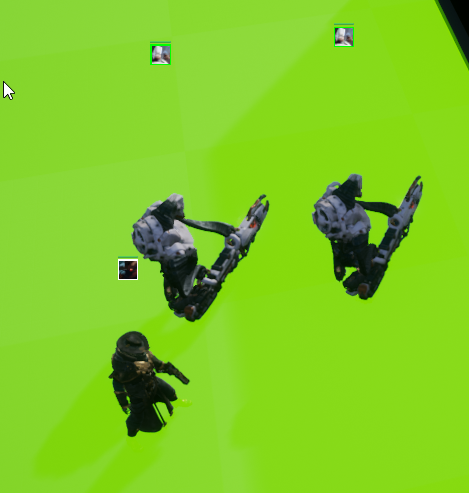
how do I get my navmesh to consider the dynamic actors?
 wary wave
this is at least my assumption from the BP snippets you've posted, but it makes sense to me that this is your issue
wary wave
clever axle
https://i.imgur.com/xdX3W2P.png
how do I get my navmesh to consider the dynamic...
Generally speaking, you don't. Runtime nav mesh generation is very slow.
clever axle
@wary wave so how do I stop them from running into each other and getting stuck?
custom logic?
lucid grove
wary wave
there's no tick where your time is ==12
so whats the solution?
wary wave
clever axle
custom logic?
yup, you'll need avoidance logic of your own devising
wary wave
lucid grove
so whats the solution?
I can't say without seeing more, but I assume you really want to check if the hour is >= 12
clever axle
@wary wave are there any events or something I can hook into?
lucid grove
grim ore
what are you using to store your time?
I have timeline with 86400 value and simple math that makes seconds, hours, minutes
lucid grove
wary wave
I can't say without seeing more, but I assume you *really* want to check if the ...
branch found 12 hours, just not fast enough
with time mult around 1 (x10 of normal speed) its stops at 12 hours
but with higher numbers it adds extra minutes
the more mult is the more it will add
wary wave
clever axle
<@!99264143659401216> are there any events or something I can hook into?
#gameplay-ai is where you want to go, this is not a short conversation
grim ore
there is a variable that can be used to store actual time in one type but like has been mentioned your going to have to do a bit more math such as only checking hours or checking for if its past the time then adjust as you will probably never hit dead on
wary wave
^ the more time changes each tick, the more likely you are to miss an interval
clever axle
wary wave
<#221798778208780288> is where you want to go, this is not a short conversation
ok, thanks
wary wave
adjusting your logic to work with >= the interval you want to hit is your starting point
well, show me how you are calculating that time struct
wary wave
but in simple terms, look at it from a real time point of view.
Consider a game where you have a tick exactly every 0.033' seconds (perfectly precise 30fps). If you check each tick if the time elapsed is exactly 1.00 seconds, you will never hit it. Tick 29 will happen at ~0.957 seconds, tick 30 will happen at ~0.99 seconds, but tick 31 will happen at 1.023 seconds.
it feels to me like this is the problem you have created for yourself
lucid grove
Its not a problem since im gonna avoid it
I never thought about tick in this manner
In my mind tick is something like exact 1 for example
wary wave
it's a problem you should understand though, because it's pretty critical to making real time stuff, haha
wary wave
in my example a tick was perfectly 0.033' seconds, but a real tick could be 0.036 seconds, or 0.037 seconds, it's not perfectly stable either
lucid grove
thank you, now its a new knowledge to me
wary wave
in any case, if I needed to know if 1 second has elapsed, I can't check if time == 1.00, because it's almost guaranteed to fail
instead I check to see if time >= 1, because when I get to tick 1.023, the test will be triggered
lucid grove
the thing is that branch is not fail, it just feels like its not fast enough
but know i at least know why 🙂
plush yew
how can i add Footsteps sound in first person?
wanton lotus
plush yew
how can i add Footsteps sound in first person?
Probably with an animation notify.
plush yew
it's not working
wanton lotus
plush yew
it's not working
Can you show what you got setup?
wanton lotus
You could also just "fake" footsteps. Have a timer setup on a loop to constantly play footstep sounds and then have your movement trigger that timer to pause/unpause.
Have same timer also do a line trace to test the ground below the player to change the sound as well.
plush yew
i have head bob
fierce tulip
imagine if crusher ever followed a tutorial, how far he could be
 thick herald
Ahh the return of the Crusher
wanton lotus
plush yew
i have head bob
So how did you setup head bobbing? You can just tie the sounds to that system to synchronize them.
grim ore
after bob play sound?
plush yew
wanton lotus
Ok, I can read it now, hehe
plush yew
what
 inland aurora
how do you get the head bob event my brother
plush yew
i don't know, i watched a tutorial on youtube
 plush yew
i made head bobbing a month ago i think
wanton lotus
plush yew
i don't know, i watched a tutorial on youtube
Checkout something like this for head bobbing, then you can use the relative Z location to determine when to play your footstep sounds: https://forums.unrealengine.com/development-discussion/blueprint-visual-scripting/1653910-how-to-make-a-simple-up-and-down-head-bob-for-first-person-game-s-camera
Unreal Engine Forums
Hi, I'm trying to make a first person game, but I'm not how to go about making the camera go up and down as player walks or runs forward. I've looked up
plush yew
ok?
wanton lotus
Or take a look at that project here: #ue4-general message
I'm not 100% sure how you would sync sounds to a camera shake effect. I'm sure it is possible, but there are better solutions to head bobbing if you want more control over it.
grim ore
your asking how to do something, without wanting to learn how to do it or follow instructions/tutorials on how to do it
plush yew
oh
fierce tulip
yet you all keep helping crusher over and over :p
 small jay
Not sure if this is the correct channel - Where would I find the procedural foliage volume in 4.26? I can't seem to find it is Project Settings.
inland aurora
I have a actual question, let's say ur project starts lagging a lot on compile or creating a function
how can you check the logs for what is happening?
 kind dew
Why is my projectile causing objects that simulate physics to fly across the stratosphere
https://gyazo.com/ce974475f683113a0cf017a961ab1b24
 potent bridge
dawn gull
potent bridge
dawn gull
So I'm doing a ray trace from the center of a sphere and then setting the location of an object as the hit location, how can I adjust the height of the object based on the sphere?
grim ore
so you want the Z of the hit object to match the Z of the sphere?
grim ore
then that is what you do
get the current location of the object you want to move, break that vector into X Y Z, replace the Z with the Z of the sphere
dawn gull
Oh I misunderstood. I want to be able to move the object up and down as if wherever on the planet it was placed was pointed up in the world
 weak cypress
does unreal run on linux?
dawn gull
Yes
grim ore
@dawn gull do you have a visual so you could explain?
dawn gull
uhhh i can make one
weak cypress
could it run better on linux?
grim ore
probably not
dawn gull
Like this but not having to manually move the planet every time i want to add an object
(for 5 its rotating it back)
i forgot to add the arrow
grim ore
so the item is always facing away from the planets surface?
dawn gull
No, I just want to be able to move it closer or farther away from the planet
dawn gull
weak cypress
my laptop is running unreal like trash
because its a laptop
running unreal
weak cypress
i guess the specs just wont do
grim ore
well the planet surface should have anormal if you cast a ray at it
whic is a vector or angle representing the direction away from the surface
then you can move that item in that direciton or the negative of it
weak cypress
and no linux will save it
dawn gull
weak cypress
and no linux will save it
i dont get why you think running something on linux would make it run faster, except for it not having as many background processes
weak cypress
ye
dawn gull
@grim ore Ok I'll try that
weak cypress
i thought it would be atleast usable
weak cypress

 past stag
Anyone know why is my Unreal Engine crashing when trying to do a hot reload? Re-instancing Character_CPP after hot-reload. is latest entry in the log. I am using rider for unreal engine
wary wave
just ignore kostaxr - they've been aimlessly complaining about their hardware and asking the same questions over-and-over again for months
weak cypress
well i thought if linux would be any different
wary wave
I mean
weak cypress
i didnt remember the answer
grim ore
grim ore
no you didnt
LITERALLY the first result for UE4 linux https://docs.unrealengine.com/en-US/SharingAndReleasing/Linux/BeginnerLinuxDeveloper/SettingUpAnUnrealWorkflow/index.html
wary wave
lol
weak cypress
ye i have asked in the past
wary wave
yes, and constantly for the past several months
I'm not unconvinced this isn't a troll account tbh
weak cypress
i am not trolling
wary wave
if you're not trolling, then why ask the same questions over and over and over again?
weak cypress
i havent ever gotten an exact answer
fierce tulip
at least i can purge my own posts XD
wary wave
I mean you can, but was it necessary, hehe?
fierce tulip
i didnt want them to show up if i need to search my own images some day
weak cypress
wary wave
you've been given plenty of good answers, including by myself
idk what to do
well its not that simple...
i do know how things work
plush yew
hey guys, I'm a real noob, and trying to follow a tutorial. In the tutorial it was instructed to create a new C++ actor class, but when I try to create it after naming it, I get an error saying I need to recompile. But then I try clicking the compile button and it fails.
If I paste what is in the output log, would anyone mind taking a peek at it? I'm too much of a noob to know how to debug past that point
plush yew
oh!
wary wave
it could be a simple compilation error that causes the failure, which the output log will usually show
but if in doubt, compile in visual studio - because hot reload has failed
 trim dawn
does anyone know where you can specify the path the the UnrealVerisionSelector? for some reason my project has an invalid path to this one wich no longer exists.
plush yew
I see, thanks.
grim ore
@trim dawn if you copy the file into the directory with the exe for the editor and run it, it will map that directory and version to the launcher
trim dawn
wich file do you mean? should i copy the entire project directory into the engines binary folder?
grim ore
no, the unrealversionselector.exe file
trim dawn
everything works fine except for the verision selector, i can launch the project just fine
 hollow ridge
can I get some help with github here, or should I go somewhere else
trim dawn
grim ore
no, the unrealversionselector.exe file
the closest i can find to that one is UnrealVersionSelector-Linux-Shipping. or does it exist in some other folder?
grim ore
its in the binaries folder in the launcher, assuming you are using the launcher
trim dawn
its a source build
grim ore
then you might have to build it from the solution
trim dawn
what do you mean? the project compiles and runs just fine. it has the correct engine verison linked there. but GenerateProjectFiles wont work. wich is the base problem
grim ore
ah thats different, what error does it give?
trim dawn
if i try to run GenerateProjectFiles on the .uproject it spits out: Could not find the program '/home/user/Programs/UnrealEngine-4.26.0-release/Engine/Binaries/Linux/UnrealVersionSelector-Linux-Shipping' wich is a test engine i built and has since removed. for some reason when i built that one it remapped the path to the verision selector for all my projects
so, im wondering how i can map it back to the correct file =P
maybe i could run the UnrealVerisonSelector for 4.25 (the correct engine) and specify the path to my uproject instead
ah yep that did the trick.. thanks for the help.. hehe
weak cypress
well i guess a laptop wont be a choice to dev on then
plush yew
So i have this world blueprint to make an asset appear when you walk within the trigger box. However i want to make it so the asset disappears when you enter the trigger box.
 languid panther
Hi, got a question for a friend.
Today when he opens a project, his computer hard freezes, so he has to restart the PC to be able to interact with windows again.
It worked fine yesterday, but today no matter what project it is, even a fresh one it hard freezes his PC.
Any ideas what the reason for this could be?
hidden sparrow
guys what happened. Some of my things just moved right or left for no reason I dont know how i did that and the worst part is that it isnt registered as a move so I cant undo it.
plush yew
i have a serious question
i know it might sound silly
but
how much time do people actually put into actually working on their game
not the time they say its time to work on said game for
but actual literal time pressing the game dev buttons
just curious tbh o.o;
if any of you guys actually count that lemme know lol
 clever bone
how do I reduce fireflies in my raytracing? I'm saving to a video file, so FPS isn't an issue.
fierce tulip
back in ued 1 up to 2.5 you could see actual map-time, where it recorded the amount of time you spend editing said map/environment.
would be funny to log that for ue4
plush yew
i'm not gonna dock your pay promise >O>
i'm just curious about actual productivity i heard recently and even noticed in my previous jobs that id be working hard for 8 hours straight trying to race against time to get stuff done as soon and efficently as i can like if it were a video game, whilst my co-workers just hang around like they were on a lunch break for most of the time on the clock this happened in 3 jobs
and i heard apparently people are productive to less than 2 hours out of 8 hours or more
so seems like what i noticed and was curious if its the same even with hobbies/careers like game dev stuff
 meager frigate
im trying to find a vector between two vectors, its not vector - vector? im grabbing a rock and when i grab a second rock i want to adjust the pivot vector to be the middle of two grab vectors.
 median hound
a vector inbetween two vectors is when you take two vectors add them together then divide by two which that gives u the vector inbetween the two vectors
plush yew
ok serious business game dev question >O>
has anyone here used x-muscle on their models?
meager frigate
thank you, my minds melting, appreciate the time
median hound
meager frigate
thank you, my minds melting, appreciate the time
an example would be like object 1 has 2x 2y 2z object 2 4x 4y 4z add them = 6 divided by 2 is 3 which is inbetween np
plush yew
im just curious if shape keys are the same as morph targets and if so how does one distinguish between shape keys for when limbs bend properly and something like morph targets for character creation ;-;
past stag
Why is Unreal Engine crashing after hot reload? ```Unhandled Exception: EXCEPTION_ACCESS_VIOLATION reading address 0x0000000000000138
UE4Editor_CoreUObject
UE4Editor_CoreUObject
UE4Editor_CoreUObject
UE4Editor_Engine
UE4Editor_Engine
UE4Editor_Engine
UE4Editor_UnrealEd
UE4Editor_UnrealEd
UE4Editor_UnrealEd
UE4Editor_UnrealEd
UE4Editor_UnrealEd
UE4Editor_HotReload
UE4Editor_HotReload
UE4Editor_HotReload
UE4Editor_CoreUObject
UE4Editor_CoreUObject
UE4Editor_CoreUObject
UE4Editor_Core
UE4Editor_Core
UE4Editor_Core
UE4Editor_HotReload
UE4Editor_HotReload
UE4Editor_HotReload
UE4Editor_Core
UE4Editor
UE4Editor
UE4Editor
UE4Editor
UE4Editor
kernel32
ntdll```
wary wave
that call stack is meaningless, I'm assuming you do not have debugging symbols installed
grim ore
yes in the launcher for the version of the engine, in the drop down
past stag
if they are not very big i can download them
oh. they are 30gb 😄
I can download them temporary and uninstall when i dont need
past stag
wary wave
that call stack is meaningless, I'm assuming you do not have debugging symbols i...
How do i use them when i have installed them?
grim ore
just crash again
wary wave
it will generate a call stack that tells you something (hopefully)
debugging symbols are kinda essential
plush yew
how can i add footsteps sound in first person?
grim ore
record yourself walking and play it back when you start moving
grim ore
put the sound after your head bob starts... that was mentioned a few times
grim ore
then someone asked if you know when head bob was called and you said no, I dont know what I am doing I just followed a tutorial blindly
plush yew
where
buoyant graniteBOT
:no_entry_sign: Xv4DE3#0195 was banned.
fierce tulip
he never learns
 dire coral
compleatly off topic and wrong engine i know but im doing a school work where i need to build a app using Android studio to control a car and im making the UI and i came accros a nice style and the creator says hes using "projection well" any one know what is that cant find anything online
past stag
wary wave
it will generate a call stack that tells you something (hopefully)
Now its done. I'll crash it and sent a trace
Is there something helpful in that?
inland aurora
im really mad right now
ue4 editor crashes when I tell it to destroy actor
why can't I finish a project smoothly for once
fierce tulip
inland aurora
why can't I finish a project smoothly for once
gamedev in a nutshell right there
 south ridge
That's why I always run the engine from MSVS
past stag
There is the log: https://hatebin.com/uahklqiznc
south ridge
So if it crashes, it doesn't die and I can usually step out of the error
Then I can save and restart
Because 90% of these crashes are just check/assert failures that can usually be ignored by cutting straight to the end of the function
wary wave
I mean, it tells you where it's crashing at least, so you could check out that section of the code and make some educated guesses
it also seems to be character related, so you could also just not hot reload the character
south ridge
Oh
Hotreload
Should have looked down the callstack. The solution is, don't use hot reload
The hot reload spawns all sorts of random crashes that you can't easily step out of or that end up with state corrupted beyond repair
 barren timber
signal flower
barren timber
signal flower
lol
1'st crash
inland aurora
@south ridgehow do u do that?
mine starts and when i select my project it starts a new window and i dont see it in msvc
plush yew
game dev is like being thrown into a castle of legos
made of legos
but all of the pieces are everywhere
and the castle is made of pieces
and you gotta run around the castle as people throw more lego pieces at you
and half way through you dont even know what youre building
south ridge
inland aurora
<@!224094231893901312>how do u do that?
I've never used a launcher build so I don't know anything about that
I use a custom source code build
plush yew
but your glad its sticking together sommehow xD
inland aurora
yes, me too
south ridge
So when I generate a sln file for the project, it generates code for UE4 + project for me
I launch it from the sln file for the project
And not sln file for the engine
plush yew
oof
inland aurora
HUH?
south ridge
If you launch it from the sln file for the project, it starts the project right away
plush yew
when is unreal engine releasing make game button >o>
south ridge
inland aurora
south ridge
Wrong sln
inland aurora
oh, so u generate ur projeft
south ridge
Yes.
south ridge
Yes. It's C++ - you don't need anything but a single game module though, you don't need to have C++ code in it
When you start it, it starts it with debugger attached yes
inland aurora
ok, I will try to fix the problems by debugging it then
past stag
wary wave
it will generate a call stack that tells you something (hopefully)
GG. i created new project and now it works xD
idk why
south ridge
Hot reload isn't a very stable tool
past stag
Now its not working..
maybe i need to disable it
its also weird that it works in visual studio.
Hot reload works as long as i dont have the cpp character placed in the scene.
that is really weird
fierce tulip
please read the #old-rules before posting @tranquil cedar
fierce tulip
if you did, you didnt read number 6
"If you wish to find talent for your project or you are looking for work yourself please use the Job Bot to start a listing in #looking-for-talent or #looking-for-work ."
bot-stuff for that can be read on #instructions
 tranquil cedar
Appreciate you thanks!
median hound
can you get a boolean from a hit component? cause i have two of the same objects and they are sharing bools(when the object is below me it sets to true) but theres also the same object ontop of a floor so that means false and so it loops true/false
grim ore
can you get a variable from a hit component? yes if you know what it is or you use an interface. Its like any other object you get a reference to
median hound
got any example? cuz u cant just drag out from hit comp the variable and it be there
 autumn grail
How to use chaos in 4.26 please?
Please
I can't find the "fracture" mode in the editor
median hound
use the epic games version or whatever or build it from ue4 source(vids on it)
autumn grail
Yes but the vids say in 4.26 it is a plugin integrated in the version
i enabled it but i can't find the fracture mode
i can just create a chaos solver
median hound
no you have to install 4.26chaos look at the versions in ue4 go all the way to the bottom
grim ore
@median hound correct its a hit component, it doesnt know what you hit that is what cast is for (telling somthing generic what it is specifically)
median hound
so by line trace how do i get the object that i hit then get a bool in there?
 atomic anvil
break the hit result
grim ore
yep the hit result has the hit actor
median hound
yeh how do i get a bool from that hit actor and not the other actors
grim ore
waht other actors?
the hit result is the item you hit. the EXACT item and only that item that you hit
plush yew
hey guys i didnt get yet what differenties there are between Instanced Static Meshes and Hierarchical Instanced Static Mesh, can you help me making me understand ?
atomic anvil
if you pull out from the hit result, select "break hit results" and you will have a ton of choices in there for what data you are trying to get
median hound
the cube has stuff into it like bools, if i duplicate the cube they both have the bools and i only need the bools from the object im hitting
atomic anvil
@plush yew check this out: https://www.youtube.com/watch?v=oMIbV2rQO4k

How to render millions of polygons with Hierarchical Instanced Static Mesh in Unreal Engine 4.
Get project files: https://techartaid.com/products/
Optimize draw calls, reduce CPU overhead, avoid common mistakes in Construction Blueprint and have fun creating a massive asteroid belt.
Cool usage of foliage tool for asteroids, by Illusion Ray: h...
plush yew
thanks ❤️
grim ore
@median hound which part of that is where you want to get the result?
wanton lotus
median hound
the cube has stuff into it like bools, if i duplicate the cube they both have th...
Other Actor > Cast to the class you are using in "Get Actor of Class"
grim ore
oh lol... your uh... not using the actual hit event to see what you hit
wanton lotus
Avoid using "Get Actor of Class" when you need a specific object, unless you know for sure only one exists in the level.
median hound
no that get actor is me only me
grim ore
well in this case he knows there is more than one
or this code is completely weird... looks like it sweird
median hound
ok so i got myself right
wanton lotus
Thought a line trace was involved?
grim ore
this code, where is this code. what actor is it in?
median hound
i made it where if an object hits the floor or goes under me it turns into a red material and cannot be dropped
but if i dupe them it wont do the same stuff for both, so i need the bools from the object that i hit instead of both objects for it can work fine
grim ore
so where is this code at
median hound
thats the object that i pick up
grim ore
so this is inside of tthe cube that you are checking to see if its below something else?
median hound
yes but if the cube is duplicated then it will be like true/false/true/false because its telling me both of their bools
grim ore
your trying to get to step 5 without doing step 2 so relax
where are you doing the check for below at?
median hound
set timer by event checkifunder
grim ore
so right now if this item hits the ground it goes red?
median hound
on component hit yes, the under thing just checks if its a certain distance below me then turn red so both will turn red and set the bool true
grim ore
ok so then if this is unique where is it getting confused?
each item in the world should be unique and its unique variables unique to that instance
median hound
instead of this i need the bool from the hit object
grim ore
ok so that code is no where in there is it?
median hound
thats in my player so when i release G it gets the bool from the cube and checks if its false but sense theres two cubes and im getting actor of class for just the whole pick which is all cubes then it goes true/false/true/false
median hound
oh
grim ore
your player needs to talk to the cube it is holding right?
median hound
yeah
 summer verge
Can you not import custom collision meshes on skeletal meshes form FBX?
median hound
i can get the location of the object but not the bool
grim ore
ok so after you line trace, and you grab the component do you keep track of that item?
basically you need to save a reference to the actor you are working with in that line trace, the one you grab, because you want to talk to it later right? then when you are done with it let go of the reference so its back to nothing
median hound
so i promote it to a var?
grim ore
yep
median hound
and ill be able to get the boolean candrop from it?
grim ore
assuming you are talking to it correctly yes. you will have to cast to the correct class since a hit actor is just an actor
line trace -> hit some actor -> cast actor to the class that actor is -> do whatever with that class
if you plan on talking to that actor later, promote that actor or after casting promote that specific class of actor to a variable and use it later
alternately I dont know "how" you are doing your grabbing and such but if you are attaching it or it is being held by some part of your character then you might be able to find it later if its part of your character now and then talk to it
median hound
hm
grim ore
well read the warning
also it looks like you are getting the hit component and not the hit actor
median hound
yep thanks, i kinda forgot about casting so its my fault as i thought get actor of and casting was pretty much same thing so i just stopped using casting
grim ore
nope they are definitely not the same
inland aurora
so, i destroy actor from array, i resize the array, and when i call the array again, it says that the reference cannot be done cause the actor is pending kill
 golden bane
does anyone know how to set an actor yaw rotation so its in direction of player input?
inland aurora
maybe if i change every resize to clear
 loud meadow
is there a solution
grim ore
there might be but that call stack wont help without debug symbols installed.
there is an asset that is bad right above it, maybe remove it
rough knoll
how would i separate this magazine mesh from the original skeletal mesh? I need the separate magazine mesh for something else
 honest mango

 proper quiver
yes
@rough knoll if the mesh is not already separated you need to edit the mesh in a separate program
 azure flicker
hey guys, is there any way i can get some help on my AI behavior tree
been stuck on it for many hours and im not sure what to do
pastel yarrow
Greetings, can someone help me how can I delete or hide the UI when pressing a botton?
fluid wagon
Does anyone here use UE to make their maps?
Can it be used to make cities as well? I saw some videos on youtube people making scenery... and been following around the tutorial, I just cant ask "it" questions so I get confused on some things
 lusty scaffold
can we delete bones from Skeletal mesh?
is it possible to rearrange bone hierarchy inside unreal?
rough knoll
^ would be interested in knowing this as well
 real edge
anyone good with lighting?
plush yew
Does anyone know how to import XML files into something like Maya?
 small sail
server pfp update
kind dew
pastel yarrow
Greetings, can someone help me how can I delete or hide the UI when pressing a b...
drag out the return value from the Create UI Starting Screen Widget and get the node "SetVisibility". You'll figure out the rest!
pastel yarrow
kind dew
drag out the return value from the Create UI Starting Screen Widget and get the ...
Thanks, I will try that
pastel yarrow
kind dew
drag out the return value from the Create UI Starting Screen Widget and get the ...
But I am struggling to make it disappear with any button
is there a way to make an action happen when the controller is touched?
plush yew
I think you need to get the player controller then make a branch so if they are pressed then remove the widget, I havent done it before but you could do some research on it
@pastel yarrow
pastel yarrow
Thanks, will look around
The issue is when that happen, like what kind of action I need to put
every tic?
pastel yarrow
pastel yarrow
every tic?
I did it, it was with event tic
wanton lotus
pastel yarrow
But I am struggling to make it disappear with any button
Something like this will remove on any key:
plush yew
wanton lotus
Something like this will remove on any key:
that could work a little better
pastel yarrow
Thanks, I did it little more complicated
plush yew
haha its weird how most of us think about all the hard stuff when its right there in your face
wanton lotus
With visibility instead:
pastel yarrow
does any key work with controller too?
wanton lotus
Yeah, it should.
pastel yarrow
Let me try it
wanton lotus
You can even make it an action mapping
pastel yarrow
Yeah I know, but I was sure there has to be a better way to do
wanton lotus
You may want to set "Consume Input" to false though, so that lower priority input will still trigger, as well as the any key event.
pastel yarrow
Well it works with the mouse, can't try it with the controller rn
wanton lotus
pastel yarrow
Well it works with the mouse, can't try it with the controller rn
Should work with gamepad too. I use it to switch between displaying keyboard buttons and gamepad buttons.
pastel yarrow
Nice, thanks
wanton lotus
pastel yarrow
Well it works with the mouse, can't try it with the controller rn
If you turn it into an action mapping in your project settings, then any button "any key" doesn't pick up, you can then manually add to the action mapping.
pastel yarrow
Gotcha, but it works rn, I so I will try that later if needed, now I will try to figure out how to add video elements into ui
I will try to find it on youtube, I am sure there are plenty of tutorials
Thanks for your time
wanton lotus
pastel yarrow
Gotcha, but it works rn, I so I will try that later if needed, now I will try to...
Something like this would also include moving the mouse as well as pressing any button.
pastel yarrow
wanton lotus
Something like this would also include moving the mouse as well as pressing any ...
There won't be any mouse input, like moving it, cuz the camera will be fixed
wanton lotus
pastel yarrow
There won't be any mouse input, like moving it, cuz the camera will be fixed
Gotcha, just a sample though.
pastel yarrow
wanton lotus
Gotcha, just a sample though.
I mean it is helpful, and something to keep in mind for next projects, but not needed rn