#ue4-general
1 messages · Page 893 of 1
 paper linden
 frozen pond
@unreal plume this is easy way, harder way would be to make special controller for menu camera, that changes camera position using lerp
 unreal plume
@frozen pond ooh i have seen this, but the thing is, i dont wanna use level blueprint, i would rather have all this work transferable to another project in the future
using the widgets and pawn blueprints
frozen pond
so: 1. create interface called BPI_CameraChange, name function ChangeCamera, in input put INT
unreal plume
like a new blueprint?
unreal plume
Ooh there it is !
frozen pond
@unreal plume maybe you want live tutorial on it or something?
unreal plume
Woah i would love that
 stark marsh
 narrow mauve
UE5 supporting 64-bit precision
 fierce tulip
removed that gif because we have kids here hehe
 mortal cedar
 summer verge
Where is it from?
summer verge

Discover how to use GIS data to create high-quality geographic visualizations and interactive simulations in Unreal Engine.
You’ll learn how to:
- Import GIS data using a terrain modeling tool such as Trian3DBuilder
- Use Visual Dataprep recipes to optimize and import the data
- Embellish your project with 3D trees, a water shader, and more
...
How is this not on any other of Epic's news channels
mortal cedar
thanks
narrow mauve
Sorry about the gif!
fierce tulip
np hehe
 queen hawk
so with unreal engine 5 we will not have any issues about performance?
summer verge
precision
fierce tulip
we will, if we dont understand how to use ue5
narrow mauve
Why even bother with UE4 anymore when UE5 is out lol
queen hawk
I hope UE5 better performance
also a way to create custom capsulecomponent for special parts
narrow mauve
I feel like UE5 will be like "Remember when in Ue4 we..."
 grim ore
ue5 will not just fix performance issues, ue5 will import ue4 projects so no worries about losing progress, ue5 still be similar to 4. no reason NOT to bother with 4 right now with 5 a year off
queen hawk
I hope more mobile gaming support
narrow mauve
I read somewhere they are using a different system than world compisition
if so wouldnt open world projects using this system just break lol
 molten cairn
Hello everyone, good evening
grim ore
but you assume the old system will just stop working as well, or we cant move to the new one from the old
molten cairn
I'd like to make a question: when making indoor scenes, should I use skylight or not?
grim ore
if it's all indoor, probably not, but its up to your design choice.
 meager stag
Is there a mirror/backup of the unreal wiki?
molten cairn
The reason I'm asking is everytime I make a scene without skylight the shadows become very dark
meager stag
Light up indoor with indoor lights or light bounding in from outside?
molten cairn
meager stag
Light up indoor with indoor lights or light bounding in from outside?
I'll test it
 plush yew
Hi someone know what Is this?
Im working with world Composition...
Hello ! My pawn is currently a character. I have created a ball that is Actor. I'd like to change my pawn to control the ball but when I go in the GameMode, I don't see my ball.
Should I create a new GameMode for the ball or something ??
 next badger
It seems like 4.26 crashes a lot
 coarse turtle
Does the new UE4.26 water comes with spline based physics volume? It'd be nice if did that
plush yew
molten cairn
Well, for me is two white circles and a blue background 😆
😂😂
No seriously...Is worrying
Wtf is that 😂😅
 azure bloom
Hi All, I had a question about world composition that I don't see an answer to in the documentation. What is it that triggers the loading of the levels when you specify a streaming distance? Is it the player character? The player's camera? What if the player is possessing another pawn and the player's camera and collision are disabled?
 thick herald
It's a picture. Screenshots are a thing these days 😉 😄
grim ore
@azure bloom have you tried it yourself to get the answer? seems like some pretty specific and easy tests right there
 ebon marlin
I'm looking to buy an SSD to place my UE4 project on, should I get a SATA SSD or a NVMe SSD?
 trim trail
hey, is it possible to reduce amount of landscape components to below 1024? Seems no matter what resize options I take, can't go below
 light thunder
I can't believe how dumb this editor is, they designed no way to save the layout of your tabs to be in the same place when you start up the editor, I can't believe it
grim ore
@ebon marlin whatever you can afford. For the most part the extra throughput of the NVME at 1500+ speeds are not going to be seen in normal day to day UE4 use. In the end NVME is faster if you get the correct drive so its a better investment
ebon marlin
Thanks for your response!
azure bloom
Sorry, I had to run into a meeting. I'm having an issue where the pawn that I'm possessing essentially bugs out, the camera resets, and the control is lost when attempting to transition maps. The reason that I ask is that without knowing HOW the sub map loads, trouble shooting is a wild goose chase.
coarse turtle
I couldn't get the island effect when I tried the new water system. Anybody knows how
 mighty crane
HI All, is their a specific channel for RTXGI ? if not would anyone be interested in one ?
 sterile tulip
Can I add/develop with Nvidia Flex in my project with an AMD card or do I need an Nvidia GPU to develop and add Flex to my project?
 main garnet
I’m a beginner and just wanted to get into game dev on unreal engine dm me if u can help I prefer coding in blue prints
 dawn gull
How can I get this node for an animation BP?
plush yew
anyone know a quick way to migrate projets from versions? got a lot of assets i need from a 4.25 project to the new 4.26 stuff. Tried making it from a copy but it errored out saying it was an incomplete transfer.
dawn gull
@plush yew Right click the uproject file and click "Switch Versions"
plush yew
from within the launcher?
 median hound
anyone know when quixel will support ue4.6
fierce tulip
they probably wont go back and support older version
median hound
4.6 is new?
 fluid lance
😂 🤦♂️ 4.26
fierce tulip
ah
median hound
og i mean 4.26
fierce tulip
soonTM
fluid lance
but does't it work anyway - the bridge? It broke?
median hound
it exports to only 4.25
fluid lance
just migrate until they update the link, like Luos said, it should be soon
it's all sms+texes in the end so there can't be any compatibility issues. Migrate ur MM and remake the instances
 soft fiber
Trying to LERP between two points and its NOT right. Can someone point me in the right direction.
 prisma plank
Can i make like rain animation on window at blender and import to ue4?
plush yew
dang, errored again
fluid lance
@plush yew Some content may be broken in later versions, if you are using plugins disable them first, other custom content - especially code.
@soft fiber what's your intent? Except for the Y axis which for some reason is plugged both into start and end locations (and there' nothing to lerp there) it looks fine - for the location. For the rotation not so much but it depends on what you want to achieve
plush yew
i guess i dont have any idea which would be broken, only that it fails to compile at that module, ill have to try migrating to a new project i guess
soft fiber
@soft fiber Trying to move player to arrow (pos and rot). When the y axis is plugged in it doesn't move them it shoots up at the end.
Wondering if GetActorPos vs GetWorldPos is causing an issue?
fluid lance
@soft fiber lol u tagged urself, i only now saw ur comment...
You need both x and y if you want to lerp location from point A (player) to point B (arrow). Now first question is where is that arrow? is it valid?
soft fiber
@fluid lance lol... Just getting back. I'll look at the arrow to see if its valid. Its a component of the BP I'm using.
light thunder
so, this is weird....why isn't this variable setting? it exposed on spawn, and instance editable
grim ore
check it after you spawn the item to make sures its being set?
light thunder
the reference is valid
so is it not finished being spawned?
is there a "I'm done with all my execution" event that I can put in there, besides frame skipping through the blueprint until what?
or should I just make an event on the blueprint and fire it ?
well, gee @grim ore
VERY WEIRD THINGS
 gaunt tide
Any reason my mouse would continue to disappear when left clicking or middle mouse clicking even with Show Mouse Cursor true on beginplay and Input Mode Game and UI "Hide Cursor During Capture" false?
 warm hornet
I have a streak effect that is working great.
However the effect is based on World Space Offset and doesn't follow the trajectory of my vehicle.
I've tried every combination of nesting, reparenting and Attach to in my Sequencer and nothing seems to work.
Any feedback appreciated!
plush yew
Damn, trying to get 4.26 GPU lightmass working just crashes.
Everything turns black 😩
I wonder if I need RTX graphics card for this since it requires raytracing?
gaunt tide
warm hornet
I have a streak effect that is working great.
However the effect is based on W...
You want the streak to curve as you are turning? If that is the case couldnt you create a few splines using the last know position of your vehicle in the world. Rinse and repeat
queen hawk
anyone knows how to make work shadows on mobile project?
plush yew
does putting visual studios in a different location actually make it run slower?
warm hornet
@gaunt tide Thanks. No turning. Straight trajectory.
grim ore
depends on where, faster drive helps with building and such like intellisense. for the most part once the actual IDE is loaded its fine
plush yew
@grim ore ok thanks
warm hornet
@plush yew not compatible AFAIK. had same issue
plush yew
Damn.
grim ore
what error do you get when you try it? It should work since its DXR compatible
warm hornet
The extra features still make using 4.26 right now wortj it IMHO, though getting a LOT of crashes when I save.
plush yew
When I enabled Raytracing, and the Water/GPU lightmass plugins
It restarts, takes about 1 hour to recompile shaders
And then when it loads up, the screen turns black as soon as I try to do anything
grim ore
yep doing the DXR stuff which probably swapped you to DX12 will do that
warm hornet
I should clarify. GPU Light mass WAS working for me in 4.26 until I upgraded to preview 7. Several people posting same issue https://forums.unrealengine.com/unreal-engine/announcements-and-releases/1814986-unreal-engine-4-26-preview/page39
Unreal Engine Forums
PREVIEW!
Preview 1 of the upcoming 4.26 release is available now on the Launcher and GitHub. We are making this Preview available so that our developer community can try our new features and help us catch issues before the final release. As fixes are implemented, we will release updated previews throughout the development
light thunder
@grim ore I'm confused about execution order in regards to my pawn - I assume since it's the default project one, it's just "there" at the start but certain events are out of sync - should I be spawning my pawn at begin play using some manager actor?
grim ore
well it would be spawned in during the game setup, it doesnt just exist.
I would assume the game mode would handle it since it has that "stuff" but I haven't really tracked it down
but if you need stuff in a certain order, or relying on something else yep nothing stopping you from spawning in your pawn yourself or just having it as an instance already in the level and set to auto posssess
azure bloom
So regarding world composition and my pawn question, it appears that the pawn get destroyed when it hit the 50k streaming mark and since there is no longer a camera, that is why it reverts to the horizon. The player character is in the car while this happens.
light thunder
grim ore
but if you need stuff in a certain order, or relying on something else yep nothi...
but if the game mode spawns it already, what if I spawn it what will that do?
grim ore
well if you plan on handling it, set the default pawn to none in game mode and......
same with if you plan on using one in the level with auto possess
azure bloom
I guess the issues is that any possesable pawn must be loaded in the persistent level, else it is destroyed on unload?
grim ore
if the item is in a map and the map is unloaded yep
azure bloom
Thanks again, Mathew. Nice to get help from a UE4 celebrity.
 zinc shore
ive noticed that now UE opens a debug/out CMDl wile running even on older versions is this like a new feature or have i enabled something
zinc shore
: )
light thunder
so, this will always fire right?
I just don't understand why unless I need to have a clamp on it
 grim beacon
Can I run a python script in game using execute consol command?
plush yew
Is there any idea how long until unreal engine 5 is usable by mere mortals like me
And should i Iearn unreal 4 if 5 is on the way o-o
grim beacon
Why not
 zealous cloak
median hound
plush yew
And should i Iearn unreal 4 if 5 is on the way o-o
zealous cloak
median hound
plush yew
And should i Iearn unreal 4 if 5 is on the way o-o
is ue5 changing bps?
like the way i use bps in ue4 will i have to learn the shit all over will they change the names or sum?
zinc shore
plush yew
does anyone know any saving methods with using steam?
you would just save how you normally save but you could set set your save slot to be the players steam id so when their account connects it loads their data
azure bloom
Learning UE4 now will only help the learning curve of UE5
 slate anchor
I have a variable that seems to be set and not set at the same time, how is this even possible?
plush yew
So I shouldn't build my project based on unreal 4
But just set up mechanics and stuff until 5 exists?
azure bloom
I am, I'm not waiting a year to begin. It's all up to you.
 prisma seal
Probably a dumb question but will the preview of ue5 in early 2021 be stable enough for production if anyone knows? Working on an open world game and I'd like the performance benefits of ue5 but I don't want to switch to ue5 if it's not ready for production.
plush yew
Also if you guys can answer this question It would be nice
Should you use your own personal assets for character model and animations for example when setting up stuff
Or use unreal engine base stuff and go from them and replace the base assets with personal ones when the game is where I want it to be mechanically o.o
Also the above i agree
I have the same questio
Lol
prisma seal
Mechanics come first
plush yew
Okie so mechanics than use proper models and animations o.o
soft fiber
I have this almost working. I have a BP and 2 child BP. When I try to get the arrow component in the BP it seems to be ready the last arrow dropped in the scene.
Shouldn't each BP have its own instance of the arrow component?
Basically, I need to get the a component for an instance of a BP? How do I do that?
plush yew
Hmmmm
soft fiber
I used that, but it just gets the first or last one?
plush yew
So I was told stuff like rollback should be or have the game made it in mind because re rigging stuff to make it work is a nightmare which makes sense i guess
But it had me thinking how many other mechanics might be setup painfully in the same way o-o
azure bloom
Whey you say arrow component, are you talking about the literal arrow component on the actor or something else?
prisma seal
wdym, the actor your searching inside of has multiple of the same component?
plush yew
Hey, is there a way to get the class defaults from an actor without spawning in an instance of it?
soft fiber
azure bloom
what do you mean by reading only the first and last?
prisma seal
GetComponentByClass will get find the specified component from your actor and return it. And since you have one arrow component, first and last doesn't matter
soft fiber
I have 3 chairs in my scene. Different instances.
prisma seal
GetComponentByClass only searches inside the specific actor you specify
soft fiber
When I have one chair everything works. With two chair they dude sits on the last chair in the scene.
prisma seal
So you are looping through all chairs in your level and looking for an arrow component?
soft fiber
@prisma seal Problem is they are child classes.
azure bloom
@plush yew GetClassDefaults
prisma seal
Are those public?
azure bloom
plush yew
<@!379369794581037067>
See what happens when you look at the parent
soft fiber
One sec I'll check.
azure bloom
soft fiber
<@!460068296306458634> Problem is they are child classes.
Try creating an arrow component variable and assign it on begin play
plush yew
Maybe I'll ask generally if I'm doing this wrong, maybe my approach is terrible
soft fiber
Let me try something... bb
plush yew
I want every item to have both a physical actor and a struct that can be stored in the inventory of a player. My idea was that I could make the physical actors and just have a "item structure" struct in them, which again would have a "item actor" value in it, allowing me to spawn actor instances from inventory, and adding structs to inventory when picking up actors
Ok I have a question I can't find anywhere
If my game is open world and I want to add regions like lego pieces to the end of the map
Does the game have to have those pieces built in or can I socket the regions in after as free dlc
azure bloom
@plush yew You should have a parent item and all items should be children of that, in the parent you create a variable that you populate with a reference to the child.
 pale magnet
Anyone know where the runtime components API ref went? https://docs.unrealengine.com/en-US/API/Runtime/Basics/Components/index.html is redirecting me to the base Reference page with an empty sidebar.
plush yew
I have a parent, it's the "Item" actor
I don't really need an explanation
Just a simple yes or no as ill figure out how later when I get there
azure bloom
And class is populated with the actor you want to reference?
prisma seal
Yes, I think batch files or bak files or something along those lines I read a while ago @plush yew
plush yew
Ah so I can just make more maps and socket it to the end of my games world? x3
If so that's really nice ngl
plush yew
azure bloom
And class is populated with the actor you want to reference?
If I understand correctly, this should be it?
(this is the Iron_Ingot) item, child of the Item actor
pale magnet
Looks like a lot of links to the docs pages are brokenly redirecting back to the main page
azure bloom
It's really hard to say and I don't want to steer you wrong can get get class defaults of the master where item class = iron ingot?
prisma seal
Not 100% sure about adding to existing world but I do recall that the article had mentioned unlockable content so I'm assuming landscapes might work similar @plush yew
azure bloom
pale magnet
Looks like a lot of links to the docs pages are brokenly redirecting back to the...
Indeed
plush yew
Hmmm
Yeah I can get it from the parent, but not from the individual item
I'm thinking I could add the landmass and just block it off so later on maybe I can just create the regions if for some reason I can't just slap on pieces like Lego xD
Okie ill go figure this out thanksies <3
prisma seal
np, blocking it off seems like an interesting idea because it'll make the player want to get the dlc more because they can see what they'll unlock
plush yew
Yush ;DDDDD
azure bloom
can you pull off item class, == iron ingot, then pull off struct class and break struct?
plush yew
Wouldn't that be quite a bit of work for every time I want to do anything with an item?
Plus I think just adding entire regions onto a landmass this visually aesthetic and cut off might be easier than slapping on landmasses lol
There must be a better way..
azure bloom
You wont see the values in the BP but they should pass through when referenced
what do you want to do with the item?
plush yew
What do you do with items in a game?
Move them around, drop, trade, equip
Okie back to work for.me
azure bloom
why would that be stored in a struct?
plush yew
How else would you store it?
azure bloom
wouldn't you just call a function in the parent and override it in the child?
plush yew
I can't store actors in a player's inventory..
Imagine you have 500,000 of a certain item, you'd need to spawn 500,000 actors in the world
azure bloom
Depends on what you want to do, you don't need to spawn an actor to consume it for health
plush yew
If you store it as an actor you will need to spawn it..
azure bloom
let me fire up an old project I have
pale magnet
lmao it's just redirecting me to links that 403. Tried entering the url after logging into unrealengine.com too. Is there any contact form to let them know that their docs are borked, or any backups I can reference?
Nevermind just saw the pin I'll use that "Report a bug" link
plush yew
Ok call me crazy but I had an idea
Can't I just add the entire country and block it off lol
plush yew
azure bloom
let me fire up an old project I have
I can fire up screenshare/stream if that helps, really want to understand this
 wanton lotus
@plush yew you can expose more pins if you click on the iron_ingot defaults node and check out the details.
plush yew
So its just populating and cleaning up the rest of the unplayable country
I'm sure video games have had entire counties made in scale ingame >_>
Ew phone auto corrects
wanton lotus
Parent variables are hidden by default.
azure bloom
I literally forget that every single time I deal with structs...
wanton lotus
It is easily missed, haha.
azure bloom
lol
wanton lotus
Gotta get in the habit of looking at everything's details.
azure bloom
So much pain has been caused by that and I STILL forget it
wanton lotus
So many nodes have extra customization found only in the node's details. Comes in handy when you find these things.
plush yew
This is so freakin cool, thanks @azure bloom @wanton lotus ❤️
All that's left is to figure out why dropping an iron ingot sends me to oblivion and beyond 
azure bloom
Ah the joys of collision
wanton lotus
Collision, haha
Try spawning the iron ingot a bit away from the player, so it has no chance to collide.
plush yew
I feel like I'll need to watch quite a few tutorials on collisions 😅
Cause rn touching an iron ingot with weight 5kg sends it off like a bullet
friggin PROGRESSS
azure bloom
Awesome
plush yew
Hey guys. I'm in the Advanced Locomotion System template. I have a "Event On Landed" node on the main character which works. I added another character : a simple ball with also a character type. I added a "Event On Landed" node on this second character (the ball) and added a Print String just after this node. I also added a Print String just after the "Event On Landed" node of my first character. I change the pawn to my ball in order to play with the ball. I can play with my ball but the Print String appears only when I start the game. If I jump or fall, it does not appear... Even more weird, I see sometimes the Print String of my first character appears (but I don't play with him) ... What does it happen ? I don't understand...
 fierce bobcat
Hello fellow game artists and creators! My name is D! and i was wondering someone could walk me step-by-step on how to create a 3d virtiual charater
in unreal engine please
 floral mesa
@fierce bobcat you need modeling basics under your. You dont model characters in ue4. You do it in 3d modeling software like maya, max, or blender. You can use a character gen like vroid for anime chars but they still require handwork in a DCC like thise i mentioned. Character creator 3 is an option that can become expensive if you dont know how to model, texture, rig, and animate.
fierce bobcat
thanks @floral mesa also do you know how to create a 3d model in maya
floral mesa
@fierce bobcat i use blender 3d. Because im poor. But transferring knowledge to that software wouldnt be tough at all.
Save money learn and use blender
Unless you have a free license
Then by all means hahaha
I love blender. I spend alot of time there
fierce bobcat
so its easy to make a 3d model cause4 it already almost made for it
?
Also thanks!
floral mesa
For me yeah its easy
For a beginner idk. I guess that depends
If youre a fast learner yea its easy enough
floral mesa
Send me a message and ill help you out more
fierce bobcat
okay cool thanks
plush yew
Can I have a simple ball in a character class BP (instead of an actor) ? I'm wondering if it's not the cause of my issue...
trim trail
hey, how to force VRT to update capture of landscape?
I suspect it got somehow stuck/corrupted
plush yew
@floral mesa Thanks. Actually, another guy on discord has just also said me it is possible but that the things might break in unexpected ways
@floral mesa Actually, I chose a Character Class for my ball because when I gone in my Game Mode and want to change my pawn for my ball, I did not see my ball BP. Apparently, it sees only Character classes. But maybe there is a better way to manage still keeping my ball as an actor...
floral mesa
@plush yew perhaps. I know there are some tutorials that focus on a ball being controlled by the player. Maybe one of them could help figure out the best way for ball controls. Look at this though
Unreal Engine Forums
Animation discussion, including Animation Blueprint, Persona, Skeletal Meshes, and more.
 signal bone
floral mesa
signal bone
floral mesa
Man that looks sick!
floral mesa
Did you make the sprites?
floral mesa
I think the axe is dope af
signal bone
as i said i did it quick didnt took too much time to design it
yea
basically i want to make a doom like Rpg
where you dungeon crawl and kill monsters and get loot
floral mesa
Haha me too
I feel that. Your singleplayer experience can get the point across. I like the idea
I hope you make it hellishly difficult
plush yew
@floral mesa Thanks. Gonna check it.
floral mesa
I love never having a hope to beat a game
@plush yew yeah the answer might be there in the link on that page. Hopefully it is
plush yew
Mh, actually it says use pawn/character for basic control over a ball. Problem is if I use Pawn (or Actor which is what I used but yes, I think Pawn is better indeed), I can't have the "Event On Landed" node which is specific to a Character class
And if I use Character, I do have this node... But it does not seem work as expected :/
 young panther
hi ik this is kinda sudden but does anyone know how to fix this error?
its been only a week since ive started to learn ue4 and keep smashing my head to the keyboard from all this random errors and issues 😅
pale magnet
Hit an issue and could use some help.
I updated the C++ for a base actor, and the blueprints aren't updating.
I know that when the class layout changes, you need to restart the editor.
I've built multiple times, closed and reopened the editor multiple times, tried re-selecting the Parent class from the blueprint editor, but none of it works.
Dragging a new actor into the scene, I can see the new behavior work, but all of the existing actors no longer function.
Anyone know how to resolve this without deleting and recreating all of my blueprints relying on this actor?
@young panther I'm right there with you. I've had so many errors to look up all with various non-obvious workarounds. I've been doing software dev for 15 years and I'm not sure how all these folks use UE4 with the combination of tons of bugs, lacking documentation, and frankly some of the worst intellisense support I've seen other than T4 template generated stored proc codebases.
 ancient fiber
Narsus, I'm pretty new myself so this might not be the solution, but you might wanna try verifying your install? maybe swarm didn't install properly or something.
pale magnet
More power to them
ancient fiber
i dont know much c++ at all, wish i could help
ive got a problem of my own: im trying to find any way to toggle/'hide' foliage during runtime through whatever means necessary (preferably in blueprints). this dumb idea is 100% out of spite and i need all the help i can get, any ideas lol?
pale magnet
The foliage is just an actor with a mesh, right? Could you just set the mesh visibility with SetVisibility?
ancient fiber
they're instanced meshes and i'm not sure how to locate them at runtime - unless im missing them, there's nothing in the side panel
pale magnet
Ah so you want to get the dynamic actor instances backing them at runtime?
ancient fiber
yeah! i think
pale magnet
Since you're spawning them at runtime, can you just put them all into some sort of persistent collection while doing so? Not sure how dynamic they are (do they get added to and removed as the level progresses, or do you have a static number of actors from the start of the level til the end?), but it might dictate how you go about holding the references to them. Then when you want to modify all of them, you could iterate through that collection.
ancient fiber
aah. i was placing them in using the foliage tool. you're probably right that doing it at runtime would work a lot better
that woudl require more work though and i am pretty fed up with this professor lol. any ideas on the foliage tool meshes?
pale magnet
If they're placed with the foliage tool, then aren't they static? You could just set a tag on all of them and use that to find them if you wanted. Either way, keeping all of the references to these in an array will be the most efficient way to have a "toggling" feature, since it'll just be looping.
pale magnet
Yeah I'm not too sure. I haven't even used the foliage tool yet. I've just been trying really simple stuff and hitting wall after wall lol
Maybe someone else will know the specifics of the foliage stuff a bit better than me
ancient fiber
hey i appreciate the help nonetheless! i think i might be able to do this by getting components by class. we'll see in a sec
 hot beacon
hey smart people is there a way to get 2 cameras and make them both work at the same time
i saw someone in unity do it
like this
2 cameras
1 player
and put them together to create the effect seen in the image
because the 2 pole things there is one
just one camera is tilted
ancient fiber
OH ITS ACTUALLY REALLY EASY TO MESS WITH FOLIAGE! you can just make a subclass of the instancedmesh blueprint.
huh, thats neat. you're trying to get two cameras to render to the screen at the same time?
 fiery copper
In Unity the camera stacking is a nicely packaged way of overlaying render targets from each camera, I don't think you can do that in UE4 with any built in functionality but the theory is to have one camera looking at the world (excluding the poles) and another camera which is rendering to a rendertarget looking at just the poles, then drawing that RT over the top, I really don't know how performant that would be in UE thoough
hot beacon
@willow quarry no i dont want to use split screen
 green prairie
How do I get rid of all these error pop ups after updating to 4.26?
 willow quarry
hot beacon
<@!468808990634147860> no i dont want to use split screen
willow quarry
hot beacon
<@!468808990634147860> no i dont want to use split screen
Then I don't understand. It's actually really weird when player can see both 2 cameras at the same time, which is located in different areas,
hot beacon
ima spend like 2 hours trying to find a solution if anyone has any ideas please tell me
young panther
@ancient fiber @pale magnet
ty both for the help. what ive done so far are checking the installation which was fine and tried to manually build the lighting and that didn't work and also ive read somewhere that i need to clean up my ue4 data in swarm and reboot it again but it didn't worked as well
plush yew
thank you so much Epic for the water looks EPICCCC
 heavy yew
Level design / game architecture question.
I am thinking of creating a table of generic common actions in a level. In my case these could be:
-air traffic control warning you of gong to a wrong place
-new item pops on the radar
(not greatest examples)
this way I could just call for "levelAction234" and it would trigger action X
does this sound dumb?
I really wish there was good beginner friendly architecture learning resources.
 kind dew
I am getting errors that are generated when the Server build version and the Client build version are mismatched/not equal. I want to catch this error and offer to update the build for the client if it is mismatched. How do I go about this
 river kite
Is there a way to get the wave height for the new water system at a specific location in blueprint?
 scarlet birch
@hot beacon You could render both cameras to render targets and then merge them in a material and put that on the screen. You could also adjust FOV, or write a custom camera.
 old granite
https://www.youtube.com/watch?v=lZXTZphgyps Have anyone tried this ?

Project Anywhere is a proof of concept created for vIITSEC 2020, hosted on Microsoft Azure and powered by NVIDIA GPUs. This video shows how running a cloud-based, high-precision WGS84 environment through Unreal Engine resulted in a live, interactive, and scalable simulation. During the conference, the simulation was available to attendees for ex...
i wonder if it is the same instance or different instance for everyone
 untold swallow
ive put this red light, its visible in editor
but its not visible when i package the game for android
what shall i do?
 lusty carbon
Suddenly my panoramic environment texture went black! It's still in the project. yesterday it was fine, I open the project this morning and it's simply black. what can I do about it?
Looks like any unlit shader is now black. Weird
plush yew
does anyone know how to setup Cloth Simulation for my characters cape?
nvm found a good video
hot beacon
ok
 regal mulch
Do you have a very high intensity directional light in the scene?
 dim arch
@old granite it is just a proof of concept, not available yet
regal mulch
lusty carbon
What's going on? any unlit material is black now
I would suggest you google around a bit. You are by far not the only one with this issue.
lusty carbon
Just verified ue4. that didn't help
I'll read around more.
It's truly odd though.
Actually I had a Win10 update yesterday
FIXED! I just needed to refresh the sun light intensity.
regal mulch
Yeah so basically what the person in the thread had
floral mesa
thats so odd im glad you found a solution. i had this happen and didnt have time to worry about it yet@lusty carbon
lusty carbon
@floral mesa Yeah man it is odd, glad I could save you some time 🙂
 brittle gulch
Still memory leaks problems in ue 4.26 in simulation mode? I didn't make the switch yet, I'm still on 4.25, and it's very boring that in simulation mode the memory never frees up :/
hot beacon
bro anyone know how to merg 2 textures togeather
fierce tulip
merge in what way?
 hollow mantle
@crisp thicket I mp you because you were talking about AdMobs in this server, I am an indie dev I want to publish my game on the Play Store but AdMobs doesn't works, you had the same problem and you talked about it here. But nevermind, you blocked me anyway after a "who is u bru", you didn't let me time to answer
hot beacon
nvm i found something
 compact loom
I wanted to know, is it possible to apply decal even on actor that don't receive decals? It may sound dumb, but I had this as an issue before, and now I actually want to replicate it. Like, i want a specific actor to not receive any decals except one in particular. Is there a way?
 pulsar badge
Who wants to help mee lol
So when I complie c++ I'm getting a error called could " not be compiled. Try rebuilding the source manually."
fierce tulip
little rather unknown fact:
Just like most webbrowsers "CTRL + Tab" allows you to navigate between tabs open in UE4!
https://gyazo.com/674148382413d7183a2bc2678bbda872.gif

ikr
 harsh tiger
i'm making a VR game for the quest 2. an when play testing on my pc the particles look perfect. but when running the game in standalone on the quest 2. my particles look like 2D sprites and it look terrible. does anyone know of a fix for this issue?
would turning on "mobile HDR" change anything
 neon geode
Can I somehow change Unity map to Unreal Level?
fierce tulip
@harsh tiger there its in cascade, can try to click on the required module > remove HMD roll and see if that helps.
But generally for VR you kiiinda want to have volume to your effects as sprites have the tendency to look flat.
@neon geode heh, no.
floral mesa
do you guys think its necessary to have UMG textures on one atlas?
 coral folio
how come i cannot seem to disable collision between static meshes in my level and my niagara particle system?
tried possibly every option to disable collision on my meshes
and tried disabling scene depth too
but they keep colliding with the geo
harsh tiger
cheers luos, will look into it
 icy egret
hello I have a problem about nav mesh
Although nav mesh looks good, my enemy won't move
why???
when I use AIMoveTo node, it always fail
 cunning hound
Hi all, i've done some procedurally generated grass, and my "play" is lagging like hell buy CPU/GPU usage is low, is there a way to turn the grass rendering off until I compile into a packaged project?
 rotund scroll
lusty carbon
What's going on? any unlit material is black now
rotund scroll
lusty carbon
What's going on? any unlit material is black now
you haven't added any intensity to that so I'd guess it's because it's too low to actually emit any light
but who knows
floral mesa
cunning hound
Hi all, i've done some procedurally generated grass, and my "play" is lagging li...
if the grass is covering the entire landscape id say not to have it like that, paint in areas you need the grass.
thick herald
apparently size doesn't matter
unreal plume
haha
are you free to try?
i have only one level, and i dont know how to start the game from gamestart (i need to add a node in the far right)
harsh tiger
fierce tulip
<@!186600576820314112> there its in cascade, can try to click on the required mo...
This hasn’t seemed to make much of a difference unfortunately. Do you think turning mobile hdr on would help? Or do you have any other options? Thank you
fierce tulip
i havent worked on mobile vr, and while mobile HDR def helps with visual improvements (and current gen mobile can handle it easily generally/depending on game)
i think the only way around it might be to make volumetric shapes (meshes) instead of sprites.
you might wanna ask in #graphics or #virtual-reality me thinks.
meager stag
Are docs broken? Clicking top link from google takes me to docs homepage instead of subpage.
 stuck scarab
I want to create a character launch where you gather jump energy by holding a button, on release you launch accordingly. So I cut a full animation so I can have different sections like channel, start jump, loop etc..
Now I wonder how you guys approach the animation setup in such scenario. Put all of this into my locomotion animation blueprint or make a blueprint for this skill and handle it with a montage maybe?
ah finally found bPauseAnims
So with this I will try it with the blueprint+montage
soft fiber
- Created a BP based on an actor.
- The BP was a chair mesh and a box collider.
3 Added an On Component Begin Overlap Event for the Box collider. - Added a print statement and a break point to the Event.
- Add two instances of the BP to the scene.
When there is a collision the print statement works, but the break point on fires on the second instance... Why?
stuck scarab
it fires on both instances despite only one is colliding with something?
soft fiber
The break point only breaks for the second instance when I'm in the box.
It does not break when I'm in the box for the first instance?
stuck scarab
"If the break point is on an actor for example a character that you have more than one of you might need to make sure the blueprint window is set to debug the one that is firing the event with the break point. If you have multiple items of the same blueprint in the level the blueprint window must be set to the one that fires it or it wont stop and allow you the debug functionality."
Check this. Was new for me too so I googled it.
https://forums.unrealengine.com/development-discussion/blueprint-visual-scripting/61174-strange-event-fires-but-associated-breakpoint-won-t
Unreal Engine Forums
Build powerful visual scripts without code.
cunning hound
I'm after generating specific actors in random places of the map, but then also being able to do a OnDamage event for each one individually, can someone point me in the right direction?
soft fiber
Ah, so apparently, there is a debug filter dropdown in the BP. I learned something... 🙂
stuck scarab
do you mind sharing a screenshot of where this is?
Havent really worked with breakpoints yet but thats probably useful in the future
unreal plume
@stuck scarab hello my friend could you help me?
stuck scarab
@cunning hound mh where exactly are you stuck?
Everyone could have a "on damage event", that would be individually, no?
You might want to check out Blueprint Interfaces, that could help as well.
only if you clear your taskbar Gin 🤣
cunning hound
One question I have, if I spawn 50 items, I want them to take a random amount of damage before dissapearing, but I store the random amount of hits in a variable and total hits which then compares to eachother and if they both match remove the actor, how do I do that over 50 actors?
stuck scarab
na just ask, Im a noob myself tho but If I know a answer I will tell you 😄
unreal plume
i only need to send the camera view to my pawn thats all
but im not knowledgeable D;
stuck scarab
Are you trying something like a match3 game? @cunning hound
cunning hound
Not sure what that means?
stuck scarab
a candy crush like game
cunning hound
No?
stuck scarab
okay
cunning hound
Is there a way in a blueprint to find a TargetPoints location?
To pipe into a SpawnActor
stuck scarab
well, as I noob myself, I maybe would try solving this with arrays and loops. Maybe Blueprint interfaces so you dont have to use "get all actos.."
cunning hound
I want to get all targetpoints
Think I got it
I have to do a get all actors of class and loop through and store inv ariable
stuck scarab
jeah thats one way to go
@unreal plume sorry not really sure how you mean that. Can you explain further
the camera view to your character? 🤔
unreal plume
i made this main menu
and all i want is when i press start, to switch to player
im using the same level for menu
 shadow violet
does UE has smth like this?
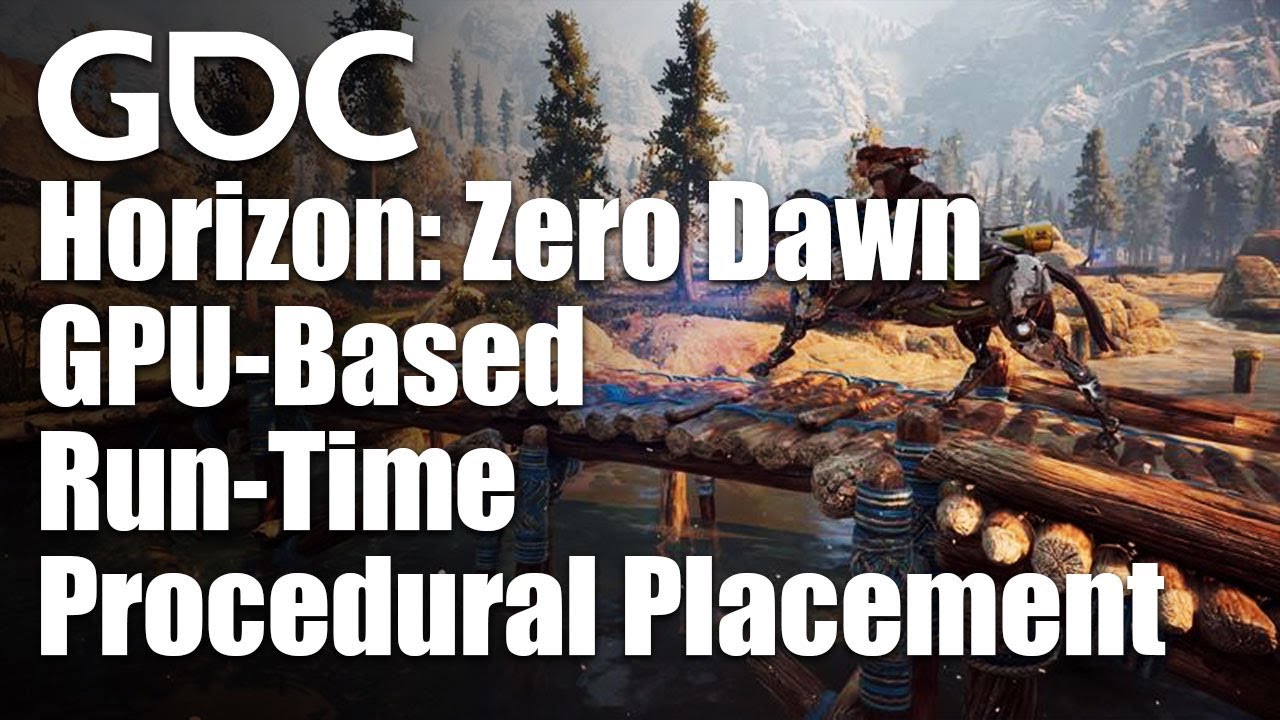
In this 2017 GDC session, Guerrilla Games' Jaap van Muijden describes the GPU-based procedural placement system that dynamically creates the world of Horizon: Zero Dawn around the player.
Register for GDC: https://ubm.io/341ZiaZ
Join the GDC mailing list: http://www.gdconf.com/subscribe
Follow GDC on Twitter: https://twitter.com/Official_GDC...
i found foliage generation tool but its garbage compared to this one
unreal plume
this is the widget blueprint
stuck scarab
@unreal plume well then its like a ingame menu no?
The way I done this is, open widget blueprint, add to viewport, and when I want to close the widget blueprint I just make it invisible. But since they are ingame menues you want to open and close again, so thats why I chooses invisible.
unreal plume
oh so your saying i should make the menu in visible
but how can i change the camera view to my player
the menu is like this
this is a live camera
stuck scarab
oh I see
 glacial oar
hey all got a question if i get a free asset from the marketplace am i breaking any copyright law editing the asset in blender then putting it back to unreal also same with paid
stuck scarab
and this is a different camera from a different actor?
light thunder
why does it say 21% but then it says 1%
stuck scarab
never done that but should be easy no? I will quickly try
light thunder
@glacial oar if it is from the marketplace, you can use it royalty free, with the exception that you can't try to sell it on the marketplace as an asset (though Epic wouldn't let you because it's already on there)
glacial oar
sweet cos the horse i paid for toook me 2 days to work out how to get it and animations to blender nad back with the bones going the right way
all to add a sadle
unreal plume
@stuck scarab thankss
glacial oar
next question i have said horse following a spline but it keeps repeating i followed this tut https://www.youtube.com/watch?v=bWXI91FdMtk how can i make it follow once and stop at the end
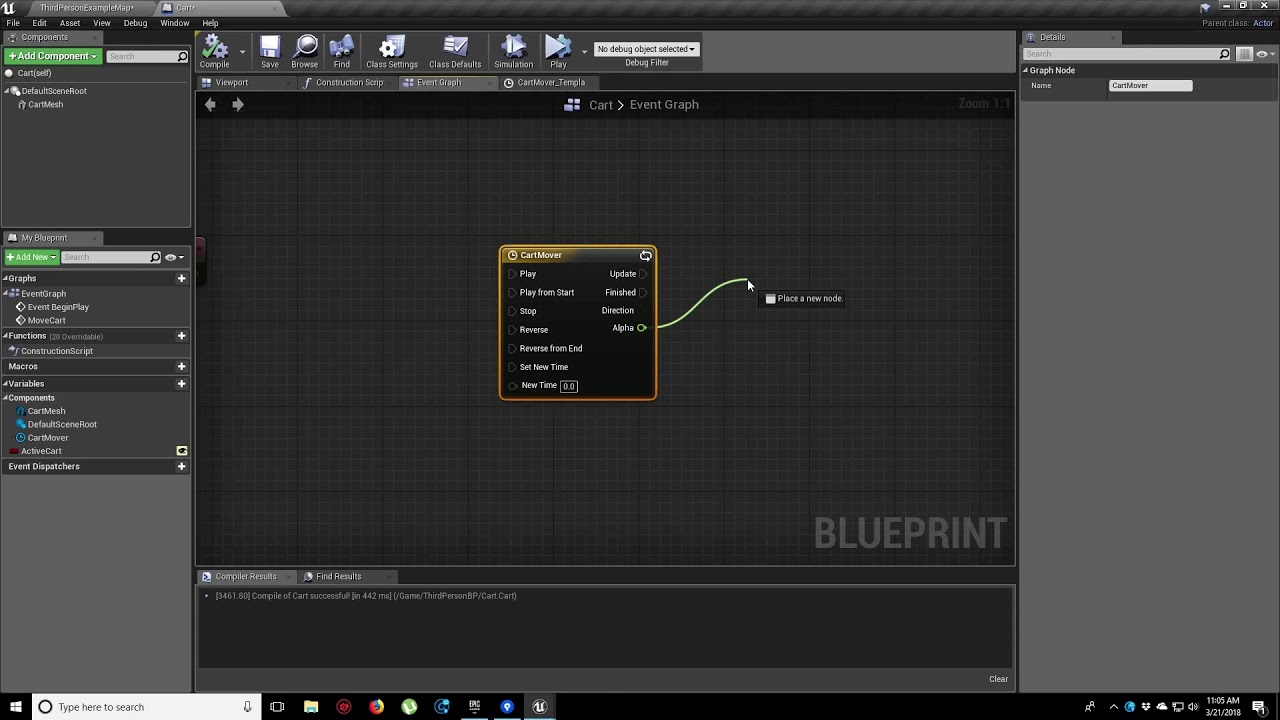
In this video, we show you how to make an object move along a set path using Splines. We also show you how to control the speed of the object, it’s starting position and looping options.
 keen shadow
Guys anyone know why andriod show missing obb error sometimes and sometimes it works?
stuck scarab
@unreal plume mh maybe this one ? https://docs.unrealengine.com/en-US/InteractiveExperiences/UsingCameras/SwitchingCameras/index.html
An example of how to setup and trigger the use of multiple fixed camera angles.
unreal plume
i saw that :\ i just dont wanna use level blueprint
i want to be able to use the blueprints on other projects as well
stuck scarab
jeah that doesnt matter, they only used that for easier reference
I believe, Im testing
unreal plume
thanks you for your efforts :D:D:D:D:
unreal plume
Oooh get player controller
stuck scarab
so this switches to the one camera actor I have in the world, and back to my player camera
cunning hound
Is it easy to find which actor is in my crosshairs?
stuck scarab
yes, use LineTrace @cunning hound
jeah you set GameMode to UI only somewhere in your menue blueprint, you need to change that before changing to the player again @unreal plume
unreal plume
Ooh ill search for that
stuck scarab
couldnt find it in your blueprint but I just assumed from the first error line
unreal plume
how does it look like??
stuck scarab
Set Input Mode
Is the node called
 pure olive
Hello! I have a basic question. How do I use the Manny BOT to post labor availability or jobs?
stuck scarab
and then you have some options
pure olive
I'm not sure if this is the right channel though
pure olive
@light lintel this one 🙂
Because in the job board, I cannot post anything directly to the chat
stuck scarab
$job - Post a paid job opportunity on the job board.
$portfolio - Post your portfolio and availability on the job board.
$remove - Remove a post from the job board.
$unpaid - Post an unpaid gig on the job board.
pure olive
Oh, I just saw that there are instructions! I'll read that now 🙂 Thanks!
pure olive
stuck scarab
$job - Post a paid job opportunity on the job board.
$portfolio - Post your port...
Nice 😄
stuck scarab
and you are sure that all of this happens in the same level?
stuck scarab
how is your process behind all of this?
Start the game, player and everything is in the level, widget gets opened immediately = your main menu ?
cunning hound
I have a tree which is a blueprint class, how do I get the blueprint name instead of the Actor name
Nvm found it
 dim merlin
Hi, anyone knows something changed to UUserWidget for 4.26?
 normal temple
yo anyone know how to make a night scene using the new atmosphere and light system
 covert hedge
hi guys, i'm getting, everytime i wanna PIE, an error about a blueprint having broken nodes, except i deleted this blueprint...
(i renamed one to this one tho, and then i renamed it with a suffix when perforce was driving nuts, but i do believe thats what fucks everything up)
anyone would know how to ofix? i tried to fix redirectors it didnt work
floral mesa
@plush yew i may be mistaken, but im pretty sure that message stops appearring after you view the plugins menu
unreal plume
@stuck scarab sorryyi had to pray
stuck scarab
🙏
unreal plume
 mystic holly
Can someone help me with git lfs please?
unreal plume
this is the player blueprint showing how it all starts : D
mystic holly
Well if it's not working, it's because of the branch at the start
unreal plume
oooh you think??
mystic holly
You don't have anything connected to the condition
Or if you don't have anything for it, then get rid of it
unreal plume
do i even need it xD?
mystic holly
Don't ask me
unreal plume
Ooh thanks for the heads up !
mystic holly
It's not my code
cunning hound
Struggling with the below, why is the actor being destroyed the the random int is a random number and not 5?
This time it printed 1 not 5
and destroyed it
mystic holly
Because it's not before the branch
unreal plume
@mystic holly seems like it wasn't it
mystic holly
Nvm
cunning hound
@mystic holly ?
mystic holly
Didn't see it correctly sorry
mystic holly
First
stuck scarab
no no need for that the way you implemented it @unreal plume
mystic holly
Put the print string behind the branch
Then get two more print strings and put it into the true and false for now
unreal plume
im still unable to get into the game Dx
stuck scarab
the get all actors of class camera controller into loop is also questionable, I assume you only have 1
mystic holly
Wait...
unreal plume
so i can swich in menu
mystic holly
With the ==
cunning hound
Wait what? How can I ptu it behind the branch lol
cunning hound
Oh?
mystic holly
It's not the fix, but it's annoying me lol
mystic holly
Let me try it
mystic holly
I'm gonna re-create the code real quick
cunning hound
ok
mystic holly
and figure something out
While I'm doing that, can you get someone that can help me out with github lfs?
Damn, that's strange
unreal plume
Oooh ok ok i got it
stuck scarab
maybe google your error messages, I dont think I can further help you at this stage @unreal plume
Closing widgets is as easy as opening them, you did that already with remove from parent.
Then I showed you a way to make the camera change back and forth.
The rest is probably fiddling out where have have little errors and mistakes
unreal plume
i had another blueprint with start level thing wich wa casuing some problems
cunning hound
Oh
mystic holly
cunning hound
What the hell sense does that make?
unreal plume
@stuck scarab yes yes true ! i appreciate your efforts ! thank you so much!!
ill try to solve this
stuck scarab
np learned something as well due to this :>
mystic holly
Wilki can you send me a video of it not working please?
unreal plume
haha xD
cunning hound
Is there an easy way to record screen with Unreal?
stuck scarab
maybe check a third party program like "gyazo"
cunning hound
I'll just use OBS hang on
mystic holly
Btw were you able to find someone for github lfs
mystic holly
It's good
stuck scarab
its either still the game mode or you disabled the movement @unreal plume
unreal plume
mhmhmhmmh
stuck scarab
its probably printing a different value than its using for the branch @cunning hound
so its actually getting the 5, therefore killing the actor, but the print is getting another random number, in this case it was the 6.
cunning hound
@stuck scarab How would that be true? Why would it print a different number when i'm pulling from the same Return Value?
stuck scarab
because you dont pull the same value
but its indeed a bit confusing, I give you that 😄
cunning hound
Ah, so if I have 2 outputs, it's run the generation twice
stuck scarab
if you store the number in a variable, then read it, you will see its actually 5
cunning hound
Makes 0 sense, I suppose I can pop it into a variable I suppose
Sorry I mean, I understand
But it's a bit silly lol
stuck scarab
jeah well it actually kinda makes sense but you need to change the way how you read that.
Its more like, Branch reads the value from random Integer, OK, Print reads the value from random integer.
And not Branch reads the value from random integer and then Print reads the same value, because there is no such value set. Its always a random one if you dont actually store that variable.
hope that makes more sense now 🙂
wanton lotus
@cunning hound you are dealing with "pure" vs "impure" nodes. Random integer node is a "pure" node and will be called every time something needs it, and therefore produce different numbers each time. https://www.youtube.com/watch?v=8tVmCXMAJ7M
What is a Pure Function in Unreal Engine 4 Blueprints?
Source Files: https://github.com/MWadstein/wtf-hdi-files
stuck scarab
and also learned something again, thanks @wanton lotus
plush yew
hey people
I keep getting this error although the game runs completely fine
"Blueprint Runtime Error: Accessed None trying to read property K2Node_DynamicCast_AsThird_Person_Character from function: 'Reload_Conservative' from node: Return Node in graph: Reload_Conservative in object: Weapon_Base with description: Accessed None trying to read property K2Node_DynamicCast_AsThird_Person_Character"
Ummm... why my volumetric clouds are square?
Hello
stuck scarab
@plush yew I often have those issues when something is getting destroyed, but its not destroyed yet since there is something like a que for such things.
But something is still asking for values or references from this actor that is in this destroying que.
So I solved that by using a "is valid" node before that thing that tries to get this value/reference from that actor that is getting destroyed.
plush yew
stuck scarab
<@456226577798135808> I often have those issues when something is getting destro...
oh well nothing is getting destroyed on here, I'm pretty early on in the development, it's just reloading, crouching, sprinting, aiming, shooting, muzzle flashes and finally the reload animation. But I have seen people mention the "is valid" being used before the cast to tpc, but- I couldn't find the location
yeah man, I have unreal projects on USB's that have completely corrupted 😦
stuck scarab
Please confirm or correct my statement:
If I work with an animation that needs layering (like upper/lower body) I always need to handle those animations in my AnimationBlueprint/StateMachine.
plush yew
yeah, my PC just crashes sometimes when trying to load into editor
plush yew
stuck scarab
Please confirm or correct my statement:
If I work with an animation that needs ...
yes
but I think there should be a way @plush yew to get the corrupted files back, but- I've given up on the old project anyway
it's using visual studio
sure let me find it
stuck scarab
@plush yew well it might be not a destroyed actor, but definetely something is trying to read a variable thats not there (yet) / or (anymore)
plush yew
here, simple tutorial https://youtu.be/5J4ocSzoDK8
plush yew
stuck scarab
<@456226577798135808> well it might be not a destroyed actor, but definetely som...
ah okay
mystic holly
Do you guys know how to work with git lfs?
plush yew
um- nope
stuck scarab
you can pretty much find the place where you need to check your code in the error message @plush yew
Should be easy solution.
Nothing game breaking tho
plush yew
well I've tried converting the cast to pure, making 2 return nodes instead of 1, I've tried many fixes, but this weird little error isn't game breaking but I still don't want any errors popping up at all
I've been searching around since last night
stuck scarab
haha glad you got it working 🙂
stuck scarab
its fine if you have the ui open, but you need to change it accordingly. There are 3 different types of modes
unreal plume
oooh
stuck scarab
jeah no worries, glad I can share my newbee wisdom 😄
 slender island
Hey guys quick question. My animation fires and my capsule moves. But for some reason my character only moves on the forward axis and it doesn't get any vertical movement from the animation. If ya need more info or want to hop in a chat and do a screen share I'm more then happy to.
unreal plume
😍
cunning hound
Is it possible to make a transform, the opposite of BReak Transform
stuck scarab
@plush yew mh all I can tell you is that I solved this errors with "is valid" nodes before casting / trying to get a reference/variable.
plush yew
stuck scarab
<@456226577798135808> mh all I can tell you is that I solved this errors with "i...
okay, I'll try that out
stuck scarab
just because I wanted to get rid of those annoying errors as well 😄 and it worked for me, error free since
plush yew
thanks man, I'm pretty new to unreal and so far it's been the best engine, good community aswell !
stuck scarab
jeah Im quite a noob as well 🙂
plush yew
doesn't seem like it lol
but nice
I think it'd be cool to have a dynamic gore system in unreal, but it'd probably be extremely hard for me
stuck scarab
@cunning hound mhm.. yes you can
Transform is a combination of Location, Rotation and Scale.
If you draw your line from one of those, you have the option "make Transform". @cunning hound
plush yew
@loud knoll ]
I need your help with something
and I believe you created something similar in the past
stuck scarab
@plush yew mhm.. start with easy stuff. Learn how those things work.
Maybe then you will figure out that this extremely hard idea is just a combination of some of those easy tasks.
Or might still be just a very hard idea 😄
thick herald
slender island
Hey guys quick question. My animation fires and my capsule moves. But for some r...
Using Root Motion, by any chance?
plush yew
stuck scarab
<@456226577798135808> mhm.. start with easy stuff. Learn how those things work. ...
yeah, I'm still getting the basics down, maybe I'll figure something out with that, if you've seen 'Bloodtrail VR' you know what I mean by dynamic gore
slender island
@thick herald Yes I am. Will root motion kill any vertical movement?
stuck scarab
mh.. some of those blood effects are probably just vfx. Like when he shoots him in certain body parts, you can get that location and fire a bloody vfx at this location
But never worked with something like that so no idea 😄
thick herald
yeah, you have to do some trickery to get round it, which I have zero experience with. Try in #animation
slender island
Ya I posted it in there as well.
thick herald
no spamming channels.. naughty!
slender island
These are the two appropriate channels! haha
I didn't post it in the job board............. geez 😩
plush yew
stuck scarab
mh.. some of those blood effects are probably just vfx. Like when he shoots him ...
yeah man, but I'm still mind boggled by the fact the head deforms with you hit them, not just a variation but actually dynamic
it's pretty insane
wanton lotus
@plush yew Looks like you can create all those gore effects with materials. You may want to research how to make dynamic materials.
plush yew
I wonder why even games that strive to be violent and gore filled, never have dynamic damage on character models
it's like no-ones attempted it, apart from Bloodtrail
it's always decals and simple dismemberment
thick herald
@plush yew There is a new marketplace asset out today(?) for blood splatter and gore etc.. it's pretty good looking
plush yew
thick herald
<@456226577798135808> There is a new marketplace asset out today(?) for blood sp...
yeah but that's pretty basic stuff
I want more dynamic and realistic
that's just dismemberment and blood decals
stuck scarab
oh okay,didnt see the head deformation 😄 well, mesh deformation and destroying is probably not an easy task.
thats why there are no games will full destruction etc.
thick herald

Unreal Engine
Generate ten's of thousands of instanced mesh decals while maintaining performance.
grim beacon
Are these all nvidia ansel related?
plush yew
yeah it's weird though that it's extremely rare to see any dynamic damage in a game
stuck scarab
but good luck on your project buddy 🙂
plush yew
you too !
stuck scarab
for a reason I believe 😛
grim beacon
grim beacon
Are these all nvidia ansel related?
I cant find any photo mode or anything of that sort
plush yew
thick herald
This one? https://www.unrealengine.com/marketplace/en-US/product/semi-permanent-...
oh that ain't bad
that looks neat, it could deal with the blood spilling and such on the environment
thick herald
The creator is active in his discord too.
plush yew
oh nice
so apparently you needa use something called a dynamic mesh
or procedural mesh
thick herald
no idea, but it's all set up ready to use, other than fine tuning it
His zombies are pretty damn good too
wanton lotus
@plush yew if you want to deform the body, you can do it with materials. Materials can offset vertex locations. So you just need to make a few masks for different types of wounds.
plush yew
well I want it based on collision, so if the melee weapon is swung, it tells the material to deform a certain amount
yeah though
masks?
wanton lotus
I personally don't know how to do it, but it is definitely possibly with materials. I am not a material expert.
Yeah, masks. Like a gradient mask.
plush yew
what are you working on right now?
gaunt tide
How would the character controls in one of my levels affect the character controls in another level? I have separate characters and controllers for each in two different levels but it seems the controls from 1 level are still used once I go back to the previous level
gaunt tide
No. The first level is the third person example template, the second is one I made that is empty and spawns a pawn that the player than controls
plush yew
oh
slender island
@thick herald I figured it out........... You have to set the players state to "Is Flying".
cunning hound
I'm trying to remove an actor, then spawn it again with a key press, I can remove it but how do I get the class of the actor I removed to pipe into spawn actor?
plush yew
gaunt tide
No. The first level is the third person example template, the second is one I ma...
give me a second
gaunt tide
plush yew
oh
Yeah no problem. But yeah before creating the new level I made a controller for the third person character as well as a gamemode for that level as well. Than I made the new level, made the character, the controller, and the gamemode for that level.
plush yew
you changed the input for that one right?
wait, so you started from scratch on the second level right?
gaunt tide
Yes
gaunt tide
Yeah because in the second level(we will call it the editor level so to speak as its the vehicle editor for my game) in that level I can hold right mouse button to change the yaw and pitch of the pawn and while testing some things I realized I also have to do that in the third person template as well now to look around despite having seperate controls in the character bp as well as a different player controller.
stuck scarab
you cant spawn the one that you destroyed, because its an individual object @cunning hound
So if you try to: Destroy Actor - Link - Spawn this actor. That wont work
plush yew
gaunt tide
Yeah because in the second level(we will call it the editor level so to speak as...
okay, so you mean it has the new controls aswell as the previous controls?
gaunt tide
Yeahhh ig?
plush yew
so both can be used?
gaunt tide
Here lemme see if I cant get a screen recording of it.
cunning hound
@stuck scarab How do I go about spawning a different actor
stuck scarab
Spawn Actor from Class.
You could get the class from the actor before you destroy it, with that you basically get what you wanted to archive
cunning hound
How do I get the class of the actor, thats my question
stuck scarab
Get Class
plush yew
my reverb g2 just destroyed my dell monitor, and 1 day later, g2 is also destroyed
no power going thru the 2 devices. ^^
plush yew
plush yew
my reverb g2 just destroyed my dell monitor, and 1 day later, g2 is also destroy...
what? lol
ya 😄
that sentence made my brain ache
oh
ya sorry...
o.o
why
@stuck scarab are you german?
stuck scarab
dbd characters are welcome ❤️
plush yew
jes
stuck scarab
indeed I am 😛
 flat tundra
i need help rly bad
gaunt tide
plush yew
what? lol
Okay since my xbox game bar doesnt work apparently Ill describe to my best what happens. Okay so I start off in the third person template. I than click the workbench I made which than switches the levels from the third person template to my vehicle editor level. Once I have done this I than use right mouse button pressed to look around in that level. I can than press "R' to return to the previous level. Upon pressing "R" my pawn in the editor level is destroyed and the third person level is loaded in which the Right mouse button presssed to look around is now a function inside of the third person template level after accessing my editor level.
plush yew
state your issue then
flat tundra
i am trying to import an object from Maya to unreal engine and it keeps giving me the failed to traingulate error
gaunt tide
flat tundra
i am trying to import an object from Maya to unreal engine and it keeps giving m...
Triangulate before importing. UE4 has issues with triangulation when importing.
flat tundra
how i do that
slender island
@thick herald For future reference it's working and setting your character movement mode to flying is how to get vertical movement out of your root motions
plush yew
gaunt tide
Okay since my xbox game bar doesnt work apparently Ill describe to my best what ...
woah-
flat tundra
can someone just join the support channel it will be much easier
plush yew
@plush yew what dont you understand in my text
plush yew
plush yew
<@456226577798135808> what dont you understand in my text
your mom
@stuck scarab and whree is dbd characters
@plush yew what my mom?
plush yew
plush yew
<@456226577798135808> what my mom?
yes
stuck scarab
In blender there is a modifier for that, I assume Maya has something similar @flat tundra
Or do it manually 😄
plush yew
@plush yew i mean what about her
plush yew
plush yew
<@456226577798135808> i mean what about her
she's a nice lady
flat tundra
@stuck scarab i have just said i dont know how to do that ?????
gaunt tide
plush yew
woah-
Inside of each level I have a gamemode override that sets all the parameters etc for the levels so idk why my controls from 1 level would be in another.
plush yew
@plush yew what dont you understand in: my reverb g2 just destroyed my dell monitor, and 1 day later, g2 is also destroyed
no power going thru the 2 devices. ^^
thick herald
slender island
<@!347136582224183298> For future reference it's working and setting your charac...
That works some of the time, but sometimes you need to add ssomething into the anim timeliine. That's the bit I can't remember 😄
plush yew
plush yew
<@456226577798135808> what dont you understand in: my reverb g2 just destroyed m...
nono
what no#
stuck scarab
@flat tundra Google: Triangulate Maya
plush yew
whoops
flat tundra
I HAVE DONE HENSE THE REASON I HAVE COME INTO THE DISCORD
gaunt tide
I got you xD
plush yew
gaunt tide
Inside of each level I have a gamemode override that sets all the parameters etc...
check blueprints inside parameters
@plush yew what dont you understand?
flat tundra
there isnt even a help section in the server
plush yew
BRUH STOP
SEXYCHAN STOP
u told me you dont a word
understand
fuck off
❤️
why should i fuck off now?
o.o
omg
flat tundra
alright, sick
plush yew
@plush yew are u by any chance 12yo?
slender island
@thick herald That is probably when there is a jump mixed in with a ground dashing animation. I can see where having flying enabled the entire time would result in some interesting interactions with being hit.
plush yew
plush yew
<@456226577798135808> are u by any chance 12yo?
no ma'am
@plush yew ok stop trolling
plush yew
plush yew
<@456226577798135808> ok stop trolling
no
gaunt tide
plush yew
check blueprints inside parameters
Yeah idk what it could be..
flat tundra
CAN U GUYS STOP KISSING EACHOVER AND HELP ME
gaunt tide
Well have you asked your question?
plush yew
flat tundra
CAN U GUYS STOP KISSING EACHOVER AND HELP ME
yo chill out before I eat you
stuck scarab
maybe move to a Maya discord if no one can help you here @flat tundra
plush yew
gaunt tide
Yeah idk what it could be..
yeah man I'm confused asf
never heard of something like that, try creating a new level
delete the level and try again
gaunt tide
Yeah it doesnt make sense because the controls are fine upon initial loading of the third person template but once Ive loaded the editor level and reloaded the thirdperson level my controls are switched to that of the pawn in the editor level not the third person character controller
flat tundra
this discord is abit pointless
plush yew
flat tundra
this discord is abit pointless
no dude, it's just you are impatient and a prick
go watch a tutorial if you are in "urgent" help
lol did he leave?
gaunt tide
I hope so
plush yew
haha yeah, you can't be a developer and be like that
cunning hound
How can I store the Get Class return value, I can't find a value that will allow me to pipe it into the SpawnActor Class section
plush yew
I feel like he'd give up as soon as a small error occurs
gaunt tide
Promote it to a variable
cunning hound
Sorry what do you mean @gaunt tide
plush yew
cunning hound
Sorry what do you mean <@!241705563753283595>
promote to variable
thick herald
then give it a pay rise
plush yew
drag it out and click "promote to variable"
gaunt tide
You can right click on an output node and hit “promote to variable”
plush yew
or that
gaunt tide
No problemo
plush yew
no problem, love you ❤️
thick herald
Don't promote it to vegetable.. doesn't work... 😄
plush yew
marry
cunning hound
❤️ ❤️
plush yew
me
cunning hound
Do we have to stop kissing before we get shouted at by the guy above
plush yew
😘
plush yew
cunning hound
Do we have to stop kissing before we get shouted at by the guy above
no, we can keep kissing
gaunt tide
@plush yew So maybe my problem has to do with switching levels?
cunning hound
Oh good
plush yew
gaunt tide
<@456226577798135808> So maybe my problem has to do with switching levels?
did you create the level again?
gaunt tide
plush yew
did you create the level again?
Yeah and same issue....
plush yew
gaunt tide
Yeah and same issue....
it's most likely to do with the last level then, no idea right now
I'm trying to think what it could be
wanton lotus
@gaunt tide your levels are using separate game modes?
gaunt tide
Is there anything special I should include before the “Open Level” is run in my script?
plush yew
wanton lotus
<@!241705563753283595> your levels are using separate game modes?
I love you slashin ❤️
gaunt tide
wanton lotus
<@!241705563753283595> your levels are using separate game modes?
Yeah, each uses a seperate gamemode, player controller, and character
plush yew
then that doesn't make sense
your project is haunted dude
a demon or something is inside it
gaunt tide
Bruh but I just spent 4days and 12hours a day for my UI don’t tell me that😂
plush yew
BRUHH
wanton lotus
Can you have it print out the name of the player controller when the level loads. Make sure it is actually changing each time you switch levels.
gaunt tide
Yeah one second I’ll see
plush yew
love you too sandman ❤️
gaunt tide
Love you Kiwi
plush yew
in a gay way
wanton lotus
So much love today
plush yew
yes
gaunt tide
My aunt is allergic to kiwis tho
plush yew
damn
luckily you aren't
Hello guys, how do I directionally apply a material to a mesh? I want to apply a snow on top of a rock
😉
Is that possible?
wanton lotus
Of course it is possible.
plush yew
plush yew
Is that possible?
have you tried searching it up? sounds pretty common
Wait I’ll see
okay, good luck, because I've seen snow tutorials
wanton lotus
I believe quixel has a sample material that does exactly that.
thick herald
plush yew
Hello guys, how do I directionally apply a material to a mesh? I want to apply a...
This is old but still valid https://youtu.be/sE64iTjnoUM

Shameless. Ice!
Twitter: https://twitter.com/Play_Ruff
Patreon: https://www.patreon.com/deanashford
Discord: https://discord.gg/gPnr339
Files: https://drive.google.com/open?id=0B4babORM1Vv4a2hqZFlWbHR0Zmc
plush yew
omg slashin is back
love youu
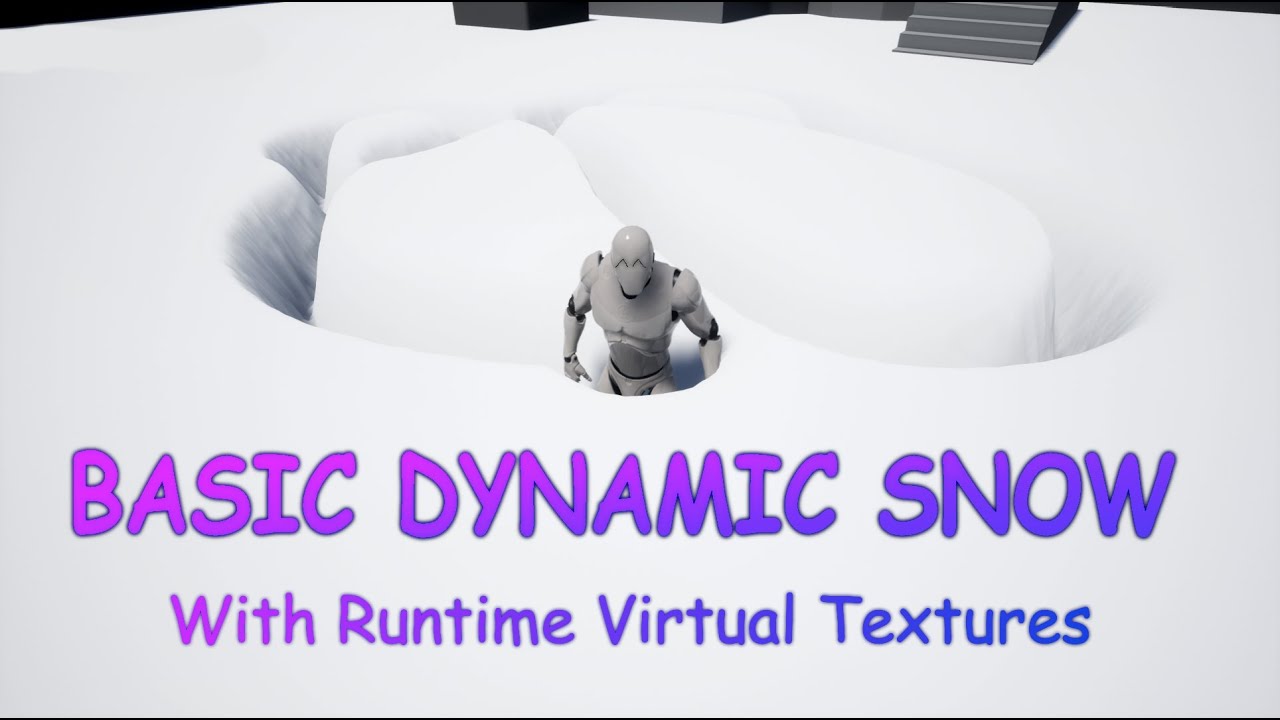
In this video I describe how to use runtimer virtual textures in UE4 to creaty a dynamic snow effect.
The Basic idea is by RP Monkey:
https://www.youtube.com/watch?v=jdi_37r1zcE
I wanted to make this Video 5 minutes long, but I decited to explain what I am doing so thats why it turned out a little longer :\
For Questions or suggerstions Just...
@wanton lotus wait so I can download a material from bridge with that function?
wanton lotus
I'm opening my project that has the material in it and will check out its graph.
plush yew
Ok thx
wanton lotus
I believe the one I used before came with the voxel plugin, but it is a quixel material.
plush yew
plush yew
Ok thx
hey boolean remember I love you too
Thx ❤️ 😂😅
it was meant to be guys
it was MEANT to happen
@wanton lotus yea quixel did a video 2y ago but it’s not working now...
damn
epic keeps drastically changing unreal engine
wanton lotus
Yeah so many videos are too old, hehe.
plush yew
it's annoying
wanton lotus
Epic, quit updating shit!
plush yew
Ik
it was fucking working fine before, sometimes updates are for the worst
fix other issues, not always making blueprints more complicated
wanton lotus
Sorry..... it's not you.... it's me.
plush yew
damn- you fr? you broke my heart 💔
wanton lotus
project finally opened.
gaunt tide
Sorry already been married once
gaunt tide
Hopefully not twice lmao
wanton lotus
@plush yew The material looks like this and could be adapted to making snow on top of rocks:
plush yew
sexy

REMASTERED IN HD!
Music video by Smash Mouth performing All Star. YouTube view counts pre-VEVO: 1,844,389. (C) 2001 Interscope Records
#SmashMouth #AllStar #Remastered #Vevo #Pop #OfficialMusicVideo
good song
 blazing matrix
Hey guys, any idea whats going on here. im using a linetracemethod using the cameras position as start and end point is the camera forward vector * distance + startpoint. in my tick function im updating the location of the cylinder using that outhit.location but it seems to be travelling along the linetrace and im not sure why.
could the double hit results be screwing it up?
gaunt tide
plush yew
sexy
Lmao. It works now. All I did was add beginplay to a print string with the string attached to get player controller inside the level bps...whaaattt...this makes zero sense lol
plush yew
gaunt tide
Lmao. It works now. All I did was add beginplay to a print string with the strin...
oh nice lol
@wanton lotus yes that looks really i good, i created one but mine looks trash
wanton lotus
Lol, that was to only test it, but sometimes just getting IT on site fixes the problem.
plush yew
wtf
gaunt tide
Now if i middle mouse click, right mouse, or left mouse I can change pitch and yaw of the third person camera...
wtf is happening.
gaunt tide
Indeed it is..
 winter gale

Quick #UE4 Tip number 64.
Want the audio in editor to continuously play even when Editor is in background? Enable Allow Background Audio from Editor Preferences.
#unreal #unrealtips #unrealdev #indiegamedev #gamedev #indiedev #screenshotsaturday #UnrealEngine

 Twitter
·
plush yew
Twitter
·
plush yew
@gaunt tide what kinda games you play? and whats your project going to be like?
gaunt tide
Have you seen Kerbal, FTD, Stormworks, etc?
gaunt tide
Build vehicle in an editor. than send vehicle to world for testing
 exotic thicket
Stormworks is cool
exotic thicket
Kerbal also but Kerbal Space Program is a bit more demanding in terms of learning how to play it lol
plush yew
sounds neat, but never heard of the actual game
oh wait
Kerbal space program
yeah I know that
gaunt tide
Yeah Im attempt to get a similar system setup but as you can see my game is haunted now
Since it even says when switching levels 'MainCharacterController" and "EditorPlayerController"
Which than why would my controls from the editor be present in the main character when in the main game world?
 copper flicker
so.. when I'm in Menus, any KEY used by Menus to navigate, like arrows, Space, or any Event the the Menus are listening for Input Action.. all these keys are DEAD. meaning if u get Any Key, and print its value, it will be the equivalent of None, will print nothing for these keys. Why? What are they doing?.. Where are they? 😄 And how to get Space basically... to be available to the Player.... when in Menus. Or is there another way to get player input.. for now I just managed to figure out Any Key. Which will print anything I press.
regal mulch
In Menus you use Input from the UI
Not from the Game
And that has two different Input events
KeyDown and PreviewKeyDown I think
The second one triggers for navigation keys
copper flicker
but.. most keys do work. how do I get input from the Player then?
regal mulch
Via the Widgest?
wanton lotus
You can also use "Listen for Input Action" in widgets. https://www.youtube.com/watch?v=4FwaHM6YSF8

What is the Listen for Input Action Node in Unreal Engine 4
Source Files: https://github.com/MWadstein/wtf-hdi-files
grim ore
there is also the "listen for input action" if you want to bind existing input actions to events in umg
gaunt tide
Yeah had a few different print strings setup and it switches controllers, gamemodes, and characters between both the third person level and the editor level so idk why the controls for the editor would exist in the third person level after Ive assessed the editor level. Ig it could be a bug. Maybve exi might have a solution
stuck scarab
I currently fiddling around with jump animations..
For landing I currently measure the distance from the character to the ground and start with the landing animation at a certain distance value.
Now since the charater obeys gravity it has increasing falling speed the higher it jumps.. so I somehow need to adjust the distance value at where it needs to start the landing animation.
Suggestions? 😄
copper flicker
yes, I am listening for one input action
but I need Any Key, basically, for remapping. and no, I don't think I can use Unreal's remapping widget, I need to use my own buttons
regal mulch
Welp, Remapping Keys would be done through the UMG Input with the PreviewKeyDown stuff
regal mulch
Yes there is
wanton lotus
Override the function
regal mulch
In the Override functions
copper flicker
oh wait, they were hidden...
gaunt tide
@plush yew https://gyazo.com/9266815987684207a99067e56744d62a This is what happens when you use the workbench And here we have in the editor level https://gyazo.com/7088f25fed2d6780bf7b8e9b530fd8b0


 plush yew
okay
copper flicker
ok thanks, I will try to go find some info on these