#ue4-general
1 messages · Page 887 of 1
 daring gazelle
thank you ill have a look now
 mint onyx
Do someone know if there is a way to input console commands in a interface like the interface that "-log" argument gaves?
 winter gale

Quick #UE4 Tip number 55.
Unable to select translucent actors from viewport (e.g: Mesh with glass material)? Make sure to enable Allow Translucent Selection.
#unreal #unrealtips #unrealdev #indiegamedev #gamedev #indiedev #screenshotsaturday

 Twitter
·
Twitter
·
 steep skiff
so where i have to start unreal engine basics?
 plush yew
I'm doing a bit of cleanup in my project. i am about to delete an animation blueprint but it says that it is being referenced by another animblueprint but i cant figure out where its being referenced is there any way to see this?
like i see its in basedrone_animBP but inside that i cant find it
 woeful furnace
Hey guys, I've been doing some work on ue4 recently and wanted to try something bigger now. I've planned on making a small multiplayer game, but I don't know whether I should do the weapons, player's movement and mechanics first or if I should start with the coding for the server. Any help is appreciated
 lucid prairie
@steep skiff try this https://www.youtube.com/watch?v=wSESd1EaJt4&list=PLsPHRLf6UN4m1LQhNlRM22np4-4bIcDa4&index=1

In this video I show you what you need to do to get Unreal Engine for free on your PC or Mac.
Here's the link to the Unreal Engine website - https://www.unrealengine.com/what-is-unreal-engine-4
If you want to learn how to use Unreal Engine, you can find my Unreal Engine 4 for Beginners tutorial video here - https://youtu.be/a0qNO6_xPx0
Or you ...
i mean the playlist
starting from this one https://www.youtube.com/watch?v=W6s-WQKUG90&list=PLsPHRLf6UN4m1LQhNlRM22np4-4bIcDa4&index=2
Welcome to my Unreal Engine 4 Beginners Tutorial series. In this free UE4 tutorial series you will learn all the basics of Unreal Engine 4 including the tools and user interface, how to create & save projects & levels, import assets, create landscapes, import textures & create materials, use the foliage tools, create & use lights & post processi...
 wary wave
those videos are coming on 4 years old
I would be wary as a lot of information could be long out of date
lucid prairie
It still helped me a lot
wary wave
It'd make more sense to me to stick with the official ones;
https://www.unrealengine.com/en-US/onlinelearning-courses

Unreal Engine
Unreal Online Learning is a free learning platform that offers hands-on video courses and guided learning paths.
 light thunder
@woeful furnace you probably want to start with the multiplayer - if you've never messed with replication, it can be confusing - this way you have that setup and as you build your other components, you can ensure that they are replicated properly
woeful furnace
light thunder
<@!377541847788290049> you probably want to start with the multiplayer - if you'...
Thank you, will the replication be applied to every single asset and blueprint or will I have to assign them manually?
 somber crown
Hi, How would one get FloorActor or RootActor through code when only having a reference to the child actor which is Floorcube (StaticMeshActor)? Floorcube->GetParentActor() is returning NULL even though my hierarchy has 2 parents above it. Have attached my scene hierarchy from World Outliner for reference.
light thunder
Did you get the parent actor **OF ** the parent actor?
and it might be better, if you can, to just replace that rootactor with floor actor by dragging it over it @somber crown
somber crown
light thunder
and it might be better, if you can, to just replace that rootactor with floor ac...
Uh, Can't do that if the first GetParent already returns null
steep skiff
lucid prairie
<@!563885506975498250> try this https://www.youtube.com/watch?v=wSESd1EaJt4&lis...
ok
somber crown
light thunder
and it might be better, if you can, to just replace that rootactor with floor ac...
This is a no go, level designers use these for grouping actors together
light thunder
might be this -
somber crown
Tried GetOwner() as well, it returned NULL.
wary wave
good good
 red crane
If anyone has a old game they are willing to give away ill gladly take it
light thunder
I have a free asset that has a texture called "illumination" and one that's "diff_spec" - where do I plug them in a material?
 sullen rain
@stuck scarab Actually what you shared is for viewport, not for plugin, I want to create my own plugin(Engine plugin) where i can drag from the plugin(slate) and drop it into the world
light thunder
When I plug this "illumination texture" into the emissive, it sets the whole material bright - it reminds me of using a mask but I am not sure how to do it with immissives
sullen rain
@stuck scarab Like how you drop a cube from the place actor tab to viewport, same like that, but from my own plugin
 high dragon
Hello everyone, I recently submitted my game to Steam for review but it failed because they said that when you exit the game it still remains running in the steam client. Has anyone dealt with this before? I can't test it since the game isn't on Steam yet but my task manager shows no signs of the game still running when I close it.
 grizzled tartan
Hi everyone, I’m a beginner and I would appreciate if someone can give to me a tutorial
Like a link to youtube or a pdf
steep skiff
hey guys
do you guys know how to modeling?
in blender?
cuz im very bad modeling
i mean
im not perfect at that
can someone help me please?
so i can export my model into ue4
 sweet relic
@high dragon this happens for almost every steam game for me for some reason (I'm convinced it is a problem with steam/my environment)... game says still running but no processes remain and I have to sign out and back in to clear it
high dragon
@sweet relic Thanks, maybe the person reviewing my game got unlucky when closing the game and had that happen. Maybe they also didn't try to replicate if it would happen again.
sweet relic
Yeah I'm honestly not sure what causes it... I have been searching for months in vein for a fix but it seems like a rare issue
 echo zealot
All i need for a singleplayer game is a GameMode, GameInstance, Pawn and PlayerController right?
high dragon
Is this something you are having happen with games you produce or just games you play @sweet relic ?
sweet relic
Games I play
 sleek spear
in 4.26 preview 7 i get this error a lot when opening various scenes[SM5] /Engine/Private/Tessellation.ush(178,3-12): error X3004: undeclared identifier 'Tangent0_U'
echo zealot
I can ignore stuff like GameSession, GameState, PlayerState etc. for singleplayer right?
 supple gale
pretty much yes but some things like the replay system still use networking information for playback and building the games like "how you'd build multiplayer" oftentimes is smart anyway, but yeah they are primarily relevant for multiplayer
echo zealot
ok thanks
echo zealot
echo zealot
All i need for a singleplayer game is a GameMode, GameInstance, Pawn and PlayerC...
So that is true?
I want to have a clean base..
supple gale
better to just read docs and see what they are intended for, but especially if you don't create any replicated functions anyway, you're safe to ignore them
 gray night
Guys Is BluePrints UE4 Same As Playmaker Unity ??????????
wary wave
no
 grim ore
They are both visual scripting systems but playmaker is more state based and not integrated into the engine like Blueprints.
 heavy acorn
Hey guys am new here and for unreal as well hope to learn a lot here I hope you guys will not mind helping
😁
 exotic otter
Hi everyone, I am trying to save a USkeletalMesh as an asset. the asset im trying to save is a mesh created with mesh merging and DoMerge. If I save it however, I later get a crash with some LOD stuff
 dark stag
 wild tendon
when does unrealbot come online?
light thunder
When I plug this "illumination texture" into the emissive, it sets the whole material bright - it reminds me of using a mask but I am not sure how to do it with emissives
I've done this before but can't remember @grim ore
grim ore
what are you plugging into the emissive? which channel. since it looks like a mask I would assume just one channel or the alpha
light thunder
i was doing it straight off
When I put it as a masked, it gives me a sampler error
so I'll try the alpha and see, I swear i did that before but maybe not
Clearly, the system has a problem and there's no way I made a mistake at all
That worked, thanks
grim ore
lol
 short gulch
are unity developers allowed here or will i get beat up
wild tendon
allowed
 serene birch
emissive is a color channel so the engine expects you to plug in color info that usually means a sRGB based sampler (aka not a Linear Color stuff)
 proven oxide
So I feel like I'm messing something up in the project settings here. Left is built to the PC, right is built to an Oculus Quest. Can anyone tell if there's some things I should look into to see what's messing up the water/atmosphere on the right?
grim ore
switch the preview in engine to the opengl es mobile renderer and let it compile the shaders, your errors might show up then
proven oxide
Neither of these are previews, so they've run through the shader compilation without trouble if that's what you're getting at
 night bridge
Btw
I dont know if anyone cares
But I started a very ambitious project in UE4
Which I probably will never achieve But I will probably learn a thing or 2 from doing this
proven oxide
Good enough reason right
grim ore
@proven oxide
proven oxide
@grim ore thank you, I just switched let's see what we get
night bridge
proven oxide
Good enough reason right
Yupp
 fierce forge
hello, in viewport the character animations are working well, but in standalone the character is in t-pose and just the montages are working, how i can resolve this ?
 eager tangle
Hi. When i add the new water (4.26)to my existing landscape it dont connect to my landscape, is this a bug or do i have to make a new landscape?. I have enabled edit layers on my old landscape
 limber mesa
trying to delete an actor but ue4 crashes if i do, anyone know why
proven oxide
So I've changed that editor preview to use android mode, and I'm seeing the inconsistent graphics. Any leads to debugging this? I didn't notice any error messages and the logs seem to be clear.
grim ore
open up the shaders now that you are in the other mode and see if they have any errors
some nodes might not be compatible with ES and need SM5
mint onyx
the legend matheww 😮
grim ore
in the material you can also go to this settings
try previewing it in the ES3.1 and also turn on platform stats. if you are running it with the android tools set up (should be for quest) then it should give you the ES preview stats
light thunder
how do I make this MUCH blacker on this tire texture? I can barely see it
@grim ore
FYI, it was mask multiplier!
 calm pollen
can anyone help me with something for my game? Idk if this chat is a good place to ask
wild tendon
do u guys make your levels in ue4 or a 3D software such as blender?
 restive eagle
@fierce forge is it a multiplayer project?
because i had the exact same issue with dedicated servers long time ago, a workaround was to set animation blueprint class on begin play inside the character
light thunder
if I want to just play an animation sequence via blueprint, just on a skeletal mesh
light thunder
wild tendon
do u guys make your levels in ue4 or a 3D software such as blender?
You build components and level assets in blender/other 3d modeling, and then you generally assembling them in Unreal
 weak cradle
Does anyone know how to combine two input actions so a blueprint would only work when both input actions are pressed simultaneously?
grim ore
you would do a check for the other key being down using the is key pressed or you can set booleans when the key is pressed and released and check for both booleans being true on the pressed
there is also a new enhanced input plugin coming soon to the engine that might make it easier as well
 vale silo
4.26 release, when?
grim ore
2 hours ago?
 grizzled carbon
I got a new comp and am trying to install the engine. When I try to login via an epic games account, the login button loads endlessly and is not clickable. The log files for the epic games launcher contain this line [2020.12.01-18.43.27:312][960]LogWebView: Uncaught SyntaxError: Unexpected token <
Any advice?
I have reinstalled and restarted
 prisma plank
What you say about limited and full output dynamic range ? Typical is using limited..
vale silo
grim ore
2 hours ago?
Nah, seriously? I don't see any announcement on the forums or on twitter
grim ore
@vale silo not serious heh. chances are this week or next since no preview last week
grizzled carbon
Hm, is anyone able to login to epic games via an epic games account? I'm getting the same problem now on multiple machines, via the app as well as in the browser.
 wind gate
Hey loves, haha so I have a huuuge problem with sequencer. My video look perfect in the Editor but whenever I render and export it it just doesn't look the same. I'm okay with the small iterations in lighting, but what I cannot get why my camera gets out of focus, like it doesn't make any sense. To put it into perspective I made sure every key is placed appropriately to give me the best depth I wanted but when I render the movie, it seems like it completely ignores the Aperture Keys. Am i missing something?? Thx in advance.
last time i verified the engine it was downloading for quite sometime so my guess is that reinstalls the engine. Can't confirm that tho.
@plush yew
 drifting geode
maybe a stupid idea, but has anyone here thought of hooking up a stereo 360 camera to an oculus quest to provide a realtime 360° stream of the environment?
grizzled carbon
Why would you need to stream what's behind you when your camera only looks forward
weak cradle
@grim ore Thank you!
grizzled carbon
Aside from the hilarious implication that you could make a virtual mirror to see what's behind you irl
drifting geode
yeah not quite a 360° image, more like two 180°, providing a stero enviroment of the FOV
something like this
its the insta360 EVO (discontinued, but I suppose there are other camera as well... but as far as I understood, the provide a VR/livestream output...)
 pulsar badge
Is there away to get my game files to another pc through source control without coping my files to that pc
Can source control pull it
Without the whole project folder
grim ore
well you need whatever is needed for your project, so that would be most of the project folder
and yes that is what source control is for
there are .gitignore files out there that you can use so you only commit the needed files from your project
fierce forge
@restive eagle nope
 rough knoll
you will have to compile shaders again though lul
even though im pretty sure you already know that
 quartz heath
Hey everyone. I'm having trying to render an ambient occlusion pass from sequencer. The first 3 rendered frames seem to be fine but after that all the rest of the frames seem to be "overexposed, which seems weird to me since this is an AO pass render. Anyone has any idea what may be happening here?
 frozen pond
how to disable post process volume for 1 actor only /
 tame marsh
I've got a new SSD, what's the best way to move all of my UE4 engine installations
frozen pond
just move project i think, also don't trust SSD and allways make backup on HDD
tame marsh
I've got everything backed up triplicate and I'm going to make sure my work is mirrored constantly on my old HDD
frozen pond
hope you didn't get ADATA/XPG
frozen pond
just uinstall them and reinstall again should be fine
you just need install plugins again
tame marsh
I was thinking of backing them up, uninstall it in the Launcher, reinstall it on the SSD, close the Launcher, and paste in the backed up version
Kinda like how you used to do it in Steam in the old days
Well there's only one way to find out
frozen pond
reinstall engine itself not launcher
question: what type of lightning i should use to make dungeon brighter? there's "no sun" in scene, but without directional lightning everything is just dark
 brazen cairn
guys I have a few issues with my character skeleton
so its rigged to the epic skeleton but when I use the default animations its slightly weird
and other than that, the size of my Skeletal mesh is really big
I tried to reduce the size during import and also through blender but nothing seems to work
if anyone can help me out a little it would be great
 ember notch
Is the marketplace sale going to 2.12 23:59?
 mystic shard
If i force delete one of the Thirdperson... is it gonna delete all of them or just the on i clicked on
 meager frigate
@brazen cairn make sure when you export, the scale is correct and also there is an empty you should delete if you're using an exported mannequins armature. Dude talks about both of them in this video https://youtu.be/WG83MYVAGfg?list=PLWy8S8idnVWqyorRWUJWaUVVWnw2XJgLX&t=228

In this tutorial I cover the basics of exporting the Unreal Engine 4 Mannequin Skeleton from Unreal Engine to Blender. Adding a Custom Character to the Skeleton, and exporting that new Character from Blender. Importing that Character into Unreal Engine so that it will work with the UE4 Mannequin Skeleton and Animations.
This tutorial uses Blen...
grim ore
depends on how the UV map is set up on the cube.
you would either use 1 texture unwrapped to match the uv map with a the images placed for each sie or you would use a material with multiple textures with each ones texture coords adjusted to fit the uv map on the cube
 signal bone
well then how can i get those multiple textures
grim ore
your textures would be imported into the engine then you would use a material that has those textures as texture samples and hook up the texture coords and offset them to match the meshes uv map
if your asking the question the way you are, you might be in over your head and need to look at how UVW mapping works for meshes
signal bone
So
i cant apply them this way inside Ue4 right?
i need to open blender or something
grim ore
everything I am talking about is inside of UE4
grim ore
you need to see how the mesh is set up already
grim ore
yep you can open it up and look at the UV map for it in the editor
grim ore
if thats the mapping then you will only be able to fit 4 textures on there, you will have to open it in a 3rd party program and make a new map or do it with the modeling tools in engine
grim ore
or do it with the modeling tools in engine
signal bone
Modelling tools inside ue4?
 hidden tendon
signal bone
Modelling tools inside ue4?
hidden tendon
signal bone
Modelling tools inside ue4?
Yup.
rough knoll
how do i make this little bar bigger? i can change the size of the long bar, but i cant seem to find anything to make the little tab bigger.
plush yew
any tutorials for making macro variation texture ?
grim ore
@rough knoll
rough knoll
tysm!
plush yew
bruh
 remote mist
Are there any decent (up to date) classes on Udemy that anyone in here would recommend? The last one I bought just had me putting together blueprints based on someone else's level with not much instruction on what he was doing the things he was doing
*Why he was doing the things he was doing
proven oxide
So I checked those stats as per your suggestion Mathew, and I found the culprit. The shader contains a Scene Color instruction, which is incompatible with ES3.1. Since I'm entirely new to using this, does anyone have suggestions to patch it over? Is there a conventional substitute when this comes up?
signal bone
Someone help me on #blueprint plz<3
 fierce tulip
please be patient, if someone sees it who can give answers they surely will.
signal bone
😔 k
proven oxide
Regarding the above question, I worked around it by just removing the refraction component that used SceneColor. I've moved onto debugging this skyline.
 shadow violet
Anybody have mapping for HeroTPP skeleton? Froms Shooter Template
 dusk light
grim ore
<@!395205580668534785>
dusk light
grim ore
<@!395205580668534785>
Hey Mathew just wanted to thank you for your tutorials they really really helped my learn unreal engine at age 16 (well that was 4 years ago)
 ember prawn
Another super simple question, is there a setting to prevent people from resizing windows. It's really easy to accidentally drag window when edge panning.
dusk light
ember prawn
Another super simple question, is there a setting to prevent people from resizin...
Yes I believe you can do it via Game User Settings

What is the Game User Settings: Fullscreen Mode Node in Unreal Engine 4
Source Files: https://github.com/MWadstein/wtf-hdi-files
here's a tutorial
ember prawn
I'll check out the video, thanks for the quick response.
ember prawn
unfortunately there really isn't any option in the gamesettings (or at least not any obvious ones) that prevents resizing. I'll look around cause I know it's a setting because I've seen countless unreal games that do not have this issue.
 cyan cargo
Has there been any updates on the potential full release of 4.26?
I'm not assuming there is, but was curious
 floral mesa
I'm trying to use the UE4 Source Engine atm, and when i Build it in Visual Studio 2019 the lower left says "Ready" after a few minutes but the Compiling animation in the lower right is still going on. When I go to "Set as Startup Project" it prompts me that I'll have to Stop The Build to change the solution Property. I'm just confused as to why it says its ready in visual studio if its not, how long do you all usually wait for UE4 Source Engine To Compile before you can run an instance of it?
i dont think its been 40 mins, but on my pc i assumed it wouldnt take too much time at all
 late verge
hey all, i want to create a spinning blades animation for a helicopter i'm working on. i have the static mesh of the entire helicopter, and just in case, i have separate static meshes for the body, main rotor, and tail rotor. how could i go about turning the static mesh(es) into a skeletal mesh so i can create an animation for it?
floral mesa
@late verge did you rig the blades?
late verge
i don't believe anything is rigged yet. is that doable within ue4?
floral mesa
@late verge there are a few ways to animate it depending on your project
late verge
only thing i need is an animation sequence for the blades spinning
floral mesa
@late verge i do manual rigs with blender because it doesnt cost anything and is professional grade. and easy to use
@late verge you can create the anim in blender and import it to ue4
late verge
got it, i'll look into it
floral mesa
yeah its super easy for something like that
you can probably animate that without many bones, like 2 bones maybe one for the root and one as a rotator
light thunder
So, the lighting build for a single level, has been at 1 percent for 3 hours, and is still responding - does this seem normal?
grim ore
@floral mesa the bottom left is normally intellisense running and it takes forever. You would build it by right clicking the UE4 project in the top right and building just that.
light thunder
Do any numbers stick out ? ```5:35:04 PM: Scene surface area calculated at 21537.111 million units (107.169% of the estimated 20096.307 million units)
5:35:04 PM: Importance volume surface area calculated at 6289.289 million units (166.829% of the estimated 3769.911 million units)
5:35:04 PM: Clamped the number of indirect photon paths to 20000.
5:35:05 PM: Embree Build 0.9s
5:35:05 PM:
5:35:05 PM:
5:35:05 PM: Collision Mesh Overview:
5:35:05 PM: Num Triangles : 7593052
5:35:05 PM: MeshInfos : 0.4Mb
5:35:05 PM: UVs : 89.7Mb
5:35:05 PM: LightmapUVs : 89.7Mb
5:35:05 PM: Embree Used Memory : 552.5Mb
5:35:05 PM:
5:35:05 PM:
5:35:05 PM: Processing...
5:35:06 PM: EmitDirectPhotons complete, 2.991 million photons emitted in 0.7 seconds
5:35:30 PM: Built photon segment map in 0.4 seconds
5:35:30 PM: EmitIndirectPhotons complete, 30.189 million photons emitted in 23.0 seconds
5:35:31 PM: Marking Irradiance Photons complete, 0.723 million photons marked in 0.6 seconds
5:37:27 PM: Caching Irradiance Photons complete, 36.088 million cache samples in 116.0 seconds
5:38:31 PM: Calculate Irradiance Photons complete, 0.469 million irradiance calculations in 63.9 seconds
6:06:43 PM: Radiosity Setup 1692.2s
6:22:30 PM: Lighting 11.3%
9:13:19 PM: [Network] Pinging remote agents...
9:13:19 PM: [Network] Remote Agent ping complete
and in terms of built time its pc dependent so unless you have a high end machine your gonna be waiting
light thunder
Seems normal to me
floral mesa
@grim ore thankyou, that is what i did because im following UE4 docs. so ill just ignore bottom left, maybe my pc isnt done compiling, does feel like an eternity lol. ill wait it out until the compile animation is done.
@grim ore
maybe i need more ram in this puppy
i think my cpu is good, im a green programmer, real green but i wanna be a badass so bad hahaha
im way more art savvy. first time trying to use source engine.
late verge
i have a blueprint that initiates a sequence. how can i see it play out when i'm PIE?
i went into PIE and hit simulate at the top of the BP but nothing happened
i'm assuming that was the incorrect way of doing it
 sweet turret
Does anyone know how to make a Convoy in unreal engine? for help please
and thanks kindly
floral mesa
@sweet turret please elaborate more. thankyou.
plush yew
Hello I need help about skeleton, I tried to use magicavoxel and import it into the mixamo to get animation, but to create an animation blueprint, I need original mesh which is only default. Should I use blender to recreate the bones and export it into UE?
floral mesa
@plush yew you can retarget the animations from the ue4 skeleton to the new character skeleton
@plush yew and if you need mixamo animations, and the mesh that you rigged on mixamo, just download the character file it created with the new mixamo rig
@plush yew after you upload to mixamo and it autorigs right, it creates a file so make sure there are no animations selected so you see the download link for that
@plush yew that will be the mesh you need to create a skeleton with for your mixamo anims and if you want to use ue4 mannquin anims just have them retargeted to the new skeleton
signal bone
Hey guys
plush yew
@floral mesa Thanks, I'll try it.
Thanks again, it works.
plush yew
if you want very specific and high asf quality animations and smootheness and flow into the way the gameplay works
should i use playholder manniquins and such
or should i create a special rig and such for the build im going for to make sure its quality and control is how i need or want it to be
 tame dew
Can anyone help me identify why or how to fix this dark halo. I'm assuming it's due to a ray trace setting?
 atomic forge
Is there a "best practices" pdf out there for Unreal Engine blueprints?
plush yew
@tiny sonnet you might wanna wait until earlier tomorrow or mid day ish
most people that help out all day with projects arent around during this time it gets really slow for quite some time so just post tomorrow and someone can help you maybe
 midnight jetty
I have been watching tutorials on the basics of UE4, and I have learned quite a bit so far. But it feels like I’m learning how to memorize the specific games that the tutorials are teaching me, and not how to figure out what I need to know to be able to create any game that I can imagine inside my mind. Is this normal? Not sure if this makes sense to any of you
plush yew
yes
i know how you feel
tutorials make me feel like im just replicating the context made or done and not really learning to do the things i want for that you want to either google or search exactly what youre specifically trying to make and see if many tutorials or even forum posts can cover it in pieces or all together
and than branch into that unexplored territory that or think of how their teachings can apply outside of their tutorials like think of it like constructs being taught on a step for step basis and see where it takes you
midnight jetty
I see, thank you
I’m currently running through a course on udemy, I’m nervous as hell for when I finish it
Not sure how I’ll proceed from there 😥
plush yew
if your course in udemy doesnt help look towards youtube if you comb through the crud there's some really good gems out there that are super helpful
i know im having issues finding clothing destruction done in the way i want but some forum posts aobut unreal engine gave me insight to how to make it happen maybe
midnight jetty
Yeah before I picked up the udemy course I first started with a series on YouTube by I think her name is “makinggameswithkatie” or something. Maybe I’ll go back and look through her other videos
I hope you find out how to destroy clothes the way you want ☺️
plush yew
its probably gonna be stupid complex to get it to the quality i want but i have hope! :>
good luck neekz i hope this was insightful
 plain pagoda
floral mesa
plain pagoda
floral mesa
I dont know how to mention on my phone. And im not very smart but i think that dark halo is from your post process volume
Looks like a post process effect to me is why i say that. Click on your post process volume and tinker with its details panel
Until someone smart can actually give you good advice because im not 😂
@tame dew
lol got back to my station
@sweet turret im sorry i was thinking about this after you asked... ive never animated a vehicle convoy and its the kind of thing that can be approached in a great many ways, id have to put alot of thought into how id do this myself, im sorry i cant help its an interesting question and made me think alot
@midnight jetty i think the information in those tutorials is invaluable we are lucky to have that, I learn all the time. At the same time keep in mind what you want to create and build from there, some of these projects are helping you build projects solely so you understand the underlying concepts you need to go on your own and build exactly what youre going for. It is normal to feel like that, so that means you need to start actually building and using what you learn in different ways to accomplish different results and goals.
brazen cairn
@meager frigate thanks a lot! and sorry I was away from my PC before so couldn't reply
 low moat
Not sure where to ask this so I'll try a couple channels: is it possible to import HDRI vertex colors in unreal?
I'm trying to use vcols to carry some skybox data and I'm getting banding in the vertex colors
people also use vcols for high precision blendshapes and stuff so it must be in there somewhere
 heavy ether
hey all 🙂 long time no talk. Just took a short term contract with a studio to help them get a few tasks completed before a demo soon. So, I'm baaaaaaaaaaaaaaaaaaaack 🙂
if i know anyone here, Hello Friend! For those I don't know, Hello New Friend!
floral mesa
wc back
 earnest violet
Can anyone help me with my packaging compile error. It's failing because of PhysX if you look at the picture above
Anyone???
 ripe plaza
the error message is cutoff
ripe plaza
so, one of your blueprints must have a borked collision mesh
earnest violet
Meaning?
earnest violet
Any idea how I can retrace my steps?
supple gale
You must be able to draw a line from every edge to another without going outside of the model
or vertex
ripe plaza
you should check out whatever SM_BubbleLight02 first is
supple gale
since its 3D
ripe plaza
since that's what spat out the error
supple gale
i think you've either just provided a non-convex collision mesh as UCX or it failed in the import somehow
earnest violet
@ripe plaza how doI change it to a convex collision m8? sorry if that's a basic questiuon
ripe plaza
You remodel the collision meshes
You can make multiple
smaller, convex parts
in a convex shape you can see every point in the shape from every other point in the shape
supple gale
Setting up, exporting, and importing Static Meshes using the FBX content pipeline.
ripe plaza
so stuff like cubes, spheres, and the like
earnest violet
@ripe plaza Would it be a good idea to delete the collision on the model and create a new collision for it?
ripe plaza
If the existing collision mesh is unsalvagable, yeah
earnest violet
How do I delete the existing collision model m8?
ripe plaza
did you make this model yourself?
earnest violet
no m8
ripe plaza
okay
earnest violet
part of an asset pack
ripe plaza
Are you familiar with 3d modeling in general? collision meshes are by nature very simple and require only the most basic techniques
earnest violet
I just need to know how to delete it inside of ue4 with the mesh viewer
ripe plaza
I suppose you could delete teh collision from the blueprint the model is in?
by simply getting rid of the components
earnest violet
What the option calledthat I need to be using in order to delete it
I know its in the mesh browser but what option
thx=)
It's okay m8 I found it 🙂
 worthy fox
I can't get my Xbox controller to work in UE. I thought it was plug-and-play but apparently not.. What do I need to do to get it to work?
 jagged canyon
Go into Control panel and search for USB, Click Setup USB Game Controllers. Can you see your device listed?
 empty prism
To get PixelStreaming to work I gotta DMZ my server (opening all ports) for internet-clients to be able to connect. As DMZ is security risk, I wanna open the right ports so I dont need DMZ. Forwarded the ports listed in the docs, that is 80, 443, 8888, is there any others?
worthy fox
Yes, it's there and it says it's running...
There are two listed.. Xbox ONE and Xbox 360
You know what... nevermind.... One thing that's GOOD to do is to click in the game-view before testing...... xD
 fluid lance
is there any way to write sound class volume options to config or is savegame object the only workflow for saving sound settings?
 molten cairn
Can somebody tell me why on earth we don't have a shortcut for Camera Speed? It's something we use so often!
wary wave
same as it is for any other platform, more or less, the content packages don't really change size
does UE4 even support browsers any more?
drifting geode
@wary wave html5 support has been removed from UE since 4.24. it is now a public plattform extension...
Developing games for the HTML5 platform.
wary wave
yeah, and checking that Github, it's basically a 'no'
I guess you can use that version of 4.24 if you really wanted to do browser stuff I guess
 plush thicket
why are there weird dark edges on my grass?
^ this is what i'm trying to get it to look like
plush thicket
no.
plush thicket
no
real-time
the grass is a texture
the tips of the grass are just too dark
for some reason
 honest vale
I'm guessing the vertex normals aren't pointing into a desireable direction
 glacial oar
hi all new to channel is this a good place to get help at times with random stuff
plush thicket
there's no way that's true because I have an older project with the exact same asset and it's working fine
but in the latest version it just doesn't work
floral mesa
what about the material
is it using a base color or diffuse texture?
some of my substance materials assign a diffuse by default which makes the texture darker
so i have to get a base color to replace it with sometimes
could that be it?
@glacial oar yeah this place is great for that
@glacial oar welcome to the channel
glacial oar
cool cos im great at the 3d modelling i suck at the scripting
floral mesa
people respond when they can, there are rules and stuff, most people are very nice and help where they can
 teal tulip
@plush thicket
floral mesa
@glacial oar there are tons of talented programmers around here. they help people alot.
im also more of an artist but im trying to get my hands dirty in code now
glacial oar
yeah same im just geoing about making a short animation
what u use to model @floral mesa
 vale root
so I just exported an animation through blender, using the exact same model as the one in the game and I got this error message, any advice?
ripe plaza
did you use the same skeleton?
wild guess: did you accidentally make an animation in edit mode instead of pose mode? This alters the skeleton
floral mesa
@glacial oar i use houdini, blender, marvelous designer, krita, gimp, and substance for most my work.
floral mesa
@vale root when you imported it did you create a skeleton for the rig or did you try and use the ue4 one?
vale root
I've deleted the old skeleton and exported the mesh again, after making the animation
floral mesa
try to reimport and have it gen a new skeleton
vale root
floral mesa
<@!388685971006291968> when you imported it did you create a skeleton for the ri...
when importing I haven't assigned it to any
so I'm guessing it generated one
floral mesa
oh you should, in import options click on the skeleton that generated with the meshes' name
because you can easily accidentally import a rig and not assign a skele i think thats what happens if you do that
and like i told another guy with that skele
youll have to retarget animations from the ue4 mannequin if you need to use those
but its cool you can have that skeleton use its own animations and the ue4 animations or whatever animations you aquire retargeting like that
vale root
well I'm reimporting it and looking at the skeletons I'm able to assign it to and there's none with it's name
floral mesa
delete the asset from the project and import it again
vale root
that's what I did this time
floral mesa
hold on i think i forgot something
vale root
I'm guessing it's something regarding the model itself
floral mesa

An overview of the Skeleton asset and how it applies to animation in UE4.
on that page it entails how to create a skeleton for a mesh post import
vale root
and I'm guessing in order to use the animation that I've made I have to use the model's rig, not the one generated by ue
I've taken a look at the animation in the 3D Viewer and it wasn't working there either
 merry bison
I want to destroy spawned instances that is constantly spawning from a blueprint. I'm using a trigger volume for this, when the spawned instance is colliding with the trigger it should be destroyed. But the script below destroys the spawner and not the spawned instances.
 regal mulch
merry bison
I want to destroy spawned instances that is constantly spawning from a blueprint...
regal mulch
merry bison
I want to destroy spawned instances that is constantly spawning from a blueprint...
Well, you are giving the DestroyActor node no target, so it uses whatever it's called in
Do you want to destroy the BP_Spheres instance?
merry bison
yes
regal mulch
Then you need to connect the top exec pin and not the CastFailed one
And use the AsBPSpheres pin for the Target of the DestroyActor node
merry bison
like this?
regal mulch
Yop
merry bison
then it doesn't work at all
regal mulch
That code is in your Spawner, or not?
merry bison
level BP
regal mulch
Oh, sorry, please use "OtherActor" and not "OverlappedActor"
OverlappedActor is the one that the TriggerVolume is on
 quick sluice
Does anyone know if it's possible to disable the warnings that sometimes pop up in the bottom right of the editor? The ones that are there for a few seconds and then fade away?
 barren flume
Having problems with ue4 crashing on 4.24 source build and 4.25 epic games store all of a sudden
Have a log but not really finding anything about the crash in it but I just see it say editor shutdown and destroying the windows and shutting down
 proud narwhal
Why am I unable to select multiple folders to migrate? it will only show the migrate option on right click if one folder is selected
floral mesa
vale root
and I'm guessing in order to use the animation that I've made I have to use the ...
yes youre right, the model needs its own rig and it will need to match the UE4 Open_A Pose of the mannequin if you retarget anims
vale root
and what should I do in order for it to work in this case?
 frail sail
Getting 300FPS in one scene, holy cow... did i optimized too much? 
plush yew
Hello guys I am working on the hotbar system and it is working
but it has a little problem
I want when i collect the stone to have the icon of it, not color
I tried with this way but when I collect it, it is again white
it is not with the texture of the stone
why it is not working
can anyone help me?
 wispy rivet
!help
 buoyant graniteBOT
@wispy rivet, Check your direct messages. :incoming_envelope:
plush yew
?
 dire ingot
help me guys i faced this stubborn issue
Fatal error: [File:D:/Build/++UE4+Licensee/Sync/Engine/Source/Runtime/Engine/Private/Materials/MaterialShared.cpp] [Line: 1858] Failed to compile default material WorldGridMaterial!
UE4Editor_Engine
UE4Editor_Engine
UE4Editor_Engine
UE4Editor_Engine
UE4Editor_Engine
UE4Editor_CoreUObject
UE4Editor_Engine
UE4Editor_Engine
UE4Editor_Engine
UE4Editor_CoreUObject
UE4Editor_CoreUObject
UE4Editor_CoreUObject
UE4Editor_CoreUObject
UE4Editor_CoreUObject
UE4Editor_CoreUObject
UE4Editor_CoreUObject
UE4Editor_CoreUObject
UE4Editor_Engine
UE4Editor_Engine
UE4Editor_CoreUObject
UE4Editor_CoreUObject
UE4Editor_CoreUObject
UE4Editor_Engine
UE4Editor_CoreUObject
UE4Editor_CoreUObject
UE4Editor_CoreUObject
UE4Editor
UE4Editor
UE4Editor
UE4Editor
UE4Editor
kernel32
ntdll
the file is not even there
the path they show is false, i dont have such path, what do i do now?
wary wave
plush yew
can anyone help me?
why do you have a switch on int?
what is that supposed to do?
I'm not really following what that integer does, tbh
but you're either displaying a plain white brush or a stone texture depending on it's value, so..
plush yew
I am following tutorial
that's why
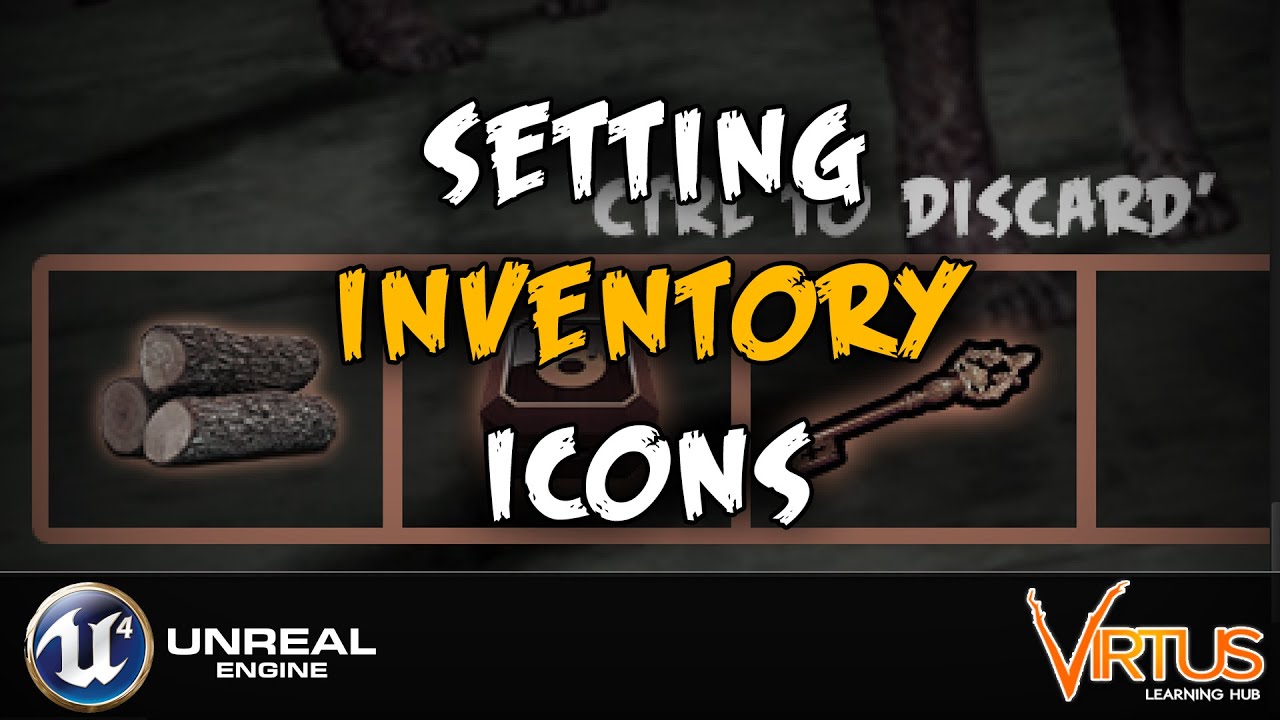
This is episode 19 of our series going over how we can create a survival horror game using Unreal Engine 4 from scratch. We'll be going over how to create various mechanics built around the game.
In today's episode we go over how you can start to add icons to our inventory system from our photoshop document. Having said that we:
- Replace the ...
wary wave
oh god, they're using an integer to define what's in the slot?
this is madness
don't follow that tutorial
in any case you get the white square because the thing in slot 1 is '0', not '1'
plush yew
so how to make it to work with the brush tetxure?
plush yew
when i get stone, the stone texture doens't appear on the first slot, when I replace the node with "set color and opacity" and choose color it works
hmmm
wary wave
oh interesting
try having both set colour and opacity, and the texture
maybe the problem is the function after all
wary wave
if you have a white, non-transparent brush with a texture on, that seems like it should work
wary wave
yeah, so you're getting a blue square right now, right?
put your texture node after the blue colour node and see what happens
I'm wondering if the brush properties aren't quite set right for the texture to be visible
dire ingot
dire ingot
Fatal error: [File:D:/Build/++UE4+Licensee/Sync/Engine/Source/Runtime/Engine/Pri...
any help guys?
plush yew
wary wave
I'm wondering if the brush properties aren't quite set right for the texture to ...
I think that they are not set correctly
plush yew
dire ingot
any help guys?
preinstall the engine and try again
wary wave
at this point, I just don't have enough information to help you without debugging it directly
the problem could be the texture,the brush, I have no idea
the tutorial looks terrible anyway, though, I'd really look for an alternative
dire ingot
ok
wary wave
plush yew
lol, teribble, this is person who has 186k subs in yt
it's terrible, it doesn't matter if they have a lot of subs
it makes infinitely more sense to store a struct or something similar containing a class reference, quantity, other important data, in an array
plush yew
okay
wary wave
using an integer to define what you're storing inside an inventory slot is a hack at best
plush yew
but I need to make this inventory as simple as possible
also I don't need struct for onl 1 item in the ga,e
xD
wary wave
you don't need an inventory system for only 1 item in the game ¯_(ツ)_/¯
 pastel dirge
Hi guys,
I'm quite new here and trying to get along with the UE.
So to come to my question: when I add a package (e.g. the realistic forst pack) from the Marketplace to my project, all folders are included (of course). Now I want a cleaner folder structure in my project like, all the foliage in one folder and so on and I don't need all these example levels.
Is there a way to get rid of all these folders without breaking anything (experience of my last attemps) or should I just leave everything as it comes with the package?
wary wave
if you want to move / rename things, do it in the editor
when you do that it leaves behind something called a redirector in the previous location of the thing you named / moved
plush yew
wary wave
you don't need an inventory system for only 1 item in the game ¯\_(ツ)_/¯
it is hotbar, not inventory
wary wave
that redirector points to the new location, so that anything pointing at the old location gets redirected and nothing breaks
once you've moved & renamed everything, you can right click on any folder and 'fix up redirectors' to clear out all those redirectors and repair the links between assets
(this takes some time to finish)
pastel dirge
Thanks @wary wave I'll try it later and hopefully everything will work 🙂
 slate anchor
Saved my project and closed the editor, everything was fine. Now it crashes on start with this error:
Fatal error: [File:D:/Build/++UE4/Sync/Engine/Source/Runtime/CoreUObject/Private/Templates/Casts.cpp] [Line: 10] Cast of LinkerPlaceholderExportObject /Game/UI_AS/SettingsUI.PLACEHOLDER-INST_of_PLACEHOLDER-CLASS__WidgetBlueprint_1 to Blueprint failed
I am using Auto Settings plugin and it seems to be related to it
Deleting the file in question (SettingsUI.uasset) changes the error to
Unhandled Exception: EXCEPTION_ACCESS_VIOLATION reading address 0x00000000
nothing else seem to do anything, and I've been up all night trying things
 wanton lotus
@slate anchor have you tried disabling the Auto Settings plugin? You can edit your uproject file (in any text editor) to do this outside the editor.
slate anchor
I did and it did nothing, the error remained the same
I also tried removing the plugin altogether from the engine, restoring the file from backup, restoring any other recently changed files from backup - nothing worked
wanton lotus
Is it crashing before your project even loads? When you open a specific blueprint? When you hit play?
slate anchor
It crashes on splash screen, always on 45% loading
wanton lotus
Which engine version are you using?
slate anchor
4.25.4
wary wave
looks like that BP is corrupt
you may have to track down that file in windows and delete it
ideally you're using version control and can just revert it
wanton lotus
I believe that was already tried
slate anchor
yes, I tried that
my backup is unfortunately too old to completely revert to but I tried reverting every recently changed file with no result
the only thing that changes something is deleting that file, then the error changes but it is still crashing
wary wave
what does the error change to?
wanton lotus
unhandled exception, basically saying it is trying to read a file that doesn't exist, because it was deleted.
slate anchor
Unhandled Exception: EXCEPTION_ACCESS_VIOLATION reading address 0x00000000
wanton lotus
expected error
wary wave
normally it would just fail to load the blueprint and carry on
I'm a little miffed how you've ended up in this state :/
slate anchor
One of the last things I changed in my project was unhooking nodes that created some UMG widgets that were using the plugin, then I built the project, tested the build, it was fine, tried to go back to editor and the crash happened
wanton lotus
Well, researching the issue results in nothing you haven't already tried or the answer: "this will be fixed in [insert engine version]"
Those engine versions mentioned are all previous versions too, haha.
slate anchor
Yes, my research yielded similar results.
I'm verifying engine files now, haven't tried that yet
wanton lotus
Was about to suggest that, found two more things to try on another old bug report:
-First In the Epic Launcher verify your version of the engine with the drop down arrow next to the launch button.
-Then before starting the engine, remove only the Intermediate and Saved folders under your project settings.
 mossy nymph
intermediate should had been deleted first with error like that
saved is a bit excessive, usually
slate anchor
that did it, thank you, I am saved
would be the funniest thing to lose a 4 year old project that way
the problem was in Saved, put the old folder back and it is crashing again, removed it and it is loading fine
mossy nymph
the hint is that revert didn't work
your intermediate isn't in source control
so it remained as fucked as before the revert
 vocal raven
Hey guys, I have a small problem which i don't know how to solve. Here it goes:
I use CSM for mobile and they work on Mobile Preview but when I create a build for mobile they are not visible.
I have been testing a lot of settings and i realized that when I scale up my pawn they appear which leads me to think that it has to do with screen size of the pawn. Is there a setting to include smaller objects or to avoid this issue somehow? Thanks!
plush yew
Hello guys, I have quick question, how I can make bofore I get a stone, when I enter in the box collusion to popup widget "press E to get it" (I can do this) but how I can make to interact with key E and grab it
wanton lotus
@plush yew the collision box event you are using to display the popup text will provide you with a reference to the actor that triggered it.
plush yew
I can make when the player enters in the ccollusion to pop up the widget with the text
but how I can make when i click E to grab the stone?
wanton lotus
You use the other actor output to then set a variable within your player blueprint. The variable will be of actor type and most likely called CurrentInteractable.
wanton lotus
Other Actor > cast to Player_BP > set CurrentInteractable to "self"
On end overlap, you set CurrentInteractable to null (leave it blank)
Now you have a reference saved in your player to the item you have displaying the text
And can do what you want with it.
regal mulch
The problem here is that GameHouse is most likely still pretty much a beginner and you can throw all of this at them and they won't understand.
The code that displays that text might already be garbage :D
plush yew
wanton lotus
And can do what you want with it.
okay nice
so this variable to do it boolean?
wanton lotus
There are also so many ways to make interaction too, haha.
The variable would be of Actor type, so you can save any actor that could be interactable. Or you make an interface and save a reference to that.
wanton lotus
Then since it is Actor, you need to remember to cast to the specific class if it needs to access something in it.
regal mulch
Usually you'd have a setup like this:
- Interface with functions like
StartHighlightEndHighlightOnStartInteractOnStopInteractwhich you'd add to your Stone and other Actors that can be interacted with. - A Sphere on your Player that can overlap with those Actors and if you overlap them you call
StartHighlightand they can show their text or whatever you need. - That Sphere overlap would also give you the reference to the Actor, so you can use that when pressing E to call
OnStartInteract.
The problem still stays that you might not understand half of the above, which makes it really hard to help you.
Can also be adjust to have GetInteractionText or so, to pull that info from the Actor and then display it in a widget
You will want to make sure that you set this up correctly from the beginning
Otherwise this will scale horribly
exotic otter
hi guys, got a quick question. Im trying to save a mergedmesh which is a USkeletalMesh in the content folder. but after saving it crashes saying it got no render data when it goes through LODs
regal mulch
And about the image above: Yes, you can't set that variable. It's an empty container which you have to fill. Most likely with the OtherActor pin of your Overlap.
exotic otter
But the mesh does exist and is correct cause I use the mesh
plush yew
I will need to read it some times to make it clear
 wanton forge
Where can I find a list of event callback signatures? Intellisense is complaining about one my AddDynamic call on OnComponentEndOverlap, and I suspect this is why
regal mulch
There are interaction tutorials, I'm pretty sure

Announce Post: https://forums.unrealengine.com/showthread.php?101051
This Training Stream takes a look at Blueprint Communication. We find that Unreal Developers of all levels can sometimes struggle through the concepts behind moving data between objects. So in this video we'll take a look at the different ways to make Blueprints talk to one an...
Also watch this for a general understanding of referencing stuff
It's 2 hours, but you aint gonna learn it without spending some time
regal mulch
exotic otter
hi guys, got a quick question. Im trying to save a mergedmesh which is a USkelet...
Hm, does your original mesh have lods and the new one doesn't?
exotic otter
the original meshes have lods, but i dont want to generate custom ones on the merged one
but the thing is the mesh and even LODs work in game
plush yew
I remmemmber I did it in my other project and I have it
I created there interface
but now i can't find where I add this interafce
exotic otter
just savingn this skeletal mesh in content fails and crashes
plush yew
I did it but with note
regal mulch
exotic otter
just savingn this skeletal mesh in content fails and crashes
Sounds like a typical editor bug then
regal mulch
wanton forge
Where can I find a list of event callback signatures? Intellisense is complainin...
Ehm, gimme a minute
plush yew
I have this interafce in my other project
but I can't find where I added it
to use it
hmm
regal mulch
(: You can google for that though
exotic otter
cause for debugging i wanna save this mesh and then check it out
wanton lotus
Class settings of the blueprint that needs to implement that interface,
plush yew
yeah
I checked in player controller, player character
and it is not there
😂
idk where can be
hmm
any ideas guys?
regal mulch
wanton forge
Where can I find a list of event callback signatures? Intellisense is complainin...
Check the PrimitiveComponent.h file
Should be around line 150 or so
wanton lotus
Can't you just make a new interface in the new project? I mean you literally just type those names in again. You only have 4 function names.
 neat elk
Hello, I am kinda new to Unreal Engine, and I have a question. Is it possible to create a custom post-process effect? For example: An effect (For example a custom texture, chrom. ab.,...), that is stronger (more intense), near the edges of the screen (Something like a vignette mask), and also is stronger with color value (The brighter, the more intense the effect is, just how bloom works).
wanton forge
regal mulch
Should be around line 150 or so
Thanks
plush yew
I will do it
glacial oar
im wanting to try some lip syncing and came across this Oculus Lipsync Unreal but i cant get it installed have any of youhad muchluck
plush yew
but when I copy the same things where I need to add the interface-in the character?
regal mulch
neat elk
Hello, I am kinda new to Unreal Engine, and I have a question. Is it possible to...
Well you can have your own Material for Post Process effects, but the normal settings already allow vignettes
regal mulch
plush yew
but when I copy the same things where I need to add the interface-in the charact...
The interface I described would be on the actor you want to interact with
neat elk
regal mulch
Well you can have your own Material for Post Process effects, but the normal set...
I know it does, but I want to use inverted vignette as a mask for other effect.
regal mulch
glacial oar
im wanting to try some lip syncing and came across this Oculus Lipsync Unreal bu...
That sounds like something only for Oculus? :D
regal mulch
neat elk
I know it does, but I want to use inverted vignette as a mask for other effect.
Yeah then use a custom Material
neat elk
Ok then, thank you @regal mulch
glacial oar
site says it lips sync from pre recorded audio
plush yew
oo nice, I found where I added in the interafce, in the bp actor 😄
exotic otter
are we even able to save USkeletalMeshes created at runtime?
regal mulch
exotic otter
are we even able to save USkeletalMeshes created at runtime?
Ehhhhm, runtime is always a bit different than Editor. Specially since you can't just save UAssets.
 rugged fjord
Last time I tried to package my project it made my pc have an infinite loop where it kept trying to boot, but never could. Has anyone also had this?
exotic otter
well, fortive me i meant, i create a mesh in editor, this is a merged mesh, then i want to save it
 dusky hedge
hi guys, a quick question
is it possible to generate and use generated lightmap uv's when the mesh has its first uv (basecolor) using a trimsheet? (overlapping first uv channel)
it seems like unreal still gives me the error that it has overlapping uvs even though i have a second uv channel (generated) for the lightmap.
exotic otter
excuse the runtime*, i meant its done in editor via a editor window tool
regal mulch
dusky hedge
hi guys, a quick question
is it possible to generate and use generated lightmap ...
Check in #graphics maybe
dusky hedge
ty
 wooden delta
I'm new to unreal.
Having trouble where I'm trying to open a file downloaded from internet (trusted source). It's opening without any error but everything inside it's blank.
Any help?
I mean it's like opening the new project and selecting blank level
wind gate
havent solved my problem from the other day on the sequencer but i noticed that letters of the settings are tilted so i was wondering what this means... (my problem is about the focus not being the same after export/render)
 unique kraken
https://docs.unrealengine.com/en-US/Engine/Animation/LiveLinkPlugin/index.html
anyone knows if and how it works for blender?

Describes how to enable and use the Live Link Plugin and features within the animation system in Unreal Engine 4.
plush yew
How do i rotate instance to other instance
hi, are there some series explaining how make a multiplayer with database, and save progress of the users?
 rare gyro
hey can I ask
does anyone knows a good tutorial-video-presentation for understanding better the replication and how it works in depth?
 queen hawk
rare gyro
does anyone knows a good tutorial-video-presentation for understanding better th...
queen hawk
rare gyro
does anyone knows a good tutorial-video-presentation for understanding better th...
I want tutorials about that too
wary wave
most replication stuff will be written, since that kind of thing doesn't really translate to video well
 plucky orchid
any good places i should look at in ue4 to track how demanding parts of the game are being? like dynamic lights or level geometry
i want my game to run on toaster-level machines, so this is important
 mortal cedar
bake everything, avoid dynamics, precompute visibility, make everything as simple and cheap as possible
docs.unrealengine.com has a lot of useful info.
plucky orchid
thanks, i'm already doing some of those things. how do i precompute visibility?
mortal cedar
there is a checkbox in the world settings
An overview of using Precomputed Visibility Volumes to dynamically cull objects in your level using an offline culling method.
plucky orchid
ah, thanks
 lofty moat
hi everyone
pretty frustrated atm lol
I'm doing the detectives office level design tutorial
and I kinda tried to make my own space, not knowing the blockout he made was provided
but the textures all look like this https://cdn.discordapp.com/attachments/241811555757457410/783737325615579156/unknown.png

and I seriously don't get what I'm doing wrong here lol
 undone bough
like the floor? you just need to set the tiling on the object for the material
lofty moat
literally only just started learning UE4
like... I've done some learning before but life always messed that up
 inner cloak
Hey guys, i can't figure out how to have the selected blue bar on the left to fit like the right one, any of you know what i'm missing ? (4k wide pic)
OMG, think i know, left viewport show 1280 x 720, right show 1920 x 1080 ... im probably wrong thought ...
undone bough
lofty moat
*literally only just started learning UE4*
here's a simple video on tiling textures :)
https://www.youtube.com/watch?v=LkY4x3DIM2M
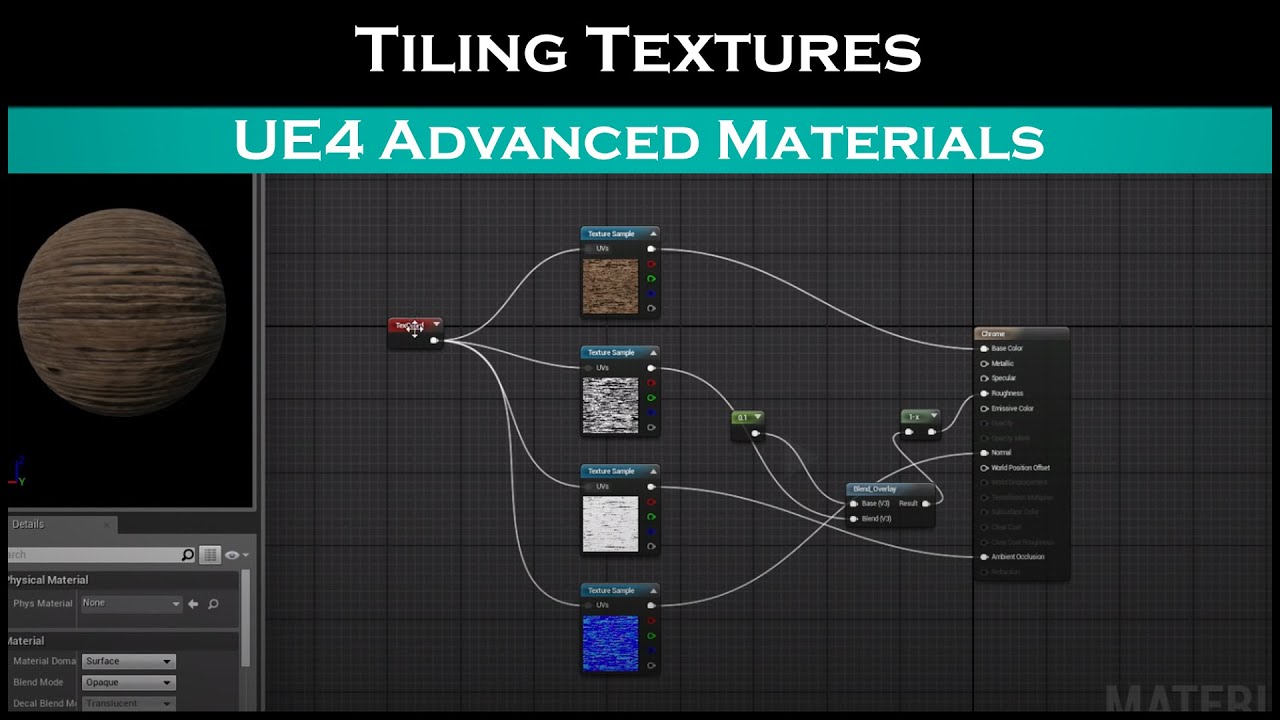
Patreon: https://www.patreon.com/StevesTutorials Quick video showing how to tile any texture.
lofty moat
doesn't give me that option from what I remember on the textures that guy made
should I just try looking for my own?
maybe that's part of the problem? idk...
undone bough
idk, don't know the tutorial your following, sometimes people forget to add things to their tutorials assuming people just 'know' how to do something.
i've even ran into that with some of Unreals Tutorials. (skipped steps) and pulled my hair for awhile before figuring it out.
lofty moat
YES
EXACTLY
"next time I'm going to teach you how to block out a level"
literally the next lesson: "hey guys, here's a block out I made in Maya: a program none of you can afford, now let's port it into Unreal!"
and I'm just like...
 unique kraken
take material instance for example, cant count the times i had to explained this to ppl who are already doing tutorials
 exotic thicket
It's difficult to make tutorials that's for sure... You really need to know what is the base of knowledge your audience has
unique kraken
i do tuts and courses its really not that hart throwing a curve ball to some bases
exotic thicket
This is one of the problems with video based tutorials imo from the perspective of the creator at least, because those are incredibly difficult to edit after the fact
undone bough
inner cloak
Hey guys, i can't figure out how to have the selected blue bar on the left to fi...
it looks like your making individual buttons for each stat? wouldn't it be easier to create a single button widget and just expose the icon as a variable so you can change it per button widget you add to the scene? When i made my button i set the widget to 'custom' instead of screen size and entered the values for the button default size for the width and height.
inner cloak
I will take that route at some point, but i'm still working on the design
i'm still not understanding why i can't change the size of the widget
undone bough
i do suggest you set the screen for the button widget to a custom size for the button widgets your making, you'll find its much easier to replicate results for them that way, and you won't get any odd sizing adding them to the main widget.
inner cloak
Where do i see that custom size ?
undone bough
where it says 'fill screen' you can select custom
 gilded needle
lofty moat
literally the next lesson: "hey guys, here's a block out I made in Maya: a progr...
gilded needle
lofty moat
literally the next lesson: "hey guys, here's a block out I made in Maya: a progr...
Ah yes, welcome to most Unreal Engine Tutorials 😄 TBF, most of them will provide you with the assets, so that is a good thing.
 ancient lotus
@plush yew heres an example that covers it step by step, however its used for a server/lobby system and not player info but its literally the same concept. this is using ASP.net and a MySql database
https://www.youtube.com/watch?v=kyaUOuVwN3A&list=PLnHeglBaPYu-H3Gqe_94oFkmn9amBXNZp&index=46&ab_channel=SneakyKittyGaming

Patreon: https://www.patreon.com/SneakyKittyGaming
Discord: https://discord.gg/VUJKzE3
Postman: https://www.postman.com/downloads/
In this video we start the creating of our master server by creating our C# ASP.Net project.
 old mortar
Hey guys, how can i make spline motion linear?
lofty moat
gilded needle
Ah yes, welcome to most Unreal Engine Tutorials 😄 TBF, most of them will provid...
yeah, but I couldn't find them to start with as I didn't think of just doing a new level in the same project they provided lol
undone bough
inner cloak
Where do i see that custom size ?
example of my inventory slot:
lofty moat
so when I finally did figure that out after having no clue how he made his blockout and instead just improvising my own, the damn textures didn't work
and he just skipped right to them already being applied and working perfectly lol
gilded needle
Anytime someone says "Open up Maya"...I am like "Aight, imma head out then."
lofty moat
yup
gilded needle
Again, TBF I am a hobbyist.
lofty moat
"so here's what I made in a program you'll never be able to afford"
ancient lotus
"opens up blender"
undone bough
everyone has their fav modeling program, maya, 3dmax, blender, I personally like Cinema4d (older version R17) for model stuffs.
im against subscription based software and is why im still using a older version of cinema4d. Seems alot of applications are going that way, least blender is stil free and a powerful tool for people.
gilded needle
Though using Maya would be fun to learn, I don't mind Blender, it works for what I need it for.
I am also against subscription based software that you never actually own.
undone bough
i tried maya once, i was lost in 30 seconds lol 😉 you get use to one program and its hard to switch to another, always hitting the shortcut keys for the first one heh.
gilded needle
My one complaint for blender is I wish you could use WASD for moving around in it.
undone bough
can you do that in any modeling app?
lofty moat
I remember I started teaching myself Blender
but the donut tutorial went weird for me
inner cloak
I too can't handle Maya
 gilded needle
That Donut Tutorial...if it didn't go weird for you at one point or another, you are a savant.
gilded needle
"Grab the top, duplicate the layer, you will see they are separated..." Wait...NO, they are not separated Blender Guru! Don't Leave me, they are not separated!!!
undone bough
course... a 4yr old can open a 'child proof container' while a adult is going 'gaahhh this thing won't open!!'
ancient lotus
snake
undone bough
don't believe i've ever seen a monkey snake before! lol 😉
ancient lotus
let me know if you want a tutorial XD
vale silo
Epic surely is taking sweet time releasing 4.26 🥱
undone bough
vale silo
Epic surely is taking sweet time releasing 4.26 🥱
their making sure to give you a buggy experience 🙂 probably working out some epic bugs in it before its release.
vale silo
lol
there was no commits to 4.26 repo for a while and it looks like new bug reports are already moved to 4.26.1
undone bough
4.24 still has some bugs in it that haven't been fixed yet.... i.e. like if you have the color selector open, and then compile a blueprint, close the color selector, you can't run your game until you restart the engine because 'a color selector window is open'
undone bough
4.25 seems to have the same bug with the color selector lol.
 haughty hound
pause functionality, what i find on the internet is related to pause a contoller of a playing character, not AI controlled, should i subclass the ai controller adding the pause in the event graph? what is the elegant way to handle this?
inner cloak
@undone bough You know of a good tutorial for what i'm trying to do ? (a list of skills)
plush yew
When will 4.26 launch??
undone bough
@inner cloak for coding or just layout?
vale silo
any time now @plush yew
undone bough
@plush yew sometime between now and 2040
plush yew
@undone bough really great I wasn't expecting it to lauch this century
@vale silo any date idea you have
inner cloak
hmmm .. just the layout i think
well, do i need to code to make my skills into a listbox ?
grim ore
4.26 will be out in 12 minutes
inner cloak
for real? cool
undone bough
grim ore
4.26 will be out in 12 minutes
where did you find this info?
this is all that shows in launcher atm
inner cloak
I believe @grim ore , he has done tutos that epic uses for training
light thunder
Hey guys. Watch stuff disappear as this HLOD's defy any programming sense
You can see me build them, save them, confirm they are saved, load a different level (the persistant that the offending level is streamed into) and then go back ,and it is fine. You can fast forward during the project loading times but when I reopend the editor, they are no longer there.
WHY??????????????
wind gate
oh my, you're all gonna be focused on the release of 4.26 right now byt any chance someone can help me out figure out why my sequencer exports are completely out of focus ignoring the keys I've specifically set in order for it not to???? I FEEL DESPERATE!
grim ore
well 12 minutes sounded like a good time and at the worst I was wrong 😛
but today does seem like a good day. no preview last week and wednesday seems like the normal release day
 undone bough
wind gate
oh my, you're all gonna be focused on the release of 4.26 right now byt any chan...
undone bough
wind gate
oh my, you're all gonna be focused on the release of 4.26 right now byt any chan...
not me, im gonna stick iwth 4.25 right now and let everyone else deal with the 4.26 bugs lol
wind gate
im on 4.25
lol
i mean if ayone is not focused on the release can help me... lame joke 😦
undone bough
what you need help with emheal?
wind gate
and now i got what you mean, my mind is off
undone bough
oh sequencer in unreal, sry haven't messed with that too much i'd probably be no help
wind gate
i am using sequencer to make some videos for my animation... so I am tweaking the focal lenglth (zoom) and apperature (to give some nice depth). My videos look awesome on preview but when I render/export them they are completely out of focus, blurred af.
No worried, I am writing it again just in case 🙂
mortal cedar
wind gate
i am using sequencer to make some videos for my animation... so I am tweaking th...
sounds weird, as if preview and final had different near/far clip planes or depth buffer coordinates, so they mismatch
vale silo
no 4.26 release today
 scarlet birch
?
@wind gate If you preview it in standalone does it look the same as what is rendered?
mortal cedar
you can compile 4.26 from source, there were no commits for 5 days
scarlet birch
Pretty sure he was being sarcastic.
vale silo
@mortal cedar when it's released officially, Oculus will hassle up with release of 4.26 + their latest integration.
scarlet birch
I mean it was a Holiday weekend, a few days of no commits is not too unexpected.
vale silo
that's the only reason I am waiting for the official release (plus I like reading release notes 😄 )
 median hound
did i do this right
scarlet birch
seems redundant
Since it's being set in tick the two are just going to fight with each other.
wind gate
scarlet birch
<@!420303776822329345> If you preview it in standalone does it look the same as ...
@scarlet birch what do yo mean standalone, I dont know hwo to do that with the sequencer
I dont preview it on play mode, but by playingback the sequencer
scarlet birch
Probably a useless question then. I don't know what your setup is or what might be going on that could result in a change between how you preview it and what is rendered.
I meant my question was useless/not helpful
wind gate
i mostly asked in case I am missing something in export settings, I've used the sequencer some times again and never had this issue. It happens in all my levels and i thought asking in case smth changed in 4.25.
yeah no worries, it is plainly weird what happens
thx anyways
median hound
how can i make this not have a limit cuz when i change it in nodes it caps at that i know i can click and change it but i wanna do it with nodes buti t caPS
scarlet birch
Why do you think you need it to be higher?
median hound
it must be brighter
scarlet birch
Maybe, look at exposure? Is auto-exposure on?
 brittle flower
what needs to happen in order to get changes made in DefaultEngine.ini to take hold? Can I just restart the editor? Do I need to regenerate project files?
median hound
when i imported ini files sometimes i needed to restart editor
brittle flower
(I'm trying to switch online subsystems)
oh, do you have to manually reimport them?
plush yew
is it possible to set it up so enemies you create to be played for by ai's in your game can also be controlled by the player for testing and tweaking
wind gate
@scarlet birch just letting you know that I freaking fixed it... turns out my entire viewport is a lie. When I used the depth mask debug smth, everything seemed in focus but wasnt, fixed it according to the mask, rednered, worked... just wtf haha
plush yew
so though its a ai npc enemy you can take control of it in engine to mess around with it as if it was a game character you can play for xD
dont need an explanation of how just a yes or no if its possible
scarlet birch
Cool.
 grim juniper
median hound
how can i make this not have a limit cuz when i change it in nodes it caps at th...
grim juniper
median hound
how can i make this not have a limit cuz when i change it in nodes it caps at th...
You should be able to type in whatever value you want. The limit should only be for the slider drag action
 dense knoll
any idea how to cast to a actor from a widget? and thats optimized for multiplayer?\
plush yew
;O;
ember notch
Anyone maybe know when UE4 get Xbox Series S/X support?
exotic thicket
Does Fortnite not run on those yet? :P
 crude vessel
Would it be possible to have the game check a location in the hard drive for a file hash in order to verify something?
 rocky radish
exotic thicket
Does Fortnite not run on those yet? :P
rocky radish
exotic thicket
Does Fortnite not run on those yet? :P
it does
rocky radish
ember notch
Anyone maybe know when UE4 get Xbox Series S/X support?
there is/used to be a branch in github of ue4 that supports these platforms
exotic thicket
I guess soon if that support doesn't exist yet
 honest fox
Is there a way to generate a landscape component from a mask?
rocky radish
i believe its called 4.25 plus
honest fox
I cannot seem to find any tutorials.
ember notch
I heard it will be a part of Unreal Engine 5
scarlet birch
It's in 4.25
rocky radish
scarlet birch
```` “Unreal Engine 4.25 delivers initial support for Sony’s PlayStation 5 and Microsoft’s Xbox Series X as first-class platforms, and throughout the year we will be updating the 4.25-Plus branch with optimizations, fixes, and certification requirements to support developers launching on the next generation of consoles. Features include platform-specific functionality, such as new audio advancements, initial support for online subsystems, and early support for TRC and XR certification requirements.” ```
 sterile tulip
You are beautiful! 💕 @ember notch
plush yew
Hello. I'm trying Runtime Virtual Texture system. For the moment, it just makes my rock yellow... I don't understand...
 orchid shell
Was there really any work required to make an XBX target or was it just tweaking 40 constants and doing a week of regression testing?
plush yew
If someone knows why it does it ...... 🤔
( I add 2 RVT Volume on the map, I assigned the RVTs to these volumes and to the landscape and I made my shaders... )
Oh, wait
Maybe I get it...
 forest tree
Has anyone ever had an issue where the PIE window fullscreens itself and you can't resize it?
Also found someone with that issue here: https://forums.unrealengine.com/unreal-engine/feedback-for-epic/1691172-play-new-editor-window-pie-always-goes-full-screen-when-number-of-players-is-2
Unreal Engine Forums
Play - New Editor Window (PIE) always goes full screen when Number of Players is 2. It just started to do this. Not sure what I did but I can't seem to fix it. I am testing my mobile multiplayer game, so I have the screen sizes at 480 x 320 (in Advanced Settings...- New Viewport Resolution). I used to have them side by side but
plush yew
Mh, actually I have still the same problem. Still have an odd yellow rock...
 unreal plume
anyone know a good vr tutorial for archviz? simple interaction and walking
grim ore
plush yew
Ok, I delete another material that I've made before (he has RVT in his shader) and now, the thumbnails of Mat_2 (those of my rock) and RVT_Test1 seems more accurate. Still have this weird yellow rock though :
If i want very specific animations and types of quality during the unreal engine use should i make my own model and rig it with the bones and such just right or use the default placeholder stuff in the engine than replace it with assets proper later during the clean up phase o-o;
 shell surge
Hello, can anyone help me a bit ? My scene looks perfectly focused in the viewport, but when rendered everything is blurry and unfocused... any idea why ?
 ornate bobcat
Will Unreal 4.26 be the last?
grim ore
no
ornate bobcat
😩
 wooden jacinth
can someone help me idk why my trees are like that when I try to change time to night...
 ashen frost
am a noob as well but i suspect is has something to do with our lighting/baking
hey, if am afraid of a specific project get messed up or lost, is there a way that i can make a copy of the whole project, as like a backup?
 hidden oriole
 grim ore
show?
 weak cypress
what do you need to run raytracing in UE4?
 grave nebula
a DXR-capable GPU. Windows 10.
ashen frost
grim ore
or start using source control
like editing the source code?
fluid lance
Is there any way to cook a patch w/o cooking maps?
Context: I've only changed data - in data table - for balancing purposes, and I don't need to package the maps. If I don't select any map and make the patch, the data doesn't modify. Any suggestions/ideas?
wooden jacinth
ashen frost
am a noob as well but i suspect is has something to do with our lighting/baking
tried to rebuild and everything still not working...
ashen frost
wooden jacinth
tried to rebuild and everything still not working...
i mean like the way you set up the lighting because i believe even the slightest changes can make your scene look very different or weird
grim ore
@ashen frost look into source control. it's a way to store your project remotely
 hardy mural
Hi, anyone know how to get a gamecube controller with mayflash adaptor working in Unreal?
plush yew
hey im new to blender and was wondering why I cant find the blueprint effect explosion?
grim ore
that is a spawn actor node, with the blueprint effect explosion being a custom blueprint that someone created
unique kraken
hey guys, i have a kinect setup for motion capture. anyone knows how i could record it? maybe from blueprints? maybe somehow in the viewport. should be a new character anim in the end
 molten solstice
Hello i try to set my camera actor with 16:9 aspect ratio but when i create my screenshot this is not in 16:9 ratio, someone know?
plush yew
Finally, I get this result with my very first RVT shader : https://gyazo.com/b95cce817011636bbd9fec9325bd9952
I find it weird on my rock but finally, I think it's normal and that all works good. I believe...
 humble yacht
Does anyone know why child components are being displayed in the inspector but not the hierarchy ?
I want it to be displayed on the hierarchy.
 vocal merlin
Anyone have some pointers on how to get NvCloth colliding with environment and character objects that aren't a part of the SKMesh that has the cloth attributes applied?
There was a hacky workaround in 4.21 that doesn't seem to work anymore.
 fathom monolith
Do I need some kind of license to show the unreal engine logo in my game?
 zinc cave
Hey guys. So...My grass alpha isn't casting shadows. I have the lightmass settings to cast shadows as masked, which should fix it, but apparently not. Is there something else wrong? Thanks!
 blissful spire
Im new to this so sorry if my question is stupid
I have a variable in one of my blueprints called "Mana," and I want the Mana ui that displays the number to be the same as the value of the variable Mana.
In the Mana ui I have the text that is supposed to display it set as "variable" but dont know what to do from there
Thanks!
 toxic hatch
Hi Im trying to make a landscape bigger than the biggest one but with less density. I can do it with scaling but then materials get messed up if its not at 100 100 scale. I can use the add to landscape feature but it takes a very long time because it has to load after each click. Does anyone know of a better way? (and i cant use world composition because its multiplayer)
pulsar badge
Hello, quick question, does anyone know why after installing source build and creating a C++ project, it won't let me build/open the project? Even on a blank C++ project
signal bone
Hey
i was looking up the documentation of the voxel plugin
but didnt find anything related to enabling destruction of the voxels
nvm found it over tool rendering
lol
median hound
anyone know wtf this little ball is moves when i press wasd how can i remove it or can i
fierce tulip
its you and/or the camera depending on your game settings
median hound
ohhh thanks yoeri how can i make it visible tho
fierce tulip
im still a bit rusty on that regard. you need to change game mode, that i do remember
 soft fiber
I'm not able to use UE4 for any length of time before. "Unreal Engine is exiting due to D3D device being lost." I've upgraded the video drivers, but that didn't work. Any advice?
plush yew
https://gyazo.com/87ba508bb9505534fb9919aa2818cf6d please help me i tried adding water uiws to my game but als characther can climb on it any fix ? thx
im new to unreal and i exported the grass clumps asset from megascans but when i place my grass in the scene, there is no color, it's just gray.
median hound
show what it looks like'
light thunder
@plush yew You'll get help faster if you get good with a screenshot tool like ShareX or Jing or even the microsoft one
plush yew
ok give me a min
soft fiber
Looks like NVIDEA release a new driver today, but I just updated last week and that didn't help at all.
light thunder
It's your lighting, it's just really bright
that's actually what grass looks like when you shine a really bright light on it
light thunder
search in your world outliner (upper right) and type in directional, you're looking for the directional light which is your "sun" basically, or your main light source....play with some of it's settings to see how it affects your scene, and your grass - alternatively, you can click on the button in your viewport that says "LIT" and change it to unlit
plush yew
but it still looks weird
ok
oh it looks normal now
@light thunder thank you so much
light thunder
Unlit means it's natural state basically, but you haven't fixed it
you just found out how it looks when 'light' isn't a factor
 high jackal
Hey, I paid a few people here to do some work. First one didn't do a great job at all, ended up deleting his work and starting over, second one did ok. Would anyone mind taking a peek at what was done to see if it's done "right"?
signal bone
Sure
high jackal
It's all logic and behavior tree stuff
high jackal
No, blueprints
high jackal
np thanks anyways 🙂
 crisp thicket

Learn to 3d model! Start your FREE trial today:
➡️ https://jlmussi.com/maya-3d-modeling-course-on-demand/
➡️Join My 3d Modeling Facebook Group: https://www.facebook.com/groups/705710056658253
➡️Download my FREE 3d modeling guide: http://jlmussi.com/hsguide
On Social Media, Lets Connect!
plush yew
Any idea of why I have this yellow line on my mesh (the rock) when I use RVT ?
plush yew
floral mesa
im thinkin
lol
i thought it was moss at first glance and then read more thatds odd
plush yew
lol don't pay attention to the texture. I just take some random texture. I'm just trying to understand RVT and make a correct blending
floral mesa
yeah i see.
plush yew
I'm blending just a bit on the very low of the mesh (just look at the sphere, it shares the same material) and it blends well here but I have this dam big line up above... ☹️
floral mesa
i didnt even know rvt was a thing bruh
light thunder
I want to make an object rock back and forth - I've got the timeline figured out, but what's a good way to make it reverse and play again continuously- this is going to be a minor event and the level is so streamed out, so I can use event tick do keep it going
floral mesa
i didnt even know, that sounds exspendy though.
grim ore
how is the mesh unwrapped, what is the UV layout?
plush yew
@floral mesa Yeah just discovered thus stuff a few days ago and it looks very awesome indeed
@grim ore Actually it's the mesh rock from the default ThirdPersonTemplate
floral mesa
im gonna look into it more soon lol
yeah it cant be a uv thing
or it could idk
hahaha
i dont know how rvt works
plush yew
@grim ore No pb with the UVs :
grim ore
well where is the seam on that mesh?
plush yew
Mh is it possible to see in UE ? 🤔
grim ore
I think with the new modeling tools plugin
or put another texture on it where you can see the tiling
soft fiber
Going to try underclocking my video card to see if that keeps UE4 from crashing. That all I can think of at this point.
floral mesa
it doesnt need a seam if you can get away with not having any
plush yew
oh if I just remove the texture and see the square maybe, yes...
floral mesa
pop in in blender and through a uv checker on it
youll see the uv's are fine
usually i try to not have any seams when possible and just create uv shells that wrap fine like that rock, it has two shells, so its good to go
i would focus on points that look stretched, and move the vertices on the uv map
and straighten the uv out
since rocks use seamless textures its ok to uv it like that, and the most optimized way imo. seams cause the compiler to do more work
i think the color on top of the texture if youre attempting to use RVT nodes must be from that,.
plush yew
@floral mesa What you call "uv shell" is the box projection right (or triplanar in UE4) ?
I usually use this to for rock and others simple mesh like this to avoid seams and not be annoyed with the unwrap. It's pretty good
@grim ore Damn I've just realized I don't know how to completely remove a material from a mesh 😆
I believe I found the seam though but not sure :
 floral mesa
thats where one shell ands and the other begins
so its a seam but not a manually placed seam
plush yew
Yes, indeed it is here, for sure
floral mesa
damn i got so good at modeling without seams i need to find one i have with em
ill add a seam to a building i made
so i just placed that orange line on that mesh
thats a seam that the engine would have to think about
i modeled that building with techniques that make it so i didnt need seams, but it takes more time
that rock doesnt have any seams like that
and a seam in ot visible without texture
you wouldnt see it on the model without any material applied
i guess looking at the rock the world default texture shows the seam just fine. but its not a real seam its just where the two uv shells connect
floral mesa
plush yew
<@!218779540359479297> No pb with the UVs :
each one of these parts is a uv shell
i didnt mean to tag MatthewW
floral mesa
seams may be necessary for rvt to work properly
ive never even heard about it but the color seams to follow the connection of the uv shells
plush yew
But you're right, it's not a real seam but just where the two uv shells connect, got it :
floral mesa
ue4 may require a seam
you can folow the edge there and place one turn off uv sync to try and make sure it doesnt contort the entire uv
map
if this was a rock that wasnt testing RVT id say it dont need no seam
plush yew
Actually I can't see if the weird line is on the seam. I'd say so but really, it's difficult to say 🤔 : https://gyazo.com/0f4cd1133841519916c75b52464fbad6
plush yew
I followed a tuto. This is for the landscape :
floral mesa
anyone got substance plugin source code for 4.25 Source Engine Builds?
plush yew
And this is for the rock :
floral mesa
An overview of Runtime Virtual Textures in Unreal Engine.
im sure you know about the docs but just in case
look at the pink on top of the material 😆
unplug the alpha from blend material attributes, if the pink goes away youve consolidated the location of the issue
 rose cloud
Anyone know why retainer box is forcing a size on the image inside it? I have a retainerbox with a namedslot in it, into which I'm putting an image when using it in another widget. For some reason, the image ignores size settings
plush yew
@floral mesa Actually it becomes dark :
@floral mesa Oh and I think I've found the exact same position of the mesh in UE4 and blender. And if I'm right (pretty sure I am) so the big line does not follow the seams at all. Look :
And in UE :
floral mesa
yeah so its not related to the seams in any way good work
hard to tell with a rock hahaha
 shell oasis
heyyy, does anyone know of any good enemy AI spawning tutorials? Been trying to get it to work for hours but they just wont spawn. Ideally without using a behaviour tree ❤️
floral mesa
then what will drive the ai?
i think behavior trees are excellent, confusing to know what you did wrong when you do something wrong but excellent
plush yew
@ruby sluice @grim ore Ah Aaah ! I got it ! 😃
I don't understand what it does exactly but the copy rotation and copy bounds things (the little buttons in the Virtual Texture tab, on the left) was the reason of the big line.
floral mesa
so whats the purpose of that visualizer then because at this point thats all it was hahaha