#ue4-general
1 messages · Page 885 of 1
 wary wave
completely unrelated topic, I assume that none of the Paragon characters are rigged to the Epic skeleton and retargeting them inside UE4 is probably a no-go?
 glacial arch
@ashen frost whats life without a little risk

 nimble steeple
Anyone here that could tell me how to change the vehicle movement comp / wheel_bp that only the front tires react to the handbrake, so only the rear wheels have handbrake locking?
I'm using the car from the drivable rally car at the moment
 ashen frost
sadly i dont know : (
 pastel geyser
Why sometimes we using cast?
 signal bone
Hello
Can i ask for help here?
its something super quick
Any1 knows wich action is this one
ashen frost
@plush yew HAHA, i figured out a way to do it but now am getting an error lol
 plush yew
no idea lol
ashen frost
Xd i see
plush yew
but.. PROGRESS
so annoyed i lost my original project.. it had perfect destructible projectiles
ashen frost
plush yew
so annoyed i lost my original project.. it had perfect destructible projectiles
yea i feel your pain but every pain has made you 10x stronger
signal bone
@ashen frost Hey can u help me out?
ashen frost
@signal bone oh you mean with your BP?
plush yew
lets figure out how to make my sausage link wiggly 😄
 ashen frost
hahahahaha
 lucid grove
heya
Does splines have some settings that determinates in which radius it will affect landscape?
Cause atm when im try to apply spline to landscape it affects really huge amount of landscape

 exotic thicket
that looks fun :D
 vernal summit
where did yall start to learn ue4? im new 😄
vernal summit
I keep watching videos and dont really understand anything

Wiktor Öhman demonstrates how you can create a realistic forest environment with Unreal Engine 4 and Megascans. Learn about basic layout, composition, detailing, lighting and post-processing in this 1 hour tutorial.
For more on Megascans: http://www.megascans.se
Ground Material Pastebin: https://pastebin.com/vdxBbUUs
i watched this but didnt even know the first application he used lol
 craggy field
Yeah typically I like to do a greybox of my environment and if that's exhausting I'm thinking too big.
vernal summit
what videos did yall watch to learn?
plush yew
simple stuff, to get the basics down
craggy field
Honestly I just learned some good gamedev fundamentals and made increasingly more difficult games start to finish.
plush yew
then use that basic knowledge to make simple stuff and start experimenting
craggy field
Not to shill my own channel but I have some tutorials that might be a fun way to get started :^) https://www.youtube.com/watch?v=hky28Y-9tf4
 lethal cypress
realy need i c++ ?
signal bone
hi
lethal cypress
blueprints isnt enough ?
signal bone
depends how complex is what you want to make
craggy field
You don't need C++ but understanding C++ lets you write more extensible and fault tolerant code.
signal bone
for example i wanted to do a random generator of voxle terrain
i had to make a c++ project for that
...until they added the free voxel plugin
craggy field
Blueprints are #1 for prototyping but they tend to focus on the "primary flow" only and it's hard to manage edge cases and errors.
Also if you're working with a team blueprints are terrible.
signal bone
you can make a whole game on blueprints tho
lethal cypress
i have problem with c++ reading.. 😄
craggy field
I come from C++ world so I have a problem with blueprint reading. At the end of the day use whatever you want as long as you actually use it. It's stupid to use C++ just to use C++ and be miserable. But if you ever want to work with a team or in the industry you'll need to take the plunge.
There's also APIs in C++ that aren't in blueprints which is nice.
 frail schooner
make a pong, tetris or centipede type clone - you will learn a lot
craggy field
Roll a ball is a good 3d first project too
frail schooner
or just go balls out and start with a science-based 100% dragon MMO
 sterile tulip
Hello
plush yew
hello
sterile tulip
Can someone help me?
sterile tulip
I want to make engine sound, how do I make that on low rpm its low pitch and high rpm high pitch like in real cars
How do I change the audio with rpm going up or down
frail schooner
i think you can do it with fmod
sterile tulip
Does fmod cost money?
lucid grove
How about give RPM a var and multiply pitch to it?
plush yew
i dont make sound i usualy just take from marketplace
frail schooner

In this video we'll create a vehicle sound using engine loops and autopitch modulation. We'll also use Blueprint to generate parameter values to drive our sound.
Download FMOD Studio for UE4 and the tutorial assets from http://www.fmod.org/download/
im not familiar with how the licensing works, i just remember FMOD can do it
frail schooner
open the mesh in editor, its in the top bar
sterile tulip
How about give RPM a var and multiply pitch to it?
@lucid grove I will look if I can do this
lucid grove
Shouldn't be hard
plush yew
anyone know?
frail schooner
click on collision in the top bar
click on your current collision the green box, then hit delete key
and generate complex collision from the top menu
plush yew
i dont want complex collision
just need an extra simple collisionbox if thats possible
frail schooner
all the collisions you can auto-generate are in the collisions menu at the top
frail schooner
just delete the old one and make a capsule collision...
or add capsule for the bone
you can scale and move it
 molten cairn
Hello, I'm trying to mask the R channel but the if node is not outputting the correct value. Multiply should be White in the Red channel but It's all black
Is there anything wrong with my node? Why the last multiply is black?
plush yew
eww math
sterile tulip
How about give RPM a var and multiply pitch to it?
@lucid grove Do I do this on Event Tick?
lucid grove
you add timer
you can use event tick whenever you want it, just dont use it with heavy math
frail schooner
Timer By Event or Timer By Function - run things at intervals
because thats what tick is doing, just at framerate or whatever i forget its speed limit
sterile tulip
So I do this with delay on event tick to have a timer?
frail schooner
no instead of using tick event, create a timer by event or function
you have to trigger the timer somewhere like on begin play or another event, wherever it makes sense to do it

What are the Set Timer by Function and Event Name Nodes in Unreal Engine 4
Source Files: https://github.com/MWadstein/wtf-hdi-files
plush yew
could you use event tick and just branch it? or would it still take resources?
molten cairn
Or I could do this 😆
frail schooner
event tick runs at frame rate so if you made a timer by event, and assuming you are locked at 60 fps, if you put 0.0167 in the time field you would run that event at the same rate as the tick event
sterile tulip
Is there also a way to manipulate speed of the audio in ue4 like we can do the pitch? @frail schooner
Because it also fastens up on higher rpm
frail schooner
i think theres a playback rate
molten cairn
frail schooner
@sterile tulip I downloaded an engine idle off youtube, imported it, created a sound cue and then added a Continuous Modulator and that seems like what you want it lets you modify pitch and volume continuously
pretty cool effect for how easy it is to set up
 queen wasp
Hmm, I have an event dispatcher linked from a GameMode to call a LevelScriptActor remote event to unload a loading screen. It works fine in singleplayer, but how can I tell a client in multiplayer to unload the loading screen? Any ideas? In c++ there's a function to get the levelscriptactor from uworld, but there's no blueprint alternative. I might be able to make a c++ function for this though, hmm.. but is this a very quirky way..
sterile tulip
I think it sounds better when modifying speed instead of pitch but thats amazing! I will try it out :)
@frail schooner
queen wasp
Basically I have a "game start" that should trigger the unloading of the loadingscreen for all players simultaneously..
frail schooner
sterile tulip
Is this only pitch modified? @frail schooner
frail schooner
yes, just using the slider in the Sound Cue to change pitch
queen wasp
Doh, a multicast event obviously.. (talking to myself about above ramblings)
*my ramblings 🙂
frail schooner
so is pitch basically speed in audio terms? Sounds pretty similar playing a higher pitch compared to higher playback speed
sterile tulip
I think its not possible to affect speed without affecting the pitch
But since with pitch the speed increases aswell it should be fine
 half bay
if i'd want to put my tiny project on a repository, which folder could i omit because even though it's a blank project it uses up like 2.5 gb?
i know these folders can be deleted and regenerated, but would this actually be a good idea?
- .vs
- Binaries
- Intermediate
- Saved [optional]
- YourGame.sln files
thank you 🙂
i found the answer to my question here: https://answers.unrealengine.com/questions/16787/how-to-setup-git-for-an-ue4-project.html
frail schooner
you can tell how much i know about audio lol
 flat dragon
New to UE4, anyone know why even with a completely empty Map, a bunch of objects are always generated (camera, pawn, HUD, etc.)?

 daring gazelle
half bay
daring gazelle
half bay
what would i call a UE4 project, which has a bit of functionality that can be used for other projects?
i used to call these modules, and name them accordingly in the repository, but UE4 has a specific meaning for module, which is not what i made
 quasi lynx
I'm losing my mind on something so simple.
I have a trigger box. I only want that trigger box to generate an overlap event when it overlaps with the mesh of my character.
For some reason it is only generating overlap events when it collides with my character's capsule collider component, which I don't want it to do. I want it to ignore everything else and only generate an overlap with the mesh.
Any ideas... it's probably so simple
 zinc shore
how can i rig a mesh to the UE4 skeleton
 grim ore
@half bay you can also use a pre built .gitignore on github, that is what I use
half bay
i found something like that, thanks @grim ore
now im struggling with the problem that i have a project but i cant clone a repo since the project has files 😅 as i made the repo later
i'm gonna cross my fingers and move files out and in from the folder i guess
 solemn schooner
Does anyone know of a good resource for setting up a realistic first person character? With head bob etc so it feels like actually walking
half bay
solemn schooner
Does anyone know of a good resource for setting up a realistic first person char...
i never quite understood people's fascination with head bob because it's not realistic at all, a lot of animals are similar to chickens regarding their head position when the body moves: https://www.youtube.com/watch?v=L9jhWTrv9rY
 solemn schooner
That might be the case physically, but if your just gliding around it looks quite unrealistic
half bay
a bit, i think that's because humans usually see their arms while walking while in games you dont see that
solemn schooner
I mean yeah maybe. Either way, would like to setup a system like what most first person games have currently
 waxen lark
head bob never seems to feel right, Probably because you aren't getting all of the other sensory cues that you do when walking IRL
Also the differences between the neck and body IRL vs in game. Like IRL if you are walking and you look to the left or right, your "head bobbing" changes in a completely fluid and continuous manner to be slightly different because your head is looking one way and your body is moving another way
 rough knoll
i'm trying to add a new entry for a list for each entry in the data table and i want to change the image and name (text box and image in the WeaponEntry widget seen in the add items node) based on the properties of the struct but for some reason i can't seem to access those variables. any idea?
these are the things i need to access
 vast dagger
How do i recombine these?
 reef peak
how do i make ai in unreal
 median hound
ai perception
 weak cradle
Im trying to get a cable to hold a physics based cube, and I attached both ends and everything, but when I hit play the cable doesn't really hold it, it just falls with the cube.
I made sure the cable length was shorter than the fall distance so I was wondering if there's a feature that basically makes the cable hold more weight
Cuz the cube its holding is huge
 shy sundial
Making a character, Is it better to delete the part of the body that is covered by the clothes or should I keep it ? (the character is wearing clothes at all times)
??
 frail pewter
 neon magnet
Any ideas why my scene eats up to 4GB of my VRAM but statistics show fully loaded everything combined way less than 500 MB?
Total triangle count of the scene is under 600k
 fierce tulip
@vast dagger with the Append node
neon magnet
neon magnet
Any ideas why my scene eats up to 4GB of my VRAM but statistics show fully loade...
Is it because of the DBuffer I wonder?
In the memory dumps, I cannot see anything even remotely close to the 4GB my card gets loaded with
the dumps suggest like 390MB total usage
but I don't know what "not tracked by our allocator" means here
 plain pagoda

Udemy
From Beginners to Pros: Autodesk Maya, Unreal Engine, Modeling, Texturing, Rigging, Unity, Game Development, & Design
Fantastic course for anyone trying to learn Maya animations for UE
 lucid jetty
Greetings ya all.
Does anyone know how to disable "Cache Uniform Expressions" in Unreal 4.26 Preview?
It just drops the fps to 5 :<
 coral shoal
does the AO material pin act like 1.0 if nothing is connected to it?
Rather can i "disable" AO by switching to 1.0 in a shader graph?
like this:
 neon bough
what's the go to way to store and load ingame created assets? (e.g. textures that are generated user specific)
 frozen pond
how i can check where i'm loosing fps? is there any diagnostic tool or anything ?
neon bough
frozen pond
how i can check where i'm loosing fps? is there any diagnostic tool or anything ...
 lusty lance
hi all someone mentioned UnrealV in a thread but can't seem to find it
is anyone able to show a link for the presentation? I'm assuming it has something to do with auto UV mapping?
plush yew
Hello! I need some help
I bought a shooter kit in unreal marketplace. Now I want to replace the zombies animations in that kit with my own from mixamo. I have retarget it but zombes are moving around in T pose, with no animations. What should I do?
 frail gorge
@plush yew probably you need to retarget the animations to the mixamo skeleton.
plush yew
I did that (I think :))
frail gorge
well, you need to retarget the animblueprint aswell and then be sure your chracter is using the animblueprint
the animblueprint need to be compatible with your skeleton, so if you use teh Mixamo eskely yoy need your own animblueprint compatible with that skeleton
ok, here i go with my question but first things first, hello all!..... I am trying to implement a root motion movement for my character, everything look correct, but when i make long jumps, and mu character almost reach the oposite ledge, he stuck on it, and don't fall. I tryid asigning a no friction phisycal material on the capsulle, but no luck. any one has reach that problem too, and how you solved? You can see a image here:
plush yew
Is anybody here who can help me with my animations? With teamviewer or something... I can pay with paypal
frail gorge
@plush yew i will be back later if you need some help
plush yew
ok, but when ?
plush yew
ok
 light thunder
what did I do wrong when building this HLOD actor?
Why did I get error messages, mind you, these levels WERE NOT VISIBLE when I built my lightining, I was building for one sublevel and these items ARE NOT on that
 warped ridge
Guys, I created a gun but I don’t know what to do next
 plush thicket
how do I prevent this from happening to my texture?
it looks weird
it's supposed to be like this
 silver crown
@plush thicket what's "this"
silver crown
lol
 round hawk
😂
zinc shore
how do i import a DDS image to UE
 river silo
Is there any way to force a custom aspect ratio for the entire window with C++?
 tiny eagle
Hi. i am wonderin if anyone knows which direction (above or below) the player starts should be? might not be a native UE4 problem, but i get bad size and failed to load error when placing spawns for a game, using UE4.25.4
above or below the red horizon
@zinc shore i think you need the Photoshop plugin for .dds and save as .png or .tga
light thunder
Someone please explain to me why this is happening - All I am doing is changing an emitter's material to an exact duplicate of the material it is already using What key understanding am I missing here?
tiny eagle
nVidia released a plugin over a decade ago, but i don't see UE4 handling direct draw surfface textures anymore, png ot targa, (.tga)
see in this image i have the landscape right near the red horizon, but it dips below the red, and the spawns don't seem to Not Say "Bad Size" when placed and rebuilt
 dense viper
hey guys does anybody know of any good methods or tutorials to create this effect inside of unreal. any help would be great thanks 🙂 https://www.youtube.com/watch?v=FLZI0EmScFw

Just a short experiment to create a Silent Hill style peeling effect using 3DS Max!
plush yew
maybe a mix of niagara and baked physics in blender?
tiny eagle
whoa, maybe Houdini could do it, otherwise i don't know but i highly doubt Landscape could do it
 arctic compass
I just made an empty game, but it spawns a DefaultPawn and a ton of other unneeded stuff when I press "Play." How can I disable this, and only spawn what I put in my scene?
dense viper
i havent checked out niagara yet, il try look into these things see if i can try and figure it out
tiny eagle
yes but how would niagra turn any geo into particles? i'm not sure
that's what is confusing me
Chaos cannot do that though
chunks are too random
hmm, though you can potentially still import your own chuks
rough knoll
can someone explain why this isn't working? it's actually reading the names properly according to a print string but it just won't set it i guess
it just has nothing there
dense viper
tiny eagle
yes but how would niagra turn any geo into particles? i'm not sure
yeah so i manly just model and texture, i wouldn't say im a technical artist at all so im fairly new to that side i just really have no idea how it can be done
tiny eagle
right, well i think the niagra idea might work but i would ask around to some Houdini users to see if something like that can be done in Houdini, i've seen some amazing VFX from it.
i am mainly a modeler/skinner too but extensively mapping since UT 2k3 and also reading forums learning from Intro to OOP coding
dense viper
cool man thank you for the help il do some digging see if i can find any info about houdini and how to create this
tiny eagle
GL
dense viper
yeah i get you we all just trying to learn more and more
tiny eagle
right, and now with RT (Ray Tracing) it is looking even more Photo-realistic
so it will dissolve?
well i mean the overall effect is like it is dissolving?
well how exactly is the plane 'melting' and peeling, then disappearing, wicch is what i mean by 'dissolving'
yes
that's vaporzing?
dissolving can happen to solids too
vaporizing
hmm, even after you get the peeling effect, you could possibly 'color over life' or similar, and turn up transparency, i am thinking?
ohh
we have a fundamental language barrier brekdown
dense viper
so how would this work on objects ?? for example a brand now chair turning into a rusty moldy old chair ?
tiny eagle
ok i needed the 'hack it' comment to make it possible
hmm, there are shaders that when triggered start to show age, given the shader i seen initially turned rocks with snow around them into snow covered rocks
in eal-time
real
dense viper
yeha in real time
ok so the decayed object would be hiding inside the brand new object as its peeling it would revel
ahhh nice ! could i see a sneak peak (wip) no problems if not
 dim merlin
Anyone knows when 4.26 will be released? issnt it in days/weeks?
plush yew
Any smart people here?
dense viper
ahhhh coool i see
ok il do some digging and play around with the ideas thanks for this guys
tiny eagle
@golden condor no lol jk
plush yew
😫

there a better way to do this?
the shitty delay timer controls almost everything
lol
 shy ocean
Hi there I am new here 🙂
 merry gazelle
Can blueprints manipulate terrain when spawned realtime? For example I want to flatten underneath buildings so that the terrain doesn't clip inside
shy ocean
I will start by saying I am new to unreal only been using it for a few months and as such have a lot to learn.
I purchased Character Interaction today after having played with als v4 for a while and got stuck with AI
If there is anyone on here that has successfully merged Character Interaction with ALS V4 I would love to pick your brains 🙂
light thunder
@plush yew This is a simple video but the concept might help you, understand that you can extend this out a lot - OR , you can try just doing "get time elapsed" or "get game time in seconds" (I think that's what they are called - have you messed with Set Event by Timer before either?

We create a widget, and user blueprints on the game mode to create a timer. Direct to the point.
This is a very watered down version of the Unreal tutorial series, and it is more of a way for myself how to do this, then for anyone else. If however you would love to see more tutorials like this, then let me know.
+++++++++++++++++++
Donate -...
What are the Set Timer by Function and Event Name Nodes in Unreal Engine 4
Source Files: https://github.com/MWadstein/wtf-hdi-files
plush yew
no not yet,but i wanna change the timer with a parameter
or make it more modular so i can expand it
also hear enums are a cool thing 😄
light thunder
oh lord yes watch those videos @plush yew
The key thing which you seem to already understand is Event Tick is not a magic "just check this all the time" function
plush yew
yea event ticks kinda suck I know
light thunder
It's like Get All Actors of Class - you should know exactly when it will be used and constrain it appropriately
 near jolt
Hello there I will like to ask something about projectile firing somehow my projectile keeps firing at a different angle than a straight one is there a way to change that if so how ?
 distant sedge
anytime I use Unreal Engine, the screen flickers when hovering over an editor button in Unreal. I have tried to turn on HDR in Windows settings, and that turns off the flickering, but my screen stutters a bit when hovering over the editors buttons. I have updated all the drivers I could, did a powerwash, and reinstall my drivers, and it didn’t work. I thought it might have been because of my cpu oc, but I reset the oc and it still didnt work, so i overclocked it again. System specs below:
OS: Windows 10 Pro build 20H2 CPU: Ryzen 5 3600 overclocked to 4.2 ghz GPU: AMD Radeon RX 570 8gb RAM: 2x 8gb DDR4-3000 240gb SSD (Windows, Programs (Including UE4), projects ) 1tb HDD (games) benq el2870u 4k monitor, set to 1080p, but in 4k problem still persists
plush yew
@near jolt you didnt set the forward vector to your camera im pretty sure
near jolt
oh.... n how do u set that .... i followed a tutorial on youtube
plush yew
no idea im pretty new to haha
but i had the same issue
you could check the fps project
it has a projectile spawning piece of code
near jolt
xD oh ok i think i just found an answer on a site imma try that with the forward vector to camera thing first
 ember notch
Is it a good idea to make a open world game like GTA SA (not GTA V)?
plush yew
whos stopping ya
think a lot of people wanna make one and theres a ton of resources on it
wary wave
plush yew
whos stopping ya
reality, reality is stopping you
if you want to make a game that is like another game, a good wake up call is to look at how long the list of credits is for that game
wary wave
then remember that they are mostly seasoned professionals, and it took them years to achieve it
plush yew
and spend 10 years crafting your baby
go ahead
if you wanna get rich of it, maybe start simpler lol
you can code among us in like 2 hours and its super succesfull
wary wave
I can guarantee you that took a lot more than 2 hours
but it's also not "an open world game like GTA SA"
plush yew
well yea maybe a day lol
wary wave
apparently it took them 2 months to implement online multiplayer in Among Us
so let's use that for some perspective
plush yew
thats probably cause theyr inexperiences
wary wave
it's because they have an entire dedicated server system running behind the scenes
 stuck scarab
start somewhere, you will notice soon enough if the scope of the project is too big for you.
if you then stop at some point, you at least learned a lot on the way for other projects
can you create an open world game solo? yes.
can you fill it with much detail and life as in gta? probably not 😛
rough knoll
if you have the time you can do just about anything in the open world
your demon will be optimization
near jolt
........ its not working n idk whats wrong with it ......

#unreal #ue4 #unrealengine #gamedesign #gamedev #indie
As a break from the tediousness of the skill tree stuff and bug smashing, let's do another magic ability! this time a megaman style charge ball.
hope you enjoy :D
i followed this tutorial exactly but somehow my ball is firing at a different angle rather than straight........
i was following this to fix this but it did nothing
someone help pls x.x
distant sedge
anytime I use Unreal Engine, the screen flickers when hovering over an editor button in Unreal. I have tried to turn on HDR in Windows settings, and that turns off the flickering, but my screen stutters a bit when hovering over the editors buttons. I have updated all the drivers I could, did a powerwash, and reinstall my drivers, and it didn’t work. I thought it might have been because of my cpu oc, but I reset the oc and it still didnt work, so i overclocked it again. System specs below:
OS: Windows 10 Pro build 20H2 CPU: Ryzen 5 3600 overclocked to 4.2 ghz GPU: AMD Radeon RX 570 8gb RAM: 2x 8gb DDR4-3000 240gb SSD (Windows, Programs (Including UE4), projects ) 1tb HDD (games) benq el2870u 4k monitor, set to 1080p, but in 4k problem still persists
pls help
plush yew
first time using code im still learning it i was wondering do i need turn rate? or can i just leave that be or do i still need it for the camera
i never used turn rate in blueprints so
light thunder
I'm confused about the HLOD system and streaming levels - how does the world settings of the persistant levels affect the world settings of the streamed level? I assume it just overwrites them, - I mainly build my HLODs by loading up the streaming level by itself (so it is it own persistant level) ....is that the right way to do it?
stuck scarab
@plush yew , are you talking about the input events in the character example?
plush yew
yes
stuck scarab
its noted there that this is for controller input
if you dont want to use a controller, you dont need it and can delete it if you like to
just like the touch and vr inputs
plush yew
ok thanks, was confused there for a second, im following a tutorial for learning c++ and they used it
stuck scarab
ok, jeah well thats probably only for everything that has a joystick
if you know you want to go with mouse and keyboard.. no need for that
GL and HF with your c++ journey 🙂
light thunder
HLOD - I have 15% of my LOD actors that "unsave" after I reload the map - WHY? I'm able to save the HLOD data and map data, so it's not a source control issue is it?
This should not be a problem I have to deal with. This makes no sense whatsoever and there is no documentation that exists to explain this phenomenon
ashen frost
am having collition problems, pls help friends
 winter gale

Quick #UE4 Tip number 52.
Don't kow how your assets are referenced? Reference Viewer comes to your rescue. Right click on an asset and select reference viewer to see how your assets are linked.
#unreal #unrealtips #unrealdev #indiegamedev #gamedev #indiedev #screenshotsaturday

 Twitter
·
Twitter
·
 dawn gull
How can I apply 2d noise to a plane in real time?
 wicked geode
Does anyone know how to implement ps4 controller input?
 stark marsh
help when i take a texturte into unreal
and use it for the landscape it goes brighter
when i use that same texture for actual objects it's the same colour as how it was when i made it (which i want)
why does it do this?
 sharp kestrel
anyone knows much about the details behind UE5 nanites? I would like to know more.
plush yew
i dont know much about it all i know is ue5 is gonna be amazing i just feel like there moving to fast to the future if you know what i mean
stark marsh
why does my texture turn brighter, less saturated when i add it to a landscape material?
the image texture literally changes from how it originally was when i made it
so i can't get my landscape and my props the same color
it makes no sense
plush yew
@stark marsh are you using any roughness textures or constants, or anything for metalic etc
stark marsh
oh
yes i am
wait no
ye
i'm using roughness to make it not reflective
yet when i remove the params for roughness and specular the texture is still differant
should be that
but look
plush yew
oh maybe reimport it
plush yew
what about making a new mat
plush yew
also the spec might have something to do with it or try messing with the texture sample etc
ive never had that problem so i dont know exactly
stark marsh
im in a preview version
because i wanted the new wat er
ill try a new landscape
that's all i can think of
 timid frost
What specs do I really need for unreal engine for 3d 4k dev
Anyone can tell me please
stark marsh
how do i change that
on what though
the landscape or camera?
wait if it is a problem with the newer version could i go back to an older version? if i deleted the new stuff like the new water?
timid frost
Hey when ever I turn on volumetric fog on the fog doesnt fade out when. Ever character go inside a building
Anyone can solve my problem
Hey when ever I turn on volumetric fog on the fog doesnt fade out when. Ever character go inside a building
What does that mean
I am using une 4.23
U don't know about it
plush yew
Hello! I am looking for anyone who is able to mod unreal games such as grounded and pacify, please let me know!
 dark stag
quick question, are SequenceDiretor blueprints stored inside the Level sequnce? or somewhere else?
 gilded plinth
@dark stag u mean blueprint nodes to control sequencer?
dark stag
nah i mean, when you add an event track to a Level Sequencer you deligate something on a newly created Sequence Director object
which is a BP weirdly enough
gilded plinth
Ya i'm reading about that now, weird.. and I see a class for it, but you can figure custom events in any blueprint (except the level blueprint) from sequencer without worrying about sequence director
dark stag
oh yeah?
gilded plinth
it's for sure not the level blueprint because sequencer has no access to the level blueprint specifically
dark stag
been having difficulty with that
gilded plinth
there are a few ways to fire custom events, but happy to show u any. The first one is to create an event->trigger in sequencer and then bind it to the custom event
dark stag
basically trying to achieve a loop / escape with a level sequence.... cant believe its this much of a pain in the ass
so the point i guess was to try and make events in the sequencer and something somewhere else can tell it to loop between events
not sure that good "markers" are when you cant do anything with em. lel
gilded plinth
do you have a blueprint (actor or other) in your level already that you could use to put your custom event logic in, then add that actor to sequencer?
dark stag
i could... i just noticed this Sequence director thing and started messing with it... but yeah
jst seemed like that was the preferred workflow
since it nagged me about making one after i created it
gilded plinth
ya, just reading this doc quickly to see if there's something i don't know https://docs.unrealengine.com/en-US/Engine/Sequencer/HowTo/TracksEvent/index.html
Example of how you can use Sequencer's Event Track to fire off Events in Blueprint.
ok i get it i think @dark stag
it's confusing how they label these things
dark stag
right?
gilded plinth
i believe all that checkbox for for the Payload is doing is
it's creating a sub graph in your blueprint - an alternative/second event graph
then they're calling that a "sequence director blueprint"
but it's really just another event graph or something hehe in your blueprint
dark stag
yeah looks like the depricated some things... im on 4.6
gilded plinth
damn 4.6? that's old af lol
gilded plinth
oh wait 4.26
fierce tulip
shots fired
gilded plinth
hehe coo. i'm working on a game in ue4 w virtual analog synths in engine to synthesize sounds tied to game events - 4.26 gonna make me have to re-work a few things because of changes to the audio engine epic made. Using some of your splice midi files as place holders for now : )
dark stag
oh neat
someone needs to make a VST wrapper for UE
it'd be nice to plug in your own DSP
me and steve have been going back n forth about getting surem working UE
gilded plinth
ya, i think wwise an audio engine replacement might give you some basic wrapper
gilded plinth
i built an interface for UE4's subtractive "modular" synth
dark stag
funky
you mind if i show you something and maybe you know of the best way to get what im looking for?
plush yew
does anyone know whats it called when you got a texture for emissive colors?
dark stag
emission.
plush yew
yea but just on the part of a texture
fierce tulip
mask?
gilded plinth
@dark stag ya for sure
plush yew
like glowy orange bits on embers
fierce tulip
not really a name for it.
emissive mask if you really need one
gilded plinth
yup
 ancient lotus
question regarding leaning in a FPS. I alter my control roll rotation to get the lean affect and it looks good, but when I move my mouse it doesn't follow the new rotation. for example when I'm leaning right and I move my mouse up, it makes me look straight up and not at the angle I'm leaning at like it does in every game that has lean. any suggestions? I'm using the default first person character from the template with just a spring arm component between the camera and mesh
 ember quest
I want to teleport player to different location when I press a button, how can I check if there is going to be collision or not?
ancient lotus
could have a capsule component in the world that you move to the teleporting location before you move the Player, check and see what the capsule overlaps with and if it's nothing then teleport the player
 jagged void
Hi, how can i make a door like amnesia's door ?
ancient lotus
what does amnesias door do?
 hoary silo
^
hoary silo
@ember quest what you can do is do a capsule trace by channel at the location you want to teleport and input matching the capsule height and radius for your player, and if it gives a blocking hit, then your player will collide with something
ember quest
hoary silo
<@!422775982240563200> what you can do is do a capsule trace by channel at the l...
great, thanks
hoary silo
np
 hushed stag
hey guys, so I followed a YouTube tutorial (https://www.youtube.com/watch?v=wQZX1Gm2Mcw&list=PLd6LaoDjaEtOtR71sPsXhH7eNwBJOwlvx) but I have a weird issue. Whenever I walk, my character stays in the idle animation and not the walking animation.
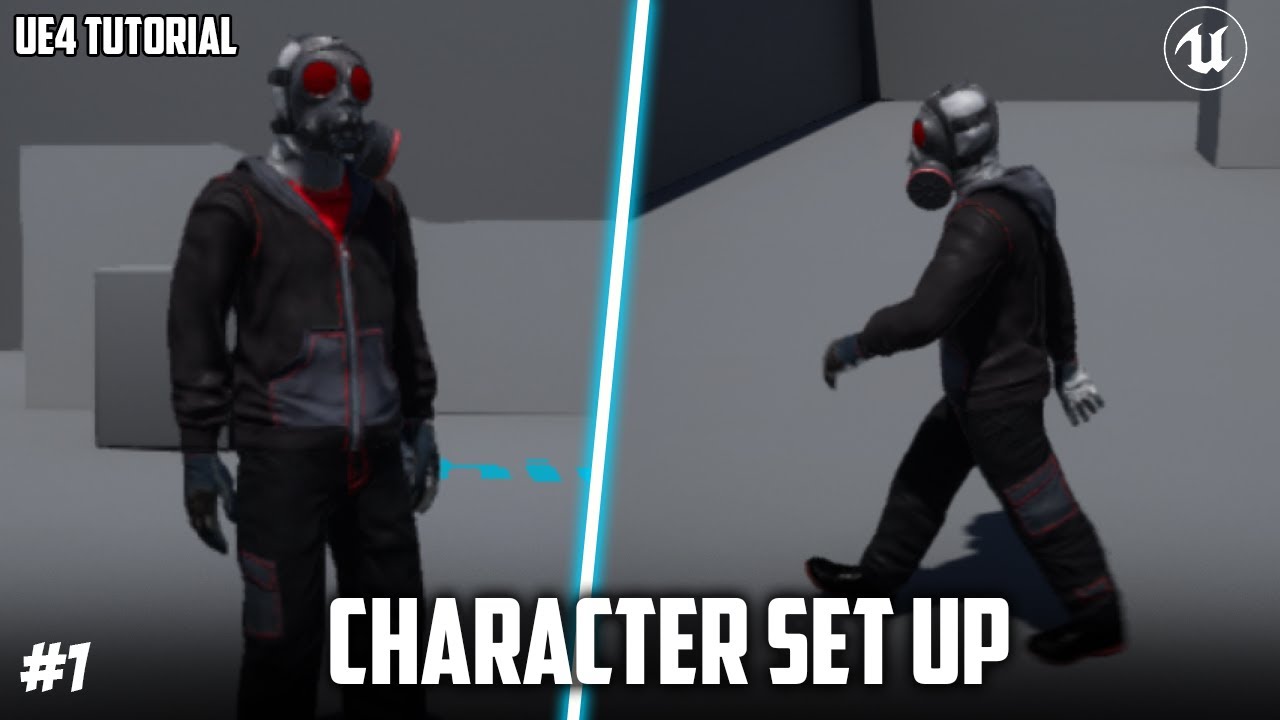
This is the starting to my 3rd person tutorial series.
In episode 1 I set up the character from FUSE to MIXAMO to UE4. You can use your own custom model instead of fuse however. Leave any questions below or if it is not working and I will help you out! :D
My patreon: https://www.patreon.com...
i even asked the question on reddit but nothing helped
hoary silo
try getting the velocity of the movement component
and if that doesnt work, make sure your player character is valid in the first place
hushed stag
sorry, im very new to this, how do i do that?
hushed stag
what is that node?
hoary silo
"Get Movement Component"
you can only get it by dragging off of "Try Get Pawn Owner" then searching for it
hoary silo
are you sure you set to use that animation blueprint on your skeletal mesh?
hoary silo
it should look like this, but instead of "TestDummy_New_AnimBP_C" it will say the name of your animation blueprint
hushed stag
yes, i am sure
hushed stag
for sure
hoary silo
first your state machine then the whole graph
hoary silo
is the cast to your player blueprint failing?
drag a print string from "cast failed" and see if it is displayed
also do that for your "is valid" node
and drag out from "Is not valid"
hushed stag
where is the "cast failed"
hoary silo
hushed stag
thanks
hoary silo
you should end up with something like this:
hoary silo
yeah, just change "hello" to different things for both of them so you tell what is happening
hoary silo
ah ok
so you dont really need to get a reference of your player
just delete that cast node and plug anything that was plugged into it into your "try get pawn owner" node
hushed stag
like this?
ohhh nevermind
i connected the try get pawn owner node
IT WORKS!!!
but i still get the "is not valid"
nevermind, i fixed that too
thank you soooooo much!
btw, if you don't mind me asking
i got another question
how did you learn all of this?
jagged void
plush yew
you can grab it and slowly open it?
yes like this https://www.youtube.com/watch?v=_B4y3KmNEoM

Free demo version: https://drive.google.com/file/d/19TCmrJrxLr1Tsj21eX0Uu5wWRTGpBevj/view?usp=sharing
Marketplace: https://unrealengine.com/marketplace/en-US/product/physical-doors-keys
Video Features: https://youtu.be/sRlaqhPW_8I
Video How to integrate: https://youtu.be/P6kZbPHd1V4
In this project you will be able to open, close and push asse...
plush yew
damn thats impressive
jagged void
I make this, but i want a physical on my door
Someone told me this : Hello, I do not have time to do a tutorial, but it's simple!
-
For the player's blueprint, I use 2 linetraces.
One for the highlight and the icon of the hand (optional), the second for the "grab"! (a lot of tutorials on youtube) -
For the blueprint of the door, before I create physic constraint of the door and I use conditions that check the angle of the door, if it is equal to 0 (for example), we disable grab and physics door (not to push with the player), if with the grab I change the angle and it is no longer equal to 0, I activate the physics (to be able to push it with the player). For the conditions of lock are simple, if the door is to lock (int value) but that the angle and not equal to 0, I can handle it, otherwise I prevent the grab.
I tried to summarize, If you have questions I will answer them.
hoary silo
@hushed stag i learned how to do all of this cause ive been making games as a hobby in my free time for around 3-4 years
mainly from looking up fixes for things and common sense
and from this discord server lol
like the question im about to ask
hushed stag
@hoary silo thats really cool cuz im doing this for my high school gamer dev class and i have like 5 weeks or so to make a game, and i took on the hardest challenge, creating a 3d game in UE. Most of the others chose creating mario-like games in web engines like construct 3.
Once again, thank you so much and have a great day
plush yew
hey when i make a new C++ class in ue4 and i make a sub folder called Characters for all my character stuffs and i make it public and then i create the class i get an error saying compile failed and it says i have to compile it again to show the C++ folder but theres no where to compile it only build the level and c++ folder isnt showing but in visual studios my Characters Folder is there with the C++ PlayerCharacter, again im new to c++ and have no idea what im doing so, im use to blueprints also i had to create a new c++ class to show you what i mean i dont know how to recompile it
hoary silo
yeah that happens to me as well, I second that question
plush yew
also theres no compile in the editor cant find it
 rigid rock
What is the best way to do a game design document for a project with 2 people is articy draft worth it?
hoary silo
how can I get my camera to stay still in VR when setting my control rotation with this function I created? The camera will be orbited around an axis, which is what I don't want, whan I turn my head on the Z axis. this is the function:
this is how my camera is set up
the "VR_Correction" is detached from the mesh on event begin play
plush yew
so no one knows how to recompile when c++ wont show, awesome. i just looked everywhere and a lot of people are having problems with it so im guessing theres no way of showing it even when the compile wont even pop up, got it
 mystic cradle
stuck scarab
mystic cradle
stuck scarab
Never touched terrain / level design before.
I know you can paint terrain with landscape materials, which is super cool. Is there something similar for "non-terrain". So basic meshes? For indoor levels?
Please throw some terms at me that I can research 🙂 Thank you
Material blend seems to be be one option
vertex color painting 🤔
stark marsh
can i use my wacom tablet to sculpt the terrain? with pressure sensitivity so i have control over it?
 tranquil osprey
yes
stark marsh
how do i set that up
tranquil osprey
its easy
stark marsh
because when i draw on my screen on terrain sculpting mode it works, but not pressure sense (my tablet does definately have pressure sense)
tranquil osprey
oh
stark marsh
oh?
tranquil osprey
mine just worked, it might be due to the tablet and it's drivers?
tranquil osprey
is it a new model wacom?
tranquil osprey
hmm idk, try and update the drivers is all I can think of
 scarlet birch
I changed lighting units to unitless in project settings, something I do with almost every project, but this time units on lights still show lux and look fine in viewport but in pie or standalone are non existent unless I set the units to extremely high numbers. I've tried changing the units to others and back, restarting the project, nothing's worked. Any ideas?
stark marsh
oh and this is not related but is foliage intense?
like can i put quiet a lot without impacting performace much?
scarlet birch
Depends on LODs, culling settings and other things.
tranquil osprey
idk it probably depends on the foliage, how detailed it is, how many Levels of detail and how large the map is
scarlet birch
You can have an extreme number of them as long as you optimize it.
stark marsh
i'll have culling on definately
tranquil osprey
yeah brushify has blades of grass that can cover 64 km squared because when they are far away they aren't in memory
 still schooner
can someone enlight me what the dlss console commands do?
stark marsh
how do i get my grass to slowly fade in and out?
right now its literally just dissapears in chunks
very dramatic
i want it to slowly dissapear as i get further away
tranquil osprey
this asset pack is 70% off now it might be of interest

Unreal Engine
Smart landscape automaterial with customizable layers, procedural snow, water and foliage.
it automatically puts snow on the tall mountains, rock on the cliffs and grass on the plains and more as well as lovely foliage
stark marsh
i don't know, if it was just a 3d model and nothing else it wouldn't take up too much, but if it has physics or scripts and there'res loads of them that will start eating up memory
probably
it also depends on how detailed the corpse mesh is, is it high or low poly
plush yew
@stark marsh use cull distance if you want any foliage to not render from a certain range
 pine pecan
I hope i don't sound rude or something like that
but does anyone has tips for a learning path for ue4? I'm trying to learn the basics but there's just so much of different category's and such i get lost before i can even start.
 trim trail
how to save gpu profiling report as txt file?
plush yew
@pine pecan you should start with the player character learn the basics of setting up movement and the camera etc and then go from there either in blueprints or c++
if you dont know the editors lay out, along the way you will get very familiar with it you should spend time looking at everything and playing with stuff theres no wrong way of doing it, you could mess around with physics etc its fun and it may seem hard but its pretty easy trust me sooner or later you will know a lot there is to ue4 and learn the basics of it all
pine pecan
so:
basic interface intro
Player character
blueprint
all of them are up to date as well right? becouse most of the videos i tried to watch to learn have what i assume is an older version of UE4 that has diffrent menues and part of the UI in diffrent places or just done exsist at all and its impossible to learn like that
plush yew
yeah, ue4 did change the interface but they just moved stuff around i mean in a easy way you can still find them right away, also even tho there old ue4 hardly changes stuff they mostly do patches and new like hardcore graphics or something lol
pine pecan
aight thank you <3
plush yew
yw
 upbeat tendon
hi, wonder if anyone can help me, i am trying to start a dedicate server and client in PiE, i set up this, but when i git play i just got a blank screen with nothing helpful and no break points every trigger, it seems run in one process seems to be the key but enabling that disables the extra command line options
 smoky sonnet
hey does anyone know a good tutrorial or know how this thing gets called what i need : -> : so basically i want to add a lightning edge around a mesh to give the player info which mesh he needs to click next
any help?
 safe sentinel
how can I mirror an asset in ui? Dont see the canvas size
 elder bison
@trim granite
hold on
luke landwalekr is dying
i made this
its very high poly
i also made htis
 velvet loom
Wow they all look amazing
fierce tulip
shouldnt this go in wip/released?
elder bison
ah sorry
fierce tulip
now you know :)
safe sentinel
anyone know how to mirror ui transforms? Cant find the canvas size
so I cant do math to mirror it
rough knoll
12 hours now. why does this set the text of each one to blank? i used a print string and it is accurately getting the names of the item, just setting it fails. view the picture below for what it looks like for each item in the list
(the text should be next to the white block)
 gloomy gull
I've been coding up microservices for about a week now, and I'm ready to move onto making some sort of lobby/matchmaking service. And then I realized I didn't know this: how do lobbies really work?
plush yew
hey why isnt my C++ folder now showing in the content browser, i got an error saying compile failed and that i have to recompile my project but have no idea how
not*
gloomy gull
@plush yew You need to rebuild from visual studio or whatever ide ur using
It means you added a class while you had an error in your code
thus why its recommended to do a build before creating a new class
plush yew
oh ok thanks
signal bone
hey
what should i first take care about in making my project
the programming and gameplay
or the graphics?
because i want to start program my character's movement and actions
but im using the placeholder mannequin
dark stag
how do you stop this shit from constantly popping up everytime i mouse over nodes?
lol
so annoying
like you'd think theyd set a delay of like 2 sedconds or something
plush yew
@signal bone if you want to get into code or blueprints its best to make a blank project and learn to make your own blueprint/code for that character as in learn how to add axis mapping and inputs you can use a third person project unreal already gives us to get an idea
signal bone
no i mean
should first start making the 3d models
or should i just keep using the mannequin for now
dark stag
prototype with the mannequin
plush yew
yea
dark stag
you can model later
signal bone
oh k
dark stag
i never realized how annoying these tooltips are until now
grim ore
in the console Slate. AllowToolTips 0
grim ore
had it backwards lol
grim ore
we use it when recording so we have to memorize it lol
grim ore
yup
grim ore
also... if you have a new(er) version of the engine its Slate.EnableTooltips 0 lol
because.... why not
 open wadi
I have an array of a custom BP struct that contains an int field "user_id". Is there any BP-based operation to search my array for the entry where user_id == 5?
Or do I have to literally for-each through the entire array until user_id == 5?
For example, I have an array of a custom BP struct, "users", where each user has an int "id" field. I have another array of a custom BP struct, "posts", and these posts have an int field "user_id".
I want to just for each through my posts array and, for each iteration, find the relevant entry from the users array - where posts.user_id == users.id
plush yew
ok so im still getting a compile failed error when making a new class and the C++ folder still isnt there even when i build it in visual studios i followed so much stuff to help me with fixing it but no luck can anyone really help or do i still have to follow some list just to fix this ive been at this all day either im doing something wrong or
open wadi
Is this possible, or do I have to for each through my posts array and, on every iteration, THEN for each through my users array until post.user_id == user.id?
If I do have to loop through the users array for every post, how many versions of UE have to get released until Epic ads basic array search functionality in blueprints?
 ember linden
hey guys how are you's? how can i make my decal show up on windows ?
open wadi
I'm hoping I'm wrong about this, but I've been doing quite a bit of research and it feels like there isn't really BP array search functionality, it's mainly just "loop through the entire array until you get a match
plush yew
Do you guys think UE5 will be different UI wise?
plush yew
plush yew
ok so im still getting a compile failed error when making a new class and the C+...
anyone?
 wise dirge
is anyone else getting huge lagspikes in the ue editor when running blender 2.91 in the background?
wise dirge
cpu memory and gpu are at 40% so I doubt its the hardware
plush yew
@wise dirge maybe update your drivers if they already arnt updated
wise dirge
right, I should maybe check that
plush yew
if it still is happening maybe reinstall blender
plush yew
hello please help im trying to test game from ue4 to android but there thing said protection of my phone how i can remove that its hundred persent save i make it but i cant open it Thanks 🙂
zinc shore
so is your phone blocking it?
zinc shore
hmm I've never built for android but i have sometimes had to allow access through the firewall on windows
plush yew
ok np
zinc shore
you probably have to give it execution permissions someway
plush yew
i can installed it but i can't open it 😦
 dapper ridge
hey can anyone point me to a good way to get clouds into my scene that I can fly through? Can I do that with truesky?
zinc shore
@plush yew you might need to sign your app to run it https://www.youtube.com/watch?v=dnhoYHPstpo

Here I show how simple it is to sign your Android App from UE4 so that to the Play Store.
CMD instructions:
cd "path were your jdk is located/bin"
keytool -genkey -v -keystore Store.keystore -alias Alias -storepass password -validity 9999
Hope this video is helpful - I searched a long time till I got it so I thouth it might be helpful.
Like t...
plush yew
ok thx i will check it out appriciate it 🙂
plush yew
Does anyone know how to give the FPS Eyelids Blinking POV Effect?
It's something like this:
(Eyelid Blinking POV Effect)--> Play on Start--> Play animation of getting up
 rich jay
Dude, I can't believe what I just learned about Unity. Anyone can rip your project files from your game...Scripts, Asset's, everything just how they are in your project files. I just tested it on my latest project
 odd yarrow
How do I export multiple objects from blender to unreal but when opened in unreal it's like 1 mesh, with the same position as it is in blender but I have access to each mesh? If that makes sense
 kind dew
I am having the weirdest issue I've ever encountered. My project is crashing on startup. With this error EXCEPTION_ACCESS_VIOLATION writing address 0x00000030.
What's weird is I had a component, lets call it componentA, that was broken. So I made a totally new component and re did all the functionality of that one so I could delete componentA and replace it with componentB. and boom everything worked and I am happy. But when I close the project and reopen it. It crashes on startup. If I go in source control and discard the main map i use .umap and it's build data, the project will load! But then it says ComponentB is an invalid component! and ComponentA which was the broken one, is now not broken. So if I tell my actors to use componentA now, everything works! And then the loop beings. When I close the project, same thing. Crashes on startup, discard changes to .umap and map builddata, other component is broken, switch it to the working one, evrything works, close the project, and reopen, Crashes on startup and so on and so on. It's a never ending loop where componentA and componentB take turns being broken. What the hell is going on lol
 dense knoll
i just made replication easy
this works lol
just replace the event begin play with a custom event and have that and all collapsed into a graph and have a event begin play like this
just take all the existing nodes collapse them into a graph then create a replicate on server event then link everything to that event then have that event wired to a input
this works, or at least for my game
 teal ibex
Anyone know how to blend the side of a road to achieve something like this?
rich jay
The ProceduralNaturePack has a river mesh setup on it. I'm sure you could switch it out for your road and do the same thing if your just trying to bend it
It lets you select points on the mesh and move them and it bends to follow it
It's under permanently free
@teal ibex ^
 grim juniper
teal ibex
Anyone know how to blend the side of a road to achieve something like this?
grim juniper
teal ibex
Anyone know how to blend the side of a road to achieve something like this?
Another possibility is using a Runtime Virtual Texture like this https://youtu.be/w3tTbVNkuwA?t=374

This talk by Epic Games Principal Technical Artist Ryan Brucks covers how the Fortnite team at Epic Games used the new and updated worldbuilding tools in Unreal Engine to create Chapter 2 of the chart-topping game.
Tools covered include the layered landscape system, custom brushes for procedurally editing height fields, scattering tools, grid-b...
 prisma plank
How to make local clouds like as plane?
 mental oyster
neon magnet
mental oyster
neon magnet
scene has 600,000 triangles. Are these statistics good, bad, okay? I have no idea so anyone experienced pls chime in
I'm trying to figure out why just the meshes with no materials is consuming 4.2GB max
but memory dump shows less than 500mb
I took the shot when in the densest part.
 median wigeon
@plush yew Please don't DM people advertisements in Unreal Slackers. They are your peers. If you have some useful tutorials that could benefit some members, link it in the proper channel (don't advertise your entire YouTube channel, but a specific video relating to the topic).
 opaque pier
Hi everyone, how can I reset the perspective in Niagras preview window, got lost. 😄
No docs to be found on this.
 supple plaza
He changed his nickname
Actually you can right clic server icon -> privacy settings -> unallow pm from server members for a moment
neon magnet
neon magnet
scene has 600,000 triangles. Are these statistics good, bad, okay? I have no ide...
come on programmer guys, help a brother out
 gusty dune
Good morning Unreal Slackers 😄
Are there any tutorial videos covering level blueprints? I'm trying to make a small combat mission with scripted events using blueprints and can't find any resources
rich jay
@neon magnet I think it depends on what kind of hardware your targeting. A SpeedTree Tree I think on average get's exported with around 300k, I made one with MTree and I think it had over 1 million without looking half as good lol
winter gale
Quick #UE4 Tip number 53.
Want to set a variable in a const function? Use "mutable" keyword for your variable. Example:
UPROPERTY()
mutable int32 MyInteger;
void SomeConstFunction() const
{
MyInteger = 1;
}
#unreal #unrealtips #unrealdev #indiegamedev #gamedev #indiedev
Twitter
·
shy ocean
Can no one help 😦
plush yew
i think unity is much better then ue4
neon magnet
rich jay
<@!396990950842564608> I think it depends on what kind of hardware your targetin...
well target is like an old laptop from 2014 or something, but that's almost not gonna matter because I'm worried about my own system. I have a gtx 1060 6gb and if my scene is consuming up to 4.2 gigs without any materials (apparently) but at the same time in the memory dumps it says less than 500 megs ... I dunno how to make sense of that lol
 worthy fox
Some time ago I was gifted a pack from the Marketplace.. however; the guy who created this pack comes from the Unity-community, so when he created the UE-pack a lot of stuff isn't following the UE-standard; like the Third Person Skeleton for example. I have no experience in Blender or any other modelling software... How hard would it be to export the skeleton and rename everything in Blender and re-import it to Unreal again? ..or maybe there may even be someone in here that can help me out with it - in exchange of something? 🙂
My plan is to re-create this pack from scratch so it's following the UE-standard.. and send it back to the creator so he hopefully uploads an update to the Marketplace. Because right now it's pretty much impossible to use, especially in a modular way. It's time consuming using this pack because of all the issues that comes with it. If this was fixed this pack would be awesome
 jaunty cedar
How can I get a point light to only cast volumetric shadows and not cast any regular shadows on the environment around it?
shy ocean
worthy fox
Some time ago I was gifted a pack from the Marketplace.. however; the guy who cr...
I believe if you import the mesh in to blender and delete the skeleton and use the "auto rig pro" plug-in you can add ue4 skeleton that way
worthy fox
shy ocean
I believe if you import the mesh in to blender and delete the skeleton and use t...
Do I only need the export the Mesh from UE or do I need to export the skeleton as well and merge them together in Blender? Or is everything that comes with the mesh itself automatically exported? 🙂
shy ocean
I believe it exports the skeleton with the mesh
worthy fox
Allright, I'll have a look at it. Thank you 🙂
shy ocean

This is my review of the awesome Auto-Rig tool Pro tool for Blender by Artell. This is streamline your workflow to rig a character including a face rig.
Auto-Rig Pro is a set of tools to rig characters, re target animations, and provide Fbx export for Unity and Unreal Engine.
https://gumroad.com/a/829928563
https://blendermarket.com/products/a...
all you need to do different is remove the current skele 1st
you may get away with leaving the current on in place but I would remove as a precaution
jaunty cedar
Also, how do I make a Niagara system not vanish when it's not in player view? Need it to keep affecting lights but it disappears the moment it leaves the view
shy ocean


 tranquil sandal
guys, what is the best way to saving some changing variable of an item in an inventory system (i.e a gun with current ammo and total ammo variables, apples with stack variable). i can create an array with item structure but since each item has each type of variable, i dont know how to figure it out.
 latent moth
can't seem to find it
stuck scarab
@jaunty cedar well you probably need to change the settings in the renderer -> Facing mode
shy ocean
no one know how to help me? I am integrating ALS v4 and Character Interaction but the tutorial im am following is for V3 and the anim_BP is very different between V4 and V3 and as such I am stuck
jaunty cedar
stuck scarab
<@!550183144838397968> well you probably need to change the settings in the rend...
facing mode just changes the orientation of the meshes
Found it
stuck scarab
thats what I believe is your current issue. If you face away your camera its not visible
jaunty cedar
Nah it wasn't, that just changes the rotation of my meshes and they're static meshes so they don't vanish based on their orientation, not the culling
It was that my bounds for the system were too small, so it vanished when it hadnt fully left view
Now it's a lot more convincing, just made the bounds bigger
wary wave
it's very likely that nobody in here has ever used it
neon magnet
is this bad or ok or what?
I'm learning some more debug commands so checking things out
I only have 3 point lights, I removed them but it shows the same once I go full screen (1440p).
 midnight gate
hey creative folk, i am an artist and i make alot of assets anything from shaders textures meshes and animations, even coding sometimes.
i would like to ask all of you what kind of assets would you like to see more and buy? maybe premade hairstyles? low poly weapons? base meshes? materials? what would you like more in the market
 lusty carbon
When merging my building meshes into one with the Merge operation, some materials are gone, and they can't be found in any of the material slots either. Why is this?
midnight gate
@fierce tulip great idfea
 haughty tangle
So - when looking at this video:
https://www.youtube.com/watch?v=SeNM9zBPLCA

This hands-on presentation by Epic's Sjoerd De Jong explores the Sky Atmosphere system in Unreal Engine. Starting off with the basics, viewers learn how to render a beautiful and fully dynamic sky within seconds. From there, the session showcases how to create alien, dusty, or wet atmospheres, after which viewers will be taken all the way up int...
The terrain is inherently a sphere that you set the size...
I've not played with terrain recently, but isn't it a plane?
How do you get it to be a discreet sphere? With a planetary size? And what seems like a default terrain?
I'll keep looking for info, but if you have any hints, suggestions or shortcuts to the solution, I'll take 'em.
tiny eagle
how to make a level without directly ripping someone's idea @prisma plank?
i thik the landscape is limited to 4km by default, and you need multiple landscapes to build bigger
haughty tangle
@tiny eagle Thanks! I've found this (which may have more detail?? guessing...)
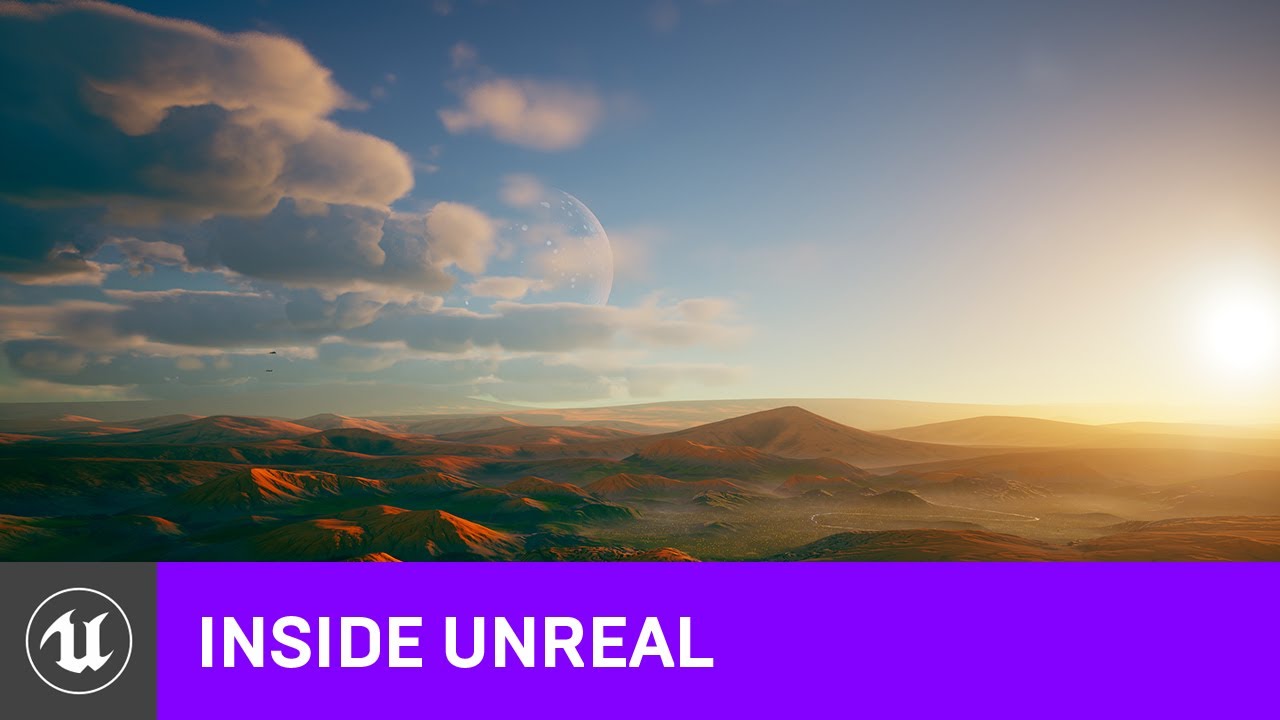
We're excited to have our Lead Evangelist Sjoerd de Jong on Inside Unreal this week! Following the presentation of our new Sky and Atmosphere features, Sjoerd will take a deeper dive into precisely how all of it was built. We'll take a look at the massive scale of the planet, the Blueprints and material setups used, how the moons were made, the ...
And this, so I'll have a watch:

In this tutorial we will create a planet and add a surface to this planet and animate between the surface of the planet and space in Unreal Engine. We will also go over how you can implement this as a gameplay feature within your Unreal Engine 4 projects! We are using Earth textures but feel free to create your own.
Link to Assets:
https://gumr...
About 3 hours of content!
Time to break out the chex mix and beer...
But if any one else has some thoughts, feelings or ideas, I'll take 'em.
tiny eagle
cause people will respond to everyone but me it seems lol
haughty tangle
@tiny eagle I don't think I understand the question.
All creativity is "rip, mix, burn".
It's all about ripping off someone's ideas, but at the same time making it your own.
Most great masters of classical art start by emulating or copying, then improving on, a classical master of their time or genre.
I'd take your favorite level and then "fix" the things you hated about it.
Or improve on the things you "loved" about it.
Star Wars, Harry Potter, Star Trek are all about stealing existing material and repackaging it. SW is all about repurposing WW2 via space opera through scenes stolen directly from Ray Harryhausen movies, Dam Busters, Battle Of Britain, Casablanca, etc., but when finished feels a bit unique... The Mandalorian is a straight rip off of all westerns with a little bit of Kurosawa-esque Japanese films thrown in for good measure.
Rip it all off!
Then make it your own.
But rip it off first.
Oh...
And rip off from the best of the best...
rich jay
Say I'm having a problem with Unreal and Visual Studio 2019. I have the feature installed in VS 2019 and I have it setup for it in Unreal but when I create a new C++ class under my test Plugin I tried to make for this video it doesn't show anything in my Solution Explore and when I exit the project doesn't show up at all under the Plugin folder. Also when I create a new project it doesn't give me the option to make it C++
Anyone know what's going on? Could this be VS 2019 causing the problems? I keep having issues with it in Unity as well
zinc shore
why don't my instance static meshes have materials when ever i add a instance to my mesh instance it always has the world grid material and i cant change it why is that
plush yew
@rich jay im not sure but no luck here either ive been having problems with it to and no ones helping on here im about to just change game engines and work on 2d games or something
rich jay
Alright @plush yew I think it got corrupted during an update. I uninstalled it and tried to reinstall it and had an error. I tried to repair it and nothing was working. I finally found someone on the Microsoft forum tell me to check my C:\Windows\Installer folder and make sure it had the right permissions....it didn't exist, so I created it and made sure the permissions were set up and I tried uninstalling the Unreal extension and reinstalling it and it worked
I'm going back in to see if it fixed it
plush yew
ok welp hopefully it worked
rich jay
Yeah, I only know that I was getting an error during the reinstallation of it at this point
 regal zephyr
Hello guys. Im a lighting art student. I was looking for videos or articles about " Bad UVing" so basically how can UVs be inefficient
rich jay
I think it made it worse
plush yew
@rich jay yo i was wondering if you could help me fix the compile failed error i tried soo many things to fix it and nothing, also you should probably find out what exactly it making the problem
rich jay
It's opening VS 2019 now but it is blank and I'm still having this issue where the created files in the Plugin folder I made don't exist but if I try to create a new c++ class with the same name it says it already exists
The folder is bone dry, nothing in it so how does it exist?
plush yew
thats some witch craft
rich jay
nm I found it, it's not in that folder it's in the source folder in the main project folder
but yeah re-installing VS 2019 made it worse because now I can't even get it to launch the files from the editor
and I'm confused as to why my C++ files don't show under the plugin folder
See, empty
This is the only option I get to make a plugin
haughty tangle
@zinc shore Any game you like is a good idea ... BUT:
Don't try to do an MMO
FPS, Pixel Miner, Classic Arcade... do a game you'd like to play.
What you need to be aware of is VOLUME as it can sneak up on you and kill you.
My classic example is Warcraft, where, 10 years ago or more, there were over 2000 icons (and many were used more than once!).
If you were to make one icon an hour on average, 10 hours a day, no breaks for wee, biscuits of tea... It would take you 200 days to make them all.
If you stop for weekends, that's about one MAN YEAR of labor.
My only advice is start small.
Find a tutorial making the game you'd like to make and finish it.
rich jay
There's supposed to be more then one option when you create a plugin right?
plush yew
yeah thats my problem the c++ folder wont show dont know how to fix it and ive never done plungins so i cant help you there
rich jay
I must be missing something
Yeah it's odd, I'm pretty sure that your also supposed to have a tab for creating C++ projects when you make a new Unreal Project but I am never given that option
It doesn't show any tabs or ways to create different types of projects but I see that in the video's everyone has those options
plush yew
in the launcher?
plush yew
i think they changed it when you make the project and you get the things saying what stuff you want like blueprint, what kind of graphics etc click the blueprints and change it to c++
rich jay
Ahhh...
I wonder if that's why I couldn't make a c++ class properly
or why I didn't have multiple options for making a plugin
plush yew
welp
plush yew
my problem is when i make a new c++ class i get an error saying compile failed and a pop up saying i have to recompile the projects module or something and i dont know how
rich jay
Like how they just left that out, but I get it. Trying to make it fool proof for noobs, in this case they just threw me off but it was the guy that made their video series on their learning channel that failed to mention this
Oh I got that error once
Can't remember how I fixed it though, did a search on the internet
plush yew
bruhh i searched everywhere and nothing i spent like 10 hours looking for help
rich jay
I was working on a Unity Project at the time so I was really just messing with the idea of switching over and learning Unreal
Try searching for Unreal Engine (followed by the error here)
just like it says in the message that pops up
plush yew
i did in a bunch of different ways
couldnt find anything
i did find something tho i thought it would work but it didnt
rich jay
Hmm, I may have just stumbled across it and got lucky either that or my error was a bit different
plush yew
i dont know
rich jay
Was it a new project or one you had been working on?
rich jay
Did you try uninstalling that version of Unreal and reinstalling it?
plush yew
yes
people told me to build first in vs i did and still nothing happened
its weird tho i can make a "none" C++ class but when i try making a character i get an error
rich jay
Do you have multiple drives @plush yew ?
plush yew
i think so, i got mine custom built havent really looked into them
rich jay
I can't remember how I fixed my issue but I think I had the same problem. Do you have it installed on your primary drive or another one?
plush yew
wait is it cause i have ue4 and vs in totally different storage like i have vs in the default windows (C:) and ue4 in my 2 tb
rich jay
I think I had my UE installed on my external
I think that was what was causing the problem
I reinstalled it on my C drive and I think that's how I fixed it
trim trail
did recent ue4 versions change how shader nodes tooltip are written? Seems they don't give explanations/doc links anymore?
plush yew
man im to lazy at this point to change it
rich jay
Might be the only fix @plush yew that's why I asked if you had it installed on your primary because I'm 90% sure that's why mine had the same problem
I couldn't compile a starter project
plush yew
dang, the thing is tho i hardly have any GB on the default
rich jay
Seems like to big coincidence no to be the issue
That's why I had installed it on my external
another thing is it will run 200x faster on your primary if it's an ssd
It was running slow as hell when I had it on my external
Move some stuff to your external till you can get more space
Like move some games or something over, whatever is taking up all the space
plush yew
how to i do that without like getting a bunch of errors
also all my games etc are on my external
rich jay
If they are epic or steam games you can move them through the launchers
ah
how big is your internal then?
500gbs?\
plush yew
2 TB
rich jay
Your internal is 2Tb's and it's full and none of your games are on it?
What could possibly take up 2Tb's of storage other then games? Lol
plush yew
wait sorry the other one is 200 GB like the default windows
plush yew
haha yeah
rich jay
You need another bro, for sure
plush yew
yup im trying to get one
 fierce forge
why when i'm looking right or left the mesh is rotating ?
rich jay
I got a 1 TB Samsung ssd their pretty cheap for ssd's
rich jay
Got to find a way to squeeze the engine in there, just install the bare minimum not Android/IOS/Mac support
fierce forge
it is
plush yew
yeah, i might just wait to be honest till i get a new one
rich jay
Those 3 alone take up like 10 gb's
Yeah, I hear you
Get you one of them 1 TB Samsung ssd's their less then $100 If I remember correctly
plush yew
i mean i feel like theres something wrong with the project tho like im missing somethings and when i looked it up a lot of people had the same problem and no one knew how to fix it
fierce forge
@plush yew so ?
plush yew
@fierce forge find the movement on the left panel and type in the right side orient rotation
rich jay
I'm telling you I'm pretty sure it's because you have it on your external drive, I mean you could go into Unreal settings and make sure you have your temp folders manually set as well as your cache
make sure you have it setup to use the proper IDE too
plush yew
i didnt think of that lol
fierce forge
@plush yew it is enabled
rich jay
Under editor setting's and Source Code
I didn't at the time either that's why I'm saying it may fix it idk
Might just be an issue with it looking in the wrong spot for something
plush yew
i have forgotten where the settings where
rich jay
Edit -> Editor Settings -> Source Code and the other's I'm not sure you'll have to search for cache and temp
just cache
there is no temp settings
plush yew
haha yeah that might of been it, it was vs was on the vs 2015
plush yew
well i had to fix some things in vs as well like build wise when i looked up the error so imma try
rich jay
do you have the Unreal feature installed in VS 2019?
plush yew
yes i do
rich jay
alright, making sure
plush yew
wait hold on i might have not clicked it
rich jay
k
plush yew
ok i do
rich jay
If this doesn't work an alternative could be to try and install VS 2019 on the same drive
Did you try to build it?
plush yew
yeah building works no errors
i feel like when i make a new character class thats when i get errors
rich jay
Good, so maybe it was just that you needed to change the source code to VS 2019
try it and see
plush yew
ok one sec
wait so in the solution should i change it to development or development editor
or keep it default
rich jay
I'm not sure honestly I haven't gotten that far yet. Probably just leave it at default
plush yew
ok
rich jay
I was just fixing to work my way through my first actual scripting series
I think their gonna have me making some kind of a plugin
plush yew
well have fun on your journey
plush yew
its sooo weird tho it pops up in the vs folders but not in the c++
rich jay
I re-installed mine with just the Unity and Unreal extensions this time to prevent any conflicts
strange
plush yew
is c++ hard
rich jay
wait
rich jay
Are you in a Blueprint project or a c++ project lol
plush yew
@plush yew its easy when you get a hang of it stuff makes more sense
rich jay
if it's a Blueprint project it may be why, I didn't realize that you had to make one or the other until earlier when you told me that.
plush yew
im converting a bp project to a C++
rich jay
How does that work?
plush yew
well i followed a tutorial and got that error sooo
wait really?
you can convert bp to c++
that's cool
plush yew
its basiclly just adding a new C++ class and the C++ folder is supost to pop up but i got a error this this dude didnt