#ue4-general
1 messages · Page 882 of 1
 plain pagoda
then move to youtube.
First, start with Dev Squad.
then move to Matthew Wadstein, Matthew Palaje, Reids Channel, Matt Aspland, Ryan Laley.
All these channels are fantastic, Dev Squad is for super newbies.
 steady bronze
can anyone tell me if theres any way to add mountains in my scene
as a background sillouhette
i cnt quite figure out hdri here
 hollow atlas
i am working on a ue4 mobile-based game if there is anyone who can help me with then please msg me i am waiting i want someone who work for royalty
yes you can scupt mountains far from the sceene or use a 3d model@steady bronze
steady bronze
i dont want to use an actual model
as it may increase polygon count
i was hoping if there was anyway to use texture
like usually in blender I would just add a hdri and call it a day
hollow atlas
ohh ok

My Beautiful Paper Smile - https://store.steampowered.com/app/1036700/My_Beautiful_Paper_Smile/
Discord - https://discord.gg/v3gWfxE
Twitch - https://www.twitch.tv/two_star_games
Twitter - https://twitter.com/TwoStarGames
I...
 normal jetty
lol make a blocking plane with fresnel dictated image gradient to black 😮
old school
(this is actually a way of doing it but probably not the best way)
 empty prism
Has pixelstreaming over the internet recently stopped working for others too? Got LAN working, but over internet clients get stuck at "Starting connection to server, please wait" screen
 ember cliff
Hello guys, got some troubles with Spine plugin integration in UE4 - Im am using this instruction for plugin instalation and got some issues with that. http://ru.esotericsoftware.com/spine-ue4
After passing all of the steps and entering the project i receive the message and error(
https://gyazo.com/f179e853c447acef51bccc2665b06dba
,
https://gyazo.com/e8b65250361d2743d1657eae35b96440 , )
If i try to create a new C project and rebuild from source im getting this log errors - https://gyazo.com/cf1301bec0d20e539487f997744ffd45
In the instructions, we have also to change Build.cs file and add PublicDependencyModuleNames. After adding names and rebuilding, receive same log errors.
Thx for your attention, and future help.)😋


 humble yacht
Is there a way to smooth camera transition between possessions, rather than the camera just instantly jumping to the new possessed
 honest vale
I think set view target with blend BP node does that
 plush yew
i know its not unreal related
but can you write off the platform royalty costs as tax deductions
does anyone know if thats the case
as a business i know taxes and platform royalties can really eat into your profits and returns o-o
nvm found the answer
 wary wave
honest vale
I think set view target with blend BP node does that
wary wave
honest vale
I think set view target with blend BP node does that
This sounds correct actuallt
 shut glen
?
 timber mountain
i wonder that ue4 hasn't any active/deactive actor checkbox like unity ?
so what i should to do if i want to deactive an actor temporary to test my game ?
shut glen
timber mountain
i wonder that ue4 hasn't any active/deactive actor checkbox like unity ?
so wha...
you can use the activate and disactivate blue print
timber mountain
@shut glen my mean is in editor not in game
shut glen
timber mountain
<@!649954758890881034> my mean is in editor not in game
in the world outliner
how can i get the Attenuation from the audio capture
?
timber mountain
@shut glen this option only deactive actor in editor, not in game.
i want to deactive it in editor, and it will be deactive in game too.
its temporary.
i think its very necessary when you want to test your game.
i wonder that ue4 doesn't have these !
 tacit onyx
What are you trying to disable in game?
timber mountain
@tacit onyx i want to temporary disable my enemy spawn to test (i don't want to delete it)
unity has a tick to active and deactive actors.
i want this in ue4
tacit onyx
Why not just make an exposed bool and not run the execution if it's checked, or unchecked. Then all you have to do is click the checkbox.
timber mountain
@tacit onyx your mean is construct script ?
tacit onyx
If that's where your enemy spawner works, sure?
 stuck scarab
well, never used that but hes right I guess. We should have such option, without us making a variable.
You seem to be very new so I will show you quickly what Authaer means.
Create a new variable inside your Blueprint and press the icon the the right so this eye appears. Not you will have this variable available in the editor on the right side when you click on your actor.
So when you include this variable in your code, for example on begin play - branch - active? You can set it active/deactive this way
@timber mountain
timber mountain
@stuck scarab thanks for your help but i really wonder Why no one understands what I mean.
stuck scarab
For certain components there is actually a "active" option in the blueprint which you can set. But other than that, I dont know
shut glen
can you help me?
tacit onyx
It's not a default feature on everything you can place in the viewport, because it's unnecessary.
 solemn cloud
You could just make an actor, name it baseActor and create all you actors as a child of baseActor. In baseActor you then do what @stuck scarab did
tacit onyx
I'm just imagining all of the loaded, disable assets floating around that designers are likely to leave in 'just incase'.
It hurts.
solemn cloud
But why would you even need this? Having dead actors flying around in your game does you nothing, except hurting performance.
@tacit onyx lol, same thought 😄
shut glen
anyone know how can i get the Attenuation from the audio capture
?
stuck scarab
thats why I probably never was in the need such option yet 😄
but who knows, maybe it would be actually useful for him
tacit onyx
Maybe. Making assets more modular and repeatable so as to be able to removed and added to any level easily is likely to be more fruitful.
timber mountain
i'll send a video from Unity to get my mean
solemn cloud
They should remove that checkbox^^ It just helps people doing bad practice
shut glen
unity is just a mess for me
shut glen
unity is really relying in the assets from the assetstore
timber mountain
😩 this is my mean 😆
shut glen
when i saw that unity is really asset relying i just jumped to ue4
timber mountain
@plush yew so whats solution ? ue4 hasn't it ? 😲
solemn cloud
Dude
we wrote you multiple solutions, why do you even need that? You. dont. do. this.
And maybe read what we wrote above
 timber fern
dose epic engine have a cloud?
tacit onyx
I think the honest solution is to either learn the UE4 design style way, or go back to using Unity.
stuck scarab
@timber mountain If you spawn your thing by code, you can use my mentioned method.
If you place it manually, I'd delete it. Test it. Place it again.
Other than that, no I dont think there is such an option
 gusty geyser
i just wanted to know if epic games or unreal engine has it's own cloud for storing or syncing game data and progress
timber mountain
@stuck scarab "Place it again" its really a big problem when you have two or more actors to disable.
@solemn cloud i think its very necessary when you want to test your game. imagine that you have 3 spawn enemies. now you want to test your game without one or two of them. so you disable them easily and test your game. but in ue4 there isn't this feature. its necessary when you have a big project with lots of triggers and spawn enemies and etc.
shut glen
many times
timber mountain
@plush yew so i should think about other solution 😄
i know ue4 is very different. it has other way sure.
but i only wanted to know does ue4 has it or not.
so it doesn't have this feature.
but i think its a very basic feature.
@plush yew hmmm ... maybe i change my mind in furtue about this.
no ... i was working unity for ten years. i prefer ue4 now. its so much powerful.
tacit onyx
@plush yew Player controller is the player's own actor basically. It becomes even more apparent in multiplayer since the controller only exists on the server and the controller's owning client, no other client can access the controller of another player without going through the server. Unlike the PlayerState or even PlayerCharacter which would exist on every single client. In SingplePlayer, it's basically the input actor where you can place input that doesn't belong in any other specific actor or an actor you might keep variables on related to the player that you don't want to throw away.
stuck scarab
thanks from my side as well
 orchid glade
Hello, can somebody explain me why unreal engine sometimes 'bug' and use all my gpu (hardware & shared) memory when importing 3D Models and so makes it crash and how to fix it please ? Thanks in advance.
 lost otter
anyone know of a opensource ue4 maya rig for the mani?
honest vale
@orchid glade how many vertices do the 3d models have when it crashes?
orchid glade
@honest vale the same as when another day, it will import correctly when not using my shared gpu memory at all. That's why i call it a bug.
honest vale
okay
 fair herald
shut glen
fair herald
shut glen
anyone know how can i get the Attenuation from the audio capture
?
 daring gazelle
what do i change to sort this grass out
because that just looks like a mess right now
 dawn gull
What's the best way to do multiplayer without compiling Unreal's behemoth sized source code?
And not just LAN
 merry bison
(Hi, I'm new) So I have this idea of dropping different colored glowing balls into an arena and they're going to bounce around, colliding, falling off the platform using physics. What I want to do is to spawn these above the arena in an unlimited but controlled amount, maybe from sources that moves the way I want, maybe going around above the arena in a circle or a random location in range. Question is - what shall I use to spawn these balls? Would particles be a good idea, or shall I use something else?
I already created the arena, the differently colored glowing balls, and a camera that rotates around the arena. All I need now is a way to spawn the balls.
 exotic thicket
dawn gull
What's the best way to do multiplayer without compiling Unreal's behemoth sized ...
exotic thicket
dawn gull
What's the best way to do multiplayer without compiling Unreal's behemoth sized ...
Why would you need to compile UE's entire source for MP? You can use the online etc. functionality just fine with the versions of the engine you can get from Epic Games Launcher
dawn gull
Dedicated servers. What do you mean by "you can get from Epic Games Launcher"
You need to compile the UE4 source for dedicated servers.
exotic thicket
Ah, you didn't say dedicated server, yeah those would require it :)
dawn gull
But is there any way to do multiplayer across multiple networks without dedicated servers?
exotic thicket
I mean although it'll take a while to build it, it's not like you'd have to keep rebuilding the whole thing all the time
Sure, you can do regular listen servers too
 dire ingot
guys why i cant find free explosion effect in the market place?
why it is very pay2use?
unity has millions of free
similar results
yet unreal engine has only 1 and it is not even a good one
😠
 gilded needle
You could build one in Niagara.
honest vale
@dire ingot people tend to value their time
dire ingot
u mean unreal engine people*
and u mean untiy people dont like to value their time?
funny...
dawn gull
Oh nooo, you can't asset flip! So sad
gilded needle
Well I mean Unity is also a free engine, you could use Unity as well since everything is free there.
honest vale
@dire ingot I wasn't that serious about it 😛
dire ingot
and easier, but unreal engine has quality
honest vale
but I mean, I think you can't really complain if people want to get paid over something
dire ingot
which is what i want
so im in a hard situation
so can i get help now? is there a way to show more results?
i tried to serach in some other places
but there is no good free exlposion effect
 timid frost
How can I make my environment looks more realistic
dawn gull
Just pay like, $20 and get dynamic explosions
dawn gull
So program your own
merry bison
isn't the black friday thing starting like today in the marketplace, has it begun yet?
dawn gull
@dire ingot If you can't afford it, you can probably program your own, right?
dawn gull
Suuure
dire ingot
np
timid frost
Anyone can tell me how can I make my environment looks more realistic
merry bison
it's normal getting frustrated when stuck
yet ppl here laughs at u instead of realizing that u're simply frustrated @dire ingot because u're stuck
dire ingot
actually i never got help in this server
honest vale

Rational alternative of Agile.
daring gazelle
Anyone?
dire ingot
it is really helpless and useless
other server
i get very good resonses
and nice people
merry bison
which other server?
dire ingot
who love to help amd discuss with respect
maybe this is one of that cringe servers, i dont know yet. lets stay here a bit longer and see
 thick herald
Well, complaining there isn't any free stuff that suits you, isn't the best way to attract help.
dire ingot
yep
thick herald
If you asked, if anyone knew of any resources or tutorials that could help that would be a better approach.
dire ingot
qoute my self
``
so can i get help now? is there a way to show more results?
``
check the converstion next time
timid frost
@indovar they aren't helping that's not a big problem . What's your problem tell me
dire ingot
yeah they are not helping at all, actually they are rude...
my issue is
i cant find a free explision effect
in the market place
do i have a problem? why there is no result?
timid frost
Hmmmm
merry bison
look somewhere else i'd say
timid frost
@ use starter content explosive
merry bison
i don't know, i'm very new here myself... i would google it
dire ingot
i did google before i come here, the result i find is not good
merry bison
ok
dire ingot
and 99% of them are paid
thick herald
If you cannot find free stuff that suits you, you may have to consider learning how to make your own.
merry bison
but i would recommend you to move on with your project and come back to explosions later - instead of getting stuck with the project i mean... and i do say this in all friendliness
merry bison
ok
dire ingot
to add the explisions
why it is hard to explain this?
why would i ask for them
if im not
reaching that level of adding them
merry bison
let me check the marketplace for u
merry bison
np, as i said, i'm very new here myself - my first day commenting here... and i would like ppl to help me too when i need it
dire ingot
thanks
thick herald
Asking nicely helps. Demanding answers and demanding assets does not help.
gilded needle
^^
merry bison
you're right, there's only 1 free explosion in the marketplace
thick herald
I'm simply pointing out that your attitude is why people are not tripping over themselves to help.
dire ingot
really?
people are helping me
u are not
so if u dont feel like uwant to help
leave me alone
and try to be less rude at least to people next time
i gotta go and check https://quixel.com/

Quixel
Discover a world of unbounded creativity. Explore a massive asset library, and Quixel’s powerful tools, plus free in-depth tutorials and resources.
thick herald
I am trying to help, by helping you phrase your requests better.
dire ingot
@timid frost did suggest me a good website
thanks for ur help
appreciate it so much my friend
thick herald
Quixel don't do explosions though
 buoyant graniteBOT
Something went wrong. Check the logs for details.
merry bison
https://itch.io/game-assets/tag-explosions @dire ingot

Too bad my own question drowned in all the drama above lol...
thick herald
The marketplace sale?
merry bison
no, I asked a UE4-related question
thick herald
Ah the dropping of balls.
merry bison
yes
thick herald
The simplest way would be to drop spheres.
merry bison
as it is now, i have 3 different colored balls, red, green blue just for testing. i planted these 3 in the scene and they do drop, collide etc... but i would like to spawn them during runtime, should i use a particle effect to emit them or something else?
they should spawn continuously during the entire length of the scene
thick herald
You can create another actor that you use to spawn the balls at during run time. You can control how fast or slowly they do this in the blueprint of the spawner. You can tell the spawner to move to different locations too, all during run time.
merry bison
aha that sounds what i'm looking for
thick herald
Things to research: Spawn actor, moving actors. Maybe timers too.
 cold condor
If only if I had the money
merry bison
thanks @thick herald
thick herald
I highly recommend this YouTube channel, which will help you a lot: https://www.youtube.com/channel/UCOVfF7PfLbRdVEm0hONTrNQ

YouTube
This channel is dedicated to exploring Unreal Engine 4 and the Blueprint programming language that it uses. You can think of it as a companion to the API doc...
merry bison
cool, will check it out
thick herald
The official learning hub is also good.
merry bison
so, if i understand you correctly.. i should even be able to use the existing balls to move around and spawn copies of themselves during runtime
thick herald
The spawn actor controls what balls are dropped and where, you can do this different ways of course. Every time you spawn something via blueprints you can tell it what location to do so, so you have full control. It can be as simple or as complex as you need it to be. If all you need is the balls reacting to things based on physics you don't need to tell the balls to do anything with code during runtime. If that is something you think you may need or want at some point, you will want them to be of the actor type 'pawn' / 'character' so you have more options available to you. The above channel has lots of short videos explaining these concepts 🙂
merry bison
cool, thanks
 dense knoll
nvm
thick herald
Have a look in this site, made by an UbiSoft dev, https://ue4resources.com/3d-projects

It has flying stuff and lots of other examples. 🙂
stuck scarab
hehe everytime I see Mathew's picture I'm like, damn that strange guy 😄 but he is indeed my blueprint hero 🙏
 void barn
is there a way to not let her hair go thru her body
plush yew
Hi, i was wondering if i could have help with my game?
stuck scarab
Specify your question by 2000% and maybe someone can provide support 🙂
plush yew
i gotta go so ill be 30-60 mins, but thanks
 timber vale
idk if this the right place to put it, but by default (using something like the thirdpersonshooter template), is garbage collection automated?
stuck scarab
its on by default if you mean that by automated
 fallen flower
@timber vale, If you manually allocate something, it's your responsibility to clear it though. But I don't think that's what you meant
plush yew
So i need help to make animations for my (First Person Template) Game, i want to make a rig that i imported animate, e.g. Idle, Walk, Jump, ect. But i dont know how to do it. Can anyone help?
 signal flower
if I will make "look at" to Vector it will look to start point or at end?
stuck scarab
from start to end
signal flower
stuck scarab
from start to end
no
I mean
this vector will be the second one here
and the mesh will look at start of second vector or at start?
plush yew
plush yew
So i need help to make animations for my (First Person Template) Game, i want to...
Can Anyone Help?
signal flower
plush yew
Can Anyone Help?
plush yew
thx
 weak cypress
someone mentioned the recommended specs for unreal here
plain pagoda
plush yew
So i need help to make animations for my (First Person Template) Game, i want to...
learn to do it yourself, no one will help. I had the same problem and I had 2 options, learn or buy assets, I'm doing both
stuck scarab
Its a lot to go through, If you find a teacher that spends hours with you - good for you. Otherwise you need to break that down and watch tutorial by tutorial.
So how to create a 3D Mesh -> how to make a skeleton and rig it -> how to make animation -> how to export for unreal.
You probably need to even further break it down to even smaller parts.
just some weird dude @light lintel 😄
plain pagoda
stuck scarab
Its a lot to go through, If you find a teacher that spends hours with you - good...
and the worst part is it takes time but it's something that can be done by everyone, it's not hard, just time taking.
signal flower
for some people its hard
stuck scarab
I think it is hard 😦 its complex and you need to learn a lot.
so I went with assets for now 😄
plain pagoda
hard as in coding algorithms or hard as in sitting long hours to get the work done?
stuck scarab
haha ok yes there might be a difference
plain pagoda
because if it's the latter, I don't consider that hard, the work that is
the hard part is getting started
there's an internal struggle, to not start with learning
maya is pretty good, it's better compatible with ue4
what
weak cypress
who had the minimum/recommended spec list for unreal?
plain pagoda
maya has the best animation tools out there, there are also ue4 plugins that are much better than blender's
 stable orbit
How can I install an older sub-version? I created my project in 4.25.1 (but I just had to re-install my windows) and now I can only download 4.25.4 or 4.24.3
plain pagoda
animating the manequinn in blender is a mess
signal flower
sorry wrong ping
stuck scarab
so you went with rigify?
plain pagoda
same here with maya, gave up blender because most things are broken or just outdated
stuck scarab
there is also a addon called mr.mannequin, which seems be be quite nice as well
signal flower
plain pagoda
same here with maya, gave up blender because most things are broken or just outd...
some people say maya is outdated 🤔
(and 3ds too)
stuck scarab
you cant deny tho that maya has more support to ue4 than blender. But as time passes by everything is going to be better
plain pagoda
maya's interface sucks
stuck scarab
yes
he is going to release an update soon as well, then hopefully some nice documentation for noobs like me to actually get the grasp on that 😄
plain pagoda
I used that Mr. Manequinn plugin, the skeleton was a mess after import. Nothing worked as it should
stuck scarab
its probably the most popular as well
plain pagoda
this is how the bones looked like after import, was very hard to get the work done in blender
you should see how it works in maya, there's no need to fix bugs at all
that's what I did
that workflow just didn't work for me
I'm no pro, I just started recently, so I'm telling this from a beginner's perspective
stuck scarab
because its indeed not that easy. I was quite surprised that you have to overcome so many hurdles to get it working.
Once you got the right plugins and all neccesary settings it might be easy.
plain pagoda
stuck scarab
because its indeed not that easy. I was quite surprised that you have to overcom...
yeah, that took time
I had to try a couple of different things
at last, maya just worked out of box for me
stuck scarab
hopefully when Im at the point again where I need animations everything is more polished and easier to access 😄
Because other than that blender on its own is great
and no money for maya 👀 😆
plain pagoda
blender is great for modeling
I used it for sometime, before switching to maya
@light lintel neither am I
In just saying that it was easier for me to get started in naya
why rage
I thought we were having a discussion
 winter gale

Quick #UE4 Tip number 48.
Having trouble accessing non-const functions from a const type? Here is how you remove const.
#unreal #unrealtips #unrealdev #indiegamedev #gamedev #indiedev #screenshotsaturday

 Twitter
·
stuck scarab
Twitter
·
stuck scarab
this "worked out of the box" is what I'm wishing for blender as well.
but everything is evolving fast so, im positive 😄
plain pagoda
maya has ART, Animation and Rigging plugin for UE4
worked great for me, I was able to edit pre existing animations pretty easily which I just couldn't get done in blender for some reason
stuck scarab
I saw that and was like, oh thats exactly what I need. Only to found out that its for maya only 😄
rhetorical question? 😛
plain pagoda
idk, I got it for free. My friend is a 3D artist so I borrowed his account
before that I was using the 30 day trial
plain pagoda
lol, why be so angry
you said you didn't care?
I was just saying what worked for me as a beginner, everyone has his own workflow
stuck scarab
I actually hope that this mr.mannequin plugin is gonna be like ART at some point in the future
Import animation, make your adjustments, export.
it actually should be already able to do that, from what they say. If you have enough experience with all the settings you might get it to work.
I actually believe he is just missing proper documentation so people like me actually understand his plugin 😄
I lack knowlege in the field, touched it 10 month ago and decided to go with assets for now.
for people who actually know how things work this plugin might be a good solution
and its free as well 🤷♂️
jeah and for people like us a really easy system would be much appreciated 😄
Imagine buying assets for the base to save most of the work, then just make some easy adjustments to your needs.
thats my dream 😄
but im gonna go back now to learn substance designer 👀
its for making textures
haha jeah I feel you.
most of it from this indian guy, but there you need some knowledge already because there are not step by step
then you have the issue with cascade and niagara. So you want to go with niagara but all you find is cascade. So you also need some knowledge in following along them.
Maybe look at THARLEVFX. He went through the basics of niagara
 vital cosmos
stuck scarab
vital cosmos
stuck scarab
jeah not all "tutorials" are for complete beginners.
I watched a ton of videos..
Then I bought a smaller pack with the style I want to go and tried rebuilding it in niagara. That was actually quite a nice training.
plush yew
Hi Guys we are currently looking for some new roles in our project called Tanks Of Honor,
The following roles will be needed please be able to speak fluent english as we will all be having meetings during the game design these roles will be paid once the game is launched
- Community Manager
- Website Manager
- Moderators
- Art and Design
- Level Designer
- Sound Engineer
stuck scarab
well, I guess most of them are basically breakdowns. So if you already know how all this works it might be actually good. Its just not for beginners.
there is a channel for that @plush yew 🙂
plain pagoda
CGHow has a good playlist on niagara basics
I started watching his tutorials and couldn't understand anything
plain pagoda
but then I watched his basics playlist, it's pretty good
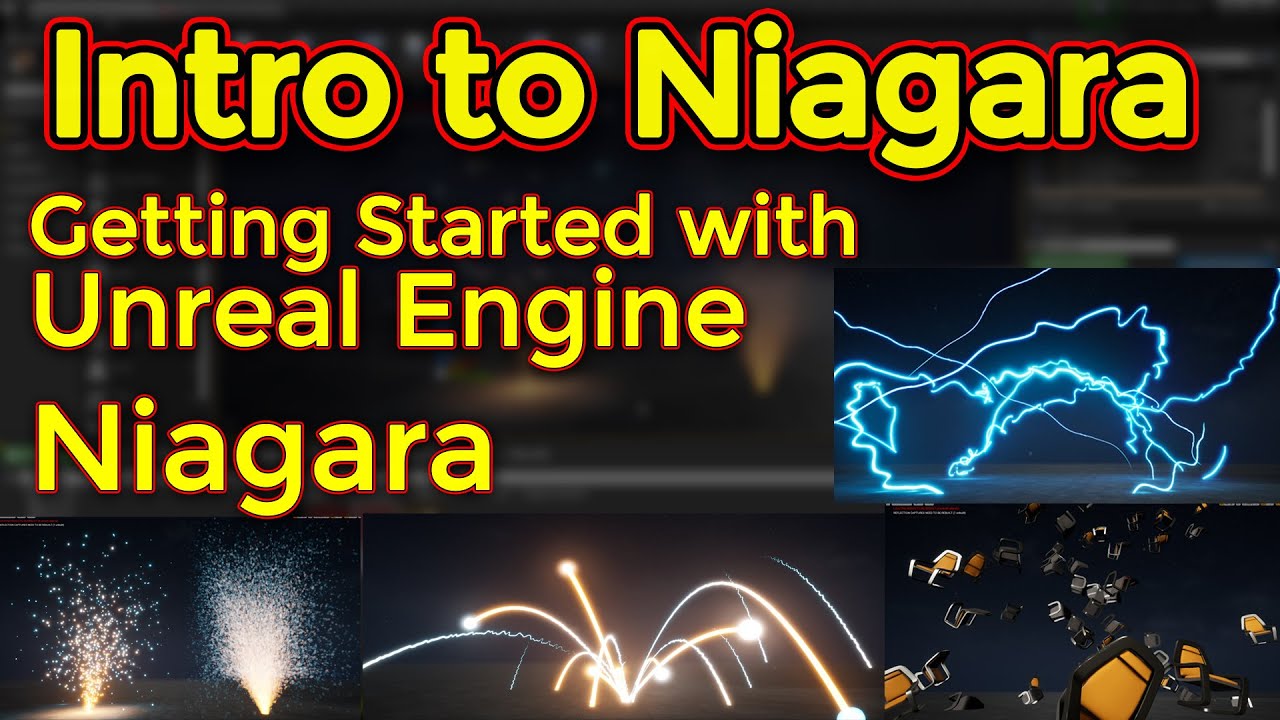
Support me on - https://www.patreon.com/Ashif
Support me on - paypal.me/9953280644
Hi guys this introduction video for Niagara basic tutorials series.
#cghow #unrealengine #Niagara #gamefx #ue4vfx #ue4fx #niagara #unrealengineniagara #unrealenginevfxtutorials
●Upload Your Tutorials/Work - https://cghow.com/
.....................................
that's not true, I have watched like 30 videos of his and not once did he ask to buy anything
stuck scarab
Tidiiii I recommend watching Jason KEysers league of legends videos, he breaks down some skills, Annies fireball for example. Also not a tutorial but quite cool to get a little idea of how things are done.
plain pagoda
but that's got nothing to do with the tutorial. He's released some assets on marketplace and he has some patreon links. The video content has nothing to do with it, in the ones I've seen at least
watch the playlist I've linked, you cannot get into his other tutorials without the knowledge of niagara beforehand
stuck scarab
if you already have some clue his videos might be gold. Just a shame that there is not a lot of alternatives channel that do stuff like that.
but also something that might increase in the future
 fierce tulip
just search on discord about my opinion on his stuff/tuts hehe
stuck scarab
ah thanks but Im at a okay stage now. got the basics @light lintel
plain pagoda
stuck scarab
if you already have some clue his videos might be gold. Just a shame that there ...
there are a lot of outdated niagara tutorials out there. The downside is that it's hard to find specific stuff. Let's say for example, making a spider web in niagara, or something like neurons. It's just very hard to create
stuck scarab
and vfx is just a difficult topic in my opinion. I personally define it as a combination of coding + 3D work + the system (niagara)
fierce tulip
not sure about the last 6 months or so, but lets keep it at that hehe
fierce tulip
< afk, cooking
stuck scarab
nice, so I will continue with skipping his videos 😄
plain pagoda
@fierce tulip are you a vfx artist?
stuck scarab
jeah me too monke, which one did you get?
plain pagoda
stuck scarab
jeah me too monke, which one did you get?

Udemy
You will have started your own portfolio of AAA Visual Effects for Games by the end of this course.
I watched tharlevfx first
then some cghow videos to get a rough idea
stuck scarab
yep bought that course as well. Was okayish 😄
plain pagoda
then I started this course
stuck scarab
I bought the course first I believe. So maybe now with my knowledge its better to watch 😄
i dont think so, niagara is the future. so better learn to do stuff there
plain pagoda
@stuck scarab any idea how to connect spherical sprite particles with ribbons? Something like this
stuck scarab
as a beginner i find it always hard if they dont explain the goal and why you do certain stuff. Thats why this course was "only" okayish for me. But for 10 bucks.. nothing to complain
dude im happy if I can create my little cartoony clouds explosions 🤣 No sorry
 potent bridge
Anyone know why navmesh is casting way above every surface?
 rotund scroll
stuck scarab
as a beginner i find it always hard if they dont explain the goal and why you do...
rotund scroll
stuck scarab
as a beginner i find it always hard if they dont explain the goal and why you do...
show us the fruit of your labor
I'd love to see if a vfx course would actually be worth it
stuck scarab
hard to see with all the green but I believe you need to pull that thing down qite a bit @potent bridge
plain pagoda
Official Niagara Documentation:
https://docs.unrealengine.com/en-US/Engine/Niagara/index.html
Getting started tutorial for Niagara:
https://realtimevfx.com/t/niagara-unreal-gdc/4359/47
1MaFX showing a ground break spell with some base info:
https://www.youtube.com/watch?v=Ba-U3rSAM4Y
Niagara tutorials by Art Hiteca:
https://www.youtube.com/watch?v=q4LdwbifKVY&list=PLcnm14M-VSVyUBngJpQ9WTLVpc2mwevgz
Somewhat more abstract niagara vfx tutorials by Bleeck:
https://www.youtube.com/playlist?list=PLcDcPCfgLOnCzYTufd6DXOJ-6-oacih_D
Procedural vfx by Ash Oakenfold: (scroll down)
https://www.patreon.com/cannabis_cod3r

Unreal Engine 4's Niagara visual effects system used for creating and previewing particle effects in real time.

Real Time VFX
I made a tutorial video about getting started in Niagara. Hopefully it’ll help get other people up and running; sharing what we learn in a virtuous cycle. Cheers.

https://twitter.com/pmargacz - Here I post most of my VFX
https://www.artstation.com/mgepm - Artstation
https://gumroad.com/1mafx - Free Noise Texture Pack I use in most of my VFX
https://ko-fi.com/1mafx - If you would like to get me a coffee because you find videos useful! - THANKS!

Unreal Engine 4.24.1
Niagara Electrical Discharges Tutorial
Part 1
https://gum.co/lDGmR
If you liked this tutorial, you can support me
https://www.patreon.com/ARThiteca
Timeline:
00:00 - Результат
01:13 - Эмиттер - источник, который будет создавать ветви разрядов
01:58 - Удаляем лишнее из Эмиттера
03:13 - Скрипт для создания частиц по статик ...

YouTube
Go to https://github.com/Bleeck/BleeckTheMechanic#niagara-tutorial-series for all the project files.
potent bridge
@stuck scarab How would I though? its just a nav mesh bound.
stuck scarab
well for 10 bucks I actually think the course was okay to buy. On the other hand.. you probably will find the same value by buying a pack in the marketplace and check how they done that.
potent bridge
a better view of it, it just seems to be way above any platform.
stuck scarab
if im not confusing it with the other nav thing you can simply grab it like every other thing and move it around
are the green mountains the nav mesh? 😄
potent bridge
the angle is 55 degrees and its so AI can reach the player no matter what really, but dragging it does nothing.
yes, but I try doing AI with it and it wont recognize it.
stuck scarab
sry i thought that are just mountains with grass and you miss the navmesh on this platform
but still, you can grab your navmesh, move and scale it like you wish. like just any other object
with P you can toggle the view, maybe that helps as well
potent bridge
You are right, doesn't change that it isn't on the ground though, its not matching to the geometry.
 worn granite
write better AI
dense knoll
i have
now they dont instantly ram themselves into the water
but instead go inverted
and then ram themselves into the water
worn granite
You're making a 6DOF (well not entirely) AI. There is not going to be a plug and play solution.
stuck scarab
sry whats your goal again @potent bridge ?
If you want movement on this platform, there cant be since the platform is not green.
So you need to make sure that the platform is inside the navmesh as well.
dense knoll
is there a way to make the actor realize its about to ram itself into the ground?
worn granite
And if they follow the flight model and don't even understand it (inverted flight) then something has gone wrong
potent bridge
Sven, when I sent that image, that green stuff was the navmesh display. For some reason it is WAY above the ground.
stuck scarab
this line kinda looks like your nav mesh as well 😄
dense knoll
i can disable the roll function
but then they just use rudder and are easy to shoot down
worn granite
I'm pretty sure Ace Combat just generates a path spline and computes roll and such
fierce tulip
@plain pagoda me? nahh, what r particlus
worn granite
that's why in that game the enemy levels off every so often
dense knoll
im trying to make the AI react to player movments, and adapt to some random in a F22 spamming QAAMS
potent bridge
Sven, thats EXACTLY what it is, I can't figure out why its doing that.
stuck scarab
ok, sry so hard to see for me 😄
worn granite
It's not really an easy problem
dense knoll
@light lintel then you can jjust farm currency by doging a few missiles and just going AFK at 25000
it kinda ruins the point of the game: getting spammed with up to 1000+ missiles
stuck scarab
so its affecting all the mountains and stuff but on the platform the navmesh is this little line only.. ? @potent bridge
dense knoll
im not,
just this game isnt one
and given that its mostly going to be multiplayer. its f kinda for tge better
i guess i can make a backup of theai
potent bridge
Basically the AI has issues if it isn't touching the navmesh, I can't get it close to the ground in any location
worn granite
you should be running source control anyway
dense knoll
ima make a backup
worn granite
I can't give you any specific advice without knowing more about what you're doing... but if you want them to actually be flying the plane you need to allow them to prioritize threats. The ground is always the higher threat.
dense knoll
i have
stuck scarab
well its never super close to the ground, visually. but on that platform its way too high, thats true. @potent bridge If grabbing the navmesh and pulling it downwards doesnt help I cant help you sorry. Never done complex navmesh like your mountains yet
dense knoll
but then the plane just rolls crazy and rams irself
the AI can get unpredictible at times
worn granite
Possible that it "forgets" the ground and avoids the missile again?
You making these in BehaviorTree or with BP?
dense knoll
BP
and they dont even avoid missiles yet
mainly because then they just forget you exist then just start flying in a straght line
Thats why i currently substituted the AI with the missile AI
so if you get to slow you may get rammed warthunder style
 odd sigil
Hello
Can anyone point me out towards any stuff related to ue materials stuff. Like i wanna know how to make specific materials
Specifically fluorescent material
dense knoll
You can make a emmesive and base material
the emmesive one for the light
and the Base for the non light part of the Light
To make emmesive materials just get a base color node and then multiply it and input it into the input labeled "Emmesive"
signal flower
what is unreal measuring distances and speeds in? cm/s? km/h? potato/eternity?
my base character's speed is 600
but 600 of what? millimeters/s I hope but not sure
I mean these (for example)
stuck scarab
birds per donuts
I think it would destroy the athmospehre in RDR2 if you could go WROOMWROOM 😄
signal flower
Ok
I got it
it's not metric
USA uses not metric
Epics from USA
Epics use not metric
honest vale
....what
signal flower
you didnt answered 1 of questios
 fierce forge
hello, is there a way to make a distance between each canvas panel from a scroll box ?
honest vale
@signal flower all parameters and values are metric in engine
signal flower
honest vale
<@!247300200849342465> all parameters and values are metric in engine
but what are those numbers if speed is 600?
signal flower
it's not 6m/s its slower
fierce forge
@light lintel how i can use the spacer ?
stuck scarab
https://docs.unrealengine.com/en-US/BlueprintAPI/Utilities/Transformation/GetVelocity/index.html
cm/s @honest vale @signal flower
Get Velocity
stuck scarab
I saw a meme yesterday, "the imperial system is only for countries that lost against vietnamese farmers"
😅 👀
honest vale
xD
dense knoll
fixed the AI but still have a copy of the dumb ones
im currently working on optimizing it to run at a solid 30 fps
because its really laggy at some points
and also
the arcade is limited by your hardware
litrally an infinite amount of enemys can spawn
yea
ok then large airships
railguns
aces
Energy weapons
ill multiply the amount of aircraft
stuck scarab
nice water color
 heavy folio
O-o
dense knoll
and why not some burst missiles?
honest vale
what's a burst missile?
heavy folio
Hey guys i need help
I am building a character movement system
But it is really bad right now
stuck scarab
the animation or what?
heavy folio
The camera
It is jittery
Let me upload to youtube and send you the link
...
Are links allowed?
stuck scarab
i can recommend gyazo for small gif records, no need to go to youtube etc..
heavy folio
What do you mean?
Tidii
The default camera was not working how i needed
Cause its the same problem as this one

I cant explain
stuck scarab
its blending between animations. Neccessary.
stuck scarab
yeah I know
you take the asset animation and put them into a blendspace
that will do the trick
stuck scarab
most basic example would be running
you have an idle animation, a walk animation and a run animation.
Then, depending on your speed, it will blend between all the animations to give a smooth transition
 wintry jolt
Hi! I just found my way into this discord. Is this the appropriate place to ask for support with a question?
stuck scarab
np, search for blendspace and you are good to go 🙂
btw there are two, blendspace 1D and just blendspace.
just for you to know, hopefully you will figure out which one to use 🙂
wintry jolt
Awesome. So, I'm having a bit of an issue with Unreal's content browser. This is the Content folder of my host project (FactoryEnvironmentCollect) and I am trying to move everything inside the content folder of into a new folder I made within the content folder called zMegaFolder (so I can transfer it all over to a new project.) However, as I move folders INTO zMegaFolder (through the UE4 content browser) it moves most things over into the new folder, but not everything, and also leaves some duplicates of files outside of the megafolder as well as inside.
I am trying to diagnose why this is happening
stuck scarab
jeah that can be messy sometimes 😄
wintry jolt
Is there a better way to do it?
stuck scarab
if you want to move stuff to a new project you have the "migrate" option
Other than that I have trouble with the folders as well from time to time. So if someone have a good answer on that Im curious as well 😄
 frank snow
IS there a way to clear a blackboard value from a behavior tree?
wintry jolt
I suppose I can see if I have more success with the migrate option
 modest ivy
howdy y'all. i'm new with unreal, and even newer with to this discord. just have one question atm which i wasn't able to find the answer to in the settings. is there a way to have the viewport camera return to where it was prior to hitting play when exiting play?
stuck scarab
I had an issue like that, https://answers.unrealengine.com/questions/420315/when-delete-folder-button-will-actually-delete-fol.html?sort=oldest
Maybe that helps a little bit as well 😄
I migrated my vfx a couple of days ago.
The issue: The linked materials and meshes were missing in niagara.
The solution: Migrate in the content folder, not in any other folder.
wintry jolt
Are there 3rd party migration tools that aren't super expensive that I could just buy to reduce this headache?
stuck scarab
No idea, but hey other than that the migration was working perfectly.
and its actually migrating everything thats connected, which is nice.
wintry jolt
Okay, so by migrating 1 by 1 each content subfolder to the content folder of the new project, it wants to override things that weren't copied over. Is this because when migrating the audio folder, any linked assets to the audio folder from the Fx folder were dragged over as well?
And if so, do I overwrite or not overwrite
stuck scarab
well it takes everything thats linked with it. If you migrate something that has a material for example the material will move with it.
But im certainly not experienced on this field to give adivse on how to handle this properly. Hopefully someone else is
wintry jolt
That's what I suspected. I can't imagine overwriting would hurt though because it's the same asset in the same place theoretically
stuck scarab
@modest ivy https://docs.unrealengine.com/en-US/Engine/UI/LevelEditor/Viewports/ViewportOptions/index.html
Check "Bookmarks"
Maybe that helps you 🙂
Explanations of the various options available within the editor viewports.
best you find that out early in your project 😄 @wintry jolt
wintry jolt
Okay, so by migrating everything one by one, the whole level failed to load!
That's new
 tiny eagle
Can anyone tell me if this is proper height (left view) of terrain for spawning characters? i get a "Bad Size" error when i place a spawn everytime, but not sure if the red horizon is the start or should it be below or somethign?
stuck scarab
if you rightclick a folder there is also something like "fix up redirectors" @wintry jolt
I hope you get it done somehow 😄 Thats why I actually stopped at some point to mess around with those folders.
wintry jolt
Yeah, it's just unfortunate because getting this copied over is the backbone of the project. I do really appreciate your help though
By migrating everything folder by folder it seems like it completely lost every reference to every other asset.
tiny eagle
can you just copy/paste the content folder of the Project in Windows Explorer, and re-open the level that way? i've triedd it with a number of Projects and it loaded every BP because of no link breakings
modest ivy
stuck scarab
<@!344624696039309344> https://docs.unrealengine.com/en-US/Engine/UI/LevelEditor...
thanks. i've got bookmarks covered, but i was hoping there was a setting to do it automatically 😞
wintry jolt
You know, I don't think I have tried that. If that works I will be floored
stuck scarab
maybe it is actually better, thats what they were talking about in the link I send you
@modest ivy maybe there is, maybe in the advanced settings.. I just personally never used it before
wintry jolt
Nope, copy pasting in windows explorer absolutely did not work
Every asset link is broken
So, this might be part of the issue - I am not copying it to the "root" content folder of the project
Because the root content of the project is full of other stuff because it is a modmaking sdk
stuck scarab
jeah thats what I mentioned earlier, make sure you migrate in the content folder and not elsewhere.
when that is done you can move it anywhere
 unborn relic
Anyone have any theories on when 4.26 stable build will be released ?
wintry jolt
Then I guess that brings me back to my original issue with trying to put it into a MegaFolder, since the root content folder already has Materials and Maps and Audio folders and whatnot
So a direct copy over would not be prudent
COULD I rename every folder in the original project with the prefix "z" (aka zAudio, zFx, etc) and then copy them over?
Or would that break things
stuck scarab
I do understand the wish for a perfect clean file system. But in the end it will only ship with the files that are connected to the project. So maybe dont stress around too much :c
wintry jolt
huh, okay, so when I went to go rename the folders through Content Browser in the original project, instead of renaming the folder and renaming the assets, it created a duplicate folder and left some resources behind, just like when I tried putting them into a new folder entirely.
Well that's my thing, it's not about a clean file system. Not by a mile
It's about getting it to work and not blending everything together
The content structure of the SDK is a root content folder, but then every new mod project has its own content folder that i have to get everything into
But if I move one root content folder to the next, everything is gonna get all mixed up
stuck scarab
I guess no one is gonna mind if you ask again later on. Hopefully someone will be online to help you out of this misery 😄
wintry jolt
Yep, I'm just gonna keep throwing things at the wall to see what sticks 😄
Thanks again for your help
 agile pewter
Hey Guys Is there Virtual production section on this discord ?
 open wadi
Hi, I have a question - When too much content gets in my MultiLineEditableTextBox, it expands the box down a second line and of course overwrites the buttons beneath it. How do I design my pallet so that the items "beneath" the MLETB automatically push down further?
I don't know if a grid would be appropriate here, but I'm open to ideas
plush yew
hello, do you know if i can make a 2D game in ur4? example this image would be a player ship 360 grades - not a model 3D
stuck scarab
All I can tell you is the following: In every video that I watched when it comes to comparisons between unreal and unity for example, they basically said that unreal kinda dropped the 2D development. A lot of things haven't been updated for ages - they said.
So is it possible? Yes. Is unity more designed around 2D than unreal? Also yes.
plush yew
i like blueprints 😦
 frosty steppe
Hi all, not sure where i can ask this question. New to unreal, i got a house a friend of mine modeled in blender and i loaded it in Unreal, i added collision but its just a big box, i can't seem to find a way to do custom collision like in unity. Is it possible?
exotic thicket
@stuck scarab the Paper2D stuff in UE is entirely usable for 2D sprite based games
I've heard something about the orthogonal projection with cameras behaving strangely but not sure
stuck scarab
jeah thats what havent been updated for a whole while if I remember correctly
exotic thicket
well if it works I don't know why it would need updating
stuck scarab
might be true, depending on your needs
exotic thicket
it's not super feature rich in terms of say animation tooling, you basically have spritesheet flipbook animations, but you can do custom stuff fairly easily
not sure what unity offers in terms of sprite based functionality but I recall they didn't really have major stuff for it either
stuck scarab
Maybe search for a comparison just for 2D. From what I heard I would consider maybe switching the engine If I decided to do 2D 😄
But thats just one opinion
exotic thicket
If you know what kind of features you'd want to have in your game, you might have better luck if you search for those specific features relating to each engine
stuck scarab
Definitely possible @frosty steppe
frosty steppe
@stuck scarab Ok good to know, i figured it was possible. 😉
stuck scarab
havent used yet tho. If i remember correctly the guy I watched was using a custom mesh from any 3D application which was then used as the custom collision.
You also have some options within Unreal, if you open the mesh there are some collision options. I dont have it open right know but you might watch a video anyway 🙂
dense knoll
ok i dont think its a good idea to up the dificulty of Arcade past the Giant ;aser energy railguns thingys
you slow down and get hit once
your dead
so np
e also F11 crashes ue4
stuck scarab
if you switch screen size and fullscreen etc? Yeah had some crashes with that as well 😄
frosty steppe
@stuck scarab Let me look around a bit more, thanks!
dense knoll
this is also another reason why i crashed
it spawned about a billion lasers
i got hit once and died
then i press f11
and crash
stuck scarab
so maybe its more about the biilllion lasers and not F11 😛
modest ivy
is it possible to make camera lag max distance be relative to screen resolution and different both horizontally and vertically using only blueprints?
 warped ridge
Anyone here know how to make chests?
fierce tulip
human chest, or treasure chests?
gilded needle
That made me laugh. Thanks Luos.
fierce tulip
you never know
warped ridge
Like battle royale chests
gilded needle
And and honestly it's different skillsets for both.
fierce tulip
battle royale chests doesnt really lower the amount of possible chests.
 median hound
open chest effects gun come outr
fierce tulip
or like alien, burst a chest open and spider i mean weapon bursts out?
i have never tried any, so I cant really say which tutorial would be best, but try this:
https://www.google.com/search?q=ue4+lootbox+tutorial
gives a list of lootbox tutorials
gilded needle
And with a single link my book of "These are all considerations that are needed" went away. 😄
fierce tulip
i googled "chest" first and went to images. suddenly feel like I need to hit the gym again
and.. antique shops
plush yew
chess
median hound
chez
plush yew
chees
dire ingot
guys what is a recommended model resolution to my robot ? it is android game, and in 2020 many powerful device has released, so is it good idea to have 1024x1024 models texture quality?
they are 512x512 right now
im afraid if i increase it, it will eat more ram of the device
what you think guys?
fierce tulip
in the end it depends on the rest of the scenery/code/etc as well.
can always go 1024 and if its too much later down the line, you can easily tweak it in texture viewer to only load 512
dire ingot
so you are saying, i should go with high res so it can be looking good for capable devices, and add an option to decrease the quality for the low-med teir devices?
coz i thinked like this in the beginning
but...i thinked it is bad practice to do that
fierce tulip
once packaging for multiple devices your coder/you/whoever can change resolution of textures depending on platform and such during package process
dire ingot
change the models or from unreal engine? there is many way from the way you said, i dont get it exactly
you mean the entire game resolution?
or the models quality?
fierce tulip
a model = 3d mesh (generally)
a texture = part of whats applied to a model to show texture/skin/cloth/etc
dire ingot
yes i know that 😛
but i mean
the entire game res or a specific model texture quality?
fierce tulip
that depends on what you want.
hollow atlas
i need help with my unreal project
fierce tulip
its not either/or
dire ingot
oh
so what u suggest? you might have more experience than me
what would u do if u were instead of me
stuck scarab
https://www.youtube.com/watch?v=Tq1TSccLyiU
that might help you

My Beautiful Paper Smile - https://store.steampowered.com/app/1036700/My_Beautiful_Paper_Smile/
Discord - https://discord.gg/v3gWfxE
Twitch - https://www.twitch.tv/two_star_games
Twitter - https://twitter.com/TwoStarGames
I...
fierce tulip
when packaging can go "characters keep high res textures, lower textures from environments by 50%" etc
hollow atlas
can anyone help me with models and landscape??
dire ingot
i will bookmark that thanks sven von der wellen.
dire ingot
fierce tulip
when packaging can go "characters keep high res textures, lower textures from en...
in warzone game there is an option
that change the scale of the res
isnt that easier to do?
fierce tulip
most games have those options
fierce tulip
well yes, but they arent always available on mobile. but you can
keep textures at high res. not models
dire ingot
i want to increase the chance of my game being runing on many devices
will that take too much ram?
fierce tulip
you are confusing yourself and others by saying models when you mean textures
dire ingot
thanks for noting that
fierce tulip
but yea, during production keep em as high as you need em.
dire ingot
so, will using 1024x1024 take tooo much ram?
fierce tulip
nah
dire ingot
great!
stuck scarab
"Mipmaps" is something you should do some research on for that topic
dire ingot
so i should go with 1024 or higher?
they are 512x512 right now and they look blurry 😦
fierce tulip
thats up to you, i'd go with what looks good, can always resize later.
dire ingot
in the unreal engine?
or i need to reimport
and many other options
and resize it and edit it in blender
i worked on the game logic, code and nodes and delayed the texture and painting, and now i reached that delayed part
ok then, im going to change the res to 1024x1024 right now, Hope it wont effect my game performance too much 😅
plush yew
hi, can I model, animate inside unreal engine, excluding software like blender for example?
i mean, very low-poly art-sets
dire ingot
yes you can
plush yew
and why can't I paint this cube using the pencil? (it colours in a strange manner)
dire ingot
but it is preferable to use blender for easier animiation
fierce tulip
you can only paint the vertices on a mesh, not directly on the texture. *unless specific plugin that bakes it to a texture
plush yew
there's one by the way?
fierce tulip
ive been away from ue4 for 8 months, so not sure if its released. gimme a sec to find it
plush yew

Unreal Engine
Painting plugin with Blueprint brushes for Unreal Engine
fierce tulip
ah yes, that
fierce tulip
i do suggest learning to animate in blender as well then, in the end you'll have much more power in blender than ue4
plush yew
ok
 frozen pond
hello, on many project i seen some 2d object near skysphere, but i can't find how they are named
i mean like city far away from map
 grim ore
you can look at the realistic rendering level or something like infiltrator. It's just a big plane with a texture on it
I want to say the fps shooter example does it as well
 uneven fractal
is there a way to disable overlapping for decals
rotund scroll
uneven fractal
is there a way to disable overlapping for decals
raise their Z Order?
 lethal palm
I'm not sure on what channel to ask this so I'll try my luck here:
Is there a tool to visualize memory at run time ? I know there's a tool to check the memory used by a map, but I want that at run time. I want to see if the references I'm making by referencing some BP classes are making me load too much unwanted stuff.
uneven fractal
I mean prevent decals from overlapping each other. It's terrible for performance and it changes the color
 strong mesa
when i use add unique object reference to an array does it look at the copy of the object or at the class of the object
rotund scroll
could make a derivation class that would check the bounding box of a decal before applying and get angry when it does overlap
uneven fractal
rotund scroll
I mean the operations you can do on a decal are likely going to be fairly boolean in nature
unless you want to do something clever material engineering to nullify a decal if under the influence of another decal
but I doubt that's going to increase performance
dense knoll
any idea how to get a aircraft game to run better
rotund scroll
in your case it might be better to create individual planes that have their own materials applied
dense knoll
is there any settings i need to change?
uneven fractal
hmm I suppose decals aren't the way then
I wonder how bad the performance cost of lots of post process material instances would be
uneven fractal
rotund scroll
it's way easier to just have a couple of planes overlap and specify that in the areas where they do overlap to only use one of them
 late olive
wait.. the Epic Launcher itself also runs on Unreal Engine?
uneven fractal
that seems like a far more complicated method then the decal or pp
rotund scroll
doubt it's going to be
and it'll be the most performant of the three
but you're welcome to look for other solutions
uneven fractal
well how would I even detect the overlap of two+ circular planes on a per pixel basis
rotund scroll
I was thinking in terms of translucency
that you could force ignore other translucent elements
fierce tulip
in our country its somewhat allowed. thats why some smart price-checker websites add a timetable thingy with prices over the past year.
thick herald
fierce tulip
in our country its somewhat allowed. thats why some smart price-checker websites...
In the UK prices must have been at the higher price for no less than 28 consecutive days.
uneven fractal
Hmm how do you force ignore other translucent elements though
 vocal pebble
(i ended up moving my question to animation)
stuck scarab
side note and may have nothing to do with your stuff, translucent materials are expensive
stuck scarab
are you lost? 🙂
 icy vigil
Yes
 true ridge
I'm having problems trying to move project files around. Moving files from one folder to another doesn't seem to actually move them. Files get left behind.
Using fix redirect errors does not clean up the old files.
stuck scarab
@wintry jolt ☝️
wintry jolt
Haha, my twin
stuck scarab
😆
wintry jolt
Sorry mate, no luck there
I never ended up fixing the problem, just shoving files to a whole new place and eventually it worked, can't really say I know how
stuck scarab
maybe you can exchange your experience on that 😄
haha its really a mess sometimes I guess
 manic ruin
Have a question. What is Add Graph in blueprint for? Just a matter of usability for developers?
 pastel geyser
when ball overlap with brick sometimes he doesnt destroy / im new in this and need help / also i tryed to find in google but nothing helps
 stark marsh
hollow atlas
stark marsh
hollow atlas
hi
is there anyone who can tech me
how to design a 3d model
i have apic and want a real model like the pic
i know but i have tried very slow learning there as we have to go youtube again if we will found any error
 proud linden
hey all, is anyone handy with nDisplay and in camera VFX? i have a couple questions about shifting the stage origin and how picp_meshes translate once you launch you cluster. thanks!
plush yew
hey i tried uploading my game from dropbox to itch.io and there error any body know how to fix ?
merry bison
Hm, why doesn't the level play normally when watched from the camera animation (level sequence)? Everything is frozen in place, except for the camera, which moves.
stuck scarab
seeing several items that I bought a couple of days ago now 70% off
 gusty dune
@stuck scarab yeah right there with you >_< would've cut this project's cost by 60% so far
stuck scarab
well well, next year I will know 😄
gusty dune
Hey all, is the "Calculate Direction" node in Animation Blueprint the same as the previous "Calculate Direction Event"?
 fast berry
How can I move a project from a newer version (4.25) to a older version (4.24)
im trying to do something and 4.25 doesnt include it so i need to move the proejct
Because im setting up a multiplayer, and I need to create a new interface (in player controller) but it just wont show up. if you know how to get it to show up please let me know that
i can see functions
plush yew
how can i ignore my player's rotation for line traces?
i want the lines to go straight down
stuck scarab
you fire line traces from a location, not from a rotation
so the rotation doesnt matter
execpt if you fire it of from something that changes the location with the rotation 🤔 im too tired for this
 limber mesa
good way to make a animation play once? anyone
stuck scarab
play animation?
median hound
do once?
plush yew
lmao
rotund scroll
sounds like animation loop isn't perfect
does anyone know where the "project default" setting is for static meshes to use complex/simple collision?
merry bison
Now i know why its name is Unreal.... they're referring to the very high threshold of learning it. 😉
 plush thicket

anyone know what could be causing this?
using PushableActors blueprint off the UE4 marketplace
with ALSv4
 safe sentinel
hey, I want to basically send the character up in the sky (gradually eventually), but this isnt working, any suggestions?
not in the sky, but higher, trying to make a jetpack, but I cant edit the jump params
 stray axle
Is there anything comparable to this SSBevel in Unreal?
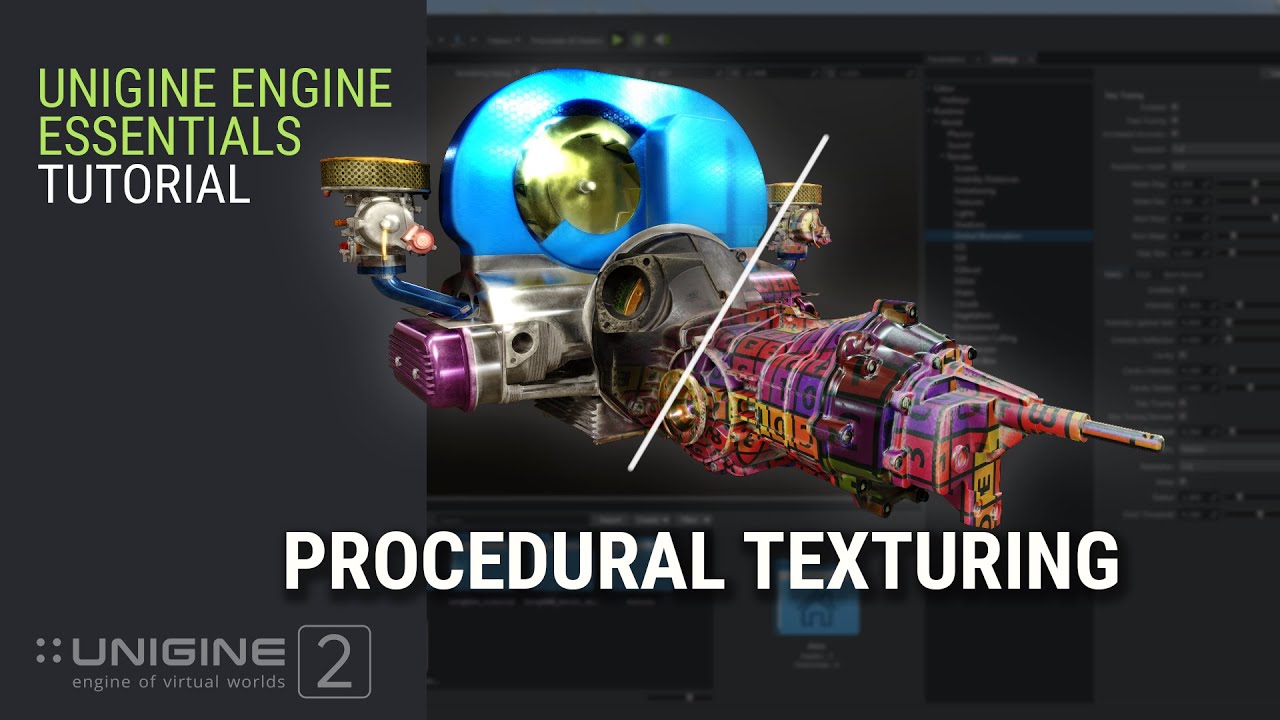
Learn how to drastically improve the look of your content without UV's.
In this tutorial:
00:00 - Introduction
00:32 - Automatic Triplanar and Overlap UV Mapping
01:45 - Triplanar and Overlap UV Mapping in Absolute Coordinates
02:33 - Screen-Space Bevel Effect
04:34 - Screen-Space Dirt Effect
08:06 - Diversifying Tiled Textures with 2D and 3D S...
plush yew
hello everyone please help i build the light in unreal and all my tree is black idk why please help Thanks 🙂
 pure galleon
Hey guys, I'm currently doing research on how to build a rythm exergaming VR game for my college assignment. is there any recommendation tutorial related to it or any of you actually built something like this genre of game? I hope we can have a talk because this is important for me. Thanks in advance
 rapid saffron
pure galleon
Hey guys, I'm currently doing research on how to build a rythm exergaming VR gam...
rapid saffron
pure galleon
Hey guys, I'm currently doing research on how to build a rythm exergaming VR gam...
You’ve looked at the synesthesia engine I assume?
pure galleon
nope
dense knoll
Ue4 keeps crashing my PC if I launch it and open game bar
plush yew
can you set a max speed for a physics object?
limber mesa
@safe sentinel have you tried add impulse node
gusty dune
If anyone can help please, what would cause snapping in an anim blendspace?
 ember linden
hey guys how are we all? i was wondering if nyone has an idea on how i can make something like this ? https://www.youtube.com/watch?v=vWLA1Jvtpgs

 tranquil sandal
@ember linden my idea is while holding mouse button > line trace > get hit result > spawn decal at impact point
pure galleon
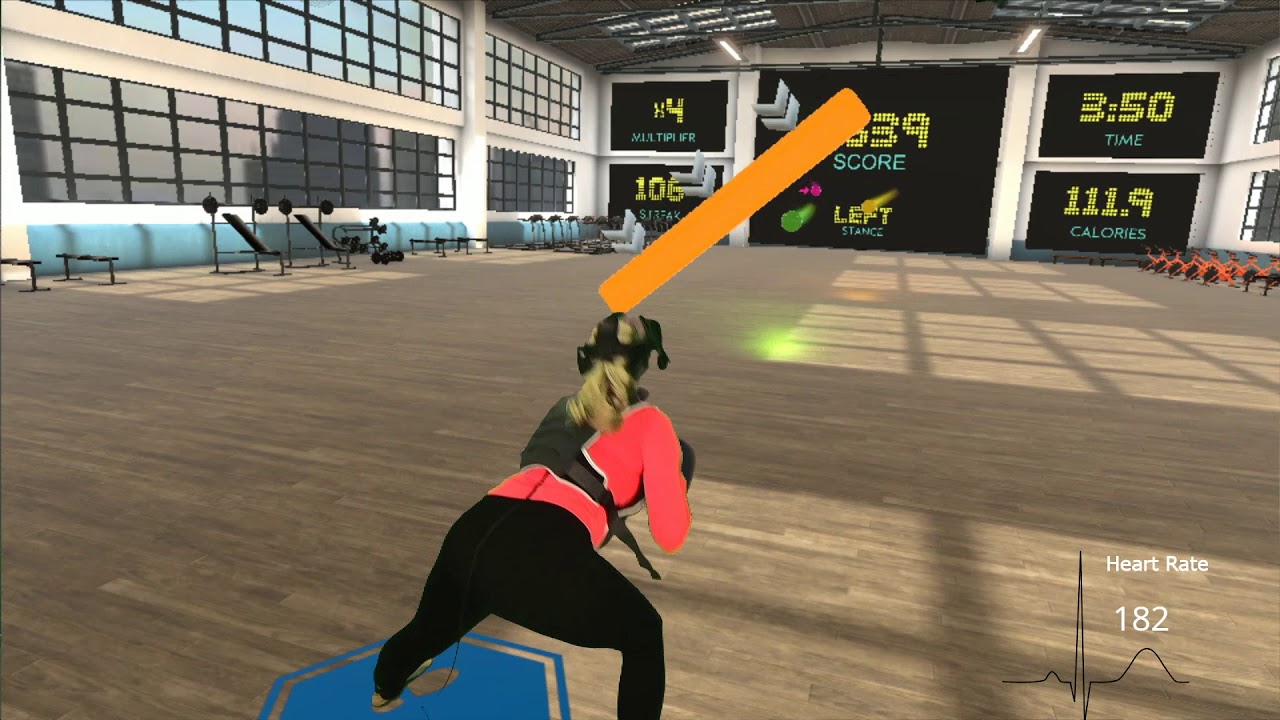
The workout "Quad Watch" in BOXVR is a great way to get some lower body exercise. Push it to the next level by adding modified movements along with a weighted vest and ankle weights to maximize your results in each workout.
This video was take 7 so her heart rate was pretty high to start with. We were trying to get it perfect. She's wearing a 1...
this is how I envision my college project will look like
but have to build in UE4, so I hope any of you can give me an insight about the game mechanic
 sage tree
I've been looking but haven't really seen it, but has anyone done a turn-based movement system like Gears Tactics? It would be an amazing base to make a pc based tabletop wargame.
rotund scroll
I mean there are games like wartile but I think they did theirs in unity
sage tree
not quite the same.
 hollow meadow
Not sure if this is the right section to ask help for this but I exported these values from this material uasset and i want to change the color values and compress it back into a uasset so i can replace the uasset in the files and the emissive color will be changed, sorry if thats confusing https://media.discordapp.net/attachments/762365403267465246/780932310962667530/unknown.png?width=810&height=494

 autumn yew
Anyone have a good resource for Switch Limitations to have in mind while developing in UE4 for the switch?
ember linden
tranquil sandal
<@!592700188498329600> my idea is while holding mouse button > line trace > get...
thanks mate im really new to unreal but ill try figure out what ya mean thank you tho
plush yew
is there a way to shrink my ue4 game ?
plush yew
plush yew
is there a way to shrink my ue4 game ?
The size of the project for deployment?
I would suggest firstly removing anything unrelated to your project (back it up first!).
Then you could also degrade any textures that aren't important to your game.
@plush yew ok thx
:)
 hidden knoll
How to I make a directional light even more dim, I have it set to 1.5 and anything lower than that darkens it completely
 earnest cape
So how do I snap the aim to every 45 degrees? Like for a top down shooter
 lament barn
plush yew
lament barn
plush yew
i got itt!! my game size from 10GB to 3GB yayyyyy
 velvet loom
Wow nice
grim ore
@lament barn from that example the event use is a blueprint interface event, if you are not using interfaces you would create a custom event
 acoustic wraith
If I have a point (x,y) and I want to spawn an actor at that point but I don't know what Z should be, how could I figure that out? The map is one big terrain.
grim ore
determine your max Z, do a line trace from that x,y,z down to the minimum that your Z could be. spawn at the hit
acoustic wraith
Thanks!
 hearty dagger
Is there any way to fix this or do i just need more vram?
it happens when i switch to medium to cinematic settings
velvet loom
Keeps happening for me too except it doesn't come up with the crash logs
hearty dagger
only low works
velvet loom
It happens for me when panting my landscape or changing stuff on my landscape
 regal mulch
Might as well be a too weak GPU?
plain pagoda
ember linden
thanks mate im really new to unreal but ill try figure out what ya mean thank yo...
in your character blueprint, you have to implement a Line Trace by Channel on Left Click Event.
https://youtu.be/yo9VrxFgUJY

What is the Line Trace By Channel Node in Unreal Engine 4
Source Files: https://github.com/MWadstein/wtf-hdi-files
acoustic wraith
@hearty dagger Yeah I get that occasionally. If I let my VR headset rest on top of my head, the display stays on and renders the home thing, which usually causes me to run out of VRAM.
earnest cape
I got it working(my question from earlier) and decided to turn it into a simple tutorial project. https://github.com/deathclonic/8DirectionalShooting
GitHub
Contribute to deathclonic/8DirectionalShooting development by creating an account on GitHub.
 untold swallow
hey any updated tutorials for admob ads integration?
acoustic wraith
How do I decide what specs a VM would need for my game?
Would it be the same as the specs of the computer the players play on?
winter gale
Quick #UE4 Tip number 49.
Want to pass variables as reference without const? Use UPARAM(ref)
#unreal #unrealtips #unrealdev #indiegamedev #gamedev #indiedev #screenshotsaturday
 Twitter
·
Twitter
·
 neon moss
better 16 gb ram 4400mhz or 32gb 3000mhz?
honest vale
define "better"
other one has 2x the memory, the other one has higher memory bandwidth
plain pagoda

Visit Gamivo and get games in good prices, go to: https://gvo.deals/TestingGames
Use coupon code: " TestingGames " to get 3% discount for orders below 65€.
3200MHz CL16 vs 4400MHz CL19 RAM on Ryzen 7 3700X
Games :
PUBG - 00:12
Red Dead Redemption 2 - 01:31
Jedi : Fallen Order - 02:45
Assassin's Creed Odyssey - 03:51
Forza Horizon 4 - 05:01...
the difference is almost unnoticeable
autumn yew
But moar numbers means bettar right?
plain pagoda
lol
wary wave
I mean the difference isn't unnoticeable, if you know what you're using faster memory for
willing to bet you'd see differences in code compile times
plain pagoda
most apps aren't optimized for faster RAM, so it'll take some time for 4.4GHz RAM to become mainstream
plain pagoda
wary wave
willing to bet you'd see differences in code compile times
Yes but it really depends on the time saved. If it's a few seconds, there's no need to spend double the money on it.
autumn yew
Anyone have any good resources for the limitations I should try and abide by when developing for the switch in UE4?
wary wave
if we're talking about engine compiles, it's minutes each time - like I said, if you know what you're using it for, the difference isn't unnoticeable
wary wave
autumn yew
Anyone have any good resources for the limitations I should try and abide by whe...
Basically treat it like a VR device that can't hit a 90Hz refresh rate
autumn yew
@wary wave The only thing I have developed for so far is a computer. But that gives me somewhere to start for sure. Thank you.
plain pagoda
if you're developing for consoles, do you need a devkit?
wary wave
you do for a Switch, yeah
autumn yew
Planned on just sideloading onto my switch.
wary wave
you can't
autumn yew
If it's hacked you can 🙂
timber fern
Where can I find developers for my project m?
autumn yew
There is a whole section #instructions
wary wave
I really doubt you can sideload a UE4 application onto a Switch, I don't see how that would run
autumn yew
You bake the full game and put it on the switch like you would any other hacked / downloaded game.
Its not as fun as a dev kit, but also I will be waiting for a long time for a dev kit.,
plain pagoda
do you need to pay a lot of money to get it on switch?
autumn yew
I was just curious if there was any documentation on some real no no's anywhere. Definitely watching my perf counters.
wary wave
you'd need to ask Nintendo about that 😄
wary wave
you'd need to ask Sony / Microsoft in those cases
autumn yew
'Easy' is a relative term.
wary wave
all three publishers have tight control over their platforms and nobody else can give you an answer realistically
plain pagoda
I've only published on playstore and appstore till now
this is the first time I'm creating a non-mobile game
so just wanted to know if publishing on other platforms is as easy as creating a dev account and publishing the app
wary wave
it is not, it requires contracts/licensing and dev kits
 lusty carbon
Hey! I have a media player video on a TV screen in my Archviz project. When I render a sequence with the Sequencer, the video on the TV screen goes all weird and slow.
I tried to match the video FPS to the media file FPS but that didn't help
Ideas?
wary wave
nothing you can do, the media player runs on a different thread and will not be in sync when rendering a sequence
 toxic haven
hello guys. i'm working on a project (senior project) for my university which i'm developing in unreal. my instructors said blueprints aren't acceptable and that i have to develop in c++ instead. i was wondering if it is possible to convert my blueprints into c++ classes..
wary wave
you'd have to do it manually
toxic haven
:(
honest vale
the blueprint nodes are basically C++, just double clicking on the node in editor should open the source code (or function declaration) of that node
though obviously you need to redo the "wiring" again 😛
lusty carbon
wary wave
nothing you can do, the media player runs on a different thread and will not be ...
WHUT
But... I've seen videos with TV screens running video properly
 dire coral
You could capture them "live" in engine using an external recorder
lusty carbon
But not possible with sequencer?
dire coral
The problem is with syncing, I've been told that using a per-frame file format like jpg or png does better at timecode management, but haven't confirmed it yet
you can use the movie queue renderer and output png's and then load those png's up in Resolve and it should theoretically work
wary wave
something controlled by the game thread would be in sync, yeah
dire coral
Its kind of frustrating because it'd be relatively trivial to at least lock the framerates while outputting video.. but I've been told that it DOES happen when rendering to file sequences for some reason
lusty carbon
Gosh, one would think it's the simplest and most obvious thing to go about doing in such a complex piece of software.
dire coral
this is the kind of thing that is discussed a lot on the unreal engine virtual production facebook and discord..
lusty carbon
Client wants his Archviz cinematic with something on TV...
dire coral
Well he can have SOMETHING, just not something running at the correct speed 🙂
lusty carbon
haha, that something currently looks really bad
Video is all slow motion and weird artifacts and stuff
dire coral
have you tried it in 4.26 btw? they were meant to be fixing some of that stuff up, but haven't looked yet myself
dire coral
its the kind of thing I'd fix if I had any real use-case for it
I've got way bigger fish to fry though 🙂
lusty carbon
yeah might aswell talk him out of it
but it's a shame
Another question, whole different topic:
dire coral
give it a go in 4.26? Epic are sneaky about releasing fixes and whatnot
lusty carbon
I will 🙂
What if I want to run UE4 on a remote machine from my home pc?
What are the prerequisites etc?
dire coral
I do know that loads of people have bitched at them about it.. fwiw
you mean remote desktop style? or like a client-server thing?
lusty carbon
yeah
dire coral
that was a two part either-or question 🙂
lusty carbon
ohh
I mean remote desktop style
virtual machine or whatever that's called
So I can go to the office and still work on the monster rig I have back home
wary wave
just use any off-the-shelf remote desktop software
just don't expect the experience to be good
dire coral
No, they generally suck in terms of video rendering etc..
Interestingly, UE and other game engines are pushing towards cloud based hosting, so I suspect that will improve, but for now most remote use software just sucks
lusty carbon
Any known recommended software you can name?
dire coral
Usually they're used by people who don't want to use much bandwidth, so they tend to throttle...
hmm, there's a built in windows remote desktop you could try?
we have one managed by our IT dept, but I don't use it as I've got all my stuff at home anyway
lusty carbon
dire coral
Usually they're used by people who don't want to use much bandwidth, so they ten...
What do you mean? I assume everyone wants to use much bandwidth but not everyone has access to it.
dire coral
Well, yes, but most don't do graphics heavy work, so throttling bandwidth is fine, but if youre a 3D artist or video producer, it sure isn't.
I suspect many of the cloud hosting providers will enable high-bandwidth remoting, but that's just based on Siggraph presentations from a few months back. Haven't tried it myself yet.
lusty carbon
Teh future
dire coral
Check out NVIDIA Omniverse presentation for how that might end up working
lusty carbon
Anyway Im gonna go now, you've been helpful man thanks a lot!
dire coral
yeah, end of next year future 🙂
lusty carbon
dire coral
Check out NVIDIA Omniverse presentation for how that might end up working
That'll be sweet., I've watched it
signal flower
I downloaded unreal project from some youtube guide
but I cant open it
loading stops at ~30-40%
how do I solve this problem?
wary wave
it's compiling shaders
signal flower
shaders of what? whole project is 3 MB
dire coral
3040%? thats a lotta percent
signal flower
dire coral
3040%? thats a lotta percent
I mean 30-40
dire coral
I know, sorry, having a funny day
wary wave
I don't know what's in the project, but it is almost certainly compiling shaders, and you just have to wait for it to finish
 spice hollow
hey, by any chance, does someone have a link to google sheets/docs/excel of ue4 marketplace history price? the document shows you what was the lowest price in the past of assets
signal flower
wary wave
I don't know what's in the project, but it is almost certainly compiling shaders...
there are even no objects to work with
just map and widgets
(its screenshot of content folder)
honest vale
the engine has shaders too
signal flower
how long does it usually take to compile shaders?
it's 39% for already 30 minutes
I hope it does smth cuz it consumes all my CPU...
plush yew
Hey guys I’m interested in getting started with unreal to make an action adventure game similar to megaman legends and kingdom hearts
Which tutourials do you recommend? I want to learn c++ and blueprints and how to use them together.
I’d also like to learn some basic 3D modelling so I can prototype if someone can help lead me in the right direction with that as well would be really appreciated.
signal flower
plush yew
Which tutourials do you recommend? I want to learn c++ and blueprints and how to...
at first learn UE4 BP basics (nodes, pins, variable types, how they interact and etc) then download visual studio and try to do some simple thigs like a+b=c
plush yew
That kinda stuff I already know just never done anything tangible with them.
signal flower
then try doing your game step by step
for example at first I made char controller and made it work with basic skeletal mesh
then I created some simple enemies to chase and shoot my player
now I'm aiming to make more advanced AI for it
if you cant understand how to do some thing - there are channels for every aspect of UE (like #blueprint #cpp #multiplayer and etc)
loooool
it's on 45%
it's loading ;D
 compact plover
Hmm.. to solve that problem remove the config files
You can add each one and rerun the project to catch the one that puts the editor on hold
 brazen forge
signal flower
how long does it usually take to compile shaders?
it's 39% for already 30 minute...
brazen forge
signal flower
how long does it usually take to compile shaders?
it's 39% for already 30 minute...
On a old i7 2600k small project maybe 10-20min using a 5950X maybe 60s
signal flower
brazen forge
On a old i7 2600k small project maybe 10-20min using a 5950X maybe 60s
I'm on i5 4460
dire ingot
4460 is pretty good
brazen forge
I wouldnt call that a fast CPU sorry, its not bad but would look into getting a used 2700x or even new 2700x
dire ingot
is it the K version?
brazen forge
The 2600k outperforms the 4460 😄
dire ingot
yep
in its time the 2600 was the best cpu
but when AMD started prodcuing cpus, intel is dead
honest vale
2600k master race represent
brazen forge
I had an 2600k in my first PC ive built hehe
I was sitting with bois looking at dem 32MB GPUs back in the days, but i wouldnt say i was able to build a PC back then...
 haughty tangle
So - I've been digging around and can't really find what I'm looking for in a nutshell. Perhaps I'm impatient.
What's the arrangement between substance and unreal.
I remember reading somewhere that Unreal users have (Free?) access to substance...??
Does this include Painter and Designer?
How do I access this?
I don't really see any link on the Marketplace.
When I was using Unity, iirc, they just had a link on the Asset Store.
wonders if his license with Unity carries over to Unreal... Hrm... 🤔
dire coral
No, you don't get the apps, you get a plugin that allows the use of substance materials in UE
so you still have to own the substance apps (designer mainly) to make use of it
so you create a substance designer file and UE will recognize and allow editing of the parameters etc. mainly good for procgen textures and tiling etc.


