#ue4-general
1 messages · Page 880 of 1
 daring gazelle
 mortal cedar
@daring gazelle https://www.kenney.nl/assets/crosshair-pack

This package includes 200 crosshair sprites in white, black, retina size, and with an outline. Also includes a tilesheet and vector source files for easy editing.
Kenney gochu fam 😉
daring gazelle
how do i get them on to unreal once downloaded pal
nevermind think i figured it out
but done something stupid though
i accidently dragged files onto unreal so now im getting loads of errors appearing on screen
i reckon they will go soon
right its come up as a tile sheet so how do i select one reticle?
 neon wedge
Just spent 8 hours installing unreal. When I start it, it says it doesn't have the prerreqs llll
 rich furnace
is there a way to stream MJPEG in ue4?
daring gazelle
Anyone help me please, when I play as a client one of the animations isn't working
rich furnace
does the vlc media plugin in ue4 support m-jpeg?
 eternal compass
I'm trying to create a system to script dialogs using Blueprints. The way I'm going about this is by having essentially a couroutine-like BP, that would yield dialog entries and be able to resume execution. Is that possible? I'd assume it is using latent actions 🤔
 pulsar badge
Is there away to get SVN to update to the lastest when you start the engine/project?
using subversion
 sleek spear
looks like i cannot access post process indirect lighting intensity from a blueprint. why is that?
 scarlet birch
Is there something to do with arrays in materials coming with 4.26?
daring gazelle
@scarlet birch do you have experience with multilayer settings
scarlet birch
idk. What do you mean?
daring gazelle
when i play as offline its like this
when i play as client the player wont bring the gun up
scarlet birch
Oh, multiplayer?
scarlet birch
How much multiplayer stuff have you done?
daring gazelle
not much at all to be honest ive just been changing stuff that has been on the tutorial im doing
scarlet birch
Animation should be determined by state, if that's the case then the question is where is that set and is it set on both the server and the client
If you haven't read it yet read through Cedric's compendium and the docs on the framework. multiplayer's not too bad if you break it all down carefully.
daring gazelle
Its not set on my animation bp pal, need to add it but not sure what to add
scarlet birch
How is it done?
daring gazelle
daring gazelle
its in my blueprint animation and not too sure on the purpose
scarlet birch
Try removing it
daring gazelle
im new so i dont get most of it yet
scarlet birch
You sure you want to start with multiplayer?
It's much easier to learn this stuff first and then tackle multiplayer
daring gazelle
no im not too fussed on that to be honest i can always change or add things at a later date couldnt i?
scarlet birch
I'd recommend starting with the learning stuff on the Unreal site or in the launcher. Work through some projects until you have a better handle on the basics before trying to get multiplayer working.
daring gazelle
I think that's what I've done sort of in a way, I started with a third person project and added a new level
scarlet birch
Make some simple game completely and package it.
daring gazelle
i wouldnt have an idea of what haha and this is my zoom in but has a delay on return
 late verge
anyone able to help explain why lens flares aren't working on my cinematic camera?
turned the intensity up, threshold down, size up... still not seeing any flares
if it matters, i have my exposure set to manual and my sunlight is at 1700 lux
 kind dew
Hey Mike can you go into a bit more detail on the process for making "modular" meshes on the unreal skeleton like for armor, or even just point to a tutorial if you know one. A lot of the ones I'm finding are like 6 years old or hard to follow
daring gazelle
@scarlet birch why what's wrong with it pal
scarlet birch
Not really, you just rig it to the same skeleton. If you google it you'll find something on copying weights to another mesh with Maya
daring gazelle
Apart from it doesn't work fully
scarlet birch
It's jenky
If you're going to use a timeline like that use a Lerp node and set the alpha .
Then the curve in the timeline can control the rate of change
daring gazelle
What instead of timeline?
scarlet birch
 dense knoll
any idea how to fix the engine lagging
scarlet birch
If the timeline works for you, go with it. I'd simplify it though by just using a lerp node.
daring gazelle
But what should I attach it to and what should I get rid of
And would it be a leap vector
scarlet birch
Set the timeline with a key value of 0,0 and 1,1 use the output from the timeline as the alpha in a lerp node that moves between the FOVs
dense knoll
Any idea how to fix a game slowing down when the FPS drops?
scarlet birch
If you want to adjust the rate of change add some inbetween keys and adjust the curve
To adjust how long the change takes change the playrate of the timeline
Playrate = 1/seconds to change (I think)
daring gazelle
 proven shuttle
f5
late verge
reposting for visibility: anyone able to help explain why my lens flares aren't working? i have the intensity set to max and threshold set to the minimum and there are still no lens flares.
i don't think this is an issue with my level's lighting, but i could be wrong?
even a point light directly next to the camera isn't producing any lens flares
daring gazelle
@scarlet birch cheers pal, was you giving me that link to find the aim blueprint or just so I can learn other things
scarlet birch
I'd go through a bunch of the stuff there. I do.
 frosty minnow
Can Lightmass work with Incredibuild? Could not find any information on the internet...
dense knoll
any idea how to fix engine slowdowns and game slowdowns? My Speca re Intel i5 3.4Ghz an AMD 560 GB a 2TB Samsung SSD and 16gb ram
just loading this drops my frames to 18, im trying to get it at a capped 30 FPS because anything above 30 FPS speeds the game up
daring gazelle
@scarlet birch would it be a good idea to do one of the tutorials on there?
scarlet birch
It'd be a good idea to do a lot of them.
daring gazelle
@scarlet birch there's a detective office one that I want to try have you seen it before
@scarlet birch which one would you recommend?
 median hound
is vector length all axis combined? or what
daring gazelle
What are fovs
median hound
field of views
daring gazelle
thank ypu
 plush yew
I just started blender and I opened up a skeletal mesh fbx file in blender and turned x-ray on
It looks like this but I want it to look like this
I think it is because I used the skeletal mesh from an animation pack on the marketplace instead of the default character, but I'm not sure
median hound
the bones or the orange shit?
plush yew
orange shit
median hound
yeah
plush yew
the little graph thingys
because in the video the guy could scale the little graph things up
but there is no graph things for me
median hound
i would ask blender chat
plush yew
 where blender chat
u know what
i gonna test it out with the default one
see if it works
 light thunder
plush yew
light thunder
plush yew
 finally using my brain
light thunder
but yes, try the default skeleton, learn about retargeting different skeletons
daring gazelle
@scarlet birch still awake pal?
daring gazelle
@light thunder yo man how's it going
 daring gazelle
Hi player
plush yew
Meeting new people everyday!
daring gazelle
Best thing to do
plush yew

daring gazelle
@scarlet birch I've got the aiming right now I just can't move now haha

 daring gazelle
Animations fine its just the bp is bad
plush yew
Ah Okay.
daring gazelle
I could chuck my computer out the window right now
plush yew
i haven't done a single line of cpp in the game im tryna make
do people usually make the base player or something in blueprint and the actual player in cpp?
daring gazelle
You asking me pepo
plush yew

kind dew
when my friend imports his fbx everything works fine, when he sends it to me and I download and import it, I don't get the texture, and the skeleton is all fucked up. Any ideas?
 dark stag
probably dumb, but anyone know why my png alpha isnt working in the texture?
scarlet birch
Maybe try a tga
scarlet birch
give me a sec there's a particular format that works better
dark stag
ah
kind dew
why is this happening when I import this mesh?
https://gyazo.com/b3e38f04599f58d9e1e3253aba6d6f03
When my friend imports the same mesh everything is fine for him
scarlet birch
Idk, I know I had to use TGAs when using alpha but i forget which setting
dark stag
i can work it out, ill make TGA instead
@kind dew problemns in your FBX
did you do the fbx in c4d?
scarlet birch
32 bits
dark stag
coz theres this weird thing where you have to put the texture selection tags "after" the texture... other order fucks it up
also, embed textures in the fbx if you havent done so
kind dew
@dark stag so why does it work when my friend imports it?
he made the model, and rigged it, tested it on his unreal, it worked, so he sent it to me
and that
dark stag
if you open the fbx in your modelling software do the textures show up?
he probably has the textures locally
and didnt embed em
kind dew
Ahhhh that makes sense
dark stag
if he did the model and got it in UE, just best he sends you ueassets
btu yeh
either works
else he'll have to embed the textures during the FBX export on his end
kind dew
and the texture thing would make the entire mesh warp when an animation is playgin?
kind dew
cause i'm less worried about the texture as i am the dwarf turning into slenderman
dark stag
i think youre linking a bad skeletal actor to that
or a different one
i should you meant textures
didnt get that far
oh yeah... those are the mannqeuin ones
you need to retarget
eternal compass
I keep repeating this pattern a lot - is there a way to make it into a macro with an anonymous event?
kind dew
@dark stag does he have to embed the rig on export too or something?
 viral gorge
can anyone tell me how to restart the game when the player falls of the map
 regal mulch
viral gorge
can anyone tell me how to restart the game when the player falls of the map
regal mulch
viral gorge
can anyone tell me how to restart the game when the player falls of the map
Easiest way is to just open the same map again.
 split sierra
Hey everyone can anyone explain me what is event graph why do they use it?
median hound
huh
daring gazelle
Ffs this tutorial man, followed him down to a tee and it buggered my game up and I can't fire now
 austere scroll
Im trying to make a flip coin action , and when i press the HUD button the animation triggers on the blueprint of the coin , now i figuered that out but it says that i have to put something in the object input , what kind of things are put in there ? DOCS DONT MENTION IT
austere scroll
split sierra
Hey everyone can anyone explain me what is event graph why do they use it?
Its where you write all the code for blueprints
split sierra
So I need to do that after blueprints or before blueprints?
median hound
i just get actor of class
austere scroll
split sierra
So I need to do that after blueprints or before blueprints?
u cant do it after or before , Its litteraly where you write your blueprint code , every blueprint comes with its own event graph
austere scroll
median hound
i just get actor of class
yea... how do i do that ?
median hound
grab the object and type in "get actor of class"
in the actor class that would be "coin" return value is object then connect it so its gets actor of class then casts
split sierra
austere scroll
u cant do it after or before , Its litteraly where you write your blueprint code...
Thanks
austere scroll
i cant get the actor of class from the object input
austere scroll
median hound
grab the object and type in "get actor of class"
.
austere scroll
ohhh thats what u mean
it doesnt work im gonna jump out the window
i dont understand
median hound
tf u mean
austere scroll
it doesnt work'
median hound
how
austere scroll
 summer turret
is calling a function 60 times per second better than calling it on tick?
 wary wave
No.
Your tick rate might be better than 60Hz but you're not gaining anything by avoiding tick since you'll be calling the function most ticks anyway.
You'd also have to manage Delta time manually, which is kinda silly
 astral marsh
Guys i have no clue but sometimes, my animation doesn't work when there is lower FPS(<45) ingame but when there is higher fps (>50) the animation then works how tf do i fix this ?
 stable ore
Anyone know some good places to find people to work on collab projects. Im trying to build my portfolio and just want a project to work on other people with.
 fallen marten
Can anyone tell me why player state doesnt have Name as a variable anymore in 4.25? And how was it set? I need it for some stuff to do with scoring which is now broken after upgrading from 4.21
regal mulch
GetPlayerName should still be there
 stuck scarab
Short logic question. This is a Projectile that on hit destroys itself and applies damage.
Now, If I destroy the projectile before I apply the point damage, which likes to have a location from the projectile. Is it still able to get the location because its so fast that it gets the info before the projectile gets destroyed?
I mean it seams to work, but I wonder why 😄
astral marsh
astral marsh
Guys i have no clue but sometimes, my animation doesn't work when there is lower...
Any solution for this ?
fallen marten
sweet thanks man - didnt know about that helper function, it used to be a single name variable
 orchid helm
Do people still work on the UE3 Engine by chance?
As in developers, I know UE4 is mostly used but are there people out there, that continue to work on UE3 based video games to further develop?
fallen marten
@astral marsh thats an unusual probem, perhaps check your anim graph while the game is running and force a frame drop to see what happens in the graph
stuck scarab
mh, mortal kombat 11 was made in ue3 I believe
maybe that list gives you a little insight https://en.wikipedia.org/wiki/List_of_Unreal_Engine_games
@orchid helm
This is a list of notable games using a version of the Unreal Engine.
astral marsh
fallen marten
<@!299174377746989056> thats an unusual probem, perhaps check your anim graph wh...
The only weird thing is that it is supposed to transition through one thing and then another but when the frame drops in certain places and i try to use the function it just direct does the transistion to where it is supposed to go, it doesn't do it in a sequence when the frame is dropping @fallen marten
orchid helm
Cheers Sven, Now I just need to find someone who has Multiplayer Coding experience to help me out 🙂
 long gyro
Guys, Do you know if, when I activated the shader complexity view mode, it is constant across all device? or is it scaled based on time it take to render the shader?
 jaunty cedar
I have this one BP which calls SetActorLocation every frame using a timeline, and whenever that timeline is running it tanks my frames from 50 to 30 when I do in viewport playing. Is SetActorLocation really that expensive? If I nativize this, will it improve performance enough or should I just move this whole function to C++?
long gyro
Guys, Do you know if, when I activated the shader complexity view mode, it is constant across all device? or is it scaled based on time it take to render the shader?
 loud knoll
it is highlighting every frame that is drawn it isn't scaling anything just shows you the over head of everything being drawn
long gyro
it just want to understand what it means by "bad", because if I use a rtx grafic card over a potato pc, it would change, right?! So it's more of an indicator to guide you than an actual precise stat?!
loud knoll
you can take the best video card that money can buy and stack a bunch of transparent materials in front of each other like trees and get it to turn white along with particles emitters same thing. It is showing you how much "work" the GPU needs to do render that part of the frame.
If you are doing a game the first decision you should make is what hardware is going to run the game all decisions about what is going to be the game is based on what the hardware can do, unless it is a very simple game where you know it will run on any hardware even with everything running.
 tidal yoke
Does any know if it is possible to capture & stream video & audio in-game? I want players to not only record but stream it to a server. I am technical enough to set up the server side, but I haven't found any UE built-in tools or plugins that allow for this.
I've only seen a Unity plugin that does this. https://assetstore.unity.com/packages/templates/packs/fmetp-stream-143080

Use FMETP STREAM from Frozen Mist to elevate your next project. Find this & more Packs and templates on the Unity Asset Store.
 grim juniper
Why does a curve need to be a whole separate asset rather than another variable type?
Like there's struct types for curves, but they're not an actual curve themselves, right?
 wet berry
Can anyone recommend a comprehensive tutorial for sequencer?
grim juniper
I need an instance editable curve, but to do that I apparently need to create a separate asset for every single curve I need rather than just having it be another variable contained in the blueprint
dense knoll
Any idea how to fix engine lag? im trying to get my game to cruise at a steady 30 fps, anything above speeds the game up and makes it unplayable
 honest vale
properly programmed game should not speed up if you go above 30
 rough knoll
deleting old engine versions because i'm resetting my pc... omegalul
 tardy sapphire
Hey guys, did anyone else do a VR flight experience using a spline? For some reason the movement is jerky when changing direction, I cannot get a smooth spline out there.. anyone else have the same problem?
dense knoll
The graphics are really badly lagging my game, the FPS issue i fixed, but its still not cruising at 30, its droping to 9 at some points
 spare sun
try profiling
dense knoll
ok
 gilded needle
Been going through the Online Learning classes and I am impressed. It reminds me alot of the Salesforce Trailhead site. Kudos to the Learning team at Epic.
plush yew
Hi there everybody! How are you all?! So, I've kinda just find out that I can't submit my game to Unreal Mega Jam just because I'm from Brazil. Can anyone tell me a good reason for that?
wary wave
your local laws prevent it
 merry canopy
are there actually some free off-road cars that I can use instead of the standard blue car that comes with the preset?
I have kinda like an off-road track and would like to play a bit around with an off-road car 😄
 solemn wraith
is there a way to dump console commands from an .exe?
 next badger
@tardy sapphire #virtual-reality
 polar crest
Hello, i am still new to UE4 so I try to make some basic functions in blueprints. I added a box that gives experience to the player and I would love to set it max (for example 100 points) but my print still says that experience is growing (probably no limit). here is 2 photos of charactercontroller and item in a place that gives to the player some experience
 exotic thicket
I'm a bit confused about that first picture
You increase Experience by 0.05, then you compare if Experience >= Experience, then you set Experience to Experience?
Huh?
 covert hedge
you have an infinite loop mate
you set the boolean only once, so it will only evaluate to true
and then you'll be stuck in the loop
exotic thicket
it looks it's designed to work with the overlap so that part of it is correct
note it gets set to false when overlap ends
covert hedge
ye, except end overlap is only fired when the char leaves the collision
so if he stays inside, the boolean stays true
exotic thicket
sounded like that's what he wanted, the problem was just that the exp function keeps increasing it because that one doesn't work :)
covert hedge
Idk he says "experience is still growing", so i assume he wants the infinite xp loop to be gone but i might have misunderstood
maybe he just wants a "have i already given enough xp" branch or something 
wary wave
delays are satan and should never be used this way
polar crest
it is what is zomg said
i don't want that the exp still keeps, i want to stop it when my exp is 100. and sorry for my bad english
polar crest
wary wave
delays are satan and should never be used this way
why shouldn't be?
wary wave
because people write weird code that causes unexpected behaviour when they use them
I would consider the above to be an example of weird code with unexpected behaviour
in fact I can see one problem with it off the bat - that function will be triggered any time a third person character overlaps the box
it doesn't matter which character it is
also you're maintaining a reference inside the original function throughout the delay, which is really, really dodgy
polar crest
wary wave
because people write weird code that causes unexpected behaviour when they use t...
well, as i said that i am still new to UE4 but thank you for some informations, i will remember about it
wary wave
no problem
I would advise using timers, and storing each charatcer that has overlapped in an array
polar crest
in fact i realized that i made some weird in blueprint here
wary wave
each time the timer loops, append the XP to the characters in the array, and when they cease to overlap, remove them from the array
you can stop the timer using it's handle when the array becomes empty
 uncut forum
hello,
how do I setup camera pixel resolution in order to render an image file of my scene? Thank you
 lament barn
My image
From a Video
Why is my scene so jank compared to the bottom one?
everything is default, I followed step by step of the guy dragging skylight and etc into a new level
uncut forum
did you build lighting?
uncut forum
I saw nice things in my scene only when I built light for the first time
uncut forum
be careful to follow videos, sometimes they jump parts
but I'm not a super user in unreal, so I'm only guessing
gilded needle
I want to say I watched the same video and he had setup fully dynamic lighting. I could be wrong there, but reading this that popped into my head.
wary wave
he has a skylight
the first image appears to be missing it
hence no ambient lighting in the shadows
scarlet birch
Is there a way to search for any BP that is using a particular function from a BP library?
 grim ore
do a blueprint find for that function name?
plush yew
What is the best Unreal Engine version?
I know in one version they changed the layout used to make landscapes so thats why i dont like the newer versions
exotic thicket
@scarlet birch have you tried right clicking function -> Find References?
it'll search the current BP for it first, but if you click on the binocular icon it should do a global search
exotic thicket
Structs can't be cast since structs don't have inheritance
grim ore
what is the name of your game mode class?
because your asking for your game mode as "Game Mode" but I dont think thats the name of your custom game mode
plush yew
i dont have class i guess
grim ore
it certainly has to have a class
exotic thicket
looks like it's TopDownGameMode
try casting to that - my bad I misunderstood your question :)
 open wadi
Question: Is it possible to click on a text block that takes user input and set it so upon click, all text within the text block is erased? The only two events I see associated with a text block are "OnTextChanged" and "OnTextCommitted"
exotic thicket
You could probably put it inside a button and just make the button not look like a button
 mortal gate
hello im having some problems with my animations ,i made my blend space put in blueprint animation made the event graph but then the character just made the walk animation ,i tried a lot of ways but he just does 1 animation ,somebody having the same problem and can help me ?
grim ore
welp #animation might help but without any actual code or idea what you did no one can really help
median hound
do we need more vector math vids
 olive lynx
hey guys you cant develop on a preview version of unreal right? I really wanna use the volumetric clouds system in a project but it should only be used as a preview right?
 digital anchor
its fine if you keep in mind that at any point it can just stop working, so have source control
 barren flume
Is there a way I can take an image in ue4 at a set resolution instead of the high res multiplier?
 rotund scroll
set the viewport size to be what you want the resolution to be
barren flume
How would I go about doing that
through cmd line
also having issues with spotlights on my character no matter what radius or intensity i set it always does this on all characters
and these strange lines on my character meshes
when I set lighting to unlit it looks fine
 rocky radish
scarlet birch
rocky radish
scarlet birch
If anyone else was interested in learning more about the variant manager they're doing a stream on it now.
plush yew
How to know if my hierarchical instance is overlapping with anothing hierarchical instance?
I have been trying to solve this now for hours but i absolutely cant get anything working.
 foggy verge
Hey folks
 gentle trout
Anyone can help me?
median hound
ofc helps
 glacial pecan
Either my 2016 Mac Pro is going bad, or Unreal on MacOS is a disaster 😦
plush yew
How would you guys make a house in UE4?
plush yew
plush yew
How would you guys make a house in UE4?
Put a model 3D and render the collision size
median hound
is their any other way to get ai to run away instead of doing math n vector stuffg kinda hard ngl
 merry gazelle
I have a datatable of categories and I want to assign a random color per cat. I know of some workarounds such as adding colors into the datatable. I was however wondering if it's feasible to use the category text itself as a seed(or vector) to randomise the color per cat
e.g. categoryabc = R35G72B122 and categoryxyz = R211G11B34
 zenith drum
Hi, Im working on a game, where i want to get access of crash log inside unreal to use it further, Anyone how its done?
thank you in advance !!!!
 light vigil
Hi everyone, whenever I make a change to a material parent the child does not automatically apply the changes from the parent - I have to go to every single child instance and click the yellow arrow to reset to default - how can I have it accept parent values by default unless I've manually overriden the value?
scarlet birch
@light vigil Maybe use a material parameter collection?
light vigil
I'm not setting the values in blueprint, just from the material instance asset - would a collection still work like that?
 pseudo saffron
would anybody be able to do a call at sum point to try and help me with some problems I'm having in a unreal project? my workflow has been at a halt for sum time now, so i could really use a hand...doesn't have to be right this second, and thanks in advance.
 glass adder
I am trying to get a video from an android camera through a media player. It works in Windows, but not on the phone. Can someone help me ???
 kindred dagger
Does anyone know which of these yields the best performance for a game?
- Making structures of a map (like walls to a house) out of BSP
- Making structures of a map in Blender then importing the models
- Modelling the entire house in Blender then importing finished result
eternal compass
@kindred dagger BSP is VERY expensive and shouldn’t make it into the finished game
2/3 are very dependent on the level itself. You should aim to not duplicate geometry that repeats, since that reduces your options for GPU instancing 🙂
So 2) has more draw calls BUT more potential for optimization, 3) has more less draw calls but is less flexible
kindred dagger
@eternal compass tysm ! I'm working on a personal project horror game to learn Blender and Unreal better. I want to make a house so I'm currently modeling my own modular home kit. There will be multiple houses / levels so I'm thinking I have to pick 2 as better work flow in exchange for the GPU tradeoff
 eternal compass
Generally you’ll want to use BSP to prototype the level, since it allows for REALLY fast iteration and gameplay tuning
You should also think about collisions. You can model those separately and export them from Blender by naming the collision mesh UBX_... / UCX_... / etc. and it will automatically assign them as the collision mesh
kindred dagger
I remember I tried to model a whole house structure in blender not too long ago as one FBX and man the collision did NOT go well
eternal compass
Yeah
Generally you have a tradeoff to make between higher number of actors (worse) with more options for instancing (good) vs. more complex meshes (less actors) with less options for instancing
As long as you keep your blend files tidy, you should be able to always rework things, so don’t sweat optimization too prematurely 🙂
kindred dagger
@eternal compass I appreciate the tip. I'm a one-man-army right now so I'm juggling multiple different responsibilities and am having a hard time deciding which order to prioritize them in. Currently I'm just making the base structures & objects with simple models that have some details but not a whole lot with the intention of coming back and redoing them or tweaking them
eternal compass
I find it best to not sweat details too soon, since you're then prone to locking yourself into something sub-optimal
Best advice I can give is to not underestimate sound, it often does more for ambiance than visuals do 🙂 Especially for a horror game
kindred dagger
I'm going in it and I'm trying not to end up having the map be centric on darkness. I want there to be adequate light in many parts of the game, and I don't want a soundpack that drowns the users perception because the game is meant to be an adaptive AI predator. The details really won't be a huge deal in terms of map design but I'm so nitpicky 😂
 sharp yew
Just asked a question in blueprints, regarding how to control a pawn using physics, any help would be appreciated
Also, glad to discover this place! 😄
 midnight bolt
does anyone know a plugin that would allow me to remove material and mesh it's using directly within UE4? currently i have to export to blender, remove the material, reimport the mesh, and then I have the X button to eliminate the material slot
so like if i have wooden crate, with 1 wood material and 2 snow cover, how can i remove one material?
 crimson vapor
I am playing a video full screen and pausing the game. I am using add media sound component to add sound. The problem I am having is it plays the video sound if the game is unpaused and does not play the sound if the game is paused. I want the game to be paused and as well to play the video sound.
Any help would be appreciated
thanks
 gusty dune
Hello all, can an entire animation blueprint be retargeted?
 thin tendon
How to make a Umg border only draw the outline of the square and not the inside?
plush yew
For further context on what Green just posted I rigged that model with blender addon autorig pro v2, it worked fine in my unreal engine. But when I transferred file to Green it got all wonky.
sharp yew
midnight bolt
so like if i have wooden crate, with 1 wood material and 2 snow cover, how can i...
while importing dont import the materials
 lament star
Do we have a release date for 4.26?
plush yew
hi anyone want to help me with my unreal project?
crimson vapor
I have a sound component i have enabled the is UIsound, still the sound does not play when the video is paused
anyone has an idea?
 full leaf
I am getting this strange bug where my character teleports when I press the jump button. I am using the Thridperson blueprint from the starter content. The only component that I tinkered is the landscape he is walking on. Has anyone encountered this and know the cause?
 earnest hearth
Hello! here's something i've worked on for a museum loop. a loooot of work but i just wanna say how much unreal tech helped me out. so, keep up the awesome work! https://youtu.be/FYCNK7fzSck

an animation i did for a museum of city of Varaždin, a lot of work, UE4, works best with Sigur Rós, i'm no sound guy :) nonprofit of course. this was a huge undertaking by lots of people since the discovery of a woolly rhino skeleton in the 80's. i still want to work on it, possibly in VR. making it interactive is a different experience, just s...
rich furnace
Hey guys, wall of text and dev sadness. I cannot continue my journey with Unreal with the remaining resources I have left as a lone indie dev. I originally got into UE4 back in August thinking it would be a fast and quick way to produce 3d games provided to be quite a battle. I think I am not alone in highlighting the critical shortcomings when it comes to indie dev friendly experience especially with C++. Hopefully I can get refund on marketplace purchases. Many many of them are buggy as hell and will not even let me produce packages. I don't know anymore because I have dozens enabled and often it is impossible to get the support I need on time.
Not happy as I invested a lot of time into UE4 but its just far too much to handle although there are those that do. I enjoyed talking to y'all and getting help from people like Matthew Wadstein and his youtube channels.
Fingers crossed EPIC can refund me I spent close to $1k on UE4 marketplace items and other tools 😦 😩
My feedbacks:
UE4 is an excellent and powerful tool but for indie devs it can be challenging (of course depends on your project).
- Blueprint is awesome but C++ is needed at some point. C++ is hard. If you can just use BP then its great.
- Many marketplace items have poor support and getting refund is tough. Customers and studios should always have the right to refund first.
- C++ documentation, tutorials need major improvement (I took gamedev.tv's UE4 C++ multiplayer course and could not continue due to gaps)
A killer app would be cleaning up the marketplace quality and a Script only replacement for C++ that is a bit slower than C++ but good enough for majority cases. Ability to switch between Blueprint and Generated Code would be the golden ticket.
One last criticms of Blueprint would be is that it feels redundant when doing basic if, switches, loops with variables sticking out. I think the new UI update where it includes those varaibles inside the 'box' is key.
Hope this helps EPIC team
 earnest junco
B y e
midnight bolt
sharp yew
while importing dont import the materials
if you dont import the materials, it still imports as material slots without any attachments
eternal compass
What's a good way to do branching dialogue logic in UE? I've cobbled something together using behavior trees, but it's kind of lacking in that the tree is required to be an actual acyclic graph, as opposed to most branching dialogues 😅
I'd love to just use Blueprints to do it, yielding the appropriate dialogue line with some kind of latent node 🤔
 soft tree
I'm trying to build a dark game.
How can I get dark lighting when playing, and bright lighting when developing?
turning off in game settings and using this feature helps indorrs, but the outdoors being a different lighting is pure white
plush yew
I'd assume you can use Lit/Unlit mode on the top.
soft tree
since all the walls have the same texture atm, this is what the inside looks like
when set to unlit
 warped tangle
have a postprocess volume specifically for devloping, and make sure you delete/de-select infinite bounds before shipping. That PP volume can have adjustments to make it brighter
alternatively have lighting layers, one dark one light, and use the light one when doing layout
another option, turn up the skylight intensity temporarily
@soft tree
median hound
when will c++ be needed in ue4
soft tree
Thanks @warped tangle
Let me start with a dev lighting post proces vol, and I'll move down the list if it doesn't work for me
 quasi stump
im making a multiplayer game and new to networking, if I put critical code inside a server only spot will that server only code still run even if the player is in a singleplayer mode offline no server connection? again idk much about networking
 vestal goblet
what could be causing a widget to only show on simulating play rather than starting playmode within the viewport?
open wadi
Can someone please explain to me the difference between a multi-line text box (that allows user input) and a multi-line editable text box?
Does the latter mean the user can somehow edit the text box itself, not just the contents?
Since both allow for the user to edit the text within.
@vestal goblet If you're referring to general unreal behaviors that only occur on full simulation, I've experienced that a ton myself, I now only preview with proper full standalone simulation, been like that for a long time.
I never simulate non-standalone because I regularly experience unusual behavior
vestal goblet
whenever i run the simulation though i get locked out of actual control
whilst in general play mode the controls act fine
open wadi
Does it work when you simulate standalone?
vestal goblet
is there a difference between that and the built in "simulate" option?
open wadi
Yes, that's my point.
I only simulate standalone, because I've noticed for a long time that certain components wouldn't work as expected using normal "simulation"
vestal goblet
standalone is when it opens in its own window correct?
vestal goblet
i'll try that now and get back to you
open wadi
It's an option on the "Play" dropdown, standalone simulation, it appears in its own window.
vestal goblet
standalone game i assume?
open wadi
Also note, if you're tailing the logs like you should be, the logs will create the filename NameOfProject_2.log
For the standalone simulation
Yes, standalone game.
Just use that at all times.
It's more accurate anyway.
vestal goblet
the main menu widget doesn't show up there at all
similar to my natural play state
vestal goblet
its just one level, the main menu widget is supposed to appear over the top
open wadi
Well, double-click your lone level to make sure it's loaded prior to simulating, and if it's not working in standalone simulation, then something's wrong with your code.
For example, I have a main "primary persistent" level and then I stream load various levels throughout my project, and if I accidentally have another level loaded (due to, for example, editing the level blueprint), and I simulate, it'll start from that level and things will be broken.
vestal goblet
i followed the tutorial i'm using and double checked everything twice, when he runs it it works fine, but for me it doesn't
open wadi
Well, not sure what to tell you, there are an infinite number of variables in your description.
But if you have your lone level loaded, and you're using standalone simulation, that's the game.
open wadi
So something is wrong, perhaps with your project settings, who knows.
Check your logs.
Are you on windows?
open wadi
Ok, so open powershell, navigate to your project root directory, then within the root directory go to the Saved subdirectory, then the Logs subdirectory, then, if using Standalone simulation as recommended, type Get-Content NameOfProject_2.log -Wait
where NameOfProject is the name of your project
vestal goblet
this is what it should look like, and what happens when i use the "simulate" option
open wadi
That will "tail" your logs akin to *nix so you can monitor them in real-time.
Look in the logs for errors - Unreal reporting it can't open an asset, it can't do this, it can't do that, so forth.
vestal goblet
but when i use standalone, this happens
Blueprint Runtime Error: "Accessed None trying to read property K2Node_DynamicCast_AsPinball_Player_Controller_1". Blueprint: PinballGamemode Function: Execute Ubergraph Pinball Gamemode Graph: EventGraph Node: Set bShowMouseCursor
this is the only error it gives me
open wadi
So a cast is failing it looks like
Related to a boolean "show mouse cursor"
In Unreal, to edit properties (such as variables) of other widgets (than the one currently in), actors, etc, you have to "cast" to them.
vestal goblet
this is the node its referring to specifically
theres another of the same nodes, in the same context that is reading fine though
vestal goblet
i don't have any boolean variables at all
open wadi
ShowMouseCursor is a boolean
That's why it has that check box there
It can either be true or false.
And the naming convention with Unreal for booleans is to start with a lower-case b, which is how I knew from your logs it was a boolean.
vestal goblet
if it helps any, this is the full context for both of those nodes
vestal goblet
what could be causing one to fail but not the other?
open wadi
Probably the lower one, which would make sense why you're not seeing the menu
Since that's the "create main menu" functionality
vestal goblet
they're both cut and pastes of the same code with only the widget being called upon changed
and obviously the main menu having remove all widgets at the front
vestal goblet
i've rewatched the tutorial video for the main menu section and everything lines up with what they did, granted they did it in 4.14 versus 4.21, but that couldn't have changed too much. i don't think anyway
open wadi
So one way you can check all these, is using the "print string" node. You can use print string all over the place to confirm that an execution chain hits the points you expect it to. So for example, you can prove if things are or aren't working by slamming a print string node after say, the create main menu widget, then another after the add to viewport, then another after the "set" node for the show mouse cursor boolean
By default, print string has a timeout of 2 seconds, change it to 20, and change the color to red to make it easier to read.
So you can see where exactly in the execution chain something fails by whether or not a given piece of output is printed to the screen.
So for example, I might put a print string node after the create main menu widget with the text "Checkpoint 01 - After Create Main Menu widget", timeout set to 20, color set to red
Then another after the "add to viewport" node with the text "Checkpoint 02 - After add to viewport call", timeout set to 20, color set to red
And then finally, after the "set" node with the text "Checkpoint 03 - after set bShowMouseCursor", timeout 20, color red.
vestal goblet
after doing that it seem that the full code is able to run fine
open wadi
Also, can you show the event graph of the PinballPlayerController?
Do what? You added the print strings and all checkpoints are hit?
vestal goblet
yeah
open wadi
Do your logs still show that error?
vestal goblet
yeah
open wadi
lol, well that's odd.
vestal goblet
i'll try it again for the high score widget since i think that's where the error is actually coming from
open wadi
Sure, use print string all over the place until you've isolated the failure.
vestal goblet
this is the event graph for my player controller, anything specific you wanted to see?
open wadi
But your casts look identical, so it's odd that one would fail and the other wouldn't, so while your logs are saying there's an error setting that boolean, I'd also check the Main Menu widget since that'
Ok, I looked at that, but you're saying the issue is that your main menu isn't appearing, correct?
Is the other behavior as expected?
vestal goblet
yes
open wadi
Let's see the main menu widget
vestal goblet
and when the main menu does show (specifically in the simulate play option) my actual gameplay functions don't work
open wadi
So simulate standalone doesn't show the main menu, but standard simulate does?
vestal goblet
yes
open wadi
I wonder if your project defaults aren't set up correctly
vestal goblet
the project settings you mean?
open wadi
Settings > Project Settings > Maps and Modes
Game Default Map
Also default GM, if your instructions tell you to set one
vestal goblet
open wadi
Simulate Standalone has ALWAYS been the most accurate option as far as I've ever seen
Is "Entry" the correct setting for this project?
For the game default map?
vestal goblet
not sure what that "entry" means since i only have one level made
its not even part of the dropdown
vestal goblet
yes
open wadi
Correct?
Can you change the game default to test level?
It autosaves once you change it
vestal goblet
done, should i try standalone simulation again?
vestal goblet
still no main menu, and this weird blank ball in the middle of the level which i didn't put there
open wadi
lol
How is the main menu being called?
I wouldn't be surprised if your class defaults are incorrect to for your level, if you're creating custom game modes
vestal goblet
Event BeginPlay runs straight into the create main menu function i showed u earlier
and the "play button" on the main menu runs a custom function called "reset game"
open wadi
Well, in the screenshot you pasted earlier. what I see is the event begin play of your player controller calling the functions "detect flippers", "detect plunger", then "create player HUD"
vestal goblet
yeah?
vestal goblet
the main menu widget is in the gamemode not the player controller, sorry for not specifying
this is that reset function i just mentioned if it helps any
open wadi
The only other screenshot so far is of the event graph of your custom game mode that has two custom events: "Create High Score List" and "Create Main Menu", and who knows where the "Create Main Menu" custom event is being called
Right, so that screenshot is the event graph of your game mode with a custom event, "ResetGame"
I mean to be frank, this is a pretty complex project to start with
If you're new to Unreal
vestal goblet
this is the first game i've actually made, before this was just an arcvis project
open wadi
Right, well you're doing a good job, it's just, this is like going from zero to hero in terms of tracing execution path
vestal goblet
this is the full event graph for my gamemodeclass
open wadi
Ok I see, so on the begin play of your game mode, it's calling the function "Create Main Menu"
Can I see that function?
vestal goblet
sorry about all the weird cropping, i run two monitors and the only way i know how to ss is windows prnt scrn which copies both screens
open wadi
No, you're fine, I blame the tutorial, not you.
vestal goblet
create main menu is actually the bottom function in that same event graph
open wadi
Remind me - is your project's Settings > Maps & Modes > Game Mode set to this custom Game Mode you've created?
vestal goblet
PinballGameMode yes
vestal goblet
the tutorial i'm using was actually recommended to me by someone in this discord, supposedly it's a really good starting point
open wadi
lol, well alright, it would have confused the shit out of me at the beginning but to each their own
Why not dive right in
vestal goblet
i had literally no idea where to start, this is what i was recommended, here i am now lmao
median hound
is their a print hotkey? i assume its very commonly used for debugging
vestal goblet
its crazy to me how something as simple as pinball is so dang complicated in terms of development
vestal goblet
will that only copy my active window?
 bitter orchid
You can select what you want to screenshot
open wadi
So I can think of two possible scenarios:
- The class defaults of your level don't have you using this gamemode, or you have a world-setting game mode override set, or for whatever other reason your game mode is not executing, which is causing the event begin play to not execute, thus not calling your create main menu custom event
- Perhaps something is wrong with your create main menu widget itself
I use the windows snipping tool myself
 gilded plinth
hey all silly basic question. UE4 docs say Exponential height fog can be controlled locally or globally in its detail controls. But where is that switch?
open wadi
re: screenshots
bitter orchid
Then you can just ctrl v to chat
gilded plinth
i only see controls that seem to have a global effect:
vestal goblet
this is all the main menu widget does
open wadi
lol, yes, it just calls the "reset game" custom event back within your gamemode
vestal goblet
yeah
open wadi
Well that's on clicked
That's when you click the play button
the widget itself is going to have the play button, it's going to draw that to the screen
vestal goblet
can't click the play button when the widget doesn't load though, which is kinda my whole problem
open wadi
Right, and that's what I'm saying, the widget isn't being created at all, which leads me to believe that somehow your custom game mode there isn't being used, thus the event begin play isn't being called (which is what calls create widget for your main menu)
In the level itself, check the class defaults, and check the world settings, make sure you aren't overriding your custom game mode with something else
A How To Guide for Setting Up a Game Mode in Blueprints.
vestal goblet
how do i check my levels defaults?
open wadi
First off, double click your level
To make sure it's loaded in the viewport
Then on the right sidebar
Check "game mode" under the world settings tab, make sure it's not being overridden
vestal goblet
"gamemode override None"
open wadi
Alright, good, in fact just slam your custom game mode in there
just for shits and grins
vestal goblet
ok, done
open wadi
Now ctrl + shift + S to save all and run a standalone simulation
see if your main menu widget appears
vestal goblet
still nothing
open wadi
Unreal Engine Forums
I've re created the moba Game mode, but its never called upon.. anyone know what the problem is with it ? https://www.youtube.com/playlist?list=PLZlv_N0_O1gZ5_X
This dude here had that issue, where event begin play wasn't being called, he made sure world settings were also set to the proper game mode, then he saved, closed, and re-opened the project and it worked
Give that a whirl
vestal goblet
i swear if the old turn it off and back on again fixes it
vestal goblet
ok, no. still no main menu
vestal goblet
custom
open wadi
I'm on a damn Alienware R11 with maxed out specs, about $5K from two months ago and my shit doesn't reload that fast, but more power to you
Your must be powered by the sun
Ok well honestly I'm out of ideas, event begin play should be called by your GM if your GM is set as the default GM everywhere, and your GM's event begin play is calling your "create main menu" custom event, which is simply removing all widgets then creating the "main menu" widget and setting the boolean to show mouse cursor, so unless your actual main menu widget is somehow broken, which I can't imagine, I'm at a loss.
Perhaps someone else can jump in.
plush yew
How to know if my hierarchical instance is overlapping with anothing hierarchical instance?
I have been trying to solve this now for days but i absolutely cant get anything working.
vestal goblet
well, since that burnt out i have another problem where unreal won't read my keyboard inputs for player controllers, but will read mouse ones just fine
i can bind both of my mouse buttons to no issue. but if i try and use say. spacebar nothing happens
maybe my engine is just cursed, lol
bitter orchid
Anyone know the issue I'm having with shadows? I'm sure it's just a setting I'm overlooking.
This is what a normal static mesh looks like. Not quite as bad but still janky. The above photo is an example with trees placed with a foliage brush.
Along with quite a bit of this issue as well
 sweet relic
@bitter orchid you probably want to increase the lightmap resolution of the landscape or the asset that the shadows are being cast on
open wadi
Does anyone know if it's possible to grab the OnMouseHover event for a textblock somehow?
bitter orchid
@sweet relic So I'm looking to increase the light map resolution of the ground it's actually on. Got it. I've messed with light maps for everything but that lol
sweet relic
ya you should be able to set it in the details for the landscape
regal mulch
open wadi
Does anyone know if it's possible to grab the OnMouseHover event for a textblock...
Wrap it into your own widget and handle the hover in there.
 acoustic wharf
Hi, Im very new to Unreal Lightings, I just bake the lighting with a single spotlight and it look like this crap. Do anyone know which part of this scene is going very wrong?
bitter orchid
It's not an actual landscape. It's a platform. It's currently a geometry brush. Does that matter? Do I need to set it to a mesh? @sweet relic Also. When I raised the lightmass resolution for the platform I got this. Seems to have made the problem.. Different.
open wadi
@regal mulch Interesting, thank you. Well, for example, I have this simple widget:
I'd like, on hover, to have the text automatically all highlight, or better yet disappear.
regal mulch
Textboxes should have a preview text
open wadi
Perhaps, just take the widget itself and leverage the on-hover for it? The CP?
Oh wait, they do?
regal mulch
But either way, wrap it into your own widget if you need more control
 dim haven
does anyone know a fix for Failed to compile Material for platform PCD3D_SM5, Default Material will be used in game? it happens when i paint on a landscape
sweet relic
@bitter orchid ya you should be able to set the geo brush lightmap size as well. Not sure though it may be something weird where you have to set it to like 0.1 to get a tighter scale...
regal mulch
Not sure what it's called
open wadi
Perhaps that's it.
sweet relic
@bitter orchid geo brushes are okay... usually you want to replace them with a proper mesh eventually though
open wadi
I'll look into it, thank you Cedric, very helpful.
regal mulch
It's that type of text that shows until the user clicks into the text box
bitter orchid
@sweet relic I do before I call the level finished. This game has come a long way lol.. Don't want to talk about the first "Tutorial level" I tried to make. This is what I'm looking at now. This is the settings from the platform brush
sweet relic
double it to 256 and the shadows should be twice as sharp
bitter orchid
Let me try that.
sweet relic
but the light map texture that gets generated will take up twice the space, so it's a tradeoff
but 256 will probably still be pretty low... im not really sure how the geo brush light maps are generated
bitter orchid
Still having a weird problem. They look perfectly fine before building lighting. Does that tell you anything?
This is after I build the lighting.
This is before
median hound
try clicking a light or setting 1 light value different and setting it back
sweet relic
so before you build lighting, the preview shadows are fully dynamic, ie basically the same as if you set your light to "moveable" so nice and sharp but expensive. When you build, you bake the light information, including advanced features like bounced light, global illumination and ambient occlusion into a texture known as a lightmap. The lightmap is static, but basically free to render, so you can get really nice lighting effects even on limited hardware.
bitter orchid
Ahhhhh That makes more sense now.
sweet relic
The dynamic lights are drawn based on the geo, whereas the static lightmap is basically a texture that gets applied to the material, the 'lightmap resolution' is the resolution of that texture
sweet relic
exactly; I think that the geo brush likely does a poor job of generating the lightmap uvs/texture so it might not be ideal for this case
bitter orchid
Let me try it on a mesh
sweet relic
you can also convert the geo brush to a mesh
bitter orchid
I know.
Was building the lighting. Took awhile
This is what it looks like on my previous level of the same game. This is on a Geo Brush. It has a light mass resolution of 32 and looks significantly better. I wonder what I have that's different.
What is different on my second level from my first one . @sweet relic
Maybe the dark environment. Possibly not using lightmass importance correctly. It's my first time doing a dark scene might be missing something.
plush yew
@lament barn because you are not inside post process.
 round elk
Me and my team were trying to figure out a way to work on a project simultaneously.
Some help would be definitely appreciated.
We still don't know what's the most efficient way. It's our first one together btw.
lament barn
round elk
round elk
Me and my team were trying to figure out a way to work on a project simultaneous...
Could someone guide me to the right direction?
fallen marten
Rent a gotlab server - it's cheap
plush yew
@round elk are you aware of VCS?
 shell pebble
guys how do we merge levels in ue4?! i created a room and want to merge it with the main level :p
rough knoll
so should i have the engine on the ssd, the project on the ssd, or both? trying to conserve space as much as possible
round elk
plush yew
<@740512741306925117> are you aware of VCS?
Not really.. Any links you could send prolly?
round elk
fallen marten
Rent a gotlab server - it's cheap
I'll check this out!
plush yew
@round elk you should learn about Version Control Systems, especially Git, and choose one of GitHub or GitLab, or any of the other solutions available for hosting your software "repository" online.
It's GitLab btw.
round elk
It's still gotta upload files right?
I was thinking more of a real time thing
plush yew
Just got into unreal after being on roblox for 8 years.
this is as far as I've gotten lmfao
plush yew
@lament barn sorry if this is late but you need to turn on infinite extent it will make the post process effect the entire level with out having to be in it
also if your doing shaders from tutorials etc you can make it effect certain objects with custom depth so if you want it to effect everything "wouldn't recommend" you will have to delete your custom depth in the mat
lament barn
@plush yew
I already did infinite extent, it didn't do anything.
But custom depth for every object did it.
plush yew
ok im just saying cause if you delete your custom depth in the material it will effect everything, my problem was it turned the sky black so i had to make my own but if you use custom depth then you wont have that problem but you will have to go to the details of an object and turn it on
plush yew
Speaking about post process volume
Just figured it out
This part of landscape doesn't show material of it. What's the problem?
@plush yew it might be a bug, have you tried reapplying it or build the level?
i haven't ran into any bugs yet in ue4 so im not sure how to help but you could look it up
 hidden dew
Hi all
I'm wondering where all the extra stuff in a blank project comes from when you press play.
So this is a blank project with nothing done and no starter content:
And this is the same thing after I press play:
What controls all those extra things being added?
plush yew
plush yew
<@456226577798135808> it might be a bug, have you tried reapplying it or build t...
Yes, it's probably a bug. I build the level and it's same... But I will try to reapply the material
honest vale
hidden dew
What controls all those extra things being added?
they are spawned by various things. For example the player controller spawns the player camera manager
world settings spawns the particle event manager
and so on
you can find the spots in engine code by searching for SpawnActor<AActorClassNameHere...
 plain token
while copying reflection capture i m getting out of memory error. i tried (https://www.thewindowsclub.com/increase-page-file-size-virtual-memory-windows) but again same issue. my pc having 32gb of ram and 2 gtx 970 graphic cards. please suggest me the solution.
thanks in advance.

The Windows Club
If you see Your system is low on virtual memory message, when you try to start memory intensive applications, increase page file size in Windows 10/8/7.
 warped ridge
guys i need help
i accidentally closed the major toolbar and dont know how to get it back
 quick kelp
I want to spawn an actor but i dont want him to activate event begin play or event tick, whats a good way to do that?
warped ridge
i cant to anything without that toolbar
that toolbar contains the blueprints and everything
exotic thicket
Try Window->Load Layout->Editor Default
or Window->Toolbar, I think that's the one you're talking about
open wadi
@plain token Yes, you could increase your page file size, as I recall, provided you have the disk space, you can set your page file to double your physical RAM, so in your case, make it 64 GB.
And make it a static amount in Windows, that gives a miniscule performance increase in that Windows doesn't have to dynamically resize it.
i.e. make the upper and lower bounds the same.
And of course, the faster the disk the better that performs, it'll always pale in comparison to actual RAM, even with a new nVME drive, but as my father used to say, "better than a poke in the eye with a sharp stick"
plain token
@open wadi will try that
 fresh bay
Do you guys know if quixel mixer has a discord server?
open wadi
@fresh bay - Is this the product you're referring to? https://t.co/aVmVwaBfHX?amp=1

Discord
Check out the Quixel (Official) community on Discord - hang out with 3,386 other members and enjoy free voice and text chat.
fresh bay
Heck yeah, thanks
open wadi
No problem.
Does anyone happen to know if it's possible to disable logging in VaRest so if, for example, I want my API to pass some metadata I'd rather users not have access to (such as user email addresses), it won't be listed in the logs?
I realize if they were "elite" they could examine RAM and what not and pull that data, but my userbase isn't going to fall into that category.
But, the logs will be right there.
rough knoll
what do i put here? i've done it before i've just forgotten
plush yew
@rough knoll use LandscapeLayerSample
if your trying to put grass on a landscape material automatically thats what you want to use is a LandscapeLayerSample
plush yew
How to add offset to grid?
I have voxels that are 1m and 0,5m and of course when i put 0,5m voxels they are at middle of 1m voxel so i need to have 0,25m offset at grid to get it to corners. How to achieve this?
 midnight gate
so this integer variable works fine its for a progress bar but if i try to call it anywhere else in this ui bp it cones out as 0? even thought its clear that the progress bar isnt 0 so its not 0
plush yew
can anyone help me fix this, im trying to import my character with its rig but this keeps poping up im not sure how to fix it, also i use blender i never had any problems before using the older version but in the new version of blender im getting errors and its putting "end" at the end of the bones name
oh also its changing the names of the bones and looks like its saying its all one bone
man i haven't done rigging in a long time, i might be missing something
rough knoll
how do you edit landscape in-game? i want to make a farming game and i want players to be able to flatten ground
hidden dew
How can I prevent this CameraActor (red box) from being auto-spawned in a level when I press Play?
I can understand everything else that appears there, all the Managers/Controllers/etc.
I've seen that you can change the default Pawn and HUD to 'None', and that the default PlayerStart actor won't be spawned as soon as you put your own one in the level. But I can't find/google a way to stop this CameraActor from spawning.
If I shouldn't prevent it, why not?
stuck scarab
If you dont want it to spawn then just delete it from your level 🤔
its probably not really spawning but just existing/placed in the level
hidden dew
It's not in the level. The level is actually entirely empty (except for the one CameraActor I placed)
Sorry, I should have been clearer... this is after I press Play
This is the level before pressing Play:
stuck scarab
oh jeah I have it too, never noticed 😄
hidden dew
I think everyone does. I guess it's not getting in anyone's way but I'm surprised it appears to be unstoppable
I've checked every link on my first page of google results (and then some)
stuck scarab
might be a debug camera
hidden dew
Well I know that it's created by the PlayerCameraManager we can see there, which is created by the PlayerController.
From what I've read I get the idea that the PlayerController must create a camera to function properly
But it seems weird that you are forced to just have this useless actor lingering around
stuck scarab
absolutely no deal tho, but jeah interesting and I would love to hear why that is as well 😄
damn now I want to know :_:
 lucid grove
Heya
Can someone help me with timer and construction script?
I have timer on event graph which is giving different floats on 24 hours (day\night system with different fog, skylight and etc)
Im playing with fog and artistic things at the moment and wanted to set refresh on construction script at different time
Like set time to 22 and hit refresh
And get results on editor
But seems like my floats not updating from the timer with that construction
only works ingame
My bad
Wrong input
stuck scarab
😅
lucid grove
Well then, next one: can some one suggest some learning articles or videos on YT about dynamic lightning art? My main problem is night: it looks just not right. Its either dark or too bright. Im looking for something not really bright, but not blindly dark.
Im not having skylight problems or something like that - fixed it some time ago. Its more about art atm.
Most of YT videos about static light or static scenes.
I know its a hard one to work with, but maybe there is something on the internet to start with
stuck scarab
maybe you want to check the other channels here as well like level-design to improve your chance to receive help
plush yew
How to add offset to grid?
I have voxels that are 1m and 0,5m and of course when i put 0,5m voxels they are at middle of 1m voxel so i need to have 0,25m offset at grid to get it to corners. How to achieve this?
 grave nebula
Unreal Engine Generalist is a job title. He or she does does everything related to Unreal Engine, rarely having advanced knowledge or skill in any of the disciplines. @fair herald
 fair herald
ok, so kind like a manager ?
are there lead the the team or just fill the space for missing piece?
 thick herald
Jack of all trades, master of none.
fair herald
ok, thanks i think now i have basic idea. ( that it's not my cup of tea).
midnight gate
How can i set blackboard value in my ai character blueprint?
 thorn vector
watch youtube tutorial on ui
 wanton lotus
@midnight gate You set the values in blackboards like this example setting an enum:
plush yew
How to change hierarchical instance material parameters...
Like i want to be able to change color of invidual instances.
 mellow wedge
hey guys im new here.. i just want to ask where to post the problems
i need help with multiuser level editing
midnight gate
@wanton lotus ill try that thx
plush yew
Why don't the logs provide any useful information for crashes? [2020.11.21-07.44.15:906][349]LogWindows: Error: === Critical error: === [2020.11.21-07.44.15:906][349]LogWindows: Error: [2020.11.21-07.44.15:906][349]LogWindows: Error: Fatal error! [2020.11.21-07.44.15:907][349]LogWindows: Error: [2020.11.21-07.44.15:907][349]LogWindows: Error: Unhandled Exception: EXCEPTION_ACCESS_VIOLATION reading address 0x00000130 [2020.11.21-07.44.15:907][349]LogWindows: Error: [2020.11.21-07.44.15:907][349]LogWindows: Error: [Callstack] 0x00007ff7d55630f9 VisZ.exe!UnknownFunction [] [2020.11.21-07.44.15:907][349]LogWindows: Error: [Callstack] 0x00007ff7d90a5f92 VisZ.exe!UnknownFunction []
I wish it wouldn't write unknown function and use a pdb or something to grab the function names.
 proper quiver
How do you guys track and check state of a tutorial system?
My plan was just to have a series of bools in a struct, but that seems not ideal
next badger
@plush yew you need to be in debug mode to be able to use pdb, as log shows only memory address/offset
wanton lotus
@proper quiver I guess it all depends on how your tutorial works. If it works in a linear fashion, you can treat it as an array and store the current index as the state of progress. If the tutorial prompts have no order to them, you may just have to use a bool to check if it has already displayed.
 thick prawn
Hi, anyone knows if I can use 'jump' node without pressing a key? (it's not working 😦 )
 timber fern
i need people for game developing
proper quiver
@wanton lotus thanks, yeah I figured, mine doesn't really have an order, guess I'll store it in a dict lookup
bool/text struct that's data for if a step is completed, and what the text prompt is
then arbitrarily prompt them in blueprints here and there
and inside is a check for if it's done already, and this stuff has to get serialized to save state
full leaf
thick prawn
Hi, anyone knows if I can use 'jump' node without pressing a key? (it's not work...
I think it works, what did you do in your blueprint?
thick prawn
full leaf
I think it works, what did you do in your blueprint?
This, basically:
I want the character to bounce once he hits the ground
wanton lotus
@thick prawn can you verify that that event is being called? Add a print string before the jump for testing.
thick prawn
Yes, its called, but never jumps
wanton lotus
@thick prawn what about using launch character? https://docs.unrealengine.com/en-US/BlueprintAPI/Character/LaunchCharacter/index.html
Launch Character
thick prawn
I can try that way, but what i esentially want is the same as jumping without writing it all ^^'
wanton lotus
@thick prawn jump function basically just launches the character upwards (z-axis) with a velocity of the character movement jump Z velocity.
thick prawn
it works with that, thank you ^^
 prisma plank
why my record videos freezy/laggy if active frame show 30+ fps?
 exotic marsh
Hi folks, I am super new to unreal... I apologise if this question is obvious. I have searched high and low. I want to adjust the UVs of a texture in the material graph, and view the updates in realtime so I can position a texture on a surface in the right place. However whenever adjusting the positiion using texcoord node and * or +, it always redraws the material and then needs to be saved/applied. Is there a way of seeing the changes in realtime?
prisma plank
yes, make material instance
full leaf
thick prawn
This, basically:
Launch character is not part of the "character movement". I know the character movement is integrated with the network play, but not sure if "Launch character" would work. I would suggest you to link "character movement" to your "target" at jump. Just to be safe if you every decide to do network play.
thick prawn
full leaf
Launch character is not part of the "character movement". I know the character ...
Yes, i'm doing now with 'launch character' and it works
prisma plank
@exotic marsh something like this
https://www.youtube.com/watch?v=y7yWSlzxu-4

In this free step by step Unreal Engine 4 tutorial video (UE4 how to) you will learn how to scale UV texture coordinates through parameters in a material instance.
All my UE4 tutorials: https://www.youtube.com/watch?v=BT0jFArPtGM&list=PLEp7216xGGILh3i2BZe2E0ZEuiIGa-VQT&index=1
Join me for Live Streams: https://www.twitch.tv/lusiogenic
I Share ...
exotic marsh
Thanks @prisma plank that’s exactly the behaviour I’m looking for. Can’t work out why mine wouldn’t work!
prisma plank
Yeah.. after make material instance- and it's realtime will be.. without saving
@exotic marsh There s option easier- Texcoord+scalar paramter> multiply> texture
exotic marsh
Is the important bit the material instance part? Maybe that’s why it wouldn’t update. Gonna experiment this eve.
prisma plank
yes- cause this you can change realtime without shader comply et..c
 mild valve
Is someone down to help me get blackboard key values to change? I am getting a blueprint runtime error. Accessed none
Behaviour Tree is set on Event On Possess
Behavior Tree has an Asset
Immediately after I check to see if Blackboard is valid. It is. Then when I run an event "On Perception Updated (AI Perception). Blackboard is not valid
 scenic prawn
Just curious, how do you guys organize your assets you purchase through the marketplace?
Do you keep them in their original folders, do you organize them by mesh/animations/etc?
 wooden wolf
Were you able to fix crash? Everytime I enable Landscape Edit Layers, Editor crashes.
 fierce harness
does anyone knows how to solve this problem?
 tranquil roost
Hello! I'd like to examine the complexity of making a room/house building app in Unreal. An example of what I'd like to achieve can be seen in the app Room Designer VR. Judging from the devs webpage, it's made in unity. Have any of you seen anything similar? Any pointers as to the basic way you'd like to solve such a problem? Link to the page, hope it's allowed here: https://store.steampowered.com/app/601620/Room_Designer_VR/

Room Designer VR allows you to design your room while standing inside of it. Draw the floor plan directly on the ground. Place furniture objects, doors, windows and a lot of other fun stuff into your room. Apply textures for walls, floor and furniture objects. Interact with objects in your room: Throw a pillow onto the couch or lift your cupboar...
Price
$24.99
exotic marsh
prisma plank
yes- cause this you can change realtime without shader comply et..c
this is working good, except the texture isn't tiling [it's an NDI texture originally] - thanks for the help, I will try and work this one out [I really am very new to unreal]
SOLVED: in the "sampler source" setting
plush yew
can anyone help me fix this, i use blender and cant find out whats happening
its happening when importing my character with its rig
never mind then i fixed it
lucid grove
heya
Anyone know what parameter responds for this line in "atmospheric fog"
Its seen from close distance
but it disappear if i move a little far away
by "line" i mean this difference in blue shadow on the mountains
 dawn gull
soft tree
dawn gull
soft tree
I have created a data asset to hold my item's information
Is there a way to set the thumbnail in the content browser of the data asset to the static mesh preview (a static mesh is one of the data asset's fields) ?
I know I can alternatively assign it a captured thumbnail from the viewport, but at the moment I only know how to do that with the game/level editor viewport. I don't really want to spend the time to make an empty level, and place the item, take screenshot, etc. everytime I make a new item
plush yew
RTXGI without .ed email, possible?
 little breach
Since c++ compiles so slowly what is your blueprint/c++ raport?
 errant venture
Is there any way I can put a 2d image in a 3d world? Is there a component that can render a 2d image?
midnight gate
how do i make the first blue node activate imediatly if a value has been changed? without waiting for it to ex3cute the rest of the code
stuck scarab
@errant venture check this https://www.youtube.com/watch?v=v-1H6EGnOas

In this tutorial we set up some decals and place them in our map. We also give them ability to reflect the enviroment in realtime.
Tesla's Royalty Free Blood Pack:
https://dl.dropboxusercontent.com/u/282171110/Tesla's Blood Pack.rar
errant venture
ty!
wanton lotus
@midnight gate have the other nodes also watch for changes in "is pup being called" and then they abort themselves.
gusty dune
Hi folks, I'm following an old tutorial that says to use GameMode, but there are now 2 GameModes. Which would be closest to the original?
midnight gate
@wanton lotus could you explain further how?
wanton lotus
midnight gate
thank you
stuck scarab
@gusty dune uhm I believe you should only have 1 game mode active
To check which one runs on your game you can go in the project settings, search for default and you will find default game mode
wanton lotus
@gusty dune Here is the differences between GameModeBase and GameMode: https://docs.unrealengine.com/en-US/Gameplay/Framework/GameMode/index.html
Overview of the Game Mode and Game State
GameMode just comes with some extra functionality it states.
Mainly for multiplayer
gusty dune
Thank you @stuck scarab and @wanton lotus, I really appreciate it =]
stuck scarab
https://i.gyazo.com/2f2079efb9ffa9eae98fe99193c0f628.gif
Does anyone have an idea whats happening here? The clipping on the wall/ceiling?
Its a 2D plane in a NiagaraSystem which I spawn on the impact location and use the hitnormal-makerotation.
 wanton lotus
@midnight gate here is another example.
midnight gate
But this way its gonna bort itself iff its not set? No?
wanton lotus
No, it runs if it is not set and aborts itself it it notices a change in it (being set)
midnight gate
I need it to abort only if its set
Hmm ill try that thank you
Oh wow it works perfectly thank you so much
lucid grove
Still looking for solution with this edgy fog thing, anyone? 🙂
stuck scarab
https://i.gyazo.com/e0c05bae6f9e654f34e9f90d2f17aa8b.gif
Even weirder. Issue is on the floor as well. always in the same area. but its the same mesh that I am hitting.
always exactly the half thats missing 🤔
@lucid grove have you posted a few days ago as well? I saw someone posting here having the same issue..kinda. If it wasnt you maybe someone answered and you can find a solution if you scroll up
 odd briar
lucid grove
Still looking for solution with this edgy fog thing, anyone? 🙂
odd briar
lucid grove
Still looking for solution with this edgy fog thing, anyone? 🙂
Have you tried Adding an ExponentialHeightFog and changing the Fog Height Falloff ?
lucid grove
@lucid grove have you posted a few days ago as well? I saw someone posting here having the same issue..kinda. If it wasnt you maybe someone answered and you can find a solution if you scroll up
@stuck scarab Probably it was me also ha
Have you tried Adding an ExponentialHeightFog and changing the Fog Height Falloff ?
@odd briar yep
With only atmospheric fog enabled i can still see this line
merry gazelle
hmm I'm hitting a roadblock. In this actor I have a staticmesh2 (with collision and hit events enabled). When I hit it with a linetrace, it prints "staticmesh2" however the hit event inside the "atlas mission" with the "staticmesh2" child component doesn't print string.
The blue print string text is from the linetrace function in the character (not the actor with staticmesh2 component)
stuck scarab
if you wait for days maybe posting in the unreal forum leads to more support 🙂
acoustic wharf
is the way DOF working very different in UE 4.25?
It seems to been removed alot of option in post processing.
stuck scarab
The clipping is actually indeed related to the mesh. I created the meshes by using the box brush and then made a mesh from that. Is it possible that the box brush creates uneven meshes? 🤔 🤯 I am probably on the wrong track here..
wanton lotus
@merry gazelle Use the results of your line trace to call the hit custom event.
You are currently printing hit actor, so use that actor reference to cast to BP_AtlasMission and then call the hit custom event from that.
 left arrow
Hey guys. I put the house in a folder. Is there anyway I can move the full house now? I dont get a pivot when I click on the folder
wanton lotus
@left arrow I think you are looking to "group" the actors. Select all the actors in that folder and press CTRL+G or right-click and select "group".
left arrow
@wanton lotus Great that works, thanks!
 stoic widget
Guys, should I use UE blueprints or C++ ? I'm already familiar with programming/cs in general but not really with c++
stuck scarab
better performance with c++
odd briar
stoic widget
Guys, should I use UE blueprints or C++ ? I'm already familiar with programming/...
I am new to C++ for unreal, but I have been working on Blueprints for the last 3 years. I would say go with blueprints first, or atleast try first in blueprints and then go with UE C++. Knowing programming is a plus but blueprints give a much better idea of how stuff works in UE.
plush yew
is there a way to port maps?
like from sfm to UE4?
or from blender
to UE4?
merry gazelle
wanton lotus
You are currently printing hit actor, so use that actor reference to cast to BP_...
ah ok thanks
stuck scarab
@stoic widget In the end the blueprints are converted to c++, that has some performance cost (maybe 10%-15%?, no clue if those values are accurate, make your own research here please)
Thats something you might or might not have to consider for your project.
But its also something which might get better and better in the future
plush yew
Can someone help me
covert hedge
 sorry
sorry
median hound
ai detour crowd can do everything ai conytroller does right?
plush yew
is there a way to port maps
from blender to UE4?
late verge
on a practical level, what is the difference between perlin noise and sine wave when dealing with camera shake blueprints?
median hound
https://streamable.com/snp4r8 why wont this thing chase any others until one specific cube is destroyed i got controlled pawn from ai it should be random? it tries so hard to go after the first cube spawned.
 lucid grove
Damn it, from one problem straight to another

As you might see 0 to 4 second day and night cycle and shadows are just fine
but for some reason third night (5 second) set shadows to completely black
Day\Night cycle doesn't have any random integers, just timeline with rotator, fog settings and skylight intensity
then 5, 6, 7, 8 and 9 cycle fine, then boom - 10 and 11 cycle set shadows to completely black again
 nova sun
hello guys, good afternoon/evening! How are you doing?
pulsar badge
How do you move folders around the project
when i move everything breaks i dont want it in the content folder.
thick herald
drag n drop, it will give you the option to move/copy. Also fix redirectors by right clicking on the content folder in your folder list, and selecting fix redirectors in folder.
 rich jay
Hey guy's I'm moving to Unreal from Unity and I'm getting fps hitches with a 50% drop in fps every other second while navigating around a scene I added some grass too. I think it may be the grass because it's built for 4.25 and I ported it over to 4.26
I can't figure out how to open the GPU Profiler though
I tried r.ProfileGPU.ShowUI and Ctrl+Shift+` but the first didn't do anything and the latter opened the Debug Tools
 prisma seal
This doesn't happen often but sometimes when I tab back into unreal, the movement and stuff is messed up. Drag right clicking zooms in and out and drag left clicking orbits the camera in a wide arc. w a s d doesn't work. This only happens for like 1-2 minutes but does anyone know why this happens?
open wadi
@prisma seal That sounds quite broad, input being temporarily broken for 1-2 minutes like that. Did you check the logs of your project to see if any errors are reported?
prisma seal
Logs are fine
It's not really a big problem, it only happens every now and then and I'm assuming it's probably something to do with my slow pc because it really only happens after something laggy like shader compilation has happened
 dense gate
Aight
Got an error in BonePose.cpp from latest 4.26 preview
Turns out that it was caused by a custom volumetric clouds plugin that I added but never used, thanks call stack
 stark marsh
i want to create a 3d platformer but i don't have a good character
i can't think of an iconic character
dense gate
Banjo Kazooie?
stark marsh
i dont know
maybe i should just get the movement down first
then add my own characters, and enemies, and assets that make up the level
 jolly jungle
ugh unreal keeps freezing at 39% when its loading any project
 sly coyote
hey everyone, im having a problem with network replication on 4.25...the client replication is only happening if it is visible on the server viewport...soon as i step out of the server viewport with any of the clients it immedately stops replication on that client
any ideas? Edit: The issue was visibility based optimization of the Mesh not set to always refresh bones.
 warm hornet
Any really good books out there for mastering Blueprints? Or should I just stick with youtube?
sly coyote
youtube...any books on it become outdated so quick its not worth it
 acoustic wraith
jolly jungle
ugh unreal keeps freezing at 39% when its loading any project
acoustic wraith
jolly jungle
ugh unreal keeps freezing at 39% when its loading any project
That's normal for lower-end hardware.
median hound
true
plush yew
how do you run your engine fps at 100 ? or can i only use 60
median hound
maxfps
median hound
ycommand just tipe maxfps and it should shgow up
plush yew
ah
 kind pumice
If I wanted to simulate like 250k spheres and render them out to a video.... would nvidia flex be the best solution for that, or does UE4 have something better in recent versions?
hmm I guess flex is a stupid idea since FPS doesn't matter
plush yew
anyone here know a good ryzen cpu thats around $200 and can handle gaming and ue4 the cpu i have now is a 3200g but i wanna upgrade
maybe a 6 core
scarlet birch
Can someone help me understand why a components scale effects its relative location?
As an example, when adding instances of an HISM I need to divide the relative location by the component's scale for it to end up where I want. Am I just tired and missing something obvious?
I understand what's happening, just not sure why.
 strong schooner
I am building a large hospital in blender with several floors that my character will go through. Can I just export it as several static meshes like floors per room, walls, ceiling per room, stair etc.? Like I want to export it similar to how I set it up in blender.
Instead of chopping them to modular pieces? What are the pros and cons? I usually see in the marketplace modular pieces in building assets but does it really improve much performance? I am tired lining up these very small modular pieces. Thank you
grave nebula
Can someone help me understand why a components scale effects its relative location? components scale does not affect its relative location. It does affect relative location of instances in it. The cause is generally how transform works.@scarlet birch
scarlet birch
Doh, yeah, I wasn't taking into account it's an instance of it. Thanks
I was thinking in terms of moving the original
plush yew
Seems like Sony's login server is taking a hit or sumfin
Check with your network operator if all else fails
timber fern
i mean i can use other thing but im not able to login throguh ps4 : (
median hound
i got a character bp i duplicate and put 5 of them, i want to print out their locations individual, any vids?
 median wigeon
@timber fern Seems like you are trying to load an outdated or too new version of the Megascans plugin.
Which Unreal Engine version are you using?
timber fern
im using 4.25.4
median wigeon
So that's your issue.
Install the 4.25 Megascan plugin.
in the correct directory
median wigeon
yep
 plush thicket
how do I check to see if a key is being pressed inside of a BoxTrigger?
this doesn't work
do i need to be using eventtick?
strong schooner
Add enable input
timber fern
how can i use vertex paint to paint my things?
fair herald
can anyone know how to solve this?
plush thicket
@strong schooner it works but only if I'm holding it down AS i enter the box trigger, not when I'm standing inside
fair herald
@strong schooner try to check (by casting) if the overlapping actor is player character and than enable input. (It is possible that your box is already overlapping with other actor).
 hollow atlas
- map designing one and 2) character functionaities 3) Login Menu 4) guns and firing 5) vechiles 6) building and houses 7)servers from amazon 8) Menu and match making etc etc............
anyone who can help me with these please direct message me i want your help
all the works in which you are expert related to ue4
only message me please
 mental oyster
Did anyone else just get a DM from Steve
hollow atlas
yes i have
 winter gale

Quick #UE4 Tip number 46.
Pass TArray variables by reference instead of value which is expensive because of memory allocation and unnecessarily creates a new array.
#unreal #unrealtips #unrealdev #indiegamedev #gamedev #indiedev #screenshotsaturday
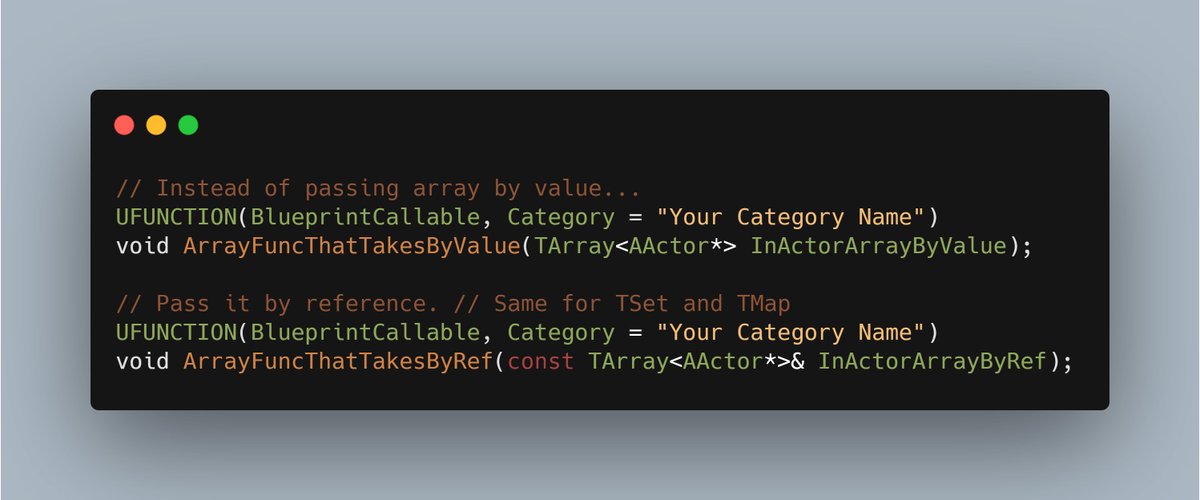
 Twitter
·
Twitter
·