#ue4-general
1 messages · Page 794 of 1
 icy mulch
 azure gazelle
@icy mulch You could try to properly reinstall drivers using ddu
icy mulch
I was able to play it a few days ago fine
 digital badger
@honest vale You can register for multiple streams that run at the same time, so I assume you need to register for the stream to have access to it after it airs. Wouldn't hurt to do it even if they upload it to YouTube after tomorrow.
icy mulch
Can when I switch to Microsoft display adapter it runs but slow but if switch to rtx it crashes and shuts of the monitor I can still hear music but I have to manually hold the power button
 honest vale
that onlinexperiences website that unreal fest is.... annoying that it doesn't have "add to google calendar" or anything, just plain ol' .ics download
 alpine berry
Hey quick question, I have some grass assets from BlenderGuru and Graswald, as I used to use blender, I was wondering if I could port them to Unreal, I know quixel is amazing but I have some scenes I want to recreate from blender, so just wondering if its possible
 candid grail
Are you wanting to export a skeletal mesh with the bones attached?
@gilded needle Yes, how?
icy mulch
I had the same problem a few weeks ago but It fixed self some how and I remember I was using the unreal engine and it crashed agian factory reset twice it didn't work
 proven mauve
How to change default level? This is giving what appears to be wrong information https://docs.unrealengine.com/en-US/Engine/Levels/HowTo/ChangeDefaultLevel/index.html
How to set the default editor and game Levels for your project
 ancient lotus
@proven mauve no thats correct, its in maps and modes in the project settings
 lost ember
Do splines not appear to capture components?
 lost stone
Hello, do cloth simulations require the 3D model to have a thickness or should it be single sided?
azure gazelle
@icy mulch
Install the newest nVidia driver. If it still crashes, use DDU to remove nvidia and intel gpu driver (if cpu has an iGPU), then reinstall the newest drivers. I really only ever seen that error due to power settings or faulty drivers.
ancient lotus
@lost stone i think you can do both, but you would probably want it to be single sided as you would end up having twice as many subdivisions (for each side)
proven mauve
@ancient lotus maps and modes doesn't appear for me
 uneven fractal
is there a way to profile based on the types of actors in the level?
from what I've seen all the profiling tools in ue4 completly focus on gpu perf or cpu draw call perf
lost stone
@ancient lotus ah okay thanks!
ancient lotus
can you search for maps and modes at the top
proven mauve
Also doesn
t*doesnt show up
And I tried searching directly for "Default Maps" and other terms
ancient lotus
thats really weird, what version
proven mauve
Ue4 .25
ancient lotus
0 clue, thats really weird
ancient lotus
im using the compiled version
worst comes to worst, in the defaultengine.ini do
[/Script/EngineSettings.GameMapsSettings]
EditorStartupMap=/Game/Maps/Map1.Map1
GameDefaultMap=/Game/Maps/Map1.Map1
 brisk urchin
If I pick up an item and drop it inside a pain causing volume, how do I make it so that the pain causing volume destroys that item?? What would I need in the blueprint so that when the item enters the volume it gets destroyed? 🤔
 dire sentinel
Hi, sorry for not asking in the proper channel but I just can't find aprropriate one from the billions there are here, plus it never gets answered
I'm trying to make a terrain material with Parallax occlusion mapping, and it works like a charm on a terrain... untill I try to layer blend two material functions with POM... Anyone know how to fix this?
ancient lotus
@brisk urchin depends on what your trying to do. if you just want it to be destroyed you could make an OnOverlap event on that pain causing volume, when an actor enters it check and see if that actor is of the type of your item (by casting and seeing if the cast is successful). if it is then destroy it or do whatever you want
brisk urchin
@ancient lotus yea pretty much, the item in question is a key that unlocks a door so if the player accidentally drops on the acid pool I want the item to be destroyed and then have it just respawn in its original spot. Ultimately this is what my goal is
 keen moss
is there a way to extend the visible shadow distance in a scene?
im already using cinematic settings
ancient lotus
@brisk urchin is it multiplayer
brisk urchin
@ancient lotus Its a single player game
uneven fractal
note
making thousands of instanced static mesh components with only one instance in them is bad for performance
don't ask me how I know this
 silver crown
lol
uneven fractal
i had conveyer belts and my instanced mesh code for handling the items on the conveyer was slightly broken so after around 10 minutes I ended up with thousands of instanced static mesh components instead of only 1 for each type of item
ancient lotus
@brisk urchin do the overlap event like i stated for the volume. create a function on the key (make it public) that will disable its collision and set its visibility to false and set its location to the location you want it to respawn at (lets call this function KeyRuined). now make another function for the key and lets call it KeyRespawn. inside the KeyRuined function have it start a timer that will call KeyRespawn after X seconds so that you can make the key respawn after however long you want (such as if the player drops the key in acid it can respawn in 5 seconds or however long you want). now in the overlap event of the acid volume check if the key item is overlapping (remember what i said about casting to check), and then call the KeyRuined function on the key
 stuck linden
So my blueprint (FirstPersonCharacter) is working through a bool that tells the game if it has a Gun (true) or a Drone (false), it sets/should be bool to false when i press Z to equip my drone but as soon as i press Mouse1 (Shooting event) again it goes to true. any ideas on what could it be?
Main blueprint: https://blueprintue.com/blueprint/qhhtol59/
Level blueprint: https://blueprintue.com/blueprint/76gg81za/
brisk urchin
@ancient lotus Or maybe some sort of volume that can return the item to its original location? let me read what you posted first.
@ancient lotus I'm I totally off the mark here? I've touched and tuned basic premade blueprint but not experienced in making my own from scratch
 gilded needle
@candid grail Right Click on the Asset goto I believe it's "Asset Actions" and then Export, it will give you a choice there iirc to do so as an FBX.
ancient lotus
@brisk urchin drag off of that box volume for the acid and create an OnOverlapEvent, google is your friend here
 rigid forum
Using blueprints how can I tell player to move x amount left or right from starting position and then return to start when you let go of left or right. So press left, move -5 left, let go of left oscillate back to 0
 plain terrace
are there any free road meshes?
brisk urchin
@ancient lotus would it be a lot easier to use a set actor location event?
ancient lotus
if you only want it to teleport to the respawn location then yes. in the OnOverlap event just check if the actor thats overlapping is a key, if it is then setactorlocation to the respawn point
 glacial pecan
gamemodebase is an actor, but it can't be added to a level?
 plush yew
https://youtu.be/rU0LuVC6FvU Give me some honest feedback in the comments
 brisk urchin
@ancient lotus okie dokie, do you know off the top of your head what the name of the node is that holds the respawn point location info that I connect to the set actor location? 🤔
 wheat hare
promote it to a variable and get it
 rigid belfry
@plush yew isnt it the same intro as that vape nation dude
plush yew
Similar yes
ancient lotus
@brisk urchin you make it. you can either use a preset hardcoded location or use an objects location. I would make a hidden static mesh component on the key and call it respawn point, then whenever you want to respawn the key just get the location of the mesh
 elfin dragon
Hello guys, new to this discord server, i am experiencing an issue with UE and im wondering where is the best place to post for it. The problem is that for some reason i cannot compile shaders, i can do anything else compile blueprints, edit scenes open files open other projects. I have tried almost everything, even clean installing other versions or the same im using, changing hard drives of the project or installing ue itself on other drives but for some reason, if i hit save or apply on a material even no matter how simple that material is UE4 will always stop responding. Unfortunately, it doesn't crash in a way that would open the Crash handler so i can check the dump log either. Has anyone experienced something like this? I've been wrecking my head for the past couple of days
ancient lotus
@elfin dragon im guessing the source UE4 version?
elfin dragon
if by source you mean from github then nope! just the standard release from EGS
im going to try to update my graphics driver although idk why it would do anything but jic
ancient lotus
hmm, in the source version i just have to manually compile part of the engine and its resolved
have you tried the source build?
elfin dragon
guess ill have to try it although i think it's probably something more related to my system rather than the engine since it has the same problem even in different versions
but since i've tried everything else might as well
ancient lotus
whats your specs?
plush yew
I don't know why this is happening it was working fine before i added Normal, AO and Roughness maps I also rechecked the blueprint but blueprint is fine
only a part of my landscape is showing the shader
elfin dragon
ryzen 5 2600 @ 3.4 | 16gb ddr4 | rtx 2060 6gb vram (or 8 i cant recall right now)
abhi try restarting the engine sometimes it needs a bit of push
ancient lotus
specs are fine, who knows. id try the source version, if that doesnt work then its time to contact support lol
elfin dragon
that is if the material bp s looking as it's supposed to
yeah it's such a weird problem, it happened all of a sudden as well, a month ago i was working on some shaders just fine
welp yeah guess after trying the source ill go for the support
 scarlet birch
I'm all for using a source build but switching to a source build because shadders aren't compiling is not a good reason.
 autumn elbow
Where can I change the color of the Atmosphere Fog ?
 undone hull
I'm about to post the shortest devlog that I have seen on #work-in-progress (i created it its not a repost)
its just got to process on YouTube first
 chilly tundra
Hello everyone! I'm trying to learn more about the profiling tools UE offers. I saw there are a lot of awesome helpful commands like stat <name>, including stat fps. I was wondering if anyone knows if it's possible to change the threshold at which the font turns yellow? I can't tell exactly when it happens right now since our game and doesn't really drop below 30 much-- I'm guessing it is yellow below 30 fps and maybe red below another threshold after that?
(Apologies if this doesn't belong in this channel; at a glance I couldn't find anything specific to performance or optimization questions but if there's a better place to be posting this pls let me know.)
 alpine laurel
how do you stop ue4.25.1 from crashing
i am sick of it crashing on me every 5 f*cking minutes
 grim ore
@plush yew there is a limit to the number of texture samplers in a material, chances are you are past that limit. You need to change the sampler type to shared in your textures in your material
grim ore
@autumn elbow in your directional light is the checkbox if it is going to affect any atmo fog in your scene
elfin dragon
that i had installed when i dled efin vs 2019
grim ore
so you uncheck that and you can change it in the atmosphere fog, or you adjust it in the light
rigid forum
Does InputAxis MoveRIght oscillate between 0 and another number? If so how do you adjust the oscillation speed?
 copper pike
Question about Blendspace
rigid forum
@grim ore I'm using sweep on setactorrelativelocation, trying to control the sweep speed.
grim ore
technically it updates faster than a tick but most of the time its similar
copper pike
Is X axis Divisions and Range the same thing as Minimum and Maximum Values?
grim ore
@rigid forum you would look into making it framerate independent then or using something else to move it. Multiplying a fixed move speed against the delta seconds and the axis value would get you a constant move speed if that is what you want
rigid forum
@formal wave Well I do want a variable move speed, I just need it to oscillate faster between positions.
 covert ivy
#ue4-general message @rigid forum @grim ore Thank you so much for the infos. I take note of this, it seems really useful ! Though I ask my question again because I'm not sure that the aim system with IK suit for some specific ideas that I have, with a bit more complex animations with melee weapons. Perhaps it will be enough but just in case of it will be not : is it possible to adjust a character animation within UE4 (for example to raise up or move down the arm on a sword attack animation a bit more complex than a simple straight smash), save this animation in a sort of layer, slot, anim montage, sub-animation or something like that (sorry, I know I'm throwing some words in bulk and confuse their...), maybe with curves (not sure again...) and switch between this animation's versions depending on the enemy ?
grim ore
well I guess I am confused on what you are asking then. if you are talking about an input axis event then that event fires basically every frame and the value would be whatever value from the input you tell it
rigid forum
@tight forum actually I know what I can do. I can just multiply the axis value by a larger number and create a condition so that if value is greater than or equal to the max movement amount it will only be equal to max movement.
grim ore
it doesnt change faster or slower, its whatever value you are getting from the input
you can do that yes, you could also just increase the amount you move on the set actor location as well
 spiral flint
rigid forum
spiral flint
rigid forum
I'm not used to using blueprints. I could do this in Godot xD
spiral flint
finally managed to re target my charcter
rigid forum
@tight forum I was just wondering if there was a way to modify whatever value the sweep speed is.
grim ore
@covert ivy you generally don't want to adjust the animation sequences in the engine, the ones that come in from outside software, but you can by duplicating existing ones and using keyframes to change the animation. You can also use IK system to aim parts of the character as needed. Either way there is not much of an issue swapping out animations at runtime
@rigid forum thats what I am confused about, what is this sweep speed?
rigid forum
@grim ore setactorrelativelocation has an option for either sweep or teleport to move to the relative location. Slecting sweep will move you to that location at a decreasing speed
grim ore
it shouldnt?
it should simply check to see if something is in the way on the move rather than ignoring items in the way
rigid forum
@grim ore I wanted to see if there was a way to modify the speed it decreases at
spiral flint
@rigid forum have you seen chef?
rigid forum
@grim ore Maybe I am misunderstanding the purpose of sweep. I am trying to create movement so pressing left or right will move you 135 at a decreasing rate on the y axis relative to your starting position.
grim ore
you might be, sweep does what it says. It checks for collisions when you set the new location, without it collisions will be ignored when you set the new location if there are any between the current position and the new one you are setting
so what is your actual goal?
I press left and what happens
rigid forum
@grim ore Pressing left should move you -135 on y relative to your starting position. Letting go of left should return you back to where you started
 flint ermine
Hello. I have some issues with fps and i think its something to do with culling. My entire screen is almost covered by couple of leafes and still my fps is very low with very good pc. What i am doing wrong?
rigid forum
@grim ore I used InputAxis Move Right - to float * Vector - to SetActorRelativeLocation
grim ore
so pressing it once moves you left to a new position and as long as you hold that key you will stay left, letting go returns you to starting postion, pushing right the opposite?
rigid forum
@grim ore Yar
grim ore
you want to look at input ACTIONS then not axis. actions fire when key pressed/released
so left key action press -> fire off code to set to new location. left key action released -> fire off code to set to starting location. etc.
do some safety checks to make sure you cant do right and left at the same time and done
rigid forum
@grim ore That won't just teleport to the new location?
grim ore
that will teleport to a new location yes, what are you wanting instead of that?
 open lynx
@flint ermine Take a look at your shader complexity, might be causing your frame drop depending on all the layers of alpha.
rigid forum
To drag between locations. Press left, move at a decreasing speed -135 of current location, let go of left and drag back to original location at a decreasing speed.
grim ore
what do you mean by decreasing speed?
rigid forum
@grim ore Currently that is what it's doing. The only issue is the rate it moves from position A to position B
glacial pecan
what do you do when your gameinstance becomes too bloated? you can't separate things into components on it, because it's not an actor...
covert ivy
@grim ore Ok, so maybe I can just do multiple animations and just swapping out them at runtime... But let's say, for example, if I want to do an animation like that (which obvioulsly must be synchronized between the 2 characters) : https://i2.wp.com/academyoffencingmasters.com/blog/wp-content/uploads/2017/02/Valentine’s-Day-Love-and-Swordfighting-Duels.jpg?resize=520%2C370 How to do if I have many similar enemy (humanoids) but with different size ? I shoud do some adjustments to the animation... 🤔 Can I just do different animations depending on the characters sizes and here we go, even if I will probably have tons of animations ?
 rigid forum
@grim ore I mean it should move left but at a decreasing speed until it arrives at the farthest position you can move left which is -135
@grim ore So frame 1 it is moving left at a rate of say -25, then by from 240 it is moving left at a rate of -5 etc.
open lynx
Is it possible to use Camera Shake on a Scene Capture Component 2d?
rigid forum
@grim ore I believe I understand. Let me attempt it. There seems to be two methods of doing it. Lerp or the method I mentioned earlier. I think it might actually work best to just assign a max value it accelerates towards since that creates a fast stop which is what I want. I will try both. Thank you
flint ermine
It looks like my terrain is only red in shader complexity viewmode
grim ore
you are looking at something like this @rigid forum
where I have 2 values, starting location which is a vector I save so I know where I go back to when not moving and max disatance from cener which is how far away I can move from that center (using Y for my example)
then I basically use the FInterp node to determine where I should be every time input is applied (the input axis event). If a key is down I should be trying to get to my current location + the distance away from it in whatever direction I am holding
open lynx
@flint ermine Can you post a screen shot?
grim ore
the Interp will naturally slow down movement as it tries to get to the goal as the values between current and end will be smaller thus the distance needed to move between the two is smaller
rigid forum
@grim ore You're a boss, thanks for the visual example.
flint ermine
grim ore
tried to make it as generic as possible so it could just have a few values changed. obviously need to adjust as needed. The interp speed determines how "fast" it moves in general
flint ermine
Landscape is from marketplace
rigid forum
@gilded eagle Yar that's exactly what I need. Awesome man.
Mine was quite pathetic. Three nodes
It's funny and kind of pathetic how I find visual scripting more difficult than just coding. Maybe I should just be doing this in C++ rofl
covert ivy
( I've just realized I'm not in the good channel, btw... I go to #animation 😁 )
grim ore
its the same in C++ or BP, every BP node has C++ behind it you just have to know what you want to do and what tools you have available to you
open lynx
@flint ermine The shader complexity on your trees doesn't seem to be a problem but red elsewhere is bad. Landscape is probably the problem. Maybe a lot of draw calls for those trees as well. use the console commad, type stat rhi to check your draw calls
grim ore
@covert ivy have you looked thru the animation examples in the content examples project yet? It shows different size humanoids using the same animations and also using IK to adjust targets on them as needed
 halcyon fractal
I got a real question, for games that huge MMOs and have consistently with gamble drops, its not possible to get into the game's mechanics and get one desire item easily right?
grim ore
@halcyon fractal what you can do as a client depends on what you are allowed to do, so a proper game no you would not be able to influence "drops" as that is all done without any client influence
halcyon fractal
ooooo i figure it was hack it would disrupt the entirety of the game?
flint ermine
max draw calls 2500
open lynx
@flint ermine From your screen shot that field that is closer to pink and nearing white on the complexity scale is real bad too.
@flint ermine Also run the console command stat scenerendering and take a screen shot with both commands running if you can.
flint ermine
problems is somehow in my foliage because when i remove everything else the problem still is there
open lynx
@flint ermine Foliage draw calls might be the problem then.
flint ermine
every single foliage has its own "good" settings for cull distance and lods. There is just something i dont understand
covert ivy
@grim ore Nah, my connection has some troubles so I'm still downloading the content, lol... I'll check it if I finally manage to get it... 😆
plush yew
what should I use the object blueprint for?
 coral patio
Hey guys! Quick question - how do I create horizontal displacement? Like, how would I move a plane to the side using displacement only (ideally in Object space rather than world space)?
plush yew
In an actor? Just move the relative location of the conponent
 dawn gull
How can I make it so a static mesh in my character always has the same Z rotation as the camera added on to what the rotation already is? So like, I had to rotate the static mesh to be facing the right way but i want it to be facing the right way, while always facing the way the camera is pointing
 hushed hare
how can i see what every camera/scene capture sees for debugging?
 odd steeple
Using the game exporter in Maya, why do all my meshes export except for the eyes? Is it because they aren't attached to a joint like the rest of the pieces?
 topaz trail
@hushed hare when you select a camera in your scene its view pops up. Look for the push pin icon in the bottom left corner of that popup to pin it.
hushed hare
oh sweet thanks
odd steeple
Fixed it..eyes were never bound to the skeleton
 iron hill
hey, quick question i have no idea is true or not
i was talkign to a friend, and they said that if you make your game/whatever in windows, it'll be avaible on every program but mac, and for macs, same thing but instead of macs it's windows, is this true? can anyone confirm/deny?
 icy fjord
I have the option to learn c++ or c# I know a bit of c so I’m wondering what will be the most useful plz @ me
iron hill
ikr?
icy fjord
@plush yew k which one do I do first
iron hill
lol, personally, i had to learn c# first, as i used it more initially
so that's my 2 bits
icy fjord
K I guess I’ll do c# then c++
iron hill
platform* i 404'd sorry
hushed hare
@topaz trail scene capture components dont appear on the screen like camera components do
iron hill
anyways, with what i'm saying, is that say you make a program on windows, it'll be available on everything except macOS. and if you make something on macOS, it will be available on everything but windows. which feels incorrect.
okay, so ue4 doesn't support dynamic exporting to multiple/all platforms?
yeh, there's legal issues with that lol. and i'm not super into it, i was just talking with a friend and thought it supported dynamic exporting like unity for some reason
i mean like
if you dual boot, that's technically against apples ToS
ohhh, i was thinking the otherway around
like, windows rig running mac
yeh, my point lol. and ontop of that, that's not including a lot of issues macs (hardware wise) have
i mean, windows lol
what about for consoles, how does that work with ue4?
huh, i had no idea about any of this
i mean, i already had my own reasons i didn't personally like 'em, but now this gives me mroe of a distaste ngl lol
and yeh, i can see that
yeh, i'm personally only aiming at windows, and never even rly thought about console
but i mean, makes sence enough i guess. seems a little backwards to a degree for me tbh, but to each there own i guess
well like, a lot of consoles seem to be battling for the "biggest library's" and shiz right? to inherantly limit what you let onto your platform, while advertising stuff like that seems backwards
sorta to me, and that's not getting into how then you're only playing what they deem acceptable.
and yeh, idk. i'm personally for an open competitive market. letting people play what they want, etc etc. so idk. that bothers me in a way,
and yeh, i've always found that funny
at least 100:1 in that regard
 bleak charm
why is the player/AI bright in a dark room?
iron hill
i'm not a fan of exclusives, but if they aren't perminent, idc much.
and yeh, imma crawl off and get to other things, so yeh.
thx for the smol chat, it was fun
odd steeple
What's something I can troubleshoot with if my animation in Unreal seems to stretch way more than it does in Maya.
Spatially! My bad.
The jaw on the animation clip comes in stretched to the floor it seems.
Would that be in the unreal settings for my skeleton import?
I'll take a look!
oh yeah...it's way off
Maybe it's the move to origin checkbox in game exporter in Maya
 spare dust
has anyone here encountered an issue where characters fall faster when falling on top of another actor in freefall?
the only thing I can imagine may be causing it is the Unreal's character actor may be mistaking the physics object for a moving platform, and trying to correct it's movement for that, causing a feedback loop of the physics object being pushed down and the character being pushed back into it
 glad loom
How do I get all the walls in a level? Is there a "Get Static Actors" or something like that? If not, how do I assign all of them a tag so I can use "Actor has tag"? Can I give the sprite for the wall the tag so when I place it it gets placed with the tag automatically, or do I need to manually give one of them the tag and then just copy and paste it? Can I use "Set tags" to set the tag to all the walls when the player spawns? Thanks in advance for any solution
 rotund linden
Hi guys, How do i make the material to reflect light like stained glass?
Shadows colored, for example.
 limber mesa
@glad loom I think there is a get all actors of class node
@glad loom I think you can set up a Boolean that targets certain elements in the array, use a for loop
Idk
 abstract anvil
@glad loom The "get all actors of class" only works if it's a blueprint. I'm looking into it, give me a sec
@glad loom You can get all actors of tag, but there's no way I know of to assign a tag to something by default. Another way you could do this is by setting a specific collision object type to it, but you'd have to loop through every actor in your scene.
@glad loom Before I go any further, are each of these walls the same static mesh, or are you using different meshes for the walls? Also, how often will you be getting references to the walls?
 inland pivot
I recommend: https://youtu.be/e2rdXo408Q0

What is the Gameplay Tags in Unreal Engine 4
Source Files: https://github.com/MWadstein/wtf-hdi-files
plush yew
What is the difference between an object and a data asset
 oblique tangle
Yo could someone help me out with this? My player keeps sinking into the floor on the execution of a SetActorLocation node, I've tried disregarding everything related to the Z vector with it and it still happens
 celest vapor
for someone who dosnt have access to an online subsystem as of right now. what would be the best way to approach saving individual player data per server joined. i.e player having data on one server different to another server they connect to?
 cedar wave
Does anyone know if we can watch past presentations from unreal fest? There are two talks that I'm interested in seeing, but they are at the same time.
plush yew
Would anyone know how to import pmx files to unreal
 analog abyss
I'm hoping someone can explain this to me. it was working fine yesterday tho. If i break the link to Set Padding (pink arrow) it works and creates 20 slot widgets. But if I reconnect the link to Set Padding. the loop only runs once and completely exits the foreach loop. this has been driving me up a wall for 4 hours now
grim ore
@cedar wave according to the email they will be able to replay after airing.
 open eagle
whats the max amount of reasonable players that can join a listen server with minimal lag
and the session host will still be able to handle it
grim ore
That would have to be host dependent just like a dedicated
analog abyss
@grim ore you have a youtube ? your prfoile picture looks familiar 🙂
cedar wave
@grim ore Dope.
 hidden knoll
Is there a way to copy the player's data from one controller to another? For example, I want to have one player controller for the Lobby, and another for the gameplay, but I need to know what options they chose as the Lobby player controller.
 narrow mauve
Example of unreal engines documentation: Me thinking I can look at documentation to know more about something
"Physics Linear Velocity"
Definition: "Physics linear velocity"
Me: WTF IS THIS SHIT

 marble pendant
If i wanted to design a sort of.. tracing system in VR what would be the smartest approach for that ?
As in, tracing out a symbol that's already in the air to match
 chilly gale
Is it possible to make windows in a wall using the new polygon edit tools, or is the above and beyond the tool please? can't find any tutorials for such an act
plush yew
whats the max amount of reasonable players that can join a listen server with minimal lag
@open eagle I may be wrong but considering old console games sometimes would typically be listen servers and theyd have good amount of people (cod bo2 - 12 max?) but would depend on host speed so if you can pick who has the fastest connection speed or the host has a fast internet speed I guess, more people can fit? though bandwidth should still be considered I think (not sure about all of this, guessing here)
analog abyss
you aparently have more than 1 bone at a top level (root bone) and that isn't supported in UE
all the bones have to be under a top single root bone
plush yew
@plush yew there is a limit to the number of texture samplers in a material, chances are you are past that limit. You need to change the sampler type to shared in your textures in your material
@grim ore Thank you so much for the help and your youtube channel is awesome ❤️
 upper karma
you aparently have more than 1 bone at a top level (root bone) and that isn't supported in UE
Oh, thank you!
analog abyss
@upper karma needs to look like this (I use maya but same principal)
upper karma
Got'cha, thank you!
analog abyss
no problem 🙂
upper karma
uhhh, only 1 anim imported wtf
analog abyss
ok that part I dunno, I just edit models, I'm not an animator or modaler hehe
analog abyss
also this is another issue you may run into (especial if you export from ue4 and re-import) it creates an extra root object that you need to get rid of or it will cause all kinds of wierd issues.
I spent 4 days once fighting with animations because I exported the mannequin to split it into seperate pieces (to make a proper immersive FPS character) and it was that stupid extra object UE4 adds to it (no idea why it adds i when it doesn't like it) but yea just a heads up on that one lol
 empty helm
Hello. I'm trying to use the sequence recorder.. Unreal creates the main sequence file and also creates a whole bunch of animation files. The problem is I cannot save these files. I get this error. Any ideas?
inland pivot
@analog abyss Try disconnecting Set Padding from the return node and instead connect the Completed pin of the Loop to the return node. I think having the return node connected to the loop body might be causing it to exit the function on the first iteration.
 lucid jetty
@empty helm You probably have another instance of Unreal 4 open.
 dusty marlin
Hello guys, in your opinion, how to handle a big whitebox for a 3km x 3km city ? I'm using BSPs but my computer is getting very slow as far as I add more of them. Do you have any advice on this topic? Thank you very much!
empty helm
@lucid jetty Nope, only one instance 😦
 maiden thunder
Hi there, I am fairly new to UE, I've been having this error ever since. When I try to launch, it hides the launcher and says 'busy'.
Can anyone help?
 finite tangle
spiral flint
finite tangle
spiral flint
I have an big issue
When I import an fbx from blender
The textures don't load on the model
lucid jetty
@empty helm just make sure you have none sneakily working behind.
If that's not the case, maybe either there is already an item with that name in the folder that Unreal's trying to save, or there is a problem with the name itself.
glad loom
@abstract anvil All the walls are the same mesh for now, but I'll add different ones later, so that's why I thought using tags or getting all static meshes. I'll be referecing them only when an arrow collides with something, and if it's a wall it stops moving ( to be stuck in the wall ).
empty helm
@lucid jetty i think it's the naming. thanks
maiden thunder
when i try and launch, it hides the launcher and says 'busy'
stuck linden
Does anyone know how to make this work? I need to press a button in the HUD to Possess a Pawn which is just a camera following my Char
maiden thunder
im on mac
 stone steeple
So instead of cleaning the project, I cleaned the solution and now need to rebuild the whole engine 😓
maiden thunder
pls help
 solid dove
Does anyone know how to make this work? I need to press a button in the HUD to Possess a Pawn which is just a camera following my Char
@stuck linden
You need an input object for the cast to work. A cast transforms one type of object, a base class, to another type of object, a child class.
That's what the 'warning' is for. It's letting you know that the input object is missing.
stuck linden
Can you give me a example of a input object @solid dove
solid dove
so on the cast node, there's that greyed out text that says "Object", right?
It's expecting you to give it an object, which will be casted to CharSelectBP
Unreal Engine Forums
Build powerful visual scripts without code.
abstract anvil
@glad loom what are you trying to do exactly?
stuck linden
Thank u i got it @solid dove
does anyone know why i can't add a asset pack ? (Starter content)
abstract anvil
@stuck linden Are you trying to add the starter content?
glad loom
@abstract anvil I'm trying to make an arrow stop in the walls and not go through them, and I'm trying to figure out how to tell when the overlapping actor is a wall or not.
abstract anvil
@glad loom In that case you don't need to get all your walls. When the arrow overlaps the wall, compare the object it's overlapping to an array of static meshes that you create which contains the SMs you use for walls. if it's a match, it sticks. A better way would to just have the arrow stick into whatever it hits, not just walls unless you've got a specific reason for doing that.
Yeah, I mentioned that a bit ago, but depending on what they're doing, it's easiest and most efficient to have the wall just stick in whatever. This wouldn't work of course if they're using it for some type of climbing mechanic which is why they specifically want walls, but otherwise, it'd be much easier than trying to filter or loop stuff.
digital badger
What's everyone doing before the Conference begins?
glad loom
If I make it stick in everything, including enemies, when an enemy dies, can I make all the arrows that hit him disappear too?
digital badger
Unreal Fest Online
You know Unreal Fest, like GDC but for Unreal developers?
They're doing an online version today
Some UE5 reveals inbound, which makes me excited
But also the training agenda looks nice.
abstract anvil
@glad loom Yeah, and tbh it's a good idea to set a lifetime on your arrows so after a certain amount of time they destroy themselves so you don't have arrows in your scene forever taking up memory
digital badger
Have a look at #unreal-news or the Epic Blog.
glad loom
Yeah I have that set up, I think I'll do it with sticking in everything, thanks
digital badger
I think it's all done through their platform, since you can add multiple streams to your agenda that overlap.
In the end I don't think anyone knows, but they probably will end up on youtube, better be safe and sign up though
glad loom
@abstract anvil But how do I make it so when the enemy their attached to dies, the arrows disappear too? If they hit an enemy, can I make them a child of that enemy ( so it follows them too ) ?
abstract anvil
@glad loom That should work, yeah.
upper karma
Exported anims from blender, but they come out extremely tine and make my actual model tiny too. Is there a way to fix this?
abstract anvil
@upper karma It's all about scale. Pretty sure it has to be 0.01 in blender
digital badger
@upper karma You can change the import scale as a quick fix.
I like to import the UE4 mannequin into blender and scale that way, but there might be more to it than that
stuck linden
Does anyone know how to set a particle lifetime?
upper karma
It's all about scale. Pretty sure it has to be 0.01 in blender
In the export settings?
there are some ultra specific settings you need to give to blender for it to work
If you have any kind of guide or doc that would be a godsend
You can change the import scale as a quick fix.
Oh like export to FBX, open in blender and then re-export with the proper scale back into UE4?
digital badger
When you import into UE4, there is a window that opens. In that window you can change the scale of the model in the editor directly.
But Lorash's solution is more long-term.
upper karma
@plush yew Will do, thank you!
@digital badger Ill keep this in mind as well, thank you!
@abstract anvil Oh okay! Then I can just re-export the anims and stuff
abstract anvil
https://www.youtube.com/watch?v=MRhDDbU0zdE Here's a lengthy tutorial about creating a skeleton for UE4 using Uefy. It's about being compatible with the UE4 manny

Add Epic Skeleton compatible rig to a plain static mesh using Blender 2.8x, Rigify and Uefy Script. Step by Step tutorial to rig and export the character to Unreal Engine 4.
Website: https://rakiz.com/uefy
Unlike all the previous videos this time our character has no skeleto...
upper karma
Thanks! Ill look at that too!
glad loom
@abstract anvil How do I make the arrow ignore specific actors ( player, other arrows etc ), do I just cast to all of them and use the cast failed node, or is there an easier way? Also how do I make the arrow a child of the enemy?
abstract anvil
@glad loom ^ what he said. It's easiest to set up custom collision channels and have it check based on those.
glad loom
Alright, I'll look into those, thanks
Also how do I make an arrow become a child of the enemy if it hits him, so it follows him? There's no "Make child of"
abstract anvil
Pretty sure it's "attach to actor" or something like that
You have to just type in random stuff until the engine gets annoyed and it does what you want
glad loom
Yeah that worked, thank you very much for the help!
abstract anvil
So, Unreal Fest starts in about 2 hours. I've got stuff added to my agenda, does it whisk me away to magic video land when it's time, or is there a specific place I go when it starts?
 gleaming narwhal
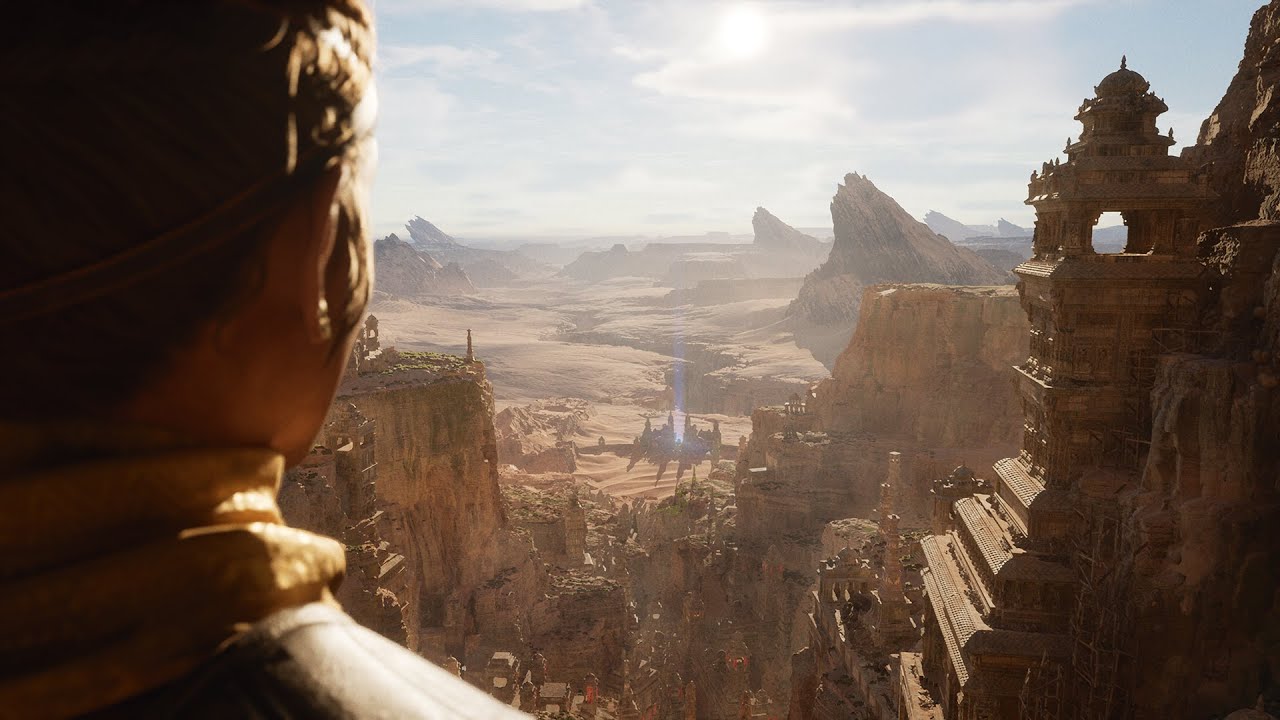
In this presentation, Nick Penwarden, VP of Engineering, and Marcus Wassmer, Engineering Director, cover the features in Unreal Engine that will be crucial to the success of developing the next generation of games, and reveal innovative features being developed that will revol...
abstract anvil
Ah... thank you
gleaming narwhal
Oh sry @abstract anvil, I didn't see your question
abstract anvil
lol
gleaming narwhal
You should've received an email with a link
abstract anvil
Yeah, and I've signed up and put videos on my agenda, I'm just not sure where to go from here
gleaming narwhal
You'll join them when it's time to start 🙂
abstract anvil
Very cool, thank you
glad loom
@abstract anvil I've made the collision channel and added the objects it should hit, however the walls don't have a "collision" setting so I can't change it to overlap with them. Can I add a collision setting to a sprite?
gleaming narwhal
@plush yew It's the one video only, for the rest of the Unreal Fest Online Sessions, make sure you sign up and join at unrealengine.com/unrealfestonline
abstract anvil
@glad loom huh... thought those were meshes. Are they meshes, but just flat planes? Is this a paper2d thing?
glad loom
@abstract anvil Yeah it's paper2d, sorry I didn't mention, I thought it wouldn't matter.
abstract anvil
I've never used paper2d, so I'm not sure. I think there's a box collision you can add, but I'd ask in #paper-2d to be sure @glad loom
digital badger
@gleaming narwhal Are you able to comment whether the sessions will be available after they've aired?
Either on Youtube or on the Platform provided?
gleaming narwhal
@digital badger Yes they will be available immediately on the platform, and on YouTube in a couple of weeks
digital badger
Thank you 🙂
 marsh swallow
oh i didnt make an agenda yet. did i need to?
digital badger
I think the agenda just organises which sessions you want to watch on one screen
Since you may be interested in other industries other than just games.
rigid belfry
will these videos take place all at the same time? i would've liked to attend to all of them
abstract anvil
According to the posts above, they should be on YouTube after a bit
marsh swallow
yeah they happen at once.
gleaming narwhal
You can watch any of the ones that have gone live immediately afterwards on the platform
marsh swallow
but they will be available.
digital badger
I like how I asked the question, then 2 minutes afterwards the welcome video legit had the answer 😄
and reveal innovative features being developed that will revolutionize game development. ooooo more to come for UE5
stuck linden
is there anyway to delay a pawn from being spawned if its a start with level pawn?
 north nova
possible a stupid question, but does anyone know if epic has changed something in the Kernel for 4.25.1, non of my team seem to be able to create c++ files with out it crashing a bricking the project also building the project runs into kernel errors as well and some of my team are saying that its very unstable
marsh swallow
are you running VS2019?
north nova
ya
north nova
thought it might be an issue with my new build which has a ryzen 2700x but im getting the same issue with my laptop which has an i5 7th gen
honest vale
I really wonder how UE 5 will deal with vertex animations and other moving stuff with its virtualized geometry stuff
glad loom
How do I renew something I've already put in my level to be the same with the now modified preset? ( Eg I put a wall with a type of collision, change it so when I put a new wall it's different, but all the old walls have the old type )
digital badger
@honest vale In the demo, they didn't show any skeletal meshes so maybe that is a limitation?
Guess we'll find out in 14 minutes
digital badger
Oh, apologies.
honest vale
plain ol' skeletal meshes would be fine for me
digital badger
If they don't, ask them in the Live Q&A
honest vale
I spent six months asking a certain same question from twitch/youtube streams and my question was never mentioned
meaning I'm not hopeful my question would be even noticed 😄
digital badger
I think it'll be different this time since they're using this new platform. But they'll probably mention it
stuck linden
does anyone know of a way to destroy a actor after a animation has been played?
digital badger
@stuck linden Maybe use an anim event and like that to destroy?
Notifies are a system for setting up and receiving events in Animation Sequences to perform external actions.
Gosh this platform is weird
grim ore
Super happy to be up at 5am to decide between UE5 and UI sessions.... 😢
 hasty pewter
i can't get it 🙂
digital badger
@grim ore They'll be available immediately after they air - so you just have to decide which one is more important to see first
grim ore
well all of them of course 😛
hasty pewter
it says 'early entrance' and it redirects me to link 'onlinexperiences.com/scripts/server.nxp'
glad loom
How to destroy all children when a parent dies?
hasty pewter
which is just a blank white page
grim ore
it opens a new page with the session here 😦
digital badger
@hasty pewter That should open a sperate window with this weird window system
grim ore
@glad loom ui or ?
digital badger
Maybe try refreshing your browser?
hasty pewter
it does open a seperate window
but not with that weird window system
it's just blank
digital badger
Maybe try a different browser like Edge?
hasty pewter
okay
glad loom
@grim ore Nope, I just have a parent ( enemy ) and when it dies, I want it's children ( the arrows attached to it ) to be destroyed as well
grim ore
I figure the UI will be more sane with people so a better live experience lol
@glad loom are they attached to the blueprint itself or how are they attached?
grim ore
ah that's sort of smart for that session to be honest
honest vale
"Thank you for attending this session. Unfortunately, the speaker will not be able to take questions today. Please use the Q&A window for tech support only"
okay 😄
digital badger
Yep, most of the stuff will probably still be pre-alpha so they're unable to share specifics
I'm guessing
It's still a good 45 minutes of content
grim ore
or they want less "Fortnite plz!!" questions
digital badger
That's why I don't watch Inside Unreal live
grim ore
@glad loom you can probably do a "Get Attached Actors" before that actor is destroyed, destroy them, and then the actor
inland pivot
Fo sho!
glad loom
Thank you, that worked!
marsh swallow
So uhhh.... the UI video has not yet started but the others have?
grim ore
I am glad I am not the only one with that question @marsh swallow lol
gilded needle
I just checked them all, I don't think any have started yet.
marsh swallow
yeah they have 2
2 are working
the UI is not
our team is splitting up the videos and i get the one that doesnt work. -_-
grim ore
you can blame me, it's the one I wanted to watch lol
gilded needle
Weird, I am not seeing any of them live, very strange.
marsh swallow
lmao damnit @grim ore why did you do this!
grim ore
welp time to be hasty and fill out that survey!
gilded needle
lmao, "It's a 0 from me today, sorry."
marsh swallow
wait
this is a metaphor
the UI is SO intuitive, there is no video needed
We have anwsers!
do we get an extra 5 minutes to get to our next class since this was the teachers fault?
 mystic oar
Oop. Looks like the UI stream started.
grim ore
yay ui
 worldly stump
so basically UE4 will stay for another year
grim ore
I was doing the trivia while we waited
worldly stump
why they put UI stream with the UE5 session together
grim ore
because only real hardcore devs will make the hard decision
 restive basalt
morning all
marsh swallow
Morning pfist!
 maiden swift
They're already on UE5 10 minutes into the next-gen session, so the majority of it will be UE5 stuff. 🥳
marsh swallow
i never noticed that UI is expensive. 😂 maybe im not doing it right.
grim ore
it keeps buffering for me 😦
mystic oar
Yeah, the slides in the UI livestream keep freezing.
Refreshed the pop-up window. That seemed to help.
grim ore
lol. "hey go to the networking area to network" and....
mystic oar
Yep, same thing happened to me. Odd, because the Networking Lounge was mentioned in the PDF too.
grim ore
yeah Its just teething issues, shite happens
grim ore
/smackdown on Edge
worldly stump
im on safari
mystic oar
How dare they not support Netscape Navigator!
worldly stump
ur firefox doesn't count 😂
 restive mist
Anyone knows how do I fix the difference between animation speeds in editor and standalone/packaged project? New empty project, animation is procedural done with position interpolation in Tick
grim ore
you will have to start using the delta seconds or time between each tick as a multiplier against speeds to make sure its frame rate independent
restive mist
Is there a way to just lock it to 60fps for example?
grim ore
your game?
restive mist
I can accept it going below and slowdown
the game and editor I guess?
so I get same result
grim ore
you can set a fixed or smooth framerate in project settings
t.maxfps in the console will allow you to set a max fps in editor
 vapid narwhal
i wish they'd have sent better mics to the speakers 🤔
grim ore
I just want his particles for ui code.... gimme
vapid narwhal
that does sound interesting. gotta log back in.
 wet osprey
Hi, how can i select all duplicates meshes? (one across second one)
thx
grim ore
in the editor? use the world outliner in the top right
 bitter iris
anyone here used Mr Mannequin plugin for blender? Need some help
The bones are called CB_Root so it doesn't work exactly, unless theres something that needs changing before export?
stuck linden
How to set for how many seconds it stays ticking on TickEvent
grim ore
stays ticking? it stays on that tick for as long as it needs to do whatever you tell it. time between ticks? its in the details on each actor
stuck linden
For example i want to keep ticking to find out if i pressed a button but when it finds out it can stop ticking
For some reason its not working on "begin play" so i tried ticking and it worked but everything is ticking like the actions after that
wet osprey
in the editor? use the world outliner in the top right
@grim ore yes in editor.. I copied meshes and sometimes, unfortunately, I accidentally copied some over.
There are hundreds of them. I need to automatically select overlapping meshes
grim ore
@stuck linden a tick if you dont change anything will fire off every frame of the game, so it will go forever and happen every frame. IF you want to stop it you can set can tick to false on the actor and it will stop ticking
@wet osprey you could go to the top down view and select them using the selection box, or a side view. Thats about the easiest solution
 stiff flume
so i have this material im set up but when i try to make a material function i cant seem to be able to use all the textures
is there a way to blend more then 3?
This page describes how to set up materials for 5-way (1-ARGB) texture blending.
sorry didnt see the drop down lol
grim ore
cant you also have more than one output node?
wet osprey
@grim ore so no command like? seldup like in rhinoceros?
I need them in the scene, but I don't need the ones that are over each other (there seems to be only one)
restive mist
@grim ore Thanks, fixing FPS to 60 helped
grim ore
@wet osprey there is nothing specific for that no, you would have to manually select them in the viewport with the selection tool or in the outliner
wet osprey
@grim ore
If I did, I would delete even the ones I want to keep. I need firs recognize whitch one is one over same one
@grim ore but thx for try 🙂
dawn gull
How can I make it so a static mesh in my character always has the same Z rotation as the camera added on to what the rotation already is? So like, I had to rotate the static mesh to be facing the right way but i want it to be facing the right way, while always facing the way the camera is pointing
 keen birch
When're we getting the UE4->Rigify addon?
analog abyss
@inland pivot yea sorry I had already figured out that was it (no idea why I missed that I do enough c# to know return immediately exits a function) but meh we all miss things lol
grim ore
@dawn gull usually you would fix the mesh so it's imported correctly, alternately you would add an extra scene component above it that would then let you rotate the mesh correctly below it
dawn gull
ok
keen birch
Yup 😛
Already got 'em up and running
Was a bit late so I thought I might've missed the link
mystic oar
I think we overloaded it. I'm getting a 404 on that BlenderTools link.
 ornate forge
You need to login with a GitHub account that's linked to Epic
grim ore
it's the man, they are on your int4ernets blocking your tools
ornate forge
The page is working for me
marsh swallow
thats not right
 void barn

void barn
ah
marsh swallow
then 2
mystic oar
@void barn This might help you understand too.
https://www.youtube.com/watch?v=DVZDtAwVuAY

What is the Sequence Node in Unreal Engine 4 Blueprints?
Source Files: https://github.com/MWadstein/wtf-hdi-files
marsh swallow
Whos this Mathew guy?
He has some pretty cool stuff on Youtube. Always go there first @void barn he probably has your answers. ^^
stiff flume
[SM5] /Engine/Generated/UniformBuffers/Material.ush(37,14-41): error X4510: maximum ps_5_0 sampler register index (16) exceeded
i get this error all the time what is it and how i stop from doing it lol
grim ore
how many texture samples are you using?
void barn
alright
ornate forge
Can someone tell them to link their GitHub account to Epic? 😄
stiff flume
grim ore
@stiff flume click on each texture and change each samplet type to shared, see if that helps
stiff flume
warp or clamp?
grim ore
either one, try and just see if it helps first
and if it does wrap or clamp will depend on your texture
grim ore
yeah you can only have 16 samplers in a SM5 shader, normally you run into this issue when doing landscapes
azure gazelle
@ornate forge Did you try to link it they way they describe it on https://www.unrealengine.com/en-US/ue4-on-github ?

Unreal Engine
Unreal Engine is the world’s most open and advanced real-time 3D creation platform for photoreal visuals and immersive experiences.
 bold compass
just a quick questions im rather new so lol can a full game be made in unreal with bps
 ember shadow
How do i fix this
digital badger
@bold compass Yes.
bold compass
awesome thankyou @digital badger
grim ore
@ember shadow ask UE4 to redo your lightmap, fix it in your DCC program, ignore it since it's tiny, try a higher lightmap resolution
digital badger
How is everyone enjoying the sessions so far? The UE5 showcase was nice but a bit lacking - wish I choose the UI session
mystic oar
UI session had a bunch of weird hiccups.
It was cool, but mostly just showed "So, we can do cool things here at Rocksteady like put particle FX in our UI. And optimize our performance with custom widgets." Good stuff, and a solid talk, but more a portent of things to come.
bold compass
session?
digital badger
Still Slate/UMG for UE5?
@bold compass For Unreal Fest Online - the virtual conference which is running today
restive basalt
My trivia reflexes are laaaacking
spiral flint
ornate forge
@azure gazelle I don't remember, I linked mine a long time ago
keen birch
@digital badger Was decently content with the Next-Gen talk, and also decently content with the blender talk. Now going to look at Niagara, I think
glad loom
I use this to destroy the children of a parent before I destroy him, however this destroys them like 1 yes, 1 no, 1 yes, 1 no etc
I've just tried this too thinking I just figured it out however it still does the same thing
azure gazelle
@ornate forge Oh.. I totally misread you original post xD Nevermind then .. Yah.. I guess Epic Games could have mentioned that they need to link their account.. But they probably create a new repo and just kept it private I guess.. 😄
keen birch
Use a ReverseForEach @glad loom
You're shortening the array you're iterating through in the loop
So you get index 0, then you delete index 0 so index 1 becomes 0, but the loop moves to index 1, therefore skipping the second entry
mystic oar
@glad loom Yep, the goose is right.
glad loom
Ah, that makes sense, thank you very much, this worked!
grim ore
yep try to not modify the contents of an array when iterating over it if possible
glad loom
Alright, thank you!
To make a more precise collision do you need to do it in other programs such as blender? ( More precise meaning more than a box, capsule or a sphere )
mystic oar
Welp, @glad loom depends on how precise you want it to be. You can try the different collision auto-generation options in the static mesh editor, or even manually position simple boxes to get the exact type of collision you want.
You can also select the "Use complex collision as simple" option in the static mesh editor to use a very accurate collision mesh. However, this can be very performance intensive.
ornate forge
4.26 is going to get volumetric clouds
keen birch
And rivers and roads, apparently 😛
glad loom
Alright, thank you, I'll look into that!
keen birch
 vale silo
4.26 is probably just going to turn into UE5
grim ore
well .26 is supposed to be the last ue4 version assuming ue5 is on time
maiden swift
Yeah, seems that way looking at the roadmap.
grim ore
couple months for .26, couple months for 5 preview, couple months for 5 release at gdc? sounds aboot normal
vale silo
that is if there is another GDC
maiden swift
I don't expect 5.0 to release at GDC since the roadmap says "Late 2021". Unless of course GDC's timing changes.
Which wouldn't be entirely surprising given the circumstances.
grim ore
aww I didnt actually see the roadmap, just uh early 2021 for ue5 preview right?
maiden swift
Yes.
vale silo
there is UE5 roadmap?!
maiden swift
Not that kind of roadmap.
mystic oar
@vale silo There was a talk given this morning. It's available as one of the on-demand sessions.
grim ore
I guess we could have a year of ue5 preview and call 5.2 public release 😛
maiden swift
vale silo
@mystic oar I'll check it out
mystic oar
Oop, and there's the important slide.
 solid gazelle
😬
grim ore
ah hah, well now we know
 hollow rose
hey, how can i stop my OBJ files from auto smoothing upon being exported into unreal, they were designed in blender
vale silo
sadly at this point I don't hold my breath for UE4/5 because a ton of VR features/fixes keeps sliding from one release backburner to another
grim ore
so do we get 5.0 preview on the launcher as like say a real preview like ue4 preview releases or something else is the question
vale silo
so I guess I'll settle for 4.25.2
grim ore
and if the traditional way how man previews till release lol. 5.0 preview 15!
maiden swift
The replay is already on YouTube. https://www.youtube.com/watch?v=roMYi7BU1YY
In this presentation, Nick Penwarden, VP of Engineering, and Marcus Wassmer, Engineering Director, cover the features in Unreal Engine that will be crucial to the success of developing the next generation of games, and reveal innovative features being developed that will revol...
mystic oar
I think that Epic wants VR, especially since they're interested in architecture and cinema using Unreal Engine. However, consumer demand for VR compared to other things is probably low.
For instance, I'm still waiting for Unreal to support the Virtual Boy. 😆
grim ore
couple more sessions, then a power nap, then back to work, then replay the missed sessions tonight.... whoo
restive basalt
I wonder if UE5 will have better ways to move files and folders in a project? I like to move all my marketplace assets to a Marketplace folder and oh boy, that can take some time.
hollow rose
hey, how can i stop my OBJ files from auto smoothing upon being exported into unreal, they were designed in blender
restive basalt
@still hemlock You might need to raise your skeletal mesh higher in the character blueprint
mystic oar
@still hemlock Looks like an issue with your collision mesh.
mystic oar
Does the rock have a correct collision mesh?
 still hemlock
It's part of the landscape I'm not sure
void barn
how do you print variable like float or string in UE4 using print string?
print the content inside the var
still hemlock
It's a material layer
void barn
in blueprint not c++
mystic oar
@vale oracle Do you mean for debugging output? Drag off of the variable, then look for a "to string" conversion node.
 still hemlock
mystic oar
still hemlock
mystic oar
Oop.
digital badger
drag the float to "in string"
void barn
when the function is completed
digital badger
should cast automatically
void barn
nope didnt see
digital badger
drag the float output and search for string
mystic oar
Ok, the small green out node on Complete Time. Drag off of that, search for "To String".
digital badger
Should find the ToString Node
 mystic oar
Well yes, that is also a way to do it.
@still hemlock It looks like your material doesn't have collision, so the engine thinks it can be walked through. Like, for instance, if it was high grass instead of a rock.
 sleek solar
@still hemlock tessellation/displacement doesn't change the collision, it's only a visual effect
still hemlock
?
sleek solar
you are literally lifting vertexes up, above the collision meshes
digital badger
Is GAS viable for FPS titles? Or is it too much
still hemlock
@mystic oar How would I add collision to the mat
digital badger
You can't do that.
still hemlock
Oh
digital badger
You could make a custom collision mesh, but I don't think it's worth it
Edit your geometry rather than relying on materials
still hemlock
I'm not sure how to do that
mystic oar
@still hemlock Try thinking about it differently. Can you use a static mesh (for instance, some thing from Epic's freely available Infinity Blade Grasslands project) instead of that particular rock?
still hemlock
Well
mystic oar
Instead of using a material to create that elevated, rocky area, you probably want to use a nice static mesh instead.
still hemlock
Wait
a static mesh to cover the entire map of what's already there
will it replace it
it's part of the landscape
digital badger
Can you just reduce the displacement of that material?
Making it look the same, just less intense
mystic oar
You would not add the static mesh to the landscape. You would paint the landscape, then place the static mesh (presumably of a rock) on top of the landscape.
still hemlock
That would be a headache
mystic oar
Also, if you are just trying to get a cobblestone effect on the ground, one that does not rise up from the ground, you can do as @digital badger suggests and reduce the displacement until the rock is not glitching up through the player's feet.
still hemlock
Okay
 frank oar
Hi,
Is it dangerous to move my unreal files from one storage drive to another ?
The ssd I use for my operating system is full so I need to move my unreal files to a new ssd
digital badger
No, as long as you move the whole project folder. You can't have the Content folder be in a different location than the Source folder for example
grim ore
do you mean project or the engine? @frank oar
still hemlock
So I just tried walking on the regular landscape and I am going through it still
I tried raising the character mesh but it's not working
frank oar
Projects @grim ore
But would it be a problem if I also needed to uninstall the engine/ move it to another drive?
glad loom
@mystic oar or anyone else, can you explain further how to do the collision with a static mesh? Do I need to create a static mesh component in the blueprint? Also to mention, I'm working with paper2d, so I'm trying to make a 3d collision for a 2d flipbook. I currently have the box component collision, however I'd like to change it a bit around the edges, but I don't know how to change the box collision or how to make a different type
frank oar
I am just horrified of ruining the work I out in
grim ore
@frank oar projects are self contained so no issue there if you move the entire folder. Engines should not be moved but if you uninstall and reinstall it you should be fine as well.
@still hemlock if you are using offsets or displacement then that would be the issue. if you set your displacement to 0 do you have the issue?
restive basalt
@frank oar I would do a copy first (not move), than test the project before deleting the old location
grim ore
disable or set to 0? they re not the same
still hemlock
Or do you mean in the character bp
frank oar
Thank you guys! Very grateful for the advice/ knowledge!
vale silo
@mystic oar However, consumer demand for VR compared to other things is probably low I guess you never heard of Oculus Quest
 pearl gorge
Hello?
still hemlock
I think it has something to do with the character bp
mystic oar
@glad loom There's a big difference between the collision on a static mesh, and collision as a Blueprint Component.
spiral flint
i just re targeted again but this time the hands dont close , i dont think i did anything differently
any ideas?
still hemlock
I'm using ALS and I think it's just the way it's setup
glad loom
@mystic oar Well I was talking about collision as a blueprint component, for an enemy, sorry for not making it clear.
grim ore
close the launcher, restart it with admin priviledges, and launch the engine again and it should try and reinstall the prereqs
pearl gorge
I'm trying to instantiate a UObject-derived classes through C++
here is the game mode header file
 rain parcel
hello does anyone know where the unreal to blender tools is?
pearl gorge
#include "CoreMinimal.h"
#include "GameFramework/GameModeBase.h"
#include "SomeProfile.h"
#include "CppLessonGameModeBase.generated.h"

/**
 *
 */
UCLASS()
class CPPLESSON_API ACppLessonGameModeBase : public AGameModeBase
{
    GENERATED_BODY()

public:
    //void BeginPlay();
    UPROPERTY(EditAnywhere, BlueprintReadWrite, Category = UClassNames)
        TSubclassOf<USomeProfile> UPBlueprintClassName;
};```The class I made is called SomeProfile
grim ore
@rain parcel https://github.com/epicgames/blendertools , make sure you have your account linked and if not go to https://www.unrealengine.com/en-US/ue4-on-github
pearl gorge
now I am trying to create a blueprint from the class but somehow I feel I am missing something
mystic oar
@glad loom OK, in that case you are stuck with the collision volumes available in those classes.
rain parcel
ah cool let me try that
hushed hare
how can i preview scene capture components? the preview pops up for cameras but not scene captures
by preview i mean this
mystic oar
@glad loom I have not used Paper2D recently enough to remember everything, but I would recommend you see if you can handle your collisions through the Static Mesh or Flipbook actor component instead of using the default box or other collision, if you are concerned about having a very specific collision style.
pearl gorge
the only thing this instruction says is from the UE4 editor to make the bp from this class, but the picture I see from it is completely different from what I am trying
glad loom
I'll look into that, I saw some collision options there but the tutorial I followed at first used these blueprints collisions, but I'll learn how to change it, thanks! @mystic oar
mystic oar
@glad loom Blueprint collisions will do you fine for the vast majority of situations. It's that 10% of weird things that will get ya! 😉 Good luck.
pearl gorge
did I write something wrong in that header file?
 rancid verge
Is anyone here using datasmith with solidworks here? If so please tell me how your experience has been. Feel free to direct message me if you do not wish to discuss in main channel
 soft fiber
@worn cape I re-centered everything to 0,0,0. If you find another solution, shot me a mention. Thanks
 worn cape
What was my question again ? ^^
let's see
ah - yes
i made an Actor Blueprint, put a static mesh into, pushed it around as long as it fits to what it should be, then put it into the scene, selected it with right click and converted it to static mesh
sounds noisy, but worked fast
luckily this actor fit for many things in that collection with just that one blueprint
just changed the mesh and converted that again
 dense hemlock
Anyone else watching unreal fest? UE 4.26 is going to have a turn key Water system Drawing Lakes and rivers as actors.
It's REALLY cool looking
glad loom
Can I combine two collision's in one inside a blueprint? I have two box collisions and I want to reference both of them at the same time, as if being only 1 collision
digital badger
@dense hemlock Yes, I'm excited for that feature too
dense hemlock
@glad loom, I'm not sure what you're asking. Are you asking if two box collisions that happen at the same time can be treated at once? Or are you asking if two box volumes can be treated as the SAME volume?
digital badger
I don't understand the Foundations system though
Sounds like Prefabs with extra steps
glad loom
@dense hemlock Two box collisions to be treated as the same one.
I have these 2 boxes and I'd like to not have to check for overlap for both of them separately, or need to reference both of them when I need to, and just work as the same one
dense hemlock
Hex, I don't think so. I've run into the same issue. I had to point both boxes to the same "onCollision" event
The hard part was when I wanted to keep track of the "EndCollision" event
glad loom
Oh, okay, thanks. So what other way is there to make the collision more precise? ( Not necessarily for paper2d, but if I have a 3d character I'd use these same collisions, how do you make them more precise )
dense hemlock
Basically, I coded a solution. So I have collision objects. When one of them overlaps, I add it to a TSet variable. When the overlap ends, I remove it from the TSet. Before adding it to a TSet I check if the TSet is empty, if it is, I process the collision-Otherwise, I just add it. When the collisionEnds, after removing it from the TSet I check if its empty, and if so, then I run the endCollision logic.
If that doesn't make sense, here's some pseudo code:
function OnOverlap
Is TSet empty?
Run Collision logic
Add Actor to TSet
function OnOverlapEnds
Remove Actor from TSet
Is TSet Empty?
Run End Collision logic
glad loom
Alright, thank you for explaining it, I'll look into it!
 errant lichen
hi everyone, I have a question: Is it possible to save output values from specific nodes in the material editor? I'm interested in the values of the EyeAdaptation node and want to calculate something in my blueprint with that.
 stiff edge
I have a question, whenever I try to open unreal engine or games made in it it say that “DX11 feature level 10.0 is required to run this engine” I checked and I have DX12 feature level 10.1, and I’m not sure what else it could do.
dense hemlock
@stiff edge the only thing I can think of is to update and\or reinstall your graphics card driver.
stiff edge
Okay, I’ll give it a try
errant lichen
or maybe let me phrase it the other way around: can I access the EV100 value from my AutoExposure settings?
grim ore
@stiff edge which video card do you have, its possible you are reading your card specs incorrectly
stiff edge
I have a nvidia GeForce 210
grim ore
oh yeah you definitely do not have support
stiff edge
Oh okay I was wondering that, thanks a lot
grim ore
I am guessing you are seeing you have direct x 12 INSTALLED and the card supports level 10.1
stiff edge
Yes
grim ore
yeah the card itself has to support the features, you can still have the latest software installed
stiff edge
Okay and how do I know which cards could and wouldn’t work?
grim ore
anything within the last 4 years should work, the 210 is..... very old
 rain sparrow
Does anybody know unreal engine save game works in html5 ?
stiff edge
Yea published in 2009, okay thanks soooo much I really appreciate it
grim ore
if you are looking at the specs, if it supports shader model 5 it should work with UE4
stiff edge
Okay cool
 hot pine
Oof I got this game idea but I can't start developing for a few weeks
stiff edge
Certified oof moment right there
hot pine
All I can do now is planning because I don't have access to my pc
grim ore
darn 😦 They are deprecating UE4 next week and removing it from the internet the week after... talk about bad timing
dawn gull
Whenever I try to package my game for shipping I get these errors:
UATHelper: Packaging (Windows (64-bit)):     ERROR: Unable to rename C:\Users\TwistedWizard\Documents\Unreal Projects\ClassicalGravity\Intermediate\Build\Win64\UE4\Shipping\ClassicalGravity\ClassicalGravity.cpp.txt.tmp to C:\Users\TwistedWizard\Documents\Unreal Projects\ClassicalGravity\Intermediate\Build\Win64\UE4\Shipping\ClassicalGravity\ClassicalGravity.cpp.txt
UATHelper: Packaging (Windows (64-bit)): Took 9.0091234s to run UnrealBuildTool.exe, ExitCode=6
UATHelper: Packaging (Windows (64-bit)): UnrealBuildTool failed. See log for more details. (C:\Users\TwistedWizard\AppData\Roaming\Unreal Engine\AutomationTool\Logs\E+Program+Files+Epic+Games+UE_4.25\UBT-ClassicalGravity-Win64-Shipping.txt)
PackagingResults: Error: Unable to rename C:\Users\TwistedWizard\Documents\Unreal Projects\ClassicalGravity\Intermediate\Build\Win64\UE4\Shipping\ClassicalGravity\ClassicalGravity.cpp.txt.tmp to C:\Users\TwistedWizard\Documents\Unreal Projects\ClassicalGravity\Intermediate\Build\Win64\UE4\Shipping\ClassicalGravity\ClassicalGravity.cpp.txt
UATHelper: Packaging (Windows (64-bit)): AutomationTool exiting with ExitCode=6 (6)
UATHelper: Packaging (Windows (64-bit)): BUILD FAILED
PackagingResults: Error: Unknown Error
Why is this?
Do I need to run the project as administrator?
hot pine
Why does your cpp file end with a txt extension
grim ore
I would start with deleting the intermediate, binaries, and build folder in your project first then re open the project and try packaging again
dawn gull
delete the entire intermediate, binaries and build folders?
hot pine
Yes, from your project folder
maiden swift
@grim ore You're going to give people a heart attack. lol
grim ore
those 3 folders are temp folders so it is fine to delete them, sometimes junk from old compiles gets stuck
azure gazelle
I mean that's common procedure if a UE4 Project crashes at startup or doesn't build anymore 😄 (Besides actually reading all error and warnings in the log and installing the correct .Net Framwork SDK xD)
vale silo
do you know if all of the presentations from Unreal Fest will be available on Youtube ?
hot pine
Yes they will
grim ore
and no there is no eta on when, just "in the future" spooky music
dawn gull
It worked! Thank you!
grim ore
yay
dawn gull
 avast keeps on thinking when unreal makes or deletes certain files it is a virus
 harsh tiger
does anyone know if the vods on unreal fest are there forever or a limited time?
grim ore
~ a month according to a reply in chat
ornate forge
They are going to be uploaded to YouTube
grim ore
but between now and then they will go on YouTube
ornate forge
I really like this gif https://twitter.com/ShaderBits/status/1283045216002473985


Hey everyone, quick reminder that in a bit less than one hour (11:15 est), my "GDC" presentation "Building Worlds in Fortnite With Unreal Engine" will be given as part of #UnrealFest. Come learn about the new Water features coming to #UnrealEngine 4.26!
Retweets
108
Likes
424
 Twitter
harsh tiger
Twitter
harsh tiger
ty
hushed hare
is it possible to change the order of the component categories here?
i want customs at the top
or make my own categories
abstract anvil
@hushed hare
As far as I know, you can't reorder the categories, but you can create custom categories by assigning them under the class settings
You can "cheat" by adding an underscore at the front, which will put that category near the top under "common"
plush yew
When will ue4 4.26 be released
glad loom
This autumn
 distant river
I'm watching Ryan Brucks' talk, and I'm almost ready to cry. How cool is this, I can't believe how far the engine has come
dense hemlock
Yeah, that was an amazing presentation. Even the QA. That guy knew his stuff
dawn gull
Is there a way to make the geometry sphere hollow?
 narrow meteor
This took too long
DOWNLOAD:
https://gwoundbeeph.itch.io/lenny
hidden knoll
Does anyone know how to save player data between different player controllers?
I'm making a local multiplayer system, but the player controllers switch and I need to identify which player chose what
dawn gull
@hidden knoll cast to a certain actor and set a variable?
 mossy nymph
so splitscreen? and wdym when you say "switch"? change classes between maps?
hidden knoll
Well I have a Lobby player controller, and a Gameplay player controller
I just need to identify what option each player chose as the Lobby player controller
mossy nymph
stash the data in playerstates
override copyproperties
and it will get copied over when the map changes
hidden knoll
Do playerstates transfer between player controllers?
mossy nymph
no, but CopyProperties function gets called which has old and new PS, both valid
so you can trasnfer whatever you want
hidden knoll
Oh okay
hidden knoll
Also do I need more than one player state?
mossy nymph
each PC has its own PS
plush yew
Does anyone know the best way to import PMX models?
hidden knoll
Oh so it's an event, so all I need to do is promote the CopyProperties to a variable and my data will save between levels? @mossy nymph
 crystal ruin
hello !!! ... i have a problem with the physics capsules ... i cant scale them down .. how can i fix this .. and thanks you
 long thicket
Whys the import mesh lod button grayed out?
mossy nymph
and then set variables on new one that you're interested in
keen moss
Im looking for a way to add a function to the HDRI backdrop blueprint that allows me to cycle thru multiple HDR images. how can i do this?
hidden knoll
@mossy nymph How do I get the event to fire?
 white zephyr
hi guys! Can someone add magic "send to pathtracer" button in Unreal? 😄
mossy nymph
it just does when new PS is instantiated
plush yew
Hi guys, I'd like to use a free software which generate characters and animate them. I found out some informations about DAZ Studio, notably. I also looked into MakeHuman and Fuze but I think that they can't animate. Somebody here know these sofwares and advise me ?
hidden knoll
@mossy nymph I set the variable I wanted, but when I open the new level and press the right key which prints a string, it doesn't display the correct data
 steady cipher
Hey everyone, I just made a post on the forums for an issue i am having regarding Dynamic Foliage Shadows. on one of my maps.
https://forums.unrealengine.com/development-discussion/rendering/1788196-dynamic-foliage-shadow-issue
I have been working on trying to fix this for a week now.
Any help would be appreciated.
Unreal Engine Forums
I have this issue.
https://www.dropbox.com/s/w5bu9apm93glwwe/Desktop 2020.07.07 - 02.32.18.01.mp4?dl=0
(something to note about the main tree in the video, there is a second trunk mesh being used as a detail mesh for roots, that's why it looks like part of the trunk is s...
 glacial arch
Hey there guys, any news on UE4's compute shader support? I've heard there have been some API changes that make it a little easier, but nothing detailed. I was wondering if there's a more user friendly support for HLSL compute shaders now?
Cuz there's this tutorial for 4.21 http://www.valentinkraft.de/compute-shader-in-unreal-tutorial/ but even down in the comments it says that certain things are no longer required and I was wondering if there's a new, up to date method. I would really appreciate either an example or even simply a pointer in the right direction to see where it's being done in the engine code
hidden knoll
@mossy nymph Will the CopyProperties event fire when a new level is loaded?
abstract anvil
@steady cipher It looks like that might be an issue of off-screen culling. I know there's a way to disable that, I'll look into it
@steady cipher https://docs.unrealengine.com/en-US/Engine/Rendering/VisibilityCulling/index.html Check this page out, it might help
An overview of Visibility and Occlusion Culling methods in Unreal Engine 4.
keen moss
Im looking for a way to add a function to the HDRI backdrop blueprint that allows me to cycle thru multiple HDR images. how can i do this?
 slow hearth
has epic put out any guidance on min spec for ue5? I know it scales to mobile and all but didn't know if it will exclude certain classes of desktop gpus, etc.
hushed hare
threadripper
grim ore
@keen moss which blueprint is this?
keen moss
@grim ore the HDRI backdrop blueprint
grim ore
I've looked thru my engine and I can't find one, that is why I am asking
grim ore
is it a plugin?
steady cipher
@abstract anvil ty i will look into it
keen moss
@grim ore its a built in plugin
grim ore
so you want to change the cubemap texture that it uses?
keen moss
i have a client that is looking to have a way to cycle through a selection of cubemaps
keen moss
i know i can drag and drop them 1 at a time, they are asking for a possible tick box or something else
grim ore
@keen moss it looks simple enough to do it, how would it cycle? Right now its just one image. You change that to an array and choose which one to use from the array or something similar. Just make sure to make a copy of the blueprint and not edit the original
keen moss
i tried changing it to an array and it gives me errors
grim ore
well its doable, you need to figure out what you want to do then do it. they need to figure out what they want if thats the current issue
like changing the code to take an item from an array and exposing that array and item to the blueprint gives you an integer you can change to change the cubemap used
its super ugly but functional
keen moss
with that setup you have, how do you know which is currently active?
grim ore
the value of the Cubemap Index is the cube in the array you are showing
plus you can kinda see it in the viewport since its the entire backdrop
one of the biggest issues is the size and center for the projection will differ with each one so doing it this way doesnt just "change a backdrop" work out of the box. It would probably be more like you keep track of the cubemap, the size, the center for it to look correct then fill out those when they choose one
but how that looks and works is up to the person who wants it
keen moss
ok i will give that a shot thank you
 median peak
Can someone help me figure out how to finish this function? I need to convert a FJsonObject to a specific type of UStruct... here's what I have
UPlayerWorldListStruct UJsonNodes::ToJsonObject(FString filename)
{
FString fileConstnet = "";
FString filePath = filename;
IPlatformFile& PlatformFile = FPlatformFileManager::Get().GetPlatformFile();
UPlayerWorldListStruct ret= UPlayerWorldListStruct();
if (PlatformFile.FileExists(*filePath))
{
UE_LOG(LogTemp, Warning, TEXT("File Found"));
if (!FFileHelper::LoadFileToString(fileConstnet, *filePath))
{
UE_LOG(LogTemp, Warning, TEXT("File not loaded"));
}
else {
UE_LOG(LogTemp, Warning, TEXT("Content: %s"), *fileConstnet);
TSharedPtr<UPlayerWorldListStruct> rawObj;
TSharedRef<TJsonReader<UPlayerWorldListStruct>> Reader = TJsonReaderFactory<UPlayerWorldListStruct>::Create(fileConstnet);
                if (FJsonSerializer::Deserialize(Reader, rawObj) && rawObj.IsValid())
                {
                        UE_LOG(LogTemp, Warning, TEXT("Deserialized"));
                        ret = <???>
                }
                else {
                    UE_LOG(LogTemp, Warning, TEXT("Deserialized"));
                }


    }
}
else {
    UE_LOG(LogTemp, Warning, TEXT("File Not Found"));
}

return ret;
}
median peak
Is there a built in method to conver a Json Object to UStruct or do you have to manually map the Json Attribute/values to UStruct properties?
 lucid socket
@median peak https://docs.unrealengine.com/en-US/API/Runtime/JsonUtilities/FJsonObjectConverter/index.html
Class that handles converting Json objects to and from UStructs
median peak
@lucid socket Thanks 🙂
copper pike
Where is x axis division and range in blendspace?
median peak
What does "missing '*' in Expected a pointer type mean"?
The line that throws the exceptin is a function declaration:
static UPlayerWorldListStruct ToJsonObject(FString filename);
The function Signiture in the .cpp is:
UPlayerWorldListStruct UPlayerWorldListStruct::ToJsonObject(FString filename)
 stable orbit
If you have a C++ question best place to ask is #cpp
It means its expecting a pointer to be passed to it, if you can provide some code I can help a bit more. Basically its saying you are missing *
 abstract sundial
Heyo, how is everyone doing?
 upper heart
@frigid gyro #looking-for-talent is the correct channel to post things like this
 tight prawn
hey i have a theoretical question
for someone who is proficient in programming (10 years+)
and looking to create a procedural level generator for a puzzle game
i want to set a time limit, say for example 1 week to finish it
so that I don't waste time on it
so theoretical speaking, what's the amount of time one would require to build a procedural level generator for a puzzle game ?
grim ore
0-infinity
tight prawn
that's not theoretical
grim ore
your "level generator" is too broad a scope
tight prawn
that's the absolute truth
grim ore
narrow your scope, define your parameters
tight prawn
well the maps are small, consists a couple of stuff that would kill the character, and a goal that it needs to reach
grim ore
so this is in 3d or 2d? will height be a factor. is AI needed or is this static movement? is this cell based or area based?
etc. etc.
tight prawn
to reach that point, you need to manipulate "obstacles" and create a path for the character to reach the goal
grim ore
and this is assuming you are proficient in the engine/language you are creating it in? and is this proof of concept or a vertical slice.
does the object manipulation need to be programmed or just obstacles placed and marked as part of ther level generation and non functional?
tight prawn
3D, height is optional, no AI, area based, using UE4 + C++
grim ore
is this created using pre made assets to define areas, or are you building it out or parts.
tight prawn
no obstacles will be fed as blueprints (children of the main obstacle class, also applies to the "dangers")
grim ore
I mean I could make a non functional level generator in UE4 in a few hours if it just needs to be a "level". If it needs to be functional its much longer based on the requirements
tight prawn
well
if i start to create a non functional level generator, then apply to it some of what I can learn from sudoku solvers and such
would that be logical?
grim ore
you could use the Turn Based Strategy learn project as a base to start with for example, it makes levels
you could do that yes, but designing your system and how it will work as close to what you need in the end would help when you start
grim ore
I mean I could whip up a room with some walls in it in a short while no problem, making it a usable game place is another story
No, the Turn Based Strategy one
grim ore
nope its a level generator
"This project was created as part of a training stream where Ian Shadden randomly generated a map, created rooms and corridors between, and populated it with teams. It isn't a complete game, but will jump start you with map generation, non-rendered actors acting as data classes, 1D and 2D arrays, random streams, and order of operations via GameMode."
puzzles is where I said the 0-infinity and I meant it. Puzzles is not something you can just tell someone to do and they can implement them, it has different meanings to different people
tight prawn
alright, i'll see about the level generation
then think thoroughly about my puzzles "rules"
that's the thing, there aren't really rules perse
grim ore
there are a few tutorials out there on level generation, as well as some marketplace assets. that learn project is a good start as well, plus there is a video on it
there has to be atleast 1 rule, how do you win
preferably 2, how to lose as well
tight prawn
win/lose states are simple, to win the character reaches the goal, to lose is the character dying to a pitfall or traps or whatever
grim ore
there ya go, now what else for the rules. if there are no more rules, then there are no obstacles and the player can go from start to end without interruption to reach the win state
if you add obstacles, what are the rules for those
etc. etc.
tight prawn
the game mechanic is that the character moves constantly, changes direction when he hits an obstacle
you need to maneuver the character(s) by placing obstacles in a way that they reach the goal without dying
grim ore
there would be a rule for which direction they change then, unless its user controlled
tight prawn
no, it's random
grim ore
if the outcome is random how can they plan out the obstacles?
tight prawn
when it hits an object, a random int between -90 and 90 and set it as the character's rotation
grim ore
then the entire game is random so why play? your choices don't have a defined impact on your results
I have a cube in the middle of the room, the right is the goal and the left is death.
tight prawn
that's the thing, you need to place the obstacles in a way the character(s) can safely traverse the area
grim ore
I dont have any say on if I win or lose with my decision
tight prawn
you have a say
if you place the cube in a way that blocks access to the left
"eventually" the character will go to the right and that's the win state
grim ore
then it could go back to the start and not back to the right
I see what you are saying, making a design doc will definitely clear up some potential issues and would help you figure out a time frame for designing it
tight prawn
well if you have more than one cube, you can block an entire area once the character moves away from it
 barren tiger
Hi. How can i implement customization of limb length that changes the height of the character for a character creation system?
 open wadi
Afternoon, my friends.