#ue4-general
1 messages · Page 787 of 1
 soft fiber
@hoary silo Movable works, but why doesn't it work with static?
 grim ore
lightmass, cpu cores,
 hoary silo
^
soft fiber
256 lightmap
grim ore
there are reasons, there are ways of mitigating it. generally you can't fix this issue, you will mask it
 supple wyvern
do yall have any idea why my trigger mesh gets stretched downwards about 20 times as long as in a render?
grim ore
the proper fix is to have the wall be correct, if its 1 wall its 1 mesh with 1 material with 1 proper UV map.
grim ore
there are quite a few posts and videos out there on how to try and mitigate it but in the end meshes are calculated for light separately so when the lighting is mashed together in the lightmap stuff like this happens
soft fiber
Unreal is generating the lightmap from the UV's in this case.
grim ore
from the lightmap UV channel yes
soft fiber
Here is the UV, not the lightmap.
grim ore
I dont understand the issue here, are you trying to tell me why it should be working or ?
soft fiber
No, I'm trying to figure out next step because I thought I didn't need to generate my lightmap because ue4 was using the UV to create the lightmap?
grim ore
that is correct, but you still have the issue due to what you are doing https://polycount.com/discussion/200584/why-cant-i-get-a-seamless-lightmap-even-with-the-most-simple-geometry
 steady zodiac
I want to replicate a flying controller of a game I used to play as a kid. I just started learning about UE4 a week ago, and I'm looking for tips how to recreate it as good as possible
https://streamable.com/8yqv4f
Am I better of using physic based movement or not?
 grim ore
lightmass out of the box will cause seams across multiple meshes just due to the way it works with modern computers. There are ways of mitigating it however having properly created meshes and using blockers is the way to get the level into the proper state without seams showing
 sleek solar
@steady zodiac FloatingPawnMovement component would be a good start https://docs.unrealengine.com/en-US/API/Runtime/Engine/GameFramework/UFloatingPawnMovement/index.html
 wheat hare
You are inspiring me to do a lighting tutorial
soft fiber
Ok, I'll watch the video you sent me. I'm surprised it so difficult to do something I'd think was kind of simple.
grim ore
@steady zodiac look at the default flying template included with the engine
soft fiber
Thanks
grim ore
it is simple but its like saying "I dumped 100 rocks into a world and it should look good, why doesnt it"
making it "work" and "work right" are not the same
soft fiber
I want the Apple version... lol
supple wyvern
😂
steady zodiac
I did take a look at the flying template but decided to start from scratch to learn more about UE4. This is how "far" I am. https://streamable.com/gxg6dm I also have troubles with the pitch. The pawn goes down when the plane is upside down. I'm using AddActorWorldRotation. I disabled the pitch axis in this clip
 supple wyvern
any help guys?
grim ore
#graphics or #animation might have more experience with this if no one in here gets you an answer
supple wyvern
i fixed it
the bone was all screwed up
i made it really short to get a better turn on an axis
but that messed up the rig
grim ore
ah
 digital rover
how do we play listen server and client simultaneously in 4.25 edior?
supple wyvern
its compiling shaders
grim ore
maybe wait some more if needed
supple wyvern
not stuck
 still hemlock
supple wyvern
still hemlock
supple wyvern
it takes about 5-8 minutes at 39, 45, and i think 91%
have fun
listen to music or watch yt
supple wyvern
lmao
grim ore
if you stare at it, it will go faster. It won't move at all if you stop looking at it.
supple wyvern
lmaoooo
still hemlock
Thankz
grim ore
wrong size?
supple wyvern
maybe
grim ore
if it shows it attached to the socket in the skeleton it should be there somewhere
supple wyvern
im also gonna reimport cuz the render messed up
 ionic hamlet
does anybody know if there's a noticeable difference between 60 and 75 hz monitors?
ionic hamlet
that makes sense
 untold stream
75 is an uneven number, who wants to use a uneven monitor
ionic hamlet
but it has a 5, and 5 is the perfect number
grim ore
and the honest answer is everyone is different so 60hz, 75hz, 99.75hz, 120hz, 4000hz is subjective to the user and game
but below 60hz is just evil and wrong, we don't talk about those numbers
grim ore
just pre planning for the future when we have oculus implants and can handle that rate
supple wyvern
ah
ionic hamlet
I think I never tested a monitor above 60 Hz
supple wyvern
oof
ionic hamlet
and I want to buy a second monitor
supple wyvern
do it if you can afford it
ionic hamlet
so I was wondering if 20 extra € was worth it
ionic hamlet
grim ore
I am very very very very affected by refresh rate so I can feel it when its at certain rates.
ionic hamlet
aight thanks both of you
grim ore
keep in mind your machine has to be able to drive that rate, but for general windows use... smoother is nicer
go 120+ or go broke!
ionic hamlet
yep ik
ionic hamlet
"This item cannot be shipped to your selected delivery location. Please choose a different delivery location."
supple wyvern
rip
grim ore
you might get lucky, some 75hz monitors can be overdriven to 90
 plush yew
60Hz is better for workstation purposes imo
ionic hamlet
120 Hz monitors are too expensive 😛
plush yew
more stability and precision in 2D / 3D viewport
supple wyvern
its pretty cheap for one
grim ore
at some point you have to decide on if your comfort is worth the price. Chairs, desks, monitors. all stuff we spend a stupid amount of time using so paying for comfort is a benefit
plush yew
possibly 240 and above
ionic hamlet
the one you linked it's not available in Spain uncle jesseppe
I wanted the second monitor to help me while modeling/programming, but if it can replace my main monitor then better
grim ore
grim ore
that would do it
supple wyvern
do i just need it on the x axis?
grim ore
all transforms and scale should be zeroed out before exporting
everthing basically reset and frozen
well I mean reset and frozen has different names depending on your DCC program but yeah those extra offsets cause issues
supple wyvern
yep
ionic hamlet
seems good but I can't afford it tho 😦 I'm a student and currently not working.
Btw, aren't IPS monitors better than those who doesn't have it?
supple wyvern
and i was just stupid enough to forget that
 soft panther
supple wyvern
soft panther
supple wyvern
i also forgot to give the bcg a skeleton as well lol
grim ore
IPS usually has better color accuracy but slower refresh rates. What you want to do with it determines which i best between VA,TN, and IPS
if you aren't doing color accurate work a VA panel is normally good enough as it would have a lower response time and higher refresh rate.
monitors are a chore to find the right one if you care about it. If not buy the size you want as cheap as possible lol
ionic hamlet
got it, I want to sculpt characters and that stuff but I don't think I'll need too much color accuracy, + I already have an IPS monitor so I guess I can go and buy another type of monitor
I will look for VA monitors
grim ore
yeah having semi matching monitors is nice. I have 2 different and ugh.... the right one, while nice, is a different color range due to my new one being HDR
as in you can't see it?
double click the mesh and in the viewport what size does it say the mesh is in units in the top left?
supple wyvern
blender viewport or unreal
 limpid berry
Hello! I'm going through an Unreal course and it is going over these naming conventions. Are they still commonly used on projects you all have worked on?
https://www.ue4community.wiki/Legacy/Assets_Naming_Convention
grim ore
in UE4 since that is where you can't see it
ionic hamlet
one last question (sorry to bother you): is freesync that big of a deal
supple wyvern
why am i the way that i am
grim ore
@limpid berry those are one set of naming conventions. What matters is you decide on one for your project and stick to it. every company will be different
@ionic hamlet for games? it can be. for work in UE4, its a headache and should be disabled. I personally never use it but my machine can play games at high refresh rate. it helps mainly on lower refresh rate issues.
ionic hamlet
aight thanks for the help man
limpid berry
@grim ore That makes sense. I was mostly wondering if it is on a similar level of common usage as K&R / Allman for C++ or Airbnb / Google for JS
ionic hamlet
nice channel btw
supple wyvern
i really dont know i havent slept in 24 hours
grim ore
@limpid berry there is no set standard but for the most part that one is referenced most of the time (it was a guide created by allar). You will find even amongst Epic devs themselves they are not 100% compliant with any standard lol
@supple wyvern well double click the skeletal mesh for the rifle that you attached and is missing so we can see what the size is in UE4
limpid berry
Thanks for the input!
supple wyvern
socket size?
grim ore
like personally I use Mat_ for materials because that is what I started with and I don't like M lol
like this is the size for the default mannequin when I double click on it
what is the size of your gun
supple wyvern
oh
grim ore
I am curious if it imported small since the default UE4 scale is not the same as blender scale
supple wyvern
0.955
grim ore
the Approx Size, it will have 3 dimensions
supple wyvern
but its massive when i add the mesh to the map
grim ore
that was going to be my other guess, you cant see the mesh on the socket because its larger than the camera view. so you are inside of it. but we need the mesh size to make that guess
supple wyvern
mesh size in blender?
grim ore
the approx size
grim ore
your blender settings are set to meters, ue4 scale is centimeters
supple wyvern
1000x5242x1000
 uneven fractal
hmm why you be like this unreal
grim ore
even then that seems big.... did you use any sort of real life scaling when modeling?
uneven fractal
it's set to return by value yet it's saying it won't return by refrence and when ran it returns nothing
 floral birch
I need some help with this engine.
I'm trying to install it, so I select 4.19 and click install, but nothing happens. I don't know if this is a bug,
or if I'm doing something wrong but I'd greatly appreciate some help on this:
I googled this and there's a lot of other people stuck on this issue too.
Is there a way to download Unreal Engine 4 without this installer?
grim ore
you would have to download from the github source and compile it.
floral birch
Would Visual Studio 2017 be fine to do that?
 inner cloak
it would be fine if you follow instructions
floral birch
I think I'm doing something wrong, every time I try to look it up, it ends up sending me to EpicGames's store or the installer. I would genuinely appreciate some help here, I've fried my brain all day trying to make some mods for Crash and I just need to download UE4 4.19.0
I don't know what's going on, but I'm having no luck here. I am trying everything and googling every problem I encounter, but I'm having no luck trying to install this engine. Is this a bug?
 midnight root
HM getting MD-HSH error trying to download to main working C drive ssd, known issue ?
HM store server not responding either, must be outage
inner cloak
Best way to know is to disable plugins 1 by 1 and test each case
midnight root
WOAH,,did you compile by source, can't imagine it 'installed' fine as a plugin but stranger things I guess....:)
so it wasn't on store
I got in trouble the other day using one that was on store, just 'beta'
never again
 north monolith
Gotten this problem a few times now. A material or a function disappears, when I recreate the material with the same name, I get this error. The first version I created seems to exist somewhere in the file structure, even though its gone from the content browser. Any suggestions how to solve this or why materials or functions disappear like this?
 maiden sundial
I'll try it a last time to ask since it seems like nobody can answer it :D
Does anyone know when we can use Chaos without building from source ?
inner cloak
Well, i know that i dont know !
maiden sundial
:s
maiden sundial
I know, but my question was about when we can use it without building from source ^^
That's unlucky :/
 vernal thicket
Fking UE4 dumping 25gb onto another drive, literally have no idea what to do with it without breaking my game
 grave osprey
Why my mesh blurry when zoomed out ?
I didnt use lod
steady zodiac
https://streamable.com/mb0mf0
I use the mouse for pitch control, but when the pawn is upside down, the controls become reverse. I first thought AddActorLocalRotation might be the issue, but it's the same thing with AddActorWorldRotation.
In unity there is Vector3.Up, that always points up no matter how the model is rotated. Is there something similar in ue4?

 ashen cape
Does anyone know how to make an actor ignore level streaming? Like, so it's still chillin' in the background all the time?
I want my music system to always be running in the background.
Like, preventing an actor from being altered at all when changing maps
ashen cape
nevermind i just found a solution
my music actor was accidentally placed in one of the sublevels even though I thought it wasn't haha
still hemlock
@plush yew Thanks I fixed the problem
plush yew
Are games typically laggier (less framerate) when you play it stand alone while the editor is running?
grave osprey
Why mesh looks blurry when in far away ?
plush yew
bad eyesight
😆
 hidden aurora
Does anyone knows why when I play, my vehicle stays in the air and no physics are been applied?
uneven fractal
hmm I've created a conveyer type system with each mesh being an instanced mesh but the meshes tend to "flicker" which I find a bit odd
 cyan cargo
is there a quicker way to edit a large Variable Map? I have to input over 200 entries and the UE4 interface is a pain to scroll through each time I add a new one
 manic pawn
theoretically, you can right click the map value, copy, paste into a text editor, change stuff there, then paste it back
you could also consider using a data table instead
cyan cargo
Didn't realize the text would work, so I think I'll do it that way
I'd usea data table but it's values that need to be written to
Thx, that's super helpfulthough @manic pawn
just saved me a many hours of work possibly>_<
manic pawn
all properties can be edited this way, sometimes it is useful
 fading kelp
how does one get a sequence into the blueprint to be able to play?
like i see all these screenshots of how to play a sequence, but the never say where the sequence object is, and I cannot seem to find it in the class list
 celest vapor
@fading kelp when you have a reference to your sequence, get the sequence player from it and then off of that you can play the sequence
fading kelp
i think the reference to my sequence is what I am after. Dragging and dropping into the blueprint doesn't work.
celest vapor
if its an actor BP or something along those lines then have something feed a ref into the BP, or if the bp is in the world make a variable of sequence type and make it instance editable and set the sequence as the target
fading kelp
I was doing it in the Main BP........I am starting to think that is incorrect and I need a blueprint for the object itself?
fading kelp
Open Level Blueprint
celest vapor
ahh so with the sequence actor placed in the level have it selected and go into your level BP. then right click and there should be something along the lines of 'get reference to sequencenamehere'
fading kelp
oh gosh I have to physically drag the sequence into the level?
celest vapor
yes
fading kelp
no wonder I was lost because the timeline would play my camera cut and everything so I was like 'cool we are getting somewhere'
celest vapor
yee. your level sequence needs to be placed in the level
fading kelp
omg ty, I feel like an idiot
celest vapor
nah its okay. we live and learn
I have a question now. I'm taking my first wack at a mobile game and I cant find the setting for making the game portrait view. can someone point me in the right direction?
 green briar
hey guys, I'm having some problems with importation from blender. I already recalculate outside normals. What can i do to fix the mesh?
celest vapor
@green briar if all the faces are like that you could possibly invert all the normals in blender
is someone knows a better way please let me know
 raw elk
Hey everyone, I'm having a bit of an issue trying to nativize blueprints. If I make a blueprint with no dependencies, it seems to work fine in my project. However if I pick a blueprint that has dependencies, especially UMG dependencies I get a crash (Callstack: https://pastebin.com/axwVUePK )

Wondering if anyone has any ideas what could be causing the crash
plush yew
im reading the docs about post process effects...does anyone know what those three nodes are after the divide that read "Random" "R" "G" and "B" https://docs.unrealengine.com/Images/Engine/Rendering/PostProcessEffects/PostProcessMaterials/CustomDepthStencilMaterial.png
 raw elk
I've never seen this node before, it appears to be similar to mask but random? I couldn't find anything on it so it might be a custom node
I could be wrong, but that's my best guess
plush yew
nor have i, its either deprecated or idk
raw elk
Custom
raw elk
What page of documentation is that from?
plush yew
at least replicates identically
How to author and blend custom Post Process passes with the Material Editor.
this page
they should flag that down
i mean id have known but ive never had to use one before
raw elk
Well
once place you might check for this is the example content
some of the stuff from documentation ends up in there
plush yew
i have most of the example content
i just don't know every specific node name yet
i knew it had to be something along the lines of a custom array of scalars because it would be named otherwise
 plain terrace
@green briar if you havent already, try enabling "two sided" on the "details" section of the materials that you are using
green briar
@plain terrace in ue?
green briar
it worked 😄 thank you @plain terrace
plain terrace
oh cuul, no problem sir
hoary silo
How do I switch gamemodes when opening new levels in a packaged build of my game?
 gaunt tide
I didnt know the content browser was semi-transparent
 agile spruce
How do you enable/disable 'Shift+LMB' to add actor to a selected group? It doesn't seem to be a keyboard shortcut.
 hidden knoll
Does anyone know a good program to make 2d Sprites with?
hidden knoll
idk just an image with a transparent background
 elder viper
Hi All! I am rendering a still frame of my scene and getting these weird lines all over. These lines are not visible in the viewport or through the camera. Please Help!
plain terrace
If ya want to make images with transparent backgrounds for free then you can use something like gimp or medibang, and probably other things @hidden knoll
hidden knoll
Okay
 cedar wave
So - I'm not 100% sure where to start, but I'd like to make a game with an ocean as the center piece. Pretty much sail around from island to island, doin' stuff. I'm not sure how to go about the ocean part. Like, how do you get a large ocean?
plain terrace
Can prob search something up on YouTube
https://youtu.be/fEUoAlZz-zo <- example

Make it float like a boat... check out my new buoyancy system in the game. If you want to see the results, skip the video to 30:00 minutes
The ocean project can be found at
https://www.unrealengine.com/marketplace/en-US/product/physical-water-surface
Boat pack
https://www....
There are a lot of videos like that oh how to use buoyancy and stuff like that
cedar wave
All my searching kept bringing about plugins or stuff like that, but nothing that really explained how to get the oceanic world - which is why I came to here.
plain terrace
Well, ya make water and terrain, unless ur asking for somethin else
cedar wave
So just one massive plane with a water material is what you're sayin'?
plain terrace
I guess, I don’t really have that much knowledge
But it should probably work just for ur case, and then you can develop more stuff later on with it
vernal thicket
@hidden knoll photopea.com
@cedar wave as a start build a terrain, lower 2 ends for where the water will sit, and then put a cube and stretch it the whole length and width of the lowered part and add a water material
Then you can change collisions, there are videos on being able to swim etc
I think you can use a box brush too but not sure
 final dirge
Is there a quick way to cycle through the buffer visualization modes rather then constantly mouse-clicking the viewport going to buffer visualization and selecting an item?
 barren flume
ever just create a new blank level and then just get this message
don't know how to get rid of it
when i change the streaming pool size
it will stop showing message but next time i open editor the message pops up again
final dirge
The streaming Pool size is not persistent, you would need to add that to your DefaultEngine.ini Or use a python snippet to set your startup variables from a startup file
barren flume
What would I write in the .ini?
nevermind I found it
What would be a good number to set it to?
I usually set it to 5000 but not sure
vernal thicket
packaging failure breaking game is this common?
 ruby folio
@vernal thicket #packaging
 oblique void
is there a way to make windows like the content browser or placed actors, autohide?
barren flume
Is there a way to make it so character materials change based on if the player or ai sees another character. I was thinking of using pawn sensing but not sure if that would work
 eternal violet
hey guys
is it possible to make a editor utility widget that players can use ingame?
for instance sculpt visibilty fuction
 rigid belfry
is there a way to switch the editor camera to orthographic instead of perspective
oblique void
hit the perspective button
 quartz vault
hi! i dont know if im blind and cant find it the channel but where would i ask for some help around here?
oblique void
yeah that, theres also the minimize button on the top right aswell
 dark rune
@quartz vault right here works, but blueprint, Cpp, etc works too
most places except those under general, share your work, job board probably work
rigid belfry
i dont know if you noticed or not, but there's no orthographic mode in there
quartz vault
ohh so if its like channel related its ok to ask
dark rune
yeah pretty much
you can also just ask here if you arent sure
oblique void
theres six of them...
rigid belfry
also why does a camera i placed in the scene look like this while in perspective
but it looks like this while in orthographic mode
wheat hare
You switched the camera to ortho
Did you intend to switch the viewport to ortho?
I got high and did that
And that's not the only thing...
rigid belfry
i want my camera to be orthographic
thats 100% intended
and i also want to preview the editor in orthographic
yet the modes for that do not look like what i had in mind for my game
in unity you could change the view mode from one to the other with a button press
do i just use the perspective mode and adjust the field of view?
 tardy birch
Adjust the Ortho Width @rigid belfry. However, I‘d advise not to make a game that uses that perspective. You‘d be better off in Unity. There are many bugs related to the orthographic views that haven‘t been fixed in Unreal for years. You will encounter many issues related to lighting and shadows in particular.
rigid belfry
i really wanted to start a 2.5d isometric kinda project
i'll try with perspective and adjust the settings
maybe i'll try some post process effects
i know unity would suit it better but honestly i'd rather stick with unreal
tardy birch
reddit
1 vote and 4 comments so far on Reddit
Some examples of the issues.
i'll try with perspective and adjust the settings
@rigid belfry That‘s probably the best route to take. 👍🏻
 azure reef
Hello guys. How can I download the game without wifi connection?
Can I make a custom button for downloading obb files?
 rapid dust
hello everyone. currently i'm creating games on unity, but i'm looking into switching to UE4 only thing i'm worried about is that i'm going to have to learn C++ to understand blueprints, i have a basic knowledge on C#, would i still have to learn C++ or would blueprints come easy to me.
 mossy nymph
you should start with blueprints and go into c++ only if/when blueprint limitattions start annoying you
aside from needing to read the source code when there is no documentation available, you do not need to be proficient in c++ to understand blueprints
and i strongly suggest not tackling the unreal API and a new language at the same time @rapid dust
rigid belfry
@rapid dust i havent had too many problems transitioning into unreal from unity
plush yew
Hey, anyone that could explain me how "resource respawning" works? I made it work with just EventTick and Delay, but this results in it attempting to spawn every x sec, not x sec after being picked up
rigid belfry
aside from some specific problems, most of the stuff i've learnt seem to be very similiar to unreal
plush yew
mossy nymph
@plush yew you have resource and resource spawner
resource spawner spawns the resource and when it does, it also binds an event to an event dispatcher in the resource, which resource calls when its picked up
plush yew
Ehm, where is the "resource"?
rigid belfry
there should be a timer by function you can use instead of ticking
mossy nymph
in the event handling the dispatcher in resource spawned, you set timer by event/function name
and the result is new resources spawning however long you tell the timer after being picked up
plush yew
yeah but that only works for one item
aka. if I pick 2 berries in a short time it will only respawn 1
plush yew
I can't seem to find any way of using Timer
only Delay
How do you call it?
or, rather create it
mossy nymph
SetTimerByEvent
mossy nymph
world's timermanager "ticks" timers and executes the bound function/event when time expires
rapid dust
@rigid belfry@mossy nymph thank you
plush yew
I understand, but can't seem to understand how to implement it with the way I have actors built
mossy nymph
on a successful pickup, set the timer to respawn the berry
if you pick up 2, 2 timers will get started, both executing the same respawn function
plush yew
yup, that makes sense, but that means I have to put all the logic in the "Item_Bush" actor
or could I just call a "respawn event" inherited from parent?
mossy nymph
well, i would have a singleton resource manager from the start that (re)spawns all resources
plush yew
Sounds like a bad idea for a large gathering game tbh
mossy nymph
you can, but then you might be better off with settimerbyfunctionname
it doesn't really
its event driven
and it allows you to globally tweak the respawn rates, and to collect proper analytics
mossy nymph
you pull from event red square
type in custom or create event
first one makes an event bount to timer
plush yew
ah gotcha
mossy nymph
second one lets you select an already existing one via dropdown
plush yew
so I shouldn't even have that here
I should put the Set Timer by Event inside the Pick Up function on Success
mossy nymph
you can call a paren't event function by using create event
there is one limitation to that
you can't put an event inside a function
so you're limited to CreateEvent node for handler, if you put the timer inside of it
 ashen orbit
Both Host and connected player can attach the weapon, but the host does not see the connected player attaching the weapon. The client sees everything fine. I seem to run into different replication issues everytime I use some new function lol
plush yew
@mossy nymph wait, the "Event" input is the event that's supposed to run after timer is over, right?
That will only work with functions with no inputs though?..
mossy nymph
yes, thats why i suggested using an event dispatcher and different object to spawn resources
plush yew
By different object do you mean a parent class?
Sorry, I'm confused af, bear with me
Trying to move over from C#
mossy nymph
no, i was thinking of something like AResourceSpawnerManager
its useful in the long run
plush yew
But that means I'll need those for all sorts of resources, right?
mossy nymph
one can do for all of them
it just needs to know what it spawns for each actor class
ideally, that is tossed into a datatable or other static data asset
plush yew
Would that be an actor component or an actor
mossy nymph
depends
you can have one actor with several manager components
or multiple manager actors
if you only need one manager, then an actor
you pre place it in the level
cache the reference to it (can be done as part of saving the level, but not with blueprints)
and have a blueprint function library function that can access it
plush yew
whoa okay, I'm a beginner mate
I'm used to just calling an async function with a timer and passing an object reference to it and that's it
timer ends, function does its, done
mossy nymph
coroutines are not supported yet
 brazen cairn
plush yew
brazen cairn
plush yew
still a bit confused
I mean, the meaning is to remove as much logic from the item itself as possible
preferably only have this in all objects that are gatherable
then inside the Pick Up, call an event/function (no idea what the difference in UE is) that has a timer, and after the timer ends respawn the passed resource
right?
mossy nymph
event is the red node, and it can only be placed in event graph
it cannot have a return value
otherwise it behaves exactly the same as a function
plush yew
okay, so we basically make a new object that has an event "respawn something"
in which you pass the object to respawn
mossy nymph
that object would already know what to respawn
based on the class of the actor that executed the pickup
so it would not need to be told
what type are your berries, static mesh actors?
plush yew
static mesh component
mossy nymph
there are few other solutions here
like having a Get function that returns the array of resources
that you just override in each inherited class
plush yew
I mean, only problem I see right now is how to call the RespawnItem event
mossy nymph
and then you don't need to push the array into RespawnItem
as it can just call GetResources itself
plush yew
but didn't you say RespawnItem is supposed to be in its own object ItemRespawnManager?
how do you reference that event in the item
 mortal quarry
Hi all, Kinda new to UE, how do I move my group actor into a folder in my world outliner? seems weird that I cant, it's prventing me from having a clean outliner. Please help, thanks.
Basically, the contents of my group will move, but the actual GroupActor who I cannot seem to rename either, stays behind.
dark rune
this capsule collision is parented to the default tps capsule
it doesnt seem to have collision
How can I fix this?
 valid agate
Hi Everyone! I'm trying to download this Automotive Beach Scene from Epic Marketplace. But it seems it doesn't support Mac. Is there's anyway I can force the download anyway and at least use some of the assets inside the pack?
 polar viper
is there a particle limit on unreal?
 gloomy ginkgo
Hey guys is there any way to save Steam Avatar from Get Steam Friend Avatar cause when I save it in struct and load it I get null for some reason.
Also I tried saving the steam profile picture in separate texture2d variable but it still does not work :/
ashen orbit
When I drag a blueprint into my map does it server spawn on client spawn?
ashen orbit
huh?
gloomy ginkgo
nvm
plush yew
@gloomy ginkgo You're not alone on the server
gloomy ginkgo
I mean he could have waited for 10 minutes...
plush yew
Why would he?
If someone knows the answer to your question they'll tag you with the answer
gloomy ginkgo
maybe there is someone and they are not online for the moment...
ashen orbit
narcissist
gloomy ginkgo
yo chill
ashen orbit
try setting a default picture in the struct and your separate texture2d variable
 prisma plank
somebody have sites ue4 levels to download?
 rugged tendon
Hi I want to make a Battle royal Game with in app purchases etc.... Is it possible in unreal
I mean game like Pubg?
Tag me while answering mr
*me
 scenic spruce
hello
rugged tendon
Yes I know about that @plush yew
plush yew
Then why ask if its possible?
rugged tendon
I need some Tutorials @plush yew
scenic spruce
hey guys
rugged tendon
Oh
scenic spruce
l create horror game
rugged tendon
Cool
rugged tendon
Oh
plush yew
When I run the Interact event twice in a row, the Respawn Item Event only gets run once. Why is that? Is it because only one Timer instance is used? If so, how can I create multiple Timer instances?
plush yew
Dude, please don't answer if you don't know the answer..
scenic spruce
no l think ist true
 indigo veldt
I am experiencing a rather quite unusual shadow problem with ue4 the shadows are creating strange line i tried to increase and decrease the lightmap res on the objects but still look the same please help
plain terrace
i have a wheeled vehicle pawn and the physics asset im using for the mesh looks like this: (is this bad because my car doesn't drive in the right direction, and it barely moves in the first place)
ashen orbit
For real though, anyone have any experience with actor attachment to component replication client/server? Like it must be bugged or something.
 polar plank
I have this concept for a shield, any ideas how I could implement this? My current best idea is using a duplicated character mesh with an invisible material that only shows itself upon projectile impact. But I'm unsure of how to detect a projectile and show the material in only that spot.
plush yew
guys what audio attenuation settings would you recommend
i've played around but it always sounds a bit off
 vale bone
Hi 🙂 Super noob question. I was wondering if this tutorial can be followed in Unreal4? I'm hoping to learn C++ http://rogueliketutorials.com/tutorials/tcod/
vale bone
oops, sorry wrong link
plush yew
When I run the Interact event twice in a row, the Respawn Item Event only gets run once. Why is that? Is it because only one Timer instance is used? If so, how can I create multiple Timer instances?
gloomy ginkgo
so you want to use this rougelike c++code in ue?
vale bone
@gloomy ginkgo Yes, really I just want to follow a tutorial that teaches C++ in Unreal, but ideally it's a rogue-like as that's the game I want to make
steady zodiac
I've a simple block of code that doesn't seem to work like I want it to be ..
For a flying game, I want the plane pawn to follow the direction of the mouse cursor. Here is the code for that
    FVector worldLocation, worldDirection;
    UGameplayStatics::GetPlayerController(GetWorld(), 0)->DeprojectMousePositionToWorld(worldLocation, worldDirection);
    FRotator rot = UKismetMathLibrary::FindLookAtRotation(GetActorLocation(), worldLocation);
    SetActorRotation(rot);
However If I start the game, the pawn rotates by -90 deg for some reason https://streamable.com/13jx63

This is the only code I have in the tick function
 trim dawn
i didnt find any specific channel for this so ill just ask here. Every time i try to build my level lighting i get the error that Array index out of bounds: 16777216 from an array of size 1 and the editor crashes, wich seems to be caused by some slate widget. does anyone know how i could try and fix this?
allso with the error Import Volumetric Lightmap failed: Expected 512 tasks, only found 0
vale bone
@gloomy ginkgo Thanks 🙂
gloomy ginkgo
Is it possible to save unique Net id to struct?
 vocal copper
Hey all 🙂 Maybe it's something obvious, but I can't find a way to bound Characters::OnLanded with Actor component's functionality. I need to reset some stuff when a character touches the ground. Flying mode is involved.
CharacterMovementComponent::IsMovingOnGround and !CharacterMovementComponent::IsFalling can't help me even combined .
Maybe someone has a piece of advice? 🙂 I'd appreciate that
 exotic thicket
at least in BP's you can use On Movement Mode Changed
maybe there's a similar delegate in C++
vocal copper
I change it, I start falling, but there is a variable I have to reset to prevent an action shooting twice. Best place to do it is on the ground 🙂
It was a piece of cake while I've been doing it in Character's code, but now I'm confused 🙂
Still thanks for a reply 🙂
 dawn gull
How can I add multiple strings together so like, my first string is "Jospeh" and i want to add ":" and "Message" into one string so i cant print it how can i do that?
plush yew
@dawn gull
vocal copper
"Append" node in Blueprints. Return value to "Print String" node
plush yew
use string append
dawn gull
thank you
 frank oar
Hi guys.
Beginner question.
Is the packaging process the difference between an unreal engine project and a working app ?
If not, then when does it stop being a project and start being a finished game ?
ashen orbit
when you package i believe you get an .exe for example if you compile for windows
and that is a playable version of the game
frank oar
Ok @ashen orbit thank you!
Packaging produces a file but also leaves you with your original file I would imagine ?
So you still have the original "project" file but then also a playable version ?
 turbid vigil
are youtube links allowed?
indigo veldt
basically when you package a game it duplicates the files and compresses it into smaller uncodeable pieces just the same version of your project but in a playable state and yes your project will still be there its only duplicates it in simpler terms
ashen orbit
@turbid vigil is it something you need help with?
ashen orbit
sure
turbid vigil

has to do sth with the game mod
my char always spawns when i play
but i cant put the bp itself in the game and play it when the game starts
indigo veldt
ok rather using your actual character blueprint use the player start as a place holder for your character
 woeful wadi
when do the july free assets come out?
woeful wadi
I will actually do unholy things if they give me more free synty assets
ashen orbit
tuesday
indigo veldt
ok so you only need to use the player start where ever you want your character to spawn
woeful wadi
thank you
turbid vigil
ok so you only need to use the player start where ever you want your character to spawn
@indigo veldt i am refering to sth hold on
indigo veldt
you can go to world settings and select your default pawn class your character
turbid vigil

Welcome to a brand new series on making an equipment system. The aim of this series is to mimic a equipment system from an RPG. Allowing the player to equip different armour/weapons that affect their stats/abilities. In this episode we take a look at how to make it so you can ...
go to 5:10 of the video
then u understand what im tryna achieve
i can do it while ig but after i esc the settings reset
bc the bp despawns
indigo veldt
did you go to your 3d mesh renderer and selected your character
sorry i am just going to watch the full video to get a better understanding
polar viper
is there a particle limit on unreal?
turbid vigil
we can also do display capture call via dm then i can give u a closer look
indigo veldt
ok
 tight prawn
is it possible to animate UMG remove from parent?
say when you click on options button (for example) it would remove the current widget and create the options widget
is it possible to animate this interaction ?
fade out/fade in
tween
frank oar
thank you for the info @indigo veldt !
 half drum
UE4 editor question... where are the editor's bookmarks locations stored locally? are they in a readable format? text or what? please @ me if you know! thanks!
 knotty grail
hi anyone can help me with this i have an animation that its not endless so when i put my character walks 2 meters and goes back and continues to walk and does it again it seems that he has a insane rollback and my question is how can i make the animation endless so when it ends it dsnt goes back
woeful wadi
I need a bit of help, when you import fbx files why are they in so many parts and how do I rebuild it into one asset
frank oar
Anyone know if performance is usually better when playing the packaged version of you project vs hitting play in the editor ?
hoary silo
Im pretty sure performance is better in the packaged version
 lilac wedge
is it possible to make an offline game that is un hackable/cheatable ??
frank oar
excellent thank you @hoary silo and @plush yew
hoary silo
your welcome
woeful wadi
hackers will always find a way if they really want to
but hacking is offline games is generally something that people don't do in most games, especially smaller ones
lilac wedge
had an idea for an offline game but the main point of the game would be to get the highest possible score, and to have an in game leaderboard so you could compare with other people. But not sure if its a good idea
anways thanks for the feedback 🙂
steady zodiac
I want the plane to fly where it's facing. Right now I'm using AddActorWorldOffset for movement. Should it work with AddActorLocalOffset or is there another function I should use?
https://streamable.com/m4ojbj
 plush yew
When I run the Interact event twice in a row, the Respawn Item Event only gets run once. Why is that? Is it because only one Timer instance is used? If so, how can I create multiple Timer instances?
@indigo veldt a bit late, but are you using dynamic lighting?
mortal quarry
@steady zodiac without knowing anything about UE or the actors, but with knowledge of World and Local, I say LocalOffset
steady zodiac
Yeah, I've tried LocalOffset, but the ship will act weird and override the previous rotation
https://streamable.com/x5itq3
 plush yew
@indigo veldt fucking around with lightmap res when using dynamic lighting won't do anything
you gotta set the Shadow Slope Bias to 1
to get rid of the artifacts
if you're using a DirectionalLight or a SpotLight
you can use PCSS via r.Shadow.FilterMethod (without enough samples, the shadows will look noisy using this; make sure to use r.Shadow.MinResolution 2048 and r.Shadow.MaxResolution 4096 when using PCSS), it'll get rid of the artifacts as well as generating distance-based soft shadows
indigo veldt
thanks man never new that 😂
indigo veldt
it fixed the problem thank you, yea i am trying trying to make a story game
indigo veldt
oh, a first person horror type of game
plush yew
oh
let's move on to DMs because i wanna talk more about that
and so people can post their questions and answers more
indigo veldt
ok np
plush yew
does anyone know if theres a way to upscale the resolution on the 2dscene capture or is that a hard limitation?
exotic thicket
I'm not 100% sure but isn't it based on the render target resolution?
so if you increase the resolution of the render target then it might capture it at a higher resolution as well - not sure, but maybe worth a try if you haven't tried it
vernal thicket
Soooooooooooo
I asked this on packaging but it's a local problem now
I packaged my game, ran out of space for Derived cache and it crashed the editor. I free'd up space etc but now I can't open ANY project in UE4, as soon as i click anything it crashes saying the graphics driver shut down?
wtf do i do now lol
Side note: i could do other things before a crash if I left the output log open? as soon as i minimised the output log/closed it the editor would crash
Another side note, I have a dedicated GPU & a main gpu, if I disable the dedicated gpu it doesn't crash but everything runs like shit
So it seems if I leave any editor related window open in the foreground it doesn't crash? currently got Message Log in the foreground and using editor in background?
Looks like it's using all 16gb of ram and now using 100% of the disk too>?
dawn gull
Hey, I just installed to UE4.25 and when i try to package my game I get this error:
Error: Missing UE4Game binary.You may have to build the UE4 project with your IDE. Alternatively, build using UnrealBuildTool with the commandline:UE4Game <Platform> <Configuration>
Why is that and how can I fix it? The command "UE4Game" isnt doing anything either
Do I have to build in visual studio?
 void barn
im curious about if u publish a free demo
small demo like maybe 30minutes of gameplay
if u are using 3D model from existing game
does it violate the copyright ?

manic pawn
obviously
void barn
even u dun sell it?
manic pawn
yes
void barn
i see
so its better to just make it for yourself and keep it secret ?

i want to make a demo for interviewer and school
manic pawn
they probably won't be impressed by seeing stolen art
void barn
guess ill use mannequin then
 worn granite
If the art isn't the focus, then that's going to be the better way anyhow
void barn
definitely not art focus
worn granite
If you don't want to use that, consider finding other people to partner with?
worn granite
Collab will look way way way better than "borrowing" art
worn granite
If they said explicitly to not work with others, then don't
worn granite
But yeah if you find an artist to work alongside it'd look better IMO
void barn
ye
worn granite
Both you and the artist get a benefit too
void barn
worn granite
their art has more life, your systems look nicer.
Both y'all can prove you'll tolerate another human
void barn

but im curious about 1 thing
if u have taken the "borrowed" 3D models
u rig the whole thing urself
made the animation urself
from atking
walk run everything
worn granite
still violates copyright law
worn granite
it isn't even transformative enough to fall under fair use
Feel free to do whatever you like in your own time, but make extra sure your use of that doesn't "leak"
worn granite
Having no respect for copyright, by showing a project with copyright violations, doesn't look good.
Mods are... interesting.
You can spin pretty much anything though, and most games are fine with modding so long as you never distribute any of the games assets
worn granite
no
You make a project out of somebody's IP, or using their IP, and they can (and often will) shut you down hard.
worn granite
Had a friend who doesn't dev anymore cause of this dancing around the line stuff
void barn
that explain well
worn granite
Don't do it
worn granite
He shovels engine grease out from under airplane tires or something
IDFK, IDFC
emphasis very much so on "had"
worn granite
Not at all, plus there's the whole angel of not having permission to the works besides.
Intent of the author and whatnot
That's a whole discussion
void barn
but for unreal engine asset store
or unity
that is perfectly fine right
u buy and use it and publish
paragon chara and etc
worn granite
Mhmm
There's a license to go along with those
A non-exclusive right to use the assets as a portion of a larger product.
Usually explicit prohibition of redistribution as-is
etc
And the more emotional aspects go away as well, the author is fully aware that their work will be used in all manner of different ways
¯_(ツ)_/¯
Best of luck though
plush yew
Can any help me with importing files from cd trader into unreal engine if you can help dm me.
 grave osprey
How to edit anti aliasing in engine ?
vernal thicket
UE4Editor_D3D11RHI <- anyone?
 faint meadow
@grave osprey I believe it’s under project settings if you search for anti aliasing it’ll give you multiple options, I usually pick TAA
vernal thicket
Unreal Engine is exiting due to D3D device being lost. (Error: 0x0 - 'S_OK') <- anyone know this?
 honest vale
I think that's usually a driver crash, which can be caused by a multitude of things
plain terrace
So it seems I crashed my computer when I ran the command “PXVIS Collision” which is always nice
 steel patio
^ dont do that if you have landscape/terrain in your level, it will murder everything.
 queen ferry
hello, is anyone able to access UDN? After going through the 2-party auth and the captcha I just get "There was an error contacting the remote service" and it has been like that for weeks
 lime gull
Is there a reason that only 1 variable would not come through in a data table?
Like its using the structure value, not the data table value
but everythign else works fine
 humble cairn
hi all, very new to this. got stuck right away and would appreciate some quick assistance. Dno if this is the right place to ask tho 😛
 terse shell
Question: in the docs -> Visual Studio Setup, it states below, but where is the pre-requisite installer?
Run the Unreal Engine Pre-Requisite Installer
When you install Unreal Engine from the Epic Launcher, or if you clone it from GitHub, the Unreal Engine pre-requisite installer runs automatically. However if you install or sync Unreal Engine from Perforce, you will need to manually run the pre-requisite installer. You need to do that before running any Unreal Engine tools you have built locally.
midnight root
@humble cairn just ask 😉
Safe happy 4th all, Sandy the border collie here is already in protect mode ;00
humble cairn
got the help right away tyvm
midnight root
:)coolies
barren flume
I can't get rid of this message when I try to play
I've already selected the color and closed it but still get that message
midnight root
Sometimes editor just bugs out, I have to exit and run again to get past some odd things, NOT saying this is your case, but it could be.
I've not attempted what you are doing, but still might apply
 prisma trout
hey guys, I can't find the foliage settings under the foliage menu, I only have mode toolbar and it doesn't let me get a density over 1 which is too low.
How can I increase the density and also is there a way to get the old foliage settings menu back?
 left zephyr
What approach do people usually take to sync audio files with baked facial mocap in animation blueprints?
prisma trout
Ok for some reason the menu was bugged out. Restarted the engine and I can see the settings
midnight root
Happens with frequency, had to do same, different reason, yesterday
@left zephyr https://www.youtube.com/watch?v=d8vhtrdvcHo , all I can find initially, didn't watch, hope it helps
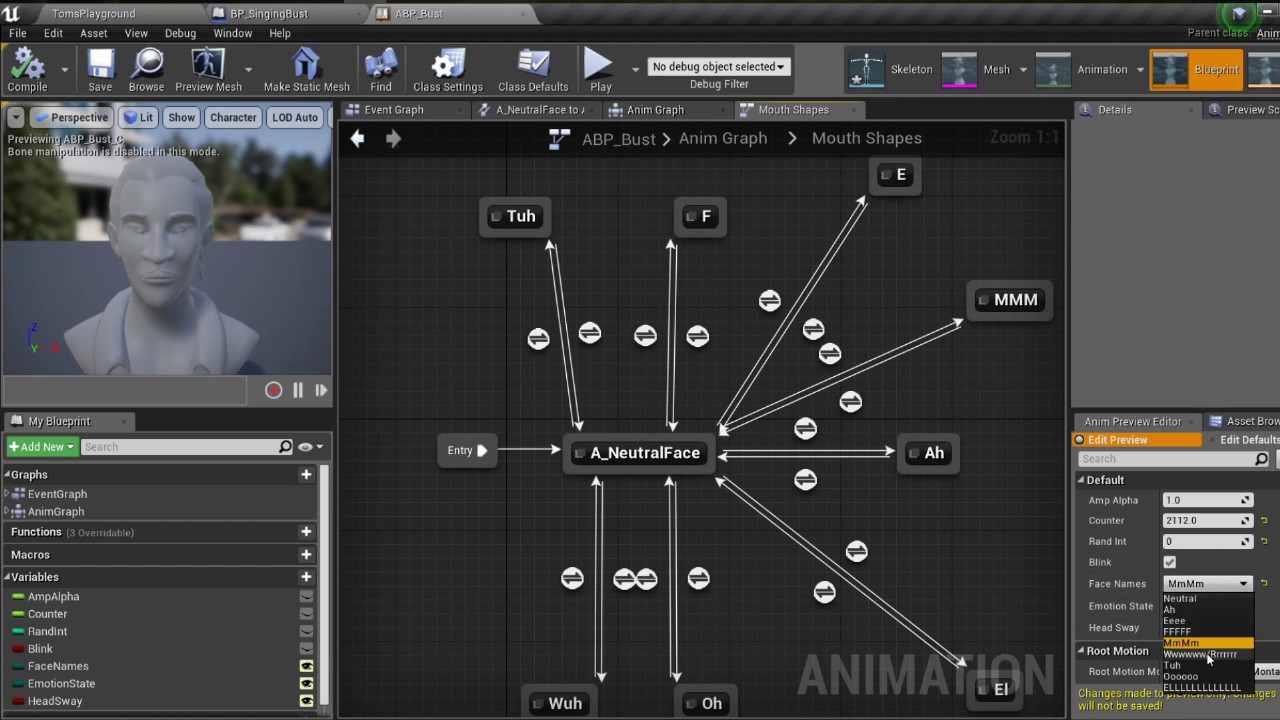
A lip syncing tool I made for UE4 using the audio visualization plugin built in to UE4
Singer: Paul Nirenberg
Models: Cody Knoll and Matt Trupiano
 potent sleet
i type in lowercase cause i never cap
left zephyr
@midnight root thanks, I've seen that one before.
left zephyr
The sequences are dialog chunks so I'll probably just use anim notifies and code it.
It worked! That was incredibly easy. In case anyone cares, work flow was Motion Builder->Maya->Unreal, then Unreal->Animation Graph-> AnimNotify at the start of the animation playback. The actual notify was added to the animation sequence with baked curves.
midnight root
If you use blender you might get better results , but then if you code it yourself...
I typed that not realizing you had used maya ;)),weird timing
left zephyr
It's a modular character system so the anim graph blends the lip sync motion with the playing animations. I used the voice device in in MB to do the blendshape sync.
midnight root
I'd prob. be stuck with blender as I've no money sufficient for anything maya but it sounds fascinating
ty for sharing !
celest vapor
when I get velocity and then get the vector length, what unit of measurement is it?
midnight root
Does https://docs.unrealengine.com/en-US/BlueprintAPI/Math/Vector/index.html help at all ?
Vector
haven't read
worn granite
It's the units that Unreal uses
I have to be vague because you can change it
it defaults to cm
So, your velocity length gives you speed in cm/s
 fervent inlet
hey can i get some help with installation? i cant install it because everytime i do, my external hard drive disconnects and i have to start over
 devout swift
Is there a way to disable just one of the default key bindings on the default pawn and not all of them? Like, I want to disable 'E' and 'Q' only but keep the WASD movement. Tried unchecking this but it unbinds every key
 jovial pollen
hey can i get some help with installation? i cant install it because everytime i do, my external hard drive disconnects and i have to start over
@fervent inlet that's a you problem
fervent inlet
well shit haha
jovial pollen
Is there a way to disable just one of the default key bindings on the default pawn and not all of them? Like, I want to disable 'E' and 'Q' only but keep the WASD movement. Tried unchecking this but it unbinds every key
@devout swift yeah its called going into the code itself or into the inputs in the project settings
elder viper
Hi All,
I am rendering a still frame of my scene through the Movie Render Queue and getting these strange lines all over my render. These lines are not visible in the viewport or through the camera.
Please Help!
devout swift
@jovial pollen Thanks for replying, I went into the inputs in project settings but I dont see options to unbind the default Q and E bindings there. The only action mapping that shows there is the one I created.
if I were to do it through code, which function could I use to unbind a default pawn key binding like Q and E (which move the pawn up/down along the z-axis)?
To add my keybinding I used:
InputComponent->BindAction("Grab", IE_Pressed, this, &UGrabber::Grab);```I see there's a function called InputComponent->RemoveActionBinding() but how would I reference the default Q binding to remove the binding?
For reference, my code is on a class that inherits from UActorComponent. I attached that component to a Custom Pawn Blueprint whose parent is the Default Pawn class
 lucid jetty
Hello folks.
A smol question if I may.
I know how to run Media Files but is there a way to make them NOT open to public when packaging the project?
rigid belfry
has anyone been able to make a ball roll based on user input
ignoring that badly designed rolling template
this is what i am doing right now
comparing the axis float just in case, allthough not really needed
anyway, this is the in game result
basically a mess
W/S and D all move me backwards
A ironically makes me move in forward
 tawdry narwhal
how do I make the launcher aware of an existing launcher build of the engine? I've recently had to reinstall windows and would not like to have to download my launcher builds again
 sweet wagon
Anyone has an idea why my URE4 always crashes due to memory?
https://cdn.discordapp.com/attachments/390448100109451266/729249315968516136/unknown.png
Version 4.25.1
Specs:
Intel Core i9-9900KF
64gb RAM DDR4 3200MHz C16 XMP 2,0 High
Asus ROG-Strix-RTX2080S-8G-Gaming
 rigid belfry
@sweet wagon maybe you're using the integrated graphics
sweet wagon
And how does one change that?
"If you into Nvidia Control Panel, then 3d settings, then the global settings tab, there should be an option to switch default gpu from auto to your dedicated gpu." ?
sweet wagon
Ill do that and already am thankful for your help!
Google literally did not help me with that at all
rigid belfry
if you press the arrow on the left down side of your screen, there should be something called nvdia panel
sweet wagon
Currently updating, hold up
Ok done
Which one would I have to change, this one?
It was on Auto before
rigid belfry
from there just follow the guide you posted
yeah if it was on auto, your computer was using the CPU as graphic card
have you played any games or is this your first time booting up the computer
sweet wagon
Computer is running since a couple months.
Already worked in URE4 with modding and such with it.
Now with working in my own project however, it gave me this error
rigid belfry
its very probable that you've always been gaming on the integrated graphics card 😅 what games did you play and what frames can you get in those games
sweet wagon
Overwatch, Deadside, Ark and much more.
Honestly, always had good fps, smooth, no issue.
That's why I didn't notice it tbh
rigid belfry
i see
anyway, if you are sure you changed the right setting, the try restarting your pc real quick
also if you use steam
in the settings, under "in game" option there is a check mark that lets you see your frames while playing games
sweet wagon
Alright, I'll restart, check that in and then test
rigid belfry
okay good
sweet wagon
Well so far it went from 60 to 60 haha
Well important is the URE4 Editor so lemme test that
Nope crashes still due to memory
fervent inlet
hey can someone help me with vr im a bit of a newbie to unreal
i set the play mode to vr preview but my rift s wont go into it
it'll just say loading unreal in my rift s
fervent inlet
nvm figured mine out to haha
rigid belfry
@sweet wagon are you sure everything is working on your end?
sweet wagon
Don't think I changed anything really haha
https://gyazo.com/f0a0dc9f9df707ed47078b9ad200c919
vernal thicket
Tip for noobs; don't add to the content browser what you don't need, or spend hours going through everything deleting what you haven't used so it doesn't get packaged...
 magic fern
Hey guys. I have done a game with the paragon props, now I have so many garbage, what is the best way to clean my project or migrate to a newer one? It's a C++ project, I tried to migrate but the c++ classes didn't go
 acoustic sleet
Hello guys, having a problem starting up a compiled UE4 version. Anyone familiar with this problem?
tight prawn
the best solution is to run the engine in debug mode, open your project and trace the error
first thing to try is to enable r.ShaderDevelopmentMode in ConsoleVariables.ini as it says
and go from there
which light actor should i use to create a campfire lighting effect?
 kind mulch
Depends on how realistic you want to make it I guess, a normal point light could already do the job 🤷♀️
Make it flicker a bit with blueprints or C++ and you're good to go :D
magic fern
How do you get around to keep your project small when you import assets from another places?
exotic thicket
Don't import the assets you don't use?
 austere scroll
so i made this supermarket model myself , and its not recieving light
its not overlapping UVs
or face orientaion stuff
its fine before i build the lighting , but after
it goes black
rigid belfry
@austere scroll what about UV channels?
rigid belfry
create a new material and just use the texture as base color
maybe try plugging a constant of value 0 to the other parameters
also are you sure there are 2 UV channels?
austere scroll
@rigid belfry like this ?
rigid belfry
only on metallic, spec and roughness
dont put nothing on the others
and i mean
the supermarket you created
should have a texture painted, right?
austere scroll
wdmy ?
rigid belfry
did you paint a texture for the supermarket or is it using the default material
austere scroll
default
austere scroll
i usually dont make materials in my 3d software
bcz i dont know how to export them with the mesh
rigid belfry
also, instead of using a vector 3 for the color, try pressing T and left click
that creates a texture sample node
austere scroll
i dont have a picture to put tho
rigid belfry
from there, try using any of the textures that come with unreal
austere scroll
ok
rigid belfry
if you have the starter content that is
rigid belfry
yeah
austere scroll
its not even having materials
rigid belfry
there's something going on with the UV channels
https://www.youtube.com/watch?v=z5yc-bKbHyc try following this tutorial?
How to create a 2nd UV channel to solve the overlapping uv error and how to create lightmaps.
i know its pretty old
but most of it should still be relevant
austere scroll
ok
rigid belfry
i found this while looking at similiar problems people had with UV channel
there's probably something more up to date
austere scroll
ok i'll check out the video
austere scroll
@rigid belfry i followed the tutorial start to finish
but same result
i even followed instructions from a forum
still nothing
rigid belfry
sorry, i dont know what else could it be
austere scroll
no problem
rigid belfry
can you try creating a new level and using only that asset?
rigid belfry
is it black only when you drag it in the level or also in the preview
inside the content browser
austere scroll
no when i build the lighting
its black
here it is
before building the lighting
rigid belfry
that is 100% related to the UVs though
austere scroll
they are spaced out and not overlapping , where the problem could be ?
could it be a case of the engine glitching out ? do i restart it /
?
rigid belfry
try this
enable the polygon editing plugin and restart
once you restart, find the static mesh for your asset and there should an option that lets up unwrap the UV
rigid belfry
i think you're missing beta plug ins
if you notice, in the top left corner where it says "built -in", i have 297 plugins while you have only 187
 fierce forge
why i have this problem with the stars , and how i can resolve it ?
 rocky radish
why i have this problem with the stars , and how i can resolve it ?
@fierce forge disable motion blur
rocky radish
@rigid belfry that won't change it in PIE, you should change it in the post process volume or in the camera details pannel
fierce forge
@rocky radish not working
rigid belfry
yeah i know, its just for quickly seeing what settings one needs to change
rocky radish
@rocky radish not working
@fierce forge where did you change it?
fierce forge
not working @rigid belfry
rocky radish
drag a pp volume, set motion blur to 0
@rigid belfry it wont change anything because if you turn it off in project settings it will do the same for you
rigid belfry
disable all pp effects and see whats causing it
rocky radish
see if it happens with no anti-aliasing or with FXAA
fierce forge
it is not from post process
rigid belfry
i think ue uses temporal anti-aliasing by default
fierce forge
anti aliasing off
rocky radish
and does it still happen?
rigid belfry
there are new stars?
fierce forge
yes
rocky radish
if you still want anti-aliasing you could use FXAA too (it's bad compared to TAA but doesn't cause the problem either)
fierce forge
fxaa ?
rigid belfry
are post process effects off or on
plush yew
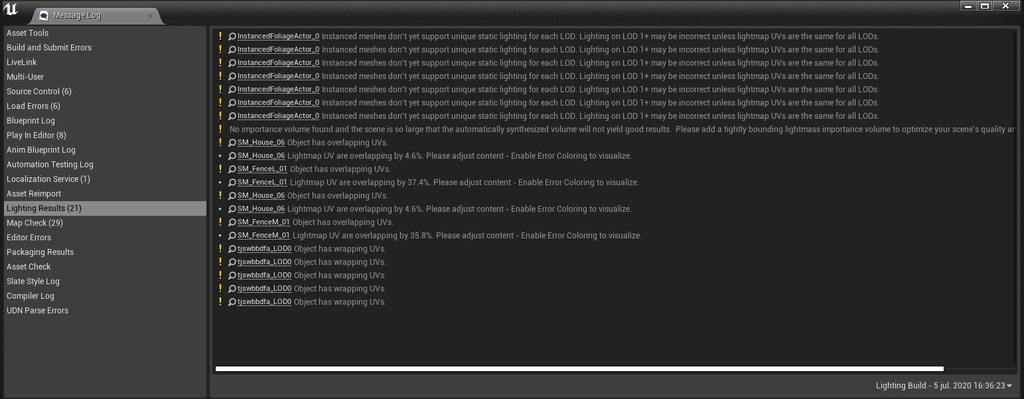
Hello everyone, I was so happy that I finally finished my first scene in UE4 until I decided to try and bake out the lightning. It appears that my shadows and light-projections are entirely incorrect in almost every single way possible. Does anyone know what the problem might be?
I added a few screenshots to showcase the problem: https://imgur.com/a/FZ23sTa
One thing that I find extremely weird, is that I turned off the shadows for the curbs, sidewalks, and roads. Unreal seems to ignore this.

 rigid belfry
fxaa