#ue4-general
1 messages · Page 747 of 1
 fierce tulip
 wary wave
...turn based?
 digital anchor
Some people say only tile based games are roguelike
fierce tulip
(not your fault Dunamis)
digital anchor
ofc most people dont follow it
 thick herald
must resists the red jokes
fierce tulip
true, but its more about the gameplay aspect itself over the tile-based movement
 maiden swift
Anyways, getting away from the point.
I've never done instant tile-based movement, but if I were to do in Blueprint I would assume two things:
- You need to create a tile system
- You need a way to map the WASD input to that system
For example: when you press W/Up, you want to check if there is an available tile before moving the player X units.
thick herald
There was a template that was given away in the monthlys a while back.
maiden swift
Maybe even have a vector in each tile that the player is moved to instead of moving x units.
Oh, OK. Well good luck! Hope the tutorial teaches you what you want.
thick herald
@plush yew Is this of any use? https://www.unrealengine.com/marketplace/en-US/product/jrpg-template

jRPG Template provides pack of the systems needed to create your own jRPG game.
@plush yew you'd need to actually explain the error.
Have you tried rebuilding your navmesh?
Just move it a little bit, and it will rebuild
 heady quartz
Can someone tell me what’s the difference between hud and umg widgets? Is using the hud still useful?
 worn granite
Lots will say HUD is pointless. I agree unless you're doing really complex UI that needs to run fast
If you don't know, just use UMG
 rancid lynx
does anyone know how I can get a very sharp edge between my grass and my dirt, like this, in ue4 ? I will try using Mask, but i dont think that will work
i cant find any tutorials or videos talking about this.
its probably just a unique layer X_x.
i literally just copied my folder to google drive. but i dont use cpp
 cunning bolt
Hello, im sorry if this is the wrong place for this. I have been playing around with Unreal for about a year now and will be going for Game Design and Production in college starting in the fall. I am wondering if I can find the UE4 mannequin, plug it into maya, and edit it for my game. I do not have enough experience to make a person so I felt I could use this to work with annimations for a game I am working on. I tried to look around google but could not find anything on how to do this or if it is possilbe.
rancid lynx
you mean like, manneg
mannequin to maya youtube /?
Enjoy the videos and music you love, upload original content, and share it all with friends, family, and the world on YouTube.
rigs deal with animation
 dense hatch
I'm getting a very strange error when trying to launch for android
LowLevelFatalError [File:D:\UE4.25.0-S\Engine\Source\Editor\UnrealEd\Classes\ThumbnailRendering/ThumbnailRenderer.h] [Line: 70]
Pure virtual not implemented (UThumbnailRenderer::Draw)
 steep ferry
hey uhh guys how do i send anything on #looking-for-work
cunning bolt
@rancid lynx Thank you! I think this should work
rancid lynx
ive done it with blender. it should work : )
fierce tulip
@steep ferry read #more-resources or the pinned message in that channel
steep ferry
oh k thank
 red prairie
Guys, anyone know how to create a material with transluceny? Kind of like those chinese paper doors? Whenever i choose Translucency i lose the ability to input normal, roughness and so on.
 grim ore
Scroll down and you need to change your lighting mode, the default doesnt take direction into account hence no normal input
red prairie
@grim ore Thanks!
 floral mesa
so my engine keeps crashing when i paint a material on the landscape layer. at first i thought it was naming conventions of the layerinfo. i made sure there were no duplicate layerinfo in the project. it seems to paint down fine now unless i try and paint too much then I crash the engine. Could there possibly be something I have wrong here?
im using the brushify landscape material from the marketplace
i seem to have more issues after enabling edit layers, but i wanna use the layers so i can dedicate one to spline and one to material and sculpt if possible.
Fatal error: [File:D:/Build/++UE4+Licensee/Sync/Engine/Source/Runtime/D3D12RHI/Private/D3D12Util.cpp] [Line: 581] CommandList->Close() failed at D:/Build/++UE4+Licensee/Sync/Engine/Source/Runtime/D3D12RHI/Private/D3D12CommandList.cpp:134 with error E_INVALIDARG
this is the error upon crashing
 tawdry basin
what the fuck, ue4 4.24.3 has a major bug with landscape, adding tesselation to your landscape material will increase the compiling shaders to 60k - 120k etc etc
 mint umbra
Anyone knows what this cloth issue could be caused by? https://gyazo.com/11a9c41c8ebf51594ef9b2585b0ebb94
 floral mesa
what do your collisions look like on it
it looks like the hair mesh has no collisions in the video
some games allow that on purpose
 ancient otter
Sup guys
ancient otter
Anyone knows how to fix the "assertion failed" problem?
literally crashes unreal
I open the project and it automatically closes
apparently the issue is "Assertion failed"
floral mesa
was it like a fresh project? what u have in it before
ancient otter
not a fresh project
i accidentally turned off my computger while opening the project lul
floral mesa
lol
ancient otter
what should I do?
floral mesa
and it doesnt ask you if you wanna rebuild anything when you open the engine again?
floral mesa
im pretty green but send me a pm with the error you get
ill help u look around
because i dont want that error ever either
ancient otter
floral mesa
im tired or restarting lol
grim ore
I would start with deleteing your temp files. The Intermediate folder, Binaries folder inside of your project. See if that helps, you can also delete the Saved folder
mint umbra
@floral mesa https://gyazo.com/c47d01f12a07f7fc10b477f6bd87369b I moved the constraints around to make the best effect, but this one strand is consistently popping around whether I scale the constraints or not
 grim ore
you might want to delete everything in Saved but the Config folder as that might have some settings you wont want to recreate
ancient otter
binaries folder?
red prairie
Does anyone have a good tutorial for creating chinese screen doors that have translucency? I cant seem to get it right.
grim ore
You may not have a binaries folder if you are not using C++. You may also have a DerivedDataCache folder
ancient otter
Oki
I have been trying to learn the c++ api to make a plugin
But I cant find any good info
the docs kinda help but they are horrible
they dont actually explain some stuff
grim ore
Config and Content and important. .uproject is important. Source is important if you have it. The rest can be regenerated. Intermediate can cause problems
ancient otter
alright fixed
thank you
you know where I can learn the c++ api to make a plugin?
floral mesa
@mint umbra can you take the mesh back to a dcc and manipulate the geo a little. lift the hair card further away from the body slightly and then redo the constraint
 bold aurora
Hi there , can someone explain how can I change the Capsule Half Height Adjust value in crawling mode ?
floral mesa
@ancient otter ive learned some programming with courses on udemy. when they have sales i get them cheap. most places on teach basics. you really need to talk to or see what other people are doing. especially with advanced mechanics because some things are inventive and brilliant. some things i swear i couldnt have thought of on my own.
grim ore
learn C++ in general, or the specific stuff for making a plugin? C++ in general just learn C++ there are plenty of courses on YT and Udemy and uh pluralsight and learncpp.com. As for the API the docs have the plugin structure and you can tear apart an existing one
ancient otter
specific stuff to make a plugin
I know that learning c++ is "easy" (because you have a lot of resources)
floral mesa
ive seen tutorials by MathewW for instance. people like him are pretty much free college
grim ore
ancient otter
I am not a pro, but I am intermidiate. I had expirience with other languagues too.
floral mesa
that goes for anything learned
ancient otter
I mean, the docs are fine but not really
floral mesa
i like a mix of docs and audio and visula comnined
floral mesa
it seems simple
ancient otter
If I want to import an fbx https://docs.unrealengine.com/en-US/API/Editor/UnrealEd/Factories/UFbxFactory/FactoryCreateFile/index.html
Create a new object by importing it from a file name.
it does not explain what InClass, InParent, etc is
grim ore
You also have the ScriptPlugin folder in the Plugins folder which is a sample base plugin
ancient otter
I alredy have a "basic" plugin
floral mesa
you know. i bought some books for blueprints and c++ from a website called pakt
ancient otter
its the plugin that open in the editor
floral mesa
or packt
ancient otter
I am not looking to use blueprints btw
floral mesa
its a book seller site. some really good stuff
grim ore
and if you want the docs on the API you open the source and look at the code, unfortunately thats just how it works 😦
 distant totem
(gonna check that out)
I understand that unreal can hang, and go not responding when doing intensive tasks, but at what point do you throw the flag in? It's safe to assume that as long as crash report hasn't appeared in task manager that the engine is still thinking right?
ancient otter
Yeah, I have tried it
And actually that kinda worked
But there should be more info, you know?
Instead of having to open the file and check
mint umbra
@floral mesa Hmm, I'm not the artist of the mesh unfortunately, no clue how to go about that 🙂 Marketplace asset
ancient otter
Slate for example seems super weird
grim ore
you learn C++ as a language, then you implement what you want. In the case of a plugin you look at an existing plugin and look at the code and learn from it
ancient otter
For example, i was checking this guys's code
He had like 1,000 lines worth of code
for a slate thing
And its kinda hard to understand it
most slate tutorials are visual, in the editor
floral mesa
@mint umbra i feel yeah. thats kinda where i shine the most is the visual end of things. one piece of advice i will give you is not to let that detail hold you back from developing. keep working and have it fixed by an artist for 5 bux on fivver or something
ancient otter
i actually havent found a sinlge slate in c++ tutorial
 hoary wedge
@ancient otter what are you trying to achieve?
 winged crypt
anyone know why images render much darker in widgets at runtime?
ancient otter
an editor plugin
grim ore
well slate is C++, UMG is in the editor. they are not the same and most people dont mess with slate as you dont need it
now if you are using C++ and need ui for an editor plugin or mod then yes you need slate, but slate is just a wrapper basically for ui
ancient otter
In this case I will need it, sadly haha
grim ore
and in that case you open up an existing editor window or plugin that looks like what you want and use it and learn from it
ancient otter
Yeah, im trying.
Im just saying the info is not as available and I though at first.
grim ore
there is a point with what you are trying to do where it's less hand holding and more learning from experience and the existing code base. What you want isn't a basic thing which is why the resources are limited.
ancient otter
Yup, I noticed.
floral mesa
yeah you seem to have an idea what you want too. i believe in you.@ancient otter
grim ore
people with the knowledge to make the tutorials or docs that you want don't have the desire to do it because they are using that knowledge to make stuff heh
floral mesa
@ancient otter eat that frog
ancient otter
I tried to get someone to give me some lessons of the basics, made an offer here and like 2 people sent me dms
When I asked they didnt know what they were talking about lol
mint umbra
@floral mesa Alright, thanks for saying that haha, I tend to get stuck up in little details that bugger me haha 😉
floral mesa
maybe they misunderstood your ambition
distant totem
@plush yew to my understanding multitouch isn't supported within html5, if that is applicable to you
ancient otter
I asked the two of them, do you have expirienced with editor plugins?
distant totem
on mobile
ancient otter
The first one didnt even know what i meant by editor
floral mesa
@mint umbra as do i! lol i have to slap myself sometimes
ancient otter
the other one said no
 plush yew
hey guys
floral mesa
hi
ancient otter
@floral mesa thanks man
I alredy did most of the stuff I had to outside UE
I even had to learn Linear Algebra

it was fun still
grim ore
There is a 5 part course so far on http://wlosok.cz/ for Editor plugins, cant hurt to check it out
plush yew
the luncher is messed up after i downloaded gta 5 , any help ?
grim ore
but honestly you are in a crummy place where you just have to learn to learn what you need to learn to learn what you need to do what you want 😦
floral mesa
ill watch it. i dont have friends cuz all i do is watch tutorials
hoary wedge
btw any chance does anyone know where I can find more info on what the difference between PCH headers mode and UnityBuild Mode is? I've read all the ue4 documentation on the subject, but it doesn't really god into detail
ancient otter
hopefully no one care about my voice lol
floral mesa
i suffer alot. some ppl make me laugh. hahaha
ancient otter
how old are you?
floral mesa
30
ancient otter
ah yes people would not complain if you did tuts
im 15 i have a wack voice
currently i have a small devlog, no one has complained yet
floral mesa
whoa thats weird
grim ore
thats a web connection issue, try rebooting your pc
ancient otter
yeah lol
floral mesa
glad i saw that today. i hadnt seen that happen yet
grim ore
the entire launcher is just web pages, that looks like the css didnt load
ancient otter
There is this this thing btw guys, called UnrealEngine Python
it adds python to the editor
you can make plugins with it and stuff
i know there is an implementation of python alredy btu its trash
floral mesa
isnt that a built in plugin?
grim ore
yep its been in for a while and the docs have examples
floral mesa
good to know.
ancient otter

GitHub
Embed Python in Unreal Engine 4. Contribute to 20tab/UnrealEnginePython development by creating an account on GitHub.
I alredy made a plugin with it
but i wanted to learn c++
floral mesa
my goal for code is to learn what i need to make specific game mechanics. thats all. im more an artist. but i gotta know how to handle all things in my production and pipeline alone.
 spring ether
I'm about to start my first couple test projects in UE -- should I go with .24 or are things pretty well worked out in .25?
floral mesa
i have three engine versions for ease of asset migration
i am using 4.25. but i keep crashing when i paint materials on the landscape layer
spring ether
yeah, i've got both installed, i just know .25 is pretty fresh in some cases. since it's my first real project, I just wanna try for smooth as possible.
floral mesa
i think its because raytracing is enabled maybe
some plugins arent updated for 4.25 but will son be
grim ore
use .25 or .24 or .23 or .22 if you are just learning, wont really matter unless there is something specific. With that said .25 does change the modes panel and the animation editor window so those wont be the same if watching older tutorials
floral mesa
id say 4.24
spring ether
okay, I'll go .24 and move up sometime in the next couple once I'm a little more confident. Thanks!
floral mesa
@grim ore do you use multiple versions of the engine?
grim ore
just depends on what I am doing, as most tutorials are focused on the latest I do them in the latest.
but I keep a few versions installed as needed for work
floral mesa
thanx thats kinda how i manage that. i just use the three latest versions
i think ill try disabling ray tracing and see if my issues with crashing persist
plush yew
@grim ore hey
 tawdry cliff
Hello ya'll.
plush yew
still same issue after rebot
grim ore
you just might have a bad connection to the epic CDN right now. It's a connection thing. You could try reinstalling the launcher or cleaning out its temp files or just waiting
grim ore
it might be but I have no issues here in California, USA
but it cant hurt to clean out the cache, close the launcher and delete "C:\Users\USERNAME\AppData\Local\EpicGamesLauncher"
 steel osprey
@plush yew no, civ6 is on, it’s no longer gta v
 boreal wadi
Hello ppl, I have an issue with collision/Overlaps (I think) is there a dedicated room for support/help ?
plush yew
@steel osprey what ?
steel osprey
gta v is no longer free on the egs
plush yew
it dont mater i owned the game cuz i dowload it befor 21
steel osprey
I don’t care
what you said was there was a heavy load on the servers due to GTA V
I said gta v is no longer free
plush yew
@steel osprey well do you know that when you lunch gta it lunch egs soo ?
steel osprey
but goes into the rockstar launcher as far as I’m aware and even if they were on the egs, not all millions who purchased it would be on at the same time
they’re not buying anything and the servers won’t just go down unless ALOT of people go on
plush yew
@steel osprey well you some how right cuz maybe epic is changing some stuff cuz gta is no longer free.
steel osprey
gtafan, are you alright in the head?
 severe glen
hey there, Is anybody using ue4 with VSCode?
 mild charm
Whoa Mathew's here?? Love your tutorials man, extremely helpful for a newbie such as myself 
Thank you for your hard work 
fierce tulip
@boreal wadi #blueprint miiiiight be where you want to ask
@severe glen and for you proooobably #cpp
severe glen
👍
ancient otter
@grim ore do you think you can help me figure something out?
I am trying to use the OnClicked thing
But I have no idea on what I have to give it
and yes, i tried looking it up ont he code and it showed that it needs this c++ const FInputDeviceRay& DeviceClickPos
https://docs.unrealengine.com/en-US/API/Runtime/InteractiveToolsFramework/FInputDeviceRay/index.html but that makes no sense
FInputDeviceRay represents a 3D ray created based on an input device.
grim ore
I am assuming you would bind to it since it is a delegate
 agile lynx
@polar dome - Hey I just saw your message on the Maya camera issue. Did you ever find an easy fix for it? I am super noob with Unreal coming from Maya, but can't figure this out. I know it's something to do with the offset and a weird rotation but f haha can't do it. I know there is a script out there somewhere but can't find it. Any ideas?
ancient otter
First time i hear the term delegate, i gotta look it up.
grim ore
if you look thru the ue4 source code you can see examples of how its used. You are basically saying "hey when you are clicked, call this function"
ancient otter
I alredy have the function set up
I have to find how to tell it to use the function
agile lynx
Anyone using PFTrack and taking your tracked camera into Unreal? I am in the VFX industry looking to slowly move over from Maya to Unreal for product shots etc for commercials. But yeah having a hard time exporting from PFTrack into Unreal using FBX. If anyone knows a bit more, I'm super noob to Unreal by the way - please @ me thanks!
 slate vessel
this questions probably been asked to death but did the ue5 demo use ray tracing or not?
ancient otter
im pretty sure they said what it is using
grim ore
check out the docs https://github.com/EpicGames/UnrealEngine/blob/release/Engine/Source/Editor/Documentation/Private/SDocumentationAnchor.cpp its got a slate button that is created and an on clicked set up in the same class
ancient otter
they never specified if its ray tracing
they said "dynamic lighting"
interesting
@grim ore I am still getting erros
name followed by :: must be a class
 wheat sphinx
Does anyone know how to lower VRAM usage in a project?

Is it these values adding to the VRAM?
And is the memory stat purely RAM?
 glass rapids
Should I use the built in crouching or make my own?
 civic portal
okay.. so why has geometry creation suddenly stopped working. I try to drag a box or anything into a viewport to place it... and I get a point object that can't be scaled.
I feel like this worked yesterday
Also super frustrated with maya, if anyone knows about how to use that. It seems like theres no snap to grid, only snap to grid center, and there's no y axis display option
these seem like super basic things that are crazy hard
aaand insertying geometry magically started working again once I switched to basic and back to geometry
buggy af
I've got a project started, largely because of quixels stuff, and I havent done much modding or level editing since the source engine, but .. basic things. stuff that worked back in the UT and WoT era is just plain not there anymore
 lavish perch
is there a way for 2 people to work on a project?
 lethal peak
hi, i have problems playing video in a IOS Shipping package IPA i tried mp4, wmv , change the fps to 30 to 60 and nothing. only work launching the app from the editor and mp4 in 60fps. any advice, code configuration etc...
 static sparrow
Is there such thing as conditional breakpoints in UE4?
 dawn kelp
is there a way for 2 people to work on a project?
@lavish perch
Yes.
lavish perch
how
dawn kelp
Is called multi-user editing
If you mean that
If not and you just wann to Share the Project. Use a version control software like git
fierce tulip
@civic portal bsp/brushes are kind of outdated, if possible blockout with meshes instead.
grim ore
@lethal peak open the ipa up and make sure the movie was actually packaged
civic portal
@civic portal bsp/brushes are kind of outdated, if possible blockout with meshes instead.
@fierce tulip What does that even.. I can't,...that's compltely unrelatred
That has no bearing on my issues
None whatsoever.
grim ore
@lethal peak you can open it up with compression software, its a compressed file basically then you can examine the app and resources. There re tutorials on it out there. My thoughts are you dont have the movies in an included folder or the default folder and its not being packaged
civic portal
If I click a button, it should work. It should not magically stop and start working, regardless of "best practice"
lethal peak
ok thanks @grim ore
grim ore
@civic portal they are saying the geometry stuff really isnt intended to be used anymore and it might be better to use something else so you dont have the problems
fierce tulip
true it should work, but I personally am not surprised its buggy. that is all.
grim ore
and as for scaling or moving not working perhaps you adjusted your snap settings on accident in the viewport so its too large to snap now
 ashen ermine
And another weird question: Which is cheaper? float>Round]plug into text (for widget) or float>ToText>plug into text?
civic portal
Snap in maya is the issue
It works fine in UE4
Maya snaps to grid centers, not eedges. UE4 snaps to edges
civic portal
I like edges
I can't find a way to change it in maya
I've looked at every tutorial and bit of snapping and grid documentatyion
It just seems to work for some people, but no one explains how to switch it
nothuing in display->grid, preferences->interface...
I wish someone would do these tutorials from a fresh install, without cuztomization out the wazoo, so you could actually match their setup
This is stupid that the most trivial things aren't trivially configuranble
https://www.worldofleveldesign.com/categories/ue4/images/009-ue4-maya-grid-to-ue4-00.jpg < like it works for this guy

why doesn't it act like that on mine
Mine snaps to the middle.
Not the least bit useful.
Everything says theres a checkbox for on/off, amd you press the X key. Well, that doesnt account for why some peoples' snap to edges and mine snaps to the centers
 tiny dome
Hi is it possible to export animated lights from Maya into Unreal engine. Maybe a way to get the lights transformation data?
 hoary lodge
Hello. Whenever I set the sg.EffectsQuality to anything below 2 it freezes the game. Is there any way to fix this?
 next badger
@hoary lodge you need to compile shaders...you can do that by switching scalability in ue4 menu
@tiny dome no afaik, but you can import many cameras and copy their transforms to lights
hoary lodge
ohhh I'm assuming it freezes because the shaders for that setting were never compiled?
next badger
@hoary lodge most probable reason
 marsh swallow
Is there ANY ideas on how i can sort the save slots by Date/Time saved?
i am saving the UTC Date/Time to the save file but i am not quite sure how i would sort it.
next badger
you read it back and sort based on this data?
tiny dome
@next badger Thanks, I'll try that method
 hollow zinc
does anyone know how to copy and paste keyframes along multiple tracks in sequencer?
I can copy and paste onto a single track
but not across multiple tracks
rancid lynx
Sorry to ask again. I still havent found a way. is it possible to paint terrain so that the blending between grass and dirt has a very sharp edge, like the grass and dirt in this example? maybe a mask? but i cant get it to work yet.
i can get this effect on a landscape mat, but i dont want the mask effecting areas that are not blending between two layers.
 deep stump
Does anyone know how to fix it where when I open an actor I can't "zoom" or go close to my actor without it disappearing?
 neat forge
Anybody know any good tutorials on animating a mesh that is a particle effect?
Or what I would look up to learn about that
 vapid venture
I have a question, Ive been doing lots of tutorials and such, and some have used "Player Controller blueprints" while some do not. The official unreal starter projects dont seem to use these, is it a thing I should have or is it only for games with multiple playable characters
deep stump
You should have and use a player controller
rancid lynx
cascade is the easy particle system, niagara is a little extra powerful and time consuming to learn. just attach those to sockets maybe, on a mesh. idk.
neat forge
Yeah I haven't used Niagara yet, I've used Cascade a bit
rancid lynx
both are easy if you study youtube for a few hours. cascade maybe even moreso
actually i only make very basic particles, so idk so much. but ive made afew
 frozen heron
guys I just installed 4.2 and it asks me to install visual studo 2019 when I already have VS 2020. Should I just relocate it instead?
vapid venture
i mean i figured, but like most of the default ue4 presets (first person, third person, ect) just use inputs on top of the character object
grim ore
@frozen heron the latest version of UE4 is compatible with VS 2019, if you are using the latest version, .25, then you should have 2019 installed.
@vapid venture You don't have to use a player controller, you might not want to depending on your project. The player controller is designed to take input first and then it passes it onto any controlled pawns that it might have. In the case you might have say 1 control scheme and different pawns having your controls in the controller instead of in every pawn might make more sense.
 fallen marten
Can anyone tell me how I can see what the engine is doing in the background? My fps is rubber banding and freezing as well as being low, even with a fresh blank level. -BUT- if I right click and bring up the menu, or switch to a BP window, fps goes to normal, no freezing or stuttering
Still on 4.21
Had no problems like this until a few days ago
grim ore
you can profile, but that sounds like something else is causing the issue like a gpu overlay or something else taking over the 3d rendering
fallen marten
It's only the main editor window that does it
No other programs are running
Stupid thing is almost un usable
grim ore
so nothing gpu related running, nvidia shadowplay. geforce gsync, msi afterburner?
running on a laptop in power savings mode
fallen marten
Nope. It's a laptop but it's plugged in, it's amd Radeon software, no screen recording, no afterburner
Gpu is at 2% utilisation
grim ore
I had that issue on my laptop due to the power mode being set to energy saver, it would limit the cpu and gpu
fallen marten
Cpu says it's constantly 60%+ Ram is at 70
Engine is just sitting idling on a blank map
grim ore
whats the cpu speed tho
like right now if I enable energy saver it caps the cpu to 1.5ghz rather than the normal 4
grim ore
so what laptop is this? if it has integrated and discrete gpu's it might not be using the discrete
fallen marten
It's an aspire with A9 and R5
grim ore
oh, yeah uh... good luck with that
fallen marten
Has been great for ages until a few days ago
Its just something I take to work so I can work on my breaks
grim ore
well thats a low power APU but if it was working fine then it sounds like its not using the gpu properly anymore
marsh swallow
@deep stump from my experience that usually happens when your scale is really small on import or when there is LOD issues.
grim ore
set task manager to always on top and see if the cpu and gpu change when you have the editor focused and when you have the menu up which works better
deep stump
It's a bullet so it is pretty small lol
fallen marten
If I could see what was happening in the background I could do something about it. The task manager just says the exe is running. No compiling
Ok I'll try that
grim ore
its weird tho the only times I had that issue was when say MSI afterburner was loaded up in overlay mode and it would take over the gpu 😦
rancid lynx
how can i control the blend between grass and dirt? i cant remember. i would really love to use a mask, but im not sure if thats possible.
fallen marten
@grim ore when I did that, CPU didn't really change, but frames went to normal and the GPU use went from 1% to 23%
grim ore
so with the menu up you had more GPU?
fallen marten
Yep. It's like it releases the engine from whatever it's thinking about
And says hey, gpu can work now
grim ore
thats super weird, for me it's the opposite. 100% gpu or 45% when the menu is up. How are you testing FPS? or does it just feel slow
fallen marten
I have the fps up in the too right corner with memory usage
When menu isn't up, it's like a slide show
Menu pops up, 60fps
grim ore
yep opposite of what it should be. I assume you didnt cap the fps? open the console and do "t.maxfps 200"
fallen marten
No change
And no I never capped the fps
Lol my lappy would never need a cap
If you aren't sure don't worry about it
It's a shit of an issue
grim ore
nah the default cap is ~120 or so so calling the t.maxfps 200 pretty much resets it to 200 which means no real cap for most machines
disable this and see if it helps, it shouldnt but
fallen marten
It just sent the fps up and stopped the stuttering
Well shit 🙃
Nope spoke too soon - I must have had the editor prefs selected
grim ore
yep something else is conflicting with ue4, like an overlay program
fallen marten
Ok I'll dig a bit more - thanks for your time Mat
grim ore
😦 wish it was an easy answer but we tried them all lol
fallen marten
Champion 👍
plush yew
 grim ore
You've got to pump up those numbers
 patent vortex
Impressive numbers lol
plush yew
it was 82k
patent vortex
So my game compiles fine...but the crash logs report unknown function 
deep stump
@marsh swallow would this be an LOD issue?
I'm about to flip lol
All my maps are like this
grim ore
did you mess with the near clip plane? I think you messed with the near clip plane
@patent vortex install the launcher debug symbols and when it crashes you should hopefully get a function name
patent vortex
I thought they were automatically installed with a custom build @grim ore
grim ore
a source build of the engine?
patent vortex
correct
I see the option for the normal engine which ironically is not ticked but Im not using that 😛 so I doubt it would impact visual studo
grim ore
and this is for a packaged build somewhere else or an editor build? I think the default is development editor not debug editor so that might be an issue
 fading tendon
Hi
grim ore
if its packaged you might still need to move the debug pdb files into the packaged folder so it has them
patent vortex
Its just the editor build but Ill figure with my compile.. I think
Actually I think it might've derived from be accidentally being on a debug build type! Will report back. Thanks Matt!
fading tendon
Does anybody have videos or tutorials for ue4? I'm completely new to ue4.
patent vortex
Search youtube or check out https://www.ue4community.wiki/Unreal_Engine_Community_Wiki
fading tendon
Thanks
grim ore
also check the pinned list at the top
patent vortex
Oh how I wish things compiled faster. Time to twiddle my thumbs.
 near ibex
can I ask questions here?
grim ore
You can ask yeah
hollow zinc
Is it possible to edit material parameters in an embedded actor sequence?
near ibex
Ok so i have an issue with making just a simple material for painting
when i change the preview weight to .5 in the layer blend node it errors. i get some sc's 1 sec


In stats it says [SM5] (Node LandscapeLayerBlend) Arithmetic between types float3 and float4 are undefined

I only changed one node just to show
near ibex
@fading tendon what kinda assets
near ibex
@lmce in your cart? as in from the epic games store or something?
fading tendon
well i got free assets and i got the email saying i got it but idk how to import them to my project
near ibex
go to your library in the epic games program
fading tendon
ok
near ibex
is it the megascans assets?
near ibex
ah well yeah just go to the library tab find the stuff you just got and add it the project your working on
fading tendon
ok thanks
hollow zinc
does anyone know how to open 2 sequences at once with seperate windows?
 winter hollow
Having an issue with bringing in my char from blender to unreal. Been battling it for a couple of days now. My mesh is significantly smaller once i import to UE4 but when I import the UE4 char to blender they are pretty much the same size
grim ore
what scale and units are you using when exporting?
winter hollow
Metric units and my scale is 1
my dimensions are pretty small on the armture for some reason
but I can't find a way to scale that up without destroying the animations
Scaled up armature
Applied scale
Hard to see in a screenshot but the feet are completely messed up now and so is the ani
grim ore
seems like it was fine before in terms of the dimensions wasnt it?
winter hollow
I'm not sure if it's fine. Once it's in Unreal I have it in the player controller just fine, it works. but when I started trying to create sockets they were huge and unusable. So I checked the approx size of the mesh and it was much lower than the UE4 skel
grim ore
but anyways when you export change the unit to centimeters as that is the unreal unit and see if that helps
fading tendon
Im so dumb i still dont know how to import it wont show up even after i watched yt vid
winter hollow
 mint sequoia
I think I use cm when exporting 🤔 Actually its set to "automatic", but if I uncheck that default is cm... but this is from Maya
patent vortex
sigh still cant figure out the symbols and debugging this crash log 😦
winter hollow
 red raven
@near ibex try removing the preview weight
I've never had that issue with landscape materials and I leave all preview weights at 0
near ibex
I changed to weight blend and that actually worked
but is there a reason to use height instead of weight?
red raven
height is standard for painting i believe, i use that on all mine and i have much more https://gyazo.com/424e17794c979a79ac863e815693d031

Never had that error
near ibex
😳
red raven
its sorted up close but afar looks like spaghetti
too bad we cant use reroute nodes outside of material functions
near ibex
hmm i dont get why its not working then do you know why the height is standard?
i tried painting with the preview weight at 0 but i never saw anything
red raven
Honestly ive never used anything besides height, i believe weight is a more detailed option? like if you wanted puddles
 cold venture
Hello.
When I tru to import a tiled landscape into UE4 it says no landscape configuration found.
Whats going on
near ibex
hmm i mean i do want to paint at small scales so i might just stick with weight then :/
rancid lynx
How do i control how thick the blend is, between two landscape materials on a flat terrain. I know how to do it with heigh or slope. But no idea on flat terrain. Not brush smoothness, material blend thickness hardness softness inside the material
near ibex
Id like to know too👀^
rancid lynx
I figured it out last year but it actually looks terrible due to zigzagging vertex patterns on the terrain mesh. But i hope i can add a mask that will hide how bad it looks
 bitter siren
Is anyone good with material shaders and can help me?
I'm trying to do a basic butterfly wing flap sort of thing
It works great when oriented a certain way, but when I rotate the mesh, I can't get the world position offset to change in a local way
Problem
Material
bitter siren
Thank the good Lord. After struggling with this for an hour, I figure it out 5 min after posting lol. For anyone interested, I added a transform node (world to local space) after the divide node
 vagrant iris
For those who test their games with a gamepad can anyone recommend one to me? I'm looking for a decent one doesn't gotta be too fancy and one that windows and ue4 will recognize out of the gate. Feel free to @me as well
red raven
xbox one controller
vagrant iris
Thanks for the recommendation. you use it yourself?
red raven
yessir, every day, you can fly around the viewport with it aswell
vagrant iris
ah that sounds awesome! thanks again
red raven
No worries
near ibex
Does it matter what resolution i set the landscape to too get good tessellation?
 spare dust
Anyone know why the Set Filter node would potentially not be working correctly?
plush yew
Can behavior trees only be used on characters? I'm trying to use AI on my turret actors but I've just realized that I might not be able to do that
 grim salmon
Question: How do I make my mesh emitter emit in the direction of the green arrow on the emitter sprite? When I manually rotate the emitter I want the particles to fire off in the direction that I rotate it.
 leaden dust
do the two bottom functions no longer exist?
red raven
@grim salmon youre probably looking for lock axis under orientation
and just select the direction you want it to point in
grim salmon
yeah, i eventually found that setting
it -mostly- works
ideally i wanted to just use the rotation widget on the emitter in my level and change the direction it emits the mesh particles
red raven
i had just set one up like that maybe an hour ago but already forgot what the tick was as usual
it is possible
 lapis bronze
@bitter siren you cant use world position for that
you should use vertex color instead
 honest vale
@red raven why didn't you use material functions there? 😄
 golden niche
Guys help
Whenever I try and follow a tutorial I fall asleep
red raven
Because im not that cool
lmao, i probably will on the next one but i just was not processing anything at the time
honest vale
it really helps with organization imo
golden niche
Im having troubles keeping motivation up
lapis bronze
@timber mountain that sounds like your computer is just overheating in general
when is the last time you changed the thermal paste on your CPU? if its been a couple years that can be it...
Get a hardware monitor to help determine what is overheating
 timber mountain
but this just happens when i building the lights ... i hadn't this problem until 2 days before.
its wondering.
bitter siren
@lapis bronze why can't I use an world position there?
timber mountain
monitor is turn offed ... i can't see hardware moitor program
lapis bronze
@bitter siren the second your model rotates the effect is destroyed

UE4Rocks! Series. S01/Ep07: Advanced Example of Static Mesh Morpher usage.
We will talk about the SMM script for 3ds max and material setup inside UE4.
As example we'll animate a static mesh (bird) using a special material node and a little bit of the blueprint.
plush yew
soo
is there a way to override functions like event receive draw hud?
or do u need a the source for that
 modern sinew
Is it possible to build objects from a set of points, instead of importing a model? Can I tell UE "I want a point here, here, and here" and make a solid object from that?
I've been looking but I haven't found how
 lucid socket
ProceduralMeshComponent
modern sinew
@lucid socket Thanks, I'll look into it. Also, I ended up getting Multiplayer working, one of my nodes wasn't connected right
lucid socket
Cool.
modern sinew
Is "ProceduralMeshComponent" C++ only btw? Or possible in Blueprints?
And is there a way to get what key is bound to a current action in Blueprints? I've only found for C++
lucid socket
I believe it is both
modern sinew
ok
lucid socket
That one is tricky because there can be many input components
More than one input component can bound to the same action name, just depends which one has more priority and whether it allows input to fall through.
modern sinew
currently my plan is just, when the player remaps the keys, it'll change a key struct variable as well. But if it's possible to get it directly then that will be much cleaner
lucid socket
I believe that you can look up that in a config.
modern sinew
Lastly for now, in an inventory tutorial I'm trying to follow from January of this year, the ui widget he is working with has an Interfaces panel, and a Class Settings/Class Defaults button, and mine doesn't. Do you know why this may be?
lucid socket
Unsure, it should have it.
modern sinew
(found it)
 surreal laurel
is a light set at 0 intensity being calculated at all?
I want to have a light turn on then fade in, and the only way I can think to do that is have it set at 0 strength during runtime and then when it gets triggered use a curve to fade in how I like
or should I have it invisible, and the custom event make it visible first and THEN fade in?
leaden dust
if I am using procedural mesh component how many verts is healthy for the scene to run smoothly?
can it handle 200000 triangles?
 jolly slate
Anybody have a clue as to why I can't see volumes I place in my level? This is across ALL my 4.24 projects, show volumes is enabled and I'm not in (G) mode.
 ruby folio
@jolly slate You tried using defaults?
jolly slate
Yeah, these are the defaults
ruby folio
Are you trying to view level streaming volumes?
jolly slate
Blocking/Trigger volumes
ruby folio
And have you placed any in the world?
jolly slate
It's like, ALL volumes, can't see post process ones either.
Yes, I can see them if I select them in the outliner
ruby folio
Ahh.. I think I've seen this before.
Do you have the same problem on other projects?
Or different levels?
jolly slate
All projects on 4.24 yes
ruby folio
I'm not suggesting anything. But 4.24 has been one of the roughest releases I have used in a while.
jolly slate
Yeah it has been a little jank not going to lie haha.
ruby folio
Are you using any plugins?
jolly slate
On a few of the projects yeah, on this specific one no
ruby folio
Well if you have space, test the project out on 4.25.
4.25 weirdly fixed all the crashing issues I was getting with world composition in 4.24
jolly slate
Aah, yeah may need an update/reinstall! Cheers, will give it a shot.
modern sinew
The person in this tutorial I'm following has this show up
but I'm only getting this
what's going on?
 frank oar
Hi, where can I go to ask questions regarding performance/ fps etc..
this discord is all I have and I am struggling to find resorces..
I have gotten mostly through making the demo for my app so I really want to start thinking ahead but
I could use some guidance or someone to bounce a couple of questions off.
 maiden verge
does anyone know how to fix this "the map specified on the command line could not be found "
plush yew
whats the best free world creator to make maps? I wanna import it to UE4
also whats the best way to learn UE4? I'm new to this and would like people or a playlist to teach me
thick herald
Use the official Unreal learning hub it's good, and you'll quickly learn the basics.
 barren flume
I thought I'd learn a lot more in the learning hub
 vivid spindle
hi all, I'm wondering if someone knows what the hells going on for me, i wasn't sure where to ask - I've been creating a mod for a game using UE4. the editor we were given was updated and it wiped my folders out - i have tried copying my backups back over but for the life of me i cant get it to find my stuff again an keep getting these errors.
ive tried making a new mod of the same name and then pasting over - it loads all the assets in to the editor then - but it still doesnt really work as i get async errors on run then
 pallid sage
Hey there, apologies if this is the wrong channel, but I was wondering if there are any cons to using both blueprints and C++ in a project?
I've heard that it's done a lot, but I also hear that people think using both is a bad idea which I don't really understand
thick herald
Naa, do what you feel is right for you.
 last surge
hello, how can I see the epic store? I always used the launcher for unreal engine and now I would like to add the epic store
Do I need to reinstall it?
 midnight root
the store is directly under 'epic games, maybe you accidentally HID it in settings ?
lucid socket
@pallid sage Using both is just fine.
pallid sage
Yeah I thought so , I don't really see a problem with using the two, guess I was misinformed
plush yew
i was wondering what are the first steps to creating a game
last surge
oh yea, it was hidden lol
midnight root
its happened to me so
last surge
thanks 🙂
midnight root
yw 😉
 tame cosmos
Heya, just for anybody that may know. If I have 2 landscapes, the same size and resolution, L1 has larger, but less tiles, L2 has more but smaller tiles.
All tiles from both L1 and L2 share the same streaming distance, and have 1 LOD, again at the same distance.
I assume that L2 (green) is better optimised, because at any given point, the players distance requires less of the total landscape to be streaming, as shown by the blue radius.
But I don't really understand the engine enough to be sure of this. For example, the extra computational power to handle a larger number of landscape tiles may have an impact.
So I'd just like to hear from anyone with an understanding of this. Thanks
midnight root
Enjoy the videos and music you love, upload original content, and share it all with friends, family, and the world on YouTube.
surreal laurel
is it a good habit to add components at runtime in BP, rather than adding them as part of the BP itself? I have a bunch of lights with emitters that toggle on and off, but i'm not sure If I should add them to the BP and have their visibility get triggered, or be dynamically created and destroyed..
lucid socket
Dynamically creating and destroying things has a run time performance cost, where as pooling them has a memory cost.
surreal laurel
so there's a trade off, got it
i'm assuming certain components are better off being dynamically created more than others
plush yew
Hey guys, where can i find and download the slides in Online Learning Center? They would be helpful for reference!
thanks man
midnight root
anytime 🙂
 patent apex
hello, is there a way to make light functions affect the performance of the lights? because if i set it to emissive 0 i still have the cost of the light
 balmy rose
hey there - i messing a bit around with the new sky atmosphere - it workes until now but now i got a problem - moving it is ctr+l+mouse as it also is written down in the documentary - but right now its not moving any more - any ideas?
midnight root
Ya I'm getting that too, we can suffer together ;0-09
not sure when it started occuring but ya, it'll work once say, then a minute or so later and I try it again, and nothing
restarting engine/computer and it continues occuring , so I dunno
for me 4.25, so I'm going to start 4.24 in a bit and see if the issues is there also
balmy rose
yeah its on 4.25
balmy rose
yeah unlikely ^^
balmy rose
what i've done now is create a new level and adding it to the scene
then it works
maybe sloppy but its a kind of work around atm
midnight root
its ok whatever works I hope somebody has done a bug on it
plush yew
BTW egs is still messed up but only for the store, not sure why!
surreal laurel
I have multiple copies of a light BP that i've made in my scene, but only the first one I drop in actually works..
it's reference a BP interface, so I feel like that might have something to do with it?
 knotty grail
hi can anyone tell me how to make an ability spawn in front of u??
 vagrant stone
hey folks, do you know how many time it takes to be aproved on the Unreal Forums? My post is pending aproval for 2 days now 😦
fierce tulip
should be somewhat fast normally
 vast fossil
why cant I see the variable stats in a function ? this makes functions useless
its always "variable not in scope"
 opaque plover
Is it possible to have a graph of FPS over time in the editor?
EDIT: I found the profiler with the FPS histogram, but Data capture and live preview does not seem to connect with the Editor
 sinful pivot
hi guys, please dont ban me because of my name - im a legitimate ue4 user! lol. let me know if i'll need to change my username. I'm hoping to get some help on an issue I'm having with importing megascans assets from quixel bridge. is this the right channel for that?
fierce tulip
yea, change your username please
fierce tulip
and this might be the proper channel to ask those questions
(please explain the issue)
sinful pivot
great thank you!
most 3d assets imported from bridge import on a 90 degree angle the wrong way, so they're lying on their side. I usually fix this by changing the import rotation in the mesh editor and then clicking 'reimport base mesh' however when i do it now all of a sudden it doesnt fix the rotation
can include a screenshot if needed. dont want to clog up the channel
sinful pivot
one sec
I was doing the same thing on a previous project and it worked perfectly. not sure why it would have stopped working all of a sudden
im using them for foliage, so its better the main mesh has the correct rotation lol
fierce tulip
what happens if you set em to 0
sinful pivot
same thing. theyre at 0 by default. that screenshot was after manually correcting the angle and reimporting base mesh
my last resort is opening the source file in another program and fixing it there but i'd rather not. very tedious lol!
fierce tulip
hmm, have you double-checked the import settings on re-import?
thick herald
^
fierce tulip
Edit > editor preferences > search for "show reimport dialogue at reimport"
under general - misc
fierce tulip
hehe
sinful pivot
import all changes it lol
fierce tulip
no clue why they nowadays hide the reimport menu, its frustrating
sinful pivot
awesome! fixed it. thanks so much
fierce tulip
np :)
sinful pivot
dont know why it wasnt an issue on my first project. what an annoying inconsistency
fierce tulip
had the same issue a while back, could not find out why meshes imported wrongly, spend 4 hours or so before realizing it was the reimport menu with a 90 degree rot
sinful pivot
haha glad to hear im not the only one. quixel should probably be fixing it on their end lol
fierce tulip
it shouldnt be rotated in the first place though, at least, not seen it happen on my end
sinful pivot
oh well. thank you again 🙂 look forward to being able to ask for help in the future here
plush yew
hi everybody
tiny dome
Hi guys, does anyone know a quicker method of bringing animated lights from Maya into Unreal. My current process is creating creating multiple animated cameras in Maya then exporting them individually as fbx files and then importing them individually unto multiple spotlights in unreal Engine. This can get very time consuming as you can imagine when you have a grid of lights. I am working to create multiple animations like this using Maya Mash:
 royal orchid
Is there a way to disable ragdoll in UT2004? and have death animations
 sweet relic
@tiny dome you could probably use python to automate the process a bit.
tiny dome
@sweet relic I figured as much, only thing is i have no experience with python 😩 I was hoping someone might have a hack around this.
I might have to learn some python then...
sweet relic
@tiny dome if you are more comfortable using blueprints you may be able to achieve something using Editor Utility Blueprints; although they are a bit more limited than the python api
Describes how to use Blueprints in the editor to automate content production tasks.
tiny dome
@sweet relic thanks for the tip, i'll look into it 🙂
lucid socket
@royal orchid Ahh , my knowledge of UE2 is super rusty; but pretty sure you can find the bit of script that enables ragdolls and remove that to be replaced with death animations. So yes, I'd say so.
 solemn orbit
helloooo
i have a question
i just downloaded unreal engine 4.25
i was using 4.24
but
royal orchid
@lucid socket I sent you a DM
solemn orbit
i am very confused for example how can i find the settings on foliage i only see which foliage i have selected
where are the settings fpr brush size?
i cant find it
 eternal rain
Shy wave hi ah..is this a good place to ask and learn from the pros?
thick herald
maybe, if any are about 😄 post in the appropriate channel if you can 🙂
eternal rain
ah hello there! I guess my first question is about making the concept I have in mind come together.
timber mountain
my epic launcher doesn't detect installed UE4 ... 😐
is there anyway to set it manually ?
near ibex
Is there a limit to the amount of materials you can put into a LandscapeLayerBlend? I have 6 in and i get no errors until i plug in the normals...
https://gyazo.com/44d65ddde9e185883a969ad09b94c1b2
 fierce tulip
select all the texture samples, set to shared: wrap
 hollow fjord
Anytime I do something Suppose to be "Simple" then you try to compile and it fails and you have to go through everything looking for the failure
 inner cloak
Anyone know if UE4 new sky system supports all 4 seasons .. like depending when i am i could have shorter days
 serene birch
that's just a matter of positioning correctly the sun in the sky
so yeah, it should
inner cloak
ok, thanks
serene birch
but to go further, the "realistic sky" plugin thing available already, you can set the sun position automatically by entering the current date, hour and geo position
unless bugged, this takes into account seasons for sure
already
inner cloak
ok, thank you very much
near ibex
@fierce tulip Thanks, that cleared the errors when changed the albedo's should I change all the normals rough etc...?
fierce tulip
all of em
near ibex
aight thx
 void sinew
Anyone has Custom Render Pass problems in 4.25.0?
I want to export Ambient Occlusion pass and it only exports first 3 frames.
 brave pebble
Heyy at 5:16 of this video of new released UE video, what tutorial is this do you guys know? https://youtu.be/tMPwXotnl5I?t=316

With the release of 4.25, Niagara is finally out of early access! This week, our Technical Art Director for VFX, Wyeth Johnson, will cover UI/UX improvements, changes to scalability and inheritance, and show off new features like the camera data interface and spatial hash.
DI...
fierce tulip

In this presentation, you'll dive into source control options in the Unreal Editor that reduce risk and improve collaboration between developers on Unreal Engine projects. Learn the fundamentals of source control to manage versioning of Levels, Materials, Blueprints, C++ code,...
 river silo
Everytime when I try to compile my C++ code this error occurs: Unhandled Exception: EXCEPTION_ACCESS_VIOLATION writing address 0x00000050 Does somebody know why this is happening?
 grave nebula
This is happening because something is writing somewhere something that something should not be writing somewhere.
river silo
How can I fix this?
 agile basin
Hey guys, anyone know what could be causing this? Appears after rendering. Ive built the lighting and re-rendered, ticked lights on off. Only have a spot and directional light in the scene.
near ibex
Is it normal to have a texture streaming pool over when painting landscapes im at 725 MiB?
 graceful grotto
@near ibex happens to me if I’ve been setting up a material with tons of textures
Open console and type r.Streaming.PoolSize 3500
Usually fixed
near ibex
Thanks that works 😄
near ibex
Anybody have a way of making a texture brighter in the editor this is how it came in
https://gyazo.com/0ec9023a4d3f4af8a04545a04b2c0118

If i dont have to id rather not have to open photoshop and pray i did it right
NVM NVM albedo tint intensity :0000
 ocean elk
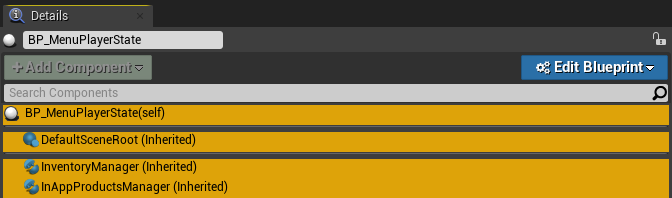 vast fossil
has anyone ever had this problem where you get a variable and pin it to another set variable, but it sets a totally different number ?
plush yew
Hello
How well will ue4 run with a i7 2600k and rtx 2060 with 16gb of ram on a 1tb SSD?
fierce tulip
good enough for a general dev with a little patience
near ibex
ive got a i7 8750h and a 1070 and i run fine till the assets start to pile up
plush yew
so does it compile the shaders fast?
fierce tulip
hence the "little patience"
plush yew
so no
fierce tulip
but before this turns into a big hardware convo, for any additional hardware convo please use #lounge :)
 deft nebula
What is the recommended size of terrain in ue4 for max performance
 south ridge
Five
 light vigil
six
 whole quarry
None
Everything cost something, so nothing uses nothing and offers the maximum performance
 lucid cave
hey, does anyone have this issue? certain levels for me automatically crash on load with the error message "Out of video memory trying to allocate a texture!"
tried changing pagefile settings in OS, no avail
deft nebula
Everything cost something, so nothing uses nothing and offers the maximum performance
@whole quarry know but from what you can get
The best performance
 rain relic
Dear Community, I have a quick question; Can I use Unreal Engine to creat an App for an Companie and they put it into the Playstore? I mean Licensing and that Stuff?
plush yew
are there any staff of unreal engine in here ?
fierce tulip
yes, why do you ask?
plush yew
i submitted a asset and got a email back that i have questions for Xd
and i thought maybe asking directly is quicker Xd
plush yew
yeah but the email said the asset didnt contain anything of extra value for developers and the link was broken
but i replied to it with the correct link and a question Xd
fierce tulip
then you'll have to wait for them to reply
nobody from the marketplace team is on this discord (as far as I know) and regular dev's dont deal with that topic
plush yew
aah okey then ill wait for the email
btw are you dutch ? you have a dutch last name Xd
im dutch thats why i ask Xd 😄
fierce tulip
we are far from the only dutch peeps here
plush yew
yeah i get that Xd
rain relic
Dear Community, I have a quick question; Can I use Unreal Engine to creat an App for an Companie and they put it into the Playstore? I mean Licensing and that Stuff?
@rain relic So I need to write an email too?
fierce tulip
its probably best to read the ue4 eula about it, yes you can but depending on specifics there might be costs involved at some point.
opaque plover
Why does the initial "Play" from Editor takes more time than the subsequent "Play" once you stopped the game? I guess something is computed only once but what is it?
frank oar
There is a setting which makes the lighting adjust depending one what you are looking at in the scene...
how do I toggle this off/on ?
please @ me
digital anchor
Auto exposure
 strong fossil
i have been watching the UE5 demo video and it got me thinking 1. will my UE4 project work on UE5 and 2. is there a poly limit to what a model should be or is UE5 going to be that good on performance?
fierce tulip
- they'll try to make the move to ue5 as smooth as possible.
- nothing is well known enough to answer that, but generally polycount wont be much of an issue
 frozen pond
question: i got array of 10 actors, if i remove actors from 3 to 8, array lenght is still 10 or its ammount left inside ?
grim ore
depends on how you remove them and if BP or C++
grim ore
https://docs.unrealengine.com/en-US/Engine/Blueprints/UserGuide/Arrays/ArrayNodes/index.html "Remove Index
The Remove Index node removes an item within the array via that item's index number. All remaining index numbers will update to close the gap."
should say that on the tooltip as well
frank oar
thank you @digital anchor
frozen pond
k thanks
whole quarry
@deft nebula are you dutch?
deft nebula
Yeah
 errant magnet
Is it possible to make a material parameter that is a material ?
I have 2 quixel material and i want to make something like that with them : https://www.youtube.com/watch?v=AOivbkcyMKQ
But in the video it use a color and what i want is to use the already existing material
Thanks in advance
river silo
How can I fix this error? Assertion failed: World [File:D:/Build/++UE4+Licensee/Sync/Engine/Source/Editor/UnrealEd/Private/CookOnTheFlyServer.cpp] [Line: 3594]
strong fossil
thanks @fierce tulip
solemn orbit
Can someone help?
i want try to build lighting but i get a "lighting build error" : https://pastebin.com/5es3ervf
 frozen pond
got physic problem, my actors instead of falling down is flying around
mass in kg does nothing
errant magnet
In other word it means getting these value as input :
 modern ginkgo
what is the best ue4 c++ youtube channel
midnight root
prob epics own
modern ginkgo
what?
midnight root
epics own tuts
youtube
there are many
I hear this isn't bad either, you decide https://www.youtube.com/watch?v=18c3MTX0PK0&feature=youtu.be&list=PLlrATfBNZ98dudnM48yfGUldqGD0S4FFb

Twitter ► https://twitter.com/thecherno
Instagram ► https://instagram.com/thecherno
Patreon ► https://patreon.com/thecherno
Series Playlist ► https://www.youtube.com/playlist?list=PLlrATfBNZ98dudnM48yfGUldqGD0S4FFb
BEST laptop for programming! ► http://geni.us/pakTES
My FAVO...
midnight root
np :
Its on my todo list as well, but knowing about epics tuts isn't a bad shot either maybe both
 bright plume
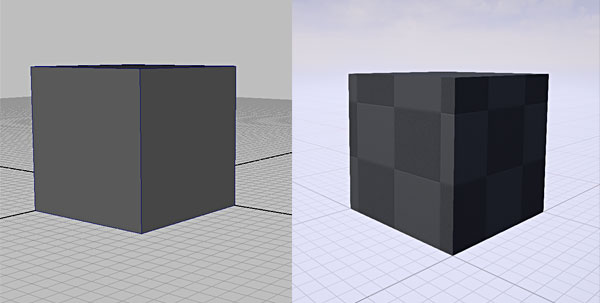

 midnight root
Im finding nothing about custom in that regard, only this https://www.youtube.com/watch?v=18c3MTX0PK0&feature=youtu.be&list=PLlrATfBNZ98dudnM48yfGUldqGD0S4FFb
Twitter ► https://twitter.com/thecherno
Instagram ► https://instagram.com/thecherno
Patreon ► https://patreon.com/thecherno
Series Playlist ► https://www.youtube.com/playlist?list=PLlrATfBNZ98dudnM48yfGUldqGD0S4FFb
BEST laptop for programming! ► http://geni.us/pakTES
My FAVO...
GRR
Im finding nothing about custom in that regard, only this https://www.bing.com/videos/search?q=ue4+hitbox+overlap+evednt&docid=607996407711925394&mid=71719B47B79CCB8F722171719B47B79CCB8F7221&view=detail&FORM=VIRE
but i'm curious
 potent veldt
Hello, I have a problem. I wanted to use quickel on UE4, but when I use the "livelink" plugin, I get this error when importing : "No smoothing group information was found in this FBX scene. Please make sure to enable the 'Export Smoothing Groups' option in the FBX Exporter plug-in before exporting the file. Even for tools that don't support smoothing groups, the FBX Exporter will generate appropriate smoothing data at export-time so that correct vertex normals can be inferred while importing." PLZZ HELP
midnight root
no idea havent used any of that yet, is there ho help in doc for plugin or did you check alreazdy
midnight root
https://help.quixel.com/hc/en-us/community/posts/360010971337-Bridge-Export-Smoothing-Group-when-using-FBX , ic that 9 days ago if its the same issue

Quixel
For the Dev Team:
Unreal spits out the error message when exporting .fbx files to make sure the Smoothing Groups have been also checked.
I am assuming it's missing in the initial code. I don't know...
no response but ya
ya not finding any info but that, unless watching this has any answer dunno , all I got https://www.bing.com/videos/search?q=quixel+plugin+ue4+smoothing+gorups&docid=608040147630096508&mid=D7BC16A8B8C03960C6BCD7BC16A8B8C03960C6BC&view=detail&FORM=VIRE
potent veldt
Thanks anyway, but nothing to help me 😭
After, is not a problem, I haven't see any problem on the mesh, but Always when I import a fbx file, it's show it
lucid cave
hey, does anyone have this issue? certain levels for me automatically crash on load with the error message "Out of video memory trying to allocate a texture!"
tried changing pagefile settings in OS, no avail
@ me if u know fix haha
midnight root
@potent veldt good to ignore maybe they know and are working on fix no idea,,I get same thing importing stuff from blender into ue4
mint umbra
Hey guys 🙂 How do I make the end of my animation loop? I.e holding an arrow and I want the bow to be pulled until I release the string.
midnight root
ho clue not using anims yet, did you try in #animation
 cloud mortar
hey, is anyone that is on willing to pop into a vc and help me and a friend understand a few things about capsules for player characters in unreal?
river silo
How can I fix this error while cooking? Assertion failed: World [File:D:/Build/++UE4+Licensee/Sync/Engine/Source/Editor/UnrealEd/Private/CookOnTheFlyServer.cpp] [Line: 3594]
patent apex
hello, is there any event called when a actor is made visible again with level streaming set visibility?
surreal laurel
is a rectangle light more expensive than a point or spot light?
errant magnet
Is it possible to make a material parameter that is a material ?
I have 2 quixel material and i want to make something like that with them : https://www.youtube.com/watch?v=AOivbkcyMKQ
But in the video it use a color and what i want is to use the already existing material
In other word it means getting these value as input : https://cdn.discordapp.com/attachments/225448446956404738/713487659380506634/unknown.png
Thanks in advance


https://www.youtube.com/channel/UC7HRB-YIUrG29zufq-vURsw
NEW CHANNEL LINK ABOVE!!!
Josh's new channel has almost 70 videos and 600 subscribers and it only been a raound 5 or 6 months!! It's booming and TONS fo other turoails AND free content is available on the channel!!
GO S...
 river silo
Yes, you can use Material Functions @errant magnet This video explains it really well: https://www.youtube.com/watch?v=-h4-h8zyVzE

In this tutorial you will learn how to make a Landscape Auto-Material which is a shader that will procedurally generate how your landscape will look so you don't have to do all that manual labor of painting it yourself, but you can still paint on this shader if you're so incli...
errant magnet
Did you have any exemple ? I'm starting with Unreal (was on Unity before) So exemple help me a lot
Thanks in advance
Oh perfect thanks 🙃
You're too quick
surreal laurel
I think I figured out my issue, I have a node set up that automatically cuts off the execution after the first pass through
 toxic prairie
Anyone into building their own computer specifically for ue4?
south ridge
Nope, I'm only interested in building computers for UE3
toxic prairie
You know what I mean 😂
south ridge
@toxic prairie what's your specific question
It's easier to figure out building a computer for a speciality, not for an engine xD
What do you wanna do? Programming, tech art, etc?
surreal laurel
I feel like a computer specifically for ue4 parallels a typical gaming rig
south ridge
Get the AMD threadripper thing with 64+ cores and at least 16 GB of RAM probably
south ridge
That's a good amount of RAM. You should just get more cores IMO
toxic prairie
yeah definatley
limit is pretty high due to covid reasons
so i have some extra money
south ridge
I don't know what you do, but for compiling shaders, compiling code, photogrammetry, baking and so on those cores might make your CPU faster than the GPU solutions are 😄
toxic prairie
GPU is GTX 1080
I do all except photo stuff
I like to make models and environments
so compiling is killing me
zbrush seems fine
but 5k shaders ughh
 kindred viper
my i7 4790k is starting to chug with UE these days. But a developer works around limitations right? checks empty wallet ...right?
toxic prairie
thats just a small area 😦
so I was looking for a good AMD + Mobo combo
Im sure anythign now is an upgrade for my 6700k i7
but threadripper sounds cool
plush yew
threadripper gen3 seems quite exciting tbh, tho maybe considered a bit overly expensive like intel has been for the past few years
toxic prairie
Max Id do would be 400-500ish
so im assuming 3900x ?
1st and 2nd gen threadrippers seem affordable ?
plush yew
well there is this 2nd gen one I just noticed on the first page of newegg when searching for threadripper CPUs https://www.newegg.com/amd-ryzen-threadripper-2920x/p/N82E16819113545
theres also a gen 1 thats slightly cheaper(sorted lowest to highest btw)
toxic prairie
difference between 1st , 2nd gen threadrippers vs 3900x?
 viral herald
hey guys, anyone have any tips on making mixamo or custom rigs work with the unreal mannequin in 2.25?
ive been trying for the apst 3 days. ive used the mixamo animation retargetting plugin (doesnt want to work), uefy (same here) and even custom retargeting in the engine but that is only aprtially sucessful as i dont know the exact numbers to get a duplicate A pose
ruby folio
@viral herald Someone might know in #animation
viral herald
thanks, will take a look there
plush yew
dunno any major differance tbh I jsut have a 1500x
toxic prairie
Cpu question was regarding specific ones for unreal engine
Not just in general
For lounge
plush yew
tbh I need to figure out why unreal runs abnormally heavy unlike the ancient source engine in garry's mod still before I could even do a comparison 😦
kindred viper
@viral herald I would import the mannequin into your DCC first (blender seems decent). Second I would retarget manually unless you can find the Blender Mixamo to UE4 plugin with a version that works (https://github.com/enziop/mixamo_converter). I would also not waste time making things work exactly with the manny rig for custom rigs. Its not worth the time and effort to get right when you can just make new anims, or bring the anim in and edit it. The workflow is kind of crap in that sense.
ruby folio
@viral herald Might be worth taking a look at Mr Mannequins tools
https://gumroad.com/l/MrMannequinsTools

Gumroad
Mr Mannequins Tools (v 1.3) - Third major update of the add-on for Blender 2.8+ that gives the ability to export animations and weighted meshes that are directly compatible with the third person mannequin without re-targeting anything in Unreal Engine! Even more bugs and issue...
kindred viper
That gets a good rep but I never had good results with it
viral herald
its just been so annoying to work with
kindred viper
tell me about it. Im current trying to figure out why UE4 doesn't read my armature from Blender properly, and puts my bones at the base of the bone when Blender puts them at the head of the bone
but only in some cases
usually its with the "crossroads" section where the clavicle stems from the spine_01. Instead it looks like its coming from the Pelvis, but its not parented to that at all. Which completely messes up my arms and IK setup
viral herald
tell me about it
i thought i was pretty decent with rigging
until i tried to recreate the mannequin
it either flips the axises and makes it seem like a fish "swimming" in the air, or has errors while importing
ruby folio
Only issue I really get with rigs is the extra root bone... Always.
mild charm
I have a quick question about how actors are deleted and ID names, could I dm someone quickly about this? Don't want to take away from the rig conversation
lavish perch
for the Multi-user do we need to portfoward?
 regal mulch
It's adviced to copy the project, to make sure 4.25 doesn't break it and you lost your work.
But for that you should theoretically use Source Control in the first place.
Point is that if you save your project on the repo and both are basically the same
Then you can upgrade in place
If it fails, you can always just delete your local stuff and pull from repo again
@mild charm Just ask away
plush yew
hi everybody
mild charm
Ah okay cool! So I've noticed that this one actor of mine has an _# after it, and I'm kinda confused


This may be why my character decides to go from path node to path node 3, instead of path node 2 lol
but what does that _23 imply? And how can I set it to just...path node 2? The others do not have such an ID
mild charm
I'm just following a tutorial on ai basics I posted in #gameplay-ai , and this is just getting the basic logic
 little falcon
Hi, guys, i have some question for Blender-UE4 workflow,.
For example, i have a complex car model(with 20 objs) with materials. whats the best way to import to UE4?
if i export them all together, all 20 objs will combined together. so should i export every single obj one by one?
mild charm
Oh I should note that PathNode also has an ID of _17 ...so there seems to be something else being stored...
regal mulch
But why do you care about these names?
mild charm
I'm just wondering why it is PathNode2_17 and not just PathNode2
I deleted a couple versions of pathnode2 earlier so it might be storing the previous versions?
regal mulch
Not 100% sure why. UE4 might add some instance index to it so the name stays unique
mild charm
To clarify, I did not add the underscored number myself
mild charm
Ah okay gotcha, I'm just glad I wasn't accidentally making like...child versions of the same actors accidentally lol
regal mulch
No, these are instance related
mild charm
Not sure if this helps my annoying issue in #gameplay-ai tho...that is the character skips pathnode2 without fail on the first time around lmao
regal mulch
You will want to post your code to #gameplay-ai then, not just the tutorial
Cause the tutorial might be doing it correctly (:
mild charm
omg oops, i got caught up with the Id hting and forgot to post the code lol
lavish perch
for the Multi-user do you need to portfoward?
regal mulch
Not sure, do the docs say anything? could also just try forwarding :D
 open wadi
I have a question - I'm relatively new to UE but have been coding for years. I've gone through some Udemy courses on UE4 so I have the basics on operating the engine.
I'm attempting to build a UI that's similar to the UI present in the pre-game section of the Valve game DOTA 2 - can anyone point me towards a video or guide that teaches something at least in the ballpark of this?
I've found dozens of basic guides on "how to build a pause menu" and the like but they're incredibly basic and nothing like what I'm trying to build. Perhaps any guide or tutorial on how to build any form of initial UI where you have a top nav, bottom nav, etc?
Seems like there would be something out there for an initial pre-game menu where you have a top nav with options (where clicking on a nav option changes the "middle part" of the screen with new options, a bottom nav, etc.), but I simply cannot locate one.
regal mulch
Well, UMG is container based, so you basically just stuck container into container
There is no concept of "NavBar" in that regard
You put a HorizontalBox in place and then buttons into that
Instead of searching tutorials I would suggest reading the info on the native widgets in the widget tool box and try to construct it step by step
kindred viper
@open wadi Thats a tough one because you have two options here. 1. You can buy a pre-made and do the copy/paste shuffle, which can be harder than making it from scratch. Or 2. You learn what each widget does, how to use it, then apply your design with the knowledge of what you can use to do it with in editor. then you apply 3. Learn to create new widgets, first in blueprints, then in C++, then with Slate. Then you are golden.
regal mulch
If you run into an issue with formatting, check #umg
Yeah, you can also just not do the Slate part though and stick with UMG for now haha
kindred viper
for sure. Its daunting at first
open wadi
@kindred viper Thanks for the solid advice. Yes, in my case, I'd prefer option 2 / 3.
I have a C++ background so I'm not worried about coding in that.
kindred viper
there is only a few main widgets to learn really.
open wadi
Ok
regal mulch
While you can do certain things in code, like adding /removing etc. runtime, you won't create a menu with that
open wadi
Right.
regal mulch
To learn, all you need is to create a new UserWidget in your content browser
and start moving native widgets around
open wadi
Hmm, ok.
So basically, to start, just create new user widgets and start learning / messing with them?
regal mulch
Yeah, best you can do
Read what each widget does
Check how they behave
Go through the options on the right
open wadi
Fair enough. Any particular widgets you recommend starting with?
regal mulch
CanvasPanel as a base, check what it does, check how other widgets that are place on it behave
open wadi
Pardon my lack of knowledge on this, I've coded for decades but am a UE4 noob.
open wadi
Ok
regal mulch
Just go through the list of them when you are in the Widget editor
I would also not care about graphics at the start, just use Epic's default
open wadi
Because I'm doing this for experimentation purposes, I've ripped the assets from Dota 2 to use as initial graphical placeholders.
I can integrate these I trust.
regal mulch
I would stick with native textures until you know what is going on
open wadi
Ahh, ok
regal mulch
Test how padding works, how the fill options behave. how the Anchor works etc.
You won't learn this by following one random tutorial that builds one example menu :D
open wadi
Right, that's what I gathered re: "random tutorials" 🙂
I found like 15 on "How to build a pause menu!" and I'm like "this is nothing like what I am trying to accomplish here"
Figured I'd talk to you guys.
I will say the paid Udemy courses were decent for familiarizing me with the UE4 framework at least.
regal mulch
It's good to have some menu you want to recreate, but don't try too hard. Try to get it similar. Cut it into smaller portions
open wadi
Ok
open wadi
Ok, so that's the channel for UI-specific dev.
@regal mulch Thanks man, I greatly appreciate the quality advice. Very helpful.
open wadi
@regal mulch Quick question - If I was interested in manipulating graphics, I trust that blender is the most popular app?
 signal jetty
Sorry got it
 obtuse egret
Guys I’m very bad artist
signal jetty
Guys I’m very bad artist
@obtuse egret ur not alone
 heady moon
wew unreal bugs the hell out of intellisense
regal mulch
@open wadi Blender is for 3D. It's popular cause it's free and for that actually pretty good
signal jetty
I’m more into sculpture
open wadi
Ok, so what specifically is the purpose of this channel, so I know for future reference?