#ue4-general
1 messages · Page 691 of 1
 warped tangle
I seem to remember I had to change the setting while on battery power, then plug it back in and restart? I can't remember, there was some serious voodoo magic that had to be done to fix it
 bitter iris
idk much about dedicated but, is there anyway i can send my server partner the files to start a server without having to send the entire packaged game?
warped tangle
No?
bitter iris
cool np then
 sage kettle
Unreal Engine is exiting due to D3D device being lost
yes I turned of battery power on geforce experience.
been trying to fix this for like 2 hours already
never had an issue like that before
 plush yew
🖖
How would you assess a reasonable payment for a pure gameplay Project featuring core systems like Building / Destruction/ farming , overall Battle , networking + saving (and so on) ?
 civic lance
How do I run my scene at 1080p/1440p?
 tacit onyx
@sage kettle Not sure what to say, but just some quick checking says that people have solved this either by increasing the TDRDelay in their registry. Others have solved it by using DDU to uninstall their graphic drivers and reinstalling fresh drivers. Another says it's related to laptop's power charger cords causing the gpu to switch.
@civic lance Are you asking to increase the PIE viewport size?
civic lance
Well yeah that and like, when I run my scene as a standalone, i cant change the window size either
Do i have to actually make a blueprint for that
Because I know there are game user settings thing
tacit onyx
Next to the play button, there's a small dropdown arrow button. Click that, go down to advanced settings. It'll open your editor preference. In that screen, change the resolution to whatever you're looking for.
You can use the game user settings too.
sage kettle
@tacit onyx @warped tangle Thanks for the replies guys. Tried everything. Now installing studio driver instead of game ready driver. Someone said that solved the issue. Will inform you.
plush yew
Hi, are there any advantages or disadvantages using automatic vs handmade JSON parser in C++? I think which method is better and why
 white geode
does anyone know why this widget doesn't appear in world space? 🙁
tried reloading project but no change
 worn granite
@plush yew Know about how long it takes me to do a thing, about how many things you need to actually ship what you're asking, guess how many changes you'd want, add 50% onto it and then that's a good floor. Throw a bit more on top depending on how well we seem to mesh.
Unless you're asking from the side of somebody paying for all this work... in which case it's guessing how long it should take an average person in industry to make it. Add 50% of that and project costs with the worst rate you can find by googling
Either way, the 50% is a constant for good reason. Life happens. If you over/under estimate by a lot, adjust your expectations before the 50%.
 quaint copper
Hello one day i want to be able to make a game but right now i want top become well versed with creating landscapes of different kinds.. would anyone be willing to give me some real time advice and tips while i stream?
 midnight bolt
how does UE renders technically? for example, i make new blueprint with few meshes as sort of prefab, but i dont keep origin at 0 0 0. does UE start rendering when the player is near 0 0 0 of the BP, or only when the meshes should be visible from culling?
 quaint osprey
Hi everyone, so I'm having trouble with shadows on a landscape, when I applied a material to it, it made all the shadows pitch black, I tried modifying all light mass and diffusion parameters that's not it, I noticed that when I unview everything except my landscape in the world outliner, it doesn't show up, whereas it should be showing up unlit
anyone has had that problem?
 south ridge
@quaint copper oof, that's quite a request
You can certainly (try to) ask questions in #graphics while you stream
quaint copper
No worries i suppose that would be a bit much lol
 whole quarry
@quaint osprey build lighting
quaint copper
This is what I have so far
plush yew
any idea where to find the median gpu of users?
 swift spindle
 pulsar badge
Anyway how to change the distance that LOD changes?
when i go far away from the tree it brings the LOD down
How would i increase the distance
The shadows are doing the same thing
?
 weak cypress
anyone with hardware experience
swift spindle
in regards to ? @weak cypress
swift spindle
is your system within recommended specs ?
weak cypress
what are the recommended specs?
civic lance
Hey guys, I sketched something up in these past few days. I had no knowledge or previous experience with Unreal Engine. It's still a heavy WIP, and the world bounds are super primitive lol, but it'll do for now
https://youtu.be/bNDKz6nVSxc

A personal project that I created for learning purposes. This is my first time creating a scene in UE4.
All of the foliage (trees included) is from UE4 Kite Demo and Megascans.
swift spindle
@civic lance post to #work-in-progress
civic lance
My bad
 pseudo swift
Hey guys, any ideas why my material I added to my landscape painting material doesnt show up?
weak cypress
i5-2410M cpu
swift spindle
dev systems should be at least 50 to 100% more then your target platform... (being generous here)
swift spindle
ok
weak cypress
2.3ghz
swift spindle
your system is very underpowered
weak cypress
uhmm
swift spindle
unless your handeling low poly style stuff...
weak cypress
its not low poly
pseudo swift
kostax you need to invest in a new computer if you want to work with 3d, or be a genius at optimising low poly stuff
swift spindle
then your boned... LOL
swift spindle
new computer time
pseudo swift
altermind are you familar with landscape painting?
swift spindle
@weak cypress my phone has more power by far...
weak cypress
oh my ...
swift spindle
@pseudo swift yeah.. whats up
pseudo swift
so i have a landscape which is working fine
and im trying to add another material to the setup
so I setup the nodes
and they should be fine
weak cypress
how much does a good laptop for unreal cost?
swift spindle
run out of texture allocation eh 😉
pseudo swift
but my material is transparent and when I paint with it, it doesnt work, just shows alpha grid
swift spindle
@weak cypress 1600 usd for decent system
pseudo swift
so to the left I have the list of materials, the top 4 work, and in the nodes, im only adding a diffuse texture right now
swift spindle
@pseudo swift if you have more then 16 texture calls per section.. it will fail back to standard grid
pseudo swift
in the layer blend I made a new section, and tried both height/weight for the blend type
ah ok sick
so I have to unplug another ?
for example
swift spindle
in reality you only have 12 that you can actively use
naw... means you can only use so many per section
weak cypress
what...
pseudo swift
but I mean if I switch out some textures, instead of adding - it should work right
what does "per section refer to?
per layer blend?
 cerulean nimbus
I can only go to the lounge by using #lounge now on my laptop.
The channel disappears every time I click I click off.
 stoic zodiac
I'm trying to build android apk, but ue navigates to https://docs.unrealengine.com/en-US/Engine/Tutorial/Mobile/SettingUpAndroidTutorial.SettingUpAndroidTutorial/index.html
what could be wrong ?
swift spindle
missing the android setup files I'd guess
stoic zodiac
Isn't this enough for android setup ?
 keen moss
im working on a spline follow blueprint for a car that i found on youtube and i keep getting this error
can anyone help
tacit onyx
@keen moss The reference for your Vehicle needs to be updated in your spline.
weak cypress
@swift spindle 1600 is a bit too much
keen moss
@tacit onyx how do i do that, i am novice on BPs
wait i might know
my mistake, im an idiot, thank you @tacit onyx
tacit onyx
@weak cypress You could get away with less. You could get a used one for around 800-1100. At the very least though, I'd make sure anything you get has at least a Ryzen5, I5/I7, 16gb of ram, and a gtx960/1050 or RX560 at minimum. All said and done, if you can manage it you're likely better off buying parts for a desktop and assembling it yourself for less, including monitor/peripherals.
weak cypress
looks like i am just sticking to my desktop
plush yew
How much Storage is recommenced for Creating a Game? Is 1TB Storage Enough?
weak cypress
should be
tacit onyx
I can't see most people using a terabyte of storage for a game design. Storage is probably less important for design than speed of storage. At least in most cases.
tacit onyx
Laptop is rarely worth it unless you travel a lot.
plush yew
@tacit onyx You said speed Storage, such as an SSD over HDD?
tacit onyx
SSD, or better yet an NVMe. You'll be dealing with a lot of files. The quicker you transfer those, the easier your life will be.
 lament star
Now that DLSS 2.0 is out, will we see it integrated inside of UE4?
 green sky
Oh sorry i figured with this plague running around you guys could use a laugh
 fierce tulip
yea, but the #old-rules tell you off-topic content should be posted in lounge :)
plush yew
ok so I am following a tutorial, but he did not explain a step, and I am lost

In this free step by step Unreal Engine 4 tutorial video (UE4 how to) you will learn how to make a low poly animated water material with refraction.
All my UE4 tutorials: https://www.youtube.com/watch?v=BT0jFArPtGM&list=PLEp7216xGGILh3i2BZe2E0ZEuiIGa-VQT&index=1
The low resol...
how to I break up a plane into polygons?
@exotic cave
ugh
if I wanted regular waves, not low-poly, what would I do?
can I just ignore that step, or will it not work?
 rough hound
How do i want to set up my AI Controllers? Different Controller Classes for every AI or more "general" AI Controllers and try dictate more in the AI Actor Class?
bitter iris
Does Statistics only show LOD0 tris counts?
rough hound
What's preferred? Compact Nodes like this or more free nodes?
I don't want to learn a certain style if it's shit for everyone else to look at. I don't really mind either way.
 tepid hollow
yeah you need to see the lines
 abstract relic
Readable and clean wires. Even if you need to use more reroute node than actual node
tepid hollow
i have no idea how those boxes relate, i mean you might know cause you arranged them, but i dont
i have to move them around to see what you made there
and when i start to move around, then it gets confusing! 😄
tepid hollow
it doesnt matter what logic you put behind, it is not easy to grasp without knowing your "convention", that confuses people
its like... less relevant to read all nodes, then to got the overview of what their flow is
also you show a limited case, do you think it looks good if you have lets say 200 nodes there? 😉
what about if you add an exception
boom! goes the dynamite
tepid hollow
you should just in general not try to pack your nodes as much together as possible, if you just be a bit more relaxed and make them allow to "visual flow" you get more bonus points 😉
i dont think that is bad, you should be a bit more like your previous example inside those grey blocks, but still with the same distances you have in the 2nd one
just good structured, with a bit space
btw: you also tried out the many many many blueprint organizer plugins?
rough hound
Huh
rough hound
I don't think i have any? I didn't know there were any either.
tepid hollow
there are plugins on the marketplace for this, i think there are even free ones, but even the non free ones are just some euro, no big prices
they are all kinda good, its all kinda what you want, some are worthless cause they are like included in others, there are some with many options, others dont
tepid hollow
well now you talk about it 😉
so good moment to check the "ready to go" systems
if you like one specific, please spread, always good to hear
rough hound
do you know how i could "limit" the speed of an AI? Wherever it goes, it goes to at max speed. I want it to run, in some cases, and walk in others.
tepid hollow
oh dear.... i see curves and blueprints
oh wait, just different modes? well isnt that like the basic? i am confused 8-D
rough hound
I have a Blend file set up so that when it moves at half of it's max speed it walks and faster it runs.
Really only time i want it to run is when it's chasing.
sage kettle
Hey guys again. I fixed the issue about crashes for my unreal engine. I wanted to know you about my solution so that can help you in the future. It was all about intel hd graphic 630 (onboard graphic card) I installed the newest drivers for onboard card and "d3d device lost" error and crash have gone. Just fyi!
tepid hollow
@rough hound this is all like character and animation blueprint, you should checkout some FPS templates or walk/run examples, it like all is really related to how you structure your stuff
i for sure dont know out of head 8-D not good at this yet
 kind robin
I just had a quick question, I have a bunch of key bindings and i'm currently giving those buttons their appropriate actions
Is it general practice to put all your key binding definitions in the player controller or the character?
 grim ore
either one
if your character will ever be destroyed then having controls on the character might not be a good idea. If they will always persist then on the character is fine. Having some on both is fine as well.
kind robin
Thanks for the answer!
I don't have any reasons the character needs to be deleted but i'm going to put them in the player controller just to be safe.
 tiny sonnet
https://gyazo.com/1dc66be4895440941a4bb613f25ee4ed This is why i love game development. Only place i can do this and not get arrested
 high jackal
Hey I'm kinda new to Unreal and Game Development in general. Was curious if someone could point me in the right direction for a situation im trying to solve?
Looking to have 1 or more AI controlled characters carry a large item together
Guessing I need Sockets on the item? and some kind of AI to tell them where to grab onto it or something?
Not expecting a full answer even a link with reading material is fine.
tiny sonnet
Im using this code to handle damage to other players, but i can also hit myself with it
anyway to fix that
*this is replicated by the waymaking it even harder
high jackal
Add an "!isPlayer" condition or something in there?
So if the unit being damaged is player it just goes false
I'm a super noob at this so i might be off on my idea 🙂
tiny sonnet
@high jackal the project is replicated so then it wont do damage to anyone, not just you. thx anyways 🙂
now that i checked this code isnt even doing damage to others, only yourself, makes no sensed
tiny sonnet
lmao ue4 is being a little shit again.
 exotic cave
tiny sonnet
exotic cave
tiny sonnet
also replicated means = multiplayer. The isPlayer checks if the object is controlled by any player, not just yourself.
@plush yew yh ik, i learned using anim notfies as well, but i like to figure out why this isnt working as well, just for the knowledge you know?
 marsh swallow
does Reverse on Timeline fire Finished?
 plush echo
Hey guys, so did sequencer replace camera animation?
From how I understand it camera animation is unique in that its additive of the player camera where as sequencer is not
 urban sky
Can anyone please help me?
I’m trying to build lighting but I get an error “failed to connect to swarm”, now I have checked the log and it says swarm coordinator has failed to be initialized. I then ran the coordinator by itself and it worked perfectly fine, but then ran the swarm agent and it closed itself immediately and gave the same error. (Btw this is not trying to build with multiple machines, this is a solo bake)
tepid hollow
you do not need any swarm if you just run it on one machine
(at least not that i know that this makes sense)
urban sky
Well it won’t build lighting for some reason and it says swarm failed to connect, so idk how to build otherwise
tepid hollow
either that error is just unrelated or something is configured very wrong.... i have no idea what you misinterpret here
kind robin
Hello, I have another question
I am making a pause menu but when I add the widget to the view port it's not the focus and I need to click once to focus on the widget before I can click any of the buttons, is there a node I can use to set the focus automatically when the widget is added to the view port?
tepid hollow
you do know about the node searching abilities in the editor, or?
like that you can just search for "Focus" and might see it? at least that is what i would do 😉
best always without context then you get all all and can see whate oyu need to use it on
kind robin
Yes, i've tried almost all of the focus nodes in the search menu, almost all of them throw me an error saying "This widget does not support focus. If this is a UserWidget, you should set BisFocusable to true"
tepid hollow
doesnt that help? 😉
kind robin
I couldn't find any options that were similar to that so I assumed it wasn't a UserWidget
tepid hollow
you might just use the wrong widget, probably you cant focus on that specific widget thing but on other things of it, i have no UI experience, just shooting in the dark, you might wanna ask the #umg channel 😉
kind robin
Okay, i'll give it a shot in there
Thank you
urban sky
@tepid hollow this is the issue I am having, and I’ve even reinstalled and performed other troubleshooting steps, nothing has worked
tepid hollow
that is for sure wrong configuration
go to your settings somewhere swarm is activated
i forgot right now out of head how its activated, but for sure its activated on your project somehow and needs to be deactivated
unreal doesnt do that out of the box, you probably use some project out of the net? 😉
urban sky
Well I mean this is a fresh install and a fresh project, but I will check the settings rn
tepid hollow
would be interesting if its really a default problem, sure is that this is not happening normally 😉
at least for me, yet
kind robin
I figured it out, I can set the input mode to UI and game and bring in a focus widget on there
swift spindle
@urban sky check your firewall
urban sky
That isn’t the issue, I completely disabled it and tried, got same issue
abstract relic
All of them? Even the every annoying windows defender? 😜
swift spindle
if you can't connect.. it's almost always your firewall
tepid hollow
haha
but he doesnt want to connect
you should read and not only watch the video 😉
there is no need to use swarm on a single computer and default unreal dont expect you to use swarm, so i am not sure what is happening there
abstract relic
Regardless. (Going off memory here) open control center >>> firewall >>>allow specific app >>> check if its allowed access
urban sky
I’m under defender and it shows as disabled (managed by mcafee)
swift spindle
your thinking of the networking version
tepid hollow
the popup he gets in the video, i do not recall that
i do recall it from using the networking version
swift spindle
yeah... this is almost 100 percent a firewall issue
tepid hollow
so logical i am confused, but yeah i am no expert it could be really his firewall blocking the app and that making sub processes life harder 😉
swift spindle
or your not running UE4 with admin rights
urban sky
Well I mean firewall is disabled, and I just retried it running as admin
swift spindle
.... your using McAfree
nothing is ever disabled untill your format your system and bury it in a deep pit and cover it with concrete
urban sky
Lol not my choice, my father bought it, so I’m taking advantage of it
tepid hollow
kids..... 😄
swift spindle
🤷
abstract relic
Honestly, treat what it reports as a triple lie
urban sky
XD I’m technically an adult (19)
swift spindle
not even....
tepid hollow
When I was 19 I also said I am not an adult anymore and my 30 years old self still thinks my 25 years old self was an idiot child
(and now i am 40 years and i think both of them were idiots)
 normal burrow
lol
abstract relic
Let’s not have a grey hair and/or baby face measuring contest please
swift spindle
but they are so fun LOL
 blissful trail
tepid hollow
blissful trail
tepid hollow
i am still not getting used to my age, so annoying, but hey @swift spindle you are right, it must be firewall, just to underline for @urban sky, so he just needs to get into his Windows Defender Apps and give it right access
Unreal really handles switch of firewall access in the middle of a run not very good 😉
ha ha
it also freezes totally on that swarm connection try
is tht an effect of the windows firewall or is that really just code that cant handle a timeout?
abstract relic

 next badger
swarm is lightmass process
urban sky
Well I mean idk what to do, it now has permissions, and isn’t working
normal burrow
if you want to make an exception for defender you can but probably not neccisary. if swarm is giving you issues, restart your computer
tepid hollow
actually i fizzled a bit more around and i must have done something wrong before, but now without network access i actually do build lightnings, mh should assure that network access is really off
so i removed now the 4.24 ue4editor from the defender firewall and then when he asked again i actually denied him the access, i also denied swarm agent the access, he still starts building lightning
tiny sonnet
Im using this code for a melee mutiplayer game to handle damage. But, its only doing the collision with the weilder, and not hitting the victim. it makes no sense. Plz help
urban sky
I mean I am pretty much done, it is bs that I can’t even get in touch with support, I have an answer hub question from dec 1st w/ no response, and I can’t get direct support cause that requires a license as far as I can understand (udn)
tepid hollow
well the answer hub should help but its really a weird problem 😉
normal burrow
@tiny sonnet does it being multiplayer have anything to do with it?
your trying to damage a sword there unless its a weird name
tiny sonnet
This is inside the character welding it. If a sword touches you, you take damage.
The other actor variable is basically anyone who touches that blade. I created and on overlap inside the bp_sword and promoted the other actor to a variable
normal burrow
the person swinging the sword is the instigator, the sword itself is the damage dealer, then the damaged actor should be the thing taking the pain
tiny sonnet
It is
Anything that touches the blade should take damage
But rn, only the player itself is taking damage when I swing bcz I made the collision box too big
normal burrow
how come your using other actor on the sword and not the overlap?
tiny sonnet
I created an "on overlap" node in the sword BP, promoted the "other actor" to a variable so it stores it, then I cast it to the character BP to make it the damaged character
If you get what I mean
@normal burrow I need sleep can we talk tmrw pleaseee.
normal burrow
lol yeah
 oblique tangle
Anyone know why when I package my project it completes within like 3 seconds and has no errors but doesn't actually package?
normal burrow
log file?
 restive arrow
I'm trying to have something happen, when two cubes overlap eachother, but I can't figure it out. They are both actors though.
oblique tangle
@normal burrow how can I send u the log file?
oblique tangle
tell me when u got it
normal burrow
you do a package here?
oblique tangle
ye i packaged my project and that's what happened
got no clue what's going on with it lmao
restive arrow
._.
oblique tangle
@restive arrow 'ActorBeingOverlap'?
normal burrow
what time did you try to package around?
oblique tangle
tried packaging like 4 mins ago
as soon as i did it, it made the packaging beep, and completed within like 2 secs
might have to do with packaging settings
restive arrow
It's ActorBeginOverlap. When one cube overlaps the other, destroy the cube. I don't know what you would have to do to the cast.
normal burrow
after editing animation blueprint?
marsh swallow
Anyone have any idea why CineCamera screenshots look like this?

normal cameras come out looking correct. We know its PC specific because other people on the team dont have the issue.
normal burrow
i'm not seeing a package attempt gibb0, not sure why it'd do that to you. maybe try restarting computer or just editor then packaging again (don't do anything else) then close editor after it fails and send a new log
whats wrong there darinius?
marsh swallow
see that black bar the bottom
oblique tangle
aspect ratio of the cinecamera?
marsh swallow
same camera, 2 diff comptuers
normal burrow
is it just the black bar that your concerned with?
marsh swallow
is there some editor settings or weird ini setting.
yeah. were just curious as to why
normal burrow
yeah i'm not sure why it'd put a black bar in like that but aspect ratio or some similar setting probably on the cinecam
unsure though
oblique tangle
@normal burrow do you reckon it could be due to ue4 being 4.24?
 outer fossil
Is there a way to bump up the terrain tessellation count? I can't seem to make it have more detail. Is there some sort of soft cap? Would be nice to have slightly more detail coming through the height.
abstract relic
restive arrow
I have a level where two blocks close in on eachother, and when they close, a variable is set "IsDead" I have a box trigger in the level, and if IsDead is true, anything in that boxtrigger is destroyed.
 dim merlin
Hi, anyone knows any other animation service like Mixamo?
 fallen marten
No - most other places to get free animation have pretty shitty stuff to work with
You are better keyframing your own in blender or Maya or whatever you have to use
It's pretty simple - if you want mocap then that's a whole 'nother ball game
 tidal condor
Didn’t really know where to ask this, if you use packages from the store and they go into their own folder. When you complete your game and package it to send it out. Does it add all the materials and textures etc to a folder? Or does it show the same folder layout in UE4 screen. I’m new lol
abstract relic
No. All assets (uassets) are for the editor. It’ll be compiled once you package it. To put simply
 hoary geyser
Does any 1 have any about the online services that epic was suposed to anounce at gdc? pls @me is you do
any news''
outer fossil
@abstract relic thanks for helping. Even with adding the multiplier it seems to cap out after which no value makes it more dense.
 quick kelp
can someone help me with this? i implemented a new animation blueprint. it worked, but when i closed the project, i can't reopen it again without crashing before starting. anyone know what the issue is?
i'm 100% sure its the animations folder, since i have a backup of the project, and when i tested adding the animation folder to that it also crashed on start
update: the problem is with the animation blueprint asset in the animation folder specifically.
 paper flower
Hello everyone! Unreal editor crashes on launch. Does someone know why?
I read that is probably a FBX issue or something like that but I'm not even loading a project. It's just the editor 😫
quick kelp
having the same problem here. i identified that the animation blueprint is causing the crash on start for me, therefore i'm deleting it and making a new one
paper flower
Woaaah, but that animation blueprint was on your project right?
I'm not loading any project 😦
quick kelp
oh damn, that must be some serious bug for you
is this your first time launching the engine or did this just start happening
cause i would recommend reinstalling the same version of the engine again to see if that fixes it
paper flower
It was perfectly fine two days ago and today just crashes haha
I already re-installed
even epic games 😅
plush yew

Is there anyway i can generate a skeleton for my character?
Without removing it and adding it again to the game
tacit onyx
@paper flower Oddly, someone said restarting their PC solved that exact error.
paper flower
@paper flower Oddly, someone said restarting their PC solved that exact error.
@tacit onyx Doing that rn haha thanks!
dim merlin
How do i find nearest actors like this, but then with a array of locations?
tacit onyx
@dim merlin Pretty much the same way. Just change the GetDistanceTo function for a Distance(Vector), use get actor location on the Main Actor(You could also just do this once and store it locally before the loop so it doesn't have to call this every time it checks a new vector) Then change the NearestActorLocal variable to a vector type to store and return your closest vector to the main actor.
 fossil apex
Hello I was wondering if anyone could help me with my two questions. https://forums.unrealengine.com/community/got-skills-looking-for-talent/job-offerings/1737971-looking-for-someone-to-make-a-quick-video-tutorial-to-answer-my-two-quesions
One person sort of helped with question 2 but if there is a better method I will be glad to hear. I just found this discord group, I posted in general on forums with no help before... :( Thanks.
Unreal Engine Forums
I posted this in the general forum section with no luck. So I'm willing to pay someone 10 USD through paypal to make a quick video tutorial with all steps to answer these to questions below for me.
My character is a flat 2d character like in Paper Mario but is a 3d model. It...
So I posted under job offering as a "last resort" to get my question answered. Lol
Thanks.
 gleaming lotus
Hey gang! Any idea how to make it so UE4 does not open visual studio when double clicking a blueprint node? Thanks! (@ me in your reply pls)
 robust tree
Hey fellow Gamedevs!
In this hard times of quarantine. I prepare for you guys new Unreal Engine 4 minutes tutorial. This time about simple shader with if node. And few words about my new toy "Arduboy" :)
Enjoy!
If youi need any more help join my discord channel: https://discord.gg/Npd7TAJ
oblique tangle
anyone know how I can recreate this perched movement from the arkham games?
so that when my player enters the perch area (indicated by red), they can move forward along the pole or back, and then if they move to the side of it they fall off
 fiery mortar
hey guys
oblique tangle
I'm guessing it's going to need to involve some sort of spline movement
fiery mortar
can somebody help me with this shit? It wasn't like this the last time I used the ue4 but now the right shoulder looks squeezy and there is nothing wrong with mesh why did this happen?
 midnight gate
HOW DO I STOP UE4 FROM CRASHING CONSTANTLY?
sometimes i cant even open the engine to edit my game cuz it instantly crashes
some core and render from ue4
 spare sun
depends on ur project tbh
midnight gate
no it does not
switching it from Invidia to integrated graphic card fixed it so far its stable
tacit onyx
Sounds like a power cord, power settings, or driver error.
midnight gate
well my drivers are always updatd so i guess my gpu is bad
my power settings are allways max
tacit onyx
Updated != Uncorrupted
midnight gate
most likely driver error cuz launching my packaged games gives me d3d error
tacit onyx
I'd get a driver cleaner and fully uninstall them before reinstalling from a fresh download.
midnight gate
my idea is that my hardware is too old
cuz i have a laptop and its t530 thinkpad by lenovo
its a bit of an old model
whats a studio ddriver
too lazy
tacit onyx
Huh. Didn't know about those. I might grab that and try it. TLDR, it's a driver optimized for creative applications.
If it works, don't "Fix" it.
midnight gate
lol
 wanton wadi
Hey all, so the internet isn't really helping me out, but I'm wondering a couple of things regarding animations / FPS / multiplayer games;
-
Using a seperate mesh for the FPS view and the TPS / Multiplayer view is usefull because of different FOV's, clipping and an overal nicer result. Do I need to make 2 animation sets of everything? so an FPS version of reloading a weapon, and a TPS version? Can't I just use the TPS skeleton / animation, and hide everything but the arms?
-
Do I really need so many "animations" for every weapon? I have 0 animation or modelling experience but reloading an AK and an M4 differ just a tiny bit. It feels useless having to animate the hands, and then animating the weapon, for every weapon seperately. Can't we just use IK? Pulling the mag, pulling the bolt - its all a very linear action that would be very easy to just "program" in, in my opinion. hand on mag -> merge mag + hand bone -> pull hand to side -> put it back. Just like shooting (pulling the trigger), or holding the weapons - its just a combination of certain hand shapes and putting those on the right position of the weapon.. I don't understand why 1 gun would need 300 animations:
Arms Idle
Third person idle
M4 idle
M4 with grip idle
AK idle
AK with grip idle
Arms pulling trigger
Third person pulling trigger
M4 pulling trigger
M4 with grip pulling trigger
AK pulling trigger
AK with grip pulling trigger
Arms pulling trigger and firing
Third person pulling trigger and firing
M4 pulling triggerand firing
M4 with grip pulling trigger and firing
AK pulling trigger and firing
AK with grip pulling trigger and firing
it just feels so useless and I'm wondering why I'm not seeing any "tutorials" or explainations on how to do it efficiently.. Am I just seeing this wrong?
fierce tulip
wanton wadi
its more of a generic approach, not specifically animating but I'll ask it there :+)
plush yew
The 4.24 engine is closing my project automaticly in few secound's after being loaded :/
My wolf have weird reflection to the light
is there a way i can remove it?
 strange night
Anyone managed to get this "Enable Colorized Editor Tabs" to work?

 slate basalt
is it possible to cache the shaders across multiple projects? i create/destroy projects all the time and i feel like i'm always rebuilding the same stuff
fierce tulip
afaik no
slate basalt
and reducing the number of permutations will potentially "slow down" my application correct?
(unless it's something that i don't use obviously)
fierce tulip
reducing the number of permutations would not slow down your application.
slate basalt
so why do we generate more permutations?
i was under the impression that they were just shader specializations
fierce tulip
as in material instances?
slate basalt
just trying to optimize different code paths
well material generates hlsl which gets compiled but in non ue4 engine, we would basically try to generate different shader specialization to optimize conditions or just remove different code paths
i guess you could replace a parameter by a const
fierce tulip
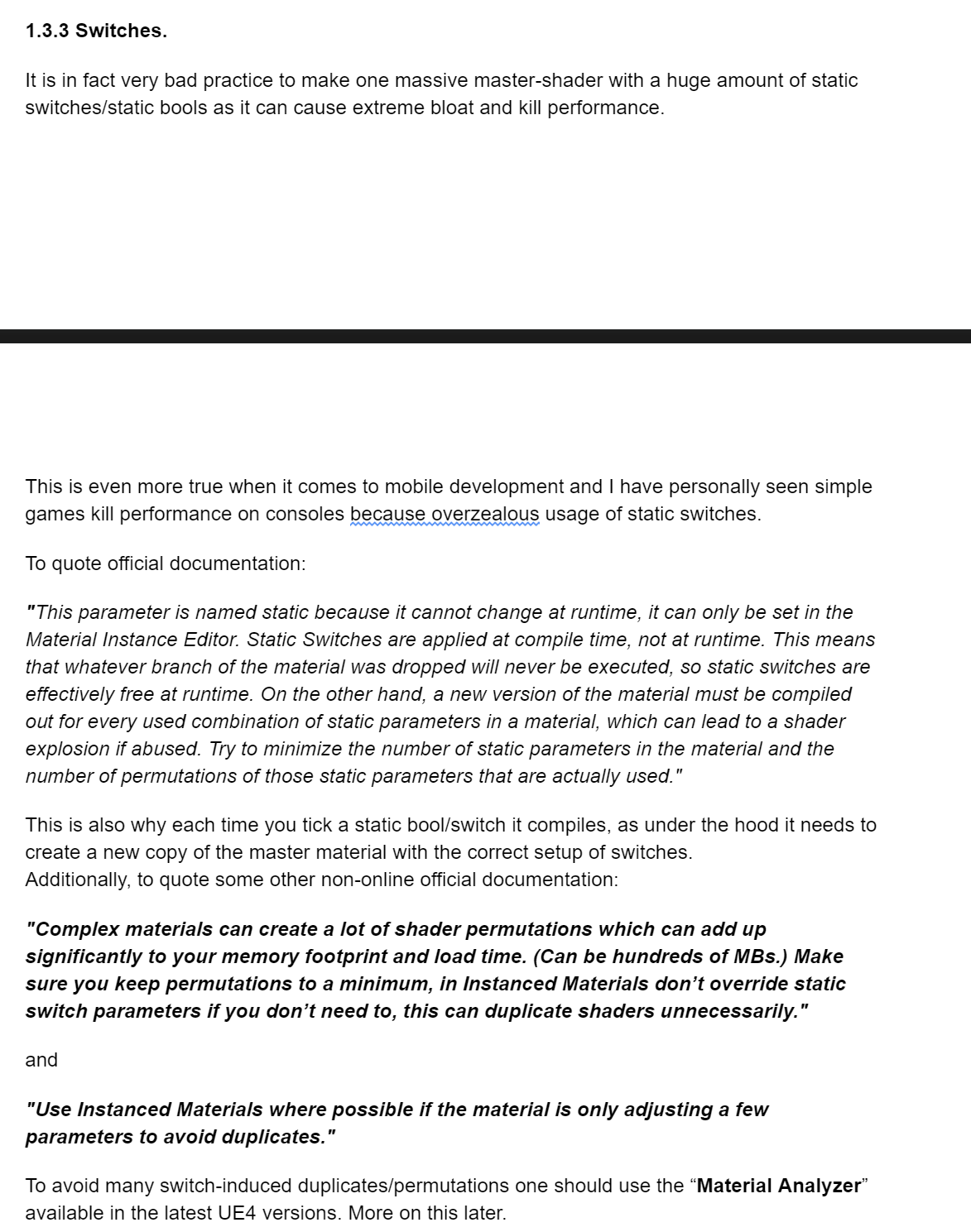
variables in instances are (depending on their branch ofcourse) fairly cheap, its static switches that can cause a lot of permutations.
slate basalt
my understanding of it is that it would do the equivalent of replacing a uniform for a const and then compile that shader as its own specialization
but i dont know what unreal does
fierce tulip
I dont see any benefit in that
slate basalt
reducing the number of instructions and branching
?
the compiler will optimize things properly because a variable is now a const
 slate basalt
so is there a node in the material editor to specify that you want a permutation?
fierce tulip
static switches, yes
slate basalt
alright thanks
rough hound
my editor keeps crashing, making it kinda hard to make a map.
slate basalt
@rough hound that's horrible my deer
gleaming lotus
Is there a way to check if the user is wearing headphones or desktop speakers??
normal burrow
Ask them / options menu
gleaming lotus
Yeah that was my plan B, would rather do it automatically though, thanks 😄
normal burrow
I’d say you could check for usb in the device name but my motherboard audio for whatever reason comes up as Speakere (USB Audio)
And it’s a headset, not plugged into usb so idk
 wary birch
I'm working on a portal system, and I'd need to render some meshes on both sides at the same time, maybe partially cutted. What would be the asiest way to do that? (C++/blueprint)
 rotund scroll
have a camera look at them
white geode
does anyone have any tips on how to improve natural lighting that in areas that are not as close to windows, besides just increasing skylight intensity?
or is this just how it's supposed to be - it's like sunlight has 0 effect on anywhere other than in general areas where the rays are hitting (no sunlight through the windows on the other side for example)
wanton wadi
increase bounces?
white geode
yeah this is with 50 bounces which is why the area to the left is pretty well lit
fierce tulip
you can still fake some lightbounces by adding a dim lightsource at those windows in the back
 pine siren
Is it possible to change the global direction of gravity for everyone/everything? Instead of negative Z. Or would I have to create a custom Actor-class that every single movable actor inherits from?
white geode
hm maybe 2 directional lights will work then - one with a lower intensity in the opposite direction - thanks
outer fossil
Is it okay to scale down a landscape to make the resolution higher? Or is that a bad trick?
 wary wing
@bitter iris Works here
wary wing
Nope, that's the correct one
What does it do if you set your focal distance super low? Like 1.0
wary wing
'further'?
wary wing
Pretty much all of your scene there is 'far away'
Surely 2.0 also works
And blurs heavily
bitter iris
yeah
ill try do 30 see if that does anything
ew yeah it works but man 🤢
haha
i liked the old dof :/
wary wing
What are you trying to do with it anyway? Blur the grass or the background?
bitter iris
background
 supple totem
has anyone had luck with physical anim component in 4.24? I've used is many times before but can't get it to work now
rough hound
How would i "open" this view?
bitter iris
right click an pilot the camera
rough hound
thankls
bitter iris
what values are those
wary wing
bitter iris
lol this is my 16
bitter iris
yeah
wary wing
'Mobile'
bitter iris
see the 4.23 one allowed me to use that tho?
wary wing
Use the settings on the camera
There are more
From the 4.23 release notes
Removed: Multiple algorithms to perform depth of field in the Deferred shading renderer have been Removed:
Gaussian DOF is now Mobile Renderer only. Its settings have been moved to "Mobile Depth Of Field" category of the Post Process Volume and Camera settings. It’s properties are only editable in Mobile Preview while working in the Editor.

Bokeh DOF has been removed from this release forward.

The old "Circle" DOF algorithm (that could be enabled with r.DOF.Algorithm=0) has been deleted. Only Cinematic (“Diaphragm”) DOF method remains for DOF usage on anything other than Mobile platforms.

Note that any content what was using Gaussian DOF or Bokeh DOF in the Deferred Renderer will have DOF disabled. There is no longer a select using "Depth of Field Method." DOF can be simply disabled by setting the “Depth of Field F-Stop” to 0. Any content that’s using a Cine Camera or directly the Circle DOF method regardless of r.DOF.Algorithm will remain using UE 4.20’s Cinematic (“Diaphragm”) DOF method.
wary wing
Maybe read this first, depending on what you're using it for it might help
https://docs.unrealengine.com/en-US/Engine/Rendering/PostProcessEffects/DepthOfField/CinematicDOFMethods/index.html
The following depth of field methods provides a cinematic look that closely resembles photography and film for desktop and console platforms using the Deferred rendering path.
bitter iris
okay cheers
wary wing
weak cypress
any guide on how to do level design?
wary wing
@weak cypress That's a very broad question. Perhaps try #level-design ? It will depend on what sort of game you're making
rough hound
Ohno what does this mean?
abstract relic
Bah. Not a file to worry about losing
Regardless. If you have two projects open. Close one of them.
normal burrow
ye and or your disk space
believe the uproject file has to match
idk tbh
you can just rename the folder though, doesn't have to be named after the uproject
there might be better resources on the internet about this but then i'm reminded ARK is still named ShooterGame etc
ye the exe anyways
abstract relic
Can confirm. Still called ShooterGame.exe
 tender flume
strange night
tender flume
strange night
Yes, but anything you want to import into a project from your library will need to be downloaded again if it hasn't already been.
strange night
Yeah, thus the 'Cache' part of it. 🙂
Also, in the Epic launcher, you can change the directory of the cache if you want to drop it some storage disk instead.
 last dove
hey y'all I've been trying to build UE4 from the source code on github so I can make a dedicated server exe, but every time I build UE4 in VS 2019, I get the three errors below.
Error    C4800    Implicit conversion from 'ADODB::_Recordset *const ' to bool. Possible information loss    UE4    C:\Program Files (x86)\Microsoft Visual Studio\2019\Community\VC\Tools\MSVC\14.25.28610\INCLUDE\comip.h    311

Severity    Code    Description    Project    File    Line    Suppression State
Error    C4800    Implicit conversion from 'ADODB::_Connection *const ' to bool. Possible information loss    UE4    C:\Program Files (x86)\Microsoft Visual Studio\2019\Community\VC\Tools\MSVC\14.25.28610\INCLUDE\comip.h    311

Severity    Code    Description    Project    File    Line    Suppression State
Error    MSB3075    The command "..\..\Build\BatchFiles\Build.bat -Target="UE4Editor Win64 Development" -Target="ShaderCompileWorker Win64 Development" -WaitMutex -FromMsBuild -2019" exited with code 5. Please verify that you have sufficient rights to run this command.    UE4    C:\Program Files (x86)\Microsoft Visual Studio\2019\Community\MSBuild\Microsoft\VC\v160\Microsoft.MakeFile.Targets    44
any ideas on how to fix these?
 surreal tundra
why does this happen to my depth of field?
either i dont get any depht of field, and unless i go down to aperture 0.1 then i get this but with a ton of artifacts/the image goes crazy
 scarlet birch
The second shot is wider.
 lament saddle
@surreal tundra Try asking in #graphics if you haven't figured it out. I'm no expert but viewing the depth G-buffer (change "lit" to "buffer visualization" in the viewport) might help in figuring out what's happening in your scene. The DoF uses the depth channel to determine the amount of blur for any given area of the screen, I think.
surreal tundra
Hmm okay, yeah I didn't manage to figurenitnout
 hard quarry
I want to import multiple CSV files, all with the same option.
If I drag in multiple files into the content browser I get this dialog for every single files, ist there something like a "Import All"?
 valid pike
Hello can some 1 recommend a PR agency indie friendly for pc gaming ?
 inner cloak
is it possible to multi-user edit for making and editing blueprints ?
 uneven herald
i want to add return;0, but i dont know how to add more space to this, enter doesnt work
Any help?
 crude vessel
Okay I can't get a response in Animation, but maybe someone here can point me in the right direction? I remember hearing once that bone rotations are less expensive than bone translations in UE4, can anyone confirm?
crude vessel
Like I'm doing a race rig, I could go either way (translate or rotate) and am wondering which would be more performant.
uneven herald
why doesnt enter work to increase space aaa
i want to separate these two but enter doesnt actually separate
plush yew
Something weird happening with terrain. What's trouble: with mobile render glitching terrain in one place. I actually found a problem source - fog, but we don't want to remove fog, because it needs for atmosphere. How this can be fixed?
 wintry forge
Hey guys, whats the difference between using an open source C++ engine and using unreal or unity? Or are they engines themselves and so its basically the same thing? Or maybe I am misunderstanding what engine means entirely?
Also, though im a complete newbie and have no chance at it, if I made a sellable game in unity/unreal they take a portion of the profits right?
 hollow raven
Can I add custom exec for my input and output? Because that's the only thing I need right now
tacit onyx
@wintry forge Not sure about Unity, but Unreal takes 5%. The Engine isn't the big cut on that though, Publishers are a much larger point.
uneven herald
oh dear
this must be russia
but this seems familiar
my goodness please help #include doesnt work for me
 rustic crow
*дурка
wintry forge
@tacit onyx Thanks for the info! So using unreal, they will take 5% and youre saying in addition to that, whatever publisher will take another cut?
Publishers are like, the store? or is that another cut?
uneven herald
could someone please help me with code
there arent too many active people here
darn
well guess im stuck
rip
jellifying a thing is so much harder in unreal engine
tacit onyx
@wintry forge Publishers are the people who generally put your game/software out there for sale. They promote it, put it in places for people to buy etc. The store is separate as well. Examples might be, Publishers are like Paradox or No More Robots, a store is like gog or Steam.
wintry forge
@tacit onyx Ah thanks, this seems a lot more simple than I expected!
The engine charges you for making it in their engine. (with caveats)
Publishers are advertisers that take a cut for said advertisements. In the case of working with a group under a big company, the big company is usually the publisher.
Stores, similarly to publishers, advertise your game but also make it available for purchase.
Taxes, of course "cut" into profits.
All 4 will take a cut. Any other sources that may try and take a cut?
surreal tundra
why isnt this plane in focus? the things behind it are green so it should be in focus again
its in focus now in the viewport because i set it to render after DOF
but otherwise its unsharp until everything else gets sharp
its like it doesnt work in normal depth of field settings
like so
tacit onyx
@wintry forge That's about all unless you count employees, company lawyer, or anything else like that. You may want to talk about stuff like that in the #industry-chat channel. They'd know better and it's more meant for that.
wintry forge
Thanks a lot man! I wont be anywhere near that, I just was interested in the process. Youre awesome!
 sullen steeple
is there a chat for wanting some help?
i would like to learn more about ue4
i'm trying this discord cause i just got trolled when i tried other places and this place seems legit
thanks
plush yew
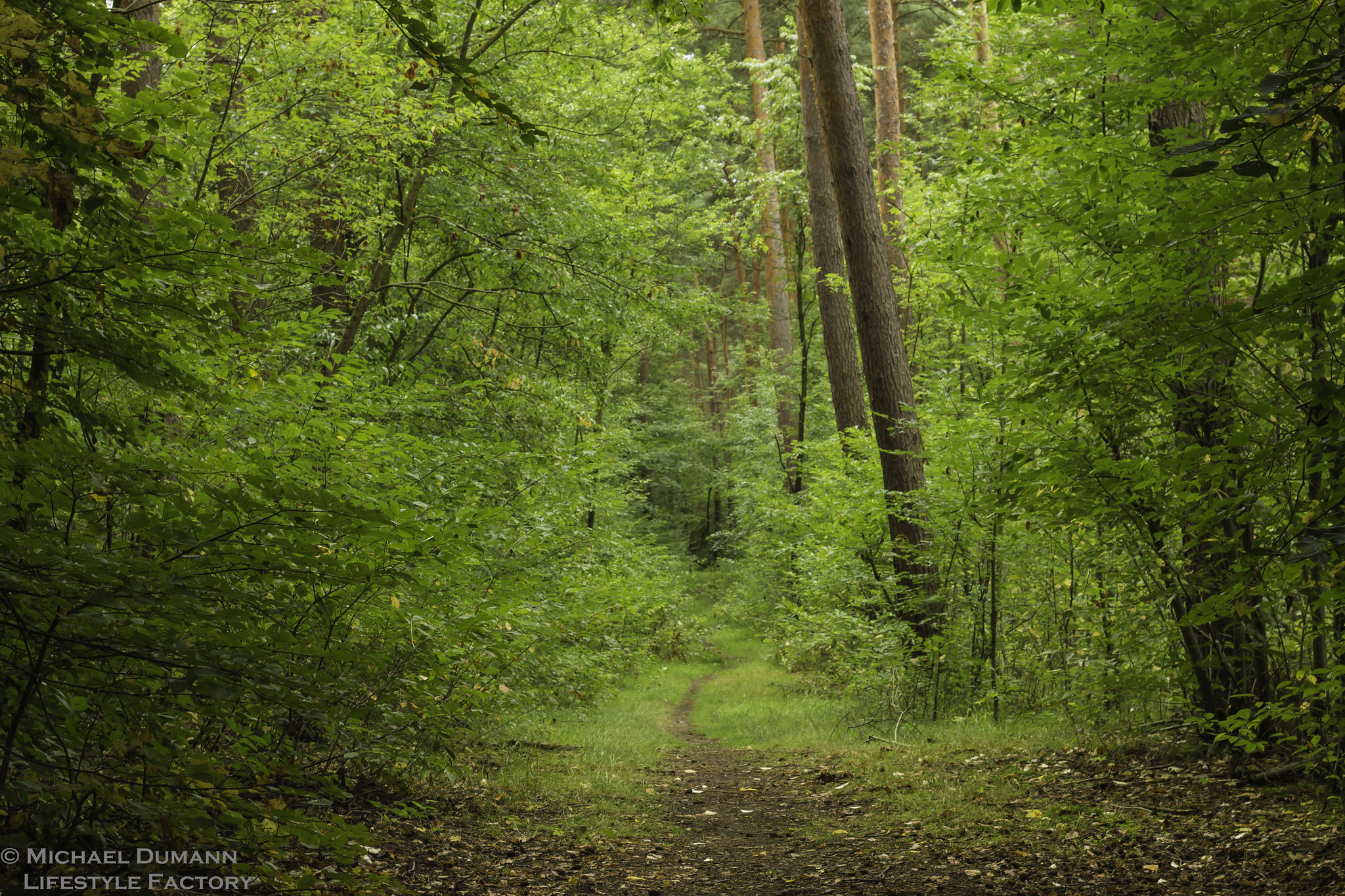
does someone know what plants there are in this image? https://live.staticflickr.com/8484/28509548464_7c98530bee_k.jpg
I don't have blender or the ability to run it. Is it possible that someone could make me a plane split up into triagonals so I can make low-poly water?
surreal tundra
somehow the video plane isnt included in the depth of field?
really dont get it?
its like it doesnt apply?
anyone?
abstract relic
Maple (probably red maple), oak (probably black or post oak), hickory, and chestnut
plush yew
wow thanks
sullen steeple
@plush yew i have tried website's like does in pinned messages but they did not work properly. whenever i had an error i did not know how to get around it
i am looking for someone that would spent a little bit of time learning me the basics of ue4
plush yew
@abstract relic all the ones you named are babies or? the big ones are scots pines then?
sullen steeple
ok i'll try
abstract relic
They’re mature trees
 teal tulip
like me
 steep spire
New to unreal and need some quick help. I have calculated and set a int variable and called it "coaloutput" and now want to use that variable in another blueprint as an input. When I try to add it to other blueprints I get this
I'm sure this is something super basic but I can't remember from all the videos I've watched
 thick herald
@plush yew looks like beech trees for the most part, some kind of pine - maybe Scots Pine, and something else to the right handside. Maybe Ash but can't see enough details.
steep spire
The variable is set to public too
thick herald
Blueprint communication is what you'll need to learn up on 🙂 https://www.youtube.com/watch?v=EM_HYqQdToE

Announce Post: https://forums.unrealengine.com/showthread.php?101051
This Training Stream takes a look at Blueprint Communication. We find that Unreal Developers of all levels can sometimes struggle through the concepts behind moving data between objects. So in this video we'...
teal tulip
you need to do a cast to it before you access the var itself
teal tulip
give the thanks to MOA.d not me
plush yew
can i reduce vertices of all LODs of a assets in one go? i dont want to do that for all lods manually
teal tulip
there was a marketplace tool for that, inside the engine the built in presents for architecture etc as High named, or manually edited them
plush yew
@abstract relic what do they do? if i select foliage, its stays with 1 lod
rotund scroll
means whatever you're trying to access is null
 grim shale
Also, What is the object wildcard in the 'Cast to" node?
rotund scroll
it's whatever you want to cast
grim shale
I usually put "Get player character" in it though i don't know why....
rotund scroll
use that link that was just posted about blueprint communication
grim shale
Alright, Thanks.
 hidden knoll
Does anyone know how to make my side scroller character’s head face the mouse cursor?
abstract relic
How To use the Automatic LOD Generation system in UE4.
plush yew
hi guys. im a developer who comes from unity and i would want to learn unreal. how did you did it?
normal burrow
woo

Unity Learn
This guide is meant to assist Unreal Engine developers in familiarizing themselves with the Unity engine, its Editor, and its various workflows.
read that in reverse
plush yew
Ok, thanks!
normal burrow
The concept you'll want to get down is the role of an actor and the roll of scenecomponent
scene components are both like gameobjects and transform component in unity
except they are also components
concept of actor is not covered in unity at all. but actors are made up of scenecomponent(s)
they have one as their root, and it represents the actors position, rotation, scale etc. all scene components under that root component are also the same actor.
so when you have a humanoid character for example, you've got a skeletal mesh component which is a primitive component (akin to a collider in unity) and primitives are scene components.
everything is smarter but takes a bit more understanding to grasp compared to: components, everyhting components
 knotty vessel
is there a way to get more or make more brushes for landscape paint mode? like instead of the one round brush you can have like a grass brush to make the transition between grass and dirt look slightly more natural?
plush yew
now i'm installing the launcher
rotund scroll
christ reading that tutorial made me realize how horribly backwards unity is
they literally try and spin the fact that there is no visual scripting system as something positive
normal burrow
pretty sure they write the docs before the implementation there
well, they've got one now, so its a better thing apparently lol
rotund scroll
what's it called?
hidden knoll
@normal burrow Do you know how to make a sidescrollers head face the mouse cursor?
hidden knoll
3rd person sidescroller
normal burrow
does it use a skeletal mesh for the character? I'm not familiar with that template
 dawn gull
Hey, sorry to interrupt, but how can i merge two geometry brushes into one object so I can make a blueprint object out of it?
hidden knoll
Dang
rotund scroll
@dawn gull select them both and convert to static mesh. if you wanna keep them, make a copy as converting them deletes the base geometry
dawn gull
It won't let me
rotund scroll
tell it I said it's ok
dawn gull
I have two geometry things i converted into triggers
normal burrow
i don't think there is a way to merge actors either. at least i'm not aware of any
rotund scroll
you can merge meshes, but only static meshes
however
you can convert brushes to static meshes
and that will convert the entire selection of brushes, in order, to a single mesh
rotund scroll
you can create a trigger inside the blueprint
dawn gull
how
rotund scroll
collision volume components
dawn gull
but i cant use subtractive
oh wait
nvm
im dumb
i can use priority for my gravity mesh
thanks
normal burrow
just a heads up bubby, i pretty much expect bsp brushes to be deprecated soon
they already don't rtx and would seem like the in editor mesh editor is stanced to take over its usage
rotund scroll
the in editor mesh editor isn't ready for wide scale use as of yet
needs a significant overhaul of usability
dawn gull
k
wait i can't get geometry objects in the blueprint viewport
how do I do that
because i need a cylinder
and there is no default one in the engine I have to make one with the geometry components
last dove
anyone have any idea how to fix these errors when compiling 4.23 from source in VS 2019?
normal burrow
hm someone else was having that issue here before
 rose frost
Hello, I don't know where to ask... I would like to create a map editor in game but... I can't find any post talking about it, except "You can't do that in blueprint, you have to do it in CPP"
Have you any ideas of where should I start?
tepid hollow
you dont need to do that in CPP, i dont see a reason why you cant do it in Blueprint, or do you mean an ACTUAL Landscape editor that transforms a landscape? That is an editor only feature
rose frost
No, I just want to put few blocs, and check some conditions
I should do that in an actor?
rose frost
Oh! Yeah I didn't thought about that!
tepid hollow
there is not a difference to an actual game if you think about it 😄
rose frost
Thank you 😄
tepid hollow
the people you talked to thought about the Landscape
cause that is REALLY a problem
you cant make a runtime landscape editor, period
well you can if you are masocist and punch the engine, but so far i just heard once of that
thats why those voxel plugins exists, they eliminate the problem
but thats just anecdote 😉
 coral folio
is there a section specific to building/packaging your project ?
im getting some errors and i would ask for help c:
tepid hollow
#shipping probably?
 pulsar fractal
Noob question - In a networked game, does each player still maintain their own GameInstance? Does the server get one of its own too?
tepid hollow
wait.. no #packaging
 ruby folio
Has there been any news on the Unreal Blender Tools?
 brave gate
@pulsar fractal every instance of game has its GameInstance, simple as that
GameInstance isn't replicated, so its usability for networked games is minimal
what you typically use is GameFramework set: Game Mode, Game State, Player State
- and so-called "programming subsystems" in recent versions of engine for managers
ruby folio
haha. Fair enough
 stray tundra
@last dove did you update your vs2019?
 warm swallow
General question for Unreal Engine does anyone know how i can lock the window so it can't be resized? Such as if im in PIE mode i cant click a corner and drag and resize the window?
I mean if im playing on 2560x1080p screen i want the window to only to be 1920x1080p
last dove
how can I suppress it?
plush yew
Hi. When im ingame, everything is much darker than in editor. what is that
last dove
@plush yew that's the auto exposure setting that makes the editor brighter depending on where you're looking
plush yew
but editor is using game settings exposure
plush yew
oh u were right tho
pulsar fractal
Thank you! @brave gate
last dove
@stray tundra I can't suppress errors, only warnings. I googled around and I couldn't find anything about how to suppress errors, only warnings
stray tundra
Can you update one more time... they just updated vs2019 again few days back
may have fixed the bug
in vs2017 that would be a warning
but 2019 is very strict
plush yew
can someone tell me what should I do to make a totally dark level? (ie underground with 0 sun light), I mean, should I just erase all lights and put one by one as required or should I tweak into some other parameters
last dove
is the underground part in the same level as the aboveground part (I assume you want a seamless transition)
plush yew
all levels are gonna be underground, it's a horror game, but I don't know what's up with lightmass volume and postprocess volume since all the tutorials I find are about exterior enviroments
so I was wondering if I need to tweak into some illumination parameter to make lighting more appropriate to all dark map (the character has a flashlight)
last dove
tell me if I understand this correctly: you want the player to be the light source, with no light on anything else right?
and as you walk the light (from the flashlight) illuminates a certain radius around the player?
^^
 fallen wing
hey guys! i have these scanlines, and what would i do to make it pan in the widget like you're watching a tv? (it's for the view of a robot)
like how do i make them scroll?
Please tag me if you respond. Thankyou.
Oh, how would i do that? and would i be able to put it into the widget? Sorry, I'm a little bit of a noob.
Oh, i found a tutorial on panner on youtube, but how would i be able to put it into the widget? thank you 🙂
you are a life saver!
thank you!
 fluid stone
restive arrow
fluid stone
restive arrow
How do I restart the game with an input?
 hidden aurora
Does anyone knows where the epic games launcher assets temp folder is? Because i need to import an asset that its original version is 4.24 to a 4.25 project
 flat idol
Just create a project for 4.24 then right click uproject and switch to .25
abstract relic
 sleek spear
what are the basic principles to make something online and multiplayer with unreal engine? both client and server software is made with unreal engine? are there servers that one can rent as game servers? that easily support unreal engine multiplayer functionality?
tepid hollow
@hidden aurora you actually can even go and just tell him to show all projects, pick the 4.25 project, then he says this is not compatible but you can still pick 4.24 version then in a dropdown and then he imports it "as if it would be a 4.24 project" and you dont need to touch any project version. I also never noticed but you can do it.
normal burrow
Cya
 little tree
hey is this were we can ask questions about unreal engine
normal burrow
Yep
little tree
ok cause i got a bit of a problem
been trying to open my save file and all the textures wont load back
mind if i upload a snip of it?
abstract relic
Go to [project]/intermediate
Delete the folder, it’ll recache everything
little tree
were would that be located, sorry but i'm really new with this program
abstract relic
Wherever you saved your project
If you don’t recall the directory. Look in your documents folder
restive arrow
How do you send a packaged game to someone else?
abstract relic
Damn. No cookies tonight
Can you show us the asset as seen in the content browser
little tree
how would i go about doing that?
abstract relic
Take a screenshot
little tree
abstract relic
Red vignette is your texture?
little tree
one of them, but i only use that for the hud, for the ground im using the default T_Ground_Grass_Mat
abstract relic
They’re using all default assets by the looks of it
normal burrow
Ah ok
little tree
yeah
normal burrow
Hmm
abstract relic
I am incredibly distracted by that developer folder with the glasses
normal burrow
Hahhhaha
little tree
not sure how i did that tbh
normal burrow
You did well
abstract relic
I’m starting to lean towards graphic driver being the culprit
little tree
but like i literaly opened this up after not touching this for like a day and this is happening
abstract relic
But. Make a new project
normal burrow
It a laptop?
abstract relic
If the new project also has the same issue. Go to your engine version (within launcher) and select verify. This’ll fix any corrupted files on the engine side
normal burrow
Question: what did you do with project settings recently?
little tree
i reduced the near clip plane
normal burrow
Oof
abstract relic
Lol
abstract relic
Make it higher. Relaunch the project
abstract relic
Settings won’t go into effect until you relaunch. Hence why it seemed fine yesterday
little tree
lets try 2
normal burrow
That is like a split cookie I think
normal burrow
talley mark
little tree
alright looks good now thanks guys
abstract relic
Hurray. Cookies.
Good luck with your project Scavenger. 👍🏼
little tree
thanks!
little tree
rgr
abstract relic
Remember to feed it and give lots of pets
plush yew
does anyone know how to make a campaign game like Call of Duty w/ voiceovers and animations?
fluid stone
uh I feel like barely anyone visits #source-control . I need someone familiar with Perforce. I'm stuck trying to set up a typemap and it just won't work. Hope nobody's gonna punch me for asking here
plush yew
lol. im trying to figure out how to make a storyline game with the missions you complete
fluid stone
well I just got the storage space and set it up. It worked great so far until this issue
normal burrow
Not sure what a type map is
fluid stone
pulling my hair out here. Literally just looks as if it worked for anyone but me for some reason I can't find
uh from what I understand it's a file that tells perforce what to do with each file type
the problem is that when I get my project files from server, they are marked as read-only
that's what typemap is supposed to take care of but isn't in my case
normal burrow
In perforce you must check things out first
That removes the read only flag
It’s been more than ten years since I’ve had to use p4
 runic narwhal
Shot in the dark here, but does anyone know what "Paint Context" is? Looks like not even Google knows what it is.
I can't believe there isn't more people asking about this.
Very few threads about it, and the one I did find ended with someone recommending to draw a debug box instead 😐
So confused lol
 weary basalt
@runic narwhal Widgets have an OnPaint function you can override. Those nodes that take in a Paint Context are to be used inside that function.
runic narwhal
Not sure I follow.
My goal here is to draw a box to visualize selection for a "Get Actors in Selection Rectangle" node. I'm doing this in a HUD.
You're saying I can override this?
Am I looking in the right place?
weary basalt
Im not suggesting you to use the function, you asked what a Paint Context was.
A Paint Context is passed in as part of the OnPaint function on a Widget class.
Have you tried looking on Youtube for tutorials on creating a selection box?
There are many that explain how to manage this.
runic narwhal
I dared to think I might figure it out for myself, but I'll go look for one.
restive arrow
Hey, I have a cutscene, but I want to disable the player's movements during the cutscene
How do I do dat>
?*
restive arrow
I'm using Disable and Enable Input, the Disable works, but the Enable doesn't
 frank oar
Hi!
I have a concept for an animation viewer.
I want to use a menu to view different animations being played (it is to learn/critique skills in sports) it will be viewed in VR.
Do I make a duplicate level for each animation and have the manu open up those levels or is it easier to load in each animation Into the same level?
Bearing in mind I would want the existing one to go away when loading I the new one...
I would be grateful for any advice!
 glad karma
Hey, how can I change myrain particle to going on floor not to sky?
fierce tulip
invert the Z-axis velocity
dim merlin
Hi, anyone knows a good way to sort two arrays of locations to have all a unique nearest distance:
 manic pawn
what's unique nearest distance supposed to mean
dim merlin
right imagine blue 6 is having the shortest distance to red 2
so 6 blue always will be 'assigned' to red 2
so blue 4 would not be assigned to red 2, cause blue 6 is shorter
so then i want to assign as manny possible reds to blue's
or even when there are more reds than blue's
 silent chasm
but if 4 was closer to 2 then 6 wouldn't be assigned to 2 anymore right?
dim merlin
yup, indeed
 rancid lynx
why do point lights have to be special jackasses and not follow the standard 'activate - deactivate' notes X_x. why must they only toggle through vis visfalse


 rancid lynx
plush yew
rancid lynx
plush yew
Isnt it same thing like timer?
Set Timer By event?
It will only delay the event to happen?
Or its not how it works?
manic pawn
how many points are you planning to use this with
dim merlin
good question 🙂 around a thousand or two i think
manic pawn
oof
dim merlin
😅
manic pawn
you will need to use some kind of dynamic acceleration structure then that lets you query for nearest neighbor and also remove points that have been used
dim merlin
i might be able to calculate the sorts or whatever in a thread i think.. however i get the points from a actor
manic pawn
this has nothing to do with sorting
dim merlin
thought i might be able to sort distances ..
manic pawn
well with your 2000 points you got a million possible pairs
dim merlin
yeah, thanks sounds kinda heavy hhm
manic pawn
assuming this needs to run fast, my first idea would be like this:
- create k-d tree for both sets of points
- while points exist in both sets:
- get point x from set a
- find nearest neighbor y in set b
- find nearest neighbor z in a
- keep going until you get 2 queries in a row returning the same points (so it will be the closest possible pair)
- remove both points and save pair
I wonder if there's a better way
 frozen crater
Where is the file located that the Input Settings get saved to in a "Shipping" build? There are no keybindings in the Game/Saved/Config folder
manic pawn
the DefaultInputs.ini file will be inside the pak
frozen crater
okay, so there is no way to access it? and the game saves changes into the .pak?
manic pawn
the game does not change default config files
you're not really intended to modify these bindings
frozen crater
okay, thanks a lot!
dim merlin
@manic pawn with create k-d tree u mean two loops right?
manic pawn
k-d tree is an acceleration structure that lets you find the nearest point in a set to another point
if you create one of these for each set, you can use them to find the shortest pair with a point in the other set
rancid lynx
whats this ?
dim merlin
@manic pawn any idea where to find any c++ k-d tree examples, did only found a plugin for blueprint..
hhm, seems the plugin looks pretty good to use imo
 ebon goblet
anyone know how quickly collision is toggled? Does it change on the next frame?
wary birch
For some reason, Unreal decided that GetOverlappingActors should return an empty list right here. The box collision is set to OverlapAllDynamic and the player is the default mode
What on earth am I doing wrong?
 rustic vine
help me
c++ local server connected problem
can't connect
where is the problem
server source
help me
unreal engıne scoket how is the connection
dim merlin
@plush yew check its velocity?
 whole aspen
Has anyone had an issue with physics bodies generating at a very large scale on some bones?
rustic vine
a video resource that can help with connection pls
 smoky sonnet
hey anyone know why i get black boxes above and under my 2d game on my mobile phone
i dont know how to activate fullscreen on mobile phone [set fullscreen mode wont work]
rancid lynx
exporting from blender sometimes makes scale 100x with armatures and bones
@whole aspen exporting from blender sometimes makes scales 100x with armatures and bones. you can google the blender ue4 export process, something about unit size .01 , there if a recommended export settings that can sometimes resolve it, but i can never remember what it was. i have to try 5 times sometimes. thats a blender thing. so if the item you are using was made by someone else, from blender, it might still exist.
but thats probably not your issue anyways
why the hell would the top code work fine, while the bottom code does not ?
why the hell would the top code work fine, while the bottom code does not ?
smoky sonnet
maybe you cast the return value into smth different with the set node
rancid lynx
recreating the set ref solved it
well i thought i hit "promote to variable"
but uh. maybei clicked something i didnt notice X_x
smoky sonnet
but now it works good one
rancid lynx
yea ty. im not sure how that set node got 2 input circles. maybe while i was renaming or something. yea thats probably it.
smoky sonnet
that could be it
 unique steppe
is there any ways to play test with multi user?
 stark sapphire
Hello, everyone can somebody help me? Why is this happening?
I'am talking about those random cuts in the model
strange night
@unique steppe You can test multiplayer using the options under the Play menu:
unique steppe
does it work with Multi-User editing?
strange night
Not sure
unique steppe
thats the thing Im trying to ask hereeee
sleek spear
what are the basic principles to make something online and multiplayer with unreal engine? both client and server software is made with unreal engine? are there servers that one can rent as game servers? that easily support unreal engine multiplayer functionality?
stark sapphire
@plush yew I did conform normals in Maya but that doesn't fix the issue
strange night
Setting up networked games for multiplayer.
sleek spear
@strange night cool, thanks
stark sapphire
@plush yew Topology is also clean
Eye in Maya
Eye in Unreal
It's just a sphere
Like how
fierce tulip
bit much for a simple snake, so yea eithers its the normals that are flipped, or the model is so small that ue4 thinks the verts are so close they should be welded
fierce tulip
looking at that last image, your snake is so small and so high poly it removed degenerates
aka very close clusters of vertices
fierce tulip
you can disable it on import, but I'd suggest to reduce polycount
stark sapphire
What can I disable?
fierce tulip
"remove degenerates"
stark sapphire
Alright will try that what does that exactly do?
fierce tulip
i just told you
stark sapphire
Merge vertices?
fierce tulip
more like removing, but yes