#ue4-general
1 messages · Page 662 of 1
 quartz bane
It basically just hangs. Sometimes it becomes responsive after leaving it for an indeterminate time.
 radiant haven
how can i fix that with Blender heightmap
 plush yew
@radiant haven 
radiant haven
yeah i got that problem some months ago but forgot how to fix it
I treid with 116bit rendering didnt work used photoshop to convert it to 16bit NITHING
@plush yew What do you want to tell me with that 🤔
plush yew

 normal burrow
@quartz bane yea known
radiant haven
@plush yew you could easily help me....
plush yew

radiant haven
??
Doesnt Tell Me Everything, buci STOP *** trolling with me its not only on this server...!
And if you think cause i asked if to be a dev and usbox, thne I dont mainly dont work with visual stuff cause for me its a pain
 nova kelp
hello what is this green thing ?
it says he pressed 1 and he got it somehow ?
im confused
 pale ferry
I remember there was an option you can enable to move an object along the terrain so I wont have to change the height everytime, does anyone know which one it was?
radiant haven
i think that is waht you mean=?
 grim ore
nova kelp
grim ore
nova kelp
pressing one then right clicking isnt working and holding one isnt working as well
radiant haven
together
nova kelp
how to get constantsome other way
radiant haven
1 + Right click
nova kelp
i wrote constant
radiant haven
or try left click
nova kelp
yea not working for me
nova kelp
i have to click 2 or 3 times
radiant haven
slow computer i guess
pale ferry
because you have to actually select where you place it so clicking the black grid once is enough
then click again 1 + LMB to place
 summer marsh
how can I merge a project created as a puzzle game into a third person project?
will migrate work or do I have to do something specific to merge 2 different projects?
grim ore
migrate will work, importing the third person template into the first one if that is all you want will work as well. About the biggest issue is migrating does not move over settings like inputs
 charred shoal
Does anyone know if Reuben Ward's unreal c++ tutorials on youtube are good?
nova kelp
I know its weird to love beer so much that I had to make it in the game but alcoholic in me prevailed
- i can do this 😄
 civic iris
- i can do this 😄
@nova kelp please buy this guy a pant and a shirt 😛 😝 😝
 midnight root
 nova kelp
@civic iris too late i bought beer to fill that big glass up. Maybe later ill go steal some uniforms from museum.
 signal bone
Hello
Anyone ever made a system that lets you modify the 3d model you currently are using as a character?
Like, modifying the arm length, offest options, size
 teal tulip
Does someone knows if UE4 can be used to develop tools ?
Like these tools created for landscapes using Unity
 abstract relic
Describes the different methods you can use to create modular characters comprised of multiple Skeletal Meshes.
signal bone
Thanks
teal tulip
Me bad I made the question wrong, I'm asking for the license limitations if there is someone
 upbeat tendon
can i stop epic launcher minimising when ue4 starts up? i can't see an option for this
 fathom glade
Does anyone know why this keeps happening? https://gyazo.com/cec9abfeaf42cacef1f5d0c82c61f115

The material on the top is always see through for some reason
It's supposed to be a lid
midnight root
@upbeat tendon interesting, mine doesn't do that,and I'm rather sure that's the defaut behavior.
 spark sonnet
midnight root
spark sonnet
midnight root
heh , find it hard to believe that was ever intended to be the default behavior ;0-
but ya , irritating to say the least.
upbeat tendon
Thanks @spark sonnet
 whole quarry
@fathom glade you mean it has low opacity?
normal burrow
@ebon linden yeah you can achieve such depth fog with post processing https://bubblepony.com/2019/11/dev-update-both001/
fathom glade
I'm pretty sure that the normal is flipped or something, the material on it has no opacity attached
 solid matrix
anyone else have the "Shared cache is not enabled. performance is impacted" thing pop up every time they launch the editor? How can I fix that?
I think it's why saving my materials takes 30 god dang minutes
upbeat tendon
I am wondering is there a protocol to stream analytics from ue4?
 hollow tusk
is there an easy way to export one variable from one blueprint to another
upbeat tendon
I was thinking a udp data stream pushing telemetry
 shrewd gust
so weird neither vehicle demo works for me, the car drives like it's broken-- in reverse and can't turn left
 wanton lily
hey guys, does anybody have had trouble where UE crash with error "Assertion failed: Module [File:D:/Build/++UE4/Sync/Engine/Source/Runtime/Core/Private/Modules/ModuleManager.cpp] [Line: 332] MeshUtilities"?
I've tried 4.24.2 and 4.23.1 same issue
and I've used UE with this PC before
abstract relic
What were you trying to do
wanton lily
opening the UE editor
normal burrow
log please
abstract relic
Verify engine in the launch tab, it’ll fix up any bad files. As a start
wanton lily
yup, I did the verify
grim ore
you also need the debugging symbols
wanton lily
sorry, will do
normal burrow
log would give us an idea of what other modules are in use at elast
upbeat tendon
Do most people modify the file json analytics plugin to stream over TCP to do analytics?
 serene birch
any way to use a level sequence with dynamically spawned actors that don't really exist when you record the sequence?
hmm I guess I could try embedding a sequence in an actor blueprint for that
wanton lily
ok this is latest log: https://pastebin.com/0NKfCJJd
 normal burrow
Stof yeah
You make a spawnable in the sequencer
like when you have the sequence open you'll see the orange color actor names
these are things that live in the sequence
you can edit these and make new of these, as if they were part of the world
your problem is missing "embree.2.14.0.dll"
@wanton lily
as well as tbb.dll and msvcr120.dll
it sounds like you need microsoft visual c++ runtime
which likely contains a copy of all of these
 timid jacinth
How could I add bunnyhopping in blueprints?
normal burrow
if you've got space for it @wanton lily just install visual studio 2019
make sure you go to the individual components tab and just select every dot net installation option in the first group
that will let you package games
normal burrow
i'm surprised to hear that
these dlls should be included with 2017 as well
but yeah give it a shot
wanton lily
YESSS!!! Victory -- It's finally working after installing VS2019 with all .net individual components checked
thanks for all the help
pale ferry
So? Any idea on my last question? When draging an object into the world, how do I snap it to the terrain so I can move it along the terrain. I don't like to move and change the height every time
So that the object automatically adopts the height
abstract relic
Push 'End' key. it'll snap to the ground
pale ferry
Nah, I mean if the object is already in the world. If I want to move it that it stays on the ground
abstract relic
push end
 regal mulch
Drag it onto the landscape in the world outliner?
@pale ferry
Would only work if you move the whole landscape actor though
Not sure you can make this work with the landscape editing. Haven't really used that much
pale ferry
okay, thank you anyways for your help @abstract relic @regal mulch
 grim juniper
Could probably do it through editor scripting
By doing a line trace for the landscape top drown from the location of the actor you're moving
 solar temple
is there anyway to add a material to a subtract brush?
How would I texture a wall indent that I made with a subtract brush?
 zenith flower
nothing is more annoying than changing the name of your parent c class, and the blueprint version takes a shit. So you are like whatever, let me just reparent my blueprint
Oh thats right, you can't reparent back to an actor
 fierce tulip
@solar temple bsp is not really intended for world building, minus volumes and blockouts (and even then I suggest meshes instead)
I'd suggest to focus on that
grim ore
@solar temple did you try doing anything ? you just drag the material onto the face of the object to set the material it is using if you are using geometry brushes
fierce tulip
im not saying you shouldnt, or cant... but for your own sanity I'd suggest against it
grim ore
AI is stupid hard if you don't know what you are doing lol. Trying to get a simple combat system working for the AI and sure I can make it all crappy and have the AI just (move to) -> (spam attack) -> if not in range abort and repeat from (move to) but that's not right
solar temple
Oic got it thanks
luos for buildings you want to go inside I find BSP easier for making buildings . Are you saying model everything in Maya or whatever?
abstract relic
BSP is for quick and dirty prototyping at best
fierce tulip
^
its old, outdated, and unoptimal
even when converted to meshes its only for quick and dirty prototyping at best
solar temple
can't you convert bsp to mesh?
nvm
yeah I'm not using it for literally everything just base foundational stuff for buildings
fierce tulip
for now its fine I guess, but once you have smore experience under your belt you might want to move away from bsp.
and Im not sure how long it'd be before the geometry 2.0 tools are in
doubt anytime soon
unless gdc XD
 carmine garnet

From 1982, Tomorrow's World takes a look at the beginning of computer generated images.
Subscribe for more awesome science - http://www.youtube.com/subscription_center?add_user=HeadsqueezeTV
 ornate comet
im new to coding in unreal engine any1 can help
abstract relic
I appreciate the invitation
fierce tulip
lol
 hollow zinc
I got a challenge I'm having trouble beating
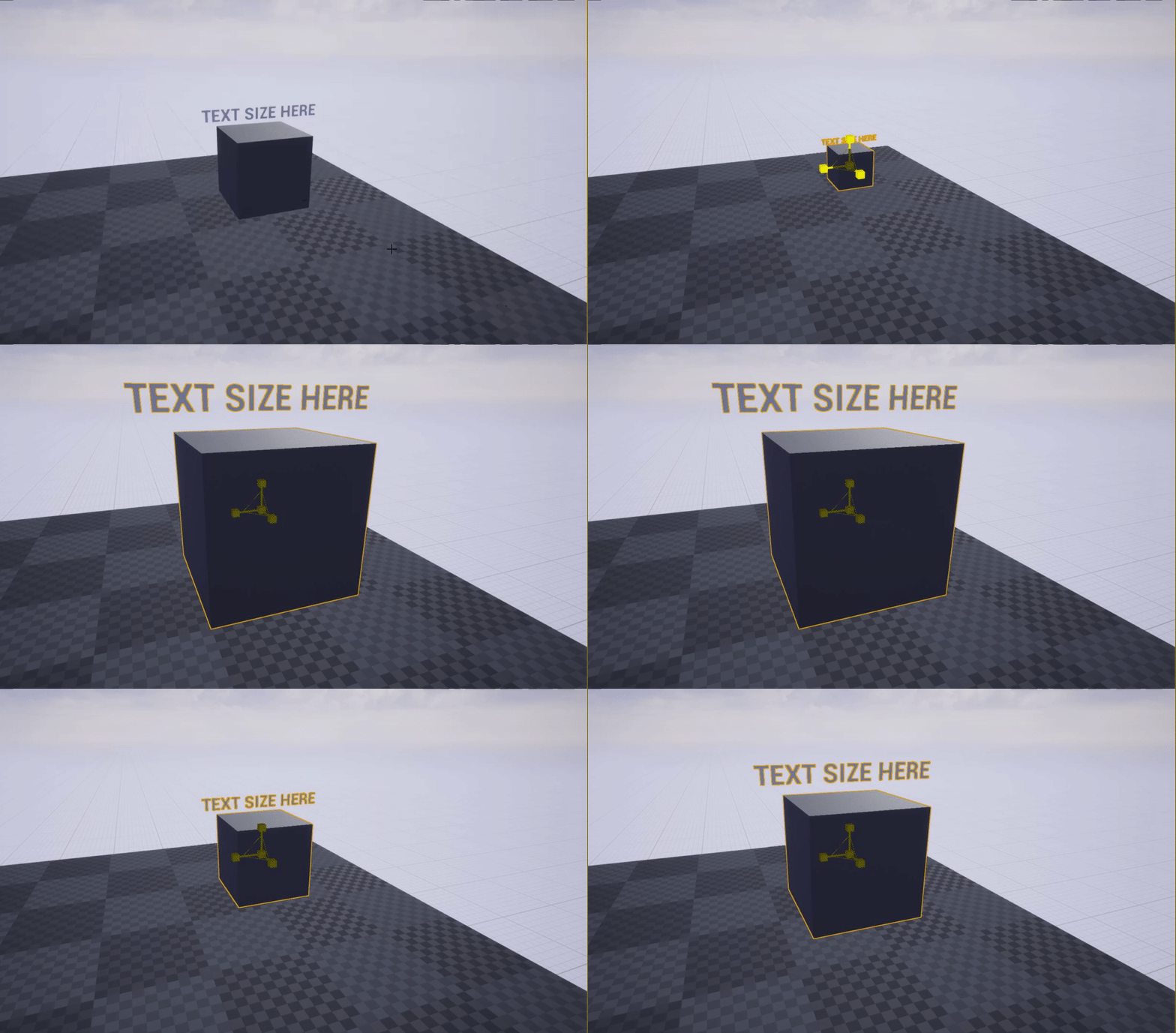
I have a box mesh and a text render component which I want the font world size to scale in relation to the size of the box
Whenever I get the box to scale and it starts to be smaller than the font, I want the font to auto adjust to the box
Is this possible?
ornate comet
idk im new
fierce tulip
@ornate comet if you have questions, try to ask them in the right channel, if someone is around that knows the answer, you'll probably hear from em :)
 unreal comet
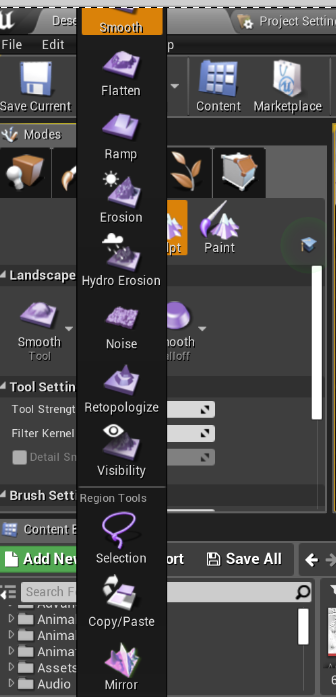
Has anybody else had this issue where you can't get back to "Sculpt" tool because it's off the screen? https://i.gyazo.com/d0f16e64494b823a79f09ffefbf991d1.png
 fierce tulip
@proud verge Please read the #old-rules when you have some time, its not really appreciated to cross-post questions between channels.
solar temple
@unreal comet never seen that before no 🤔
unreal comet
I found that I can open another level then go back and open the level I was on, and then I can use the sculpt tool again. But that's kind of a pain to do everytime. 😦 It's probably something to do with my DPI scaling on my monitor
plush yew
Hi Folks: Im working on a project that is going to require rendering both stills and video clips which will them be edited together to form the final production piece. is there a tutorial(s) about how to render these out? or would I be better to do them in blender cycles? (eevee is NOT an option)
abstract relic
You can use sequencer and/or the built in high resolution screenshot
plush yew
Hi @abstract relic the screenshot function is sufficient for customer presentations?
abstract relic
That depends on your product, not the tool
plush yew
LOL -- ok, I understand
abstract relic
It can take >4k images. Might burn a hole in your desk if you go crazy with the resolution though
 marsh swallow
If the object is pending kill, isValid? will come back not valid right?
plush yew
Cool
normal burrow
@marsh swallow yeah thats right
marsh swallow
okay thats what i thought just making sure.
ive never needed to worry about objects pending kill until now. lol
grim ore
super duper design question. AI. Using behaviour trees. Assume a simple setup of find target, move to target, attack target. Assume a couple different types of AI that will use it such as a goblin, an orc, a spider, a blob. Assume unique animations and weapons depending on the AI such as animations without weapons for a spider, or a goblin using a 2h weapon or a 1handed weapon. sooo.... Do you make a generic AI that does the above, then hand off in the AI task to the enemy actors to handle attacking contained inside the unique enemy actor or... do you make a unique AI tree for each enemy so each enemy has it's own unique tree for find, move, attack, etc. ... or uh something else like whatever works lol
hollow zinc
I managed to find a solution that's not perfect
I run a check
If the (render text) local size is BIGGER than the size of the mesh = times the (render text) world size * 0.99 AND check again
If the (render text) local size is SMALLER than the size of the mesh = times the (render text) world size * 1.01 AND check again
But the problem is this turns into an infinite loop
I'm not sure how to close this off
any ideas?
fathom glade
substance painter's educational license says you can't use it for games (for profit)... how will they even know?
grim ore
@hollow zinc why would you check again after you are setting it, if you are setting it correctly?
hollow zinc
Because the world size of the text runs on a different number than the size of the box
I can see the local size of the render text but I can't change the local size since there is no 'Set Local size'
grim ore
what I mean is you said it's an infinite loop because you keep checking, if you set it why check again?
is the issue the text is becoming too small when the item is too small?
or you are trying to keep the text sized in relation to the box as it gets bigger or smaller?
hollow zinc
I'm trying to keep the text size in relation to the box as it sizes up and down
grim ore
assuming your text renderer component is a child of the box the child will scale with the parent
otherwise you should be able to set the local scale (that is the relative scale 3d) or the world scale (that is the world scale) on the text renderer
but it needs a parent for it to be relative (local)
 fallen marten
Mathew I would make a basic system and then make different trees for different enemy types. I did that in my game and it works great - much simpler yet still flexible
grim ore
well the text fitting your constraints is up to you but I see what you are saying. You might have to just do alot of math which you seem to be trying but I dont know why it would be an endless loop. You put the code in the construction script and every time the item changes size it would recalculate whatever you wanted).
@fallen marten so lets say I had a orc using a 2h sword that had 3 animations for its combo attack, would the BT have the info when you say "attack" to play the 3 animations or would it just hand that off to the enemy blueprint and let it handle the attack
fallen marten
Have a code in the orc that handles the combo with a switch on Int, and when the task runs that code, it'll cycle combo in the orc instead of doing it on the tree
grim ore
@hollow zinc one thing to look at is a new plugin, 3d text, in .24 and higher that might have more controls
hollow zinc
I saw that plugin, it looks awesoe, but my project doesn't allow the use of .24 unfortunately 😦
fallen marten
Unless you want the tree to determine what attack it has to play like if it's ranged or whatever. Use a service at the top of the tree to get all the players position info etc so every task has use of it instead of a shitload of services run at different parts of the tree
grim ore
ouch. well then what you are trying to do seems to be the right track just more math
@fallen marten yep that sounds like what I am trying now, one basic AI tree and when it gets to attack it tells the pawn to attack using a task and waits for a finish execute, the pawn then does the attack stuff and tells the tree to finish once it's done with the attack then it repeats (find, move, attack)
was just curious if doing unique Trees was a smart idea
hollow zinc
hmm any ideas on what kind of math I'd need?
grim ore
@hollow zinc I don't, I dont really know what the goal is 😦 plus I am bad at math lol
fallen marten
I have one set of services and tasks, then a few trees for my cop, the civilians , the thugs, and boss. Each do different things but use the same tasks getting info from a character base class
grim ore
@fallen marten ah yeah sub trees so one main "get info" then below that separate trees customized for the individual types
fallen marten
Yes sir
There could be better ways of doing it, but I found this works best for me and isn't confusing
grim ore
how much logic do you do inside your trees themselves and how much do you leave as basic stubs that hand off to the pawn?
yep there are many ways of doing stuff just trying to collect them all 🙂
fallen marten
I have tasks that run functions from the pawn, and maybe a couple generic non pawn ones. Not a whole lot of logic really, just a heap of branches with decorators fed by the main service
 thin tendon
When I create a destructible mesh using apex plugin. The preview window is super dark. Is there a way I can make it brighter so I can actually see
hollow zinc
okay, managed to find a way out of the loop, so uncivilized but it works for now
I put in a loop to do over 100 times and it stops instead of going infinite
fallen marten
Do a for loop with break if there's a condition you have that can break it
grim ore
but why do it more than once? does it not work
hollow zinc
nope, when i reduce the check, it doesnt scale all the way, I have to check if its the correct size
if its too big, the text will be rendered protruding out of the box
so i have to keep on checking
grim ore
so when that box changes size the text inside of it is supposed to scale and always fit (which it should when scaling unless its already too long)
hollow zinc
I dont know the exact number that the font needs to scale down to if its slightly bigger or more bigger than the box
grim ore
and if its too long it needs to scale down
hollow zinc
yeap
grim ore
is the text supposed to be sized up to fit the box if its smaller and sized down to fit the box if larger?
hollow zinc
yeap thats correct
I also put in a limiter so if i want the text to be a certain size, it'll stick to it if only the size of the box allows it
if not, it'll simply scale down
grim ore
well you do have the get text world size, and you can get the size of the box
hollow zinc
yea, that's what im using now
thin tendon
So I'm in 4.24.2 and when I click fracture mesh nothing happens. Anyone know how to fix this?
 rain coral
someone please help me fix this problem, i cant open my project 😫
hollow zinc
@fallen marten adding in the loop with break turned out to help SO MUCH!
@fallen marten
grim ore
yeah I can get the box to resize super easily to the text, but your issues is you want something completely different lol
and the set/get world size of the components is based on Z not the length so that doesnt help lol
hollow zinc
haha just a lil bit more complicated 😛
 pulsar kraken
Does anyone have recommendations for a map top view grid with clickable icons? Assets already in store or tutorials
 raven ember
how do i post in looking for work
grim ore
look at the pinned message
thin tendon
Anyone else had issue with fracture mesh feature of Apex not working with 4.24.2?
 marble nacelle
hello, I am running into an issue where I can not turn on raytracing on 4.24.2 using an RTX TITAN card. The exact same rig works fine with an RTC 2080ti..........why would that be?
grim ore
same machine same project just swapping cards?
marble nacelle
same machine, created project from scratch on both
grim ore
the titan should work fine, if you did the same setup on both project. You can check the output log when it starts up to see if it's not using the GPU
 cosmic veldt
Guys i'm getting this error for an important file in the project everytime i try to access it. "Serial size mismatch: Got 5169, Expected 5760" couldn't find any solution online. any ideas why this is happening?
tried rebuilding it didn't helped.
 blissful trail
is there anyway to make the velocity not change when falling ? i need it to always fall at the same speed
fallen marten
@hollow zinc no problem man 👍
hollow zinc
@blissful trail perhaps you could put the velocity into a "clamp" node
solar temple
How do you edit a static mesh cube? Like you can with a bsp brush?
normal burrow
crizilla I've not tried it but there is a model editor plugin that comes with the engine in 4.24
its meant to replace bsp or something iirc
solar temple
Hmmm ok
blissful trail
https://gyazo.com/fa1d246cb02c7596f5396eb54f1bd8c4 i also have this issue where when the player jumps it doesn't land correctly
 tawdry heath
hey guys, any idea how I can make my AI character jump when encountering obstacles?
thin tendon
off the top of my head. Some method of getting if path is blocked. If yes trigger jump animation. Maybe use a collision and speed check. For blocked.
 mossy nymph
UNavLinkCustomComponent
marks the path over obstacla passable for navigation
and can broadcast a delegate when the AI reaches the link
plush yew
How i can pose rotation of an emitter while i am use Emitter Attached node
any thoughts?
i dont want it to rotate with me
tawdry heath
Is it good if I make it a line trace then it jumps if it traces an obstacle?
 kindred viper
it would be better to have a shape that detects the object on overlap and then checks it for a tag or property
 ancient lotus
@tawdry heath have a boolean on your character, perform line traces either on tick or via a timer that shoots a line from the capsule possibly about knee height and straight out based on the characters rotation. if the line trace returns a positive hit, cast it(casting is not very expensive) to whatever class of object you are trying to jump over, if the cast is valid then toggle the boolean on your character to true. then in your movement functions (or a separate function) check and make sure the player is moving via their speed (greater than 0 or whatever minimum speed you want) and simply call jump if the boolean is true. make sure to reset it to false if the cast is invalid
tawdry heath
I have this https://blueprintue.com/blueprint/5bh-x39x/
BlueprintUE
ancient lotus
LineTraceSingleByObjectType
plush yew
@kindred viper explain more mate
tawdry heath
I don't know what I did but now they are jumping every second
ancient lotus
how long is the line trace and how are you checking what is being hit?
thin tendon
Might need something to ignore the ground
tawdry heath
I am just following a YouTube tutorial. I believe it checks if the AI is close to a obstacle from a certain distance then it will jump
blissful trail
i found another issue im having when my fps is 59 it works perfectly but if it goes any higher or lower it slows/speeds up the game
tawdry heath
BlueprintUE
ancient lotus
your just checking the return value, not the hit (out hit pin) so its always true
you need to check and see what the line has hit via the out pin and cast it to the objects or class you want to jump over. this may not work well if its just static meshes your trying to do
tawdry heath
so
everything is right, except after the line trace (the out hit...)
?
and wym by static mesh? my entire map is basically a static mesh
ancient lotus
the out hit is what you use to determine what the line trace has hit. static meshes or skeletal meshes, like a fence, door, wall and such
if your map is a bunch of these that your trying to jump over then try giving them a tag or something to filter by
tawdry heath
oh god that sounds like hell
I just want it so if the ai is close to a wall or obstacle then it will jump
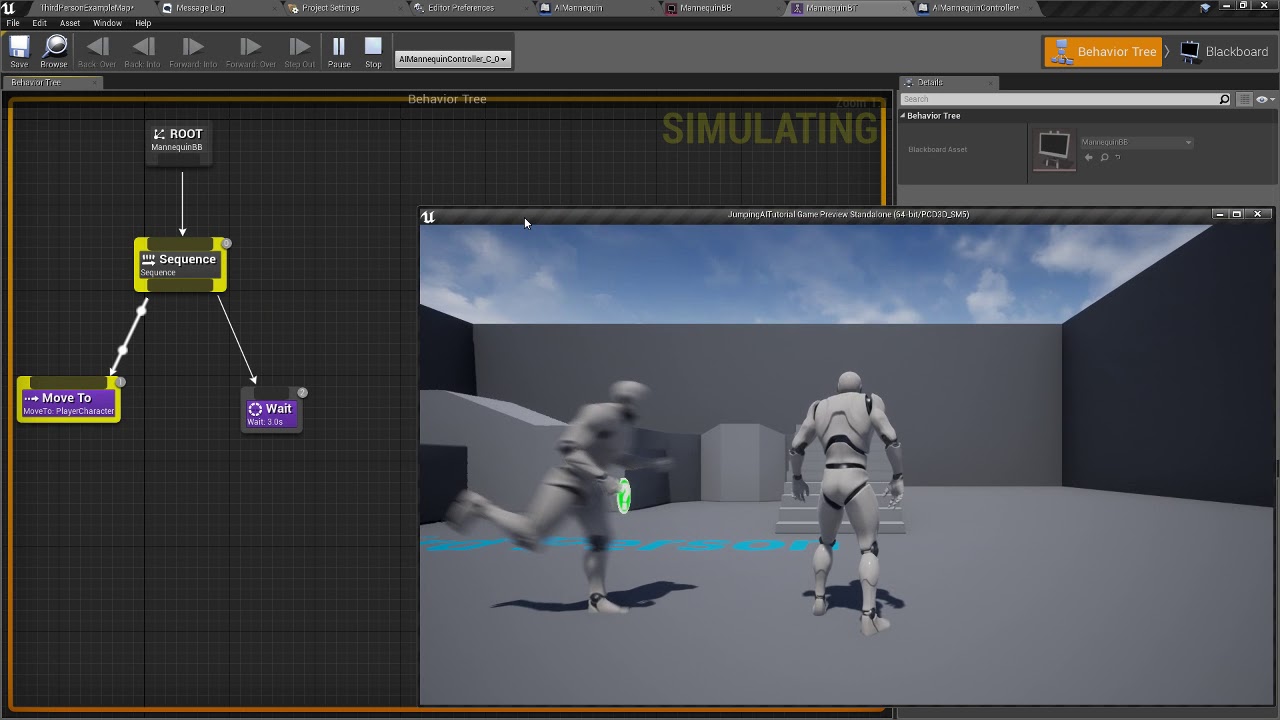
Simple tutorial for Jumping AI. No AI helpers (not even Nav Link proxys), and no C++ at all. Just some naive code in the AI Controller class and a very simple Behavior Tree and a NavMesh.
I want what he has
the ai is my zombie btw
this what my map looks like
I could just have a trigger but I think the way that guy has it set up, it's better
ancient lotus
try line trace by channel, break the hit result, drag off the hit actor pin and use ActorHasTag node to see if it returns the right tag that the AI can jump over? im not 100% sure if this works with straight up static meshes
ill have to watch the video, doing school work atm and have to submit it within the hour
tawdry heath
oh take your time! Can I add you btw?
ancient lotus
yes
pulsar kraken
When looking up in the game (First person) the projectile collides and starts flying almost like its flying up against a wall.
 surreal hamlet
Hey, can someone tell me how can i invite my friend to this discord?
normal burrow
Unreal Slackers is a Discord community where Unreal Engine users come from all over the world to socialize, get help and share their work. All skill levels & backgrounds welcome.
abstract relic
Invite link is in #more-resources
normal burrow
wow for some time lol
 normal burrow
Activate
if you activate something already activated with it false, then nothing happens
if you activate something activated with it true, it does activate again
what that means depends on the component.
 winter zenith
Is there any good free low poly terrains?
abstract relic
Look into flow control
abstract relic
Do N node! 😜
solar temple
If I have a wall I added a material to and let's say I want to add another material to it but only at the bottom of the wall to make it look dirty or something in that spot. How would I do that?
grim ore
if its a particle why not set it to loop 3 times?
thin tendon
I'm trying to set up trees falling after being chopped down. I can't use overlap events on my terrain. Is there a way I can get if the tree has hit the ground?
plush yew
I need it to do World Rotation
I cant do that with notify or in animation particle
so i had to put it inside the Mesh
Particle System
then set the Rotation to World
Am trying to do this
Oh MathewW i understand you now yup
i will just set it from the particle it self
normal burrow
🧇 you could just check the orientation of the thing
Is the tree on its side?
It’s probably down
winter zenith
I need to add a terrain, how does one do that 😭
grim ore
recreating an unreal project in Unity for a course.. Unity is... so annoying having to type code lol
normal burrow
Ew
grim ore
winter zenith
Is anyone here familiar with low poly?
normal burrow
What kind of sick course is this Mathew?
plush yew
@winter zenith sup
winter zenith
qBersp, I'm trying to make an island
thin tendon
@winter zenith There are a lot of guides / tutorials on adding terrain. To make it low poly just use a low amount of grids and components
winter zenith
that's completely low poly
grim ore
a personal one. I've done one before, creating a game in both at the same time to show the differences. Doing a small action rpg for a 2nd course to highlight stuff like AI, animation, controllers.
winter zenith
Is there any low poly world generators?
grim ore
low poly is just using less polys hence the low poly. If you mean the "art" part of it, the material or texture, that's artistic.
the landscape system can do low poly but it sounds like you want a stylized setup using actual created meshes in something like blender
and low poly is subjective, https://www.unrealengine.com/marketplace/en-US/product/low-poly-island is "low poly island"
normal burrow
Is it a pretty involved project?
grim ore
hell here is a video on someone using an asset pack to make one https://www.youtube.com/watch?v=UzDpFwk3rbU
normal burrow
It’d be interesting to do a comparison of how many mobs you can have in each engine before it craps out
grim ore
@normal burrow not super involved, it's more of a factual comparison for people who are interested in both. Hey I use Unity, I wonder how hard UE4 is and giving them an actual side by side comparison. Nothing complex, nothing major. more just showcasing the actual systems in an actual project using both rather than a "OMG UE4 IS BEST, UNITY SUXXORZ" type stuff you see
the other one I did was recreating lunar lander
normal burrow
It’s good to do fair comparisons. I’d not wish the nightmare of aggressive gc on anyone. I like to think I’m pointing the people away from tragedy when I speak low of it lol
plush yew
MathewW you work in a gaming company?
grim ore
when it comes down to it the project dictates what you should use, they all work well in one way or another and you can probably force one engine to do what you want. It's just annoying when you see a "Unreal VS Unity" or "Cryengine VS Godot" video without actual use case
@plush yew I do contract and freelance work right now
normal burrow
Comparing gizmos and stuff lol
Yeah I just honestly don’t see a use case for unity because of how bad it is
grim ore
i mean the unity and unreal stuff I did isnt the most scientific or the best but its an actual playable game created in both engines in lockstep feature wise so you can see what it takes to implement the same things and see the results and then hopefully decide what might be more fun to learn or use
normal burrow
Yeah I wish people compared the output
grim ore
I must prefer the 2d and UI stuff in Unity if I was making a UI based project. Something simple like a clicker game thats 99% UI or a data analysis tool is much simpler for me in Unity with their UI setup.
im sure I could recreate it all in Unreal but simple stuff that is missing without diving into C++ is annoying
normal burrow
There are better 2D engines out there though
I’m not saying anyone should use unreal for 2D of course
grim ore
there are for 2D games but nGUI is a superb UI system for Unity
i've done a few "games" in Unity using just nGUI because why the hell not lol
grim ore
considering the IMGUI system was basically useless it worked well
normal burrow
You know they hired the ngui guy to remake it with unity and it still do not scroll without a frame hitch
grim ore
i havent profesionally touched it since the 5.x days so I really cant speak of that but for mobile based UI centric games Unity worked well
normal burrow
The built in ui components are basically ngui unless they’ve redone them again
Drakonforge was a bit better imo
But all were bad
grim ore
I'll know in a few days when I get the Unity stuff complete lol
normal burrow
Yeah I should hush hah
grim ore
bad is relative to your choices lol
normal burrow
I’ve not touched unity in a long time
Once you commit to unity, it’s all about dealing with others bad choices
I am looking forward to the project though
grim ore
Unreal is obviously my engine of choice, ive got over 1k videos on it afterall lol 🙂 But who knows what's in the future
so far tho... ugh... the Unity Visual Scripting system is ugh
normal burrow
Playmaker or something?
grim ore
no it's an in house one. its designed to break down to DOTS on the back end as well which is good but ugh.. its in alpha and all but man it's so un intuitive
 left citrus
what's the rotation order for a rotator?
abstract relic
Make sure you clean your eyes with lemon juice afterwards
grim ore
Unity has Bolt which is super sexy and very blueprinty plus the bonus of VS <-> C# interchange
normal burrow
You’ll need the lemon juice for that not dark theme
I have a feeling DOTS will go away
grim ore
@left citrus do you mean the PITCH/YAW/ROLL (X/Y/Z) ?
normal burrow
I think it’s logically roll pitch yaw
left citrus
@grim ore Yeah - Z->Y->X if I'm not mistaken
grim ore
i think logically the damned docs page has it both ways... wtf
left citrus
combine that with maya being y up and it's a right clusterfuck to pipeline transforms
normal burrow
Houdini is mega weird
grim ore
hah found another page with another order "Each of the Rotator values (X, Y, and Z mapped to Roll, Pitch, and Yaw respectively) "
left citrus
time for good old fashioned every combo till it looks right
normal burrow
Are you trying to match something?
The order of solving is reverse of logical
Believe this is why it’s so confusing
left citrus
yeah passing a WS transform from maya to UE via extra attributes on a joint
I presume I'll need to reverse the order, good call
 frigid needle
Yeah I've got to agree with Mathew, here. Bolt is fantastic if you've already used UE Blueprints.
It works exactly like you'd expect it to.
Should you decide to use Unity over Unreal.
thin tendon
I have my trees now falling using physics. Is there a way I can make them not soo affected by physics. So that they fall and not get thrown about?
frigid needle
I don't have a full answer, but have you tried modifying their mass?
thin tendon
I'll give it a try thanks
thin tendon
Is this the correct way to do this? I want to get if the Desclass is set to none. Meaning it hasn't been given a class.
Having select class there just looks off
 scenic storm
does anyone know a good template in which you can easily switch between fly-mode, Walk-mode and VR? similar to the collab viewer.
scenic storm
or can help me to change the collab viewer settings that it works with my projekt?^^
 dim arch
does anyone know how to take a screenshot of your entire blueprint graph?
apparently there is a plugin called odintracker, which did this, but was discontinued
any alternatives?
 violet goblet
Unreal: "Assets Action -> Migrate"
why does this action do not migrate textures too? (they are always missing when migration is done)
 rancid lynx
After i get to 70k grass foliage on the foliage painter, my fps start to crash. Is there a rule for grass? I just use a simple material, no collisions, could it be because the grass has like 30polycount?
Only 3000 range cull distance. Cull distance doesnt help.
No aplhas, no transparecny.
left citrus
are there any guidelines surrounding node network size? In particular with regards to materials.. at what point should you just abandon the material graph and write a shader in hlsl? My material getting stupidly big..
thin tendon
@rancid lynx There is a bug with unreal where if you paint large sections of foliage in one button press (while holding it down) It will render all of them. Also try turning down your far plane in editor
rancid lynx
Whoa. Thanks. I was indeed using a 22222 brush. Or maybe 3s. I was really sad, that was the first huge lag that i didnt understand wtf
That should be a sticky tooltip in the editor. Thats as common as using the spacebar. Sheesh
I can save grass for last. :)
 glacial pecan
@left citrus @grim ore @normal burrow https://twitter.com/timsweeneyepic/status/952661474501111808?lang=en 😄

Sorry y’all I was young and this coordinate system stuff was confusing https://t.co/S2tkQRfAHr
Retweets
608
Likes
2334
 Twitter
 left tangle
I love blueprints!
glacial pecan
Blueprints are a big reason as to why we switched to Unreal, but @normal burrow's seemingly blanked statement that Unity sucks doesn't really matter if you're a beginner and see literally thousands of more learning resources and helping thigns in the community on the Unity side
(on the Unreal side, we have @grim ore and that's basically it) 😛
a client requested the switch from Unity to Unreal because they saw much nicer looking examples on the Unreal side, but I was very hesitant because the community support just wasn't there. we got UDN now, but that's not an option/not enough for so many small developers
 grave nebula
@left citrus First time you've got this feeling is a good threshold to indicate that it would be better off being coded, rather than graph based.
left citrus
@grave nebula my node network looks like concept art for halo weapons
grave nebula
Put it on blueprintsfromhell, be proud of it, and convert to code 🙂
left citrus
shall do, cheers boss
 somber quail
I've uninstalled and reinstalled the launcher and I still can't update my current version. It bugged out a few weeks ago when I tried to update to 4.24.2 and ran out of HDD space and I haven't had the option to update since.
 obsidian nimbus
 frigid trellis
Does anyone know how the int + float node is called in 4.24, I found it in 4.17 but can't find it now.
 harsh tiger
Is it possible to have a mic detect someone talking and then output a value depending how loud the person is talking?
@frigid trellis have you tried turning off context sensitive? Or copy and pasting the node from your 4.17 project
frigid trellis
turning off context sensitive didn't work, lemme try just copying the node.
 honest vale
 turbid wigeon
Hi all, good morning.
Does anyone know which rotation order UE4 uses by default? Is it XYZ? Or something else? I'm having some unwanted rotations and I think it might be a problem there.
left citrus
https://pbs.twimg.com/media/DTbWux8WkAUOZZx?format=jpg&name=small
@grim ore @turbid wigeon
Yeah - Z->Y->X if I'm not mistaken
@left citrus
left citrus
@radiant haven you can probably set the gravity scale in the global physics settings, but I'm not sure that's what you want - can you just up the mass of the character?
depending on what your desired outcome is
radiant haven
ok thanks!
 next badger
@somber quail if you stuck on 4.24.1 in launcher and can't see 4.24.2 - you have to reinstall the engine, not launcher, you may try verify prior to that
No. But Celeste made a Toggl plugin for ue4
oh, seems it's not supported
 timber birch
Question, is displacement (landscape) broken in 4.24? does anyone know?
I have a hard time getting it to work, such a simple system
normal burrow
@glacial pecan this is exactly what is wrong with it and why I recommend so hard against unity. Its not a “unreal is the best thing ever“ for me, it’s a “unity is literally the worst trap a beginner could fall into, because it teaches you how to do everything wrongly at the cost of low effort documentation.” Like consider anything at all outside of the engine that entertains the developer over the end user
next badger
@timber birch are you on 4.24.2 ?
frigid trellis
Question, I am trying to get my blueprint to be affected by my seqencer, I enabled "expose to cinematics" And it does show up, but it just doesn't want to update. Any help?

Changing it in the blueprint itself does work
next badger
since there was a bug regarding displacement on landscapes in 4.24.1
https://issues.unrealengine.com/issue/UE-85994
@frigid trellis you need to enable "rerun construction scripts" in sequencer...
frigid trellis
Its already turned on @next badger
 still atlas
is there a specific reason/difference why a pawn, as compared to a character, wouldn't stay in place when resting on a moving platform?
sorry, i've tried googling this and it isn't making much sense to me
 green sky
is anyone experiencing crashes when importing a character to ue 4.24.2?
next badger
quite often ue4 crashes if importing incorrect FBX
green sky
Ok im importing a character which uses the same ue4 mannequin skeleton only it has a few extra bones, when i select to use the mannequin skeleton i have in the project the engine crashes when it attempts to create the additional bones. Note that this procedure ive been doing since 4.18,4.21, 4.23 and it works perfectly no problems
next badger
blender?
green sky
I use Maya and also Character Creator, weve been using it for years without a problem
next badger
what version of FBX you're using when exporting?
green sky
ive tried them all just to make sure but i get same crash
 polar viper
Can someone help me? Is there any way to fix the lightmap UV?
 calm widget
What's wrong with it?
next badger
@polar viper overlap? ue4 has tools to generate lightmap uv
timber birch
@next badger oh for real? think im still 4.24.1
yep, updating now! thanks for the heads up 😄
next badger
@timber birch i've posted the bug, so it's real
polar viper
@next badger it somehow fixed it self??? Somehow
next badger
don't hesitate to search on issue tracker if you think it may be a bug
sort by recent updates
green sky
What suck is that if i manually retarget the skeleton i have to manually re do all the anim curves and thats very counter productive
polar viper
@next badgeri changed one of the material elements and it fixed itself
next badger
@green sky i definitely had a lot of crashes with skeletons...i just can't recall how i've solved those
i need to make a blog
timber birch
don't hesitate to search on issue tracker if you think it may be a bug
@next badger Fair point, ill do that when i encounter something new
green sky
This is suck a road block, after we did an entire character Logic with Anim modifiers and other 4.24 only nodes i cant even get something so simple as importing a character over as weve done in the past 😦
surreal hamlet
Hello guys, can anyone tell me if there is a Babylon plugin for UE4?
fierce tulip
never heard of it
surreal hamlet
@next badger yes
next badger
well, then your answer is above
surreal hamlet
I work for an archiviz startup company....when i package my project in html and run it on chrome, i don't get the same quality on chrome as i get when i run it on UE4 play mode...the lighting gets affected on chrome...i don't know why?
fierce tulip
because its using an older shading model
so you'll never get the quality you see in editor, though you canset it to html preview (not sure if that preview is still available in the latest ue4 versions)
 celest creek
So UE4 dropping html5, does that mean there's no alternative to browser based gaming?
timber birch
Wait i thought HTML5 was the way to go in future engine versions? its dropped?
fierce tulip
its already dropped iirc
next badger
@fierce tulip nope
timber birch
bummer as a former webdev that would have been neat 😂
 rotund scroll
ohhh noooo whatever will we do without browser based gaming
fierce tulip
lol
next badger
@rotund scroll Unity...
fierce tulip
streaming is the future
rotund scroll
all hope is lots
timber birch
@fierce tulip Can i poke you in the vfx channel?
fierce tulip
future vr will be more based on streaming to the vr headset instead of using high end pc to get the frames
next badger
Streaming is not future in most of the countries...even in the US
rotund scroll
consoles are the future, apparently
next badger
google - sure, thay have own fiber optics in the US
fierce tulip
streaming over html5 I mean
rotund scroll
as in, throwing constant money at something until you can play games on it
fierce tulip
@timber birch obviously you can
next badger
@rotund scroll until it become a HTPC? or SFF PC?
sorry, this is #ue4-general but...
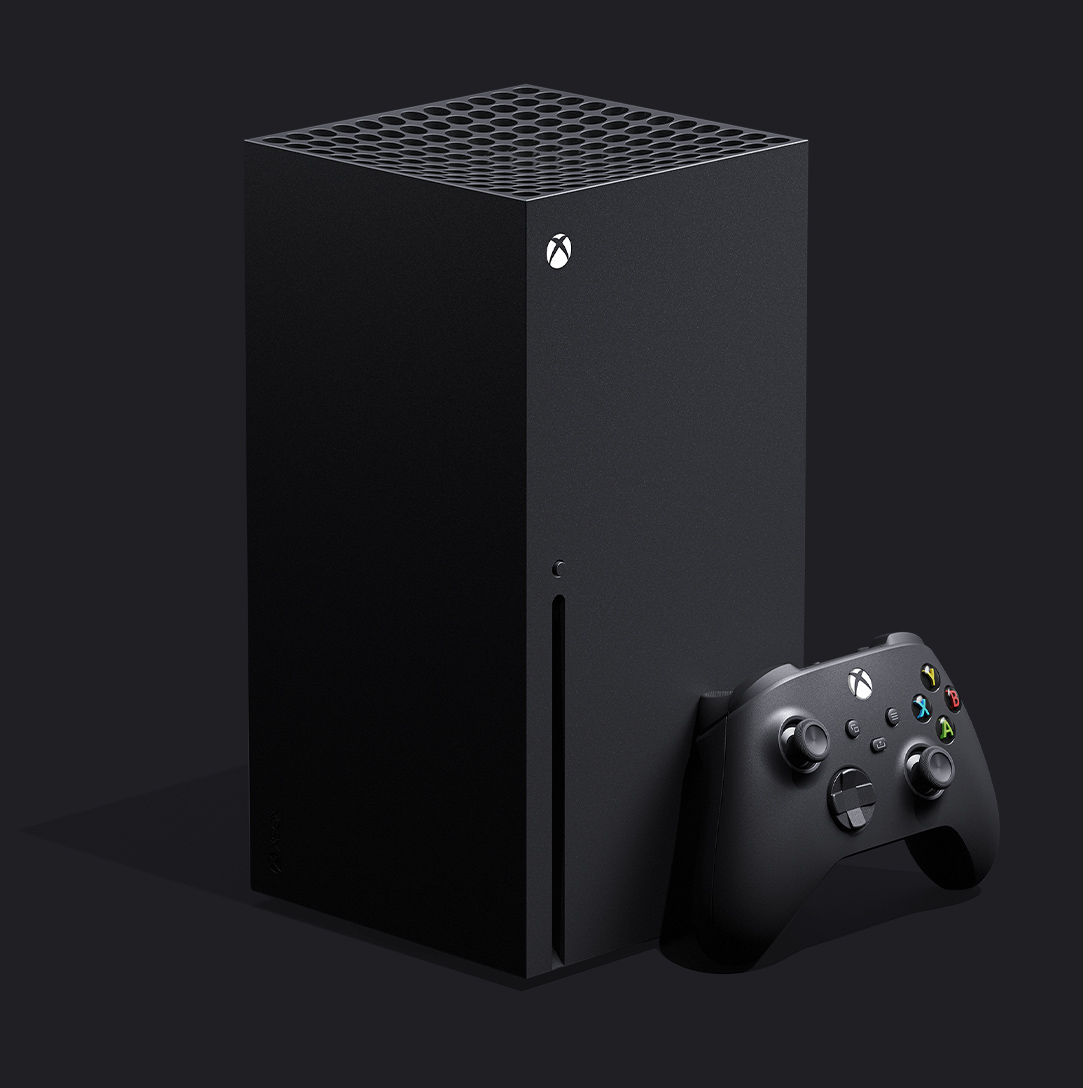
https://compass-ssl.xbox.com/assets/85/8b/858b94d4-0ca6-4e74-ac9f-38565c49f2df.jpg?n=Xbox-Series-X_Image-0_1083x1400_02.jpg
 rotund scroll
I have no idea what either of those are, but I'm sure you are correct
nice product design, can I hollow it out and install my own hardware and just pay for the box itself? 😄
next badger
Home theater PC, Small Form-factor PC
rotund scroll
ah yes
I actually have a small form factor rig as my main rig at home
I don't believe in big rigs anymore
next badger
i want Ghost S1...expensive ;_;
fierce tulip
looks at his 70cm tower
rotund scroll
next badger
@fierce tulip ahahah...yep, atm my tower is huge
abstract relic
What’s more beautiful than a cube
rotund scroll
a vertical cube
abstract relic
Zscaled cube
fierce tulip
that new xbox wont fit in my tv-table thingy, so not buying it :p
 craggy flax
I imagine like the PS4 you can also lay it down or have it vertical
fierce tulip
:p
surreal hamlet
I need to find a way to run my projects on chrome without comprising with quality somehow
rotund scroll
I suggest video embeds
timber birch
They can drop the X now, since its a real square box
harsh tiger
Is it possible to have a mic detect someone talking and then output a value depending how loud the person is talking?
abstract relic
Yes
harsh tiger
I’m on the train atm. Do you have any more info for me to go by once I get home?
abstract relic
Unreal Engine Forums
Hi there! I would like to capture the mic from the oculus rift to spawn "breathe" in a winter scene (like here (https://www.youtube.com/watch?v=MwhW8E
Docs are still annoyingly sparse on the topic though
https://docs.unrealengine.com/en-US/API/Plugins/AudioCapture/index.html
harsh tiger
That’s a start at least. Thanks so much👍🏼
hollow tusk
hey guys, does anyone know of a good way to export strings from unreal to python?
next badger
best docs on audio sitting on #audio channel...Dannthr and minuskelvin are their names
@hollow tusk python
hollow tusk
@next badger what do you mean?
next badger
ofc if you need runtime python bindings...it's another matter
Describes how to use Python in the Unreal Editor to script content production tasks.
radiant haven
LEVEL DESIGN:
Should I rather model the entire house and import it as a whole into UE or should I do it individually before assembling it in UE?
fierce tulip
both
next badger
@radiant haven will it be interior/exterior?
radiant haven
interior
fierce tulip
not to mention collision stuff, lod stuff, drawcalls trough amount of materials needed, etc
radiant haven
stairs too or can i model it as one?
 tawdry storm
but you could still export everything into one fbx and just don't combine it to one blob on import... not that that's nessecarily advised
fierce tulip
if you are asking such questions you might want to look at some of the free content and see how epic did it
yuck, having everything in one fbx
radiant haven
well this is exactly how i would have done it
but you could still export everything into one fbx and just don't combine it to one blob on import... not that that's nessecarily advised
@tawdry storm
next badger
i'd stick to "spans" for stairs
fierce tulip
double yuck if it also contains the textures
tawdry storm
Luos you don't know my pain with CAD data, okay!? D:
fierce tulip
YUCK
 tawdry storm
what about exporting each individual triangle as an fbx for maximum occlusion culling efficiency? 😬
next badger
^ 2 spans
fierce tulip
I should infract sei :p
tawdry storm
hm there has to be a better way then 🤔
next badger
i've been learning opengl recently...drawcalls etc
radiant haven
ah and btw before i forget it someone ever twerked with heightmap in UE?
tawdry storm
I actually have never twerked in my life
okay so redeem my shitposting a litlle bit...
@radiant haven
https://docs.unrealengine.com/en-US/GettingStarted/index.html with your questions it might be good to start at the basics and work your way up from there.
Introductory information for developers starting out creating games with Unreal Engine.
as Luos said, take a look at the free content examples Epic provides and see how they approached these kinds of problems
radiant haven
lol i use UE for one year now why u give me this
tawdry storm
what were your tasks in that year?
radiant haven
pain 😭
next badger
i was writing that Falkitop has almost 2k posts here
radiant haven
no
tawdry storm
lol sorry I didn't mean to be rude
anyway the point still stands, Luos was right all along
radiant haven
np never said that 🙂
tawdry storm
I bet some of my questions here sometimes sound like I just started with UE4 yesterday
fierce tulip
same
tawdry storm
wait, you're lightyears ahead of me... how long is this road!?
radiant haven
i am stupid af
next badger
Luos, have you mastered Niagara already?
tawdry storm
well if they keep burning it down
tawdry storm
is it even possible to master something that's still experimental
Luos not in VFX? what has this world come to? 😦
next badger
I think Niagara can compete with Cascade for a long time...it's just some advanced stuff still in progress
 next badger
what exactly?
tawdry storm
not the smoothest landscape 🤔
tawdry storm
can you show the wireframe?
fierce tulip
wording!
tawdry storm
is wireframe a forbidden word? D:
fierce tulip
yes
tawdry storm
I'm still curious about that wireframe
radiant haven
tawdry storm
hm looks like it's defaulting to the lowest LOD, is that on purpose?
this is a landscape, right?
tawdry storm
what are your LOD settings in the details panel?
next badger
@radiant haven why have you picked 1 section per component?
that setting disables the dynamic resolution
radiant haven
tawdry storm
my landscape has 1x1 sections aswell and it still works with the dynamic resolution
I don't use a heightmap though so not sure if that's what makes it behave differently
next badger
hmmm
tawdry storm
sadly I know pretty much nothing about landscapes
radiant haven
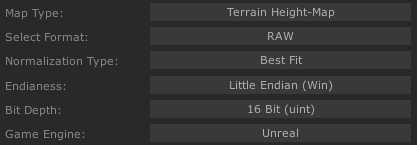
its about 8bit and 16bit color depth but somehow for me it doesnt work
serene birch
which file format is your heightmap in?
hollow tusk
@next badger thanks!
tawdry storm
I just don't see what the color depths would have to do with landscape tesselation. shouldn't it only affect the precision of the height displacement?
is there a way to move my painted foliage from one level to another?
radiant haven
@serene birch png
timber birch
@next badger Thanks again man! tesselation is working like a charm again 🙂
serene birch
it's recommended to use the 16bit raw image format for 16bit heightmaps
radiant haven
serene birch
not too sure about this though
radiant haven
me too 😄
serene birch
Unreal Engine Forums
Talk about Level Design, Static Meshes, Physics, and more.
basically I feel like he has the same problems than you
serene birch
btw it isn't enough to save a file in a 16bit format, if you lost the 16bit info by passing the file through a 8bit format at one point 😉
serene birch
in theory you can just export a BW image btw
radiant haven
ok ill do that
next badger
why would you make RGBA 16 for heightmap?
radiant haven
nope
still not#
steppy steps
these are the problems for one where i hate unreal for, its a good engine but with these small problems my whole workflow gets blocked
timber birch
@radiant haven its the png
use .raw or .r16 that should solve that issue
This is how i export from WC for example https://i.gyazo.com/b9611346dcd474764ff63a94a841aa08.png

PNG always gave me issues for some reason. and im used to it with Cryengine you use raw or r16 aswell for best results
 still shoal
how to remove those lines?
grim ore
it looks like your normal map is wrong
 rich reef
Can I make the viewport fullscreen while simulating the game directly in the editor? (Trying to get around building the entire game just to see it in fullscreen lel)
(Please ping on reply ❤️ )
next badger
yep
 frail sail
When will be up that answer hub? So long maintenance 
civic iris
guys, how to generate normal maps of a image? (possible with gimp?)
tawdry storm
@next badger Luos posted a talk by Simonschreibt the other day that explains why a RGBA heightmap might make sense
https://youtu.be/aYZEmaQUrAo?t=1001
sorry I'm a bit late on this, but our internet went out for a while
More Game Art Tricks: http://simonschreibt.de/game-art-tricks/
Article to this Video: Permalink: https://simonschreibt.de/gat/cool-stuff-with-textures
The Invisible Hours: http://www.tequilaworks.com/en/projects/the-invisible-hours/
This talk was given at the Digital Art Conf...
marble nacelle
hello all
super newb question
does UE4 Raytracing works in Linux? if it does? how if there is no Dx12?
tawdry storm
can't give a definitive answer, but I think you answered it yourself. I don't think that it'll be possible without DX12 unless you maybe run it through a virtual machine
solar temple
How hard is it to land a job using unreal ? Do you need to know everything
tawdry storm
https://docs.unrealengine.com/en-US/Engine/Rendering/RayTracing/index.html
System Requirements

Operating System

Windows 10 RS5 (Build 1809) or later```
so I guess that answers thatAn overview of Ray Tracing in Unreal Engine 4.
 manic pawn
the cool part is that vulkan ray tracing would probably have better performance..
tawdry storm
we'll burn that bridge once we cross it
plush yew
how to solve this ? XD
 quick breach
Anyone have already done a post process ignoring a certain material ?
 sweet relic
@quick breach #graphics or #visual-fx might have better answers; but I would probably use a custom depth mask to mask out specific object from post proccessing
quick breach
Thanks i'll search for it
marble nacelle
@tawdry storm thank you sir
 bitter iris
my UE4 keeps defaulting me to medium graphics, everytime i put it to epic it just goes back to medium
could anyone suggest anything
is it a .ini problem
grim ore
does it go back to epic immediately or after you restart or eventually or ?
bitter iris
it starts at medium
if i change to epic it resets to medium
even after restart its still medium i cant change it to epic
grim ore
that's weird. There are systems in place to prevent the editor from running too slow and it will do that but normally it tells you. Its in the place where you change, the auto adjust
bitter iris
gunna try restart again but this time set all to medium see what it does
okay i can set it to epic now :/ that was random af
 hushed epoch
Hi everyone! Fellow dev here;> I was wondering, did you guys have a way to speed up the process of actually understanding Unreal as a tool and then using it efficiently? I'm a designer and have some basic understanding of the engine but I feel like I don't know enough to actually script the game and it's driving me crazy. Any tips other than "more practice" ?
next badger
@hushed epoch depends...what are your goals, what you are doing (in general in ue4)
cause if you need to learn lighting - we give you one thing, if animation - another etc
hushed epoch
It's more about scripting events in the game or preparing basic BP for puzzles
next badger
then just get some course on ue4 BP scripting
You can start here
https://learn.unrealengine.com/courses/library
it's like a MOOC by Epic
grim ore
do it over and over and over and over 🙂 and over, even if you did it before do it again. repeat it over and over and over, even if you did it before do it again.
next badger
*by epic -> epic approved
grim ore
Blueprints are coding, it's still programming so if you are light in that area of knowledge look into just learning the basic concepts of programming and you can apply that to blueprints. This might help if you are looking for more understanding of how they work in UE
 smoky sonnet
hey can someone help me i try to find how to do a character skin changer in ui but cant find what i want to do, it should look like this
you can go left and right then the cost changes
and its start at skin 1 if you click on the right button the number 2 should shine a little bit to give the player the felling know you are on skin 2 and it should look a little bigger (scale)

i dont even find a blueprint method to change the image in my widget
hushed epoch
I am genuinely curious how other people approached this, as from what I am seeing: for some people something just clicked and then using blueprints became obvious, and I am definitely missing something. More programming knowledge - that might be it, but then what to use to learn and not drown in maths ?
grim ore
set brush is how you change the image on an image widget
grim ore
@hushed epoch you can learn a basic language like javascript or python or basic, something that teaches stuff like variables, functions, events, etc. Just basic knowledge of "how" programming works and is structured. Otherwise there are plenty of UE4 Blueprint based courses out there that might help make it click
@smoky sonnet if you look at the details panel its because that section and part of the Image is a brush, it's not an image. A brush has an image as part of it but also the rest such as scaling and size
smoky sonnet
thx ❤️
 patent ibex
anyone has any measurements how faster shadercompilerworker feels with priority set to high?
plush yew
Hello guys, i got a problem if someone could help me in pm
plush yew
Well to be honest im really new at unreal engine, im trying to make an endless runner game following a youtube tutorial, the problem is when im trying to switch the lane (to the previous lane / the middle lane) it teleports me undermap
am i clear enough? ^^'
craggy flax
immediate thought is you plugged movement into Z instead of X/Y
or bad vector somewhere or something similar to that
grim ore
^^ the Z is probably set to 0 when you move and not the players current value
fierce tulip
rebuild lighting
craggy flax
in the top of your screen theres a button that says build. Either press that and build the entire scene or hit the small down arrow next to it and click build lighting only
plush yew
mmm thanks for the answer guys, i'll try again to fix things
 mossy spear
hi hi
anyone know why for light build would just stop at about 2.33% and just cancel the process without showing any errors?
the only error it shows is "WorldInfo_0 Maps need lighting rebuilt"
radiant haven
HEy Guys i need help with my prickup system
grim ore
@mossy spear check the full output log for errors, or check the log in the swarm agent which should be in the task bar in the bottom right when building lighting.
 upper heart
👍
 snow crown


radiant haven
lol
normal burrow
brutal
hollow tusk
What happened
normal burrow
idk haha, referring to noscope emoji
hollow tusk
He really needed the help
mossy spear
@mossy spear check the full output log for errors, or check the log in the swarm agent which should be in the task bar in the bottom right when building lighting.
@grim ore it just writes "Task Killed locally by Desktop, Counted as Filure"
grim ore
and the output log in the editor doesnt show anything?
 alpine wigeon
Stupid question does anybody know what 4.25-plus is?:) Just noticed the branch... what does the Plus stand for? there is non plus branch as well
rotund scroll
He really needed the help
@hollow tusk it's not an ER, help is given voluntarily
mossy spear
and the output log in the editor doesnt show anything?
@grim ore yeah......i just switched my directional light to moveable to do away with the issue
next badger
@mossy spear you may have lighting build issue if it's too large
when you building a lighting you can open the Swarm agent (orange-black icon in tray)
if it's first time you building the lighting - make sure it's not blocked by firewall etc
radiant haven
it can be blocked LMFAO
grim ore
the lightmass system connect to the swarm agent using networking, if you block it from accessing then yep
next badger
swarm uses port 8008 and 8009, and some users can't use those...
radiant haven
why does it even need to rebuild lightning, for example in Unity i never saw that (earlier i used unity switched to UE)
grim ore
and some click no when windows pops up permission as well lol
next badger
unfortunately it's all hardcoded
radiant haven
and why swarn
grim ore
unity certainly has lightmap baking, most people just don't use it or get to that point as it defaults to not annoy you like UE4 does
next badger
swarm is distribution tasks manager, hence the name
radiant haven
sometimes its a pain working with ue youre right mathew
grim ore
I agree the default lights should not be set to stationary or static but shrug not much you can do but change the source code lol 😛
next badger
i like the lighmapper in unity...it's quite good, even if it's not Enlighten anymore -_-
grim ore
it works, I am in Unity now but using realtime so no baking lol. I wonder if UE4 didn't have the "fix your shit" messages in the viewport and the shadows if people would even have complained. baking lights is part of the process in both engines.
mossy spear
my swarm isn't bloocked
just hate working on setups that aint mine
but just was to make things work
radiant haven
@grim ore
normal burrow
unity even have baking still?
next badger
@grim ore hm...i don;t have the lighting messages on some of my projects...i think it was some checkbox
radiant haven
it could be that UE uses realtime rendering (better than unity)
 brave gate
4.25 brings GPU/DXR Lightmass, hopefully Swarm will die soon 😉
radiant haven
yed
radiant haven
and hopefully heightmap importing min16bit as well
brave gate
and surprisingly some studios/artists still prefer it
although it's nightmare for designer 😉
sweet relic
@grim ore is right. if it just fell back to dynamic lights with no warning its likely very few people would be aware of lightmass
radiant haven
lol why
next badger
@brave gate only if you will send me some 2080ti's
brave gate
actually lights could be static/stationary - no point in making every light dynamic
radiant haven
its ue 🤷 😄
next badger
new gpu lightmass is DXR only
radiant haven
bad and good sides 🙂
brave gate
just they could turn off "allow static lights" by default in engine or maybe its template project settings?
@next badger 2060 is twice cheaper
brave gate
and still better to starve for a month and get DXR baking instead of all-night swarm 😉
radiant haven
in unity generating a terrrain is crazy shit @grim ore Unity is performance very bad
next badger
@brave gate ue4 can't use multiple gpus...so...why 2060?
brave gate
you mentioned 2080ti like it would be only possible one 😛
next badger
well, i have 1080ti...so yep...2080ti is only way
brave gate
😄
radiant haven
i have 650ti
brave gate
UE actually can use many GPUs, they added initial support for non-game things
it must for realtime movie previs on LED walls or Disney amusement parks 😛
it's just not exposed out of box for every consumer in game
next badger
2080ti is $1300 here -_-
radiant haven
650ti is 30$ here
next badger
sorry...offtopic
hollow tusk
@hollow tusk it's not an ER, help is given voluntarily
@rotund scroll it was a joke xD
next badger
@brave gate we had a dev here who has 2xTitans and 2080ti...but he could not use DXR in ue4 w/o disabling a titans
grim ore
1080ti can technically use DXR
radiant haven
dxr?
radiant haven
ah
next badger
@grim ore it can...but luoshuang told that it's ssuperslow
grim ore
super slow but faster than CPU?
next badger
nope
grim ore
aww
next badger
it's WIP, so, it's slow now...maybe later it will be better
grim ore
I wonder where the breakpoint is then compared to a CPU. like would a 2060 super be faster than a 3950x?
radiant haven
my problem is with UE4 that they develop for more features taht dont really everyone use like now in 24 raytracing, instead of fixing small stuff that we really care of
grim ore
not everyone uses the small stuff either, there is no winning just fire fighting
brave gate
nah, even Threadripper 128 threads can't run the first Crysis 60 fps
grim ore
"we know this shit is broke but we had to ship anyways"
radiant haven
LOL
sweet relic
also Epic wants to make UE4 more than just a game engine. so they spend a lot of resources on tooling for non-game pipelines like arch-vis, virtual production, animation rendering etc
brave gate
teams can fix critical small things, they won't ever build a new systems
and ambitious people would run away if they would have spend year on fixing small bugs than working on new awesome tech
smoky sonnet
why is the opacity of my gif so low in my widget
next badger
@radiant haven it's developed by different people, everyone has his own expertise...
rotund scroll
@hollow tusk jokes are banned on this discord!!1111 MODS!!!111
smoky sonnet
anybody know?
next badger
@smoky sonnet is the widget material opaque?
smoky sonnet
how can i check that
at the material or the texture
i got a spritesheet whick i convert to a material with flipbook
next badger
well, you can see the opacity input is not active...so it's opaque
next badger
the input (opacity)
next badger
i was going to say, since it's opaque, it's not the material
radiant haven
BTW like Fortnite does Epic Games switch Engine versions to newer one in fortnite or do theey stay at the version they started with ???
next badger
@smoky sonnet
next badger
@radiant haven they have internal branch for FN
radiant haven
?
next badger
branches are Different version of the engine, like 4.23, 4.24...but they are special, you can see different ones on github
radiant haven
oh ok, my quewstion was with taht, should i change engine versions while develooping
next badger
as example i have master branch build
smoky sonnet
is this a bug ? why doesnt the image show up in mobile view
abstract relic
Answer is source control. Always source control
smoky sonnet
if i start it in ue4 normally it show up
grim ore
You should always update your project 100% of time every day synced with the master branch. I mean if you don't how else will your project have all the new untested features.



 grim ore
@smoky sonnet go to your toolbar in the editor and swap your preview shader mode to mobile to simulate what it would look like on mobile.
grim ore
how are you testing it on mobile? on device or emulator?
smoky sonnet
grim ore
gotcha. Might be a weird issue but test on device first
radiant haven
smoky sonnet
@grim ore do you know how can i disable input if my user pressed start
that he cant press it again
next badger
Mathew knows all
smoky sonnet
yea he is insane
grim ore
@radiant haven have you tried compiling it again like it suggested?
radiant haven
from source how is that possible
grim ore
@smoky sonnet disable input as in the player cant move or disable clicking the button again or ?
radiant haven
and Mathew thgis is a point where i hate ue
smoky sonnet
cant click anything
radiant haven
@next badger you as well
 hidden aurora
.
smoky sonnet
so disable all input for 3 seconds or something
next badger
@radiant haven well, if it's c++ project, you have to compile from source
not ue4..but game
 sage coral
Had a quick question because Im still learning. If I were to make a p2p matchmaking system would I need to pay anyone for that or is it free because I could be wrong but the hosts pc is considered the server?
next badger
@sage coral pay for what? development?
grim ore
@smoky sonnet you can use the Disable Input node on the Player Controller to disable input. I dont know if it blocks mouse clicks on the UI but you can disable the ui parent to prevent that as well if not
sage coral
@next badger No like bandwith fees
next badger
@sage coral well, you will need to host the server yourself
smoky sonnet
@grim ore last question do you know how i can change the image of a button?
grim ore
if its pure p2p, like a listen server, then you have nothing to do with it assuming you are not one of the peers.
smoky sonnet
because with brush i can just change it from an image directly but how does it work on a button
sage coral
@next badger So are you saying I would need a pc to constantly be running in order for other players to be able to play online? sorry for any confusion
grim ore
buttons have appearances you can change and you can also add children like images if you want that.
next badger
@sage coral if your game will use Steam API you can use steam's servers for that
sage coral
Ah ok perfect @next badger thank you so much for the help 🙂 thats what I was looking for didnt know i could do that
next badger
but if not, you will need the server, cause players HAVE to know where to connect to get to lobby
radiant haven
@next badger no its bp only its build in 4.22
smoky sonnet
@grim ore thx
grim ore
@smoky sonnet just look at the way the stuff is named and you can find out how to change it
@plush yew it is compiling shaders and creating caches. you just have to wait. and it might do it again at 45% and 83%
@radiant haven if it's BP only it would not give that error. A plugin might be in there that needs to be updated or it has something else. What does the .uproject look like?
@plush yew just the task manager, other than that nope
meant that for falk lol
@plush yew the source build is the source build, it's gonna take a while based on your machine. if you upgrade it then yes that will take a while. The 2nd part (shaders and cache) are normally versioned by the major (.24, .25, etc.) so those should only compile once per major revision
sage coral
So steam would run the server or listen for a host to be hosting the game and it will ping the other users who are searching for a game and because thats all it does and at this moment im not too worried about perfect connection right now (Dont exactly have the most money but want to persue my dream to make games other wise I would be spending much more if possible for things like private servers and such) Just want to make sure that other players can play with eachother from around the world or certin regionsand not just couch multiplayer which I also want because Those nostalgic days were some fo the best
next badger
@sage coral well, starting with networking project is hard path...but nothing is impossible
sage coral
I actually have it mostly finished thanks to the ue4 multiplayer blueprint tutorial 😄
next badger
you will have one limitation with steam api...players will have to be in the same region to see each other (region is set in steam downloads settings)
sage coral
Thats ok thats actually perfect for now as long as players can ping and joing eachother thats what im after Just wanted to make sure Im not gonna get myself in any trouble somehow it seems in the law area of video games there are alot fo grey area with what is and isnt allowed
smoky sonnet
@grim ore how can i get the dimensions of my image ? thought smth like this but cant find the right way
grim ore
do: Make a fun game. dont: delete their hard drive
smoky sonnet
grim ore
@smoky sonnet the dimensions of the texture, or the image widget, or what exactly?
smoky sonnet
i need to set the new style i think it needs the dimensions of the image
the width and height
because im setting the new style
sage coral
Thats actualty a really cool idea you got @smoky sonnet is it like for changing skins or textures?
grim ore
that would be what I was suggesting yes
assuming you want the info for the old style yes
smoky sonnet
because i want to give my button a little glitch feature to change textures by pressing the button
yes
next badger
"break slate bruh"(c)
 cerulean nova
anyone ever done something with Ocean stuff? Lets say i would make a ocean shader based on the gerstner wave math... how would i approach to make the waves go smaller around islands? 🙂
grim ore
timber birch
2080ti is $1300 here -_-
@next badger i paid that for mine roughly bit more
next badger
@timber birch no chances i will...that's a crap ton of money
cerulean nova
2080 super cost ~800 here
next badger
@timber birch well, it's probably depends on country
cerulean nova
but rumors say that nvidia will release the 3000 series "soon" 🙂
timber birch
Well i paid 3k in total, Ryzen 3900x + 64GB Ram + Strix x570 mobo + 2080Ti
Wish it all was twice as powerfull tho... guess ill wait 20 years 😛
2080 super and Ti i believe there was 30% difference 🤔
cerulean nova
yeah i think the gpu prices are abit out of place for quiet some time
timber birch
That i agree with
 atomic onyx
anyone else experiencing constant crashes with the 4.24 version?
cerulean nova
for the price of a 2080ti i could build a mid range system...
timber birch
@atomic onyx nope
My engine crashed when i hit the 450.000 shader compiling
but thats it,98% of the time its fine
cerulean nova
@atomic onyx havent done much but had a "ocean simulation" running when i was sleeping and it was still working fine when i woke up so no crashes on my side
next badger
@atomic onyx no...as always, just regular frequency of crashes
teal tulip
wait 20 years ? the nvidia GPUs don't live more than 3 years good luck with that
atomic onyx
not sure whats heppening
timber birch
@teal tulip what do you mean?
grim ore
when did the UE Forums get the ability to reply directly to a forum post? this is really cool
cerulean nova
how can a plane surface with a math ocean shader be less shader complex then the simple bsp brush from ue4 without a material applyed? 🤔 😄
atomic onyx
@next badger where is that setting located?
teal tulip
@timber birch every new GPU from Nvidia since last series fails or directly dead at 3 years timeframe or even before at least in all my cases and friend cases
atomic onyx
timber birch
since the 1000 series?
next badger
@atomic onyx one of those
timber birch
@teal tulip my 1050 and 1070 are still alive and kiicking so dunno
teal tulip
usually is more related with the top notch series on 980, 1080, 2080, 780
atomic onyx
its off as shown above
timber birch
Interesting
teal tulip
the manufacturer that used to make long life GPUs don't do them anymore
next badger
@atomic onyx it doesn;t matter how it's on my screen, i have no issues with ue4
cerulean nova
i dont mind buying a new gpu in a 3 year lifespan since they are "old" at that point anyway but everything nowdays is made to break not only gpus 🙂
atomic onyx
oh found it, restarting now
teal tulip
@timber birch worst I ever had was the 480 and was the first worst I had didn't even made the 2 years warranty and then display 12 monitors connected at time but had only 2 ports, and the computer restart nobody could fix it at always display and on imaginary monitors
the 970 is doing well better than all the last i had, that them all last ones was 80 series
timber birch
Interesting, can't remember what i had before the 650