#ue4-general
1 messages · Page 568 of 1
 brittle stratus
 normal burrow
hm i need to look into that too, material parameter collections
 severe ibex
@abstract relic Thanks a bunch. I fear I am balls deep into a big BP and doing most things incredibly wrong.
 abstract relic
cough Fish pat cough
 manic pawn
material fish collections?
abstract relic
More fish for your fish needs
 light coyote
This all smells a bit fishy 😅
severe ibex
I swear set scalar parameter value on materials wasnt there yesterday
 crude vessel
Hair and Fur Rendering and Simulation (Experimental). We have experimental support for hair rendering and simulation. In 4.24, you’ll be able to import your Alembic (.abc) groom from an external DCC application, create and setup your hair using the Groom component in UE4, Author and Edit your Material in UE4, and use Niagara to set up hair physics with some adjustable settings. should I get my hopes up?
 brisk obsidian
@crude vessel it depends, what are your hopes?
crude vessel
Yeah. .currently working on a character that would benefit from a fur effect, I was gonna mess with gfur fur shell shader but not having a ton of luck
And.the Nvidia solution seems like I need maya
I use blender, sad.
brisk obsidian
This is still very much experimental stuff so I wouldn't advise it for productions yet (plus it's a bit involved to set up with exporting grooms in the correct format using scripts) but it's definitely the intention to have a proper native hair and fur system in engine and this is step 1
normal burrow
is it something that could be used on the environment mrhibbitts? like static meshes and grass / pollen?
crude vessel
Well I'm still at the goofing around stage
 grim ore
the amusing part for me was reading thru all the commits I saw hair and groom and I was assuming some new demo scene with a marriage theme lol
crude vessel
The issue I have with fur cards is I can't think of a good way to integrate that method with my goal of modular and adjustable fur color patterns. So something which can inherent it's base color from a base texture like fur shells or particle fur, would do what I need.
brisk obsidian
Honestly not to sure environment wise sorry, I'm only vaguely aware of the work they're doing on it.
The examples I've seen from it though look super promising. For example it's not just cards any more, you can do proper strand based hair
crude vessel
So even if it's experimental, that's fine for my needs because everything I'm doing is just for internal testing anyway.
Hell, I'd be fine with cards if they could inherent their root color from the base texture.
But trying to match fur card color with the base texture sounds like a nightmare
manic pawn
does strand based hair mean you get like 1 million polygons
crude vessel
All the examples I see are bespoke
I dunno, I know that's how blender does it's particle fur
Which looks great but not great performance wise.
normal burrow
hmm yea mrhibbitts, cool to hear about it. would love some fuzzy coral
crude vessel
I'd love something where I could set up particle fur in blender and bake it down for realtime
But I'm sick of Maya only plugins
Sorry I can't afford to pay into Autodesk ransomware
normal burrow
is it really maya only buster? i think a lot of the apex stuff can be done in editor now?
er not apex anymore.. nvcloth, for hair cards rather
crude vessel
The fur plugin for Nvidia didn't seem to look like it was comparable with blender
I couldn't see any documentation or info that would work otherwise.
I'd be happy to be wrong
brisk obsidian
Looks like the hair stuff is a separate component and you can just attach it to any mesh socket
crude vessel
But having something that's video card agnostic would be good?
normal burrow
ah so skeletal only?
grim ore
whoo hairy sockets!
brisk obsidian
static meshes can have sockets so static meshes are fine
crude vessel
Anyone here know if there is a way to have a mesh adopt a tint from a parent mesh? I was thinking that would work
normal burrow
oh right, neato
manic pawn
I can't stop imagining having a hat that is just hyper realistic hair for no reason
grim ore
what we need is this hair system built into the engine so we don't need 3rd party programs. Allow us to place hair like we do foliage lol
 crude vessel
I have a system in mind of doing a gradient map for the base color, and using a level adjustment to set the breakpoint and hardness
And maybe combining that with another mask
brisk obsidian
Honestly not sure if that's the plan but there's definitely a push to allow more things to be done without a separate DCC (like the new geometry tools) so I wouldn't be surprised if eventually it's all in engine, or at the least doesn't REQUIRE a separate DCC, but could leverage one if desired
crude vessel
I want to make a fur patterns which is generated so not to be identical to any other (to some degree)
So inherently the issue with fur cards would be getting the base color to match up with them
normal burrow
i like the way this plan sounds
crude vessel
The only thing I could think of would be extrusion of the base mesh (2D UV overlap) and do a second UV for the alpha channel
But that sounds like a nightmare
And ugly
So I might just go with fur shells until ue4 offers a better offer
But I have a prototype gradient map I hand painted in substance painter and it's promising
I just hope the material performance isn't too bad in practice
Although looking at Paragon material nodes, holy shit
Now I don't feel so bad about what I wanted to do.
normal burrow
(would recommend not looking directly at material code for too long)
 cedar snow
finally a proper sonic game possible with 4.24
cedar snow
have you heard of ... cats (the movie)?
crude vessel
I want to do that
brisk obsidian
If one of you does not make that I will be very disappointed with this server
cedar snow
game jam inc
normal burrow
gib me license to sonic, you won't regret it
crude vessel
I wanted to make a game in which you run around and parkour, but randomly ragdoll and fall down or fall off ledges
I'll make a Sonic knockoff to avoid lawsuits
normal burrow
sonic knockoff? what is that
crude vessel
Hyper the Honey badger
brisk obsidian
Ruin you childhood themed game jam.
Whoever can make the most mentally scarring recreation of something from their childhood wins
normal burrow
lucky the fox?
crude vessel
Space fox mcgeee
cedar snow
inb4 pfist makes a dedicated #furries channel
crude vessel
But that fox needs a creepy human mouth
brisk obsidian
Hard mode for the childhood ruining is no NSFW though
crude vessel
Hahah
 honest vale
what is "XR"?
normal burrow
i feel like conkers could do it again
honest vale
the new project template setting is confusing
"choose if XR is enabled for this project or not"
crude vessel
Anyway super excited if ue4 lets me do proper fur and doesn't require maya
brisk obsidian
XR = AR / VR / MR / Any other R they come up with
honest vale
xD
normal burrow
ridge racer
 serene birch
OpenXR was picked for the multiplatform API for all AR/VR stuff 😛
 fast ruin
I have an optimization problem I need help with
My game has a number of stutters in it. Profiling with the UE4 profiler shows that a number of these stutters are when, for a single frame, a random light takes a long time to render its shadows. "A long time" can be anything from 10ms to 200ms, depending on factors I haven't been able to identify. This time is spent in the Render thread; the Game thread and GPU would be perfectly happy except for the Render thread stuttering
I suspect that the problem isn't the lights themselves. I've tried deleting the lights but I still saw the same stutters. I suspect there's something about the light having to wait for mesh data to get streamed in or something, but I don't know how to confirm/deny that theory
Has anyone run into similar issues where the profiler reports that rendering shadows for random lights takes far too long? How can I confirm/deny my theory, and are there better explanations that I'm not thinking about?
 fierce tulip
@brisk obsidian make a very adorable game where peppa dies (horribly) in the end of a incurable condition.
brisk obsidian
That's the spirit! I'll have to talk to our community team about what we can do for the next unreal game jam ;P
fierce tulip
XD
 mystic oar
Well, that does sound like a nice theme for Spring.
fierce tulip
Amanda going "Oh no.. No.... no... Noooo!.. I mean.. what the.. no!"
 polar hawk
cries in platformer
normal burrow
did you get through them all allar?
 dark depot
more then anyone else i imagine
normal burrow
dang you got through every entry in the last one?
mystic oar
But at least most of his suffering was put on video for the crowd's amusement. Are you not entertained?
polar hawk
no, not the last one
normal burrow
word, it was a lot still
polar hawk
i haven't been sitting through all of them in a long while
I'll sometimes low-key stream some of the entries though
 ornate ice
hey anybody has any idea
why if I connect at the end of both streams a print
only the not valid seems to print
but the code on top seems to be executed
it just doesn't register some stuff
like print
only the true gets executed
the print
but if I click the Widget
the false gets printed too
its a pretty weird behavior
example here
 cloud cobalt
"different"
manic pawn
compiling alien shaders
 maiden swift
Found this poking around in 4.24 preview 1. 👀
 orchid sable
Anyone have any ideas on what may be causing this particular error stack?
haha, its a long loop of LinkerLoad.LoadPackageInternal that eventually crashes on some random file with a stack overflow...then if I remove that file, it crashes on a different file...and so on forever lol. not sure how to figure out issue...happened after updating to 4.22 or 4.23
serene birch
ok got the default atom light values to work but had to "upgrade" auto exposure in the project settings :D
option "Extend default luminance range in Auto Exposure Settings"
 buoyant radish
guys wichs good, unity or unreal engine?
 tired oracle
is it normal for shaders to compile much slower with forward renderer? Seems to take forever compared to deferred render projects
serene birch
they are probably more complex
a forward renderer shader combines the code to compute the material parameters, with the code to compute the lighting on it
in deferred, the lighting part is a single shader you reuse for all
 pseudo swift
this is a bit of a long shot, but im trying to improve this puddle painting. The instructions I was following was using the alpha channel for the vertex color, but that does not work for me. Therefore I am using the blue channel. I would like the fade / the edges / opacity of the puddles to vary more, having some spots being very wet, and some less so, right now im not sure my strength of my brush is working properly, any tips appreciated!
cloud cobalt
Forward shaders are way more complex indeed
 remote fulcrum
hey guys im having an issue here with a project of mine - essentially i have a level that i've always used and it's never caused any problems but i've had to create a duplicate for it for reasons i cant bother to explain but we need to have a duplicate - and for some reason - a specific head model material (that worked on the original level before mind you) crashes unreal every time it's put into the level and the Lit option on lighting is turned on.
tried making another duplicate, tried turning it off and on again, tried changing the material on the head to something unrelated (and it works then) but that specific material just doesnt want to work for some reason
weirdest part is that the material works ABSOLUTELY FINE on every other level
im not sure if it wants to be a material issue or a level issue cause it feels like it's also both and also just one at the same time
tired oracle
thanks ok
crude vessel
How much of a pita would it be to allow people to put mp3 in a folder and have the game read them and play them on an in game radio?
grim ore
it looks like it might not be that hard? https://youtu.be/Fyh2h6QIWOY but I dont think you can query paths in Blueprints so getting contents of a folder will be an issue
crude vessel
It probably wouldn't be workable to have to have people input a file name in game manually hehe
 grave osprey
when chaos destruction out of beta ?
 slow hearth
my vault cache seems to be split in two places, any way to move existing stuff?
just tried manually moving them into one, hopefully that doesn't break
 grim juniper
So, what's the scoop on this new modeling mode? (I'm still downloading the preview)
Are there any blueprints to go with it for any programmatic fun stuff?
grave osprey
the roadmap state the 4.24
 somber quail
is there any way to create a "Groom Asset" or does it NEED to be imported via Alembic?
 safe rose
I suppose you would need another partner, maybe try a dating site
On a serious note. Never heard of that.
somber quail
😑
It's part of the new "Hair and Fur Rendering" features in 4.24
safe rose
Ah, that's why
I mean, you're being presumptuous that anyone would know 😉
As it literally just came out today 😉
But, when you right click in folder
somber quail
There might be a staff member around or someone with inside information
safe rose
Does something come up?
somber quail
No.
grim ore
99% sure it is imported as the notes say
and the other 1% is sure as well
I guess you could use one of the example ones once .24 final comes out
somber quail
I was worried about that, hair grooming isn't something I've ever done so was hoping to just be able to create some default crap so I could see how it looked
I'm too impatient for that 👀
safe rose
Does it automatically do all the physics?
grim ore
its because the "groom" itself is an asset type, like targa or fbx
safe rose
Ohhh, that's a new one
@grim ore where can I find more info on this/
Google isn't being helpful
XGD?
grim ore
I only know about it from the github commits. its an alembic exported file
grim ore
looks like a few programs can do it, houdini and maya from a quick search
safe rose
what did you search?
my googlefu is fail
but think I found something https://www.sidefx.com/docs/houdini/fur/index.html
grim ore
literally alembic groom
safe rose
okay, so it's not that "groom" is an asset/file type
it's just an Alembic (cache?) file type
Anyway, interesting stuff.
brisk obsidian
groom is just a name given to something which describes how your hair is set up and styled. Everyone stores this data slightly differently and I am unsure what format our new stuff uses. I know they're working on docs for this but I'm unsure what the release timings are on that
 pulsar kraken
Followed steam tutorial.. any idea why the second client cant move/ looks froze... any common problem? connects fine
 proud hedge
@silk finch what do you mean with post process volume?
 winged crypt
When you're a solo dev but you say "we" to sound more legit.
https://www.instagram.com/p/B4e9pa6Budx/?igshid=1536xs0mdo06y

Instagram
36.7k Likes, 935 Comments - Designers Humor (@designershumor) on Instagram: “* we are an award winning design studio * - • • • • • #designershumor #meme #comedy…”
 gloomy apex


Messing around with #UE4 4.24 Preview
Screen-Space Global Illumination is cool
but it is screen space...
So it isn't really global anymore,
is it https://t.co/tumomhZwRS
 Twitter
 next badger
@orchid sable i think @safe rose solved this issue with serialization before
FU...YES! FINALLY!
crude vessel
I'm so annoyed.
next badger
Also i find this Ironic
crude vessel
I had a typo in my folder name, I have a letter accidentally upper case.. and I can't change it to lowercase 😦
next badger
you need to change it to another name, than change it back with proper case
fix redirectors if content inside
crude vessel
hehe, yeah I guess so. 🙂 Thanks.
next badger
Is that me or UI became more FLAT?
gloomy apex
it is
 harsh tiger
my project was launching to android just fine. an then i added an event dispatcher in a blueprint and connected it to my level bp. an now i get this error when trying to launch. any ideas anyone?
harsh tiger
yeah but what its saying is out of memory isnt something i've changed
next badger
cause you have no free memory left to allocate
harsh tiger
could that be an android limitation?
next badger
0 clue, it's caused in SoundSubmix...but i'm not sure if it's the real cause...you may check how much actual ram you have free there
harsh tiger
i deleted the event dispatcher an it launches again now
 dull mango
off-topic but does anyone know of any good discord servers geared towards helping others with math?
 uncut osprey
What would be the reason I see the upper BeginPlay message, but not the lower Received input message? Jump is space. I press space.
 plush yew
is there a way to change the parent class of a blueprint?
 lean jay
uncut osprey
lean jay
uncut osprey
What would be the reason I get the upper "BeginPlay" message, but not the (lower) "Received input" message when I press jump? Space is jump, I press space. (Sorry it's a bit blurry.)
next badger
where is that event located?
make sure you have no other actors that can consume this event
 cursive dirge
is it early for preview 1 tho?
4.23 was released over two months ago
so feels like normal schedule?
 modern sinew
How can I change the object that PlayerStart creates? Because on my Menu level I don't want it to be the ThirdPersonCharacter, but it keeps creating one anyway
 scarlet birch
Override gamemode, set in the drop down menu in the level editor, set it under maps and modes in project settings... any or all of those
modern sinew
Ok, thank you, I'll try that
normal burrow
the preview maybe 0lento?
 heady locust
how do you access those new modelling tools?
all good, turns out its a plugin you gotta enable
 crisp fable
anyone know if you can specify another location for plugins?
i want to keep content 'plugins' on a network drive
because cross-syncing TB's of data is a horrible solution
plush yew
is there a way to set a pawn to an animation blueprint?
 blissful trail
what does 4.24 add ?
modern sinew
Anyone know how to use VaREST?
 kindred viper
yeah
modern sinew
A tutorial I'm watching uses the Make Json BP object or whatever and puts two strings into it. But whenever I pull it up, it doesn't take input @kindred viper
 simple stream
hi, I would like to ask a little help: I want to make a small door at the newspaper box, but ... this door is at an angle of 30 degrees and therefore it does not open as it should
 acoustic prairie
Anyone tried the new sculpting yet?
plush yew
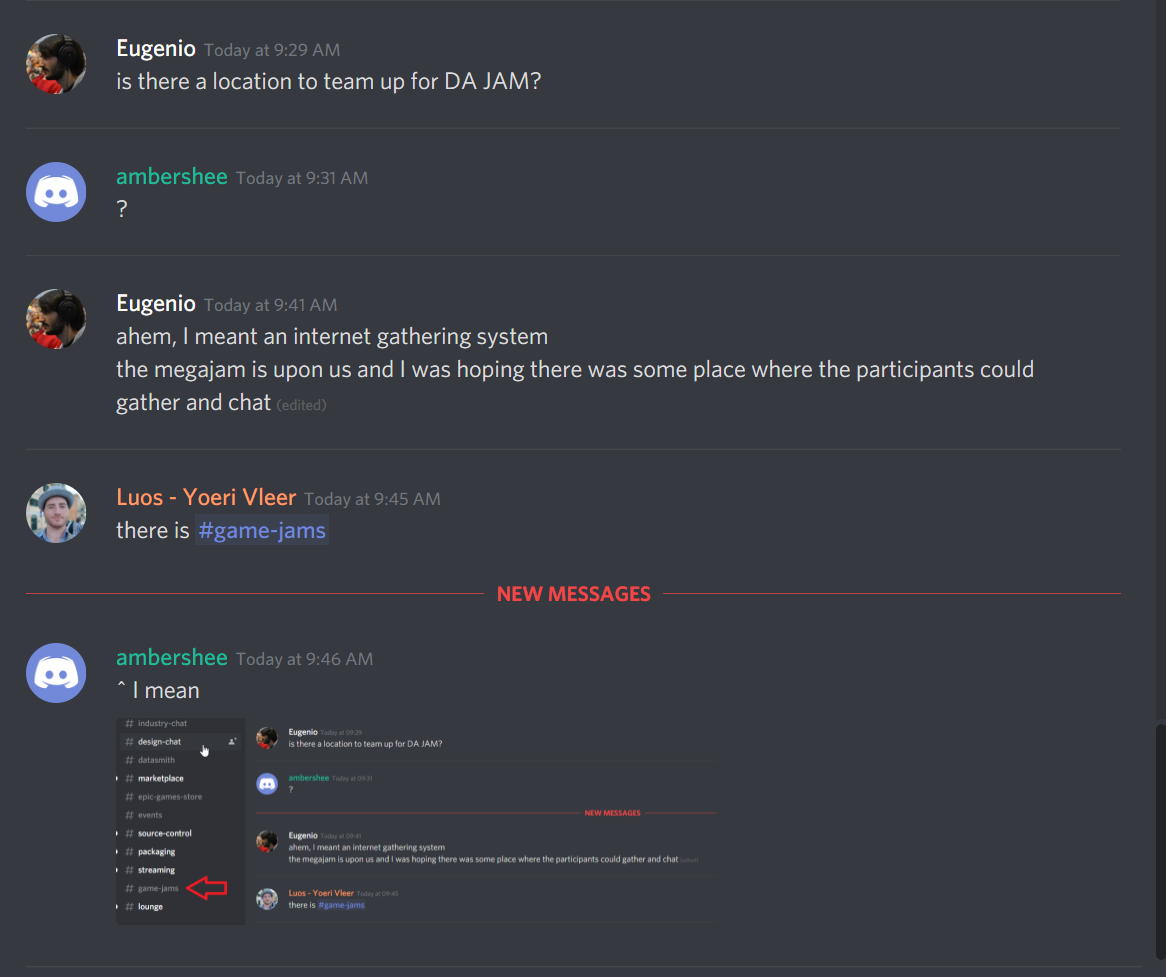
is there a location to team up for DA JAM?
 wary wave
?
plush yew
ahem, I meant an internet gathering system
the megajam is upon us and I was hoping there was some place where the participants could gather and chat
fierce tulip
there is #game-jam-chat
wary wave
^ I mean

 dark rune
can someone give a link to the Multiplayer Shootout project download?
I weirdly can't find it
wary wave
multiplayer shootout?
dark rune
Breaking down the Blueprint Multiplayer Showcase and how it was constructed.
 dark rune
@fierce tulip ohh so that's what that is
thx
fierce tulip
has quite some neat content
dark rune
btw is there a way to use blueprints to get one's steam name, steam avatar
nice i no longer have to use shitty tutorials
fierce tulip
i suggest using the ue4 version mentioned in that tutorial, else it might not work.
and noooo clue, might wanna ask in #blueprint
dark rune
alright, thx
fierce tulip
:)
fierce tulip
all good
 cosmic veldt
looking at 4.24 new sky thing makes everything just white? am i doing something wrong or is it bugged or something?
 deep saddle
did you check eye exposure in postproces?
serene birch
the default sun has very strong lux
the defaut setting for eye exposure can't deal with that much light
there is a project option you can enable that "unlocks" the capabilities of the auto exposure settings
and then it should work correctly with all default values
wary wave
oof, default UE4.23 with no plugins and all the normal compression settings enabled still comes to 90Mb
cloud cobalt
Binary only ?
wary wave
cloud cobalt
I doubt they'll ever go much lower tbh
wary wave
I've had them down to 20Mb in the past
cloud cobalt
How much of that is the executable ?
 lapis vine
90MB is like 50 2.5" diskettes, what you are complaining for, lol
cloud cobalt
Wait, what's the rest of it then ?
wary wave
that package be dumb shit like the 4k default post processing blur kernal textures etc
33Mb is libraries folder
wary wave
3rd party includes are libsndfile, Ogg, PhysX3 and Vorbis
Ogg & PhysX3 are the main offenders, looking at it
kinda hard to avoid those
serene birch
ogg is that big?
serene birch
kinda weird
serene birch
ah, this makes more sense
wary wave
Windows 10 isn't giving me coherent numbers
serene birch
wiztree it 😛
wary wave
the whole folder is 33Mb, but only one of four is >1Mb, shit don't add up 😄
cloud cobalt
Hidden files ?
dark rune
is it a thing for the loading of the Multiplayer Shootout project to be regularly stuck at 45%
Like its just not loading
serene birch
45% seems to be the editor compiling essential shaders
serene birch
shaders it can't even run without
dark rune
is this like a first time startup thing
cloud cobalt
Yes
wary wave
big blue is shipping exe
red is the pak
looks like the third blue is prerequisites, which should not be being included
serene birch
clic on it?
wary wave
click on it, what?
wary wave
it's prerequisites, like I said
serene birch
you have 3 .exe files in the bundle?
cloud cobalt
Prereqs is an UAT option
wary wave
the root directory always has a ~170Kb exe in it, like a shortcut kinda deal
manifest says it has included APEX_Clothing & Legacy DLLs etc, which seems totally unnecessary by default
huh, pastebin looks like it's blocked by the firewall
0bin is a client-side-encrypted
pastebin featuring burn after reading, an history and
a clipboard
this might work instead
cloud cobalt
Yeah
You have me wondering - is UE4PrereqSetup_x86 ever launched by the shortcut executable ?
I thought it was but then I have Steam installing the VS redist and the DX redist so what would it even install
wary wave
yeah, and it's disabled in this project
I'd check the plugins, but even the plugin plugin is disabled 😂
cloud cobalt
Sounds like the PX package has a monolithic "copy every single library"
wary wave
wonder if it's safe to just delete the files outright
I mean, if nothing is actually using them
wary wave
dunno if that's the case, just going to delete the files and run it
cloud cobalt
FWIW, the prereqs installer shouldn't be added if you don't pass -prereqs to UAT
wary wave
yeah, just spotted that setting, shouldn't be included next run
hmm, looks like it didn't launch
cloud cobalt
After removing the APEX stuff ?
I looked at PhysX and sure enough, every single DLL is hardcoded to be included : https://github.com/EpicGames/UnrealEngine/blob/bf95c2cbc703123e08ab54e3ceccdd47e48d224a/Engine/Source/ThirdParty/PhysX3/APEX.Build.cs
cloud cobalt
Lines 120 etc
wary wave
well, time to go source build just to cut this stuff out
cloud cobalt
You just removed the three APEX ones right ?
wary wave
APEX clothing and NVCloth
cloud cobalt
Target.bCompileAPEX
btw
That's your engine build off switch
And Target.bCompileNvCloth I guess
wary wave
cheers
manic pawn
the best part is that bCompileAPEX off does not actually remove those dlls
you have to add this to APEX.Build.cs
manic pawn
well
feel free to make one
it's super hassle to make them with how you have to switch branches and stuff
doing that keeps causing my engine to rebuild pointlessly
cloud cobalt
I don't even use source builds tbh, too annoying
kindred viper
So I was making an editor utility widget and it became apparent that its only dockable with the Level Editor window. Which kind of makes me both want to understand why its limited to that, and also shoot myself in the face. Help with either is appreciated 😦
serene birch
you can probably make that PR just with a smartphone
fork UE4 through the github web interface
and edit the file through the web interface too on your fork 😄
kindred viper
Im not sure its as simple as changing the TabRole to allow nomadic freedom as the slate code seems kinda locked into it being a docktab.
in the minor sense.
 thorn hazel
umm .. how can I make it so .. that my texture map is spread over my whole terrain ? Instead of tilling all over it?

in blender there is a texture-coordinate node
I wonder if there is something equivalent in UE4
thorn hazel
somehow I haven't gotten to understand .. how the hotkeys work
next badger
hold a key and click
uncut osprey
There's a Blueprint node called "GetAllActorsWithTag"
How can I find the C++ equivalent?
thorn hazel
so how does it work ?
 fierce forge
next badger
fierce forge
next badger
@thorn hazel node?
uncut osprey
ty Alexey
next badger
I can't see on a screenshot, but default sphere is mapped 0-1. so no tiling in your setup should be visible
thorn hazel
so if I keep it at default settings .. than it won't tile?
next badger
it won't tile on uv 0-1
obviously it will if uvs will exceed the range
tiling is a property of a texture
you may clamp the uv values however
pseudo swift
hello, is there a way to disable motion blur for the viewport?
simply while im working and moving around with the viewport cam
next badger
@wary wave @cloud cobalt just one more PRO in the list of Chaos benefits...
cloud cobalt
Chaos isn't replacing PhysX next year or the one after that
wary wave
I mean, Niagara was supposed to replace Cascade something like 5 years ago, so I wouldn't get your hopes up
fierce tulip
took them a long time to settle on a design, and new techniques and requirements from non-game design standpoints caused a lot of delay as well.
cloud cobalt
Right now Chaos doesn't replace anything from PhysX really
next badger
@pseudo swift set the Cvar ShowFlag.MotionBlur 0
or
pseudo swift
where do I find this followcam you have selected?
im not using a character etc.
only flying around
next badger
If you deselect Chaos Solver it will disable the new FBX importer
wary wave
whut
cloud cobalt
Sounds like they're starting to use it for everything like the render guys use TAA
pseudo swift
the ShowFlag.MotionBlur 0 worked, thanks @next badger
next badger
@spice oak only if Your engine is UE4
 spice oak
yes
i have a problem about the game engine
every game that using UE4 that i play Crash without no reason
Ex
Game : Remnant From The Ashes
next badger
your PAK file is modified, and it does not match the CRC
spice oak
how do i fix it?
next badger
there are many reasons possible, most common are viruses and damaged hdd/sdd
spice oak
this the second game
Game : Code Vein (i already Reinstall the game twice)
and still it keep crashing me
trying clear the from %localappdata%
and still crash
hmm do i need to download Unreal engine trought Epic games?
next badger
can't tell much about Vein, cause no stack there
use verify function in steam to make sure all files are valid
spice oak
all files valid
next badger
you don't need ue4 engine to run games
cloud cobalt
@spice oak This is not a support forum for UE4 games, there isn't much we can do
You don't need UE to get your games working
spice oak
awh 😦 i taught someone have a same problem like me
cloud cobalt
People here make UE games, so they have crashes obviously
abstract relic
We’re too busy making games to play games
cloud cobalt
Ask the developers for support
next badger
@spice oak i'd recommend still to check your drive for faulty sectors, just in case
spice oak
ok
plush yew
I have a huge problem with Geometric Brushes turned into a Static Mesh after moving my map backup into a new project folder. It only renders / shows 1 single texture but all the different textures it actually has are still in the details panel, they just wont show in the viewport, on the mesh. Pls if anybody can provide some help I would greatly appreciate it.
 blissful willow
Does anyone know why my material has this big strip of darkness on it? I checked the texture maps, and they were all correct. This happens in both the main world and the individual static mesh editor.
serene birch
probably normal problem
turn on the debug to visualize the normal map in the gbuffer?
 spice canopy
@plush yew maybe it lost the UV map(s) - I'm afraid I don't know how to fix that but you can export to fbx, load in blender, and reassign material indexes to each face on the model, then export it back to fbx and reimport tonstatic mesh in unreal to fix it if an easier way is not available
fierce tulip
am I the only one amused that the bottom of Ethan's image could be the base of Delaney's tower top?
 thick herald
Yes. Yes you are... lol
 gleaming temple
What exactly is the use of .COPY files?
is there some way of importing them into a project?
fierce tulip
remove the .copy and it should be a usasset again.
fierce tulip
and if its not .uasset.copy, add the .uasset
 visual belfry
where are feature packs (starter content) stored? for some reason the only thing getting added to my project when I add starter content is the floor piece o.o
wary wave
engine directory
but you should get more than just a floor mesh in your project, IIRC?
visual belfry
just upack files that reference content elsewhere?
otherwise I'm a little concerned that StarterContent.upack is 129kb
fierce tulip
there should be a map/folder with some content, but nothing to email home for
visual belfry
hm let's see if it adds correctly to another project
well heck, in the file explorer the content/StarterContent folder has everything I'd expect but in the editor content browser it only shows the 400x400 floor
@maiden swift this is using your Nano template 👀 is it blacklisting content or something?
(╯‵□′)╯︵┻━┻ and now that I've cancelled the delete operation, everything is visible
 lost ember
Just got my new 3700X, X570 mobo, 1TB NVMe SSD and 16GB of RAM
damn this feels good
my old build took 5 minutes
5 painful minutes
next badger
@grim ore you have not published your video on mass rename blutility?
fierce tulip
whats the proper way to reset the "my projects" list?
it contains a bleepload of projects I dont have anymore
which is funny, because they where not present before I deleted the projects
 plain tiger
deleting the folder, then pressing 'refresh' should work, no?
fierce tulip
the launcher has no "refresh"
next badger
@fierce tulip i've exited the launcher, then renamed the folder where projects resides, then launched the launcher...it removed all...
fierce tulip
@shrewd shuttle
https://www.youtube.com/watch?v=KOcfzCTZcZ0
Enjoy the videos and music you love, upload original content, and share it all with friends, family, and the world on YouTube.
for me it added all the projects I just deleted.
before it only had 2 projects.
next badger
@fierce tulip
C:\Users\----\AppData\Local\EpicGamesLauncher\Saved\Config\Windows\GameUserSettings.ini
DefaultAppInstallLocation=Z:\Dev\UE4
CreatedProjectPaths=Z:/Dev/UE4_Projects
CreatedProjectPaths=Z:/Projects/UE4_Projects
for me
 next badger
it was the same for me iirc, when i've installed 4.24.0p1 it suggested games folder
grim ore
@next badger I have not as that was technically not for my channel but got put on hold 😦 in regards to the EUW for renaming stuff
next badger
but...can you PM me a bp snippet? 🙂 i need that badly
grim ore
I will have to see if I can find it, once it was put on hold I don't know what I did with the project lol
like I think I have a project called EUW_Tool at home but I literally can't remember if that is it or if I did this in another projected to test with
fierce tulip
k, that solved it. thanks for the url Alexey
 hexed dock
Hopefully quick question: if I wanted to make a function that could be seen by several blueprints (like a math utility function), where should I put that? Should I just create a blueprint based on Object or is there a better practice?
Related question: is there any actual good way of copying a (pure in this case) function from one blueprint to another? I wind up having to recreate it the other blueprint, add the parameters manually, then copy/paste the actual nodes
Which is especially annoying since I have to reconnect all the inputs to all the pins since you can't copy/paste the function entry point
plush yew
I have a question u probably heard a few million times hahahahah. So I used Ue4 and Unity and learned the basic stuff. But now I wanna rly focus on one and learn the "advanced things". Tbh I can't decide tho. Ppl on this server probably gonna tell me to learn Ue4but are there any good arguments? Like "why Ue4is better and why I should learn Unreal as a beginner lol"
grim ore
@hexed dock there are blueprint function libraries that you can make just for that purpose - the global functions
next badger
IS THAT SO HARD TO FIX?
https://forums.unrealengine.com/unreal-engine/announcements-and-releases/1683413-unreal-engine-4-24-preview?p=1683929#post1683929
Unreal Engine Forums
PREVIEW!
Preview 1 of the upcoming 4.24 release is available now on the Launcher and GitHub. We are making this Preview available so that our developer community can try our new features and help us catch issues before the final release. As fixes are implemented, we will rel...
grim ore
@hexed dock and not really as blueprints are self contained so you would have to recreate the missing parts (variables and such) but most of the time a ghost variable is created when you paste and you can right click create variable on the variable that is not present in the new BP
@plush yew no competent developer is going to pick one engine over another for no particular reason. Every engine and language has strong points and weak points and you should pick the tool to fit your need. What is your need? Is it just to make a game? If so do you want to use Visual Scripting like Blueprints to code or C# or C++ to code? That is a biggie since you will be doing that
hexed dock
Thanks, @grim ore that's probably the magic word I need to search to find a webpage howto. I get why sometimes it'd lead dangling reference problems, but in this case, I have a pure function that takes three inputs that are connected to 10 different pins (some trig stuff). It's a giant pain to have to redo all that.
grim ore
if you can keep it self contained (input -> process data -> output then a Blueprint function library is great for that
hexed dock
@plush yew I can tell you what I think as someone who dipped a toe into unity, then into UE and then decided to learn way more about UE. I felt like it was just generally more approachable, with helpful stuff on the web still working even if it was from years back. From my experience with Unity and talking to the devs in the office who are trying to learn it, they have way more problems with massive changes making old examples unhelpful.
I do enjoy coding in C# more than C++, but it just wasn't worth it for me to deal with all the rest of unity to get that feature.
grim ore
in the end both engines will let you do what you want with enough effort and time. What your project needs might be a good decider on which engine to do the project on. Unity has quite a few built in services, ads and such, which is really nice if doing a mobile game for example. UE4 has some nice systems built in like characters and network replication if that is important.
plush yew
@grim ore Tbh i just want to create sum normal games. I once tried to create a jump n run 2d and 3d and completed them but i had sum trouble with blueprints. Like it would be easier if i had done sum stuff in c# hahah.
But sometimes when i try to create landscapes my pc cant handle sum 3d stuff hahahha even tho i have a decent graphicscard. So unity is better for me in that way.
@hexed dock thx for ur reply.
grim ore
yep your machine has a bearing on this as well, totally forgot that but it's a bit more in the middle now with Unity heading towards high end and UE4 able to do lower end
hexed dock
Right now I'm using UE4 to develop for the Quest.
grim ore
making a basic game, the same one if possible, in both might be a good way to see which you enjoy more
plush yew
Maybe i should stick to ue4 bc of the better quality (graphics). But a disadvantage is still the fact that there are more unity tutorials than ue4. Sometimes i find cool things that are created using unity.
tbh it feels like that for me lol
hexed dock
I will say a knock I have with learning UE4 - and this may very well be the same with unity - is that so much of the blueprint documentation is useless. I fly over a thing and it just says "This is a thing." It doesn't explain what that thing is actually good for.
It's basically auto-generated documentation.
grim ore
I just read the C++ code to learn what it did 😛
plush yew
xD
hexed dock
Yeah, but my problem is that I want to do a thing, and I type some stuff into the context sensitive blueprint stuff and it shows six different functions, all named in such a way as that maybe they do the thing I want.
lapis vine
UE has tons of tutorials and knowledge around. Like tons. Not familiar with Unity's one, but comparing to any other engine its like in the skies.
grim ore
yep have to learn what stuff does, it's normal for any language or engine. The good part is the epic team is trying to enhance the /** Tooltips **/ as time goes on
lapis vine
Just open the damn YouTube and you have like 500 videos with some info. Pff... It can be even confusing. Learn Tab, Editor Tutz, Academy Tutz, 3rd party tutz, etc.
plush yew
btw speaking of tutorials and stuff, u guyz know good sources / tutorials useful for beginnners? (well ik sum stuff but i still call myself a beginner tho) Beside Virtus learning hub xD?
hexed dock
Yeah, youtube is how I've learned a lot, but you're really at the mercy of youtube's shitty algorithm which often is not great for exposing the higher quality videos over some random dude who put a script through an autogenerated voice, and only halfways explains what he's doing on blueprints he didn't zoom in enough on.
lapis vine
On first sight, just go to the official Epic YT list.
hexed dock
@plush yew what I've found is it REALLY depends on what you're doing.
plush yew
most of them are paid tho
hexed dock
@plush yew and where a lot of things will trip you up is that the templates are generally already doing 80% of the "easy" part of the projects. So there's generally not as much tutorials on how to do that stuff (which makes sense).
lapis vine
hexed dock
So I started out thinking "okay, just show me how I should set up a world and make it where I can move around a 3rd person due in it". Well, to do that you just use the 3rd person template. Why would you bother doing that on your own? That's great, but then you don't really learn a whole lot about the whys and you're just launched into doing that last 20% which is the HARD part. Which is not always a great way to learn.
plush yew
k thx so far xD
gonna try to start a new project learnin sum new stuff (even tho its gonna look crappy af hhahaha)
hexed dock
speaking of which, another question: do you know of an existing function in a library that will allow you to feed it three points, and it tells you the various angles? this is another example of "if I knew where to look"
plush yew
I am out xD i dunno that thing sry
hexed dock
@plush yew BTW, I found this video pretty helpful to really understand the "really starting from scratch" process: https://youtu.be/QJpfLkEsoek
Enjoy the videos and music you love, upload original content, and share it all with friends, family, and the world on YouTube.
And there are some other videos from the same (very good) presenter if you click on their channel, then look in playlists for Unreal Engine
plush yew
thx man. Appreciate that
pulsar kraken
anyone have this issue before?
rror CS0101: The namespace '<global namespace>' already contains a definition for 'MultiplayerTest'
grim ore
I dont think you can have a project with Test in the name? I could be wrong
there are definitely some key words that wont let projects work lol
it looks like that might not be it, I made a project with the same name no issues. Do you have custom code in this project? anything you added, etc.
lapis vine
Is there any mad way to rotate an in editor object around its center?
grim ore
you can right click and set a temporary pivot point then rotate it
I assume this is a mesh lol
lapis vine
Yeah, its a plane. Point is I need the center. I can't pixel hunt that center with the pivot.
 proven valve
anyone here that can help me with a simple matter?(4.23 jumps to 100% cpu usage while dragging the simplest asset into the level editor)
lapis vine
What is simple in this? UE is just putting all of its attention to your wish, lol
abstract relic
As a little test kusa. Open an asset that’s not in the level. Is there a cpu jump as well?
lapis vine
Sorry, though no clue. Could be... many things.
proven valve
idk,its just frustrating and i really cant figure out way.even dropping the quality of the preview and the real time viewport option doesnt help at all
ye,i input a simple asset in the best third person level
lapis vine
Yes, was going to suggest the same. Try with another level, diff assets.
proven valve
from kite demo or a simple pillar from paragon assets
and its not even a shadder thing
is it perhaps 4.23 being unstable?
abstract relic
Sounds like an hardware issue. 4.23 is fine
proven valve
i see.thanks for the help 🙂
grim ore
keep in mind kite assets are super heavy as is and the paragon assets are not exactly light weight. What is your machine specs?
plush yew
hey guys i'm a beginner
and i'm trying to find a way to program a football
where could i learn how to do that
grim ore
american or everywhere else football?
plush yew
american
fierce tulip
:p eggball
plush yew
pigksin
grim ore
so the actual ball or the full game? simulation or for fun? If you are beginning watch courses in the learn website on the Unrealengine.com website
 pearl sonnet
quidditch
plush yew
the actual ball
grim ore
learn how UE4 works and then go from there
abstract relic

YouTube
In this free video tutorial series you will learn how to use the Unreal Engine 4 game engine. Over the course of the series, you will learn how to create pro...
pearl sonnet
cant wait to see his character animations
plush yew
i already programmed some of the basic animations
idk how to program ball possession and throwing the ball
grim ore
have you learned the basics for UE4 yet? workflow, animation systems, blueprints etc? If not you need to try and learn that first
plush yew
i learned those basics
 lavish skiff
Hello, I need a good workflow, I work in the AEC business, in road infrastructure projects we use Civil3D and infraworks, then we export to FBX then to 3DS then to datasmith, but the terrain is heavy to handle. it should be some way to easily convert to a more flexible type of heightmap. Please share if you have any better workflow to this
lapis vine
AEC? What sizes and resolution you need for the terrain?
visual belfry
is that how a ruler is supposed to work (*  ̄︿ ̄)
 fierce rampart
Is Chaos borked in 4.24 preview 1?
pearl sonnet
can't see issues on github and it's not an official release
who knows...
fierce rampart
Just heard some things about it crashing whenever geo collections are used.
 agile python
hola algun programador?
pearl sonnet
#spanish
 radiant haven
why does ue4 dont have graphic settings like in project settings, why do i need to manually do it with every single command with every single setting?
Time wasting actually, you have this material preview thingy but its just for preview and not for the final build
 tall pendant
try english ... again.
wary wave
compiling 4.23.1, but it won't run - anyone know why this would be occuring?
it'd Development Editor / Win64 / UE4
polar hawk
you need UnrealBig
wary wave
:p
cloud cobalt
Missing dependency ?
wary wave
ergh, I think the anti-virus may have killed it
cloud cobalt
This shows up if you lack a required DLL
wary wave
you gotta be kidding me
cloud cobalt
The... what ?
wary wave
Sophos
cloud cobalt
Dear god
wary wave
it has "cleaned up 18 threats"
cloud cobalt
I bet it did
cloud cobalt
Not that any are any good
pearl sonnet
yea
wary wave
SQLiteCore, CryptoKeysOpenSSL, HTML5Networking, PerforceSourceControl, UE4Editor-NetworkFileSystem, etc, etc
what in the actual fuck
cloud cobalt
Crypto -> unsafe ! Networking -> unsafe ! SQL -> hackzor stuff !
pearl sonnet
haha
cloud cobalt
Perforce -> get git
wary wave
worst thing is, it's a network AV, so I can't even whitelist shit
that has to be done from the admin end
so I'll have to harass someone tomorrow morning
polar hawk
IT: Intermittent torture
serene birch
you can't catch viruses if your PC breaks completely after we randomly kill processes
polar hawk
Clamp yaw roll pitch to 45?
you gunna get some strange results though because the idea of a 45 degree clamp in 3d space is weird
70k subscribers
fuck I need to just start making videos
jesus christ
polar hawk
I need to do my part and add to the misinformation out there
 worn granite
yas
pearl sonnet
and near overdose on adhd medication
have to be spontaneous
normal burrow
methylphenidate 🤘
pearl sonnet
dont make me jealous
coffee is the best i got
 wary roost
hi any raytracing users here?
next badger
@wary roost #aec-visualization
$100500 question.
How to use
I've just got a crash and not noticed any changes
 hoary silo
I know this is new, but does anyone know how to use this:
 digital anchor
 late olive
There’s something satisfying yet slightly guilty about showing a VR demo to someone and watch as they’re amazed but deep down you know the code itself is utterly simplistic
pearl sonnet
thats how i feel about the amazing hair piece i made for my mannequin
nope, it's horrible overal
i need to stay away from blender and the likes
 charred shoal
I am a computer science major currently in college. I am learning c++ and will learn Object oriented programming next week in my CSC class. I'd like to start learning Ue4 but I am not sure where to start. Should I begin learning the c++ side of it or the blueprints side of it?
My university doesn't have an unreal engine course so I would have to learn myself
pearl sonnet
abstract relic
Pick which ever you feel most comfortable in. Blueprints are great for dumb artists like me. But you’ll get more performance out of cpp
pearl sonnet

Find video clips by quote. GetYarn.io now.
charred shoal
hm ok
is there a way to use both of them or do most people choose one or the other?
pearl sonnet
you can mix out of the box\
pearl sonnet
at least the "getting started"
charred shoal
oh ok
pearl sonnet
you'll find a ton of stuff on youtube too
pearl sonnet
there are a bunch of course websites but i've never tried any of those\
charred shoal
yeah i got a course on udemy but it doesnt explain things that well
like i felt like i wasnt learning anything in those tutorials.
pearl sonnet
yea
and the other end of the spectrum like youtube you'll find that they arent necessarily "doing it right" but all in all at least they show you how to get around in UE
charred shoal
yep
also i feel like once i understand what classes are the videos will make more sense to me
cause im literally gonna learn about them next week like i said
pearl sonnet
you mean classes in the context of c++?
charred shoal
oh no im taking a course right now
pearl sonnet
ah
charred shoal
so there's no need for me to teach myself
grim ore
you should learn blueprints even if you plan on using C++, quite a few core systems are built around blueprints like niagara, umg, animation, etc.
the engine is designed to use both hand in hand
charred shoal
ok
charred shoal
ok ill check them out
also im just curious. where would you use blueprints as opposed to c++ code and vice versa?
pearl sonnet
if performance matters or you want to extend beyond what functionality is given
you'd go cpp
not that blueprints are slow to begin with
pearl sonnet
yea
charred shoal
ok
pearl sonnet
like mathew said hand in hand if you want
charred shoal
ok i see i see...
ill try out those unreal official tutorials
and because they dont have really any game development ones Ill go to youtube (virtus) for that
pearl sonnet
in the launcher -> Learn
there is a link to video/documentation on getting started as programmer
it's very basic but as a starting point
links you to : https://docs.unrealengine.com/en-US/Programming/QuickStart/index.html?utm_source=launcher&utm_medium=ue&utm_campaign=uelearn
Create your first code project and add a new C++ class.
pearl sonnet
and it's base url : https://docs.unrealengine.com/en-US/Programming/index.html
Information for programmers developing with Unreal Engine.
pearl sonnet
that's just a getting started before anything
the others are specifically when you want to work with c++ but it's still a good idea to get familiar with the editor before anything because you'll be working with that too
charred shoal
got it
 gilded plinth
Could anyone let me know if there is any way to delete bones that were ADDED to a UE4 Skeleton in UE4 by importing a skeletal mesh that shares the same Skeleton but has added bones?
I'm really stuck on some planning to make the best tech setup for a very modular character that will have up to a thousand clothing options
pearl sonnet
dont know -yet-
didnt cross my mind but working towards the same
pulsar kraken
have watched tutorials.. I can't get this skybox to change.. can anyone help?
 swift hearth
Am I experiencing a bug? I have a level sequence on my content browser, yet that sequence doesn't show up under Cinematics > Edit Existing Cinematic, and when I place it onto the world, and click Open Level Sequence under its Details, it suddenly turns into a different level sequence I made before.
Also, what does it mean if a level sequence in the content browser has an image that seems to reference where it's placed on the level (sort of, I assume), and if instead it just has the normal image of a level sequence? I don't understand why some are different
Ok, the bug is fixed. Just rebooted the project and it fixed itself
 storm venture
so whats up with this garbage all over the screen whenever i move something with ray tracing enabled?
is this normal? because raytracing seems pretty well unusable if so
next badger
i have no raytracing, but it looks like TAA ghosting
 dim arch
anyone know why my sequence cuts to black when I render it
but it plays just fine when I play in editor
cursive dirge
@storm venture it's most likely from denoiser
I haven't used ue4's raytracing yet but most realtime denoisers tend to depend on temporal algos
all I know is that Unity's DXR denoisers have had similar issues
gilded plinth
Does anyone know if it's possible to delete bones that were added to your skeleton by way of importing the modified skeleton that had additional bones?
I now want to get rid of those additional bones
storm venture
hmmm, alright, ill look into those
 glossy shoal
you know when you spend hundereds of hours on a project and then you come back to it a week later just to find that its broken for absolutely no reason
brittle stratus
thats why you turn auto updates off in case it breask stuff
breaks*
i bet a plugin or some addon borked ya
next badger
@gilded plinth you can't modify the skeleton after import except adding new bones (virtual)
gilded plinth
@next badger That's not true. You can add additional bones (not virtual)
The part I'm feeling worried about is what if for example I now want to delete that pony tail from my project or wings or whatever added the peripheral bones. How would I then get rid of those added bones?
pulsar kraken
how do you do a string to text render?
 abstract coral
Anyone good with landscaping?
 bleak aspen
but officially
 viscid quest
Can someone pls help me again, I’ve edited the paragon wraith mesh in maya but when I import that mesh into ue4 it looks exaclty the same
What have I done wrong and can someone pls help
 sudden agate
@viscid quest do you click Reimport?
plush yew
In this older tutorial there's a fourth track that's for "branch points" It looks like there's an entire window of time that it will wait for events. I've been doing this with two separate events. Is there still a way to do it this way? With a whole window of time for an event to occur rather than two separate events designating the beginning and end of the window?
pulsar kraken
anyone have a weather asset they can send over?
 dim plover
Are there any reasons to place multiple navmeshes?
Do multiple navmeshes even do anything? It vaguely looks like they get merged into one or there's only one active at a time?
wary wave
doesn't it just generate a single mesh?
viscid quest
@sudden agate Ye I did
viscid quest
Oh yeh is it because I change the skeleton and the mesh and I’m trying to reimport?
Because it still has the gun, and I’m trying to get rid of it
viscid quest
@stiff spoke what do u mean?
I have maya and blender right
If I do it in blender the skeleton works well
But the textures don’t come out right
viscid quest
Yeh it’s a photo from my iPad
And when I do it in maya the textures are perfect but the mesh still is the same
 stiff spoke
In THAT textures are bad? That is the problem ? @viscid quest
viscid quest
I put this texture as an example but there’s a texture for upper body, lower body and back pack and gun
And this is the mesh from blender
 flat trail
Keep getting this error when making new projects, anyone know why?
wary wave
exactly what it says on the tin - your project is expecting those modules and they are not present, or the wrong engine version]
stiff spoke
In UE4 you also import the texture of this paragon character? @viscid quest
viscid quest
Yeh I got the textures in ue4
flat trail
@wary wave thats weird, its only a few days since i created an project with the same engine code and then it worked :/
stiff spoke
when you download the paragon character in epic games store, you should have imported everything for your project from Epic Games store not by first passing by maya, why did you use maya? @viscid quest
viscid quest
I first used blender but I realized that I needed the uefy script
So I went on to Maya
stiff spoke
Try to change the version of your Project. For example if it was 4.21 you pass it at 4.22 @flat trail
viscid quest
Oh that may be the problem
Because there’s an update available for the engine
Should I update and try again?
stiff spoke
Why before putting the character in your project you went through maya? @viscid quest
viscid quest
No I did put it in the project first
stiff spoke
OK
You put it in your project by importing it directly from Epic Games store? @viscid quest
stiff spoke
OK
viscid quest
But the gun is in the same mesh
Thanks for the help anyways
I’ll try and figure it out
stiff spoke
Tried to look for the weapons there in search of all the bones of the body? @viscid quest
stiff spoke
OK
viscid quest
I didn’t delete the weapon from the LOD group
plush yew
nice news guys
stiff spoke
OK
flat trail
@stiff spoke Same thing happening, still this error
stiff spoke
Try to duplicate your project, and open the replica that I tell you to create @flat trail
And then we will see @flat trail
cosmic veldt
having serious problems with the materials. dbuffer and custom stencil doesn't work together for decals. i want to use custom stencil to mask decals and i also do not want decals to disappear in shadows. any ideas?
flat trail
@stiff spoke Samme error 😦
cosmic veldt
An overview of the Decals example level
flat trail
@stiff spoke Thats what im doing, creating new projects 😦
stiff spoke
Not duplicate mais create a new project @flat trail
 zealous cloak
i want to make a gasoline canister. how can i have to logic that i tspills out?
making a particle spawner, wehn its rotations is over a specific point?
 tacit plover
Is there a way to change stat colors? level streaming to be exact. I am partially color blind and can't distinguish yellow orange and green.
stiff spoke
According to me in the blueprint of the car created a variable, and if this variable is is equal to 0 the car can no longer roll @zealous cloak
zealous cloak
so i set the veriable to 1, when the rotation is right?
never worked with particle systems
stiff spoke
I'd rather put it to maybe 100, the numbers like that. Good to more
Particle of the water?
Good to more
dim plover
Hmm, this is strange.
SphereObjectTrace with the same TraceStart and TraceEnd doesn't register any hits.
I'm in 4.21 where this issue shouldn't exist, but even more strangely is that it only happens in some classes.
flat trail
@stiff spoke tried that too
 hidden aurora
Already 4.24 for testing wow!
 thin tendon
I need help. On this material paramater collection is there a way I can add vector paramaters at run time?
hidden aurora
Amazing job Epic!
thin tendon
For example if R11 doesn't exist add it in
flat trail
@stiff spoke ive created a new project
 tardy sapphire
Hey guys, I have a problem, I have a fast moving vehicle through a landscape, but my landscape is "flickering" and loading some mountaintops quickly on and off, I think it might be an LOD issue, how would I fix this? My foliage is also flickering, everything seems to flicker.
 solid sierra
I have a question about animating something I made. So I created a target hanging from a string in maya, and I want to know if there was a way I could make it sort of animate in any direction. Let's say you shot at it with an arrow, the target would move back an forth a bit since it was just hanging there. The problem is, you could do that from any direction. So how do I make it animate any way? Can I make a few animations then somehow use a blendspace?
 celest peak
I’m a beginner n interest in game developing where should I start
I want to create a top view multiplayer game
 opal spindle
Hi, I'm having trouble understanding the license agreement of Unreal Studio. What are the exact conditions in selling a packaged exe to a client?
pseudo swift
Hi, Im using a firstpersonBP to record a first person view. My problem is that the cineCam that I attached to the mesh is only rotating in one axis, it seems locked. I checked the settings but no luck, any pointers?
do I need to fix my inputs in settings?
these are my inputs
 sacred sun
@celest peak the specific starting point doesn't really matter, so long as you learn things along the way. find a tutorial series, look at the last video in the series to make sure it ends in a fairly complete state. then watch and follow along. multiplayer is a bit of a large bite to take starting out so you probably want to start with a single player game first. once you have a solid grasp of the basics then jump into multi player.
@pseudo swift yes
celest peak
@sacred sun which yt do you recommend I’m like super beginner at this stuff n I’ve a entry level hp laptop
1050 graphic card
N thanks bro
 royal lance
Not sure if this is the right place to post an issue like this but i thought one of you might have a quick fix, I cant seem to get the 4.23 version of unreal working, i keep getting this error: Assertion failed: Module [File:D:/Build/++UE4/Sync/Engine/Source/Runtime/Core/Private/Modules/ModuleManager.cpp] [Line: 376] MeshUtilities
UE4Editor_Core
UE4Editor_Core
UE4Editor_Core
UE4Editor_Core
UE4Editor_Core
UE4Editor_Core
UE4Editor_Engine
UE4Editor_Engine
UE4Editor_Engine
UE4Editor_Engine
UE4Editor_CoreUObject
UE4Editor_Engine
UE4Editor_CoreUObject
UE4Editor_CoreUObject
UE4Editor_CoreUObject
UE4Editor_CoreUObject
UE4Editor_CoreUObject
UE4Editor_CoreUObject
UE4Editor_CoreUObject
UE4Editor_CoreUObject
UE4Editor_Engine
UE4Editor_Engine
UE4Editor_CoreUObject
UE4Editor_CoreUObject
UE4Editor_CoreUObject
UE4Editor_Engine
UE4Editor_CoreUObject
UE4Editor_CoreUObject
UE4Editor_CoreUObject
UE4Editor
UE4Editor
UE4Editor
UE4Editor
UE4Editor
kernel32
ntdll
next badger
@gilded plinth if you think you can add bones that are Not Virtual inside UE4 - show me
The screenshot you linked is not about UE4 editing
pseudo swift
I almost got my inputs correct for moving around my first person cam, but im getting a slightly weird movement, can anybody tell me how I should change my inputs for a simple freecam mouse rotation?
next badger
@pseudo swift Um...no wonder, you're using X AND Y to look up, and same axes to look sideways
pseudo swift
yep, I got it figured out now 🙂 realized what I had to change, thanks for the help though, im not an expert as you can tell hehe
next badger
@royal lance are you starting default project?
royal lance
yes
next badger
did previous versions work for you?
royal lance
previouse versions have worked b4, ive tried to completely clean out my epic client and reinstall but the same problem keeps coming up , ive installed it on a secondary disc so i may have a problem with the directory
next badger
VC Redistributables/Visual studio may be the issue here
you should verify those properly installed
Visual Studio 2017 v15.6+
https://docs.unrealengine.com/en-US/GettingStarted/RecommendedSpecifications/#softwareinstalledbytheprerequisiteinstaller here you can find the list of Prerequisites
those are inside Engine/Extras/Redist/en-us
sacred sun
42
 neon narwhal
Nope, 422!
UE_4.22\Engine\Source\Programs\UnrealBuildTool\Platform\Android to be exact
😛
Ok, so here i go:
neon narwhal
if i edited .cs file in here (UE_4.22\Engine\Source\Programs\UnrealBuildTool\Platform\Android) - do i need to rebuild engine from source?
neon narwhal
And i cant do it from files do i have, i need to create GIT account, sign up for unreal repo, download source etc?
next badger
git is only way to build an engine
neon narwhal
And edit that file in source again
Ok, great, all i needed to know, i'll go under right channels if other questions appear. This one was pretty uniform! 😛
Thanks! ❤
next badger
@neon narwhal UBT is a standalone app so, maybe you could only compile it, w/o recompiling the whole engine (depends on how deep your changes are)
it's a part of the source still, so git is only way
plush yew
is there something like "get actor location"
gilded plinth
@next badger Please don't make me feel crazy haha. I may be totally wrong, but all my experiments suggest adding a virtual bone is different than following the directions in the below link to add peripheral bones by importing a modified skeleton: https://docs.unrealengine.com/en-US/Engine/Animation/Skeleton/index.html
An overview of the Skeleton asset and how it applies to animation in UE4.
Virtual Bones can be right click deleted
next badger
cause virtual bones are added in ue4...
you were asking if it's possible to remove a bone in ue4...answer is NO, if it's not a virtual bone
neon narwhal
@next badger Only one file, https://i.imgur.com/xBWkw5p.png

Only 1 line added there
next badger
i can't tell you anything on UBT, probably #engine-source people could
neon narwhal
Ok, thx!
gilded plinth
@next badger I assumed the answer is no, but was hoping this might be an exception. I'm just following UE4 docs language of "adding" but I think a more suitable word is "combining" since technically the additional bones are added in your DCC and once the new skeleton is imported it is "combined" with the old skeleton. I find it surprising that UE4 makes it so easy to "add" new bones to your existing skeleton without a way to remove them.
If you happen to "add" peripheral bones through this combining method, I guess the only way to rollback to the original skeleton is to re-import it as a new skeleton :/ ?
plush yew
can someone help me
i have tried to figure out full week how to make fk enemy follow ball in x axis
 forest totem
I want to add Convex collision to mesh and Apply does nothing. can someone give a help?
cloud cobalt
It happens when the mesh is too weird
Lot of open faces etc
Do the collision mesh in 3D and import it
next badger
@plush yew what actually you're moving? you are using move component node, w/o any input
component is not actor itself btw
forest totem
@cloud cobalt ty
fierce tulip
as a non-coder, what file in explorer could tell me there is custom node stuff?
next badger
you mean "can i see in a content browser if custom node used in material" ?
cloud cobalt
For a Blueprint custom node you'd just look over every .h file to find BlueprintCallable
The one that defines the class currently used, most likely
fierce tulip
i mean, to see people adding c++
 regal mulch
I have to say this sounds weird
fierce tulip
i think its a bp only project, so migration should be fine.. but just migrating one with cpp
needs smore steps?
next badger
if you have cpp, the project itself will have a source folder
regal mulch
What are you migrating and why would that have something to do with BP only vs BP/C++?
fierce tulip
noncoder, duck if I know how easy it is to migrate something with cpp content to another project
cloud cobalt
Migrating Blueprints calling C++ code is probably just not doable
Not automatically I mean
regal mulch
So you mean you might migrate something in BPs that uses some custom C++ stuff
Yeah that would need the C++ stuff to be copied over by hand and then probably even fixed in the asset that uses it
Best to keep that crap in a plugin
fierce tulip
I want to move the fluidninja tool to my vfx toolbox project, but I dont think its properly possible.
cloud cobalt
@fierce tulip Basically, it's less "calling C++ through custom nodes" than it is "entire parent class". Blueprints have a parent class name - like GameFramework.Pawn or MyProject.SpecialPawn
This is how you usually have custom nodes
The problem here is that migrating the C++ SpecialPawn can be done, but the name will be wrong
plush yew
Has anyone tried Pixars USD plugin for Unreal and managed to get it to work. I'm getting this error. Suspecting bad environment variables in unreal. I'm able to import those modules in command prompt and houdini
regal mulch
I want to move the fluidninja tool to my vfx toolbox project
Not sure what Fluidninja is. Is that just a project and you want to merge it into your toolbox or is it a plugin?
cedar snow
what about using redirectors?
regal mulch
Doesn't change the fact that the C++ code would be missing in the other project
cloud cobalt
It can be done in four steps, i think :
- Copy the base class (cpp/header) to destination project, rebuild it (assuming it already is a source project)
- Add a redirector from OldProject.Class to NewProject.Class
- Migrating the actual BP, saving it
- Removing the redirector
cedar snow
ofc copying the code
cloud cobalt
This should work
fierce tulip
but how do I know if it even has cpp
cloud cobalt
What's the parent class ?
regal mulch
Is it a project? Then it must have a Source folder
fierce tulip
again, not a coder. duck if I know what a parent class is :p
regal mulch
@fierce tulip Does the Project have a Source folder?
Let's just start with that.
If not, then there is already no C++.
cloud cobalt
^
fierce tulip
no source folder
cloud cobalt
No C++ then
regal mulch
@radiant haven That's a preview. They are not ready for production. This is not the release of 4.24.
fierce tulip
still breaks on migration, but only errors are missing textures. but thats because preview-textures where assigned and moved.
cloud cobalt
Second test : what's the base class for the BP?
If it's Actor or Pawn or something - it's very likely okay
normal burrow
Class settings
fierce tulip
highest class thingy I can find is blabla blutility
next badger
@radiant haven ther will be like 6-8 preview versions during next months...then release
cloud cobalt
@fierce tulip Probably fine I think 🙂
fierce tulip
then I really wonder why it breaks on migration
cedar snow
did you enable blutility plugin?
fierce tulip
hmm
good point
no win10, i dont want to open all the uproject's I have on my desktop
poor cpu
cedar snow
time for a 32 core threadripper
next badger
this tool looks so dope
fierce tulip


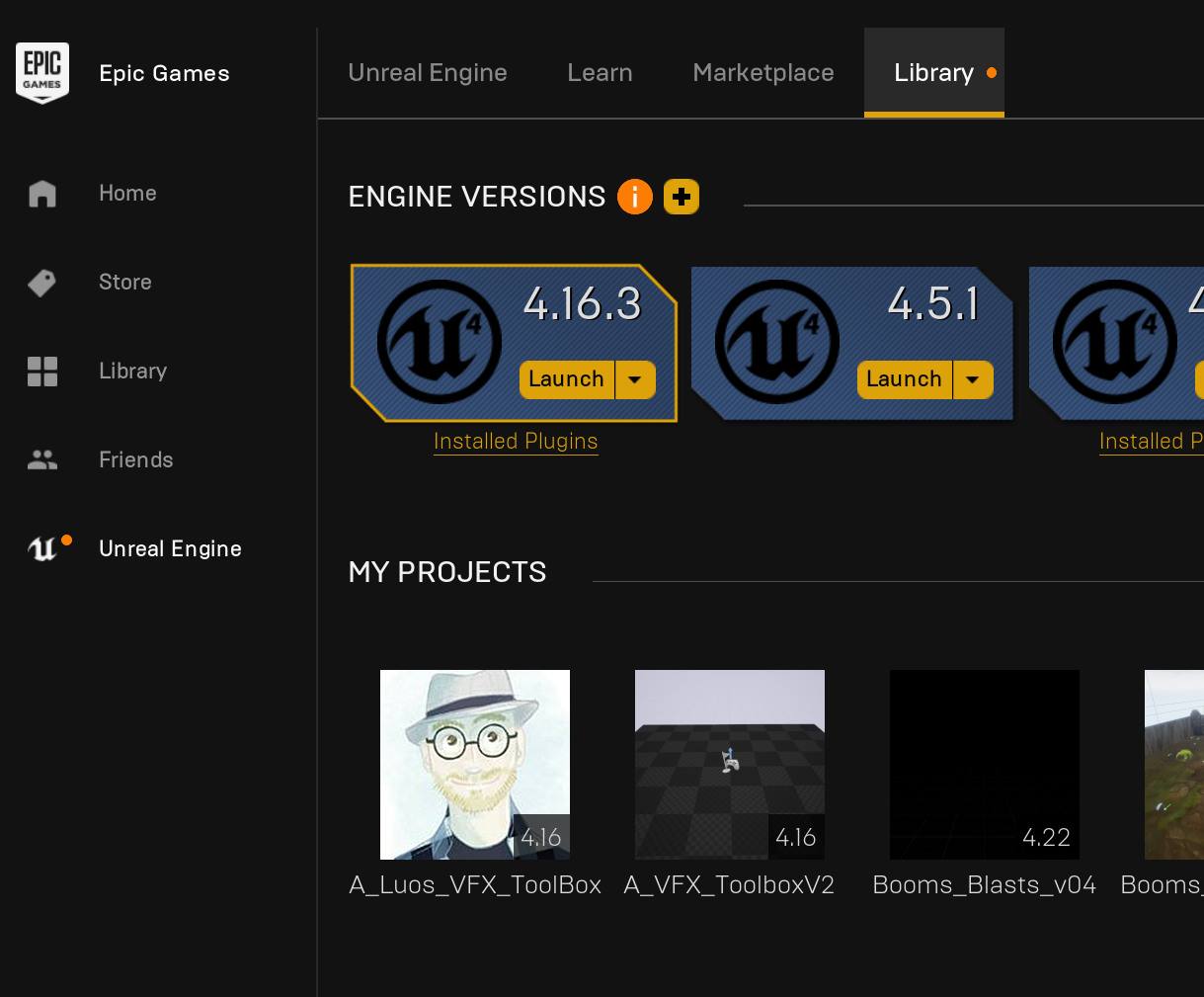


 brittle stratus
has anyone got the chaos stuff to work i had another idea go try the source install on windows 7 and yes i know that cant work there are two packages that wont install cause it wants win 10 and 2019 vc solves the issue i was told...but i wionder if doing that might help anything
normal burrow
@safe rose that 80 dollar 1950x is quite a powerful deal lol. I use one of these daily and it can’t game but can compile ue4 fast
cedar snow
the "getactorsbyclass" node doesn't have a class configured @fierce tulip
brittle stratus
nice price ya ive noted for first time in a decade good cards are cheap
cedar snow
in the ninjabaseBP
fierce tulip
hmmz, perhaps I need to be lazy and move the other project to this one. (as it does not contain code/blueprint stuff)
cedar snow
hehe
brittle stratus
and youtube leaked to me yesterday new rules they had coming ...very strict on meme like stuff etc seems that article 13 in eu is for everyone now
cedar snow
depends on the number of BP's
brittle stratus
dont know why but they keep testign everything on me two weeks before everyoen else lol
fierce tulip
i know a liiiitle bit of blueprint, but this thing is not even close to my current comfort zone XD
brittle stratus
if i get this chaos stuff to work via code fix ill post
fierce tulip
k, food first