#ue4-general
1 messages · Page 564 of 1
 subtle glade
so it will be really hard to get a accurate shot on the enemy ship
i also gave all of my projectiles random velocity so their muzzle speed are pretty random
 mystic oar
Hey, black powder was kinda random too!
subtle glade
exacly that is what i thought
next time i will add a random delay to each cannon
so it will be more random 😄
mystic oar
Right, if you parameterize those values you can always tweak them later to make the player's experience better.
Or include "powerups" that can alter the numbers in-game. Double damage, but 1/3 accuracy, and the like.
subtle glade
indeed
mystic oar
That's for later, though. Were you able to assemble the Actor class with a basic collision box?
subtle glade
yep i am planning to add a equip system for the ship
better cannons
better accuracy and damage
working on HUD atm
will do that later
i will also add a mine system
and give it a set duration
mystic oar
Right, all that is good stuff.
subtle glade
so you need to calculate your speed and position to land a shit
hit*
thanks
thanks for helping tho
really appreciate it
 plush marsh
land a shit, yeah 🙂
mystic oar
No trouble at all! By the way, @subtle glade , you've heard about the GameJam coming up on the 14th, right?
plush marsh
it was funny one
subtle glade
no, what is that?
mystic oar
"Store High In Transit," a nautical term if ever there was one, hehe.
subtle glade
yea I've heard of gamejams but is there an event in disocrd?
mystic oar
Yeah, there's a channel about it. #game-jam-chat . Also, check the #unreal-news channel, second to last announcement is the official Epic site for their gamejam.
Eh, here's the link, it's pretty on-topic: https://itch.io/jam/2019-epic-megajam
 ember geode
any megajam looking for a member?
mystic oar
@subtle glade By the way, when you're setting up movement for your character, are you using hard-coded keybinds or the InputAxis/InputAction system?
subtle glade
InputAxis/InputAction system
forward-leanright and left inpux axis
and 2 action maps "Q" and "E" for changing which side the cannon are shooting
and "Space" for firing them
mystic oar
@subtle glade Good, good. That will save you so much pain in the future if you add controller support, or want to remap Q/E to mouse buttons.
subtle glade
ill record a gameplay video when i sort this collision thing and add hitboxes
mystic oar
@subtle glade Gotcha. Did the prototype with just a static mesh and collision box work?
subtle glade
still working on it
yep
custom collision seems to work
i am using a pawn class
I've made my old ship little to fit in the capsule
and tried to collide with the new pawn bp
and it worked
mystic oar
Awesome!
Okay, so now you should be able to replace the static mesh component with the ship, and copy over most of the work you did.
subtle glade
also
jsut found out
you can reparent a bp
in file menu
but it completely messes your bp
mystic oar
Yeeeah, it's really messy and can break lots of stuff.
Especially if it's an Epic root class like Character.
 visual dust
Lol
mystic oar
Not sure, did you check the Epic store page? If so, I think Epic would mention it there.
visual dust
Hmm
I'll check
Because it says Unreal Engine
On the intro
So I thought that maybe a creator used it
mystic oar
Well, usually when you put an engine branding in your intro, you kinda need to use that engine. I think. I mean, that would be like putting vodka in a barrel and calling it rum, and I don't think it's legal to do that either.
visual dust
I didn't think that unreal engine will produce a paid game
 pulsar badge
Can’t find any good videos
visual dust
I think there are files online
pulsar badge
For what a premade house?
visual dust
They are 3D
pulsar badge
Oh
visual dust
I'm sure the website has a file for a house
subtle glade
@pulsar badge what kind of house?
 plush yew
Why is Blueprint Nativization still slower than pure C++?
visual dust
I'll check what it is
pulsar badge
Ok
visual dust
@pulsar badge
pulsar badge
?
visual dust
Should I DM you the link?
pulsar badge
Sure
If i download a free model am I allowed to use it for game?
like will it be a issue for copyright?
 cloud cobalt
@pulsar badge Depends on the license, and whether the free model was ripped from someone, or authored by the uploader
cloud cobalt
... is your game only for your personal use, never to release ?
 flat scroll
Can anybody make a new C++ project with the latest UE4? For some reason I cannot and I get error about new project being unable to compile.
Any idea what is wrong?
cloud cobalt
Share the VS output log so that we can tell you the error
flat scroll
in a moment, I'm verifying the engine install
worked this time no idea what was wrong
 azure shore
is there a way to sort of find people who want to work with me on projects
I know of the looking for talent and work channels but Im not sure if thats what I want
I mean this is a very open question but I just cant do things on my own much longer
cloud cobalt
#looking-for-talent is where recruitement here are done
Though honestly recruiting for side projects is a bit random
azure shore
yeah its just that seems more like its for one-off jobs, and tbh I think everyone here is like too good for my level anyway
its just that I keep having a game idea, and then I get more ideas as to how it could work and everything but I just dont have the ability to do it all myself
 spare eagle
Hey guys, it's possible to do a soft shadow with a movable point light ?
 median island
Trying to understand this setting. When transform vertex to absolute is enabled I get these tiny gaps in my modular mesh pieces. When it's disabled, the gaps are fixed and the verts go to their correct location. Does this setting affect performance? Is there a good reason NOT to disable it?
 eternal orchid
I have a simple question. If ue4 is compiling shaders and freezes the entire PC, is it possible it will unfreeze eventually?
eternal orchid
When I could use it. I have no control over the computer when it freezes
@median island
median island
I've heard of a system recovering from a freeze while compiling shaders. I've also heard of a person's computer going all night without recovering.
If it's been going for like an hour you might want to kill it...
eternal orchid
It's been about half an hour. It's been 3 days of me trying to get this to export. Is 16gb of RAM not enough?
 woeful thorn
Guys how can i change the splash art when the enginee open? instead of the unrealk engine logo i want my splash art!
 fierce tulip
project settings
eternal orchid
@woeful thorn in the project settings there are tabs for each platform, that's where you can change it
woeful thorn
The Thumbnail you meean?
eternal orchid
@fierce tulip power still goes through it, but all software and the OS freeze, meaning I cannot do anything on the computer without hard restarting it
fierce tulip
task manager not showing cortana oddities?
woeful thorn
Thanks guys!
eternal orchid
I cannot check task manager
fierce tulip
its been somewhat fixed as of late, but some of the later win10 updates cause cortana to flood the cpu, so that might also be something to look out for.
eternal orchid
Im as up to date as possible, and my problem is the whole system just denys me to do anything. It's as if it got a frame from the moment and that's all that is my screen. My processor is a Ryzen 5 260
*2600
fierce tulip
very odd, should not be a ue4 thing, even on the most task demanding ue4 projects ive had I could do anything else while it was generating its things.
but.. that has been my experience generally
win10 though.. hate it with a passion
eternal orchid
I just want to know if I need more ram or if I need to wait a few hours or what
fierce tulip
more is always better
well, depends on mobo, cpu, etc.. but generally more is better
 polar hawk
eternal orchid
polar hawk
eternal orchid
I currently have 16 gb of RAM and a 1050ti sc
fierce tulip
for ue4/gamedev i suggest more


but it should not be bottlenecking you like it does atm
eternal orchid
My old rig was an fx series and had aprox. 30 gb of RAM and it had less export problems
I also have a bunch of drives hooked up, could that be a problem?
 zinc rivet
bleh. tried to compile from source with chaos enabled to mess with it, changed an option that caused a runtime error when I tried to create a new project, so I have to compile again 🤦
 velvet ravine
could someone please tell me what Stat i put in to gett this lol
https://i.imgur.com/nBTewEb.png
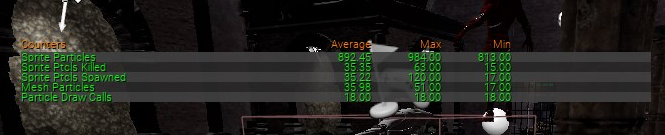
dont matter just found stat hide all
always when i ask i find
 cosmic matrix
Hi,
Anyone know how games like the black masses can get hundreds of ai characters with animation etc without big perf issues?
I'm very curious about that.
 pseudo canyon
@cosmic matrix Idk about that one but you could look into spatialos
 blissful willow
UE4 changed foliage...how can I hide all foliage in my scene?
plush yew
hey guys Im trying to learn github, I got github desktop, made a repository and made a new unreal engine project which I put inside the file path of this repo. I added a cube and committed my change to the master branch, I then made a new branch and deleted my cube, since I had this branch open it automatically registered my change inside this branch (didn't expect that but easy way to do it). I then committed my change to the new branch. Question is, say I wanted to get my cube back just using github, how would I access the master branch and transfer the information to my UE4 project (I haven't merged the new branch to the master yet)?
 chilly sigil
@plush yew either you cherrypick a specific change in the commit, or you can just merge the branch
plush yew
If I merge the new branch into my master I don't think it will update in the UE4 editor. For that I think I need to use the 'connect to source control' feature which I don't think Github Desktop allows.
Or maybe I need to push to origin and relaunch the editor and that will work
Im probably missing the point
 summer elk
What will be a good way to make such a morning fog? I'm not sure Exponential Height Fog will work.
 gilded heron
Hey folks, just updated to 4.23.1 and Unreal crashes whenever I play in editor. I have narrowed it down to the skylight. If I remove it, its fine, but as soon as I add it back in and play ineditor, I get an instant crash. Anyone else having this issue, or is it just on my end?
 next badger
Epic needs a proper filtration system
 lapis vine
Does not even look fun 👎
eternal orchid
how do i fix this? i created one C++ actor to fix one problem but i cant figure out how to remove it
 wary wave
@next badger - the forums do have a filter 😐
the first two posts a user does have to be manually approved
will take a look, if the forums are working properly, have had trouble the past week 😦
 oblique tangle
any1 know how i could implement different anims in the anim state machine, and have one play randomly each time the state is called?
wary wave
can't find any evidence of the above posts, not even in deleted?
fierce tulip
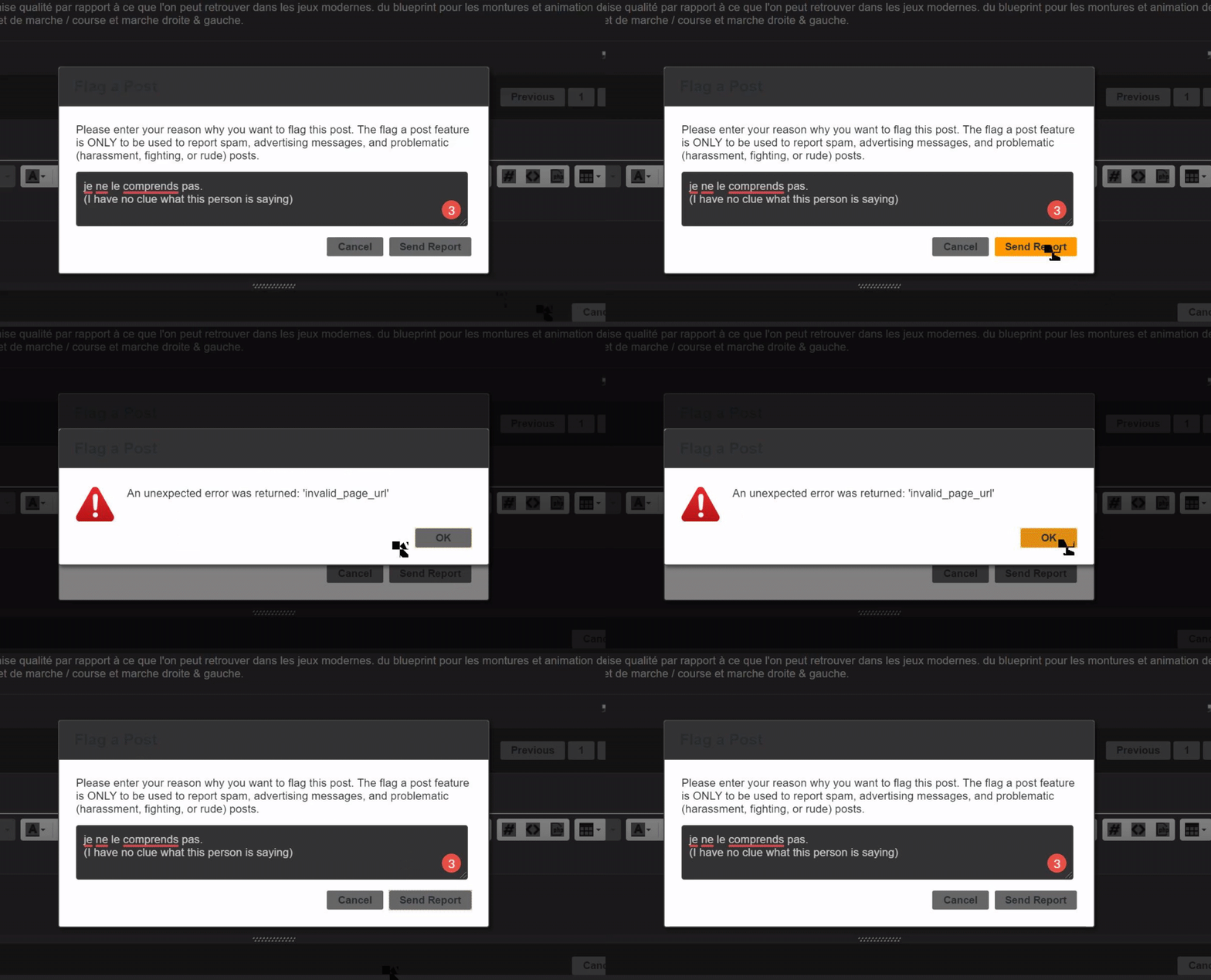
Apparently this is still a thing?
https://i.gyazo.com/7f3097c8438a91165ea184bf14dd4825.gif

i love how gyazo thinks my mouse icon is some malformed whatever
cc: @wary wave
 radiant haven
what is this?
fierce tulip
trying to flag a user on the forums
 gilded igloo
Hey guys! what in your opinion is the best way to move around in 3d space? I know of 2 ways - Every tick SetActorLocation, and SetVelocity variable in the character movement component. tried "AddMovementInput too, but it didnt work in the Z direcrtion... do u know of other ways to move around? what in your opinion is the best one?
 pine vessel
hello, does anyone know a good guide to make material for gems in unreal engine 4? I'm trying to find one but I can't.
radiant haven
When I make animations do the hitboxes affect as well
like i want to make a door animation
without light buiilding
after building
whats wrong
fierce tulip
@pine vessel whats wrong with the available ones?
 stiff spoke
Put the skylight in motion not parking @radiant haven
stiff spoke
Put a skylight in your level @radiant haven
radiant haven
plush yew
what is the cheapest way to set a one color background for a level?
 modern socket
Any good character select guides or videos? Wanna make one where the model updates and you get a 3d preview etc.
 crude vessel
Why is it when I move a folder there are orphaned 2kb .uasset files that don't appear in the editor?
Oh it's some redirector shenanigans?
fierce tulip
redirectors
hence always only move folders inside content browser
then fix up redirectors
crude vessel
Yeah, I figured it'd fix redirectors automagically.
Yeah I don't move stuff outside of the editor, but I'm trying to reorganize my project to be a bit more consistent.
pine vessel
@fierce tulip nothing is wrong with the available ones if I can find any 😄 I didn't find any tutorial or guide on how to make a material for example diamonds
fierce tulip
just google "ue4 gem material tutorial" and done
240.000 hits, with at least some good ones.
wary wave
it doesn't fix up redirectors automatically because that would play hell with version control
but the process of fixing them up takes version control into account
 supple totem
when I'm moving large actors, its kind of pain to have to select the actor, find the gizmo, grab the gizmo, look back to where I need to look, etc.
is there some way to quickly bring the gizmo into view?
fierce tulip
put a small mesh or so close and select that one last.
the gizmo will be at the pivot of that mesh
helps with easy moving around stuff
plush yew
Hello i could not find a channel about VS Code so i thought this one would be the best. I need some help. When i was writing my code in Visual Studio Code i clicked "Disable Error Squiggles" and i do not know how to get them back, Please help. (Also if you do respond please @ me so i get a notification)
Many thanks.
 dim arch
well, looks like some of your code is failing on an assert, but it could be many reasons, you can try deleting intermediate/binaries folders in your project and rebuilding/packaging @tired condor
fierce tulip
@tired condor try pastebin when spamming big error reports.
fierce tulip
there was no hint of emotion in my comment, just advice.
 tired condor
You said I was spamming
Spamming is the use of messaging systems to send an unsolicited message (spam), especially advertising, as well as sending messages repeatedly on the same site. While the most widely recognized form of spam is email spam, the term is applied to similar abuses in other media: ...
fierce tulip
it is spamming, as it was a huge chunk of text. for which generally people use pastebin.
fierce tulip
I'll refrain from speaking. read the #old-rules and behave and its all good.
 cedar snow
would it be incendiary to ask if someone wants popcorn?
 thick herald
tired condor
thick herald
tired condor
Telling someone to "behave" is disrespectful. You need some lessons on civilized behaviour. Being a mod made your roof sink.
 upbeat trench
how ironic
 upbeat trench
should we put it to a vote what the general consensus of what spamming is? my money is on Lous being right 🙂
fierce tulip
and gone.
upbeat trench
UnrealDeveloper should be a reserved name anyways 😛
dim arch
❤️ Check out Linode here and get $20 free credit on your account: https://www.linode.com/papers 📝 The paper "Cubic Stylization" is available here: www.dgp.to...
minecraft2020?
 midnight bolt
does someone know how to trigger this action in the blueprint? i want to make some sort of a widget, like leveldesigntools
 plucky latch
hey guys, I'm trying to mod a Unity game by porting a map from a Unreal game. I've unpacked the .pak file and have all the .uassets which I can export with umodel, but I haven't found a way to read the .umap files
wary wave
you can't
also there are some fairly dubious legalities about what you're trying to do, FYI
plucky latch
I realize that 🙂
wary wave
but yeah, there is literally no way to read the map files
wary wave
no
I would imagine it's largely just a list of objects and their non-default variables
wary wave
just opened the puzzle game example
oh boy is it garbage
why even include this in the default engine installation?
 silk finch
any chance for animate a group of point light, to make a rgb effect?
 normal burrow
maybe with sequencer?
silk finch
so, i dont make work it
normal burrow
i question because i've used sequencer very limitedly
wary wave
define "RGB effect"
wary wave
keyboards have LEDs in them yes, but I'm still kinda lost as to what you want to do
normal burrow
gamers are doing this now with th rgb?
 abstract relic
Would do a standard pulse and offset Time using world position
silk finch
i make the letters with the illuminate material, but i have make light effect above the keys
like this: https://www.youtube.com/watch?v=l_PHZN7tP_w

The RK61 is the next best choice if you don't want to buy a premium 60% RGB Wireless Keyboard. ►Corsair HydroX: http://bit.ly/2M3dzhV ►RGB Lighting Video: ht...
wary wave
you want to do the rainbow panning thing?
silk finch
did you see the light effect on the keys?
normal burrow
show us what you've got teo
silk finch
yes, but wen i make a simple plane light with a ramp, the effect happens wrong
silk finch
no, becouse dont show the correct effect
wary wave
a single light can only be one colour
but also Rect lights only work if they are static
so you can't do anything dynamic with them
silk finch
the correct is, a point light above keys
normal burrow
teo maybe a lighting function is what you want
silk finch
but i dont know how make it
normal burrow
but expect a lot of hacks to get it to align with the keyboard
silk finch
did you see the youtube link?
wary wave
you would need one light source for every key, if you wanted to replicate it in a simple way
so long as you do not want shadows, this might be okay
silk finch
the white keyboar, thats the effects is a need
normal burrow
i've got an rgb keyboard myself teo, and it illuminates enough for basically the caps so more than emissive is probably overkill
abstract relic
They can just make a plane, add an emissive colour ramp and pan it
wary wave
if it doesn't need to actually cast light, yeah, but I assume they already have the mesh working
abstract relic
Not going to assume that at this point 😜
normal burrow
yea teo mentioned he had it but i wouldn't assume either hah
silk finch
i make a scene in maya, and use the vary plugin to export to uneral, using point lights of vray above the keys
but I have no idea how to make the effect of animated rgb ramp generating light
wary wave
do you have working emissive materials on the actual keyboard mesh?
and do you actually need lights? because that would be excessive
silk finch
the spotlight under the keys influences the other nearby keys, that was the result I wanted, but I don't know how to do it
wary wave
do you have working emissive materials on the actual keyboard mesh?
do you know what emissive materials are?
radiant haven
Hey, I have the problem taht my material looks very noisy and want to ask how i can fix that
abstract relic
Alright, this is like talking to a wall
wary wave
okay, that looks like the emissive material in there, and works
well, if you absolutely must have lights, you need to add a point light to that blueprint for every key
silk finch
wary wave
I would turn off shadows and make them stationary
 light coyote
@radiant haven You need to show more stuff,,, its not obvious what the issue is.
Show material, textures..
silk finch
the emissive letter effect is ok, but the need the under effect light
normal burrow
do you know how to bake lights teo? in the 3d program
wary wave
the "under-effect" would not normally be done with lights
 grave nebula
Put one light. Make every key contribute to RGB intensities. Update light color based on what keys are pressed. Profit.
wary wave
if you tried to have that many overlapping shadow casting lights, it's going to run at like 0.1fps
you want some kind of additional UV that you can blend in the colour information from your gradient, as an emissive
silk finch
thats a cap mesh, i dublicate and use emissive material to make a light effect
silk finch
normal burrow
yea, what hightide said lol
abstract relic

wary wave
that might work as a lazy approach
midnight bolt

does someone know how to trigger this action in the blueprint? i want to make some sort of a widget, like leveldesigntools
wary wave
the correct way would have been to have a separate UV for the entire mesh
light coyote
@silk finch You need to explain well what you want, or the issue.
If what you want is that lights move like in the real thing, considering the way i belive you have set up things,,, you only need to add a Panner node.
wary wave
no, he wants the glow between the keys
light coyote
.
Am i missing something, or is it not clear ?
abstract relic
Or follow advice 😜
wary wave
I would suggest an additional additive material plane between the keys and the base mesh
but the proper way would have been to create a UV set to blend in the colour as appropriate across the whole thing
light coyote
As far as i can see in the video light in between the keys is not homogenus. looks like what he has could just tweak and get it.
if he wants it homogenus, then yes, just stick a default plane from starter content inside or something and apply that material with a panner
azure shore
hey how can I make menus work so that it goes from camera control to mouse control over menu
wary wave
there's a node for it; set input mode or something like that
azure shore
Ive tried with show mouse cursor but youll still have control of the camera until you click the menu, and when you hide the menu you have to click again to use mouse control
wary wave
I forget the exact node names, since we have overridden all that stuff with a custom system that doesn't suck 😄
azure shore
oh wow I never heard of that thanks
wary wave
no problem
azure shore
oh only problem is that disables the key I use to hide it again
silk finch
azure shore
nvm, "game and ui" solved it
wary wave
👍
 inland monolith
hey guys, thanks for having me. been looking for a solid unreal dev group for so long. lol.
recently ive been trying to package my pocket but i keep getting this error during packaging
does anyone know how to attack this?
PackagingResults: Error: System.ArgumentException: An item with the same key has already been added.
this 2.
 dire coral
where to report error for ue4 2.23.1
the error is that when i go to expand the gamemode list it chrases and that caused me to lose all my progers on a game
 solid sierra
Does anyone know how I can fix my lighting? I tried messing around a bit but once I first built my lighting everything just became dull and shadowy:
 sudden agate
Fix UVs
solid sierra
how?
sudden agate
- Open 3D App
- Open Object in 3D App
- Open UV Editor
- ???
- Profit!
solid sierra
umm I'm getting these assets from a tutorial.. I don't have their projects, and they worked fine then so
¯_(ツ)_/¯
like in the tut
@sudden agate
 marsh swallow
Is there a way to allow the character to move freely without the collision detection firing inside of a collision box, but set it to block in a way that the player cannot leave the collision box area?
radiant haven
what could I add to the white bars
like a how do i make a realistic looking elevator(dont look at the door)

 open eagle
hey can anybody help me in #animation
 merry pilot
where can i get support here?
Having an issue with lighting and i cant find anything on the internet
inland monolith
whats your issue with lighting?
merry pilot
I start building and when it gets to lighting it does this
It just stops
at 0%

I cleared cache in swarm also
 unreal comet
Does anyone know why a packaged standalone game would crash with this error? https://cdn.discordapp.com/attachments/634259681686323200/640287909022400543/gg.JPG

 vague plume

unreal comet
I ask because one of my customers is having this issue and I don't know how to help him.
 hidden aurora
Is there a way to limit the view angle of a camera_
 spare kernel
how do you reckon they obtained a camera like that?
doesnt feel like a spring arm
 sly coyote
Looks like a spring arm to me, they seem to be standing infront of another object and backing into the rock or wall or whatever is behind them...
spare kernel
so its pushing the camera forward of the player or just not rendering the player
cause i cant replicate that with just a spring arm
spring arm pushes out at weird angles
plush yew
is it possible to run UE4 WITHOUT a GPU
Cuz a friend of mine says i dont really need it
spare kernel
without a GPU?
how do you view any graphics?
even if its built into the processor, you have some sort of GPU
Dedicated Server, sure
but not the editor
 tame stag
anyone else has problems logging into unreal forums?
sly coyote
I dont know how to recreate that camera but im sure its a mix of locking its rotations to the charecters rotations and maybe messing with the cameras collision sweep settings...it the cameras spring rotation is locked to the charecter then it can only move closer or further when you back into walls as long as you dont rotate the character which it seemed like all they did was move forward and backwards and swap between a 2nd "aiming" camera a few times....
Hard to tell from just watching that clip
 runic iron
Seems like they don't render the player mesh when too close
silk finch
Hi guys again, i would like to Thank you ALL for your help, i had to Go to work on time, só i didn't send any more menssages
Sorry If i looked desinterested
 signal bone
Is there any tutorial on building block by block and snapping them correctly?
 grim ore
that would be more up to your building blocks set, you can turn on snapping and the grid size in the top right of the viewport. the rest is up to how your meshes are designed to work together
signal bone
oh ok
 thorn hazel
I have a question regarding the Terrain generation tool in UE4 .. if the height map being used to generate a terrain is big .. it shouldn't cause any issues right? Once the UE4 terrain is generated using it .. that would be an optimized terrain right?
plush yew
How do I turn off the VR support on my project? (I dont use anything with VR but my friend's headset turns on whenever he starts the project)
Would i be able to point domain to a ip, So in console i can for example connect using a custom domain, Instead of IP, And if so how?
I got an custom domain and DNS website i am able to use, But would it work like it does in minecraft for example
For dedicated server
@plush yew You got "Start in VR" Enabled?
No I dont  @plush yew
go to your Plugins in the editor and uncheck Oculus and SteamVR plugins. Or for end users if you don't want to do that and don't have those files in a PAK you can have them delete them from their engine/ directory.
Alright Ill try that, thanks :p
 grim ore
is the error not correct?
merry pilot
When i open the project it gives me that error and then i click ok and it has the content but theres nothing else
abstract relic
Did you read the error?
normal burrow
but is it right?
abstract relic
Open it up on the version it was saved on
merry pilot
i did it gives me the same error
i restarted my computer then when it loaded up i opened the project and it gave me that
normal burrow
where did this map come from
normal burrow
did you make it on a newer version of the engine?
abstract relic
Did you move the file around
merry pilot
I made it on 4.22 and the issues started on 4.22 so i installed 4.23 and tried to see if it would fix
i might have moved it
i think i did cause i was messing with source control earlier
abstract relic
Thinking that it’s another case of a bad redirector
normal burrow
yea it matters how you moved it around too tyler d. did you upgrade your project to 4.23? or just copy the file to a new one?
normal burrow
how confident are you that you went from 4.22 and then 4.23?
like you actually went through a project upgrade dialog?
merry pilot
100%
The issues started on the version it was created on so idk why its saying it was saved with a differant version
normal burrow
and if you move that error dialog, it says unreal engine 4.23 on the image behind?
normal burrow
ok
if you edit the project ini to not load that map in question at start, it should at least let you get into the project
unsure what can be done to salvage the map
merry pilot
yeah
ive tried putting the autosave of the map thats backed up and it did nothing
i put in a question on UE4 forms
normal burrow
ah so you were already doing something with ini files?
signal bone
Hello, im trying to make a minecraft like game, i started working on the chunks and the generation, there is this plugin called SimplexNoise Master , i added it but it doesnt work
im using 4.23.1
normal burrow
inside project folder /Config/DefaultEngine.ini open this in notepad @merry pilot
find a line that looks like this
EditorStartupMap=/Game/YourLevel.YourLevel
and erase it, then save. then try opening it up (the project)
merry pilot
Check the asset and see if its compatable
signal bone
how do i check if its compatible
@merry pilot its not an asset in the unreal engine store
its an external asset so
signal bone
dam it
normal burrow
what source control tyler?
signal bone
someone knows if this Simplex Noise plugin is compatible with the lastest version?
or atleast with wich one is because the documentation doesnt say anything
normal burrow
hm okay well, right click the ini file go to properties. At the bottom but above the buttons uncheck Read-only. Then save after removing the line
normal burrow
@merry pilot you good now?
 true sorrel
Hello guys, extremely new on Unreal engine, small question if anyone knows, Can I make 2D assets in Marmoset Hexels?
merry pilot
Yeah thanks
 lime gull
Is there a way to animate seperate sprites in Unreal? When I say animate i mean tweening
Like photoshop Flowey from Undertale
 rancid jay
^
But then i think many people coming to Unreal engine for 2d is because of they are inspired by asian developer
asian developer like Square Enix is actually using Unreal Engine for 2d games.
i do think Unity is much more fit for 2d games and mobile compare to Unreal engine though given how they have more robust tool there for indies.
sly coyote
Unity was originally a 2d engine.....
it was designed and built for 2d and 3d came later
unreal only supports 2d becuase during a game jam some devs created the paper2d for the engine
or something like that, basically it was some "for fun" project...
thats why its not as well documented or robust as the actual 3d
lime gull
I use unreal because its all I know
Also theres a tweenmaker plugin that i could probably use for sprites
sly coyote
using what you know best is probably always the best choice anyways 🙂
 cursive dirge
@sly coyote that simply is not true
Unity has always been 3D engine
they've only later on added dedicated 2D tooling to it
but even until recently, they've used even their 3D renderer in 2D games
next badger
yeah, i remember when they've added box2d
next badger
It's imo, but ue4 should have similar preset for project, just go forward rendering and use own Chaos for 2d (if is even possible)
some people already made some great tools for 2d, like atlas animation preview, and sprite editor
i'd love to make pixel art 2d game on ue4, but now it's too bulky
 pliant yoke
I'm doing that right now
smaller pixel art can get artifacting on import sometimes?
haven't figured it out yet
like <32x32
I have to upsample 4x to get them to work sometimes
not ideal
next badger
nope, i've made several pixel perfect assets, no artifacts, you have to set compression to UI however and disable mip maps
the problem, ue4 have no pixel perfect rendering viewport, so you have to use some tricks
https://weareludicrous.com/blog/2018/3-tricks-to-improve-pixel-art-rendering-in-ue4/
 rancid lynx
is it possible to move a mesh horizontally, that the player is standing on, without the player being moved, with a blueprint? im trying to create an infinite plane that stays under the player character, but when i move the plane to the characters new position, the mesh movement also carries the player, creating a feedback loop.
-
- i guess a more simple question would be.
how do i make a moving platform, that will stop my player from falling, but not drag my player horizontally. do i have to manually update positions every tick myself ? or is there some sort of moving platform toggle i can flip ?
 halcyon flame
does anyone know why GetInputMouseDelta (and GetMouseX or GetMouseY) only return a nonzero value when the LMB is held?
next badger
@rancid lynx probably the 9 tile of collision blocks will be a proper solution. make 9 tiles of platforms that will stay in place when player moves, and when player goes to edge of those, teleport the further row of blocks so player still will be in the center of 9 tiles
other solution will be set material to 0 friction (which may have own issues)
and modification of the moving component probably the 3rd option (and maybe a proper one)
don't update position on tick, that's definitely a bad idea
rancid lynx
yea, tick is a bad idea. i try to use it really sparingly
ty. im trying to process your tips X_x.
i thought about making a second dummy floor, and flip flopping. that should work X_x.
i guess thats the same as your 9tiles idea?
hmm nm. my idea is every tick also. ok ty. ill keep thinking.
ah yea, north east south west ne nw se sw tiles. now i get it. ok tyvvm. i may thinkg about tha tone. 9 tiles,
my tile is 1k square km. so i think ill just delete and spawn a new floor every 1 second. its only 2 polygons, and i use world alliegn tiling, so that should work fine.
i dont want to jack with edge math.
next badger
@rancid lynx the problem with "infinity" is that you have to teleport player to 0 from time to time, since position can't be inifnite, every value has a limit
rancid lynx
thanks for the warning. i dont actually want anything near infinity. i just dont want to pre determine the max size of my ocean floor
simple VR RPG, a few dozen square KM should be fine. i just want to make low poly terrain with a generic ocean floor that covers it "all"
next badger
i can't remember the numbers, but you may ask the estimated error in #cpp for high values of coordinates
rancid lynx
my menu system is super cooler than anything ive ever seen before though : )
i hate fallout skyrim menu trash. borderlands menu is annoying also. its great for mouse work. but VR tools shouldnt follow mouse trash design
lazer pointer menus are terribad
pick up and drop is where its at for VR : )
halcyon flame
do you have a video of your menu?
rancid lynx
ok ill show you a video , its super simple, its not advanced for magic and all tha tother stuff yet, just a backpack "physical style" , not too impressive . ill find a small video
basically, you push a button, the backpack appears on your wrist, then you reach in and grab what you want
no bull shit left right up down back back B A select start, like bethesda games
looking for a video now.
next badger
yeah, vr should be that way, no need to stick to generic controls
rancid lynx
it shouldnt take 5 buttons to change from 1 random item to another random function imo
worst part of skyrim
other than the skyrim terrain, graphics, models, physics, combat.....
tied for 6th i guess
16 times the detail 1!! X_x
next badger
nap time
rancid lynx
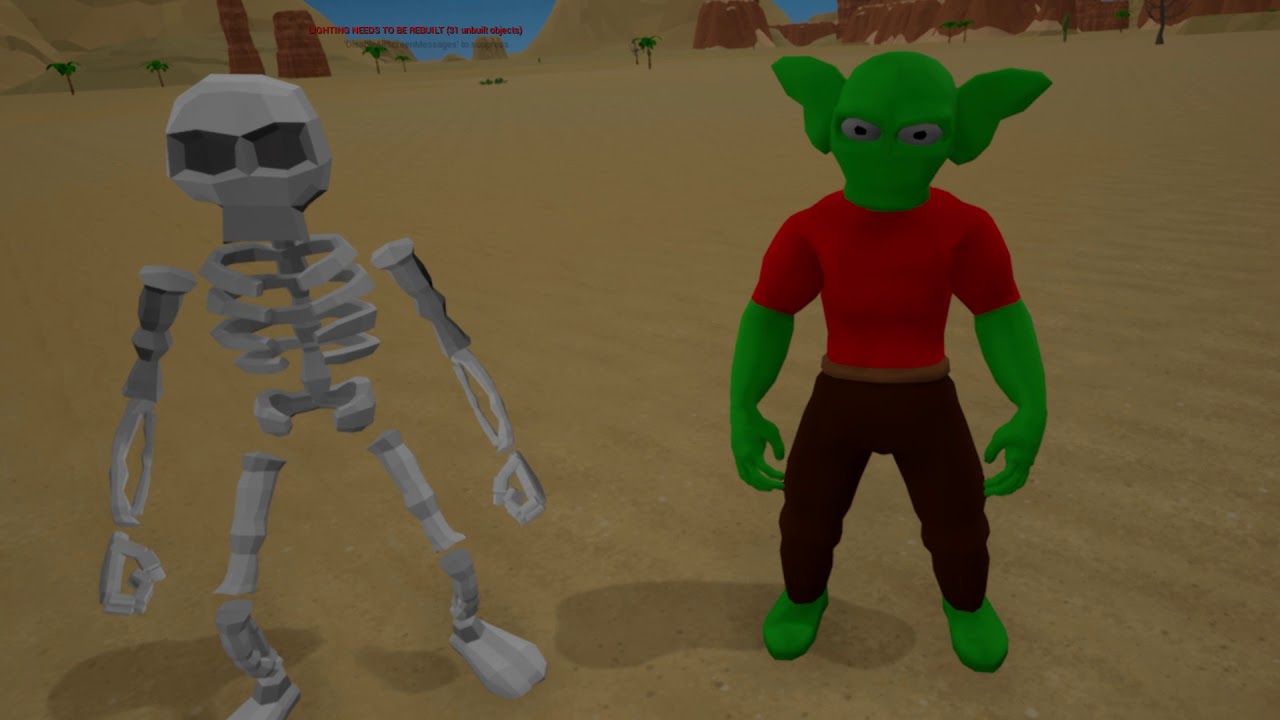
aout the 20 second mark, open the bag , grab what you want
X = bag. Y = spells. couldnt be much faster
solo game dev. i made everything you can see. not nearly finished. no real combat or quests yet.
rancid lynx
i really hate bad lighting. mines really simple, but at least there are no extremes
no. i tried to program voxels, i loved the idea, but i dont have the years to dedicate . so i just used pre made mesh terrain
er , hand crafted mesh terrain, but i focus on low polycount, so i can spam alot of great content.
halcyon flame
there's a voxel plugin that is I believe free
for the light version w/o multiplayer at least
rancid lynx
oh, ive never seen that, ill try and find that, thanks, i wonder if i could mix em.
i looove voxels but, im 40 years old. i dont have that kinda time
halcyon flame
it would be sweet man. I'm getting some minecrafty vibes from your art style
next badger
Phyronnaz#0001 is our expert in Voxels
halcyon flame
seems like it could be implemented pretty quickly
rancid lynx
minecraft, zelda wind waker and world of warcraft everquest are my inspirations.
next badger
if you seen a free plugin - probably his
rancid lynx
minecraft taught me that models can be super low poly, if they have character design
season 2, i want to focus on crafting like minecraft.
oh ty. ill try and search that guy
im not sure im good enough to impliment his voxel pack. i really barely know wha tim doing. and also, one requirement for my game is no frame drops
i cant live in a laggy world X_x
wow this video is really impressive framerate also
plush yew
Alright you guys now that i have Unreal in me i wanna know how to make a model
pliant yoke
how to i get a sphere mask to expand from an object's own center?
is this wrong?
you'll want to learn Blender or something MP
 sacred sun
world pos in 'a' object pos in 'b'
pliant yoke
will try that, thanks!
 mint sequoia
Found this nugget on the roadmap. Volumetric clouds planned for 4.25!
wary wave
neat
mint sequoia
Indeed! It was inevitable that I'd do it myself but was putting it off because really didn't want to 😆 So this is nice
pliant yoke
yeah that didn't work either @sacred sun
I can't figure out for the life of my what I'm doing wrong, been pulling my hair out for two hours
I just want a sphere mask to multiply with the texture alpha mask and expand based on an input scalar
this isn't doing anything but my other material function using a sphere mask is working fine
does anyone have any idea?
this seems to be outputting an alpha of 1 that doesn't change
but if I connect the input scalar directly up to the output, it does update as it's supposed to
so it must be bugged somewhere in the sphere mask code
i'm gonna try replacing it with a radial gradient
should world since it's a sprite
oh damn that worked!
okay I'm good 😁
light coyote
I was going to say, just to put a scalar on the radius, and then do whatever with that mask.
Also, when you invert a radial mask, or maybe, i dont know, a sphere mask aswell, the output for some reason is not the exact inverted visual resoult.
Its happened to me, but i dont know the reason.
pliant yoke
good to know, thank you
plush yew
I've got a sticky note object with a texture on it. The sticky note is a single plane. I've got some text that I want to apply to the note in the form of a texture. My only problem right now is that the texture is displayed on both sides of the note. Should I go back and make the note a very thin three dimensional object? Or is there a way I can do this without more than doubling the geometry for the note
pliant yoke
i believe you want to set the face to two-sided in your modelling program and assign it different materials for each side in the modelling program
and then import it
plush yew
I hadn't considered that angle thanks @pliant yoke
sacred sun
theres a two side sign node as well
pliant yoke
does that give each side a material though?
plush yew
All I've done so far is check the box that says two sided in UE4 and apply the texture. I figure this would happen and I was poking aruond UE4 for a solution. It looks like I can fix this within blender but Cel might have something new
heyyyyyyyyyyyyyy @sacred sun that worked great, thanks
I wonder which solution is quicker
I mean, more efficient
light coyote
@plush yew
I belive there is no such thing as selecting geometry to be doubble sided.
Its sort of by default is what it is.
It has a front face, and a back face.
Backface is discarded in general and in your 3d program you can chose it to be visible or not when in the program.
However, you can enable the option of doubble sided in your material to make it apply in backfaces aswell.
I would say is better to give it a bit of volume, as you may use it in other things that may be beter if it had.
But that is relative, you could make it just be texture that paper.
 blissful trail
hi so i just launched my project and it only has ui in it and it shaders are at like 3k pls help
i have no materials, blueprints, models, 2 levels, 4 images, and 20 widgets
plush yew
Yeah that's another topic I'm going to need to learn. I'm a 3D artist, I've practically never touched textures and for a while if I needed a new texture I'd just make a new material. But now that I'm creating assets that need textures I'd like to break that habit
pliant yoke
time to get painting
light coyote
@plush yew
Well take a look at Substance painter.
You will not regret learning about it.
Its photoshop in steroids for texturing 3d objects.
pliant yoke
allegorithmic stuff is impressive
plush yew
Ah, looks great but I'm locked to free alternatives ATM. Krita came out of nowhere and I greatly prefer this to gimp2
light coyote
Get your hands in substance.
110% recomended
sacred sun
@blissful trail it's normal for a project to take awhile to recompile if you haven't opened it in awhile. give it 15 and so long as the recompile count is somewhat lower you should be fine.
light coyote
.
Substance designer is the editor for generating materials for subsance painter.
In substance share people share materials.
Substance painter bakes textures for you if you give it a normal map, textures like, curvature, ao, world space normal...
You can even import a high poly and bake normal from it.
sacred sun
nevermind then. thats weird.
plush yew
that sounds awesome wow
sacred sun
substance always does blackfriday sales so if you do decide to buy it wait a few weeks.
light coyote
@plush yew it is
Get it for free however you can,, if you make money one day you have to say thanks to them.
We cant buy all software we need, its too much money.
 idle mountain
ive noticed in a few asset packs ive gotten theres usually a material image With _g anyone know what that stands for or how i plug into into the material
blissful trail
if this helps im used a blank project imported a few images created a level (with nothing in it) and added some widgets and thats it
and i still have 3k shaders
i also got this warning in the console ( LogPlayLevel: Warning: WARNING: Win64 does not implement Deploy... )
sacred sun
@idle mountain maybe grayscale?
idle mountain
Thats it thanks 😄
pliant yoke
that feeling when you can barely think but for some reason still think you can code
plush yew
Oh yeah. Sometimes I'll wake up the next morning and go "what the fuck is this??"
when I'm tired/ distracted I produce the most random, roundabout crap for simple problems
pliant yoke
yes
agree
my gosh i just pulled out so much hair i'm so tired
just want to finish this shader
plush yew
I hear shaders are magic, one day I'll try to figure them out
Speaking of roundabout crap here's my current scenario. My game has nearly no UI elements. Everything you need to see is seen in the world. Including this randomized locker password. I want the password to be truly random but it's 4 digits long. Which means I'm probably going to be importing 40 images for this sticky note alone. 0-9 in black with an alpha layer so that I can pile them up and produce a randomized code. A text element wouldn't work since my sticky note isn't a perfectly flat plane
I'm fine with this solution and I might cut it short and only allow each digit to be a random integer from a smaller range than 0-9 but I have a sneaking suspicion that this is not the proper way to do this
wary wave
one image, use texture coordinates to pick out the characters you need
pliant yoke
the amount of shader compiling that UE4 does is just unbearable sometimes
is production only designed for really high end systems or am I doing something wrong?
wary wave
it's assumed you have the hardware to deal with it
 tidal ginkgo
I have an assignment to create a game relevant to global warming. Does anyone have any ideas as to what game I could design?
light coyote
@plush yew You can have 10 images of numbers from 0 to 9.
Make the material dynamic so you can change things on runntime.
Make something to generate the random number, and change images accordingly.
That way you have only 10 images, and the 10k posible combinations.
wary wave
you only need one image, atlased
plush yew
Thanks @light coyote I'll put that in my notes. I'm currently looking at texture coordinates. After I'm familiar with both I might make a post on reddit explaining the pros and cons of each method
wary wave
then you only need to change texture coordinates as appropriate
light coyote
@wary wave Im unsure what atlased is right now
wary wave
well, imagine the 10 images you'd need for each character, laid out in a grid as a single texture
that's an atlas
light coyote
ahh
plush yew
MathewW wouldn't happen to have a video on atlasing, would he?
wary wave
probably not
light coyote
yes, and use text cords to focuss and pan to the one you want
wary wave
yup!
plush yew
he does not, at least based on my initial search
sacred sun
try searching flipbook
plush yew
Yeah conceptually atlasing makes sense to me I just need to work on how to make that concept a reality
light coyote
But anyway, isnt it the same to have that atlas cut in to pieces and have the 10 pieces loaded, than having the larger piece loaded ?
Its just easyer to manage and replace
wary wave
flipbook is more or less the same thing, yeah
and one texture is better than 10 textures
sacred sun
or spritesheet...
wary wave
in terms of the shader to draw the four character password, you only need to sample one texture
instead of potentially four
light coyote
 plush yew
Haha, thanks! I'm 33 seconds into that vid right now actually
I wanted to take a break from working on the AI in my project and I thought, "unlockable safe should be easy" Little did I know texturing in general would be the hardest thing for me to understand so far
fortunately everyone here is great
I always feel bad, I'm constantly asking questions and whenever I get the opportunity to help someone else it's someone who's at my skill level or below. Which is someone anyone could help
 latent moth
IK settings are:
All, can some kind soul help me understand Two Bones IK here. I'm trying to have the left hand of my character touch the tree. I have a sphere trace, and you can see the hit point in the RED square. Though, the hand is really not getting there. I've tried everything I can think of, so I'm evidently doing this wrong:
plush yew
I was messing with IK for a while, this might not be the solution but have you made sure that your IK bones behave as you'd expect them to in general?
sacred sun
you can use the flipbook node and select a select the area of the texture with the animation phase. 0-9 is ten digits so if you set up a texture with 2 rows and 5 columns or vice versa. then the animation phase is a parameter between 0-9 multiplied by 0.1.
plush yew
Like, if you move the IK bone to a point, the rig behaves as you'd expect in UE4, correct?
or is that the problem itself right now, that the IK bone does not behave as it should?
@latent moth
latent moth
I can move the effector in the animbp and everything works fine
it really is the position itself for some reason, once in game
plush yew
thanks @sacred sun
latent moth
plush yew
I think the only thing I'm really lost on right now is how I'm going to take these coordinates and apply them in four separate places. The password is four digits long. Based on what I'm reading/ watching I won't be making a texture with 10k numbers on it. But atm I can only change a single digit to a number between 0-9. I assume the multiply node is involved somewhere?
light coyote
@idle mountain# @plush yew 6460 Tips texturing:
-Metallic in general is only and allwais applied to metallic surfaces.
It is a value from 0 to 1, black and white, with white beeing 100% metalic, and black no metalic at all.
you can plug a value one constant(1 number box), and make the whole object be a certain value,,, or add a black and white texture making some areas more metalic than others.
-In roughness same thing applies(except any material can have shine to it), only diffrence is that max polished surface is when its 0(black), and 1(white) no shine at all.
-AO is oclusion of the object(areas where less light will hit in a uniformly distributed light enviroment).
Substance painter makes a packed mode for UE4, where these 3 previous textures are packed,,, the texture looks wierd, but is because each ono of these is inside each of the RGB chanels, you use one chanel to get one of the textures, and the other 2 for the other 2.
Color only emerges when you make those 3 black and white textures in 3 chanels are assigned to be a certain amount of Red Green Blue (RGB)
-Base color is also named diffuse.
-Cavities is also called concavitys.
-Edges is also called convexity.
-Curvature is sort of a mix between concavity and convexity.
(Note that cavity map can be considered the ambient occlusion of normal map texture,,, is the occlusion of that apparent geometry)
I will stop now, but these are some sumarized usefull things to know about texturing.
idle mountain
@light coyote thanks for the info much appreciated 🙂
plush yew
@latent moth have you tried printing that location to make sure it's what you think it is? Sorry for not giving the best feedback but normally confirming values is where I find most of my problems
latent moth
yes i have but let me spawn something at the point...
@plush yew so... apparently I need to use impact point:
Location is not what I expected it to be...?
plush yew
I always get those two confused @latent moth I assume location was giving the actor location rather than the impact location?
plush yew
hmmm
latent moth
i don't know what location would be
i've tried to understand the difference some times now
latent moth
i think one has to do with trying not to penetrate the target
so there's the extra distance added
but i don't know the distance of what
thank you
plush yew
Actually, I think I've figured out how to spread the atlas number values across the texture in general. Content in the video that Richard linked mentions it
sacred sun
so then you can just add four flipbooks together while using one parameter @plush yew
fierce tulip
^ suggested that to a friend recently who only had one dynamic parameter left in cascade. (not for flipbooks though)
sacred sun
cascade application is good to know. I wonder if you could do this with a render target and then stack multiple images for flipbooks and such... edit nevermind pretty sure that wont work.
 loud kernel
Hey guys!
I have a project with size 100gb.
I need git repo for the project.
I can buy a plan. But where? GitHub or GitLab?
Please help! 😰
 dawn gull
Hey, so I have a rigged character but it has no animations. How do I get the animations from the default mannequin? I know it's possible I just forget. Please ping me
loud kernel
@dawn gull hmmm... retarget?
dawn gull
do you have any documentation?
also for the github try making an organization with a plan
 tiny coyote
I'm using a simple noise texture as Bump map but it looks weird in ue4. All faces that are inverted are too glossy now (I'm using doubleside material). If I invert the normal map it looks right again but how can I make a material that automatically sets the bump "direction" for eacht normal depending on the normal dircetion? I cannot flip the normals before export because of other weird shading problems
 ember notch
What is better Xsolla or Stripe for payment methods?
 copper flicker
does anyone know how to load a level instance and then safely spawn player.. only on load completion?
how does Unreal know the level has been fully loaded
I tried 2 things
first one only adds the level to a lsit
list
second one.. also doesn't really tell Unreal the the level has loaded
 manic pawn
what do you mean by fully loaded
you're not using async load, so it always is immediately ready when this function returns
copper flicker
what is async load?
cloud cobalt
Load level is synchronous, so nothing happens while it is working
copper flicker
anyway, I want to load the player only after the levels have fully instantiated into my world
load level instance does let the execution flow continue tho
my player spawns before the level has loaded
manic pawn
but it doesn't
mint sequoia
How is that even possible
What is the player even spawning into
There's no world without a level
copper flicker
of course it does.. haha
you can trust me 😛
ok, my problem is that I'm generating the world procedurally
by loading instances
I solved the problem I think...
by checking for the validity of the player spawning position
only.. it's not really ideal
I wanted to make sure I'm loading the entire lvl first, cuz I might have multiple player spawning pos
so I ahve to use some stupid delay, just to make sure at least a few lvls spawn
O o
and not just the first one
in my porject, lvls = modules, inside a larger lvl
 haughty moon
hey whenever i try to load my level in unreal it gets stuck on initialising 45%
cloud cobalt
Wait
pine vessel
Hello, I need a little feedback and a bit of help about a little learning project I got here
I'm trying to make a scene that I can view an object this is the sample and the shadow is a bit weird in my eyes and also no matter what I do I can't really make the whole ring lit there is always dark shadows at the bottom of it, specially outside of the ring is my concern, I tried HDRI map and directional light even the plane under it has emissive material but that lower part of the ring always stays dark, is there anyway I can fix it?
normal burrow
You could adjust ambient color in world settings
pine vessel
I'll try that now, does it matter which color accent I pick or just try blue or yellow?
normal burrow
Ambient color is just going to be the color of no light. You can accent it if you like
It with brighten shadows up
pine vessel
I understand thank you, I just changed it towards white but that area still remains dark, just to add for information I'm using two directional lights in front, left and right, one directional in the back, and one spot light on top front of the object
actually I just fixed it I think, I scaled my object to a bigger size and the shadow part is kinda gone now
azure shore
how would I make an ai monster attack the nearest other monster? they attack the player but if a monster is closer I want them to run to them
 eternal swan
hi there, this might seem a stupid questions, but what is the difference between save and compile in blueprints? any order you should do after doing changes? for example when i hit compile without saving, will it take all changes into account?
azure shore
compile just applies what you just did and if you dont save then youll lose changes
are forums down or something
the login redirect thing has a seizure




well anyway
anyone know about my problem
eternal swan
@azure shore yes, same here with the login seirure
eternal swan
yes working, but it it may reappear, this happened to me the whole last week
abstract relic

 azure shore
oh nice
 fierce forge
why is this not working ?
normal burrow
What do the warning say when you hover over it
fierce forge
normal burrow
That’s why
normal burrow
You must figure out how to get the plot view. Casting is not the answer
Unfamiliar with plot view
fierce forge
but what is the answer ?
normal burrow
Covered in warning
abstract relic
Bp interface or event dispatcher
azure shore
firstly whats this widget for
fierce forge
the widget say what plant are planted here
azure shore
oh I was just wondering cus you can do it the other way round and have the widget cast to things
abstract relic
Context matters. We can’t read your mind nor magically see your game 😜
 worn granite
You should understand how the objects relate in your project. What could possibly "own" the PlotView object you need? Would it be the child of another widget?
In this case you've got a UWidgetComponent. That's actually an actor component and you're most likely looking for it's owned widget.
Widget->Widget might work, looking at the documentation. Might also be "Get User Widget" - both members of the Widget object in your graph.
fierce forge
i want to change the name
worn granite
oh I was just wondering cus you can do it the other way round and have the widget cast to things Having the widget implement the functionality doesn't give you a magic bullet to access objects you can't track down.
Try what I said? @fierce forge
azure shore
no I was just suggesting if possible you could try casting FROM the widget rather than to it
but idk his setup so its just a suggestion
worn granite
I uh. Yeah my statement stands?
azure shore
well yeah I know what you mean but just saying he could probably try this
worn granite
Is that graph his level BP? Gonna be pretty difficult to track that down from a widget (or, well, anything)
abstract relic
They’ll come back. They always do. 😜
worn granite
Might be able to do character easily enough - seems to me it'd be the grass/field object.
azure shore
I would probably detect what the players looking at then set a variable in the player, then the text in the widget is binded to that players variable
worn granite
I think it's in the correct spot, but we could both be wrong. Because he hasn't given any of that context.
azure shore
yeah thats the thing, Im guilty of that too, its easy to forget that other people need context when asking about problems
fierce forge
😄
azure shore
Im still trying to find the reason my ai monsters run around like crazy at light speed on the spot but I cant really ask for help because idk how to explain it
worn granite
#gameplay-ai and post a gif
azure shore
I always kinda just hope it sounds familiar somehow
worn granite
Then go into detail about how your behavior tree works, how you actually call "Move To", and your navigation mesh settings.
Hang on, sec.
@fierce forge @azure shore https://stackoverflow.com/help/minimal-reproducible-example

Stack Overflow
Stack Overflow | The World’s Largest Online Community for Developers
azure shore
thanks, I should be able to demonstrate it
worn granite
obviously some things don't really apply here because none of us are going to try to compile/run your project/code
 sharp crest
Say I make a multiplayer game, but I also want to have a singleplayer option,
Is there an easy way to make it work on singleplayer or do I have to like test everything and do fixes for singleplayer?
manic pawn
singleplayer is just a listen server with no clients
sharp crest
Yea that means I need to program my game with singleplayer in mind too
So I thought maybe there is a way to make it so singleplayer simulates a server & client?
grim ore
that is literally what he just said, listen server with no clients
a listen server is when the server is also the player and if anyone else wanted to play with them they would connect to that player and his machine and the game that is hosting him as a player and the server as a server all in the same program
 left citrus
has anybody had unreal only loading to 18%? Is it compiling shaders at that point? I'm on a mac so there's that..
grim ore
check your processes, see if shader compiler is running. if it is , yep
left citrus
actually it's definitely not compiling shaders as Im just trying to load the project selector
grim ore
the editor has shaders to display the editor so it's definitely possible if this is the first launch
 merry gazelle
used existing binding
 spice canopy
Could add a multiply node to its material and make it 0.6 or something on the diffuse color
next badger
@knotty citrus select billboard component and turn off rendering in main pass
it will have some drawbacks, but for your case it won't be an issue
 unique kraken
hellooo
im new, mind anyone help me out with something i think should be rather simple
i would like to seperate rgb and combine it again
from a img texture
or differently speaking, when i grab the "R" from a img texture i want it to be red and not a grey scale
i do have this setup, but it obviosly doesnt give me the correct colors
abstract relic
you need to recombine into 3 vectors
unique kraken
3 vectors? be easy on me literally opened ue4 the first time today, i have xperience with nodes and stuff but names of the nodes and what they do is still confusing to me
 honest raven
Hey guys, it's a little bit off-topic but not sure where to post it.. :D
I been wondering what solutions, best practices are you using for scalable gameplay system
For example in my experiences, it's can be quite difficult to handle reactive logic as the code base grows, so I tend to use a global event bus
could not really find any proper game architecture / design system what can scale well, and also comes with not too much boilerplate
 knotty citrus
@unique kraken append vector node
abstract relic
abstract relic
RGB are 3 different vector. What you just did was split it and added them into one vector which results in black and white
unique kraken
yessss i can follow that
but searching that node
i was looking for "seperate" the whole time
i was looking exactly for these two nodes thx
normal burrow
you mean split right? theres also the mask node for pulling a specific or multiple channel(s)
unique kraken
yes found the mask node to my problem was converting them back into there original color from that greyscale
is there a way to find the nodes im looking for? i did a lot of nodes in blender but when everything is named differently its hell
abstract relic
Know your pain 😜
Just experience and reading the docs
And far too many google searches
unique kraken
^^ it took me only 3h until i asked here
normal burrow
yea, some nodes are extra tricky in hiding their abilities too. like the convert spaces node. just read up
abstract relic
Don’t pour salt on my wounds pat 🔪
normal burrow
oh was referring to xxerbexx 😨
abstract relic

plush yew
So I plan to design a game using UE4 similar to star citizen ( Sounds crazy i know ) but I also want to implement an interesting feature that i would appreciate some comments/feedback on:
So as most of you know Star Citizen has spaceships that the player can walk around in and interact with whilst in flight at any point in real time. My plan for my game is to create a hologrammed mapping system of planets.
The player for example would be able to orbit a nearby planet in their spacecraft and mark a specific point on that planet (Point A).
The player could then project the surrounding terrain of Point A onto a holographed 3d image
I was wondering how i would go about implementing a feature like this-- is it possible?? And are there simple ways to do this. If you have any links to articles or lengthy documents that relate to this please let me know
Reference video (this is the effect i am looking for): https://www.youtube.com/watch?v=rqMcPZoEc3U&list=LL5lPTp4PAMNPPxjkqD2kl1Q&index=32&t=111s

The Visual Effect Graph gives artists of all experience levels the power to create amazing visual effects. This node-based system is both easy to use and fle...
normal burrow
You'd have to try to find out. If you can put it on paper then its possible, but achieving the results you want is going to rely on your implementation.
 ornate hamlet
just asking here cause other channels are busy.
Is there some way to clean up delegate binding in blueprint?
so there arent a bunch of red lines criss crossing left and right
manic pawn
use create event node
azure shore
hey does anyone think they can help me with a problem in #gameplay-ai
ornate hamlet
@manic pawn cheers, I will check the documentation
 proud hedge
Hey guys, I have a problem. When I want to launch UE4 4.23.1 it stucks at 72% and then it closes. This is in the logs:
Would be awesome when someone can help me out!
plush yew
@proud hedge Did you update recently?
proud hedge
Do you mean Windows?
Right now I am making the update. I hope it helps. But an older version of UE4 works. It is only the newest version which doesn't work.
azure shore
is there a way to make only certain decals render on a mesh like if I want to spawn a decal on an enemy when it dies but I dont want it to be affected by decals already placed in the map
plush yew
@proud hedge My best guess is that the epic launcher hit a snag while downloading some the the library files for 4.23.1. Its a lazy solution but I would just try uninstalling and reinstall the new version of UE4.
how to make ai move to other actor direction?
like if ball moves then this ai moves in x axis where it is going
azure shore
you mean like having it run away from a pawn? Ive been wanting to do that too actually but idk how
 proper kite
I've noticed that when I eject from a camera actor, I the icons or camera widgets dissapear. Is there way to toggle these on during gameplay?
 coarse wigeon
@abstract relic But that is not my work. Hence why I am posting it here.
normal burrow
<@&213101288538374145>
 weary basalt
?
normal burrow
advertisement
weary basalt
@coarse wigeon Read the #old-rules thanks mate...
thorn hazel
I have this shader in my blender for the color of my sand
can anyone suggest .. how I can replicate this in an unreal engine shader?
the problem is .. that Fresnal node in blender has one input + normal input. In Unreal, it has two values + normal input
abstract relic
Not exactly sure what you're trying to replicate but let me take a guess
inland monolith
has any one experienced this issue when trying to package their game?
abstract relic
inland monolith
thorn hazel
sand has a IOR value of about 1.532 .. I want to mix that with a color (you used blue here for example) .. and I want the mix type to be overlay @abstract relic
abstract relic
you just set a roughness value
thorn hazel
no roughness is besides that.. in my original shader
I just plug that into base color
abstract relic
Talking about unreal's render
thorn hazel
?
in blender .. we can set the blend type.
from what I see .. lerp node can mix two colors/textures
but how do i set blend type? I want to set it to overlay
thorn hazel
okay.. so do I still need the lerp node?
if so, how does it connect to blend_overlay?
abstract relic
Merely a different method for the same result
plush yew
I'm using texture coordinate mixed with some division and addition nodes in my texture to reference specific sections of the texture. But my texture is one long number strip, not a grid. So when I divide the coordinates by ten I'm also dividing the vertical part of the texture by ten. Is there a way for me to only divide the horizontal aspect?
dim arch
Hi, Say I have a scene with a relativley low frame rate
is there some way to record a video of it where it would have a constant framerate
for example, turn slowmo on, record it and then speed it up to normal speed so it has a smoother frame rate
sacred sun
@thorn hazel i think this would be the unreal equivalent
 fervent lake
that's the blueprint
imma learn that with trial and error
thorn hazel
@fervent lake .. I'm a beginner in Unreal as well 😄
fervent lake
dang
sacred sun
thats just what you had in you pic for the fac
fervent lake
I need to read some proc data
thorn hazel
for the 'fac' ? what is a fac?
sorry.. I'm dashing between unreal terminology and blender
I'm good with blender materials
sacred sun
idk factor probably
thorn hazel
okay
fervent lake
i think i found some
fervent lake
SomeAB
how hard is unreal if you know some coding
i learned the basics
so I'm moving to unreal
i have a 2d game near complete
thorn hazel
well it depends on what you are trying to do
thorn hazel
you made it in which software?