#ue4-general
1 messages · Page 549 of 1
 sudden agate
You can use the Preview in the AnimBP if thats what you want
 oblique tangle
i just really suck with anims
 next badger
 scarlet birch
I added a float variable to a BP, set it to a value and plugged it into a few nodes to use as the length of a trace. All the traces went to zero length. Printing out the float value shows a 0. Unplugging it and typing in a literal works. Restarted the editor, same thing. no matter what value I set for that float that is referenced no where but a few gets plugged into a float * node it is 0 when the game starts. Made a new float, replaced each instance of the first with it and everything works.
 polar hawk
but yeah I've seen weird things happen if you add a new var and then do a bunch of stuff and then throw in some undos and some pastes and blah and then hit compile and suddenly things are weird because the pins were trying to read the var but the var didn't exist so the nodes went invalid but then the compiler compiled the new var and then the invalidated nodes are like pseudo valid and then weird things happen
scarlet birch
idk, it's borked. It shows a value of 1 in the editor no matter what I set it to and shows a 0 when I run it
polar hawk
I mean, that is probably a 100% incorrect analysis of the situation but thats my crackpot theory
next badger
"When You think you know UE4..."
oblique tangle
Does a blendspace have to be controlled by another parameter?
 wary wave
ah, @scarlet birch - I have seen this recently, it seems to be a blueprint corruption issue
no matter what, when you recompile that BP, the value will be zero :/
scarlet birch
UE does get angry with me in the editor sometimes when I do things too fast
Yeah, that's exactly it
wary wave
it happens during recompilation, apparently the issue has been around for a while
we have a BP in our game that does it and we have to set the value in constructionscript for that one specific actor because fuck you
polar hawk
its a new feature called 'forced frequent code audits' where you gotta go back and review all your code for what could be corrupt
and the more times you review your code, the better the product right
wary wave
yeah, there's nothing wrong with the code, it's the BP compiler at fault
sudden agate
Stay away from BP. Problems solved
wary wave
if I stayed away from BP, iteration times would explode
sudden agate
Wasn't live++ praised because it was super fast? There is prolly no one actively using it.
 cloud cobalt
The iteration speed problem with C++ isn't the compile time.
 serene birch
link time is the worse
cloud cobalt
And I mean, live++ isn't that much faster anyway
 tepid knot
Lol
cloud cobalt
Bp's iteration is faster because something like creating a mesh component with a random material and adding basic behavior to it takes seconds
C++ is going to take way longer to just write
next badger
@oblique tangle what you mean by "another" ?
cloud cobalt
On top of that, any Blueprint exposed change in C++ needs an editor restart
Good luck with that iteration speed
next badger
'Stay away from UE. Problems solved'
tepid knot
Yup,the wordt
cloud cobalt
UE is fine, C++ is fine, but not using BP isn't exactly useful 😛
tepid knot
Yup
next badger
Stay away from Gamedev\PC\Work\Life. Problems solved
oblique tangle
Just wondering how I would achieve this
ive got the same anims as this guy

Early stages of the project, inspired by the cancelled "Spiderman UE4", I'll be working hard to improve the game and make a detailed New York. When It's fini...
but when he swings, it plays them out in order smoothly, not depending on the player's speed like I've set up in my blendspace
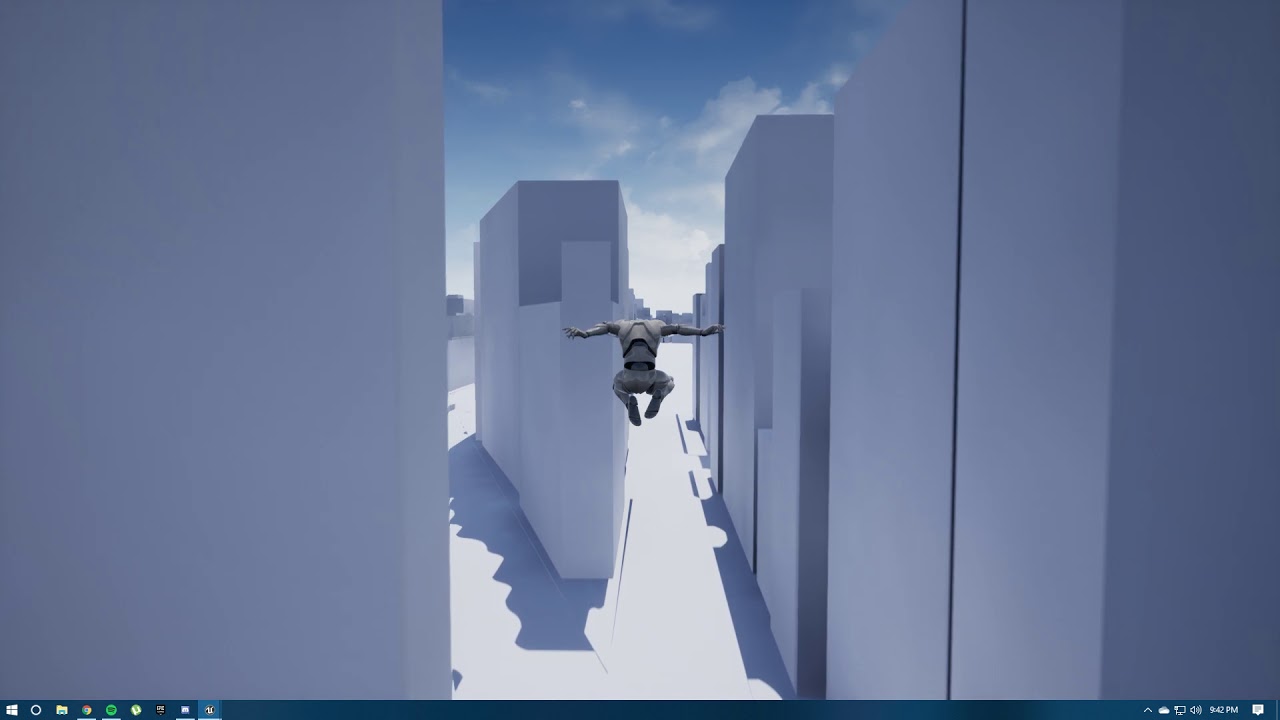
Put this together all in blueprints. Credit to Aidan C for the inspiration and TheSunjayChand for the basis of the swinging physics (except the character rot...
In comparison to me, my animations are configured in a blendspace which is manipulated by the player's speed
how would i set the anims up so they r like the first video?
next badger
play them in sequence?
serene birch
ok I find that impressive : https://www.reddit.com/r/unrealengine/comments/dfebqv/unreal_houdini_engine_is_my_favourite_thing_ever/

reddit
Posted in r/unrealengine by u/tacosanchezz • 352 points and 38 comments
oblique tangle
@next badger Could you help me set that out? I'd really appreciate it 😄
 light coyote
Hi.
I have added a skysphere to my pawn.
It is set to be additive, and unlit.
Does anyone know what may be causing the material to fade out when i move the camera, and fade back in when still, and intensifies its contrast more.
I have set min and max exposure in an unbound post process volume to be the same, but keeps doing the same thing.(i have also ticked it of in the editor view)
Any ideas ?
oblique tangle
Is it possible to blend different sections of an anim montage?
so they are all smooth?
 grim ore
@next badger lol I read the post where you added my stuff and then saw the bug report marked as Wont Fix. It would have atleast been nice of them to let people know why they wont fix it 😦
next badger
@grim ore yeah, i linked this issue here before you found the solution, you probably missed it
grim ore
yep I saw it but didnt notice it was wont fix. They could have mentioned it was a hard limit that could be changed but....... nope
oblique tangle
@next badger What would I put in the transitions to just make the animation naturally progress from playing anim 1 to anim 2 etc.
wary wave
is there a way to reimport a static mesh with different import settings?
ooh, think I found it, never mind
can change the import settings from within the static mesh editor
doesn't seem to contain all the settings though 😐
next badger
@oblique tangle if not blend, i don't know
once again #animation is the place for this kind of questions
 neat forge
I am using brushify and creating an environment, all I have done is use 5 different shaders so far onto a blank plane and its saying texture streaming pool over budget and everything looks really bad. How can I set this to render properly?
next badger
@wary wave which are missing? afaik all of them are there
wary wave
list seems too short for it to all be there, but the setting I wanted is in there
oblique tangle
So there is no way to play 3 simple animations blended together without blendspacing them and putting them with a speed parameter (or another parameter)?
next badger
the one may be missing are 'split compound mesh'
grim ore
@neat forge does just 1 shader on the brush look bad? Is this an over streaming pool budget (which should not cause a quality issue) or just bad materials?
next badger
'import materials'
grim ore
welp you can change it if you want then to test https://docs.unrealengine.com/en-US/Engine/Content/Types/Textures/Streaming/Config/index.html r.streaming.poolsize XXX
next badger
@oblique tangle you know that speed is just a name...it can be anything...even a float static
neat forge
Can that ruin performance quality if I raise it?
grim ore
sure but there is no way of knowing without trying it.
neat forge
Good point lol
oblique tangle
I'm assuming then if i changed it to a float with a value of '1' for instance, it would call upon the blended anim at that point on the horizontal axis?
@next badger
grim ore
the default streaming pool size is relatively small so it might not work for your project depending on size and materials etc.
 regal mulch
Isn't UE4 blending everything by default anyway?
Even if you play a AnimMontage out of the blue it should partially blend to that and out of it.
neat forge
I am using pretty big tiles, I just realized though, its only happening cause I had them all loaded in editor, when I play since I have it sent to not load all the tiles it looks fine. I will still try increasing it though
oblique tangle
I put an anim montage together just then and it wasn't blended at all
Plus I would much rather do all of this within states
Dont know if montages can be played in states or not
regal mulch
If you want states, then you just need to define what your state entry and exist condition is
That's pretty much a bool at the end of the day.
next badger
@oblique tangle yes, the parameter controls the position on the blend space...if it's 1D it's a float
 frank escarp
@serene birch that houdini thing you posted isnt even that complicated to make
i guess maybe 1-2hours
oblique tangle
I'm still so confused as to how this could be achieved easily

This is what I have now, where you can see the blendspacing determined by speed

And this is what I'm trying to achieve where it isn't determined by speed and just plays
 limber sphinx
Can anyone give any insight as to how you would achive the effect he does from 2:06 to 2:25 in unreal

TUNIC is an isometric action adventure about a tiny fox in a big world. http://www.TUNICgame.com Hi folks ♥️ In this video I give a quick dev update and show...
i am aware this is made in unity*
oblique tangle
@next badger I'm just confused with what parameter I would use instead of speed then that would achieve this desired look
next badger
i see no any parameter in 2nd animation, it just plays the animation
 runic iron
I gave you some explanation in #animation
I don't think you should use a blendspace, just get the speed in the event graph and when it's < to a value, put a bool to true to make the transition
Also here it just seems to be : button pressed -> transition button released -> transition
next badger
@limber sphinx which exactly? it shows a lot of stuff between 2:06 and 2:25
serene birch
@frank escarp that what's make it even more amazing
frank escarp
@serene birch i mean ive done similar-ish stuff xD
the way that thing works is that it grabs the meshes, and their vertex colors
then, it scatters points based on vertex color (white = more points, black = no points)
then it connects the points together to create vines, and spams leave meshes around them
connecting points to each other is probably the hardest part. I think that would need a bit of scripting
but not necesarely anything complex, probably just "find closest point, connect to it" would do it
vines would just be a node that turns edges into cylinders, and leave scattering is probably more use of the scatter node
light coyote
@limber sphinx If what you mean is the dark pasage way and the change to another area they are various ways you could archieve it.
Stream levels and make them visible and do whatever you have to do with the camera. (Im not sure about collisions when is set to not be visible)
You would separate all areas in diffrent levels, and an emthy level will contain them all as a sublevel, or child level or stream level, whatever you want to call them. Your empthy level is your persistent level(the one that is open), and the child levels, you are able to stream.(open levels window and you can drag levels there(levels deleted in that tab, are not deleted from your project)) (persistent may have doors that separate two levels, or things you want to persist during streaming)
Another way would be to have it all on a level, and separate the areas with a post process volume, in wich you will set some parameter like gain or gamma or something along those lines, whatever you can find that if set to 0 makes everything black inside the volume.
Once entrered you would set it to normal use, and previous one you came from, to black.
sudden agate
@limber sphinx the level mesh is used as a mask and if level.depth < character.depth then Silhouette
limber sphinx
Thanks everyone @sudden agate that’s exactly what I meant.
@light coyote I will try that
 plush yew
I need help
So you guys see the sides. It's meant to be polygonal
and i want to make the subtractive brush fit the shape of the sides
how would i do that?
sudden agate
open 3Ds Max, Blender, Maya or anything else and model it
plush yew
i know but i want to do it in the engine
if i model a wall in blender, it wont fit the rest of the walls in the engine
light coyote
@plush yew Can you explain a little more, i dont really understand what you mean exactly
plush yew
ok so you see the top sides of the door?
light coyote
that thing that looks like stairs ? 😅
plush yew
yes
its supposed to be polygonal
but i want those to be covered by subtractive bsp but i dont want it to block it from opening and closing
runic iron
@light coyote I wonder if the technique you spoke about was used in LM https://youtu.be/-t-_5eC31bU?t=1018
light coyote
you mean that the shape i see there is not geometry, rather, is the mix of subtractive and additive bsp, right ?
plush yew
yes
light coyote
ahhhh
ok
you can create a shape from the resoult of your subtractive and additive bsp
plush yew
?
plush yew
ok so i made a door in blender and it has cut faces on the top to make the sides look like stairs, because i dont want it straight
grim ore
more pictures!
plush yew
and i want the geometry in the engine to fit each stair on the top
like this
but it wont fit the stair
grim ore
are you using geometry brushes in the engine?
plush yew
yes but the door is from blender
grim ore
so are you trying to change the door in the engine, or the geometry brushes in the engine to fit the door
grim ore
the top left corner, modes, the last option is geometry editing
you can use that to edit your brush to anything you want with enough skill
light coyote
Well honestly is going to be much much faster, that you open the door you had in bleder, and just make the frame frome the outside profile of the door
grim ore
you could for example use the pen tool in there to draw the shape around the door and then it would make a wall that shape
but yes doing it outside of UE4 is the more correct way ^^^
plush yew
yea that does it
thank you @grim ore
nevermind
that didnt do it. should i give up?
grim ore
I dont know what didnt work so yes?
 jovial venture
I’m working on a mod for a multiplayer game for lightsabers, I have everything working except for the fact that having more than 2 or 3 on the screen at once will kill the performance since they are using moveable lights for that realistic illumination, any way to get better performance?
 tall pendant
2-3 movable lights kill your perf?
jovial venture
Yeah seems so
Well actually it’s more like 6 now but I turned shadows and such off
plush yew
no i mean give up at game development in general @grim ore
jovial venture
@tall pendant just realized the few hundred trees with complex collision might be dampening performance
tall pendant
thats more likely to kill perf yeah 😄
but with hundreds of trees you also want to check overdraw etc
 kind dew
i moved my third person camera to the head of my character to try to get a true first person view going. Everything is fine except I can't for the life of me rotate the actor with the camera.

i have that ticked
but i am getting this problemn
i want the character to always be behind the camera, obviosuly
 icy mulch
Hey is there a way to download asset on the store through mobile devices
 peak acorn
If I am using blueprints for my program,how do I share them on GitHub?
regal mulch
@icy mulch Given the Editor doesn't exist on Mobile Devices, I would say no.
 warm delta
Hello!
in UE 4.23 I create fps project and when it compiling shaders it get stuck on 124 for example, also when it applying changes to level it also get stuck, why?
icy mulch
I would just like to download the assets from my phone and drag them to unreal engine 4 @regal mulch
regal mulch
As said, doubt that's a thing
 fierce tulip
ive seen people trying to install ue4 on their phone XD
regal mulch
I'm not at all surprised
warm delta
should I reinstall the engine?
grim ore
@warm delta is the process still running in task manager?
warm delta
yes
now I have compiling at 92 and apply changes... at 100% and it stuck, have to kill task to close it
grim ore
its not stuck
warm delta
I am trying to create material from images
grim ore
its compiling
warm delta
the number is not moving
grim ore
task manager shows 100%?
icy mulch
Dang I'm trying to download the free horror engine pack my phones internet is so slow
warm delta
0%
grim ore
weird. Depending on what you are doing it can take a while to process data based on your machine
warm delta
it shows "apply changes to original material and its use in the world 100%" and I cant click anything...
grim ore
welp you can kill it and retry, its probably trying to do something and just needs to take its time
regal mulch
How strong is your PC again?
Just to make sure you are not running this on a toaster
warm delta
xeon x5690 3.47 (s1366) gtx 660
grim ore
@kind dew as an alernative you can add the FPS feature pack and then add your third person mesh to that to get it to work
kind dew
oh hye i didnt know you used this discord haha i watch youre videos daily thanks for what you do man
well i have a pretty complicated bp
character bp that is
grim ore
it has to do with which parent you have the camera on and the settings for the character controls and camera rotation. It's a giant pain in the butt to guess at if you can just use the first person. You can always look at the first person's settings then and copy them over?
kind dew
i see
its on the Mesh component
but i did notice that i just dragged the camera to the mesh component
without the spring arm
the spring arm stayed outside the mesh component where it originally was
would that affect anything
i followed the tutorials on how to do this exactly and they ignored the spring arm so i thought i could too. But theyres works perfectly and mine doesnt so idk lol
grim ore
yeah when using the spring arm you now have 3 points of control to adjust, arm camera and character so it gets complicated
kind dew
okay so i deleted the spring arm
but same result
worth mentinioning i rotate perfectly fine when walking
when useing the camera to turn
but if i am standing still as you can see, still no rotating
grim ore
yeah it is orienting the mesh to the direction you are moving when you move is why
you will notice with the FPS template the camera is a child of the capsule, same with the mesh being a child of the capsule so the camera is basically moving the capsule and the mesh goes with it
kind dew
interesting ookay ill have have a look at the fps template to see how they do that cause i need the camera to be attached to the head socket.
oh wait there is no head on the template lol
grim ore
so with the following settings I think I get what you want? using the TPS template
camera as child of mesh. mesh as child of capsule
camera parent socket = head
camera set to use pawn control rotation
kind dew
yep so far so good
grim ore
sorry work lol
character movement settings -> use controller desired rotation checked, orient rotation to movement not checked
the head being socketed btw sucks since it's bobbing with the animation lol
springarm was deleted btw
https://i.gyazo.com/55d4b45417cdf4678f2b24fc4a6a61cc.gif is what it does
kind dew
yea okay so there is a difference there
in my
charcter movement component i have use controller yaw ticked
er wait
sorry not on the character movement component. But on the character bp it self

there
grim ore
all of those are unchecked on the character
kind dew
okay
grim ore
but checking it didnt change anything for me
kind dew
hm
yea
i tried different combinations of all 3 of those
none of them seem to make a difference
something else must be controlling my camera then
grim ore
maybe. I took a clean TPS when doing this
kind dew
i did a public search for my follow camera in references and got nothing
but
i dont know what else it could be
fierce tulip

Unreal Engine
Unreal Engine 4 is a suite of integrated tools for game developers to design and build games, simulations, and visualizations.
serene birch
once again the blurb quoted on Discord seems impossible to find in the page itself 😄
fierce tulip
?
serene birch
Epic does that a lot, it makes it weird to read what looks like a summary and follow the link into not seeing really what was "promised"
fierce tulip
its prolly in the code
serene birch
¯_(ツ)_/¯
fierce tulip
but yea
serene birch
it's pulled from meta tags in the html page yeah pretty sure
kind dew
ugh yea i cant see the camera being modified in any way
i have no clue why its doing this
is there anythign there that looks off?
 ember notch
What do i need to launch my game on Android?
Is Android Studio enough?
I am sure that nobody will answer this question
grim ore
Did you click th link in the Android settings for the page that tells you all of the answers?
Did you Google ue4 Android setup
Did you actually try anything before asking a pointless question
ember notch
yes i search it but it said it's UE 4.17 and my friend said i should install Android Studio only
grim ore
Here I will even make that easier since googling is hard. https://docs.unrealengine.com/en-US/Platforms/Mobile/Android/GettingStarted/index.html
Setting up for development for the Android platform.
If your friend is giving you answers why not have him help you if you are listening to him
serene birch
it says at which version the feature started
unless it was removed (which should be shown too), any version starting from 4.17 should apply
grim ore
The docs don't even say 4.17 so no idea where that came from
warm delta
hmm I tried to reinstall the engine but I still have the same problem
ember notch
i will try Nvidia Codeworks for Android if this don't detect my device then i will use Android Studio
grim ore
Did you try a new project to see if there was an issue with your project or the engine
warm delta
yes I tried 3rd person project
grim ore
If code works doesn't detect your device then it's not code works you might need to install the drivers for your device
A third person project with your changes or just a third-person project
warm delta
new project and drag-drop texture images (normal diff etc) created material, in material editor I do T + click select image and save and it gets stuck
grim ore
So the material literally had no changes and just one texture in it and it won't save?
 warped tangle
can you define "gets stuck"?
warm delta
I add texture sample node, and save, I get the "apply changes to original... 100%" and nothing happens I can only kill task
can Win 10 version cause that?
warped tangle
are you updated?
 cosmic matrix
Hello,
I m looking to find where the player name is generated in code but cant find anyone got the path?
Thx
warped tangle
err PlayerState? I don't have my editor open right now
 dim plover
Probably more in some online subsystem class, which is a bit vague.
warped tangle
ember notch
How i can protect my game against cracks?
cosmic matrix
@warped tangle Thx but that s not what i m looking for ^^
I know how to get it 🙂
warped tangle
duct tape
warm delta
😄
warped tangle
@ember notch
kind dew
@grim ore hey just letting you know it was something in my BP after all. Just hid it pretty well:p Thanks so much for all the time you spent i appreciate it
cosmic matrix
@dim plover Oh ok i see 😦
grim ore
@kind dew aww.. always a bummer when it's something else driving you crazy even tho it should work lol
dim plover
I'm actually looking for where the Playername/Nickname is set.
But VS is crashing. Trash. 😭
cosmic matrix
XD
kind dew
haha right! man i was losing it there for a bit haha just game dev things i suppose
cosmic matrix
@dim plover I keep diging but mention me i you find it pls
warm delta
each engine version has different starter content files?
warped tangle
mmm no it's the same content
warm delta
every time I install different engine version it will download starter content? why not reference the same starter content folder for each version?
warped tangle
It has the content appropriate to that engine version. There are changes to the uasset files I believe but not the content itself.
warm delta
ah ok
I found this site: https://texturehaven.com/textures/ and tried to make UE material and found out that I have some kind of problem with the engine 🙂
 warped tangle
Whats your hardware?
warm delta
xeon x5690 3.47ghz (s1366), gtx 660, win 10 64bit
I am now installing UE 4 22.3 to see if there is the same problem there
warped tangle
have you watched your task manager to see if you're at 100% CPU when you are applying the material?
warm delta
yes it was 0%
warped tangle
your cpu was at 0%?
warped tangle
ah
I asked before but might have missed your response, is your windows up to date?
warm delta
it updates sometime but I disabled the updates
dim plover
@cosmic matrix , I'm pretty sure that each OSS sets the relevant user id stuff in their implementation of Login. And GetPlayerNickname for the getter.
Basically, everything is in the individual OSSs.
cosmic matrix
Ok and how do i access to this implementation?
dim plover
Access, like call? Or just look at in VS?
cosmic matrix
@dim plover Look
 steady owl
Is there any way to safely duplicate a map in 4.23 without lots of errors?
Forcing the copy sometimes works but it comes with a handful of warnings and errors
Tried both duplicating the .umap and saving a current map as a new name
dim plover
@cosmic matrix, they're all in Plugins/Online.
cosmic matrix
ok thanks
ember notch
If i click accept nothing happens
warped tangle
restart editor
 patent vortex
quick question,when using splines how can I get the start and end point to join together? Cant seem to figure it out.
neat forge
is there a way to make the terrain brush size maximum bigger?
fierce tulip
write the number you want, instead of the slider
ember notch
@warped tangle nope don't work
warped tangle
are you actually following the docs
ember notch
yes maybe export the android settings and send it to me 🤔
 thick herald
@fierce tulip Any news on the potato project? 😄
fierce tulip
?
thick herald
the one you wish you planted and took pictures of 🙂
fierce tulip
XD it tasted great, but still regret it
thick herald
😄
thick herald
okay. Maybe a VFX potato? no? Okay 😄
polar hawk
within 1 week and 3 days I hope to be able to shock myself when someone touches a banana through the use of a ue4 plugin
not that anyone needs to know this
fierce tulip
loool
 radiant haven
Can Someone Help Me WIth Mobile Interstitial Ads, It Wont Show :/
 halcyon adder
is it okay if we publish an enreal engine game without mentioning unreal engine ? i mean the unreal engine logo
grim ore
You technically need to ask to get permission to use it, so yes.
halcyon adder
unity force devs to put unity logo i think but in unreal i don't know how it works
cloud cobalt
Read the license.

Unreal Engine 4 is a suite of integrated tools for game developers to design and build games, simulations, and visualizations.
 heady lynx
I'm gonna make a flocking behavior for missiles being launched by a missile launcher attached to the player character. This is my first C++ thing in UE. I'm thinking a Scene Component that spawns and handles the behavior of the missiles. Any immediate thoughts on something I'm doing wrong?
halcyon adder
i thought the license is just alot of blah blah for us to ignore lmao just kidding
halcyon adder
i'll read it thank you 😋
cloud cobalt
Simply put, you won't need a logo, but yes, you will need mentioning UE
halcyon adder
i always hated unity logos on those shitty games i played but i don't have problems with putting unreal engine logo or not i just asked to have an idea about it
cloud cobalt
Unity logo is only required for free versions IIRC
UE4 isn't free, so it also doesn't force a logo
 sacred sun
@patent vortex i think there's a looping checkbox in the spline component
halcyon adder
shitty games anyways the best game made with unity is house flipper i think lol
warm delta
in UE 4.18.3 everything works fine and I can create materials
 blissful willow
Is there a way I can use HDR png files for skyboxes in Unreal?
Somehow map them to the sphere?
I thought converting to DDS in Photoshop might work, but when I tried to import it, it said it was an unsupported file type
 dawn gull
Hey, I am following a tutorial (https://gamedevworks.com/blog/ps1-rendering-style-in-ue4/) and I did step 1 but at step two I don't know if I'm supposed to create a whole new object orr..? Please ping me if you know what it is asking me to do

GamedevWorks
In this tutorial you will learn how to create shader similar to the PSX effect in Unreal Engine 4. Complete project available for downoad.
grim ore
well it says for step 2 to create a material function
also the end of step 1 says to save and close the window
neat forge
Has anybody used Unified Interactive Water System? Im wondering if I shoukd buy it
grim ore
holy moley finally got a stable master/dev editor build and .24 is getting some neato stuff. New project templates and project startup wizard and I think the mesh editing tools are going to be enabled and working
grim ore
I cant figure out how to extrude new faces but the rest is really neato
ok the plane cut tool is really freaking cool
I am not artist but I can definitely see making some more than square cube levels with this stuff
 wary wing
Nice! Yeah I'm in the same boat. The BSP tools are my go-to for geometry given a complete lack of proficiency in anything better. Am really hoping it fills that gap to at least do better than boxes 😄
grim ore
yep the geometry tools are pretty much replaced by this, the first tool is making geometry but they are meshes and the 2nd is a freehand draw polygon too like the pen brush tool but again it makes meshes lol
wary wing
Yes! It sounds excellent. Sounds just like what I had hoped for
grim ore
lol my polygon mesh cat drawn freehand with the tool
grim ore
wow it even has UV projection tools in it
wary wing
Oh huh neat it does everything 😄 Does it err... auto-unwrap?
grim ore
well it supports the normal UV generation when you import stuff so it made a crappy UV unwrap for the texture map then a nice clean one for the light map
wary wing
Cool 😄
grim ore
I dunno if you can texture individual parts tho
wary wing
Oh hmmm no support for multiple materials? Guess we can't ask it to do everything
If it's not there now I'd bet it's coming
 light thunder
Anyone have a good reference for HLOD system? Beyond the livestream and a scant few forum posts, I still find myself asking every few months to find out best practices and why I get certain errors, etc
 stiff spoke
How Compared the score of the players online?
light thunder
@grim ore Do you know of a comprehensive body of knowledge for the HLOD system? None of your videos I could find talks about it, and considering how integral they were for Fortnite, you think there'd be more information about them.
stiff spoke
@light thunder you can help me?
light thunder
For what?
stiff spoke
The problem is also that when the client fires on the server the server does not damage why?
light thunder
Have you read the Network Compendium guide?
stiff spoke
And for what I wrote at the top @light thunder
stiff spoke
Yes, but it does not help me
light thunder
It should have, you might want to read it again, replication can be a tricky thing
light thunder
If the server is broadcasting those commands, they should be correct, unless the events don't have replication set up on the nodes (you are using blueprint?) ....I rarely mess with multiplayer so I'm not the best to advise
I'd search google and the unreal forums for other replication problems as your problem is most likely not unique
stiff spoke
OK
grim ore
@light thunder I do not unfortunately 😦
stiff spoke
@grim ore you can help me?
grim ore
I don't think I can unless you paste all of your code so we can all see it, show us the actual problem so we can see it, and then debug it so you can see where it goes wrong.
Multiplayer IS hard you have to think it thru at every step and you have to know if you are using listen or dedicated server and what is replicated and why and who owns what.
warm delta
what debug symbols used for?
grim ore
knowing where something crashed when it crashes rather than generic "something crashed" messages
warm delta
I tried to use UE 4.18.3 and everything works fine, I can create materials, build etc.
4.23 I cant build, cant edit materials
😦
grim ore
did you try it on 4.22? and people are using 4.23 and can edit materials fine so paste a screenshot of what you are doing and someone might be able to help if you are more specific with the issue
dim plover
Maybe something is wrong with your 4.23. Unlikely, but possible.
Have you tried verifying?
warm delta
4.22 I had the same problems I think
I dont think I will be able to solve this issue...
probably something changed in the engine since 4.18.3 must be material/texture related
stiff spoke
grim ore
something might have yes, but to "not be able to edit materials" is an issue that is not in the engine right now
something wrong with your material setup and/or machine might be tho
warm delta
I can edit but preview is not working and colors not show in constant3vector etc.
windows version can cause this?
grim ore
show a screenshot of a material that fails
sure windows could cause it, anything could cause it technically
if we can verify the same material setup on our machines DOES work then it's your machine or your engine install
stiff spoke
@light thunder so
warm delta
no its happens even with new empty material, also when I build it hangs on texture something...
grim ore
I made a new material, I hit save, no issues here.
warm delta
yes
grim ore
so again unless we can see what you are doing I think you are stuck with this problem on your own
warm delta
I dont want to use 4.18 its too old :\
grim ore
@stiff spoke you are going to need to show alot more of your code and process, your game is unique to you and your setup is unique to you. We cannot guess at what is wrong unless we can see how you are doing it. the recommendation to re read the compendium and look at how networking works in UE4 was a good idea
warm delta
btw why you take photo and not screen shot?
stiff spoke
@warm deltaNot enough connection to connect to the computer
 cunning jackal
hey, can somebody tell me which shader works better for my hair? I think translucent works fine, but I'm trying to get the hair shading mode working because it should be better for hair
warped tangle
Nathan, you have literally been posting the same question for days if not a week or more now. You need to give us something to work with. I tried helping you the other day but instead of working from there, you went back to the same question from before. Give us some context, show us how you are doing things so we can point you in the right direction
stiff spoke
I have to go to sleep good night and I hope you can help me another day
neat forge
😂
warm delta
UE works on win 10 LTSC?
warped tangle
I give up lol
 reef jackal
random question here: does anyone know if Unreal Tournament is dedicated server based or listen/client hosting?
kind dew
does anyone have any references for how to do (forgive me, don't know how else to explain this) a long range roaming AI? Say you have a large landscape, and you want some NPCs to appear on the roads in between cities like they're travelers going somewhere. Its not a widely covered topic online. I have seen an article or two on it, but If any of you have ever done it I'd love to pick your brain
 plush marsh
technically you random spawn them
kind dew
Okay, i was thinknig of having an array of classes. each one being a different travller type npc. And spawning one around the player every now and again. But then i'd also have to generate a destinatino for them somehow as well
i would want the player to be able to follow the npc and have it make sense
hmmm
plush marsh
We spawn a lot of stuff with Houdini. You can transfer it in UE. Technically we just define the points of spawn with Houdini, everything else is inside the engine .Idea is simple. You have you road. In our case it is always a spline that generates terraforming and ground material. So , we can target that. You have your spawn points. Then there is a 'manager' which decides when and where to spawn npc
kind dew
oh i see
interesting
So that means theres some way to spawn inside of a spline then, i didn't know that
oh woops you said houdini sorry
houdini sounds so cool i want to learn it
 ripe saffron
I have heard that so many times over the last 15 years
kind dew
lol
warm delta
maybe this: https://www.reddit.com/r/unrealengine/comments/3qif3d/how_would_i_go_about_simulating_npc_behavior_when/

reddit
This might be an immensely silly question, but I'm stumped on how I should be approaching this: I have a large number of NPCs (around 300 in...
kind dew
yea i saw that
some sort of grid system, super interesting.
unfortunately im not quite at the level where i can just like "do" that completely from scratch, i just dont even know where to start
warm delta
I think no one want to follow npc anyway...
warm delta
it will frustrate players...
kind dew
what will?
having npcs that travel will frustrate players?
is that a thing?
ive never heard that
warm delta
no, if player will follow npc
kind dew
yea sure
but that isnt why i want to implement it
that would just be one of the results of what i want to implement
im not saying "i want to make a game where players can follow npcs around"
warm delta
it will be a lot of programming probably...
plush marsh
If you have your road , then you can target it
kind dew
yea thats okay
i like programming
i havent made any roads yet
lol
but yea i get you
i just need to get a mesh that will work
plush marsh
ok, raycast -> if it is material\surface that you want -> place a point\store it somewhere
then manager -> if player near that point -> spawn npc
store point every, dunno, 100m
you will have your array of spawn points
npc behavior is completely different task
kind dew
i already have behavior
plush marsh
i'm talking only about spawns
plush marsh
then you need spawn points
plush marsh
and some kind of manager that will decide to spawn actor
warped tangle
needs to be subdivided appropriately for it to curve
 vocal flume
Is there any setup I need to be doing to send UE4 models to substance painter? My unreal engine crashes as soon as I click on send to substance painter..
 tiny sonnet
So I need some help, I'm very new to UE4 and I'm trying to make a picture cutscene like witcher 3. What the easiest way to do this? I thought compiling a video in AE and transferring it here and playing it through a widget while a level is loading. Would that work?
 dim arch
anyone have a link to that plugin which lets you write cpp in a blueprint node
oblique tangle
Enjoy the videos and music you love, upload original content, and share it all with friends, family, and the world on YouTube.
Just wondering how the camera sway effect in that works
If anyone has any insight
 glad orchid
hmmm.... pretty sure all elderscrolls npc's have some task or path they travel
Skyrim, Oblivion etc
random dialog between themselves
they eat
etc
 restive arrow
I want to know how to implement chance when and object passes a certain area
Dm me because it might be long
Im very new to UE4
blissful willow
I'm running into a real bad problem where no input is getting sent to the engine at all. Not on any button. I'm trying to develop in VR, and it was all working a few minutes ago. I undid all my changes, and it still isn't taking input.
 drowsy kite
Hey Guys, I want to load the OCS data in unreal. Can someone point me in a direction ?
 thin tendon
I'm trying to make a post process material from a texture. Does anyone know how I can make it so that it makes the transparent space transparent on the material? It won't let me use opacity
 carmine scroll
change the material type to masked? and set a mask for the areas you want to be transparent?
cloud cobalt
@thin tendon Post process doesn't work like that
You need to take the previous PP stage input and blend with that
basically lerp from previous scene color to your texture
cloud cobalt
Post process is a material so... yes ?
carmine scroll
texture and material are 2 things
fierce tulip
lol
cloud cobalt
I think you're the one confused here
carmine scroll
No. A texture, and a material, are different
cloud cobalt
No shit, man
carmine scroll
he said texture, in his question
cloud cobalt
waffle specifically asked for help for his post-process material, using a texture
Read the question again
thin tendon
Yeah sorry I am trying to make a post process material. But the alpha chanel from my texture is being rendered solidly instead of see through
cloud cobalt
That's expected
PP materials don't have an opacity concept
You would do opacity by blending against the previous scene texture
Previous meaning, the previous post-process stage being rendered, since you can chain them.
Use a lerp node, plug your texture alpha into the alpha, and blend "previous PP input" or something like that to your texture color
thin tendon
@cloud cobalt Thank you sooo much mate. That works perfectly 😄
I needed a node that says scenetexture:Processinput0
cloud cobalt
Yeah
warm delta
YES! I managed to fix the problem! I had to enable Incredibuild service that I disabled because I never used it, now 4.23 compiles and I can edit materials! 😄
@grim ore
 brazen cairn
UE4.21.2 is stuck at 45% in the launching splash screen after i turned on Support planar reflection
 honest vale
it's compiling shaders
wary wave
probably D:
oblique tangle
Just out of curiosity, could someone give me a rough idea of how I would implement a sort of 'tricks' system into my game, in which while im in the air, if I press/hold a button, the character performs an aerial trick with a nice animation (similar to the air tricks in spiderman ps4)
fierce tulip
ifInAir rotate for X degrees on Y or Z axis for A time
restive arrow
I have a spotlight that is part of my FirstPerson Character. I can turn is left and right, but not up and down. Any help?
warped tangle
@restive arrow is it parented to the camera?
restive arrow
I'm pretty sure, I'm really new to this but I'll check.
Yep, sorry for wasting your time.
Thank you though.
It works now.
warped tangle
👍
restive arrow
:)
ember notch
How I do this if I click on the button that he start this action and if he click again then the action should stop?
plush yew
set up a boolean with a branch I'd imagine
ember notch
ok thanks
plush yew
yeah if the boolean is true then on the true branch set the boolean to false and then do the opposite with the false direction
I'm using behavior trees for my AI now and I'm running into an issue. When my units are attacking a moving entity they stop once they reach their threshold. So if their attack range is 100 units theyll run up to their moving target, get 100 units away, then stop and start their attack. But the target is moving so its out of range, which makes them run back up to the target and stop, the cycle repeats forever.
Should I do a check to see if their target is moving and if it is just have them constantly trying to move up to the target?
warped tangle
isn't there a continuous tracking thing? can't remember
plush yew
There is but I'm not sure if that works with behavior trees
at least if its the thing I'm thinking of that's related to detection
ember notch
How I make that he do the the look up action every time?
plush yew
every time the button is pressed?
Here we will set up our character and create some assets that we will need later in this guide.
have you at least done that tutorial?
ember notch
@plush yew no i want to do a if he click once that he do this action every time until if he click the button again
plush yew
custom even is whatever event you're using to make this switch, do you have this thing set up?
ember notch
any idea how i can use axis value with this?
plush yew
You could check if axis value is < or > whatever value you want to compare it to
fierce tulip

ArtStation
Anne Frank House VR for Oculus Quest has been released recently for free.
It was a great project to work on and a big challenge to convert a pre-rendered version into a full room scale experience.
My role on the project was to supervise the Art production, and ensure togeth...
restive arrow
Hey, I have a pawn that chases me but he won't stay on the ground, he just levitates towards me
plush yew
if you switch that pawn to a character itll have a movement component with gravity built in and all of that
restive arrow
Thank you!
plush yew
characters are heavier than pawns in terms of performance but I'm running an rts with a couple hundred characters and its going fine so unless you plan on having hundreds of characters at once it shouldnt be too bad
And even though I plan to have more I'm still using character right now. Ill switch it to pawn or actor later if it becomes a necessity
restive arrow
Alright
 rustic imp
how can I let a sound keep playing when the game is paused
it works if I check the IsUISound
but then it also plays in editor, while working in the level, which is really annoying
 shrewd gust
so for some reason my usb gamepad stops working in ue4 at some point after I close and reopen projects, but works fine in windows and other applications. so i restart my computer and then ue4 sees the gamepad again. the debug output log doesn't show anything about gamepad in it. any idea how i can figure out what the problem is?
@rustic imp go to Edit->Editor, then Level Editor->Play, and you'll see Play in Editor->Sound try that option maybe it will help. You'll probably have to play your game in a window or Launch it to hear sound then instead of in the PIE
 lament star
guys, is it safe to enable the python editor script plugin or will it break my project in the long run?
 shell compass
There's also the Settings dropdown > Real-Time Audio volume slider
Does anyone know of any larger-scale open source / abandonware projects to study? I'm really curious to know if there's a good way to make an UE project more robust and modular and less spaghettish
Preferably one that isn't pure c++
 opal coral
Hey, have run into a unique problem. I added an animation notify, and when adding the notify in the animation blueprint the engine crashed. Now it crashes every time I even open the folder that contains the containing blueprint. It also crashes when pressing play, and is not able to spawn the relevant Pawn (no null refs, just crash upon running Unreal's spawn function). I've reverted the blueprints in question, including the animation that contained the notify, I've re-generated the Intermediate, Saved and Binaries folders, and it still crashes, giving no info about what crashed in particular. I have done too much work to consider reverting everything since the last commit.
Ideas?
opal coral
Think I'm roughly back to where I was, by reverting the entire commit and gradually bringing back the assets 🤔
fierce tulip
one of those dev-days huh
shrewd gust
maybe create a new project and bring in the problem blue print and see how it behaves
plush yew
Is there any way to make exponential height fog static instead of relative to viewpoint?
 woven willow
rigging
woven willow
sorry i thought i was searching the forum and not posting ... my bad
warped tangle
lol
fierce tulip
:p
fierce tulip
shh
regal mulch
Anyone had a crash with "Couldn't find default curve compression settings under '[Animation.DefaultObjectSettings]'?
Seems like it tries to load that from a the Engine ini but fails and no one touched the project since yesterday
-_-
Welp, packaged the same stuff once more -> working
Seems legit

 velvet fern
when import fbx's from blender, i often get one that flickers which i think indicates flipped normals. i check the model and the normals are fine but i flip them anyway and export and i get a black hole when i build lighting. anyone know why this is?
regal mulch
Isn't flicker usually z fighting?
Flipped normales look different
It doesn't flicker, it just looks weirdly inverted and sometimes just makes holes into meshes
next badger
flicker is double faces
plush yew
hi guys I'm in trouble, i make unreal-engine from Houdini the process make any error the unreal version 4.23 the houdini version 17.5.402 The error is error: no matching member function for call to 'GetMipData'
i come from china the english is very poor
so can you help me???
next badger
GetMipData is responsible for unpacking the textures, it means the texture was destroyed or damaged, or the data has incompatible type
plush yew
next badger
are you on Linux?
plush yew
yes
3 errors generated.
9 warnings and 5 errors generated.
14 warnings generated.
make: *** [Makefile:588:UE4Editor] Error 5
plush yew
how can i do
cloud cobalt
So you do use the Houdini plugin ?
regal mulch
Question is: Does Houdini Engine support Linux :D
plush yew
but the houdini engine not work
cloud cobalt
Let the OP answer maybe, and don't go arguing on your favorite OS
@plush yew So you are using Houdini, right ? You need that plugin ?
plush yew
yes
cloud cobalt
Then you should either try a different UE release, or fix the code yourself
tall pendant
it's part of your houdini installer
cloud cobalt
Which UE version does Houdini support ?
cloud cobalt
Which UE4 release did you download on GitHub ?
Should be 4.23.1 or something like that
plush yew
so i need master branch??
cloud cobalt
No, definitely not the master branch
It is very unlikely that master would work
If you downloaded master, this is very likely your problem
tall pendant
sidefx has infos on engine compatibility iirc
plush yew
please give me a download address
cloud cobalt
No, I won't do that
tall pendant
so first step would be to check their page
cloud cobalt
Go to the release page on Github and pick the latest
plush yew
cloud cobalt
Click on "releases"
plush yew
i git this version yesterday and make the unreal is work well but i can‘t make the houdini engine
tall pendant
have you checked that your houdini and hengine versions are compatible with the version you're building from source?
next badger
release is 4.23
next badger
which branch you've compiled for plugin?
next badger
The Houdini Engine for Unreal is not officially supported on Linux, but the plug-in can still be compiled from sources. Due to library conflicts introduced in Unreal 4.17, only Out-of-process sessions will work on Linux. Also, since setting up the Houdini environment is required for the session (the HARS process) to be created successfully. Do not forget to call "source houdini_setup" in a shell from the installed Houdini directory that matches the plug-in prior to launching the Unreal Editor from that shell.
plush yew
next badger
4.23 branch is not a release one
next badger
yeah, release is the one that Released
and 4.23 has cumulative updates, that will be added to 4.23.1/2/3
next badger
i'm pretty sure it has nothing to do with your error
release was tested (well, partially), and 4.23 branch was not
so it may be less stable than release (consider it as "nightly")
plush yew
In a word, we have found a breakthrough instead of doing nothing. This sentence is translated by Google.
plush yew
thak you to help me
velvet fern
this is how it flickers, looks like flipped normals but as i said they're proper
this is the face normals of one of the rooms
 wild sierra
@light coyote with the post process volume, do you mean to set the levels to 0, and then set it up to go back to normal levels when you begin to overlap the volume?
wary wing
Looks like that Cast is to the wrong type
Do you mean to use BP Player Character instead of BP Player Controller?
velvet fern
is there a way to duplicate UV0 to create a lightmap?
ember notch
Is it possible to do if the player click a button that he do a input or key?
fierce tulip
@velvet fern you could make the mesh look at uv0 and use uv0 as the lightmap
next badger
@ember notch can you explain?
click, key are different input methods
ember notch
I want if he click a button that he move to left and do the key A action
velvet fern
@fierce tulip i could but I'm asking for when i need seperate UVs, it seems like obj supports 1 UV only, or blender chooses not to export the second UV
ember notch
I want to integrate the MoveRight input to the virtual control / mobile gamepad 🤔
i see it's easier with the mobile touch interface
next badger
to move you trigger an action by making an input...so pressing Key is not necessary, you just trigger same action as you would do with key
ember notch
@next badger I am using Gamepad Left Thumbstick X-Axis now for the mobile touch interface and it's working better now but thank you for the help ^^
 fading aurora
hey guys i have a question about getting a full-high quality still image from a cam view
this is how it looks now, using command HighResShot 2
but if you click view original link, its actually blurry and low quality
plush yew
why is the + to create a second landscape layer greyed out? I cant select it but my landscape material has 2 different textures + their normals assigned
next badger
@fading aurora iirc the issue is in Temporal AA
next badger
try to switch to FXAA
next badger
or MSAA (not sure if it's available for deferred)
next badger
cloud cobalt
TAA can also be made quite better by using the tonemapper sharpen, or the sharp nfilters people have designed for it.
r.tonemapper.sharpen 1 is a decent start
 shrewd shuttle
hey i am having some issues with assets, i am working for a team in level design, and when i paste the assets into my content folder, they are all empty except for few, i tried using 4.3 and 4.2 ( the version he recommended) but still no result.
next badger
why does TAA blurs the image on hires shots anyway?
cloud cobalt
Because TAA removes noise, essentially
It's what it does
Surface detail is basically noise
TAA produces extremely clean looking edges, it eradicates any form of aliasing, it removes flickering from texture noise which no other AA in UE4 can do
And it nukes surface detail as a result
serene birch
it's a sandpaper 😛
it prevents most forms of specular flickering too in the process
next badger
no, it actually blurs the image
sudden agate
@plush yew its not a "+" to create a Landscape Layer. It's to create LandscapeLayerInfo asset
next badger
well, i have no example right now, but last time i had this issue, details on 4x images were as blurry as on 1x one
cloud cobalt
Which is pretty normal
next badger
huh?
 grave nebula
@next badger Because projection matrix is not changed for higher res shot, and instead of having subpixel jitter, you get jitter of times highresshot multiplier.
cloud cobalt
This thread had a decent sharpen stage to make TAA less hardcore smooth : https://forums.unrealengine.com/development-discussion/rendering/125798-temporal-aa-sharpening - it's not maintained anymore AFAIK but it might be a decent start @fading aurora
Unreal Engine Forums
Updated 03.09.2017
Rewrote most of the code and put it into separate files.
I've added a step to the TAA post process that sharpens the image without destroying
@next badger high res shot is a dev tool, not a production tool
fading aurora
So, if HRS is dev tool
cloud cobalt
The actual high res shot you want is r.screeneprcentage 200
fading aurora
whats the prod version
cloud cobalt
If what you want is getting an image larger than your monitor supports, there isn't one
Setting the screen percentage to 200 is a good way of getting magically nicer images
But you'll stay at your monitor res
fading aurora
so r.screenpercentage 200
then how do you save the image out?
do you still use the HRST?
fading aurora
tried shot and r.shot
cloud cobalt
(shot doesn't include UI IIRC, which is a good thing, or a bad thing, depends on the game)
fading aurora
neither spit out an outp[ut
cloud cobalt
They do output stuff, in Saved/Screenshots IIRC
fading aurora
yea im not sure why HRST can save to exr
if its only for dev
and, no shot isnt outputting to the screenshots folder
in fact, ty ping in shot doesnt even show an actual command
cloud cobalt
Win + print screen key is it, then 🙂
 left citrus
is there no way to get components by tag on a specific actor reference? the blueprint function I found requires a class reference not an instance?
oh wait.. I'm fucking slow in the head
nevermind
 placid arrow
is there a simple way to make certain dynamically placed objects hazards as far as pathfinding goes?
basically alter their weight in the navmesh, so that they arent treated as impassible but an AI will only go through them as a very last resort
e.g. fire
if the AI needed to retreat and the only way was through a sheet of fire which would damage the AI, it would take that route, but otherwise would choose better routes that wouldnt harm it
wary wave
why would you 'get components by tag', ever?
as for navmesh stuff, probably requires native code adjustment
theoretically doable though
but it otherwise does not have per-vertex / per-poly scoring functions
placid arrow
@wary wave ive found a need for that before. if you have a component, in an actor placed in your level, and you want to refer to another actor that is also in your level, you can't just pick the actor with the picker in the properties, so i tend to refer to them by a tag.. thats not something i do on tick though, only in a constructor
or, if you have an actor placed in your level and its to look out for another actor, thats dynamically placed and doesnt exist at that point... thats another way to do the same
looking for components or actors implementing an interface may not be enough in that case
but its a pretty specific use case imho
scarlet birch
@placid arrow Navmesh custom filters will do what you asked. There was a good discussion on this a while back if you want to search this channel.
Modifier volumes
scarlet birch
No.
placid arrow
interesting
scarlet birch
Well, it's not in that it doesn't require you to work directly with C++
You can assign each ai to react to a custom filter differently, including assigning a different pathing cost
placid arrow
sounds like exactly what i want
i could even use that to force certain enemies to stay on high ground or something
scarlet birch
That's actually what it came up in relation to. Someone wanted one AI to jump to another height and another to not be able to
IIRC Mathew Wadstein made an example video and shared it at the time.
placid arrow
one of his "wtf is?" videos?
 calm widget
I got an animated character imported from blender i made to UE4 but not sure how to assign reference pose?
sudden agate
you usually import your character and then the animation separately
the character would contain your bind pose
(T or A pose in most cases)
when importing the animation, you can select the skeleton of your character
calm widget
I see, got A pose, but i've had much difficulty importing animations seperately, even screwed up my physics asset completely trying that. Dont really know what im doing. But that helps so thanks
sudden agate
make sure you import the animation only, there is a section for it in the import window
calm widget
So i reset the pose in blender, reexported it, imported the mesh only and the pose is that of the walk animation?
I think i got it to work, thanks man
warm delta
why building texture streaming is taking so long? cpu and gpu use is 8%?
 ornate ice
Hey People I was thinking, could any of the moderators create a Channel for Tutorials? So people can share tutorials they made and that way don't get lost into a channel with regular chatting
 abstract relic
 brittle gulch
Hi guys, how would you go to store a list of arrays?
I want to store a bunch of stories, each story would be in an array where one item is a clause. And I need a key to find the array of clause, where the key could be the title or an index.
dim plover
I didn't really understand that, but the answer is probably a container of structs with some sort of ID.
brittle gulch
It's weird I admit x)
I wanted to go with a map of struct 🤔
dim plover
I think it's pretty normal.
But map of structs is fine. You can't really go wrong with this sort of thing.
brittle gulch
Or a data table? It may be better and more readable
a data table of structs in this case
 tawdry sierra
Eyy... Got a quick question. How can i increase the distance that the bullet projectile renders(works)?There is no collision when i shoot at something far away
 shrewd lion
has anyone here worked with apache cassandra
?
he
y
grim ore
@warm delta good to know that can cause that issue as well, most people dont install it as it's not a big help unless you pay for it and have multiple machines.
 winged crypt
How much is a UDN license? Is this known publicly?
 dapper bridge
Can anyone help me with correctly adding force/impulse to a character? I have researched different methods but it will not work for me.
halcyon adder
i was watching UE4 WTF Is? videos on youtube and didn't realize it's your channel @grim ore lol i sub to you and everyone here go support him it's great channel
frank escarp
@winged crypt its not known because its on a case-per-case basis
ive heard values from 50k-100k, into multi-million dollars
in your case as an indie, the low bound seems to be around 50k
you might also find some way to get a license to get UDN access and support, but still keep the 5%
cloud cobalt
It's a subscription IIRC ?
halcyon adder
yeah you look different in youtube lmao
tall pendant
frank escarp
@cloud cobalt its a custom license, like completly custom, so there is no info on it anywhere
cloud cobalt
Okay
frank escarp
and if you manage to get info from licensees, it really depends on what deal they got
so different people will have different answers
 dense holly
Hey can anyone help me out with something?
Trying to figure out how to get something done but cant even find a tut on it lol
frank escarp
If you require terms that reduce or eliminate royalty for an upfront fee, or if you need custom legal terms or dedicated Epic support to help your team reduce risk or achieve specific goals, we’re here to help.
**or if you need custom legal terms or dedicated Epic support **
the dedicated support line makes me think they probably have some sort of "UDN only" license
tall pendant
probably. best to either use the form i linked or contact indies@unrealengine.com so someone can get you in touch with the right person
halcyon adder
@dense holly ask here
dense holly
Alright, well bascially i seen people use splines to create pathways for roads. But the thing im having trouble is is how do i add a texture to it so i can paint just within the splines? Every texture i have seems like it isnt compatible with it
halcyon adder
did you create a material from that texture ?
plush yew
Lens flare does not work
dense holly
Yes
plush yew
Post processing = epic
 novel hawk
has anyone tried torrent assets/plugins in ue4?
thick herald
wot?
 zealous cloak
Is it a bad idea to have a Menü in the motion controller pawn? It's super basic. 4 buttons for menu select and language select
Since the menue is always there why not integrate it into the pawn and attach it faced to the camera?
fierce tulip
@novel hawk care to clarify?
zealous cloak
In every scene the interaction is strictly limited to pointing and access voice information for now
novel hawk
@fierce tulip i mean is there protections from it?
fierce tulip
wanna try?
tall pendant
 thick herald
^ probably took that as permission...
ember notch
How I do this I want to do a remove ads feature if a user buy this feature then the game should disable all Ads. How I can do this?
 stone finch
damn guys I have big trouble with snapping object to objects after transfering project to a new version, maybe something wron during importing settings? I just waste a lot of time, trying to snap and save pivot position and trying to allign objects by snapping
anyone has the same problem?
should I record video?
ember notch
Before he play this ad how I can check that the player own this remove ads packet?
 cunning zinc
Hi, is raytracing is multi-gpu in latest release ?
 safe forge
@grim ore Im also a huge fan of your channel thanks a lot man 🙂
grim ore
🙂
stone finch
guys plz any advice to improve snapping in UE 4?
maybe I need to tweak something in settings?
grim ore
you can adjust them all in the viewport, have you tried that?
ember notch
How i make crossplay?
i want crossplay with my first and second project both have the same content? I want that both can play together multiplayer
grim ore
same platform? internet or local play?
ember notch
I want that Windows and Android users can play together. But i tried on Windows with both projects and if i join then he send me back to Lobby 🤔
grim ore
correct since your server is expecting 1 project and map and you are trying to load up another one
if you want android and windows you will have to have 1 project that supports both, possibly even a dedicated server that is not in UE4 to handle the traffic
dim plover
I think you need to write your own online subsystem for crossplay if the OSS you're using currently doesn't already support it.
ember notch
I wanted to do a ad free version for android and a lite version ._.
neat forge
I need to create this node, how to I make a sub animation instnace?
grim ore
you would use the same project you would just build out different versions
according to this page https://docs.unrealengine.com/en-US/Engine/Animation/AnimHowTo/SubAnimInstance/index.html you would right click in your main anim graph and add a sub anim instance node
ember notch
can i use a another package id?
grim ore
for android? you should be able to set it when you export it out to android so yes
neat forge
Oh wow lmao thanks
 midnight bolt
please guide me how to automate material creation... i start with .mtl files that has references to 3 textures. diffuse, normal, spec. i can't get more than diffuse with obj, with fbx i only get diffuse and normal, specular is still missing. i understand that many says i have to recreate them manually, but i have a lof of them. there must be a way to specify textures. maybe a console command? external plugin? i spent days trying to work that out, no success
even anything like [materialinstancename] +diffuse.tga +normal.tga +specular.tga
grim ore
it's honestly just not supported out of the box. The only ways wold be to see if Python can process mtl files on import and create UE4 Material files with connections or to code up your own import processor in C++ as a plugin or engine mod
Unreal Studio with datasmith might support this but that's entirely different
midnight bolt
that sounds above my knowledge. if there was an existing script, i could make a batch command for all of them
only once i got all 3 textures, probably via 3ds max export to fbx
halcyon adder
it's a player controller so add one for this level
next badger
@cloud cobalt tested highresshot, no blur ...4.23 new project
https://cdn.discordapp.com/attachments/375019569804345347/631949940301758485/screenshot.1570738963.png
 cloud cobalt
?
halcyon adder
is it possible to make more then one slot in scroll box or i should use vertical boxes inside of scrollbox ?
next badger
the thing we discussed today about TAA blur on highresshots
 mossy nymph
you can put a grid inside a scrollbpx
next badger
oh...yeah it does, but w/o TAA it's quite good imo
cloud cobalt
Without TAA ?
next badger
the screenshot above
cloud cobalt
That's without TAA ?
next badger
yep
cloud cobalt
So... What AA does it have?
ember notch
Is there something like Widget BP begin?
next badger
@cloud cobalt no clue, let me explain
cloud cobalt
If you kept TAA, then it has TAA
next badger
This one made with Cinematic quality
@cloud cobalt does scalability changes the AA setting?
cloud cobalt
It can change TAA to FXAA when you go from medium to low
Which looks like no AA at all really
Otherwise, no
next badger
Scalability Low (but 100% screen)
cloud cobalt
^ FXAA
You can see horrible aliasing in background
But much better surface noise
because TAA blurs it
 weary basalt
TAA blur is so annoying.
I prefer to play my games with FXAA lol
And up the screen % to compensate
next badger
TAA also made those weird lines
cloud cobalt
We had this option in Helium Rain
2x more pixels (154% screen), FXAA vs TAA
For people who love aliasing 😬
Seriously though S-ed, this is pretty much exactly what you should expect here
next badger
i prefer noisy textures + aliasing over blurry textures + blurry edges
weary basalt
So do i
cloud cobalt
IMHO FXAA is horrible, TAA is great for heavily processed render styles, MSAA is the best option for sharp renders
I ended up moving to forward render for MSAA alone
Lots of features lost, but that AA though
weary basalt
Does MSAA do anything in Deferred?
weary basalt
Does it just default to FXAA if its set?
weary basalt
Fair enough
cloud cobalt

Look at say, the fan on the left side
(Open the original image)
And the floor dead center bottom
It's both much better than FXAA as an AA method, and extremely sharp
Perks of being an actual 3D-based AA method, unlike both others which are 2D post-processes
it won't work for texture aliasing, but hey, you have mipmaps.
next badger
and VTs are actually good for blending and generating mips
cloud cobalt
Mipmaps don't need any kind of tech
They've never not been a thing
Not since 3D games were, anyway
I mean, the N64 had mipmapping
next badger
yeah...have you ever made a DDS packed mipmap? ...
plush yew
https://gyazo.com/37528abf01c173be244bd09d3bff9461
okay so this is 1 geometry cube

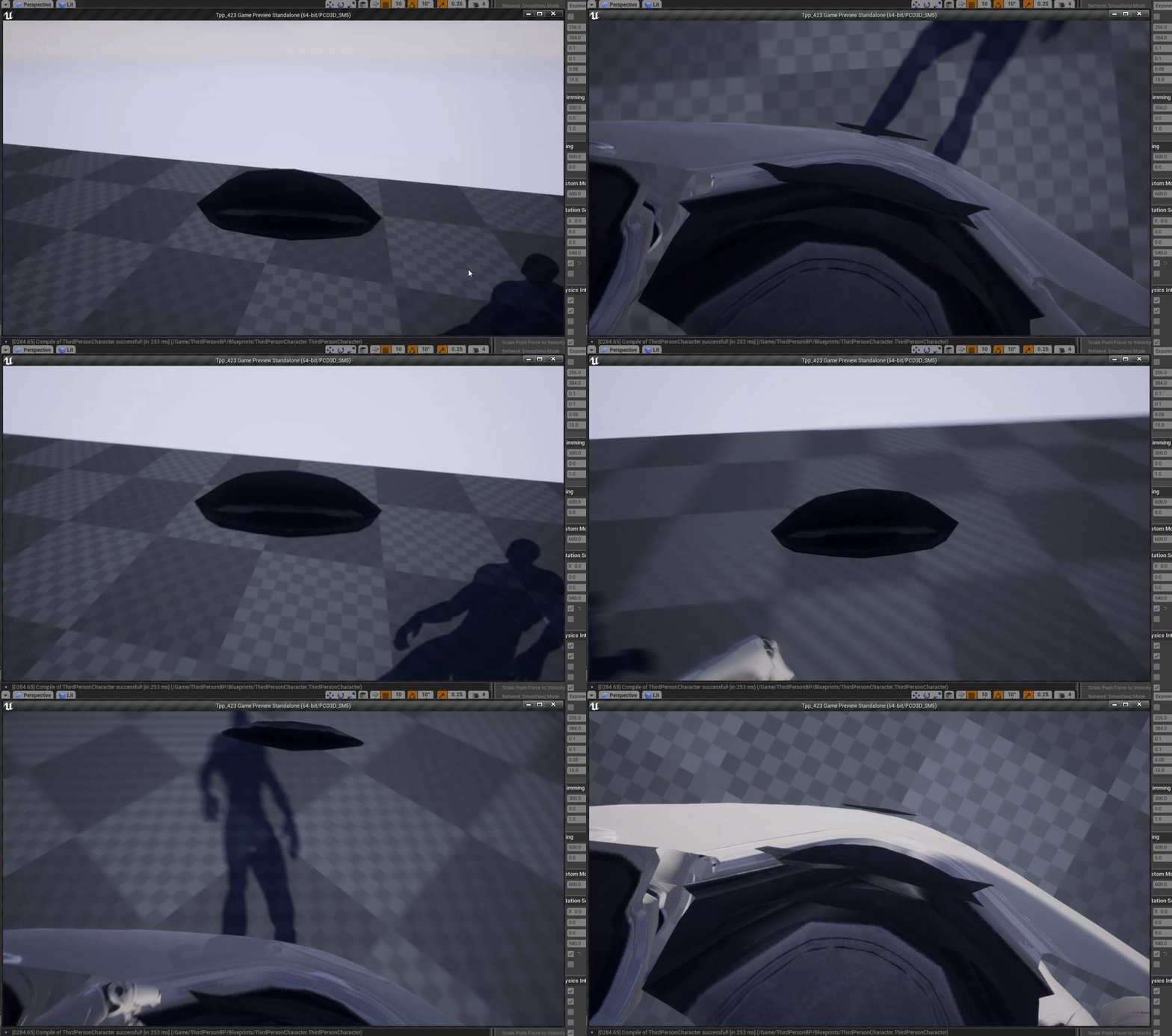



why is one side of it smallet than the other
cloud cobalt
Yeha, I work on that stuff on a daily basis right now @next badger
next badger
@cloud cobalt any tools there?
cloud cobalt
Not much
next badger
exactly...yet mipmaps exist for ever