#ue4-general
1 messages · Page 546 of 1
 scarlet birch
Really, the whole thing is a little awkward. Ussually, it's more like 'when perception has changed, see what changed, did we go from sensing to not sensing, or did we go from not sensing to now sensing.
 plush yew
this is how I could figure it out to be the way you said it
just wanna make sure I didn't miss anything
scarlet birch
No.
scarlet birch
get rd of anything relating to the ai controller there
You just make the noise. Perception will then handle it
plush yew
oh? this is for my character though
scarlet birch
Yeah, your character shouldn't know anything about the ai
plush yew
so I don't report the sound?
scarlet birch
use make noise
plush yew
don't I need a target?
scarlet birch
self is the target
plush yew
hm, I think I logically get what you mean
scarlet birch
When you make the ai the target, you're telling the ai to make the noise
conceptually
plush yew
yeah, I get it
so, then I go to zombie ai, and get rid of both loops?
or just the second one?
scarlet birch
There's no need for a loop
scarlet birch
If the AI can already see the player, does it matter if it also hears them?
plush yew
well, there's distraction
I want to set up distraction by whistle, and also throwables as distraction
so I need the ability for them to only hear
I already set up the behaviour tree for that
 marsh swallow
im not quite sure how to even say this but even though motion blur is set to 0 there is still some kind of slight trailing on the characters mesh when i move the camera.
scarlet birch
Hearing is not continuous. So if it is updated then something was heard. It never updates with an unsuccessful sensing.
plush yew
yes, and it shouldn't
scarlet birch
@marsh swallow Motion blur can be set in project settings, on the camera, and in a post process
plush yew
it updates, and upon hearing, it investigates, then stops investigating
it's all done by blackboard
plush yew
oh, I think I know what you meant
but I don't know what you're getting at
it does update when I whistle
but upon indexing of what the sense was, it comes back as both, even if it was just hearing
marsh swallow
well it was enabled in the project but that didnt seem to correct it.
scarlet birch
It might be that everytime you check this you set that bool to true no matter what
scarlet birch
plush yew
so it sets cansee and investigate too
yes, but that's for sight
that's an option for index 0
meaning if it senses sight
scarlet birch
no
plush yew
but my problem is that it says it senses sight and hearing even if it was just hearing
scarlet birch
that's not what you have
plush yew
huh?
so my setup isn't choosing if I'm hearing or seeing?
and that's investigating
that's for hearing
seeing sets the bool canseeplayer, which is the top
the bottom row sets location for where the whistle was, and then sets the blackboard bool "isinvestigating" to true, and the behaviour tree makes it go to the specified targetlocation to investigate
that shouldn't have a problem
my problem is this
that it branches to both no matter what
if just seeing me, no sounds, it branches both
if just hears, no sight, branches both
scarlet birch
It's supposed to
plush yew
supposed to?
scarlet birch
...
plush yew
then how do I choose what to do based on what the sense was?
I want to set different things for it hearing, and for it seeing
scarlet birch
"The way it's setup it's always going to trigger both if you have that many senses.
Your senses are setup in the array from 0 to last. So there are always as many indices as there are senses. You need to break the stimulus and use it to determine the logic."
plush yew
for hearing, I obviously just want him to investigate, I don't want him to see the player too
but I cannot break the logic unless I use a foreach loop?
and my senses are 0 and 1
and breaking a stimulus doesn't exactly have the option "what kind of sense was it?"
how would you do it?
scarlet birch
Don't do behavior logic in perception. Just set the state of what the AI can see and hear.
plush yew
I can't even spawn on target perception updated anymore
not even on perception updated
wth
I'm only getting hits for event dispatchers
scarlet birch
Select the component and click the view button at the bottom of the details pane
 abstract snow
You know why i love this server? It's great to see the real trials and tribulations devs go thru to make these things work! thanks to all devs for all their hard work and thanks to all those who help others out!
plush yew
I'm just not gonna ask why that didn't work by the search, just thanks
oh, it's hard work, and hard trials, alright
this behaviour tree took days, funnily enough
so many variables and logic problems to solve
abstract snow
i know, i personally am not a coder of dev, but onf of my buddies is, i am intrigued, but i know i dont have the level of patience....
plush yew
yesterday I gave up and went to sleep exactly because of the issue right now
abstract snow
yeah, i know sometimes you just HAVE to step away.
plush yew
my girlfriend just decided to watch youtube since she knows how much time I spend on this
I've been basically spending the time that she's asleep, and maybe some more before she is and we're watching something in front of this
it's been like.. 4 days in a row
once, I spent 2 hours going through my backups one by one, going back to hours in the past, only to realize I'm getting errors and my ai wasn't working because I didn't set a variable for the placed down ai
I didn't tell it the patrol group to follow
and that was my cue to just go to sleep that time too lmao
abstract snow
i wonder how Roy Awesome plays overwatch with it being that laggy? gotta be like 20 fps
or destiny*
sorry
plush yew
I don't know who that is?
abstract snow
one of the mods in this server XD
plush yew
I'm playing destiny 2 on max, I think, with 60 fps, funnily enough
I didn't except my overheating old buddy the r9 290 work with those settings
abstract snow
i have 144hz lcd, take a 1080 minumum to keep me at a happy fps
damn the 290 was a solid card though
 fierce tulip
might wanna take it to offtopic 🙂
fierce tulip
np
plush yew
yeah, sorry, I'm still trying to figure this out, guess it just got off track
abstract snow
i gotta get back to work. keep it up Nate!
plush yew
huh..? that is absurd, @scarlet birch
even if it does go to both directions, the canseeplayer doesn't get set to true like it should, if it actually did go both directions
it only sets investigation to true
I wonder why the debugger shows both directions light up...
scarlet birch
... because there will always be two indices. You do realize it is not possible for there to be an index 1, if there is no index 0? It will always triger both 0 and 1 on the switch.
plush yew
I know there are 2 in the array
scarlet birch
Then why are you surprised the loop is going through both paths on the switch?
plush yew
I just don't understand if only one is a triggered sense, why both light up?
scarlet birch
Because it has nothing to do with the triggered sense. You're looping through the perception of that actor.
for all senses
plush yew
huh.. I thought what I was doing is grabbing the last info of whatever sense was triggered, and choose which one it was
sorry, normally learn pretty fast, but I just don't understand why it's not that way
I haven't exactly used a loop before, or a switch like that
so I guess I just don't understand their functionalities
scarlet birch
I'd suggest breaking it down into smaller pieces and defining clearly what each step is doing to help you conceptualize it.
Blueprint is still coding. If you are not familiar with the basic structures and concepts you should spend some time reading an intro to programing logic.
plush yew
I'm mostly familiar with things, but I just don't know the definition of a switch, or the definition of a foreach loop, @scarlet birch
I mean, what is the meaning of the loop part?
what are we looping? the results?
I don't know
I get foreach, I can make a list out of an array of actors in real time, for one
I don't know why I'd do that, but, could - scratch that, lots of reasons to do that, like a hud widget
scarlet birch
"I'm mostly familiar with things, but I just don't know the definition of a switch, or the definition of a foreach loop," this is a contradiction.
 rain pumice
@plush yew Doing a simple google search could fetch you really good results.
Basically, before entering a loop, a proposition must be true, an example of a simple proposition is (0 is larger than 1), in blueprint you work with similar propositions. Now if this proposition is true, then loop what is inside. This is the most common (While) loop, While something is true do this. Inside the loop you have the task, the task it loops will at some point, hopefully, either make the proposition false, like for an example 0 could be a variable, the task would then count up the variable. Therefore it will not loop anymore.
A switch statement is simply a matter of cases, if this case is true then do this, else if this case is true then do this, else if none of the cases then do this. It's based on a variable, and the cases are based on the expected result when reaching the Switch.
plush yew
mostly familiar is not to be mistaken with familiar with everything in the universe
when you say you know about dogs, you don't mean you know how their heart and liver function is different from ours
ah, so a foreach loop is like a while true in code, alright
plus, mike, I came from unity, so I'm more familiar with C# than ue4 blueprints
yeah, so the default is there to default to when neither is true, I understand now, thanks, xazin
rain pumice
A foreach loop is mildly spoken, different.
plush yew
well, this whole visual stuff is different from coding lol
scarlet birch
No. I'm sorry but, it has nothing to do with coming from Unity. I used Unity for ten years. A for loop is a basic structure.
rain pumice
There are many 'types' of loops. For I, Foreach, While and Do While are the most used.
plush yew
I mostly made indie games that were based on adventure, mike
this is my first real project where there's action going on
scarlet birch
I'm not getting down on you, I'm simply stating you should familiarize yourself with the basic concepts. It's a bit of a time waste to ask for help without at least doing that first.
plush yew
I haven't done much more than some basic dialogue, and first person walking around, and basic consequences to what happens when something happens
rain pumice
I have to be honest, I haven't really done much Unity or Unreal, but I'm studying a Bachelor atm. in Software, and I formerly have a year of studying for an IT Software Programme. Before that I also spent a lot of time self-studying webdevelopment. No matter what coding or coding language you use, the fundamentals are the same. Loops are just a matter of iterative controls, their importance have not even had a need to be discussed for a long long time.
 warm bluff
Hi guys! Hope yo projects are going well :)
Could anyone one point me in the right direction for streaming facial mocap in ue4 via Iphone but with facial joints instead of blendshapes? Please? I did think via the animation blueprint, grab the values from 0 to 1 like you said and translate them to positions then determine in which direction each joint has to go up,down, left right but just wondering if anyone got better solutions? maybe hopefully?
Sorry for disturbing ya ;-;
plush yew
yeah, I just don't think I used a for each loop before
I use while trues before, or while falses obviously, but I don't think a for each is something I've used
I remotely used a switch before, but I think that was two years ago, and it was only once or twice... I understood it, I just never checked the debug, so I never realized that both directions lit up whenever that node was used
rain pumice
Well, a good tip is to go find a book on the basics of say C or Java, even C# or C++, read the first hundred pages, and then you'll know.
plush yew
sadly, I have some memory problems... I remember things a lot better if I experience using them instead of just reading
hit my head too much throughout this life, even though I'm just 18
plush yew
hm, I think I know what you're getting at
there's multiple types of memories, I'm assuming that's what you're saying?
what I'm having problems with is not memory retaining by type, but memory retaining in general
my brain has difficulty putting short term memory into long term
rain pumice
I'm getting at they're super simple, around 1-3 words of code, and they always work in the exact fixed way no matter what program, language or usage.
Same goes for UE4.
Iterative Structures are in no way different here.
Same goes for Unity, Java, PHP, C#, C, C++, Python, R, Ruby and so forth.
plush yew
I don't know, I do remember things that I know the functions of, but cannot explain
I know how to do something, but I cannot explain in words what it does
but other times, I just cannot remember it at all, that mostly happens for things after months or years
rain pumice
Anyway I think we're going off the track for the Unreal-Engine Chat.
plush yew
it's really difficult, I'm having a lot of difficulties in math classes because of that reason
ah, yeah
I keep forgetting this isn't just some friend circle
sorry
just a quick question, debugging real time from what I remembered was on the numpad, but I can't seem to remember which key?
scarlet birch
I would encourage you to pick any intro to programming logic course/tutorial/book and work through it start to finish. any decent one will fill some gaps for you and save you a bunch of time.
plush yew
I want to track my ai's sight and hearing, and also the trying to use sphere trace for the hit logic, but I want to see where the trace hits
yeah, I've redone a bunch of online learning stuff for C# for example
years after, I can't seem to remember, but whenever I need to use it again, I just relearn it
if I keep working with it, it shouldn't go for a few weeks
anything you recommend though?
Why does my building system won't be able to build after the map heigh, Such as downhill??
 crisp fable
holy shit the amount of code/BP assets on the marketplace that dont follow common practises is astounding
rain pumice
Many aspiring game developers, and also many self-taught people don't actually learn 'common practice' or rather 'good code'.
 grim ore
Good code is so much work, get it in a functional state and ship it!
rain pumice
Hahaha
My next nested foreach loop will be nested ternary operators inside nested for loop.
 dim plover
I don't know how to ask this, but
Does anyone have any idea why when doing vector/rotation stuff, getting close to 90 degrees pitch would have weird results?
Maybe converting to/from Quat has problems at this value?
Actually, I think I'm gimbal locked. Very funky...
 open eagle
how I can I get the current session in blueprint?
open eagle
I just need the session result
 pallid eagle
if anybody is good with animation and skeletal stuff, could you help me out in #animation please?
i'm desperately trying to fix this problem, it's keeping me from developing my project further
 icy mulch
I need help I have a objects like a ball and I want it to transform in a character Mesh Is that possible
 next badger
 tender dome
Sure. Sorry
 shy silo
how can I find the center of a selection of many items in the viewport?
 robust tree
 abstract relic
Depends on the software. Generally you pick a keyframe and export that
plush yew
hi, so.. I want my ai to investigate again, to abort what it's doing, and investigate again if it hears the a sound while investigating already
how would I do that?
if I move stop investigating, which sets the bool for investigating to false, and then whistle again, it for some reason still goes through the entire thing anyway
and only then goes back to the start of itself
 wild kestrel
https://twitter.com/rarihoma/status/1180653420673261569 manequne is popular


 open eagle
mannequin is the best
does it cost money and do you have to get appoved for a Steam AppID
scarlet birch
I thought the UWP fork was dead?
 atomic forge
Does anyone know what Default Anim Curve Compression Settings are?
There's like nothing about it on the internet which is strange
 shy bronze
Anyone else experienced this crash before?
Googleing on the subject hasnt yeilded anything very useful
LogWindows: Error: Fatal error: [File:D:\Build++UE4\Sync\Engine\Source\Runtime\RenderCore\Private\RenderResource.cpp] [Line: 151]
LogWindows: Error: A FRenderResource was deleted without being released first!
 spiral yarrow
Hi everyone, can I ask for help with animations here? (sorry for my bad english)
 brazen cairn
what just happened to my viewport i cant move my camera around
 shell compass
brazen cairn
shell compass
brazen cairn
oh
shy bronze
that or close the viewport through the windows drop down tab and reopen it
plush yew
so, guys, can you help?
I want him to abort his current investigation of a noise, and start over if he hears the player whistle again
but I can't seem to figure out how to get him to abort and start over
so you need an interrupt
I can make it so that after he finishes he reacts to it being heard again, since "isinvestigating" is turned off whenever he goes into investigation, it's true by the time he finishes if the player whistled again while he was doing that
but I want to specialize him hearing the player again
and I think it going through the entire behaviour of reacting to a sound is not very nice that way
I have some waits, and if the player whistles again, I wouldn't assume a person who's already looking for someone is just gonna wait a second or two before moving again
and I also want him to be faster the second time
oh you have it in sequence with delays
but, yeah, I'm kind of at a logical wall
?
I have it with waits
yeahhhhh
this is what I have right now
after quite some experimenting
I just don't know, because if I abort both/self, it'll abort for simple patrolling
so there's another kind of way i could think to set that up
 stiff spoke
I can not do that when a player's life is at zero it destroys it just works at the server not at the customer's
plush yew
what is it?
and nathan, you have to set things up differently for a client than for a server
controllers (network) - Actor (client)
there's client and server ways to do things
so the way i'd do your problem is run it on a pulse timer, 1 second, maybe maybe .5 seconds
then have the timer do a switch on int, basically pinging the command structure to change to X value once number hits X value
thus you don't have a wait function but if event done, go next
this allows the ping to see an interrupt
so if interrupt true, restart at 0 with new data
stiff spoke
@plush yew so help me
plush yew
I haven't done any networking yet, but I've seen vidoes on it
but yah nate, how would that work for you?
then you could bypass anything at any time
there's also docs https://docs.unrealengine.com/en-US/Gameplay/Networking/index.html
Setting up networked games for multiplayer.
stiff spoke
Ok @plush yew
plush yew
there's also this dude https://www.youtube.com/watch?v=Vd6KEzBYxHM

Me in discord: Bander#4320 Ignore this shit: extra tags: Unreal Engine 4 ,Dedicated Server, Tutorial ,English ,UE4 ,4.13, Mulitplayer Series, Networking, rep...
but, I don't know
I don't understand how that'd work
if I could bypass the rest of the things, I guess that'd work
so basically the idea would be IF (this != this) Restart with new
but in a chain where wait doesn't clog you up
yeah, but I don't know how to use the variables for that
how would I set up that the ai heard the player again
with my current setup, it's weird to add on
yahhhh
which works nicely sometimes but gives you a headache when you really need to switch things up
this clustercrap is how I handle all of this
lol i don't even understand why you use a reroute on that
I'm not?
ah
that
BlueprintUE
BlueprintUE.com is a tool for sharing, rendering and rating blueprints for Unreal Engine 4. UE4 is a game engine which use visual scripting called blueprint.
I don't like things going through each other
great little site for showing things
stiff spoke
Not solution at my problem
stiff spoke
@plush yew me ?
plush yew
yes
stiff spoke
I do not understand the question
plush yew
your hp reaches 0, you want to self destruct right?
stiff spoke
Yes Then reappear
plush yew
wow, that's easier then
just set visible on item to false then teleport it?
it's somewhat better to re-use an asset said to be destroyed than actually destroy it, like bullet casings, they actually teleport back to the gun once 30 are fired, just using their ID somewhat
I would've played an "animation" for that
more like one of those tell-tale shaders
stiff spoke
Not me I make destroy actor then Spawn actor from class @plush yew
plush yew
dissolving
yeahhhh but then the bullet casings aren't using physics which helps with variable noises on diff surfaces
stiff spoke
@plush yew ouais
stiff spoke
So how make?
plush yew
and you're saying it's not working over network?
stiff spoke
Juste for the server not for the client
plush yew
yeah, I like the whole shattering concept
wait so server see's it but not client, trying to clarify
stiff spoke
What works for me is when the server's life is at 0 it destroys it and another Spawn actor but the client when the life is at 0 the actor is not even destroyed
That I capture my code?
My code I did in the Blueprint level
plush yew
aren't you supposed to do stuff in the level blueprint very rarely
stiff spoke
Why?
plush yew
you're supposed to normally do what you're doing in a client/server character
meh, I don't know all the difference, so just don't listen to me lmao
stiff spoke
In what's BP?
plush yew
we just normally don't use the level blueprint
you normally make a character for server and clients
that's because you need to set them up differently
so, the video I shown you should've helped
stiff spoke
The client and serveur have the again character
plush yew
Unreal Engine
A previous blog post offered a crash course in blueprint networking, but now we’re back with a thrilling six-part mini-series on creating blueprint content that works in a networked game!
maybe start over by using this?
Level blueprint is used when level events are needing triggered, it's rare yes but it's basically like 1 time conditionals mostly... cave in here, seal door there
 latent moth
stiff spoke
latent moth
stiff spoke
What's BP used @plush yew
 meager copper
in blueprints when I have a vector output and I want to split it into 3 floats, but I dont want to do it on the output (because a second consumer is using the vector), is there a node that only does split?
and/or a slightly more complex question (to solve my same problem): I have a vector that is a movement direction. I want to create a rotator that makes the object rotate (locally around it's own center) in "head over heels" in the same direction, how can I do this?
just feeding the vector into Make Rotator didn't seem to do the trick
 cerulean sundial
Hey guys, could you help with one thing? How can I make character input some answer ( for example I approach door and I write a password and it lets me in) ?
I've been trying to do this but I just cant :/ Any help appreciated
meager copper
@cerulean sundial did you try the "editable text" palette in a User Interface widget?
or maybe the "Text Box" is better?
cerulean sundial
@meager copper This is first I hear about this, lemme read about it
meager copper
cerulean sundial
Just run some youtube tutorial, seems like it might be usefull, Ill get down to work right now and see if I can make it so that character can enter password to open something, ill check here in about 1 hour
thank you for the information!
cerulean sundial
@meager copper I've read about it now, seems like something I need but the problem I have is that I do not clearly understand it to implement it, I've read the documentation and some yt tutorials but still it seems hard for me, any idea how can I get it right?
plush yew
could someone tell me why my player is abit broken but npc is working fine?
so my project just downgraded itself a version... now its taking forever to update to 4.22
he also looks fine here so im lost xD
@plush yew you need to narrow down the possibilities
wym
im abit dumb
when exactly does the issue occur
in game
maybe during a particular attack?
naw when i play
his body just is missing
but the other npcs have prefect body
whats the difference between the npc and your character
ill check
they the same skeleton so
what about animations
and have same anims
is it always buggy or only on certain attacks? is it always the same parts missing?
always
as u saw his tummy is missing
but on the other palyer its fine
player
also looks like you have some 'extra' stuff around his feet
in viewport he looks fine
yeh that was a rig error
but everything else worked
it could be something to do with naming conventions
why tho
it works on the other one
sometimes that causes holes in my stuff if two things are called the same and engine gets confused
like it shows it working here
cause they the same skeleton they should both work
try making a copy of the model in your modelling program, calling it something different, importing it, delete your character skeleton and use the copy for your character skeleton
okay
maybe work
imma try something quick
btw that is a kh3 model
dunno what that means
kingdom hearts 3
oh right
well you must be importing from somewhere
so make a copy of the thing you import and rename
hmm
you said the stuff around feet was a 'rig error', does the npc also have that?
yeh
its jsut cause i did not rig some parts of feet
but its fine
yeh it only happens on my player controller
what the feet
but why would that be if the npc has the same animations?
i dunno lmaoo
ue4 is so broken
did you try reimporting under a different name and using a differently named skeleton for the player character
i also recommend renaming the bones
they are the same as the ue4 one
where did you get the model from? I assume you bought or accessed a mesh, put it into a modelling program and rigged it there
that's where you name the bones
ue4 changes the format a bit but the naming comes primarily from the modelling program
next badger
you can't sell KH models
fierce tulip
@plush yew you might want to read the rules, I could actually ban you
 obsidian nimbus
i think you can use ripped models for anything you dont upload
fierce tulip
its more the showing/ripping thats the issue
obsidian nimbus
i think you can upload pics of a ripped model, or show how to rip
fierce tulip
just not here
obsidian nimbus
isnt this kinda like emulators are legal but playing games on em isnt ? 😛
fierce tulip
¯_(ツ)_/¯
obsidian nimbus
i can say what emolator works good and what site to get the roms but cant give roms
fierce tulip
actually, publicly giving an url to a rom site is too far.
the emulator part is fine though.
obsidian nimbus
but the site might also have legal roms
obsidian nimbus
pirate bay has linux roms
i cant check every link if it contains some illegal stuff somewhere, hell youtube is full of ripped stuff
 regal mulch
Emulators are also not 100% legal
regal mulch
E.g. ps2 Emulator uses the bios of the ps2 and that part you aren't allowed to have
Yeah some maybe
open eagle
How can I make my TP character gun follow where my camera is
regal mulch
@open eagle check for 2D blendspace and aim offset tutorials
obsidian nimbus
some countries have other rules about ripping stuff also
regal mulch
Pretty sure the company itself doesn't care about that
obsidian nimbus
a company might not have the last word on everything that happens with their product
like hardware mods
fierce tulip
neither do you with what happens here, but hey :p
obsidian nimbus
damn i thought my word was law here
i thought like normal law kinda applied here, now im not sure if linking rom sites is against the law
or linking ways to rip assets
one might want to know how to rip assets to protect their assets from bein ripped 😛
 grave nebula
The only asset, safe from being ripped, is the one that never got shipped.
obsidian nimbus
its the whole SOPA PIPA law thing dunno if one got passed
i personally think there is more than enough free content to even consider ripping stuff
models textures games video, more than you can ever consume 😛
open eagle

cerulean sundial
Hey guys, I am having problem. I crated UMG widget, but I cannot seem to connect UMG to my matinee, any idea how to do it? I been to forum, there seemed to be few solutions but I was unable to implement them in my project and I am stuck :/
Basically if I input correct answer, another widget is being created with text Congratulations, and at this stage I want to play my matinee so that the door can open, but I cannot use matinee inside this umg widget..
abstract relic
Wait a minute. Matinee still exist?
abstract relic
Shows you how to convert your Matinee files into Sequencer assets.
plush yew
loading bar progress , if somebody needs it 😄
next badger
characters are all assets?
next badger
so it's async loading all the assets and showing the progress bar? then loads the stream level?
plush yew
yea , level load will be instant cus all assets are already loaded
cerulean sundial
Any1 knows answer for my question? :(
next badger
if your game has some kind of elevators you may cycle it until loading is finished, then break the loop and arrive
@cerulean sundial use sequencer...no one uses matinee our days
 manic pawn
they finally deleted matinee on master recently
plush yew
what replaces matinee?
next badger
Sequencer
 hard quarry
Hi guys, I imported an Fbx Object into the Engine. Now I got next to the object an "Fbx Scene Import Data" can I delete this or does the engine need it for something?
next badger
Sequencer is Unreal Engine 4's multi-track editor, used for creating and previewing cinematic sequences in real-time.
we now also have sequencer component to make animations inside actors (it's quite limited, but exist)
cerulean sundial
@next badger never used it, every tutorial is with matiness
can i use sequencer inside a widget?
abstract relic
Matinee is about to be removed from future versions of the engine. I would suggest converting to sequencer now rather than later.
next badger
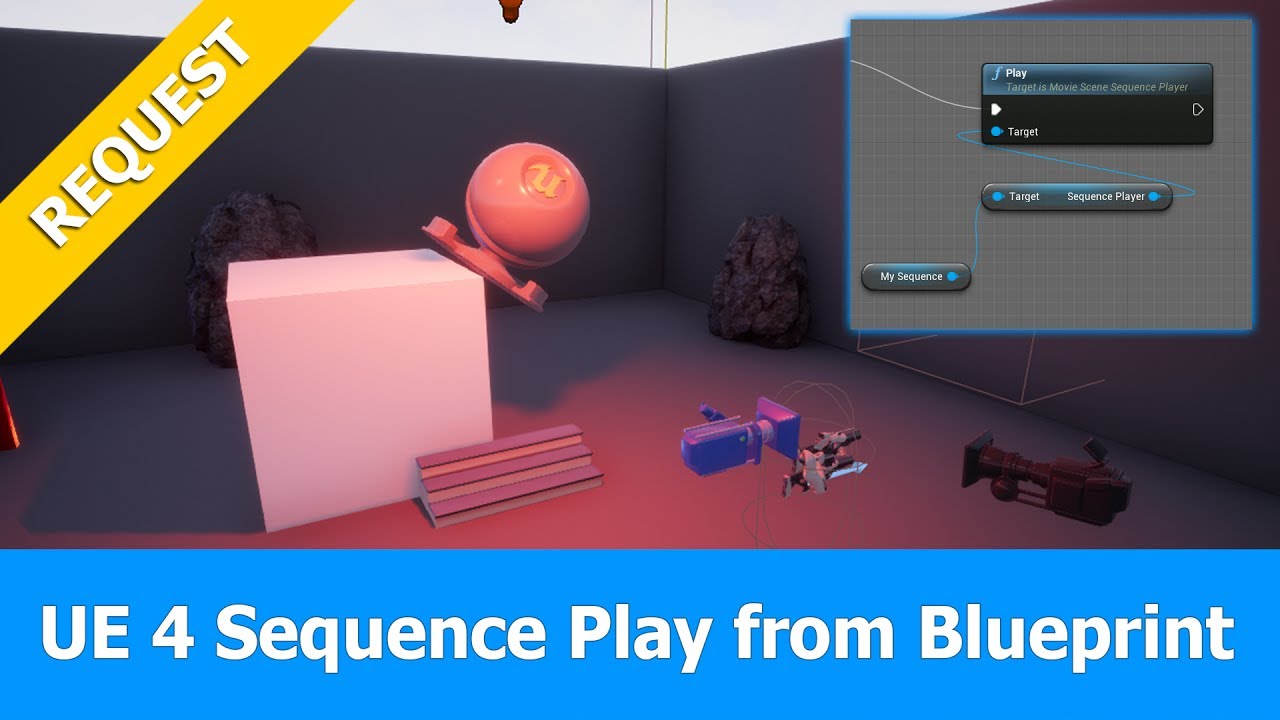
In this Unreal Engine 4 (UE 4.15) tutorial about the UE4 sequencer I answer a request on how to start a sequence dynamically from a blueprint that was record...
plush yew
just stick with the latest version that has matinee then i would say
cerulean sundial
y I will :/
Its been 6 hours since I try to make this matinee work with widget and I am unable to..
it seems so easy yet so hard lol
all i need to do is 1 thing to activate that matinee, and I am unable to..
plush yew
its probably something stupidly simple like always lol
cerulean sundial
I feel like I will never do it
abstract relic
Look into Blueprint Interface
cerulean sundial
what do you mean?
abstract relic
Blueprints that declare functions to define an interface between Blueprints.
plush yew
can you animate cloth btw? scaling or moving the bones for example?
 spice canopy
I think i saw a guide video on youtube about how to go from mantinee to sequencer...
plush yew
well it certainly had a good run 🙂
cerulean sundial
I am basically just doing like moving door aside
and matinee is very easy to do so
but now I just cant get it play with my widget..
abstract relic
Matinee can burn into obscurity 😜
abstract relic
You’re not going to get much pity if you bemoan about lack of solutions after solutions have been given
cerulean sundial
What solution?
abstract relic
 cerulean sundial
Why the fk u act like that guy who knows everything and think he is better than everyone else >\
I looked into that link I basically couldnt find the answer
and yet u act like u act
u seem to me like a person that likes to make drama
plush yew
boi..
abstract relic
No need to act like a child. Put a little more work into it eh? 😜 https://m.youtube.com/results?search_query=Unreal+blueprint+interface
Enjoy the videos and music you love, upload original content, and share it all with friends, family, and the world on YouTube.
cerulean sundial
I know what blueprint is, Im telling u, I have been trying to do it for 6 hours, tried doing different blueprints, but was unable to
And I am not the one acting like a child
abstract relic
We’re not talking about blueprints. It’s an interface method
plush yew
"blueprint interface" and ""blueprint" are different things
abstract relic
Take a break then. Absolutely nothing will get done if you’re bashing your head here.
plush yew
its always something simple with problems like this
its hard to find info about cloth that is not about character clothing
cerulean sundial
I only seen cloth animating in 3ds max
plush yew
its in the engine

Creating cloth simulations has become very easy in Unreal Engine 4. In this video, I show you how to set up a cloth simulation for a simple flag. Topics cove...
plush yew
Anyone here use epic games?
I use an external hard drive but I unplugged it and I don’t know how to get my games and unreal engine back on the app.
next badger
"use epic games"...launcher?
cerulean sundial
@abstract relic went thru the documenation and like 15 videos, I cannot seem to find solution of how I can use this blueprint interface with my widget made in UMG to open a door for example, are you sure this is how to interact my widget with level blueprint in order to play matinee?
plush yew
Yes epic games launcher.
next badger
if you added engines and projects back to their own place just restart the launcher
meager copper
@cerulean sundial what exactly is the problem? you have a widget with a text box and a submit button. you have an event on that that checks the content. and then if correct you play the matinee animation right?
where does it stop?
cerulean sundial
@meager copper I have just done it!!!!!!! I cant believe haha, thanks alot everyone for help!
Bascially after one of my widgets checked for the right answer and it was right, widget was being close and message was displayed, I wanted to have it play matinee aswell and I didnt know how to do it
I have just found soultion, I made dispatcher in the widget and in level blueprint I just binded it to the custom event so that it had true value ( it changed to true when I answered the question correctly) and that it how I was able to make matinee play
took like 7 hours to figure it out, but I made it !
meager copper
congratz
cerulean sundial
Thanks! :)
 warped tangle
looooooool Mathew, I was wondering when somebody was going to have a coronary
grim ore
not hating on you just annoyed you ended up using level bp and matinee somehow 😦
like matinee hasnt been main for 3 years at this point and using level blueprint for oh... matinee.. yeah.. ok well matinee is the old person rocking themselves on the porch while sequencer is the young person doing donuts on his front lawn
warped tangle
LOL
grim ore
my Intro to UE4 series was 6/20/16 and it covered sequencer so..... 🙂
warped tangle
Look at you all cutting edge and whatnot
grim ore
I was literally using the version it was introduced in so I said why not, no reason to use matinee at that point lol
warped tangle
Lol, I never used Matinee, started with sequencer, saw (Legacy) next to everything Matinee and said well that's not worth my time lol
next badger
never used sequencer as well, until several months ago...i wish i still not
not hte best tool in ue4
 fossil ore
Any clue why UE4.23 has different background when I preview material?
It makes unintentionally material darker
warped tangle
go to the....scene preview window? should be a tab next to the detail window
there is a place to adjust the skylight and directional light settings
oh wait that's a material instance.....not sure if you can on that
next badger
@fossil ore ue4 has settings for preview scene
warped tangle
damn super close off the top of my head lol
fossil ore
Thanks!
 supple totem
Hi folks. Where can I go to get an interesting daily dose of ue4 related articles?
warped tangle
Scroll back to about ~2:00AM on these channels if you're looking for comedy
fierce tulip
https://80.lv for general dev stuff

80 LEVEL is an industry-leading platform for game developers, digital artists, animators, video game enthusiasts, CGI and VFX specialists. Join us to learn about new workflows, discuss new tools and share your work
supple totem
Cool, thanks
cerulean sundial
matinee is alot easier than sequencer and time saver
so I dont know why wouldnt I use it
grim ore
Is it easier than sequencer because it is easier or because you know one better than the other?
also like mentioned before at some point matinee will be removed completely so you will end up not being able to use future versions of the engine if you want to use matinee or having to learn Sequencer. This is all assuming you will be using this in the future and it's not a one off then yeah it doesn't matter what you do now.
wow anyone else see this tweet? https://twitter.com/geordiemhall/status/1180798554979196928 Blueprint Wire Lovin
plush yew
'can't open this project as it was made with a NEWER version of the engine' wtf is this bug
oh I think maybe the editor version on my taskbar was old
marsh swallow
This was the Motion Blur issue i was talking about the other day. I have no Motion blur on Level Post Processes, on the camera/postprocess and disabled in the Project Settings.
grim ore
Do you mean the shimmering behind the player when the camera is moved?
IF you do there is a good chance that is TXAA causing that issue
marsh swallow
@grim ore If you look her hair has a red trail when moving back and forth
plush yew
@plush yew you can open with a different version, theres an option to show all (so also incompatible) versions
grim ore
yes, did you try disabling TAA in the options
marsh swallow
its almost like motion blur but i guess its kinda shimmery
no! i have not.
let me try
grim ore
disable anti aliasing completely then test
marsh swallow
Project Settings -> Anti-Alias Method -> None?
grim ore
yes assuming you have not also changed it in any post process volumes
which I don't think you can so should be good there lol, I know you can change it with console commands but I doubt you did that
marsh swallow
thats seems to have fixed it
idk if my eyes are still bugging out looking for it 😂
its like i see it just a very very slight bit but im running at 60 fps so maybe its just looking at a monitor all day
oh hey you have video on what it is
grim ore
It's a normal artifact from TXAA unfortunately, there are ways of making it less obvious but it's just one of those things TXAA is not good at doing
marsh swallow
what is the effects of not using it
grim ore
jaggies
you can try one of the other AA methods, it might suit your game better for example
marsh swallow
these are things i have never really played with even in gaming a lot. lol
ohhh okay
meager copper
game instance is not reloaded with default variable values when you load level right? trying to remember stuff across levels and it resets even on game instance
marsh swallow
FXAA seems to actually be working very well
grim ore
Game Instance is persistent during game play yeppers, initialized on start and destroyed on exit
meager copper
hmm.. then i dont see where my score and lives are getting reset 😦
grim ore
are you using settter and getting functions/events in the GI or just variables and setting it directly?
if using custom stuff break point them and see what happens. If not uhm if this is a blueprint project use the find in blueprints window and search for that variable and find all the places it is being set, you might be doing it on player load for example or something that you didnt realize
meager copper
i have a function that uses the getter and setter and then i update the ui
grim ore
so when is that function called?
meager copper
when targets are killed
when all targets are dead, new level is loaded with new targets
grim ore
so you are passing in a value to the UpdateHud which is part of the game instance, what do you do with that in the game instance?
meager copper
ah i think maybe it is because the hud is recreated when the level is loaded. should I be reusing that?
grim ore
well if this is passed into the game instance as a new value, something to be added to your score, and your score is being saved in the game instance it should be fine.
so I cant see the code in your game instance itself but if its just adding or subtracting it should be fine, if you are setting it from somewhere else then yep you might be overwriting it
meager copper
ah the problem was the hud. GI was remembering the values, but since I didnt use the value binding on the hud, i need to refresh the hud after I load new level since level loads it's own HUD widget. Would you say that i should be reusing the hud, moving it out of the level? and also.. is the old hud actually removed or am i creating more and more huds?!
grim ore
I would use a new hud between each level but that is myself. You can remove your main hud widget to destroy itself and children and make a new one on level load if you are worried.
it just depends on how you remove it
meager copper
i dont remove the hud. i load the same level again
 meager copper
which destroys everything but the GI?
grim ore
you should be fine then, if you are worried before you call level load remove the widget from the viewport and set it's reference to nothing to be safe.
meager copper
not worried in this case. trying to learn best practise
grim ore
I assume on level load you are creating one which is where this came from
meager copper
yes
grim ore
best practice would be to keep track and be responsible for anything you do. balance. So for every create there should be a destroy for example.
meager copper
hud is in beginplay of level BP. so I added a call to game instance to trigger refresh of hud values to fix my issue, but wondering if this is the right approach
grim ore
it sounds right, as far as I know in my experience UMG WIDGETS should not persist
meager copper
i have some other widgets that are pop up messages. I "remove from parent" to remove them. is this sufficient or should I do more to clean up?
grim ore
using level BP might not be the best place to keep this stuff tho as it's not re usable and you can't get back to the level bp from other bp
 mossy nymph
it also scales badly
its fine when you have 10 actors jumping around level BP, but 50? problem 500? nightmare
grim ore
remove from parent "should" be fine if you don't keep track of them but keeping reference to stuff is what keeps it from going away. removing from the parent still keeps the widget object loaded in memory if you are using a variable to keep track of it
meager copper
ah. automatic garbage collection style on that
grim ore
if you are re using widgets tho, like an in game menu or stuff, making it then keeping a reference and just show/hiding it during game play would be good.
yep the GC won't GC if you don't let it 🙂
meager copper
i would not like to put "everything" in the game instance though
grim ore
the GI shouldn't be a catch all, it's bad programming if you are
but if you need persistent stuff to persist that is what it is for
meager copper
keeping the HUD in the level makes sense since it is only when that level is loaded i want that hud, for start and game over levels, it should not be shown.
grim ore
it does if you put it that way but if you say had 3 different levels then you would have to copy/paste that code between 3 levels
then a 4th.. and a 5th...
then oops a bug I need to go back and fix it but did i fix it in all 5?
meager copper
true
grim ore
if you kept all the UI/HUD code in a single actor BP that you could drag/drop into a level it would keep it contained and re usable
grim ore
sure, the level BP is not visual
but where to put stuff would depend on what. for example a player HUD/UI I would put in the player because player, something not related to the player? depends on what it is and how complicated and if I want to re use it blah blah
like a score might be part of the player if it's unique to him so putting that ui element in the player to manage might make sense.
meager copper
but i destroy the player pawn on death and then wait a bit before reload
or did u not mean the pawn?
meager copper
hm.. so the hud goes away while waiting for respawn. maybe that works
grim ore
you can use the level bp and game instance and game mode and hud class and actors and players and just do it like you are and it might work and it might be right 🙂
we are just pointing out the level BP itself is one of those things that in the end might not be the best due to it's limitations. It really really really should disappear but it's a legacy thing
it's super simple to use and get started with but it becomes a crutch at some point and that is when people hit a brick wall, such as when trying to actually talk back to it if you need to set or call something in it
heck there is a HUD class itself that is created with the level that might be a good place to handle the HUD code lol, I know i tend to use it for random non player stuff since it's easy to make a new one for each level if needed and you can talk to it from anywhere
meager copper
hmm. begin play creating the widget actually created duplucate widgets on respawn
and a doonce there also didnt work since that is recreated.. so hud on pawn seems bad?
grim ore
Begin Play -> create widget seems to only create one on begin play in the level BP here
if you are respawning a player yeah redoing the create is bad
meager copper
yes in the level bp, but not in the player pawn
grim ore
if you remove it then de reference it you would be fine
meager copper
maybe destroy player pawn on death is wrong/lazy way to deal with death?
grim ore
maybe, maybe not, it just depends on the game
it's an easy way to reset everything lol
when it's destroyed if you want this just remove the widget from the viewport when you destroy it and then de reference it if it's set and you should be fine when you make a new one
meager copper
so dereference would be to call SET without any input? I wasn't storing it before, but it was still remembered, ill store it now and call remove from parent on it.
on player death
grim ore
yep so the cycle should be create -> set variable -> add to whatever
and the opposite would be remove from parent -> set variable to nothing (dont select anything) , profit
meager copper
kinda worked, except: The widget 'UI_HUD_C' was already added to the screen. warnings
grim ore
there is some time the widget persists in memory tho before the GC hits it so don't use the debugger to determine if it worked or not lol
shouldnt be any warnings
grim ore
yeah doesnt make sense to get a "already added" when you are not adding it
meager copper
i am adding it each time the player respawns
but i am also removing it when he dies
yea i think i like it best in level. got confusing in the pawn
that said. in a different engine or self made I would have a player class persistent through the game outside of the pawn. is there no pattern for this here except the player controller?
 tribal frigate
which one of these are good for game dev? or are both acceptable.
ASUS USA
totally could use the 49 in ue4
 dry moon
the super ultra wide one
tribal frigate
I like that 34" but I don't want to be disappointed with work space if I'm going from a 27" to a 34"
But that 49" is only 1080p.
manic pawn
the left is better
tribal frigate
Is 1080P ok even if you're wanting to work with updated graphics or even ray tracing?
regal mulch
Would also if at all go for the left
manic pawn
I have the pg348q and it's epic
regal mulch
What does that thing cost?
tribal frigate
The super wide is $50 more
 !)
tribal frigate
!)
tribal frigate
$840ish for the pg34
regal mulch
Right :P I'll stick with my 3 screens that cost less than that one
tribal frigate
What do you use
regal mulch
We have the Dell P2418D in our office, 3 times per desk
tribal frigate
I figured I'd try to go with a wide screen so it's less cord hassle Instead of multiple monitors
regal mulch
Sure, not saying you shouldn't if you can afford it
manic pawn
that dell is only 60hz 
tribal frigate
That super wide is probably the highest I am willing to go Price wise
regal mulch
No one here in the office needs more than 60hz
We are programmers, not wannabe progamers
tribal frigate
ah
manic pawn
I only have one pc so it's gotta be useful for both unreal and gaming lol
regal mulch
Fair
regal mulch
Yeah I just bought that for a small build server
tribal frigate
Well my main concern was working with games and curious about whether or not the resolution really mattered all that much for a monitor between 1080P and 1440
regal mulch
It's the 12 core 24 thread one right?
tribal frigate
I have a 27" 4K but I run it in 2k
manic pawn
it's also not completely insane like 4k, which is impossible to play modern games on
regal mulch
The Dells here are 2560x1440. It was a nice +1 after having used 1080
Didn't wanna go for 4k for office screens
(+ I'm already zooming into the code in VS >.>)
manic pawn
I have the 3440x1440 100hz one and a second 2560x1440 75hz
tribal frigate
Yeah I didn't know how big 4K was until I bought it and then I regretted buying it
manic pawn
they are 34" and 27"
about the perfect size to use 1440p with 100% scaling
so no blurry ui
regal mulch
Yeah I thought about 27", but there was something against it when we bought all the screens, can't recall.
Might have been the general price of that versus what we took that wasn't worth it.
regal mulch
True, we have them on a monitor mount atm and they take the whole desk
manic pawn
constantly having to turn head left/right 90 degrees to look at all the screens
regal mulch
But yeah, if you want one of the two from the page you posted, take the left one
@manic pawn Isn't the 34" 144hz?
manic pawn
it's 100
regal mulch
DisplayPort only though. HDMI is 144
manic pawn
can't run any game at 3440x1440 144hz anyway
regal mulch
tribal frigate
I found one that is 120hz pg34
regal mulch
@stiff spoke #multiplayer
manic pawn
that says 60hz for hdmi
regal mulch
Ah wait
stiff spoke
OK
regal mulch
You are right, I now see the K
tribal frigate
Asus ROG Swift PG349Q 34" Curved G-Sync Gaming Monitor 120Hz 3440 X 1440 IPS with Eye Care Aura Sync DP HDMI https://www.amazon.com/dp/B07TMHV2L7/ref=cm_sw_r_cp_apa_i_ejJMDb7VWMRX1
regal mulch
I honestly have no idea. The only friend I have that actively pays attention to that only plays with 144hz
manic pawn
that's the new version of this monitor
tribal frigate
yea
manic pawn
they released it like 2 years after mine
if you can get that instead, get it
it's objectively better
tribal frigate
word
 uncut osprey
I'm getting lots of jittery menus in the editor, drop down menus mainly (like File), but also warning messages
It's now at the point where I can't select a variable type. Any ideas how to fix it?
 weary basalt
@uncut osprey Does it only happen to drop down menus that hit the edge of the screen?
uncut osprey
Nope, happens in all the menubar menus, and many/all drop-down widgets
weary basalt
Mmm
Happens to my Editor with drop downs that are to large and hit the edge of the Screen.
I usually resize my editor so that it doesnt hit the edge and then i can select an option
uncut osprey
I see. I gave that a try but no dice
weary basalt
Doesnt happen very often though. Its also been an issue for me since like 4.14 and im guessing its most likely a hardware issue.
uncut osprey
oh wow
weary basalt
Ive come across no one else that has the same problem as me so 🤷 lol
uncut osprey
Huh... I thought I had sufficiently googled days ago, but looks like I sufficiently failed
Yup.. it was "Enable Window Animations" in Editor Preferences
Forgot I had turned that on when toying around
 azure shore
hey why is my first person camera able to clip through walls even with a spring arm that has collision
uncut osprey
Turning it off fixed the problem
azure shore
I think walls block the camera mainly but since the camera is attached to the head of an animated mesh you can like crouch and look down and the camera goes through the wall
idk what to do about it
 serene sorrel
@azure shore maybe your "near clip" plane is too far? but if you havent touched it , unlikely
azure shore
do you think its entirely caused by the mesh putting it through maybe?
serene sorrel
the easiest way to solve it, would be to have the camera well within the collision capsule, so that it never peeks inside a wall
azure shore
yeah, I tried even making the radius of the capsule bigger but some of the animations when looking down shove the camera right through the wall
at this rate would you recommend making a whole seperate animation set for the mesh to use whilst in first person
or not having the camera attached to mesh, and controlling it entirely through timelines?
serene sorrel
so you can switch third/first ?
azure shore
yeah
serene sorrel
im dealing with the same problem as i have a third person mesh being animated just for shadowing in the game, but also because if it ends up multiplayer you need it anyhow
and yes i found no suitable way to avoid having separate first person animation and mesh
azure shore
I think it does seem unusual to have first person camera attached to mesh though, feels like a lazy way to animate camera movement
serene sorrel
you usually attach your first person arms/weapons/whatever as a child of the first person camera
serene sorrel
as for "animating" the first person camera, well you need separate ones than third person
azure shore
yeah
serene sorrel
the user pretty much wants total control over camera in first person, only gun recoil and things like that really "animate" it
azure shore
I realise all Ill actually need is a transition for the crouch
azure shore
yeah, would be good
oh! this way I can probably have weapon sway working better too!
serene sorrel
you can get away with the third person stuff looking less good than people expect the first person stuff to look
the FP stuff people expect a certain smoothness and quickness to it, even if its unrealistic in third person
azure shore
yeah, it focuses on first person, third person mode seems like an extra that wont be used much
serene sorrel
like people want your arms to really move when running in third person, in first person it looks not what you expect
plush yew
with third person you can look around corners, i kindof hate that
serene sorrel
i only have third person for myself in debugging, it is a difficult problem to deal with its camera really, for what im doing anyhow
plush yew
in multiplayer there should be an option to force first person
serene sorrel
yeah, like in rust for instance, third person is game breaking
plush yew
did they add third person lol?
azure shore
yeah, I know people have used things like third person taunts to look around corners in some games lol
serene sorrel
you are in your base, switch to third person, you can see outside it
plush yew
i didnt even know rust had third person
serene sorrel
it doesnt
thats my point, they have major problems with camera clipping regardless showing you things you shouldnt
plush yew
no any third person allows you to look around cameras
serene sorrel
in third person it would be even more abused
serene sorrel
naw, im saying if rust had a third person, youd be able to sit inside your base and look outside it
glitching style
plush yew
i would not be surprised if they secretly sell the cheats themselves or something tbh
the quality is nuts lol, people show them on youtube
serene sorrel
yeah full debug menus and cameras
plush yew
supply and demand i guess
serene sorrel
the game is full of cheaters, ruins the fun but not much you can do about it except move to cloud gaming
plush yew
its a popular game and lots of idiots pay monthly for those cheats
plush yew
i know i havent played rust in months now lol
serene sorrel
50/mo type situation
plush yew
they dont really do much effort to get cheats removed anyway
they just keep adding more and more junk that ruins the game and makes it better for giant clans
serene sorrel
well they do something, but its a problem facing all popular games, im sure Ark (unreal engine game) is full of them too
some of the modded servers are way better at removing cheaters
they have automatic banning of people with low hour accounts and high stats, things like that
plush yew
you can detect some stuff yourself
(i guess facepunch cannot since they dont add detection)
serene sorrel
better aimbot and recoil detectors than main servers
plush yew
not worth the time tbh lol
serene sorrel
the modded servers like Rusty, dont really care if they ban someone and they arent hacking as much as facepunch might, they may face a lawsuit/legal problems then? donno
id rather have a pro banning policy than a pro hacker policy any day of the week
plush yew
i dunno it just seems like its not made very well tbh lol
serene sorrel
nah its not, its unity
plush yew
they have so many recurring problems and whatnot
serene sorrel
game takes like 5 minutes to load
plush yew
even broken releases in teh apst lol
which means they release untested stuff to the public
serene sorrel
it is odd their release schedule, mainly in regard to how quickly they push out gameplay changes that could completely ruin the game
they are about to add cars, and it will just be something new to contend with
plush yew
its already ruined and people keep playing
it doesnt matter what they do
the only way to play this now is have a giant group
unless you wanna be killed constantly and achieve nothing lol
serene sorrel
yah we should probably stop talking so much about it in this ue channel anyhow 😛
 summer elk
I started to get weird results on shader complexity view in 4.23...
It doesn't show transparent polys on trees as red redraw and doesnt show simple shaders at all like ground
Anyone had the same?
 sacred sun
yeah it's broke.
summer elk
Few, good, at least it's not something on me
sacred sun
the parts of masked materials under the clip value arent showing up for me either. idk about the checkered meshes though haven't seen that issue, whats your material look like.
summer elk
The material is relatively simple lit shader, on 4.21 it was displaying good green
sacred sun
hmm odd that isn't happening for me yet. i wonder if its broke in more ways than one
 halcyon adder
hi i need a help with something
sacred sun
you may want to see if you can reproduce in a new project and submit a bug report. I submitted one on the masked material issue but not on the checkered mesh thing.
halcyon adder
i want to add a child widgets in a main widget that appear with a buttons i did it but when i double click on the bottom the child widget appear again and again
i'm newbie btw
grim ore
button click -> create widget -> add to viewport
repeat
over and over
sooooooooo it's doing what you tell it to do lol 🙂
you are 90% of the way there atleast since you are saving a reference to the widget when you create it using your set XXX nodes
before you create your widget do an "Is Valid" check, this will see if the object is valid or in this case created and exists
so button click -> is valid (the widget for this button click) -> if it is, display it and if it's not, create it and display it
in this case I think "display it" will be changing it's visibility to visible since I am guessing you hide it at other times
halcyon adder
that make sense thank you i'll try it
grim ore
this is an example of what it might look like for one of the buttons https://i.imgur.com/fqbj5OW.png
assuming you are just setting the visibility of the widgets and not destroying them this should work
halcyon adder
i'll try that thanks for your help it's just better then working in the same widget i think
 sturdy apex
Is it possible to install marketplace items into a project folder other than the 'Content' folder? Or is there any potential problems if I were to just make a new folder alongside Content and migrate all my downloaded assets into it? I could have sworn I read somewhere a while ago that this can mess things up, but maybe it has been fixed since then?
grim ore
inside the project?
sturdy apex
Yeah, but I want to exclude them from the Content folder
grim ore
well the content folder is the project, if you mean the original files you can put them side by side for like source control but they won't be considered in the project if they are not under the content folder
sturdy apex
So it is not possible to have a folder show up in the content browser 'alongside' the base Content folder?
after rereading your answer I think the answer to my last question is a definite yes.
Should there be any problems with creating a folder under Content and call it MarketplaceDownloads or something along those lines, then start migrating all current and future installed Vault items into that new folder? My intent is to exclude Vault items from my backups, since I can likely just redownload them again if needed.
 dark depot
i wouldnt keep the vault in your project folder at all you are better off having a second project that you add them to and then migrate what is needed or your going to end up content you dont need in your game
sturdy apex
Thanks guys, I will move over to the source control channel from here.
 normal narwhal
not sure this is best channel, but has anyone worked with Unity recently in addition to UE4? I'm starting to dive back in after a year and a half or so of not using it and it seems to run waay slower then I remember. I have a 1070 laptop with 32gb ram and UE4 has been running super well on it.. but every time I make a change in shader graph or just try to run play in editor mode theres seconds of lag
I always see on forums, etc, people saying how Unity editor runs better than UE4 on less powerful devices but has not been my experience last few days
halcyon adder
Unity games are trach there is no way to compare "my opinion" but i think something wrong with your game save it and restart your project
a help from a newbie lmao
grim ore
The Unity Editor is in a state of fluxx right now, it's been getting more "heavy" so yes there is lag time between play and playing due to just the new compiling systems they are using and such. The future with DOTS and the new compilers they are building and such are trying to bring it back more into instant play times. the editor itself is lighter so things tend to run better on lower devices but the difference between UE4 and Unity has become less and less in terms of an editor performance gap in the last year.
plush yew
whoever made the procedural foliage pack that went free last month doesnt know what theyre doing if this error shows up on my pc
 loud knoll
Unreal gives you more for free in the standard package, Unity has more plugins and content but using that puts your entire project at risk if you do not know how to fix any bugs that come with the plugins. If you are placing your bets on development talent Epic has the best the world has to offer, and a great leader that understands the tech, so that was what drove my decision to switch over to Unreal for my own projects.
plush yew
If you can somehow make a Radeon VII run out of video memory you are doing something wrong
 leaden mauve
Isn't the editor mainly using CPU?
plush yew
¯_(ツ)_/¯
It doesnt matter to me because I have a 16 thread cpu
I shouldnt be having issues opening maps on my pc
 spiral island
That depends, if the code that loads your map is single threaded then having all those threads won’t help
plush yew
could anyone provide some stylized texture or stylized texture pack? thanks in advance
landscape texture
 merry blade
Does UE4 support voxel based games similar to minecraft?
abstract relic
There’s a stylized showcase free on the marketplace if I recall RV
Yes, voxels are possible on ue4. Look into Voxel plugin by phy https://voxelplugin.com

voxel plugin™
Create infinite terrains procedurally using in-engine tools. Edit landscapes in realtime. Join an active community and benefit from frequent updates!
 jade hawk
So... Here's question for everyone. Really making me scratch my head or rather smash it off a wall repeatedly...
Suddenly out of the blue unreal stopped packaging projects. Like it worked 1 min then after playing the test build I went to make some changes in the blueprints. Nothing major just hiding a texture on pause.
Went back to build again again and it no longer will package config files.
Assumed it was my changes rolled them back. Still won't package config files.
Needless to say I tried everything I could think of and followed every piece of advice I could find to fix it in unreal. Nodda.
So I think back and remember windows updates happened that morning. Go and see what's up. Files all appear to be in read only state. Guess maybe the engine can't pull them in read only. They won't come out of read only... Ok weird.follow tons of guides provided by Microsoft advisors team. At the end suggested I reinstall.
Created a windows image using their software.
Wiped Windows 10 main drive. Left additional drives full of backup data. Fresh install Visual studio and all other unreal stuff.
Learn that VS 16.3 which you were forced to get on install now completely breaks compiling the engine, and you need to use 14.22.27905 or it will never compile. That one was a solid 6 hours to figure out ffs.
Error still happens.....
OK wtf thinking in the most outrageous terms.. Maybe additional drives were somehow messing with the new install.
Remove all backup drives. Fresh install again... Install and build everything again.
Problem still there.
Happens with any version of unreal in any project old or new template or new blank project. Used official launcher version as well as repo versions which I normally work with.
And ideas...
plush yew
for a start, what's the error
jade hawk
Staging config files.
Excluding cofig files.
I'll have a new screen in a min I'm between installs.
plush yew
probably cant help but i used to do support for some ISP and when i read error and don't read the actual error i trigger and can't help myself :-p
jade hawk
Yeah I had a screen grab but I forgot to pull it off to backup before this reinstall.
plush yew
did it say anything specific?
jade hawk
 plush yew
what line?
jade hawk
Line 272 on
summer elk
Well looks like Shader Complexity view is definetly broken in 4.23 lol
jade hawk
I have been messing with those to hit 90fps on an amd 290.... Garbage card for VR lol
It was successfully built 5 - 10 mins before that without issue.
The only change made between builds was 4 nodes to hide hand mesh in my oculus home checks.
merry blade
@abstract relic When I said voxel I was thinking more of minecraft graphics of voxel, But I can't find any voxel software that I can rig and animate the character, animals, monster and such with.
jade hawk
Well I'm at 89.5 and they won't pass me. It's my last red X on submission sooo... Yeah not a fan of that card atm lmao
jade hawk
That's not an issue though until I can build out the project again lmao
I can um 1 sec I have a backup of the logs on my other drive.
plush yew
i just mean did you look at them yourself lol
i doubt there more in there but its not much effort to just check and make sure i guess 🙂
jade hawk
Yes for what that is worth. I am good in blueprints but still weak in cpp
plush yew
i'm pretty bad at both tbh lol
jade hawk
The built out games are playable. Even though the config are excluded.
I just happen to need a small bit of code in the game cofig for Oculus checks.
leaden mauve
You're not alone @plush yew - #MeToo 😂
plush yew
@jade hawk this might help if all else fails, seems like it might be a similar issue: https://answers.unrealengine.com/questions/814028/no-exe-when-packaging-but-no-error-either.html
merry blade
Anyone know any software I could use to make voxel characters?
jade hawk
One we have used before is called voxedit
I have no anti virus. Windows defender disabled. Fresh install engine from launcher. New project with nothing modified.
Same error.
This is all on a fresh windows install. Using a full msvs deployment.
jade hawk
Yes I am stupid about backups. I have 2-3 per day going back to day 1 lol
plush yew
he said he literally made a new project, then copypasted everything over, just read the solution
jade hawk
Yeah but the fresh project won't even build with nothing modified in it
plush yew
obviously before you do this just make sure you got a good backup of the original project
oh thats odd lol
jade hawk
Yeah. No matter what it will aways exclude config files.
plush yew
and you didnt update versions or anything?
jade hawk
When it in actually happened. No I was using the same exact set up and same frontend profile as I did 10 mins prior.
Since then yes I have been forced to the new version is msvs 2019.
Everything else is the same version.
 grave osprey
Would anyone happen to know a possible reason why my character movement suddenly stopped working? I didn't touch it at all but it doesn't work all of a sudden. Anything I could have modified that would have affected it?
merry blade
Anyone know any software I could use to make voxel related stuff?
plush yew
any blueprint classes in the BP which you maybe changed and recompiled?
jade hawk
Have you looked at voxedit
plush yew
sometimes it does not show this at all for me until i restart the engine
then it shows the nodes marked red which can be helpful
grave osprey
hmmm I was working on attaching a socket to an armature right before the problem started happening
But I didn't make any changes to the anim BP
this is what my BP looks like
 blissful trail


 plush yew
could anyone provide some stylized texture or stylized texture pack? thanks in advance
landscape texture
Does the number of files you add to your project effect the actual exectutable's performance?
I can't decide on material packs to use so I'm importing 3 but I'm unsure if I'll need to delete the ones I don't use before long. I'm trying to make it run as smoothly as possible as it's a VR project
normal narwhal
@grim ore Thanks- that's helpful context. And @halcyon adder- I'm running into this starting with a blank project and just starting a shader graph from scratch, just like you would an empty material with no nodes. Just connecting one simple color node to master node has a lot of lag, or just scrolling around the graph. Anyway- I know this isn't unity discord and will post there too, was more just curious to hear from folks who've worked with both editors if theyve noticed same thing
I would stick with UE4 but this is for a client project and theyve already started with unity
 snow thorn
@normal narwhal i can confirm this massive lag in latest final versions of unity and it's gotten worse. it's unbearable to be honest
this among many other things made me switch to unreal once and for all because i need an engine that reduces my workload and not adds to it
i just did a small game jam and we used unity because my partner only knew unity... but i was the coder and it drove me mad. iteration times are around 15 seconds to enter playmode even if the project is mostly blank
somehow unity did manage to also make maximizing any viewport tab now freeze for around 5 seconds for no reason. it used to be instant and i don't see why that would have changed as it does still the same
i actually liked unity but it's pretty much fubar right now 😁 my small game jam hack was fun but not because of unity which is really sad somehow
plush yew
sounds like something was up with your machine or unity tbh :-p
not a unity fan but i never really had any of those problems
snow thorn
i doubt it. i used unity for about 8 years and performance went down while pc upgrades should make things faster 😁
I'd love to hear about that magic switch that makes using Unity fun again, seriously
however unity technologies themselves acknowledged this problem in one of their key notes. i think it was in last year's one
spiral island
When I load my scene on my laptop, none of the shadows draw
now it could be that my laptop is just garbage and doesn't support shadows of any kind, but I actually do have shadows in this scene
I have the different lighting components enabled
 tepid veldt
Is there any chance I can get a unreal project file from my exe. File
I packaged my project in exe. And now I don't find my unreal file
Can anyone help
Please
tepid veldt
It was in my teammates pc and he lost it
 chrome cedar
hey 🙂 I´m a beginner with ue4 and I´m trying to get used to the "paint" option. I finally figured out how it works with a blend material from quixel today but the results aren´t rlly precise. I figured out that the more points my mesh has the more precise the painting will be which is obvious I guess cause it´s vertex paint?! so if I increase the number of vertices on my mesh I can paint more precisely but that shouldn´t be the way to do it I guess cause the goal should be to not increase the polycount of a mesh when it´s not necessary. so what am I doing wrong? thanks a lot in advance for your help!
 thin tendon
I'm having an issue with AI and sensing my player is this the right place to ask for help?
thin tendon
thanks
normal narwhal
@snow thorn- wow - its at least good to know you're experience same issues. I'd def put my experience in "unbearable" category as well... ill try some older versions and see if that helps any..
 sudden agate
yes or any other 3D Tool
plush yew
which one is the most used?
plush yew
maya - 3dsMax - blender
 cloud cobalt
Maya is def the biggest one
If you're new to this, there is no reason not to pick Blender, though
mossy nymph
maya licences aren't cheap
sudden agate
#ThanksAutodesk
cloud cobalt
And I mean, Blender is the one-stop art tool for indies. It does 3D modelling quite well, largely on par with others, but it also does crazy stuff like having a decent video editing suite built-in for your game trailers. That it's less great than Maya or Zbrush at animation or sculpting is true, but largely irrelevant for newbies
 gaunt raptor
is there really no way to export and entire maya scene and keep the pivots AND the position to ue4 ? I can center everything at origin - or i can export entire scene but the pivot is at center for all objects - is there no way to do both ?
sudden agate
Using Datasmith should work
gaunt raptor

Create stunning real-time visuals for architecture, product design and manufacturing. Unreal Studio drastically reduces iteration time through efficient transfer of CAD and 3ds Max data into Unreal Engine.
 tame delta
What's the cleanest way to build a library of actors/meshes/materials for reuse in different projects?
Just a random folder somewhere? Plugin?
sudden agate
I use a Plugin
fierce tulip
depends on usecase, but I have one project with all the vfx I made/purchased, catagorized them all in proper folders and use it as a kitbash project for when I am still at the blockout stage/concept stage and discussing with clients to see what they want.
regal mulch
Content Plugin might work, yeah
tame delta
Hmmm, it's a VR project so essentially I've got all my setup for input...etc and want to reuse that exact same thing in a bunch of different projects, if I went with the plugin, can I modify those core assets in any given project and have the changes propagate to all other projects?
regal mulch
Not really
sudden agate
I created a Plugin "Material Vault", which contains most of my Complex Materials and Functions. I just clicked "New Plugin" in the Plugin Browser and selected Content Plugin
regal mulch
You'd have to modify the original plugin
tame delta
I'm already piggy backing on the SteamVR plugin folder
gaunt raptor
datasmith seems to be 3ds max only and not maya - or am i missing something ?
regal mulch
We have that issue with one of our clients too
sudden agate
no, you can actually make an engine level-Plugin by just copying the Plugin to Engine/Plugins. Every Change in the Contents of the Plugin will propagate to all projects
regal mulch
They have templates for all their systems and projects (not gamedev directly)