#ue4-general
1 messages · Page 530 of 1
 rugged lake
I've even tried rebooting ue4
 static viper
i had a savegame that was loading itself over and over again...
and i forgot it was doing that on start...
rugged lake
huh, i haven't set up any sort of save game that i know of.. I've been working on a copy of coul caves - does that have a save game i don't know about?
*soul caves
 dim merlin
where's crowdcontrol then usable for?
dim merlin
hhm so, we're building a city building game, but we actually want individual humans in it
 wary wave
crowds are intended for cinematics and not much else
dim merlin
right, ok
static viper
use skeletal lods the
wary wave
if you want to make a city builder you are going to need to roll a completely custom solution
static viper
and you could also remove much of their behavior in distance
dim merlin
my opinion is i have to got for a basic pawn with skeletal mesh and implement a A * pathfinding logic
wary wave
things like pathfinding are going to be potentially complex problems
rugged lake
I'm sorry to keep needing help, but where/how would I find if I have saved game data in my scene so I can nuke it if it exists?
wary wave
200+ pawns with A* is probably not going to be an option
dim merlin
@wary wave hhm ok..
static viper
well it does work with 200
dim merlin
actually the only thing is setting positions, the entire pathfinding can be done in threads
static viper
but 200 is not a great number for an entire city
you prolly want something like 2000
any system will struggle under that
dim merlin
yeah, its kinda odd, i dont like to understand its impossible 😄
wary wave
a multi-threaded solution is most likely what you're going to need, yeah
it's not impossible, but you're going to need to write something - probably build your own navigation data etc
 gaunt raptor
has anyone come across any tutorials or proper documentation for the new destruction stuff in 4.23 ?
rugged lake
Or is there a way that i can "reset" my level while still keeping all of the placed geo/particles/collision/lighting?
wary wave
Dijkstra's algorithm is probably better in these cases than A*
rugged lake
Like create a new first person level and just drag all my assets into it to reset the cameras?
rugged lake
I suppose it's possible that i did? How would I be able to tell?
I'm sorry I'm so new to this, it's like my 2nd or 3rd day using unreal :x
 ripe saffron
so is your player in the scene or are you spawning him
rugged lake
I'm using Player Start trying to create a first person camera view of a scene... I started from the Epic Soul Caves demo and have been modifying it
so I think i'm spawning it, but i'm not entirely sure
ripe saffron
is there a player in the scene or only a player start ?
rugged lake
I just noticed my latest attempt at deleting and recreating the player start has a BAD SIZE icon on it though so I've dragged it way above my scene and am rebuilding now
only a player start
ripe saffron
ok .. open your player blueprint ...and do you have a camera attached ?
or the camera is in the scene
rugged lake
I have a Camera Actor in the scene, and a CineCamerActor
I'm not entirely sure how to open the player blueprint :x
ripe saffron
right then... select camera in the scene and look at the components in the details panel
rugged lake
Okay, I'm looking at the details for the Camera Actor
(Also thank you thank you thank you for your help)
ripe saffron
not sure im helping yet lol ....the camera component(blue icon) transform should be 0 0 0 or close to 0 anyway
rugged lake
In the component section it says CameraActor13(Instance), and then SceneComponent(Inherited) > CameraComponent(Inherited) and that camera component has it's locations and rotations set to 0, and scale at 1
And you're likely to help me more than the last 4 hours i've spent google searching with no breakthroughs 🙂 fingers crossed
ripe saffron
hmmm... let me see if I have the soul cave demo... so I can see how they set up there camera
rugged lake
Thank you... I'll keep trying to explor this BAD size rabbithole 😕 moving the player start up and away from any collision doesn't seem to remove the warning at all
ripe saffron
bad size just usually means its inside a collision
rugged lake
Ah!! I figured it out!
I feel really silly
I'd imported in some of the photo realistic background mountain ranges and they imported by default with collision
and i think the collision was occlusing my entire scene, but it was so huge i couldn't tell
omgggggg wow.
ripe saffron
🙂
rugged lake
Now to try to figure out why my particles have stopped playing while i'm not in "Play" mode XD
 woven cliff
I’m working on the VR template and adding collision to it, but whenever i start play the capsule is set to the default oculus rift setup location " the setup of oculus app" i want the capsul to show up at hmd location and always follow the hmd , is that possible ?
i saw that in the vr expansion plugin and i wanna re create that collision in blueprint without the plugin, Thanks!
 glacial pecan
@woven cliff put the collision component under the hmd in the tree
woven cliff
@@glacial pecan But how will the collision stop hmd when i walk into something
 next badger
@woven cliff it's better not to affect HMD by the collision, generally people advice to fade in black inside walls
also #virtual-reality
dim merlin
so how would it be possible to have thousands of skeletal meshes in scene (without being rendered) without huge perf losts?
dim merlin
not really getting a better fps with that, even though i need tick enabled i quess
wary wave
you'll need some kind of skeletal mesh instancing
UE4 only really has limited forms of this, but Intel did a demo if you're on PC only that has a basic implementation of skeletal mesh instancing
but it's as basic as the UE4 crowd system because it was used with particles
it's a much better starting place if you want to roll your own though, IIRC
dim merlin
i couldnt find much info about crowd system, got any link @wary wave ?
wary wave
bah, can't find a link to the Intel demo anywhere
next badger
@wary wave yeah, but instancing uses gpu cache, and it's only used for rendered skeletons
if skeleton mesh is not tickiing it should not give any load
wary wave
which is about all you need for rendering people in a city builder, really
next badger
oh...that's true
wary wave
you'll want a thread to handle mesh locations / anims, some kind of manager over the top, and a decent instancing system
next badger


I've been told I should post this one over here, too: Animating Crowds in Blender!- Lazy Tutorial #5! For lazy people by lazy people. https://t.co/9sUWTOGeqW
Retweets
632
Likes
3418
 Twitter
wary wave
Twitter
wary wave
which doesn't sound like much, but it is xD
next badger
particles!
wary wave
we have a derivation of Intel's demo in the project I'm currently working on, and we can have hundreds, possibly thousands of animated characters on screen
IIRC ours are vertex animated to make it super cheap
hmm @dim merlin - I think this is the solution you're looking for
you want HISMs, vertex animated meshes
you can drive the HISM instance transforms on a separate thread
 somber quail
@trim dew @grim ore Just made a 4.23 copy of that project I was having problems with on my work PC and it compiled fine, no issue with the SlateInfo.h. I'm not sure what's going on here.
 inner cloak
is there a way to hide spotlight cone in editor ?
somber quail
Press G?
inner cloak
oh wow .. magic happened !! thanks !! 🙂
somber quail
G is the toggle for "Game View"
Any actors marked with "Hidden in Game" will disappear when this mode is toggled. This can be done on a per-component basis too so it can be really handy when using stuff like arrows for debug that you don't want to see all the time.
 velvet fern
how does one work on one project with 2 computers? google drive?
wary wave
version control - SVN or Perforce
velvet fern
i don't care about version control. the project is huge already. history data will require a data center
 regal mulch
how does one work on one project with 2 computers? google drive?
-> version control - SVN or Perforce
history data will require a data center
Revisions will only be created when submit a new version. It's not gonna duplicate your project every time.
You also don't upload binaries or intermediate folders. So only your content would be "huge".
And that is still normal.
wary wave
version control is basically essential once you involve more than one machine
I would still recommend most people to use it even if they're on one machine only - it protects against fuckups, data corruption, and all manner of other difficult to recover from issues
regal mulch
Not a single project we create internally (even if dev'd by one person) is handled outside of version control
wary wave
plus you don't need to retain 100% of your revision history, just sufficient revisions to allow you to revert if necessary
next badger
where should i ask about legacy cascade particles?
regal mulch
wary wave
I'm not sure Cascade is legacy just yet :p
 uncut storm
Is there anything on the unreal engine marketplace that gives u a starting point for various engines? (Physics, character creation, lighting, health management, GUI, AI, and others) my goal is to have methods for each area that make up the foundation of those areas, and to have a "tag" system where i can tag everything and the methods handle what happens to that entity through running those variables through algorythms
next badger
ahahh 🙂 ty...i've collapsed the channels again -_-
uncut storm
Was wondering if anything like that already exists on the market
regal mulch
Doubt
wary wave
I'm not sure I understand the question tbh
regal mulch
You can probably find some templates for genre xy
But I doubt you'll find something that has everything
uncut storm
No i know, im wondering if theres a foundation like that for each aspect
regal mulch
UE4 is the foundation
It's not like Unity, where you have to buy half the marketplace to get something working :D
I also don't quite get what you mean with the tag system
my goal is to have methods for each area that make up the foundation of those areas
You basically have a foundation for each of this. Anything more depends on your project.
This is also a pretty vague question to begin with
uncut storm
Yeah im still not familiar with the engine as i havnt started using it yet, i just figure that before i do ive been brainstorming the best way to approach this in the best way possible
regal mulch
Do you understand OOP languages like C++?
(not directly using C++, but understanding them)
uncut storm
Like, for the physics enginer there would be a method which runs algorythms to determine the behaviors of objects with certain tags
Not yet but i know java
regal mulch
Usually you keep track of everything you want to alter
uncut storm
Like a wall would be tagged with static Object.noPhysics
regal mulch
There are tags for actors but I honestly never really used them
Yeah I figured, you are trying to apply knowledge from other frameworks and languages to C++ UE4
uncut storm
Where the method would have already initialized that variable and handle it accordingly
regal mulch
If you need an object without physics, you just set the PrimitiveComponent of it to not simulate physics
uncut storm
Im trying to make my own system because the game i want to make is very ambitious and im focusing on making future implementation as easy as possible
regal mulch
If you use UE4, you have to stick to its framework for at least 50% of the project
uncut storm
Where all i would need to do to implement content is develop the asset and give it tags that are handled by separate methods
regal mulch
UE4 has stuff for that. There is no need to invent a tag system for it
uncut storm
That is really good to know
regal mulch
I would suggest you watch a tutorial series for a small game in Blueprints.
Or get a tutor or buy a course somewhere. Because if you go into this with the wrong idea, you might fight UE4 the whole time.
Not for deving the game, but for understanding how this stuff works here
wary wave
^
regal mulch
Because you seem to have a completely different idea of how to handle classes and assets than what UE4 does
uncut storm
Well thats why i want to take care of that now by making basically my own custom stuff to make things easier on me
wary wave
before worrying about complicated concepts of organising a project, it would make so much more sense to understand what UE4 actually does first, hehe
regal mulch
That is the point
You are making things harder
Use what UE4 gives you
Don't reinvent it
wary wave
aye, a lot harder for no good reason
regal mulch
Otherwise I would suggest -> don't use UE4
Take a look at a more bare-bones engine then
wary wave
I would usually recommend making a really simple game in UE4 (Breakout is a classic example) to familiarise yourself with it's structure and basic workflow
regal mulch
UE4 is a powerhouse with lots of given features, so many that you usually don't have to create anything but your game.
wary wave
it is not like Unity in a lot of repsects
uncut storm
What kind of small game should i make?
 summer turret
guys why does this button show these icons when i switch it to border mode?
summer turret
okay my b
uncut storm
Like u guys saying to make like a retro arcade game like asteroids or a very simplistic fps?
regal mulch
For example. or breakout, or pong
wary wave
retro arcade is the best bet, yes
uncut storm
Ah okay
regal mulch
Like it doesn't matter what, but something that includes understanding the framework, the classes, and the workflow
wary wave
it will require you to build the whole from scratch and think about how it works
uncut storm
Thanks for ur time guys, im goin to work
wary wave
np
uncut storm
But yeah i will for sure do that
 soft crescent
its very easy to either spend time doing something that ue4 already has/go about doing something in an overcomplicated/going to cause issues later manner when starting out i see
 plush yew
Anyone in this discord server developing a card game similar to MTG Arena?
wary wave
I don't think so, but you never know
inner cloak
I have this mesh, and i would like to turn it into a texture, is there an easy way to do this in the UE editor?
 cloud cobalt
@inner cloak If you want to turn a screenshot of this mesh into a texture, the easiest is to set up a Blueprint with a camera and a render target, that saves the content of the render target in the construction script
 serene birch
if he wants the result to tile correctly though?
inner cloak
Thanks, will try to do it !
serene birch
😄
cloud cobalt
I'm assuming he just wants a dumb ass screenshot
inner cloak
i wont need to tile it ! 🙂
serene birch
ok, then it'll be rather easy
inner cloak
actually, i want to replace that complex mesh with a picture to reduce triangles
My scene is pretty heavy already
cloud cobalt
In that case it's more complicated and you shouldn't do it in UE4
inner cloak
i assume blender would be where i should do it ?
cloud cobalt
Whichever tool you used to create the asset, yes
Basically bake it to a texture
That way you can still make it transparent
inner cloak
The asset comes from Solidworks, i did not create it i just imported it!
cloud cobalt
Whatever, use Blender or any other 3D art software to bake the thing now 🙂
inner cloak
i found some images online with a white background where transparent should be, could i use that ?
 vital hemlock
When I import my .psd textures the dimensions are very low despite them being normally much higher
How could this happen?
serene birch
well you COULD do that in UE4
basically, imposters 😛
pretty sure you could just use the builtin imposter generation to make a texture with a single frame from your mesh, then render that texture
vital hemlock
it should still work you know
it works fine with unity, it should be me doing something wrong
static viper
psd is internal for photoshop
static viper
yee maybe bc its psd...
vital hemlock
no
static viper
and its not right
vital hemlock
because it works with unity fine
vital hemlock
you're not answering my questions at all
i never said i would prefer unity
i have to learn unreal and you're just avoiding my questions
vital hemlock
well what if i want to use psd, is there any feature that compressed my psd files?
some of them have layers, that i need to edit anytime
static viper
you can edit them anytime
then reimport the texture after save
very simple.
you can keep the psd
vital hemlock
I still want to use psd because it saves me time
static viper
yee after you finished in photoshop
you export the file you want
as png or tga or dds
and you save the psd seperate
i dont know who your teacher was
but he did the worst job
i get it man
vital hemlock
i think you did the worst job
my question was how to still use psd without this compressing thing to happen
thats it
im not asking for an alternative
vital hemlock
i dont need your subjective opinion about this
vital hemlock
its not a fix if i still want to use psd
static viper
ok
 calm widget
the fact that you should not import psd into ue4 is not a subjective opinion
vital hemlock
Ok kid
summer turret
what program do i use to make my own models, with texture and everything so i can just throw in ue4 and its usable?
vital hemlock
Blender is good
And free
But you also have 3DSmax and Maya
They cost money im sure but if you think its worth it go for it
summer turret
which one would you prefer for a beginner?
vital hemlock
Blender
summer turret
okay thanks
inner cloak
i would suggest the same
summer turret
i want to make stylized things, like low poly stuff, hopefully its not that hard lol
vital hemlock
No its not that hard
Compared to high poly stuff
But its still gonna cost you some time
To get the hang of it
Also idk if we are in the right channel on this
 light coyote
@summer turret
I would suggest 3dmax or maya
Reason beeing, is what the market asks for
You can go to artstation,, prety much a standard in art portfolio for game industry
and can see it for yourself while you look for the avaliable jobs
static viper
i use maya ❤
static viper
i think we can be friends.
light coyote
xD
light coyote
@vital hemlock About your issue that i read quickly,,, yes, i belive that you can do something to link a psd to ue4 and it will update,, or something along those lines they showed me a while ago,,
However,,, i belive best solution is to just have your psd and your ue4 project,,, you export your texture/s from phottoshop,, and import to unreal,,, you can work on materials with them and everything,,,,, if you are not happy with them, just overwrite the old ones, and right click them in unreal, click reimport,,, done
@radiant haven No 😦
But if is a generic thing in an android project,, post here
@vital hemlock If the issue you have is because you want to see the changes on real time in your model,,, there is no custion about this,, or whatever,, even if you never used the program or have to learn it ,,, get your hands on substance painter,, you will not regret it
 candid imp
I'm seriously struggling with getting access to the UE4 source code from GitHub. Apparently https://github.com/EpicGames/UnrealEngine doesn't exist? I've linked my Git account with EpicGames and everything
vital hemlock
@light coyote I have to learn to use Unreal in like 4 weeks and create something small
I dont think i have time on learning subrance painter, is it easy to use?
light coyote
If you know how to use photoshop,, is prety much the same in the sense of working with layers and or masks
But you have your 3d model there
vital hemlock
Does it cost moni
 spark sonnet
I have a menu that sets my character transform when clicked on a button, but sometimes the transform sets wrong direction or even location. Why does this happen?
light coyote
changes are applied directly and you have tons of default things in it,, plus tons more you can do
vital hemlock
Do you use it?
light coyote
Yes i use it,, and yes it does cost money
i dont know how you are going to get it if you are not paing,, but i heard its posible 😅
light coyote
yes
uncut storm
When developing a new game, what comes first, 3d modeling the character or 3d modeling a game level
spark sonnet
The game works well without a finished character model, but not without a game level
uncut storm
So id be better off making a small level to test the character in?
Ah nvm i got it
Didnt read that correctly, thanks
 scarlet birch
@vital hemlock UE supports PSD. I'm not sure what would cause the issue you're describing
dim merlin
hi, do animations on skeletal meshes still affect performance if the mesh is culled, and can i disable it?
vital hemlock
@scarlet birch The .psd is 1024x1024, but when imported its 160x160
scarlet birch
I got that. I don't know what would cause that.
Are you using RBG and 8 bits/channel?
 ember notch
I had a idea to make a game like this https://youtu.be/_hOowzA-brs How is the concept?
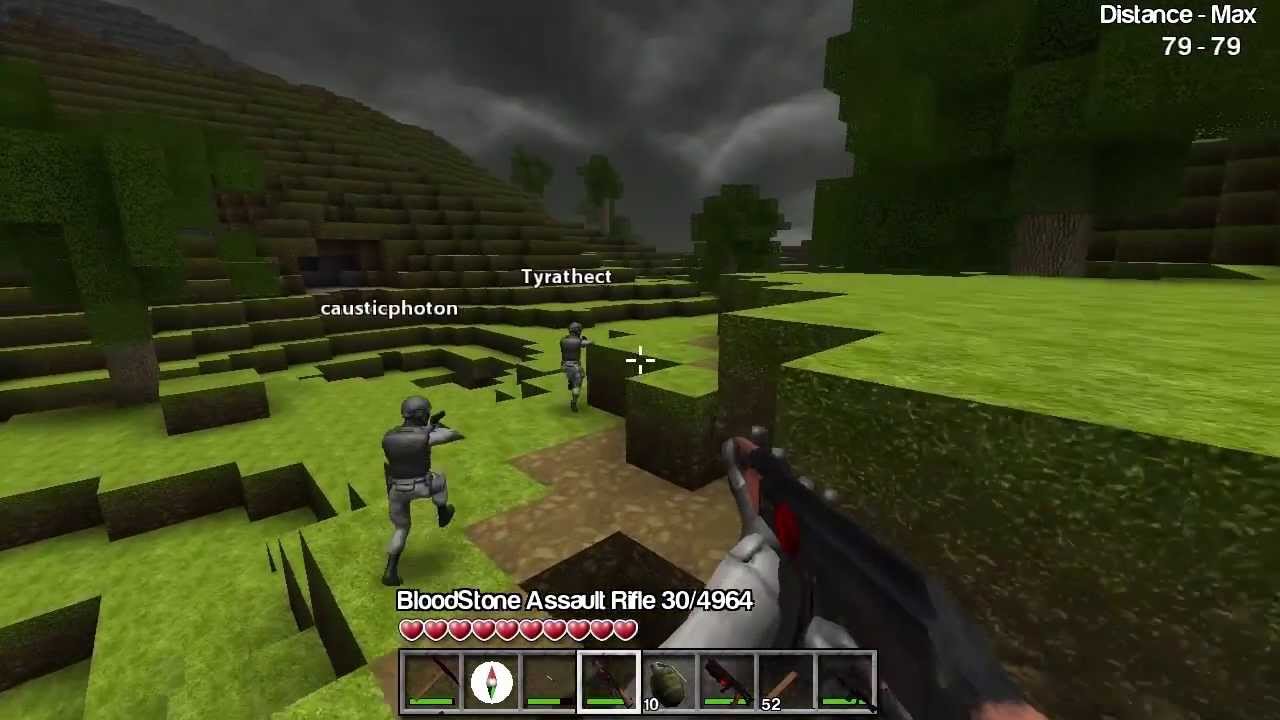
Trailer of the PC version of CastleMiner Z. Get it here: http://www.castleminerz.com
ember notch
The game is from 2011
static viper
we still get bad games in 19
ember notch
Hmm... I don't know what I should choose. A game like Minecraft with more mobs and moon and more or a game like CastleMiner Z and with something special?
dim merlin
Why setting render static is slower ?
static viper
we definitly dont need another minecraft clone
static viper
make one
light coyote
@ember notch Artstation.com
Maybe not xD
for voxel
but for everything in general, yes,, ideas or anything
Substance Share « The Free Exchange Platform »
Have a look here for inspiration
 opaque plover
Any AdMob plugin for rewarded videos?
ember notch
Have somebody a idea what I can do for a concept for voxel game?
static viper
think yourself of one
ember notch
But how
ember notch
I will look for old games what I played in 2011-2013
somber quail
If you just try and do "game + game" you're going to get nowhere. Come up with an idea yourself, make a game design document/bible
 grim ore
Flappy shark!
 thorn vector
hey guys i have a question do u guys have any experience designing a GDD or have example of a good GDD
wanna see if my current GDD is reliable and get across what im gonnado for my game get across
 warped tangle
@thorn vector google it, there's a lot of resources out there
thorn vector
yeah i searched it but what should i actually put in there what im confused from all the GDD i've seen
grim ore
It's YOUR design doc, you put in what you think should be in there.
warped tangle
^^^
grim ore
start with your title or working title. then maybe a paragraph of what would be on the back of the box or the blurb on steam. after that maybe a few bullet points of key systems
then from there break down the key systems into paragraphs or documents detailing them?
but that's how I do it so I can keep track of what I want to work on because of the way I work, you? you do you 🙂
I work alone so it's designed around that, what is your team size? will there be clear defined roles and sections for people to work on? etc.
scarlet birch
Mine sometimes start with a logline, but that's because it helps me focus and I'm use to scriptwriting. I've done them in Evernote, scrivener,as a google doc, in a spiral notebook. It really depends on what you need to focus the concept and help you be productive.
I try and narrow down what the core thing is, the minimal heart of the game. It's easy to get sidetracked or stray into dark waters when you work alone.
grim ore
^^^ yep yep. You do You is the key here 🙂
warped tangle
Working title suggestion: "Me doing me"
scarlet birch
A title is important too, even if you'll change it later. It greatly helps focus the concept.
grim ore
There is a good chance BTW you won't know what you want yet, which seems to be an issue here, and that is perfectly ok. You won't know what you want until you do it a few times and figure it out.
thorn vector
thanks for you guys insight really help me understand a lot
scarlet birch
The other thing I do, since I work alone and it's something I have to do to keep progress moving, is I make a list of what needs to be done and the order I'm going to work on it. I then make a much more detailed list the night before of what is going to be worked on the next day. If I don't do that a lot less work gets done.
 tall pendant
I wouldn't write a xxx page long gdd tbh
the development of your game is way too dynamic for hundreds of pages of gdd to make any sense
scarlet birch
Depends on the game, but true for most.
 ornate hamlet
I have a question regarding multiplayer in bp.
I have been following Epics Multiplayer Tutorial series but noticed as I went along that some of the stuff seems iffy. Now I checked the forums and found a topic of people complaining that the tutorial is not teaching the correct way to set up a project with online multiplayer.
So my question is, is there a resource that actually shows how to set all that stuff up correctly?
 pseudo lantern
https://www.youtube.com/watch?v=ke3kmK6bvT0&t=882s
thats the best tut ive found so far
Hey all, today we are gonna work on the integration of the Advanced Steam Session Plugin https://forums.unrealengine.com/community/community-content-tools-an...
ornate hamlet
@pseudo lantern cheers, I will check that out
ember notch
Is Unity or Unreal Engine 4 better for a Voxel game like Minecraft?
warped tangle
Unity if you want to cry a lot, Unreal if you want to cry less
 signal minnow
Lmao
When you ask in the unreal engine discord server
And are expecting an unbiased
Opinion
grim ore
sure, we are game devs not monsters
warped tangle
LOL
grim ore
I would think there are quite a few people in here who use and have used multiple engines or languages to program in
warped tangle
Yeah I played with Unity prior to UE4
absolutely hated every minute of it
UE4 has a far better onboarding learning curve than Unity does
Unity adding UE4 like features kinda proves this as well
grim ore
UE4 does the same like finally allowing us to do basic utilities in the editor with BP
signal minnow
I know it was a truthful answer but I'm still saying asking here would definitely be biased
If you ask over in Unity they may either say they don't know unreal or "hate it" for a bullshit reason
spark sonnet
Is there a way to save functions to variables? Lets say I can choose between three abilities. What would be the best way to tell the game which function to use? The easiest would be to have an input key to a function variable, but I dont know if thats possible
ember notch
Hmm... i think UE4 is better
pseudo lantern
well ive been trying to lean it now for many hours and many tutorials, and im V confused.
spark sonnet
Is there a way to make this?
pseudo lantern
well, its pretty much C coding so yea,
Hey guys and welcome to this new chapter. In this Video we will start with D.va's Dash. In the Future I will Recreate all the things you always asked yoursel...
he makes a dash control
 wise barn
Is using the C# plugin recommanded?
warped tangle
@pseudo lantern "I've been trying to learn it for many hours and many tutorials". Do you really expect to be proficient in ANYTHING within "Many Hours"?
pseudo lantern
lol, no but im just as lost now as i was at the start almost
i can see the systems but using them to do anything thats not in a tutorial is making my mind go blank.
im used to writing LUA
warped tangle
That's my problem with tutorials honestly. I used them a lot in the beginning but I didn't learn how to do anything, just how to monkey see monkey copy
pseudo lantern
indeed
warped tangle
Set yourself a basic goal (and it might not end up being basic even if you think it is when you start), and just work towards that goal
when you get stuck, google it, check out answerhub, etc
try to solve the problems for yourself
pseudo lantern
i am, ive asked a questing or two but no answer so far.
ive been googling for ages but i think im looking for the wrong stuff
scarlet birch
@ember notch I don't see much difference. Use the one that suits you better. They can both do it and both have plugins that do it well. If you're okay with using C++ then use UE.
warped tangle
you may be looking for overly specific information
try to generalize your searches more
pseudo lantern
im here because that hasn't worked tbh
spark sonnet
Whats your question @pseudo lantern ?
pseudo lantern
Basicaly i want to make a player control/camera that snaps to a x,y,z of an object
so my up vector needs to change
warped tangle
you want the camera to sit stationary at a specified location?
scarlet birch
What do you mean your up vector has to change?
pseudo lantern
well if i want to move forward on a spinning object, i will need to alight the camera and the y vector accordingly
scarlet birch
Move the object or the camera?
pseudo lantern
well the camera is the player, and the object being the ground
warped tangle
so the ground is spinning, and you want the camera to not spin?
scarlet birch
so you want to move the camera toward an object?
warped tangle
This is why you aren't getting answers lol....your question is unclear
pseudo lantern
lol, ok im not being clear enough
picture walking about a spaceship
thats spinning
spark sonnet
You want the character to ignore the spinning and stand still?
pseudo lantern
yea, so i want to translate using the objects vectors
warped tangle
That's literally what I asked lol
scarlet birch
You can't solve a problem that you can't describe.
spark sonnet
So you want to use Ignore Base Rotation thats built in the character movement?
scarlet birch
you want the camera to stay in its world rotation while the object the player is on is rotating?
pseudo lantern
yea i want the player to follow the "ground" he is stood onb
warped tangle
lol
spark sonnet
What
pseudo lantern
has nobody player SE? lol
scarlet birch
Do you have this started in a project?
spark sonnet
Open thirdpersontemplate
spark sonnet
Then open your character. In the character movement there is a box you can check called Ignore Base Rotation. If you want the character to rotate with the object its standing on just leave it unchecked
spark sonnet
What
pseudo lantern
d/w didnt even add that
warped tangle
lol!!!!
spark sonnet
How is it spinning?
pseudo lantern
its got physics enabled and i shoot it with the gun from the FPS demo
pseudo lantern
lol
spark sonnet
Haha
warped tangle
Is there a little guy that like drives the projectile spaceship spinning bullet thing??
pseudo lantern
its just a platform
warped tangle
can you send some screenshots or vid or something.....none of us understand a damn thing about your project
light coyote
@pseudo lantern
Quick way to do it is to add a little bit of rotation every frame
warped tangle
You went from walking on a spinning spaceship to a projectile
light coyote
Its not best practice or way
spark sonnet
lol
warped tangle
@light coyote nah he's got the spinning down, thats not the issue
warped tangle
yeah, you'd have to go back pretty far to figure this out
and I still haven't figured this out
spark sonnet
Could explain simply what you want to do @pseudo lantern ?
warped tangle
Although I have a new idea for a game now
spark sonnet
You have but im still confused
warped tangle
@pseudo lantern again, you went from spinning spaceship walking to projectile. We don't know what you're trying to do
light coyote
I wanna know
pseudo lantern
gime a min, just rebuilding a test world
spark sonnet
Just explain it in one simple paragraph if possible
pseudo lantern
i never said projectile
warped tangle
pseudo lantern
yea that how i make it spinn
warped tangle
That would lead a sober person to believe you are talking about projectiles
pseudo lantern
thats nothing to do with the movement of the player
spark sonnet
What is your final goal. What do you want accomplish by standing on the spinning thing?
warped tangle
Ok I'll shut up, give us a 1 paragraph explanation like @spark sonnet asked
pseudo lantern
to walk about in a spaceship
that is NOT level with the floor
thats it
for now the "space ship" is just a cube
light coyote
recreate space conditions ?
pseudo lantern
gime a min
plush yew
you can give a static mesh "gravity"
pseudo lantern
that would help i think
light coyote
@plush yew nicee
warped tangle
For those of you joining us late, this whole thing started with keeping the camera constrained to a plane while the actual character rotates with the spinning "ship".
warped tangle
so the ship is the player character? The visual representation of the player?
light coyote
@pseudo lantern do you want to recreate space conditions ?
light coyote
ok
 plush marsh
but he shoots it , so it is not a player
pseudo lantern
no, lol
spark sonnet
You can draw it in paint
warped tangle
yeah, hence why I'm confused
light coyote
any diffrence with space conditions in terms of motion ?
pseudo lantern
the "shooting" is only to make the ground spin
spark sonnet
So you dont want to shoot to make it spin?
pseudo lantern
the shooting is Irrelevant
spark sonnet
Ok
warped tangle
So let's just say you are applying rotational forces on a ship
pseudo lantern
spark sonnet
Ok what should happen now?
pseudo lantern
the player need to be aligned with the cube its stood on
warped tangle
so you want custom gravity
pseudo lantern
and im guessing the movement will mess up because its using world x,y,z translations
@spark sonnet yea
sobody said about giving a static mesh gravity
warped tangle
This now makes more sense
pseudo lantern
that looks good
plush marsh
trace->rotate
warped tangle
That will only work if the plane never rotates enough to let the character fall
pseudo lantern
"trace" being get rotation on the floor ? and rotate setting the camera rotation ?
light coyote
@pseudo lantern
For velocity you can set the location from the forward vector of the object by adding a fixed amount
Making the amount bigger every time its applied, will give you acceleration,,,
But have a look at the nodes,,, because they may be things you prefer to use.
You can look axis of a camera if you want the viewer to see that you are in space, without going crazy,,
If you are doing an fps, you have to do something to make it as confortable as posible the fact that there is no reference plane
plush marsh
trace ->https://docs.unrealengine.com/en-US/Engine/Physics/Tracing/HowTo/SingleLineTraceByChannel/index.html
This how to covers using a Single Line Trace by Channel Blueprint node to return a the first Actor it hits that responds on the Visibility channel, and prints its name.
pseudo lantern
i was thinking of just checking the object below the player, getting the rotation and offset from its x,y,z and then moving and aligning from there
yea, i could use a raycast to check whats below
warped tangle
the trace is a dynamic way to do that. If you just reference the rotation of that one floor object, it will break if you ever go on to another object
plush marsh
it is better to get normal
warped tangle
yep
plush marsh
bc your object is not always flat
pseudo lantern
normal? ive never understood that
warped tangle
normal is the perpedicular vector to the surface you trace against
 radiant haven
how can i change the BIt of my game shipping Build
pseudo lantern
im in support if any one fancys talking instead of typing ,
ah ok, i was thinking it was the z rotation of the object
warped tangle
Z wouldn't really help you
you now have something to research, look in to normals
and using the normal off the trace response
also Sebb generously linked you a fantastic answerhub answer to basically your exact question
scarlet birch
This is first person?
grim ore
I wonder if someone at Epic will ever tear apart the Gravity system and implement custom gravity rather than Z down at some point
warped tangle
There are some custom gravity plugins on the MP right? I've never used them
scarlet birch
For the movement just use the cameras vectors to keep that consistent.
pseudo lantern
i could write this in lua no problem if i knew the functions lol
warped tangle
You have to learn the engine to use it
I can say what I want to do in 2 different languages....doesn't have anything to do with making it happen in a game engine
pseudo lantern
thanks for the help guys guna read through this ray trace page
warped tangle
good luck
spark sonnet
Good luck!
scarlet birch
If the gravity is only supposed to change for the player. I'd set gravity to 0 and manually apply that.
warped tangle
Also thanks for the game idea! (not your game, just a completely different one from that awesome rabbit hole we went down)
scarlet birch
I think you may have overcomplicated it.
spark sonnet
Tell me when its out, I'll play it! 🙂
pseudo lantern
yea i was thinking of using some code to stick the player to the correct place
warped tangle
I mentioned custom gravity, but got no bites @scarlet birch
@spark sonnet will do, I'm actually excited to try this, it's going to be hysterical
scarlet birch
There was a lot of scroll, so I likely missed most of what was stated
warped tangle
yeah there was a lot going on here
scarlet birch
If it's First person it becomes much simpler
warped tangle
@pseudo lantern Keep looking in to traces and everything that was mentioned here, but look in to applying custom gravity as well
scarlet birch
You make sure movement is tied to the camera's current forward and up and right vectors and then apply a force in the right direction for gravity
pseudo lantern
thats just what i was thinking
scarlet birch
I have something , I think that might be applicable
warped tangle
You need to understand basic concepts like normals and vectors though....so keep doing research and learning that stuff. You can't go from 0-100 when you don't understand how the things in between work
pseudo lantern
i know vectors no problem
but i just dont know alot of the tech terms
ive been writing lua for Fivem for about a year now
how i was thinking of doing it hsant changed, its just doing it
the UE4 is so diffrent to anything ive done before
scarlet birch
I had to look. I did something similar and I used the camera's right,and forward vectors in the movement nodes of the controlelr
instead of setting one of the coordinates to 1 I plugged in the vectors
pseudo lantern
ok, well il have to have a break
im missing some basic stuff and its giving me a headake.
somtimes 5 min walking sombody through somthing is worth hours of talking about it
whats HMD
warped tangle
It took us 30 minutes to figure out what you were trying to do...
pseudo lantern
"If using an HMD"
warped tangle
Ignore/remove If you aren't going to use VR
warped tangle
concepts can often seem simple in theory, difficult in practice
pseudo lantern
for me its just applying it to this edditor
the visual scripting is new and confusing, far more that lua for some reason lol
warped tangle
Also Joe....I firmly believe that having you understand the how will benefit you far more in the future rather than spending "5 minutes" (nothing takes 5 minutes) to walk you through and just make it happen for you
pseudo lantern
it will click for me at some point
spark sonnet
Watch some tutorials, google is your friend, ask here and you will eventually learn a lot 🙂
pseudo lantern
you miss my point @warped tangle
its how things link that im confused by
i think
but without sombody Showing me some things im just stuck thinking, so how do apply this
scarlet birch
it's not that it's complicated, it's knowing how to do it in a simple way
warped tangle
I often will bypass using an actual player pawn and instead make a dummy actor that I can mess with while simulating (using call in editor events) to figure out how to make something do what I want
pseudo lantern
ok so im doing a LineTraceByChannel
warped tangle
yep
warped tangle
that's not going to hit
To get info from the hit, drag off the out hit pin and break hit result struct
pseudo lantern
yea i need to minus from the upvector i think
spark sonnet
you need to get world location + (direction*float)
warped tangle
but more importantly, the way you're tracing isn't going to work
warped tangle
yeah you should be using either actor location or component world location
spark sonnet
Set Draw Debug Type to "Persistent" or "For Durartion" So you can see where the line trace is pointing/ending
warped tangle
unless you're drawing on tick....then for one frame lol
pseudo lantern
ok
warped tangle
then slap yourself in the face and say "NO TICK, BAD!" so you remember to get rid of tick later
spark sonnet
:))
pseudo lantern
is there a function to get the offset from a world location
warped tangle
offset from a world location....you mean like the distance away from a world location?
vector - vector, then vector length would give you distance between in cm
pseudo lantern
well i need to get the location of the camera, then the up vector, then figure out where below that is according the the camera up
warped tangle
you can just use the actor location
pseudo lantern
i am, but the "down" will change from the Z
so i cant just say -2 from the z to get the end pos of the trace
warped tangle
you aren't understanding vector math....
scarlet birch
You can get the up vector directly from the camera
warped tangle
a trace needs a start and end location. You start at actor location, you end at actor up vector * somenegativenumber + actor location
light coyote
@pseudo lantern split vector by right clicking
scarlet birch
You're missing a lot of basic stuff that is making you come up with difficult solutions to problems that don't exist
pseudo lantern
but the " DOWN" isnt always z
warped tangle
this is where the normal comes in bro
warped tangle
other way around...you use the trace to get the normal
the normal is on the out hit struct on the linetrace function
pseudo lantern
but the first trace needs to know where down is
warped tangle
I just gave you the exact math to do a downward trace dude
scarlet birch
You don't even need a trace if the player is always oriented towards the surface
warped tangle
The surface is going to be angling and such
pseudo lantern
i think you guys forget how confusing this is to a newbie
scarlet birch
why not use its vectors then?
warped tangle
I remember how confusing it was, and I remember working my ass off to learn it
spark sonnet
Why are you starting with a project this advanced when its the first time using UE4?
pseudo lantern
dont think im not
pseudo lantern
complicated huh
warped tangle
@pseudo lantern Again, I gave you the literal math
pseudo lantern
well kinda hard to know what is and isnt untill you have a go
warped tangle
but you're not willing to even try it
warped tangle
have you done the trace then?
pseudo lantern
i have a blueprint im trying to makes
it has ONE
start
and i have a UP vector and a world location
how can i put both into the start
d/w
warped tangle
(up vector * somenegativefloat) + actor location goes in to end
this is baaaaaaaaaasic stuff
pseudo lantern
and THIS is why 5 mins is better than hours opf talking
i cant explain what i dont undersatand fully
warped tangle
We've spent an inordinate amount of time trying to help you, and you're going to get combative?
spark sonnet
Just send a screenshot of what you already got
warped tangle
Exactly, you don't understand anything you're doing. You need to LEARN about this not be TOLD how to do this
warped tangle
Lol maybe Sebb or someone else will help you, I've given you the math multiple times and you're unwilling to attempt it
pseudo lantern
the MATH, yes but i dont know how to implements it exactly and you TELLING me is just confusing me more, i think ive figured out what was confusing me though
spark sonnet
Send me a screenshot of what you already have
i didnt it hasnt changed yet
warped tangle
lol
pseudo lantern
im done typing for now,
im better at talking to explain it
alwasy have been
its obviously just confusing u guys what i want
spark sonnet
Thats why im asking for a picture to understand what you have done, but you wont do it and then I wont be able to help you
pseudo lantern
spark sonnet
Thanks!
pseudo lantern
how do i apply the UP vector to the world location to get the DOWN for the end of the trace
warped tangle
So maybe this will help, the up vector is a single unit length vector denoting where the "up" direction is. At default, it's going to be (0,0,1).
next badger
Um...isn't up vector a normalized one?
pseudo lantern
i forgotten how to get the lil yellow box now lol
warped tangle
yes it is
spark sonnet
its vector+vector
next badger
i mean...the length of the trace will be just 2 units long
pseudo lantern
yea its relative to the camera
warped tangle
so to get a trace that goes down by x number of units, you would multiple the up vector * -x to get that location
warped tangle
then to get that end location relative to the actor, you add the actor location to it
and you end up with @spark sonnet s screenshot
But you will want to multiply by a larger (negative) number to get a trace to hit the floor
pseudo lantern
well im stuck
plush marsh
how ? you have screenshot and explanation
pseudo lantern
what are the yellow variable boxes called
spark sonnet
And Vector * float
spark sonnet
I havent
warped tangle
I started just over a year ago bro. I definitely haven't
pseudo lantern
i can fail trust me lol
spark sonnet
That's why I recommend starting with tutorials and not do a big project. Start with the basics
warped tangle
I fail daily. But you can't fail at something that Sebb has given a screenshot of to you
spark sonnet
And Kharvey has told you how it works
pseudo lantern
a lil box with a + in it doesnt tell me how to bring that up
spark sonnet
Thats ok and we answered it
spark sonnet
But now you should be able to make it
pseudo lantern
it looks different if it has no inputs
spark sonnet
Yes
warped tangle
yeah because you can explicitly set a value, or put in a variable/reference
pseudo lantern
so 1.0 is not a meter ?
warped tangle
CM
pseudo lantern
ok
warped tangle
unreal units = cm
calm widget
What things do i have to think about, in general when upgrading ue version with a lot of c++ in my project?
warped tangle
You going to 23?
next badger
- new VS errors
calm widget
yes, from .17
calm widget
It wont even start right now, deleted intermediate
warped tangle
are you able to compile?
next badger
migration does not change c++ and header files, so you have to update all generated headers
*generated code in headers
calm widget
It wont compile
 dim plover
Did you regenerate first?
warped tangle
^
calm widget
Um, no, not sure
calm widget
Y, ill move there, thanks : )
next badger
- -200
spark sonnet
^
next badger
not - -200
warped tangle
needs to be +
pseudo lantern
and i dont know where the angle is coming from
warped tangle
should be (up vector * -200) + world location
spark sonnet
Because you get the up vector - float and not * float
next badger
well, you sub [200,200,200]
warped tangle
also, you won't see the trace (when it's set up properly) until you eject
spark sonnet
Try making the blueprint on a cube and place it in the world so you see it
Or eject
warped tangle
also as I mentioned before, if you're putting this on tick, change the Draw Debug Type to one frame
As Sebb stated, making a test actor so you can visualize what's happening easily is beneficial too
plush marsh
hehe, and then he will need to calculate the angle
pseudo lantern
i did have that but i changed it to show where is was going
warped tangle
if you want it to trace in front of the camera so you can see it, you'll have to do more math to have that happen in front, you can't just change the math
@plush marsh yeah....I know....
plush marsh
glhf
warped tangle
I just want to see him get the trace done at this point
pseudo lantern
well im now more confused
warped tangle
lolololol
pseudo lantern
A just confused me for sure
warped tangle
A said nothing that has to do with this trace
pseudo lantern
so i want to Multiply the vector by -200?
spark sonnet
Yes
warped tangle
look at sebbs screenshot bro
pseudo lantern
thats Exactly what ihad
warped tangle
like we all said, if it's done properly you won't see it unless you eject
plush marsh
yep
warped tangle
the trace
warped tangle
pseudo lantern
i think your telling me stuff i dont need to know atm
next badger
F8
warped tangle
If you don't know this stuff, you need to seriously start simpler
Not being a dick, but you are trying to jump ahead too many steps in learning this stuff
pseudo lantern
i have started simpler
spark sonnet
Open the thirdperson template and the firstperson template and look at the blueprints
spark sonnet
google can
pseudo lantern
errr
warped tangle
holy mother of god
next badger
indeed, google can answer 90% of the ue4 related questions we have here
it's just a long road for some users to get there
warped tangle
show a screenshot, you've messed the math up somewhere
plush marsh
you just need to ask proper questions
next badger
please don't have - - there
warped tangle
lol
warped tangle
I learned through google and answerhub, and never asked a single question, just trial and error and looking at others questions and answers
warped tangle
A is being helpful
pseudo lantern
took me many months to get good at it
warped tangle
I know, you are a LUA god, can we move on to the fact that this isn't LUA and it's something different to learn?
spark sonnet
What did you first make with LUA?
pseudo lantern
im saying this time im asking questions alot more
plush marsh
what do you mean not helpful. Explain to yourself what you want to do. After that point if something is not working , ask google . Most of the time you will get the answer. Like , how to trace camera position
next badger
@pseudo lantern have you changed the BP math?
warped tangle
Which is fine, asking questions is fine, but you need to know what to ask. @plush marsh was saying exactly that, you need to ask proper questions
@next badger That's some proper paint right there. Well done.
pseudo lantern
if i knew how to ask what i need Better i would.....
warped tangle
Back to the trace, did you fix the math
pseudo lantern
i not being hard to understand because its fun
look with all this i dont know if a want a vector + float or Vector + vector
leme read back through
spark sonnet
Just follow the screenshot and you should be good
Just change -2 with a higher value
warped tangle
you're a nice guy @spark sonnet. Have a cookie
warped tangle
lol!
next badger
that should be a hemp cookie...to calm down
warped tangle
LOLOL
pseudo lantern
i could do with one o those
 peak acorn
animation not working : (
need help
warped tangle
show your anim bp
spark sonnet
👏
next badger
i've seen this anim bp, it's fine...was fine
 azure shore
hey, if Im needing to use dynamic lights for any reason, what do I do about the light going through walls?
pseudo lantern
sebb, the problem i have is that i dont know what all these functions look like so finding the rite one in the list is hard
spark sonnet
I know how it is @pseudo lantern
warped tangle
don't worry about how they look, think about what they need to do. If you drag off a vector node (yellow node), you can type +, -, *, /, and get the different maths that can be applied
spark sonnet
And thats why, again, I recommend you start with something easier
next badger
imagine having all this Chaos functions with no docs
peak acorn
@next badger :' ( i dont know how to
warped tangle
right! I haven't touched Chaos yet becuase ain't nobody got time for that
peak acorn
i can only do for normal blueprint
next badger
@peak acorn gimme a sec
azure shore
anyone know?
pseudo lantern
tbh the rest of what i want to do im much simpler, but without this its kinda pointless
warped tangle
Are you using BSPs? @azure shore
Lol you think it's going to be easier....this was literally the easiest part
azure shore
bsps are geometry shapes right?
next badger
@warped tangle it's pretty normal...dynamic light goes indefinitely, you have no shadows?
warped tangle
brushes
peak acorn
its working here tho
spark sonnet
Thats a blendspace and not the AnimBP
warped tangle
That's a blendspace
spark sonnet
Have you integrated it into the AnimBP?
azure shore
I am using geometry brush objects but this also happens if I used cube meshes for walls and stuff
peak acorn
i called it here
pseudo lantern
well ive gota start somwhere may aswell learn the funtions im guna use
spark sonnet
Np
warped tangle
yep
peak acorn
help me pls
azure shore
lighting is so frustrating like it seems I have to put like five lights in every room just so you can see it, and if I use large dynamic ones they go through bloody walls
spark sonnet
Send a picture of AnimGraph @peak acorn
warped tangle
Are you drowning?
peak acorn
spark sonnet
Then the state machine
warped tangle
show your state machine
peak acorn
what is state machine?
warped tangle
the walk_run thing on your anim graph
spark sonnet
The black box that say walk_rim
azure shore
lol your state machine is right there
peak acorn
next badger
@peak acorn okay...so
- start a game (hit play)
- hit F8 (unposess)
- open your animbp swat_animation_C
- on the top - select your actor in the scene
- go to State Machine tab
warped tangle
yeah persona shouldn't be showing a t-pose right
spark sonnet
Whats the conditon to enter walk_run?
peak acorn
if speed > 10
next badger
oh, so it's not even work in demo mode
warped tangle
why not do an idle-walk-run blendspace?
spark sonnet
^
peak acorn
i am pretty new so i was just following instructions to a basic one
warped tangle
basic one is idle walk run
azure shore
ugh I hate bloody lighting so much
next badger
then unlit is your choice
warped tangle
lolol
azure shore

peak acorn
that's all i could find
warped tangle
emissive, emissive for all!
@peak acorn no way dude, the only thing you could find was that setup?
next badger
our last jam submission was based on unlit only
azure shore
for real though there must be something Im missing because it seems like so much more of a nightmare than it should be

 azure shore
its either too realistic or too unrealistic
spark sonnet
Open Thirdperson template and copy that BlendSpace @peak acorn
warped tangle
@peak acorn this is the third person template anim bp......there are built-in resources
Notice it's idle/run as the entry anim
azure shore
Im also sick of having to build like 1k lighting every time I move one light an inch
warped tangle
You can also add third person template as a feature pack to your existing project
peak acorn
i edited thirdpersontemplate to this
warped tangle
then you have the third person animbp in your project
peak acorn
yes
azure shore
gods sake, I literally cant just light one small room with one light
peak acorn
where is it?,insied the BP\
spark sonnet
In your content browser
warped tangle
should be right next to the thirdperrson anim bp
should be under Mannequin/Animations/
warped tangle
Use that as a pattern and rebuild your blendspace with your animations
peak acorn
still not working
i guess its some animation importing problem
cuz the prebuilt third person template is also not working
warped tangle
when you hold shift while hovering over the blendspace do you see it adjusting as it should?
azure shore
can anyone actually help me with lighting at all
peak acorn
not working
spark sonnet
Are you using the right AnimBP ?
peak acorn
yes
azure shore
you just need to cast to the anim bp to set all the variables there
warped tangle
You have to have modified something at some point
peak acorn
azure shore
cast to anim bp get anim instance target mesh then set the variables there
warped tangle
@azure shore no, the default third person character with the default anim bp should show something in persona/editor other than A-Pose
azure shore
oh hes using default? thats odd then
warped tangle
yeah that's what he was just showing
azure shore
yeah the fact its not even using the entry animation is weird I wouldnt know how to fix that I guess
peak acorn
can i screenshare it to someone on DM
its almost 4:00 AM in india and i have college at 9:00
and i swore to myself that i aint sleeping till it works
spark sonnet
Could you make a new project?
peak acorn
whaaat?
warped tangle
just make a new project off the third person template and see if things work
spark sonnet
^
warped tangle
maybe reinstall your engine ver, or try it with a different engine ver to see if the problem persists
peak acorn
screenshare anyone?
i gues its some small thing i mised
or imma head to bed for today
spark sonnet
If you copy the exact same as thirdperson template it should work
peak acorn
@warped tangle but its working onnthe new project
warped tangle
oh I thought you said it was flying
next badger
if it works on a new project, the issue with the project
warped tangle
yep
azure shore
honestly at this rate lighting is just gonna make me quit entirely its HELL
peak acorn
can anyone help me spot it on screen share?
actually nvm ill deal with it fresh tomorrow
thanks for your help folks
gn
next badger
@azure shore sorry, but why would you even rebuild the lighting after minor change of the light?
we don't build lighting between test builds
azure shore
because all of it looks completely different built and unbuilt
next badger
build on low