#ue4-general
1 messages · Page 513 of 1
 marsh swallow
lol. $150/hr 😂
marsh swallow
i needz fundz
 tall pendant
Owl, you can get ZBrush as sub now.
 static viper
i dont have 40 euro tho 😐
tall pendant
190€ per 6 months
static viper
my resources ended
marsh swallow
it took me 2 months just to work my way up Autodesk.
static viper
i invested in new pc, a painter, a tablett and stuff
zrbush is literally the last thing on the list XD
marsh swallow
ohhhh lcd screen tablet?
tall pendant
Aye. really depends on what you're working on if ZBrush is needed.
marsh swallow
i cant apply it to unreal in any way. im a dev.
tall pendant
for HS its not a must have.
static viper
i created a character skeleton
with perfect measures
and i now need a tool to sculpt and remesh
and the uv
zbrush can do all that at master level
its so stupid that i get stopped at the most important task again
i used the 30 day trial for the zombie
but the characters werent ready at that time 😐
slight miscalculation
 alpine elm
why does the unreal community not able to help me for the past 2 months been trying to figure out why my aimoffset does not allow me to add my animation to it 😦
marsh swallow
ahhh im so happy. i have been missing my maya! finally i can afford to get it.
Did u post in Animation?
alpine elm
no
marsh swallow
..... then why are u complaining my friend. Use the channels at your disposal so your questions dont get burried.
posting it here is like gambling the right person will see it. ^_^
alpine elm
ok thanks @marsh swallow
 blissful trail
is it possible to detect if an editable text is being edited ?
 dim plover
Yeah, there's a delegate/event thing.
For OnTextChange and OnCommitted or something.
OnTextChanged, OnTextCommitted.
static viper
you can always write a small system that checks it for you
there is a click event
the questions is also: at what point do you wish to check
 ornate hamlet
I think this is a good place to ask instead of the bp channel since this is really highlevel.
Is it a good idea to make an inventory system that only stores class references instead of object references?
If you use objects and you want to call actions on them then they actually need to exist somewhere right?
static viper
i would store neither
 manic pawn
depends on whether you need to store any state for items in your inventory
static viper
datadriven inventory systems are much more stable
manic pawn
ref to a bp class would count as a data driven system
ornate hamlet
Well right now I store Class references instead of Actor References like I see all these tutorials do
Problem is that I am not sure how I would go about calling any functions on the item or check if it implements interfaces
manic pawn
you can easily check if a class implements an interface
ornate hamlet
I saw a post on the forums where people were discussing using datatables but I think its a bit overkill for my game
ornate hamlet
@manic pawn how does one check if a class implements an interface? All I found is the "does implement interface" but that only takes actor references
static viper
bc datatable item systems are super easy and neato
ornate hamlet
Any given character has 10 item slots (hotbar) for weapons...thats it
The weapons themselves might be a bit esoteric but it isnt minecraft
static viper
thats perfect for datatable tho.
you can perfectly shape every item
and then at runtime generate from that
is there saving involved?
ornate hamlet
can you point me to something that explains the datatable system?
static viper
yes
manic pawn
unless, you'll have 100 characters I wouldn't even big brain this too much.. I just have references to actor instances in the inventory and called it a day
ornate hamlet
dont say google 
static viper
are you playing skyrim?
or
fallout
here is a tutprial

What is a Data Table in Unreal Engine 4 Source Files: https://github.com/MWadstein/UnrealEngineProjects/tree/WTF-Examples Note: You will need to be logged in...
ornate hamlet
@manic pawn well its a multiplayer game for up to 32 people, and I really want it to run fast
static viper
skyrim and fallout are both procederal driven by datatables
large libraries of predefined objects
and the objects the player makes, are created at runtime
ornate hamlet
right now the objects that go into the inventory are all inherited from a base pickup class that has all the values
static viper
there is a bug with unreal
dont want to scare you
but
those classes can erase their content if you change the master class to much...
ornate hamlet
oof
static viper
i had really bad issues with them
my advise is to go a safe route, but its opinion based
tho datatables are inherintly unbreakable
i really love datatables.
i show you
ornate hamlet
so in the end I will still end up spawning an actor from whatever is in the datatable right?
static viper
Please take a look at my fundraiser. https://www.gofundme.com/help-me-continuing-creating-artgames Project link: https://forums.unrealengine.com/community/wo...
yes
dim plover
Don't DataTables have problems when you change the struct used for the datarow?
static viper
but the details of that actor are now save
yes floss
they do
and its really really bad
but this is another issue
dim plover
Well, much rip.
static viper
people dont plan ahead
this is why #packaging
is my favorite channel
people have no discipline
dont sort things...
dont know anything 😄
i had a lot of cases
if you are careful with datatables
you can do almost anything
its very skill and opinion based now
ornate hamlet
so I can spawn an actor from the datable at 0,0,0 or somewhere off the side of the map where no one sees it.
Then use that reference to call Shoot() or whatever and when you switch away from it you destroy the actor (its still in the database) and just do the same thing with the new actor you switched to
static viper
yes
but you need something to spawn that item
and then fill it
the item needs to be generated
ornate hamlet
Well the inventory system already handles that part
static viper
visuals
stats
ok
datatable really is JUST ue4s version of micro sql
a library of data
dim plover
I don't think you can store that actor (that you just spawned) in the DataTable.
static viper
and you can call it everywhere
ornate hamlet
I think it was just the thought of spawning items in some random location on the map just so you can reference functions inside it that felt janky to me
static viper
no just its data
the schematic for the actor
you then generate it from that info
watch the video :3
ornate hamlet
You know, I was actually considering, could I just fork the UT project since it has all that stuff implemented already and then build ontop of that?
static viper
the ut project is very special tho
i would ofc take a look if i were you
but always start from scratch
ornate hamlet
yeah I took a look, their inventory system is like 2000 lines of code just for the base...
marsh swallow
what we do, is we have a struct that contains all information for the item in inventory, that struct is held in an array. its got Amount, default item details, and a BP Class. We have a Datatable that has all that filled out in it and when you use the item, if needed it will spawn a BP to execute any extra code. You dont actually have items as objects. its just data until it needs to be an object. but again depends what your doing with the item. most items just consist as data.
static viper
its a special system
and that darinius
is the worst thing you can do XD
that is a lot of floating data
marsh swallow
in your opinion. lol
static viper
well
you can thank me
i made it possible
without me you would have run into a few issues...
ornate hamlet
@marsh swallow yes that seems like what I will go with. Its just data like "magazineSize" "ammoCount" or whatever. And then some extra functionality based on the type of item
static viper
in 2016 i reported a very heavy bug with just this system
marsh swallow
go on.
ornate hamlet
Like a keycard item, its just a weapon with 1 bullet, infinite ammo and it opens doors when you "shoot" it at keycard readers
static viper
i cant go into detail... We found that glitch in a MP asset
it was a massive inventory system driven by BP classes
all the items were saved in giant structs
you changed anything in the struct...
and the entire system exploded
marsh swallow
yeah BP struxt
static viper
loops randomly broke
marsh swallow
we use cpp
static viper
it just got worst and worst
marsh swallow
BP structs are awful
static viper
i am really not sure if that is fine either
there is so much data floating around at once
ornate hamlet
alright so use datatables
marsh swallow
unreliable too
yes use datatables. thats how we store all defaults.
DTs are your friend.
marsh swallow
everything we do is in DTs
static viper
and you have 4 modelers
marsh swallow
reason being, one name variable in a BP can reference an entire set of data from the datarsble.
ornate hamlet
so, an item that you can pickup has a Datable entry and when picked up the Datatable row is appended to the inventory Datable and the item is destroyed
?
marsh swallow
it gives u one place to fix data and not miss anything.
otherwise u would have to open all levels that have that item and fix them all manually.
plus you can work in excel on a DT and organize and move around the rows every so often to clean it up
marsh swallow
^
static viper
thats also how localization works
its also datadriven
you export the tables
as csv
and the studios translate them
really easy
dim plover
What's the difference between a DataTable and a map on some object?
marsh swallow
well thats apples and oranges
ornate hamlet
@static viper so the truth is that 99% of tutorials you find online just aren't all that good because instead of telling you the correct way to do things they just tell you the easiest way the tutorial maker found to make a given thing work?
ornate hamlet
Literally no inventory tutorial or forum post I found mentions anything about datatables
marsh swallow
maps are super easy to reference based on the key. very fast too.
ornate hamlet
they just use structs stored in actors
static viper
you are right
marsh swallow
well....
ornate hamlet
yeah so it seems like tutorials are a minefield and I will actually have to use my brain...ouch
marsh swallow
Create Struct, make DT from Struct
static viper
there is alot going on with mods
every game that has mods
is a potential source of study
bethesda games have editor.
i would advise you to spend a few days there
you will learn magic alot
marsh swallow
however i HIGHLY recommend you learn some Cpp just for structs.
i cant recommend enough
static viper
that guy is just overachieving tho
ornate hamlet
I know cpp but I am prototyping the entire game in bp
static viper
 ornate hamlet
Well "know" is a bit of a stretch. I can make thing shittily in c++, I wouldnt hire myself a programmer
dim plover
Eh, for structs, even if you're prototyping, you should probably create them in C++.
It'll make your life easier overall.
Especially since it'll take less than 2 minutes. Actually, it's probably even faster than creating them in editor.
ornate hamlet
Alright, I will try out Datatables and see how that goes
marsh swallow
yeah reason being @ornate hamlet is BP Structs are widely known for corruption
marsh swallow
they can bork your whole project and sometimes you cant always steer that plane away from crashing.
lmao 😂
whyyyyyyyy
static viper
i love how this is literally what i helped fighting
marsh swallow
it takes 10 seconds to make a cpp struct.
static viper
my successor.
ornate hamlet
I already borked my project once with BPs but source control came to the rescue
static viper
its not hard to belive tho
if you take a look at #packaging
its really easy to bork
with stupid easy things...
ornate hamlet
rollback, rollback, rollback until you get it right
marsh swallow
90% of packing issues i have seen is people bork their BP structs.
static viper
i get it right the first time.
marsh swallow
i have a process for BP struct editing.
close editor, reopen editor,
edit struct
save and close
reopen and package
if therr is only 5-6 errors ill fix em with Refresh all nodes
otherwise i roll back
but also commit first before editing struct. makes it easier
static viper
i really dont have errors anymore
usually yellow material warnings
for things i only store
but nothing else :3
marsh swallow
ever since 4.22 i ahve not
 gleaming basin
Hey there 👋
I'm a Unity/C# developer just diving into UE4 for the first time.. can I ask idiotic very basic questions here, or is there a better channel?
gleaming basin
Alright 😄
Question 1 is regarding dev environment; I'm following a tutorial where recompile is done from visual studio, and this causes the engine to close and reopen. I've also noticed that there's a big 'recompile' button in the editor that does not close the engine. What's the difference?
 wary wave
can't recompile the engine or the editor from within the editor
in theory you can compile game code from within the editor
but it can be quite unreliable, so isn't really recommended
gleaming basin
So recommended is just to reload the whole thing while developing in c++? I suspect it's not necessary for blueprints?
wary wave
blueprints can be compiled quite happily in the editor
generally speaking I do all my prototype work in BP, then port it backwards to C++ when I'm largely happy with it
gleaming basin
Another thing I'm running into is that when I try to create a blueprint based on my C++ class, I can't always edit the components on it
screenshot me vs tutorial
I figured those components fields might not be filled somehow.. but then how do I assign them again
wary wave
screenshot is kinda small, but I would check to ensure you have right specifiers etc
classes, functions and properties all can have specifiers inside an unreal specific macro, which controls how they behave in the editor etc
gleaming basin
yeah, I saw that; I've set them to EditAnywhere
but I think this is where it's going wrong
There I can reset it to default value
and it's back
but in the full blueprint editor I can't seem to do the same thing
wary wave
if it's editable in one view it should be editable in the other as far as I'm aware
what does the C++ look like?>
gleaming basin
wary wave
I don't think you want those other two to be 'class' variables
I would also make them BlueprintReadWrite as appropriate
gleaming basin
it doesn't compile if I remove the class keywords
right, header include
Still no details
wary wave
still needs to be editanywhere
 cloud palm
Dose anyone have a good tutorials on shared local camera for third person mode that contains 2 character?
cloud palm
This is a document I found online about the share camera but I did not really understand it.
gleaming basin
can you be more specific about where you're struggling?
 brazen hull
I am new to unreal engine 4 I am trying to add my custom character and all the animations workin preview etc but it only idles in play?
anyone able to help ive been trying to figure out this but cant seem to find the solution
cloud palm
@gleaming basin I just have one thing not sure about that document, when he use the node get player controller, dose that means to create two new character? because I want to make the camera follow my own character that I created.
 honest vale
it still bothers me too fucking much that the character mannequin is facing +Y instead of +X
gleaming basin
He has two characters and a camera that keeps both of them on screen
He did that by creating an (invisible) actor that stays in the middle between those two characters
the camera looks at the invisible actor and its distance is calculated from the distance between the two characters
The GetPlayerController node is (I think) so the character controllers know what camera to use for their input
I'm guessing a little bit since I haven't worked with unreal before 😅
cloud palm
@gleaming basin I think that blueprint is what I want
just not sure if I need to get a reference to both player controller because one of my character dose not have player controller.
 mighty relic
anyone know where i can change the view port navigation controls?
i want to make it match the same as blender cos it's tilting me at the moment
gleaming basin
Shouldn't be necessary then
oh wait
you do need to have a reference to the second character
I see in the other blueprint he uses the variable that holds the playercontroller to find the second actor
cloud palm
@gleaming basin The issue is that my second character dose not contain a player controller
that is like my only issue with that bp
would it still work with only one controller been get?
gleaming basin
All you need to do is figure out a different way to get C2 referencing that actor
cloud palm
I think I can do that
I can get the reference of the econd character just not the controller
gonna go try that now
@gleaming basin thx
gleaming basin
let me know if you figure it out!
mighty relic
anyone know where i can change the view port navigation controls?
i want to make it match the same as blender cos it's tilting me at the moment
 hearty cosmos
Will repost as I doubt any1 can see it anymore haha
Does anyone have any explanation fo the following thing?
I created a variable float AttackSpeed; which for now I set as default inside BeginPlay() method the following way
AttackSpeed = 0.1f;
If I do this my bot simply goes in Death Animation mode ....
any explanation for this?
 high sparrow
When I used the create player node in the level bp, it seem that it will create the exact same of the default character. Is it possible to assign the node to create another character instead of the default one?
 plush yew
Does anybody know someting about publishing ue4 game on amazon appstore?
Why does VS2017 refuse to build Development server for my project
 lusty surge
@hearty cosmos the float variable being set on begin play would not trigger the death animation. Do you have a bool for the death animation in you animation blueprint?
@high sparrow check the game mode is set to spawn your custom character like this: https://youtu.be/EjSf1Hru_u0

How do I change the default character that spawns in when I run my project. We also look at how you might set up per map spawns and manually control characte...
high sparrow
@lusty surge thx, let me try that
lusty surge
No problem
plush yew
Anyone know why is not showing Development server in my game propery inside VS2017, But is showing on the bar, But won't build cus it say's is invalid
 cosmic matrix
Hello anyone know how to use mesh uvs in material?
 shy locust
Would scaling down character and all objects decrease render quality? Im making an mmo game but everything looks like shit
static viper
thats a really bad idea
shy locust
It's supposed to have skyforge like graphics but it's like 3/10th the quality
Idk why
Is there something I'm missing?
static viper
show images
 scarlet birch
Has 4.23 been stablish so far in preview 6? Any big issues?
hearty cosmos
@lusty surge thanks mate
lusty surge
np @hearty cosmos did you find the issue?
 main pebble
I've got a static mesh with quite a few material slots. Whenever I startup the engine, it tries to recompile a lot of the shaders on this mesh. Does anyone know why this might be?
My team recently upgraded from 4.17 to 4.22 if that gives anyone any clues. I've already tried deleting the shade caches and rebuilding
 zealous cloak
The Unreal Engine folders are self contained right? If I wanted to take my 4.19 install off the SSD and move the 4.22 install to the SSD, could I just copy and past swap them?
I'll see if I have any odd shader errors, I am literally upgrading from 4.19 to 4.22 right now
or attempting to
lol
cloud palm
I try to follow this tutorials to make a share local camera, however it did not work. can anyone help me with it.? https://wiki.unrealengine.com/index.php?title=Creating_a_shared_camera_for_multiplayer_games
This is what I did
I don't know what is happening but it keeps saying that there is issue with my set distance and set actor location.
This is the picture
 light coyote
you dont have the get actors pluged to the set
light coyote
ahhh
😅
its happened to me wondering why something is not working to then realise its unplugged
xD
static viper
it happened already
cloud palm
I try my best to follow that document I found online but seems like there is something wrong with my bp
There is detail information in the link that I provided, I feel like I did the exactly same as the tutorials
static viper
i fi could see such a camera
in game
somewhere
i could really help better
these could snippets sadly are quiet
light coyote
@cloud palm on the set actor location,,, do something simpler
get its location and add some extra in one of the axis and see what happens
then add more of the other stuff when you are confortable with knowing what is going on
cloud palm
let me try
light coyote
that clamp vector with a float in it tells me you can create an issue really easyly if not know exactly what to do
Also, put print strings all around there and do whatever you can with them
they are very very very usefull
cloud palm
but in the tutorials it said to use the clamp vector with a float
light coyote
yes yes
cloud palm
so it is wrong?
cloud palm
Did it make sense to u after look over my bp?
light coyote
put a key to make things happen, or use event tick to print,,, and have the bluprint in second plane to see what those values are doing
cloud palm
I just try to make a share local camera for my game, didn't thought it was gonna be so complicated
kk, I will try once I come back
light coyote
No i dont understand it completly,, you know how your things are distributed
but..
you are subtracting actor2 location, to actor1 location,,,,, then, the resoult of subtracting those two locations(wich are in world coordinates i belive),,, you are clamping to a max something, divideing by 2,, and then subtracting or ading some other location
is this a spawner then ?
You are trying to spawn the 2 actors near this BP that has this logic right ?
Is it on the level?
 odd steppe
guys, @static viper , it does tesselate but very bad. it's not smooth
i used black map for displacement because i dont need any distortion
should i use grey or something?
light coyote
In what sense is it bad ?
For tessellation to do its job well geometry in the object should be even
light coyote
so all squares of more or less the same size
odd steppe
light coyote
Xdddddddddd
 opaque edge
Hey all, quick question about dragging meshes into my scene. It takes forever. Is there a way to speed it up?
light coyote
love your explanation
odd steppe
but does it explain well?
light coyote
@opaque edge it should be pretty much instantanious
opaque edge
It's not. 😦
light coyote
@odd steppe Yes,😄 and that is all that matters really
opaque edge
Takes like a minute or two for it to load
light coyote
Bad pc?
Big mesh ?
opaque edge
PC is decent
odd steppe
but what part of "it does tesselate but very bad. it's not smooth" specially it's not smooth + screenshot shared" is not undrestandable?
light coyote
@odd steppe do you have control loops,,, i dont know because i only used it once,,, but i heard you guys say it has two modes,, and i assumed one is tesselation without smoothing, to add divisions,, and on with, right?
I am just asking things see if maybe sparkles an idea in you,,, im just trowing stuff out
In 3d max control loops keep shape,, any on your model wich may make it not smooth as you want ?
Or is it in regular tessellation where it just subdivides ?
odd steppe
yes he said this
but i only see this
i use PN triangles as i think he ment it is adaptive one
any tutors i googled was about a terrain tessellation
so yes i used probably the regular one
odd steppe
i thought i can adapt these terrain tutors to my character model
and yes i said i use totally black empty bitmap for displacement because i dont have anydetails on mesh i just want it to work like turbosmooth or you know OpenSubdiv
or Smooth tessellation
and each time i change color of material it compiles 140 shaders on empty scene lol
light coyote
i just read in the ue4 version docs
the object needs to at least have one smothing group
i gess yours has smoothings
odd steppe
i have smoothing groups
and hard and soft edges too
i selected all polygons and applied a smoothing group 1 and then i edited some edges to be hard or soft
odd steppe
and this tessellated
maybe that's because triangulation
or doesnt matter?
actually original model before import in autodesk software has all quads
wasnt triangulated
light coyote
It does matter in the sense of the specular,,, but for this i dont think so
It looks fine
maybe you have to increase strength somewhere somehow
must be that i gess
odd steppe
i also didnt check animation to see how it possibly screwed up mesh and weights lol
i got another idea
maybe i'll just make 2 players so high poly will just switch to lowpoly
or does it take time to switch?
light coyote
I dont know if tessellation works backwards well
in the sense that, you can go lower poly up to the original for sure
but i dont know if you can actualy go lower than original
odd steppe
i have idea to upload 2: "high poly and lowpoly" models
light coyote
i say this because tessellation going down is, i keep 1 line, i remove the next, keep next, removext keep....
And it in theory, could remove the edges where the cuts where done for the UV
odd steppe
ah
light coyote
Its happened to me in 3d max when optimizing object, broke UVs
Maybe you can, i dont know
odd steppe
i seen option where the guy binded key so he can switch between characters. for example he is playing a male warrior, he pressed key and bam he is already a female wizard
maybe this will work for lowpoly to highpoly thing
but trigger gonna be camera distance but not keyboard key maybe
but that is going to be hard to make it save animatio while jumping in air or taking damage or running
 rocky mantle
hi just quick question, why the ball in the roll ball template jumps whilst gaining speed?
light coyote
@odd steppe That is what i belived they did when objects are very far away, if very very far, the car maybe even become6 cubes or whatever.
But you made me think that, is ok when going for lower poly models in terms of loading,, and when getting closer and closer what happens ??
You are trying to load heavier and heavier objects,, with more resolution and more poligons.
It becomes sort of clear to me that this live tessellation in same object, without having to load another model,,, is done because is more afordable subdividing a allready high poly model, than loading one entirely with the same amount of polys
Are you with me ?
Makes sense i think
@rocky mantle I never tryed that template
rocky mantle
i understand still thank you for your response
light coyote
@odd steppe What im trying to say is that it becomes a point when is no longer viable to load a high poly model having the option to tesselate it
@rocky mantle I will give it a look
odd steppe
well, @light coyote your idea is good if im going to make like 6 iterations of subdivision but i just want to switch between these 2 iterations only
odd steppe
xD
light coyote
obviously same UV to avoid problems
odd steppe
but how do i make animation synchronizing?
so if i zoom out or zoom in the animation wont start again but keep the keyframe from previous model and keeps playing from that animation key with another model
light coyote
@rocky mantle I think it collides with something for some reason, nothing else.
Its what it seems. There is a hit event allwais active wile touching things,,, and a jump event,,,, those 2 suggest is just bouncing for some reason having to do with the physics of the object/s.
@odd steppe How are you playing the animation ?
I love Timelines,,, and i dont know enough about them, but im prety sure you can find a relatively easy solution with them.
rocky mantle
i see thank you ill try to figure this out
 autumn elbow
Allo Alllo! Merry Weekend Everyone
light coyote
🙃
autumn elbow
I finished a big part of my game mechanic, now just relaxing..dreading Monday where I have to do the next part.
odd steppe
@light coyote in edit mode in preview the tessellation material doesn't apply to animated part of the mesh so its like i have sonic being with tesselated blue skin and lowpoly belly and lowpoly animated mouth lol
but in scene the material has been applied
odd steppe
odd steppe
maybe i'll just drop the idea of making lowpoly sonic and keep him always in highpoly lol
but the terrain willbe tessellated then
autumn elbow
Unreal has a Auto reduce thing, did you see if that works for you?
odd steppe
i didnt see that option
and does it reduce polygons exactly like TurboReverse plugin does? https://www.youtube.com/watch?v=DXEg422xdWE

or just deleting edges without calculation of others?
autumn elbow
Have you used TurboReverse?
Tools like these work well on procedural created geometry... usually don't do a good job on modeled things...like sonic
How To use the Automatic LOD Generation system in UE4.
odd steppe
i thought this too is based on detecting a "star edges" so the edges thatt creates star could be the main lowpoly edges and stuff
autumn elbow

Hey guys.In This video I will show you how to use the new automatic LOD generation system in the unreal 4.14 preview.This works similar to simple polygon.
See if this works for you
autumn elbow

Ive had some time to play around with the new LOD system in UE4. And I just made a quick video of how much I love it. Take it from someone who made LODs for ...
This is a actual tutorial. The other was just a demo.
odd steppe
ah ok this guy makes automatic LODs but is there a tutor for Custom LODs cuz i think i got questio do i have to import animation for each one LOD if i create custom ones?
autumn elbow
No, because you are using the same skeletal asset for all your custom LOD
Just be sure the rig is the same
odd steppe
im also afraid its going to reduce polygons and change vertex number because i am also using morph targets animation
autumn elbow
In 3Ds Max?
odd steppe
yeah i created morphs in 3d's max
autumn elbow
Sure
odd steppe
because as i've noticed, skin modifier on top of turbosmooth does weird job than skin modifier Under turbosmooth
like because lowpoly skin modifier only calculates vertices numbered in lowpoly but if i put turbosmooth under the skin, the skin is goingto be ignoring rest of the vertices
but i didnt try editpoly on top of everything so yeah
 crystal wind
You could write a tutorial on this after it's all figured out.
autumn elbow
@odd steppe https://youtu.be/HJJE9nOhiuE

In this video we´ll see how to create level of details of characters for unreal engine 4. The meshes will be created inside 3ds max. you can also follow me o...
This is how you get around vertex count and renumbering.
 queen canyon
Please need little help! How can I get Time Since Created for actor component blueprint?
 hearty prawn
You want lifetime?
queen canyon
well, in actor it called "Get Game Time Since Creation"
so I need similar for component
 halcyon flame
looking for help w/ override ChoosePlayerStart... anyone knowledgeable on this?
I have a bunch of player starts essentially clustered together and I have a print showing me that I've selected the one I wanted
but my pawn spawns at 0,0,0
I don't see a spawn failure in the output log either. if I go into my level and plop in a single one of my custom PSs out in the air and select that one in my overridden function, it works fine
anyone know what spawn setting is causing this? the custom PS class only has an arrow component....
hearty prawn
So you did override ChoosePlayerStart right?
halcyon flame
yes
hearty prawn
and the only thing you do there is print?
halcyon flame
well no, I'm passing out the desired actor in the return node as desired by the function
hearty prawn
But you did call?
Super::ChoosePlayerStart_Implementation
halcyon flame
no. I don't think I need any of the default functionality
and when I tested the overridden function to just select a particular PS I had placed way out in the middle of nowhere, it worked fine
it seems to have an issue with them being clustered together (which is that way for different player counts), but there still shouldn't be any colliding geometry near them at all...
odd steppe
@autumn elbow well i tried it today out of curiosity, and editpoly on top of all modifiers even un top of turbosmooth didht help. it was imported with lowpoly again lol
autumn elbow
I sent you the second link.
odd steppe
ah so yeah i'll use skinwrap
autumn elbow
In this video we´ll see how to create level of details of characters for unreal engine 4. The meshes will be created inside 3ds max. you can also follow me o...
odd steppe
but will it help to save morp targets since its only about skin modifier but not morphs?
odd steppe
lol
autumn elbow
Try it..let me know
odd steppe
k
autumn elbow
😄
cloud palm
How can u make a camera follow the movement of a character
cloud palm
If I have a 3D game, do I use the scene capture of 2d or cube?
marsh swallow
?
they both have their own use. scene captures arent meant to be cameras
the camera is on the character.
and it follows automatically when possesed.
theres 100 videos on the subject on youtube. ^_^
cloud palm
What I was trying to create is share local camera for two character
@marsh swallow here is the detail information, https://wiki.unrealengine.com/index.php?title=Creating_a_shared_camera_for_multiplayer_games
I try to follow this document but I think I did something wrong. It always give me error
marsh swallow
oh where the camers zooms out when you separate from each other
marsh swallow
gotcha. yeah i have never done that
cloud palm
I thought it was gonna be easy but seems like is actually really difficult
I try to follow the document and use that bp but it end up give me a lots of error
I hope some1 can help me with it
 tired oracle
ive set my mesh to simple and complex collision, but only the simple collision is working. any ideas?
 remote fulcrum
does anyone know how to use quaternion rotation on a camera but at the same time keep the smooth cubic interpolation?
cause the moment one switches to quaternion, the keyframes become linear, so there's like an immediate "snap" of motion to the next keyframe
that or not using quaternion and NOT having gimbal locks, thank you very much
halcyon flame
@remote fulcrum you might want to check out this asset
https://www.unrealengine.com/marketplace/en-US/slug/blueprint-quaternion-library

Solves the problem of not having full access to Quaternions in Blueprint.
can anyone who works with the engine source code show me the default code for spawn default player pawn in GameMode class?
scarlet birch
@cloud palm CAn you set two players to the same view target? if you can then it's just a matter of setting the camera position in the level and adjusting the zoom.
remote fulcrum
@halcyon flame thanks, tho im assuming there isn't any simpler solution is there?
halcyon flame
I don't have expertise on your particular use case (haven't gotten into scenic cameras) but it works in one or two places I've needed it, just getting the needed result from quat math and then changing it into whatever the standard x, y, z rotation is called
@remote fulcrum
wary wave
what would cause construction script to run in editor, but not in PIE simulate?
halcyon flame
the construction script runs when an object is originally placed in the level or moved.
@wary wave
halcyon flame
I don't spawn actors much during runtime. are you spawning them after play begins?
wary wave
no, it is placed in the level
looking at it, construction script must be running
so my issue is elsewhere :/
in CS I'm adding a mesh component, then saving a reference to that component in a struct
the reference is valid in the editor
but it's empty during play
and I don't know why
 forest dock
I saw a forum post about Volumetric Lighting not working correctly under "High Shadow Setting" what did he mean?
halcyon flame
I don't know exactly why this is, but if you make that variable instance editable and then ensure that the construction script runs again, it should save @wary wave
wary wave
hmm, it's not instance editable, that could be the issue
halcyon flame
alternatively, you could just add an empty SM component so that you always have that reference from the components pane
and then set its actual mesh on construction
wary wave
nah, the SM components are added procedurally so that isn't an option
halcyon flame
there isn't a set number? let me know if making it editable helps
wary wave
hmm, no, that didn't do it
 rotund scroll
isn't there a tickbox somewhere that says whether to run construction script during runtime or some such?
also have you tried conventional PIE?
instead of simulate
wary wave
yeah, tried regular PIE too just in case
and there's nothing for construction script at runtime (but it has to be running because other proc elements are working as expected)
looking at it, it seems to be something to do with Set Members in Struct
it just seems to be failing
rotund scroll
as far as I remember there is a tickbox somewhere in the actor default that says whether or not to run during runtime or some such
can't remember the specifics, but remember seeing something like that
rotund scroll
fair
wary wave
hmm, need to see where this struct is coming from, something fishy is going on
well bugger me, it's inside a struct
this is going to get complicated
 woeful wraith
if you're setting members to a strict directly it won't work with blueprints.
wary wave
you can set members of structs directly in blueprints
woeful wraith
you have to make a copy and reset the struct value in my experience.
wary wave
you're wrong
woeful wraith
ok :)
wary wave
woeful wraith
yeah it lets you hook everything up but doesn't do what you want.
wary wave
it absolutely does, that's the whole point of the node
woeful wraith
you need to take that struct out and set it to the struct you're modifying
wary wave
you really don't
woeful wraith
give it a whirl and see
halcyon flame
@woeful wraith you actually don't have to do that, set members in struct changes members of the variable.
wary wave
aye, it does exactly what it says on the tin
my problem is that my struct is in itself inside another struct, which complicates matters somewhat
halcyon flame
does anyone know why adding BlueprintCallable in certain GameModeBase functions in the header file isn't allowing me to call them via nodes?
wary wave
normally that should be viable
halcyon flame
this is driving me insane
wary wave
welcome to the club xD
still trying to get this struct var to take
christ, the struct that contains the struct I'm working with is inside a TMap
this is insane
halcyon flame
@wary wave I guess you have no experience with this? I've built the engine code and closed and opened VS and UE4 like 3 times apiece
wary wave
I've not had this particular issue, no
what do the class and function specifiers look like?
woeful wraith
pretty sure tmap find node will only return a copy of the struct
which is why you see no change
halcyon flame
cloud palm
@scarlet birch that is what I am not sure about
wary wave
yes, TMap find only returns copies
halcyon flame
added BlueprintCallable... just want to call SpawnDefaultPawnAtTransform in my SpawnDefaultPawnFor overwrite like how SPDAT is called by SDPF in the original implementations...
woeful wraith
so you'll need to set your modified struct back to the key in the map when you're done, then it should be ok. struct within struct within tmap sounds a bit nightmarish :D
wary wave
yeah, just got it working
the fun thing was I was working inside functions, blissfully unaware of the data structure above the struct
it's actually an array of structs, inside a struct, inside a T Map
might have a word with the scripter responsible on Monday morning 😂
woeful wraith
lol ugh, that sort of stuff is really painful with blueprints
wary wave
lost a lot of time backtracking through this data structure
halcyon flame
@woeful wraith do you have any idea why I'm not able to call functions that have been set as BP callable?
woeful wraith
possibly a param isn't compatible with bp
can you pass transform red to BP like that?
ref*
halcyon flame
I guess I'm going to give up and just make a completely new spawning system for when players join
I was having a different issue with that where the pawn just wasn't seeming to spawn properly (spring arm/camera totally inside of character, they're centered/targeted inside of the model but this issue never happens with normal spawning
I just have no idea what's different between these two spawns....
 muted minnow
Is there a way to do a cone volume collision check like in volumes in characters? I see how to do it in a pain volume. But I can only seem to do box, cube, and capsule collision components?
 misty creek
You can just set the mesh to be invisible in game and overlap all then you can check overlaps
That way you can use any shape
halcyon flame
@wary wave is there a risk with taking const out of there? I'm a codelet
 serene sorrel
Anyone got any suggestions on a building system using static mesh that snap together. I figure i should create an actor for each building and lump static mesh under asingle actor, vs having many actors
wary wave
const ref on the other hand makes no sense in BP terms
muted minnow
Oh... That's a simple solution. I could even make a few Primative shapes and reuse. Thanks
halcyon flame
@wary wave so I can't/shouldn't do it?
misty creek
No problem 🙂
wary wave
const ref doesn't make sense to me in the context of a BPNativeEvent
woeful wraith
do it :D I bet that's what's making BP unhappy
halcyon flame
here goes.... I guess I should backup.
be back in 20 I'm going to walk the dog
thanks guys'
(could there be another possible issue with VS not connected to Perforce? I just overwrote the read-only flag via VS...)
woeful wraith
won't matter but you're going to have to force it through since you didn't check it out
wary wave
reconciling offline work would do the trick, but takes a while, probably easier to just check out the file manually
halcyon flame
ok. will check out via Perforce as well.
@serene sorrel if you're trying to make something quickly you might want to look at these
https://www.unrealengine.com/marketplace/en-US/slug/modular-snap-system-runtime

Snap your Actors in game. Useful for building systems and more.

Snap Actors in Editor by moving them close to each other.
halcyon flame
I just think unless that's the core of your gameplay you might just want to use what someone else built
serene sorrel
nah, i need an internal structure too for the building as i will be simulating heat transfer and such
woeful wraith
if they snap in a grid it's pretty easy to setup a base actor class with 6 scene components that snap together. anything more complicated than a grid can get tough.
or 4 snap components if you're not going vertical
serene sorrel
well the "trouble" as i see it, is that any base can be on any angle, so even if a grid system that has to be considered
i figured i would put the rotation in the "actor" and the static meshes would just use a local transformation to make things easier
i'll have to look into sockets to see what functionality that can provide
i figured id have to do some actor search to find nearby actors that could be snapped to
woeful wraith
it's basically just a component on the mesh. you'd have to add them to all meshes you want to snap
scene components on a custom actor class is probably less work
serene sorrel
is there some "fast" way to find nearby meshes that something could be snapped to
woeful wraith
overlap check
high sparrow
is anyone experienced.with shared camera?
serene sorrel
right but snapping can also work without overlap
as in you put it "close" and it kinda just figures out where it should go
i guess you could put fake meshes next to real meshes to test for overlap
woeful wraith
well I'd put a search radius collider for overlap that extends beyond the mesh
serene sorrel
mmmm that sounds reasonable
woeful wraith
set it to a custom channel that only looks for itself
serene sorrel
the collide engine should be heavily optimized for this searching of overlap, vs some actor search
yah sounds good
i just finished the radial menu for selecting the objects to place, so now is the placing, the hard part 😛
 honest ermine
Hi, noob here. When I press play to test play a level, it automatically loads in a character. How do I change which pawn gets loaded in?
woeful wraith
it's DefaultPawnClass in gamemode
high sparrow
@honest erminedo It in game mode
honest ermine
Also, where's the appropriate place to pose questions like this?
Where is game mode?
woeful wraith
blueprints > gamemode to set a custom gamemode class
woeful wraith
ah yeah I've never done it that way but that's probably easier than making a class :D
high sparrow
@woeful wraith are u experienced.woth camera?
woeful wraith
what are doing with the camera?
honest ermine
Me?
honest ermine
Haha yeah
high sparrow
@honest ermine go to ur bp folder and u can find a game mode bp
click that and change inside
honest ermine
@high sparrow Is that in the content browser?
high sparrow
How do I change the default character that spawns in when I run my project. We also look at how you might set up per map spawns and manually control characte...
check It out
serene sorrel
Is there some way to get all children of a parent class (not actors) in blueprint
honest ermine
@high sparrow Cheers.
woeful wraith
@serene sorrel getting components?
serene sorrel
Unreal Engine Forums
Build powerful visual scripts without code.
theres this c++ version i guess i could use, just wondering if there is a blueprint way, cant find any relevant functions
woeful wraith
like find all components of type for the whole world?
serene sorrel
i have blueprints based on a parent, i want to get a list of those classes
high sparrow
@woeful wraith so I want to creat a shared camera, but my second character does not use player controller,any idea on how to.make a shared camera between the two character?
honest ermine
@high sparrow What is going on?
woeful wraith
@serene sorrel not sure about that one :(
high sparrow
@honest erminedid u creat ur own game mode?
woeful wraith
@high sparrow SetViewTargetWithBlend node might work for you
all players should have a player controller 🤔
high sparrow
@woeful wraith my second character gets move input from character 1
since they are like bots
woeful wraith
I see. like a shared screen with 2 players?
high sparrow
but i also want camera to follow It too
yea
i want to do shared local.camera,but It needs controller I think
woeful wraith
then you can move around the one camera so that it aims halfway between the two players, or something along those lines
high sparrow
mine also is not multiplayer,so I cant use split screen either
but I want camera to zoom in
since then I would have to put camera a lot back of the character
in order to get 2 character on one camera
woeful wraith
yeah you'll have to get the actors position in screen space and make sure they're always in bounds, zoom accordigly
high sparrow
how can u make a zoom in camera instead of a following camera?
honest ermine
@high sparrow Do I have to create my own game mode?
honest ermine
@high sparrow Start from scratch? Alright, I'll try that now.
high sparrow
@honest erminewhat template did u use
honest ermine
Side Scroller.
woeful wraith
in that setup I would make the camera move independent of the player
honest ermine
Non-2D.
high sparrow
what do u mean By move independent of the player,can u explain,kinda.new to camera @woeful wraith
@honest erminetry set up again
honest ermine
@high sparrow Blueprint or C++ wouldn't make a difference, would it?
I don't think it would...
woeful wraith
well you might be able to set world position on tick, but that might get jittery. you could put a camera in the world and set the view target to that camera
high sparrow
@honest erminego into ur bp folder,do u see a game mode bp
honest ermine
@high sparrow It's still generating a new project. Gimme a bit.
high sparrow
@woeful wraithso u mean i should creat two camera?
@woeful wraithand put in dame location?
same
woeful wraith
well the character includes one but you can ignore it and make a separate one that moves around freely. I would try moving around world location on tick first
I know for sure unity would jitter like mad with a setup like that, but I think unreal handles it.
high sparrow
@woeful wraith do u have any good tutorial.i can maybe watch,kinda confuse🤔
woeful wraith
I don't, I'm just wingin it lol
high sparrow
alright
honest ermine
@high sparrow This is my content browser.
high sparrow
@woeful wraithso I should get ride of the following camera which comes with the character and make another camera that can zoom in and out and put in a good location,corrrct?
@honest ermineis that the only folder?
There is no game mode bp.inside of the folder @honest ermine
woeful wraith
you might be able to use the camera that's already on there. I'm not really sure. if you're updating on tick in world space, and not getting jitter, then it's fine. if that jitters it needs to be separate
high sparrow
@woeful wraithhow can I update on tick in world space?
woeful wraith
set world location node on the camera
making it zoom right and stuff is pretty math heavy
honest ermine
@high sparrow There's another Blueprint folder, but it's in the starter content and it's just this:
woeful wraith
basically if you're aiming right in the middle of the 2 players, and one of them is off screen or at the edge, you know you need to zoom out. if they're both near the center you can zoom in
high sparrow
@woeful wraithbut my tow character are moving right and left and one might get off screen in thatvcase
woeful wraith
and by zoom, I would move the camera closer or further - not fov
yeah if it goes off screen you have zoom out or stop them from going off screen
high sparrow
@honest ermine sorry about It,but i am not really experienced with 2d project,It should work normally in other tenplate
honest ermine
@high sparrow That's okay.
 sturdy ingot
For the past year now I've been running into a issue with Unreal where no matter how many times I validate data, reinstall the engine and launcher, ensure hardware drivers are updated, and that settings are set to prioritize on Unreal: unreal seems to no longer compile shaders. It will stick to saying "Compiling Shaders [number]" and never improve/update/finish.
If I'm in the material editor while it's compiling the engine stops responding.
I know it has nothing to do with the project as it works fine to compile shaders on another PC, shaders from starter content do not have this problem either.
high sparrow
@woeful wraith btw,is It possible to make a camera cover range bigger? just curious
woeful wraith
like field of view?
high sparrow
what does field.of view work exactly tho
woeful wraith
@honest ermine I would just create a game mode. right click in content, create new bp and set gamemode as parent
then you can set that as the gamemode for the level and/or whole project using the blueprint menu up top
changing the field of view is like focal length on a camera. it will get distorted if you zoom out with fov, like a fisheye lens
high sparrow
@woeful wraith if It is just aN endless running game,does It work
woeful wraith
no I would move the camera closer or further to zoom
high sparrow
@woeful wraithalright,thx for ur help,i will try that and tell u the result after
thx
halcyon flame
@woeful wraith @wary wave for some reason it still isn't blueprint callable... I guess I'm going to try using respawn because that still probably has the correct spawn conditions...
halcyon flame
I built from VS while the editor was closed.
waited until the build was successful before opening the uproject
woeful wraith
ah yeah I don't know then. :(
halcyon flame
no worries man, thanks for trying. go figure. so many problems like a million mysteries
 soft crescent
So, is GArbage Collector Clustering similar to what an object pool would do?
halcyon flame
@woeful wraith @wary wave hey you guys probably don't care, but for the sake of completeness, I think (hope) that this should work, using RestartPlayerAtTransform...
it also has const FTransform& and is marked BlueprintCallable....
woeful wraith
that one isn't marked blueprint native event. did you have that set for a reason?
doesn't blueprint native event require _Implementation to also be defined? should have asked about that earlier
wary wave
it won't compile without an implementation
halcyon flame
I don't understand what you're saying, but it compiled earlier as I tried to set SpawnPawnAtTransform to BPCallable
SpawnDefaultPawnAtTransform I mean
woeful wraith
are you overriding that function with blueprints?
halcyon flame
which one?
I was overriding SpawnDefaultPawnFor to try to figure out why it wasn't working, but the only one in theory that I actually needed to override was ChoosePlayerStart
I really appreciate all of your help and I want to learn... but RestartPlayerAtTransform is working! thank God!
woeful wraith
BlueprintNativeEvent is just for overriding c++ functions with bp, afaik, and you would need to define SpawnDefaultPawnAtTransform_Implementation
halcyon flame
funny to spend a whole day when there's an easy fix. whatever, I made it now
woeful wraith
glad you found a way to do what you need :D
halcyon flame
this is such a relief.
wary wave
Alright, I'm going absolutely spare
this actor I'm working with has a spline component - when selected it is purple and cannot be edited
I can't work out why
halcyon flame
@static viper how did you get your name like that?
wary wave
ascii characters
static viper
i am an actual owl
halcyon flame
what are you doing programming games?
wary wave
there's obviously some setting on this component, but I can't for the life of me find it and it's driving me insane
halcyon flame
shouldn't you be out giving mice the run for their lives?

 halcyon flame
first thought: make a dummy actor and start adding stuff to see when the issue repeats itself
or duplicate the actor and start chopping stuff away to see if anything makes the issue go away
wary wave
I have an actor with just a spline in and it does not have this problem
halcyon flame
do you mean selected in the actor viewport or level editor?
static viper
you are beeing difficult
 honest herald
Hey guys I am new to unreal engine, i am trying to snap my object to surface using END key as i have seen in the tricks and tips video but its not working, collission is there for the surface, any thoughts? 🙂
halcyon flame
@real mesa not to disparage, but if you're asking that kind of question a really good open world game is almost definitely out of the scope
halcyon flame
that's not exactly what I'm saying, I'm more of saying unless you're some sort of natural wizard, making a really good open world game isn't practical for almost anyone
wary wave
hmm, looks like there's a flag on splines that the editor doesn't release after editor functions have run that prevents the user editing it -_-
halcyon flame
I don't think you need to learn C++. but I think you'll find trying to do that will be an extraordinary task
wary wave
this looks like a bug
halcyon flame
hm
halcyon flame
you sure there's nothing in the construction script that's overriding your desired edits?
static viper
some things are not available in bps
soft crescent
quick q: How do I see how many units something is changing by in the level editor when im moving, scaling etc
static viper
you would need some streaming system for npcs
a level switch
and a proper save system
halcyon flame
details panel for location
@soft crescent
you can see the scale change, but that's relative to original size
wary wave
@halcyon flame - bIsSplineEditable is a native only bool that gets set if construction script or a function is called on the spline, which results in it turning purple and not being editable
halcyon flame
I'm hoping not to be proven wrong on this but I'm pretty sure I can have a fully fleshed saving system just w/ BPs
soft crescent
not applicable in my case, im using mesh edit which means the dimensions there arent changing
wary wave
even if OverrideConstructionScript or InputSplinePointsToConstructionScript are set
static viper
ue4 has no inbuilt save reader
wary wave
UE4 has a built in save / load system
static viper
you cannot just read the files inside the save folder
wary wave
sure you can
soft crescent

Mesh Tool is a mesh editor for Unreal Engine. It allows you to edit mesh assets and prototype props and levels in Unreal Editor. https://www.unrealengine.com...
static viper
you can only check by name
halcyon flame
what's wrong with loading based on key words and casting to save classes?
soft crescent
see here the numbers that appear when dragging up, ive seen them before with non meshedit stuff
static viper
cant you do it properly
just write yourself a node that is able to read the entire folder.
give out string array
done
halcyon flame
@static viper honestly the BP route is working just fine. you can save whatever variables you want.
soft crescent
Wait nvm figured it out it is there but only for certain actions
wary wave
so long as you know what your save file conventions are you can load them back just fine
halcyon flame
you can just do pseudo folders
username_xyzfile
too bad if it's not organized I guess
look down on the codelet but don't h8
appreci*
wary wave
IIRC you can put directory names in the path when saving the file
halcyon flame
appreci8
wary wave
the name just gets appended to the save dir path when saving
honest herald
@static viper Will try that, Thanks 🙂
halcyon flame
goodnight folks
static viper
go9odnight
plush yew
Hi guys, does something changed to the snapping behavior in 4.23? I feel like I had accidentally pressed a shortcut, because whenever I move an actor it's always snapping to one point
CTRL-Shift+K - found 😄
 still island
Is it possible to make physics enabled object attached to the other static object ? But what I'm trying to do is to have this attached physical body act like if it was attached onto kind of hinge. So its pivot is attached and the physics is simulated by rotating the object, I hope you know what I mean. It's like if you grab a stick by the end of it with two fingers and let this stick's opposite end to fall to the ground
 amber girder
@still island my guess would be like this: https://answers.unrealengine.com/questions/802566/view.html but leave physics on and lock position and enable rotation. pivot point might need to be set properly
light coyote
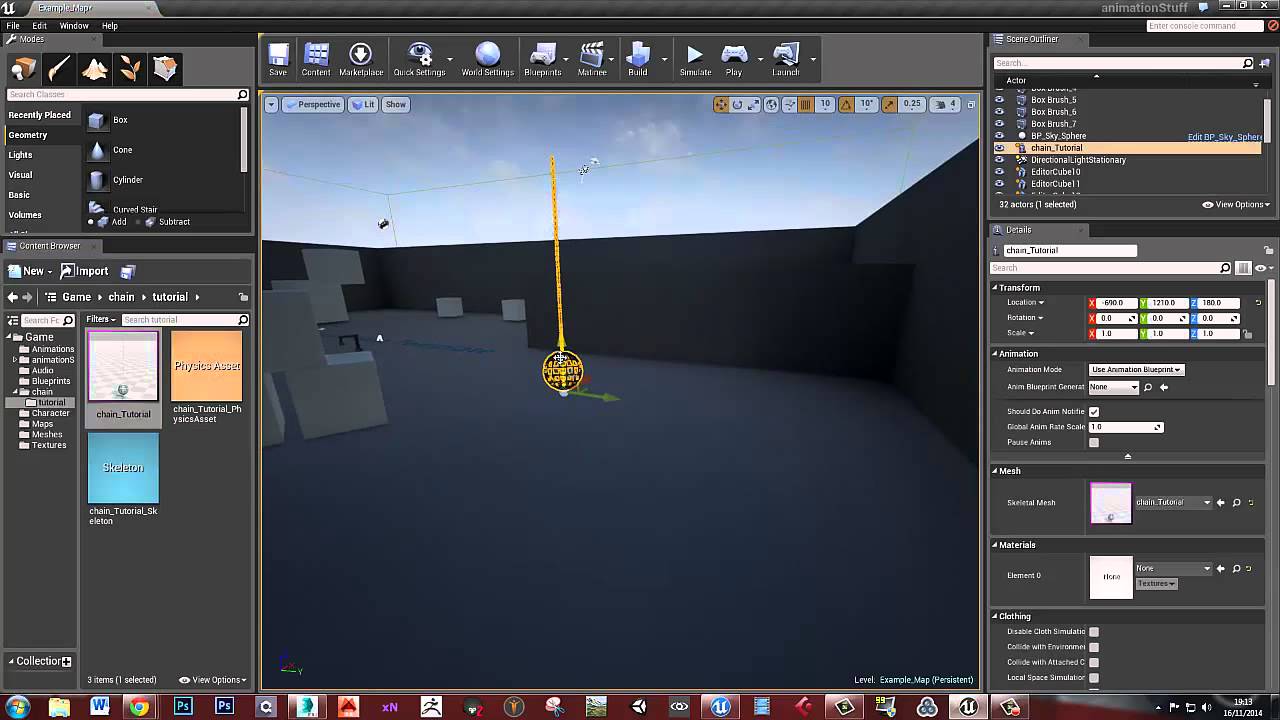
This video goes through creating a simple hanging chain with a lantern on it that moves and sways using physics
This?
 stable spire
hey guys does anyone know of a program I can use to animate/simulate 30,000 cubes? doesn't have to be related to unreal
or would I get away with that in unreal?
 round falcon
Someone did something like that in unreal here

Unreal Engine
Fabian Buchmaier breaks down “Cubes,” a short animation video created in Unreal Engine.
Unless you're looking for physics simulation
brazen hull
anyone got any good guides that still works on how to add usable weapons
 bitter iris
Hey guys, I'm wondering on how I can get the Geometry brushes to keep their subtracted when converting to static mesh. Doesn't seem to be working for me atm
stable spire
@light coyote @round falcon thanks very much for the suggestions they look good, I will dive into the rabbit hole
dim plover
Jordan, I think you have to select all the brushes.
crystal wind
I'm a little surprised to find there's no "ForceDirectional" component. Anyone know of a free plugin that gives a nice slew of physics based components that add things like directional force and other stuff; maybe something fancy to attach one actor to another in a spring like fashion?
Like really...
We could add stuff to make this as fun as garry's mod.
bitter iris
@dim plover thanks, always the simple way -.- lol
 glacial pecan
Is this a sane relationship/order of events?
 mossy nymph
what is "hit" there?
glacial pecan
beginoverlap
glacial pecan
ok, I've heard of the concept, but I don't know what exactly it is or how it relates to blueprints
mossy nymph
in BP its called event dispatcher
you add it just below variables, same way as you do variables
it has Inputs, like functions and events
glacial pecan
ah... I know that, but I didn't understand how to bind an event without creating a dependency
so I guess I missed something vital in the tutorials I saw
mossy nymph
there is no dependency from pawn to controller
static viper
and i dont know what "tiles" is
glacial pecan
I'm making a tile based game, that's all
glacial pecan
more tbs
mossy nymph
Pawn detects an overlap, calls the delegate
your controller, or even the widget directly can hook into it, by binding an event
bypassing the controller entirely
glacial pecan
ok, wait, can't the tile have a dispatcher that the widget then directly listens to? (at least for the hud part of the info)
because the tile gets a beginoverlap event as well, I think
mossy nymph
yes, its super easy to pull the possessed pawn from the widget
GetOwningPlayer->GetPawn
glacial pecan
ok, but I know that you can implement an interface without having any dependency to whatever else implements it
but I don't know how a dispatcher can function similarly
mossy nymph
dispatcher can have a payload
glacial pecan
because you need to cast to the blueprint with the dispatcher in order to bind it, no?
mossy nymph
(inputs)
glacial pecan
and the moment you cast, you load the thing into memory, which creates a dependency in the reference viewer
mossy nymph
which means Pawn can OnBeginOverlap, just pass a reference to OtherActor into the event dispatcher
then the widget can decide if it should do anything about it
or it can checl if OtherActor is a TileActor, and call the EventDispatcher passing a TileActor reference
glacial pecan
ok, thanks! I clearly need to read another round of event dispatcher tutorials and docs 🙂
mossy nymph
you add a say TileActor input to your dispatcher
when you Bind to it
when you pull a custom event from the red square pin
the Event will have a TileActor pin on it
glacial pecan
I think I understood that much from the tutorials... what I didn't get is how that avoids any dependencies, as you suggested
mossy nymph
and CallEventDispatcher node will have a TileActor input pin
basically, if your Pawn never uses your specific controller reference
just AController or APlayerController
that allows you to swap out PCs without ever altering the Pawn
it can be difficult to do, that example
but it typically applies to the UI/UMG
its okay for UMG to reference Actors and Objects ingame, its not okay for anything other then your HUD to reference the UMG
that allows you to swap out the UI without changing your game to do it