#ue4-general
1 messages · Page 502 of 1
 grim ore
 safe rose
Figure out which one works for you best
 wary wave
aye
 copper flicker
yeah, it's hard to expliain. I don't even know what a tracked state is. but.. I guess it means Saving?
grim ore
The issues is he wants a shuffle bag, random array of items he can loop thru once before resetting it, to be called from anywhere like in a BPFL or Macro.
copper flicker
I do need this shuffle bag to work inside a function or macro, and be able to save its state, so next time I open the game I continue
@grim ore yes. that. 😄
I mean it's ok if it's not in a library.. but atm I can't make it work at all
I made it work only exactly as you wrote it
safe rose
Well, just save either the Shuffled Array into a SavedGame Array variable, or keep the Sequence saved.
 honest vale
serialization and save games should be a separate issue from this
copper flicker
any changes, like making that stuff inside a function, and it breaks it
grim ore
saving is less of the issue as keeping state when it's somewhere else global
copper flicker
ok, I'll go try the shuffling array thing
wary wave
well, it can't be in something like a BPFL easily, it'd have to be in some actor that's persistent
grim ore
I suggested it's own blueprint to be referenced from anywhere or the game mode/state but shrug
wary wave
aye
safe rose
@copper flicker If you put the shuffle in a FUNCTION. IT WILL SHUFFLE REPEATEDLY
Causing the issue you were talking about
wary wave
game mode or state seems like a sensible place for it
 rotund scroll
considering he wants to save it I think game instance is where it should live
copper flicker
no, no game mode
rotund scroll
BUT WHAT DO I KNOW
safe rose
..
rotund scroll
you don't
safe rose
You can just get the variable from Game Instance
rotund scroll
you need a reference to it inside the player
but it needs to live in game instance
safe rose
You are just saving a variable somewhere and getting it for use later
copper flicker
well, if it's not inside the player it becomes HELL.. to communicate with it
rotund scroll
I think I'd have an easier time explaining things to a wall
grim ore
Get Game Mode -> Cast to Game Mode Class -> Get variable for thingies -> Save variable for thingies to local reference -> call whatever from local referenced variable whenever needed -> move on to next problem > repeat at part 1
wary wave
to be fair, several people have just wasted 40 minutes of their time giving you a solution, only for it to turn out you already had the solution but didn't actually understand how to use it :/
copper flicker
no amber, I said clearly in the beginning, that the solution I had wasn't working for me
sorry for spamming tho, I'll go now
😄
thx for the answers!
 real hound
I am not sure how best to implement my intentions, maybe you guys can shed some light. I am working on a game where as the character moves across hexes (free movement) new hexes are generated and given a random seed. The goal is to have all the terrain in each hex driven by the seed. What I am uncertain about is how best to trigger the hex creation. At first I was thinking I would lay out a cubic coordinate system and then look for overlaps at certain radii from the chracter, but I think that is a costly method and also is limiting. Now I am thinking of looking at what ever hex I am above currently and then triggering updates on all the new hexes some integer offset in the cubic coordinate system. I'm using Runtime Mesh Component to create the hexes.
Thoughts?
wary wave
it's hard to say without understanding the game better
seems like you want to generate terrain at run time, so it would make sense to me that you might want to generate in all neighbouring hexes that you have not already generated for?
real hound
The mechanic I hope to implement is as you move through the world it is randomly generated, and more importantly old hexes are forgotten after a period of time and receive a new seed if you pass over the same space twice (after like 5 minutes). I know even RMC is costly when you use a lot of meshes (even if there arent many vertices) so to create the illusion of a huge world I want to just generate it at runtime without actually storing it. Also this is a top down/isometric game.
 manic pawn
how big are these sections relative to the player
i.e. are there going to be 10s, or 1000s alive at once?
real hound
I am thinking rather small. If the character is 1.5m then the hexes are probably like 5 or 6m in width. Probably only displaying 3 hexes out from the player at a time.
manic pawn
3 hexes radius is a fairly small amount in total
real hound
Each hex will have (havent counted) but like 24? vertices that will be used to drive terain.
3 hexes out would be 19 hexes in total
manic pawn
yeah so that's basically nothing
I wouldn't worry about optimizing how you detect which need to be updated at that scale
real hound
The goal is to network this game though. So the seeds drive the terrain, but the server generates and remembers the seeds for many players at a time
grim ore
so far this all seems like a relatively small amount of data
real hound
That is encouraging.
grim ore
well the seeds on the server per player would be just a seed right, random number/string you are using to seed the random generator? so very light
real hound
Some what. I havent locked it down completely yet. Not completely random. I am thinking of using 4D Perlin noise, (x, y, z, t) so there is some continuity between hexes and as time steps through passing over old hexes will still generate a different seed.
My original goal, or stepping stone, is to give each hex a color like #FF00FF, maybe having each color channel be driven by perlin noise, and then work from there.
If its tuned right there shouldnt be large jumps across colors, just gradual changes.
grim ore
it all seems completely doable, this is one of those times where you just make something work and keep iterating over it to see how it performs
computers crunch math well and newer GPU's push polys well
real hound
Yeah. I am pretty confident its doable, I am just uncertain how to strike out on it at first so I dont fall on my face later. Lol. But I think I will go with getting the hex I am under, pulling its cubic coods and updating on a radius in cubic coords. That seems safe
I am rather paralyzed by thinking to much and not enough doing at the moment.
grim ore
yep yep that's normal 😃
spend an hour or 2 doing random stuff to see what might work and to get any more problems brought to the surface. Then you can design it all if you want to keep going forward and then program it once that is done
 broken steppe
Hi everyone. I was wondering if there is something in UE4 like Camera Layer Culling Mask in Unity ? I want certain objects to be hidden at time then unhide them and hide a whole other batch on demand.
grim ore
Nothing out of th box. Custom depth might work in a material itself.
broken steppe
After a lot of searching on Internet, I was playing around with Custom Depth and Stencil Values. i can even isolate the desired objects in the Post Process material, but I am unable to figure out how to cull them.
copper flicker
does anyone know why I can't remove indexes from this array this way:
meaning. I can remove. but it won't remove them reliably
it kinda removes other indexes
i tried using index 0, same
I mean Remove Index 0
 glacial pecan
I have a tile based game, and within a tile there's floors and walls with separate colliders... but the tile is a blueprint actor and I've only found BeginActorOverlap so far... how do I check if I hit the floor or the wall?
should I separate the floor into a child actor, and will beginactoroverlap differentiate between them?
grim ore
Are you trying to renove from the array while looping thru it?
@glacial pecan you should be able to get the hit component and check that maybe if you tag the floor and wall separate?
glacial pecan
@grim ore GetOverlappingComponents you mean?
copper flicker
not while.. but after
O o
I changed it now to this
the removing works... but now the shuffle does nothing
so why can't I remove from the array immediately after looping thru it?
glacial pecan
@grim ore oh, I get it now... I shouldn't use BeginActorOverlap, I should use OnComponentBeginOverlap
 plush yew
after exporting my animation from Blender
like reloading
it looks off in unreal
idk how i fix this
real hound
Is there anyway to control the naming of an actor when you spawn multiple of them in at runtime? I am kind of stuck on how to search if an actor exists. In this case a hex. My thought is if I can name it's instance as its cubic coords or something it would work well.
wary wave
store them in an array and write a lookup function
real hound
Hmm ok. Just guessing here, but should I do do that in the level blueprint?
wary wave
probably want a manager class for the entire grid system
rotund scroll
anyone been using the custom material expression node? I'm getting some issues trying to use functions
specifically function parameters
real hound
@wary wave Do you mind elaborating on that more?
wary wave
something needs to create and manage that grid
make sense to have an actor that does exactly that
real hound
So just a stand alone BP Actor Class that keeps track of occupied grids, etc etc.
wary wave
something like that
real hound
I will have to think about how to implement that.
 radiant haven
has someone experience of AI?
 warped tangle
man that's a broad question
radiant haven
🤷🏻
rotund scroll
how about nonartificial idiocy? 😉
real hound
Hmm looks like Blueprint Maps is the best for this @wary wave https://docs.unrealengine.com/en-US/Engine/Blueprints/UserGuide/Maps/index.html
Creating and editing Map containers, an advanced container type, in Blueprints, including an overview of this container's properties.
Actually I think its the only reasonable thing to use.
 autumn elbow
OK... What am I doing wrong??? https://youtu.be/Kmnpmc4PKFg

It works fine...and then it decides to just stop working.
Does the Physics Simulation destroy rotations ???
real hound
Are you talking about the weird jumping offset when you attach the cube after attaching it on top?
I would suggest to start, once you replicate it easily pause the game and look at the bp event graph for that specifc cube. Its might shed some light
rotund scroll
somewhere you're probably introducing a tiny rotation offset that gets larger every time you use the rotation modifier
perhaps
autumn elbow
@real hound It works on all the cubes.. and pipes..and other geometry..with any pivot location. It starts acting up after awhile.
rotund scroll
I don't know what your method is to find the snap points
autumn elbow
@rotund scroll hmmm... where would it come from though? I feel it should work with any rotation
I go through the BP at the end of the vid
to find the snappoint... I take the Pivot location, get the unit vector, then multiply with the length.
autumn elbow
This gives me the snappoint with any pivot location.
autumn elbow
hmmm.. true... but that wouldn't explain it working, and then stop working
Maybe I am introducing small rotation somewhere like you said
rotund scroll
it would if there are certain rotations where the float defaults to a certain value
but yeah if you use rotators for this you run that risk
I'd still say that pushing the box to find snap pivots would be a better option
autumn elbow
pushing the box? sorry i dont know what you mean ?
rotund scroll
you can use set transform location to push the box around inside its parent blueprint
that way you manipulate the pivot of the box
autumn elbow
you mean not use Set Relative Location ?
I am moving the box around inside the parent
rotund scroll
right but you can do it without using rotations
autumn elbow
ohhh... dont know how to do that LoL
autumn elbow
as far as I know... pivots can't be moved
rotund scroll
no but you can move the box around its parent blueprint
that's still changing the pivot of the box, technically
setting the relative location to box extents * 0.5 will push the pivot to a side, another multiplication sets it on an edge, a third sets the pivot to a vertex
then you can create cases for how the pivot is supposed to snap to another crate
like when it's on face level, snap at face level, on edge level, snap to edges, vertex to vertex
autumn elbow
im not 100% sure if I understand what you are talking about... but I get the concept. LoL
 light thunder
I'm planning to update a project from 4.19.2 to 4.22.3 - later today, is there any common issues I should be aware of?
autumn elbow
if youre bored one day and wanna take a look... lo
autumn elbow
np
I tried what you said about moving the pivot... it comes to the same thing. I still need to rotate
rotund scroll
why do you need to rotate?
autumn elbow
orient the cube so that the connecting faces ..attach points.. are the ones touching
rotund scroll
ah right, because you're able to place them off grid
yeah my bad
try see if you can get away just rotating in xy space
autumn elbow
yea. np.. I think youre right about me adding rotations somewhere. I need to investigate the Delta Rotation.
transform on a single plane. ... interesting.. instead of rotations, i'd be flipping to match.. I'll add that to the list of things to try. LoL
Do you know if there is a node to get the Plane XY or ZX or YZ ?
rotund scroll
right click a rotator and get the xy values will let you rotate just in 2d
autumn elbow
gotcha.. I'll try
rotund scroll
with those you should be able to align them to any xy plane
autumn elbow
Thanks for brain storming 😄
rotund scroll
no worries
 latent flume
I have https://www.youtube.com/watch?v=NVMRRt48Pko because I have grids that create the meshes. To cut down resources I'm think of doing a distance test so. what is in the field of view a box is turned on or generated. So, it looks like endless foilage, rocks, etc. Any ideas the that would work to create limitless grid generation according to field of view

Tonight, I officially added the world generation code. So it's just making it looking nice. Full Orville game very soon in the future space combat but now I ...
Or other tricks
autumn elbow
Spawn if points inside a volume? Then you can walk around and trees would spawn around you. Culling would take care of the trees behind you. Might be the same mechanic as endless runners. I'm sure there are a few tuts on YT on how to set it up. @latent flume
 true leaf
I have a dumb question . When I close my game window, it fatal errors (PIE or actual game client) .
So it's really not a big issue but it's annoying. How can I debug that
NVM there are probs crash logs
 thorn topaz
Why can't I place a breakpoint in AAIController::MoveToLocation in a packaged game?
 silent frost
Need some help and ideas please - I'm making an endless runner style game and I'm wondering how to set up lighting. Currently it has a sky light and a static light, but when the character starts moving away from the playerstart the lighting obviously trails off. Now, do I set lighting to stay with the player character and somehow attach it, or attach lighting to the floor tiles which are spawning in (15 tiles currently, which are removed once the player has passed over it, with a delay. So it's a continuous 15-16 tiles at all times. Not sure how to set it up.
radiant haven
can someone tell me what the gesture inputs do?
grim ore
either dynamic lighting 100% so the lighting is correct as you move, either per tile or the global ambient lighting
or prebake each lighting tile with the expected generic lighting
light thunder
Trying to build project and I get this : ```1>------ Skipped Build: Project: UE4, Configuration: BuiltWithUnrealBuildTool Win32 ------
1>Project not selected to build for this solution configuration
2>------ Build started: Project: LiveSimulator, Configuration: Development_Editor x64 ------
2>Using 'git status' to determine working set for adaptive non-unity build (E:\Dropbox\LIVES\Alpha Version\LS Beta Version SourceControl).
2>Parsing headers for MyProjectEditor
2> Running UnrealHeaderTool "E:\Dropbox\LIVES\Alpha Version\LS Beta Version SourceControl\LiveSimulator.uproject" "E:\Dropbox\LIVES\Alpha Version\LS Beta Version SourceControl\Intermediate\Build\Win64\MyProjectEditor\Development\MyProjectEditor.uhtmanifest" -LogCmds="loginit warning, logexit warning, logdatabase error" -Unattended -WarningsAsErrors -installed
2>Reflection code generated for MyProjectEditor in 5.3015738 seconds
2>Using Visual Studio 2017 14.11.25503 toolchain (C:\Program Files (x86)\Microsoft Visual Studio\2017\Community\VC\Tools\MSVC\14.11.25503) and Windows 10.0.15063.0 SDK (C:\Program Files (x86)\Windows Kits\10).
2>Building 8 actions with 8 processes...
2>EXEC : [1/8] error : Unable to create child process
2>C:\Program Files (x86)\Microsoft Visual Studio\2017\Community\Common7\IDE\VC\VCTargets\Microsoft.MakeFile.Targets(44,5): error MSB3075: The command ""C:\Program Files\Epic Games\UE_4.22\Engine\Build\BatchFiles\Build.bat" MyProjectEditor Win64 Development -Project="E:\Dropbox\LIVES\Alpha Version\LS Beta Version SourceControl\LiveSimulator.uproject" -WaitMutex -FromMsBuild" exited with code 5. Please verify that you have sufficient rights to run this command.
2>Done building project "LiveSimulator.vcxproj" -- FAILED.
========== Build: 0 succeeded, 1 failed, 0 up-to-date, 1 skipped ==========
 dim plover
Did you just update VS?
light thunder
yes, I figured it had something to do with that
dim plover
Restart your computer.
light thunder
I did that, did it need it twice?
dim plover
Hmm, maybe delete Binaries/Intermediate?
 vital forge
Can I get some quick help?
For some reason no matter what settings I change, the guassian depth of field wont render in android (ES2) 😦
 dawn gull
So, I made a post on this guys Github because I needed help figuring out how to use the plugin, but I noticed that he responded to 0 posts. Can anybody help me with this? https://github.com/mhousse1247/UE4-CustomGravityPlugin/issues/13

GitHub
Hello, yesterday I downloaded and put this plugin into my project, but the example project has not been loading, and so I need help adding the gravity effects to certain objects. Are there nodes? I...
Please tag me so I can find it in the morning I am going to be inactive for the night.
 mortal mountain
cant seem to move the camera, what does lock the position?
oh nvm theres a forced rotation in spring arm
 next badger
Question:
What Coordinates Expressions available for Instanced meshes? Like foliage. I seems can't get neither Pivot or Object position for them.
 silver crown
    float3 InstanceLocalPosition;
float4 PerInstanceParams;```PerInstanceParams: // x = per-instance random, y = per-instance fade out amount, z = hide/show flag, w dither fade cutoff
That's about it
dawn gull
@wild kestrel I was looking in the forums for help with the planetary gravity, and I saw that you said something, but I lost the page. Do you remember what you said?
Yes, I looked in my search history
next badger
@silver crown only available in custom node?
silver crown
No that's the stuff sent to the shader
And all that is used by the usual nodes
Object Position returns InstanceLocalPosition IIRC
And Transform uses InstanceLocalToWorld
next badger
@silver crown not for foliage at least
next badger
Actor in the middle. The 2 on the sides are foliage, notice he difference in shader.
silver crown
0 bytes
dawn gull
Lol
next badger
dawn gull
Ooh cactus
silver crown
What's the shader
dawn gull
phy What does purple on your name mean
silver crown
Means I'm better
dawn gull
Oh ok
dim plover
Those are very beautiful cacti.
next badger
 dark depot
cause phy is better then us
dawn gull
Yes, yes, true
dark depot
nice and simple thanks for sharing Alexey 😄
silver crown
Well the cactus aren't at the same position, so seems ok to me?
dawn gull
Im getting a snack 🧀
next badger
@silver crown yeah...but WP - OP should be the same
silver crown
Oh yeah
dawn gull
Oh yeah
silver crown
Try using Transform(0, 0, 0)
dawn gull
This cheese is so good
silver crown
stfu
dawn gull
:(
silver crown
as Object Position is returning the local position of the instance
next badger
@silver crown the Transform vector node?
next badger
nope, weird enough, it's not affected the foliage ones at all (at least no visual change)
 gaunt iron
runs newly cooked game
"low level fatal error"
ah shit here we go again
autumn elbow
How do I round a rotation to the nearest 1/10 ? (other than breaking it into a vector)
next badger
@silver crown
silver crown
This works?
silver crown
nice
manic pawn
never seen a vertex interpolator node before
what does itdo
in this case
isn't object position constant across vertices anyway 🤔
silver crown
Code is different I bet
next badger
@manic pawn the issue was, object position was not 0 at object origin for each of the foliage instances, it was somewhere else ( looks like it was not at 0.0.0 either)
Release Notes for Unreal Engine 4.16
VI is very tricky to use.
it's a 3 vector where only value X is not 0 (not even like this...it acts like a 3 vector when you plug it in material, yet it's a float)
 lilac wedge
Whats the best way of playing my own game with my friends on a dedicated server. I can't atm due to not being able to host and play on The same steam account
Don't really want to buy a new pc just for testing
 lament birch
Would RPC (remote procedure calls) and their blueprint implementation be a topic for #blueprint or #multiplayer ?
next badger
@silver crown does not work for Instance rotation and radius ;_;
just looked through search on those channels, both have mentions of RPC
 upper heart
@lament birch #multiplayer
Does anyone know if there is a way to decrease occlusion culling time without reducing mesh count?
i.e. this guy
next badger
@upper heart can you show stat initviews ?
next badger
it looks like you're culling 90% of objects by frustrum...and it's the fastest of all afaik
upper heart
okay cool that's good to know
next badger
nope, draw distance one is the fastest... then comes frustrum
upper heart
ahh okay that makes sense
next badger
but i see no stats for it, so i assume it may be included in frustrum or be somewhere else
@upper heart never used one but it's there, so may be useful - https://docs.unrealengine.com/en-US/Engine/Rendering/VisibilityCulling/CullDistanceVolume/index.html
An overview of how to use the Cull Distance Volume to cull Actors in your Levels as specified distances based on their size.
next badger
np...also next there is - Precomputed Visibility Volume
autumn elbow
@rotund scroll Booooom! NO ROTATION NEEDED! 😄
Thanks again for the help!
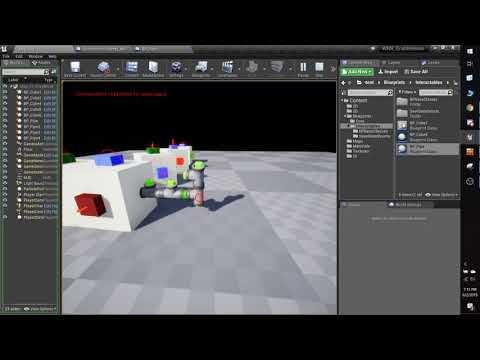
https://youtu.be/Lci0oktxfaw
 next badger
@autumn elbow why negate vector? you could just sub it instead of add
autumn elbow
true.. but the values could also be negative
 cursive mauve
IS IT POSSIBLE TO POSE SKELETAL MESH IN WORLD? ie IN MAP??
next badger
@autumn elbow 1-(-1) = 1 +1 it does not actually matters...but if you comfy that way i'm not insist
@cursive mauve no...yes...it's complicated
also don't caps
autumn elbow
yup... thx! i can get rid of that if i use a minue
minus
one less node... good looking out! 😄
next badger
nap time, 5 am here -_-
take care ppl, good luck with whatever you do
next badger
Russia, SPb
autumn elbow
ahh... Spokoynoy nochi
upper heart
What exactly does right clicking a uproject and selecting "launch game" do?
Is there anyway to launch the game like that as DebugGame instead of development?
 mossy nymph
launches DevEditor standalone without any extra command line arguments
and you can probably do something like
upper heart
What does the command line statement look like for that?
And can I change the solution configuration on it?
mossy nymph
"C:\Epic Games\UE_4.22\Engine\Binaries\Win64\UE4Editor.exe" "G:\MyFolder\MyUproject.uproject" -game -log -windowed
as a shortcut
that launches it windowed, with logs printed out in windows command console
don't know all the possible arguments
upper heart
Can I pass a different solution config?
mossy nymph
but basically, its "<Path to UE4Editor.exe>" "<Path to your .uproject file>" arguments
and quotes aren't required if you don't have any spaces in the path
 forest totem
hi
upper heart
Is there anyway to run a standalone debuggame instance?
mossy nymph
if it is possible, it will be with shortcut and just the right combination of command line arguments
forest totem
any one can help with landscape?
mossy nymph
but DebugGame no, you start that by hitting the .exe in the binary folder, or from VS
forest totem
when I use brash the terrain has big edges
mossy nymph
hitting DebugGameEditor executable in binaries did start my game just fine @upper heart
forest totem
mossy nymph
there is some smoothing brush in landscape tools @forest totem
forest totem
yes i use it
upper heart
@mossy nymph So after cooking content?
forest totem
mossy nymph
DebugGameEditor binaries don't need cooked content
DebugGame does, and also works just fine if you just hit executable
(after cooking)
autumn elbow
@forest totem maybe you don't have enough poly to define a smooth curve
try upping the resolution of the terrain
forest totem
resolution of the landscape?
autumn elbow
yea
forest totem
this is the resol of the landscape
autumn elbow
can i see the wireframe of the landscape where u are brushing?
forest totem
autumn elbow
do that again, but turn the grid off
upper heart
@mossy nymph oh okay, I don't have any exe's. I've forgotten how to generate those. Apparently just building doesn't
I have to package?
mossy nymph
it does, you do need to switch the target in VS
forest totem
mossy nymph
and you do have to package for any executable/target that doesn't have the word "Editor" in it
autumn elbow
there you go.. see how low the resolution is where your characters feet is
increase the resolution, then try brushing again
upper heart
Hm okay, I've been building for DebugGameEditor in vs and I don't have any exes
mossy nymph
if you deleted intermediates or cleaned up/rebuilt say, DevelopmentEditor, they would get deleted
forest totem
how can i increase the resolution?
upper heart
They should be under <project root>/binaries/win64?
All I have are dlls, pdb, and modules
autumn elbow
Guide to creating new Landscape terrains.
Unreal Engine Forums
Talk about Level Design, Static Meshes, Physics, and more.
I'm not 100% sure... but maybe sections.. lol I never used landscape
Try the last one lol
Save before you modify anything though... just incase you loose your brushed work.
forest totem
what do you use?
autumn elbow
i mean i don't do art stuff... lol.. programmer
grim ore
@forest totem for your landscape issue. What is your scale on your landscape object.
100 is the default and if it's higher, say 1000, you will get those weird issue when sculpting.
grim ore
😀
dim plover
Is the default landscape scale 100, 100, 1000?
If not, that's probably why your landscape resolution is low.
grim ore
Your z is 1000 it's supposed to be 100
 thorn vector
idk where to put this but is there any tut to make realistic hair and clothing(apex clothing)
 proper crane
"Trying to simulate physics on "StaticMesh" but it has ComplexAsSimple collision"
warped tangle
You have the collision on the mesh itself set to use complex as simple. Go into the mesh and change that collision to project default
proper crane
How would I approach using the complex collision?
 oak linden
So I understand that for realtime raytracing I need an RTX
but do I need it for the pathtracer as well?
I'd really like to have some raytraced lighting and I don't care to have it in realtime
since it's going to be for something prerendered
plush yew
@oak linden check out vray
plush yew
one question do i make the mechanics then i make the level or do i do it the other way around?
plush yew
i'm just gonna come clean i want to make my first game
meaning i never made a video game before
plush yew
same
 fresh sun
I need some help
plush yew
@plush yew when i made my first game i was developing small maps around the mechanics i was developing based on whatever i thought would be cool and relevant
one map I remember having the player come up to a lava flow, but i didnt have lava coded nor a method of crossing lava
so i made both
should i say what the mechanic's are?
now that i had lava and a method of crossing lava i had a reason to send the player to find the ring of fire resistance
and the maps were developed around lava/the ring
i'm writing it down
it was a fast and easy development process
and fun
ok
even the hottest aaa titles dont think their mechanics 100% of the way through
just have fun
so theirs a element puzzle mechanic
if youre thinking too much youre just gonna be a nonproductive nerd
so should i start with the most fun mechanic?
i started with the basics
the meat of the game
combat
swing sword, shoot bow, cast lightning bolt
lightning bolt feels kinda boring to use after the 1000th time so i was like ok
now its time to make uhhh
magical
fire attack
i didnt make the fire attack the same time as the lightning bolt
 wary nova
ive thought about my mechanics
plush yew
it wasnt even written down anywhere
i'm so proud of my friend, i taught him unreal engine today and all on his own after like an hour of the basics he made a rocket jumping platformer with a really cool map with the stuff he learned before (he really likes physics in games so for example i taught him forces and he incorporated the impulse to make his rocket launcher)
the core mechanic is that you can use weapons that use magic but can be used with these gems that give the weapon more power
then make the first weapon and the first gem
and make enemies to murder
also, Gem Demon, make small things
and a level for the enemies to await their demise
make small, non-ambitious games to learn the ins and outs of game development, put them up on Itch, and maybe incorporate some elements of what you want to do later in them
learn the engine, learn your language of choice (C++ or Blueprint), get the hang of things, learn how the game dev cycle sort of works and just make small things to learn more as you go
before you know it you'll have the skills to dive in on your bigger project
thats a big wall of fuck that makes my brain go what. id suggest just making something fun and cool
i'm using unreal
what big wall of fuck
theres like a hundred words up there
tl;dr make small fun games that aren't ambitious to learn the engine first
can you not read a hundred words?
can and wont
ok buddy
but ye, make something easy first
and i don't know how to code c++
make a platforming game and write some moving platforms in blueprint
small stuff
watch some vids and read some guides on some easy things
i'm gonna model a gem and weapon
sweet
make it cool
awesome
now i'm not good at modeling either
then make a model thats good
so ull be good at modeling
learn to model slowly
nobody is naturally just good at it the first time
well rarely anyways
look up some guides on blender
make something easy first
bethesda cant make a ladder
is today hannakuh
browser key
all of my art assets in my first game were modified assets from other games
that way i didnt make pitchforks that looked like jewish candles
modified assets from other games
that's like theft or something
(if it wasn't a marketplace asset or opensource game)
finished model
i have a drawing of the sword hold on
you dont know a single good artist that didnt learn by copying other peoples styles
i can guarantee that
if youre worried that youre stealing an asset then dont sell the game with that asset but dont pretend like you can get good by winging it
it's an old drawing
were you talking to him or me?
its applicable to anyone
i'm gonna take a break
it's 3:23 am for me
copying other people's styles isn't the same as literally ripping the model and editing it/printing off a picture of someone's drawing and drawing more shit on it then passing the whole thing off as yours tho
at least attribute where you got the model from if you're gonna release the game
i made the model and the drawing

Best of Tiesto: https://goo.gl/G6ZKJp Subscribe here: https://goo.gl/FtqYtq Music video by Tiësto performing Adagio For Strings. Black Hole Recordings #Tiëst...
Tiesto - Adagio for Strings, 5.9 million views
this is simply a modified version of Adagio for Strings by Samuel Barber
either figure it out or struggle
lol, ue4.23 gives himself a lot of allocated memory (5gb)
i remember using ue4.22 engine allocate about 2-3gb
silent frost
Thank you @grim ore - Just seen your reply from last night. Really appreciate it, and also all your YouTube videos. Definitely the most informative and useful stuff on YT currently when it comes to describing WTF everything means in UE4.
dawn gull
Hello, I am making a game that is mainly in space, and I need help getting custom gravity for moons and planets to work. Please tag me if you can help. Thanks!
plush yew
can anyone explain what is this ? I accidentally come to it and I was wondering what it is for and how can I switch to this again
 torpid compass
im trying to make a minecraft like game in ue4 its going alright, but when try and destroy a instance of the generation, sometimes it works, while other times it gets destryoed but the mesh is still there, i use a simple line trace checking what index it is and destryoing that, any help?
 midnight bolt
hello, i want to import large amount of props, lets say 200. i already have 100 in my UE. how can i bulk import, and make UE not reimport already existing ones?
dawn gull
@midnight bolt ctrl click the ones you imported already?
 tight salmon
Hey guys, right now I work on arena wrapping. When actor leaves arena overlap, it should teleport to the other side of the arena. It works flawlessly, but upon teleporting, the velocity of actor goes crazy and fires out of bounds and destroys itself.
Was someone solving this problem before?
 mint sequoia
Has anyone used Control Rig? I don't think the "Animation Input" and "Animation Output" variable options work :/ Can't get any data in or out
The documentation is so lacking
(Surprise!)
@normal burrow Have you tried it?
 shell jacinth
Hello, i hope someone can help me with this problem ... My Cull Distance of my Foliage does not work anymore
Iam using the Unreal Engine 4.22.3 since several month without problems and now my cull distance dont work anymore (i tested it also in Game View)
What can i do now...
I dont now why there are these Problems with the UE and everytime when i report a bug which you can see in livestreams live, the support tells me everytime they cant reproduce that, but the funny thing is that these bugs cooming after using the engine several month (without changing anything at the engine directly). This was a fresh UE4.22.3 install
 ornate forge
does anyone know a good tutorial on how to rig with Epic's Mannequin skeleton in Blender, preferably 2.8?
when I import this skeleton into Blender, it looks really weird, every bone is positioned in a weird way
 fringe pivot
what's a suggested and non-expensive way to render a skeletal mesh to a 2D Texture?
 vast rampart
Anyone here familiar with houdini? 😃
radiant haven
How to make Cooking faster?
wary wave
get a better computer
radiant haven
NO
radiant haven
well i have some problems with my Inputs
I make a game for mobile and for looking around dont want to use a joystick, wanna use swiping
dawn gull
How do I do planetary gravity
wary wave
@radiant haven - I have no idea what that's supposed to do, but you have things like outputs from one function being input into another
that's never going to be reliable, if it works at all
dawn gull
Nah BP is not powerful enough to make unreal if you tried
 blissful trail
i think i fixed it i just had to disable a plugin
wary wave
@blissful trail - Appodeal, I assume - good job fixing it ^^
and @radiant haven - the whole structure is wrong, you can't plug variables generated in one event into nodes from another event entirely and still expect things to work
radiant haven
ok
wary wave
I mean, it could actually work since variables get cached, but it's very unreliable
 wary wave
that is at least structurally sound
wary wave
'Flick' sounds like a swipe to me
but you're asking the wrong person, I don't do mobile games
 tepid knot
@dawn gull #plugin-dev
dawn gull
Ok
plush yew
Anyone else get that procedural nature pack on the free content of the month? I’ve had nothing but problems with it
wary wave
what kind of problems?
I've had to work with assets from that author before and they weren't great tbh
they're quick Unity ports
oh wait
I thought you were talking about this month's
the older one is just a very old pack
radiant haven
@wary wave well i understand now how to do this well can u help me there to create the bp for that?
wary wave
I can't help you because I know nothing about mobile
radiant haven
if your finger is pressed
and u move
to the y axis
the camera turns at the y axis
look at the structure
 frail jasper
You would think unreal could handle compiling a blueprint but nope. All I'm trying to compile is a widget that holds 40 text arrays with around 500 to 1000 elements each. I have filled about 20 of the arrays with the default text I need for each element. It's annoying when I finish adding 1000 elements with the needed default text the go to compile and every time it crashes but it does compile and save my work because it's there when I reload the engine. Some times when I hit compile my whole screen goes black and I have to hard reset my computer. Wtf it's just an array of text what a piece crap this engine can be.
 mint umbra
I've made some AI logic that derives from my player character which has a lot of functionality (child to the Advanced Locomotion system). I mainly parented the AI to the player in order to have equipment setups and to use other variables. However, when I drop an AI (which wears a BP weapon with its own logic) into the scene, the FPS drops substantially. If I drop in 3 AI the frames go from 60 to 30, on a 1080 gtx 32 ram desktop. If I hit them they spawn blood particles that spawn decals when hitting the ground. These add even more FPS drops, although I'll reduce these to optimise. So my main problem is that the AI are so demanding and Im aiming to have a high density of AI at some point. Used a mesh from the marketplace and changed back to mannequin, same result either way. Could it be all the code that's too demanding? Would love some feedback on best approaches. 🙂
 bold rune
I wish I just had an HTML5 based UI.
dawn gull
Hello, I was following a tutorial for Planetary Gravity
and I got a big error
this is the tutorialhttps://www.youtube.com/watch?v=l2J45z6aoJQ

Use Blueprints to create a pawn that can be controlled while moving around a planet while maintaining correct camera orientation! YAY!
and it does not make your character move around the ball
can anybody give me a basic idea on how to fix this?
i can get in a call and show you what the character does
plush yew
@wary wave mainly my big problem is my computer crashes trying to deal with any of the massive amount of shaders in their materials
dawn gull
I hvae gone over the tutorial again and it still seems i did all of the steps right
 zealous cloak
oh geez
so apparently shipping config doesn't include logs.
which a newb doesn't know unless he looks up. Would've been nice to have those the last 2 weeks 😄
by a newb I mean me
radiant haven
has someone a good footstep sound?
dawn gull
@radiant haven is there not any footsteps in starter content? also you could record yourself walking on somthing
Ok for my problem with the tutorial I noticed instead of going towards the planet, it goes toward the spawn point.
radiant haven
yeah well i need a footstep sound
dawn gull
i dunno try a stock website like audio library
plush yew
How expensive performance wise is doing a line trace every frame?
radiant haven
5
plush yew
So far I've successfully avoided having almost anything in my Tick methods entirely, but I'm at the point where I'm adding guides to the player when they look at certain interactable objects in the environment. I wrote a prototyping version alongside the rest of my class for usable objects, but it involves running a line trace every frame, and that's just not okay to me being an optimization freak at times lmao. The MouseOver function should work for this as a better alternative, right? If the mouse is locked it should stay in center?
 woven cliff
guys i jump between first person character and a spectator mode but every time i go back to the first person character the spectator mode leaves sphere behind. how to get rid of that sphere ?
zealous cloak
ok....
I put my game into development packaging, expecting to get a log of my error in running the executable
but going from shipping to development in the packaging settings let me run my exe no problem
from my 4.19 to 4.20 update
grim ore
@plush yew have you profiled what a line trace per tick compared to nothing per tick compared to mouse over does for performance? I know you are saying you are an optimization freak but running something every frame is normal in a game... it's how they work.
@woven cliff after you create your spectator, save a reference to it and then destroy it once you posses your player again?
plush yew
It's why I asked to find out, I'm still finishing on the prototyping version to work out exactly how I want to implement the final feature, I'll profile it with both methods and figure out the impact of the full system each way
And yeah, I know it's how they work, but I'd like to avoid doing it wherever it isn't totally necessary in my own code.
I know the engine does it automatically and all, but adding onto it where not necessary just isn't how i want to do things rn
¯_(ツ)_/¯
grim ore
@woven cliff when you run the Create Player node, I assume that is creating the specator you are talking about, the return value is a reference to it. Drag off and promote that to a variable so you can use it later
woven cliff
tried that already didn't work
grim ore
what does it do?
woven cliff
nothing changes with the hidden and destroy node
maybe iam spawning the spectator in awrong way
grim ore
well the hidden node is when you are flipping the flip flop, so after you remove player and create player, unless you want to hide it after you create it
the flop when you possess the original character is where you are trying to call destroy actor but not hiding anything.
I don't have your code in front of me so I can't say what is going wrong, you should work on breakpoint debugging now on the destroy actor to see what it is trying to do
also it's possible you are spawning the spectator wrong as well and not actually doing anything with the one you create with create player
woven cliff
yep sorry that was retarded 😄 still doesn't work tho
my issue with the spectator is the sphere it leaves behind
sphere and collision
grim ore
if you dont have the create player node, you unhook it, what happens when you remove the player only. do you still get the spectator?
woven cliff
when i leave the spectator mode and back to the first person character i see this
let me chk sec
this error was showign btw
grim ore
I've never used this method to try and do what you want so I don't know exactly how its supposed to work lol
woven cliff
without the create node it jumps to ablack screen
well i keep diggign thanks for your time @gilded eagle\
❤
fringe pivot
I have this camera pawn, i move it with WASD by AddActorWorldOffset() it on every frame, works fine until I rotate it, there W is no longer "up", S no longer "down", etc.
How can I keep those axes untouched after I add some rotation to the actor?
I feel it must be something obvious by I can't figure it.
grim ore
trying to recreate the code now @woven cliff and I dont think it's doing what you are expecting, like half the time I remove the player I get nothing spawned to control
ok and I figured out why the destroy did not work, the create player gives you a player controller not an actual actor
if you try and create player without removing it just splits the screen, I don't think create player is going to do what you are expecting it just accidently works sorta
@woven cliff I have a feeling you want something more like this https://i.imgur.com/tLDuxcs.png if you are trying to use a spectator pawn to fly around then go back. You should spawn in a new pawn and possess it. I also made it so it would hide the player when you swap to the spectator
woven cliff
oooh man! thanks alot for this
grim ore
personally also I wouldn't recommend having this code in the level blueprint since you can't re use it, this code would work just fine in the Player Controller if you keep a reference to the controlled pawn (character you are controlling) when you swap to the spectator so you can go back to it later
woven cliff
i will try it now but even if doesn't work i stil love u for spending the time to do that! please let me know how i can repay back man ❤
grim ore
well the code I pasted works for sure, I just made it and used it 😛
woven cliff
great! thanks alot!!
radiant haven
does someone know how to add footsteps without using animation
grim ore
you should use animation but if not when velocity is > XXX set a timer to play a footstep and repeat the timer unless velocity is < XXX ?
use the tick to check velocity every frame lol
buuuuut...... you have to account for being on the ground for that velocity check as well
grim ore
I assume this is using a character?
radiant haven
i got these footstep variations
well idont have a character
i use the firstperson template
grim ore
are you using the first person character?
woven cliff
@grim ore works like a charm m y hero ❤
radiant haven
🤷🏻
grim ore
then it sounds like you are using a character 😉 there is a function called Get Velocity you can use to see how fast you are moving. check that speed every tick, see if its > a set amount, if so and you dont have a timer running then set a timer to play a sound every X time repeating. If the velocity goes below that amount cancel the timer.
its not pretty but you need to somehow determine you are moving without using animations (which just use velocity anyways so...)
radiant haven
 minor plover
I'm playing with the epic garden scene. There is a camera fly through. How could I disable it?
zealous cloak
I got my 4.20 running and now on to 4.21, looks good so far, cross your fingers
radiant haven
✌🏻
 lost ember
I wonder, is it possible to downgrade the graphics to roblox levels?
While still using high quality assets?
radiant haven
can someone help me by footsteps`?
minor plover
Can you disable an Actor in editor instead with code? Not just hiding it
plush yew
Why does UE4 compile shaders simply from opening the material editor and why does it compile as soon as I load up a big project? Very annoying
dawn gull
I hate it when you are following a 30 minute tutorial and you have to restart it because you did something wrong
plush yew
ok so I have an issue, I want to patch my game, in doing so I moved some textures into a new file. I am getting an error when cooking, I know why, it's because I have cooked before and it is trying to cook assets to their old path. How do I get around this?
minor plover
I click play on a map and the engine spawns some PlayerController and etc. Where were they spawned from?
plush yew
hey guys, anyone got any cool tutorials on good practices for level design?
as in i just wanna make nice looking areas haha
dawn gull
Hello, I am following a tutorial, and I get this error.
this is the tutorial
Use Blueprints to create a pawn that can be controlled while moving around a planet while maintaining correct camera orientation! YAY!
i am at around 17:10
If you could help, that would be appreciated because I have no idea what is going on
nm
i forgot to plug in a node
dawn gull
Hello, I am having a problem with code, that I know how to fix, kind of. It would require getting in a call with me, and doing PM stuff. All you need to know is a little more complex then usual skill with BP. If you can help, or have the time, or need more info, please PM me.
in 24 minutes I have to go though.
plush yew
Can't call mate. I assume you're a beginner. When it says accessed none it means accessed none, show your blueprint. Maybe a pin not connected right
 weary basalt
@dawn gull Just ask your questions in the appropriate channel. Asking people to DM you isnt helpful to anyone.
dawn gull
@weary basalt I don't know what channel to put it in and it works a lot with pawns an BP
so i though just in here would work because it's a mix.
ANd, I don't know how to explain it simply
midnight bolt
can i set a certain material to be alwayus default parent when creating new material instance?
weary basalt
@dawn gull Read the #more-resources channel and the #old-rules. Pay special close attention to the Descriptions of the Channels.
If your Question has to do with Blueprint then its quite clear your question belongs in the #blueprint channel, wouldnt you agree?
weary basalt
Thanks 👍
dawn gull
Yep
weary basalt
@midnight bolt Dont think so mate, the default parent will always be Material, you can right click a Parent material to create an Instance though.
 azure shore
any idea why this script here isnt working? this is on an enemy bp, and the exact same script works fine in the players bp but not for the enemy
and its not that hit events are disabled, I checked
Im just confused as to what I could be missing considering how simple this script is
 deep citrus
I think this also belongs in the #blueprint channel, but have you tried setting a breakpoint? Maybe that event isn't being called, which would indicate you need to change your collision settings.
azure shore
collision should be fine, its set to block almost everything, but could you remind me what a breakpoint is?
oh I realise I should try print string
to see if it is generating hits
deep citrus
Sure. If you press F9 while a node is selected, you will add a breakpoint to it and the execution will pause once it reaches that.
azure shore
ah thanks
deep citrus
A print string could do that, too, but with a breakpoint you can even inspect your variables. It's very powerful.
azure shore
well it seems the hit events arent activating
 gleaming creek
Is the collision type on your enemy the same as on your player?
azure shore
oh could it be the physics asset? Ill try that
azure shore
yeah, I remembered you can set hit events in there too Ill just check
gleaming creek
Debugging and breakpoints are powerful, but often the very first thing you should do if something isn't working is to just put debug messages in there, they'll often be useful throughout the development (and you can remove them when you clean up your code at the end)
azure shore
ah, I think that was it! I was actually hoping it wouldnt be a stupid tickbox mistake hahah
this calls for a facepalm
deep citrus
Stupid mistakes are the best, because they are easy to fix. :v
azure shore
yeah thats a good point lol
gleaming creek
I always expect at least 1 stupid mistake in anything I code
it's when it works first time without anything obvious going wrong that I worry
deep citrus
Yep! Getting everything right on the first try is almost impossible. And that's why I'll never try paragliding.
gleaming creek
When it all seems to work perfectly first time, with no obvious mistakes, it means you've made a much deeper mistake instead, and it'll take you ages to find it and even longer to fix it
deep citrus
I posted about an issue I'm having in the #animation channel and I really hope it was just a stupid mistake.
 blazing shore
Hey all I'm having major issues with my project. When I switched the editor preview renderer from Shader model 5 to Vulkan, it crashes my project. Every time I open the project, it instantly crashes. I can't work on it now. Does anyone know how to solve this issue?
I just want to be able to switch it back to SM5 so the editor will be stable again.
light thunder
I'm trying to use a quick jump blueprint; hitting CTRL + 1, but when I use SHIFT +1 it doens't jump to the blueprint
also, it appears my different blueprints have different bookmarks, I thought they persisted across all windows in the editor?
gleaming creek
@blazing shore Check the various ini files
Such as Config\DefaultEditor.ini
One of them might have the setting you need to toggle back
light thunder
For anyone curious, it appears Unreal doesn't have the default keybinds (described in their documents) set for jumping to a blueprint bookmark - you can see here I started to add them -
Which is why I couldn't jump to them
 hushed delta
Hi guys, i'm getting a crash every single time a level sequence ends.
anyone else having the same problem on 4.22?
plush yew
How do I export ue4’s mannequin to a third party program like blender
 analog blaze
stuff like that's pretty easy to google
you're not gonna get far if you don't pick up the habit of googling
anyway
find it in your project directory
right click > export the static mesh
plush yew
I have googled it but the only things that come up are the reverse question
As in importing from blender to unreal
hushed delta
give a moment @plush yew
 hushed delta
there's a guy in the forums that made a plugin just for that
plush yew
Ah nice
hushed delta
Unreal Engine Forums
Hey everyone!
With version 0.2b just out of the oven I figured I'd share it here.
Aptly inthe animation section since this is what the script is meant to allow
plush yew
Last time I tried exporting the mannequin it was all scrunched up
Dope this looks convenient
hushed delta
yea, check the forums every couple of days, there is some really good stuff there
blazing shore
@gleaming creek the DefaultEditor .ini is empty unfortunately. The other .ini files don't have the settings I need.
 humble oak
is there anyone who is using Unreal engine 23
 plucky mist
i thought it was unreal engine 4
analog blaze
maybe in 150 years
azure shore
I have a weird decal problem, on my main testing map they work fine, but on one of my other maps theyre invisible, and when you fire your gun the light makes them breifly show up slightly. any idea why this is?
light thunder
If these items are being removed from the array, why does the length of it not change?
is it because I'm pulling it from a savegame object but I can't directly remove things from it like that?
forgive the spaghetti, extra lines are for debugging/print strings
real hound
If I have an array of unit vectors marking vertices for a procedural/runtime mesh component is there a simple way other than a for-each to multiply each array element by a scalar?
wary wave
for-each sounds like the sensible approach
it will be slow in BP though
you could split the task up over multiple ticks if it is a problem
 uneven latch
Is there a good way to make models for ue4?
uneven latch
3ds?
 eager swan
3ds Max is software for 3D modeling, animation, rendering, and visualization. Create stunning game environments, design visualizations, and virtual reality experiences.
its pricey but I think you can get a student license for 3 years
uneven latch
oh
I've been working with blender, cause it's free and I still don't know what I'm doing.
eager swan
Personally I use blender as well
and unreal just gave a huge grant to blender, So here is to hoping the integration will be better yet
uneven latch
I've coded in HTML and used unity a bit, and I've been wanting to learn UE4, but I wanted to find a good place to create models first
ornate forge
how do you work with Unreal's marketplace skeleton in Blender?
I don't know how to even import it correctly
eager swan
@uneven latch its up to you how you learn, If you want to focus purely on ue, I would just get some free rigged assets and play with them since modeling your own character can be a time sink. But like I said, you learn at your own pace, but I would focus on 1 thing at a time
@ornate forge You can export from ue4 and then import to blender, but why are you importing to blender?
uneven latch
Ahk, thanks. I've just been reading over the UE4 docs, and finding tutorials on youtube as of now.
eager swan
yeah youtube tutorials will do more than you'd think
ornate forge
@eager swan I'd like to rig my meshes with this skeleton
I imported it to Blender but it doesn't look correct
all bones are rotated incorrectly
eager swan
yeah, are you planning on using the ue animations? is that why? or are you having troubles actually making the skeleton on your meshes. Because there are easier solutions for both of those problems
ornate forge
yes, I want to use animations from the marketplace
eager swan
if you have an already rigged mesh and import it, there is a way you can retarget the rig so that it matches to the ue4 skeleton. Lemme see if I can dig up a vid rq
once you know how to do it, it'll take like 5 mins and i believe you really only have to do it once
ornate forge
two years ago I tried to retarget animations to Mixamo's (Adobe Fuse) rig, and it didn't work well at all
eager swan
yeah mixamo is fine, but I usually only use it to create the rig in the first place If im going for like a quick and dirty, but ue4 has its own retargeting
ornate forge
I mean, I rigged the mesh in Mixamo and used UE's own retargeting
eager swan
hmm
ornate forge
and I couldn't get it to work properly
eager swan

In this video we take a look at how we can share animations between two Skeletal Meshes that are using different Skeleton assets. We go through the setup and...
I would give that a watch and see if you can attempt again. You said you tried 2 years ago, but I would give it another shot
since a lot can change over 2 years
ornate forge
I think I watched this exact tutorial back then
looks like I'm not the only one who failed
eager swan
hmm maybe it is a specific problem with mixamo then?
ornate forge
maybe
eager swan
because I have never had an issue wit hit
ornate forge
I'm just thinking about abandoning this whole marketplace thing and doing all animations myself
it wouldn't look great but at least it wouldn't twist itself horribly
I wish Blender's integration with UE improved in this particular spot
eager swan
I have a mixamo mesh, ill see if im getting the error
eager swan
Okay haha, yeah the mixamo skeleton is just very different from the mannequin's. Its missing root, and has the bones different scaling. I think it would save you time in the long run to remake the skeleton on your mesh. Its up to you, but I think that's what I would do
Although if you want to keep trying I did find a mixamo based tutorial https://www.youtube.com/watch?v=SbC9rIRgu-A

Part 4 of the Let's Create: The Legend of Zelda Breath of the Wild Series! In this section we will learn to download animations from Mixamo and retarget them...
there also seems to be quite a few tutorials on this, so you are right. Most people have this issue, and apparently there are some fixes out there
ornate forge
Thank you, I'll try again
plush yew
I use to use a state machine for everything but now I'm switching some of the one-off animations to montage. The only problem I can think of right now is that my mesh gets split into upper and lower body animations, is it possible to have montages only affect certain bones?
looks like I can actually, nevermind I found some documentation right after asking, typical
eager swan
typically thats how it goes lmao
 limber parrot
Does anyone have suggestions for what documentation or tutorials I should look through for learnign CPP for UE4? I would consider myself a fairly competent python and JS programmer but ue4 and cpp are killing me
eager swan
I would follow tutorials on UE's site https://docs.unrealengine.com/en-US/Programming/Tutorials/index.html
Step-by-step instructional guides for hands-on learning of programming in Unreal Engine.
theres also tons of youtube vids out there
but just remember that blueprints and c++ are pretty close to interchangeable. So give blueprints a shot if you are worried about grasping c++. given your knowledge of js and python, you haven't needed to worry about pointers and all that. So blueprints can be a very good starting point
limber parrot
Ive used BPs a fair bit
enough to do everything i want to do in CPP rn
and ive tried following the official tuts but they keep doing stuff that doesnt work for me
i think its cos of the include what you use thing
dim plover
Try Udemy.
limber parrot
any particular udemy course?
dim plover
I didn't know about Udemy until after I already learned a good bit, so I never did any related courses.
dim plover
Probably this one: https://www.udemy.com/unrealcourse/
It's 41.5 hours for only $32.99.
This one looks pretty good too. https://www.udemy.com/unreal-engine-the-ultimate-game-developer-course/
 rich lance
Hi, I'm running ue4 on Mac with xcode. For some reason, I can't autocomplete GetActor from FHitResult.
Anyone knows why?
rich lance
Thanks, will ask there
 lusty carbon
Box collision still triggers even though the actor is invisible. how can I stop that?
lusty carbon
dafuq
I swear Ive had projects where hidden actors are simply not active until visible
@plush yew but what do you mean remove the actor? I need it there
How can I disable its collision then?
is there a way in blueprint to disable collision on the trigger box then?
okay thanks
plush yew
it is possible in top view rotate the viewport horizontally?
 short onyx
Where do i post for shader ? 🤔
 south tide
My presentation "Lessons Learned from a Year of UE4 AAA Development" is now available online, enjoy! https://youtu.be/SGPleVfrPyo

Join Ari as he recounts the pitfalls, tips and tricks learned during Housemarque's first year of using Unreal Engine 4 for AAA development.
next badger
vfx is about particles mostly
 stuck marlin
:)
rotund scroll
@next badger do you have any experience debugging the custom node in UE4 material editor?
next badger
@rotund scroll yes...no...there are no actual debugging, except looking at compiled version of the material and...using Nsight
rotund scroll
well yeah but I'm getting an error message that I can't account for, and that should be solved due to the material inputs
... but it isn't
or perhaps it's just a misunderstanding of how material functions and default parameters work
I've been following a tutorial however, and it hasn't mentioned this
so I assume that it worked for them
next badger
how "fresh" the tutorial is?
rotund scroll
couple of versions back
which is unfortunate
because I know the custom HLSL changes between versions
I think it was made for 4.19 or 4.20
next badger
yeah, as for Default parameters - they are stay default if you don't plug the pin, once you plug it - it replaces the default one
rotund scroll
I get that, but it's the custom node
so I'm using a default available material function
and it tells me that the default parameter doesn't work
next badger
well, it may...as some people say raytracing may not work with some MF
rotund scroll
the thing is, it's a material function written as code inside the custom node
the function supposedly needs a pp0 input from the scene texture
I give it that
but it's not happening
throws me a X3004 error
next badger
undeclared identifier?
keep in mind, that custom nodes relate on the graph's scope, means they may use variables that were defined in other nodes
it took me some time to get used to this
and those nodes need to be linked ofc
even if they not giving any output
rotund scroll
that's what I am doing
I got a scenetxture pp0 node hooked up to the custom node
but even so it's not working
I checked online and there is no info about this particular function, other than the fact that it is using scenetexture pp0
anyway just in case you know more about this one in particular, it's
GetDefaultSceneTextureUV(Parameters, 14)
it says it can't find Parameters
next badger
open HLSL then copy it ans search for the call you're typed in custom node, it should be wrapped in "MaterialFloat4 CustomExpression", first variable should be (FMaterialPixelParameters Parameter)...pixel or vertex
vital forge
have you tried making it public?
plush yew
If I make a project open source that uses paid assets like the magic-combat pack thingy
The project is supposed to be for a few people to come in , mess around with a game that already has solid foundation and then that game be released for free after a month.
Something like that ok?
 tall pendant
radiant haven
tall pendant
radiant haven
how to add footstepsound without using an animation
 midnight timber
@radiant haven input axis events run every tick, even when the axis value is zero. Since your branches always result in true it's going to hit that play sound node every tick.
If you want to play a sound at certain repeating points, without using anim-notifies, I would recommend setting up some kind of specific code to handle that. Off the top of my head I might consider having a value that tracks the distance moved each frame, and once it adds up to a certain threshold have it play the sound and reset the tracking value.
That way if your character moves slowly the step sound will play less frequently, but at max speed it'll play more often.
OR, if you change your current setup, you could have the first branch be if the axis value !=0, and then use a do-once node for playing the sound and a delay to reset the do-once so that it can only play every second or so, but plays as often as possible with the minimal amount of input.
next badger
@radiant haven generally foot steps are generated by anim notify events
next badger
oh, i see
dawn gull
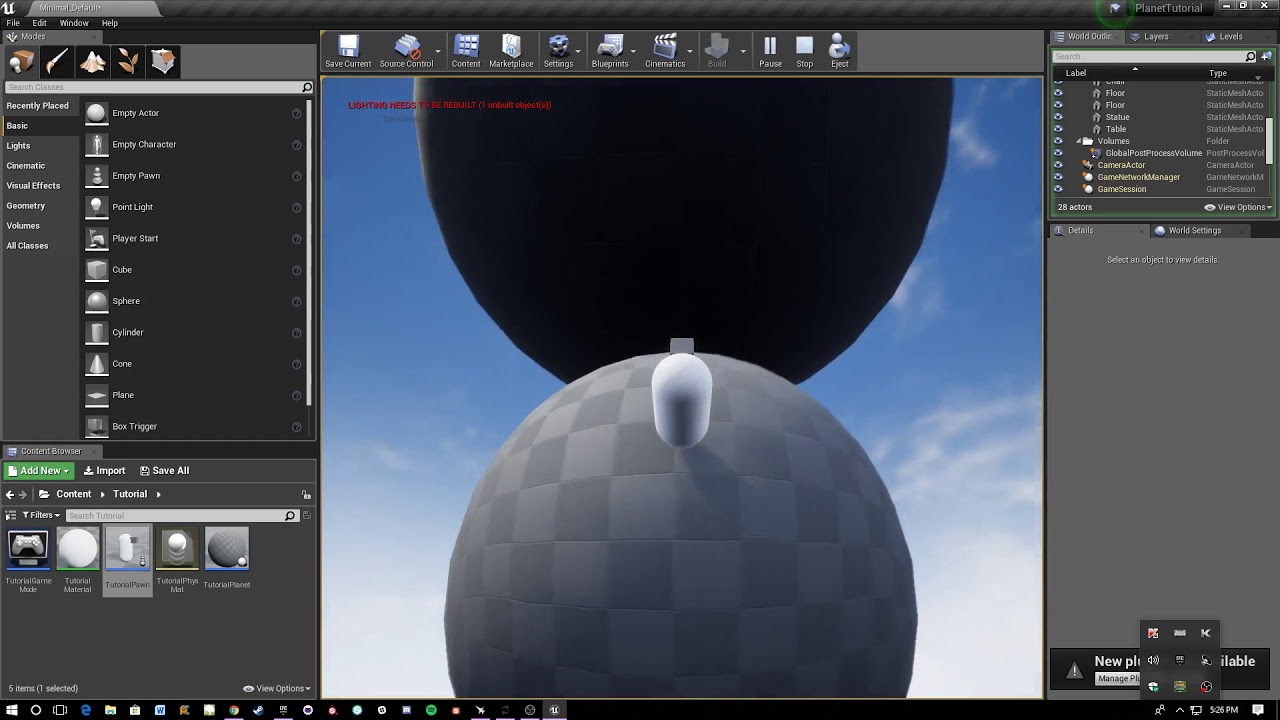
Hello, I am following a tutorial for planetary gravity (again) and I am on the second one, that makes multiple planets possible. In this tutorial I am at 17:34 and the multiple planets work, (on his) but for me it does not work and the output is putting out 0.0 Help would be appreciated. This is the video: https://www.youtube.com/watch?v=ZMQWq570dQU
How to move smoothly between multiple planets while staying up right relative to the closest planet.
sometimes it turns to ones, but then turns back to 0
My screen:
His screen:
next badger
@dawn gull it's the math i suppose, maybe numbers, maybe variables, like scales, sizes etc
dawn gull
What does that mean? And is it possible to fix?
tepid knot
Try look at the value of the variables
tepid knot
@dawn gull can you tell me what's the basic this gravity works so I could figure out where's the problem.
dawn gull
Ok, i will send the code, so that you can see what it is doing
the corner is the print
it goes from that clamp
and then this 3000 on the right goes into the top pin in clamp
and here is one more
if you need to like, look at certain things, tell me
next badger
@dawn gull and, how much worldscale*150 is?
tepid knot
What is the amount of acceleration varuable
dawn gull
@tepid knot that is for nothing related to this
tepid knot
K
dawn gull
@next badger 150 means half of the estimated size for my planet
it does some math i dont understand
tepid knot
Try to play around with the variables
dawn gull
But he does not do it in the video and it works fine
i did this before, and it worked fine.
tepid knot
Try maybe it works with ya
dawn gull
I guess i'll just delete the code and restart the video...
 grave thorn
is there any help hiding the ui when on the level sequencer guys
tepid knot
Then increase every value you've got in the pawn
@grave thorn set a bool variable true when it runs and in the ui check for it and if it's true then set ui visibility to collapsed
grave thorn
ill give it a go
tepid knot
Good
grave thorn
im using shadow play as the camera panels but the ui just never seems to go. I've tried to simulate it but nothing. Having to render the footage from ue4 is pretty ass
grave thorn
thanks bud
tepid knot
K
light thunder
Is there a trick to reading these long popup boxes from watched elements in a blueprint panel? Right now I'm forced to break the structure down to the element I want and promoting it to a variable if I want to read the data - https://cdn.discordapp.com/attachments/221798862938046464/607369481710206977/unknown.png
 plush yew
 halcyon flame
can anyone recommend a learning resource on networking beyond the Network Compendium? having a heck of a time with refreshing Player Controllers on travel and communication between client GI and GM (via PC / GS)
light thunder
Didn't the newest update have a tracker for replication? @halcyon flame
halcyon flame
@light thunder what do you mean?
next badger
To add new a foliage type material i have to make new foliage type?
light thunder
You can build multiplayer experiences on a scale not previously possible using the now production-ready Replication Graph functionality. @halcyon flame

Unreal Engine
Unreal Engine 4.21 is now available! Download it on the Epic Games launcher and via GitHub. This release continues our relentless pursuit of greater efficiency, performance, and stability for every project on any platform. We are making it easier to work smarter and create fa...
halcyon flame
thanks dude
light thunder
Good luck, I"ll be coming to you for help at some point lol The Replication Graph Plugin solves this problem by offering an alternate strategy geared specifically for high-volume multiplayer games. This works by assigning actors to Replication Nodes, which store precalculated information that clients can use to retrieve lists of actors that need to be updated, saving the CPU of recalculating the same data for many clients on every frame. In addition to the standard nodes that ship with the Engine, developers can write their own nodes to fit the specific needs of actors within their games.
halcyon flame
if you know a lot about replication, do you know where I can read up on the default fn in GameModeBase/GameStateBase?
functionality
light thunder
I don't, I would have told you to check the compendium or ask @regal mulch when he's available, I remember reading something about those in the compendium, have you read it 3 times?
that or the live streams, have you watched those?
light thunder
yeah
halcyon flame
I'm going to go looking for a good one today I think. advanced networking deep dive if I can find it
one problem is I'm a scripting baby. I'm allergic to C++
light thunder
another option might be to try to download one of the UE games...didn't they release Paragon so you can see how it is handled there maybe?
try this one too https://www.youtube.com/watch?v=CDnNAAzgltw

Working on a multiplayer game? Are there many players in-game together? On this livestream, our networking team will demonstrate 4.20's new Replication Graph...
halcyon flame
I don't think they ever released the code for Paragon
yeah I'm gonna watch this I guess.
hi Amanda
lookin good
lost ember
If i want to create a build server, I have to use UnrealBuildTool right?
Currently trying to setup a build server for our game, connected to Discord via a bot
 mild pulsar
 fallen flower


