i have no issue so far with animation and importing
my issue is i have to create two blueprints and make the same state machine on both and use the animation corresponding to the actor
Idle Animation will have two sequnces 1 for weapon 1 for hands
Running animation will have the same
and on state machine on both i have to make a variable "Running" that is set by the character blueprint so it can go to the state and play the running animation
#ue4-general
1 messages · Page 465 of 1
 rose glen
but thats double work
doing the same animation blueprint for the two skeletal meshes
yet the states and conditions are the same
 plush yew
well I mean if you dont need to make the weapon a separate actor like with a drop function or something, you could make them on the same skeleton
though
rose glen
seems thats the way, each has its own ABP
 regal mulch
Shouldn't a CPP component, created with an FName("XY") show XY in the BP child instead of the c++ variable name? o.o
 visual belfry
🤦 try to delete a folder, but apparently it has lots of uncompiled materials... so have to wait while shaders compile before I can delete them wut
@regal mulch no it's the C++ variable name, I was just puzzling over this last night on the FPS template
projectile has a member variable CollisionComp but the name of the component is SphereComp, shows up in BP as CollisionComp
I wonder what a GetName would return though 🤔
regal mulch
Weird, I'm relatively shure the FName passed in would override that
Cause that's how I usually did that
 severe coral
Hey all. I'm looking for advice from someone that has worked or experimented with medium to large sized world single level game. I've been working on a space exploration game from time to time with the idea of introducing multiplayer down the road. Therefore I'm not using world composition. To be clear I'm not looking to have an entire universe on a single map, my levels are divided in individual star systems and the overall simulated playable area I'm looking to have in a single level is ~1000k. My approach thus far has been to scale down the game but it's absolutely horrendous to work with objets at a 0.001 scale. I've also noticed things such as navmesh volumes straight up aren't made to work at such low scales. A lot of things work as I expect, such as the ship itself and its movement or the materials, but all around I know there are issues with physics at such scales among other things and I'm wondering at this point if there's a better way to deal with working at such scales or if the game should straight up be rethinked.
visual belfry
@severe coral good rule of thumb is to keep the player pawn on the order of 1-10m for physics/other purposes
I've also noticed that objects scaled down to .01 size behave much differently w/ physics than objects created at .01 size
 thorn topaz
Does landscape grass always cull in batches instead of per instance?
 ember notch
What are the best setting for a open world game?
ember notch
I use brushify
plush yew
You could always make child materials
ember notch
It's normal this material
 sudden agate
Unreal provides a matrix-like editor
Select multiple assets - > Right click - > AssetActions/Batch Edit
You prolly want to use a single material
An multiple instances
visual belfry
master materials 4 lyfe
visual belfry
@ember notch that's completely up to your gameplay needs, no one can answer that but you
by default it's 1 meter to 1 "pixel" of the heightmap, but if you scale you can change that
ember notch
Can I later change the scale?
sudden agate
Yes
visual belfry
yes
ember notch
Where?
sudden agate
In the manage tab of a landscape
 flat idol
You also have to be very careful with the triangle densities, but i think there is only one way to setup a 8kx 8k map. Use 2x2 components for better rendering anyways.
visual belfry
https://docs.unrealengine.com/en-US/Engine/Landscape/TechnicalGuide/index.html has a list of recommended settings for specific landscape sizes as well
Technical Settings for Landscape.
flat idol
Ah yes. 127 quads are relatively good for tessellations. Buit if you dont want tessies, go with 256 instead, it will reduce the number of comps a factor of 2
Or is it 255.
 radiant haven
I need someone with an artistic vain, who can look over my Indie Horror Game, what can I do better
hi @plush yew
i see xDx
idk
 grim juniper
You CAN change the transform of a landscape with world composition. Directly open the level with the landscape in it and edit it. Not through the persistent level.
I know because you have to set the landscape to 0,0 to fix a bug with adding adjacent landscape levels
ember notch
How can I make higher mountains?
flat idol
If it is for visual only you can play with landscape material's world offset parameter. If you want it to be walkable, you must rescale.
Yes
 pseudo swift
is there a way to get rid of this preview lighting text without building lighting?
flat idol
Sure you can its a setting on the top bar in the viewport. Preview Shadows entry i think.
ember notch
Which z scale would be best?
flat idol
But you can also configure your scene to use dynamic lighting while you edit the scene, and just build light once to see the final result
iBySnow there is none.
Just pick one that seems good
ember notch
Can I change the z scale later?
flat idol
Every time you change it will process the landscape, but you can change it for sure. Mind that any modifications you make to the landscape will scale with that too, eg holes etc
Bumps you know
visual belfry
the best z-scale is the one that gives you the landscape height you need 😃
default gives you 256 meters from lowest to highest I think
pseudo swift
thanks! @flat idol
ember notch
@visual belfry Thanks can I you say me what settings would be good here for a open world game?
visual belfry
I can't say for your game
pseudo swift
any tricks for 'resetting' the camera speed? for some reason even if I am at speed 1 its going too fast?
in the viewport
4.22
i think .2
.1
4.22.1
ah
alright well good to know they fixed it 😃
flat idol
sukebi-scotty the left screen is missing some PP effects, tonemapper perhaps too
pseudo swift
i cant set scalar below 1
im zooming but doesnt seem to reset it
in blender you can click "focus selected" and it fixed wonky cameras
is there something similar?
im updating my 4.22 now lets see
ember notch
What is better 32x32 or 16x16 for components?
visual belfry
again, there is no "better", just play with it until you find the settings that work for what you want to do
F is the focus key in unreal, but I don't think it resets camera speed like blender does
ember notch
How many ram/CPU he need when the total components are 1024?
pseudo swift
im updating the engine and ill see if that fixes all the camera issues
im on 22.2 now
atleast my camera is back to normal now lets just see how long it stays that way
flat idol
But why is it missing the pp effects? Did you turned them off? Or ES2 won't run them?
I so hate the internationalization for the fields.
0,0
I fear the owls as well that explains i guess
 somber quail
Save yourself the hassle of taking an actual photo of your monitor and just use the snipping tool, it's built into windows. You don't even need to save the image, just copy and paste
flat idol
Its not working on windows 7
visual belfry
ah the shortcut might be a windows 10 thing
flat idol
discrimination
visual belfry
but does win 7 have the snipping tool?
visual belfry
internet says it does
Use Snipping Tool to capture a screen shot, or snip, of any object on your screen, and then annotate, save, or share the image
flat idol
I have to type in képmetsző
flat idol
I prefer greenshot, it is silent dont messing with the desktop but i can fire up with print screen button and select the area
Too bad it wont copy the image to clipboard, but the file location only
 paper kernel
question, what is UMG navigation rule function return value?
it's a widget object reference but doesn't seem to do anything
visual belfry
hm I thought it was a struct
@paper kernel yeah it's just a uobject with a couple of variables:
paper kernel
no it's not navigation object
A WidgetObject
navigation is just the rules what to do when player input occurs
my problem is, it only works once and then loses focus
visual belfry
are you talking about a C++ function then?
paper kernel
Im wondering does the return value have to be an actual separate widget in order to maintain focus properly?
custom navigation function
pseudo swift
guys when rendering out an mp4 which is applied onto an object inside the scene the movie plays back super fast after exporting it, does it help converting it into an image sequence?
cause i know unreal's sequencer works a bit wonky with exporting in game videos
visual belfry
@paper kernel your function looks correct for returning focus back to main, it's probably something else in the focus pipeline 🤔
paper kernel
it outright ignores everything on that return value
I take it's expecting a whole separate widget
since focus only works on individual widgets, not widget objects
visual belfry
does the widget you're passing in have Is Focusable set?
paper kernel
it's a sizebox, which itself doesn't have bool option for it
visual belfry
you should have a message in the output log though if you were trying to focus something that didn't want it 🤔
paper kernel
only the parent is set to focusable
It only generates error if I try to use SetFocus manually
but not from the return value
visual belfry
@latent fable terrain is just heightmaps, so you can't have overlapping bits
you can carve a hole in the heightmap and replace it with a cave mesh though
I like the camera shake at the end 🤣 "no, that's not right"
 latent fable
so could i somehow put the terrain in blender and make a mesh from that?
visual belfry
you probably want to keep most of it as a terrain and just carve out a hole for the tunnel/cave
that way you can continue sculpting without baking it into a mesh
latent fable
I'm kinda new to unreal and this is my first game i'm making with it so I don't really know how to do that 😦
visual belfry
it's going to be a bit of a rough journey while you figure out where everything is, do you know how to use materials?
https://docs.unrealengine.com/en-US/Engine/Landscape/Materials/index.html search for "Landscape Hole Materials"
Setting up materials to work with Landscape terrains.
pseudo swift
im using an imgSeq for the video i think it fixed the speed issue
 manic fern
Afternoon all. Can someone help me with a simple collision-logic issue I'm having? Been stuck for 2 days on it
pseudo swift
post it and we'll do our best
manic fern
Cheers
I'm trying to set the properties correctly for "simulate physics" "simulation generates hit" and "collision presets" but getting it all wrong. I have a VR world HMD with 2 VR hands, a shield object that is bound to the back of one of the hands, and an incoming projectile
I'm trying to get the OnComponentHit event to fire, which only does when the Shield object has "simulate physics" - however when that happens the shield is knocked out of the back of my hand and goes flying
It's an issue with conflicting collision options, but can't for the life of me find it 😕
latent fable
@visual belfry I don't really know how to set up landscape materials yet. yeah... im kinda new lol
 prisma spindle
Is there no way to get Steam's currently set language without modifying the online subsystem? It seems wild to me that I have to fork the engine's sourcecode just for something like that.
ember notch
Can someone say good mobile landscape settings thanks
manic fern
I've tried google, IRC, youtube, docs, manuals. Been stuck for 2 days
 bright plume
that moment when you follow something to the T and it dont work :<
look up and down doest work and everything matches im beyond confused now :<
visual belfry
I think @iron sparrow put out a video on working with imposters in 4.22, @safe forge
ember notch
What game name looking better LightCity or Light City?
bright plume
LiteCity
ember notch
No
bright plume
its also extremely basic :1
ember notch
Is Light City a bad name? @bright plume
bright plume
a name is only bad when it doesnt relate to anything
there are names that give a lasting impression (City of Light, basic overused but works)there are names that are unique (LyteCity, LiteCity most of the time dont work)
radiant haven
i dont have this option
bright plume
but at the end of the day as long as it relates to the game you have created or creating it gud
radiant haven
where it is??
 untold osprey
HEy can anyone help me?
pseudo swift
is there some1 who has a simple camera follow static actor bp? not sure if it is quick to setup might skip if it is difficult, anybody know how to make camera follow object?
bright plume
give it a spring arm and parent the camera to it?
 runic narwhal
I'm following this amazing set of material tutorials, but I've ran into an issue where the tessellation fade distance seems to have no effect. It's clamped to a very close distance around the camera. Anyone ever experienced this issue?

In this tutorial Series we are going to create a Landscape Material that features advanced heightmap blends, tessellation and procedural puddles. This third ...
@ 9:54 is when he's working with the fade distance. I've made sure I set it up exactly the same way
Ah, never mind, found the culprit 😛
pseudo swift
@bright plume you know why this happens?
it is being dragged by a conveyor belt
and somehow the camera clips into the mesh
when it is above the other meshes the spring arm doesnt clip
when repositioned it works but i need the soup to be on the belt
flat idol
Turn off the hit test on spring arm it wont snap
Maybe i understand it wrong what the issue
flat idol
Do collision test turn off
 limpid turret
i have absolutely no idea what is causing this but if i 'save as...' on a level, it doesn't keep a build of the navmesh and a navmesh cannot be generated no matter the settings
ive had to resort to favouriting levels instead of saving as
and then switching between
pseudo swift
it works 😃 thanks alot @flat idol @bright plume
flat idol
Arceah navmesh generation can be set many different ways, dynamic, static, invokers only etc, look around the settings
limpid turret
i know that, the issue is that it doesnt generate at all
flat idol
Do you see a recastnavmesh in your level outliner?
flat idol
You may want to delete it (you will loose the settings, make a screenshot first), then move the navmesh bound a bit it may regerenerate
I usually setup the recast settings in project settings so they wont get lost
You may want to move the settings over there to be safe
plush yew
Is there any tutorial or guide to setup the Unreal Engine online system?

Epic Online Services
With Epic Online Services, we're making it easier and faster for developers to successfully manage and scale high-quality games. As a game developer ourselves, we've tackled numerous hard problems over the years. With Epic Online Services, we're sharing the fruits of our labo...
The new SDK
So I am able to have it in my game
 carmine scroll
pitch it to people @ember notch
there are certain sites for things like that
but its generally not easy
visual belfry
no one invests in solely ideas
 lapis bronze
@ember notch
https://www.tinybuild.com/how-to-pitch-your-game

tinyBuild GAMES - Indie Game Developer And Publisher
tinyBuild is the indie label behind games like Hello Neighbor, Clustertruck, Punch Club, Party Hard and more
a good read
Think of it like this — if this build was at a convention, where thousands of people walk by, how can you make them interested in picking up the controller, to easily understand the mechanics, and to continue playing?
this being the most important part IMHO
 iron sparrow
@safe forge there is an issue on the git repo for the hlod imposter on 4.22 and a solution is posted but not implemented iirc. Would be nice if someone at epic could tap the shoulder of Ryan Brucks because I haven't been able to contact him yet in any regard to ask about some of.these things
@visual belfry
 safe forge
thats brill man thanks for letting me know
yea the hlods are kinda what i wanted it for lol 😉
iron sparrow
You are using Ryan Brucks new plugin right?
 gusty dune
Ahoy developers
iron sparrow
I haven't called out any epic staff but if any of you are reading this someone tap on Ryan's shoulder and get him on the community stream to talk about this approach and future plans if any
I guess I can call out @gleaming narwhal can we get Ryan brucks on the unreal Thursday stream?
 heavy ether
any suggestions for how someone might setup a method for moving objects relative to the camera view that is in use? ie, if a user is using a top down view, i would like "north" to point to the top of the screen, but if they are using a perspective view, i want it pointing away from the camera, something like that. make sense?
i'm sure i can set a Vector in the camera that would do it, configurable per camera instance, but i'm not sure if there's a better way.. or if there's any way to visualize that vector in the editor
plush yew
Is there a better way of making animations other then adjusting the bones by hand?
gusty dune
There is but it will take a bit of hardware
I've heard you can use an extra program with XBox Kinnect to do some motion capture
Is it okay to post a GIF of a problem I'm having with an animation?
gusty dune
Okie dokie, thanks chief
heavy ether
hmm. i think i've figured out a way to handle it all automatically. woo.
 coarse wigeon
I am not sure where to post this but sharing this as it will allow you to get much better texture atlases


#3D #geometric #programming, #geogram 1.6.13 with bundled xatlas (https://t.co/ASzFoCsjZ9).
xatlas generates much tighter texture atlases.
Download: https://t.co/teF8dkvfdu https://t.co/3PtFoq1Sav
 Twitter
ember notch
Twitter
ember notch
Is it hard to make a open world game?
 spare sun
I believe it's harder to make a seamless open world game, but it all depends on context eh
gusty dune
What's the general background of people in here using UE4 by the way? Mostly students or industry professionals? Or passion projects etc?
 next badger
in ue4 seamless transition is made by default with level streaming
spare sun
both I bet, with students and hobbyists being the majority
next badger
< 3d tech artist, for 16yrs ...or so
it doesn't meant i'm great at ue4 tho...
@plush yew having ONE skeleton is better than have multiple, it's just your characters have to be similar
gusty dune
I'm a second year game design university student and I just feel utter terror and dread about going into the industry
next badger
@plush yew you may have additional bones and use the same skeleton, with some limitations (kinda not intuitive, but that's how skeletons work in ue4)
https://docs.unrealengine.com/en-US/Engine/Animation/Skeleton/index.html - shared skeletons

An overview of the Skeleton asset and how it applies to animation in UE4.
@plush yew yeah, i see you have a lot of characters there
gusty dune
Alex with shared skeletons do they have to be set up from the point of creation to share them?
next badger
@gusty dune what do you mean?
gusty dune
Thank you for advice Sukebi, I really appreciate it
Oh as in say you have three different characters with different skeletal meshes, can you make them share a skeleton once in engine?
next badger
@gusty dune depends on hierarchy, but if you can rename the bones, so they have similar structure - yes
you can't rename bones in ue4 tho
, you have to do that in blender, maya or etc
you have retargeting in ue4, so you could remap animations from one skeleton to another, in case you can't share skeleton
names not the only limitation, due to nature of animation curves, animations store relative positions, so you have to have similar bind poses for shared skeletons
blend poses may solve some of the issues, but there is no magic
spare sun
rip magic
gusty dune
Do any of you use the Dialogue Plugin that was put up for free on the Unreal Store earlier this year?
 opaque salmon
I'm trying to set up a basic world aligned master material I can instance and adjust for basic stuff but it seems to always be stretched out no matter what the size or offset parameter, I'm probably missing something simple
world position
🤦
josh if you're talking about notyet dialogue plugin they have a support place somewhere if you look it up if that's why you're asking
 gleaming narwhal
@iron sparrow I'll see what I can do! Best way for you to surface what you'd like to see on the livestream is through the survey we post every week 😃
heavy ether
@gusty dune UE1/2 modder turned UE3 professional, now working in UE4
iron sparrow
for sure will do! i need to set my alarm for the stream! are we able to fill out that survey if we miss the stream?
gleaming narwhal
@iron sparrow Yes, the survey is live for the entire week post-stream
 sage tree
Question: What are some good methods for organizing assets and content? I mean in general in your work library, not in a project. I have a lot of stuff, in various forms, I've been considering loading it all into a custom project called "AssetCollection" that way I can have everything set up, and can browse assets in engine. this of course means it will be a huge project file. Anyone else have another suggestion? For assets I am talking about, meshes, audio, textures, materials, basically all the raw components we as developers accumulate. The issue I run into is that I have so much, I forget what I have or where its at.
pseudo swift
im also wondering about that, slightly off topic, does creating multiple maps take up alot of space?
sage tree
The map itself wont, the lightmaps will accumulate if its large, otherwise its just instances of whatever assets you have loaded into the project.
ember notch
Have someone a game idea for me?
iron sparrow
nice! should make a Unreal Engine Post Stream Chat channel on discord ^^ could even make it closed so you post the highlight and the survey, just another source for people to get their eyes on something I think most people dont even know exists
heavy ether
all the game ideas have been done
 surreal gyro
Action RPG nearly broke my computer trying to load.
iron sparrow
or forget about it from time to time like i do lol
pseudo swift
@heavy ether what are you implying lol
heavy ether
there are no ideas for ibysnow
iron sparrow
dont think of it as "games have been done" but think of it as "how will my game be different"
FFS, i was going to build a spherical ecosystem world that had animals etc and even started it as a project for the Game Jam and then just 5 days ago i found someone streaming a spherical eco system world that looked exactly like what i wanted to create. I had never seen it before and it was clearly very far along in development but it was essentially the exact game i was thinking of.
heavy ether
is there a built in method to exclude specific actors from being visible to a specific camera?
iron sparrow
not that a spherical eco system is a unique idea but just that they handled all the things exactly how i had them in my head. I was blown away at the similarity. Again they were so much farther along so there was no doubt in my mind they had created it first and the chances of them seeing or even hearing about my idea in the past month was slim to none ha
@heavy ether that sounds like a specific system you would need to implement that turns off all known objects visibility when switching to a camera etc
 zinc rivet
is it "just like you envisioned" because you actually envisioned the execution of each concept exactly like they implemented it, or because you saw each execution and decided "Oh that totally makes sense and is how I would do it?" @iron sparrow
iron sparrow
no like pretty much feature for feature, the only difference was they had a building system as well where I was going to make mine a single building system. but all the features were there like planting seeds, passively growing them, effecting each other, animals etc, doing things to help grow the health of the sphere etc
like i thought maybe i saw this trailer on my chromecast when i passed out while watching something because this is exactly as i visioned ha
it was so surreal

i still dont even know the name of the game ha
zinc rivet
eh, I dunno, it's a kinda niche set of features, but I don't think anyone's looked at two 6dof space shooters and said "They're so alike" just because they both involve flying around and shooting things
 shrewd shuttle
hey my project is stuck loading at 96% pls help
gusty dune
My university project loads up to 97% then takes about an hour to finish the last "3%"
How long has it been at 96%?
heavy ether
did you run it in visual studio? if so, is it sitting at a breakpoint in vs ?
does task manager show it still doing something?
shrewd shuttle
30 mins now
flat idol
If the project loads up to 97% then takes a hour to finish the 3% then 96% was took about 1-3 minute depending on the disk drive and cpu
shrewd shuttle
any other way to speed it up? im kinda tight on time rn tho
 kindred viper
usually takes less time than that but if you have a particularly rough project, things can take time
flat idol
Yes you can reduce the time it takes to load by removing the gamemode, default map selections so it hopefully wont require the editor to load all that thing on boot
surreal gyro
Does anyone know how to make a large project like ARPG not lag out your computer when it tries to load???
kindred viper
upgrade
flat idol
it sometimes also takes ultra slow to get the project load up because the boot.ddc is limited in size, and all these content can simply overload the derived cache which cause the project to recompile all content upon boot
shrewd shuttle
does this only happen once or every time?
surreal gyro
I had to restart my computer 3 times. It broke my other programs
Lagged out like crazy
flat idol
slow project loading (boot) issues are usually the symptoms of overloaded boot.ddc and your project should boot into empty map without gamemode setting to solve it
there might be other issues but try this see if it helps
surreal gyro
try... what?
flat idol
that
surreal gyro
upgrading?
flat idol
nope
just set the project default map an empty, and dont set gamemode for that empty map (leave it empty)
actually you are enough to set the default editor map to be perfectly accurate
surreal gyro
How do I do that without opening?
flat idol
you can do this from ini, but its easier to do once you get into editor
also if your computer lags heavily int his boot sequence, try to drop the process priority of unreal in the task manager to the lowest
it helps a tiny bit
shrewd shuttle
oh it finally loaded in for me, took 35 mins jeez
flat idol
if you take a look at the log files i guess you will see lots of textures been processed while loading the project
texture atlasing
now you will never forget again!
actually im not sure how to set that up but it should be possible with ease
heavy ether
... so according to the manual, i should be able to change object properties in editor while running PIE. When I attempt to do this, it fails. am i missing some step besides just.. making changes ?
flat idol
you can change properties when simulating in pie, and enable this feature
but changing object props in the details panel are locked in other cases
surreal gyro
just set the project default map an empty, and dont set gamemode for that empty map (leave it empty)
@flat idol OK, how do I get into the INI?
heavy ether
@flat idol ... but.. how? i fiddle with them and they don't change in game, then they revert when i close. the "Keep Simulated Changes" is greyed out.
flat idol
[/Script/EngineSettings.GameMapsSettings]
EditorStartupMap=/Game/Maps/NewMap.NewMap
You will find this in the DefaultEngine.ini at the config folder. I have an empty map (i always do this) but you can leave this field empty i believe. You can even remove this editorstartupmap line completely i believe so it will spawn you a new empty map instead.
Tho as i said its preferably done in editor to avoid messing with ini files.
Make a copy of this ini file in case you do something wrong have a backup
Eric, it only works when simulating in editor, doesnt work with play in editor
I dont use this feature at all but this is how it works anyways
heavy ether
... that's not what the manual says 😐
heavy ether
While using Simulate In Editor or Play In Editor, you can edit the properties of Actors and see the effect of those changes on your level and the gameplay in it.
flat idol
Well then it maybe works, yet it doesnt, so the manual is lying
I'm sorry but to my knowledge it is SIE only
surreal gyro
@flat idol Do I set GlobalDefaultGameMode to empty?
flat idol
I think you can leave that for now, see if the map is enough to be unset.
surreal gyro
Does this look good?
flat idol
Write a None to the gamemode, that would look better
But yes you can make a try with this after finished with editing
surreal gyro
Would I have to restart my computer again?
surreal gyro
I mean, would it cause my CPU to lag out like mad?
flat idol
The cpu lag was because it was iterating over hundreds of textures and materials creating new copies of the derived cache
this is a very typical symptoms of large projects and very annoying issue of the editor
surreal gyro
Should this help soften the lag?
flat idol
Now, in best case the project should load up in a couple of seconds or a mintue
With no lagging
heavy ether
well, on the bright side, Robert, that helped me figure out why one of my coworkers experienced the game engine never working right for them. Simulate apparently uses a default PlayerController (there's probably a setting for that somewhere) rather than the game specified one
flat idol
Huh, yeah. Never wondered about which PC it is using but makes sense yes
surreal gyro
Well, wish me luck
flat idol
Good luck
heavy ether
it also lags like crazy compared to run in separate window
i spent a couple of days trying to figure out why the heck my coworker kept getting a PlayerController instead of our custom one. now it makes sense.
flat idol
If you have many blueprints/materials/meshes etc opened on the tabs they cause the editor to just lag
 versed spear
I don't understand why answers found using google suggest to turn never stream on for flipbooks that are blocky on first load. When I put never stream on my 128 sprite sheets. The engine takes forever to load levels possibly because my computer ran out of ram and the game will force close on unreal splash screen when I deploy to android. what gives. lol
flat idol
Mattxor it makes sense to disable the never stream but it will indeed cause longer loading times. You can perhaps cut a deal and only disable streaming for very important ones and allow streaming for less relevants.
That should be a middle way i guess
versed spear
you think loading them behind a loading screen would be a decent solution? I have not tried that yet but it is looking like my only option.
flat idol
There maybe is a console command for max mips , never looked
2k texture size is supposed to be alright
ah you mean 4k if you combine all 4
4k is relatively good too but you dont need 2k textures for mobile anyways why dont you resize to 1k and try 2k
With unreal there is no low end :(
You'd combine textures in an external photo app then import the result
hehe
if youre having difficulties with this texture atlasing idea just go back with the previous solution and stick to it
having 4 textures in a material is not a big deal
 worn sparrow
Does anyone else think the new documentation pages look better when you zoom it out 10%
surreal gyro
@flat idol I think it's loading, but it just refuses to actually open
carmine scroll
Having a bit of a logic issue. The top BP will return false at the start (Cooldown var is = 5) When I press the action button, it will set it to 0, making the top logic true, meaning, the timer should loop since its returning true. But it doesn't loop. It fires once. Am I being brain dead?
flat idol
Air Man maybe you can share a log to see what is happening with the loading sequence.
In worst case use the backup ini, and wait the project to fully load (set process priority to lowest in task manager), then in editor just create a new empty map and set that to editor default
lapis bronze
@carmine scroll
I dont think you can change a Set Timer By Event's Looping Bool during tick like that
 grim ore
@carmine scroll the boolean is false when the timer is set so it will never loop
the "set timer" node only fires once, it doesnt keep checking so when you fire it the first time the "timer" is initialized to not looping
 dim plover
Is anyone familiar with manually calling ProjectileBounce? It seems to be quite tricky.
carmine scroll
I set cool down too 0 before the timer, it would return true?
lapis bronze
The issue is that the Set Timer by Event node is firing once, so when you change the Cooling Down bool it doesnt matter, because the Set Timer By Event node isn't checking it anymore
it checks that bool once when it fires
grim ore
the tick fires sometimes, the event fires in order when you fire it off. It never gets to the tick again during that event. so tick , false , event checking false, tick true, uh oh\
what we are both saying lol. The key is the tick does not fire at the same time as your event for the input action
lapis bronze
I would make some delta time event for cooling down your abilities instead of using Set Timer By Event IMHO
surreal gyro
@flat idol Share a log? How do I do that?
carmine scroll
I was prototyping an idea thats all,
lapis bronze
well sure but it wont work so wouldnt matter if you were prototyping or not
carmine scroll
well yeah I know that now,
lapis bronze
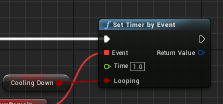
just making sure you get it i guess, but the Set Timer by Event node fires once (as intended)
You're changing that Bool there the Cooling Down
during tick
carmine scroll
yeah I know, as I only input once.
the tick fires like 100 times a frame so I would have thought it would return true at least
lapis bronze
wouldn't matter if it fired 1000000 times a frame
it will never tick true
since that other event only fires once
im trying to explain it but
¯_(ツ)_/¯
carmine scroll
its late dude 😅
grim ore
uh the tick fires once per frame, that's the point of a tick basically
lapis bronze
You could change that Cooling Down bool a billion times per frame
It wouldnt matter
because that OTHER event you made
only checks the bool ONCE
on fire
which it fires ONCE
carmine scroll
yes okay I get it
lapis bronze
My advice would be to make an event that works off delta time
instead of relying on set timer by event, or delay nodes or w.e
Get Time in Seconds is a cheeky way to get delta time in unreal
lapis bronze
it works sure, but the issue i have with Delay nodes, is they aren't exact
and if you aren't careful, you can trip yourself in the future - creating infinite loops
 dark depot
i think your overcomplicating things in the end on your action start a timer that loops subtracting from the cooldown once cooldown is less then or = to 0 then stop the timer
no need for delays or tick
lapis bronze
Using a timeline or w.e.
dark depot
nahh a timer is built for this
lapis bronze
yeah true
carmine scroll
tick was just for speedy test
I dont ever use tick in final BPs
maybe for movement updates
but still that depends
lapis bronze
You could do Press Button -> cooledDown? -> do ability -> set cooledDown = false -> set timer by event (3 seconds)
in that linked event
set cooledDown = true
carmine scroll
I need a var to track how long the cooldown has left
carmine scroll
hence why Im now not 😛
lapis bronze
you could use a timeline
you can get a var out of that for how long it has left
you can set new times
etc
 digital anchor
FTimerHandle
carmine scroll
I can test with a timeline too I suppose
lapis bronze
(i dont use timers)
kindred viper
why not?
digital anchor
You can pause, resume, get time remaining, etc. https://api.unrealengine.com/INT/API/Runtime/Engine/FTimerManager/
lapis bronze
Im not against them, just havent had a reason to use one yet
carmine scroll
will try that @digital anchor
dark depot
you should use timers 😛 i imagine there are lots of places you could of used it you just dont realize it
lapis bronze
yeah probably
carmine scroll
I use them a decent amount for things
kindred viper
its the same as timelines really except timelines are a little more useful with the curve editor
lapis bronze
Thats why ive been using timelines personally
i love having the curve for movement or animation
i have an elevator moving with a timeline -> lerp
kindred viper
yeah its awesome. I miss it when im doing manual stuff but then I just look up the sin/cos based code for what I need, or use a spline etc.
its nice when I can use it but being stuck on the main event graph kinda bugs me
then again that does give you a nice orderly place to put things
flat idol
Well it is sure an innovative way to change materials. Straight from an animation blueprint. Swear i never seen this before.
How did such a thing occured to you? If you dont mind me asking the question.
But anyway it likely wont work in a cooked game, or you will run into threading issues with this concept.
 dense gate
Just set the material on construction script
Much more consistent
And also, material curve values exist for animations
flat idol
He can do it many different ways from a blueprint indeed, but an animation blueprint is a new to me. Maybe it's just me but it made me wonder.
gusty dune
So it's been hammered into us on my course that we should avoid using Casts as much as possible in engine, could anyone help clarify why?
visual belfry
in BP, because the reference to other assets will require they're loaded into memory at the time
if in C++, then (the instructors) are a bit wonky about premature optimization
flat idol
What other assets are related to a cast?
visual belfry
the asset you're casting to
flat idol
But that asset is likely loaded already, or it is unrelated anyways so no issues.
It will not trigger loading either
visual belfry
ok here's the hypothetical, not saying it's a good practice
flat idol
Well maybe it does trigger a load, but matters not.
visual belfry
MyPlayerController has an interact action, which casts to DoorActor to see if a door is present that can be opened
there are no DoorActors on the levels, it would not have been loaded otherwise
however, the presence of that cast in MyPlayerController means it's loaded
flat idol
Casting is not a good practice. Then what is? You get a refernce to an Actor, how to access it's properties and methods?
visual belfry
using interfaces 👍
watch this talk for a more in depth take on it: https://www.youtube.com/watch?v=j6mskTgL7kU
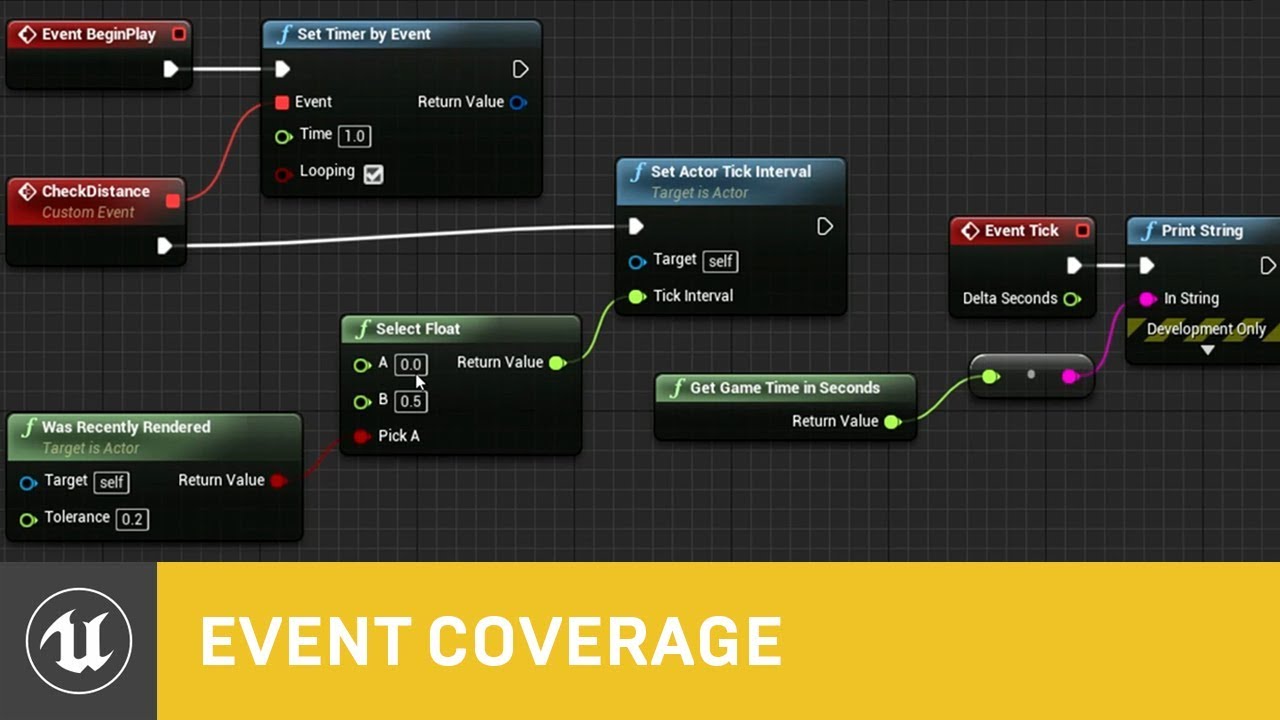
In this presentation from Unreal Fest Europe 2019, Epic's Sjoerd de Jong offers an in-depth look into Blueprints. Best practices, dos and dont's, and recomme...
flat idol
And you would like to implement your entire game thru interfaces?
visual belfry
it's on a spectrum
as mentioned in the talk it's probably ok to cast to framework classes since you know they have to be loaded to play
but casting to random interactables? make yourself an interaction interface
keep in mind that it's also not "Just" DoorActor, but perhaps the door mesh and all the materials and all the casts and other references that might happen in door actor etc etc etc
Item_Standard includes >1.1gb of other assets here 🙀
flat idol
There is inheritence, child blueprints for that, you have one MyCoolDoors actor, and can have millions different doors having mesh material etc setup
visual belfry
yep
flat idol
That will work and no need to worry about resources
Casting is fine but i can see how it can be a bit of an issue when using it everywhere.
Hammering that to people that cast is bad, is extreme tho.
 honest rune
casting to interfaces comes to the rescue
visual belfry
use your best judgement, but be sure your judgement matches reality 👍
honest rune
since interface contains no properties to subobjects, bam
visual belfry
yeah, interfaces are extremely lightweight
I occasionally have an interface that a base class then implements and all my millions of doors can inherit from that 😃
gusty dune
Hmm, don't interfaces only work with events though?
honest rune
I don't know much on the blueprint interface side of things though. I only use blueprints for tying my assets to my native types.
gusty dune
As in, you couldn't replace a cast to an animation blueprint with an interface?
honest rune
blueprint interfaces seems more like a message-passing layer
visual belfry
you can interchangeably cast to and from interfaces in blueprints
honest rune
from what I seen at a glance anyway
visual belfry
it's a little wordier in C++
heavy ether
well seems there's some sort of other way that someone can end up with a PlayerController instead of what is custom defined. only happens on one person's computer, and none of the 4 people who've successfully made our Unreal game work has been able to get it to work for that machine.
 real pasture
Quick question about Udemy, are some of the courses that hasn't been updated in a while still worth getting?
grim ore
depends on the class. Some of the basics in UE4 are the same since 4.8. I would suggest the free stuff on academy.unrealengine.com first to see if you need more
heavy ether
you always need more.
... so, i just noticed that my camera FOV setting no longer works. i have absolutely no idea when this change happened. argh.
gusty dune
Can anyone recommend a ue4 blueprint tutorial on setting up a melee combat system please?
The top ones I'm finding on YT are very out of date
dense gate
I have one for autoattacks based on animation but I don't think it's what you need
gusty dune
What do you mean by auto attacks?
grim ore
out of date and don't work or just old?
dense gate
Autoattacks for a MOBA mostly
As in, plays animation, it hits where the weapon swings, plays next animation
Though due to how my references work I'll probably be sending over 1.5GB of a project 
gusty dune
XD no worries, I'm going for more of a 1v1 melee weapon system
heavy ether
speaking of melee, i've been playing City of Brass. It is a fantastic game (Unreal, too)
gusty dune
@grim ore as in approx 5 years out of date and using nodes I don't recognise in the current version XD
honest rune
from 2014?
dense gate
That one was free on the launcher right?
honest rune
seems unlikely
dense gate
@gusty dune https://youtu.be/b_wTfGkvlSE you can see the box trace on the mace there
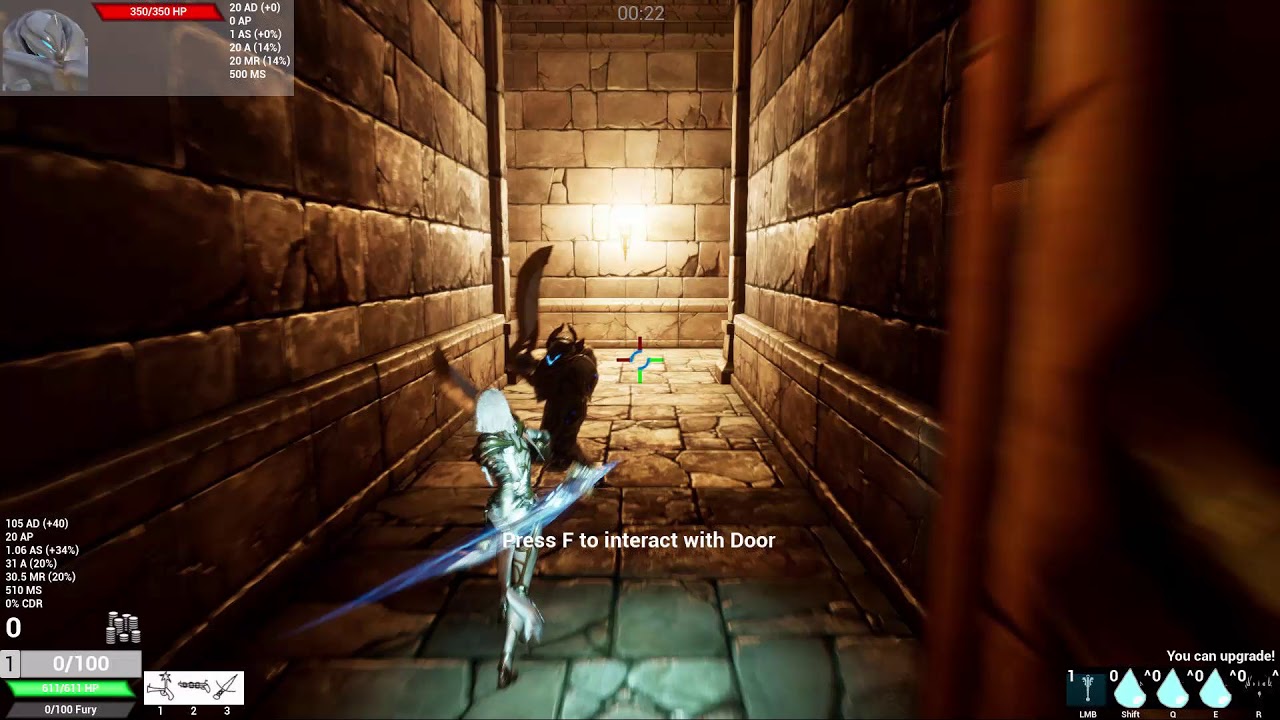
That's what my system is, but it's designed for consistency mostly
grim ore
I would assume the VR couch fight sample should still have some working melee in it as it's still in the learn tab and shouldn't be broken. That is a start even tho it's a couple years old
technically the brand new action RPG has melee combat as well but beyond the basics you would need to know C++ to get the gameplay abilities section to work for actual damage. It could still help with setting up animations and such tho
https://www.youtube.com/watch?v=wgDABICTslM&list=PLL0cLF8gjBpqA8DcrhL_O9kD4jsUqhDR6&index=20&t=0s is 2 years old and covers a melee combat system
heavy ether
great, now my coworkers who are working in Unity are wanting some of my Unreal code. "how do we translate this to Unity" .. "idfk, that's why i'm doing Unreal"
grim ore
it's not that hard if they know what they are doing, stuff is stuff no matter the engine. math is math etc.
 marsh swallow
So is UE4.22 more tolerant to BP Struct Editing?! 😂 I was tense the whole time editing that and no issues, even with all the edits i made. 😄
 dapper geode
idk dude I just draw lines from boxes and somehow it works
heavy ether
@grim ore yeah sure, it's just that Unity's rotation functions are all over the damn place
grim ore
they are but it's just figuring out if you need to use euler angles or quaternions and such then using the appropriate like for like code. rotations in general just blow
dense gate
May I introduce you to Lua in Garry's Mod and players
 fiery harbor
when I copy a skeleton, animbp and animation from plugin content to game content, how do I then modify the "new", copied animbp and animations to reference the "new" copied skeleton, and no longer the old one in the plugin content? 🤔
I dont find a button for changing skeleton reference of animations, without any retargeting involved
gusty dune
@dense gate that's looking gorgeous, are you triggering the damage as a do-once when it overlaps an enemy?
dense gate
I have an array of hit actors that adds the hit
Also helps with adding "actors to ignore" to the trace
So there's less hits to filter through
It gets reset each time an attack is started
I think in that vid I actually "parry" the mob as it gets stunned
It's 3 AM for me here so my memory is getting weak
And also parrying is a rather simple "if mob is hit between this and this time of its attack, be parried"
Again, I'm not going for a complex melee system, but rather something that's simple enough for a common user while adding extra depth for a more experienced player
gusty dune
And out of curiosity, are you using actors for the weapons?
 mellow turret
i'm having trouble finding an answer, what is root motion translation scale of a character for?
 past zenith
Where might I go to get some help with the way a child object is interacting with its parent?
heavy ether
having raised children to the ages of 16-22, when you find out, let me know too
past zenith
uh
hmmmm
as a child aged 16-22, I fear the day my child problems grow beyond unreal
I'm just having a problem where, in my slipshod recreation of arcade classic Asteroids, I didn't bother to actually have a custom made model for a triangular outline
I have two flattened cones, one smaller and inset that uses the same material as the background
It looks fine visually, and when they're moving, they work together fine, but when they collide with a physical barrier (say, an eponymous Asteroid) the black inset triangle slides out of its white triangle home
I don't see why this would happen if it's a child of the outer triangle
I'm dumb, I fixed it
being a person who figures things out by explaining them is irritating
heavy ether
It's called rubber ducking. Buy a rubber duck, and talk to it. But also, feel free to tell us what solved it, so that we learn.
lapis bronze
nothing is worse than finding a forum post with your same question
only to have it be Edited with "Nvm fixed it!" and no solution
past zenith
It feels dumb
but it was that I had physics enabled on the inner triangle
I have also heard that anger is to be taken out on rubber ducks
grim ore
got it fixed so 😃
 real bobcat
is there anyway to use my rtx cores to accelerate building lighting for my map?
dark depot
there is a gpu lightmapper on the forums but it doesnt use any RTX but it is faster then CPU baking. I know Luoshuang has talked about a RTX lightmass i think its coming to 4.23 or later tho @real bobcat
dark depot
just turn on all the raytracing features hahaha
real bobcat
how easy is it to copy bsp brush geometry from one project to another?
real bobcat
is that how you 'bake' a level's geometry?
the situation is that a game i play has an sdk coming out, but it probably wont be for a few months so i wanted to get a head start on my map by blocking out the layout geometry
its the same unreal version as the one the game uses
dark depot
i mean i guess you could say that. having an FBX of it will let you use it for sure because then its a model. Dont depend on the Version number for things like that it doesnt mean its able to import from other versions when it comes to mod kits.
real bobcat
alright, sounds good
plush yew
How do you install UE new online SDK for a project?
Epic Online Services
With Epic Online Services, we're making it easier and faster for developers to successfully manage and scale high-quality games. As a game developer ourselves, we've tackled numerous hard problems over the years. With Epic Online Services, we're sharing the fruits of our labo...
grim ore
There are instructions on the page where are you having an issue?
At the minimum you need to click get started on that page, agreed to being part of the Dev portal, go to the products page and add a product so you can then download the SDK and integrate it. There are samples and instructions as well
plush yew
@grim ore Well I don’t know how to get it into my game. As I’ve found nowhere where the tell you how to do in those pages
 sullen wraith
 lusty carbon
I need help from sound masters to help me bind my audio to what's happening in the scene
dense gate
@gusty dune it's an actor that handles the ability itself, including cooldown, animation (attack) speed
I have a "combo" struct that dictates how long the windup, hit, recovery stages are, and also from which to which socket the hit box is
I know it's not optimised to use an actor to code ability, but I was trying to avoid using C++ as having both VS and UE4 open frequently caused out of memory crashes
regal mulch
@plush yew Not sure what you want to do with it
it's not at all fully released
You can only get the Game Analytics and the Ticketing System
Rest is all documentated in the dev portal
pseudo swift
hello guys, I have an animated mesh in my viewport but I would like it to start playing the animation after a certain moment instead of at the start, how can I set a delay for it before start?
plush yew
@regal mulch It still contains great features
Also the question was how to get it into the game
A link to a guide or something
pseudo swift
solved my question, i could control it through the sequencer
regal mulch
@plush yew It still contains great features
Which aren't released yet and might actually release in form of a plugin etc.
A link to a guide or something
Documentation and a starting guide are available in the Dev Portal
plush yew
Can someone help me?
I'm new to Unreal. I have three animations. Walking, idle, and running. How can I make them play according to my buttons I press?
ember notch
How to make driver/car AI?
 languid shard
how to make gaem ?
ember notch
Stop trolling
 wary wave
"How to make driver/car AI?"
with difficulty
I mean, that is going to be 100% dependent on your vehicle implementation
¯_(ツ)_/¯
 latent moth
is there any way whatsoever to rollback a project. to 4.21.2 from 4.22.2.
I've tried editing the hex version on the uassets, they do show up in the editor but can't be opened (so obviously the file format has changed).
 grave nebula
There are, but consider there aren't and act accordingly.
plush yew
Do you guys organize your animations, etc?
Lol
@plush yew Like
Object
Anim
ANIMBP
ANIM(animations)
BLENDSP(blendspaces)
ANIMMONT(anim montages)
ember notch
Unity = joke
plush yew
@regal mulch What you think is great feature don’t mind me, As I got a own opinion, The 2 released feature already fit me, But maybe not you
 cloud cobalt
Hard to call that great when Steam has been there for so long
regal mulch
True, the two available features are nice. You didn't really specify what "great features" you are referring to.
I'm obviously way more interested in the rest of the features.
cloud cobalt
(and 500 analytics solution too)
plush yew
Well I’m trying get a hand on the SDK before new feature being released, As more like a demo
regal mulch
The Ticket System for free is interesting, but I assume this will all release through a proper Plugin eventually.
Yeah, then download the SDK and follow the Documentation
cloud cobalt
Yeah it's actually surprising that their SDK shipped without UE4 integration tbh
plush yew
Also I have hard setting up dedicated server cus Visual Studio won’t work
cloud cobalt
The SDK can be independent and still come with a UE4 plugin.
regal mulch
Yop
plush yew
When changing version I get couldn’t launch editor
regal mulch
It's a waste of time fighting that
plush yew
Why can’t I change version of my project ?
cloud cobalt
You can
plush yew
When I download the github file, Run the setup.bat then the second bat, Opening the visual studio EU4 file, Letting it load, Changing version, Is giving me failed to launch editor
cloud cobalt
Sorry, I don't understand what you are saying here.
plush yew
I tryed follow a guide to setup a dedicated server
grave nebula
No amount of encrypting can save your assets.
plush yew
But when I download the privat unreal github file with my version
It won’t work anything
wary wave
there is literally nothing you can do to stop people accessing assets
regal mulch
- Download Source from Git.
- Run "Setup.bat"
- Run "GenerateProjectFiles.bat"
- Open the UE4.sln file
- Compile it for "Development Editor"
- Once completed, close Visual Studio
- Rightclick your projects UPROJECT file
7.1. Hit "Switch Unreal Engine Version.."
7.2. Select the Source Version - Open your projects .sln file
- Create, if not yet, the missing Server Target file (see tutorial)
- Compile your project for the needed targets
plush yew
I am trying to possess clients and server with player controller but only server possess
When I change player controller value o to 1 ( client 1 possess only and soo on)
visual belfry
have you read the network compendium?
visual belfry
plush yew
This is the solution @visual belfry
?
Does anyone know what’s going on with Vivox?
plush yew
@regal mulch When you mean compile for Development editor, Do you mean let it finish until is stand as "ready"?
sudden agate
he means compiling it until the engine is finished building
which should take some time when on a HDD.
plush yew
I still don't get it, I'm sorry
wary wave
have you actually compiled the project?
regal mulch
It simply means: Set the Target to "Development Editor" and most likely "Win64", rightclick the UE4 Solution on the right and hit "Build"
And then wait till that sh*t is done
plush yew
Oh ok, Great
grim ore
it is
 autumn socket
where can I find it
grim ore
It should be under Pawn in the details panel on any pawn
grim ore
you can also type in possess in the search details to find it easier
plush yew
Anyone help me, I am able to set view target with blend of all characters to the plane, but not able to rotate camera around the aeroplane, possesss problem I am facing, if anyone fix that I can pay also
grim ore
are you able to rotate the camera around the player normally? before you set the view target to the plane
 lilac wedge
Why doesnt my level render when not in the level bounds?
plush yew
Yes @grim ore
It's work fine
But after blend all player view same aeroplane, when I set auto possess player to player 0,1
It start rotation according to client number
But I can do manually for one only
grim ore
is this local or network multiplayer?
 quick breach
Hi guys
plush yew
Rotating camera around aeroplane
grim ore
so you want multiple people in the multiplayer game to move the same camera and they all see the same thing?
plush yew
Like pubg thing
grim ore
I have not played pubg, I always assumed everyone had their own camera so they could see what they wanted
 rotund scroll
they do
grim ore
but #multiplayer might be able to help more since this is networked
rotund scroll
anything wuld be nonsense
plush yew
Something I am missing
I try to get player ID
And feed into player controller
But it worked same
If anyone knw please let me knw in PM
rotund scroll
every player has their own player controller, and every player controller has their own camera
I'm thinking you've looped through one player controller to set all the view targets, not all of the player controllers
anyway that's what I can tell without looking at the code
plush yew
Sending you blueprint
@rotund scroll
Please check
So I blend all player camera to our plane camera
rotund scroll
yeah so every time you run the loop, you just set it for player 0
because you use the player controller for player 0
for each player, you need a different player controller
or you use the cast and then don't use it for anything
plush yew
What should I do here
After removing
Cast
To get my all player can rotate camera around plane
On his side only
Like pubg and fortnite
grim ore
you need to make sure this code is running on the client only for one, and then you just set the view target for that one player. You would not do this on the server if this is something that is cosmetic (for the player only)
each player would have the player controller on their client, each player would have a camera locally on their client they would control
rotund scroll
something like this:
and then you need to make sure the view targets are properly replicated etc. since it's multiplayer
or alternatively follow the suggestion @grim ore gave, since I have limited knowledge of whether or not the server needs to know about view targets. Presumably not
quick breach
Hi
grim ore
Hello
plush yew
Any idea of libs / frameworks that assist in making web animations like this with js? https://gyazo.com/6108a0500008bdf7bf9d7b7b500dc2f6
 flat idol
You can try pixi js for example, tho it is not specifically for this, games rather. There might be better ones if you look exactly for something like this.
 deep basin
Question, I have an inventory which stores objects of an InventoryItem struct type I've created. I now have a weapon item that derives from a base item class. I pull the weapon stats from a data table on creation. I was now running in the problem that my weapons are always reset to their default stats when I equip and unequip them, what practically means when I create a weapon and destroy it in order to create an inventory item from it. This means I can't save the magazine state, since that is set in the weapon data. Any smart idea how and where I could store the magazine size on destruction to re-use it when that specific item gets re-instantiated?
flat idol
With serialization (eg savegame checkmark on actor properties) you can pretty much store arbitrary data in a binary format which can be flashed on the actor when spawning it again
But it's not the only workaround, and perhaps not the best for many users
deep basin
the only problem is that I spawn it from a TSubclassOf, so I never use that specific actor again (which was maybe a bad desgin decision in the first place), and since unreal remembers previous spawned actor of that type it numerates them, so keeping them in a container like a TMap with name and a state object is also not possible...
My Idea was now to mark the inventory slot item upon destruction and pass it the value somehow - but it feels very hacky and I am not quite there yet
upon destroying said weapon actor, not the slot
flat idol
You don't have to use the 'specific' actor again. Like i said, storing the serialized actor data in a uint8 array you can flash it on a freshly spawned actor
It will replicate and everything
I use this method to store custom pawns which can be any pawn basically, it will always recover from this data
You don't even need to save it to disk, just hold it in an array basically
deep basin
aaah, I see. You got some reference material or tutorial showing this in action? I have a rough idea but never did it
flat idol
There is at least one i started iterating on
I dont use this per se, but ripped apart and wrote my own store retrieve methods
But it gave me the ideas and working nice in packaged game too
deep basin
yeah, I see. This looks good, thanks. I try to fiddle my way through it
flat idol
You can probably use this for great many things not only inventory stuff
But it could be a bit more involved than other solutions (which are limited but easier to setup)
There also is a marketplace plugin (for free) that is dealing with entire game world serializations, that may have some useful intel if you stuck
tho i didnt looked into that, just know its there
deep basin
I guess I still gotta bend it quite a bit, if I want to do stuff like having several different weapons of the same type but with different states
lol, that sounds quite powerful
flat idol
You can use one method to save anything, i feed it with UObject refs
attached components to the actor might be a bit finicky tho, you have to deal with the serialization of those too
If you need something from there
Otherwise it's alright
deep basin
mhhh I see. I'll give it a go, thanks a bunch 😃
surreal gyro
@flat idol Now trying to boot it up just eats away at my CPU and it went on for about an hour
flat idol
Investigate the log files in the saved folder, and try find explanations what is happening. It would be easier to figure a way to avoid this to happening.
 quiet crow
.
surreal gyro
@flat idol Here's the most recent one... I don't really get what's happening in it
grim ore
click on the drop down arrow next to the UE4Editor and see what is running under it. If it's shader compilers, you just wait.
flat idol
This log literally has nothing in it, and it doesnt even indicate a 1 hour long waiting. Try finding a different one that has info in it.
MathewW the problem is he is always have to wait 1 hour upon project boot
I guess its the boot ddc tho this log indicated otherwise
surreal gyro
what is the "boot ddc?"
flat idol
The one the editor uses to quick boot you into the project. But it has a limitation in size (512mb in your case) so if your map and game mode will reference 2-3gb of content the idea falls apart
Hence the waiting (in most cases)
surreal gyro
OK so how do I use it
flat idol
It is in use by default, and because your project will boot into a map that has gazillion content, it will produce you this long waiting since the editor thinks "ok i need new ddc data" because boot ddc is already full.
It will compile you textures on each editor run, qute annoying
If - that is the case.
But your log indicates nothing so idk
Find another log that has more entries, showing what it was doing for 1 hour.
 manic pawn
huh the default ddc has no size limit tho
flat idol
It is the boot ddc, and it is limited to 512
You can extend it to 2-3 gb of max i think
manic pawn
how come it works fine for us having never configured anything about the ddc and having more than 512mb of content in there
flat idol
Your project may not require to load up all contents. Probably your default project map the project boots into is an empty one.
Upon migrating a project similar errors can happen too.
manic pawn
hmm so a different ddc is used once the editor is open and you change the map from there?
flat idol
It's the boot ddc only, contains derived cache data that is required to open the project default map the project will boot into
It includes data that are referenced by the game mode and so on
manic pawn
wasn't aware there are multiple ddc things in use at the same time
flat idol
It's an optimization for editor to load quick
I recommend setup an empty map for the project default to load in editor, so it will keep the boot ddc small
surreal gyro
I did that
flat idol
Check all your logs, one of them will have the timestamps indicating it have spend a hour on dealing with something
With that info it's easier to find a workaround
surreal gyro
@flat idol Alright, I tried and it coughed up an error
 broken stream
@grim ore Good day, do you have any video on adding number on a widget so it prints out to integer number ?
as a selection
grim ore
I don't understand what you are trying to do
broken stream
well im traing to have a selection so when i type 2 it will go to a integer number as a selction
so i can have a counter if i want to add 2 ammoboxes
grim ore
you want an Editable Text under Input then @broken stream , it will let you type in text. you can then convert that to an integer if you need . The other option is a Combo Box and add in your numbers you want as options.
the easiest way is you would have to get the text from the editable text, convert it to a string, then convert it to an int if you want it as an int
grim ore
no really. There are videos on Editable Text and Combo Box but not for what you are asking.
broken stream
okay i will give it a go
surreal gyro
Why is the loading just stuck at 45%?
 misty creek
It is compiling shaders
Generally a pretty safe rule is if unreal is frozen it is compiling shaders, at least that is what I've found
kindred viper
^
grim ore
45% is Aaaaaaaaaalways compiling shaders, you can see this in the task manager. aaaaaAAAAAAlways
 north mountain
Anyone know how I can fix this window material? Instead of the window being slightly visible, you can see right through it.
I tried using translucency but it just made it look the same without a normal map
grim ore
you are using masked, there is no opacity %, you would need Translucent as the blend mode if you want % based opacity
north mountain
Isn't the alpha map the opacity percentage?
grim ore
a mask is a 0 or 1, on or off
so you would have to have it set to transulcency for the blend mode. then you need a texture plugged into it that will be used for the opacity on the object
north mountain
This is what I get when I try translucency
grim ore
get the text from the GetText node and convert it to string, then get that string and convert it to int
north mountain
I tried using a seperate map instead of the alpha map but it didn't change anything also
Maybe I have to lighten the map?
north mountain
Ok, will do
grim ore
What does the actual alpha look like for the texture you are using?
north mountain
Pretty much all white except the gray areas of the window
I'll take a picture
I just changed the min alpha value while using translucency
Gives me pretty much the desired effect. Thanks for the help @grim ore
broken stream
@grim ore again thanks for this man, you are a super man !! 😄 it works grait and let me add ammo to my inventory without no problem !
grim ore
yay x2
 elder trail
Where do I ask shader questions at?
I am trying to figure out how to add parallax occlusion to my eyes.
elder trail
Ty
rotund scroll
never heard of ue compiling shaders before loading, usually they do lazy initialization
so you only load the shaders when you need them
kindred viper
it does it on first run
rotund scroll
I see
 pallid compass
then anything after that is when you use it
rotund scroll
I've never noticed this
grim ore
when you click the left drop down next to the ue4 editor does it show shader compilers under it? also what is the speed of your machine
surreal gyro
@grim ore Yea it does
north mountain
Alright, I case anyone else has the issue that I had, I also didn't set the lighting mode under the translucency tab to surface translucency. Material looks just like in Substance Painter now
 upbeat tendon
just updated VS2019 and the UnrealVS.vsix doesn't work anymore
how best to work around this?
 azure shore
hey guys, Im wondering how the whole levels system works, when you spawn levels using stream level in bps, it loads almost instantly, so when you load the map, does it preload it all or something?
visual belfry
no, but it's significantly faster if you already happen to be referencing any assets in the newly streamed level
such as if you're using a modular building set between both
azure shore
oh ok
because Im wondering hows the best way to load a map quickly
I was thinking of splitting the level up into levels, then loading them individually as you go along
but I thought surely that couldnt make sense because youre still loading them either way
map change takes a minute and a half atm so
and my levels nowhere close to done
kindred viper
level streaming is the right way to do it, but you need the right trigger setup for streaming in so you aren't loading unecessarily. That is entirely dependent on your layout and size. There is always one loading screen, so you may as well buffer some of those levels in the background, ie. the 8 surrounding tiles, or a subset of them
azure shore
ok, so if its a somewhat linear level to get through, should I just keep loading the next couple of rooms just before you reach them?
I tried loading the map with most of it stored in levels, and I tested it by just starting on a platform with nothing else in the map, then when you walk forward it triggers the rest to load
kindred viper
yeah that tends to work best for the starting area + surrounding tiles
plush yew
@surreal gyro my shaders don't compile until I build lighting
surreal gyro
??? @plush yew
azure shore
at least you can build lighting
plush yew
Sorry have I misunderstood problem?
surreal gyro
Let me just wait it out and see how that works
heavy ether
... when i move an object around in the world, it seems to be dragging around a copy of it's collision, while leaving the original in place. what might i be doing wrong?
rotund scroll
are any of your keys stuck?
are you perhaps just dragging a component instead of the actor itself?
heavy ether
i don't think so. this is in game. i'm moving the actor, and with "show collision" on, i can see the actor moving, along with it's collision, but a collision box remains in the same spot it started in also
rotund scroll
did you accidentally use SetWorldLocation in your construction script?
do you use AttachTo?
heavy ether
it is moving by using SetActorLocation in Tick to lerp towards a given destination
rotund scroll
the actor or the collision?
heavy ether
the entire actor
rotund scroll
idk, sounds a bit like it's not attached properly
but I can't tell since I don't see what you see
heavy ether
it doesn't make any sense to me, it's just a static mesh component attached to a custom actor
it's set as dynamic, and when i move it in game, i can see the simple collision box moving along with it, as well as one remaining where it started. like.. no idea
dark depot
i imagine lots of us do
but for real it depends on what you mean you can use simple grass wind
or something like pivot painter for more detail
plush yew
Hello, Ok so easy question, If I follow along this tutorial: https://www.youtube.com/watch?v=rbrO0Nt0SIY, Will my friend be able to join from another connection or do I have to portforward it, As the guy in the video don't?

Detailed steps on how to create a Dedicated Server with UE4. Very minor code involved - simple copy & paste from the below link. Very extensible... future re...
dark depot
alot of this is covered if you downlaod some things from the Learn tab of the launcher Wolf
dark depot
@peak acorn look for a channel that covers the topic you need help with if there isnt one you can ask here
 peak acorn
ok
plush yew
But do you actully need to port forward to making people from other connection being able to join? And if so TCP and port I would use for that?
dark depot
no idea ask in #multiplayer
dark depot
might get better answers since people there are focused on it
peak acorn
weapon is firing parallel to the ground instead of following the crosshair
initial shot
@plush yew can i dm?
still not workin
that is already vector product
didnt work xD
grim ore
one thing you should do is delete the debug and use the built in debug for your line trace, eliminate any issues from that
the code you showed should do a trace forward assuming your camera is correct and the forward is correct
peak acorn
didn't quite understand the first line
grim ore
there is an option on your line trace for debugging the result
Draw Debug Type, set that to persistent or duration with some duration, you do not need your Draw Debug Line node
the issue I think you have is you are not getting your rotation of the camera before you get your forward vector
I mean the code you have now should be working so it's odd that is not (without getting rotation first), so I am curious on where your First Person Camera 1 is? is it an actual object that exists in the BP or somewhere else?
peak acorn
can i screenshare and then show its working?
grim ore
I can't screen share
grim ore
I did just test and this https://i.imgur.com/26zVGe6.png on the default FPS template character works as expected
so if your's is not going straight from the camera you need to figure out if the camera is actually correct, is it in the blueprint in the correct spot and are you referencing that camera? then you need to figure out if your rotation is set up correctly for your camera (in terms of using the control rotation and such)
also if you are using the default HUD setup in the FPS template, the crosshair is not in the center so a line trace from the camera center will not hit the center of the crosshair
peak acorn
its working
thanks fam
i am an idiot...i used first person camera 1(face) instead of first person camera(crosshair)
❤
deep basin
GetObjectName is safe for packaged game right? Since I think Label (?) isn't really safe since it only refers to th editor?
rose glen
Guys, i cant find a clear answer for this
for an FPS game
- Do you sperate the gun rig and the hands rig ?
--When exporting the animation i get 2 animation files for one actual animation then i have to handle two animations for both objects to sync - Can i just use one rig (hands with extra weapon bones such as magazine and tigger) and rig the weapon using those bones?
-- i will end up exporting 1 skeleton with one animation file for each animation and i can handle the animation in one blueprint
im asking because i dont know what is the correct way.. maybe any of you has already made an FPS game and has the experince to help me
grim ore
You could always download the unreal tournament project and see how they did it in there. the sample FPS shooter might work as well but I don't know if those weapons are animated
rose glen
its not animated
heavy ether
There are probably advantages and disadvantages to both of those methods, as well as any other method you might be able to think of.
 raw elk
is there a way to limit the amount of video memory Unreal shader compiler uses? I have two Titan RTXs in my PC, but on a heavy job it still runs out and crashes
grim ore
shader compiling should use system memory not GPU memory
 bright aspen
I cant appear to set collision or set simulate physics on and off for an actor via blueprints. How do I get the mesh component of an actor? whenever I cast it says is "Static Mesh does not inherit from actor, casting will always fail".
grim ore
so is the base class a Static Mesh Actor or an Actor? is it an Actor with a Static Mesh Component on it?
heavy ether
hmm. still not coming up with any bright ideas about why my collision is all wonky 😒
bright aspen
its an actor with a static mesh component
grim ore
you can get the static mesh component then and set it's collision and simulation if that is what you want to do
bright aspen
how do I get the static mesh from it
autofill isn't helping me find anything that does that
grim ore
If it's a component then it would be in the list of variables
how are you trying to change it? If you are trying to change it "generically" by asking an actor for its static mesh component then that would not work since you cannot guarantee an Actor would have one.
bright aspen
isnt that the purpose of the isValid node?
grim ore
nope
the IsValid makes sure the item you have is valid and not null, it doesnt verify what it is
how are you getting the actor you want to get the mesh from?
bright aspen
linetrace break hit result, Hit Actor
heavy ether
so this is what 'show collision' shows me after i move this chair mesh in game.
the spot on the right is where it started the game at.
grim ore
ok at that point you have just a generic "Actor" object. You need to cast to your specific class that has your mesh on it that you want to change, then you can get any parts of that specific class.
heavy ether
a trace to it's left is telling me that it's hitting itself. the location is at the empty box. i don't understand. lol
grim ore
alternately you can use things like Blueprint Interfaces or walk down the list of components and cast to static mesh components generically
well what is the Mesh variable?
so you are trying to attach itself to itself?
visual belfry
heh, UT as a reference... me: I wonder how they use UMG to good effect in UT... UT: all the slate
bright aspen
I think I can do this a different way with interfaces. Thanks for the help, MathewW
grim ore
hopefully it works 😃
what I mean is you are using Mesh as the target, target in this case is supposed to be the actor you want to attach. Parent is the item you are attaching target to
is Mesh your sword?
plush yew
Plug return value of 'add static mesh component' into target then parent is skeletal mesh of BasicHM
But your mesh is already a child if your oaw
Pawn
grim ore
Ya'll make me think I am crazy so I have to double check what I say lol
its ok, I had to double check to make sure I said it right. was going to take a screenshot to make it clearer when you got it lol
heavy ether
my meshes have a simple collision, yet all physics options are greyed out
 abstract relic
But you are crazy Mathew. No one will deny it 😜
grim ore
you can't really change physics on instances I noticed, it really only lets you change it on the parent BP before you make it an instance. it's weird. assuming you are seeing the same thing I think you are seeing lol
I think it has to do with it being a component that is inherited
I think if you set the static mesh itself in the instance, then you can change the physics options but if the parent has the static mesh set already when you instance it the options are not available
heavy ether
lol. ok, i was trying to understand if turning that on would allow the item's collision to work properly. what it does is causes the actor to be immediately destroyed. yay.
grim ore
well physics would cause it to physic so maybe its colliding with something when you do that. maybe thats the same issue with the collider on the object?
how are you moving the item
 plush sky
Will easy anti cheat be a plugin in Unreal anytime soon?
heavy ether
@grim ore to move it, i set a FVector desiredLocation, and the item does a SetActorLocation(Lerp(...)) in Tick
grim ore
yep weird I just tested a BP Actor with a static mesh component, used a timeline to move it on the Y over 5 seconds and the collider stayed with it (ShowFlag.Collision 1)
 light vigil

