#ue4-general
1 messages · Page 435 of 1
 orchid rapids
 modern sinew
Well I found out that it's the event not triggering, so I'm not sure how blueprint would do anything
@orchid rapids
Where are the collision settings?
Found them
 regal mulch
How do I find out where a LogLinker warning comes from?
It posts the file that is missing but not where, why, how, what
 idle stump
How would you cover an object in particles? For example, setting fire to a crate or barrel etc. Example in Breath of the Wild: https://youtu.be/QyMsF31NdNc?t=1174
Would you code that on a per object basis or is there some technique or feature of Unreal to spawn particles over the surface of an existing mesh?
In this 2017 GDC session, Nintendo's Hidemaro Fujibayashi, Satoru Takizawa, and Takuhiro Dohta provide an in-depth look at how some of the convention-breakin...
modern sinew
Can someone help me with the collisions?
regal mulch
@idle stump Might be better suited for #visual-fx
modern sinew
@regal mulch Do you see any reason in my collision settings for why the Overlap events are not triggering?
Ok, I wasn't pinging for attention any more than anyone else, nor rapidly reposting like the warning said
 thorny cipher
Any way to attach to another actor without changing ownership of the other actor?
regal mulch
Does it change ownership by doing so? Didn't know.
You could simply perform the rotation and location update yourself maybe.
Depending on the actor you would need to do that post their tick though
idle stump
@modern sinew Can you post a picture of where you are using the overlap event?
modern sinew
@idle stump Not sure what good it will do because it doesn't even get there, but alright
regal mulch
Can you put a breakpoint onto the overlap node and see if that triggers?
Select the node and hit F9 to do so.
idle stump
@modern sinew Your image is so blurry I can barely read most of it, but it looks like you're doing a Print message to check if that part of the code is running, but you are doing it after a Branch node. Are you sure that the False path is not triggering?
modern sinew
I'll move it sooner, one sec
regal mulch
@thorny cipher I can't see anything related to Ownership in the Attach code. How are you experiencing the change in ownership?
modern sinew
@idle stump moved it to right after Set and still nothing
regal mulch
Does the wall cube have collision applied to the actual mesh asset?
 fallen urchin
RedPandaz please check your collision channel settings, it should have both of the phyiscs object settings set to block also they must have event trigger check ticked
overlap event*
regal mulch
They already posted these settings
Both are set to Collision Enabled. Both overlap each others type. Both are set to generate overlap events.
So either the cube doesn't even have a collision primitive
regal mulch
That's normal though
thorny cipher
hmm is it?
regal mulch
Well Ownership comes through the possession.
If you aren't possessing a pawn, you aren't owning it
I goes back into the Servers hands
You could set Owner direclty afterwards on the Pawn again
But it might still block stuff cause of a missing Controller
thorny cipher
i have some conditions that are "owner only" that display on the hud
about the player
e.g health etc
i put this in and see how it goes
the variable replication works now
regal mulch
Yeah that was the idea
With NewOwner being the PlayerController of the player
Or even the vehicle ¯_(ツ)_/¯
regal mulch
Yeah
idle stump
@regal mulch I'm pretty sure @modern sinew used a "Cube" component which uses a built-in mesh which has collision, if that's what you mean.
idle stump
Actually, I think I know the issue: try making the Cube component the root component. I think overlap events only happen for the root
by default anyway
not sure if there's a way around that
regal mulch
Overlaps also happen for the other collision primitives
But it might require at least one at root yeah
idle stump
His root is just a scene component, which by definition can't have collision
regal mulch
Yus
idle stump
Idk, I just tried testing some stuff and maybe that's not the problem 😆
regal mulch
They could really offer a warning in the compiler if that's the issue
"PrimitiveComponent XY has collision enabled, but the RootComponent is not a PrimitiveComponent. Collision won't be generated."
Or something like that.
(if it is the issue)
idle stump
@modern sinew In your screenshot where you show the collision of your capsule called WallCheck, how is it set to Pawn and yet it shows all the checkboxes are Overlap? That is not the default behavior of Pawn. Did you edit that in the project settings or something?
Trying setting WallCheck's collision preset to OverlapAllDynamic
idle stump
Cool. For anyone wondering, I think it is possible to do what my earlier question was: spawning particles on the surface of a mesh. I found this video: https://www.youtube.com/watch?v=-pyTw-45Mfw
Haven't got to try it yet though

I explain how you spawn particles on the surface of an actor.
 hoary latch
Good day everybody
 still moth
hey people
hoary latch
@still moth Hello there
still moth
whats everyone up to today?
still moth
i havent been at it long enough to call myself good, but im going to be starting my own project soon
it'll be a shooter, though still unsure if i'll go for a third person cover shooter, or FPS
still moth
nah, theyre not really anything that can be solved by asking anything, both have their perks and challenges, its just a matter of taste really
TPS definitely has an advantage when it comes to customizations on characters though, people like looking at themselves when they get to customize
 true finch
Hey guys! In the release notes of 4.22 it says "New: You can modify Skeletal Mesh reference pose in the Editor with this change. Use normal bone manipulators to modify and call Update Reference Pose option in the Edit menu in Mesh Editor."
Do you know where exactly that option is? I can't find it and it would be super useful!
 hidden aurora
If I’m right it is on the retarget manager tab in the skeleton viewport, loook at the bottom right
modern sinew
How can I get the angle of the ground below my character? The tutorial I'm watching only does it for if you're moving
still moth
are you doing it for some kind of IK?
modern sinew
"IK"?
still moth
inverse kinematics
modern sinew
It's just for my slide mechanic, and also changing speed based on slope
still moth
the most common way i see IK implemented is be measuring the distance between the bottom of each foot and the ground below it and using those points to tweak the animation so both feet rest firmly on the ground.. if youre standing sideways on a staircase for example, one leg will be completely vertical on a lower step, and your leg on a higher step will bend automatically.. knowing the angle of the ground too, some people will add foot rotation to their IK system so if theyre on the side of a hill, the flat side of their feet will be planted
aah, like a skateboard then?
 wary wave
Sounds suspiciously like Tribes
still moth
what does?
wary wave
The 'slide mechanic'
still moth
depends, a lot of cover shooters have a slide mechanic for sliding into cover while sprinting
modern sinew
inspired by Apex actually
wary wave
But you can get a normal anytime
modern sinew
anyway, no, this isn't affecting the animation yet
wary wave
Just trace down and get the normal
modern sinew
I just want another way to find slope than using a previous position
Amber, I have no clue what that's supposed to mean tbh
true finch
@hidden aurora thats only for retargeting though. And that feature was there for a long time already. But thanks!
regal mulch
LineTrace from Character downwards (0,0,-1). The HitResult gives you the Floor Normal.
wary wave
Yup
regal mulch
That is all one can say about that.
modern sinew
I can look up line tracing IG
wary wave
The movement component might even already have it exposed, but I don't think it does
wary wave
It's too logical
regal mulch
You can use some math to get the Angle
acosd(DotProduct(FloorNormal, UpVector)
acosd and DotProduct are two functions you can find in Blueprints
FLoorNormal comes from the hit
And UpVector is usually 0,0,1
The only thing this doesn't tell you is if you are facing downards or upwards with your character
But I#m pretty sure you'll figure that out, as it require the same functions
regal mulch
Yeah or ForChannels
Depends on what fits your situation better
I usually use Channel and then Visibility
modern sinew
How do I get this thing to work??
found a video
it might help
How do you get the player's position?>
found it
Does this look good so far?
 dim plover
Besides being two seperate groups, are there any differences between ObjectType vs ChannelType?
modern sinew
Can someone make a Find slope blueprint? because I can't figure it out..
regal mulch
@dim plover Well, a Collision Primitive can be of ONE ObjectType. While blocking or ignoring trace channels.
That's kinda all there is
 primal harbor
is epic games launcher bugged by chance?
its constantly trying to update that 33mb but failing. at first I thought it was my internet but then a game of 300mb finished without any problems on steam and this is still restarting launcher to try and update that 33 mb, failing and restarting the app again
and its not just failing, its crashing near the end of the update
 sick meteor
 plush yew
how much would a pretty blank engine be drawing from ram? currently at 1gb when doing nothing and having like 20 assets that are smallish
 bitter iris
i would suggest either 8 or 16gb
plush yew
noooo
bitter iris
but a blank would draw about 1-2gb
plush yew
blank just engine?
 cloud cobalt
Editor or packaged ? Packaged should be at half a GB
plush yew
editor
cloud cobalt
Editor probably uses a few GB but you'll need at least 8 for comfortable work
plush yew
yeah we're getting 1gb ram draw with like 2 vehicles
cloud cobalt
That's pretty normal yeah
bitter iris
mine takes 12gb ish lol
cloud cobalt
There's nothing optimized about the editor, as long as it runs fine on a high end machine it doesn't matter
bitter iris
think it would also depend on static or dynamic ?
cloud cobalt
Static what ?
bitter iris
like lighting, i dunno if it does just curious
cloud cobalt
baseline RAM usage is 80% just the executables
Project-specific is the textures mostly
Static lighting is done with textures so yeah
 pallid compass
Fam the editor is highly optimised
It's just a heavy piece of software as it would be
cloud cobalt
Nah, it's not nearly as optimized as the game runtime
Because there's no value in it
RAM usage is just the engine features, though
At least the executable weight is 😃
bitter iris
Currently just as UE4 is loading, it's taking 933mb-1.5gb, ill load my map it should go upto 10-12gb
cloud cobalt
The various UE4 DLLs alone are something like 500MB, the basic scene in editor probably uses 100MB more, it's easy to see how you have a solid GB in RAM when starting. The shipping game is way smaller in memory
bitter iris
yeah
actually 4.22 is crazy good this is when my world is open 4gb
alot lower than when i used 4.20
 deep basin
still sad that so many cool store assets are not ported to 4.22 and deleting folders leads to occasional crashes - which I hope gets fixed in 4.22.1 ...
 twilit hill
Also broken dithered lod transitions
 fluid burrow
is there a way to block landscape grass types based on actor tags?
 fierce tulip
 crisp mesa
Aaaaaaaaaaaaaaaaaaaaaaaaaaaaaaaaaaa
 grim ore
aaaaaaaaaaaaaaaaaaaaaaaaaaaaaaaaaaA
crisp mesa
Lol
 warped juniper
Would love Unreal to have a solid video playback system for high res video thats GPU accelerated. Looking to hire someone to build in some HAP codec support for @UnrealEngine if anyone is interested email adam@masterofshapes.com or comment
grim ore
might get a better response by posting work at #looking-for-talent
warped juniper
fantastic point. thank you
 teal tulip
what happen here is this the new lounge ?
 fast finch
I've implemented Double jumping. I have a counter that starts at 0, and add 1 to it everytime I jump. I can only jump twice. if the counter is equal to 2, I play the double jump animation. I reset the counter once I land. My issue is that I can't figure out how to make the double jump animation not keep playing, because the counter is equal to 2 until I land, I need to somehow change it, but I cant figure out when
grim ore
how do you trigger the double jump animation? and if you only want it to play once have it transition out of the animation when it is done? if not have it transition out when falling?
fast finch
I trigger the double jump animation once the DoubleJumpCounter == 2. It does transition out of the animation when it is done, but then it goes back in because DoubleJumpCounter == 2 until I hit the ground, then DoubleJumpCounter == 0.
grim ore
it transitions out to where? I would assume you should only go like whatever -> Jump -> Double Jump and if you go back to whatever or falling it shouldnt be in jump to go to double jump?
if not maybe set the double jump counter back to 0?
fast finch
I transition back to the jump animation
grim ore
ah maybe have it not go back to jump unless you plan on having it double jump again?
fast finch
After I double jump, Im still in the air
which is why it goes back to the regular jump animation loop
grim ore
it's silly but an easy fix might be to duplicate the jump state and have it go to that special jump state from the double jump and not back to the regular one? the special jump state would not have a transition to double jump but can still transition back to the normal states
fast finch
Yeah...
that fixed it lol
seems like a dumb fix though
I feel dirty
There has to be a better way
grim ore
well unless you set your double jump counter back to 0 or 1 I wouldn't see a better way
fast finch
I do set it back, but once I land, I cant f ind any other place to set it back
grim ore
but then you would still let the player jump again so.... nope
fast finch
exactly
Perhaps there is a better core system to begin wtih, other than with the counter?
grim ore
I guess the other option is another boolean (can double jump) and check against/set that
fast finch
I tried that. But I can only set the double jump boolean to true once DoubleJumpCounter == 2
so its just the same issue
grim ore
but again your kinda in the same rabbit hole lol
grim ore
I dunno to be honest I don't see why that other way is dirty, think of that special jump as a special animation that you only play once
take advantage of it maybe and change it lol, tweak it a bit so it looks different since you double jumped maybe?
fast finch
Im just happy its working, I can find a better system at a later point, thank you mathew once again
 abstract relic
You can make a transition rule from jump loop to jump start with those parameters. Just add an OR bool condition for jump start to jump loop
 slim idol
hey. Have anyone ever had this bug on Unreal engine 4. Im rendering but in rendering the particles don't loop
 coral folio
Anybody have leads on how to do multi channel output for projections ?
 scarlet birch
@fast finch There's already a max jump count setting in character movement that will handle double jumping etc.... you can then use that jump count to decide which animation to play when a jump is triggered. Here's what my jump graph looks like:
fast finch
Is JumpApex the double jump? @scarlet birch
scarlet birch
No, that's when you stop having upward velocity.
fast finch
So there is no double jump animation in that picture right?
scarlet birch
the one labeled "AirJump"
scarlet birch
It won't help you, my jump logic is overly complex because I change a lot of other things when the character is in the air. You could just allow to go from jump, or jump apex to your double jump when the jumpCount exceeds 1 and let it tranistion to apex on animation finish for your jump and double jump.
@fast finch That might help.
scarlet birch
I'd have to look but I think that has more to do with how long you can hold the button to apply the jump force. That's more a tuning thing than an absolute.
fast finch
The thing is
I've made my own personal jump count
and it works
It starts at 0. When you press space, its 1. when you press space again, its 2
scarlet birch
That's fine , It's just recreating the wheel.
fast finch
And it resets at landing
scarlet birch
what if the character falls from something? Shouldn't it increment if the character enters a falling state?
fast finch
Not for this game specifically, its a platformer, if you fall you die
scarlet birch
otherwise you would get two air jumps.
fast finch
You can only jump if Jump Counter is less than 2
So once you double jump, its 2, and you can no longer jump
Once you are on the ground, it resets to 0
scarlet birch
So wouldn't it be 0 when the character starts to fall?
fast finch
Then they'd be able to keep jumping forever
Because they can jump if its less than 2
Perhaps I can work in some kind of boolean?
scarlet birch
I'm just pointing out that the built in counter already accounts for this and factors in the canJump and maybe some other things. It might save some headaches to use it if you're using character movement.
scarlet birch
If you use that then you can just check "canJump" from the character before jumping.
fast finch
What does canJump return?
scarlet birch
true/false
fast finch
based on what though?
scarlet birch
jump count < max, player not crouching, jump hold time less than max
maybe something else too
fast finch
Oh
There is a variable called JumpCurrentCount
Thanks for the help, I'll play around with these
 random grail
Hello, i don't know if it's the good room to ask but i don't see any "problems room". I'm pretty new on Unreal and i have a lag problem. I have a good computer (32gb ram - i7-8700 - 1070gtx - SSD evo 850) but everything is really really slow on unreal (Foliage, light generation etc..). And it became obvious when i follow a tutorial on youtube and the guy on the tuto have everything charging 3x faster than me with the same assets/landscape configuration)
Even the UI seems laggy/slugish (and everything is fine outside unreal, can play at games without problems etc...)
Did i miss something essential for the first launch ? Configuration - Tools to find the potential problem etc... ?
grim ore
when its something weird like UI lag, look for overlay programs running. Fraps, MSI Afterburner, NVidia Shadowplay, etc.
random grail
hum i have nvidia gefore experience, i will try to shutdown it see what happen
grim ore
even if you shut it down make sure shadowplay is disabled
random grail
indeed the lag on GUI is gone. still not solve the problem about everything else but it's a good start, thanks for the help
grim ore
yeah the rest didnt seem like the overlay stuff
so when you do stuff keep task manager open and see what it shows would be my first thing to check. it depends tho I have a better machine than that and stuff can still take a while like light builds and landscape materials
random grail
process and memory don't move a lot (17%-33%) when i "navigate into the world" but the foliage generation is still laggy. Something weird also happen when i tried to update the light but i will probably find an answer about that on google. Maybe my old windows just need to be wiped for a fresh one
grim ore
yeah the editor wont use much resources normally its just certain things might use more like baking lightmaps or generating materials or opening up complex meshes
if you are talking about updating lighting by building lighting then yep it might take a bit, it's just pure cpu power for that for now
random grail
indeed, but i have an i7-8700 and on youtube the guy update it ...10x faster than mine easly, i think it's this kind of problem when you can lost days to search so i will try the costly solution and buy a new fresh ssd m2 and install a new windows on it, it will most probably fix all problems
Thank you for the help
scarlet birch
Unless drive read/writes are your bottleneck I wouldn't expect that to solve the issue.
grim ore
a good check might be to do something that is causing you delay longer than you think but is easy for someone else to do and compare it
fast finch
Collision is a bit wonky for some reason... - https://gyazo.com/82976c0a580ddcdd59a766e28d427935 this works fine

But if I move the cube up a little bit higher - https://gyazo.com/f6563e0fa9ab28acd94f9ecf8eb78cec

It goes through my character
The capsule component covers my entire character
so I dont know why it would do this
scarlet birch
Mixamo, not in place animation would be my first guess. Set the capsule to visible in game and see if the mesh is moving outside of it when the animations play.
fast finch
Even if it was slightly moving outside the capsule
thats just a screenshot
my character just completely ignores it
its not clipping the cube, its going right t hroug it to the other side
running past it like its no there
so its not with animation
scarlet birch
Which would still be checked by turning the collision visible first.
fast finch

the capsule covers the head, so it should easily collide with the cube, but it doesnt
I have to lower the cube a bit more
before it stops the character
scarlet birch
It could be moving through the cube too fast, your capsule is smaller than usual. I'd watch the overlap /hit events from the capsule and see what's happening. idk, there's more than one thing that could be the problem.
scarlet birch
that shouldn't be the problem
fast finch
Its nothing to do with speed, I just tested with the character just walking
scarlet birch
set it to visible in game
fast finch
the cube is just from the Basic thing
it doesnt have a blueprint
how can I set it visible ingame?
Is F1 collision view?
 oblique sorrel
Quick question: would it be possible to run Unreal on MS Surface Go? Not talking about building lights or compiling code, just opening the editor and showing off some Blueprint graphs
fast finch
The colliison is almost impossible to see on the cube, its just super tight and green
@oblique sorrel see if this helps https://answers.unrealengine.com/questions/359587/microsoft-surface-ue4.html
google "UE4 MS Surface Go"
And you get 100 results
@scarlet birch https://gyazo.com/6c28f6d086414bb176ba52e4e999a693 Added a huge ass sphere too, still the player goes through it
 modern sinew
Is there any way to stop the True First Person camera (First Person in Third Person) from clipping into the player'
oblique sorrel
Well, yeah, I am getting results, but none answers my question
I know that it should run on Surface Pros, but nothing about Gos
fast finch
Are go's better
or worse
than Pros
should be easy to tell
If your Go has worst specs than a pro 4
or a pro 3
scarlet birch
things to check; collision channels on player, on cube, try turning on CCD,...
oblique sorrel
It does have worse specs, but here's the thing: I don't want to use it for development, I want to use it for showcase.
scarlet birch
watch the overlap and hit events and see what is triggering them , or not triggering them
oblique sorrel
So either way, it does not answer my question
 magic kiln
anyone here involved in marketing games? question about legitimacy of promo keys
are unique promo keys safe to give away to obscure press? like even it they are just trying to get a press key with fake press info, is there any harm in giving them the benefit of the doubt (for like aspiring streamers or something?)
scarlet birch
You're out one key?
fast finch
@scarlet birch The thing is, if I set the cube to 180 in the Z axis, it collides just fine, as soon as I set it to anything above, say like 181, it doesnt collide anymore, even if the collision is still clearly touching each other
magic kiln
not sure how to handle the influx of press key requests. most emails check out, but some randoms appear looking for keys. back in the day, i heard this was a G2A scheme, but not sure if those days are over.
scarlet birch
But if they don't have any presence or verifiable traffic what can you possibly gain from giving them a key?
magic kiln
i see it more as 'nothing to lose' if the key can't be sold or refunded legitimately . if someone needs the game so bad they have to lie about it, in all honestly, please play the game, sure here's a key. it's mostly for where i can't verify traffic.
if there's a general practice or understanding, i was hoping to get a better sense of the norm
fast finch
Depends on the size of the company
there are many small studios or indie devs that give out keys to all streamers
or most of them
just for any kind of publicity
scarlet birch
I'd assume they could sell it unless you have a way of ensuring only a specific person uses it.
modern sinew
Is there any way to stop the True First Person camera (First Person in Third Person) from clipping into the player'
magic kiln
@modern sinew typically you just show two different meshes when transitioning between first and third person view
modern sinew
You don't go to third tho
my problem is if I look too far to either side I clip into the head
magic kiln
@fast finch @scarlet birch thanks for your thoughts. will try and figure how to move forward with random key requests considering what you've mentioned
fast finch
@modern sinew
magic kiln
you can change camera clipping angles in the project settings, but this complicates things down the road
modern sinew
it is attatched to the head
modern sinew
yea
fast finch
well, Ive done it before and it never clipped..
would be easier if you could provide a picture
or a short video
modern sinew
 hidden berry
what would be the easiest way to make an underground type city/lair ? build it at regular level, and build the rest of the map on top, or build it under the grid (if possible, not sure) and build the above ground level at regular grid level?
 opaque salmon
Assertion failed: !InTemplate || InTemplate->IsA(InClass) || (InFlags & RF_ClassDefaultObject) [File:D:\Build++UE4\Sync\Engine\Source\Runtime\CoreUObject\Private\UObject\UObjectGlobals.cpp] [Line: 3064]
I think I broke something
total editor crash on blueprint compile, any hints?
it was a umg blueprint, compiles ok as is, add function input, compile consistent crash
pretty small and straight forward function too, nothing weird
 clever flare
the red cross that appears when having too many pointlights close to eachother something to actually worry about or is it just a warning?
grim ore
Only 4 or fewer overlapping stationary lights can have static shadowing, because the lights must be assigned to different channels of a shadowmap texture. This is a graph coloring problem, so there are often fewer than 4 overlapping allowed due to topology. Shadowing cannot affect the overlap test, so the sunlight typically requires a channel from the entire level it is in, even the underground areas.Once the channel limit is reached, additional stationary lights will use whole scene dynamic shadows at a severe performance cost. The StationaryLightOverlap view mode can be used to visualize the overlap, which is updated dynamically as you modify the lights. Light icons are changed to a red X when they are not able to allocate a channel.
opaque salmon
oh and on 4.22
fast finch
Anyone here familiar with the merge actor tool?
Trying to figure out how to merge actors while still keeping all their components
 fringe pivot
How much storage the engine uses? I was planning to reinstall it but I don't think I have enough free space in my SSD
 cloud cobalt
My 4.22 folder is at 35GB with debug symbols
fast finch
yeah...
I upgraded to an SSD only a few days ago for the first time
HDD sucks cow ass
fringe pivot
yeah, my SSD is 240GB only, I'm really limited.
fast finch
yeah totally understandable
fringe pivot
every game is like 60GB nowadays
 manic pawn
my engine folder is 90GB 
fast finch
Your engine is from source?
manic pawn
ye
fringe pivot
you need to count vault files too
wary wave
I have UE4 on a fast HDD, and it's fine
if you avoid closing and restarting the editor all the time, or recompiling stuff all the time it's not a problem
and small projects can go on the SSD
fast finch
true, I mean
especially if you're doing mostly blueprint
then it doesnt matter too much
 heavy ether
curious, has anyone here messed around with either the C# or Javascript plugins for Unreal?
fringe pivot
VS takes another 20GB : /
Managed to symlink the packages folder to the HDD tho, that's 18GB
hidden aurora
Can someone explain me how local multiplayer works?
heavy ether
anyone mess with the live coding feature yet? mine is just yelling at me that i can't use it because hot reload has already been used. right at startup. 😒
 frank escarp
@heavy ether i use it daily, its amazing
heavy ether
i have a fresh project with exactly the default 1 class, a map, and some staticmesh assets . . when i enable it then restart the editor, the editor just yells at me 😦
 ancient otter
Hi guys


U guys can see one is vivid and stuff and the other one feels a bit off
How can i make the first one be as vivid as the second one
heavy ether
wow, a little obnoxious how clicking outside a dialog to dismiss it also triggers whatever you clicked near
hidden aurora
@ancient otter post process?
heavy ether
oh, awesome, i have to reload my entire project to see new c++ classes? 😒
 shy silo
how difficult would it be to make a turn based game like chess in UE4?
heavy ether
difficulty depends way more on your skill and experience level than what we can assess for you
ALLAR!
 polar hawk

 short coral
I got crash while I was playing in standalone game.
But when I play in new editor pie, it works well.
I deleted SaveGames. But it still crashes.
heavy ether
here's a chess game that i put together in a weekend or so, i think, in unreal 3 (udk) https://youtu.be/jR0GfhXQh9I?t=341 .. it's an AI playing against itself, was having problems with controls

Here's a different video that I don't think I'd posted, of the chess game that I was working on for a while, back when UDK was still a sort of new product. T...
 worn granite
@heavy ether but of course, how else would new native classes work
heavy ether
... apparently poorly.
i'm at least moderately surprised, considering that the epic tutorial i'm reading through right now doesn't mention having to restart. and i think that when i last messed around with the ue4 alpha, that wasn't a problem
worn granite
I guess if you were able to build specific modules you could unload them and load them manually but anything using em would have to close or get discarded and you'd have to notify a lot of stuff
Hrm wouldn't use hot reload too much
polar hawk
heres what you do
heavy ether
the tutorial actually says "once the code is compiled, we can drag an instance of our new class from the Content Browser into the Level Editor"
polar hawk
fuck your memory
fuck your callstack
hotswap it all
disregard safety
memset the entire ue4 app block of memory
because I feel like thats what Live++ is doing
<_<
 silver crown
works well
worn granite
Works dunnit
heavy ether
Live++ also doesn't work for me 😦
worn granite
Fuck my callstack if that's what it takes
manic pawn
debugging and call stack actually works fine after live++ reload
heavy ether
for some reason i'm thinking this is lyrics to a parody of Aenema
silver crown
It's probably using trampolines
silver crown
heh
heavy ether
.... also my new actor showed up without any kind of icon at all. that seems strange
are my expectations too high or is my installation broke
 daring matrix
My project wont build. I need help. Which server should I go to?
 eager anvil
hi everyone! im new here and i was wondering if theres a help channel i can use?
daring matrix
@eager anvil depends what you need help with. Each server is for a different thing
eager anvil
i think its about the frame rendering when it comes to recording cinematic shots, im having this weird glitch issue with the camera frame
crisp mesa
🤔
eager anvil
ill find the photo really quic
crisp mesa
🤔
daring matrix
@eager anvil I would try the #graphics or #animation server maybe
eager anvil
definitely! thanks!!
daring matrix
@eager anvil some people can be really rude if you aren't using the right server 🙄 so just be advised. Good luck ❤
eager anvil
no worries, appreciate the heads up!
 storm venture
hey, dumb question, but if someone were to use the RTX raytracing in ue4.22, they would need an RTX card, and any players of that game would need an RTX card, right?
 dark depot
for the RTX features
 maiden sundial
Is there maybe a list of things which are possible with the live coding ?
grim ore
@storm venture not a dumb question and I just tested it. You can make a DXR project with a DXR capable video card, or one without one as long as you start up the editor in DX12 and turn on the Raytracing option. You cannot test the DXR features but they are enabled if you enabled them. If you run the project on a DXR or normal card it will not show the DXR stuff unless you run it with DX12 as well, running it without DX12 will load up the non DXR stuff (like screen space reflections instead of ray traced ones). If you run the project with a NON DXR card then it loads up the normal stuff, none of the DXR stuff, regardless of you using DX12 or not. TLDR: DXR Cards show DXR Stuff if you enabled it, you don't need a DXR card to toggle switches in the editor.
and I tested it by making a project using a GTX 1080 with the DXR drivers, making it all work etc.. then installed the older drivers without DXR support and tested the project again in editor and packaged project.
 grim ore
I wanted to know the answer so yep. I checked the docs and they don't mention it so to the salt mines!
storm venture
Very interesting, thanks for that! I'm going to save that message for future referencing 😄
grim ore
I wonder if there is a way to build for DX12 so you don't need the command prompt flag
 keen frigate
@grim ore Thanks for sharing the info and doing the test.
grim ore
😃
I love the fact I can play with DXR now on my 1080 so it was just an excuse to play with it lol
keen frigate
hehe me too, thanks to you. 😛
 candid cove
Hey guys, so im just starting out on ue4 and im doing a lot of tutorials since i don't know my way around, does anyone know how to get rid of this yellow highlighter?
hidden berry
thats just there to show you what block youre on of the landscape
i dont know if you can get rid of it, but i know you can make it smaller
 idle garden
Hi
I released a game but someone told me who cannot play it after install
I will send the log
what can be?
pls help me
fringe pivot
It looks like an architecture issue to me.
Trying to run a 64bits executable in a 32bits system?
fast finch
If I want a cube to be able to be controlled by the player, and have functionality such as moving, jumping, etc
Should I derive from pawn or pawn movement component?
 dim dragon
Probably sound like a moron asking this but on delta time I'm grabbing the velocity of the character component and trying to calculate the acceleration of it to figure some leading math out for something else to estimate future positions and UE4's physics system is non-deterministic so I can't really use it.
I'm also, rather sadly, having to use a custom character movement system so the regular "get acceleration" function for the CharacterMovement function doesn't return anything (the class has some lot of unwanted stuff but I need it for animation, netcode, etc).
I'm a bit baffled by some of the numbers I'm getting and I just want to make sure I'm crazy. My giant robot shouldn't be making 20m/s^2 when it boosts around, though it is to scale (8 meters or so).
Like I said, just wondering if this acceleration check looks right or if there's a better way of doing this that I'm unaware of in BP.
dim dragon
Update: nm, turns out velocity is already in proper seconds. I am a total moron. It only needs splitting up if I'm doing per frame stuff.
Discovery: Don't stay up late. Its 03:44 here and my brain is turning to soup.
 south ridge
Also we have #legacy-physics for questions like this (it's not off-topic, just inviting you there :P)
 summer turret
guys i need help
my level is at night time i cant figure out how to make it daytime
fast finch
@summer turret do you have a skylight in the scene?
 brazen forum
Guys I have made a multiplayer game done by a listening server before. I am starting a new project now and i want to make a multiplayergame this time with a dedicated server. Im new to making a dedicated server and I have no idea were tp start. can someone maybe point me in the right direction on how to do it?
fast finch
@brazen forum try this https://wiki.unrealengine.com/Dedicated_Server_Guide_(Windows_%26_Linux)
summer turret
yeah i have skylight and directional light
i moved them around still nothing happens
fast finch
Whats the intensity on it?
 coarse osprey
Did you move or rotate it?
 fathom bridge
Hey guys! I am making a swipe game where a ball floats on the screen, like pong, and I want to be able to swipe thr ball to change its direction. What I have tried doesn't work well. Any suggestions as to how to implement swiping?
I basically use functions for OnPressed and OnRepeated, and when pressed I cast a ray to an invisible plane and store that hit location as LastHitPoint. I continue casting in OnRepeated and as soon as I hit the ball, I get that location, zero out one component (so it's in the plane) and get the delta FVector to get the swipe direction and change the ball's direction, but this isn't working well. Does anyone have a basic explanation for how they achieve swiping?
I just take the delta from the frame when I hit the ball and the previous frame
grim ore
If it's just a mesh click the simulate physics checkbox to turn it on, on the mesh
grim ore
Simulate physics turns on physics for the item. If it's a mesh it should then have gravity and fall.
What is this box
 sullen wraith
does anyone know any materials/tutorials for a 2d/3d selection box? been looking for 2 days to no luck
grim ore
I can say I did something like this at some point in here. https://youtu.be/YopAmlWD8j8

Daily Stream on random stuff in Unreal Engine 4 and trying to help out people =) Today we answer a few questions and try to wrap up our interact able RTS HUD...
sullen wraith
@grim ore Cheers ill hav3 a look
 hallow frigate
Can someone explain (or suggest me a good tutorial) about setting up a melee attack system in Paper2D?
sullen wraith
@grim ore hey are you on still?
 muted willow
Hello ! I have an issue with my transparency here, it's a png turned into sprite but in UE the transparency is hard white. please help me 😃
 proven oxide
Any Actuall details about the online subsystems?
The docs aren't very helpful
I want to create my own online subsystem but there is no information on how to do it.
 fallen ember
I am importing a FBX i made in blender and i get an error saying Mesh has some nearly zero tangents wich can create some issues. (Tolerance of 1E-4). Does anyone know what could be causing this?
plush yew
try importing it even if it says that and see if it has errors after import
also remember belnder to ue4 has different scaling
if I remember correctly you need ot scale the model 100times at import
regal mulch
@proven oxide Nope, you gotta look at the Interfaces and figure it out :P
It's based on one main Interface that represents the Subsystem and allows access to the "sub" interfaces of it (Session, Friend, Identity)
Rest you have to take from existing implementations
proven oxide
@regal mulch what about the suggestion to learn about engine plugins so your plugin would use the engine structs to interface with your external API
regal mulch
That completely depends on what you want to do.
A Subsystem is a lot of work and might force you more into what Epic wants you to do than you want.
For our internal stuff, we usually keep it open with a custom Plugin
proven oxide
i need to have accounts that the user logs into and then gets the user account details from,
and after a match send the result back to the server
regal mulch
That can be done via a Subsystem but also via a completely new system.
If this is only for your own project, I would suggest just using your own system.
proven oxide
not really looking yet at replacing the replication
regal mulch
Subsystems are nice cause the work on an interface basis, meaning you don't care what is living below it, you just call the interface function and the currently active subsystem does their work
proven oxide
UE4 doesnt have much in the way of being able to automatically say call a https restful interface for auth etc
regal mulch
You can freely use HTTP stuff in UE4
proven oxide
most games want to have the user have an account and log in
(without having to buy a plugin from the store that is)
regal mulch
Either way requires a backend
proven oxide
and if it can - there isnt much information its all "use what we have given you"
proven oxide
we dont want a 3rd party subsystem
regal mulch
Or just don't need a useraccount
regal mulch
Then what keeps you from doing your own?
It's not adviced to make your own if you already struggle with "How to start?"
proven oxide
documentation - which is what i have been asking for
regal mulch
There is non, this is not even UE4 relative
HTTP Requests are a thing that is documented on UE4s wiki and generally for all sorts of programming languages.
Including C++
proven oxide
so there is no information on how to make my UE4 game call https url and get a response
regal mulch
That's still valid
And there is lots more down the google results
The HTTP Library didn't change much of it all
So 4.22 can still use that
proven oxide
yeah thats 4.10 and I am on 4.22
We have temporarily disabled editing while we're working on a new Wiki!
regal mulch
:P You can't expect up to date 4.22 or even 4.20 tutorials for something so basic
Just use the stuff you have
And fix the few compile errors that might come up
This is an HTTP request
Not some UE4 internal system
The JSON Library as well as the HTTP Library that you will use is the same in 4.10 that it is in 4.22
proven oxide
ok that example is using an Actor, does it have to be an actor or can it be part of the GameMode or another part?
regal mulch
Please read the text before instantly jumping to questions :P
It's answered right at the start: Note: You can create it in a separate C++ component and use it wherever you want but I will leave that for you.
proven oxide
but its C++ so not added to an actor
regal mulch
Probably even non ue4 c++ classes
proven oxide
still cant try anything just at the moment
Waiting for VS2019 enterprise to install
regal mulch
Well you got everything you need. Imma grab a new coffee. Cheers! ¯_(ツ)_/¯
 flat marlin
Wow so much spam. In the past if she couldn't figure out something a team member suggested she would blame them for breaking it. Probably why she's spamming this discord for help now after pissing off everyone in her team
Then banning them
fallen ember
@plush yew Thanks ill try it. It does import and i have scaled them to UE4 so should work 😃
regal mulch
@fallen ember You should always setup Blender to work in the metric system with centimeters.
Then 1 unit in blender is 1 unit in ue4
As well as apply Rotation and Scale before exporting
And setting the Axis to be Z UP and X Forward.
I'm not an artist, but with that I have 0 problems important blender stuff to ue4.
So it can't be that bad :D
fallen ember
@regal mulch Yup i got it set up correctly and another mesh i made imported without any warnings can be that it has something to do with it beeing a plane having thickness so I gotta check that up 😃
 native jacinth
 tall pendant
officially 18 (for a dev account). But since it's google so I doubt they're actually serious about it.
regal mulch
Don't you need to provide all data when creating the account?
Most likely also tax/vat id and sh't?
Doubt that But since it's google so I doubt they're actually serious about it. applies here
Well, you can always use your Parents for this.
 runic latch
Anyone used the day and night cycle from AdvancedVillagePack and made it work with the GoodSky asset?
plush yew
When I'm loading a project, it shows the splash screen stuck on 45%, and in task manager there are a lot of UE programs and my cpu is 100%.
Anyone knows how to fix that?
runic latch
anyone know how I can add multiple materials into one for landscape painting?
using the hand painted starter pack
regal mulch
@plush yew Well, I would assume your CPU is doing stuff, like Shaders etc.
 cloud cobalt
Tutorials
tall pendant
git gud
plush yew
@regal mulch on task manager, I saw programs named shaders, should I just wait?
yep, I waited and it worked, thanks!
Has anyone been able to find a good optimisation for SlatePrepass? I know Epic are looking at it but has anyone made any Slate changes to improve it?
Btw - I know that Invalidation Boxes and using Collapsed improves things but I was wondering whether anyone has found a code optimisation
sullen wraith
can i put a for loop inside a for loop?
manic pawn
you just do it
plush yew
Hi guys. Does anyone know why my textured objects becomes dark like this when imported into unreal engine? (imported FBX with completely light texture)
cloud cobalt
That's normal using static lighting, since the UV map is so bad
plush yew
I used generate UV when importing the fbx, some objects are good
plush yew
ok, any way to generate good UV lightmap in unreal?
cloud cobalt
No, basically lightmaps need to always be aligned horizontally / vertically, with very careful placement too
Some examples here
plush yew
thanks : )
cloud cobalt
It's a pain in the ass
plush yew
What about the 3D models from the marketplace, are the UV lightmaps acceptable?
(For static lighting)
cloud cobalt
There's no general rule for assets to be accepted unfortunately.
So it's up to the developer
plush yew
OK. Any drawbacks to just change everything to dynamic lighting to avoid all this?
To avoid having to use Unreal Engine 4 Swarm Lighting Builds & Lightmaps : Change light actor and set it FROM Static or Stationary TO "Movable".
And: Open World Settings and search for "Force No Precomputed Lighting" and select the Checkbox.
is there a way to start PIE play with your currently selected player start location?
sullen wraith
how can I get the actor that my cursor is over?
 languid mica
Get hit result under cursor
cloud cobalt
@plush yew Yes, performance is much lower & it looks worse with dynamic lighting.
plush yew
@cloud cobalt ok, will try some things here 😃
sullen wraith
thanks veach it worked
im having a weird bug
my game works fine in viewport
but if i launch it in standalone
some things are invisible?
plush yew
I checked out this one: https://answers.unrealengine.com/questions/112058/disable-lightmapping.html
"enable Force No-Precomputed Lighting in world settings then turn your directional light to movable. And also use a movable skylight "
My objects are still dark. Any ideas why?
 kindred viper
I was going to suggest some kind of lighting channel / material being lit/unlit etc . But then I remembered I suck at lighting and haven't done it for ages so ignore me
 ancient spade
Hi!
Anyone having this weird issue^ I start UE4 and the PC reboots.... always...
I've updated Windows + nVidia drivers
but it still happens in UE4 as I start it
sometimes it may reboot after a minutes and sometimes it reboots immediately as the UE4 Editor starts
cloud cobalt
Is it a laptop ?
cloud cobalt
What's your power supply like ?
ancient spade
I've also tried to force the GPU fan to full speed just to see
1000 Watt
Also, I was working in UE4 just fine
did not add anything to my computer
Started happening this morning
I'm gonna try play a game to see if it's somehow related to a high CPU or GPU usage
 marble storm
Is it possible to make 3d game where main gameplay happen on 2d (something like osu!) and background is 3d animation?
cloud cobalt
Sure
cloud cobalt
Paper2D is 2D
Just build your game like any 3D game, but with a camera hat doesn't rotate
kindred viper
first thing I do when I make a new project is run through the plugins and turn things off. Paper2D goes everytime 😄
marble storm
well thats bit hard, because 3d background will be something like performance with camera which move
cloud cobalt
There's nothing particularly hard about it
ancient spade
damn
I've started a UE4 based game... I mean my game as a compiled project and it crashes
reboots
languid mica
@sullen wraith not sure why stuff is invisible.
hidden berry
anybody know the downside of putting a scalar param on specular, and setting it negative to reduce shininess/Glossiness ?
fast finch
Is github down for anyone else?...
bitter iris
Anyone here use Ultra Dynamic Sky? I'm using it in 4.22 and this is happening :/
plush yew
@fast finch github is up
fast finch
Me and my friend in europe are having issues with it
I turn off my wifi and use 4G, and it works just fine
might be some article 13 shit going on rn
Cuz its supposed to be operational
plush yew
Hi, I am exporting a textured FBX in blender. The FBX contains two UVs. One UV texture (at index 0), and one UV lightmap (at index 1). The object appear black in Unreal Engine.
Any ideas why?
In this example I import without texture and material and apply the correct material.
It's textured correct in UE4, but it's very dark
Funny enough one of the objects is only dark on the top, and good under.
I am using the same procedure on other objects and it works just fine..
 median bronze
ok people help me out here. is there ANY console command just a single command to toggle ALL of raytracing features on and off thanks. if not there SHOULD Be .
any help?
 sudden agate
@plush yew your lightmap is shit and probably too small aswell
 worldly axle
hi, howw i can control my camera via my mouse cursor please?
only on 2d (x and y), no rotations,...
plush yew
@sudden agate I keep recreating the lightmap, and it's always dark. On one of the objects it's dark on top side of the object (whatever kind of rotation I use). Any way to look at the object with lightmap turned off?
sudden agate
check your lightmap resolution settings in the mesh
there is also a "Lighting Only" viewmode
plush yew
I maxed it aswell 2048, nothing happend
sudden agate
there are two settings in your static mesh asst:
Source Coordinate Lightmap Index and Lightmap Coordinate Index.
Source needs to be 1 aswell if you import it with a lightmap
plush yew
sudden agate
Min Lightmap Resolution is not the Setting actually used in the map btw
you need to check your static mesh component in the level
sudden agate
show me your lightmap settings of your static mesh component
plush yew
sudden agate
no, in your level
plush yew
sudden agate
oh boy. click your mesh in the viewport and look into the detail settings
there is a setting "lightmap resolution" turn it up to 512 or something like that.
sudden agate
@plush yew turn your "Min Lightmap Resolution" down to 64
and try to increase your Lightmap Resolution of the mesh in the world to 1024
plush yew
It becomes good in the world if I remove "cast shadows" from skylight. But still dark in static mesh viewmode
most objects are good in the world with "cast shadows"(skylight) enabled
Change the lightmap resolutions in the world to 1024 doesn't help
cloud cobalt
If it's dark in the mesh viewer then the mesh has an issue
What's the wireframe like ?
Static lighting options are irrelevant in the viewer
 pallid talon
What is the best sunlight setting for a directional light in Intensity 100lux?
To simulate a real sun.
plush yew
@cloud cobalt @sudden agate Here is another object, this object is only dark at the top:
sudden agate
get better lightmaps like seriously
plush yew
That lightmap was generated in blender, I also tried with the UE generated lightmap
sudden agate
plush yew
It looks exactly the same with new lightmap
maybe something strange from blender messing it up, but it looks perfect in blender
fierce tulip
you cant really count on generated uv/lightmaps in most (complex) cases
manual is almost always better
plush yew
It seems the dark area is not caused by the lightmap
It looks exactly the same on all lightmaps
plush yew
It looks just fine in the world:
This static mesh was fixed in the static mesh view by checking "Recompute normals" and apply changes
It worked on the other assets aswell, this will correctly align the normals to the faces.
Is there any tutorial on a game like Planet Coaster or Jurassic World Evolution UE4? Can't find any "city builder" tutorial's. :/
@sudden agate @fierce tulip @cloud cobalt thanks for troubleshooting. The Normals was not aligned correctly (which is causing lighting and shadowing issues)
 wispy raven
guys, i need some help, i did a sprint system with the tick event, when shift is pressed, the stamina goes down, when shift is released, the stamina immediately goes up, if i want to add a cooldown each time the stamina is 0 or the player releases the key, how do i do it?
dark depot
timers and not tick
dark depot
no need to have any of that on tick
put it on the sprint key and look into what a timer is so you can have it on released Wait x amount and recover stamina every x seconds
wispy raven
wait, you're talking about delay
dark depot
no
dark depot
i know
dark depot
either way tick isnt needed
dark depot
a timer
wispy raven
i'll look that up
brazen forum
Hey guys, here is a picture from my PlayerController class. How do I get an OnLeftClickPressed event going in c++? I basicly want to be able to treat OnLeftClickPressed() as an event that I can use in my Character class that way I can add functionality to the character when you press the left click. So how do I do that?
bitter iris
am i able to make the lods smaller? LOD0 on landscape covers quite a bit of the view
 hoary pier
I think there is a var on a landscape to control lod bias or some such. Search for LOD or distance or details, etc in the search of the details while selecting it
bitter iris
ahh i think i saw something a while ago just trying to remember where it was
 spark sonnet
Hello everyone. How do can I make my character move when aiming without rotating to the direction its moving to?
 golden magnet
can you edit animations in ue4? im guessing not?
golden magnet
yeah i got an aiming animation from mixamo but the arms are way too close to the body, so just moving the bones forward should work?
abstract relic
Yep. It creates an additive animation when you do. Just keep in mind it can get messy quickly if you fiddle with it too much.
spark sonnet
The problem is that its orienting to direction @abstract relic
So I disabled it when aiming, but then it wont face the way im aiming
spark sonnet
did you save as preview mesh? @golden magnet
golden magnet
i think so yeah
spark sonnet
Yeah it messes up that mesh when you do it (:
abstract relic
Toggle Oriented rotation to Movement in your character’s class sebb
spark sonnet
I did, but then it wont look where i am aiming @abstract relic
abstract relic
Please do not ping
spark sonnet
ok
This gets ignored when orient to rotation is unticked
I ticked use controller desired rotation and now its kinda working but with some glitching where the character is shaking
abstract relic
Something along this
spark sonnet
Ok. Turns out I didnt need my blueprint. I just ticked use desired rotation. Then I disabled orient rotation movemet when aimng
 worldly aspen
Is anyone around who can help me with some lights animations?
I'm trying to turn on a set of lights one by one after a trigger volume is activated.. This is the final step in an animation sequence being driven by matinee.. if anyone knows how to set this up and has a couple minutes, I'd appreciate it
 dense patio
the new Multi-User system is only for local connections? correct? if it is capable of remote access does anybody know what port it would use?
suggests its only local (multicast)
and it is using port 666
spark sonnet
Cant you just use blueprints @worldly aspen ?
ancient spade
I think my computer rebooting on high load is neither CPU nor GPU. Probably my PSU is failing at providing power
😦
worldly aspen
@spark sonnet The issue is I have a blueprint object with 7 different lights and I want them to light up one at a time.. thats why I thought of using matinee
spark sonnet
just add a delay
spark sonnet
Get the object, then use the activate blueprint
 fresh hemlock
Yo guys I need major help related to 3d and Im having a hard time finding help online cuz help with maya is hard to come by I guess
I need to parent my uv map to joint.
Ive done it in the past but for the love god cant remember how
spark sonnet
@worldly aspen
worldly aspen
@spark sonnet The animation is suposed to start once a trigger volume is colided with, is there any way to reference that same trigger volume from the light blueprint?
spark sonnet
yes
worldly aspen
right now i got something like this
spark sonnet
whats the last node for?
worldly aspen
to set the emissive value of the material of a static mesh (that emits the light)
I want to control both a spotlight intensity and an emissive material intensity at the same time
spark sonnet
ah
worldly aspen
I understood your delay idea
my only problem right now is to reference the triggerbox
scarlet birch
Do we have anything new on when the game store will be more broadly open and what the process will be?
spark sonnet
cant you just continue from the one you have in the picture above?
worldly aspen
@spark sonnet I dont think that node works for what I want
this is what I have in my level blueprint
that activates my matinee
I want something like that in the other blueprint which has the lights in it
spark sonnet
from overlapped actor cast to the light actor
worldly aspen
The thing im struggling is to find a way to reference a trigger box that lives outside an actor blueprint and reference it inside the actor blueprint so I can call the OnActorBeginOverlap event from there
spark sonnet
I understand
 cerulean sorrel
dense patio
cerulean sorrel
dense patio
@hearty rose i just posted about it.....
short coral
https://youtu.be/to3KENWUjWM
Please help. Game is lag when I play in standalone mode. Sound are partially loaded, then all sound burst at a middle of stage.
But when I play in new editor pie. All sound play correctly.

Sound are loaded partially in a first minute of game. All sound burst at 02:03 Bullets from green jellyfishes are not spawned. But when I play in editor pie,...
spark sonnet
ok here @worldly aspen
This works
just add a delay between the intensity ones if you wan a delay
worldly aspen
thank you man! I'll try it now and see if it does the job ;D
 worthy flame
i have a question
on the landscape paint i added a layer, but i dont know how to add another one after, since i dont see anywhere a plus or anything on how to add one
worldly aspen
@spark sonnet what is that GET node?
spark sonnet
drag out from the get all actors node and type get, then select get(copy)
worldly aspen
thank you
spark sonnet
@worldly aspen Here is the result
dense patio
Yeah, I figured it was local only
Himatci was an option but I'm not a fan of giving China open access to my computer traffic lol
spark sonnet
which boolean?
dense patio
Yeah
worldly aspen
the "Light on"
dense patio
I plan on testing it tonight on my home network
I'll let you know
We use P4 as well on our team
worthy flame
anyone know a good tutorial for pain landscape?
kindred viper
@opaque vector you sweep with the spawn usually
well when you spawn an actor, you generally move it to a position afterwards. When you move an actor, there is a sweep boolean you can check and it will move the actor as far as it can towards the direction until it hits something with collision that matches.
idle stump
So I have some crates that are PhysicsActors and simulating physics. And i can walk into them and push them around. But how come no matter what the Mass of the crates are they get pushed around just the same? I can set it's mass to 100,000kg and it still goes flying like a soccer ball.
fathom bridge
I think the player capsule is treated like it has infinite mass
wary wave
^
scarlet birch
@idle stump There's a setting in the character movement
mass is under general settings and then there's another section for 'Physics interaction'
push force defaults to an insanely high value
idle stump
@scarlet birch I think I figured something out. I had collision on my characters mesh. Not sure why, must have been testing something out awhile ago and forgot. Physics are behaving much more predictably now. But yeah, those push force settings are helpful too, thanks.
kindred viper
I used UDK in a casual fashion, but I was late to the party, so I knew when UE4 was released I needed to get in from the start. So I did. It is truly amazing in many ways.
 next herald
Why is there so much stuff in my actor properties? It's hard to find anything
Is there a way to hide stuff related to mobile if I'm not using mobile?
kindred viper
disable the mobile plugins
some might stay though and simply check if plugin exists, but some might hide themselves too just in case
next herald
Do you know what it's called?
kindred viper
just goto the Plugins panel and select the mobile category
hmm just had a quick look and theres a few things dotted about the place. exporters, codec stuff etc
might have to dig through the list, but I do it every project anyway so get used to it :p
 radiant fable
whats the closest chanel for material discussion in here
#materials feels like a must
worthy flame
anyone know a easy way to make rocks? sculpt them
radiant fable
ty
worthy flame
help. how do i add more layers to paint landscape???
 blissful willow
For NavMesh generation, is there a way I can have it go off of only specific meshes?
worthy flame
yeah im looking at that right now, kind of difficult to understand
ive done it and im having some isuues bu im still thinking
yeah it works now, but its in squares shape
how to fix that?
not like squared of edges
but squared textures
blissful willow
Increase resolution
 ebon lake
hi, in my scene i need stationary lights for reflection capture and dynamic shadows, but "preview" signs in shadow area do not look good. Is it possible get rid of them?
abstract relic
Hit the build button
worthy flame
increase resolution of the texture? @blissful willow
fast finch
My weapon class has a Projectile and a get projectile function - https://gyazo.com/e23bc7305c9801bfc18b5923aff20a5e However, it is not working with the SpawnActor function - https://gyazo.com/36b2e3fb2cde2be5fc99d3dc187b102b


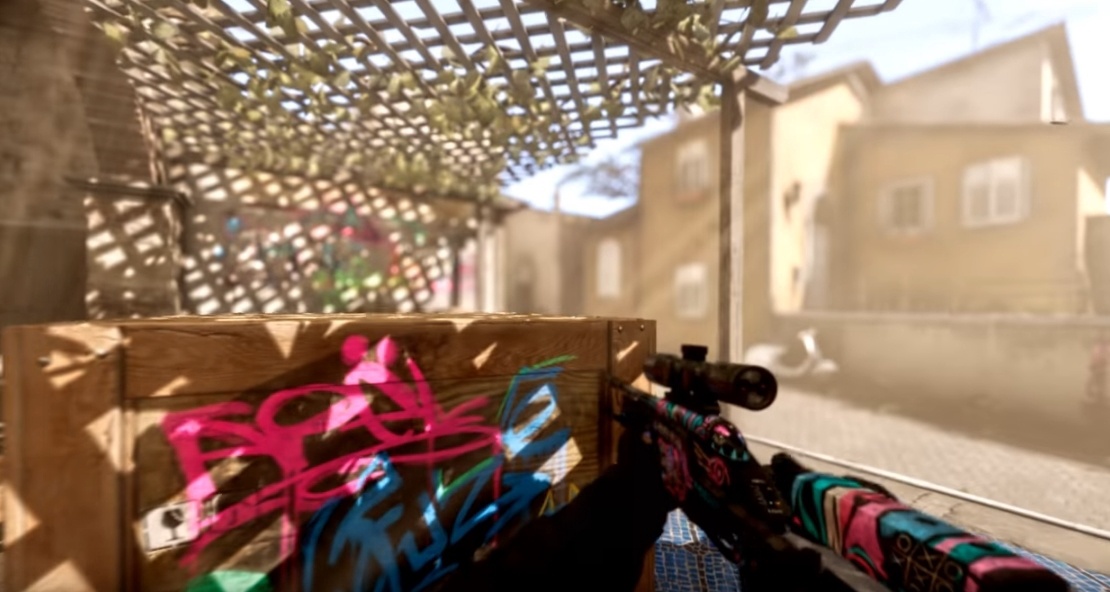
its saying "Use of undefined type AProjectile"
Fuck.
I've been stuck with this shit for 3 fucking hours, and I just god damn realized that I had not included the header file "Projectile.h"
If you excuse me, Im gonna go bash my head against the keyboard now
kindred viper
harsh. but yeah... undefined type usually means missing header. It should say "probably a missing header"
fast finch
Yeah, Usually unreal give hints as to what the problem is at compilation errors
not this time though
but Im sure as hell gonna try and remember undefined means missing header
fringe pivot
Damn, after being idle for a couple months now I can't figure the simplest things.
plush yew
That happened to me, it sucks
fringe pivot
For instance, I press BUILD and it spits an error saying lightning needs rebuild, isn't BUILD supposed to do that?
"build lights only" does nothing
I have this "80 unbuilt objects" no matter what
 gleaming creek
The lighting is supposed to spin off a background process and let you continue working while it's working
fringe pivot
I fixed it by restarting the editor
worthy flame
doesnt work still. anyone else know how to fix the square textures while paining?
plush yew
When I add an item to my inventory I just want it to be displayed in list form. Is create widget the wrong way to do this?
still moth
hmm.. im trying to spawn an actor, an unrendered object that runs a line of code when a weapon is fired, to handle a ballistics script.. i can get it to go straight in relation to the weapon fired, but i cannot get it to go towards the center of the screen
plush yew
you might have to get some vectors that point towards the center of the screen if you can't make the gun itself point towards the center. Something like camera direction or something
kindred viper
@plush yew Yes the create widget route is usually right. You could create a new textbox (for example) and add it to something like a scrollbox or however you display your list.
plush yew
Awesome, thanks. I've been watching tutorials for a few days and I somehow missed these base concepts. Like I can do drag and drop events and all sorts of things with a UI that I manually set up but I haven't been able to find a guide on creating a dynamic list. Using that add keyword in my searches looks like it helped a lot, I'm already getting tutorials more similar to what my goal is
kindred viper
UMG is like every other UI design tool really. It has it's methods that push you into designing a certain way, and once you know them, you have everything you need and can get to work. But learning those few things first is key. It took me a while to switch over from scaleform but once I got my head around a few things and it was updated, it's become like a 3rd arm with Slate tickling me with a 4th.
still moth
im using the first person sample project, the script that spawns the projectile should be able to apply the proper direction to the projectile i am attempting to fire to run a line trace code
fast finch
@still moth what exactly are you trying to modify the code to do? What are you trying to achieve
Its really hard to solve a problem when we can't see any code/blueprint
still moth
hmm, i wonder if the issue could be from trying to spawn a projectile at the muzzle of a weapon and have it go to where the crosshair is pointed
fast finch
If you want to shoot in a straight line from where the crosshair is, then you need to spawn the projectile where the crosshair is
not where the muzzle is
still moth
it has bullet drop and drag added to a line trace
fast finch
so?
still moth
so how do FPS games do it when they use projectile weaponry or when a gun is blocked by cover?
scarlet birch
If you're firing an actual projectile then it will hit the geometry that's in the way.
kindred viper
show us your code that sets your vector up
scarlet birch
If you're using traces then you have to combine multiple traces
still moth
right now its the default code in the UE4 first person starter project
scarlet birch
One from the fire point and one from the camera
if the one from the fire point hits something that should block the hit before it hits the camera point then you use the trace from the weapon as the hit point
scarlet birch
I think I used 750 for the trace distance from the weapon when I set this up in a game.
still moth
and a branch to check for collisions
scarlet birch
It's been a while but I remember numbers
still moth
just enough to prevent someone from firing around a corner with only a fraction of their body exposed and the gun completely unexposed
 cursive oriole
anyone have any idea why loading the editor is getting stuck at 45% (and before you ask, yes antivirus and Windows defender have both been setup to allow connections, yes google has been used to search for answers and Answerhub on Documentation website has been consulted as well.) oh and i've left it running for over 8 hours now and compiling the Shaders should not take that long on a i5 2500 3.3ghz 8gb DDR5 ram GTX970 4gb system. this is with version 4.22 that this is happening. version 4.18 works just fine and loads the project creation screen within about 30 seconds. and help would be much appreciated.
scarlet birch
@still moth Here's a pretty good article on it. https://www.gamasutra.com/view/news/124925/Opinion_Adventures_With_Guns_In_A_ThirdPerson_Shooter.php

Uber Entertainment software engineer Forrest Smith discusses his third-person camera experiences from Monday Night Combat , in this #altdevblogaday -reprinted opinion piece.
cursive oriole
this is the editor loading screen. so i'm trying to open the editor to be able to create a new project in 4.22 not open a already created project. and Cpu ussage has been constantly between 15% to 30% never getting up to 100%.
still moth
hmm, something may even be wrong with the default crosshair location as well, because using the world location and rotation of the first person camera, it spawns the line traces a tad left and up
im reading the article @scarlet birch posted
alright.. so youre doing the line trace for the initial weapon from the camera point of view, then a second line trace from the weapon and if both are clear it registers a hit
using the hit location of the camera trace as the ending point for the trace originating from the weapon
scarlet birch
exactly
But you probably just want to make sure some predefined distance is clear, so the trace from the weapon should have some limit
brazen forum
Hey guys. in C++ when should i test to tell if a pointer is valid or not? I'm knd of confused because on a forum post someone mentioned that you have to make sure that a ccertain pointer is valid before executing something. So my question is, when do I need to test if a pointer is valid or not?
kindred viper
when you need to use one of it's functions or members
still moth
i can draw a trace from the muzzle component with the forward vector of the camera plus a short distance as the ending point of that line trace to test for weapon collisions, run a branch where if theres a hit, use that ending location to spawn the emitter/effect and apply damage or force.. if false, then draw the main line trace
scarlet birch
Not quite. Use the camera hit location as the target for the muzzle trace.
still moth
i could put the check just prior to spawning the projectile that'll handle bullet drop physics and the projectile physics
scarlet birch
you want a vector from the muzzle to the camera hit.
still moth
if the camera has bullet drop though, its hit location may actually be on the other side of a barrier
scarlet birch
that's the whole point of the second trace
you're checking to see if the camera hit can be reached from the muzzle
still moth
no, i mean a falling projectile should be able to contact a target behind cover if the line trace is able to arc over it
scarlet birch
...
still moth
bullets dont fly straight
and they arent instant either, so having a more realistic feel means that waiting for a hit would cause problems
kindred viper
wanna know a secret? I hate bullet drop in fps games :p
never had to consider that back in the quake days or anything
still moth
even without bullet drop, hits arent instant
scarlet birch
In the distances most FPS spend the majority of the time they pretty much are
still moth
yeah, for your CQC FPS games they'd be indistringuishable
scarlet birch
but if you want a parabolic path then use projectile movement or you're going to have to do something a little more complicated
...
still moth
i think im going to end up having two systems.. a simple line trace for most weapons and bullet drop only applied to scoped weapons
kindred viper
just spawn a spline with your arc figured out and let it animate along it ;p
still moth
i was just drawing a shorter line trace and feeding the ending point into the starting point and looping that around so it'll draw line traces through the air
im not sure how a spline would work when the gun isnt level with the terrain
kindred viper
what do you mean?
brazen forum
@kindred viper Thx! Also when do you need to do this test? UWorld* pWorld = GetWorld(); if (pWorld).....
still moth
when the fire script runs, feed the camera location into a location variable, then use that variable as the starting location of the trace.. make the trace something like 50m long.. after the trace is drawn and no hit is registered you take the ending location of that trace, use it to set the location variable, then after a delay you run another loop, and your line trace will draw slowly through the air
kindred viper
@brazen forum whenever you need a world to exist in order to use particular functionality linked to a world existing
still moth
if you have a starting velocity (the initial line trace length) and after the initial trace is ran you subtract a small amount and set the velocity variable to the now lower number, it'll slow down over time
brazen forum
@kindred viper Okay and also can you just do this to do the same ckeck?if (GetWorld()).....
kindred viper
yeah
still moth
subtract a variable from the Z axis of the trace ending location every time the script runs and you'll have bullet drop
brazen forum
alrght thx bro that clears up a lot!
hoary pier
There is a function to simulate a projectile. Returns a path and hit