#ue4-general
1 messages · Page 416 of 1
 whole quarry
 honest rune
floating point rounding error
whole quarry
How should that be a problem?
honest rune
due to limited precision and binary representaion
further from origin you get, the more rounding error accumulates
thats the whole point of world origin shifting
whole quarry
Define origin though?
whole quarry
So if 0.0.0 is the center of the world... when do you expect it to become a problem?
whole quarry
1 uu = 1cm, the float problem is 0.000somewhere-here
honest rune
like, if a persistent map spans across several kilometers
honest rune
so what type of threshold can you expect to be reliable?
 abstract relic
Next topic to look into then 😜 https://docs.unrealengine.com/en-US/Engine/LevelStreaming/WorldBrowser
whole quarry
Then physics give sooner problems than floats
honest rune
2.5km from origin wont be large enough but if like 10km from origin is still safe, I could make some hacky tricks to contain it without that type of space. Player can't look up or down (side view) so I can layer areas on top of eachother
does physx not get shifted when world origin gets shifted?
whole quarry
For a side scroller I wouldnt even use level streaming
honest rune
its not a typical side scroller. I'm going for seamless world and its pretty large
 dim plover
There is such a thing as World Origin shifting.
honest rune
because of the limited space a sublevel takes up, I can use some trickery to make efficient use of the space though, like layering up/down, behind/infront because streaming will hide unloaded levels
yeah thats what I was asking about
dim plover
However, I only know of this because I see problem associated with that quite a lot.
 cobalt scaffold
i got precision problems some 20+km from origin
honest rune
he was saying I shouldn't need it; I was saying I should
@cobalt scaffold k thank you. That gives me a solid idea of what to expect
 brave lark
Is UE4 going to have instanced skeletal meshes any time soon?
brave lark
what about the nvdia integration
saw one dude successfully get 1000 instanced skeletal meshes running at 200 or 300 fps or something like that
honest rune
from what I read, they said creating a "general case" implementation of it was difficult because of specific needs. It has been done by community people but nothing solid has been opensourced
brave lark
i'm trying to make a lot of zombies for my game so I've looking down every optimization route
i'm even considering doing instanced static meshes with vertex animations instead
honest rune
That's the way I had seen one done. Seems pretty rigid though
brave lark
agreed
to be honest the characters I use are so low poly it will barely make a difference if they are instanced or not
i assume
utility AI has made a huge performance boost so I'm probably never using behavior trees again
honest rune
Disclaimer: I'm totaly not suggesting going this router but:, apparently if you ditch character movement component and implement something much lighter-weight, you can get quite a bit more going on in regards to animated characters
brave lark
already looking down that route too
problem is replication AND it's an open world game
so I'd need to figure out how to do jumping, climbing, etc
honest rune
yeah
brave lark
read an article on it and it doesn't seem thaaaaat complicated
but again my c++ is weak as hell and I'm just diving into the deep end on this stuff
i'm actually surprised that no one has published a lighter weight cmc for AI on the store
honest rune
The problem I ran into was that when rewriting movement, I ended up only recreating much of what was already there in CMC anyway and it was a fruitless effort. To warrant that kind of change, it really should be a completely different approach to movement
brave lark
how so?
honest rune
You still need to solve the same problems as CMC does. If you go in a completely different approach like say, making movement entirely stored and replicated as flags indicating a movement type and direction and deriving splines to predict locally and on server from that maybe. Just a theory though
there is a lot going on in CMC but its not dead weight
maybe a little too overly safe but still important
brave lark
i read it over and I couldn't see much I'd want to take out
what i've been seeing lately though
honest rune
exactly
brave lark
is that much of the bloat is actually the Character class itself and not so much the cmc
honest rune
its the CMC but its the approach they take thats heavy. Not to be offensive but its very clunky and direct.
brave lark
agreed
honest rune
more optimized approaches derive movement from less data (not saying I could do it better lol)
brave lark
it would take me more time than I want to put it at the moment to do it
 plush yew
Hello guys I am working on inventory
brave lark
table
plush yew
can you advice me what to prefer to make the slot
honest rune
instanced skeletal mesh component is on my sexy wants list though
plush yew
to make them with vertical box or with horizontal box?
brave lark
@honest rune hell yeah
@plush yew one goes up down and the other goes side to side. doesn't matter
whole quarry
@plush yew why not a uniform grid?
plush yew
I knowhow they are working
okay
idk @whole quarry
🤔
I am not using yet uniform grid
brave lark
are they all the same sized icons?
plush yew
it is for what? the uniform?
yes
there will be same sized item slots
with same size
brave lark
make an array and place them on the screen manually using the position nodes
plush yew
lke 50 50 for examle
plush yew
idk how to do it @brave lark
 zenith flower
why?
brave lark
@zenith flower why what
zenith flower
multiply by 0 = a non zero outcome
brave lark
@plush yew "set position"
brave lark
it's a node @plush yew
brave lark
probably need an object first
plush yew
what object?
brave lark
each icon should be a widget
plush yew
a okay
brave lark
your inventory is going to be an array of a bunch of widgets
plush yew
why to make this harder with an array, even with buttons or?
okay
so to make one widget alone new UI widget
@brave lark
brave lark
@plush yew no prob my dude
 hoary silo
@brave lark you think you can help me with my problem?
brave lark
I advise doing it in a separate project and just seeing what they did to make the icon stuff. don't copy it, but learn what they used and then try to make your own new thing with the new knowledge you gained
plush yew
abstract relic
Have you made a game before out of curiosity? @plush yew
brave lark
@hoary silo i'll google that really quick
hoary silo
XD
hoary silo
My question was: How do you make an object only cast a shadow in a certain lighting channel?
brave lark
what are you trying to accomplish
whole quarry
@plush yew dunno, you can ask @vale halo
hoary silo
I'll draw you a picture of it
plush yew
?
whole quarry
Inventory System is made by him
plush yew
I think that this that I download it addable to project not to create alone project
okay np
 vale halo
You’ll need to migrate it - see the documentation for details
plush yew
a okay
hoary silo
@brave lark I'll acually screen shot it
plush yew
so to create a new project to open it and to see how is this make with the inventory?
vale halo
Pretty much: for the sample project to work, it needs controls. These controls are set in the project settings, thus (unfortunately) requiring me to distribute it as a “create project” instead of “add to project”
abstract relic
I’m getting Crusher vibes
vale halo
You can create a project to try it out, and then copy/integrate it into your own project using those instructions 😃
hoary silo
@brave lark Here:
whole quarry
@abstract relic again? :P
vale halo
Go to the InventorySystem folder
abstract relic
You can’t deny the spoon feeding behavior Remco. He can never hide that 😜
hoary silo
What is GarethBale trying to do?
whole quarry
@abstract relic i have a 14 month old kid, im so used to it that I dont even see it :d
hoary silo
Can someone plz help me 😢
brave lark
so you want it to not cast shadow at all or not cast shadow on the item in that channel
hoary silo
Kind of, it seems my question wasn't clear enough. I'm trying to make an object cast shadows from Channel 0, but an object in channel 1 receive them.
plush yew
this project doesn't help me
it hasn't got inventory
it has got item and when you click on them idk what they do
hoary silo
sigh*
plush yew
it is trash
I need a invenotry with working slots to work drag and drop to see this array operation how it works
if you can reccomend me other tutorial or to download other project
brave lark
the array only handles the placement on the screen
the actual inventory will be a combination of structs or a table of stuff
that inventory was only mean to show you the widgets
vale halo
If you pick the white spheres up, items get added/removed. If you look at the wall it explains the further controls for things like opening your inventory and crafting
vale halo
I’m afraid I’m kind of tied up, but try pressing I
hoary silo
Not to be rude, but can someone please help me now
hoary silo
@brave lark you seem like you will know how to help me
brave lark
@hoary silo i might be able to figure it out, but I was wondering the same thing so when I do figure it out I'll be sure to let you know.
my question is what do you need this for?
brave lark
why don't you want them to cast shadow?
brave lark
why not just disable casting shadows then
hoary silo
Then the gun wont cast a shadow onto the arms
hoary silo
gtg. just DM the sollution to me
abstract relic
Share the wealth mate
brave lark
@abstract relic what wealth?
 valid root
Is there a snap plugin for UE that would be similar to Blender's ? Like if you want to snap objects by vertex in orthographic view for example
dim plover
The wealth of knawledge
valid root
I'm losing my last few brain cells with the vertex snapping tool that comes with the engine....
brave lark
@valid root there is somewhere, i've seen it
lemme look
rama made a plugin, might be good
lemme know if you need help getting it in the engine
thought I saw another one though
 mint umbra
Uhm, how do I prevent an AI from hitting itself with its own sword? I.e make it ignore self when the AI is tracing? I know I can tick Ignore Self for the trace, and I've also added the AI Controller into an array of actors to ignore, but it still hits itself. Ignore Self works for the character. I'll upload screens unless you guys can think of anything obvious
abstract relic
That’s hilarious. I’d use bp interface and have the functions called using that system. https://docs.unrealengine.com/en-US/Engine/Blueprints/UserGuide/Types/Interface
plush yew
so I am here now guys cool xD
valid root
@brave lark Thanks, I'll give it a shot!
brave lark
@abstract relic i love interfaces and blueprint libraries. I use them for like eveything now because casting seems dumb at this point
@valid root no prob man, lemme know how it goes
 wise juniper
Hello guys
I need some help with UE 4.21
My English skills are not good, please sympathize if there are errors in using words. I come from Vietnamese.
I have been working on UE 4.21 for several weeks, but today I opened UE 4.21 to create a project, after Load 100%, my computer lagged and got a blue screen error, then auto restart
I open other versions like UE 4.20, or projects created earlier on version 4.21, they still work normally.
I don't know what my fault is UE 4.21. Someone please help me fix the error
brave lark
validate?
whole quarry
@wise juniper so when you launch the 4.21 project now it crashes?
 lunar bobcat
Can someone tell me why this isn't working?
It always comes back as false
wise juniper
no no....i lauch unreal engine only......it crash, but when i lauch a project at 4.12 version, it run normally
whole quarry
Validate the 4.21 installation
In the Epic Launcher, click on the tiny arrow next to UE 4.21 and select Validate in that menu
Next*
Next*
wise juniper
ok....i will try it.thanks....I have just reinstalled the engine, it take 1h :#
then i will verify it
whole quarry
Okido
lunar bobcat
No one knows?
 mint vine
Sorry for interrupting you guys! I am looking for online resources to help me setup locomotion with animations like 45 deg or 135 deg e.t.c Thanks.
wise juniper
hey ledankwolffe
plush yew
for this project Inventory that I downloaded even I and E key is there another?
to do something?
i to open the inventory E to open the inventory
wise juniper
i look some err in your blueprint
plush yew
@vale halo
vale halo
There’s O for opening chests @plush yew
plush yew
cool
other?
it doesn't happen when I press "O"
@vale halo
can anyone with 1st gen ryzen (1700x here) confirm cl14 ram is worth the extra $100 usd?
vale halo
You need to be looking at a chest (should be a rectangle box to the side of the example level
abstract relic
Please don't spam. This isn't a place for step by step instruction.
vale halo
Sorry ^^ (And last thing before I need to head off: it's the yellow thing)
plush yew
okay I don't understand @abstract relic this is the reason that I Ask eee
abstract relic
Read their doc first. Don't harass him.
cobalt scaffold
but most of all, try doing things on your own first, then ask questions
plush yew
okay
I tried
with O and it doesn't work and then I ask 😉 @cobalt scaffold
more than one free slot or?
abstract relic
I still think you're crusher 2.0. Calling it now
vale halo
Docs: https://docs.google.com/document/d/1y8cLoL3ss643BEw2uLcuNoHbWmXbkMinwVGaAWJ2lT4/edit?usp=sharing & that's a piece of code that adds the items one by one (so it can use multiple slots in a single add if you're adding more than 4 (by default) items in one go)...I'm afraid I really need to head off though, so good luck 😃

Google Docs
InventorySystem An advanced Drag ‘n Drop inventory system Documentation We’re working on making InventorySystem even easier! A HowToCompute Publication Table of Contents Table of Contents 1 Getting Up And Running 2 Testing! 9 Controls 11 Common Errors: 11 Adding you...
plush yew
I saw that you think everybody in this server is some crusher
so stop and go to doctor to see your health 😃 @abstract relic
thank you @vale halo I will read it
valid root
@brave lark I only need the VictoryEd plygin enabled to get the vertex snapping to work right? I don't really need the blueprint stuff atm. I found the latest build of the VictoryEd to be 4.16 and when I follow the steps and try to open my project it prompts that VictoryEd was built with an older version of the engine. When I try to rebuild it it fails.. I take that I need to get a newer version of the VictoryEd or?
abstract relic
Yep, it's him. Considering that I only did it once. Good luck mate 😛
brave lark
@lunar bobcat do an is valid check first
@valid root have to convert it to latest build
have you worked with visual studio before?
you don't have to do any c++ coding or anything, but you do need to hit one button to compile it
plush yew
I have a question about the enum items when I add for example an apple as item here
and add it here a description
brave lark
description is just for you to remember, it can be blank
plush yew
where will be appear this description-how to see the description that I write here
aha okay
but when you want like when you get the apple and when you hovered with the mouse cursor to show you the description
you must to make on drag detection event or?
valid root
@brave lark I've got visual studio but never used it with UE before. Not sure how to open the right file
brave lark
@plush yew got to make that yourself
@valid root ok so you're going to have to recompile the plugin most likely
which means you'll have to make a c++ enabled project
brave lark
never did that myself @plush yew , I would just poke around till you find a clue. Thats what the rest of us do
whole quarry
@wise juniper 3 years now
whole quarry
@abstract relic im starting to.see the pattern youre seeing aswell
brave lark
i have a feeling I know what you guys are saying
abstract relic
Just block him. 😛
brave lark
cuz that use to be me for a bit too, then I decided to just lose my life to game dev
UE4 discord is kind of not an instructional place for starters. It's kind of a place for people with specific technical questions
yanno I know a server that will probably help you
plush yew
okay
and it is?
i have a technical question
is cl14ram on ryzen 1700x worth the extra $100 usd
 sage hare
Hi everyone. I want to know can anyone direct my to a place to read up how to create different account types in UE4 for Example: Developer account, Moderator account, Normal player account.
 grim ore
account types? like Epic Games accounts or making your own accounts on your own server somewhere with different settings?
 manic pawn
that's like 100% game specific
manic pawn
hmmmm
abstract relic
😛
 mint yacht
Can anyone help me with my mesh issue? For some reason they're importing like this.
https://i.imgur.com/CNBaDt9.png this is what they look like in Substance Painter, so i don't think it's a normal issue
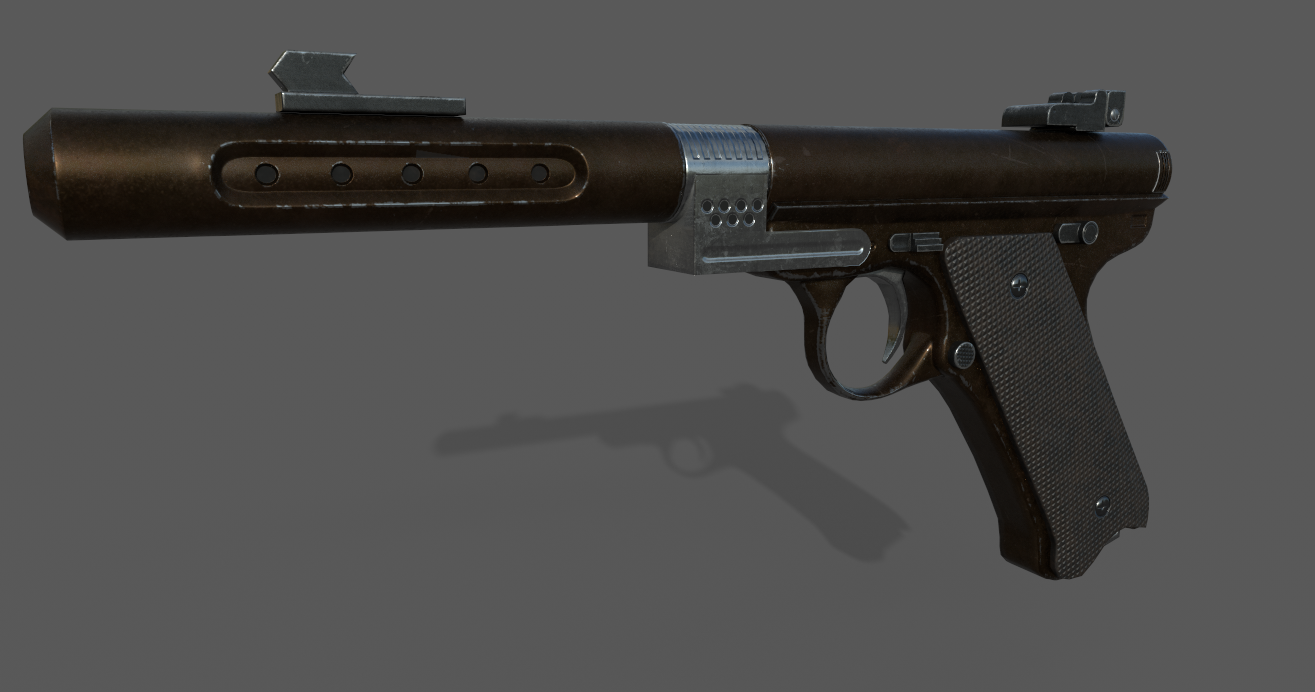 abstract relic
Check if the mesh has multiple uv maps. If that's the case, you need to combine them into one map or set your tex coords if you need those multimaps.
mint yacht
Nope, everything is in one map
 sudden agate
is that a Skeletal Mesh? @mint yacht
mint yacht
No?
abstract relic
can you show us the wireframe? In engine
mint yacht
abstract relic
looks like you only imported some of the mesh's element. Not the asset as a whole
mint yacht
It's... all one object though...
abstract relic
Look into your import and export setting.
actually, how are you importing first of all. There's a few methods in unreal that'll break it.
mint yacht
i'm dragging and dropping it into the content window
importing with the import button is giving the same results
Wait, i fixed... somehow... in my FBX export settings... i changed the unit scale to centemeters and unchecked children and input connections. Not sure which one of those did it, but it's working now
grim ore
manic pawn
there are over 100GB+ of files 
grim ore
yep always fun to get free audio for inept people like me 😃
 cerulean coral
nice thank you @grim ore
valid root
@brave lark I managed to set up a new project with c++ enabled but I'm clueless how to recompile the plugin.
Sorry for being a pain in the anus 😄
grim ore
the compile button or compile the project in the solution file in Visual Studio
 bronze cedar
@grim ore Sir I want to know, which tutorial of your will be good for me, so that i can make paddle, ball and brick game, i mean node tutorials
i have been watching them, collision one, but they are line tracking so they are not good for me for now
i was trying to find those angle nodes, which will be helpful for me
grim ore
paddle and ball would be more physics based and I dont think I covered most of those.
I am poor at math so I tended to not cover those things yet 😦
bronze cedar
oh ok , but physics has it's own problem, i tried but the velocity changed and so the ball sometime goes very fast and other time going very slow
yeah i am also not good in maths, haha i will say i am not good in anything haha
grim ore
have you checked out the breakout ue4 tutorials that are on the internet?
bronze cedar
what i want to do is , my paddle got three parts, that's left middle and right part, when ball hit one of them, it should go to that direction
but i cannot figure it out, print string is working but i don't know how to make it go to left or right or straight up
grim ore
yeah it might be something more like just pushing the ball forward every frame a certain distance then checking for collisions and making it move in another direction if needed
 narrow talon
Hello, I like some help.
bronze cedar
yeah i checked it all , there is just one tutorial and it's physics based so that's why i am stucked
grim ore
yep I tried to make a breakout game as one of my first project and just gave up, I am horrible at math so it was more work than fun at that point
narrow talon
I was wondering if there are any ways I can make Character models without having to learn somthing like Blender.
grim ore
@narrow talon MakeHuman, Mixamo, and a few other programs like iClone
bronze cedar
if this basic working can be done than i am all ready to make it haha, because this is how the game work
narrow talon
Thank you!
bronze cedar
yes you can also use kinect camera for the animation haha
i use to find so much about cheap mocaps
any idea about that @grim ore Sir
about my problem
like how to change the direction , when the ball hit the left right or middle part of the paddle
grim ore
I dont really unless I tried to make one. I got stuck when I tried it and gave up. math, vectors, angles, all that stuff I just get lost trying to do
bronze cedar
i was thinking to give it random direction , very little
grim ore
if you know the direction you can just multiply it by -1 to reverse it but that is about all I could say, it doesnt help with changing it angle and such
bronze cedar
so i think i should move to 2D platformer game
 scarlet charm
Anyone willing to help me on a small but ambitious project?
bronze cedar
what kind of project you got
do you know how to keep the constant velocity of an object that way physics paddle game can be made, @grim ore
grim ore
you could always set it every frame
bronze cedar
i am not that good Sir at programming, and i am new to UE4 too
i checked on the net , like how to program it, and cannot convert it into nodes
i am more artwork guy than programmer 😦
scarlet charm
My project is an apartment theme but everything is interactive, so that means working TV, working radio, working lights, working pretty muck everything you can think of in an apartment. So basically an apartment life simulator.
bronze cedar
oh ok nice, that's kinda cool haha
i would have helped you with 3D models , but i just forgot everything, i use to work in blender before, like 7 years before
but if you want to know anything i can help you , about artwork, 2d and 3d both
😄 😃
scarlet charm
Ok, cool
 spark merlin
guys would anyone know where i could start on making the character spin to walk if anyone could lead me in the right direction it would be very cool
brave lark
@valid root did you add it to the plugins folder in there?
also open the .uplugin file in notepad or something and show me the contents
bronze cedar
if it's 2d it will use flip book for the animaiton
bronze cedar
3rd person
spark merlin
yep
bronze cedar
than i think you have to put that animation and that 3d model, on the left and right key put the animation
i am also noob in UE4, but haha i know how things work, not that good , but i know a little
spark merlin
so would i make the animation in blender or unreal thats all i need to know and thank you a lot
valid root
@brave lark
bronze cedar
yeah blender
spark merlin
thank you
bronze cedar
than you have to import it in UE4
riggyfiy is a blender addon , which can make a bone skeleton for you , ready to animate
spark merlin
there are no bones xD hahaha
brave lark
@valid root ok should be safe to recompile the project as is then
plush yew
I no longer see the translation, scale, or rotation tool when I select an object, what am I doing wrong?
valid root
When I try to rebuild the MyProject.sln in Visual Studio it doesn't affect the outcome. It still prompts that I have to rebuild manually..
@brave lark
I'm also following this thing and have the lines added to the .ini file
scarlet charm
anyone else willing to assist me on this project of mine?
 tranquil bone
Is it possible to create a open world area using a tile set of some sort like using prefabbed areas created in magicavoxel or something to make procedural generation?
 coral patio
Hey there! 😃 Hope this is the right place to ask this.. I'm currently working on a (fantasy) character and I'm using the photorealistic character workflow for it. I took a character from paragon and cutomized their shaders (for skin, eyes and hair) to fit my character. However, I stumbled upon a problem - I'd like to give my character dimly glowing pupils but I can't seem to find a way how to do that. Does anybody know how I could modify the shader node network in a way that I could add emissive to the pupil?
(Also, for some reason the eyebrows and eyelashes seem to disappear once you zoom out even moderately far.. does anybody know what could be the reason for this?)
 topaz pebble
does anyone know of an rtx demo that i can actually download
abstract relic
@coral patio 1: make emissive texture 2: probably due to LOD
 celest creek
K, so hopefully this will be easy to answer but has anyone tried to rotate an actor (or root component) 45 degrees then try to spin around its own axis?
I can't for the life of me do it. It's all good when it's along a straight X, Y or Z.. but otherwise nope. Any ideas?
celest creek
These are two options I've tried so far, neither work... 😦
Two options out of countless ones I've tried, I might add...
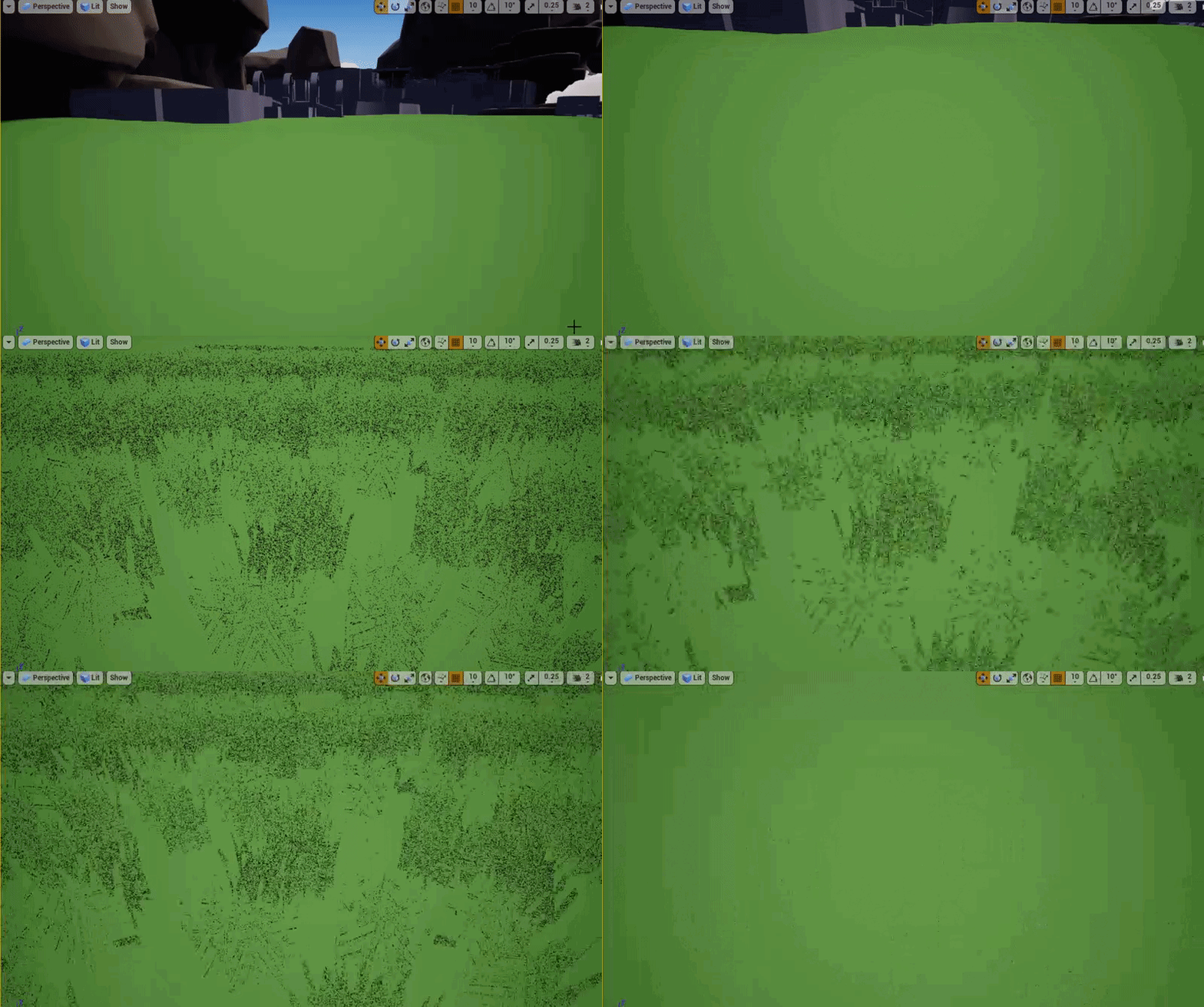
 frosty copper
I mean... At least it's green :p
 gilded plinth
anyone messing w the experimental control rig?
 leaden dust
build vs hot reload?
 weary basalt
 fleet wraith
Why does my game not build lighting when I run it? I built the lighting for the level, then when i run it (in viewport or as its own process) every actor i create does not build lighting...
 tall pendant
in regards of hot reload..try live++ (it usually works well)
leaden dust
@tall pendant UE version?
 sullen wraith
plush yew
sullen wraith
plush yew
can i install ue4 4.22 preview via launcher ?
 languid shard
yes, press the + button next to "engine versions" and select the 4.22 pre5 release
plush yew
but too bad it has no ssgi yet.
languid shard
you'll need to download the dev-rendering branch and compile it yourself for that
plush yew
do you think dxr work for gtx card ? anyone tried it.
 buoyant mulch
Hmph
languid shard
nope doesnt work
buoyant mulch
Shut up
languid shard
uwot ?
plush yew
time to save some money then. rtx is really worth it.
buoyant mulch
Are u three yrs because u talk like one @languid shard
 fierce tulip
@buoyant mulch behave please
buoyant mulch
Ok ok
plush yew
@buoyant mulch what happen ?
buoyant mulch
Oh nothing just teasing him
plush yew
did he triggered you by saying dxr is not supported by gtx cards ?
languid shard
Careful I'm quite trigger itchy
 wary wave
Coming back to #ue4-general after a meeting and seeing a wall of blocked messages 😄
 random holly
wary wave
random holly
wary wave
I don't understand
languid shard
¯_(ツ)_/¯
grim ore

Unreal Engine
Developers across games, film, TV, AR and VR receive cash assistance in the program’s final round.
Though Unreal Dev Grants is now behind us, it's not the end of our ongoing support. Tune in to Epic's State of Unreal opening session at GDC for more information."
 cedar snow
time to switch back to unity 😉
wary wave
boo
fierce tulip
wonder what will replace it, wit all the money in the bank you'd think they'd up that ante
grim ore
There is a sizzle reel for dev grant recipients and the non graphical peoples got excluded 😦 educators and such heh
grim ore
everspace is in there twice as well
 polar hawk
Sizzling education
grim ore
I think the lesson of the day is make stuff pretty and people will like it, content be damned
 dim arch
light up their limbic system with smoke and mirrors ??? profit!
 cloud cobalt
@grim ore UDG has always been a lot about engine PR for developers, to showcase what the cool kids do
It's usually been either 1) super cool looking stuff, 2) trendy stuff (VR etc), or 3) really useful tools
dim arch
also if they grant babbies first render, a bunch of people think woaw I can do that too, adopt the engine and the userbase grows
 merry gazelle
what can I connect to this node to remove the warning?
 somber crown
drag from that pin and you can add either Handled or Un-Handled based on whether you are done with using the OnMouseDown event or you want to let it propagate to other widgets respectively.
 hoary wigeon
we'll have to wait until march 20 with the state of unreal at gdc, maybe they release something like games first on epic store or something, wich would be nice, but it also can exclude other projects from being supported, like educational or animation, etc
grim ore
Epic is going to finance all content creators with unlimited* funding for the next 2 years** *based on 10 minutes of work a day, 3 day work week. **any content created must be unique and never created before and subject to approval by the /r/unrealengine
 maiden swift
State of Unreal starts.
"Unreal Dev Grants were great, but it's time once again... to Make Something Unreal."
lol 😄
In all seriousness, I doubt they'd bring it back unless it was in a new modern form. I'm quite curious to hear about what will succeed Unreal Dev Grants, regardless.
 honest vale
MSUC was great
maiden swift
Indeed. It helped make careers.
wary wave
I'd totally be down for a modern MSUC, but I have no idea how you could even do that these days
maiden swift
Yeah, I'm not sure what form it would take but it would definitely be different.
wary wave
MSUC was previously constricted to being about UT mods, so everyone was on fairly level pegging
honest vale
true
wary wave
if you had one now, could I just submit this game that me and 40 other people have been working on for five years already :p?
honest vale
😄
grim ore
I'm gonna make a course for Udemy since it's all the rage, call it "how to follow a tutorial" and it will be a tutorial series on how to follow and learn from tutorials.... it's genius since I can hook it into other tutorials out there and then get kickbacks from them for sending them customers.
wary wave
lol
maiden swift
lol
wary wave
there's a big pile of irony in that catch 22
grim ore
there is no flaw with that idea
wary wave
😄
 frosty bloom
@grim ore You'll be rich in no time!
 grim ore
crap... If I end up rich I might stop doing videos for all that mad YouTube money... I need to rethink this approach!
wary wave
I still think the "Launcher Launcher" will be the king of capitalism
ONE LAUNCHER TO RULE THEM ALL
grim ore
technically steam can do that can't it? since it can launch anything else
wary wave
automanage libraries and accounts with a single library and account, allow purchases through this one mighty system and tack on a 2% surcharge
maiden swift
Discord too.
grim ore
lol isn't that what cable TV used to be before every company decided to just make their own channel instead 😦
wary wave
of course
Discord is a game store and launcher, after all
that is amusingly exactly what CableTV was
then everyone started doing CableTV and fragmented the market
grim ore
at some point all the stores are going to implode I hope because it's nuts
maiden swift
Oh wow. I totally forgot about the Make Something Unreal Live student competitions in 2012-2013.
wary wave
because they were garbage
maiden swift
Correction: the 2012 one wasn't for students, but seems to have been Epic's first game jam and had to be an iOS game.
wary wave
I don't think anything ever came out of it?
grim ore
"Today we are removing the dev grants but as a replacement we are opening up Unreal Tech Centers all around the world. You can come here and use our state of the art technology and network with other creators and developers to bring your creation to life"
wary wave
😐
maiden swift
That would be... odd.
wary wave
that's a shit replacement
the great thing about dev grants is they could be given to people in places where development doesn't usually take place
grim ore
hey I never said it would be good but Epic likes to do odd stuff
wary wave
I recall one African developer got a grant, but I can't recall if the game ever got released
maiden swift
Yeah, I've seen some wonderful grants give out that boosted teams I'd never heard of who were working on really cool stuff.
It's been a great program.
wary wave
aye
languid shard
@wary wave you sure it was a game ?
wary wave
yeah, it was a game
grim ore
ok if the centers are not a good idea what about RentADev where they send the dev's from Epic out to you and waive your fee if you have a promising project
languid shard
I remember someone who made a viz of a construction project or something in africa
wary wave
I'd rather be able to hire a dev with money :p
languid shard
who got a showcase about it
grim ore
ooh.. ok so instead of a dev grant what if they became publishers?
languid shard
🤔
maiden swift
I thought about that.
But they've got the Epic Games Store, so I'm not sure what that pitch would be.
grim ore
advertising and funding for a % just like any other publisher?
maiden swift
Perhaps.
grim ore
along with their stable of techs for support and testing
maiden swift
It's certainly feasible, but it doesn't seem like a natural evolution of Unreal Dev Grants.
grim ore
I am at work#1 and bored so trying to waste time lol
well you are assuming they are evolving the dev grants
dev grants was fun, it served its purpose, we move on. Epic is in a different state than they were when they started them now with fortnite and the EGS
maiden swift
Fair point. I'm just going off the limited info we have, aka two sentences from Chance. lol
"Though Unreal Dev Grants is now behind us, it's not the end of our ongoing support. Tune in to Epic's State of Unreal opening session at GDC for more information."
grim ore
oh I didnt see if he put something out, I was reading the blog post
languid shard
ongoing support could be financial still
dim arch
oh the msul was kinda cool
languid shard
so yeah maybe the publisher idea isnt too far off ?
maiden swift
I assume it will be financial, but that's not necessarily a given either.
grim ore
well he does literally say it's behind them
dim arch
that was on while I was studying at university, my friends team came 2nd but didnt make much progress afterwards
scarlet charm
Anyone wanting to assist me on a project?
maiden swift
"it's not the end of our ongoing support" indicates to me an intention to fill the gap left behind by Unreal Dev Grants.
That's where my assumption came from.
languid shard
yeah
maiden swift
Whether it looks anything like UDG is up for debate, but I assume it will fulfill a similar role.
languid shard
what kind of "support" could they give to projects aside from a grant or publishing ? Mentorship ?
grim ore
dial-a-dev ?
grim ore
oooh... more direct support in the discord channel by hiring people from the community to help out directly....
dim arch
pitched a bunch of games to sony, they gave them grants and had dev support from an outsource studio
frosty bloom
Dial-A-Dev made me laugh 😄 "Hey, my blueprint isn't working" x2000 a day
dim arch
on the condition they published it on ps4 first
probably the same, but replace ps4 with epic store
grim ore
@frosty bloom lol it's what we get in here 😃
frosty bloom
That and "The tutorial is old, it isn't working!"
languid shard

More metric stuff for generic FPS games still using the unreal units.
Also some component breakdown based on play styles:
- how to determine a game-play styles and build a map DNA and stuff like that
This was based on @wolfenstein
#leveldesign
Likes
106

 Twitter
maiden swift
Twitter
maiden swift
"Epic Games is proud to announce we're now on Patreon. Just kidding, we bought it!" 
languid shard
pretty cool stuff
dim arch
Internet giant Tencent plans to build an e-sports town complete with a university to train the next generation of professional gamers
wary wave
whut
grim ore
man the people who go 'this tutorial is old so I dont know if it works or not so I am not going to try it give me something else more specific" is..... annoying
It's all good tho. we have this wonderful week of game dev news that is going to be thrust upon us 😃
wary wave
GDC isn't really about news
 deep basin
well, base logic doesn't change, therefore why shouldn't it work. I think it's more "wow functions don't have the exact same name as in my version, that measn effort now I don't want to do it" 😉
wary wave
there might be some cool stuff, but it's not really a 'news' event
grim ore
Cryengine Raytracing stuff, Unity Visual Scripting Stuff, Epic Raytracing stuff, Google game machine, and other surprises! probably a new nvidia card too
languid shard
what ?
no new nvidia card 😐
its gonna be about AI and Raytracing I think
and robots
dim arch
Oh yea, Jade Raymond joined google as a VP
to work in their games division
seems interesting
grim ore
nope you are right I keep getting it confused with GTC the same freaking week
but Nvidia did showcase the new card a few years ago with Epic so you never know
 devout gulch
GDC nowdays is mainly about annoucments
just not for consumers
lot's of talks are straight up crap
wary wave
GDC is a convenient stage to showcase new stuff because of the sheer volume of developers on-location
devout gulch
in the line "i did this awesome thing... buy it here!"
wary wave
...but also a lot of the talks are pretty solid
it's good t see what other studios are doing, and taking a look at that can inspire processes within your own work too
maiden swift
I wouldn't say it's mainly about announcements. It just happens to cater to developer-centric announcements, e.g. new tech, engine updates, etc. Game announcements and/or trailers do happen but are less common.
grim ore
lol I treat GDC as a vacation now personally. Going to try and do some business stuff this year but shrug just find some fun stuff to do and relax 😃
fierce tulip
fooooood
grim ore
and I like the in expo talks personally. SideFX has some great ones normally for Houdini and of course Epic is always fun to watch.
maiden swift
Epic always does great little tech talks at their booth for free, which is great for Expo Pass holders.
maiden swift
Yeah, I was hoping to invade it.
fierce tulip
last year people where excited to see allar walk by constantly XD
maiden swift
lol
 brazen forum
Guys does ue4 have automatic garbage collection and cleaning like unity does?
And if so can you remove the automatic garbage collection?
wary wave
yes, and probably yes with some effort
not sure why you would want to remove it though
 languid shard
not sure you need to vault or parkour in archviz 
 restive eagle
hi guys,
any ideas why game would break in this place?
http://prntscr.com/mzk5wh

couldnt find anything online
wary wave
without a callstack this information is not useful
 wary wave
looks like an LOD problem
why it would cause a crash is hard to say, but something's up
restive eagle
already spent few weeks trying to fix that issue, but the only thing that helped was when I imported a skeletal mesh without morphs
and it would only crash if i use that specific mesh in one place which doesnt hold any other logic than the mesh component. other blueprints with the same component were ok
 misty creek
Does anyone know a good way to dynamically get the edge of the screen?
 teal tulip
you mean the size or what you mean
wary wave
^
brazen forum
@wary wave so back to the garbage collection question. Since ue4 has automatic garbage collection, does that mean u don't need to call delete on anything?
wary wave
not directly, no
misty creek
Sorry, the screen size.
wary wave
you don't use new in UE4
brazen forum
For real?
wary wave
objects and actors have their own construction methods
brazen forum
So then you make everything on the stack?
wary wave
I've not looked at how it works under the hood, but generally speaking, you don't care
you just let it do it's thing xD
brazen forum
Oh ok
wary wave
it's rare to run into garbage collection issues tbh, it's quite a mature feature
brazen forum
So I know this is probably not something u would do. But let's say I wanted to create something on the heap in ue4. I can't do that?
wary wave
you'll be able to with some effort
but you'd be manually bypassing UE4's stuff in order to do so
devout gulch
objects are allocated on heap
wary wave
not sure why you'd want to do that
brazen forum
Ok
wary wave
@devout gulch - what about actors?
devout gulch
everything created using NewObject lands on heap
it is just using custom allocator
which recycle memory
to not cause fragmentation
wary wave
makes sense
devout gulch
actors are just UObjects
wary wave
actors are UObjects, but they do do some things differently, hence asking
you wouldn't statically construct an actor, hehe
devout gulch
yes but at some point they still ause NewObject
use
there is just more initialization steps along the way, hence you don't use NewObject directly with them
to create something on the heap you simply use raw C++ types
or Unreal structs
erm
on stack
either way you should avoid sing raw new
unless you do something very low level
use smart pointers or unreal types
 naive marten
Hey, I've clone a friend project and this projet works for him but it doesn't build for me. This is the erros I have when I try to generate files : ```
Running C:/Program Files/Epic Games/UE_4.21/Engine/Binaries/DotNET/UnrealBuildTool.exe -projectfiles -project="E:/UE4 essaie/MazeLegends/MazeLegends.uproject" -game -rocket -progress -log="E:\UE4 essaie\MazeLegends/Saved/Logs/UnrealVersionSelector-2019.03.18-15.27.51.log"
Discovering modules, targets and source code for project...
ERROR: UnrealBuildTool Exception: Couldn't find target rules file for target 'MazeLegends' in rules assembly 'UE4Rules, Version=0.0.0.0, Culture=neutral, PublicKeyToken=null'.
Location: C:\Program Files\Epic Games\UE_4.21\Engine\Intermediate\Build\BuildRules\UE4Rules.dll
Target rules found:
sorry if i'm in the wrong channel, didn't know where to askhow did you clone it?
grim ore
did you generate the project files and are you targetting the same version as him?
naive marten
Yes I have the same version installed
and the error shows up when I try to generate project files
dim plover
grim ore
ok so in your source folder is there a target file for each version of the project you want to build for?
naive marten
@dim plover After cloning I have the Target.cs in my sources folder
I've already seen some unreal forum and none of the anwers works
dim plover
Did you try the enterprise thing? It looks like a lot of people (probably with 4.21) have that?
naive marten
The guys was saying to remove the entreprise thing but I don't have any
@grim ore Yes I have one target file for 4.21.2
dim plover
Maybe your directory has a space in it? E:\UE4 essaie\
grim ore
did you clone the intermediate and saved and other files?
naive marten
yes I have a space
dim plover
I would bet that the space is causing problems. *Actually, I'm not so sure...
dim plover
Hmm, unfortunately it looks like it could be the result of a number of things. https://answers.unrealengine.com/questions/412563/couldnt-find-target-rules-file.html
grim ore
soo... when you cloned it did you clone the intermediate and saved and other files?
naive marten
Yes I have clone the intermediate & saved folder
I shouldn't ?
Cause some other people have clone the git repository and it worked for them
grim ore
well you shouldnt clone the intermediate and build for sure
saved is a personal choice but you should delete it as well to eliminate possible issues
.uproject, config, content, source are pretty much all you need in that main folder (not counting .git repo)
naive marten
I've try to remove the intermediate & savec folder but I still have the error
ok I'll check that
grim ore
does the project open up when you try and open it? not building the solution but actually opening the editor by opening the uproject?
it should try and compile the module
also what are the file names in your Source folder and what is in your main target file?
naive marten
I'm cloning the repo again ^^ 2m sry
 vagrant pier
Dumb question, Does moving a socket location in a Animation Sequence affect the entire Skeleton? as well as the location for all other Animations? Asking because when importing new animations, the Preview Mesh for the Gun my character is holding is now aimed toward the sky and no longer properly in his hands as it is for all other animations
grim ore
@vagrant pier if you get no help in here #animation has more animation focused people that might have an answer 😃
naive marten
@grim ore In my source folder I have : MazeLegends.Target.cs / MazeLegendsEditor.Target.cs & a folder with the sources files
grim ore
well the files seem right, what is in the MazeLegends.Target.cs file?
naive marten
using UnrealBuildTool;
using System.Collections.Generic;

public class MazeLegendsTarget : TargetRules
{
    public MazeLegendsTarget(TargetInfo Target) : base(Target)
    {
        Type = TargetType.Game;
        ExtraModuleNames.Add("MazeLegends");
    }
}
hmm.. i dont know when the changed the extramodules code but if you can compile this on 4.21 on other machines it should be fine still. the rest looks fine
naive marten
I've delete and download the unreal ungine 20m ago but It changed nothing same error ...
vagrant pier
@grim ore Thanks for replyin btw, didn't see too much activity over in animation n figured shootin the shot here might help.
grim ore
@naive marten woof. ok so it should be working but obviously it's not lol. is there any more in the .log itself ?
@vagrant pier yeah once you get out of the basics it can be tough to find people with exact knowledge in here 😦
naive marten
@grim ore this is what I have in the log file UnrealBuildTool.GuardedMain: Command line: "C:/Program Files/Epic Games/UE_4.21/Engine/Binaries/DotNET/UnrealBuildTool.exe" -projectfiles -project="E:/UE4essaie/MazeLegends/MazeLegends.uproject" -game -rocket -progress -log="E:\UE4essaie\MazeLegends/Saved/Logs/UnrealVersionSelector-2019.03.18-18.37.53.log" ProjectFileGenerator.GenerateProjectFiles: Discovering modules, targets and source code for project... UnrealBuildTool.GuardedMain: ERROR: UnrealBuildTool Exception: Couldn't find target rules file for target 'MazeLegends' in rules assembly 'UE4Rules, Version=0.0.0.0, Culture=neutral, PublicKeyToken=null'. UnrealBuildTool.GuardedMain: Location: C:\Program Files\Epic Games\UE_4.21\Engine\Intermediate\Build\BuildRules\UE4Rules.dll UnrealBuildTool.GuardedMain: Target rules found:
I don't have anything else
grim ore
@naive marten also I seriously doubt this would help but try replacing your ExtraModulesNames.Add line of code with this instead "ExtraModuleNames.AddRange( new string[] { "MazeLegends" } );" and see if it helps at all. It shouldnt hurt I hope lol
naive marten
I'll try that thx
grim ore
It's weird your log does not have more tho
grim ore
so when you try and open the project what happens?
and are you sure thats from the actual .log file in Saved/Logs ?
naive marten
my friend will send you the error he have when he try to open the uproject (I was trying to fix the error for him)
 digital herald
this is when i open it
grim ore
yep and when you say yes?
digital herald
it told me to rebuild from source manually
grim ore
it sounds like maybe other files are missing, maybe other plugins or modules
we would have to see the full log
vagrant pier
What if you rebuild it from VS?
grim ore
they can't get the solution file to create is the issue
vagrant pier
Is the project Blueprint only?
digital herald
i got this log when trying to open it
https://pastebin.com/caRPPC4H

no it is cpp only
but it got some bp
grim ore
what about the log when you try and generate the visual studio project file?
vagrant pier
That's fine, was wondering because of the whole "if only blueprint must have cpp code somewhere" thing when building
grim ore
that log is expected it's not compiling your code
digital herald
my friend shared it just above
grim ore
that is the error when you try and open the project and say load without compiling
digital herald
yes because i can't compile it with vs right now
grim ore
you should have a file like UnrealVersionSelector-2019.03.18-10.56.35.log with the code in it from trying to generate the file
digital herald
ProjectFileGenerator.GenerateProjectFiles: Discovering modules, targets and source code for project...
UnrealBuildTool.GuardedMain: ERROR: UnrealBuildTool Exception: Couldn't find target rules file for target 'MazeLegends' in rules assembly 'UE4Rules, Version=0.0.0.0, Culture=neutral, PublicKeyToken=null'.
UnrealBuildTool.GuardedMain:        Location: C:\Program Files\Epic Games\UE_4.21\Engine\Intermediate\Build\BuildRules\UE4Rules.dll
UnrealBuildTool.GuardedMain:        Target rules found:
there it is
grim ore
yeah that makes no sense, mine starts with WindowsPlatformFactory.RegisterBuildPlatforms: UnrealBuildTool.WindowsPlatformSDK using manually installed SDK ProjectFileGenerator.GenerateProjectFiles: Discovering modules, targets and source code for project... WindowsPlatform.EnumerateSdkRootDirs: Found Windows 10 SDK root at C:\Program Files (x86)\Windows Kits\10 (1) WindowsPlatform.EnumerateSdkRootDirs: Found Windows 10 SDK root at C:\Program Files (x86)\Windows Kits\10 (2) WindowsPlatform.UpdateCachedWindowsSdks: Found Universal CRT version 10.0.10240.0 at C:\Program Files (x86)\Windows Kits\10 WindowsPlatform.UpdateCachedWindowsSdks: Found Windows 10 SDK version 10.0.17763.0 at C:\Program Files (x86)\Windows Kits\10 WindowsPlatform.UpdateCachedWindowsSdks: Found Universal CRT version 10.0.17763.0 at C:\Program Files (x86)\Windows Kits\10
super weird
vagrant pier
I joined this convo late and I tried scrollin up to see if this was mentioned, might be irrelevant but do you have all the Packages installed through VS? Desktop Development .NET , C++ , Game Dev with C++
digital herald
not all them
vagrant pier
@grim ore Correct me if I'm wrong but I think those are needed, right?
grim ore
most of them are required but the UBT program is really good about complaining when something is missing
I just tried deleting the UE4Rules.dll from the engine directory and it rebuilt it fine, maybe you have some weird permission issue not letting you write over it since it's installed in program files
soo...
delete the files in C:\Program Files\Epic Games\UE_4.21\Engine\Intermediate\Build\BuildRules\
and try again
digital herald
ok
grim ore
see if it rebuilds the files when you run the generate
digital herald
yes it rebuilds
grim ore
I just tested it for me and it rebuilt the files so there should be no harm in doing that. I do have all my files in another folder tho , c:\epic games\ , so if its a permission thing that would be why
digital herald
but it doesn't launch
grim ore
did you run the generate project files?
digital herald
you mean the saved, intermediate... file at the root of my project ?
grim ore
right click the uproject and generate visual studio project files
is that still giving an error?
digital herald
yes
grim ore
same as before about the UE4 rules?
digital herald
yes
grim ore
and you can confirm the files are new in your folder like this? I just redid mine and the dates/times are now https://i.imgur.com/crCnQL6.png
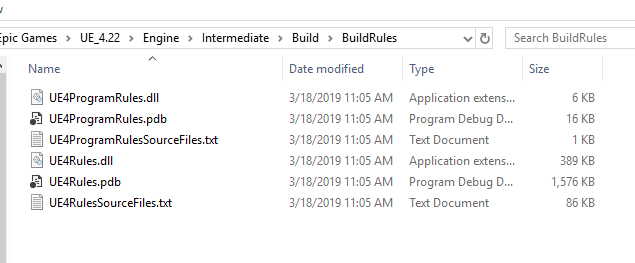 digital herald
yes all of them
grim ore
yeah then for some reason it's not finding your targets...
try removing or renaming (wont work right) the .Target.cs files from your source folder and see what error you get this time
at this point its literally just trying to break stuff to see where the problem is 😦
without any target files it should give you a new error
digital herald
Running C:/Program Files/Epic Games/UE_4.21/Engine/Binaries/DotNET/UnrealBuildTool.exe  -projectfiles -project="E:/UE4essaie/MazeLegends/MazeLegends.uproject" -game -rocket -progress -log="E:\UE4essaie\MazeLegends/Saved/Logs/UnrealVersionSelector-2019.03.18-19.13.55.log"
Discovering modules, targets and source code for project...
Binding IntelliSense data...
Binding IntelliSense data... 100%
Writing project files...
Writing project files... 33%
ERROR: UnrealBuildTool Exception: Expecting at least one ProjectTarget to be associated with project 'E:\UE4essaie\MazeLegends\Intermediate\ProjectFiles\MazeLegends.vcxproj' in the TargetProjects list
i deleted them
grim ore
well it's working just not working
and this all makes no sense
your first error never even gets to this second part when you have valid targets
put one of the targets back and see what happens now
digital herald
i tried with only both file but none worked
grim ore
at this point It's a mystery to me 😦 Your target files seem fine, your UBT seems fine, you can write to your directory
digital herald
yeah its strange other projects work fine but not this version of this one
i ll try to checkout maybe
grim ore
you can try getting a full copy of the project that would have your built module and the solution file, maybe at that point if it gives an error it will be more accurate
grim ore
no problem, I am really curious on what broke. If you figure it out let us know.
like I literally can't even figure out how to cause the issue in the first place lol
plush yew
Anybody handled Crafting using Blueprints only?
 coral shoal
If i want to avoid using the blanket quality levels scalability stuff, how do you "apply" a video setting, is going through console commands the only option? To use a random example, if i want an independent setting for r.EyeAdaptationQuality=0,1,2 etc. If im saving it to a .ini, it will apply on startup but what about after?
 cursive walrus
hi i have a question. how do i make the character do a side step motion without it stopping for a split sec as it goes to the opposite direction?
coral shoal
try increasing the acceleration. If it's "stopping" it's probably because it's taking the time to accelerate
wise juniper
hey...who can help me plz
when i open a blueprint character
why not show blueprint menu ?
wise juniper
i fixed that
plush yew
@cursive walrus if you just change its velocity direction it will always (theoretically, maybe not in games if time between frames is high, but at least it will get low) stop when its speed = 0?
 upper heart
Has anyone had an issue where textures/meshes/etc are rebuilt every time you start the editor? Resulting in long startup times?
 grave nebula
Had that when DDC got fried up.
 scarlet birch
@plush yew no and you can use origin shifiting
plush yew
for multiplayer?
open world
many say that 20km is limit
lol
is this true?
any limit?
i am sure that 1000 players cannot move in 10000km x 10000km area (for example)
abstract relic
"technically" yes but it's a stupidly large number
scarlet birch
The 20k, IIRC, is refering to physics precision and other stuff
plush yew
one map
scarlet birch
you compensate for that with origin shifting
plush yew
and that means?
scarlet birch
There's no limit.
 regal mulch
Origin Shifting basically moves whatever location you want to the new 0,0,0
plush yew
can i trust this information
regal mulch
And all calculations are then from that point on
plush yew
its multiplayer
regal mulch
Multiplayer should technically also support that
Haven't read into it, but it's really not more than just offsetting everything by the location you passed
plush yew
but everything cannot be in 0,0,0 ?
regal mulch
If you have a cube at 200,0,0 and you make 50,0,0 the new origin, then the cube now sits at 150,0,0
scarlet birch
There's a BP node for it. If you manage to get everything else working shifting the origin is trivial.
regal mulch
The only problem with multiplayer is that you basically shfit the origin based on where the player is standing
So if Player A is standing at 1000, 0, 0 and then other one at -5000,5000,0
Then they mighth ave a different origin
So you gotta compensate that by always going from one local origin shift to the other local origin shift
Either UE4 does that for you already or you might have to do that yourself
But it's worth googling :P
plush yew
so can i just start building my galaxy
scarlet birch
Yeah, I have no idea how it would work with large worlds and needing origins for each player. It says it works with multiplayer but I've only messed with it for single player prjects.
cobalt scaffold
first read up on level streaming
plush yew
why no full
regal mulch
Cause no one needs to have a planet in their memory that they can't physically see
plush yew
if its just about 1000km x 1000km
scarlet birch
You need to decide how you're going to manage it.
regal mulch
You gotta remember that all of that data has to go into the memory of the user
So you will have to do a lot of LODing (Level of Detail) as well as streaming parts of the galaxy in and out
Stuff like this otherwise is pretty performance hungry, if not impossible
plush yew
lag?
plush yew
can i do blueprint that makes objects that are somewhere about 10km in front to be blurry and bad looking if there is like massive space station
one blueprint
will that remove lag?
cobalt scaffold
this is what LOD is
regal mulch
Yeah that's what I meant with LOD
But that's really a lot of freaking work for just one person
Like, a, freaking, lot
regal mulch
Just making sure :D
tall pendant
aka too much
cobalt scaffold
procgen ftw!
tall pendant
as always people tend to over scope
regal mulch
But yeah, you can write a procedural generation system for this
That creates the whole thing based on a seed and some noice maps and stuff
And then have things in close distance fully visible and in far distance just an ugly blurry ball
And even further nothing, cause no one needs that
You'd load that in as you get close to it
plush yew
ok thanks for help
regal mulch
Let's just say, with my multiple years of experience with UE4 and Networking, I wouldn't even touch such a project if you'd pay me for that
plush yew
why
regal mulch
Cause it's way too big and complex. At least for one person.
plush yew
i made my first game year. Now this many years, fine for me
cobalt scaffold
yeah i wouldn't take the big map approach with a space game.. you can basically query a db for the sector you are in and stream in the necessary objects..
there are many opportunities like that for cheating
regal mulch
That's how some of the bigger games do it. You basically travel from solar system to solar system
Via a "loading screen"
cobalt scaffold
space is big and mostly empty
regal mulch
And the solar system itself is "small" enough to fit into one map at once
plush yew
but the main point of the game is get resources, make your countrys and fight and stuff like that. I have now worked with prototype some months, but i start now again.
regal mulch
Alright, well just keep in mind that you'll have to optimize this and if you already know what sort of map size you want, it's not too bad of an idea to think about streaming, origin shifting and LODs
regal mulch
Well technically you can have one overall map and just Destroy and Spawn the stuff in as you need it
plush yew
i need know what i do now
regal mulch
If you "fast travel" to a new solar system, you can just make sure that the player doesn't see how the "solar system" gets replaced
regal mulch
E.g. put them into a tube with some cool "hyper light speed" effect
Ah well
That's a bit tricky with UE4 hehe
scarlet birch
It might be easier to build a transition level, and build each are as a sperate level, then stream in each level while they move through the transition level. or just build one level that procedurally builds everything or does it from a database of some kind
regal mulch
You can only have one map per Server
scarlet birch
then just store each levels data
plush yew
idk
cobalt scaffold
you don't want to have a real huge map where anyone can be at any arbitrary point anyway.. nobody would ever see anybody and then you can just pull a nomanssky and leave the mp part out
regal mulch
Double Floating Point is a higher precision number
In Blueprints you only have Floats
Not Doubles
In easier words, the number can have more numbers behind the comma
Making it more precise
plush yew
@cobalt scaffold the point is not be in touch with everybody. But there is countrys and space stations where you can meet people and join to others.
regal mulch
Reducing the amount of errors in calculations with big numbers
scarlet birch
each data type has a certain precision and at the extreme values that precision can be less (maybe not sure if that's exactly right) but basicly at the extremes physics and other things start to act wonky,
so origin shifting
regal mulch
You can basically see it it like this: The further you get away from 0,0,0, you bigger gets the number. The Number at some point isn't 100% precise anymore.
Means even if you as a human can pricesily place something 10,492424241241241244222234KM away, the PC might round this to 10,5.
And if it does that with two numbers and multiplies them, the nthe rounding error gets even bigger
Doubles can store bigger numbers and are so better for that crap
But ultimately run into the same problem
cobalt scaffold
@plush yew the idea is to have enough points of interest to give the impression of a huge playfield, nobody wants to travel 100000km in real time.. so what's the point then of having such distances?
cobalt scaffold
if you travel at lightspeed you dont' even see anything going past you
regal mulch
Well anyway, you can try your huge map, but you'll run into issues
These are precision issues, so you need OriginShifting
cobalt scaffold
so no point in moving the player the real distance
regal mulch
Then you need to make sure that players don't overlap
plush yew
i can fix issues?
regal mulch
Idk if UE4 handles that
Yeah, maybe, idk what issues these are. I never did such as ystem
Might need C++
grim ore
woof... do you have enough content and time to fill this giant world?
plush yew
i am in school. Used year to first game
abstract relic
100% need Cpp
cobalt scaffold
think of your galaxy as a bunch of islands close by with a thick fog between them, where you move very very slowly
scarlet birch
IDk, I think you could do it in BP
If, you built it to work with the limitations of world comp.
plush yew
ok thanks for help everybody
regal mulch
Does anyone know about a gif that shows float precision errors?
Might also be a video. It's like a point or line going further away from the origin and the squares are getting bigger and bigger, representing the precision of big floating point numbers
I really liked that for explaining but can't find it
scarlet birch
There was a good article I found that kept it simple
cobalt scaffold
could just say that more numbers in the front means less numbers behind a comma
regal mulch
Some people learn better by seeing the issue
scarlet birch
Ok, maybe not as simple as I remember but https://docs.oracle.com/cd/E19957-01/806-3568/ncg_goldberg.html
regal mulch
Haha
cobalt scaffold
you are right, and i'm one of those people who like to visualize the problems
scarlet birch


Visualizing floating point precision loss, or "why #gamedev stuff behaves badly far from the origin"
The blue dot is end of the desired vector. The black dot snaps to the closest representable point (in a simplified floating point grid with only 4 mantissa bits) https://t...
Retweets
1403
Likes
4139
Twitter
regal mulch
YES
Thanks!
It easily shows that in a simpler version (only 4 bits) every white area between the squares can't be represented by a number
And the bigger that gets, the worse gets the precision, I love it
scarlet birch
Yeah, The only thing I didn't like is it makes it seem like it's only an issue further out, but it does show that even at lower values there's numbers that can't be exactly represented.
 pseudo swift
hey is there an icon for this Unreal Slackers server? I see a red U, would prefer it we could change to to an official ue logo?
grim ore
You can't change it to the official one since it's not official
well... you could but I don't think he is so 😃
upper heart
@grave nebula And you did what to fix it? Just deleted the ddc?
grave nebula
yep
upper heart
hm okay, thanks
pseudo swift
@pure olive well its the only one which exist right?
grim ore
It's the one that this server is using yep because we aren't officially official
brave lark
@valid root I'll take a look at it after work if you want to dm me
merry gazelle
Do you guys think it would be possible to create a music visualiser inside UE? It would need to be able to read an audio file
 sand birch
Hey guys it's been a while since I've been here but I have some questions on a thing that's been going through my head which is a gun system kinda of like borderlands but you can take the parts off the gun and put in new ones. For example you can put an element core on a gun that didn't shoot fire before if it has a empty component. It seems really easy to be able to do but I cant a tutorial to pull from. I've found some other things like different projectile effects.