#ue4-general
1 messages · Page 411 of 1
 teal tulip
 modest narwhal
So I've just jumped into Unreal via Datasmith, importing 3d models into Unreal. Do I really need to learn blueprints to make a simple VR camera and teleportation mechanic to explore an architectural space? Is there an example mechanic or something on the marketplace to drop in?
 grim ore
yes, create a new project with the VR Template
or technically add the VR Feature Pack and change your default game mode to the VR Game Mode
modest narwhal
hmm, let me look into this...
does Unreal play well with Oculus/Touch controllers? - or better suited for Vive?
grim ore
it plays well with almost every controller out there
modest narwhal
I'll keep poking around with it then, thanks for the tips
 wise prism
 frosty sparrow
mathewW good tutorials man!! greatly appreciate em
grim ore
😃 glad they are useful
 lofty hollow

 abstract relic
yep
 golden condor
Hey, just wanted to say I love Unreal Engine.
Today was a great day of development, amazing progress.
 fierce tulip

 river frigate
Hey guys, new here 😃 o/
fierce tulip
welcome!
river frigate
Thanks 
 sacred meteor
Hey does anyone here know how to integrate this pack into your project https://www.unrealengine.com/marketplace/en-US/item/668a6667fd8d4932be0ceb53b0866bc2
fierce tulip
just install it, if you got it before it went unavailable. but if its unavailable... I wouldnt risk it atm
sacred meteor
I have it downloaded just wanted some help on integration
fierce tulip
in the launcher you can just install it to a project.
sacred meteor
Yea i did now im trying to make my cusom character use it in my project
 narrow magnet
does anyone know how to add mission progression so when you complete a mission the next one unlocks
and the one that you just completed is not playable anymore
abstract relic
Looks like it
grim ore
keep track of your current mission somewhere, like game instance. Keep track of your list of missions somewhere, like game instance. save the tracking somewhere like a save game object. hook up said stuff in the right places.
river frigate
If I was looking to hire someone to help dev a game I'm thinking about what is the avg I should be looking to pay?
I'm okay with someone who's still learning but can solve problems efficiently and isn't afraid to take on things they don't know because the game idea is out of the ordinary
 errant lynx

 dawn vessel
They forgot to use a Clamp 
 worn granite
@river frigate Do you want someone who can solve it the best way, or will a hack fix suffice?
abstract relic
Prices vary from the tasks and specialization.
$20/hr is the lowest you can typically go for an entry quality individual
worn granite
You have to be careful, but you can get below $20/hr
If you're lucky, you get someone like me early on in their freelance career at 15 or even 10...
abstract relic
don't undersell yourself
worn granite
Anyone charging that hasn't learned they're worth more (either that or they aren't actually worth what they are charging)
abstract relic
It takes years to learn these skills. Be paid appropriately
worn granite
If you're paying under $10, for sure run
worn granite
Lol
Someone like me, my rate can go as high as 45
It depends on what is coming in
 wraith lark
yeah that wouldn't surprise me 😃
 fierce rampart
Sometimes I wish UE4 gave you better access to the deferred lighting buffers.
There's probably a good reason why you can't screw around with them though.
 cursive walrus
hi guys. how do i edit mesh? i cant seem to find the ediuting mesh tab
 spiral island
its best to edit your models in a separate program with good tools
like blender or maya
cursive walrus
@spiral island yes i use maya. i applied 2 materials in this model. however, when i import it. its now one. material
 crisp smelt
how can i do when i press click on a blueprint wich is a house to display a widget ?
spiral island
did you export the model to have multiple materials?
cursive walrus
yeah. i got it fix. i just detete to old mtl. then export it again
 sudden agate
how does this new Hot Reload thingy work? Do I need to activate something in the Editor?
 plush yew
What exactly happens when physics is simulated on an actor? As in, what values get changed other than that boolean? Because if I have a simple toggle set up to simulate physics on my ball actor I can turn it on, but turning it off seems to have no effect
plush yew
As far as I know yes, you need to export as FBX
First I export my skeletal mesh without animations, then I export just the skeleton with all of the animations attached.
 bronze cedar
how to make something when hit got to x axis or y axis, after hitting
 leaden dust
hello
could someone help me with something
I have a blueprint called "Item"
I have a child deriving from it called "Diamond Ring"
I also have another blueprint called "Chest"
How do I store instances of Diamond Ring in a variable in Chest
Without spawning it
 regal mulch
@leaden dust You can store the class instead of an instance
leaden dust
@regal mulch I am sorry, but i need to get two variables from it, which do not change, 'name' and 'value', and I cannot get them from a class
I need to open the chest
i am opening a inventory sort of menu
which shows the items in the chest
and their name and value
regal mulch
Of course you can get them from a class
If these are default values of the class
Then just take the class variable and call "GetClassDefaults" on it
 earnest cape
So I'm having a weird issue where creating a save game does nothing
It was working fine when the save game object was in the folder, but to test out if creating the save game would still work I moved it and now it refuses to create it
plush yew
Hi everyone! I am new to Unreal Engine 4, I know the basics of Java, C++, and C, I come from a Unity background, I used it a long time ago, where is a good place I can start to learn UE4?
regal mulch
By grabbing UE4's documentation
earnest cape

YouTube
Welcome to the official Unreal Engine channel! Unreal Engine 4 is a complete suite of real-time 3D tools made by developers, for developers. Create and take ...
regal mulch
And/or watching Video Tutorials on Youtube by either UE4 or random people.
plush yew
Thank you so much! 😄
earnest cape
Yeah exactly
Actually I figured it out
It's not create save game object that creates the save game
it's save game to slot
Which means I gotta fix a few things now lol
 lament coyote
What is "character reference" exactly?
it needs to be an actor that has these exact variables
plush yew
well someone said do this
jeez finally if your character refernce wont connect to current stanima its becuase you need to drag of event construct and type cast to ThirdPersonCharcter if you havent changed the name of you charcter 😃
will this work
 elder moth
Noob question. The face is lit, however the cape / robe should cast a shadow on the face. Why is that ? And how i could fix it ? The light source is set to Movable.
 lusty vigil
and now connect the upper triangle with the return node
otherwise it will just stop at "cast to"
lusty vigil
and what does this math do?
plush yew
nothin rip
regal mulch
White Triangle: Execution Line. This line executes from left to right. If you don't connect it, it won't work.
In your image, the execution starts with the "GetStamina..." node and then executes the CastTo Node. But then you didn't connect it further.
lusty vigil
and show me how you connect the umg (the bar) to your
plush yew
ok
lusty vigil
oh thats as beautyful as my first blueprints 😃
regal mulch
CastTo Node: Since you were confused about this, the reason why you couldn't get the Stamina node from the Character Reference is because the types didn't match up.
Every class is a type. Every blueprint you create is a class. A "Character" is not the same as your custom Character. If you have a simple "Character" variable, the functions and variables of your custom character aren't available in it.
Even if the object that you saved in it is in deed your custom character.
Casting makes sure that you convert the varaible from one to another type.
regal mulch
Perecent goes from 0 to 1
Your MaxStamina and the CurrentStamina divided would be 0 to 1, given your CurrentStamina goes from 0 to MaxStamina
lusty vigil
did you follow the "create survival horror game" tutorial?
regal mulch
So if your variables aren#t wrong, this should work.
plush yew
yeh
na
im dping this one

In this video I show you how to setup basic sprinting functionality for any of your characters, as well as how to create a stamina bar/system to integrate wi...
regal mulch
Please print the Current and Max Stamina
plush yew
ok
plush yew
no message
regal mulch
The event of the timer is also not connected to anything
regal mulch
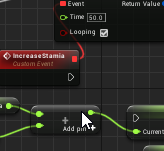 plush yew
im stupid
regal mulch
White execution line is missing again
lusty vigil
nah, you are learning
plush yew
true
lusty vigil
buuuuuuuuut with this design im not 100% sure if the stamina is going to do anything
plush yew
lusty vigil
ah okay he sets a branch later
plush yew
yup
lusty vigil
check the connections in the video again
plush yew
ok
lusty vigil
can you maybe zoom in a alitte? ^^;
plush yew
ah
lusty vigil
the print nodes should connect to these white lines
plush yew
ok
lusty vigil
if you want to make things simpler, try untangleing stuff and visualize it in a straight line
helped me a lot
plush yew
yup
lusty vigil
and you can make comments when you click or mark some nodes and press C
lusty vigil
this should fix it ye
lusty vigil
ye
plush yew
kk
 upbeat tendon
i am looking at my windows RHIs there is no DX12 support?
lusty vigil
if anyone is following the tutorial error did
this fixes the "staminabar gets stuck"
well i just noticed this is the wrong place
leaden dust
is there any way to make a variable empty?
teal tulip
equal it to 0 ?
plush yew
I have a problem in my project, when I'm doing Light Build an error message "ue4 lighting build failed failed to kick off" can someone help me?
grim ore
does the output log show any other information? and are you using a source build?
grim ore
and the output log, the output log, has nothing in it?
usually when the lighting build fails it gives more info, like mine says lighting build failed. swarmed failed to kick off. compile swarm
now if it is still giving you no errors, when you started up the engine and tried to build did windows pop up and ask for access to the network for the engine? if it did and you said no then you need to fix that as lightmass connects to your local machine over the network to compile
plush yew
the problem is there was no window and I have 0 info why it does not work
 warped hornet
where is meme channel
 spare sun
 tall pendant
We don't have a meme channel on this discord.
 gilded plinth
Anyone tried to fully understand the Face AR Sample? i'm pretty far along and have it working with a custom mesh and all that good stuff but im still confused on a couple things. For one, does anyone have any idea when the Macro "ApplyCalibrationOffsets" in the AnimBP is activated? or is it not used at all?
worn granite
what a resounding argument
fierce tulip
 worn granite
I am compelled to join
dangit you prolly banned him before he could see my powerful retort
fierce tulip
sorry :p
 tacit matrix
im having trouble making a c++, im getting an error
CompilerResultsLog: ERROR: 'C:/Users/Jason/Desktop/SurvivalHorror/Intermediate/Build/Win64/UE4Editor/Inc/SurvivalHorror/AiControllerBase.generated.h': Changes to generated code are not allowed - conflicts written to 'C:/Users/Jason/Desktop/SurvivalHorror/Intermediate/Build/Win64/UE4Editor/Inc/SurvivalHorror/AiControllerBase.generated.h.conflict'
CompilerResultsLog: Error: UnrealHeaderTool failed for target 'SurvivalHorrorEditor' (platform: Win64, module info: C:\Users\Jason\Desktop\SurvivalHorror\Intermediate\Build\Win64\SurvivalHorrorEditor\Development\SurvivalHorrorEditor.uhtmanifest, exit code: OtherCompilationError (5)).
crisp smelt
how i can get the exact mouse position i need for set position in viewport
lusty vigil
wait what who got banned? what did i miss?
dang i left the warmth of my computer for a few hours and something interesting happens on the discord ._.
 steel adder
i dont feel comforatble with yt vids
 sick escarp
How does unreal handle the state machine of the third person character? Just saw a video of how to set up an animated character and he was running a cast to set a bool on whether to run or idle on tick, this must be achievable more easily? Like for example how the "AI move to" node in behavior tree tasks enables the walk animation
regal mulch
Well, AnimBP has StateMachines
They have States and Transitions
Transitions are handled by conditions, such as Speed > 0, bIsJumping etc.
And that info comes from the Characters
So you basically get all the info you need in the EventGraph of the AnimBP
sick escarp
I suppose that part determines whether to run or idle?
worn granite
yeah kinda,, but notice the input? that's the data from the character (pulled via the EventGraph)
sick escarp
Yeah but how would I set up a node like that myself?
double clicking it takes me to the animation tab
worn granite
you'd create a blendspace asset
then you can drag that asset into the animgraph
#animation and google are going to be your best friends with this
sick escarp
Okay, thanks
regal mulch
@steel adder #looking-for-talent
steel adder
i did
 lunar bobcat
anyone ever used this? https://www.unrealengine.com/marketplace/en-US/security-accessories-kit
 dry moon
Nope, it renders together
dry moon
Its a very specific kit so doubtful @lunar bobcat
lunar bobcat
oh fudge
 queen arch
anyone has a simple map with a large house? Something that I can use for educational purposes with my students (make them fill the house with their own bps)
doesn't have to be good looking or polished
 next ivy
There's no way to change the color of your current selection outline for blueprint nodes is there?
plush yew
My enum has a default value of 'melee' but whenever I print a string to see what its value is I get StanceMAX (Stance is the name of my enum) Also, when I use the SwitchOnEnum node I'm not getting any results
Hmm, on begin play I'm able to set the stance to melee and it works fine, but shouldn't it automatically be set to the default value?
 merry gazelle
Anyone here have any idea how difficult it would be to read Bitcoin stats (e.g. volume over 24hr) and translate it in realtime in game?
I think it could be cool to try out some 3D visuals / infographics relating to crypto
plush yew
how do i post a job app?
abstract relic
check pin
plush yew
ok ty
 hollow dirge
i hope one day I get to have one of my games in the nintendo eShop, thats my dreeam
 willow stratus
Anyone wanna work on a game together
plush yew
Sounds sketchy to work on a game with slenderman 
worn granite
He'll dissapear you, keep talking like that
leaden dust
I am making a single player game, but i need to call a function whenever a variable is changed, is it safe to use rep notify
 opal hornet
is docs.unrealengine.com down right now?
 light hawk
it is
leaden dust
@opal hornet lookslike it
light hawk
been ages trying to enter
worn granite
@leaden dust yeah if you try it and it works, then it's okay.
 worn granite
If you wanna move to C++ later, it won't work though
 vagrant pasture
hello devs.. I need some help.
so I'm making a shooting game and I need to add mechanics in which the shooting direction arrow moves 0 to 90 degrees back and forth and I need to click whenever I have to shoot in particular direction
can anyone tell me how to do so?
 sage hinge
How do I save maps ... if I have several ... when the character passes from 1 to 2 and leaves the game and when he returns to the game load the map 2 that stayed and so on
 abstract marsh
Hey all
Is it better to learn c++ or blueprint?
I'm going to purchase a udemy tutorial soon.
light hawk
the ultimate question
i think both. Unless you really love coding try to go for blueprints at first. I went for C++ at first but it's really time demanding and most tutorials and stuff cover blueprints instead lol
sage hinge
Blueprints
leaden dust
I want to interp between two floats based on time. For eg. the two floats are 0 and 50, I want to lerp between them for 1 second smoothly i.e. lerp with time
How can i do that?
 dim merlin
Hi, anyone knows what technique this is using? :
https://twitter.com/ShaderBits/status/1104055768574251010


Prototype of drawing landmass shapes using a mouse (well, you press spacebar to make a point since this is all blueprint based). Shapes are defined using distance fields. https://t.co/2GjN8bqJfK
Retweets
129
Likes
822
 Twitter
 vague spire
Hello all, I've got an object I want to send over to unreal from Blender, but I would like to conserve the parents and locations of the pivot points, and relative locations, is this possible?
didn't know where to send this, so I'm giving unreal chat a go
I'll be trying it with FBX, then GLTF
 sullen wraith
Anyone know how to manage large armies such as in total war games? I'm stumped, having lots of individual ai doesnt seem like a good idea
 tardy stump
@sullen wraith interesting problem... I have no experience with that. Maybe you could somehow apply the same behaviour for groups of units depending on their parameters? I mean, if two (or more) units are "similar" (you need to define what that would mean in your case, for example, the distance between them and enemy is within similar range) then they will be treated the same way. This way you don't have to calculate the appropriate behaviour for each unit.
Also, I'm not sure of what type of "topology" you use in your game, but perhaps it would be possible to skip calculations for units that are unable to do anything at the moment - for example, only the first row of melee formation soldiers can actually fight, the ones in the middle of a crowd must wait because there is no place to move. I can see some cellular automa for this in my mind ;)
Do you think I can safely count on Delegates/Events being synchronous (blocking)?
This thicked is answered, but no comment from Epic staff: https://answers.unrealengine.com/questions/750325/are-delegates-blocking-or-asynchronous.html
 ember shadow
Anyone got some good free assets?
 pastel pumice
am a noob but, would it be possible to instanciate an object's symettry ? let's say i want to make some items like helmets / swords and shields, would it be possible to save up a bit on performance by instanciating their symmetry under unreal engine so they appear as a full object while still being wield / equiped (static objects that is, i don't believe it could be possible with skeletal mesh or you would symetricize the weights and wouldn't work)
 ember phoenix
is there a generally accepted .gitignore file for UE projects?
grim ore
github itself has one that I use personally, https://github.com/github/gitignore/blob/master/UnrealEngine.gitignore

GitHub
A collection of useful .gitignore templates. Contribute to github/gitignore development by creating an account on GitHub.
 bitter iris
Hey guys I'm creating a damage zone and, im wondering after the damage has started, inside the bp how would i make the screen grey scale
 frail sail
Guys i need help to about performance for that:
Crosshair, is it better to add pictures via User interface?
or
Better to draw texture with Event Reveive Draw HUD?
Which?
i think "event receive draw hud" firing every frame. then isnt better to do add picture via UI? 
merry gazelle
I made this, I know it's simple but I'm kinda proud of it, I want to make a marketplace from UGC metadata
narrow magnet
is there a way to save player data?
merry gazelle
@narrow magnet You're asking me? If so not yet but I've used Rama's save system in other projects.
The main unknown at the moment is networking but I'll worry about that later
grim ore
There is a Save Game object you can use to save data yes, if you want it to be complex you can look into C++ to write out files or connect to a database locally/remotely all depending on what you need to save.
narrow magnet
ok thx for the help @grim ore
merry gazelle
Yeah I'll keep my system simple and have a go. My plan long term is to hire a DAPP dev to actually make a blockchain version, Etherlinker also looks promissing to get the job done inside UE
plush yew
How can i make planet in ue4 where you can walk. Planet needs to be big and good looking. I would like to do ground to space scene. I know gravity and stuff like that, but the surface of planet is question for me.
merry gazelle
@plush yew You might want to check out Ali Akbars content, he was working a procedural planet / landscape system
https://www.youtube.com/user/CoreDumped2082/videos

YouTube
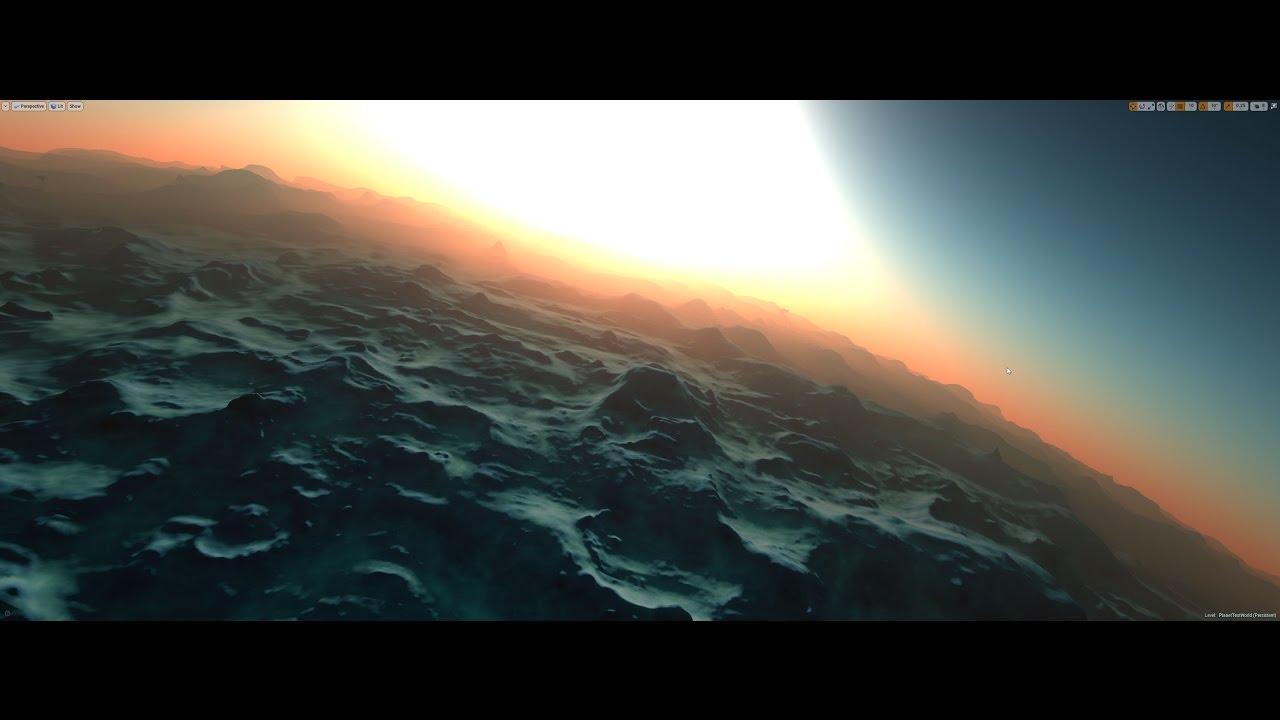
Added atmospheric scattering post processing effect in UE4. More info here: https://forums.unrealengine.com/showthread.php?111512-Landscape-Architect
grim ore
@frail sail the hud does draw every frame but it's not a big deal for most things however in your case if your crosshair is not going to redraw/update itself you can use a UMG widget and one of the retainer widgets to defer drawing every frame to save some performance
 dusky hound
So I am making a material that tessellates. It subdivides the geo up to "2" on the tessellation amount but then it wont subdivide anymore.
How do I tell it to subdivide higher than what appears to be Material Tessellation cap?
frail sail
@grim ore Thanks mate i use UI then.
bitter iris
Hey, I'd appreciate any help on this, for some reason an extra mesh is added when i import my building, here it is in the 3d software, and here it is in ue4
no idea why its doing it
 coarse osprey
What 3d software are you using?
bitter iris
c4d
coarse osprey
Isn't this some problem with scale?
 thorn vector
hi can anyone help me make playercorruption system/karma system which is the system in mmo where if player kill another player their indicator will turn red depending on number of kills they've done..
i wanna know how to make the indicator change like if player kill 0 their indicator green if below 5 their indicstor orange and above 5 their indicstor will be red
anyone can help me
grim ore
you just described how to do it, which part is the issue?
thorn vector
i know like its a bunch of branch node i've made this but its doesnt work
wait
loading the editor ..
 hollow crescent
Hi, what's Unreal Engine Preview? Is that the professional thing that Epic was talking about last year?
hollow crescent
Simple enough. Thanks 😃
grim ore
so the question itself is what part is not working? and if this is multiplayer do you know how multiplayer in UE4 works because that is an entirely different issue
thorn vector
i dont exactly know
i tried to replicated the number of player kill var but thats doesnt work
grim ore
there is a TON of work involved in networking and replication so thats going to be a big issue. The first problem is you need to get it actually changing colors, does it change colors at all?
you seem to be going about changing it the wrong way, you should just call the Set Color and Opacity node directly on the image widget in your corruption widget, you don't need all of this slate brush stuff
that should atleast allow you to change the color of the widget. The next thing is getting the widget to replicate it's changed across the network and that's probably going to need a server replicated call to tell everyone's copies of the player and his widget to update his color on their machines
grim ore
the code you wrote probably won't work so just set the color and opacity directly, don't change the brush
thorn vector
yeah i code it wrong
it just as u said
thanks
now i need to figure out the drop chan
 sonic ruin
Hey, if any of you guys want to help create a WW3 base game let me know, I got a small team that has already started this and started to create characters, and such more, let me know if you want to do this all slots are open!!
thorn vector
like if green player no drop if orange 20% drop and red player 50% drop
grim ore
and I just tested, replicating the widget does not replicate the color change itself if changed locally which I assumed
thorn vector
thanks matthew now imma figure out how to assign this on event player kill another player and if it in combat zone
and the drop karma
grim ore
ok yeah it's easy enough, the component does not replicate properly for the color as expected if you just replicate it. You have to call a server event -> clients event or just a pure multicast event and it works as expected
the entire change to red or orange at certain percents or assigning values really won't help until you get the replication part working
and of course make sure when testing you test using a dedicated server if that is the plan since that will give different results than a listen server (the default)
thorn vector
thanks for the tips
grim ore
this is the basics for getting the networking part working, the component does not seem to need to replicate for this to matter. https://i.imgur.com/4tR9vKO.png This was just testing so it's tied to the 1 key for activating it. You would find your player kill counter and then set it based on that
thorn vector
ouh i set it up similiar like that too
dim merlin
https://twitter.com/i/status/1104055768574251010
Just another try, anyone knows how its rendered? Not prox mesh?
Prototype of drawing landmass shapes using a mouse (well, you press spacebar to make a point since this is all blueprint based). Shapes are defined using distance fields. https://t.co/2GjN8bqJfK
Retweets
130
Likes
836
Twitter
 indigo viper
can unreal engine do similar physics as in Beamng Drive as crushing mashes?
plush yew
yeah
@wooden sparrow what is your opinion about unreal.js , i want to start to using it
 silent frost
Does anyone know how to stop Oculus Store opening when I play a map in the editor please? I don't want to use VR and therefore don't need Oculus to open. Not a show stopper, more of an annoyance.
 dim plover
I don't have experience with that happening, but did you try killing the OculusVR service/s?
ember phoenix
@grim ore thanks for the link. I notice it also excludes the _BuildData for maps. Is that common? Isn't that needed to run things on a different machine if I were to pull?
As I read somewhere that it had light data in it so it's needed
sonic ruin
If I were to create a campaign on Unreal engine 4 how do I create levels??!!
hollow crescent
Any of you do your character modelling in VR?
If so, what's your favorite software?
dawn vessel
Can someone point me to a guide on how to port UE Features from newer versions to older versions of UE?
There is stuff that has changed in newer versions that if I update it will break my game. Mainly the PhysX
I want to port everything from the new Versions but the PhysX.
abstract relic
Right click on the desire asset >> migrate
 ebon lake
https://gyazo.com/4b708ae680a639fd34f23a410c6a9804
hi, is it possible to somehow use variable for data table? or may be there are other good ways to manage data structures?
 grim ore
@ember phoenix light data/build data is recreated when you build so it's files that are not needed when you are putting them in a versioning system. same with stuff like intermediate and binaries as they are rebuilt when you need them.
ember phoenix
awesome, thanks
 queen crystal
Hello, I'm new to ue and i want to ask if it is possible to uncook windows uassets
Or uassets in general
 graceful sky
Any plugins for total time used on a project per user?
grim ore
@ebon lake you can but you have to cheat. The issue is the out row is a wildcard and determined based on the input data table. If your data tables are going to contain the same struct you can select a data table so the out row turns into the correct output type. Then hook something up to that output, like a promote to variable, so that way the out pin is connected to something and the right struct type. You can then hook up a variable to the Data Table input and it will work. You do not want to do this if your data table inputs will not be the same struct type but this lets you swap in stuff like replacement data tables that contain the same struct but differing data
dawn vessel
@abstract relic I mean the code of UE
Not Blueprints etc.
I want to port the latest UE code down to 4.19 EXCEPT for the PhysX engine stuffs as the Physics don't need to be touched.
ebon lake
@grim ore i'll try this, thanks!
 wooden sparrow
Any chance anyone has been able to get unreal.js to work in linux?
Keep getting an error on any project i try to build with it about fatal error: 'Framework/Multibox/MultiBoxBuilder.h' file not found
 primal parcel
its possible to open the OpenWorld demo with 8gb of ram ??
primal parcel
yes, my pc freezes and i read it takes long time to load, but i can find any spec
grim ore
its supposed to freeze and take a long time, its very dense
primal parcel
ok thanks
sonic ruin
If I were to create a campaign on Unreal engine 4 how do I create levels??!!
grim ore
I can say with the open world collection in the editor I just opened it and individual meshes took up to 4gb memory each however opening the Overview map used up ~24gb at max. The editor did stop responding while opening the map and it took a few minutes to open completely then compile the shaders.
gilded plinth
Anyone got any Face AR Sample Experience? Got everything working perfectly except I can only get head rotation within Epic's project not my own even though it's the exact same mesh : )
plush yew
@grim ore hope you don't think I'm rude but, have you ever changed your hat XD
grim ore
I actually have a few of them and I have 2 of the white ones in the picture 😃 the new one has arms lol
plush yew
Oh it looks like one
merry gazelle
is is possible to display an actor inside of a widget? Otherwise I'll just need to create a mockup using overlays
grim ore
you would have to use something like a render texture yep
merry gazelle
good idea, I'll try out render target 😄
 halcyon flame
Matthew is that actually you? I was just watching one of your videos
grim ore
it might be, let me check.
yep the underwear has my name it in, it's either mine or I have someone elses on.
halcyon flame
does anyone know if the input mapping/remapping nodes will support multiple players with different control schemes? for example, if player 1 wants to leave jumping on the A button, and player 2 wants to switch jump to B and run to A, will player 1's control scheme be unaffected?
lol
halcyon flame
I'm testing this out now so don't bother testing if you're wondering
halcyon flame
initial result: changing the bindings for one player changes them for all
plush yew
i got banned from fortnite discord
 fast finch
hello everyone
halcyon flame
after a brief review I don't think it's possible for different simultaneous players to have different controls according to the keybinding in the engine. so I'll hack together another way
 zenith flower
Can someone simplify my approximated 3D thermal conduction equation?
K thanx
 weary basalt
Math Expressions perhaps?
plush yew
what do you want simplified? just for it to look neater? If it's approximate surely it's mathematically simple enough
 lament saddle
I'm not going to study the thing you made, but for general advice, yeah, Math Expression nodes
collapse repetitive stuff into reusable functions, or messy one-off things into collapsed graphs
arrays & loops to cut down on repetitive nodes
if you don't actually need the execution node in a function, you can turn it into a "pure" function that lacks one (https://docs.unrealengine.com/en-us/Engine/Blueprints/UserGuide/Functions#purevs.impure)
 latent moth
All, does someone know why my vehicle "woggles" like this?
https://gyazo.com/8c34133853a35938651b233456d36bb9
plush yew
turn off the engine, it will stop
abstract relic
Looks like you need to clean up its physics asset
plush yew
Show you collision cage @latent moth
latent moth
one sec

this is the PHAT simulation:
https://gyazo.com/dfdffa385143e99c5496fe8a9141480e
all spheres are at same Z
plush yew
Do you need to have separate cages? Can't it be all one? Did you tried with something other than spheres?
 upper quartz
i don't need the automatic rebuild nav mesh , so i need a manually method ><
latent moth
@plush yew I see the same behavior even with the single box and no spheres.
it seems related to the physics of the vehicle wheels somehow
though I do not understand what it could be
the only thing I can suspect now is that maybe it is somehow related to the fact that the rear wheels are closer to each other than the wheels in the front...
plush yew
All parts are one component or is it from many parts? If so, colliders are set on each part or in one main object?
latent moth
it's a phat
how can it be multiple meshes it's the phat of the skeletal mesh
so no, it's 1 mesh
😃
plush yew
One thing I suspected is that if colliders are not on the same part they will be treated as separate rigid bodies. In that case turning on Auto Weld under Physics would help.
latent moth
colliders are on separate bones
plush yew
Try this https://docs.unrealengine.com/en-us/Engine/Physics/PhAT/HowTo/WeldingPhATPhysicsBodies
It's not what I was talking about, but it seems to do the same for Phat.
latent moth
i don't see this option in the phat, is it still there in 4.21?
these are the ones i see
https://gyazo.com/b6973c21c13a8db9b750597f60c51dd7

 heady frost
Hello guys.
Does anyone know if there is a way to distribute shader compiling?
I was wondering if either FastBuild or IncrediBuild are going to work?
 manic pawn
there is support for compiling shaders using expensivebuild yes
sudden agate
@latent moth I recommend not using Physics for Vehicles.
Animate them like a Character. To make the Skidoo grounded you can use IK etc.
upper quartz
hi guys , have any method to manually rebuild nav mesh?
heady frost
@manic pawn Can you provide me a link with more information regarding this?
heady frost
ok, thank you.
plush yew
Hey there im completly new to developing a game
i want to recreate a game so i know exactly what i want but maybe need help
if anyone is qualified enough i could pay for help
regal mulch
@plush yew #looking-for-talent (:
fierce tulip
read the pinned message in that channel 😃
plush yew
i wrongly answered a question, can you delete the upper message from the bot.
 wary wave
you can let it time out and start again
otherwise you need to do the whole thing again and ask a mod to delete the old one
 dim merlin
Hi, is there anything like 'spline decals' in unreal? havent found any good solution
wary wave
there is not
 lusty carbon
how to get rid of these lighting seams on metals?
it changes when I move the reflection spheres around. on baked static objects
dim merlin
@wary wave i was thinking, wouldnt it be possible to use a spline component and a decal and use spline data in the material? i quess someone tried it?
wary wave
I'm not sure how you propose to use spline data inside the material?
dim merlin
by setting material parameters perhaps?
wary wave
it's not really a thing
closest equivalent thing in the engine is the spline mesh
decals work through projection though, rather than having geometry, so it's much less than ideal
dim merlin
yeah, actually was using spline mesh, however, zooming out the far clip plane will clear the road from being rendered
would it even be possible to fix that?
 grave nebula
@dim merlin Decal, in the context, is something that you render on top of existing data in the buffer. You can use splines or any other geometry for that without issues. Offset the mesh closer towards the cam with WPO in material graph with increasing distance.
dim merlin
@grave nebula, are u now talking both about decal and spline mesh? (dont really understand)
U mean i should make the material on my spline mesh be a decal?
Ah!, thats working perfect!!
Thanks!
 hazy rivet
Hi! I have a little problem with a 3D model I just take on internet:
It was a .blend file, so I opened it on blender, everything was good: colors, rigging, etc.
When i export it as a .fbx and put it on UE4, colors just disappears, and it lets me only 2 textures to modify on the mesh, but I actually have 5 textures to put on it.
Well, thanks for reading and sorry if my english is terrible, I'm not a native english speaker so...
Have a nice day all.
wary wave
oh ffs, I thought Epic fixed the issue where you couldn't copy/paste a Timeline?
sudden agate
You can copy Timelines? 🤔
wary wave
for the longest time, no
then Epic fixed it
just tried it now in 4.20, and whilst it "copied" the timeline, the actual curves were missing
I don't even know where to start with helping you :/
 whole quarry
lol, there is no question other than "can anyone help?"
 steady fractal
This place is scary
 languid shard
get back to lounge you monkey
steady fractal
I scrolled up once on my mouse wheel and I saw three seperate people saying "hey I'm completely new to game dev"
sudden agate
@plush yew why do you need a server?
wary wave
do you even have a working multiplayer game?
sudden agate
You dont need a separate server for multiplayer testing
languid shard
I smell popcorn
sudden agate
dont waste your money on things you dont need (yet)
languid shard
I just had a stroke reading this sentence
sudden agate
me, too
 honest vale
I'd develop the game first
sudden agate
^
honest vale
you can run dedicated server on your own computer
languid shard
dev the game in local first
sudden agate
oh boy
wary wave
you can run a dedicated server on any machine
whole quarry
develop the "server" side in your "local network' first before burning money
wary wave
you don't need to rent anything
but also you need to actually write the game code, or there is no dedicated server
no game, no server :/
honest vale
reminds me of a client who started a year long kubernetes infrastructure project before they even had an MVP
because webscale
sudden agate
if your computer is low, you probably need to a better machine for developing the game itself anyway
even a today's low-end pc should handle a server with 2-3 players
then you shouldn't have problems testing multiplayer aswell
whole quarry
lol
honest vale
so you want a linux box?
wary wave
I think you might want to understand what it actually is you want, before asking questions in here, let alone paying money for things?
honest vale
make the multiplayer work on your local computer first
whole quarry

sudden agate
how do you explain that a separate Server process doesnt count as Local Multiplayer?
honest vale
how would you even test if your server configs work if you don't have working multiplayer in the first place? 🤔
whole quarry
I think he sees local mp as split screen or smth
sudden agate
@honest vale ez pz, Just make your singlepalyer game as multiplayer, can't be that hard
honest vale
local multiplayer uses 100% exact same code as "remote" multiplayer
there is no difference
they're separate processes in your OS
sudden agate
@plush yew you can run your server on the same machine, it is enough to simulate internet multiplayer
honest vale
you can do the exact same configurations on your own computer if you need practise
don't waste money on infrastructure you don't need 😐
until you actually need it
sudden agate
you can use a virtual machine or a separate machine in your network, too.
VirtualBox for example
whole quarry
Dude, a server is just the same as a windows computer in your case...
Just open up ports so others can connect to it
sudden agate
@whole quarry no, a server is something in the internet >:(
whole quarry
until your game is finished and released you dont need a dedicated server
you have no router and firewall knowledge?
is this your first game?
 pallid compass
Oh lordy, boi are you in for a world of headache
whole quarry
you did multiplayer before?
pallid compass
Everything you need is on the wiki and doc.
whole quarry
good luck and may god have mercy on your soul
you want to jump in the pool before learning to swim

Steps on how to open or forward a port on a network router.
just google it, it is different per router
Thank the mod Exi for it 😛
pallid compass
Poor u remco
People are just going to stop answering you at this rate
Your asking how to drive a car when you cant even crawl
sudden agate
google is your frien
pallid compass
Yeah that is cool, then google it
Because right now you are so far ahead of your self
 idle garden
LogWindows: Failed to load 'aqProf.dll' (GetLastError=126)
LogWindows: File 'aqProf.dll' does not exist
LogWindows: Failed to load 'VtuneApi.dll' (GetLastError=126)
LogWindows: File 'VtuneApi.dll' does not exist
LogWindows: Failed to load 'VtuneApi32e.dll' (GetLastError=126)
LogWindows: File 'VtuneApi32e.dll' does not exist
Someone knows how to resolve this?
plush yew
How should i make illusion about planet to game. (Full planet)
my idea was to use flat earth map system and add some fog so it feels like its planet
any ideas?
 flat idol
JustAGuy it probably depends on why you get that error in the first place. I never seen it before. Btw, you could be a bit more specific what happened there. Also, #packaging #engine-source and as a last resort the #cpp in case its a game built from source.
Slyack unreal havent got the weapons of massive scales, so you should resort your design to flat landscapes i believe. Unless you want space travel in there too, in that case you can perhaps try transitions between planet and surface (loading screen etc) that ease on the pain with large objects.
Been experimenting with logarithmic depth buffers before, by modifiying the engine shaders.. but its not up my alley i had concluded.
 wispy raven
guys
teal tulip
when ends
wispy raven
i was trying to make a mixamo pack but i can't seem to find a way to make it
golden condor
Hey
wispy raven
did they removed it?
golden condor
How do you open the message log?
teal tulip
cause thats the project of the engine
golden condor
How do you open the message log?
flat idol
fibi4ka, why dont you just use the launcher builds inistead? there no need to compile anything. core2duo is way below minimum specs btw, you will have a hard time using unreal with that cpu.
pallid compass
Yup
you cant build dedicated server with out source
nope
follow tutorial
I think you might misunderstand what you are doing
You are building source right now
golden condor
Can someone please let me know where i can find open message log?
golden condor
Yeah
pallid compass
top left
windows -> dev tools
or something
or just windows
and theres two logs
golden condor
Cheers guys
 honest rune
Hello everyone 😃 Is there not a section in project settings where you can view/edit all collision profiles registered?
pallid compass
Do what ever the tutorial tells you to do
 fair pike
Hey, is there a way to find a specific coordinate of an actor? As in, can I somehow dissect it so that I know that the actor is on location X for the X coordinate?
honest rune
or is the only place to view collision profiles within a specific body's settings?
nevermind, found it:
Project Settings -> Engine -> Collision -> Preset
forgot where it was
if you wanna edit the source (and I believe building a dedicated server for distro still requires source)
wispy raven
this happens when i try to import a basic char from mixamo
honest rune
If you have no need to customize the engine source, honestly, don't
wispy raven
what should i do?
honest rune
@wispy raven ignore those. All mixamo rigs will give you that
honest rune
yep there ya go. other than that, no need
sullen wraith
my build lighting is stuck on %0, anyone know a fix?
wispy raven
ok, thanks
honest rune
here @wispy raven , this will probably be of help for some other issues you will have with mixamo imports
https://www.youtube.com/watch?v=ajSY7FnRKPc

In this small Video I am Going to show you how you can add a Fuse CC Character to your Game. I will use This for future tutorials Like: True Root Motion Cont...
honest rune
pyro' stuff was really helpful to me when getting starting using fuse/mixamo for prototyping
pallid compass
Development
Changes
Making your game
You dont even need this
This is for creating dedicated servers for shipping
no
Why dont you learn some basic multiplayer stuff, then come back to this stuff when you need it
plush yew
@fair pike use 'get actor location', you will get a vector output, then use 'break vector' to access specific coordinates 😃
tall pendant
Hey Victor! Did you have the chance to ask the engine dev team about the status of OpenSubdiv support in UE4 yet? @gleaming narwhal
sudden agate
no he did not.
pallid compass
No to you dont need to edit source,
Yes to you need source to build out a dedicated server for shipping
Not sure how many times i have said that now
fair pike
Thank you @plush yew , exactly what I was looking for!
plush yew
np
grim ore
that just means your machine is compiling the DDC, it's gonna take a while based on your machine
well the core 2 duo will literally take forever, the i5 should be able to compile and load the engine according to the internet
both will be a horrible experience tho even on low 😦
There are a couple cache spots but further startups should be faster
 atomic onyx
how much would you guys charge for a basic character implementation with anims?
grim ore
you needed it before, the 45% was doing the same thing just for other resources. now it's doing it again for the visible stuff lol
well you have one open now or are you at the new project screen?
that is the new project screen, what are you trying to do ?
flat idol
fibi4ka: https://www.youtube.com/watch?v=ApEtWpAialg&list=PLSlkDq2rO1t7eEyfF8eiTsGGGtFOBz1vb use learning materials to get the understanding of the concepts.

MVP (Minimum Viable Product) Series showing you a basic introduction to Unreal Engine 4 covering most of the Editor and Engine itself. In this video we will ...
grim ore
If you are trying to make a new project then make a new one like normal using that source version, if you want to open an older one you will have to open it and then convert a copy to use with the new engine
your dedicated server uses the same project as your game, it's the same files you just need the source version to make a dedicated
if that is the one you want to work on yes
wispy raven
guys, where's the physical asset tab in ue4.21.2?
flat idol
Open the asset from content browser.
 gleaming narwhal
@tall pendant I've reached out, will @ you when I receive a response
wispy raven
thanks anyway
tall pendant
@gleaming narwhal Thank you!
whole quarry
@plush yew this is your first ue4 project?
gleaming narwhal
I did find support for it in DevGeometry, and there's a whole slew of blueprint nodes that's been added
grim ore
yay for a slew of nodes
teal tulip
There was subd on DevGeometry since 2017-2018 Q1 when they put their branch public, but idk of the rest changed
whole quarry
Different question, but alright.. It kinds of seem this is your first time using ue4
teal tulip
Still no devgeometry merged
whole quarry
Thats why I asked..
teal tulip
are you sure about that ? You don't know what project to choose etc and on the other channel you was compiling the whole engine and named it was a project
tall pendant
Yeah. There was an inital and unfinished subd thing. But it seems it wasn't developed any further.
proper SubD (OpenSubdiv) support would be very beneficial tho
also in regards of raytracing i think...UE4 kinda needs subd support 😄
grim ore
you don't even need VS open at this point unless you are working in the code
you can run the source version of the editor without VS. you will need VS open just to build out your dedicated server at some point.
latent moth
@sudden agate really? I didn't know this was an option. Do the thrust / steering / etc still work on vehicles that have physics disabled? Are there any resources on the option of animating vehicles instead of using physics?
grim ore
the scanning includes can be stopped, they are part of VS and will not help or hurt you with what you re doing
visual studio is used if you need to make changes to the source or compile the editor/server. if you aren't doing any of that you can just run the ue4editor.exe file normally and work in the editor
if your editor version is assigned as a valid version you can also just open up your uproject file from the launcher or from the disk and it should load up your source version as well
the editor is the editor, it's the editor. it's where you work with your project in UE4
yes its the same thing
we don't know, if you didnt change anything then don't save it but it should be fine
wary wave
this has got to be trolling, surely?
tall pendant
if not... perhaps you should learn the ropes first.
grim ore
if you want someone to tell you to save it then yes I am telling you to save it
it really doesn't matter for what you are doing
flat idol
imluke that could be physics substepping - the lack of it
wispy raven
what's physics substepping?
flat idol
its a project setting at physics related stuff. enable it and make sure it will be allowed to make tiny enough steps
grim ore
well we can't see the entire error but it could be due to the path being too long or having spaces
when does this error happen?
graceful sky
Is it possible to use constructionscript to fill in a value in a macro? Several macros..
grim ore
my only guess is it is due to the spaces in the folder
pallid compass
No its not Squize
graceful sky
Ty Rei
grim ore
the spaces in the project directory, not the source directory
flat idol
Squize: macros have no values. Your bp does only. And yes you can use construction script to manipulate bp values.
flat idol
Mathew just hope you are having fun :)
grim ore
you should test it again yep
yep it doesnt know where it is now since you moved it
in the binaries folder where the editor is, C:\Games\Epic Games\Source\Engine\Binaries\Win64 for me for example, is a file called UnrealVersionSelector-Win64-Shipping.exe
If you run that it will register that folder as an editor version
then it should show up
all it does is tell windows that there is a version of UE4 at that location so when you try to change to the source version it will accept it
 tawdry sierra
i need quick help. The map making program im using generates 3 diffenet heightmaps that need to be combined
grim ore
now all of this was not really needed since you created your project using the source version but shrug
tawdry sierra
How do i do it?
grim ore
define combined? you can just add the 3 textures together into one output texture in the material editor
nope because that is not where your source is at
tawdry sierra
@grim ore i have an erosion map, a flow map and an erosion wear map
grim ore
you go to the same place where you run the editor for your source build and run it from there
its the folder from github, it's where your source version of the engine is at
Engine\Binaries\Win64 for me is what I posted earlier
whole quarry
is this a step by step guide? 😄
pallid compass
you know, if you read the error
Its saying what is wrong
Not that i want to get sucked back in too this madness, but read what the error says.
Keep reading the error, and looking at your project directory and you will eventually figure it out
 hasty lintel
Hello to all and anyone who could help me -
I seem to be getting these streaks /stripes when using exponentialheightfog /volumetric fog
Stripes and streaks from fog?
grim ore
wow that is a weird ass error, googling it says "Had similar problem. Created "Saved\Logs" directorie. Somehow solved my problem" so it's not an issue with a space in the path name but the fact it cant create the log folder lol
hasty lintel
If i turn up the fog intensity you can really see the problem.
Any help would be much appreciated
grim ore
go into your project folder and make sure you have a Saved/Logs folder
if not create them
so create them
Create Saved
and then go into it and create logs and try again
that's a different error
I don't know, can't read the error
dim merlin
Anyone knows about use PMC with a spline mesh component?
grim ore
it looks like you messed u your target file when you changed it
you changed your target file in the previous step on the wiki page
well you messed up something, read the error and fix what it says
you dont paste it, you edit
and this is because you don't understand the engine
pallid compass
I think its time you stop 😂
When i say you are trying to drive a car before you can crawl i am not joking.
grim ore
You can paste the contents of your file and we can try and help but it doesnt get much easier than this from here on out
 frank escarp
and compiles super fast
pallid compass
You cant just keep asking a question every second you get stuck because you are unsure what you are even trying to do.
grim ore
you can copy/paste the entire error as well instead of screen shotting.
frank escarp
@pallid compass yes
pallid compass
Juicy af
frank escarp
only function changes tho
gleaming narwhal
@tall pendant So it seems that the current OpenSubDiv implementation in DevGeometry is a prototype, and that the team is working on a new system for in editor modeling tools. They will likely bring back SubD modeling in that context, but it's not in the immediate future.
whole quarry
@pallid compass It's ok, he did more games before :d
frank escarp
not data changes
pallid compass
Function changes is good enough, fast iteration for when i go full potato
frank escarp
ive been using live++ to fix shit in pubg, and its a huge improvement
frank escarp
@pallid compass some of the improvements ive been working on improve GameThread perf by 30% on its most heavy scenarios
im happy af
pallid compass
Oh wow VB that is nuts, that is a big boostr
tall pendant
@gleaming narwhal Aye! Thanks for the info.
frank escarp
@pallid compass ive written a system that simulates physics asset raycasts (for characters)
saves a shit ton becouse the damn hitboxes are SUUUUUUPER expensive
so with this system, we leave the chars as "no collision" and then use this thing to raycast the weapons
turns out ue4 perf when you have tons of moving characters with collisions is crappy af
becouse its locking physthread and doing physx stuff
2 times per frame, per character
grim ore
honestly no lol, that error does not help much. At this point 😦
frank escarp
every time a character moves, unreal updates his collision to physx
so 100 players gets real expensive
i wonder what they do in fortnite for this
dim plover
VB, you mentioned hitboxes for players? Is that for accurate projectile collision?
pallid compass
Oh wow Vblanco, they better wack you a bonus for that haha
frank escarp
nah just doing my job
dim plover
Because, I think it is possible to get the Bone that was hit on overlap/hit.
tall pendant
spare yourself more frustration and do a much smaller, attainable project first. I'm not kidding.
frank escarp
@dim plover the problem is that every time you move + every time you animate, unreal goes to update all the physx bodies
tall pendant
You won't complete this game.
grim ore
@plush yew at this point it looks like something is weird with your computer or setup or file or disk. try removing the dedicated server target you created and see if it works fine
frank escarp
with the hitbox system ive implemented, i just "move" the hitboxes right when i raycast
so the raycast reads the physics bodies from the physics asset, and translates them from the bone transfoms
dim plover
I meant you could get bone accurate projectile collisions without the hitboxes. Let me find a thread.
grim ore
I can say I had 0 issues following the instructions but I did know what I was doing. Just the TestDedicatedServer.Target.cs since that is throwing the error.
dim plover
Oh, sorry, I misunderstood. You were talking about the Physics Bodies on the physics asset.
grim ore
yes so you can see if that file is the issue or if your project is broke
now try to do what you did before yes
what closes automatically?
yes but you don't have your dedicated server build target so you won't be able to build it out
so you need to figure out what went wrong with step 3
if you want your dedicated server then yes
copy the file, rename it, change the parts in the file
step 3 in that wiki, you did it before from the looks of it
you made it before right?
welp step 3 has you copying a file, renaming it, and changing parts of it
that's weird, you should have the normal one and the Editor one, not the server
you deleted the server one earlier, it was causing the issues
 gleaming lotus
Bit of a weird question - but when UE4 is building lighting for a second time, does it use the previous build for elements that are the same and skips through them, or does it start completely from scratch?
grim ore
well there is a cache folder so one would hope so
I guess you could make a big light build, move 1 item like a small object, and rebuild and see if its quicker?
grim ore
without the server target file you wont have a server target to build, step 3 walked you thru creating that file by copying an existing one, renaming it, and editing it
you built the editor, now you need to make your targets for building the dedicated server then you build the dedicated server and then who knows
building the server is much quicker
no you did that already, you dont need to do it again
you shouldnt be in the editor at all right now if you still dont have that server file
you need to be in your file browser at step 3 on the wiki page unless you did that
unless you don't need the dedicated server
sure why not
you won't ever get it working right by skipping the step so at this point you can do whatever you want.
no idea, that's not a helpful screenshot.
it is a bottom part of a message. You need to read the message and fix what it says.
at this point I think you are in over your head, you are trying but you aren't following all the instructions so errors are popping up you cannot fix or understand.
clicking yes will not fix the problem, it will just let you use the editor.
it's your project it's your decision. running the last version will open the editor if that is what you want. If you want to make this all work you need to go back to step 3 and follow the instructions.
you can copy one of the other ones and use it but if you deleted the server file than the one you need should still be there. also recycle bin?
if you deleted the file it should be in your recycle bin on the desktop
if not just use one of the other files and change it correctly
abstract relic
Out of curiosity, have you made a game before @plush yew
The chat is a long one. What did you make?
grim ore
you can continue from part 3 then if you want in the new project if you want
you are not supposed to have the server target
inside you will find some visual studio source files. ******* take one of the source files and copy and paste it and then rename it to match the others********* . format is gamenameServer.Target.cs so in my case because my project game name is called test i would rename my file to testServer.Target.cs like so
abstract relic
This is crusher level spam.
grim ore
we mentioned this before but you just keep ignoring us for stuff like this lol
whole quarry
Mathew's patience isn't gold but platinum
grim ore
"copy and paste it and then rename it to match the others"
abstract relic
Run Matt run
whole quarry
you should get him a new panther hat as a thanks
did you recently reinstall windows or something?
golden condor
Hey
Is there a way to blend colors in UI?
Like a health bar blending from green to red slowly.
i cant figure it out for the life of me
grim ore
@golden condor you can use a material to do that with a gradient
golden condor
i am not using a material
abstract relic
Delete your project and restart the tutorial. You tangled yourself
grim ore
@plush yew you are not copying, you are changing. you should not be copying, you should be changing.
grim ore
@golden condor if you just want to do it without anything special, you want it to be color based on percent and not an actual gradient then? so like 50% full is orange?
whole quarry
Isnt it lerping between 1.0 0.0 0.0 and 0.0 1.0 0.0?
abstract relic
How many times have you repeated yourself Matt?
whole quarry
@plush yew what were your first game projects?
abstract relic
Lol
 cobalt scaffold
there's a hundred switch on nodes, but not one for object type (class).. am i missing something ?
abstract relic
<@&213101288538374145> he’s back
whole quarry
@abstract relic tell me while I get me some popcorn


 abstract relic
It’s Crusher, he has been avoiding his dozen plus bans
golden condor
ok i looked into Lerping
i think i am on to something
thanks @whole quarry and @grim ore
whole quarry
np
golden condor
so
this is what i am thinking, plugging in the green values as A and setting it to 1
and the red values as B and setting it to 0
while the alpha is the fill color and opacity.
I am i way off?
or i am i close?
grim ore
if you want the entire bar to be a solid color then yes
golden condor
i want it to blend
grim ore
you will find however a green to red lerp looks uuugly lol
golden condor
go from green to red
grim ore
define blend? like if the bar was 100% full would it be red on the left and green on the right? or just solid green.
abstract relic
You’re going to have a bad time blending complimentary colors
golden condor
the*
abstract relic
You need an intermediate colour
golden condor
defining blend: solid green color that becomes reddish
until its completely red
depending on health ratio
plush yew
I'm using the ProjectileMovement component to handle the movement parameters of things that aren't strictly projectiles. Just like in something like skyrim, you can currently pick up items and toss them around in my game and I use to just hit "simulate physics" but that hardly had any settings for me to mess with. So atm I'm switching to projectile movement but I'd hate to find out that this isn't the way to go after applying it to all my items
grim ore
so.... if the bar is 100% would it be all green or red at the left and green at the right?
grim ore
yeah then you would probably want to use a gradient for the material on the bar using the correct colors and then just clip off the end you don't want shown as it goes down in percent
 polar hawk
@plush yew if it works
honestly thats probably a slightly more inefficient but way more maintainable solution
golden condor
let me show you what i have right now
Here's my bar right now
its just a dummy
plush yew
@polar hawk Yeah, I'm looking for things like friction, bounciness, etc. I think I can just activate/ deactivate projectile movement whenever it's being used as a projectile and enable physics
golden condor
to test shooting and stuff
plush yew
@plush yew yeah it should spawn two players on two windows
polar hawk
@plush yew it'll spin up another server on the mainframe to do machine learning autonomous proxy simulation so you can test locally
polar hawk
you can control two if you tape two controllers together
golden condor
i am out of ideas
grim ore
@golden condor yes that bar is 100% and one solid color green. Do you want it to be a solid color at 25%, like a reddish color, or is it supposed to be a gradient like this https://docs-assets.developer.apple.com/published/ea6ba49ff5/62414639-080e-41fd-96c2-c9379fd8a162.png
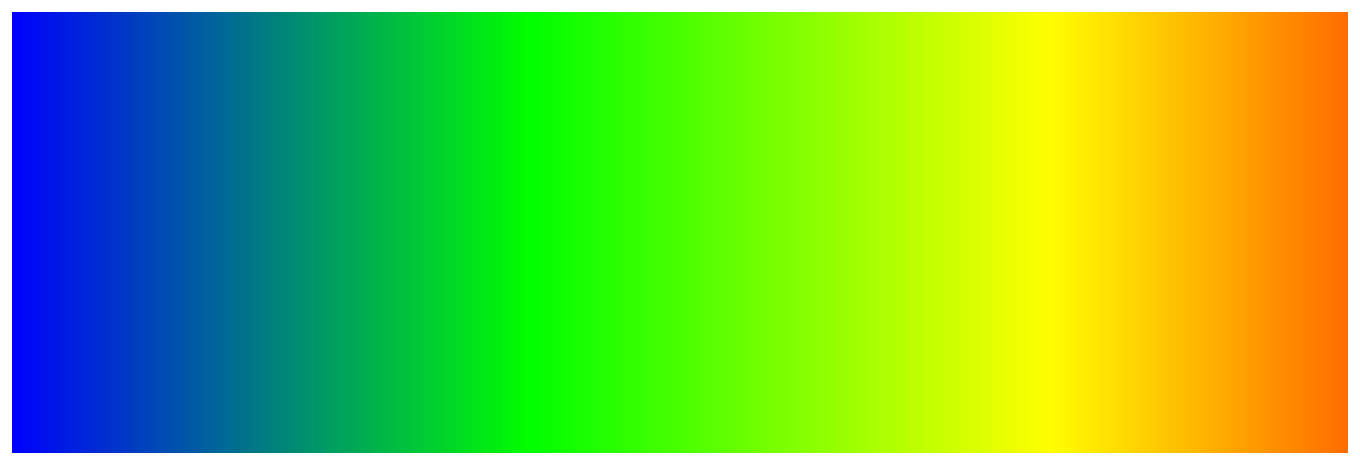
 golden condor
i know Lerping is the solution
plush yew
AFAIK multiplayer gets pretty complicated. I haven't even gotten my apples to replicate so I can't help too much
polar hawk
if you tape 4 iphones together in a rectuangular fashion you can use the built in accelerometers to create a hall effect to use an input device
golden condor
solid color is fine
this is a student project and i dont want to waste anybody's time really
polar hawk
@grim ore one thing I've found about gradients that isn't immediately obvious
most gradient tools use HSV lerps
not RGB lerps
grim ore
yep then you can just use a lerp with the percent as the input value and red/green as the 0/1 values and it will output a new color. The issue will be like people mentioned that a green->red sucks balls so you would want maybe another color to lerp in between
polar hawk
lerping the H in HSV is crazy important vs lerping straight rgb
golden condor
what do you suggest?
grim ore
@plush yew you are not supposed to copy that into your file, you are supposed to read the instructions and just change your file to look similar.
polar hawk
you're supposed to file the copy and instruct the read to file your change similarly
but only as similar as a congruent shape is similar to its pre-transformed state
grim ore
it's the part that says "next you have to make 3 changes to the file". These instructions are not meant for people who don't know what they are doing
golden condor
asking nicely would help @plush yew
grim ore
you can look at the 4.18 example, you can look at yours, and you should extrapolate the changes and change it.
polar hawk
but its important to note that when extrapolating changes you only change the extra bits and not the polar bits because then you'll have extrapolated the polates too much
grim ore
what does your new file look like?
abstract relic
Crusher, you gotta stop man
polar hawk
first you run it through a computer vision algoritim
manic pawn

golden condor
so, i'll try lerping between red and green since i am not really caring about the looks
grim ore
your file should look like the one they posted for 4.18 but with your project name in it, if it does not then you need to change it.
polar hawk
have you tried adopting a column approach instead of a row approach
non-relational body files tend to have a performance gain
grim ore
yep that's not going to work 😦 you need to delete that, copy the file again, rename it, open it up, and make it looks like the example on that page for 4.18 but with your project name.
polar hawk
did you know if you update engine versions you'll be on more recent code
grim ore
he can't due to his video card not supporting SM5
polar hawk
wait are you for real
 maiden swift
@plush yew I understand you're trying to learn, but this is not the appropriate place to get step-by-step guidance. If you're trying to follow a C++ tutorial and don't understand what the code means, try brushing up on your C++ skills first, then come back to the tutorial when you understand the concepts. 🙂
grim ore
it's a core 2 duo, what do you expect 😛
wispy raven
guys
polar hawk
no this is clearly a LISP tutorial
grim ore
technically it's a C# tutorial lol
wispy raven
when it finishies it remains on the last frame of the animation
i want to finish the animation and then use the animation bp
how do i do that?
polar hawk
@wispy raven play montage
wispy raven
right
maiden swift
@plush yew Please link to the tutorial or documentation you are following. The one from those screenshots.
grim ore
abstract relic
You know it’s good if it’s from the wiki
polar hawk
You know if it is.
You know it.
Do you know?

Music video by Enrique Iglesias performing Do You Know? (The Ping Pong Song). YouTube view counts pre-VEVO: 19,659,592. (C) 2007 Interscope Records #EnriqueI...
abstract relic
Don’t break out in song 😜
polar hawk
too late
polar hawk
I can't anymore
golden condor
Thanks a lot, it worked and now my health is blended
grim ore
@golden condor yay, don't forget @whole quarry helped as well 😃
golden condor
i appreciate the help man, really
@whole quarry sending hugs and Unreal Engine stickers lol
thanks
abstract relic
At least he seem to fix his “wood into inventory’ issue
pallid compass
Your confused because you dont know what your doing, you cant just skip shit to do what you want
golden condor
@pallid compass too thanks a lot
pallid compass
The core foundation of the engine
Basic c++
Basic c#
Basic multiplayer concepts
Basic packaging and building understanding
Pretty you can keep adding on too that list
pallid compass
lmfao
I mean not too be rude or anything, if he got stuck trying to generate project files because he didnt have a Logs folder for like 2 hours, you need to take a step back.
grim ore
you mean this @polar hawk https://www.youtube.com/watch?v=jI03y0MlbI4 ? lol
pallid compass
Also why did i type core foundation first, that is pretty abstract 😂 Basic fundamentals of the engine is a better way to word it
polar hawk
@grim ore https://youtu.be/Ncqpj4gKo4A

How to get hired at Epic
Have you tried deleting and starting over
Have you tried deleting and starting over again