#ue4-general
1 messages · Page 406 of 1
 polar hawk
 plush yew
Y? @polar hawk
polar hawk
the built in mechanism is ridiculously ridiculous when people just... want a player name
 dusky hound
@sudden agate Thanks so much for the advice
 regal mulch
I had no isses with the player names
plush yew
@polar hawk Idk 💤
polar hawk
@regal mulch
you 👏 can't 👏 set 👏 player 👏 name 👏 in 👏 blueprint 👏
its fucking read only
regal mulch
@polar hawk You are aware of the ChangeName function, aren't you?
plush yew
suggestions and
guidelines?
polar hawk
Change Name in blueprint?
regal mulch
Yeah it is, but it does exist
 sudden agate
why is it ridiculous?
polar hawk
thats less setting player name and more taking a subway through an ocean when you just trying to fish
it lives on the player state
you should be able to use the player state
god damn it
regal mulch
Because it's annoying to reach it through the GM @sudden agate
sudden agate
Why do you want to access it in the GameMode tho
regal mulch
Cause the ChangeName function sits in it
plush yew
because I have to change the nickname and then I set it to the new but does it save?
polar hawk
is fucking stupid until recently
regal mulch
Buddy, I said a million times, the PlayerState has a PlayerName variable, DON'T create your own @plush yew
regal mulch
Yeah but don't make them in GameMode ffs
regal mulch
You are free to add your own PlayerName to the PlayerState if you don't want any Subsystem names or so.
And get and set that
But by default in BPs, ChangeName changes the ALREADY EXISTING PlayerName variable
polar hawk
you know whats even better then just trying to manipulate player names
plush yew
polar hawk
manipulate subsystem shit
regal mulch
You see the "TEXT" on the left side?
plush yew
I couldn't find the variable player nickname
regal mulch
Use that for the Name
 paper kernel
 🔥
🔥
 vague walrus
You are so patient
regal mulch
It's fine, as long as you learn to actually follow what someone tells you
Is your game a Singleplayer game? (i really hope so)
plush yew
to understand I apologize very much for your lost time but I do not always understand the first time
nope
it is the third
regal mulch
(╯°□°)╯︵ ┻━┻
regal mulch
The Third?
plush yew
yes
regal mulch
The opposite of Singleplayer is Multiplayer
regal mulch
Welllll
plush yew
nope
regal mulch
Okay anyway
plush yew
they are singleplayer
plush yew
no exactly
anyway let's continue
so here in the player state to create the new fucking variable called player nickname?
regal mulch
Well it's kinda needed as Singleplayer games allow to use less strict rules for what functions and aclsses to use
No, you don't.
It already has one
plush yew
okay
regal mulch
Rightclick and search for it
regal mulch
plush yew
I think that these circles are variables that they are in the server
plush yew
a okay
why you send me I wanted to think and to reach it
okay no problem
thank you
Do you really need to get game mode if that's the only thing for the game? 🤔
I mean something that plays itself has to know it's itself...
regal mulch
And that's all the ways you can get that name
The last one is more for multiplayer
so you can ignore that for now
PlayerPawn or PlayerCharacter depends on if you have a Pawn or a Character
plush yew
but I have a problem
regal mulch
@plush yew Not the point, sadly. I rather tell people how you can do it using UE4's existing stuff.
They can always go and do their own thing of course.
 primal prairie
i get this error in all my projects, whats up with that?
even in a brand new project
plush yew
which exactly?
so let me explain what I want to do, so the player is said somehow and if he wants to change the nickname goes to the button and comes out with a text box and he writes the button on the confirm button and continues with the new nickname
this is
so which to match to the new name? 1 or 2?
 cobalt scaffold
🍿
cobalt scaffold

How do I get started with using the Text Box Widget in UMG in Unreal Engine 4 Blueprints? Source Files: https://github.com/MWadstein/wtf-hdi-files
regal mulch
Yeah you will have to try around yourself a bit and watch more tutorials.
plush yew
I understood this with the text box
regal mulch
We can't spoonfeed you everything
regal mulch
Programming requires a really big chunk if self-teaching
regal mulch
Buttons have "OnClicked" or "OnPressed" events
Add them similar to the TextBox event
And use them
dusky hound
anyone happen to know how to get rid of these artifacts while using PArrallax Occlusion?
plush yew
I have a question
here what I must to get?
because it hasn't got get player state
?
sudden agate
Player State resides in the Player Controller
plush yew
so
what to get
player state or player controller?
with get player controller it warns me
sudden agate
shhhhh. no spoilers
 trim night
My editor is running on 30 fps only. How do I change it?
Actually if it is in background it runs on 3 fps...
 sudden agate
try t.MaxFPS
 true leaf
Turn off your crypto miner running in the background
Also look at the priority in task manager
vague walrus
@dusky hound those look like too low transparency passes in blender
vague walrus
When you have for example 6 transparency passes and 7 windows lined behind each other the area of last one will be black
dusky hound
@vague walrus Aye, its a weird one. No transparencys in the material though. Just a basecolor and a parrallax occlusion
UE4 could handle POM in a similar way so the artifacts could end up looking similar?
sudden agate
@trim night the Project Setting "Fixed Framerate" changes the Editor Framerate aswell
 tranquil bone
What would be the best program for a beginner to learn to animate and rig characters for unreal? Is this the right chat or does it being in #animation
trim night
@sudden agate Thanks. I will check it.
vague walrus
I have no idea, it just looks like a problem I had when I've been rendering a heterogeneous mist with strange shaped object in blender
trim night
@sudden agate Is there any editor configuration for that?
sudden agate
wdym?
plush yew
Why is it running at 30?
trim night
dunno
regal mulch
Well is it an empty new project that runs at 30 fps?
plush yew
Speaking of, is fps min 25 max 63 okay enough for a game with 200 players at 4K?
regal mulch
I ask again though, does this happen in a fresh project?
trim night
The first image is snipped why discord was selected and the second one is taken while ue was selected
Yes ofc
it is one.
plush yew
Dunno what you have in there that only uses 1.5gigs ram, but the former is normal
regal mulch
3fps is okay
But the 30 is not
A fresh project (3rd person template) runs at 120 fps for me
with a 1080
 grim ore
3fps is normal for the editor in the background, you can change that.
trim night
@plush yew It is a starter project. My editor is laggy af.
regal mulch
Yop, I have that too. Also not really important if it's in the BG.
But the foreground one should not run at 30 fps if you have a proper rig
plush yew
@trim night says you have 74k objects. Starter has 54-60k?
grim ore
if you have Gsync enabled it will cause issues with the editor. If you have an overlay running like msi afterburner or nvidia shadowwhatever it will cause issues.
regal mulch
My ThirdPerson one has 47035
trim night
@grim ore gonna try to disable it for ue
regal mulch
grim ore
Gsync has to be disabled for the UE4 editor or you will have a bad time, no way around that
regal mulch
Where does one even find the Gsync stuff
grim ore
Nvidia control panel, right click the desktop
regal mulch
Do you have to install that by hand ,cause my control panel isn't listing any gsync
grim ore
then your monitor does not support it
grim ore
with the recent drivers a ton of freesync monitors suddenly became gsync compatible and enabled by default so people won't even know this is a problem beyond "my shit is slow"
trim night
It is disable, but it seems to be still laggy
plush yew
@trim night what's in your project
grim ore
use t.maxfps 120 in the viewport and see if it gets past 30fps
trim night
@plush yew just a custom ai controller
plush yew
You have no other 3d apps in processes?
trim night
nope
plush yew
🤷
trim night
@grim ore max is still 29.9
 indigo lintel
[8:04 PM] MathewW: if you have Gsync enabled it will cause issues with the editor. If you have an overlay running like msi afterburner or nvidia shadowwhatever it will cause issues.
wow thank you, i have been using the editor like this the past 1-2 months 😄
 manic pawn
for some reason epic is refusing to do anything about the gsync problem
trim night
@plush yew wdym?
manic pawn
the problem is that the editor draws multiple windows and gsync will block to cap the max fps for every single window separately, slowing the whole thing down to max fps / #open windows
plush yew
@trim night setting your max fps to like 30 so it doesn't go over that limit
regal mulch
Isn't that only for inside of the game?
trim night
I have set the limit up to 120
regal mulch
This is about the editor itself.
manic pawn
the default fps cap for the editor is 120 already
trim night
lol
I have unticked the option "Use Less CPU when in Background" and the editor is running on 110 fps while it is unfocused.
While it is focused it changes back to 29.9 fps
sudden agate
plays X-Files theme
 abstract relic
Wonder if it’s firmware issue
 toxic hatch
I want to have softer shadows in unreal for a still image portfolio piece. Is this done by replacing my directional light with lots of spotlights?
abstract relic
Also look into IES lighting
toxic hatch
Yeah I have a lightmass and i bake it on production with skylight bounces
Its just that directional light gives a very sharp shadow on everything
and I read that you can't change the softness of it on a directional light
so i was wondering what the best alternative would be
trim night
Thanks for the help. It seems to be working atm. I have restarted the editor and updated my graphic card.
 shut blade
Hi, I have an issue that I can't seem to fix. Basically, I have a first person character that automatically travels/paths to different target points upon different key presses. The problem is, the camera doesn't change to match the direction of movement, it just stays the same as when the level is first played. If I move my mouse, it will look around, but that's not what I'm wanting. Any idea how to make the camera point at the direction of movement?
 dry moon
Anyone have Particle LOD not turning back on after going to the last LOD
 fierce tulip
@dry moon you need to go to editor preferences
then in the search bar look for "enable particle system LOD Switching" add a key for it, and it should work after enabling it.
dry moon
well it switches in-game
when set automatic
but it doesn't LOD backwards
It goes LOD0 -> LOD1
but never goes back to 0
fierce tulip
im not in a project where I have particle LOD's yet, so cant really say what can cause that. I do remember struggling with it at some point as well. but that was waaay back in 4.4
dry moon
yea its really weird, nothing on google about it
fierce tulip
@dry moon I'll try to find out some more later tonight, ill @ you if I find stuff
dry moon
Thanks, appreciate it. I'll let you know if I fix it as well @fierce tulip
fierce tulip
@dry moon I do remember something about them updating proper in pie/full game, unlike editor viewport. not sure though
dry moon
Yeah its where I tested in pie
I know editor really isn't great with the LODs, so I pop into pie
it just only works one way, but never updates when you get closer
 glad stone
im working on a stylized environment and have some Flags in it
what would be the advantage/disadvantage of baking it vs real-time wind enabled in UE4 ?
is it an expensive effect ?
paper kernel
I wouldn't say so, 3 chain skeletal mesh can do basic flag just fine
if you want to do it with physics
but if it's just a prop then I would go with material deform
fierce tulip
or just some simple vertex manip
 hard minnow
Is there a command or whatever to disable all debug drawings?
glad stone
it would be cool to have them synced
paper kernel
but is it placed in a player focus areas? can player interact with it?
glad stone
hm I would say no..
a material is prob. smarter anyway to have more individual control
paper kernel
I'd say so yea
hard minnow
anyone?... : (
paper kernel
disable, probably no. but there's a flush command for debugs
assuming they are only visible for set amount of time and not constantly redrawn
hard minnow
Hm... That's strange. Thank you anyway!
grim ore
The Elemental Demo and Particle Effects maps have some material effect items that sway in the "wind" like flags and spider webs if you want to just be lazy and use them lol
paper kernel
stylized rendering had basic material flags
grim ore
ooh yeah, I always forget about that one. It scares me when I load it up
glad stone
wasnt there supposed to be an Animation Unreal stream ?
fierce tulip
yea, i totes missed it
grim ore
 grim ore
I always miss the livestreams now due to work 😦
 golden magnet
i downloaded a model but it's split into different meshes for each part, how could I combine them? or do I have to go into a 3d software and attach everything?
 inner yacht
Ive been trying to start a listen server from my dedicated server's main menu . It works but when i try to host the server from another computer it fails.Am I not really opening a listen server this way?
I did not try create session should I try to join a session that way
cobalt scaffold
what do you mean listen server from dedicaed servers menu ?
inner yacht
like a match system with an instance of the server
online multiplayer is what im trying to do with a host button
cobalt scaffold
you are using launcher engine or built from source ?
inner yacht
source
im executing command console for the listen server then leaving the dedicated one is this the right way
cobalt scaffold
i can't check now, but if i remember correctly
i just straight up loaded the server in listen mode
or rathen open the level in listen mode
inner yacht
this should work for other players not on my router right
cobalt scaffold
if you have the ports open
inner yacht
thx for the help yes i do
 glossy flax
#include <polite_greeting>
If I have multiple simple questions regarding multiple topics that each have their own channel here, should I ask them separately, or here?
 lament saddle
Ask them in their respective channels and you'll probably get better responses. #ue4-general is kind of a zoo.
glossy flax
Will do.
 keen ridge
Does anyone know how to go about creating a flickering material for something like a lightsaber?
plush yew
Just make a material with some kind of glitch XD
 supple totem
Hey all, just did some googling about adding mod support to games and it seems like it takes some serious engine work to make it happen.
Is my understanding correct? Or did I miss something?
manic pawn
yes, that's correct
supple totem
Ah zeblote I recognize you from the thread I just read
manic pawn
at least if you want to do it properly
abstract relic
@keen ridge https://www.youtube.com/watch?v=kxHLw8r-4gE

Quick brief into a pulsing and flashing emissive material. And yes, I am recording in a onesie!
fierce tulip
good marketplace pack right there
"mod support pack"
supple totem
Properly? Meaning like user friendly?
manic pawn
someone here recently went all the way with custom mod support
supple totem
Ooh
supple totem
Interesting, I'll look into it thanks
manic pawn
it was @ Stranger#1927
supple totem
Ok cool
Brainstorming Bethesda style modularity , adding new objects that get merged into random spawn lists and the like
If only uassets could just be picked up from a folder!
 spiral island
could you make an array of references to the uassets on launch?
manic pawn
you can do that sort of thing with primary assets
make a primary asset type "Thingy" and then you can request an async load for all assets of type "Thingy" from the asset manager
if you properly merge the asset registries from mods (?) it will also pick up assets in those extra pak files
 lethal breach
Anyone know what is causing this? I'm not having any luck online, with AnswerHub, Unreal subreddit or the UMG section of this discord. I'm having the widget drag visual spawn at Pivot "Mouse Down" but it always spawns at the Widget's origin (0,0) location. If I change the pivot to Center,Center it works - Except it has an animation drag it from the top left (where it spawns here) and drag to the cursor.
lethal breach
Yup. I've tried modifying it with all justifications, changing from Auto to Fill and still nothing.
 worn granite
Alignment, specifically
lethal breach
Horizontal and Vertical alignment just under the padding? Yes.
lethal breach
Hm, that I have not.
worn granite
Cause it kinda looks like it might be spawning top left of the main widget
lethal breach
That's what is happening exactly.
lethal breach
That's 1 widget
lethal breach
Ok
 hidden aurora
Lmao
 lunar oak
that doesn't look half bad 😮 i should learn to light the map
 dire torrent
How did you make ragdoll like that? @hidden aurora
 dim plover
@dire torrent I think this is a tutorial on how to do it. https://docs.unrealengine.com/en-us/Engine/Animation/PoseSnapshot. Link doesn't work for me, atm.
dire torrent
I have another question. I just started with unreal. Can I make high production quality renders with no lag or stutter? Is 8K resolution too high for Unreal?
@dim plover thanks but it doesn't work for me either.
plush yew
try this then https://www.youtube.com/watch?v=nkj6PAbGYtM

Wes Bunn walks through how to set up and use Animation Pose Snapshot to create more natural looking ragdoll-to-standing animations. Ragdolls are fun, but sna...
renders of what? terrain? architecture? movies?
dire torrent
Architecture with cinematic
Does it really take an hour to do that? I didn't expect that 0.0
Also are there any hidden websites with free plugins and sorts?
Googled but nothing that really jumps out.
plush yew
I can't tell if 8K is too much, but 4K is doable, especially that most of stuff will be baked for arch.
plush yew
Have you seen this on WorldCreator discord https://vimeo.com/318171409 ?
dire torrent
That looks great. Is that 4 or 8K?
plush yew
I have no idea.
 copper flicker
@sick escarp Thanks for the forloop link. Not sure if that's my problem.. but it's a good read.
 proven oxide
Ok I am getting a little confused, I have created a new character based on the C++ Player class, the FPDemoCharacter works fine also parented off it, but the new one isnt firing the gun, what am i missing?
is there any hidden graphs / items that are added automatically to the demo character
plush yew
sup guys anyone know where to get kingdom heart models and sounds?
regal mulch
@plush yew Hey, while we don't really care if you use a ripped asset from a different game (it's your problem in the end), we don't want to have this stuff shared here.
regal mulch
That's not the point. We simply don't want to advertise pages or methods of ripping other games assets.
regal mulch
Despite that I'm not against you doing a fan game. I know how tricky it is to get your hands on art and stuff, specially as a programmer.
regal mulch
That depends on how you track this event
Some do it with an Overlap, others with Traces.
plush yew
ah
cause i dpnt ust want one sound
its gonna play like 4 sounds when hitting
do i make it like a on click sound thingy?
regal mulch
Afaik, (barely did sword damage in my career), you can either place a hitbox around the blade, enable the collision when the animation reaches a specific point, as well as disable the collision again at the end of the collision.
OR
Put sockets along the blade and use them to perform a handful of traces in the direction of the cutting edge of the blade.
plush yew
ah
regal mulch
Either way, if you register a hit
May it be with one of the two methods (maybe there is a third one), you can then simply play a SoundCue
plush yew
ah
regal mulch
SoundCues can have multiple Sound Effects in them
Randomized, Mixed, Modulated
I'm not a sound person though, so well :D
regal mulch
Hm, Epic was able to reproduce a bug I submitted
And answered me with a non-public tracker ID
....
It's not like this bug is game-breaking for us
 languid shard
@regal mulch had this on a Studio related bug report a couple weeks ago
they sent me the jira link or something 😄
couldnt access it obviously as it required ids
regal mulch
I was able to reproduce this issue on our end. I have written up a report and I have submitted it to the developers for further consideration. I have provided a link to the public tracker. Feel free to use the link provided for future updates.
¯_(ツ)_/¯
Let's wait for Epic to wake up and then I'm simply gonna ask one of our nice CMs to give me updates.
languid shard
😄
sudden agate
Still better than
Hello -,

At this time we do not have plans for development for the described issue. Please keep in mind that with source code access, a programmer on your project can implement your own solution, and you are welcome to share that result with Epic for possible integration.

Thanks,
Daniel
 cloud cobalt
At least it's an answer
languid shard
yeah and a positive one at least
sudden agate
but "There is certainly an issue I can reproduce, but we dont fix it because you have source access"
languid shard
"if you find a solution on our end, we can look at an integration in the engine" is quite positive
cloud cobalt
Hard to judge out of context tbh
Plenty of stuff people consider an issue isn't really one
Well, "issue" doesn't mean "bug"
sudden agate
if baked shadows do not get applied to some things I am sure it is a bug
cloud cobalt
What's the bug report ?
sudden agate
Stationary Lights do not cast proper shadows on translucent surfaces
cloud cobalt
Dynamic or static surfaces ?
sudden agate
can dynamic surfaces have baked lighting? I guess not 🤔
cloud cobalt
What does "proper" mean too ?
sudden agate
the shadow resolution is very very very low, regardless of the lightmap res
cloud cobalt
Stationary lights light both static & dynamic surfaces, so which type your test surface is is actually relevant
Looks like static ?
cloud cobalt
So static translucent surface lit by stationary light ?
cloud cobalt
"doesn't work" as in, reproduces the low quality ?
sudden agate
yes
cloud cobalt
You can try using masked translucency by using TAA, if your surface isn't meant to be too translucent it will work well
sudden agate
Lightmap Res looks like 4 pixels
cloud cobalt
Dithere dopacity
sudden agate
its water ._.
proven oxide
Any links for tutorials explaining about animations animation BPS and BlendSpaces?
sudden agate
google is your friend
 pallid compass
The doc and wiki
hidden aurora
@dire torrent I completely don’t know how it works because is the asset advanced locomotion system and I suppose I cannot@share how it’s done as it is a pay asset
 gleaming creek
All still better than After investigating this we have determined it is not a bug with the Engine. Based off your setup here the Engine is working as intended - for an outright bug
regal mulch
Is there any proper way of having static FNames in Blueprint?
I have a relatively large StatsName c++ file, with tons of stats to track
But of course I can't expose these
sudden agate
I use a MacroLib for static values
regal mulch
How exactly would I want to use a Macro Lib for that?
Just make tons of macros and hardcode return the values?
sudden agate
yeah
regal mulch
Hm not the worst idea. I assume I can't use GameplayTags for this either?
sudden agate
I am not sure, they are essentially FName
regal mulch
In the end I can also type the Statnames in the BP function
But having an NAME_Kills variable would be awesome
Maybe time for a little plugin :D
 nimble egret
@plush yew
plush yew
anyone here who knows how to make kingdomheart type hud in photoshop or could help me
i tried and failed 😆
proven oxide
I have some water texture but the refraction is only doing it in a tiny strip across the whole , is there any way to increase the width of the refraction?
(ie when you move it does do it over the whole but only refracting on the narrow horizontal band based on your camera movement)
plush yew
wrong chan
 spare sun
🤔
 thorny summit
Is there any way to change the verbosity of the log that is generated when the editor crashes?
thorny summit
Thanks, I'll try that
 dire sentinel
I know this isn't the proper discord for looking for bledner solutions, but last time I posted my problems here I got more solutions than on the official blender discord. The sleeves on my cloth simulation curls upwards? I'd show the picture, but you know, since I'm making the clothign, they don't have it yet.
So here are pictures of my settings instead. First one is my collider settings and thesecond one is my clothing simulation settings.

 cloud cobalt
Not a Blender Discord, not even the right channel...
spare sun
appreciate the nickname though
dire sentinel
which channel shouldi put in
pallid compass
I am offended by your name.
pallid compass
Thanks.
cloud cobalt
@dire sentinel This is just not a Blender Discord and your question isn't UE4 related
dire sentinel
its for a ue character?
 thorny cipher
Why would this come up when I use fully dynamic lighting and have static lighting off?
proven oxide
Source build engine?
proven oxide
rebuild the Lightmap thingy
proven oxide
its the lightbuilding tool needs to be manually rebuild when enigne from source
on the VS project scroll to the bottom and you will see a section under Games called Programs
right click the LightMassTool and select build
did it error like this?
if so you may need to add a lightMassImportanceVolume on your map
proven oxide
lightmass is not static
thorny cipher
oh?
proven oxide
If Building from Source Code
Rebuild UnrealLightmass solution
Larger worlds and open worlds will generally use dynamic lighting.
regal mulch
Yeah, the bug is visible https://issues.unrealengine.com/issue/UE-70794
(Update to an earlier post here of mine)
thorny cipher
@proven oxide Ill try it... but i didnt do anything that could cause it to have issues
lightmass is used for static lighting though
proven oxide
Well what crtashed you didnt paste the error in the output log
thorny cipher
[0063.76][412]LogLevel: Display: Export Material TexCoord Scales took 0.359 seconds.
[0064.18][412]TextureStreamingBuild: Display: Build Texture Streaming took 0.424 seconds.
[0064.38][412]LightingResults: New page: Lighting Build - Mar 2, 2019, 4:02:49 PM
[0064.38][412]LogStaticLightingSystem: Warning: WorldSettings.bForceNoPrecomputedLighting is true, Skipping Lighting Build!
[0064.71][412]LogStaticLightingSystem: Warning: Failed to build lighting!!! Lighting build failed.```even a blank map fails
it shouldnt even ATTEMPT to build lighting
it's disabled in my project
proven oxide
ok it says you need to re-enable static lighting
thorny cipher
im not wanting static lighting
proven oxide
Alright, I looked around in my settings and compared them with new projects and it looks like I wasn't allowing static lighting which skipped the light building.
In case anyone has the same problem in the future, reactivating Allow Static Lighting fixed the issue.
You can find that setting under:
Project Settings > Lighting > Allow Static Lighting
proven oxide
the lighting build is failing because you disabled it
proven oxide
thorny cipher
It never used to show "failed"
proven oxide
They had the same error when it was disabled
I think they are trying to say you have to have some static
 thorny cipher
the fact it's trying means something is wrong
proven oxide
its prolly trying to build the static for the viewport
manic pawn
someone probably just moved branches out of order accidentally
proven oxide
Do you have a lightmassimportancevolume on your map?
thorny cipher
nope
proven oxide
Found it, in addition to the "Project Settings" check-box I also needed to tick the collapsed-by-default (facepalm) "Force No-Precomputed Lighting" checkbox in "World Settings"..
does that help?
proven oxide
"Show>Visualize>Preview Shadow Indicator"
what about in there
also that may be on
and have you any stationary lights in the level?
just one will try to force the static build
thorny cipher
nope none
thorny cipher
@proven oxide even blank maps attempt to build lighting
 tranquil isle
Hello chaps... I'm starting to have a bit of a think about testing.. how do you guys go about it ? (I'm a solo dev)
@thorny cipher I think there is an option insettings ?
thorny cipher
tranquil isle
oh
proven oxide
Force No-Precomputed Lighting"?
tranquil isle
mmmm, have you tried deleting saved and intermediates
then restart the project ?
@thorn vector what's your skill level in blueprint ?
tranquil isle
do you know how to use them ?
 thorn vector
Yeah i know
thorn vector
Yeah what i wanna know is how to huild them
Any of tutorials i tried on yt doesnt work anymore
 tranquil isle
@thorn vector I'm going to need one soon as well. It should be pretty easy ... for the tree itself it's going to be just a bunch of bool
can you click on this ? yes/no
sudden agate
so many people ripping and stealing assets smh
thorny cipher
Ok looks like "pre-compute static visibility" is causing it
plush yew
its fanmade?
thorn vector
@tranquil isle what u mean by a bunch of bool?
tranquil isle
wait
thorny cipher
where was it turned on
sudden agate
idk. you said Static visibility caused the error lol
grim ore
There are many different ways of making a skill tree system in unreal engine along with many different types of skill trees. even if there was a tutorial showing you completely how to make one it might not be what you want so useless 🤔
so if you want to learn how to make the skill tree figure out exactly what you want figure out how each piece works in your head and then you create each piece.
tranquil isle
@thorn vector
grim ore
Ignoring that here are some examples that I found just hitting Google https://forums.unrealengine.com/community/community-content-tools-and-tutorials/111932-ability-and-skill-tree-system-series and https://youtu.be/uzwNImv_ezM
Unreal Engine Forums
This is the place to show, share, and link to your stuff!

In this video I show you how to setup the basic layout of our Skill Tree so we can get ready to add functionality to it. If you have any questions or comment...
manic pawn
I think the problem is that you're expecting an option in unreal to make sense
tranquil isle
@grim ore Hey man it's the first time I spot you here. I just wanted to say that you are the man. I mean it. Please keep going !
thorn vector
I tried that a long time ago but it doesnt work
It work on 4.19 but when i tried on .21 it doesnt work anymore
grim ore
also keep in mind your target platform because a skill tree setup that works with a mouse on a computer is going to suck big time on a console
thorn vector
My game is for pc
thorny cipher
@manic pawn im expecting ue4 to not just do random shit when i dont modify anything
manic pawn
you could try a bug report
tranquil isle
@thorny cipher uninstall/reinstall ?
manic pawn
but they might just auto-backlog it as it doesn't break anything major
thorny cipher
well im pretty sure its related to UE4 crashing
ever sinced it crashed one day, it started to try build lighting
lol
(╯°□°)╯︵ ┻━┻

 tranquil isle
yes me
thorny cipher
Want to try build and see if you get lighting error?
tranquil isle
i do
thorny cipher
check project settings
thorny cipher
have i just ignored this error for so long that i just noticed it again?? i dont even know
im questioning reality at this point
(╯°□°)╯︵ ┻━┻
thorny cipher
sub levels?
tranquil isle
yeah
thorny cipher
ah
haha
ok
blank project
i dont get the error
so something got turned on
and not in a good way
copper flicker
does anyone know how to make a UI button hovered.. without MOUSE hovering ?
like if I use a gamepad to move from button to button
how do I set a button to be active, and then move to the next button?
cuz buttons don't seem to have slot numbers..
O o
thorny cipher
ok deleting cache time
it happened on a blank project on the same editor build
i used shared cache so maybe something screwed up
paper kernel
so, increasing Recursion limit is only possible from source code?
 wary barn

 paper kernel
...baby crib strikes again
hidden aurora
 fleet cedar
I forgot about the free content 😄 this is great
plush yew
im searching expert on unreal engine...
grim ore

Unreal Engine
New free content, from beautiful materials to animation packs and mighty weapons, is now available on the Unreal Engine Marketplace. Add them to your projects today!
plush yew
Hello guys can you send me links of sites for free good textures for wood and sticks?
abstract relic
 plush yew
free man free not piad I know that they are a lot of in mrketplace but not free @cloud cobalt
cloud cobalt
Look up textures.com or other stuff like it that you can find when googling "free game textures"
plush yew
idk how and I can't
cloud cobalt
🤷
cloud cobalt
It's not UE4 ready though
Will need significant work - creating a material and the roughness map at least
At the end of the day there is no such thing as "free PBR materials for any part of my game"
And you've been told this here quite a few times now
cloud cobalt
When working on textures from the Web, your process is usually going to be
- make them seamless, remove lighting information in Photoshop
- process them to create a roughness map, normal map
- import all three in UE4 and create a material
That would get you modern-looking stuff
This is for photorealistic stuff ofc
abstract relic
You’re forgetting UE4 starter content where there’s what? 30 materials?
cloud cobalt
Free UE4 content generally has much more than that
Between starter content, samples, free MP content
abstract relic
🤷♀️
 stark lava
Anyone know how to fix stuff in vr?
fierce tulip
can always be worse
https://i.gyazo.com/c573104fc1049190a689b2730b7de155.png

 cloud cobalt
Seriously though, you're going to need a long-term solution for content in your game
Not having textures at all can be one
Paying for content is another
Creating it another
Relying on other people to do it for you for free whatever you need isn't a thing
plush yew
can not have textures? what about the payment I did not understand?
abstract relic
Pick your battles Stranger 😜
plush yew
to be my classmate, for example, he makes me the 3d models and I configure them in the program but the problem is that there was a problem with the export of textures from blender and that is why I'm calling myself to look for textures
? @abstract relic
plush yew
not here in #virtual-reality @stark lava
stark lava
Yeah, no one has responded to me in that chat
plush yew
the chat isnt't too active like this but this isn't for vr sorry
write there your problem and wait for answer or solution like everyone 😉 @stark lava
stark lava
Ok
 carmine wind
why when i try to open the skeleton of my character my game closes
plush yew
idk
 clever smelt
I downloaded the interactive open world foliage kit a while back and when i use more than 50k grass my ue4 lags
I got an i5 7800k and gtx 1070 so i guess rhats not the problem
Should i optimize the grass for performance somehow?
regal mulch
@clever smelt The one from the Kite Demo?
clever smelt
I tried that one too but no,im talking about another one
Should i take a pic to show you which?
I mean a screenshot
 flat idol
the author claims the content is optimized already, you are maybe just using it wrong
clever smelt
im new to ue4 so im just slapping like 100k of it on the ground
flat idol
what fps you get with the demo content map the item was shipped with?
dry moon
I've used that same one, it might be you spawned too many?
clever smelt
hmm,have not tried that but thats a good ideea,if its good fps then im doing somehing wrong
dry moon
Because theyve worked fine for me before
clever smelt
how many have you used ,Wayne?
dry moon
I've used them for a demo scene, like 50k each
But I redid the material
To use fadeperinstance, and better LODs
clever smelt
*Also-maybe this is related but if i place 30 trees and 50k grass ,building the light takes like 45 mins on a small-ish map
abstract relic
You need to implement culling
clever smelt
you mean the cull distance tab?
dry moon
With the foliage tool
 frail jasper
texture is blurry. what would be the best settings for a flipbook so that it a streaming texture yet show high quality resolution rather than a low resolution mip?
plush yew
Hello guys I have a problem with my project
when I removed the farm house it happened this-what to do? How to fix this problem? This is on the ThirdPersonExmapleMap
frail jasper
rebuild your lighting
plush yew
Okay but I didn't rebuld the lighting
it will fix if I rebuild the lightning
?
I haven't got ligtning
frail jasper
yep click on build on the top and look for lighting
plush yew
frail jasper
top one build lighting only
plush yew
it fixed thank you
❤
Hello guys I have another problem
I imported the sign with their materials and textures
and it has the material ready
he doesn't show me that it comiles the shaders
and it is grey color
when I opened the material is this upper the screenshot
@frail jasper
When I clicked on the Apply Button it shows me this:
this is the sign:
abstract relic
That big ERROR might be a clue. Hover over it, it’ll tell you
Also, do consider following starter tutorials. You are lacking in fundamentals
plush yew
I understand what is the error but I want to fix it
it happened when I imported it into the program - I deleted it and then imported it again and again
abstract relic
🤦♀️
plush yew
?
abstract relic
I can’t help you. Take some courses, watch some videos
plush yew
omg really
this is a problem from the model it needn't to know the whole program I think
abstract relic
Not going to spoon feed you. I’ve should of known better
plush yew
to understand, however, I have a problem with this thing and I need to fix it, I do not need tutorials about it
frail jasper
you got any info on mips? when I use no mips my streaming pool goes very high but the image shows as intended and when I use mips the image comes out blocky and pixelated.
plush yew
what is mips?
flat idol
@plush yew What HighTide means, is that this error must be very simple, and with a bit of experience you could just fix it already. My guess is the texture format is not matching the sampler you are set this on, and the error text should give you a clue about this. Try change the dropdown of sampler type "Color" to something else that match the texture type see if that helps.
frail jasper
its the resolution your texture use so that it can stream in low level textures when not needed
plush yew
emy this texture pattern and everything i've taken it from a site for free 3d models I have not done my textures or materials to have some kind of proleam with them in principle
 hoary silo
just to let you guys know, i found a way to fake render passes
 abstract marsh
Super important question here guys
I already think I know the answer based on what others have said but
We're trying to make a character run, and when you hold back on the control stick, he will skid and slow down.
The coder says it's only an animation state.
I say that it's not only about how it looks, but it has to feel like you're skidding so there has to be code attached to it.
What's the real solution to this?
Skidding is meant to be a secondary function, like if you hold back while running and then you encounter a slope, you will skid down the whole slope. I don't think that can be accomplished simply by animations/blending the animation. It can't.
So please someone let me know who is right - me or the coder.
(and @ me when you do!)
plush yew
I want to make when I press the button to change the nickname
they said me to use the player state and the default variable calles player nickname
I made this but I want when I click on the button confirm to save my neew nickname
idk how to do it
can you tell me
guidelines
fierce tulip
is there an easy way to get the distance from camera of something?
plush yew
?
abstract relic
Grab vector length? I feel odd suggesting anything to you Lous
hidden aurora
line trace by channel?
fierce tulip
no simple click on a thing, this is distance?
kinda want to know the distance I want LOD's to kick in
 ivory gate
ivory gate
ivory gate
xD
abstract relic
What? You don’t have a runway level? 😜
plush yew
send me tutorial @ivory gate
abstract relic
Good lord
abstract relic
Collateral. I understand 😜
plush yew
if I make a save game blueprint class and there to make the variable and then to cast to it and to print the new saved will be happening? @ivory gate
okay no problem which to look? @ivory gate
ivory gate
🤦♂️
plush yew
ops sorry for the tag
ivory gate
Dude google is a developers best friend along side with stack overflow
plush yew
yes
fierce tulip
@plush yew this channel is not your personal tutoring/google, please dont abuse the people their kindness by not doing any homework or research yourself
abstract relic
Search the world's information, including webpages, images, videos and more. Google has many special features to help you find exactly what you're looking for.
fierce tulip
then learn how to, you are getting on people their nerves
plush yew
so to search for how to save a nickname in ue 4?
ivory gate
Lol it’s all good just learn to google and if nothing works then come here
ivory gate
And ask once and only once
polar hawk
or im crazy and im wrong
fierce tulip
@polar hawk sadly doesnt work in perspective
polar hawk
aye
cloud cobalt
Do simple games first FFS. Again. This isn't hard stuff that no one knows about.
ivory gate
🤦♂️🤦♂️🤦♂️🤦♂️🤦♂️🤦♂️🤦♂️🤦♂️
polar hawk
adding a editor viewport display of "distance to selected actor"
should be trivial
but I'mma let someone else do that
fierce tulip
hehe
abstract relic
@ivory gate need a hug? I think we all need one actually
ivory gate
Yea multiple
plush yew
aha I am not clear understand what you write so can you give me link for more info? for this "adding a editor viewport display of "distance to selected actor" for the map?
abstract relic
Search the world's information, including webpages, images, videos and more. Google has many special features to help you find exactly what you're looking for.
worn granite
become best friends with google
ivory gate
If u want to be a dev then make a friend and his name is https://www.google.com/
Search the world's information, including webpages, images, videos and more. Google has many special features to help you find exactly what you're looking for.
abstract relic
Might as well pin it at this rate
plush yew
I'll explain how my learning works, so I'm working on a big project to say and do not know to say 90 percent of things and what do I look for and ask I know howto and so I know how it is but the damn thing is that most times when I search for a gag I can not find a result in the case, for example, how do you know how to make a hat as a rule of business or I can not describe it so I ask you here and it is the spam that I apologize for but I want I learn 😃
xD @worn granite
polar hawk
@plush yew you can safely assume my messages aren't relevant to you
worn granite
It goes like
someone asks me a thing
me, internally:Iunno
I look it up on google/docs/in code
me:appears to be <thing>
them:
wow he's got his shit down
Or if I need a thing for myself, I just skip everything but the 2nd and 3rd line
ivory gate
Yup
plush yew
I learn the basics still but I want to do and advanced things
cloud cobalt
Your learning process doesn't work obviously @plush yew thecrso... do simple games
Seriously
abstract relic
You have not learned the basics
fierce tulip

This will blow your mind! How to use google for basic ue4-related questions. Yes, take this with a few grains of salt. Spongebob is spongebob. lmgtfy is lmgt...
worn granite
Ah, you try searching but don't know what to search for?
ivory gate
Make simple games learn basics expand from there
worn granite
that'll come slowly over time.
abstract relic
Watch tutorials. You’ll just be going in circles otherwise
cloud cobalt
I wish I could be nice here but we can't help you learn the basics. It needs to come from you and it will need some months of work
No way around it
I've been doing this for a decade here
Some here more
plush yew
okay
ivory gate
How to google.
1-type in ur question
2-read the 1st result which is usually on stack overflow
3-ur done
plush yew
yes but
worn granite
very helpful Kanterman
ivory gate
I gotchu
plush yew
I can not always ask the question properly, for example, by seeing something in a game as I showed a screenshot, and I wonder how it is done how to ask the google question?
ivory gate
That’s because ur missing the basics and I’ll pretend like I know what Gagul means
abstract relic
Everything can be broken down to the basic. That’s why it’s call fundamental
fierce tulip
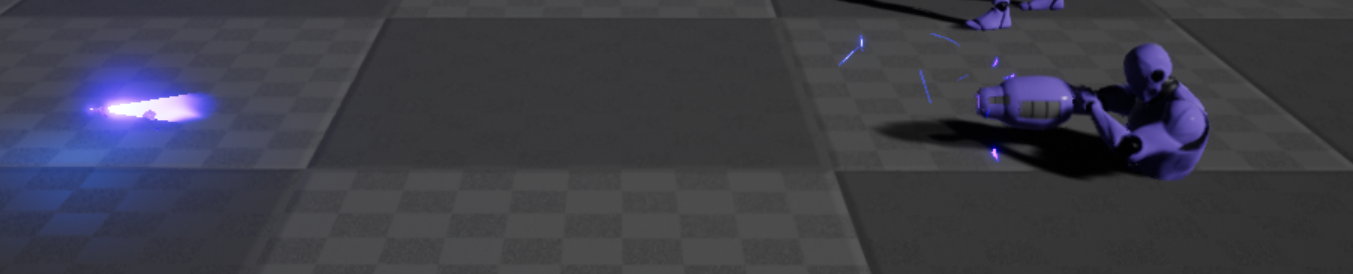
https://i.gyazo.com/38815ad93f9410c30363d6d85fd70382.png
when you need to see when your tiny light phases out when using lods XD
 plush yew
xD
cloud cobalt
You want the be at the point where you knows the basics of how any game works
High level
plush yew
I want somehow to know some mechanics how they were made in a game case lastDayOnEarth - for example, I can ask how to get this done when you have a building we dishear stove and you have to build it you put it and when you open it you have to assemble it with different materials how do you show how much you need how much when you put something to read it to you?
abstract relic
Search the world's information, including webpages, images, videos and more. Google has many special features to help you find exactly what you're looking for.
 frosty bloom
Practice
plush yew
okay
but I don't know how to ask my question beause I describe it how it workds
hmmm
plush yew
okay
tranquil bone
Does anyone know how to make a mesh use the UE4 Skeleton, so i can buy assets of the marketplace or do i have to make my mesh around the skeleton?
fierce tulip
you might be serious, but you should seriously consider if your actions wont result in people getting fed up with it
we all understand that you are trying, but a BIG part of gamedev and understanding gamedev is self-teaching, self-searching, and self-discovering
we are not a personal answerhub
ivory gate
If u wants answers watch tutorials
fierce tulip
just take your time, deep breaths, and take one small step at a time.
hidden aurora
If this isnt perfection what is it
polar hawk
?
 tall pendant
🤔
plush yew
Well I wonder how that sells
It would be nice to know people got rewarded for making such assets, though personally I'm too poor to buy any such thing
abstract relic
Indeed, it’s always an odd line to balance on
Then you see the other extreme like this
plush yew
Now even I could make that
 stiff oar
Hey! New joiner here; I'm looking for some help with an input issue in UE and just wondering what channel would be the best to ask in haha
polar hawk
here probably
hidden aurora
I really need that 200 usd assets is the perfect thing for my environment but its so expensibe 😦
stiff oar
Alrighty then
polar hawk
@hidden aurora you could just make it yourself then :p
hidden aurora
Im so bad at 3d modellings and modleing that amount of assets by myself its like no thanks
abstract relic
I’d pay for the Victorian house in a heart beat. It’s time consuming to make those models
hidden aurora
Its the perfect thing for my game its the only thig i need to finish it
stiff oar
oopsie wasnt finished typing lol
polar hawk
If its the only thing you need to finish it
you should stand on a street corner and panhandle
for real
abstract relic
You’re killing me mate 😜
stiff oar
Well the issue I'm having is probably pretty unique but im hoping someone a little more experienced has any workaround ideas for me haha
I have a custom "keyboard" I've made for an art installation that basically uses jacks and quarter-inch cables to simulate keys being held when theyre plugged in.
The issue lies where when the installation "restarts" and the level is reloaded, UE doesnt realize that a key is still being held. So I'm looking for a way to force UE to check if any keys are being held down again
polar hawk
oof
it might just easier to have your custom hardware have some sort of trigger to reset its state lol
stiff oar
I've spent so long searching google and cant find anything remotely close to what I'm trying to achieve haha
polar hawk
like resend key press downs for things plugged in
stiff oar
I'm using aTeensy for the controller/keyboard and UE doesnt exactly have an easy way of communicating back to it on macs
hmm I guess it could be a timed refresh push kinda thing
polar hawk
can you put some sort of web server on the teensy
like just enough to receive post/get http requests
probably not
uh
stiff oar
I dont believe so
polar hawk
I think spending the time to set up an input/output system on that thing
is going to pay off way more
even if the only thing you use it for is for unreal to send it a 'reset input state'
stiff oar
right now I'm just prompting the user to unplug everything when it resets, but thats not very user friendly/if they dont it messes with the puzzle mechanics
polar hawk
yeah
you're going to want to set up an input/output system of some kind
side effect is you'll get things like
"turn on control panel light" for free
plush yew
any1 knows a little bit about lighting settings?