#ue4-general
1 messages · Page 396 of 1
 wary wave
 languid sandal
Would you guys suggest dedicated servers for multiplayer ?
wary wave
I would suggest dedicated servers if;
A) You know why you need them.
and
B) You can afford the infrastructure costs.
languid sandal
@wary wave if you didn’t do a dedicated server what would be your alternative?
wary wave
listen servers
languid sandal
Thank you 😃
 lusty vigil
any idea how i can get my original third person camera boom back? the spring arm only has a "default" category and this leads to strange behavior q_Q
 bleak basalt
Hi folks, I have two players (second player is created in level blueprint) and I have two pawns placed manually in the level. I also have two gamepads connected.
What I expected was that one controller would control PawnA and the other would control PawnB
instead both gamepads control PawnA
Does anyone have advice to rectify this
 dim dragon
@wary wave Drat. Oh well :^)
wary wave
hehe
 torpid hedge
usually it's better practise to spawn the pawn from controller PostLogin and possess it
wary wave
^
torpid hedge
not in every case tho
dim dragon
@bleak basalt I mean, they're sending the same commands. What's your input parser? Are you using the built in controller system, xinput or something else?
Have you created Player 2?
As in, not just a character but a controller ID?
bleak basalt
So, I'm new to this and clearly I'm missing some key information after reading your questions 😄
I have input events defined in the project settings
in my Pawn I'm using the PlayerInputComponent to bind to the axis names I setup
in my level blueprint I'm creating the second player with a Controller ID of 1
I'm trying to have local multiplayer without splitscreen
dim dragon
Under project settings, "Maps and modes", "Local multiplayer", uncheck "Use Splitscreen"
Also
torpid hedge
don't do it in level blueprint
dim dragon
When you create a player, you need to create a player with a Controller ID of -1 which will take the next available controller instead of treating both as a single input
bleak basalt

Simple and lightning fast image sharing. Upload clipboard images with Copy & Paste and image files with Drag & Drop
 gleaming creek
Thanks @maiden swift , I hadn't seen Texture Haven before, looks nice
languid sandal
Hey guys how do I go about assembling a team?
Do we all just kinda understand that we are a indie group trying to make a game, or would I have to pay minimum wage?
Or would we split total earnings ?
What do you guys usually do?
 dim merlin
@languid sandal #career-chat 😉
 dim plover
How do people load assets, particularly in a packaged project? There is so little documentation or examples from people using TSoftObjectPtr/TSoftClassPtr. Things work (albeit somewhat mysteriously) in PIE, but it's failing to get the asset from a the .pak in a packaged build.
EDIT: Fixed -- Asset was not included in a packaged build. :(((((((((((
 unreal spoke
How to hide an actor only when in editor mode?
I mean something like the "Hidden in Game" checkbox
well... for practical reasons I think it makes more sense to hide just a component, not the whole actor. Then, how to hide a component just in editor?
 sick escarp
@unreal spoke
That does also cause it to become invisible while playing but if you want to not see it while doing something you can hide it
unreal spoke
@sick escarp Thanks but I was looking for a more permanent solution. I guess there is nothing like that.
dim plover
Maybe there is some Blueprint code that is something like, "If Editor".
You could do it in C++.
 native cradle
Hi,
I was playing around the ARkit plugin code. But when I compile and run the project, plug in files are not updated
Do I need to compile the plugin separately?
gleaming creek
@unreal spoke A bit of a hack, but you could make it invisible, and then set it back to visible on BeginPlay inside a Blueprint
unreal spoke
@gleaming creek hmmm, cool. I'll try 😃 Thanks
 flat trail
How do i go forward on hiring someone to make a script for me in unreal engine? 😛 Is it here on discord? Because i need an evalution on how long time it takes and price etc ..
 rocky kayak
the #looking-for-talent board has loads of postings for things like that, check what others have posted for an idea
wary wave
 abstract marsh
I consulted folks maybe a year ago on a few things and
All I can say is I was right all along lol
You can trust the expertise of people more experienced with some things you haven't worked with but
In the end, your research is what matters
Right now I'm looking into IK rig animations, created real-time procedurally
I was told this tech isn't really out there and it's expensive, and all I'd need is 2-bone IK
That's completely wrong since full-body IK can produce some awesome results
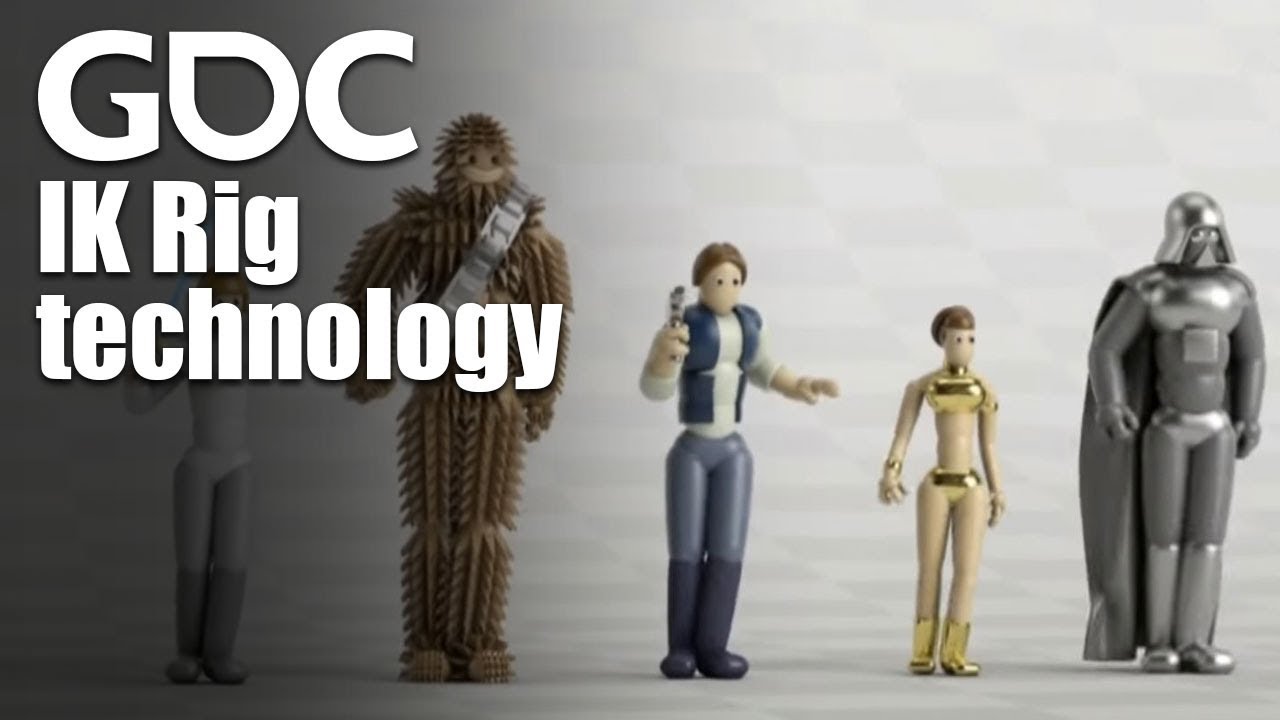
In this 2016 GDC talk, Ubisoft's Alexander Bereznyak breaks down the basics of IK Rig technology for animators, and explains how it can be used for everythin...
abstract marsh
This is old but I'm rewatching it for a third or fourth time
rocky kayak
yea it's a great presentation
abstract marsh
I'm researching heavily into animation technology atm
I even bought a mocap suit in 2017 for use with my project
 timber relic
Something really weird just happened to my account. Can't download anything from the marketplace or, well, even a new engine.
Anyone seen that happen to them?
Tried multiple computers, it's clearly the account, not the install.
 wintry willow
like it doesn't download when you click it?
the tree on left is a foliage painted instance of the mesh on the right. why are the uv's on the bark scaled all wonky?
timber relic
Yeah, I push the button and nothin' happens.
I can log in and out of the account, so I'm not locked out.
 dire coral
any one know how fornite is making their map is it made in ue4 or some modeling program
 plush yew
in unity i heard
dire coral
👏 👏 brvo
timber relic
I literally installed it on a new computer on a different network. Same results. (Cell hotspot) Everything looks normal.
Welp, if people don't recognize the issue, that's probably good
 sonic tinsel
Can anyone help me with exporting from blender into unreal?
dire coral
have you tryd to export it as fbx file ??
sonic tinsel
Yeah that's what I'm doing
 vale silo
can someone tell me if 4.22's Niagara works on Android, por favor ?
 abstract relic
There’s near 5000 people on this server. Just ask your question
vale silo
I just did
vale silo
I know it wasn't supported on Android in 4.21 and there is no word in release notes for 4.22 about Niagara + Android..
I wonder if @glad saffron has some info about that 😏
 fierce tulip
stream last night he said there will be mobile support, but it takes time. first focus on pc, then optimize/change stuff for mobile
with possibly a clean cut depending on how old/weak the phone is
timber relic
Mornin, Luos
fierce tulip
ello
plush yew
allo
vale silo
@fierce tulip so basically no android support in 4.22 ?
it's not for the phone really, but for Oculus Go (Qualcomm 821) and Oculus Quest (Qualcomm 835 presumably)
which are Android based
gleaming creek
More out of random curiosity than for anything else, but is there actually a market for more "normal PC games" to be ported to phones?
I'd imagine that the touchscreen controls would be crippling in most cases
As would the tiny screen
Yet apparently Fortnite on phones is very popular
vale silo
depends on the game, but usually no, it doesn't work well when normal PC games are ported as-is to mobile
on top of that the audience is quite different on mobile and their expectations are quite different from PC crowd.. Fortnite is Fortnite, you can't just use that as a reference and apply across the board
gleaming creek
Yes, I don't think phone players want to actually pay for anything
wary wave
Fortnite is F2P, but also massively popular
PUBG has more players on mobile than PC now, to my knowlege
which is insane
plush yew
phone games are meh
i dont understand anyone who finds phone games entertaining
pubg players must be playing durring lessons in school lmao
wary wave
Chinese market, mostly
gleaming creek
I have that same problem, but I think I'm just an obsolete fossil out of touch with the youth of today
plush yew
PC games are the most addicting thing eva
gleaming creek
I did once have an old Windows Mobile Device which could play the original Lemmings, that was cool
But it worked because the thing had a stylus
Playing it with touch controls would have been impossible
But I mostly prefer first-person games, and those just don't work well on anything but PC
plush yew
im hungrey
vale silo
I haven't seen too many adults playing on phones
 lofty mountain
chicken wings
vale silo
and whoever I saw played Candy Crush
cuz there isn't much time / opportunity to play games when you are at work
sonic tinsel
I'd say yeah considering you've got old school PC/console centered games coming to phones like GTA SA, 3, VC, plus diablo (ugh) and pubg
@gleaming creek
vale silo
but Diablo for mobile is not a straight port of Diablo
sonic tinsel
Well neither is PUBG
gleaming creek
GTA might work
vale silo
and most likely it will appeal to Asian gamers
sonic tinsel
tru
gleaming creek
Though I'd imagine some of the challenges would be insanely hard
like that boat race
sonic tinsel
Moral of the story is yes there's a market for pc-like games on mobile
gleaming creek
I don't think you're meant to play phone games at work, but rather when on public transport or something
sonic tinsel
I'd probably play arma on mobile if it were available and they could find a way to make it not shit lmao
timber relic
(I am catching them all as we speak, I admit)
gleaming creek
When I'm at home I'd rather play on my PC
vale silo
public transport in USA? Maybe in some selected coastal cities only 😛
sonic tinsel
that'll never happen but...
gleaming creek
Weren't we just saying that mobile gaming is popular in China and Japan, where they have a lot of public transport?
There's also a lot more of it in Europe
... just not in the part I live in
wary wave
I think it's more that space in the home is much smaller, and that mobile devices are quite cheap
gleaming creek
That is true, but if you have a PC, I don't see why you'd want to use a phone
(For gaming, anyway, they're useful for other things of course)
wary wave
if you have a $200 PC....
PCs are less common in Asia
internet cafes are still very much a thing
wary wave
a while back I went to a gaming cafe in KLCC and it had something like 500 seats
 frosty copper
I mean.. Phones arw still personal computers 🤔
frosty copper
X)
fierce tulip
bit off-topicey <_<
gleaming creek
Only moderately off-topic; I was wondering if it would be worth porting a UE4 game to Android
The engine supports it handily
frosty copper
Depends on the game
gleaming creek
But you'd have to handle a way of getting the controls to work
and I'm not sure it'd be worthwhile at all
frosty copper
Ye, hence;depends on the game and how much you'd want to test the controls 🤔
gleaming creek
Would probably be okay for something with fewer controls, like a walking sim
wintry willow
@sonic tinsel what's the blender export question?
 wise barn
Hey
If I have seperate mesh: head + body
I don't want to merge them I only specify the location of them. If I make specialy animations can I walk in game with head following body?
sonic tinsel
@wintry willow
yes @wise barn Just parent your head mesh to your body's neck armature in the viewport
I could be wrong im a little new to all this, but afaik that will work
sonic tinsel
Not sure
wise barn
@sonic tinsel where do I parent?
sonic tinsel
In the viewport of your character
sonic tinsel
lol you're welcome
If you're trying to make head movement separate from body you can use an animation blendspace for that
That way you can just have 1 model for the head and body
sonic tinsel
No such thing as stupid questions 😃
sonic tinsel
I believe if you create a new 3rd person template project, you can just copy the assets from it into your project
wise barn
Ty
wise barn
Hair could have been a little better
abstract relic
You can import templates directly from the project. Push that lovely green Add button in the editor
abstract relic
That’s zbrush
abstract relic
Also, this is not the place to be showing off your art 😜
wise barn
If he can help us why not
 frail hornet
Hi guys, I've been working this Project called "Batman:Knightfall" since like 6 months (planning from more than an year). So Everything seems perfect (working on the albedo texture tho) in Zbrush and Blender.. But when I get this in UE4 it seems disappointing.. What am I missing?
plush yew
Stop advertising
frail hornet
Thank you @wise barn
plush yew
Your sht game
sonic tinsel
lmaoo
frail hornet
This is not advertising.
sonic tinsel
tough crowd
frail hornet
I'm asking for help...
frail hornet
It looks like shit in UE4, you guys can see that right
abstract relic
Is it rigged yes?
frail hornet
No not yet.. But it's going to be with the help of Morphs @abstract relic
wise barn
@frail hornet which app did u use for mesh?
frail hornet
@wise barn ZBrush
wise barn
Free?
abstract relic
Lol no
frail hornet
Not it's not free mate
vale silo
@wicked tiger @elfin jacinth @gleaming narwhal by chance, do you guys have any news about UE4 roadmap? Is it dead yet?
wise barn
Can any of Maya/Max/Mobu used to create meshes? Or only anims?
 next badger
Any Niagara users alive?
frail hornet
Yeah sure, but they're not free either (I dont know about Mobu tho)
So any expert fellas online here who can help me please?
vale silo
@wise barn Blender is life
wise barn
@frail hornet I got 3 free years for all AutoDesk apps
frail hornet
@vale silo well said, mate!
wise barn
If u sign up as a student
frail hornet
@wise barn Yeah? Great! 😃
next badger
@wise barn Modo? yes, each one of them is capable of making models
wise barn
@frail hornet do u use a graphic designer tablet to make ur models?
next badger
MoBu - Motion Builder?
wise barn
Yea for anims
frail hornet
@wise barn Yeah, Wacom ctl-671
vale silo
if you plan on joining some AAA studio @wise barn then for sure grab Maya/MAX/Modo on student license and learn it. If you are an indie dev, get yourself Blender, Akeytsu and GIMP.
frail hornet
Ok, Could guys at least tell me what's the best to get suggestions and help? Please _/_
next badger
i have to admit, Motion Builder is probably the best tool for making animations (cant compare to Messiah)...but hell expensive
abstract relic
Check your normals make sure you export as fbx. I’ve never had an issue importing zbrush to blender asset into unreal 🤷♀️
frail hornet
Mocap is not expensive if you use kinectt....
next badger
@vale silo the best i've worked with...i've worked with mocap as well, the one from Vicon
wise barn
@frail hornet I was THINKING the same
frail hornet
@abstract relic was that last one for me?
wise barn
Does it work?
frail hornet
@wise barn Works awesome!
frail hornet
@abstract relic I followed the same thing.. But there's something I'm missing.. I think it's the eyes part.........
frail hornet
@wise barn yeah probably.. I mean I never heard Mobu before but Kinect needs Brekel Mocap Studio or something similar to it
@next badger I didn't try
frail hornet
@wise barn Ummm... like 112 usd dollar? I'm from India.. so here it was 8000 rs
 pallid compass
Unless you are doing an old person :p
vale silo
iPi Soft with several PS Eye cameras is good, or so I heard
wise barn
@frail hornetoh it works well?
frail hornet
@pallid compass Yes, but If you have the refining skills. You can do it
@frail hornet It's been 6 years since I bought it.. No issue at all
pallid compass
Honestly I'd rather work from scratch than with kinnect
wise barn
@pallid compass I am not a company. + I am still learning
pallid compass
Data is always insanely dirty
wise barn
I am not willing to pay 4000$ + for a suit
pallid compass
But that's just me
wise barn
If Kinect is decent no pb
vale silo
you can make a sculpture with a rusty nail.. Doesn't mean it's the best way to do it @frail hornet
frail hornet
@pallid compass Yeah you're right
plush yew
Hello guys I have a problem with my project: The first project is when the character that runs when he is dead the movement is disable-okay but I can move the camera-how to fix this problem?
abstract relic
You don’t need mocap
pallid compass
I think kinnect is insane value for quality for facial capture but body capture is so meh
Mo cap is good for providing a good base if it's not dirty af
vale silo
if you are not willing to pay for anything @wise barn , then get free tools and make do with them
frail hornet
Yep @pallid compass
pallid compass
But even my suit has issues
wise barn
@vale silo I didn't say not paying
plush yew
anyone can help me?
pallid compass
Neuron perception is amazing but
pallid compass
Is weak af if I get someone to do acrobatics
frail hornet
@vale silo So that means that sculpt doesn't look like Jon Hamm ( at all ) ?
@pallid compass and at Fighting scenes too
vale silo
what's your goal anyway @wise barn ?
wise barn
Learning
pallid compass
Perception is not bad for fighting if it's choreographed
vale silo
right, but the end goal I mean.. Working for AAA game studio ?
pallid compass
Because u can change combat momentum easily
plush yew
anyone?
pallid compass
Well I say easily but u know
plush yew
I have a problem with my project: The first project is when the character that runs when he is dead the movement is disable-okay but I can move the camera-how to fix this problem?
abstract relic
Grab blender, gimp, and watch some tutorials on YouTube. All are free
frail hornet
@plush yew I'm also in trouble.. but I'm replying you because I don't someone like me to get out of this place disappointed again..
*I dont want
abstract relic
Use Disable input node
plush yew
can you help me? @frail hornet
wise barn
@vale silo not familiar to much with names like AAA/RPG😅 But my end goal is to make a decent multiplayer shooter game with nice anims and nice characters
frail hornet
@plush yew Have you created collision boxes or something so he doesn't fall where don't want him to
?
plush yew
in my project I found 3 problems but let's solve them one by one
no, I didn't create a collusion boxes
hmm
vale silo
lol, if you are not familiar with "AAA" and "RPG", you are doing it wrong.. Go play some games first, a lot of games, then come back
frail hornet
Then where is he falling to? Like out of the entire scene? or something?
frail hornet
So?
plush yew
when he is dead the moevement is disabled, but I can move the camera when I move my mouse
I want to fix this problem
do you understand me?
wise barn
So u want to lock camera mouvement when he die
frail hornet
This try disabling input node or use Respawing or something...
frail hornet
Can anyone at least tell me what's the best place to get MY problem solved? Please.. I'm begging I've been working on these characters like from 3 months and I get same kinda result for every one of them... PLEASE
frail hornet
Check if it might work
abstract relic
🤦♀️
plush yew
i did this bro
plush yew
okay]
frail hornet
Thanks sherlock
abstract relic

What are the Enable / Disable Input Nodes in Unreal Engine 4 Source Files: https://github.com/MWadstein/wtf-hdi-files
 grim ore
WTF?! lol 😉
wise barn
When x Dies -> Disable camera
plush yew
?
abstract relic
Speak of the devil
plush yew
okay so in the third person bp to disable the camera?
frail hornet
disable in the camera because if it's a game like Subway surfers you would only need the camera to go forward not any others..
wise barn
Maybe
frail hornet
Ok guys.. Thanks for the help everyone
wise barn
Try
abstract relic
At such point @grim ore , your video is the last line of defense 😜
plush yew
what is the name of the command for disabling the camera?
frail hornet
It's in the details tab I guess. It's been a long time for me to create games in UE4/
wise barn
I am trying to remember
frail hornet
@abstract relic Thank you for replying sir/ma'am.. You were the only person who gave at least one suggestion
plush yew
yes
frail hornet
Ok guys.. Bye
plush yew
Bye @frail hornet 😃
plush yew
😃
frail hornet
"I am thankful for all of those who said NO to me. It's because of them I'm doing it myself" ~Albert Einstein
plush yew
I have one general question: When I have question to use this link that you sent me and there to write my question and 99% it will help me?
😭 @frail hornet
wise barn
@frail hornetI didn't say no. I don't know. Sry😅
wise barn
Bye
frail hornet
Keep learning! @wise barn 😃
plush yew
yes
wise barn
Good luck for ur project
frail hornet
@plush yew welcome
plush yew
?
frail hornet
@wise barn thanks
plush yew
good luck for your project too @frail hornet
grim ore
they linked you a video on how to disable input, that is what you need to do. disable the game input that is allowing the camera to move.
frail hornet
@plush yew Thank you so much
frail hornet
@grim ore BTW, I'm a huge fan sir!!
plush yew
lol
grim ore
😃 Glad to hear
 sudden hazel
Hello all. I have a collisions related question. Can I ask that here ?
frail hornet
The Glorious Pictures have left the chat.
plush yew
I typed "how to disable camera" but I found other results not this that I want to see
plush yew
okay
cool
okay but where to match this? after which?
I want to deactivate the camera after he is dead
wise barn
When the player die
wise barn
Yea i think
plush yew
okay
I will try
omg
I can move the camera up and down with my mouse again 😦
@wise barn @grim ore
 whole quarry
just make a boolean IsDead, set it to true when dead, have all inputs check that bool before moving anything
plush yew
okay and this that you describe me how to looks like
and one more question the default value of the boolean to be true? @whole quarry
whole quarry
is the player by default dead?
plush yew
nope
whole quarry
then no
wise barn
Welcome😉
wise barn
Yes
 naive burrow
How do i add a character to my game in UE4?
wise barn
Yep
wise barn
@naive burrow 3rd person character?
wise barn
Or NPC?
wise barn
Do u have a mesh already?
wise barn
It is a robot
naive burrow
can you control it?
naive burrow
okay how do i add it?
wise barn
Just choose 3rd oerson character temppate
When creating project
Or using the green button
plush yew
did you see the bp that I sendt in pastebin?
plush yew
@wise barn
wise barn
Yea?
plush yew
did you see the bp? @wise barn
naive burrow
i can't control the robot
 maiden sundial
Is there a way to change a mesh into gravity particle ?
wary wave
'gravity particle'?
naive burrow
@wise barn why cant i control it?
grim ore
@naive burrow if you imported the third person content pack you now need to set your default game mode to the third person game mode. Project settings -> Maps and Modes -> Default Game Mode
naive burrow
ok thank you @grim ore
plush yew
how to disable the camera when my character is dead? @grim ore
what happened with you @wise barn
grim ore
you need to disable the input on your player controller to prevent any input event from firing (mouse look move, character move, etc.), a video was linked when you first asked with that information.
plush yew
okay can you send it again?
so to don't make this that you describe with if condition? @grim ore
whole quarry
If IsDead = False, then set it to true etc
it doesnt make sense if IsDead is True to set it to True..
plush yew
hmm
I don't understand you completey
the default vlue of the variable is set to false
whole quarry
the Branch checks the value of the IsDead boolean
if the value of IsDead equals True, then it doesnt make sense to set it to True again..
so if IsDead equals False..... then set it to True
plush yew
okay
whole quarry
so next time the function is being called, it sees IsDead equals True, so no need to redo that again, its already True
plush yew
okay
yes
I understood now thank you for the explanation
now is this
then what to do?
 hearty aurora
hi
fierce tulip
@hearty aurora please read the rules, in this case #looking-for-talent
hearty aurora
i cant written this channeol
fierce tulip
read the pinned message in that channel
hearty aurora
dont working ...
fierce tulip
read.
the.
Pinned.
Message.
thank you 😃
 gleaming lotus
I'm having issues getting rid of a plugin I am removing from my project - every time I load up I get this.
@wise barn try #visual-fx
plush yew
eho @whole quarry
whole quarry
Hi
whole quarry
disconnect the True part, and connect it to the False part
then where you process the player input, check the IsDead boolean, if False do input stuff, if True, dont set input
dire coral
im modeling something in 3dsmax and i was wondering what are the mesurments of the wall in fornite
the x and z cords
dire coral
thx
i put 3x3 squars in Max Grid is set to 10 so is that like when you go and edit in fornite and a 3x3 grid shows up
timber relic
So, apparently, if you have more than 1000 'entitlements' in the UE marketplace vault, bad things happen to your account
This is a temporary situation on Epic's end, and they're going to fix it, and there's a mitigating tactic, but it's nice to know.
 sudden agate
@plush yew Procedural Mesh : Yes
 edgy totem
I have a custom actor blueprint that stores some variables i would like to access from a pawn blueprints C++ code, is it possible to store a reference to this custom actor so i can access it s variables in my code?
 latent merlin
Erm... what’s that little effect called, where little smoke clouds go after feet when running/walking
 grim sinew
A particle.
 noble marsh
what is it (build)
 lament saddle
I don't know. Maybe special characters in the C:\users\XXXX\Documents folder are confusing it?
latent merlin
@grim sinew No, I mean.... the little clouds that go off your feet, well yeah - it's a particle. But doesn't it have a name?
abstract relic
Trail particles
latent merlin
Alright, I'll check that. Thanks!
 lament star
This is unbelievable https://forums.unrealengine.com/unreal-engine/feedback-for-epic/106544-dynamic-shadows-artifacts?133869-Shading-problem-in-4-14=&viewfull=1
Unreal Engine Forums
Tell us how to improve Unreal Engine 4!
 idle haven
i must build the light in game with dynamic lighting?
lament saddle
Not sure what the context is, but no, it's possible to turn off static lighting entirely in your project if desired, and then it'll never ask you to build lighting. (This'll have a profound impact on many other things, though. I'm currently working on such a project.)
 spare sun
many other things? 🤔
lament saddle
aside from the usual benefits of baked lighting -- GI and etc. -- you also don't get any (static) reflection captures
which throws a wrench into some aspects of the PBR shader model
so if you're turning off static lighting, you're basically committed to creating your own aesthetic
 mental shale
Anyone know any cool tricks you can do using/manipulating UV maps?
fierce tulip
i could write a book about cool uv tricks :p
dim plover
I don't really know how to search this, but how does Unreal decide what gets automatically included in a packaged build?
fierce tulip
there is an option to exclude unneeded content iircc
 high stone
My UV trick is taking shots at the X, Z coordinates. Then I auto the rest. Works really good on faces.
 novel ember
that's a new one
just ended up migrating my content and settings to a completely new project and it's mostly back on track, but i'm trying to use the envelope followers
now it looks like standalone game works fine but viewport crashes the editor / game and the debug symbol callstack is saying Ambisonics is failing a validation check
Why would it fail in viewport but not standalone game though?
 sweet elm
Can someone explain to me how to import assets into ue4? I'm trying to use it as foilage
grim ore
https://docs.unrealengine.com/en-us/Engine/Foliage that is how to use
you can use any static mesh you bring in normally https://docs.unrealengine.com/en-us/Engine/Content/Types/StaticMeshes/HowTo/Importing
sweet elm
thank you
 copper elk
guys i'm completely new to unreal engine, and i made my scene in blender and i'm trying to import it into the engine as static objects, and i was wondering how to use a static mesh as a landscape, importing it normally had some weird results with the collision, idk what to do please send help T-T
maiden sundial
How can i create my own enum class as variable in a blueprint ?
 mint raptor
So the default forward axis in Unreal is the X axis yes?
 ember shadow

 mint sequoia
@mint raptor that's the standard yes
dim plover
Is forward X inconsistent in UE stuff? The default 3rd person mesh is with forward Y, and thus all skeletal meshes rigged to the Epic skeleton is with forward Y.
Also, I think the FRotator stuff is also with a forward Y orientation. Or at least, a wonky orientation.
 cobalt scaffold
anyone used splines for driving vehicles on multiple lane roads (highways etc) ?
something like this
i create the road with spline mesh components from a master track spline that is imported from outside, create parallel splines for the lanes
in most cases it works ok
..and at some places this happens
i've spent more then a week trying to massage the tangents with no luck, even manually tweaking things i can't iron out all the problem areas completly
i'm curious how other racing games, endless runners etc approach this problem
(traffic on multiple lanes)
 reef python
So my editor UI is very zommed in everywhere on the editor, I have one solution and that is to change the application scale to 0.8 from 1.0 but I've heard that I shouldn't use this for daily development. Is there any other way to zoom out the editor without using the widget reflector?
 earnest cape
Looks like Y is forward
grim sinew
The red line is X, so still forward X. Not sure what the gizmo is doing there
Could be someone just made a mistake and rotated it
grim sinew
 icy wind
ah sry, looked but didnt see it. just woke up x.X ty
fierce tulip
@cobalt scaffold for a second I thought you mapped the blueprint editor along a spline


 grave nebula
@cobalt scaffold Well, gotta use the same interpolation for the spline, as used for road mesh.
cobalt scaffold
@grave nebula i do use the same interpolation, at spline points it's perfect, depending on the curvature and length of segments, things may start to get out of whack..
 grim juniper
This is something I'll need to tackle as well at some point. I'm making a road tool, but I'm still in the early stages of creating the road mesh itself and not anywhere close to doing AI traffic on it. I've messed with splines a lot so I can see how there can be issues trying to make parallel splines due to differences in tangents. I'm thinking it might be better to somehow add more points than the master spline. Maybe even go so far as to have the spline have linear points and just add a ton of points to have the curve exactly how you want it, but it's really hard to say without having tried anything myself yet.
grave nebula
The tangents should not be different between lanes
grim juniper
If the road curves then each lane will be different lengths and have different tangents
grave nebula
Magnitude should be different, but not direction
cobalt scaffold
according to maths you can't properly offset cubic, bezier and similar type of curves
for vector fonts etc some trace a brush along the curve to rasterize the stroke ..
grave nebula
I used linear interpolation for a likewise task before. Knowing offsets from the central spline at current and next vertex you can calculate tangent magnitude change. Hermite and other fancy interpolation will give you headache
cobalt scaffold
i tried generating points along the spline and just do linear, but for player vehicles i need to make it curve along the road not be linear, it's too jarring at high speeds
grave nebula
Yep, that is a bit of a challenge.
grave nebula
Have you considered running all traffic along one spline, and just offset cars into their lanes and modify their speed depending on the lane ?
grim juniper
Another idea. Not sure how this could work on this case, but for my road tool to generate the mesh I first create the parallel splines along a straight line, generate the mesh there, and then convert it to the master spline
grave nebula
By a factor derived from ratio of the spline segment length they follow, to the spline in the lane ?
But... I honestly think if you calculate proper tangent magnitude change, the error will be more than acceptable for games with any kind of interpolation.
grim juniper
I'm converting the mesh's vertex to the master spline instead of the other splines themselves, so I'm not sure how it'd fit here
cobalt scaffold
inner lane has shorter distance then outer lane of a turn, and they switch based on the direction of the turn.. i'd need to figure out the maths for this to properly adjust speeds
@grim juniper in theory i could see how your method might work
but i'd probably run into the same problems when converting to spline
grim juniper
It'd probably work to just generate the lane splines with a ton of points really close together and not even worry about setting tangents, just leave it as a default clamped curve
cobalt scaffold
was thinking of trying that out if all else fails
dense enough points to be able to do linear interpolation between them and it feels smooth
might saturate only the curved parts to save some memory
grim juniper
Just like the mesh generation
A while ago when I was first experimenting with mesh generation for roads I made it automatically make it more dense in corners
cobalt scaffold
for now i used a tilable mesh and generated splie mesh components along the track spline
grim juniper
cobalt scaffold
which has it's own problems
ideally i would need to make my own road mesh
do you also generate uv's ?
grim juniper
Yeah
 paper kernel
that sounds like a major pain
cobalt scaffold
it does sound like it, since i haven't done anything similar yet
not sure how to generate the uv's so they arent stretching
paper kernel
you could world project them
like do slightly-overlapping squares ontop of the mesh. but that would waste some resolution
grim juniper
Believe it or not UV generation is actually pretty easy since the road is basically a grid plane. You can also just take the XY coordinates and use those to make it world aligned just like projecting would
paper kernel
I guess you could un-rotate the vertices using the spline curvature 🤔
which would result a somewhat straight sample, but UV density wouldn't be even
grim juniper
Or generate the UVs before converting to the master spline, but yeah that would have some slight stretching. I don't think there's a way to prevent any stretching at all. Just keep it from happening too much
Unless you use world aligned of course
paper kernel
now I'm running into issue with this looped splines
I wanna use the same class for both non-looped and looped race tracks
but spline loop check only reports the default value, not the instance value
cobalt scaffold
i have my own flag for loop
grim juniper
Make it not looped, then for the looped spline just set the last point to be basically a copy of the first point?
Or have two spline, looped and not, and have it switch which one is used
paper kernel
🤔 I wonder would that cause issues with the AI steering
since that relies on spline continuity
paper kernel
eeeh I could do a check if the distance > spline length : distance-splinelenght
cobalt scaffold
as a csv i export from blender
wasted a bunch of time to figue out the magic number for tangents
wary wave
what happens if you don't import the spline from Blender?
cobalt scaffold
same thing
@wary wave i tried your solution, do you have an example generated road you can show? or a wireframe of your road tile mesh
wary wave
in my case it's for a board game, but one sec
cobalt scaffold
@paper kernel i used modulo to loop traffic on non looped tracks as an easy hack
not sure what you are after, but i have one class for both looped and non-looped track, same with pawns
grim juniper
Before I messed with mesh generation I started with a bunch of spline meshes and trying to make them parallel for lanes on the road and things like that. Probably wouldn't have been good for performance if it worked, but that's besides the point. I think I got it to work to an extent, but there was a problem with certain kinds of curves. I think if it had roll variation it'd mess it up and the different lanes' spline meshes wouldn't line up. Wait... Roll was my problem. Maybe I did figure out this exact problem...
wary wave
UE4's spline setup doesn't support twisting
grim juniper
Splines have an up vector
wary wave
slightly giant image, but:
splines might have an up vector, but they still don't support twisting
there's a fix for it out there somewhere on the web (C++)
I bookmarked it whilst I was at Bohemia, left the company, then could never find it again, lol
@cobalt scaffold - whole track top left, close up of bottom center corner wireframe, and a wireframe of a single tile
all lines up flawlessly for me
cobalt scaffold
top left image looks like the track is varying in width ?
cobalt scaffold
the only thing i'm unsure, and found a difference is that you normalize and multiply the tangents by segment length
cobalt scaffold
i just copied the tangents from the original spline
cobalt scaffold
grim juniper
That was a while ago, so I don't remember exactly. Sounds right though
cobalt scaffold
this is what i get, which is very decent most of the time
just can't have any crazy track designs
grim juniper
I still don't get what you mean by not supporting twisting. I can rotate spline points to make banked curves just fine. (See top right)
cobalt scaffold
green= original tangents cp, red= copied splines tangent cp
wary wave
now twist it 180 or even 360 degrees
cobalt scaffold
seems okayish for all the points i checked
wary wave
though nothing looks banked in that screenshot
@cobalt scaffold - looks better, I think?
hard to tell without zooming right in
grim juniper
I should be able to do full 360 twists. It might just need a few points in-between to keep the roll between points less than a 180 difference
cobalt scaffold
still i should do it for each copied point because segment lentgths are slightly different for offset splines
wary wave
it's a well known problem:
https://answers.unrealengine.com/questions/361214/splines-deform-incorrectly.html
@cobalt scaffold - for every point, yes
cobalt scaffold
wary wave
I recalculate tangents at every point, on each lane
cobalt scaffold
red is your bp, which i just fed my spline to
wary wave
weird
cobalt scaffold
yeah ignore the weird mesh for now
cobalt scaffold
would need to tune the mesh tile and segments to better fit
some deleted points, ignore that too 😛
was just some problem areas i'm interested to compare against
separation seems to be better and more even in your solution
now i need to translate that to regular spline components
hopefully i should get the same result, i'm assuming spline mesh component is using the same thing underneath
wary wave
I believe it does, yeah
cobalt scaffold
or it's just the fact that you have broken it down into more segments
it's easier to cope with curvature
wary wave
this is also a possibility
I effectively have a small mesh and a point at the end of each one
cobalt scaffold
ok i get a slightly better result recaulculating the tangets for each offset spline instead of just copying it
grim juniper
Okay, yeah, doing whole 360 twists has issues, but for a normal road with banked curves you never really need to go over 45 or in extreme cases anywhere close to 90
 cursive dirge
oh, my pretty curves showed up again on the answerhub post :p
the thing is, you can do 360 twists using spline component, you just have to be careful on the axis you rotate it
like I mentioned on my post, you have to rotate it as you go, so it will not get twisted automatically on some axis
 sour glacier
Hi I am unable to select the bones from the skeleton. NEED HELP 😦 😦
cursive dirge
here's some modified "roadtool" based on the discoveries others have made (it's using that ancient spline tool tutorial + has bunch of hacks to fix things or make things easier)
that version was updated for 4.18 but I don't think they've modified these components in newer versions so that should just work as is
@cobalt scaffold
in general though, you'll get better results with custom generated meshes without the splinemesh approach
even landscape splines deform nicer
grim juniper
What if instead of using the spline's up vector you just calculate it yourself based on the rotation of the spline points around it?
to solve the twisting issues
cobalt scaffold
wish i found that spline tool earlier, would save me some time
gleaming creek
Dropping in halfway through the conversation without reading all of it - sorry - but have you normalised the tangents to get around that bug ?
cobalt scaffold
yes 😃
gleaming creek
That was what always gave be problems with odd twists
Okay, ignore me and carry on :)
sour glacier
Can someone help me pleasee
cobalt scaffold
but thank you anyway for the suggestion, as it turned out earliear i didn't normalise the splines i offset from the original
trying to generate splines for lanes.. i don't have problems with twisting
grim juniper
I actually really like my idea of calculating the twist manually for my road tool. Seems pretty simple in my head
gleaming creek
You've probably already been to this thread https://answers.unrealengine.com/questions/780785/evenly-distribute-spline-meshes-along-spline.html
grim juniper
Oh, earlier when I said there's probably no way to completely avoid stretching I might of been thinking about stretching from curves, but I think the conversation might've been about tangent stretching. If that's the case then generating the mesh UVs doesn't have stretching because it uses distance along the spline and doesn't care about tangents. (from the conversation a little bit ago)
maiden sundial
Is there a way to run multipy timelines in the same event graph ?
I basically wanna let one timeline run until it's done, even when i call another timeline in the same event graph
cursive dirge
@grim juniper that's what that tool does (it uses up vector for each chunk)
oops, you said instead
well, the earlier version I had solved this bit differently, I just liked the up vector approach more
in earlier setup I fixed that but just rotating the mesh 180 degrees and flipping it on one axis to avoid the twist
but that required the mesh to be able to work on mirrored layout (so had to use symmetrical mesh)
paper kernel
yea I don't even know what is happening with splines anymore, this one just refuses to a) set last point to same location as first or b) add new point entirely to first ones location
making it, impossible to loop based on construction params
grim juniper
This still has the twist problem though
easier to see
You know, what looks like what is happening here is the last point is being only 90 degrees off from the point before it, but it's trying to calculate the twist like it's 270 degrees off.
I could be wrong, but that's just an observation from this one test
My idea is to just calculate the roll manually by sort of averaging the rotation between the two points it's in-between weighting for the distance between them. Then to make it smooth use a curve and look-up the weighting along that curve.
cobalt scaffold
 cursive bridge
Hello
cursive bridge
@cobalt scaffold It looks good XD
dire coral
does anyone now the size of the wall in fortnite but in cm
fierce tulip
he asks again
grim sinew
Figure it out through trial and error. There's literally only 3 possibilities.
fierce tulip
you can seriously google it to get an answer
anyhoe, easiest to go by is 2x2 meters
gleaming creek
Now I started looking at twisting splines, only to find out that my spline tools don't even support it at all, they just ignore twists in the spline (how did no one who bought it complain about this?)
cobalt scaffold
yes, it's seamless, visually and when i move pawns
splines align perfectly
i expected that to be hard but it wasn't
had way more trouble modelling the pieces properly
gleaming creek
Cool, that's something I wanted to build myself, also imagined it would be hard to get it seamless
plush yew
Hello guys I have a bgig problem with my project
yesterday I closed it normally and it works
today I opened it and I saw this:
I tried to migrate the thirdperson character bp into the broken and delete the previous compile but it ddin't change
gleaming creek
Sounds like your engine settings (e.g. input bindings) got messed up
Restore them from source control
plush yew
help me to recover the project because I made this over 2 weeks and I can't start it again
how to do this? I do't know how to restore them
can you say me step by step if you want in DM?
gleaming creek
Are you using source control?
plush yew
I don't know
wary wave
I'm going to assume not
in which case, I don't know how you expect to restore something?
cobalt scaffold
look into project settings / input and see what happened there
frosty copper
It aught be an easy fix of just recreating the bindings, letter for letter and case sensitive
wary wave
if it's just inputs, then it's as easy as going into project settings and updating it there
plush yew
yes
I fund the problem but why they are not exist?
there aren't any inputs
omg
how was it happened?
hmm
how to recover them?
gleaming creek
Recreate them exactly as they were
plush yew
how?
gleaming creek
You have the list of names in your error log
frosty copper
....
cobalt scaffold
can't recover if you dont have a backup/source conrol
plush yew
I haven't got it maybe @cobalt scaffold
 azure monolith
anyone here getting proficient with blender 2.80?
frosty copper
Lookup how to use a search engine? 🤔
plush yew
I don't know how to use source control to save my things and then to recover them
gleaming creek
In any case, make sure to backup regularly, preferably using source control. Google "git in UE4"
cobalt scaffold
luckily it's not a lot of input mappings to recreate
frosty copper
^
plush yew
okay
frosty copper
As for how: search engine.
plush yew
yes I have one more with the default
frosty copper
There's a plethora of tutorials
plush yew
okay so to recover them by opening a second project and looking and writing it the same way do you help or?
frosty copper
.... No.
cobalt scaffold
look at the errors to see exactly which input mappings are missing
plush yew
okay I will show you which are missing
cobalt scaffold
we already saw
plush yew
frosty copper
You already did. :|
cobalt scaffold
yes, you need to add these
frosty copper
Le sigh
plush yew
okay how to add them with git?
 lost ember
Can I safely uninstall the epic games launcher after installing UE4?
frosty copper
... You don't.
gleaming creek
A lot of those input mappings are probably default ones from the template, so yes, you can copy those from a new project
gleaming creek
Git is a source control system, basically a system to manage backups. You make changes, then you push them into git so they are kept backed up
plush yew
okay
lost ember
git isn't made to backup projects 
gleaming creek
Just open the same project settings window in the new project
frosty copper
Dude, please. Go look up a tutorial on inputs and how to use git.
gleaming creek
You can see the the default ones there and copy them over if they are missing from your project?
plush yew
yes
the problems dissapeared
but we have one more problem
When I start the game it shows me the menu and when i press the start button the person doesn't appear and to start running
hmm
why?
@gleaming creek
gleaming creek
I have no clue
plush yew
okay
hmm
I know where is the problem
but I don't know how to fix it
I said that when I saw these errors I mograte one more third person character
a
yes
I fixed now I must to restore the bp that I make in the thirdperson character bp
 thin stag
Im working on a Lightsaber combat Game, and i got a problem, my AI is damaging himself when ever he attacks, ive putted collision on the blade and it keeps overlapping to owner, here is the Setup:
edgy totem
@thin stag can you not do some kind of check whether the blades owner is the actor collided with
lusty vigil
did anyone ever manage to get a really good object rotation? something like rotate a cup and if you turned it 90° its not suddenly moving in the wrong direction when you try to turn it upside down?
thin stag
@edgy totem I dont know how to do that, im following a tutorial and ive done exactly the same. here is some details: ive created a child actor from the Third Person Character, made it as a bot, then on my lightsaber i ive setted the other actor to "owning char" and "self", the overlap ignores the player but not the bot, its using the same weapon as the player does btw.
i mean, i have SOME experience with UE4, but im still new to it...
edgy totem
well i'm quite new, but can't you get the owning char/actor of the blade which you have stored already, then draw an equals node and compare it with the actor collided with
then you can ignore the collision if it returns true
thin stag
you mean the "!="?
thin stag
btw heres some more details the "owning char" is casted to Third Person Character, and the object is "Get Player Character" i think thats the problem, but i have no idea which other object i want to cast it to: here's pic:
 finite slate
Where did the mouse cursor bool go?
plush yew
hello guys I have a problem with my game
when I start the game it shows me a menu when I start the game it must to transfer me from one levekl to other
I wrote the bp but it odesn't work
why
how to fix the problem?
this is on the first level
whole quarry
how do you open the next level?
thin stag
ok, solved my problem: instead of having "Get Player Character" i instead replaced it with "Get Instigator"
plush yew
@whole quarry
with this I transfered it into the other level
anyone know how to fix this ?
finite slate
I hate this engine so much wtf
I have an entirely blueprint project
and it is telling me to install visual studio 2017
(I have visual studio installed)
I can't package my project]
I had this issue a while ago and spent 2 months fixing it
I can't even remember how I fixed it
finite slate
can someone please help me in #packaging
pallid compass
will help for 50p an hour
@finite slate Sounds like you have something that needs to do a good ol c++ compile to package
grim sinew
Well that would do it.
finite slate
But I have VS2017